#gameplay-ai
1 messages · Page 119 of 1
 fallow hound
well
the vislogger menu has a load button
have you checked cooked log directory?
looks like there are .bvlog files the vislogger can load
 slow bobcat
my main problem is that I can't make it record/open while running a cooked build in DebugGame (or Development) without the editor. I found in UDN an old post (2016) where someone was manually adding the VisLog module to compile in non-editor builds.
I don't even need the VisLog tool to show. All I need is "start recording" "end recording" really
slow bobcat
yeah, VisLog but it doesn't do anything. I'm launching the game again and trying the command. Maybe there's a problem in the log and I missed it
ok, so there's a problem
[2019.12.07-14.09.51:177][568]LogModuleManager: Warning: ModuleManager: Module 'LogVisualizer' not found - its StaticallyLinkedModuleInitializers function is null.
[2019.12.07-14.09.51:178][568]Command not recognized: VisLog
I guess I should try this?
fallow hound
hmmm that might do it
https://docs.unrealengine.com/en-US/BlueprintAPI/Debug/VisualLogger/EnableVisLogRecording/index.html
Enable VisLog Recording
can you package w/ that node?
might be easier if so
slow bobcat
but... will I not have the same problem? if the module is not loaded, that will fail too right?
fallow hound
ue4 is sometimes smart and will auto package needed stuff for BTs
sorry meant BPs
but word of warning
sometimes it will package something not compatible with packaging
so you might need to manually remove it from your .uproject if that happens
it does that w/ utility blueprints sometimes
slow bobcat
ok, I'm going to try to add the module if Target.Configuration != UnrealTargetConfiguration.Shipping. If that doesn't work, will try your approach
fallow hound
cool, im curious lemme know how it goes
slow bobcat
@fallow hound
ok, I managed a way to have this working in Debug Game (Haven't tried in Test Builds yet)
- on MyGame.Build.cs, add this
if (Target.Platform == UnrealTargetPlatform.Win64)
{
    DynamicallyLoadedModuleNames.Add("OnlineSubsystemSteam");
    if (Target.Configuration != UnrealTargetConfiguration.Shipping)
    {
        PrivateIncludePathModuleNames.Add("LogVisualizer");
    }
}
- in
MyGame.cppadd this:
#if !WITH_EDITOR && !UE_BUILD_SHIPPING
#include "ILogVisualizer.h"
#include "VisualLogger.h"

IMPLEMENT_MODULE(ILogVisualizer, LogVisualizer);
#endif
- last step is to enable/disable vlog recording. I use a cheat command to do it. So, in MyGameCheatManager.h/cpp:
.h
UFUNCTION(exec)
void MyGame_VisLog(bool Record);
.cpp
void UTheAscentCheatManager::NG_VisLog(bool Record)
{
#if !UE_BUILD_SHIPPING //this is probably not needed since the cheat manager is disabled in Shipping builds, but just in case you want to add more checks
    if (FModuleManager::Get().LoadModulePtr<IModuleInterface>("LogVisualizer") != nullptr)
    {
        FVisualLogger::Get().SetIsRecordingToFile(Record);
    }
#endif
}
Then, once you are running your standalone game (either from VS with cooked data [Test/Development] or using the .exe) (Debug/DebugGame/Development), just run
the command MyGame_VisLog 1 to start recording. MyGame_VisLog 0 to stop.
It will generate a file in MyGame\Saved\Cooked\WindowsNoEditor\MyGame\Saved\Logs with the bvlog extension. That's the file you need to open later in editor using the Visual Logger Tool
This is for PC. Haven't test in any devkit. So use with caution
 reef birch
this has probally been asked a few times before, but whats the proper way of handling ai to attack nearest target,
i cant seem to get ai perception working without ai moving all over the place between more "sighted" actors
i guess i need ai perception to perceive all actors and make a selection based on that.
is there anymore who can guide me in the right direction/
tutorial that i missed and someone has knowledge of?
slow bobcat
ok, so V.Logger only works on Desktop and it doesn't work in Test Builds neither. So, if you try my approach, make sure you check for UE_BUILD_TEST too
fallow hound
@slow bobcat interesting thanks for the update
slow bobcat
@reef birch
what do you mean by more "sighted" actors ?
Anyway, what I do is this:
- I keep track of the targets I sense/lose
- I have a weight system in place that, basically, assigns weights to targets. i.e: 1st target I see, 100 pts for 1st time. If the target hurts the ai, add something like 1pts per damage point.
- if the target is killed or runs away (out of sight), I removed it from my list (the perception will call a function informing you that an actor was lost).
- once I lost/killed my target, i check my list of available targets and I pick up the one with the heaviest weight and I add +100 (swap target score).
Thanks to this, you can have scenarios in multiplayer where:
- ai targets player 1 (score is 100).
- player 1 deals 5 damage (score is 105).
- player 2 comes to help you, and starts attacking the AI that's is bothering you. Player 2 has a weapon that deals a lot of damage. Let's say 20pts per bullet.
- while P1 is being attacked, player 2 shoots 6 bullets to the ai. P2 score is now 120pts.
- because P2 weight > P1 weight, the AI focuses on P2 and it adds +100 (swapping target score). P2 score is now 220 pts now.
This means that, if P1 wants to get the AI attention and be the target, it will have to deal P2 score +1.
The swap score prevents a ping pong effect where 1pt more can change targets.
You can add weights for distances, armour, weapon types etc.
I also have a system using g.tags and "CanBeSeenFrom()" where AI perception ignores actors with certain tags. ie: state.cloaked (invisible).
Very high level explanation, but might give you some ideas
Anyway, start with something simple. Something like "On Actor detected, make it my target and do not swap target until X has happened"
reef birch
@slow bobcat thx for advise/answer
ill see what i come up with. since i just dropped the ai perception as a whole and using pawn sensing now, i meant by more sighted actors, more options to choose from. so if i have 2-3 targets the ai cant decise wich one to choose and will go back and forth between the targetted actor like a maniac
if that makes any sense my answer
slow bobcat
yeah, sounds like your AI is choosing a new target every time it senses one. I would create a component, something like AITargetManager and deal with this. Have some logic to control when and why I would make something my target
 austere temple
Don't know if this channel is the best place to ask this:
I'm looking for some info how to make influence maps in UE4, but I'm having troubles finding info about UE4 implementation of the concept.
I'm a newcomer to scripting, but I want to read up on on this as I really want to get to the point where I can mess around with the AI and the influence maps will be something I need to do for that.
So, I would be grateful if you could point me in a right direction.
fallow hound
hi all, I'm curious to hear people's thoughts on NPC aiming in an FPS
Particular in terms of implementing balance into AI tasks and the BT
I'm thinking, when an NPC see's a player the two important factors are delay until firing, and accuracy when firing
delay until firing is partially animation based. The npc has to rotate towards the player, and maybe allow an aimoffset to lerp to its goal. But maybe that could be padded out with simple delays too
accuracy could be done a lotttt of ways
kind of hard to wrap my head around. I'm thinking score bases system, probability of hit ups as NPC is closer, player standing still, etc. etc.
then there's the matter of what kind of attack.... burst fire. Dump a whole mag? careful single shots?
 simple crest
I'm just starting to tackle these things too. My first idea is going to be to have a delay variable in my AI actions (tasks). I'll normally set this to like... 0.1. The execute code doesn't actually start running what the task is supposed to do until the task has been running for at least that long. My other idea is to put all new actor perception information into a brief queue with a small delay before it actually enters my target list array
Select between different fire mode tasks based on distance to the target and the weapon stats. Accuracy as you said... Lots of ways.
fallow hound
yeah, thanks for sharing
it seems like AAA devs like to tie animations into AI sometimes
so part of balancing might be "what looks best"
reef birch
@fallow hound what an idea might be is to get all bone names for example and pick a random bone name from the array and use that as location
might not be the best solution
but can give a start
shoudnt listen to me btw, im very new
fallow hound
hah, I appreciate the thoughts anyways!
reef birch
i was mindboggeling about this one aswell,,
gonna start soon make a proper npc with aim offsets etc
 patent hornet
driving shooting directly from animation just introduces another layer that can break imo
driving shooting directly from animation just introduces another layer that can break imo
animation is driven by gameplay model, shooting should be too
fallow hound
interesting, good point
simple crest
one I agree with. our recoil and bullet spread is all on the CPP side, the animation "recoil" is purely cosmetic moving the character's gun & arms back and forth
fallow hound
Is setting a blackboard value to update on tick okay? I'm specifically looking to update time since an actor was last seen.
 slow yacht
anyone ever come up with a way to handle client side AI navigation for a top down point + click style game?
 pine steeple
@fallow hound @slow bobcat https://www.thegames.dev/2019/08/21/adding-a-custom-gameplay-debugger-page/
oh you on about enabling vislog
yeah i test in debug game, vislog can run in debug game
my bad 😄
slow bobcat
@pine steeple when you say "can run in debug game" do you mean "I run the game in Debug Game No Editor and I can record with vislog"? out of the box? because I had to manually add the module etc
slow bobcat
@fallow hound
from my experience:
- never tie AI logic to animations (if possible, sometimes it's unavoidable). Your ai should behave no matter the state of the anims
- For shooting (doesn't matter the game genre) you should consider:
- accuracy: there are several ways to control it. It could be a random number (xcom does this) or controlled by the weapon spread. If you do weapon spread, consider to have a wide spread that becomes more accurate during time (i.e: if your npc uses a machine gun, the first bullets are very spread but, the longer it shoots, the more accurate they gor)
- prediction: you should consider the possibility of your ai being smart like a human and predict. Imagine the player running in a straight line from left to right. if your ai fires to your location, it might always miss unless you use a instant impact weapon. i.e: machine gun? it's fine. A mortar? you will always miss the shot due the traveling time of the projectile.
- orientation/aiming: this plays along with the prediction. ask yourself this: does AI rotate/follow the target when aiming? it's usually an easy thing to use for balancing a rotation/follow speed when firing. A cool AI will follow the target with the scope at the target velocity but, when firing, it will follow slower. you can create cool scenarios where the player runs and the bullets hit just behind, like in an action movie. If the player stops (and probably the first bullet), it gets damaged.
- What does it mean "AI can see the player"? does your AI use the capsule? bones? do you support things like "I see the player through a crack in the wall? Usually is a good technique to have few bones that you check against. Sometimes a player might be hiding behind a column with an arm sticking out. This can be tricky to balance depending on what the player sees, it can be very unfair sometimes. It's a good thing to say "I need to clearly see at least 3 bones to shoot".
- Firing special conditions: like critical hits, headshot etc. This usually depends a lot on the previous point (as in "which bone am I targeting? was the hit close enough? did I roll a good number for probability of critical hit?)
- Reload/cooldown: mandatory. extra points if you show an animation/a cue etc
- Awarenes: "tell" the target that it's now a target. "Hey! it's over there!" "I'm going to rip you a new hole!" and those kind of things (Uncharted/Tomb raider are very good examples)
- How to engage: look for cover or an optimal shooting point etc.
Obviously all this depends a lot on how your gameplay is and you don't need all of them, but keep them in mind.
extras (we talked about this):
- target selection/swapping based on weights and how much of a threat they are to the AI agent
- AI spread of awareness: "It's over there!" "follow me!". Create a danger out of AI teaming up (up to you if that's actually dangerous for the player)
fallow hound
Excellent, thank you!
To make sure an NPC is actually aiming at a player, I'm thinking I'll sit product the forward vector or the gun barrel to the direction vector between npc and player, and check if it's above a threshold
Is that how you've done it?
slow bobcat
about bones and Unreal: use sockets. You can't guarantee that all your targets will share the same skeleton. If you use GetSocketLocation(), the engine will give you one of the 3:
- the socket location if found
- if not, will look for a bone with that name and return the location
- if all fails, it will return the skeletal mesh component location.
If you use something that is not unreal, keep in mind that you can have virtual bones (it's the same concept)
forward vector or the gun barrel
that gave me headaches in the past due animations moving the gun when running+shooting. If you do that, my advice is this:
- have a scene component in the character that aligns with the gun as much as possible but that doesn't move with animations
- use that scene component as line trace origin for your aiming
- then add parameters you need (spread, height of the target location etc)
also, this falls into "don't tie your ai to animations". You might have shitty anims or a T pose for ages and that shouldn't stop your work
lastly, my advice (applies to other areas):
- spend as much time as needed in good debug tools.
- make a simple map and a simple spawner to test your AI features (basic setup for combat, covers etc)
- expose as many parameters as you can so you can iterate fast
- don't assume things like "yeah, my target is an enemy actor". You might want your ai to target explosive barrels next to the player to inflict as much damage types as possible. Or a flying drone. Or an automatic turret. Treat them as targets (AActor if you use unreal). things will take more time, but the reward of flexibility makes it worth it
 granite robin
I have a sort of "backend" AI that needs to physically traverse a surface; once it has completed or reached a certain point, other events will fire. I've been reading about navigation but since this is 95% backend (i.e., the user will NOT see the traversal process) I'd like to create an override event that simply teleports the actor to the next point, if a certain amount of time has reached (i.e. they got stuck or the result of MoveTo is failure (or success in some cases)
Would this simply be a function that takes in the actual distance between the next target point and the AI, then uses the AI's move speed to calculate the time it should take and use that amount to evaluate if the AI has taken too long, simply teleport them to next point and initiate a new MoveTo command and restart the timer/distance?
patent hornet
you can get path length from a pathfinding query
(pathlength - tolerance) / speed to get the time to reach the point
granite robin
That's exposed to blueprint right?
fallow hound
@slow bobcat Thanks so much, saving all of this in a doc, I will likely repeatedly refer to it as I develop my AI.
 hollow osprey
I Created a BP class derived from AI controller and added a perception component to it but from some reason the AI controller doesn't see it.
I debugged AIController.cpp::PostRegisterAllComponents, where it's looking for the component PerceptionComponent = FindComponentByClass<UAIPerceptionComponent>();, but at that point in time the component list doesn't contain it.
Any ideas?
patent hornet
try PostInitializeComponents
for that one im sure it happens after all BP components are ready
hollow osprey
.. you're saying it like it's my code. That's epic code
 obsidian wolf
I've created an AI which follows the character, using the behavior tree. Everything is working perfect, until I add another AI. After that, I think one blackboard key is overwriting the key for the other AI. So, if all AI sees me, it follows me. If one of them doesn't see me, both of them will not follow me anymore. So,in conclusion, I can't use the same AIController and BT for multiple NPCs? Because I'll have for about 20 AIs / scene.
fallow hound
Did you check instanced for the key? That makes it shared
obsidian wolf
Just checked instanced for AICanSee key. Now all the AI sees me if one of them will see me.
pine steeple
you cant use the same AI Controller
for all ai unless you want them to have the same attacktarget/behaviour
you can use the same tree, for different ai
obsidian wolf
So if I have 20 AIs, I need also 20 AIControllers? Also all my AIs are inherited from a parent.
pine steeple
thats how it works yes
unless you want them all to respond the same
which is not what you want
obsidian wolf
Still not working. Created two AIControllers for two NPCs and still behave the same. If one sees me, the other one comes from the corner also to attack
slow bobcat
So if I have 20 AIs, I need also 20 AIControllers
unless you want them all to respond the same
I would put a big depends on this.
I have several enemy types, completely different behaviours. I only have one controller with components for managing different things.
It all depends how you do things.
In my case, I have a system where we define in the enemy bp a default engage behaviour that will run when approaching a target (we base our decision on the type of weapon).
Then, enemies can have special attacks, abilities and what not. We have an object that defines how they should engage (pointer to a BT), what to do, conditions etc.
when the main BT (same for all the enemies) decides "now you should engage because you have a target", we decide what to do and we inject dynamically the right BT.
I honestly don't see the point of having more than one AI controller for a type of AI.
the AI controller (to me at least) is just a piece of code to manage the info (perception system, what to do with your weapon and process its information, what other attacks/abilities do you have and when/how use them. Interaction with the brain (behaviours) and that kind of thing. Then it will send the relevant parts to the behaviour tree and it's the behaviour the one that should decide what to do. (flee, attack, help, patrol...)
Also our AI controller sends info to other parts of the enemy, like to the enemy actor, the health component etc.
obsidian wolf
Thank you for detailed info
slow bobcat
example:
Melee enemy has a melee engage default behavior. This is "follow target and, when close enough, attack". We also have parameters to control things like "you can move while attacking or not"
Range enemy has a range engage default behaviour. With parameters exposed we also control "move while attacking" or not, keep minimum distance, look for cover etc. This parameters are then used in the BT.
Then, we have a Melee Attack BT and a Range Attack BT. The melee engage BT has a node to run the Melee Attack BT and the Range Engage BT has a node to run the Range Attack BT.
In the attack BT there's a node "Attack" which is calling attack in the AI controller. In that function, and using the info processed, the AI controller checks the weapon, how it works etc and does the attack. you change the weapon? no problem, the BT is exactly the same, no need to change it. the AI controller will do the right thing.
We can change this anytime we want. For example, we can have a ranged enemy to use a knife. It will replace the Range Engage BT for a Melee Engage BT at runtime, that will then run. The ranged will behave like a melee. When it's done, we revert back to the defualt behaviour.
No need for more than one AI controller
AI controller process info and modifies the bt if needed.
the bt decides when to do things.
I'm very curious how you guys do things and why you use different ai controllers
the only thing I can think is perception configuration, but you can always do a child BP of the ai controller, change the parameters and assign it to the npc.
obsidian wolf
My problem is that, if I'm face to face with one enemie and in the meantime another enemie will not see me anymore (CanSeeMe key will be false), the enemy which I'm face to face will not see me anymore also. Will start patroling like I'm not there
So what I think is that one NPC will overwrite BT key to another NPC
simple crest
Did you or did you not turn on the Instance Syncd option for your BB keys?
slow bobcat
But that's super weird. Unless you have static variables for it, each npc uses its own instance of Ai Controller (and components), Behaviour tree and Black Board.
You have to manually make all that static for that to happen (if that's what it's actually happening)
obsidian wolf
Yes, I've checked Instance Synced for all keys
simple crest
Then you must not have clearly read about what that does 
slow bobcat
isn't that to make the BB keys to behave like if they were static variables? as in "same value for every instance of the BB"?
obsidian wolf
Well, I don't want that. I want like each NPC to work like it has it's own BT
When I add only one NPC in the map, it's working great
If I add two of them is going crazy
slow bobcat
yeah, what I mean is that Instace Sync should be off
obsidian wolf
Were off. Turned on after here told me
slow bobcat
humm.
So, my only suggestion would be to track down every place where you modify that variable and see what's going on. Place a breakpoint and print info about it.
simple crest
No he told you to make sure it wasn't on, you just misunderstood it's ok.
I wasn't sure about what was said, so I asked about it again.
slow bobcat
Print who/when that gets called. Also, I recommend you to use Black Board Key Selectors to get/set values in the BB instead of the name thing you're doing.
EDIT: not sure now if you can use them anywhere but Decorators/Services/Tasks
obsidian wolf
All my enemies are children from a parent. Can this be the problem? They share one key from parent? So if one key is true, all the children will have the same value?\
pine steeple
How can you posses multiple pawns with the same ai controller ?
Cause a single controller can only possess one pawn
@slow bobcat
slow bobcat
every instance of an actor that has an ai controller set gets an instance of the ai controller. The engine creates one per actor
slow bobcat
same ai controller class sorry.
my bad
I have one ai controller class and one ai controller bp that inherits from said class
pine steeple
yeah
i have multiple but its more for setting defaults (aggro system defaults) for specific monster groups
but all derive from a base controller
slow bobcat
riiight ok ok. now I understand. then we have a very similar approach
 keen furnace
Show what you have
You are more likely to get effective help from that than you are finding someone who will fix it all privately for free
Screenshot your tree to start with
 lyric flint
free and privately? this isnt a discord where we get help?
keen furnace
I meant, you were just asking for help to fix your AI without detailing what steps you had taken in a manner that people viewing this thread can assist with
You are more likely to get help from doing that than you are just asking for help with no details
Show us what you have so far
keen furnace
@lyric flint try this tut instead https://www.youtube.com/watch?v=nshHCycft4A
Enjoy the videos and music you love, upload original content, and share it all with friends, family, and the world on YouTube.
lyric flint
I got it to work. Now I just need help with him to wander.
To wander and fire only when he sees me
keen furnace
random point in navigable radius -> move to
keen furnace
set a looping timer on beginplay. make that lead to a branch with onattack behavior, and wander behavior. set that bool on agro
for wander, random point in navigable radius -> move to
 carmine light
Hi everyone! My AI is bugging out when they have to turn to go upstairs. Suddenly they stop walking. I'm not sure why, but could it be that they are getting outside the nav mesh? Thanks 🙂
fallow hound
I could make sure the step up distance is high enough in their character movement comp @carmine light
obsidian wolf
How can I know if a task not succeded and reset the BT? The AI can see me but I'm at higher ground and he can't reach me. Also, after I'm out of his sight, I've made a tree to check my last position and because I'm at higher ground and the NPC can't reach that location and it's blocked at Move To task. The idea is to check the last seen location and after it's checked to go to a random location, but now it's locked to Move To Last seen location
keen furnace
make your own move to task that checks while running @obsidian wolf
 supple sky
How do I AND multiple blackboard decorators?
patent hornet
composite, but you don't really need to, as all of them need to pass for task/node behind them to execute
effectively already giving you the effect of AND
supple sky
Weird...I thought I was getting an OR.
 last elm
[QUESTION] Is there a way to view the "Path" or retrieve the location points so I can ultimately display the path from an AI move to location node? It looks like there is but I'm missing something.
I found an answer possibly - yet to test it, though it seems plausible.
slow bobcat
there's this FGameplayDebuggerCategory_AI::DrawData but I don't think it's used right now
slow bobcat
Question: when the navmesh is in Red, it usually means that there's a nav block in it right? could it show in red for any other reason? I'm having a bug with it and I don't understand why. The only clue I have so far is that it changes from green to red now and then, but no idea why.
Suggestions anyone?
Cheers
patent hornet
red is either not built, or has a nav modifier on it that colors in red
slow bobcat
I see. I don't think the designers put any modifiers there, but will double check. Let's assume they didn't and it's the other option (not build). Explanation for it to flash between green and red?
ok, I think someone enabled Can Affect Navigation on some npc. Will dig deeper.
Thanks for thehelp @patent hornet !
 vocal sinew
Guys, I place a nav link so AI can "walk" over this antigrav field. But navproxy cannot link these points. How to fix it?
 upbeat steeple
Hey everyone, how can I get a notify when pawn is out of sight (using PawnSensingComponent). I only have an event for SeePawn, and I'd need one for "OnEndSePawn". Thanks!
fallow hound
Is it possible to change the task run by a simple paralell at runtime?
slow bobcat
AFAIK the only thing you can change in the tree at runtime are the dynamic BT execution nodes
fallow hound
Hmmm, I wonder if the simple paralell would accept a dynamic bt that was composed of 1 node
I'm thinking of ways for the NPCs to select different types of shooting while they are doing other tasks.
I could do it in a service, but I think services are only supposed to populate bb not cause actions
supple sky
I want to make a path (inside my navmesh) for my so to patrol. I want it to have a width so they don't just move from point to point. And I would like it to use the so pathfinding. Can I create a sub-navmesh? And only use that until it sees the player?
 vale berry
No, you'd use modifier volumes
vale berry
I think that's what you're looking for. When you patrol you're always moving from point to point.
slow bobcat
is there a way to speed up the update of the perception system? we're experiencing a "bug" where it takes very long to register targets. Specially when there're several agents using it
vale berry
setting max age to something other than 0 might help
slow bobcat
nah, that doens't fix it. I will have to dig and find the variable the use for the time slice in the perception component and see what's going on
 half vessel
I'm having a hard time to understand how to get a EQS result when in Run Mode: All Matching. Shouldn't it output a array?
how do I access it?
fallow hound
Can I run multiple BTs at once? eg one for movement and one for shooting?
 hoary peak
I think you should run a simple parallel in that case
fallow hound
Simple paralell only supports a single task unfortunately
I'd like 2 instances of BT logic running
hoary peak
Well you could hook in a sequence or selector as well
Put a Service on there and you have a "local subtree", not as readable as having it in another BT but it would most likely work, I haven't tried it myself
fallow hound
Hmm, I don't think you can have composite nodes on both sides of a simple parallel
You get one task, and one subtree
 pastel hare
I'm using "Move To" task in the behavior tree. How can I make them swarm the player rather than stack on top of each other?
fallow hound
there are a couple of crowd avoidance solutions in UE4, one is RVO, I can
't remember the other
but that might not help here, you might need to solve it on your own. eg assign each NPC an angle to approach from.
pastel hare
ok, thanks
pastel hare
using UCrowdFollowingComponent did improve it a bit
last elm
[QUESTION] Having trouble path finding to any location synchronously besides the starting path point. I'm using 4.23.1 and blueprints. Any ideas?
Added Edit: Just finished testing in 4.24.0 and the path is still not seen there.
hollow osprey
I'm trying to make my npc perception use hearing, and it doesn't seem to work.
I'm trying to debug it, but the debug view only show sight.
Is it a bug or am I doing something wrong?
hollow osprey
nvm, after a lot of debugging of internal serialization I found out it was a corrupted component. Recreated it and it works 😐
 wide mirage
@pastel hare You could have the AI randomly move to different locations relative to their own in a certain radius, while they follow you
 hollow vapor
So how do I get ai to follow me to the next level? My character will go to the next level but I have Ai that follow me and I cant get them to follow me to the next level and on top of that when I come back in the level is reset...meaning all the ai is back in its normal position.
hollow vapor
@patent hornet Thanks I will look that up as I was not able to find anything on it....how about the level ?
patent hornet
you mark seamless travel boolean true in GameMode
and you transition level via ServerTravel
you'll have to add the AI in question to seamlesstravelactorlist
and it should travel with you
hollow vapor
Do you have any tuts you would suggest?
I apparently did not finish my question above....how do I fix the level from reseting when I exit and re/enter the the level?
 vast sphinx
why won't the editor respect the nav mesh settings for Force rebuild on Load and Use as Main Nav data?
it's a main editor setting, aieyeiyei
it just randomly toggles, let alone if you close and reload the editor
hollow vapor
@pine steeple oh wow...ok so the only way to do it is seamless travel?
patent hornet
that, or not actually changing the level
but instead hiding/unhiding sublevels and teleporting around instead of level transition
simple crest
or build an entire system that can serialize/save your entire level state and reload it when you return
pine steeple
or level inside level
like COD Zombies
if they teleported you, they never changed level
instead repositioned you on the current level
in a complete different positions
so it looks like its a new map, when infact its just an off screen hidden area
hollow vapor
Hmmm...lots to think about ...I just finally attached a level today and realized that the ai dont follow and the level resets. What would be the best method here out of my choices?
vast sphinx
I had to spawn some things as AI instead of actors, then they would persist across loading and unloading streaming levels, not sure if that answers your question
 desert cipher
I just noticed my AI sense damage isn't working.
I've enabled sight, hearing and damage on my AI controller. I started printing which sense is reporting stimulus, and damage never reports, even for Ai which are outside sight/hearing range and I'm damaging.
is there a specific way damage has to be applied to trigger it?
I get notifications for both hearing and sight.
Do I need to use the report damage event?
pine steeple
yes how would the ai system know?
not sure if the standard Actor take damage reports damage events (iirc they don't)
desert cipher
That's what I wondered. I wondered if the take damage would actually report that or not.
I think I missed that in the game I previously made with Ai perception because my projectiles also made noise. So since they made noise, that triggered instead of damage
lyric flint
i have a problem with my capsule collider on my enemy.
on my weapons they check if they are hitting my enemy and the enemies capsule collider automatically detects it and causes damage
but my enemy has a trigger box to detects the players near him and if i am in ther trigger. i cant seem to shoot at the capsule collider. but if i am out i can
is there a way to allow me to shoot at the capsule collider so i can cause damage?
fallow hound
read through the docs on collision channels
essentially, you need to know what kind of trace you are using for shooting
and make sure your box trigger is set to ignore that trace
@lyric flint
lyric flint
@fallow hound im using projectiles
actual bullet
im not doing any line tracing.
i tried looking on unreal and i cant find what im looking for to help. mostly because i dont know much
lyric flint
ok
lyric flint
im having a hard time trying to shoot at my enemies collider when inside their trigger box. is anyone able to help me?
lyric flint
i set up sum thing in the collision channel
and even tho i told the trigger box to ignore the the projectile, it wont hit the capsule.
how do you even know that the name of my collision channel is connected to my bullet?
fallow hound
sorry configure its collision, just a phrase
so the bullet is made of components
figure out which is responsible for colliding
prob the static mesh?
find its collision info
make sure its set up right
lyric flint
idk how to set it up liok that
fallow hound
same way you did for trigger box
lyric flint
trigger box just checks if the player detected
thats all i know how to do is detect the player. not the actual capsul
and whats the point of creating an object channel if it doesnt know hwat object its supposed to be using. its empty
fallow hound
thats what im trying to tell you how to do
you open the projectile bp
tell the projectile ot use that channel
fallow hound
find "collision presets"
fallow hound
send a screen
fallow hound
ok so, your trigger box is object type "world dynamic"
do you can check ignore next to world dynamic
and it should ignore the box
hopefully your capsule isn't work dynamic too
see where it says "object type"? that is the type of object it is
looks like it is projectile already
lyric flint
i dont understand why i am ignoring world dynamic
and also
i cant deal damage
im supposed to deal damage, my goal is to deal damage when im inside the trigger
because originally the trigger was never there
and the bullet only deals damage when it detects the player, so it chooses the capsule collider
but since the trigger was added for other reason, now when im outside the trigger box, it deals damage
but when im in it, it doesn
and i need my bullet to deal damage when it deteects the player, aka the capsule
@fallow hound not only that, the trigger doesnt work now. so im confused as to how this helps atm
fallow hound
No, but this does seem more like a physics question than ai
fallow hound
Ah, okay then
lyric flint
any senior designers here to help me?
vast sphinx
any tricks to generating Nav Mesh in the right order or something? trying to stream levels and it keeps using the nav mesh from a previous level or something stupid
vast sphinx
are they ... just not supposed to overlap or wtf?
lyric flint
how do i get my ai to use on see pawn every frame?
i want them to go back to wander when they dont see pawn, and on see pawn works like on begin play
hollow osprey
how can I disable a perception component in runtime?
@lyric flint using perception?
 hybrid quarry
How do I make a vehicle move when using AI?
I followed this tutorial: https://www.youtube.com/watch?v=tq-ULFuNyig

Please note: This video is part of a larger series, but you can easily watch this video by itself and learn about behavior trees without requiring the earlier videos! Skip to 3:37 for the Behavior Tree Section.
Join me in this step-by-step tutorial on using behavior trees to...
lyric flint
@hollow osprey hey
yea
rn i have perception updated to work
but the thing is. he only fires when he is finished walking to their last wander point
how do i get them to fire as soon as they see the player and not finish wandering?
hollow osprey
I'm not sure how you're BT is set, but the moving should be evaluated each frame, so assuming a detection node is before that it should be evaluated first once it's available
lyric flint
i got it
but theres a problem with my move to... he moves to the firest point and doesnt go to the second
the last picture is the move to locations
im using 3d vectors i can place in the world, coming from the enemy, and hes supposed to walk to them
but rn he only goes to one
simple crest
just btw, you said "on see pawn" and you have "pawn sensing component" on your actor, and you also have ai perception component on it
(i can't help you but this might confuse other people who are)
pine steeple
also you are confusing sequence with selectors
that selector node is on the left is going to do the first task, then exit.
lyric flint
right now im using a task blueprint to get my player to wander and he wont wonder and i dont know why
i have everything set up right
when i play he wont move
something is causing my enemy to not move
lyric flint
IT IS
@patent hornet HEY
caps
i called everything perfectly
i even did a task to always print hello and it worked
so im unsure to why i cant move then ?
patent hornet
that BT screenshot implies it never goes into MoveTo task
lyric flint
where in the blueprint tree does it say it never goes in to move?
the picture in the very top is the task blueprint for patrol
its set to true at the end
im so stressed because literally everything set up right, i\
patent hornet
it has decent documentation, and it would be a lot of typing
its integrated in UE, records what the controllers are doing, making snapshots of their actions, blackboard, pawns etc...
it also has quite extensive logging
lyric flint
ill see if i can find it ig\
lyric flint
so i press record before i play game
patent hornet
you can start/stop recording at any time
depends on what you're debugging
if that AI tries to move right away, then yes
patent hornet
you have one row per controller
you have those blocks arranged horizontally
its snapshots it took over time
patent hornet
well, that controller doesn't have a BT set
lyric flint
weird
it does
otherwise it wouldnt shoot when i get in front
see
so unreal is broken ig?
any one willing to join in a discord call? i prtefer to show things that way. its less stressful on messages
simple crest
Did you pay attention to const kaos's statement last night?
lyric flint
yes
@simple crest did you see the work i have now in the pictures above
everything is different from last night and still wont work
even tho everything is set up right
i been spending hours on this. idk why it wont function right
simple crest
So you have it set up for "enemy patrol" to output fail so that it can select move to and then that fails when it succeeds to it can select wait 0.3s?
lyric flint
what
simple crest

patent hornet
oh lol
simple crest
What does "enemy patrol" task do?
lyric flint
inside player
patent hornet
you really want a sequence there @lyric flint
simple crest
So the patrol task always succeed right?
lyric flint
simple crest
So the selector node always selects the patrol task. Ask yourself how could it ever move on to the move task?
lyric flint
hm
simple crest
Go read the docs again on sequence and selector
lyric flint
👀
ohhhhhhhhhhhhhhhhhhhhhhhhhhhhhhhhhhhh
👀 i feeel stupid : (
i thought it was sequence
NOW IT WORKS! THANKS GUYS
I THOUGHT THEY WAS SEQUENCE
ok so um
🤔
wat happens if i want him to patrol to points
lyric flint
how do i check for tag instead of player?
i want to find the player through a tag
like i tried using actor has tag
nvm got it to work
lyric flint
ok um
im having trouble trying to tell my ai to find the player with tag and then look directly at them and follow them
this wat i have, but as you can see, i dont want to cast, i want to use tag
simple crest
You're still mixing new perception and old pawn sensing components BTW
Man. Like what are you doing 😄
lyric flint
@simple crest im a new to this
@simple crest could you help me with getting the enemy to detect the player through tags?
and looking at them and following them
fallow hound
@lyric flint if you haven't seen it this is a great video on AI https://youtu.be/gH88ZKB1_IE
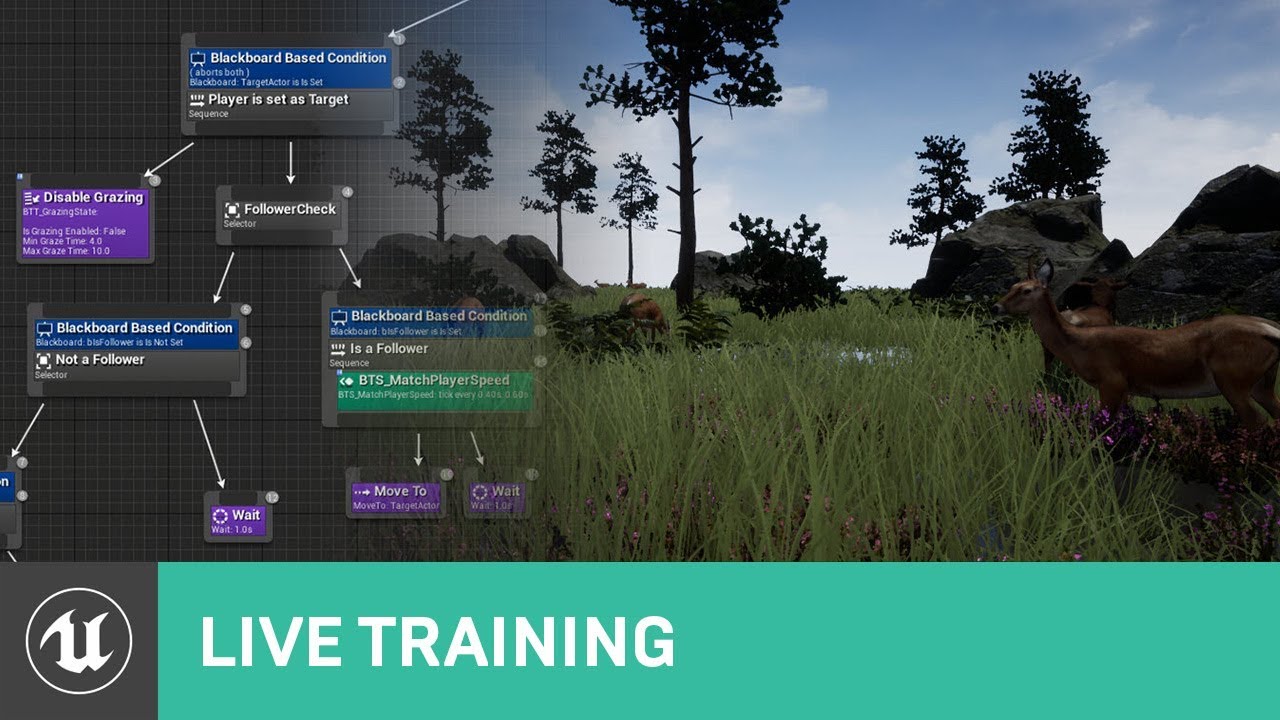
The documentation team has been hard at work expanding and improving the documentation for AI. Wes Bunn will be in the studio to talk about these improvements and show us a sneak peak of what's coming!
ANNOUNCEMENT POST
https://forums.unrealengine.com/unreal-engine/events/16...
simple crest
Yeah. Stop what you're doing and go work through some tutorials, it sounds like you're trying to run before you learn to walk
lyric flint
im doing assignment @simple crest
i just need help getting the ai to find player with tag and follow them
and the video doesnt show how
lyric flint
ok i got it
now all i need is to get the player to properly rotate and look at the plyer without stuttering
 lethal eagle
hey all
I'm attempting to set a a player flipbook after a condition has been executed
but for some reason it only shows the first frame of the flipbook, then proceeds with the other blurprint nodes
Heres a vid, explaining the issue
Oh dman jsut realized I'm on AI
 craggy reef
Hey folks, I'm using the Make Noise node to startle my AI when the player fires
I've noticed this seems to not work correctly if the player is on a plane above the AI however
as in, I can make all noise I want but they'll never react to it
I wonder what's up with that?
if anyone has any clues, or want to know something else, ping me 🙏
I'm a dumbass
it does work, but the place where I was standing was not covered by the navmesh
 orchid frigate
hey guys,
someone experience issues with Move To node in BT? I worked with AI long time and never had an issue, but suddenly I feel like I have no control over the AI any more.
Here is my navmesh
And this is the bb during the game
the BT Task to set the location if not set
pine steeple
@orchid frigate i have no clue what you are trying to do
but im assuming you want to change that selector on the left to sequence
then Task, then moveto
your task will not call move to if it fails, but will if its success
actually
looking at it again, http://www.interkaos.com/grabs/Discord_51HtkSWo8v.png

this needs to be a sequence
but that might return out if your decorator returns false
orchid frigate
@pine steeple Well neither is working. Switching it to sequence causes that it gets stuck at root.
pine steeple
do you really need to check if its set? as you are doing a higher level check if help is needed
make it simpler
after the helping selector
Sequence node
your two tasks
orchid frigate
The issue is that Move to fails. Bcs instead of doing it it aborts directly and restart from the beginning.
pine steeple
so you have a navmesh issue
moveto just aborting constantly
you familiar with visual logger?
orchid frigate
Yes
 orchid frigate
pine steeple
orchid frigate
pine steeple
so yeah OnPath failed
meaning no valid path to target was found
can you show me your navmesh
oh nvm its in the above picture
can you bring up the gameplay debugger
orchid frigate
Yes give me a moment.
the issue is I am not a newbie to Ai and made some more complex AI but thats why I wonder why this is the first project this is not working. 🤷♂️
orchid frigate
Yes
pine steeple
hmm
can you show me the Nav settings on the cmc
normally i untick Update Nav Agen with Owner Params
and manually set Nav Agent Radius and Height
i have issues with it (then again i have 3 different navmeshes)
pine steeple
    {
        UE_CVLOG(Path.IsValid() == false, this, LogPathFollowing, Log, TEXT("Aborting move due to not having a valid path object"));
        OnPathFinished(EPathFollowingResult::Aborted, FPathFollowingResultFlags::InvalidPath);
        return;
}```see this is where chucks Invalid
but not sure why i dont see the above line
orchid frigate
hm doesnt do a difference
pine steeple
thing is, its returning Invalid for the move
that vlog line is this: UE_VLOG(GetOwner(), LogPathFollowing, Log, TEXT("OnPathFinished: %s"), *Result.ToString());
you using crowd following
or just normal path following comp
orchid frigate
Just the standard set up
So the thing is
If I just let the vector blank and let send 0,0,0 it moves to this location
pine steeple
the location its moving to is off navmesh right?
orchid frigate
but as soon as I get the location of the requested actor, its not working
orchid frigate
yes I tried that same result
pine steeple
so he moves on navmesh
just not to a offnavmesh locatin
show me your moveto node settings
orchid frigate
wait let me try this thought, maybe I was silly enough to make the actors affect the nav mesh. this would make it impossible to move there
pine steeple
i mean your actors are off navmesh
but partial move
should work
as long as the location is on navmesh (end point)
if endpoint is off navmesh, the path will be invalid
i normally circumvent this with a eqs query
or even a random point in navigable radius
orchid frigate
🤦 I removed all meshes interfering with the navmesh and yes it works. so probably it wants to go to the exact location, will work around and get a navigable point in radius
I always prefer working with EQS but for that one I didnt want to spend time into eqs since it is just as simple as that
thanks for your help.
 grand rune
Hello everyone! My question is about navigation: if I make my navmesh bounds higher then some value it only generates it's data on that specific heght. Why is it so and how to fix it?
 quartz urchin
hey everyone. need some help with AI Perception sight sense. Is this possible to ignore (look through) some objects? In my case, it is a glass surface which is blocking visibility for AI.
 graceful saffron
Set the objects collision setting to ignore Visibility? Not sure how the AI traces but try that
 olive pond
Oh I had that problem too! Didn't know setting the glass' Visibility channel to ignore would make it see-through-able for AI vision perception. Cool.
I wound up creating my own vision system for AI though (with help from this discord channel) because when I would do seamless travel then sometimes (way more often on Android) the perception system would strangely stop working. And in my own system it had it trace in a way that ignores my force fields's custom collision channel. I'll probably want to set the force fields themselves to ignore visibility traces though.
wide mirage
You could just create your own cone trace, It'll give you more control over certain aspects
olive pond
That's what I ended up doing
And it seems to have fixed the problem with AI Perception shutting down randomly on seamless travel (because I'm not even using AI Perception haha)
Works great 🙂 And I have more control over how it works
Thanks to @patent hornet for the code to make the cone. I translated it into blueprint lol
wide mirage
@lyric flint You don't have to use a BT for your AI
 languid salmon
Unsure if this is the right place to put this but:
Been having an issue with static meshes blocking navigation, apparently static meshes blocks navigation by default, and I can't seem to turn that off ? - How would I go about doing that ?
The actor itself isnt affecting navigation, just the static meshes.
patent hornet
CanEverAffectNavigation on the mesh itself
languid salmon
Seems like that function isnt available in blueprint ?
Guess I'll expose it in cpp
thanks
languid salmon
well it def isnt showing
patent hornet
type nav in CDO search
languid salmon
:/
patent hornet
ah, spawned in runtime
languid salmon
Well I did try without runtime, same thing unfortunately - will try with SetCanEverAFfectNavigation() from cpp - see if that works.
patent hornet
if its a mesh the Actor's CDO then option is in class defaults
languid salmon
Ah right yeh, well thats no good in this case unfortunately.
patent hornet
the boolean should be on the UPrimitiveComponent
if you're going to dig through the source to find it
languid salmon
UStaticMeshComponent has the function to set it atleast. So that should work
I hope xD
 tough helm
Hi
When I RunBehaviour in BT, my decorators in the outer tree ceases to be relevant and they unbind from observing BB keys.
Is there a way around this? I need to abort the RunBehaviour when decorator in the outer fails
 limber aspen
Hi, im working with crowd agents in 4.22, and my pawns are not moving at all with pathfing. However, deactivating it seems to make them move in straight line (not following the navmesh) The navmesh is correct, what can it be the problem?
fallow hound
@tough helm I don't think I get that behavior
I use run behavior dynamic though
Does your child tree use same bb as parent tree?
tough helm
Same bb
Are you using cpp decorators or blueprint?
Cuz BP decorators have that fixed but they do that by ticking constantly which even engine sourcecode says shouldn't be used for production code
tough helm
So BP decorators check if you used the condition function and if yes they check in tick and abort when needed
Cpp only chek on bb change
Not sure TBH
fallow hound
I would see how epic coded their decorators
lyric flint
@fallow hound There are some Tests in their source code here DRIVE:\Program Files\Epic Games\UE_4.24\Engine\Source\Developer\AITestSuite\Private\ , I found some interesting stuff there
replace the path with the drive letter and unreal engine version you are currently using
obsidian wolf
Hello everybody! I'm having some problems when I'm spawning for example 5 AI inside a room. When the AIs will see me , they'll try to get out through the door but they are blocking each other the entrance. How can I solve this? They must get out each on a time through the door. Is a possibility to change the sphere collision smaller when they are close to a door? Or it's another way around
lyric flint
@obsidian wolf maybe https://wiki.unrealengine.com/Unreal_Engine_AI_Tutorial_-_2_-_Avoidance helps?
obsidian wolf
Thank you, I'll check
carmine light
Hi everyone! I really want to get started on unreal engine AI system. Could someone suggest me how to start? I've done my own basic AI, but I've never touched any blackboard or behavior trees. Anything helps. Thanks!
lyric flint
@carmine light There are some tutorials on YouTube, and some courses on Udemy
If you enjoy C++, there is an AI test suite in the engine source as well
Personally I found a lot of goodies in the AI test suite 🙂
carmine light
Going to try it. Thanks 🙂
 bleak iron
Hey has anyone ever tried to have a NavLink on a moving object? I can't seem to get it to work. Attached the NavLink Actor correctly but the Start-End points stay where they were
pine steeple
not possible, unless you subclass the navlink and make it update every tick
which is super expensive
@bleak iron also please follow the rules and don't ask the same question in multiple channels
fallow hound
Hm, updating a dynamic navmesh seems pretty performanct, what makes moving a navlink so expensive?
pine steeple
if you need it to move with a moving object, then it will need to be updated every tick, if its just from one side to another, why not just have the navlinks pre-planted
but disabled
when platform/object isnt there
lyric flint
So I recently upgraded my project to 4.24 and now I'm noticing navigation generation is completely broken
I typically use navigation invokers as I use very large levels, but I did attempt to change it back to static navigation and default ue4 values
If I try to build pathing as well, it performs the task instantly but no navigation data is ever generated
These are the settings I want to use as they worked in 4.22 perfectly
Also my AI are functioning properly, there is simply no nav data for them to use
Not sure if this is related to the issue but assets are failing to save after upgrade as well
 grim pine
Ok - somewhere dumb question - but what was the console command to show naw-mesh while playing
bleak iron
It's a ladder on a moving platform and would need to be updated every tick. Any idea how? I've attached the nav link to the platform but the start and end don't move. I can't find any blueprint nodes to update the start and end points either
@pine steeple
@grim pine Show Navmesh
pine steeple
Wont be doable in BP only
Would need to do it in c++ or maybe a smart link actor can do It
lyric flint
What is my issue considered? I'm very stuck at the moment
Everything works except navigation, but saving fails sometimes too
 merry egret
Help my ai blueprint crashes unreal when i open it in the editor and also crashes unreal when i press play
 woven mural
Is behavior tree require character movement component ?
hollow osprey
nope. Even character isn't required for behavior tree; only pawn
@merry egret sounds like a corrupted asset. If you have version control use an older version. Otherwise I would delete the file from the FS and recreate it
 dapper plank
I am not sure if this has been asked before, so if it has please forgive me.
I have a large world with many levels (open world) that stream in/out. I am looking to add a navmesh and have found a bunch of forum posts online; however, they all seem to end up without a real answer on how to set it up so that the navmesh for each level streams in with the level. The half answer that I have found is to add a navmesh volume to the persistent world and then one to each level. Is this the way to go or are there better approaches?
I am basically looking to have the navmesh data for each level contained and loaded/streamed within that level.
EDIT: I am fine doing this in BP or C++ but would like to stay away from engine modifications if possible
 errant maple
So I've got a simple AI in BP and I'm trying to teleport it to a spot near the player. I'm getting a random point in the navmesh within 1000 units of the player and teleporting it there, but it instantly kills the AI from the level. I'm guessing it's falling out of the map or getting stuck in something, but I have no idea. Any suggestions?
fallow hound
I think I add a big one to persistent world, enable dynamic navmesh, and put navmesh invoker's on the ai
Been a while tho
@dapper plank
Setting up navmesh usually takes some trial and error so don't get discouraged if you can't get it right away
lyric flint
@errant maple I don't use blueprints, but in C++ I would probably try and bypass TakeDamage during the teleportation process.
lyric flint
@worldly flame I don't know blueprints, but in C++ is Stimulus.IsActive()
if (Stimulus.IsActive()) { Do1(); } else { Do2(); }
 worldly flame
@lyric flint i mean if the AI is looking for me.... and i start hiding
he keeps shooting for me through the wall
i want the ai to back to finding a target if the target is lost
 devout plume
Not sure to understand your question but if you just want to have a boolean to tell if the guy is in the perception volume or not you can use this node
Use the bool at the bottom
devout plume
Right click stimulus and see break structure or something like this iirc
worldly flame
oh crap
whats the difference between on perception updated vs on target perception updated?
devout plume
I really don't know lol, I just wanted to have a way to get if the actor was in sight or not anymore and found that node working so didn't dive more into it since I'm still prototyping
Here's my quick setup for putting the actor as a target for the enemy when in sight and delete it when not in sight anymore
That should give you an idea, sorry for the filter, it's late for me and I need to go soon lol
worldly flame
got it thanks!
dapper plank
@fallow hound Thanks for the suggestion. I read about dynamic navmesh generation via invokers. I might go down that path but ideally I'd like to use a static navmesh as I want agents to path even if they are far from the player. I could have several invokers (one per agent, for example) but that seems wasteful.
 rapid comet
It seems the NavMeshBoundsVolume requires the AIController, but you can't set the GameMode Controller to an AI Controller? Confused... 💩
fallow hound
@dapper plank an invoker per agent is exactly how it was intended
dapper plank
Ok. So that is epic's intended philosophy? It makes sense from a memory point of view, but performance wise it seems odd (on the surface at least - i haven't checked numberWhat happens if the target location is outside the generated navmesh? Does the pathing algorithmn handle this correctly? I haven't looked into what ue4 uses in this regard. @fallow hound
lyric flint
@rapid comet I guess it needs AController, not AIController ?
rapid comet
AIController inherits from AController.
I think it needs a Player Controller.
If I use a Player Controller I don't think the Nav Mesh will work?
lyric flint
@rapid comet There may be some misunderstanding. Both AI controller and player controller inherits from AController. The player controller possesses your character, and it doesn't need nav mesh To navigate, instead relies on your input. The AI controller possesses NPC which need nav mesh to navigate the world
rapid comet
I'm using SimpleMoveToLocation.
lyric flint
@rapid comet Of course in very simple scenarios You don't need nav mesh at all, for example in a 2-D world with no obstacles You can just use small increments on your forward vector
@rapid comet ah, yes, In that case nav mesh May be needed
rapid comet
@lyric flint I'm using SimpleMoveToLocation. I believe it needs to be an AIController for that... One thing I don't understand... my controller is set in the actor component, but it doesn't seem to be initialized?
None of the logs are firing...
lyric flint
@rapid comet I'm a bit confused, What makes you think that it needs an AI controller for simple move to location?
@rapid comet I'm guessing you are using the top view template
Out of the box template creates all the classes and a simple world with everything in place to make it work
rapid comet
I believe its mentioned here:

What are the Simple Move Nodes in Unreal Engine 4
Source Files: https://github.com/MWadstein/wtf-hdi-files
@lyric flint No, its a custom project. I didn't use any templates.
I did migrated the ABP.
lyric flint
@rapid comet As a test, create a new C++ top view project, and browse the code, you will see SimpleMoveToLocation being used in the player controller class
rapid comet
Ahh... that good to know... Thanks
lyric flint
@rapid comet The reason SimpleMoveToLocation Is needed In this particular situation in the play controller is because in this particular instance you are not using inputs to control your player
rapid comet
I'm going to try creating a PlayerController first and adding in the PathFollowingComp and the ActionsComp.
lyric flint
instead you set a coordinate destination in the world, and expect the unreal framework to handle navigation to the destination
which is very similar to the AI
lyric flint
@rapid comet then it may be wasteful to use such a complex framework such as nav mesh
instead you may consider A* and forward vector
lyric flint
here I'm using very simple forward vector and velocity
rapid comet
Add me on LinkedIn :)
https://www.linkedin.com/in/alexquevillon/
[Fast Version] UE4 - A* Pathfinding Tutorial - Part 1 - Project Setup
Good morning,
This is the exact same content than the original version, but only the important steps.
No explanation and as little waste ...
lyric flint
I'm not using nav mesh at all, because I don't need it in such a simple flat world
rapid comet
Ya, I had planned to calculate manually... when I tried the navmesh it just worked... lol
I'll watch a few videos and go from there... Thanks for the help!
 deep pecan
I can't find anything anywhere about giving specific nav agents to specific pawns
I have a vehicle ai that uses the same navmesh as the human ai. The problem is that the vehicle tries to go to places where it can't fit
Can't find any documentation for it anywhere
simple crest
deep pecan
I actually figured it out. I set the find path to use specific nav data
rapid comet
Trying to get movement to work from the controller. Everything seems setup and being called, but no movement?
MyPawn->AddMovementInput(FVector(1.0f, 0.0, 0.0), 200.0f, true);
lyric flint
@rapid comet It's possible that this function may rely on actual input, such as a keypress or a controller stick
meaning that under the hood, the actual input being 0, eventually 0 is being passed, so nothing happens
Also, you may try to ensure that AddMovementInput Runs on tick
rapid comet
I'm binding a key to the function that call it.
That weird, he moves when I put it in tick.
But I know its being called.
lyric flint
@rapid comet My recommendation would be to start with a template such as FPS, and browse the code
for example, starting from a template immediately creates methods for input binding, move forward, etc.
they should work out of the box 🙂
rapid comet
I looked through the template you mention and help me get the controller working. But there movement was based on the navmesh
lyric flint
The one you browsed originally was top-down view template, right?
the one you are currently referring to may be found in FPS Template
They handle movement differently, these two templates 🙂 @rapid comet
One relies on input,
The other one relies on 3-D coordinates destination
rapid comet
Oh... whick one is that?
lyric flint
@rapid comet To muddy the waters, so to speak, you can use on tick something like SetActorLocation(FMath::VInterpConstantTo(vLoc, vDest, DeltaSeconds, nSpeed));
this is useful in a predictable world such as grid based where at any given time you know what's in between point A and point B , and you don't worry about obstacles or whatever
rapid comet
Ya, I had it working like that before.
I think I assumed that AddMovementActor would force the character to move a great distance eventually.
like 2000, 0, 0... would keep moving until the 2000 was reached.
Maybe that's not right...
I can probably just set it to 1, 0, 1 until the destination is reached.
1, 0, 0
lyric flint
@rapid comet Browse the code for those two different templates to see how they handle movement
You'll get the hang of it in no time 🙂
fallow hound
@dapper plank if the goal is outside of the radius it is up to you to solve. I solved it before by finding the closest point in the navmesh, then repathing once there. But that could obviously run into dead ends. You might want to look into some sort of hierarchical system, like in the Sims NPCs just generate paths from room to room - guided by a map of how rooms connect.
worldly flame
no
worldly flame
so how can i report damage from my gun
pine steeple
add stimuli component to, register is as damage
pine steeple
the ai does, but the one reporting damage event doesnt
also
is your ai configured to listen for damage events?
worldly flame
not beside event ondamage
worldly flame
yea
pine steeple
and where is that node?
pine steeple
what reports the damage event
hollow osprey
hi, I have an AI that follows me (the player), and it's working good. I have a trigger box that when hit will set the AI movement component speed to 0, and restore it after 2 seconds. When it's restored though, the AI won't continue moving.
I verified the speed is returning using tick and print string.
I'm using Task Move To Location or Actor using Goal Actor.
Any ideas?
 unborn jungle
For basic floating AI that follow the player, is it perfectly fine to skip using AI controllers and just have a simple actor that interps on tick towards the player location?
I have more complicated AI that need to use the navmesh and it makes sense to go the separate character / controller route
But I'd like to be able to cheaply spawn many floating AI and past about 50 characters it really gets expensive
Now that I think about it, without needing to use the navmesh, it shouldn't really matter if the code is self contained in a simple actor as it's really just a few basic instructions that update a target location
olive pond
@unborn jungle yes, you could do it that way. You could even leave behind little markers, invisible ones, and for the ai's to find the player with if they get stuck behind a corner or something. And if they get too far away they could just cheat and teleport to be just off the screen
wide mirage
The AI could easily avoid any boundaries in it's way.
unborn jungle
@olive pond Great idea thanks!
@wide mirage It seems that avoiding boundaries is actually quite hard in the case where you'd need your floating AI to path from A to B while avoiding obstacles
Other than doing constant traces in the direction it is moving to move in another direction until there is space to move in the desired direction again
 still grove
hello guys. Can any one help me pls with my Ai question?) I took a character from paragon models to learn some things and try to make from Crunch ( paragom model ) a kind of creep like in Dota 2 , you know those mobs that go on road from one side to other and attack enemies by the way. I deleted all files and began from start, took only Crunch character , then created AIcontroller, blendspace for mooving and tried to put it in the world. And here comes problem . if i put character in world from the begining with same settings ( i mean AI controlle class is mine that i created ) , then it mooves like i want to those target points that i want . But if I use a spawn of same character every 10 sec for example, they dont moove. they have idle animation but nothing more . I know about settings - Auto possess AI - and i have chosen - placed in world or spawned, also tried spawned . but they dont moove. Moovement i also puted like 300 and 600 max. But still nothing. Gues there is a mistake some where or even a bug but i really cant find it. I can make stream and show some one in discord if you want.
unborn jungle
@wide mirage sure but that does limit large open spaces without a more complicated setup to determine a path in which case just projecting to the navmesh may be the play... anyway thanks for the help
olive pond
@unborn jungle there is also a 3d navmesh plugin in the marketplace for flying ai
still grove
if some one anyway will read about my problem and will try to help, i found info that physics may effect on this. And yes, if i turn physics on now even character that is already placed in the world has problems and is not moving.. i did some screenshots. May be some one know the problem.
lyric flint
@still grove Let's start with the first two characters only. I understand that character number one works fine, and character number two does not. Occam's razor suggests that you should look into the differences between character one and character two and fixed them one at a time until you find the culprit...
So here are some questions, and again we are looking for differences
is c1 and c2 spawn the same way, it just happens that c1 comes first From a temporal perspective, and it just works (zing!) And c2 appears in the world 10 seconds later and nothing happens?
at this point it's really mostly just detective work...
Another question, are you using blackboards for these two characters? in particular, can you confirm you are using separate instances for separate characters
still grove
c1 and c2 are one character, that should have same settings. the only one difference is tha c1 is puted manually in to the world, but c2 appears after 10 sec thrue level blueprint. So tehnicaly , they should have same settings, but something is not the same, and y , i tried to compare them, but gues did it wrong or smth else.
lyric flint
c1 and c2 are one character : Perhaps this should be rephrased as: they are instances of one Blueprint character
still grove
yes
wide mirage
You can always sort them in an array.
lyric flint
because It's possible, c2 is using c1' success state So there's no reason to do anything from its perspective @still grove
still grove
if i put more characters in world, they all move . but those that i spawn , not. so gues this is not a problem
but i didnt deleted c1 sec
lyric flint
@still grove So it's possible the characters that you manually put in the world are based on a different blueprint class than the ones you spawn, during PIE Eject your pawn and click on one character manually putting the world and one character spawned And check differences this way
still grove
ok ty i will try to check all settings one by one
 grave coral

 fallow hound
you could code a basic switch, flip another bool when done and check that bool before running the anim
something like bHasPlayedAlready
or.... set a really long cooldown decorator
 undone hull
hi guys, do you have any good material of AI Perception on C++? thanks 😄
 copper light
@still grove Make sure you set the actor's mobility to move able after you spawn it.
 storm zephyr
hello, is there a reason why i have to have a level set to visible in the world outliner (with the eye icon) in order to have the navmesh working in that area at runtime?
it's a bit annoying because in order to have the entire navmesh working at runtime i have to make all levels visible
which is quite taxing on my system
patent hornet
why would you have anything moving on navmesh on an invisible level?
fallow hound
@storm zephyr dynamic nav mesh has to be turned on
So they can be built at runtime
Might need invokers too not sure
storm zephyr
@fallow hound right now its dynamic modifiers only
fallow hound
Yeah so some where in project settings is dynamic navmesh
fallow hound
I'm not super experienced, but I think so if you want to add and remove navmesh at runtime. Like streaming levels
But someone really ought to correct me if I'm wrong
storm zephyr
thnks @fallow hound, ill look into it 🙂
hollow osprey
I have a decorator above a task that calls Move to Location or Actor, using Goal Actor).
Is there a way to make the decorator stops it in the middle of the task?
 ripe tangle
If you click on the decorator, in the details panel under Flow Control. Observer aborts is what your looking for?
hollow osprey
sorry for taking so long, was testing it. It sounds like it should, but it doesn't seem to actually abort anything?
ripe tangle
do you have a screenshot of your behaviour tree?
hollow osprey
Sure, hold on
it seems like while MoveWithinRange is working (where it called the task I mentioned above), the decorator isn't even being questioned
looking at the behavior tree at runtime, it shows the root "actioned" (yellow), and nothing else
nvm, I added a print to the decorator - it is being called. But it's still stuck on that node
Not sure what's the meaning of the red arrow?
ha I just remembered I even got a "Gameplay tag condition" near the top, but it has no Observer Aborts property
ripe tangle
so i assumed you were just using the blackboard condition decorator. I didn't even realise you could create your own. So i may struggle to help you further
I would look into the decorator blueprint and look at overriding the functions to make sure that when a specific value. I'm guessing in your case its "CanCharacterMove"? if that's false then the decorator will abort itself. Unless you have already done all that? in which case may have to wait for someone with more experience
hollow osprey
Well I simply overrode the method PerformConditionCheckAI. I don't see any abort method I can call or something like that?
I just noticed there are Abort AI and Abort methods in the task blueprint, but I added a print string and they are not being called, so I'm not really sure what else I'm suppose to do 😐
simple crest
Is your character moving? In your log window your CanCharacterMove decorator looks like it's returning false so move within range isn't going to run, the selector node runs out of options and fails, the sequence above it then fails, and your tree is done executing
The task's abort event will never be called if the task didn't start to begin with (I think -- I'm not very experienced with unreal behavior trees)
@hollow osprey
hollow osprey
It doesn't move but I also set the movement speed to 0 (on the character movement component).
And the thing is, if it can't move and I'm getting closer - it doesn't even try to use the ability, which is what I'm actually trying to do
when the sequence fails, it should try from start the next time, which is what happens when it can move
@simple crest
simple crest
Well one thing at a time I guess. But you mean your is within range decorator isn't ever returning true either?
hollow osprey
well it should I am in range, but I'm not sure if it's called; let me add some print string and check that out
yeah it's not even being called. Looking at the flow when running:
(1) I added a print string node inside the is within range decorator
(2) if the character is close enough and doesn't need to move, it will print above message every second (or what feels like it)
(3) If the character is not close enough and needs to move, while it moves to me, it won't print it all
From that I can gather while the task is running, it doesn't check any other sibling nodes. It seems to be the same as (3) When the CanMove is false
simple crest
Well... Yeah, that's the intent, if a task is returning running the behavior tree will continue to check that task until it's failed or succeeded
hollow osprey
well yeah, but I assumed the decorator can abort it or something, which doesn't seem to be the case 😐
simple crest
So is your actor moving? (Is your move within range task running/starting even once)
hollow osprey
the character that get stuck in place is actually walking into a kind of trap, so the move within range is always starting.
And as I said I am also setting the movement speed on the character movement component to 0, but if I don't do that (I just tested it) then yes, he will keep moving
Perhaps there is something I need to do in my custom decorator to support that abort thing?
simple crest
Ah, ok. So your NPCCanMove print is saying true for a while and then when it says false, an abort method on your task should be executing but it isn't
And the task is actually returning running during this right
hollow osprey
what do you mean by "returning running" ? It looks running in the behavior tree window
simple crest
The return result of your task
Sorry I meant "in progress" I'm not used to unreal terminology
No wait hold on let me google my dumbass lol
hollow osprey
lol. my editor isn't open but when running a task you don't return anything until the task is done (or cancelled). I don't remember any in progress or something like that.
Assuming you are talking about a return node
simple crest
Yeah that's right. So you haven't returned finish execute, is what I meant to say 
hollow osprey
nope I haven't. I ran the Move to Location or Actor task, and plugged return nodes on the callbacks (on finished & on failure)
simple crest
And you've got your decorator set to abort self which should work. I'm not seeing any technical issue yet
You might want to set iswithinrange to "aborts lower priority" because that should let that decorator abort the move within range task?
Which might be one of the results you're after
hollow osprey
😮 it's working! Thanks! 🙂
@simple crest
simple crest
np ¯\_(ツ)_/¯
 olive delta
as soon as the "seeingplayer" boolean turns true i want it to execute the left code. How do i do that?
ripe tangle
Put an abort self on the "Seeing player is not set" blackboard decorator
msh91, glad to see you got ure problem fixed
olive delta
I did what u told me to do, but it doesn't work
as soon as i enter the collision i want it to snap to the code where the deer runs away
ripe tangle
what print string goes of when the seeing player value is changed?
hollow osprey
anyone knows how I can know when an npc has lost the player (perception) ?
simple crest
On target perception updated - check bWasSuccessfullySensed or something like that
hollow osprey
tried that, but it fires multiple times with the same value (usually true), and once the age of the senses goes up (hence what I'm looking for) it's not firing at all.
I'm considering using a time and resetting it on perception updated at the moment
simple crest
Not sure what to say. I'm using it in a very basic setup to add and remove the sensed actors to and from an AI's target list, it's been reliable for me
hollow osprey
I haven't done a complex setup, I think. I have 3 senses (sight hearing and damage), the player, and the npc. Every time I move though the method fires with true.
And when I'm out of sight (e.g. behind a wall), it doesn't fire.
simple crest
Yeah so far I'm only using sight. It fires once when it loses sight of the target with that bool false
hollow osprey
mm I think it's my exp age that isn't set right
that fixed the hearing, I'll see what's up with the sight. Thanks @simple crest !
hollow osprey
@simple crest any idea why most tutorials shows to add the ai perception component to the controller rather than to the pawn?
pine steeple
cause the controller is what handles pathing etc
the pawn can change in game, controller doesnt
hollow osprey
right about path finding, I forgot about it.
regarding change - does it make sense to 'switch pawns' when a perception component is attached though? I'm not even sure the use case for 'switching pawns', but if it is wouldn't you want the perception component to reset as well or even change settings?
hoary peak
Anyone here who knows which option enables setting default keys for tasks? I used to have the option to do so in the task's class defaults but no longer. It was possible to put in both blackboard key type and type in the key name
It might have been in the Class Settings, I don't remember
patent hornet
BlackboardKeySelector, InstanceEditable?
hoary peak
Yeah but I used to be able to set default values from within the Task itself so I wouldn't have to set it each time from the BT
I don't have that functionality now somehow
IIRC the tab was in that window between Blueprint Options & Interfaces
simple crest
@hollow osprey in unreal terms, the controller is the "player" ... The player is what sees things, makes decisions, and provides input for the pawn. A behavior tree and perception component for an AI controller replace a human's brain from a player controller. That's how I think about it at least. If a different character should be dumber or smarter it should have a unique controller somehow
pine steeple
@hoary peak pro tip. name the blackboard key selector the same as the blackboard key
it will auto select it.
hoary peak
@pine steeple Do I need to add spaces for the blackboard key names in the blackboard for that to work? Because it doesn't work for me
hoary peak
I don't
pine steeple
always worked for me, i do it all the time
hoary peak
But visually they get auto spaced in the BT view
pine steeple
yeah but thats just the BP system
it spaces before every capital letter
like SomeVariable becomes Some Variable in the display, its just visual
hoary peak
Still doesn't work for me though
They get defaulted to the first variable in the blackboard list
pine steeple
hmm must be a c++ only thing then :/
welp looks like you will just have to manually set it every time
maybe just copy paste and preset node
to save hassle
hoary peak
I know for sure that there is some togglable option that allows you to make it automatic but I have searched through editor and project settings but found nothing
I lost it when I reinstalled then engine
pine steeple
i don't think i have ever seen that
hoary peak
I have no idea how I toggled it, I can't seem to find the option anymore. Though I think it was an option that showed you a lot more stuff in different areas of the engine and not just the option to set default key values
 left rover
Help needed! After I went from 4.23 to 4.24 my AI hasn't been able to move anymore. When I press "P" the navigation is there as usual. Moving the navigation bounds a bit to rebuild everything doesn't work either. I mean.. It rebuilds but the AI's still aren't moving. I've changed nothing since 4.23. So...
o Is there some tick in the project/editor settings that I need to untick/tick or...
o Have there been some changes to GetRandomReachablePointInRadius and SimpleMoveToActor nodes or...
o Is this a bug?
I'm not getting any errors. The AI isn't roaming, still clearly aggroes the player when it sees it but it can't move. Also kills the player if I walk close enough so that's fine. It's just the walking / charging aspect so I'm guessing issues with navmesh. Be it a bug or my own lack of knowledge.
left rover
Ok! Deleting RecastNavMesh and Building navigation once again to create new RecastNavMesh did the trick. 🙂
pine steeple
 sterile smelt
What you need
olive pond
@sterile smelt that's the channel you want to go to on Unreal Slackers for that kind of question. It's the channel for people who are looking for someone to help them make a project.
quartz urchin
Happy new year everyone! Have a question about AI Perception sight sense. I guess it is a popular problem so may be someone have a good solution. AI Perception can see (detect) only the middle point of my character. Is there any option to add some sort of offset for this at least?
quartz urchin
 wary ivy

In this post, Unreal Engine Developer course student Carlos shares his awesome detective work (and code) on getting AI sight perception to custom points… On the way to creating a metal gear solid clone game, I was following the testing grounds videos. I already had guards w...
is the project some starter/template? Same pic in the article 😄
pastel hare
Is there a maximum number of actors the behavior tree can handle? If I have about 50 NPCs running the same behavior tree it works fine. However, if I spawn say 200 NPCs the simulator only lights up the root node and the NPCs appear to stop running part of the behavior tree (they no longer run towards the player, but they still attack)
 fleet meteor
Are Behavior Trees multithreaded? No one really seems to say anything about it one way or another.
pastel hare
@pine steeple yes, I'm using UCrowdFollowingComponent
pastel hare
thanks for highlighting the cap
unborn jungle
Is it possible to stop navmeshes being generated inside meshes?
For example if I have a terrain mesh and place a large cliff on it, there is navmesh inside that cliff on the terrain floor
And since I use the navmesh to spawn things, many times enemies get spawned inside objects and can't escape
The only solution I have found is to manually place nav modifier volumes everywhere which is very time consuming and doesn't match the shape of the cliff
pine steeple
if your mesh has a collision
on that lower level
then it would
other way is to remove collision on that lower part of the mesh/inside of the mesh
which is the proper way to do it
unborn jungle
@pine steeple Yeah it works if I align the bottom of the mesh exactly with the terrain
pine steeple
issue, is navmesh doesnt really do any checks, i mean you can adjust the grid size, etc
unborn jungle
But this limits my use of that mesh and I can't put it above or below the terrain and even then then, it's rare that the terrain matches the slope etc.
pine steeple
but it doesn't account for height
unborn jungle
So would a good solution to do as much as you can with the terrain heightmap instead?
I'll try using clipped cliffs that have no bottom side
That might work as mentioned with the collision
pine steeple
its i suppose what ever you need to do to stop the nav generating there, its a bit of a pain tbh, i know we made a custom navmodififer component on certain stuff
which adjusts the bounds to stop the navmesh generating
unborn jungle
That's very nice
I wonder how fortnite does it with the insane amount of stuff on the map stuck into the terrain
Then again it probably doesn't matter as they aren't spawning stuff on the navmesh most likely
pine steeple
the use a navmesh
but i think there spawning stuff is deterministic/using eqs to determine the best spots
that kinda thing
unborn jungle
Ah yeah so there would probably be LOS stuff and more to ensure it's in a valid place
Makes sense
At the moment I'm just picking a random point on the navmesh near the player to spawn enemies
Probably should refine that and then maybe the navmesh being inside other meshes wouldn't be an issue
 trail scarab
hello, does anyone have experience with find path to actor synchronously function?
documentation says resulting path will automatically get updated if goal actor moves more than TetherDistance away from last path node but that looks like that event never fires on my situation
 ocean wren
does fortnite have AI?
hollow osprey
I need to create nav mesh volumes for a big landscape. Should I create a single huge volume or multiple volumes? does it even matter? (I need it on the entire landscape either way)
ocean wren
are you using scene composition?
or whatever that bloody thing is called.. world composition thats it
in which case, my guess is that you'll need to break your landscape into chunks and then get each chunk to generate its navmesh
or add navmesh generation proxies to stuff that will need a navmesh near it
have a look at how they setup the boy and his kite demo
they used the nav proxies in that apparently, for the deer and shit
hollow osprey
I am using world composition yes. "break your landscape into chunks" - what are you talking about? what kind of chunk? break how?
(opening a boy and his kite in the meantime btw)
ocean wren
the chunks of landscape you are using for the world composition parts
I assume you're using landscape tiles? I meant the individual tiles
tile = chunk
hollow osprey
oh yeah. each tile is a level as far as I know though, and I'm talking about a single landscape in a single level
ocean wren
oh, well a single landscape in a single level max size is around 8k, I assumed you meant larger than that
hollow osprey
8k what? mine is 1009x1009 vertices. I could be wrong but it sounds big to me
ocean wren
but afaik, you can generate a navmesh per area you load in the world composition
8k meters
it actually gets a bit fruity before that due to floating point shit
hollow osprey
well it's 8k on each side, that's an area the size of 16k^2m no?
hollow osprey
Anyway yeah I was under the impression each level can have it's own navmesh. The question is - should I use a single navmesh for my landscape (1009x1009) or multiple small one? does it even matter?
ocean wren
actually a tad over it when I tried doing that
well, it depends a lot on if you're doing multiplayer
hollow osprey
nope
ocean wren
if I recall rightly, world composition doesn't work for multiplayer
hollow osprey
good, because I'm not.
ocean wren
might be fixed by now though.. you never know with epic 🙂
hollow osprey
probably is btw; it always looked to me like epic is trying to make the engine fit an mmorpg. that's just how I saw things anyway
ocean wren
well, the main thing is the resource hit for a single large terrain.. on the other hand, I guess they've optimized all that for fortnite since I tried
well, the world composition came about because epic Korea had to make a large terrain for some company
so you're not far wrong 🙂
hollow osprey
I'm still not sure though - a single large nav mesh volume or multiple small ones?
hollow osprey
I don't like that answer :p
ocean wren
well, unless you need to, why make it more complicated?
if you're not using world composition, then I don't think you can have more than one navmesh on a single terrain anyway (outside of for different sizes)
hollow osprey
.. I am using world composition.