#gameplay-ai
1 messages · Page 114 of 1
 vital pond
 vast jacinth
@vital pond good to hear 😃 like I said, AI in unreal is a messy ball of sring. its all there, but you have to pull for the right end to get what you need
 naive veldt
In a Blueprint Task, how do I reference the pawn that is running the behavior tree that is executing said task?
lol nvm just noticed the owner actor output 😙
 flint trail
@tardy scarab any chance you guys can cover Navigation system settings (in the project settings and recast actor/component in the level), navigation and multiple streaming levels (assuming each level having its own nav bounds volume), ProjectPointToNavigation Blueprint node in the next AI stream?
flint trail
hmmm
is this still the case in 4.22 ? Cuz I can't get ProjectPointToNavigation working having multiple streaming levels and multiple nav mesh bounds (each streaming level has its own).
 meager pike
Do I need to manually destroy an AI controller after I destroy its controlled pawn?
Or is that done automatically
 slim knoll
I'm using the Advanced locomotion system v3 and i'm trying to get my custom character controlled by AI. Has someone successfully done that and could help me out?
 supple sky
@slim knoll Hi there.
slim knoll
Here is my AI controller:
When i hit play the Character moves for like 1 second, than the character doesnt continue. I cant find the error as it works perfectly on other characters which dont use ALS
supple sky
Aimoveto doesn't have a pawn attached.
I'm surprised it will let you run.
Can you use breakpoints to follow what it's doing?
 tardy scarab
@flint trail You should comment on the announcement post as soon as it goes live later this week
slim knoll
@supple sky i added the pawn node and it still doesnt change. Looks like this: Knight has basic mixamo animations and AI controller works perfectly. Woman has ALS Movement animation (just like player) and only moves for a short periode.
 lyric flint
@noble vault A mindmap is a visual representation of what will be needed to achieve something

^ like that
flint trail
sooo, I am back to square one 😦

any idea why ProjectPointToNavigation doesn't work in the upper room and works only in some areas in the bottom room ?
@tardy scarab by chance, did you ever have issue like this https://answers.unrealengine.com/questions/910264/projectpointtonavigation-is-no-longer-working.html ?
tardy scarab
I can't tell what your problem is, does the function return false when it shouldn't?
@flint trail
flint trail
it returns 0,0,0 when it should return something close to trace hit location
tardy scarab
At 2:44 you're not receiving any values, and that trace is done in the location of an actor that says "inventory"
Try turning off "can ever affect navigation" on that actor
tardy scarab
Try removing it and trace there again
Or see if you have other possible actors in those locations
tardy scarab
Is the function returning true?
flint trail
false
basically, to simplify this, I have one static mesh, navmesh, and I get true on one part of the static mesh and false in another part of static mesh
flint trail
I am pretty sure someone else also had similar issue https://answers.unrealengine.com/questions/910264/projectpointtonavigation-is-no-longer-working.html How did you fix it / worked around it?
flint trail
heh, my timing is perfect - every time I have issues and come to this chat, it appears to be dead 😂
 pine steeple
i use Project point to navigation a lot
and don't have any issues with it
most of the issues are related to bad collisions on actors
flint trail
@pine steeple bad how? I get trace hitting actors correctly, meaning collision is there
pine steeple
project works slightly different to traces
flint trail
the mystery is that it worked until it stopped working :/
actually I just remembered one detail - I rotated one of the navmesh bounds volumes in one of the sublevels by accident and I think after that it all stopped working
the only thing I have in mind is deleting all the navmesh bounds volumes, recast actor, deleting Intermediate folder, rebuilding geometry and lighting, and adding navmesh bounds volumes again
@pine steeple do you have streaming levels in your project? How do you set up navigation to work properly with streaming levels ?
tardy scarab
@flint trail I have streaming levels, but I keep the Navmesh in the persistent level because each of the sublevels have their center at 0. It was just easier to make sure that any level I added had a functioning NavMesh
I don't think I've ever rotated a navmesh...
flint trail
well, I don't know (and there is no way to tell) if rotating broke it.. Maybe it wasn't even working the way it suppose to work to begin with after upgrading my project to 4.22
just saying I am not doing anything different from my 4.19/4.20 project.. It's the same setup and BP code
it just doesn't work at all
ProjectPointToNavigation that is
tardy scarab
I would go through your idea of removing/deleting intermediate/adding and rebuilding
flint trail
yeah, I am gonna have to try that since nothing else works
tardy scarab
Just do it for one sublevel, don't load the persistent and you can just try on that one
I still believe there's something interfering with the ProjectPoint trace and what's there, since it works some of the time
I've had to "nudge" the nav mesh a couple of times (move it, then move it back). Have you tried that?
flint trail
yeah, I did.. Nothing changed. If I expand query extent to 5000 units, I suddenly get it working, but returned values are by 1000 units off the trace hit values
supple sky
I'm back.
tardy scarab
Yeah there's something in your scene that's interfering with the ProjectPoint-trace
flint trail
@tardy scarab is there any way to visualize ProjectPointToNavigation trace ?
flint trail
😦
pine steeple
@flint trail never used streaming levels
but i am assuming the navmesh is valid on all levels
and verified ai can walk on it etc/
?
there is a bug with Navmesh on streamed levels
flint trail
@pine steeple well, at this point it's for validating landing spot (VR teleportation locomotion)
and I deleted navmesh bound volumes from streaming levels, left original one only and moved it to persistent level. Rebuilt paths and ... still having same issues
 night pilot
Hey guys
I want the correct behavior of the crowd. Pawns must avoid each other.
Detour Crowd AI Controller doesn't work for pawns. Any ideas? I can't to use character.
https://cdn.discordapp.com/attachments/221798862938046464/601477065467887655/unknown.png

 fiery sorrel
Can use Flocking with obstacle avoidance

Game Development Envato Tuts+
In the natural world, organisms exhibit certain behaviors when traveling in groups. This phenomenon, also known as flocking, occurs at both microscopic scales (bacteria) and macroscopic scales...
 wary ivy
I think you need to use the character class if you want navmesh walking out of box
 golden sage
Hi,
these big, complex Behavior Trees are sucking the life out of me. How can i divide different Orders or Tasks in multiple much smaller BT´s and then start and end one when i need it? Like go walk there and attack or go walk there and build stuff could be two different BT´s.
Its harder for me than expected.
golden sage
Never mind, using one idle Bt and using StopTree and StartTree is working for me
 patent hornet
there is a task RunBehaviorTree
@golden sage
then you encapsulate atomic behaviors in their own BT assets
and run those as needed
 errant maple
Any idea why my character isn't moving?
The logic all seems to work fine, the only issue is that he's running in place for some reason. I tried making another character with only AiMoveTo on beginplay and it worked fine, so I'm guessing I made a dumb mistake somewhere lol
errant maple
Seems to be the teleport messing it up, ran it without teleporting and it works fine. It doesn't seem to be the teleport destination that's the issue because if the character starts off in that location instead of teleporting to it, it still moves fine.
 vagrant summit
@errant maple I'd highly recommend doing AI behavior in a BT
BP ai is hard to debug
golden sage
@patent hornet Yeah the BT-Task RunBehavior. But it would still be to big. I have like 15-20 different Orders a NPC can receive. Putting these all in one big BT (even with sub BTs) would kill me. I saw someone making one BT for each single Order and that was much easier to handle, but i didnt know how to switch between these "Main"-BTs.
 sturdy blade
Hello everybody! I've just do my first behavior tree, based on a very simple tutorial to make an NPC walk after the player. Root, Selector, Move To (player character)... And nothing, the BT flashing, no reaction in the AI Blueprint of the Follower... I put the NavMesh, the blueprint in the follower Pawn... I don't get it... I know a guy with the same problem, can you help us?
golden sage
hard to tell where it goes wrong, but if u post your Ai-Controller-Setup and the BT as pics im sure we find the reason. NavMesh is showing if u click P in editor?
sturdy blade
And yes, the NavMesh clearly appear
The Dilatanus is the follower, and the player character has key object in the blackboard
golden sage
On the AiController is the RunBehaviorTree alone enough i think, cause ur BB is attached to the BT in the BT. I could imagine the problem is that u set the PlayerCharacterKey before u start the Bt. Or in the SetKeyAsObject-node .Has key name the exact same value as the BB-Var name?
ahh one thing comes to my mind. on the ai-controller, on BeginPlay. AFter u startet the BB And BT put an delay node with 0.5 and then do SetValueAsObject. Does it work then?
sturdy blade
oh, let me try it, brb
patent hornet
controllers don't have a pawn on BeginPlay
unless they are replicated PCs on client
similarly, Pawns don't have a controller
use OnPossess, please do not use Delays
golden sage
so its to early for each other right? i think he just wanted it to work before he sets up an overlap or button for the setValueAsObject
sturdy blade
ok not much seems to work now
golden sage
i think that happens most at start. but as Zlo wrote, dont use delays there 😅
sturdy blade
yeah haha i deleted it
patent hornet
it doesn't have to be, but if you use the stuff out of the box it is
unless construction is deferred
spawning an actor (and in this case both the Pawn and Controller count) will result in it calling its BeginPlay synchronously
and possess is called right after
but if you were to spawn a Pawn deferred, (c++ required), Possess it, then call FinishSpawning()
then it would have controlelr on BeginPlay 😄
sturdy blade
one more info, whenever i start simulating the game, the nodes in the BT starts flickering like crazy
oh wait
I'v find a solution (not using the Behaviour Three for now but it work)
That in the follower blueprint
Thanks a lot for your help, I take screenshots to think about it!
pine steeple
wow
calling Moveto in tick
that == bad
honestly that is terrible
i cant even imagine a worse thing to do tbh and there is lots of bad things
sturdy blade
Okey^^'
pine steeple
im not being nasty, but that creates a new object every tick, which in a 60fps game is 60 object per second
what is your issue tho?
or even if its not the task version, thats still a path finding request every tick, which is expensive
sturdy blade
A friend just explained me that^^' I just can't Use the Behavior three for the simple tutorials I can find, to make an NPC follow the player I begin with this very short tutorial https://www.youtube.com/watch?v=Z3mWSpKb3Kw&t=67s

In this Unreal Engine Tutorial I show how to add an enemy with an AI Controller that follows the player. It is a very simple AI but I introduce some basic AI...
sturdy blade
Yes, but each time, I got a flickering of my BT at Simulate
pine steeple
why you simulating?
sturdy blade
It seam very easy
pine steeple
and not playing
sturdy blade
yes yes, I wan't to say playing
sturdy blade
I know, I do it three time, with the same result...
pine steeple
check pm
 thick surge
hi guys something really advanced I wanted to ask, has anybody tried deep learning AI for keyboard input recognition ? something like the game Façade did https://youtu.be/RyaqHNdsqxw?t=151

This is how I won Facade, and it's rather annoying to get to this point... temptation to punch Grace in the face resisted... I had some alternate endings, su...
I would like to attempt this technique but not sure where to start
 swift bolt
AI perception range works in a sphere right? Debug doesn't really show sphere z range.
 hoary peak
What would a good solution to only make one AI in a behavior tree do a task? use a synced blackboard bool key?
pine steeple
@swift bolt it works in a sphere, but with a cone based on the angle set
one ai to control many?
hoary peak
Did you ask me? I came up with a different solution
hoary peak
In hindsight just having 1 npc per BT wouldn't have worked either
pine steeple
normally you would control them by states, if that ai is not allowed to do something, then he should not go to that state
hoary peak
It was supposed to be a bool to determine if someone is allocating fuel to a building, but I put up a bool in the temperature component instead since each building has it's own
Because having every AI bring fuel to a building could fuck up things pretty bad so I have to limit it to 1 at a time
pine steeple
use a token system
each building has a token
if fuel is incoming, one ai grabs the token, and fuels up, and returns the token once the fueling is done, and the cooldown is over
this is what we do for our ai
they grab a token from whatever player, and then only chase/attack them if there is a token available
pine steeple
same principle could work for any game
if a building is being occupied
ie by fueling etc
then apply some kinda tag to the building
i would probably use Gameplay tags
can be used on any Actor
and you can mark buildings as being occupied and what is currently occupuing it
or use some kinda Map of "Job/ActiveAI"
and if that job has an active ai doing it, then don't allow other ai to do that job
thick surge
Hi guys I have to make a dialogue system and within the same ai the NPC would also have needs like hunger and then it would go to a certain spot on the map to fulfil his hunger. How would you guys approach having the 2 systems
I was thinking on having Behaviour tree for both but that might be a bit too much
pine steeple
state based behaviour trees
thick surge
@pine steeple oh that's right because you can have parallel actions/ task on the behaviour tree right?
pine steeple
if hes hungry, run a Hungry behaviour tree
you can run trees inside trees
and run paralles if needed aswell
thick surge
@pine steeple how bad would it be in terms of performance ? I'm going to have around 24 NPCs
golden sage
Hey all, does someone know an easy way to interrupt a MoveTo-Task in Behavior Trees, so that u dont interrupt the Movement of the Character for a short amount of time. If u know simple tricks for interrupting the MoveTo-Task, im eager to know too.
pine steeple
its quite cheap tbh
@golden sage not really, the default tasks abort velocity
need to write your own task
vagrant summit
making your own move to task as UKaos said would be the only solution
golden sage
😱 😭
vagrant summit
Its not that hard tbh
golden sage
I just looked into the code of the MoveTo shortly, and it scared me away, but i need to buckle up it seems.
lyric flint
Ok so I raninto an issue, from out of nowhere, unpossessing my character stops the moveto task to work properly, the ai has the player targeted still adn it wasn't an issue last two days
anyone got an idea what can be causing it? I've tried both the generic and custom omveto task, they all fail after target is unpossessed, and as I said this wasn't the case 2 hours ago
Rotate to face character still works, sof If I move teh character by another actor (vehicle) the ai rotates, but it won't move to it still
golden sage
maybe u were testing with an old version in Editor? As far as i know u need a Controller for MoveTos to work. But im no sure
lyric flint
All in 4.22; I need a controller for the ai, not for the target, I need a actor or location for moveto and when I'm dewbugging the ai it hsows my player is sitll targeted by the ai-controller
Also, this worked perfectly 2 hours ago, and has worked perfectly last 2 days
Ok just tested, doesn't seem the the possession is the actual problem but as soon as I interact with it even when I removed unposses/posses nodes, can't think straight right now; if anyone has been in the same situation what was the actual source of problem?
I have check every BP i've edited and found no issues, it is the move to node that just won't work (I might be missing something but this is how it is percieved by me after 2 hours of trying to figure out why this happened)
golden sage
just for clarification, u have a Character1 that gots unposessed and a character2 that is supposed to walk to character1, but stops when u unpossess character1?
lyric flint
That is what I thought, but I rmeoved the unposses nodes and character2 won't go to character 1 still after I interact withthe vehicle
Also, to clarify I did change recast and then this happened, but I set it back to the settings I had before and this didn't resolve, even after restarting the editor
golden sage
mmhh really dont know, sorry
lyric flint
yeah it's a weird one
patent hornet
@golden sage im partial to using MoveToActor, then stopping is just a matter of teleporting the MoveTargetActor onto the Pawn
golden sage
Thx Zlo, i will Look into that tomorrow
 stark zealot
What's an easy way to make a zombie enemy climb a wall? Should I make a custom traverse blueprint that when touched makes the zombie play the climb anim and then slowly raise him up?
 orchid frigate
@stark zealot Depends on what is an easy way for you and what assets you have to realize this feature. Basically you can do it the way you mentioned but it will need a lot of tweaking to have it look great, but the best way, imo, is to use an animation with root motion (to enable changes in Z you will need to enable flying mode instead of walking mode) which already will solve the issue of changes in Z axis.
To use Root motion for AI you cannot use "Move To" nodes but a good approach is to use "Find Path to Location Synchronously".
stark zealot
@orchid frigate Thanks I didn't even think about that. I'm using Mixamo climbing anims right now but then look pretty good to me.
orchid frigate
@stark zealot if you take a look into this months freebies in Epic Marketplace there is a BP System for climbing as well. May be a good start as well to learn the different approaches. :)
stark zealot
ok i'll check it out.
lyric flint
So I figured out why it happened but not a solution yet @golden sage It was because I was using attach to actor and the player must be teleported or maybe it reads the attached local position vector and therefor getting wrong reading? I am not use just yet but I am sure it is attach to actor that is causing it
golden sage
Probably attachTo and teleports dont go well together , good u found it
flint trail
@tardy scarab Just saw the announcement for AI stream (thanks!) and posted a few questions here https://forums.unrealengine.com/unreal-engine/events/1645246-unreal-engine-livestream-ai-state-of-the-union-july-25-live-from-hq?p=1645535#post1645535 .. Any chance those will be covered ?
Unreal Engine Forums
190725_AI.jpg
WHAT
The documentation team has been hard at work expanding and improving the documentation for AI. Wes Bunn will be in the studio to talk about
tardy scarab
@flint trail I'll let Wes know and we'll do our best :)
For the 6dof VR AI question: Look at VRExpansionPlugins VRAIController. It changes all of the stock functions to look at Camera instead of Actor
flint trail
yeah, but I was wondering if there was way to do that with stock UE4 without any modifications to the code or plugins @tardy scarab (and I am guessing there is none, which is odd since VR has been around for some time now)
tardy scarab
@flint trail Unfortunately not, but you don't need a custom engine version to inherit from AIController and Override the functions
 quiet dove
What would be the simplest way to make a camera that can travel to locations and dodge scene objects to avoid clipping into them?
Is it possible to use the Floating Pawn Movement without requiring a nav mesh?
 hearty rock
@near jetty 🤤 I'd love to flesh out the HTN plugin and make it accessible on the tier BT's are .... I uh.. need a few lifetimes worth of that megagrant money first though lol
 kind wigeon
How do I abort lower priority trees in a sequence? I only get the option to abort self or none.
 azure cliff
Hey guys, why doesn't this work? It doesn't go past GetAttackDelay.
EDIT: Solved by using a simple parallel with main task being GetBurstCD and GetAttackDelay while MoveTo is subtree.
@kind wigeon I can though? Do you mean tasks with decorator? I think once you abort, it will cancel the sequence?
golden sage
@kind wigeon "Both" and "Lower peiority" will be available if you change sequince composite node to selector after the root node.
https://forums.unrealengine.com/development-discussion/blueprint-visual-scripting/73782-problem-on-behavior-tree-observer-abort-both-option
Unreal Engine Forums
Build powerful visual scripts without code.
kind wigeon
Is there no way to do that with a Sequence? I can't figure out how to accomplish what I'm doing with a Selector. I have a BT where the AI follows a path, and I want to abort the path-following if a Blackboard value is changed to set a new path, then make it follow the new path.
patent hornet
you can do it with a SimpleParallel
just watch out not to get stuck in it, because its easier then with other flow control nodes to do so
MainTask would just return FinishExecute true when you actually get there\
while the parallel would have a MoveTo task with an Abort decorator and will restart itself if aborted
or
you could MoveToActor instead of MoveToLocation
then you wouldn't need to restart the MoveTo task, just teleport the MoveTargetActor
@kind wigeon
it also works better out of the box, because it doesn't glitch Characters out of their movement animation for a frame when the task is restarted
kind wigeon
With the SimpleParallel, how would I handle aborting the move when the state variable changes?
golden sage
Hi guys, does anybody know how BTTask_MoveTo works? I am currently trying to write my own MoveTo, but i am a bit confused. For Example in the .cpp in the Execute function.
MyMemory->bWaitingForPath = bUseGameplayTasks ? false : MyController->ShouldPostponePathUpdates();
if (!MyMemory->bWaitingForPath)
{
    NodeResult = PerformMoveTask(OwnerComp, NodeMemory);
}
bWatingForPath needs to be false, so the PerfromMoveTask can be done. But what have GameplayTasks to do with that? I read in the Forums, GameplayTask are shipped since 4.13, but often u read in the SourceCode the following:
/** this property is just a transition-time flag - in the end we're going to switch over to Gameplay Tasks anyway, that's the goal. */
UPROPERTY(globalconfig, EditDefaultsOnly, Category = "Gameplay Tasks")
bool bEnableBTAITasks;
In the constructor of BTTask_MoveTo bEnableBTAITasks is used to set bUseGameplayTasks like this.
bUseGameplayTasks = GET_AI_CONFIG_VAR(bEnableBTAITasks);
Do u know what this does and why they need transition-stuff, when GameplayTasks are out for a long time now?
Also when does MyController->ShouldPostponePathUpdates() get Set in Code. Obviously the MoveToTask only gets executed if bUseGameplayTasks and ShouldPostponePathUpdates are false.
Hope this all makes sense, i am just confused and try to understand how everything works together.
fiery sorrel
MyMemory->bWaitingForPath = bUseGameplayTasks ? false : MyController->ShouldPostponePathUpdates();
if (!MyMemory->bWaitingForPath)
{
    NodeResult = PerformMoveTask(OwnerComp, NodeMemory);
}
/** this property is just a transition-time flag - in the end we're going to switch over to Gameplay Tasks anyway, that's the goal. */
UPROPERTY(globalconfig, EditDefaultsOnly, Category = "Gameplay Tasks")
bool bEnableBTAITasks;

//In the constructor of BTTask_MoveTo bEnableBTAITasks is used to set bUseGameplayTasks like this.

bUseGameplayTasks = GET_AI_CONFIG_VAR(bEnableBTAITasks);
 sturdy zodiac
I'm wondering how are BT Tasks instancing. I've found out that they instance per node in BT (like if I create two nodes with some variable, they'll keep their own variable values after finishing on continuous execute). But what about another AI instances? Do tasks have different instances per different AI Controllers or not?
golden sage
@fiery sorrel thx, i just found out how to do it. Dont know why i didnt bother me in the first time 🙄
@sturdy zodiac i read about the same topic the last days and as i understand it, Ai instances will be put on different AiControllers. Sometimes u want an instance of every Node that is created from ur customNode.
https://answers.unrealengine.com/questions/173494/bttask-nodememory.html
Does anyone know why bObserveBlackboardValue from BTTask_MoveTo is not exposed to BP-BTs? Such a useful thing.
    /** if move goal in BB changes the move will be redirected to new location */
    UPROPERTY()
    uint32 bObserveBlackboardValue : 1;

 languid salmon
Is there a way to get an AI to move in an arc while still using the navmesh ?
sturdy zodiac
@languid salmon You'll have to write custom Move To, or make the visual mesh only move up-down while the whole actor moves like it is supposed to. I'd suggest to create CurveAsset and use it as height param during movement
 willow arch
do composite nodes also check its other decorators after being looped by a conditional decorator?
 waxen rain
How can I use a nav mesh to determine if there's a way in or out of a room?
languid salmon
Aaah thanks - Guess I need to write my own Move To, seperating the mesh from the capsule would probably be less desired in my case.
 zinc verge
lyric flint
zinc verge
lyric flint
I need some insight or help.
When Move To Arena aborts, it aborts the entire Round Start sequence. I want the Round Start sequence to continue on to the SetMoveSpeed task when Move To Arena aborts. But this isn't happening because of what I just explained.
This only works as intended when I change Move To Arena to abort none instead of self. This is confusing because setting it to abort self shouldn't also abort the parent sequence node, unless i am mistaken.
lyric flint
anyone had the isseu with ai moveto only working for target actors and very inconsitently for target location?
@lyric flint Becasueyou are using a sequence, a sequence stops when a sub-tree stops
and the sequence returns a fail, so teh composite nodes have impliocit rules we can say, these rules are detailed when you hover your mouse over each composite node, (Sequence, Selector, Simple-parallell)
Thank you!
pine steeple
Sequence will continue until a node fails or it finishes the sequence
selector will run its nodes till it succeeds/finishes
Simple Parrallel will execute its main task, whilst running a sub tree and will finish with the main task
lyric flint
Const, have you run into inconsitency issues with teh ai moveto as I described above btw?
pine steeple
what you mean?
i never use Target Locations for my ai, due to the decelerating and one frame issues when moving between moveto tasks
lyric flint
My custom and teh native AI-moveto tasks are working when targeting an actor consitently, but when the target is a location it only worka about 1/10 of the times
pine steeple
i always use Goal Actors
my ai teleport an actor around
and chase it
😄
benefit with that is, i have dogs, which can circle a player, so i can attach the actor to the player, and run a eqs query to make the dogs circle 😄
move to location failing, i never really had it fail, just don't ever use. but when i have used it, i never had issues with it not working
 crystal willow
How do I get my AI to spread out more? (instead of walking in a straight line)
 limber tiger
Depends how you're ordering them to move. There is a node about getting a random reachable location on navigable radius which would give the AI altered destination positions within constraints
 fallow hound
There's is also recast crowd manager, or something like that, I've heard it is expensive though
lyric flint
@pine steeple It worked using an actor, but I am facing some issues regarding teh focus point of the aictronller, I set it to focus on teh target, adn it doew, but like every movement update it seems to shift it's orientation towards it's movement goal, so it looks like an insane stutter unti lit has reached it's goal
 desert cipher
It's been quite a while since i set up any AI. So I'm trying to port over a simple search for points and patrol setup from another project. The only difference in this case is that I have some actors in the scene (children of target points) that I want to use as my points rather than just random points from EQS. I noticed that the EQS node has an option to get a list of actors of class in a radius so that seems to be what I want. The only issue I noticed is that the my "Findnextwaypoint" value on my blackboard is invalid, and I notice that on my old setup. Can anyone jog my memory on what I need to set for this?
I can't recall where it is I set that parameter.
lyric flint
Have you looked into the EQS task? @desert cipher
desert cipher
I have
I've compared them both and they're the same
I set up that one like a year ago..and I have vague memories of the trace.bool but I can't for the life of me remember where that got set.
right now it looks like the EQS search I'm doing is just constantly failing
desert cipher
let me try that
lyric flint
make sure your trace has it
desert cipher
Hmm. Okay I see that trace.bool in the trace now...but it's not showing up in the query
but when I create a new query config, it's still "none"
ah.. i had to uncheck the 'query template' box and check it again
sadly still returning an invalid point
desert cipher
I got a point and a vector..but the unit refuses to move to one
lyric flint
Yeah, I'm not sure why but I have had a tonne of issues getting the ai to follow location targets, following actor targets have been easy as pie but not location target
desert cipher
This one has scores, but still not moving
my previous game did have them moving to vector points
I'm basically just getting the vector from the target point. Should I just have them "move to" the target point actor?
that didn't work either.. they have an AI controller one is a pawn, with a floating movement component, the other other is a character with a CMC
I was just testing both, neither move
omg..
I had checked my navmesh earlier and it was green
I never touched it but at some point it must have gone weird
and needed to be moved to be regenerated
banging my h ead for 30 minutes
pine steeple
@desert cipher tried using the eqs testing pawns?
they are handy for debugging issues
 royal kettle
Hi
AI character not moving after open level from main menu!! please help
waxen rain
Does anyone know how I could use an ai or nav mesh to detect if there's a way in or out of a room?
desert cipher
@pine steeple it's working now. Something happened to my navmesh I had checked it like 20 minutes earlier and it was fine green everywhere. But when with I checked it then nothing. Not sure why. I didn't touch it in between
 lavish lotus
Anyone know how I could train an AI/ BT?
lavish lotus
ah nvm I found tensor flow ue4 plugin which probably will help
lavish lotus
I think I'll use Qlearning and weight different things happening to reward / deny inside a behavior tree
GitHub
Drag and drop Unreal Engine TensorFlow examples repository - getnamo/tensorflow-ue4-examples
 digital forum
How well supported is streaming in navmeshes from sublevels
Can so navigate between sublevels this way or are they confined
fallow hound
You might need to turn on dynamic navmeshes in project settings
digital forum
well ideally it'd use hiararchical pathfinding
lyric flint
So, anyone else found issues when targets attach them selves to other actors? Currently as I attach a target actor A to another actor B, the AI that is targeting actor A stops generating paths, but stays stationary and performs ranged skills only
patent hornet
is actor B affecting navmesh?
lyric flint
Hmm, Itmight be, let me check
Can affect navigation is not ticked
sry got a phonecall while I was checking, back again
 slow bobcat
@waxen rain
Maybe you can do something like they did in Splinter Cell (chapter 28.3)
http://www.gameaipro.com/GameAIPro2/GameAIPro2_Chapter28_Modeling_Perception_and_Awareness_in_Tom_Clancy's_Splinter_Cell_Blacklist.pdf
azure cliff
Hey guys, any tips on working on AIs surrounding player randomly?
azure cliff
Here's my current AI surrounding player. Somehow it's only surrounding one side most of the time..
slow bobcat
I would use eqs and check where and why are they choosing said points.
There's a very good way to do that where, instead of letting the npc's choose the location, there's an invisible set of points around the player and a manager assigns the points when an npc requests a "surrounding point". That way you can also manage npc's that take 2 slots instead of one (maybe they are bigger or their weapon needs more space). You can do things like "a big npc can knock out friendly AI to make space" (the manager will say "you take this 2 slots and they are occupied, so clear them out") and so on.
It's faster because instead of many npc's asking for points, checking for space etc, you have a predefined solution that controls all that and skips already occupied locations.
If you feel like the slots are easy to see (as in: the player ends up "seeing" all the possible npc slots after playing for a while) you can just scramble them in your manager or rotate them a little.
azure cliff
@slow bobcat I see what you mean. That's a pretty good way to do it. I will check eqs out and work on this method.
Thanks for the advice!
slow bobcat
no worries.
Another cool thing is that the slots manager system allows you to easily implement enemies that want to stay in the back of the player. The can move with the slot when the player turns around and stuff like that
azure cliff
I have an area system whereby AIs are controlled by it. The area system command AIs to attack one by one by their own delay. Do you think i should add the slot manager system into this system instead of it on the player?
Will it work? The area system is to prevent AIs from moving out of the area as well though it's not implemented yet. Similar to how dragonnest's AIs are trapped in an area.
slow bobcat
it depends on how you want to handle your code really.
To me controlling the area of attack and granting attack slots sounds good within your Attack Manager, War Director or whatever you call it.
as a side advice, looking at the gif you posted, I would recommend you look into how to use Visual Logger. It's going to simplify your debug process a lot
azure cliff
Thanks for the advice! I will look into it.
sturdy zodiac
Hey. Have anyone succeed in dynamic avoidance with DonAi Navigation?
fallow hound
Just gave my AI perception components... and they are reporting they can see eachother. But I never gave them stimuli source components? Are pawns stim sources by default?
pine steeple
yes think so
remember seeing a config option
to register all sources
but 🤷 cant remember where now
 west thunder
Anyone know why the service in this branch doesn't trigger? The Task under will trigger, but I'm trying to get the pawn to rotate to face it's target. I initially had the Service attacked to the top Selector, leading into the Task - Didn't trigger (using breakpoints). I then attached it to the Task itself, still wouldn't trigger.
west thunder
It works here
But not here... The branch will trigger, but the AI won't rotate, the service gets ignored if it isn't directly below the BT Root...
Eh, found a work around by changing the logic inside the Face Target so it works just below the BT Root, but still doesn't make sense why it won't work anywhere else.
azure cliff
@west thunder i dont think condition will stack? Try to use composite
thick surge
hey guys is there something I can have on top of the behaviour tree to run all the ai interactions like an AI manager, or a game state ai ?
thick surge
hey guys I made a post in the forums and I would love to hear your opinion on the topic 😃 https://forums.unrealengine.com/development-discussion/c-gameplay-programming/1648868-social-ai-behavior-in-games-why-are-they-so-few-of-them-and-are-they-a-possibility-in-ue4
Unreal Engine Forums
Just a heads up before I start with the topic at hand, I'm not a programmer, far from it, so take everything with a grain of salt.
Ok, so what is this all about?
azure cliff
@inland smelt EQS has overlap test which can be used to trace whether objects is overlapping it. EQS can return actor or location.
@thick surge In my opinion, it requires alot of checks for answer to responds. Without choices, user can just type any words for the answer. You could return saying that it's not a valid answer but wouldn't this feel similar to selective choices in various games and bots in website.
lyric flint
Hello Anyone knows if the gameplay debugger can be used in the client build which is connected to a dedicated server ?
 wraith estuary
Can anyone help me a bit with ai issues. I'm making a zombie shooter game where the zombies use the "ai move to" function to move to the player. On occasion, the zombies will get stuck on objects they attempt to go around. The zombies will also often get stuck on each other at the mouth of a hallway or tunnel. How do I make it so that the zombies don't get stuck on each other ?
 keen furnace
Use detour or rvo to stop them getting stuck on each other, increase a the nav agent radius to help with corners @wraith estuary
wraith estuary
Ok I have already tried nav agent radius in the past I will look up how to do the detour and rvo
wraith estuary
@keen furnace does detour/rvo require knowledge of blackboarding and such or is it just in blueprints or the character movement?
keen furnace
rvo is in character movement
for detour, reparent your AIController to DetourAIController
dont use both
pros cons to each
wraith estuary
Ok
wraith estuary
I will try detour
fiery sorrel
@wraith estuary I'd look into flocking and obstical avoidance. Not use the built in crowd or rvo
Game Development Envato Tuts+
In the natural world, organisms exhibit certain behaviors when traveling in groups. This phenomenon, also known as flocking, occurs at both microscopic scales (bacteria) and macroscopic scales...
scales better with higher nubers of enemies
wraith estuary
Don't character classes already have a built in controller or something?
keen furnace
i dont think he wants to code it 😉
fiery sorrel
ahh
keen furnace
yeah dont worry
wraith estuary
Cause I don't have a controller class for my zombie
keen furnace
you will need to make one
keen furnace
and set that as default in class settings
fiery sorrel
any ai will have a controller
keen furnace
make it inheric from detouraic
wraith estuary
I don't have much experience with controllers
fiery sorrel
shoulkd*
keen furnace
yeah but its just the default one
by default character class is set to spawn aic if placed i believe
wraith estuary
Lemme get on my PC real quick
keen furnace
but its just an aic, not a detouraic
wraith estuary
Ok so I just make a new class that is the child of the detour class
keen furnace
yes
then open your character
and Class Defaults
set its aic there
and make sure its ticked to spawn it if spawned and if placed
wraith estuary
ok so i can set the controller class in the zombie's defaults
keen furnace
yes
wraith estuary
yea ill make sure i check that
keen furnace
and tick the boxes to spawn the aic if placed AND if spawned
wraith estuary
cause i spawn the zombies
keen furnace
yes
then theyll start avoiding each other
this isnt free
so if you want a ton of ai youre gna have to think about things
but its quick and looks nice
it wont stop them getting stuck on geo tho
for that you need to adjust the agent radius
wraith estuary
I may have to disable rvo
keen furnace
yes do disable rvo
wraith estuary
Ok disabled it
wraith estuary
Is 200 a good agent radius
keen furnace
ai can get shoved off navmesh
i cant answer that
try it
see if it works better in your case
fiery sorrel
on the Character, the movement component
Enable Orient to movement
should help that
also make sure that this is off
wraith estuary
Ok
fiery sorrel
 tawdry gorge
can someone help me with AI?
tawdry gorge
got a problem with following character
 livid beacon
I'm making a traditional RPG, which is top-down and in which the player controls the actions of characters in the party, but in which those party members will act automatically when there is no instruction from the player. I had originally had set it up such that the player character was controlled by the player controller, and the party members were controlled by AI controllers but took direction from the player controller. I am now realizing that's probably not the best way to do it. I am getting ready to re-write all of this such that each character (including the main character that the player identifies with) is controlled by an AI controller, but that the player controller can give directions to the AI controller for any party member. I think this makes sense, but I don't want to invest a lot of time only to realize that there is a better way. Am I going down the wrong path?
I'm looking at this video as an example. This is an RTS game, but it seems like a traditional party-based RPG with a pause-based combat system would work well when organized like an RTS. https://www.youtube.com/watch?v=1Dm1G6fUuFs

The Gameplay Ability System in Unreal Engine allows developers to build powerful abilities for arbitrary games. In this Unreal Fest Europe 2019 talk, Daedali...
patent hornet
@livid beacon yeah, the AIController for every party member + PC being able to "control" all of them (possibly possessing and directly controlling a CameraPawn) - its a good way to do it
 misty holly
im getting accessed none error on this but not sure why. Note I am storing it in my player character bp so I can call it later with a key input wich will allow me to set this on the behavior tree
patent hornet
you're getting none accessing what? BB? is that an AIController BP?
misty holly
no I have it in the player bp I am trying to have the player set the blackboard key when the player presses the f key that way it will trigger the blackboard decorator which is checking if this boolean is set or not
@patent hornet
misty holly
could I put it in the aicontroller then call the custom event fromn the aicontroller from the player character
livid beacon
@patent hornet thx!
 ornate shoal
Not saying anything productive, but hot damn is Behavior Tree authoring a mess when you dont know what you're doing. Nested if statements everywhere.
fallow hound
Kind of a high level question: Should my controller class simply set blackboard values (monitor perceptions, update bb values), while blackboard does all behavior and logic?
ornate shoal
In the video I've been following Ian Shadden seems to have Tasks that are setting the blackboard values as part of the Behavior Tree, and I have been following suit.
Haven't heard or seen any indication that there's anything wrong with doing it that way.
@fallow hound
fallow hound
ahhh good to know, thanks
 trim cape
Currently I'm learning how to set up a simple AI enemy character. I have a very simple BT set up but I'm receiving some behavior I don't like


It seems the characters aren't facing the location they're moving too and I was wondering how to fix this
I tried checking the orient to movement setting but that didn't have any effect
misty holly

What is the Rotate To Face BBEntry Task Node in the Behavior Tree in Unreal Engine 4 Source Files: https://github.com/MWadstein/wtf-hdi-files
maybe this is what youre looking for @trim cape
 worn crescent
https://answers.unrealengine.com/questions/913823/custom-navlinks-with-detour-crowd-manager.html this is why I am awake right now XD
orchid frigate
@misty holly maybe a little late to respond, but imo the cleanest solution is to set the BB Value in a Task.
If you want to do it within the player why not creating a Function Library which calls the AI Controller so u can change the BB value of tje Ai Controllet within the player.
 spiral shuttle
where would one draw the line between using a service or a task for e.g. finding & setting a target on the BB?
digital forum
services run continually while the node is active
task runs once
you can attach arbitrary services to whatever nodes you want too
trim cape
@misty holly Thanks, I'll check it out
I was asleep when you sent that so apologies for being late to responmd
hoary peak
How can I make a service run everytime a sequence is done?
Search start seems to do just that
misty holly
@orchid frigate Thank you I didnt know about the function library I'll start using that for a lot of things now 😃
 inland smelt
@hoary peak you can put that service at the end of that sequence so Everytime the sequence runs,the service too runs
 prime echo
hi, how can I juste simply "send" input to pwan from AI ? I didn't found any example on this
like I want the pawn (character) to go left ....
inland smelt
You send it in an variable @prime echo
prime echo
I don't get it
player controller seems to propagate input ... but no diea how to simulate that from AIController in fact
prime echo
@inland smelt witch variable ?
livid beacon
I think this may be your answer: A sequence node will only move to the next node if the current node successfully completes. If the current node fails, the sequence ends. This is different than a selector node, which moves onto the next node if the current node fails, and continues moving to the next node until one succeeds (and then it stops). Here, your sequence node begins with a conditional loop node, which shows that it is failing. Since it is failing, the sequence stops. If you want to move to the BlackboardBasedCondition node when the ConditionalLoop fails, change your sequence node to a selector node.
 night relic
I get the same result with a selector
night relic
I may be a shitty programmer, but UE4 BT are broken as fuck
misty holly
@night relic I think it may be your loop causing the issue
livid beacon
Psycho, which sequence did you change to a selector? The one right below the ConditionalLoop decorator, or the one above that feeds into the decorator?
night relic
both
anyways, this was working before
I don't see why a sequence wouldn't work
mmm nvm I think I now understand how it works
the sequence is aborted when a child fail, the remaining nodes are ignored
prime echo
hi, can I simply simulate input from a AIController ?
or AIController only use BTrees at the end ?
 unborn jungle
Anyone know the difference between GetRandomPointInNavigableRadius vs GetRandomPointInReachableRadius ?
As far as I can see the Navigable one works correctly even when your character is in the air (for example enemies moving closer to you will continue moving even if you in the air, wheras if using the Reachable version, they will stop in their tracks if you jump and leave the navmesh)
patent hornet
AIController can use whatever it wants, but its not meant to handle input
that is why the AI at the start
lyric flint
I have two targets standing on the same height,, ai can target both seperately but only generate paths to the first one, anyone stumbled upon this?
I'm thinking the path target is out of bounds, but it hsouldn't be because both targets are next to eachother
@unborn jungle From your description I would say GetRandomPointInReachableRadius ignores what your current movement mode is and GetRandomPointInNavigableRadius depends on your movement mode, not sure though I've only used GetRandomPointInNavigableRadius
orchid frigate
@unborn jungle
Navigable points are all locations which are not interfered by navigation.
reachable would be all points in the nav mesh even tho its overlapped already
So if you have already 10 cubes and the nav mesh is just covering the grounf and u want to spawn an ai on a random reachable point it can spawn on the cubes. with navigable it will spawn around or at another free location
prime echo
@patent hornet so to simulate, "primitively' player' input I should rather create a class inheritates the pawn ?
unborn jungle
@orchid frigate Thank you very much!
 vast relic
@prime echo Are you talking about making an AIController control a pawn just like how a player would?
lyric flint
anyone have any experience with porting bp decorators to c++? the picture takes 13ms of the servers game thread... 6.2ms from the GetBlackBoardValueAsActor .......
is there any documentation on this i cant find it, i cant seem to wrap my head around the premade nodes either 😢
vast relic
For making a base character to be the base class for ALL characters in your game, would you do input like this?
Or would you handle input in the controllers and have them just call jump directly?
Simple example but my main question is whether or not to have input on characters or not.
prime echo
@vast relic well I would like to use the same pawn I use for player, so I would like to do something like pawn->Set isLeftKeyPressed to True .... or sending it simulated input ....
prime echo
I understand I could use custom event do @vast relic
the best would be the AIController "sending" space bar, but if I can do it via custom, let's try !
prime echo
Ok Work s!!!! I use SpawnActor instead of Spawn AIFrom Classand make it work transparently !!! good day start !!
patent hornet
@lyric flint if you are profiling that with the blueprint debugger running, that isn't really reliable
spiral shuttle
am i correct in my assumption that you need to use the CharacterMovementComponent for either RVO/DetourCrowd ?
 wind cypress
yes I believe you are correct
patent hornet
its a subclass of PathfollowingComponent, i don't see why anyone would make a dependency on CMC there
spiral shuttle
@patent hornet what do you mean?
patent hornet
i never read the code, but designing detour to require CMC would be crazy
from software architecture point of view
spiral shuttle
ah
i looked into the cmc today and it does implement the avoidance interface
and yes, that thing is so bloated
tried to test detour yesterday and it didn't work at all with DetourAIController + pawn with pawn movement controller
it was late so i didn't check too deeply whether i should switch out the pawn movement for a cmc
 bright rune
Wondering what people use for avoidance ? I tested both RVO and DetourAIController(UCrowdFollowingComponent) and both have problems. RVO causes AI to push each other trough solid walls sometimes and Crowd doesn't seem to work at all if you have multiple navmeshes(multiple sized agents). Could dynamic obstacle be the answer? Propably too expensive or slow ?
bright rune
Does anyone have any idea how to fix RVO avoidance? My problem is that it simply doesn't respect collisions. Easily seen, if I go to corner of the map, let 10 enemies chase me, while they try to reach me and avoid each other, most of them get pushed through wall and drop of the map. If I make the walls thicker, they get stuck instead of pushed through. Walls have "block all" collision and I'm using behavior tree Move to. If I take off RVO avoidance, they never get pushed through walls.
bright rune
Seems like if I switch movement mode from "Navmesh walking" to just "walking", RVO avoidance works correctly and no longer pushes anything through solid objects! So my issue is fixed, cool.
patent hornet
it just became more expensive tho
pine steeple
oops delayed
bright rune
yes, it seems pretty expensive when I'm testing with lot of AI and using stat game. Movement component takes most of the power.. My prototype won't have that many AI tho.. so maybe its fine. Took a look at Crowd manager and it always uses the first nav agent's navmesh. Sadly my game is going to have very small enemies and big enemies, and I simply can't use just one agent. It's not too bad to make custom solution with EQS and short paths, but it's hard to make that work good when they are actually chasing player. I wonder what kind of system Fortnite Save the world uses?
wary ivy
you could try making some sort of movement component system that ticks all movement components in a sequence
there was a great talk about this in GDC I think, sea of thieves dev gave it iirc
or some other conference 🤔

Unreal Engine
This Unreal Fest Europe presentation by Rare's Senior Software Engineer Jon Holmes covers the techniques employed to efficiently manage the scale of Ticking Components and Actors within Sea of Thieves while also diving into a few real-world examples of how the team optimised ...
that one, from unreal fest europe
 warm ice
Is it possible to use items from one generation step as contexts for another generator step in a single EQS query?
Only the PathingGrid generator seems to generate items, the Donut generator doesn't work
 near jetty
@bright rune do NOT use movement component if you will have more than a few characters. Its super slow
make sure to have "overlap events" disabled
and for your moving objects, also make sure they have the least amount of scene components as possible
and yeah. Every time you have one "aggregate tick", thats about a 10-20% speedup compared to just normal unreal ticks
spiral shuttle
@near jetty you 're talking about the CMC, right?
bright rune
hmm, my game is 4 player co-op. Does this mean I should roll my own movement component for AI? It's not going to have huge numbers of AI, but tested with 2 players and about 30 AI and that CMC is doing some serious work on host machine.
thats going to be a challenge with networking and making it smooth and good 😅
near jetty
@bright rune ive ran into issues with CmC on 15 characters
on ps4
you 100% do NOT want to use CmC for anything that isnt players
spiral shuttle
write a fast, networked CMC replacement and sell it on the MP @near jetty
nice passive income
near jetty
thats... actually a good idea
iu could create a NPC character movement that doesnt have physics so complicated, and its optimized as fk
 hushed moat
is it possible to use more Nav Mesh for different ai`s like a Car nav and people nav?
near jetty
yes
bright rune
I wonder what ARK survival evolved uses for AI? If you are admin, you can spawn dinos and they are all called BP_Character_something. They can't be using CMC, right? Or maybe its heavily modified.
bright rune
lol
hoary peak
Why can't I access BlueprintPure functions form my AIController?
fallow hound
Is it casted to the right class?
 final tree
has anyone successfully pooled characters?
trim cape
probably a simple problem
but i have this behavior tree: http://prntscr.com/or3poo

but when the actor moves to the location it doesn't actually properly face the location, the rotation of the character is actually very wonky
https://gyazo.com/8ca9f7b404a032d41edee63d88529131 this is what the movement looks like

I've tried to use RotateToFace but it hasn't changed anything
Simple fix, my actor wasn't facing the same was as his rotation arrow component in the editor
azure cliff
@trim cape The rotating task will finish execute everytime it rotates by abit.
 torpid axle
new to AI... just thinking this through... I have a basic unit (not the player) and enemy mob. If I want the unit to attack the mob, I'm torn between two options. 1) Use a behavior tree task to get details from the unit, and then damage the mob. All implentation done in the BTTask... OR 2) Use a BTTask to trigger a custom event on the unit itself, and the unit does the damage and any other implementation.
azure cliff
@torpid axle I did the 2nd option. But it's kind of messy for me. D:
trim cape
@azure cliff Hey I'll be sure to read through that tonight after work
azure cliff
Instead of inserting the bool to finish execute, insert it to a branch.
 inner rapids
I've got an attack montage with several melee attacks in it... I've got an OnDamage notify for each. I'd like to make the first 2 attacks have small attack damage, third attack have slightly more, and then the last attack in the montage to have higher amount... what's usually the best way to handle this? I thought I could just pass some information with the notification, but it doesn't seem to take args, suggestions?
fallow hound
you could have a notify for each
or, when something recieves the notify, check how much time is left in the anim
and do logic based on that
but maybe there is a way to pass args through anims, I havent messed too much w/. that
@inner rapids
inner rapids
Ah, so, instead of one generic "damage" notify, in my case, fire two light attack notify, one med attack notify, one heavy notify, and handle the different damage amounts from blueprint, yes?
fallow hound
yeah thatd work
 rancid ore
My behavior tree is stuck at RotateToFaceBBEntry and it doesn't actually rotate, anyone know what the issue might be? I've already disabled the controller yaw input and deactivating the orient rotation to movement in the movement component doesn't change anything
patent hornet
the simplest way to do it is UseControlRotation + SetFocus
fallow hound
How'd you lerp it? Rotation speed in character motion?
wary ivy
@near jetty yea I think a "lite" mp compatible character class would be a nice marketplace plugin
I would've bought one already if there was one
flint trail
is it possible for AI to target player's camera instead of the controller ? (without C++ code)
spiral shuttle
@flint trail you can make your own services, decorators as BP and get the camera's location in those
if you talk about movement, there's a MoveToLocation task iirc (though the actor should be fine too)
flint trail
ah, I see.. Thanks
 rancid haven
Anyone know how I can visualise Line of Sight?
patent hornet
debug draw
patent hornet
what... shape is your LOS?
i don't know the complexity you require
visualizing LOS can be as simple as drawing a debug cone from the character's viewpoint
or as complex as throwing bunch of linetraces, creating a procedural mesh and setting some transparent material to it
fallow hound
If you're using perception component there is build in los viz
 neat parrot
Hey anyone know how to get an NPC to get in a vehicle and drive it to a destination based on spline while player is in passenger? Can't find any thing except for how to get ai to possess pawn
Not asking for some one to do it for me just point me in the right direction
 fluid harbor
I've just done something similar: you can create you vehicle as a Character and use AddMovementInput to the direction where your car should go to. Direction you get from spline: (spline point at distance - your location).Normalize(). You can maintain your current distance or you can calculate it: https://answers.unrealengine.com/questions/153956/get-distance-along-spline-from-world-location.html
@neat parrot
or of cause you can do it the easiest way, but it might be too stiff: just do set actor location every tick, location you get from spline distance, distance you increment in tick.
neat parrot
I see
I found an rts tutorial on how to get four ai to enter a car possess it drive to designated point and exit.. so I'm gonna follow that tut take notes and figure it out
slow bobcat
is there a way to avoid normalization in EQS?
I'm doing a custom test that compares de distance from one enemy to all the players.
I have 3 tiers or ranges: close, mid and far. Depending in which range-distance the enemy is form a player, I apply a different score.
What I want is to keep that score so, once the EQS is finished, I can know how close to the closest player the enemy was (was it close, mid or far to the closest?).
but this doesn't work since, once the test is finished, the results are normalized.
Does anyone know if this is possible? I don't see a way to override void UEnvQueryTest::NormalizeItemScores(FEnvQueryInstance& QueryInstance)
patent hornet
you can pull that distance check out of EQS
and just use its results when you do a query
slow bobcat
ummm not sure if I follow.
I get a callback to a function when the EQS finishes (OnDistanceQueryFinished(TSharedPtr<FEnvQueryResult> Result)).
When you say use the results, do you mean that Result object?
If that's what you mean, it's what I'm trying to do, but all you can get there is the Items as actors (this would be the enemies) and the score assigned to them (normalized)
 half sage
How would you got to make an ai search for a seat in a public transportation vehicle? Example bus, the bus stops and then the ai enters and searches for a free seat. I already have the trigger for entering and searching a seat, but I can't get the nav mesh inside the bus to work. I am not able to attach a navmesh inside my blueprint and it also wont create one dynamically in the bus when it stops inside a navmesh since the walkway is too narrow (even when i turn down agent radius and cell size). Any ideas? Every tip is appreciated 😃
patent hornet
@slow bobcat i mean compute the distance separately of EQS, before the query
and leave the results where EQS query can find them
that way you can use them later, and EQS doesn't have to do the work again
inner rapids
Hello. How do I make AI try to avoid "things"? My game has short term (30s) damage volumes that are added at runtime. I want AI to avoid it if possible, but charge through if no routes around are available.
 woven bobcat
Is there nay tut i can follow to learn more bout ai other than ue4 official channel
Any*
Especially using the blackboard and that tree thing
fallow hound
@woven bobcat check out zoombapup on youtube
fallow hound
@inner rapids look into nav modifiers, you might also need to activate dynamic nav mesh updates in project settings
spiral shuttle
@inner rapids check out nav modifiers. your nav mesh needs to be dynamic or dynamic (with nav modifiers)
lol
fallow hound
Wow haha
inner rapids
I'm thinking I should research nav modifiers?
spiral shuttle
seems like a good call 😛
fallow hound
Eh don't trust those guys
inner rapids
Can I get a third opinion? ;)
spiral shuttle
remove nav mesh, use raycasts 😄
change direction to evade based on random number
😅
inner rapids
 spiral shuttle
it is at least deterministic
 storm zephyr
hello, i'm trying to use a nav modifier component on a character to use it's capsule component as an obstacle area, but the navmesh doesnt seem to update when the character moves. i have the mesh generation using the dynamic option, anything else i need in order to update it?
inner rapids
Full disclosure, I'm just starting to figure out how to use the nav mesh modifier (I actually just asked a question about it a few lines above)
I found this page while I was researching it, perhaps applicable? https://answers.unrealengine.com/questions/338360/is-it-possible-to-enable-nav-modifiers-on-dynamica.html
storm zephyr
thanks, but the capsule component has that option turned on already
and apparentely i dont even need the nav modifier, that capsule itself can serve as that if i enable can ever affect navigation
but it's still not updating the navmesh
when the character is moving
 viscid oasis
Is there anything I could potentially be missing when using BT on AIController through a dedicated server?
The BT isactive, that's fine, but it's not performing any of the desired actions. The pawn is using a floatmovementcomponent.
 ocean wren
Don't expect any of the movement BT tasks to work if youre using floatmovementcomponent, like AI MoveTO etc.. those require the regular movement component
azure cliff
Hey guys, do you think these AIs are okay? https://gph.is/g/Z58kyW3

 lilac lynx
Hey! Does any one have experience with Clearnace based Pathfifning? I am confused on how to caclualte the Clearance Values .
fluid harbor
@azure cliff would be better if "disabled" AI would keep moving around. Now they are just standing.
azure cliff
@fluid harbor Do you mean chasing the player?
fluid harbor
no, not chasing, but browsing around. This idea I got from latest Doom. They have a combat manager that assigns attack cards to NPCs. All other NPCs that are around should not attack the player, but just browse around
like keeping distance from the player and not attacking. Otherwise you will get too many NPCs attacking a player at the same time
azure cliff
@fluid harbor Currently that's how the AIs are getting commands from system to attack. I think i will add those behaviors for those AIs that aren't attacking yet. The AIs are set to aggro to player when player enters the "arena".
fluid harbor
🤜
fallow hound
@fluid harbor where did you hear about this combat manager in doom? I'm curious to research it.
fluid harbor
hm.... I read about it about a year ago. Let me see if I can find that article again
fallow hound
Thanks!
fluid harbor
not exactly related, but this is a cool video about AI in DOOM: https://www.youtube.com/watch?v=3lO1q8mQrrg

In this GDC 2017 talk, id Software's Jake Campbell explains some of the techniques that were used to make the unique animations of DOOM in a modern game envi...
it is not that exact article I read, but about the same thing:
https://www.gamasutra.com/blogs/TommyThompson/20180806/323715/Cyber_Demons__The_AI_of_DOOM_2016.php

Eight years in development, 2016's DOOM was a long awaited return for the franchise. I take a look at the AI toolchain adopted in the game, where it comes from and the secrets that reinforce the game's 'Push Forward Combat' philosophy.
fallow hound
Thanks!!
misty holly
is there an easy way to do formations like just have 3 ai side by side with 2 rows of them so 3 in front and 3 in back would I need to put them all in an array and have them just get a set location away from one another or?
fluid harbor
I've never done formations, but you can do it in multiple ways. Here are some ideas:
- you have a leader (your central unit location), then you just need to find best locations relative to the leader according to your formation. You can use EQS to find those locations.
- you have a formation grid with predefined locations (you can make any formation!). To each unit you assign a relative location on that formation grid. Then you should search a path for your destination location (sync call). Save the path. Then you just need to project that grid on a map (with proper rotation) and then see what actual world locations should be for your units. Those locations should be projected to NavMesh so no points will be outside of it. When you move, you just offset your grid towards the goal using the path. One more thing, when you search for the path, you might want to consider a fact that your formation represents a wide single unit, so you need to search accordingly; otherwise, at corners/turns your formation will be breaking all the time.
- make an individual search for each unit in your formation. You might need to pre-search path, break it down to smaller sections, move each unit according to the position relative to the section's location. Basically in a loop: you get section's location, project your formation grid, find path for each unit, move, offset grid location, project your formation, find path, move, etc. until you reach your destination.
azure cliff
Nice video share 😄
patent hornet
- attach MoveToTarget Actors to the leader with an offset for each unit
make the unit just follow their MoveToTarget around
@fluid harbor @misty holly
fluid harbor
Yeah, good solution too! The only possible problem is corners.
patent hornet
crowd avoidance, partial paths allowed
ocean wren
EQS is definitely a good way to go, add some constraints that maintain line of sight with a lead unit, plenty of other things to maintain correct posture etc.
One thing I did, is disable collision between agents in the group and then apply a seperation force to keep them apart. Helps a bit in tight spaces where there's inevitably some contention for space, having collision be hard makes that kind of thing almost impossible (this was a police squad going through doorways)
misty holly
@patent hornet @fluid harbor thx guys you are life savers ❤ I thought it would be a lot harder than that 😛
fluid harbor

 south prism
Hey, I am struggeling with the ai perception component. All works fine for me but the ai perception seems like to activate just when the player is near. Is there a chance to get the component activated even if the player is really far away?
fluid harbor
hm... NPC's perception should not depend where a player is located. Can you turn on debug and see if it is drawing while your player is far?
fallow hound
Isn't there a sight range?
ocean wren
The perception component uses the sense types like sight, the sight config has a distance value, the reason it has that, is that in generally you dont want AI all activating across the map etc.
fluid harbor
not necessary, what if you want AI fights between each other? In fact, there might be no player, just viewers. The problem could be in something else.
there is always an option to look in source code and see if there is any condition that disables perception. Performance wise, you do not want perception component working every frame either - every 0.2 sec is fast enough and you can run hundreds of AI with perceptions without any noticeable delay.
Alternatively, you can do your own quick math to get actors in a sight cone.
south prism
Thank you all for your reply @fluid harbor @ocean wren @fallow hound . I did a workaround with collision spheres. I thank you all to spent some time for my question.
fluid harbor
 pale night
What would the downside be in using blueprint to control an AI rather than a blackboard. I feel like I dont really need a blackboard since the AI has a 1 second delay on any decision it makes. Am I just not understanding the use of a blackboard?
fluid harbor
Blackboard is just a container for your variables that you can get/set anywhere. It is heavily used in behavior trees (you set variables in blackboard in your actor/controller/inside BT, etc). You can definitely keep variables directly in your actor, but the downside of it that in behavior trees you will not be able to use predefined decorators as they use variables from a blackboard.
Alternatively, if you want you can avoid using behavior trees all together, but then you will need to implement all the logic inside your actor.
For majority cases in AI programming, I would recommend using blackboards and BTs.
pale night
I understood most of that other than the predefined decorator, what is this?
or rather what do you mean
My Ai would be comparable to like a Monster Hunter style creature. Telegraphed attacks
fluid harbor
in BT we use decorators - basically it is conditions. So, most of those conditions use blackboard to read/compare values.
Predefined decorators - default decorators from UE4. Alternatively, you can make your own. But you might need to get a reference to your actor somewhere. Basically, just keep using blackboard or do not use BTs at all.
pale night
I think im not going to use BT at all lol Thanks though fam
pale night
is there a wrong way of doing stuff like this?
south prism
Just a small question. Is there a way that when for example 3 Ai's walking in line and the first stops, that the others walk around him so dont just walk against the first
fluid harbor
one small thing about RVO - it does not consider NavMesh bounds, so potentially a unit can be pushed outside and it might stall. To fix that you will need to check in a timer unit's world position if it matches with projected to NavMesh position. If it does not match then you interpolate over time to that position.
and also I would recommend to disable collision between units or use a very thin collider so units don't go through each other.
technically collider is needed just for locomotion, not collision between units/projectiles.
near jetty
@fluid harbor RVO pushing enemies off the edges is a huge issue
it makes it essentially worthless
what i did in my game is that the character movement of enemies does NOT use physics
instead, it snaps to navmesh
a bit like the option to snap to navmesh that is already there, but much more aggresive
the cool thing is that with such a thing, if an enemy moves straight into the edge of navmesh, he will just slide
viscid oasis
Is there an effective way to disable BT based on some kind of variable or what-have-you.
 crude sage
@viscid oasis You can disable BT by getting BrainComponent from AIController and calling Pause/Stop Logic when you want to, and Resume Logic when you want to resume it.
I haven't done it by myself, but that's what it seems to be :b
viscid oasis
Okay, neat I'll check it out. I haven't used the brain component before
fluid harbor
yes, exactly that one. I used it and it works.
viscid oasis
Thanks gang, it worked great
 blissful gyro
hi Everyone!!
i have one questions if someone can help me
is possible modify the Path of an AI with some type of filters?
i send a picture to explain what i mean
In this picture i put an example of modified path points.
The Green points is the automatic calculated path by unreal "Find Path to Location/Actor" but i want to change the Point 2/3 of the path to be in that position.
So i want to mantain only a part of the original path but under some conditions (my filter) i want to change only some points of the calculated path.
I've already done the filter logic but i don't know how to use it to modify the automatic calculated path
I hope someone can help me 😄
obviously after the path modification i want to use it with the "Move To" function
 rich fable
orchid frigate
@blissful gyro you can use an EQS system and run your filter in there (e.g. using a distance to query service)
You can also code your own Logic with checks for all path points and exclude the ones which are not in your filter (there is a possibility to get Points on Path as an array and you can store it in a new array and remove unwanted points.
Or you use the already implemented EQS feature and than store the possible points in an array and send it to your move to task to pick the closest one to the actor as the next point to walk to
If you want to use your own EQS here is a way:
The "Find Path" returns a navigation path object ref which has the path points stored
Get this array and check each location witj your filters if they are inside or outside. if they are not inside replace them by a calculated offset location or remove it completely (idk exactly how many points are saved in the path)
If you have cpp knowledge, just edit the find path function with your filter.
But the cleanest way might be just creating a filter class and throw it into the filter class section of "Find Path to"
Your filter class should do the logic for you
So you should sort out all possible locations too close to an obstacle
blissful gyro
@orchid frigate Thanks for the reply!
yes i've seen something about EQS but i've never used it.
So with EQS i can set my filter inside one of the service right? (I will do some study about it)
And i can also add a filter in the "Find Path To" (i've seen the filter class and in fact i'm study it in this moment)
I'll probably go with the filter class, i prefer a cleaner solution to manage the path modify.
This "filter class" can be made in BP or is necessary to do in CPP? (I can work in both way so is not a problem 😄 )
however really thanks for the support you was amazing!
"Get this array and check each location witj your filters if they are inside or outside. if they are not inside replace them by a calculated offset location or remove it completely (idk exactly how many points are saved in the path)" this is the thing i want to do, but the only thing i don't understand is how to replace the Current Path array with the new Path array and send to Move To Node (in BT) or in Move To Node on BP.
 eternal halo
Is there a way for me to add a way to check a variable on EQS?
for example
Trying to find a player
but I want to differentiate between team 1 and team 2
so it doesn't track its own team mates for combat
How can I EQS test for a team integer
pine steeple
have to make a custom test
slow bobcat
Hi!
I have a question about EQS.
Context:
- The test is done by running a
Listen ServerPIE (Number of players 2, play in selected viewport) - There's a manager that runs certain functions to do optimizations. The manager only exists in the server
- Said manager runs an eqs that detects how far an enemy is from the closest player and, if it's father than X units, it disables it (AI, Animation and couple other things). If it's closer than X units, it enables it again.
Problem:
So far we're doing the test with just one enemy. EQS works, everything seems fine but, we don't see the enemies stop animating. When debugging what's going on, the eqs "catches" the enemy (obtained from the EQS generator) and runs the logic in the server, but this enemy is not the one we see in the server/client windows. It's the server version, not the clients version (pointers are different also).
so what happens is, doesn't matter what do we do on that enemy, we don't see it reflected in the game. I always understood that any ai logic should be done in the server, but I'm starting to wonder if there are exceptions or if it's something else.
Any insights about this?
Sorry if this is confusing, I don't have better words to describe it because I don't fully understand what's going on.
pine steeple
you have to tell other clients
they run a "simulated" version of the ai
if you disable animations on server, it doesnt automatically disable it on clients
slow bobcat
this is because the Anim Instance only exists in the server right?
slow bobcat
I would expect the Ai to be paused when calling enemy->EnemyAIController->GetBrainComponent()->PauseLogic("too far from every player"); on the server, since the ai controller only exists in the server
pine steeple
you have to explicitly tell clients
you want to stop the animation
behaviour tree is server only
animations etc are local
if you have stopped the logic
then the ai should technically stop
if its only controlled via BT
slow bobcat
yeah, ok. I get it now. I was mixing things.
animations etc are local
yeah, I double checked, anim instance only exists in clients and it's not replicated.
I should have noticed that on friday
slow bobcat
AnimInstance can't be replicated at all
yeah, just pointing it out in "rubber duck" mode
if its only controlled via BT
It's is, but they play Idle on a loop, so skeleton bones loop, calculate transforms and so on. That's what I need to pause.
Ok, ok, silly mistake then. I will do this right.
Thanks !
pine steeple
yeah best way is a replicated bool
and handle it via OnRep
meaning late joiners (or people outside of relevancy) get the memo
ocean wren
GrimTheReaper: Try having a look at navmodifiervolume's, those are the things that can alter the pathing costs, so you can use those to alter paths
slow bobcat
yeah, will do that way. I have an animation component to rep animation state changes etc when needed, will do it there.
Cheers! much appreciated!
blissful gyro
@ocean wren hi, thanks for the answer!
I've used the nav modifier volume until now but with that solution i must put a lot of volumes inside the level and is not a very smooth process.
With an automatic filter i can make the AI modify the path in the best way possible without all this work
 reef birch
hellow, i followed the ai state of mind tutorial. and wes is using the actor has tag. However im trying all kinds of things to change the player tag so he can become dead and the actor has tag isnt valid .
im trying to let the "enemy stop attacking
when im dead
so i want to change the tag upon dead
but i cannot seem to figure a way to do it
i saw some guidance about set tag, clear array.
its all in vain
i tried bools inside the ai perception code. but also that doesnt seem to work
is there anyone who can guide me in the right direction.
orchid frigate
@blissful gyro yes EQS can filter within a service and your query context settings pretty easy. it will just need some setup.
You can create a NavFilterClass in BP and cpp. In BP just do a new BP Class and type in Nav and you will find the major class NavQueryFilter. It also is a good idea to create a new NavArea as well to define your own areas much better(can be done in BP and cpp as well)
""Get this array and check each location witj your filters if they are inside or outside. if they are not inside replace them by a calculated offset location or remove it completely (idk exactly how many points are saved in the path)" this is the thing i want to do, but the only thing i don't understand is how to replace the Current Path array with the new Path array and send to Move To Node (in BT) or in Move To Node on BP"
Well you just create a new array and send in via for each loop just the wanted points into the new path array. and this array you can send to move to via a loop as well to get the path correctly.
@reef birch an idea is to have different Behavior States. So if the enemy attacks it has an attack state and if your character die the transition should be to an idle state (or whatever you want there). You can use enums and trigger the animations depending on the current enum with a switch.
If you want to keep it the way you have, I think your problem is that the dead check is not done for each attack ( so during the attack the enemy should check if it does the next shot/hit or not)
reef birch
i have the different states allready; i had pawn sensing with cast to and check if dead. that working fine. however i wanted to expand my bahavior tree and use the tutorial from epic games and use actor has tag. maybe its only good to have in that "case/situation)
orchid frigate
Can you show your code with the "Actor has Tag" node?
And how you are changing the tag upon death?
reef birch
thats my question
how to do that
woops
let me redo that screen
when i used pawn sensing,
i had a bool on my character
orchid frigate
Let me show you how to change it. Give me a moment
reef birch
is dead
that worked fine
but with the ai perception
i cant get it to work
i rlly like the implementation of that u can shake off enemies
for my game its needed 🙂
orchid frigate
Alright, sorry i didnt get something right yet :D
so before you used pawn sensing and you got a bool for is dead.
Now you are using AI perception and want to use tags. so to stop perception you want to clear or change the tag?
orchid frigate
changing a tag
reef birch
😦
orchid frigate
Each Actor has a tag array. If you have multiple tags just use this
reef birch
i tried both of these options and it doesnt work
im gonna dig into it and make some debug strings
didnt have time for that yet
ok i made a mistake there
last option worked
type
typo
ty very much
blissful gyro
@orchid frigate "Well you just create a new array and send in via for each loop just the wanted points into the new path array. and this array you can send to move to via a loop as well to get the path correctly." With this you mean i have to make a foreach loop on Path points array and set MoveTo target destination with one path point at time?
Because now i'm see Move To blackboard task and AI Move to node, i don't see any way to pass the new Path array to them.
I've done some research on answerhub to and i've seen is necessary to modify from cpp the PathFollowingComponent to modify path array before the MoveTo Task.
however thanks for all the help you give, i've done a lot of steps forward in this and i know to be close to the solution!
thick surge
hey guys I made a post about EQS to see how I can approach teleporting the AI behind the player, see if you can give me a hand with this one https://forums.unrealengine.com/development-discussion/blueprint-visual-scripting/1654592-how-to-teleport-an-enemy-behind-the-player-with-eqs
Unreal Engine Forums
Hey guys I been watching a couple of tutorials related to AI and I wanted to give it a try, I'm going to show you what I have so far and maybe that way you can
reef birch
im back again,
im getting a shitton errors on the ai perception trying to null out the enemy
is there a proper way of resetting ai and it wont spit out 100's of these warnings
woven bobcat
hi i wanna ask where i can learn ai stuff other than epic livestream and docs since i need to learn the new ai system
orchid frigate
@reef birch add in an is valid before ai actions and errors will be gone
pine steeple
ai system is old
ocean wren
"new AI system" hahahaha
thick surge
@woven bobcat hi are you referring to the EQS system or AI in general?
thick surge
well outside of the DOCS and livestreams you have this https://www.udemy.com/unrealengine-cpp/
Udemy
Unleash the power of C++ and Blueprint to develop Multiplayer Games with AI in this Epic Games-approved course.
mind you this is CPP but it goes through AI
 idle cape
^^^ Excellent Udemy resource. Tom Looman does a good job of showing you how to implement EQS and AI to create a basic yet fun horde mode game. Definitely recommend
slow bobcat
general question:
When you need to stop an action based on time (i.e: you want your ai to attack for 3 seconds so you call start attack - wait 3 seconds - call stop attack),
Do you prefer to have a service running every frame or do you control that in the AI Controller Tick?
I'm considering options
idle cape
@slow bobcat Personally I would prefer making tasks and using timers, but, in your case, I would use a service. I believe using a service would allow for more character specific logic than an AI controller.
thick surge
@slow bobcat you could also make a blackboard decorator on a sequence that does the attacking and waiting, and then setting the key on the ai controller
@bright rune hey man I went through the docs and followed several tutorials but I'm still confused with the EQS, I made a post on the forums with some pictures detailing the logic see if you can give me a hand and point out the flaws of what I'm doing 🙂 https://forums.unrealengine.com/development-discussion/blueprint-visual-scripting/1654592-how-to-teleport-an-enemy-behind-the-player-with-eqs
Unreal Engine Forums
Hey guys I been watching a couple of tutorials related to AI and I wanted to give it a try, I'm going to show you what I have so far and maybe that way you can
slow bobcat
hi! thanks for the inputs. My main concern with the service is that you can't switch it off/on like the tick function (I not always need to wait. sometimes it will be an immediate action, depends on the weapon type). About the decorator suggestion: not sure I follow. What will the decorator do/check exactly?
thick surge
that depends on what you want to do , maybe a float checking the distance between characters, or a line trace that if you hit return a boolean to true
@slow bobcat this might help you understand it a bit better https://youtu.be/gH88ZKB1_IE?t=2939

The documentation team has been hard at work expanding and improving the documentation for AI. Wes Bunn will be in the studio to talk about these improvement...
slow bobcat
ah ok ok. I thought you were suggesting a specific solution. Thanks for the link. yeah, I know how this works (plenty of custom nodes already). I think I will do the easy way (tick on/off) and think a little bit more about this. Cheers!
bright rune
@thick surge this should get a point behind player. You can add other tests and tweak the area if needed. You can debug it in game if you aim at AI, press * and then numpad 3. Current target means player in that picture.
thick surge
@bright rune Oh man I was trying that this morning after watching some tutorials and the reason I thought It was wrong it's because I was using the EQS test pawn

but yeah now it's working thanks man
bright rune
I usually test my EQS with behaviour tree. Put it most left thing in the tree with sequence, just EQS and wait so its easy to debug with the unreal AI debug tools.
thick surge
yeah I found the EQS test pawn to tedious because you have to manage two pawns to reproduce the behaviour https://gyazo.com/112e3df5837bb8110e0e3ef7b91b5b8f

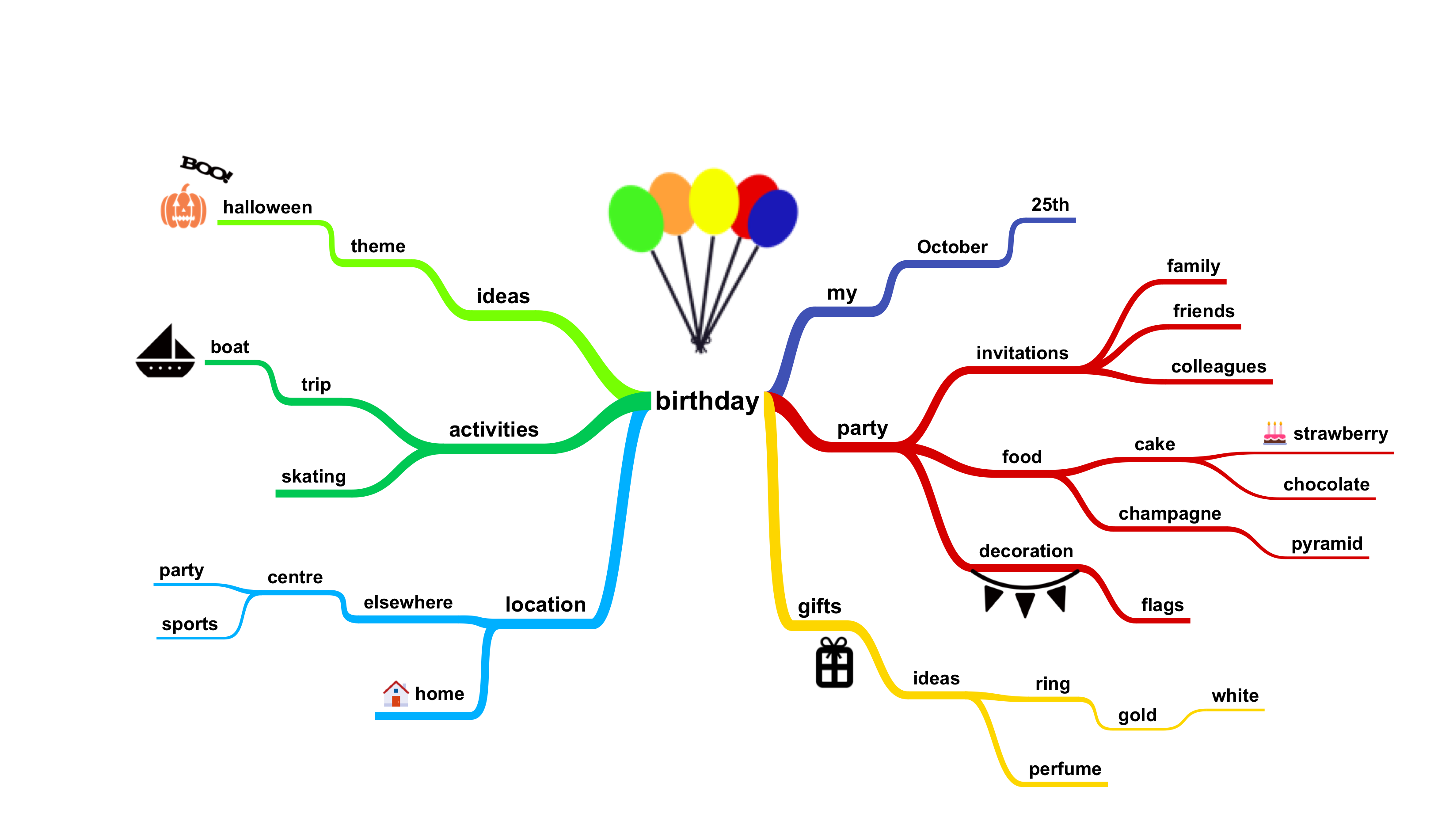

 verbal shore
Hey everyone, I have a question. Would using EQS in large open world map be a good idea? I haven't tried it yet because I'm worrying about performance but if it doesn't have a huge impact, I can use it.
verbal shore
Thanks for the answer, I'm using dynamic navmesh with invokers
azure cliff
Hey guys, is there a way to set individual axis for EQS grid?
fiery sorrel
What are you trying to do?
 unreal warren
hey is there any reason i shouldn't use components to drive unit ai in an rts-like game, instead of having an aicontroller for each? i'm trying to keep the game component-based, and it's really ugly to have units with components, controlled by an aicontroller with more components
i'm wondering if there's anything i would miss out on by foregoing aicontrollers in that case
misty holly
can someone give me an idea of how to go about making flying ai for a 2d side scroller?
azure cliff
@fiery sorrel I'm trying to make a grid that isn't uniformly scaled.
fiery sorrel
@azure cliff You will most likely need to Extend
UEnvQueryGenerator
And create a custom generator.
azure cliff
Does it require c++?
fiery sorrel
Yea, a lot(most of the useful stuff) is in c++ for AI imo
But it is VERY easy
Create a constructor
UEnvQueryGenerator_MyGenerator(const FObjectInitializer& ObjectInitializer);
Override 4 functions
    virtual void GenerateItems(FEnvQueryInstance& QueryInstance) const override;
    virtual void ProcessItems(FEnvQueryInstance& QueryInstance, TArray<AActor*>& MatchingActors) const {}

    virtual FText GetDescriptionTitle() const override;
    virtual FText GetDescriptionDetails() const override;
and add your custom logic
And you can put your code into generate items
azure cliff
Ah i see, thanks for the help! 😄
 woven sage
Hey guys, does anyone have any leads on getting root-motion working for actor-derived classes? I'd like to use root motion, but I don't want to rely on the character/pawn classes
flint trail
Is it possible to make flying AI using stock nav mesh and BP/BT ? (by flying I mean something like Cacodemon in Doom)
woven sage
If you want it to be able to navigate without touching the navmesh, then no, you'll need other pathfinding methods
flint trail
@woven sage it can touch nav mesh (visual model will be offset above the ground anyway)
woven sage
If it's just vertical offset from the navmesh, sure, just find a way to determine the vertical offset from the navmesh
fiery sorrel
if your flying already just place down meta data markers and have the AI path to them. If a target is near by go attacking target logic. But it won't be a dynamic type of pathfinding
flint trail
just need for it to hover over, visually, obstacles, instead of going around them
woven sage
Cast a ray up from the navmesh point, check how far up it can go
Ah
Now that's annoying
Because you don't know which obstacles you can hover over
And which it does need to go around
fiery sorrel
Nav links that shift the ai into a "flying" mode can be used
woven sage
So if you want it hovering over obstacles rather than around them, you'll either need a high step-up height and navmesh on top of the obstacles
Or you'll need to have a 3D navmesh
flint trail
I think high step-up height and nav mesh on the obstacles would do
woven sage
Navlinks could definitely help, depending on the situation, but I've always found them problematic,
They're also a lot of manual work
Only thing with step-up height is that I don't exactly know how it works in-engine, or whether you can set it per entity
I think you can, though
flint trail
Although Cacodemons in Doom could rise up at any height (below max height)
woven sage
You could also do something with raycasting upwards from the navmesh to see how high it can fly in its current position
flint trail
I'd probably have to cover entire level in nav mesh bounds so that all obstacles/floors could have it
woven sage
That'd help in making it change height more dynamically
flint trail
I see
woven sage
That said, it wouldn't make a difference in actual... Well.... Navigation
It'd really just be a thing to determine "How high can I float in my current position"
flint trail
ok, but once it determines it can fly that much high, what's gonna drive AI character to move upward or downward vertically ? (or on an incline, forward+up for example)
woven sage
You just move the mesh and such
Don't move the actual actor
Keep the actor on the navmesh
But move all the colliders and meshes and stuff up
flint trail
I see.. Thanks
azure cliff
Hey @fiery sorrel , What does virtual void ProcessItems(FEnvQueryInstance& QueryInstance, TArray<AActor*>& MatchingActors) const {} do?
fiery sorrel
I override it to do nothing.
But it's kinda like a post process the list of actors selected
swift bolt
Anyway to find out what is causing my Nav Mesh to turn red?
patent hornet
nav modifier
fiery sorrel
Usually a nav modifier thats sitting inside your nav volume. Or you manually changed the colors with a class/editor settings
fallow hound
Hi all, I'm curious how you all have handled aiming and shooting in your behavior trees. Right now I am making them work through services I sprinkle throughout the tree, so the player can aim and shoot while moving, or aim and shoot while holding a position. I was curious what others have done.
blissful gyro
Hi guys, I have one question for you.
The Nav Agent of AI has a shape similar to a capsule right?
pine steeple
it is a capsule
blissful gyro
@pine steeple is possible to change the shape of the nav agent?
pine steeple
no
fiery sorrel
You can change it's size, but I don't really know of a reason to have a different shape.
azure cliff
@fiery sorrel Thanks for the help but i think i should not touch cpp for now. 😅 I don't even understand the basics and i'm trying to work on custom eqs grid. lool
reef birch
question: is there a hard limit on blueprint ai?
i can get about 50 in there
the others just stand still
even when i kill a couple
unpossess ai
its quite simple behavior tree
it doesnt even matter if i enable or disable hearing
its still the same number of ai
spiral shuttle
[/Script/AIModule.CrowdManager]
MaxAgents=75
add this to your DefaultEngine.ini
@reef birch
 upbeat hearth
hi, is there a delegate or function that fires when a behavior tree finish?
reef birch
what are the ways to optimze ai? put it over to c?
any other tips maybe about possesing in and out?
in multiplayer ai rlly seem to have impact on performance
espcially related to lag
im trying to make like a zombie game with a descent amount of enemy
is crowd able to be used? and let them "loose there master" to wonder off solo that his behavior tree starts ticking
how do other people handle large amounts of npc or enemy
woven sage
By not using the default character system
In my experience the character system has absolutely horrible performance
The main thing it's got going for it is the gravity and movement prediction which are already in
Both of which, though especially the latter, are pretty hard to get right in your own implementation
It's a great system for games with just a few players/AI
But other than that, it's largely unusable because of its massive overhead
reef birch
@woven sage thx for response btw
im still very noob, so how can i prevent this default character system
ornate shoal
Base your NPCs off of a pawn instead of a Character, and write your own movement component.
fiery sorrel
If your trying to get over 50+ AI you should attempt to reroll the AI system to better support your needs.
CMC is meh, and overkill for most horde based games. I highly recommend looking at rolling an ECS system and if you really wanna go ham attempt to implement a fiber job system as well to process your ECS updates. This should allow you to massively extend the number of AI you have in your game. but the amount of effort is not small
spiral shuttle
no need to use an ECS or fibers for 50-100 ai's (especially as a he self-described as "still very noob")
 bold fjord
I'm not entirey sure if this is the best channel for this question but I couldn't find one that I felt like better suited it so yeah, What are some ways to setup an NPC schedule system like in Skyrim and Oblivion? Where you have a big open world with thousands of NPC's that all have certain tasks they have to follow?
fallow hound
It's a big task, and a lot of research has been done on it. Google "ambient ai" to learn more. As far as ue4, you'd for sure want some way to fake activity for distant NPCs, and some sort of time of day system.
verbal shore
Is there any way to make AI avoid from player's or other ai's sight? I'm using EQS and AI Perception. I want to give better score for the items that are not in the sight of the predator ai.
verbal shore
 quasi knoll
@verbal shore this video should help you get started https://youtu.be/gH88ZKB1_IE
The documentation team has been hard at work expanding and improving the documentation for AI. Wes Bunn will be in the studio to talk about these improvement...
misty holly
so is detouraicontroller the best thing to have ai have avoidance?
misty holly
i just need them to avoid other ai so they dont just hit each other would the detouraicontroller be good enough for that or should i try and make something custom for it?
fiery sorrel
RVO is meh, Detour is nice, but has limits.
I used a flocking system as it was much lighter but a bit more work
 tawdry tusk
Hello everyone! I am curious on how you get a roaming AI to go from walking to Running once it spots the player? Mainly just trying to find videos that explain and show it but if someone has BP for that i could look at thatd be great. I imagine its much like using a blend space but not really sure still kinda new to this been using UE4 for about 5 months now
tawdry tusk
So i solved my first problem, but now when my AI chases the player, i cannot get him to stop following even though im no longer in range. Any ideas?
azure cliff
@tawdry tusk Might be because the variable target isn't being set to null.
tawdry tusk
@azure cliff thank you for responding, but i fixed it using a behavior tree.
azure cliff
Alright
ocean wren
Questions for you all.. do you think that the AI functionality in UE4 is bad? What is the biggest pain point do you think?
azure cliff
For me, I can't seem to work with behaviour tree. I think it's kind of confusing to me.
ocean wren
really? just the concept or the actual implementation?
have you tried any other behavior tree systems?
honestly, I think UE4's BT system is kind of borderline broken in terms of UX/UI, but the concept of BT's is pretty simple
azure cliff
I'm still new to UE4. I have not tried other behavior tree systems before.
I tried to implement status effects to AI but you have to manage the state at behaviour tree as well.
I have combat system that controls AIs in a field to determine whether they should attack now or later.
I could just call the functions in AI without BT. 😅
ocean wren
I guess a big part of the confusion is that Epic went and made lots of systems without documenting them or actually caring much about usability. There's an "abilities" system for status effects in the engine, which they use for Fortnite, but its not documented properly
So basically, the problem is that the BT structure doesn't feel natural to you if you could do it in code?
I am guessing you're using blueprints?
azure cliff
I'm using blueprints only
ocean wren
gotcha
patent hornet
its not much different from code to BP
there is one... landmine they left
the nodes aren't instanced by default in code
ocean wren
you mean the BT nodes?
patent hornet
yeah
ocean wren
Well, that's by design really.. the thinking is that the BB data would be instance specific, but the tree wouldn't
patent hornet
only using BB key selectors in c++ is kindofa nightmare
ocean wren
Yeah, the whole setup could use some usability work
patent hornet
you can grab the values from BB directly, which i recommend when doing it in c++
but overall, the BTs are quite usable, if a little BP oriented
ocean wren
I think one of bigger issues, is just that the BT+BB setup is not intuitive like it should be.. lots of UI stuff doesn't work as it should
patent hornet
should stick to BP for flow, just parent the really heavy logic in c++
ocean wren
for instance, you should be able to add values into the BB within the BT editor
patent hornet
as in new entries?
ocean wren
hmm, I'm not sure I agree with BP for flow.. BP is a hell of a mess for complex behaviors
patent hornet
you kinda can, there is a tab control that swaps between BB and BT
ocean wren
yeah, but that's a tab extra you shouldn't need
the BB values should work like the regular BP variables
patent hornet
and as for complex behaviors
there is a Task that runs a BT
so its not that hard to encapsulate and reuse parts of your logic
ocean wren
sure, but I'm still not a huge fan of BP layouts for complex structures if you're trying to understand and debug