#gameplay-ai
1 messages · Page 109 of 1
 hybrid cipher
 lofty remnant
Yeah. I've confirmed it. My child BPs have a "Path Following Component" of type CrowdFollowingComponent
 scarlet latch
ai moveto is outputting that it was succesful but the ai char isn't moving. controller is possesing char, navmesh is fine, and the radius is well big enough
ideas?
lofty remnant
Are your AI's visuals attached to their root? Maybe the actor is moving but the mesh/sprite is still? @scarlet latch
scarlet latch
i've thought that because my players are colliding with what seems to be nothing
what's actually moving
cuz the capsule component isn't moving, and that is the root
@lofty remnant
 ocean wren
Make sure you have the attach to pawn option checked.. otherwise your AiController has its own actor
 pine steeple
@lofty remnant i answered your question ages ago
oh its not moving
well make sure that the agents are number 0 (first agent)
Detour doesnt support multiple agents
 lyric flint
I am currently working on an AI Behaviour Tree and currently stuck on a Task I created.
I want the AI to find an objective Move towards it and attack it, if the Ai destroys the objective
I want it to do a distance check and find the closest objective and repeat the action.
- I have a conditional Loop attached to the sequence that exits when all the objectives have been destroyed.
-The task i created is highly inconsitant one time it works then the other it fails
Here are some screen shots and a link to the Task Blueprint
Any help with making this efficient will be highly appriciated
Trouble getting AI Task to work
hybrid cipher
Hey @lyric flint have you tried using eqs to find the objects? It allows you to get all actors of class and then use distant checks to get the closest one, will probably save you headache with using loops too
lyric flint
@hybrid cipher Yeah, This is how i am getting all distances, then picking the min distance
The issue is that I can only do this once or twice
I end up getting errors if i do it multiple times in my conditional loop
not really eqs, let me try it
pine steeple
@lyric flint i would have 2 tasks and a moveto node
one task to find the next closest target, then a moveto node to move to that target, and a third task which attacks the target and waits for a callback from said target that its destroyed, once the sequence is over, you can just re-enter that branch
 dusk knot
i've searched through this channel and found a few people with the same issue, no solution yet, but i'll ask again anyway:
ai controlled character cannot use setfocus/focal point without ticking "use controller yaw" but it rotates smoothly
https://imgur.com/a/qcyaMvx
now i need to use focus and then i lose ability to rotate smoothly at all
https://imgur.com/a/37qDloi
i could rotate at fixed location manually, but i cannot do that on the move and as aicontroller loses focus (while character is moving) it will snap to moving direction again, which is still possible to correct manually but with a lot of spaghetti code
anything else i can do?🤔
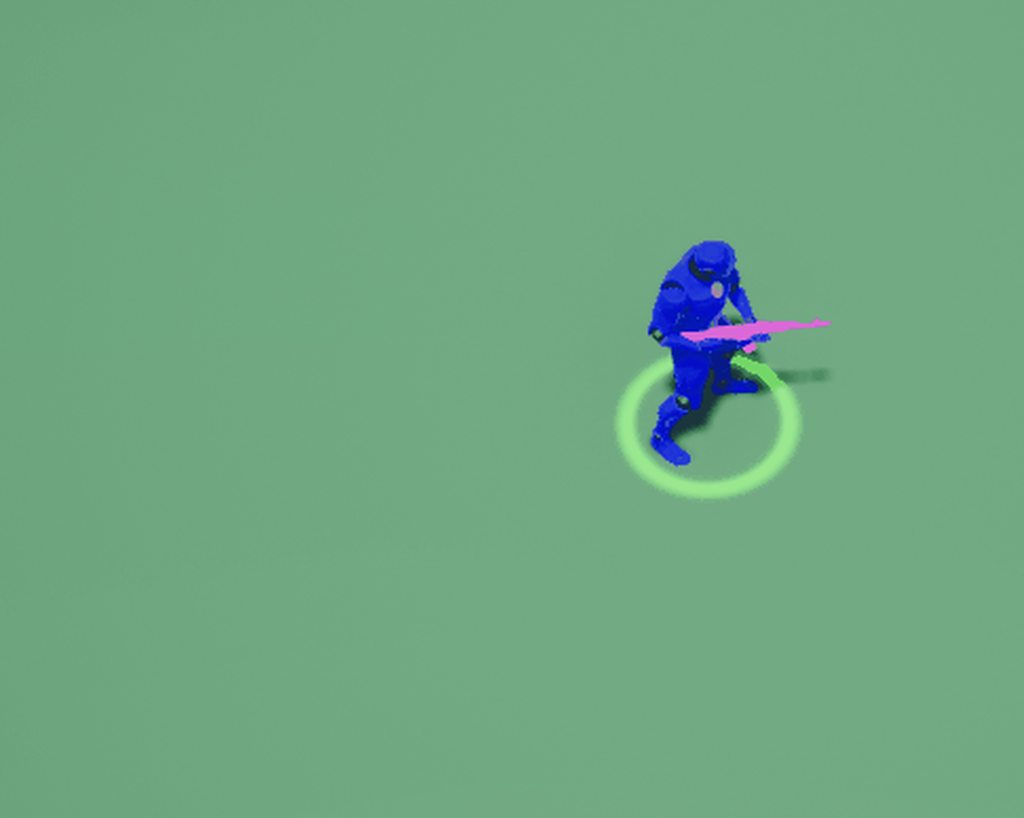
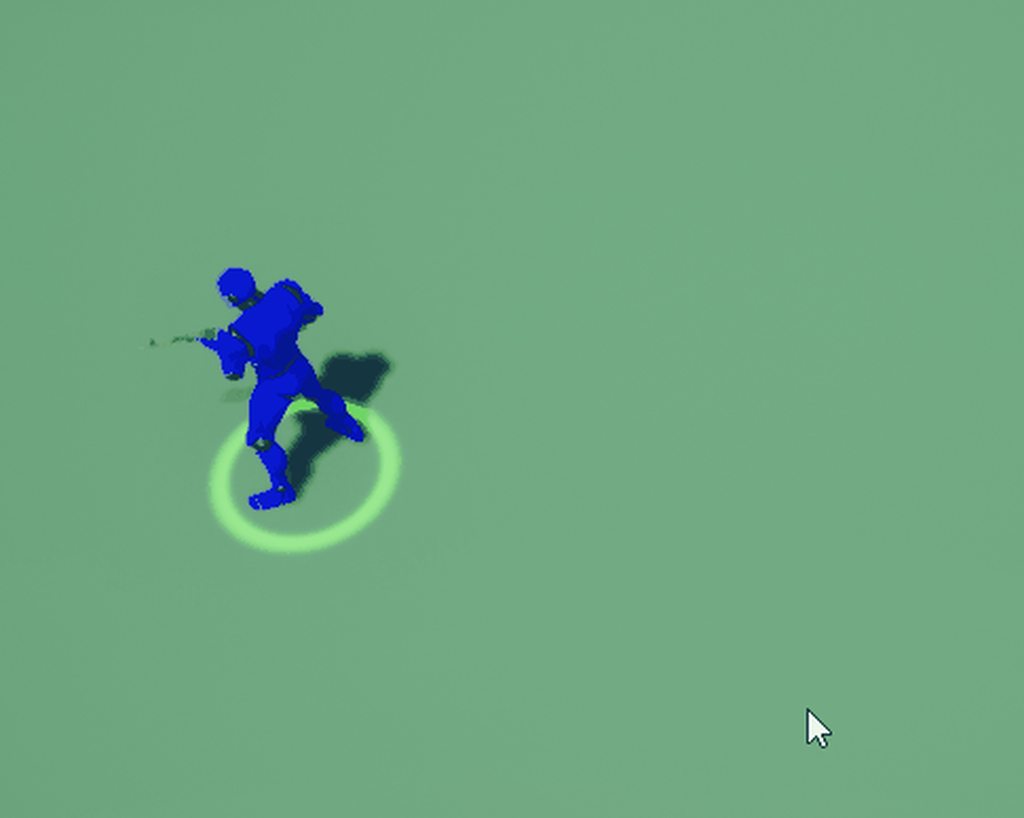
 stable void
Easy question, how do you make push the NPCs away when passing trough ? I can only manage to make them ignore me or stop me completely ... do I have to set up some sort of force trough blueprint when the two touch ?
 south cape
How do I give my enemies a range from which they can fire?
stable void
@south cape with some sort of triggering collision
south cape
@stable void Do I use a Sphere Collider or a PawnSensing?
stable void
i did something similar with just a a sphere collider but I might be doing it wrong .... you should look into pawnsensing
 fallen wedge
Often random segments of my heightmap receive no navigation data - any idea why this can happen? https://i.imgur.com/VnxHApf.png
 magic jasper
@stable void Use RVO avoidance
Probably the best way, as characters will animate etc. then too
 gusty prawn
anyone have an idea as to why the editor would crash when doing anything in any behavior tree
atm it's project only error but I can't seem to track the cause to anything project related
as soon as I pull from the root and let go it crashes
pine steeple
what engine version?
gusty prawn
latest
pine steeple
Source build?
gusty prawn
both on source and epic launcher versions
gusty prawn
have not
pine steeple
then im stumped
gusty prawn
mhm that's me too
hybrid cipher
Have you used detour by any chance?
pine steeple
yes
gusty prawn
basically I haven't touched any code that's AI related
was simply getting started on prototyping in BP and when I got to the BT just touching the canvas crashes it
hybrid cipher
And crash log offers no indication I assume
gusty prawn
nope just points me to sharedpointer header
pine steeple
no callstack ?
pine steeple
show the callstack
pine steeple
yeah
pine steeple
sorry got carried away coding
maybe you have a bad Task/Service/Decorator
and its trying to load them or get them?
if its just this project
gusty prawn
Yeah I'm currently having a deeper look trying to reproduce it on another project
gusty prawn
figured out the cause being custom playerstate being corrupt from source all good now
 nimble sky
Where can i find good documentation on advanced AI for stuff like daily routines?
 low frigate
Hey. I've made a blueprint task for a behavior tree that spawns an actor. However when that task is firing from the behavior tree while the pawned running the behavior tree is not in view, the actor is not spawned (but the task is correctly executed). Any idea? Is it just a limitation and should I go through the pawn to spawn the actor instead? (that seems to work)
low frigate
damn it... I've been at it all night lol... I'm so dumb
turns out spawning my actor through the pawn directly didn't fix the issue. The actor really didn't seem to spawn at all when the pawn spawning them was not in view
turns out it's because what I'm spawning was using projectile motion and I turned off "update when not rendered"
so the actor was spawning all along, just the projectile motion wasn't updating when not rendered and so the actor was stuck in place inside the pawn and totally hidden... xD
hybrid cipher
@nimble sky hah that's a good question, I haven't come across any in ue but it really becomes a question of design rather than implementation at some point I think. So try just gamedev talks or blogs where people talk about ai in games they tend to have interesting pointers
 floral mango
lots of different ways to approach the subject, depends on what you're trying to achieve. Can do simple scheduling, or something fancier like a needs driven system that has inputs from time of day etc.
nimble sky
@hybrid cipher that's true, the only place where I found something related to this topic was a devtalk forum. This is widely undocumented knowledge
hybrid cipher
well you want to keep your know how lol
I saw a talk from devs of Kingdom Come about the way they did their day/night AI routine, but really it was just huge piece of behavior tree that seemed like one mess :)
nimble sky
@floral mango can you recommend anything related to either of those?
@hybrid cipher could you tell me how to find that by any chance?
hybrid cipher
it wasn't recorded unfortunately
nimble sky
Damn, thanks for the input
hybrid cipher
and it was this super little event too, lol, but it's possible they talked about it elsewhere too
might find something like trying to search for behavior in kingdom come
nimble sky
👍 I'm trying to gather some info before having to figure out my own solution 😄
hybrid cipher
I think you will eventually have to anyway
nimble sky
😄
 low oak
hi all, anyone know how to set the blackboard through anim notify
I want to set the bool isattacking in blackboard through anim notify
which node should I use?
stable void
@magic jasper but RVO makes all my pawns move like they are boats : (
magic jasper
Yeah, it just modifies the velocity to try and stop them ever touching.
There's no simple solution to this problem IIRC - especially since it needs to run fast and seamlessly work with movement
dusk knot
is there any way to get remaining path cost at runtime?
lyric flint
Hi Peeps! i would love it that a kind guy, and dont forget a smart Ai Dev Guy can help me getting my Quest done Named : how the hell can i command My Friendly Ai to do My biddings in a simple dialog , are there any smart guys who thinks he have the knowledge and brains to help me ? if you do , please help me get me talk to my villager and make him a Worker/guard/farmer, i only need little bit help of getting into conversation and get the do work functions into my answering
thanks 😄
 odd junco
hey guys
pine steeple
👋
odd junco
im having trouble with AI moveTo
Made a simple task to move a character to a vector
the character moves to the location but OnSuccess isnt executed it always goes straight to fail
odd junco
I dont have any overrides
odd junco
pine steeple
try increasing acceptance radius
because he might be stopping due to something and be outside of the acceptance radius
or you would need to calc manually if he is an acceptable distance away yourself if it fails
also that parrallel is redudant
he wont run any other node till the task returns either success or fail
odd junco
im using parallel because the character is supposed to do something after it moved to location
for the printouts in the corner one of the vectors is the destination and the other is the capsule component of the character
just for testing purposes i bypassed the parallel with the same result
Ok I got it working if I use an actor( a building that i spawn myself) and plug that into target actor, but I use the Vector that is in front of that building , then it fails
I want to use the vector instead of the actor
lyric flint
hey i need help please
i dont know how to interact with an AI and let him doe mining/farming/defending ? XD can anyone help me with that
 hoary peak
Do you mean changing his behavior during runtime through interaction?
If so you could have the interaction make him use another Behavior Tree and another Black Board , that's how I have handled it in my game
 turbid sail
AI has movetolocation but it does not allow me to set velocity 😦
any suggestion how to do it ?
turbid sail
@patent hornet will be able to use AddMovementInput ?
 patent hornet
MoveToLocation and AddMovementInput are not meant to work together
turbid sail
Issue I have that MoveToLocation does not allow me to add force
AddMovementInput(direction, force), force can be between 0 and 1
1 would be max speed
floral mango
@nimble sky I don't have any links to hand. Pretty good exercise to sketch out your design and then systems though. Do you just need an NPC to do X at time Y? Schedule can do the job. Might be more sensible to make a more generic trigger system though. It can really be as complex as you want it to be, depends what your requirements are
 fallow hound
@nimble sky so the Kingdom Come AI was made by a PhD student and there are tons of papers on it, just punch Kingdom Come into google scholar and youll find it I am sure.
They used an interesting system where NPC actions and decisions are embedded in environment
So, NPC enters pub, pub contains logic that tells npcs where to go
also, there is a MASSIVE ue4 livestream on advanced AI that eats and has needs
nimble sky
thanks both, will check out!
 willow crown
anyone here?
hybrid cipher
Yup
south cape
How does an AI read a navmesh of a level with multiple heights and platforms?
As in, how will it traverse an area that is not flat?
pine steeple
if the mesh is not connected in any way you need to use navlinks
hoary peak
Any tips on how I should structure my AI around professions? I have different professions that allows the AI to do certain tasks but when they are for example hungry, stressed etc they should all do the same thing. Should I simply include this into every behavior tree or how should I implement it? There's a default profession that just does tidy work like logistics that everyone should do when they have nothing to do as well
hoary peak
Yeah right now each profession is using it's own blackboard and behavior tree
pine steeple
i wouldn't use a seperate blackboard
i would use a derived blackboard
from a base black board, have the AI run a Master BT
which determines the state they are in, and runs a behaviour tree dynamically
how you determine states, is up to you, either run task at the end of each "behaviour" to find out what he should do next, or a service which updates the state from a value retrieved by a AIManager of some sort
hoary peak
Is it possible to assign multiple blackboards and behavior trees? Right now I am swapping BT and BB at runtime when swapping professions. A good solution would be to easily swap them to using the master BT when no work can be done or they are not content/healthy but how would I implement that?
Also, could you send any documentation on BT/BB inheritance? I didn't even know it was a thing
My AI system would benefit so heavily if it was possible to run tasks directly in blueprints 😴
Wait, do you want me to have a Behavior Tree that runs other Behavior Trees?
Even it that wasn't what you meant I do like the idea of having a BT that chooses which BT to run based on conditions. Seems like a much more scalable way to make my AI be able to do multiple different things than what I could have figured out on my own. Thanks for the help UKaosSpectrum*
hoary peak
Anyone who feels like explaining a bit what each one of these does? I want the execution to run once every time the Behavior Tree starts and it shouldn't need to run more times
patent hornet
just watch WTF is? Service Node video on youtube @hoary peak
hoary peak
Will give it a try 👍
hoary peak
How does derived Blackboards work? Can I set a key from another BT that uses a derived BB and then use that key for a check in another BT that uses the parent BB?
 hearty delta
Does anyone know a simple way to implement steering behavior for AI? I'm currently just setting points and using the MoveTo task, but I'd like the movement to look more fluid and not jarring.
hybrid cipher
@hearty delta have you tried using Aactor instead of FVector for destination? MoveTo task is able to track moving target this way, might do the trick
hybrid cipher
Does anyone know why ai slows down (as in speed not performance) when trying to avoid other AIs while using detour? Is there any way to stop it?
pine steeple
thats how it works
it slows them down to do avoidance
it cant do it at full speed cause the ai might not react that well
pine steeple
yeah but it will break the system
and you ned to dig into UCrowdFollowingComponent
and override a function, i cant remember off top of my head
but its there somewhere
hybrid cipher
Ah alright thanks will take a look :)
pine steeple
also there some option
options
i think there is a steering option
might be of benefit to look at
hybrid cipher
Steering or strafing?
pine steeple
steering
hybrid cipher
Cool thanks
 south prism
Is PawnSensing Component in AIController kind of buged?
Its like every 0,5 sec my AI stop and walk then again. My Sensing Interval is set to 0,5
hybrid cipher
think PawnSensing component is the older version of AIPerceptionComponent so might be not much effort is being put into it anymore
hybrid cipher
@south prism
 zinc marsh
Does anyone know how to make it so that simple move to location doesn't stop before the point?
pine steeple
no
zinc marsh
Is it not possible?
patent hornet
you should not be using SimpleMoveTo for anything but rawest of prototypes
it... breaks
hybrid cipher
Maybe it was simple MoveTo :)
 west thunder
Hey everyone, I'm running into an issue with my AI. Some of the AI doesn't move when manually placed, some do. They are all following the same Behavior Tree and are all in the NavMesh Bounds. When I open AI debug it says they have a task (MoveTo) but then it says "Simulation: NOT ACTIVE" where-as the ones that are functioning correctly, don't have this "Simulation" line.
Furthermore, anytime an AI is spawned in (by another enemy) it will not move at all, this is every time it is spawned in. Yet they are still in the NavMesh Bounds, and are using the correct AI Controller.
Any ideas?
hybrid cipher
@west thunder do you have your AI set to be auto-possesed by AI controller on spawn?
west thunder
Yes. I have it set to Auto Posses when Placed in World, or Spawned. Now, here's something I've discovered - When I change it to "On Spawn" the spawned Actor will operate correctly, and SOME of the placed will... But when I have it on "Placed in World or Spawned" only the placed actors will operate.
And I still can't figure out why that's the case...
So for some reason, deleting all of the placed actors and replacing them with new ones, works... I have no clue why as I didn't change anything within the actors... But now they all move, including the spawned actors...
 deft tangle
I find the behavior tree system to be very confusing
What is the benefit to using the behavior tree over programming the AI yourself in C++?
please tag me
patent hornet
if you find it confusing, ability to see the execution flow, like in BP, the status of each decorator and the values of the entire blackboard all in front of you can come in handy
and the same rules for AI generally apply to c++
 random cypress
Hello , I am creating a RTS , I need to use a PawnMovementComponent for the movement of my AI (tank and other vehicles) , I have created my own pawn movement component as in the unreal documentation , I am using a behaviorTree to force him to move , so i gave him the position where i clicked, i set the position for the behaviorTree and i call the Task moveTo ( i checked the moveTo ,the pos is good and sent correctly)and there we are it didn't works (it worked with a character but i need a pawn ), If someone who tried to create and use his own pawn movement pls help 😢
patent hornet
StaticMeshComponents by default affect navigation @random cypress - which means the most likely cause for your tank not moving is that its static mesh cut out the part of a nav mesh the tank is on
random cypress
ty , but i checked this too , my staticMesh doesn't affect my navigation , that's why i am crying in the corner .
patent hornet
then turn on VisualLog and record the play
you can see everything related to an AIController there in detail, including the reasons why it might fail to move
random cypress
well , i didn't knew this tool , thanks i will try this
random cypress
@patent hornet Did you know where thePathFollowing Component is updated ? and here i get a gif of my play of visual logger , sry its a bit heavy https://drive.google.com/open?id=1YzdNMuORI9VvEGTqsIBmTzpKZLnOYBrh
west thunder
Hey there everyone, anyone mind helping me try to figure out an AI problem? I'm spawning enemies into a map, and they run their own Behavior Trees. Now, when they are spawned, some will move, some will not, even though they are all being spawned in the same way, using the same BP and everything.
It seems like if more than say, 20 enemies are chasing the player, the rest won't execute their MoveTo commands.
Though the number of enemies can't be the issue, because if I have 3 chasing the player, and those 3 spawn another enemy, the new enemies won't move either.
west thunder
And it was working, but now it isn't. Lol
pine steeple
:/
have you checked the gameplay debugger
and visual log
for the ones that aint moving?
west thunder
All that I did yesterday was save my project, close the editor, re-open it, and it worked. Today, it isn't working.
pine steeple
most of the time its setting the BT in the wrong in place or not being possessed
west thunder
Yes, I checked both. They are following Behavior Trees, they are doing everything they are supposed to (possessed by the correct Controllers too) but they aren't executing the MoveTo, it is their "Plan" but it isn't being done.
pine steeple
and you tried rebuilding the nav mesh
west thunder
But if it was a BT/Controller issue, wouldn't all of them be functioning incorrectly?
Yes
pine steeple
how you rebuilding it?
west thunder
For example, I limited it to just 1 type of enemy (instead of picking randomly from an array) and half of them will chase, the other half won't.
By clicking the "Build" button at the top of the Editor.
pine steeple
i dont trust that
i drag the map bounds
and let it recalc
like move it then undor
undo*
west thunder
So just re-size the volume box for the NavMesh?
pine steeple
yeah
west thunder
Ok, I'll give it a shot.
west thunder
Didn't fix it. Could it be an issue with them spawning in? None of my enemies are actually Placed in the World, they are all being spawned as the level is generated.
west thunder
Hm...
pine steeple
where are you setting the bt
they use?
begin play:?
is the BT actually working
for the enemies that are not moving?
west thunder
Yes, on Begin Play.
pine steeple
maybe too early
west thunder
And I'm looking at the Debug right now for an AI that isn't moving, I'll grab a screenshot
You can see that it is Actively Tasking MoveTo, but it isn't moving.
west thunder
Not exactly
pine steeple
right so if you open up visual logger
and just click record
record for about 20seconds of the ai being stuck
then click stop
west thunder
Ok
pine steeple
then select the AI who is not moving
it will tell you in more detail WHY he isnt moving
west thunder
Ok, and this is only supposed to show Controllers, right? I'm not seeing Pawns or Actors, just Controllers.
pine steeple
yeah its the controllers who move
west thunder
Right, just wanted to be sure I wasn't supposed to have something I don't. 😉 Looking at it now, and the only thing that stands out is...
This
This AI is running correctly
west thunder
Agent Sizes? Do you mean the Mesh Sizes?
west thunder
Honestly, I've never heard of that.
pine steeple
in project settings go to navigation and see if you have more than one agent set
pine steeple
i cant get my project to load but the fact it says simulation inactive
means crowd following is not working
west thunder
So you're thinking it has something to do with the Base Detour AI Controller I'm using functioning incorrectly?
west thunder
I haven't either, and generally don't unless I have larger group sizes spawning, or one AI is spawning another.
pine steeple
only thing i can think of is the AI is not quite on the floor
but that wouldnt cause register to fail
west thunder
I just cut the group sizes down to 6 enemies per group, and even the enemies that get spawned from other enemies are working. This only happens when the group sizes get to be ~10 enemies per group, then the second group (or any spawned enemies) don't move.
pine steeple
without actually having a look myself
i cant really give any more info
ai is finicky
west thunder
I would be willing to call you via discord and screenshare if you'd be willing.
west thunder
I'll have to find and download that real quick.
I have it, do you have the time (and will) to take a look at what I have?
west thunder
Ok.
deft tangle
I'm trying to get my AI to move using C++
UNavFilter_AIControllerDefault is a subclass of UNavigationQueryFilters, what am I doing wrong?
hybrid cipher
Hey anyone has experience with dynamic obstacles and can help me out?
 hoary nova
Hey guys, how can I set up my ai pawn to use this path with Offset from Corners Distance ? My pawn just goes very close to the wall
willow crown
Hi, I have this issue where the TouchLight won't be updated to true eventhough it is printing true from ThirdPersonCharacter blueprint
This only started having problems due to the MultiTraceObjects
After changing from SingleLineTraceObjects to Multi
willow crown
ok somehow i fixed it
 crystal grotto
How should i do a basic if/else in the BT ?
hybrid cipher
blackboard decorator most likely @crystal grotto
patent hornet
On a selector node
crystal grotto
Thanks
How can i create my own decorator which would return true or false ?
I found the Composite, but this doesn't help me. I have to use some stats from self
pine steeple
you dont
you use blackboard decorator
if set run this branch if not set run other branch
 hybrid cipher
guys, when I set my navmesh to be generated on runtime around obstacles, it doesn't seem to work in multiplayer setting, the same stuff works with singleplayer tho, any thoughts on how to fix the issue?
 tawdry mulch
Hey people! For some reason I have flickering in my behaviour trees. It stops when I get near the AI. This leads me to think it isn't a code issue. Especially since I haven't changed anything in the code since it was working.
tawdry mulch
Because this has never been an issue until recently. And nothing has changed since it worked
or something has but not in the code
and nothing in my code relates to the player getting near, so why does it suddenly stop flickering when i get close?
pine steeple
because something is causing it to abort or skip nodes
tawdry mulch
thats what i need to figure out. The flickering is happening on my find location and move to it. Its looping between find and move to but my knowledge with AI isn't extensive enough to find where this is happening
pine steeple
well if its flickering then find location is returning a bad location for the move to
tawdry mulch
and could that have something to do with the nav mesh?
 lyric badge
Hey guys, got a weird behavior with navmesh currently,
Every time i change a variable/ setting the navmesh moves some units in X+
The setup of the level: 3 test levels are streamed in which only contains the AI & some blueprints which are structures the AI will interact with.
Navmesh is in the persistent level with no additional logic
When i remove the navmesh & rebuild it, it seems to be functioning again. except for my AI behavior.

 outer cape
What would be the best approach to a vehicle A.I., where the vehicle will drive in a loop around a city block?
Would it be splines or target points? Or something else?
pine steeple
splines would be easier but will be kinda static moving
outer cape
Well I don't plan on having advanced behaviour with these vehicles.
pine steeple
splines would be the best then
 open river
guys, can I have these guys move and hover on top of the navmesh? Right now, if they're above the navmesh they just won't move, they need to sit exactly on top of the obstacles to move
outer cape
How do I ensure a vehicle only drives along a spline and won't go off course? Especially when there's a turn ahead.
pine steeple
how are the vehicles being controlled?
if there just following a spline
they should never go off course
 cobalt vortex
I'm currently making my AI in BPs, and for my walking AI, I use the "AI MoveTo" node, but for flying AI, I don't know where to go. Any tips?
Feel free to ping me
outer cape
@pine steeple I was following tutorials on how to do this, and they use a blueprint inheriting from the Vehicle class. From what I understand, the idea is that the vehicle will aim towards the closest point to the spline, steering in that direction.
pine steeple
i mean you could put invisible colliders
which only the vehicle will get blocked by
that can stop it going off the track
or road w/e
and if gets stuck it trys to sort it self out
@cobalt vortex flying AI is best with DoN flying ai plugin
i kinda hacked it by keeping the capsule on the floor, but having the mesh be up in the air
cobalt vortex
I'll check it out, thanks
cobalt vortex
@pine steeple When keeping the capsule on the floor but having the mesh up in the air, does that not cause issues with collisions?
cobalt vortex
The issue with that is having it go lower and go up
willow crown
Hey guys i have followed most of the tutorials for behavior tree. However, when i put multiple AI into the scenes all of them gets triggered to move to 1 player when 1 of the nearest to the player is triggered
is there anyway to prevent that from happening ?
i could provide video / screenshots on the problem in gameplay/implementation
 maiden plume
Hey guys. Got a problem with the enemy AI. I've done all the code for it but the behavour Tree doesn't work. Could someone lend a hand?
hybrid cipher
it is a very vague description of a problem
 viscid oasis
 blissful talon
Is there a way to make task "unabortable"?
like I have 10 tasks and I want them being able to abort the 11th task, but not each other
blissful talon
Like I can put all those 10 tasks under one selector with all decorators from those 10 tasks, but... is it really the only way?
willow crown
don't think so unless u do c++ programming
hard coding some stuff should make it work
patent hornet
you can have a decorator observer abort stuff under it and/or lower priority
you still have to "finish" the aborted task, by using its AbortReceived event and call FinishExecute from it
willow crown
https://docs.unrealengine.com/en-US/Engine/AI/BehaviorTrees/QuickStart
For this tutorial
My TargetToFollow is always none
not sure which part i'm missing
My character walk infront of the AI but nothing happens
patent hornet
@willow crown you will find few people have the time to go through the tutorial to make guesses about what went wrong in your project
 pulsar jetty
can i assign a "special place" as a "dont go there ai" zone?
willow crown
oh well
pine steeple
?
 marble mauve
Hi guys, I am starting to develop now a copy of Mario Kart, do you have any idea how to make an AI for the bots to finish the race?
 smoky breach
My AI is only starting execution once it has been on screen
Is there a way I can override this behaviour?
crystal grotto
Can i get somehow the controlled actor from the Behavior tree ?
I basically wanna have access to the controlled actor in a self created task in my behavior tree
smoky breach
Yeah Yinsei, you can just get the controlled pawn straight up as a BP pure node
Or at least the controller, cast it to AI controller, and get the pawn
hybrid cipher
@crystal grotto
Cast<AYourController>(OwnerComp.GetAIOwner())
should do the trick, OwnerComp is a param in the task ExecuteTask method (or other Task method that you'd want to override)
I'm really not handling formating well ~~
crystal grotto
Thanks for the help 😃
hybrid cipher
np
stable void
I'm having some trouble with the move to node in my behaviour trees,settings included. Sometimes the characters completely ignore the acceptable radius and go all the way, overlapping the other NPCs ?
can someone help please ?
patent hornet
i never use location for MoveTo
i teleport the MoveToActor around, and AIController is set to chase after it
want to stop, just teleport it to the pawn
stable void
@patent hornet that makes sense
hybrid cipher
@stable void MoveTo as a task in BT is not checked on all the time, I think by default it will be fired every 0.5s, so might be you are overshooting, as Zlo mentioned it's better to chase after target if you want a more smooth movement (or even if you don't, basically it allows you to have less of a performance hit)
smoky breach
Speaking of MoveTo, I'm calling it on my NPCs, but they're only starting movement when they are rendered
hybrid cipher
@smoky breach CharacterMovementComponent has option "Updated only if rendered" try to see if it's not checked
smoky breach
Oh that's it, thanks @hybrid cipher !
I was looking on the AI controller and the default pawn properties for a flag like that, and all properties with "navigation"
Didn't occur to me to look there, and Google helped none either
Thanks 👍
hybrid cipher
hh yea lot of things to check :)
eventually MoveTo calls CharacterMovementComponent so if your AI gets stuck it's a good place to look
smoky breach
Alright, good to know!
lyric flint
hey how can i make a blueprint into the character go to an actor in the game?
after the ai is by the actor he actor gives every second a Rock Resource to the Ai as an integer
when AI integerRock is at 20 he goes to the Vault and give the vault the 20 rock
how can i make it that the Ai go to the actor in the game ? any help please 😄
hybrid cipher
Set given actor as blackboard key and use it in moveto task
If you are using behavior tree
stable void
Is it possible to have multiple RVO settings for different groups ?
 haughty coral
Hey guys, I would like to ask your opinion about BT tasks which are just some kind of getters. I have setup this sequence in BT and noticed that it may be nicer if GetRandomLoc would be just decorator attached to MoveTo. I read everywhere that decorators are supposed to be conditionals, so I am not sure whether it would be correct way of achieving something like that. Some default decorators like Loop are not conditionals anyway.
(eh, that composite is supposed to be Sequence)
hybrid cipher
@haughty coral EQS does the same thing you wanna do, and that's run as either service or task, so should be fine
haughty coral
Yes, but these nodes are not firing in specified interval, so I think that service would be overkill, as service is called constantly. Here i have same situation with rotation but this time I decided to go for decorator. It works exactly same but I consider it easier to read. Isn't it some kind of abuse of decorator? :D
hybrid cipher
well in this case decorator works as service with fixed time that you can't change (by default 0.5s I believe), decorators are used to make if checks and decide whether the node should be executed. Eventually this might be better for you, but might cause issues if someone else will try to read it, so decision is yours
haughty coral
Content of decorator is based on ReceiveExecutionStart function which fires only when underlaying node is executed
lol since when are blueprints explicit? :D
hybrid cipher
it's a swear word
hybrid cipher
uhm, I've never really worked with custom decorators in blueprints heh
haughty coral
If I understand correctly, then it should not be firing every 0.5sec
heh, no problem, I will probably use decorators, as you said. It may be little more non-standard but nah, it's much nicer to look and work with
hybrid cipher
well the task has a chance to be fired every 0.5s, so if it gets to the task it will be fired every 0.5s
you can avoid service being fired all the time if you don't let the execution flow get to it, I think, so should be the same thing, imho
haughty coral
Hmm, I was under the opinion that behavior tree runs every tick unless there is some active task which is blocking the execution
I can test that
this is printing current world time
(there is finish execution with success after print string)
hybrid cipher
you learn something new every day :)
haughty coral
hehe
lyric flint
Hey this my Ai farms farm stuf fron the plants, the plants are Actors itself, are there any ways to let them pick a random location at the actor itself? guess they are all getting around the arrow points, but i want them to see at the plants at different spots begeuse i cant let them do an emote in mid air or in someone else body u know xD
hybrid cipher
@lyric flint https://docs.unrealengine.com/en-us/Gameplay/HowTo/FindingActors/Blueprints perhaps
 grand atlas
Anyone know of any guides/tutorials explaining how to have the built in pathfinding with the navmesh take world state into account? For example, have a house with a door and a window. The owner of the house can freely path through the door, but a thief character trying to enter the house, would first path to the door, realize that it is locked and then pathfind through the window. I wouldn't want to cut off the navmesh where the door is nor give it a high cost, that would affect pathfinding for all character I think? Any ideas?
 thick edge
Hmm I can't seem to get the AI focus point working while pathing. I'm setting the focus point every frame (with the gameplay priority), but the path finding always takes priority. I tried using UseControllerRotationYaw on the pawn and UseControllerDesiredRotation on the movement component with no luck out of either.
pine steeple
i gave up with the focus stuff
and have the AI track an actor which moves with the pawn
its following
thick edge
In my case the AI typically isn't following the player, just moving around them. Are you saying you got it working if you set the focus to be the proxy pawn?
pine steeple
yeah i just disliked the focus system, it was too unreliable
thick edge
Arg this is a vital component for my demo. I guess I'll need to rewrite a large chunk of the move code then huh
I am suspicious of the LockAILogic flag in the move request... maybe that has something to do with it
thick edge
Ok so it looks like the issue is AIMoveTo doesn't set the strafe flag in the move request.
hybrid cipher
hey guys when using Detour, is there a way to limit velocity? Specifically, I want AI to only change velocity so they don't rotate more than certain amount of degrees per tick. I know there is rotation speed, but I need to change velocity too, so that AI doesn't look like it's going sideways
 radiant ingot
Hey guyz have an issue, really hope someone can explain me what im doing wrong. So i got an actor with an AI controller, and im trying to sent some variables from this actor to his AI controller. But the AI controller blueprint works like he never received any variables from this actor. any idea on what im doing wrong?
hybrid cipher
Drop pin from cast failed see if casting works in first place
radiant ingot
never mind, problem solved. just found out how to make it work. rather then casting to the AI controller, i made the ai controller get if from the pawn with an "event on possess". still strange to me that it doesn't work the other way around.
lyric flint
hi ! i am going to put some pictures to ask for help , please help thanks in advande im gone explain the problem after the screenshots
wo when i start the game with 20 woodcutters / 20ais (miners) / 20 farmers there will only be 50 workers in total always 20/20/10 how ? please help me anyone
grand atlas
Is it always 10 farmers missing? When you spawn them, verify that they are valid. So spawn actor from class return value -> is valid (the executable) -> if false -> print string. If you get any prints from that, then they are not spawning correctly.
lyric flint
its always 10 farmers bud when i change something in the BP its stil the same bud then its like 10 miners or 10 wcs
they are placed
grand atlas
Okay, so they are spawning correctly, so is 10 just idling or what?
grand atlas
Maybe it's this? : https://answers.unrealengine.com/questions/212009/pawns-with-move-to-limited-to-50.html "Problem is in "Max Agents" option in Edit->Project settings->Crowd manager. Default value is 50."
lyric flint
bud ive done something wrong when they are idling there inventory stil goes up and still they full up the vault
thanks !
wow u smart 😄
add me lol 😄
worked really good 😄
grand atlas
Good to hear.
lyric flint
to be true, if u check it all my Ai have the same thingy to go to a blueprint ( resource ) i have a tree bud i want the ai to come to the same tree bud not like 50 Ais on a tree and other more then 100 trees been ignored, is there a chance to get it that every ai has hes own tree? and how ? il be back in time have to let my dog out xD
grand atlas
I'll disclose that I am just a hobbyist so I may say things that are undesirable from a programming or design perspective. First of all, the reason they all go to one resource, in this case trees, is that you're getting all the tree actors, and then pick the zero index tree. So they will all go to that one.
Now there are two issues: how to have the ai choose among relevant trees (an irrelevant tree would be a tree that is on the other side of the map when there are trees closer), and how to determine if a character is working on a specific tree.
The second problem may be the easier one. One way may be to register the character with the tree instance. So a character decides to work at a specific tree, setting a boolean or a reference on the tree actor to indicate that it is occupied, and thus becoming irrelevant to other characters looking for trees. When the character stops working on it, clear the variable.
As for the filtering trees, honestly I'm not sure how it is done. You can calculate the distance to each trees to filter the closest unoccupied tree. But doing that with "get all actors (tree)", if you have hundreds of trees, isn't that efficient.
lyric flint
thanks, true this is only good for prototype testing, without any closer look at it the efficient would be not there, going to check some tutorials about this and then im going to see how to do it like you say, thank you
patent hornet
use EQS
generator gets all the trees
then a filter filters out all the trees that are being used atm
then you score the rest by distance, and optionally return random result from top 5-25% scores
lyric flint
i still cant find something to do randon trees there is always someone who stay behind and do nothing
going to check it zlo
@patent hornet do i need to fill the querry?
lyric flint
@pine steeple i can’t find it does it calls generator ?
pine steeple
read up on EQS
a Generator is what it says, it generates items for use in EQS
can be actors (in your case trees) or locations (locations of trees)
 austere kindle
Are AI controllers instanced?
hybrid cipher
@solar flint linetrace just checks if you hit something or not, you can detect the hit and if it was successful and you hit AI, you can call function (probably on that AI) that will take care of killing it
linetrace won't kill AI on its own
hybrid cipher
that really depends on your game? I mean eventually you just want to destroy your AI, something like here https://docs.unrealengine.com/en-us/Gameplay/HowTo/SpawnAndDestroyActors/Blueprints
hybrid cipher
https://orfeasel.com/creating-custom-eqs-generators-in-c/
but read up on EQS first

Orfeas Eleftheriou
In this post we're going to create our own EQS Generator in Unreal Engine 4. This post assumes you're familiar with the Environment Query System that resides in UE4. In case you don't quite remember what this is, check out my previous post here. Before we start creating our o...
lyric flint
@pine steeple please do help me then 😄
 viscid tiger
looking for a way to make AI's not stop on walls and properly navigate around obstacles
lyric flint
thanks zue
 austere temple
Anybody knows what would be a good place get some info on how you can create an influence map for use with AI?
pine steeple
i mean you can use EQS to generate areas of interest
based on certain criteria
Influence maps have been around since the very early days of game AI, tracing their history back to real-time strategy games over a decade ago. Since then, influence maps have become a cornerstone technique for game developers, and are even starting to become prevalent in fi...
but i would maybe read that
i mean i understand you want like predefined hot spots on the map?
austere temple
I'm learning UE4 in hopes I will be able to create a turn based tactical strategy game. From the very start I realize that a good AI that will not cheat and just be "smart" in flanking and such will be much more fun to fight against
so stuff like predicting enemy location after lost contact and such can be made using the "influence map" with would say to AI: The enemy is somewhere in this area, but not here because you are seeing this bit and there is nothing there.
pine steeple
i kinda done that using AI perception and EQS, so if it looses sight of player, it will search the area around the last seen location, for X amount of time, before giving up
hybrid cipher
@viscid tiger how do you do it so far?
viscid tiger
@hybrid cipher I use an ai move to node, the problem is with my navmesh, It was working well until I changed the navmesh settings to fix some bugs with moving up stairs, now the ai's don't pathfind around obstacles for some reason.
lyric flint
@pine steeple i loved the reading of it thanks for the link
i have a third person view game where i can buy people, farmers miners woodcutters guards companion and enemy ai who wants to destroy it all,
message to all, if i want to learn more about all of this ? what sort of object/topics i have to learn then ?
like
Simple move to
follow
move to actor
eqs
arrays
can people help me with that ? even if its a list of 50 things i just need some tips of what i have to learn ? XD
viscid tiger
ok so the way I solved this was to increase the agent radius on my navigation mesh and also change how my ai behaved by making the ai move to a random point in a radius of 9999 from its location using the aimoveto node and get random location in radius node whenever the aimoveto node failed, this way if the ai get stuck it will move away from the area it got stuck and try to move where it was meant to go to begin with.
probably a better way to solve it, but this was my workaround.
pine steeple
i detect if pathing failed, and recover the AI
 solar flint
hey guys
i have this issue
the ai can see me and detect me but it doesnt chase me
 sleek holly
I'm making a horror game. How can I let my AI react to light? AI have to 'see' light coming from player's flashlight and if player is in the shadow AI have to be close to see him but if player stand in bright room AI can easily see him
 lone abyss
Is PawnNoiseEmitter the proper way to make noise for AIPerception or is it just for compatibility reasons that it works?
hybrid cipher
@sleek holly have you looked into AIPerception? You might be able to tweak it to your liking. Here's general pointers on what could work:
See flashlight light - assuming the flashlight is cone you can probably keep couple of points within the cone and check if line/sphere trace from AI hits any of them (or use custom EQS to get the points in the flashlight cone + test if AI can see them)
Bright room - can probably be solved as a flag/condition, if player is in bright room and AIPerception detects them, you should be good (max. add sight check)
@lone abyss I think if you wanna use AIPerception this should be the way to go https://api.unrealengine.com/INT/BlueprintAPI/AI/Perception/ReportNoiseEvent/index.html
Report Noise Event
sleek holly
@hybrid cipher Thanks! I will try your idea with flashlight but the second isn't really enough I will have a lot of rooms corridors etc where player should be able to enable and disable lights. I can't place a lot of collisons boxes etc and check if brightness is 100%, 50% or 25% because it will create huge mess and it's too time consuming
hybrid cipher
yea was just an idea, I don't know your game so tough to give you something 100%
hope it gets you started at least
fallow hound
@sleek holly there are some good technical articles out there on how the ai of the thief games were accomplished.
Seeing light sourced was part of it I think. Or at least light revealing objects was.
austere kindle
@sleek holly there was a video series by RezBot on youtube that dealt with behavior trees and had info on that sort of stuff

This video covers the philosophy of perception in games and implements a simple ovoid hull test.
the TL;DW is to have lights have cones for detection and the closer to the center the higher chance
sleek holly
I'll definitely check it out
lyric flint
Hi, I'm trying to package my project and for some reason I'm getting the following build error: [2019.02.19-11.56.04:014][ 0]LogOutputDevice: Error: Ensure condition failed: ObservedKeyNames.Num() > 0 [File:D:\Build\++UE4\Sync\Engine\Source\Runtime\AIModule\Private\BehaviorTree\Decorators\BTDecorator_BlueprintBase.cpp] [Line: 67]
I googled a solution but all I could find is the following This means you have a BP-implemented BT decorator, that uses BB keys, its instance is set to abort lower priority or self or both, but the BB key is not set. Go through your BT decorators and validate the setup.. This doesn't necesarily say much to me though
patent hornet
that actually looks like you accessed an empty array by index
so you'd have to have a decorator, that is set with observer aborts and key its observing is none
its the stuff in the details panel when you click on your decorator inside a BT
 tardy dune
Hi everyone. I have MOBA minions that spawn and perform their AI functionalities. Everything is working until a certain point. Once there are 50+ AIs and the game attempts to spawn more, the new ones for some reason are stuck. They are assigned an AI controller, successfully start a behavior tree, and has the "Move To" action running. But for what ever reason, the AI does not move. Any idea whats going on?
I've checked logs for errors, and nothing. Again, this bug only happens when there are 50+ concurrent AIs at once
It feels almost as if the game says there are too many AI and to stop functioning on these
patent hornet
i think its something to do with max crowd avoidance agents
try changing the MaxAgents in ProjectSettings->CrowdManager @tardy dune
tardy dune
Awesome!! That seems to do the trick @patent hornet thanks for you help
 woven pilot
Hello! I'm making a kind of RTS game where the player controls a vehicle but essentially the same vehicle type is controller by the enemy/NPC AI. I'm having trouble figuring out how to build the AI so that the vehicle control can be shared between all the same vehicle types, but the "input" either comes from the player or a behaviour tree. Any suggestions?
hybrid cipher
@woven pilot hey I think what you do for player is take input from keyboard /controller and apply it somehow (for example set velocity and such)? If so you can do the same for AI, just compute what input ai would need to use to get desired outcome and apply it
woven pilot
Thanks, the thing is that there aren't direct inputs, just commands
So a vehicle has to move to location A or attack enemy X, but it's either the player or the AI who gives the order
The mechanism for moving or attacking ought to be independent
hybrid cipher
should still work no?
 little bridge
I don't think this is supposed to happen...the AI won't move when I press play
lyric flint
@patent hornet Yeah but my keys are set, they always default to something so its almost impossible to have a key not set
lyric flint
still getting the following errors [2019.02.19-11.56.04:014][ 0]LogOutputDevice: Error: Ensure condition failed: ObservedKeyNames.Num() > 0 [File:D:\Build\++UE4\Sync\Engine\Source\Runtime\AIModule\Private\BehaviorTree\Decorators\BTDecorator_BlueprintBase.cpp] [Line: 67]
went over all of my BTs
all decorators have their keys set
is it because I'm also using variables that arent keys in the BT?
ah, apparently it is that
it'd be nice if that was documented somewhere
 keen furnace
@little bridge check all the components of those ai are set to not affect nav generation
 dreamy surge
Hi I am making a VR game and the AI is aiming not at me but to the side of me. The guy told me that The easiest solution is to attach an invisible Pawn to the camera (or anywhere you want). my question is how do I attach an invisible pawn to my pawn?
 sweet acorn
Creating AI for an open world. BT's and navmesh. Everything working great. However, anyone have a good way of keeping NPC's on a specific area even though more than that area has navmesh?
@photon You will be using AttachToActor. You will want to probably do it at runtime or delay by 0.1seconds after runtime
 glossy abyss
I have AI characters that make wide turns kinda like vehicles (they aren't vehicle, just large dinosaurs) is there a way help enforce them to turn like that?
dreamy surge
hey draco Im going to add a child actor of the AI component that the AI look for to shoot at....wish me luck
hybrid cipher
@glossy abyss try playing with rotation rate in movement component and look at the movement settings, there was a suggestion to make AI move along spline rather than straight line
Personally I tweaked movement component to clamp the velocity vector if the turn was too sharp so there's a bunch of ways to go about it
dreamy surge
damn it it didnt work
lyric flint
Hi ! is is possible to make Ai who works for you with data tables ?>
aand pls show me how 😄
fallow hound
@sweet acorn look into navmodifiers
lyric flint
@lyric flint it is possible
@lyric flint https://www.youtube.com/watch?v=ib_o8ix3tRg

thanks, what is this ?
Id,TargetType,Condition,Command,SubCommand,UseChance 1,1,74,5,700,25 2,1,2,5,700,50 3,1,19,5,19,50 4,7,83,4,708,40 5,1,101,4,603,25 6,7,82,4,708,20 7,7,81,4,708,10
One example of AI working with the data table
o nice
I'm using a complex C++ system based on Bioware old RPGs
I just wanted to show you that yes, it's possible to use data tables to drive your AI in battle
but epic's behavior tree or eqs are already available to you in the unreal engine
sweet acorn
@dreamy surge remember it doesn't have to be a part of the main actor. Just make a new actor and place it where you want in relation to the other actor. Then attach it.
 south kiln
@sweet acorn may be too late to reply, but are your AI patrolling those areas or just random walking?
 white basin
Hi all - trying to make a simple VR teleport mechanic using the navmesh as a "walkable floor"
bool bRaycastHit = UNavigationSystemV1::NavigationRaycast(this, GetActorLocation(), GetActorLocation() + GetActorForwardVector() * 10'00.0f, HitLocation);
^ bRaycastHit is coming back as true but the HitLocation is always the start location... anyone have any ideas why it might do that?
(in case it wasn't clear I'm trying to raycast from the motion controller forwards towards the navmesh and teleport the player to the resulting intersection position)
white basin
hahaha yeah, the ' is a C++11 thing, it's meant for thousand separators e.g. int kilo = 1'024; but when i'm coding in Unreal i use it to mark meters vs cm, so i know 10'00.0f is 10m
i think it's smart, but i didn't consider it looks totally alien 😛
pine steeple
:p
white basin
At any rate, i figured it out... hadn't built paths apparently 🤦
white basin
you can? do you have to import anything to allow that? I guess that's using the UDL (user-defined literals) thing?
maiden plume
anyone free to help me out?
AI is not working properly. Hooked up Behaviour Tree and code, but doesn't seem to go on the next bit of the Behaviour tree.
Also line of sight does not work
 shrewd swan
My first time trying an ai and I want to make a companion ai of sorts, kind of like Atreus in the new GOW but not as robust or anything and was wondering if there’s a tutorial you all reccomend
hoary peak
What's a correct way to do a task while a condition is true? Run a decorator on selector/sequence with abort self and lower priority?
pine steeple
depends on the situation
 night robin
Hello everyone, I have a question
If I have a building A that has collision and affects navigation and I want my AI character to move to the building, does pathfinding allow the character to move there even though the building has collision and affects navigation?
The best case scenario would be that just using the Move to nodes or the Behavior tree Move to task would take the player to the closest reachable point to the building. But they keep failing for me
 stark zealot
@pine steeple I'm still working on my wave based zombie game and was wondering how you set up the zombie spawning on your game? Did you do it based on zones like Call of duty does?
pine steeple
so areas are linked to doors
when a door to a new area is open
spawners in that area activate
stark zealot
yea just like call of duty
ok That's what I was wondering. I've made custom zombie maps for years. I was just curious if you did it the same way
Thanks
pine steeple
those spawners will only spawn zombies when a player is in X distance from the spawner
just like COD, no point spawning zombies other side of map, if no one is near
stark zealot
Yea that's exactly what I'm going to do. It's funny how nobody does it that way on youtube videos. They just drag one big spawn zone across the whole map and zombies spawn randomly inside it. lol
pine steeple
yeah
my doors/barricades, fire a delegate saying its been opened, which the spawn manager listens for
maiden plume
ok so I have a pawn system for my AI. It roams with a gun in hand, now I just need it to shoot. Anyone kind enough to lend a hand?
 wintry compass
You could try taking a look at this tutorial: https://www.youtube.com/watch?v=LvDDLMhxYns That should get you started
Hello Everyone! This is Part 1 of the 3 part series for getting the enemy to shoot you back. Enjoy, and make sure to share this video! I'm now on Patreon! Su...
maiden plume
I have a better pawn system. I just need it to shoot
wintry compass
I'm sure you do, I wasn't suggesting that you use that entire tutorial, but just look through it as see how he does the shooting for his ai.
@maiden plume
austere kindle
is there any reason why having physics enabled would stop MoveTo from working in a blackboard?
patent hornet
record your play session with VisualLogger and find out
west thunder
Can Pawns not use Detour Crowd Controllers? My Pawns work with the AI Controller, but when I swap it to Detour Crowd Controllers, nothing happens. Unfortunately I like the grouping of the Detour over the AI Controller, especially since the Detour will work to surround the player.
hybrid cipher
@west thunder shouldn't be a problem, I'm using ACharacter that inherits from APawn and it works fine, make sure you have the AI Controller set up properly https://wiki.unrealengine.com/Unreal_Engine_AI_Tutorial_-_2_-_Avoidance and that your controller implements ICrowdAgentInterface
west thunder
Right, when I use a Character as my enemies it also works, but the Movement Component That comes with the “Character” type has been very expensive for my performance when there get to be large groups of enemies. So I have been working on having all of my enemies be Pawns (as opposed to Characters) and using the FloatingMovement component. When I have the AI possessed by a default AI Controller, it works. When I use Detour Crowd, it will face me, but remain otherwise immobile.
hybrid cipher
what do you mean by very expensive? I tried 50+ AI and it wasn't too bad, might just need to tweak the settings
if you don't want to use CMC or create your own, then I suggest you dwell deeper into the source code to see where the issue could be, in general, detour does one thing and that is requesting velocity of movement component (not sure if it has to be CMC, but I don't think so), it's up to MC to decide how to deal with it
west thunder
When I run the profiler tool my game would get to lag with ~40 enemies in a low-poly game from just running. The profiler said my Game Thread was running high, over half of the Game Thread’s ms was just the CharacterMovementComponent. I’m still new to the profiler, so my terminology might be off, hopefully you see what I mean.
I ran a preliminary test with 75 spheres as my enemies, had them all chase the player, as opposed to the 40 Characters these were Pawns with the Floating Movement component. My GameThread went down from ~38 ms with 40 enemies to ~ 10 ms with 75.
hybrid cipher
well game thread is where everything happens, so it makes sense, check which part of CMC is taking so long. are you using behavior trees to move your characters/pawns or are you doing it differently?
west thunder
I have been using Behavior trees. For testing purposes I have been using my most basic behavior Tree. The AI checks how close it is to the player, if more than ~150 units, it runs to the player. Otherwise it attacks. If in range and attack is cooling down, perform a wait task.
I would supply you some screenshots, but I’m watching my son (1.5 years old) and he doesn’t really let me in my PC. 😉
Found some I posted yesterday in another section. This was the test with ~40 enemies running. Notice the stat unit on the right. https://cdn.discordapp.com/attachments/221798862938046464/550108405453291520/unknown.png

And this was looking into the profiler: https://cdn.discordapp.com/attachments/221798862938046464/550104449805320192/unknown.png
 hybrid cipher
click on the dropdown in CMC might give you info on which part of CMC is taking so long
west thunder
I’ll open the profiler back up. Mind if I message you with questions when I do open it? I’d rather not have to swap from Characters with Detour to Pawns with EQS-based Movement.
hybrid cipher
not at all, go ahead
 final dust
Can someone help me with AI if you are interested message me 😊
fallow hound
It's best to just ask here
lyric flint
Guys I have an enemy I want to chase the player. The player is a 'character' class which is just a special case of pawn right? I am using this in my blueprint
I dont cast to anything because the player character has no script attached.
I would understand if the 'AI move to' did not work since the object I have attached this script to has no movement logic and maybe it needs a movement component or something. Problem is the 'Hello' message is not even firing.
keen furnace
nope
 solemn zenith
Can anyone recommend a good AI tutorial? Specifically Im looking for a simple zombie AI. (chase the player. and attack when cllose enough)
lyric flint
@solemn zenith maybe https://www.tomlooman.com/survival-sample-game-for-ue4/

C++ Survival game covering common gameplay concepts packed in an open-source project. Series includes C++, AI and Networking.
solemn zenith
@lyric flint Thanks! I will take a look
 pure crest
guys i have a question: i'm working on an AI actor, and my question is where should the majority of the functionality for this AI reside?
the blueprint itself /in the AI controller/ in the behavior tree?
hybrid cipher
@pure crest that really depends on what you're doing, some things can't be in BTs, sometimes you might need to override default functionality of components, etc.
lyric flint
Guys I am a little confused, I want to have an AI that flies to chase the player. At the moment my nav mesh is only displaying green on the floor but I have set 'default move mode' for my enemy pawn to 'fly' and fly he does - until there is a wall, when he falls to the floor and will no longer chase the player even though he is able to fly over it. EVen more confusingly my AI move to node gives a 'success' result whenever the enemy gets stuck at the wall.
I have tried a lot of stuff in the 'Nav Movement Capabilities' section in the editor but to seemingly no effect
 slow breach
how would you go about determining an ai to use a skill vs basic attack?
 misty gale
Conditioned to the status of the AI along with a random factor or target trigger , possibly?
Like check that the conditions are in place first (inRange, hasEnergy, ValidTarget etc) then add the random factor or trigger
I guess trigger is a bad idea overall. Can probably feel like cheating for the player
pure crest
Guys i'm trying to make an AI that attacks the player only from behind
any insights on how should i do that?
hybrid cipher
@pure crest check difference between player forward vector and AI forward vector to determine if AI is behind or not
 idle obsidian
Anyone have any ideas on how I can make a pawn be able to walk on any surface? Trying to create a small insect and allow it “stick” to any surface so it could walk up walls, or any 90 degree angle.
Specific case, trying to make a AI pawn (ant) walk across the floor then when it hits an obstacle, rotate 90 degrees and continue walking up the surface, then once it reaches the top of the surface, 90 degree back down to walk on top of the surface
hybrid cipher
hh I knew guys who done it by changing gravity vector ~~
idle obsidian
Hmm interesting, I’ll look into that, thanks!
patent hornet
that won't generate a vertical navmesh
 neat summit
@idle obsidian if you just want to do simple movements on the wall/floor/ceiling, I'd use traces oriented to up/right actor vectors to determine surfaces to snap on. Then before each movement, project a sphere with the same radius as the actor's collision sphere, in desired locations to determine where the actor can go or not. If the projected sphere collides with something, then it's time to change route.
AFAIK, gravity vector will only change gravity pull. It won't help you determine where you can go or not, outside a NavMesh or any other strategy such as the one I wrote above.
idle obsidian
I think I get what you’re saying, thanks for the ideas guys
pure crest
@hybrid cipher thanks bro for the insight 😃
 civic goblet
Hey guys, I have a grid that can change in both length and width, I'm generating an array of points which are exactly at the middle of each grid cell. I've been trying to figure out grid path for the last few days but with no luck. does anyone have some tips?
I'm trying to create an RTS system where characters have a limited amount of cells the can travel each turn. they can also go vertical.
hybrid cipher
A* algorithm?
civic goblet
I'm not sure anymore. The AI can move a max of 24 squares at once, but this is my first time writing such a big AI, so I have no idea where to even start with implementing custom algorithms
I guess if someone can point me at an explanation on how to implement algorithms for AI, that would already be a giant help 😃
from what I've been reading the A* algorithm seems like a good option
Sorry if I'm asking a big question 😅 I just have no idea where to even start with this
neat summit
@civic goblet Is the movement tile-based or the character can move anywhere as long as it's limited to 24 squares? Is it OK to stop on lines?
civic goblet
tile based
the character should always stop in the middle off a grid cell
@neat summit
neat summit
@civic goblet Well, for a grid-basic navigation, A* or Dijkstra are common choices (as already mentioned above) and there's plenty of reference on how to implement both of them.
Also, there's a plugin which I checked some time ago and it was interesting. Made for UE4, so you can also take a look (I don't know how updated or functional it is today, but it's maintained to the date) https://github.com/larsjsol/NavGrid
 steel siren
@neat summit It works with 4.21
neat summit
Cool!
steel siren
Keep in mind that I have not tried it yet. I am going off the release notes and git commits
smoky breach
My AI is not executing its move towards actions in Launch mode, works fine in PIE
Anyone ever experienced something similar?
Move commands sent directly from a BP do work, so it's not that there's no navigation mesh
 elfin hound
Hello, I am trying to get tick and activation function in a Service class I created in c++. My class inherits from BTService.h. As far as I understood I can't inherit from BTService_BlueprintBase so is there any other way to get it?
hybrid cipher
@elfin hound BTService_BlueprintBase is used for services created in blueprints, BTService is the way to go
pine steeple
BTService_BlackboardBase will come with a BB key already setup
if you only need one key
but you can override and add more BB keys anyway
you def dont wat BlueprintBase
want*

most of mine are based on BlackboardBase
elfin hound
Yes, My class inherits from BTService.h and I want to find the Activation function to init some variables. I found the Tick Node function in BTSErvice.h., which is same as tick in service bp(I think ) but I can't find activation function
pine steeple
so
you have
    virtual void OnSearchStart(FBehaviorTreeSearchData& SearchData);
virtual void OnBecomeRelevant(UBehaviorTreeComponent& OwnerComp, uint8* NodeMemory);
    virtual void OnCeaseRelevant(UBehaviorTreeComponent& OwnerComp, uint8* NodeMemory);
so OnBecomeRelevant
is basically Activation
OnCeaseRelevant is Deactivastion
elfin hound
Ahh I see, Thanks a lot 😃
smoky breach
Apparently many people had this problem with AI Move To not working in builds https://www.google.be/search?q=unreal+ai+not+working+in+build+site:answers.unrealengine.com&client=opera&hs=lQY&sa=X&ved=2ahUKEwjDxqWA5u_gAhVRUlAKHapWAYwQrQIoBDABegQICBAM
Since 4.7, but no solution up to 4.21
:<
pine steeple
i use 4.18
and have no issue with AI Move To not working
it will be your setup rather than the engine
smoky breach
But it works fine in PIE
pine steeple
right, are your paths being rebuilt dynamically?
pine steeple
so your saying its just the moveto inside the Behaviour tree?
are you sure your ai is running the BT
pine steeple
in cooked build?
smoky breach
Yes, it is still running other behaviour
like looking around and queueing animations
pine steeple
hmm im not sure
i never had that issue
my move to works fine in cooked
well it did last time i checked
civic goblet
@neat summit do you happen to know where I can find one of those references? I've been searching for a while, but I cant find it :/
I did find that plugin earlier but wasnt sure how legut it was, I'm gonna take a look at it :)
 raven leaf
I'm having issues with my nav mesh.
I'm currently using 'Generate Navigation Only Around Navigation Invokers'
When I place an AI in my world with a navigation invoker component on, the AI will move around as the navigation mesh is generated.
When I spawn the actor using an in-game system, the AI does not move as the navigation mesh (i assume) is not generated.
How do I fix this?
solved it by enabling this.
smoky breach
I really can't get my head around this Move To problem
I saw that many people had issues with NPC pawns not being possessed by AIControllers when set to Placed in cooked builds, but that's not it either
I tried wrapping the move to call in the pawn's blueprint (task > BP > Move To), since calling Move To directly from the pawn does work, but also to no avail
Ah, I've figured out that that call is being executed, but it's always failing
question is, why
smoky breach
Hmm, every call is being aborted
Ah, I've fixed it! It was an auto AI possession issue after all
If I spawn the AI controller in the first tick instead of auto possess / beginplay, it magically works in Launch just like in PIE
That's one annoying bug
neat summit
@civic goblet if you are asking for a "how to do it in UE4", I'm not aware of any. You'll have to properly learn the algorithm that fits your purpose, with the many resources available online, and implement it yourself.
civic goblet
ahh ok I thought you were talking about UE4 resources. Welp I guess its time to open some text books
or ehm, pdfs in this case
neat summit
Yeah, no, unfortunately I've never came across any UE4-specific ones. But good luck, it's a fun thing to do 😉
 obtuse quest
Hello, I'm trying here is to make the player go into a triggerbox and make just one of the two AI here run in a behavior tree, the second one will be triggered with the second triggerbox of course. I'm using the same blueprint for the two AI and the same blueprint for the two trigger box, but I put one variable integer in each blueprint as you can see to make the different, but the issue still here.
I spent all my weekend to resolve this issue without any success. I also try to make different actor tags, but the issue still here too. If someone could helpme, I'll be very grateful.
Thank you
sorry for the moderators
neat summit
@obtuse quest what you're trying to accomplish is fairly simple. Even easier if your trigger would have a reference to the AI Controller you want to integrate with and once "triggered" sets a new state to AI controller, which defines this new state on Blackboard and then the Behaviour Tree would do whatever you want. Your state could be an Enum, an Int, a Bool, etc etc.
Now as for your current setup, those images are not really showing anything regarding the logic you implemented.
neat summit
@obtuse quest
your code is not using the "trigger IDs" is it? On overlap, you're just grabbing the 1st AI controller and calling the trigger event.
Still, if you're not placing AI and triggers dynamically in your map, it might be easier to have your triggers with a direct reference to the AI controller you want to interact with. Not that you can't do through those IDs, though
obtuse quest
yes I already placed all
I just want to call the right one Ai
with the right integer name "trigger"
on overlap we can recognize the right variable name "TAIB" you see ?
 faint hare
Ive been trying to run an EQS on a Blueprint based AI without the AITree and the EQS always seems to fail does anyone have a solution
neat summit
@faint hare Not sure about your query or general environment. But if you're running from the AI Controller and your EQS uses a "querier" (which in that case, would be the controller), your query would fail because by default, controllers are not allowed as queriers. You'd need to turn that on in your project settings or review the way you implemented it. If that's not the case, please provide more info.
faint hare
Right now I'm doing it in the Character not the AIController
faint hare
Yes
neat summit
How about the GameplayDebugger? Something going on with your EQS?
faint hare
nope
neat summit
@obtuse quest yes, I totally get what you want to do. But as I've said, you're not doing anything with the configured TAIB value, are you? At least not in your BPs... =\
@faint hare OK then. Can you please show what you're doing in your BP to call it? 😃
neat summit
wdym?
"how long is it going to take for me to help you?" you wrote before deleting, right? Well, I don't know, I'm not on a contract, am I? So just post your BP and I'll see if I can spot something. Now if you need some more serious consulting, with timeframes and all, than might be another kind of talk! hahaha
But I'm around for now! 😉 Just post an image from your BP and we'll see what we can see 😉
faint hare
Its just that I need to get to bed soon thats y I asked
neat summit
no worries. Just post it when you have the chance... today, tomorrow. And maybe tag me? I'd like to help you if I can
faint hare
ok thanks
neat summit
np!
elfin hound
Hello, I have made my AI tree but I am stuck in the root
in my selector to switch enum it works fine as I can see the value of enum changing in blackboard but when I debug the states the execution doesn't go there
Can anyone give me any idea of what can be the issue
obtuse quest
@neat summit as you can see I put the Integer TAIB in the trigger event to choose the right AI
this one is my AI controller
pine steeple
@elfin hound you have nothing to process
it needs a task or something to enter the branch
thats why it wont ever run that service
it can enter the oppertunist branch, but there is nothing for it to enter into, the behaviour tree must have brances, and branches must contain a task or another composite so the tree can continue to the next branch
lyric flint
Hi I have some questions about navmeshes. I am making a 2d platformer and have a flying enemy. I use an AI pawn with an AI controller and set its default movement to 'flying'. The enemy flies fine, problem is the navmesh assumes the AI is walking. The enemy only needs to move on two axes but one of those is perpendicular to the floor (2D sidescroller). If I get to any gap they won't move across. If it's a small gap I can cheese it by setting 'max slope' to 89 and 'max step height' to something stupid like 1000000 but in certain cases they just won't path to me. How do I get my navmesh to recognise my AI can fly?
 tribal monolith
@lyric flint , as far as i know, UE does not have any flying ai navigation built in. Years go, but nothing. Everybody is hacking that obstacle as they please (including me), or use 3d pathfinding plugins (DoN's plugin, or recent UESVON plugin)
lyric flint
aw damn.
tribal monolith
For 2D, i imagine you may fake something. But i have no ready idea.
lyric flint
ok
 eternal halo
I'm having an issue with shouldMoveRight not firing on the second parallel when shouldMoveLeft fails
changing to selector on the second parallel fixed it!
pine steeple
i avoid paralllels
 open thunder
For some reason I can't get my AI to be accurate, I'm using MoveToLocation with small acceptance radius (1) but the AI just stops way before (few tens of centimeters)
pine steeple
yeah
braking speed, acceleration speed etc
all take effect
you need to really fine tune
to be acurate
lyric flint
So I got my AI to fly over gaps just by lerping its world location with a trigger volume. Problem is, once it leaves one navigable area (inside the NavMeshBounds) it does not recognise when it has reached another navigable area and just stops.
pine steeple
did you use navlinks?
cause issue is, just lerping it across the map, will confuse the pathfinding system
thats what navlinks are for, for changing from one navmesh to another or from breaks in the current navmesh
lyric flint
yeah I tried that it just wobbles on one side of the navlink
sad times
maybe I need to set the default movement mode to 'walking' as it must be in 'walking' state to jump? In which case it won't work for me since my enemy is a flyer
 wary ivy
anyone know how to get a list of navlinks inside some area?
wary ivy
anyone?
one option would be to get all actors of class and then put them into a quadtree or something
but what if I create nav links during runtime?
(do runtime generated navlinks work?)
magic jasper
I don't think they do, I'm not sure if you can manually invoke the navmesh to do that mind
One massive BS thing about navlinks is they have a very limited range due to the navmesh tile size
There's a PR to fix that, but not yet been merged in
wary ivy
right, so I can just get a list of all navlinks in begin play and store them in some suitable data structure and work from that, thanks
 acoustic fossil
Could someone help me with a Nav mesh problem? I am trying to mark an area (with a navarea) as somewere that should not show up in an EQS, but it is fine (and pretty much required) if the path goes through it
slow breach
is there any like AI concept video/talks, not technical but more design/problem solving, EX. like how an ai handles choosing a skill vs an attack
floral mango
read up on common tools like behaviour trees, utility, planners
slow breach
I'm currently doing a utility AI, I don't really need tool concepts specific examples of logic handling
lyric flint
my navmesh is looking like this... starting to think I will have to program my AI manually
 deft sedge
I started writing blog type thing about my dive into ue4 ai. I'm trying to get a ton of zombies working in an open world, VR, multiplayer environment. So far have 100 zombies running at 120 fps. Going to try to push that number as high as possible.
slow breach
Ooo you talk about utility. Ai thanks for the link
wary ivy
@lyric flint the navmesh looks fine to me
it's just clipping through the geometry because navmesh is simplified
civic goblet
UGH, I just can't get this aStar thing to work -_- I've been working on it for days and I can't resolve the infinite loop error. I even got a pathfinding BP from the marketplace (Which works) but as soon as I adjust it to my projects needs (very minor) it throws an infinite loop just like the 2 other iterations I've tried
Debugging loops in blueprint is such a pain. it never tells me where exactly it went wrong, just that it happened in a for loop
pine steeple
well infinite loops just dont happen
only way it can happen if you edit or adjust the array whilst iterating
then it will never end
or your using a while loop
which never exits
civic goblet
I JUST found the little mistakes I made due to the help of a friend, it works now 😄 tho not at large distances
 near jetty
@civic goblet there is a reason you dont use blueprint for that
thats exactly the thing to do in C++
specially becouse there is a literal AStar template, that you can fill by implementing a few functions, and then the entire algo just works
civic goblet
I dont know enough C++ yet tho 😅
near jetty
@civic goblet pay someone to do it or grab from market
stuff like pathfinding is very, veeeeeeeeery math heavy
and very loop heavy
doing it in blueprint is something like 1000 times slower than C++
and not only that, but you get a recursion/iteration limit
wich is the problem you were having
civic goblet
I got it working in BP for now 😃 I'm working on my C++ skills, but for this prototype its more than enough
and yeah, I noticed how math heavy it was.... the pseudo code didnt look too bad xD
Don't mind the teleporting. its just so I could quickly test it
@near jetty that iteration limit is probably why it crashes after like 20 - 30 units
near jetty
yes, exactly
civic goblet
well in the prototype players wont have more than 12 units of movement so its fine. But I'm definitely gonna put more effort into learning C++
I knew it a long time ago but Forgot most of it by not using it for years
 solid wind
aight yall
my project has AI
they're pathing
why the hell does UNavigationSystemV1::GetCurrent return null
 dusky lodge
Isnt V2 whats being used now?
wary ivy
there is no V2?
dusky lodge
I thought there was
wary ivy
I'm pretty sure there isn't 😄
there's only one class that inherits UNavigationSystemBase and that's the V1
dusky lodge
🤷
 gleaming heron
is it possible to make AI controllers that work on clients? I need the player blueprints to be controlled/move around for the client (turn based game) before they submit their input to the server. But commands like "Jump" aren't responding if the client triggers it (the playerBPs are not replicated)
pine steeple
@gleaming heron yes itis possible
our player in our game is AI movement controlled but also has a player controller
gleaming heron
I need the character to be able to take input (AddMovementInput) for example purely from the clientside , it seems to ignore it, as if it doesnt implement handling the input unless its possessed or something
pine steeple
it has to be possessed of course
 warm leaf
hey, i cant get my rat to move in this Rodents: Rabbit, Squirrel & Rat pack

Here is an early preview of Rodents: Rabbit, Squirrel & Rat. Rodents uses the perception system to detect and run away from any Actor with an Enemy Tag. Smoo...
this one
anyone have any tips?
i setup a nav mesh and drop them into the level but they dont move
when i put an enemy tag on something they run away from it, but they dont move around on their own, like in the demo level
:I
would appreciate help so much!
have been struggling forever
deft sedge
Anyone here play with detour crowd ai controller or the crowd following ucomponent? I'm trying to write up a really light weight open world AI. Thinking about using tom loomans utility AI suggested set up and then doing a ton of optimizations. I've got like 100 AI running at 120 fps right now on i7 3770k and I would like to crank these numbers as high as possible for my zombie survival game.
Whatever my set up ends up being I'll be sharing my results, I already started writing an article on it here https://lifeartstudios.net/uncategorized/ue4-ai-research-pt-1/
pine steeple
if you want lots of AI
your best to not use detour or rvo
and you want to get rid of UCharacterMovementComponent
and write your own based on UPawnMovment
CMC is going to be your biggest bottleneck
we have 150 ai and the cmc is using around 8-9ms
which is alot
deft sedge
I'm using character movement component as well, 100 AI is like 90 FPS when I'm looking at all of them
It probably would be best to write my own, what kinds of things what I be missing out on from character movement though?
@pine steeple
 honest plume
How to check if AI received damage, and who damaged it... and set the damage dealer as target and attack him
deft sedge
on any damage or specific damage event, break result, check the instigator and or causer @honest plume
@pine steeple I see the issue now, with movement component and all 100 AI going to a random location the FPS goes down to almost 30
honest plume
@deft sedge is this what you talking about?
deft sedge
@honest plume yes
but
you need to set those variables when doing damage
can you show me your damage event
honest plume
can I send you on PM?
deft sedge
@honest plume sure thing
 glacial kiln
Currently debugging an essentially blank blueprint decorator, parented from BTDecorator_BlueprintBase. Event Receive Execution Start AI is working as expected, getting called once as the underlying node becomes relevant. Event Receive Tick AI does not appear to be called ever, or at least execution won't break on it. Do I have to explicitly toggle that functionality somewhere, or is there some other reason Receive Tick would never get called?
glacial kiln
ty, I'll start looking into that
 pliant mesa
Thanks for these pinned tutorials. I've run into so many "bad" AI tutorials. These are great in comparison.
 gilded tree
Hey guys. I'm having issues with some referencing when working with AI.
When the AI spots the character during an event in its behavior tree, I set a boolean to true which should set the AI to be walking, which is a boolean that sets the max speed of the character BP if true (parent of the AI BP).
Here's the error: https://gyazo.com/59dbc4eb720b78a33f8c50c27965eeed
The character BP sets the speed of the character depending on slope of the surface below, i.e slow up, quick down. This is set by world delta seconds on a function timer which essentially checks if it's walking, running or sprinting and sets different max speeds in slopes depending on those values.
How can I make this referencing correct and allow for the AI to walk during a behavior tree event?


 deft sedge
@pliant mesa utility AI, my new best friend
pliant mesa
Sounds interesting. Is that like modular AI?
pine steeple
i dislike it really
i wrote my whole ai system using my own stuff, seems to be fine 😄
lyric flint
Looks like I might have to since unreal doesn't seem to care about non walking ai
slow breach
i need more utility ai examples with blueprints
mine is setup with that concept but since im such a pleb it is only so far
hybrid cipher
@slow breach seen this? https://www.tomlooman.com/journey-into-utility-ai-ue4/

Utility AI is a powerful alternative to Unreal's Behavior Trees and Black boards. In this first entry we dive into the core concept and implementation.
slow breach
thats where i learned about it
hybrid cipher
ah
I read some articles but they don't really offer implementation
nevermind, most of them are linked in the article :)
floral mango
Utility and behavior trees aren't mutually exclusive. In fact they complement each other nicely. There's a utility plugin for UE's behaviour trees knocking around on github
 storm zephyr
hello, i have recast nav mesh and if i set it the agent radius from 35 to 45 it generates the navmesh, other than that it doesnt, what is the reason behind that?
it seems to be -5 and +5 based on the value that i've defined for that supported agent in the project settings
where do i define that interval?
hybrid cipher
hey, anyone knows if it's possible to store an array as blackboard key and if so how?
 weary holly
does somebody know what the max number of active ai's in ue4 is?
storm zephyr
i would say there is no hard limit, it would depend on the cpu and the AI complexity
i'm not counting with gpu bottleneck caused by too many characters on the screen
weary holly
im about to make a similliar game like age of empires there will be approxamitley 1000 ais active but not rendered at the same time
@storm zephyr what about that bottleneck?
storm zephyr
you'll get gpu bottlenecked by drawing too many characters at the same time, so it will really depend on the complexity of the model
the more optimized the character the more you can have on screen
weary holly
i heard of a method to make one of the ai's to somekind of group leader and he'll do the whole proccessing alone
storm zephyr
dont see how that will give you significant gains, you still need to process the logic to issue a command for each character
i haven't runned tests, but you'll probably be gpu bottlenecked before you get cpu bottlenecked
weary holly
the ai will be really easy as first so only move to's and yeah thats basically it
oh and if they are gathering ressources they are like passive and only add items to the inventory of the player and do one animation
is there a way to optimize/smart architecture around the cpu problem?
@storm zephyr
storm zephyr
you'll always be hardware limited so it's just trying to make things as lightweight as possible. ideally use c++ for the AI logic as much as possible, and see if using just code would be better instead of using behaviour trees
storm zephyr
no prob 😃
pine steeple
behaviour trees are not that expensive
i have over 100 ai
and BT is the least of my problems
its the CharMovementComponent
that is the bottleneck aswell as GPU and skeleton/animation
@weary holly 1000 active pawns, do NOT use the character movement component
your best to start from APawn and UPawnMovementComponent and build the logic yourself
weary holly
i just noticed that
pine steeple
i use it for 150 odd active ai
but AI that is not near a player and is "idle" (patrolling) doesnt become active till a player is nearby
which means everything except the controller is disable
disabled*
weary holly
i just tested the crowd controller and it already saves a lot of performance like 30 fps with 203 agents
you ever played age of empires?
pine steeple
you dont want crowd avoidance either really
you want to roll your own system
that will get expensive quickly with 200 agents moving next to each other
weary holly
yeah i know
weary holly
yes
pine steeple
then your going to have to handle simulating movements on clients
weary holly
listening servers
pine steeple
and not repping everything over
and use prediction
and delaying the updates
else you will quickly eat your bandwidth
weary holly
ok im not sure if am that good at blueprinting
pine steeple
this is not a simple task
and this will requite C++
require*
no way could you handle 1000 pawns
in blueprint only
weary holly
what if i use the ai open world system from the marketplace?
weary holly
thats not an easy task
pine steeple
nope
lyric flint
So I set up a nav link proxy since there is a gap I want my AI to cross. All it does it wobble back and forth at one of the jump points.