#gameplay-ai
1 messages · Page 104 of 1
 random ridge
 grand atlas
Ah yeah, you're right. I didn't notice the details panel.
random ridge
yeah idk man, the path is letting him jump down, but the AI keeps trying to climb up even though the direction is set
grand atlas
Now when I try it, i see the same issue.
No wait, actually. If I in the category "simple link" change it to Right to left, then it works.
random ridge
ah yeah, I see, Thanks!
each point on the link has a direction too which needs to be changed
 visual wave
Where can I learn to make a bit more advanced ai for games? Not super advanced, just more advanced than "move here and do this". Seems like every tutorial I find is for beginners
 ocean crystal
I'd read papers, blogs, books, etc that talk about AI
And then apply that using what you know from the basics.
 lyric flint
I'm working on a GOAP planner, but my GOAP actions are objects and I realized I cant do linetraces in them, is there a good way to circumvent that?
Using blueprints that is
I'm still figuring out GOAP but I think using objects is the best method of approach for the actions
 patent hornet
well, considering you posted this in AI
you are using a BT?
a Service can do the linetraces / EQS query
then just set the BB keys or w/e you need for your tasks/decorators to work
lyric flint
@patent hornet No I'm using my own system seperate from BT
I could try integrating BT into it but that would be quite some work I'd imagine
patent hornet
you can still run an EQS query
patent hornet
the Linetrace doesn't work by default in UObjects
because they don't have a default implementation of GetWorld()
i am not sure if implementing that function manually would let you use them from inside the BP tho
lyric flint
Ah right makes sense, I mean I could just make it snowflakely make requests to the controller to do linetraces
But that seems like a bad move
patent hornet
c++ will let you do that
either by using WorldContextObject->GetWorld() or overriding the GetWorld() and using that
again, not sure about the BP
lyric flint
I dont think thats available to BP but atleast I know where to look now
thanks for the insights 😄
 floral mango
@visual wave http://www.gameaipro.com/
Home of the book Game AI Pro
 flint trail
@patent hornet thanks for that link for EQS video.. A bit confusing, but informative nonetheless.
visual wave
@floral mango thanks
flint trail
alright, AI Perception can't be attached to the head easily 😦 Meaning that visually character is looking at me (looking back), yet doesn't see me 😦
sucks
oh well, back to the primitive Blueprint-coded "cone of view"
I guess I can just use AI Perception for hearing instead of vision
 worn yarrow
has anybody manage to get character to recgoznie vehicle for RVO avoidance?
they seems to walk straight into vehicle no matter what settings i use
flint trail
How can I get locations of nav link proxy points ? (so that I can prevent AI from jumping too high or dropping from high cliffs)
 boreal moss
Hey. What u usually use... behavior tree or BP for AI? As far as I have find info, BT, would work better for me, but for some reason there is not a lot of tutorials there
floral mango
if you're starting out, it's worthwhile learning BTs
 swift bolt
Man having nav mesh issue, AI won't go up the stairs even though I know the character movement settings are good to go up them. Any tips?
I've tried tweaking settings for the Nav Mesh in Project Settings as well
swift bolt
Also stairs are green
boreal moss
I want to make a Zombie, but there is no actual tutorials out there
floral mango
well, you need to break down your 'zombie' requirement into smaller features
 raven leaf
Are there any good example projects with AI enemies that act as generic fps bots?
Got a few simple problems with my AI and I want to figure out the proper way to handle my functions
flint trail
there is Ai project on the Marketplace that will do all that for you and more
raven leaf
@flint trail Which is called?
flint trail

Create believable AI characters within minutes using a powerful and flexible Behavior State system.
raven leaf
Thanks!
Ah, I'd rather get a free example project so I can get the basics down and then create my own work - but thanks anyway.
 fathom kite
flint trail
fathom kite
flint trail
Working on my AI's Attack Task and wondering what would be the best way to kick off attack on specific animation frame ? How to tie in AnimBP machine and BT ?
I am thinking maybe putting custom Wait task which finishes execute when Anim Notify fires off on specific anim frame and then Attack Task will run in Sequence to that custom Wait task.
Is there a better/proper way of doing this ?
patent hornet
if you don't mind your BT being stuck in the Task while waiting for Notify
you can have the task subscribe to an event that is fired (in)directly from AnimNotify
the important thing here is that it doesn't call FinishExecute until the AnimNotify fires
with that setup, your BT will be "stuck" on that task until AnimNotify fires, but will react immediately when it does
"stuck" because any sequences/selectors will not go any further unless a decorator up the tree aborts the task
flint trail
I see, thanks
out of curiosity, is there another way of doing this or having BT stuck on the task is standard way of doing it ?
(I assume it will not be stuck when AI changes state, since I have Selector up the tree and decorators that switch state/branches)
patent hornet
decorator would abort the entire subtree, yes
and task that didn't call FinishExecute isn't done
so if it waits for the event to fire, and calls FinishExecute from the event handler after its done with its primary purpose
that should work
you just can't fall down to next lower priority node until it calls the FinishExecute, that's all
flint trail
gotcha, thanks
flint trail
I run into the following issue - when AIs walk in line, RVO works and they don't get "tangled". However, if several (at least 2) AIs get to the same location at the same time, they get "tangled" and rub each other until they break away. As if RVO doesn't even work in this case.
Is there a way to check if there is (are) other AIs within certain distance from the target point current AI is heading and if there are, maybe either slow down or switch to another target ?
Currently each AI character has an array I fill manually with path_corner actors and they either follow from one to the next or bounce randomly between them. A BT Service picks next path corner and sets it as AI's current target.
thanks beforehand
I guess I could "flag" path_corner as "occupied" when AI gets to it and then unflag it when AI leaves. This way next AI can check if it's "occupied", switch to another target.
floral mango
I don't know if there's any kind of position claiming functionality out of the box, doubtful, but worth checking
lyric flint
does anybody know of a simple way to get "move to / ai move to" to work for wheeled vehicles? or do i have to make it myself from scratch>
flint trail
@floral mango I was told there is a way to get info if AI is at the end of the path, but I could never find it in Blueprint.
I wonder if I can put a service (that checks for the flag on the current target) on the Move To task and a decorator to break Move To in case destination is already occupied
The simplest solution would be assigning unique path_corners to each of the AI characters 😉 Then they will never end up heading to the same path_corner.
flint trail
so, would it break off the task if I have service and decorator on the task ?
flint trail
@patent hornet ^^ what do you think ?
patent hornet
you could use acceptable radius, depending on the map layout
vary that in custom move task
 wise sable
Although this chat is for behavior tree and EQS am I allowed to ask questions about AI Perception Component here?
flint trail
@patent hornet do you happen to know if there is something built-in AI specific (in Blueprint) to get proximity to another AI / player or a non-character BP actor ?
wise sable
@flint trail the AIPerception component can let you set up sstimuli for your aactor if they step into sight range, hit the ai, etc
flint trail
@wise sable well, since I am not using C++, I can't really use AI Perception because it always "look" forward. Here is the scenario - AI Character is idling and looking around. With AP Perception I can come up to the side of it and it won't see me (unless the FOV is 180 deg, which isn't a good idea). Currently I am using my own "vision" system where FOV follows AI character's head rotations.
I will use AI Perception for hearing sense, but I don't want to use it for vision due to the issue described above
(in C++ one can "attach" AI Perception to head's eye socket)
flint trail
currently I'd like to know if AI is near the end of path (it's doing Move To a target actor). How can I do that ? (besides getting vector length on tick)
flint trail
hmm.. looks like that's the only way - get target actor and see when distance between that and AI will be within certain distance
ocean crystal
yeah that's probably the only way
patent hornet
you can get PathPoints from PathRequest
flint trail
@patent hornet how can I do that? I couldn't find BP nodes for that
flint trail
Oh, hehe.. Thanks
lyric flint
What is EQS about? What are it's main uses?
flint trail
"The Environment Query System is a feature of the Artificial Intelligence system in Unreal Engine 4 for collecting data on the environment, asking questions of the data through Tests, then returning then one Item that best fits the questions asked."
@lyric flint ^^
 fresh ridge
I'm trying to create AI that can dynamically interpret the world(in paper2d) where it needs to know if it is above, below, to the left of, or to the right of an unknown number of platforms, how would I go about creating a dynamic amount of arrays of booleans to store this information?
nvm, using structs, obvious answer 😀
 sudden drum
hey guys is it normal that navmeshes are generated under obstacles like rocks?
 fluid sequoia
Yes, the navmesh generator does not have a concept of inside and outside spaces so normally navmesh generates inside obstacles. This isn't a problem using the normal pathfinder as it verifies whether any location is reachable before sending a pawn/character there
 stark zealot
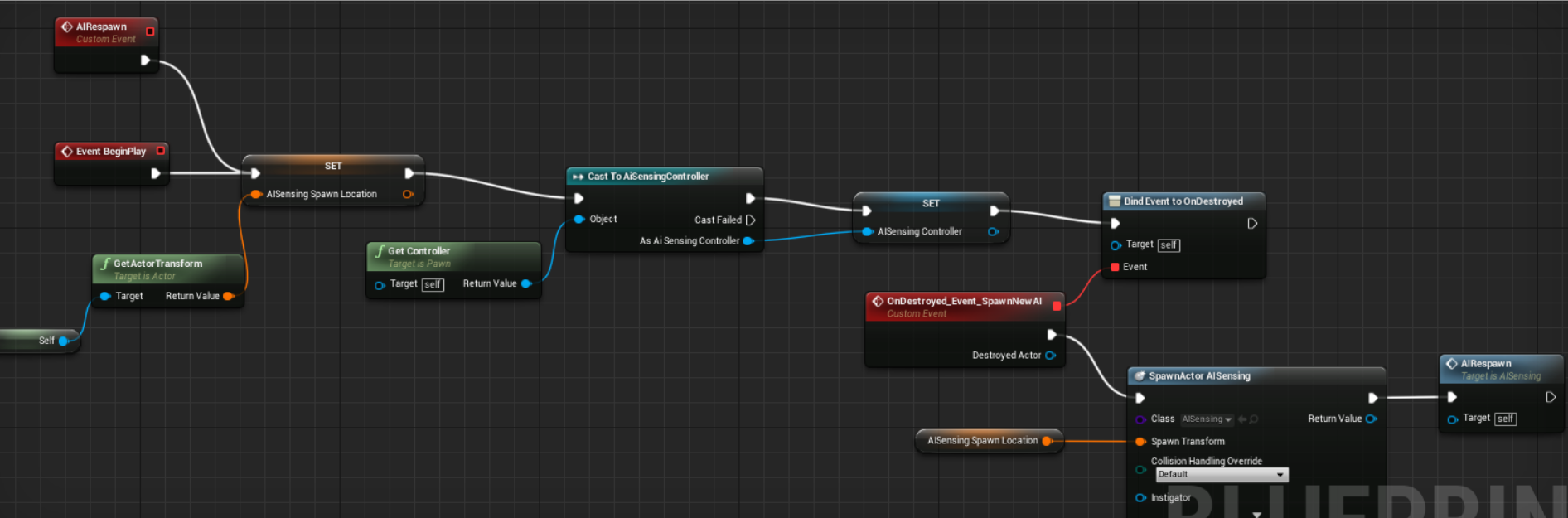
So I've created an AI that uses a behavior tree. At a certain time I destroy the AI and then use "Bind Event to Ondestroyed" to respawn him. He spawns in but he isn't doing anything. It's like his behavior tree, blackboard, and pawn sensing aren't working. Am i supposed to do something else when I respawn him in order to activate those again? Here is my respawn blueprint: https://i.gyazo.com/23c1cc69dac4f888151a912caef8fa24.png
 stark zealot
Ok so i forgot to add the "Spawn Default Controller" note after the spawn AI node. That makes him move around now but his Pawn Sensing is still not working.
stark zealot
Hmmmm. So my AI is sensing but not working. It says gives error message about "set value as object" being none.

 fervent vortex
@sudden drum You could use navmesh modifiers or play around with the RecastNavMesh.MinRegionArea (in ProjectSettings/NavigationMesh) value to remove navmesh generation under rocks etc., if you want to. I also know that there is a bool on, I think Static Mesh Actors, that allows you to remove the navmesh that is generated on top of it; but I sadly cannot find it right now. I don't know if this bool effects generation under rocks etc. as well...?
lyric flint
How good is the FSM plugin for Unreal Engine?
fervent vortex
@lyric flint I cannot tell you much about that plugin; but, I wanted to let you know about how Epic made 4 live streams which helped me make the state machines that I use for everything. I hope this will help in some way. Below is a link to the first part, the next 3 parts should be easy to find in the YouTube videos to the right, or by searching "UE4 live training state machine".
https://www.youtube.com/watch?v=hr9ybCCPw9Y

Announce Post: https://forums.unrealengine.com/showthread.php?121777 Richard and Ian lay the groundwork for plugin-based game code! Game systems written as p...
lyric flint
@fervent vortex Thanks for the reply! Another question if I may, what method/system is the best for creating complex AI systems? FSM, C++, blueprints, behaviour trees, EQS, HTN Planner, or a combination of them?
fervent vortex
I would say a combination of all of them (don't know about FSM) but mainly C++ and Behaviour Trees; with C++ managing which state the character/AI is in e.g. fighting, following, exploring etc. and behaviour trees managing the things the character/AI does in such states e.g. while in the fighting state, the character can evaluate, using data in a blackboard, whether to get into cover, then decide whether to reload, and then decide whether to shoot/attack.
This can be made more complex by adding sub-states e.g. adding roles under the fighting state e.g. Defender, Engager, Advancer; like Naughty Dog does.
Regarding HTN Planners, I used them for a short time; but personally found state machines to work better.
lyric flint
How do I fix this little problem? 🤔
 foggy moth
@lyric flint - might be a graphical glitch - this is the template map and i know for certain without editing them stairs the AI will be able to path onto them.... set a goal to the top of that platform and see if the AI will make their way to it - they should. if it fails - you know for certain its not a glitch 😃
 fickle warren

can some1 explain me why my ai wont register possessed player ?
it has been working correctly earlier but for some reason now when i click play it creates new player character and not posses the character already placed in the world
lyric flint
@foggy moth the airsoft gets stuck on the steps... 🤔
fickle warren
ok got it fixed.... for some reason it got f*** up when i added another ai in the level. very strange it broke just about everything.
 errant wave
https://puu.sh/B1kqj/f52b653f68.png
I'm trying to make navmesh for a landscape, but I get these strange holes. I thought they were related to slope angles, but changing the max slope in project settings seems to have no effect. Anybody know how to fix this?
patent hornet
your bounds volume is high enough?
deleting the RecastNavmesh from the outliner then slightly moving the Bounds Volume will force it to fully regenerate
errant wave
I've deleted and re-placed the nav mesh bounds volume, it fully encompasses the playable area, and the holes are still there. It seems like they are related to max slope, but changing the max slope value seems to have no effect...
patent hornet
it might still be there, just not displayed properly, or just below the terrain
(like the 2 screenshots up question)
errant wave
It seems like it works okay in testing, so maybe it's just a rendering problem
swift bolt
Hmm so none of the Move To Location, AI Move To or anything seems to be moving my AI. It seems to cause it to rotate but doesn't move. And yes I have a nav mesh. AI move just fails the rest idk what's up with them.
It looks like it wants to but doesn't and it's strange because that's the random move to node in my fsm but my chase player move to works.
swift bolt
fluid sequoia
@swift bolt Enable the Gameplay Debugger or Visual Logger and take a look at the AI state if it's failing to path
swift bolt
Still new to AI in general this is what I'm seeing though https://gyazo.com/0231bf0e65e9d9607c8fc58d612b823f @fluid sequoia
 fluid sequoia
@swift bolt The pathing isn't failing but the character isn't going anywhere, try taking a look in the Visual Logger and see if there's any relevant error messages
swift bolt
Yea looks like if I lower the range to get a random point on nav mesh it doesn't fail so starting with that first
fluid sequoia
@swift bolt Also I notice the Gameplay Debugger is listing the bt value for DesiredPathNode as none, so if that's getting used to set the location the character paths to that might be an issue
swift bolt
Location for the random walk is get a random point in nav mesh from a radius
if radius is too large like > 500 it fails though
less than 500 no fail but still doesn't move
in all cases it will just turn but not move
```LogAINavigation (Log) MoveTo: Location(X=-804.473 Y=-312.309 Z=15.000) Mode(partial path) Filter(None) AcceptanceRadius(5.0)
LogPathFollowing (Log) RequestMove: Path(complete:2) Location(X=-804.473 Y=-312.309 Z=15.000) Mode(partial path) Filter(None) AcceptanceRadius(5.0)
LogPathFollowing (Log) OnPathFinished: Aborted[UserAbort NewRequest]
LogPathFollowing (Log) Updated deceleration segment: 0 (MaxSpeed:0.00, BrakingDistance:100.00
LogPathFollowing (Log) RequestMove: accepted, ID(2726) dist2D(76) distZ(10)
maxspeed 0
swift bolt
hmmm
fluid sequoia
uh
dunno if that's relevant
but if you edited anything in the CMC I'd have a look
swift bolt
I thought that came from character movement Component
fluid sequoia
it's probably not even an error. I'm not certain how deceleration segment is even supposed to act in the first place so it might be a completely normal value
dunno, might be an issue with the navmesh agent not being large enough
although I would think that normally generates an error in visual logger
swift bolt
@fluid sequoia Thanks for showing me how to debug AI
it seems as though it was the speed defaulting to 0
on the CMC
fluid sequoia
@swift bolt Did adjusting the speed value of the CMC resolve the issue?
swift bolt
Yes by default the speed was 0, I was setting the speed dynamically at certain places I have now made it default not at 0 but something more
and it moves 😄
Do you know what I should be using to do the move? AI MOve To or AI Move To Location? OR does it not matter?
fluid sequoia
@swift bolt Glad to hear that fixed the issue. AIMoveTo and AIMoveToLocation are mostly the same, one or the other takes some additional args for acceptance radius or somesuch but if your navigation is working as intended already then you shouldn't need to change the function
swift bolt
Thanks!
errant wave
Hey fellas, I have an interesting conundrum, and I've come up with a few potential solutions.
I was wondering if any of you had any recommendations of which solution I should pursue? Or perhaps a solution I am not aware of? I'm still a bit new to UE4's AI and navigation. Thanks!
boreal moss
How can I replicate AI attack? I can see it with server, but not with a client.
https://gyazo.com/3b8293478e7fed546d20662b9f2d8f39

I guess multicast would be bad idea
swift bolt
Shouldn't there be a way to know if AI reached destination or not? Success/On Moved Finished don't seem to fire
swift bolt
Or is there a way to convert nav mesh location to world location?
swift bolt
Can't find info on Project Point To NavMesh https://answers.unrealengine.com/questions/137125/find-the-point-on-navmesh-closest-to-some-fvector.html
patent hornet
depends how you fire it
debugging with VisualLog would be my suggestion
Window>Developer>visualLog
it will log an entire timeline for all AI controllers and for navigation
swift bolt
@patent hornet what context was that info in?
patent hornet
the MoveTo delegates not firing
VisualLogger will tell you if the path failed, and why
swift bolt
we do mean the "On Move Finished" here right? https://gyazo.com/49a60f3f6345b3f33624bda85e1b0292

or is there another Move To event that gets called?
patent hornet
VisualLog will log each pathfinding segment, any cause of path being invalid or blocked, failed or finished
swift bolt
So your suggesting that it should be firing and working as intended but is failing?
Also visual logger isn't printing anything atm? It had for me before don't know what has changed
patent hornet
my suggestion is you fire it up, record the move being made
then examine the logs
and you will probably be better informed afterwards
swift bolt
oh wait nvm
workign now
ok
LogPathFollowing (Verbose) OnSegmentFinished
LogPathFollowing (Log) OnPathFinished: Success[Success]
That is all I see
after a clear I see this https://gyazo.com/85ee373242a9f10adb7dda663ed2a74a

I'm finding this confusing as even while moving it said Status Idle
well moving or not nothing changed
I could perhaps spawn a trigger box at the known desired location and then check if monster makes it there in a certain amount of time? But I feel like I shouldn't have to do that
patent hornet
with BT, the MoveTo task should fire a Success when it reaches the goal within acceptable radius
swift bolt
so I should use MoveTo
and not MoveToLocation/Actor
although I think both failed to fire
patent hornet
it should work either way
swift bolt
I'll try again with MoveTo
patent hornet
you can watch the BT execute tho
swift bolt
Doesn't seem to provide extra insight in this context, nor the visual logger
patent hornet
well, the first block in the controller's timeline definetely doesn't
swift bolt
So the MonsterAIController_C_O is useless in this context?
patent hornet
you can click the other blue blocks/stripes
swift bolt
ohhhhh
patent hornet
those happen only when something worth logging changed with the controller
swift bolt
I see
so I see ```LogGameplayTasks (Warning) AITask_MoveTo_86> received OnRequestFinished with not matching RequestID!
LogPathFollowing (Verbose) OnSegmentFinished
LogPathFollowing (Log) OnPathFinished: Success[Success]
Keyword being "Success" ?
patent hornet
did you issue MoveTo before the Pawn was valid?
swift bolt
I ensure pawn is valid before executing any move tos
swift bolt
IDK I just switched back to Move to and it works :🤷: @patent hornet
 cinder agate
I have my AI working on my ground but when placed on top of a mountain they cant seem to aggro anything. They do however patrol around just fine so I know the nav mesh is working on the mountain. All 'ground' areas are polygon assets and not landscape
cinder agate
My npc cant be knocked back while chasing a player, anyone know why?
 proven sparrow
When you setup the billboard and then run the behavior tree, it loops on it's own right?
Mines stuck, I've got 2 sequences with conditional decorators under a normal sequence and only one task is ran
patent hornet
tasks are designed to return success or failuire
otherwise they will run until aborted
call FinishExecute, and choose Success or Failuire via boolean there
proven sparrow
@patent hornet I do. What about move to nodes? Can I interrupt those somehow? Not that they work...
patent hornet
you can abort them via decorator
question: has anyone here attempted to slap another Brain and Blackboard component to an AIController and tried running 2 BTs side by side?
proven sparrow
As long as you don't screw with the same controller in a weird manner should be cool?
patent hornet
i do sense a few opportunities to step on a landmine doing that
so hoping if someone already did they are willing to share
a single call during BTs execution to AAIController::GetBrainComponent() or AAIController::GetBlackboardComponent() would be enough for the thing to explode in my face
swift bolt
anyway to check if this is fixed? https://answers.unrealengine.com/questions/230545/aiperception-dominant-sense-has-no-impact.html
At the moment once a sound is made and a location is set for the AI to go to, the AI will walk right past me even though it can see me
flint trail
what is Behavior Subtree and what are the uses for it ?
 digital cairn
Hey, has anybody made the navmesh work in 4.20? I am having issues that my AI does not want to move and as far as I know the navmesh is not getting generated(does not show up green when I select it in Show).
digital cairn
Figured it out with somebody else:). In case somebody ends up in the same situation as I do, removed the NavigationSystem (or NavigationSystemV1 in my case) and RecastNavMesh sections from the DefaultEngine.ini. And recreated the navmesh, worked like a charm after that.
flint trail
interesting @digital cairn
digital cairn
Just wanted to report back and not be one of those "I solved it." 😄
flint trail
was .ini file in the project's folder ?
digital cairn
project folder/Config
flint trail
I see
 near jetty

custom pathfollowing and navigation for the skeletons of DWVR
implemented due to how spectacularly bad they were before (using default pathfollow with some tweaks)
the skeletons are extremelly low cost in perf, having zero physics whatsoever (other than skeletal mesh being able to hit the raycast bullets). They walk on the navmesh with some trickery
i also add some strafing to them (thus the rotating left/right), and a separation system, so they dont collide with each other
they can also jump on the map, but that jump is a very simple triangle (2 line segments), ill upgrade it to a curve for nicer looks soon
swift bolt
What does it mean exactly for a sense to expire never or after a certain amount of time?
 rare ruin
Hello ! Is there a way to set the direction of a aiPerceptionComponent (My actor doesn't rotate but I can rotate his sight).
And I don't found how to debug the sight. I have enabled Gameplay Debuguer plugin but it still desn't work.
Thanks in advance for your help 😉
patent hornet
@rare ruin you'll find this informative https://docs.unrealengine.com/en-us/Videos//PLZlv_N0_O1ga0aV9jVqJgog0VWz1cLL5f/NZZtMNdJk5o
 tidal egret
Hey, I've done some simple NPC "ai" where characters use a navmesh to walk to certain spots in the game. However, for a new project I'm trying to do something more advanced in a different setting, where I have roads and sidewalks in a city. Is there a good way to make sure characters try to always walk on the sidewalk, but will be able to choose walking on the road when needed (i.e. if a player parks their car blocking the sidewalk, go over the road to walk around it)? How would you do it, are there any tutorials for this sort of thing? Most of what I could find only uses a simple navmesh to move from point a-b, which wouldn't keep roads in account...
foggy moth
 crisp oar
bump
 lone jacinth
Hey can anyone help ?
swift bolt
@lone jacinth what is your problem, I'm still new to AI in Unreal but maybe I can help
swift bolt
I need AI advise. I feel like what I'm trying to do should have a common practice yet I feel like I'm doing it in a silly way.
I'm telling the AI to move to sound and sight locations as they update but in order to reset the sight and sound location I'm setting the stored location to some farfetched vector location like 999999 for X,Y and Z. I check to see if the location is that value to know if we should attempt to move to it or not. There has to be a better way?
patent hornet
@swift bolt if you have recent sensory input move to vector
you can just grab the perception component from ExecuteConditionAI in the decorator, and make a check if the leaf below it (move to) should run
via the AIController
swift bolt
@patent hornet my confusion is in the way the AI behaves and the way I think I have my logic setup. I have both sight and sound age set to never expire. I have sight as the dominate sense (whatever that means IDK) and my code is setup such that if the sight Stimulus Successfully Sensed is true the location vector is set from the sights Stimulus Location.
https://gyazo.com/7ef923bda2d25cbf1b0d7622c777f2dc
However what happens instead is, sound stimulus location from the hearing AI stimulus is where the AI goes to even though the location in my code shows its getting set from the sight AIStimulus. Does this mean the array of last sensed stimuli does on come back in the same order?
Also how does it work if they don't expire? Is it just always true no matter what? This little bits make it hard for me to write logic sense I have no idea what unreal is actually doing with all this info it is giving me.

 vocal sandal
Hi all. So Im still very much a beginner with Unreal and am planning to program a basic ai that will shoot people within a certain distance and run to people outside of this distance. I'm planning on learning C++ at some point and was wondering if this would be a good first target for it.
swift bolt
@vocal sandal Any task that has you motivated to learn is a good task for learning 😄
IMO, there is something to be said about biting more than you can chew and exhausting yourself. This task may be a little too much if you have no prior programming experience. It might be better to learn the basics of behavior trees in BP and then redo or move to C++. But anything is possible if you are determined.
lone jacinth
guys
vocal sandal
@swift bolt I have a good understanding of C# and some other simpler languages like VB. And I have experience with biting off more than I can chew which is why im asking if this is a good first target goal. How similar is C++ to C# coz if their nothing alike then i will try to make AI with blueprints.
@lone jacinth Yes?
lone jacinth
a while ago someone here sent me like a book for what you need to know to make an online game
vocal sandal
ok...
swift bolt
Online doesn't sound like ai ?
vocal sandal
no prob
swift bolt
@vocal sandal you are in for surprises going from c# to c++ I'd say
vocal sandal
@swift bolt ok. Do you have any suggestions for begginer projects in C++
swift bolt
@vocal sandal well I learned C++ the good old command prompt window way
doing very basic tutorials in college
swift bolt
You know the concepts of for loops classes ,etc.. but there is some C++ syntax you'll have to learn and pointers
vocal sandal
ok
swift bolt
well there are plenty of online docs to learn C++ I don't know if they offer tasks as well. I think unreal can be a great way to learn C++ but you'll have to get over their C++ macros
like UFUCTION(), UPROPERTY(), what flags to use
that isn't C++ specific but part of their engine.
vocal sandal
ok.
swift bolt
just adds another layer. So you have tackle C++ layer, tackle Unreal Engine Specific Syntax layer, then tackle Behavior Tree API layer.
vocal sandal
sounds both exciting and complicated
@swift bolt Do you have any tips to make a good ai?
mostly like how to decide when they should attack and move towards the player without it seeming robotic
swift bolt
@vocal sandal I'm seeking that information as well
I'm new to AI in unreal
Most tutorials I've found detail Ai with just one sense, usually sight
I can't figure out how to balance between using two senses (sight and hearing) and have sight be the dominate sense. I'm also pretty sure what I do have is not implemented in the best possible way.
I posted this in an attempt to clear up some confusion https://forums.unrealengine.com/development-discussion/blueprint-visual-scripting/1507604-unreal-ai-behavior-tree-perception-questions
Unreal Engine Forums
I want to implement AI but I'm confused about few things.
Stimulus Sensed: How does this work with the expiration of a stimulus? For example, if age is set
vocal sandal
i think the best way to separate the 2 is to check if the players is in sight, If not then listen for him. If player not detected go about normal.
i learnt a bit of path finding while doing my A-Levels so im hoping that i can use that to create more natural paths for them to follow
vocal sandal
well if your making a security guard, giving him a path seems to make sense
but using it in combination with the nav mesh will allow you to make him go off course slightly
patent hornet
@vocal sandal at least the unreal libraries, naming conventions and coding style are much more like c# then c++
that said, you will come to miss a few quality of life features
 quiet dove
Quick question, that needs a simple orientation answer: Does the AI Stimulus interacts with shadows and such or do you need in your own services to handle shadows and lights for detection?
patent hornet
it can only react with actors that have an AIPerceptionStimuli component
quiet dove
So I would have to implement handling shadows in my services?
@vocal sandal , you may be able to implement something like that using the EQS framework. I was fiddling with it yesterday and saw some potentially useful params. (Random weight, etc.)
Add some prioritisation for the path, and add some randomness so he veers off path slightly.
vocal sandal
@quiet dove Ok sounds good. Didn't think of this.
patent hornet
or make the shadow an attached actor
vocal sandal
@quiet dove can the AI stimulus react to changes in light? If so you maight be able to use that to make it react to shadows
swift bolt
If they light has an AIPerceptionStiuliSource registered for sight
it would have to be some actor that takes the space of the places the "light" is illuminating.
Does this look right? https://gyazo.com/aea30bad8b87ad3afcb0f0ecb1d39c6f
 vocal sandal
tbh i dont know. Test it?
swift bolt
well the left shows red which means it should have failed yet both look like they are executing at the same time?
and it looks like it really is only executing the right
so visual bug?
Also I find out the source of so many of my troubles
I thought Sight was index 0 and hearing index 1 since in my config that is how I have it. Sight is index 0 and hearing index 1. Looks like its actually flipped though when it is reported back from Last Sensed Stimuli
vocal sandal
I dont know how to help. Literally my first day looking into how the AI stuff works on UE4
swift bolt
all good
I guess to maybe help you out in the future, I'll clear up what I'm talking about if you are interested
My AI Perception has this setup https://gyazo.com/936a1a97360e6674010bfcb72ce43e08

Yet when pulling it out to get sight and hearing I have to use these indexes https://gyazo.com/9e548d21fdc78c28b077f197ac01caf5
 vocal sandal
So does yellow show that its executing?
swift bolt
supposed to yes
lyric flint
Just wondering how this method of AI detection compares to the built-in AI Perception system? 🤔
 west cove
anyone have an idea on how to get a static navmesh working with level-streaming in 4.19-4.20? lots of conflicting info floating around from the past few years
flint trail
I'd like to know too
I assume you can set up individual nav mesh volumes for each streaming piece and connect them with nav link proxies
or, disable streaming, build navigation, enable streaming.. Nav mesh should be covering streaming areas. Note that nav mesh has to be in the persistent level
 shadow isle
All, I need a very simple flying AI to follow a path, but work in multiplayer
right now I was going the path of a character following a spline, but I'm anticipating issues in multiplayer
has some kind soul any pointers on how to proceed?
shadow isle
i’m thinking to use target points and have the server compute the inputs ontick event, substituting to the original commands as if a user was driving it
makes sense or absolute nay?
vocal sandal
Why would making the path with a spline cause issues in multiplyer
shadow isle
because replication will cause sudden small adjustments on clients due to lags: following a spline basically means adjusting location and rotation on every tick
on the contrary if i can use the character movement component, prediction is already in there
vocal sandal
ok. So by having the server do all the work it will keep it the same for all the clients. Makes sense
shadow isle
not really
the difference is: using a spline all clients and server have to compute the movement along the spline. things will diverge and when replication adjustments come in, you will see a sudden movement on laggy clients.
on the contrary: using the character movement component all lerp to adjust for these lags is already in
AFAIK.
vocal sandal
ok. Kinda makes sense to me now.
patent hornet
@shadow isle CMC won't replicate stuff to owning client
it assumes it knows whats happening from input
shadow isle
owning client is server
patent hornet
so, its an AIController?
shadow isle
yes
patent hornet
you shouldn't have any problems then
shadow isle
woth the spline or the cmc route?
patent hornet
it will work as well as for replicating one client's movement to other clients
i tried to fake an input based on pathing information, but a prototype of that (about an hour's worth of effort) was very discouraging
shadow isle
vblanco told me the same thing damn it
patent hornet
have you tried just the CMC and replicated movement?
because the simulation comes into play when there are 2 conflicting sides: player's input where CMC has to react immediately on local machine in order for the game to feel responsive, and server correcting the owning client's position to the its actual position in the world
when its server to client that is not the owner, there is no conflict the way i understand it
shadow isle
i understand that
the conflict comes from the fact that clients compute the same thing as servers but at different times
you cannot rely on server broadcasting position
otherwise the actor would move by “jumps”
patent hornet
with AI its not as bad, i mean it certainly won't be any worse then replicating the movement of any AIControlled NPC with vanilla CMC
shadow isle
i’ll try it out
flint trail
what's the difference between Ai for SP game and AI for online/split screen coop game? (not the logic, but technical side when working in BP/BT)
patent hornet
there is none
except for needing abit more complex logic then AI chasing GetPlayerCharacter[0]
near jetty
@flint trail the only real difference is that you need to make your your AI characters replicate properly, and that you have some kind target selection logic
GetPlayerPawn ( 0 ) wont work any more, need to grab closest enemy, or aggro
keep in mind AII ai code runs on the server
near jetty
also
avoid AI on the Pawn
keep it to the controller
controllers will be server only, but pawns are clientside, so AI on the Pawn will probably do different things on different players and conflict a lot
flint trail
I see @near jetty , thanks
 steel snow
Can i get some help. Trying and googling isn't helping. I have a character roaming from point to point and if he sees you some characters start chasing you. Both the character alarm and the chase character are in the maps and are in behavior tree. But i don't know how to activate the chase character when the alarm character sees you.
The alarm character has a on see component and it works
patent hornet
Do the chase ones have AIPerception?
Siplest way would be to add AIPerceptionStimuli on observer, add AIPerception Hearing to chase Characters and have the Observer do PawnMakeNoise
Sharing a synced Blackboard would also work
Or hsving the chase characters have a reference on observer, then fire a delegate in observer to which the chase characteor can react (setting a value in pawn/controller a service can put into their BB, or reacting to the event by calling FinishExecute on some IdleTask, letting the BT proceed)
 austere cloud
Can someone explain EQS and where it's applied mostly? I was able to create AI using Perceptions and BTs successfully without using it so I was wondering about what it is really and its applications.
Btw, the gameplay I was planning is a mix of stealth and hack n'slash so is there some sort of EQS application to my AIs?
rare ruin
Why can't I use AI Perception to handle sight on a player controlled pawn ... ?
Or maybe it's an another problem
On PIE, all works fine but on build, the perception didn't work at all (for bots and for humans)
I just want to use the ai perception component for the player and ai controlled pawns
rare ruin
Oh so I have enable the gameplay Debugger
And no any perception components are visible
Do I need to include something in my build to enable perception ?
public SecretProjectName(ReadOnlyTargetRules Target) : base(Target)
    {
    PCHUsage = PCHUsageMode.UseExplicitOrSharedPCHs;

        PublicDependencyModuleNames.AddRange(new string[] {
            "Core",
            "CoreUObject",
            "Engine",
            "InputCore",
            "UMG",
            "Networking",
            "AIModule",
            "GameplayTasks",
            "OnlineSubsystemUtils",
            "ProceduralMeshComponent",
        });

        PrivateDependencyModuleNames.AddRange(new string[] {
            "OnlineSubsystem",
            "ProceduralMeshComponent"
        });
    }
AIModule is not good enough ?
Thanks in advance for your help 😉
So the UPawnSensing component not work for networked client ... Really
I suppose it's the same for AI Perception ...
I will just want to reveal or hide players in the client side to don't have lag
 wraith eagle
Does the Nav Mesh generation always overwrite previous Nav Mesh data? Even if there are multiple NavMesh Bounds Volumes in different sub levels?
vocal sandal
@patent hornet Are you always here or something? Sorry to be off topic but every time I check your active.
patent hornet
joys of having deadlines 😄
 elfin socket
Do you guys ever have an issue where your Behavior Tree works fine for all AI Characters in PIE, but then when you package the project it turns out that the Behavior Tree only runs for one of the AI Characters whilst everyone else just sits there idle?
UPDATE -- so apparently the issue was that I was packaging for Win32. For whatever reason, if I package for Win64 instead, everything works fine! Go figure.
 keen furnace
@austere cloud if you wanted AI that try and sneak up on a player, or find good vantage points, or basically do anything where the world is taken into account beyond basic perception, thats where EQS can shine
austere cloud
Got it. Thanks!
flint trail
how can I see if AI NPC turns left or right when taking off from one target to another ?
(currently it does Move To, gets to the target, Waits there for a few sec, and does Move To to another target)
@foggy moth ^^ any idea by chance ?
patent hornet
SetFocus in controlller, use ControllerRotationYaw in PAwn
flint trail
Aye, thanks
 coral pendant
Hey guys, I have problem, I have create code in the blueprint of map, when overlap trigger spawn AI NPC, but when run with dedicated server (client) the NPC spawn and after few second auto-destroy actor....why? Destroy only for client, in the SERVER the NPC work...can help me? tk
flint trail
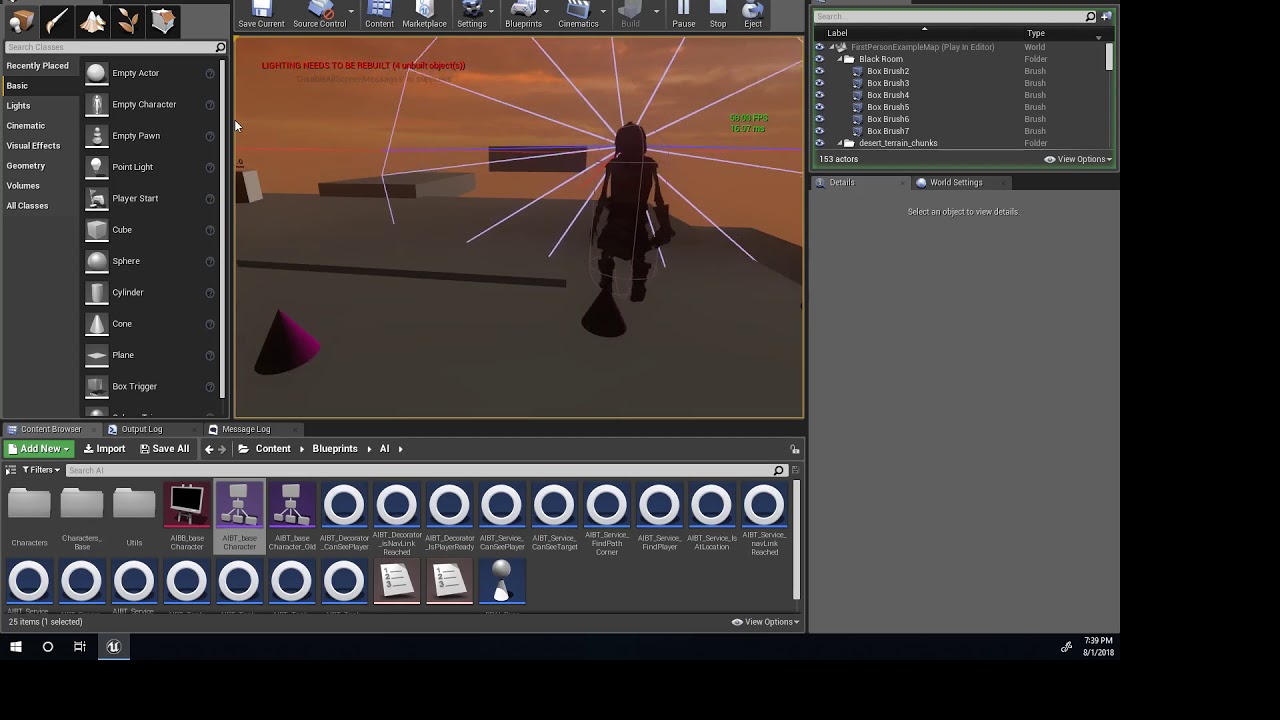
finally got turning on the spot complimented with animation https://www.youtube.com/watch?v=7YarYiZb_gc 😃
 grand atlas
Cool stuff, fun to watch your ai progress. But I got to ask, what method do you use to make the character stop and jump?
flint trail
@grand atlas thanks. Custom BT task and BP actor with smart nav link component (nav link proxy).
 timber flax
cheers guys
this is my first forage into AI, and everything is going pretty smoothly so far
i just have one question
i have my AI aim at my player and fire
however, it aims at the centre of my player, not the section that is currently visible to the AI
i have an aiming system set up for this in my animation blueprint
but.... idk how to apply it to my ai
timber flax
i'm literally just doing a set default focus
which is in the tutorial i followed
i'm guessing that's a better way to do it?
patent hornet
which turns you towards the center of the actors root component
timber flax
yup
patent hornet
any adjustments to it do not come out of the box
timber flax
i get that, i just don't know how to ddo it
 willow arch
havent done much visual detection stuff so i dont know if there's a more performant method, but might it be possible to add some sockets to player mesh which the ai, when close enough, traces against?
if the trace is successful(not blocked by e.g. a wall), you know that part of his mesh is visible to the ai and can target it
 latent crescent
who has code for ai that stays still an if a player is in rainge shoot
flint trail
What's the difference between AI Controller and Detour AI Controller ?
(BP class of the controller when setting up one using BP)
latent crescent
i have no clue
latent crescent
ok
flint trail
@patent hornet so there is no need to use Detour AI controller ? I read somewhere that it has to be used when there are crowds of zombies, for better dynamic obstacles avoidance
patent hornet
its used to make them avoid each others
someone made a demo on this channel a month ago about it
you can try a search
(it was 20 minute setup and 2 minute demo tho)
flint trail
@patent hornet this one https://www.youtube.com/watch?v=iYcDyJUByJg ?

This tutorial shows the advantages of using the Detour Crowd AI Controller over the default AIController
patent hornet
yes
 buoyant geyser
Does the AI subsystem do any time-slicing / sub-stepping with its ticks, or does it limit maximum tick execution time by default? I've been looking through the AI source but haven't found anything to indicate that it does.
(unlike EQS, which does limit max. execution time)
 fast cosmos
Anyone has any experience with DoN 3D navigation?
'Cause my pawns suddenly stopped following the player
Or, rather sometimes they do, but most of the time they don't
And they used to be able to do it perfectly fine back before I fixed the packaging issues lol

Text Document
Now they not only have trouble following the Player, but also crash my game attempting to do so
fast cosmos
I guess when it comes to DoN's plugin I'm all alone yet again
Oh well
An issue with my landscape apparently..? 'Cause it's working just fine on a map with just a flat cube.
 fast cosmos
Oh cool, I'll definitely give it a shot! Judging by the Readme, it's perfectly usable from a Blueprint project too, yeah?
floral mango
yeah, just make your AI controller derive from SVONAIController, drop a volume into the level, then you're good.
I need to root through the UE ai code a bit more, can probably implement it a little better so it works alongside the regular 2d nav, rather than instead of
suggestions welcome
fast cosmos
Hey, as long as it can chase my player through a landscape, I call it feature-complete 🤣
floral mango
heh, it should be able to do that fine 😃 Probably needs some path smoothing
feel free to add requests/issues on github
 hearty rock
Is there a supported way to use a vector field or similar with the nav mesh? I'm building an "open office" level and want NPCs to mostly stick to a grid type path around the cubes, but allow them to take detours as necessary. I was thinking there might be some way I could paint weights so they gravitate towards the preferred route through the office..?
Of course, I'm 90% of the way there just by having a constant high cost region around the cubes, but if there are alternatives I'd like to hear 😄
 fathom cypress
Unfortunately no. Navmesh and navigation in general has been trash for a while now. Hopefully NavigationSystemV2 will be a proper framework with voxel collision representation, spatial partitioning, flowfields, PID controllers etc... so we can get actual natural movement instead of the half-implemented A* we have now
flint trail
@fathom cypress when is it coming though? In 4.52 ? 😛
 bold sapphire
So is max 50 ai move to calls at the same time a good number to cap things at for a single player game? I have 50 actors following me with no lag but when I get to around 100 the frame rate drops. Testing this on an android to see how it handles that many ai move to calls.
lyric flint
Sooooo, I'm having a few problems with my AI's memory system, in that if I jump the AI stops under the generated marker and can't move. Can anyone suggest a new momory system or a way to snap the marker to the ground?
 wet zodiac
Hey does anybody had a clue to why set focus and clear focus do not work with root motion?
wet zodiac
Update: SetFocus works but ClearFocus does not
 woeful fulcrum
latent crescent
woeful fulcrum
latent crescent
ok who has ai for a enemy that will lock on a projectile to your character
hearty rock
If I want to use a behavior tree outside of an AI controller, my only option currently is C++, right?
flint trail
yea
 thin prawn
is anyone here confidant enough in there ability to take on a mentee??
swift bolt
so no matter what I do, I can't 'seem to get an actors location reference inside the Behavior Tree Task I made.
https://gyazo.com/d7829cd534c6a8e900e221be3e0e90c7 Can't get values here for some reason


Can't get values here for some reason
patent hornet
@swift bolt does your BB have the correct value?
did you map the BlackboardKeySelector to the correct key from Task details panel in the BT?
swift bolt
@patent hornet turns out this issue was related to not referencin the value every tick and so it didn't have to pull the data I was watching. Solved with help from #blueprints
flint trail
should I have attack BP code (including anim montage playback) in the BT Task or in the Character ?
near jetty
hey, did your navmesh straight up dissapeared from a level?
in 4.20
it doesnt seem to rebuild
flint trail
I am still with 4.19.2
I recall seeing something about that
something to do with new nav system
@near jetty "Navigation-related entries in DefaultEngine.ini and DefaultGame.ini need to be updated manually: from 4.20 release notes
near jetty
i did update them
flint trail
I'd just tweet at Mieszko directly, he usually replies
near jetty
no nav data is being created
and thus nothing to build mesh
seems to be setup here
flint trail
what a mess 😦
near jetty
LogUObjectGlobals: Warning: Failed to find object 'Class /Script/Engine.RecastNavMesh'
wjat the fuck
it cant create a navdata, and as such its unable to build navmesh
the fun part is that i actually had it yesterday
restarted and it works
??????????
flint trail
so, back to my question.... should I have attack BP code (including anim montage playback) in the BT Task or in the Character ?
@patent hornet ^^ what do you think is the better approach ?
patent hornet
i prefer to encapsulate logic into sensible blocks
not knowing your setup, i'd guess BTTask
you are likely to change things about it as you go on
so you should take the approach which makes it easier to do so
near jetty
@flint trail in the character
but you trigger the attack from a task
in my games, i have the attack logic in a component, in fact
MeleeCombatComponent
holds an array of attack montages and similar
and essentially has a "PerformAttack( attack index)" function
that i call from a Task
flint trail
aye folks, thanks for the input
buoyant geyser
has anyone implemented RTS AI in a UE4 game that shipped?
flint trail
linking AI to anim graph is a royal pita 😦
no wonder people work on PvP games more than on PvE games :/
swift bolt
just to double check, the AI peripheral degree for sight should be half of the total viewing degree I want it right?
ocean crystal
Perception or PawnSensing
swift bolt
AIPerception @ocean crystal
ocean crystal
its the full angle
so if you want the entire front hemisphere you use 180.
45 to each side, you'd do 90.
swift bolt
really?
ocean crystal
Lemme double check
swift bolt
says "not the whole range" at the end of its description
I naturally assumed what you said as well
ocean crystal
Right. Normally it says HalfAngle
swift bolt
so not the whole range means?
ocean crystal
I guess either of us can twiddle the values
swift bolt
can we visualize it?
swift bolt
ok
oh yea have to have the AI selected ok I knew that
maybe this discovery will be worth submitting a comment correction lol
ocean crystal
Yeah, ok, giving it a value of 45 seems to result in a total of 90 FOV, centered on the forward axis
its not quite accurate, though. A few degrees short
maybe its the visualizer which is wrong
 desert fable
Anyone know what red parts on a nav mesh visual are?
desert fable
meh i think it means it's being used/regenerated at the same time or frequently.
patent hornet
nav modifier volume can draw in that color
swift bolt
hmm so adding a supported agent breaks my AI. I Tried matching the settings with my AI's capsule and tweaking from there but nothing mattered.
the behavior tree just goes crazy, flickering
But I guess I dont' really need it?
flint trail
what's the difference between having Use incomplete path (or something like that) checked and unchecked in the MoveTo node ?
flint trail
also, is there a way to have an array of actors in the blackboard ?
(if I want for AI to have multiple enemies)
swift bolt
@flint trail which move to are you using that has the Use Incomplete path option?
the two I see don't have that
 flint trail
it's a built-in Task in the Behavior Tree
BTTask
@swift bolt ^^
as for arrays, I am guessing the way to do that would be prioritizing enemies and putting them into array (or better yet a map) in custom BTService, then sorting them by priority and then setting one at a time to be TargetActor in the Blackboard. Sounds about right ?
swift bolt
@flint trail wish I could help you but I'm still learning too
I don't even know which move to to use or what their differences are yet
 broken hearth
Hey guys. I'm currently working on character movement. I'd like to implement a solution to restrict player to move only on navmesh (like it's done in AI pawns movement), instead of just using mesh collisions to determine where the player can move to.
I've read some forum advice that a way to go is to overload some piece of UCharacterMovementComponent, calculate the next movement point from deltaTime and Velocity, project it to navmesh and stop movement if the point is not on the navmesh. I've made it to work, but there is a small issue, the player won't "slide" on the collision with navmesh edge, like it does with just physics collision limited movement.
Have any of you stumbled upon similiar problem?
flint trail
I am making a list (map) of targets in one service, but I need to access them in another service. Should I make BP Actor "AIManager" (or something of that nature) and spawn it on the level when game starts, and have the list there ? (this way any service can access it if necessary). Or should I use BPI for other services to access the list in the service it's going to be created in ?
@foggy moth ^^ what do you think ?
flint trail
@patent hornet ^^ can I even access variables from service to service using BPI ?
patent hornet
are they part of the same BT, sharing the same BB?
flint trail
yep
patent hornet
then just use the BB to share data
patent hornet
might not even be a bad idea to instantiate TargetData UObject from the AIController
then just get a reference to is as Object as a BB key
flint trail
I don't do C++
flint trail
not sure what "instantiate TargetData UObject" means in BP 😃
patent hornet
you put your Map and whatever else you need into it
you use ConstructObject node of that class from AIController
and store it in a reference
flint trail
I don't think there is such node..
patent hornet
instantiate - make instance from a class
flint trail
I can just make a variable type map in the AIController
patent hornet
TargetData is the first name for the class that came to mind
yeah, but that can also cause clutter
this way you put all logic for manipulating Targets in a separate Object
flint trail
or in the parent class of that AI character
patent hornet
and live happily everafter
ActorComponent on AIController is also fine, if you need it to Tick
without c++ you won't get Objects ticking
flint trail
nah, it will be there to store targets only... BTService will update it
I still don't get why I need all that mess if I can simply have an actor/int variable on the controller. With variable I simply get controller from pawn and then get that variable
patent hornet
if you just need it to hold data, variable is fine
with me, it never ends that way
sooner or later i'll attach an aggro value to each target
then i will get the idea to make it Decay over time
for example
then Perception events will start influencing aggro directly
and before you know it i have 20 functions juggling TargetData
and i am happy they are encapsulated in their own Object
flint trail
I can only imagine 😃 I am just on my first iteration of my first AI 😊
so I am trying to keep it really simple for now, until it just works and I learned the basics..
flint trail
@patent hornet is there a way in BP to see when AI is turning (left or right) so that a bool could be set for anim graph to play turning anims ?
Currently I am using custom turning task, but according to this http://www.dreambotstudios.com/ue4-make-ai-rotate-smoothly-avoid-snapping/ there is a way to make AI turn smoothly without any additional code
so if I use that trick, I'd need to somehow figure out if AI is turning to be able to play anims
patent hornet
easiest way? cache the Rotation from last Tick and compare
flint trail
Get Actor Rotation ?
patent hornet
yeah, not sure that it will work, but its worth a try
flint trail
what would be not easiest way ?
patent hornet
track things affecting rotation
flint trail
I feel that there is ton of stuff needs to be exposed to BP when it comes to AI and yet we are still in the stone age with it, so to speak 😦
patent hornet
one can always learn to c++
flint trail
I could, back when I had a lot of time 😦
swift bolt
@flint trail well it takes time to do these kinds of things?
I basically work 9-6 then come home and work 6 pm to 1 am
that is when I'm motivated lol
flint trail
well, getting old and having family doesn't help me 😃
on top of that I do art, animation, textures, level design and game systems design.. It doesn't make sense at all to squeeze in learning C++
 wary ivy
anyone know any good articles that elaborate on how to combine steering behaviours with path finding?
floral mango
flint trail
interesting https://www.youtube.com/watch?v=RcOdtwioEfI

AI and Games is a crowdfunded show and needs your support. You can help fund this series on Paypal, KoFi and Patreon (where you can get access to additional ...
I wonder how it fares against the UE4's AI framework
near jetty
@flint trail its far better
by a huge degree
but its of course doom specific
nothing says you cant do those techniques in ue4
for example they have an equivalent to the EQS
they use that to calculate the jump points and similar stuff
flint trail
ID has all that exposed to their own Blueprints
(although it sounds like a lot of that is specific to Doom)
near jetty
their main cool shit its mostly animation stuff
the animation tree of the enemies is super complicated and uses copious amounts of root motion
thats what make the things jump well and scale walls and all of that
flint trail
that' one thing that annoys me with UE4 - getting anims work properly with AI
it seems that anim system is tied to player character and is not really flexible when it comes to AI
near jetty
sadly its just way too game specific and animation specific
the anim tree has tools to make everything, but you gotta be smart
in theory you can replicate what doom does, but will need manual work
replicate it without editing the engine btw
could be done in blueprints
flint trail
I don't - I just want to hook up anims to AI as easily as one can hook anims to player's movement / etc.
near jetty
but that already works
you can use a player anim tree on a bot anim tree
and it will work completely fine
the thing is that they are different
enterely
for players you want to ensure responsivenes and unnatural movement
but for AI you want to use root motion a lot more
the cover system they talk about its 100% EQS
flint trail
@near jetty what happened to #virtual-reality ? I don't see it on the list of channels :/
flint trail
odd
near jetty
flint trail
ah, damn Discord UI
near jetty

Pick up cool perks on our Patreon page: https://www.patreon.com/TwoMinutePapers The paper "Human-level performance in first-person multiplayer games with pop...
capture the flag AIs
elfin socket
That's a really good idea for a Youtube channel! Pro click
fluid sequoia
That's nuts
near jetty
@fluid sequoia they had pro players fight against a pair of bots
they lost
even over 30 different matches
btw the bots are like the Dota2 bots, they are autonomous
they dont communicate directly
thats why they can play alongside humans
you can have human + bot
and they seem to work quite well
fluid sequoia
Now let's see how they handle deathmatch 
near jetty
the same way?
thats capture the flag
it is already a deathmatch
the AIs learned how to camp spawn XD
 naive swallow
hey guys - just a quickie
has anyone got any tips on saving Blackboard info using USaveGame?
cant seem to put my finger on where the KeyValue is stored
patent hornet
you can rebuild your BB with first service call
naive swallow
its more struggling with pulling values out of my existing BB and saving it as something meaningful
i've grabbed all of my keys, but thier data is templated, making it hard to make something in my USaveGame that can hold the it
if you know what i mean
flint trail
Is it possible to have semi-flying AI (like Cacodemon from Doom) without messing with C++ code ? (using BP/BT)
ocean crystal
If you want actual 3d pathfinding you're going to want to lean on C++. You could theoretically implement a solution in pure BP with no plugins, but practically you're going to be using some extra C++ - be it plugin code, or your own.
if you just want simple avoidance that's pretty easy and you can do it with no sweat in BP.
flint trail
@ocean crystal have you played Doom 2016 ? (or even original Doom 1/2 or Doom 3)
ocean crystal
A bit
I mean, like, that sort of thing is in the latter category.
I guess I shouldn't have bothered and just been all ya its easy in BP
flint trail
Cacodemon would spawn usually at any height mid-air (wherever it was placed by level designer or random spawner) and would begin its descent until it reaches max attack height from where it would begin shooting at player. Let's say player was on the ground and then went into the building and appeared on 3rd floor. Cacodemon wouldn't follow player inside the building (artificially blocked by level designer; otherwise it could) but rather hang outside and when it would spot player on 3rd floor, it could raise up and attack him. Let's say 3rd floor had a busted wall and wasn't blocked by designer. Cacodemon would float into the breached wall and hunt player inside.
You can say it's like a hot air balloon
not like Descent (game) 6DoF ship
how would I control such behavior (changing float height, e.g. distance from the floor) in BP/BT ?
flint trail
@ocean crystal ^^
ocean crystal
Sorry, feel like you've got enough of an idea to implement this yourself
flint trail
🙄
 blissful fog

 stray violet
Hey guys, been working on a procedural dungeon generator, and have it at a place im pretty happy with. However, for AI navigation, whats a good way of generating a nav mesh, since its different every time?
flint trail
generate nav mesh dynamically using nav invoker component
(and don't forget to tweak AI's Project settings)
 solar elbow
https://80.lv/articles/cyber-demons-the-ai-of-doom/
came here after quick look at the article.
is it possible to make a state machine inside of state machine, as they did there? or there should be really a mess inside one single machine?
flint trail
are you going for inception here ?
solar elbow
you right
patent hornet
the idea of hierarchical state machines is to limit the number of transitions you need to handle
which can get out of hand, fast
solar elbow
well I know the possible problems and accept them, but it was a matter of techical ability to make such thing, not the logical purpose or reason :)
patent hornet
yes, its possible
flint trail
there is FSM plugin on the Marketplace
patent hornet
needs more design considerations
but pays off if you're planning on having many states
going from 14->15 states is more work then going from 0->10
you could use GameplayTags system for it as well
they are also Hierarchical
flint trail
is there a benefit in using HFSM over BTs when you have that many states?
patent hornet
i mean, instead of several enums, using stuff like Combat.Firing or Patrol.Searching
near jetty
@flint trail they are nearly the same thing
you can use a BT as a state machine without much issues
flint trail
how are they nearly the same thing? o.O https://www.gamasutra.com/blogs/JakobRasmussen/20160427/271188/Are_Behavior_Trees_a_Thing_of_the_Past.php

Introducing the Next Generation of AI: How Utility AIs Are Replacing Behaviour Trees.
(the beginning of the article)
I wonder what Dishonored 2 and Deus Ex HR/MD use for their AI
near jetty
LMAO
ive implemented that thing
several years ago
in fact, a more advanced implementation
and i did, becouse i saw it in a book from 2009
its really not that hard, and you can implement them within behavior trees
the basic concept is that instead of branching, you are selecting the "best" action
so lets say you have a state machine with states Attack and Flee
Attack has a score depending on how weak is the target, and how far you are from it
and Flee has more score the less health you have
that means that if you are fighting a bot, and YOU flee, the bot will pursue
unless the bot is also low on health, in that case the bot might try to flee himself to get health
there is one main downside, wich can be an upside
they are very, very emergent
they are super hard to debug due to the states (or branches) dancing around randomly. But you get a more dynamic AI for it
i really liked the bots i made for Heavy Gear Assault wich essentially did this
Like everything in AI, they have their uses, or not. I would recomend this kind of AI if you are trying to make a "human" AI, that has more fuzzy intelligence. This type of AI is not what you want when you want an enemy with clear attack patterns
 viscid oasis
That sounds like the result would be slightly more organic.
 wintry flint
So if I read things right, basically use Utility if you want a "living" AI
If you just want an actor doing their part in a play, what we have now works fine
flint trail
pretty much
near jetty
yup
i thought of implementing a ranking system on top of behavior trees
like a "rank selector"
wich just runs whatever node has the highest priority
and when a node ends or it needs to select a new node, it calculates priority on the subnodes
flint trail
some AI progress: https://www.youtube.com/watch?v=7m9mVZ5_0z0

 lost tiger
@flint trail it looks very good..
flint trail
thanks 😃
hearty rock
Is there a way to easily get rid of movement jitter when using the crowd AI controller?
 orchid brook
I'm looking at setting up some complex AI, and I'm trying to decide between Behavior Trees and Blueprints. I'm leaning towards blueprints because I'm more familiar with them. I can't see any good reason to use BTs. Does anyone have an opinion on this?
lyric flint
What's the best way to handle having a lot of AI characters spawned at once without effecting the frame rate too badly?
by a lot i mean 300-500
flint trail
@orchid brook you are gonna have to write custom Tasks/Services and maybe even Decorators in BP anyway. The reason to use BTs is that UE4's AI made around that concept. I don't see a reason not to use them at all. Probably even performance would be better than not using them at all.
@lyric flint disable collisions and see if that helps. Also, 300 AIs is a lot of AIs. I don't recall any high performance commercial game that uses that many active AI's
lyric flint
ok thanks
orchid brook
thanks @flint trail. I guess I'm more familiar with blueprints, and there seem to be a few gotchas with BTs that I will probably discover the hard way
 humble marten
@flint trail BT nodes are great for easily prototyping ideas, but you'll get the most performance out of straight C++ implementations of AI behaviors (by convention, blueprints are slower than C++).
Plus, you can always just expose them to the blueprint editor to make them configurable inside the BT system
flint trail
@humble marten true, but (s)he was asking about BP vs BT, not C++ 😉
humble marten
@flint trail a good point nonetheless. just throwing it out there
flint trail
I don't use C++ cuz I don't know it
(nor got time to learn it properly)
plus BP can be nativized (and I am sure BTs get nativized too)
so while indeed one should use C++ for max performance, properly coded 100% BP games (with nativization turned on) perform good enough on modern hardware
humble marten
acknowledged
flint trail
meanwhile I need to get SetFocalPoint working without sacrificing smooth rotations 😦
doesn't seem to be possible
(out of the box)
From what I gathered, I need to have bUseControllerRotationYaw true (on Character component) for SetFocalPoint to work.. But, if I do that, character snaps when it needs to turn.
any ideas how to reconcile this paradox ?
hmm.. figured it out, but it sucks - either SetFocalPoint works, but I need to set it dynamically so that AI looks where it's going or I can keep or keep AI oriented to movement component (which looks good; but then SetFocalPoint doesn't work)
decisions ... decisions...
 neat summit
@flint trail Sorry if I'm being naive, I really don't remember, but can't you make rotations smoother reducing turn speed? Not sure if it works on the Focus task though.
Now, if you are talking turn in place, you could override the "FaceRotation" method in the pawn and implement your turn in-place logic in there. It works really well with control rotation being applied to the pawn
 eternal halo
Is there anyway to stop the AIcontroller from being destroyed when its pawn is?
nvm
I think I figured it out
 open thunder
UNavigationSystem::SimpleMoveToLocation is deprecated?
For some reason I can't find it
 pine steeple
@lyric flint 300 active ai will be more taxing than 100 normal players. 300 ai at one time is really bad design. Also if your spawning and destroying ai quite a lot you would want a pooling system
 tawdry breach
this is stuck for some reason i cant add the key
i want to make a petrol guard
can anyone please help me ?
i made the AI controller BP
please let me know if you can help DM me
tawdry breach
@dawn pumice
lyric flint
Looking for insight on how to treat the blackboard. Is AIControllers and other classes supposed to update BB values, or is it up to the behavior tree to query the game state and update blackboard. Or is it simply just a mix between? Thanks 😃
patent hornet
@lyric flint https://www.youtube.com/watch?v=49Xub-taTig

What are the Service Nodes in the Behavior Tree in Unreal Engine 4 Source Files: https://github.com/MWadstein/wtf-hdi-files
 shell dock
hm i have a small problem... if my ki see the player and move to him and lose vision.. and then see him agian... the old move task get paused... so after some running and stuff... i have many paused ai gameplay task... not sure how to prevent that atm
and the next problem is... if i set the world position from my player, sometimes the ai perception get triggerd... like its not a instant teleport
the perception looks in a direction where she cant see the player but triggers on set position from player
any ideas?^^
shell dock
ah nvm forgot the stop movement on abort event... now the gameplay task dont stack anymore
viscid oasis
what's the alternative to a finite state machine? the one with actions instead of a branch list?
viscid oasis
Ah I'm confusing behaviour tree and FSM
shell dock
update: its looks like set actor location triggers sometime ai perception... the teleport looks like works fine... (need to do some testing)
buoyant geyser
I'd just realized that I've never posted my paper / tutorial on real-time dynamic cover systems in the channel that matters! :)
Comes with full source code and all:
https://horugame.com/real-time-dynamic-cover-system-for-unreal-engine-4/

Create a robust cover system in Unreal Engine 4 (UE4) that updates itself at real-time, responds to dynamic changes in the environment, uses multi-threading to parallelize computation and octrees to store data. Works with any kind of game.
 ionic geode
How can I get my BTService made in C++ to tick based on "tick interval" set in graph ? By default it seems to tick every frame with no regards to a set interval.
buoyant geyser
@ionic geode you're probably not calling Super::TickNode() which is supposed to schedule the next tick in bt services
ionic geode
@buoyant geyser Thanks!
 inner crane
so i got my animals to attack character but they are really buggy. The fix i assume is to target the closest target than trying to go to each one to attack
inner crane
me?
flint trail
Yep
near jetty
beautiful
im using the pathfinding system i created for the RPG game in the shooter game, for the flying enemies
so now they have paths to fly to
stark zealot
Quick question: I'm still fairly new but I made an Ai with his own behavior tree and blackboard. Now I want to make another Ai very similar to the 1st but change some behaviors. Do i have to re-do everything or can I make the 2nd Ai a child of the 1st?
near jetty
@stark zealot each behavior tree is unique
you can use subtrees for some parts that are shared, but in general, every enemy has its own behavior tree
the tasks are reused and the pawns probably too
stark zealot
So I need to make a copy of my behavior tree, name it something else, and edit it for my 2nd Ai?
near jetty
yes
usually you dont have a lot of AIs, and the BTs are fairly easy anyway
like, Robo recall has 1 BT per enemy type and enemy AI
it does share the tasks and controller/pawn code through typical OOP
but the behavior trees are unique
i think they do use the same blackboard on multiple enemies
becouse if you use the same blackboard you can share logic
stark zealot
Ah ok thanks. I really appreciate your help clearing that up. I've only been at this a few months so sometimes I feel like I'm doing stuff the hard way lol.
flint trail
@near jetty every enemy can have one common tree with small subtrees for specific deviations in behavior
viscid oasis
any advice someone to mimic theme hospital-style AI?
wary ivy
what makes theme hospital AI the way it is?
near jetty
damn the new flying AIs i made are a great upgrade to the game
i really should have done it before
will keep the system for other flying ais in other games
 forest drum
hellos my editor is crashing when right click and making any new arrow in behvaiour tree
any solutions for that?
pine steeple
what version?
stark zealot
I changed from just dragging my Ai character into my map to a spawner system that spawns Ai when they reach a number less than or equal to 0. My problem is now my Ai's blackboard values won't set such as setting sound location in order to move to that location. I think it has something to do with the Ai Controller but I'm not sure what to do. Here are some pics: https://i.gyazo.com/ddee0be1ab22ca42828b010822c1e20e.png


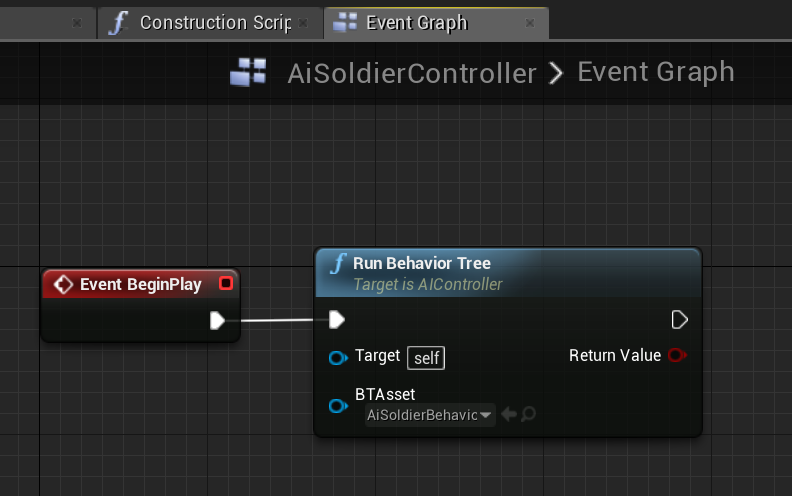 swift bolt
Having some trouble understanding the refresh rate behind the AIPerception Sight sense. I'm getting the impression (and concern) that the sight sense only updates once and won't update again unless the pawn to sense is moving. I thought if I set the Sight Age to 1, then after expires, if the pawn was still in seeing range it would update again but it doesn't. Is there a way to manually force the pawn to update the sight even if pawn to sense isn't moving? Or am I understanding things incorrectly?
I guess I'm looking for the Sensing interval as seen here https://i.imgur.com/tUlr1C1.png but I think that was for the old way to do AI
 patent hornet
find a video in Live Steam it has "Advanced AI" in the title
also, you can force the perception data to draw in PIE with '
video has setting up AIPerception, EQS and debugging AI in it
swift bolt
seems like my sights age counter isn't moving at all
IDK if that means its just constantly resetting on my location every tick?
lol the bug he said he fixed for the age counter not going up for sight never got fixed?
26:00 min in this video https://www.youtube.com/watch?v=NZZtMNdJk5o

Training Content Creator Ian Shadden is joined by Lead AI Programmer Mieszko Zielinksi as they build on the Basics of AI stream and delve into more advanced ...
swift bolt
@patent hornet think I found what I needed to call to "Update" it is "RequestStimuliListenerUpdate"
Seems to be doing what i want
ionic geode
Anyone know a way to dynamically override the effect of "Acceptance Radius" in the default MoveTo Task? In an extended C++ class based on BTTask_MoveTo.
I wish to determine acceptance radius based on other parameters that can be changed on runtime.
swift bolt
No scratch that it doesn't do what I thought it did after digging deeper into the source :/
@ionic geode You'll have to dig into source and maybe make your own version of it
ionic geode
@swift bolt yeah I was thinking to maybe copy the entire class and just change how the radius is set 😃
stark zealot
Is there a way to make my AI Ragdoll like he's knocked out then wait 30 seconds and return to normal? I have it all working but can't make his ragdolled body return to normal.
 leaden flume
If your issue is the smooth animation to get back up, this is what you're looking for: https://docs.unrealengine.com/en-us/Engine/Animation/PoseSnapshot
stark zealot
@leaden flume Thanks! That's exactly what I need. I didn't know what it was called
leaden flume
👍
swift bolt
There are so many useful function not exposed to the AI Perception Blueprint, are most people cloning it and exposing them themselves or not needing all those juicy functions? Or I guess doing the AI in C++ probably.
near jetty
the design of DWVR AI is SO BAD that im going to rewrite some enemies instead of fixing them
dont do the mistakes i did XD
attack logic goes well in components if it needs to change a lot, and a more modular version with a controller that does "nothing" but offer some good functions and then behavior trees doing the stuff
i made the huge mistake of having the c++ core class do stuff and share the same controller over wildly different enemies
swift bolt
Digging through the source it looks like the ProcessStimuli should hit if the flag "bSomeListenersNeedUpdateDueToStimuliAging" is set to true which it should get set to true when the age of a stimuli expires yet for Sight that is not the case.
So I guess I need to figure out why sight doesn't age even when an age is set
swift bolt
So this is interesting. On Perception Updated fires only when a sense is detected not lost.
So you can only ever get false back for a sense if another sense fires, so if you register both sight and hearing, and hearing fires the On Perception Updated event, then sight will come in as false. But you can't get sight as false when sight is lost.
Is this a good design choice or is there a way to work with this?
That fact is forcing me to reset my own IsSeeing bool to false periodically but this isn't reliable because when i set it to false this way it might actually be true. Is there a way to get an accurate bool if the AI is seeing something or not?
swift bolt
I think the solution is to just use On Perception Target Updated, this seems to be firing more. Need more testing to be sure though.
 viscid tiger
hay all looking for a premade enemy ai for melee enemies
can someone point me in the direction of a good one?
viscid oasis
@near jetty you'd recommend different AI Classes per type of enemy?
 ebon ore
Hey guys!
Which ways are exist to limit a specific AI to some area, while allow to other AIs to move through all the level?
inner crane
so im having issues with my ai here is a video showing and explaining issue https://youtu.be/tLj01fLYwe0
 pine steeple
@ebon ore nav mesh modifiers
inner crane
@flint trail here is that video you asked for
ebon ore
@pine steeple yes, thank you, I have already found this thing 😃
 fallow gull
Hi guys, how do I prevent an object from generating navigable areas on top of itself?
Like this :
Those are dynamic, so a navmesh modifier volume won't help.
 wild mortar
@fallow gull you can make multiple navmesh volume with height lower that can avoid those behavior, and link them up with Navlink proxy
ionic geode
How to properly get "OwnerComp" from a BTTask in C++ ( Need to call FinishLatentTask from a custom function )
Got it..
UBehaviorTreeComponent* OwnerComp = Cast<UBehaviorTreeComponent>(GetOuter());
patent hornet
or you can get it from AIController reference
that you already have, i suspect
@fallow gull there is also "CanCharacterStepUpOn" somewhere in collision settings
try disabling it
ionic geode
@patent hornet True, thanks
fallow gull
@wild mortar ah right! That's a solution.
@patent hornet I don't think it orevents the navmesh from generating areas on top right? I still can project a point on the nav mesh on this area?
fallow gull
Guys, do you also have issues with the clamp score inthe EQS system?
As you can see I have clamped my values to be at a minimum of 0.5 but I still have values under 0.5. Is it a bug? I'm on 4.19
inner crane
what is a good way to target closest actor with said actor tag
patent hornet
unless you have a way to limit the actor pool you are querying against, there is no good way
FindAllActorsWithTag (i think its a thing) is fairly expensive
inner crane
i mean i look for actors in a radius so im trying to find closest from the array that i have in the radius with line of site
 quaint radish
The AI programmer for Sims 4 is an instructor at my school. He made some tutorials for me digging into behavior trees. Share and like please to encourage more of this :)
https://youtu.be/GfNXaRY23rY

This video goes over the basic theory of behavior trees and how they work. It covers tasks, selectors, and sequences.
fallow gull
thank you so much for sharing that, it deserves way more views! I'd never find that without you
 brisk coral
Yes a nice series, very well explained, thanks @quaint radish
Would be good to have pinned to the channel ... sounds like there's a lot more to come.
 sterile mirage
Is there a way to define a NavModifier / NavArea so that they don't allow fallback pathing? I expected NavArea_Obstacle to essentially turn off the navmesh but it just makes the cost super high and still allows pathing if no path exists.
Looks like I could maybe get the Path Costs and short-circuit the pathfinding in my behavior trees. Is that a decent approach or am I missing a cleaner / better angle?
sterile mirage
In case anyone sees the above question and finds this helpful: BlockingVolume with collision settings only blocking the enemy pawns is what I was looking for.
pine steeple
anyone get weird jittering using crowd following component?
 crisp drum
Hi, quick question, is it better to use many smaller nav mesh bounds volumes or one big nav mesh bound volume and use nav modifiers volumes to exclude the parts that arent needed?
quaint radish
@brisk coral he's open to requests for topics. Any kind of activity about this would encourage him to keep going. Leave comments and make requests or ask questions. He really is the only person I know who loves explaining things.
flint trail
I like to explain things too, but I don't know anything about AI 😛
errant wave
Hello gents! Would any of you know why my navmesh won't generate indoors, even with nav agent radius/height set to be small enough? I can't figure this out at all.
errant wave
Figured it out. Rebuilding navigation worked.
swift bolt
@fallow gull I actually came here to figure out the same issue! I want to prevent certain objects from having what I'm guessing is the Nav Height including them in nav generation.
If I say I don't want them to affect nav mesh they still do because nav height jumps over them
does that make sense?
Even setting Can Step On to false does nothing, which you think it would.
I can probably lower the Step Height but I need it to be this high for proper nav generation of some stairs I have.
so If I have a 5 inch high box I don't want the AI to walk on, but Step Height needs to be 7 inches for the stairs, how can I achieve no nav generation on top of the 5 inch box but maintain the 7 inch step height I need?
 obsidian kettle
Hey guys, does anyone know if the 'aiperceptionsourcestimuli' only broadcasts a cone signal to a particular direction. I have found that having a character with a 62deg peripheral vision cone can only detect actors from one side of the actor its facing. Presumable it only really detects the source and the mesh/actor is fairly irrelevant. Or does the source stimuli broadcast a circle so it can be detected from all sides of an actor it is placed on?
elfin socket
The Behavior Tree tutorial video that was posted the other day is really good! Here's a link to the full series (5-videos, each about half an hour long): https://www.youtube.com/playlist?list=PLUUXnYtS5hcX5Bq3WRCnkI-p2PW6PBulP
(For those of you who have done AI tutorials in the past and alreaady know the basics, just skip to the final video of the series)

YouTube
<@&213101288538374145> Can we get a pin for that playlist I just posted? It's really good.
 smoky summit
 dreamy surge
whats the best video to learn how to set up AI
elfin socket
@dreamy surge I just linked it
dreamy surge
oh cool
because I was using virtus tutorial but it was basic and incomplete
I just bought the AI took kit
does anyone use the AI behavioral tool kit?
I think i need animaton also
dreamy surge
what do I do first behavior trees or animations?
dreamy surge
where can I find a good tutorial video showing AI and blueprint set up together?
orchid brook
Does anyone have any performance metrics on their AI they'd be willing to share? In particular I'm interested to know what sort of benchmark to aim for with the total tick() time for all NPCs. 10ms? More? Less?
dreamy surge
i need a good video on setting up AI with automation
all the animations go over player animations
pine steeple
well its done with a behaviour tree and animations being done by whatever state the AI is in
 gray mulch
ok people I'm confused: where did UNavigationSystem::FindPathToActorSynchronously() landed?
I mean in cpp
pine steeple
4.20?
 tropic lily
Hey can someone help me with the decorators in the behavior tree?
For some reason they’re not activating no matter what I do
pine steeple
sure
tropic lily
I don’t think I’m doing anything right here
tropic lily
The decorator node doesn’t activate until the sequence ends it’s first cycle.
I can’t interrupt it at all
patent hornet
@tropic lily https://www.youtube.com/watch?v=49Xub-taTig
What are the Service Nodes in the Behavior Tree in Unreal Engine 4 Source Files: https://github.com/MWadstein/wtf-hdi-files
sudden drum
is it normal that my service at the root is not being ticked?
it stops ticking after some event i cannot identify
and it is the first thing on the BT
keen furnace
@sudden drum check all your tasks, make 100% sure none of them "dead-exec" - they reach a point with no execute finish, lock the ai tree
all exec needs to eventually succeed or fail using an execute finish, a "cast-fail" or branch leading to no exec is usually the prime candidate, watch the tree like a hawk, see what task it did last, and go through it with a fine-tooth

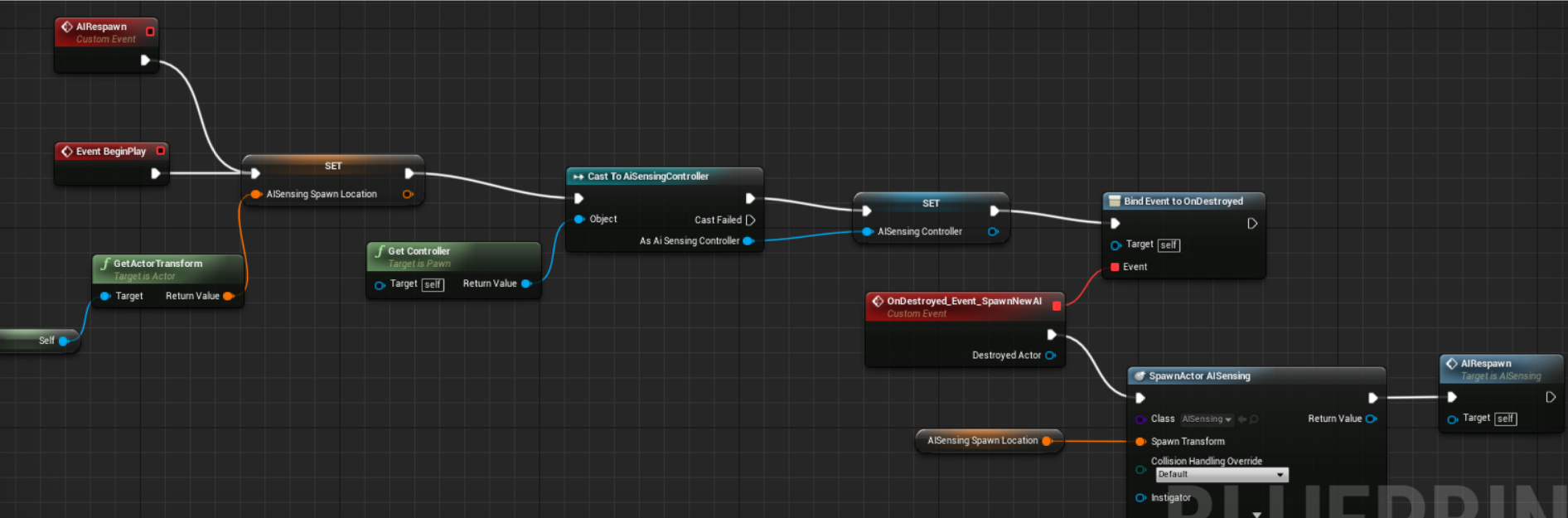
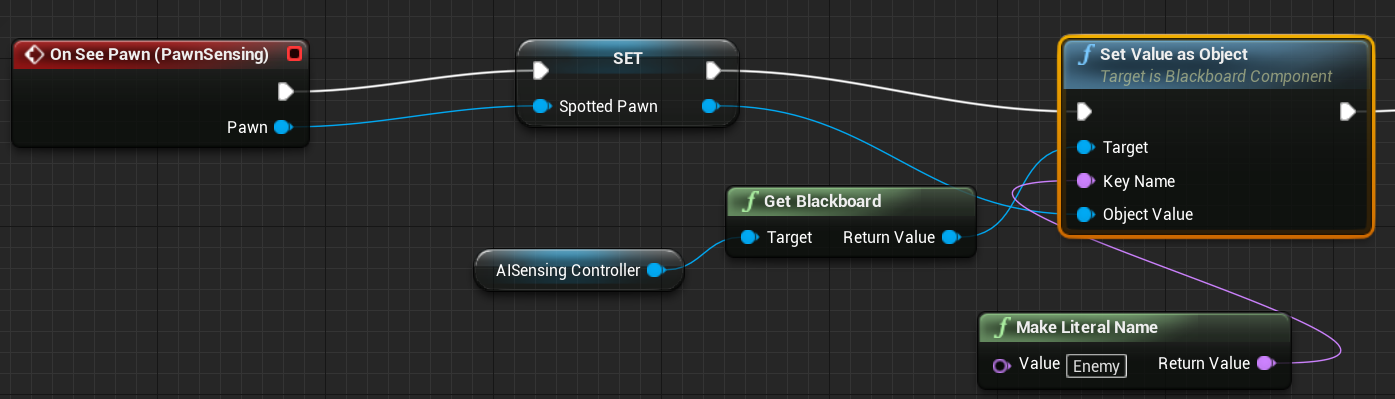

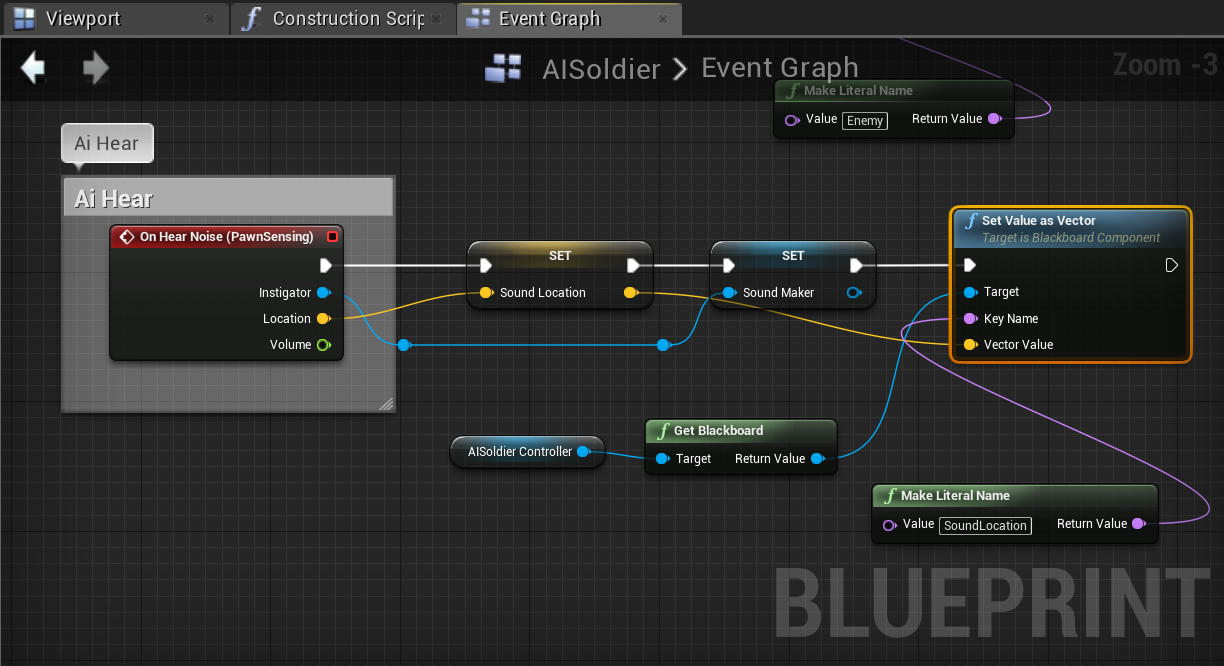

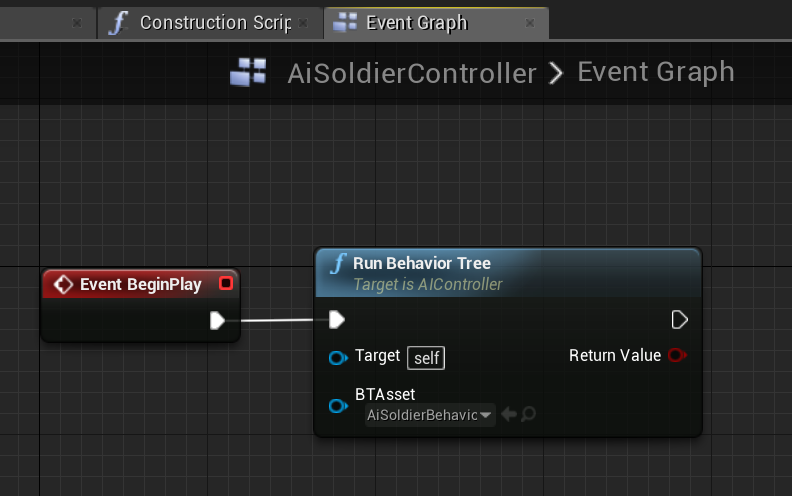

anyone else having this issue with navmesh?
the hole created is permanent in level and cannot be removed, if the level gets saved it gets permanently broken, currently working around it by first placing all the navmods on a remote island to keep it out of potential used area, but this is pretty pants imo
 wary oak
@keen furnace i think you have to move the navmesh to rebuild it
keen furnace
will give it a try mate, cheers
@wary oak fraid not - its still there even if I delete the navmesh, all nav modifiers, the recast navmesh, resave and reopen editor, and place new bounds
wary oak
how weird, iv never had it stay even if iv deleted the nav mesh... must be a bug
keen furnace
im reckoning so, will pass it over to epic, cheers though mate 😃
tbh had similar in the past but not with navmods, used to be in 4.8 if you created a bp with a collision volume that blocked nav, then disabled "affects nav" on that component - it would leave a permanent "ghost collision" in the map you could even visualise with the colliding geometry vis
wary oak
i imagine that is what is happening, its like the navmod is hidden
keen furnace
thats it, its leaving a "ghost" as before, but the previous issue has been fixed for ages - and this leaves no visible ghost with "Draw path colliding geo" aww well!
sudden drum
@keen furnace Thank you so much for your answer
the fact is... that the task it is currently on is the MoveTo task
the UE4 implemented one
keen furnace
not using any other "moveTo" nodes with "lockAI" enabled by chance?
sudden drum
can i post screenshots?
keen furnace
sure
sudden drum
keen furnace
if you only have the moveto does it freeze
keen furnace
np
sudden drum
I don't know how to debug it that well
keen furnace
to start with just use the moveto
then with the service added
your S_TryJumping
ai trees dont lock for no reason
usually its either a latent event or a bad exec flow
i think its very unlikely its the ue4 moveto thats causing it
so try with just that first
then add back your functionality till you can repro a lockup