#gameplay-ai
1 messages · Page 96 of 1
 lyric flint
as in, one might load, or not load, or you need to handle it manually, or having an AI drop off the map because it was unloaded etc @round sierra
 round sierra
@lyric flint oh wow, yeah nav mesh was the reason. For some reason it only works if the nav mesh is in the persistent level. Didn't think that was even a problem. Thanks!
lyric flint
glad i could help 👍
i believe you can maybe "re attach" the nav mesh from the streamed level, but some smart google searches could help point you in the right direction i think
 deft hemlock
i am using pathfind in my ai to make it walk throught the level as i am making a topdown game there is roads and normal path i want the ai to only or prefer to walk into the normal paths (the ones on the road side) not in the roads but sometimes if needed to also walk on the roads if not possible on normal paths how can i do that?
sidewalks
 latent bolt
@deft hemlock you can place navmodifier along roads, that will make road area more prefarable for AI.
deft hemlock
@latent bolt makes sense i have never used one modifier yet but lets say i want the cars ai to drive in the road and the pedestrian to walk on the sidewalks do i need to have two separate navmeshes? ho i woul tell one ai to walk only on the road or at the sidewalk
 glossy spire
You'd probably make a navmesh area for your sidewalks, and a navigation filter that has an additional cost to using the default area
I haven't used it for what you're describing yet, but I imagine it would work the same
Then use that filter when you are doing your pathfinding
deft hemlock
@glossy spire tnks ill try to use the filters
glossy spire
I know you can use a nav filter when doing FindPathTo x Synchronously, but I'm not sure about other movement functions. You might need to make a nav Agent in your project settings...
deft hemlock
@glossy spire ill look for it
glossy spire
Do you guys tend to use Run Behavior sub trees very often?
is that good practice
for larger BTs
glossy spire
Well, I migrated a bunch of stuff to sub trees, and I'm pretty happy with it
overall makes the BT much cleaner
 jovial valve
Quick question: If an AI agent wants to move from point A to point B but there is a breakable obstacle blocking their path, how do they know that the path between A and B is valid but blocked?
glossy spire
@jovial valve I doubt this is the the best way, but you could Find Path to Location Synchronously once with the obstruction as a filter, and once without, then compare the paths
jovial valve
I'm wondering if the nav mesh would become obstructed by a destructible object.
I'm tentatatively thinking that I could set an object to not affect the navigation mesh, but when a path is calculated, I run a bunch of line traces to check if the path is blocked by destructible objects. One thing that I'd probably want to do is add "weight" to a section of the nav mesh if its occupied by a destructible object, so it's avoided if there is an easier path...
I have no idea if this is the best approach though, so I'm asking if anyone else has better ideas
glossy spire
hmm yeah, you could trace from point to point along the path, only looking for hits on the destructable object
that seems like a good idea to me
 worn crescent
@jovial valve actually seems interesting because nav maps are baked right?
jovial valve
yes
worn crescent
so you can't really dynamically update them on that stuff you would need to have an instance of it to edit
jovial valve
I'm not sure I follow.
worn crescent
are you trying to only edit it real time
or do you want to save it in real time too?
or from real time to disk
e.g. saved games
jovial valve
so, here's the scenario: The player can build a house in the world by placing walls and doors. All of it can be destroyed, but the doors are more fragile than the walls. A zombie is trying to get to the player. If the player locks themselves into a house, the zombie should try to find a way into the house. If the house has a locked door, the zombie should try to bash the door down so that he clears his path to the player.
If I just do a straight nav mesh pathfind from zombie to player, the nav mesh would probably be blocked by the obstacles and return an invalid path result.
At the same time, if the player places a destructible door between himself and the zombie, and only a door, the zombie should just realize that the direct path to the player is more expensive than just walking around the door. So, the door should have some cost weight which it applies to the nav mesh
worn crescent
So do your doors count as nav obsticals?
jovial valve
I'm not sure. I just found that and am looking into whether it does what I'm looking for. Mostly, what I think I may be looking for is a volume which dynamically changes the cost value of a region of the nav mesh.
have you used nav modifier volumes? How do they work?
 sudden lodge
Can I record my AI events and load it ?
 ebon ore
Hey everyone! :)
Is it a known issue when spawning lot of pawns with AIController after some amount of spawned pawns, new pawns are not moving?
(lot == about 70+)
or I need to look into my setup/code?
 last fjord
http://www.gameaipro.com/ now second book as free download as well 😃
 magic jasper
Anyone have any pro tips for this?
Before I start looking into how to make a custom nav mesh :/
ebon ore
How to find a reason why AI MoveTo node suddenly starts to return Fail because of EPathFollowingResult::Blocked? It happens suddenly after the same BP was already spawned multiple times with no changes and after some time new instances stop to work...
nothing changed in map or BP
just first ~50-70 instances are working good, then all new instances are not working
Ok it starts exactly after 50 instances are spawned
Is there any hidden limits? %)
Also I see when first instances are destroyed, their AIControllers are still exist... could it be a reason?
thanks 😉
 patent marten
@ebon ore : inrease the number of agents in project settings / crowd from default 50 to e.g. 100.
glossy spire
@errant maple I started by watching tons of videos.
I end up making most of my tasks and decorators in blueprints
Are you looking for more info on how unreals behavior trees work?
Epic has some pretty good live streams on twitch
patent marten
@magic jasper : what if you would increase agent max slope and max height, that makes NavMesh to cover areas you want? it would result in no proper movement because of collision with environment, but you could add a box component to models, a bit larger than their shape, and if they are entered a juming is started into the directio of next waypoint... just a rough idea.
magic jasper
@patent marten I tried that originally, but the problem was they would try to go 'up' the ramps as well. Instead I'm looking at making a custom navmesh like UT does, which auto-generates jump links between nav polys
It's a bit complicated but it does mean I can just build levels and won't have to manually go through and place links afterwards. Should help a lot..
Problem is my pawns have so much free movement compared to characters, Unreal usually hates that. This might come in useful for hovering pawns of all kinds in the future though.
patent marten
ahh understood. UT code might be worthy to check, you are not the first who mention it as a soucre of possible solutions...
magic jasper
Yeh UT is pretty sweet for stuff like that. It's targeting 120 FPS too so you can usually bet their code runs fast.. and it's based on 20 year old tried-and -tested ideas too :p
Unfortuantely because it's an internal project to Epic and most of the people working on it have been doing it for years, it's not that well commented so hard to follow at times :p
patent marten
sounds cool. except the missing comments. their programmers should be warned to be fired if not commenting code properly 😄
magic jasper
Haha I think it's cus they're such a small team they just don't bother.. plus you're technically not allowed to use their code in projects - but it's good source of ideas / inspiration
patent marten
do you mean its license is not the same as of the engine itself? sad...
anyway I will check it...
on long cold winter night
s
 trim wraith
hey folks, is there a way to use the value of booleans in a behavior tree? it seems we can only use whether or not variables have values that change or are stored, which seems to be a little ineffective over just using the value of the boolean. am I missing something?
glossy spire
@trim wraith You can create your own descriptors and tasks with whatever logic you like.
trim wraith
Thanks JohnL, maybe I'm not thinking about this the right way. Do you mean something to the effect of making a task self canceling? I'll have a think about what you say.
glossy spire
You can do that with your custom tasks, or you could create a descriptor BP and use it as a condition in your BT
discriptors have a "Perform Condition Check" function that is called whenever the tree tries to path down a branch
For example, you could make a new decorator blueprint called IsMyBoolTrue. You would override the Perform Condition Check function, and find your pawn, or whatever has your boolean, and then use that boolean as your return value
trim wraith
ohhhhhh I see, wow. Thank you for this suggestion John. That makes sense. Thank you very much for taking the time to explain! 😄
glossy spire
no prob
 cursive vector
anyone know if there is a way to ignore the querier in eqs traces, or if it's maybe ignored by default and i have some other problem?
glossy spire
@cursive vector IIRC you can specify a trace channel
cursive vector
oh yeah. never made a custom one
 shell epoch
hey guys, how I go about setting up AI Perception in AI Controller from C++
here is my code for setting up Perception component,
void AGuardController::SetupPerceptionComponent()
{
    AIPerceptionComponent = GetAIPerceptionComponent();
    if ( AIPerceptionComponent == nullptr )
    {
        LOGGER( "Missing AI Perception Component..." );
        return;
    }

    AIPerceptionComponent->OnTargetPerceptionUpdated.AddDynamic( this, &AGuardController::OnTargetPerceptionUpdated );
}

void AGuardController::OnTargetPerceptionUpdated( AActor* Actor, FAIStimulus Stimulus )
{
    LOGGER( FString::Printf( TEXT( "OnTargetPerceptionUpdated : Actor %s" ), *Actor->GetName() ) );
}
OnTargetPerceptionUpdated seems to be called fine from BP but I'm not getting the same method is called from C++ when I bind it with my own delegate method
 cunning fox

 abstract apex
@shell epoch How did you add the SenseConfig to the PerceptionComponent?
shell epoch
From blueprint, should i add that through code?
The Aiperception component I was getting from the GetAiperception function was referencing the component i have added in BP
abstract apex
I never got it to work when adding the sense in the blueprint editor and I believe I debugged the engine code and saw that the releveant function is never called this way. I now create the sense in the constructor of the AIController.
By using UAISenseConfig_Sight* SightConfig = CreateDefaultSubobject<UAISenseConfig_Sight>(TEXT("SenseSight")); then setting the values, and GetAIPerceptionComponent()->ConfigureSense(*SightConfig);
shell epoch
Make sense, will try adding senseconfig from code, thanks for the help
abstract apex
Reconfiguring the same sense later on with a new SenseConfig option seems to work fine btw, but to be registered at all, the sense must be created in the constructor. At least, thats how it works for me now 😉 Let me know if it works. I spent hours on this one would be interested to know if what I am doing is actually the right thing.
shell epoch
Sure, will try in morning and let you know
 floral condor
So.. beginner question... I noticed that behavior trees have things like Play Animation and Play Sound. Are these purely for single player games? Since the behavior tree would only run on the server.
shell epoch
@floral condor Behaviour trees will run run on each of your AIControllers on every client
floral condor
I was under the impression that AIControllers were server only.
shell epoch
yeah you are right, but I guess BT will be calling animation for each of the AIController, not sure if that answers your question though, btw check this discussion, https://answers.unrealengine.com/questions/4278/question-best-method-to-call-animations-from-behav.html
cursive vector
trying to make my own eqs test, getting "LogEQS:Warning: Query [EQ_Cover] doesn't have any valid options!". anyone know why?
patent marten
Aicontroller is server only, animations is replicated by the skeletal mesh component
lyric flint
We got a german-speaking UE development channel and project in Discord and would need some help for NPC-AI. Any german speaking in here good with UE's AI stuff?
glossy spire
Does anyone have experience using unreal's pawn Action system? I'm having difficulty getting it to work, and having even more difficulty finding any documentation or videos
 woven leaf
 elder swift
Hello, my AI is dump. Help me xD I want him to follow more smoothly. I have try with Timeline, it's work great but it's stay active. I want him to follow me only when he see me but the timeline break this :/
shell epoch
@elder swift look for behaviour tree and move to function
you add a AI Perception component to your AI controller, add sight with some radius, so whenever the player is within the given distance you can activate your behaviour tree to make your AI follow the target, player in this case
check this: https://www.youtube.com/watch?v=h0Kb42oCoYg

Private Tutoring & Work for hire: www.Tesla-Dev.com
elder swift
Thanks, gonna try this 😃
 flint trail
has anyone attempted swarm AI in UE4 ? Any tutorials about that ?
 woven sage
Swarm AI being?
Groups of agents being LOD'd into a single agent, sort of thing?
If so, I was actually about to start trying something along those lines
Has anyone here ever run any tests on the cost of just pathfinding?
I'm a bit concerned that it'll be too expensive for large amounts of units
(>100)
woven sage
Wellp, that sucks
Just ran some minor tests
40FPS on an i7-920 with 96 units
Which is honestly shit
glossy spire
is a swarm agent similar to a detour crowd agent
woven sage
Trying to figure out what to look at for profiling navigation, really not sure though
Alright, so now with a defaultpawn child
71 units, getting new places to move to every 0.5-1.5 seconds
120FPS without any -> 100FPS with those 71
-> 65FPS with 150
Which is literally just stuff moving around
So yeah, I guess I can cross my RTS plans off the list with UE4
Because there'll be at least 100 squads at any given time
(I imagine)
At the very least 50
Then the close-up units with ungrouped pathing, then the rest of all the AI...
Performance will dwindle
If anyone knows of any other ways to deal with it, let me know
glossy spire
I imagine the detour crowed would have better performance
well
better than re-pathing all the time, i have no idea what the swarm agent does
but yeah that is a lot of units
you could try reducing the resolution of your nav mesh
woven sage
Well, yeah, it would, but as it's an RTS these units need to do more than just move around arbitrarily
And this is on a tiny map, actually
The 150 units just about fit in there
Not a high res navmesh either
So basically, I'm fucked either way with the standard AI, it seems
Makes me wonder if I'm doing something wrong, since I saw a Paragon dev claim they're using 200 AI units without significant performance hit
 eternal halo
Does an aI controller get a playerstate?
 whole fern
@eternal halo If you put bWantsPlayerState = true in your AI Controller constructor, then it gets a playerstate.
eternal halo
@whole fern is that exposed in blueprints
eternal halo
nvm i figured it out
eternal halo
I use playerstates and the SpawnDefaultPawnFor func on gamemode to spawn my players so I'm trying to hook up my AI into that same system
whole fern
@eternal halo Sorry I was AFK. bWantsPlayerState is not exposed to Blueprints AFAIK.
cursive vector
trying to make my own eqs test, copied the trace test and renamed it to cover. when i add it to an option, the thing turns somehow invalid (the name isnt being shown and the details panels remains empty when selecting it)
also says "LogEQS:Warning: Query [EQ_Cover] doesn't have any valid options!"
when i make a new option (option being the thing connected to the root that contains the tests), it works. but it stops working when i close ue4editor and reload
cursive vector
looks like i cant actually make it happen again... so i guess its solved for now 😉
 hollow escarp
https://docs.unrealengine.com/latest/INT/Gameplay/HowTo/CharacterMovement/Blueprints/AnimBlueprint_Crouch/index.html anyone help me with this
Continuing on setting up the Animation Blueprint for our Character, in this section we set up the Crouch States.
patent marten
@hollow escarp : imo ask it in the animation chat 😃
 remote shoal
Hey im pretty new to ai but with the nav mesh bounds and a multifloor buidling will the ai be able to go places not accessible to the player. so say i have a roof not accessible by the player would the ai be able to go your there?
patent marten
no
in general the player can be controlled in a more tricky way and can more easily access places than ai
deft hemlock
any can help me out what is the most efficient way of using hundreds of Ai also using navmesh? From my perception the biggest challenge is the movement component being fired is causing a huge Fps Drop - from 60fps to 25/30fps while moving.. also i am testing with a lot of actors (around 800 actually) with a simple plane mesh and a texture atatched to it since i dont need lowpoly models just a plane mesh with a texture
remote shoal
@patent marten so the ai wouldnt be able to climb a wall using the nav mesh?
patent marten
no, the navmesh generation can be limited by slope and by step height too
quite a clever stuff
woven sage
@deft hemlock Ran the same kind of tests yesterday, I gave up 😛
remote shoal
so they can or they cant?
woven sage
If you use the defaultpawn movement instead, it helps
But that's really only standard movement
patent marten
@deft hemlock : not really. this is one reason why I implemented a whole custom pathfinder for my RTS
@remote shoal : they cannot climb walls
remote shoal
cool
remote shoal
yeah it was just if they could do it with out specifiying
and i assume they cant go through walls either
deft hemlock
@deft hemlock i was thinking about that of trying maybe to make my own path finding system @V_Rex#8437 Unreal defalt pathfinds doesnt seen to be effective with 200+ ais using navmesh kinda
@V_Rex#8437
the biggest problem is that i only knwo blueprints and i think i cant make my own pathfinding 😃
patent marten
@remote shoal : you can check your navmesh by pressing P in editor, you can clearly see it then where AI can move to. the green area
remote shoal
thanks
deft hemlock
@patent marten
patent marten
@deft hemlock : yeah pathfinding is slow if implemented badly...
if you define what you need you might find a proper solution
but it would be a nightmare with bp for me at least 😄
but you can run pathfinding without movement component
deft hemlock
@deft hemlock whats your experience about that u tryed to make some kind of A* with c++? or bp?
patent marten
so in theory you can use it, but on actors without movement component, but then in case of multiplayer you have to write the smoothed replication stuff
deft hemlock
i am kinda stuck lol dont know if epic can provide out of the box a solution to many AI actors running around without framedrops
patent marten
deft hemlock
@patent marten fantastic work with the RTS by the way
patent marten
but dropped it temporarily, maybe later will test again. was not fast enough
deft hemlock
just saw the forum link
patent marten
thx. it is a long term stuff...
deft hemlock
wait your soldiers sometimes looklike sprites am i crazy?
patent marten
maybe on some images, but not on recent ones
woven sage
Anyone know of a way to get rid of strafing/walking backwards on AI?
^Basically that
woven sage
@potent iris You think it'd be possible for me to get your Vehicle AI plugin, and use it for quadruped animals?
I'm looking for a way to get big, sluggish things (dinosaurs) to not turn in place, strafe and walk backwards
And that means it's basically the same thing as vehicles, really
So you think I can use it on a skeletal mesh with normal AI?
 potent iris
I guess it can be used, if you use it with non wheeled vehicle class it returns outputs for steering in -1 - 1 form
It is not designed for that so I'm not sure if it will do exactly what you want
woven sage
Wellp, if anyone knows of something that'll handle it for me, let me know
3:
Really, I'll take just about anything
woven sage
Anyone feel like writing that override for me? Don't think I know cpp well enough, though in theory I don't think it's that hard of a system
jovial valve
Oh, I know how to do this.
Let's say you are facing 0 degrees (east) and you want to move to 90 degrees (north). If you just use the "moveto" command, the character will instantly snap its rotation from 0 to 90, and that doesn't look very good for the animation. What you want to do is play an animation where the character actually turns to face 90 degrees before moving in that direction.
So what you do is you figure out the current orientation (yaw) of the character and then figure the desired orientation (yaw) and then you gradually move from the current orientation to the desired orientation.
You can either let your animation drive this through root motion, or you can play an animation and turn the character at the same time.
Only when the character is within some specified threshold, do you actually issue the moveto command.
jovial valve
Thoughts?
https://www.gamedev.net/blogs/entry/2263283-designing-intelligent-artificial-intelligence/
GameDev.net
Below is my preliminary draft design for the AI system within Spellbound. I'm slowly migrating away from scripted expert systems towards a more dyna...
Is there a way to assign an AIController an ControllerID
If I'm using controller ID's 0-3 to handle local multiplayer with 4 players
and I want to sub a bot in
eternal halo
I'm currently spawning an AIController during gameplay and attempting to add it's playerstate into the gamestate's Player Array
Does anyone know if the Player Array can be modified like this?
woven sage
@rough citrus Press P, and you can see what it's actually doing
 grand atlas
I wish to create an ai that has a main goal, ways of achieving that goal and actions. Having never done an ai, any suggestions on reading material?
 broken trellis
Yes! This: http://www.gameaipro.com/
Aaand this article specifically is a good primer: http://alumni.media.mit.edu/~jorkin/gdc2006_orkin_jeff_fear.pdf
grand atlas
Thank you, I'll check them out.
woven sage
Yeah, no, as in
Is the navmesh actually generating properly? 😛
Or is it just the agents?
 rough citrus
??
how would i know
i just see a green overlay on the world lol
idk if its my nav mesh volume fault.. or the bp code
woven sage
Well, that means your navmesh bounds are working
 ocean crystal
@rough citrus if you press P while the viewport is focused, can you toggle that green overlay?
oh
Anyway, if you've got a bounds, and you're issuing a command properly, and the AI is set up properly to move, then the only reason why the the AI wouldn't move is if the destination was somehow invalid- right?
So a common pitfall with ue4 ai is that you give it a location but its too far away from the navmesh and the AI just refuses to do anything.
The solution is one of two things:
2. If its just some random location, there'll be a node/function to project that onto the navmesh in some way. Use that. ```Try #2, then
Now, if this doesn't work then that means that the AI isn't properly set up
Somehow
 bold grotto
Hey guys, is it possible to block navigation with a certain material?
bold grotto
too bad. 😦 My problem is: I want to block everything on a spline mesh
And I'm not sure how to generate nav areas over the spline mesh components
cursive vector
do behavior trees have some built in way to say "set blackboard value to null"?
glossy spire
I believe you can clear value
shell epoch
Hey guys, how do i set the BlackboardKeySelector from my blackboard to my AIController
I have exposed these variables in C++
but the dropdown has only None option in BP
 gentle raft
Can anyone point me in the direction to look for a decent crowd avoidance? Was using RVO but it's been acting up recently after I changed the distance at which characters interact with each other. Tried detourAI too but I must be setting it up incorrectly or something, the characters start to jitter, it's not pretty.
glossy spire
I'm using a detour controller for my side project and it seems OK
gentle raft
@glossy spire how did you set it up?
glossy spire
ATM I derive their controller from Detour Crowd AIController and use Move To Location or Actor for movement
they dont path around the player (not sure how to handle that) but path around eachother fine
gentle raft
no quirky issues with their rotations?
did you change anything in the crowd manager settings?
glossy spire
not that I recall, but I'm handling their rotation separately
I'm using a weighted average velocity over time
I probably had what you're encountering, where they start flipping forward directions very quickly when they slow down
TBH i've had very limited experience with detour controllers
gentle raft
Actually now that you say it, I'm using set/clear focus for rotations and a rotation speed parameter in their movement comp. Might be easier to just handle their rotation elsewhere
gentle raft
Here's a video illustrating the problem I'm having btw. The weird jerky motions when characters approach each other.
https://www.youtube.com/watch?v=6AF_aNGagi4&feature=em-upload_owner
ГП: GeForce GTX 1060 ЦП: Intel(R) Core(TM) i7-7700HQ CPU @ 2.80GHz Память: 16 GB RAM (15.88 GB RAM доступно) Текущее разрешение: 1920 x 1080, 60Hz Операционн...
Reducing the size of their capsules makes it a bit better
glossy spire
that looks pretty sweet
i bet if you manually controlled their rotation you could smooth it out
cursive vector
have enemy, enemycontroller and his behaviortree and blackboard. when he shoots, there's a delay before he's allowed to shoot again. need to set a bool for that in blackboard. should i do that directly from the enemy character, or go through the controller? (kinda feel like the character shouldnt know that there is a behaviortree/blackboard being used... how would you do it?)
glossy spire
@cursive vector You could set a timestamp for when he's able to shoot again rather than a boolean. Then when you want to shoot, you could see if the current time is greater or equal to the timestamp
@gentle raft did you use an EQS query for the backup behavior?
whatever it is, its pretty cool
glossy spire
I was just looking at how the characters move around eachother
gentle raft
Ah, that. That's just some move to random vector trickery with variable speeds in their behaviour tree.
glossy spire
nice
gentle raft
Each character periodically checks for the closest enemy they're engaged in combat with (multiple characters can be engaged at once so), then checks if the distance is too close and moves away if that's the case. Otherwise they'll strafe left/right or move closer to the target, randomly.
gentle raft
Hmm nope, the issue isn't related to set/clear focus usage it seems. Made a custom logic to manage rotation, they still go weird with detour AI, without it everything is fine.
 wind musk
So without AI in videogames every single action of "npcs" is determined by a person
Think old school mario
Except every single motion needs to be defined by programmers
As soon as you add in behaviours such as "when this bumps into a wall turn around" you are starting down the path of AI
So not really old school mario because the enemies reacted to the environment
 cloud venture
lolz true
I just felt like asking a basic question, just didn't know what to ask. lol
lyric flint
is anybody here who is familiar with machine learning, deep learning or optimization libraries for c++?
I am looking around for libraries, that I can use with UE, but I dont know which I should go for. Tensorflow, mlpack and Shark seem to be good ones, but I don't have the experience to decide which would be good >.>
lyric flint
Nobody? hmm
 dense pollen
how do I get my ai to move without any navigation mesh? it just needs to do a very plain walk in a line
woven sage
@dense pollen You just interpolate it between two locations...?
magic jasper
I reuse them for my game, which has bots for online deathmatch etc.
If you just spawn the pawns and have them auto-possessed, then those controllers will die
most likely anyway
since they're not referenced by anything else
lyric flint
still looking for someone who has experience with c++ libraries for ML, DL, AI or optimization algorithms in general
 wraith obsidian
Im trying to move a possessed actor
how do i do it
i tried simple move to location and AI move to but it doesnt work! I have nav mesh bounds already
glossy spire
is your actor a character?
eternal halo
I'm trying to brainstorm a way to track hit rate success with blueprints anyone have any ideas?
the AI has 14 possible attacks it can attempt
I can detect if the hitbox has hit a target
and who it hit
but I'm not sure how to track 14 possible success rates for each possible opponent
cursive vector
so eqs traces have to way to ignore the querier? trying to find a spot to shoot at player from, but enemy never likes his current position, because he thinks his own mesh will block shots
glossy spire
@cursive vector You probably need to set the trace channel to only hit world objects
cursive vector
if i don't do that, enemies might end up trying to take cover behind other enemies 😃 my current solution is: make copy of trace test in c++, add TraceParams.AddIgnoredActor(Cast<AActor>(DataOwner));, done
patent marten
"enemies might end up trying to take cover behind other enemies" have you implemented terrorist behavior? 😄
grand atlas
Trying to learn finite state machine, if I have one state that should be transitionable from any other state, what's a good way of implementing that? Say I have states "idle", "patrol", "attack". Any of those states should be able to transition into the "flee" state, but in my current setup (based on Epics cpp fsm streams) each of those states would have their own transition to "flee". Is there a better way?
Maybe it's not even possible to answer without more detail about the fsm setup, but any pointers are welcome.
glossy spire
@grand atlas UE's built in behavior tree is one of this best features IMO and mostly superior to a traditional FSM
grand atlas
Sure, but I kind of want to learn the methodology.
glossy spire
But, you can change BT's on the fly, basically emulating an FSM
if you're doing your own thing, you'd need each state to have a condition to change to flee
or you could make some kind of global transitions
i've done that before in unity
grand atlas
I was just about to type that, I'm still on this and any thoughts are welcome. I tried creating a state stack: idle-patrol-gather for example. As a condition enters the fsm, each stack member is checked. So in the case of a enemyspotted input, patrol has that transition and would add "attack enemy" to the stack, resulting in idle-patrol-gather-attack enemy. But at the same time it is also a flawed system because in the case of idle-patrol-attack and input "resource spotted", results in idle-patrol-attack-gather.
I think i'll try global transitions, just have to figure out how that should be set up.
Hm, but if I check the stack in reverse, current state first because surely if two states share input, surely the latest on the stack should be used? So then there can also be a check if a state can be.. pushed down? by another. So the "resource spotted" input should be dropped because the attack state would not allow it. And in the case of the flee state, only idle state needs to transition to it.
If anyone spots a problem with that logic, then I'd appreciate if that's pointed out.
glossy spire
haha yeah this is the problem with FSMS, in my opinion
you could make your conditions more specific i guess
prevent transitioning to patrol if there is an enemy spotted
but I haven't actually used an FSM stack
grand atlas
I'll implement this and see how it works. If it doesn't do well, i'll have to think more hard about global transitions. Anyway, thanks for your input.
glossy spire
gl
magic jasper
Does anyone know if you can find out the reason WHY a Nav Link fails?
grand atlas
Hi it's a-me again. Continuing on the fsm stack from before, it kind of works. Say I have a character that patrols. it's patrol accepts inputs "resource spotted" and "enemy spotted". The current stack would be Idle-Patrol.
So the first thing that happens is "resource spotted", resulting in stack Idle-Patrol-Gather-MoveTo.
Then, "Enemy spotted", resulting in stack Idle-Patrol-Gather-MoveTo-AttackEnemy-MoveTo.
In my test, the actor moves to the enemy and attacks it, then returns to the moveto state to gather the resource. However, that's when another resource spotted input is accepted again. Resulting in
Idle-Patrol-Gather-MoveTo-Gather-MoveTo.
So the first thing I thought of was to not allow duplicate states... but I do want multiple MoveTo states.
The other thought was to have, just like "acceptable inputs", "unacceptable inputs". But then I have to add every unacceptable input to every state... Which seems like a inefficient workflow.
If anyone has an idea to solve this, i'd be glad to hear it.
 ocean wren
Jamsh: I didn't see one when i was trawling that bit of code, but I was just trying to figure out how to get a callback on path segment change at the time.. so probably missed it
Robin: my best advice for FSM's is to have a FSM layer for decision making and then have an action queue for the actual actions the FSM can generate. The idea being that the decision logic essentially decides on an action, but the action logic is the thing that runs longer term. So for instance, the FSM node for "MoveTo" would simply insert a MoveTo action into the actors queue of actions. That way, you could push/pop/clear action queue but keep track of decisions in the FSM
for added bonus points, I'd recommend having action queue with "layers" so that you can add/remove actions in different layers for different aspects of action with different priorities. I used that for the AI for a tank combat game where the layers represented the different AI functionality of the tank crews and their responsibility (loading, driving, target selection etc)
The idea of an action queue is that you simply get the front-most action for the given layer and execute it until it considers itself finished
You have an observer pattern that can then cause the FSM to update once the action completes to then consider transitioning
The FSM type you described is called a PDA (push down automata) if I remember correctly. Its in AIWisdom 1 if you want to read up on that. Look for FSM stuff by Steve Rabin in that book (you can get the chapters online now)
He also gives ideas for how to construct transition classes if I recall. 😃
grand atlas
Interesting. I'll have to read up on that and think about what the layer and action queue would entail.
lyric flint
is there any "real" difference between the two nodes??
hooked up to the logic i have they both do the same thing, just the nonarray takes much less nodes.
they both update the same amount of actors i dont get it
lyric flint
and stimulus actually works vs Updated Actors->GetActorsPerception which is broken atm lol????
ocean wren
have a look at the code, see what each does
from what I recall, OnPerceptionUpdated gets any changes in status.. so addition or removal of perception
you can either iterate that list, or simply do your own polling I guess
I have a custom bunch of code in mine, so didn't really pay attention much to the stock code
ah, youre not around 😃
 dim willow
Anyone know how to disable an AI when it dies? Right now I cannot seem to get it to stop walking around and shooting me
I have tried unposses disable input. everything the damn thing wont stop
I even destroyed the damn controller
it still continues to walk around shooting and pathing
 neat summit
@dim willow Hum, I just override AI Controller's "unpossess" and call "StopTree ()" method, from UBehaviorTreeComponent. Like so:
{
    Super::UnPossess ();
    BehaviorComponent->StopTree ();
}```if I tell it to unposses the AI begins to stand in place doing melee attacks and shooting
Is it possible to maybe disable tick or something to make it stop running its logic?
My AI logic is going through event tick
neat summit
Well, not totally sure about your particular scenario of course. But if your character is dead and you have means to know it, perhaps add an enum with states. or a bool flag "bIsAlive", or something along these lines, that is checked in your AI logic, before it runs everytime?
neat summit
hey np
neat summit
how come?
 slim quiver
@dim willow Loving how project stray is looking. Cannot wait to play it
I need to ask though are you planning on mod tools?
dim willow
Next build will likely have animated enemies with death dismemberment 😄
slim quiver
yay
dim willow
I will do what I can to get it to be as bloody as possible
dim willow
kk
slim quiver
It will save you so much time
ebon ore
Hey! :)
Does anyone has experience with procedural text generation? e.g., for NPC dialogs or something
(it's not specifically about Unreal, but definitely about AI)
magic jasper
guys, can you have NavAreas that AI will avoid pathing through - and switch them on or off at runtime?
Without having to rebuild navigation?
 floral vigil
Think you'd need to write a custom nav query class. I wanted to do similar but turned out anything like this involves pretty low level modifications, so haven't attempted it yet.
I really don't get why nav areas and other nav stuff was designed so you use classes for stuff rather than instances, makes doing anything dynamically a huge pain.
magic jasper
I know right 😦 I'm resorting to following UT's method of navigation, which does virtually nothing in line with normal engine stuff
magic jasper
If anybody can answer this before I crumble into dust, I'd appreciatte it.
https://forums.unrealengine.com/showthread.php?150984-FORCE-AI-to-move-towards-target-even-if-it-s-off-NavMesh&p=742293#post742293
flint trail
sounds like AI is the weakest point of UE4 😦
magic jasper
It's totally fine if you're doing characters
Anything else? RIP
Even Unreal Tournament doesn't use any default AI stuff
which is the engines heritage :/
floral vigil
Can your stuff be potentially nowhere near the navmesh?
magic jasper
yeah
The issue is, the AI jumps into the air, and can jump over huge chunks of the level
flint trail
why don't you use characters @magic jasper ?
floral vigil
Hmm. So yeah, hacky solution would be to split it at a high level, like BT, into two different movement types. But that would obviously suck.
Unfortunately I think the proper solution involves basically using a custom nav data (nav mesh).
magic jasper
@flint trail https://www.youtube.com/watch?v=tj3HOUmr2JQ
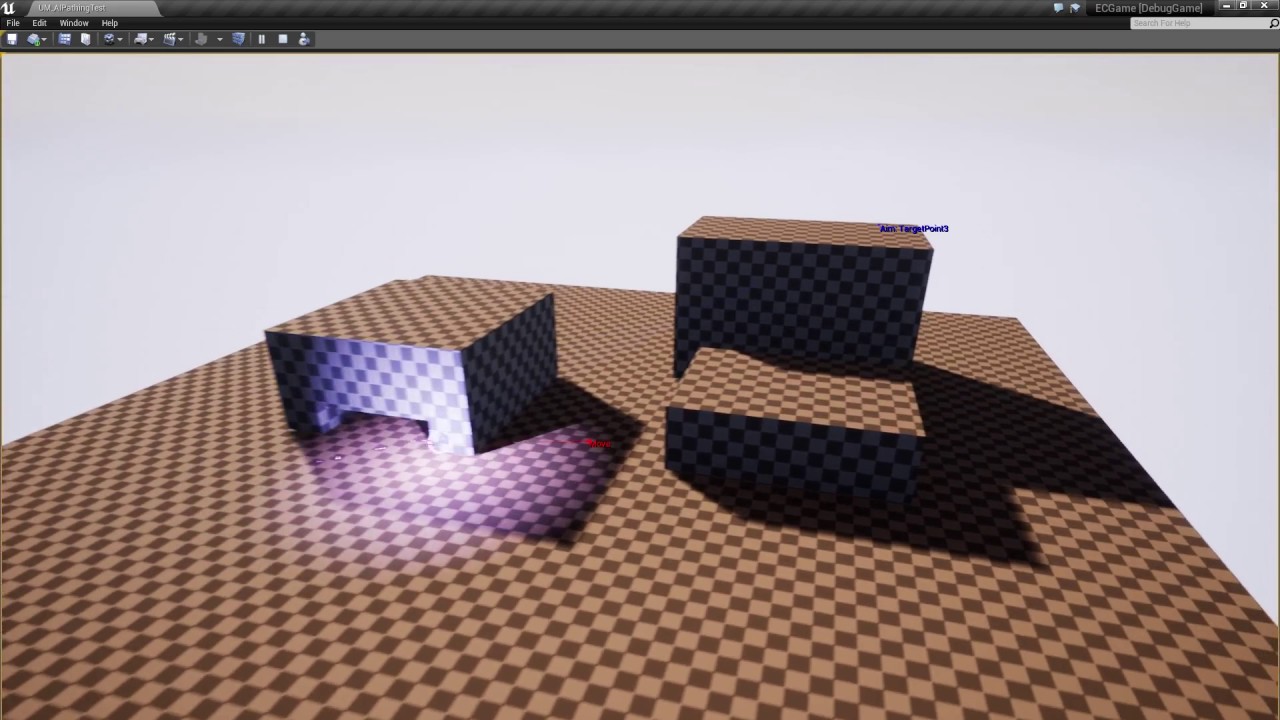
Unless your AI is permanently stuck to the NavMesh, you're gonna have a bad time son... Any hardcore AI programmers want a friggin job? I'm so done...
@floral vigil yeah that's what I started doing, essentailly following from UT's example
But I was hoping to shortcut, and use navLinks and traditional pathfinding
Unfortunately, it looks like I have to go all the way
And write a totally custom pathfinding solution
which suuuuuuuuuuuuucks
@flint trail I have the same problem with hovering vehicles. Annoyingly anything that isn't on the navmesh is going to find it hard to do anything with ti
floral vigil
Yeah I hit the same point myself on a hobby project. Basically wanted my AI to be able to move along certain things, like shimmy along ledges, climb up pipes, etc. Implemented with nav links but it's super limited since there is no node in the nav mesh relating to points part way along.
flint trail
@magic jasper If would make "hovering" AI, I'd make them characters that don't touch the floor. I wouldn't go for a true hovering AI.
visually that is
floral vigil
If you're happy with those special movement cases being all or nothing, then it can work. But if you need them to be first class elements of the nav system, you gotta write it from scratch.
magic jasper
Yeah, it looks like I'll have to go from scratch. It's annoying because it's 'So Close' to being useable, but a few limitations are breaking it
@flint trail yeah but characters are limited, I prefer to do my own movement components. Hovering 'characters' don't really work that well I find, it's hard to make them truly feel hovering
Hell even 'hovering' vehicles in UT3 used wheeled vehicles
flint trail
well, games are series of hacks 😉
and if you want something out of ordinary, get ready to code it from scratch
magic jasper
Most of it has been, my movement component was written from scratch. What I'm annoyed about (and surprised about) is how unflexible the engines' AI system is
Feels like a valid point considering the UT team literally had to write an entire AI system of their own, that uses next to nothing from the engine
flint trail
well, now anti-UE4 folks have a solid argument against UE4 😛
IMO AI is one of the most critical systems nowadays and it's severely neglected in UE4
I am surprised Epic hasn't hired 2-3 more AI gurus
floral vigil
Yeah they are very short. It seems like Mieszko is so busy writing stuff for Epic's projects, he doesn't have any time to port it back to the engine.
It's probably one of the few areas of the engine where your game is going to be severely limited/look terrible if you aren't extending stuff at the C++ level.
 umbral perch
@magic jasper can you elaborate on why they had to write their own AI system? It would seem that that the default systems would work great for a shooter like UT?
magic jasper
I have no idea, but so far they're doing a lot of things that default navigation can't seem to handle.
The AI in UT is a state machine, for all intents and purposes
To make the AI seem intelligent, they do a lot more than most games
flint trail
One way to avoid AI troubles is by making a game without AI 😛
has anyone seen any decent swarm AI tutorials for UE4 ?
umbral perch
Isn't the BT a state machine in a sense? It's fun to try and add logic that would throw off the player / do a lot more than simple barebones logic but other than pathfinding there hasn't been something that the default tools couldn't handle for me personally.
 wild citrus
Hey are there any great resources/examples online of a more complex ai/behavior tree? So I have some reference if I'm doing things right before diving in the deep end
naturally all I can find are intro/beginner tutorials
but nothing about a more larger oversight/structure/best practices to build a full AI
glossy spire
@jordyLakiere#8406 I've found Run Behavior tasks to be really helpful keeping my trees readable
 limber garden
i was thinking of doing a turn based rpg in inspiration of dragon quest XI but since it will be my first game project realy i think might be simplier to be more action oriented maybe even shooter based as i got this cool moba elf character from a sale pack still could have rpg elements with exploration and stuffs. i just am getting into blueprints so . still trying to figure out things. got some low poly fantasy assets on sale from the store too 😃 pretty neat so far. lots of included sample demos to and tutorials out there
 radiant wigeon
hey Guys. im doing a 2d sidescroller game with some ai mechanics. just curious why the exposed on spawn variables of my actor work with spawn actor but not with spawn aiactor ?
https://answers.unrealengine.com/questions/349611/why-dont-expose-on-spawn-variables-show-as-input-n.html << seams like this is an issue for some time now
 west fractal
Hello, do you know any tutorials/docs covering animal herd ai topic?
 modern crane
http://prntscr.com/g23u20 Very new to unreal, why is this not possible?
 glossy spire
@modern crane looks like you are trying to call a Pawn function on a skeletal mesh actor
modern crane
That is right, I thought it wasn't a good idea either, but I just want this crab to move with animations so that's why I thought I should call it on the skeletal mesh actor?
glossy spire
there are a truck load of functions for moving actors around, and the one you're calling requires a pawn
you can also move actors with root motion
modern crane
So I have a static mesh, skeletal mesh and an animation sequence. No idea which one to use for this, or which one I should place in my scene
glossy spire
you probably want to make your crab a "character", which in unreal is a type of object that includes a skeletal mesh, AI, and some basic movement functionality
 nova bough
Hey! Does anyone have any tutorials on creating advanced vehicle AI for unreal please? I've created a basic waypoint to waypoint AI now would like to learn more complex AI slight_smile thanks a lot
wind musk
Here you forgot these: ::
glossy spire
Say I have a value I want set in my behavior tree. I want it done once, immediatly when a branch is reached, and I don't care about the results. How do I determine if it's better done as a task in a sequence, or as a service?
I've been using tasks, and this is what it can sometimes look like:
Is this sane?
flint trail
@glossy spire probably worth tweeting @ AI man in Epic and @rugged path
floral vigil
@glossy spire Task makes sense, since services are intended to be executed repeatedly.
 supple nacelle
anyone know about GenericTeamId's?
 analog tusk
Hi! Can anyone gimme pointers on how to implement a flanking system for AI?
 keen prism
I'm trying to make AI open doors on their way along a nav mesh (playing an animation).. is a 'Smart' Nav Link the way to do this?
I can't seem to get the 'Smart Link Reached' event to fire
keen prism
just trying to make the door open with no anim looks like this.. the breakpoint never gets hit
ah found the solution.. need to remove the entry from the 'simple link' array
 spare sinew
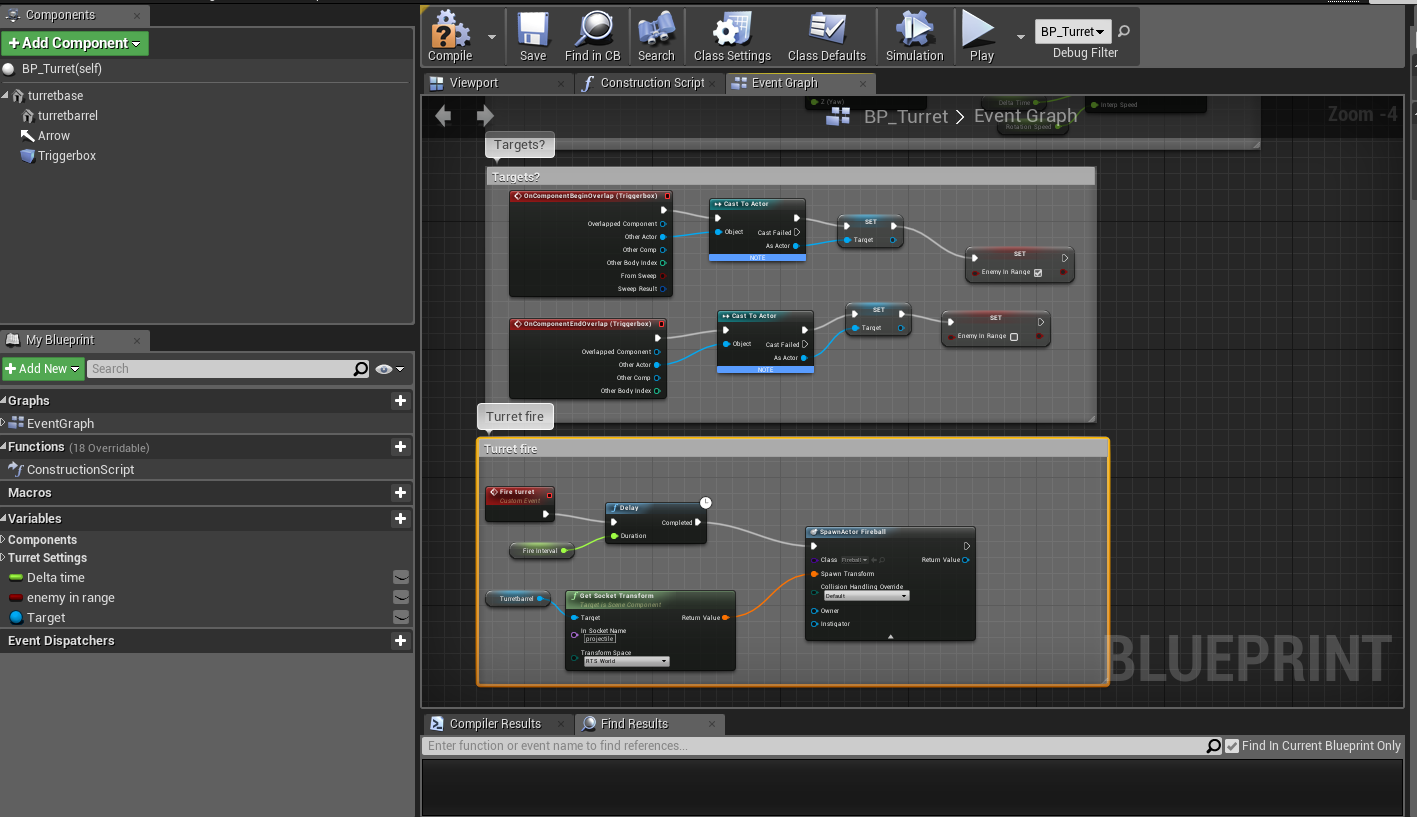
Hi, this is my current blueprint to shoot at the player controlled character, how Do I convert this to shoot at certain other objects that enter the trigger box ? http://imgur.com/a/XJh7y
 analog tusk
@DeciI believe you just need to check for those other objects by casting to their class(s)
So you'd do smthn like: OnTriggered, Cast to ObjClass1, if true proceed with Update Rotation, if false Cast to ObjClass2, and so on
You can create a variable of type AActor to use for your Find Rotation calculation. Of course, the Actor var should be set once any of the cast checks is true
I hope I explained clearly enough
 fierce lance
Noob Question: I'm following the Making Game Ready AI livestream series, and have a behavior tree like so:
The CheckFullness service is not called frequently enough to where it is checked after the UseItem task is run
I'm trying to have the service run again after the UseItem task is called, but both my variables and debug logging suggest that the service attached to my task (in the orange box) is called BEFORE the task is run.
Is there a proper way to have this service run after the task? I can't call it from the task, and I can't seem to find a way to have the service as a stand-alone node in the tree
glossy spire
@fierce lance you could turn it into another task or a decorator
When I need to check something before continuing, I generally use decorators
and when I want several actions to happen one after the other, I use a sequence of tasks
fierce lance
@glossy spire How exactly are you setting up your decorators? I've tried swapping out my service with a decorator, but the decorator, as far as I can tell, isn't even being run.
glossy spire
there is an override function on your decorator called Perform Condition Check
you have it return true or false
if its true, the task or composite or whatever its attached to will run
in the behavior tree you can also set it to override itself or lower priority branches when the condition changes
glossy spire
there are a bunch of youtube and twitch videos
search for "Setting Up Advanced AI" on youtube
supple nacelle
has anyone looked into the ai used in robo recall? I can't seem to find their pawn/controller detection system design. I see team assignments, but I dont see any actual sensing components. has anyone come across this?
supple nacelle
nm, just found it. seems they're using an ai manager, and then custom built a vision cone which is called from a behavior service
i kinda wonder why the robo recall team didn't use any of the built in pawn sensing or perception system.
patent marten
Probably.it has lower performance cost, and no sound sensing required
fierce lance
@glossy spire thanks for the help, the Perform Condition Check worked! A little bummed out though that I need a check fullness service and a decorator, but I guess it is what it is.
flint trail
lol, so UE4 has AI stuff that even Epic isn't using in their own projects.. Isn't it odd ?
analog tusk
Not really. Imo there could be all sorts of reasons they're not using them
One of which could be simply cause they wanna write original designs. From there, the reasons branch out 🙂
flint trail
that's exactly why it's odd
if devs don't use their own system, it might mean systems is quite flawed and they simply don't have time (or desire) to rewrite it.
it falls into one of those false advertisement cases.. "UE4 is a complete solution, free, but it doesn't quite work unless you have C++ team of programmers".
just saying..
 livid hawk
Hey, anyone knows how to have the "wait" function of a behavior tree
use a variable from a blueprint instead of a float number ?
is it with set_tag_cooldown ?
... cannot there be an option to bind a variable to the field , like in maya ?
 lucid thistle
sec
oh wait you cant lol
well what I would recommend doing is making a task with a delay node then @livid hawk
livid hawk
@lucid thistle it has to be a joke tho
lucid thistle
what lol
livid hawk
in maya, when you see a float channel box, right click on it, and you can bind it to a script or an attribute
 lime radish
Hi, I'm creating a game, here is a preview https://youtu.be/Ltq7DE9BncE
There are segments stored in Blueprint Class, and every obstacle or enemy is a Child Actor Component of that segment
I wanna make a type of enemy that stands still, and when the player gets close, runs away till he sees a door and escape out of the path. I tried different things but it doesn't work.
The player kills the enemy if he is dashing, and dies if he is not.
Can anyone help me figure this out ?
 glossy spire
@lime radish you could make some kind of trigger volume that sets a variable on your enemy as soon as the player enters it
a less efficient way that might work for you is to simply test the distance between the enemy and the player, and set a variable that way
lime radish
None of this workes, but someone gave me an idea
glossy spire
ok good luck
fierce lance
I think I'm going about this the wrong way, and I want your inputs:
I'm following along the Game-Ready-AI livestream series, and I'm at the part where it starts to become a utility-esque AI system, and I'm totally digging it
The AI character has a set of stats including ones like hunger, health, etc. it must fulfill
The way the stream is going about it is as follows:
A main behavior tree takes care of idling as well as running a service that checks the AI's stats and seeing which - if any - need to be fulfilled
If a stat must be fulfilled, a task is run from the main behavior tree that calls upon a sort of sub-behavior tree that is dependent upon the stat that must be fulfilled
For example, when hunger gets too low, a behavior tree is run that queries for food actors, does a MoveTo, and runs a task telling the AI to use that item
However, my problem is that I can't find a way to return back to the main behavior tree afterwards
So, is there a way to run a sub-behavior tree by a variable or something?
The Run Behavior node doesn't allow me to, say, set the desired behavior tree via a key
I'd like to call upon the Heal Self behavior tree if health is the low stat, or Read Book behavior tree if intelligence is low, etc.
glossy spire
@fierce lance it should just run the highest priority branch that has valid decorators
you can use the Run Behavior task (not function) to run a sub tree without totally changing behavior trees
which acts just like if you pasted the sub tree in
if you want to end the branch immediatly, you can have a decorator that aborts self
if you really want to do it dynamically, you could try Run Behavior Dynamic
but i havent tried that yet
livid hawk
guys any idea on how to set a blackboard value in a behavior tree ?
there doesn't seems to be a "set blackboard value" decorator
i'd really love to avoid creating such decorator
currently making a "set blackboard value as bool" decorator
not sure if it makes any sense but heh
ocean crystal
decorator is an odd choice for that IMO
glossy spire
@livid hawk you probably want to use a task, or maybe a service, for setting values in a behavior tree
decorators are typically used to check values rather than set them
 smoky summit
anyone know how to make a mesh non navageable (navmesh doesn't generate on it), but still have it considered in navigation collisions?
livid hawk
@smoky summit untick ' can affect navigation " ?
Collision/Can ever affect navigation
smoky summit
it isn't considered in collision with that unticked
livid hawk
u sure ?
smoky summit
yes
livid hawk
i've tried, my player character is colliding with it
smoky summit
no not that collision
livid hawk
argh, the AI collision, ok
smoky summit
not that either. pathfinding collision
livid hawk
what if you compute the navmesh before the game
and you spawn the objects afterward
and prevent the navmesh to recompute in real time ?
smoky summit
that would work, pretty ugly tho
livid hawk
heh
smoky summit
they aren't props or anything. just a piece of my level
livid hawk
or maybe, what if you make several "nav mesh volumes" instead of one ?
so you can make a zone where there is no navmesh volume
and you can place your object(s) there ?
smoky summit
i would rather use a nav modifier volume than that. was hoping there was an easier way
livid hawk
ah there's navmesh modifier volumes, awesome
i didn't know
oh well , that's all i got, bye 😊
smoky summit
np
fierce lance
@glossy spire I can't just use the Run Behavior task because I need to pick one tree out of several to execute depending on the need
glossy spire
depending on how many stats you need to check, I would probably do something like this instead:
And have Decorator: CheckStat have an exposed enum or something to pick from
I mean, I can imagine sometimes its better to totally change BTs
if the character has died or something
I feel like maybe you're trying to treat the behavior tree more like a state machine
flint trail
any good current books/training resources about UE4's AI ? (current, like 4.16.x version )
livid hawk
also, maybe a small AI question if possible
i have a tree like this , root->sequenceRoot->decorator ( check if bool is enabled) -> task to enable the bool ; then back to sequence root, there's other leafs
but always, once the bool is set to true, decorator ( check if bool is disabled) becomes red, and the behavior tree is stuck
it doesn't go to other leafs as it is supposed to do
any halp appreciated
seems like my blackboard isn't set
(dunno if it's actually that )
now i moved my nodes
and the "root" ( not the sequence root ) is always yellow
😦
almost fixed
glossy spire
@livid hawk maybe your task isn't finishing?
or maybe you need to set your decorator to override self
livid hawk
@glossy spire I fixed it now 😄 starting to understand behavior trees
 west cove
Has anyone else had issues with AIController controlled pawns replicating movement oddly using a BT's MoveTo ?
shell epoch
Hey guys, am i programming my behaviour tree correctly, this is for my AI for Patrolling , moving/chasing the player and searching player
is it more like state machine machine instead of BT or is this how behaviour trees should be?
also there are two more nodes in the same BT for finding ammo and health pack
 ripe sable
Hi, I'm using MoveToActor from the AIController, with an array of ATargetPoints and noticed that there are 2 targets where the pawn always gets stuck for a while and OnMoveCompleted returns (uint16)392 which is not defined in EPathFollowingRequestResult. Any thoughts?
patent marten
I don't know what it could be but I always use ProjectPointToNavigation() to define target locations to ensure it is a valid point of the navmesh
or GetRandomReachablePointInRadius()
@west cove : what do you mean? I had problems with rotation and focus but solved them...
 violet patio
Is there a way to stop an AI from moving to a target point before he reaches it?
I tried using MyAIController->StopMovement(); but that only stopped him when he reaches the point
I've also tried clearing the blackboard key but the same result as above
glossy spire
@PickledFerret#1651 Depends on which movement function you're using
patent marten
In tick event you can cal FinishExecute
I mean the tick of the bt task
One reason why I use custom move tasks calling AIMoveTo BP function
violet patio
@glossy spire @patent marten I'm using the basic MoveTo
glossy spire
the task?
violet patio
yeah
violet patio
im using Blackboard decorators to say if the TargetPoint is Set, then MoveTo: TargetPoint
but I'm clearing the TargetPoint, so it's no longer set
but the AI still moves to that location
violet patio
glossy spire
that decides if, when the decorator is true or false, it aborts lower priority branches, the current branch, both, or nothing
violet patio
Should that be set to Self then?
violet patio
Awesome, I'll try that now
glossy spire
gl
glossy spire
np
west cove
@patent marten turned out to be an issue with auto possession on a character pre-existing in the level, creating an AI spawn manager and handling possession manually fixed all the issues we ran into on a dedi
glossy spire
I'm making my AI characters become simplified when they're far from the player.
What do you guys like better: Brand new behavior trees - OR - Early outs inside tasks and decorators
im trying to decide
patent marten
@west cove : strange, autoposession works for me in any server config
wind musk
Is there a way to know when an ai is using navlinks? I'm just using blueprints atm.
I'm trying to set up a basic jump to get from one "floor" to another.
 cinder carbon
I have an AI character that moves to a particular specified position. It works. I tried spawning 10 instances of the same AI through a BP. But none of them now move to the point. What might be my mistake?
 crisp spindle
@cinder carbon random guess, on your character there is an option 'Auto Possess AI', if you are spawning your characters you should set it to 'Spawned' or 'Placed or Spawned'
 grave jetty
Hello, guys. We have an issue with BT and BTTasks.
BT is on BP class (let it be ChildClass). In one of BT tasks we trying to cast base class (C++ ParentClass) to ChildClass. And Unreal crashes here!!!
I saw this trouble in the internet, but didn't find any solutions. If smb has some ideas - I would be very-very grateful
glossy spire
@kaiZer_Dragomir#8161 No idea what it would do that 😕 Out of curiosity, why are you using a c++ behavior tree class? (if I understand you correctly)
I'm casting c++ actors to blueprint child types all over the place and haven't had any issues, I wonder if you're something unusual?
 stray juniper
@west cove Yea, some of my AI characters get 90 degrees rotated off their intended move direction on clients
I think it might have something to do with my controller rotation
ocean wren
Seems like a lot of people have problems with AI and BT's and such
woven sage
Yeah, because they're unnecessarily cumbersome to get the hang of due to all the things that have been built around it (blackboards, Controllers, standard BP classes...)
Could've just been unified, but hey
Guess Epic likes things overcomplicated
¯_(ツ)_/¯
ocean wren
BT + BB is standard stuff.. but yeah, controllers and normal BP's do muddy the waters some
woven sage
BT and BB together make perfect sense to me
All the other crap that dangles around those two, not so much
glossy spire
TBH I don't really understand the point of blackboards
It seems more organized to keep variables on pawns and controllers directly
wind musk
Seems to me that it is more for keeping with standards of other AI's as well as the ability to inherit variables and to share variables across all of a given controller/BT
glossy spire
@wind musk You could always use a base class for your AI characters, but I see your point
wind musk
Then again I really have no idea what I'm doing
glossy spire
Especially for built-in UE tasks, since Epic has no idea what kind of actor will be running the behavior tree
heh same here basically
ocean wren
Actually, the BB implemented in UE4 is kind of wrong. Too inflexible, and you shouldn't really bind your BT to a single BB so hard.
BB should have been the same data architecture as the blueprint variables, but apparently the speed of those were too low for AI usage
i.e. the blueprint stuff wasn't up to snuff at the time it was all implemented
 lavish lotus
Am I lagging behind? 4.17 has this Actions Comp in the default AI controller
 umbral quarry
Any good ways I can learn ai?
ocean wren
best way to learn is to try making an agent do something
 vast carbon
Anyone know why my 'Acceptance Radius' isn't doing anything? My AI comes up and is inside of me
stray juniper
@vast carbon Try enabling "stop on overlap"
Also, do you want it to move to your camera or your pawn?
vast carbon
@stray juniper Well this is for a VR project so when it moves to my pawn, it moves to the center of my play space. Since it's roomscale VR, the player may not be at that position and may be to the left or right of that point in space, making the enemy AI appear dumb. I set it to the camera because that is the HMD (where the player's head actually is)
I managed to get around this (somewhat) by creating a collision capsule around the camera but I'll try enabling stop on overlap as well.
 near kelp
Go ahead
 stiff vapor
- would it be possible to adjust an AI by telling it stuff and greadually it begins to understand what you want or would it just confuse them
for example the bots in rocket league
they have a problem understanding the distance to keep
they are either too close or too far away but you want them to be flexible ofc
- would it be interesting to release an advanced AI into a virtual world?
and see what it does basically, but you can also give it orders ofc
 azure girder
I think this answers both of your questions:
https://www.youtube.com/watch?v=gn4nRCC9TwQ

Google's artificial intelligence company, DeepMind, has developed an AI that has managed to learn how to walk, run, jump, and climb without any prior guidanc...
stiff vapor
ive seen that but no not really i think that video actually made me come up with the questions tho 😛
near kelp
It is possible to use some Machine Learning stuff to achieve what you want: the machine learns according to the context and the situation. Problem: it takes time for the computer to learn.
grand atlas
In the context of an RTS units awareness of other units (ignoring things like fog of war or LOS), is having a collision sphere on the unit appropriate, or should some other method be used?
I ask because as I understand it, collisions is pretty performance heavy so maybe collision spheres on a bunch of units is a bad idea? But then, how could a unit detect other units?
near kelp
What about a timer that triggers a function that checks the distances between the actors?
stiff vapor
ok thx i will see if i can formulate my questions better
but its interesting
they have this machine leaerning going i suppose 24/7?
at companies like google?
near kelp
Yeah, but you can also do it on you computer, all you need is a gpu and some time ahead (some hours).
And an example for Google: https://www.theverge.com/2016/7/21/12246258/google-deepmind-ai-data-center-cooling

The Verge
The amount of energy consumed by big data centers has always been a headache for tech companies. Keeping the servers cool as they crunch numbers is such a challenge that Facebook even built one of...
 stable imp
for actor awareness I keep track of everyone i have ever seen (from unreal's pawnsensory stuff), and then on a slow tick rate recalculate distance, or remove them from list if they are dead.
but for an RTS you probably dont want pawn sensory detection, it could be octree based, or a huge sphere scan once in a while. it is true that leaving colliders on all the time is excessive
regarding machine learning stuff, the peak level of complexity in the academic world is pacman and 1v1 dota, both are 2d with relatively slow movement
stiff vapor
thx
 arctic crag
Anyone ever used DoN's 3D pathfinding?
lyric flint
Anyone mind linking me to a good multiplayer AI tutorial series/set
 viral orbit
Hello, my name is Haris, I am from Bosnia and Herzegovina, and I am new to game development. I worked for 13 years as a 3d modeler, now I want to try making a game. I intend on doing it solo, mainly because there are no schools for game design in my country(trained people) and secondly, because I want to fulfill my vision. I started making a space trade and combat game most similar to Freelancer but with more gameplay elements. I have time and motivation to spend next 3-4 years making it, so that is decided. That being said, I have questions about AI
There is an x amount of star systems. Each system has an x number of planets. Every planet has a rating, 0 being uninhabitable/hostile, to 10 - maximum infrastructure, trading capacity, production and awesomeness.
According to the planet's rating, it has funds, a finite number of space ships(manpower). Everything can be influenced via player action - lets say a new planet is inhabited(rating 1) it requires 10.000 terraforming machinery. Player can trade and speed up the development of the planet, gaining access to higher tier quests, trade goods and ships to buy.
This is all clear to me, now here is the real question.
Do I divide my AI into 3 parts?
- Macro AI - observes changes to all planets ratings(in the whole star cluster/universe)>opens trade lanes(pathfiniding from system gate to the new planet)>opens higher tier options for players>changes planet ownership if planet manpower falls below a certain percent
2)Middle AI - keeps track of in-system movement(xyz positions, AI ship IDs, ship weapons IDs etc,persistant universe) > gives roles to groups (scout, rally, trade, move to another system, attack planet etc)
3)Micro AI - individual ship AI >firing weapons > fleeing if bellow x% hull > mine > trade
I know it's a long question, but I believe it's quite clear. To everyone dedicating his/her time, I thank you deeply
If something is unclear, I am here to elaborate
viral orbit
I am still here 😃
 uneven cloud
@viral orbit parallel decision making is incredibly common. It's usually broken up by what decisions need to be made, such as you want group AI separate from individual AI. Tactics vs overall strategy.
viral orbit
And this is all governed by one AI controller?
uneven cloud
I wouldn't put it there, but it's a great place for the individual AI behavior. I use an AI manager to govern the different parts.
viral orbit
ooh, so the 3rd thing, micro AI - flying a ship, firing etc, would go here?
sorry if I am annoying but AI is a puzzle for me, I dont understand it completely
uneven cloud
In the AI controller? Yes. All the stuff the individual AI needs to do.
viral orbit
great 😄
lyric flint
Anyone know of good survival horror games with great AI? Busy watching Alien Isolation speedruns, can't believe how these guys just run past the androids and aliens on nightmare mode.
 keen hinge
Well I am sure it wouldnt be game if you wouldnt get pass of them. Idea in game is to make player enjoy and feel powerful while playing it, not making it unplayable like following real life event: war. People die. Good example is multiplayer where you cant do anything superish movements like futuristic games have and you need to focus on what you really are capable to do. People get fragged down there too, why? Because they are facing another people. How about playing against AI? They are just letting you go for your interest in the game. You would abandon the game instantly if AI kills you right away, all the time. That wouldnt be fun, wouldnt it?
And answer to your question, no I dont know any good game where AI is enough great as human mind.
uneven cloud
It's not really much of a game if you can just run past them. Yeah the player should feel powerful while playing, but if they can just run past that's not exactly "powerful." I think it's more along the lines of: make the player feel like they are always just about to lose.
 lean ginkgo
@keen hinge It really comes down to what type of you game you are going for. Some games encourage the difficult test of will to beat an unbeatable game while others make you feel like your superhuman, etc.
near kelp
Have someone actually implemented a working neural network in their games ? And for what purpose ?
uneven cloud
Not that I know of. Neural Networks are generally far too "black box" to work with games, which generally need quick iteration based on designers crafting player experience.
There are examples of other machine learning techniques - Killer Instinct uses case-based reasoning for it's shadow AI system to learn how the player plays the game.
Scratch that... Supreme Commander 2 used it: http://www.gameaipro.com/GameAIPro/GameAIPro_Chapter30_Using_Neural_Networks_to_Control_Agent_Threat_Response.pdf
near kelp
@uneven cloud Nice! I heard about companies using them on strategy games , but nothing more, and I wondered if someone actually did it while being indie.
I believe that with the right rewards, we can make the neural networks move towards the designers will.
Also, thank you for the document 😉
near kelp
Reading your document, I am aware that the designers cannot (easily and fastly) tweak the neural networks as it takes time and knowledge.
uneven cloud
Yeah. That's the thing about designers. They want authorial control with dials they can easily tweak and understand. At least all the ones I've ever worked with.
lyric flint
omg
why does SimpleMoveToLocation() go into the ground
or sometimes float
or teleport??
uneven cloud
idk. what have you done to debug it?
uneven cloud
First I would verify the input. Is the location you are sending the function matching where they end up?
near kelp
Did you check the logs as well, it could output some warnings
stray juniper
@uneven cloud Move another actor that doesn't have collision to that same spot. If it's a point on the ground, make sure that your character or pawn class isn't moving on the Z axis to get there.
uneven cloud
@stray juniper huh?
stray juniper
sry, wrong tag
 hidden grove
Hey guys! I really want to learn how to make an advanced ai, could anybody link me to a behavior tree tutorial on the player hiding from the ai? Or just an advanced behavior tree tutorial...
glossy spire
@hidden grove https://docs.unrealengine.com/latest/INT/Videos/PLZlv_N0_O1ga0aV9jVqJgog0VWz1cLL5f/NZZtMNdJk5o/

Training Content Creator Ian Shadden is joined by Lead AI Programmer Mieszko Zielinksi as they build on the Basics of AI stream and delve into more advanced AI! They show you how to create complex AI behavior using Behavior Trees and the Environment Query System (EQS).
hidden grove
Thanks @glossy spire
 serene pelican
Is there a way to to use AI without NavMesh?
Several MoveTo functions rely on the NavMesh. Providing a location not on the navmesh results in a Failure.
It would be nice if the AI simply moves there without any restrictions
limber garden
ugh this is gonna take a while.....figuring out how to set my moba elf girl i got from the marketplace to a 3rd person controller then to set up base enamy ai. lol oh well learning is fun right?
wish it came with a tempalte for 3rd person but nope has a top down mouse driven demo lol oh well 5 bucks on sale so i cant argue. :-p
 vernal thunder
Could anyone point me to some good resources for using fuzzy logic in AI bot development in general? Thanks.
lyric flint
are you talking about using stochastic decision processes?
vernal thunder
@lyric flint Nope.
 versed grotto
Hi, i have a problem to get my AI agent to move in a level. The agent moved perfectly fine in the test map but doesnt move in the real map. Nav-mesh is generated... have no idea where the problem is
the location where he should move to is set correctly but he isn't moving 😕
uneven cloud
@Σpacewalker#6964 Programming Game AI By Example has a chapter on fuzzy logic. The AI Game Programming Wisdom series & Game Programming Gems had some on it also: http://www.aiwisdom.com/ai_fuzzy.html
uneven cloud
@versed grotto the navigation system does a lot of error logging. Have you looked at the visual logger to see what's happening?
cursive vector
if i want to do something in a behavior tree that is supposed to be uncancellable, how would i do that? (enemy "charges up" with little animation when he sees player before attacking, is not supposed to stop that in the middle, even if player leaves or dies or anything) should i set some blackboard bool and then put the charging up thing all the way on the left of some selector? or a custom decoratior that returns true if the charging isnt done yet? or is there some way to make a custom task that can't be interrupted?
glossy spire
you might want to develop some kind of action system
and use decorators that check if any action can be performed
but generally your task won't be interrupted unless its told to abort, or if a higher priority task aborts it
so, you could make a task that plays a montage, and then calls finish execute when the montage is done
cursive vector
alright, thanks @glossy spire
lyric flint
How do I update an AIMoveTo with new TargetActor?
I keep updating an actor variable (which is the end location of an AIMoveTo) and I don't want to EventTick my AIMoveTo
I'm actually CHANGING the actor variable to a new actor of same type, but as soon as I do, I realize that AIMoveTo doesn't change target end location!!!
glossy spire
@lyric flint you're using the built in task?
lyric flint
Yes
glossy spire
you'll probably want to start the task over again
so
make a decorator or something that restarts the branch with a new target
glossy spire
do you know how to make custom decorators
glossy spire
you can make your own tasks and decorators and use them just like the built in ones
right
lyric flint
a function?
glossy spire
you can make Task and Decorator blueprint files
glossy spire
hm well
lyric flint
ya lol
glossy spire
if you only want to use built in stuff
glossy spire
i'm not sure how you'd do that without writing any code
in blueprints
if you want to wait until he's arrived at the first location, then you can make a sequence
if you want to change the target before he's arrived, then I think you'll need to write some BP code
glossy spire
blueprints
if you do whats in the picture, and assign your targets to the blackboard
he'll move to the first location until he's within the acceptance radius, then move to the second until he's in its radius
then he'll keep repeating it
lyric flint
I need no AI Tree
I don't need success for both
just to change mid-AIMoveTo
Is it possible in bp?
glossy spire
yes
if you don't want to use a behavior tree, you can use tick
or begin play
there are a variety of functions on AI controllers
lyric flint
tick doesn't update the variable
I don't want to AIMoveTo every Tick either
but setting the TargetActor reference updates onTick
and the AIMoveTo doesn't
glossy spire
when you change your variable to something new, you need to call your move function again
Before you assign your variable, check if its the same as it was before
lyric flint
I directly hooked my function to my AI MoveTo
Everythign runs on EventTick which I don't want
but it's just to prove AIMoveTo doesn't stop
even when I reset the actor
I'm changing my variable during the MoveTo
so ... ??
this node needs an exit
somehow
abort or
ebon ore
Hey everyone!
A question about AI MoveTo node:
how the acceptance radius work? Does it counts between actor's center points or between bounds?
patent marten
hey, I had also - and still have some minor - problems with AIMoveTo, but I solved to make movement stop on calling a new AIMoveTo (otherwise old ones keep running):
- I created a new Bp BT_Task,
- AIMoveTo node is called from the Receive Execute event,
- just before the AIMoveTo node I use StopMovement on Controller, in this case all path & movement is interrupted with a path fail result
- unfortunately it results in small stops in movement,
- in Receive Tick event I make target actor validity checks, if dead or invalid I call a Finish Execute with no Success
@ebon ore : by default yes, but if you check Stop on Overlap moving actor's bounds is used. if you want to use target actor bounds too, you can make a separate check in Tick event to stop movement as described above
ebon ore
@patent marten thanks!
lyric flint
Yeah I tried stopMovementImmediately in my only BP (no AI Tree) and it stops the AI too
any results from anyone interrupting an AIMoveTo without stop?
 harsh ginkgo
Im just starting out on a new project and wanted some guidance on how to model crowds in a small city simulation. Would using an AI system be the best option? Or would 2000 AI characters on screen at a time cause too many performance problems?
lyric flint
too much is not great
balance flat or fully modeled AI # properly with the impact the rest of your game has on performance
find the easiest and fastest way to tell all the # to change state and change quickly
straight BP or AI
 wooden notch
uneven cloud
wooden notch
uneven cloud
@GrimJak#9637 as good of a place as any
lyric flint
has anyone figured out how to stop an AIMoveTo or at least update it or change its course mid AIMoveTo?
uneven cloud
does getting the pathfollowing calling abort move not work?
lyric flint
@uneven cloud abort move? I don't see that node !
uneven cloud
oh. BP. Might just be in code. So if you use Move To Actor in the AI controller and call it again to change the target, it will abort the current move with keeping velocity.
Same with move to location
lyric flint
it doesn't abort
it won't even change targets
can anyone replicate using the BP node?
xP
even OnTick loool
@uneven cloud it's what I want -> abort, keep moving with velocity to the new target. But it won't abort
uneven cloud
Are you using AI move to or Move To Actor (they are different)
lyric flint
AIMoveTo
because it takes either a "Destination" (Vector) or "TargetActor" (Reference)
uneven cloud
so use move to actor / move to location instead
lyric flint
uh
they're combined
into one node
how do I abort it?
@uneven cloud MoveToLocationOrActor
oh I found it, it was hidden
so how do I use the Abort node/
Actions Comp goes to what?
and I don't have any list of "Actions" to abort
MoveToActor doesn't work if I plug it into EventTick
which is where I check if my Target has changed
Odd. MoveToActor isn't working
at all
uneven cloud
They are one node. What happens in the code for "AI Move To" and "Move To Actor" is entirely different.
lyric flint
AIMoveTo will move
MoveToActor won't
MoveToLocation will move
but none update Target
or can abort
or be run twice to start over
rough citrus
Why isn't my AI randomly moving?

The branch for "In range" should be false unless it sees me..
It won't move unless it sees me
However the top execution pin gets called on the bottom AI MoveTO for Set Moving to TRUE
violet patio
Anyony got ideas why nav meshes wont expand over the default cube into the inside of the building? My building mesh's collision complexity is set to Use Complex
it seems the navmesh only applies to the top of the building not the insides
 rare briar
if i set up 10 different enemies with ai, would i need 10 different blackboards, 10 different behavior trees.. along with the 10 different animation blueprints?
uneven cloud
depends on if the behavior is the same or different.
rare briar
behaviors would mostly be called the same.. walking, running, attack1, attack2, die
stray juniper
@rare briar You'd probably want to just extend the classes then
I'd say it mostly depends on the skeleton
 frigid zenith
hey, I need some help with a strange AI bug... i have a simple zombie AI which moves to a random location....
It works fine with a normal AI Controller, but when I switch to an detour crowd controller the AI makes strange rotation bugs just before it arrives at the target location...
https://gfycat.com/EssentialMilkyIchneumonfly
and Ideas? thanks in advance for your help
 uneven cloud
the crowd controller has real big issues with the edge of a the nav mesh
frigid zenith
good call
still same -.-
first only the mesh has rotation problems and than the whole actor
if this makes sense 🤔
uneven cloud
with the gameplay debugger on, look to see if the path point moves (0 on the number pad)
 bleak iron
Hello AI maniacs!
I'm in need of some assistance in making a decent AI Combat system for melee group combat for an RTS I'm working on. I'm hoping someone can walk me through the process and we'll make it together.
This is a [Paid] opportunity, PM me for more info 😃
woven sage
Anyone know of a way to calculate paths around less tightly?
I'd like it to not be so tight around the edge of the navmesh :/
bleak iron
That looks like a dinosaur? Nice!
 glass island
does anyone know how i can get 'move to' in the AI blackboard to move the actor into a collision box instead of straight to the center of the target actor
sorry if this is a dumb question
glass island
never mind i was just being really dumb
i just needed to increase the acceptable radius
patent marten
Get a location within thr box and move to there
spare sinew
This is my behavior tree, my AI spawns but doesn't move toward 0,0,0 it just stand idle..
There is no blueprint error or anything, Also gave them default values..
https://youtu.be/XYSXb6rq26s?t=36m58s But I did gave mine the info value.. so dunno what is wrong

Announce post: https://forums.unrealengine.com/showthread.php?112008 Ian and Alexander continue to build their MOBA Minion AI, by completing the waypoint sys...
 foggy moth
Quick Q - i'm debug stringing my EnumStates of my AI that i'm doing.... my client is never updating its BlackboardValue for the enum - but server sees this fine. I've tried setting the enum AS SERVER - but the client never seems to see this value correctly.... is this a possible problem?
BTW - this debug is from the AI_Pawn.... so i'm unsure if CLIENT even really matters?
lyric flint
@uneven cloud whats the diff between the regular movement cntroller and the crowd controller
uneven cloud
@lyric flint the crowd controller uses Epic's implementation of detour crowds. What it does is alter the paths so AI's avoid each other. It's real buggy, has a high performance cost and doesn't work with non moving AIs. But it keeps them on the nav mesh unlike RVO
lyric flint
@uneven cloud RVO?
@uneven cloud also, do you know of any solution to swimming/flying AI?
uneven cloud
@lyric flint RVO - reciprocal velocity obstacle avoidance. It's on the character movement component and it's velocity based - so characters are pushed away from each other. It only works with AI's that are walking. For swimming/flying there isn't a built in solution for it. I use the EQS for all avoidance, but you need C++ for that. I've seen others do steering behaviors: https://forums.unrealengine.com/community/community-content-tools-and-tutorials/11886-updated-5-16-a-i-templates-bot-car-flying-ai?25073-DOWNLOAD-A-I-Templates-Community-Project-Bot-Car-amp-Flying-AI=
uneven cloud
Landing Page for all the documentation relating to the Environment Query System.
lyric flint
@uneven cloud how would u make a function to set a character to run from the player
 warm arrow
Hi Bdoom, are you working with behavior trees?
foggy moth
I for the life of me cannot get my AIBot to rotate towards movement. I've tried OrientRotationToMovement, UseControllerDesiredRotation... neither work. The controller: Is set to SetControLRotationFromPawnOrientation(True) & AttachToPawn(False)
nvm i'm retarded today - have to remove "UseControllerRotation:Yaw" - works fine after this
lyric flint
How stable is EQS
@warm arrow yea
@uneven cloud it says its in experimental since 4.7?
warm arrow
@lyric flint are you trying to create a task in a behavior tree for a character to run away from the player?
lyric flint
@warm arrow ya
warm arrow
what have you tried
lyric flint
@warm arrow uhm, nothing yet, just googling around and doing research currently
Asking questions also being part of my research haha
warm arrow
cool. It all depends on how you want the character to run away. You could have the player go to specific destination etc
Or you could have the character get a certain distance away from the player
lyric flint
@warm arrow I want the AI to run away
from the character
like
nothing special
just keep running
lol
if below 50% hp
warm arrow
there are different solutions to this. .. I would perform a distance check on the ai. If the distance from the player to the ai is less than desired - then find a destination greater than desired radiius
lyric flint
@warm arrow http://i.imgur.com/XhkOUXN.png
if this is all deprecated
what do we use now
warm arrow
There is another section on that panel that you use.... one sec
west fractal
hello, is there any 1 that could help me at the moment?
 surreal mica
what is it called when a animation starts from any location(example: im standing "near" a table and i have a animation to pick up said item, it then walks to the item and picks it up)
keen hinge
anyone experiencing weird problem where AI wont create path in Dedicated server? Using version 4.16.1
It does work in non dedicated servers
lyric flint
how do i use a navmesh bounds volume on a 10 km x10km map
its not generating the navmesh
using the same settings as the kite demo
patent marten
I think there is a limit in size, but you can use more overlapping ones
I tested a lot both server modes and seemed to be identical here
rare briar
should i use pawn sensing, blackboards, or other for ai?
seems that blackboards and behavior trees are a bit complicated
patent marten
For the first sight
There are some tutorials and example projects to check
You need a chsracter an aicontroller a blackboard and a behavior tree
As a minimum
Then pawn sensing or EQS or a custom environment checking system
rare briar
where would it fit in, to have an animation of character play 'idle' when idling, or to run when moving towards you ? have the anuimation blueprint set up.
warm arrow
your behavior tree handles all the states of the ai, the animations are controlled through the animation blueprint like you mentioned
rare briar
how would animations know when to idle, when to walk, when to attack.. based on ai and how close it is to the target
glossy spire
@rare briar Usually you'd create a state machine, and have conditions control the idle, locomotion, etc
on your animation blueprints
rare briar
right that part is set up. do i control it from the AI controller event graph?
 next umbra
can someone tell me one strategy to manage Melee AI in multiplayer?
rare briar
it seems onpawnsense.. my mesh isn't always walking when moving towards me. is there anything wrong with this blueprint?
*isnt always playing a walking animation
the acceptable radius work, but also when it gets within range, somethimes the shooting animation doesnt play either all the time, like if i'm on a lower surface area on the map and he's right in front of me


 rare briar
good idea, still though should be simple. i did read somewhere that don't always count on the AI move to being 'invalid' or false