#Service Status
13 messages · Page 1 of 1 (latest)
 crimson gyro
 wind snow
Is this a homework assignment?
Please provide the code you've already tried and any errors you've gotten so we can help you troubleshoot, the purpose of this channel isn't to do your work for you
crimson gyro
So I have tried a couple of different things my first question do I just important the computers file first or do I star out with get-service?
I have tried import-csv computers.csv | -expandproperty device and from there I don't know what to do from here or if this worked
What I am trying to do is take the object property from computers.csv file and import the services.csv file with the device property into it
I am new to powershell and trying to learn but not sure on how to do this if you explain it out for me that would be great
I need to do this all in one command line using pipeing
 uncut berry

wind snow
To get the services for a computer, you'd use Get-Service, but since this doesn't work for remote computers you'd need Invoke-Command to run Get-Service remotely and pass it the list of computers to the -ComputerName parameter:
Invoke-Command -ComputerName (Import-Csv computers.csv).device -ScriptBlock { Get-Service }
By default Invoke-Command returns the computername along with the results, so you'd just select specifically which properties you want:
Invoke-Command -ComputerName (Import-Csv computers.csv).device -ScriptBlock { Get-Service } | Select-Object PSComputerName, Name, DisplayName, Status, StartType
I don't have a remote computer to test this on but I found this example

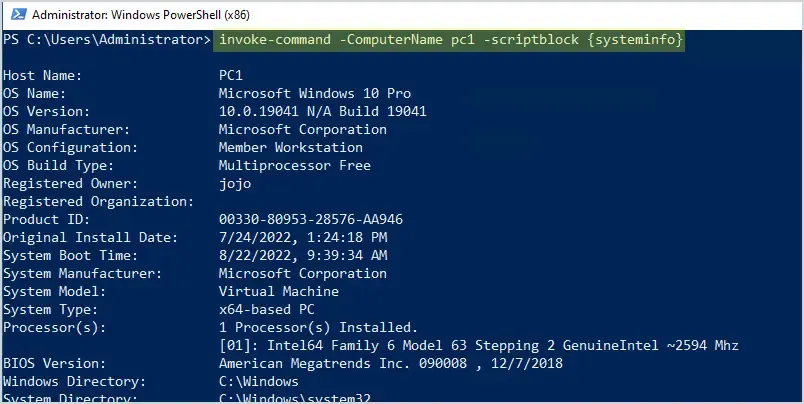
In this guide, you will learn how to use the invoke-command to execute PowerShell commands and scripts on remote computers. Table of contents: Let’s get started. Before you can use the invoke-command…
wind snow
To get only the services in your CSV file, you'll have to pipe those service names in then in the ScriptBlock you can
pipe a command in a script block to Invoke-Command. Use the $Input automatic variable to represent the input objects in the command.
Source
Like this:
Import-Csv services.csv | Select-Object -ExpandProperty Service | Invoke-Command -ComputerName (Import-Csv computers.csv).device -ScriptBlock { Get-Service $Input } | Select-Object PSComputerName, Name, DisplayName, Status, StartType

The Invoke-Command cmdlet runs commands on a local or remote computer and returns all output from the commands, including errors. Using a single Invoke-Command command, you can run commands on multiple computers. To run a single command on a remote computer, use the ComputerName parameter. To run a series of related commands that share data, use...