#Wootility v5.0.0-alpha Feedback
1 messages · Page 2 of 1
 night latch
yeah its a weird balance to catch between technical accuracy and the layman understanding it
especially now that we introduced changing polling rate for the first time
 calm aspen
indeed, I would either change it to reflect the best guesstimate to actual speed if you wanted to keep it, or simply do away with it entirely
layman doesn't need to know complicated statistics and a general consumer doesn't care as long as it's "faster"
night latch
hm @umbral night might also be cool to check if we can do just some performance stuff with tachyon if 1khz polling is selected so they get the stable 1khz scan time internally but maybe also some rgb effects or such
calm aspen
knowledge is pain and leads to mo problems as we know with people complaining 0.15 RT is slow and bad when they were used to 0.1, even though nothing changed
less information is better for the layman unless you can really communicate it in a clear and accurate way
 formal breach
for me the best would be to see the real speed so Tachyon mode effect + 0.125 ms for 8000hz or 1 ms for 1000hz
 jolly stone
Anyone here tested different keys with visual actuation point with the Jades? Given they have 3.6mm of travel, i notice most keys actuate from 0.1 - 3.2 and hit 4.0 exactly, however other keys actute the full 0.1 - 4.0mm. I don't anticipate this to accurate, however can anyone else confirm this? Or could this be some board flex or miscalibration? I have tried re-connecting and I am on the latest beta software and firmware.
 sick nebula
jolly stone
Anyone here tested different keys with visual actuation point with the Jades? Gi...
sick nebula
jolly stone
Anyone here tested different keys with visual actuation point with the Jades? Gi...
I have gotten this exact behavior on Black Knigts
That's on V5 and the alpha firmware
 deft mauve
Its fine for me, I also have Jades, they actuate from 0.1-4mm
Maybe its bugged for you 🤷♂️
 next sparrow
don't know if this has been mentioned or not, but it would be great if we could set the polling rate per profile.
 vocal apex
is it just me or is rapid trigger showing up as disabled
its enabled when i check it via the old wootility beta
does it matter that i upgraded to v2 lekkers recently
ahhhhh
i think i get it now
i have to select a key/s first
kinda counter intuitive
i understand there might be like technical problems
but its kinda annoying that when i press a key i have a customized actuation point compared to the rest of the keyboard
the visual feedback thing assumes i have the same lower actuatuaion point
(for clarity) i have 1.5 actuation point on most of my keys. the only different ones are wasd, c, L shift at 0.5 and space bar at 2.0
 woeful nest
quick question instead of the predefined stuff can wee get keyshortcuts and macros for the function layer?`im really missing some shortcuts for that one - or are they hidden somewhere?
 woven flume
woeful nest
quick question instead of the predefined stuff can wee get keyshortcuts and macr...
woven flume
woeful nest
quick question instead of the predefined stuff can wee get keyshortcuts and macr...
for the 60 he the ~ key is
[FN] + [Shift] + [Esc]
deft mauve
Use modtap
 fading axle
woeful nest
quick question instead of the predefined stuff can wee get keyshortcuts and macr...
fading axle
woeful nest
quick question instead of the predefined stuff can wee get keyshortcuts and macr...
no. I asked yesterday and apparently that is used for cheating, so wooting is not adding that. I don't really understand that since macros have been a thing for 30 years on keyboards but that is what it is
 fluid onyx
fading axle
no. I asked yesterday and apparently that is used for cheating, so wooting is no...
fluid onyx
fading axle
no. I asked yesterday and apparently that is used for cheating, so wooting is no...
honestly a strange position to take for me. It's no bother to me because I don't use them but I know plenty of people that use macros for work and lots of keyboards offer macros. Any anticheat that wants to detect macros should be able to do so easily so again a bit surprising stance.
fading axle
yeah, here is the answer from yesterday: #💬│general message
 honest glacier
Bug in video and when keys activates it continuously spam
fading axle
(and for me the "just use a macro program" suggestion does not help since I want to program macros to switch my kvm like Scroll Lock, scroll lock, 1, so the keys must be send from the keyboard)
night latch
use dks
you can put those on fn layers with wootility v5 and 2.10 or newer firmware so you dont even lose a mainlayer bind
and up to 4 keys you can press in order
fluid onyx
night latch
use dks
"Use DKS" Just because you could use it for this instance doesn't mean there aren't many more that you can't accomplish with dks.
The more time goes on, the more I like self contained programing for reliability and overall pc performance. It's why I switched from a beacn setup to a rodecaster. I wanted the processing happening on the pc so that it SHOULD be more robust. It also means you have to screw with it less if you have to switch from one pc to another, or rebuild a pc.
Again, any half way decent anti-cheat should be able to detect macros as long as you don't allow them to have a random interval at which they are triggered option.
night latch
ok uh dont use dks then? wait until we release macros?
i said "use dks" to plaisthos because there is no other solution with our keyboards right now
fluid onyx
night latch
ok uh dont use dks then? wait until we release macros?
I was under the impression that macros wouldn't be allowed at all due to a post that plaisthos linked from Manson.
This is not the hill I'm going to die on either way, I just thought it was odd if Wooting was going to say they were 100% against ever having macros.
night latch
we want to bring macros but also have a way to ensure pros can use our keyboards in tournaments. a long time ago simon has talked about this (maybe even in discord) that we ideally would want a tournament firmware and the normal firmware
fluid onyx
night latch
we want to bring macros but also have a way to ensure pros can use our keyboards...
I literally had a section about a tournament mode in my post but then I edited it out before posting lol.
I fully support a tournament mode for multiple reasons but one is that you could avoid the issue a pro recently had in cs.
night latch
exactly
fluid onyx
The keyboard updated, turned on SOCD and then they had to forfeit the map.
night latch
all of this has been a long time ago so idk where we are at with this internally but last i know getting in touch with TOs is hard to hash out how to best implement such a tournament mode/firmware
fluid onyx
A tournament mode should lock changes from occurring and make certain features not even be possible to enable.
night latch
ideally wed want an entire firmware so you cant even have those features at all
like they dont exist in the profiles to begin with for that fw
fluid onyx
How TO's and games check for these things varies dramatically not only from game to game, but also from one organizer to another in the same scene such as CS.
night latch
yeah thats why we wanted to talk to them like years ago at this point
when the 60he was really hyped basically
fluid onyx
The feature should honestly be more so a peace of mind for players than it is designed to pass some verification from TO's and games. As long as you make it so that things can't change unintentionally and certain features can't be enabled that would help a lot.
I saw a surprising amount of non-tech people blaming the user during the snap tap issue and saying the player should have just thrown the keyboard away and not even used it.
Which was kind of mind boggling to see.
While the oneness is always up to the individual, in life, in work in esports whatever, to some degree. Putting in an option to have safe guards that make it harder to make mistakes that would break rules is always a better option than not having the option of using those safe guards.
fading axle
@night latch I do not understand the ui then or this combination is just not possible. I need basically A press, keyA release, keyA press, keyA release, B press. But it seems that you cannot release a key and press it again with DKS or I am missing something here
calm aspen
fading axle
<@130036426912825344> I do not understand the ui then or this combination is jus...
does this not work for you
 fading axle
That you can change the size of those is not something that was obvious at all
calm aspen
yeah you drag the bars around to indicate when the key on the left is active and when not
night latch
in your case you could just make them 3 dots even
calm aspen
yeah I'm not sure how exactly you wanted it to be set up but that's the idea anyway
night latch
although i guess it also depends on how fast the kvm processes these
fading axle
I assumed key press and release would be when the binding would be pressed and released
but that seem to bhe the phsical key and pressing/releasing of the buttons is actually like the bubble
night latch
yes
with dks the physical key has no press/release itself
it goes by the bindings and their pressed bar
fading axle
but "key press"and "key release" in the top is the movement of the physical key, right?
 hollow edge
seperate key rapid trigger is so awesome now i can make the spacebar less sensitive than the other keys
thanks wooting 🔥🔥
 lament oak
not sure if this has been reported yet but today I turned on my PC and my 80HE turned on with the function layer's RGB applied instead of the main layer. Once I pressed a key, it went back to normal
woeful nest
im missing a changelog ev erytime it pops upo that something changed i don't know what? are there some infos on the backlog or so?
calm aspen
what
woeful nest
`wootility 5 shows "something changed reload" but i literly don't know whjat or wich alpha version it is i find this quite annoying spoecialy since im forced using the alpha with the 80he
so im missing a versionnumber and a changelog
calm aspen
there is no changelog
"something changed reload" is not an update
I'm guessing the software just noticed there's a discrepancy between what it expects and what it sees?
calm aspen
hard to tell with this english tbh
night latch
but we dont changelog and version them as its often very minor stuff like fixing ui glitches etc
wed ideally not be in alpha but stable for 80he owners alas we are here sadly
calm aspen
yep I don't think wooting's getting called out enough, sure it's minor but when has wooting ever released something incomplete
stooping down to fight in the same ring with the chinese keyboards' buggy softwares is kinda not where you want to be
night latch
yeah its why were full on deving wootility and the firmware currently as bugs pop up to fix them and push it over the finish line
woeful nest
night latch
yeah its why were full on deving wootility and the firmware currently as bugs po...
Thank you for that! I just hope that larger changes are communicated more clearly, or ideally, a changelog is provided. Sharing information can sometimes be more valuable than the fix itself. In my opinion, it’s worth the time. It’s also challenging to report bugs when we don’t know what’s already known and what isn’t.
night latch
thats basically in @umbral night hands
i assume the main issue is that writing changelogs would take the same if not more time than the fixes/changes we implement
(in this scenario of being WIP alpha)
 umbral night
This is an alpha version and we're continually fixing small things which trigger the pop-up. As it's this early stage, any time we merge a PR it gets a new deployment and shows that. I want to change it so that it's more of an intentional "push all these changes to public" in this process, so there are fewer of those pop-ups and there are more clear changesets, as well as adding some more granular versioning.
We're not really at the stage of doing proper changelogs yet, as we're trying to fix these small bugs and stability issues.
We already have a changelog homepage which we use when we have new beta or stable releases: https://wooting.io/wootility/changelogs
But this is an alpha/pre-release, so doing proper changelogs gets in the way of us fixing things rn.
See what we've been cooking in Wootility releases.
In general, I'd like to keep things up to date in here
So things that have been reported, get replied to when it's been fixed. As well as responding to say that we know about an issue already when relevant
umbral night
fluid onyx
While the oneness is always up to the individual, in life, in work in esports wh...
In the example you're referencing, they weren't using our keyboard anyway, so it's hard to really draw that to something that we need to change. I feel like it would be pretty hard to accidentally have socd on with our boards, but that's not necessarily stopping there being a bug at some point that subtley fails to delete the bind or whatever.
In general, I do want to add a tournament mode and I've already made a proposal internally on how we could implement this a while back. On one hand, there is the TO side of it to actually be validating these things, but like you said, there is an element of giving that peace of mind, that regardless of the situation, you have this safety check preventing you from having this on.
It does show it in the tooltip, is that not enough to determine it?
woeful nest
Thank you for the update! I completely understand the reasoning behind releasing an alpha version to avoid further delays for customers. However, since I own a shipped product and the Wootility already looks polished and doesn’t feel like an alpha, the expectations from me might be slightly different. It’s understandable why things are the way they are(thanks for shipping it!!), but it’s challenging to see an alpha as a finished product from a customer’s perspective. That being said, the current alpha experience already feels more like a beta, which is impressive!
Like I mentioned before, it would be great to have some kind of update on bigger changes, even if it’s just a brief notification. Nobody needs to know about every minor fix, but having a changelog for significant updates like polling rate changes, for example, would be very welcome.
thanks foir the great software by the way 😛 it really feels good
umbral night
woeful nest
Thank you for the update! I completely understand the reasoning behind releasing...
Yeah, it definitely is at a beta kinda stage already. As you mentioned, things like the polling rate option being added and such should definitely be shared a bit more. I'll try and mention anything like that in here when it's pushed out as long as we aren't doing full stepped releases that go through our changelog system
fading axle
umbral night
It does show it in the tooltip, is that not enough to determine it?
you could argue the same for Windows that showing it in the tooltip is enough. It feels just inconsistent
umbral night
JIS REMAP
@calm aspen I added all the additional bindings, but at some point I had hidden them in Wootility as they had ended up in v4 (Where the firmware didn't support them) and forgot to restore them. I'm pushing an update to Wootility now to make those all visible.
You'll be able to see
Int1 - Int6 (Which are all directly from the HID spec, Int3/Int1 are the ones I was able to find to be the relevant JIS inputs from those, i.e. the split backspace key and the split r-shift key).
Hatakana, Hiragana and Zenkaku/Hankaku keys (Which are Lang3, Lang4 and Lang5 in the HID spec)
When it comes to the Kana key on the default key layout, I wasn't actually aware that is how we were presenting it, so it never made it's way into the default remap configuration. I thought it was just the standard bottom row with IME On/Off added 😅
umbral night
fading axle
you could argue the same for Windows that showing it in the tooltip is enough. I...
Fair, when I was setting up the Mac one, I was trying to make it consistent with how it's represented on Mac keyboards (as well as not being too long where it is too big to fit inside the key). But true, it is strange for it to explicitly say it for the Windows representation and not for mac
fading axle
I might also be in the minority who want to setup keyboard for bot win and mac and have deal with thigns like remote desktop or lights out management where these things start to matter so I might be more sensitive. But overall I am just a single user with my own very personal view.
woeful nest
umbral night
Yeah, it definitely is at a beta kinda stage already. As you mentioned, things l...
thanks! you could pin those informations or using a thread than its easy to access 🙂 anyway keep it up and thx
umbral night
umbral night
**JIS REMAP**
<@137952593921048576> I added all the additional bindings, but at...
umbral night
woeful nest
thanks! you could pin those informations or using a thread than its easy to acce...
Good idea
umbral night
fading axle
I might also be in the minority who want to setup keyboard for bot win and mac a...
I've made a note about the inconsistency in our issue tracker, thanks for sharing your view 🙂
fading axle
If you look closely on Mac Key keyboards, the US ANSI uses Shift, Caps, tab, delete (not backspace!), home, end, pgup, pgdown and enter on the actual keycaps while international keyboards use symbols instead on those keys. So it is all inconsistent anyway 😛
but even the inernational keyboards don't use the escape symbol 🙂
 west rivet
fading axle
If you look closely on Mac Key keyboards, the US ANSI uses Shift, Caps, tab, del...
west rivet
fading axle
If you look closely on Mac Key keyboards, the US ANSI uses Shift, Caps, tab, del...
on a macOS keyboard, the “delete” key still sends and is interpreted by macOS as backspace. the actual delete key is instead called forward delete
fading axle
@west rivet I know. Woolity calls them still backspace and delete. This is another inconsistency.
west rivet
fading axle
<@256162269832937473> I know. Woolity calls them still backspace and delete. Thi...
probably to reduce confusion
most people still see them as those keys
i’d rather they be called backspace and delete even on the macOS version of the wootility
fading axle
Yeah. and non US keyboard come with more obvious symbols anyway
west rivet
yk i personally prefer the windows key where command physically is on macOS
definitely makes it easier to switch the board between different OSes since i dont have to switch the key bindings
west rivet
umbral night
I've made a note about the inconsistency in our issue tracker, thanks for sharin...
i actually have an idea on how to differentiate left and right modifier keys. on a standard apple branded macOS keyboard, the symbols are aligned to the right on left modifiers and to the left on right modifiers. maybe you could visually represent that in the ordering of the text and the symbol
fading axle
west rivet
yk i personally prefer the windows key where command physically is on macOS
Told macos itself to switch windows and alt keys on my keyboard that were not Apple/Sun branded ones.
west rivet
fading axle
Told macos itself to switch windows and alt keys on my keyboard that were not Ap...
thats actually really smart tbh. not really something useful to me though cause i prefer the macOS layout of modifiers on all OSes
mainly because i use a spotlight-like system on all OSes and i typically bind it to super+space since some apps might use ctrl+space or alt+space on other OSes
so having the super key in the same spot regardless makes that keybind consistent
 magic pelican
i am just simply unable to remap any keys, cannot for the live of me figure out why
 foggy scarab
magic pelican
i am just simply unable to remap any keys, cannot for the live of me figure out ...
foggy scarab
magic pelican
i am just simply unable to remap any keys, cannot for the live of me figure out ...
Are you in the 1st main profile?
magic pelican
yes

keyboard is all connected, i can update other things such as rgb and actuation point just fine
foggy scarab
magic pelican
you broke my keyboard 😦
Guess it is an issue with the fn lock button. I'll send the message through
magic pelican
weird, haha
hopefully it can be fixed
cause right now i am just unable to change any mapping and i really dont want to have to fully reset it
and, the fn lock doesnt seem to be working? like i would imagine it acts as a function 1 toggle, thats how its worded but it does nothing
foggy scarab
The work day is over here so don't expect any fix today. But i shared the bug and we will take a look at it.
magic pelican
over here as well, fairs
hopefully it can be fixed within the next week or so though
 patent ridge
yeah this is super weird
 peak girder
umbral night
**JIS REMAP**
<@137952593921048576> I added all the additional bindings, but at...
peak girder
umbral night
**JIS REMAP**
<@137952593921048576> I added all the additional bindings, but at...
Thanks for the update, but Int1/Int6 are now all sending the same scan code (Int1/scancode 0x73/VK code 0xE2) 😅
also, here's how the keyboard is shown on the website, for reference

probably safe to assume that the keycaps with the symbols were meant to be muhenkan/henkan rather than ime-off/ime-on?
oh, the software I'm using is spitting out PS/2 scan codes
but yeah, all I'm getting is Int1 from all 6 binds on wootility
I found microsoft's HID scan code table table - the bottom row extra keys should be Int5-Int4-Int2 in that order
the rest of the JIS binds are okay as-is (once the Int1 thing is fixed)
 lament furnace
is there any problem if i updated the firmware in the browser beta and then go back to desktop stable version?
deft mauve
lament furnace
is there any problem if i updated the firmware in the browser beta and then go b...
if youre not using SOCD/Rappy Snappy then its ok
night latch
lament furnace
is there any problem if i updated the firmware in the browser beta and then go b...
this is for the alpha
you shouldnt use normal beta or stable wootility with the alpha firmware of v5
woeful nest
night latch
this is for the alpha
this is a bit confusing since the 80he only works with the V5
night latch
im unsure how its confusing?
woeful nest
is it possible to use the stable version with the 80HE ? im now confused ; i thought its not
are firmwareupdates for the 60 providet in the v5 alpha?
night latch
if you use alpha firmware (which the 80he has to use) you should not use stable or beta wootility
and yes all our other devices also have builds for the alpha wootility v5 so they can use it
the question of shy was just misplaced as this channel is for the alpha specifically
fading axle
peak girder
also, here's how the keyboard is shown on the website, for reference
does JIS layout really use Print screen instead of Mode by default? That seems like an odd choice
peak girder
Now that you mention it, it's definitely bound to Mode by default 🤔
Oh the layout is different on the video where Calder talks about the JIS layout 🤔

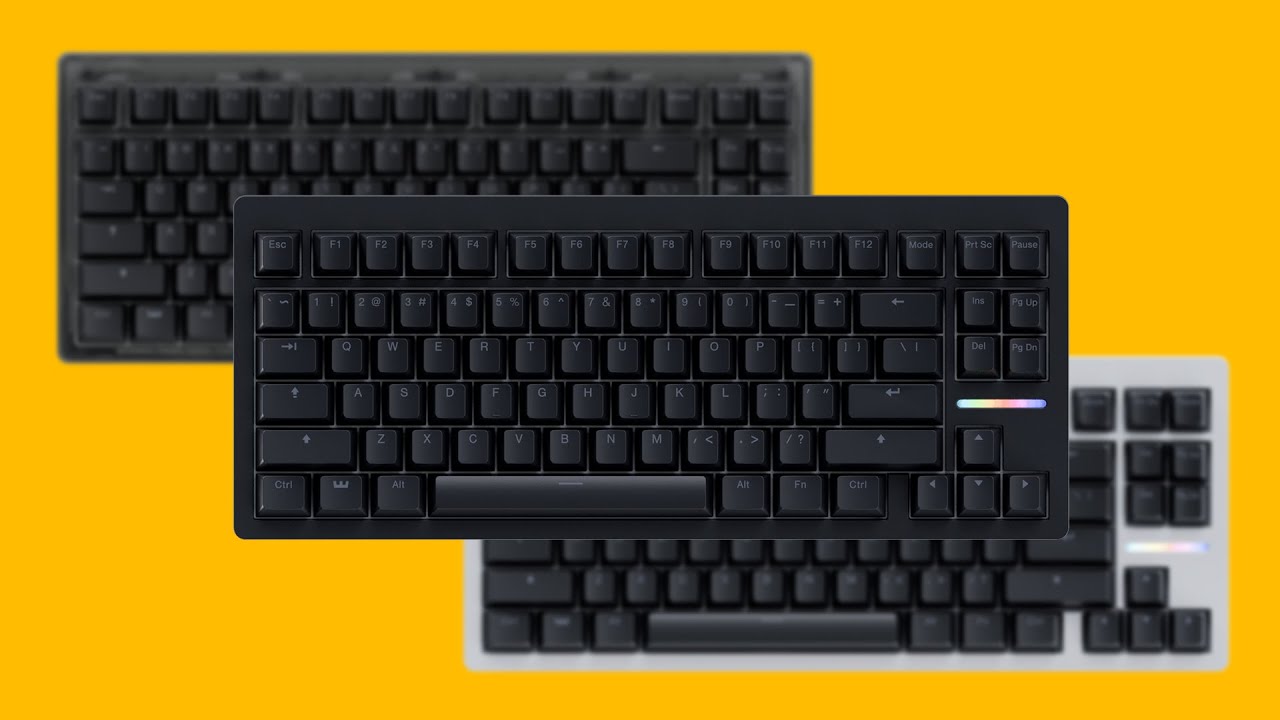
The choice is yours! With the 80HE we not only bring pre-assembled ANSI keyboards, and an ISO keyboard without the keycaps, but also a module version. That way the choice is yours in the combinations you desire!
Oh, and did you know we have a new JIS layout available as well? ;)
Wooting 80HE https://wooting.io/wooting-80he
➤ Follow our socials...
This is what I used as reference when I put the keycaps on mine
night latch
pretty sure the render is just wrong where it doesnt use mode
peak girder
Both are incorrect for that matter, the right ctrl key has the alt keycap on both the video and the website render
fading axle
Btw. there are there any plan to also have a scrool lock and num lock indicator for the led strip?
night latch
@patent ridge
fading axle
ah okay. Found it
patent ridge
can also show which fn layer you're on
fading axle
yeah but that doesn't work for me
I would expect that the leds come on while I press the FN key but nothing happens
 patent ridge
oh yeah the latest alpha firmware doesn't have that fix yet oops
fading axle
okay then I will dig into that. Thanks 🙂
patent ridge
it should come soom :)
fading axle
also my mac and the keyboard and the lightbar editor are not friends, It disconnect frequently while editing effects with the designer
calm aspen
lightbar still only shows preview of A0 profile when editing A1 or beyond
fading axle
the limit of 4 effects will stay?
patent ridge
calm aspen
lightbar still only shows preview of A0 profile when editing A1 or beyond
what do you mean by this?
calm aspen
you know how keyboard shows preview of whatever you're editing
the lightbar just shows the effct of whatever profile you're in
i dunno if it's good or bad but it's inconsistent to how editing other RGB is always previewed on the keeb
need to check again when I get home but last night there was definitely something odd with it
patent ridge
the lightbar preview thing gets the live data from the keyboard
when you're editing profiles it should still preview that one on the keyboard regardless, I don't think there's an inconsistency there?
the bigger inconsistency is rgb effects not even being previewable on the rgb tab, it always shows whatever static color you have underneath
 bright yacht
condition trigger info (light indicator effects studio page) seems to be incomplete

also, is it possible for the above keys sample area to include a gradient toggle, so there are more colours on the lightbar rather than just copying the colours on del and pgdn?
maybe a colour lerp with alpha -0.5 to 1.5 from left to right so the 3rd and 8th pixels would still be at 0 and 1 of those colours respectively
or perhaps the RGB effects page itself can include support for customizing the light indicator per-pixel, so any effects like spiral or wave can also be applied per-pixel to the light indicator
 shut plaza
I am remapping a JIS layout keyboard, but the JIS-specific "ろ", "", "conversion", "no conversion", and "kana" keys do not work properly.
All keys are "ろ"
It seems that INT1 to INT5 are all set to INT1.
used google translate
 violet peak
peak girder
but yeah, all I'm getting is Int1 from all 6 binds on wootility
violet peak
peak girder
but yeah, all I'm getting is Int1 from all 6 binds on wootility
So same as this one
calm aspen
did you update the keyboard? there was a fix pushed yesterday
#1285255683511681176 message
calm aspen
shut plaza
I am remapping a JIS layout keyboard, but the JIS-specific "ろ", "\", "conversion...
I meant to ping you, whoops
see message above
shut plaza
oops sorry
calm aspen
patent ridge
when you're editing profiles it should still preview that one on the keyboard re...
yeah no, it doesn't preview at all unless you are on profile 1
only updates the changes upon hitting "save to keyboard"
whereas profile 1 (A0) the lightbar live-updates when you're making adjustments
peak girder
calm aspen
did you update the keyboard? there was a fix pushed yesterday
https://discord.co...
I got the update, it added Int4-6 but they're all broken
calm aspen
I suppose more digging needs to be done then
 thorny agate
Is there a changelog for v2.10.0-alpha.10? (80 HE firmware)
 signal wadi
Stuck on v2.10.0-alpha.8, wooting keyboard is not recognised by any device and will not turn on or go into reset mode nevermind the buttons pressed.
Leds are off, unsure on whether it's a firmware or hardware issue (ie my 80he being damaged)
signal wadi
The keyboard is not recognised as a HID device in wootility, but I uninstall Ed the only hid device I had, and then plugged the wooting back in, which then made a new hid device appear in device manager, so I assume my PC is still detecting it, even if it's "dead"
night latch
you can easily figure out if its the wooting or not by changing it to view by container

then the list would show a wooting entry directly
like so
 signal wadi
It doesn't show up, so my computer actually doesn't see my wooting I must assume then.
night latch
is the keyboard connected directly to the pc?
signal wadi
It's connected via the coiled cable wooting sells, but yeah, no hubs or anything in the way
night latch
can you try the cable included with the 80
signal wadi
Ive tried before to reset or turn on, but I can check if maybe it'll register in device manager with the reg cable, 1 sec
Nothings changed, I can test it out on my laptop too as a double check
Nothing on my laptop either
shut plaza
calm aspen
did you update the keyboard? there was a fix pushed yesterday
https://discord.co...
INT1 to INT5 still doesn't work...
v2.10.0-alpha.10
signal wadi
I would check the internal components of my wooting but I don't want to accidentally damage anything lol
Idk, maybe faulty wiring, soldering or the daughter board is dead or something?
shut plaza
I don't know if it's a bug, but even if I change it to something like INT1, when I close Wootility and reopen it, it automatically changes to INT6.
signal wadi
Should I just take apart my 80he and see if I can find anything wrong?
night latch
you can
signal wadi
I'll send any updates if I find anything strange or nothing at all
Is there any guide on disassembly btw?
I have removed the back screws but I thought there were some behind keys
woven flume
signal wadi
Is there any guide on disassembly btw?

This tutorial shows you how to assemble your Wooting 80HE module in one of our compatible cases.
✨ Follow our socials! ✨
Discord https://discord.gg/wooting
Twitter https://www.twitter.com/wootingkb
Instagram https://www.instagram.com/wootingkb
Customer Support: social@wooting.io
Marketing/Press requests: marketing@wooting.io
➤ Check out our p...
 tawdry violet
Heelo, my 80HE not working mid game every few 10 - 20 min. So what i do is, i reconnect the cable for the keyboard to be working again. Is there a way to fix this ?
tawdry violet
tawdry violet
Heelo, my 80HE not working mid game every few 10 - 20 min. So what i do is, i re...
Firmware: v2.10.0-alpha.10
signal wadi
Should you reapply the "sticker" with the get to know your wooting or is that not recommended
calm aspen
you mean the PET film on the back of your keyboard?
yeah you can do whatever you want with it, stick it on, leave it off, throw it into fire (don't)
eat it!
signal wadi
Ill keep it because it's a nice touch
I'd eat it but I just had a bag of switches and the lube didn't quite go down well
Anyways, after removing the cable from the pcb, the cable basically fell out from the daughterboard/USB C port
I hadn't pulled at all on that side
That could perhaps be causing my issues, a shoddy connection
Although, now I'm unsure of how to plug back in the cable properly as I do not know what side goes where
Only identifier I have is that one end connector has a black dot and the other doesn't
 calm aspen
oh, it's just a wire, same color terminates in the same pin on both sides
safe to say whichever way you put it electricity goes to the same place anyway
unless you put it horizontally, in which case no electricity flows
or upside down
signal wadi
Right
calm aspen
the black dot one is probably the one that was in the daughterboard
just guessing on the basis of not wanting a customer-facing connector to have a random sharpie chickenscrawl
signal wadi
How deep does it go
calm aspen
don't quite recall but probably about this much is left visible

maybe a little more, you'll see once it doesn't go in any more, don't need to caveman it

 calm aspen

signal wadi
If it doesn't work, my keeb either has a giga firmware issue or is just
Rest in refund/replacement
night latch
we have RMA units if it really is broken
calm aspen
rest in replacement 
signal wadi
I'd be surprised if it really is broken, seeing as I've done nothing out of the usual with it and have been extra careful with handling it when first setting up
calm aspen
sometimes things break, even after successful QC
signal wadi
I've found a rubber bar which looks like the led press down function led thingy
Where does it go xD

Sorry if it's a dumb question but I don't wanna assemble it incorrectly
calm aspen
yup it goes on the LED bar
signal wadi
thank you
signal wadi
I found the part in the video, so it's all good
calm aspen
okii
signal wadi
I'll just screw in the back screws and then plug it in to see if anything illuminates
Criss cross applesauce
oh

Aight no rma needed
Just a shoddy wire connection that came too loose which caused the keyboard to not recieve power
 signal wadi
Can't say it's a permanent fix, but knowing how easily the wire disconnected from the daughterboard and how it works now, it probably was the reason, so I think I should be in the clear.
:)
Time to put on every key cap again
calm aspen
most likely it was just loose in this particular case but now that you have re-installed it it's probably gonna stay put
signal wadi
Yeah, before putting the rest together I gave it a nudge and it was tight
I've updated the firmware too, are there notes?
calm aspen
not right now, they update it too often to fix the current bugs and stuff so no notes for now
signal wadi
Thank you by the way, for helping me bring my keyboard back from the dead
calm aspen
you could've done it on your own :>
signal wadi
Correct, but any help is appreciated nonetheless
I've repaired xbox controllers, computers and the odd laptop or gadget but I hadn't ever done a keeb before
peak girder
shut plaza
I don't know if it's a bug, but even if I change it to something like INT1, when...
Definitely a bug, I'm getting the same thing. Wootility says INT6 after restart, but the keypresses are sending INT1 inputs
For all of INT1 thru INT6
 hybrid helm
Holy this is insane firmware update
 tawdry jungle
I can't get my 80HE (firmware 2.10.0-alpha.10) to calibrate successfully with geon raw he switches. When looking at the analog-monitor i can see that keypresses are recognised from 0mm to around 3.25mm (shortly before bottoming out) and then jump to 4mm. Sporadically a random key will calibrate and show the full range of 0mm-4mm when pressed but i can't see a pattern why. I tried some of the same switches on my UwU (firmware 2.8.1 and 2.10.0-alpha.10) where that jump occurred once for the first press after initialisation. After that the keys where calibrated fine.
 naive perch
tawdry jungle
I can't get my 80HE (firmware 2.10.0-alpha.10) to calibrate successfully with ge...
naive perch
tawdry jungle
I can't get my 80HE (firmware 2.10.0-alpha.10) to calibrate successfully with ge...
Does that jump show up with all/most of your Raw HEs? Normally, this “jumping” behavior is only with switches that have weaker magnets (and can’t reach 4.0mm by themselves) which the Raw HEs do have but only slightly weaker.
I’ll see if it happens with my Raw HEs as well in a bit.
tawdry jungle
Yes it is all of them.
tawdry jungle
That's the 80HE. I typed for a while to give it time to calibrate.

That's the UwU after fresh initialisation. First and second key press.
 tawdry jungle
I changed some switches. Jades are jumping too. Lekkers jump once and then are calibrated, no more jumping afterwards.
deft mauve
Can you try desktop software instead?
tawdry jungle
i don't know if i want to use that linked software.
Do you have link to wooting where a can download it?
tawdry jungle
Sorry that doesn't work with the 80he
deft mauve
tawdry jungle
Sorry that doesn't work with the 80he
Oh, alright xD ive tested my 60he with jades on that web monitor tool and if my browser doesnt have hardware acceleration enabled graph is super buggy and sometimes even stops at 3.0mm actuation, make sure hardware accel is enabled in browser settings
tawdry jungle
Should be on
naive perch
tawdry jungle
I can't get my 80HE (firmware 2.10.0-alpha.10) to calibrate successfully with ge...
Can confirm.
First image:
Raw HEs > Kailh Mistral (these reached 3.25mm on the 60HE iirc) > TTC Magnetos.
Second image:
Raw HEs > TTC Magetos > (Pink) Jades.


When I put a keycap on my Raw HEs, they were "fixed". So they're literally on the edge of getting over the compensation stage. The slight flex under pressure of a keycap being put on made them get over the compensation stage lol
naive perch
deft mauve
Oh, alright xD ive tested my 60he with jades on that web monitor tool and if my ...
Oh is that why I can't use the monitor's web version in Chrome on my laptop? It maxes out my laptop's CPU while displaying in 2fps. I used edge which it works in.
deft mauve
naive perch
Oh is that why I can't use the monitor's web version in Chrome on my laptop? It ...
yes, my cpu goes crazy without hardware accel
naive perch
deft mauve
yes, my cpu goes crazy without hardware accel
Thank you! I turned accel on and it works now.
tawdry jungle
Wow you are right. If pressed really hard most keys do calibrate.
Lets wait for a newer firmware. It's an alpha after all.
deft mauve
naive perch
Can confirm.
First image:
Raw HEs > Kailh Mistral (these reached 3.25mm on the ...
Im confused does that happen with other switches too?
naive perch
@tawdry jungle when did you get your Raw HEs btw?
naive perch
deft mauve
Im confused does that happen with other switches too?
Yeah, to all switches with weaker magnets.
It happened on the 60HE as well with a firmware update which was fixed shortly after.
deft mauve
Its all good for me on 60he
tawdry jungle
Shipped 11. September from Delta Key
naive perch
I would assume most popular switch types are tested before a firmware update is released, it could be that that didn’t happen or that Simon or whoever has a newer batch of Raw HEs.
deft mauve
It will be fixed surely
naive perch
What I have never understood is why bring “4mm” to a switch’s maximum instead of stretching the full range of a switch to fit 4mm?
Let’s say a switch which can only reach 3.5mm (in analog monitor) will receive a 0.5mm compensation by the firmware. Why not stretch that switch’s 3.5mm to 4mm so the full motion of a switch remains accurate.

and for switches that can reach 4mm, it would stretch 3.5mm to 4mm until a switch exceeds the real 3.5mm and updates it in real time just like calibration-during-use functions currently.
 eternal cargo
Hoping this is the right place
Goal: have a NUM LOCK key in the FN1 level with the color of the current state of the NUM LOCK in two colors RED OFF \ WHITE ON
Result: When I press the NUM LOCK key assigned in FN1 it activates the NUM LOCK correctly but the LED does not change color, when I release the FN key to return to DEFAULT then I see the WHITE key on the corresponding position (disrupting the DEFAULT RGB theme)
Personal Assertion: i dont know if its better to have the NUM LOCK status via led always in the DEFAULT layer or in the layer that own the key... on lightbar its viable only on 80HE
 naive perch
eternal cargo
Hoping this is the right place
Goal: have a NUM LOCK key in the FN1 level with t...
naive perch
eternal cargo
Hoping this is the right place
Goal: have a NUM LOCK key in the FN1 level with t...
Yeah this is a bug, it should be visible in the layer that it’s in, not in the main layer.
 frank phoenix
I keep getting a driver error when trying to update the keyboard on V5, any way around this as I want to change my settings on this thing?
 fair wagon
Will this version v.5.0.0 be available on Desktop?
night latch
once its stable yes
frank phoenix
So I go to update but in my devices I'm getting a driver error on the wooting restore and it locks on the update mode, and chrome doesn't recognise the device so I can't update it
fair wagon
Why is my light bar like this, instead of being full red? :

I want it to be all red light color when my second profile is being selected.
Done
Thanks for the input
What does Inherit Global Effect does?
Can't grasp the concept...
It copies the rgb effects of the keycaps to the lightbar?
Allright, so where is the global window?
Ahh next to profile's effect
It is grayed out
How can i make on the effects studio a global effect?
Allright, and per profile overrides the global effect, right ?
If both are solid and affects all the lightbar
There is a bug, where the light bar is stuck on solid colour
Or at least is happening to me
I even deactivated the lightbar on typing profile and is stuck on the solid lightbar of profile 2
Profile one has colour even when lightbar colour should be off

It is copying my colour of the second profile.

I'm using the coiled cable from wooting on port C
Here is my profile 1: ac362c3cd2f8988e649a8924971a59702fef
Here my second profile: ac9df4bd693b328d8b34aed12dd2c970b02a
Lol i can't even turn it off right now
Any ideas what i can do to solve this annoying bug?
Ok fixed it. I had to prebuilt a profile indicator and then erase it.
Apparently, the lightbar didn't refresh itself even when switching profiles.
Perhaps a check for each profile if lightbar is on/off might be necessary
I did save all of it and it didn't refresh itself
patent ridge
this is definitely not correct. What maybe is happening is inactive profiles are funky. how many onboard profiles do you have?
I can't reproduce what you're describing at all with 2 onboard profiles
ah
got it
ill look into this tomorrow
(i was messing with global effects)
 warped pendant
patent ridge
warped pendant
patent ridge
i fixed that this morning, idk when it will be in a release
umbral night
naive perch
What I have never understood is why bring “4mm” to a switch’s maximum instead of...
It's supposed to stretch the full range across the 0-4mm. The whole 4mm thing is just a visual representation, on the firmware side it's just a 0-255 output.
The reason that there are jumps are because the magnet linearisation model is built around the lekker switch and we need to have the set-up for configuring the switch you're using so we can have the firmware use a more appropriate curve for the switch you have. Depending on the specific magnet properties of the switch you have, you can end up on one side or the other of this behaviour currently.
@peak girder @shut plaza A new build is incoming which fixes Int1-Int6 all being bound to the same thing.
I had fixed this bug earlier in the year, but the branch got lost 😅
It's just a Wootility side thing, firmware side has them all set-up uniquely.
I hope it should behave correctly now, although, do keep in mind that the conversion between the HID code to Scan code and then Windows Virtual Key is all handled by the OS and the keyboard layout you have selected.
While I was researching them, I noticed that majority of the time, the OS will map most of them to the same scan code.
Let me know how you get on!
btw, new firmware build out v2.10.0-alpha.11
 naive perch
umbral night
It's supposed to stretch the full range across the 0-4mm. The whole 4mm thing is...
naive perch
umbral night
It's supposed to stretch the full range across the 0-4mm. The whole 4mm thing is...
Alright, so a dynamic solution for most if not all magnet strengths isn’t feasible? I thought that it could work because Lekkers have that jump as well when first pressed, so instead of having the jump at 3.2mm or so, it could be at half that which would support switches with weaker magnets if I understand correctly.
fading axle
This is analog signal procession and imperfection. One manget being slightly stronger, one sensor shift a few tens/hundreds on the PCB that all affects the reading
You have to account for variance.
umbral night
naive perch
Alright, so a dynamic solution for most if not all magnet strengths isn’t feasib...
A fine dynamic solution could work, with a bit of a sacrifice for accuracy. Right now, the biggest problem is the fact that the firmware can't really make any assumptions about what switches you're using and if you have a spacer/o-ring on them. So it tries to be as safe as possibly, which gives some non-ideal results if you end up in certain scenarios.
It generally just needs to be able to be informed a bit more about exactly the set-up you have so that it can operate within the confines of those and ignore any auto detection thingies
woeful nest
umbral night
btw, new firmware build out `v2.10.0-alpha.11`
please pin 😉
umbral night
This should be fixed now in the latest build, thanks for the info, helped a lot in replicating it 👌
 earnest kindle
umbral night
A *fine* dynamic solution could work, with a bit of a sacrifice for accuracy. Ri...
earnest kindle
umbral night
A *fine* dynamic solution could work, with a bit of a sacrifice for accuracy. Ri...
Since firmware/hardware (idk?) cant determine auto, would be adding feature like bottoming deadzone will fix like spacer, o-ring or switch that have actuation travel below than 4.0mm ? So we can just set manually want
earnest kindle
i didnt know that, it is all build ver. Or wootility v5 only ?
naive perch
That’s what I’m saying! I think a switch selector would turn Simon into sisyphus. Manual calibration even as a separate option would be good to try out and compare to.
Only it would have to be per-key manual calibration just like a few competitor boards have so you can use different switches.
woeful nest
is it possible to set brightness for difrent keygroups or only one brightness level for all?`do i need to work with layers to artchive that?
i tried to colorcalibrate a bit high brightness wfor white solves the problem with the reddish color for me but i don't want the other colors so bright sadly
woeful nest
woeful nest
is it possible to set brightness for difrent keygroups or only one brightness le...
than this would devinitly be a feature wish for the final version please;)
hybrid helm
umbral night
btw, new firmware build out `v2.10.0-alpha.11`
what beta was before this ?
i got it
v2.10.0-test.globe.key
this one for me is the best for analog movement holy
hybrid helm
New bug for me when I remove all profile to inactive and keep one the all come back 😦
I fixe it 💃🏼

 full dagger
Where can I see firmware patch details?
night latch
hybrid helm
I fixe it 💃🏼
which firmware version of the keyboard
hybrid helm
night latch
which firmware version of the keyboard
The newest version get that bug but now I fixe it and I have 2.10 teste globe key
night latch
hybrid helm
The newest version get that bug but now I fixe it and I have 2.10 teste globe ke...
cant replicate it on alpha.11 (currently latest firmware)
hybrid helm
Maybe is only me but now is fix for me so yeah
Do you refresh the page ?
Or plug unplug?
night latch
close the page, unplug, plug in and then reopen the page
eternal cargo
BUG
Changing Layer resets CAPS LOCK RGB STATE (lightbar reports the correct state)
peak girder
umbral night
<@109828934853521408> <@208227329254621184> A new build is incoming which fixes ...
Finally got a chance to test this out- the new update fixed the Int bindings for me, but the default binds are still a bit off (for example, the "katakana" binding used in the new default is actually not actually a key normally found on a JIS keyboard)
I've checked the scancodes and this should match standard JIS more closely:

 gusty juniper
lol, I just had the weirdest bug, the keyboard would keep on reporting the Z key being pressed at least ~20% down, I could press it down further and it would report a higher value up to 100%, but it would not go lower than like ~20%. Replugged the keyboard and it was fine.
 harsh bear
Saw a problem on the French ISO layout

This key to the right of the shift key doesn't work, and it's not possible to set it on Wootility
ty !
I've done this before because of one problem, but I may have found 2 others:
- When flashing the board, it's ANSI firmware and not French ISO firmware (which might explain my problem of why it was ANSI in the first place)
- When importing a profile, the light bar information is not copied
Not at all
 patent ridge
Is it not there?
It should be in troubleshooting
Oh so it's there but broken?
Not at my pc atm, I'll take a look in a bit.
patent ridge
yeah there's definitely something going on. Not 100% sure but I'll check with the team tomorrow morning.
 static zealot
Guys Im having a issue with the new firmware
the keyboards gets "stuck"
i can't do anything
if the last key was A
he just gets stuck
gusty juniper
patent ridge
yeah there's definitely something going on. Not 100% sure but I'll check with th...
On a related note, it seems there's no factory reset option for the Flaretech Wooting Two?
static zealot
is possible someone to send me v2.10.0-alpha.10 firmware to download?
After updating the new alpha firmware on wooting 80HE, when I'm playing, the keyboard stops working a spams a key, I need to unplug the keyboard to start working again.

If possible please someone send me the previous firmware
 worldly siren
Moar Light Indicator Effects plz
night latch
i think you have to troubleshoot from the recovery mode not the normal mode. that way the api call to retrieve iso/ansi shouldnt work
no thats still right. it should also pop up with ansi/iso though. unless....
woven flume
night latch
no thats still right. it should also pop up with ansi/iso though. unless....
i think that is only for certain keyboards
One , Two , 60HE
80HE auto detects
night latch
yeah thats my fear that the bootloader has some autodetect itself... which would suck if its flashed wrong from the factory
there is a second possibility which is that the flow is just configured wrong in wootility
static zealot
night latch
there is a second possibility which is that the flow is just configured wrong in...
Hello there 🙂 where I can download a specific firmware?
night latch
you cant for the alpha
static zealot
night latch
you cant for the alpha
Im having issues in game
when playing wooting stops working
after the update
how can I fix this?
umbral night
static zealot
how can I fix this?
What is your profile? I've been trying to root cause fix the issue you're describing, in .10 I released some patches to help. I wouldn't have expected .11 to change it at all
Not sure why the talk is that I'm not keen on adding a switch selector, when that's exactly what I've expressed intent to do multiple times 😂
A manual calibration process would probably make it alright, but it would not be able to properly handle o-rings/spacers unless it also gets informed of the switch travel + spacer height, and at that point, I may as well just do the whole switch configuration stuff.
The main issue right now is that some switches can end up falling into the o-ring/spacer detection logic. So if that gets eliminated by having configuration for it, then it would be able to handle most switches fine, even if it doesn't know about their existence and exact properties before
umbral night
peak girder
Finally got a chance to test this out- the new update fixed the Int bindings for...
Int 2 behaves as the Kana key for you?
I'm a bit confused by Int 4/5 being used for IME On/off when those have their own dedicated binds that seemingly have already been behaving as expected for a long time
 nocturne plover
Hello guys im new here,but may i know is it ok i ask in this grp abt the problem for the wooting 60he+?
umbral night
worldly siren
Moar Light Indicator Effects plz
Would be helpful to know what kinda things you're specifically looking to do
umbral night
nocturne plover
Hello guys im new here,but may i know is it ok i ask in this grp abt the problem...
This is for Wootility v5 feedback, so if it's not related to that, it's better to go in #1019755933959733258
nocturne plover
umbral night
This is for Wootility v5 feedback, so if it's not related to that, it's better t...
ok thank you🙏
night latch
umbral night
Not sure why the talk is that I'm not keen on adding a switch selector, when tha...
i think because in v4 days we sort of shoved it to the wont implement right now/no plans for it at the moment pile which some customers might have interpreted as we wont ever do it cause reason XYZ
umbral night

static zealot
umbral night
What is your profile? I've been trying to root cause fix the issue you're descri...
im using in my fps profile
but when this occurs
he goes for some reason to the tipying profile
umbral night
@harsh bear A new build of Wootility is going live atm which gives you the option in the Troubleshoot tab to select the layout. So you should be able to do that to get it corrected :)
There was a bug with it before where it would always just end up setting it to ANSI when restoring the keyboard, so I believe it was set correctly at the factory (if it wasn't, it would have failed our core typing tests and such)
umbral night
static zealot
he goes for some reason to the tipying profile
Interesting, hmmm
Gonna try and do some digging
@static zealot do you have Tachyon on or off?
peak girder
umbral night
Int 2 behaves as the Kana key for you?
I'm a bit confused by Int 4/5 being used ...
Int2 is the "Katakana/Hiragana" key, which is often referred to as the "Kana" key, which is standard on JIS layout. The dedicated keys for Katakana and Hiragana (aka Lang3/Lang4) aren't standard and I don't think I've seen a keyboard using those keys.
Int4/5 is the "Henkan"/"Muhenkan" keys (in English, Conversion/Non-Conversion), which are standard on JIS layout.
"IME On"/"IME Off" are new keybinds added by Microsoft in Windows 10 meant to be a simpler alternative to having the 3 JIS keys on the bottom row. It consolidates the functionality of the Kana/Henkan/Muhenkan keys into two keys, but it's non-standard, and considering that the 80HE has a Kana key anyways, I'm not sure if really makes sense here
harsh bear
umbral night
<@182561746618155008> A new build of Wootility is going live atm which gives you...
Perfect thanks!!
umbral night
peak girder
Int2 is the "Katakana/Hiragana" key, which is often referred to as the "Kana" ke...
I see, thanks for the insight!
So would it make sense for me to make the following changes?:
- hide the Lang3/Lang4 keys (or just rename them to that?)
- Rename Int2/4/5 to those names you mentioned
- Match the default to what you suggested
- Keep IME On/Off as options for those that want it
peak girder
Yeah I think that makes sense, I think it would make sense to rename the Int1 (ろ/Ro) and Int3 (¥/Yen) keys as well since they're already bound properly
I'm not sure how useful Lang3/4 would be to keep, but they seem to be documented at least
Lang1/2 are Korean keys though so imo it's a bit awkward to have them visible out of sequence
I also haven't looked into the scancodes but Apple seems to have their own 2-key Japanese layout solution as well, although that probably doesn't matter too much for a gaming keyboard
umbral night
Alright, thanks. I'll draft up some changes and drop it in here before I push :)
umbral night
peak girder
Lang1/2 are Korean keys though so imo it's a bit awkward to have them visible ou...
Looks like IME On/Off takes over Lang1/2 btw.
I'm not exactly sure what you mean by "bit awkward to have them visible out of sequence"
peak girder
Oh nevermind then, I was thinking that it'd be weird to have Lang3/4 displaying without a Lang1/2, but you're right
umbral night
peak girder
Oh nevermind then, I was thinking that it'd be weird to have Lang3/4 displaying ...
Ah fair, I only noticed it when I was double checking and had a moment of "Why don't we have Lang1/2?" 😂
peak girder
The old Microsoft scancode table shows them as Korean keys, but considering that ImeOff/ImeOn is so new, it makes sense that they're not there lol
But the newer documentation does say they use the same scancode
(well, relatively new. I just realized Win10 is almost 10 years old now 💀)
umbral night
btw, could you give me the output for running this in your browser's console?
[...(await navigator.keyboard.getLayoutMap()).entries()]
peak girder
I'm not gonna be home for another 9ish hours but I can when I get the chance
umbral night
peak girder
I'm not gonna be home for another 9ish hours but I can when I get the chance
Alright, no worries
For the ones that are renamed, I'm going to have them mention the HID name in the tooltip. Although, as you can see, the converion keys get quite long. Should I just call them Conversion/Non-Conversion and make it so they can be translated to JP name? (With the romanji(?) name in the tooltip).
I could also do it the other way with romanji being the main one and Conversion/Non-conversion in the tooltip
 peak girder
If I'm not mistaken, the Hankaku/Zenkaku key is already displaying in JP (半角 / 全角) on Wootility so that could be a solution
変換 for Henkan and 無変換 for Muhenkan
But yeah I think it would make sense to show the English name for the key itself if it fits and just put everything else in a tooltip
umbral night
This is what I've got going atm

For Int4/Int5 I've got it set-up so that the main name can be translated
For Lang3/4 I have them like this, so still referencing the name in the tooltip, but keeping the main name fairly generic

This is how default JIS looks like now with the changes I made based on your suggestion @peak girder

 thin sky
When holding down the fn key to change between profiles like fn + 3…etc for profile 3, can we make those corresponding keys (1,2,3,4) light up with the profile’s colour, like how the LED bar has a light indicator representing the profile that’s active? 🤷
The flashing ?
Ahh right
static zealot
umbral night
Interesting, hmmm
A sent a PM to you
is easier I think
But Yes I have tachyon
my settings are:


and 8000hz
static zealot
umbral night
Alright, no worries
is possible to send to me the previous update?
That one I had no problems
Is possible to be, Having a mouse in 8k and the keyboard in 8k?
deft mauve
static zealot
Is possible to be, Having a mouse in 8k and the keyboard in 8k?
Yes
but youre nerfing your pc with 8k polling on mouse
 naive perch
umbral night
Not sure why the talk is that I'm not keen on adding a switch selector, when tha...
naive perch
umbral night
Not sure why the talk is that I'm not keen on adding a switch selector, when tha...
I really don’t understand what you mean. Manual calibration would know the starting and endpoint of every switch which is why it’s more adaptive than calibration solely at the resting positions. You don’t need Wootility to show millimeters, just % in increments of 2.5%. If you have a switch with a total travel of 0.5mm, 40 steps would be way too much but it’s fine as long as it’s a separate option to try out.
For calibration at the resting positions, couldn’t you use a switch magnet’s strength at resting to predict its magnet’s strength at bottom out (4mm), to support switches with weaker magnets?
Lastly, is O-Ring detection even necessary anymore? Since DKS’ endpoint is adjustable now, there isn’t anything that requires the full travel range right? So if you use O-Rings, you’d just use the travel that you have (Rapid Trigger bottom out dead zone whennnnn?!?! 😂).
peak girder
umbral night
This is how default JIS looks like now with the changes I made based on your sug...
Seems to be fine aside from some of the other keys I'm not 100% sure about (might just be mac OS things)
The `` ~key is labelled as a backslash and the backslash key is labelled as a#`, these were previously bound correctly so it could just be the labels
peak girder
I think for the ろ and the ¥ keys, it also might not be super necessary to have the translations since they are just characters
(also I could've sworn that the `` ~key was labelled as半角 / 全角` in one of the previous builds, not sure what the best solution is here considering they both use the same scancode)
harsh bear
I've just discovered a strange bug with the function key, when I'm on my first profile my lights are different when I press the key, but when I try to do it on my second profile there are no indicators at all
I've changed the location of my FN 1 key on both profiles, which may explain the problem
 cosmic pollen
I believe I found a bug with DSK in V5. When you set the actuation for bottoming out the max (4.0) it does not activate the key meant for bottoming out. If you change it to like 3.9 it works.


 last cipher
80HE Keyboard update stuck at 20%
 jade socket
My X key on my 80HE was a bit scratchy so I replaced it with a spare. The actuation seemed fine but Wootility showed the actuation point visual feedback constantly flickering around 1.38/1.39. Replugging solved the issue but a dedicated recalibrate button in wootility would be helpful. Not sure if this is a visual bug in Wootility or what.
 marble hearth
I was told to leave this info here for the Wooting 80HE. So for me, when the actuation point is lower than 0.5mm (0.4mm or less), some of my keys stop functioning while others just become glitched. EDIT: Changing the actuation point to be above 0.4mm only partially helped so I tried plugging it in to a different usb port and hoping for the best (my pc was literally crashing because of this dam keyboard lol but hopefully that fixed it).
 idle magnet
cosmic pollen
I believe I found a bug with DSK in V5. When you set the actuation for bottoming...
idle magnet
cosmic pollen
I believe I found a bug with DSK in V5. When you set the actuation for bottoming...
yes same here
cosmic pollen
Super strange bug
 lean mirage
anyone experience any crashing of the keyboard while playing games. I have been playing deadlock and during the middle of the match my keyboard will stop taking any input and I have to have someone to pause the game for me to switch back to my old keyboard. This has happening 2 for 2 in games of deadlock. One earlier on into the game and one towards the end.
fair wagon
lean mirage
anyone experience any crashing of the keyboard while playing games. I have been ...
@calm aspen Try lowering the polling rate.
 wind pike
Hey, I notice the background isn't fully black ( rgb 0,0,0 ). It would be nice to have it as option because total blackness turns off pixels on my OLED monitor.
 untold cave
When I’m in the boot menu, the keyboard doesn’t seem to work properly. Enter, custom keybinds just don’t work.
I have several operating systems so I usually need to use arrows and press enter, they stopped working after using v5
worldly siren
@umbral night It would be nice to be able to have scan effects separated from keyboard scan. Also there's only a maximum amount of 4 LED slots to add on to.
pretty much effect layers but for the light indicator.
lean mirage
fair wagon
<@137952593921048576> Try lowering the polling rate.
I’ll give that a try
woeful nest
please make the light indicator although available on the function layer ^^ i want to hafe the volum visible in the light indicator while changing it and it seems you guys working on a cool volum change? maybe with deepmnnes pressed of he swiutch?

 jaunty condor
Will there be any download for this? I think I prefer a thing on my hard drive rather than a site, personally.
night latch
yes once it moves to stable
cosmic pollen
night latch
yes once it moves to stable
are you guys taking at look at the bug reports here and fixing tnem up for the stable release?
 jaunty pagoda
Shows very pink IRL

 craggy saffron
It is caused by a combination of LED "binning" and the physics of how "white" is generated.
LEDs are not all created equal, some of the diodes emit light at slightly different wavelengths, and these are typically grouped together by the LED manufacturer in order to ensure a consistent color scheme.
Additionally, "white" is created by all the diodes emitting light at once. When the overall brightness is set very high, the balance between diodes can shift, where red specifically is more intense at higher energy levels due to the fact that the wavelength of the color is shorter
Reducing the brightness will likely have a positive impact. Additionally, you can manually compensate for the LED binning by adjusting their color to be not 100% all colors but slightly less red
patent ridge
I am looking into how we can handle led binning better and have made some progress, but getting something that looks nice at all brightness levels is difficult. the bins are measured at max brightness afaik and anything below that it just looks wrong. the bghtness curves are not the same for all 3 color channels
craggy saffron
Other companies address this by either ignoring it or limiting brightness across the board
night latch
the main issue with WRGB i think is mainly even more data lines needed
patent ridge
white on rgb leds is always pink or green or something lol, at least the ones I've seen.
from my testing if you tune it to be a good white, the rainbow puke and that type of effects will look less saturated which is also not ideal
it's, of course, more correct. but still.
woeful nest
patent ridge
I am looking into how we can handle led binning better and have made *some* prog...
sounds prommising at least that means if you sepoerate difrent areas you can finetune those seperratly for those brigthnesslevels^^ that pinkish white is a bit annoying.,..
anny tips what is better in HEX? so faar im using #f7fff7 with 100% but some are still red or blue
by the way adding a ripple to the effect layer shows that 100% brigtness already is not 100% since the ripple gets brighter so i assume the brightness is already reduced across the board
my honest asumption would be that the lekker stems could although change the color a bit they might not reflect much but maybe a little? are the yellow ones difrent?
deft mauve
no
patent ridge
woeful nest
sounds prommising at least that means if you sepoerate difrent areas you can fin...
this about the ripple is incorrect. brightness is only capped if you manually set the base brightness to something lower than 100%.
I have jade max and transparent keycaps and believe me, i notice the crappy color and innaccuracies much more now :p
woeful nest
strange i set the brightness to 100% but the ripple still does "shine"^^ yeah i believe you- in my sweet innocence io thougvht i can take the color from my mouse and use the hex value on the keyboard to archive the SAME colors..
-- feeling stupid since that time --

 steady thorn
@static zealot Hi, can you please open a thread about your issue on #1019755933959733258 and tag me there. Would be great if you can write a short summary about the issue you encounter. Here it's kinda spread out to much.
umbral night
naive perch
I really don’t understand what you mean. Manual calibration would know the start...
You're missing a big aspect on how these things work. The hall-effect response is not linear, so we have to linearise it. To linearise it properly, we need to know the curve, what the start signal is, what the end is and crucially, where on that curve does it land.
Hence why this 'o-ring detection' stuff is needed, as previously, it would just assume that the bottom signal for it is the 4mm position and would linearise across the whole curve, which made it nearly unusable if you reduce the travel enough.
In theory, you could possibly use the magnet strength to predict things, but it's not going to give you ideal results. The end of press calibration is crucial to things behaving correctly.
So what you're kinda suggesting is to make a manual calibration mode with even more automatic things in it.
Whereas, I'd much rather just allow the user to tell me what switches they're using and if they are using spacers. Allowing me to make the firmware tune better to those. A manual calibration element could come into play with that, but I think it comes as an extension of this rather than the first part
umbral night
marble hearth
I was told to leave this info here for the Wooting 80HE. So for me, when the act...
Do all your keys behave normally in the visual feedback in the Wootility UI?
umbral night
jade socket
My X key on my 80HE was a bit scratchy so I replaced it with a spare. The actuat...
Did you swap the switch while it was still plugged in? If so, then the intention is that you unplug your keyboard before doing that, then replug after so it can do a proper calibration pass on it
umbral night
lean mirage
anyone experience any crashing of the keyboard while playing games. I have been ...
@steady thorn
umbral night
cosmic pollen
are you guys taking at look at the bug reports here and fixing tnem up for the s...
We are yes. I reply or react to things that I've made a note of in our issue tracker
 humble cloak
IDK if its a bug or something but that should not work like that
To check the visual representation of a actuation point of a perticular key.. We have to select that key
and i think it should not work like that
Example Below:
imagine i set my actuation point of WASD to 0.1mm and rest of the keys are set to 1mm
soo then i want to see the visual results of it of WASD is working on 0.1mm or not... visual bar show it activates on 1mm
but when i select W key and then check .. it shows correct which is 0.1mm
It will be great if we dont have to select any key to check visual representation of actuation point.
marble hearth
umbral night
Do all your keys behave normally in the visual feedback in the Wootility UI?
Yeah, I just needed to plug it in to a different usb port cuz I guess power delivery to the keyboard was the issue
jaunty pagoda
craggy saffron
It is caused by a combination of LED "binning" and the physics of how "white" is...
The rest of my keyboard has a fine white colour, wouldn't it be fair to expect that these were tested before being used, it's not a very minor red tint, it's quite noticeable.
fading axle
Can I suggest to rename "base brightness" to "base layer brightness" to indicate that this the brighness of the base layer and not base brightness of the effect? I understood it the wrong way and that confused me a lot
jade socket
umbral night
Did you swap the switch while it was still plugged in? If so, then the intention...
i think yeah but the switch wasnt fully clicked in till i pressed down on it with the keycap on lol. my bad.
 karmic lagoon
is there a way to toggle on and off all LEDs at once? right now I use the same Profile one with LEDs on and one with off?
only thing I found is the option to darken or lighten the LEDs but no toggle?
Is there a place to put suggestion for future features?
 smoky matrix
Wooting 60HE
v2.10.0-alpha.11
profile code: c3569eeea0fa43bea5c51a237cc3a6ed6a23
Issue: Pressing Key Lock from FN2 Layer (or any fn layer for that matter) should disable the led from L-Windows in this profile, it does so after pressing caps lock ? And if i quickly go to FN layer the led refreshes itself to ON state. I can press caps lock again to make it OFF. The led also behaves weird when doing FN2 and key lock again, sometimes the led turns itself from ON to ON and then OFF.
They key lock works, its just hard to keep track if its enabled or disabled since no indication.
I had a friend test the profile on Wooting Two HE, and they had everything working correctly.
They had the same firmware as me.
I have not tested this on other firmwares, if the issue still exists.
hybrid helm
night latch
close the page, unplug, plug in and then reopen the page
Is happens when I have v2.10.0 idk how to fixe it :/
Can we have this for v5 wootility?
Like here
I don’t want alpha 11
night latch
i get that people dont like that there is a regression but if everyone just goes back to alpha 10 or earlier then we cant actually fix the issue you have
night latch
but maybe @umbral night can chime in how to revert if possible
humble cloak
humble cloak
IDK if its a bug or something but that should not work like that
To check the vi...
A gentle reminder to check up on this wooting dev team 
fair wagon
Anyone knows why using Geon Raw He, which have a travel distance of 3.4 mm, the key gets activated even if I put 4mm actuation point on Wootility ?
 pearl gate
fair wagon
Anyone knows why using Geon Raw He, which have a travel distance of 3.4 mm, the ...
pearl gate
fair wagon
Anyone knows why using Geon Raw He, which have a travel distance of 3.4 mm, the ...
Think of 0-4mm as a percentage bar instead of 0-4mm
So 0-100%
fair wagon
pearl gate
Think of 0-4mm as a percentage bar instead of 0-4mm
But, how can i make it reflect the true travel distance... ?
To make it accurate since, people try to create muscle memory within distances and not within percentages.
pearl gate
fair wagon
To make it accurate since, people try to create muscle memory within distances a...
You can do a bit of math to find what each amount equals, but they are planning to add switch selector in the future that will simplify this
 vagrant plinth
is there anyway to only have LEDS on, on the Light indictor
 mint lichen
Your software can't update because it's coded with a paradox.
 night latch
mint lichen
Your software can't update because it's coded with a paradox.
night latch
mint lichen
Your software can't update because it's coded with a paradox.
that sounds like you either started the installer twice or your pc has a stuck wootility process somehow
vocal apex
i dont know why
but my rgb settings are not like syncing
like i make an edit with the old wootility beta website
but then like it doesnt show up properly when i try the v5 website
so rn im just sticking with the beta website rn
night latch
what keyboard are you even using and with what firmware
vocal apex
night latch
what keyboard are you even using and with what firmware
uh 60he and i think im on the latest firmware?
but i havent opened wootility in a while
either the beta or v5
because all my settings are good for me rn
vocal apex
beta for snappy, and i just wanted to try out v5 just to see whats new
vocal apex
night latch
no need for beta
oh i didnt know lmao thanks
vagrant plinth
Thank you
thin sky
could we add upwards/downwards direction for the wave rgb option instead of just left/right?
 mint oriole
i just got my 2he and i cant connect them to wootility even though i am typing rn
craggy saffron
mint oriole
i just got my 2he and i cant connect them to wootility even though i am typing r...
#1019755933959733258 to troubleshoot please, then after the fact report the findings here if appropriate
mint oriole
thanks
mint oriole
craggy saffron
<#1019755933959733258> to troubleshoot please, then after the fact report the fi...
was using a non-compatible web browser, thanks for making it downloadable instead. It works now.
only found out about it when i went to the download page but info was not given when i was in the Wootility web page
karmic lagoon
What does the Rapid Trigger slider change? I get the actuation point one. So if I have a Rapid Trigger on 1.5 the button needs to go to 1.5 to override a previous pressed button?
deft mauve
karmic lagoon
What does the Rapid Trigger slider change? I get the actuation point one. So if ...

What is Rapid Trigger? And how do you apply it to your 60HE or Two HE? In this video, we explain a Wooting exclusive feature called 'Rapid Trigger' to make your movement faster than ever. Also, before diving into Rapid Trigger, it might help to understand what an 'Actuation point' is and does.
https://next.wooting.io/rapid-trigger
➤ Follow ou...
karmic lagoon
thank you
gusty juniper
It seems I can't undo changes after saving them to the keyboard
wind pike
gusty juniper
It seems I can't undo changes after saving them to the keyboard
The behaviour is also present in 4.x version as well.
humble cloak
humble cloak
IDK if its a bug or something but that should not work like that
To check the vi...
A gentle reminder.
gusty juniper
You got your wires crossed in the artwork

 potent scarab
Theme wise is MUCH better then the old page, but for my taste its not rly "user friendly" so idk hard to explain but i think the old site is much easier to use then the v5 O.o
PS: Just my Personal feedback.
 brazen surge
just to confirm that i'm not overlooking any links; the 'volume change' and 'ram usage' feature for the light bar is not yet release right? and would come out when the stable downloadable versions are released?
 gusty thunder
can we get individual LED calibration in the software? or is that not technically possible?
my LEDs are already starting to get uneven from wear with the default rgb profile
gusty juniper
I can't seem to progress past Step 1 here, even when the device is connected, my only option is "Cancel and Exit"

And after "Cancel and Exit", it puts me here for some reason

 dull raptor
in wootility, under actuation points, is it normal for the visual feedback to show a variance across different keys? eg, 3.12mm for q, 4mm for w, 3.22mm for e , or are all keys supposed to show 4mm?
still showing the same after replugging
jade switches
no matter how many times i press q, it just stops between 3.14 and 3.15
are all the keys supposed to be 4mm?
my cousin came over to help assemble my keyboard earlier, could this be caused by him putting in a PE foam mod?
he put a piece of foam between the PCB and plate
i also notice there is no more flex or play on the keyboard
should i remove all the extra stuff he put in ?
nope he put an extra layer of foam
ah crapp
i'll open up the keyboard and remove that extra piece of foam then
also, he put some wool like stuff right at the bottom of the keyboard
will that be ok?
alright thanks, lemme reverse that PE foam mod and see if it fixes this problem lol
 spare vigil
can we get some simple macros in v5
fading axle
Maybe add a text for the 8000 Hz vs 1000Hz polling explaining that this also changes the keyboard mode from full-speed (12/s MBit/s) to high-speed (480 MBit/s )
 crimson saddle
fading axle
Maybe add a text for the 8000 Hz vs 1000Hz polling explaining that this also cha...
crimson saddle
fading axle
Maybe add a text for the 8000 Hz vs 1000Hz polling explaining that this also cha...
I don't think that most people know what this means. A text which says that 8kHz might cause some issues (temp) would be better in my opinion
fading axle
At least some indication that it changes the mode on the USB and not just some internal keyboard thing would be good
woeful nest
I went from Lekker LS60 to Lekker LS70 and it's a huge difference. Honestly, if anybody is considering harder feathers, don't go directly to 80. The difference from 60 to 70 is really a lot. What I actually consider is an 80 spring for the spacebar. I don't want to buy a full pack. Does anybody in Germany have one for letter sending? It's a bit of a waste to buy a full pack. By the way, the spacebar really feels way softer. I honestly think it's an engineering mistake giving it the same spring as other keys.
People like you are the ones denying improvements because it was done like that the whole time 😉
better argument at least
You see it from the point of the producer, but that will result in RGB LEDs because WRGB is harder to implement. Since you are an end consumer, you should look at it from the user's side. Every key is equally hard to press.
if you consider money vs value wooting would anyway not be my top pick
 prisma tapir
yep drunkdeer is probably the best "bang for your buck" HE board but the web config is ass for it :<
i have tried keychron, nuphy, wooting, and drunkdeer HE boards
quality of the web config software for wooting is miles above the rest
really excited for v5 full release 😄
woeful nest
soundprofileof the lekker is my top pick ffrom the keyboard than software
deft mauve
💀
woeful nest
I would have a ton of improvements though; for example, the sharp corners from the zinc alloy make it feel like less quality, even though it certainly is not.
prisma tapir
best sounding hall effect board ive owned
like miles above the default setup for others
the spacebar is also better sounding than like any mechanical board ive owned as well
is there details on the specifics of all the sound mods?
woeful nest
prisma tapir
is there details on the specifics of all the sound mods?
technicaly you see what they did if you look on the 80he page everything is for sound
prisma tapir
im curious whether or not the ghostbar would help at all. the spacebar is nice a thocky but maybe a little too loud actually lmao
woeful nest
i think they really pout sound as biggest milestone and they actually choos the sound i like the post not thaard hard thock geon raw provide but a dampend one
prisma tapir
idk if nuphy is making more ghostbars though and there are no black ones left 
woeful nest
actually my sound got deeper just with the springs not because the sound got deeper but the wqy i type with them
pearl gate
prisma tapir
yep drunkdeer is probably the best "bang for your buck" HE board but the web con...
Melgeek beats them these days honestly, but not as accessible as Amazon buying
But this probably not the topic for the wootility alpha thread lol
woeful nest
pearl gate
But this probably not the topic for the wootility alpha thread lol
ROFL thanks for pointing that out i sthought the whole time i where in 80he
 primal cairn
any updates on a desktop version ?
 vivid python
I have jade switches in at 0.1 actuation why are my keys auto typing?
I've already swapped the switch thinking it was the problem
deft mauve
vivid python
I have jade switches in at 0.1 actuation why are my keys auto typing?
have you tried replugging?
deft mauve
primal cairn
any updates on a desktop version ?
not yet
vivid python
deft mauve
have you tried replugging?
Yevs I havev vvvtrvievdvvvvv vvunpvlvuvvgvgvingvvvv vand vvvvvvvvrvvvvevpluggingvv
deft mauve
Do you have 80he?
vivid python
60he
deft mauve
Tried other port? lowering brightness ?
vivid python
No way brightness decreased fixed it lmaoooo
deft mauve
 are you using stock cable?
vivid python
deft mauve
<:thonk:568526682110296066> are you using stock cable?
I am
spare vigil
woot v5 offline version when?
 night latch
wouldnt be fixed with the offline version
the bg service is a separate small footprint app that would run continually
spare vigil
and bg service for 80he is still not released right? I cant find it
spare vigil
cosmic pollen
I believe I found a bug with DSK in V5. When you set the actuation for bottoming...
+1 for this one!
 tight flicker
Is there an estimated timeframe for when the v5 app will be ready? I definitely prefer the offline app more than using a webpage
jade socket
i havent seen one but i would assume theres gonna be more than one big update before that happens to clean up all ppls issues
fun fact: the webpage is actually an offline web app btw. works with no internet connection.
but would require internet if ur browser cache or site data or whatever got cleared
deft mauve
yes its pretty nice, works without internet
brazen surge
im not sure how RGB fx really work, but was wondering; any chance we can move the 'Spiral' effect (Base layer) over a key or two to the left on board? love the effect, it just doesn't feel directly in the middle
woeful nest
night latch
its a general v5 thing thatll release in the future
i wanted since i can think off a key wich uses the deepnes of the press to set the volume - is it something like this?like pressing it 100% =100 pressing it 10%=10% Volume? would be nice using the he function simply saving the deepest press and sendiung it to the audio control 😛
 grave summit
This screen is very hard to read compared to before

Pic is a tad blurry, but on a 1440p it should be no problem to read from 3' back
thin sky
brazen surge
im not sure how RGB fx really work, but was wondering; any chance we can move th...
It'll be even better if we could choose where the 'centre' of the spiral is. You could do that with razer keyboards with razer synapse....but granted its synapse.. and you needed it running in the background.
night latch
woeful nest
i wanted since i can think off a key wich uses the deepnes of the press to set t...
a user years ago wanted to make smth like this as they were a dev. never heard back from them
prob fell to all the caviats coming with it
woeful nest

fading axle
That sounds like a good idea until you realise that you need the fine motor control of a god to actually to use it.
 urban crater
maybe .. a knob🤓
patent ridge
spacebar heating xkcd comes to mind
deft mauve
urban crater
maybe .. a knob🤓
👀
night latch
the thing is youd need 2 keys otherwise you need to hold the volume key at a specific level constantly. you basically need a key to activate the mode and then press another to the sound level you want, hold it there and release key 1
so in almost all cases its easier to use the volume up and down media keys (the same keys a volume knob/wheel uses funnily enough) and maybe augment it on the OS by adjusting how much each key press is adjusting it up/down
night latch
how do you set 0 then
woeful nest
you could sim ply make the first 10 percent =0
instead of recording the deepest point you could even show a small bar on screen and actiavate when 2nd layer key is released (ofc with the first value recorded whiel releeasing the 2nd layer kay becouse else it would interact with the other key pressed
umbral night
humble cloak
IDK if its a bug or something but that should not work like that
To check the vi...
This is somewhat a property of how we've implemented it so far using the Analog SDK. I've made a note of this feedback and will try and get it refined in the future!
umbral night
grave summit
This screen is very hard to read compared to before
Could you elaborate a bit more on your feeling of it being hard to read?
grave summit
umbral night
Could you elaborate a bit more on your feeling of it being hard to read?
In that pic, the actuation depth numbers for each key are hard to read on account of it being somewhat of a blurry shot, but it's nearly that bad from 3ft back at 1440p. I have to lean in very close to clearly read that font at that weight at that size
I don't recall having the same trouble reading it in the old wootility with the 60HE
It doesn't take up very much of the available space, and if I try to zoom in, the interface vanishes and it tells me it needs more space, well before it actually fills up the space it has
I get the impression that the keyboard wrapper element is set to be far too wide, preventing it from growing to use the available space, which in turn is making text hard to read
I can try and dig up comparisons, but I haven't tried using the old wootility with the new firmware
I'll screw with page styles a bit and see if there's any obvious culprits as well now that I've thought about it
umbral night
In general, making the keyboard preview nicely fill the available space is quite tricky. Although, it is something that I want to spend some more time on trying to improve.
Right now it operates on fixed breakpoints to determine what the size of 1u key is, so determining the whole size.
One thing with your screenshot is that you seem to have a fairly square window? If you make the window wider it should grow the size of the keyboard view
grave summit
Part of the issue I think is that the keyboard is given the same space regardless of size, I'd hazard the two HE is even harder to read? Unless it has a different breakpoint the 80HE doesn't benefit from.

Window is 1440px wide, doesn't appear the keyboard space benefits from the extra width of a collapsed sidebar

Counter-intuitively though (I mentioned I tried zooming in), zooming out to 90% does increase the size of the keyboard

And honestly, that is completely readable
I can do this workaround no problem
Resizing the window itself is.. less than ideal, as I largely rely on snap points to keep myself sane

Ah, I see you went with a 1440p breakpoint, pretty logical there
Well I've got my workaround, I guess my feedback would be to use something like @container query instead of @media for breakpoints, as that's going to respond to collapsing the sidebar, and may well be an easy thing to implement as it largely functions the same way.
https://developer.mozilla.org/en-US/docs/Web/CSS/@container
https://css-tricks.com/css-container-queries/
// assuming scss
main {
  container-type: inline-size;
  .keyboard {
    @container (min-width: $mainLg) {
      /* <stylesheet> */
    }
  }
}
 tired ibex
I believe they use tailwind
but good suggestion
ideally the keyboard is taking up the majority of the space
umbral night
@grave summit Thanks for the feedback and the specific details! Of course resizing the window itself is not ideal, hopefully we can get this into a place where it's nearly always utilising the space it has available
umbral night
tired ibex
I believe they use tailwind
We use a mix of Chakra UI and Tailwind atm btw
 glacial vine
Is the recent input lag a known issue?
both in the alpha and the one before that
Hm okay because I saw in wooting (before i upgraded to the alpha), it said something like "restore if you experience input lag"
under the firmware check

dosent that imply that there is a known issue? xD
patent ridge
"input issues" is not "input lag"
glacial vine
Well If I type and its delayed, isnt t hat an input issue?
violet peak
Sure, but as spookmi said, I don't think anyone has reported input delay as being an issue
spare vigil
 umbral night
The web build is now versioned properly. Starting now with v5.0.0-alpha.1, and will now be doing properly changelogs going forward.
I'm aiming to release this build as Wootility beta at the start of next week with a more detailed overall changelog, as well as a little firmware update with some changes that are pending release.
With this, we also have initial desktop builds available:
Note: We now have unified update channel handling, so you'll automatically get updated to the latest beta or stable if there is no newer alpha present. You'll be able to opt-in and out of beta updates in the settings (you get enrolled into the alpha channel automatically when using alpha builds)
- Windows: https://wootility-updates.ams3.cdn.digitaloceanspaces.com/wootility-win/Wootility Setup 5.0.0-alpha.1.exe
- MacOS (Intel): https://wootility-updates.ams3.cdn.digitaloceanspaces.com/wootility-mac/Wootility-5.0.0-alpha.1.dmg
- MacOS (Apple Silicon): https://wootility-updates.ams3.cdn.digitaloceanspaces.com/wootility-mac/Wootility-5.0.0-alpha.1-arm64.dmg
- Linux (x86-64 AppImage): https://wootility-updates.ams3.cdn.digitaloceanspaces.com/wootility-linux/Wootility-5.0.0-alpha.1.AppImage
umbral night
umbral night
The web build is now versioned properly. Starting now with v5.0.0-alpha.1, and w...
primal cairn
Just installed, noticed that it did not override the old Wootility, is this expected? I just uninstalled it instead
night latch
i think its intended that you can have all major versions separate
primal cairn
Only feedback so far is that it seems like it is never caching the Keyboard I have, which is a bit annoying. Everytime I open-up wootily it is scanning to make sure my keyboard is still connected.
Maybe it can scan in the background, and assume the connection has not changed, but not obscure the entire screen
 undone nexus
Just installed v5.0.0-alpha.1 client and I noticed I can't open the app from the tray and there is no icon(blank space). Also when I do open the app and minimized it again that a new blank icon has appeared and can repeat for more icons till app is closed.
I am running windows 11.
wind pike
Here, I have installed V4 via aur which already includes udev rules. The V4 works fine however V5 did not detect my keyboard for my 60HE
karmic lagoon
wher can I find the patch notes?
brazen surge
on the Windows desktop version; noticed that the 'eye dropper' function is missing from RGB effects; it's still present in the web version though
umbral night
Thanks for the reports on the desktop builds! Will have a look into these today and try and get them resolved before releasing to beta
umbral night
undone nexus
Just installed v5.0.0-alpha.1 client and I noticed I can't open the app from the...
Are you using the Chroma Connect integration?
spare vigil
when using 80he with 3.5mm switch, RT becomes kinda buggy now. currently using jades and RT with 0.3mm.
when I set it to 0.15~0.25, input becomes unstable even though I press it all the way down. dunno why this is happening.
maybe alpha version is focused with lekkers' 4mm?
umbral night
spare vigil
when using 80he with 3.5mm switch, RT becomes kinda buggy now. currently using j...
When you say "now", do you mean this has changed between firmware versions on the 80HE? or just that you've noticed this when switching to those switches on your 80HE?
spare vigil
module's shipped fw version and today's fw version. I didn't changed or updated until today. been using jade since I got mine
umbral night
spare vigil
module's shipped fw version and today's fw version. I didn't changed or updated ...
Interesting, I wouldn't have expected the behaviour to be any different. I do have a firmware update in the pipeline which I think could resolve your issue (if the exact symptom is what I think it is). So once that's out, I'll ask you to try it
spare vigil
oh, all right. Thank you so much Syte.
undone nexus
umbral night
Are you using the Chroma Connect integration?
I am not as I don't have any razer devices at the moment.
Also while running alpha v2.10.0-alpha.12 my 80he will freeze when typing (repeats last key press, unplug to reset)
undone nexus
thanks
umbral night
undone nexus
I am not as I don't have any razer devices at the moment.
Also while running alp...
Interesting, the whole tray icon minimisation isn't supposed to be active in normal usage (only with the Chroma Connect stuff).
On the note of your keyboard freezing, this is an issue we're actively looking into to try and get to the bottom of it. So I've got a few questions for you:
- How consistently does it happen for you?
- What does your profile configuration look like? Especially are you using Tachyon mode?
- I imagine you're using 8kHz polling currently? If you get it pretty consistently, are you able to check if you have the issue after changing to 1kHz polling?
- Did you have this problem on any other firmware versions (or specifically not have it on another?)
CC @steady thorn
umbral night
Little Desktop build update to address some of the bits brought up (no changes to the web build). If you've installed hte previous build, please test out the internal auto updater 😁
Changelog:
-
Fix issue with device connection failing on Desktop
-
Fix issue where eyedropper wasn't showing on Desktop builds
-
MacOS (Intel): https://wootility-updates.ams3.cdn.digitaloceanspaces.com/wootility-mac/Wootility-5.0.0-alpha.2.dmg
-
MacOS (Apple Silicon): https://wootility-updates.ams3.cdn.digitaloceanspaces.com/wootility-mac/Wootility-5.0.0-alpha.2-arm64.dmg
-
Linux (x86-64 AppImage): https://wootility-updates.ams3.cdn.digitaloceanspaces.com/wootility-linux/Wootility-5.0.0-alpha.2.AppImage
steady thorn
Please also share your system information (mainboard and CPU model).
undone nexus
umbral night
Interesting, the whole tray icon minimisation isn't supposed to be active in nor...
- It has happened 5 times
- Yes I was using Tachyon mode profile code (62766ffd84d249b72b9b7a0faa383e6d2c5e)
- Yes I was using 8kHz by default, I am trying out 1khz atm
- Happen twice on v2.10.0-alpha.11 and three times on v2.10.0-alpha.12
I'm using the default type-c cable and a type-c port on my motherboard
CPU: Intel Core i7-9700K
Motherboard: ASUS ROG STRIX Z390-E GAMING
umbral night
undone nexus
1. It has happened 5 times
2. Yes I was using Tachyon mode profile code (62766...
Thanks for all the info! Do you know if it occured for you with tachyon mode off, or have you only being using it with tachyon on?
I look forward to hearing if you experience it with 1kHz polling as well, that would be an important datapoint for our investigation.
btw, how long does it usually take you to trigger it/how much time was it in-between the times it happened for you?
 deft mauve

umbral night
Wootility v5.0.0-alpha.3 is incoming (both web and desktop)
Changes:
- Support for the multicolour mode of the Solid lightbar layer
- When adding a new lightbar layer in the Effect Studio, it will now default to Solid layer rather than profile indicator
Desktop builds:
- Windows: https://api.wooting.io/public/wootility/download?os=win&version=5.0.0-alpha.3
- Mac (Intel): https://api.wooting.io/public/wootility/download?os=mac&version=5.0.0-alpha.3
- Mac (Apple Silicon): https://api.wooting.io/public/wootility/download?os=mac&platform=arm64&version=5.0.0-alpha.3
- Linux: https://api.wooting.io/public/wootility/download?os=linux&version=5.0.0-alpha.3
Once I release this to beta, changelogs will start being available on here: https://wooting.io/wootility/changelogs
See what we've been cooking in Wootility releases.
deft mauve
Simon when can we expect switch selector in wootility or no ETA yet
umbral night
deft mauve
Simon when can we expect switch selector in wootility or no ETA yet
Don't have an ETA yet, but it is something that I really want to get in soon. I am not satisfied with the current state of things at all
deft mauve
Nice!
night latch
umbral night
v2.10.0-alpha.13 firmware update is out
@calm aspen its here. static lightbar color with 10 colors
earnest kindle
deft mauve
Simon when can we expect switch selector in wootility or no ETA yet
Bump up for this
spare vigil
umbral night
<@241915662971174912> try this out 👆
omg thank you so much for remembering me + noti

 spare vigil
Pog
 spare vigil
when using 80he with 3.5mm switch, RT becomes kinda buggy now. currently using j...
spare vigil
spare vigil
when using 80he with 3.5mm switch, RT becomes kinda buggy now. currently using j...
aaand I think this is fixed now? at least it didnt happened within 2 hours
umbral night
spare vigil
aaand I think this is fixed now? at least it didnt happened within 2 hours
Great!
https://discord.com/channels/167181566978555904/1301567102662082610 The beta thread is now the main place for v5 feedback.
I'd prefer to keep this thread open just for following up on issues that have already been raised
umbral night
umbral night
https://discord.com/channels/167181566978555904/1301567102662082610 The beta thr...
karmic lagoon
what does the white circle mean?

 elder tiger
means it activates a layer
karmic lagoon
elder tiger
means it activates a layer
what is the differnce betweewn white and black when you click on it?
elder tiger
O looks like i was wrong, seems like it actually just indicates a toggle
karmic lagoon
so clicking it reseets the statusA?
calm aspen
no you just set a color to it by clicking it
and yes it's the color of the key LED when toggled to the corresponding thing, be it capslock, FN layer or otherwise
karmic lagoon
calm aspen
no you just set a color to it by clicking it
so this color is the color which is activated when the button is pressed?
jade socket
karmic lagoon
what does the white circle mean?
you can set the fn lock light
same as caps lock one or windows key lock
karmic lagoon
jade socket
you can set the fn lock light
Ah I get it now, but where is the toggle between lock and press to activate?
jade socket
there's a separate key called fn lock you can bind on your fn layer then press fn + fn lock to keep fn key active
idle magnet
Or just put toggle on fn key
idle magnet
 umbral pecan
does anyone know when PC sync is coming?
earnest kindle
@umbral night is the v5 wootility tray icon normal or it just me getting this bug ?

i cant call the app
brazen surge
earnest kindle
<@178235161857490944> is the v5 wootility tray icon normal or it just me getting...
i don't have a tray icon at all.. not sure if that's just a me problem though..
umbral night
umbral pecan
does anyone know when PC sync is coming?
huh
umbral night
brazen surge
i don't have a tray icon at all.. not sure if that's just a me problem though..
The tray icon isn't supposed to be part of the default behaviour
umbral night
earnest kindle
<@178235161857490944> is the v5 wootility tray icon normal or it just me getting...
Are you using Chroma Connect or Wootility starting at PC start-up or something?
earnest kindle
umbral night
Are you using Chroma Connect or Wootility starting at PC start-up or something?
Nope i also disable the sync option on wootility
earnest kindle
umbral night
The tray icon isn't supposed to be part of the default behaviour
i was try to minimize & unminimze because i have probelm like disconnection issues to the app
umbral night
Hmmm, I see, I'll do some digging
 digital jasper
fyi firmware v2.10.0-beta.2 broke the Actuation Monitoring in Wootility
craggy saffron
digital jasper
fyi firmware v2.10.0-beta.2 broke the Actuation Monitoring in Wootility
Seems to work on my machine
digital jasper
I tested 60HE so far. I will test all other keyboards and let you guys now
oh its working now. weird. didnt work immediately after flash. you can disregard then
it didnt monitor the keys after flash. happened in 3 keyboards so far
tired ibex
read the patch notes
it's been disabled temporarily
due to it being inaccurate n buggy
also #1301567102662082610
digital jasper
It is disabled after flashing to beta2. disconnecting the keyboard does not return functionality. reopening wootility it will then work
digital jasper
this 'issue' only reproduces on 60HE and Two HE. does not reproduce on 80HE
digital jasper
it works after closing and reopening wootility
digital jasper
hence why I am reporting 😉
tired ibex
or like rgb lighting on the keyboard
tired ibex
I think that's separate
since it's based on MCU stuff
well the physical one not the website
digital jasper
Holly S#it ! per-profile Analog Curve? You guys are rocking 😛 How much space left on flash and RAM usage?
consider implementing macros onboard 😛
woeful nest
craggy saffron
Seems to work on my machine
at my work i always tell the developer that's great and if its like that he please give me his mashine so i can continue to work and best although provides the same mashine for the customer 
 flat isle


 umbral night
craggy saffron
Tomorrow <@178235161857490944> will make a new thread for beta.2
umbral night
craggy saffron
Tomorrow <@178235161857490944> will make a new thread for beta.2
beta.2 is just going to share the thread of beta.1
This is the alpha thread 😤
umbral night
umbral night
https://discord.com/channels/167181566978555904/1301567102662082610 The beta thr...
😤
craggy saffron
 formal breach
we cannot deactivate the Gamepad for the profile we want, either I have to activate it for all profiles or deactivate it for all profiles
because when I press deactivate the Gamepad it tells me wooting 80he found and returns to the default profile
umbral night
formal breach
we cannot deactivate the Gamepad for the profile we want, either I have to activ...
Gamepad is a global setting. Due to how USB works, you have to have the gamepad enable all the time or none of the time. If it was available to do on a per-profile basis, then your keyboard would have to restart and reconnect USB every time. Hence why you observed the keyboard reconnected when you deactivated the setting
The primary gamepad setting just controls if the keyboard also acts as a controller to your Computer (and you to configure the individual settings).
The general toggle is part of this "Controller Type" bit, so this note applies to it, although looking at it now, that is not necessarily fully obvious
