#🤖│community_dev
1 messages · Page 15 of 1
 chilly oar
 clear hedge
wooting_usb_send_feature never worked for me wooting_rgb_send_feature does, and no need to change the source for it
XD ffs, copy paste
chilly oar
But I don't find the "wooting_rgb_send_feature" function in the SDK source.
Maybe the first value is the reason for that.
clear hedge
probably, when i mentioned it to Jeroen he told me to use the wooting_rgb_send_feature instead, and in doing so allowed me to change profile
I will be back later, need to go out :L
chilly oar
@meager seal So is the SDK source from the RGB project out of date?
Hmm, the last change is from july...
chilly oar
@clear hedge Try to add the following command after each profile change:
SwitchProfile(29, 0, 0, 0, 0); // RefreshRgbColors
 little monolith
i've rewritten the code

GitHub
This is a project I started to allow people to automatically swap profiles on application run and made for the Wooting Keyboards - copvampire/Wooting-Game-Detection
works g from what i can tell
chilly oar
The command "29" tells the keyboard to refresh the rgb colours, so maybe you don't need do set the colours every time you changed the profiles.
clear hedge
That's actually makes sense of why it didn't swap the rgb part
chilly oar
It's the number 29!
clear hedge
23 does profiles, 29 does rgb then?
chilly oar
I don't work for me right now, but I saw this in the USB packages after a profile change.
clear hedge
I'll have a play later, unless hollow does it
little monolith
doesn't seem to do anything
chilly oar
Known commandlist for the "wooting_usb_send_feature(commandId, parameter0, parameter1, parameter2, parameter3)" respectively "wooting_rgb_send_feature" function:

commandId Command
--------------------------------------------
 0        "Ping"
 1        "GetVersion"
 2        "ResetToBootloader"
 3        "GetSerial"
 4        "GetRgbProfileCount"
 5        "GetCurrentRgbProfileIndex"
 6        "GetRgbMainProfile"
 7        "LoadRgbProfile"
 8        "SaveRgbProfile"
 9        "GetDigitalProfilesCount"
10        "GetAnalogProfilesCount"
11        "GetCurrentKeyboardProfileIndex"
12        "GetDigitalProfile"
13        "GetAnalogProfileMainPart"
14        "GetAnalogProfileCurveChangeMapPart1"
15        "GetAnalogProfileCurveChangeMapPart2"
16        "GetNumberOfKeys"
17        "GetHidCodeDataProfile"
18        "GetKeyDescriptorDataProfile"
19        "GetDeviceConfig"
20        "GetAnalogValues"
21        "KeysOff"
22        "KeysOn"
23        "ActivateProfile"
24        "getDoubleKeyStrokeItem"
25        "doSoftReset"
26        "GetRgbColorsPart1"
27        "GetRgbColorsPart2"
28        "GetRgbEffects"
29        "RefreshRgbColors"
30        "RgbColorSetSingle"
31        "RgbColorResetSingle"
32        "RgbColorResetAll"
33        "RgbColorInit"
I found this it the wootility itself.
chilly oar
This are all commands I found. As I said I captured the USB data and analyse it. And the wootility send this command shortly after every profile change.
little monolith
ah, makes sense
little monolith
for some reason it always decides it is too cool for everything and just resets to the profile 0's color
(digital)
chilly oar
Ok I found more, between the profile change and the refresh the wootility send a little bit more commands that aren't included in my filter, so I missed it.
chilly oar
no, other commands
little monolith
i think there's some command which specifies which profile to select for colors
otherwise it doesn't make much sense
chilly oar
When I'm right this is the function to change the profile in the wootility:
activateProfile(profileNr) {
        return __awaiter(this, void 0, void 0, function* () {
            if (this.keyboardInitComplete) {
                yield this._wootingKbd.activateProfile(profileNr);
                this._wootingKbd.sendRgbEffects(__WEBPACK_IMPORTED_MODULE_4__profiles_rgb__["a" /* RgbProfile */].convertToEfects(this.colorProfiles[profileNr]));
                yield timeOutPromise(50);
                this._wootingKbd.sendRgbProfileMain(__WEBPACK_IMPORTED_MODULE_4__profiles_rgb__["a" /* RgbProfile */].convertToMainBuffer(this.colorProfiles[profileNr]));
                yield timeOutPromise(50);
                this._wootingKbd.sendRgbProfileColors(__WEBPACK_IMPORTED_MODULE_4__profiles_rgb__["a" /* RgbProfile */].convertToColorsPart1(this._layout, this.colorProfiles[profileNr]));
                yield timeOutPromise(50);
                this._wootingKbd.sendRgbProfileColors(__WEBPACK_IMPORTED_MODULE_4__profiles_rgb__["a" /* RgbProfile */].convertToColorsPart2(this._layout, this.colorProfiles[profileNr]));
                yield timeOutPromise(50);
                yield this._wootingKbd.refreshRgbColors();
            }
        });
    }
use code tags pls
well, that looks fucked up
don't think there is an easy way
chilly oar
I finally got this. 😃 Who can read is in advantage 😉 Because the command we need is of course in the list (" 7 = LoadRgbProfile").
At first I make sure to reset the keyboard with a special command because the open function "wooting_usb_find_keyboard()" uses a special init command that changes the behaviour how the keyboard handles colours.
wooting_usb_send_feature(0x20, 0, 0, 0, 0); // Command 32 for Reset_All_Commands
Now I send two commands to the keyboard one for changing the active profile and one for changing the colours to a specific profile.
    wooting_usb_send_feature(0x17, 0, 0, 0, 2);    // Command 23 for ActivateProfile number 2
    wooting_usb_send_feature(0x07, 0, 0, 0, 2);    // Command 7 for LoadRgbProfile from 2
Because there is no init for the on the fly colour changing there is no need for "wooting_rgb_reset();" to apply the colours.
The problem is after the "WOOTING_COLOR_INIT_COMMAND" in the "wooting_usb_find_keyboard" function the keyboard will only adopt colour changes from the function "wooting_rgb_array_set_single" and "wooting_rgb_array_set_full" and not any more from changing the profiles, until the "Reset_All_Commands" is applied.
little monolith
oh damn
clear hedge
I have tried using wooting_rgb_reset() after switching profiles before, and it did nothing but do more funky colours
chilly oar
This command just set the colour behaviour back to normal, wich is needed after the "WOOTING_COLOR_INIT_COMMAND".
little monolith

yeah i've experimented with that
@clear hedge i've pushed the changes, should work just fine now
clear hedge
Will have a look
chilly oar
@little monolith What is the value for "Feature_Reset"?
little monolith
32

GitHub
Customize colors on Wooting Keyboard #WootDev. Contribute to WootingKb/wooting-rgb-sdk development by creating an account on GitHub.
GitHub
Customize colors on Wooting Keyboard #WootDev. Contribute to WootingKb/wooting-rgb-sdk development by creating an account on GitHub.
clear hedge
@little monolith that works prefect ❤ thanks dude
little monolith
sound!
chilly oar
@little monolith This works indeed, I will update the code from me above.
chilly oar
clear hedge
Thanks for the pin @chilly oar
little monolith
enum wooting_commands
{
    Ping,
    GetVersion,
    ResetToBootloader,
    GetSerial,
    GetRgbProfileCount,
    GetCurrentRgbProfileIndex,
    GetRgbMainProfile,
    LoadRgbProfile,
    SaveRgbProfile,
    GetDigitalProfilesCount,
    GetAnalogProfilesCount,
    GetCurrentKeyboardProfileIndex,
    GetDigitalProfile,
    GetAnalogProfileMainPart,
    GetAnalogProfileCurveChangeMapPart1,
    GetAnalogProfileCurveChangeMapPart2,
    GetNumberOfKeys,
    GetHidCodeDataProfile,
    GetKeyDescriptorDataProfile,
    GetDeviceConfig,
    GetAnalogValues,
    KeysOff,
    KeysOn,
    ActivateProfile,
    getDoubleKeyStrokeItem,
    doSoftReset,
    GetRgbColorsPart1,
    GetRgbColorsPart2,
    GetRgbEffects,
    RefreshRgbColors,
    RgbColorSetSingle,
    RgbColorResetSingle,
    RgbColorResetAll,
    RgbColorInit,
}
you're welcome

y'all ever leaked 14gb of memory in 30 seconds
clear hedge
@little monolith how the hell
chilly oar
I have a little problem. When I'm changing the active profile from digital to an analog one with no digital key support and pressing a key during that, this key will endless spawn until I change the profile back to the digital one.
Anyone with the same problem?
clear hedge
Will have a look shortly
chilly oar
I wrote a small program which will change the active profile, because of that when I pressing enter not short enough I getting endless enters.
clear hedge
well, it happens for 3-5 chars for mine then stops
chilly oar
Is seems to me that windows got an problem with the buffer from the keyboard.
But you have the same problem?
chilly oar
Even if I run the "KeysOff" command before changing the profile it will produce endless keystroke from the last key.
chilly oar
But hollow maybe you are right with the keyup event
 lucid island
@clear hedge you're awful
clear hedge
@lucid island ❤
 hybrid lake
Oh yeah, I forgot about the SDK RGB disable. I'm not too happy with the disabling of profile swapping for the RGB SDK, but not sure how to make it better
I thought we fixed that key down bug rocky, I'll add it to the list
The keysoff would not work, because it will only disable new events from being send
chilly oar
What do you mean exactly with "SDK RGB disable" and "disabling of profile swapping for the RGB SDK"?
I don't get what you mean with it.
hybrid lake
I mean: when the RGB SDK is launched it disables changing colors from switching profiles on the keyboard
There are two reasons:
- Not sure which color the user wants, so now the RGB SDK application is the master
- If profiles are switches while RGB SDK colors are being sent the keyboard might crash
chilly oar
@hybrid lake I would suggest to make it more module like. So there are one basic module for sending commands and reports that also includes the connection handling (with a parameter for the interface number). This module is used by the module for the analog SDK and for the RGB SDK. So the RGB SDK itself isn't needded for profile changes and so on.
I personally don't think it is a good idea to have nearly the same code for the basic handling in both projects, like it is today.
I think it is good that the RGB SDK is the master that overrides all other colour changes, even by changing the profile. But there has to be an option (maybe per profile) so the user can disable this feature.
Like for my logitech products, I can disable the RGB integration if I want completly.
Maybe it would be good if we can toogle that option per special keycommand, so by pressing "FN + ESC" it will toogle the RGB SDK integration for the current profile or as lonag as the "FN" key is pressed the keyboard will show the normal colour scheme, so we know which profile is activated now.
It seems to me right now that only one connection can be handled. So maybe we get problems if a user want to use more than one program at the same time. If this is a possible problem it would be good, I think, if the communication thing is only be done by the wootility and the wootility provides an API for that, so every program has to communicate to the wootility in order to send messages to the keyboard.
chilly oar
Or maybe to have an option to exclude some keys for the RGB integration. So if someone exclude the Mode key from it he can identify the profile by the colour of this key.
hybrid lake
I think having the wootility be the command center is the best way to go. It's just hard to get right
Maybe we can build what copvampire started into the background control program
chilly oar
I would prefer this. Like discussed some day before, to open the wootility in a way we can implement and add new plugins to that.
As long as the wootility offers the specific basic handles from the keyboard the programs should be compatible to other future analog keyboards. They only have to provide the baisc stuff too.
@hybrid lake I have a question about the interface numbering. How it is decided which interface have which number? I don't find any information about it in the registry so far, but the numbers are seem to be fix assigned.
interface    usage page        usage        function
-----------------------------------------------------
0            1                5            Xbox Controller ????????
1            1                6            Keyboard
2            4919            1            Configuration & RGB
3            1                6            Keyboard
4            12                1            Consumer for Function Keys
5            1                5            Game Controller
6            65535            1            Analog Reader
It's defined in the USB part of the keyboard firmware
The second interface is a configuration interface, RGB is just part of it
There's also a 0 for xinput
The 4th is for the function keys
chilly oar
Ohhh, I missed it and I assked me there it was.
But why are two keyboard interfaces needed?
The comsumer (4.) is for updating the firmware too or?
I looked again but I'm unable to see and get the interface 0 when I walked through all the interfaces in the HID enumeration (like in the "wooting_usb_find_keyboard" function).
chilly oar
Ok, the interface number is of cource shown in the registry.
VID_03EB&PID_FF01&MI_01 -> "Verndor ID" & "Product ID" & ??? _ "Interface Number"
A few times I had a double entry for the Xbox controller "VID_03EB&PID_FF01&IG_00" & "VID_03EB&PID_FF01&IG_01". So what happen then?
If think I don't get the interface 0 because it is marked with "IG" and not "MI", but can't tell for sure, even this is list under the Windows objects for interacting with the driver.
chilly oar
😦 Everytime I think I learn more about how the HID stuff works I realise I get more new questions for myself about it, than answers to old ones.
hybrid lake
It's pretty damn complicated yeah
The docs are pretty good, it's just very long: https://www.usb.org/hid
The book "usb complete" also has some good chapters on it
chilly oar
@hybrid lake Are the projects for RGB and Analog Reader up to date? Why you are using a offset of four in order to get the interface number 2 and don't use directly the interface 2?
chilly oar
I created a project for a little profile changer https://github.com/Rocky04/WootingOne-ProfileChanger

GitHub
Changes the active profile to the given id. Contribute to Rocky04/WootingOne-ProfileChanger development by creating an account on GitHub.
 royal hatch
Does anyone know what the refresh rate for the analog interface is?
I'm trying to use the analog SDK to see how quickly a key was pressed, to be used to add "acceleration" of a sort for a midi controller and it seems like when the values are polled on a constant loop they will jump from 0 to 128 (or higher in some cases)
chilly oar
Unfortunately the Wooting One isn't a real-time system, so there aren't any guaranteed polling times. The few strongest peaks came from your system because it do other stuff then, so except the normal highest peaks to be your refresh rate.
Because if your request is send after the last refresh you have to wait a whole new cycle in order to get the data, so this is your refresh rate.
So 128 ms is your refresh rate I guess, that is 8 Hz.
 trail latch
Hello, I've written a Rust wrapper for the C Wooting library but before publishing I need to test and make sure it works. Is there a way to simulate a Wooting keyboard? Otherwise I will have to wait until mine arrives to publish I suppose 😅
Or if someone could help test my code that would be great as well.
chilly oar
As far as I know there isn't a simulator for the W1. I think it would be better to first publish it and them ask someone to test it. So people can see your code and debug it in order to test it.
trail latch
Okay, thanks for the information
royal hatch
@chilly oar So I got the details specifically- The polling rate is set to 250hz at the request of the keyboard. I wonder if it could use a higher clock rate however....
chilly oar
For this you have to ask the <@&182822816075218944>
hybrid lake
Not out of the box, but I can make a special version if you need it for testing @royal hatch
@chilly oar When xinput is disabled the 0 interface is removed and everything is shifted
Sadly I can’t move the xinput interface, because microsoft butchers hid for their controllers
Interface number sorting is pretty flawed anyway, I need to find a better way
On linux and mac it works differently
chilly oar
There are a difference beetween scan- and pollingrate. I guess analog and normal keys have an different rate. 1000Hz is the max polling rate for a standard input device, it can go up to 8000Hz but only by using special drivers. The internal scan rate is for the normal firmware less than 1000Hz, because of the RGB effects.
 pliant carbon
1000 is more than enoough
0.5ms delay average
even at 500hz its still 1ms delay
which is pretty much unnoticeable
hybrid lake
There are different polling rates for different interfaces. The keyboard polling rate is 1khz, because you want the fastest response
The analog one is slower, because you don’t need to respond as fast. Unless you do the speed measurement that is
Lower polling rates saving some keyboard MCU, but I’m not sure how big the impact is
 cyan saddle
It would also allow other devices more bandwidth on the bus.
 ashen dune
so talking strictly about usb polling - when the keyboard is in analogue mode it doesn't poll at 1000hz? Or it polls at 1000hz but scan rate is lower? Thannks
 wet knot
A more important question is will you ever have a profile picture?
 lofty thistle
Ha, I just found out about this keyboard right now and it looks intriguing
given how you guys mention xinput/dinput, does it present itself as a directinput device to applications w/out native support for it?
(feel free to slap me if I'm asking in a wrong channel)
little monolith
correct
unfortunately almost nothing supports the thing natively
but it's still very usable with xinput/dinput
lofty thistle
hence my question, I don't remember about dinput but for xinput you'd need to choose whcih keys you want to have analog
since xinput has very very limited set of analog inputs available
(maybe that's how it's done right now, excuse me ignorance on that)
little monolith
you need to select keys for both
it just works as a controller
you bind keys to controller inputs


thanks for silentpatch btw 😄
lofty thistle
OK, now that's weird 😄
I'm not too surprised at people acknowleding SP when I join some game discords but wouldn't expect it here
lofty thistle
good, good, cause then you may realize why I am asking about that
GInput already supports pressure sensitive buttons on a dualshock 3, making those GTA's likeky the only PC games to "natively" support that, ever 😄
I see no reason why I couldn't eventually turn GInput into a "support for many weird input devices in one" mod
little monolith
can't you actually hook some movement processing function and use the analog sdk to get analog values?
at least that's what i did for csgo
lofty thistle
of course
GTA makes it easy since they place all input into a virtual ps2 pad with pressure sensitivity
little monolith

Gist
wooting_csgo_analog. GitHub Gist: instantly share code, notes, and snippets.
lofty thistle
Keyboard would be a new challenge however because they assume just 0 or 1, but hacking those functions should be easy-o
little monolith
for csgo i just modify the movement factor values
lofty thistle
that works
GInput has the luxury of operating on a well known environment so making it work as well as native support would be easy
and I have the backbone of LED support in place too because of my Logitech mouse
little monolith
honestly i'm clueless about ginput
so i'm not of much help with that
but, in general, if you wanna buy a keyboard - i would only recommend wooting
replaceable switches made me shill it
lofty thistle
I just bought a cheap Logi keyboard yesterday ¯_(ツ)_/¯
but for the office, not home

Silent’s Blog
Last update: June 13, 2018 Fixes numerous issues in your favourite game. Click to expand... These games are surely great, nonetheless they have some issues. This modification attempts to fix some of them. Featured fixes: 14ms frame delay has been removed. As a result, game no...
so GInput fits the use case perfectly, adding native support for control devices
hybrid lake
Is Ginput a directinput to xinput mod for GTA?
lofty thistle
yep
not a wrapper, but a complete replacement
- button prompts (stock game showed JOY1/JOY2/JOYx) + rumble + pressure sensitive buttons for DS3 pad
and GTA III/VC/SA are so well documented so expanding keyboard support for pressure sensitive buttons would likely be trivial
as of now I'd probably be able to point out most of the functions which would need to be hooked to pass analog values instead of just 0 or 255 like they do now
RGB would be bit more tricky but also easy since I already have the basics set up for Logitech APIs, so I can light up depending on whether the player is being chased by the police, or basing on turf area
The nicest idea I had was to light up F keys with dancing score, so they are red when you're bad and blue/yellow when you're doing great
lofty thistle
Come to think of it, I probably could push native support officially for two racing games I'm maintaining atm 😬 pushing the official library range to 3 games
One of them would have to be greenlit by publisher (I foresee no issues) but the other one is published independently so no consent required
lofty thistle
The games:
https://store.steampowered.com/app/497180/Street_Legal_Racing_Redline_v231/
https://store.steampowered.com/app/925550/Cross_Racing_Championship_Extreme/

Street Legal Racing: Redline is a legend, it's the world's most popular vehicle mechanic simulator with night drag races and on-track racing events. We have improved the original game by adding a lot of new features and fixing old bugs.WARNING: THIS RELEASE IS STILL BETA, IT ...
Price
$5.99
Recommendations
1128

Cross Racing Championship (CRC) allows players to experience the thrills of high-speed on and off road racing across vast open terrains. Racers can contest over 60 races across six distinct environments, ranging from icy mountainous regions and lush countryside to parched des...
Price
$14.99
Metacritic
77
hybrid lake
We'll do a little devving during stream today. I got hold of a philips hue set and going to connect it with the SDK on stream
clear hedge
@hybrid lake I need to watch that (what time?)
hybrid lake
In one or two hours, not sure
 grizzled wolf
Any idea if anyone has created a graphic equalizer yet with the SDK downloads/Code It project? (Am I asking in the right channel?)
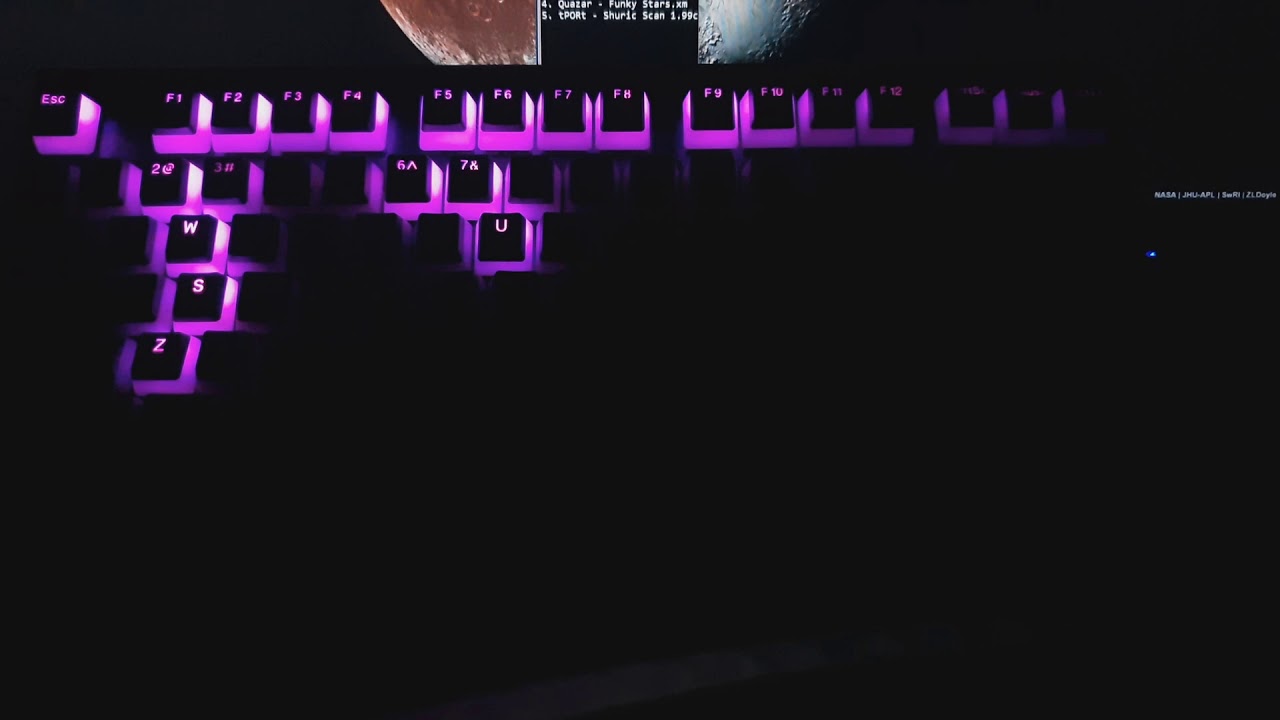 grizzled wolf
WANT
Is this your video?
Also, do you know offhand what CPU the One has in it, @little monolith ?
chilly oar
Quote from Jeroen:
And I think somebody else mentioned the MCU type: ATXMEGA128A4U and it is indeed made with atmel studio
 robust frigate
Hi everyone, I have a question about RGB SDK. How can I get current RGB parameters of a single key?
grizzled wolf
hm....
@grizzled wolf Were you planning to make one?
can't see the video right now, but i think hollow's worked only on music tracker files
I have absolutely ZERO coding experience, so I am ill-equipped to make a spectrum analyzer, lol.
Like, maybe a plugin for an audio player (foobar, Winamp, etc...) that could send equalizer data to the keyboard.
I don't have any time for this unfortunately, but i've .. yes do that a plugin
i was thinking the best idea would be a VST plugin as those are supported with extensions in foobar/winamp and natively in any audio program and OBS
i was thinking a good idea would be to use z to shift key rows diagonally
columns would be z-esc; x-2; c-f1 etc
that makes it 11 columns, so 11 band pass filters
column height is amplitude of each filter output while rgb could indicate what frequencies are more prevalent in each filter's range (more band pass filters inside the filters)
the colours of the whole audible range if displayed by colour and ignoring intensity, usually go in a rainbow-full visible spectrum from lowest frequency to highest, i.e left (red) to right (blue/violet)
the code for all of this is available on the internet
if you feel extra fancy you could find some code for a transient detector, so every time percussions hits you could make the non-column keys light up in white
also have a filter band for the very high frequencies of 10khz and higher, make that trigger keys that are outside of the columns. this is the range of the hats/cymbals and doesn't commonly have anything else in it
code for all of that is readily available as open source
Just in case anyone wants to take up that challenge
robust frigate
yeah, there isn't
I would like to change current color of a key when pressing it
smth like current rgb parms + 50 or smth
 fathom garnet
just save the values when you set them, then you can work with them
robust frigate
that what I was thinking about, but that will be a very large structure :/
and I would also like not to change colors in the beginning to 0,0,0, I would prefer to just read their values first and then work with them
little monolith
the sdk has an internal buffer which gets pushed to the keyboard whenever you call somethingsomething_update()
lofty thistle
that what I was thinking about, but that will be a very large structure :/
~220 keys * 4 bytes for colour? that's nothing
lofty thistle
easier to just use rgba though instead of rgb
but sure, if you really want to save, do it
little monolith
well you don't really have alpha on a keyboard
lofty thistle
you could, however
would just act as intensity of the colour
but now you can just premultiply and achieve the same result
little monolith
still seems like a better idea to me to only store 3 values
lofty thistle
but not if you want to differentiate "grey" and "dim white", which I don't know if this keyboard does
little monolith
efficiency when it is actually required
lofty thistle
as in, would (128, 0, 0) be dark red or half dimmed red? I guess the latter
lofty thistle
very likely, yeah
also, it's probably been asked, but any way to simulate the keyboard to program for it w/out owning one?
lofty thistle
I am half tempted to integrate it natively in GTA 😄
lofty thistle
oh, that looks cool
little monolith
call visualizer_init() in visualizer.dll
and use the sdk like you would normally
lofty thistle
is it on github or anywhere? 😄
little monolith
not really
the code is spaghetti
just needed it to work
i can send you the code if you want though
but be aware
it is bad
@lofty thistle lmk if you need it, gonna get off pc in a bit
lofty thistle
not yet, I'll keep it in mind though
you really should get it finished however and try to have it officially endorsed
assuming Wooting devs aren't working on one on their own atm
little monolith
well i've submitted it to the contest 😛
little monolith
i've wanted to make the code clean but never bothered to
lofty thistle
And since I actually am not a fan of mechanical keyboards I don't feel like spending 150€ to add support for it 😄
lofty thistle
or let me rephrase
I am not a fan of high profile, noisy keyboards
which, as far as I understand, is inevitable with a mechanical one? 😛
feel free to correct me if I'm wrong
little monolith
to be fair linear ones are completely silent
they are going to be only if you're bottoming out the keys
which is also fixable i think
by some silicone thing you put in between of the switches
no idea what it is called
grizzled wolf
o ring?
chilly oar
@hybrid lake When I send a command to get some data I have to call "hid_read" after that in order to get the result, right?
The result data starts with the magic word and two additional bytes (255 & 136) which I have to skip right? Did these two bytes have a special meaning? Did I have to check these values? Are these values are static or can these change?
lofty thistle
damnit, I'd need to open source GInput to make it aligible for a codeit contest 😄 oh well but I could make it separate from the currently existing part
I see
I'll pass then because requiring GTA to test it is a stretch
GTAForums
Hey, whats going on? You plugged in your PlayStation or XBOX pad in hopes that youll be able to play GTA on your PC just like you used to play on the console, and for some reason you cant make the controls work properly? You cant use full possibilities of your brand new, XInp...
Should be trivially expandable to support an analog keyboard too 😄
in the case of GTA III and VC I support a steam version so it would be easy to test
better get that simulator from @little monolith working then since I don't own the keyboard
I also had that running a long while ago
https://twitter.com/__silent_/status/776547628410699780



For keyboard, could steal the idea off GTA V and have F keys flash like a police siren 😄
little monolith
hmu if you want source code
i sent you both x86 and x64 binaries tho so that shouldn't be a problem
all you got to do is call visualizer_init in visualizer.dll
(__cdecl, no parameters)
lofty thistle
cool, can I emulate keypresses with a specific strength?
to show that indeed pressure sensitivity works
little monolith
you can change the analog value on individual keys with a step of 5
lofty thistle
awesome, that will suffice for the sake of presentation
little monolith
by selecting it with your mouse and pressing up/down arrow keys
lofty thistle
just show that the higher the value the quicker the player is running and it's done
lofty thistle
wonder how much tinkering with their keyboard mapping code will require, since right now I don't touch that, only pad stuff
but for that I'll probably need to reverse the code which reads keyboard values and feeds them to game's virtual pads
still not hard 😃
little monolith
tbf you can hook wndproc if you need keypress events
lofty thistle
nah, that's not the issue, game is just processing input on several levels
and it's already storing values in 0 to 255 range so I just need to store a correct value on low level
little monolith
oh, pretty much like csgo then
lofty thistle
and then on a higher level I'll need to account for the fact this value can be anything, and copy it instead of doing if ( value != 0 ) keyPress = 255;
and given how well the game is documented it's gonna be trivial
lofty thistle
no vac bans? 😄
little monolith
and usercmd has forwardmove and sidemove
nah shouldn't be
as long as you use .text hooka
hooks
because i couldn't find any evidence they check .text
well, the integrity of it
that would give them too many false positives
lofty thistle
really
then again yes, you're right
with ASLR you can't expect .text to stay identical between sessions
little monolith
nah .text should always be identical to the one on disk
the location can't be identical
in memory that is
you can't verify the integrity of .data
which you prolly meant
since variables are stored there
the problem is their policy to hooking in the first place
allowing stuff similar to obs to hook anything without even checking the binary's signature (what be does)
be is battleye
battleye basically doesn't allow you to do anything unless your binary is signed
lofty thistle
.text won't be identical because of relocation
little monolith
it will be, trust me
little monolith
.text in memory is the exact copy of the one on disk
lofty thistle
variable pointers are adjusted for relocation unless ASLR is not in place
then again
we're talking x86_64, right?
lofty thistle
I think they don't use absolute pointers in x64 in which case it may not necessarily relocate
but once an absolute address is in place then they get fixed up on load time and in memory they contain only the relocated value
but that's x86, may not necessarily be identical for x86_64
anyway since context closes on 22.10 I can allocate Friday for GInput then 😄
little monolith
there is such thing as the base address of the image
which is hardcoded in the headers
and all of the addresses are relative to that
it is not the loader that blatantly replaces the addresses
because in that case signature scanning wouldn't be a thing
lofty thistle
that's why you skip variables when scanning for patterns though
also, I haven't checked the sdk yet, but are keyboard inputs polled or delivered via events, like winapi keyboard input messages?
I really hope you don't have to poll them since it's a nuisance
also @little monolith
loader uses reloc to fixup offsets as the code segment gets loaded
hybrid lake
@chilly oar The 136 is a succes byte. I'm not sure where the 255 comes from, that should already be part of the resposne
It's structured like: [magicWord (2), responseResult (1), body (123), CRC (2)]
chilly oar
Thx, but the 255 is between the magic word and the response result. So it looks like 2, 2, 122, 2. I find it a little bit strange that there isn't the command ID from the request present.
hybrid lake
Yeah it could be. It's just that there is no parallel communication usually
chilly oar
Normally 😀
lofty thistle
I just realized something
analog SDK support for PCSX2 via a plugin
easy, open source, a lot of games, sizable community - would be universally good rep for SDK's visibility
trail latch
@lofty thistle That sounds like a great idea, you could even map the analog keys to something like the GameCube's analog triggers
Err sorry, PS2, oops. I was thinking Dolphin
Analog movement would be just as awesome
lofty thistle
PS2 has pressure sensitive buttons so yes, there it makes even more sense
hybrid lake
Good idea! We have a contest running now, would be a perfect contender
lofty thistle
Maybe somebody else wants to do it, I'll be busy with my submission already 😀
lofty thistle
Let's get started ^^
@little monolith any updates to Wooting Visualiser or the versoin you sent me on Sunday is fine to use?
lofty thistle
cool, I tested it and it looks sufficient
little monolith
glad it is
lofty thistle
I take it those wooting analog dll and rgb dll are your reimplementations?
little monolith
correct
lofty thistle
yeah, I'd be surprised if you were actually spoofing whatever SDK is looking for
mimicking API is so much more sensible
little monolith
that would just be plain painful lol
lofty thistle
one complaint though, I was hoping I'd be able to "press" and "unpress" the key with mouse wheel
well, "complaint" - more like an usability suggestion
lofty thistle
that'd be on pressing mouse wheel
little monolith
ohhhh
little monolith
i have no idea why i haven't thought of that
lofty thistle
or well, not as opposed to - both can work
but this way you could spoof the keyboard without touching your real keyboard
little monolith
i will implement it, sec
lofty thistle
also this test LED flicker, will it go away if I initialize SDK on my own?
is it just a test pattern?
little monolith
no you just need the dlls
lofty thistle
nice, will test it asap because if visualiser happens not to work with GTA I'll be screwed 😄
lofty thistle
visualiser_init is cdecl, yes?
little monolith
yes
lofty thistle
k
I'll be building upon logiled integration stuff I prototypes around 2 years ago (and never released 😄 ) so should have results super quickly
little monolith
x64
x32
the sdk dlls are the same
you still need to select the key first even to change its value using scroll wheel
didn't bother checking scroll x and y origin
lofty thistle
fucking british vs american english
I was looking for visualiser and wondered why it doesn't work
hmm crashes somewhere inside this func
lofty thistle
Looks like I'm set up :D
https://cdn.discordapp.com/attachments/502200786927747072/502218099722813470/unknown.png
 lofty thistle
Looks like both Analog and RGB SDK are extremely barebones with next to no abstraction... but that's probably actually a good thing
it's nice that it is possible to set entire keyboard's led colour via a bitmap, but I guess it'd be more useful if 4 channels were employed like in Logitech SDK
where you supply a colour bitmap in the same way as to Wooting, but you can filter out specific keys by passing 0 as alpha - so say, I could still use a bitmap if I wanted to update all buttons except WSAD, for example
whereas right now the only way to do something like this is wooting_rgb_array_set_single
little monolith
please note that wooting_rgb_array_set_single is actually a lot slower that it is in the emulator
i did not emulate timings, worthless effort imo
lofty thistle
Sure
What's the best way to set those then? I assume bitmap but like I said no alpha channel limits it's uses
lofty thistle
also why is there no .lib shipped with the sdk? are developers expected to GetProcAddress all the exports?
I'm not sure if I am complaining about nonexistant issues or valid ones, I base those on the fact Dev portal redirects to GitHub and GitHub only has a DLL in Releases section 😄 So I assume devs are expected to fish out only the header file and bind imports on their own
So either a .lib for those dlls should be distributed or the sdk could locate wooting's DLL on its own and then a .lib would contain some code, not just imports - that's how Logitech handles it, for example
they don't provide DLLs, they provide a lightweight LIB which locates their own DLLs from registry and operates on those
I hope this is the right place for feedback like this 😃
little monolith
.lib files require the same compiler/winsdk version iirc
lofty thistle
yes and no
little monolith
dlls are also more universal
lofty thistle
for libs containing code yes, and to be honest I don't know how/if Logitech worked it around - maybe it only works with VS2015/VS2017
little monolith
not everything has a c linker
lofty thistle
but for .libs which do nothing but link a dll, no, those are universal
those libs have pretty much nothing in common, just same extension
little monolith
i see what you mean
lofty thistle
and since they redistribute a DLL and a header, I expect being able to import a lib and just use those headers
and they link
but right now, I need to getprocaddress those on my own which makes function definitions in the header semi useless
lofty thistle
that qualifies as semi useless imo 😄
because it's an extra step you normally wouldn't expect to take
lofty thistle
neither, but it's something which you can expect not to take place when a dll is shipped
as it's implied the game is expected to ship this DLL - as opposed to linking to the one from Wooting software
little monolith
isn't there a thing that you can't launch the app if you have no dll that's linked
lofty thistle
yes, but the way those are redistributed implies they expect devs to ship those with the game
and thus accounting for this dll can be optional
yes it could be nice, tthen you can still continue linking dynamically, of course
little monolith
effectively kills quick sdk updates from wooting's side tho
lofty thistle
yes
little monolith
jeroen wants to ship the sdk dlls with the software
lofty thistle
I just checked Logitech's sdk and they seem to validate the DLL but no versioning is done
little monolith
so it makes sense for the devs to just call loadlibrary on that and check if it's a nullptr
no need to ship the dlls with the game
lofty thistle
but where do you loadlibrary them from then?
that implies you do it from game directory
people are stupid, don't expect them to copy dlls around to game directory to have keyboard support
thanks to Steam abstracting stuff people don't even know what "game directory" means anymore, sometimes 🤔
  if ( !RegOpenKeyExW(HKEY_LOCAL_MACHINE, `_LogiLedInit'::`2'::clsidPath, 0, 0x20019u, &phkResult) )
  {
    cbData = 520;
    if ( !RegQueryValueExW(phkResult, 0, 0, &Type, (LPBYTE)&szPathToDLL, &cbData) && VerifyDllAuthenticity(&szPathToDLL) )
    {
      v0 = LoadLibraryW(&szPathToDLL);
Logitech does this, and it seems to work great
little monolith
can't jeroen add the folder to the path variablr
lofty thistle
LoadLibrary doesn't use those
it'd be a security disaster if it did
If you are distributing static libraries, you may be able to distribute version-independent libraries, depending on exactly what you are doing. If you are only making calls to the OS, then you may be OK. C RTL functions, maybe. But if you use any C++ Standard Library functions, classes, or templates, then probably not.
oh so that's why Logitech's lib links fine with any compiler despite having code inside
little monolith
oh didn't know
lofty thistle
neither
also their SDK opens a handle to a registry key but doesn't close it
triggered
little monolith
pretty sure you can copy the dlls to whatever folder loadlibrary checks
lofty thistle
system32? 😄
Logitech registers this at LGS installation
works perfectly, as then all this .lib does is try to query this key for a path, try to load this dll and then try to import all functions
(beats me why x64 is imported though)
EDIT: Ah, x86 path is in syswow
lofty thistle
and why do both sdk dlls expose hid functions? they aren't documented
hybrid lake
Feedback is very welcome, especially when it comes to usability like this
I just don't have experience with releasing software like this, so any "why is ... not like this?" is a very welcome improvement we can make
They don't expose HID functions right?
We're still changing from game side DLL to client side DLL, that's why there might be confusing information
You're very welcome to suggest how to do it right
lofty thistle
As far as dev website goes, they don't expose those - DLLs do, but it's a minor detail
the biggest issue is binding atm, and github repo does not make it obvious what files you need to "just" use the sdk
as SDK headers and "internal" files are interleaved
I seriously did not know if wooting-usb.h is part of public SDK or a private internal file
We're still changing from game side DLL to client side DLL, that's why there might be confusing information
what's your current plan for this?
hybrid lake
We use the wootility to install and update a DLL. For that we use an installer made with: http://nsis.sourceforge.net/Docs/AppendixB.html
lofty thistle
where is it being installed to, though? system32?
hybrid lake
yes
lofty thistle
Not sure if that's optimal, but I guess it works
it's definitely the simplest as far as the app goes, but then it's up to app developer to handle it gracefully when it's not installed
hybrid lake
Yes, plus it might not be clear for the user when something goes wrong
lofty thistle
it's trivial to work it around from the header file though
instead of providing a header file importing functions directly, it could handle dynamic loading/presence checking
either that, or via a lightweight static library like Logitech did it
and at this point dropping files into system32 is not needed because said library could locate the DLL from Wootility install directory, for example
hybrid lake
Hmm right
so the the game ships with the static library that just does the interfacing?
hybrid lake
right
lofty thistle
alternately, you can still ship a DLL but instead of having any logic on their end you'd just interface with wootility DLL
so the DLL in game directory is just a thin layer between the game and "main" DLL
that allows for fixes on your end without nagging devs to update their DLLs
aka same way Steamworks API works, steam_api is just a very thin layer between the game and Steamclient.dll
albeit with a versioning system as they sometimes change apis
plus, same thin layer can just handle things gracefully when "main" DLL is not found, just don't call stuff and return error codes - so basically same way it seems to be now, but without all the concrete logic present in this DLL atm
as if you found a critical bug in this logic then you can't enforce devs to update the DLLs they shipped with the game
The downside of that is that you'll need to keep ABI compatibility so future DLL updates don't break older applications 😄
hybrid lake
Yeah I see how that can get difficult fast
Thanks for the info
I think for now we'll stay with what we have and make sure to reflect it in the github docs
Then once the dust is settled on the API we can provide the interfacing library
I think we won't be able to avoid breaking changes in the interfacing at the start
lofty thistle
yeah, not sure how to solve that one
what Steam does is it uses a volatile api to communicate between game and steam_api, that can change frequently without problems
then steam_api and steamclient communicate via versioned interfaces, so steam_api requests eg. api version 001 and uses that to communicate
then once a breaking change is introduced on that channel of cmmunication, api version 001 stays untouched and 002 gets introduced, and newer steam_api.dll versions communicate with that
and so on
I see Logitech did not bother with anything like this, they either accepted breaking changes or were super cautious about not making any - because there is no versioning on LGS - game communication
hybrid lake
I see
We'll just see where the feedback on interfacing and working with the SDK takes us first. I do see the need of proper versionning
The thing I want to avoid the most is having to rely on game developers update something
lofty thistle
I'm here at all times and I can cross reference things with other game developers
Once I'm done with my contest submission I can assemble my feedback on the api in a document @hybrid lake
chilly oar
I still would prefer an API based (RESTful) interface in the wootility itself, so every other application has to talk to the wootility. So no game developer has to struggle with some changes that happen over time (like changing the usage IDs and so on) and with a good versioning that still support older versions there are no problems.
The other benefit of this is that there are no problems by using multiple access to the keyboard.
lofty thistle
COM style interface would be easiest to version
But may not be trivial to bind to other languages
 raven walrus
Hey everyone I'm trying to get set up in to develop a wooting one I recently got but I'm new to this sort of developing and I'm struggling. I'm on a MacBook Pro and have cloned the SDKs but I am not able to use them. When I run the examples to see how they would work npm yells at me. I'm also curious as to how I would create my own projects. Is it enough to just include my project in the repo directory and run it from there or do I have to follow more steps to get the libraries working. I was taking a look into DLLs but it still kinda goes over my head. Any and all advice is welcome 😃
lofty thistle
not enough info, what are you even trying to develop with what tech?
wet knot
I don't think the sdk works for MacOS
raven walrus
I just want to start by customizing the board RGB and try to see if I can make a program that can read when my phone gets a notification and have the lights spell out the name of whoever called. I'm just working on it to learn.
wet knot
Well, you can use wootility for rbg ofc, as for phone notifications that's a cool idea
However I don't even know how to download the sdk let alone use it xD
So hopefully a founder can help out
lofty thistle
hmmm, wonder if LED matrix resolution is high eonugh to display anything which eyes would recognize as an image
assuming it'd be for Wooting One, that means a 17x6 grid is available... that's not a lot

This is an easy to load profile I found in the Corsair forums. http://forum.corsair.com/forums/showthread.php?t=133248
probably the only ever thing which could be perceived as an image 😄
raven walrus
My bad guys I had class. I'm studying computer engineering so I know the basics but I haven't done very much with hardware. I'm trying to do this as a hackathon project this weekend. My other experience has been with app development or cloud stuff. As for the lights I figured that would be a problem.
lofty thistle
not at all, it's just an api... you don't need to think that it's interfacting with hardware at all
raven walrus
Right but I'm not sure how to get it all working. If I could get the examples to work I could piggy back off those while I get the hang of it but I keep getting some errors with the ffi and other deprecated values after I run npm install
lofty thistle
oh so you're asking about node, no clue on that one so I'll shut up
raven walrus
Right because that's how the dev portal sets up the examples but if you have any other advice for being able to use the SDKs I'm happy to learn new stuff. I know during a recent livestream Jeroen used TypeScript to integrate some Hues lights so I'm also looking into that
chilly oar
@raven walrus If you are interested into the language C you can look into my mini project under https://github.com/Rocky04/WootingOne-ProfileChanger where I use the source code of the RGB SDK.
GitHub
Changes the active profile to the given id. Contribute to Rocky04/WootingOne-ProfileChanger development by creating an account on GitHub.
The command list for the RGB interface is pinned on this channel, but some commands need parameters.
raven walrus
@chilly oar Wow that's great! I'm looking to something similar. I'm guessing I won't be able to do this without Visual Studio.
chilly oar
You can do it without Visual Studio, but I recommend it. All the dependencies are handled in the Visual Studio project file and it's configured for Windows anyway, you have to change some dependencies in order to run in under linux. But you can use Visual Studio for free, as long it's not commercial.
fathom garnet
well in the end it's just text, so you /could/ do it with the basic notepad 😛
clear hedge
@fathom garnet http://gph.is/2efKpdD
 fathom garnet
I've seen my lecturer use notepad quite often actually, mainly for C or HLSL because his visual studi was bugged and wouldn't display the file 
chilly oar
When I do it right you just have to run the github command and open it in Visual Studio and it should work just fine.
Under Windows
But I don't test this 😦
So if there any problems, just let me know
raven walrus
I use VSCode and compile with the terminal for C but I'm not sure how to handle the DLL like that. I think that's the issue I'm having when I try to run the examples. Does Visual Studio build the DLL?
chilly oar
I don't use the DLL, I just use the source code.
raven walrus
I was going to try just having my code in the same directory as the source code of the SDK and hope that works lol
Oh interesting
chilly oar
No, you have to handle the dependencies in a correct manor.
You code under windows right?
raven walrus
No I'm on a mac but I'm willing to dual boot if necessary
chilly oar
You need at least to include the header for the HID stuff ("hidapi/hidapi.h") with the right source ("hidapi/mac/hid.c"[for mac]), the basic wooting stuff ("wooting-rgb-sdk/src/wooting-usb.h") with ("wooting-rgb-sdk/src/wooting-usb.c").
fathom garnet
imo besides web/iOS/mac stuff you should not code on mac os because it's just so risky to run into an error with VSCode because it's not completely done and you barely find any help or tutorials
chilly oar
And under windows I need a special lib too ("Setupapi.lib") to link against.
At the moment I work, when I have time for it, on a little advanced hardware layer for the keyboard.
So you can send commands and get the response from it.
 round rivet
@fathom garnet wow, the statement you made is just wow.
fathom garnet
I mean that's just based of personal experience with it
maybe I just got really unlucky multiple times, but that's why I said it's my opinion, not a fact
round rivet
VScode is nothing more than a convenience tool. It ‘glues’ the tools that you already have in the system. Provides syntax highlighting and other handy stuff for coding.
If you don’t know how stuff works; it’s sometimes best not to give advice to others; other than: “had a bad experiece with VScode vers.N on system A while doing B” vs “you should not code on system A”.
But it is always nice if you are involved and try your best to help :)
fathom garnet
.. great discord deleted my reply that I typed out. Too tired to type it again so tldr: I prefaced it was on my opinion which was based off of mine experience and the same issue couple of other people I know had and think so because other stuff makes it easier which leads to faster learning/getting used to stuff etc. Maybe I worded it poorly but I know how those tools work
round rivet
Great. We both voiced our opinions. We can be happy now ❤
lofty thistle
When working with native analog SDK, are Windows messages for key down/up still submitted? I guess I should not assume they are not
unless Wootility auto-switches profiles when it detects SDK is used?
chilly oar
Yes, it don't effect the normal keyboard behavioral, it uses an other interface. So if you use the digital profile it still send normal keystrokes.
lofty thistle
right, so I should make the game ignore winapi messages for keyboard input then
or else they'll be clashing with analog sdk - probably only for one game tick as next tick it'll be overwritten by analog values anyway, but why take the risk? 😄
chilly oar
You can send a command to disable the keys too but I would not recommend this.
chilly oar
Not in the normal analog SDK
lofty thistle
yeah, I take it as a no, then
hybrid lake
Wootdev, I'm looking for some advice on something
There's some docs about the commands and reports we use for the keyboard floating around and I would like to open it up to facilitate more applications like the game detection
I'm thinking about setting the USB configuration part of the wootility up as a server, but I'm not sure what the best route would be
A localhost with REST API is one, but I want to ask you girls and guys for other ways
 topaz pollen
a named pipe maybe?
chilly oar
A other short way is to extend the possibilities to the SDKs. I'm currenty working on this, to have a more featured universal basic hardware layer which can be used to do things. Like I plan to add a send_feature_with_respond function that handles the CRC too and a send report_report function. I'm thinking about a automated differentiation too, so it automaticly provide the result if the command has a response, like any get command. I don't like that the analog SDK and RGB SDK share the basic code for the hardware layer, I think it would be better if booth SDKs require the same outsourced hardware layer.
I like the REST API the most but this adds maybe a delay to it, I think. Otherwise you can use other interprocess communications like shared memory and so on (pipes, ...).
lofty thistle
named pipe sounds good, yeah
hybrid lake
They don't share the same basic code @chilly oar , it's a different interface. The only thing that they share is sorting for the right interface, which is not very robust in the first place. Plus we need to keep a split to make sure the analog SDK is not only usable with wooting logic.
Plus for the hardware layer it's better if the wootility controls it, to avoid commands conflicting with each other
This config server would then be able to replace the RGB SDK
chilly oar
The different interface is just one different setting, the (general) logic behind it is the same.
That's the reason I recommended to put it in the wootility in the first place.
hybrid lake
I agree, but I just recently got around to reworking some of the wootility USB logic
The general logic is not the same, there is no command & report structure in the analog sdk
Wouldn't named pipes be troublesome across different OS's?
chilly oar
But only because it's not needed. I want to write a general layer which can be used for everything, regardless of the use, so someone can change RGB effects side by side with getting the analog values.
To handle multiple connections in only one module.
lofty thistle
Scancode 45 is repeated twice on keyboard matrix, is this intended?
one as ISO key and another as \
lofty thistle
Expected size is 6 row * 21 columns * 3 colors per key = 576 bytes.
6 * 21 * 3 = 576??? That doesn't sound right 😄
chilly oar
It's indeed 6 rows, 16 columns (W1) or 21 clomuns (W2), it's nothing on the PC side but on the MCU.
The scancode 45 should be only the "\" key on ANSI.
https://github.com/WootingKb/wooting-analog-sdk/blob/master/resources/keyboard-matrix-scan-index.png
GitHub
Easy access to Wooting keyboard analog values #WootDev - WootingKb/wooting-analog-sdk
lofty thistle
notice "ISO" key has the same scancode
chilly oar
Ah yes, you are right.
lofty thistle
also, right now I see I wish there was a function to convert between (row,column) and scancode... of course I can handle it on app side, but SDK probably has this info close by
still, a map won't be too bad
lofty thistle
ah yes, you're right
right, think that's all I wanted to prototype... analog and RGB are both working as expected, albeit only with a simulator
chilly oar
You can share it here if you want, maybe someone will test it for you.
lofty thistle
I prototyped on GTA SA which means it's not going to work with a Steam version 😦 but sure
anyone who is modding that game and has half a brain has downgraded to 1.0 anyway
chilly oar
I don't play the games, so I don't know what you are talking about 😅
I thought valve supports modding for games, because of the workshop thing and so on...
 fathom garnet
valve supports stuff, R* ..... yeah not really
lofty thistle
I'd rather have no support than their """support"""
fathom garnet
but would you want their support or rather them going after mods
but yeah, them just ignoring all would be nice
lofty thistle
so let it just stay as is where they don't give a single fuck
If anyone feels like testing it, GTA SA 1.0 version only 😃
lofty thistle
<@&375234916776017933> If wooting_kbd_connected is called too often, both wooting_read_full_buffer and wooting_read_analog pretty much break
little monolith
he will
lofty thistle
sure I will, running tests on a real keyboard right now 😃
just noticed this being somewhat of a counterintuitive behaviour
lofty thistle
\o/
is there gonna be an e-mail confirmation that it's been registered or anything?
wet knot
nope
lofty thistle
too bad, as now you're just hanging on a thought that maybe something went wrong with submission details 😄
of course, but what if I had a typo in an e-mail or a wrong download link - now I'll never know 😅
👍
Are self hosted download links fine? I hope they are
but technically they allow swapping files after contest deadline
good, good
well, file swapping is possible but let's say file timestamps are good enough for this
little monolith
@lofty thistle psst, you can change ntfs timestamps 👀
lofty thistle
why do you think I said "good ENOUGH" and not "perfect" 👀
little monolith
i'm hinting towards you doing that 👀
lofty thistle
you know I don't need to refine this submission, you tested it
critical bug discovered in 3...
 lofty thistle
hopefully you don't judge by ease of installation either because it's not working with a steam version out of the box 👼
little monolith
to be fair most of the sa mods don't
lofty thistle
true, I'm probably the only one ever to bother with Steam (SP supports it partially)
Yep, I have linked two in a form
great 😃
hybrid lake
The ISO key next to the enter is a tough one. For USB HID it's just the same key as the "\ |" above the enter. For our keyboard scanning it's also the same key, which is why they're both 45
But for consistency with RGB effects I doubled the key to it's actual position
But recently I'm thinking to only keep the ANSI variant, since two 45's is hard to map
lofty thistle
The one next to Z is tough too, in my case it's doubled as \ but that doesn't seem to be always the case - I just left it unmapped for now
hybrid lake
True, but for the keyboard scanning and USB standard that key is an actual separate key
It can get even more complicated with japanese layouts: http://blog.wooting.nl/the-ultimate-guide-to-keyboard-layouts-and-form-factors/
lofty thistle
Oh, speaking of - do scancodes change between layouts? I hope they don't
I hope scancode for Z on QWERTY layout is same as scancode for Y on QWERTZ
hybrid lake
They don't
lofty thistle
that's good 😃 they are scancodes after all
hybrid lake
layouts are handled in the OS actually
lofty thistle
yeah, SDK should stay on low level like this, though I do wonder if it's possible to map analog press values to virtual key codes atm
I can't imagine any case where user would need that info specifically though
actually for GTA it would, because they stupidly operate on virtual key codes and not scancodes 😐
lofty thistle
Oh I figured it out, once I map a Wooting scan code to a "real" scan code (as I don't expect them to be same) I can get an underlying virtual key code and an underlying character just fine 👍
hybrid lake
Yeah I think it's hard to avoid some sort of mapping, because doing so in the SDK will make it harder to change layouts in the keyboard
I'm looking forward towards your usability improvement suggestions btw. I played around with the SDK in C++ last weekend and it was a pain tbh
lofty thistle
Eh, wasn't as bad as I have expected, kinda annoying to be unable to work with lighting via scan codes though
Analog supports both, why wouldn't rgb support both too?
And mapping is fine, considering you could map it in constant time + cost of MapVirtualKey
hybrid lake
For RGB batch operations I thought 2d array indexing is more convenient
lofty thistle
Sadly it requires even more mapping once you want to have it adjust to user mappings
hybrid lake
For analog it's probably too, but then the buffer layout would be something like [row number, column number, value, row number, column number, value....]
lofty thistle
Let's say I highlight WSAD but users can remap it - so I need to translate from game indices to scan codes and to (row,column)
Plus when you're operating on a pair you can't build a switch on top of it conveniently
Both make sense in different use cases imo 😉
The biggest issue I had so far was _connected() causing read_full_buffer to misbehave, worked fine in a visualizer but on a real keyboard it'd always return 0 inputs read (not -1)
I think for my problem of scan codes and other codes I'll build an array of { Wooting_scan_code, Windows_scan_code, (row, column) } and index it in such a way so I can binary search by any of those - should be sufficient to satisfy all needs
lofty thistle
Voting allows for only one media per submission? Looks like it does
clear hedge
yeah, it does (ignore, my brain farted here, wrong info)
lofty thistle
Not sure if I prefer the one included or the other one I recorded 😀
clear hedge
oh, idk if Tino can do it now as it has started, but you could ask him to add a new one to your submission
lofty thistle
nah it's fine, I'll just modify vid's description to cross link each other
lofty thistle
@hybrid lake you asked, there it is - https://cookieplmonster.github.io/2018/10/25/wooting-sdk-thoughts/
I think I got it all, if not I'll add more to the list

Silent’s Blog
After having used Wooting SDK in a “real” project, some things which I wish were handled a bit differently.
trail latch
@little monolith are you hosting the source for your simulator publicly? I'm using it to test my Rust bindings and it's great! I was wondering if there was a way to change the analog values per key since it's in the UI for testing purposes but I couldn't figure it out.
little monolith
@trail latch left click on the key and use up/down arrow keys
the analog part has a bug, i'm going to upload a fix tomorrow
and no, i don't want to share the source code just yet
trail latch
That was the first thing I tried
Okay, it seems to be working now. There seems to be a update glitch
Where sometimes events just don't get through
Anyways, it works. Thank you for your hard work, it's really nice to see that my code works without my keyboard being received just yet.
lofty thistle
Can confirm, you can make a working product only by using this simulator ^^
hybrid lake
Thanks for the feedback, it's very helpful
hybrid lake
I'll take a look at it again this weekend when I have some more time
lofty thistle
Oh yeah I knew I forgot about something, but it's a hardware related complaint
It's a shame that Space bar is treated as a single RGB segment ^^
If it was separate, then there'd be 5 full lines to "write" with and a Function keys line as "emergency"
lofty thistle
that said, it's just an idea which I don't even know if it's viable from engineering perspective
 sterile plover

GitHub
.NET wrapper for Wooting's RGB and Ananlog API. Contribute to AviiNL/WootingNet development by creating an account on GitHub.
 placid ledge
@sterile plover https://github.com/simon-wh/Wooting.NET 🤔 🤔

GitHub
Wooting RGB control and Analog Reader .NET wrapper - simon-wh/Wooting.NET
wet knot
Awkward
lofty thistle
@hybrid lake do you know if Wooting's analog keys could be read via RawInput? Would be nice if they could, actually
hybrid lake
I'm not sure. I remember looking into it before, but I'm not sure if there are any things I need to define on a firmware side
If I look at the msft docs it should "just work"
 vale tundra
hmm I just bought that game you advertised as being wooting compatible.. That was a quick refund on steam, it did not react to keyboard input at all, not even when I disconnected the wooting and only used the other keyboard.. I guess it's early access and all but somehting was not quite right there.
hybrid lake
Let me contact the dev for you about that @vale tundra , they should have implemented it already
vale tundra
I wrote in the refund request message that it would not work with any keybard, including the wooting one. I don't have time to fiddle right now, I can always try to buy it later again.
wet knot
That will be a client side issue.
vale tundra
if "client side issue" nonexistent error hanlding or something similar, sure 😃
vale tundra
I have not started experimrenting with the sdk yet myself but i just downloaded https://github.com/microdee/WootingPiano/releases/tag/0.2 and it too seems not being able to configure itself for the wooting one.. HID status is red

GitHub
Proof of concept virtual MIDI keyboard for Wooting One mechanical keyboard with velocity and aftertouch - microdee/WootingPiano
I have no expertience in debugging HID or USB in windows and do not have visual studio installed now so I cant start diagnosing this much myself right nowe
ook, in this case it seems like its the beta "'enable tachyon" feature which messes it up.. It seems like detection of the keyboard happens but not whatever should happen after that
I'm pretty sure I treid to disable tachyon with the game yesterday though, I went through a bunch of settings in the configurator trying to find if some setting would make any difference. The problem with the game is that it didnt give any diagnostic information about failing at all.
 outer sonnet
little monolith
outer sonnet
little monolith
yeah and 6*21*3 is definitely not 576
 jade drum
Does anyone know what the minimum keyboard FW version is for the RGB SDK to work?
wet knot
Good question.
little monolith
why does it matter though
 green coral
jade drum
green coral
jade drum
Because it doesn't work for me
vale tundra
has anyone adapter the wooting sdk code for linux yet? There seems to be some microsoft specific macros and struff in the code which is published right now
maybe it's a quick edit but I would like "official" support.. Maybe creating proper makefiels for all platforms, AFAIK CMake is maybe the easiest path to get there (?)
vale tundra
the only thing I am actually interested in initiallly is to have a small utility which just shuts down all key leds when my linux starts and leve it like that.. I normally run games under windwos and have another keyboard to type on so lifting the keyboard cover and selecting my black profile on the wooting is kind of an irritating procedure..
round rivet
@vale tundra I took a stab at it with CMake, cross-platform (C++ using hidapi library directly). But there was/is an issue with composite HID devices on Linux and hidapi-lib.
vale tundra
hmm ok, maybe I can make some time to fiddle with it as well next week end
jade drum
Hacking out the MS macros in the official one does enable it to build, but it doesn't actually work
round rivet
Any other way to pick the right one (for those times when you can't use the interface number; looking at you usage page)?
Usage page 4919.
Product WootingOne.
Manufacturer Wooting.
Serial number .
Path USB_03eb_ff01_14110000
Interface number is -1

Usage page 1.
Product WootingOne.
Manufacturer Wooting.
Serial number .
Path USB_03eb_ff01_14110000
Interface number is -1

Usage page 1.
Product WootingOne.
Manufacturer Wooting.
Serial number .
Path USB_03eb_ff01_14110000
Interface number is -1

Usage page 1.
Product WootingOne.
Manufacturer Wooting.
Serial number .
Path USB_03eb_ff01_14110000
Interface number is -1

Usage page 65535.
Product WootingOne.
Manufacturer Wooting.
Serial number .
Path USB_03eb_ff01_14110000
Interface number is -1

Usage page 12.
Product WootingOne.
Manufacturer Wooting.
Serial number .
Path USB_03eb_ff01_14110000
Interface number is -1
Yeah usage page is a better idea. I think we need to use a different USB library on linux for it though
hybrid lake

GitHub
I have a Honeywell 1400g barcode scanner which identifies itself as: Vendor Product Serial 0x0c2e 0x0b87 17338B352C It has two endpoints: Endpoint 1 Endpoint 2 UsagePage -116 140 On Windows and Mac...
round rivet
@hybrid lake Yeah, I am aware of the issue. Interface number currently works for me on Linux. I want to plug a workaround using ‘usage page’ values for macOS.
What I want to know is which usage page correlates (if it does) to which component?
hybrid lake
65535 is the analog interface, 4919 is the configuration one used for RGB
round rivet
Thank you.

 lethal garnet
What sorcery is that
round rivet
@wet knot replied.
 pliant carbon
I have to perfect it
 wide nymph
Curious!
 cerulean gale
Hi guys, any Wooting employees in here? Have a great (I think) idea for your next keyboard project 😃
There was this amazing keyboard back in the late 2000s that everyone loves, and the company stopped making it, and tons of people want it back... 5 year old used keyboards selling for 500$ on amazon
An updated (and super cool looking) version of this keyboard, with the analog switches on the left hand pad, would be killer!!!
I would buy one 😛
and they made a stand-alone pad with similar design too
Then, Steel Series bought the company, and stopped manufacturing the keyboard after a few years, like idiots.
that awesome left hand pad, with your analog key design, that would be amazing.
 hardy willow
damn this scream 90s/early 2000 lol. Quite bulky if you ask me. A separate keypad for macros could be nice (I can add to your example stuff like the logitech g13 or the razer orbweaver) but quite a niche imo
wide nymph
@cerulean gale post should be in #archived_feed_us_back and will continue thread there.
cerulean gale
ok 😃
wet knot
Didn't someone make an audio led visualiser
Pretty sure you made one @little monolith was it the same as the contest one?
little monolith
i'm pretty sure i didn't submit mine to the contest
it only worked with my tracker music player, though
wet knot
Ah, I just remember a video
grizzled wolf
has anyone tested how quickly can you change the RGB colours per second?
thinking of making that audio visualiser as a vst plugin, which means it is possible to make it work reliably with anything
 midnight gate
So this is dev channel ... i have a weird request 🤔
I like those Pointing Sticks. They allow me to keep my fingers on the homerow and use the 🐭
Any chance of integrating something like it in wooting three ? ducks
grizzled wolf
got the example to compile and found a place to stick wooting rgb code into
little monolith
@grizzled wolf around 20 times a second from my observations
grizzled wolf
@little monolith is that per key or total?
little monolith
total I guess
grizzled wolf
oh
:c
have to think real good how i want this to look then
I guess an old-school 10 filter spectrum display should work best
gah this is too hard i need juce or something
grizzled wolf
ok got juce, but lunch break is over :c
little monolith
@grizzled wolf i mean 20 all key color changes a second
like, you can update the entire keyboard 20 times a second
a bit more than 20, actually
midnight gate
@meager seal yes, sorry. Dreams man. Just a dream 😉
fathom garnet
 how
how
grizzled wolf
you have all this energy and inspiration
but then by the time you get home you want to leave what ever you had planned to the weekend
fathom garnet
we seem to have very different mondays
grizzled wolf
did someone get a bad case of the mondays?
fathom garnet
I mean I never have to get up early on saturday/sunday, monday that can happen a lot more 
 ocean hatch
Is there a resource to begin with Wooting RGB and xinput stuff?
ocean hatch
thanks :)
 short flume
Hey guys, merry Christmas everyone. I had some free time and made a snake game in python that is displayed your Wooting, using the analog keys to control the speed of the snake. Maybe you have some free time over Christmas to try it out, post some feedback and your high-scores. https://gitlab.com/_brady/snake-for-wooting includes the source and a link to a standalone exe-file that should work without any further dependencies. I also made and used a small python wrapper for the wooting SDK that makes it easy to use all the SDK functions https://gitlab.com/_brady/woopy

 hearty yacht
Dope stuff
wet knot
Pretty cool
wide nymph
@short flume you the boss, when I get the time I’ll give this a shot.
Upcoming weekend probably
 wanton owl
hay guys, i just downloaded and compiled the source, is their any "hello world" program i could look at?
wanton owl
i just realized why i didn't see the examples
the page button is at the left but their is no "next page button" at the bottom of that page
wanton owl
hay i'm having couple issues installing the dependencies, it said i was missing the module "ffi" when i tried to run the example, so i tried to install it but i got some errors, i figured i just had to install the dependencies for that but i also got errors all the way until i got to npm install --global --production windows-build-tools which appears to have no dependencies
grizzled wolf
@wanton owl did you figure it out?
wanton owl
no
i have no clue what i am missing
i could send you the log files if that would help
wanton owl
some how i feel this would be easier on linux
grizzled wolf
it probably is
clone something from here instead https://github.com/search?q=wooting

GitHub
GitHub is where people build software. More than 28 million people use GitHub to discover, fork, and contribute to over 85 million projects.
i can link mine (visual studio, c++, windows (10) sdk), it's so bog-basic it might as well be a hello world https://github.com/tyuioo/WootOSC/tree/master/WootOSC

GitHub
Wooting API to Open Sound Control bridge. Contribute to tyuioo/WootOSC development by creating an account on GitHub.
 quiet root
@wanton owl did u install microsoft build tools?
quiet root
no not via npm as in the software
wanton owl
no?
quiet root

Microsoft Download Center
Microsoft Build Tools 2015 bietet die wesentlichen Tools zum Erstellen verwalteter Anwendungen.
psure u need thís
i mean since i already had VS before using node and js it just worked out of the box for me
never had to install anything via npm or so to make node-gyp work
but i also agree its easier on linux
and ya it seems u require what i linked and python 2.7.x for node-gyp to work
 limpid bear
Does Wootility have some sort of js tie-in (or something like that), or do you just have to use the C API?
Hmm I see
I'll look into that
Is there any documentation on how the wooting communicates as an HID device?
limpid bear
If I can get that, I know what I'm doing for the next two weeks
little monolith
yes, there is
GitHub
Easy access to Wooting keyboard analog values #WootDev - WootingKb/wooting-analog-sdk
limpid bear
:O
quiet root
theres also a node wrapper
limpid bear
I saw that one, too. Was sad when js but not client side
limpid bear
just out of curiosity, does anybody know what the PID & VID for the wooting two will be?
limpid bear
@quiet root I mean client size in terms of websites, which I'm gonna assume ISNT what the node wrapper is for lol
I'm gonna try and see if I can make a browser extension that'll add some wooting functionality
that's gonna be hard tho considering I don't actually have a wooting yet
quiet root
not even sure if u can do it since u cant access the dll files
limpid bear
chrome has some stuff to interface with HIDs, so I'm hoping that's all I need
if I could get it to run off of the dlls, then it would be ez cuz I could use hollow's emulator thingy
rn I'm trying to decide if I should try to do a faithful recreation of the official wooting sdk, or a more js based "listener" type of thing
limpid bear
another question, in the documentation for the sdk, it says that wooting_read_full_buffer() only returns up to 16 pressed keys. Is that a hardware limitation (a 16-key rollover) or a software limitation?
quiet root
afaik we have n-key rollover which would suggest no limitation
limpid bear
so I built the whole thing
test it
"HID can only be used in apps"
turn it into an app
turns out apps can't communicate with webpages
what do
chrome makes me really sad sometimes
limpid bear
If I can't make the API, I might at least be able to make a chrome app
quiet root
i mean
there is a webside which interacts with xbox controllers etc

A web-based gamepad display for representing visual gamepad input in streams or recordings, along with a plethora of customizable settings.
maybe check their source code out and see if u can adapt it
wet knot
limpid bear
unfortunately they both use nagivator.getGamepads()
looks like using that class, I can get access to audio/video, midi, controllers and battery
but that's it 😦
nvm hold on there's a "usb" subclass
hoh hoh hoh this looks promising
wet knot
What am I looking at
limpid bear
every usb device on my computer
but CHROME is telling you
and with that:
more or less finished, now just have to wait and test it
I say "finished", but what I really mean is I got it to work up to the point where it tells me there's no keyboard connected
it's all faithful to the original SDK save for wooting_read_full_buffer(), which takes no arguments because javascript
and wooting_kbd_connected() which gets an extra feature
if it all comes together, you run wooting_kbd_connected(), then chrome asks you to select your wooting keyboard (like the second image above), then it sets everything up so that you should be able to run the functions like you normally would
only works on Chrome and Opera as of rn tho, possibly Firefox in the future (if they decide that documenting it as a feature, but not actually having it available in the browser is pretty stupid)
I should also add a check function for being in either chrome or opera
limpid bear
probably will add listeners if I feel like they're important or no
fathom garnet
in short: allows chrome/browsers to acess your wooting so there can be cool stuff done where you can make use of the wooting features
 frosty bluff
might be neat with vivaldi keybinds
fathom garnet
maybe even Edge now that they switched 
limpid bear
if they choose not to disable the usb api thingy
apparently it's super vulnerable to exploitation
bruteforcing random stuff you have plugged in, like your phone
thats why firefox doesn't have it enabled
chrome says you need to have it on https to use it at all
fathom garnet
you think Edge has something disabled just because that would make it safer? 
limpid bear
I had it running on file:/// and it worked, but maybe that's by design too
I mean yea sure
look at the potato that was ie
literally couldn't even website
fathom garnet
🥔
limpid bear
it uses the same thing as the gamepad api, and that's supported by almost everything
so it probably is just a matter of security
🤔
wide nymph
@limpid bear very cool, keep us informed and if you need support let specifically Jeroen know.
limpid bear
Will do. Chrome was very unspecific about drivers interfering, but I'm hoping it all comes together nicely 😁
Otherwise I'll need that hand
short flume
@limpid bear You might want to check this Wooting emulator project https://dev.wooting.io/spotlight/sdk-visualizer-emulator-by-hollow/ to test your code before you get a real Wooting.


 limpid bear
yea I saw that one before. It uses the DLLs so sadly it doesn't help me 😦
limpid bear
https://github.com/Mexican-Man/wooting-analog-js-api/tree/dev up on github now. hopefully it's not actually too broken when I get to try it out

GitHub
A vanilla JS API for interacting with the Wooting keyboard in supported browsers - Mexican-Man/wooting-analog-js-api
little monolith
even worse - my project only has the main rgb/analog SDK functions implemented and it's nothing more than that
so it just wouldn't work for testing something like that
limpid bear
I'll probably also throw up a github pages thing with a virtual keyboard, then have it show some RGB values
based on how much youve pressed down the key
limpid bear
does someone with a wooting wanna do me a favour?
go to this site, connect your keyboard, press f12 and tell me what happens
wet knot
Gimmi few
limpid bear
Screenshot with console would be most helpful 😁
limpid bear
Oof in peace
Alright
Danke
I'll get something else for you to run for me in a min so I can fix that
limpid bear
I have it filtered by vendor id
so either chrome is being broken, or I have the vendor ID wrong
which would also be a surprise, so this one's a gamble
limpid bear
shouldn't be. I'm rigging together a thing you can run, then we can see whats up
limpid bear
run this:
navigator.usb.requestDevice({
                filters: []
            }).then(selectedDevice => {
                console.log(selectedDevice.vendorId);
    });
everything should show up there
wet knot
on what
wet knot
Unkown device from intel corp
limpid bear
ah it did that for me a few times
maybe there is a setting one sec
ok I lied, when you run it, make sure you're on a page that's https
limpid bear
hm
try just selecting a random device, connect, then try it again
that's all I can think I did
wet knot
there is no device to connect lol
limpid bear
the intel thing?
limpid bear
weirdddddddddddd