#🔌│tech
1 messages · Page 879 of 1
 shadow minnow
 fickle ore
how do you fit a ram into pc? no wonders fans have no space to spin
 frozen anchor
Quite an impressive feat
shadow minnow
Can you actually like help me? 
frozen anchor
If I knew anything I would lol
 ashen spindle
let me guess, different second stick of ram?
shadow minnow
Same speed but different stick
fickle ore
kekw
ashen spindle
lul
shadow minnow
It is in different channel
ashen spindle
issue found
 crimson wigeon
Press the memOK button
shadow minnow
And same capacity
shadow minnow
Press the memOK button
@crimson wigeon where is that?
crimson wigeon
On the motherboard, may or may not be Asus exclusive
frozen anchor
R I P
 reef patrol
Take out the 2nd stick of RAM.
Hop into BIOS. Disable XMP.
Then plug the 2nd stick bac in.
shadow minnow
Ok
fickle ore
if that doesnt work, take the ram out of the bios and butcher it for meat
reef patrol

shadow minnow
What If it is already disabled? @reef patrol
reef patrol
Then helping Y'all is going to be complicated. 😄
Most likely the two sticks are not identical enough to run at the same time without tweaking.
ashen spindle
^
shadow minnow
But there is another problem. It shows xmp as disabled but shows that ram runs at 3200mhz
crimson wigeon
Then put it as slow as possible
reef patrol
Then XMP is either actually still on, or it's been manually overclocked.
The "easy" solution is to default the entire BIOS and pray it doesn't mess up your boot settings 😄
ashen spindle
3200 is still jedec standard could be normal rates
ashen spindle
¯_(ツ)_/¯
shadow minnow
It booted into bios @reef patrol with frequency set to 1600mhz.
reef patrol
What Mhz are the sticks rated for?
Sticker on them usually reveals. As well as timings. 16-11--11-11 something.
shadow minnow
I think one stick is 18 one may be 16
Strange thing is that it booted with one stick which was already there at 1600 MHz and another new 1200mhz @reef patrol
ashen spindle
my old pc has a whacky ram setup, 2 sticks of 2 and one of 4gb lmao, worked without issues, but I wouldn't recommend mixing random sticks, it can just work, sometimes it just won't for a reason you never find out
best hope is to have it run as close to stock for both, with the better stick matching the worse one's default settings
shadow minnow
It shows one ram at 1600 and one at 1200 (so 3200 and 2400) even though frequency is set at 3000mhz
Manually
crimson wigeon
We'll see... next week-ish
 zenith sonnet
Might order first batch then instead of waiting 3 months 🤔
Not sure if the same applies for Zen 3 that applies for Zen 2 though
Chips that we're made a several weeks after launch boost much better
Both my 3700X's do 4.4 GHz stock on all 8 cores
Launch samples generally didn't
Did anyone try CTR yet?
frozen anchor

ashen spindle
So I guess rip AtomPalm already? Lmao
Who was looking forward to the atompalm? Probably @fickle ore
frozen anchor
well atompalm will probably still beat the razer mouse in weight and maybe latency but idk if thats gonna be worth buying a probably really expensive mouse from atompalm
ashen spindle
True, razers looks a bit more than 45g but who knows.
fickle ore
@ashen spindle why rip?
ashen spindle
wasn't that the main selling point for it? if a big company does it I feel like it's more likely that product is the better choice
fickle ore
Naah man, it was only one of it
fickle ore
sr/latch 8k japanese omrons SPI synced to usb polls so like avg latency of 0.065ms for clicks vs razer ??? firmware
45g vs some bad shape at 80g
my aunt is better
ashen spindle
25% sounds like a drunken dream lmao
 crisp granite
not really
fickle ore
@digital cliff Me neither =b casual daddy
crisp granite
the extra buttons come in handy sometimes
fickle ore
@digital cliff I'm just generally curious to see it live and whether I can see a difference
crisp granite
and stiff scroll wheels are the bee's knees
ashen spindle
better mice are just nice in general, no need to be a comptetive gamer for it, same with refreash rates etc.
fickle ore
Razer use a 27ms latency mask (debounce) between mouse events even with optical clicks so ye f/w is questionable
do they run their mcu at 8khz?
do they sync to usb polls?
if razer is wireless, then it wont be synced and doubtful for mcu at 8khz
cuz battery life
ashen spindle
did you click the link? why wireless if that looks like a cable lol
ashen spindle
¯_(ツ)_/¯ guess well know more once the does the review
fickle ore
I'd rather japanese omrons with 2 gpio pin debouncing vs raer optical atm
crisp granite
true, not a perfect scroll wheel, but a good one
 old marlin
 have no need for it
so I just prefer a mechanical encoder
since no company figured out how to get decent tactility with optical ones
 mental basin
a mainstream company adopting it
can improve atompalm's mice a ton
if atompalm's is genuinely better it'll be purchased... given that it works - the mainstream company's mice is going to guarantee that games / microsoft make it work better
which in turn will improve atompalm
and if atompalm is better... that's win/win
mental basin
what's ur source
fickle ore
not much you can improve over atompalm really, atleast latency wise
mental basin
on why game companies / microsoft don't matter here lol
old marlin
my source is knowing how it works
old marlin
overclocking mice has been a thing for a while
mental basin
don't spread misinformation
old marlin
people just need to make drivers that don;t need janky signing and run with drivers blocked by game engines
then it works
mental basin
implementations of rawinput from a game dev side can be problematic, microsoft on an OS level can cause problems due to swapchains
old marlin
but sweetlow is blocked by EAC and battleye due to being abused by hackers
fickle ore
razer needed microsoft's help for 8khz?
mental basin
no, they are working with them
fickle ore
Why tho
fickle ore
ehh no
old marlin
if it wasn;t people would be able to just OC their mice to 8kHz if the mosue can do it
 urban lynx
should i trust the tracking from amazon? or the tracking from dhl? 🤔
old marlin
microsoft has nothing to do with this
fickle ore
^
fickle ore
ye
old marlin
that shows how much you know
mental basin

mental basin
I think this is how people felt when they were arguing 30hz vs 60hz back in the day
old marlin
you jsut are informed worse
@prisma crag 2 endocers
both give counts
same as an optical sensor
mental basin
it's just hilarious that you think faults lie on mice manufacturers
mental basin
and both game engines and OS is not variables to be fixed
fickle ore
wtf lol
old marlin
I can run it at 8kHz
mental basin
Yeah, I know they can run
fickle ore
All you need for 8khz natively, is a USB 2.0 HS MCU or 3.0 MCU...
Why do you think USB 3.0 harddrives have <125us access times?
mental basin
I'm not saying you can't run 8khz mice natively, I'm saying compatability is a huge problem
fickle ore
Its not
mental basin
holy
fickle ore
elaborate on compatibility if you know
old marlin
old marlin
atm is disasselbed waiting for a wireless mod if you want I can hide NDA stuff and give images of top shell and PCB
I tried it
it is no problem
ik how sweetlow works
and what the problems with it are
aka
unsigned drivers
mental basin
I never mentioned sweetlow
old marlin
yea
fickle ore
do pull something up plz
fickle ore
I think xhci drivers will be fine at 8khz, ehci might be inefficient
crisp granite
@old marlin is that your M1K?
crisp granite
noice
old marlin
it is entirely up to mouse manufacturers to make 8khz drivers
no OS support or game support needed
if the engine can't handle it it is a shit engine
like lithtech
fickle ore
that's basically the gist of it
old marlin
so you can't play those shitty CS clones
oh yea
so logitech can gimp my mouse for the sake of more dpi
crisp granite
@prisma crag so the games begin, the flashing game
fickle ore
@old marlin I think usb 2.0 drivers will suck for 8khz btw, you prob need usb 3.0 drivers for it to not nuke your CPU outta the orbit
fickle ore
Yeah it's good with modern pc's
old marlin
USB 3 is better
but works fine with USB 2 as well
no
just straight up spreading misinformation cause haha funny
fickle ore
@old marlin can't go MSI mode on 2.0 drivers (EHCI) so rip DPC/ISR latency due to polling :/
old marlin
rip
fickle ore
XHCI though, MSI mode no ISR latency 🙂
old marlin
serial = USB 1.0
so no
also speed of those is given in baud
but haha funny doesn't know what baud is
fickle ore
ok bud
old marlin
are you playing on that I said decades?
 pale sigil
Anyone know if there is a ghetto way to install Ubuntu on synology NAS's?
old marlin
cause people have been overclocking mice since there was laser sensors effectively
@pale sigil not possible afaik
mental basin
I'm curious if you reacted the way you did, because I mentioned a mainstream company and you had to knee-jerk react to defend good innovations like atompalm, m1k etc as if I was saying they were bad.
How many of them are aware of the true fullscreen exclusive swapchains hindering directinput to get rawinput events off a queue properly? Just as a pure example? If the case lies on implementations having to be completely on the mice manufacturers drivers / driver implementations, there would be absolutely no reason for microsoft to work on this behind the scenes with a company. It's just confusing on how you deny microsoft's hand in this to have 8khz mice work 100% perfectly / optimally across a high amount of avg setups running on windows.
pale sigil
Money innit
old marlin
@mental basin razer does good stuff imo
I reacted the way I did because you were spreading misinformation
 reef tundra
usb 1.0 != serial
mental basin
Then educate better on why that's misinformation
old marlin
it just isn't needed
reef tundra
atleast in the used term
mental basin
besides "people have been doing it for ages"
"and it's working"
because they aren't valid reasons for what I proposed in my absolute first statement you responded to
old marlin
yea if rawinput is fucked
how does that make 8khz have problems
but 1khz not have problems?
that is more of a general problem
mental basin
due to thresholds of acceptance
at a certain number it just goes astray to unacceptable levels
the same way we accept 10-80ms total system latency
old marlin
literally where do you wanna go?
old marlin
9khz works
we just need good drivers
that are signed
from manufacturers
so we can actually use it with most mice
reef tundra
with heart sticker on it
old marlin
alternative is to bypass EAC and battleeye ig
mental basin
I don't mind if I'm wrong and I'm actually the one spreading misinformation, then I will apologize for that, I just don't understand how anything you've said so far helps explain why only drivers need to be good and it's all fine? How can we neglect OS level behavior that easily.
old marlin
and then to not have firmware that pisses it's pants when it runs at above 1khz
if OS level behavior is shit on 8khz then it is shit on 1khz
the only reason why 8khz overclocking creates problems is because getting sweetlow drivers to work with windows can be a pain due to them not beign signed
locke can you PLEASE stop spouting shit
reef tundra
nice shitpost, like
mental basin
yeah idk what that's about
reef tundra
Lets just use CAN instead, it CAN do it
mental basin
Okay, I think it's very clear we had a misunderstanding or something or argued at different angles without seeing eachothers points.
There is no world where you have a 100% optimal 8khz mice (yes it can work in many games and seem pretty close to flawless on a good implementation, that is not what I argued!) let's say a ~90% performing implementation due to good drivers is the base here, everything from how it's able to perform / perform to its potential and if it even works in a game. To have things be 100% (even if 90% is very good and close to perfect for pretty much anyone) there's still a lot missing in not having it optimized at an OS level as well.
Can we agree with that?
reef tundra
It is possible give it some pcie lanes to the cpu and it has enough bandwidth for it
old marlin
optimizing on the OS layer means basically completely redoing how windows handles inputs
also no
still not the case
old marlin
input buffer is no problem on modern systems at 8khz
fickle ore
Last I thought input is grabbed during simulation and not in rendering phase, could be Im wrong..
but I doubt
reef tundra
https://docs.microsoft.com/en-us/windows-hardware/drivers/ddi/_kernel/
have fun in there
mental basin
You're not wrong at all in that regard DAG, but the swapchains for fullscreen exclusive cause problems in things like rawinput to directinput reading with high pollrates (another reason why microsoft is forcing FSO/DX12 and turning FSE into borderless windowed with "negligible differences to true fullscreen exclusive")
old marlin
people are not even aware that DX11 isn't able to output more than 300hz
because the draw function is too slow
fickle ore
@mental basin Why would you need to convert from rawinput to direct input?
You use either, not both
old marlin
so it isn't raw input anymore 
fickle ore
is this some pepega taiwanese coding for games with animations tied to fps
reef tundra
DirectX12 cant do fullscreen anymore ?
ashen spindle
people are not even aware that DX11 isn't able to output more than 300hz
@old marlin can you get me some technical info on that
 old marlin
roommate discovered it when trying to use the draw function to make menus
fickle ore
@mental basin and please link for source or an explanation as to why, thanks
crimson wigeon
Yeah that explains the games that have framerates in the thousands in the menus 🤔
old marlin
you can reach the framerate no problem
you just can't output more since drawing the frame on the output is too slow
reef tundra
That is more than enough for most I would think
old marlin
fickle ore
@old marlin if you remember was that on desktop or also for programs?
mental basin
I think kaldaien's probably the only person to have deeper level knowledge on it if not for the microsoft engi's themselves

Special K can be found at https://discourse.differentk.fyi/ This group will continue to see some activity during a transition phase over to the new forum, but we recommend users sign up or participate in the new community site as it is the only place to get in touch with Speci...
old marlin
they are coming out with 360hz monitors
frozen anchor
well only game i know that has framerates in thousands is osu and it uses opengl
fickle ore
thanks will give a read for that, Diakou..
reef tundra
DirectX is getting outdated anyways its vulkan time bb
ashen spindle
so you mean you can't push more than 300 frames a second to a monitor via dx11? because they definitely don't vanish or are non existant 
old marlin
@fickle ore dx12 can do about 600hz
pale sigil
i was gettting 10mb/s to my NAS and that was very bad.
Tested out different cables etc
still the same
connected my NAS and my Desktop to my router instead and bam fixed
old marlin
callum is your nickname still supposed to be a long string of random characters?
pale sigil
idk what you mean
old marlin
ashen spindle
so you mean you can't push more than 300 frames a second to a monitor via dx11? because they definitely don't vanish or are non existant
@old marlin
reef tundra
Your eyes deceive you traveller
old marlin
draw function gets called to little
so it just can't output more
dx12 calls it about twice as much
but it is faster in general
apparrently
reef tundra
Give it some more angry pixies
old marlin
all second hand information originating from my roommate trying to do menus with direct draw
ashen spindle
I'm still not sure I follow, I can have 1000fps on dx11 and it's all frames that I could intercept and analyse bc they fully exist
pale sigil
@fair gull got any spare gigabit switches lad
old marlin
yea
you can render 1000fps
to get those on the screen
dx11 calls draw
draws the most recent frame on the output buffer
and that gets shown on screen when it gets read
draw only gets called ~300 times a second
so you get 300hz max
 old marlin
rip
reef tundra
 ashen spindle
so the issue would be you can't put them into data to send to the monitor fast enough?
 reef tundra
ew that aint the terminal and cp
fickle ore
@mental basin Firstly, why the hell is he running at 60fps? ofc there is mouse event buildup if you're running at that low. Second, sounds like his game or w/e shit he is coding is just bad code. Third: He should just ignore directinput, it's so damn old at this point. Why doesn't he just use raw input?
fickle ore
Special K can be found at https://discourse.differentk.fyi/ This group will continue to see some activity during a transition phase over to the new forum, but we recommend users sign up or participate in the new community site as it is the only place to get in touch with Speci...
this sounds like a shitshow
Oh
this is some dll hook mod? Maybe that's the reason...... 😛
mental basin
let's not get into semantics about the only person who's pretty much pulling black magic and beating nvidia engineers framerate limiters/rivatuner/in-game fps limiters through swapchain optimizations
mental basin
wrong, unless there's a gamedev who has managed to code their limiter like his (which as of today, I don't know of a game) then no.
 fickle ore
well if his shitty software can't even run a program with 1khz I'd say every developer
mental basin
It's so weird to call other people for shit when you spent ~0.1% time to see what it's about?
old marlin
@ashen spindle no the bandwidth is not the limitation, the draw function is just not called enough
mental basin

BabelTechReviews
The ‘Horizon Zero Dawn - Complete Edition’ PC Game Performance and Image Quality Review — All Video Settings Benchmarked
you ever seen anything like that?
fickle ore
Call me when he aint getting input lag from 1khz polling ecksdee
fickle ore
No I haven't, 60fps, i skim such benchmarks
 ashen spindle
hmm I might take a look at my dx11 shaders in a bit and see if I got above 300 hz there
 fair gull
@pale sigil wot
pale sigil
wog
reef tundra
I agree the wooting lekker edition is a finanially responseble option to make
fickle ore
@mental basin Nah, I know enough already
fair gull
i think responsible is the wrong word there
 mental basin
FPS consistency
nvidia limiter estimated latency
rtss
special k's optimized swapchains in a 60 fps game
I'm very sure it is unheard of to have these numbers brought back in presentmon
at 60 fps
crimson wigeon
Last time I used Special K to try some framerate limiting I wasn't too impressed as all it did was enforce vsync and I couldn't find the option to turn that off
mental basin
yeah it changed last 7 days
capframex, but it's just mapping presentmon
he got a LDAT in collab with nvidia just recently
so ldat numbers (which will show even less latency, because presentmon is honestly not optimal here to showcase swapchain optimizations)
yeh i hope they sell it
lol
but that might undercut reflex monitors too much
so it wont happen for a while lol
fickle ore
@mental basin who cares about out-of-game limiters they always add latency
I see 0 benchmarks for cpu bound in-game capped framerate latency
And why would anyone play a game with 60 fps
 pliant shard
if anyone's playing a game at 60 fps why do they care about latency
isn't console gaming now doable above that?
reef patrol
😆
ashen spindle
just because fallout76 did it, I wouldn't say "fair number of games" does it
reef tundra
its art
crisp granite
take that from someone who preordered the power armor edition
 vagrant marsh
so yea. i noticed my games running smoother. in other words, they hit that framedip way less often, ever since ive installed that extra memory. so despite it running a little bit slower, it seems to be more stable in its framerate.
reef tundra
Players are the best replacement for bots. Never missed them just like the players friendlyness while getting nuked to death
 timid chasm
Apparently the 2080 EVGA sent me back had some real shitty paste on it or their blower cards are just sooooo bad (compared to an aio with a G12)
the temps on this one were not fine so it may have just been the shitty paste. It was definitely dry when I swapped it out for the aio
and a 20-25+ degree difference
ashen spindle
Pls amd please don’t mess this up now https://twitter.com/techepiphany/status/1311765624276877315?s=21



 nova carbon
theres like massive hardware shortages right now minus like dram
pliant shard
yeah
when i built my computer
2x8gb was $180
i got another 2x8gb for $140
now i can get much faster 4x8 or 2x16 for ~$160
ashen spindle
sure, let me just wait till you can buy Van Gogh chips
timid chasm
^ That's fucking relatable
I'm always
"Oh man this is cool I could use it for so much work"
tries to use it for work
"Fuck I just want my desktop. This sucks."
 halcyon moss
laptop is for work, pc is for fun
 urban lynx
question:
how do i determine what kind of hdmi standard my existing hdmi cables support?
ashen spindle
Look if it says „48G“ somewhere and then it’s new enough for 2.1 otherwise it’s useable for everything up to 2.1
It will still work over 2.1 as long as you don’t exceed the bandwidth
urban lynx
i see
thanks
i guess if the cables print reads
"High Speed HDMI™ Cable with Ethernet RJ AWM E469596 STYLE 20276 80°C 30V VW-1 ZHONGJU""
it doesnt support past 2.1?
ashen spindle
can't say for certain, but there's a decent chance it cant do 2.1 ye
what exactly do you need it for?
reef patrol
The thing with HDMI cables... they don't REALLY have standards.
Only build quality - which means better support for higher versions.
The labels about versions tend to be whatever is the newest standard at time of production.
ashen spindle
I think "hdmi ultra high speed" is the only thing that guarantees full 2.1 support?
since up to 2.1 all cables should be useable since they didnt really change much in the way the cable transfers it
reef patrol
I'd be skeptical regardless. My personal logic has always been. Avoid the two cheapest variants. Go for a solid 3rd cheapest choice.
ashen spindle
ye
reef patrol
Also - Shorter is better.
ashen spindle
ye hdmi is not great for long cables
reef patrol
Ultimately it's about signal loss. Better cable with more shielding? Longer range and higher standard compliance.
You can get 15m cables - But how damn are they rigid and expensive compared to a HDMI to Ethernet adaptor set.
ashen spindle
@urban lynx what exactly do you want to use it for? unless you go for far above the specs 1.4 could do, your current cable has a good chance to be enough
reef patrol
I remember a maths professor at the local uni wanted a high end machine. We're talking 1080TI and ... was it X99? at the time.
He needed it for math simulations when he wasn't at Uni to use their server farm - But he also wanted his teenage son to be able to play on it... by dragging 15m cables for everything between rooms.
Such a goddamn pain 😄
ashen spindle
lmao
reef patrol
USB cables and all.
ashen spindle
just put it all in a wifi adapter and transport it wireless 
reef patrol

urban lynx
@ashen spindle it's the cable that came with the monitor
ashen spindle
oh for your monitor that should be more than enough
urban lynx
and i wanna use it for that (cause i dont wanna get a different cable yet
ashen spindle
ye the monitor/gpu dont use hdmi 2.1 anyway so you're good there
urban lynx
in lack of a dp connection on my gpu actually does have a dp instead of a second hdmi
ashen spindle
the new consoles have hmdi 2.1 but I dont think many monitors, if any have it
urban lynx
guess no more tv as secondary screen for now ¯\_(ツ)_/¯
urban lynx
so... it has some drivers, yes?
turns out my OS is not supported?
but i'm using win10`?
also screw it that windows keeps doing popups that move infront of discord as i type, selecting things in splitseconds where i cant even react to something wanting to pop up?
so... now it installed? and i got no idea why it wouldnt before
ashen spindle
¯_(ツ)_/¯ maybe just some setup process that was fairly slow
urban lynx
well, now though i seem to be only able to select 75Hz as rate, and no 144hz at all 
shadow minnow
So, my guess for next iPhone SE, who knows when:
no FaceID
TouchID in power button
iPhone XR/11 look and cameras
New gen CPU
60hz
UW1
Lightning
No OLED ? (Depends on when it comes out)
ashen spindle
right click on desktop, open the nvidia control panel, find the monitor options, see if its showing 144 in the dropdown there
also, check the monitor menu, you probably have to set it in the monitor first
urban lynx
nvidia control panel also only shows 60 and 75hz
ashen spindle
then check the monitor menu, probably need to select it there first then
old marlin
@shadow minnow I doubt we get another one soon
ashen spindle
while you are in the monitor menu, select the "advanced" mode as the overdrive setting @urban lynx that should deliver best results across any refresh rate
urban lynx
you mean the monitors own menu?
ashen spindle
yup
urban lynx
where do i find that?
ashen spindle
uhhhh, overdrive settings? idk I dont have the monitor lol
urban lynx
view mode only gives me
Standard, fps, rts, moba, movie, web, text, mag, mono
ashen spindle
different menu point
urban lynx
ashen spindle
ye that looks right
crimson wigeon
What monitor and what cable
ashen spindle
advanced, bc if you ever drop below 144fps, ultra fast won't look good
ViewSonic VX2758-2KP-MHD
shadow minnow
@shadow minnow I doubt we get another one soon
@old marlin there were leaks about se +
old marlin
crimson wigeon
"TMDS - HDMI (v1.4), TMDS - HDMI (v2.0), PCI-E - DisplayPort (v1.2)" try putting it in the other HDMI port
crimson wigeon
On the monitor that is
ashen spindle
shouldnt matter for seeing the option in the monitor menu right?
urban lynx
i only have 1 hdmi on my gpu, so duh :P
urban lynx
up until a few hours ago i was still using a screen with vga :P
 ashen spindle
with hdmi 2.1 we will see it more again in the future as well
urban lynx
does having two monitors, where one cant do the 144hz affect anything?
pale sigil
Nope
crimson wigeon
It shouldn't
urban lynx
okay, for some reason putting in the hdmi in another port makes my computer not find it at all for selection
pale sigil
crimson wigeon
Try turning the monitor on and off, perhaps also by unplugging power
ashen spindle
barely, you need to make sure to not run something hardware accelerated like chrome/discord with the option checked on the second screen or it could limit the fps on the main monitor iirc but that should be all
urban lynx
restarting system rn
pale sigil
Speaking of, I’m so used to using my other monitor in portrait that normal feels wrong.
But now I don’t use my other monitor as often because portrait is kinda only cool if you have 3 monitors
urban lynx
so, for some reason going via the whole advanced display property stuff only makes me able to select my second (older) monitor?
ashen spindle
hmmm
urban lynx
and nvidia control panel only shows me 60hz option now.
crimson wigeon
Well perhaps the first port you plugged into was the proper 2.0 then
urban lynx
idk
i went from hdmi 1 to hdmi 2 now, on the switch suggestion
crimson wigeon
Yeah so switch back!
urban lynx
switched back, and i got my 75hz again
crimson wigeon
Also make sure it's not in 10bpc http://nvidia.custhelp.com/rnt/rnw/img/enduser/aid_4847_01.jpg

if that's an option
crimson wigeon
I also have one it's this shitty LCD from 2001 that I use as a secondary because I still haven't gotten something better
pale sigil
I was using a IPS 27 for like 6 or 7 years before I upgraded to my current one
So I deffo waited
A long time
crimson wigeon
It's so shitty it doesn't even send a proper EDID thing
urban lynx
i used my previous display for about 15 years at this point... and i switched, let it be 3h ago
pale sigil
Monitors are so cheap now
urban lynx
also not sure where i can find this bpc thing
crimson wigeon
Nvidia control panel
pale sigil
You can get a 23” IPS for like £90-100 from time to time
ashen spindle
thats the nvidia control panel I meant earlier
urban lynx
pale sigil
144hz TN is somewhat cheap too
urban lynx
i got it open too 🤔
pale sigil
Ohh you’re at 1440p
crimson wigeon
Interesting how it thinks it's a HDTV
ashen spindle
when you click on customize, does it allow you to make a 1440p@144hz profile?
urban lynx
like this?
ashen spindle
looks correct yeah
urban lynx
so... uh.
i clicked on test.
urban lynx
and i see black. on both screens.
urban lynx
ah. it is a restart
ashen spindle
what did you smoke callum lol
pale sigil
Ite I need to read the past convo
urban lynx
on the old monitor
but log in was on the new again
you sure it cant be that my old monitor is still plugged in?
pale sigil
Omfg
urban lynx
(or, by chance, the gpu might need a replacement?)
crimson wigeon
Do unplug it (or disable it) if you wanna check
pale sigil
I wanna burn your keeb
ashen spindle
wait till she gets the lekker before you do so
urban lynx
^
ashen spindle
I mean, I think it should work even with your older gpu but I am not quite sure, that gpu is from before I really paid attention to hardware stuff
urban lynx
(though, may i ask why?)
pale sigil
The dust
crimson wigeon
Wait what GPU
pale sigil
Also, question, what gpu.
ashen spindle
750ti iirc?
urban lynx
uh, i think wallpaper engine did not like that i just unplugged one monitor. lol
and yeah, the 750ti until i can get a decision on which gpu i'm getting from the new releases
pale sigil
Do you have a display port
urban lynx
... would using a display port cable instead help?
urban lynx
... only got vga and hdmi cables at hand
pale sigil
What country are you in if you don’t mind me asking.
urban lynx
give me 30 minutes, gonna drive over and buy a dp cable
pale sigil
EU I can see
urban lynx
germany
pale sigil
Why a 750ti?
crimson wigeon
Unfortunately your GPU just isn't capable enough, you're gonna have to upgrade
ashen spindle
ye I dont think displayport cable would fix it
urban lynx
750ti because it was an upgrade for me, the card itself is borrowed from a friend
ashen spindle
looks like its only dp1.2 on the card
urban lynx
so it's just the gpu that's the issue?
ashen spindle
I think so
urban lynx
i can live with that.
ashen spindle
I'm double checking bc im not 100%
urban lynx
will replace gpu by november anyway
pale sigil
Is it due to money that you don’t have a better gpu or choice
urban lynx
up until this year it was money
earlier this year it was due to upcoming gpu releases
now it's mostly just because the shitshow cant get the gpu's in stock

pale sigil
Ah so you’re going all out now when you can
urban lynx
basically
i mean in february i ordered me a bunch of computer parts and built my new system called Lily 
ashen spindle
ok, maybe displayport 1.2 is enough, it's hard to find answers because every result is just some smartass posting "doesnt matter what the cable is" when that wasn't the question...
 ashen spindle
so it looks like 1.2 is just enough to deliver 144hz at 1440p
12.7gb/s and dp 1.2 can do up to 17.28
urban lynx
i mean... if possible i wanna do use a Displayport cable with the new gpu anyway...
and gpu dont come with cables right?
ashen spindle
usually not
@crimson wigeon where did you see the hdmi 1.4, can you check to make sure its dp 1.2 for the card?
urban lynx
guess it wont be too bad if i just go and get me a DP cable, and if it doesnt help, i can at least use the single hdmi on the gpu for tv instead again 
crimson wigeon
No because all I can find is 750 Ti doesn't have DP to begin with
ashen spindle
lul
ah looks like displayport is a AiB model only thing, reference ards dont have it
so we'd need to know what 750 ti you have exactly to be sure
urban lynx
pale sigil
Not really useful lol
ashen spindle
I mean, palit, msi or smth like that
urban lynx
sorry that i'm not reading chat as i make pictures :P
evga
according to the side of the gpu at least
ashen spindle
fly over and fix it lol, it's not that bad yet
urban lynx
dw, it's the only dusty thing, and i got it dusty from my friend :P
ashen spindle
well, you notice 2014 was a site were reviews were not that usefull yet, they all just say "it has a displayport" like no shit
 ashen spindle
given the card is released 4 years after DP 1.2 got finalized, I would say it's a safe bet it should work though
crimson wigeon
Yeah you'll want to use DP anyway because it's ~better~
urban lynx
pale sigil
So ye DP is the way to go
urban lynx
i mean, i can try using a dp anyway, since i can reuse the dp cable in my later gpu anyway. (and wanted to, kinda, anyway)
so... uh...
let me go for like 30 minutes. cause tomorrow i cant buy stuff.
ashen spindle
just make sure to take a look at the length you need, so you dont end up with either a short one, or one twice as long as you need lol
urban lynx
looks at the double as long as needed hdmi cable from computer to TV
yep. i'm making sure.
(though admittedly, the hdmi cable makes a nice spiral)
cackles off into the wild world to buy a DP cable
crimson wigeon
Yes
urban lynx
they only had a 2m variant, that is fine, yes? :P
lol i literally just swapped the cable. no need to change anything
crimson wigeon
Nice
urban lynx
thank you for your support

also: fun fact:
keyboard and gpu are borrowed from the same friend, lol
ashen spindle
Nice, enjoy the nice Framerates
urban lynx
thanks, lol
part of me feels sort of dumb for this whole situation btw
(also hey! didnt know displayport also does audio, lol)
 misty pier
some cables can do a lot more than just video which is cool
urban lynx
honestly caught me offguard that my monitor wanted to play sound instead of my headphones
halcyon moss
monitor speakers.... always the worst way to play sound
misty pier
yeah that kind of gets annoying sometimes because my monitors have those 3.5mm output jacks on them
the only use I see from those is for hooking up speakers 
like ones that don’t need usb power or something
halcyon moss
do you trust the monitor's dac more than the one from your laptop/motherboard?
i do not 🙂
misty pier
not really, I use an external dac for my audio
misty pier
is that your new pc?
reef patrol

 thorn latch
im getting a pc for my birthday
thorn latch
crisp granite
I'm planning on buying a RTX 3070 when it launches to finish the tower
thorn latch
oh
crisp granite
I'm not a scalper
thorn latch
might not be garunteed
crisp granite
makes sense
but my current PC is dropping drivers and melting loading into windows, so I need this upgrade fast
it's actually making attending online school a challenge
and it struggles to play minecraft at 1366x768 resolution, which is very important
misty pier
i'm probably going to hold onto my card for the next 3-4 years
crisp granite
which card?
misty pier
2070S
crisp granite
noice
misty pier
pretty good at 1440p still, don't see a reason to step up yet
crisp granite
I'd be going from intel HD 620, so anything is an upgrade
misty pier
ah.. igpu struggles
crisp granite
yeah
combine that with a 5400rpm HDD
and a hecking slow dual core
and you get one of the worst computing experiences I know of
misty pier
a smol ssd and gpu would probably get you more mileage
crisp granite
I know
an SSD would be a gamechanger
and this is a laptop, so gpus ain't an option
misty pier
ah, extra ram and ssds then
misty pier
yikes
zenith sonnet

TechPowerUp
When NVIDIA introduced its Ampere consumer graphics cards, they launched three models - the GeForce RTX 3070, RTX 3080, and RTX 3090 GPUs. Both the RTX 3080 and RTX 3090 have seen the light of the day as they are now available for purchase, however, one card has remained. The ...
Supply shortage or not, this is Nvidia waiting on AMD to make a move
Really puts a damper on their previous confidence with Ampere
crisp granite
I know
I'm buying a NVidia card for the software primarily
I expect the performance to similar
between NVidia and AMD cards
ashen spindle
probably a good bet
crisp granite
AMD has closed the performance gap pretty well
but has no RTX, DLSS or RTX Voice-like software
which I will use a lot
ashen spindle
erm, they have raytracing, as long as people use the DXR/vulkan variant and not the nvidia sdk
crisp granite
I play a lot of RTX games
I don't want to learn that I can't play them with Ray Tracing on an AMD card
misty pier
rtx voice and broadcast is kind of a small cherry on top at least for me
crisp granite
for me, someone who is now doing lots of video conferencing, it would be a great thing to have
ashen spindle
I mean, since both consoles are not using RTX but DXR, majority of future games will work with amd's RT solution, current one idk
crisp granite
yeah
but current RTX games, not sure
Like Metro Exodus
or Wolfenstein Youngblood
also, it's possible that the ray tracing on RDNA2 will be like on turing
with crazy performance hits
ashen spindle
it's better than on turing, if they didn't make it worse on dGPU vs the xbox implementation
and ampere still has extreme performance hits?
crisp granite
not as bad
it's double digits
but not halving your framerate
it's like 10-20% I think
so just like any graphical setting now
ashen spindle
with dlss if you are lucky maybe lmao
pale sigil
DLSS is amazing
crisp granite
not in metro exodus
crisp granite
I know
pale sigil
Ok DLSS 2.0 is amazing
ashen spindle
ok, so run DLSS without RTX then and get actual frames lmao if it's good enough
crisp granite
it is
zenith sonnet
I still think DLSS 2.0 is overrated
ashen spindle
so you should compare rtx+ DLSS vs DLSS fps and not rtx+dlss vs native, then you still have like a 50% fps reduction
like it looks really cool and definitely is playable with it now, you could still give me a 3090 and I don't think there's a game where I would max settings + rtx over getting much better fps
crisp granite
Metro Exodus
the better graphics make a huge difference
and it's a fairly slow-paced game so the fps doesn't really matter, as long as it's at a level you find enjoyable
for my friend, it's 30; for me, 75fps
ashen spindle
yea... I'd prefer getting at least 100fps on my 100hz monitor by far
misty pier
https://aidungeon.io/2020/10/01/ai-cost-update/ i didn't think running AI models require that much power o_O

As a company, we’ve always tried to be transparent and open with our community. We deeply value all of our users, and have “Players over Profits” as one of our core values. Because of this, we want to let you know about some large developments that will affect all of us over t...
thorn latch
alot of people who run ai use rtx quadro 8000 or 10000
fair gull
theres a 10000?
i thought the lineup was 5k 6k and 8k
but yes the rtx q 8k has 48gb vram alone
and is nvlink capable so 96gb if u really want to
ashen spindle
only secret club members get the 10k
fair gull
isnt the 8k like a cool 7grand
ashen spindle
well it's soon EOL so you can probably get it cheaper
ashen spindle
50$ off
thorn latch
its 5k
fair gull
but otherwise they are still very capable ML/DL gpus
thorn latch
would you rather have a qyadro 8000 or wooting keyboard tho?
 fair gull
still a quadro then
 wheat plume
Is it normal for a high pitched noise to come out of the PC?
It doesn't help that I'm sitting literally right next to it xd
ashen spindle
could be coil whine, could be a bad fan idk, bit too vague of a description
reef patrol
Yes. No.
If it's like really high pitched like an old tube TV? Yes. Coil Whine.
If deeper, might be a cable getting whipped by a fan.
reef patrol
A fan of course 😄
Wife's PC will whine every time Sims 3 loads up. Only time we can hear it. Very specific load percentage apparantly
wheat plume
If deeper, might be a cable getting whipped by a fan.
@reef patrol that's what happened when my friend built his pc.... -.-
I noticed an odd noise when he booted it up
And told him about it
Surely there is a tool I can use the make the fans not be used until they are needed
Cause they are on all the time
wheat plume
The cpu doesn't have onboard graphics
So the hdmi port on the motherboard is literally useless
Didn't realize that until we were building it :')
ashen spindle
.. yes and?
reef patrol
That's perfectly normal these days. 🙂
Ryzen kind of initiated that school of thought, and Intel followed suit.
wheat plume
Its kind of bad
Cause if I want dual monitors I need to get one with a display port and those are expensive here
I'll have to get one online from Amazon germany or someplace
But idk
My desk is too small for my computer, speakers and monitor to fit
ashen spindle
... how does a second monitor relate to hdmi onboard with no igpu?
reef patrol
Lana. If you just need a basic 60hz signal and not 144hz GAMING, you can get a cheapo DP to HDMI cable.
wheat plume
Cause I can't use that hdmi
I only gave one hdmi despite having two physical hdmi ports
Yeh
60hz is fine for me :')
ashen spindle
yes but what ports you gpu has, has nothing to do with your board
wheat plume
I know
reef patrol
Hey pesto! Their only limitation is not having an internal converter chip that can do all of the fancy stuff like sound or 144hz signals. Might also not do 4K? Depends on cable.
But these are pretty cheap anywhere.
wheat plume
I didn't realize I literally cannot use the hdmi port on the motherboard until today
reef patrol
yes but what ports you gpu has, has nothing to do with your board
@ashen spindle No - But if the CPU had an iGPU that would have given Lana another HDMI port to use 😄
ashen spindle
yes but you still cant use that
reef patrol
Sure you can.
ashen spindle
unless with some gpu passthrough maybe
ashen spindle
wheat plume
I don't have an igpu
reef patrol
I'm explaining tech to Quin. You can ignore this bit 😄
wheat plume
Ah
ashen spindle
that sounds like something that just produces errors, is it just a passthrough?
reef patrol
You just can't get anything the main GPU does on that monitor. Ergo a game. That would only be able to use the iGPU.
But Youtube? Browsers? No problem.
It's just like using a laptop...or a PC without a graphics card. 😄
wheat plume
Oh
I have good news
:D
I got a motherboard with wifi and bluetooth built into it
Its an Intel wifi card so it works perfectly on linux
I'm happy about that
reef patrol

wheat plume
Bluetooth works great too but I'll need to disable a thing to get controller to work
ashen spindle
so what happens if I move something from monitor 1 to 2, big lag till its fully switched?
crimson wigeon
No
Generally everything is rendered on main GPU, then it just DMA copies to the other for displaying
 thick elk

History doesn't lie.
♥ Check out https://adoredtv.com for more tech!
♥ Subscribe To AdoredTV - http://bit.ly/1J7020P
► Support AdoredTV through Patreon https://www.patreon.com/adoredtv ◄
Buy Games on the Humble Store! -
ashen spindle
so it is basically just a signal passthrough? sorta?
crimson wigeon
Pretty much
reef patrol
so what happens if I move something from monitor 1 to 2, big lag till its fully switched?
@ashen spindle I have actually never tried doing this with a windowed game. Now I am genuinely curious 😄
crimson wigeon
Really the most noticeable thing is that if you monitor GPU usage the copy engine will see an increase in usage
ashen spindle
feel like it's only a thing I'd ever do if something broke or so, I already dont trust drivers and all so that feels like just extra layer of risks lul
reef patrol

What will this mean for the future of SXOS ?
► DOJ Source - https://www.justice.gov/opa/pr/two-members-notorious-videogame-piracy-group-team-xecuter-custody
► Consider supporting me - https://www.patreon.com/ModernVintageGamer
Social Media Links :
► Facebook : https://www...
Hahaha! Who would have thought selling piracy enabling modifications would get you in trouble.
 chrome estuary
ugh i really need to get one if i can
reef patrol
Buy an old original big switch.
pliant shard
how come nintendo product consumers always have the hottest takes
i bet you sneer at apple
ashen spindle
feel like neither of them made a pro/contra argument
pointing out the laws on it isn't really agreeing/disagreeing on it
reef patrol
Also if you're referring to MVG, he's a homebrev dev and game-porter of a decade and then some. Not a "consumer" 😄
pliant shard
wasn't referring to him
reef patrol
Then I am honestly at a loss as to what you're trying to say 🙂
pliant shard
😬
 wheat plume
Best way to transport an SD
reef patrol
Is that litterally all of the packaging?
wheat plume
No
This is the cardboard things that held the documentation and case for mom's new phone
But now it's used to get my ssd to my new computer at my student house
wheat plume
:')
Cause my old 5400rpm drive is in the ssd box
My friend wants it for backup storage
So I'mma nuke it and give it to him
ashen spindle
why not use it yourself
wheat plume
Cause it's got an old ass installation of Solus on it from like 2016 when I swapped to SSD
I don't want to
Its way too fucking slow
ashen spindle
slow backup > no backup imo ¯_(ツ)_/¯
wheat plume
And I can live off of 255GB
I don't have much games I play
And any documents and things I backup on usb drive
pliant shard
if you can live off of 256 i'll send you a 930 evo or whatever
maybe they have enclosures
i can use it like a usb
usb is limited to sata speeds?
reef patrol
Depends on the USB enclosure.
wheat plume
I need to figure out how to format my spare ssd to be used as my steam library
reef patrol
Just plug it in and boot up windows.
pliant shard
does 3.1 gen 2 go faster than sata?
i could go type-c that can do thunderbolt but most desktops don't even have thunderbolt
reef patrol
I use DISKPART to get rid of all of the hidden partitions in one go.
Just run DISKPART
list disk
select disk X (You should see two drives)
clean
Now go into Disk Management in the admin control panel and it will prompt you to create a new partition and everything in a guide.
wheat plume
Just plug it in and boot up windows.
@reef patrol no OS
Just steam library
pliant shard
what about dban
wheat plume
Why would I have windows?
pliant shard
can you plug the ssd in and boot dban from usb and have it read the ssd
reef patrol
Because I am a derp who assumes you use Windows on your new PC 😄
reef patrol
No clue how Linux does it. Too consumer brained to use it ever 😄
pliant shard
does your mobo have some esoteric drive management software
that you can use it
w10 LTSC is good enough for me
my memory usage is so low out of the box compared to regular windows i've considered going back to 16gb of ram
wheat plume
No clue how Linux does it. Too consumer brained to use it ever 😄
@reef patrol the youtube "Tyler's Tech" does it that way
He has the OS auto mount that drive and tells steam to use that drive as it's library
reef patrol
Yeah it's easy to add a library. But you mentioned having old shit on the drive 😄
I was entirely about getting that cleaned off.
wheat plume
Ah
Just nuke it with one blank partition I'd imagine :') that's what I do with a clean OS install too
Format it to ext4
Good to go
Hard part is to figure out how to auto mount it
reef patrol
That's one way to do it 😄
ashen spindle
so you google "linux steam library drive" and I bet the first result will help you out
wheat plume
He did go through on a distro review o forget what one
so you google "linux steam library drive" and I bet the first result will help you out
@ashen spindle let see...
vagrant marsh
i reposted it. not really tech talk XD
wheat plume
The fucking kde wallet shit -.- keeps popping up once I log into the desktop and doesn't let my wifi connect until it's closed
Ffs
pliant shard
password manager?
reef tundra
cant hear you over my DWM bliss
wheat plume
Also
I will never figure out why ArcoLinuxB Plasma uses lightdm instead of SDDM
SDDM is made to work with plasma desktop, you can change the entire theme and download new themes in Plasma settings
But no
They decided to use lightdm
cant hear you over my DWM bliss
@reef tundra I used i3-gaps for a couple of months
I loved it but I was annoyed by having to dig into config files to setup everything and any apps or adding a widget to panel
I love the look of them though if they are riced nicely
ashen spindle
lmao yeah I've seen it
reef patrol
It's nice to see the human side for once.
ashen spindle
idk, jim seems a bit easy to trigger and likes to get into arguments from what I've seen
doesn't help one of his writers also is quite the confrontational type
wheat plume
Lol
Downgrade?
ashen spindle
@reef patrol hope you finished your popcorn, think the show is over now lul
ashen spindle
well, it looks like discord talk didn't end well so it's a block now ¯_(ツ)_/¯ so I dont see more to come from it
though tbh I did not expect drama to happen now, in the middle of releases and not before, when nothing was happening
crimson wigeon
Mmm love me some e-drama
wheat plume
thumbnails in Konsole <3
wheat plume
lel
reef tundra
Does konsole swallow?
reef patrol
Time to make more popcorn, @ashen spindle 
ashen spindle
👀 who this time
reef patrol
Jim got back and started flinging back at HUB 😄
 ashen spindle
uhh are you sure
reef patrol
Are you sure that's not 2x16?
ashen spindle
^
reef patrol
32GB sticks are pretty rare and pricy 😄
ashen spindle
for 2x16 that looks pretty standard
 cursive summit
Wait
reef patrol
Yep. 2x16 😄
pale sigil
Cant tell if this is serious or not 
reef patrol
The bottom one? There's SOME truth to it given how the NVME caching is part of the OS on a fundamental level. Which is not currently something Windows can do.
ashen spindle
it's accurate but also misleading, you cant do it on pc that way, but in other ways it would work
wheat plume
it looks very Windy

 cursive summit
That was a horrible pun
cursive summit
And it looks so damn bad
wheat plume
yeah, hell to build in
cursive summit
I get the whole "Looks are subjective" thing
But you can't justify building a rig in THAT
For THAT price
reef patrol
That's the problem with niche cases. They are expensive since they are complicated to fabricate (comparatively) and they don't get mass produced.
wheat plume
is it better than this case? https://youtu.be/RemzAqFoXrc
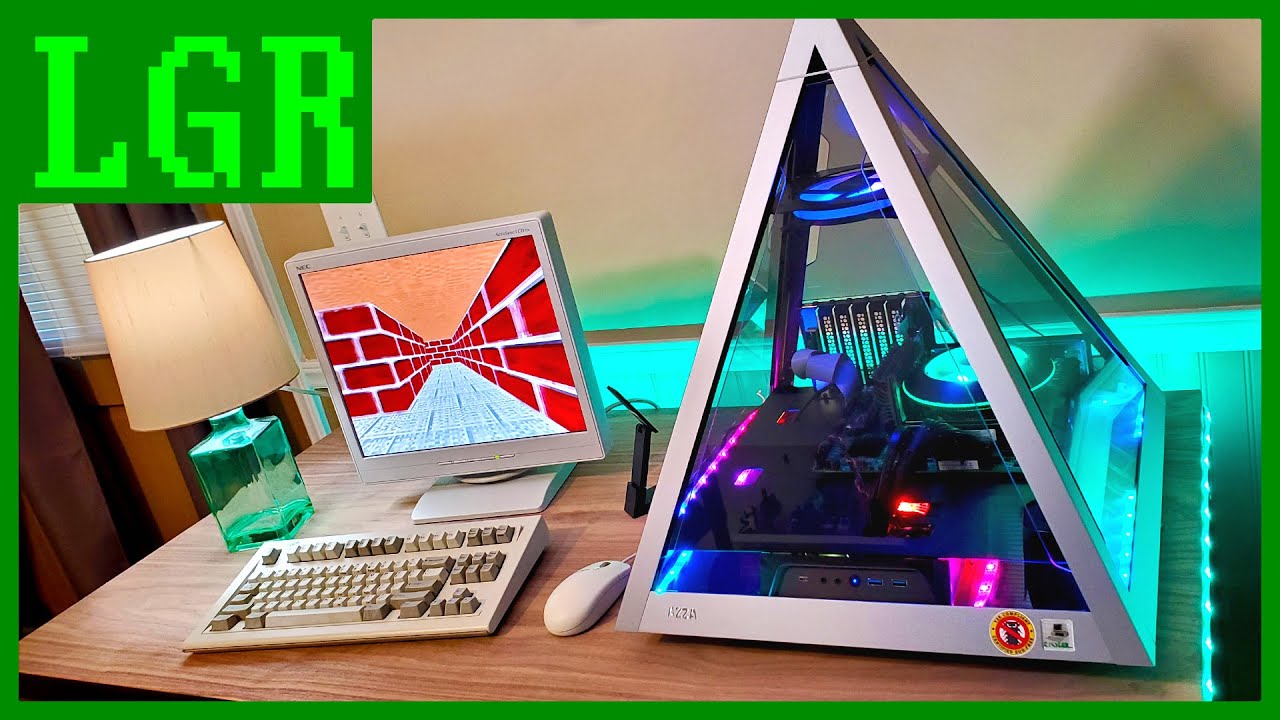
So I bought this absurd glass and metal pyramid PC case. Now what?
Let's build something with it! This project started off as a modern computer centered around legacy support, with PCI slots, serial, parallel, and PS/2 ports alongside an LGA 1200 CPU and DDR4 RAM. But then it ...
reef patrol
I -SO- want that case.