#classic-doom-maps-mods
1 messages · Page 96 of 1
 normal hazel
 mystic chasm
man i was trying to find a yt vid but there aren't any less than 10 minutes long to make a door
normal hazel
mystic chasm
doombuilder tutorials on basic stuff should pretty much convert right over to use with slade
mystic chasm
☮
 haughty flower
You should probably try a different format first. UDMF seems too complicated for beginners.
Too ambitious, too.
 light prism
 modern aspen
I have heard that people consider Knee Deep In ZDoom too detailed and stuff.
But after opening the first map in GZDB.
Im pretty sure detailed isn't the right word.
More like ridiculously cluttered.
haughty flower
Its not too detailed, well, kinda, more like cluttered details as you would say, but theres nothing remarkable and consistent on that map mod, since it is a bunch of different mappers clashing in between for making map design, this is what made it troublesome on the navigation part mostly imo
Too much needless details, tormentor signature
haughty flower
Every single room is filled with at least 200 sectors, they're all beacons and none stand out from the other. Horrible design.
It gets in the way of gameplay too often.
modern aspen
i don't know about gameplay
since i suck at playing doom
but it is so ridiculously clutered and inneficient that showing it in visual mode makes the frame rate go to 1-3 FPS
So i had to delete everything on the map besides the out of bounds boxes.
And in the end the entire setup for the skybox seems like something i already knew how to make anyway.
Except for the importing custom textures part.
However i still got no idea how to make the sky scroll.
 charred furnace
 haughty flower
Gonna have to go back to Doom Builder 2. Happens that GZDoom Builder is for some reason corrupting my maps.
Fucking stressful to fix all the errors it causes on my maps.
Gonna try Doom Builder X, actually.
 vocal crypt
what's the difference between X and GZDB
haughty flower
There's many. GZDB is more advanced overall but DBX has fewer crashes/errors.
I've sure been spoiled by many of GZDB's features to make it easier to draw, but I can do fine with DBX. People have done much better with much less.
Deus Vult 2, a very technically impressive wad, was made with DB2, and that's honestly mindblowing to me
modern aspen
DB2 has this great thing where pressing undo more than 1-2 times usually causes the program to crash.
haughty flower
No, I don't think that's true. Just tried it out.
modern aspen
it crashes just fine
mystic chasm
You can always join the SLADE squad
vocal crypt
crickets
mystic chasm
I know you all use it anyway
modern aspen
oh i already tried slade once
simply to add some custom textures
and it too crashes just fine
even better than doombuilder too
haughty flower
Never had Slade crash on me.
modern aspen
I had it crash on me several times in a row.
 stoic hatch
I've had these ideas for different new "weapon mods". Like the ones we saw in Doom Twenty Sixteen. I know that these will never make it into Bethesda studios, but perhaps someone here who regularly builds their own special modded Doom games will take inspiration from them.
stoic hatch
Doom Four, then? I tend to type out my numbers as their words, rather than their simple numerical digits.
stoic hatch
It's just...... something I do.
stoic hatch
I actually find it easier to type and spell everything out. Moving on.
 errant wraith
What are those ideas?
stoic hatch
It's a rather long list of mods. But I can tell you the three basic principles on which I made this list.
A. Each of the ten weapons you can "acquire" will be pulled from the corpse of a recently slain foe. From the pistol to the BFG-9000.
B. Each of the ten weapons will have two different mods. The first mod will be best suited for close quarters combat, and the second mod will be best suited for long range combat.
C. Each of the ten weapons will share an ammo pool with one other weapon. So, five different types of ammo, with each type of ammo providing for two different weapons.
Well, there's eleven weapons, if you count your fists.
So, that's the basis for my weapons ideas.
errant wraith
Hm
stoic hatch
Some of the weapon mods I've come up with have already made their way to Brutal Doom.
I can go into detail, if you're really interested.
If you think the above ideas are utterly mad, then you won't hurt my feelings.
light prism
 modern aspen
So i want to make a map in UDMF.
But i want it to have crushers too.
And the issue is that i don't know how to make working crushers in UDMF.
but i can make them in other Doom formats since they have the same actions and such.
charred furnace

 sleek mountain
would there be a way to get the Doom 3 or even Doom 2016 models into GzDoom?
sleek mountain
idk, don't own 2016
and my laptop won't even be even to run it
where does 3 BFG store it's meshes tho
vocal crypt
I wish that also injured the playa @charred furnace, the gif you posted.
haughty flower
would there be a way to get the Doom 3 or even Doom 2016 models into GzDoom?
Hunter's Moon, a Quake 3 TC, does both. @sleek mountain
sleek mountain
where would I start replacing say the Pinky Demon inside the Doom Remake 4 modpack?
right
Isn't there a file that tells which files to load? even then, how do I fix the spectre if I don't have textures for it
charred furnace
the models are defined in modeldef
haughty flower
the sprites are in spritedef, the weapons in weapondef and the code in codedef
haughty flower
I prefer the term 'heroes'
light prism
'im too lazy and/or uncreative to make my own assets so i'll just take the ones out of this commercial product and release them for free'
sounds real heroic
mystic chasm
what if you made your own models based on ones from a commercial game, in attempt to make them look identical?
light prism
sounds like a giant waste of time
mystic chasm
yes but since you made them yourself you didnt break copyright
light prism
actually that would be infringing on intellectual property
its like if i recorded myself singing a beatles song and then tried to sell it
its still a beatles song
haughty flower
Not everyone can make their own assets
It's barely a legal issue most of the time
it's more about "morals", and who needs those?
mystic chasm
actually that would be infringing on intellectual property its like if i recorded myself singing a beatles song and then tried to sell it its still a beatles song
that's because you are singing the exact same words, and the lyrics themselves are copyrighted
It's barely a legal issue most of the time
liscences are important
light prism
arguing this is stupid, its clearly infringement to take assets from a game and re-release them for free
mystic chasm
that is
light prism
the only arguments against this are a) if the company specifically allows it, b) if its in the public domain, c) youre playing devils advocate, or d) you're an idiot
mystic chasm
i didnt want to argue about it, i wanted to know where
what if you made your own models based on ones from a commercial game, in attempt to make them look identical?
that fell on your 'hero' scale

light prism
and i said, that falls under intellectual property
haughty flower
Will still use midis ripped from Marathon in my wads
so many Doom mods have been using assets from other games, not sure if legal or not... but well, it's not like those big companies will care. Unless you're Vasyan777.
light prism
so many rapists out there, why not become one
vocal crypt
Okay dude that's fucking apples and oranges.
light prism
thieves then
basically boils down to 'so if x jumps off a bridge, youll do the same?'
haughty flower
Depends
 charred furnace
The problem will rise quicker if you try to sell it for money
haughty flower
So I'm about done with a map and I would appreciate some outside feedback.
Vanilla. Would highly appreciate demos or videos of your first playthrough of it also, that'd be the most helpful.
for Chocolate Doom there will be a few drawseg overflows and tutti-frutti texture glitches which I will fix later on, when I quit being lazy and download Photoshop.
 abstract sonnet
just use a normal screen recorder
mystic chasm
I mean... but the filesize
abstract sonnet
just use a normal screen recorder
mystic chasm
video encoding
aaaaargh
prboom-plus -complevel 2 -skill 4 -iwad doom2.wad -file MAP03.wad -record raiva -warp 3
oh
mystic chasm
working on it
you'll have to excuse my slopiness
prboom feels different than zdoom
haughty flower
Yea, it's fine. I really appreciate the effort.
mystic chasm
and i havent got my mouse settings quite right yet
haughty flower
I know how it feels, I keep switching from sourceport to sourceport. Got used to them all after a while.
haughty flower
huh?
mystic chasm
-playdemo
mystic chasm
i'll send you my first attempt now i guess, i died
let me get my mouse settings figured out
and ill send you another one
of the whole map hopefully
haughty flower
Sure. Thanks.
mystic chasm
haughty flower
So, you just died right at the beginning...? @mystic chasm
haughty flower
Oh, you died like 20 seconds in, for me
haughty flower
Oh, think I got it
haughty flower
complete?
haughty flower
Wew
mystic chasm
no ammo and punching hitscanners
haughty flower
Interesting. I never had trouble with ammo in the map. Will look into that.
To me it seems you were ignoring some of the ammo, though...
Or didn't notice it.
What did you think of the map overall? @mystic chasm
mystic chasm
I like the map it's challenging, looks nice, dark, atmospheric, its got good fights in it
not enough ammo though
like at all
well no
the first part is okay
after the blue door it gets REALLY sparse
i got through the yellow door
but there are like 6 or 8 hk now
and i have fists
i don't know what you play on to test, or if you have difficulty levels implemented
i was on UV
1.0 gamma
mystic chasm
Or didn't notice it.```i picked up everything i saw...
i don't feel like I've been missing anything
after the blue door I've been scouring for ammo
not wall-humping or anything tho, hunting for secrets
haughty flower
There's only 3 or 4 secrets. Don't think they reward ammo apart from 8 shells.
I've added an extra box of shells, I think that'd fix it.
mystic chasm
idea for you
after you go through the.... red door? back where the second archvile spawns?
when you come back out of there
a mancubus spawns right?
could you have a closet open past the mancubus that has ammo in it
right there
after that you're fighting another manc and a rev or two but mostly more hell knights
1 manc, 2hk and 2 rev to get to the yellow switch
thats 24 shells if you don't miss
haughty flower
I remember worrying about that session and adding an extra box of shells in the room with the yellow key for it.
I'll add more shells.
mystic chasm
granted you get some rockets
before that...
4 rockets to kill that manc tho
yea, i was almost finished with the map
haughty flower
Do you want the new version to try it again or...?
mystic chasm
sure hit me with it
haughty flower
Difficulty settings not fully implemented yet, btw.
There are shells in the closets with the hell knights after the yellow key.
mystic chasm
ok
haughty flower
Oops, for some reason those same closets don't have textures anymore. Not that that would affect gameplay.
Well, one of them doesn't.
mystic chasm
missing some textures on the steps by the blue door now too
mystic chasm
i think you need to take your acid sector damage down too
or since you are using it to restrict where the player goes (around the yellow switch)
you need to add some cover from the hit scanners
4 7 shotgunners and a chaingunner and the only corners you can dodge around are 20% damage sectors
or
make sure the player has enough chaingun ammo to stunlock the hitscanners
i had 27 rounds entering that room
if you duck in and out of that room to bait the hk on the right you lose 40hp
so you need to stay in there and fight
 queen bridge
Does anyone know how to insert the scripts lump into your wad in slade 3?
mystic chasm
which scripts?
queen bridge
acs scripts
for instance the guy in the first reply here https://www.doomworld.com/forum/topic/71277-scripts-in-slade-3101/ suggest open your map with Slade3 and insert a SCRIPTS lump at the end of the namespace
Doomworld
After figuring out how to do all the vanilla stuff, Im at the point where Im trying to figure out ACS. Chubz, the guide by John Anderson, and most Doom Wikis usually refer to the scripting process in DoomBuilder, but SLADE seems to be different. How can I make the Script Edit...
but he doesn't say how to do so
mystic chasm
what exactly are you trying to do?
i guess is a better question
and what format are you working in pk3/zip or wad?
if you just want to insert an empty entry though its:
Archive -> New -> New Entry
it will put it as a marker type, but you can open it as text and compile it
if you are writing scripts for a map, you can do that in slade's map editor
queen bridge
thank you that is the info i was looking for. Sorry i wan't more clear
modern aspen
Can someone tell me how to make sectors so the AI avoids them ?
light prism
yeah theres no real 'avoid'
 sacred onyx
I'm partway through making my first map. It's obviously unfinished but any feedback would be appreciated! Here's a link: http://www.mediafire.com/file/tmifrjy9ddzxr2c/fracture.wad/file

MediaFire
mystic chasm
what format or intended playstyle?
vanilla?
nvm
UDMF = zdoom
some people consider this a matter of taste, but usually doortraks are unpegged so that they don't move with the door
chaingunners are a speciality because they are really dickish hitscanners, especially in big open areas
You should also raise the sectors around the starting area to be walls or something so that it doesn't look like the earth just ends there
all still very good rules today
sacred onyx
All good info, thanks!
I was actually watching Chubzdoomer's 3D floors tutorial earlier
 dry ore
@haughty flower gonna tag you here since you asked me to, basically i can't figure out how to make this see-through fence/window effect
like for example, the balcony in doom 2 map2
haughty flower
I think I know what you're talking about but I'm not sure.
Do you mean this?
But I don't think that 'effect' is used in map02.
dry ore
yeah
i meant map1
the chainsaw balcony haha
i just got home from work and im really tired
haughty flower
Use the middle texture part.
Remember to set the linedef's flag to 'impassable' if you don't want players to walk through the texture.
haughty flower
Back side would just be the other side
If it's only on one side, you'll only be able to see it from that side
dry ore
i mean like
haughty flower
if you get to the other side of the linedef, you'll see nothing.
dry ore
or do i just lower that to the ground level
haughty flower
Uh, I think you lower it?
I'm not really sure what that is.
What's causing that*
haughty flower
Looks like the average 90s map.
The layout itself can be made decent if you polish it...
- Many misaligned textures
- Barely any light variation
- Blind switch hunt
- Too easy
For when you put decoration such as computer panels in the walls, use Lower and Upper unpeg to fix the misalignment.
A few more tips would be
- You should use a different texture for the sides of the ambush walls that open (such as doortrak), and lower-unpeg them
- Try to vary more with the layout of rooms you make
- Noticeable height variation
You'll learn better use of textures as you learn everything else.
The bathroom tile texture for the 'ceiling' of the doors is very ugly also.
 hallow wraith
i use the bathroom tile texture for keyboards
 candid charm
@mystic chasm off topic but do you have windows XP
mystic chasm
heh, nope

GitHub
Contribute to grassmunk/Chicago95 development by creating an account on GitHub.
with some custom stuff
modern aspen
I need help with something
I have made a roadblock on my map that lowers with a key.
But i want the entire thing to lower at once once you press use on it.
Instead of individual blocks lowering instead.
dry ore
^im wondering that too, was gonna implement a similar thing into my map
also I'm going to make a map pack, can anyone tell me how to connect different maps into a single wad?
dry ore
how do you make something lower in the first place? i have a tiny platform that stays up until you press a switch, and it will then lower, revealing the red keycard
light prism
 modern aspen
Shouldn't that be in showroom ?
light prism
Talk about awesome DOOM mods, Classic maps, SnapMaps, game development and *show your development progress!*
dry ore
@modern aspen the switch won't even press for me
dry ore
im using zdoom
modern aspen
i am too
modern aspen
GZDoom at least
dry ore
let me try gzdoom then
now it works
:P
but no not really
i meant like, a small platform that has the red key on top of it
and when a switch is pressed, the platform lowers, and the key with it
modern aspen
i see
dry ore
ok but now i realize i have a different problem
i can only test maps in gzdoom
i was wondering why i couldn't open a door out of all things in my map lol
another question, how do i make custom textures appear in a wad?
dry ore
yeah like that
modern aspen
i guess you must be using some kind of feature or function only ZDoom has
dry ore
im starting ti think it might be the the editor's fault lol
even though i read it should make maps compatible with vanilla as well
i checked a bunch of versions off including vanilla and zdoom-based ports
modern aspen
i guess you could try converting the map to doom 2/doom
but you should probably keep a backup
dry ore
let me see if i remember how to
modern aspen
and prepare to have to fix alot of broken things
dry ore
oh how to fix the missing texture thing btw
modern aspen
like i had too when i converted my map to UDMF
dry ore
im using textures from doom 1 as well as doom 2
modern aspen
i did that too
dry ore
but it doesn't have some doom1 textures so i used the wad file
now it straight up crashes the game on dosbox
zdoom runs it but with a missing texture
modern aspen
you are trying to run your maps on more vanilla versions of doom ?
modern aspen
yeah that
dry ore
the maps that are vanilla compatible are usually compatible with other ports too
modern aspen
in that case you need to remove replace modern source port features
dry ore
how do i do that?
modern aspen
just don't use them
dry ore
huh
modern aspen
e.g one of my maps has slopes
dry ore
how do i know if i have lol
modern aspen
what program do you use ?
dry ore
gzdoom bulder
dry ore
i think i should switch programs and see if the problem still exists
modern aspen
GZDB is for ZDoom ports
dry ore
i have one that's more oldschool
mhm but i read it should be able to make maps for any ports, vanilla included
modern aspen
GZDB ?
dry ore
yeah
modern aspen
i don't know about that
dry ore
could've been misleading information
dry ore
yeah
dry ore
i also have Eureka
it's more old-school iirc
but i couldn't figure it out at first so i went with GZDB
modern aspen
since i haven't tested any maps to see if they run on old Doom
dry ore
it'd crash my program because my version of windows is incompatible
modern aspen
well
there are compatability options in windows
i have MEd too
which is an editor for GTA: SA
But it couldn't run on my PC
Until i put the compatability options to windows XP
Because of how old the program is
dry ore
im trying to find my DB2 folder but my entire file explorer is a mess
modern aspen
well im back
dry ore
hey
modern aspen
hello
dry ore
i get this error when i try to test my map with chocolate doom
it's a texture i haven't even used apparently
:P
modern aspen
i think you may need to remove one of the IWADs
and only use textures from one single IWAD
dry ore
i just did that
it still won't run for me
oh i see...
had to remove them from a different place
goddammit now i have to re-add some custom textures
i added the doom1 textures through resources instead
im still getting errors
modern aspen
well
i don't think i know enough about doom to help you anymore
or at least not this issue since im just concerned with my maps running on modern source ports
dry ore
yeah ok
thank you though!
one more thing
i want both of these to face outwards
how do i do that
new error, making progress!
modern aspen
im not sure
light prism
in linedef mode, highlight a line and press F to flip its sides/facing direction
dry ore
thanks!
haughty flower
dry ore
since the two iwads keep conflicting, how do i import textures from doom and export them to my doom 2 wad?
vocal crypt
you don't put things into iwads.
dry ore
although, i have the textures
no that's not what i meant
i want to upload them as resources into my map pack
vocal crypt
You'll have to put em in your pwad.
dry ore
that's what I'm asking, how do i do that?
haughty flower

{tab=Preview}
{tab=Info}
Base: Doom / Doom2
Count:
~70
Palette: Doom
Format: TEXTURE1 / FF_ markers
Anims/Switches: Vanilla
Description: Textures & flats from Doo...
Download this.
@dry ore so you have Slade, rite?
dry ore
nope, currently using gzdoom builder
haughty flower
You need that to add textures to your wad.
dry ore
i have a folder with doom textures
haughty flower
Also to add new music, enemies, etc.
It is essential.
You can't add textures to your wad just from a folder...
Download it and open your wad in it and I'll show you how to add the textures in.
haughty flower
@dry ore oke, load your wad into it
And somewhere, preferably at the top of all the files, add two entries called P_START and P_END. You do that with this
Use those arrows you can see on the right of my screenshot to move selected files up or down.
Those two entries (P) are made for wall textures.
Now you open the wad file with Doom 1's textures in it, and copy all of the textures between the PP entries and put them in between your P_START and P_END entries.
...you following?
haughty flower
Anywhere you want as long as it ain't between any of the map files, etc.
Hold on, I'm actually making a very fast and short tutorial video on how to do it.
And will post in about 10 mins
dry ore
ok, i did that
haughty flower
Sorry for the wait. @dry ore https://youtu.be/RxKOj6N2Esg

Made this quick and simple tutorial because most on Youtube are overly complicated and annoying. READ MORE FOR EXTRA TIPS/INFO/KNOWLEDGE: For this you must u...
but now I won't have to explain to every newcomer how to add 'em anymore.
dry ore
it's alright, i appreciate you putting all the effort into helping me out
haughty flower
Made it as simple, understandable and quick as possible
dry ore
that was a lovely tutorial
haughty flower
Also, you don't need to add the flats to the patch table/texturex. I dunno why this exception, but that ain't needed.
@shadow bone would you mind pinning the video? So we can point it out for newcomers.
dry ore
ah fuck... this texture pack has separated the planet texture into multiple different textures and now i can't align them properly
dry ore
i came up with a creative solution 👍
haughty flower
hm?
dry ore
im getting an error on dos regarding some missing texture so i went to see what it looks like and... i haven't even used it anywhere??
is there a way to filter used textures
now it gives me an error for a texture that doesn't even exist in the files :/
haughty flower
@dry ore can you show me screenshots of the error messages?
haughty flower
Hmmm. Did you use any texture packs other than the Doom 1 textures?
dry ore
nope
haughty flower
@dry ore still getting those problems?
I'm not sure why they're happening but I'll try to investigate
COMPTILE is this texture.
it seems you added a - to the end of it, maybe in the editor.
use this feature.
(F4)
dry ore
ohhh i used that before i installed SLADE
but then i couldn't find it anymore so i changed it to a different one
omg you're a lifesaver
i found TONS of unknown textures
haughty flower
Yup, that's the problem.
dry ore
apparently the old textures remained there even though they weren't visible
and were overlayed by new textures
so let me test it in dos now
haughty flower
I wonder why.
Are you using GZDoom Builder Bugfix or the original version?
Bugfix is a fork of it, that's more up-to-date, since it seems the original was abandoned
and GZDoom Builder itself is a fork of Doom Builder 2
vocal crypt
IIRC it was over rather petty reasons, the original abandoned.
haughty flower
Nice. I also map for DOS.
dry ore
idk actually
dos is my main platform lol
i use zandro for multiplayer
and zdoom for newer wads
wait i did not mean platform
im not using dos as an os lol
port ig?
haughty flower
I recommend you use GZDoom Builder bugfix https://devbuilds.drdteam.org/gzdbbf/
Development Builds
it has many new features and is a lot more stable
my favorite is this. Allows you to rotate the grid according to the linedef or vertex, lifesaver.
dry ore
im laughing i have made a huge mistake
pressed the computer controls which were supposed to bring down the red key platform, the entire fucking room lowered
doomguy seems pleased with himself
haughty flower
Yeah I like when I bind that action, playtest the map from the beginning and when I finally press the switch it lowers everything because I forgot to tag.
dry ore
anyway i need to know how to make a switch lower a specific platform
or uh i guess a sector?
haughty flower
Easy.
dry ore
do i use the same tags on the switch and the sector?
haughty flower
yup.
dry ore
oh cool
dry ore
yeah, more or less, but i'm playtesting it as i go
haughty flower
Remember to use the visplane explorer.
dry ore
one of romero's new-ish maps for e1 crashed on dos doom
when you triggered a wall to lower or something, i don't quite remember
so i had to switch sourceports lol
haughty flower
Yeah, his recent maps are limit-removing
dry ore
it played surprisingly fine until then tho
there were lots of HOMs and slime trails too in the dos port
haughty flower
that means he uses the original mapping format for Doom, but ignores the limits
haughty flower
those HOMs are caused by drawseg overflows
dry ore
i suppose that means chocolate doom isn't compatible either
haughty flower
nop
dry ore
i think it has the same limits as dos?
haughty flower
Yeah.
dry ore
for some reason only one of my doors is functional
dry ore
oh they WERE facing inwards
for some reason
i changed it earlier but i think i might've messed something up when moving them lol
oh nope i accidentally changed the wrong linedef LOL
haughty flower
Ping me if you need help with anything.
dry ore
@haughty flower i do have one more question, how do i make an exit portal?
and also, scrolling wall textures
so technically two more questions
haughty flower
Exit portal?
Well, for an exit you gotta put use one of these in a linedef
for scrolling wall textures is this @dry ore
Oh I get what you wanna do.
haughty flower
You use linedefs. @dry ore
haughty flower
S1 is Switch Once, which means you can only activate the switch once. W1 means the same but for walking over the linedef.
S1/SR - Switch
G1/GR - Gunfire
D1/DR - Door
W1/WR - Walk
well it's all written down there actually.
haughty flower
@dry ore you know the first secret chainsaw in Doom 1?
when you press a switch, it lowers the tall platform the chainsaw is placed on, and at the same time it raises the floor which was of a height lower than the sector surrounding it.
dry ore
yep
also the platform on e1m3 leading to the secret exit
so how does it work?
or wait, that's not what you meant is it
is it a texture change or simply two platforms moving simultaneously?
oof... what does this mean
what i did was try to lower a platform
i forgot to tag it :P
 golden drum
 bright leaf
 final citrus
That's just an image. I can see right through that trick.
haughty flower
a big WIP of the current map im working
which i'll try to make it compatible for vanilla doom
haughty flower
i decided to make a small non-ambitious wad which wouldn't take 2 months and then abandoned due to burning out.
Can someone recommend me some resource packs? i need some techy textures to make a reactor room
haughty flower
can you link it?
 light prism
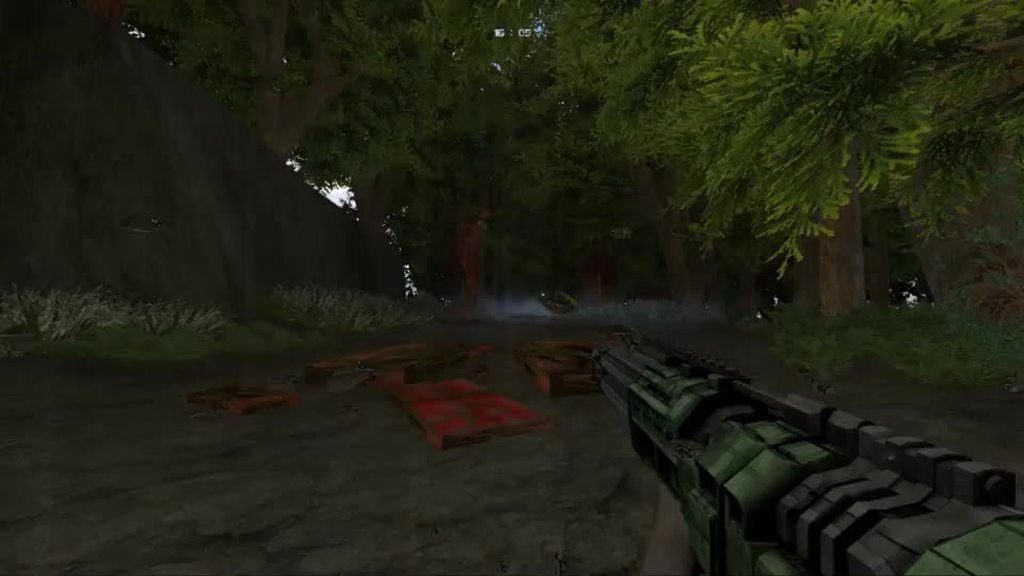
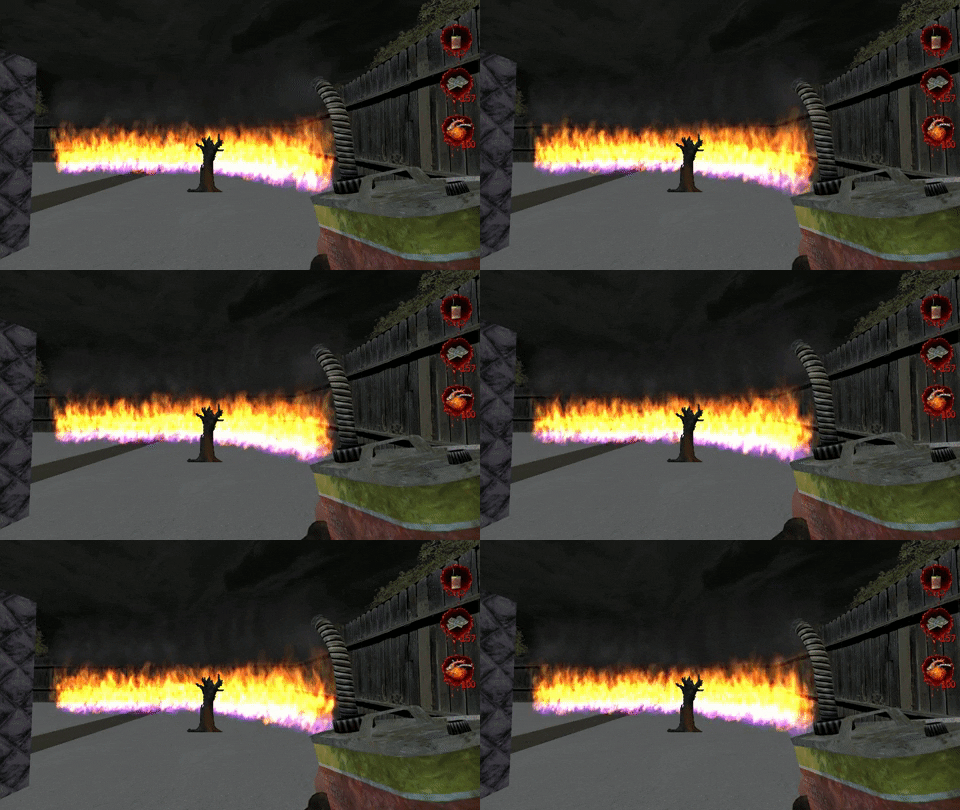
really its just some new guns i made mixed in with old assets
and rain shader i made the other day :3 :3
haughty flower
It looks neat. is it triggered by fog or by sector entrance puke?
light prism
atm ceiling height but thats clunky
haughty flower
i might recommend just checking if texture above is fsky
light prism
how do i do that in zscript
haughty flower
let me see
light prism
i couldnt find a decent reference
despite finding the struct definition for 'sector'
i couldnt figure out which element to check
haughty flower
Sector sec = myActor.CurSector;
light prism
yeah, i got that
but then what element of sector do i check, or which function do i call
light prism

GitHub
ZScript documentation. Contribute to marrub--/zscript-doc development by creating an account on GitHub.
light prism
easier to just move the check to player tick
haughty flower
that's pretty much how you would do that
check fsky or if player is in water but not submerged
and probably a flag which says "map has rain" or something you setup yourself
y'know.
A'ight, once again, thanks for textures. for consistency sake i improted them (along with defs) to own working project. i'll give credit when i'm done with this, if i'm done with this 😂
dry ore
finally home! gonna work on my doom map pack some more... can anyone tell me how to add and connect different maps into a single pwad?
haughty flower
make sure your maps are numbered like MAP02, MAP03, etc. because if you add a map with the same number in a wad that already has a map with that same number, it'll overwrite it @dry ore
just open the map in the editor and
haughty flower
nope
I mean, if you saved the map, they're technically a separate wad file
if you save it in another wad file that also contains a map, they'll both be in one wad file
dry ore
ok but how do i work on two maps simultaneously if they're gonna be in the same pwad, like MAP01 and MAP02 for example
do i just click New Map?
haughty flower
Better pay better attention, heh. Read the third option shown in the screenshot I posted.
dry ore
'Open' automatically registers as, load an existing file in my head lol
does it let you create a new map from scratch or do i need to create one separately first?
sorry if these questions are really dumb
haughty flower
the Open map in current wad option?
it's for selecting the various maps in the wad you loaded
dry ore
and to create a new map and add it to the selection?
haughty flower
just when you open the wad in the Builder, it asks what map you want to load
dry ore
let me just load the program lol
i'll get a better visual then
ok yeah i remember that
haughty flower
you pick New Map, rename it MAP02 or whatever, make your map, then use Save Map Into... to add it to the wad with the other map you want
dry ore
got it
haughty flower
Don't worry, I couldn't get a grip of this stuff without someone telling me how to either lol
dry ore
how do i rename a wad by the way
haughty flower
the map #?
dry ore
oh well sometimes directly renaming a file causes problems
but if it won't then yeah lol
haughty flower
I expect you'll later ask how to change your map's name
dry ore
nah i found that option already haha
but i will definitely ask more stupid questions later
haughty flower
well I mean the map's name itself, not the number
haughty flower
You do that with DeHacked
haughty flower
yeah sure, if you need help with it I know all about it
haughty flower
WhackEd4 IS for making DeHacked files
you don't really need a software for that, but it makes it easier
dry ore
ah lol
ok good
i haven't used it much aside for making a few funny changes to doom like adding gravity to rockets and fireballs
dry ore
question: is what I'm trying to achieve possible
so this is an outdoor area and I want the sky to reach all the way to the bottom
and therefore make the wall invisible and only have the gate surround the corners of the map
the fence, I mean
haughty flower
@dry ore yea
Just make another sector like behind it and lower it to the ground as you said
dry ore
that just gives me a missing texture wall
haughty flower
did you set the ceiling to F_SKY1?
dry ore
yeah
haughty flower
that's weird, can you send a screenshot from the editor?
also, did you check in-game?
dry ore
i was going to go with this wall but decided to leave it out completely
but i can't just delete the texture, i need for it to be part of the sky
haughty flower
does your problem still persist?
send me the wad if so
did you lower the ceiling with the sky to ground level or below?
dry ore
that uhh
does this
if i lower the ENTIRE ceiling then my walls disappear too
...unless
i leave a small piece of sky next to the walls
haughty flower
then what do you wanna do?
haughty flower
Is Russian overkill only for doom 2?
dry ore
best i could do...
still can't get rid of that wall all the way
also part of the fence fell underground somehow and i find it amusing
haughty flower
I don't get what you're trying to do.
dry ore
get rid of the green wall entirely
also, there were more skies in doom, how do i get those?
haughty flower
At first you said you wanted to keep the wall???
Skies are defined by episode
MAP01-11, MAP12-20 and MAP21-32
MBF (now called Boom) allows you to use any texture you want as sky for any maps, but vanilla doesn't
I mean, for vanilla you can change what texture is used for the sky, but you can't change in what maps it is used
dry ore
i didn't?
oh
alright
wait so i CAN determine which map uses which texture or did i misunderstand?
haughty flower
you can change the texture for the sky that is used in MAP01 up to 11, 12 to 20 and 21 to 32
each episode has a different sky texture
dry ore
so basically upload a new texture or what?
haughty flower
yeah
you name the texture you want for the first episode as RSKY1
RSKY2 and RSKY3 for eps 2 and 3 respectively
haughty flower
you put the texture between the P_ entries and add it to patch table/texturex
i made a map that i put a little effort in, try it out
just at the first door there are missing textures...
oh
waeughewausfio
I've been finding it a common thing for the doors in your map to have missing textures on to their sides.
You should give indications that doors are locked by a key.
There is an indication
the torches
but ye i could do better
There are torches next to other doors too, but they aren't locked by a key.
oof
These two doors for example, why is the ceiling of one of them made of rocks and the other of bathroom floor tiles?
There are so many missing textures it makes me wonder if you actually played this...?
The texture for the door to the right is 128px wide, but the actual door is less than that.
Like the previous map, this one was composed of only square rooms with about no height variation or orchestrated fights.
You can't call this "effort".
haughty flower
I'm having trouble figuring out which doom map builder is best for me. I am using ZDoom, since my computer doesnt have the parts to handle anything fancy like GZDoom.
GZDoom Builder Bugfix is the most advanced one for whatever map format you wanna use.
Should work fine with any computer
I will give it a try
dry ore
ok I've been trying to make this linedef, when crossed, raise a platform with a switch
i can't do it
this is the linedef
it's facing inwards, aka the direction the player is coming from
haughty flower
there's gotta be a higher floor for it to raise to.
dry ore
there is
same height as the blue key, which is on yet another platform that must be lowered
so the switch platform has the same tag on the sector
is that the problem?
haughty flower
nope
dry ore
because i had to make the switch side have a different tag in order for it to be functional
haughty flower
according to your info everything should be working fine so you probably tagged something wrong
dry ore
hmm
haughty flower
showing more pics could help
dry ore
yeah i just did that lol
the sector that contains that linedef is right behind a door
so basically that platform should rise right when you enter through the door
at least that was my intent
vocal crypt
I thought people hated short maps.
dry ore
haughty flower
I thought people hated short maps
haughty flower
Scythe is one of the most popular and celebrated megawads in Doom history
vocal crypt
Like I don't mean to imply big ass maps are the status quo
haughty flower
maps no longer than 5 minutes
vocal crypt
but I figure shorter than regular Doom maps
dry ore
i think i'll try creating another linedef because maybe it's conflicting with the door's linedef somehow
even though they're apart form each other
haughty flower
I don't see any higher floor next to the platform that should be raised.
There seems to be various versions of the builder when I look it up. Which website should I try downloading gzdoom builder bugfix?
Also, this will work with ultimate doom, right?
That ain't the problem, gravey
dry ore
it's on the other side of the room
haughty flower
The floor's gotta be next to the floor that has to be raised
dry ore
oh
haughty flower
I know a solution though
Just try to keep up
make two squares of any size next to each other, outside of the map
'join' the sector that has to be raised with one of them
you do that by selecting both and pressing J
(whichever sector you select first is gonna paste its properties to the next sectors you select)
they'll now hold the same properties, such as height, brightness, etc.
make the square next to it have the floor height which you want the floor/sector with the switch to raise up to
done
can you do that?
haughty flower
Are there any funny ultimate doom mods I should try out? Just started nodding today
Do you not have Doom 2?
No
why not?
haughty flower
I dont have it on pc
I once had an original set of floppies, but that was years ago
abstract sonnet
where did they go
haughty flower
I wish I knew
Many mods for Doom 2 are available for Doom 1
It was shared by my family
not sure which tho. You should probably try 'em.
abstract sonnet
when your doom 2 floppies grow legs and leave
haughty flower
Only thing I could find was the manual
abstract sonnet
good enough, just buy it again or get it from doom4ever
haughty flower
Og devs don't get paid for it anymore anyways.
I wonder how much the manual costs
abstract sonnet
go to romeros house and give him money
haughty flower
I will probably get it from steam, since that's where I got ultimate
I also found a wolfenstein manual
Didnt even know we ever had it
abstract sonnet
epic
haughty flower
The only old PC game I could find in the box was wolfpack
I never played that one
It used large floppy discs as well
Anyways I'm not big into Doom mods, but there are plenty of great mapsets for Ultimate Doom.
abstract sonnet
you can also play doom 2 mods in doom, its just you wont be able to use the ssg
although there are mods for the ssg too
haughty flower
Oh
'Doom the Way Id Did' and '2002: A Doom Odyssey' are two very good 32-maps mods for Doom 1, try 'em.
I will download some now
abstract sonnet

Mod DB
This WAD re-adds the "Super Shotgun" from Doom II into The Ultimate Doom including in the maps themselves.
with this you should be able to play doom 2 mods on doom normally
haughty flower
If I did get those doom 2 floppies, and used an old PC, could I download mods easily?
@abstract sonnetthanks!
abstract sonnet
maybe
haughty flower
Nope.
I mean, maybe.
Happens that most mods can only be played on sourceports and sometimes only on one specific sourceport.
abstract sonnet
doom4ever is an oldass website that has every official id wad
if you really have had doom 2 once it wont be illegal
haughty flower
There ARE mods made for DOS, tho. Mostly maps.
Maps and mods vary in their compatibility with sourceports.
Sorry for asking so many questions, but is there a good site that's full of reliable mods?
dry ore
the ssg for doom1 👀
okay so i have run into a texture problem which MIGHT be caused by memory overflow but I'm unsure so i want someone experienced to be the judge
what it's supposed to look like
what it looks like in DOS
there's weird pixel lines and the textures aren't aligned properly
the alignment can probably be fixed but what's causing those weird pixels?
gonna test it out on chocolate doom
haughty flower
@dry ore weird pixels?
dry ore
haughty flower
you mean this? https://doomwiki.org/wiki/Slime_trail

DoomWiki.org
A slime trail is a vertical band of floor or ceiling texture which "bleeds" out towards the edges of the screen. It can occur when a level has not been built properly because of a bug in the node builder, but will also occur frequently as a natural consequence of the Doom en...
oh
 hushed oasis
@dry ore I think that's a Tutti Frutti
haughty flower
^
hushed oasis

DoomWiki.org
The tutti-frutti effect is a texture effect which can appear on walls. The texture is rendered distorted and there are often colors drawn which are not part of the original texture. These colors are the reason behind the name of the effect.
haughty flower
you can fix that by modifying the texture to tile in like 128x128 or 256x256
dry ore
oh right i've read about that
you can fix that by modifying the texture to tile in like 128x128 or 256x256what do you mean by that?
hushed oasis
just crop it up in an image editor
so it can tile by the mentioned resolutions, along with other multiples of 128
abstract sonnet
@haughty flower check out doomworld, mods are uploaded pretty much everyday
haughty flower
I will
dry ore
but the original texture IS 128x128, i think
haughty flower
Don't think so.
dry ore
no matter how i align them this texture still splits up like so
haughty flower
@dry ore you should use another texture then
haughty flower
Huh
dry ore
i'll create some simpler maps for vanilla later
haughty flower
Remember that the best 'detail' is a nice architecture
dry ore
im trying to keep the level designs relatively vanilla
to give them that fast-paced action feel
haughty flower
like Plutonia?
dry ore
final doom included i guess
but anything that goes into the ultimate doom and doom2 as well
haughty flower
well I was wondering if it'd be as difficult as Plutonia
haughty flower
That's a hard thing for me to do.
dry ore
i do plan on making it challenging though, yet beatable on pistol start
haughty flower
A good idea almost never comes to me immediately.
dry ore
i've been brainstorming a lot and i have ideas for the first 3 maps
is there also a way to transfer doom1 things to doom2?
or are they all in there already
oh the trees are under obstacles not decorations
another question: asleep monsters?
i don't want them to instantly rush out and start opening doors when they're in a different section of the map and hear a gunshot
that kinda ruins the idea of an ambush
haughty flower
@dry ore set them to 'Ambush Players'
so they'll only be alerted when they see the player
dry ore
👍
 short dock
haughty flower
short dock
haughty flower
kill him and finish the map
mystic chasm
kinda feel like making some vanilla-y maps
haughty flower
pics?
short dock
@haughty flower I have taken a lot of your criticism and advice that you gave me. I improved it too much and I domed it for 5 hours fixing it. but I think it's ready
haughty flower
Damn, I'm impressed
this was a lot of improvement. The map's very fun
there are still a few noticeable flaws and ways it could be improved
there are still many misaligned and badly placed textures and texture choices
these fences aren't set to impassable.
I also can't seem to find a lift to get up back there. I jumped to explore. Inescapable pits should always kill (in this case that'd be a bad choice, because every player is going to jump down here to explore). Otherwise, there should be a clear way to get back up.
A few more badly placed textures/texture choices: You could use LITE5 for the sides of the computers, if they're 16px wide
more examples
abstract sonnet
hobby height buttons
haughty flower
a bunch of misaligned textures.
Instead of using this very ugly flat, I'd recommend FLAT23 for the silver computers and CEIL5_1 for the black computers.
@short dock
Using a blue tech texture for brown metal decoration and gray rock for walls composed of brown rocks. You need to revise your texture usage.
short dock
I did not realize the textures, I also lack some switches that have no function
haughty flower
missing texture
I once again cannot lower this, which means I'm permanently stuck and can't finish the map
short dock
that does not come out in doom builder. That was NOT like that. wtf
abstract sonnet
just speedrun the place before the elevator goes up
haughty flower
You forgot to make the switch open the door.
You shouldn't make the marble texture an exit switch... I only knew that because of experience from playing many Doom maps.
haughty flower
Depends
for this wad I used GZDoom because you didn't state its compatibility/format
I try to use it as little as possible, tho. I go with Chocolate Doom, Crispy Doom or prboom+.
short dock
GzDoom is the best to load this map but missing textures in some areas is rare.
short dock
I will pass the map by slade to put another music. which is by default boring
haughty flower
Choosing a fitting midi is always the hardest part...
mystic chasm
does prboom support tracker music?
haughty flower
Don't think so.
mystic chasm
f*ck it im just gonna do a vanilla speedmap for the hell of it
haughty flower
Yea.
haughty flower
@light prism thanks for the textures again. this is starting to shape up.
haughty flower
Will never get used to 'regular' music in Doom. Could've used a midi.
Can't say I don't love Quake 2's OST tho.
short dock
:C
haughty flower
I saw both of your deleted comments
well, I usually use music from other games that have midis soundtracks, such as Marathon, Blood and Duke3D
sometimes I search for em in midi websites though
or in other wads
think this would fit?
or you can keep the Quake 2 song, whatever you prefer.
short dock
Interesting...
I'm going to play with that music. If I see that it looks good, I'll leave it
haughty flower
Fug, some of the doom 2 textures are ugly. like this, like who the fuck looked at this and though "yeah, this fits with the rest of them"
hushed oasis
yeah, Doom 2's artstyle was noticeably different compared to Doom 1's
the graphics looked more like real world digitized images
well, they were
but it was more obvious in 2 than in 1
haughty flower
doom 1 had a lot of textures touched up with pixelart'ish intent
or outright drawn as pixelart
haughty flower
fawk
i wish i knew earlier that unpegged is a good option for making windows
i was bashing my head
mystic chasm
you don't like TEKWALL?
haughty flower
this one - not really
haughty flower
@mystic chasm i wish i had source image for this one so i could do a better conversion by hand
because it is apparent this one was just downscaled with palette applied
Doomworld
Im sure Im not the first person to notice that TEKWALL4 is based on scans of the Doom logo, but just for fun I had a go at reconstructing it: Its not quite perfect: Theres something going on in the far top right corner that I havent quite worked out yet, but I though this mig...
well this changes everything lol
😂 left is fixed version
well. "fixed"
it sure as shit looks closer to doom1 textures now
vocal crypt
I'm getting D3 vibes from the left tbh
haughty flower
might need to reduce color noise
light prism
wtf smoke
tekwall4 is the best tekwall
its the only one that seamlessly tiles and fits with the palettes of other texture ranges
its the only primarily vertically streaked texture that doesn't suffer from tile repetition from a distance
haughty flower
@light prism and also one which looks like it got chewed by jpg compression on top of bad photocopying process on top of blur
light prism
i dont see any jpg style artifacting
it could just be because its a highly greebly texture at a low resolution
haughty flower
compare with this pixel by pixel, like you would ingame. all the doom 1 textures feature hard pixel-perfect edges
tekwall4 shitload of fuck doesn't - all edges are soft with completely overblown dark spots
which makes it look like poor transfer
light prism
i think youre just jealous
haughty flower
no, i'm critical
light prism
you havent heard the last of this