#classic-doom-maps-mods
1 messages · Page 93 of 1
 haughty flower
Yes, there should be a way for it with HD entries, look up around, i did this a long ass ago i forgot how exactly now
 silent totem
Also ADS, as I'm trying to recreate a weapon from another game that has both an alt fire and ADS
haughty flower
Ads?
haughty flower
Oh
silent totem
I'm trying to recreate weapons from the PS3 game, Resistance 3
Mostly because of the weird mechanics and altfires
Like guns that can shoot through walls, a freeze ray, Homing Bullets
 idle flare
trying to make my first doom map
im finding myself frustrated lol
im expecting too much out of a first map
idle flare
vanilla doom 2
haughty flower
Well thats a good start
Im also trying to make a map trying to follow the john romero standards
idle flare
its haard
haughty flower
Doomfenstein
idle flare
lol
 silent totem
Hey so it seems that my thing is unable to ADS, though I think I followed the tutorial right, would I be able to post the DECORATE here to see if anyone knows why?
 light prism
im at work so i cant really help indepth
but if something is obvious i can point it out
if i knew what ADS stands for
light prism
oh right
silent totem
Wait I think it's working, it's just janky and having a stroke
silent totem
Here's what I have right now, for reference:
{
Inventory.MaxAmount 1
}

ACTOR Bullseye : Weapon replaces Chainsaw
{
Inventory.PickupMessage "You got the Bullseye SMG!"
Weapon.AmmoType "Clip"
Weapon.AmmoUse 1
Weapon.AmmoGive 16
Weapon.SlotNumber 4
AttackSound "weapons/shotgf"
States
{
Spawn:
BULL A -1
Stop
Ready:
BULL A 0 A_JumpIfInventory("BullZoomed",1,"ReadyZoomed")
BULL A 1 A_WeaponReady
Loop
ReadyZoomed:
BULL A 1 A_WeaponReady
Goto Ready
Loop
Select:
BULL A 1 A_Raise
Loop
Deselect:
BULL A 0 A_TakeInventory("BullZoomed",1)
BULL A 0 A_ZoomFactor(1)
BULL A 1 A_Lower
Loop
Loop
Fire:
BULL A 0 A_JumpIfInventory("BullZoomed",1,"FireZoomed")
BULL A 0 A_GunFlash
BULL A 1 A_FireBullets(1, 1, -1, 9, "BulletPuff", 1)
BULL A 0 A_SetPitch(pitch-1.3)
BULL A 1
BULL A 1 Offset(0,39)
BULL A 1 Offset(0,34)
BULL A 0 A_SetPitch(pitch+0.7)
BULL BCDCB 5
Goto Ready
FireZoomed:
BULL A 0 A_GunFlash
BULL A 1 A_FireBullets(1, 1, -1, 10, "BulletPuff", 1)
BULL A 0 A_SetPitch(pitch-1.3)
BULL A 1
BULL A 1 Offset(0,39)
BULL A 1 Offset(0,34)
BULL A 0 A_SetPitch(pitch+0.7)
Goto Ready
Flash:
BULL A 2 BRIGHT A_Light2
BULL A 2 BRIGHT A_Light1
BULL A 1 A_Light0
Goto LightDone
Altfire:
BULL A 0 A_JumpIfInventory("BullZoomed",1,"UnZoom")
BULL A 0 A_GiveInventory("BullZoomed",1)
BULL A 0 A_ZoomFactor(2)
Goto Ready
UnZoom:
BULL A 0 A_TakeInventory("BullZoomed",1)
BULL A 0 A_ZoomFactor(1)
Goto Ready
}}```I see some issues
Right now it's all the same sprite and it's using the shotgun sound, but it's placeholder
haughty flower
@light prism their jaw should move a bit
silent totem
Okay so now when I try to use the alt-fire to zoom, it zooms in and out constantly
light prism
i'd say your inventory checking is leading to an infinite loop
silent totem
How would I fix that
light prism
at work, i cant really sit here and go through it with you
just follow your flow
watch where the jumps happen and what it results in
duck talk it
silent totem
No idea what that means
haughty flower
Trial and error bruh
Also you put loop twice on deselect, nothing to do witj your problem but yeah
haughty flower
Idk how zoomfactor works
But my suspicion it could be the jumpinventory functions
They are a bit fucky sometimes
silent totem
Yeah I understand that maybe, just no idea how to do this another way
Though I can just rip up other mods to see maybe
haughty flower
I would suggest use another actor for the unzoom state instead of just using the same one
Probably thats where i think its the provblem but im not sure
then again its been long since i done decorate
silent totem
DECORATE is just what I found a tutorial for
silent totem
I'll fix it tomorrow
light prism
bear in mind that jumpifinventory jumps if you have AT LEAST that amount
silent totem
Is there a better way to do this?
I was following possibly out of date tutorials from the guy who made Cola 3
 alpine basalt
Does anyone know what to do if you cant play snapmap on a certain profile but can on another
light prism
let me check how i did it
oh god this is a noodlefest

try and read past the 'three versions of every state'
silent totem
Thanks I'll check it out
silent totem
God why am I having so much trouble with the whole Zoom thing
And why is the recoil suddenly going downwards
Is it worth using Fastprojectile, and how would I go about doing that
haughty flower
The wiki says it is to define speeds greater than 60 which standard projectiles dont do generally well if you define greater than this value
light prism
yeah ,because of the way they move
if you're making a 'false hitscan' then fastprojectile is probably the way to go
if a regular projectile has like, speed 64, it can pass through actors with less than 32 radius
potentially
silent totem
Okay thank you, also I have been reading the wiki I'm just a massive idiot
silent totem
I just want hold to aim, I've seen it done I just can't find any tuts
silent totem
Is it bad to copy from other mods I have that do this stuff better
haughty flower
For learning purposes i dont think so?
haughty flower
😔
light prism
ehwut
are you sure its not just invisible or the sprite offsets leave it rendering under the floor
silent totem
No it was gone, it was supposed to replace the chaingun, to make it easier, but nothing could be picked up and using the Give command made it say it give me the weapon, but I still had the pistol
I'm sorry if I'm being a pain
light prism
try 'select (gunname)' in console
silent totem
I just rolled it back a bit
silent totem
So I have gotten nowhere, and I have to ask, is this kind of how it goes for many people when they start?
 haughty flower
I had to go past the same kind of things when i coded a reload state for weapons
silent totem
To be fair, I can make the thing work as a weapon, but I'm having trouble doing specifically what I want with it.
There are four main things that I am trying to do with this weapon specifically, as I'm basing it off of another game.
- FastProjectile bullets
- Both Zoom and Alternate Fire
- Reloading
- (This will come far later probably, as I have no idea where to even start) Homing attack Alt Fire
haughty flower
What a nice way to start with somehing complicated
When i coded something for zoom it was with hold altfire state and shoot with fire state
To begin somewhere before i would try something like ADS
Because i didnt understand how it worked lol
still dont
The most dangerous and stupid thing ive created is a bfg that while the ball is in the air, it shoots rail to enemies, and death enemies as well, and if it hit me, it would damage me too
I have to find a way to make it friendly to me
silent totem
I get the idea of how it works, if you want toggle ADS/Zoom you make the altfire give you an invisible inventory item if you don't have it and take it if you do, and you can use this invisible item to change how you shoot
I'm just not good at implementing
haughty flower
Oh
My recommendation is to look further for other functions that could work similar or well wih "jumpifinventory"
It isnt the only function to have things going for inventory i think
Get that wiki page of decorate marked as your favorite
light prism
basically the item would be checked for in ready state and jump you to a 'leadin zoom' that animates into an alternate ready state
silent totem
A bit off topic, is there a way to play a different animation for the first time to pick up a weapon, to do something like Doom 2016 where you examine the weapon the first time you get a new one
light prism
sure
just have it check for an item in its Select state
then give that item at the end of the animation
light prism
 marsh glade
I'm developing a game based off DooM with doom, hexen sound effects if that counts as a mod..?
light prism
anything that modifies is a mod, isnt it?
light prism
yeah thanks for that
 shadow bone
@marsh glade note that distributing your "game" standalone may be illegal, especially if you do it for money
Doom and Hexen's content (sounds, art, etc) is still copyrighted and owned by id Software
 timber bridge
i tought the sounds from doom were samples 🤔
like the door sound i heard it in doctor who
shadow bone
Yeah they are, but that doesn't mean they're free to use.
id software licensed them from a commercial sound library
you could buy/license those samples from that sound library if you wanted
Here's where most of them came from: https://www.sound-ideas.com/
 prisma saddle
Remember kids, Freesound is a good sound library, just make sure you use the sounds according to their licence.
light prism
light prism
there we go
made a soundcloud album for them

Listen to Underdoom by TheMisterCat #np on #SoundCloud
prisma saddle
Good tunes.
light prism
light prism
 vocal crypt
well shit
haughty flower
amazing
light prism
j c oremorj, he built a daikatana for the baron, but then tragically fell on his own creation
light prism
its dangerous to go alone, take this
+hands wet dish sponge with old slimy food remnants+
no givesy backsies
timber bridge
food revenants
haughty flower
bones rich of calcium
light prism
silent totem
Sounds like music to me
light prism
insightful
 winged cosmos
I have a problem regarding a mod
light prism
is it... a sexy problem
winged cosmos
No, an actual problem.
winged cosmos
Not that actual, it is about a mod named Prodoomer
light prism
can you describe the actual problem
winged cosmos
So, the first map you get into after the cyberdemon fight has a not-so-secret secret that has a crossbow weapon, but I can't seem to pick it up. However it IS weapon that can be used in the mod. Without getting the weapon I can't really upgrade it. Also along the way, the doors in the main hub area doesn't open.
light prism
is this a mod you're working on, or somebody elses?
winged cosmos
Someone elses.
light prism
mmm probably hard for me to give advice then, especially while im at work
winged cosmos
Do you at least have an idea on why this happens?
Also I use the latest version of GZDoom.
winged cosmos
In a mod where there's only one class?
light prism
i dont know - i dont know the mod at all
this is why it would be easier if it was your mod
winged cosmos
I can give you a link to the mod if you want.
light prism
im at work
and hell no i am not crawling through someone elses mod, especially if its big
winged cosmos
Yeah, sadly it is big.
light prism
if it was your mod i could just ask you to point out the relevant shit
winged cosmos
I'm not a mod creator, I suck at understanding mods.
light prism
well yeah you might wanna just leave it or inform the acutal mod maker then
winged cosmos
I just know how to drag the pk3 file onto the exe file to play it.
About that, I do not know how to inform the mod maker.
light prism
google it, find if he has a contact email or something
winged cosmos
There is none, he just has a moddb account, so I posted a comment there. I have to wait for an answer.
haughty flower
Mistercat 101 solutions
A wise cat
Yeah you should try contact the author better
winged cosmos
As I said, he only has a moddb account, so I commented in his profile. Hopefully he will answer back.
light prism
yeah sorry, a vague request from someone who doesnt know modding isnt really enough of a hook to get me reading through a huge project
winged cosmos
I mean, I kind of know modding, not as much as "You write these codes in this type of file to create a mod that does this"
light prism
winged cosmos
Oh, Underdoom?
 hallow knot
cool
haughty flower
vanilla compat obv
 twilit lichen
haha yes
light prism
multiplayer would be interesting though heh
twilit lichen
oh god oh fuck
@light prism do you need gzdoom 3.7.0+?
because if so, oof for me
i mean, then again, it does use zscript so probably yeah
light prism
your computer is poo?
light prism
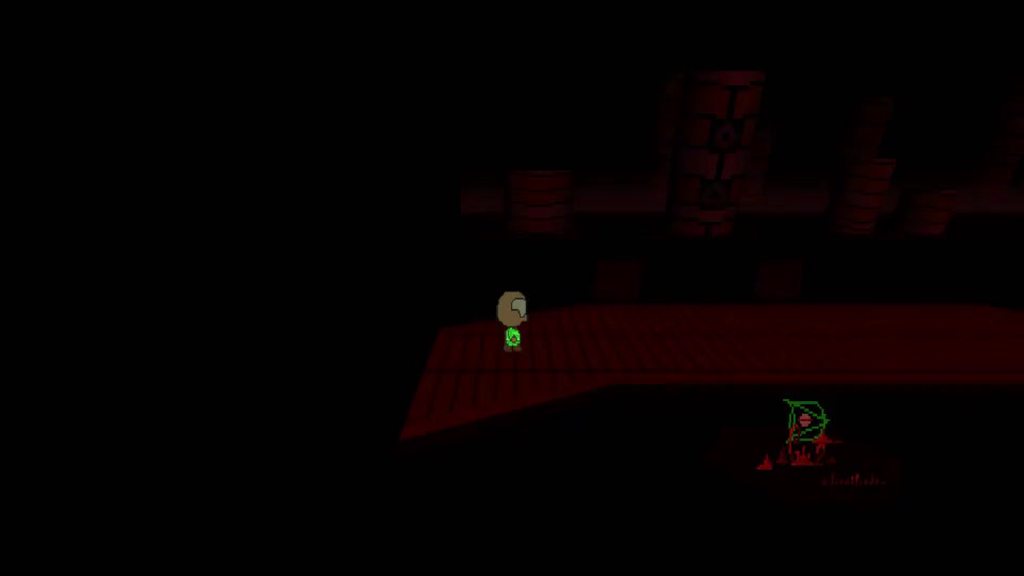 twilit lichen
my computer is indeed poo
haughty flower
Cant wait for underdoom, going great with it
light prism
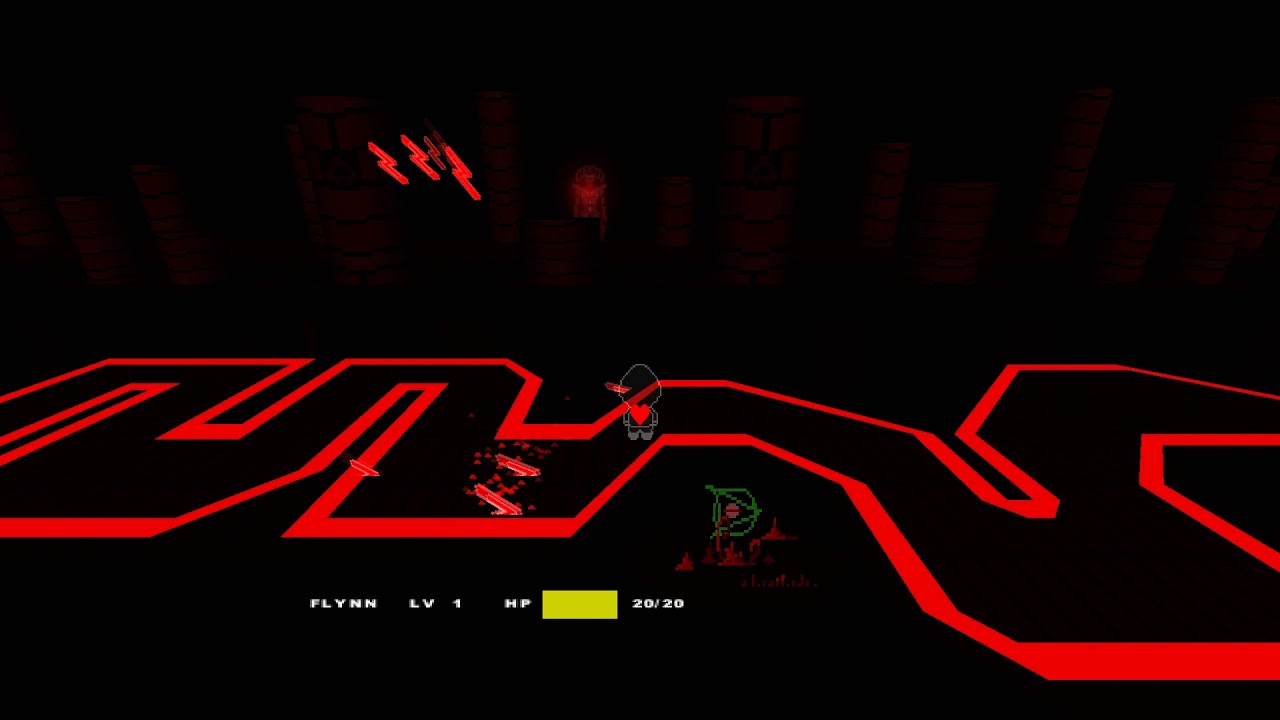 light prism
 light prism
 topaz tendon
power stance
 lapis fern

Those are the many ways to play Doom 1,2 & 3. Download Links: 2D-Doom & 2d Hangar: https://www.moddb.com/mods/classic-rbdoom-3-bfg-edition/addons/2d-doom-2d-...
light prism
 haughty flower
Amazing
 surreal meteor
How do you get spotlights? im using the newest version of gzdoom.
surreal meteor
including the gzdoom pk3 just broke all my things and dynamic spotlights still do not appear. 
light prism
you need to include it as a base game resource (do not load on testing)
surreal meteor
still does it.
also it will not allow me to play the wad, im getting "File C:/Users/hh/Desktop/Stuff/Games/gzdoom/gzdoom.pk3 is overriding core lump mapinfo/doom2.txt."
light prism
did you click the 'do not load on testing' thing
for the resource
cos sounds like you didnt
surreal meteor
I might have a resource that is using the same Id number as the spotlight
light prism

Shrinking dynamic lights to guide the way, and the secret Hissy Village
haughty flower
linguica's hometown?
surreal meteor
i loaded gzdoom.pk3 on its own and it doesnt have spotlights :/
surreal meteor
I also updated my gzdoom
light prism
dunno what to tell you, works for me
light prism
does the gzdb-bugfix updater actually work for anyone?
every single update i get 'unable to stop the editor process'
is it a permissions thing?
light prism
haughty flower
 viscid pond
Why does that look like something out of Vilecore
 mellow verge
why is there very little horizontal perspective distortion in classic doom? y-shearing solves any non-2.5d looking vertical geometry when trying to emulate raycasting in true 3d, but i can never get rid of the edges having the warped look that is never that prevalent in classic doom
for instance, trying an FOV in true 3d looks like fisheye, vs classic Doom where there's almost no perspective distortion
getting the FOV down to about 50 or so helps, but then everything looks zoomed in like Goldeneye
haughty flower
I don't understand most of what you said but that's how software does it.
Try Hardware.
 orchid crane
When unable to load saved games on mods due to "expected to extract an object of type" errors, what is usually the problem?
idle flare
How do y'all make maps, do you draw it out or wing it
light prism
i just run oblige
idle flare
nani
idle flare
No I mean like, do y'all plan out your map before actually creating the map
haughty flower
Yeah, well i do at least
I think it out like how many rooms im creating for it, and find a way to connect each other
Based on the theme i want of the map
Drawing the layouts on paper is the only way I can do it.
Otherwise I get lost.
Same
idle flare
Is there a problem with me graph
hallow knot
Idk
light prism
yeah theres' too many off-grid vertices
lapis fern
My first (and only) map I made I did it from memory
idle flare
It's just a rough drawing man
mellow verge
regarding classic doom, even though it's all 2.5d, is the player effectively a box rather than a capsule or sphere?
haughty flower
a tall rectangle
lapis fern
with sprites
haughty flower
i thought they were just squares
since originally actors are infinitely tall right?
well just not projectiles i guess
haughty flower
hitscan also doesn't hit infinitely tall actors
making them infinitely tall was a design choice
pickups also aren't infinitely tall
 cloud smelt
augh, I'm kinda new to mapping (I've been doing it for 4 years) but I've never finished a level until my latest project I'd usually quit after the first room. I did a 3d maze for the second level of a campaign I'm working on (2 stories with a different maze on the top and bottom level) and man was that painful, it took me like 3 hours
haughty flower
that looks very basic and boring to be honest
uninspired is the word
that's the room most beginners would and do
 unborn fiber
It could definetely be improved!
I'd say you should add some interesting objects and decorations, maybe some blinking lights to induce a sense of alert.
Put a few imps in there, change the level geometry a bit and voila!
An alright map.
haughty flower
cloud smelt
@haughty flower I made the 3d maze as a gimmick to make the map longer (it makes up like 20% of the map), that's just the basic implementation of it and I had the map editor set to fullbright to easily find texture issues. I was just doing the layout, I haven't decorated it yet. My map's very much in development and I'm compiling a list of my favorite doom maps (official and unofficial) to get a grasp on what I like about them. I just wanted to point out that that one short section I made on a whim in one night doesn't reflect the final product.
cloud smelt
Regarding my map, that is 1 room in the map that I made in 2 hours (2 rooms technically cause it's 2 floors, I used 3d floors) The multiple pictures were to try to show the 2 mazes properly because it's hard to show them off cause they overlap but they're all in the same room, it's not near complete. I'm fine with suggestions but criticizing a very early gimmick section that I made in 2 hours as an experiment that doesn't yet have decorations, lighting, item, or enemy placement is basically judging a project by it's earliest skeletal work.. I'm thankful for suggestions I just want to clarify this isn't representative of the final product and I'd appreciate it if you'd consider that that is a very early incarnation of the section. What arvidinator did was ideal, he offered solutions for the points he brought up, I realize being new on the doom mapping scene means I need to show my maps in a more complete state otherwise people will assume that I consider them finished. I'm capable of knowing my map is in a basic state, I wanted to show an experiment I'm working on to create levels that take advantage of 3d floors through modern source ports.
 haughty flower
haughty flower
haughty flower
what dimensional plane is doom actually
this has always bugged me ever since i saw that one game theory video from this guy who’s now dead from forever ago
idle flare
@light prism doom is 2d
haughty flower
2.5D 
light prism
some things are calculated in 2d, the renderer draws based on 2d reference points, however from a gameplay perspective? its still 3d
there is height variation to the playing field
i mean if you want to be a true fedora i suppose the game is being projected onto a 2D surface soooooo
it does follow a lot of conventions of top-down shooters still
except you couldnt reallllly play it automap only - it doesn't have a way of showing you the height difference of floors around you
you would have to already know the map layout
 jade ledge
yo what if somebody turned the pacman level into a doom map
light prism
broooooo that would be +sick+
cloud smelt
The level geometry is limited, I think some aspects of the game used some 3d calculations but the maps couldn't have rooms above rooms, now you can with source ports through.
When I said "3D" maze, I was referring to the maze above another maze utilizing 3d floors
light prism
of course
 brisk flax
Alright... Sorry for interruption but, Simply-Hard Megapack has recieved a lot of major updates from 0.2 to 0.85 and renamed to "Ultrapiss" in the version 0.8. Kind of a weird and funny name at the same time huh? The current version is 0.85. I still have plans from my older Megapack Ultrapiss ideas from the late 2018. It is possible to add the Vennation Terminator that is a cyber and strong as the Final God Lord. There are more Realm667, Doom, Heretic, Hexen and some Strife enemies to come in my addon. And added lots of weapons.
light prism
haughty flower
Doomguy adventures with nugget imp
topaz tendon
how much is a six pack of imp nuggets at wendys
light prism
nugget imp indeed
 tardy hill
does anyone know a doom mod that makes it more realistic
timber bridge
hideous destructor
haughty flower
Hey guys, I'm streaming my map pack that I'm making. Come on by and check it out! https://www.twitch.tv/snootboopgames

Twitch
(WE MADE IT!) (Overnight stream!) Gonna build some doom levels while we watch memes
 winter carbon
What programs do you all use for making mods?
 surreal path
Slade 3
 midnight geode
i remember there being a "chex quest for doom" asset pack that already has all the palettes converted and everything but i cant find it now
midnight geode
yeah but i remember there being an asset pack that already has em all tied up and ready? its a lot of textures/flats
tardy hill
ok thanks for recomending hideous destructor
i may be 13 and not know how guns work in real life
but it sure is great 😎 👌
 tender sorrel
haughty flower
tender sorrel
haughty flower
Well if you set well your bindings then youll slowly get used to its mechanics and starting on easier maps, its when you can get a grip of hideous
i learned it the hard way
Cool sprites
haughty flower
Notincing most of your screenshots is outdoor areas, not much indoors?
I'm bad with indoors areas
Oh
and I think they're boring most of the time
here's some indoors I made
wait gonna post better screenies
cloud smelt
That looks fine to me
haughty flower
I see
they're basic and last not very long
Some standard stuff, most is alright but its just as basic as it gets i see
Just keep on the practise
Not much i could suggest since i also do it kind of basic
it's for vanilla so I stick with 'basic'
Ah those ones look better
haughty flower
you keep comparing my screenshots to bad wads...
viscid pond
That wasn't mean to be an insult
Also the last thing I said about looking like Vilecore was more of a compliment
haughty flower
probably because of the use of metal textures and light decoration
viscid pond
Now the other shots, well I like me outdoor maps so looking neat there 👍
haughty flower
Well for your focus point of being vanilla style, id say its getting on point
viscid pond
And beware the limits
haughty flower
it's really pushing it to the limits, heh
and here's a map that's on-hold that just stopped working on vanilla
for some reason. It was running fine last time
Why wont it run?
dunno
no vpos
but not even chocorenderlimits runs it
Odd
just removed one random sector and now it works, oh well
that's how doom mapping works
 cerulean frigate
Is there any way to define the spotlights found in the recent versions of gzdoom builder using decorate in gldefs?
Just like you do with any regular point lights
light prism
 lapis fern
I did it, I put jumping on classic Doom in Doom 3 BFG Edition (and you can adjust it's height by using the Doom 3 CVar)
Notes: I will change it's bit value (it jump when pressing 3 & 4) plus daisy hopping can be VERRY useful on speed runs
lapis fern
Quick question : Are there any commander Keen Assets for Doom ?
haughty flower
speedrunning isn't allowed in 'official' speedruns
lapis fern


topaz tendon
I think you meant jumping but what you actually posted is far more amusing
haughty flower
you read me like a book
I typed that as I woke up
I was confused
Glad someone unraveled the mystery
topaz tendon
one time I tried to text a friend to get a character ready for an upcoming dnd campaign after just having run a mile and fifteen minutes later I checked the message I sent and it was 100% incoherent and my friend didn't even know where to begin interpreting it
cloud smelt
vocal crypt
What are you doing Roashmallows
cloud smelt
I was trying to make a jewel case doom for windows 95 replica in doom
 rapid needle
Should I use the Monster skill flags to decide how many spawn and don't spawn depending on the difficulty? (Basically I want to put alot of detail and work into the maps I make so thats why i'm asking whether I should or if its a waste of time)
haughty flower
you should
mellow verge
I haven't looked through the source, but does doom handle door opening based on distance of player to each door?
haughty flower
Skill 1 and 2 are equivalent to I'm Too Young to Die and Hey Not Too Rough
Skill 3 is equivalent to Hurt me Plenty
Skill 4 is Ultra Violence
Skill 5 is Nightmare @rapid needle
rapid needle
thanks
haughty flower
every decent map has difficulty settings
rapid needle
alright 
haughty flower
@mellow verge wdym?
mellow verge
@haughty flower classic doom, I was wondering how the doors were programmed
When you press open and you're near them
 true lion
Anyone know how to align a sprite to show up correctly on the Zdoom fullscreen hud?
light prism

Listen to Argent Core by TheMisterCat #np on #SoundCloud
hallow knot
👍 👍
light prism
true lion
Anyone have a bead on any good angled flamethrower sprites? Spriting isn't my strong suit.
 plain lintel
Does anyone understand how segs are stored in the WAD format? I'm trying to render DOOM maps in a 3d engine, but I can't work out how to follow the segs on the edge of a subsector to draw floors and ceilings
haughty flower
So... I'm trying to figure out how to script Breakable Glass in UDMF... and this is something I'm not quite understanding. Finding a tutorial on it that makes a lick of sense is practically impossible
light prism

the whole section so far
Doomworld
if anyone ends up googling how do i make breakable glass in doom hexen format doom builder I would like to help you. here is how it is done. (this isnt as long as it looks, im just a long winded idiot). HERES THE CODE. like pow!script 1 (void) { Setlineblocking(107,OFF); //th...
its basically the same
you setlinetexture to nothing, play a sound, whatevs
theres also
haughty flower
I figured it out! Huzzah!
haughty flower
jeez I had a block for like 2 or 3 weeks
topaz tendon
Looks rad, my dude
haughty flower
So. i started playing with ML again, and decided to throw doom textures at it. resized all of them to 64x64. First i tried with powergan with results being....kinda retarded. full set returned me this before crashing into endless loop.
just grey textures however stuck on few textures - this is for no-dupe set
this is from dupe set
so no luck in either case.
then i switched to styleGAN. so far - this is where it's at, at lod 2.0 (texel per 2 pixels in learning)
i am not sure where it will arrive, knowing that it's optimized for seraching similar threads in dataset and then adjusting between features, but when whole dataset you have is completely different - it might not even get anywhere.
but regardless - even right now this generated set kinda looks like a bunch of some doom textures
i can most definitely use these, at least as total annihilation-kind of textures
@light prism .....  would toriel be big tiddied baron of hell from h-doom?
 weak dune
Btw that Undertale project looks AMAZING
haughty flower
agreed
light prism
haughty flower
Any one know how to put in those end cutscenes seen in the end of every episode in doom 1?
it's getting better
and apparently one of the textures tries to conjure cabal
light prism

 solemn musk
CUT
light prism
cut and trim, until it is done
 zinc egret
What's the parameter for changing warp speed on a texture on ANIMDEFS? "Tics" is not working
light prism
speed
haughty flower
Oh hey it generated something useful. here's a damaged switch panel
needs small editing and it's good to go
and another one
timber bridge
the beep boop dosen't work anymore :(
zinc egret
"Speed" didn't work for me 🤔
light prism


 haughty flower
Bepis
light prism
bepyou
weak dune
bepis good
timber bridge
there's no purple anymore
topaz tendon
they stole our purple
timber bridge
time to go to war
 eternal cape
guys what about violet?
light prism
lilac imps ahoy
topaz tendon
ultra violets
haughty flower
apparently it decided to lerp between danger sticker and nazi golden wreath
some of the textures are actually better, but need some cleaning. like even bloodier skin wall
switch's still broken af tho
eternal cape
Hey still looks sorta good tho
weak dune
So I've got a question, what exactly are these distorted textures for?
eternal cape
maybe for a mod idk
mellow verge
Anyone here knowledgeable with doom 1/2 source code?
 gray shell
hey does anybody here have the doom 1 textures as 32bit pngs?
i need them for a mod for another game, i can't seem to get them for whatever reason
shadow bone
The best way would be to get SLADE and export them from your Doom IWADs as PNG
I don't believe there's any such packs floating around
At least not that I know of off the top of my head
Of course, remember that all the original Doom artwork is still copyrighted, so take that into account wherever you plan on using it.
gray shell
ooof... uh drat
ok well second best option. are there are any Royalty Free doom texture mods that won't get me arrested for a map mod?
i mean I'm not selling it but if that's a risk then why take it I guess
I'm basically making a doom themed map for the game haydee and I was hoping to use some doom like textures for it. you know nothing big just a fun little romp through a E1M1 styled map
surreal path
@gray shell there's always Freedoom's textures
gray shell
well I do have that I think and ZION
don't see any floor textures in ZION tho
well not the right one anyways..
shadow bone
If they're the doom textures they're not public domain, lol 😛
That said maybe look at the Doom High Res Texture Project because I think most of those were made from scratch (check the licensing) or use FreeDoom's original textures, since replacing Doom 1-to-1 is what they're intended for.
... or just use the Doom textures, if it's a non-commercial / free project with limited distribution. id/Bethesda has been pretty friendly toward modding so long as the IWADs and other copyrighted material aren't blatantly distributed wholesale and no one's profiting off it.
gray shell
eh.. well tbh, its for the game Haydee which I don't know if people are familiar with but there isn't much of a mod scene

"Haydee" is a hardcore old-style metroidvania mixed with modern-day third person shooter and platformer mechanics. You will controll Haydee - half-human, half-robot character in search of her way out of strange artificial complex full of traps, pain and depression. No casual ...
Price
$14.99
Recommendations
3157
what is there is pretty janky.. i dunno I doubt there's much of a concern but lets see I'll try the Doom high res pack
https://github.com/KuriKai/DHTP is this what you're talking about @shadow bone ?

GitHub
DOOM High Resolution Texture Project. Contribute to KuriKai/DHTP development by creating an account on GitHub.
shadow bone
Yes
TBH a lot of this stuff exists in a kind of grey area due to id software's very lax attitude toward copyright infringement, but I think it's better to be safe than sorry where possible.
Plus, as I was telling someone else earlier
we share a very close relationship with Bethesda on this server and the Doom subreddit, so it's nice to respect their legal rights as much as possible
gray shell
i guess, so its showing me 3 different versions, doomsday engine, risen 3d and zdoom, which one would have them in .png? or will I have to convert em regardless
shadow bone
Look in the actual textures and flats folders, that should have the actual pngs
the different versions are just packaged for ease of use with the various ports
gray shell
ah got it
shadow bone
but they're all built from the same data
 hexed sky
ugh, haydee
the movement is so goddamn atrocious for a game that is all about precise platforming
surreal path
Don't need any good gameplay mechanics to get a good rating when a third of the screen is covered by a big fat a-
light prism
haughty flower
Very cool
weak dune
this looks great
 muted wing
@light prism what happened to your modder role?
wait, what happened to the modder role?
timber bridge
it went boom
 unreal oyster
we got rid of them
haughty flower
you'll always have an important role in my heart
haughty flower
Bruh moment
light prism
you want slade
lump management tool
well you'll just have to copypaste everything you used
haughty flower
4600 kimg ratio.
light prism
melting switches galore
haughty flower
yeah
@light prism one of the prime things i wanna test is - whenever you use pre-trained model - it takes set of randomized "vectors" to shit out an image from saved state of neural net. I am wondering what would happen if i throw a hexen texture at it or something similar
light prism
oh geez
i guarantee it will look like turds
most hexen textures have that going for them
they look like turds or curry
either that or it will be all tutti frutti from the stained glass
haughty flower
@light prism dude. hexen has at least one kickass texture
red portal one
i spoke too soon. latent vector array is 1d one.
 but hang on, if these are just vectors....
that means it's smack dab in the middle of ML chain. which means i should be able to control individual aspects by adjusting vector values on the fly
HM! i should record a video interpolating between 200 random vector maps. 3 seconds each, that should give me nice demo on just how the hell the network handles them
light prism
haha
yes, the portal texture is nice, and some of the stained glass
the rest is rock and brick
in various curry colors
haughty flower
Ah yes, shit stain color hexen
cloud smelt
I've been experimenting with creating the illusion of 3d floors
using doom 2 compatability
weak dune
Curious to see where you go with this
cloud smelt
I'm making a map for demo purposes that shows practical implementation of what I'm working on. I started a project that takes full advantage of gzdoom, I decided I wanted to make a port to the original engine while making as little sacrifices as possible. I'm seeing how far I can push the vanilla doom engine.
Does anyone know how to run custom maps through dosbox? I'm wanting to test my work on the original engine, alternatively do you guys know of any source ports that stick to the original engines limitations?
weak dune
i'm pretty sure you just use the -file parameter like normal source ports
Doom Wiki
In respect to the Doom engine a parameter (or command line parameter and command line argument) is a start-up indication by the user that the engine should change its default behavior. The...
@cloud smelt
haughty flower
@cloud smelt try chocolate doom
It is as close as it gets to the original engine with its static limits
cloud smelt
Alright
cloud smelt
Here's the tricks I've made so far
light prism
but can you teach vanilla map format to love
cloud smelt
I can teach it to fake love ig
haughty flower
@cloud smelt we actually had experimental software rendering 3d floors. not sure if that went anywhere
cloud smelt
It's possible in zdoom, are you talking about a modification for the vanilla engine?
haughty flower
zdoom
cloud smelt
Yeah, I use 3d floors in zdoom all the time
haughty flower
not in gl mode but in software mode
tho to be honest it's quite a futile thing to chase d2 compatibility 3d floors. Just make a good map :V
cloud smelt
It's more of a challenge for myself than anything else, the idea of finding interesting ways to fake 3d geometry is something I find quite interesting, and 3d floors are supported in software mode
haughty flower
@cloud smelt 3d ceiling/floor portals.
back when i was screwing with that i found that easiest way to make enormous multi-story buildings is to have top/bottom floors separated using multiple portals. of course there are drawbacks - such as vertical portals screwing with horizontal ones which results in overdraw
also lag, and graphical glitches. not sure if that been fixed
haughty flower
@light prism
some pieces of it are pretty good
especially statue head coming out of the wall
hold up let me do a scaled up version with different vectors
light prism
that is pretty smuppy
haughty flower
@light prism https://youtu.be/jjmu5_ewCIE

Test of the network snapshot, 1/3 of the way done, sampled with 200 latent vectors, interpolated between each one 120 times. Source of the network training d...
light prism
should convert some of this into animdefs'd
or like take a few prominent shots and use a shader to morph between them
haughty flower
yeah
thing is - learning's not done yet
it's at 4200~ kimg, end of learning is at 12000
i really need someone to lend me a machine with a 2080rtx.
on google colab every next step (100-150kimg) takes 2 hours 45 minutes
on my machine it's 1.5 hours or so
light prism
haughty flower
those vanilla tricks are pretty common
the teleporter ones are too hacky though so I don't think people would like it
by the way crosshairs in a game that has your weapon centered are gross
light prism
no need to get so cross here
 winter kayak
i have a custom texture that shows up in doom builder butnot when i go to playtest it. any suggestions?
light prism
make sure the texture is between TX_ markers
haughty flower
Mistercat knows better
haughty flower
@winter kayak what's your wad's format?
winter kayak
wdym
haughty flower
what format are you using to make your map
you know, it asks you when you pick to create a map
winter kayak
Ohh. I tried in boom and doom 2
I was looking into it
It it because i deleted the first texture
Something about it being a null texture or something
haughty flower
so it's working now?
winter kayak
Doom Wiki
AASTINKY is the first texture in the Doom texture directory (TEXTURE1). In Doom II, the name AASHITTY is used instead. AASTINKY is not a real texture, but is a dummy texture to work around a quirk...
Idk
I had to leave
haughty flower
uhh
well see if your new textures work now, if it doesn't then ping me and I'll show you how to add custom textures
haughty flower
idk what you're even doing, heh
I never had to mess with AASHITTY or whatever to add custom textures
haughty flower
most tutorials for that add a bunch of unnecessary steps
and make it look more complicated than it is
winter kayak
It was really simple adding them
haughty flower
I cant figure out how to make a switch lower an elevator. Any help?
SR Lift @haughty flower
Thats not there
Im using gzdoombuilder bugfix
cloud smelt
Red is untextured it's the top texture layer, which extends into the skybox, the surrounding grey flat projects over the area, green is a middle texture aligned in the air to cover hom effect, purple is the same as green but on the back red wall with a different texture to appear to be a blue key on the "platform". blue is where the red sector reaches to in the sky. The steps up teleport to a clone map to give the illusion of being on top of a 3d platform
cloud smelt
I call this method "holographic floors"
I've finished my tech demo that showcases my fake 3d effects I've developed, I'm uploading a video that showcases what I've done
It's a bit cramped which causes difficulty navigating (you can often get turned around by running into a hidden teleport) when I use this in an actual map I'll be sure to keep the maps open enough that this won't be a problem. The effect only works with open gl renderers and software, I haven't tried softpoly yet
Ok, so softpoly doesn't work with the floor projection, you'd see the platform for what it really is, the illusion only works with software and open gl
I just found some illusions don't work with open gl, so when I release the demo I'll specify it requires a software renderer
haughty flower
Will you include the file to play?
cloud smelt
I'm delaying the release of the map in order to fix one problem it had when I tested it with an original spec engine. here's the video of my effects https://www.youtube.com/watch?v=G-QaEfzY2N0&feature=youtu.be

It's possible through modern source ports and map formats to make true 3d geometry in the doom engine, however I'm working on replicating the effect while ma...
It's just a tech demo, I haven't made a map around it, I'll make a proper map using all of these effects in the future. I've been learning how to do this stuff so I can effectively use it in future projects.
haughty flower
ehhh
decorations actually have infinite height
so that isn't going to work in vanilla
what you could do though, are self-referencing sectors
which are basically invisible floors/ceilings
@cloud smelt
light prism
getting teleported that much just seems annoying
cloud smelt
Yeah, the decorations are what's causing the delay, the teleportation will be dialled back in proper maps, this was my first attempt at this sort of thing so I went overboard with the teleports. I was worried the decorations would be infinity tall, when I tried it in prboom it confirmed that.
@juza I'll look into self referenceing sectors.
winter kayak
yay i fixed it
haughty flower
lol how you fixed it
winter kayak
magic
i ended uo creating an archive and not deleting the first texture
up
anddd
then i goofed
haughty flower
still can't add custom textures? @winter kayak
create two entries
PP_START
and PP_END
put the WALL textures between these, they must be Doom format of course
then you select all of the textures and right click
go to graphics and add to patch table
haughty flower
import from base resource archive (your DOOM2 iwad)
haughty flower
then you right click them all again and Add to TextureX
winter kayak
i made a goof
haughty flower
and that's it
they should all be in your wad now
simple, see?
for flats you just put them between FF_START and F_END entries
don't need to add them to patch table or anything
just putting the flats between the entries adds then to the wad
winter kayak
read mah text
i got that figured out
i was just being dumb and overwrote the file
while saving
haughty flower
E
light prism
haughty flower
yes
haughty flower
Something tells me i can make a neatly creepy mod and call it "static" and use bunch of these innit as wall textures
timber bridge
it would work more on wall textures with faces tho
haughty flower
all of them
timber bridge
not really tbh
haughty flower
@timber bridge for normal design sure. if theme is "static" - it would work
light prism

 topaz tendon
I feel like the static effect might get a bit old if you use it too much
like, it's creepy but visually distracting for an FPS and easy to be desensitised to
if you could figure some way to have certain wall tiles do that animation for just a moment at random or semi-random intervals, at least in the early game before things get intense, it'd go a long way
haughty flower
IT'S SA-
light prism
yeah, if it was some sort of say, dimensional switching effect
or a holodeck room or something
it would probably be cheaper/take far less space to just make a shader that does a similar effect though
light prism
lapis fern

This is a demo for a new map script named ActMap(name not final). This script allows you to change in game cvars while entering sectors with specific sector ...
light prism


 carmine badge
oh hey i forgot this existed too
uhh
check my stuff out lol https://www.moddb.com/mods/no-guts-no-glory

Mod DB
"No Guts, No Glory!" is a mappack containing 12 big and challenging maps.
 bleak mulch
is this the place to ask for doom ACS problems?
light prism
WHOS ASKIN
bleak mulch
I AM
weak dune
Well..?
weak dune
hey i'm planning on making a 2.5d version of cave story in the doom engine
is there a way to alter the physics to more suit the floaty platforming?
cloud smelt
It's possible in zdoom and many other limit raising source ports, use gzdoom: doom 2 (udmf) formant
then right click a sector and reduce the gravity using a decimal, like if you want 50% gravity do .5 or 25% would be .25, you get the idea
@weak dune This should help with your project if you haven't found this out already
weak dune
i'm just curious if there's a way to do this globally so i don't have to manually change every sector's gravity
cloud smelt
I guess if when you start a new map make one sector, select the desired gravity and when you make a new sector it might carry over, I haven't tried that but it works with textures
weak dune
alright, thanks for the suggestion!
cloud smelt
I'm finishing my demo map, I hit a snag trying to do bridges, I finally figured out how to do it with self referencing sectors, here's my result, this is in gzdoom but I did test it with prboom and it worked the same except it wasn't silent.
light prism
there are levels of gravity
cvar sv_gravity is 'global'
sector gravity is individual to sector
actor gravity is a multiplier per actor
ie 0.5 will be 0.5x(sector gravity OR sv_gravity)
@weak dune
weak dune
thanks dude! appreciate it
light prism
also
setting gravity here per map will probably set sv_gravity
seeing as how it has the default 800
 severe seal
I opened up ancient aliens in the editor yesterday and I can't for the life of me figure out how skillsaw made platforms with invisible floors and neon outlines
haughty flower
@severe seal self referencing sectors
they're all over Plutonia too
basically it's a sector with all its lines with the same sector index number
they're really easy to do
the neon outlines are just middle textures
old tricks
severe seal
Thanks
weak dune
i find it interesting how a large portion of legacy doom level design is purposely using exploits in the engine to create interesting effects
no other game uses that kind of thing like doom does
severe seal
A large portion? hmmm
severe seal
yeah true
haughty flower
most common one I see is the invisible floors
severe seal
the weirdest one to me is the extra player instance used to trigger stuff
haughty flower
making textures for my mod
light prism

 weak dune
looking better every day
light prism
haughty flower
Is pan also a smol revenant or will he be an archvile
light prism
he's a revenant with non-functioning missile launchers
haughty flower
Nice
 oak kindle
the sack has legs!
light prism
timber bridge
nice filename
 grand tulip
can one type of script be used only once in a map?
haughty flower
no
grand tulip
im using a bool script 4 times with different tags, if i successfully execute one the other 3 dont work
light prism
whats a 'bool script'
if you mean you have a map-wide boolean variable, then re-using the script will still be calling that variable
so if you did say
Script 1 (int roomnum)
{
    if(hasrun == false)
    {
        dothis();
        hasrun = true;
    }
}```then running it multiple times will just result in nothing after the first time
because the first time it sees hasrun as false, it sets it to true, then all concurrent times it sees it as true and thus does nothing
Script 1 (int roomnum)
{
    if(hasrun[roomnum] == false)
    {
        hasrun[roomnum] = true;
        dothis();
    }
}```this on the other hand
has four seperate variable containers in the form of an array
which will check the array position based on the argument passed to the script
grand tulip
i had 1 declaration and was using it for all the scripts that was it
grand tulip
thank you 😃
weak dune
fairly new to doom mod creation and stuff, if i wanted to code a move such as a lunge forward into the player, where would i go to get started?
light prism
theres a few ways you can go about it
none of which i really feel up to explaining from the very basic principles
since its late and im tired
but
reading up on this page should give you a basic understanding of the flow of stuff
grand tulip
are there any marble texture with revenant face?
light prism
have you tried asking a revenant
weak dune
🤔
 sharp shadow
I know this might sound like a stupid question, but I'm playing Old Doom and I want to mod it so that caco bloodsplats are blue and hell baron bloodsplats are green. I've looked around old forums where people asked the same questions and got answers like "just do it yourself" but I am not adept at modifying code and I don't understand the instructions
So how can I change the blood color for specific monsters?
preferably is there a file I can get that already does this
haughty flower
@sharp shadow
what sourceport?
there are sourceports that have the option to set that and much more by their own option settings, such as Crispy Doom
sharp shadow
I’m playing GZDoom, if that’s an answer
haughty flower
if you're using GZDoom, I think Smooth Doom has that feature
haughty flower
well keep in mind that GZDoom is an advanced sourceport that is quite unoptimized and infamous for such
being that's advanced, it adds many features the original game didn't have, such as looking up and down, crouching and jumping
sharp shadow
Right, I’ve figured that much out
haughty flower
when I was new to the scene and ppl recommended me ZDoom I thought many of the features were in the OG game lol
surreal path
heh
haughty flower
why did this game make the sprites so blurry and ugly
surreal path
i think there's quite a few people who think that
same people also think Brutal Doom gives Doom opengl support
weak dune
who thinks that? smh
haughty flower
I've seen people say Brutal Doom is what allows you to look up and down in Doom
because they never bothered to try out the original game in GZDoom without mods, most likely
surreal path
I dont think they even know what the original game looks like
sharp shadow
I’ve been up and down the extensive options menus in GZDoom and I’ve got the game to where it’s very comfortable to play(although I still don’t know what a lot of these options do), I’m just at a loss as to how to recolor the blood.
I’ve tried making a “decorate” file but I’m pretty sure I don’t know what I’m doing there
That’s what old forum threads from like 2006 told me to do
sharp shadow
@haughty flower thank you for pointing me towards Smooth Doom. It’s exactly what I was looking for. Something to add more visual details without changing the style or gameplay.
weak dune
smooth doom is perfect, i agree
light prism
smoob doob
light prism
kchgbxlp doom
 remote coral
What happened to the modders role?
shadow bone
We pared down some of the more specific roles
they weren't getting much use besides vanity colors
and some of them kept confusing people
light prism
but without a role, how am i supposed to know my role
vocal crypt
also oof
wanting to make a map that's a four Squares thing
idk
unless it would be a boss thing
or it's justs four areas
arenas maybe
and not literally four squares.
remote coral
I just got the best idea for a map gimmick/setpiece
y'all can use area portals to recreate the X-ray scene from Total Recall
Or do something other with X-rays
remote coral
Not gonna use it for this one
already too much shite on it
but something to keep in mind for future
Honestly, for how simple area portals are, they make for some amazing mindfucks
And general ease of mapping
light prism
did some of the definitions in glsl get changed/removed in 4.0?
i cant call 'roughtexture' etc anymore
unless i define them manually
i mean they're still there you just have to call texture2/3/4/5/6 etc
ohh nevermind
one of the files for pbr was missing
lapis fern
I did it I manage to make Doom 3's game dll to use classic Doom's Global object allowing you to add custom functionality on classic Doom through Doom 3's game dll
remote coral
Why does my game keep creating random vertices for no reason
remote coral
Right, this has been pissing me off for a while now.
I'm trying to get this pain elemental in this deep lava to get pushed out from the lava when I cross a line.
This is the script I'm trying to use for it.
The wiki is saying SetCurrent works underwater, but nothing I try seems to have any effect on anything.
It doesn't even work on solid ground.
oh boy
Scroll_Floor works for land enemies, but not for airborne ones
vocal crypt
@remote coral
The spectre ate the changelog.
 cedar chasm
Think I went a bit over board on this one
haughty flower
looks dark souls-like
cedar chasm
what this nightmare looks like
haughty flower
so... I wanna get into modding.
I know a little bit of js and C#, but as far as I know, I need to learn ZScript or DECORATE, I think.
Does anyone have any sort of like... documentation or starter material I could get into, just to help?
cloud smelt
I'm also interested in such a thing (if it exists) I'm sticking to mapping and custom textures/sprites cause I don't know how to make mods to the gameplay
remote coral
Agreed wholeheartedly
The wiki is just gibberish for me, when I don't understand what many of the things there are
topaz tendon
@cedar chasm Beautiful, man. Keep it up.
silent totem
I found one that only described how to make weapons that gave clear information, even if it was quite simple, but I'm not sure if I can find it again
remote coral
There are many other things to do other than just new weapons
For example, seeing as nobody seems to have advice for my problem, I want to change the properties of a single Pain Elemental so it would be affected by Sector_SetCurrent
Meaning I would need to remove its NOGRAVITY flag, which I have no clue how to do
And it might be quite an excessive fix for a somewhat minor thing
vocal crypt
tfw you want to make a four square kind of map but you just suck at level design
feelsbad
light prism
four square is a convenience store name here
vocal crypt
no not the store
Also, when I try to auto update GZDoom Builder I get this
How do I fix?
weak dune
tbh i download updates manually anyway if it tells me
i'm weird
light prism
i have never had auto update work
idle flare
there was a video about what makes a weapon mod in doom satisfying to use, and it showed two different shotgun mods as an example
but i cant find it
any help
vocal crypt
Any way to just check "latest submissions" on Realm667
And not the regular beastality
and stuff like that
silent totem
@idle flare If you do find it, tag me
 hushed oasis
there's this old Wolf3D mod based on the Doom movie (the 2005 one, not Annihilation) and I'm getting back on remaking it in ECWolf again
here's the WIP
haughty flower
any coders here willing to help fix a buggy addon the dev refuses to fix?
haughty flower
timber bridge
hotline UAC? 
haughty flower
yes
UAC => Unlawful and Anarchic Control
if you wondering if it's a Hotline Miami themed, it is
weak dune
Looks excellent
remote coral
will the jigsaw pieces return
timber bridge
it's not a banjo kazooie map
vocal crypt
going to ask
did the walk sprite for, say, the baron of hell have three frames?
for the leg atleast?
apparently 4ish
judging from this
vocal crypt
sjot
shit
the naming convention for doom monsters is (Four Letters)A-Z right
Otherwise I might be wasting my time trying to rename these sprites
also
does it end at Z
vocal crypt
damn
light prism
but you can always just switch to another sprite name
vocal crypt
true
light prism
etc
ugh my example got removed
guy1 a-z guy2 a-z
and of course you need the angle numbers too
vocal crypt
Jfc I'm getting my ass confused here
So I got 8 frames of my would be monster walking
with each "step"
Would that be
GODZ(Letter)(Number)
For each "step"'s frames?
32 frames I guess
make that 40ish
light prism


you can cut rotations down from 8 per frame to 5 by using mirrroring
like POSSA2A8 would flip 2 to use as 8
vocal crypt
So the letter is just one frame's "set"?
vocal crypt
oh
light prism
this is all on the wiki
vocal crypt
Mmm
I think I fucked up with the sprites
the monster is invisible
but I can shoot at it
wait
must've forgot to set the transparency thing
well I got another problem
on some parts of the sprite, the blue is still there
what I mean
and it still invisible
wait
vocal crypt
I might've forgotten S__START and S_END