#classic-doom-maps-mods
1 messages · Page 92 of 1
 haughty flower
 light prism
i dont know what game that is from but shame on you for ripping
light prism
is it possible in zscript for one actor to just outright change into another without using morphactor?
 carmine badge
haughty flower
carmine badge
haughty flower
Beautiful, but what's with the weird white outlines
haughty flower
@light prism Cry
 topaz tendon
is that a demand
haughty flower
That is a demand. Towards my feelings
topaz tendon
is sally your feelings
haughty flower
@topaz tendon How'd you know?
 plush solstice
How does one create a level pack?
I know how to do individual maps, but I'd like to figure out how to make a level pack.
 wet rover
AFAIK you just include them all in a single WAD/pk3, and make one map lead to the next.
topaz tendon
"this next projectile is being sent to our marketing department"
light prism
im quoting stuff for building contractors so everything is a project
light prism
i wonder if you can build fonts out of animdef'd images
 silent totem
Why
light prism
so i can make shaky fonts
without having to individually draw each letter and keep track of its position
i guess it depends if fontdefs is processed before or after animdefs, and if it can read from directories other than fonts/
or if it can read non-directory name labels
silent totem
If so, could you make a font that has endlessly shifting characters
light prism
not under what im thinking
i mean technically you could but you'd have to create huge animdef loops
i just mean like a few shaky frames per character
i dont even think this is possible anyway
 royal wave
 oak kindle
hi its vince with an abomination
thoughts?
light prism
oak kindle
wait this is in the DOOM ENGINE????
I thought it was a mod for undertale
holy shit dude thats amazing
light prism
its just a camera pointing down and a bunch of scripts really
oak kindle
thats still really cool!
light prism
 oak kindle
u could make some horrifying boss fights
light prism
temmies == hissies
 unborn minnow
So does anyone know any good tutorials for making custom monsters with DECORATE and how to get sprites to work for them?
light prism
PROBABLY
 charred furnace
Anyone here still plays Postal 2?
https://streamable.com/kju26

 surreal path
I was playing postal 2 just the other day
haughty flower
@charred furnace #172869448863055872 ??
light prism
unborn minnow
Probably? also this is cool
unborn minnow
yeah i have, I'll look around some more on there
I guess im mainly just confused on how the hell the sprites are supposed to be organized or whatever. I tried looking for a video tutorial to see if that'd help me some but i couldnt find any. Eh, maybe i just need to mess around with it and i'll get it, after looking around some more and all that.
https://zdoom.org/wiki/Creating_new_sprite_graphics
oh
... yeah i should've looked around more before i asked... gg me
light prism
almost all of your growing needs can be satisfied by the zdoom wiki
haughty flower
But is it doom?
 charred furnace

 true galleon
time to figure out how to use deu
oak kindle
hey, is there a way i could modify the fists in doom?
never mind i made an abomination
ok so is there a way to modify the starting weapons?
what did lil babey giwake fuck up today
 {
   Player="player1"
   StartItem = "NewFist"
   weaponslot = 1, "NewFist", "Chainsaw"
   weaponslot = 2, "Pistol", "Silencedpis", "DPIS"
   weaponslot = 3, "Shotgun", "SuperShotgun"
   weaponslot = 4, "Chaingun", "AUG", "SMG1"
 }

//aaaaaaaaaaaaaaaaa
i just want to replace the fist with newfist
every edit i make seems to do nothing
@light prism sorry for the ping but you've been very helpful and i dont want to bother u. could you help me out?
oak kindle
i figured it out!!
light prism
that will be $20
oak kindle
fuc
great now it looks like doomguys doing fuckin fist of the north star
yatatatatatatatatata
oak kindle
every update it gets worse
let me know how much of an abomination it is
also modders and devs: look at this cool pistol.
ruger p85 mk11. COOL AF
unborn minnow
oops
oak kindle
oh shit madness
oak kindle
apologies if this is a dumb question but how would i place custom weapons in gzdoom builder?
@light prism ok dude sorry for the ping but im fuckin lost. also im very stupid
im assuming i have to probably set it up to spawn in the builder
im just very lost and not sure how to put it
ok i think ive found a way to explain it. sorry for being a dumbass.
i have some custom weapons and i would like to spawn them in using GZdoom builder, however they don't appear in the "things" menu
what do i have to do to have them appear?
light prism
you need to give them a DoomEdNum
if you are writing in DECORATE, you assign it like
Actor MyActorName : InheritsFrom 12345
{ restofactor ... }
oak kindle
for example
{
Obituary "%o was blown away by %k 's Double Barrels."
Inventory.PickupMessage "You got the Double Barrels!"
Weapon.AmmoType "Shell"
Weapon.AmmoUse 1
Weapon.AmmoGive 16
Weapon.SlotNumber 3
AttackSound "weapons/dbrl"
...```like this?
this fine or did i just drink too much dumb bitch juice
DECORATE error in "auto.wad\DECORATE:1", line 266. Expected editor number or start of actor scope while parsing "newssg".
ok what the fuck
i
why
what
@light prism help
oak kindle
oh shit
light prism
like
oak kindle
so just doomweapon 155?
light prism
actor MyImp : DoomImp 15000
yes but you probably want to use large numbers
so you dont interfere with the range of the base game
oak kindle
ah sorry i drink a lot of dumb bitch juice
light prism
anything up to 32768 is fine
 unique fern
I am taking a wild guess here, but there is no way to make a swing out door is there? Or am I wrong?
 unreal oyster
there is in gzdoom, using polyobjects
light prism
oak kindle
ur spritework is amazing
light prism
its just a.. really heavy toriel edit
 timber bridge
will someone play this with the ralsei mod 
light prism
i cant even imagine
light prism
light prism
unique fern
how does one put a 3d floor above a 3d floor?
light prism
make an extra control sector that links to the same tag
unique fern
Thanks
haughty flower

Yep I had to do it, here's the link: https://www.moddb.com/games/doom-iii/addons/tds-improved-shotgun
oak kindle
do these sprites look ok? im kinda unsure about them myself
light prism
oak kindle
smol boy
topaz tendon
why he vibrate
oak kindle
he tem clone
light prism
A_SetTics changes the current frame ticrate
like POOP ABC 4 A_SetTics(2) would make ABC play 2tics each
oak kindle
{
   Player.StartItem "Pistol"
   Player.StartItem "AdvancedFist"
   states
   {
    Death:
    PLAY H 10 A_settics(2)
    PLAY I 10 A_settics(2)
    PLAY J 10 A_settics(2)
    PLAY KLM 10 A_settics(2)
    PLAY N -1
    Stop

   }
}
I've done this, nothing has changed.
is this correct or did i fuck up?
@light prism
i have the feeling i fucked up
scratch that it works
light prism
of course you could just change the initial ticlength too if you watned
instead of using A_Tics
er A_SetTics
just have like
ok, spam filter is overkill
PLAY H 5 instead of PLAY H 10
oak kindle
 light prism
very 90's
light prism
 unborn fiber
Any of you guys know how to use SLADE?
I'm a newbie map maker, and I really wanna screw around with some sprites in my WAD. Please help!
light prism
in a wad, sprites go between S_START and _END marker lumps
the files are named like
four letter designation, then a frame letter designation, then a number that represents the angle that sprite will be defined for, then an optional mirrored frame
so: four letters, POOP
frame letter
POOP Y
for objects that dont need sprite rotations, you can use the number 0 to have it represent ALL rotations, this is an easy way to start out
so POOPY0
so you just have a series of sprites bound to letters and then bound to those sprite name designations
then you put those in a state:
Spawn: // default state everything starts in
POOP ABC 3
loop }```so that will play A B C at 3 tics each
then repeat indefinitely
unborn fiber
Thanks a bunch, this'll really help me out!
oak kindle
yo uh
    ChangeCamera(1,1);
}```

im getting an error on this, what did i fuck up?@light prism sorry, but what's up with my script? i keep getting an error.
This is in gzdoom builder
light prism
if you want your camera to affect everyone and not be able to break out of it with any keys, do ChangeCamera(tid, 1, 0);
oak kindle
ah
my bad
also how did you get the console to show up?
and now im getting another message
@light prism so whats up with this?
ok uh
yeah its broke
@light prism sorry for the ping but i have no idea why its doing this
light prism
you have to include
#include "zcommon.acs"
otherwise it doesnt recognize any of the game functions
always put that right at the start of your scripts
rather, at the header of each file
unborn fiber
Anyone here willing to playtest my WAD?
It's far from finished, but a portion of it is done.
Keep in mind it's my first, so if you have any criticism you'd like to make feel absolutely free.
In case you actually wanna try it out, I recommend using GZDOOM
Jumping is allowed and needed.
unborn minnow
light prism
oh god not those crossface fuckers
unborn minnow
Yes those crossface fuckers \o/
light prism
oak kindle
hiss boi smol
oak kindle
{
Obituary "%o was blasted by %k 's Derringer."
Inventory.PickupMessage "You got the Derringer!"
Weapon.AmmoType "Clip"
Weapon.AmmoUse 1
Weapon.AmmoGive 16
Weapon.SlotNumber 2
AttackSound "weapons/dbrl" //REPLACE SOUNDS!!!

States
{
Spawn:
    SGN2 a -1
Stop
Ready:
    dirn A 1 A_WeaponReady
Loop
Select:
    dirn A 1 A_Raise
Loop
Deselect:
    dirn A 1 A_Lower
Loop
Fire:
    dirn A 1 A_GunFlash
    dirn B 1 A_FireBullets(5, 5, 1, 10, "BulletPuff", 1)
    dirn c 1
    dirn D 2
    dirn E 2
    dirn F 5
    dirn G 2
    dirn H 2
    dirn i 2
    dirn j 2
    dirn k 2
    dirn l 2
    SHT2 l 2 A_ReFire
Goto Ready
Flash:
    TNT1 A 1 A_Light0
Goto LightDone
}
}```
so this isn't being selected in game, what did i fricc up this timesorry for the spam
@light prism hey, u know what's up with this? even when i use "give dering" in the console it doesn't work
it doesn;t get selected
oak kindle
ah doom why do u do this to me
ooh great now the sprites aren't showing up
i figured it out
i fucked up the sprite names

 unique fern
so I have a sector effect with "scroll north", my character moves but not barrels. I am trying to make a conveyor belt and the barrels I placed on it are not moving. Do I need to put wind on the sector or is there something else I am missing?
 twilit lichen
he wants scrolling textures tho
light prism
i think carry types do scroll, could be wrong
unique fern
well one of the sectors retained a "scrolling texture" while the other 3 sectors had no "scrolling textures" but had the 'carry' effect. The carry effect is not moving barrels at all.
What about Friction in genralized effects? Would that help?
light prism
no, friction just affects velocity when touching surfaces
like 'ice'
you might have to use pusher/pullers
alongside scroll effect
light prism
haughty flower
Ponko
With a hat
BTW, Some time ago I had read some fanfic where Doom Slayer got to the Monster Underground. With LV 6666.
light prism
light prism
no sher shitlock
 hidden kraken
:V
@light prism welp, if ya ever doing doom style (2016 onwards) style music, consider using a Tesla ghost radio
Real spooky/hellish
light prism
 light prism
oak kindle
light prism
oak kindle
dude the stuff you are able to push through the doom engine is amazing!!!
silent totem
What on earth
light prism
oak kindle
i'm trying to replace the numbers in the hud
what sprites does the hud use?
is it STTNUM?
oak kindle
thanks man
ok i've changed all of them to placeholders
but only the percentage sign has been changed
doom engine why
topaz tendon
butts.wad
 zealous hemlock
cucks.wad
unborn minnow
meant to record and post this earlier today but got sidetracked and then had to work rip me
need to figure out the sounds to give it but for the most part its complete
the uh
monster here i mean
unique fern
at max height the crates are 2472 and the floor of the crates are 2393. the elevator itself is at 2408 and the floor of that is 2393. it is a 3d floor with multiple control sectors, but the control sectors are tagged but I am having problems getting the elev. and crates to move to the right height. can I get some help?
I have tried the "elevator move" script but that did not make the floor go down all the way. it left it about 15 pixels to high.
I have been messing with this particular script for more than a day now and I am at my limit.
light prism
Sector_SetLink
create a new sector that represents the initial & final heights - this will be the only sector you actually move
tag it
then use Sector_SetLink in an acs OPEN script
to link all your existing tags to this new tagged sector
this will make the whole structure move as one piece and you dont have to fuck around with individual movements
unique fern
thank you.
unique fern
trying to make a first aid machine like in doom 3. got the script down but need a way to limit the amount of uses the machine has. I am looking at the wiki and that got me started with the actual script, but just need the last bit of info for usage limitation
unique fern
Yes. Correct
light prism
uhhh if the map is UDMF you could assign a custom value to it
hmmm you cant set them though
i mean with your implementation its tough because you'd basically have to assign a seperate variable for every single instance
where a less script-intensive method would be to have an invisible actor that holds the remaining health value or something
light prism
sure, but you probably want GiveActorInventory, GiveInventory just works for the activator of the script
i assume the player is the activator, but you want to point to an invisible other actor that holds the 'remaining health' items
light prism
tid is Thing ID, an assignable integer number that you can apply to any actor on your map
so you would have this invisible actor somewhere near the line, assign it a tid, then have that tid passed to your script
something like
Actor HealthContainer 15100 {
    +NOCLIP
    States
    {
        Spawn:
        TNT1 A 0
        TNT1 A 1 A_GiveInventory("HealthItem", 100)
        TNT1 A -1
        stop
    }
}```then you would place HealthContainer near your line and give it a tid
then your script would be like
{
    for(int i = 0; i < 10; i++)
    {
        if(CheckActorInventory(tid, "HealthItem") > 0)
        {
            SetActorProperty(0, APROP_Health, GetActorProperty(0, APROP_Health)+1);
            TakeActorInventory(tid, "HealthItem", 1);
        }
        else break;
    }
}```in this case '0' under set/getactorproperty will refer to the activator, which will be the player
unique fern
this is what the wiki says. so What would the TID be?
light prism
and the 'tid' parameter would be the tid of the healthcontainer item
its whatever you set it to
unique fern
So how do one make a invisible actor?
light prism
literally just copypaste what i wrote
TNT1 A is an invisible frame
that code goes in a DECORATE file/lump
unique fern
How about a way to limit the amount of uses the script gets? Say use 10 times and it can not be used after that. Also the most complex scripting I have done so far would be making text appear on the screen and making sectors rise and lower. I have come far from my first map over the 3 I have made but still not as advanced as I like.
light prism
the way i wrote it you wouldn't be able to use it after 10 times, provided each time it healed you for 10hp
look at the conditions i wrote
it should behave pretty much like the doom3 ones
actually i didnt add a clause to prevent it from healing you over 100, but meh
unique fern
The way it is now without the "Actor" in the script it heals you up to 100hp and then stops. Does not go above 100hp.
light prism
{
    for(int i = 0; i < 10; i++)
    {
        if(CheckActorInventory(tid, "HealthItem") > 0)
        {
      if(GetActorProperty(0, APROP_Health) < GetActorProperty(0, APROP_SpawnHealth))
        {
            SetActorProperty(0, APROP_Health,, GetActorProperty(0, APROP_Health)+1);
                TakeActorInventory(tid, "HealthItem", 1);
        }
        }
        else break;
    }
}```the flow here is (try ten times) a) check if healthgiver thing has enough healthitems to continue b) check if player has less than max health c) give 1 heatlh to player, take 1 healthitem from healthcontainer, d) otherwise cancel
unique fern
no. I am a noob at decorate lumps.
light prism
yeesh
this might be a bit complex to do without learning how to make an actor
i did post the relevant code above though, you just have to copypaste it into a lump called DECORATE within your wad
unique fern
alright. the DECORATE file is created and its pasted in. anything else to do with it or is that it?
unique fern
light prism
no
you put the ACS script into the decorate lump
also notice there is already a decorate lump in your wad
Actor HealthContainer 15100 {
    +NOCLIP
    States
    {
        Spawn:
        TNT1 A 0
        TNT1 A 1 A_GiveInventory("HealthItem", 100)
        TNT1 A -1
        stop
    }
}```this is the code you want in the decorate file
and you can remove the extra one you made and just paste it into the existing one
unique fern
that is one of many decorate lumps in my .WAD.
just associated with textures and other imported items
light prism
yes
not sure what that script error is about - you might be using an old version of doombuilder that doesnt recognize string name scripts?
light prism
oh wait i see, you forgot to add #include "zcommon.acs" to the top
unique fern
it is. or do I need to add it at the beginning of the health giver script?
though it is not giving out health. I also want it to print on screen "Healing injured Person." I put it with the same script name but I do not think they are cooperating together.
light prism
the line needs an extra ) before the ;
oh no,, you only need #include zcommon once
at the top
wet rover
don't know about the first error, but for the second and third you've got a double comma in SetActorProperty
might want to use proper indentation too, makes reading easier
@unique fern
unique fern
@wet rover TheMisterCat was the one to create it as I have no experience in making actors at all.
wet rover
just make the ',,' into a ','
that should fix the last 2 errors
might fix the first too, but i don't think it will
unique fern
Turning the ",," into "," solved the "line 68" problem. Now for the 2nd line of that script "line 61" in the above picture it is still saying script already has a body. why would that be?
but if I delete the "{" it says this
light prism
do you have multiple scripts called 'healthgiver'
or did you fail to close off your previous script
all { need to be closed with }, they are like.. levels/containers
like
{
    somethinghere();
    if(condition)
    {
        only executes if condition is met;
    }
}```Yes, I had a message I wanted to be printed on screen with the same Scipt name so That way while it healed you it also told you that it was. Also it is not giving health when I press the use button on it.
light prism
did you follow the other half of my instructions? did you place a HealthContainer actor, give it a tag, then pass that tag to the script?
if you dont do that part, the script wont do anything
also you can't define multiple of the same named script
you should just have the message display in the existing script
honestly if you dont know what youre doing though, you should probably try out some more simple things before trying to do this
unique fern
this is the most complex thing I have done with scripting. changing a floor texture and having it rise.
light prism
do you understand what i mean about curly braces
they define a block and need to be closed at the end
anything between {} is a 'block' or 'body'
unique fern
{ }
light prism
the reason you get 'script already has a body' is because you tried to define the same script name/body twice
unique fern
that is not the problem anymore. that problem is solved. its the not giving health is the problem now. I have the actor Healthitem in a decorate lump but after I do not know what to do.
wet rover
you give the item "healthitem" to the actor
you also need to call the script
what exactly do you want the script to do?
unique fern
doom3 style first aid machines
wet rover
why do you need acs then?
can't you do that with pure decorate?
nvm
don't think decorate has an on-use state
was thinking of zscript
unique fern
I am not that knowledgeable in that area. Thats why I turned to this discord server for answers
wet rover
you should make a HealthContainer actor, and give that actor a TID
then pass that TID on the line activating the script, as an argument
unique fern
in SLADE or how else?
wet rover
are you using slade for map editing?
unique fern
I use GzDoom for map editing and SLADE for Actor number fixing and importing outside resources
wet rover
then on gzdoombuilder
unique fern
yes. Instructions please.
wet rover
go into things mode, and put down a "HealthContainer" (ID is 15100)
then right click, go to action/tag/misc and in the identification portion click "unused"
copy that click ok, and paste it in the script call as the first argument
you need to have a different HealthContainer for each first aid machine
at least if i understood the code correctly @light prism
unique fern
where exactly do I put "healthcontainer"?
wet rover
anywhere
unique fern
I mean in the tag area?
wet rover
no
light prism
place a healthcontainer actor anywhere on the map, but preferably near the activating line so you know its relevant
its invisible and nonsolid so it wont show up or be blockable ingame
TAG IT
then on the line, you want Script Execute, tick the 'arg0str' and type the name of the script, then for the first argument you want to put the tag number you gave that healthcontainer actor
unique fern
okay I have it tagged and given it a named script to execute but what about activations? any of those need to be clicked?
light prism
egh
s\healthgiver\healthcontainer
this would be much easier under zscript or even just not using a line and having the actor itself do the whole giving health/representing remaining
wet rover
yeah, wouldn't even need inventory
light prism
but goddamn if i am going to teach a nublet zscript, i barely know it myself
wet rover
i mean, he doesn't seem to understand decorate or acs either
with zscript it would at least be just a "plop down and use" actor
unique fern
sorry for being a pain in the ass about this. This "nublet" is trying to learn something more complex and did not realize how much complex this would be. also how do you have 'string' by where named script would be?
light prism
look at the image i posted
wet rover
i mean learning anything is a whole endeavor, not something you can just learn in a few hours from a discord chat
if you already know the language and just want to know how to do X thing then yeah
unique fern
well this has been a span of over days now
wet rover
but if you don't know it at all
light prism
if you are using UDMF then it should look exactly like how i did it
if you're not using UDMF map format, then...
switch to UDMF
unique fern
I am in (UDMF) format but it does not show "string" option
unique fern
I am in builder 2.3
unique fern
hey when I find a format that works for me I do my best not to update because of things added or jthigs taken away. bad experience with iphone updates.
light prism
i cant help you if you're not going to follow instructions
unique fern
I am updating now
 light prism
now... give me your soul
unique fern
yes Master, whatever you desire, Master.
unique fern
I believe I owe you and RicardoLuis0 10$ for helping me. I am poor and that is all I can afford after getting new transmission for my vehicle.
also nice evil laugh
wet rover
don't owe anything man
unique fern
well if you do not want free 10$ then okay. 20$ to @light prism
unique fern
welp, nevermind
light prism
the only thing capable of sustaining a programmer
"hey want some money? oh well nevermind"
try this on some homeless guy
unique fern
well it would have to be on friday cause I m broke until then.
that would be a bastard thing to do to a homeless guy. but would be funny to see reaction
now that this first aid machine is done now, I now know how it is done and can attempt to make my own from scratch next time.
and avoid a headache like this again.
light prism
babby steps
just remember to read the errors on compile
and bear in mind that some errors may come up on the line AFTER the error
like if you miss a semicolon and go to the next line
but most errors are self explanatory, like you didnt write enough arguments for a function
unique fern
To me the semi colons are the worst for me, even though I can do simple scripts. Which is sad.
light prism
well just remember they are like an 'end statement' symbol
and that all statements need to be ended
but NOT conditions
{
    ThisFunctionIsAStatement();
    if(this condition is met)
    {
        ThisWillHappen();
    }
    else
    {
        SomethingElse();
    }
}```alright. And again, thank you for all the help and sorry for being a pain in the ass about this for a couple days now.
light prism
i used to run the zandronum modding help so im used to it
unique fern
well my 3rd map so far is 33 megabytes and I can not pass it over through discord, is there another way I can pass it to you so you can see what I have so far?
light prism
geezus
uhh put it on some filehosting i guess
or remove all the unnecessary content 😛
unique fern
I should say most of it comes from 4 texture packs I put into it cause of texture variety. Most are variations of vanilla textures while some are from 2 different Doom clones.
unique fern
true. but the ones I found gave me more options though for some reason some textures are corrupted and they are not the same corrupted ones each time I loadup DoomBuilder. also any suggestions on filehosting site?
light prism
not sure why that would happen, possibly they use the same name patches in several packs and those get loaded wrong based on order
just google for filehosting
unique fern
alright. I have given that a seconds thought about that.
light prism
bear in mind that multiple packs may clash with eachother visually too
unique fern
well the textures I did use dont go missing while playing the game thankfully. So there is that.
 lapis fern
Just dropping this here

If you are reading this that mean that my clickbait title work. As you might have noticed this ISN'T a new Batman game but instead a doom mod which have been...
light prism
chasecam, for when you want your crosshair to be your entire body
topaz tendon
a shotgun with a barrel shaped like a man for superior accuracy against human foes
light prism
so regular shotguns have superior accuracy against hollow rifled cylinders?
topaz tendon
they're good against spheres and similarly rounded objects. examples:
-wild melons
-the sun
light prism
thousands of luminous spheres
topaz tendon
all this sphere talk is getting me awfully circular
lapis fern
@light prism You know you can still use Doom 3 CVars to adjust the chasecam however you like.
oak kindle
making sprites is fun
 umbral sage
ah perfect, just the subject I was looking for
Is there anyone here who is still active with modding Doom3?
I'm the lead on a rather large halo project,, still using the old engines and was interested in possibly working on porting some of our stuff into the doom 3 campaign
We literally have pretty much every asset you could want and more, along with our own voice acting team. I sort of would like us to do some sort of redressing of the doom campaign? or at least explore the possibility.
trailer for our last release, we should be totally done with the project by end of summer. https://www.youtube.com/watch?v=BZxqrylX4nk
 light prism
not really much doom3 going on here, mostly gzdoom
unique fern
@light prism @wet rover, Here is my map. Decided that if I uploaded 1 of them, I might as well the rest. The 3rd map is almost finished but not all the way yet. https://www.moddb.com/games/doom-ii/downloads/there-and-back#downloadsform
wet rover
i'll look at it later, not right now
light prism
um, i have seen this map before...
unique fern
yes. the first one. from late or early last year. I was trying to get it ready for Vargskelethors doom 2018 mapping contest. though that is the 1st iteration, this is the final one.
unique fern
you are probably thinking crazy man over am i right?
unique fern
most likely.
light prism
the above errors are because these reported lumps are between markers when they shouldnt be
unique fern
so for all the textures i have in their they should all be under one TX_START and TX_END?
light prism
theres no reason you cant do that
i mean you can split them up if you want, but the issue is that you have NON TEXTURE lumps that are inside tx_ markers
like you have a second TX_START marker inside a TX_ range
egh formatting
unique fern
taking a look right now. it worked when I tested it right before I put it onthe website.
unique fern
ahhh. well I guess I better start doing some lump managing now.
wet rover
you might want to look into switching over to pk3 files, much easier to manage stuff
and not all that hard to understand
unique fern
I will start looking for tutorials tomorrow.
wet rover
might be a problem if you need compatibility with certain source ports other than zdoom
pk3s are literally just zip files
light prism
yeah, zipped file/folder structures
so instead of TX_START -> TX_END you would just have a 'textures' folder
and you can have subfolders too
textures/city/whorehouse
unique fern
why was Whorehouse the first thing for you to use in that sentence?
light prism
why is POOP the sprite name i use in examples
does it matter?
textures/techbase/lights
whatever?!
unique fern
just curious.
topaz tendon
cat is running through the essentials of believable level design, where would the player most want to be upon arriving at a new location
light prism
poop?
unique fern
poop poop
 unkempt wadi
extremely quick question: is there a way in decorate to tell if the player has dropped a weapon, or will i have to dip into a zscript for that
basically i want the player dropping a weapon to also take a custominventory actor "invcheck" from their inventory
light prism
maybe zscript
the best you'd get in decorate is to make your own 'weapon drop' script bind, and disable regular weapdrop
oak kindle
hi i'm a dumbass who can't design levels for shit
light prism
 haughty flower
best gun
timber bridge
squeaky noises when shooting
charred furnace
https://streamable.com/llweo
T-Pose party
(don't let the mod confuse you, it's GZDoom)
 light prism
lapis fern
light prism
lapis fern
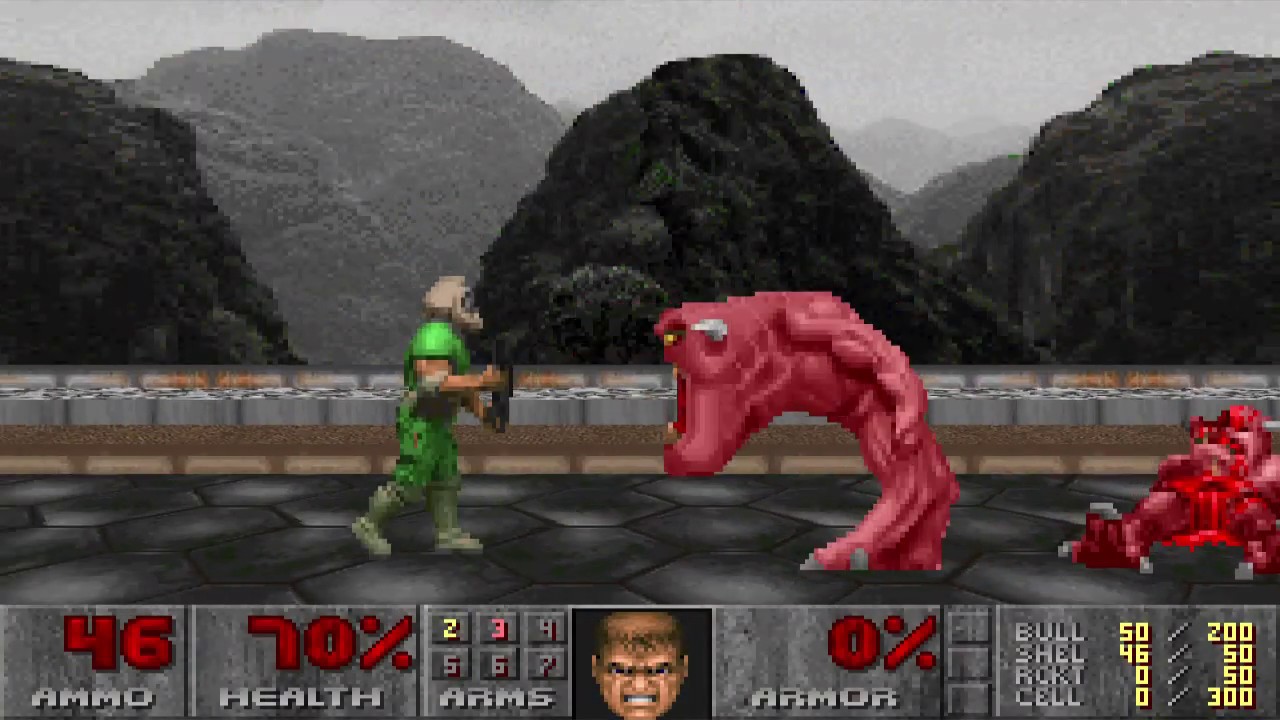
This is a prototype in which I use the third person view camera on classic Doom in order to play as a 2D game. Download Links: Classic RBDoom 3 BFG: ModDB (x...
 surreal meteor
hey guys, I have a spawn on top of a 3-D sector and every time i spawn in i go into the floor? how do i get the spawn to be on top of the floor?
? thing is particle fountain btw
 hexed sky
you need to add a mapinfo flag to make player spawns use their height
UsePlayerStartZ
By default, the Z height of player starts is ignored because of compatibility code needed to make player starts work correctly in certain levels. If this property is set, the Z height is enforced. This can be used to have the player start on a 3D floor.
light prism
if you cant be f'ed with that you can always make a script that sets your position too
though mapinfo is probably better 😛
light prism

 warped wolf
Lul did you make this?
light prism
yes.
unique fern
Hey @light prism can you help me get the sitting corpses items working? They were featured in KneeDeepInZdoom.
unique fern
please?
light prism
tell me whats not working
unique fern
doomednumber
light prism
check for errors in the console when you run the game
chances are there will be errors there
alternately have it loaded as a resource in gzdb and look at the error log (flashing red ! at the bottom right)
unique fern
this is what pops up when I try to run the game
light prism
you dont need the word 'doomednum' there
unique fern
unique fern
I believe you said it was a old version of decorate last time I picked your brain on this matter a while ago.
light prism
+SOLID
Height 32
Radius 20
States {
    Spawn:
    SIT1 A -1
    stop
}

Actor CarcassSittingMaintenance : CarcassSittingMarine 20003
{
    States
    {
        Spawn:
        SIT2 A -1
        stop
    }
}```imo they probably dont need to be +SOLID really, if theyre decorations
unique fern
play KneeDeepInZdoom, that has the best example of this being used. finally got around to playing it myself a few days ago.
light prism
i have, years ago
unique fern
light prism
sigh
+SOLID
Height 32
Radius 20
States {
    Spawn:
    SIT1 A -1
    stop
    }
}

Actor CarcassSittingMaintenance : CarcassSittingMarine 20003
{
    States
    {
        Spawn:
        SIT2 A -1
        stop
    }
}```{ } is a body, it needs a start { and and end }
so the actor has a body { } and the states of that actor have a body inside that body
actor { ... States { ... } }
silent totem
😔
unique fern
haughty flower
is there a reliable method/tutorial for making a swappable weapon system in Slade? (a 3-slot system like the first F.E.A.R. has)
unique fern
That did it @light prism thanks for the help.
light prism
 silent totem
@haughty flower Tag me if you get an answer, it'd also like to know
haughty flower
Amazing mistercat
light prism
Booooooorf
i made the dialogue system really easy to write for
just needs an actor to run a script, no arguments, then the dialogue strings in LANGUAGE lump are named after that actor
and it just uses some symbols to ascertain how it should progress dialogue
This means that the next line will be queued&
This means that the dialogue will be pushed to the next index when you next talk to them%
This means it gets reset^
and it has some prefixes for if they should enter a certain talk state, or run a script, and what voice sound they should use
light prism
like the caco has Burp#
silent totem
So may I ask what you're intending on doing with a dialog system?
Also how does Strafe do it's questy dialog and stuff?
light prism
uhhhh see above gif
strife has its own unique format with multichoice, item giving/checking, etc
silent totem
Oh damn nice, I didn't notice the Gif at first
silent totem
Do you mean the derpy thing with a goofy grin?
unique fern
I have the end level switch set to "End Level Normal" but it just ends the game. But the 2nd map in the map pack, when I go over the End line, it is also set to "End Level Normal" and it takes me to the next level. Am I missing something? Also how do I get the "sparks" effect in the Zdoom folder inside of the builder to work?
silent totem
How does one make a decent looking outdoor area
@light prism Is the Sabreclaw the one that looks like a naked fish with arms and legs
light prism
no its the one with the axe for a hand
silent totem
Fuck I forgot how to do portals properly brb
Wrong video
Shit OBS doesn't like Doom
I just want to record stupid non-euclidean geometry
silent totem
 haughty flower
Neat
silent totem
I've added more to my stupid noneuclidean map, but I'm done for now
Basically now you can go in another room that looks like it takes up the same space as this room, flip a switch, and it'll open up that ash section like a door and lead into a tunnel
I have roughly 14 portals to keep track of rn but it's fun to mess with
Is there a point? No but it's fun
2 five sided square rooms, one impossible tunnel, 1 room that looks like it's inside another room, so far so good
Do I need help
timber bridge
you could make a good joke wad outta this
haughty flower
1 way teleport to stairs, then Walk repeatable infinite stairs
silent totem
Yes
Will do
It's a giant shitpost test bed tbh, there will be some real things tested and quite a few dumb ideas
Maybe I'll make one of the 5 sided square rooms into a 3 sided square room
So I've seen some mods add ADS, is it possible to make those hold to aim instead of toggle, or is that a limitation?
light prism
silent totem
Poor dog
light prism
 tender sorrel
'how to bone a revenant'
lapis fern

This is one of my first maps for Classic Doom. It's a remake of E1M1: Hangar in 2d. It's as faithful as it can be by someone who just start making maps and m...
haughty flower
Ey not bad
lapis fern
Thx
silent totem
Okay now I'm back I can show the whole thing
Ofc OBS is being a pain again, this might take a bit

Oh for fucks sake
Disregard the random ass 4 minutes of nothing
silent totem
Any ideas for more trippy stuff?
silent totem
Well I've made a mistake
haughty flower
Oh
So how about a door that leads to the same room you just tried to leave, i mean, an illusion where you actually still in the same room, the door just flipped your orientation, if that is possible
The door entrance acts as the door exit at the same time you know what i mean?


 light prism
there is an option to not draw the player actor through portals
but it wont make things any less confusing
it makes more sense to have them drawn
silent totem
Might want to do that, as there's been some jank in some portals
But really I'm liking this map even if it's really not good
haughty flower
i remember playing a half life mod that did this effect, but the door was a cornered hallway so it wouldnt be noted right away
and it was a symmetrical level design
silent totem
I could've done that too but I'm lazy
haughty flower
yeah no prob
silent totem
What makes maps actually fun
Adding a secret
Okay
All of a sudden the portals have a weird flash when going through them
Which is odd
unreal oyster
that's been a known bug for ages and it can't really be fixed
it's showing you the player sprite for a short amount of time
silent totem
Yeah that's what I thought
It just wasn't doing that earlier
Only some portals do, too
Whatever I'm gonna play games instead
light prism
guessing thats why theres the menu option to not render player sprite
silent totem
I might do that and just make it nicer
light prism
haughty flower
maps you did?
 viscid pond
If so, looks pretty nice? What compatibility is this going for?
haughty flower
vanilla
I made them yea
screenshots taken in Chocolate Doom
they're neat
thanks. They're for my megawad
unique fern
Hey @light prism I am having problems with my mappack. The first level switch has "End Normal" selected for it, but it comlpletley ends the game. Any advice? Also its The latest version of it is on ModDB so you can check it out for yourself so you can see what I mean.
unique fern
Hey @light prism so I got it to work with this. and this was a random thought I decided to try. I a combination of wiki page and a doomworld.com page that had someone else going through the same problem.
this is how it should work correct?
haughty flower
if it's working
don't see why not
recommendation: change MAP01's name to something more original
unique fern
More original? the other name I had for it was (Bunker 115 is lost)
haughty flower
haughty flower
looking better
silent totem
heyo, is it possible to make the scroll floor action go faster than the highest setting for it?
haughty flower
are you using UDMF?
cause for Boom, the longer the linedef with the action set in it is, the faster the scrolling floor will be
silent totem
Yes
Oh wait, that might still be something I can do
There's an option that lets me change something based on line def size, iirc
It might be that
Rn the line def is tiny so that might be why it's so slow
Now I can make my probably bad idea a reality
It's ambitious but I'm gonna do it
Gonna start actually trying tomorrow I guess
light prism
@silent totem
you can just type a number
you dont have to select the predefined 'slow' 'medium' 'fast' etc
`oh scroll floor
that only comes in predefined, doesnt it
i was thinking of walls
silent totem
I tried to change numbers from the predefined options but it didn't seem to alter anything so I don't think so
light prism
haughty flower
fabulous
silent totem
Heyo, what do you guys use for making sprites?
haughty flower
make two lumps: P_START and P_END
put the textures between them like this
then select all the textures, right click, Graphics > Add to Patch Table
then in the "Create Texture Definitions" window select "Import from Base Resource Archive"
it'll create a Patch Table and a Texture1 lump
then you select all the textures again, Graphics > Add to TextureX
done
@silent totem
silent totem
Ah, this using slade?
silent totem
Okay, does it mater what format the images are in?
haughty flower
Base Resource Archvie should be Doom 2
well, for what format are you mapping for? Since you're a beginner I'm assuming Boom or below
Doom has a palette and so it only supports some select colors
images have to be in Doom format like shown in the pic I posted
to convert an image to the Doom palette, select it, go to Graphics > Convert To... and select Doom Gfx (Paletted)
GZDoom supports all colors though
so it'll support any PNGs and stuff
silent totem
Okay thanks
haughty flower
https://cdn.discordapp.com/attachments/204082693804261376/545044352833945615/unknown.png https://cdn.discordapp.com/attachments/204082693804261376/545044464167550987/unknown.png https://cdn.discordapp.com/attachments/204082693804261376/545044575295635456/unknown.png
https://cdn.discordapp.com/attachments/204082693804261376/545044676663574528/unknown.png


 haughty flower
MAP02, there's a map01 too if you wanna play that. Doom 2, vanilla @surreal meteor
Chocolate Doom preferred
no difficulty settings yet
surreal meteor
can i run it through gzdoom?
haughty flower
yeah should play fine
haughty flower
it's from Duke3D
sounds like something from James Bond or Agent 007, eh? I love it
surreal meteor
wtf is that start in the second level
i took one step back and now my ears are bleeding
surreal meteor
i like to explore
I liked it a lot
how do you get multiple brightness values on a single line???
haughty flower
any criticism on the maps?
surreal meteor
Were there secrets?
haughty flower
I think this can help you https://www.doomworld.com/forum/topic/60547-changing-brightness-of-walls-not-ceilings/
Doomworld
The brightness of any given area in a Doom map is determined by the sector, not the linedef. I get that. But is there any way around this? If I wanted to create some nice lighting contrast by only adjusting the brightness of a wall, is this possible?
there were
surreal meteor
I didnt find any, but then again i wasnt really looking
haughty flower
1 unmarked in the first one, another marked in the second map
surreal meteor
Was it the green armor
in the first one
Your pacing is really good, It felt like i pretty much always fighting. a lot of maps dont have a good balance that allows for that
hard to explain what i mean
also @light prism did you ever finish that 10tex map?
light prism
hahaaaa no
haughty flower
I'm focusing on making a megawad with all maps being about that frenetic
surreal meteor
good
that would be a blast to ply
play
The only thing that got on my nerves a little was enemies silently teleporting in
surreal meteor
they are scarier than cyber demons or spider masterminds tbh
id rather fight either of those two
light prism
sorry no
16 transfers to the whole wall
its 50
its basically like an invisible 3d floor that adds a level of lighting below it
so you make a bunch with gradiented brightness and heights
surreal meteor
ohhhhhh ok, thanks @light prism , i got it now. this will be tedious.
light prism
you can use the floor/ceiling/brightness gradient tools to make it faster
surreal meteor
true
light prism
oh, i must have missed them
the feet are hanging down like in the reference picture
where they look kinda wonky too
surreal meteor
is it possible to make a transparent mid texture scroll?
light prism
yes
depends on your map format of course
alpha value is inherent to the line in UDMF so you can just treat it like a normal scroller
light prism
unique fern
Thats pretty cool.
tender sorrel
looks knightly
light prism
good
haughty flower
is it supposed to be a guardian?
light prism
light prism
twilit lichen
holy shit
thats awesome
looks like you missed some black spots on the neck(?)
or are they supposed to be there
light prism
i was intending that as shadow originally but it might be too strong
it probs wont be noticeable so much against dark backgrounds
i was gonna do each frame like this for the intro segment but i figure i can just use brightmaps or sector gradients
twilit lichen
i see
light prism
twilit lichen
but what will the water scene be
lapis fern
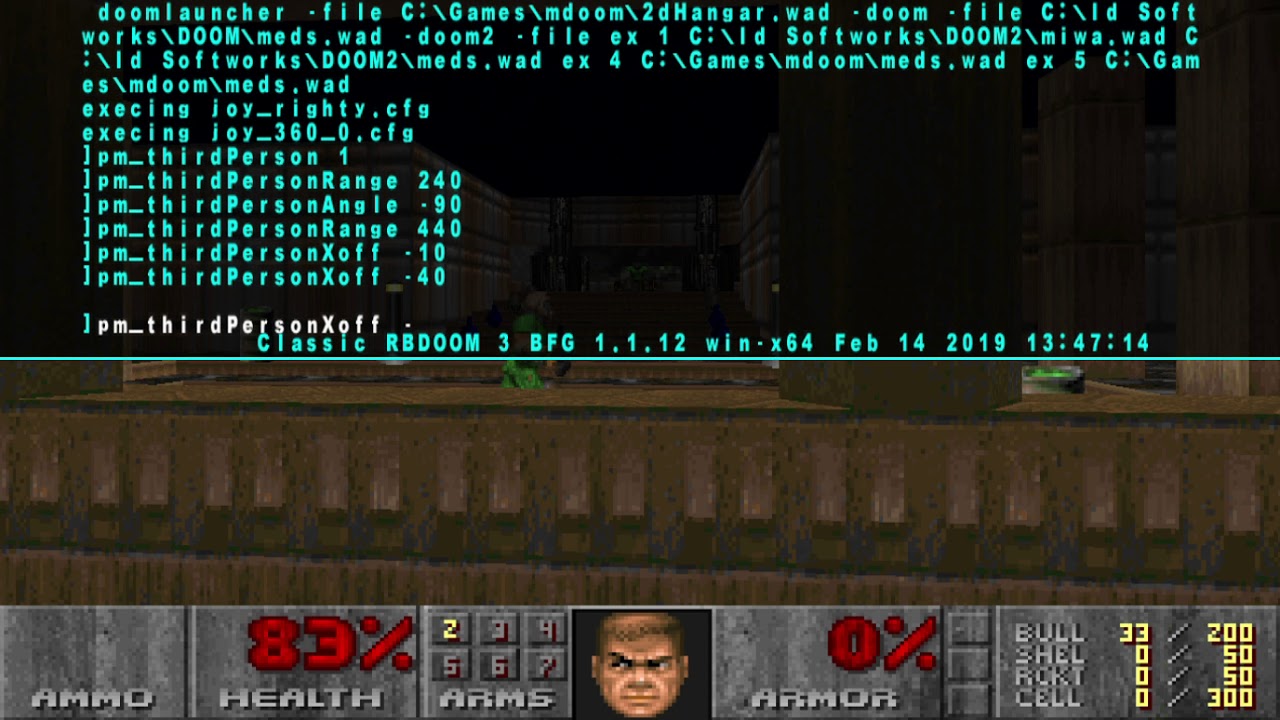
A simple video walkthrough on how to make the ol good Doom from a FPS game to a 2D Platformer WITHOUT any programming skills Download Links: Classic RBDoom 3...
surreal meteor
is there a way to make a sector color gradient with a tool or do i have to do it manually?
 shadow bone
In GZDoom you can use the "glowing flats" feature to have floors or ceilings that cast light up or down the walls.
surreal meteor
I meant just like the sector brightness gradient tool but with color but that also looks interesting
shadow bone
For sector colors horizontally, yes you need to do it "manually". If you're using UDMF format it's a little easier since you can set the color sector directly instead of using tags and ACS
shadow bone
Hazards of using an AI for image identification, I guess
Just try again, maybe change the image a little or something
timber bridge
dam builder
shadow bone
very cool
silent totem
@surreal meteor How's it look in game?
silent totem
Nice
silent totem
Yeah thank you
surreal meteor
i just started it a few days ago, not sure what I want to do with it yet
shadow bone
NGL that looks damn cool
surreal meteor
thanks
heres the one with the right player start lmao
Also with the music my friend made
silent totem
surreal meteor
its not the easiest thing to get it looking right
also vertical mouselook is a no-no
@silent totem 😠
light prism
surreal meteor
vertical is a no no because it lets you see the line work easily
light prism
incessantly bother the moderators until they get sick of listening to you
surreal meteor
for some reason I feel like thats not a good idea
surreal meteor
oh ok.
haughty flower
modder role doesn't count for maps I thonk
light prism
well technically they are still game modifications
haughty flower
I said that but message didn't send
light prism
of course you did
topaz tendon
discord is being fucky for me too at the moment
unborn fiber
Hellguard Mettaton?
surreal path
I think it's based on the bruisers from Doom 3
shadow bone
@surreal meteor Do you want the modder role? There's no requirement, just that you actually make Doom mods
haughty flower
surreal meteor
@shadow bone yeah thatd be cool
shadow bone
Done
surreal meteor
yeet
light prism
now you are contractually obligated to make a mod
and yes that is mettaton as a bruiser
or rather a bruiser as mettaton
couldnt really bring myself to get rid of the iconic unicycle leg
or give him rocket launchers for hands
of course, his EX form can be a glamourfied samuel hayden body heh
haughty flower
yes!
light prism
i should probably do some hard shadows/shading for the red glow rather than fullbrighting
silent totem
So I've made a bad autoshotty
I guess this one is made by the guy who made Cola 3
It's pretty in depth in many ways, despite being blog posts
silent totem
Now to poorly make complex weapons, get upset, then work on small stuff again
warped wolf
Okay so im trying to make these bars go down when the player Interacts with them with the respective keys,How do i do that? and is it possible?
haughty flower
what format are you using?
@warped wolf
but that isn't possible in formats that don't allow for scripting
the only sectors that can be locked by keys are doors
with either the Door or Switch actions (S1, D1, SR, DR)
warped wolf
ZDoom (Doom In Doom Format)
oak kindle
coming soon to "existential crisis over whether or not i should even release this mod"
topaz tendon
do all the art in that style
 jade ledge
'The Binding' would maybe work better
but I'm no good for names right now, I need a nap
light prism
How about "Book of Kill Death"
unique fern
"Book of The Non-Living"?
surreal meteor
"book of not breathing anymore"?
light prism
"10 Things You Didnt Know About Dying"
haughty flower
^surprised this isn’t a best-seller
topaz tendon
"How to not live"
timber bridge
how to feel bad
topaz tendon
how to not feel so good: the pop-up book
 vestal basin
hitchhiker's guide to the afterlife
topaz tendon
you. I like you.
silent totem
Oh Sh#t I'm Dead: An Idiot's Guide to Hell
unique fern
How about a "Hitchhiker's Guide to Hell"
silent totem
So I'm gonna try to make the Resistance 3 weapon, the Bullseye Submachine gun, in GZDoom
haughty flower
I'll try it out. Weapon mods are great.
haughty flower
I want to create a weapon in GZDoom that allows the player to "resurrect" killed enemies as converted friendlies. what I had in mind, rather than a literal resurrection, was to have the weapon highlight a corpse being aimed at and, if fired, remove the corpse and spawn a "converted" variant of the monster in its place, having a slightly different sprite to differentiate it from the baddy version. how would I best go about doing this, as a DECORATE newbie?
silent totem
All I have to do is making homing bullets
silent totem
Is it better to make a fast projectile or a hitscan weapon
unborn fiber
I'd say fast projectile