#classic-doom-maps-mods
1 messages · Page 86 of 1
 flat storm
 silent totem
Yeah okay
 light prism
it is possible to make a mod that is both sp/mp and that runs under both
 vocal crypt
Also that.
light prism
despite the lack of features
vocal crypt
But with the Zandro build lacking some features, it's a bit of a pain.
light prism
you can usually work around them
silent totem
SP - GZ best option
MP - Zandro?
 warped radish
yeah. zandro is using an older fork of gzdoom
still the best multiplayer port, even according to John Romero. but will always lack the latest features of gzdoom. and some of those features are often really needed or beneficial to have.
vocal crypt
Prob why you really only see Complex Doom Invasion or Megagame.
Or occasional Brutal Doom.
warped radish
we had to wait for years just to get things like A_SetScale that came with zandro v3.0 release. with A_SetScale, you can save on hundreds of sprites. instead of having 20 sprites of a flare or smoke shrinking, you can simply have 1 sprite and animated shrinking with A_SetScale
flat storm
light prism
 topaz tendon
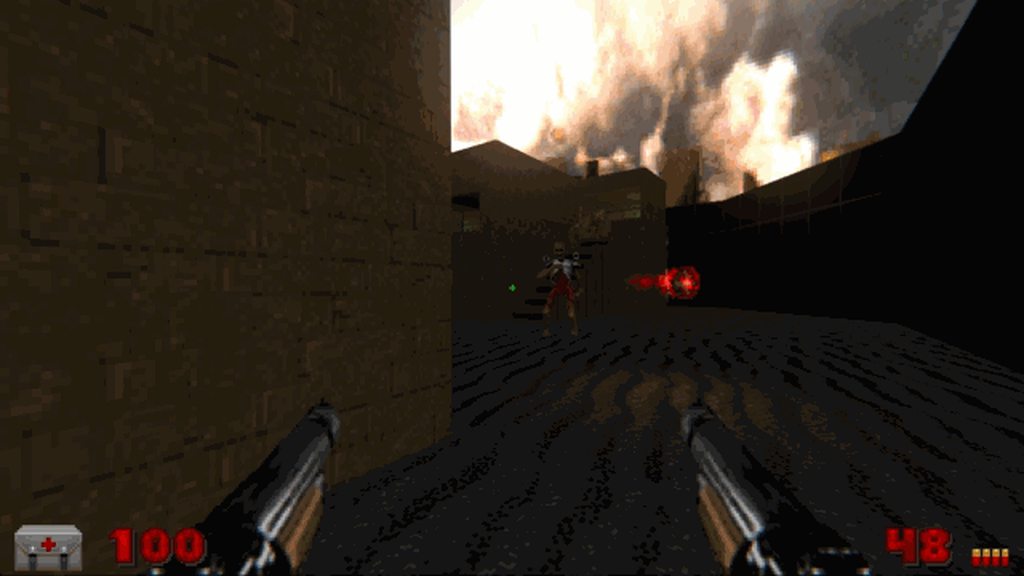
fun fact: schwarzenegger nearly broke multiple fingers attempting to spin-cock a model of that shotgun that wasn't modified for it
light prism
i just thought of something
since you can use shaders to overbright a pixel value
couldnt you then check that pixel value in a screen shader
say i want my sky to have god rays, I could overbright a sky texture so all the pixel values are like 10.0+, then check for values over 10.0 in the screen shader to apply the effect
silent totem
Idk try it
light prism
like... luma keying
instead of chroma keying
the only issue is that overbright pixels get bloomed as fuck in post
i guess you could just push the range wayyy up and then pull it down in screen
that might work because no natural graphic is going to have a color value over 1.0
so even if the overbright pixel is obscured by some other translucent thing the value will still remain majorly high
light prism
hmmm
whats the cheapest way to make a laser beam-like weapon
i mean calling railshots every tic is too expensive
vocal crypt
Wut.
light prism
thanks for your input
warped radish
could use a model. but, it requires people have opengl
 hexed sky
gzdoom now supports models in software actually
even in the classic carmack renderer (thought they will be distorted by looking up and down, just like world geometry)
 distant flower
I've recently learnt about portals being possible in Doom. Are there any practical examples of them being used?
hexed sky
quirky domain
 shadow bone
Blade of Agony (though the the way they're used often causes severe performance issues)
hexed sky
Doomworld
I made this map several months ago for a closed group project that recently was abandoned. And I decided to release it standalone rather than let it go to waste. What makes this one special is, well, its hard to describe without spoiling it since its pretty much this maps mai...
distant flower
ye im on this thread right now
hexed sky
gud
distant flower
non euclidean hyperbolic doom portals when
I wish you could put 2 middle textures at once on one side
even UDMF doesn't allow that, not that I know
 prisma saddle
I think Golden Souls 2 uses portals for things.
 timber bridge
nothing's cooler than dual weilding stuff
light prism
[2:56 AM] arkore: could use a model. but, it requires people have opengl(edited)
not really what i was getting at
 unreal oyster
literally nobody doesn't have opengl now anyway
and besides gzdoom has models in software mode anyway
it's recent, but it's there
unreal oyster
i would use a LineTrace every tick
unreal oyster
the ZScript function is fairly recent so yeah
light prism
i guess nobody is excited by my luma keying shader idea
silent totem
I get the idea, it'd just have to be done to have any thoughts on it
light prism
i just think it would be better than chroma keying
imma try it tonight if i have the gumption
distant flower
Why the name of the texture reverts itself the way it was in Slade
I'm so mad at this
I got a texture pack from the forums, and the creator named a modified version of SUPPORT2 the same, to replace it, but I wanna keep both versions and I cannot rename the texture in TEXTUREx
it just reverts itself to SUPPORT2
god
light prism
rename the new version to something else
it depends on how the original is formatted
if its a patch that is defined as a texture in TEXTURES that's just how it works
'Each TEXTUREx lump uses the last previously-loaded PNAMES lump as a reference (so for example, the IWAD textures always use the IWAD patches).'
you would have to open the archive, export the texture, and do something else with it, like put it in a pk3 under the textures\ folder, or in a WAD under the TX_ markers
distant flower
got it working finally
apparently SUPPORT2N as a new name was discarded, but everything else was accepted
prisma saddle
So, how does one go about making a flat sprite?
vocal crypt
lmao.
prisma saddle
This knowledge will come in handy some time.
warped radish
I wonder what that middle layer of orange is, in the burger.
it looks thick enough not to be a sauce
prisma saddle
It's like onion rings I think.
I can't remember the name of the burger but I've had a picture of it on my PC for years.
Mainly because of how ludicrous it looks.
light prism
claymore: apparently SUPPORT2N as a new name was discarded, but everything else was accepted
that is 9 characters
timber bridge
tesco decal
silent totem
What exactly are decals
light prism
sprites that appear on surfaces
and which have their own little animation scripting in DECALDEF
prisma saddle
They're used for things like blood and other detail things.
light prism
they also 'stick' to surfaces
so if a floor raises, a decal will move with its lower texture
yeah, primarily blood and scorch marks/bullet holes
however you could use it for anything
posters, cob webs, wall 'variations'
prisma saddle
Floor variations as well if you're using flat sprites.
prisma saddle
Pretty much.
silent totem
Gotcha
vocal crypt
The map Gotcha?
prisma saddle
Some people use 3D models for this purpose as well, but flatsprites work a lot better.
Mainly because they don't Z-Fight.
light prism
flat/wallsprites have pretty much removed the need for single plane models
distant flower
I heard that DoomEd allowed creating textures from patches in the utility(or at least place patches directly). Does any modern editor allow this magic, or maybe there's a plugin for GZDB
light prism
err you can do it from slade
or from a text editor if you dont mind doing it as text
distant flower
i was thinking about placing patches directly onto a wall visually
vocal crypt
@distant flower I prefer your Reggie pfp better.
distant flower
thanks for your input
light prism
you would need to extract the patches and put them into a textures\ folder under pk3 or TX_ markers in a WAD
light prism
technically no, in gzdb you can select any image from a resource regardless of where it is (except patches)
but its a convention, yes
distant flower
Aight, zanks
prisma saddle
Only disadvantage to flat sprites is they don't work correctly in software modes/
silent totem
Oh?
prisma saddle
So I guess that's one thing that 3D models do better for this sort of thing.
prisma saddle
Hmmmmm.
prisma saddle
Yup.
silent totem
I'm actually pretty into Rage 2, here's hoping it's good
light prism
I'm actually pretty
light prism
I am rubber, you are glue, everything you say bounces off of me, and homeless people sniff you.
vocal crypt
You get skinned on the road from rubber tires.
 mental swan
Uh, so I'm new to modding and all, and I want to make a mod for Doom, and I wanted to know on how to edit RAW files. Is there some type of conversion process that I can switch between? [RAW2BMP then BMP2RAW]
mental swan
I'm using v3.1.1.5
Btw, while I was waiting, I imported the Raw in Photoshop CS2, lmao. Placed my texture on top of it, and blammo, there it is. I guess the color palette somehow messed it up, but it does have a nice autumn feel to it.
light prism
INTELESTING
you can export the palette from doom2.wad btw
and load it during conversion to indexed in photoshop
as custom palette
mental swan
o
vocal crypt
How would you edit the palette.
light prism
using a program that edits palettes?
you realise that under gzdoom you're not limited to paletted images right?
mental swan
Lmao, this feels like a golf course now.
silent totem
Add a gold ball and a hole, ez
mental swan
lol
light prism
one of my balls is gold if that counts
mental swan
I want to replicate this entire room in Doom. http://dreamemulator.wikia.com/wiki/Bright_Moon_Cottage

LSD: Dream Emulator Wiki
The Bright Moon Cottage (also called Shining Moon Apartment) is a traditional Japanese style apartment complex where the player always starts the game. It consists of four floors along with a roof...
lol
light prism
I've got a shining moon if that counts
mental swan
How do I zoom in onto maps in Slade? I want to get intricate via design.
warped radish
why not use gzdb to edit your map?
mental swan
First I've heard of this, lmao
prisma saddle
GZDoom Builder is the preferred tool for making maps these days.
light prism
yeahhh its nice that slade has map editing and all but i can't imagine using anything other than gzdb
here's the download page for the latest
mental swan
Yup, just went there.
silent totem
Yeah GZDB is what I was reccomended
flat storm
I third GZDoom builder
flat storm
https://forum.zdoom.org/viewtopic.php?t=25592
Wonder how he did this
Discussion about ZDoom
mental swan
Possibly an algorithm.
light prism
geez look at the dates on that
probably a walker algorithm, i have made something similar
except not in doom map format
mental swan
Would def be interesting.
topaz tendon
golfdoom
flat storm
obviously its an algorithim
but I meant how they generated the geometry
I mean, you could do it with MODELDEF
(s)
silent totem
(s)?
light prism
uhhh its map geometry
so either through automation of a map program or by manually generating text lumps for UDMF
although yes, for wormsdoom's generator I did make it spawn in cube models
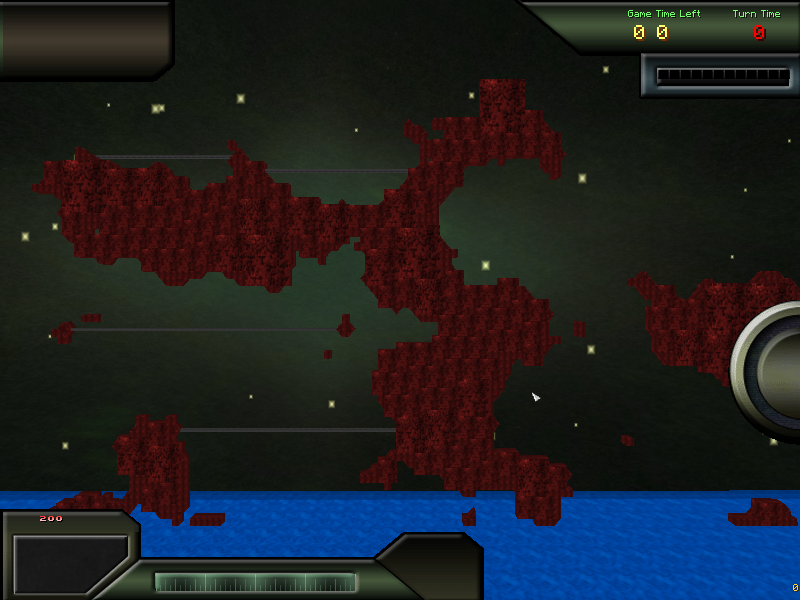
and wedge models :3
distant flower
Does zandronum generate COLORMAPs if I provide it just the PLAYPAL lump?
and why not all textures obey the COLORMAP/PLAYPAL. Some change, but stuff like STARTAN don't care, while STARTAN with decorations does
it's so funky
oh no
is there a way to make the colormap look actually good, this just looks terrible
hexed sky
slade can generate colormaps
distant flower
yea but it's either me ruining the playpal, or slade not generating them they way I want
they look horrible tbh
hexed sky
alternatively, use rachael's tool https://forum.zdoom.org/viewtopic.php?f=44&t=58906
Discussion about ZDoom
or you can just toss me the playpal and I can try and generate the optimal colormap for it
distant flower
why in the texture pack wad im using
the texture looks like this
but in the editor and ingame it starts using the default palette
not the darker one
ok i know
skulltag_content does not obey the palette
since all the textures are just pngs
great
the startan texture is actually in 3 different resources i'm using
the latest one is skulltag_content
and it's overwriting the palette somehow
ok I fixed it by loading skulltag data before other resources, its textures still don't obey the palette but I can blend them in
Is there any reason why skulltag_content.pk3 wouldn't obey the palette and colormap?
distant flower
Ok, I couldn't get it fixed any other way, I'm deciding to convert the skulltag_content asset pack from .pk3 to a WAD
distant flower
I successfully converted the skulltag_content.pk3 into a .wad, I should get a medal for this lmao
and it still doesn't give a damn about the COLORMAP and PLAYPAL lump. What am I doing wrong? Even in the editor it shows that the textures are darker and have a better contrast than with the default Doom palette, yet in the editor and ingame they show up with a normal palette
warped radish
maybe change the slade toolbar palette dropdown from doom to Current/Existing
and maybe this thread might hint something: https://forum.zdoom.org/viewtopic.php?f=124&t=57767&p=1016669&hilit=palette#p1016669
Discussion about ZDoom
distant flower
the thing is that the palette changes textures from all my resource packs
except skulltag ones
I converted all the patches in skulltag_content to doom graphics format
converted it all to .wad from .pk3
and added the playpal and colormap lump
and it still doesn't change the texture
this is how it looks like in SLADE in the PNAMES entry
and once again from slade how it looks like in TEXTURE1
how did the palette magically stop working
warped radish
are you sure skulltag is affecting the palette? have you confirmed that by loading this without skulltag.
distant flower
I dont think that skulltag is affecting the palette
warped radish
is your mouse hovered over the texture which makes it brighter?
distant flower
The skulltag_content pack I use for my .wad doesn't care about the palette and thats the problem
and i haven't hovered over it
the patch is in the correct pallete
but the texture itself is not
the middle texture is from a different .wad and it reacts to the palette
the startan around it is from skulltag_content3.0beta.pk3
and it does not
I even made a special .wad addon that contains just the palette and i'm loading it last after all the other resources
and it still doesn't care
vocal crypt
You sure the pk3 doesn't have a palette of its own?
warped radish
what filename is used for that middle texture? what format is it?
distant flower
yes. I went through the entire .pk3, I extracted everything from it, made it into a .wad and converted all the graphics from .png to the doom texture format
the middle texture comes from doom2.wad and it's STARTAN2
the STARTAN1 around it comes from skulltags content pack
vocal crypt
You try importing the startan from the Skulltag content pack into its own pk3/wad and see if its affected by the palette?
distant flower
they're both in the native doom format
vocal crypt
exporting*
distant flower
I can try yea
warped radish
i noticed zandronum.pk3 has a palette in it. spaldoom.lmp but that shouldn't be an issue if you're correctly overriding palettes use PLAYPAL lump
can you show us a screenshot of your slade when you have your palette selected. just to prove what you're saying.
distant flower
and this is the skulltag_content wad I made
it contains the same exact palette and colormap entries
and it's the culprit, it contains the startan1 that isn't modified by the palette
in fact, no patches/textures are affected by the palette in this .wad
ok a bit of an update
I removed the startan1 texture from the skulltag_content wad I made
and pasted it into the "palette" only wad
and it still doesn't work
lmao
is that texture bugged beyond anything
I'm going to murder someone
warped radish
i haven't worked with overriding palettes before. so, i'm unfamiliar with what the COLORMAP's role is in all this.
distant flower
yep, even after removing startan1 from every single wad expect the palette one, it still doesn't change the look
i'm next to giving up actually
warped radish
you need to perform a Process of Elimination. don't use skulltag or the skulltag wad you made. just work with small wads with only that 1 texture. and check doom console in-game, scroll up and look at the wads being loaded and confirm.
also, what r#### version of gzdb is that?
warped radish
Remember that GZDB-Bugfix is technically not the latest version. "Bugfix" started with a new developer "ZZYZX" because the original developer "MaxED" ragequit. ZZYZX changed some things which may or may not be related to your issue. But, if I were you, I would have another copy of GZDB installed, using the R2787 version, which is the latest version from MaxED.
warped radish
well, yeah, okay.
but maybe gzdb R2787 would show that the middle texture isn't dark, which would be a hint to you that the issue occurs somewhere deeper/before gzdb/zan.
distant flower
even the menu text inside zandronum is affected by the palette
I dont see why that content pack would not be
warped radish
show a screenshot of your console that shows the wads being loaded here
dont use skulltag pk3 or wad. just make a new startan1.wad with only that texture.
make this test-case as small as possible.
distant flower
ok I made a new configuration for gzdoom builder
that contains just doom2.wad
and the map itself which i saved using it
contains one texture
and it's that one fucked one
i also imported to the wad the PLAYPAL and COLORMAP lumps
both ingame and in the editor
it's still broken
the middle texture from doom2.wad is reacting properly, changing the shade, the tint and the contrast
but the "new" texture, looks exactly the same as it would in the default doom
and this is how it looks like in software
OpenGL is not the issue, most certainly the sourceport isn't either
the map editor also shows this behaviour
textures from doom2.wad are changed according to the palette entries
but the new one isn't
I don't get it
and this is the output of zandronum
it loads zandronum.pk3 first, then the palette from zandronum is overwritten by the doom2.wad and test.wad palette
so the order is correct
I'm seriously lost
warped radish
when you copied startn9 to your wad, and converted it to doom Gfx (Paletted) format, there are dropdowns below the preview pictures (in the conversion dialog window) for what palettes to use. I assume they were set to Existing/Global ?
distant flower
yep
the patches inside the .wad look correct
according to the palette
the texture is 10 times brighter tho
warped radish
and if you right-click startn9 in slade and go Color Remap, you see the doom2 palette in both boxes?
distant flower
this is the palette I have in my wad
and this is the one in the color remap window
notice how much darker it is in this window, because it's using the proper palette
in the texture editor
it's 10 times brighter
and its built of darker patches
and here's the PNAMES table
once again, the patch itself is correct
but the same texture that's built out of the patches uses the default palette
am I going colorblind
warped radish
Discussion about ZDoom
i'm seeing a bunch of strange information about how the palette works. and still haven't seen clear instructions on how to generate a new colormap.
distant flower
to generate a colormap, you click on your palette
and click generate colors
thats it
ok amazing
I GOT IT WORKING
ffs
doom.wad with the original startan1 and startan2 textures
and then the palette on top of it
the blend perfectly
warped radish
so, what was the solution?
distant flower
any additional .wads on top of it
warped radish
how did you fix it
distant flower
instead of using doom2.wad
and adding my own version of startan into the wad
I just used doom.wad
with both textures
and then on top of that in the resources and game configurations panel
added the palette wad
with my regular resources that I use for mapping(aka custom textures etc.) it fucks up
remove skulltag_content3.0beta.pk3
and you're back to proper behaviour
skulltag
has textures
that ignore palettes
warped radish
i'm a little frustrated because i still don't understand the solution you're trying to explain. i dont understand why we would switch to doom1 from doom2, and your console screenshot showed that you had your palette wad loaded after all other wads.
distant flower
Okay, let me explain in one long post:
- I tried to get the darker palette working, but the asset pack(skulltag_content.pk3) was ignoring it. (None of the textures from the pack changed their colors to reflect the new palette).
- I did what you said, make the absolute minimal scenario to see if it works.
- Every texture from doom2.wad and doom.wad after appending the pallete change their color to a darker tone(proper behaviour).
- Skulltag_content contains the same texture(STARTAN1), but it doesn't change its color when including the palette, only the textures from IWADs and other PWADs change their tone.
I don't have a solution, because I cannot map without skulltag_content.pk3, but it turns out that no texture from skulltag_content reacts to palette changes
only pwads and iwads change their color, tone, saturation, when changing the palette
skulltag_content's textures don't
I dont know why
warped radish
i think that's because skulltag_content uses PNG format for their textures. although, there is a PNG Paletted format, which i think would be compatible for your palette.
so, what happens when you try your custom skulltag wad then?
distant flower
the duplicate texture (STARTAN1) uses the default palette
this happens
skulltags version of the texture replaces the IWADs version of the texture
and the palette doesn't change
Also, I converted the skulltag_content from .pk3 to .WAD and converted all patches from the PNG format to the native paletted Doom format
and it still doesn't work
warped radish
so, now we need to figure out why your small test-case works now and why the custom skulltag wad still doesn't work?
distant flower
pretty much
I can upload the skulltag_content wad
I removed some things from it for testing
maybe i'm just stupid and this is an obvious issue
I dont know
i'm converting all skulltag_content graphics from doom graphics back to PNG paletted
to see if it will change anything
light prism
are you sure you dont just have fake contrast on
distant flower
yes, because this issue persists not just ingame, but also in Slade3 map editor, in Slade3 texture editor and in GZDoom Builder
also converting them to PNG also didn't fix anything
light prism
are you sure they are paletted pngs and not RGB's
distant flower
Absolutely
I've reconverted them like 5 times
back and forth between formats
and nothing works the way it should
they just dont care about the palette, maybe the TEXTUREx lump has like a flag to ignore palettes or something lmao
light prism
texture lump doesnt work that way
TEXTURES lump you could affect color but not original TEXTURE1/2
distant flower
Skulltag_content doesn't make use pf TEXTURES lump for textures shown in screenshots above
light prism
no, it just has regular ol' texture lumps i believe
distant flower
It has both
distant flower
I use skulltag_content as my regular resouce pack for weapons, enemies and textures. I've been playing around with palettes today and noticed that a lot of textures look way better with the new palette
except that textures from skulltag_content ignore the palette changes completely
light prism
the only reason an image would ignore the palette is if it wasn't paletted
and even then only if you are in GL mode, under software it would palettize the image internally
warped radish
@light prism He made a small-test case, where he copied STARTAN1 from skulltag into a new test wad, and added his PLAYPAL and COLORMAP there, and then removed skulltag from list of wads to load, and got it to work. he made a custom skulltag wad with all textures converted to doom paletted format, and his PLAYPAL still wont affect those.
distant flower
neither OpenGL or software palette the texture
independant on the format in this case
and independant whether it's a .wad or .pk3
actually, I noticed something
I removed the startan1 texture from skulltag_content,
it's the only resource except DOOM.wad that has it
and even without that texture defined in the TEXTUREx lump
it still changes to the default palette
it's the patches themselfs causing this
heck
The patches that make up STARTAN1 from doom.wad got replaced by the patches in skulltag_content.wad
and even though they're the same format, dimensions etc.
they don't give a shit about the palette
I'm so lost right now
light prism
im telling you, the only reason an image wouldn't fit on the palette is if it is RGB
there isn't any magic condition that will chang ethat
warped radish
let's ignore doom.wad and anything related to that, since that isn't being used. we're using doom2.wad and that should be all that matters in our troubleshooting.
distant flower
yea but doom.wad contains STARTAN1, Doom2.wad doesn't
light prism
so how can you be sure that the image isn't just different then
warped radish
but how does that help us in troubleshooting this issue? let's just choose one and deal with it. doom2.wad is the simplest choice here.
distant flower
Doom.wad patch
warped radish
@light prism it isn't different. I compared the two versions of STARTAN1 and STARTAN2 in photoshop.
warped radish
STARTAN1 from skulltag, and STARTAN2 from doom2.wad
distant flower
identical patches
same filesize
everything is identical
they're both paletted
warped radish
It uses the exact same colors. claymore said he converted skulltag_content pk3 to a wad, converted all patches to doom paletted format, and tried loading that wad instead of skulltag_content pk3.
distant flower
why the hell when skulltag_content.wad overwrites any IWAD, textures from it lose the color change
light prism
are you sure the palette isn't actually different
distant flower
yes
warped radish
i would not think there is any difference in how your skulltag_content.wad overrides textures from IWAD and how your test.wad overrides textures from a PWAD, with regard to palette usage.
light prism
i highly doubt the issue is that far along, there is likely some change in the file at the point of conversion
warped radish
@distant flower please return to having a small-test case by reducing your wads list to only zandronum.pk3, doom2.wad, and test.wad. dont include anything else like nb_recol.wad, lights.pk3 and such. you said you got it working that way. now slowly add in the skulltag_content.wad before your test.wad palette.
warped radish
make note of how you changed the name from startan1 to startn9, which is interesting. i would then think that the next step is to rename it back to startan1, and confirm it's still working. then add skulltag_content.wad before your test.wad, and see if the palette is still overriding.
renaming it back to startan1 should still work, because nothing else exists (in the game or wads you're loading) that is startan1 or related to that. don't use doom.wad, because it already has startan1. we want to eliminate things like that until later for further troubleshooting steps.
distant flower
it's actually the patch changing stuff not the texture name itself
startan1 uses sw12_4 and sw12_5 patches to make the texture
without defining the texture in the wad, but with patches in the wad it still changes the behaviour
warped radish
well, we don't know that yet. i dont know if doom is using the palette it sees first when making a texture from patches and adding into memory before proceeding to the next wad where it will then see a new palette but not overriding the palette of textures already existing in memory. i have no idea. and you already converted the patches into doom format anyways.
i would assume that loading a palette after all wads would overriding everything previously loaded, regardless. but your test results are indicating otherwise.
distant flower
I'm loading the palette last always
warped radish
i know. but it doesn't make sense how your palette is not affecting your skulltag_content.wad which contains doom format patches.
warped radish
no, you don't know
warped radish
i dont know that you know, but i know that i know
distant flower
I have no clue how
Ok
I copied the patches that make up startan1
aka sw12_4 and sw12_5
from doom.wad to skulltag_content.wad
literally the same patches that were already there
with the same format, name and filesize
i removed the old ones
made a new texture called STARTAN1 with these "new" patches
and it works
holy fuck
i conclude there's something fundamentally wrong with the conversion process
perfect blend of two textures
doom2.wad and skulltag_content.wad loaded
warped radish
if you overwrote existing patches with same names, why did a new texture need to be created? the existing texture should've used the same patches by filename as before.
distant flower
Before I removed that texture
and left the patches
because I thought it's the texture itself the fault
but it just so happens
that if you convert from png to doom paletted
they dont palette
the patches themselfs
and these patches overwrite the existing ones, and despite being in the "proper" format, filesize etc.
they dont get paletted
it's actually SLADE's fault
boy
now i'm mad
so I cannot do anything to newly added textures from skulltag_content that aren't paletted
great
warped radish
can you send me your palette wad and skulltag_content.wad ?
distant flower
sure
warped radish
got it. i will look into this later, because i'm at work right now.
distant flower
sure
both wads contain the modified doom palette
I still load the palette wad last to make sure everything works
even though it's in the skulltag_content wad
light prism
theres nothing to stop you from paletting images
light prism
claymore: so I cannot do anything to newly added textures from skulltag_content that aren't paletted
what does this mean then
distant flower
The way I got startan working is by copying the original patches from doom.wad which were paletted, they had the same exact format and filesize and name as the patches that came from skulltag_content wad. For some odd reason replacing the patches made the paletting working, the texture and patches changed their color according to the custom palette, but there are still like 1,3k other patches that are original to skulltag_content, which I cannot copy over from anything, and they don't palette or change their color
even thought they're in the right format to do so
light prism
honestly i think you are fucking up the process somewhere along the line
there is no reason it should be this complex
distant flower
I'm convinced I'm not. I have reconverted all the textures from skulltag_content.pk3 from png to doom graphics paletted and moved it all to a separate .wad
light prism
except they wouldnt have had this issue in skulltag
distant flower
The reason why I extracted them is because they weren't working in the original .pk3
ok this is interesting
patch from doom.wad
exact same patch from the original skulltag content pack
same name, filesize, dimensions etc.
but somehow they end up different
warped radish
yah, but if you right-click those lumps and go Graphics -> Export as PNG, and look at both in graphics software, they are identical in color range.
anyways. it will be impossible to palette sw12_4, and sw12_5 patches (from skulltag_content-3.0-beta01.pk3) because they are in 32bit PNG format. so, at the very least, we are on the right track in testing a custom skulltag_content.wad where these patches have been converted to Doom Gfx (Paletted) format.
distant flower
actually
no they're not
on the left: original doom.wad, on the right: skulltag_content patch
they got paletted
somehow
warped radish
i didn't care about paletting. i simply exported them, and for me, they are the same.
distant flower
I exported them in 2 ways. One with the COLORMAP and PLAYPAL entries within the wad
and the other is the skulltag patch also with those entries
but it did not get affected
they're both in Doom GFX paletted
i also cloned the original skulltag_content3.0beta.pk3
and only converted the patches from PNG to Doom GFX Paletted
and it still did not work
the pngs inside skulltags_content.pk3 aren't very convertable
they do convert but don't work afterwards the way they should
warped radish
if we take our palette out of the equation here, and look at the colors used in both of those, they are the same. that's all i was saying, as to confirm there were not slightly different shades of colors being used there. the only difference between the two is that the skulltag one is in 32bit format, which cannot have it's paletted overridden by a PLAYPAL. converting it to doom paletted will fix the format and allow it to be overridden by PLAYPAL.
maybe what i said there was obvious and dumb, and which probably had you interpret it differently. so, my bad.
distant flower
I have converted all the skulltag patches from 32bit PNG to Doom GFX Paletted
with no results
this is how it looked like before conversion
they're all in 32bit png as you said
and they're not affected by the PLAYPAL or COLORMAP
but I cloned that .pk3 file
twice
I gave you the skulltag_content wad
with all the patches converted to doom gfx
and the second is the same .pk3 with all the patches converted again to doom gfx paletted
nothing has changed
theyre still not affected by the palette change
warped radish
they are for me. i just tried the skulltag_content.wad and pal_plus.wad, and everything is working.
distant flower
because the wad I gave you has exchanged the STARTAN patches
I replaced the patches that make up that texture with original doom.wad ones,
warped radish
ok, i'll restore them from originals an re-convert them from originals.
distant flower
yea just open the .pk3 with slade, go to patches, select them all, convert to doom gfx paletted and see in any test map how they look
It might be on my side
timber bridge
just to get a different texture
distant flower
I've spent the entire day on this just to get my palette working yea
I'm pretty dedicated
warped radish
ok, i've re-produced the problem.
distant flower
so this is not just on my end
ok
Now, what the hell is the problem lmao
I'm 90% sure it's converting them from png to doom gfx the wrong way
warped radish
ok, i re-fixed the problem. i converted them to Doom Gfx (Paletted) and changed "Existing/Global" dropdown to "Doom" before clicking Convert all.
warped radish
distant flower
no way that fixed it
light prism
sounds like it
i predicted it was probably an issue during conversion
and i am always right
distant flower
WHY THO
I need to know why this works
Existing to Existing should be the same thing
warped radish
well, I guess Slade is using the PLAYPAL you added as "Existing" then
distant flower
OH GOD
you're right
i'm mad at myself actually
I said like 5 hours ago that this is propably something obvious
warped radish
the first thing i checked was the palette of the images by going "Color remap" and i noticed that it was using your new palette, instead of the doom one.
make sure they use the doom palette.
distant flower
so by converting them with the existing palette
when you use the new palette
they adapt to it
by looking the same
warped radish
it seems Slade uses the existing PLAYPAL lump as the Existing palette, yeah.
distant flower
daMN
yep
that worked
holy shit
thanks a fuck ton
I would've never figured it out
warped radish
yup
distant flower
i would propably end up trying to paint the textures in photoshop the way they're supposed to look
tfw I could've finished my map
light prism
tfw this method of extracting textures is overkill
distant flower
but instead I spent the entire day working out why I'm not converting my textures properly
warped radish
this is technically an example of why skulltag_content-3.0-beta01.pk3 is called beta. 😃 there should be a skulltag_content-3.0-beta02.pk3 which converts all these 32bit patches (which are clearly not needing to be in 32bit, and clearly use colors only that of the doom palette) to Doom Gfx (Paletted) format.
distant flower
is there a way you can get skulltag_content working for gzdoom tho
inb4 next 12 hours spent trying to get it working
warped radish
i'm sure some textures cannot be converted, because they use new colors. but at least it would've supported your case scenario of PLAYPAL overriding.
for those particular patches.
distant flower
I'm pretty sure the old skulltag_data1.pk3 didn't have converted textures either
I might be wrong tho
yea
they're all in png too
warped radish
well, skulltag is mainly for zandronum. in fact, zandronum used to be called skulltag.
warped radish
no, you didn't know. i'm helpful.
distant flower
lul
But you can't get them working in gzdoom or?
Zandronum is not just built on top of skulltag, it's built on top of gzdoom too
warped radish
i never bothered with gzdoom. i'm a zandronum modder only. what errors do you get with skulltag_content on zdoom?

 warped radish
i mean, it's really just the textures you want from skulltag, right? so, you could just export those or copy those into your project.
warped radish
i remember doing that once for one of my projects.
distant flower
the actors and decorate scripts are compiled for Zandronum ACS
I'm pretty sure ZDOOM ACS has different stuff so it doesn't really want to cooperate
warped radish
zdoom and zandronum acs are 99% identical. so, that 1% could pose a problem.
distant flower
and ofc it does in this case lul
but yea thanks for help
I'm tired because of all of this
going to go to sleep
warped radish
yup.
prisma saddle
So um, I'm trying to set a random angle for a flat sprite when it spawns. How would I go about doing this?
warped radish
not sure. try either https://zdoom.org/wiki/A_SetSpriteAngle or https://zdoom.org/wiki/A_SetAngle note that one of those requires the +SPRITEANGLE flag
Spawn:
TNT1 A 0
TNT1 A 0 A_SetAngle(Random(0,359)+angle)
DEMO A -1
Stop
warped radish
@prisma saddle What do you mean "now"? Can you share your solution
warped radish
Thx
prisma saddle
But yeah, now my generic squib mod doesn't have decals that are all rotated the same way.
warped radish
You could add a property for "RandomizeRotation" with value of 1 or 0 for yes or no.
prisma saddle
But yeah um, I'd appreciate critiques on this.
silent totem
I'll try in a bit
warped radish
ACTOR Squid
{
//$Arg0 "RandomizeRotation"
//$Angled
States
{
Spawn:
TNT1 A 0
TNT1 A 0 A_JumpIf(Args[0] == 1, "Rotate")
Idle:
DEMO A -1
Stop
Rotate:
TNT1 A 0 A_SetAngle(random(0,359)+angle, 0)
Goto Idle
}
}
press F8 in gzdb to reload your resources, then open your squid properties and find RandomizeRotation property you can set value to 1 or 0
flat storm
Jet fuel can't melt steel beams?
warped radish
@prisma saddle Did you try that?
prisma saddle
I don't really see the point in making it an optional thing.
warped radish
because you said "now my generic squib mod doesn't have decals that are all rotated the same way."
It sounded like you had generic ones, and wanted only certain ones to have random rotation.
prisma saddle
That was meant to state that I got what I wanted but alright.
light prism
who you calling a squib
 haughty flower
how exactly would i turn of rocket damage on the firing player?
nevermind i got it.
 royal wave
I'm going to point out that if you're using the no damage radius flag, that makes the player immune to any explosive damage. You'll need to assign a custom damage type to the specific explosion and set the players damage factor to 0 if you need a specific weapon to not deal self damage
haughty flower
nah man i got it
royal wave
¯_(ツ)_/¯
haughty flower
nah man i got it.
vocal crypt
Man's Last Words before asking for help again.
haughty flower
no like seriously i already had it.
vocal crypt
so you say.
royal wave
We're not psychic bro
light prism
its common courtesy to explain how you fixed your problem
light prism
or at least that's how we did it in #zamapping
vocal crypt
We'll keep judging yoy.
royal wave
and pointing out all the mistakes you might be making
light prism
and offering tribute to the moderators
haughty flower
0 on the tags for my rocket.
light prism
tags?
haughty flower
a_explode.
royal wave
you want your rocket to specifically deal no damage to anything?
haughty flower
it'll do less damage.
royal wave
well no explosive damage specifically
light prism
less than no damage
haughty flower
they would NOT die from laughter.
light prism
that's how the minigun works in my current project
the tracers are just for show
really its just good ol reliable a_bullets
royal wave
That's how TF2 works too, fun fact
light prism
isnt that how real life tracers work too 😛
vocal crypt
Don't you mean a_firebullets*, TMC?
light prism
i mean they are 'tracers' for a reason
haughty flower
light prism
no i literally just type 'a_bullet' and the game knows what i mean
royal wave
I have seen doom mods where the bullets aren't hitscan
light prism
yeah kevan, me too, and it never works as well as a hitscan
royal wave
Yeah I was under the impression that a fuck ton of doom mods that use traces avoid hitscan all together
light prism
ok i laughed
vocal crypt
lol.
haughty flower
did i mention it was a shitpost?
light prism
a terrance wad
haughty flower
does it truly matter though?
light prism
Terrance P. Whifflemeier
royal wave
eh too easy of a joke to make
royal wave
You'll catch on. Doom modding is uber simple
haughty flower
give me like 2, 3 years.
royal wave
the really fancy stuff are the mods that manage to pull off shit that aren't officially added features
haughty flower
it sounds like a long time but it'll fade.
light prism
(kevan is talking about wormsdoom omg)
royal wave
What was that one doom mod that took advantage of an old zdoom glitch that graf fucking hates?
vocal crypt
¯_(ツ)_/¯
light prism
hard to say, graf seems to hate everything and everyone
royal wave
No he specifically made a rant because it won a cacoward
vocal crypt
We must seize the means of ZDOOMing
light prism
oh, i vaguely remember that, but not what the mod was
royal wave
It was this super corrupted looking map pack that was a mix of deliberately corrupted textures and abusing a zdoom glitch that mad maps look corrupted
Ah found it https://forum.zdoom.org/viewtopic.php?t=57364
Discussion about ZDoom
lilith
that's some impressive stuff on a technical level
vocal crypt
Let me guess, Graf hates it because people could use it and fuck up ZDoom options?
Stuff like that?
¯_(ツ)_/¯
royal wave
I don't blame him, his actual job expects perfection in his programming
but he's also a die hard purist of Doom as well
How people have managed to convince him to add even a tenth of what's in zdoom baffles me
haughty flower
stay tuned for version 2.0 where literally everything in the map dies when you fire.
royal wave
Actually better idea
Instead of it actually doing anything
It alerts every enemy in the map
vocal crypt
Oh.
royal wave
Sets them to fast mode
vocal crypt
That adds more to the shitposting.
vocal crypt
Oh fuck me, you're adding more good ideas Kevans.
royal wave
and every time fired, just puts them in their pain state, no damage
vocal crypt
To this shitwad.
light prism
i really want to make...
a scripted music video of 'oh yeah'
with a mancubus and an archvile
and scrolling fireblu

Music video by Yello performing Oh Yeah. (C) 1987 Yello, under exclusive license to Polydor/Island, a division of Universal Music GmbH http://vevo.ly/Y0oiY7
silent totem
But y
royal wave
I want to work on a gameplay mutator that makes killing enemies much more dangerous
you can shoot an arm off, and that arm will become its own thing
light prism
every enemy you kill has its health redistributed to other monsters
royal wave
Last enemy has ridiculous high amounts of health? I don't think the maps would be balanced for that
vocal crypt
Yis.
light prism
unless they are specifically made for a mod
royal wave
you can definitely balance a mutator around vanilla maps
light prism
sure
silent totem
So to help it, at the start every enemy is weak af, one hit kills with pistol and weak
silent totem
So the first half is okay
light prism
map radius is -32768 - 32768
silent totem
it just gets harder and harxer
haughty flower
don't tell me what to do, dad.
royal wave
People are adorable when they disregard experienced members
light prism
32768 is not really a 'specific number' - well, all numbers are specific numbers
its an exponential value and represents the maximum value that can be attained within 8 bits
silent totem
Ah
light prism
1, 2, 4, 8, 16, 32, 64, 128, 256, 512, 1024, 2048, 4096, 8192, 16384, 32768
silent totem
I thought it might involve bits
royal wave
Haha that's right, Doom was funily enough 8 bit
silent totem
🤔
light prism
the map range is actually 16 bit since it goes from -32768 to 32768
wait what am i talking about
royal wave
Ah yeah that is true
light prism
i think i have the bits wrong
royal wave
That is a int16 value
light prism
16 and 32 bit
royal wave
Now I'm confused
light prism
not 8 and 16
royal wave
Doom was definitely not around for when 32 bit software was catching on
light prism
sure but do vanilla maps have the same limits?
royal wave
That's definitely an int16 limit, so yes, it's definitely a 16 bit software
light prism
hmm maybe im just mentally drained
silent totem
128 bit when
light prism
been wasting my brain on python scripts at work
royal wave
Like never
silent totem
Terabyte Doom Maps pls
light prism
speaking of python scripts i've been considering expanding my modeldef generator script into a decorate generator
royal wave
we're nowhere near the limit of 64 bit, making a 128 bit anything would be a waste of time
light prism
but I'd need a library to include for rendering md3 models
haughty flower
if i knew how low i was gonna put the word discord i would've made the warp larger.
vocal crypt
The thing Doomguy was holding did look illegible to me.
light prism
i found some rudimentary python shit for drawing polys but i have no idea how to read md3
i figured out what it was pretty quick heh
royal wave
I'm sure there's documentations
light prism
yeah, its a pretty old format though
not sure if I have the effort stored up to put into it right now
i have some idea of how i would do it though
a decorate generator that is
royal wave
Old format means easier to implement
light prism
a dropdown state list with +add button, you would choose frames and lengths from a preview box, drag them in, same with functions
then there would be a visual display of the state playing
royal wave
I have had thoughts of making a decorate generator. Sort of like Slade, but it does a lot of hand holding for you and comes with a lot of documentations
light prism
and when you do stuff that has origin points (spawning projectiles, warping, etc) it would have little origin indicators
which would make making multi-actor constructs easier
my modeldef generator has a lot of handholding, every single input box/checkbox etc has a tooltip
and it lets you browse for the required files
and auto-fills out the directory stuff
you can manually type it in if you want though
sadly it only works in an uncompressed pk3\ folder setup
but where else would you be doing modeldefs anyway
royal wave
I don't know why anyone would use the old wad format anyways.
vocal crypt
you mean .wad?
royal wave
I mean the internal structure
royal wave
that's the whole point of the PK3 anyways
vocal crypt
They are basically ZIP files, right.
royal wave
pretty much
idk who settled on the .pk3 extension, but it did no favors conveying the difference
proposal we change the extension to .gzdz
royal wave
GZDoom Zip
royal wave
.zdz
royal wave
that's the joke
vocal crypt
I still thinkg DZip or .DZ is better name.
...Then again, there is PK7, so it might be named PK3 for consistency.
royal wave
pk7 is a quake thing though?
royal wave
I think it was called PK3 because that's what also Quake uses
one of the quakes
I need to check
Okay so I got zero results they use PK3
light prism
i like how non-namespace folders are just ignored
royal wave
But Thirty Flights of Loving, which uses the quake 2 engine, has them
light prism
so you can do shit like sprites\monsters\imp\attack
vocal crypt
I get Super 3D Noah's Ark
light prism
rtcw is quake3 so that makes sense
royal wave
So it was an id tech 3 thing
light prism
american mcgee's alice probably does too then
royal wave
light prism
well that is just creepy
royal wave
They ported it to the zdoom engine wow
haughty flower
🤔
light prism
Delete that image. People will get more from the idea it represented than for the mod it actually was.
light prism
christian bale propoganda
vocal crypt
real christian propaganda is God's Not Dead.
royal wave
Looks like the .wad is a traditional wad, I can't open it with 7zip
vocal crypt
Slade 3 time.
royal wave
I don't have it installed rn
light prism
non-map wads
light prism
resource wads in the root dir
vocal crypt
ouch
royal wave
My first PK3? I modified the zdoom.pk3 not understanding how zdoom mods worked
royal wave
that's not how it works
haughty flower
oh..
light prism
well clearly it doesnt work how its supposed to work because that cat sprite is certainly not explicit or pornographic
haughty flower
so i just got another idea for a wad.
vocal crypt

haughty flower
to be continued
nah but seriously it's just a tiddie that shoots milk.
well, not seriously.
but whatever.
vocal crypt
HDoom then.
royal wave
that's been done
haughty flower
except you can't fuck the monsters.
royal wave
not in hdoom
but someone thought they were being cool and made a wad where you could do that
seriously don't
haughty flower
wasn't going to.
royal wave
you're not being cool
haughty flower
who said i was calling myself cool?
royal wave
it's implied that you are if you seriously thought that was a good idea
light prism

Me attempting to battle the evil demonic forces of Ceiling Cat http://www.mediafire.com/?fum5qmnmjli
volume warning
haughty flower
i never thought it was a good idea.
the discord thing i just did to spite some bois.
light prism
i still have that mac10 that i took poor quality sprties of with a webcam
it used to be a functioning bb gun but springs broke
light prism
yes, with a webcam from the 90's
vocal crypt
And not "make a model and sprite it"
royal wave
I'm off to bed
haughty flower
MY GOD WHAT THE HELL IS THAT THING JESUS CHRIST.
royal wave
none of y'all try to be edgelords, jokes been done to death
light prism
its a baron of hell
haughty flower
being edgy is actually making the titty wad.
making a joke is
actually.
i'm not really sure where the line is.
light prism
being edgy requires being congruent to two faces
haughty flower
ha.
vocal crypt
I could also play MTM2.
vocal crypt
Monster Truck Doom?
haughty flower
well, mostly.
you play as the discord icon and run around in computers moving skype shortcuts to the trash can.
work your way up to the main servers and destroy it from the inside.
the big meme is skype is trash.
light prism
HAY WATS UR SKIPE
god those were the days
ignoring people asking that question
'uhhh i dont have skype'
haughty flower
lol.
haughty flower
"do you live in the dark ages, old man?"