#classic-doom-maps-mods
1 messages · Page 80 of 1
 light prism
i think now the main source of fps drop is the slope map itself heh
im still getting over 30fps though
to be fair this slopemap has twice as many sectors as my old one
 elfin ruin
Would it be possible for a multi-hub level to share progress across online play by allowing players to move to different levels within the hub without jankly forcing the other players in the hub to go to the next map?
light prism
i have thought about that, about the only thing i can imagine is a setup where you have individual servers hosting each map (and never changing) and instead of level_exit'ing you get transferred to that server
which is pretty ridiculous sounding
it would stil be preferable to the hexen method though 😛
elfin ruin
I'm working on a different project at the moment, and I've always wanted to make a system like that for Hexen.
Make it more of a retro dungeon crawler of sorts rather than a run and shoot/punch/bludgeon into janky load screens.
light prism
unfortunately i think realistically you're limited to 'team instances'
where everybody is one team and chooses to do a quest and it sends you to that specific 'instanced' map
and for single player, limited open world/sandbox, where its 'fenced' open world and 'gates' to other areas
light prism
one 16384 radius dynamic light, lulz
cyberdemon and spider mastermind for scale reference
that is roughly 2000 trees
 timber bridge
this is doom not serious sam
 prisma saddle
Wowie,
So you managed to find a way to LOD meshes and instance them and such?
Because that's pretty damn impressive.
light prism
 hexed sky
skyrim with demons
light prism
got two complete tree types with lod levels now
even rendered directional sprites for the far distance ones
next is to attempt an animated tree with lod levels
 remote coral
wowie
light prism
ah damn
model interpolation doesnt work with actors which use "####"
@unreal oyster any alternative method I could use to reference the sprite name?
i need model interpolation to make smooth tree windy animations in under 26 frames
 jagged tundra
@light prism if you want to have other people be able to run your mod then chill with the models for everything
light prism
the whole point of this is to optimize so that you CAN use models for everything
jagged tundra
most games don't use grass MODELS for grass
light prism
those are simple crossed planes with a texture on them
jagged tundra
they use randomly placed tri's with an alpha'd texture and animate that
oh\
well they achieve the effect so well i couldn't tell
jagged tundra
can i see a gif?
light prism
i dont have one of that particular scene
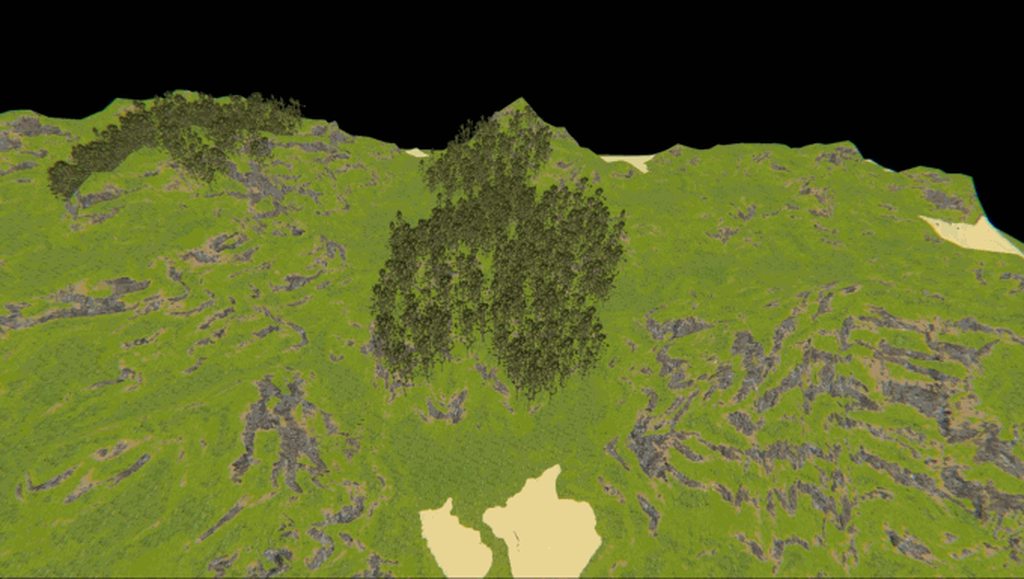
this is an earlier stress test
for tree LOD levels
jagged tundra
what are you running it on?
jagged tundra
jesus
prisma saddle
Remember, Mister Cat is attempting to offset the technical load with file size.
jagged tundra
yeah i don't think most people are gonna be running it on that
light prism
well im sorry for all your friends with 386sx16's
jagged tundra
yeah source engine does that automatically
jagged tundra
i think a 550ti is fine for most, it runs gta 5 just fine
light prism
well i got this machine cheap on a christmas deal
jagged tundra
wdym cheap
prisma saddle
Things tend to be a bit more expensive here in Kiwiland.
jagged tundra
ah
prisma saddle
But that's a damn good deal for a PC.
light prism
my previous machine died and i was running off a laptop with a busted screen plugged into my monitor
jagged tundra
australian dollars
light prism
i didnt want to spend $200 and get some low tier system
prisma saddle
The five cent difference can make a difference though.
light prism
i would spend that much if it was worth it
jagged tundra
i'd spend that much if it was a deal
light prism
 jagged tundra
if i was getting a $1200 card for 800 then i'd buy it
light prism
you understand i mean i paid $600nz for the whole system, not just the card, right
jagged tundra
each blade of grass has a few planes or each grass bundle has a few planes
light prism
the entire actor
rather, the etnire actor is made up of several copies of the same crossed-plane (with a couple segments) each
so its a 'grass cluster'
jagged tundra
ah
jagged tundra
for LOD you can take a isometric still (or animated) image of the orignal an use that as a distance
light prism
yes
if you watched the video that is exactly what i did
there are 2 model mesh levels and 2 sprite levels
up close is 6k, then 2k
light prism
6k tri's
jagged tundra
on the grass?
light prism
grass also only renders from 768 map units
jagged tundra
wdym grass is 50 tris
light prism
...
imagine two square planes cross sectioned on eachother, like an X from above.
now imagine they are split vertically a couple times
jagged tundra
no i know how modelling works
im in blender right now
i mean
what did you do to get 50 tris out of a plane?
light prism
a single grass cluster actor might be 50-80 tri's each
not sure of the exact amount
its not a fucking single plane ffs
each ACTOR is comprised of MANY cross sectioned planes
in order to keep ACTOR count down
jagged tundra
OH
light prism
but each individual GRASS CROSS-SECTION is like 10tri's
jagged tundra
ok because i thought you were referring to each mini grass cluster as having 80 tris
light prism
it would be less polys but i wanted to split them vertically for 'swaying' animations
jagged tundra
yeah
light prism
grass atm has no sprite equivalents because they would be basically invisible at the scales given
jagged tundra
ah
how did you make the grass mesh?
like this^ with an alpha mask and a low centerpoint to minimize distortion?
prisma saddle
It's probably just a standard plane with an alpha texture.
 unreal oyster
No alpha texture, GZDoom can't render those
prisma saddle
Well, binary mask texture.
jagged tundra
what ice creamhatsu said
unreal oyster
About the #### thing, no idea rn, I'll think on it
And GZDoom has alpha textures with non-binary alpha, just not on models
jagged tundra
cool
unreal oyster
Though, you wanna minimise use of any alpha on this sort of model because of overdraw anyway
light prism
its just a simple plane cross section with vertical subdivisions
that curls over slightly
many of my grasses are partially translucent actors, which helps draw away from their paper thin-ness
@unreal oyster - i guess for animations im gonna have to stick to predefined sprite names then 😦
light prism
@unreal oyster - ok, i made a version of LODActor that works off states instead of frame names, however is there any way for me to setstate with offset equivalent to how far through it is in the existing state?
like from Close: TREE D to Medium: TRE1 D
unreal oyster
My instinct tells me that's possible, but I'm not at home so I can't really tell you
light prism
sadly the method also means i have to check that its not already in that state each iteration
unreal oyster
That's fairly easy to do, there's an inStateSequence function
light prism
that's what i mean, im using it
unreal oyster
I'll look into the offsetting stuff when I get home
light prism
just an extra check for every tree...
unreal oyster
Oh k
light prism
at least the animation works though 😛
light prism
light prism
animated trees
prisma saddle
Rad.
light prism
@unreal oyster - i dont think offset jumping is possible under zscript, after reading up
i do wonder if there's some alternate method i can use to make it run through A-Z seamlessly regardless of state though
light prism
like if there is an alternate way to reference which frame should be played
light prism
i think the closest I can do is only ever jump on the first frame of the state by doing ResolveState checks
to ensure the looping animation doesnt get broken
but I dunno because zscript
(isnt very well documented)
(cough)
hexed sky
yes, offset jumping IS possible under zscript
but only forward
if you need to go backwards you have to jump to a label
 half adder
Does anyone know how to check the TID of an actor? I been looking around and just can't seem to figure it out.
I'm trying to get the exact TID of a specific actor to check if the TID im trying to apply to it is even being applied but I can't figure out how to check
light prism
@hexed sky how do?
i only need to jump forward
but it needs to match the previous state
hexed sky
SetState(CurState+<your number here>)
light prism
oh ok
can be a variable?
and is there any way to count how many frames into a state an actor is?
i need more like SetState(NewState+OffsetFromCurState)
light prism
can't find any documentation on DistanceTo
oic
native int DistanceTo(state other);
but will calling DistanceTo(CurState) return frames before loopage
or just 0
hexed sky
let me check the source code
CurState.DistanceTo(CurState) obviously is going to return 0
note that a "state" is each of the "frames"
the labels are "state labels"
which indicate the start of a "state sequence"
light prism
ahhh
 haughty flower
hi can anyone help me make a custome animated texture?
light prism
whats wrong?
this has examples at the bottom
of how to define them in ANIMDEFS lump
@@hexed sky so what exactly do I CALL with DistanceTo then? all I know is state labels
dat fail mention
like, what is the proper identifier of the state, just letters 'ABCDE'?
hexed sky
no
they don't have identifiers
you can however use FindState() to get the first state at a label
and then add some offset to the result
haughty flower
hello, i would like to have help with something, im trying to make a pillar in doom rise and under it the floor will rise along with it revealing an enemy is this possible?
 vernal topaz
By default, most linedef actions only perform one action at a time. What you're describing sounds like two actions:
- To raise the ceiling (pillar) up to the surrounding ceiling
- Raise the floor up to the surrounding floor
so if you have one linedef perform a "Raise ceiling to the lowest ceiling" and another linedef perform a "raise floor to highest floor" and tag it to the same sector tag
it should work in boom or zdoom compatibility
i don't think it will work in vanilla doom though, at the very basic level you can't have a floor and a ceiling move at the same time
 muted wing
Any good tutorials on portals?
haughty flower
@vernal topaz thanks for the help👍
haughty flower
hey it's me again, im trying to get that pillar to lift (ceiling) with a walk over line but it's not working
 vernal topaz
oh im sorry, it looks like you have two sectors in there
you're talking about the one of the left right?
haughty flower
yea the red one
vernal topaz
ok i think it's confusing the game because the inner sector wants to move up to the nearest ceiling, which is where the outer sector is
so it doesnt move at all
what you're going to want to do is merge the two sectors together into one
you can do that by selecting both of them and pressing CTRL + SHIFT + J
then give the sector the same sector tag
the floor should be below the surrounding floor, and the ceiling should be low enough to cover the hole
then you can have one linedef action move the ceiling up, and another linedef action move the floor up
does that make sense?
vernal topaz
if im guessing right, it looks like you intended the inner sector to be the hole where the monster is, and the outer sector to be the ceiling
if thats the case, the game is interpreting the outer sector to be two separate sectors, and so the inner sector is trying to move up to the height of the outer sector, which is at the same height so it just stays there
interpreting the ceiling part to be two separate sectors*
haughty flower
alright i made it and the darn thing does not budge
vernal topaz
hmm.. i dont know. it might depend on the kind of linedef action you are using
haughty flower
can you join me in a vc? how busy are you
vernal topaz
im at work i cant talk, sorry
vernal topaz
when you started the map, what kind of map format did you use? Doom in Doom format?
haughty flower
doom 2 format
vernal topaz
i mean like what source port do you use to play your map in?
haughty flower
gzdoom
vernal topaz
ok
ok, i would try and deconstruct this a little bit
in the editor, I would move the ceiling up, and check to see if the floor is moving
if you can get the floor to move up successfully
then move the ceiling down to cover the floor, then see what happens when you trip both actions
if you're running GZDoom in some sort of strict compatibility mode it might not work at all
but its not on doom strict by default, you would have had to change it in the compatibility settings
haughty flower
ok will do, im fiddeling with it a bit now, thanks for the help bud
vernal topaz
no problem
haughty flower
so i figured out what was wrong the whole time, i didn't select the floor panel it'self, only the walls around it, i did that and now it works like a charm
😃
vernal topaz
awesome!
haughty flower
HI! it's me again i have a little problem, there are textures that aren't appearing in the game, how can i fix this?
haughty flower

Mod DB
This wad was designed for halloween, but this time, I've decided to update the decorate and the map, and then, release this wad in moddb, this is short, but enjoy!
light prism
well that was annoying
phone line was down for 3-4 days
@hexed sky sorry, with DistanceTo.. if I tried to find the first state in a state label of a state sequence that loops, will it understand the loop and return the number of frames until it repeats?
like if I had a state ABCDEFG and it was at E and I did DistanceTo the start of the sequence, would it return 2?
dat optimization
8fps drop down from like 30
hexed sky
it wouldn't return 2, no
doesn't account for loops or anything
actually
it would return -4
light prism
ohhh thats okay then, i can abs that value and treat it as an offse
t
why don't my models respect MODELDEF's USEACTORPTICH
they do in gzdb but not ingame
do the actors need to be ISMONSTER'd to use their pitch field?
hexed sky
nope
light prism
hmmm
oh another question, I have all my trees zscripted and set up with doomednums and all, but they don't show up in GZDB
is this my issue or has anyone else been able to preview zscript objects
oh
Failed to apply MAPINFO DoomEdNum override "21000 = nature_tree_1": failed to find corresponding actor class...
but they do exist...
light prism
hrf can't figure it out
I have the DoomEdNums listed in MAPINFO, and the zscript is #included properly, and they work in game, but gzdoombuilder doesn't find em
light prism
the only thing i have found mentions using the Game property to set to Doom, but that doesn't work in zscript and I cant figure out which lump it goes in
post suggests MAPINFO but the wiki page does not elaborate
prisma saddle
Ooo, Grassy.
light prism
 edgy glacier
Im half way done with my map here it is if you guys want to give any suggestions or feedback on the map to help me improve it
light prism
im halfway done with my ilfe
edgy glacier
im sorry to hear that
edgy glacier
got it hope work goes well
light prism
pff
edgy glacier
ohhh forgot to mention please let me know if there is any part of the map that does not work
light prism
are you saying you havent checked it?
i hope you dont expect me to play it if you dont even know that it works
edgy glacier
no incase if i messed up anything so far cause i double checked it earlier and made sure it was fine but i said that for if i forgot something
i played it several times it functions in case if you needed to know
edgy glacier
i checked again and im sure it works
light prism
going home very soon
edgy glacier
ok
since its not fully done it needs to be launched with doom builder or zdoom builder
if you guys want the mods and texture i used to make the map here they are
light prism
well uh
i played it
it feels very large and empty in places
but good first attempt i guess
edgy glacier
ill go try and fix that and make it more detailed and add some more demons
haughty flower
HI, is there any tutorials out there on how to use MAPINFO, specifically how to make intermissions
i want to make a intermission with custom text and music
edgy glacier
im not sure let me research that and i will let you know what i find out
edgy glacier
just put brutal doom on my map and i m speechless
 unborn mica
so I've made a door require a key card but when I test the map and get the keycard the door only very slightly opens so small it looks like it barely moved I dont know what im doing wrong
heres a picture to see what I did
any help would be greatly appreciated
hexed sky
what's the height of those two tiny holes next to the door
unborn mica
its the same size of the door
unborn mica
im gonna try to delete them and see if it works
 royal wave
That probably is it. I think doors are expected to be single sectors with no forms of division between
light prism
yeah, a door will only ever open to the closest height
so if there is an adjacent sector at the same height as the closed door, it will barely open
light prism
thats not to say you can't make a door that breaks kevan's description
using tags or some joined control sector trickery
haughty flower
hi, is there a way to set the damage of a floor to kill instantly or do an insane amount of damage?
haughty flower
how is it done, i have it in zdoom format
haughty flower
ah
 shadow bone
vernal topaz
shadow bone
vernal topaz
what are you working on?
haughty flower
im making an endless pit
i put the sky texture at the bottom of a giant crack in the ground
hexed sky
hmm, what was the special hexen used
hexed sky
the sector special for instant death
115, I think
yeah, 115
oh wait, it's a strife special
I think hexen just had really REALLY long falls that would automatically kill you due to fall damage
timber bridge
maybe have it so you teleport into a voodoo doll if you fall
haughty flower
^how is that possible?
vernal topaz
skeletron, for many years it was kind of the norm to say this, but it seems like its not quite the popular thing to do anymore:
hexed sky
that's what evilution's map30 maze did
vernal topaz
its best for new mappers to try and work with the limitations that exist within Doom, THEN supplement what you've learned with all the features of ZDoom and Hexen and all that
The reason for that is because a lot of the people who are really experienced with Doom also know there are a ton of different Doom source ports and have been using the same ones for years
and GZdoom mapsets are incompatble with those source ports
haughty flower
i could just make the ground lava instead
vernal topaz
which is ok if something like that doesn't matter to you, but by working within the limitations, you can be sure that your maps will reach the most diverse audiences
yeah you could make it lava and have it melt you to death, and maybe add a lift, stairs, or a teleport so the player can get out
haughty flower
what's the policy of putting copywrited mp3 files into my game and putting it out there on the internet? i mean im not making money off of it
vernal topaz
I think you can technically do it, but if you wanted to upload it to the /idgames database, which is where most people go to download wads, they likely won't take it.
vernal topaz
yo i need help
ive got some doom 2 maps set for release in 5 days
and im looking for some doomers to play them
short maps, kinda easy
thats all i need, really i just need a few people to play them and say what they think
so if you have doom 2 and you can write a few sentences then you are fully qualified
you can use saves, weapon mods, cheat codes, any source port idc
will i pay you? definitely not, but you'll get to be in the credits
that's all ya gotta do; play them and say what you think.
 limpid iron
@vernal topaz will the maps be in a pk3 file?
vernal topaz
they will be in wad format
limpid iron
Alright.
 surreal meteor
@40oz#0852 let everyone know where to get them and where to leave feedback. looking forward to trying them out
haughty flower
hi, could anyone tell me how i could go about making animated textures in doom
i tried before... i didn't work out
light prism
pic MYBUTT1 tics 5
pic MYBUTT2 tics 5
or you can reference the first frame in the list as the base
texture MYBUTT1
but you'd still need to reference it in the pics list with a tics value
haughty flower
im a little confused, so go in SLADE and name an entry ANIMDEFS then i put
texture <name>
then pic <name1> <duration x>???
flat x_001
pic 1 tics 5
pic 2 tics 5
pic 3 tics 5
pic 4 tics 5
this is the example it gave in the wiki page

is this right?
i just tried it nothing is showing up in doom builder
light prism
no
is not right
you have used pic C for every frame, but C does not exist, only C1 through C9
so
pic C1 tics 3
pic C2 tics 3
etc...```youve put a space between C and the number for no good reason
haughty flower
lol i just fixed that before you typed it
im suing slade to edit this btw
i want it to be compatable with hexin
i fixed that and it's still not appearing in the game
light prism
did you make it texture C1?
oh change PP_START/END to TX_START/END
they're not patches, they're textures
unless you want to define the textures in a TEXTURES lump
light prism
the same way
haughty flower
also THANKS SO MUCH!
light prism
as long as you have the sky texture defined to be the sky for your map using MAPINFO
{
sky1 = "MySkyTex", 0
}```in case you didnt know
the , 0 after the texture name is for rotation speed
and there is sky1 and sky2 for hexen compatibility, where there are two different layers that can move at different speeds
light prism
JUST DOING MY JOB CITIZEN
haughty flower
so to make a sky i took a video from youtube with thunder, then i converted it to mp3, the to a gif, now im splitting the gif
alot of work for a sky but it's worth it
haughty flower
lol
haughty flower
what is the dimensions of the picture of the sky in doom?
or does that even matter?
i tired the gif, the game froze so im trying to get a single texture to be a sky texture but i don't know how, it's just a flat texture in doom
light prism
 languid crypt
Does anyone know how to make quests or missions like how they have in strife? Like, based in dialogue, etc
light prism
ive never done it like strife did but i did make a quest system in ACS
light prism
sure, it was a generalized system that worked off some basic parameters, type and tid basically
like 'go to' 'waypoint tid' or 'get' 'item tid' or 'kill' 'actor tid'
languid crypt
Yeah I need something like that
light prism
of course it gets more complex if you have multiple maps
languid crypt
I can only imagine. I'm very new to gzdoom but I'm trying to figure out how to use some strife stuff to make some new uniqueish stuff
light prism
omg archer season 9
languid crypt
...?
light prism
heh nvm 😛
languid crypt
Did I say something similar to archer?
languid crypt
Oh I see
light prism
strife is the only stuff ive never really messed with
i made my own conversation system instead too heh
haughty flower
HI, still a problem with the sky texture it flat when i put a texture in there
vernal topaz
if you're using the wall texture that looks like a sky background, that doesn't do anything
only the sky flat (floor/ceiling texture) makes the sky appear
so whereever the flat F_SKY1 is used where you would normally see a floor/ceiling, it will just draw the sky background on top of it
giving the illusion of the sky
if you create two sectors, both with F_SKY1 used on the ceiling
and one of the two sectors' ceiling is lower than the other
the sky will also apply the the upper textures of the lower ceiling
If you open DOOM.WAD and look at E1M1 and go to the outside area, you can see how the map has some lower ceilings to make the outdoors look more realistic
and not just a hole in the roof
haughty flower
im confused and that didn't help me... i want a sky effect like F_SKY1 not just a flat with a sky texture on it i don't know what i need to program that in
is it considered a flat, do i need a special code to put in SALDE3?

^^^^this the texture is flat and repeated, instead of the F_SKY1 effect that makes a hole
 red peak
Set all the walls to have no textures
Set the ceiling texture to F_SKY1
Open the map file in Slade
Import your texture
haughty flower
 red peak
Rename it to SKY1
vernal topaz
In doom, the image for the sky texture background is named RSKY1 in the Doom 2 wad file
so by renaming your sky to RSKY1, it will replace the sky with that lightning image
then use the F_SKY1 flat on the ceiling, and your sky will appear
You can't put F_SKY1 on the walls, so what you have to do is create a sector bordering your floor where the walls would normally be
use F_SKY1 on the ceiling for the border
then lower the ceiling one map unit above the floor
the sky will appear on the upper part of the wall no matter what texture is used, because skies always appear on the upper textures of sectors that use the F_SKY1 flat
haughty flower
ok so i renamed the texture to RSKY1 and it STILL is appearing like a flat textured image
hold on let me do something
vernal topaz
do you get what i'm saying? When you apply the texture RSKY1 to anything, it will appear as a wall texture, like wallpaper or a poster of the sky
you have to use the F_SKY1 flat for it to give the sky effect
haughty flower
i think i understand now
yea i got it, i was putting the actual texture in there
instead of F SKY1
IT WORKS!
👍
thank you
now to get this baby animated

this would make an epic sky texture
just a little bit of editing
vernal topaz
you can make it work if you strip the individual frames from the gif image
what's concerning to me about that gif, is that it doesn't "loop" correctly, meaning the clouds appear to be flowing to the right, but when it gets to the end of the animation, the clouds will instantly shift back to the left and start flowing to the right again
its gonna take a lot of work to get the clouds to flow naturally into the start of the animation
vernal topaz
if you use it as is, it wont look like real clouds, it will look like a broken video of clouds flashing where the sky will be
know what I mean?
haughty flower
yea
light prism
youd be better off photoshoopin' up a single cloud layer and a sky background
and then doing the MAPINFO sky1 & sky2 thing
 blissful knoll
You can try just simply subtly reversing the gif middway through to negate making a loop
light prism
haha
subtle reverse
its a fuckin sky
how is the wind changing direction 180 degrees subtle
light prism
admittedly a badly looped gif sky would go well on a 'glitch' themed map
haughty flower
im not making a sky gif, i scrapped that idea but thanks for the help
i managed to make two working animated textures
light prism
wait you were trying to use an actual .GIF file as a texture?
no wonder the game froze
light prism
im at work
haughty flower
K
haughty flower
any good tutorials on making your own monster npc?
haughty flower
yea he runs fast and just hits you
haughty flower
im using these textures
light prism
nice
haughty flower
not the big tv static but the monster
light prism
you can use the fuzzy rendermode to make them more like the original spectre
im about to go home
light prism
well then look at the existing code and see how it works
its not super tough
{
    PropertyName Value
    +FLAG

    States
    {
        StateName:
        FRAM A 1 A_ActionGoesHere(Parameters)
        loop
    }
}
 haughty flower
so how would i go about finding noises from other monsters and taking those sound files and putting putting that as my monster
i looked for pinky demon noises and i don't know how to find it in slade 3
nvm, i just downloaded someone's wad on a website and it has what i need
shadow bone
@haughty flower If you do that, make sure you provide credit and follow the original authors terms of use!
The community frowns on "stealing"
Also, the ZDoom wiki has everything you need if you use the search bar. SNDINFO is how you define new sounds, and has links to all the original sound definitions.
haughty flower
i'll try that and get the sounds from the original game
shadow bone
You don't need to copy them
Just reference their definition
This is the gzdoom.pk3 sound definition for the pinkie demon: ```// Demon
demon/sight dssgtsit
demon/active dsdmact
demon/pain dsdmpain
demon/melee dssgtatk
demon/death dssgtdth
$limit demon/melee 4```
haughty flower
👍
shadow bone
So if you want your monster to play the pinkie demon's active sound, you just use something like A_PlaySound("demon/active") and it automatically references the original doom sound file in your IWAD
haughty flower
thanks that helps
shadow bone
It actually works for pretty much anything from the base game
So if you need to use a sprite, texture, sound, etc, you just reference it by name (or definition) in your mod. that way you don't have to copy stuff.
haughty flower
ok so i have my sounds defined how should i name my sprites anything specific ? or can i just name my f1 f2 f3?
im coding the sprites in now
shadow bone
The Wiki has a page on proper sprite naming
You do need to make sure your names meet a certain format
haughty flower
ok so i have everything coded in and all my sprites now i keep getting an error when i go to run my monster in the game
script error line 23
sprite names must be exactl 4 characters
Actor tvghost 100000000
{
SpawnID 5
Obituary "%o i can see you."
Health 20
Radius 20
Height 56
Mass 100
Speed 10
PainChance 200
Meleedamage 10
SeeSound "demon/sight"
AttackSound "tvghost/attack"
PainSound "tvghost/attack"
DeathSound "tvghost/attack"
ActiveSound "demon/active"
//MeleeSound "tvghost/attack"
DropItem "Clip" 256
Monster
+FLOORCLIP
States
{
Spawn
POSS BC 10 A_Look
Loop
See:
POSS aabc 4 A_Chase
loop
Melee:
poss D 0 A_Playsound ("STATICTV")
poss E 8 A_FaceTarget
poss F 8 A_MeleeAttack
pain:
POSS g 3
POSS ghgh 3 A_Pain
goto See
XDeath:
POSS g 2
POSS ghghgh 2 A_XScream
poss ghghgh 3 A_NoBlocking
POSS IJKL 5
POSS M -1
stop
}
}
haughty flower
Script error, "experientation1.wad:DECORATE" line 3:
SC_GetNumber: Bad numeric constant ":".
wait i got it i think
ok now the doomed numbers are not in range
what is a good number to put in line one?
unreal oyster
anything lower than 32768
haughty flower
ok so i got the game to not crash but my monster just appears as a exclamation mark
unreal oyster
generally exclamation marks come with an error in the console
so you might need to open the console to see the problem
haughty flower
console?
haughty flower
slade 3?
unreal oyster
no, in gzdoom
if there are no errors, you might need to type developer 2 into the console and then reboot the game
the zdoom wiki has an article on the exclamation mark: https://zdoom.org/wiki/Exclamation_mark
Skulltag also uses this icon for a "medal" for getting killed 5 times without fragging anyone else with the phrase "You Fail it", which is now a common phrase used in the Doom community.```
`which is now a common phrase used in the Doom community.`
hah, that's more than a bit outdated considering i've never seen anybody say "You Fail It" in this communityi think i need to work on the sprites a bit
light prism
the wiki has a lot of outdated skulltag references
some technical stuff that still applies to Zandronum is labelled as Skulltag
light prism
there are programs that can do batch renaming but setting it up would take just as long really
if youre doing it from windows explorer its alt-f-m
is the quickest way to get to renaming
actually sorry no F2 is quicker
and i think F2 works inside slade too
haughty flower
there has to be a faster way to name files
im going crazy
and i keep messing up
light prism
how many files are we talking about here
haughty flower
like 20
haughty flower
can somone explain sprite mirroring to me it's confusing
light prism
see the diagram here
1 is front, 5 is back
so you can see 2 and 8 to the sides of 1
meaning that they can be mirrored to eachother
so your sprite name would be BUTTA2A8
A3A7, A4A6 etc
haughty flower
👍
also i figured out why i got the exclamation mark, i put POSS instead of referencing the actual sprite by typing TVGH
or at least i think that's the problem
i know it's a problem
light prism
its POSSible
haughty flower
lol
haughty flower
Actor tvghost 3110
{
SpawnID 5
Obituary "%o i can see you."
Health 20
Radius 20
Height 56
Mass 100
Speed 10
PainChance 200
Meleedamage 10
SeeSound "demon/sight"
AttackSound "tvghost/attack"
PainSound "tvghost/attack"
DeathSound "tvghost/attack"
ActiveSound "demon/active"
//MeleeSound "tvghost/attack"
DropItem "Clip" 256
Monster
+FLOORCLIP
States
{
Spawn:
TVGH AB 10 A_Look
Loop
See:
TVGH AABC 4 A_Chase
loop
Melee:
TVGH E 0 A_Playsound ("STATICTV")
TVGH F 8 A_FaceTarget
TVGH G 8 A_MeleeAttack
pain:
TVGH H 3
TVGH H 3 A_Pain
goto See
XDeath:
TVGH H 2
TVGH HIHI 2 A_XScream
TVGH HIHI 3 A_NoBlocking
TVGH HIJKLM 5
TVGH N -1
stop
}
}
so i just finished all my sprites and done everything in DECORATE but it's just showing up as an exclamation mark when i put the monster in the game
the error in the console says truncation of floating point value
light prism
that error doesnt matter so much
it just means a floating point value got truncated
and i dont even see any of those in your code
but you did miss a comma between the DropItem item and its chance
it goes Dropitem "ItemName", 256
haughty flower
ok so apparently i got it in the game, it can kill me and everything lol
but it's invisible
???
light prism
you probably need to apply offsets to the sprites
without offsets it treats the upper lefthand corner of the sprite as its origin point
this is in a wad in slade?
haughty flower
yes
light prism
box select all your sprites
the righthand preview window should change to some buttons, one of which is 'modify offsets'
set them to Monster
save and test
haughty flower
IT'S WORKING!
he doesn't seem to take damage or die though i'm sure that's an easy fix
light prism
oh, he should
he has the Monster flag combo, which makes him solid, +ISMONSTER, and +SHOOTABLE
and he has radius and height
haughty flower
yea he isn't dying ...
light prism
oh
he doesnt have a death state lol
XDeath is extreme death which they only enter if they have a certain negative value of health
for now you can bypass that by putting 'Death:' on the line above 'XDeath:'
and allowing it to 'fall through' into that state
i was sure that not having a death state wouldnt prevent things from just disappearing when they ran out of health though
let me know if that works
haughty flower
IT WORKED!
light prism
cool, weird though
haughty flower
wana test the map out with the monster?
light prism
you could use Renderstyle Fuzzy to make him have the same effect as the spectre, but you'd lose your TV-style fuzz lines
however it would allow the effect to be independant of frame lengths
haughty flower
i think i will do that
it'll be faster than manually adding tv static to each frame
light prism
i wonder if a shader could give a more tv-like static effect
haughty flower
im manually putting in the textures i think it will come out better that way
 true lion
In decorate, is there a way to perform a jump by checking the exact number of an inventory item?
Need a weapon's ready state to change based on the amount of shells loaded.
light prism
A_JumpIfInventory?
i know that jumps if at least amount is there, but that just means you perform the checks in reverse
so start with 'at least the most' and end with 'at least 1'
true lion
It checks to see if "SGReload" is in the inventroy, which starts at 0, and resets every time the weapon is fired. Whenever altrife is used, it loads another shell in.
Ready:
SGIA A 0 A_JumpIfInventory("SGReload", 3, "Ready4")
SGIB A 0 A_JumpIfInventory("SGReload", 2, "Ready3")
SGIC A 0 A_JumpIfInventory("SGReload", 1, "Ready2")
SGIA A 1 A_WeaponReady
Loop
Unfortunately, it doesn't work past the second shell. The readout on the weapon goes from 1 to 2, then stays at 2
light prism
are you sure theres not something else preventing it, like the Ready4 state not having the right sprite, or SGReload having a maxinventory of 2
or having its values handled incorrectly somewhere
true lion
It references the correct sprites.
If an inventory item doesnt have a maximum defined, does that mean infinite, or 1?
light prism
not sure, you might as well add one anyway
light prism
geez
ive been using doombuilder for years and i only just figured out that C clears active selection in first person mode
accidentally
light prism
i need to sync my sky to the time a bit better
its way too overbright at midday and gets too dark at 6pm
timber bridge
this is getting serious
light prism
timber bridge
Never underestimate the power of stupid things in large numbers
hexed sky
heh
vernal topaz
without the gun, that screenshot would make a lovely desktop background
haughty flower
HI im trying to make a variant of my tv ghost that shoots electric balls, i have everything made the sprites i coded it in. but when he shoots, he shoots the imp ball instead of the electric ball
is there any way i can fix this?
Melee:
Missile:
TVEL E 0 A_Playsound ("STATICTV")
TVEL F 8 A_FaceTarget
TVEL G 8 A_TroopAttack // see electricball
unreal oyster
use this A_CustomComboAttack("ElectricBall", 32, 3 * random(1, 8), "imp/melee") instead of A_TroopAttack
@haughty flower
haughty flower
👍
thanks
...nothing happens, i think i need to do something with the sprites
ok so i changed the projectile offsets and still nothing he shoots nothing...
haughty flower
@unreal oyster hi im back, the line of code didn't work when he goes to attack me nothing happens there is no projectile
unreal oyster
no way i can help you with that without seeing the definition for ElectricBall
haughty flower
ok
actor electricball
{
height 8
radius 6
damage 5
speed 10
RenderStyle ADD
alpha 1
seesound "electricball/shot"
deathsound "electricball/shotx"
PROJECTILE
+RANDOMIZE
states
{
Spawn:
ELEC ABC 2 bright
loop
Death:
ELEC DEF 2 bright
stop
}
}
i didn't give it a number next to "actor electriball"!!!!
??
unreal oyster
no, that wouldn't be important
those numbers are only needed for placing things in a map
haughty flower
hmm
the console says, truncation of floationg piont value
and
unknown class name electricball of type actor
unreal oyster
first one is fairly unimportant
second one means that it's not actually finding your actor
so it's probably in a file that's not being included properly
haughty flower
i put two decorate files, one for the monster and the other for the projectile
do i put the projectile code with the monster?
unreal oyster
you don't need to, just make sure that gzdoom can actually see both the files
without knowing the filenames, i can't really help you there
haughty flower
i think i see the problem hold on
i have them in between S_start and S_end
that did it
i moved the files
it works now
thank you!
unreal oyster
cool 👍
haughty flower

light prism
ew wad format
haughty flower
HI
how do you find the with and height of a texture in doom
i want to make a wall texture the same size as the marble wall texture in doom
light prism

most of the vanilla textures are multples of 2
the standards being 64x128 or 128x128
all the vanilla floor/ceilings are 64x64
vernal topaz
That looks awesome
haughty flower
if i where to add a flat in slade3 i where to have to make a new entry saying FF_START then F_END right? THEN convert it to flat format?
i tried to make a new flat and i did all of the above and it came out pixilated and pink the texture it'self was messed up
also thanks for the texture size it was a MASSIVE help
vernal topaz
Flats (floor/ceiling textures) can only be exactly 64x64 pixels. I think any deviation from that size will cause them to goof up. They need to be converted to Doom flat format (not doom graphic format, truthfully I'm not sure why these are different but they are)
haughty flower
im positive i saved that image as 64x64, i'll go and check
vernal topaz
I'm not super experienced in Slade, I still have more to learn, but in my experience, when you convert the graphics to Doom pallete or 'existing global,' there's two selections below it, one is like "convert to nearest threshold" and the other is "convert with transparent color" and I've never had any luck with the threshold one. I always convert with transparent color.
Doom and slade are weird, sometimes stuff doesnt work and I have no idea why. Sometimes i just delete the flat and add it in again and sometimes that works.
light prism
flats are only necessary if you are mapping in a vanilla format
otherwise you can just use 'textures' namespace (TX_) for everything
light prism
i guess i should make firespawners act differently during rain
 vocal crypt
there a way to make a sector transparent? As in so I can see the backdrop in the background?
nvm
wireframe
light prism
technically no
vernal topaz
@vocal crypt are you bonnie?
vocal crypt
who
light prism
furry ahoy
light prism
lunchytimes!!!
light prism
light prism
1
light prism
who?
unreal oyster
Water shader in what way?
I have a shader which distorts the screen while you're underwater here https://forum.zdoom.org/viewtopic.php?f=46&t=57168
Discussion about ZDoom
@light prism ^ is that what you mean?
light prism
yeah i saw that, but i meant more like a surface warp/reflection or even pbr
preferably something that looks like calm lake water, with little distortion
 livid hearth
@light prism I was Valerie/LadyFuzztail
 lavish hollow
 cerulean frigate
Am I able to assign multiple textures to the same model when using md3?
Or do I have to use one single texture?
shadow bone
You can assign multiple textures with the ModelDef I believe
cerulean frigate
Alright ty
light prism
yeah you can
both by using multiple model pieces in one model definition, or by using SurfaceSkin for md3's that have multiple surface indexes
vernal topaz
@light prism Are you still working on that rusty UAC base map with all the PBR stuff?
 zinc egret
I just convert my images in Paint Shop Pro using the extracted palette
haughty flower
zandronum seems to crash when i try to use this decorate monster i made
what could be wrong here?
the texture is inside the wad and there's only a single texture
hexed sky
0 frame loop
vocal crypt
Is there a way to make a script execute one of two commands on some chance thing?
I'm trying to go for a script where it might have like a 50% chance of spawning one monster, or another 50% of spawning another monster.
vocal crypt
I'm trying to do it via switches
unreal oyster
something like random(0, 1) == 0 should work for 50/50
so
if (random(0, 1) == 0) {
    // do something
}
else  {
    // do something else
}
now how am I goin to combine that with what I have rn rip.
That's not meant to sound like an asshole tone btw
or passive aggressive
 carmine badge
script 1 (void)
the code that gutawer mentioned goes here
then you'll have to give the switch the action 80 for script executing, and put the script number 1 or whatever you'd like the script number to be
vocal crypt
{
if (random(0, 1) == 0) {
    Thing_SpawnFacing (1,1,0);
}
else  {
    Thing_SpawnFacing (1,2,0);
}```
Script is bitching about line 10 being invalid statement.line 10 is the closing bracket
no wait
sorry
forgot an extra one
carmine badge
click on the bracket and see if it's blue
vocal crypt
Script 1 (Void)
{
if (random(0, 1) == 0) {
    Thing_SpawnFacing (1,1,0);
}
else
{
    Thing_SpawnFacing (1,4,0);

    Thing_SpawnFacing (1,5,0);

    Thing_SpawnFacing (1,2,0);
}
}```
It's not spawning the Imp and/or Chaingunner, and using another else doesn't work.Am I going to have to use another of the random command?
hexed sky
I don't think that "== 0" is really needed
unreal oyster
technically not, but make it random(0, 2) instead and it becomes absolutely needed for a 1/3 chance so it's a good habit
and plus, random() returns an int, and i've always been a fan of treating variables as the type they are rather than relying on knowledge about how if statements work internally
a lot of languages (example: C#) don't even let you do if (int), you have to cast to an actual bool for if statements
which is how it should be imo, so i use that in other languages too
vocal crypt
Or am I going to have to use another way
with this one being impossible
at least
impossible with more than just two
hexed sky
are we going to have THAT argument again, gutawer? :P
haughty flower
how could i make an animation loop between two frames during a spawn state of a projectile actor in DECORATE?
hexed sky
:P
haughty flower
i'm think of something like making two states with two separate states and just use goto x)
nvm:
Spawn: LMAO A 5 Bright LMAO B 5 Bright
vocal crypt
damn it, gon have to use a random spawner then RIP.
light prism
you don't need an ACS script to randomly spawn things
 neat valley
lol, confusion, but I actually do want to start making mods for Doom, so thanks for inadvertently making me aware this channel exists
vernal topaz
id be happy to help you
red peak
How do I disable liquid flat animations?
vernal topaz
@vocal crypt the way it's done in standard doom and doom 2 is you can have a monster hidden in an inaccessible part of the map, then have the monster alerted by gunfire. When the monster attempts to chase the player, the monster steps into a teleport and appears whereever you place the teleport destination
to control it a little better, you can put a door in front of the teleport gate that is operated by a switch the player can activate or a line the player steps over, that way the monster spawns into the map at the time you want it to.
light prism
i think he's talking about randomspawner
vocal crypt
yeh I'm using randomspawner
don't want it to spawn nothing when I pull the switch
Want it to at least spawn some monster
vocal crypt
TRNLVL: Unknown top level keyword```

``MAP MAP01 "ShootingRange" Music = "TRNLVL"``How 2 solve?
vocal crypt
d'oh
light prism
also randomspawner should always pick at least one actor in your list as long as it has 256 spawnchance
vocal crypt
well I have em all at 50
light prism
well there you go then
light prism
its not the weight for the random spawner, its the chance that any given one will spawn at all, yes
the random spawner doesnt have a weight
vocal crypt
Didn't know it'd spawn one out of many actors even if it was 256.
Nothing to do with weight
light prism
randomspawner will just pick one of its dropitem list, regardless of the weight assigned to each individual actor
then it will spawn that actor based on its weight
so A 256 B 64 C 32 D 16, it picks D and probably doesn't spawn it because 16/256 chance
light prism
capiche?
vocal crypt
yes yes
Did they change the MAPINFO syntax for episodes or something
Because the game isn't running even with an example from the wiki
(did that just to see if what I put in screwed up somewhere)
Shiet, TMC ain't here.
Script error, "TrainingShootingRange.pk3:mapinfo" line 10: Expected '=' but got identifier 'ShootingRange' instead.
{
   picname = "M_EPI1"
   key = "k"
}```line 10?
its not inside another definition, is it?
sounds like you tried to put it inside another definition
vocal crypt
🤦
Jesus A. Christ
I forgot to close a bracket for GameInfo
Well, now I've got another thing
how can I make it where one episode it starts with no gun
but the other, you do
light prism
there's a flag for it i think
'ResetInventory Inventory is reset when entering the map, enforcing a "pistol start" gameplay.'
ResetInventory inside the MAPINFO for the first map of the episode
vocal crypt
I mean no gun even the pistol
but I want the pistol to stay intact for Hell on Earth
light prism
you could remove it via ACS
vocal crypt
I'm doing the class method rn
light prism
Script "TakeAllMyShit" ENTER (void) { TakeInventory("Pistol", 1); }
sorry you can ignore the (void) there
im too used to GDCC
where you can pass args to enter scripts
light prism
Script "TakeAllMyShit" ENTER { TakeInventory("Pistol", 1); }
true lion
I'm currently having an issue with a deployable item that I want to be pushable. It has the +PUSHABLE flag, but doesn't seem to be able to move.
Curously, it broke when I was copying it over from an older version of my mod. It still works on the old version, doesn't work in the new.
I tried messing with mass, nothing seems to move it.

Pastebin
light prism
not sure on that one
unless your player class has +CANNOTPUSH
or another flag on the actor is messing with it
like MONSTER's +CANPASS
true lion
Would a flag like -CANPASS or -CANNOTPUSH overwrite any potential conflicts?
Doublechecked on the player classes
light prism
yes, that would hopefully get rid of a conflict
it could be some other flag for all i know
true lion
Solved it, Im a dingus.
The object was referenced in a different decorate file I was running alongside the mod. The othe robject was overiding any changes I made. Whoops.
true lion
Is there a way to make an alternate pickup for a weapon? I just need a vertical version that sits on weapon racks
Gives the same weapon, but doesn't add a new weapon
light prism
make a new CustomInventory that +autoactivates and gives you the weapon in its use: state
true lion
Hm. I'll give that a shot, thanks
true lion
Ended up just burgling the code from Strife
light prism
well i hope you didnt just make a whole new weapon
 past cradle
if u don't have a super fancy pickup system then there should be a WeaponGiver actor u can inherit from
one sec
vernal topaz
Should i just start to assume that no one ever has any questions about actual standard doom format mapping here?
shadow bone
Or you could just not get annoyed by people working on stuff they like
vernal topaz
Im not annoyed, I just like to help and every time i do it seems unwanted
but i have a lot of good information to share
past cradle
when I do map its usually udmf since I prefer to use gzdoom for playing
I've done some stuff for vanilla though
I'd like to map more but my maps don't play very interestingly
an early issue I had was that I relied on killing enemies to progress which seemed to slow the flow a bit 👀💦
shadow bone
Well, most of the people who found this Discord did so via the subreddit, which got most of its traffic from people interested in the new Doom 2016.
So it makes sense the population curve would be weighted towards more recent Doom "technology" even for the classic games
Most of the people interested in the pure vanilla stuff probably already have communities they're involved in
¯_(ツ)_/¯
vernal topaz
oh well. If anyone here is interested in doing some vanilla/limitremoving/boom stuff
I'll be happy to playtest your stuff for you and give you constructive feedback
I realize the transition from GZDoom to vanilla is probably really strange, and a lot of vanilla doomers are agitated bitter purists
but im not one of them, I want people to make the best maps they can make, and I manage community projects where I try to help people the best I can without them sacrificing their creative vision
and im available to help 😃
likewise I need testers for my own projects too
shadow bone
what's nice is that good design transcends technology.
So I would hope there's plenty for you to help with in that regard, even if the asker is using non-vanilla tech
I understand a lot of the questions here are more about the nitty-gritty technical implementation details, though
vernal topaz
yeah i don't know anything about code/scripts or 3Dfloors, but I know how to give helpful tips in making a map look good or play well on a fundamental level
And I think that's very important for people who want to develop really good levels down the line
its very rewarding to design levels that are universally appreciated!
light prism
40oz, you are extremely experienced in mapping vanilla, which means you have good knowledge of flow and structure
but yeah not many questions come up for that stuff usually