#〉bugs-reports
2 messages · Page 77 of 1
 buoyant moon
it is on "deleted message and warn member" and there arent any allowed roles or channels
 slender needle
okay, so is your friend a moderator or do they have a role that puts them as a bot master?
buoyant moon
actually, he made an alt that was just the "member" role (the lowest in my server) and we tried it with that but it wouldnt seem to work
slender needle
so it looks like this, yes?
buoyant moon
yeah
slender needle
and is this thing empty?
buoyant moon
yes,
slender needle
I'm not really sure. If anybody else wants to take over, I have to go
buoyant moon
ok, thanks for your help
 gilded yacht
What's the question @buoyant moon
buoyant moon
i was trying to set up the "bad words" section in "moderation" but i tried it and it didnt seem to work
 dire yarrowBOT
Bad Words Problems
- Make sure Bad Words have been added.
- Regular users, who are not allowed to swear, must not have an Allowed Role.
- Channels that people shouldn't be able to swear in must not be in the Ignored Channel section
* MEE6 does not warn Owner, Admins, Bot Masters or users with a Moderator Role.
How to add Bad Words:
https://cdn.mee6.xyz/s/bad_words.gif
 gilded yacht
Read
buoyant moon
i did all of that but it still isnt working. my friend made an alt account with only the "member" role, (the lowest in my server) and @dire yarrow wont say anything
gilded yacht
Can you show me your settings
 north ocean
Hi i am brazillian and my english is very bad has a helper for me?
gilded yacht
I don't know of anyone who speaks Portuguese sorry
north ocean
Ok thanks
buoyant moon
one second @gilded yacht
north ocean
Friend, I'm trying to use the ban command but the bot doesn't respond, I've already given all the necessary permissions and still nothing
I'm using google translator
buoyant moon
@gilded yacht how do i show you my settings
gilded yacht
Take a screenshot is fine
buoyant moon
but then how do i upload it here?
gilded yacht
The + button
buoyant moon
ok
 hoary needle
or image button if ur on mobile
gilded yacht
And nothing happened?
 sudden zealot
Hi ! I encoutered a problem with @dire yarrow while performing !rank command. Bot gave me a code for support. Who is able to receive it ?
slender needle
if you want to put the error code into this chat, you can, but the problem is already known. Just give it a few minutes and try again.
sudden zealot
so there it is : af828a5e359c49908598142111361018
buoyant moon
Hi. I had encounter a !rank problem. The code is 3cdd528173e24c9ca3584f3245559e3e
 faint dome
known bug, our server are overloaded
please try again in a few minutes/hours
 west gust
My YouTube channel doesn’t pop up and I’d not know what my URL Youtube channel
To link MEE6 my channel
dire yarrowBOT
in order for Mee6 to find your YouTube channel, you need:
- 3 or more videos
- your the most viewed video needs to have sufficient views
- it takes some time (up to couple days) for YouTube to index your channel
only once YouTube has indexed your channel, we will be able to find it.
west gust
Ok
 fickle crater
MEE6 rank is being slow to pop up
faint dome
known bug, we have too many users using it 
fickle crater
oof
faint dome
it sometimes even ends with an error
faint dome
devs are working on a patch, but it may take a few days
fickle crater
ok
 grizzled parrot
Not sure if it's exactly considered a bug, but if you mention the same person many times in a message, MEE6 still tells you to "stop mentioning so many people", even though you've only mentioned one person and sent one notification.
 twin edge

 marble quest
I’ve gotten it by editing a command that was disabled
 bitter zenith
should you be able to?
marble quest
I sent it in here like 3 weeks ago
bitter zenith
so if you click a disabled command, it just shows you all the popup divs?
marble quest
Go to the moderator plugin down to commands, disable one and then click on it
 light yoke
lol, its usually a cache issue
marble quest
Then if you move your mouse off the screen it will do that
bitter zenith
that seems like a very strange reproducible error
marble quest
It’s happened on every browser I’ve tried
bitter zenith
those popups should always have display:none unless they're being active, which is the registered click event
and it's not a button, so being disabled wouldn't stop the click event
wonder if they need to have a check in the js for that
marble quest
here is another ss
light yoke
is it happening on other websites similar to the dashboard?
marble quest
and it's any time the mouse is not focused on the website itself
marble quest
yeah, so like i click on the command, and lets say I move my mouse to the url bar
it will show up like that
it happens on other commands too
like on the level plugin
bitter zenith
I would have to assume it's widespread
those all probably register the same click event tbh
marble quest
i haven't actually tried it any where else
yeah, the real question is why are you editing a disabled command, but still a slight bug
bitter zenith
well the question really shouldn't be "why" as much as "what if"
marble quest
but the other thing is that when you click the + to add allowed roles and move your mouse there, it thinks it is off the screen
like in the ss the person above sent
bitter zenith
it thinks the mouse is off the screen?
marble quest
well, it acts like that
bitter zenith
probably because the cursor is behind the window
marble quest
should I record a clip of doing it and send it here?
marble quest
this is
bitter zenith
yeah I noticed
I just got up not too long ago lol
my brain isn't at top performance yet
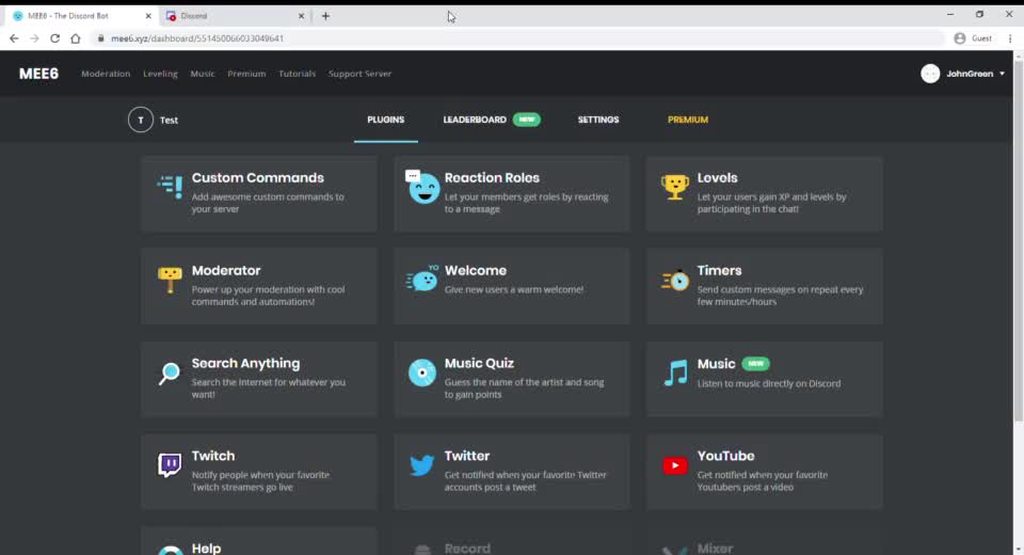 bitter zenith
interesting
 spark quiver
mee6 bot
buoyant moon
Hello, wouldn't you know why MEE6 tells me this
faint dome
the error?
can be because the user left your server
or an automated action failed
or MEE6 couldn't post a log message, if you have one configured
buoyant moon
The user ?
faint dome
the user you tried to warn
faint dome
oui
buoyant moon
Ah parfait
Ducoup oui l'utilisateur est toujours sur le serveur, et je ne crois pas avoir configurer de message journal
faint dome
quel est le nom du serveur ?
buoyant moon
" Info Naruto (perso) ", 😅
faint dome
hmm je vois rien qui pourrait expliquer ça tbh
buoyant moon
Ah
faint dome
ça fonctionne sur d'autres membres ?
buoyant moon
Nous ne sommes que 2 actuellement
faint dome
ah 😅
buoyant moon
😅
faint dome
hmmmm
est-ce que cet autre membre peut utiliser des commandes ?
histoire de voir s'il est ignoré par MEE6 ou non
buoyant moon
Il peut utiliser des commandes effectivement, mais cela ne marche pas
faint dome
MEE6 a la permission d'envoyer des embeds ? "intégrer des liens" en français je crois
faint dome
Ah faux, ça a marché
buoyant moon
Ah bon
faint dome
Mais il y a un truc avec ton téléphone qui empêche de voir le contenu des embeds a priori
On dirait un vieux bug android
faint dome
Essaie de redémarrer complètement discord ?
buoyant moon
D'accord
faint dome
Et vérifie qu’il soit à jour
buoyant moon
Oui il est à jour
faint dome
Dernière option, regarde sur une autre plateforme (ordinateur etc) si ça marche ou pas
faint dome

 wild flint
The bot as like one minutes behind, there is some real lag. I wrote help and it went one minute before it sent a dm
bitter zenith
yeah it lags sometimes. usually not for long tho. and it's not persistent
 wanton pelican
The bot in my sever is lagging and then at times it idnt workin at all
 tender lichen
Code 2046ceb00c254d87bfe623681f1b611b Error
 sharp juniper
I type !rank in my server , for some members it says something went wrong in mee6 , for others it works well , help pls <@&193123929701875712>
 tired pilot
@tender lichen this is a known problem just try again in a few mins it should work
 copper quarry
hi i wanna be moderator
dire yarrowBOT
Note: Asking for a staff role will decrease your chances of having that role https://cdn.mee6.xyz/s/staff.jpg
 copper quarry
@nimble root
 mortal charm
Mee6 is not giving roles to people on my discord
tired pilot
@mortal charm has it ever worked?
mortal charm
@tired pilot wdym
tired pilot
Is this a resent problem or has it never worked ?
mortal charm
Ok so Mee6 was supposed to give people a role when they joined and Mee6 isn’t do that so I made a reaction role and that doesn’t work as well
@tired pilot
tired pilot
What perms does mee6 have on this Server
mortal charm
All permissions
dire yarrowBOT
Role hierarchy is important for me to give out roles. Oh and also Manage Roles perm:
https://cdn.mee6.xyz/s/fix_hierarchy.gif
 tired pilot
Does this help
mortal charm
I will try it
tired pilot
@ me if it don’t help
mortal charm
So which plug in is that again
tired pilot
Sever settings
slender needle
it's not a plugin, it's the settings for the discord server
slender needle
So is the MEE6 role now at the top? and does it have the "Manage Roles" permission?
mortal charm
Yes
slender needle
does it work now?
slender needle
Maybe test it with a willing member or a bot
mortal charm
Ok
 steady hearth
dire yarrowBOT
steady hearth
dire yarrowBOT
!clear [@name] [messages to remove]
!clear xto clear the last x messages (!clear 10)!clear @nameto clear all the messages of@name(!clear @MEE6)!clear @name xto clear the last x messages of@name(!clear @MEE6 10)
- I need Manage Messages and View Message History permissions
- Moderator plugin and !clear command should to be enabled
- Only users with Allowed roles can use the command, don't forget to add their roles in command's settings!
steady hearth
ok
 obsidian burrow
whenever i edit a message with a link to a channel in it the whole page disappears
maybe its my computer
maybe it has something to do with the page resolution idk
gilded yacht
Several people are having that issue
 willow cloak
8
 median folio
3fb2a5a6f4714e8d9a551dc0118a1ff0
buoyant moon
why mee6 website load so long
 steel oxide
buoyant moon
steel oxide
buoyant moon
Why isn't auto mod working in my server???
 limber knoll
@buoyant moon explain what part isn't working please
buoyant moon
When bad words are typed the bot just ignores it and does not warn
 native pendant
A month ago, i configured the bot to send a message when i start my stream in my server in a specific channel, i configured the permissions, etc... it worked, but since 2 days ago, the bot stopped to send the message, i changed nothing, why ? :/
limber knoll
twitch or mixer?
native pendant
Twitch
limber knoll
how long was the stream?
buoyant moon
What?
native pendant
between 1h and 3h
native pendant
Yeah, but he don't since 2 days, i need to do it by myself :/
buoyant moon
Got it fixed sorry for the inconvenience
marble quest
on a timer, it seems weird that it says cron.wednesdays
light yoke
does on mine too, i just noticed that
faint dome
I reported it, thanks
marble quest

faint dome
should be fixed now
 pure sphinx
hi, why does the " remove previous roles " option doesn't work?
faint dome
check in your server settings, "audit logs", if MEE6 is doing anything or not when you save the config
but from what I know, it works perfectly fine atm
pure sphinx
well it removes it randomly it doesn't remove if for all people
it ads it for nerf this but you can see in the picture that it doesnt remove it
 calm summit
The warn card gets messed up if there's characters that go right-left
 sick jolt
That's not MEE6 is it?
 toxic lantern
83bcfe7896f8462aa141fc123f236040 - one guy tried to use the rank command and it didnt work so i did it again and it showed up but also showed this bug report
there is no problem just wanted to report it
slender needle
try it again in a few minutes
it's usually because too many people are using it at once
toxic lantern
ah i supose more people are online during these times
buoyant moon
@limber knoll pc
limber knoll
@buoyant moon try clearing your cache and making sure chrome is up to date,may need to turn off your adblocker also
if that fails try incognito or another device
buoyant moon
@limber knoll ok
 old stream
Is anyone elses bot still not playing music
 keen elm
!rank
dire yarrowBOT
 Fr3sh, this command is disabled in this channel
keen elm
oh
 brave bone
bugs in names
faint dome
thanks
dire yarrowBOT
 TKM_Szakul#6969 has been warned
Reason: Bad word usage
TKM_Szakul#6969 has been banned
Reason: Too many infractions
 gilded furnace
<@&193123929701875712> for some reason only the MEE6 home page works, the leader board, custom command, settings, levels, ect won't open correctly. all i get is a gray screen.
 sweet wren
@gilded furnace what's your browser?
gilded furnace
on edge it's bing
sweet wren
(edge is a browser, bing is a search engine)
can you press F12 on edge, it should open you the devtools
go in the "Console" tab of the devtools
and send me any error messages you see there
gilded furnace
the MEE6 started working again on edge
but there are so big errors on the chrome browser
sweet wren
can you send them?
sweet wren
ok it looks like you're not the only one to have this error
 wooden mountain
Minified react, this is usually fixed by clearing the cache and cookies
I don't know why
If you can fix it Seto, go ahead
sweet wren
yeah I would try that first
 broken tinsel
I tried added MEE6 but it didn't work. Even i tried again but still doesn't work
tired pilot
@broken tinsel do you mean tried adding it to your server?
broken tinsel
Yes
tired pilot
What perms do you have on the server in question?
broken tinsel
I'm just a vistor
tired pilot
ThAt is why to set up mee6 in a server you need ownership or admin
broken tinsel
No, I mean I own my server
tired pilot
Ok try !invite
broken tinsel
Ok
tired pilot
In this server not yours
broken tinsel
Oh
dire yarrowBOT
Lets spice this up a bit! https://discord.gg/mee6
If you want to invite the bot instead... https://mee6.xyz/dashboard
tired pilot
Follow the 2 nd link
broken tinsel
I did
tired pilot
And did it work
broken tinsel
There the errors
tired pilot
Click add to discord
faint dome
401.. tried the Login button?
tired pilot
Just about to ask that lol
broken tinsel
Yes
faint dome
and you authorized mee6 etc?
broken tinsel
Yes
faint dome
ok fun
pls go to https://discordapp.com/channels/@me and logout if you're logged in
sorry wrong url
buoyant moon
faint dome
known, but thanks
buoyant moon
Really?
slender needle
There is currently a problem with adding a Twitch streamer. When you press on the save button, it is stuck loading forever. There have been multiple people with this issue.
I guess I just got the screenshot at the time without the loading dots
this one is better
 main quartz
I'm currently trying to make MEE6 stay in a certain voice channel for music but the channel drop down does not work. You click the drop down, it shows the channel, you click the channel. It doesn't keep the choice in the field. Mee6 will temporarily move to a selected channel if you hit enter but then once you save it goes away again.
slender needle
@main quartz if you only want MEE6 to be in one voice channel ever, then change the channel permissions so that MEE6 can only be in the voice channels that you want it to be in.
If you want the bot to join a specific voice channel, then use !join while in a voice channel or use !add and !play.
main quartz
So, the setting for the 24/7 doesn't work right now?
slender needle
The bot stays in a voice channel until it is requested to move out of it or possibly until nobody is in that voice channel for a while.
main quartz
I guess I'm not being understood. I'll try to change the settings.
There is a whole section in the settings for the Music plugin where you choose a channel for MEE6 to stay in 24/7. This drop down box is not functioning correctly.
slender needle
That appears to be only for premium.
gilded yacht
The online music controller is a premium feature
main quartz
Yes. I do have premium.
main quartz
Probably because I'm logged in via the web and not through what I'm guessing my regular discord name is.
I'll try to make it log in to my account.
marble quest
just makign sure, mee6 has permission to join the voice channels, right?
 errant bear
Yeah. It'll join any of the channels too and works fine. Just not this section on the dashboard.
marble quest
that seems like a bug then
errant bear
And, actually, if I click one of those and do not hit save or close the page, MEE6 moves to that channel and stays there. Current work around. Click where you want MEE6 to go, close the page without saving.
That's why I was reporting it.
slender needle
The bot is not playing music properly. It does not respond to commands such as !leave, !play, !np, and !queue. It does respond to !clear-queue and !add.
 verbal basalt
when we authorize the bot on the site nothing happens is what we could help
buoyant moon
Everytime I try to put the mee6 autorole it says ''Whoops, it looks like I can't give one of the roles listed here. Please fix that by putting my role above all the roles listed here.'' And its not low in hierarchy, help?
dire yarrowBOT
Role hierarchy is important for me to give out roles. Oh and also Manage Roles perm:
https://cdn.mee6.xyz/s/fix_hierarchy.gif
slender needle
@buoyant moon ^ MEE6 also needs the "manage roles" permission
slender needle
is the MEE6 role above the role that you are trying to give out?
slender needle
does it work with the reaction roles @buoyant moon
buoyant moon
I gave it every single perm
slender needle
can it give roles through the reaction roles plugin?
slender needle
can you try it real quick? I don't think that you will have to actually use the plugin, just see if you can use it
buoyant moon
Alright
Wait
I think it was because I didnt give it moderator plugin
Nvm
Oh I got it fixed I made it rejoin
Thanks for trying to help though ^^
slender needle
np
dire yarrowBOT
 Sweet_N_Spicy#3184 has been warned
Reason: Bad word usage
 fringe raven
But botch ain't worjing
dire yarrowBOT
Sweet_N_Spicy#3184 has been warned
Reason: Bad word usage
fringe raven
And it didn't got deleted
dire yarrowBOT
Auto-Moderator is not working! This can be because of many different reasons.
Main Problems
Make sure Moderator
is enabled.
Make sure the sanction option is selected (Warn Author, Delete Message or Warn Author and Delete Message)
https://cdn.mee6.xyz/s/automodhelp.png .
Make sure MEE6 has:
-> Read Messages
-> Send Messages
-> Mange Messages(if Delete Message is selected).
* MEE6 does not warn Owner, Admins, Bot Masters or Moderator Role Holders.
 buoyant moon
hi I'm having problems in deleting messages it comes out written that there was a problem in the MEE6 valley and with an error code
sick jolt
Can MEE6 manage messages?
 solar mica
tired pilot
solar mica
tired pilot
He needs the role settings of mee6
sick jolt
@buoyant moon
Go to your server settings, find the MEE6 role and check the manage messages permission. You could also confirm for channel settings as this can overide default settings.
buoyant moon
OK now check
 vague dirge
Chrome on windows 10, it displays the code instead of the placeholder in the music dashboard
vague dirge
👍
buoyant moon
@sick jolt I went to check the role of MEE6 and the one that can handle the messages is activated
wooden mountain
Manage messages and read messages and read message history?
And the messages are less then 2 weeks old?
dire yarrowBOT
 Leon_2 2 8#6080 has been warned
Reason: Bad word usage
 dry cairn
can someone pls help me take out the lifetime sub it doesnt work
limber knoll
@dry cairn I'll dm
 lucid sable
I’ve been having this issue for a while now where people will tell me that my old username and profile picture will appear on the leaderboard rather than my current one
It wasn’t an issue before and I was fine with it because I always believed it wouldn’t matter if I left these servers, the bot just doesn’t recognize my user since I left these servers, or it would simply remain or change itself over time
limber knoll
@lucid sable dm leaderboard?
lucid sable
Now that I am seeing this problem happen with even the Discord.me bot and I don’t see to understand why or how I can change this from continuing. Perhaps it’s a bug on the programming side that can be quickly fixed with a change of my user tag or something?
I’m not even sure if anyone else has had this error before or it’s just me. It isn’t a big issue, of course, but it would be nice to see if this could be resolved
wooden mountain
@lucid sable for mee6 leaderboard, just gain XP for it to update
Gain XP in that server
 visual turret
i guess ill report this bug here since im not sure if it's a known / documented issue yet or not
turning on "Auto-Moderator ignores and doesn't affect other bots" in the audit logging section doesn't work, since commands that are set to auto-delete still log the deletion (which is deleted by the bot)
buoyant moon
!rank
dire yarrowBOT
NAPUnknow24, this command is disabled in this channel
 rigid bronze
this is not how sliders work
slender needle
For me, it just appears to move in the opposite direction of my cursor.
dire yarrowBOT
 marks#9813 has been warned
Reason: Posted an invite
 wet spear
95d93be1e0e44eb19ff5d67bf26a41da
slender needle
@wet spear from the !rank command? try again in a little bit
buoyant moon
!play cruel angel thesis
dire yarrowBOT
Alvaritokidd9, this command is disabled in this channel
slender needle
#〉commands please
buoyant moon
@wooden mountain pls look at this msg from @rigid bronze at 5:55 PM
this is not how sliders work https://cdn.discordapp.com/attachments/159963812189962240/707259147523194942/30ccbbd20a1b3ff31afac3e8ff8cb9e0.mp4
 acoustic oasis
Don't know if it's a bug or if it's intended, but the Music bot volume resets on every join
wooden mountain
will ask if that is a bug
acoustic oasis
just um, dont like getting ear blasted on join hahaha
 bitter ridge
The edit personal card modal transparency slider doesn't seem to work quite well (at least on Microsoft Edge) - https://is-fi.re/3q1y1hP.mp4 known issue
 meager pilot
how do i get a server back that i cant find
sick jolt
and don't channel hop
gilded yacht
@bitter ridge edge isn't a supported browser, maybe trying chrome would work
 clear relic
@unkempt onyxium
 stiff field
Ok, why would you ping that role?
limber knoll
@stiff field if you looked you would see it was a person
stiff field
Ah
limber knoll
prem is a user
fringe raven
I need help please someone add me I have like 3 bugs
tired pilot
@fringe raven if you list them a staff member will be able to help you
tired pilot
Depending on the problems
limber knoll
@fringe raven state the issue and then we'll know what the issue is
fringe raven
Well
Well my friend tested the bot sweared three times and he isn't muted plus some of the swear words weren't deleted plus
dire yarrowBOT
Sweet_N_Spicy#3184 has been warned
Reason: Bad word usage
limber knoll
sounds like the common ones
fringe raven
Huh
dire yarrowBOT
Having problems muting someone/they aren't muted? Check the following
Prerequisites:
- Moderator plugin is enabled
!mutecommand isn't disabled- Bot has role with Manage Roles and Manage Channels permissions
- Muted role is under MEE6 role
- You're trying to mute someone using
!mute @mention reason, otherwise it will not work
If user got Muted role but still can talk means there's issue with your channel permissions
Go to Channel Settings -> Permissions
- If that's public channel that can be accessed by anyone:
- Set

Send Messagesfor all roles except Muted - Set

Send Messagesfor Muted role
- If that's secret channel that requires *special* role to access it:
- Set
Send Messages Read Messagesfor special role - Set
Send Messages Read Messagesfor Muted role - Set
Send Messages Read Messagesfor@everyonerole
limber knoll
channel permissions should be / send messages for users
❌ send messages for read only channels and muted roles
do not use ✅ for send messages
 pastel merlin
The rank is no updating for me but for the others yes
buoyant moon
Sometimes when a music quiz is running and one song is over, it won't do anything anymore, it doesn't play, it doesn't react for to the messages, .... When we try !resume or !play or !start-quiz mee6 says a music quiz is running but wee need to stop the quiz, restart it to be in the same situation after a while
brave bone
is this correct?
wooden mountain
We are aware and working on fixing it
wooden mountain
Fixed
brave bone
one more bug
wooden mountain
@sweet wren
 vivid parcel
b849b4649c9e479cbc924ae8c23f8d7c
wooden mountain
Try again plz
sweet wren
should be fixed in ~30s
 woven nest
I think there is a bug where mee6 will skip songs in queue randomly. Without being prompted
wooden mountain
It's called "we couldn't download that song"
woven nest
But I re-queue and it immediately played?
 dark crane
A certain discord has the automatic rank giver thing because they set it before it was from the subscription, yet they still have it, is it allowed?
dark crane
Alright, thank you!
 opal mural
@dire yarrow start the music
sick jolt
??
 nimble wedge
.
limber knoll
@nimble wedge can you close and reopen the app please
nimble wedge
oh ok
limber knoll
sometimes embeds and mobiles don't see eye to eye
buoyant moon
hm im just here to tell you that the button for "save" in french is not sauver but sauvegarder lil mistake on the translation to french
sweet wren
to be completly fair, @buoyant moon, it is very likely that the current french translation contains many copywriting weirdness, consider what we released yesterday as the french version of mee6.xyz "a first draft" and we will need to discuss specific wordings like the one you pointed out with the translation team later on
that also means that all kind of feedbacks regarding the current state of the translation is of course appreciated
buoyant moon
sauver means save but like saving someone not like saving changes
sweet wren
it means both (cf larousse) but I concede that it's not exactly a common wording for buttons like that, compared to "enregister"/"sauvegarder"
 tiny vale
MEE6 in my server has the permission to @ everyone, here and all roles, but when trying to @ a role for the twitch annoucement when I go live, it will not recognize the the Notify_Stream role unless Notify_Stream has the permission to be @ by everyone.
marble quest
bots can't use that new permission, so the role would have to be mentionable by everyone @tiny vale
tiny vale
oof
 prime blade
hello, it is not a bug but there is a writing mistake on the french website, so idk who can read it but in the "comment ça marche" (how it works?) square it is "chaque minute passée" and not "passé " I think lol
buoyant moon
hello, it is not a bug but there is a writing mistake on the french website, so idk who can read it but in the "comment ça marche" (how it works?) square it is "chaque minute passée" and not "passé " I think lol
@prime blade I am French, actually you are not right, they have to keep it passée because « minute » is « female » so you add a « e » at the end of the word
sweet wren
you read him wrong, we forgot the "e"
it will be fixed next time we update the translations thanks for the feedback
buoyant moon
you read him wrong, we forgot the "e"
@sweet wren Awww sorry I’m not very good at English
sweet wren
no problem
buoyant moon
@sweet wren i am french and i can tell you that it does not
 storm willow
on ne peut pas se connecter sur le site mee6 pour le mettre su notre servreur
marble quest
que dit-on lorsque vous essayez d'ajouter mee6? (J'utilise Google Traduction) @Tony Belhom#1122
 wispy nacelle
I don't know if this was just in my server, but I tried to play the music quiz, and the first time it didn't start, and the second time it just stopped working after two songs.
 plain swallow
wooden mountain
plain swallow
wooden mountain
That is not @dire yarrow so I recommend banning it
 flint zephyr
Damn, you made me remember to check if my server has the real MEE6 or not.
buoyant moon
!rank command is not working!
flint zephyr
Try refreshing your web page?
slender needle
@buoyant moon give it a few minutes
slender needle
it's because too many people are using it at once
buoyant moon
Oh
 covert thorn
Bug: Twitch Streaming Notification Plugin
Issue: Edits to the notification message do not save.
Steps to reproduce:
- Add streamer in search bar
- Add channel to push notifications to
- Edit default notification message.
- Press
Save
Result: The three dancing dots should continually animate and saving hangs for a long time.
 pure obsidian
already alerted the devs, thx
wispy nacelle
Has someone checked on this one already?
I don't know if this was just in my server, but I tried to play the music quiz, and the first time it didn't start, and the second time it just stopped working after two songs.
pure obsidian
that's also a known issue we are looking into
wispy nacelle
Okay thanks!
 manic prism
Hey, For the last few days my MEE6 welcome, and goodbuy messages has not been working. The MEE6 control panel says its on, but when new people have been joining the server there has been no welcome message appearing what so ever.
Not sure what caused this bug, but it would be appreciated to have some help
buoyant moon
Doesn't loads...
buoyant moon
yeh
 topaz venture
@buoyant moon same
 velvet jungle
@buoyant moon@buoyant moon@buoyant moon try Google Chrome with incognito mode.
@topaz venture ^
limber knoll
@velvet jungle ispik had adblocker on
fringe raven
Someone please help me make mee6 turn new members to a chosen role.
limber knoll
buoyant moon
:SLEEP6: Something went wrong in MEE6 land! Contact our support team for instructions if this keeps happening.
code: ed1524320a124f1abe4af57a1e754499
What is this ?
limber knoll
what was the command?
buoyant moon
what was the command?
@limber knoll !rank
limber knoll
do you have a custom command named !rank?
buoyant moon
No
limber knoll
or is the !rank command set to self delete the command usage?
buoyant moon
Actually I don’t know because I’m not moderator or something like that in this server
But I know that there is no custom command called !rank
limber knoll
ok
buoyant moon
so i mod on a server for which i bought mee6 premium but the premium perks do not work.
faint dome
please define "do not work"
buoyant moon
faint dome
you cannot manage them in the premium tab, you need to enable them from the plugin page, like any feature
faint dome
lol np
you're welcome
light yoke
For the music plugin, I found a weird issue where certain songs don't apply to the queue, but you get covers instead if you just use the song name. If you use the official band name like Eagles, it will come up with that message. If this has been mentioned before, apologies about that. I think it's a region issue and where MEE6 drags YouTube videos from, but I could be mistaken on that. Usually a notice similar to that comes up if a video has been blocked in your country on YouTube itself. Not a huge issue, unless it is, just pointing it out.
faint dome
yeah, it def sounds like a content protection issue
I'll see with devs for further info, thanks
light yoke
No problem. As a side note, I'm in the US.
Also, apologies about what I named MEE6. I abuse this bot so much.
faint dome
lmao
light yoke
I found a part of the issue. There's a company called UMPG Publishing that I think is the responsible holder of rights, but they've pretty much taken down every song by the Eagles plus a couple of others. The video that the command tries to pull is from a disabled YT channel. No matter what config of the the command I use, it's always that cover band or the copyright block. I tested it with a few other artists like Iron Maiden, AC/DC, Led Zeppelin, a few others. Some of them work, some don't. There's reuploads from random channels that also get blocked. Basically, this company is just going around copyright striking a lot of people. I don't think there's anything that can be done from this side, it would have to be up to the responsible channels to appeal the copyright strike.
wooden mountain
And up to YouTube for not showing blocked content as first search result
light yoke
yeah, youtube needs to fix that system.
wooden mountain
Happens to much that I search something on YouTube and the first results is either a private vid or blocked in country or already deleted or blocked by copyright claim
light yoke
in the US, there are common use protection laws or similar policies in place, so its rare to have a blocked video, unless a company like this pops in.
 haughty bloom
Mee6 music quiz was saying it was already in a voice chat (It wasn't) so we re added the bot and now we have to wait 13 hours to do a quiz but we havent done one for 2 days? It stopped working after the first song yesterday.
limber knoll
@haughty bloom dm server id please
yesterday there was issues with the quiz, which is still ongoing for the moment
dire yarrowBOT
 Фомин Артём#9893 has been warned
Reason: Posted an invite
 indigo oak
Есть кто русский?
 midnight orbit
mee6 Rank cards are defaulting rather than using specified backgrounds/colours etc
 white notch
for you or other users?
buoyant moon
guys im a noob XD but if i do a live and go somewhere else than discord , we will se it in the live or not ?
like ytb
midnight orbit
For all on the server. Worked this morning then stopped
haughty bloom
@haughty bloom idk how to get it also whys my nickname crrot..?
acoustic oasis
Hey @wooden mountain did you ever ask about the music bot resetting volume on channel joins?
acoustic oasis
Ah perfect, even if it was a toggle too. I just like setting a global volume so when people add it we all don't get blasted haha.
Thanks for looking into this
 willow wing
when i try to access the website it's just blank
tired pilot
@willow wing do you have any Adblockers installed
willow wing
ah it is because of adblockers then ok thanks @tired pilot
tired pilot
Np
 terse lagoon
when i try to access the website it's just blank
@willow wing I have the same issue but I have adblock disabled.
 hidden vigil
Hi, Moderators in a server using MEE6 don't seem to generate XP when talking, is this intended?
dire yarrowBOT
 hidden vigil
a banned role?
slender needle
if you go to the levels plugin, you can add channels and roles that don't gain xp
hidden vigil
ok thx
 tired meteor
idk if this is known or not but the top part is missing for androids if they go desktop mode
buoyant moon
the music quiz got stuck when i started it and when i tried to start it again i reached the max limits of games (no premium)
buoyant moon
<@&193123929701875712> When I’m in a voice channel and ask to play a song that I add on a queue it doesn’t play
broken tinsel
Boltt say !play then it should work
slender needle
This is a problem with the website, not with the bot. If I scroll down fast enough on the leaderboard (so it looks like I'm scrolling through a blank screen for a moment), then the scaling on the leaderboard breaks and it becomes wider than it should be, with my personal rank information showing up partially cut off by the edge of the screen.
and this is what it normally looks like on the same screen.
buoyant moon
Japanese banned words aren't being detected.
limber knoll
@buoyant moon were they added?
buoyant moon
Several of them
 winged mason
@buoyant moon u speak japanese?
 buoyant moon
No, sorry
I just tried to block users of spamming with japanese words.
Coincidently Dyno didn't work too.
 white oxide
who is MEE6 owner/coder?
 jade orchid
If u look at #〉status-updates you’ll be able to figure it out
 tacit salmon
<@&193123929701875712> I have a problem with the roles. I added it at the dashboard and for me everything looks fine.
(Pic 1) but the members on my discord can only see the reaction, not the text. (Pic 2) I had to add the text as a picture below the original text that my member cant see.
What can I do to fix it?
Pic 2 only my picture of the text is shown
limber knoll
@tacit salmon dm invite please
 radiant furnace
tacit salmon
radiant furnace
tacit salmon
Thank you for your fast and good help @limber knoll

limber knoll
I try lol
 magic aspen
How I cant add bot :c
limber knoll
@magic aspen make sure chrome is up to date, no adblockers or vpn and you may need to clear cache
When you use a browser, like Chrome, it saves some information from websites in its cache and cookies. Clearing them fixes certain problems, like loading or formatting issues on sites.
In Chrome
magic aspen
ok
dire yarrowBOT
 Nhanlam2485#7317 has been warned
Reason: Capital letters
magic aspen
Omg Thank you still working 😄
limber knoll
np
magic aspen
wow your so helper
 low lynx
limber knoll
low lynx
limber knoll
known issue unfortunately
dire yarrowBOT
 Aim Patric#2138 has been warned
Reason: Bad word usage
 plush spindle
Hey I put mee6 in my server but whenever my friend says the N word or says f u mee6 won't detect it and Everytime I put in a bad word on the site for mee6 to warn a user it goes back to blank after I put ok
dire yarrowBOT
 [JG]DomafiaGTS#0462 has been warned
Reason: Bad word usage
marble quest
@plush spindle did you add the bad words on the plugin?
plush spindle
Yes
marble quest
is your friend a mod or an admin?
plush spindle
I'm the only admin
marble quest
is your friend saying it exactly as what you entered on dashboard. can you also go back to the dashboard and make sure that the words are still there, and that the Bad words section is set to warn, delete, or delete and warn
 patent spire
 plush spindle
Everytime I check the dashboard they dissapear and yes he says it correctly
It's also set to delete and warn
plush spindle
Ive done that everytime
marble quest
words should show up like this
dire yarrowBOT
Bad Words Problems
- Make sure Bad Words have been added.
- Regular users, who are not allowed to swear, must not have an Allowed Role.
- Channels that people shouldn't be able to swear in must not be in the Ignored Channel section
* MEE6 does not warn Owner, Admins, Bot Masters or users with a Moderator Role.
How to add Bad Words:
https://cdn.mee6.xyz/s/bad_words.gif
plush spindle
I'll try on my phone instead of computer
Will the message get a warn if they say it how it I put it in the dashboard or will it ban it if it sees it differently?
marble quest
only if it is how you put on the dashboard
except uppercase and lowercase don't matter
 bright owl
 azure yew
#profile
 sly pebble
bot stops playing after every song in queue.
 dusk hinge
that still hasn't been fixed ?!
fringe raven
i made my friend say a bad word
and guess what happened
it didnt got deleted and he didnt get warned
marble quest
Are the bad words still listed as bad words on The moderator plugin
brave bone
I found a new bug in name. Twitch plugin
faint dome
thanks
 ocean harness
can someone help me with this error code: 59e7d2771030408e967cba9c1d74cd70
haughty bloom
I need help, been 3 days and everytime i try to do a music quiz it gives me an error
marble quest
@ocean harness what command were you using when you got the code?
haughty bloom
i keep getting errors whenever i do the start quiz cmd
and when i re add the bot it makes me wait and then when the timers done, same errors
marble quest
i don't know too much about the music quizzes, but can mee6 join your voice channel?
haughty bloom
yes
marble quest
they said they already did that
haughty bloom
i did that
 junior heart
oh lmao
haughty bloom
same errors
junior heart
i cant read
marble quest
does the bot join the voice channel?
marble quest
can you try using !join and see if it joins?
haughty bloom
it didnt
marble quest
check to make sure that mee6's role has permission to join the voice channel, and that is has permission to speak
haughty bloom
ok
ocean harness
@marble quest !mute non of the commands are working within my server and mme6 has broke all of my other bots
marble quest
does mee6 have the manage roles permission
and what do you mean he broke the other bots?
ocean harness
commands for dyno and some others dont work
marble quest
how do you know that mee6 did anything with that
and did you check the manage roles permission?
 edgy pagoda
junior heart
edgy pagoda
junior heart
chromebook gang?
edgy pagoda
is it just me?
edgy pagoda
I used two to see the difference
Google chrome and Microsoft edge
edgy pagoda
nope
slender needle
Try incognito mode
slender needle
np
 lime falcon
Why does my screen reader not read the number when I want to change the infraction for auto moderator?
Did the dashboard have updated something?
 fast sorrel
Start quiz no work
 quaint agate
@fast sorrel Dont channel hop
 viscid egret
I found a bug in the music feature.
You know the feature that mee6 stay 24/7 in channel
on free plan it leavs after no one is there right?
We have a diffrent premium music bot that stays in the channel.
If this bot is there
and mee6 then mee6 stays in channel when there is the other bot in.
So maybe you re code it so the bot checks if the last person is a bot. If yes then
mee6 leavs too
wooden mountain
24/7 mode doesn't leave if the last user leaves
it leaves if we need more resources for other servers and there are no human users left in the channel
viscid egret
ah okay
lime falcon
Hi Sil, sorry for asking you... did you update the dashboard right? Because my screen reader does read the number of the infraction settings before, update, my screen reader doesn’t read the number to change the infraction anymore. Any reason?
 jaunty fulcrum
hello i thing ther is a little bug in reaction role
on extra "many roles or not"
(i take extra off)
old reaction stay "on" when we click to the new
the role is the same as the first click
doesnt give you the new role
doesn't remove old reaction
have you understood me? (frenchguy)
 strong iris
I am using the warn command for my Discord. I have the setting enabled that it would private message a user when they were warned, however, I tested it on my alt Discord account, it doesn't work.
Yes, the alt Discord account has this setting enabled too!
marble quest
It send a message to the user that uses the command
strong iris
It has never onced DM'd me when I used the command.
limber knoll
depends if your dm's are open or not Chad
strong iris
Always have every option enabled!
limber knoll
interesting
marble quest
I just tested it and I did not get a dm either
 rain dock
The bad word deleter is not working
 compact bear
Hey! I have found something like a "bug".
There is a problem with the clear-command!
The bot tells me: I have deleted 13 messages!, but it deleted nothing.
Every permission is granted.
limber knoll
@compact bear so the moderator plugin is enabled and there is no channel permissions with ❌ manage messages?
limber knoll
I did, it worked fine
compact bear
Uhm
limber knoll
now it bugged lol
 devout pivot
Anybody else having a problem with your emote spam being disabled and it still deleting messages and DMing members saying not to spam
white notch
could also be that repeated text is enabled and warning them for that
devout pivot
 thank you
 gleaming bobcat
MEE6 keeps glitching. Ive already reported this before but I didnt get much information.
wooden mountain
that's not crashing
that happens when the first result of the youtube search is a ad
bitter zenith
that's possible? noted for later use
wooden mountain
bitter zenith
that's so weird. youtube should do something about that
bitter zenith
it's a scam and an exploit
welcome and level up messages have the option to send you custom DMs
so you join a server that sends you a welcome join for join and scam
and you talk in those servers and you get more DMs for levels
that was the welcome
when you got the DM
if it came from Mee6 it was a welcome message
no it would be every bot they wanted
anything they could use to send custom DMs
no, it's not
these people are garbage
and they are everywhere
but if it makes you feel better, no it's not a bug with Mee6
unlikely
we can only do so much as far as that goes
sure anytime
buoyant moon
@bitter zenith, I have a little question about how mee6 transfers guild data to the client, since react can't handle all of it because it can be seen. so is there a proper way of transfering guild data through an api to the client itself, i have no idea how i could make a simple drawing of how it's gonna work securely
bitter zenith
@buoyant moon I won't disclose mee6's processes as we don't. But for starters on data transference you probably wanna make your own class objects or config files
Data from the api is already in json format so should be easy to preserve
buoyant moon
yes yes, but what could i use as authentication
buoyant moon
and dw i don't want to steal mee6's behind the scenes logic i just have no idea how i could build such stuff like mee6's devs did and i want to build a dashboard for my bot so i think mee6's logic is using the standard way
bitter zenith
it is using that yes as far as OAuth login flow
you just use a "login with Discord" auth
all you have to do is have the user login with Discord, get their Bearer Token, and then you can allow them to add the bot that way
you'll also wanna cache the Refresh token for re-authentication, in the case of session timeouts or token expiration
lets try to move this conversation to a more appropriate channel, like #〉chat since it's no longer related to Mee6
 elder steeple
My level has deleted on one server. I have 22 lvl. I write !rank today and he say I have first level please help
(sry for my bad English)
marble quest
it means someone reset your xp
elder steeple
How someone can reset my XP?
 final chasm
At the leaderboard
marble quest
anyone with the admin, owner, or bot master can reset it
marble quest
staff can check, but i blieve only if it is requested by the server's owner or admin
elder steeple
Oh ok
final chasm
Everyone can see the leaderboard but only server owner and admin's can reset the xp
buoyant moon
jaunty fulcrum
hello i think there is a bug in reaction role / allow members using many roles
the old reactions doesnt on /off when we click to the new
 chilly gate
+play!
chilly gate
!youtube [search]
dire yarrowBOT
Aaron March, this command is disabled in this channel
buoyant moon
Hello I can no longer add Mee6 on all my discord
bitter zenith
yeah, it's been acting up today. what problems are you experiencing?
buoyant moon
Basically I can no longer verify that I am not a robot I have a white block
bitter zenith
what browser?
buoyant moon
bitter zenith
try incognito already?
buoyant moon
its just my google that had problems
bitter zenith
oh, well that's unfortunate
I was hoping there was any more information about why this has been happening today
limber knoll
think part of it is wrong browser, not correct perms or bad cache
limber knoll
adding to the list
 iron solstice
Sorry if it's a bad time but I can't log in into the website.
When I press the login button it goes to the "MEE6 wants to access your account" screen and I click the "Authorize" button It doesn't do anything
limber knoll
@iron solstice which browser are you using?
iron solstice
Google Chrome
limber knoll
adblockers?
limber knoll
some extensions can, but I dont think that should
https://support.google.com/accounts/answer/32050?co=GENIE.Platform%3DDesktop&hl=en cache can be another issue
When you use a browser, like Chrome, it saves some information from websites in its cache and cookies. Clearing them fixes certain problems, like loading or formatting issues on sites.
In Chrome
iron solstice
I'll try deleting cache then
limber knoll
also you might have a desynched account
dire yarrowBOT
It appears that you may be on the wrong account, or something went wrong since the time you logged into my website.
-Please navigate to https://discordapp.com/login and select the gear :gear: in the bottom left, then press Logout.
-After that, please navigate to https://mee6.xyz/logout to disconnect from my website.
-Once finished, select "Add to Discord" again, and follow the instructions to access my dashboard again.
https://cdn.mee6.xyz/s/logout.png
 limber knoll
np
 surreal lichen
Whenever I press this https://prnt.sc/seeilr this screen appear https://prnt.sc/seeiv7

 limber knoll
@surreal lichen adblocker?
surreal lichen
How do I turn that off? @limber knoll
limber knoll
click on the adblocker icon in the top right of your screen
should give you some options
surreal lichen
This I'm assuming? https://prnt.sc/seekje
 limber knoll
what's that shield icon?
surreal lichen
Webadvisor
limber knoll
ok can you try clearing your cache https://support.google.com/accounts/answer/32050?co=GENIE.Platform%3DDesktop&hl=en
When you use a browser, like Chrome, it saves some information from websites in its cache and cookies. Clearing them fixes certain problems, like loading or formatting issues on sites.
In Chrome
I'm not familiar with web advisor but it might just be an antivirus
surreal lichen
@limber knoll I did the whole process it still appears blank
limber knoll
can your try incognito please
surreal lichen
Still isnt working
limber knoll
only thing I can suggest is trying another browser or device
surreal lichen
Alright
chilly gate
-play
buoyant moon
I Can't Login to MEE6 Website?
slender needle
what browser are you using
buoyant moon
Chrome
slender needle
any adblockers?
buoyant moon
Yes
slender needle
try disabling them
buoyant moon
Ok , thanks
slender needle
np
buoyant moon
Not Log In Anyway
slender needle
try incognito mode
slender needle
it works?
buoyant moon
yes
slender needle
good
buoyant moon
👍
 dreamy mauve


 tired pilot
@dreamy mauve do !play
tired pilot
!leave
dire yarrowBOT
vortex, this command is disabled in this channel
tired pilot
!rejoin
dire yarrowBOT
 ! 『G』montazer#7640 has been warned
Reason: Posted an invite
brave bone
mixer plugin
white notch
@sweet wren 
 icy surge
help there is a bug that prevents me from adding a audit logging channel when i try and add it it doesnt work
marble quest
what browser are you using?
marble quest
does it give you a message at all?
buoyant moon
hello
stiff field
Hello there, have any problems with MEE6 @buoyant moon?
 keen shoal
No
slender needle
This has happened before, but I'm not sure if it worked in the meantime. When I try to add a twitch streamer, the save button is stuck on loading forever once I press it. There has also been another person with this problem today.
better picture that shows the three dots:
 outer rivet
mee6 modded everyone
sick jolt
@outer rivet wdym?
sick jolt
check your everyone role
outer rivet
i did
outer rivet
?
sick jolt
screenshot
sick jolt
what command?
sick jolt
someone must have used a command to initiate that
sick jolt
is the user still in the server?
 novel fractal
lol
outer rivet
some mod in my server made @ everyone a admin
novel fractal
no
novel fractal
ok so what
outer rivet
ok
sick jolt
@outer rivet you should be careful with stuffs like that
sick jolt
I hear ya. have fun
outer rivet
ok anyways thx
sick jolt
welcome
novel fractal
wow
 bitter ridge
I tried adding twitch streamers on the website interface, but the application or module wont save
been waiting a while as well, tried refreshing etc
 patent timber
that happens to me too @bitter ridge
bitter ridge
just gotta wait for a mod or developer to confirm
patent timber
<@&193123929701875712>
bitter zenith
I got you
ok, so, with Twitch loading forever, sometimes that's due to a hangup when requesting data from their API. so one thing that you can do is to cancel, and refresh the page to get a clean start. if the problem persists, it sometimes for reasons that I don't understand, kicking and having Mee6 rejoin the server will get that working again
if that's not the case, I'll have to pass this up the line to see if there's a different problem
patent timber
ok I will try, delete and reconfigure from the beginning as the first time? true?
bitter zenith
yes
patent timber
okey
bitter zenith
it'll save all your old configurations
bitter ridge
@bitter zenith i kicked it and reinvited, but when adding a twitch streamer. still gives me a long save process
bitter zenith
gonna have to let somebody else look into this then
bitter ridge
okay
bitter zenith
speaking of bug reports. Lemme go see if I can replicate this one
not the twitch one, it's werid
patent timber
Now I can't even load my channel jajajaja
patent timber
borre todo y lo saque del canal de discord y volvi a cargar todo, pero no se guarda la configuración
bitter zenith
recently on adding, sometimes throws a caching error or something goes wrong where the bot is added to the server, but the website doesn't redirect
patent timber
I erased everything and took it out of the discord channel and reloaded everything, but the configuration is not saved
I forgot to translate sorry
bitter zenith
well, if you erased... everything
I speak spanish it's fine
it would have saved... that you erased.. everything
😅
bitter ridge
do you know how long it will take for someone to look at it
bitter zenith
it really depends on the time of day
I couldn't say
there's almost always someone on, but that doesn't guarantee that they're gonna be here immediately either
bitter ridge
yea, i guess let them know and ill wait
bitter zenith
will do
patent timber
I tried other plugins and they work, only the twitch is loading and is not saved
Just notice to save you time trying other configurations
bitter zenith
@patent timber @bitter ridge I've just been informed that twitch should be fixed
patent timber
yes!!!!!! Thanks
bitter ridge
ok ill try
 austere summit
hello
marble quest
the date for when the server was created isn't right depending on how you read the date
for example, i compared this with dyno's ?serverinfo command to mee6's !server-info
 sharp lion
ye
marble quest
It should adjust based on the language that the user has set. Like when I’m using English UK, dyno’s messages changes and shows up with the right format
sharp lion
k
fringe raven
I have a giant problem im facing rn and its so annoying
 shrewd walrus
Tell us we will try to help
There has to be at least one space between the swear and the other words
shrewd walrus
yeah
fringe raven
For example they say F this phone
shrewd walrus
just please censor the word with ''*''
fringe raven
It doesnt get deleted
But if they say F
It does get deleted
So it only works when your comment is just a swear word
Not with a sentence
limber knoll
needs to be the exact word within the sentence
shrewd walrus
Yeah
fringe raven
It is
limber knoll
no , or. next to it
fringe raven
It is
shrewd walrus
Plugin sometimes accepts ''SpaceBar'' as a letter
limber knoll
dm screenshot?
shrewd walrus
yeah
fringe raven
I deleted the message
limber knoll
np
shrewd walrus
Okay send one of us the Screenshot of the situation
@fringe raven also as I said if your plugin is accepting ''SpaceBar'' as a letter It might look like '' F-this-phone'' for example
and since it is not the exact word MEE6 can have some problems at recognizing it.
shrewd walrus
np
shrewd walrus
np but it looks like the case I told you