#〉bugs-reports
2 messages · Page 59 of 1
 wooden mountain
 late vortex
Is this a bug I don’t know I give him administrator
 dire yarrowBOT
Dashboard Access
You need Administrator permission or Bot master role to access the Mee6 dashboard.
How to add Bot master role can be found below:
https://cdn.mee6.xyz/s/bot_master.png
for servers that added MEE6 after 12 may you need to have premium to add additional bot master roles

 faint bear
You have one of these permissions 
You dont need administrator
Whats the issue @late vortex ?
everything seems normal
 frosty umbra
@dire yarrow it is saying something went wrong and I tried twice
dire yarrowBOT
 Something went wrong in MEE6 land!
If this happens when using:
Custom commands:
‣ Bot tries to give the role that higher than his own. To fix that, move the bot's role above the role he tries to give.
‣ Missing Manage roles permission. Go to Server Settings -> Roles -> Bot role ->  Manage Roles permission
Moderator commands:
‣ Muted role is above Mee6's role. Bot can't give roles that higher than his own. Move it down.
‣ Missing Manage roles permission. Go to Server Settings -> Roles -> Bot role -> Manage Roles permission
 rose frost
oh, my bad didn't fully read the issue
frosty umbra
Ok its fine
rose frost
I'm not to sure about that one
I'll see if a <@&193123929701875712> team member could help
frosty umbra
Ok imma try one more time and ill tell you if it works
It works with others but not that person
 white notch
MEE6 cannot check infractions of someone who is not on the server
frosty umbra
They are in the server
white notch
looking at the screenshot, not the case
 charred bridge
!clear is not working for my server nd neither is the autoroles
dire yarrowBOT
!clear [@name] [messages to remove]
!clear xto clear the last x messages (!clear 10)!clear @nameto clear all the messages of@name(!clear @MEE6)!clear @name xto clear the last x messages of@name(!clear @MEE6 10)
- I need Manage Messages and View Message History permissions
- Moderator plugin and !clear command should to be enabled
- Only users with Allowed roles can use the command, don't forget to add their roles in command's settings!
Role hierarchy is important for me to give out roles. Oh and also Manage Roles perm:
https://cdn.mee6.xyz/s/fix_hierarchy.gif
 frosty umbra
How tf would you know if he is or is not in the server from the screenshot
white notch
because it says they got unbanned
frosty umbra
I unbanned them
white notch
yes, and you checked their infractions before they got unbanned
frosty umbra
And after
white notch
would have still been before they rejoined
white notch
are they on the server as we currently speak?
frosty umbra
yep
white notch
try the infractions command on them now please
 static island
When I try to change the channel the bot logs infractions and such in, It will not allow me to pick the correct server. I am not even in the one server listed.
dire yarrowBOT
It appears that you may be on the wrong account, or something went wrong since the time you logged into my website.
-Please navigate to https://discordapp.com/login and select the gear :gear: in the bottom left, then press Logout.
-After that, please navigate to https://mee6.xyz/dashboard to disconnect from my website. Click on your profile picture and press Logout
-Once finished, select "Add to Discord" again, and follow the instructions to access my dashboard again.
https://cdn.mee6.xyz/s/logout.png

 burnt hazel
@static island follow steps above pls and try again
static island
Fixed, thank you
 buoyant moon
I cant get a link to the levels leaderboard, is this a bug because if so i need help
 stark raven
Your using !levels right?
dire yarrowBOT
You can access my dashboard at https://mee6.xyz/dashboard, and login with your Discord Account.
or you can use !dashboard in your server for a direct link
buoyant moon
i mean, i dont need it for this server though so it might just be my server has something wrong
dire yarrowBOT
Full List of my Permissions that I use...
• Read Messages, Read Message History, Send Messages is always needed.
• Manage Messages is needed for !clear, !slowmode and AutoMod Functions.
• Manage Roles is needed for Role Rewards in the Levels Module, !mute, !tempmute commands, Auto-role in Welcome Module, as well as Give/Remove Roles in Custom Commands.
• Manage Channels is needed for the !mute, !tempmute and slowmode commands
• Kick Members is needed for the !kick @user command
• Ban Members is needed for the !ban, !tempban commands
• Attach Files is needed for !rank command to show Rank card (otherwise will be shown embed version)
• Embedded Links is needed for the Streamer notification embeds and !rank Command to show Rank cards (otherwise will be shown text version)
• Add Reactions is needed for music-quiz plugin
• Use External Emojis is needed for correct displaying of MEE6 emojis in MEE6 messages
• Connect and Speak is needed for Music , Music Quiz and Record Modules (plugins)
buoyant moon
My music player is randomly skipping songs, any reason for this?
burnt hazel
@buoyant moon
We are aware of an issue where MEE6 is skipping songs on every second song and are looking into this.
Sorry about that. 
 ebon spoke
Youtube Promotion isn't working in our Discord. Is this a known bug?
buoyant moon
the mute command isn't working my bad
 onyx widget
May i have a screenshot please
dire yarrowBOT
Something went wrong in MEE6 land!
If this happens when using:
Custom commands:
‣ Bot tries to give the role that higher than his own. To fix that, move the bot's role above the role he tries to give.
‣ Missing Manage roles permission. Go to Server Settings -> Roles -> Bot role -> Manage Roles permission
Moderator commands:
‣ Muted role is above Mee6's role. Bot can't give roles that higher than his own. Move it down.
‣ Missing Manage roles permission. Go to Server Settings -> Roles -> Bot role -> Manage Roles permission
buoyant moon
thanks
buoyant moon
when i use the mute command
onyx widget
Dm invite please
buoyant moon
isn't my server
I recapitulate :
the mute command isn't working since a few day now
it has always worked
when the mute command is used by a moderator the bot marks this message : Something went wrong in MEE6 land! Contact our support team for instructions if this keeps happening.
onyx widget
Mee6 is a little buggy atm, would suggest you to wait a coupe of hours before trying it
If it still doesnt work come back and report it
buoyant moon
It's been a week
onyx widget
would you mind having a chat with the owner to see if an invite can be sent to me
So that i can take a look
buoyant moon
ah ok
 teal oracle
bot doesn't answer or answer with delays about 30-40 sec
the command is enabled and allowed for everyone
onyx widget
@teal oracle Its a little laggy atm
teal oracle
thank you, it seems to be solved now
burnt hazel
@buoyant moon hey there, about that bug...
It should be now fixed so MEE6 won't skip your beats anymore. 

 limpid oak
When I send links in adiversting I got a warn from it
 ivory blaze
Because automod is on
 raven isle
I cannot open mee6 to adjust settings? Been like this for weeks??
 faint dome
What browser?
 urban drum
j'ai un petit probleme MEE6 ne veut pas donner un role via la commande que je lui ai fait
faint dome
Il faut que le rôle de MEE6 soit plus haut que ce rôle, et qu'il ai la perm de gérer les rôles
urban drum
ok merci
 empty flicker
Having an issue where the bot has suddenly stopped notifying when people have started streaming. Any suggestions on how to fix?
ivory blaze
Did you change some permissions of the role or the channel it posts in?
empty flicker
I ran through those as well as the audit log and no changes have been made
dire yarrowBOT
Whoops, it looks like I misplaced your announcement.
If you did not recieve an upload please make sure that I have permission to do the following in the announcement channel:
read messages
send messages
embed links
If I have these permissions and I am still not posting your announcements try removing the user from the plugin and add them back.
Note: I will only announce NEW streams or YouTube uploads, and they must be visible to the public (not private). so you would have to restart/reupload your content to get it announced again.
 knotty rose
Should probably fix your problem. Even for Twitch announcements.
 wheat anvil
I kinda need help setting my server up with the bots.
knotty rose
What help do you need exactly?
wheat anvil
how to set them in position for watching the people and making sure they aren't disrespectful.
dire yarrowBOT
Information about our automod feature (located in the moderator plugin) condensed in a pic for you
(PLEASE READ ALL THE BLUE TEXT IN THE IMAGE)
https://cdn.discordapp.com/attachments/302245580673908740/508472135153483796/unknown.png
 knotty rose
This can be found in Moderator  in your MEE6 dashboard
knotty rose
Type !dashboard in your server => Moderator
wheat anvil
what do I next
knotty rose
You can configure the settings to whatever you want to enforce such as bad words, repeated text, links, etc.
wheat anvil
oh so do I say "!" in everything
knotty rose
No
dire yarrowBOT
 @gritty arrow has been warned
reason: Capital letters
How do I test it to make sure it works okay
knotty rose
Test on another account or a normal member @wheat anvil
wheat anvil
Ok
@knotty rose I think it works I typed Exclamation mark and dashboard and showed the list of the things that mee6 did.
knotty rose
Cool
wheat anvil
Thanks
knotty rose
No problem 
wheat anvil
So the bots will automatically speak in the server?
knotty rose
No, unless you add a Timer for MEE6
knotty rose
!dashboard => Timer  => add a timer
 tulip summit
anyone else just get a random dm from mee6 with the number “1”
knotty rose
No. What is the number after their username? It's probably a fake MEE6.
wheat anvil
I added the timer
knotty rose
Ok, you'll need at least one message in the channel during the interval so the timer can send. This system prevents spam and flooding.
knotty rose
Anything that you feel like adding. You can go look at #┊👋・getting-started for some ideas.
wheat anvil
okay
wheat anvil
@knotty rose how can you make mee6 accept or decline something
 limber knoll
@wheat anvil example?
 twilit lava
I dont if it's a bug but after i add @dire yarrow i cant send my server invite link
twilit lava
Yes
 arctic dock
my mee6 welcome member is not working.help please
arctic dock
the message,when a new member is join in my server no welcome massage show in my welcome channel
faint dome
Check if mee6 can see this channel and send messages there? (Like, just type a basic command and see if you get answer)
arctic dock
Yes.basic commands are working
teal oracle
Dashboard doesn't load anything guys, it's almost 2 hours
https://i.imgur.com/CWDWSef.png
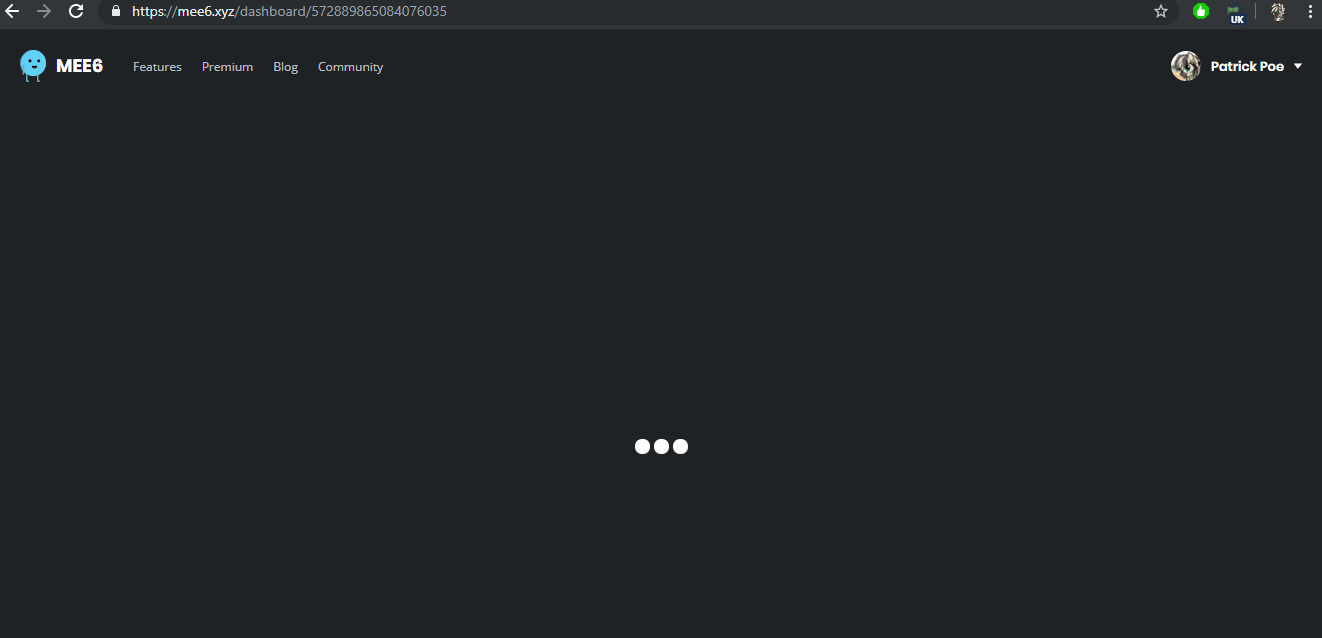
it's because of VPN I got it, but I need VPN now because my dynamic IP is terrible and everything blocks it
wheat anvil
Like accepting a character for the person they want like putting a check
white notch
@teal oracle VPN’s cause issues with the dashboard, we can’t do much except tell you to disable it
faint dome
@arctic dock invite in DM pls
arctic dock
Now the welcome massage show.problem solved. thanks for the support @faint dome
faint dome

teal oracle
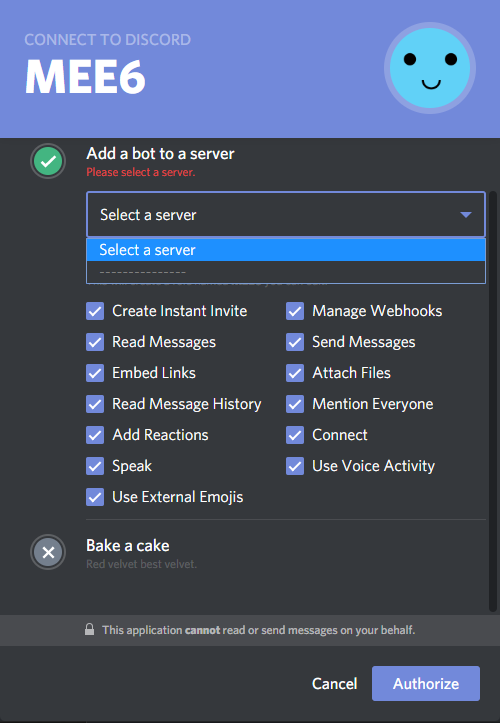
I have another problem with selecting the new server to manage,
I have 4 servers but it don't show on the list
https://i.imgur.com/3nFoxwD.png
 dire yarrowBOT
MEE6 says I have no servers, but that's not true...
Well, that can be caused by:
‣ You don't own any servers
‣ You don't have Administrator permissions or a bot master role on any server you're on
‣ You're logged on with a wrong account (the most common problem)
Third one can be fixed by following these steps:
1. Logout from Discord in your browser (not installed client or mobile app)
1.1 Open https://discordapp.com/app in your browser
1.2 Click on \⚙ icon (User Settings)
1.3 Scroll down, click Log Out and confirm action
2. Logout from MEE6 website
2.1 Open https://mee6.xyz in the same browser
2.2 Click on avatar icon in upper right corner
2.3 Click Logout
3. Login using correct account
3.1 Open https://mee6.xyz and click Login button in upper right corner
3.2 In new window login to Discord. After that you will be redirected back to MEE6 website
3.3 That's all! Now you're using correct account and MEE6 website lists servers where you can modify his settings
P.S. If you're on mobile and some elements are not visible, enable Desktop site mode or switch screen to Landscape (vertical) mode.
teal oracle
it helps, thanks good bot
 topaz glacier
trying to make a custom command but it says that something went wrong
dire yarrowBOT
Something went wrong in MEE6 land!
If this happens when using:
Custom commands:
‣ Bot tries to give the role that higher than his own. To fix that, move the bot's role above the role he tries to give.
‣ Missing Manage roles permission. Go to Server Settings -> Roles -> Bot role -> Manage Roles permission
Moderator commands:
‣ Muted role is above Mee6's role. Bot can't give roles that higher than his own. Move it down.
‣ Missing Manage roles permission. Go to Server Settings -> Roles -> Bot role -> Manage Roles permission
topaz glacier
thanks
dire yarrowBOT
5000 yeah..... discord bug
https://cdn.discordapp.com/attachments/302245580673908740/554722800515022888/unknown.png
 faint dome
Pls don't report Discord bugs lol
 formal ravine
I good Boy
dire yarrowBOT
@formal ravine has been warned
reason: Bad words in hebrew
Now pls stop posting messages here
formal ravine
טוב אני אכתוב בצ'אט
 tough latch
i don't know if i have bug with MEE6 or if i just no something wrong
faint dome
What do you mean?
tough latch
i try give role with command and bot send "Something went wrong in MEE6 land! Contact our support team for instructions if this keeps happening."
dire yarrowBOT
Something went wrong in MEE6 land!
If this happens when using:
Custom commands:
‣ Bot tries to give the role that higher than his own. To fix that, move the bot's role above the role he tries to give.
‣ Missing Manage roles permission. Go to Server Settings -> Roles -> Bot role -> Manage Roles permission
Moderator commands:
‣ Muted role is above Mee6's role. Bot can't give roles that higher than his own. Move it down.
‣ Missing Manage roles permission. Go to Server Settings -> Roles -> Bot role -> Manage Roles permission
 winged summit
paid for premium however unable to access role reward area
buoyant moon
refresh your page
winged summit
I need to figure out how to get backto it
is the only way through leaderboards or is there another way
dire yarrowBOT
You can access my dashboard at https://mee6.xyz/dashboard, and login with your Discord Account.
or you can use !dashboard in your server for a direct link
buoyant moon
the lag :)
 dire yarrowBOT
For information about premium, go to https://mee6.xyz/dashboard and select your server, then click on premium.
https://cdn.mee6.xyz/s/premium.png
 winged summit
I have the membership everything else works except for that category of the roles...etc
buoyant moon
try again now
winged summit
buoyant moon
if that doesn't work wait
faint dome
Looks fine
At least everything works for me

Skill up and manage your Discord server with automations, commands and awesome plugins!
faint dome
wut?
winged summit
My bad lol!
I think it works now! Is there anything else i do or no?!
winged summit
Thank you all!
buoyant moon
np glad to help
winged summit
Is there a dyno link for me to join i got questions for that one as well!
winged summit
Right now we got DYNO
⭐ after one week and that works
⭐⭐ after two weeks and doesnt work
My tech support guy said he can only go up to 1 week of time to give roles!
Does MEE6 have this feature somewhere?!
buoyant moon
nope!
but you can use custom command to add/remove roles
but the user must do !role testing
or you can do an autojoin addrole
winged summit
We got that down! We just need a timer for a role to be set!
However this rank thing is cool!
buoyant moon
Mee6 doesn't support timer roles
winged summit
Is it gonna in the future?
buoyant moon
give me a min to find it in #┃upvote-suggestions
winged summit
Ok
winged summit
Thank you!
wheat anvil
How do I create a fictional character into a bot
 bitter owl
What exactly you want to achieve?
Because MEE6 doesn't count with A.I.
So it can't play characters and stuff
wheat anvil
In a server someone turned Judy Hopps in a bot
bitter owl
Oh so they created their own bot with that name
First you need to learn a programming language and then follow creating discord bots tutorials to know how to make them
bitter owl
Yeah I know, you can create a bot with the name you desire and avatar as well
But you need to program them. Like a normal bot
wheat anvil
Oh how do I do that
bitter owl
So be my guest and enjoy your time 
wheat anvil
?
wheat anvil
Not really
bitter owl
Well I recommend you learning a programming language first or asking a first that has that knowledge
Then you will need a new account to turn into bot
There's lots of easy tutorials teaching how to do that
buoyant moon
and then u start of making something small
and turns into something big :)
like my modmail bot

wheat anvil
Is there a code already for it
buoyant moon
if u need help on coding i be more then happy to help
i keep my code close source
pretty simple to make tho
wheat anvil
so where do I do the code?
 austere swan
My MEE6 isnt working on my Server.
faint bear
@austere swan what specifically?
austere swan
Well, I made custom commands and when I type them in MEE6 says: "Something went wrong in MEE6 land! If this keeps happening please contact a member of staff.:
dire yarrowBOT
Something went wrong in MEE6 land!
If this happens when using:
Custom commands:
‣ Bot tries to give the role that higher than his own. To fix that, move the bot's role above the role he tries to give.
‣ Missing Manage roles permission. Go to Server Settings -> Roles -> Bot role -> Manage Roles permission
Moderator commands:
‣ Muted role is above Mee6's role. Bot can't give roles that higher than his own. Move it down.
‣ Missing Manage roles permission. Go to Server Settings -> Roles -> Bot role -> Manage Roles permission
faint bear
Not a bug, check this
austere swan
Oh hang on, I'll check that out now.
faint bear
Sounds good
austere swan
Ok, It works now. Thanks for the help!
faint bear
np
 stable dust
Song issues, Song keeps cutting out and bugging, Going faster and fatser then slowing down. Please fix this DJ issue! Thanks! Ryan! Reporting a bug!
bitter owl
@stable dust hello there, could you please give us your server id?
stable dust
What does that mean? @bitter owl
dire yarrowBOT
Getting your server ID
go to your server and use !dashboard then copy this link and give to staff.
Or if that didn't work: open Server Settings in your Discord Server. Select Widget and press Copy ID next to Server ID.
You can also use Developer Mode as an alternative method.
bitter owl
☝️ that, sorry forgot to explain
stable dust
Skill up and manage your Discord server with automations, commands and awesome plugins!
We are having issues on this server as well!
buoyant moon
"Do not reply to command" feature does not work for the Moderator plugin \ !ban command. Reply/confirmation message is still given: http://prntscr.com/nsnjr2


Tag me if this is not a bug or if there is a fix please! 
faint dome
Known bug unfortunately :/
buoyant moon
Alright, my bad for the repeat report then.
faint dome
No problem
 wild glacier
hi
buoyant moon
sa
faint bear
@buoyant moon do you have a bug to report?
dire yarrowBOT
@sour seal has been warned
reason: Bad word usage
@buoyant moon has been warned
reason: Capital letters
 dark pivot
dire yarrowBOT
dark pivot
dire yarrowBOT
Something went wrong in MEE6 land!
If this happens when using:
Custom commands:
‣ Bot tries to give the role that higher than his own. To fix that, move the bot's role above the role he tries to give.
‣ Missing Manage roles permission. Go to Server Settings -> Roles -> Bot role -> Manage Roles permission
Moderator commands:
‣ Muted role is above Mee6's role. Bot can't give roles that higher than his own. Move it down.
‣ Missing Manage roles permission. Go to Server Settings -> Roles -> Bot role -> Manage Roles permission
 stiff hedge
I am from Russia, so do not be surprised if it is written in Russian.
The bot for some reason did not betray this player. There was written about to write in support, so I write, what is it with a bot?
dire yarrowBOT
Something went wrong in MEE6 land!
If this happens when using:
Custom commands:
‣ Bot tries to give the role that higher than his own. To fix that, move the bot's role above the role he tries to give.
‣ Missing Manage roles permission. Go to Server Settings -> Roles -> Bot role -> Manage Roles permission
Moderator commands:
‣ Muted role is above Mee6's role. Bot can't give roles that higher than his own. Move it down.
‣ Missing Manage roles permission. Go to Server Settings -> Roles -> Bot role -> Manage Roles permission
limber knoll
using chrome? @buoyant moon
buoyant moon
yes
wooden mountain
works for me
buoyant moon
when i pull to the right it moves to the left... i got it now
wooden mountain
🤔 that means you are on a really old version of the dashboard
pls refresh your cache
buoyant moon
oh works fine+ ty (:
 north heath
<@&193123929701875712> hey, hehe. My youtube channel will not appear when I am setting up MEE6's YouTube plugin. can you help?
dire yarrowBOT
in order for Mee6 to find your YouTube channel, you need:
- 3 or more videos
- your the most viewed video needs to have sufficient views
- it takes some time (up to couple days) for YouTube to index your channel
only once YouTube has indexed your channel, we will be able to find it.
faint bear
Check this ^
north heath
hmmm ok. Thank you very much
faint bear
Np
 winter star
Der bot kann nicht kicken es steht im Chat das ein user gekickt wurde aber es pasiert nichts
Bitte beheben
 high cradle
Give Role command in MEE6 settings doesn't work
dire yarrowBOT
Something went wrong in MEE6 land!
If this happens when using:
Custom commands:
‣ Bot tries to give the role that higher than his own. To fix that, move the bot's role above the role he tries to give.
‣ Missing Manage roles permission. Go to Server Settings -> Roles -> Bot role -> Manage Roles permission
Moderator commands:
‣ Muted role is above Mee6's role. Bot can't give roles that higher than his own. Move it down.
‣ Missing Manage roles permission. Go to Server Settings -> Roles -> Bot role -> Manage Roles permission
winter star
Danke
 last breach
mee6 died on me
faint bear
@last breach state the issue
faint bear
did you enable the moderator plugin?
last breach
yes
faint bear
does mee6 have ban permissions?
 umbral oracle
bö
white notch
@buoyant moon we can't fix a user using the incorrect syntax for a command
!kick @user#1234 [optional reason here]
 mellow wharf
it wont let me clear it told me to come here if it keeps happening
faint dome
@mellow wharf check if mee6 has Manage Messages and Read Message History perms
mellow wharf
@faint dome yea i got it i went to support but thanks anyways
faint dome
 lost timber
onyx widget
lost timber
onyx widget
 velvet mountain
Hello everyone i can't add bot
stark raven
Could you add more detail? @velvet mountain
dire yarrowBOT
Something went wrong in MEE6 land!
If this happens when using:
Custom commands:
‣ Bot tries to give the role that higher than his own. To fix that, move the bot's role above the role he tries to give.
‣ Missing Manage roles permission. Go to Server Settings -> Roles -> Bot role -> Manage Roles permission
Moderator commands:
‣ Muted role is above Mee6's role. Bot can't give roles that higher than his own. Move it down.
‣ Missing Manage roles permission. Go to Server Settings -> Roles -> Bot role -> Manage Roles permission
stark raven

 jagged adder
thx
stark raven
np
stark raven
yeah, not possible yet
stark raven
np
buoyant moon
help me plz
dire yarrowBOT
Something went wrong in MEE6 land!
If this happens when using:
Custom commands:
‣ Bot tries to give the role that higher than his own. To fix that, move the bot's role above the role he tries to give.
‣ Missing Manage roles permission. Go to Server Settings -> Roles -> Bot role -> Manage Roles permission
Moderator commands:
‣ Muted role is above Mee6's role. Bot can't give roles that higher than his own. Move it down.
‣ Missing Manage roles permission. Go to Server Settings -> Roles -> Bot role -> Manage Roles permission
jagged adder
what if you show the rest if this mee6 automated message doesn't help :T
 hasty nacelle
I did the YouTube thing for my channel and uploaded a test vid and it dident send a message that I uploaded a vid
I gave perms
 tulip merlin
.
stark raven
There was a clear here, all things have been resolved
buoyant moon
!test
faint bear
#〉commands for command testing
 olive lily
Yo
faint bear
Hello! Do you have a bug to report?
olive lily
Watt moi pas comprendre chinois
dire yarrowBOT
@olive lily has been warned
reason: Bad word usage
Le robot casse toi
ivory blaze
@olive lily reste calm
olive lily
Ok
 dawn quail
Everytime I try to use a custom command it keeps saying SLEEP6 Something went wrong in MEE6 land! Contact our support team for instructions if this keeps happening. Help me
dire yarrowBOT
Something went wrong in MEE6 land!
If this happens when using:
Custom commands:
‣ Bot tries to give the role that higher than his own. To fix that, move the bot's role above the role he tries to give.
‣ Missing Manage roles permission. Go to Server Settings -> Roles -> Bot role -> Manage Roles permission
Moderator commands:
‣ Muted role is above Mee6's role. Bot can't give roles that higher than his own. Move it down.
‣ Missing Manage roles permission. Go to Server Settings -> Roles -> Bot role -> Manage Roles permission
faint bear
Check this ^
 zinc saffron
Ping me for further info: {"error":{"message":"The server encountered an internal error and was unable to complete your request. Either the server is overloaded or there is an error in the application."},"status_code":500}
This isn't during an invite.
Hold on...
Got the JSON response after I authed Mee6 after clicking this button.
wooden mountain
what device @zinc saffron?
zinc saffron
PC
Google Chrome browser.
So I clicked the big blue button here: https://mee6.xyz/leaderboard/159962941502783488
Authorized the app, then it redirected me to a page with the above JSON text.
wooden mountain
i found the error
the website lost connection to Discord there servers
so couldn't fetch the required information
pls try again
zinc saffron
Ok...
Same thing: {"error":{"message":"The server encountered an internal error and was unable to complete your request. Either the server is overloaded or there is an error in the application."},"status_code":500}
wooden mountain
browser: chrome 74
OS:windows 10
zinc saffron
Status code 500 internal error. Recently I started to see these more often on various places I visit.
wooden mountain
is that correct?
zinc saffron
?
wooden mountain
what do you mean we can't do the exact same thing anymore that we have been doing for years
discord changed something
wooden mountain
not you
wheat anvil
is there a way for the bot to control the roles or add the members to the role?
 zinc saffron
And I'm off due to lack of time. I check if it works tomorrow and come back if it doesn't.
 grand heron
I have been having issues with MEE6 adding roles
faint bear
Error message?
grand heron
Yup
dire yarrowBOT
Something went wrong in MEE6 land!
If this happens when using:
Custom commands:
‣ Bot tries to give the role that higher than his own. To fix that, move the bot's role above the role he tries to give.
‣ Missing Manage roles permission. Go to Server Settings -> Roles -> Bot role -> Manage Roles permission
Moderator commands:
‣ Muted role is above Mee6's role. Bot can't give roles that higher than his own. Move it down.
‣ Missing Manage roles permission. Go to Server Settings -> Roles -> Bot role -> Manage Roles permission
faint bear
Check this ^
grand heron
Up it works thanks
faint bear
np
zinc saffron
Just checked back. I'm still getting {"error":{"message":"The server encountered an internal error and was unable to complete your request. Either the server is overloaded or there is an error in the application."},"status_code":500} if I try to edit my rank card.
faint dome
I didn’t saw any update about this in mee6land, I think our devs were too busy to fix it (basically sleeping lol)
zinc saffron
I had a night too since last time I came here.
 valid hill
Mee6 is not responding to my custom rights. What do I do?
dire yarrowBOT
Bot doesn't react on commands!!!
That usually happens because:
- Plugin is disabled -> Go to https://mee6.xyz/dashboard and enable the plugin with needed command!
- Permission is missing -> Ask your server's owner to go to https://mee6.xyz/dashboard -> Settings -> Bot master -> Add your role
- Command is disabled -> Go to https://mee6.xyz/dashboard, open plugin settings and enable the command!
- Do not reply to command option is enabled -> Go to https://mee6.xyz/dashboard, open plugin settings, click [Edit] button, scroll down and disable the option!-
You're using command in wrong way! -> Moderator commands like !mute !kick !ban etc. need the user to be mentioned. Example: !kick @user annoying
valid hill
The Following Message: Something went wrong in MEE6 land! Contact our support team for instructions if this keeps happening.
dire yarrowBOT
Something went wrong in MEE6 land!
If this happens when using:
Custom commands:
‣ Bot tries to give the role that higher than his own. To fix that, move the bot's role above the role he tries to give.
‣ Missing Manage roles permission. Go to Server Settings -> Roles -> Bot role -> Manage Roles permission
Moderator commands:
‣ Muted role is above Mee6's role. Bot can't give roles that higher than his own. Move it down.
‣ Missing Manage roles permission. Go to Server Settings -> Roles -> Bot role -> Manage Roles permission
valid hill
thank you.
How to put an image in the server presentation?
@ripe rivet that's right
How does a server become verified?
 tired meteor
https://dis.gd/verification i think you can verify your server with this
Create a new survey on your own or with others at the same time. Choose from a variety of survey types and analyze results in Google Forms. Free from Google.
stark raven
Of a user?
stark raven
Hold on the users name, then press profile, then click the "add a note" button
 empty agate
Ooo
 lilac escarp
Need action
stark raven
That means their highest role is above mee6's highest role
empty agate
For how long you use this app?
stark raven
2 years
empty agate
Oo
Nice
There?
But..that note will be visible for all room members?
I don't know if someone from here use Line, but there you can post one note, and people come and add comments on that, everyone see that note..is usuful
stark raven
No, it's private just for you
You would have to make a text channel for notes on people, I guess
zinc saffron
I'm stiiiiiiilll getting a 500 on trying to edit my rank card.
{"error":{"message":"The server encountered an internal error and was unable to complete your request. Either the server is overloaded or there is an error in the application."},"status_code":500}
I wonder how much I can change my rank card. I wonder how the rank card editing interface looks like...
Wait hold the phone...
What the hell?
Why is that a server error?
Ok... so what about the link: https://mee6.xyz/api/abcdefg?
Ok... so what about the link: https://mee6.xyz/api/abcdefg?
(Or any link with an invalid route)
It does give 404 but the json payload contains 500? DISCREPANCY DETECTED
Hold on let me check the true status code when I try to edit my rank card.
Ok that there is a true 500 status code.
Uhh I take it I'm stuck with the default rank card for each server with @dire yarrow in it. This sucks...
No I didn't.
I go try it on... Microsoft Edge (that being the only other browser I have)
Same thing.
{"error":{"message":"The server encountered an internal error and was unable to complete your request. Either the server is overloaded or there is an error in the application."},"status_code":500}
Except no dark reader. My eyes...
And I don't know how to check the true status code there.
Ahh I thought I found what was wrong just now. I didn't.
Now I'm starting to get a bit more curious about what's going wrong.
Too bad all I can do is just guessing.
Ahh it's apng.
Ok.
Ok.
Wait it used to be apng but isn't right now. Nevermind. Still changed it to jpg.
Still 500 error.
wooden mountain
after updating your pfp, you first need to gain xp in any server for it to update in our system
dire yarrowBOT
PORÇAY#2877 was banned
reason: dm ad
Like... this one?
 grand vale
I tried adding a custom verify command and tried testing it but i got a error msg
dire yarrowBOT
Something went wrong in MEE6 land!
If this happens when using:
Custom commands:
‣ Bot tries to give the role that higher than his own. To fix that, move the bot's role above the role he tries to give.
‣ Missing Manage roles permission. Go to Server Settings -> Roles -> Bot role -> Manage Roles permission
Moderator commands:
‣ Muted role is above Mee6's role. Bot can't give roles that higher than his own. Move it down.
‣ Missing Manage roles permission. Go to Server Settings -> Roles -> Bot role -> Manage Roles permission
grand vale
Thank u
zinc saffron
!rank
dire yarrowBOT
 Gergely, this command is disabled in this channel
zinc saffron
It's apparently updated #〉commands
The bot just sent me a dm about how I can edit my rank card.
Aaaand it's working with that link.
Or I thought it worked.
It showed me an interface with colors. I set the bar color to green and clicked save.
Didn't change.
zinc saffron
 barren light

stark raven
@barren light got a bug to report?
 deep olive
Idk if this is a bug but I did !clear 2 and I deleted more than two
Why does that happen?
buoyant moon
I just found a bug, mee6 still sends automated messages even when he aint in that server anymore 😂
Where in server settingds is that
No
 devout chasm
Nope, you cannot @ripe rivet
buoyant moon
Oof
dire yarrowBOT
@river dawn has been warned
reason: Posted an invite
 brave hamlet
Some commands wont work with some members @dire yarrow
faint bear
@brave hamlet error message?
brave hamlet
yes
faint bear
Which one?
brave hamlet
Something went wrong in MEE6 land! Contact our support team for instructions if this keeps happening.
dire yarrowBOT
Something went wrong in MEE6 land!
If this happens when using:
Custom commands:
‣ Bot tries to give the role that higher than his own. To fix that, move the bot's role above the role he tries to give.
‣ Missing Manage roles permission. Go to Server Settings -> Roles -> Bot role -> Manage Roles permission
Moderator commands:
‣ Muted role is above Mee6's role. Bot can't give roles that higher than his own. Move it down.
‣ Missing Manage roles permission. Go to Server Settings -> Roles -> Bot role -> Manage Roles permission
faint bear
Check this ^
brave hamlet
ok thx
faint bear
np
buoyant moon
oh
faint bear
@buoyant moon do you have a bug to report?
buoyant moon
maybe when i set the MEE6 bot that Give new member roles and i set it but not working
buoyant moon
wait i check
faint bear
Alright
buoyant moon
wait i authorize again
faint bear
Click authorize
Is it the popup?
Just go to server settings > roles > MEE6 > Manage roles
buoyant moon
thx
faint bear
np
 lean frigate
Hello. I am having a problem in my server. When I say my custom command !verifyme, it's supposed to remove the unverified role and give the verified role. But everytime I try it it work work.
dire yarrowBOT
Something went wrong in MEE6 land!
If this happens when using:
Custom commands:
‣ Bot tries to give the role that higher than his own. To fix that, move the bot's role above the role he tries to give.
‣ Missing Manage roles permission. Go to Server Settings -> Roles -> Bot role -> Manage Roles permission
Moderator commands:
‣ Muted role is above Mee6's role. Bot can't give roles that higher than his own. Move it down.
‣ Missing Manage roles permission. Go to Server Settings -> Roles -> Bot role -> Manage Roles permission
 jade orchid
@lean frigate ^
lean frigate
Okay. Thank you!
 strong crystal
 coarse garden
im trying to add mee6 to a server but not all the servers are showing up
dire yarrowBOT
MEE6 says I have no servers, but that's not true...
Well, that can be caused by:
‣ You don't own any servers
‣ You don't have Administrator permissions or a bot master role on any server you're on
‣ You're logged on with a wrong account (the most common problem)
Third one can be fixed by following these steps:
1. Logout from Discord in your browser (not installed client or mobile app)
1.1 Open https://discordapp.com/app in your browser
1.2 Click on \⚙ icon (User Settings)
1.3 Scroll down, click Log Out and confirm action
2. Logout from MEE6 website
2.1 Open https://mee6.xyz in the same browser
2.2 Click on avatar icon in upper right corner
2.3 Click Logout
3. Login using correct account
3.1 Open https://mee6.xyz and click Login button in upper right corner
3.2 In new window login to Discord. After that you will be redirected back to MEE6 website
3.3 That's all! Now you're using correct account and MEE6 website lists servers where you can modify his settings
P.S. If you're on mobile and some elements are not visible, enable Desktop site mode or switch screen to Landscape (vertical) mode.
faint bear
Follow these steps
coarse garden
thx
faint bear
Np
buoyant moon
The moderator bot not work
bitter owl
Go to https://mee6.xyz/dashboard -> Moderator and once you go to bad words -> settings make sure to type enter after type the bad word and then press ok
dire yarrowBOT
Bad Words Problems
- Make sure Bad Words have been added.
- Regular users, who are not allowed to swear, must not have an Allowed Role.
- Channels that people shouldn't be able to swear in must not be in the Ignored Channel section
* MEE6 does not warn Owner, Admins, Bot Masters or users with a Moderator Role.
How to add Bad Words:
https://cdn.mee6.xyz/s/bad_words.gif
 buoyant moon
it always not work i do it so
dire yarrowBOT
Hey  ! MEE6 won't sanction the following people:
• The Owner of the server;
• People with Administrator permission;
• People with Bot Master permission;
• And the role(s) you set as moderator on the dashboard.
Note: MEE6 think moderators are responsible people, like the police  . So he doesn't want to blame your police
bitter owl
@buoyant moon ☝️
zinc saffron
Is my problem fixed?
Huh... guess not: {"error":{"message":"The server encountered an internal error and was unable to complete your request. Either the server is overloaded or there is an error in the application."},"status_code":500}
bitter owl
@zinc saffron You've added way too many webhooks (aka Timers)
Please go to your server settings -> webhooks -> kill some Webhooks
Limit is 10 per channel
zinc saffron
Scroll up a bit. That's not what I was doing.
I'm trying to login into Mee6's webpage.
bitter owl
Hold on
zinc saffron
And I get the json response thingy above.
bitter owl
Oh I remember you now
So I gave that code MEE6 devs check and they said the error on your console was just a warning and that it should not prevent you from accessing the page
Have you tried my recommendation (checking if firefox is behaving in the same way)?
zinc saffron
Uhh I don't have firefox installed. Only Chrome, Edge and Microsoft Internet Explorer.
zinc saffron
On Chrome?
zinc saffron
I clicked "clear site data"
Now F5 to reload, obviously... then... another attempt to Login.
Aaaaaand nothing changed. Still 500
bitter owl
Still unresponsive?
Gosh
I will request one of our admins/dev to assist you cause I've tried all my tools as support
zinc saffron
I don't think this is browser related somehow... Failed to load resource: the server responded with a status of 500 () discord-callback:1
brave hamlet
Hi! The bot isnt sending any goodbye or welcome messages can someone help me?
bitter owl
I asked the dev to come and take a look when he be available @zinc saffron
I asked the dev to come and take a look when he be available @zinc saffron
@brave hamlet seems MEE6 is missing permissions to send and/or read messages in those channels
zinc saffron
Ok... guess I wait.
brave hamlet
Prob not since he has every permissions
bitter owl
You're 100% sure you have no overloaded Webhooks at your Server Settings -> Webhooks, right?
Unlucky, can you please paste your server id?
dire yarrowBOT
Getting your server ID
go to your server and use !dashboard then copy this link and give to staff.
Or if that didn't work: open Server Settings in your Discord Server. Select Widget and press Copy ID next to Server ID.
You can also use Developer Mode as an alternative method.
brave hamlet
u mean the link?
bitter owl
Yup
brave hamlet
Manage your Discord server with leveling, moderation, Twitch, Youtube and Reddit notifications.
thats what he send to me
bitter owl
Great
Please, come to this link: https://mee6.xyz/dashboard/583383492830822405/welcome
And enable the features
So that MEE6 can work :)
brave hamlet
ok
bitter owl
They are all turned off
brave hamlet
okk
bitter owl
Now you need to choose the features you want to be enabled
brave hamlet
turning them on
brave hamlet
doing that
bitter owl
Now they are turned on
brave hamlet
kk
bitter owl
Ah português
brave hamlet
Sim
bitter owl
Você tem outras pessoas com o cargo unlucky?
bitter owl
Ok, então ninguém lhe trollou
Não, não precisa
Só para saber caso não tenham desligado a função sem o seu consentimento
brave hamlet
vou pedir a um amigo para testar
bitter owl
Beleza :)
brave hamlet
está funcionando valeu!
bitter owl

bitter owl
Ao dispor
buoyant moon
Why the bot spamming ".... Land ...."
dire yarrowBOT
Getting your server ID
go to your server and use !dashboard then copy this link and give to staff.
Or if that didn't work: open Server Settings in your Discord Server. Select Widget and press Copy ID next to Server ID.
You can also use Developer Mode as an alternative method.
bitter owl
It's probably a timer set by a troll in your team
bitter owl
Oh you found it? Great
buoyant moon
Ye
faint bear
What's the issue @buoyant moon
buoyant moon
I tried to open https://mee6.xyz/dashboard/583431452125822984but it doesn't work
Manage your Discord server with leveling, moderation, Twitch, Youtube and Reddit notifications.
faint bear
Which browser?
buoyant moon
faint bear
Which device
buoyant moon
Computer
faint bear
And do you have any adblocker or VPN?
buoyant moon
Nope
faint bear
Try clearing your cookies and cache
buoyant moon
Oh
stark raven
nah, just log out and in again
stark raven
but log out of https://discordapp.com also
Discord
Step up your game with a modern voice & text chat app. Crystal clear voice, multiple server and channel support, mobile apps, and more.
buoyant moon
?
faint bear
You need to log out of both the discord site and the mee6 site
buoyant moon
Ok
I did
wait what
it still doesn't work
i'll try the adblocker and see if it works i guess
It works
Thx
faint bear
Wait, you had an adblocker?
faint bear
Hmm, okay
 half horizon
half horizon
half horizon
and how do we do it? please
half horizon
i bealive
half horizon
ok thanks
faint bear
Np
buoyant moon
Hola
zinc saffron
{"error":{"message":"The server encountered an internal error and was unable to complete your request. Either the server is overloaded or there is an error in the application."},"status_code":500}
On Login.
buoyant moon
try using dyno @zinc saffron
stark raven
Don’t advertise other bots or give unhelpful information @buoyant moon
zinc saffron
I know about Dyno...
stark raven
Gergely try logging out of https://mee6.xyz and https://discordapp.com and logging back into it again
zinc saffron
I'm not logged in in mee6 because it gives the json above if I try.
I checked it, and it gives the status code 500.
stark raven
Well try logging out of discord on the site and logging back in
zinc saffron
I don't think it's browser related.
Ok.
Still 500 + JSON.
I will be back in a few minutes.
burnt hazel
We are aware of your issue and the Devs have been informed and investigating.
 manic jungle
cant clear messages
faint dome
What does MEE6 say?
manic jungle
nothing
dire yarrowBOT
Modular
I am currently a modular bot. Nothing will be enabled by default and must be enabled in each plugin manually.
So to enable the plugins, go to https://mee6.xyz/dashboard and select your server.
 faint dome

manic jungle
oh i forgot to look there
faint dome

faint dome
you're welcome
zinc saffron
I'm back...
faint dome
zinc saffron
Oh...
buoyant moon
https://mee6.xyz/dashboard/583431452125822984/commands doesnt work even tho I have adblock
Manage your Discord server with leveling, moderation, Twitch, Youtube and Reddit notifications.
It was working earlier
wooden mountain
are you logged in?
buoyant moon
Yes
wooden mountain
can you look in the dev console and screenshot the error pls?
(press F12 => click console => need the red messages)
buoyant moon
srry i was afk cuz i had to do something
gimme a sec
wheres the dev consle?
wheres the dev consle?
oohhh
wooden mountain
wooden mountain
pls clear your cache and cookies
click on "Application" on top
then cookies => the 🚫 on top => same for cache
OR
try in incognito mode
buoyant moon
Ok
dire yarrowBOT
@radiant minnow has been warned
reason: Posted an invite
 hearty token
For my server I tried creating a custom command that will assign a role when the person uses it. People have tried but it doesn't always assign it. It's really strange.
bitter owl
@hearty token what's your server id please?
dire yarrowBOT
Getting your server ID
go to your server and use !dashboard then copy this link and give to staff.
Or if that didn't work: open Server Settings in your Discord Server. Select Widget and press Copy ID next to Server ID.
You can also use Developer Mode as an alternative method.
hearty token
I thnk this is it
I'm still kinda new so it's possible I'm just doing it wrong. But I thought I got it correct
hearty token
And !j3d
They both have problems
I'm going to be creating more custom commands that do basically the same thing just assign a different role
bitter owl
J3d has no action
Just a normal message
Can you confirm if MEE6 has administrator permission in your server?
hearty token
Yeah it does. I can post a screenshot if you like
Ok I changed the !j3d command so it assigns a role
I'll go test both of them
bitter owl
Great
hearty token
It was probably just me still figuring it out 🤣
 floral orbit
premium?
bitter owl
We reached the YouTube Quota so need to way until it get reset :/
floral orbit
what do you mean?
bitter owl
We have a limit to use YouTube  Api
Api
Like 20 or 30 thousand times
So !youtube and !add won't work
Need to add the music using a link
floral orbit
but yesterday it worked
bitter owl
!add <link from youtube/any other source) will work
floral orbit
ok
bitter owl
Yes but we reached the limit today not yesterday
floral orbit
thanks for the info!
 faint swallow
I'm still Premium and I lost tag because?
limber knoll
@faint swallow it should re-add it
faint swallow
Thanks @limber knoll
 harsh mango
I can't use command to give a role to a member
onyx widget
You cant give a role to a member through custom command
They can only give it to themselves
buoyant moon
my mee6 says :Something went wrong in MEE6 land! Contact our support team for instructions if this keeps happening.
over and over and over ;-; what do i need to do
dire yarrowBOT
Something went wrong in MEE6 land!
If this happens when using:
Custom commands:
‣ Bot tries to give the role that higher than his own. To fix that, move the bot's role above the role he tries to give.
‣ Missing Manage roles permission. Go to Server Settings -> Roles -> Bot role -> Manage Roles permission
Moderator commands:
‣ Muted role is above Mee6's role. Bot can't give roles that higher than his own. Move it down.
‣ Missing Manage roles permission. Go to Server Settings -> Roles -> Bot role -> Manage Roles permission
knotty rose
@buoyant moon Try that
buoyant moon
thx
 snow otter
Hi
stark raven
Got a bug to report?
 uneven ferry
Why I can't add a timer to my server?
Etc. I can't select room to display the timer
faint dome
Known bug of discord, pls logout from their website (not mee6 website, not discord app, only discord website)
buoyant moon
I have a question. How can I do when a new member goes to my first son of Qa'oun and when he confirms he can access all parts of the access
all the parts?
First, accept the rules
brave hamlet
The bot isnt warning people when they spam idk why
Can someone help me so ppl stop spamming?


 dire yarrowBOT
Duplicated Text
• You can't be owner/bot master/admin to test it.
• You must ask normal users to test this feature.
This is a duplicated text:
text text text text text text text text text text text text text text text text text text text text text text text text text text text text text text text text text text text text text text text text text text
still wont warn
faint dome
screenshot please
faint dome
Is this user a moderator?
brave hamlet
no
faint dome
server ID please
brave hamlet
is it the !dashboard?
faint dome
yup
brave hamlet
Manage your Discord server with leveling, moderation, Twitch, Youtube and Reddit notifications.
faint dome
I bet he has one of these roles?
faint dome
Those are Allowed Roles
brave hamlet
I thoughght those are the ones that the bot would talk
faint dome
faint dome
you're welcome
dire yarrowBOT
Having problems muting someone/they aren't muted? Check the following
Prerequisites:
- Moderator plugin is enabled
!mutecommand isn't disabled- Bot has role with Manage Roles and Manage Channels permissions
- Muted role is under MEE6 role
- You're trying to mute someone using
!mute @mention reason, otherwise it will not work
If user got Muted role but still can talk means there's issue with your channel permissions
Go to Channel Settings -> Permissions
- If that's public channel that can be accessed by anyone:
- Set

Send Messagesfor all roles except Muted - Set

Send Messagesfor Muted role
- If that's secret channel that requires *special* role to access it:
- Set
Send Messages Read Messagesfor special role - Set
Send Messages Read Messagesfor Muted role - Set
Send Messages Read Messagesfor@everyonerole
tired meteor
@scenic granite maybe this will help
 scenic granite
thx
tired meteor
np
 grave comet
I have problem witch timers
faint dome
what is the exact problem?
grave comet
I introduce you in 1 minute intervals put a message but it does not say
grave comet
how long? I also think that was my problem
grave comet
ok, tanks
 lunar glen
Hey guys! I got problem... MEE6 Bot doesn't work on my server, I want to use tempmute but it doesn't works
Sorry for chat message.. 😄
 native plaza
!tempmute <@&453610540686639115> 5m Reason
faint dome
What does mee6 answer?
lunar glen
Never mind guys.. I know what's the problem, thanks for any help
 waxen compass
So I setup in my discord server to notify everyone when I upload a YouTube video and it never notifys people and doesn't put the video link or anyting
buoyant moon
il ya un bug dans le custom commande si on ajoute un bot sa fonctionne pas
jade orchid
Does it give you an error
buoyant moon
there is a bug if gives a role to the person who makes the order it does not work
 spice bridge
!rank
dire yarrowBOT
_$VeBeGaAahH^&-, this command is disabled in this channel
dire yarrowBOT
@buoyant moon has been warned
reason: Posted an invite
🌻ω ε ℓ σ ω🌻#0107 was banned
reason: Too many infractions
 sharp hare
oof
limber knoll
@buoyant moon wrong server
buoyant moon
What do you mean
limber knoll
not here please
buoyant moon
Are u a real person
limber knoll
yes
buoyant moon
Ok
limber knoll
@sharp hare message was removed by staff if your wondering why there was a ping
buoyant moon
Could you give me tips on how to run my server?
limber knoll
have moderators you trust
buoyant moon
@limber knoll
dire yarrowBOT
Modular
I am currently a modular bot. Nothing will be enabled by default and must be enabled in each plugin manually.
So to enable the plugins, go to https://mee6.xyz/dashboard and select your server.
limber knoll
you can enable any of those
dire yarrowBOT
Full List of my Permissions that I use...
• Read Messages, Read Message History, Send Messages is always needed.
• Manage Messages is needed for !clear, !slowmode and AutoMod Functions.
• Manage Roles is needed for Role Rewards in the Levels Module, !mute, !tempmute commands, Auto-role in Welcome Module, as well as Give/Remove Roles in Custom Commands.
• Manage Channels is needed for the !mute, !tempmute and slowmode commands
• Kick Members is needed for the !kick @user command
• Ban Members is needed for the !ban, !tempban commands
• Attach Files is needed for !rank command to show Rank card (otherwise will be shown embed version)
• Embedded Links is needed for the Streamer notification embeds and !rank Command to show Rank cards (otherwise will be shown text version)
• Add Reactions is needed for music-quiz plugin
• Use External Emojis is needed for correct displaying of MEE6 emojis in MEE6 messages
• Connect and Speak is needed for Music , Music Quiz and Record Modules (plugins)
limber knoll
use that as a guide for permissions
buoyant moon
Ok thanks a lot
 clear patrol
Something went wrong in MEE6 land! Contact our support team for instructions if this keeps happening.
What I should do now
???
dire yarrowBOT
Something went wrong in MEE6 land!
If this happens when using:
Custom commands:
‣ Bot tries to give the role that higher than his own. To fix that, move the bot's role above the role he tries to give.
‣ Missing Manage roles permission. Go to Server Settings -> Roles -> Bot role -> Manage Roles permission
Moderator commands:
‣ Muted role is above Mee6's role. Bot can't give roles that higher than his own. Move it down.
‣ Missing Manage roles permission. Go to Server Settings -> Roles -> Bot role -> Manage Roles permission
clear patrol
thanks
 vale shadow
the page loads and it does not open !
faint dome
what browser?
vale shadow
i open the dashboard but the page loads and it does not open
vale shadow
chrome
faint dome
do you have any ad blocker?
vale shadow
i dont know
vale shadow
no i think
faint dome
why?
vale shadow
wooden mountain
what is the url you are on?
wooden mountain
what url are you on?
vale shadow
link ?
wooden mountain
yes
vale shadow
I do not want to say I already have a hack server :C
wooden mountain
found it
it loads for me
but i see that someone else is trying to load that dashboard, but with a invalid cache
either clear your cache or try again later
vale shadow
yes its me xD
wooden mountain
you have party the old website, and partly the update we pushed a couple days ago
pls clear your cache and try again
 nocturne forge
Hey
Can someone help me?
Whoops, it looks like I can't give one of the roles listed here. Please fix that by putting my role above all the roles listed here.
It keeps saying that
and i put mee6 ontop of all the roles
dire yarrowBOT
Role hierarchy is important for me to give out roles. Oh and also Manage Roles perm:
https://cdn.mee6.xyz/s/fix_hierarchy.gif
wooden mountain
See MEE6 his message
 spice monolith
hello i use @dire yarrow for coding a discord and give role to member a sub as youtuber and @dire yarrow say this error
dire yarrowBOT
Something went wrong in MEE6 land!
If this happens when using:
Custom commands:
‣ Bot tries to give the role that higher than his own. To fix that, move the bot's role above the role he tries to give.
‣ Missing Manage roles permission. Go to Server Settings -> Roles -> Bot role -> Manage Roles permission
Moderator commands:
‣ Muted role is above Mee6's role. Bot can't give roles that higher than his own. Move it down.
‣ Missing Manage roles permission. Go to Server Settings -> Roles -> Bot role -> Manage Roles permission
stark raven
spice monolith
ty
faint dome
MEE6 is down because of a Discord outage, pls wait a bit! 
faint dome
MEE6 is 100% online now thanks
 void ruin
Seems when I put my mention ID for example @void ruin in the Bad Words filter, then used my test account to ping myself, Mee6 doesn't delete the message.
I've been told it should delete it, but it doesn't.
--- Possible bug?
 viscid wharf
J’ai un problème avec le bot MEE6 quand je lui demande d’indiquer le nombre d’infractions de quelqu’un.
dire yarrowBOT
Something went wrong in MEE6 land!
If this happens when using:
Custom commands:
‣ Bot tries to give the role that higher than his own. To fix that, move the bot's role above the role he tries to give.
‣ Missing Manage roles permission. Go to Server Settings -> Roles -> Bot role -> Manage Roles permission
Moderator commands:
‣ Muted role is above Mee6's role. Bot can't give roles that higher than his own. Move it down.
‣ Missing Manage roles permission. Go to Server Settings -> Roles -> Bot role -> Manage Roles permission
buoyant moon
@viscid wharf ^^
viscid wharf
The problem is not this
faint dome
@viscid wharf ça signifie généralement que le membre n’est plus dans le serveur
viscid wharf
Mon il l’est toujours
 lost niche
Slt
 nimble basalt
 jade solar
!rang
faint dome
Get some xp to refresh your pfp
If that doesn’t work pls blame discord and change your pfp
 strange field
Hoi
I see the bot offline in the Server
Is it temporal or have i to re new something?
white notch
it's self healing cause of a disconnection
white notch
30-60 minutes
strange field
Thanks 👌✨
 native mortar
tempmute is not currently unmutting members
 unreal shoal
Timmer no found
 long helm
Ummm My Enable Time Does not work
faint dome
What is that?
limber knoll
@faint dome timer i think
 median star
On the Mee6 website, when I try to click the plugins, and most of the other options on the website, the website just turns grey, and you can't see anything else.
tired meteor
any vpn/adblocker on?
tired meteor
whats the browser you are using?
median star
Chrome.
buoyant moon
try incognito @median star
median star
Alright.
That's weird, the result is still the same. Blank screen. I'm going to try it on another browser.
Great, still didn't work. I give up.
buoyant moon
try logging out and back in
i have no clue what going on at this point so i suggest that or close and reopen browser
median star
Mk.
buoyant moon
also check if it is not working on different sites
median star
Thanks for the help.
buoyant moon
np  just don't want it not to work for you
long helm
um
 oak lotus
j'ai un problème je ne pas mètre de Bot sur mon serveur c'est Normal ??
faint dome
Il faut que tu ai la permission Administrateur, c’est la seule requise
oak lotus
sur Lapli ??
 shell stirrup
Hey having an issue. Mee6 wasnt responding in my server. Kicked it and tried to reinvite it but its refusing to join. It joined my test server just fine. Other servers say they arent having problems. Any help?
 stray granite
Hmm... Just ran a user-info of an user that left our server by copying their id and running
!user-info <@ID>
It came back as My message was successfully pinged the user but the bot command ran my profile over
buoyant moon
Bonjour ya des francais yes
faint dome
@stray granite mentions are <@ID>, not @<ID>
stray granite
Typo in OP; edited
faint dome
can i have a screenshot pls?
dire yarrowBOT
Userinfo Command for MEE6#4876
UserID | 159985870458322944
Server Permissions
Create Instant Invite, Kick Members, Ban Members, Manage Channels, Manage Server, Read Messages, Send Messages, Send Tts Messages, Manage Messages, Embed Links, Attach Files, Read Message History, Use External Emojis, Connect, Speak, Mute Members, Deafen Members, Move Members, Use Vad, Change Nickname, Manage Nicknames, Manage Roles, Manage Webhooks, Manage Emojis
User Status
None
Server Infractions
0 total
Joined Server at
Sat, Apr 08, 2017 07:24 AM
Joined Discord at
Thu, Mar 17, 2016 11:26 AM

Requested by Z_runner#7515 | 279568324260528128
faint dome
i don't see any problem there... do you have by any chance a double space between the command and the mention?
stray granite
Ran another user that left the server; Same result; Pinging the user on my ! command, but bot is scanning my profile
No double spaces