
#〉bugs-reports
2 messages · Page 1 of 1 (latest)
 supple rampart
 idle yoke
TikTok hasnt posted any alerts over the past 10+ hours
 sharp minnow
http://mee6.xyz/servers is returning 500 for me now
 versed mica
It's not for me
 sharp minnow
well the error is on the server
 lean sphinx
http://mee6.xyz/logout @sharp minnow
sharp minnow
dunno what i did wrong by pressing the servers button
versed mica
I meant it seems to be only for you ^^'
lean sphinx
yeah, I knew about the bug but I have to find from where it actually comes from x)
'welcome ^^
thanks for reporting 😉
sharp minnow
dont worry about it my man
lean sphinx
it's probably the oauth token that expires but doesn't refresh
 blissful nebula
doesnt the python oauth lib have autorefresh
 broken hamlet
Ok, what i have to do? I select my Server on the website but nothing happend... 😦
lean sphinx
what browser are you on @broken hamlet ?
@blissful nebula Yeah it does, but...
i don't know
maybe a scope error... In fact it's hard for me to reproduce the bug
broken hamlet
@lean sphinx I use Google Chrome (48.0.2564.109) AND Internet Explorer 11
broken hamlet
same problem. I tested it yesterday at work, and at home. And today at work. I login, select the server and nothing happend.
lean sphinx
Ok thanks. I'll ask you something please
wait a sec
oh, btw, are you using an ad blocker or something similar ?
broken hamlet
Adblock is installed in chrome, but not active
lean sphinx
ok, could you go here in chrome : view-source:http://mee6.xyz/servers
then copy all the page and paste it here http://hastebin.com/
then hit the save button in the top right corner then give me the link of the page please
broken hamlet
lean sphinx
ok last thing
go there http://mee6.xyz/servers
hit ctrl + shift + i
then chose the console tab
then hit F5
and tell me what the console outputs
when you try to select a server
lean sphinx
wow weird
broken hamlet
ok. mom
lean sphinx
could restart your browser again please ^^
lean sphinx
yeah, It's probably a browser problem
I mean the way that you select your server and it doesn't redirect
try to upgrade to 49 maybe ? x)
broken hamlet
will test it at home in a view hours. at work i could not update... 😦
so, thanks for help. 😃
lean sphinx
you're welcome. save this link to access the dashboard http://mee6.xyz/dashboard/156299332293754882
you'd have to restart your browser (maybe) and be logged in ^^
broken hamlet
Oh thanks. There is a Dashboard 😃
lean sphinx
yeah you have to enable plugins
broken hamlet
uhm. 😦
is there an overview of the commands?
and yes, help and commands are enabled in the dashboard ;
lean sphinx
commands is to add your own commands @broken hamlet
Levels is for your members to gain xp like in this server http://mee6.xyz/levels/140847179043569664
Cookie
Mee6 is a powerful and easy to use discord bot !
welcome is to announce a message when someone joins your server
broken hamlet
ok, and how do i create command? is there an "how to" somewhere ? 😉
 broken hamlet
ah ok. 😃 i see. so, i will try it later at home. to do this on mobile phone is terrible
 dire yarrowBOT
GG @broken hamlet, you just advanced to level 1 !
broken hamlet
yeah 😃
broken hamlet
Thanks. I will test it at home. Thanks for the great help so far.
lean sphinx
you're welcome 😉
 forest escarp
hey, i just started using Mee6 and Im trying to setup a command that will ping certain users. Ive added the response "Hey @forest escarp someone needs you" to !admin but it doesnt seem to work, it sends the message but doesnt highlight me. Am I doing somerhing wrong/is there a way to get this to work?
versed mica
If you can get your ID, you should be able to workaround this by replacing @forest escarp with < .@youridhere >
Minus the period and spaces
forest escarp
i have tried @ blanks and @ blanks#9195 (without spaces), or is my id something different? i am new to discord
versed mica
Your ID is only numbers. You won't be able to see it within the app
Unfortunately, Mee6 lacks an ID command, and this server is devoid of any bots other than him, so you'll have to get your ID elsewhere
versed mica
I'll DM you an invite and I'll get that for you, one sec
There you go. 151716717012189184
So @forest escarp will be replaced with an @mention for you.
versed mica
No prob
 sick glen
well you can just use \ @ Name
@sick glen
like that
without the spaces
no need for any bots or anything
lean sphinx
@lean sphinx
interesting
but it will still not work
[#〉bugs-reports](/guild/159962941502783488/channel/159963812189962240/)
\server
 gaunt hazel
the manage bot admins tab on the dashbord makes me go to a website that doesnt exist hope you can help
lean sphinx
@gaunt hazel thanks for the report. I forgot to delete this link
 livid remnant
lean sphinx
livid remnant
lean sphinx
could you quit your browser and retry please @livid remnant
livid remnant
kk
still doesnt work
is it just me?
if its a problem on my end then ill do something about it np
but it seems like its not just me
dosnt work for my admins either
broken hamlet
Same Problem by Click on manage bot admin
lean sphinx
@livid remnant It's a problem with discord api.
gaunt hazel
wait when i said that i could not use the manage bot admin button then the error i got was http 500 error if its needed
lean sphinx
I have to isolate the bug @livid remnant .
livid remnant
ah kk
dire yarrowBOT
GG @livid remnant, you just advanced to level 1 !
livid remnant
thx
lean sphinx
Oh @livid remnant You're talking about the admin mange?
livid remnant
yea
lean sphinx
oh ok!
lean sphinx
I'll just delete this
you don't need it
those who can access the dashboard are all the members that have the manage server permissions
livid remnant
ah yea, i thought this was something extra xD
lean sphinx
I first thought to add a manage bot admins byt then did simpler
and so I forgot to do that
I mean to delete that
lean sphinx
if you add a banned member, he will not gain xp anymore
same for ban roles
it's better to use roles cause a banned member can change his name and not be banned anymore
gaunt hazel
one thing if you ban the role everyone is it then people that only have that role or all people?
livid remnant
for the name, add the name and there number?
lean sphinx
all the people in the server have that role @gaunt hazel
no, just the name @livid remnant
like it's usefull to ban bots for example
i'll add a think to reset people level next update
and to delete them from leaderboard
I'm workin on this right now
gaunt hazel
@lean sphinx you should probs delete the picture or blur out the url i dont know if it does anything but just in case
lean sphinx
no id does nothing
the url is localhost
localhost points to my PC and only me can use it
gaunt hazel
ok
lean sphinx
https://en.wikipedia.org/wiki/Localhost @gaunt hazel
In computer networking, localhost is a hostname that means this computer. It may be used to access the network services that are running on the host via its loopback network interface. Using the loopback interface bypasses any local network interface hardware.
The local loopback mechanism may be useful for testing software during development, independently of any networking configurations. For example, if a computer has been configured to provide a website, directing a locally running web browser to http://...
 buoyant moon
@lean sphinx, I have a bug where I can't see my one server. I can see my most recent created server, another server I have manage perms to, but I cant see my very first server. I only own 2 servers and a 3rd one I have perms to manage on.
And to simplify it, I can see only 2/3 servers in the dropdown.
lean sphinx
are you sure you own that server?
buoyant moon
Yes.
lean sphinx
could you invite me to that server please
buoyant moon
Sure.
broken hamlet
Is there a litte Problem with Levels and Banned Roles? I set a Role that is Banned, so the users in that Role should not gain XP. In that Role are only bots. But they still gain xp by answer at commands.
broken hamlet
BOT
broken hamlet
yes
lean sphinx
Can I have the link to your leaderboard please @broken hamlet?
Did you see the bots gaining XP explicitly?
broken hamlet
yes. i take screens, but could not upload here 😦
Cookie
Mee6 is a powerful and easy to use discord bot !
lean sphinx
Oh, you should be able to upload here
Can I have an invite to your server please @broken hamlet
broken hamlet
0s81T8uEUTEOGcZI
you should see no channels i you need some one i have to set you to a role
lean sphinx
welcome. 😉
Next update you will be able to delete/reset people from the leaderboard @broken hamlet
lean sphinx
For now the banned thing is just to prevent them to gain xp
broken hamlet
ok. thx for help 😃
lean sphinx
np, do not hesitate to ask if you encounter any other problem 😉
 charred tusk

weird, works if I get to the specific link direcly.
nvm
Nope. Once I want to change the server, redirects me to /servers, it shows that error @lean sphinx
 charred tusk
Or is the # and /r/ unnecessary
lean sphinx
and anime

 tired dagger
Getting Internal server errors whenever I go to view my servers levels or to mess with enabled plugins options.
The main dashboard page for my server works though.
 sterile swan
Hey, every time I go the servers tab on the site it goes back to the authorisation page, I also can't access to bot on my server through !help
lean sphinx
@tired dagger http://mee6.xyz/logout @nocturne forge when you encounter this error
then try again
 nocturne forge
kk
lean sphinx
@sterile swan try to http://mee6.xyz/logout and try again. Did you enabled the help plugin?
@tired dagger You're welcome 😉 . It's a known bug that I have to fix.
sterile swan
I logged out and tried again and all went through alright, thanks
nocturne forge
I didn't log out I just gave it some time and it fixed its self
lean sphinx
Yeah, there that too x)
 cunning steppe
Um, the twitch notification is spamming the same streamer that is live every minute.
lean sphinx
@cunning steppe yep, thanks for the report, i'm on it
Fixed @cunning steppe
sorry for the spam. The bot lost connection to the database
buoyant moon
@lean sphinx Is the reddit plugin offline?
lean sphinx
Yes @buoyant moon . It was making the bot too slow. I'll find a solution asap 😉
Basically, there was so many reddit posts that the bot became rate limited by discord. So other plugins were lagging.
buoyant moon
Oh, I see
buoyant moon
You should make an option to do new posts instead of replies
so only new posts are shown
lean sphinx
It was just new posts I guess
buoyant moon
My channel was being filled with replies as well lol
So legit every 30 seconds, I had a new message
lean sphinx
but people were adding some big subreddit like /funny etc
Oh I see 😄
I'll look into that
buoyant moon
That would probably (most definitely) cut down on the demand
buoyant moon
My channel looked incredibly messy with every reply 😛
lean sphinx
it will send the posts in a single message when it has to send multiple ones
Yeah, didn't know about that ^^ . I'll definetly get it fixed and working coorectly 😉
buoyant moon
Oh, also you should make the URL be for the comments part of the reddit post since if it's a URL/image post, it only links to the URL/image
Making it link offsite instead of on reddit
lean sphinx
True 😄
buoyant moon
I enjoy the bot and can't wait to use it more in my server as something other than a game bot 😛
buoyant moon
I look forward to it as I'm sure my friends in my server do as well
 light cosmos
lean sphinx
light cosmos
lean sphinx
Yes it's off @light cosmos
 eager vault
http://puu.sh/oePEF/6dd503ade5.png @lean sphinx

Someone's having trouble accessing the Leaderboard!
I'll try it myself to see if it's a problem across multiple people or just a few.
 thorn glacier
www.mee6.xyz doesn't work, only mee6.xyz does
buoyant moon
Solution: You need a CNAME record on your domain.
lean sphinx
yep doing that 😛 Thanks @thorn glacier @buoyant moon
buoyant moon
Np ❤
nocturne forge
Here is a bug I found, in the moderator plugin is you type in your curse words and end it with a comma it will count every word as a curse word. For example:
Filter: Test,test2,
Will result in ever message being counted as bad language. If you remove the comma at the end it will fix it.
buoyant moon
LOL
 junior fossil
Fuck all the bugs - give Cookie a cookie. This man is doing amazing job.
 gritty shadow
@lean sphinx Hum, ce qui est dommage avec "banned word" c'est que si je met: "con". Bah "constipé" c'est considéré comme un banned word aussi x)
lean sphinx
hmmm ouais. Faut que je trouve une solution à ça 😄
 hollow rose
i broke mee6 on my server idk how i managed it but it do
cool bot tho 👍
@lean sphinx the bot doesnt work on a server i added him to. the other servers i put him on he works fine. just Stardew Valleys
lean sphinx
np 😉
hollow rose
the logs feature is a fantastic idea for servers of that size too
lean sphinx
yeah, but tbh I have to rewrite that part @hollow rose 😄
It's eating too much ram for what it is
hollow rose
ouch. well it's an appreciated command for sure. people love to say stuff and then lie about it
lean sphinx
haha yeah
hollow rose
@lean sphinx Stardew Valley users keep breaking the bot
lean sphinx
how @hollow rose ?
hollow rose
i legit dont know
lean sphinx
yes I'm upgrading the server
gaunt hazel
the bot is offline on my server
lean sphinx
it's going back in 10 minutes
gaunt hazel
ok
hollow rose
ok sorry boo
 copper lynx
dangg
hollow rose
#sewer rats break things 😉
copper lynx
the server is with you?
hollow rose
😃
copper lynx
i thought ppl still rent servers xP
buoyant moon
The server's in the cloud isn't it?
lean sphinx
Yes it's in the "cloud" x)
buoyant moon
You can upgrade clous servers easily.
lean sphinx
yep
buoyant moon
I owned a cloud server at one stage.
copper lynx
ohh i thought you were manually upgrading it xD
lean sphinx
lol @copper lynx
buoyant moon
Hosted a bunch of websites on it. Then I cancelled it because most of those sites died. heh
copper lynx
cloud servers are expensive :/
lean sphinx
^
buoyant moon
Mine was more a VPS than anything else. heh
lean sphinx
But it depends how you use them @copper lynx
buoyant moon
I just hosted Wordpress blogs for my friends. hah
copper lynx
i only had local minecraft server and that was heavy enough on my PC =.="
copper lynx
@lean sphinx how many RAMs does this bot use average?
buoyant moon
Never really took off, so they closed after the first month.
lean sphinx
the bot doesn't use a lot @copper lynx
it's the redis db that I'm using that is eating ram
buoyant moon
@copper lynx 900MB according the a screenshot I saw earlier.
lean sphinx
The server has 4 containers running @copper lynx
The Redis DB
the Website
the Bot
and a Proxy for mee6.xyz
copper lynx
ahhh
buoyant moon
Wordpress is locally hosted, yes. They do have a hosting site which is wordpress.com, but the actual software at wordpress.org is intended to be placed on a web-facing server.
lean sphinx
^
buoyant moon
Also, it doesn't matter which web it faces, it can be a company's private intranet or the global internet. I know my old high school used Wordpress for the Student Voice blog, which was on the intranet.
Kinda sucked how you couldn't access it outside of school, and the staff knew that too, but the sysadmin refused to make the webserver public because of security issues. Let's face it though, when you run a network consisting of 1000 laptops, 100 desktops and 4 physical servers running 4 VMs each, all mission-critical, you can't afford leaks.
I know all this, I did work experience with the guy for two weeks. haha
copper lynx
ohh wow , i didnt even know it could be run in an intranet
buoyant moon
To be fair, I can run wordpress on my old PC right now if I got a LAMP stack on there.
(Linux, Apache, MySQL, PHP, the four basic ingredients of a webserver)
copper lynx
man.. i have to lurk moar
buoyant moon
When you get free webhosting from somewhere, it's almost always a LAMP stack.
Cheap to run, because all the software is free, all you need is space. haha
lean sphinx
@copper lynx Internet is a network of networks
so basically an intranet is a network too
a ISP network is also an "intranet" kindof
copper lynx
like the range of IP addresses given by an ISP are within the intranet, yes?
"intranet"
lean sphinx
yes
internet is just a Network of Networks
with big nodes or small nodes like your router at home
copper lynx
cool ^^
buoyant moon
Yep, the analogy I was gonna type before I got distracted by a Skype chat. haha
buoyant moon
Only use it as a holdover for a geofiction community plus a backup for when my friend forgets to log into Discord. haha
lean sphinx
Interesting. Didn't knew about geofiction
buoyant moon
Yeah. I'm part of two communities for it. Thankfully I converted most of one to Discord in January. 😛
Hold on, I'll send a few links to my work..
http://hub.mn/forum/ < Conworld froums.
http://vyktory.proboards.com/ > Vyktoryan forums (my concountry)
http://mw.micronation.org/wiki/Commonwealth_of_Vyktory < Outdated article on old community about Vyktory.
http://vyktory.webs.com/ < Outdated website
https://vyktoryfreepress.wordpress.com/ < Outdated national newspaper.
As if you can't tell, we are technically a micronation, but with my conworld Micras being purely fictional, it's more geofiction there. We used to claim IRL land, but were never more than a simulation of economics, society and politics.

The Vyktory Free Press
Bringing you news from the Commonwealth of Vyktory since July 2014.
dire yarrowBOT
GG @buoyant moon, you just advanced to level 2 !
buoyant moon
Yay!
The main theme of Vyktory is sports. haha
Micras has a lot of international Sports simulations.
I run the cricket federation, while the football federation has run major tournaments every year since 2006. 😛
Micras has been going since 1999ish, haha.
sharp minnow
the private message level up notifications dosent seem to be working for me
oh wait nvm i didnt have the announcements enabled
sharp minnow
yeah the whisp only was checked but not enabled
looked thorugh it myself to find out you needed to have enabled on
lean sphinx
Yeah. I'll make something like you can't check whisp only if enabled not checked
or something like that
nocturne forge
I would throw more money at your face, but same as Jonas I'm low on money, don't have a job :/
*yet lol
nocturne forge
Mee6 Doesn't want to clear my messages, I do have the plugin on.
mee6 displayed other commands though
buoyant moon
Have you got the clear command toggled on?
I had the plugin enabled but forgot to tick the checkboxes eariler. 😛
Also, did you set the moderator roles in the plugin screen? If so, they have to be case sensitive as well.
Failing that, check Mee6's permission. It should have all of them. heh
lean sphinx
@nocturne forge tell me if it's persisting.
 chilly portal
mute is not working.. and only sometimes the banned words are working
sub-reddits not working
lean sphinx
@chilly portal subreddits is in not activated. Cause I had spam issue with it ^^ . I'll try to find a fix
dire yarrowBOT
GG @lean sphinx, you just advanced to level 15 !
lean sphinx
Are you sure you gave the right perms to @dire yarrow @chilly portal
nocturne forge
Its working again @lean sphinx
 ornate peak
!clear works fine on my server
you probaly dont give mee6 all the permissions
if that is not the case get carbon the bot he help out that for some reason
nocturne forge
I got it fixed, the chat I was doing it in wasn't letting the bot do it for some reason its fixed
thanks though
ornate peak
ok welp lol
 simple robin
holy shit dude don't add spaces before exclamation marks as default
nocturne forge
what? xD
simple robin
https://dl.dropboxusercontent.com/s/jbaba3vpyo1j9bx/chrome_2016-04-17_16-15-46.png?dl=0 -> https://dl.dropboxusercontent.com/s/78b2yyd9hpwjxle/chrome_2016-04-17_16-15-57.png?dl=0 please

 nocturne forge
okay?
@lean sphinx I have an idea for a modification to the plugins, you should add a "test" feature to them. and when you click the test button it will PM you what the plugin does and stuff. like if you have a custom welcome message set, you can test to see if it looks good
lean sphinx
@simple robin I'm French, and in french we always do that. It's a typo rule here.
So yeah, I always forget that when writting english
simple robin
sorry for being such a nazi for it though
nocturne forge
yuh
gritty shadow
@lean sphinx C'est horrible sans espace, je sais pas comment ils font les anglais x)
gritty shadow
@lean sphinx D'ailleurs une idée, supprimer automatiquement le message de commande une fois qu'il est envoyé en option sur tous les modules ou en global :p
lean sphinx
message de commande?
gritty shadow
Bah !clean !help etc
J'appel ça message de commande mais c'est les commandes en gros ^^'
lean sphinx
ah ouais, un mec m'a demandé la même chose 😄
 turbid perch
!rank
dire yarrowBOT
@turbid perch : LEVEL 0 | XP 49/100 | TOTAL XP 49 | Rank 63/146
turbid perch
@lean sphinx Can u add ranking up by lurking and How many hrs the user has been in the server
lean sphinx
what do you mean by lurking?
 past tiger
probably online but not posting
lean sphinx
hmmm, why not
junior fossil
It works all the time? :O
dire yarrowBOT
GG @junior fossil, you just advanced to level 1 !
 ashen swift
not sure if its a bug or not but if you leave a comma at the end of the banned words list it bans every word
 stone valve
!help
dire yarrowBOT
Animu and Mango
!animu <animu_name> Gives you information about an animu.
!mango <mango_name> Gives you information about a mango.
Custom Commands
!test_command
!todo
Git Repo
!git Links to Mee6's Github page.
Levels
!levels Gives you the server leaderboard.
!rank Gives you your xp, level and rank.
!rank @username Gives username's xp, level and rank.
Logs
!logs Get the server logs.
stone valve
!test_command
dire yarrowBOT
lolilol
 analog folioBOT
:eyes: did somebody say, loli? :sparkling_heart: :sparkling_heart: :ok_hand:
 lone coyote
!todo
dire yarrowBOT
Organize anything, together. Trello is a collaboration tool that organizes your projects into boards. In one glance, know what's being worked on, who's working on what, and where something is in a process.
 wary finch
!git
dire yarrowBOT
Hey kid, wanna see some source code?
https://github.com/cookkkie/mee6/
 lean sphinx
What do you mean @mint vapor ?
ashen swift
I'm getting an Internal Server Error when i try to edit the moderation page
lean sphinx
yes, i'm aware. I'm trying to fix the issue
ashen swift
okie dokie thanks! (your doing a great job by the way, much appriciated)
lean sphinx
thanks 😉
lean sphinx
yes, that works too @buoyant moon 😄
nocturne forge
oh god @lean sphinx xD I am trying to play musics, and other members are able to type "!next" will that ever be fixed?
nocturne forge
I gave everyone the perms to use it because I want everyone to be able to request music
but not everyone to be able to skip the music
nocturne forge
kk thnx
nocturne forge
so I found out if you type "!play" it will skip the song
nocturne forge
kinda defeats the purpose of "!next"
lean sphinx
You're right 😄
ashen swift
did the bot crash?
ashen swift
cool, thanks
gaunt hazel
every time i talk on my server then Mee6 says launguage and deletes my message i have the moderator plugin turned on but none of the things that i say is on the banned words list
buoyant moon
Do you have a comma at the end of your banned words list?
If so, remove it. It is a bug.
The comma causes every word to be on the list even though nothing is there.
This is fine: ban,these,words
This is bugged: ban,these,words,
dire yarrowBOT
GG @buoyant moon, you just advanced to level 6 !
buoyant moon
Woo!
gaunt hazel
thx it worked
buoyant moon
Glad to help. 😄
 vagrant ingot
@lean sphinx It regards PayPal, can i talk to you for a minute?
versed mica
Reminds me of a time someone used the banword command in my bot to ban an asterisk.
Which matched to everything.
lean sphinx
haha @versed mica
versed mica
@lean sphinx They had trouble figuring out how to remove the word from the filter and put a bug report in for it and everything
buoyant moon
Oh my. That would be embarrasing. haha
lean sphinx
lol
 ashen pulsar
interior servers down, says my browser.
lean sphinx
@ashen pulsar http://mee6.xyz/logout
then try again ^^
known bug, I'm investigating
ashen pulsar
ok, thanks.
 fallen pollen
What do I do if I forget to add my discord tag when donating
lean sphinx
you tell me ;p
 hushed coyote
donate agaaaaaaaaaaaaaaain 😄
lean sphinx
lol @hushed coyote
nocturne forge
donate all the 💶 💶 💶 💶
 reef root
Hey @lean sphinx I'm sorry to bother you, but I wanted to ask about the proper usage of the Reddit function. I can't seem to get it to post into the channel..
lean sphinx
@reef root I disabled Reddit earlier
reef root
Ahh, that explains it
lean sphinx
it was too spammy I had to disable it to keep the bot working good ^^
i'll make it clear in the website
reef root
No worries it's still a really nice bot. I am liking the online control system
Plus the clever non-copyright infringing name haha
Alright, thanks for the help man, have a great night.
lean sphinx
France x)
reef root
Oh man France's diffrence kills me, I have some friends over there and it makes it so hard to communicate lol
lean sphinx
haha yeah
buoyant moon
I have friends in the UK and on the East Coast, and it kills me because I'm in Eastern Australia. 😛
buoyant moon
Melbourne, to be more specific.
reef root
I am good friends with someone in Australia it is very painful to talk to her lol. When she is waking up I am falling asleep
buoyant moon
Hahah, I have insomnia, so it affects me a fair bit less. 😛
reef root
I love it honestly. It's amazing to think that all three of us are thousands of miles apart and are still having a full on conversation
 distant oasis
We are a big familiy ❤
buoyant moon
Indeed.
ornate peak
lol
 muted horizon
when i try to post links to my server mee6 deletes the message and says: @muted horizon, LANGUAGE!!! 😡
gaunt hazel
just delete the comma at the end of the moderation plugin in the deleted words if there is no comma at the end then i cant help sorry
@muted horizon
 sudden bluff
@lean sphinx Have problem.
 vivid zodiac
how is that even possible? 😄
lean sphinx
I'm not really proud of the website tbh 😄
vivid zodiac
i would be
sudden bluff
Nono
vivid zodiac
mine is like...... VERY basic
sudden bluff
i have fhd)
lean sphinx
How big is your browser window @sudden bluff ?
sudden bluff
lean sphinx
@vivid zodiac let's say, I can do better 😄
sudden bluff
)
vivid zodiac
@lean sphinx D:
lean sphinx
thanks, I'll look into that @sudden bluff 😄
sudden bluff
Tnx!
dumb...not the cut your avatar)
After click on music plagin(dashboard) i view this screen, but im donate, and you confirm me/ 😩
 brittle dirge
@sudden bluff did you just donate like minutes ago?
sudden bluff
xD
sudden bluff
@lean sphinx MAGIC! You are WIZARD
lean sphinx
lol
 leaden ore
Stream announcement buggy with underscores
what you can do is put the link into this http://google.com ... to prevent it from happening .. or put <>around the URL ..which will sadly make the preview pic disappear also
ah no .. i think link into this http://google.com
sudden bluff
@lean sphinx Sorry but i have another one problem) Don`t work music plagin)
lean sphinx
nope. Performence for now ^^
new functions are easy to do tbh
performence is hard...
 dire yarrowBOT
GG @sudden bluff, you just advanced to level 1 !
sudden bluff
OVERCOME! xD
lean sphinx
Haha exactly
buoyant moon
@lean sphinx Is it normal that Mee6 can't !join my current channel?
buoyant moon
Oh ok cool
lean sphinx
I'm workin on the performence issues ^^
buoyant moon
I saw that this morning, thought it was already back up ^-^
 maiden axle
Hey so the !mute thing only seems to work once
Like I can !mute someone, and it'll work
But after I !unmute them, if I try to use !mute again it doesn't work
dire yarrowBOT
@maiden axle is now :speak_no_evil: here!
lean sphinx
!unmute @maiden axle
dire yarrowBOT
@maiden axle is no longer :speak_no_evil: here! He/she can speak :monkey_face:!
lean sphinx
!mute @maiden axle
maiden axle
seems to have worked
dire yarrowBOT
@maiden axle is now :speak_no_evil: here!
nocturne forge
lol
lean sphinx
!unmute @maiden axle
dire yarrowBOT
@maiden axle is no longer :speak_no_evil: here! He/she can speak :monkey_face:!
versed mica
Heh
lean sphinx
so did it reproduced the bug? @maiden axle ?
maiden axle
yeah i think so, after i got !mute'd, I could still talk?
dire yarrowBOT
@maiden axle is now :speak_no_evil: here!
lean sphinx
again pls
maiden axle
can y'all see this?
past tiger
yup
dire yarrowBOT
@maiden axle is no longer :speak_no_evil: here! He/she can speak :monkey_face:!
lean sphinx
thanks for the report @maiden axle
i'll try to find where the problem is coming from 😉
that's really weird
maiden axle
no problem, i run a small server anyway for some local friends so it's not that big issue for me
but it might be for bigger servers
lean sphinx
yeah I imagine
lone coyote
i use @onyx fern 's Rh1-No for moderation atm. but i have like 500 registered users on my server. so i kinda need a dedicated bot for moderation xD
 onyx fern
permissions suck
lean sphinx
What are the moderation features that you are using with Rh1-No? @lone coyote ;P
lone coyote
well. mostly logging and moderation logs. like deleted posts. changed avatars. changed names
also timed mute function
also mutes from voice
so that helps
those sort of things
lean sphinx
I see 😄
onyx fern
super easy stuff to implement tbh
dire yarrowBOT
GG @onyx fern, you just advanced to level 2 !
lone coyote
so i can mute someone off the server for 10 seconds. or 10 days
lean sphinx
I'm logging bans etc, but don't display them.
onyx fern
I only display with userinfo
lean sphinx
yeah. tbh @onyx fern 90% of the bot features are easy to implement x)
lone coyote
only issue atm. and thats due to Discord's design. cannot unmute from voice if user logs off during the period expired
but thats easily solved
lean sphinx
what is it about?
onyx fern
I keep a list of roles that can use all of RH1's commands but lets say you want a role that can use all but ban or you want to allow a role only 1 or two commands or even a user instead of a role
dynamic perms lets that work fine. Its super powerful
so powerful that I dont have it documented and manually teach each person who needs it how to use it before they implement it
lean sphinx
Oh I see 😄
onyx fern
but thats the a downside of not having a website. Boobot has something similar as well and blood is given grief by it every day
lean sphinx
True ^^
 light locust
I found that I cannot use the clear command under moderation tools if I'm a server owner. I can only use it if I set permissions to everyone, which probably isn't a good idea.
lean sphinx
add your role to the moderation role @light locust 😉
light locust
Aha, gone are the days of being an invisible admin though. Thanks!
 low crater
@lean sphinx you proboly already know but i have noticed with the music feature Mee6 likes to pause then the song speeds up to where its suppost to be
or slow down then speed up
 heady garden
that's stuttering?
low crater
yeah its stuttering a little
lean sphinx
yes, I just ordered a better server ^^
lean sphinx
http://i.imgur.com/h807QDW.png @low crater

I'll dedicate it to the music bot only
@low crater
lean sphinx
thanks 😄
 sonic jungle
Hey I'm not sure if this is a bug or it should just be in suggestions (and I haven't seen it mentioned looking around yet) but my friends and I went a little wild with the custom commands and seem to have made so many that the help command just doesn't respond after a certain point. I trimmed it down to an amount that displays again though. Would it be possible to send the help command in multiple messages if it's too long for one? Or is that something already being worked on?
lean sphinx
@sonic jungle Honestly I didn't expect people to make the help that long x)
so yeah, I'll add the splitting thing 😉
sonic jungle
aha I understand. we just went a little overboard with the custom commands. it's a great feature!
and thanks
sonic jungle
I just saw mention of it on the trello site. What more do they do? (or just point me in the direction of where you already mentioned it)
lean sphinx
!advanced
dire yarrowBOT
The advanced command plugin is a soon-to-be-released MAGIC plugin!
It will let you add some advanced commands with arguments like !your_command @someone @someoneelse
You'll also be able to trigger some actions like send_message, send_private_message, kick, add_role etc...
AND one more thing... You'll be able to share your commands in a Public Command Hub so that other server managers can use them :wink: :ok_hand:.
lean sphinx
^
nocturne forge
Best feature
sonic jungle
Oh wow. That's pretty awesome
nocturne forge
after moosics
lean sphinx
yeah 😄
 nova flint
nocturne forge
nova flint
nocturne forge
^ same
lean sphinx
Haha, thank you guys 😄
nocturne forge
Least I could do for the best Discord bot arround, and th ebest discord dev
lean sphinx
Haha, thanks 😄
brittle dirge
So I know you just ordered that server minutes ago. Is it here yet???? 😉
brittle dirge
just a thought: the buffering and stutters with the music is a lot more now than it used to be. is it possible to reduce the quality back to what it was for smoother playback, assuming that's the cause?
i think it's easier to listen to a lower quality audio, yet smooth, vs a high quality sound that keep stopping, slowing down, speeding up.
i know the new server should help with this, but with so many people learning of your service now and donating for the music, if it is really tough to listen to, they may question their donation.
lean sphinx
@brittle dirge I'm just setting up the new server 😉
buoyant moon
We're getting a new server soon, so it should be much better.
lean sphinx
so it's a matter of hours 😄
buoyant moon
Well, the server is already there, Cookie just has to port the music bot there.
lean sphinx
@brittle dirge do you experience stutters right now?
lean sphinx
yep, known bug @obsidian creek I'll fix it asap ;à
 obsidian creek
Thanks 😃
lean sphinx
np 😉
lean sphinx
yeah that I can hear too
brittle dirge
huge stop right there
lean sphinx
So, I should go back to setting up that server x)
@brittle dirge 😄
32 gig of ram inc
brittle dirge
cool. i'm not trying to rush anything of course, just reporting
it is stopping a lot currently
difficult to listen to
lean sphinx
yep I understand 😃
brittle dirge
it's interesting, even though i'm listening to music on my server, when i'm here and i watch the bot in this voice channel, when mine blips out, this server shows the bot blip out at the same time (the green ring around the icon).
 rustic jolt
!mango <mango_name> Gives you information about a mango
dire yarrowBOT
I didn't found anything :cry: ...
lean sphinx
lol
buoyant moon
You should correct the answer sentence though. It's "I didn't find anything" 😛
Or "Haven't found anything"
rustic jolt
yeah i noticed that too
dire yarrowBOT
GG @rustic jolt, you just advanced to level 1 !
rustic jolt
Woo...
lean sphinx
yep, already corected it @buoyant moon just didn't deployed the patch yet ^^
rustic jolt
but where will i find all my info about mangos now D:
buoyant moon
@rustic jolt there : http://bfy.tw/5NXJ

Let Me Google That For You
rustic jolt
Thanks @buoyant moon XD
buoyant moon
Always a pleasure ❤
lean sphinx
really?
 wooden mountain
do !join twice
lean sphinx
Could you invite me to your server so that I can help @iron vine
 spice notch
@lean sphinx https://u.pomf.is/ydjqbw.png Is that normal?
 lean sphinx
it's a known bug. Basically I suck at math, thanks why 😄 @spice notch
 iron vine
ya sure i can add you ^^
 flint wraith
the !clear command isnt working for me
lean sphinx
@flint wraith you have to give mee6 the manage message permission in the channel
flint wraith
ok thanks
ill try it
I gave him permission in the channel and I gave him a role called "Bots" that has all permissions.
Also when I do !help command it doesnt have !clear
lean sphinx
can you invite me to your server pls @flint wraith ?
flint wraith
I will in a few minutes because there is a big arguement going on
gaunt hazel
to make Mee6 delete messages with the moderation plugin then i have to enable the administrate messages or whatever its called for every channel but it does have the permission anyways
lean sphinx
yes cause when you rewrite the @ everyone role then it takes that role perms
flint wraith
!mute doesnt work either
flint wraith
ok
gaunt hazel
ok i did make a bot role and gave that the permissions but now i know the issue so thx
iron vine
i cant seem to allow other users on my server to use the music plugin, i added them on the dashboard and it still wont work, they cant !add a song
iron vine
ah i just noticed why, the role name is not all caps, but discord makes it all caps, thats why
my bad
lean sphinx
yes 😉
no problem
i'll improve that soon by makin a dropdown instead of using role names @iron vine 😉
iron vine
awesome 😍
iron vine
is the music bot 100% working with links?
dire yarrowBOT
GG @iron vine, you just advanced to level 1 !

 barren lynx
everytime i want to send 3€ for the music plugin i get an paypal error after the login if i use the link from mee6
iron vine
@gritty shadow what do you mean?
barren lynx
this happens after i login to paypal from the mee6 page. i want to donate 3€ but everytime after i login i get this messagt from paypal "Your request failed due to technical difficulties.Please try again after some time."
sudden bluff
@barren lynx Say this to @lean sphinx he may send you paypal mail
barren lynx
i think paypal is bugging, tried to send the money and i got logged out after i clicked on the send button
 hot vale
@barren lynx "Working as intended, Cookie is now the owner of your Paypal account. Holdings = -100.000.000,-" 😛
dire yarrowBOT
@spice notch : LEVEL 0 | XP 94/100 | TOTAL XP 94 | Rank 82/317
buoyant moon
Because as far as Mee6 sees it, it says !rank @spice notch
spice notch
Hm
dire yarrowBOT
GG @spice notch, you just advanced to level 1 !
 shy portal
bots Twitch stream feeds doesnt work :/
buoyant moon
You are beginning your message with !rank. I'm sure if Cookie bothered to, he could definitely fix it but from my uneducated view, this is how I see it: Mee6 looks for the specific quote of "!rank" at the START of your message. Seeing as he hasn't added the advanced plugin to then create the possibility of variation in the phrase, he has Mee6 take "!rank" regardless of what follows it.
@spice notch
!rank12412412
dire yarrowBOT
@buoyant moon : LEVEL 3 | XP 39/172 | TOTAL XP 403 | Rank 17/318
buoyant moon
For some example usage.
buoyant moon
Yeah, it's a very neat thing but at the same time does have potential to cause problems in his later released advanced plugin
 sturdy grail
less of a "bug" and more of a "feature" lol
spice notch
But custom commands doesn't have this feature
like !pingblah - custom command
doesn't return "pong", only in !ping
buoyant moon
It's not really a feature tbh. @sturdy grail
😛
But I appreciate the optimistic point of view
like !pingblah - custom command
doesn't return "pong", only in !ping```
Ooh, didn't know that... Maybe it IS a feature. I dunnoCookie will know
lean sphinx
can you screenshot your Twitch plugin config please? @shy portal ^^
shy portal
@lean sphinx
shy portal
leaden ore
i think !rank should be an exclusive command and should not work on !rankxyzand similar ... would be nice to have these minor things fixed ... also with the underscore problem in the twitch links ... shouldn't be too much trouble to put the link in code blocks and also put a space at the end of the link... should solve the problem very easily. 😉
lean sphinx
@leaden ore thanks for you feedback. I let it like !rankqdqsd cuz a lot of people were doing !ranks instead of !rank
but yeah, i'd make sense to delete this behavior
And yes for the underscore, workin on it 😉
leaden ore
i am such an impatient customer 😉 ..sry ... ❤
lean sphinx
no problem ;P
 plush vortex
@lean sphinx Is Mee6 suposed to support Soundcloud?
lean sphinx
not yet but it will 😉
 lean sphinx
😄
iron vine
is mee6 having lag with music?
iron vine
ok ^^
dire yarrowBOT
@ionic shoal : Cookie's rank > LEVEL 19 | XP 499/3194 | TOTAL XP 15963 | Rank 1/338
 ionic shoal
woah
 hearty depot
!rank @hearty depot
dire yarrowBOT
@hearty depot, It seems like you are not ranked. Start talking in the chat to get ranked :wink:.
 hushed needle
!rank
dire yarrowBOT
@hushed needle : LEVEL 1 | XP 53/120 | TOTAL XP 153 | Rank 55/339
ionic shoal
!add never going to give you up
dire yarrowBOT
Brian the Dog Rick Astley - Never gonna give you up added! :ok_hand:
ionic shoal
!play
buoyant moon
Hm, getting "Internal Server Error" on /servers/ url
lean sphinx
@buoyant moon http://mee6.xyz/logout
and try again please
it's an annoying bug that I have to fix!
buoyant moon
Bingo! 😄 thanks
 brittle dirge
small spelling error on the website - in the Mod section Banned words, "coma" should be "comma" - 2 m's 😃
lean sphinx
thanks fixing that right now 😄
versed mica
Ah, alright
 tribal pebble
One question: How to I add the subreddit? Tried it with "/r/<reddit>" and just with "<reddit>", no luck D:
*do, not to xD
tribal pebble
Ah, kk
tribal pebble
No hurries, was just wondering
gaunt hazel
on the dashboard when im on the levels plugin then it says that i have to enable the update notifications but when im not on any plugin and just on the dashboard then it says that it is already enabled
obsidian creek
dire yarrowBOT
GG @obsidian creek, you just advanced to level 1 !
obsidian creek
@lean sphinx
gaunt hazel
ok
obsidian creek
works! thanks!
lean sphinx
np 😉
 dull copper
Hello @lean sphinx ! petit problème sur le musicbot
lean sphinx
dis moi
dull copper
Quand j'ajoute ce morceau https://youtu.be/2Y6Nne8RvaA

J'ai absolument pas ça qui se joue x)
lean sphinx
!add Kungs vs cookin this girl
dire yarrowBOT
Kungs vs Cookin’ on 3 Burners - This Girl added! :ok_hand:
lean sphinx
!play
dull copper
Je faisais add via le lien perso
dire yarrowBOT
GG @dull copper, you just advanced to level 1 !
dire yarrowBOT
@dull copper : LEVEL 1 | XP 0/120 | TOTAL XP 100 | Rank 97/360
 wanton remnant
Haha
lean sphinx
ouais add des liens est bugué @dull copper
dull copper
Bonne journée 😉
lean sphinx
à toi aussi 😄
 warm fjord
 spice notch
yeah he knows
warm fjord
spice notch
@warm fjord https://u.pomf.is/jjdwyc.png
 warm fjord
ok
iron vine
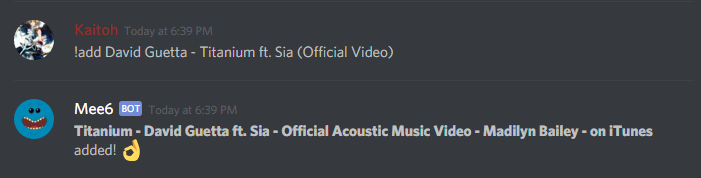
sometimes the bot fails to add the right song https://i.gyazo.com/9e19b2f8345c59a9d5089f0dda4bd1a5.png
 spice notch
Yeah, that's what I was talking about
iron vine
sry didnt see it
leaden ore
Did you notice that if you make the bot respond with an emote like this !robot and the bot should respond like this 🤖 The emote wont get converted on the mobile version of discord. And the bot responds like this 🤖
Do you have an idea why this happens @lean sphinx ? Some syntax stuff? Or is discord failing?
leaden ore
Ok. Wtf. I cant even put emotes in code brackets?
past tiger
@leaden ore that's because people need to use the unicode symbols
lean sphinx
but actually selecting and copy/paste the emote
past tiger
yea
leaden ore
but if i select it on the desktop it will be in code again, or not?
I will try it tomorrow. Nice suggestion though.
ok. it works exactly as you described it. you just have to copy the emote pics and it will work on both devices ...thx for the help ❤
lean sphinx
np @leaden ore 😉
 honest warren
Hello Mee6 Community! I recently started using this bot because I liked how simple it is to use and set up, and because it will auto-notify when someone goes live on twitch, so I added it to my server. When I enabled the plugin, added the name of the announcemnt channel, and added myself and a few other streamers it wouldnt send a notification at all. It did it only once, but in the wrong channel. Any ideas, what I'm doing wrong, perhaps?
lean sphinx
@honest warren You are probably misspelling the channel name
it's case sensitive
so it has to be exactly the same
honest warren
If you mean the text channel name, then no, I even copy pasted the name to make sure that wasnt the case. Still nothing. But the thing is, it doesnt even post an announcement in the server default channel. It isnt posting anything, anywhere.
lean sphinx
@honest warren some people experienced that problem too. I suspect Twitch api... But I have to dig it up. Could you add a streamer that is now online and try again please.
Also, are you sure mee6 has the permission to post in that channel?
honest warren
Is it supposed to post an announcement if I add a streamer who is currently live already to the list?
 quartz birch
It should, yea
honest warren
Because if so, it still isnt working, and I gave it specific permission to post in the channel I want it to and still nothing 😦
quartz birch
do this http://i.imgur.com/WSw0Vro.png
 honest warren
I could post screenshots if that would be more useful?
quartz birch
no # on where the channel name is
honest warren
Yup that is what I got here D: https://gyazo.com/205fbd30f965f6c298616476a076768d

And there is the channel https://gyazo.com/d0beb743b0701c9bf0c56369f96d4b7e
 lean sphinx
@honest warren could you send me an invite to your server pls?
 hexed nebula
Le site web est down 😦
hexed nebula
Genius Dev is geniusly genius
lean sphinx
lol
 lusty relic





 buoyant moon
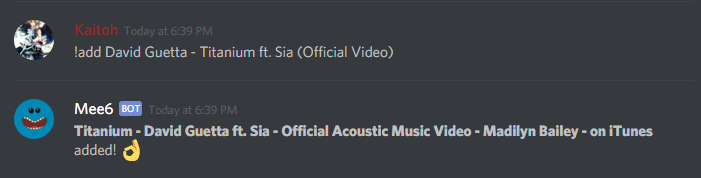
Not working for me either
lean sphinx
yep 5 sec
 acoustic drum
!musicstats
brittle dirge
!musicwork
lean sphinx
!musicstats
dire yarrowBOT
:headphones: Shard 4 Currently connected to 163 guilds & 0 voice channel :ok_hand:.
:headphones: Shard 2 Currently connected to 173 guilds & 0 voice channel :ok_hand:.
:headphones: Shard 9 Currently connected to 184 guilds & 0 voice channel :ok_hand:.
:headphones: Shard 6 Currently connected to 194 guilds & 0 voice channel :ok_hand:.
:headphones: Shard 0 Currently connected to 172 guilds & 0 voice channel :ok_hand:.
:headphones: Shard 8 Currently connected to 179 guilds & 0 voice channel :ok_hand:.
:headphones: Shard 7 Currently connected to 172 guilds & 0 voice channel :ok_hand:.
:headphones: Shard 3 Currently connected to 155 guilds & 0 voice channel :ok_hand:.
:headphones: Shard 5 Currently connected to 171 guilds & 0 voice channel :ok_hand:.
:headphones: Shard 1 Currently connected to 157 guilds & 0 voice channel :ok_hand:.
brittle dirge
!musicstats
dire yarrowBOT
:headphones: Shard 9 Currently connected to 183 guilds & 0 voice channel :ok_hand:.
:headphones: Shard 3 Currently connected to 156 guilds & 0 voice channel :ok_hand:.
:headphones: Shard 7 Currently connected to 172 guilds & 1 voice channel :ok_hand:.
:headphones: Shard 5 Currently connected to 172 guilds & 0 voice channel :ok_hand:.
:headphones: Shard 2 Currently connected to 173 guilds & 2 voice channels :ok_hand:.
:headphones: Shard 6 Currently connected to 195 guilds & 0 voice channel :ok_hand:.