#12 168
17 messages · Page 1 of 1 (latest)
 wind ore
 idle ledgeBOT
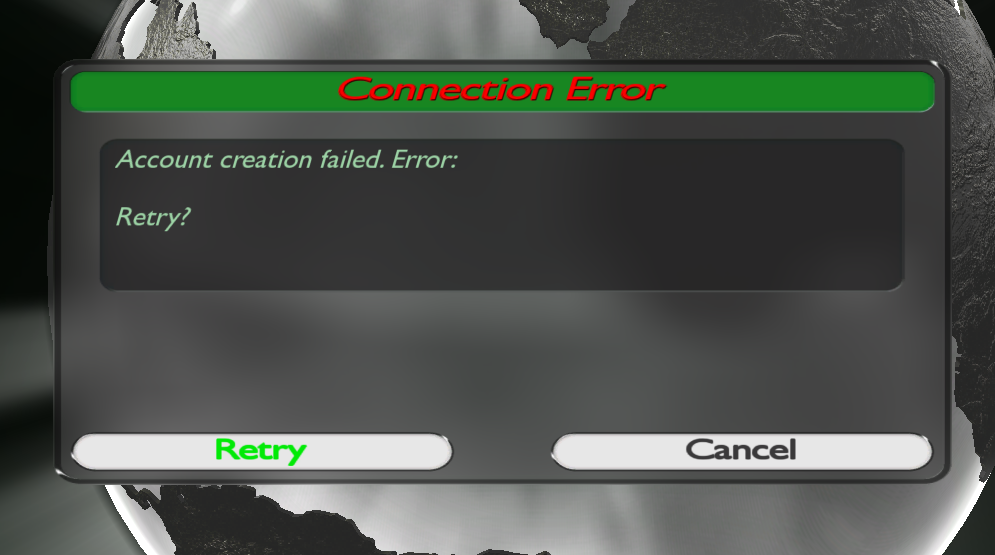
If you're seeing this error message while trying to create an account in TMNationsForever or TMUnitedForever (https://i.imgur.com/sbjSiw0.png), then luckily there's a workaround for you.
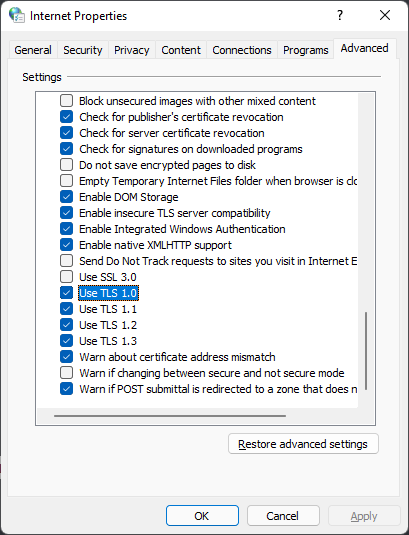
You need to open up your "Internet Properties" panel, which you can find via the search bar in Windows or by typing it in the start menu ("Internet Options" in Windows 11).
Navigate to the "Advanced" tab and scroll down to the "Security" section.
Here you need to make sure the option "Use TLS 1.0" is enabled. If it isn't, enable it. (https://i.imgur.com/klP0IKR.png)
After that, you should be able to create an account successfully.
Make sure to deactivate that option again after having registered your account, as to not compromise your security.
 wind ore
nope still says http error 12 168, but its not just on account creation, as soon as i try to log in to any account this happens
although yes TLS 1.0 was turned off
wind ore
ok for some reason i could connect to the game once but after i exited the game and opened it again its back at http error 12 168
its really confusing
okay i can connect to the game like 10% of the times i try or something, i guess its an issue between tm and internet connection, still very weird because i have never had this issue before and there doesn't seem to be anything wrong with my internet connection
 flat crag
Could it be your firewall acting up perhaps?
wind ore
might be im gonna check
hm no doesn't seem to be an issue with firewall
its like throwing dice if i can connect or not its very strange
 misty comet


 green widget
Try and restart your PC @wind ore
wind ore
Game started working fine today, i tried restarting yesterday and it did not help, so it was probably a very strange internet operator or connection problem on my side, not sure tho. But thanks for the help anyway 👍