#I have a problem with BSOD like every single day, and ASUS tech support is really shit. Please help.
46 messages · Page 1 of 1 (latest)
 warm bough
as usual..
windows have a zipper built in..
that's why i said move it to another location..
Run cmd as admin
- takeown /f <path> /r
or - right click the folder or file -> security tab -> advanced -> add -> select a principal -> type your account user name -> on the applies to dropdown click
This folder, subfolders and files-> full control -> press ok -> click apply then ok
then - right click the folder or file -> security tab -> edit -> add -> type on the big entry box your user account name -> check names -> ok -> select your user account name -> click the full control check box -> apply -> ok
this is during Apr 9
this isn't the latest
- Go to event viewer -> windows logs -> system -> filter current log -> <all event ids> replace it with 41 press ok -> click on the 2 most latest ones -> show their details tab' event data (Like this pic) https://imgur.com/oiRdWkS
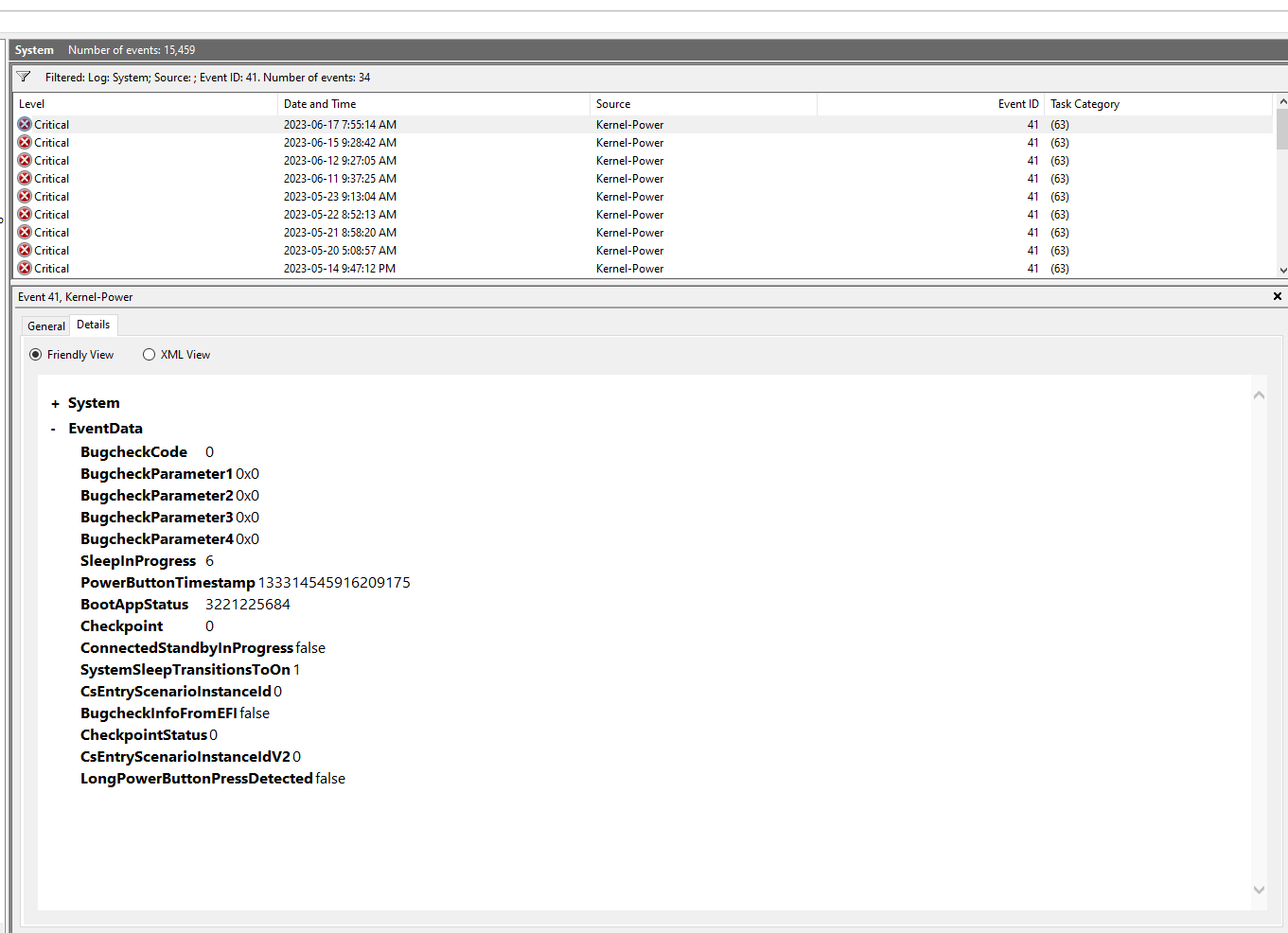
I asked for 2
now get those July 17 and 15
first one has a 0x10 in param1 but is a bugcheck 0x124 which is WHEA_UNCORRECTABLE_ERROR, which means a device driver issue. And i wud guess it's ur amd gpu driver, same thing for that July 15 one, can you pls show me your C:\Windows\minidump, becus I still think it has more than one dump file.
u probly move them
show me where u move them
ok, i wud start with ur gpu driver then cus that Apr dump file mentioned ur amd gpu driver, and 2 of those event id 41 are bugchec 0x124 WHEA_UNCORRECTABLE_ERROR with param1 as 0x10, which is a device driver issue which I wud assume ur gpu. https://rtech.support/docs/factoids/ddu.html
it only talks about ur amd gpu driver specifically. If both is one then sure. Which I wud assume ur igpu cus u have 4800h cpu 
the dgpu is probly something non amd
which i was correct the dgpu is nvidia, igpu is amd
might be outdated since i am just getting these infos from the Apr dump file
no u have to select them
after using ddu
is this still ur laptop? cus i am just getting these infos in the Apr dump file
yes, follow the link i gave forddu above
warm bough
show the same thing i asked then
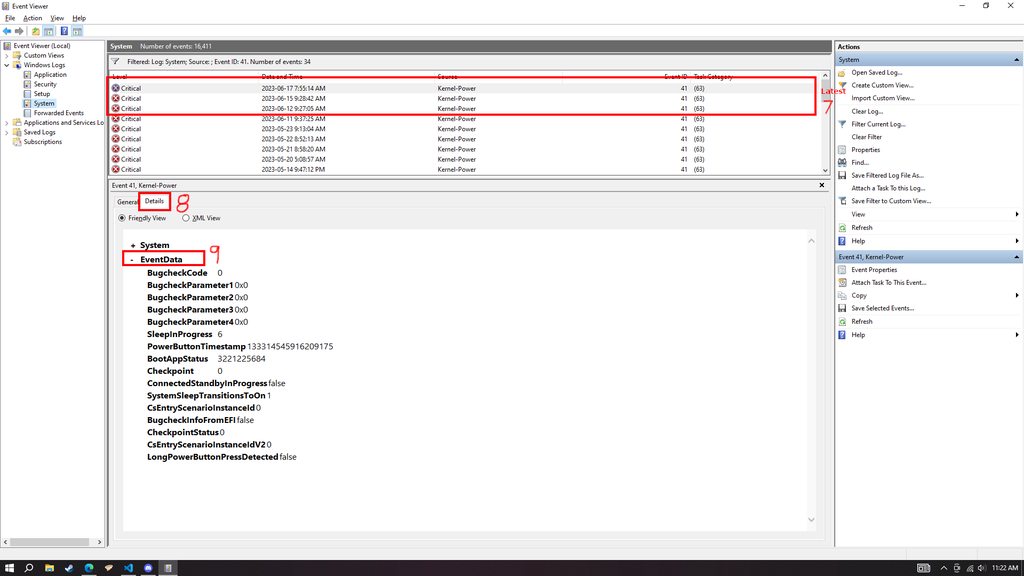
@bright lily
these are the conversion for this. Last one is a whea with a 0x10 which refers to device driver issue which is usually caused by an nvme drive, the other one is probably relevant to this whea too

do you have files inside C:\Windows\minidump? 2 latest one from this month? or when the crash happened?
@bright lily
no
does C:\WINDOWS\MEMORY.DMP exist?
can you show this
yes
fkin hell
volmgr 161
that's why it isn't being made
this is defintely a drive issue or OS corruption but defintely a drive issue
you could reinstall windows using usb, else get a n w drive

Crystal Dew World [en]
About CrystalDiskInfo A HDD/SSD utility software which supports a part of USB, Intel RAID and NVMe. Standard Edition Shizuku Edition Kurei Kei Edition Download System Requirements OS Windows XP/Vista/7/8/8.1/10/11Windows Server 2003/2008/2012/2016/2019/2022 Architecture x86/x64/ARM64 IE 8.0~ .NET 4....
try it and see
also download and install the software i gave
diskinfo64
reinstall windows using a usb, else change drive
you can also update the firmware of the nvme, how idk how to do that for this one
upgrading to wn 11 will just reuse files, usually. So not the best bet
yes