#ui-addons-manager
1 messages · Page 30 of 1
 grizzled crater
 cursive ibex
👍
grizzled crater
It moves junk to bottom right and you just right click the junk icon
cursive ibex
great, downloading i now ,thanks
cursive ibex
i dont, i try to use as few as possible, while having high quality of life
i tried elvui out, and disliekd it

 errant granite
 clear halo
You've doubled up on things, seems wasted. I don't use WA that much (always preferred tmw), are those icons there for buff and then cooldowns after? Or will they both show if the buff of, say, Avatar is up?
 gray garnet
Its to allow for both PVP and PVE
Nothing is doubled up apart from stuff at the bars at the bottom, which when its finished will have the opacity turned down
 exotic solar
so when a spell is on cooldown one of those left & right bar buttons will be hidden and the other one shown?
so it looks like the icon jumps left & right whenever going off or on cooldown
gray garnet
here is an example
You can see above my name, the duration of the buffs left
The bull is sudden death with warbreaker / bladestorm as wings next to it
CD's wont show until 5-10 seconds remain to clear space
exotic solar
yeah your screenshot had double rows of icons on each side of your character though
gray garnet
Yes that is a dynamic group, one for a black and white CD
You can see how it looks with the charge CD on the second SS
exotic solar
the unit frames seem like blind spots when they're that up high and on the side
dunno
gray garnet
Maybe, but it allows for a nice separation of positions
 open moss
your hud looks like you are in a battle mech or something snooze. pretty busy. theres a reason most auras go horizontally and in multiple rows. giant columns like that make you move your eyes too much. but the beauty of a ui is its whatever works for you 😃
gray garnet
I wanted to be able to separate the quick CD's with the buff/debuffs from right to left
As in, the right shows me CD's that would make a difference to the other player or what the other player can do
 lost linden
@uncut dragon potato, I have been taking a look at your WAs on wago, do u plan on updating the rogue ones for BfA?
 stuck onyx
those wa's wtf
 half junco
one thing I like in Threat plates is it puts a ! on quest related mobs, any way to enable something similar with KUI plates?
 sinful shadow
 red comet
@stuck onyx u have @signal galleon WAs
stuck onyx
ye i do
 signal galleon

I will upload it on Pre-patch release day! There might be bugs and other errors in the start. So I will update it quite often, so make sure to check here
I'm faster
signal galleon
😄
gray garnet
@stuck onyx what's wrong with it? 😪
gray garnet
Absolutely not, for high end PVP you need to be able to see things much more acsessibly than PVE
gray garnet
What is messy about it?
stuck onyx
the bars and both side wa's o.o
 tiny notch
I mean, hey, whatever works for you, that's the beauty of customizable UIs, but that would make me cry LOL
stuck onyx
yeah same, enemy buffs smaller then everything else to
tiny notch
If I have too many things in my field of view, I get veh cranky LOL
stuck onyx
would lose focus for pvp when u need to track buffs debuffs etc
gray garnet
That will go above their nameplate like the WA bar above mine
 gusty musk
@half junco @sinful shadow you don't need that. The quest mobs have a yellow tint on their model which indicates they're part of the quest.
stuck onyx
U mean over there health bar over ur char?
tiny notch
I'd just like to note that Plater allows you to color quest mob nameplates differently from others. I'm actually loving that, personally.
half junco
Well yeah but having an indicator on the nameplate is convenient
gray garnet
No, you see how when i have a buff like, bladestorm above my SUF on the left. For enemy tracking it would be above theirs
gray garnet
Took long enough to set up
gusty musk
@stuck onyx I meant on the target. The have the light glow around them.
stuck onyx
huh
gusty musk
hard for me to explain
I just see that their body has a tint that glows if they're quest mobs
stuck onyx
Didnt talk about that stuff 😄
 willow solar
if ur gonna have everything that big atleast track enemy debuffs and buffs better
signal galleon
Flashback to the TBC era of cluttered UIs
But of course, whatever tickles your pickle
 uncut dragon
@lost linden eh those are hot garbage would have to remake. outlaw probably next week since i already had requests
that’s like when you do something you thought was awesome but it’s a buggy clusterfuck of cancer
 old mesa
yo side tangent, i got my WA unitframes to register as unit frames and be clickable, but i'm wondering if I can make them hoverable as well
anybody know if that's possible? I assume it is, LUA being LUA
just unsure how
right now i have local f = CreateFrame("Button", "name", UIParent, "SecureUnitButtonTemplate") f:SetAttribute("unit", "player") f:EnableMouse(true) f:SetSize(100, 20) f:SetAllPoints(WeakAuras.regions[aura_env.id].region) f:RegisterForClicks("LeftButtonUp", "RightButtonUp") f:SetAttribute("type1", "target") f:SetAttribute("type2", "togglemenu")
on actions - init
@gusty musk you ever messed with that at all?
gusty musk
You can add a region:SetScript
uncut dragon
yikes
gusty musk
For OnEnter and OnLeave
I'm not sure about getting tooltip to show up
region:SetScript("OnEnter", function() region.text2:SetAlpha(1) end)
region:SetScript("OnLeave", function() region.text2:SetAlpha(0) end)
Best way I can think of
but I'm sure @uncut dragon will disagree with me.
uncut dragon
i prefer hide and show
uncut dragon
can’t remember how to set tips . if you use gametooltip setunit or not
gusty musk
I'm wondering, why is this failing?
wasted 30 minutes because I'm accessing an array at 0
ffff
uncut dragon
pranked idiot
old mesa
oof
 static pendant
@signal galleon your weakaura for fury is giving me mad addon lag according to blizzard my client is imploging
signal galleon
@static pendant Did you try the latest verison and updated weakauras?
static pendant
yeah i just installed em
wouldnt be a cpu issue either i have a very solid pc
maybe conflicts with another addon
can give you an addon list if you want in pms
signal galleon
Yea sure, do that
uncut dragon
I'm struggling with keybinds, esp with so many active ability talents.
Screen shot attached.
Notes:
Offensive / Mobility cds: F1-F3 row (` inc in this row)
Defensive cds: z-v row
Core rotation: Q, E, R, 1-4 row
Interrupt: F
Shift+Q: Slam
Shift+E: Whirlwind
Got stuff mapped to mouse wheel up, down and press on right bar.
I try not to use modifier keys for abilities, but when necessary I try to use spells without cds (So cd is visible)
I try to map keys in action bars so they match keyboard (Helps with alts)
What you guys doin? Slash what's your philosophy on ui (esp keybinds)?
(Lemme know if this should be in ui channel)
 solar pond
This should definitely be in the UI channel
just letting you know
first consideration should always be comfort
second consideration should be simplicity/ease of access (actually ties into the first)
Binding stuff to F1- keys that you can't reliably reach isn't very easy to access, nor would I imagine very comfortable, or quick to press, making of questionable use
uncut dragon
No where else to put them..
solar pond
there are 101 keys on a standard keyboard + modifiers, plenty of room
Best thing to do is figure out where your hands naturally rest on the keyboard (generally wasd/home row) and which keys are easiest for you to hit (also which fingers you best hit keys with) and build from there
if you mainly drive with WASD, it doesn't make a whole lot of sense for your primary abilities to be bound to 1 or 2, for example
uncut dragon
I would argue modifiers bring an equal amount of hard-to-reachness, plus add the fact you can't see the cooldowns
solar pond
since you can't really press both at the same time
disagree; shift is a very easy modifier to hit, with a finger you shouldn't really ever be using for anything else
uncut dragon
Actually, not an equal amount
tiny notch
Wait, I'm confused as to what your keybinds have to do with seeing CDs, you mean cause of the text on the bar? That's what WAs are for ;D
solar pond
you're moving significantly further, and with a finger you'd use to hit other keys, to press Function keys rather than shift
you also have a ton of keys that are right next to home row that aren't bound
uncut dragon
Okay, I could try replacing my F key keybinds with modifier ones
Sorry, what's home row?
solar pond
5, 6, T, G, V, B, Y, H, N, Z, X, C and shift modifiers for all
home row is A, S, D, F
the "natural" finger position for typing
along with J, K, L, ; on the other side of the keyboard
tiny notch
all of my rotational/regularly used abilities are keybound in that whole left section of the keyboard (although I'm one of the odd ones that uses ESDF to move instead of WASD because that just always felt better to me). So I have abilities on Q, W, R, T, Y, A, G, C, V, and B, and then I use my mouse buttons for mobility and other bits and bobs like pots/trinks/etc.
solar pond
also if you really want more buttons, just get an MMO mouse
tiny notch
longer CDs are on numbers
uncut dragon
Oh shit, ESDF for movement - that's good stuff
solar pond
but there are more than enough keyboard keys to bind, most people just don't use them
tiny notch
Yeah, I have a scimitar FTW, but I never put rotational abilities on it
tiny notch
I use it for charge, leap, pots
solar pond
driving with ESDF is fine, if it's comfortable - it makes it easier to reach the right side of the keyboard, but harder to press modifiers (shift) on the left; so it's really up to you
uncut dragon
Its not so much that there aren't keys to bind, its that I have filled all my good spots, and I haven't yet determined ability priority.
solar pond
it really is just about comfort and ease of access
well, you haven't filled all the good spots
uncut dragon
12345 XEVFQRC, then all of those with alt, all of them with ctrl
solar pond
which is made clear by the fact that you're using F keys
uncut dragon
is what i use, and first 6-9 naga buttons
So 'good spots' is subjective
with alt ctrl too
i dont have very big hands so i find it pretty easy to hit alt and ctrl
solar pond
only partially subjective, but you can be objective
uncut dragon
my f1 keys are too far aay
my 'good spots' is left of and including the the 4RFV column
solar pond
closer = better
uncut dragon
away
tiny notch
Indeed. I hate modifiers for anything important, but that's just me. It's just what's most comfortable for you, but there definitely are certain buttons that are clearly "good spots"
solar pond
especially for things you want to hit when crucial timing is a consideration
uncut dragon
also try mouse wheel up and down
solar pond
read the post @uncut dragon, he is
uncut dragon
I have mouse wheel up down and press bound
Agreed about important abilities on modifiers
But as Arch pointed out, it is a solid way to increase real estate
tiny notch
You know what I use a modifier for? Fishing = Shift+F lmao
uncut dragon
Lol fair
solar pond
use modifiers for things you don't need to hit frequently
solar pond
doesn't really matter if they're super important - it's not hard to hit a mod key (at least, not shift)
uncut dragon
yeah I do try to only use shift mod, again to simplify
solar pond
in fact, I'd argue that modifier keys for important abilities like cooldowns are a good thing, to ensure you don't accidentally hit them when you dont' want to, putting them on CD by mistake
solar pond
not a big deal if you hit RB instead of BT
hitting Enraged Regen instead of BT is probably a bad thing
uncut dragon
r, ctrl e ctrl 1 used to be my cd opener
solar pond
I don't like CTRL/ALT mods, I do find those hard to hit, unless you have super large hands/small keyboards
but shift should be extremely easy
uncut dragon
I used to use all three mods, but I switched to only using shift to simplify. Made it easier to maintain skill on alts
i think it depends on hands and brand keyboard my pinkie rests on ctrl
i stopped using shift
solar pond
well that's weird, but uncommon
solar pond
what works for any one particular person isn't really the point though
uncut dragon
ye just try it and stop using which hurts
solar pond
I know a guy who plays wow on a drawing tablet, but I wouldn't recommend it
solar pond
I also know a guy who is blind who plays wow through the use of extensive /follow and /assist macros
but I also wouldn't recommend it
uncut dragon
Cd's on modifier keys tho - okay, I feel you there.
Then how about the issue of not being able to see the cooldown timer?
Do you all use wa bars for your cds?
I do not, because the button cd is good for me and uses less screen space but: change my mind lol
solar pond
I don't know what you mean by not being able to see the cooldown timer
or how that has anything to do with keybinds
if you can't see the cooldown timer... put it on your screen
uncut dragon
bt4 and a addon to see cd timer
Okay lemme explain
Oh I get you, so lets use CS as test case.
Put CS on modifier (ability icon is hidden when mod is not pressed)
But just add CS to another bar slot so you can see the timer?
solar pond
@uncut dragon by looking at the screenshot, it's pretty clear he uses addons...
you're conflating UI with Keybinds
they have nothing to do with one another
the solution is simple - change your UI to better show important information
uncut dragon
oh
i see what ur doing ,its similar to what i do, but ur buttons are a bit big

I see, so you guys separate keybinds from UI
ye
solar pond
you don't have to, no
uncut dragon
I guess I double up
up to u i like the timers to be clear
🔑 🔑 🔑 🔑
also i setup all my bars exactly the same
so somtimes i dont have as many cd in the middle on my alt
solar pond
I don't understand what your problem is @uncut dragon
do your action bars disappear when you use the ability?
uncut dragon
@solar pond Just asking for advice I guess, I am not feeling comfortable with my keybinds atm.
I will try explain
solar pond
I get that, but you're discussing two completely different things
what keybind you use
uncut dragon
i kind of know what you mean
solar pond
and what shows on your screen
have nothing to do with one another
and if they do have something to do with one another - you need to change that
because it's nonsensical
uncut dragon
i find the simplist thing for me to do, is have 3 bars at the bottom, 12345 ect, then above that is the same but with alt, and again above that with ctrl
They do for me, but I see now that is a result of the way I setup my UI (They don't HAVE to)
the middle buttons dont have keybinds and i put useful cd there to see
tiny notch
Yeah, that's what threw me off earlier. I'm not understanding what a keybind has to do with seeing a CD on your action bars
uncut dragon
it makes it easier because you can say always put mobility on r for every class, or ur big cd on a specific buton for every class will help you get used to it faster
Yeah I might have to, that was a conscious decision though - to have my UI visually map to my keyboard in a way that is very intuitive to me
and the middle is clear just for cd's
tiny notch
I mean, i have my keybinds the same across all toons as well for that reason
uncut dragon
^ I try to do that too
tiny notch
some things require a tweak here and there, but generally speaking yeah
but Kjaer, I don't get why you can't see your CDs lol
uncut dragon
Shift+Q: Slam
Shift+E: Whirlwind these 2 should probs be on a non modifier btw
it will get to you eventually
@tiny notch I can, because they are not currently assigned to modifiers.
If I assign them to modifier keys, then they are only visible when the modifier key is down.
As Arch said, this can be fixed if I decouple my keybinds from my UI
are you macroing them
@uncut dragon Yeah I am not enjoying the feel of it, it is that way because of the above statement
Yes macros
dont macro em
just have a actual button for each one
solar pond
nothing wrong with macroing smartly
uncut dragon
well if ur using shift macros it puts alot of upfront learning on remembering them all
But this way it visually maps one to one with keys on keyboard! (It is going to be hard for me to move on from this)
its like cobrak who changes his first action bar
he finds it easy but he has practiced that way alot
do what i do
have one bar with 12345
and the bar above is the modifier version
Yeah I can probs live with that
uncut dragon
This isn't over, but thanks for the info all and for putting up with my ocd
gl
Would love it if more peeps could enable key text and post screen shots of your ui 😻
Keen to see setups and what priorities people are giving to abilities
id suggest looking at some world first kill ect
that show players PoV
tiny notch
Tbf, I have my main action bars hidden and just use my WAs for info I need
uncut dragon
might find somthing you like
i like to turn the transparency down for my regular buttons with bt4
solar pond
lol world first
tiny notch
Yeah, I used to have them faded, but now I just have them hidden completely. Don't need 'em lol
solar pond
what does guild ranking have to do with setting up your UI?
uncut dragon
nothing but they make a video with like 5 different peoples PoV
you might like one of em
solar pond
Do you know how many of those players have dogshit terrible UIs, just because that's what they're used to and have never changed?
tiny notch
Honestly, I've seen plenty of world first racers with what I'd consider god awful UIs lol
uncut dragon
doesnt stop you from stealing a bit you like, i didnt say copy em
solar pond
sure, but that wasn't the point we were making
uncut dragon
he asked to see other peoples ui, its a good place to see some
solar pond
Again, the point was the emphasis on "world first"
tiny notch
^
solar pond
ranking has nothing to do with whether a UI is good or not
tiny notch
nor do I think it increases the likelihood of finding a good one that you like
uncut dragon
ye i agree, but if i just look at wow videos theres alot
solar pond
yes, there are a lot
tiny notch
The more the merrier lol
solar pond
no reason to reduce your search to world firsts, lol
uncut dragon
good place to start tho
tiny notch
lol
solar pond
no, it's not
uncut dragon
fine maaan
uncut dragon
dont make an argument out of nothing
solar pond
🙄
uncut dragon
i was just making a friendly suggestion for a plce to look at ui
solar pond
and we pointed out the error with your suggestion, you started the argument by sticking to it, rather than accepting the obvious criticism
uncut dragon
eeee fine
im sure reddit probs also has a megathread where ppl share ui too
i dont use wow forums much but i assume theres one there too
tiny notch
yup, lots of places to look, including the ui/wa/addon channel in here and elsewhere 😄
hell, there's even tutorials for making UIs on youtube, some of them quite good in terms of talking about the things you want to think about/consider when you're designing yours
uncut dragon
i really wana make a custom WA ui
and paint some icons
had a reallly hard time making wa gifs work for some reason
tiny notch
I made my first set of custom borders for my WA icons that also have durations recently. It was small thing, but I was quite chuffed lol
uncut dragon
nice
i remember being so frustrated trying to add sounds and all i was doing wrong was i didnt close wow and reopen lol
was going mad
uncut dragon
then my harddrive died and i lost em all lmao
tiny notch
oh nooooooo
 rancid rock
Hello there, any one recommends any good Elviu profile?
uncut dragon
Okay, another (smaller) question:
I want a macro to put in a bar slot that will show Avatar or Deadly Calm when the respective talent is chosen, but when neither is chosen (IFTK), it shows Deadly Calm (greyed out).
/use [talent:6/2] Avatar; Deadly Calm```
Will show the shithouse question mark icon when IFTK is selected, you guys know how to fix this?I'm struggling to find the correct google search term for this 😓
 vital glade
Anyone know of any good weakauras for arms?
willow solar
@uncut dragon you need to fo /talent for deadlycalm aswell
[talent:6/3]
@vital glade i got auras for a couple of specs on my wago, can check them out if you want
uncut dragon
@willow solar Nope that does same thing
/use [talent:6/2] Avatar; [talent:6/3] Deadly Calm
/use [talent:6/1] Deadly Calm; [talent:6/2] Avatar; [talent:6/3] Deadly Calm```
Same as well#showtooltip
/cast [talent:6/2] avatar
/cast [talent:6/3] deadly calm
willow solar
A questionmark
uncut dragon
Yeah, that's the problem I'm trying to solve
I don't want question mark
I want unusable Deadly Calm icon
uncut dragon
Also your syntax is a little verbose, if you care you can replace with:
/use [talent:6/2] Avatar; [talent:6/3] Deadly Calm```
Also my C++ is screaming about that case mismatch but it obviously doesn't matter 😄Then write /cast deadly calm at the end does not work, thanks though
uncut dragon
Haha true, that's not what I'm trying to achieve though.
I will keep googling and paste if I find answers.
Another option is to show battle shout or some other spell when 6/1 is talented (IFTK Passive) but laaaaame
willow solar
You could easily just have it on a different actionbar and have a wa for this tho
uncut dragon
Entirely true, and another good option
vital glade
@willow solar it says your profile in wagio is private
 halcyon wren
Anyone know how to do this with text?
Make it show up halfway on the icon and halfway off at the top
 stable tinsel
easiest i can think of would creating a second aura and grouping them together
halcyon wren
Figured out the code, creating a second aura doesn't work so well with a dynamic group
 pseudo heron
@uncut dragon Couldnt you use talents conditionals right after the #showtooltip?
from the doc I found, you can add a condition
#showtooltip [options] action
uncut dragon
I did try that, but I couldn't get it to work - do you have a working example?
@pseudo heron I basically had the same conditions for #showtooltip as /use
pseudo heron
DIdnt found any, as most example I found were just showtooltip of talent A or talent B when selected..
If I find something, i'll let u know
Hmmm, from recent comments regarding TalentMacros addon (https://www.curseforge.com/wow/addons/talentmacros), it seems like you cant show the tooltip of an unselected talent
From the addon owner: Nope, unfortunately macros don't get that effect when a spell they want to show doesn't exist anymore and I can't do anything to the texture it uses :(
 fervent gulch
anyone have any fury weakaura suggestions?
pseudo heron
There is @gusty musk 's:
https://wago.io/BJqUUcobz

This WeakAura will only give you the bottom part. The top part is available here https://wago.io/r1F0Bqi-G Rage Bar includes a Swing Timer (Top Spark) and
You could always find one that kinda fits your needs and work on that base
you can do most of it really easily if you're not in need of fancy stuff
red comet
find most beautiful one, with allmost all abilities and cds
delete what u dont need
move them where u want
all customisation will take max 1 hour
PROFIT
pseudo heron
I try to make then as most reusable as possible
so i always have a base i can work on with a new spec / character
 tame snow
 lunar rose
Does anyone know how I can disable talent abilities automatically going on my action bar?
 tidal tendon
anyone got a TMW for rampage for fury?
 modest onyx
@lunar rose addon called DisableAutoAddSpells
gusty musk
Got a new update for those that use my WeakAuras. Everything is bundled to one group. So you no longer need to grab both
uncut dragon
:EZ:
red comet
@gusty musk they are lazy bastards
just del group and move auras in new group
i have all auras in 1 group now, it took me 10 min
 cold citrus
Databars
 latent stag
How is it even possible to make a UI that accomodates both fury and arms when arms has 4 more spells? When I switch back to fury it'll have 4 gaps in it
pseudo heron
With a WA you can do it yes
It depends what you mean by UI?
All my bars are hidden, so I just have a WA showing relevant stuff. I have a seting for each spec, so it doesnt really matter how many spells are shown
lost linden
My guys, is there a way to make ElvUI nameplates to be the way it is (large and detailed) only for the mob I have targeted or I am in combat with and to be smaller and simpler for the other mobs around me? Kinda like what the Blizzard nameplates do or Kuinameplates.
 hexed oracle
Anyone has a WA with target's power % without annoying decimals
pseudo heron
@lost linden You can do it with Plater, but I don't know if its possible with ElvUI...
@hexed oracle If you already have what you need and just want to get rid of the decimal, its choice a choice menu in the WA
Otherwise, it should be really easy to do if you just want the target % power
hexed oracle
i saw the timer setting for it but it wasnt working
but i managed to make one
with lua
uncut dragon
hacker man
hexed oracle
in the end i could not fix 1 thig: f i targeted a unit with no type of power i got an error message, i set the trigger to >=1 so that solved it
 heady wyvern
is there any way to change the 'anchor' of a group ? (where the lock is placed inside the group, not the one it is related to)
 fallen vault
Has anyone managed to make a WA that will show if anyone in the group or raid is missing a battle shout buff?
gusty musk
@red comet Doing that is not simple. When you have to take into account of growing the bars upwards on multiple buff and removing them / redraw on expired buff/debuff.
stable tinsel
oh wait
wrong link
https://wago.io/SytBghTX7 @fallen vault try that one
Battle Shout Group (icon) Arcane Intellect Group (icon) Power Word: Fortitude Group (icon)
fallen vault
@stable tinsel Perfect! Thank you
gusty musk
@stable tinsel still relevant
 dawn ocean
i need some arms weakauras
 brittle wolf
Does anyone know where I can find a list of all the bfa dungeon trinkets + their procs? Cheers
gusty musk
here is mine @Absolution#6139

Primary WeakAura for Arms Warrior. As the expansion progresses, new traits / abilities will be added as I see fit, if you have recommendation feel free to ask
 tranquil badger
Hey i made new Weakauras for Arms and Fury check it out
Colossus Smash BfA (icon) Mortal Strike BfA (icon) Ravager BfA (icon) Ravager Timer BfA (icon) Rend BfA (icon) Rend Not on Target BfA (icon) Ragebar BfA

The big "1" in the middle are the passive cleave stacks from "Whirlwind" (goes up to 2) If you want the same appearance like on the screenshot, you need the
 tranquil oasis
can anyone tell me how to set threatplates to change color when target is sub 35 or 20 % for execute?
 opaque narwhal
hey can some 1 give me a weakaura for just rend that makes a noise when i need to refresh it
gusty musk
@opaque narwhal I'm away from my computer but you can rip rend off my WA
It doesn't make a sound but it glows when you need to refresh itm
opaque narwhal
can u link me
gusty musk
You can easily add sound on glow
Primary WeakAura for Arms Warrior. As the expansion progresses, new traits / abilities will be added as I see fit, if you have recommendation feel free to ask
red comet
@opaque narwhal ill post my rend WA when am home
uncut dragon
anyone got a decent combat text addon for editing the fonts/size?
 maiden remnant
Mik's is my go to.
red comet
Rend WA - for who ever wants it
tracs multy rends with names - and has a sound under 4 sek

also turns red under 4 sek
from yellow
 muted coyote
Hey guys anyone got any suggestions for nameplate and unit frame addons?
lunar rose
I like ShadowedUnitFrames with KUI Nameplates
muted coyote
Thanks, gonna try that combo out!
 plucky vine
https://gyazo.com/fd38fa34c26ec9f4b2befa4b17f6b4df
i love this! 😄
 mighty flower
 rain snow
@tranquil oasis I don't know how to do that. However, I have a WA that shows an execute icon whenever your execute is can be casted (it works with sudden death, massacre and baseline just fine). Is that something youd be interested in?
tranquil oasis
@rain snow that would be awesome man. Good lookin out
rain snow
I have a blank in my memory, whats the website name again to paste strings that people use
stable tinsel
wago.io is the database for all weakauras, but you can directly paste the string into pastebin if you dont want to upload it to wago
tranquil oasis
Thanks dude
 karmic tundra
Does anyone know what kind of WA/addon that enemy's hp bar color changes when execute phase?
halcyon wren
KuiNameplates
exotic solar
@gusty musk nice work with the newest versions, hadnt updated in a while so i still had the separated groups
 drifting coral
can someone link a profile for KuiNp pls?
 rapid robin
hi guys.. i need help with a weak aura
i downloaded a weak auras from wago and for some reason overpower is not displaying 2 charges
my ELvui hot bar when i drag the skill shows the 2 charges of Overpower cuz I have it talented
but my Weak Aura doesn't show the 2
how can i make the skill of Overpower for warriors display 2 stacks?
i am a Weak Aura noob
red comet
u dont need OP
u need MS to show when it has 2 Op buffs?
o - u speak for DN talent - my bad
rapid robin
yeah... i have the Dreadnaught Talent which gives my skill (overpower an extra charge) For some reason ElvUI displays the extra charge on my Hot Bar.. But the Weak Aura does not display the extra skill
Elvui Has a little # on the skill box... But I dont see that on the Weak Aura icon for Overpower
trying to make it so Overpower stack shows on the icon somewhere
 severe falcon
gimme a sec i'll post a picture explaining it
rapid robin
k
 rapid robin
no bro it doesn't
but u see that little icon that displays the amount of charges u have for your Charge Ability?
u see it displays that # on your WA? but it does not on your overpower?
i want for the charges to display on your Overpower like it does for your Charge with Double Time
except I would like the # to be a little bit bigger
severe falcon
Did you click on the link? It's a full album not just the one picture
Bit misleading
severe falcon
👌
rapid robin
Rybie
is there a way to see the stacks + the progress?
the #s and #p at the same time ?
rapid robin
how do i make it so the text dont overlap?
i want just to see maybe a glow or something?
severe falcon
That's a bit more complex to explain over text
Can you send me the WA you're using and I can edit it manually for you?
rapid robin
one sec
severe falcon
No worries
rapid robin
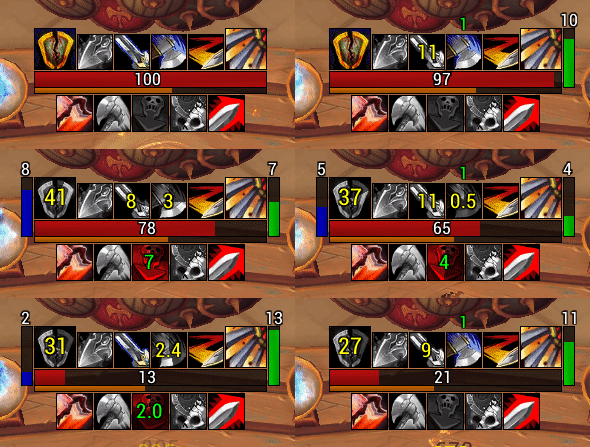
Yellow Text = Cooldown of Ability If you have show numbers for cooldowns enabled under Interface -> Actionbars, then disable the text on the WeakAuras. Left
it's this aura
severe falcon
Did you want it to glow when it gains a stack or something?
rapid robin
it's also not displaying the # of charges for charge
like u have in ur aura on the pics
ahh nah
dont worry about it
i'll just keep it as default
i just realized i dont need to see stacks
just the charge
the charge ability
severe falcon
Np 2 secs
rapid robin
and to display the #'s
without decimals
that aura.. when it gets less than 3 secs starts displaying decimals
i dont want that
if u could make overpower display a small # on bottom right corner for the charges
same with charge that would be awesome 😃
rapid robin
k one second
severe falcon
Np
severe falcon
So
rapid robin
this is the only wa i have
severe falcon
THe group is called 'arms warrior hud'
And if you right click on that
you can delete children and group
rapid robin
k ty
also bro
there's 2 texts overlapping
i think i fixed that in the original
2 sets of texts overlapping each other
severe falcon
Making it bigger is p easy
If you click on the arms warrior hud group
under group there's a scale called 'group scale'
higher is bigger
lower is smaller
rapid robin
k Grp scale
i see it
i see that yes
just the overlapping texts
i think one is ElvUi
the other is the WA
severe falcon
Ohhh right I think I know what's causing that
Gimme 10 mins
I don't usually run elvui
rapid robin
k
and is there anyway to make the stacks smaller by 50%?
they're kinda in the way of my timers
they're pretty big
the stack number of charges
severe falcon
Yep so under the text they belong to e.g. if %s was tracked under text 1, you can change the font size
rapid robin
for the charge and the overpower
k
ek fixed it
how do i make Mortal Strike glow when it has 2 stacks?
last question
and i'm gucci.. about Mortal Strike glowing
when it has 2 stacks
i already fixed... the overlapping text
severe falcon
Alright!
rapid robin
just unchecked show cooldown text
rapid robin
yes
severe falcon
So if you go to Mortal Strike in the WA, there's a tab called 'triggers'
You want to click the big green plus to make a new trigger
It'll make a 'trigger 2'
You'll want to choose the type 'aura'
Under aura name you'll type in 'Overpower'
make sure 'unit' is playert
and Aura type is buff
lmk once you've done thatr
severe falcon
Ok so go to the conditions tab
And click 'add condition'
Change the trigger 2 to 'trigger 2: stacks;
then = 2
set 'then' to glow
and tick the box
rapid robin
do i hit add property change
or add condition?
when i finished with the conditions
severe falcon
lmfao oh boy
rapid robin
they show up when i type /wa
but when i type /wa again they are gone
make it for me bro :0
severe falcon
hahaha
i see the problem
click back on mortal strike
scroll to the bottom in 'trigger'
there's a tab called 'show on'
changed it from buff/debuffed
to always
rapid robin
k
hmm
for some reason my Overpower is glowing
not my MS on 2 stacks
wtf?
can u just create it for me bro.. I'm confused already
sorry if it's too much trouble
severe falcon
i'll send you mine bcs you know how to edit the easy bits
and my ms is glowing at 2 stacks
rapid robin
some errors popped up on my screen
when i tried importing that
i have 0 weak auras but yours
i deleted the previous one
severe falcon
what errors? shouldn't be
severe falcon
np
severe falcon
Barthilas
rapid robin
ahh.. i dont have gold on that realm
any others?
i want to tip u some gold for your help
severe falcon
lmao no it's fine honestly, it's no big deal, i'm not an expert by any means
rapid robin
well bro
ty for taking the time to help me out
i'm going to export this aura now
and save it in a notepad
severe falcon
no worries, hope you enjoy it!
severe falcon
string
severe falcon
nw, enjoy
rapid robin
are u a warrior also?
severe falcon
sure am
rapid robin
u know your ways around Weak Auras right?
severe falcon
kinda, i wouldn't say i'm great at it and i mostly just build around what i need
rapid robin
Rybie u still there?
severe falcon
yep
tranquil oasis
damn rybie, you're a top mensch for helpin a dude out like that
severe falcon
lol it's no big deal honestly, i'm surprised my half assed knowledge of WA even helped tbh
rapid robin
yeah Rybie is great
Was great help
Rybie.. if u ever want to come play on a different server other than brathialis i'll hook u up with 50k gold
Tichondrius, Illidan, Emerald Dream, Sargreas, OR Stormrage
Rybie u there?
lunar rose
Ping him?
severe falcon
I just responded to your DM 😃

 wicked warren
can you post a link plz?
red comet
I noticed the Warrior subforum doesn't have its own UI thread like Hunter and maybe a few others have. Let's see if it takes off or gets buried.
 errant coral
im using seramore's execute WA and i'm wondering if anyone knows how to add a sound que as to when it should be used similar to their DR WA
wicked warren
thanks
errant coral
had a look at the triggers of both and figured it out
gusty musk
@exotic solar ty
exotic solar
anyone else have really slow loading screens with elvui
exotic solar
yeah no thanks i'm not gonna scroll through a week of discord lol
exotic solar
thanks @red comet
gusty musk
Not sure if this will work
/elvui > General > Media > Choose Font > Apply Font to All
but this will set everything in your UI to that font
gusty musk
np
exotic solar
kinda sad though that it changed it literally everywhere
gusty musk
yah but it worked for me cuz I use the same font for everything
exotic solar
yeah
i mean i miss the original chat font
arial narrow
however it doesnt really work that well with like the menus etc
:D
but we'll see
gusty musk
/elvui > Chat > Fonts
exotic solar
yeah i know
it's why i looked how to change the editbox font
cos it had the elvui font still
now i have arial narrow on both
all good
gusty musk
Have you tried using BenikUI?
It's a nice ElvUI addon
@exotic solar Have you see the new changes I made to the WA?
exotic solar
today?
gusty musk
Nah my recent update
exotic solar
i didnt really check what was changed but updated
gusty musk
Notice how my WA only has 1 bar
red comet
@exotic solar did u fix ur loadings?
hexed oracle
anyone knows of a chat addon that can achieve such a clean result to resemble elvui's chat
gusty musk
@hexed oracle Pratt?
hexed oracle
yeah didnt work out
or at least i could not make it work
maybe someone can link me a profile
i tried pratt and chatter
 ionic turtle
Anyone here use “afenarui” WA package ?
 somber ridge
Hey guys, anyone good with the MSBT addon? need some help with a desired setup
that's short for "Mik's Scrolling Battle Text"
 lapis crest
anyone have a battle shout weak aura my buddy always forgets to keep it up
the more obnoxious the better
lost linden
@ionic turtle been using his rogue ones
 zinc hemlock
Hey ppl! I am going to start use weakauras again, are there any ones you can recommend? I play prot/arms. 😃 I checked https://wago.io/weakauras/classes/warrior and there alre lots of stuff, I am just not sure what to use.
Thanks in advance!
Database of sharable World of Warcraft addon elements
gusty musk
@zinc hemlock
https://wago.io/HkMINja7X
https://wago.io/H1n2AZq4Q
Primary WeakAura for Arms Warrior. As the expansion progresses, new traits / abilities will be added as I see fit, if you have recommendation feel free to ask

WHEN UPDATING DELETE THE OLD WA. IF YOU DON'T DO THIS THE DURATION BARS WON'T DISPLAY CORRECTLY! Primary WeakAura for Prot Warrior. As the expansion
lost linden
^ @gusty musk WAs r boss
zinc hemlock
@gusty musk Thanks 😃
 mortal sun
Taking my first steps out of vanilla / elvui themed UI's, whats some good addons to help setup a UI to your liking without necessarily theming everything for you?
also what nameplates addon do you guys consider best for melees
gusty musk
I use KuiNameplates
And ElvUI with BenikUI
Shadow Unit Frames
And WeakAuras for almost everything else
 stray nacelle
does anyone know how to modify elvui so that you can see CC durations?
im watching bagheera and he isusing threat plates and it shows CC duration
using
 glass jungle
@gusty musk is there anyway to change the sweeping strikes from sweepy to something else?
willow solar
You want different icon or what@glass jungle
gusty musk
@glass jungle Yes
You need to modify the code
Go to Titania's Arm Duration Bars
Actions
Expand code
Go to the button, there should be "Sweepy"
You can change it to w.e.
glass jungle
ty
 lament island
anyone have a decent swingtimer WA? everything I've managed to find has been outdated and broken
 old atlas
Do it
uncut dragon
good idea
gusty musk
not sure about defensives
 supple flare
👌
gusty musk
I feel like these are fundemental.
@supple flare should I keep the defensive? Thinking about dropping it as well
supple flare
it could be a good spot to track FS
gusty musk
FS is going to be tracked as a bar
Tracking it as an icon would leave it empty when not chosen as a talent
uncut dragon
i’m not a fan of defensive on there
 shut mist


 desert rose
Pummel is quite important imo. Defensive CDs can be tracked on a personal basis, but interrupt is a very integral part, I feel.
exotic solar
agree
 paper shadow
you almost always know when you are supposed to use pummel so tracking it isnt gonna go much
exotic solar
i think it's pretty useful in pve to have the WA show if something's interruptable
even though my UI has a different color castbar for interruptable spells
 south oyster
i like to show defensives only when they are on cd, keeps things clear
 mystic dust
Made a Fury WA Set 😃 will be making an Arms and Protection set in the same design. Also have Frost/Fire Mage and MM/BM/Surv Hunter in the same design https://wago.io/Hk4tfprSm

Fury Warrior WA's in @Publik 's Demonology design, but with changes for my own personal use. Note All the CDs are using Elvui's CD timer, you'll have to
 silk turret
Hey guys, does anybody have a working Weakaura for Execute at >40 Rage and Skullsplitter at <70 Rage?
Especially the Skullsplitter one is killing me
i just want it to be invisible when off Cooldown, then start Glowing and appear when the condition is met that
- its off Cooldown and
- I have less then 70 Rage
cant get it to work 😦
gray garnet
Im having issues too, i have a WA for sudden death but not for execute availability on target
silk turret
ok got it for skullsplitter actually, but Execute is still making problems :/
if somebody wants it
just basic shows up when >70 Rage and off Cooldown
gusty musk
@silk turret My WeakAura already does this.
silk turret
can i extract the Execute one from it?
gusty musk
Sure
silk turret
ok awesome, will do this then 😃 thanks
lunar rose
Updated my personal weakauras a little bit, feedback would be welcome (working on more Talent abilities and utility) https://wago.io/rkbmysO47

V1.0 Initial upload.
lost linden
@gusty musk digging the new design, I’d keep the pummer warning
Or stack defensive/charge/pots in much smaller icons to the sides
gusty musk
@lost linden Thinking about moving the bar down a little bit and have abilities like DR/Siegebreaker and etc below the core abilities
 novel tundra
ok , do you have a link ?
that will be fine, i just wanted one that someoen has made for all 3 sepcs
so it looks similar/same to me
gusty musk
This WeakAura will only give you the bottom part. The top part is available here https://wago.io/r1F0Bqi-G Rage Bar includes a Swing Timer (Top Spark) and
Primary WeakAura for Arms Warrior. As the expansion progresses, new traits / abilities will be added as I see fit, if you have recommendation feel free to ask
WHEN UPDATING DELETE THE OLD WA. IF YOU DON'T DO THIS THE DURATION BARS WON'T DISPLAY CORRECTLY! Primary WeakAura for Prot Warrior. As the expansion
novel tundra
thanks
not sure why on the wagio web it wasnt showing up
tried to see the highest star ones
gusty musk
I'm currently in the process of redesigning my WA.
There will be some pruning coming soon.
novel tundra
when do you expect the next ver to be released?
gusty musk
Currently, Fury WA gets priority updates as that's my main spec
Uhh, I usually update on a daily basis
 grizzled hazel
those are so pretty
gusty musk
The redesign is more of a templating
Currently this is what I have in mind


But that's subject to change
In terms of colors and layout.
novel tundra
nice !
ok so ill use what u have right now then check back with u soon 😃
do i have to use 'details' addon with ur wa
as its linked on ur page
gusty musk
No
It will work out of the box
But won't look as pretty
You can install my add-on to get the bare minimum
novel tundra
details is a damage meter isnt it ? Im using skada at the moment, didnt realise WA can make use of a damage meter Oo
gusty musk
@novel tundra I'm utilizing the texture from Details
lunar rose
Is the Rage bar still relevant to use in Fury? You only use Rage for Rampage when you have enough right
gusty musk
@lunar rose Sure, you can get away without a rage bar but it still helps to track rage depending on the situation.
And to avoid rage cap
 smoky turret
Rage bar is almost most relevant thing for fury in 120
Not atm because you'll always have rage to spend on rampage
gusty musk
@smoky turret What do you think of the new design template for my WA?
smoky turret
Looks cool
 eternal crest
redesign looks nice
 cursive zenith
Guys i was using tidyplates for nameplates and after prepatch not working any more any tips??
eternal crest
check if theres an update on curse
gusty musk
@cursive zenith there's a fork
TidyPlates Cont.
wow
I found out that if you link your Discord account to wago and tell it to send you notifications. You will get updates on when someone updates a WA you favorite/starred.
On discord
Rad
red comet
i found elvui nameplates to work for me just fine
lost linden
What u planning with MH/OH?
exotic solar
@gusty musk ww stacks still in rage bar?
gusty musk
@lost linden swing timers
exotic solar
do you really need to follow swing timers though instead of smash
gusty musk
@exotic solar ww stacks are under RP
Might still be in rage bar. Idk
And what do you mean?
exotic solar
i mean i'm an idiot warrior
not sure if i do anything with the swing timer info
instead of hitting my buttons
gusty musk
It's for min-maxing.
It's slightly unreliable but mostly if you're at 74 rage, you would either wait use BT/rb if your swing timers is far from completion, or you wait for swing timer to finish if almost done. Which pushes you about 75 to use Rampage.
@smoky turret can explain in more details since he requested it.
gusty musk
But right now, we generate so much rage that it doesn't matter
gusty musk
At 120 that will be a different story.
But yah, any additional suggestions or feedback will be great
gusty musk
I mean I never looked at charge
exotic solar
yeah i get it
gusty musk
Or leap
I know if it's up or not.
I'm still considering dropping Enraged Regeneration.
Only read I'm keeping it is for symmetry
lost linden
I’d keep the ww stacks at the bar, I like the current concept, is slick
maiden remnant
Looking forward to it.
lost linden
Looking good, the 2 small bars aside exe r the swingers? Not that I’ll get to that level pf min-max, but just curious. Any way to fit the rage bar in between reck amd ramp? Or that would make those buttons way too big?
 sullen inlet
not sure if there is something similiar already linked in this discord but I found this weakaura to remind people to buff very useful with the reintroduction of classbuffs. someone else made it. https://wago.io/S1NMqphmm
BattleShoutCount (icon) ArcaneIntellectCount (icon) PowerWordFortitudeCount (icon)
gusty musk
@lost linden I'll adjust Rampage later
but DR and BS will be directly under Recklessness
rage bar shrunk
@tired vine ^
Probably add Siegebreaker under Rampage
 tired vine
Tyty
gusty musk
My issue is
What if DR/BS is not selected
What then?
Just put Meat Cleaver in place?
lost linden
Same applies to selecting AM/RA, no?
gusty musk
Yah
lost linden
Maybe if u select meat cleaver, am/ra u put their icons there wirh some additional info from those talents that could be tracked?
Like a condition for RA?
Meh, no
gusty musk
lost linden
What if
If u select those passives, the reck and ramp icons size up to the original concept
Like this
gusty musk
Yah I was thinking the same thing.
gusty musk
But I'm on the fence with WW stacks. Lots if people want WW stacks to be more clear
lost linden
Nooooo lol
gusty musk
Was thinking about adding that under Rampage
lost linden
Sadface
lost linden
gusty musk
That's way too big.
lost linden
One thing i like about this one also, the lines on the focus bar seem to be at which point u will have enough resources for important abilities
Pointless now with how much rage we have now yeah
But dunno maybe @ 120
And yeah its too big
Can u make it glow?
gusty musk
My WA glows on the important abilities
lost linden
Yeah i know
Just throwing it out there someway to make the ww stacks more visible but still on the bar
Like could make the ww stack pulse
lost linden
Yeah
I’d go full 50/50, but thats just my preference
What if u put like both dr and sb under only one of the buttons?
gusty musk
DR/BS are under 1-button
lost linden
Like both below at the same size and reck on top much bigger
They wouldnt be so squeezed
I mean both on the left for instance
Below reck
gusty musk
both sides are proportional
lost linden
But its down to personal preference I guess
gusty musk
symmetrical*
lost linden
I mean tbe squeezes icons
gusty musk
let me do the auto-size