#nms-modding
1 messages · Page 145 of 1
 obsidian tree
well nmsdk update will probably be done today sooo.... 😛
all your models were updated for the new nmsdk right?
all under a NMS_SCENE etc
because if so updating for next is as easy as literally just re-exporting
nothign new is needed 😃
also I have removed support for mesh collisions entirely for now
I'm sure people can deal with it for now
even pretending to support them was causing a few issues, so I have just disabled them for now until i can actually go over and sure up a bunch of my code
but I still don't even know how the game stores the mesh collision data anyway lol
 cyan oracle
right on.. I was kinda hoping that would be the case.. I still have everything in their final blender stages.. if anything, I just need to mess with path settings, entities, locators, etc..
I'm excited to fly my ships around again.. but I'm still not sure I want to put it out for MP.. especially if it could cause MP lobbies to crash when the non-modded end fails to load the ship's custom file path..
obsidian tree
yeah, at least this update, while having major changes to the geometry stuff, didn't actually introduce anything extra, so I have just been testing on old model shooter made for 1.3 and they are working fine with 0 changes
yeah, will be interesting to see how it affects MP
NMS is pretty robust though
my guess is that other players will simply see nothing
that's generally what happens if no model exists at the path it is expecting to find something
 subtle sleet
cyan oracle
subtle sleet
cyan oracle
ironic cause I was thinking about doing something similar with Nadalee's Trimaxion Drone ship (Flight of the Navigator) since it's only one mesh node.. I was thinking of adding in the new data nodes into the geometry, named the mesh part at the bottom, and added a matching hash between the geometry and the scene file.. but I figured I wouldn't be able to get it and had other things to do at the time..
similar to how I got around the collision issues in early 1.3..
btw, were you guys able to figure out that mystery behind mesh collisions? or are we still just primitives?
obsidian tree
nah, still no idea
just primitives sorry
and if something is just a sginle mesh you could have updated it by hand, but it would have been pretty annoying I think lol
I am generating hashes by doing a sha256 hash on the vertex data for each mesh then taking the last 8 bytes
cyan oracle
yea, I wouldn't have gotten it..
and primitives can work.. but is there any easy way to see how the game orients them? cause in game they're invisible and difficult to tell when they're oriented correctly..
I had to abandon my freighters in Atlas cause I had to use primitives and couldn't see the collision orientations.. I could fly at it, or shoot at it, and figure it out that way, but that wasn't very easy
obsidian tree
look in the model viewer?
I don't know what version of the nmsdk you had but I did make a few changes to how primitives are handled so I think they should be pretty spot on now
also, check the nmsdk source, I have updated it if you want to have a play
I need to update a bunch of structs for the entity stuff howver, so don't trust anything other than the scene and geometry data
entities will 99% not work I think lol
 echo oxide
@hearty wasp sorry for necroposting, but thanks for chromakey walls! I'm building a couple of sets for people who want to get shots without the hassle of building and to accomodate several conditions right now thanks to you
cyan oracle
k, I'll try the model viewer.. the old one didn't show the collision primitives, or if there was a way, I didn't find it..
obsidian tree
you don't have it?
I think I pinned it in the mod-resources section of the main modding discord...
well it wasn't, but it is now
 hearty wasp
np @echo oxide , tootally forgot who asked for it so I didn't know who to tag to let know lmao
 thin viper
https://www.nexusmods.com/nomanssky/mods/788
new update
fixed a small bug with the vanilla file being changed with 1.57
and added a 100% procedural colors version, which would do away with most of the unpleasant color combinations.
https://www.nexusmods.com/nomanssky/mods/831
utility now updated for 1.59
https://www.nexusmods.com/nomanssky/mods/622
updated to reflect changes in vanilla file that occured in 1.57 in the mod

Nexus Mods :: No Man's Sky
This mod adds procedurally generated Color pallete tables for every planetary elements, Creating visual color diversity on a scale never before possible. This mod is generated procedurally for No Man'

Nexus Mods :: No Man's Sky
This is a small and simple to use utility that allows you to turn all your favourite images/pictures into base building decorations in No Man's Sky. This has been a long requested feature by many play

Nexus Mods :: No Man's Sky
This mod mixes up the biomes that spawn in each star class and randomizes them so that each star class has a equal probability of finding any of the biomes in the vanilla game. The biomes will no long
!pin 488353784926306315
 dreamy tulip
Here is a comparison between the vanilla night skies, and the night skies that I made
 slow island
Hi, i my "project" isn't a mod but i wanted to create planet/system name generator for NMS, if you want to try it it's there:
Feel free to ask for improvements
(i made it in 2 hours btw)
obsidian tree
@slow island can I critique your code? 😛
 obsidian tree
haha
dreamy tulip
Improved Nighttime Sky Blending
https://youtu.be/FMhclCgEzds
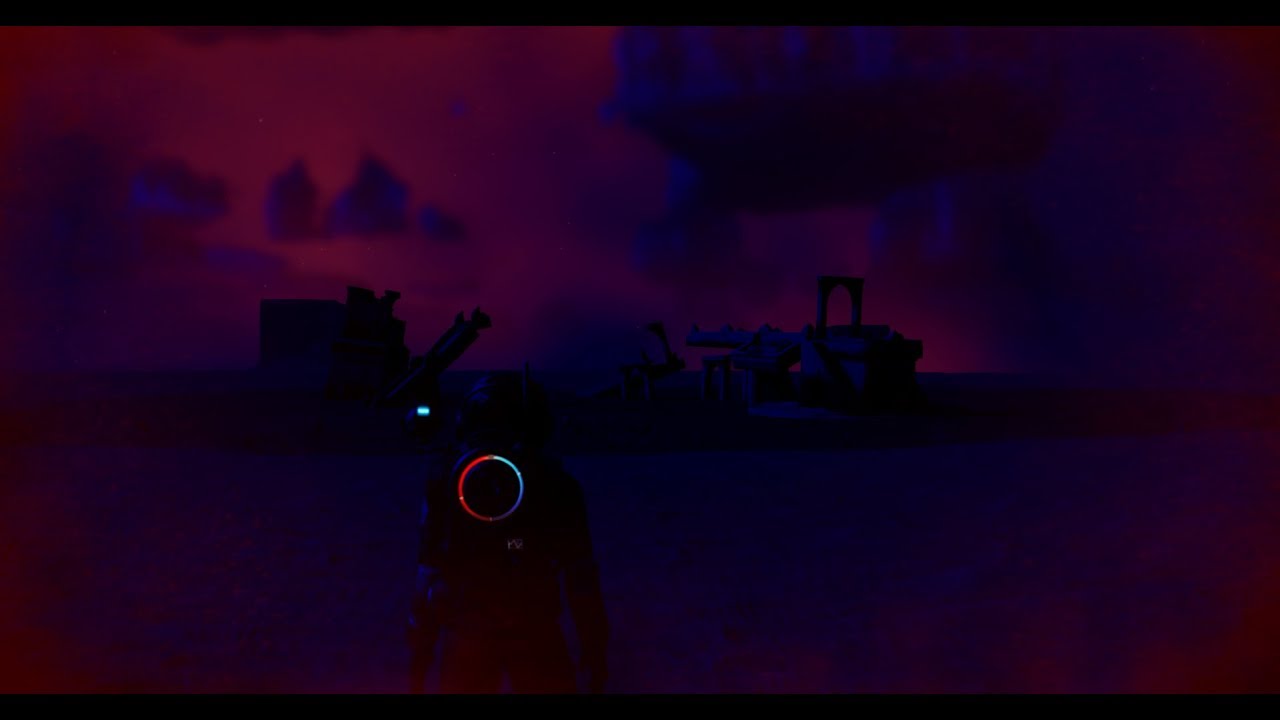
Improved (dynamic) nighttime sky visual blending.
slow island
I programmed it in Python 3 and i'm still a newbie
@obsidian tree sure!
(edit: fixed mention)
obsidian tree
@slow island
https://github.com/MettaliK/NMS-Name-Generator/blob/master/nms-name-gen.py#L31-L62
could be written as:
data = ["", "-V", " Prism", " Delta"...] # you get the point...
return data[random.randint(0, 10)]

GitHub
Generates Systems/Planets names; CLI interface. Contribute to MettaliK/NMS-Name-Generator development by creating an account on GitHub.
you could do similar things for the other functions too
using dictionaries for example
also your imports are... weird
you do import mettalib as mt
then call mt.colored
but mettalib has no colored function, it only exists within the scope of that file because you do from termcolor import colored
This is a bad way of doing things and you should instead just do from termcolor import colored inside the nms-name-gen.py file
you shouldn't be importing stuff from one file that you have imported, if that makes sense
just import from the source again in the other file (plus it doesn't look like you actually use the colored function in the mettalib.py file anyway
last thing which is the most minor, but you should avoid using variable names that are all cops that only have scope within a function (eg. RACEINT on line 14).
Generally a variable that is all caps should exist within the scope of the entire file (essentially they are public static variables if you want to think of it in terms of languages where that is a thing)
Internal ones for just within the function should be lowercase (or camel case or something)
you could compact the first 100 or so lines of code to probably about 10 😛
 hallow pumice
I'm currently learning python as well, those are some good pointers, writing them down for the future 😛
hallow pumice
Good to know, hopefully I'll remember to bug you, learning through udemy course I got for 10 bucks on python 3 😛
hallow pumice
Oh damn, so you have a little experience I guess xD
obsidian tree
I only started using it regularly about 6 years ago though
hallow pumice
I assume you have a job with coding/programming? Or just a hobby of yours?
obsidian tree
I do now lol
well I did a phd in physics which involved me doing a bunch of coding, but now my job is actually doing coding
hallow pumice
That's awesome! Currently in my first semester of college and that's definitely something I'm going for.
slow island
@obsidian tree thank you very much! I will try to take the time to correct it (hopefully tonight!)
obsidian tree
no worries. It is an interesting use of the terminal lol.
I haven't ever done something like that cos I just make a GUI if I want any kind of permanent output

 verbal wharf
lol
obsidian tree
@cyan oracle I think I can write a batch script which runs nmsdk on every blend file in a directory
so that way if you know every file is ready for export you essentially click one button to update all of them 😛
hearty wasp
Btw here mod https://www.nexusmods.com/nomanssky/mods/367?tab=posts @verbal wharf

Nexus Mods :: No Man's Sky
A mod that adds loads more decorations, including interactive crates, small to big furnitures, flags and emblems.
cyan oracle
@obsidian tree as cool as that is, I do prefer to be more hands on and thorough with my process..
and I think if I ever decide to take on the challenge, I might be able to get the game to use 300k poly parts to build that 3.5m poly Serenity/Firefly ship..
obsidian tree
Its more for if you have already updated stuff and then need to just run it again
verbal wharf
humm @hearty wasp not sure if that is the correct one
hearty wasp
Oof
verbal wharf
or mybe it is let me try it before saying anything else
hearty wasp
Then I dunno the fuck you talked about
 lime mesa
Is there a mod that makes very large bases not phase in and out of existence?
verbal wharf
yehh @hearty wasp that mod it just has more objects
verbal wharf
i am traying to buil a second floor on my underground base,however unlike when i build the firts floor the second is not being possible. When i set down the floor on the firts floor automaticaly the dirt around it and above would disapear but for the second floor that is not happening
making very hard or time consuming to clean all the dirt inside
hearty wasp
Lol just start from the top
Build a wall and build floors each level, rinse and repeat and all that shit
verbal wharf
humm not sure if you are joking but will that not be the same ? humm let me test
going down instead them
hearty wasp
You build a wall on the side of where you wanna excavate
And then slice the terrain open with the floors
It'll eat away the terrain because they have ground below
Also there's literally no viable alternative to Eucli-ea in terms of basebuilding objects
verbal wharf
@hearty wasp not working ... and that was what happen with the firts floor
now i did try going down and it's the same thing
it seems that since 1 floor is attached the same rules are not apply or something
a floor and 4 walls and still full of dirt
hearty wasp
mmm, weird
verbal wharf
i am rebuilding it ... the bae to see if it's something with the structure i was using (the method)
verbal wharf
humm it's weard how this works it seems ... now it works better but ...
hearty wasp
now I need people to test with me
verbal wharf
the issue with this was because i was using 2 diferent walls for the wall ... i was placing a "Small Metal Wall" and them on top of that a "Metal Wall"
i guess doing like that was creating some kind of conflict or whatever
i am hoping it was because of that lol
verbal wharf
even using just squares walls this is not cleaning all
hearty wasp
actually I just tried cuberooms and they work
 heavy merlin
No, it's just stupid and misleading. There should be a link at the bottom to register without paying.
heavy merlin
Yeah... 👎
hearty wasp
at least the users there ask way better questions
verbal wharf
you said well the users cause the site it self ask stupid question like "What is 5 x 6?" (to prevent botting lol)
hearty wasp
lmao
Here's your chance to get some head
https://www.nexusmods.com/nomanssky/mods/853/

Nexus Mods :: No Man's Sky
Getting Head. You get heads, as in helmets, and two boxes? For all races.
!pin 488779053872971787
verbal wharf
damm grrr the second fllot never stays fine
This is the firts floor
Second floor
brb dinner .. but i can't understand
hearty wasp
Told ya, use cube rooms
verbal wharf
you mean the "Square Room" ?
350 Pure Ferrite ones ?
but that is not the same thing 😦
verbal wharf
yehh but it's not the same thing 😦
 rotund yoke
its the same thing, can be infinitely produced.
or should i say Infinite through Refining.
verbal wharf
lol i just want some wide ope areas to place 20 Large Hydroponic Tray's
unless i am miss understanding something
rotund yoke
20x4 = 80 plants = 5 biodomes. u decide
verbal wharf
that is what i am traying to avoid
5 areas for the same thing ...
why not just one ara for the same thing ?
cyan oracle
@verbal wharf I think NMS has a bug with terrain editing.. the more you do it with base building parts, the less likely the next base building part will clip/edit/modify terrain.. When I start a new game, I can typically build a decent sized base, but after the parts stop editing terrain, I dismantle and relocate my base and the game now allows parts to modify terrain again, very briefly.. seems like it allows me to modify half as much as before.. By the time I'm on my 3rd base, I can get about a dozen pieces to excavate terrain and then it stops..
@hearty wasp cuboid rooms aren't any better of an option, they still won't excavate terrain once a player has reached this point.. and terrain can also regenerate within cuboid rooms..
https://steamcommunity.com/sharedfiles/filedetails/?id=1477642116

Steam Community: No Man's Sky. Sub-Basement 0-4
verbal wharf
well @cyan oracle yehh i did dismtle the entire base and start from scratch again to see if it was helpfull ... And i am not sure yet cause i ahve not yet left the base lol
cyan oracle
while only bedrock is showing there.. after I warped to a couple different systems and came back to my base a couple days later, almost the entire thing was in ground.. I had to delete cuboid rooms, make a holo door so I could go out and use my terrain manipulator to free up the planters and decor so I could delete and rebuild.. and having removed some terrain modifying pieces, the game once again cut the terrain around the new cuboid rooms I used to recreate the room, but stopped before I could finish
verbal wharf
but now instead a 2 floor ground i am making a 1 floor with 2 floors height to see if it's better
cyan oracle
after the base filled in again, I moved and decided to only build with the flow of cave structures, I'm done trying to carve into walls cause in the end, the terrain overtakes my base
verbal wharf
yehh indeed @cyan oracle same thing was happening with mine
cyan oracle
that might work a bit better for you extreminador because it will remove some floor pieces, hopefully allowing you some extra terrain modifying
verbal wharf
the only place that did not happen was the place where i had the 22 things to plant stuff
that place was always clean
at least with one floor height
heheeh even when i am inside dirt comes lol
cyan oracle
planet's terrain is formed by algorithms.. so each time the planet gets redrawn, it tries to draw the terrain the way it thinks it should be.. then the game takes into account all of the terrainedits in the player's save file and tries to adjust the terrain accordingly.. to avoid any issues, or game rendering errors, I've found it's just best to build with the lay of the land.. I still build in caves and underwater, but do my best to not edit terrain where possible.. this reassures me when I return to my base, I won't be overran by surprise flora or impassible tunnels filled with soil..
verbal wharf
well i was thinking do some kind of mod for this specificaly ...
one thing that i have noted was that the firts tiem that i did build on this place ... evrey time i placed a metal floor the area on top of it would clear some meter above (i think the dise of the metal wall + rooft(floor)
however now that floor thing does not work anymore
i place the floor and the dirt above is not cleaned
so i suppose that algorithms you talk about it was not very well implemented
even the ground feel with a very small green grass
cyan oracle
what you're mentioning here is what I lead into the conversation with.. I think the game has a set limit of how many base building items can modify terrain.. and each time you tear down your base and restart, that limit gets reset at half the value it was instead of resetting at 0.. So after a few bases, you can't even add any parts and modify terrain with them..
However, while they are capable of modifying terrain, floor pieces will clear out a square area for the room. This includes the floor dimensions as well as the volume extending vertically to where the ceiling should be. If you use a floor piece to cap the ceiling, it will take another chunk out above that. (Note the cuboid room how I have a gap section above the cuboid rooms, this is because I tried making this a two story construction room first).. the only time they don't remove terrain is when the terrain editing abilities of the parts ceases to work..
I've already thought to make a mod for this, but so far I've been unable to find the max value for terrain editing items in order to properly address this.. but it has led me to modify many NMS globals so I'm pretty much making my own game mode somewhere between Normal and Creative..
cyan oracle
lookin good
JIC you want to install your Roamer and Nomad Geobays inside..
modifies scene files in the models\planets\biomes\common\buildings\parts\buildableparts\tech, doesn't touch metadata
so it conflicts with Redmas' deployable exocrafts, but I think that's about it.. unless Winder's Eucli-ea modifies the geobays, but If I remember correctly Winder said those weren't in Eucli-ea..
diggin that wide open room thing you got goin..
verbal wharf
@cyan oracle yup that is the idea to do some kind of park inside
and i would like to have a bigguer gate door ... like a garage door
but i guess i would have to do that my self in 3D firts them somehow place it in a mod
cyan oracle
the way the basebuildingtables work now, a part can have a custom assigned snap point config.. so I do think you could scale the garage door introduced in Pathfinder to be 2x or 4x the normal size, and then make different scene files for the snap points for those scales.. allowing you to reference the vanilla geometry, at custom scales and custom snap points to align with walls appropriately..
like the megaplanters use 4 snappoints, if you do: (ScaleX=1, ScaleY=2, ScaleZ=1) you'd need two snapping points per side.. if you did: (ScaleX=2, ScaleY=2, ScaleZ=1), you'd need two snapping points per side and two snapping points along the top and/or bottom (this is only if the top/bottom central snap points are present in the default garage door scene)..
if you did (ScaleX=2, ScaleY=4, ScaleZ=1), you'd need 4 snapping points along each side and 2 along the top and/or bottom (unless previous exemption applies)
verbal wharf
humm not sure if i understood all 100% lol
i guess i need to play a little with mods
cyan oracle
in short, the larger you make the garage door, the more snapping points you'll need to create (in the snappoint scene file) for it to connect with the neighboring walls
verbal wharf
ahh got it
cyan oracle
one snappoint for each level of wall (aka floor)
also, not sure if default garage door will work with construction room pieces as it was originally part of the "Infrastructure" set
so you might have to doctor up some compatible snapping points.. and mess with the scale of the door via trial/error
cyan oracle
it's a door that functions like a garage door, but it's too small to fit any exocraft through..
you can wedge the nomad thru, but it's a PITA.. or at least you used to be able to
verbal wharf
ohh yehh that is the normal door yes
cyan oracle
people have used them to make really cool X-Men type bridges
verbal wharf
there is an Arch, mybe that can do the biding to change to a door
to a garage door
but only for the two small veichels
cyan oracle
yea, I'd use the construction arc piece as the snappoint scene file
that way you can use those snap points to ensure you're connecting to the new construction walls
but there's an easier way to get your exocraft outside.. I have no garage doors, my exocrafts are more like exhibit pieces..
you hop in the exocraft you want to use, exit vehicle, go outside and summon it..
you can use the summon terminal at the geobay to return the vehicle when you're done..
but that's function, not aesthetics
verbal wharf
well my idea is to have a ground lower that the other to place the exocraft almost in the same height has the ground
like using the mid wall to lower the ground of that area and them use ground/floor
cyan oracle
you're not going to be able to do that because of the terrain manipulation the geobays do
if you set them deeper, you'll just have a lip of ground or structure to drive up over that will have the exocraft stuck..
verbal wharf
humm i see what you mean
cyan oracle
I've looked at lowering the TransY value of the geobays too, but if you end up a floor below the geobay, it looks really odd sticking thru the bottom of the floor..
and I had to disable collision checking to even allow that placement
verbal wharf
how about using the same tecnic to lower the ground and at the same time place the small floor squares in the top of the edge of the geobay ?
cyan oracle
probably tricky and buggy at best.. to do that, you'd have to disable collision checking for the geobay so you could place floor panels over top.. and at that point, you run the risk of summoning the exocraft wedged into the floor.. similar to how the vanilla roamer's summoning terminal would get the roamer stuck in a 2 story ceiling..
hmmm.. I think I could set ScaleY=0.05 or something incredibly small, which would pancake the platform..
heavy merlin
You could disable the collision of the geobays, place plates over the top, embedded in the top of the geobays, then enable the collisions again?
cyan oracle
it's not a matter of collision for the exocraft, the collisions would only be disabled so floor tiles could be built on top of the pad.. but even if you restored the collision checking after installing, the roamer will still just get stuck in the floor..
I'll see what I can come up with.. hopefully have something in a couple hours
verbal wharf
yehh i got that part ...
colisions is always bad for moving parts/objects
can the pak's being tested in-game with out being compiled ?
i mean can the MODS dir on the game have the unpack version on it ?
heavy merlin
That used to be the case, at least.
verbal wharf
ahh ok them i can set the "unpacked Game Files Path" to the game one the MODS ones
on the MOD station
@dull lark you can checkl how long to grow if you use the anyliser on the plant
look at the plant using the Anaylser
verbal wharf
damm so many paths to set
cyan oracle
@verbal wharf
I gotta work on the collisions a little, they're still a little tempermental with placement
I think it's fixed..
hearty wasp
I just set mine's CheckCollision to False tbh
verbal wharf
wow nice mate
 kindred tiger
Is it possible to make a garage like this without modding?
hearty wasp
maybe? higher ceiling may do it
but why would ask something would work without mods in a channel called "modding"
that's like, the exact opposite of what we talk about 
kindred tiger
I haven't seen any garage like this on any other channels.
verbal wharf
@kindred tiger nop mate you can't... the purpose of moddng is exact for that...
guys where can i find the Simple_VS.glsl file ?
ohh wait it mihg be a setting issue
nop... lol
verbal wharf
When i try to open Model Viewer it gives this error "Could not find a part of the path ..." Any idea what is this about ?
i mean the file he is trying to look is not anywhere ... he is trying to find Simple_VS.glsl but i can't find that file anywhere
and i ahve already unpack all the game files
hearty wasp
what scene you trying to look at
obsidian tree
The sharers are included with the viewer. Have a look at out.log to see a detailed crash report
Shaders
verbal wharf
@hearty wasp just by opening the model viwer gives that error
@obsidian tree weard the zip i took out does not that that files thems
i mean not zip but 7z file
obsidian tree
what version are you on?
verbal wharf
Release-v0.55.7z
verbal wharf
weard i think i went to the official one but ... ohh well thanks
hearty wasp
probably nmsmods/nexus lol
obsidian tree
yeah
verbal wharf
yup it was on the nmsmods
obsidian tree
I think greg still considers it pre-release hence no update on the modding sites
ok, I'll hassle him about putting up the most recent version lol
verbal wharf
if a new version of MBINCompiler comes out should i replace all the MBINCompiler.exe ? (like the one in Model viwer or the Importer
obsidian tree
the model viewer now uses libmbin
you'll want to use the version it comes with as it is built for the specific version of the libmbin API
I don't think we have made any big changes to the API recently, but soonish we will be doing version 2 I think which may require those using libmbin to switch to the new system
but the benefits will be worth it 😃
verbal wharf
ok roger that thanks
cyan oracle
I can verify you want to use the libmbin that comes with the viewer.. I initially used the one the recent mbincompiler uses and got errors opening scene files.. restored the libmbin from the archive and all's well
Greg did a really nice job on the Viewer, like the camera handling and extra editing additions
verbal wharf
so can blender create exml files ? cause i do not see that extension on them (even after installing the Custom Model Importer by monkeyman192 and some other's)
hearty wasp
not until the plugin's updated
slow island
Yo! with the hints of @obsidian tree i updated my NMS name generator, now better, here's the link of the release (with changelog): https://github.com/MettaliK/NMS-Name-Generator/releases
Enjoy!
 stoic pasture
@slow island Nice program!
obsidian tree
@verbal wharf nmsdk has been updated for next. We still hav3 some bugs to work through but for simple models it shoukd be working fine
It will by default convert all the data to mbin, so if you want to see it as exml just use mbincompiler to convert to exml
verbal wharf
i am doing a simple gate door atm them i will check that out
so you saying that Blender will convert to mbin ?
obsidian tree
Essentially yes
verbal wharf
ok cool
i tougth the tools were already made for this stuff
i mean the oficial programmer of the game must have that right ?
if mods are allowed (wich they are) why not release what they use to the public ?
verbal wharf
How can i rename the Colision's ?
 supple wadi
because then we'd be bothering HG for mod tool support alongside game support, lol
verbal wharf
ohh forget a double clikc works it seems but right mouse option there are no rename
cyan oracle
found the space walking killer in GC_PLAYERGLOBALS..
<Property name="EnergyDischargeRateFloatingInSpace" value="30" />
thanks @obsidian tree for getting the playerglobals working in 1.59 and exciting, awesome, news in regards to the nmsdk
verbal wharf
lol not being able to install blender export heheh
obsidian tree
@cyan oracle yeah, I'm glad to have nmsdk at least somewhat up and running!!
from shooter's tests it looks like the proc gen stuff isn't quite working properly yet because of <technical issues>, but I am planning on doing a pretty solid overhaul of the internals at some point, which should alleviate this problem and make nmsdk use the mechanisms NMS does in it's scenes/geometry
on the user end there will be no change at all, but on the back end it will all be handled differently lol
the best kind of change... the ones no-one using the program can really appreciate smh
@verbal wharf you have a problem install it?
also, that isn't how you do collisions
everything is done with meshes pretty much
and the custom panels
if you read through the docs it should be pretty clear, even though they are a bit outdated (will fix them when I get time sorry!)
first priority was fixing the damn plugin lol
verbal wharf
humm i did read the docs lol, but yehh fixing is the priority i understand that
obsidian tree
so you have the plugin installed?
(most recent is on the experimental branch which is default so you'd have to try to get the wrong version lol)
(I also need to implement a better versioning system...)
verbal wharf
nop i do copy the nms_something into blender folder and mb something.exe into blender folder but them none of the py's files types on the nms folder do nothing
*nms_imp folder and MBINCompiler.exe
unless i am miss understanding "supplied version of MBINCompiler". Is this refering to the executable MBINCompiler.exe or is to the mbincompiler.py ... humm maybe it's to the py let me test
obsidian tree
https://github.com/monkeyman192/NMSDK/
copy literally everything in the repo to your blender folder

GitHub
Custom Model importer for NMS. Contribute to monkeyman192/NMSDK development by creating an account on GitHub.
and no, mbincompiler refers to the exe, not the python file
verbal wharf
in that way it installa something but not working it gives an error
obsidian tree
there are probably other ways of installing plugins to blender, but I don't know lol
obsidian tree
you put all those files there then added the nmsdk.py file as a plugin
verbal wharf
maybe it's because i am using the last version of blender and you don't ?
i have 2.79b version
obsidian tree
yeah
you want all the folders
nms_imp, BlenderExtensions are the main ones
others are tests and stuff
verbal wharf
"Copy the "nms_imp" folder and the supplied version of MBINCompiler in Blender installation folder"
yehh on the docs it's saying this
obsidian tree
oh yeah I misworded that
I forgot that I have the exe not included
if you just download the most recent build from my repo it will work
throw it in the nms_imp folder I think
I need to check this actually, I have one in nms_imp and the blender folder lol
obsidian tree
yeah, that's what I mean, download the exe from the mbincompiler repo
the bat is something else, it's something I am working on to do bulk processing of multiple blender files
verbal wharf
cool ...
verbal wharf
hey @obsidian tree the "CUSTOMMODEL/" folder it will be something that the nms mod station will create automaticaly when we pak the files correct ?
"My Project Path" folder is "PCBANKS\Mods" , the "Unpacked Game Files Path" is "PCBANKS" and inside Mods folder i have one called GATE that inside it has the MBIN files for the gate + 2 folders more created my blender exported
i did erase the "CUSTOMMODEL/" folder from there
i guess it's better i add it lol and pak it again
obsidian tree
what?
you need to pack the CUSTOMMODEL folder as part of the mod
so your mod folder will have that plus another folder containing whatever other files you need to spawn the model
verbal wharf
yehh that is what i tought ... but i only got to that part after i pak it so i pak it again with it
<Property name="Filename" value="CUSTOMMODEL/GATE/GATE.SCENE.MBIN" />
lets test this lool
if it does not wokr tomorrow at work i will read some more
bahh nop gate is no where to be found
at the start of the game it said that i was using mods and to press any key
but them inside game i saw nothing
obsidian tree
how did you spawn it?
verbal wharf
well i copy the firts object and palce it on the second line
obsidian tree
oh what?
verbal wharf
i saw no object with signal name on it like your example
let me check a sec
MODELS/PLANETS/BIOMES/COMMON/RARERESOURCE/GROUND/UNDERGROUNDPROP.SCENE.MBIN
thre was no signal scanner scene file on my full or fullsafe file
supple wadi
You may want to look through here:
https://nmsmodding.wikia.com/wiki/No_Man's_Sky_Modding_Wiki#Tutorials
obsidian tree
yeah lol
supple wadi
Those docs may also be rather outdated, from the sounds of it, lol
obsidian tree
are you replacing the scene reference in the levelone objects table?
obsidian tree
the method is still the same though
ok,well just remember that if the object density is low it may be hard to find
also some planets don't use level one lol
verbal wharf
lol ...
obsidian tree
best way to test models is by adding to the planet building table in the none slot then finding a place where it spawns
verbal wharf
so i should folow wiki oki
obsidian tree
then you can just save there and reload game
verbal wharf
it isn't possible to add it to a new menu like where the base thins is ?
base computer is
or since this is suppose to be a metal thing add it to the metal menu where the metal walls are
i guess we just need to find the mbin where it is right
anyway it's 1:30 am here i go bed
need to go work when i wake up
will read wiki tomorrow at work
thanks for all help guys
and monkey keep the amazing work
supple wadi
It's very possible to add to a new menu like where the base things are, so yeah, take a look over the wiki stuff & if ya have more questions, pop back in!
obsidian tree
or can ask as well in the modding discord. I check there a bit more often. And there were probably more people there who can help 😃
 limpid summit
How hard is NMS modding? I only want to change a couple things, both minor numbers.
limpid summit
So I got as far as turning .exml back to .mbin, and now NMS Modspace has frozen.
obsidian tree
are you using the most recent mbincompiler?
@slow island just looking at your code again. Good improvements, but you have to remember that if people want to run your script in python you need to mention dependencies.
So for example your code now uses wordgenlib, which is another of your repo's, but if I just cloned the name generator repo and ran it I would get a crash on line 5 saying no such file/library/whatever it says exists
limpid summit
Okay, the problem was that it got stuck open when I had to force-quit Modspace, I think.
Mod didn't actually work though.
Trying to update https://www.nexusmods.com/nomanssky/mods/733?tab=description. Is there any reason that copy pasting the bit that, I think, calls the new word reward would have broken since 1.55? I'm pretty sure that's how it worked before.
 supple wadi
Hmm, so you have the latest version RewardTable file available, & when compared, there's no major diff. besides the slight value or whatever change?
limpid summit
I opened them both in NP++ and I think that's how it was done, yeah.
supple wadi
Either way, I wouldn't think it would have changed that much. 🤔
And you've the latest MBINCompiler?
limpid summit
Yeah, just downloaded today.
supple wadi
See here, just in case: https://github.com/monkeyman192/MBINCompiler/releases
limpid summit
That's the site, yeah. 1.59.0-pre1?
supple wadi
Should be, yeah
So hmm, you've revised, recompiled, and you've packed it so that the RewardTable is in a similar directory to the game's files? E.g. METADATA\REALITY\TABLES\REWARDTABLE.MBIN
limpid summit
Also, coming from tinkering with other people's mods in KSP this code is really hard to read.
Ooh, maybe that's what's up.
So put the new mbin in those directories, and pack them all?
supple wadi
When you go to pack it, you'll pack from like whatever directory you've the duplicate directory in, so e.g. MoreWordsUpdated\Metadata\Reality\Tables\RewardTable.mbin
I've not used ModSpace much, so I'm not really sure how it navigates the packing process, tbh
But that's the basic idea: you emulate the game's directories, modify the mbin, and then pack it all up into a .pak file then toss in the Mods folder
Hope that makes sense, my wording was a bit clumsy there
limpid summit
Alright, that didn't work. BUT! Turns out the original mod was only not working in the first place because of a MBIN conflict with another mod.
So, nice. Onto the next one.
supple wadi
Oooh, yeah, that would trip stuff up a bit
Typically safest to check your work without other mods running
cyan oracle
If only the Nomad were a Tesla Roadster.. xD
limpid summit
How do you decompile .GLOBAL.MBIN files?
supple wadi
Should be like any other mbin
But maybe you're going after one that has issues atm? 🤔
verbal wharf
good morning all
verbal wharf
when you speak in "modding discord" you mean this channel right lol ... i bet it is
supple wadi
oh nah, there's a separate discord server purely for NMS modding
verbal wharf
ohh there is ... can i have an invite link ?
mybe the "discuss" button in nmsmodding wiki has it
obsidian tree
verbal wharf
thanks
hearty wasp
time to make another meme to pin the discord link
I really liked the Robbieposting meme tho, but I don't wanna repost it and make it stale
Then: | |
Now: https://discord.gg/w3dqum
!pin 489326015718359041
 charred isle
!unpin 489326015718359041
 hardy auroraBOT
@charred isle OK.
hearty wasp
that's the thing, tho, I can still see it...
like I can do the command, but there seems to be no effect to it @charred isle
charred isle
You want to unpin the head one?
hearty wasp
I kinda just want to tidy up the shitshow a bit too, tbh
charred isle
!unpin 489326015718359041
hardy auroraBOT
@charred isle OK.
charred isle
Hmm
Sec
I'll bring it up and see if it's an issue with the bot or perms. I'm mobile so I can't do much rn unfortunately
hearty wasp
no worries, it's not a major concern anyway lol
hardy auroraBOT
@south turtle OK.
 south turtle
!unpin 397642553660276747
hardy auroraBOT
@south turtle OK.
south turtle
ok, unpinning should be fixed now 😃
charred isle
@hearty wasp see above
Also, a reminder to keep pins professional. I'd like if you could replace some of the more memey pins with versions that are more concise and don't contain large images, especially ones that aren't really helpful in getting the point across (see most recent pin)
hearty wasp
lol I'll get em when I'm home within an hour
Also hell we gotta set up some time limit for mod pins
charred isle
Yeah no rush, and that would likely be a bot thing which I'm not confident we will add lol
lime mesa
Oh man we cant keep the pins from a former mod in 2017 ? come on
hardy auroraBOT
@hearty wasp OK.
hearty wasp
!unpin 421844521303932939
hardy auroraBOT
@hearty wasp OK.
hearty wasp
!unpin 455486978587099157
hardy auroraBOT
@hearty wasp OK.
hearty wasp
!unpin 471736259945955348
hardy auroraBOT
@hearty wasp OK.
hearty wasp
!unpin 471847096509792277
hardy auroraBOT
@hearty wasp OK.
hearty wasp
!unpin 472100738433286154
hardy auroraBOT
@hearty wasp OK.
hearty wasp
!unpin 472275626024370176
hardy auroraBOT
@hearty wasp OK.
hearty wasp
!unpin 472310293155020801
hardy auroraBOT
@hearty wasp OK.
hearty wasp
!unpin 472552394991992834
hardy auroraBOT
@hearty wasp OK.
hearty wasp
!unpin 472794957208485890
hardy auroraBOT
@hearty wasp OK.
hearty wasp
!unpin 480393872405692426
hardy auroraBOT
@hearty wasp OK.
hearty wasp
!unpin 480696503770284033
hardy auroraBOT
@hearty wasp OK.
hearty wasp
!unpin 483716428894175244
hardy auroraBOT
@hearty wasp OK.
hearty wasp
!unpin 489326015718359041
hardy auroraBOT
@hearty wasp OK.
hearty wasp
!unpin 489327231475122176
hardy auroraBOT
@hearty wasp OK.
hearty wasp
Here is a very professional referral post with a link to the Modding Discord: https://discord.gg/w3dqum
!pin 489456654501412874
hearty wasp
Updated since HG went too far and removed box heads https://www.nexusmods.com/nomanssky/mods/853
Nexus Mods :: No Man's Sky
Getting Head. You get heads, as in helmets, and two boxes? For all races.
and Eucli-ea
https://www.nexusmods.com/nomanssky/mods/367

Nexus Mods :: No Man's Sky
A mod that adds loads more decorations, including interactive crates, small to big furnitures, flags and emblems.
hearty wasp
you're welcome
lime mesa
You have helped me in developing my meme career
hearty wasp
nice
hearty wasp
tag me if you've made any good memes
lime mesa
One day yes
hearty wasp
thank you for using my mod to make memes
having mods used for memes is considered a great achievement to me
 thin valve
I love Euclidia it's the best mod I've ever used
Never gonna stop either
As someone who loves building things so much
I'd probably die without all the extra stuff
 verbal cairn
N
hearty wasp
hah, it's funny cos your game will crash if you ever remove the mod
cos HG did it again
charred isle
Did what again? Didn't account for unofficial changes to the game? Damn them
hearty wasp
The thing is the game didn't crash when unknown IDs were present in saves since Foundation, in fact it runs absolutely fine with em
And now they just suddenly decided they want to crash our games if that happens
It's more of an oversight than a "change"
obsidian tree
wait, really? damnit...
hearty wasp
If anyone knows about it it'd be me tbf lol
Anyway, nothing I can do about, making a tool just for removing my IDs in saves is too much hassle for me
cyan oracle
sorry for the low quality video, didn't realize FRAPS was recording in half-screen
https://www.youtube.com/watch?v=UWerBzLs5ro

After setting the Roamer to drive on water, some funny things happen if/when you get the Roamer to submerge.
limpid summit
What's 'CoolMultiplier' do?
cyan oracle
multiplies the value of an "IsCool" item..
hearty wasp
So like, literally fuckall?
cyan oracle
yea, I'm not sure if anything is actually set "IsCool"="True" or 1..
hearty wasp
The worst thing is it doesn't even make you radical
hearty wasp
also this
 sacred wraith
echo oxide
sacred wraith
echo oxide

hearty wasp
I would probably happier if HG bit something more complicated than a drone off me, but I can't ask for more
echo oxide
Perhaps implementing the ambient mode drone functionality with a couple of non-cosmetic perks
thin viper
Yeah like make it auto explore and we sit back and watch
hearty wasp
you'd want to believe it but it's in decoration category
echo oxide
Nah, I was thinking of something like a drone you could deploy and have ambient mode as a seperate mode, but yeah
thin viper
.... but thats the use of that drone
Why else would we need a drone
Other than it going around and taking random pics
We can then run the game in ambient mode and put it up on a 24x7 display at some shop or somewhere
echo oxide
Some tacky lore could help with that- explore this super irradiated sector using your drone, otherwise risk your life
something like that
thin viper
Yeah
Would be cool
If that is a feature
We just need spore creature generator in nms
Imagine a flamingo on a lake
And then it turns
And it has sean murrays face
echo oxide
The center of the universe.
thin viper
Yes
lime mesa
I need the NMS meme masters to make your vision a reality
echo oxide
Which vision, O mighty @lime mesa?
lime mesa
Bagged Bird's vision of the Sean flamingo
hearty wasp
I should nag someone to make a helmet mod that basically is just a cube with Sean's face being the front of it
 golden ember
@thin valve Euclidia? Where can I get that one?
golden ember
thanks!
hearty wasp
"best mod I've ever used"
can't spell the name correctly
n i c e
golden ember
I did wonder 😛
hearty wasp
Here is a very professional referral post with a link to the Modding Discord:
https://discord.gg/daPdVvC
!unpin 489456654501412874
hardy auroraBOT
@hearty wasp OK.
hearty wasp
!pin 489782890369122307
cyan oracle
no just a photomode timing job, I'm getting as close to submarine behaviors from this Roamer as I can get..
hearty wasp
nice one
 rotund vine

Best Mods in No Man’s Sky Next TOP 10 #NoMansSky #NoMansSkyNEXT #Mods #nms #TOP10 Make money while testing video games ▶ https://bit.ly/2MBO7kY ◀ Follow us o...
2:06
The mod I would like
In combination with mod 4
hearty wasp
to give it a perspective
 frosty vine
Yes pls
hearty wasp
do you mean yes by "yes shrink it" or "yes I like it T H I C C"
thin valve
Gimme them thicc heads
 half flame
cyan oracle
half flame
cyan oracle
We All Live in a Roamer Submarine..
https://www.youtube.com/watch?v=qnxW6bUIhhM

Made some recent edits to game files which ultimately caused the Roamer to work as a make-shift Submarine. Check it out! Hope you enjoy!
dreamy tulip
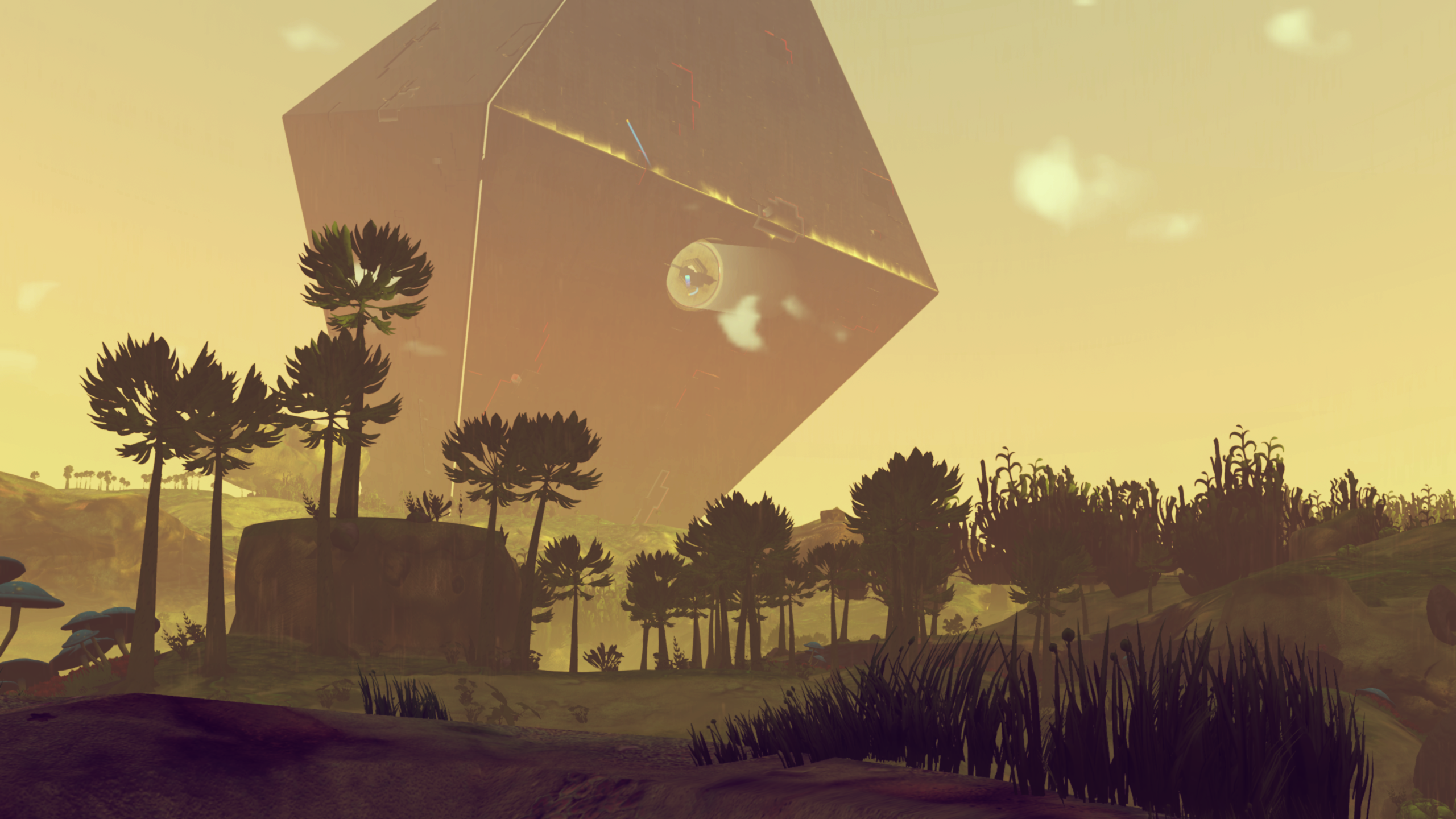
RaYRoD's Camera Overhaul:
https://www.nexusmods.com/nomanssky/mods/618
RaYRoD's Flight Overhaul:
https://www.nexusmods.com/nomanssky/mods/614
20-20 Clouds - NEXT Trailer Style Clouds:
https://www.nexusmods.com/nomanssky/mods/735
Concept Art Style (Atmospheric Atlas - Space Stations):
https://www.nexusmods.com/nomanssky/mods/620
https://imgur.com/0V13Iwf
All updated to the latest experimental branch.

Nexus Mods :: No Man's Sky
A more aesthetic, smooth, yet cinematic experience... plus various other quality of life improvements.

Nexus Mods :: No Man's Sky
This flight overhaul mostly focused on quality of life improvements.

Nexus Mods :: No Man's Sky
I spent the day making various adjustments to clouds through real-time hacking. There's no more blurry clouds or clouds stretching out into space. There are various other quality of life improvements.

Nexus Mods :: No Man's Sky
Exported from RaYRoD's Overhaul, this mod is intended to imitate pre-release concept arts (where Atlas Stations) were hovering in the atmosphere. I've converted an Atlas Station into a fully functiona
 supple wadi
Aayy, found yourself compartmentalizing some bits during these tumultuous times, eh?
dreamy tulip
Heh, yeah. I update my source as a whole upon every exp branch.... those are files from my (in-development) fan project isolated.
When I finish coding my tool, it'll be 99% faster to update
The manual updating is tedious... (expecially wth frequent awesome patches) lol
supple wadi
Yeah, automating is the way to go for bigger projects, without a doubt
dreamy tulip
Do you still dabble?
supple wadi
Not lately, still waiting for things to settle in, but have a bunch of ideas from some of the new stuff they've added, or stuff they've simply changed around
Very happy I didn't get too far into what I was working on right before Next, given how they changed up basically all the object resource outputs
dreamy tulip
Ah yeah, fair enough. They changed the Atlas Ending 2 scene
I was surprised, had to update it
supple wadi
From what I gather tho, a decent amount has remained the same in terms of basics, so it's mostly just the usual mix in some new structs to update things
Noticed that when I updated Cockpit Cloak like a month or so ago
dreamy tulip
Yeah, fair enough. What I really like about the frequent patches is the new structs and stuff being added.
There is continuously becoming more stuff internally to have fun with
supple wadi
Yeah, I've been keeping an eye on it, just haven't wanted to unpack a million times, lol
supple wadi
Oh damn, really?
dreamy tulip
Yeah, during the process... though I have an SSD
Resolved to only do like 15 .pak's at a time
So, it's not so bad
supple wadi
Weird! Do you use the psarctool directly or something? I generally unpack via Modding Station
hallow pumice
Doing it that way it opens about 150 tabs of the console it seems lol
supple wadi
😵
hallow pumice
Looks like my pc is being hacked
supple wadi
I've always found Modding Station's unpack to be reliable & quick, plus I just don't like CLI stuff, lol
dreamy tulip
@hallow pumice How so?
I might check it out for that purpose
Gmr
Oh
nvm Hennesy, I read that wrong
hallow pumice
@dreamy tulip like this https://gyazo.com/eef2e6c31a54abf9235262e480e496be xD
 dreamy tulip
Lol
hallow pumice
Oh thought it was from that show
hallow pumice
Mr. Robot?
dreamy tulip
nah
supple wadi
I was just thinking of the meme
hallow pumice
can I post the meme in here??
dreamy tulip
 supple wadi
lol
dreamy tulip
Also, I think I'm gonna go mad. For 6 days now... the Futurama theme song has been playing in my mind on repeat
Can't seem to get it out lol
hallow pumice
Yikes, thanks now I hear it...
dreamy tulip
LOL
supple wadi
I just have Take a Byte by Janelle Monae stuck in my head atm
dreamy tulip
😁
 west notch
Sorry to bother
I have these mods
Do somebody knows if any of them are broken because of 1.59?
Or i will be fine?
dreamy tulip
Depends which version those .pak files were made for
However, I recently updated the flight overhaul today
random biomes, should be fine
As well as expanded palettes, less intrusive rings
and default filters on all planets
echo oxide
@hearty wasp you told me to tag you, so here's another one
https://youtu.be/Xa0hbdmFpGY

let toby die Let Toby Die L E T T O B Y D I E ⓛⓔⓣ ⓣⓞⓑⓨ ⓓⓘⓔ LET TOBY DIE ⱠɆ₮ ₮Ø฿Ɏ ĐłɆ 𝕝𝕖𝕥 𝕥𝕠𝕓𝕪 𝕕𝕚𝕖 𝖑𝖊𝖙 𝖙𝖔𝖇𝖞 𝖉𝖎𝖊 🅛🅔🅣 🅣🅞🅑🅨 🅓🅘🅔 𝙡𝙚𝙩 𝙩𝙤𝙗...
echo oxide
ono
hearty wasp
lmao
hearty wasp
Nexus Mods :: No Man's Sky
A mod that adds loads more decorations, including interactive crates, small to big furnitures, flags and emblems.
also Imma unpin dupllicated mod links cos why would we need dupes at this point
!unpin 485915817247244288
hardy auroraBOT
@hearty wasp OK.
hearty wasp
!unpin 482979231710707713
hardy auroraBOT
@hearty wasp OK.
hearty wasp
!unpin 485737109915828234
hardy auroraBOT
@hearty wasp OK.
hearty wasp
!pin 490166854606913536
half flame
is there any faster way to get salvaged tech? -_-
 stable goblet
you can buy salvage tech or trade for it with another player
limpid summit
Is frigate class odds controlled by INVENTORYTABLE? Or elsewhere since freighters/frigates are newer?
Okay, the answer is definitely not, at least for Frigates. Who knows what Freighters use. Does anyone know what does control them?
half flame
looking for a mod or making a mod to get maxed freighters?
limpid summit
I'm trying to up the chances of higher classes, not make them always maxed. Looking at the changed files from https://nomansskymods.com/mods/legit-max-frigates-next/ and I can't see anything that would effect class chance as claimed.

This mod removes the RNG for Frigate classes and stats. Each frigate you encounter ingame will have the best initial stats and will spawn as S class. A HUGE shout out to "Ray Khouri" from the NMS Modding Discord. We looked for hours to find out how this works and he found the...
Like, there's a change that makes all frigates purchasable, and another that makes the chance of negative traits zero, but I'm not seeing anything for classes here.
Oh wait, figured it out.
New question: what do the five Property values under ChanceOfBeingOffered each do in FRIGATETRAITTABLE? I know setting them all to zero makes a trait (or trait category, possibly) not appear, but how? Can you make a trait merely appear less?
dreamy tulip
Infinite Visual variety with consistency.
After 10 hours, I've finished coding for the color palettes, for now in a systematic fashion.
So, I'd like to emphasize that this is not (entirely random) but rule-based. Algorithmic. Purely random often results in chaotic. We can have infinite variety with absolute consistency. I have things setup in a way, where (I don't know what to expect) - but I know to expect to not see what I don't want to see... because of rules. Infinite biome palette Variety with no eye sore planets. Not only is there infinite variety, the biome color variety is being procedurally generated based off of rule-based conceptual art biome, atmospheric, and space palettes that I created in-game , when I looked at pre-release screenshots, pre-release trailers, No Man's Sky fan art, random science fiction book covers, real-life locations, photography from outside of my house and nasa imagery... and repainted replicates of that conceptual art into No Man's Sky live in-game through executable hacking.
This is cranked all the way down, but I generated a massive amount of palette combinations with rule-based consistency grounded in the vibes of conceptual art.
1,773,917,184 rule-based, procedural palette combinations to be exact. Changing the amount of combinations to get generated is as simple as typing a number on my keyboard.
I have also ensured that vanilla palettes, alongside palettes from every released version of No Man's Sky will still be frequent (including various pre-release trailer and planet palette replications, with numerous rule-based proc variations coded for them systematically in specific areas).
Here are a few pre-NEXT screenshots (showcasing this kind of style, from an older, inferior version) in which in this case, will be modest.
hearty wasp
ahh, rotating emitters, nice as fuck
did you try to rotate the thing is more than one axis before? could be why the trails were going bigger
cyan oracle
thanks 😃
this was wrong axis, early on:
last night I ended with using the "trail" locator in the engine scene, and I wasn't satisfied with that.. I really wanted to find the scene that the trail locator loaded.. finally found that, and that allowed me to make different color trails
the large green trail loops were because RotY for the outer trails was set too high..
cyan oracle
trails.. I thought about particle emitters, but I'm no good with all the settings..
still just the default trail, not able to make different trails for different ships 😦
hopefully we'll be able to once we can customize ships.. that'd be really cool
cyan oracle
the trails are scene files, but not mesh files..
instead of geometries, it's a terrain/trail type file.. then uses normal materials and *.trail.mbin files to create the trail
so the trails are sort of like emitters, but they're their own mbin type
the player's default trail is: MODELS\EFFECTS\TRAILS\SPACECRAFT\HOT\HOTTRAIL.SCENE.MBIN
chased a ghost in the wrong file for a good few hours before I finally found the right scene file
IDK what MODELS\EFFECTS\TRAILS\SPACECRAFT\DEFAULTTRAIL.SCENE.MBIN is, but it's not a player's default trail..
hearty wasp
huh, interesting
cyan oracle
thanks Leon 😃
thin viper
nice trails KREM.
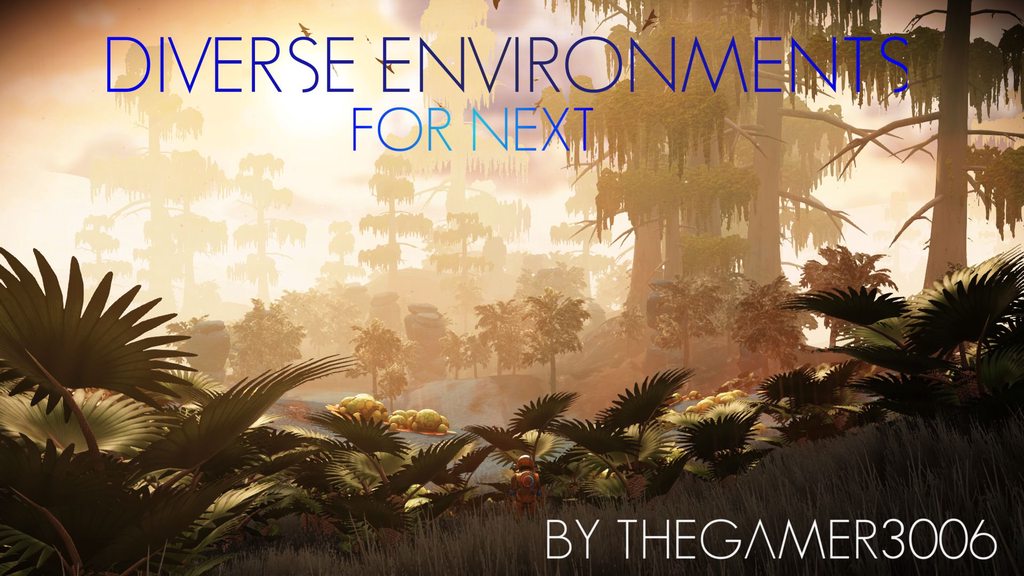
Hello all Interlopers, Diverse Environments now available for NEXT , https://www.nexusmods.com/nomanssky/mods/493 . the mod is now fully procedurally generated for NEXT, nothing made by hand. the initial release version for NEXT has more chances of spawning Forest type planets as per feedback from testers, more balanced versions will be released in future updates. https://imgur.com/a/sB60WoM album with some images from the forest predominant variant of the mod.

Nexus Mods :: No Man's Sky
This mod overhauls entire planets in the game, including land,mountain and cave biomes. Entirely procedurally generated mod , nothing made by hand. This mod spawns more than 10³³ planetary biomes (s
!pin 490790548165361674
 drowsy lantern
That is awesome news. Cant wait to try it out
So does it affect underwater/underwater cave biomes? Or is that a separate mod. Really keen to go cave diving but would also like to see really cool shit in the process haha
half flame
@thin viper making all new saves for the mod. not gonna bother my old files now.
 marsh aurora
This is not really necessarily modding related but I assume you modders would still know. Is it possible to grab the 3d file of your ship and turn it into a 3d printable thing?
hearty wasp
ye
 twilit wing
Does anyone know of a mod that entirely removes clouds so that I can take unobstructed screen shots of a planets surface?
 hushed bronze
@hearty wasp Can you tell me where to look for those models and their names?
I have a lot of experience in modelling, not so much in coding
 dull lark
Guys is there a mod or a possibility to shut the exosuit voice "units received" it's driving me nuts lol
marsh aurora
@hearty wasp how exactly?
hearty wasp
I ain't sure if exporting to obj from model viewer is updated yet so first you have to wait
Or alternatively help greg do his work
dreamy tulip
@twilit wing
 young oar
twilit wing
young oar
twilit wing
awesome. Thanks @dreamy tulip I've never used a mod before
dreamy tulip
No problem! I'll give you some instructions in a moment
twilit wing
cool thanks
dreamy tulip
Installation Instructions:
- Go to your No Man's Sky directory (whether it be Steam or Gog) and inside of No Man's Sky > Gamedata > PCBANKS... delete "disablemods".txt.
- Inside of the 'PCBANKS' folder, create a new folder titled "MODS".
- Place the .pak mod, into your MODS folder.
Enjoy!
twilit wing
sounds pretty simple and when i'm done taking my screen shots I can put it back to normal again by removing the mod pack and puting back the "disablemods".txt file?
dreamy tulip
Yup, it is. :)
You can add back the disablemods.txt, or you can create a new folder in your MODS directory and name it to something like "DISABLED MODS" and just drag the .pak file into there to save time.
twilit wing
ahh cool
dreamy tulip
Due to the nature of the way that the game loads playstation archive files, only the modded .paks in the "MODS" directory get loaded.
twilit wing
im on PC will it be different ?
dreamy tulip
Nope, the .pak/psarc files are essential playstation archive files renamed.
The files on the PC build and PS4 build are almost completely identical.
twilit wing
oh thats cool i had no idea
here what im working with now and want the same screen shot minus the clouds
i cant drag the file into discord on this channel
but you get the idea
going to install mod now and see how it works
twilit wing
excellent i'll let you know how it goes. thanks again
twilit wing
Awesome Mod @dreamy tulip ! No clouds blocking my few of the planets surface. Now i can take unobstructed screen shots of the surface . Thank you very much!
dreamy tulip
You're welcome:)
thin viper
now also updated on NMS MODS site , https://nomansskymods.com/mods/diverse-environments-2/

====================================================================================== DIVERSE ENVIRONMENTS FOR NEXT =================...
!pin 491245675351244800
hearty wasp
need someone to test some exocraft shit, hmu asap pls
 crimson crypt
How does one mod NMS? Does NMM work good? Is it easy?
crimson crypt
That’s what I mean. Just downloading the mods not making them. I just want to know if I should do it manually or use Nexus Mod Manager. I use it to mod my Skyrim and fallout I’m just unsure if it’s the same process.
 kindred birch
i prefer manually, just download it into the mod folder and start it up
crimson crypt
NMS has a mod folder?
crimson crypt
Thanks I’ll check it out
 sudden wasp
@frisout "This is not really necessarily modding related but I assume you modders would still know. Is it possible to grab the 3d file of your ship and turn it into a 3d printable thing?" If you ever get that figured out, I'd pay some serious bucks for a model of my favorite ship - and I wouldn't be the only one 😃
dreamy tulip
@sudden wasp, yes you can.
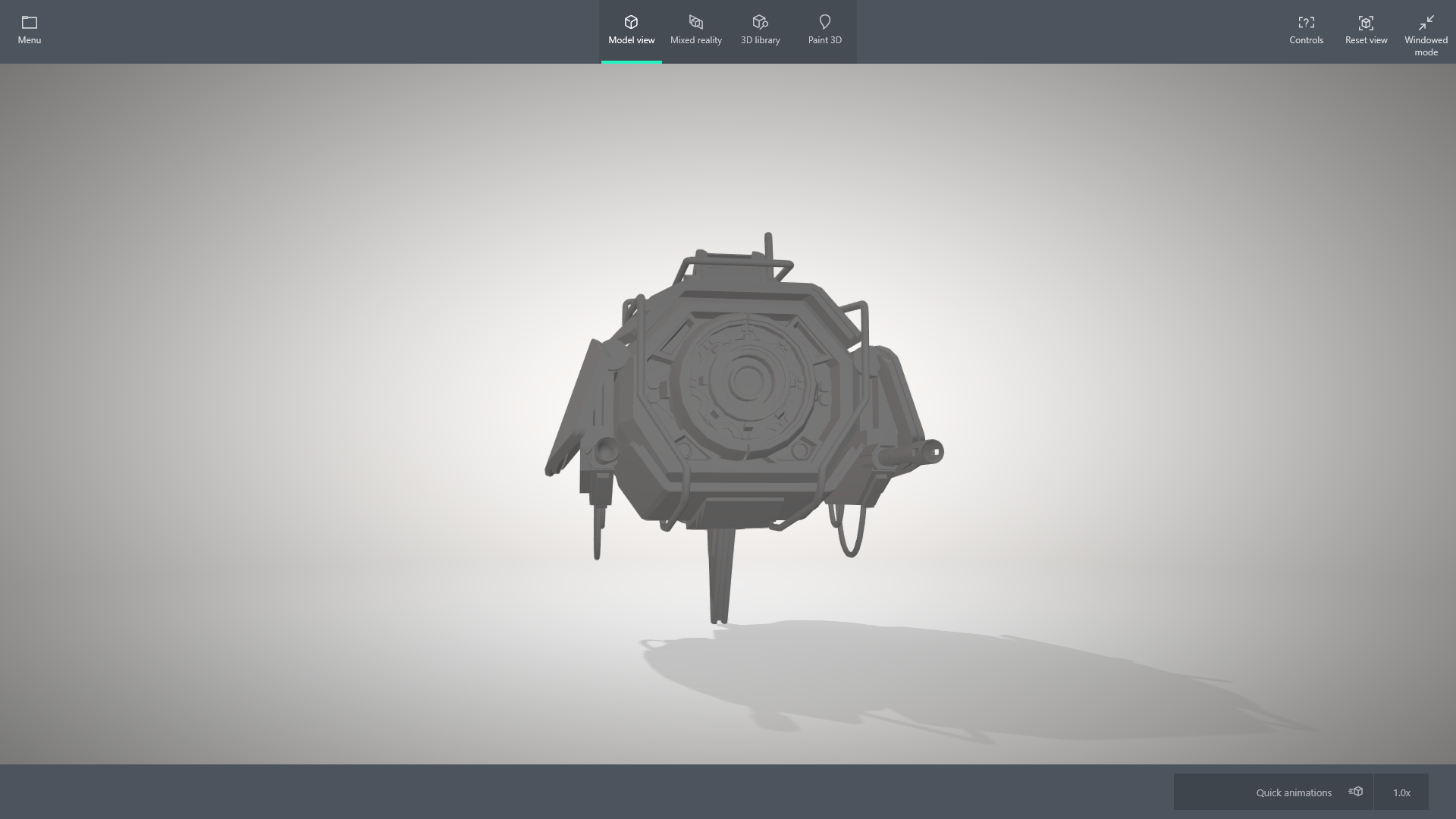
GregKWaste developed a free tool for that purpose called "No Man's Sky Viewer"
supple wadi
Is it currently working for export to obj tho, given their reworking of it?
dreamy tulip
@supple wadi Yeah: https://i.imgur.com/SlxTItm.png


 supple wadi
nice
 naive blaze
hey guys, is there a more recent audio file dump then the one from first release of NMS?
i'd like to get my hands on some of those new sounds
obsidian tree
@naive blaze music or just sounds? Because I have a program that can extract them for any version
 magic lava
Is that available to anyone @obsidian tree , and does it do both music and sounds?
naive blaze
@obsidian tree I don't have NMS on PC so I cannot do it myself
I was wondering if anyone else had a file dump that they'd like to share
obsidian tree
yeah, it's on my github
Also a dump of all the sounds would be... really big lol
Probably a few Gb
I don't know how well it handles music tbh. Haven't looked at it in a while lol
GitHub
Audio Editor, replacer and adder for No Man's Sky. Contribute to monkeyman192/No-Man-s-Audio-Suite development by creating an account on GitHub.
drowsy lantern
Replacer sounds nice. As in...replace Annoying Voice in the Exosuit with...SILENCE
dull lark
Yes that please. I'm getting crazy "units receeeeeeived"
naive blaze
well, if anyone could take the time to post a file dump of all the audio, that'd be much appreciated 😃
dreamy tulip
Oh man, that's not good.
 tepid imp
anyone know if its possible to change the order of the ships that are listed on the save editor ship list..... this mod that adds the starship appearance modifier only lets you change the color of the first ship listed
heavy merlin
You could probably do it by editing the raw json in the editor, finding the section of the ship you want in the list of ships, and moving that before the current one.
tepid imp
i'll have to take a look at that i guess. pretty cool though, only lets you change the one ship and primary color -
drowsy lantern
that black looks awesome
hey here is an idea for a mod, for those savvy in their creation...the fucking Milestone screen popup or even planet data popup when you land etc...reduce the time that stays in your bloody face. my god. shits me to tears sometimes
i know you can hold Tab to close it...but just make it go away really quick. that would be fine 😃
cyan oracle
@tepid imp as @heavy merlin suggested, copy/pasting the nodes so they're in different order is your only option.. it's important to note that each of the first 5 ships' main node sections conclude with a }, and the last node concludes with ONLY a }
The comma dictates the continuation of the array of ships.. so when you rearrange your order, it's important to keep the first 5 ships with commas after the node's ending bracket otherwise the save file will not work..
obsidian tree
Does json care about that? Generally in lists you can have (e.g..) (1,2,3,) or (1,2,3) and they are considered the same thing
Well in some languages at least
heavy merlin
This is {1,2,3},{4,5,6} vs {4,5,6}{1,2,3}, or so though.
obsidian tree
oh, yeah, they of course wouldn't be the same
cyan oracle
yea, Moo got it.. that comma creates the vehicleownership array and to close the array prematurely could cause undesired results at best..
hearty wasp
hey I'd appreciate it if anyone can give some opinion on this overpowered rocket boots
hushed bronze
LOL
Install Diverse environments, load back in to a planet using Metal fingers like they're trees.
thin viper
Lol
Well i can remove it
If people dont want it
Xd
I call those treasure planets
You get a planet filled with valuable stuff
thin viper
And you can bookmark /save its coordinates and teleport there whenever you are low on resources
hushed bronze
If its happening on everythird planet it takes the magic out lol
thin viper
Alright
hushed bronze
If every fourth planet is metal finger forests thats too much
thin viper
Hmm issue is noted down.
Well it wont be forests..it would e every fourth planet has metal fingers
hushed bronze
I dunno its the only planet ive seen
thin viper
Density is randomly chosen by the game
hushed bronze
Thats what I mean though its not a problem for fingers to be on every fourth planet, just if they're overrunning the planet on every fourth planet
hushed bronze
ok
thin viper
https://www.youtube.com/watch?v=mN2cUsYIQWE kinda like here

A whole planet whole of whispering eggs!!! in No Mans Sky NEXT PS: i forgot to record the video LOL. MODS USED: Diverse Environments for NEXT , get it here: ...
Its a forest of whispering eggs
Its rare but they exist
hushed bronze
*Do they spawn horrors?
thin viper
Nope
thin viper
Welll thats why its treasure planets
hushed bronze
Well anyway I flew away from the finger forest and it was just an oversized single deposit so to speak
thin viper
Free stuff with zero risks
hushed bronze
not actually in place of trees as i thought
thin viper
Yeah the density is decided by the game
hushed bronze
I just happened to be landed in the middle of it when I first opened my save with the mod on
AT least 200 fingers there
thin viper
Hehe 200 fingers..where is the rest of the body
hushed bronze
Its that grey mess of nothing
That was a toxic world you turned into a metal fingered moon lol
But you know what
Ive never seen it before
thin viper
Hmmm
hushed bronze
THe mod affects grass colors doesnt it?
hushed bronze
Thats still a big problem for modders"?
hushed bronze
Do they Expand the colors or just override the colors within the existing limits?
Ive tried a few and it seems i still only get four grass colors on Lush
hushed bronze
They both claimed expansion, but it didnt work out that way
hearty wasp
I mean you can just look at Nexus yourself
here's one literally at the front page https://www.nexusmods.com/nomanssky/mods/868

Nexus Mods :: No Man's Sky
A mod that adds a large variety of planetary color combinations. Every color palette is generated by colormind.io, a website which provides AI-generated color palettes. Additionally, you can create yo
thin viper
But those are pink
thin viper
Let me know if you run into the horror whispering egg planet
It would be too late by then.those eggs latch on to your face
hushed bronze
thin viper
Nice
hushed bronze
Why cant NMS just mix it up lkike this without your help
thin viper
Probably becoz they dont want peoples ps4 catching fire
hushed bronze
F--k PS4 lol (jk)
I dont mean the density though I mean the variety
like the colors. Pick from a scale, using the seed as reference
thats what seed based procgen is all about ffs
If its sand, restrict scale to sand-sensible colors
Rock, rock sensible colors
Grass?? Grass-sensible ranges
thin viper
And then there is zendesk where you send it to the devs
Better chance there than putting stuff here
hushed bronze
Theyve heard it a zillion times everyione wants the colors
even more so because NMS already had More color in previous editions
and everyone like why would you strip colors out???
Alright gonna fuse that earlier recomendation with diverse and see if NMS explodes
thin viper
Lel
hushed bronze
The usual problem of color mods being FAR FAR TOO POTENT
WOW bro I want variety not for you to make my eyes bleed with max-sat landscapes lol
btw it overrides your variety mod
just kinda pushes it out
 soft coral
how come there's too few videos regarding Diverse Environments, even pre NEXT?
hushed bronze
Make some
soft coral
Well, it's not like I couldn't or wouldn't want to. Don't get me wrong, I do think Diverse Environments is great from the few screens I've seen, but since HG keeps updating the game it makes me wonder about incompatibility. I'm more worried about the stability from their part than the mod itself.
hushed bronze
Havent seen enough to confirm yet, but I feel like Im seeing repeats already @hearty wasp with that mod you posted
500 color palettes, only uses four.
I apologize for the photo chain but it shows my relevant point here
Four different planets.
crimson crypt
Is there a way to increase the LOD or render distance on planets?
dreamy tulip
RaYRoD's Multi-Verse (Still in development)
However, that algorithm based swamp (replication) is inspired by a 2013 photo by HelloGames
Essentially Infinite variety with consistency. The general rule is that every moment in-game, whether you be in space or on planet must be in the style of a conceptual art painting (in inspiration of something conceptual/stylish). More info here: https://justpaste.it/5c7xc
hushed bronze
@thin viper Your diversity mod and this sky mod are making a seriously slick combo
Those color palette mods just overkill on the colors
I dont know why all the color palette mods are like rainbow paint vomit, no taste at all
Clearly the answer is: MODS
supple wadi
not sure about all of the color palette mods, but i think some of them just kinda throw values at the wall? 🤔
hushed bronze
@thin viper Your mod is awesome but it also seems to de-grass most Lush Planets almost completely
thin viper
@hushed bronze grass is picked by the game
So if a planet has grass or not depends on the game itself
hushed bronze
Thats not tru in this case
@thin viper Im telling you i revisited lush planets Ive already bneen to
went to about thirty lush worlds only one had grass
thin viper
I know
I just tell the game these are the grass it can spawn
Whether it spawns depends entirely on the game
hushed bronze
I get what tyoure saying, really
but what Im seeing is Lush worlds with no gras at all
Over
and over
thin viper
Also if you are using the color mods..i think it will override the biomes mod
hushed bronze
Nah i thrw that out it was crap
thin viper
Ah cool
hushed bronze
Ive seriously had some incredible fun with this mod make no mistake
thin viper
Well i can make every planet have grass if yoy want to?
hushed bronze
just wierd that Lush grass is all gone
thin viper
Hmm well its a simple fix but then grass will be too common