#nms-modding
1 messages · Page 127 of 1
 random flint
As I said above:
First time playing it today:
Everything is weirdly bright and textures get stuck and stretch weirdly when I move around.
After restarting the game:
textures look all washed out and ... strange. Lots of stuff was black, and dark, and off-colour, as if someone had made the contrast go all chaotic.
So, yes.
Stuff changes every game restart.
 dreamy tulip
What res are you running on?
dreamy tulip
Was it a planet that looked washed out?
random flint
My ship, inside the ship, plants on planets, animals, etc. Everything.
dreamy tulip
What if you take out the mod?
random flint
Then it all looks normal.
dreamy tulip
Trying to piece together what the cause could be
As I've yet to hear of something of that sort
Is this a new thing that happened?
And do you have any more snaps?
random flint
I'm honestly getting frustrated now.
random flint
I'll leave you be, since you're obviously busy with something else. Dealing with an ignorant idiot like me, is just a waste of your time.
dreamy tulip
Feel free to send more snaps, if you'd like. Other than that... I'm not really sure what is/was going on... on your end yet. It's not happening to me.
I can't fix something that I can't reproduce, lest I encounter it
Or get a better look
But yeah, I'm busy atm. Will load up your save soon as previously mentioned. That's beta testing for you 😛
Just fixed another crash
Time to fix the next one
 hallow pumice
Don't understand why they took those out
hallow pumice
They glow at night? Can't remember if they did
dreamy tulip
I don't remember, I'll take a look
I just fixed 5 more crashes
And also another thing that was a major cause of other crashes
I had a file calling something that I accidently deleted lol
hallow pumice
Don't know how you do it, I'm still over here learning to read the exml files xD
dreamy tulip
No glow on these, but it could be added
Loading up that save now
Prior to starting my day at 1:11 am
 lime mesa
I see you've implemented the old pre-release knowledge stones
that's what they were, right?
dreamy tulip
No more crash anymore
When I loaded up @random flint on my current version it works/looks great
@lime mesa Yeah, that's right
lime mesa
cool
do they still function that way?
as in, does it behave the same way even in the files?
lime mesa
ah. just curious, not that it matters if it's actually in the mod or not. I think I recall stones being used for monoliths, too, but I might be wrong on that. just another type
dreamy tulip
This is the planet from @random flint 's save
The stones from the ign footage were cool
I'll try to re-work them to be like that
As giving the wrong answers, would give you consequences
Or put you to sleep etc...
lime mesa
oh right
I remember that now
also, just by chance, is it just me or do the portals give off an entirely different message that's immediately replaced when you interact with them?
"respond positively"
"respond negatively"
I swear I see that every time I find a portal in 1.3
dreamy tulip
This planet ❤
Sorry, keep getting distracted lol
The portals were totally differently planned mechanics
back then
I wish they were still that way
dreamy tulip
The idea was that the closer you traveled to the center, the more alien the planets would be. Therefore, opening a portal was supposed to take you to a more alien planet that was closer to the center and rich in resources. The portals also seemed seamless. You wouldn't be able to take your ship through, but you'd have to find what you need... only to go back to where you came from.
lime mesa
also, yeah I swear I see "respond positively to the portals influence" when I interact with portals sometimes in a spam of choices that immediately disappear
dreamy tulip
@random flint The inside of your ship
on the version that I'm using
Looks fine to me right now
 echo oxide
I remember something mentioning a stranger
lime mesa
I'm gonna check on those choices I swear I keep seeing
it's repeatedly happening
but I bet I won't find them now that I'm looking for em lol
dreamy tulip
My schedule is wacked
About to eat dinner for breakfast, before lunch, before dinner, before breakfast again before bed
It's almost 2 am
lime mesa
I eat a shitload of chips at 2am, go to bed at 3am and complain about being tired when I wake up and wonder why
lime mesa
I just don't think I ever recovered from waking titan
every time I sleep I hear howard's voice whispering in my ear about jobber
aha!
I caught it on video
fucking knew it
hallow pumice
There’s some screenshots about what you’re talking about @lime mesa
hallow pumice
Oh nvm haha
lime mesa
also holy hell
no mans sky makes my ps4 very loud
very peculiar
I might roll back no man's sky 1.3 to 1.0 just for the hell of it
dreamy tulip
You too? 😛
lime mesa
nostalgia
lime mesa
I'd do it if I knew my saves would be safe
I don't have a flashdrive unfortunately. I do have ps plus cloud saving however
lime mesa
PS4?
random flint
@dreamy tulip, in your screenshots it looks more vibrant and "right" than mine did.
I'm not sure what's causing it, then, since it only acts up if I use the overhaul.
Maybe my net decided to be weird, and corrupt some data on the download.
I'll try redownloading it.
@dreamy tulip Yup, looks fine now that I redownloaded it: https://i.imgur.com/rA8GTlT.png

How did you get your ship's HUD to show all the panels? Mine's always so zoomed in.
I have to either be warping, or flying really fast for all of the panels to be on the screen.
Well, anyways. The weird texture stuff is fixed, from redownloading. I assume there was some data corruption on my end, due to my faulty network.
random flint
Well, um. Here's some strangely bright white landscape again: https://i.imgur.com/hiZdeJd.png
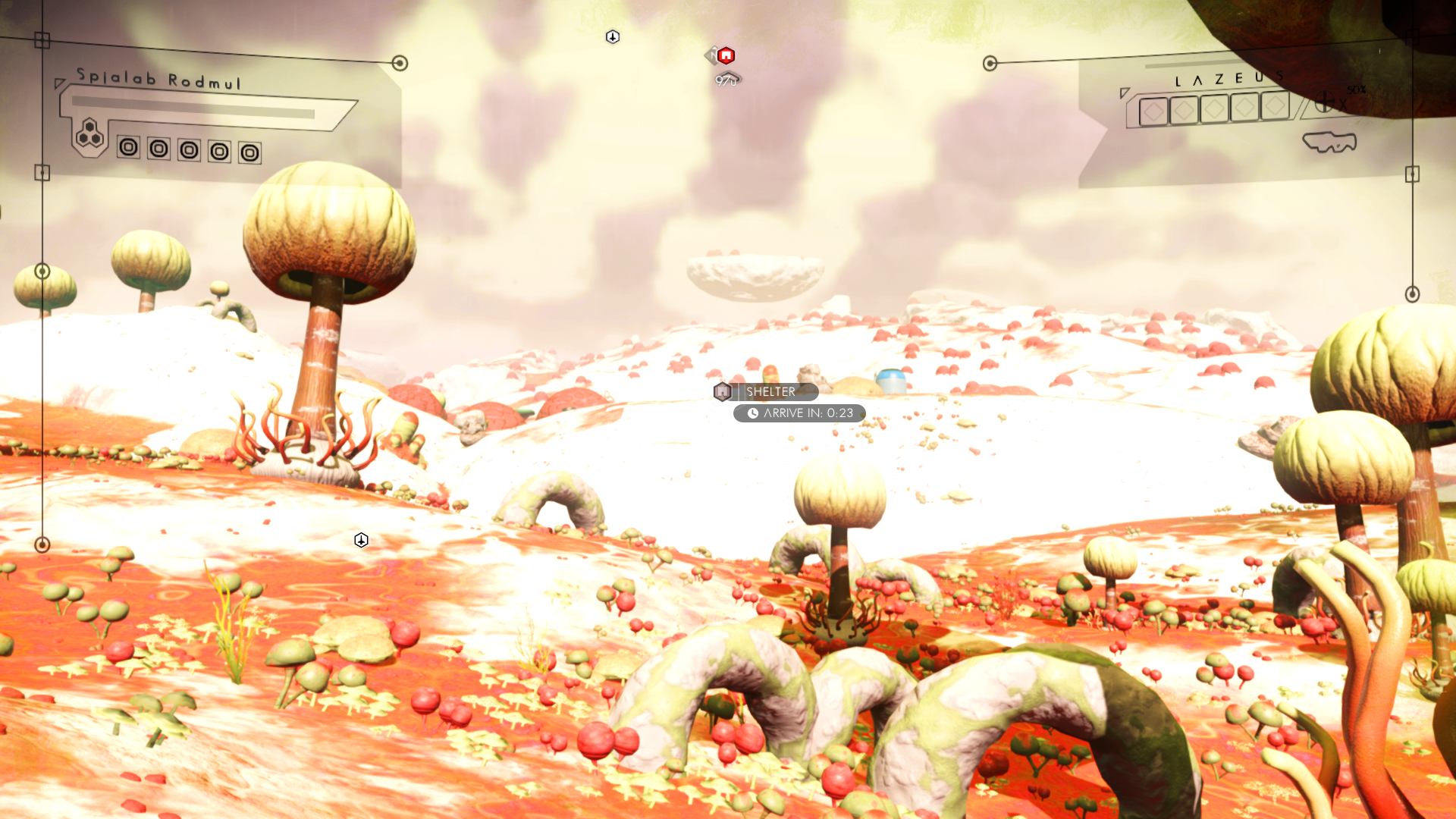
I started a new save.
dreamy tulip
Will fix it now
 red iron
Fuck all these cool things is making me want to use mods
Anyone care to give me a startup guide for mods?
:*
random flint
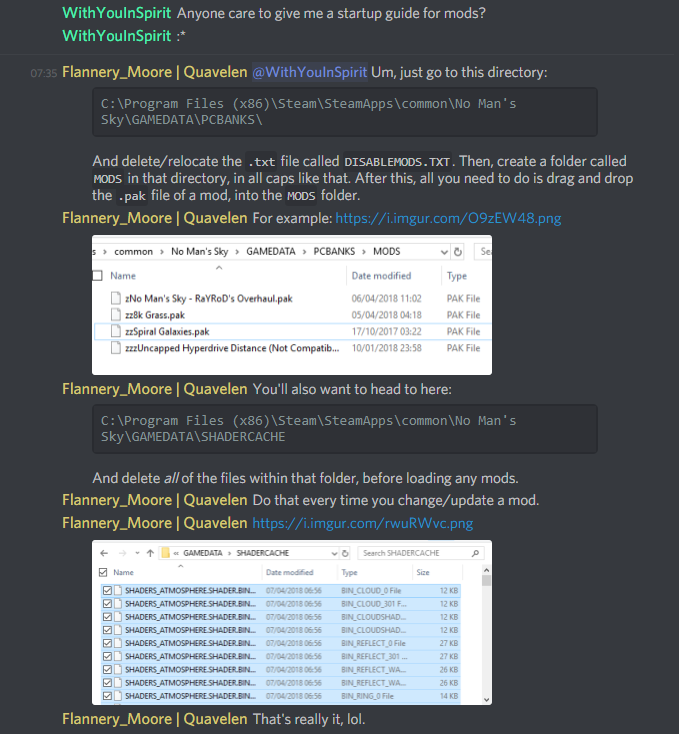
@red iron Um, just go to this directory:
C:\Program Files (x86)\Steam\SteamApps\common\No Man's Sky\GAMEDATA\PCBANKS\
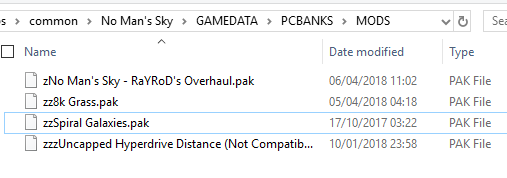
And delete/relocate the .txt file called DISABLEMODS.TXT. Then, create a folder called MODS in that directory, in all caps like that. After this, all you need to do is drag and drop the .pak file of a mod, into the MODS folder.
For example: https://i.imgur.com/O9zEW48.png
You'll also want to head to here:
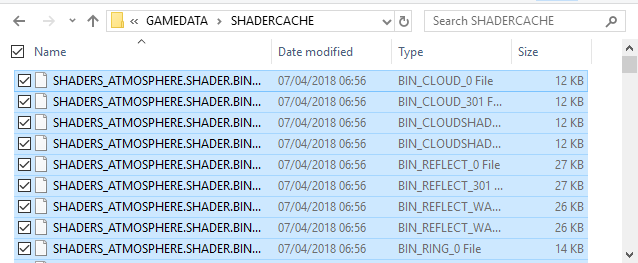
C:\Program Files (x86)\Steam\SteamApps\common\No Man's Sky\GAMEDATA\SHADERCACHE
And delete all of the files within that folder, before loading any mods.
Do that every time you change/update a mod.
That's really it, lol.
random flint
Um, I believe for the "stable release", the best place is Nexus Mods, and the most updated "unstable" version is his google drive.
dreamy tulip
@red iron Hi
random flint
Is that right?
dreamy tulip
No
Gonna dm you @red iron
The most updated version is far more stable than the NexusMods version. There are just a few things left for me to iron out
random flint
Oh, okay.
random flint
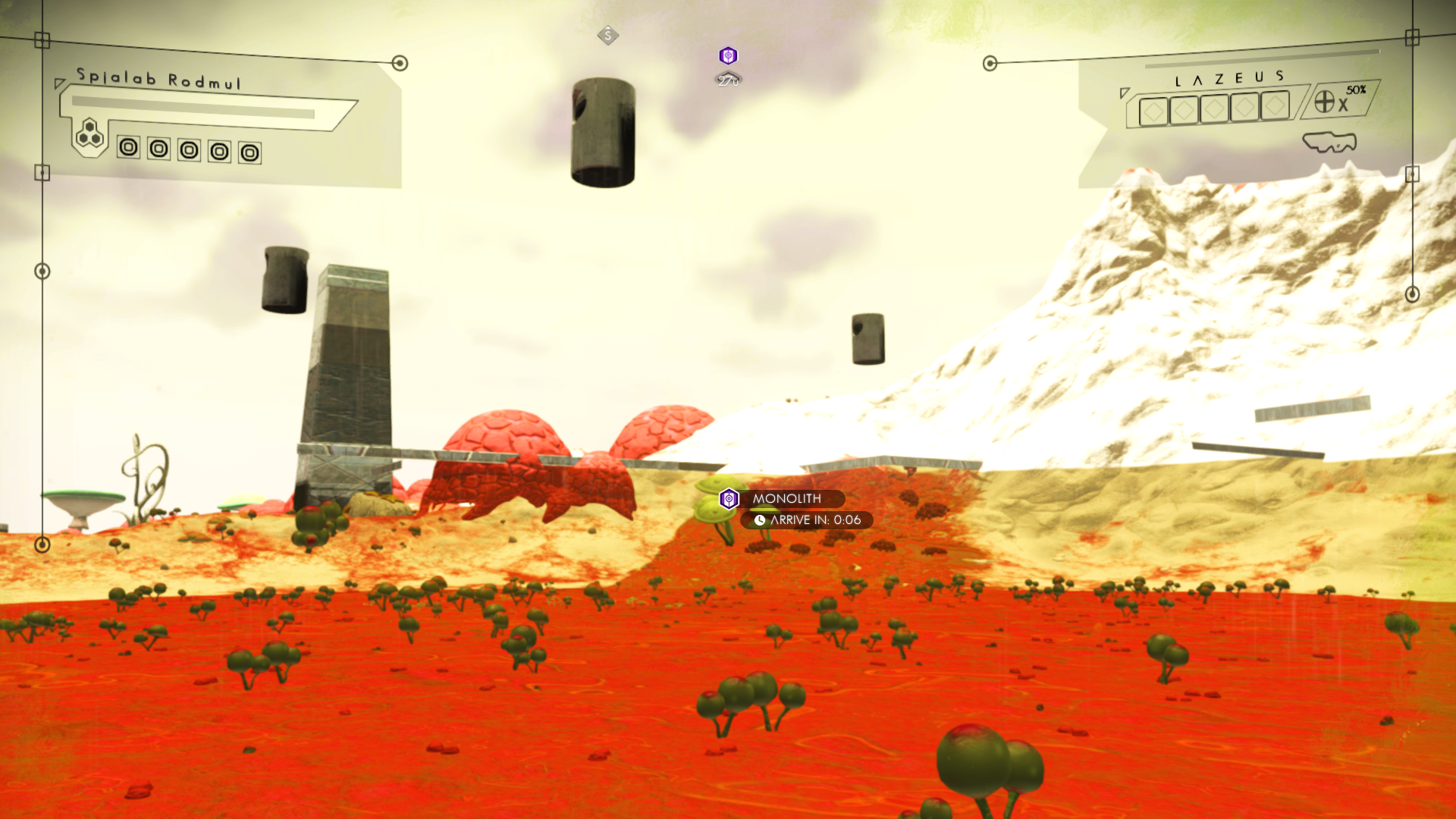
I found a monolith that's not ... "solid". I can't walk on it at all; the game identifies it as a monolith, yet I'm walking through it like it doesn't exist.
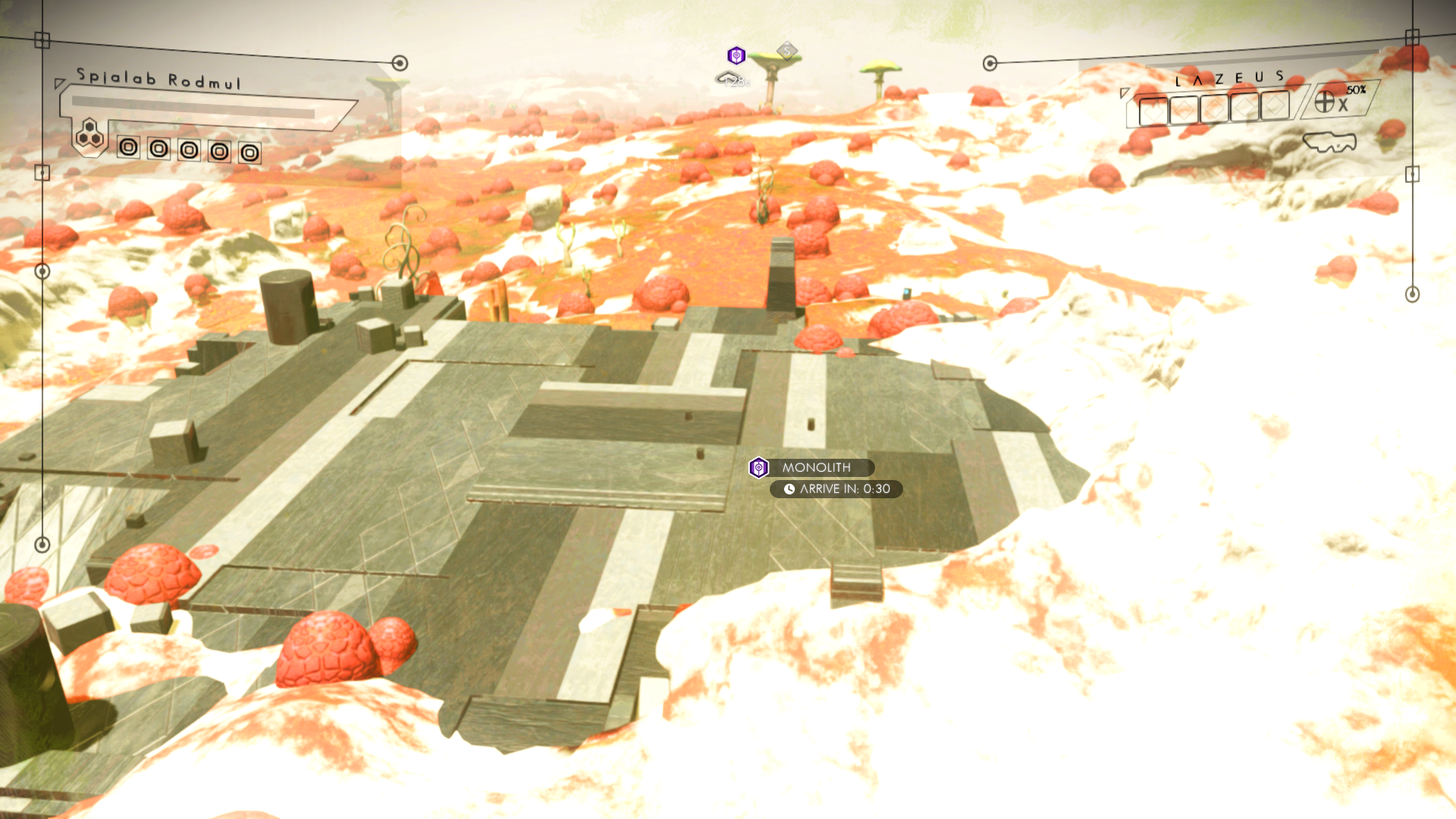
This is inside of it, looking up: https://i.imgur.com/uNYqGw0.png
 dreamy tulip
Was just working on a fix for that
dreamy tulip
Also... I'm having a really hard time finding a rare crash atm
On the version I'm using
It's literally, that rare
I suspect that there's almost none left
I need to fix it prior to uploading this new test
random flint
I hope you find it. I know the struggle of hunting for elusive/rare stuff, quite well. I've spent 13+ years on a game where literally almost every action is defined by RNG.
dreamy tulip
Thanks man
I mean, in a way....
It's a good thing
The mod is becoming more and more stable.
(Despite some new issues that I introduced on the last test)
 fossil zodiac
honestly, they just need to implement large dense flora like this into the game officially
the vanilla version of the game leaves much to be desired
red iron
@random flint sounds like Runescape lol
random flint
Yup, that's exactly it.
red iron
Oh
random flint
I started playing it in 2004.
red iron
Not my deal no
random flint
Super grindy, and it's an ancient "point and click" adventure game from the early days of the Net.
So, yeah lol.
random flint
Yup, but they keep on trying. Their current ploy is attempting to create a "mobile client"; literally an app for phones, iPads, etc., that launches the game and connects to the live game to allow mobile users to play side-by-side with PC users. It's getting a lot of attention lol.
Hopefully they succeed.
 hearty wasp
Did someone tagged the modder role cos I just wanna go back to not caring
dreamy tulip
@lime mesa Turns out that they do have lights
random flint
@hearty wasp Spirit did: https://i.imgur.com/tT4oO2M.png
 hearty wasp
Aight thanks byeeeeeeeee
random flint
One more crash, @dreamy tulip: https://i.imgur.com/emlsrCF.png
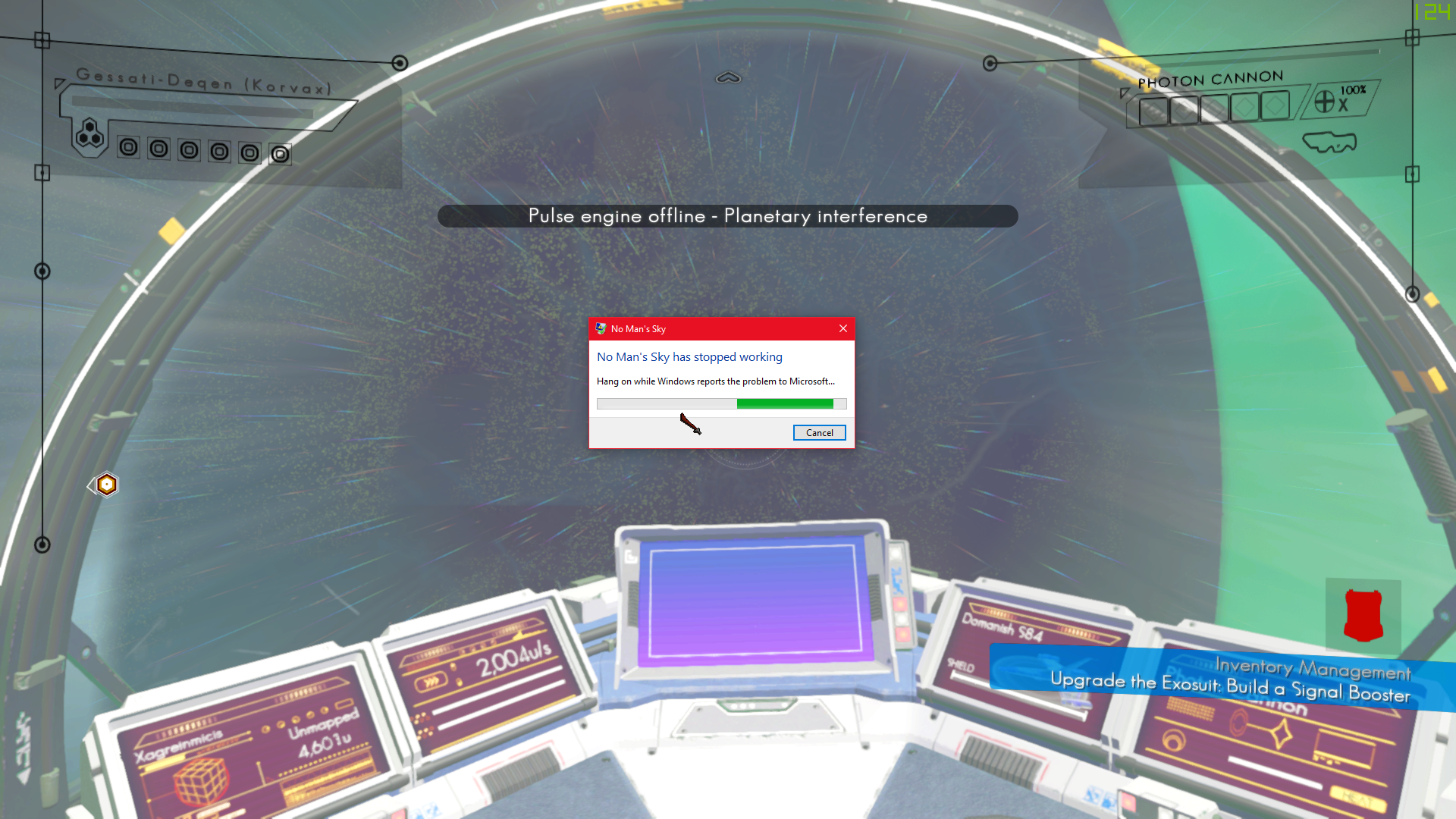
Not sure if you fixed that one already.
It was upon entering the atmosphere of a moon, with the pulse engine active.
random flint
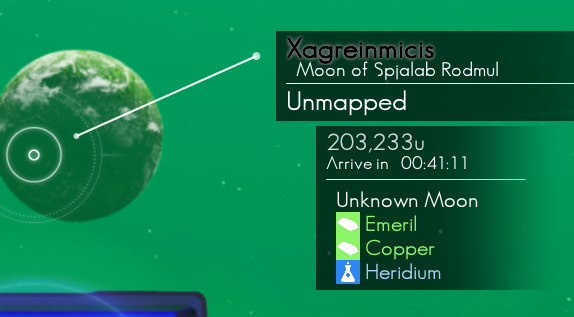
Um, it just said "Unknown moon". I'm logging back in, and I'll take a screenie of the scan for you.
Lost ~20min of save though, due to my own stupidity lol. Gotta gather iron and heridium again.
dreamy tulip
Thanks
Not a problem
I know what it is
Should be fixed now
Super tired, but hurring up
random flint
Thank you for putting so much effort into this.
dreamy tulip
Thank you so much for reporting rare issues 😛
random flint
Um, one more weird issue - these red lumpy things suddenly stopped... "existing", just like that monolith: https://i.imgur.com/sY1jfey.png
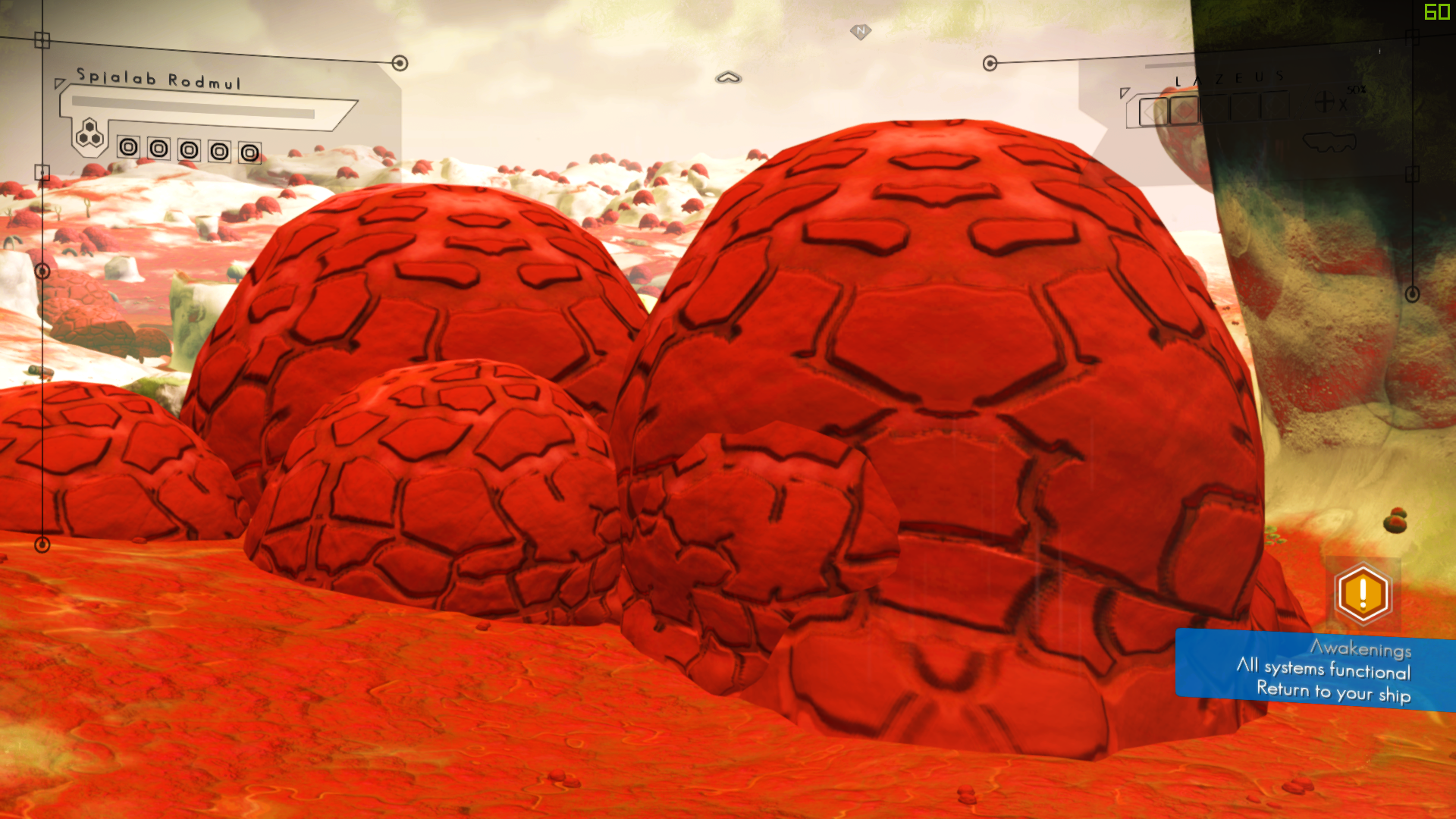
Before the crash, they were minable and consisted of iron and plutonium.
Now I can walk through them like they don't exist.
They don't even show up on the scanner any more.
dreamy tulip
Should be fixed in the next version
random flint
Okay, thanks.
dreamy tulip
I found a flag that I forgot to turn on
random flint
Ah, ha! Found one that's still existing and scanable: https://i.imgur.com/4EDJ4WI.png
dreamy tulip
Yep, looks like a tiny coral biome assett scaled up a bit
But I forgot to change a flag
Will have colission
As I added collision verts to it manually
I also managed to successfully change a lot within a geometry file manually
Even though it's not supposed to be done that way
random flint
o.o
dreamy tulip
Supposedly not meant to be done manually with human hands lol
Anyway, I think I just fixed a ton of crashes
"Potential ones"
random flint
It's awesome that you do this stuff, lol. Thank you.
dreamy tulip
Thanks for testing
 supple wadi
it's absolutely true, geometry files are never really meant to be manually worked with, lol
Ideally we'd be able to re-output the model through a 3D modeling program
With a smaller object like that you could probably export to .obj from Viewer and implement a decent primitive collision via NMSDK, I'd think
random flint
@dreamy tulip, sorry for the wait - here's that moon scan: https://i.imgur.com/bVW0CvN.png
 dreamy tulip
Should be fixed now, I'm confident. Thanks!
random flint
Mhm
dreamy tulip
And yeah at what @supple wadi said
It can be done with larger objects though
Manually
Just extremely tedious to do, but I'm almost done repairing all collision less (non-function able assets)
That are unused in the files, from HG's
random flint
Yikes. Okay, I shouldn't have even flown close to that moon... lol. I wrongly assumed it only crashed if it had to force my pulse engine offline. That's not the case at all - it crashes regardless, as soon as I touch the atmosphere.
Thankfully I saved at a space station.
<.<
And yeah, adding objects like that has gotta be tedious.
dreamy tulip
Sometimes takes like 30 minutes to an hour per object
Well
It's not just the adding and working it for universal consistency
w/o it being overkill
and in creative ways
But making sure that they work as intended
and are functional
which is tedious as well
random flint
Um, don't mean to pry, but this was a different crash than last time. It didn't lock up and say it stopped responding. It simply crashed to the desktop instantly. No message, or anything. No hitch.
dreamy tulip
While warping?
dreamy tulip
It's likely just another one of the things that can happen in biomes
Haha
Thanks
Should be fixe,d, will send another test soon
Currently fixing that monolith
Need to see if it's fixed
random flint
Okay
dreamy tulip
Almost done
red iron
That Winder guy seems a little rude
dreamy tulip
Then will upload for the first time today
Ohhh btw, I added a ton of procedural things for caves
for the next version
They won't all spawn at once
but all have a probability
I also fixed that odd slideshow effect
random flint
@red iron, they might just not want to have anything to do with public modding any more. I know Rayrod mentioned that a lot of the old modders just... 'left', and stopped releasing stuff publicly.
dreamy tulip
supple wadi
lol, Winder is alright
red iron
Ok :+1:
supple wadi
I think they're more in standby for Next
random flint
Ooh, okay.
red iron
Same
random flint
Think Next will break stuff?
red iron
Funnily enough
supple wadi
Yes
red iron
Of course it will
random flint
Um, speaking of which...
random flint
Can I keep my NMS version at 1.38 when 'Next' is released, or will Steam force me to update? I'd like to keep using Ray's overhaul.
dreamy tulip
Also, this marsh is really bizarre
Updating isn't mandatory
A few people wanted to do the same
From what I heard
supple wadi
Btw, you roughly speaking have 3 sets of modders atm: standby for Next, still researching, developing, & releasing to stay in practice for Next, and those still making stuff but keeping it to themselves
Also yeah, you can totally back up your current install
red iron
Is there a way to deactivate mods? I will want to play NEXT as intended when it releases
supple wadi
just toss them in a backup folder in Mods
random flint
@red iron Yup, just undo what you did to install mods.
Put the .txt file back, and all that.
dreamy tulip
Not letting an awesome update that's on the way prevent a great learning experience
I mean, even if it breaks...
It's good practice
imo
supple wadi
Yup
dreamy tulip
It will be beneficial for the next patch as you said too
random flint
And yeah, I think I'll poke around 'Next' when it's released, too.
red iron
 supple wadi
Stuff changes but it's easier to adapt when you already know how some stuff works
random flint
I'm curious to see what they do.
dreamy tulip
One of my favorites ❤
red iron
This gets me in the mood for a new update
dreamy tulip
Pacify
dreamy tulip
This video is SUUUUUUPER old
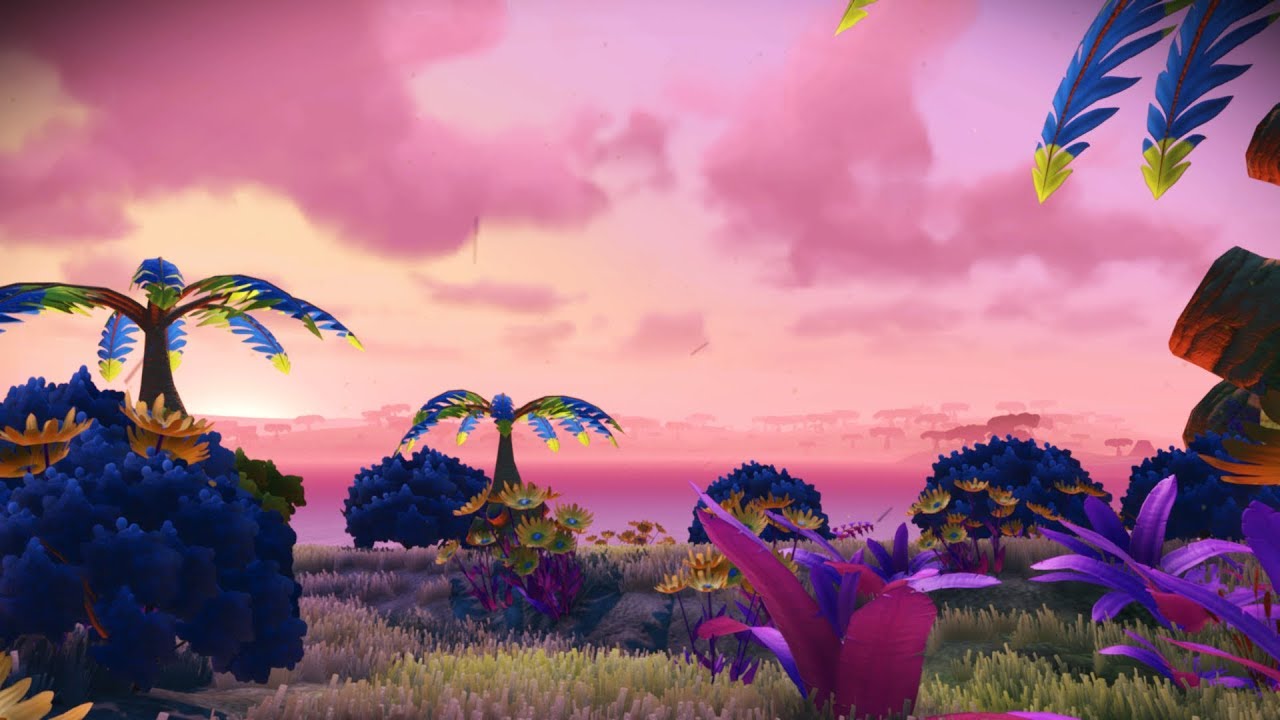
Every Version Of No Man's Sky is now in here (All of the 2016 Biomes with two alternate 2016 biome versions, all of the foundation update biomes, all of the ...
But I used that track
red iron
I'd already been given the details anyway 
red iron
Thanks to Ket and some others most of the community got spoiled 
random flint
I'm still like, 97% ignorant about NMS as a whole; still so much that I don't know, and haven't learned. Probably have a "grand total" of only ~34 hours played, now. Which, is obviously jack squat lol.
red iron
Same
supple wadi
Love Ket's work but yeah, that's the trade-off of datamining
red iron
Hpurs played
I don't think I'm allowed to say why those images were able to be datamined in the first place
supple wadi
I have probably somewhere in the range of 60-70 hours played, not counting modding research
dreamy tulip
Oh nice
random flint
o.o
 brazen pumice
oops
supple wadi
lol
random flint
Um
dreamy tulip
https://i.imgur.com/drRJBii.png
Other than that... I'm at around 10,000 hours on my project (have been planning different things that I wanted to do/try with NMS since 2013 as re-working games is what I do as a hobby, and for a living as a gameplay design artist).
 random flint
This is really shocking, lol. I expected y'all to have thousands of hours.
brazen pumice
o.o
supple wadi
I need to reload my old save to combine with my Atlas Rises play time
random flint
^
red iron
I have around 100 between both platforms
random flint
GoG first for me, and steam only two weeks ago.
supple wadi
I don't have a consistent tracker for my PC playtime, since I don't save every time I load in for a test, and don't run through GOG Galaxy every time
red iron
Only reason I have it on PC is because our good friends gave me a code
random flint
Eh, I got the free version from GoG and said why not.
Eventually bought it from Steam, after that.
dreamy tulip
I pre-ordered
supple wadi
my latest creative saves on PC have me at 10ish hours but i know that's off, lol
red iron
I first got it on PS4 in November 2016
dreamy tulip
Was kinda upset that it was coming out on PS4 first, so I begged my bro to let me spend the night and play it xD
So I played there on PS4
prior to the pc release
supple wadi
I picked it up on PS4 day of release, then on PC...Uh... I'd have to check, tbh
red iron
God now I want to go back to modding Skyrim
random flint
o_o
supple wadi
that's all it's good for tbh
supple wadi
is that still going? 🤔
red iron
It's great fun
random flint
It can be.
random flint
I loved it at first, and ended up getting bored - even with mods.
supple wadi
Nice, always hard to tell at times with massive projects like that
red iron
Not for everyone but I'm a sucker for it
dreamy tulip
 random flint
I honestly doubt that Skyrim modding will ever die out. It's a really 'big' thing.
red iron
There's a reason why it hasn't died down even after 7 years
dreamy tulip
SSkyri2m, 2@@N@@@@22o222222222222222222222222222222222222
random flint
^
supple wadi
Modded Elder Scrolls > vanilla every time
dreamy tulip
The heck?
dreamy tulip
SkyRim: No Man's Sky edition*
random flint
Lol
supple wadi
lol
dreamy tulip
and it typed those letters
red iron
You use a controller for discord?
dreamy tulip
Lmbo
random flint
I'll be honest... the last time I played Skyrim, was like... 2014 or so. It's been four years since then, so I could give it another shot.
red iron
The Special Edition was a great treat for the fans
red iron
I pre-ordered that shit
supple wadi
Really? 🤔
red iron
And thing is
random flint
@dreamy tulip If you use xPadder or another controller remapper for keyboard/mouse mapping, yes.
dreamy tulip
Can't until I upload this, but it's almost time
supple wadi
SE was primarily a touch up of visuals, no?
red iron
Yes, but also a major leap in mod support
supple wadi
Hmm
red iron
And to bring it to the current gen consoles
supple wadi
I'm still sour about it leaving in old bugs
red iron
Lol there were some
supple wadi
But better mod support is enticing
red iron
I don't miss the massive loading times of the original though
Loading is so fast in the SE
supple wadi
didn't they give it away free to PC owners?
supple wadi
I'd be stoked for a new IP from them
red iron
I have 20 thousand hours
supple wadi
😱
random flint
I remember what killed Skyrim's enjoyment for me, now. I was annoyed that I couldn't kill "critical path" npcs, when they bugged me, so I installed a mod that was supposed to allow me to kill them. It didn't work, and they just kept getting back up, unharmed.
dreamy tulip
Space engine?
random flint
I got frustrated and stopped lol.
Never went back.
I'll definitely give it another go.
random flint
Yup, I discovered that. <.<
red iron
Heh
dreamy tulip
 random flint
Finding out about the console, and how to spawn items and whatnot, also was a contributor to making me stop. I got really bored with it.
Running around in full daedric and invincibility, spawning dragons and murking them in 1-hit.
.>
red iron
Lol
dreamy tulip
Uploading now
Then to sleeeeeeep
6:16am, have been working on it since 4:pm yesterday
random flint
You know, the ability to construct proper structures - not just a makeshift space-base thingy - would be really nice.
And yikes.
o.o
random flint
I know you probably don't want to hear it, because I keep on nagging you about it... but, you really shouldn't force yourself to stay awake that long. As someone who has suffered from insomnia her entire life, lack of sleep is dangerous. Especially when it starts stacking up for multiple days.
You're at your best - mentally and physically - when you're well rested.
dreamy tulip
Hi, you're a she? Sorry for saying "Thanks man!" lol
random flint
Erm. Yes, but I don't really care lol.
dreamy tulip
But yeah, I'ma bouta, getta, soma, resta
dreamy tulip
Thanks! Will do
supple wadi
That's the fun of killing critical NPCs tho @red iron 😛
red iron
@random flint I have only got like 2 games in the common folder
wtf
@supple wadi Maybe you can help
random flint
o.o
What do you mean, @red iron?

Who do you have NMS installed through?
Is it GoG, Steam, or just the 'vanilla' Hello Games launcher? (If that's a thing.)
random flint
Huh, that's weird it's not in /common/.
random flint
Sorry for not responding; I didn't realise I closed my discord tab. I was watching Jessica Jones as I play RuneScape.
supple wadi
wha? Was digging through files to try & help someone
random flint
They got it resolved, lol. They just needed to find their NMS installation folder.
red iron
@random flint Do I need to convert the zip into a pak?
supple wadi
The zip should hold the paks, if you're asking what I think you're asking
random flint
@red iron Sorry, I was distracted. It's like Leon said - the .pak files are inside the .zip folder.
Just extract them, and then drag and drop them into the mods folder.
 wispy grail
@supple wadi There are some NMS models on thingiverse.com, some dating back to pre-release. @cyan oracle I think you can order a print of any object on thingiverse from shapeways.com
supple wadi
Thanks for the notice!
wispy grail
1926 "no mans sky" 3D Models. Every Day new 3D Models from all over the World. Click to find the best Results for no mans sky Models for your 3D Printer.
dreamy tulip
Um?
Managed to find the voxel slot that this planet is using in the memory
Working on some templates
 visual shard
well.. looks sort of like a gas giant, with some terrains xD
dreamy tulip
Haha yeah. Atm is it's like really funky. But I wanted to see if I could get it to change xD
Now that I know it works...
I'm gonna try to make it not funky
lol
Going to do some real time voxel generation adjusting
visual shard
good luck 😉 well planning to use your mod on my NMS game soon, for now i need to find a controller specifically for PC NMS
dreamy tulip
You can use a ps4 controller. 😃
visual shard
yea, but it would be annoying for me have to keep switching xD
dreamy tulip
Oh nice, well... a newer version of the mod will be releasing soon
It will be a lot better
And fix major issues on the currently public one

I'm still heavily working on the "Immersion Update"! :) I'm aiming to make the wait worth it! Also, I plan to release it prior to the next official update......
visual shard
ah i see, hopefully GTX 1060 6GB can handle it 😃
visual shard
alright
got my gaming pc for a good price thanks to the exhibition that was held that day
almost 20% off from original price
dreamy tulip
That's great! I like to buy things off of Ebay
Store prices, like "Best Buy" or "Walmart" tend to be overpriced
When I can just get it for like 300-400 dollars less xD
new
visual shard
i agree, but due to bitcoin mining by someone, i heard that its worth to buy off-the-shelf than customized

visual shard
nope
visual shard
oh
dreamy tulip
He named it "Atlas"
visual shard
Ah i see
well my comps current specs;
16 GB RAM
256GB SSD/1TB SSD
i7-7700 @3.60 GHz 3.60 GHz
GTX 1060 GB ><
btw i really like your dedication to your mod 😉
dreamy tulip
Nice specs
Pretty close to what I have
These are my specs:
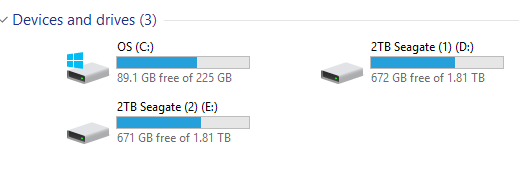
NVIDIA GeForce GTX 1080 Amp Extreme!, 16GB Ram, Intel(R) Core(TM) i7-4960X CPU @ 3.60GHz (12 CPUs) ~3.6GHz, 8TB HDD, Samsung 256GB SSD, Windows 10 Pro 64-Bit
visual shard
wow your's is better 😂
dreamy tulip
You have a 1TB SSD?
dreamy tulip
Oh cool, A 1TB SSD would be nice though haha
dreamy tulip
Oh yeah, it's not really needed in that size
I use a HDD for my larger files
that I have backed up
 visual shard
ah i see
btw just a question and precaution, before i install a mod, i need to make a folder cal MODS on PCBank?
random flint
@visual shard https://i.imgur.com/VRBYi0C.png
 visual shard
hbmm ok
so everything under "GAMEDATA" shall be deleted before running NMS modded?
i mean shadercache
random flint
Yes, shaders are weird. They have to be deleted before you switch from vanilla to modded. Especially with ray's overhaul.
random flint
o.o
dreamy tulip
But I don't recommend against that
random flint
If it wasn't you who told me that, idk who it was then.
Maybe Leon. I do get you two mixed up, since you're the only two really active ones here. Unless it was Krem...
Idk
dreamy tulip
It's a commonly practiced method
 delicate dagger
I've found that you don't really need to delete shadercache. The game will rebuild the altered shaders anyway. All that deleting shadercache does is make the game rebuild ALL of them.
dreamy tulip
I personally haven't found a use for it
supple wadi
I tend to use it when things appear strangely, or don't appear for some reason. Oddly enough it appears to work sometimes, without any repacked files to indicate an influence
dreamy tulip
dreamy tulip
Just landed here lol
supple wadi
🤦 that's scaled up, isn't it
dreamy tulip
Planetbuildingtable
I have no idea
Lol
Maybe that file did that?
Same here haha
dreamy tulip


Just gotta get it to glow somehow
The data for it is there
in the same directory
In old footage it glowed
supple wadi
Yeah that piece way up there is either shot at a weird angle, or it's scaled up from what it would normally be, lol
dreamy tulip
@supple wadi A fourth person reported the same.
https://i.imgur.com/rHp5PeR.png
 supple wadi
lol
and we're sure this is with compares from the exact same biome, before/after?
I only ask that specifically due to the number of biomes you've made
random flint
I can say the same. Stuff felt smoother, in general.
dreamy tulip
Have been working on the next commit all day/night
But I made sure to take a break this time
 sand salmon
What gaming system do you guys use?
sand salmon
I play on ps4.
I would switch to PC but I don't have anywhere to put use a PC
Maybe once I get a better computer I will get it on it and use a throttle and stick. I've always wanted to try out dual stick and try out different methods of flying.
Because ive seen videos and you can fly really well with dual stick.
But I guess it honestly depends on personal preference.
dreamy tulip
That's pretty cool, I've heard of people using it... but I never have tried that before
sand salmon
i know its pretty popular in the Elite Dangerous Community.
dreamy tulip
Oh yeah! Have you played Elite?
sand salmon
I have not but I really want to.
the graphics look phenomenal
i think its funny though how in NMS concept art they use a ship from elite.
supple wadi
🤦 holy shit, one of my mods has been broken for ages and 1. somehow I didn't notice when updating it(?!) & 2. nobody apparently used it so I never received any reports 😞
dreamy tulip
What mod is that?
supple wadi
my very first smol mod, Fireworks
dreamy tulip
Oh, hmm
sand salmon
i really wanna try the mod that makes the game look really aesthetic
supple wadi
It was a quick fix, but I'm really sad that I put it out like that and that nobody that downloaded it bothered to say anything 😞
sand salmon
whats the fireworks mod?
dreamy tulip
@supple wadi Nice catch. I'm glad that you found it and hopefully people will go out of there way to report things
sand salmon
goodnight everyone.
supple wadi
It was sitting there since November like that, aagghh
I'm like 90% sure I know what happened with that. After I swept through all the files updating them, I must have thought I copied over the updated descriptor to each, but I absolutely didn't. 🤦
dreamy tulip
Man... I just did a ton of changes... and being half asleep, I accidently hit a key that wiped the directory
Re-doing it
supple wadi
😱
I may need to cut/redo this black flare...
The game now seems to be reading the black as like an alpha, and so is only rendering the light blue I sorta left in
echo oxide
oh no!
sand salmon
Hello everyone 😃
 frosty vine
Oh, hi Mark.
random flint
Um... does anyone here know Java? I know it's kinda off topic.
I'd like to know if there's a way to edit this to tell it to render by length/width dimensions (Like say 1920x1080), rather than a singular value, like it is now.
    public BufferedImage getMap(int rxPos, int ryPos, int maxRX, int maxRY) {
        int values = 2_000;
        int[][] rgb = new int[values][values];
        int[] a1 = new int[(int) (values * values * scale)];
        int[] a2 = new int[(int) (values * values * scale)];
        int[] a3 = new int[(int) (values * values * scale)];
        int[] a4 = new int[(int) (values * values * scale)];
        int[] a5 = new int[(int) (values * values * scale)];
        BufferedImage img = new BufferedImage(rgb.length, rgb[0].length, BufferedImage.TYPE_INT_RGB);
        int[][] dataA = new int[values][values];
        int[][] dataB = new int[values][values];

        // part1 grab data

        for (int rx = 0; rx < (values/64); rx++) {
            for (int ry = 0; ry < (values/64); ry++) {
The int values = 2_000 is the current resolution it's set to render at, and it just renders at a 2000x2000 square.
My friend figured out a way to specify two values, but it also doubled the ram usage.
I was hoping someone here could find a better way, without making it render twice.
supple wadi
Not being familiar with Java (and rest of code), my crude thinking would be to add a variable & change the variable names:
int yval = 1_080;```Then change the appearances of values to [xval][yval], xval * yval, and so on. However I can't say for sure if that would do much to help, especially toward the bottom, but looking at what's going on there the first for loop might simply use the xval and the second the yval, in place of values there currently.@supple wadi, that's sorta what my friend did. He had this typed out:
public BufferedImage getMap(int rxPos, int ryPos, int maxRX, int maxRY) {
        int values = (int) (1_920 * scale);
        int values2 = (int) (1_080 * scale);
        int[][] rgb = new int[values][values2];
        int[] a1 = new int[(int) (values * values2 * scale)];
        int[] a2 = new int[(int) (values * values2 * scale)];
        int[] a3 = new int[(int) (values * values2 * scale)];
        int[] a4 = new int[(int) (values * values2 * scale)];
        int[] a5 = new int[(int) (values * values2 * scale)];
        BufferedImage img = new BufferedImage(rgb.length, rgb[0].length, BufferedImage.TYPE_INT_RGB);
        int[][] dataA = new int[values][values2];
        int[][] dataB = new int[values][values2];
        // part1 grab data

        for (int rx = 0; rx < (values/64); rx++) {
            for (int ry = 0; ry < (values2/64); ry++) {
This made it use twice the ram to render, since it was doing two render passes instead of one.
Would yours do the same? Or would it limit it to a single pass?
supple wadi
It would do about the same, minus the * scale at the top
random flint
Hmm, okay. Thank you. I'll see if I can fiddle around with it, and make it cooperate.
supple wadi
It's not trying to run both for loops at once, is it? 🤔 The indentation is making me think it may be trying to process it weirdly
random flint
Yeah, that's what it's doing. Instead of doing a single render pass, it runs both.
supple wadi
Not sure if that's essential or if you could simply go:
for (int ry = 0; ry < (values2/64); ry++) {}```No, it's not essential at all. I'm trying to get it to only do a single render, but constrained to the specified dimensions.
supple wadi
Maybe un-nesting would help (which is what's going on in my above comment)...? 🤔
random flint
Idk what that means lol. I'm fiddling with it with not even a basic understanding of Java, or Java terminology.
(Or coding knowledge in general)
Do you mean the brackets?
I noticed you added closed brackets, instead of open ones.
The snippit I pasted here starts on line 130, and has a butt-load of extra stuff all the way down to line 464, where it finally closes.
supple wadi
What I mean is, see how they're increasingly indented under each other? That's called nesting. By trying to un-nest them and bring them to the same indentation of the first for loop, I was thinking it might help somewhat in processing.
But may also not 🤷
Does it work with smaller stuff?
random flint
I see what you mean now, yes. Idk if that nesting is actually needed, though. I didn't create this file.
Smaller stuff, as in?
A smaller resolution?
supple wadi
yeah
random flint
Yes, it renders whatever you tell it to.
supple wadi
Just struggles on the big stuff, eh?
random flint
The larger it is, the more ram it uses lol. Yeah.
@supple wadi Another issue I have, is with that substitute code my friend offered, it does some strange... "mirroring", where it renders the map, and then starts rendering again, outside the bounds. Like this: https://i.imgur.com/CDmGbWT.png
Everything inside that red box, is all I need.
Outside, is the mirroring.
If I make it a smaller resolution, the map just gets rendered smaller and the mirroring stays.
Same with larger resolution.
supple wadi
Hrrm. Afraid I'm not really sure then. I'd be inclined to think separating out the values may be creating that issue, which then brings us right back to the initial issue
It may also just be tied up in some other functions elsewhere in the code, which introducing those new values throws off. That's most likely the case more than anything
dreamy tulip

RaYRoD let me have EARLY ACCESS to his private BETA build of the Overhaul Mod - The Immersion Update! Let's check it out! Don't forget to check out RaYRoD's ...
The heck is going on here? xD
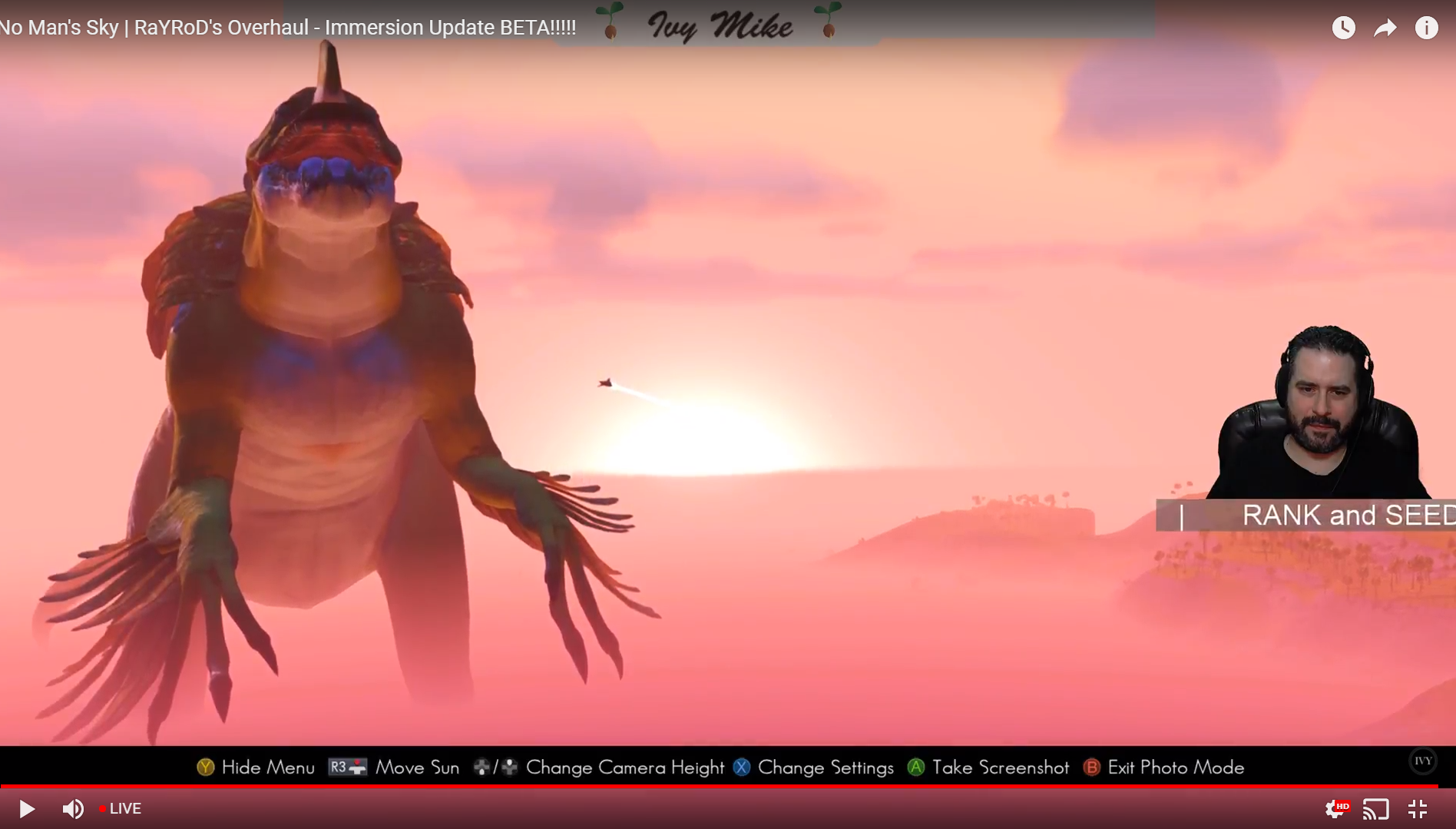
It's Godzilla
random flint
That's awesome, lol.
dreamy tulip
lol
supple wadi
Oh, duh, I forgot to post this earlier, but updated Fireworks mod is now available: https://www.nexusmods.com/nomanssky/mods/404?tab=files
 echo oxide
👍
 hardy auroraBOT
@supple wadi OK.
@supple wadi OK.
@supple wadi OK.
@supple wadi OK.
@supple wadi OK.
@supple wadi OK.
@supple wadi OK.
random flint
Gunter, you're not a spambot. <.<
supple wadi
Sorry about all that, was checking the pin command
@south turtle, I take it there's a date limit of sorts for pinning/unpinning to keep in mind?
dreamy tulip
Some of the unused creatures are procedural
supple wadi
...=/
dreamy tulip
RaYRoD's Overhaul, Immersion Update, Diplo... Screenshot by Ivy Mike
Performance is a lot better
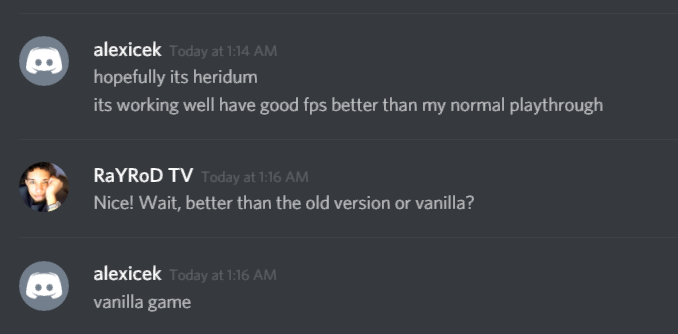


Have been hearing the same thing from a lot of people lately
The mod used to be heavily un-optimized.
I also did not "tone" anything down
or downgrade things to improve performance, or get 100fps in some dense forests
And others 65, 85
random flint
I think that 8k grass thing is just a miracle you stumbled upon, lol.
You should make it default in the overhaul.
supple wadi
It still makes literally zero sense, lol
random flint
^
random flint
Tfw Ray's grass is more optimised than HG's grass.
supple wadi
Like is the game just occluding the detail or something and doesn't actually accept such high res textures, instead smartly rescaling to avoid major breaks? 🤔
dreamy tulip
Oh nah, it recognizes hi res textures
supple wadi
I know that's what you're saying but the way the game is processing it clearly indicates something is up
random flint
Idk what happened to that.
dreamy tulip
It also looks higher res
random flint
^
dreamy tulip
More vivid
supple wadi
Yes but if it also capped off at the accepted higher res limit (whatever that may be) it would still look sharper while not reaching the utmost heights, lol
dreamy tulip
There's been 8k texture mods before
Lo2k's cloud texture is 8k
Just added in all the oria v creatures
I intentionally left some out previously
supple wadi
lol
dreamy tulip
Needed to make sure that it was stable with the first batch
Testing the second batch of oria v creatures
supple wadi
I'm still not sure which of these you're talking about, even having looked over some of the prerelease material
dreamy tulip
Hmm, what do you mean?
supple wadi
Like you're talking about restoring these creatures, but while I can find the old spawners, the PlanetData stuff itself generally just refers to existing creatures, more specifically composed
dreamy tulip
Oh, I see.
When I say the Oria V creatures, I'm referring to the creatures specifically shown in the E3 trailer
There also happens to be some others that are in there too
Some of them are also procedural
And then there's other creatures scattered in the files
and hard to find
Also, I love these little guys
supple wadi
Er...Something feels a bit off about that, lol
dreamy tulip
This is different than the other form of creature restoration that I'm doing
supple wadi
I think it's the missing tail
dreamy tulip
Oh nope, I think it just moved
supple wadi
But the head scale may need trimming a touch too
dreamy tulip
The tails tend to move
Some of them curl
And
Lmbo
I can picture that thing falling on it's face xD
Some dinosaurs have hands for feet
lol
supple wadi
Errm
 south turtle
@supple wadi yeah, most likely... that part is handled by discord.py... if it silently fails that's probably why
supple wadi
Aah, okay, thanks!
south turtle
👍
 clever adder
🤔 does rayrod overhaul make bigger animals more powerful
echo oxide
I think the damage values are roughly fixed for 20 mordite sized animals
I'm not the expert though haha
dreamy tulip
I could probably change that, I was actually planning to work with that
Unless the game auto-determines it based upon their scale. I don't think so. Likely damagetable related. Will look into it later
But I did get smacked by one earlier and ended up flying like 9 minutes away lol
clever adder
🤔 i thought i remembered you saying big animals had a lot of health and damag
dreamy tulip
If I did, I may have been wrong
visual shard
hmm i wonder how do i change the maximum complexity for PC base
supple wadi
No Man's Sky>Binaries>Settings>TkGraphicsSettings.MXML
Then just look for:
<Property name="RemoveBaseBuildingRestrictions" value="false" />
<Property name="BaseBuildingLimit" value="2000" />```Base building restriction is the area that you can build something right?
also how do i open MXML?
😮
supple wadi
Notepad works, but the formatting is trash. Notepad++ is my preference
visual shard
lol xD
@supple wadi remove base building restriction is for the border right?
i'm planning to build a city X:
on creative at least
supple wadi
🤷 I've not really used it, so I dunno
visual shard
guess there is only one way to find out :/
supple wadi
I'm an avid nomad 😮
visual shard
heading to NMS to see what base building restriction does
yea
it removes the border
when put to false cool
now i can build a city with that
supple wadi
lol wait, you mean when put to True, right?
dreamy tulip
No Man's Sky: RaYRoD's Overhaul (WIP Immersion Update)
Frosty, Nickel Mountain
Rough terrain, Mountain Antelopes, E3 "Spekira II" atmospherics, thick snowstorms and extreme fog.
dreamy tulip
No Man's Sky: RaYRoD's Overhaul (Immersion Update) - Frosty, Nickel Mountain
This planet had rough terrain, mountain antelopes, E3 "Spekira II" fog atmospherics that I handcrafted through real-time executable hacking, and a bit of python, plus thick snowstorms. There were also occasional ships warping into the biome.
The immersion update of RaYRoD's Overhaul is still heavily being worked on by me, consistently, all day and every day... and I will be releasing it as soon as it's ready. A lot of progress is being made, but I'm also packing it with as much substance as I can withstand incorporating in a days time, as days go by.
Anyway, off to sleep now. Will be back later. :)

This planet had rough terrain, mountain antelopes, E3 "Spekira II" fog atmospherics and thick snowstorms. There were also occasional ships warping into the b...
 simple jetty
any working reshaders for atlas rises?
random flint
@simple jetty, you could count Ray's overhaul in that request. He did some GLSL stuff, if I recall correctly.
Other than that, I don't know.
The overhaul is the only modification I've really used.
simple jetty
oh ok thanks ill look in to rayrods mod
random flint
@simple jetty, just bear in mind that it's a massive alteration to the game as a whole; the word "mod" doesn't do it justice. Hence, "overhaul". Might as well be akin to a fully fledged game update from Hello Games.
It changes and adds so much.
dreamy tulip
Hi, @simple jetty There are a few ReShades out there. I've also made a few and worked on what was called the "Mojo ReShade" int he past with a friend... but I never updated that for Atlas Rises. I really stopped using ReShade, because I'm not fond of the performance drop that I get and it affects the game visually, in areas where I don't want it to. Therefore, I prefer to work the game visually internally.
simple jetty
@random flint ok, yeah it does look like a big update from hello games props to RaYRoD for that. The modding community really makes No Man's Sky way more fun to play. @dreamy tulip that is the ReShade i used back then really enjoyed it and yeah i know what you mean it would do the same to me. I really just use the ReShade for the clarity/sharpness don't mess with the other options. Thanks guys i found some i just hope atleast one of them works with Atlas Rises.
dreamy tulip
That's great! I'm glad that you found what you were looking for.
 worn bison
❤ That Atlas in the background
dreamy tulip
Oh yeah, the concept art by the artists at HelloGames is so inspiring
I want to try to replicate it as close as possible
In-game
worn bison
That screenshot looks so awesome ❤ You can link them easily
dreamy tulip
Thanks man!
supple wadi
lol, RaY, you'd love this guy I've been stupidly chatting with over on the subreddit. They think HG lost New Eridu & other parts of the initial trailer's content due to the flood
dreamy tulip
Haha
There's a misconception about the flood removing a lot of content. it happened a year before E3 2015
supple wadi
I'm pretty sure the bulk of what they lost was hardware from all that
dreamy tulip
And there's a lot of data still there from 2013
And pre-2013
Heck, this ship from Beta No Man's Sky is in here haha

 dreamy tulip
My best guess is that whatever may be missing, is likely tucked away on the PS4 build (while most other things are still on PC)
supple wadi
Yup, I showed them that, and they're just like, "show me the tree, sand, water, sky rendering. it's not in the game anymore" and I'm like, "Yo, if they still have these assets then the tech has changed but is still there to produce old scenes like that"
Because we know the tech they use to generate this stuff has changed a bit since prerelease, but the capabilities are still more or less there
dreamy tulip
Yeah, definitely. It's possible to do it... given one knows where to look; and it's an absolute pain to find a lot of those things and especially to work with or find ways to workaround with to implement whatever is feasible.
And a lot of stuff as we both know, is a mystery to how it could be used or how it used to work
And takes a lot of experimentation to find out
@worn bison I wanna play BETA NMS too lol
supple wadi
I still wanna know wtf happened with water
It's like someone at HG totally just forgot what they were doing with it
dreamy tulip
Yeah same here... looks like that had it nailed in the infinite worlds trailer. It had proper reflections and looked really clean.
@worn bison
Here is planet 1
I wonder if it's from the beta
worn bison
oh wow, that's from the beta?
worn bison
it looks shit hot - the little clump of trees on the hill
dreamy tulip


No Man's Sky Planets Wikia
Planet1 is a rocky/hilly planet located in an unknown star system. It is very likely this is a developer's test planet so it won't appear in the final game. Planet1 contains rolling hills and...
No Man's Sky Planets Wikia
All planets are procedurally generated which means terrain, fauna, and flora are all unique to that specific planet. When you enter into a planet's atmosphere, you will have discovered it and it...
Here's a small list of some planets from pre-release
I think there's more, but it's a little database
But planet1 appears to be earlier
haha
worn bison
woah nice
supple wadi
I think the only reason I'd really wanna play the old prerelease builds is to see how sharp it looked in person. All these compressed shots & trailers probably don't do it much justice (like with every game, tbh)
dreamy tulip
I'd be interested in seeing how it was too. LawnReality is working on trying to replicate this crescent world effect
That is from Achaia
supple wadi
I think it is worth noting that while the water did hit a sweet spot in some of the old trailers, there were others where you could definitely see the awkward tiling effect we still see today
dreamy tulip
Oh yeah, that's true. Do you know if they had that "quilt like line"?
I'm guessing it's the tiling
Sometimes the water right now has a line, like it looks like someone stapled it like two sheets of paper
supple wadi
Here in particular, e.g. https://youtu.be/CLcjvIQJns0?t=1m3s

Hello Games founder Sean Murray gives us a guided tour of one planet in No Man's Sky's universe as our month-long IGN First coverage kicks off.
dreamy tulip
Yup! I see it
supple wadi
You have to look closely, but along the further out edges and as he ascends back to the surface...You can kinda tell it looks like he almost tries to look away from it, lol
supple wadi
Something interesting I notice across some of the old IGN vids is it seems like they visited planets with much shallower seas/oceans
dreamy tulip
Ohhh
I didn't notice that!
Do you think it was a river?
Like the river flag
Might be voxelgen related
Also love the murky water
LawnReality pointed out something to me with that video last night
at around 9:00, you can see those mini striders walk in herds
supple wadi
They still sorta do that now, but the grouping is much looser
Also not sure on if it was a river or not, especially given you also see it going on here: https://youtu.be/qfpMRoZwzpk?t=4m1s

Watch us wander a random No Man's Sky planet in our first-ever hands-on, including sticking the best ship landing ever.
dreamy tulip
Haven't seen this since 2015
Gonna watch it again
And yeah, that looks like a shallow ocean
I sorta did something that made a shallow ocean in this old video here

Exploring an aquatic world with my Overhaul mod. Extra Credits: Water Buggy by Krem Galactic Hub flag, some base build menu items, by WinderTP's Eucli-ea Son...
Wish I knew what caused it.
Also, that whale chased away that fish
Might've been via the voxelgen
I think it looked fairly close in depth?
supple wadi
Oh damn, so, you know how you go on about planets being demonstrated to rotate in past trailers? You typically point to one trailer's brief moment that I've always felt was rather off, due to being in-flight, moving near the planet and so to me at least, skewing a good read of the planet's movement.
Here, however...
https://youtu.be/D-uMFHoF8VA?t=2m38s

No Man's Sky mastermind Sean Murray walks us through a lengthy demo of the ambitious universe-exploration game. ---------------------------------- Follow IG...
supple wadi
Better: as night turns to day, the planet in the sky behind the prerelease Monolith disappears from view. We know now that even during day it would be visible.
supple wadi
The fade to black may serve in part to mask the fast forward in rotation, presuming it was really occurring
dreamy tulip
Never noticed that
 lone spire
Integration of the buildings into the terrain is so much better in that video than what is in the game now (the giant circles)
lone spire
They seem to be more naturally integrated, at least the one sean visits to interact with
supple wadi
Monoliths/Plaques/etc. often will tend to blend better due to using a Natural flattening style
I'd suspect maybe they used that more back then...?
dreamy tulip
Yeah
I was going to mention that
Maybe it's the "Natural" flag
Rather than artificial?
supple wadi
Natural for sure creates a better blend
dreamy tulip
Have you tested with it?
supple wadi
However, it demands that the structure be a bit smaller or better positioned
Yeah, I mucked about with it for a bit when trying to figure out some building distribution stuff
lone spire
This video has sean talking about a lot of things that are elements of the "immersive sim" genre
Like being able to hack into the facilities instead of blowing the doors open.
supple wadi
What's interesting to note here though: some (many?) structures use overlapping flattening due to the presence of Waypoints beside them
dreamy tulip
"AddWaypoint" flag?
supple wadi
So you can't necessarily see the effects of changed Flattening settings by only adjusting it for the one structure you're looking at
Yeah, that's what adds it, but it seems to sorta draw upon the other Waypoint that can appear on its own
I can't remember atm if disabling that also disables the double flattening from it being present (one would think it would, but NMS is NMS)
Those old shadows, ouch
dreamy tulip
Hmm, yeah. I'm not too familiar with that yet via the planetbuildingtable
I definitely need to test more
And one thing not good about that footage is that the ground was blackish from the shadows I think
The new shadows are so much better
supple wadi
Yeah, still rough, but much improved
Those old icons were, oof
Amazing how much they changed those by release
dreamy tulip
Yeah, not a fan of those HUD icons on the top there
supple wadi
Also ergh, still frustrated that something that was in at release (explore & find tech) has been so heavily watered down since release
Absolutely abhor the centralization of tech in the Blueprint Vendor
dreamy tulip
Blueprint vendor?
Inventory?

Crafting is a big deal in No Man's Sky, so Hello Games' Sean Murray sat down with us to give us all the details on it. ---------------------------------- Fo...
supple wadi
lol RaY dude, swing by a station sometime
Left wing, to the side of the bar, sells ya tech blueprints nowadays for Nanites
visual shard
really love to edit the limitation xD i'm building up a space port as shown on #nms-photomode-gallery
dreamy tulip
Wanted to test something out
I created black and white atmospherics
greyish, sorta spooky
supple wadi
lol, rainy/stormy day
dreamy tulip
Got that down, also just made several more templates
Off to sleep now, will port it to python format with my other templates that I made some time back, and some other stuff
later on
dreamy tulip
Couldn't resist. Just finished porting it. Be back later
 warm thistle
That looks good man!
sand salmon
Hey there snazzies
lime mesa
Wow amazing screenshots there ray , can’t wait till the immersion update is ready for release 😃 @dreamy tulip
dreamy tulip
Thanks! Still contemplating what I may do next. Excited to release as soon as it's ready
lime mesa
Cool
dreamy tulip
I'm working on procedural underwater locations, things to do underwater, underwater rare resources, E3 underwater buildings, underwater forests, underwater cave environments, more underwater life, etc... Also, that's the portal from the E3 trailer.
lime mesa
Oh that sounds epic!
supple wadi
Your recent work is a great demonstration of the differences in opinion over what makes something immersive 🤔
dreamy tulip
@supple wadi What do you mean?
My recent work isn't finished
What would be ideal in your eyes?
supple wadi
It's mostly stuff we've discussed before regarding rescaled objects
dreamy tulip
Ah, that portal isn't rescaled though. That Aquasphere is but it's unintentionally scaled
And isn't finished
I want them to be small, so what you're really seeing is a rough draft concept
And if there ends up being something that's too intrusive, I'm open to suggestion
I'm aiming for a balance between both sides
supple wadi
Ah, gotcha, the Aquaspheres were what had me going, 🤔 that doesn't seem like something you'd do intentionally
dreamy tulip
Yeah, they looked like bowls for soup in the ocean in that pic lol
On a random side note... I wanted to share this here earlier
"By the way... On the new version... gravity is still a bit lower than vanilla, but you can now take fall damage. Also, the "Jetpack Theta (highest upgrade)" gives you unlimited Jetpack now... rather than it being enabled by default. Creative mode now starts you off with the Jet Pack Theta Upgrade by default to allow infinite aerial flight capabilities. Alongside the Stamina Enhancement Theta upgrade (which allows unlimited sprint). Also, for normal mode... the highest oxygen mask upgrade allows unlimited breath. Which should encourage working your way up to these upgrades, while also making them optional (for those who might feel that they are too cheaty), but are great for exploration."
What I need to do right now @supple wadi is get that portal going.
Maybe I should make a tweaked version of the original entity?
Or possibly go for a blackhole warp
upon interaction
Not sure how I would go about that yet