#nms-modding
1 messages · Page 124 of 1
 dreamy tulip
I also through asm and texturing added new characters to the game
https://www.youtube.com/watch?v=nYN9a1SMNWE
"This video was shown to me by my old friend RaYRoD, a legend on Mk Vs Dc. This is footage of him using his custom built "Instant Kill Mod". He told me he customized his PS3 controller to having an extra button, which automatically killed his opponent. He only used this a few times, and never really abused it. I felt the need to show this to anyone who has or still plays Mk vs DC, and shed the light on the insane mods he made to the game."

This video was shown to me by my old friend RaYRoD, a legend on Mk Vs Dc. This is footage of him using his custom built "Instant Kill Mod". He told me he cus...
That vid is 10 years old
But he reuploaded it
And about what you asked...
 supple wadi
lol that's the kinda thing that would make me quit the game
dreamy tulip
Yeah, there was def some controversy
 topaz oxide
Wait.. RaYRod... would it be possible to mod my PS4 to add nms mods?
supple wadi
Not the vid, mind, just someone taking control of server stuff
topaz oxide
Bc people do that with GTA
supple wadi
I'd probably quit from the craziness alone
topaz oxide
I just have no money for a gud PC
dreamy tulip
I'm confident that you would've wanted if if you were crazy about the game
A lot of people loved the game
Just hated the chaos
 random flint
@topaz oxide, if you bought a Ps4, you can afford a decent pc.
supple wadi
Or played local multi, tbh
supple wadi
That's how many of my friends & I play fighting games
dreamy tulip
Online was sooo fun
topaz oxide
Ehhh. Not really. $400, a pc can’t run NMS
dreamy tulip
Some of my friends then
They now work with the dev's of Mortal Kombat
Pretty crazy
They were insanely good though
I was one of the top
but not the best
topaz oxide
A $400 PC can’t run the poorly optimized autism that is NMS pc edition
dreamy tulip
at playing MKvsDC
supple wadi
Also PS4 is still sort of its own beast, not looked into it, but I'm sure ppl have made progress in tweaking stuff on it
random flint
@topaz oxide Core 2 Quad Q6600, GTX 560 Ti, 4GB DDR2, and you can run NMS at 60fps at 1080p in medium/high.
That's Under $400.
topaz oxide
With mods?
dreamy tulip
@topaz oxide
random flint
Yes
dreamy tulip
Yes
topaz oxide
O k
topaz oxide
4GB ddr2??
supple wadi
i mean you wanted something cheap right
topaz oxide
The minimum requirement is 8 GB ddr3
random flint
Lol
dreamy tulip
I have the PS4 build partially unpacked/decrypted on my PC
Eager to datamine it
In time
Although I come from the PS3 modding scene
One of my friends was the first to exploit the PS4
And I am planning to also exploit mine sometime
And get internal, fully, decrypted, unpacked access to the PS4 build
Particularly the RC1 Build It's the build right before the first update, only accessible on the bluray when deleting all updates on PS4
It's drastically different from the first release
and in many ways better
and there's also some pre release aspects in there
And yes I believe it's totally possible to do that
I'm planning to look at the RC1 biomes as a 3D concept art on my PS4
And re-create those biomes on PC
OR, if I get it decrypted in time....
I'll port them over
supple wadi
I was gonna ask if they had managed some custom firmware yet
topaz oxide
CFW?
topaz oxide
Darn
supple wadi
I've not really looked into it since typically custom firmware breaks access to online features
topaz oxide
Oh 😛
dreamy tulip
Yeah, I'm going to start memory hacking NMS on PS4
And getting the files unpacked
I just need to buy a new PS4 for it
I was talking to my friend "2Much4U"
About it
He has a huge part in it's development
He and I made assembly in-game menus on GTA V
He's now modding GTA V on PS4 and working with ps4 custom firmwaee
random flint
Wot, why does the minimum requirements list 8GB of ram? With your overhaul, the game doesn't even touch 3GB of ram usage lol. Not that I'm aware of, anyways.
topaz oxide
I was just wondering if I could semi easily load mods for PS4
supple wadi
Probably better safe than sorry Quav
topaz oxide
But it looks like not.
dreamy tulip
 topaz oxide
I have PS4 tho
supple wadi
Yeaah KAJ4, console tweaking/modding is rarely, if ever, a direct route
topaz oxide
Yeah
dreamy tulip
I doubt that official nms mod support will come
But I am extremely eager to datamine the ps4 build
And I will
And I will port over certain mechanics from it
I know it's a goldmine of data
supple wadi
NMS mod support could still come on PC, but PS4 is extremely unlikely
topaz oxide
Man I really hope to get ur overhaul...
dreamy tulip
One of them is a particular snake 😉
PS4 mod support is unlikely
But PS4 modding is happening
topaz oxide
Ik
dreamy tulip
And PS4 modding for NMS is possible
topaz oxide
Huh.
supple wadi
Buut it's still its own beast and all that, lol
dreamy tulip
Not official mod support, but if someone was like....
"I'm going to mod NMS on PS4"
They could
If they know what they're doing.
topaz oxide
Yeh
dreamy tulip
And have what's needed.
random flint
@dreamy tulip Well, HG already acknowledged the existence of mods on PC and sorta "supports" them, if the existence of that disablemods.txt file in game data is anything to go off of.
*If this file exists, no mod banks will be loaded.*

If you are modding the game, please don't modify any of the bank files in the folder this file lives in (PCBANKS). These are the banks No Man's Sky ships with, and modifying them makes it impossible for the game to detect if you have a corrupted installation.

Any mod banks should go into a subfolder of PCBANKS, called MODS. All banks in MODS will be mounted when the game starts up.

Banks in the MODS folder are loaded additively, over the top of the banks shipped in No Man's Sky, and given priority over the shipping files. This allows a mod bank to replace any files in the shipping game, or add new ones.
That file is generated on installation.
dreamy tulip
Yeah, HelloGames could've done something to hinder modding
Instead they aided users with it
and somewhat did support for it via Steam
topaz oxide
Huh cool
dreamy tulip
Alongside retweeted modded photos
topaz oxide
I wonder if they like ur mod?
dreamy tulip
Sean did retweet pictures before of some biomes that I handcrafted (with a heart eyes emojii)
topaz oxide
Probably
dreamy tulip
There were a few others by some other people in there
random flint
Wot
topaz oxide
XD
random flint
Okay lol
topaz oxide
🤔 for no reason
random flint
The deletion of it made it that much more curious.
topaz oxide
Yeh
supple wadi
little did you know RaY also made their own fiance
topaz oxide
Woah
dreamy tulip
Huh
topaz oxide

dreamy tulip
Her name is Honey Bee
topaz oxide
Given name?
dreamy tulip
That's her real name haha
supple wadi
lol I was tabbed over to another thing so I totally missed that
topaz oxide
To bad
random flint
Um, clearly rayrod didn't want us to see it; hence the quick deletion. So I'll drop it lol.
supple wadi
i couldn't miss an opportunity for a joke, but anyway yeah HG's been pretty indirectly supportive of modding
topaz oxide
Y am I no spirited?
 dim craneBOT
 slappymctaco
Rank
91/4153
Lvl.
20
Exp.
598/3100 (tot. 24448)
random flint
@topaz oxide Hey, bot spam that. <.<
topaz oxide
Sry
dreamy tulip
I'm protective over her haha

 dreamy tulip
Oh, sorry about that
topaz oxide
No pause?
supple wadi
No pause like when ya alt tab
topaz oxide
Uhhh. I have no play pc
supple wadi
(If i'm not mistaken that is)
dreamy tulip
topaz oxide
Ikr
random flint
@dreamy tulip, is the third person flight mod in the optional mods folder or something?
dreamy tulip
topaz oxide
orgasm
dreamy tulip
@random flint I have it not included by default
because of some reported issues
but it works fine for me
random flint
Where might I find a copy of it?
topaz oxide
Aaaaaamyway
supple wadi
Hrrm can't tell from these shots, have you also tweaked about the cloud appearance so they meet the horizon properly?
dreamy tulip
Hmm what do you mean?
topaz oxide
Not like you guys actually liked my presence in here
random flint
Both of them go into the \No Man's Sky\Binaries directory?
dreamy tulip
@topaz oxide Have a great rest, it was nice chatting. 😃
topaz oxide
Thx bye
random flint
Okay, thank you.
supple wadi
When ya look off in the distance, how the clouds cut off & hover over the land, y'know?
supple wadi
Instead of meeting the land to make a "normal" horizon
dreamy tulip
But the terrain can sometimes be close to them
I did adjust the color for that template
and the lighting
supple wadi
Hrrm. I saw some settings that looked like they might help with it that I'll try tweaking
dreamy tulip
The environment globals
Has a cloud height min/max
value
I used to do it via cheat engine before I found the mbin way
supple wadi
Yeah, alongside some others
dreamy tulip
I left it default for now because
supple wadi
Gonna be a lot of playing about with it
supple wadi
My fingers are ahead of my thoughts, lol
supple wadi
Yeah, I was thinking they would
supple wadi
Do you recall if it changes in realtime with CE adjusts?
dreamy tulip
I also have a photomode hotkey
Super useful
via cheat engine
But I want to make a .dll for it
random flint
@dreamy tulip, thank you! The no pause thingy is working perfectly. =)
 obsidian tree
@supple wadi you know you can just check if it is being read constantly...
supple wadi
lol i know @obsidian tree, but I thought i'd ask anyway
random flint
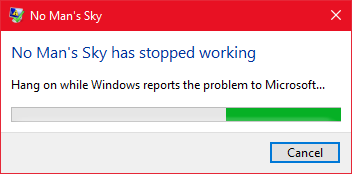
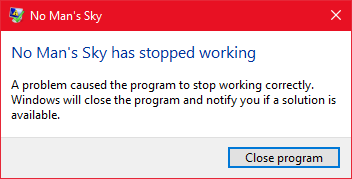
@dreamy tulip Pressing 2 did this: https://i.imgur.com/luKNHb0.png https://i.imgur.com/YLE1lh5.png
 dreamy tulip
Okay, that's what I figured 😛
You may be able to help me deduce what the cause of it
is
To see whether it be GPU related
Or
Mod conflict related.
Would you like to test something for me?
dreamy tulip
If this can help, I'll likely make it public again
First... can you send me a screenshot of your MODS folder?
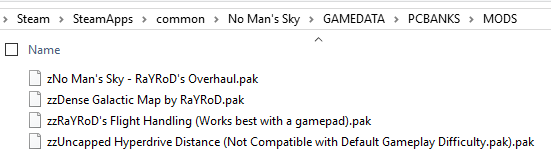
 random flint
Yup.
dreamy tulip
And see if it still occurs
random flint
Just drag and drop, and don't move anything out?
dreamy tulip
Yeah
random flint
Okay
Nope, instant crash upon pressing 2.
Same one. https://i.imgur.com/3yTq3zj.png
 dreamy tulip
sec
dreamy tulip
random flint
I'll try turning that off and then pressing 2.
dreamy tulip
Can you try with this?
dreamy tulip
I'd remove it
dreamy tulip
Do you use ReShade?
random flint
I'm not sure what that is, sorry lol.
dreamy tulip
GOG or Steam?
random flint
Steam
dreamy tulip
What GPU do you have?
random flint
Driver 391.01 right now, but I guess there's an update - 391.24. Want me to try that?
dreamy tulip
Nothing wrong with your mods folder either
I mean it's a longshot
but you could
Might be a lot to go through
if it doesn't work
random flint
Would a difference in graphics options possibly cause it?
dreamy tulip
I doubt it
random flint
Either via the nvidia control panel, or ingame.
dreamy tulip
I mean, I doubt it
but idk
Like
I'm playing fully maxed out
with nvidia settings and NMS settings
in 1080p
random flint
These are my control panel settings: https://i.imgur.com/yzazJXw.png https://i.imgur.com/lmib2N0.png

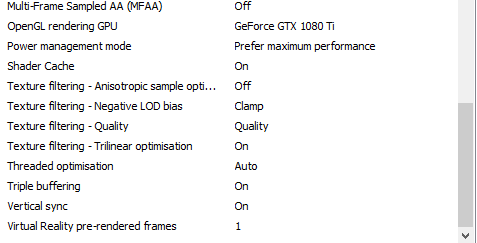
And I'm also maxed out ingame.
dreamy tulip
Are you playing with Dsr?
dreamy tulip
Dsr sorry
random flint
I'm on 1080p, so no.
dreamy tulip

 random flint
I have my Dsr set to allow my 4k monitor to go up to 8k.
Okay, I'll replicate those options.
dreamy tulip
Might not make a difference
but
you could
it's weird man
I hope it's not that though haha
random flint
Okay, replicated the settings, installed the new driver, and restarted my pc. I'll test it now.
Oh, also - I'm not 100% sure our ingame settings are the same.
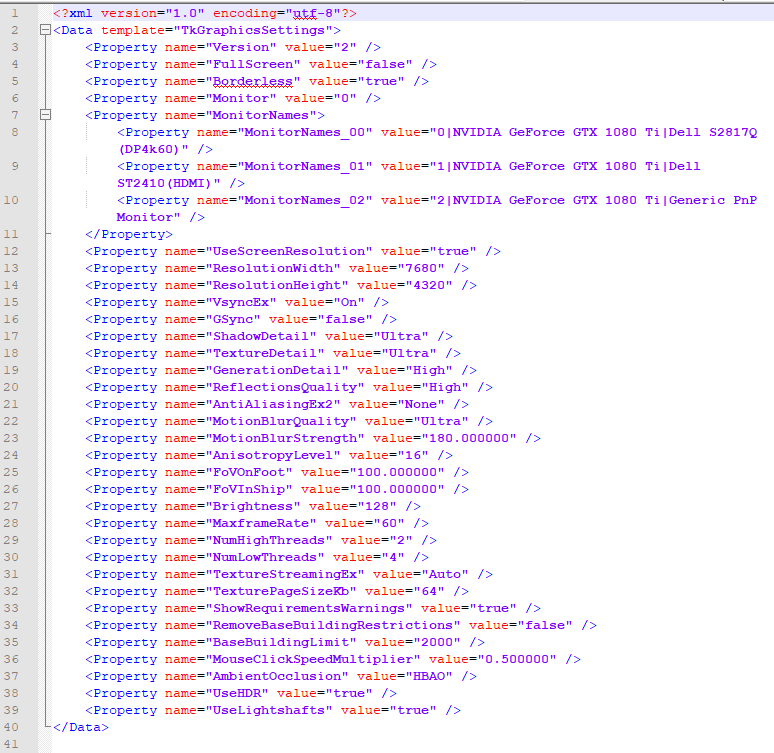
These are mine.
dreamy tulip
<?xml version="1.0" encoding="utf-8"?>
<Data template="TkGraphicsSettings">
    <Property name="Version" value="2" />
    <Property name="FullScreen" value="true" />
    <Property name="Borderless" value="false" />
    <Property name="Monitor" value="0" />
    <Property name="MonitorNames">
        <Property name="MonitorNames_00" value="0|NVIDIA GeForce GTX 1080|Generic PnP Monitor" />
        <Property name="MonitorNames_01" value="1|NVIDIA GeForce GTX 1080|Generic PnP Monitor" />
</Property>``` <Property name="UseScreenResolution" value="true" />
<Property name="ResolutionWidth" value="1920" />
<Property name="ResolutionHeight" value="1080" />
<Property name="VsyncEx" value="Off" />
<Property name="GSync" value="false" />
<Property name="ShadowDetail" value="Ultra" />
<Property name="TextureDetail" value="Ultra" />
<Property name="GenerationDetail" value="High" />
<Property name="ReflectionsQuality" value="High" />
<Property name="AntiAliasingEx2" value="TAA_FXAA" />
<Property name="MotionBlurQuality" value="Ultra" />
<Property name="MotionBlurStrength" value="180.000000" />
<Property name="AnisotropyLevel" value="16" />
<Property name="FoVOnFoot" value="75.000000" />
<Property name="FoVInShip" value="75.000000" />
<Property name="Brightness" value="128" />
<Property name="MaxframeRate" value="160" />
<Property name="NumHighThreads" value="10" />
<Property name="NumLowThreads" value="10" />
<Property name="TextureStreamingEx" value="Auto" />
<Property name="TexturePageSizeKb" value="0" />
<Property name="ShowRequirementsWarnings" value="true" />
<Property name="RemoveBaseBuildingRestrictions" value="true" />
<Property name="BaseBuildingLimit" value="8000" />
<Property name="MouseClickSpeedMultiplier" value="0.500000" />
<Property name="AmbientOcclusion" value="HBAO" />
<Property name="UseHDR" value="true" />
<Property name="UseLightshafts" value="true" />
</Data>
That's mine
That res is likely killing ur framerate xD
random flint
Yeah, I know lol. I was testing 8k with DSR before.
Forgot to set it back down.
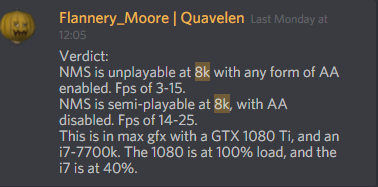
Okay, copy-pasted the settings.
I'll try now.
dreamy tulip
Okay
random flint
O.o It's stuck on this screen - completely frozen, with that little 'pause bar' indicator at the bottom, bouncing back and forth: https://i.imgur.com/Y3m0ub0.png
I can't do anything.
dreamy tulip
Try re-loading
random flint
It's the active window.
Okay
Works flawlessly now.
All hotkeys work.
I'll try reverting to my previous settings, and see if it crashes again.
random flint
Yup
dreamy tulip
0.o
random flint
That, my driver, and the Nvidia control panel settings.
dreamy tulip
Now I just need to find out which one it is
I mean
Didn't it crash after the driver
and nvidia control panel
random flint
I hadn't tried it yet: https://i.imgur.com/wgprDEq.png
 random flint
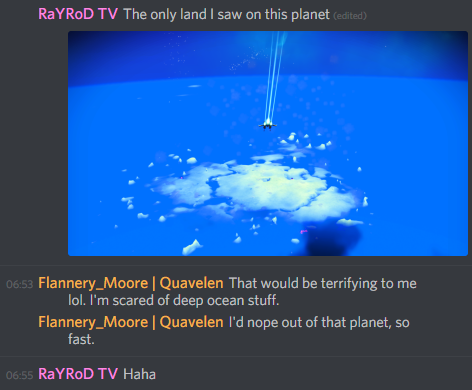
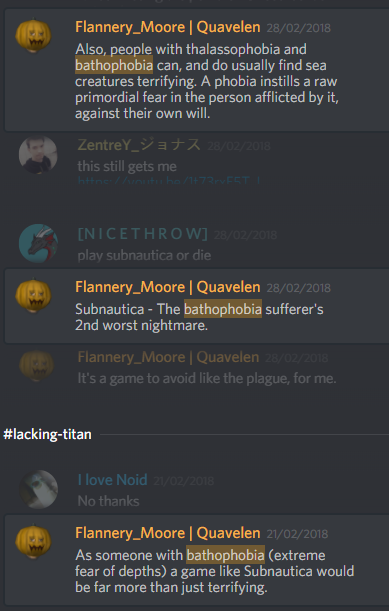
That would be terrifying to me lol. I'm scared of deep ocean stuff.
I'd nope out of that planet, so fast.
dreamy tulip
Haha
random flint
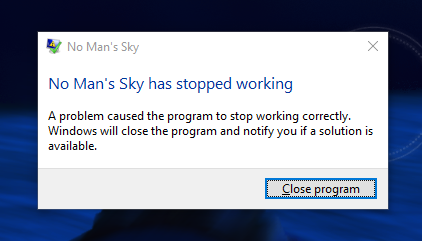
@dreamy tulip Okay, confirmed that it's definitely a difference in the tkgraphicssettings.mxml file causing the crash.
 dreamy tulip
Yeah?
random flint
I reverted to my settings.
dreamy tulip
Ohhh
random flint
I'll go through them one by one.
dreamy tulip
Was just about to ask, but wouldn't blame ya, if you weren't willing to go through all of that
supple wadi
😵 remembering why i don't mess about with unknowns too much atm
such a hit or miss in seeing how they change things
 random flint
@dreamy tulip Oh, hey. I just realised that because it's a crash, Windows has logs for it. Figured you might find this useful/interesting:
Level: Error
Date and Time: 21/03/2018 07:04:17
Source: Application Error
Event ID: 1000
Task Category: (100)

Faulting application name: NMS.exe, version: 0.1.0.0, time stamp: 0x59ce2f3c
Faulting module name: RaYRoDs_3rd_Person_Flight.NMS, version: 1.0.0.0, time stamp: 0x59be5fee
Exception code: 0xc0000005
Fault offset: 0x000000000000190b
Faulting process ID: 0x20e0
Faulting application start time: 0x01d3c0e2b2d74ede
Faulting application path: C:\Program Files (x86)\Steam\steamapps\common\No Man's Sky\Binaries\NMS.exe
Faulting module path: C:\Program Files (x86)\Steam\steamapps\common\No Man's Sky\Binaries\RaYRoDs_3rd_Person_Flight.NMS
Report ID: c2c680d0-82aa-4c52-b2bf-be580a0a6628
Level: Information
Date and Time: 21/03/2018 07:04:21
Source: Windows Error Reporting
Event ID: 1001
Task Category: None

Fault bucket 2127287295596873685, type 4
Event Name: APPCRASH
Response: Not available
Cab Id: 0

Problem signature:
P1: NMS.exe
P2: 0.1.0.0
P3: 59ce2f3c
P4: RaYRoDs_3rd_Person_Flight.NMS
P5: 1.0.0.0
P6: 59be5fee
P7: c0000005
P8: 000000000000190b
P9:
P10:

Attached files:
\\?\C:\ProgramData\Microsoft\Windows\WER\Temp\WER4194.tmp.mdmp
\\?\C:\ProgramData\Microsoft\Windows\WER\Temp\WER4407.tmp.WERInternalMetadata.xml
\\?\C:\ProgramData\Microsoft\Windows\WER\Temp\WER4419.tmp.csv
\\?\C:\ProgramData\Microsoft\Windows\WER\Temp\WER442A.tmp.txt
\\?\C:\Users\Flannery\AppData\Local\Temp\WER4FFF.tmp.appcompat.txt
\\?\C:\Users\Flannery\AppData\Local\Temp\WER501F.tmp.WERDataCollectionStatus.txt

These files may be available here:
C:\ProgramData\Microsoft\Windows\WER\ReportArchive\AppCrash_NMS.exe_86629b07e3ea2a2e5325bc11ce31e942c2796d2_a309ade0_0524502b

Analysis symbol:
Rechecking for solution: 0
Report ID: c2c680d0-82aa-4c52-b2bf-be580a0a6628
Report Status: 2147487752
Hashed bucket: 481ccf4c29fe9337ad85a4864540c7d5
Still going through the settings.
dreamy tulip
Fixed the multitool scanner on survival mode
I messed up a value in the past via hex
When I made the mod
In the gameplayglobals
random flint
@dreamy tulip Wot... this makes zero sense.
Apparently, it's the maximum frame rate setting.
random flint
I set it back to yours - 160 - and it works flawlessly. Mine at 60, crashes.
<Property name="MaxframeRate" value="160" />
That's what yours is at.
dreamy tulip
Yeah, 160 = max
dreamy tulip
No clue, maybe it's the threading
In the mod
I'll look into it
but
This is good news I think
Thank you 😃
random flint
Yup, you're welcome lol.
dreamy tulip
I just need someone else who's willing to test the 3rd person flight mod
To see if it works for them too
random flint
I meant to ask about the thread thing:
    <Property name="NumHighThreads" value="2" />
    <Property name="NumLowThreads" value="4" />
What does this do? This is default.
dreamy tulip
Change them both to 10
random flint
Okay.
random flint
Can I go higher than 10?
Also, what about these?
    <Property name="TextureStreamingEx" value="Auto" />
    <Property name="TexturePageSizeKb" value="0" />
I don't recommend 10
typo
I don't recommend higher than 10
10 was the highest I could go w/o a crash
Also
Also, I'd set the
<Property name="TextureStreamingEx" value="Auto" />
<Property name="TexturePageSizeKb" value="0" />```To the way I had it
random flint
Yup, that's how you had it. I just copy-pasted it back into the file.
dreamy tulip
Cool
 west notch
i've been outside the loop of NMS these weeks. Did you update the mod, Ray? Is something new added?
No Mans Sky RaYRoD's Overhaul (v10-1.9.23 BETA)-497-10-1-9-2-4
This is the last one i have
supple wadi
they're still working on an "immersion update" I believe they're calling it
 naive blaze
@supple wadi you talking about Rayrod?
supple wadi
yeah
 frosty vine
He he's working on it
dreamy tulip
@west notch Hi, I am still heavily working on it. It's come a very long way in comparison to the public version 😃
dreamy tulip
The next version of RaYRoD's Overhaul will be like the v10 overhaul, overhauled.
It's drastically different
I'm calling it the immersion update, as it's highly immersion focused
But today I've decided to overhaul the immersion Overhaul of the Overhaul of No Man's Sky
supple wadi
lol
dreamy tulip
😂
supple wadi
Careful, else you never release again!
Simply as you get lost in the rabbit hole of ever improving & tweaking your work, lol
dreamy tulip
Oh yeah, that's true lol
But I'm aiming to still get it released very soon
I got my motivation back haha
 cinder delta
So now it's the Overhauled Overhaul Immersion Overhaul ?
wait no
the Overhauled Overhaul Immersion Overhaul Overhaul
aye
 cyan oracle
revisited the HoverCar for Rayrod's Overhaul Update.. much improved
Collision works, Jet trails only activate when thrusters are used, visual enhancements have been added, reworked the model from the ground up by reimporting the source model to improve poly count and texturing.. also added a spotlight to the mining gun/cannon housing..
supple wadi
Oh whoa, ya sorted out the jet trail frustrations? Or...Hrm, this is an exocraft tho isn't it?
dreamy tulip
Lmbo @cinder delta
Yeah, it's the same exocraft as Krem's custom nomad/hovercraft in the overhaul but upgraded haha
He upgraded it
looks great
cyan oracle
@supple wadi ya, I revisited the model today.. reimported and started from scratch.. this time exporting with the 1.3NMSDK.. I still had the jet effect issue, but I think that's something to do with the joint structure cause carrying that over seemed to help fix them
the collision is governed by a global file tho :\
supple wadi
Oof
That's strictly related to the exocraft tho, yeah? I was thinking ya made some headway on the ship end of things maybe
cyan oracle
yea it's in the GCVEHICLEGLOBALS, but it's in the "BIKE" section
so making the x,y,z adjustments to the collision "box" doesn't affect the other exocrafts
supple wadi
Er, the jet trails I meant
cyan oracle
ah, so far yea.. seems to be nesting specific and possibly requires one or more of the following joints: CTRLJNT, RootJNT, RVent and LVent.
<name="CTRLJNT">
<type="Joint">
<Children>
  <name="RootJNT">
  <type="Joint">
  <Children>
    <name="BikeLoc">
    <type="Locator">
    <Children>
      <name="BoostEffect">
      <type="Locator">
      <Children>
        <name="Jet">
        <type="Reference">
        <name="Jet1">
        <type="Reference">
        <name="Jet2">
        <type="Reference">
      </Children>
      <name="RVent">
      <type="Joint">
      <name="LVent">
      <type="Joint">
    </Children>
  </Children>
</Children>
ooo, just realized this picture is actually better..
dreamy tulip
Does anyone have a least favorite biome class in vanilla?
In-between Lush, Frozen, Barren, Scorched, Dead, Toxic, Radioactive, Weird/Exotic
 echo oxide
Lush planets currently are my least favorite
 warm thistle
I probably dislike Barren and Radioactive planets the most at the moment.
 inland sky
I like lush, barren and frozen the most, dead and radioactive are ok, and toxic is mostly just too green
dreamy tulip
Thanks!
 hallow pumice
Vanilla gen is just scaled down way to much.
Hard to go back after seeing the modded gen
frosty vine
My least favorite is probably the new ones to be honest. They're too similar from one another (the weird biomes)
 exotic violet
I really hate the airless biomes, they can have a cool vibe but there never seems to be a reason to go there. The wiki says more resources but I haven't been able to tell the difference honestly
topaz oxide
Same
supple wadi
Lush and FrozenHQ put me off a bit. Lush is too normal and FrozenHQ made frozen planets feel less alien to me.
I liked the old frozen style more, but that was coupled with the older style of terrain gen.
random flint
Um, I much prefer the earth-like planets over the dead/wasteland types. Although, I find them all interesting enough to explore. <.<
I guess my least favourite is... ocean types? If that's a thing. Too much water is a nope for me.
 warped spindle
Lots of water is cool, especially when you have enough upgrades to be underwater for a while.
at least in my opinion.
exotic violet
Yeah I don't mind water but lately all the lush planets I've found have had almost no water
random flint
@warped spindle @exotic violet This is why, for me: https://i.imgur.com/4hwznhr.png
 warped spindle
ah, understandable.
 exotic violet
Damn I can kind of understand, I don't usually have a fear of open water but when you go deep enough in subnautica it's pitch black and that really gets to me
 lament rampart
I'm scared to even watch gameplay of subnautica rofl, I guess that's why 😂 😂 😂
dreamy tulip
Thanks for all the feedback!
I've already made a new biome class, but I was looking for some community feedback about the biome classes in general for certain steps and decisions that I may make with something that I'm working on.
supple wadi
"Surprise, I've removed the least popular biome entirely!" 😛
dreamy tulip
I'll elaborate a bit more on what I'm doing
The next overhaul version actually does something to the dead biomes.
You see, I made major adjustments to dead biome class and added some of the more special, more rare biomes and crazy things that I handcrafted for that class. Dead planets can still be there too. Also, dead planets with lots of variety.
However... I edited the weather and fauna classes too. So, rather than it saying "Airless" and having a jungle for example... It may say something like "Unknown" "Abandoned" "Isolated" "Quiet"
And I also made thousands of custom palettes for that class
This opens a door for me to do a lot of crazy stuff there
Without actually losing anything and it always making sense.
supple wadi
Aah, using it as a sort of secondary Weird class, sounds like
dreamy tulip
Sometimes I wonder, well... I could potentially do something with another "typically/statistically least liked biome class"
Personally, I'm not too fond of radioactive or toxic biomes
It depends..
Maybe I could create another totally new biome class
And assign custom palettes, and custom weather for it
In replacement
Sadly, these classes cannot be expanded upon atm
Only biomes for those classes
Due to hardcoded limitations
I'm just pondering, it's not needed or anything... but was a random idea
But if I do that, I would do so in a way (without losing things)
Sort of a workaround
Here's an example of a "Quiet" planet
It gives the game different vibes as well, but they all have different vibes
And yeah, what you said. Now, you just gave me an idea.
"sort of secondary Weird class, sounds like"
Oppressor11 said "My least favorite is probably the new ones to be honest. They're too similar from one another (the weird biomes)". This also adds to my idea.
Thinking for a moment
I'm really excited atm, but need to verify if it'll work. @inland sky might know
There's a few ways that I might approach this
Weird planets are usually the most rare, and more-so common in the red systems in accordance to the biomeperstarlist
I'm considering expanding the palettes for that class, and weather for that class, and adding in some unique biomes to that class (for the more rare/special kinds)
Or...
There's also the "test" and "all" biome classes.
Maybe I can make use of those.
dreamy tulip
I have a bit in the past, but put those on hold. Those other biome classes are extensively long though haha
supple wadi
On a completely different note, @cyan oracle, whenever you're around, you happen to know if it'd be easy to shift the planet name display on the panels in the cockpit?
On some (maybe all?) explorers, I'm noticing longer planet names get cut off on the left side of the panel.
supple wadi
Yeah, on the panels there they align with whatever planet you're headed towards or flying over typically
dreamy tulip
If so, then it might be width related in UI files.
Or fontsize
Maybe somewhere in UI > HUD > Ship
Guessing
supple wadi
Yeah, probably, I just know that's Krem's wheelhouse
dreamy tulip
Alright cool
supple wadi
So if any of us were to know offhand, I'd imagine they might, lol
As to what you were mentioning above, verify that you can add to the Dead class or...?
supple wadi
I dunno, that's what I was trying to figure out from what you were saying above, lol
dreamy tulip
Oh, when I was talking about what I did to the dead biome class?
For the next overhaul update?
supple wadi
"Thinking for a moment
I'm really excited atm, but need to verify if it'll work. @inland sky might know"
You, uh, just kinda trailed off with that, lol
dreamy tulip
Oh!
supple wadi
Oh fuck, sorry Ket, I didn't think that would ping you
dreamy tulip
That was in regard to the "test" or "all" class
I would think so
But I think Ket tested more with it than I have
By enabling it
inland sky
Atleast i just woke up and was checking what had happened in chat overnight anyway
supple wadi
And now I know for the future: copypasting @s in Discord is dangerous 🤦
dreamy tulip
Haha
inland sky
I havent done that much testing with them. Test was a lush biome wasnt it? And then all is used elsewhere when you want to use something thats applied to any biome
dreamy tulip
Great. Thanks for the info
All interests me, I've noticed that for the rare objects as well
Will see what I can do with both of them
In regard to test utilizing a "Lush" biome by default... that's correct
    <Property name="Test" value="GcBiomeFileListOptions.xml">
      <Property name="BiomeFiles">
        <Property value="NMSString0x80.xml">
          <Property name="Value" value="METADATA/SIMULATION/SOLARSYSTEM/BIOMES/LUSH/LUSHBIOME.MXML" />
        </Property>
      </Property>
</Property>```It's just disabled by default via the BIOMELISTPERSTARTYPE.MBIN
Yeah, I'm excited about this. Will add an extra custom biome class
Just need to wait a bit until I form some ideas for it
fixing this rare crash atm
supple wadi
my favorite crash is unupdated modded files 🤦
totally wrecked some testing i was doing having my own borked work interfering the other day, lol
dreamy tulip
Lol, what are you doing?
supple wadi
It was while trying to figure out the GcPlanetData stuff I told ya about the other day
dreamy tulip
Ohhhh yeah
It's confusing, like although when I tried that method last year.... the terrain was changing, but it still looked like it used shared stuff from the voxelgen file
I returned to it a bit after you mentioned trying it too
supple wadi
Monkey had an idea for sorting it out, was trying it, and by sheer chance it happened the biome was in these systems that kept crashing me due to an unupdated modded building piece, lol
dreamy tulip
But I think sorting it out might be the best option as Monkey suggested
Yeah, this is interesting
But it's gotta be a lot of work
I had to deal with the same thing when restoring some of the pre-release biomes for the overhaul mod
Many of the things in there are outdated
And use different settings
It was a nightmare, but worth it
I still have more to do "grudgingly"
dreamy tulip
Here is an updated album of a few random planets found on No Man's Sky: RaYRoD's Overhaul with the new Immersion Update.
Many thanks to Stoian for the cover photo, and Oppressor11 for some of the screenshots:
 random flint
o_o I assume you updated it, with new screenies since the original creation date? https://i.imgur.com/GLjRmiE.png

I'll never get over how awesome your work is.
Urgh... I wish my game could look as good as it does in these screenshots. Every time I see you, Oppressor, or someone else share screenies, it looks 1000x better than anything I see ingame. Even with your graphics settings and control panel options copied over, my game still looks so very inferior in quality. >.<
supple wadi
Hrrm, neither you nor Oppressor are running any ReShade stuff, are ya RaY/Oppressor?
random flint
Like this, near the middle of the album:
My game has never looked this amazing.
You might say I'm both baffled, and envious, lol.
dreamy tulip
Oppressor used a subtle ReShade that made the game a bit more sharper he told me and is mostly unnoticeable. The majority of everything is all 100% in-game.
random flint
Playing in max settings on my screen, stuff looks so much cheaper, like it was run through a poor renderer. On your screen, it looks like a professional, extremely amazing render.
dreamy tulip
I don't use ReShade personally as I get a performance drop with it (also in vanilla NMS) and I've seen planets that are like the photos
With the overhaul
cinder delta
I don't even know if my PC can handle max settings on NMS, even in Vanilla, nevermind with Ray's mod 😂
random flint
Yeah, I know mine can. It's just really weird to me that I can't get mine to look like that.
I mean.. here: https://www.youtube.com/watch?v=l7of78pPcHg

That's how stuff looks on my end.
Am I maybe doing something wrong?
supple wadi
Hmm, maybe it's some adjustments in Photo Mode?
Many (most?) of the shots in the album are taken with Photo Mode, yeah?
cinder delta
Yeah, and I think the ones that aren't are using the vintage filter during gameplay
supple wadi
Photo Mode with the right settings can make the game look even prettier, especially with the right composition
Oppressor in particular is really good at getting just the right compositions down for striking shots
cinder delta
See with max everything my game looks great
my FPS says "Fuck you so much"
but it looks gorgeous
echo oxide
exactly
supple wadi
lol, same, except I've never even bothered to try since I can barely manage anything above 30 on planets
That is, in vanilla, anyway
cinder delta
I get a solid like 20fps with max settings
it sucks the life fro my RAM and my GPU
my CPU handles it well enough, sits about 70%
If someone wants to throw the money for another 8gb of ram and a GTX 1080 at me yknow where to find me 
supple wadi
(same)
dreamy tulip
Hmm, just got back
echo oxide
include me too
cinder delta
We should make a waking titan pact
echo oxide
group pact?
cinder delta
"If nothing happens by July 4th, the mod and admin team have to buy @supple wadi @cinder delta and @echo oxide a GTX 1080 each"
😂
dreamy tulip
Nah
There's no photomode adjustments, or if there are... it's not needed
Like
There are many moments with it
Where, you are legit walking around in that kind of beauty

I am still heavily working on this next update and have never stopped. :) Today, I was looking back at pre-release screenshots and trailers and replicating t...

Exploring a random planet while working on the next overhaul update.
I want to make every moment special, but also have those more special moments
supple wadi
@random flint, can't remember, did you compare it in motion for visual fidelity? I think you did, but not sure, was glancing back & forth when last I saw ya both discussing this
random flint
@dreamy tulip Both of those videos put anything on my ingame graphics, to shame. That stuff looks amazing, whereas my game looks shoddy and cheap.
@supple wadi Idk what you mean by that. =/
" compare it in motion for visual fidelity"
supple wadi
your other response covered it
random flint
Oh
supple wadi
Poor phrasing on my end, was trying to ask if you had seen their game in motion to compare, aside from still screenshots
random flint
Um, idk what that is.
dreamy tulip

Mods chevron_right Atlas RisesGameplayOtherTools chevron_right No Man’s Connect – Online Location Manager description Description This is a location manager that syncs your current game's coordinates, uploads them to a server, and indexes a l...
random flint
Want me to use it?
random flint
Uh... clicking the download button redirects me to the main page.
dreamy tulip
random flint
Thanks
dreamy tulip
No prob
After setting it up, try searching for those coords and teleport there
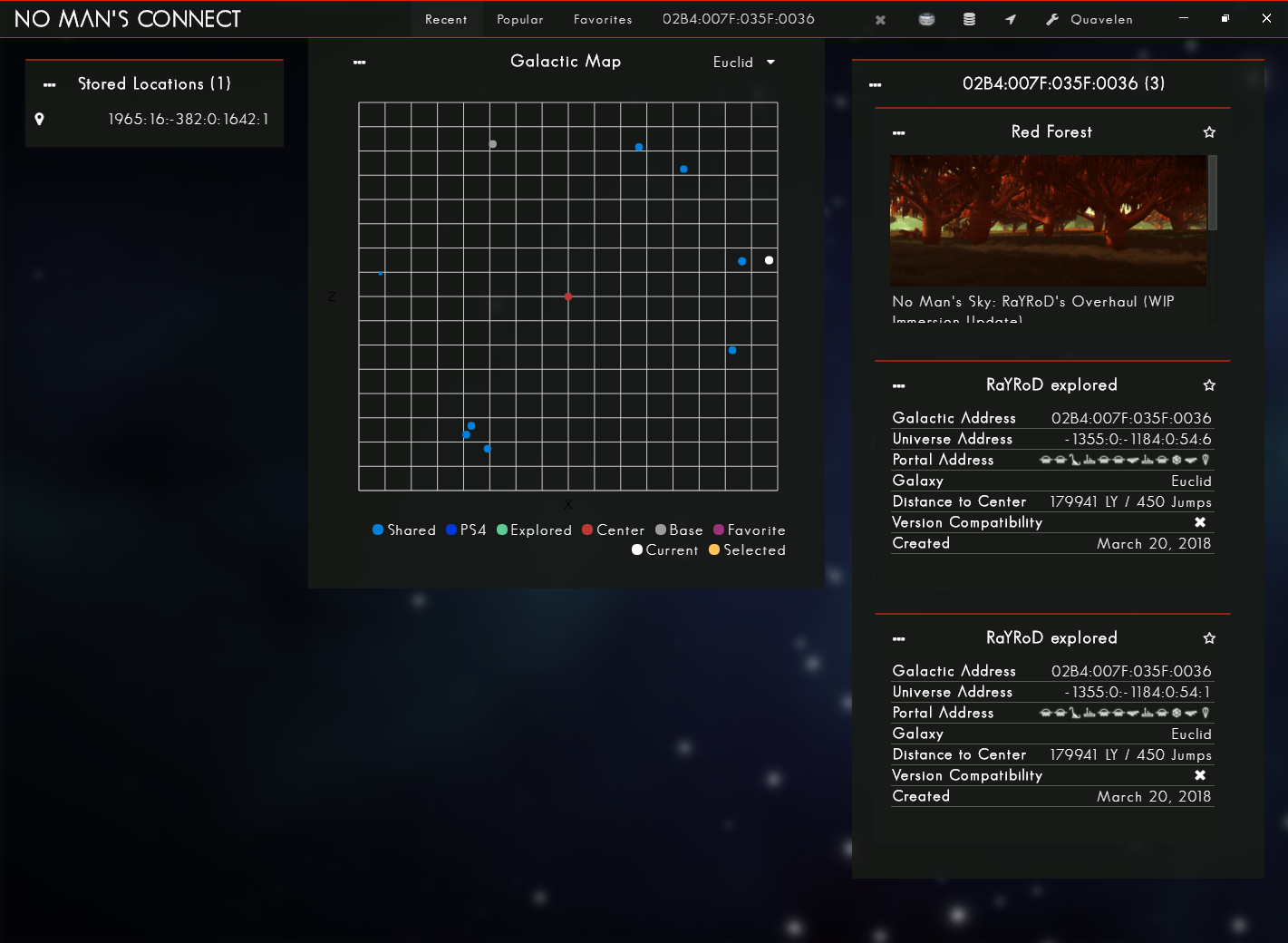
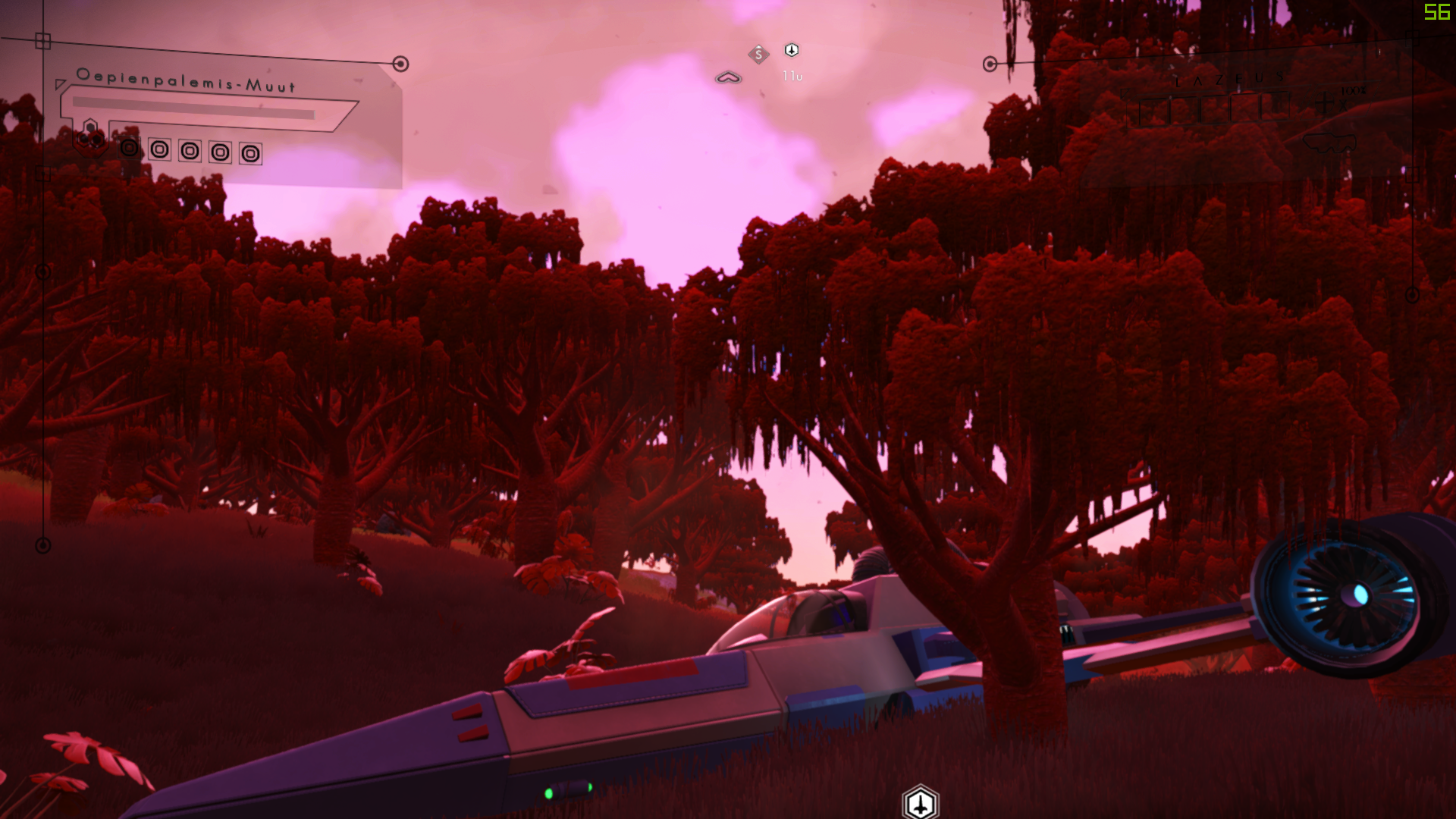
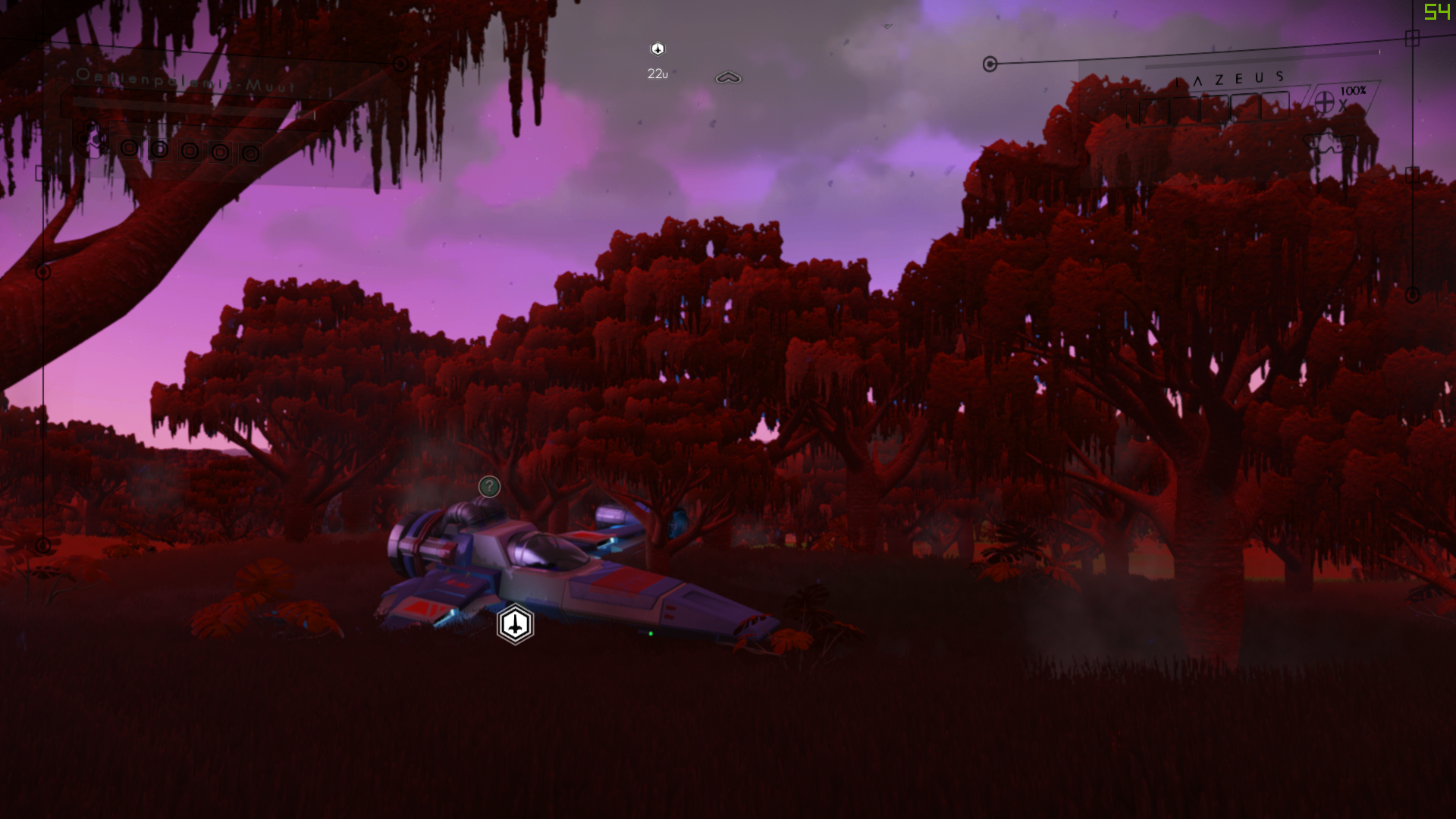
Curious to see what "Red Forest" looks like on your end
random flint
Okay, installed and found that location. Let me startup my game and go there.
random flint
How might I teleport? Is it via the cheat engine table?
random flint
Um, maybe I'm being stupid, but where is that button? o.o https://i.imgur.com/URC0hgB.png
Is it ingame?
Found it, sorry.
 dreamy tulip
Looks fine to me
Here's Bioluminescant Jungle:
00D1:0026:0707:05CC
All you do is click teleport and re-load your current save
random flint
Crashed when I reloaded.
random flint
That code you pasted is the bioluminescent rainforest.
random flint
Thanks, lol
random flint
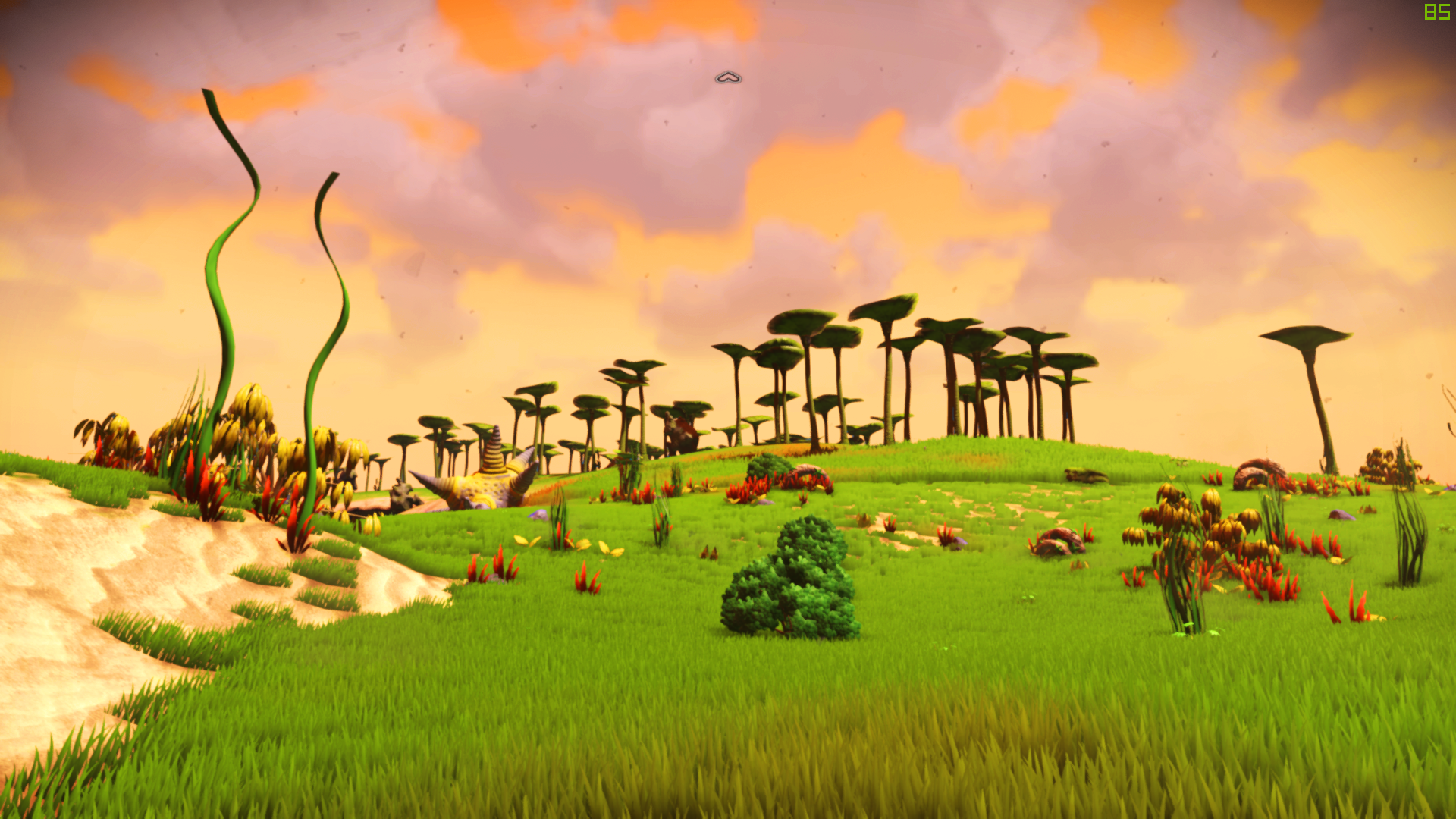
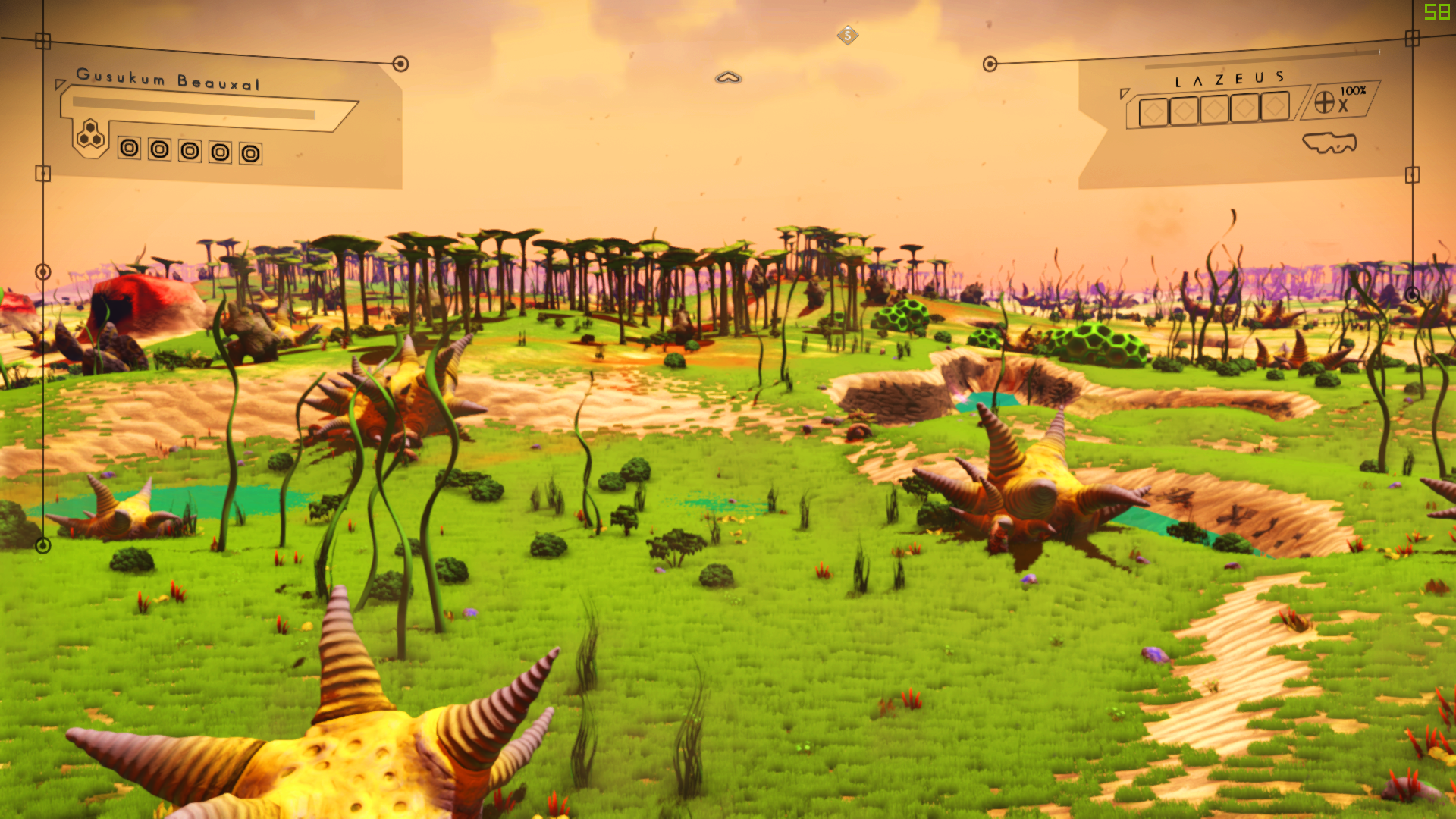
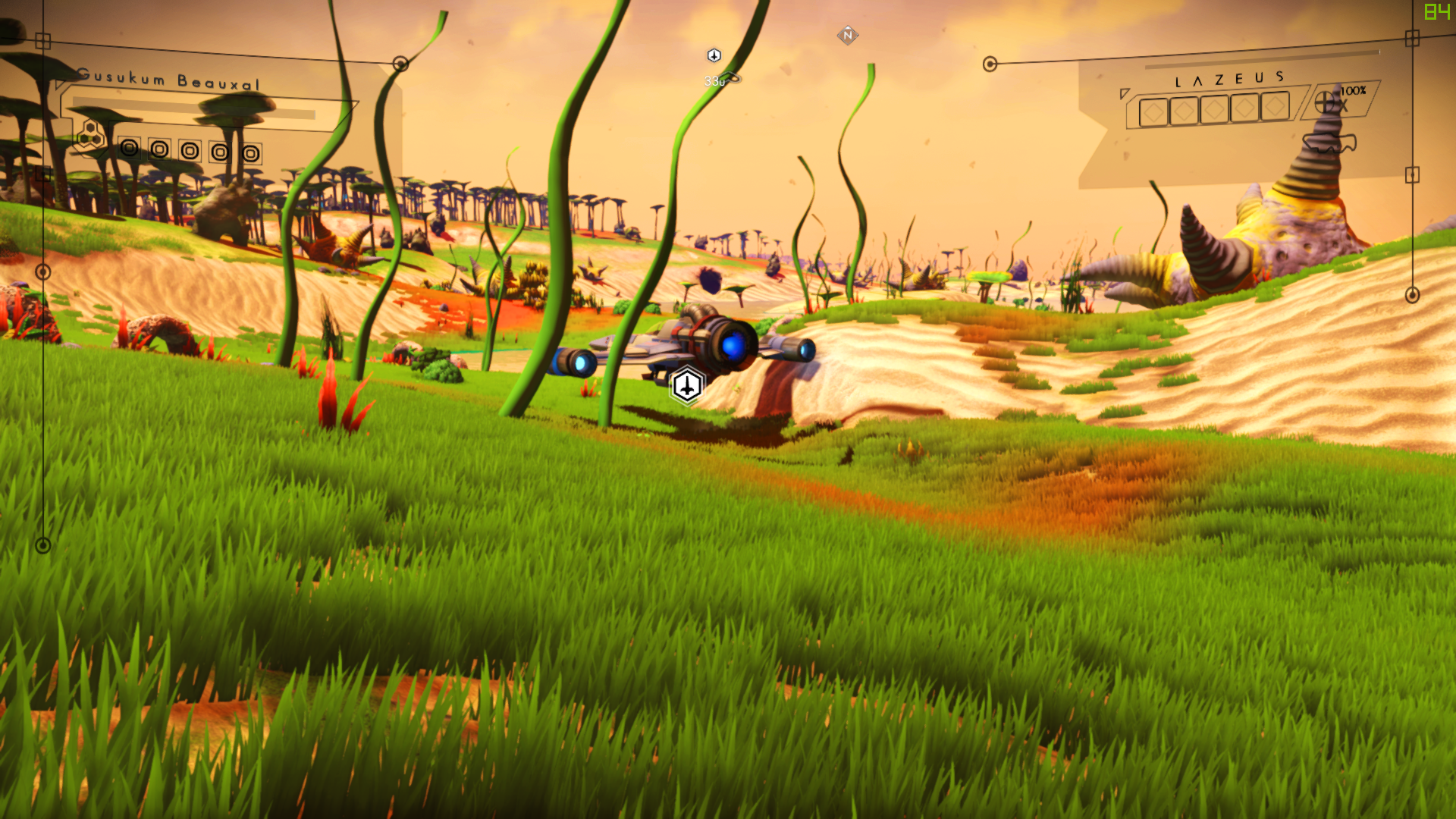
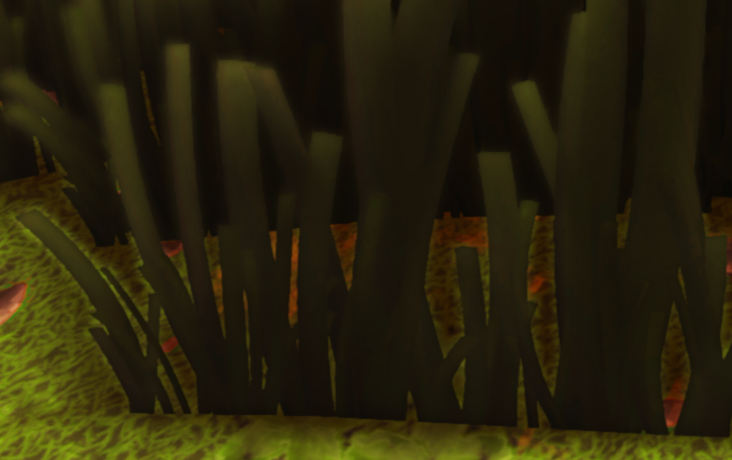
Um, can I show you what I mean, when I say cheap looking? The grass textures rotate to face me; they aren't .. "planted" as a 3 dimensional object. Just 2D textures.
It's stuff like that.
random flint
A lot of textures have weird flickering on certain parts, and edges, too.
echo oxide
It has billboard properties, yeah
dreamy tulip
On the plant you took a pic of?
random flint
Like my ship; parts of the wing and engines have flickering textures.
dreamy tulip
What are your AA settings?
echo oxide
TAA can cause problems
random flint
The same as yours - https://i.imgur.com/IPgh8ZV.png
 dreamy tulip
You're using the Omega Horizon?
 echo oxide
The ship name
random flint
Oh
echo oxide
Rotating grass is exactly the same like objects in the original Doom- billboard types so they swivel to face the player.
random flint
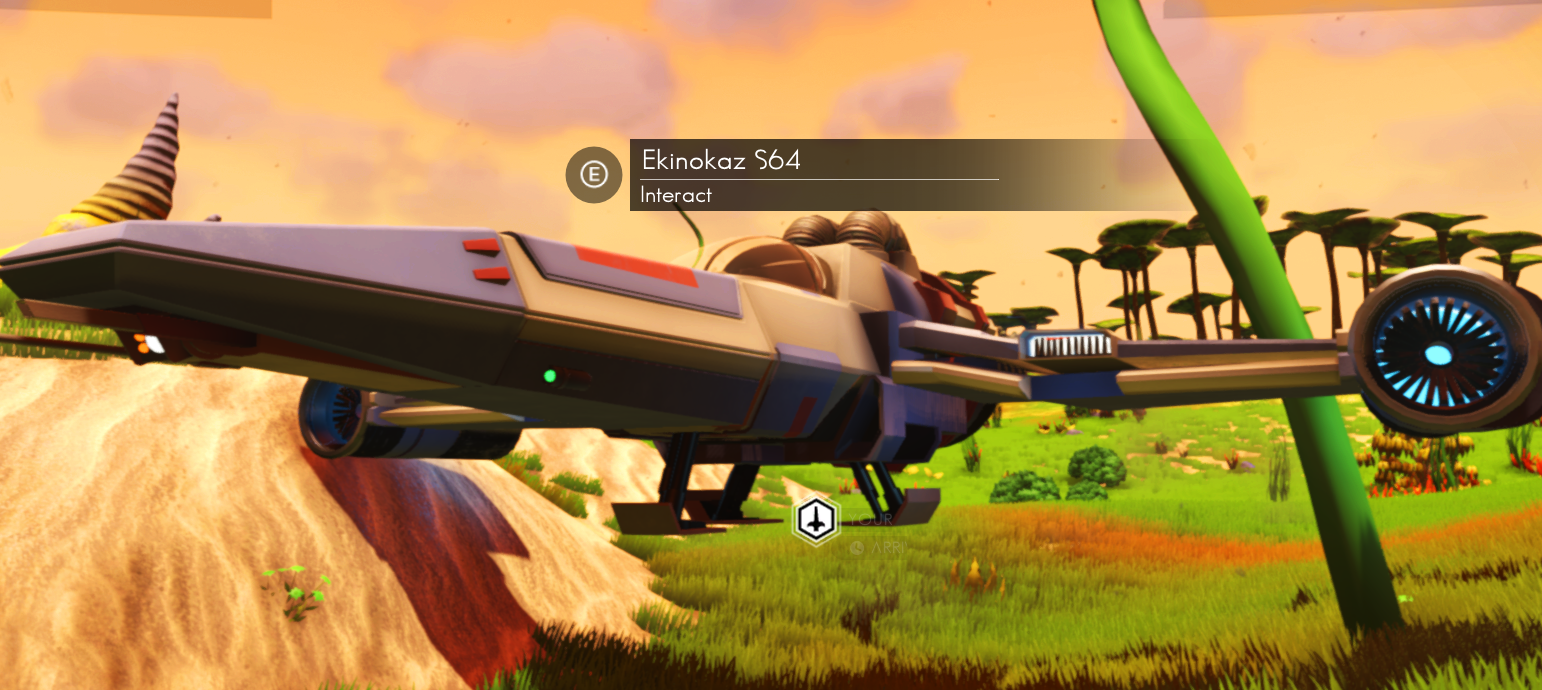 echo oxide
Yeah that's it
dreamy tulip
That grass type is actually called
"Grassbillboard"
I could remove the flag for it
the billboard flag
echo oxide
That would be nice
dreamy tulip
Just never knew what it was until you mentioned it haha
echo oxide
Also crystal biomes intiate crashes after scans then getting into your ship
dreamy tulip
Nah
That's not the cause of it
It was something else that I fixed
Thanks for the hads up
Should be fixed in the version I need to upload
random flint
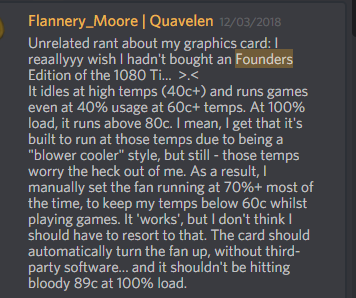
I wish my stuff wouldn't get so hot... https://i.imgur.com/AU1WNRo.png
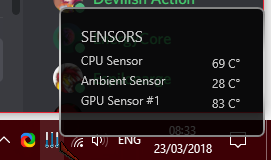 warped spindle
👀 how does your gpu not melt
 warped spindle
♨
real life is extremely hihg
if you count one atom as one pixel, its about one billion pixels per centimeter of single-atom line
so like
so high we cant count it
lol
dreamy tulip
No more rotation 😃
random flint
My poor computer's fans sound like a mini jet engine right now.
Also.. uh.
o_o
That artifacting.
dreamy tulip
That's the result of rotation
random flint
Oh, okay.
supple wadi
Hrrm. "Improvements" though with this particular case...I'm not so sure.
They're designed to shift with player perspective, after all
random flint
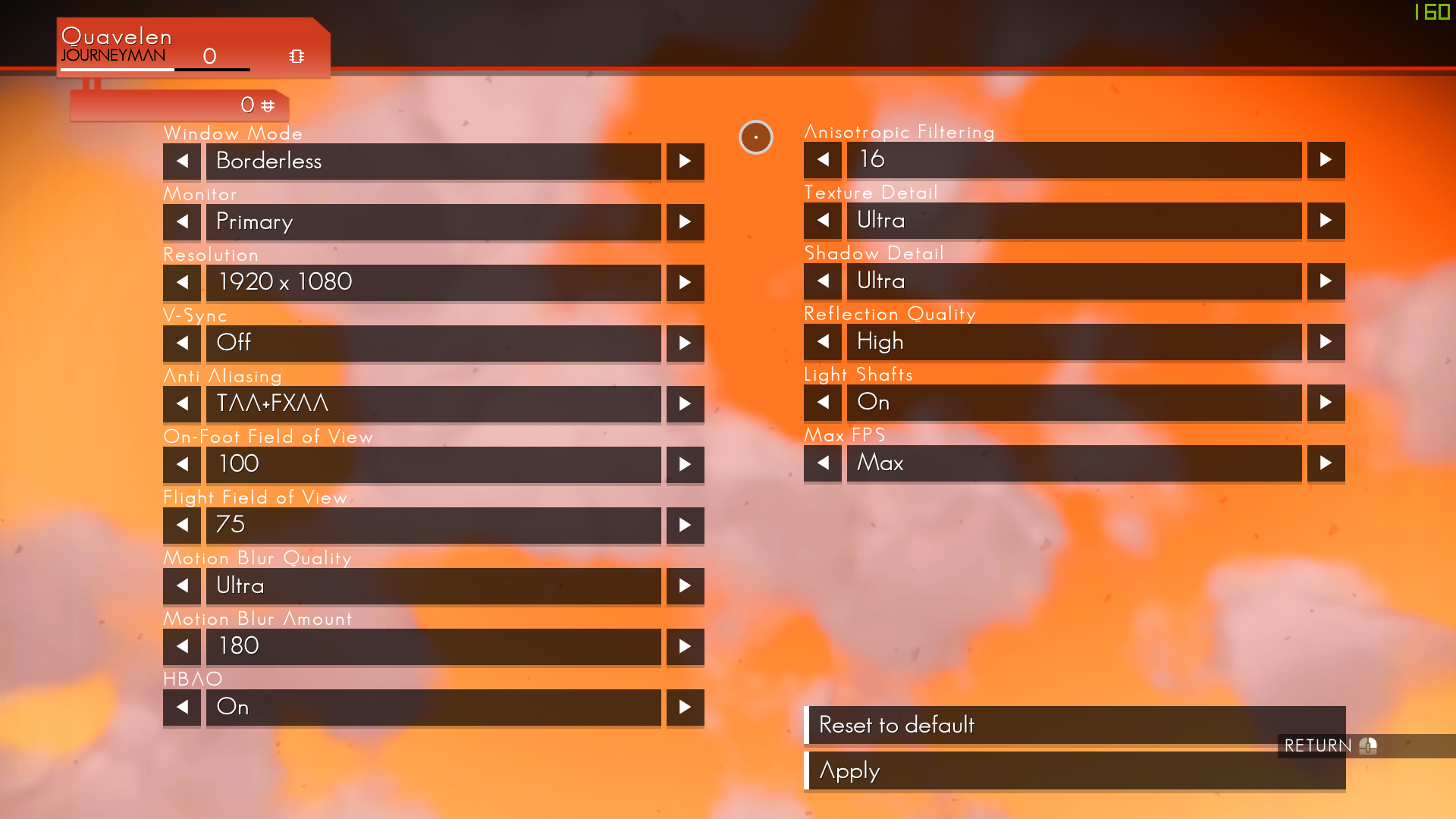
These are my graphics settings - they're copy pasted from yours, Rayrod: https://i.imgur.com/7c7F7xV.png
 supple wadi
Also some of the texture stuff you're mentioning may be something to do with the texture streaming the game does?
random flint
Other than borderless window, of course. I use that instead of full screen.
random flint
It's a direct copy paste, so I assume yes.
dreamy tulip
Cool beans
 dreamy tulip
Looks good to me
No more rotating grass on the next test
Might need to do that for some bushes as well for some models
also
I wonder what it'd look like if I replicated the new grass type flags
supple wadi
Maybe...I do wonder how well those objects will hold up without though
dreamy tulip
Doing for the grass that @random flint pointed out
fixed it
Looks great
About to test the newlushgrass flags
on the grassbillboard lushgrass5 material
I wanna see if it refines it
but then again, I sorta like the look of it as is
depends on how drastic of a difference it makes
I think that caused an instant ctd
Verifying on a yavil biome type
quick
echo oxide
Ray, your new base icon now overlaps with the freighter icon
I guess it's because there's a freighter base on board
dreamy tulip
It's because of the outdated version
The CTD that I'm fixing is a kind of CTD that can happen on almost any planet
Is a crucial fix I had to do after some recent changes
Should be fine in the next one
echo oxide
Hopefully.
dreamy tulip
Was a result of a value slightly too high in my proc cave biome
But expect more bugs haha
I need to find them to iron them out first
As everything's a work in progress
And when it's done, it'll be solid
 marsh aurora
Ehm. Don't be too certain that this bug is due to modding guys
I had this on vanilla
dreamy tulip
@marsh aurora Thanks for sharing that information
echo oxide
mhmm
cinder delta
Probably if you don't have a planetary base?
echo oxide
I claimed one
cinder delta
still shows up?
marsh aurora
I have one as well lol
dreamy tulip
@supple wadi Using the flags from the newlushgrass material with the grassbillboard lushgrass5 type = ctd
Just reverted that
marsh aurora
Hmm. And if you go to your base?
Will you get a marker at your base and one at your freighter?
echo oxide
Let me see
supple wadi
Mm, good to know. Doubt I'll be working with the grass anytime soon, but will try to keep that in mind if I do, lol
echo oxide
echo oxide
Yes
dreamy tulip
supple wadi
🤔 wait so what was breaking before? lol
dreamy tulip
Nah, it was something else
I removed the billboard flag from all at once
I guess one of em didn't like it
supple wadi
Eh, can still see some artifacting, but that's just a given 🤷
Would need a clearer before with a plain ol' grass shot like the revised after ya have going on
dreamy tulip
 random flint
@dreamy tulip Can you look really close at the grass like I did?


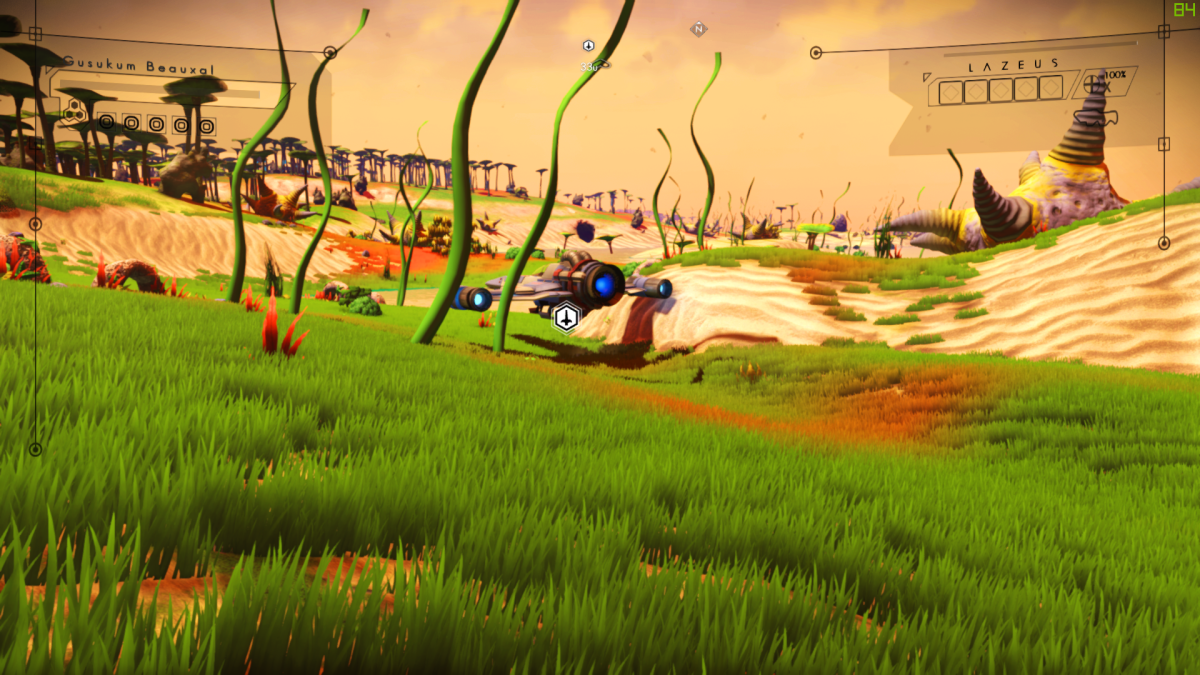
 cinder delta
I think if you wanted grass that didn't have to adhere to the billboarding you'd have to create new 3d grass models for it to look just as good/better
otherwise having 2d grass that doesn't billboard might not look that great
*from certain angles
dreamy tulip
Oh, the billboardinng is fixed 😃
And I think it looks good for some reason
idk
Looks more natural
cinder delta
I mean I might be wrong, could look good 😃
I just worried that the 2D could look strange from certain angles
like seeing the flat side of the grass for example
supple wadi
Was my thinking too
Like there's generally a reason these things are set up the way they are
random flint
Yay
dreamy tulip
Also, @ Gmr
One of the flags causes a slideshow effect
With thicker grass densities
that people experienced
Time to figure out what flag it is
This way I can make better grass draw distance
in batch
now that I know what causes that issue
cinder delta
That looks like one of those Triggered memes
dreamy tulip
I wonder which flag it may be
  <Property name="Class" value="DoubleSided" />
  <Property name="TransparencyLayerID" value="0" />
  <Property name="CastShadow" value="False" />
  <Property name="DisableZTest" value="False" />
  <Property name="Link" value="" />
  <Property name="Shader" value="SHADERS/UBERSHADER.SHADER.BIN" />
  <Property name="Flags">
    <Property value="TkMaterialFlags.xml">
      <Property name="MaterialFlag" value="_F01_DIFFUSEMAP" />
    </Property>
    <Property value="TkMaterialFlags.xml">
      <Property name="MaterialFlag" value="_F03_NORMALMAP" />
    </Property>
    <Property value="TkMaterialFlags.xml">
      <Property name="MaterialFlag" value="_F11_ALPHACUTOUT" />
    </Property>
    <Property value="TkMaterialFlags.xml">
      <Property name="MaterialFlag" value="_F22_TRANSPARENT_SCALAR" />
    </Property>
    <Property value="TkMaterialFlags.xml">
      <Property name="MaterialFlag" value="_F25_ROUGHNESS_MASK" />
    </Property>
    <Property value="TkMaterialFlags.xml">
      <Property name="MaterialFlag" value="_F36_DOUBLESIDED" />
    </Property>
    <Property value="TkMaterialFlags.xml">
      <Property name="MaterialFlag" value="_F40_SUBSURFACE_MASK" />
    </Property>
    <Property value="TkMaterialFlags.xml">
      <Property name="MaterialFlag" value="_F56_" />
    </Property>
    <Property value="TkMaterialFlags.xml">
      <Property name="MaterialFlag" value="_F57_" />
    </Property>
    <Property value="TkMaterialFlags.xml">
      <Property name="MaterialFlag" value="_F58_" />
    </Property>
    <Property value="TkMaterialFlags.xml">
      <Property name="MaterialFlag" value="_F59_" />
    </Property>
    <Property value="TkMaterialFlags.xml">
      <Property name="MaterialFlag" value="_F61_" />
</Property>```Or maybe it's the class
Gonna have too find out 1 by 1
Already fixed a lot of blurry vanilla assets
The ones that sort vibrate
supple wadi
Yeah, can't say I've ever played about with those too much. Just hasn't been a priority of mine.
dreamy tulip
They are procedural parts of some objects
And some underwater props too
Like some trees have it
And most older objects
I fixed it
supple wadi
Is it a readily apparent phenomena, or more of a subtle thing you only catch if ya sit and look at it?
dreamy tulip
It's really noticeable, when that kind of variant spawns
It looks like it's shaking
really fast
and is blurry
echo oxide
e.g when shooting objects?
dreamy tulip
Nah
Random question
Ever seen the Flash?
When one of the speedsters vibrate their face? lol
echo oxide
Yes!
dreamy tulip
Like that
https://i.stack.imgur.com/g2N4a.jpg

 supple wadi
lol, yeah, I would have definitely noticed that if I encountered it
dreamy tulip
supple wadi
Oof, yeaaah, that uh, yeah, could use some figuring out
dreamy tulip
I have some NMS pdfs somewhere
Still gotta read em
Found the cause
it was the class after all
fixed
supple wadi
what are these mystery pdfs 😮
dreamy tulip
for stuff I work on
But
They are articles and magazines, and hard to find stuff
Likely containing certain details about the game written by HG's
Somewhere on my PC they are
gotta find em
They are all from pre-release
supple wadi
Oooh, so a bunch of old stuff you compiled from them, I take it?
supple wadi
That...Someone else compiled, I guess. o_O
dreamy tulip
I think I backed them up
As I had em on a usb
When my 5 HDD's failed in a week
I guess so, idk xD
Never read em yet
dreamy tulip
I think so, but I gotta find it
I've seen one of those before
with details about the superformula
a looong time ago
Those articles were written prior to release
 lime mesa
the Immersion update for your overhaul is going to be epic, can't wait Ray 😃 @dreamy tulip
dreamy tulip
@lime mesa Thanks! I can't wait to share it with everyone as soon as it's ready
Interesting looking unused asset
dreamy tulip
That thing looks huge iin game haaha
It has collision
And the canyons are made out of nickel
Naming this moon, "Nickel Forest"
Looks like it's a variant of this E3 object
supple wadi
Was thinking it was that
Looks sorta...Lesser now for some reason, maybe just being able to see it up close
dreamy tulip
Which on HG's site it's titled "Resource Harvester"
Hmm
Perhaps the resources around it could've been used for mining and then applying to that harvester
for crafting
supple wadi
A prototype Autonomous Mining Unit, perhaps?
cyan oracle
From Rayrod's Overhaul:
random flint
Um, I have a question... I can upload and rename planets if I'm using Rayrod's overhaul, right? Like, it doesn't count as illegitimate or anything?
For some reason, I've felt like I can only do that in vanilla.
Also, the steam achievements and all that stuff - can I still earn them, if I use the overhaul?
cinder delta
Yes and Yes
I don't believe modding disables achievements
and you can absolutely upload and rename planets
supple wadi
But probably not wise to name them in a descriptive fashion, since someone else may visit them and be like, "wat"
random flint
Okay, thank you.
 tawny peak
ra
dreamy tulip
y
echo oxide
ro
dreamy tulip
d
warped spindle
tv
lime mesa
Lol
dreamy tulip
No Man's Sky: RaYRoD's Overhaul (Procedural Caves)
https://youtu.be/NlAuLZZaha8

No Man's Sky - RaYRoD's Overhaul is at around unique handcrafted, yet procedural biomes so far with various rules and algorithms. Each biome has its own uniq...
The Art of No Man's Sky: RaYRoD's Overhaul
``This is a work in progress fan project by yours truly, in which I am gradually restoring the beauty and nostalgia of all pre-release trailer, pre-release footage, pre-release concept art, and pre-release fan art... with my own touch, as an avid fan of Hello Games and their No Man's Sky product. I've invested nearly all of my time into this since the release of No Man's Sky in mid-2016.
The next update of RaYRoD's Overhaul is almost ready, it will be called the "Immersion Update". It will be like the v10 overhaul, overhauled.
No Man's Sky - RaYRoD's Overhaul is at around 12,100 unique handcrafted, yet procedural biomes so far with various rules and algorithms.
Each biome has its own unique sub-biomes, and there's also multi-biome effects... alongside some other biomes that can blend inside of biomes in general. And there are 46 procedural cave biomes that can all be different every single time (alongside all the unique vanilla cave biomes from all former versions of NMS including Atlas Rises) And the same for the underwater biomes.``
Extra Credits for these pictures:

Hello Games - For working so hard to give us a masterpiece of a game called "No Man's Sky".

Oppressor11 - For taking many of the screenshots via RaYRoD's Overhaul.

Krem - A few of the 3rd party ships from his "MoarShips" mod are teased.

Lo2k - His ringed planets are teased.

Stoian/@flamebind - For being kind and going out of his way to make this awesome cover art for RaYRoD's Overhaul. :)```

https://youtu.be/wctlrXOCukM
This is a work in progress fan project by yours truly, in which I am gradually restoring the beauty and nostalgia of all pre-release trailer, pre-release foo...
dreamy tulip
Thanks man! Also, thanks for taking the time to take a lot of those screenshots with the overhaul mod. They are awesome.
cyan oracle
if only we could get 1st person exocrafts..
exotic violet
It was pretty jarring when I first used an exocraft
That being said, do you need a mod to get third person flying?
 unkempt island
correct
cyan oracle
such a pretty sight to see upon entering a system:
another nice shot from Rayrod's Overhaul:
Thank goodness this was creative mode.. this place is too hot for survival mode..
also found the sun.. kinda..
supple wadi
Heh, neat
echo oxide
@tawny peak
tawny peak
😮
 magic mirage
❤
im glade your all excited, ill be done with the last space whale update soon at least for a while . then ill work on some land creatures 😃
and after the update for NMS is out ill redo my bones and ruins 😃
echo oxide
@supple wadi Does the repopulated lush planets mod incorporate the old biome files, or are they just a quick trees adder?
supple wadi
It's just a quick trees deal
echo oxide
Ah