#nms-modding
1 messages · Page 112 of 1
 dreamy tulip
Also, please keep in mind that the overhaul is still in an early beta state
Or at-least not a final release
 tacit mesa
I'm aware. I wouldn't be in here reporting and asking for updates if I wasn't.
I'd be playing offical unmodded.
And i wouldn't be reporting jack shit. 😛
dreamy tulip
Yep, just a reminder.
The other thing is, that if I don't reply back right away it's because I'm genuinely tied up with a lot of things going on
As I'm toggling back and forth in-between like 8 social mediums
tacit mesa
That's fine mate, now that I know you check your messages, I don't even care or mind your silence anymore.
dreamy tulip
When the download actually mentions to report to my email 😛
But yeah
Just wanted to let you know that I'm workin on it as this is also my setup
And I don't play if I know there's an issue
tacit mesa
Having a few different mod folders isn't a big deal either. No Mans Sky seems to seperate saves between modded and unmodded, and even between some different major mods. -_-
Unless Space Adventures is 'unmodded' enough to be accessing my normal official file. -_-
 tacit mesa
I mean its keeping a different stack of five somewhere.
dreamy tulip
When you open the pause menu, like say... if you click "Reload previous"
tacit mesa
I'm serious as well, move your mods folder out of its position, and your modded saves disappear.
And your normal savelist returns.
tacit mesa
Oh also, your mod disables the ability Atlas Rises grants to skip the Journey Milestones.
tacit mesa
I can't skip them though?
dreamy tulip
You can
tacit mesa
ANd there's no prompt?
dreamy tulip
Doesn't need to be
It's removing the "in your face" black bars that pop up a lot
But the function of it still works
tacit mesa
I would argue that if you don't regularly use the function and get it popping up in a tense situation. Don't care about the block bars, but the little 'Press Tab to Skip' text prompt was nice.
I couldn't even remember it was tab because I'd been running your mod since atlas rises came out.
dreamy tulip
I can look into that, as it's user interface related which happen to be some of the more annoying/tedious things to deal with. Though I rarely use that feature.
tacit mesa
I actually doubted the function existed before I swapped to Space Adventures while my saves are broken.
tacit mesa
Yeah I saw you mention that earlier.
Too bad you didn't put an @ in front of my name, would've found it faster.
dreamy tulip
That conflicted with it, but I'm still looking for any other issues that could be solely on my behalf
tacit mesa
Good on ya mate.
I'm gonna bring up tree's again now btw.
Before i logged off your mod, one of the worlds I was on had super tiny trees.
Like hidden in the grass tree's.
dreamy tulip
Pic?
tacit mesa
But they're basically roadblocks to your exocraft.
I'd send you a picture but my save files....
dreamy tulip
Was it on your last save?
tacit mesa
One of them yeah.
tacit mesa
Either the second save or the most recent one on a new game.
I don't mind tracking it down and sending you a picture, but I'm just saying your minimum setting for tree's might be a tad small.
dreamy tulip
It has to be relevant to that particular biome if so, If it's on the save you sent... I can look into it myself
tacit mesa
Okay, you should be able to find them then
dreamy tulip
I spent the past 13 hours looking for what could be the cause of the crash
tacit mesa
But you may have to spend a while driving around to find them.
dreamy tulip
Only to find out it wasn't one of my biomes but a model
tacit mesa
Because it was a rare type of tree that was very small.
dreamy tulip
Not a problem
tacit mesa
So they were hard to come by.
dreamy tulip
It might just be a plant haha
tacit mesa
But plants should just be driven through right?
Non Carbon ones you can pass right through without collision
dreamy tulip
I mean, Idk. It's not depending upon the type of resource it gives
There's a boolean for all props
That controls that via exocraft
for that specific biome file, and that specific model type in that file
There's likely hundreds of thousands of instances of it
Will look into it 😃
tacit mesa
Sheesh.
I mean honestly if you just want to make a quick 'Tree Crasher' patch so all my exocraft can annihilate tree's, I wouldn't object, were it possible. I don't mine the break in immersion in that regard, I have shield systems anyways, and if they're plasma shields like I imagine them to be considering our exocraft tend to annihilate conductive minerals on contact, then it'd make sense that you'd be able to crank them and burn a hole through a tree. That's just my opinion of course, I'd also love to have an Exocraft specifically for removing tree's and collecting carbon, but sadly we don't have the capacity to do that, so far as I'm aware, and I think you mentioned before that cranking the damage on the laser would be a uniform increase across all instances of mining. -_-
dreamy tulip
Down the line, I may create a script for that
But I honestly like crashing into tall trees in a forest
@tacit mesa
dreamy tulip
Loading up now, also added some new features that should add more variety
So the survival save you previously sent is working fine on this version
Your planet loaded up too
Gonna check @north raft 's save now
It's possible that this will fix the problem for a lot of people
Bananarama's save seems to be working fine, must've been the recent changes
tacit mesa
@dreamy tulip I don't really mind crashing into tall tree's. Its the ones that are the size of apple tree's with nary enough space to ride between that cause me apoplexy.
@dreamy tulip If I'm being honest, I'd actually prefer that whether or not we can ride over something or bust through it were based on scale. The lower 30-35% of scale should be destructible, and above that should be a solid collidable object. But I imagine that working that out, outside of the hardcoded game itself, would be a huge pain in the ass.
 supple wadi
It would, for sure.
And it definitely wouldn't handle well with other mods that change flora/geology.
tacit mesa
Meh, if I have Rayrods mod I don't need the others. Diverse Environments is great, if you have a set of SLIed GTX Titans or 1080's.
I however, am running a GTX 1070. When I'm in a 'clear' area in diverse environments, the framerate is about 43.
In heavy area's, its freaking 12.
And thats the 'normal' settings. Extreme directly reduces it to 12-19 permanently.
dreamy tulip
Just fixed a major cause of biome crashes
I had three incorrect file path typos that I just fixed
If there's only 1 file path error
It can screw up the entire system
and crash on warping
tacit mesa
Excellent, and yeah, that's what happens when you're overtired and working on lots of details.
dreamy tulip
Yeah :/
tacit mesa
You really need to enforce a proper sleep cycle on yourself man, otherwise your work will suffer and you'll burn yourself out.
dreamy tulip
Yeah will try to do that
Was talking a bit about this earlier
The longest I've worked on something was 7 days straight
It was a bad idea though
Got anxiety from it
Won't do that again
tacit mesa
7 days without sleep?
dreamy tulip
Yeah
tacit mesa
You almost fucking killed yourself.
dreamy tulip
I had a panic attack on the seventh day and fell asleep
tacit mesa
11 days is like, the max you can stay up. 7 days a lot of people already wouldn't be able to deal with.
Seriously you can kill yourself doing that.
Don't do that.
dreamy tulip
That's scary, won't do that anymore lol
tacit mesa
I'm a bit ashamed to say I'd probably actually be yelling at you if we were face to face, because upside the head is how my Dad made me learn important things, but its very effective. Consiquence is very real. Even if its not appreciated most of the time. 😦
But for the record, you shouldn't stay up past 2 days. 3 days starts to impair your motor functions to the point where you can casually lose control of yourself and end up seriously hurt or, if driving, dead.
I may have bumped up against the hard limit of conciousness myself in the past. 😉
I was trying out this insanity called the 'Sleep Diet', wherein you attempt to train your body to produce the needed chemicals in the minimum amount of time, to the point where you only require a half hour of sleep a day.
Did 'not' work.
dreamy tulip
That sounds really bad lol
Half hour of sleep a day
I don't know how that's possible
dreamy tulip
The next beta should be the most stable yet
Fixing the next crash now
Fixed like 6 today
Loading up people's saves is a lot quicker
tacit mesa
I figured it might be more helpful, so I decided to start providing them without being asked.
dreamy tulip
Yeah, thanks for that
tacit mesa
No worries, information is gold after all. If I want ya to work, I gotta pay ya something right, otherwise where can you place any expectation? 😄
Just don't get so distracted you kill yourself, and if this is really diverting the majority of your working time, you might want to start working on your own game. 😛
dreamy tulip
Information is gold, I'll be careful 😛
@lime mesa
Just fixed a crash within
          <Property name="Value" value="METADATA/SIMULATION/SOLARSYSTEM/BIOMES/ALTERNATE/RINGS/LUSH/LUSHOBJECTSMID.MBIN" />
</Property>```The tree density was too high
I have the fixed file if you want it
One more thing about that biome, that I wanted to inform you about:
The npc's are static
I would expect that though, as I believe that npc's alike creatures when spawned in via level one or biomes object files would end up as static.
You might need to adjust the planetbuildingtable for that to work properly.
 lime mesa
@dreamy tulip thats so weired i ve never encountered that freezing bug
dreamy tulip
Ah, are they not static on your end?
lime mesa
nope
dreamy tulip
Cool, looking into it.
I'm assuming that they are one of the trading post layout npc's?
That you referenced
lime mesa
i noticed the entity files are ignored, if the density is too hugh, this might be causing your freezing issue
dreamy tulip
Yeah, I lowered the density on this mid file
and it loaded
Um
The rest of them worked for this biome
the dead, low, and high
It was only the mid with the issue
Just in case anyone else might have that problem, might as well pass it your way if you wanna use it @ redmas
It was just a few small adjustments I made
Also, I just realized that if the entity files are ignored that's the cause of the static npc's
I believe the entity is what's handling the anims
I didn't check, but I'm pretty sure it is for those models
supple wadi
Might be off but if memory serves it's what properly spawns them, no? In which case that would make sense.
dreamy tulip
That does matter too
But
I just checked the entity it uses
          <Property name="Value" value="MODELS\PLANETS\BIOMES\COMMON\BUILDINGS\PARTS\ENTITIES\NPCPLACEMENT.ENTITY.MBIN" />
</Property>```<?xml version="1.0" encoding="utf-8"?>
<!--File created using MBINCompiler version (1.38.0)-->
<Data template="TkAttachmentData">
<Property name="Components">
<Property value="EmptyNode.xml" />
<Property value="GcNPCPlacementComponentData.xml">
<Property name="SearchPlacementFromMaster" value="False" />
<Property name="PlacementInfosToApply">
<Property value="NMSString0x10.xml">
<Property name="Value" value="ALWAYS" />
</Property>
<Property value="NMSString0x10.xml">
<Property name="Value" value="NPCHIREABLE" />
</Property>
<Property value="NMSString0x10.xml">
<Property name="Value" value="FILLER" />
</Property>
<Property value="NMSString0x10.xml">
<Property name="Value" value="NPC_BUILDER" />
</Property>
<Property value="NMSString0x10.xml">
<Property name="Value" value="NPC_TECHSHOP" />
</Property>
<Property value="NMSString0x10.xml">
<Property name="Value" value="NPC_VEHICLES" />
</Property>
<Property value="NMSString0x10.xml">
<Property name="Value" value="NPC_BUILDSHOP" />
</Property>
<Property value="NMSString0x10.xml">
<Property name="Value" value="NPC_MISSIONSHOP" />
</Property>
</Property>
</Property>
</Property>
<Property name="LodDistances">
<Property value="0" />
<Property value="50" />
<Property value="80" />
<Property value="150" />
<Property value="500" />
</Property>
</Data>```No anims in here
No anims referenced in the scene either
lime mesa
@dreamy tulip i told you that the static is from the entity ignored just before u said u realized it ;D also , you r not looking in the right entity files for the anims
they are in the MODELS/PLANETS/NPCS/ folder
😉
dreamy tulip
@lime mesa I already knew that the entity files are being ignored in this sense when called through the biome files.
I learned that on foundation
But what I did realize was that for certain models, the anims are referenced in the entity's
However, the reason why the NPC is static in your alien worlds biome in the way that you structured it, is because you are linking to an NPC scene that's static and is not calling an entity with animations.
I just looked in the scene and it's calling this entity:
          <Property name="Value" value="MODELS\PLANETS\BIOMES\COMMON\BUILDINGS\PARTS\ENTITIES\NPCPLACEMENT.ENTITY.MBIN" />
        </Property>```

I am looking in the riht place, but I don't think your scene is referencing the right place. 😛Either it's that, or it's just not going to work via the biomefiles properly.
I had to remove it from your file, because it's broken.
 old vessel
Hey, here's an idea for a mod... Getting rid of the need for technology adjacency bonuses. Or rather, changes them to just "stacking" bonuses I suppose. Making it so the adjacency bonuses always apply, even if two pieces of tech are not next to each other. Mainly because I personally find that a great hassle. :P
No idea if such a thing is even remotely feasible, just an idea.
 inland sky
not really feasible atm with current knowledge, though could remove the bonus and increase the base stats for the modules I guess
old vessel
Mm, yeah, that could work. Try to increase the base stats to roughly match the ideal adjacency bonuses, to keep the power roughly the same.
inland sky
though it would remove the choice in what stat to focus on
normaly you can choose to focus on firerate, damage per bullet, or coolant for example for weapons
by changing which module type you give the best spots
old vessel
True. I just personally don't really enjoy that aspect. And I don't use the weapons modules at all, I just stack mining beam. 😛
That works for my playstyle, obviously, not for everyone probably.
inland sky
btw, is it having it restrict where you place it you don't enjoy, or figuring out where to place it or?
old vessel
Both, really. I just want to put a technology in without having to think about where to place it or having to make ideal space for it. Coupled with the fact that you can't just move techs, you gotta dismantle them and rebuild them. I've taken to using a save editor just to move the tech around when needed. Should be an in-game feature IMHO.
inland sky
I made a layout planning website which includes all the adjacent bonus calculations if you haven't seen it
inland sky
Are there other ones? didn't know about that
lime mesa
@dreamy tulip "But what I did realize was that for certain models, the anims are referenced in the entity's" yes, that was i was just saying 😃
inland sky
this one is mine: https://ket.github.io/NMS-SlotLayout/
old vessel
Well, I saw a couple of spreadsheets at least, not full sites.
dreamy tulip
Yeah :)
But the entity in your scene has no anim
Which results in it being static
Is what I'm saying
inland sky
made a spreadsheet a month or 2 before that, but don't really use it anymore
dreamy tulip
I looked where the scene is refernecing the entity, it might need to be redirected
lime mesa
no, i ts the same spawning method i did for the trading post
which is a tweek of the original spawn in trading post
lime mesa
yes
dreamy tulip
Going to re-load and see if it's still static.
lime mesa
oh, for the trading post, no
dreamy tulip
Yeah, I figured
That makes sense though
As npc's might need to be utilized via a creature slot
I might be wrong - but if not that, I recommend an alternative way... if you want to see them animated. 😛
to function properly.
The landmark, object, and detail object slots won't work well with anim related objects
Except walkers, and quads
lime mesa
idk, it will be helpful if i encoutered once that bug in my mod, but its not the case
dreamy tulip
The bug could very well be on my end, but I'm going to make sure.
inland sky
@old vessel I guess I can look into making a mod that removes adjacent bonuses then adds 10% to sigma, 15% to tau and 20% stats to theta for the ones that can be placed in a 3x3 box , and maybe 5, 5, 10 for the ones that can't (like hyperdrive or shield)
lime mesa
Ill go for your end issue, because , u had a freezing creature issue i saw once
lime mesa
idk, it reminded me that when u show the screenshot, but its based on nothing
dreamy tulip
I was working on herds
And I set the movement type of the struct to random
in the past
resulting in frozen creatures
in the creaturedatatable
That's not related to biomeobject files
Which has been fixed for awhile now
lime mesa
its still possible it was just a side effect on another issue
old vessel
@inland sky Oh sure, but don't go out of your way to make it just for me. 😛
lime mesa
just suggesting possibilities
dreamy tulip
It doesn't hurt to verify, worst case scenario... if it is a biome related issue
There's always a way to fix it
Brainstorming over here 😛
Bugs happen
lime mesa
yep
dreamy tulip
😄
lime mesa
If i encounter this on my end, I let you know in the second 😃
I am going to do some other modifications to AW2 after some feedback i got as well
dreamy tulip
No Man's Sky: RaYRoD's Overhaul (v10-1.8 BETA)
The v10-1.8 BETA has a lot of crucial rare crash fixes, performance improvements, visual adjustments, more planetary variety than previously, and a lot more. This is primarily a stability-focused, work in progress BETA update.
Changelog:
v10-1.8 - Stability Focused
- Crash fixes, crash fixes, and more crash fixes.
New Features:
Added beach variety, mountain variety, rock variety, and other things to various kinds of regions
Adjustments/Improvements:
- The optional default gameplay difficulty normal/survival mode no longer utilizes the PS4 DLC incentive starship, and also now utilizes the base game multitool.
Located in - Optional Mods\Core Mod Removals+User Recommended\User Recommended\Default Gameplay Difficulty
Added a new optional file called "Underwater Flight Removal"
Located in - Optional Mods\Core Mod Removals+User Recommended\User Recommended\Underwater flight removal
- Cave weather and object adjustments
- Slight atmosphere thickness adjustments
Nexus Mods Download Link:
https://www.nexusmods.com/nomanssky/mods/497
tacit mesa
@dreamy tulip Why'd you have to release a patch right now? I just finished modding Skyrim Special Edition. 😛
Well, two hours ago, without hitting me up with an @ 😛
 orchid vector

Space Station On Planet And Insane Sentinals Credit: Space Station And Custom, Independent DLC Planet Crafting Being Done By akaLyrik and Insane Sentinels By...
Early tines show my ideas same ones you see in dude overhaul takein From me

Nope! Nope! Not coming back to this planet. I think I really, really, broke the game this time. Look at what happens after the game boots up. 😂 Too much inte...
In description he says akalyriks custom planets cause I made the e3 planets way back in 2016
Space Station On Planet And Insane Sentinals Credit: Space Station And Custom, Independent DLC Planet Crafting Being Done By akaLyrik and Insane Sentinels By...
 hallow pumice
@dreamy tulip FPS has surely increased in your lastest patch, awesome 😃
orchid vector
How dumb
 heavy oar
lol this is fuck up
dreamy tulip
@hallow pumice Thanks bud 😃
More FPS improvements are coming, I just need to tweak the glsl shaders that I've coded
 brazen pumice
@orchid vector hey dude, you got a problem with rayrod?
hallow pumice
it appears, calling him out for more bs
dreamy tulip
^
orchid vector
He knows that I do and I showed why I told him already so he blocked me
brazen pumice
hey @akalyrik#5362 check the pins and copy and paste the text for me of the first one
oh lol
he left
i was gonna ban him anyway
dreamy tulip
@hallow pumice How much a fps increase did you get?
old vessel
Sorry, what's this "drama"?
inland sky
don't ask
hallow pumice
I didn’t have my FPS counter on, but the gameplay was much smoother felt like vanilla gameplay. I’ll turn on the FPS counter when I get home and give you the numbers 👍
@dreamy tulip
dreamy tulip
Sweet, thanks! More FPS improvements are coming soon
@shrewd pagoda was tweaking a few of my shader mods and got fps boosted by another 15+. Apparently, some of the values in a few specific shaders being set really high by me, which my gpu can handle, is taxing on low/mid-end gpu's.
It doesn't affect my GPU though, but I think a lot of people will benefit off of it. I'm gonna adjust some of the changes I did awhile back. It should be subtle and not kill the visual overhaul
 shrewd pagoda
here's the update for the shaders that'll boost fps:
dreamy tulip
^
The files of mine that Salo tweaked and improved by turning a few values down that I set really high for my GPU will be included as a standard in the next beta... but if you're using the overhaul; I recommend grabbing that now. I was on a dense planet getting 30-40fps, and it boosted up to 50-60 with barely any noticeable visual difference.
 clever adder
🤔 why do people get banned for not liking something
brazen pumice
abusive over dms, and in chat
clever adder
oh
supple wadi
@dreamy tulip The spawning entities don't need to hold anim info because it permits the spawned object to retain its own entity attachments. This is unlike referencing, where some/all of that may be overridden.
However you have to recognize that for it to flow correctly, you must place locators, not references.
dreamy tulip
@supple wadi Cool beans 😛
If you take the BUTTERFLYRIG for example
The proc butterfly object scene has this entity attached:
          <Property name="Value" value="MODELS\PLANETS\CREATURES\BUTTERFLYRIG\BUTTERFLY\ENTITIES\BUTTERFLY.ENTITY.MBIN" />
</Property>```Inside of the BUTTERFLY.ENTITY.MBIN is where the anim.mbins for that specific proc creature model are attached:
     <Property value="TkAnimationComponentData.xml">
      <Property name="Idle" value="TkAnimationData.xml">
        <Property name="Anim" value="FLY" />
        <Property name="Filename" value="MODELS/PLANETS/CREATURES/BUTTERFLYRIG/ANIMS/BUTTERFLAP.ANIM.MBIN" />
        <Property name="AnimType" value="Loop" />
        <Property name="FrameStart" value="0" />
        <Property name="FrameEnd" value="0" />
        <Property name="StartNode" value="" />
        <Property name="ExtraStartNodes" />
        <Property name="Priority" value="0" />
        <Property name="LoopOffsetMin" value="0" />
        <Property name="LoopOffsetMax" value="1" />
        <Property name="ControlDelay" value="0" />
        <Property name="ControlSpeed" value="1" />
        <Property name="ControlActionFrame" value="-1" />
        <Property name="ControlCreatureSize" value="AllSizes" />
        <Property name="FlagsAdditive" value="False" />
        <Property name="FlagsMirrored" value="False" />
        <Property name="FlagsActive" value="True" />
      </Property>
      <Property name="Anims" />
</Property>```If the entity is ignored, which it would be ignored when spawning them in via the landmarks, objects, or detail object slots.... the creature would result in not being animated.
However, I believe that we're talking about two different things as the spawners that HG has used function differently.
Have you tested with the E32015 spawners, or the demo spawners? The NPCSPAWNER is being utilized in the base game I think...
There's some interesting stuff going on there, worth checking out 😛
supple wadi
Yeah, we're talking different methods for sure. What you describe in the slots I see more as placement rather than spawning for the most part.
dreamy tulip
Cool, have you ever figured out the fishing struct?
supple wadi
Anything that overrides and/or ignores an object's original entity attachments: placement.
Anything that retains and/or recognizes an object's original entity attachments: spawning.
Roughly speaking, anyway.
And nah, haven't even looked into that yet, I don't think.
dreamy tulip
Yep, those are the differences.
Well, there is something that I'm looking into
The ai spaceships manager has a creature slot
I think it might be related to the portal trailer (could be wrong)
Where a ship was scene taking off of the ground
hallow pumice
Yeah random small features like that made those trailers feel a lot more alive.
dreamy tulip
Oh yes, remember that walker crouching too? 😛
And that cockpit sfx

Your Universe Awaits Discover more: http://bit.ly/1VMflCE Buy now: http://bit.ly/1T3xm9t There are many ways you'll travel through No Man's Sky's infinite ga...
Getting 90fps on this lush planet now 😛
 north raft
gorgeous planet
dreamy tulip
1.9 BETA coming soon
lime mesa
what is 1.9 going to add just out of curiosity @dreamy tulip
dreamy tulip
v10-1.9 BETA - Quality of life focused
Adjustments:
- Huge performance boost - Users should get a faster framerate than the previous betas that already had other performance boosts
- Adjusted overwhelming depth of field on extreme weather planets
- Underwater life adjustments
- Slightly lowered the density on one of my underwater biomes to improve performance and also so that it looks better
- Underwater biome draw distance increase + puddle multi-biome draw distance increase
New Features:
- Greatly expanded height fog palette colors and fog palette colors in-between various times of day. There's also a lot more variety of day time sky colors, nightime sky colors, space colors, space fog colors, lighting, horizon colors and a lot of other various things.
- Slight spectral class biome probability adjusments. This should make exploration more interesting.
- Added more E3 skies and space effects
That's what I have so far
Gonna have to cut it short this time, as I only slept three hours after working on things for over 48+ hours in the past two days for the previous 2-3 betas.
But this is what I've managed to do in the past half hour
lime mesa
oh hell yea epic perfomance and lots of new features , Ray your releasing updates like its just water Wow great work again 😃
dreamy tulip
Thanks man :)
More will follow soon
lime mesa
can't wait
lime mesa
wow thats a nice planet there , great colour palette , and well shot screenshot good job
dreamy tulip
Thanks bud 😃
lime mesa
man this may sound embarssing but, your problay doing more work than hello games at this point lol
dreamy tulip
Considering to do a wave flora, and windy biome next
lime mesa
oh cool thats going to be really fun
dreamy tulip
I think it will look nice 😃
Also
working on simulating multi-biomes
Going to crank variety up a lot more soon, once this is confirmed to be fully stable
^ That's just a random pic, not a multi-biome
lime mesa
oh ok cool
dreamy tulip
I mean in a way it is I guess
As that's a puddle biome of mine
fused into another biome
dreamy tulip
Thanks!
lime mesa
the sharder fix file really makes this game 100 percent better because with v-synce i have no frame drops yay im so happy
dreamy tulip
I'm great to hear that :)
And thanks to @shrewd pagoda for finding the fix to it with my shader mod
 nimble ruin
hey @dreamy tulip . I heard a new version of the overhaul dropped. Where can I find it? 😃
dreamy tulip
@nimble ruin Hi, in a few minutes
I had to restart my PC as it's being super slow
Been trying to upload it for 1 hour
lol
lime mesa
Here is where you can find it at nexus but if you click mirror you can go to a differnt site if you want https://www.nexusmods.com/nomanssky/mods/497/? @nimble ruin
dreamy tulip
Getting ready to upload the new version
nimble ruin
thank you @lime mesa
lime mesa
Your welcome
nimble ruin
oh sweet. I'll just wait rayrod lol if its a new spanking version
lime mesa
That’s 1.9 he is speaking of
nimble ruin
😄
dreamy tulip
Uploading now.
 frosty vine
nimble ruin
frosty vine
nimble ruin
yay!!!!!!!! you've just made my nightly binge epic rayrod
lime mesa
And by the way just a question ray , will 1.9 already have that shader fix file with the overhaul @dreamy tulip
dreamy tulip
Yessir 😃
lime mesa
Oh good thanks
dreamy tulip
No Man's Sky: RaYRoD's Overhaul (v10-1.9 BETA) - Quality of life focused
v10-1.9 BETA - Quality of life focused:
- Huge performance boost - Users should get a faster framerate than the previous betas that already had other performance boosts (Thanks to Salo for finding the cause of this one and adjusting a few values). :)
- Adjusted overwhelming depth of field on extreme weather planets
- Underwater life adjustments
- Slightly lowered the density on one of my underwater biomes to improve performance and also so that it looks better
- Underwater biome draw distance increase + puddle multi-biome draw distance increase
- Added an optional "Default Sentinel Difficulty" file.
Located in Optional Mods\Core Mod Removals+User Recommended\User Recommended\Default Sentinel Difficulty
New Features:
- Greatly expanded height fog palette colors and fog palette colors in-between various times of day. There's also a lot more variety of day time sky colors, nightime sky colors, space colors, space fog colors, lighting, horizon colors and a lot of other various things.
- Slight spectral class biome probability adjusments. This should make exploration more interesting.
- Added more E3 skies and space effects
NexusMods Download Link:
https://www.nexusmods.com/nomanssky/mods/497
 echo oxide
@dreamy tulip Hey, Ray.
Just finished downloading and it seems that the file's still called 1.8
Just wanted to tell ya
lime mesa
go to the modb mirror link that will have 1.9 version @echo oxide
lime mesa
which one did you install from neaxus or google drive
lime mesa
huh just try this link for now its free no login or registry this link always works for me http://www.moddb.com/mods/no-mans-sky-rayrods-overhaul-v10-beta/downloads/no-mans-sky-rayrods-overhaul-v10-141-beta
Mod DB
The v10-1.9 Work in progress BETA is quality of life focused. It includes another big performance boost, spectral class adjustments, fixes to previous overwhelming depth of field, greatly expanded fog, heightfog, space sky, day-time sky, nighttime...
echo oxide
yeah, will check back in. I mean that ray seems to have not renamed the overhaul file while already having renamed the zip
lime mesa
but are you on 1.9 overhaul or is it he just name the file wrong
dreamy tulip
@echo oxide Hey, you must've downloaded before I re-uploaded 😛
Sorry about that
Result of being overtired
lol
So, I was just getting over 100fps in a thick forest
with my gpu
Things are back to the way it used to be 😛
Anyway, I think I need to fall asleep... running off of 3hrs of sleep within 3 days
echo oxide
yeah man you deserve it
echo oxide
I'd like to report a massive fps increase on enviroments that usually were unattemptable (with giant structures, giant objects, thick grass and DOF) to around 40-50 frames on a GTX 1050Ti laptop using Rayrod's Overhaul.
I think I could cram a bit more if I install the NoFade booster.
dreamy tulip
I'm glad to hear that the latest beta is the best beta yet performance wise. Will see what else may help down the line. 😃
 winter vector
@echo oxide what settings?
 quasi moat
Hi everyone ! First of all, thanks Rayrod for your work, appreciate to discover all your biomes. Just one quick question 😃 Lot of demanding planets are crashing the game when I want to cross atmosphere with my ship. Some graphical settings to adjust for better results ? 😃
dreamy tulip
Hi, @quasi moat! :)
Can you send me a screenshot of your MODS folder?
quasi moat
Sure 😉
lime mesa
V1.6 have a new exocraft and a bunch of mods from lo2k https://www.youtube.com/watch?v=jv6X1GIL2lA

Graphic overhaul by LO2K Space adventures Udpade is still available at https://www.nexusmods.com/nomanssky/mods/442 or https://nomansskymods.com/mods/space-a...
dreamy tulip
No Man's Sky: RaYRoD's Overhaul v10 (BETA) - Diplo Rainforest
https://youtu.be/j2BeS8EHiYA

NexusMods Download Link: https://www.nexusmods.com/nomanssky/mods/497/ If you desire to support me for the time I spend into making these mods, you can here:...
 warm thistle
Nice!
 worldly viper
Anyone using the overhaul mod? If I try it, should I start a new game with it?
inland sky
preferably
you can use an old save, but you will likely spawn in space next to your ship and need to jetpack over
 opaque crag
I have a quick question: I played some time with No Mans´s Sky mods installed, I dont know all of them, but I had RayRods Overhaul "installed" at that time. I had no problems or crashing while entering a planet. Then I was playing sometime with no mods and today I changed the installed mods and tried to play it. I deleted the shader cache and tried to install no mods that conflict each other, but for some reason my game crashes while I am entering on some planets but not on others. The Mods I have installed are: RayRods Overhaul v10 (BETA 1.2.2) ; Dark Space Nebulas Only ; NoStrangeHeavyAirParticles ; Default Gameplay Difficulty ; Default User Interface ; E3 Scaled Planets + Solar Systems ; Spiral Galaxies ; Uncapped Hyperdrive Distance by RayRod. The Planet I am momentally crashing is type: hyperborean Planet (I think its the name, I have the game on german but it should be the name)
dreamy tulip
@worldly viper @inland sky Hi, the overhaul mod is now fully compatible with vanilla saves; except for vanilla bases. The mod comes with an infinite variety of terrain and has a large chance of repositioning your base. However, reportedly someone's vanilla base still stayed where it was from what I've heard so it might not happen. Players will no longer start off floating in space on vanilla saves. 😃
@Sir Coopa101#7859 Hi! What is the version number on the overhaul file?
worldly viper
Oh sweet. Thanks for all of your work on that by the way. I've heard great things!
dreamy tulip
Thanks a lot! I'm always around if you encounter any rare issues 😃
 ruby torrent
Hey RaYRoDTV I am on a planet and everything is blurry any idea how to fix it?

multi tool look blurry and so does everything else
supple wadi
😮 Like inverse depth of field effect.
ruby torrent
how do i fix it
supple wadi
@dreamy tulip would be the one to answer that. Not sure how that's happening.
ruby torrent
maybe it from other mods i using
inland sky
looks like shader issues, but don't know if graphics settings/card, or conflicts
are you using other mods?
rayrods mod doesn't play well with a lot of other mods
ruby torrent
yes i am using other mods with RaYoD TV mod
inland sky
as it edits a LOT of files
ruby torrent
what mods should i take out
inland sky
depends on what you have really, you could try removing them 1 at a time and see if it is fixed
shader related mods are the most likely ones
ruby torrent
i have 18 mods installed that will take a while
inland sky
just move multiple to another folder and start the game, if its fixed, try moving some back
could also list them and I could check if its likely
ruby torrent
I don’t know if it is
inland sky
a lot of lok2s stuff is in there, his shaders in particular
inland sky
yeah, and create some too, but i dont run that many at once
ruby torrent
Is it bad to run 18 mods at once
ruby torrent
I did not know that
inland sky
betterhd clouds is already included in rayrods I belive, changes same file at least
ruby torrent
Is there a list of mods that is in RaYRoDTV overhaul mod
ruby torrent
ok
inland sky
true clouds files are in rayrods as well
ruby torrent
That good I love true clouds I could not go back to regular clouds
Should I take every mod out except RaYRoDTV mod to see if it will fix the blurry issue
inland sky
yeah, thats a good start
you can pretty much assume the majority of mods are incompatible
some are not, but test it
ruby torrent
will no blinding lights mod be ok
inland sky
its either already included, or not compatible
inland sky
scanpulseeffect will either overwrite a part of rayrods, or not compatible
tides and waves is either already included or not compatible
inland sky
it might be compatible, but whatever rayrod did with the file will either be overwritten, or overwrites the mod anyway
inland sky
rayrod uses the same files as NotificationBackground as well
ruby torrent
i forgot to take that one out i already launch no man sky
do you use RaYRoD TV mod also
inland sky
nah, too much of an fps drop for me
inland sky
which mod was scanner hotfix?
ruby torrent
that come with the RayRodTV package
ruby torrent
lol
i need to get a new computer soon because my computer is 6 years old
amd fx 4100 r9 270x 8gb ram ddr3
the blurry got worse
inland sky
and unmodded is fine?
 inland sky
and its fine with no mod, and still there with only basic rayrods overhaul?
ruby torrent
no man sky runs great without any mods installed
inland sky
if its there with just the basic overhaul then not sure what I could do to help, would have to talk with rayrod
inland sky
most smaller mods lists which files they modify in the description on the mod page, each file can only be modified by a single mod at a time unless they are made to work together
rayrods overhaul is huge and made to be used standalone, so it doesnt have a list
ruby torrent
it crazy how mods work
I took rest of the mods out expect RayRodTV mod
when you stop playing no man sky where do you save at
i save at the space station each time i stop playing no man sky
i notice the game load much faster if i save at the space station
inland sky
I got an SSD so load time has never been an issue
ruby torrent
i only have two hdd and zero ssd
i need a upgrade
how fast does no man sky loads on a ssd
inland sky
like 5-20 seconds from nothing to running around ingame
ruby torrent
that fast it take me a few min for the game to load
still the same blurry
should i delete the shader cache
supple wadi
Might help.
ruby torrent
i forgot to do that after i took some mods out

Even worse a random picture appear over the hud radar
what is happening to my game
supple wadi
wtf? O_o I'm at a loss.
ruby torrent
my game been acting up ever since i first started to use mods
supple wadi
Typically if you do as Ket suggested it should help narrow it down...But I'm not sure what could be producing this.
ruby torrent
i took all the mods out expect RayRodTV mod and it still happening
supple wadi
I don't know of anything in RaY's work that adjusts the compass to where that would happen...
inland sky
yeah thats really odd
was afk for a moment
and yeah need to delete shader cache upon installing rayrods
ruby torrent
maybe my game still remember the other mods even through i took them out
already did deleted the shader cache a few min ago
opaque crag
I think Gmr_Leon mentioned a problem with shaders, which are the reason for the "errors", have you deleted the shader cache file after modding and before starting?
Ok, nvm just read it :D
ruby torrent
i deleted the shafer cache after i took rest of the mods out expect RayRodTV mod
this is new https://steamuserimages-a.akamaihd.net/ugc/928173099227883838/5E6F9375DEA7B2A019F335E8274BB4DBC0A84615/
 inland sky
what the hell is up with that compass, and the weird depth of field setting
ruby torrent
I had no idea
opaque crag
@dreamy tulip Thanks for the quick response, I will be home in about an hour and will be able to give you more information then
ruby torrent
here my game settings guys https://steamuserimages-a.akamaihd.net/ugc/928173099227887949/3E846058DF8C42E39450F03B7422B9107CC31BD3/

my game was just working fine few days ago with RayRodTv mod and other mods but i had no idea why this is happening
ruby torrent
i will try that
inland sky
though not those issues
ruby torrent
is setting it to high ok
inland sky
If I remember right, when it had issues you had to set it to medium
inland sky
if it is actually remembering them yeah, but remember that a lot of those mods you had were already included in rayrods
ruby torrent
should i take out RayRodTv mod and put it back with a clean one
inland sky
shouldn't matter, but sure
heh, I installed the newest version of rayrods again
it really doesn't like switching texture settings without restarting the game
lots of hud issues :S
ruby torrent
you to
inland sky
Only because I loaded the game in ultra and switched to medium, its fine after restarting
ruby torrent
is your multi tool also blurry
inland sky
nah, no shader issues, just hud textures
going to try matching your settings
though im on a nvidia 960
ruby torrent
ok
maybe it the planet i am on is bugged
i am on a different planet the multi tool is not blurry anymore
inland sky
ah nice
guess it was some shader bug with custom weather or something
had no issues after restarting with your settings btw
ruby torrent
hud issues is still there
for me
Hey when you load no man sky with RayRodTV mod is the loading screen map black
ruby torrent
same here
i been thinking about getting a imac as my next computer
yay it fixed
i remove the RayRodTV mod and deleted the shader cache and put a clean file of RayRodTV mod and the hud issues are gone
supple wadi
Depth of field issue still present, or...?
inland sky
was related to the planet apparently?
supple wadi
Saw that but wasn't sure if maybe it cropped up again. Still very strange.
ruby torrent
It been fixed all I had to do is delete the RaYRoDTV mod and replace it with a clean one and delete the shader cache
supple wadi
👍 Good stuff!
ruby torrent
Yeah that is one weird issue
inland sky
yeah, it should be teh same version of the file, unless it somehow got corrupted? but its a packed file
and unless you got modding tools ready you can't really modify the content
really weird
ruby torrent
Yeah
Maybe when RaYRoDTV come on here maybe he will know more of what had happened
I got to go to bed it 4:30am
And I am tired
inland sky
night
opaque crag
@dreamy tulip "zNo Man's Sky - RaYRoD's Overhaul v10 (BETA 1.2.2)" is thefile name of my installed Overhaul mod. The other mods installed are: "zz_NormalMultiTool" ; "zz_WhiteScienceShips" ; "zzBlack Space With Nebulae" ; "zzDefault Gameplay Difficulty" ; "zzDefault User Interface - Removes the Classic E3 HUD (Optional)" ; "zzE3 Scaled Planets + Solar Systems (Read the warning.txt!)" ; "zzSpiral Galaxies" ; "zzUncapped Hyperdrive Jump Distance by RaYRoD".
The crashes occured while entering the Planet: hyperborean Planet. I am pretty sure the Planet type is not from normal No man´s Sky. The moment its crashing is, when I am entering the atmosphere of the planet. Other Planets work, like "Forest Planet", "isotopic Planet" and "dead Planet" (I translated them from german, names may differ :D)
Just btw, the surrounding, like trees, bushes and everything looks extremely nice and just gives a fitting creepy feeling, really nice work.
warm thistle
@opaque crag the current version of the overhaul is 1.9
Downloading the newest version should improve your experience by a lot, lots of stability and QoL improvements, I play on ultra settings and get around 55-60 fps average
opaque crag
@warm thistle Ah, thanks I will try that out, what graphics card do you have/use?
warm thistle
No prob man, I use a nivida GeForce 1080 armor 8 gb @opaque crag
opaque crag
Ok, I use a Nvidia Gtx 1070, so it should run good aswell ^^
warm thistle
Yep @dreamy tulip has come a long way since the version you've been playing on, I think you'll find it to be a major improvement, you can also download his shader fix .pak for an even better fps improvement
opaque crag
I will try that out aswell, thanks.
What exactly is the difference between: "zzDefault User Interface - Removes the Classic E3 HUD (Optional)" (located in: Optional Mods -> RaYRoD -> HUD -> Default UI+HUD) and "zzDefault HUD - Removes the Classic E3 HUD (Optional)" (located in : Core Mod Removals+User Recommended -> User Recommended -> Default HUD -> zzDefault HUD - Removes the Classic E3 HUD (Optional))
warm thistle
I'm not entirely sure, my mod set up is overhaul (1.9) the alternative ship mods, and the e3 scaled planets
opaque crag
@dreamy tulip @Hoochmonkey6#9841 with the newer overhaul version (the 1.9 one Hoochmonkey6 suggested me to try) I dont have the problem of it crashing anymore. Thanks for the tip and thanks for the quick answer.
warm thistle
No problem man, I've been playing for a few hours and have yet to crash, he's done a good job at ironing out the crashes/bugs, he's who really deserves the thanks here.
Pretty sure RaYRoD is Sean Murray's brother from another mother 😉
opaque crag
^^
 royal bear
@warm thistle is the more communicative brother of him
 lament rampart
anyone have a link for a .rar opening software?
warm thistle
@lament rampart https://www.rarlab.com/
dreamy tulip
Seeing lots of tags, will catch up in a bit
My HDD failed
So, I had to get situated on another and I ordered an SSD
supple wadi
😱 that's no good
dreamy tulip
Ah yeah. For awhile clicking something would take 30 seconds to actually work. Then it would freeze up for like 6 min, then unfreeze for two minutes and take 30 sec per click. Then it would freeze up again for like 6 min. Have been working on the mods through all of that... and then it crashed, so I spent 4 days getting it to boot only to see it not work again 2 days later. Then I spent another 24 hours getting it to boot, in which like 1 out of like 20 times the HDD was actually recognized where it would take like 20 minutes to boot... but most of the time BSOD anyway prior to windows even succesfully loading up. Eventually, I got Windows up and running for like 2 weeks of bearing with the slowness... only for it to fail like 3 days later again. So, I managed to use a portable windows HDD to create a mini partition on my other internal 2TB drive by deleting some stuff and using that extra space within the disk manager. Which is what I'm currrently using, while waiting for that SSD.
In short... a nightmare 😛
supple wadi
Basically. Figured it was headed that way from your mentions of the issues here & there.
dreamy tulip
Ah yeah, well that was the issue in whole
Til this point
@ruby torrent What version did you take that blurry picture on? 😃
Also, I just saw your mods folder in the following pic. (Not sure if you ever got this sorted) but 99% of those things were conflicting.
In regard to Lo2k's shaders, my mod uses his glsl shaders as a base (with granted permission) in which I've coded some things and expanded upon. My mod also has other shaders that I've done that won't conflict with any other mod as there aren't other mods that do them.
The disclaimer on my mod page and in the download already mentions that the overhaul is intended to be used as a standalone. But I'm always willing to make custom compatiblity requests or custom mod requests. It's important to read the information with this mod.
@inland sky You might be able to run it with really good performance now, after the latest beta release. It's reportedly pretty close to vanilla now. Might be worth a try if you decide to 😃
@opaque crag You were using 1.2.2? That explains the issue you were having. :)
Here's a link to 1.9.1 (1.9.2 will be releasing soon):
https://www.nexusmods.com/nomanssky/mods/497/
I'm around if there's any other issues.

Nexus Mods :: No Man's Sky
My goal and inspiration has been a cross between E3-style nostalgia with a modern vibe but linked to the initial game's aesthetic with a few rare exceptions. To not stray away from the original game's
@opaque crag In regard to this question:
What exactly is the difference between: "zzDefault User Interface - Removes the Classic E3 HUD (Optional)" (located in: Optional Mods -> RaYRoD -> HUD -> Default UI+HUD) and "zzDefault HUD - Removes the Classic E3 HUD (Optional)" (located in : Core Mod Removals+User Recommended -> User Recommended -> Default HUD -> zzDefault HUD - Removes the Classic E3 HUD (Optional)
Thanks a lot for pointing this out. Apparently, I had a redundant duplicate file in there. Will remove it :)
Those two files are the same, if not one being outdated.
Also, if anyone is curious what the classic E3 HUDS are...
There were various kinds of pre-release HUDS shown in various gameplays.
I don't have my latest screenshots of the more updated version with reduced opacity... but this is one of the E3 style HUDS
Here's an alternate style:
(These two pictures are before I further polished them up and reduced the opacity to match the trailers)
Also, in this trailer... it appears that HG crossed them both together which I may make a version for:
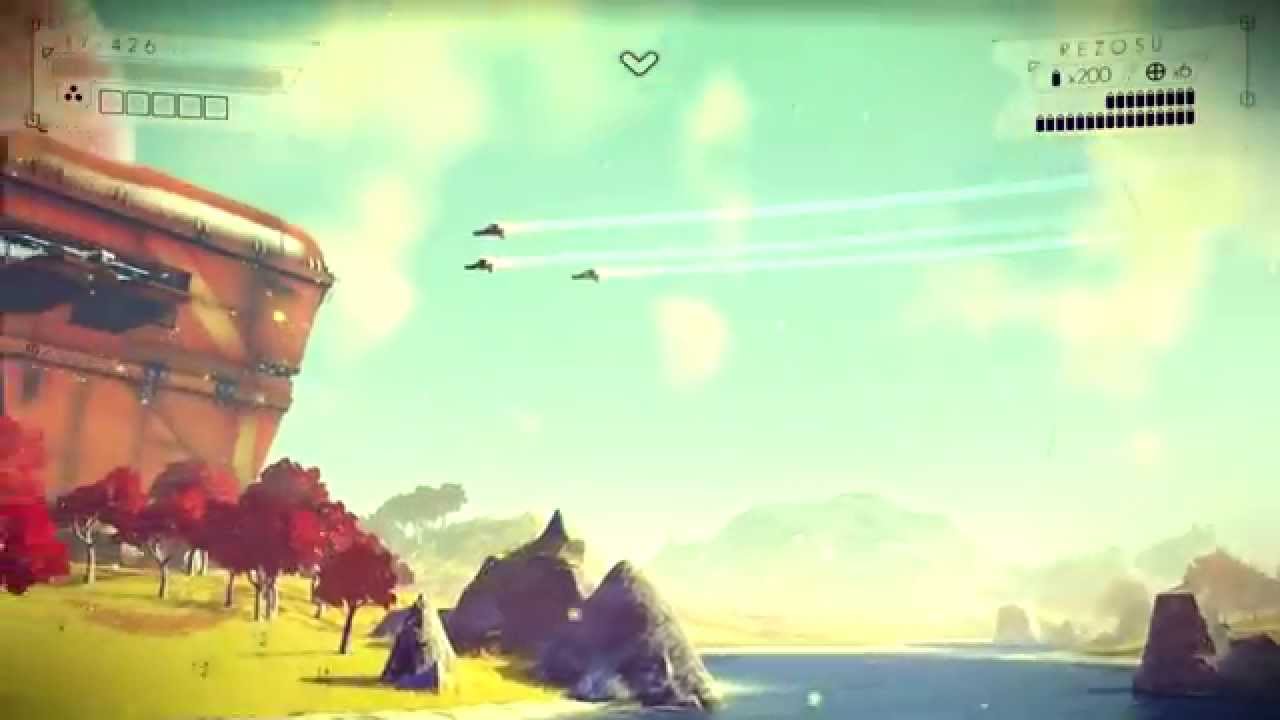
No Man's Sky is a science-fiction game about exploration and survival in an infinite procedurally generated universe. This is just a tiny sample of worlds yo...
lime mesa
What will 1.9.2 have in it
dreamy tulip
And the additional files called (Auto Fade Extension) is a tweak that causes the HUD to auto fade after a few seconds.
Pre-release the HUD did not auto fade, at-least in trailers. So, it's like a particular style.
@lime mesa There's a lot that I'm planning to do with it; but I haven't really had opportunity due to a failed HDD
But I am back now and can get back to working on things
I did manage to finish a few things though
lime mesa
Oh rip hopefully you get your new ssd soon
dreamy tulip
This is what I managed to do so far prior to my HDD failing:
v10-1.9.2 BETA
Fixes:
Fixed cave heavy air
Reduced space smoke heavy air
Adjustments:
Crafting warp cells are now default in the core mod.
More ecology adjustments
Minor visual adjustments
New Features:
Added a rare giant bird ecology type
I backed up the files for that though
But here's a few things I may do next
sec


 lime mesa
Oh that sounds cool
warm thistle
I'm excited about the multi biomes, that sounds pretty awesome!
dreamy tulip
I hope I can still go to this planet, as some people requested the portal coords. I think Steam cloud saved my game save though:
https://youtu.be/j2BeS8EHiYA
NexusMods Download Link: https://www.nexusmods.com/nomanssky/mods/497/ If you desire to support me for the time I spend into making these mods, you can here:...
Okay, so it loaded up to that planet. I really like it there.
Gonna get some coords for the planet in that video
dreamy tulip
Here's the portal coords to the planet in my video. It requires the overhaul mod.
warm thistle
Right on! I'll def be giving it a visit. Thanks homie
Stunning crystal planet i found today!
warm thistle
Oh wow haha that guy looks menacing!
dreamy tulip
Nice, my friend Cyrus just rendered this:
https://scontent-lga3-1.xx.fbcdn.net/v/t35.0-12/27018256_10212850426950070_1748732733_o.png?oh=b0730aa6f35baa6257cb7b9f088ecca6&oe=5A64879E


A compilation of some work over the year. Happy Holidays, much more to come! Music: Hans Zimmer
Reminds me of WT 😛
lime mesa
Wow that screenshot is amazing
dreamy tulip
Stoian and Cyrus did this one
lime mesa
wow i love that rendering, just imagined one day if nms look like that
 hoary lily
OH MAN
 hardy hatch
That looks really...uh, real!
ruby torrent
RaYRoD TV i got it fixed and it was the latest one
dreamy tulip
Cool, glad to hear that
Another one by Cyrus
https://youtu.be/POfmvKRm2to

Fan-Made CGI Teaser Trailer No Man's Sky CJK Version. A little tease for no man's sky, as well as in dedication to the Explore no man's sky community. Chec...
Think I'm going to try to make NMS look as close to that CGI as possible
ruby torrent
Hey RaYRoD TV had that hud issue or blurry multi-tool ever happen to you before
dreamy tulip
Nah, it hasn't
opaque crag
@dreamy tulip Thanks for the link. No problem pointing it out, I thought I missed something ^^
 drowsy shoal
god what I'd kill to visit a single NMS city, or just general hangout space with aliens
@dreamy tulip I finally got around to seeing your other reply, and that's a bit sad to hear. At least in terms that the single color is hardcoded. The only issue I see is unless you restrict palettes, and let players select what palettes exist, you'd either have much more randomized weapons, or just the same difficulty finding smth good looking, but with the added flavor of finding that singular palette less often.
Realtime color changes would be blessed, but honestly I'd also settle for something like weapon sales containers can rotate through multiple on sale weapons, to at least increase the amount spawned for sake of finding a good one.
Still, it's neat that it is possible to do save file editing to take from existing ones that people have found to force the game to give you a perfect weapon (if others have found it)
lime mesa
@dreamy tulip Are you able to add huge ocean creatures to the giant ocean biomes?
I've found one of the super deep oceans and it was great
dreamy tulip
@lime mesa Large ocean creatures are already possible. If you check the (Latest Beta Changelog.txt) that's included... you'll see that's one of the more recent things I've created and added already.
 rain bay
um
 narrow monolith
how can I complete every species scan on a planet? It's frustrating the hell out of me. I'm always 2 or 3 short every damn planet. I've literally spent 4 or 5 hours on my current planet searching and I'm stuck at 15/18. I'm sure the planet fauna is screwed up. Any mods out there that make this easier?
inland sky
I got a cheat sheet that lists every single possible ecosystem that can be selected unmodded
clever adder
🤔 ket i was about to tell him to ask you
narrow monolith
im interested
inland sky
here are some less spoilery hints:
Almost no creatures are night only, but many are day only.
If there is water there is always 2 types of prey fish, and 50% chance of a third predator fish
There are 1-3 fliers, usually 1 or 2. If you see a large bird or flying worm, there are at least 2.
There are no cave creatures in low fauna biomes, and around 37% chance of at least 1 in mid and high level, up to 3.
There are 4-8 ground creatures.
If you see a group of birds at night, there are at least 2 types and a 30% chance of a third large bird on that planet.
and for full spoilers: https://docs.google.com/spreadsheets/d/1kEuBs9BeX_hae5ahGb7PRyFueFMdgBSI6DNEuJ9skpw/edit?usp=sharing

Google Docs
About
Made by Ket
Source: All the files in METADATA/ SIMULATION/ ECOSYSTEM
This sheet lists all the possible ecosystems that can be selected for a planet.
If you are missing a few creatures you should be able to figure out where they spawns by comparing the found fauna with the ones listed ...
narrow monolith
thanks Ket
I've a few shallow watered areas on this planet, but not seen anything in them at all
inland sky
that means there are 2-3 water creatures there
"puddle" planets are a pain to complete
its very rare that creatures spawn in them, but they still spawn water creatures
narrow monolith
i bet that is the remaining 3
inland sky
its pretty much an instant skip for me if I want to complete planets
narrow monolith
18 seems a massive amount to collect
im amazed I even found 15 so far
im sticking on it because its worth 3.8million i think
and im an anal completionist
lol
inland sky
wait a moment, 18?
narrow monolith
yes
narrow monolith
rayrods overhaul yes
inland sky
because then my sheet is useless
he changes them a lot
still likely water creatures though
narrow monolith
yep
thanks all the same, ill keep the sheet for reference purposes
btw, how do i do the external view for flying with rayrods mod? Ive seen him and others flying with external chase camera
narrow monolith
yep ive looked but cant see anything mentioning it yet
inland sky
huh, seems its gone from the newer versions?
narrow monolith
bummer, thought it would be easier for me to spot water when flying at low levels
narrow monolith
yep, its just looking down in front of the cockpit view, it can be rather intrusive at the best of times, it all just gets in the way lol
if only the seat was higher lol
lime mesa
Thanks Rayrod! I didn't see the previous notes. THank you for all your amazing work
@dreamy tulip
dreamy tulip
@lime mesa Hey, no problem! My pleasure
Still working on the next BETA
In the meantime, here's a rare crash hotfix
 pliant fossil
Hey @dreamy tulip. Sorry to ping you, but I have been wanting to use your mod for some time now, I would like to install and play with it, I have some mods installed in my game already, if you dont mind, would you like to have a look and tell me which will not be compatible with yours? Thanks 😄
dreamy tulip
Sure, feel free to send a picture @pliant fossil
However, my mod is intended to be used as a standalone. But I'm open to answer any questions, or make a compatibility patch in most cases.
pliant fossil
Ah okay. Thanks, I will send you a PM
dreamy tulip
Just made 43 more biomes, working on an island world now
Gonna name this the "Stormy Island" biome
 thin valve
Hey someone should make a mod that changes black hole to worm hole
Apparently hello games can't tell the difference
Let alone that they are also way too small then what they should be
And worm holes aren't a natural occurances due to the fact you need a strong ammount negative energy to hold one open
I must have realism '-'
clever adder
the black holes aren't realistic cause they didn't want it to be a space simulator but someone could probably change it 
 past mulch
@dreamy tulip I just updated your mod to the latest version today. I just tried to warp to a different system and it crashed instantly. Tried it again, and it crashed again. Any idea why this is happening?
Or anyone else if someone knows how to fix this problem
clever adder
are you using any other mods 🤔
past mulch
Nupe
I made a new save a few weeks ago with only this mod
Worked fine but I didnt try to warp yet
I decided to play again because I'm less busy now so I updated the mod
Same save
And then it crashed as soon as I tried to warp
Tried removing shadercache again, same results
Nexus Mods :: No Man's Sky
My goal and inspiration has been a cross between E3-style nostalgia with a modern vibe but linked to the initial game's aesthetic with a few rare exceptions. To not stray away from the original game's
This is the correct one right?
inland sky
yes
inland sky
you tried a new save in another slot?
inland sky
just to confirm if its save or configuration related
past mulch
I can try
inland sky
can just start up a creative save and warp
past mulch
I mean this save works fine till I warp
But going to other planets doesn't crash it
Oh yeah good idea
Forgot creative mode existed
Warping in a new save works fine
inland sky
does the crash happen upon selecting a system, after the warp animation, or when opening the map?
past mulch
Didn't try another system yet, will do rn
That's weird
Another system works fine
Thanks for the help 😄
 golden vine
Ok, holy crap! Just trying out the RayRod mod and it looks amazing so far!
one minor question: I went to mine some Plutonium, and now i am being fired on from EVERYWHERE! How do i get back to non KOS status?
oh, also, my base is gone, any my planet is now radioactive instead of cold. lol
Also, Thanks @dreamy tulip ! It almost feels like a whole new game!
How do i get back to non KOS status, and why did mining Plutonium make them so pissed off?
dreamy tulip
@golden vine Hi, there are some rare valuable resources in the game that can trigger sentinel AI. It's a mechanic, that's not the default plutonium model. Also, the mod currently has like 3,900 biomes and the next BETA will have more. It resets the universe. Also, the mod is fully vanilla game save compatible (except with vanilla based)
And thanks man!
golden vine
Conflict level in system is peacefull
supple wadi
Er, wha? Vanilla save compat except with vanilla based? 😛
golden vine
and ya, it was a HUGE plutonium node
dreamy tulip
@narrow zinc The rare (last remaining static bird) issue is something that I believe I addressed for the next BETA. The second thing, if you have any screenshots it would be helpful. The overhaul is a wip.
Anyway, the conflict level is irrelevent with that plutonium model
golden vine
it dropped me back to a prev save, so i might be able to trigger it again, or at least find the node again
dreamy tulip
I wrote about it above
golden vine
can i back up my save game somehow? did not find the folder for the games
for the save games i mean
dreamy tulip
If you press Windows+R and type %appdata% and click "OK"
A window will open. In there you'll see a folder called "HelloGames". You can zip that folder to back up all of your saves.
Also, if you have an empty slot, you can utilize that as well.
golden vine
ahhhh, ok, I had not checked there. thank you
dreamy tulip
No problem!
And I have not released this yet, but here is a temporal rare crash hotfix
When I release the next BETA, anyone who downloads this should delete this temporal hotfix as the new one will be more updated.
As far as I know, all crashes are fixed at this point.
However, I will be looking for anymore after my recent changes.
golden vine
so are ALL of the oversized nodes going to get them pissed at me for mining?
dreamy tulip
Nah, but I won't spoil it 😛
golden vine
lol, ok
and what the heck happened to my starship? no tech mods installed any more? lol
Damn you RaYRoD! lol
golden vine
no, it was my original save
dreamy tulip
I've never heard of that happening before, can you elaborate more?
golden vine
sure
so i had some mods to firepower and shields installed
currently there is NOTHING in the ship tech slots
one sec ill SS
 dreamy tulip
Were you using mods outside of the overhaul from somewhere else?
golden vine
no, it was all vanilla before you popped my cherry... lol
dreamy tulip
Ah, I see what you mean
golden vine
i can't say for sure it was anything in your mod though
dreamy tulip
Not sure
golden vine
ya, its ok either way, i can rebuild
my multitool is fine though

I do wonder too. are some of the name changes on your end?
Lazeus and Rezosu?
dreamy tulip
The Laser has been renamed to Lazeus and Boltcaster to Rezosu (To fit the pre-release theme). However, it's not just a text change aesthetic. I assume that pre-release The Laser aka Lazeus was a resource gathering tool but also used for combat. I also assume that Rezosu meant "Resource Gathering". So I creatively crossed their functions. The Laser/Lazeus is now slightly stronger in mining, but also great for combat... and the Boltcaster/Rezosu is now excellent in mining and beast in combat. There are many weapon functionality alterations done within many hours of testing and trial and error. There have been various weapon dispersion, damage, recoil, and fire rate alterations and much more!
golden vine
ahhhh! Thank you! 8)
dreamy tulip
Np 😛
 narrow zinc
@dreamy tulip i have the screenshots on my PC so I can't really access them now. But if it comes to these untextured rocks and plants, they were kinda like polygons with one solid color. I could see the overall shape but they looked unfinished
dreamy tulip
Cool beans, feel free to send a screenshot my way when you can... and I'll finish those unused HG assetts that I may have missed.
dreamy tulip
Testing a super ecology table
lime mesa
I actually haven't tried using your mod yet, man. But, I find it pretty damn impressive.
Similar to Falskaar. You're doing a damn good job, bud.
dreamy tulip
@lime mesa Hi, thanks for the compliment. :)
I'm working hard to improve, as there's always room for improvement.
dreamy tulip
No Man's Sky: RaYRoD's Overhaul (v10-9.2 BETA) - Stormy Island
https://youtu.be/oT6GtsGlny0

This is one of the 50+ newer unique biomes that I made the other night for the next BETA that I'll release soon. The overhaul mod is almost at 4,000 biomes.
narrow zinc
@dreamy tulip I found the screenshot, it's hard to see anything but that's all I got and I've already left that star system. So on the bottom of the picture there are a few brownish-orange rocks and cactus-like plants in the distance. They lack textures. I also just remembered that I could walk through them
dreamy tulip
Thanks for sharing 😃
 narrow zinc
oh yeah mine looked exactly the same
dreamy tulip
Yup, it's rare. Sorta different though.
If you click this link, here's an album of a few random planets found in NMS on older Beta versions:
https://imgur.com/a/5QDzb
 narrow zinc
i've seen those. they're beautiful
dreamy tulip
I'd ignore the cover photo, the link is the full album 😛
narrow zinc
this is art
dreamy tulip
Oh cool!
Did you see this procedural forests?





They can all be different every time 😃
dreamy tulip
Is there anything in particular that you'd like to see?
I only have generation variety cranked up about 7% to my expectation atm
narrow zinc
i'd love to encounter lush forests
dreamy tulip
Oh yeah, there's lots of different kinds out there
And many that are vastly different each time
I was looking for one of them that I knew I added... it took me like 4-5 weeks to find it
Because of the scale of the mod
narrow zinc
yeah haha, so many possibilities
yesterday i found a planet that looked like the moon
gray and barren
dreamy tulip
Oooh nice
dreamy tulip
Yeah, there's infinite color possibilities, I should probably crank it up a bit more though
That grey moon effect is one of them
I've seen one like it too
narrow zinc
I also found an oceanic planet with just these little sqaure islands. When I was entering the atmosphere at one point I was lost and didn't know where up or down was.
dreamy tulip
Nice, I've never seen that!
There's infinite terrain variety
I re wrote the terrains voxel generation 9x over to get it the best varied that I could. It was a lot to do, like 700k lines (that many times over), but every planet I've been too terrain wise has been unique
This is also a result of terrain:
Planet Iridium:
https://imgur.com/NhIvN0b

Copper Islands:
https://www.youtube.com/watch?v=JovFIa6VsC8

I wrote around 700,000 lines of XML script, and re-wrote the game's terrain voxel generation file 9x over in order to obtain a nearly infinite variety of ter...
Super rare
dreamy tulip
Not to sound cocky, but that was a meager task for me. It was a lot, but I enjoyed it.
The UI related stuff required me to read 11 million lines
As a starter
And I still need to study it more
to do what I'm going to attempt soon
I'm planning a UI overhaul, I want to add a ton of content to the UI from the outside in w/o official tools
But there's a lot of stuff that I want to do still... as I'm toggling in between studying more C++, C#, asm, and hex
narrow zinc
Idk if it's just me but the HUD is a bit pixelated for me
dreamy tulip
and pwoerpc
narrow zinc
especially the bars
dreamy tulip
You're playing at low texture settings correct?
narrow zinc
on High
dreamy tulip
Hmm, does it look the way it does in my vid?
narrow zinc
Nope, lines that are lopsided are pixelated, but maybe that's just my screen
dreamy tulip
Thanks!
narrow zinc
ohh okay
dreamy tulip

Every planet procedural. Every planet unique. Every planet unexplored. http://www.no-mans-sky.com/ http://www.twitter.com/hellogames Music: http://www.65days...
narrow zinc
👍🏽
dreamy tulip
I really love that beach 😃
narrow zinc
yeah it's nice


 narrow zinc
That water color is beautiful
dreamy tulip
Better water glsl shader
dreamy tulip
Alright, nice talking. Have a good one! 😃
narrow zinc
Likewise
 west notch
Hi @dreamy tulip i've been out of home a week and i couldn't read the messages here
which is the last version of the mod so i could download it?
dreamy tulip
@west notch Hey, the current latest uploaded is on Nexus... but I'm still working on the new update that I haven't released yet
narrow monolith
I just wet myself there Ray. I saw the above screenshot and thought you'd got that in one of your biomes lmao
past mulch
If I use RaYRoD's mod, will it matter which type of system I visit?
past mulch
In vanilla if the color of the sun is blue the planets look better I think, wonder if that's the case in RayRod's mod as well
Spectral class, that was the word I was looking for
inland sky
I dont think spectral class actually matters for the planets?
other than biome chance, but that is a very minor difference
yellow has more lush biomes anyway
inland sky
there are resources that are only found at certain star types, and they also change the chance for exotic biomes
past mulch
I haven't played no mans sky in quite a while, I think I remember people saying that the color of the star has effect on the amount of lush planets
inland sky
though its not that important
they do, but other way around
yellow has double the chance compared to red/blue/green
past mulch
Ah
And that's the same for RayRod's mod?
Yellow sun doubles the chances for better looking planets?
^ Which was my initial question
past mulch
Sure
inland sky
nope, same chance as far as I can see
past mulch
I haven't seen any very lushy planets yet, not like the ones in #nms-photomode-gallery at least
Ah alright
I'll keep exploring then
inland sky
though each type has more variations
dreamy tulip
My mod changes spectral classes
Maybe not on the uploaded version
That's on nexus atm
dreamy tulip
Yeah, I'm altering that file
Must be an older version
I only made a few minor adjustments though
dreamy tulip
Unlike my former spectral class mod
And frozen
Yeah
I haven't checked in awhile but
I don't remember if the spectral class actually affects the sun color
I think I remember it doing so
I know there's a lot of things relating to that, via RGB palettes and also global settings
 idle gazelle
Rayrod... sorry to bother. Got the files to run your mod at some point... and have been kind of up on the fence mainly because I like the exotic ships in the later update. Now are exotic ships a thing in your mod still? Didnt thinkg they would be removed/replaced somehow but didnt see things one way or the other.
idle gazelle
Kubae do the Exotic ships still pop up using that mod?
narrow zinc
¯_(ツ)_/¯
idle gazelle
I've done some readon and I'd assumed yes... but don't know one way or the other and haven't seen any documentation on this :x
lime mesa
@dreamy tulip That fucking stormy island video!!! So good!
I want to play rayrods mod in survival mode but I feel like its more for creative
lime mesa
There should be a planet with just one little island on it.
XD
Just one.
Similar to Subnautica, maybe put a 'crashed freighter' down as a reference. 😛
warm thistle
I would not be surprised if there was a planet out there just like that! @lime mesa
dreamy tulip
Just waking up
Will respond to questions in a moment
@idle gazelle I responded to your pm
Also, @lime mesa
lime mesa
Nice
dreamy tulip
There's lots of different island worlds 😛
narrow zinc
I'm sorry to bother you Rayrod, but did you see the two bugs I sent in the chat above?
dreamy tulip
Testing out E3 terrain that I just ported over
And I also made major super forumula adjustments
 marsh aurora
There is not MikeHunt
E3 terrain is the terrain used in the E3 trailers and formula adjustments probably means he changed the formula that generates the terrain etc
quasi moat
Cool 😃 My question looks silly but E3 terrain had some particularities that I didn't see in the trailers ? 🤔
@dreamy tulip By the way after our talk last time, I didn't have any crash about landing on planets since your last beta update 😉
@lime mesa I know that feeling mate :/ Was on PS4 version since the launch but just bought a gaming PC recently. Probably we will have some modding inspiration at least in future updates ! 😃
lime mesa
cri