#helpdesk-facebook
1 messages · Page 20 of 1
 steel robin
steel robin
steel robin
Thank you for all your help i figured out how to use Elgato on Elements.
 fair condor
on live but no alerts notofication and chats..

 rocky mango
which alerts?
fair condor
all.. likes, shares, stars and no chats on the right side..
 void yoke
Try logging out and logging back in
that should work for you
as for shares and likes, this could be a result of an ongoing issue we're having with FB's API
rocky mango
like my colleague mentioned there's an ongoing issue with FB's API which can cause the chat to malfunction.
 finite robin
Hi, i have a problem with top tippers list in my overlay. Can some1 help?
rocky mango
sure, please elaborate
finite robin
So, i had a donator that gave me skins in a game as donation, however i wanted to add his tip - value of the skins as a tip. Added it in the tipping settings, but he still does not appear on my top tippers list or anything.
rocky mango
whats your account id please?
finite robin
How do i add his tip so he appears in the box with top tippers? I tried changing the session data aswell but that didnt work too.
where do i get my acc id?
ekipagrubysqn 602d8bca913adcea755c409c
rocky mango
Please go to your dashboard, enter the activity feed and click "reset session". This should make sure that the tip appears.
void yoke
Are you live right now?
finite robin
no
void yoke
this is had to do with how the top tippers are added, one moment please
finite robin
thank you
i guess it didnt go through paypal so maybe that's how you get the notification data for it?
Did you get it to work or find out anything?
i have to go for now, should i come back later or tomorrow?
 plush elk
fair condor
on live but no alerts notofication and chats..
plush elk
fair condor
on live but no alerts notofication and chats..
having the exact same issue !
fair condor
plush elk
having the exact same issue !
Yup..
plush elk
just trying to find something else to use , as no chat and notifications is impossible to work with
 tidal cypress
I am trying to close an account I created for my FB page. I want to have my FB with all of my other channels
 white flaxBOT
@tidal cypress Account Merging - Please note:
- Merging accounts only allows faster ways to switch between accounts
- Merging accounts does not allow data sharing between accounts - different streaming platforms, different type of events
- Merging accounts allows duplicating/sharing overlays between the accounts
If you understand the limitations of merging and want to proceed, please find the JWT tokens (!jwt) from both accounts you want to merge and you will be directed to DM them to a staff member
tidal cypress
I know where to find them. Who do I dm them to?
 prisma nest
tidal cypress
I know where to find them. Who do I dm them to?
prisma nest
tidal cypress
I know where to find them. Who do I dm them to?
dm them to me
 timber tendon
Any idea how to add custom Transitions to StreamElements.Live? Can't see a + or - option to do so...
 brave shale
timber tendon
Any idea how to add custom Transitions to StreamElements.Live? Can't see a + or ...
brave shale
timber tendon
Any idea how to add custom Transitions to StreamElements.Live? Can't see a + or ...
view

 crystal axle
i need some help with getting my follower, likes, and star alerts to work while streaming
timber tendon
brave shale
view
Thanks, Sorry for the late reply. I found it in the end, I was looking for a + icon under transitions not Add: Stinger in the drop down
 ivory rapids
Hi! I just started using Stream Elements for just a month now I try downloading a free overlay name"VIOLET MOMENTUM ANIMATED SUPER THEME" it has also added alerts there but its not showing I also tried preview live on stream its functioning well but in actual livestreaming its the alerts isn't pop up then I tried to create a new alerts and disable the other alert in the free overlay I used but still alerts are not showing 😦 I was having a hard time fixing 😦 anyone with kind heart willing to help me 🥰 Thankyou in advance ❤️
 pastel marten
i dont have access to a chat bot settings on the site, however i do on my twitch. i have separated the two accounts and i still have no chat bot settings
 gilded mesa
pastel marten
i dont have access to a chat bot settings on the site, however i do on my twitch...
gilded mesa
pastel marten
i dont have access to a chat bot settings on the site, however i do on my twitch...
Facebook doesn't support chatbots
pastel marten
@gilded mesa so i cant have any interval/reoccurring messages?
 sleek ginkgo
I wrote 2 days ago but no body gave me an aswer, I have issues with the stars stats, I had to wrote it manually because I made my change from SL to SE, but now it doesn't get updated automatically, only the "Last star donator"but the tops don't... I had to wrote the top donator data (activity feed/ widget data) but after that he gave me more stars and didn't add to the stats... I don't want to "reset the section"beacause I am afraid to reset everything or disfunction more things
 frail current
Anyone run into an issue where the chat in stream elements is missing messages a bunch and you have to hit refresh? Seems to be happening to me in creator studio also. I won't see messages at all then if I hit refresh I'll see like 3-4 messages before the last message in chat
plush elk
gilded mesa
Facebook doesn't support chatbots
partners have a chatbot . and others normally use noxbot
 quiet lagoon
It might be an internal selective bot but unless something has explicitly changed they don't support it at all.
Noxbot is using unsupported methods of connecting to FB.
That's asking for trouble if you ask me.
plush elk
when on this screen , has facebook always displayed this message about it being capped at 720p ?
 quiet lagoon
If you're trying to do 60fps that's the max it allows.
plush elk
most people i follow on facebook gaming use 1080p 60 frames , so wasnt sure if the live wasnt the same as the gaming
still having issues where chat doesnt work and the notifications
 twin anvil
Is there anyone that can answer if the API issue is on SE’s side or FB’s side? Displaying chat on screen hasn’t been working for about a month or two and what I’m being told by FB reps is that the issue may be on SE’s side. Can anyone confirm/deny this? I’d love to help flag things on FBs side if I can.
ivory rapids
is the alert notifcation is having a problem ?
rocky mango
@ivory rapids what kind of problem?
ivory rapids
rocky mango
<@!423464091542224897> what kind of problem?
I just started using Stream Elements for just a month now I try downloading a free overlay name"VIOLET MOMENTUM ANIMATED SUPER THEME" it has also added alerts there but its not showing I also tried preview live on stream its functioning well but in actual livestreaming its the alerts isn't pop up then I tried to create a new alerts and disable the other alert in the free overlay I used but still alerts are not showing 😦 I was having a hard time fixing 😦
i also tried the log in and log out in obs also and tried creating alert overlay separate from what overlay I'm using but still its doesn't show up on my actual livestreaming
rocky mango
ivory rapids
I just started using Stream Elements for just a month now I try downloading a fr...
Can you see the alerts in the activity feed?
ivory rapids
rocky mango
Can you see the alerts in the activity feed?
it came out but in actual live the notification alert doesnt show
white flaxBOT
Please provide your account ID found at the top of this page: https://streamelements.com/dashboard/account/channels This ID is public info and safe to share here.
 rapid python

sleek ginkgo
sleek ginkgo
I wrote 2 days ago but no body gave me an aswer, I have issues with the stars st...
Hi! It's the third time that I wrote and nobody answer me, can anybody help me?
 cobalt tiger
When I go live, instead of popping up chat it says “can’t find live stream” on the right hand side. How do I fix this? Reinserted my stream key, logged in and out, no luck.
 brazen turtle
sleek ginkgo
I wrote 2 days ago but no body gave me an aswer, I have issues with the stars st...
brazen turtle
sleek ginkgo
I wrote 2 days ago but no body gave me an aswer, I have issues with the stars st...
Hi. We are looking into issues with facebook livestreaming and stars. Collecting reports etc.
Got some additional information for us?
sleek ginkgo
brazen turtle
Got some additional information for us?
Only that when someone donated the first time that I stream with SE, it showed the last donator stat, but in theory also it should appear like the top donator (because was the only stars in SE) but it didn't. The lastest donators works without any problem, the issue is only qith the top donator and top donator per session. That is why I wrote down manually but so far is static like I wrote. By other hand, I also have problems with the sharing overlay, but I have read that right now there is issues with the alerts, the only problem with me is the sharing alert, the others are totally functional
brazen turtle
sleek ginkgo
Only that when someone donated the first time that I stream with SE, it showed t...
About the top donators etc. - check the revenue history and widget settings, for what duration that is set (session, week, month etc.)
And sharing overlays should be fixed soon
sleek ginkgo
brazen turtle
And sharing overlays should be fixed soon
In there?
 brazen turtle
Yes, those are related to the weekly and monthly settings.
sleek ginkgo
brazen turtle
Yes, those are related to the weekly and monthly settings.
do I have to enable "reset session 15 min after each stream end"? in order to update the stat? Is not like the last donator that is updated automatically?
brazen turtle
sleek ginkgo
do I have to enable "reset session 15 min after each stream end"? in order to up...
Reset session should be enabled by default
and yes.
sleek ginkgo
When I enable shows "Error. Could not recalculate totals" (lower right corner)

 raw valve
i need help how to put in obs my stream like twitch chat
 cosmic ivy
Are there any Stream Elements staff that I can connect with the FB devs that want to help you fix the chat API issue?
prisma nest
cosmic ivy
Are there any Stream Elements staff that I can connect with the FB devs that wan...
devs are investigating the issue
prisma nest
cosmic ivy
Are there any Stream Elements staff that I can connect with the FB devs that wan...
I misread the message, my bad 😄
cosmic ivy
prisma nest
I misread the message, my bad 😄
Hahaha, no worries! If you or someone can connect me to someone that I can link to the FB dev team that's interested in the issue, I'm happy to do so.
I know it's a pain point for a LOT of FB users, so we'd love to find a way to get it sorted
 urban parrot
white flaxBOT
urban parrot
white flaxBOT
@urban parrot StreamElements menu, on top of OBS > Logout > Login
 loud dock
I was streaming on FB yesterday and had my SE OBS disconnect over 5 times in less than 2 hours. Any suggestions how I can stop this happening?
 white flaxBOT
@raw valve StreamElements menu, on top of OBS > Logout > Login
raw valve
okay
anyone is good with facebook page i want to change my page name and i try to send to the community support and they everytime that my name is not follow there rules and i try many things if anyone is good with that it would be more helpfull
plush elk
i have been having to use slobs , which i dislike hah, just want my stream elements and obs to work again , no chat and notifications is impossible to work with
plush elk
cosmic ivy
Are there any Stream Elements staff that I can connect with the FB devs that wan...
i hope this is sorted soon !!
 vague tree
Hi Facebook Live comments do not appear. How to fix this?
 plush elk
vague tree
Hi Facebook Live comments do not appear. How to fix this?
plush elk
vague tree
Hi Facebook Live comments do not appear. How to fix this?
its broken ,
vague tree
plush elk
its broken ,
will it be fixed soon?
plush elk
vague tree
will it be fixed soon?
I have no idea . If you scroll up there are tons of people talking about it . I've just stopped using stream elements for now .
 elder hazel
im having an issue with my chat and notifications connecting but im still able to stream just fine to the platform... any advice
white flaxBOT
@elder hazel StreamElements menu, on top of OBS > Logout > Login
 static zodiac
Hello anyone here that can help me set up my stream settings
white flaxBOT
@static zodiac There are no "best settings".
Please understand that every setup will be very different.
Any guides or videos that claim otherwise are misinforming. Your best option is to start with a base and adjust as necessary.
You can run the OBS auto-configuration tool. To use the auto-config, click on the Tools menu in OBS, select Auto-Configuration Wizard, and then just follow the on-screen directions.
You can use this tool to get baseline settings for your hardware and adjust as necessary from there.
Test, test, and test again. We are happy to offer suggestions for any issues you may be having afterward, but not a list of settings.
Thank you
 white flaxBOT
@mossy spire There are no "best settings".
Please understand that every setup will be very different.
Any guides or videos that claim otherwise are misinforming. Your best option is to start with a base and adjust as necessary.
You can run the OBS auto-configuration tool. To use the auto-config, click on the Tools menu in OBS, select Auto-Configuration Wizard, and then just follow the on-screen directions.
You can use this tool to get baseline settings for your hardware and adjust as necessary from there.
Test, test, and test again. We are happy to offer suggestions for any issues you may be having afterward, but not a list of settings.
Thank you
 mossy spire
I normally use this settings
 obtuse anvil
hello Stream OBS can not pick up any Notification such as Likes, Follows, shares and Stars. i have tested all this on my overlays and works perfectly do you know any other reason this could be happenig ??
brazen turtle
obtuse anvil
hello Stream OBS can not pick up any Notification such as Likes, Follows, shares...
Hi. First question is - in your activity feed on the website, you see all the relevant events?
obtuse anvil
@brazen turtle yes i have use the facebook dashbord for all my notification and chat but nothing comes up on stream ( Giff and name of the person who liked)
brazen turtle
obtuse anvil
<@!149255081194160129> yes i have use the facebook dashbord for all my notificat...
Not the facebook dashboard, the activity feed on our website.
brazen turtle
obtuse anvil
<@!149255081194160129> yes i see them all
ok, that's good, now let's check OBS.Live
can you tell me what the activity feed in OBS.Live shows you?
obtuse anvil
@brazen turtle it has nothing Because i never use it
brazen turtle
obtuse anvil
<@!149255081194160129> it has nothing Because i never use it
Ok, so what is the current issue with OBS in your case?
obtuse anvil
@brazen turtle that am getting no Notification on the Stream so everyone can see has liked itr
i have checked alerts box in stream elements and tested them and they work fine
brazen turtle
obtuse anvil
<@!149255081194160129> that am getting no Notification on the Stream so everyone...
Ok, so we are not talking about the OBS, we are talking about the overlays and alerts.
Can you emulate some alerts in our overlay editor while having your streaming software open to check if the alerts go through?
Replaying alerts also works.
obtuse anvil
@brazen turtle yes I checked that while I was live and it all worked when I emulated them all
brazen turtle
obtuse anvil
<@149255081194160129> yes I checked that while I was live and it all worked whe...
In that case the real events will also go through. Can you give me your account ID, i take a look?
brazen turtle
obtuse anvil
5e9308b765319b126744e215
Ok, give me a few minutes to check it
brazen turtle
obtuse anvil
<@149255081194160129> pgcshax
Tested everything - looks correct. The only thing i can recommend - refresh the cache of the browser source in OBS.
obtuse anvil
@brazen turtle how do i do that
 jagged rose
I am not sure why but I cannot find where to activate my chatbot on my dashboard? And I have nothing for chatbot on the left side either. Any suggestions?
brazen turtle
obtuse anvil
<@!149255081194160129> how do i do that
obs, doubleclick on the browser source, scroll down, press the "refresh cache" button
brazen turtle
jagged rose
I am not sure why but I cannot find where to activate my chatbot on my dashboard...
facebook has no chat bot
jagged rose
Thank you. Is there anything I can use in its place?
quiet lagoon
Nope.
jagged rose
brazen turtle
facebook has no chat bot
Does Facebook just not support it?
obtuse anvil
@brazen turtle okay I will try it now
jagged rose
quiet lagoon
They have their own internal "thing" but not a bot persay.
Is it already activated or do I have to set it up?
quiet lagoon
To my understanding it's a partner thing.
jagged rose
Is it’s best to just go live from the obs studios or should I go live from Facebook? There seems to be more options in the Facebook go live but going live from obs is quick and easy.
obtuse anvil
@brazen turtle still did not work
@brazen turtle its like there is no connection beetween stream elements and facebook
I got 6 likes just going live for 5 mins and nothing cam up on the activity feed on stream elements
 brazen turtle
obtuse anvil
I got 6 likes just going live for 5 mins and nothing cam up on the activity feed...
brazen turtle
obtuse anvil
I got 6 likes just going live for 5 mins and nothing cam up on the activity feed...
Are you sure your stream is public?
And everything is set to public?
This is the only case where we get events
obtuse anvil
@brazen turtle yes all my videos are Public

I had people in there
It even said on stream elements website that I was offline when I wqs live
brazen turtle
obtuse anvil
<@!149255081194160129> yes all my videos are Public
You could try to log out and log back in into streamelements. And it it about the livestream being public, not the videos.
When we do not see a livestream, events etc. do not go through.
obtuse anvil
@brazen turtle the live stream is public it allways us never had any issues before this morning
@brazen turtle and I trying logging in and out and still the same e
 coral igloo
Esse problema com as notificações, comigo passou acontecer depois que minha página no facebook foi atualizada para a nova experiência de página. Então retornei para a versão clássica e o streamelements voltou a funcionar corretamente.
Minha pergunta é: o streamelements vai funcionar com a nova página do facebbok? Quando?
white flaxBOT
@coral igloo Welcome to the helpdesk! The regular helpdesk channels are in English but we do provide multi-language support in the following channels: #🇩🇪︱deutsch | #🇫🇷︱français | #🇪🇸︱español | #🇵🇹︱português | #🇳🇱︱nederlands | #🇮🇹︱italiano | #🇵🇱︱polski | #🇨🇳︱中文語言服務區-chinese | #🇯🇵︱日本語-japanese | #🇭🇺︱magyar | #🇰🇷︱한국어-korean | #🇹🇭︱ไทย-thai | #🇷🇺︱русский | #🇺🇦︱українська | #🇨🇿︱czech
cobalt tiger
Still havn’t received an answer to my issue. Streamelements let’s me go love but fails to populate chat, error message saying can’t find live stream appears in red. I am still able to open my dashboard and talk with followers there. I’ve tried logging in and out and re-inputting the stream key without resolve.
 pliant sand
How do I implement chatbots for facebook gaming? running obs.live on a macbook pro
pliant sand
dang, okay. thanks @proud steppe
 torn kestrel
Hey good day guys.. I just installed streamelements for my stream.. I can't see the Stream chat in my UI.. .. how can I add it ?? thanks!
 vernal sequoia
StreamElements menu -> OBS.Live docks -> Chat
torn kestrel
Oh Many thankss!! Have a great day :>
obtuse anvil
So no one got back to me yesterday about trying to fix my alerts for stream elements
Nothing was coming through the activity feed on stream elements and not alerts on my stream when I was Live it seems like it was not connected to facebook. Even said I was offline then tho i was live.
void yoke
@obtuse anvil is this happening on obs live?
void yoke
I see, have you been instructed to logout and log back in to OBS.Live?
In addition to that, are alerts shown on stream?
obtuse anvil
@void yoke I will try logging in and out see of that works. And no I get none atall
They all work fine when I emulate it
void yoke
Try out what I told you, however if the issue persists, let us know and we'll try to pursue other options
 hazy cove
hey everyone im trying to add all of my channels under SE however it says my twitch and my YT has already been claimed how can i resolve this?
vernal sequoia
Hi there, we can merge these accounts for you. Would you like us to do that?
hazy cove
Yes please
vernal sequoia
DM me please.
 woeful rapids
hello, my facebook live stream and chat is working, but I recieve no chat and activity feed in OBS. I logged out and in..still nothing
 dark pewter
Hello! My alertbox doesn't want to work during live broadcasts but will work if I do emulation through the browser. Any idea what is causing this?
white flaxBOT
@dark pewter Please provide your account ID found at the top of this page: https://streamelements.com/dashboard/account/channels This ID is public info and safe to share here.
dark pewter
5f62473a221c0df1b452ffe2
 tawny hornet
hi! Yesterday I was trying to stream to facebook but the stream elements OBS wouldnt show my channel activity or my chat, also it wouldn't show alerts... can someone help pls? OBS was also saying I needed to log in to twitch even if I was streaming on facebook...
woeful rapids
5d7fb70357f1274ca4112874
I have the same problem as Bert. Except for the twitch part of his post.
 austere pivot
How can I "Unclaim" my own channel? I cant link both my Twitch and Fb channel because it says "CHANNEL IS ALREADY CLAIMED!
white flaxBOT
@austere pivot Account Merging - Please note:
- Merging accounts only allows faster ways to switch between accounts
- Merging accounts does not allow data sharing between accounts - different streaming platforms, different type of events
- Merging accounts allows duplicating/sharing overlays between the accounts
If you understand the limitations of merging and want to proceed, please find the JWT tokens (!jwt) from both accounts you want to merge and you will be directed to DM them to a staff member
dark pewter
Ok. So new Facebook doesn't play well with the alert box. DO NOT USE NEW FACEBOOK.
 inland brook
Try and remove us from accessing your FB page from here: https://www.facebook.com/settings?tab=business_tools&ref=settings -> keep the new page design and then login to us again and let me know if the alerts start coming in as usual.
(These instructions are more or less what Facebook told us to try)
obtuse anvil
Okay I have tryed logging in and out of OBS Studio to try and fix the proplem and seems to be the same result am getting nothing back at all with notifications @void yoke
inland brook
Are you using the new facebook page design?
 pale portal
Hi
white flaxBOT
@pale portal Welcome to the helpdesk! Please let us know how we can assist you today and a support volunteer or staff member will assist you as soon as they are available. Thank you for your patience.
pale portal
Someone could support me, sometimes when I start OBS, I don't get the chat and the "Activity feed", it appears to me that I'm not streaming, someone could tell me what to do?, thank you very much
white flaxBOT
@pale portal StreamElements menu, on top of OBS > Logout > Login
obtuse anvil
@inland brook on my phone I am yes but on my computer I don't think so. But soon as that update happend all my notifications arnt coming through
obtuse anvil
I just don't get any notifications through at all since that update
inland brook
Try and remove us from accessing your FB page from here: https://www.facebook.com/settings?tab=business_tools&ref=settings -> keep the new page design and then login to us again and let me know if the alerts start coming in as usual.
Facebook
Log into Facebook to start sharing and connecting with your friends, family, and people you know.
 pearl acorn
Hi how do i put the activity feed and chat box on OBS.Live
obtuse anvil
@inland brook okay I will try that then
inland brook
@pearl acorn Streamelements on top -> obs.live docks -> activity feed /chat
pearl acorn
the problem is it doesn't show facebook activity feed (eg. Like, Share) and Chats
inland brook
what does it show?
pearl acorn
it doesn't show nothing
im trying to reinstall
i Fixed it!
you just need to import and log in on facebook 🙂
white flaxBOT
@pearl acorn StreamElements menu, on top of OBS > Logout > Login
dark pewter
@pearl acorn by import, do you mean from backups made of your set up?
 lone grove
Hi! I have a peculiar issue: My monthly top donors are not showing properly. It's showing me donations from February and we're on March already. Does anyone knows how I can fix this, please? 😦
 magic hamlet
new to FB Gaming .. was on Twitch. I cant get mt chat to show. I even remove the twitch off of it.
Like I said , I completely removed the twitch stuff off of OBS live and it still shows on the chat. Thanks
prisma nest
magic hamlet
Like I said , I completely removed the twitch stuff off of OBS live and it still...
when you say you removed it you mean clicking logout from the streamelements menu and login using your facebook account instead?
magic hamlet
yes
prisma nest
and also from obs settings > stream?
prisma nest
looks like you have a custom dock with twitch chat url then
magic hamlet
let me check ...
i did reset UI 2 time before i chate with you
i did this now

it still show twitch chat ..


I can easily switch to other twitch accounts for streaming and chatting tho.
By the way on Facebook mine is retrogameaddicts
@prisma nest Any idea? Anything I can try?
prisma nest
let me try it myself
magic hamlet
Ok
prisma nest
magic hamlet
Ok
works for me, is your obs.live up to date?
magic hamlet
Yes
prisma nest
magic hamlet
Yes
try relogging to facebook again
white flaxBOT
StreamElements menu, on top of OBS > Logout > Login
magic hamlet
OK so I am getting somewhere but it also looks like it’s going to my personal Facebook and not my Facebook page.
OK well I guess I’m wrong because I am seeing retro attics free on the browser
All right I’m doing a go live now for testing and I’m gonna see if it works
lone grove
lone grove
Hi! I have a peculiar issue: My monthly top donors are not showing properly. It'...
Any help here please? :'u
magic hamlet
YouTube makes it seem like it’s so easy. I’ve been using twitch for several years and trying to do Facebook gaming is trying my patience 😣
 magic hamlet
prisma nest
try relogging to facebook again
magic hamlet
prisma nest
try relogging to facebook again
Thanks for helping you did get me on the right track.
All right I have a bit of an oversight on my part here. I originally had go live on Facebook streaming dashboard and that’s where I probably shouldn’t of been. 

How?
woeful rapids
woeful rapids
hello, my facebook live stream and chat is working, but I recieve no chat and ac...
hello again
austere pivot
white flax
<@!418077591170187296> Account Merging - __Please note:__
- Merging accounts onl...
I've the tokens... what are the steps now?
 sacred nymph
austere pivot
I've the tokens... what are the steps now?
sacred nymph
austere pivot
I've the tokens... what are the steps now?
You can dm those to me
austere pivot
sacred nymph
You can dm those to me
Ok, ill send you a message
 lusty cosmos
Hey guys! Left streamlabs behind to try StreamElements! One issue im having is that no shares are showing up on my stream elements dash. They also are not coming up in OBS. I could only see my shares yesterday off of my facebook dash. Any ideas? All settings are set up to show them
white flaxBOT
@lusty cosmos If you are not seeing likes/shares on your current stream or page, that might be due to how the privacy settings of the person liking/sharing your stream are set.
If they are set to private we won't be able to see the events.
Specifically for shares, if they share in private groups, we won't be able to see the event.
lusty cosmos
No problem thank you. I saw some shares come up on my facebook dashboard but nothing SE side or Obs
also whats a fan alert? im guessing thats twitch related and not for us facebook lot?
lusty cosmos
Ahhh, so is that when someone follows and likes the page?
inland brook
I assume so, yes
lusty cosmos
Gotcha. One other question while im here, i often watch Qappz and i think his star alerts are awesome, i have a normal star alert box set up, I'm wondering if its possible to bypass the normal alert box and make a separate bigger alert box with some crazy alerts when people send certain amounts?
I figured it out and made 2 alert boxes and the big one only showed on certain amounts but the smaller normal star box also showed too so it looked messy
inland brook
You can turn off the star event from the alert box settings
the untick the box next to the star settings
lusty cosmos
Is the Chatbot a premium feature?
inland brook
We don't have a chat bot for Facebook
 worldly bramble
I cant seem to go live to FB from my OBS
white flaxBOT
@worldly bramble StreamElements menu, on top of OBS > Logout > Login
plush elk
when doing a test broadcast will the chat work ? as it just says waiting for stream to go live
still think i am suffering from not being able to see activity feed or chat in obs .
 elder cairn
NEED SOME HELP CAN ANYONE HELP ME PLZ
My alerts are not coming up in the activity feed at all even though the feed is there and active
 silent crater
Hi all, just wondering if Loyalty points exist on Facebook Gaming as they do for twitch ? ( or if there is ever a plan to have them )
rocky mango
We currently dont have the Loyalty points work on FB, due to lack of Bot
 gleaming hawk
Morning. Is it possible to merge my FB Account to my Youtube Account?
rocky mango
gleaming hawk
Morning. Is it possible to merge my FB Account to my Youtube Account?
yes, please DM me the JWT token and your account id
 trail cloud
Hi, anyone know if gifted supporters will be added into the alert box at any point?
 silk hazel
Is there a way to disconnect SE from my Facebook page? I'm trying to re-connect things all under one profile but I can't because it says "channel is already claimed" whenever I try to add Facebook. I guess I set one up before separately.
vernal sequoia
This means you already have an SE account for your FB page. We can link the accounts for you, if you want. It'll allow you to switch between them without logging out and in every time.
If you want to, please email support@streamelements.com, tell us you want us to merge the accounts, and add the JWT token for both accounts.
white flaxBOT
@silk hazel You can find your JWT token on your account channels page (Show Secrets to reveal the token): https://streamelements.com/dashboard/account/channels
READ ME: This is a private security token. Do NOT share this token here or other public places, only with a StreamElements staff member in private.
silk hazel
Thanks!
 sturdy walrus
Hi I cant change my stream title and comments the box that usually appears is missing
white flaxBOT
@sturdy walrus StreamElements menu, on top of OBS > Logout > Login
brave shale
also reOauth in your stream tab in settings @sturdy walrus
cobalt tiger
Why won’t y’all answer my question 😢
vernal sequoia
cobalt tiger
Why won’t y’all answer my question 😢
Can you upload a screenshot of the error you get?
 feral shadow
Hello I have a question, how do I get graphics to work on Facebook gaming
void yoke
feral shadow
Hello I have a question, how do I get graphics to work on Facebook gaming
please review the discussion we've had previously, it's very much relevant here as well
 jagged gust
hello plz i need help , i start using obs live and i like it but i have problem , if i login stream elements i can stream only to facebook and i want to stream to mobcrush
inland brook
We don't have Mobcrush support
that being said, you need to change your stream key in OBS
jagged gust
in obs live softwair if login to stream elements by using facebook i can stream only to the facebook
i chang the url and hey but still i can only stream to facebook
inland brook
in that case, either login with a twitch account or uninstall OBS.Live
jagged gust
straming on obs live is limited to the platform i logging in , i mean if lohging in using facebook i only can stream to facebook and to stram to ather platform i need to logging in with that platform
inland brook
And as mentioned, we don't have Mobcrush support
jagged gust
inland brook
And as mentioned, we don't have Mobcrush support
sorry i dont inderstand u i cant stream on Mobcrush
inland brook
OBS.Live is a plugin for OBS Studio
OBS.Live is made by us - Streamelements
We, Streamelements, do not have integration and support for Mobcrush
jagged gust
restream io ??
inland brook
no support for them as well
jagged gust
i want to stream to multy platform how can do that ?
quiet lagoon
Not with OBS.Live installed.
 vital comet
Anybody got a problem moving to the new Pages experience of FB? My OBS.live can't get the chat and notifs during live but I was live on FB and streaming. Tried relogging in but to no avail. I want to go back to classic Pages but FB warned me that the things I shared won't migrate back.
So I just opened a Chrome browser and read the chat from there.
But also the creator studio alert box was empty. The only thing working was the chat box.
vital comet
inland brook
Try and remove us from accessing your FB page from here: https://www.facebook.co...
removing didn't work. im using the new page experience
plush elk
Is facebook working with stream elements yet ?
brazen turtle
plush elk
Is facebook working with stream elements yet ?
Yes. Features are limited, but everything else works.
 potent mulch
Can anyone explain why facebook does not have a lot of themes, alerts, and widgets. I feel like some of the ones for twitch would work on facebook etc.
brazen turtle
potent mulch
Can anyone explain why facebook does not have a lot of themes, alerts, and widge...
Facebook was added recently, Youtube and Twitch are older and have more themes. Also Facebook has the lowest amount of features and themes would need to be redesigned for it.
So those are limited currently.
brazen turtle
potent mulch
Gotcha. thanks <@!149255081194160129> maybe I need to learn code. lol
Most themes that we use have no custom code
But they have a lot of design work
plush elk
brazen turtle
Yes. Features are limited, but everything else works.
Thanks for the quick reply :) . What features aren't working currently ?
brazen turtle
plush elk
Thanks for the quick reply :) . What features aren't working currently ?
For example facebook has no chatbot because facebook does not allow it.
 twin compass
Facebook forced me to move to the new pages experience of FB. This made the alerts and chat not being updated as I stream. Already did try logout-login option and removing it in the app permission area as well and re-logging again in the new "page experience" but it would force me to switch back to the personal profile. Please fix.
plush elk
twin compass
Facebook forced me to move to the new pages experience of FB. This made the aler...
This is the problem I have had ! I hope its sorted out
 old rover
Hi I would like to seek some help.
white flaxBOT
@old rover Welcome to the helpdesk! Please let us know how we can assist you today and a support volunteer or staff member will assist you as soon as they are available. Thank you for your patience.
cobalt tiger

Keep getting this errror. Tried logging out and back in, Reinputting stream code. Both don’t work.
It still lets me go live though.
sacred nymph
cobalt tiger
Keep getting this errror. Tried logging out and back in, Reinputting stream code...
Have you tried logging into a different platform(like twitch) and then back to facebook?
cobalt tiger
Nope, I can try.
plush elk
cobalt tiger
Keep getting this errror. Tried logging out and back in, Reinputting stream code...
Same problem as me , I never got any help on the matter . Been using slobs since
cobalt tiger
Yeah, I’m about to switch over as well. Sad because I loved streamelements.
plush elk
I miss it . But no chat and notifications is impossible to work with .
cobalt tiger
Agreed
plush elk
I was told earlier it works now too . But obviously doesn't
inland brook
@plush elk @cobalt tiger are you both using the new facebook page design?
cobalt tiger
Yep
 stark echo
SIR
my overlays and alerts are not coming
in obs studio
but its working fine in my chrome browser
white flaxBOT
@stark echo OBS > Settings > Advanced > Scroll down > Enable or disable Browser Source Hardware Acceleration, depending on its current state > Restart OBS
https://i.imgur.com/ggMe9ZE.png
 gilded mesa
disable that
white flaxBOT
@stark echo To add your overlays to OBS, add a new browser source in your scene. Paste your overlay URL in the browser source properties, set the dimensions to 1920x1080 (unless you changed them on the website) and check Shutdown source when not visible. https://youtu.be/KDvLynUqXI4
 random vector
Hello, could someone message me for help please
plush elk
How do you reverse the new pages design to get back to the older version?
white flaxBOT
@random vector Welcome to the helpdesk! Please let us know how we can assist you today and a support volunteer or staff member will assist you as soon as they are available. Thank you for your patience.
inland brook
@plush elk somewhere on the page settings
 oak onyx
cant figure out how to get my camera in the obs nun is workin if anybodys got anything lmk plz
brazen turtle
oak onyx
cant figure out how to get my camera in the obs nun is workin if anybodys got an...
Well do you have the camera connected to a capture card?
random vector
when i hit 'start streaming' it just starts but nothing happens. it was fine the other day. it doesnt even pop up with the option to change game/type in description etc. Thank you for your help.
 light drift
Hi
brazen turtle
random vector
when i hit 'start streaming' it just starts but nothing happens. it was fine the...
Try to restart your OBS and check that is has connection to facebook. You need to have the little dashboard where you start the stream, this is how it works.
random vector
yeah tried that and also repairing the stream keys
cobalt tiger
Darkartist, you can’t reverse back to the fb classic settings. This is a streamelements issue.
plush elk
cobalt tiger
Darkartist, you can’t reverse back to the fb classic settings. This is a streame...
i have reverted back to the old pages design , not sure if it will fix anything , shame this issue is taking so long to fix
 fervent cape
HI need help . my activity feed and chat wont start or update. streaming to facebook. just says cant find facebook live stream
cobalt tiger
Dark, how did you revert? And is it working? I downloaded some extension that changes the view back to the old style but it didn’t help with streamelements
 tawdry flower
Hey i just started streaming on facebook and the chat window on the right was working fine the first time but now it's saying it'll start showing when the stream starts, which has already happened
white flaxBOT
@tawdry flower StreamElements menu, on top of OBS > Logout > Login
tawdry flower
Yeah that worked thanks!!
plush elk
cobalt tiger
Dark, how did you revert? And is it working? I downloaded some extension that ch...
On the main page there was 3 dots and it said revert to old style I think .
fervent cape
white flax
<@!344489174381887499> **StreamElements** menu, on top of OBS **> Logout > Login...
this did not work forme'
 grave lotus
anybody know why my tips message doesnt show up on stream but work on the website?
 full zinc
Obs is not letting go live to facebook gaming? it was working fine for the best 3 months, Iv'e tried logging out, new stream keys etc
white flaxBOT
@full zinc StreamElements menu, on top of OBS > Logout > Login
 candid stone
 gilded idol
anybody know how to fix activity feed ?
 warm orbit
Hello there! my activity feed is not working, hoping to get some answers here!
fervent cape
streamelemets is broken af
brazen turtle
fervent cape
streamelemets is broken af
Would not say that.
So you have an issue with starting the stream on facebook?
You need to use the popup window when starting the stream to launch it from there. Simply pressing "start streaming" in OBS main window will not work with FB and Youtube - this is by design.
fervent cape
yes i know this lol
activity feed not updating and chat not loading . everyone is having this issue as you can see
plush elk
fervent cape
activity feed not updating and chat not loading . everyone is having this issue ...
Since the new interface by Facebook was brought it has broken . There seems to be no fix other than reverting . Or stop using stream elements . Which I'm just using Slobs atm hoping for a fix down the line .
lusty cosmos
Ive got set up a monthly top 3 star sender label leaderboard, is there any way for me to integrate the stars and the tips so they both show up on the leaderboard? currently i seem to be able to only do one or the other! Cheers
fervent cape
plush elk
Since the new interface by Facebook was brought it has broken . There seems to ...
how do you revert?
plush elk
fervent cape
how do you revert?
It was on the main page . Was 3 dots near the middle I think . And said revert
 floral flame
this has probably been asked before but is there a viewer count for facebook??? cant seem to find it
steel robin
I was hoping to chat with a SE member. If there is someone here can they PM me please
white flaxBOT
@steel robin Welcome to the helpdesk! Please let us know how we can assist you today and a support volunteer or staff member will assist you as soon as they are available. Thank you for your patience.
steel robin
I would just like to varify something is all but would prefer in private.
white flaxBOT
Please contact us via email for support with your campaign or sponsorship. You can use our contact form here: https://streamelements.com/contact Thank you.
 proud steppe
make a ticket through that link, even though it has nothing to do with sponsorships, that is where you can speak to someone 1 on 1
steel robin
cool Thank you Ruben
proud steppe

gilded idol
pls i need my activity feed and alerts on my stream only show the follows
rocky mango
gilded idol
pls i need my activity feed and alerts on my stream only show the follows
you only see follows in the Activity feed?
 rough fern
Hi all, new to this discord, just have a question really and hoping someone here could help, I'm on FB and I get maybe 1% alerts of the shares that come through? That and some of the reactions ect are missing
vernal sequoia
Shares and other alerts are affected by privacy settings. e.g. shares that aren't public won't show.
 cold sable
sharing notifications are not yet appearing in the alert box
sharing in groups on facebook
before I didn’t have this problem, the alerts appeared


because in the streamlabs shares appear but in the streamelements no?

Look this
white flaxBOT
@cold sable If you are not seeing likes/shares on your current stream or page, that might be due to how the privacy settings of the person liking/sharing your stream are set.
If they are set to private we won't be able to see the events.
Specifically for shares, if they share in private groups, we won't be able to see the event.
 coarse citrus
My acutivity feed and chat are showing blank that i have nothing, how do i fix that
white flaxBOT
StreamElements menu, on top of OBS > Logout > Login

 white flaxBOT
@void yoke The default resolution for StreamElements overlays (theme and custom) is 1920x1080. Please add them in OBS at their full resolution and use CTRL+F to fit to screen if necessary. You can then downscale your stream in OBS settings > Video if you'd like https://i.imgur.com/6bWXxjR.png
 void yoke
still not working
rocky mango
void yoke
still not working
Have you tried maximizing the window?
 woeful ember
Suporte em portugues tem aqui ?
white flaxBOT
Welcome to the helpdesk! The regular helpdesk channels are in English but we do provide multi-language support in the following channels: #🇩🇪︱deutsch | #🇫🇷︱français | #🇪🇸︱español | #🇵🇹︱português | #🇳🇱︱nederlands | #🇮🇹︱italiano | #🇵🇱︱polski | #🇨🇳︱中文語言服務區-chinese | #🇯🇵︱日本語-japanese | #🇭🇺︱magyar | #🇰🇷︱한국어-korean | #🇹🇭︱ไทย-thai | #🇷🇺︱русский | #🇺🇦︱українська | #🇨🇿︱czech
@woeful ember Welcome to the helpdesk! The regular helpdesk channels are in English but we do provide multi-language support in the following channels: #🇩🇪︱deutsch | #🇫🇷︱français | #🇪🇸︱español | #🇵🇹︱português | #🇳🇱︱nederlands | #🇮🇹︱italiano | #🇵🇱︱polski | #🇨🇳︱中文語言服務區-chinese | #🇯🇵︱日本語-japanese | #🇭🇺︱magyar | #🇰🇷︱한국어-korean | #🇹🇭︱ไทย-thai | #🇷🇺︱русский | #🇺🇦︱українська | #🇨🇿︱czech
woeful ember
preciso muito de ajuda
quiet lagoon
#🇵🇹︱português
woeful ember
I really need help, my alerts no longer work after my facebook page updated, only alerts from those who follow the page appear
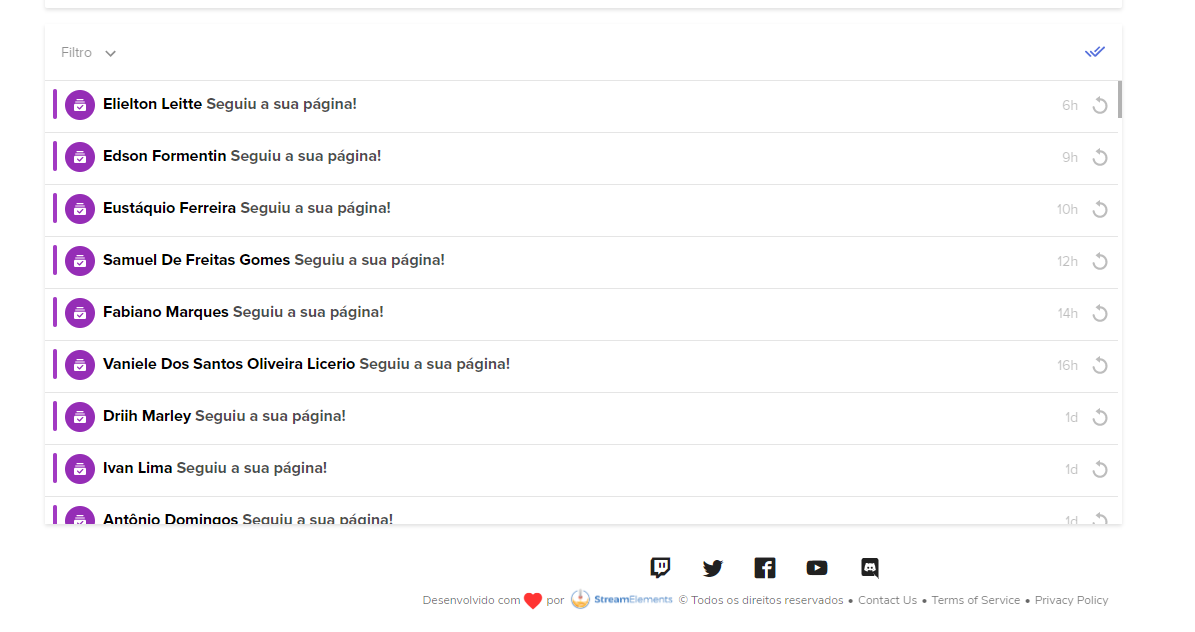
people who liked the page and share that sends stars don't get alerts or streamelements filters
white flaxBOT
@woeful ember If you are not seeing likes/shares on your current stream or page, that might be due to how the privacy settings of the person liking/sharing your stream are set.
If they are set to private we won't be able to see the events.
Specifically for shares, if they share in private groups, we won't be able to see the event.
 lethal pine
Hi Sir/Ma'am,
Today facebook had an update and it made my stream not showing things it used to like chat in streamelements and etc. It made me switch from my personal profile to my page and vice versa. I do not know what to do to bring back that settings.
white flaxBOT
@lethal pine Welcome to the helpdesk! Please let us know how we can assist you today and a support volunteer or staff member will assist you as soon as they are available. Thank you for your patience.
lethal pine
@white flax no problem. thank you1
vernal sequoia
Can you revert to the old design? Sometimes Facebook gives you that option.
lethal pine
I tried searching for it but i cannot find any help from the internet
@vernal sequoia
 balmy widget
Hello. I am unable to edit facebook title and description before the stream goes live. How do I enable that feature. I accidentally checked the don't show feature
 celest depot
At this time I cannot receive alerts or comments in my StreamElements and sends me to the dashboard which does not show them either when live
woeful ember
celest depot
At this time I cannot receive alerts or comments in my StreamElements and sends ...
I also have the same problem reported here, I need help
Precisod and help too, after my page left my profile, and it was separated my alerts stopped working
 river meadow
I want to disconnect Facebook from OBS, but it won't let me.
I've been trying to switch to Twitch, but the software won't save the Twitch info and it won't let me delete the stream key for Facebook. It won't let me switch what my default/primary service is either. I've gone as far and uninstalling and reinstalling the software, but it's pulling the cache from the old install in from somewhere and I'm stuck with the same problem.
woeful ember
there is no support here, ten yesterday asking for support and no one answers me.
white flaxBOT
StreamElements menu, on top of OBS > Logout > Login
lethal pine
I think the new facebook (changing profiles) is the same problem before when we cannot access chatbox during streams. Streamelements might need to talk to FB and update the API (not sure if its the correct term)?
ivory rapids
still my pop up notification alert when someone follows,likes,share or star senders still doesnt popup 😢
rocky mango
ivory rapids
still my pop up notification alert when someone follows,likes,share or star send...
See pinned messages.
 stray wave
Morning guys, how do I unclaim my facebook account so I can add it to my main SE account?
white flaxBOT
Account Merging - Please note:
- Merging accounts only allows faster ways to switch between accounts
- Merging accounts does not allow data sharing between accounts - different streaming platforms, different type of events
- Merging accounts allows duplicating/sharing overlays between the accounts
If you understand the limitations of merging and want to proceed, please find the JWT tokens (!jwt) from both accounts you want to merge and you will be directed to DM them to a staff member
stray wave
yes please! Who shall I DM?
white flaxBOT
You can find your JWT token on your account channels page (Show Secrets to reveal the token): https://streamelements.com/dashboard/account/channels
READ ME: This is a private security token. Do NOT share this token here or other public places, only with a StreamElements staff member in private.
lethal pine
@white flax is there a new update?
@white flax do we have a new solution for the new facebook update?
rocky mango
lethal pine
<@!155149108183695360> do we have a new solution for the new facebook update?
you can revert to the old design. that should solve the events issue.
lethal pine
@rocky mango how to revert the old design?
rocky mango
lethal pine
<@!689904735917965342> how to revert the old design?
i think its through the FB settings
lethal pine
there is no option in the settings right now
rocky mango
lethal pine
there is no option in the settings right now
it might be better to contact the FB support, they would know
lethal pine
@rocky mango thats unfortunate. awts
woeful ember
white flax
You can find your JWT token on your account channels page (Show Secrets to revea...
how do i contact the streamelemvents team member? for them to update my tokem from my updated new page?
brazen turtle
Hi. We do respond when we get to the question. So what is your question? I saw a response with a JWT token.
woeful ember
brazen turtle
Hi. We do respond when we get to the question. So what is your question? I saw a...
yes the support spoke to get in touch with someone from the team so they can update our new page tokem for the alerts to work properly again.
?
brazen turtle
woeful ember
yes the support spoke to get in touch with someone from the team so they can upd...
It is best to revert the page back to the original gaming page.
woeful ember
brazen turtle
It is best to revert the page back to the original gaming page.
no friend, new page is here to stay, no way to go back to the old version page, now fixed.
if you had how I would have done it already.
brazen turtle
woeful ember
no friend, new page is here to stay, no way to go back to the old version page, ...
We have no 100% fix for the new page, this will take time for the developers. For now - use the old page that is stable.
woeful ember
brazen turtle
We have no 100% fix for the new page, this will take time for the developers. Fo...
boy, didn't you understand what i just told you? old page updated alone, and there is no way to go back to old, facebook sent to talk to you to update her tokem.
brazen turtle
woeful ember
boy, didn't you understand what i just told you? old page updated alone, and the...
And we are working on that. If you can't revert back to the old design, you need to wait for our developer team to update it.
woeful ember
own support there told me to talk to someone on the team to do this update of the tokem manually with you
brazen turtle
We do not have a manual fix currently.
woeful ember
brazen turtle
We do not have a manual fix currently.
now I understand, are you still going to update your platform so you can have this fix? since this update of the new page has been here for more than 30 days, do you have an estimated date for correction?
brazen turtle
woeful ember
now I understand, are you still going to update your platform so you can have th...
We have no ETA on it, but developers are working on that already.
woeful ember
thanks.
 wise tree
 oblique tartan
Hey team, its April 1st already, why the top star sender name is not reset? i set to monthly tho
 white flaxBOT
@oblique tartan Please provide your account ID found at the top of this page: https://streamelements.com/dashboard/account/channels This ID is public info and safe to share here.
lethal pine
Hi! Is there any progress from the new update from Facebook? Facebook classic option can nowhere to be found right now and it separated my page from my personal account.
white flaxBOT
@lethal pine Please provide your account ID found at the top of this page: https://streamelements.com/dashboard/account/channels This ID is public info and safe to share here.
lethal pine
@white flax 5f9ea12374380a7981aaf8b5
inland brook
I'll report your account for the devs to look in as we are trying to gather more info to show to Facebook
lethal pine
@inland brook thank you! I really love what StreamElements provides to small/big streamers in FB. Appreciate it
inland brook
no ETA on a fix though
 urban basin
SAYING MY STREAM KEY IS WRONG BUT I HAVENT CHANGED IT
oblique tartan
white flax
<@!336182551217438720> Please provide your account ID found at the top of this p...
60021206bf0b1aad4d5d30da
 small spear
Hey ! can someone help me please ?? recent stars sender and video likes not showing any names
 digital birch
Hello, Im also reporting the same problem regarding the latest update with Facebook. No alerts,at all.
small spear
The thing is that all the alerts are showing in the alert box and down the overlay except the recent stars and video like ....it's the most important 2 alerts!!
we need help ASAP please!!!
void yoke
stream elements isnt showing facebook live chat?
white flaxBOT
@void yoke StreamElements menu, on top of OBS > Logout > Login
void yoke
ive done that already? twice in fact lol
 brazen dew
how do you do a FB gaming follower giveaway?
 ancient gale
When I start a live stream in FB it shows live, it shows my video, shows my comments on the FB page but OBS is not picking up that i am live and showing the comments on the chat screen
continues to say start streaming to activate chat
 manic hamlet
hi,is there any reason that my share alert its not working?is there anyone that could help me?
ancient gale
I have logged out and logged back in and still getting the same issue
manic hamlet
anyone here that can help?
white flaxBOT
@manic hamlet If you are not seeing likes/shares on your current stream or page, that might be due to how the privacy settings of the person liking/sharing your stream are set.
If they are set to private we won't be able to see the events.
Specifically for shares, if they share in private groups, we won't be able to see the event.
 green gulch
I stopped streaming for a while and came back and now no report is being sent to my email after streaming
oblique tartan
Hey team, its April 2nd already, why the top star senders name is not reset? i set to monthly tho, someone please check. account id : 60021206bf0b1aad4d5d30da
 white flaxBOT
@green gulch Please provide your account ID found at the top of this page: https://streamelements.com/dashboard/account/channels This ID is public info and safe to share here.
inland brook
@oblique tartan you may need to manually reset the session to nudge it
frail current
When I start a live stream in FB it shows live, it shows my video, shows my comments on the FB page but OBS is not picking up that i am live and showing the comments on the chat screen
white flaxBOT
@frail current StreamElements menu, on top of OBS > Logout > Login
void yoke
When I start a live stream in FB it shows live, it shows my video, shows my comments on the FB page but OBS is not picking up that i am live and showing the comments on the chat screen. I have already logged out and logged back in still same issues.
lethal pine
I think its the same issue I have. They said that Devs are currently fixing it
inland brook
Are all three of you on the new page design?
lethal pine
New facebook?
inland brook
yes
lethal pine
Yes. Switching from personal profile to page?
inland brook
I don't understand the question
Facebook has pushed a new design for streaming pages and that for some reason has broken events in general with us
lethal pine
The new facebook made us switch from our personal fb to page and vice versa
its like its not connected anymore
inland brook
Yes we are looking into that and are waiting on them to answer us to see how we can sort this out
lethal pine
so when I go live in OBS comments are not shown in the app
same as the alerts of shares and likes
from StreamElements
lusty cosmos
Hello guys! 👋
Monthly/weekly star leaderboards... how do we reset for the month/week? I thought it would auto reset but still running last months leaderboard.
Cheers dudes
inland brook
You may need to manually reset the session for it to roll over
lusty cosmos
How would you manually reset?
inland brook
https://streamelements.com/dashboard/session -> session data -> reset session

StreamElements
The Ultimate All in One Platform for Streamers
lusty cosmos
Thank you very much 👍🏻
oblique tartan
inland brook
<@!336182551217438720> you may need to manually reset the session to nudge it
how do i do that? pls let me know
inland brook
Literally above you
oblique tartan
oh sorry, i was reading my @ only, haha. gonna try it, thanks man
inland brook
no worries
oblique tartan
i have to do this every month? or its only temporary bug?
inland brook
most likely due to the changes facebook has made
it has affected the session system as well
digital birch
Are people still experiencing issues regarding the alerts not popping out?
digital birch
Yup, just did a test live. Chat and alerts still not popping out in OBS
It's weird because some users who use SE don't experience this issue.
 sturdy glacier
I am not able to login with Facebook in OBS
inland brook
can you elaborate? Are you getting an error or something?
warm orbit
digital birch
Yup, just did a test live. Chat and alerts still not popping out in OBS
What i did was to stream with the settings of obs, rather than using the stream key. ( Facebook is which i am using )
Then alerts started to pop up.
 versed arrow
Need help on merging my twitch and youtube to my fb account. Can any @white flax help?
white flaxBOT
@versed arrow Account Merging - Please note:
- Merging accounts only allows faster ways to switch between accounts
- Merging accounts does not allow data sharing between accounts - different streaming platforms, different type of events
- Merging accounts allows duplicating/sharing overlays between the accounts
If you understand the limitations of merging and want to proceed, please find the JWT tokens (!jwt) from both accounts you want to merge and you will be directed to DM them to a staff member
brazen turtle
@versed arrow please follow the guide^ once you have the tokens, you can DM me with that information.
green gulch
white flax
<@!275866568544485376> Please provide your account ID found at the top of this p...
601073cf2765910c584b1c11
green gulch
I found out the the alerts don't go through from facebook to the overlays, too
Can anybody help?
sacred nymph
Have you tried disconnected the SE integration from Facebook, then re-adding it?
 mild stirrup
are there still issues with facebook alerts?
sacred nymph
mild stirrup
are there still issues with facebook alerts?
Anything in particular?
mild stirrup
hi yes. so i can see the alert feed however the alerts are not playing?
sacred nymph
mild stirrup
hi yes. so i can see the alert feed however the alerts are not playing?
This could be privacy based, which would stop them from showing.
white flaxBOT
@mild stirrup If you are not seeing likes/shares on your current stream or page, that might be due to how the privacy settings of the person liking/sharing your stream are set.
If they are set to private we won't be able to see the events.
Specifically for shares, if they share in private groups, we won't be able to see the event.
mild stirrup
sacred nymph
This could be privacy based, which would stop them from showing.
im seeing them on the activity feed. however they alert box is not playing so i can see them liking and sharing. just the alerts won't play
sacred nymph
mild stirrup
im seeing them on the activity feed. however they alert box is not playing so i ...
Do they play when you emulate them through the dashboard?
mild stirrup
sacred nymph
Do they play when you emulate them through the dashboard?
yes. so if i go onto streamlabs and test. it plays
mild stirrup
sacred nymph
Do they play when you emulate them through the dashboard?
but when it is actually happening on stream from people. they show up on the activity feed. but nothing plays
sacred nymph
What happens when you replay them from the activity feed? Also, you mentioned streamlabs, are you using them for any portion of this?
mild stirrup
sacred nymph
What happens when you replay them from the activity feed? Also, you mentioned st...
im using stream elements for streaming and streamlabs for alerts. and no. nothing happens when i replay
sacred nymph
mild stirrup
im using stream elements for streaming and streamlabs for alerts. and no. nothin...
So if you're using streamlabs for the alerts, you'd have to reach out to them for that part. We can really troubleshoot their services.
mild stirrup
ok. how would i set up alerts from stream elements?
sacred nymph
We have some videos that should help out, one sec
white flaxBOT
@mild stirrup New to StreamElements?
Check out our YouTube channel https://www.youtube.com/c/streamelements/videos
with tutorial videos from setting up the basics, to in-depth details on how to use our product.
New to OBS? Here is a 4 step quick start guide
https://obsproject.com/wiki/OBS-Studio-Quickstart
Want to learn even more? Here is an in-depth overview
https://obsproject.com/wiki/OBS-Studio-Overview
mild stirrup
sacred nymph
We have some videos that should help out, one sec
do you have to upload sounds or is there preset ones?
sacred nymph
mild stirrup
do you have to upload sounds or is there preset ones?
There are presets, and you can upload your own.
mild stirrup
sacred nymph
There are presets, and you can upload your own.
sorry im struggeling to find the preset ones
sacred nymph
mild stirrup
sorry im struggeling to find the preset ones
The presets are enabled when you add the alertbox
digital birch
warm orbit
What i did was to stream with the settings of obs, rather than using the stream ...
How did you do this?
 rain topaz
i need help plz new update facebook live
when ppl give me like this no work
alert not work
im use streamelements
Account ID
5d5a47ecec742ca572c5793c
pls i need help
rocky mango
try reverting to facebook old version
digital birch
rocky mango
try reverting to facebook old version
How do we do this?
 stuck kernel
Hello, reporting this problem i have, which i get this error, done some troubleshoot, Go live with dashboard works but going live with SE does not. (i dont like using fb dashboard)
 void yoke
Hey, is the stream public?
stuck kernel
void yoke
Hey, is the stream public?
this is the only settings i always have ever since, i have streamed yesterday with no problem, i had the error just today

i've been doing that for a year now, but today i clicked go live it sends me error
void yoke
Hmmm try logging out and then back in
stuck kernel
void yoke
Hmmm try logging out and then back in
already did
void yoke
still nothing?
void yoke
can you try it with OBS.Live turned off and check if there's still an issue?
Oh.
Well, that's that
now let's figure out what's wrong the OBS.Live then
are you sure you're logging in through Facebook when you do that?
stuck kernel
yes, i dont do other platforms just facebook
void yoke
Alright, can you check if the stream key is correct?
stuck kernel
void yoke
Alright, can you check if the stream key is correct?
i always do this method which i think SE does the key automatically, then i also thought of pasting my persistent key on my setting which also does not work

i've done reinstalling obs and SE, does not work also
 leaden pond
hi there, I stream to FB and its stuck on the waiting for live video page on the browser, but I can start the stream from OBS no problem. how can I fix this? Also having problems changing the title and description of the video from obs
stuck kernel
Still waiting for fix, this just happened now

 tepid oracle
digital birch
How do we do this?
tepid oracle
digital birch
How do we do this?
go to the red marker, and switch back to the old version
 tepid oracle
stuck kernel
Still waiting for fix, this just happened now
tepid oracle
stuck kernel
Still waiting for fix, this just happened now
what version do you have on FBG, the new one does not work with Streamelements
 unkempt quail
Hi my StreamElements OBS Live has stopped updating and it will allow me to go live but wont connect to FB Live and nothing comes up like the chat box or alerts any help?
tepid oracle
unkempt quail
Hi my StreamElements OBS Live has stopped updating and it will allow me to go li...
what version do you have on FBG, the new one does not work with Streamelements
unkempt quail
They did an update to the layout and thats when things went wrong
OBS 26.1.1 @tepid oracle how do I get you the FBG one?
Or how do I go back because the update did it auto and i cant stand it lol
stuck kernel
tepid oracle
what version do you have on FBG, the new one does not work with Streamelements
new fbg is not yet available in our region
 pseudo thicket
Hi, how come that StreamElements (Pic 2) can detect a specific share but Streamlabs (Pic 1) can? Found out that shares that are shared on a group (which is public), streamelemts are not detecting it as an alert. As seen on the comparison, the red underlined name is not detected by streamelements (pic2) but it was detected by streamlabs (pic 1)

 tepid oracle
unkempt quail
OBS 26.1.1 <@!411565360718938113> how do I get you the FBG one?
tepid oracle
unkempt quail
OBS 26.1.1 <@!411565360718938113> how do I get you the FBG one?
go to the red marker, and switch back to the old version
 tepid oracle
stuck kernel
new fbg is not yet available in our region
tepid oracle
stuck kernel
new fbg is not yet available in our region
strange that you have the same fault as us
 cursive moth
Hiii, just curious, I'm sure you all are aware there's an issue, but I stream on facebook and switched to the new layout/format they have and ever since I have not been getting notifications on my stream
are you guys working to fix this issue, is there a current work around?
PLS HALP : )
prisma nest
cursive moth
are you guys working to fix this issue, is there a current work around?
devs are working on fixing the integration but I suggest you switch back to the old design for now
cursive moth
I've been looking for the button to switch back but haven't been able to find it, do y'all happen to know how to revert?
prisma nest
cursive moth
I've been looking for the button to switch back but haven't been able to find it...
 cursive moth
thank you!
 minor tendon
pseudo thicket
Hi, how come that StreamElements (Pic 2) can detect a specific share but Stream...
minor tendon
pseudo thicket
Hi, how come that StreamElements (Pic 2) can detect a specific share but Stream...
Streamelements doesn't even recognize my Share alerts U-U

 radiant merlin
is stream elements working on facebook ??
prisma nest
radiant merlin
is stream elements working on facebook ??
facebook pages with the new page experience design are not working properly, you would have to switch back to a classic page
 flat imp
Anyone else getting this ? I've tried everything.... usually I just close obs and it loads fb just fine but now it's not working and keeps asking me to sign into twitch...any help would be appreciated 💜

I've tried a new stream key and it's still not working
white flaxBOT
@flat imp StreamElements menu, on top of OBS > Logout > Login
 waxen crag
Do KappaGen work for FB? Like emojis sent by chat?
quiet lagoon
If there is not an option in the overlay editor for it then no. I don't use the FB side of things so can't answer with certainty.
waxen crag
There are those options. But I can’t get it to work rn. Was hoping someone made it work and can help me.
digital birch
prisma nest
I don't have this option.
stuck kernel
flat imp
Anyone else getting this ? I've tried everything.... usually I just close obs an...
also having this since yesterday hope they find solution soon
white flaxBOT
@void yoke Welcome to the helpdesk! The regular helpdesk channels are in English but we do provide multi-language support in the following channels: #🇩🇪︱deutsch | #🇫🇷︱français | #🇪🇸︱español | #🇵🇹︱português | #🇳🇱︱nederlands | #🇮🇹︱italiano | #🇵🇱︱polski | #🇨🇳︱中文語言服務區-chinese | #🇯🇵︱日本語-japanese | #🇭🇺︱magyar | #🇰🇷︱한국어-korean | #🇹🇭︱ไทย-thai | #🇷🇺︱русский | #🇺🇦︱українська | #🇨🇿︱czech
void yoke
Don´t worry i understand your lenguages, and very happy. In this comunity. Thanks
I hope you like my post.🫂
 heavy sonnet
Good afternoon
i'm doing live on facebook and the streamelements page is always marked offiline how can i solve this?
flat imp
So I signed in and unlinked everything and linked again and it just keeps going back to this screen even after I login

 cobalt elk
@flat imp please restart OBS and make sure that you open it with admin rights
flat imp
I've done that and it still keeps pulling this screen up @cobalt elk
Even reinstalled with a hard reset🤷🏾♂️
white flaxBOT
@flat imp StreamElements menu, on top of OBS > Logout > Login
lethal pine
prisma nest
Hi @prisma nest. Can you give a short video on how to access this? I think everyone streaming on Facebook can use this option for now. Please.
prisma nest
lethal pine
Hi <@131420870244564992>. Can you give a short video on how to access this? I th...
To switch back to classic Pages on desktop:
- Open your new Page.
- In the menu beside Edit Page, click … and select Switch to Classic Pages.
- Follow the flow, and select Continue.
 prisma nest
To switch back to classic Pages on desktop:
- Open your new Page.
- In the menu...
lethal pine
prisma nest
To switch back to classic Pages on desktop:
- Open your new Page.
- In the menu...
prisma nest
prisma nest
To switch back to classic Pages on desktop:
- Open your new Page.
- In the menu...
lethal pine
prisma nest
To switch back to classic Pages on desktop:
- Open your new Page.
- In the menu...
This will be a really great help for FB streamers! Thank you so much for this!
prisma nest
lethal pine
This will be a really great help for FB streamers! Thank you so much for this!
thank you for the idea!
lethal pine
prisma nest
thank you for the idea!
Anything that would be beneficial to all using StreamElements. We needed this since the Devs are still working hard to update it as well.
stray wave
Morning guys, I'm still getting a lot reports from creators that the Chatbox isnt working for them (FB only) any ideas on fixes,or is this a FB api thing?
 cerulean cloud
obs.live with facebook. but facebook says i cant use this feature right now
is there a work around through that?
inland brook
@stray wave are they all using the old or new design?
inland brook
cerulean cloud
obs.live with facebook. but facebook says i cant use this feature right now
what feature can't be used?
stray wave
inland brook
<@!192756639017730048> are they all using the old or new design?
when you say old or new design wdym? Its just the one thats under Stream Tools > Your Streams Chat
inland brook
stray wave
ahh ok. I thought this was on SE end. I take it the classic allows the chat to work?
inland brook
yes
stray wave
ok ok. Is there any eta on a fix for new design pages?
inland brook
not yet
stray wave
cool. No worries. Thanks for the heads up though.
 leaden charm
my chat wont load on the OBS, says that im not live, but I am.....
white flaxBOT
@leaden charm StreamElements menu, on top of OBS > Logout > Login
digital birch
any updates?
 oak plinth
Is it possible to integrate stremelements into restream without using OBS?
I want to use streamelements tipping feature and kappagen
brazen turtle
oak plinth
Is it possible to integrate stremelements into restream without using OBS?
We have no restream integration, you will have to use the services as they are, separated.
oak plinth
brazen turtle
We have no restream integration, you will have to use the services as they are, ...
Ok thanks
 wispy cloud
helllo guys i need help when i go live the chat just stays like this and also my alerts are not working because of this bug i do not know what to do
 prisma nest
wispy cloud
helllo guys i need help when i go live the chat just stays like this and also my...
prisma nest
wispy cloud
helllo guys i need help when i go live the chat just stays like this and also my...
if you're using the new facebook design try reverting back to the classic version
wispy cloud
@prisma nest how do i that ??
wispy cloud
@prisma nest thank you so much !!
raw valve
I NEED HELP
the stream alerts is not working
- the chat

i try to go live from dashboad and from obs
same problem
and i try to login and logout the same
prisma nest
revert back to the classic design #helpdesk-facebook message
raw valve
anyone can help ?
prisma nest
raw valve
anyone can help ?
read my message
prisma nest
raw valve
that not showing the chat ?
yeah, that should fix it
 dire venture
prisma nest
To switch back to classic Pages on desktop:
- Open your new Page.
- In the menu...
dire venture
prisma nest
To switch back to classic Pages on desktop:
- Open your new Page.
- In the menu...
I've been having this same issue since the FB made the change.. thanks for having this pinned.. I'll give it a try.. but now my question is, do you know if there will be support for this in the future?
 molten gust
@prisma nest your an MVP I literally just came in here for the same issue with chat and activity feed not working through fb due to new design. Ty!
raw valve
prisma nest
yeah, that should fix it
where i can switch
i cant
i try to switch but icant
dire venture
raw valve
where i can switch
here..
#helpdesk-facebook message
raw valve
dire venture
here..
https://discord.com/channels/141203863863558144/593481048130584582/828796...
Cant find that
 prisma nest
raw valve
Cant find that
prisma nest
raw valve
Cant find that
no idea why you don't have the option, you would have to try asking facebook to turn your facebook page back to the classic version
prisma nest
dire venture
I've been having this same issue since the FB made the change.. thanks for havin...
devs are working on fixing the integration for the new design
raw valve
but from a week ago the chat was working well wiz the new version
white flaxBOT
@raw valve StreamElements menu, on top of OBS > Logout > Login
raw valve
i try that 4 times
 pulsar cape
 sterile wing
any known issues with facebook gaming notification alerts? Several of my streamer clients have asked why they are not getting notifications.
prisma nest
sterile wing
any known issues with facebook gaming notification alerts? Several of my streame...
there's an issue with alerts while using the new facebook experience design, we suggest reverting back to the classic version
 obsidian harness
@prisma nest having the same problem but for some reason can’t find that there is a way to switch back
prisma nest
obsidian harness
<@131420870244564992> having the same problem but for some reason can’t find tha...
you'd have to reach out to facebook and ask about that, that's the only way I know on how to revert back to classic
 mild sorrel
Does chatbot not work with fb gaming? cant even find it in my dashboard!
prisma nest
mild sorrel
Does chatbot not work with fb gaming? cant even find it in my dashboard!
nope, no chat bot for fb unfortunately 
void yoke
help my overlay is not fitting
 prisma nest
void yoke
help my overlay is not fitting
prisma nest
void yoke
help my overlay is not fitting
make sure your overlay is 1920x1080
the browser source that is
void yoke
@prisma nest Thanks man
 true bay
Hey guys, im a fresh starting streamer and yesterday i made with an overlay to facebook via streamelements... Everything works just fine, but only alert that isnt workin is my followers alert... Any suggestions?
white flaxBOT
@true bay If you are not seeing likes/shares on your current stream or page, that might be due to how the privacy settings of the person liking/sharing your stream are set.
If they are set to private we won't be able to see the events.
Specifically for shares, if they share in private groups, we won't be able to see the event.
true bay
Got it, i will most definetly check them out. Btw is there anywhere here i can post my facebook page? Like a mutual friendly enviroment, where others share them too.. :)
inland brook
no, we don't have a channel for that
cerulean cloud
inland brook
what feature can't be used?
Im trying to log on my fb thru obs.live but its giving me this prompt
 inland brook
There might be something wrong with your own account
as the error message suggests your account is limited
cerulean cloud
alright! i'll try to troubleshoot with facebook!
obsidian harness
@prisma nest that sucks because it looks like the feature is broken now and there is no way to switch back.
@prisma nest in the dashboard it shows that I’m on live.
Not live
 serene linden
Brazilian Portuguese ?
O Facebook atualizou o modelo de páginas e agora os alertas não estão funcionando. Alguém pode ajudar ?
white flaxBOT
@serene linden Welcome to the helpdesk! The regular helpdesk channels are in English but we do provide multi-language support in the following channels: #🇩🇪︱deutsch | #🇫🇷︱français | #🇪🇸︱español | #🇵🇹︱português | #🇳🇱︱nederlands | #🇮🇹︱italiano | #🇵🇱︱polski | #🇨🇳︱中文語言服務區-chinese | #🇯🇵︱日本語-japanese | #🇭🇺︱magyar | #🇰🇷︱한국어-korean | #🇹🇭︱ไทย-thai | #🇷🇺︱русский | #🇺🇦︱українська | #🇨🇿︱czech
 indigo acorn
My activity feed isn't working. Hasn't updated for 4 days. The chat and everything else is working. Just the activity feed on app and website.
 dawn cradle
Why am I getting Oops something went wrong... We could not create a live video on the page? It was working just fine till today? anyone know?
 opaque wave
^^^ im having the same issue
dawn cradle
Grrrrrrr
opaque wave
been trying to go live for the last 45 minutes, its rough
dawn cradle
yeah this is BS
prisma nest
were you guys moved to the new facebook experience page design?
opaque wave
i dont even know what that is
dawn cradle
I dont either lol
 teal ledge
im guessing its down cannot go live either
prisma nest
are you getting some kind of error or its just not going live?
opaque wave
it says "oops something went wrong. we cant create a live video for your page"
dawn cradle
Well I didnt get the cant go live messege if I go through creator studio but its not connecting to FB now
teal ledge
what trusteezgaming is saying oops something went wrong
dawn cradle
Im on now
teal ledge
did you do anything different?
opaque wave
arent you lucky
dawn cradle
Yes instead of going live with obs settings I had to use the faceebook live settings like when yous tart stream it takes you to the screen you can change your title and stuff
opaque wave
are you using obs at all or just looking at everything through facebook ?
dawn cradle
no im using obs
opaque wave
I have no idea how you do that RIP
 teal ledge
welcome to the party
 prime lark
Oh, you have the same problem ?
teal ledge
yup
opaque wave
all 3 of us
prime lark
gg
white flaxBOT
Obs.live is a plugin for OBS Studio for the best OBS support, please join their Official Discord @ discord.gg/obsproject
 jaunty ore
prime lark
gg
jaunty ore
prime lark
gg
i got the same screen have u found anything?
prime lark
I think all streamers using obs has the same problem
opaque wave
obs discord told me it was a streamelements problem
 steady sinew
Just got the " We could not create a live video on the page " screen. What is going on?!
prime lark
Same haha
prisma nest
I'll look into it
steady sinew
This has never happened before
 cyan wedge
Same with me today
steady sinew
This is ridiculous
opaque wave
mad unfortunate to say the least
opaque wave
they really didnt provide help for me at all
cobalt elk
Let try not to talk about other server here 🙂
I was able to login with my facebook account
teal ledge
sorry.
opaque wave
apologies
cobalt elk
i'll try to go live and see if something is wrong 
teal ledge
i am able to log in. but i cant go live
changed all stream keys logged in
logged back out
jaunty ore
sam,e
cobalt elk
testing right now .. please be patience 😅
steady sinew
Let's me log in but not go live as well
 lucid atlas
Yeah, I've also just now messed with my stream key logged in and out and it's also telling me I can't go live
prisma nest
have you guys tried to go live using the facebook dashboard settings?
 cyan wedge
prisma nest
have you guys tried to go live using the facebook dashboard settings?
cyan wedge
prisma nest
have you guys tried to go live using the facebook dashboard settings?
i've tried but still the same
lucid atlas
same
cobalt elk
no issues on my end 😓
 prisma nest
what version of obs/obs.live are you all using?
lucid atlas
26.1.1 I have no updates
steady sinew
i dont even know how to get to facebook dashboard settings
teal ledge
i went live but nothing connected
and dashboard never updated
are you east coast renz?
prisma nest
yeah, my stream worked as well
lucid atlas
When I tried to go live that way it said I went live but it didn't actually connect to my page
teal ledge
same treebeard
prime lark
i dont have my logout button
lucid atlas
Did you say you're east coast? could it be a regional issue?
prime lark
I'm on SEA
teal ledge
yeah im east coast
steady sinew
Not working for me still
 shrewd pasture
Not working for me neither
lucid atlas
mine also still is not working
 wet needle
Is there anyone here having issues like this ``` when i go live via stream elements my stremer dashboard does not connect to the obs. Just stays on waiting for stream to connect
 ashen glen
Is anyone still having an issue going love to facebook? i just keep getting an opps something went wrong
steady sinew
ashen glen
Is anyone still having an issue going love to facebook? i just keep getting an o...
Yes when I hit go live on OBS it says " We could not create a live video on the page "
lucid atlas
yes thats happening to a few of us
wet needle
has anyone got a fix for this my mods are not even showing tahgs in stream
lucid atlas
I haven't seen a solution come up in the time that I have been here
shrewd pasture
Me neither. I already log out and log in, but still the same.
wet needle
This is a big issue As a streamer with almost 30k followers it doesnt recognize the things for engagements if it doesnt connect seems there isnt much help when trying to inquire about something. Guess ill try and see if stream labs is working
steady sinew
I have logged out and back in. Have run as administrator. Completely re did my settings. Changed stream key. Rebooted my computer 4 times. Shut down the computer completely. Cleared everything. Nothing has worked.
cobalt elk
All of you are from the east cost?
lucid atlas
I am
wet needle
Cleveland Tn
cobalt elk
wet needle
Cleveland Tn
so yes ? .. sorry i'm not from the US 😅
wet needle
Yes Tn is east coas
shrewd pasture
I'm from México
cobalt elk
i read at least 2 other streamers are having issues and are located at east coast too
cobalt elk
i'm trying to gather as much information as possible so the dev team can look into it
wet needle
im downloading stream labs to see if it will connect and work if it wont then we know its a facebook issue with stream keys or some crap or something completly freaking stupid that were doing wrong
issue didnt start occuring till facebook just did there last management update
cobalt elk
changing to the classic pages helps? (see pinned message)
steady sinew
I didnt even get a facebook update so I dont have classic page option
 shell junco
anyone having issue connecting to facebook ?
jaunty ore
cant go live 😦
 shell junco
dam im trying to launch streamlabs i guess lol
prisma nest
did you all try to go live with facebook settings?
we are investigating the issue btw, will provide a fix as soon as possible if it's something on our end
 shell junco
i try to but it wont let me as well
lucid atlas
I have tried both ways and it doesn't work
When I try doing it that way elements will say i'm live but it doesn't actually connect to my page
prisma nest
can you guys share your logs so we can take a deeper look into this?
 shell junco
labs is woreking
 cunning condor
lucid atlas
prisma nest
cunning condor
lucid atlas
prisma nest
thanks, I will forward the logs to our devs
jaunty ore
steel robin
I am in the West coast of Canada and I am having the same disconnect/FB issue How can I fix it
prisma nest
hey guys, still trying to gather more information about this issue, can some of you check if the integration looks good in here?
https://web.facebook.com/settings?tab=business_tools&ref=settings
click view and edit and check that everything is turned on and checked for your main page
steel robin
lucid atlas
@prisma nest everything in there for me is as it should be
prisma nest
got it, we will try to get you guys an answer as soon as possible
lucid atlas
Thanks, I appreciate it
steel robin
@prisma nest I have reconnected my OBS properly but when I go to use the live settings button it still will not connect
obsidian harness
 thorny helm
Hello, im currently experiencing the same issue 😮
 shut hatch
 solar steeple
prisma nest
got it, we will try to get you guys an answer as soon as possible
solar steeple
prisma nest
got it, we will try to get you guys an answer as soon as possible
help my friend
inland brook
We are waiting on devs to come back to us on this. Currently they are not available as its early morning.
steel robin
So has anyone got an answer as of late @everyone
inland brook
Don't attempt to use the [at]everyone tag. Its not going to work on a 100,000+ member server.
That being said, literally above your message is the last update on the issue at hand
 wanton shard
All of a sudden our shares and likes are activating emotesplosion. We never have used it before and I want to turn it off. I have unclicked all the events but shares and likes aren't an option. I have set the emotesplosion to 1 as this is the lowest.
But I want to just turn it off and not have these emotes. We use Chat emojis but don't want the emotes
warm orbit
digital birch
How did you do this?
When you press start stream, you choose the one with stream with current settings.
 rotund dawn
Chatbox not working again
inland brook
The dock or the widget? @rotund dawn
lethal pine
prisma nest
Hi guys! FB made an update so please try this option. It helped me fix my issue such as chat, shares, etc
serene linden
Is StreamElements going to update to make Facebook like, share and star alerts work again?
brazen turtle
serene linden
Is StreamElements going to update to make Facebook like, share and star alerts w...
Yes, we are looking into that issue, but we have no ETA on that
serene linden
brazen turtle
Yes, we are looking into that issue, but we have no ETA on that
Ok. Waiting...
obsidian harness
@lethal pine problem is the option isn’t there for everyone for some reason.
 river kindle
Have anyone else been having problems with stream elements and the chat widget and notification widget are not showing chat nor notifications???? its not even acting right at all for facebook
white flaxBOT
@river kindle Please logout of StreamElements at https://streamelements.com/logout and then login again to your account (Twitch/YouTube/Facebook).
brazen turtle
Try that. And the same for OBS.Live if you use that


 unique folio
@steady sinew did they fix the can't create a live video on this page problem? Still happening to me.
lucid atlas
unique folio
<@358823703523360769> did they fix the can't create a live video on this page pr...
I was having this issue last night but I was able to go live this morning
steady sinew
unique folio
<@358823703523360769> did they fix the can't create a live video on this page pr...
I tried going live this morning as a test and it seemed to work fine for me.
 tacit stirrup
My stream has cut off twice after 3 minutes. Is there a problem?
 subtle quartz
unique folio
<@358823703523360769> did they fix the can't create a live video on this page pr...
subtle quartz
unique folio
<@358823703523360769> did they fix the can't create a live video on this page pr...
I was having the same problem as slicknick yesterday. Now I have the same problem as peggy
tacit stirrup
Damn! I have tried twice and I still can't get in.
subtle quartz
I tried 3 times and it embarrassed me 3 times in a row
cobalt elk
Looks like something Facebook is down
 forest mesa
Does stream elements/OBS and Facebook gaming have the same integration that streamlabs OBS has? Im not sure I see where to log into OBS with facebook
 lofty reef
Hello can anyone help me? my stream elements data are not up to date. my current starcount doesn't show up. it's so outdated how can I fix this?
white flaxBOT
@forest mesa StreamElements menu, on top of OBS > Logout > Login
@lofty reef To reset goals:
- from the Overlay Editor > Session data on top right (monitor symbol) > Goals tab > reset progress of desired goal
- from the Dashboard > Activity feed on the left > Widget data on the right > Goals tab -> reset progress of desired goal
Note: Goal widgets (progress) only counts up and doesn't go down automatically, if you lose followers/subs.
lofty reef
white flax
<@!562366636200296468> To reset goals:
- from the Overlay Editor > **Session dat...
Hello thank you for answering but my problem is not the star goals my problem is the top star givers list. because it's not updating. my top 1 star giver already gave me a total of 700k stars in facebook but it's still showing as 300k on streamelements widget>label>stars>latest>top stars givers list.
sacred nymph
lofty reef
Hello thank you for answering but my problem is not the star goals my problem is...
There are a few issues right now with FB, so that may contribute to the issue you're seeing. Are you unable to set things manually?
 lusty thicket
ever since the new facebook update i haven't received a notification and i cant see my chat. Im using stream elements obs
sacred nymph
lusty thicket
ever since the new facebook update i haven't received a notification and i cant ...
There are currently some issues with FB and both dev teams (SE and FB) are working on it
 small sandal
Not be a bother here too but is there an explanation on the difference between Followers and Fans? It looks like Facebook aggregates page likes/follows some kind of way and SE has them split out but the totals don't add up. If this is asked often I'm sorry.
green gulch
So, the new fb system broke streaming. Is it fixed yet?
inland brook
Check pinned message
green gulch
Ok I fixed it
I switched back to classic pages mode
But I lost posts and livestreams I did in the updated mods
 delicate python
Hi. Anyone can help? I'm using OBS Studio and integrated streamelements during fb live. Previously, I received email from SE after I'm done with my live stream. It provides me stats like stars, follows, etc. Now, I don't receive any and when I checked my dashboard, i only see stats on my likes not on my stars. and during my live, only like widgets appear. shares, stars, follow, don't show. how was that? sorry for long thread.
inland brook
Check pinned message
void yoke
Guys I need help Im trying to go live I have evrything set up but the GO LIVE button on facebook it self is grey and dosnt let me
could you help me maybe please ?
someone please ?
fervent cape
Hi has the issue with the facebook chat not loading been fixed?
also the activity feed does not work , i dont want to revert fb page as i will lose my streams
brazen turtle
fervent cape
also the activity feed does not work , i dont want to revert fb page as i will l...
If you switched to the new design - there are issues with it, check pinned posts.
fervent cape
brazen turtle
If you switched to the new design - there are issues with it, check pinned posts...
are these issues from fb or streamelemnts side
brazen turtle
fervent cape
are these issues from fb or streamelemnts side
The new design changed a lot of things that are not implemented yet. Revert to the old page if you want to use all the functionality.
fervent cape
so bye bye to my content then?
brazen turtle
fervent cape
so bye bye to my content then?
No, you just change back to the old layout
fervent cape
brazen turtle
No, you just change back to the old layout
apparently if you revert , you lose your content from when you changed
this is so annoying
brazen turtle
fervent cape
apparently if you revert , you lose your content from when you changed
Not 100% sure about that. I know the technical limitations on our side, not on the facebook side.
fervent cape
cool thank you for your response
lusty thicket
green gulch
But I lost posts and livestreams I did in the updated mods
how did you changed it?
how do i revert to facebook classic i cant see the option
brazen turtle
lusty thicket
how do i revert to facebook classic i cant see the option
Not all have that option
 low plinth
void yoke
Guys I need help Im trying to go live I have evrything set up but the GO LIVE bu...
low plinth
void yoke
Guys I need help Im trying to go live I have evrything set up but the GO LIVE bu...
You have to go live from OBS first before it will allow you to go live from Facebook
 spice coyote
I need help. since facebook updated the shit page, I have no alerts from stream elements and obs. Does anyone know if STREAMLABS WORKS?
 topaz cairn
Hello beloveds!!!
So... I'm currently live and the alerts nor strea melements recognises that I'm live. I've recconnected Streamelements to my page a few times, and it still doenst register that I'm online
9I've had this issue for a while
topaz cairn
I have removed integration with StreamElements to my page and attached it back
like... 3 times.
sacred nymph
topaz cairn
I have removed integration with StreamElements to my page and attached it back
There are a few issues with the FB integration that we're looking into, so it may be the result of that
topaz cairn
😭 It's been a while though... I dont blame you all though
sacred nymph
Hopefully things will be smoothed out soon
timber tendon
best place to ask about the Tipping with StreamElements?
A follower used my Tipping link and two things are wrong, 1. i didn't get a notification and 2. the tip is not showing anywhere in StreamElemnts Dashboard. Please an you advise why this may be?
white flaxBOT
@timber tendon If a viewer tipped through PayPal but no information appears in your StreamElements account, this generally means PayPal has held the tip for verification.
Until PayPal clears the tip and sends back a confirmation to your StreamElements account, no information will appear there and no alert will play, as that confirmation is the only way for us to be aware of a successful transaction.
There is a posibility that the tip may have been sent as an eCheque/eCheck - these tips can take from 7 up to 21+ days to show up on our side. Tippers can usually cancel these.
If you believe there may be an issue with the transaction, you'll need to contact PayPal support as StreamElements is only a passthrough service and never actually gets involved with the transaction or touches the money
timber tendon
Ok, so could this be the case if it’s the first transaction on the account?
proud steppe
Could be, either way you need to contact paypal if it's not coming through
 paper willow
Hello, I have a problem and it is that they do not send me the report mail of streamelements after each stream. What I can do
cobalt elk
@paper willow send us an email at support@streamelements.com with your accountID and we will look into it
 proper sleet
does any one know how to fix this issue " Uh-oh...
Invalid authorization token"
I never seen this message before
white flaxBOT
@proper sleet Please logout of StreamElements at https://streamelements.com/logout and then login again to your account (Twitch/YouTube/Facebook).
 storm flint
Hello, my stream overlays and alerts are not updating except for the follower. Everytime a person shares my stream, it wont appear same as the stars. How can I fix this? Thanks
white flaxBOT
@storm flint If you are not seeing likes/shares on your current stream or page, that might be due to how the privacy settings of the person liking/sharing your stream are set.
If they are set to private we won't be able to see the events.
Specifically for shares, if they share in private groups, we won't be able to see the event.
storm flint
Same with the stars? the star sender also didnt update when someone send stars. The last one to share and send stars are from last years stream. I only started streaming again recently.
inland brook
Yes
storm flint
So all my viewers are private?? I see them sharing my friends stream and their names are showing on his overlay. Is there any way to fix this?
Even when I share it my name doesnt appear
inland brook
Are you on the new Facebook design for the pages?
storm flint
Yes, the one that I should switch back and forth
inland brook
Check pinned message on how to switch away from it
 rare vector
my alerts arent working and its showing im offline
how do i switch to online when im looking at overlays?
inland brook
If you are on the new design of the facebook pages, you may have to switch back to the old one
check pinned message
rare vector
if that didnt work?
inland brook
lets first try it, and then report back if its not working
storm flint
Hello, that still didnt work from, I saw all the share from the dashboard but not in the overlay. Any other way to fix it?
inland brook
Wdym by "i saw all share from the dashboard but not in the overlay"?
storm flint
from the live dashboard of facebook gaming, it shows the list of people who share the live. While on the live itself, the latest share doesnt update eventhough I switch to classic
inland brook
after switching the designs, did you logout and login into our dashboard and obs.live?
do note that past events won't be gathered by our system even after the change
storm flint
yes, and I did do a livestream test a while ago.
 wintry wolf
is it next update of streamelements will support with facebook new page experience ?
brazen turtle
wintry wolf
is it next update of streamelements will support with facebook new page experien...
We are looking into it, currently no ETA
 fluid wind
Is there a way so they can hear the game but not the discord call
brazen turtle
fluid wind
Is there a way so they can hear the game but not the discord call
Split the audio externally and then route the split signals into your headphones
white flaxBOT
@fluid wind How to exclude audio sources for a stream or recording: https://obsproject.com/forum/resources/8/
VoiceMeeter Banana guide: https://obsproject.com/forum/resources/397/
 wooden shell
hello, seems like i need some help! can someone assist me to unlink/delete two facebook channels from StreamElements???
white flaxBOT
@wooden shell There is no easy way to unlink 2 owner-type accounts from each other. The only way is to make a closure request from here: https://streamelements.com/dashboard/account/security
WARNING: In submitting a closure request, all linked channels within the account will be deleted and you will lose all associated data. This includes overlays, custom commands, timers and past data (tips, subs, etc). You can still reconnect with the deleted account, but you are essentially starting fresh.
 proven saddle
Hi is there someone that can help me with my TTS issues? Please and thank you!
its activated but wont be saying anything on my stream?
sacred nymph
proven saddle
its activated but wont be saying anything on my stream?
Can you hear it? And where do you have it activated?
void yoke
Is there someone that can help me, my activity feed is not showing on my obs. i can see it on the stream elements website, but not on obs
void yoke
void yoke
Is there someone that can help me, my activity feed is not showing on my obs. i ...
logout and log back into OBS.Live
 quiet raptor
hello, I'm having nothing but issues with obs trying to stream to fb. Can anyone point me in the right direction?
rocky mango
quiet raptor
hello, I'm having nothing but issues with obs trying to stream to fb. Can anyone...
sure, what issues are you encountering?
quiet raptor
rocky mango
sure, what issues are you encountering?
Very inconsistant bitrate no matter the setting, random disconnecting without being able to reconnect, now my latest issue, not being able to go live at all. It just automatically says attempting to reconnect
rocky mango
quiet raptor
Very inconsistant bitrate no matter the setting, random disconnecting without be...
seems like a network issue...are the obs.live and obs updated to latest version?
quiet raptor
rocky mango
seems like a network issue...are the obs.live and obs updated to latest version?
Yes, I just uninstalled and reinstalled it today because i've had nothing but issues.
void yoke
if you disconnect OBS.Live, do you still see issues?
quiet raptor
I actually don't even have obs.live I didn't know it existed
rocky mango
quiet raptor
I actually don't even have obs.live I didn't know it existed
if you're connected to streamelements with your FB you also need the obs.live (when using obs)
quiet raptor
rocky mango
if you're connected to streamelements with your FB you also need the obs.live (w...
okey dokey, I'll download it right now. Could this be a cause to my issue?
rocky mango
we wont know until you try 🙂
quiet raptor
Okay, so I can downloaded that and tried a test stream that connected just fine, tried a real broadcast and it wouldn't connect at all again
i donwloaded* idk why I said can haha
quiet raptor
When I try to go live it just says in the bottom left that it is trying to reconnect with a countdown that doesn't countdown, so I stop the stream through obs and then try and start again, and it just says start stream requested and then it doesn't do anything else after that.
 unreal cliff
Hi, I accidentally closed my live stream chat on OBS studio. Can someone help me put it back?
rocky mango
 unreal cliff
oh! thank you @rocky mango ! I cant believe i Missed that.
proven saddle
sacred nymph
Can you hear it? And where do you have it activated?
I can hear it on my end and its activated in OBS.live for donations
proven saddle
sacred nymph
Can you hear it? And where do you have it activated?
I didn’t change any settings since my first message about this. Went live today and it worked for three donations then stopped.
brazen turtle
proven saddle
I didn’t change any settings since my first message about this. Went live today ...
We would need more details, logs etc.
If that worked for tips before, but then stopped working, we need to find out why.
proven saddle
brazen turtle
We would need more details, logs etc.
If that worked for tips before, but then s...
Okay how do I get you what you need? I can maybe get a clip of it happening but that wouldn’t do much
white flaxBOT
@proven saddle Please provide your account ID found at the top of this page: https://streamelements.com/dashboard/account/channels This ID is public info and safe to share here.
twin anvil
Does SE support gifted subs yet for FB? I saw that it was rolled out on SL but wasn’t sure about SE
prisma nest
twin anvil
Does SE support gifted subs yet for FB? I saw that it was rolled out on SL but w...
not for now
 gray haven
Hello guys! I'm trying to add 2 cropped songs as my Follower and Likes sounds and StreamElements keeps telling me it failed to upload and also trying to change my "Stream is Starting" video and song but the whole video that includes the background and song is in mp4. can anyone please give me a hand?
prisma nest
gray haven
Hello guys! I'm trying to add 2 cropped songs as my Follower and Likes sounds an...
mp4 files are not supported, you'd have to convert to webm
gray haven
ok, understood about mp4, what about the mp3 sounds for follower and like?
white flaxBOT
@gray haven Please provide your account ID found at the top of this page: https://streamelements.com/dashboard/account/channels This ID is public info and safe to share here.
gray haven
60746aaa6be50179452f7414
prisma nest
gray haven
60746aaa6be50179452f7414
dm me the sound files, I'll try to upload them for you
 strange cobalt
Hi all, I was streaming to facebook gaming last night when mid way through the stream it lagged out and obs kept on connecting / reconnecting on windows facebook then locked my account as someone had managed to access this. luckily i have it to my phone but everything went off stream facebook everything. only thing accessing facebook at that time / having some sort of connection issue was streamelements/obs.live
white flaxBOT
@strange cobalt Please provide a log from your last stream. To do this, in OBS go to Help > Log Files > Upload Last Log File and paste the link to the log file here.
strange cobalt
inland brook
https://obsproject.com/tools/analyzer?log_url=https%3A%2F%2Fobsproject.com%2Flogs%2FHNPuSzz83fg9y3qK
OBS (Open Broadcaster Software) is free and open source software for video recording and live streaming. Stream to Twitch, YouTube and many other providers or record your own videos with high quality H264 / AAC encoding.
strange cobalt
So potentially the wifi drop out caused facebook to panic and lock the account out?
inland brook
if obs tried to connect to the stream multiple times, most likely yes
if it entirely dropped out
that being said, don't use wi-fi to stream
its not stable and not reliable for streaming
unless mobile app streaming
sturdy glacier
alerts are not working
white flaxBOT
@sturdy glacier If you are not seeing likes/shares on your current stream or page, that might be due to how the privacy settings of the person liking/sharing your stream are set.
If they are set to private we won't be able to see the events.
Specifically for shares, if they share in private groups, we won't be able to see the event.