#helpdesk-selive
1 messages · Page 176 of 1
 wary dew
 brittle gazelle
This one is easier to see.
...
OMG.
Thank you.
I"m gonna go suck start a chainsaw now.

Ok. Forget I was here...

 lusty kernel
help setting up obs.live
 full thunderBOT
@lusty kernel New to StreamElements?
Check out our YouTube channel https://www.youtube.com/c/streamelements/videos
with tutorial videos from setting up the basics, to in-depth details on how to use our product.
New to OBS? Here is a 4 step quick start guide
https://obsproject.com/wiki/OBS-Studio-Quickstart
Want to learn even more? Here is an in-depth overview
https://obsproject.com/wiki/OBS-Studio-Overview
lusty kernel
how do i get a stream key
 lament crag
Does anyone use a GoPro hero 7 black for a webcam while streaming on obs?
If you’re trying to point me into the obs discord page I cannot join it..
 dusky terrace
Does anyone know how to fix my stream when I talk I hear myself repeating hello in the actual live video until it fades out
How do I stop that?
lament crag
Do you have your stream open up in a web browser?
dusky terrace
Yeah, all fixed now. Thanks!
lament crag
Did you just not mute your stream in the browser?
lament crag
Haha well happy it’s fixed!
 exotic star
Anyone know how to link StreamElements tipping with SLOBS? (Currently when tipped with Streamelements, it does not play on SLOBS alert) Do I have to use OBS?
 plain sonnet
if you use slobs alerts then a SE link wont work as they are different companies
 cinder summit
Hello maybe im just being a goober but im having a hard time putting my scene collections from the online site into my app
full thunderBOT
@cinder summit To add your overlays to OBS, add a new browser source in your scene. Paste your overlay URL in the browser source properties, set the dimensions to 1920x1080 (unless you changed them on the website) and check Shutdown source when not visible. https://youtu.be/KDvLynUqXI4
cinder summit
thank you so much ill try this out
exotic star
How to I add a chat box to a scene on OBS
 honest echo
@exotic star You first need to add the widget on your overlay and then the overlay into OBS
full thunderBOT
@exotic star To add your overlays to OBS, add a new browser source in your scene. Paste your overlay URL in the browser source properties, set the dimensions to 1920x1080 (unless you changed them on the website) and check Shutdown source when not visible. https://youtu.be/KDvLynUqXI4
 keen seal
ok so Lumia lights work... I believe the lumia light testing within SE editor needs to be done (API) im guessing.
 merry path
Thank you all for helping me, and I want streamelements helpdesk to know your both helping start my favorite hobby and teaching a man to fish, I'm learning, so I can help people around me how to set up a stream, of course through streamelements. Thank you.
 glass arch
Hi all! My bot stopped working.
full thunderBOT
@glass arch Go to the Dashboard > Right side > Part channel > Join channel(https://streamelements.com/dashboard)
 glass arch
I already did that.
full thunderBOT
@glass arch StreamElements menu, on top of OBS > Logout > Login
 undone narwhal
Im having issues with my overlays, I was streaming yesterday and they were working temporarily and now they don't work anymore. They won't load at all now and i havent changed anything in settings
glass arch
Ok I did that
full thunderBOT
@undone narwhal Right click on the BrowserSource > Properties > Scroll down a bit > Refresh cache of current page
honest echo
@glass arch 
 rugged quail
Hello im trying to stream from a duo set up but i cannot seem to capture my actual voice while using my discord on my gaming pc
undone narwhal
I’ve pressed the refresh cache of current page and it’s done nothing they still won’t load
full thunderBOT
@undone narwhal OBS > Settings > Advanced > Scroll down > Enable or disable Browser Source Hardware Acceleration, depending on its current state > Restart OBS (This does not apply for OBS on Mac)
https://i.imgur.com/ggMe9ZE.png

@rugged quail Obs.live is a plugin for OBS Studio for the best OBS support, please join their Official Discord @ discord.gg/obsproject
 tulip hamlet
@undone narwhal Can confirm your overlays are working fine, so it's an OBS setting, likely the Browser Source Hardware Acceleration noted above.
undone narwhal
the browser source hardware acceleration didn’t work both on and off, also i know they’re working on the stream elements website just not my obs @tulip hamlet
tulip hamlet
The above screenshot is your overlays in my OBS. So the issue is related to your local settings.
Have you tried completely deleting and remaking your browser sources?
undone narwhal
Yes i know i’ve tried changing what the bot said and it didn’t work
yes i have tried that, that’s why i came here
 unreal adder
Hi game capture is not working for me if anyone can assist me.
full thunderBOT
@unreal adder Obs.live is a plugin for OBS Studio for the best OBS support, please join their Official Discord @ discord.gg/obsproject
 past pelican
obs live doesnt recognize my sony6400 just my macbook front camera. it doesnt recognize my remote app either. i dont know what to do
full thunderBOT
@past pelican Obs.live is a plugin for OBS Studio for the best OBS support, please join their Official Discord @ discord.gg/obsproject
 hazy basin
hello, I'm trying to set up my alert box and when I select text over image, the text would not show up on my custom gif/video for the alert. how may I fix this please ?
it would only show my custom gif/video (I've tried both individually) with out any text
 formal star
Hi! I can't stream on restream
 red sluice
Hello Helpdesk, just did a fresh format and i'm having an issue using obslive with stream deck
uninstalled, reinstalled, restarted, made sure everything's up to date, etc etc, did what I could by googling it, and nothing I find seems to work. any help is appreciated
 oak sinew
Hello guy how can i change My stream Tittle on OBS Studio?
full thunderBOT
@loud sparrow New to StreamElements?
Check out our YouTube channel https://www.youtube.com/c/streamelements/videos
with tutorial videos from setting up the basics, to in-depth details on how to use our product.
New to OBS? Here is a 4 step quick start guide
https://obsproject.com/wiki/OBS-Studio-Quickstart
Want to learn even more? Here is an in-depth overview
https://obsproject.com/wiki/OBS-Studio-Overview
 long bobcat
in case that can help
full thunderBOT
@loud sparrow We've released our new Overlay Editor revamp. You can check out the changes and how to work with it here: https://youtu.be/X5VzXjqAsjk
Check out our blog post as well: https://blog.streamelements.com/streamelements-overlay-editor-just-got-even-better-c22cb5b4853e
 lusty fog
How do i get my overlays to work?
full thunderBOT
@lusty fog New to StreamElements?
Check out our YouTube channel https://www.youtube.com/c/streamelements/videos
with tutorial videos from setting up the basics, to in-depth details on how to use our product.
New to OBS? Here is a 4 step quick start guide
https://obsproject.com/wiki/OBS-Studio-Quickstart
Want to learn even more? Here is an in-depth overview
https://obsproject.com/wiki/OBS-Studio-Overview
 hidden eagle
Hi there. i got multiple problems.
First, i cant stream if my monitor and game in 144hz cuz i had bad fps drops in obs, while the game run perfectly. I must set my monitor to 60hz if i want fix 60 fps in obs.
Second of mine problem is i stream a game in game capture mode it works fine, until im alt tabbed, or turn on display capture to show something . If i turn it on everything goes wild. (scrn shot) pls guys help me i literally tried everything..
i7 8700, 1660 ti, 16gb ram. Fresh windows, fresh drivers.
hazy basin
try using your graphic card to stream the game instead, in might fix the first problem. if you are already doing that then I hope someone else has the fix to that
hidden eagle
already stream for gpu 🙂
long bobcat
OBS Studio or OBS.Live @hidden eagle ?
for the second problem, it's usually the game. using the borderless display setting will results in most games still being normally streamed when you alt+tab
for me changing to borderless allows me to alt+tab in all games I'm playing at the moment
hidden eagle
obs live. i play every game in borderless, and its doesnt matter which game i play i got this problem.. r6, path of exile, cod...
long bobcat
well we shouldn't run display capture and game capture at the same time, first of all, just fyi
are you running obs.live as admin?
hidden eagle
results when im run in admin and delete game capture, use only display
and the video is super laggy
long bobcat
did this happen to you without OBS.Live too?
it kinda sounds like it's just too much for the PC
full thunderBOT
@hidden eagle Obs.live is a plugin for OBS Studio for the best OBS support, please join their Official Discord @ discord.gg/obsproject
hidden eagle
its a bit better with obs studio. but its hard for me this pc is not enough for streaming lol
long bobcat
sorry 
usually yeah, if it's a one pc setup it can be a bit too much sometimes, depending on what we stream
 scarlet lava
I have a home built top line computer and even i have problems running OBS yet when I run on the twitch stream people go to the OBS one and talk there and so I cant see it cause im not in the OBS what do i do im confused lol
long bobcat
i'm confused as well now
did not understand what you mean at all, sorry. feel free to explain
hidden eagle
thinking about in a second pc in next year but i never do this before so i dont know what i need to built in it minimum
scarlet lava
its like i use twitch studio cause I'm still trying to figure out OBS and wile I'm on twitch studio streaming live apparently OBS is turning on and when people watch my stream there sent to OBS instead and try to chat with me but its not showing up on twitch and the fallowers don't match either like 35 on twitch but only 23 on OBS its weird especially when OBS was off.
long bobcat
2pc streaming is lit @hidden eagle and tbh pretty easy today
scarlet lava
Guess you don't know what's happening either. o well I'm sure me and my programmer friend can figure it out when i get a second monitor
full thunderBOT
@scarlet lava Obs.live is a plugin for OBS Studio for the best OBS support, please join their Official Discord @ discord.gg/obsproject
scarlet lava
thanks for trying but apparently they don't know either, or there ignoring me. lol
 stoic wigeon
Got my Elgato HD60s in the mail yesterday, bought a "stream package" from Nerdordie, ready to "go live"! The package i bought was "supercharged" (basically loads everything in for you as far as i can see), but i have a quick question. The panels that shows latest follower, donations etc, will these automatically show the latest interactions? or do i have to "program" the panel to pick up the info from twitch when it happens? (my explanation suck, just let me know if something is unclear 🙂 )
wary dew
Should work straight out of the box
stoic wigeon
Do the same apply for panels i import myself? also bought a streampackage from own3d, but here you import the panels yourself.
wary dew
With NoD's complete one-click-setups they have the widgets all set up for you. I don't know if Owned had that same system. If you import something yourself from your pc then you would have to add the corresponding widget to it.
stoic wigeon
Thanks for the fast reply:) will do some research on adding the corresponding widget👍
 main kernel
hallo...only englisch ?
full thunderBOT
@main kernel Welcome to the helpdesk! The regular helpdesk channels are in English but we do provide multi-language support in the following channels: #🇩🇪︱deutsch | #🇫🇷︱français | #🇪🇸︱español | #🇵🇹︱português | #🇳🇱︱nederlands | #🇮🇹︱italiano | #🇵🇱︱polski | #🇨🇳︱中文語言服務區-chinese | #🇯🇵︱日本語-japanese | #🇭🇺︱magyar | #🇰🇷︱한국어-korean | #🇹🇭︱ไทย-thai | #🇷🇺︱русский | #🇺🇦︱українська | #🇨🇿︱czech
main kernel
thanks
my bot no longer works. it is set up as a mod and it is also in the stream. it still worked yesterday.
full thunderBOT
@main kernel If your commands recently stopped working and you're using OBS.Live and a custom bot name do the following:
- In OBS.Live, click on the hamburger menu (three stripes) at the top left of your activity feed
- Click on Stream Settings > Custom bot name
- In the Custom bot name field select Set custom bot name, not your already existing username (with capital letters). Note: If you already connected an account that way, the third entry will show as the account name (see image https://i.imgur.com/sO7fWOX.png).
- Scroll a bit down and click on the purple Connect Custom Bot Account button
- Log in as usual and Authorize the custom bot name
- Back in the Activity feed, click on the Send Test Message button and check if your custom bot name starts working again

 sharp turret

hazy basin
wait i don't see any hamburger menu. do i go to obs.live as the web site or look in obs software ?
 leaden nimbus
hey!
I use StreamElements OBS for my streams on twitch always, but i will try to stream on YouTube.
Can i Connect the youtube events to StreamElements OBS? Because i see the new follower and chat live in the app, when im streaming to Twitch.
Can you help me please in this?
full thunderBOT
@leaden nimbus StreamElements menu, on top of OBS > Logout > Login
sharp turret
Login with YT and if you stream again to twitch then log out and login with twitch.
leaden nimbus
I see. So i can't solve this with Profile changes only : (
okay! thanks for your help! 🙂
sharp turret
No problem, you're welcome! 
I see you are Hungarian, if you want you can use also #🇭🇺︱magyar channel next time 🙂
leaden nimbus
Oh, didn't see that channel 😄 Ty ♥
 last pasture
Guys for some reason when Im streaming World of warcraft shadowlands (beta) obs keeps a very low framerate ( I have 90+ dps in game)
any idea why?
and I kepe getting these odd numbers on my OBS fps
full thunderBOT
@last pasture Obs.live is a plugin for OBS Studio for the best OBS support, please join their Official Discord @ discord.gg/obsproject
 pine parcel
hi my problem is that I don't know how to put the chat that I see both on obs and the viewers in live
wary dew
For your viewers you need to add the chat widget to your overlay
pine parcel
how you do it
wary dew
You add it in the overlay editor on the website
click on the big blue + button there and search for chat
pine parcel
and then how I insert it on obs to show it live on the screen
full thunderBOT
@pine parcel To add your overlays to OBS, add a new browser source in your scene. Paste your overlay URL in the browser source properties, set the dimensions to 1920x1080 (unless you changed them on the website) and check Shutdown source when not visible. https://youtu.be/KDvLynUqXI4
pine parcel
va bene
full thunderBOT
@crisp swallow StreamElements menu, on top of OBS > Logout > Login
 crisp swallow
thnak youu
pine parcel
another problem is that during the live the cam freezes, in the sense that it stops and I see myself stationary even if I move
help me please
 zenith raven
@full thunder If your commands recently stopped working and you're using OBS.Live and a custom bot name do the following:
- In OBS.Live, click on the hamburger menu (three stripes) at the top left of your activity feed
- Click on Stream Settings > Custom bot name
- In the Custom bot name field select Set custom bot name, not your already existing username (with capital letters). Note: If you already connected an account that way, the third entry will show as the account name (see image https://i.imgur.com/sO7fWOX.png).
- Scroll a bit down and click on the purple Connect Custom Bot Account button
- Log in as usual and Authorize the custom bot name
- Back in the Activity feed, click on the Send Test Message button and check if your custom bot name starts working again
@full thunder I followed all of these steps and am currently stuck in a loop where I authorize my custom bot name account and log in but it won't appear as an option. Restarted OBS, ground control, and my PC a few times
pine parcel
another problem is that during the live the cam freezes, in the sense that it stops and I see myself stationary even if I move#
help me pls
 calm crypt
every time i change my title its says error! and doesn't change please help 😦
nvm fixed it lol
rugged quail
Hi guys, Is there a way for me to edit a scene without showing that scene on stream?
 warped nimbus
Hi, is there a way in obs live to mute my discord for my stream?
zenith raven
Hi, is there a way in obs live to mute my discord for my stream?
@warped nimbus I'm not with StreamElements but you could always set an OBS or Discord hot key to mute/deafen or mute the sound source
 green moat
do i have to add widgets with my overlay or will it do alers auto
 inner lake
Can anyone help me with my problem
And when I go into settings the screen is that small why is that
 hearty ruin
I hope this is in the right section, I am trying to fill in my socials text in my overlays, however, they do not seem to change after I save them. Am I doing something wrong?
wary dew
can you help me how can i show my subs and donations at the side?
@clever sequoia click on the StreamElements menu in the top bar, then on Activity Feed
 clever sequoia
now i can't connect to my yt account
full thunderBOT
@hearty ruin To edit the text of a widget, click on it and select Settings at the bottom left.
@clever sequoia StreamElements menu, on top of OBS > Logout > Login
clever sequoia
oh thanks
rugged quail
Hello, I was testing holiday alerts, they work fine on the Stream Elements site but I don't see them in OBS Live. Is this an issue for anyone else?
full thunderBOT
@rugged quail OBS > Settings > Advanced > Scroll down > Enable or disable Browser Source Hardware Acceleration, depending on its current state > Restart OBS (This does not apply for OBS on Mac)
https://i.imgur.com/ggMe9ZE.png
hearty ruin
@full thunder It is on this overlay. Not a Widget apparently.
wary dew
every item is a widget 😉
click on where it should be and then it probably selects a widget in the left bar
then click on settings
hearty ruin
@wary dew I see, the new update had confused me. I click the Social text bar on the left, then select the settings bar underneath. Thank you!
 charred crystal
I'm struggling to get obs to record my fullscreen application
full thunderBOT
@charred crystal Obs.live is a plugin for OBS Studio for the best OBS support, please join their Official Discord @ discord.gg/obsproject
rugged quail
@full thunder that did not work
full thunderBOT
@rugged quail The default resolution for StreamElements overlays (theme and custom) is 1920x1080. Please add them in OBS at their full resolution and use CTRL+F to fit to screen if necessary. You can then downscale your stream in OBS settings > Video if you'd like https://i.imgur.com/6bWXxjR.png
 inner lake
@rabb#1995 can I get help please
sharp turret
You was answered yesterday by Nethyr #helpdesk-selive message
 lunar lake
Hi there. I just created an alertbox for OBS.Live, put my Streamelements link as a browser source but I don't see them come up in OBS.Live when I preview the alerts in the SE editor.
inner lake
how do i fix this
full thunderBOT
@lunar lake To add your overlays to OBS, add a new browser source in your scene. Paste your overlay URL in the browser source properties, set the dimensions to 1920x1080 (unless you changed them on the website) and check Shutdown source when not visible. https://youtu.be/KDvLynUqXI4
@lunar lake You can test alerts via the Emulate bell on the lower left side of the Overlay Editor. Simply go to your Dashboard > My Overlays > pencil/edit button on the overlay. Make sure the Preview LIVE on stream option is on to see the alert in OBS/XSplit** https://streamable.com/vtulg9
 lunar lake
Thank you, it was a sizing error
 lilac narwhal
Not gonna lie, I have no idea how to do any of this, I tried downloading some overlays, edited my social media tags, saved it, uploaded it to obs scene, its just a default scene. Is there somewhere I can go to start from scratch. I'm a brand new streamer, literally starting today, and want to create an experience but so far seems very complicated. Any help would be appreciated, thank you.
full thunderBOT
@lilac narwhal New to StreamElements?
Check out our YouTube channel https://www.youtube.com/c/streamelements/videos
with tutorial videos from setting up the basics, to in-depth details on how to use our product.
New to OBS? Here is a 4 step quick start guide
https://obsproject.com/wiki/OBS-Studio-Quickstart
Want to learn even more? Here is an in-depth overview
https://obsproject.com/wiki/OBS-Studio-Overview
 silver atlas
@lilac narwhal make sure to drop back in if you get stuck ❤️
lilac narwhal
@silver atlas Still no luck
silver atlas
You've created an overlay?
lilac narwhal
It helped with creating the actual overlays but my social accounts are still just the stock @fervent veldt no matter what i do
silver atlas
Do you mean in chat with the bot?
full thunderBOT
To edit the text of a widget, click on it and select Settings at the bottom left.
lilac narwhal
No, so on the over lay that I'm using, i changed the text in the layers tabs where twitter, insta, etc are but it doesnt actually edit the text
silver atlas
Try that above
lilac narwhal
What the bot said?
silver atlas
Yep!
lilac narwhal
lol non of that is a thing, no idea what its talking about, Im using the website trying to edit the layers on this imported overlay and nothing changes, seems like it should be pretty obvious?
wary dew
yes, click the layer (widget) then click on settings and change the name in there
like...what the bot said 😛
lilac narwhal
And where is this "settings" option?
inner lake
I know this may sound out of the ordinary but I ended up dragging my OBS screens and I just need to know how to reset them back to how they were
wary dew
scroll down @lilac narwhal
it's underneath the list of layers
I know this may sound out of the ordinary but I ended up dragging my OBS screens and I just need to know how to reset them back to how they were
@inner lake View > Docks > Reset UI
inner lake
Thank u very much sorry to sound like a noob lmmmmmmmmmffffffffffaoooooooooooooooo
scarlet lava
found my problem the OBS had a bot that turned on once i was streaming to twitch and sent every one there instead so all i had to do was turn bot off once i found where it was
so if anyone ells has that problem thats what it is
rugged quail
hi everyone! what does it mean when it says encoding overloaded!
i have had these settings working fine since forever?!
tulip hamlet
It means you're overworking your CPU.
rugged quail
confused
what?! how? o.o only running league, discord and obs
it's rarely done this to me
also there's a red square on the internet speed thing
on OBS.live it says kb/s is between 1700 - 3400
it is shared and other ppl in the house might be streaming stuff as well though x.x
silver atlas
encoding is local to your PC, not internet related
rugged quail
but I don't have the gumption to ask them to not use so much internet xD
I know and I am still surprised about that, but on top of it there's the red square as well which i dont usually get
it says consider turning down vid... what do they mean by that? any specific setting?
silver atlas
try running this https://inspector.twitch.tv/#//
rugged quail
do I need to interrupt the stream?
silver atlas
(preset veryfast, bitrate, etc)
rugged quail
I might need to... this... I can feel this is gonna take a while x.x
silver atlas
Unfortunately you will likely have to interrupt the stream. You can might be able to run the twitch tool without it though
before you drop your stream or anything like that, do you know your encoding settings?
 hexed cloud
Hello, I currently use OBS Studio to live stream my content. My internet speed are 950Mbps/40Mbps. I have been streaming at 1080p 60FPS 6000 Bitrate flawlessly for 6 months prior. However, during the past month I have been having a Bitrate issue where my bitrate will drop dramatically to 1000 or lower. I do not drop a frame while this happens. But my resolution suffers. Are there any fixes to this issue?
rugged quail
gonna check em now
silver atlas
@hexed cloud are you partnered?
hexed cloud
I am not
 next grotto
I cannot record Genshin Impact. I just get a black screen. What should I do to see the Genshin Impact screen?
full thunderBOT
@next grotto Obs.live is a plugin for OBS Studio for the best OBS support, please join their Official Discord @ discord.gg/obsproject
tulip hamlet
That wasn't directed at you.
rugged quail
xD I know but it super felt like it coulda been, since my troubles might be OBS related too
silver atlas
@rugged quail your settings look okay. What is your CPU usage like?
@hexed cloud While it seems more an OBS issue and less one related to OBS.Live, I would suggest trying to turn off Dynamic Bitrate change:
Settings --> Advanced --> Network --> Check box for "Dynamically change bitrate..."
If you are on a shared connection, it is possible that your connection has congestion as well. That includes network nodes that are shared amongst an entire neighbourhood.
hexed cloud
I thought about that as well and did try that. Would run into the same issue plus dropping frames with it.
silver atlas
I had similar issues with my ISP until I reported the issue and they relieved some of the congestion on my node
rugged quail
I dunno if I should trust omen control centre tho
or command centre or whatever the heck
 tender meteor
Hi, I have been using streamlabs obs for a while and i've recently changed over to obs.live as I feel it is is much better for my needs. Everything has worked really well so far, however, the bot commands don't seem to work when OBS.Live is open. If I close it the commands work fine, but just not while open (which is a problem while streaming) can anyone assist or have a fix for this? Thank you.
full thunderBOT
@tender meteor If your commands recently stopped working and you're using OBS.Live and a custom bot name do the following:
- In OBS.Live, click on the hamburger menu (three stripes) at the top left of your activity feed
- Click on Stream Settings > Custom bot name
- In the Custom bot name field select Set custom bot name, not your already existing username (with capital letters). Note: If you already connected an account that way, the third entry will show as the account name (see image https://i.imgur.com/sO7fWOX.png).
- Scroll a bit down and click on the purple Connect Custom Bot Account button
- Log in as usual and Authorize the custom bot name
- Back in the Activity feed, click on the Send Test Message button and check if your custom bot name starts working again
silver atlas
@rugged quail I would suggest you run the twitch tool to analyze what settings you can stream at and work from there
 white lodge
same problem here
tender meteor
Well thanks Bot... that solved my problem! spot on 🙂
rugged quail
I did recently move house, @silver atlas so that could explain the difference in internet... I simply did not adapt the settings, I'm just realising
I moved to another country so
xD
silver atlas
Your screenshot shows a lot of dropped frames. It's also possible Twitch's ingest could be having issues, so you could manually try a different ingest server.
You might also be stuck on a different country's ingest
silver atlas
This link in conjunction with the Twitch Inspector link I provided you before should give you at least some clarity on your connection.
rugged quail
can I give you a commendation? or are you such a high rank in this server that it does not matter?
rugged quail
well, I thank you very much for your help. you're a star.
silver atlas
I hope you are able to fix your issue, please let us know if you need help with anything StreamElements related, we're always here
 broken mulch
Anyone have any idea why OBS would be crashing on startup?
tulip hamlet
@broken mulch Don't forget you have #dreamteam for support, let's talk there.
 placid iron
Guys, I'm having something weird with OBS, my quick actions tab is reseting and my chat color, always, not something that I can do but is really weird
I think the only thing that is new on my OBS, is that I've connected Touch Portal on it
silver atlas
@dry plaza do you have a custom bot name?
 dry plaza
@dry plaza do you have a custom bot name?
@silver atlas I do not think i changed that.. he is called Streamelements
scarlet lava
turn him off will help with that somthing wrong with the bot
full thunderBOT
If your commands recently stopped working and you're using OBS.Live and a custom bot name do the following:
- In OBS.Live, click on the hamburger menu (three stripes) at the top left of your activity feed
- Click on Stream Settings > Custom bot name
- In the Custom bot name field select Set custom bot name, not your already existing username (with capital letters). Note: If you already connected an account that way, the third entry will show as the account name (see image https://i.imgur.com/sO7fWOX.png).
- Scroll a bit down and click on the purple Connect Custom Bot Account button
- Log in as usual and Authorize the custom bot name
- Back in the Activity feed, click on the Send Test Message button and check if your custom bot name starts working again
silver atlas
Try that for me @dry plaza
rugged quail
btw, where IS the text box for the stream key? twitch inspector is telling me to type something special there and I dunno where it is : S
on OBS.live
silver atlas
https://dashboard.twitch.tv/ go to Preferences > Channel

your streamkey is hidden at the top. Make sure you don't give that out to anyone (except that app that is directly on Twitch's website)!
dry plaza
Try that for me @dry plaza
@silver atlas It started working again! Thx you rly are a support hero 🙂
Now is it my name though, can i name it differently as well?
rugged quail
I know where it is on twitch but they say to put it into the streaming software... its weird
wait do they literally mean just to check this box on OBS? xD
omg... xD lol I was thinking about this all wrong
silver atlas
@dry plaza you should be able to set the name back to StreamElements or any other name you like.
 steel mural
An unstable bitrate is not related to OBS. It would be the best to call your ISP about that, because every server between you and twitch could be the cause of the issue.
rugged quail
oh man o.o
I have had some internet issues and earlier one of my homies was also having trouble accessing wifi on her phone, even though she was in the room where the router is
full thunderBOT
@white lodge Please provide a log from your last stream. To do this, in OBS go to Help > Log Files > Upload Last Log File and paste the link to the log file here.
 snow mica
I watched the suggested "use studio mode to get rid of overlay loading delay when transitioning" video, but it's still doing it live. I load the scene in OBS, wait to transition until it's fully loaded, hit transition and it loads again so I still have the overlay delay. Camera and game show right up but the overlays are few seconds behind. Any other suggestions?
full thunderBOT
@snow mica The delay of your overlays showing is due to your pc re-downloading the overlay when changing scenes.
The best option is to use a stinger transition to hide the loading.
Your other option would be to stop your overlay from closing,
In OBS, right-click on the overlay > Properties > untick Shutdown source
https://cdn.discordapp.com/attachments/712428275049431120/738361175280189489/unknown.png
Note: This may cause issues so it would also be advised to separate your overlays into things that are safe to keep open (overlay images) and things to be shut down (alert boxes).

 quick oracle
i have monitoring on, but i cant hear any alerts during stream?
 final shadow
So i'm trying to setup some custom commands and when I test any url is replaced with *** . Any suggestions on how to fix ?
tulip hamlet
That's a Twitch moderation setting within your Twitch Creator Dashboard. Your Twitch account itself is blocking URLs.
For starters, make the bot a moderator.
final shadow
Thanks @tulip hamlet
 queen plover
Hey is this the right chat for help with OBS streaming?
final shadow
@queen plover i do believe so
queen plover
yeah i need help with some settings lol
youtube and google aint been helping at all
final shadow
What you looking for ?
queen plover
regarding lag on stream (not internet connection related) I can stream every game fine.. but trying out Cold War and the stream lags like a fps issue but im playing normal. after some research i beleive it's called render lag?
I would greatly appreciate it if anyone can dm who knows the settings well and can possibly help me solve this issue
full thunderBOT
@queen plover There are no ""best settings"".
Please understand that every setup will be very different.
Any guides or videos that claim otherwise are misinforming. Your best option is to start with a base and adjust as necessary.
You can run the OBS auto-configuration tool. To use the auto-config, click on the Tools menu in OBS, select Auto-Configuration Wizard and then just follow the on-screen directions.
You can use this tool to get baseline settings for your hardware and adjust as necessary from there.
Test, test, and test again. We are happy to offer suggestions for any issues you may be having afterwards, but not a list of settings.
Thank you :SEheart:
queen plover
i will give that a try, thank you
 glass stirrup
I need help
full thunderBOT
@glass stirrup Welcome to the helpdesk! Please let us know how we can assist you today and a support volunteer or staff member will assist you as soon as they are available. Thank you for your patience.
@glass stirrup Please ask your question in one helpdesk channel only. A support volunteer or StreamElements staff member will assist you as soon as they are available. Asking in multiple places will only result in confusion, not faster answers. Thank you for your patience.
full thunderBOT
@glass stirrup Please check the FAQ for SE.Merch here: https://strms.net/semerch-faq
 novel trench
Hi I need help on my OBS. My alerts thru streamlabs is not working on OBS when I stream, It works during test but doesn't work when I go live. need help
 shy mountain
Streamlabs?
novel trench
yes I use streamlabs.com for alerts
shy mountain
If you have issues with streamlabs' alerts, then contact their support
rugged quail
hello, i just transfered from SLOBS to OBS and when im adding browser sources like chat box from stream elements into OBS i can see it on the preview but not on the sources section. how do i fix this?
full thunderBOT
@rugged quail To add your overlays to OBS, add a new browser source in your scene. Paste your overlay URL in the browser source properties, set the dimensions to 1920x1080 (unless you changed them on the website) and check Shutdown source when not visible. https://youtu.be/KDvLynUqXI4
rugged quail
after doing that i can see it on my preview but when i click on it and move it it says no source selected
does anyone know a fix
shy mountain
Show a screenshot of this "no source selected" message
rugged quail
here it is
shy mountain
Please do not tag like that.
shy mountain
You have my attention, but I may be looking at something that requires my attention a bit more right now
rugged quail
all clear
shy mountain
That "no source selected" is nothing to worry about
from what i see you've selected the right source and you just need to move it up in the preview
rugged quail
i cant see it in the sources section tho, does that matter?
 red mesa
Did someone ping me here, or is discord broken?
rugged quail
one more thing. can you add gradient to text in streamelements or o
sorry i did but deleted
rugged quail
what dies css stand for?
red mesa
Cascading Style Sheet, it basically allows you to change how elements look and where they are positioned
rugged quail
is that in text settings? im a noob
red mesa
Is the Follower Goal the default one by SE?
red mesa
Well if you wanna have a gradient text you will need to mess with the code
rugged quail
do you have a link for a video to learn?
shy mountain
There are plenty if videos on the internet on how to start learning to code or edit with CSS
hazy basin
how do i move the xx sub up closer to the text above guys ?
hazy basin
thank you
 frank tapir
how do i put audio tracks 1 on obs.live as the main one that goes to live, for me, is going to live only on track 3 and is there any way for audio tracks in the clips?
shy mountain
OBS.Live is a plugin for OBS Studio and I can assure you, we do not touch the audio settings or tracks of OBS Studio
Its best to ask in their Discord here: https://discord.gg/obsproject
 gray girder
Hello so I want to put my overlays fron stremelements into OBS live when I put them in I set the size of my monitor but the overlay is cut off so it's not the full size of it how can i fix that ?
full thunderBOT
@gray girder The default resolution for StreamElements overlays (theme and custom) is 1920x1080. Please add them in OBS at their full resolution and use CTRL+F to fit to screen if necessary. You can then downscale your stream in OBS settings > Video if you'd like https://i.imgur.com/6bWXxjR.png
gray girder
Thanks you!
 prime roost
I can't get my none of my alerts to work during stream. I am able to test them and they show up on OBS, but when I get an actual alert from someone during a stream nothing happens, unless I click on the alert manually in the Activity feed.
shy mountain
I've resubbed your webhooks so now alerts should trigger normally
prime roost
Thank you!
gray girder
Sorry a dumb question but how can I test my alerts in OBS live ?
full thunderBOT
@gray girder You can test alerts via the Emulate bell on the lower left side of the Overlay Editor. Simply go to your Dashboard > My Overlays > pencil/edit button on the overlay. Make sure the Preview LIVE on stream option is on to see the alert in OBS/XSplit** https://streamable.com/vtulg9
 gray girder
Hello so I changed the names of social media in the stremelements overlay editor I save it but it didn't change it's still the same @(YourName) How can I make it change?
shy mountain
You most likely changed the name of the widget, not the text content - click on the widget -> settings tab on the left -> text field at the top
gray girder
In the overlay editor ?
 proper coral
I’m having a problem where if I use audio output capture for the game or music audio it’s really choppy and doesn’t sound good. Please can someone help? However when I stream from my Xbox I don’t have this issue even though I’m still using my pc.
shy mountain
@gray girder yes
full thunderBOT
@proper coral Obs.live is a plugin for OBS Studio for the best OBS support, please join their Official Discord @ discord.gg/obsproject
 radiant blade
Hello I have sometimes the issue that after several reedems of sound effects over the streamshop no sounds appear. After hiding the browsersource of reedem sounds and acitvating it, it will work again. Is there any fix to solve it?
full thunderBOT
@radiant blade Right click on the BrowserSource > Properties > Scroll down a bit > Refresh cache of current page
 junior turtle
hello! I just started to play around with OBS.Live, tried to play around and apply overlays from their super themes, did everything correctly but still get a black screen. can someone offer some help? thank you
full thunderBOT
@junior turtle OBS > Settings > Advanced > Scroll down > Enable or disable Browser Source Hardware Acceleration, depending on its current state > Restart OBS (This does not apply for OBS on Mac)
https://i.imgur.com/ggMe9ZE.png
 worthy spruce
hi, I've come across a problem with my alerts, when i test them in streamelements they're absolutely fine but when i add them to obs as a browser source the alert doesn't show up properly. it only shows the first bit of the name on the bottom right corner
rugged quail
Hi, how do you get your twitch chat to appear in one of your screens?
full thunderBOT
@worthy spruce The default resolution for StreamElements overlays (theme and custom) is 1920x1080. Please add them in OBS at their full resolution and use CTRL+F to fit to screen if necessary. You can then downscale your stream in OBS settings > Video if you'd like https://i.imgur.com/6bWXxjR.png
shy mountain
@rugged quail do you mean to show on stream?
rugged quail
@shy mountain yes
rugged quail
Ah okay, is it possible to set the widget to only make chat show up on my brb screen?
 coral isle
problem here:
OBS Live stream-chat is not working.
full thunderBOT
@coral isle StreamElements menu, on top of OBS > Logout > Login
lament crag
Does anyone know how to add discord as a separate audio in obs?
 ebon monolith
I am having an issue, I am not able to scroll down the activity feed to login into my FB gaming page. Any help would be great!
full thunderBOT
@ebon monolith StreamElements menu, on top of OBS > Logout > Login
ebon monolith
Thank you @full thunder ❤️
 gloomy sorrel
I would like to know if theres a way to make Alerts appear quickly, mine are super delayed from when the sound alert triggers
 flat blaze
esk-obslive since i try to capture a windows or game like COD BOCW or LOL i have a black screeen and a little Red dot on the left up border
full thunderBOT
@flat blaze Obs.live is a plugin for OBS Studio for the best OBS support, please join their Official Discord @ discord.gg/obsproject
flat blaze
yes im on it TY
 fallen pine
Hi. Can someone tell me if I can make the letters in the chat box appear from the side instead of the usual way?
 rugged pulsar
Hi, I recently had my obs.live set up for FB gaming and when i switched back to my twitch profile and updated the settings I still can't get my activity feed and chat to switch over to twitch. when i go to set up my tipping in obs.live it still shows FB Gaming as well. how can i get this to update to twitch?
rugged quail
Hey everyone, I just started using obs and i cant seem to understand how to get my overlays from streamelements to work with obs
rugged quail
I just received a sub, however it hasnt shown in the obs.live activity feed, i haven't received a streamelements notification on stream either and it hasn't added to my sub goal. Also not getting host notifications and not showing in activity feed @full thunder
 slender beacon
Need help, for some reason I have an Emote menu attached to my stream elements chat in obslive which is causing massive errors in my obs log. Any idea how to solve or remove this?
 spare bolt
For some reason StreamElements bot doesnt show up on my Ground Control and I've done very step
 violet marten
My browser sources aren't displaying 🤦🤦🤦
 grand ridge
Does using streamelements to host my animated overlays and animated graphics help with cpu usage on my PC?
right now i just use obs studio for everything
 blazing fjord
I was made Mod. and I'm trying to access the OBS live for them to add and create scenes/sources.
 echo geyser
Uhm so yea im recently streamed and i noticed how it said "NO MEDIA SHARE WIDGET IS ACTIVE" and i checked the widget and it worked fine???
rugged quail
Hey guys can some can someone pop to my channel real quick im having an issue that i can only show when im live and can explain it easier over voice than in chat
Ive been trying to get this right but my text still stays behind after my alert has come and gone
 runic sequoia
Whenever I get a follow, sub, or anything its not going into my activity feed and its not announcing it over my stream. May I get some help please??
echo geyser
try restarting the feed worked for me
runic sequoia
wdym restarting it? like the notification isn't even going onto the stream!?
runic sequoia
reset session?
echo geyser
yes sry forgot what it was called
runic sequoia
ok ill try that thx
echo geyser
if that doesnt work idk what will
Uhm so yea im recently streamed and i noticed how it said "NO MEDIA SHARE WIDGET IS ACTIVE" and i checked the widget and it worked fine???
rugged quail
@echo geyser any idea on mine?
runic sequoia
can someone try following to see if it worked? you can unfollow after
echo geyser
sure
runic sequoia
ok ill dm twitch link
Didn't work
Whenever I get a follow, sub, or anything its not going into my activity feed and its not announcing it over my stream or going on my chat. May I get some help please??
@full thunder
 sweet rover
Hello, anyone knows how to fix this error? Im getting it when I am trying to edit a scene from obs
Ps. obs.live and obs are updated, I reconnected my twitch account too just in case.
 sly sigil
hey guys I'm having some extreme lagging in OBS Live now even when not streaming. The mouse locks up and frames dropped due to rendering error goes into red even when not recording? Any ideas for diagnosing this?
rugged quail
anyone able to assist before i go offline?\
 autumn trout
How come every time there is an obs live update, I have to jump through some stupid hoops to get it working?
Same error every time
And now it won't go past telling me what the output folder is, and the bar just stays in progress forever
 wicked nacelle
im having trouble getting my obs to find a screen im trying to capture can somebody help
full thunderBOT
@wicked nacelle Obs.live is a plugin for OBS Studio for the best OBS support, please join their Official Discord @ discord.gg/obsproject
@sweet rover StreamElements menu, on top of OBS > Logout > Login
runic sequoia
Whenever I get a follow, sub, or anything its not going into my activity feed and its not announcing it over my stream or going on my chat. May I get some help please??
full thunderBOT
@runic sequoia Please provide your account ID found at the top of this page: https://streamelements.com/dashboard/account/channels This ID is public info and safe to share here.
runic sequoia
5ea2ac422a109725b8d858b7
honest echo
@runic sequoia everything should be fine for now on
honest echo
@runic sequoia i just ressubed your webhooks with our site, so yes it's fixed and everthing should be working fine for now on
runic sequoia
okay, thank you. Would you be able to shoot me a follow to test it, you can unfollow right away if wanted. @honest echo
blazing fjord
Does anyone know how to help me?
full thunderBOT
@blazing fjord Welcome to the helpdesk! Please let us know how we can assist you today and a support volunteer or staff member will assist you as soon as they are available. Thank you for your patience.
runic sequoia
Perfect. Thank you so much!
Hey @honest echo , I have one more thing. I recently setup media request and it doesn't seem like my !songrequest or !sr commands are working. Any help?
honest echo
@runic sequoia did you enable the "Viewers request" option? https://streamelements.com/dashboard/mediarequest/general

StreamElements
The Ultimate All in One Platform for Streamers
runic sequoia
Yes I did @honest echo
honest echo
i changed it to "both"
honest echo
😅 You don't need write a review or anything don't worry 🙂 , but i won't stop you to tweet about it 
runic sequoia
haha okay!
blazing fjord
Does anyone edit other streamers OBS Live? How can I edit their OBS Live? I can only access the overlay...
 mossy vector
hi i have a error invalid refresh token (HTTP400) dont know what to do
full thunderBOT
@mossy vector StreamElements menu, on top of OBS > Logout > Login
mossy vector
it wont log back in
 cinder marsh
I just downloaded OBS live to my PC. But since downloading I go to update and it is running the same update over and over after closing opening and unistalling and re-installing I am still encountering this. Has anyone else encountered this?
 winged dock
how do we setup the NDI I don't see it at all.
full thunderBOT
@winged dock Obs.live is a plugin for OBS Studio for the best OBS support, please join their Official Discord @ discord.gg/obsproject
 agile citrus
Hi, my webcam froze when I installed obs live
 charred ore
I'm having an issue with my alerts on Twitch. Follower alerts don't come through at all and other alerts a very delayed!
full thunderBOT
@charred ore Please ask your question in one helpdesk channel only. A support volunteer or StreamElements staff member will assist you as soon as they are available. Asking in multiple places will only result in confusion, not faster answers. Thank you for your patience.
 safe plume
latest OBS update added NVIDIA FPS counter to pretty much all Docks.
tulip hamlet
@safe plume OBS doesn't add NVidia counters. NVidia does. Open your Geforce Experience or other Nvidia control panels and look for the setting.
 normal karma
where is the twitch stats ? there gonne? after the udate?
 rugged nacelle
trying to update OBS, takes me to a update loop, plz help
 wooden musk
how do i activate a overlay
full thunderBOT
@wooden musk To add your overlays to OBS, add a new browser source in your scene. Paste your overlay URL in the browser source properties, set the dimensions to 1920x1080 (unless you changed them on the website) and check Shutdown source when not visible. https://youtu.be/KDvLynUqXI4
rugged nacelle
every time I open obs live, it asks to update the update content of OBS.Live:
Overlay widget editor support
Configuration: update the packaged version of OBS Studio to 25.0.8 and you are in an infinite update cycle
 mortal magnet
I'm having an issue with my custom bot account and I am having update loop issues.
 spring gale
I am trying to stream from OBS Live and it keeps trying to get me to stream on YouTube
A pop up to name my stream on YouTube pops up even though I have everything set to stream on Twitch
 oblique sequoia
im stuck on a update loop
full thunderBOT
StreamElements menu, on top of OBS > Logout > Login
 ripe coyote
full thunderBOT
ripe coyote
full thunderBOT
@ripe coyote Please ask your question in one helpdesk channel only. A support volunteer or StreamElements staff member will assist you as soon as they are available. Asking in multiple places will only result in confusion, not faster answers. Thank you for your patience.
 agile elk
Anyone having an issue where OBS.Live keeps telling you about the same update over and over?
I have updated it about 5 times now.
Additionally, the new update broke the "Reload Overlays" button for the Stream Deck. It no longer works.
shy mountain
Reinstall the streamdeck integration
as for the update loop
have you tried clicking on "don't ask me again" and then "not now" in that sequence?
rugged quail
@full thunder Need help with my alert. My alert plays and then the text that comes with my alert stays after my alert is finished how do i fix this?
 robust pumice
why stream elements is not from mac i need it in mac
shy mountain
mac version of OBS.Live is planned, but no ETA on when its coming out.
@rugged quail check your text disappearance setting in the animation settings
robust pumice
shy mountain
mac version of OBS.Live is planned, but no ETA on when its coming out.
how much like a year?
shy mountain
No ETA means no time frame
it can come one in 1 hour or 5 days or 10 years
but it is planned
def. not 10 years, but still, no ETA
rugged quail
@shy mountain I cant seem to find it
robust pumice
oh thx @shy mountain
 next pulsar
Can anyone tell me if there's a way I can get stream elements goal data as a text source in OBS?
I've got a system to change the overlays on my stream but the font and text colour of my goals is a bit of a hurdle
shy mountain
Unfortunately, no. There isn't a way to get them in pure text source
next pulsar
Aw that's a shame
Is there an alternative I can implement? I'm trying hard not to have separate browser sources for every font I'll have to reset every month manually
shy mountain
not from us
next pulsar
Thanks for answering anyway 👍
 kind tree
sooo after the obs live update today my chat bot has stopped working. (specifically issuing commands). the commands i believe are working. (my store redemption works as well as media requests, but the bot isnt chatting). is there a way to fix this?
full thunderBOT
@kind tree If your commands recently stopped working and you're using OBS.Live and a custom bot name do the following:
- In OBS.Live, click on the hamburger menu (three stripes) at the top left of your activity feed
- Click on Stream Settings > Custom bot name
- In the Custom bot name field select Set custom bot name, not your already existing username (with capital letters). Note: If you already connected an account that way, the third entry will show as the account name (see image https://i.imgur.com/sO7fWOX.png).
- Scroll a bit down and click on the purple Connect Custom Bot Account button
- Log in as usual and Authorize the custom bot name
- Back in the Activity feed, click on the Send Test Message button and check if your custom bot name starts working again
 warped bough
can somebody help me with this? I update my obs live earlier today and this is what happened after the update.
full thunderBOT
@warped bough Please provide a log from your last stream. To do this, in OBS go to Help > Log Files > Upload Last Log File and paste the link to the log file here.
warped bough
I also cant stream in my FB, I usually used FB live in setting so i didn't need to paste the stream key. But after the update I cant stream.
shy mountain
Just out of curiosity, since you have obs.live installed again
did you follow through with the OBS guys when it came to the streaming part?
warped bough
yeah i used obs live. it runs smoothly before the update. after the update earlier i dont know what happened to that.
warped bough
yeah still the same issue here sir.
shy mountain
but i did send you to the OBS discord to try and sort out the going live on Facebook part
warped bough
but I am comfortable using OBS live
shy mountain
And you didn't answer my question if you sorted that part
warped bough
nah still not sorted it
shy mountain
Right
ok
can you open this page in your browser: https://obs.streamelements.com/welcome
warped bough
sure sure. still loading
shy mountain
so you are getting an infinite loading?
I'm confused here
can you open the page or not?
warped bough
infinite loading.
shy mountain
show me
warped bough
here
 cobalt osprey
Not sure if this should be asked here, but it seems like whenever I get an alert (animated via Arcade Pop alert) it lags out my game frames. This used to happen with the Kappagen browser source as well, so I've reduced the number of emotes in the emoteexplosion to 50 and it helped. But now I'm noticing that general event alerts are causing frame loss.
Would turning on Hardware Acceleration for browser source help remedy this?
shy mountain
@warped bough and did you click the login button before getting the infinite loop?
warped bough
nope, not sir
shy mountain
Right, i'm 99.99% sure something is blocking the website and OBS currently on your PC
it might be your firewall or antivirus/malware
warped bough
what should i do sir?
shy mountain
@cobalt osprey it might
warped bough
im not that expert in PCs
shy mountain
@warped bough White list either the link i provided or whitelist OBS in your firewall and anti-virus/malware programs
cobalt osprey
shy mountain
<@!264880090876215298> it might
I'll give it a try. Also, would it be recommended to run OBS higher than normal priority?
warped bough
how do i whitelist obs in my firewall? please help me
shy mountain
cobalt osprey
I'll give it a try. Also, would it be recommended to run OBS higher than normal...
yes
cobalt osprey
shy mountain
yes
Thanks, I'll give both a shot next time.
 sleek harness
Alerts have stopped working for more people or just me? after the update
and when it works it's delayed for a long time
shy mountain
I've resubbed your webhooks so alerts should come in properly now
warped bough
shy mountain
https://www.google.com/search?q=how+to+white+list+in+windows+fire+wal
done with this still not working inmy stream elements. still in balked panel
 lilac orchid
My activity feed is not working anymore, i tried reset session but didn't help at all
full thunderBOT
@lilac orchid StreamElements menu, on top of OBS > Logout > Login
lilac orchid
Already tried that, it didn't work, tried directly on streamelements web page and it ain't working there either
 hazy sandal
hey, i can't pause and un pause the recording anymore and i've changed the hotkey multiple times to different buttons but it still wont work.
full thunderBOT
@hazy sandal Obs.live is a plugin for OBS Studio for the best OBS support, please join their Official Discord @ discord.gg/obsproject
 brazen bridge
Is there an option to restream ur stream on other platforms ?  using obslive
sharp turret
You can use restream, StreamElements does not have multistreaming support.
brazen bridge
ty for the info ^^
sharp turret
If you want multistream, you will need to add separate overlays for each platform you stream to in obs.
stream elements doesnt allow multi platform overlays in one.
OBS.Live can only show events from 1 platform.
 ornate iris
Please for the love of god, allow dark mode to be persistent across launches. It's so annoying to have to re-enable it every single time.
shy mountain
@warped bough can you let me know where you are from (country) and are you willing to share your IP so that devs can take pin point specific internal logs related to your usage attempts? (If yes, DM me the IP please)
When you see this, please DM me, as I may not be around
 steel dawn
Is there a way with Streamelements / OBS.live to do a "multistream" to different platforms (Twitch, Facebook, Youtube) at the same time? Like the feature SLOBS is offering?
wary dew
No, StreamElements does not support multistreaming
And technically you can't do that with your Twitch account anymore
You are breaking the Twitch TOS by multistreaming to YT and FB at the same time
It's all in the affiliate contract
steel dawn
I am aware about the contract - but maybe I am not an Affiliate? Or maybe it's for a different Project - is someone aware of any alternate way like a plugin to do it with OBS?
full thunderBOT
@spare bolt Currently renaming the bot fully works with OBS.Live.
You can follow this video guide to set it up: https://discordapp.com/channels/141203863863558144/494513233416421386/561516184718278676
If you don't want to use OBS.Live and want to stick with Ground Control, please let us know your Twitch username.
 lament mortar
hey, i just reinstalled windows and trying to restore my settings from cloud backup but nothing happens. What can i do?
oh it works! you should manually select your profile and scene collection :))
spare bolt
Help how do I change to custom fonts?
full thunderBOT
@spare bolt Google Fonts
More than 900 google fonts are supported at this time. You can preview them here: https://fonts.google.com/
Custom Fonts
Steps:
- Install the font on the streaming PC or choose a pre-installed windows font.
- In the overlay widget settings, select Text Settings
- Click on Enable Custom Font
- Type the name of the font as it appears in the windows font directory (This is usually
C:\Windows\Fonts)
Note: After installing fonts, the browser and OBS must be restarted for the font to appear.
rugged quail
Hey guys why does obs live webpage keep recreating alpha roatating feed?
like i had 2 and now ive got 12 @full thunder
rugged quail
Hi, trying to update I get this
Any idea how to solve it?
Using Windows 7 64 bits
rugged nacelle
while it was live the plugin stopped working not notifying me with new followers and subscribers, so I decided to uninstall and install it again and then the live obs was in an infinite cycle of update requests, I love the tool and would love to continue using it however I went look for a support by discord and the team if you want answered me something useful instead they sent me to support the obs program and they claimed an error in the plug-in tool and now I don't know what to do.
 dark elbow
trying to change the bot name as it says if you use the streamelements you can have a custom bot name
full thunderBOT
@dark elbow Currently renaming the bot fully works with OBS.Live.
You can follow this video guide to set it up: https://discordapp.com/channels/141203863863558144/494513233416421386/561516184718278676
If you don't want to use OBS.Live and want to stick with Ground Control, please let us know your Twitch username.
dark elbow
i am happy with obs.live i will try the video
i dont have the firs option of stream settings, do I need to use ground control, it seems like another app for the sake of hacing an app
 gloomy scroll
hi there, does anyone know how i can hear my alerts with my headset in on OBS? I can hear some alerts but not all of em...i cant hear the resub and cheers, i can hear all of em when headset is plugged out tho? I asked OBS they said to ask here
 final vessel

 icy kelp
When i updated my obs.live my Activity tab and media share tab dissapeared, is there a way to re-add these tabs?
sharp turret
@icy kelp StreamElements menu, on top of OBS->Activity feed and media request
icy kelp
I can't see these options in the menu, i already tried earlier
icy kelp
Let me check
sharp turret
or relog
full thunderBOT
StreamElements menu, on top of OBS > Logout > Login
icy kelp
Ow, thanks, wasn't logged in! <3
sharp turret
 distant lion
hey there, quick question. i try to stream from SWITCH to streamelements. i can play the game in streamelements now but i cant here the gamesound from the nintendo SWITCH ( i hear desktop music from the pc wel ). i'm looking for some hours now on internet but cant find an solution. can someone help me meby ? gr brian from the netherlands
 proud stream
Did something happen in the latest update regarding new windows opening on stream?
I stream live game development and I just cancelled my stream 10 minutes in as windows that I open aren't displayed on stream 😦
First time in 14 months of streaming this happens to me, just after I did the latest update
 full sun
I'm having issues getting a sub sound and gif to play on my obs. When I emulate on stream elements everything plays fine, but it doesn't show up on OBS
 torpid sierra
Having issues importing my alertbox from Streamlabs if anyone could assist!
They're getting imported but not showing up properly on my OBS/overlay page
full thunderBOT
@distant lion If you are having issues with Elgato hardware or software, we recommend reaching out to their support here: https://e.lga.to/help
@proud stream Obs.live is a plugin for OBS Studio for the best OBS support, please join their Official Discord @ discord.gg/obsproject
@full sun OBS > Settings > Advanced > Scroll down > Enable or disable Browser Source Hardware Acceleration, depending on its current state > Restart OBS (This does not apply for OBS on Mac)
https://i.imgur.com/ggMe9ZE.png
distant lion
Elgato?? I got issues with SE but i think its an small problem where i cant fins the answer on..
wary dew
Not getting the sound from your Switch is an elgato issue
Or a Switch issue
same problems people are having on PS and Xbox
 wintry lion
Hey I have an issue where the pop out menu for the media request is just blank on my obs studio and nothing pops up
 shell lily
Media Request have stopped working in my OBS live - the screen is just black - and yes - I am signed into TWICH in OBS - any suggestions ?
full thunderBOT
@wintry lion StreamElements menu, on top of OBS > Logout > Login
@shell lily StreamElements menu, on top of OBS > Logout > Login
radiant blade
Hi there, is there a posibility to integrate Twitch Soundtrack into the StreamElements Obs?
shell lily
Ty Bot 😉 so simple 😉
wintry lion
@full thunder  Thanks
 devout vortex
Am I missing something... or can you not set a custom bot name anymore?
I can't find the setting anywhere any longer
 scarlet jewel
hi guys. can i have some help on the media request please. when i add media it just goes into a que to play no add widget option pops
full thunderBOT
@devout vortex Currently renaming the bot fully works with OBS.Live.
You can follow this video guide to set it up: https://discordapp.com/channels/141203863863558144/494513233416421386/561516184718278676
If you don't want to use OBS.Live and want to stick with Ground Control, please let us know your Twitch username.
scarlet jewel
anyone know?
full thunderBOT
@scarlet jewel New to StreamElements?
Check out our YouTube channel https://www.youtube.com/c/streamelements/videos
with tutorial videos from setting up the basics, to in-depth details on how to use our product.
New to OBS? Here is a 4 step quick start guide
https://obsproject.com/wiki/OBS-Studio-Quickstart
Want to learn even more? Here is an in-depth overview
https://obsproject.com/wiki/OBS-Studio-Overview
scarlet jewel
im ok using all these. its just i cannot physically add or find a media request widget on the website at all and media request didnt do it. i checked youtube comments and no solution so i came here
tulip hamlet
The media request widget is added to an overlay via the overlay editor, like any other widget.
scarlet jewel
tulip hamlet
The media request widget is added to an overlay via the overlay editor, like any...
my god im so dumb. thanks man. done it
 terse steppe
Is there a fix for this bug available? It happens every time I try to update OBS.live.
 hollow cedar
Hello friends! I’m running into an issue with a new Alert Box I created. I replaced the default.ogg sound with a sound I uploaded. However when I play an alert in OBS.LIVE both sounds play at the same time even though I had removed the default.ogg sound.
Note: this only happens in OBS.LIVE. If I run the emulator event on the Streamelements website, then it works correctly.
Any thoughts or ideas on thing I could try?
full thunderBOT
@hollow cedar Make sure to ballot_box_with_check: “Shutdown source when not visible” for all browser sources (all OBS scenes). If using studio mode, uncheck “Swap Preview/Output Scenes After Transitioning.” Also, keep in mind that sound can play from any overlay loaded in the browser (editor or launched). https://i.imgur.com/6bWXxjR.png https://i.imgur.com/yY0wcFl.png
 hollow cedar
Thanks bot dude. I’ll check out those settings.
 light acorn
cerro mi cuenta de facebook
full thunderBOT
@light acorn Welcome to the helpdesk! The regular helpdesk channels are in English but we do provide multi-language support in the following channels: #🇩🇪︱deutsch | #🇫🇷︱français | #🇪🇸︱español | #🇵🇹︱português | #🇳🇱︱nederlands | #🇮🇹︱italiano | #🇵🇱︱polski | #🇨🇳︱中文語言服務區-chinese | #🇯🇵︱日本語-japanese | #🇭🇺︱magyar | #🇰🇷︱한국어-korean | #🇹🇭︱ไทย-thai | #🇷🇺︱русский | #🇺🇦︱українська | #🇨🇿︱czech
 velvet roost
just making sure it's safe to update?
 lunar yarrow
my chat isnt working hasnt been for awhile
full thunderBOT
@lunar yarrow StreamElements menu, on top of OBS > Logout > Login
lunar yarrow
thats it lol thanks
tulip hamlet
Try restarting your computer.
velvet roost
is there an issue with alerts? everything is so delayed.... people that subbed 30 minutes ago (not exaggerating) are just now popping up
 light nova
We're having issues with Alerts as well. Was fine yesterday, but today it's all over the place. Possibly related to the new OBS Live update we installed before stream?
velvet roost
makes sense
tulip hamlet
OBS.Live has no effect on the timing of alerts.
 warped canopy
i have been having an issue where as soon as i open the OBS app my chatbot immediately goes down
seconds before i open it commands are fine, as soon as it opens its like it doesnt exist
full thunderBOT
@warped canopy If your commands recently stopped working and you're using OBS.Live and a custom bot name do the following:
- In OBS.Live, click on the hamburger menu (three stripes) at the top left of your activity feed
- Click on Stream Settings > Custom bot name
- In the Custom bot name field select Set custom bot name, not your already existing username (with capital letters). Note: If you already connected an account that way, the third entry will show as the account name (see image https://i.imgur.com/sO7fWOX.png).
- Scroll a bit down and click on the purple Connect Custom Bot Account button
- Log in as usual and Authorize the custom bot name
- Back in the Activity feed, click on the Send Test Message button and check if your custom bot name starts working again
light nova
@full thunder do you know why streamelements could be delayed? All Alerts are minutes delayed. We didn't make any changes on the website or in OBS other than the new OBS live update.
tulip hamlet
@velvet roost @light nova There was a brief server issue that has been addressed and alerts should catch up soon.
light nova
@tulip hamlet Awesome! Thank you for the update. Much appreciated!
 final radish
Hey! How do i just show marbles on stream without having the risk that ill show other stuffs when i minimize the window
tulip hamlet
Game or window capture. Don't use Display capture if you don't want to risk that.
final radish
Alright thanks!
 shut gale
can i have someone help me with my audio issue. so this is what is going on its not registering on obs but i aint getting it back to my headset
full thunderBOT
@shut gale Obs.live is a plugin for OBS Studio for the best OBS support, please join their Official Discord @ discord.gg/obsproject
 hallow smelt
can somebody help me with a problem of my recent sponsored stream?
 normal dragon
Hello, not sure it's the right channel (please let me know if not) when I add an image to the original cheer alert, it is not showing up. It's always the "original" cheer alerts that shows up. My image works for all other alerts (followers, subscribers, hosts, etc.) Any pointers I could look at? thanks!
normal dragon
@shy mountain thank you very much!
 frosty kayak
When I go live using OBS.Live, I keep getting that the media overlay is currently in use so I can't add video to my stream. But I'm not signed in to it anywhere else. Is this a bug or has someone hacked my OBS.Live? This only happens when I'm live by the way.
shy mountain
can you show a screenshot of the issue?
 floral seal
Hello everyone!
Need your help with StreamElements Bot in it's timers. I created sometimers but they doesn't work. I did it for online/offline chat with delay 1 min for test. But in twitch chat and in OBS live chat nothing(( What i need to do for correct work timers? Command works great
shy mountain
 upper estuary
Hi, trying to get my media requests working but it keeps saying NO ACTIVE WIDGETS WERE DETECTED FOR MEDIA REQUEST how do i fix this??
shy mountain
Do you have the Media request widget on your overlay?
upper estuary
How do i do that??
shy mountain
Dashboard -> my overlays -> edit -> (+) button -> media on the search bar -> add the media request widget -> save
 dense path
i need help 😦 its probably a really easy solution
when using OBS replay buffer to save clips, where does it even save??
frosty kayak
Here's the screenshot. This is what I get when I go live but I'm not logged into the app anywhere else when I go live. As soon as a end the stream it disappears.
 lime forge
guys i want to record a meeting in microsoft teams or zoom, but my window capture has a black screen, what should i do ??
full thunderBOT
@lime forge Obs.live is a plugin for OBS Studio for the best OBS support, please join their Official Discord @ discord.gg/obsproject
shy mountain
@frosty kayak are you using OBS.Live? The yellow bar on top will only show if you are trying to open MR from multiple locations.
frosty kayak
I am using OBS.Live and I do not have MR open in other locations. That's what has me confused. It makes me wonder if I've been hacked. And if I have been hacked, is there a way to safeguard this from happening?
shy mountain
the MR dock opens up in the background, even though you don't have it active
so no, you haven't
frosty kayak
Ok. Well I'll figure it out. Thanks.
 surreal linden
hello
i can't log in with my streamelements account in OBS.live
can someone help me?
gloomy scroll
hi there, does anyone know how i can hear my alerts with my headset in on OBS? I can hear some alerts but not all of em...i cant hear the resub and cheers, i can hear all of em when headset is plugged out tho? I asked OBS they said to ask here
 errant rose
I am in need if some help
 solemn pelican
Hello, I see an expired session in streaamelements, I transfer through facebook and I don't know how to fix it, what can I do?
rugged quail
hello, every time i start obslive i get the error message: "Failed to get token from remote: Failed to connect to obsproject.com port 443: Network unreachable". i added obsproject.com to my firewall exceptions but does not help. obslive is working fine, its connected to twitch and so on but i don´t know if enything does´n work with that error
 frigid urchin
Hello Support Team. Is there a way to have two different scenes using the same video source one with muted audio and the other with audio? When I mute one scene it seems to do it for all scenes. Please advise
rugged quail
hey
i need some suppot
all my stuff just got deleted randomly while i was streaming
and my audio if it was just my sources i wouldent mind
but my audio sources are gone
is there a way to recover them
sharp turret
rugged quail
hello, every time i start obslive i get the error message: "Failed to get token ...
Go to OBS settings->stream and disconnect account and connect again.
rugged quail
If any staff are on please help me 🙂
sharp turret
rugged quail
is there a way to recover them
Go to OBS settings->audio and select you device and save desktop audio and mic and should be show that
sharp turret
rugged quail
i can recover my sources?
If you deleted them not, but if you saved to cloud backup then yes
sharp turret
rugged quail
oof
Also you can check scene collection or profile menu if is there another maybe you just created a new scene collection or profile
full thunderBOT
@rugged quail To add your overlays to OBS, add a new browser source in your scene. Paste your overlay URL in the browser source properties, set the dimensions to 1920x1080 (unless you changed them on the website) and check Shutdown source when not visible. https://youtu.be/KDvLynUqXI4
sharp turret
 full sigil
Has there been reports of overlays, not alerts, not fully loading?
full thunderBOT
@full sigil To add your overlays to OBS, add a new browser source in your scene. Paste your overlay URL in the browser source properties, set the dimensions to 1920x1080 (unless you changed them on the website) and check Shutdown source when not visible. https://youtu.be/KDvLynUqXI4
rugged quail
sharp turret
Go to OBS settings->stream and disconnect account and connect again.
fixed, thank you very much 😄
ALL HAIL DANIII
👏
sharp turret
rugged quail
fixed, thank you very much 😄
You're welcome!
sharp turret
Im not staff 😛
sharp turret
Yes
rugged quail
thanks
frigid urchin
Reposting - Just in case the first post was un-noticed
Hello Support Team. Is there a way to have two different scenes using the same video source one with muted audio and the other with audio? When I mute one scene it seems to do it for all scenes. Please advise
rugged quail
!overlay @rugged quail
@sharp turret i got a question
you know the streamdeck streamlabs app?
is there a way i can use it on obs.live?
sharp turret
No there is no way
rugged quail
awww
damn i got a buy a real streamdeck
lfmao
@sharp turret how do i save it to the cloud thing you mentioned?
sharp turret
StreamElement menu->Cloud backup and backup settings and content
frigid urchin
Disregard my last question - I figured it out.
 jaunty river
Hello, I need some Help. I started now my OBS Live and no matter which Scene i choose i inly see this Streamelements Homepage Stuff my complete Overlays are not there, when i refresh them they are enable for few seconds and then they dissapear again an i just see this Stuff, also my Input from Desktop is not there. What can i do?
 rapid imp
a question im sure you get a million times but, i have two Overlay setups working great, and installed 2 more in the Web browser (streamelements- my overlays) but now i cant figure out how to add the collection (5 scenes) each to my OBS? the first two were simple, im not sure what im missing.
coral isle
bot doesnt give shoutouts or responses to commands. what to do? kick and invite again?
 velvet arrow
The Activity feed will show everything other than new follows even tho I have the "follower" button checked in filters. This also makes it to where the alert for new follows does not go off. Please help a brother out 
full thunderBOT
@coral isle Go to the Dashboard > Right side > Part channel > Join channel(https://streamelements.com/dashboard)
@velvet arrow Please provide your account ID found at the top of this page: https://streamelements.com/dashboard/account/channels This ID is public info and safe to share here.
velvet arrow
5b6466897fefcf21484cf547
 raw scaffold
I want to stream Dead by daylight but it wont on game capture its a black screen and on windows capture it bugs out and shows my obs instead of the game. I am playing the game through game pass
full thunderBOT
@raw scaffold Obs.live is a plugin for OBS Studio for the best OBS support, please join their Official Discord @ discord.gg/obsproject
 glossy verge
Hi, I accidently deleted my sources tab and I forgot how to add it back. If you can tell me how to put it back I would really appreciate it. Thank you.
sharp turret
View->Docks->Sources
errant rose
I need help with my setup in OBS
I just need assistance with one small thing
I am having trouble getting my text together for my new overlay that I recently got created.
I am using Streamelements to do it but I can't get it into the correct spot
 kindred fox
@errant rose can you post a screenshot of what you're explaining?
kindred fox
Based on what I see there, you're trying to adjust the overlay inside OBS?
Your overlay should be edited on the streamelements website, and then added to OBS and adjusted via the online editor as needed.
errant rose
I am indeed yes.
The online editor is very tricky to use
It is very hard to know where I need to place @kindred fox
kindred fox
when you save the changes in the online editor, they should be reflected in OBS
errant rose
gotcha
 brisk valve
hi there am i able to get help with a problem in obs
 woven yoke
Can somebody help a guy out here plz?🙏 I have downloaded OBS for the 1st time ever cuz I wanna be able to Live-stream/Podcast as I do. Im so amateur hour that I wouldn't know where to begin questioning so I'll ask this 1 very simple 1 in comparison; can you recommend and or link what you think might be the best YouTube, lbry, or Bitchute video on a beginners walkthrough of all this OBS nonsense?? Please & thank you ahead of time if anybody is able to assist me in this...
full thunderBOT
@woven yoke New to StreamElements?
Check out our YouTube channel https://www.youtube.com/c/streamelements/videos
with tutorial videos from setting up the basics, to in-depth details on how to use our product.
New to OBS? Here is a 4 step quick start guide
https://obsproject.com/wiki/OBS-Studio-Quickstart
Want to learn even more? Here is an in-depth overview
https://obsproject.com/wiki/OBS-Studio-Overview
 livid ginkgo
hello when i try open stream elements it says "obs64.exe. not found would you like to delete the application"
 potent juniper
Hey guys! Not sure if this is where I would ask this but its in regards to obs 26.0.2 (64-bit) I've tried setting up the game capture under sources for the game I'm playing however it stays black. Now I can do display capture but obviously that's not something I'm interested in doing. Does anyone know of a fix or possibly a setting that may be wrong? It's a fresh download as well, it's been a while since I've used obs so im pretty much a noob all over again. Any help is appreciated! Thanks
 humble flax
Hey I need help
full thunderBOT
@humble flax Welcome to the helpdesk! Please let us know how we can assist you today and a support volunteer or staff member will assist you as soon as they are available. Thank you for your patience.
humble flax
Please can someone help me?
Call me
I can't explain this on chat
The thing is. I have done my Bot Activation and Tipping Page setup but it doesn't show in the app. I need help please
full thunderBOT
@humble flax Go to the Dashboard > Right side > Part channel > Join channel(https://streamelements.com/dashboard)
humble flax
Still doesn't work
full thunderBOT
@humble flax Please provide your account ID found at the top of this page: https://streamelements.com/dashboard/account/channels This ID is public info and safe to share here.
humble flax
5fb83454752b05341a81d571
full thunderBOT
@humble flax To set up the bot for your YouTube stream, please follow these steps:
- Make sure your stream is public. The bot cannot join a private/unlisted stream.
- Your stream must be live for the bot to join the chat.
- Go to https://studio.youtube.com/, click on Settings > Community and add https://youtube.com/c/streamelements as a Moderator.
- When live, be sure to look at Live chat instead of Top chat, as Top chat will hide the bot messages.
humble flax
I have the bot setup but the app isn't detecting
Look
Can you help me with this please?
I have to stream right now
honest echo
@humble flax click on "Do it later"
full thunderBOT
@humble flax StreamElements menu, on top of OBS > Logout > Login
humble flax
Did that
But it get's me back to the same thing
Can one of you call me?
So I can stream and show you
Anyone there?
 crisp oracle
is there a way to add tags for twitch? I cant find the option to do so
humble flax
Can someone call me please>
Guys please I need to stream right now
Any staff member free? Can you call me please
 latent rivet
I'm still not able to install the new version of Streamelements OBS!
 brittle pilot
Hello! I have StreamElements OBS and don't have the panel to change stream info. Under view>Docks there isn't the option for the panel even though friends have the option. Any help would be appreciated
full thunderBOT
@brittle pilot If you are not seeing the OBS Twitch integrations and have OBS.Live installed, please follow these steps:
- Make sure you are on the latest and greatest version of OBS.Live
- Exit OBS (make sure OBS is not running)
- Delete
%appdata%\obs-studio\plugin_config\obs-browser\obs_profile_cookies - Start OBS.Live
- Settings > Stream > Disconnect > Connect
brittle pilot
full thunder
<@!725085426750193696> If you are not seeing the OBS Twitch integrations and hav...
life saver
 dense ermine
any help on fixing the game cature the game on ultrawide its just too wide everything else is good to go
full thunderBOT
@dense ermine Obs.live is a plugin for OBS Studio for the best OBS support, please join their Official Discord @ discord.gg/obsproject
rugged quail
uhh I uninstalled obs live and it broke my obs
full thunderBOT
@rugged quail Please provide a proper screenshot with the issue visible. If not sure how to take a screenshot, you can check here: https://www.take-a-screenshot.org
 stark jackal
Where do I go concerning music
tulip hamlet
Well you've already messaged here, so what's the question?
stark jackal
so i have music set up to my stream via the media request and my veiwers can hear it but i cant. how can i make it so we can both hear it?
tulip hamlet
Sounds like it's playing through a different device than what you're listening through.
stark jackal
It’s playing on obs
 sand jolt
I am trying to capture both discord chat audio and my game audio on OBS how do I do that I cant seem to find the right settings
full thunderBOT
@sand jolt Obs.live is a plugin for OBS Studio for the best OBS support, please join their Official Discord @ discord.gg/obsproject
 potent hare
How do i change the facebook info on my game scene
its kinda all over the place. its placed on twitch icon instead of facebook
full thunderBOT
@potent hare Please provide a proper screenshot with the issue visible. If not sure how to take a screenshot, you can check here: https://www.take-a-screenshot.org
potent hare
honest echo
@potent hare click on the label then go to settings and chaneg the message field
potent hare
thank you ❤️
 raven geyser
Hello! Does anyone know how to make a similar widget or find a ready-made one?
shy mountain
I believe NOD had something similar as an alert
raven geyser
I'm sorry if I'm asking a stupid question. What is NOD?
raven geyser
Unfortunately, he does not have this (
shy mountain
check VBI https://visualsbyimpulse.com/
they don't have anything similar, then its a custom widget
for the streamer
surreal linden
Can someone help me? I can't log in on OBS.live because when i click to log in with youtube i can t find my account and i put the correct email and password
Please tag me if u can help
shy mountain
wdym you can't find your account after you palce your account login details?
surreal linden
I put my mail
raven geyser
They don't have it either (
surreal linden
And google logins to other account i think
Like it is not showing my google avatar
To see if it s mine
shy mountain
raven geyser
They don't have it either (
then either check in #widget-share or ask in #dev-chat if someone has it made and has a template ready for it or something.
Also you can check the channel description from #art-marketplace -> streamer market to find someone to code it for you
surreal linden
Okay ty
full thunderBOT
@surreal linden Please provide your account ID found at the top of this page: https://streamelements.com/dashboard/account/channels This ID is public info and safe to share here.
 hybrid cape
Greetings all,
I'm having trouble logging in to OBS.Live with Twitch. Everything was working about an hour ago, then I noticed that my Twitch chat was no longer showing. I logged out, but now when I try to log back in I get a blank screen (see screenshot below). Any suggestions?
hybrid cape
Done already
shy mountain
both obs and PC?
hybrid cape
Correct
hybrid cape
Takes me to the login screen and when I select Twitch I get the same screen as above
When I click on either "CONNECT WITH YOUTUBE" or "CONNECT WITH FACEBOOK", I get the login screen I would expect...
shy mountain
Do you have an anti-virus?
hybrid cape
Yes. I've disabled it and still get the same results. (Keep in mind it worked until about an hour ago).
full thunderBOT
@hybrid cape Please provide a log from your last stream. To do this, in OBS go to Help > Log Files > Upload Last Log File and paste the link to the log file here.
hybrid cape
shy mountain
can you open this: https://obs.streamelements.com/welcome and use the login button there?
hybrid cape
I don't get a login button.
shy mountain
Where are you from?
hybrid cape
However when I got to https://streamelements.com I do get the button and I can login...
US-West coast
shy mountain
Can you try and use a different browser when opening the link i provided?
hybrid cape
Got the button, but when I click it I get the blank page again.
shy mountain
Click on the window -> F12 on the keyboard -> CTRL + R -> show a screenshot from the Console tab
hybrid cape
shy mountain
thats not chrome and that is not the login window
but w/e chromium edge should be fine
hybrid cape
Sorry I had closed the login window. Now I don't get the login with Chrome, FF, or Edge...
 lapis crown
Hey what is the url for streamelements bot....i want it so i can add it to my channels moderator
full thunderBOT
@lapis crown To set up the bot for your YouTube stream, please follow these steps:
- Make sure your stream is public. The bot cannot join a private/unlisted stream.
- Your stream must be live for the bot to join the chat.
- Go to https://studio.youtube.com/, click on Settings > Community and add https://youtube.com/c/streamelements as a Moderator.
- When live, be sure to look at Live chat instead of Top chat, as Top chat will hide the bot messages.
hybrid cape
It just sits and spins giving me no option to sign in.
Well now... I cleared my chrome cookies and I now get the following in Chrome
hybrid cape
I was able to authenticate and twitch sent me the token, but now I'm back to the blank screen after entering the token from twitch...
shy mountain
open file explorer -> in the nav bar on top type %app-data%\obs-studio\plugin_config\obs-browser
remove both "cache" and "obs_profile_cookies" folders
and try to login via obs.live
shy mountain
awesome
 green lark
alerts not working, but countdowns and chats are
full thunderBOT
@green lark OBS > Settings > Advanced > Scroll down > Enable or disable Browser Source Hardware Acceleration, depending on its current state > Restart OBS (This does not apply for OBS on Mac)
https://i.imgur.com/ggMe9ZE.png
green lark
I did that 3 times
shy mountain
So which alerts are not working?
green lark
my follows, my cheers, those, i can emulate them but they dont work when they actually happen on twitch
full thunderBOT
@green lark Please provide your account ID found at the top of this page: https://streamelements.com/dashboard/account/channels This ID is public info and safe to share here.
green lark
5f8f90504e75237fd6f8aade
shy mountain
green lark
those are my alerts they work on the setup page not on my stream. unless i emulate
shy mountain
👍
green lark
I saw yours but im not seeing anyone else. My husband is trying from his account
green lark
ooooo
shy mountain
hence why i tried with 20 bits
shy mountain
👍
green lark
Thank you!!
rugged quail
hello if I am a new streamer on twitch should I be streaming at 720p 60 at 3500 bitrate instead of 6000? and what preset should I use with cpu encoding on a ryzen 9 3900x?
full thunderBOT
@rugged quail There are no ""best settings"".
Please understand that every setup will be very different.
Any guides or videos that claim otherwise are misinforming. Your best option is to start with a base and adjust as necessary.
You can run the OBS auto-configuration tool. To use the auto-config, click on the Tools menu in OBS, select Auto-Configuration Wizard and then just follow the on-screen directions.
You can use this tool to get baseline settings for your hardware and adjust as necessary from there.
Test, test, and test again. We are happy to offer suggestions for any issues you may be having afterwards, but not a list of settings.
Thank you :SEheart:
 fallow tiger
Hi @full thunder I have recently downloaded OBS and it seems that the Display Capture is not working at all but game/window capture are working
full thunderBOT
@fallow tiger Obs.live is a plugin for OBS Studio for the best OBS support, please join their Official Discord @ discord.gg/obsproject
rugged quail
getting error with obs live update. Run as admin etc and obs discord mod pointed me over here...any ideas? 🙂
shy mountain
The can't write means that the file in question is in use
when you start the update process, and the error shows up -> open task amanger and find anything OBS related still runing and turn it off
also Matty is a patreon contributor 
potent hare
hello how do i log this accout out? i logged in a wrong steam account
i mean twitch account
shy mountain
Streamelements on top -> logout
potent hare
thank you ❤️
 glass dock
how can I change may screen to portrait in obs there is no option to customize the screen canvas?
 analog tinsel
Hi guys! I’ve been having trouble with my StreamElements alert box being extremely delayed in OBS. I either wait 20 min for it to show up by itself or manually activate it from the activity feed. Is anyone having a similar issue?
 jaunty horizon
Hello! My alerts are not working but my chat, my follower goal, everything is working. Someone can help me?
 west night
potent juniper
Hey guys! Not sure if this is where I would ask this but its in regards to obs 2...
west night
potent juniper
Hey guys! Not sure if this is where I would ask this but its in regards to obs 2...
I have been having the same issue where my game capture comes up black screen and I can only capture my game via display capture which I don't want for when I tab out and viewers see this. Was wondering if you or anyone else has figured out how to fix this?
full thunderBOT
@west night Obs.live is a plugin for OBS Studio for the best OBS support, please join their Official Discord @ discord.gg/obsproject
west night
This happens in both obs live and studio
sharp turret
OBS.Live is a plugin for OBS studio
west night
That's not at all helpful
full thunderBOT
@west night Obs.live is a plugin for OBS Studio for the best OBS support, please join their Official Discord @ discord.gg/obsproject
 placid fjord
Hi. I'm starting to get a BIT annoyed at this "popup" that keeps showing in my activity feed for SE, asking me to promote my merch. It keeps coming back time after time regardless if i close it or leave it until next time i stream. Any fix that doesn't require the user to re-install OBS.live and possibly mess up my stuff? https://i.imgur.com/uXEv53X.png
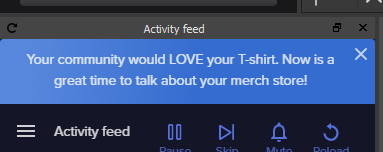 full thunderBOT
@placid fjord StreamElements menu, on top of OBS > Logout > Login
 peak tree
hey guys. im stuck with something
in settings/video i cant change any settings there. it says video output is currently active and to turn it off
but im not streaming or recording anything
nevermind. i figured it out as i was asking the question
it was my NDI output it was referring to
thanks for all your help guys 😋
dense ermine
Have a problem the recent followers is showing the name of the person on there any help
 lean topaz
Latest tip is not correct
 versed pagoda
so my obs keeps crashing when I play the new call of duty sbould I go to the OBS discord or is this one fine
prime roost
My alerts are not working again after the update.
humble flax
My alerts from youtube are not working
dense ermine
why us my followers not showing up and tips and subscribers ?
 prime maple
Hello guys im stuck i use GROUND CONTROL for my alerts and media request .
I have problem with separating audio tracks for alerts and media
i want to hear alerts while i play bg music only into stream how to doo this because im ending with hearing all or nothing 😄
 twin birch
I have setup some meme videos to play as store redemptions but when I redeem them the video audio plays twice at the same time and sounds horrid. Anyone had that before?
full thunderBOT
@twin birch Make sure to ballot_box_with_check: “Shutdown source when not visible” for all browser sources (all OBS scenes). If using studio mode, uncheck “Swap Preview/Output Scenes After Transitioning.” Also, keep in mind that sound can play from any overlay loaded in the browser (editor or launched). https://i.imgur.com/6bWXxjR.png https://i.imgur.com/yY0wcFl.png
 steady sapphire
im trying to update my profile page but every time i try to save my changed links it keeps telling me there was an error saving it, is there anything i can do to fix this?
 edgy geyser
Hello, I am trying to reconfigure the canvas of my overlay from StreamElements to fit for my OBS.Live and it seems to be causing a major issue of not fitting properly.
full thunderBOT
@edgy geyser The default resolution for StreamElements overlays (theme and custom) is 1920x1080. Please add them in OBS at their full resolution and use CTRL+F to fit to screen if necessary. You can then downscale your stream in OBS settings > Video if you'd like https://i.imgur.com/6bWXxjR.png
edgy geyser
Would that allow it to fit my stream screen the way it should? My default resolution is 2560x1080. Was hoping to try and get it to fit that canvas.
 tacit ether
im having trouble with my alerts. whenever i emulate an alert it shows up fine in the bit where you edit it but it doesnt show up in obs.
full thunderBOT
@tacit ether OBS > Settings > Advanced > Scroll down > Enable or disable Browser Source Hardware Acceleration, depending on its current state > Restart OBS (This does not apply for OBS on Mac)
https://i.imgur.com/ggMe9ZE.png
tacit ether
still not working
full thunderBOT
@tacit ether The default resolution for StreamElements overlays (theme and custom) is 1920x1080. Please add them in OBS at their full resolution and use CTRL+F to fit to screen if necessary. You can then downscale your stream in OBS settings > Video if you'd like https://i.imgur.com/6bWXxjR.png
tacit ether
what how would that help?
wary dew
because a lot of people don't check the resolution in OBS when adding it so it defaults at 800x600 and then you don't see the alerts in some cases 😉
 deft cargo
is there something wrong with the upload for twitch with obs ? I streamed for 3 months with 6000kbs but I could stream with 8000kbs with no problem if I wanted to, I stoped streaming for a month and now when I tried to stream all of a sudden I cant get any higher thatn 3000kbs without dropping 50% of the frames.
full thunderBOT
@deft cargo Dropped Frames means that you have a bad connection between your device and the streaming platform and most likely something related to your ISP not handling the connection properly.
Speed tests usually cannot help solve this problem and its best to use this guide: https://obsproject.com/wiki/Dropped-Frames-and-General-Connection-Issues
If you stream to twitch, use the !twitchtest command and do a connection test to your regional servers.
 feral bison
Hello, I am currently switching from streamlabs over to streamelements. I was wondering if there is something like streamlabs game overlay on streamelements? I only have a single monitor, and its really nice to see my latest followers and the chat
full thunderBOT
Use the Twitch Bandwidth Test to find the best Twitch server to stream to. Set Duration to Medium. You can uncheck any regions you're not near.
After the test completes, click the Share Result button to upload a screenshot, which can then be copied and pasted here.
Get Twitch Test from https://r1ch.net/projects/twitchtest.
@feral bison If you have one monitor and/or would like the chat overlay on the screen, please look at the link below.
Please note this is not a plugin for OBS and not maintained by SE.
https://github.com/baffler/Transparent-Twitch-Chat-Overlay
feral bison
Thank you
deft cargo
full thunder
<@!717320807801552905> Dropped Frames means that you have a bad connection betwe...
that is not the problem, when I test my internet speed I get 20mbs so I should be good
 lusty canopy
Hello, My stand alone Mic/aux audio isnt working... Help?
full thunderBOT
@lusty canopy Obs.live is a plugin for OBS Studio for the best OBS support, please join their Official Discord @ discord.gg/obsproject
 frank flare
hey i have just edited one of the overlay templates and was struggling on how to import it over to obs??
full thunderBOT
@frank flare To add your overlays to OBS, add a new browser source in your scene. Paste your overlay URL in the browser source properties, set the dimensions to 1920x1080 (unless you changed them on the website) and check Shutdown source when not visible. https://youtu.be/KDvLynUqXI4
tacit ether
ok ive changed my alert resoultion and tried the browser source acceleration on and off and none of its worked
anyone help me?

tacit ether
theres the video so if anyone can spot whats wrong please tell me
full thunderBOT
@tacit ether You can test alerts via the Emulate bell on the lower left side of the Overlay Editor. Simply go to your Dashboard > My Overlays > pencil/edit button on the overlay. Make sure the Preview LIVE on stream option is on to see the alert in OBS/XSplit** https://streamable.com/vtulg9


 tacit ether
omg im so dumb
 exotic citrus
How can I disable this, forever, please?
It's incredibly spammy
I want to close my SE merch store just to stop this from constantly popping up
wary dew
I've send this around internally, that this should go away ASAP.
in the meanwhile you can try to relog and see if that takes care of it:
full thunderBOT
@exotic citrus StreamElements menu, on top of OBS > Logout > Login
 cyan hornet
how do i add the media share dock in the OBSlive application?
i remember having at the start but deleted it, and now i can't get it back.
wary dew
StreamElements menu in the top bar > Media Request
 stray hemlock
the chat menu wont show up anything after i refresh and when i go into the settings for chat it says "error", how can i fix this?
full thunderBOT
@stray hemlock StreamElements menu, on top of OBS > Logout > Login
stray hemlock
thanks
dense ermine
does obslive import all info from twitch cause its not showing no recent followers or my followers at all
 gusty frost
Just had a question about the contests section, I've added a contest to test it out but when I type the command in chat for example, "!bet win 10" nothing happens and no one is able to join, even though it shows it's running and they have 2 minutes to join.
rugged quail
How do I show my merch on stream and it rotates each item on screen??
@ or reply to me when you get a chance.
Nevermind, thanks anyways
 slate moat
hi, i cant get my steamelements to work anymore. accidently messed up some settings so i uninstalled the entire thing but now when i download it again i get plan old obs which is too hard on my cpu
elements was great cuz it didnt kill my computer.
 round igloo
hi, what causes higher CPU usage when it comes to alerts? the alert's video resolution? the StreamElements Scene size? the codec/format of the video of the alert? I'm trying to optimize my setup and have noticed that stock streamelements don't cause as much CPU usage as my custom alerts do
 flint prawn
Need a little help I went to update recently and everytime I open streamelements or OBS studios I get and error
[OBScountdownadaptivetime.lua] Error loading file: cannot open C:/Users/ /OBScountdownadaptivetime.lua: No such file or directory
If anyone knows anything about this that would be great please message me.
 true field
So I’m streaming on Xbox and I set up my elgato. I try using the chat link cable and I can’t hear anything through my headset.. no game audio or anything. Anyone have any ideas on how to fix this issue?
 visual grove
Hey guys, since the latest update I've been having issues with streamelements, the preview lags quite a bit and I never had this issue on previous versions.
prime maple
@here Hello guys im stuck i use GROUND CONTROL for my alerts and media request .
I have problem with separating audio tracks for alerts and media
i want to hear alerts while i play bg music only into stream how to doo this because im ending with hearing all or nothing 😄
 split dagger
Oops. I think i posted it in the wrong place. "Hey, so my "browser" overlays disappeared and I don't know how to get them back up. I had restarted OBS, Recopied the link, and nothing seems to work. They're just blank."
Thanks in advanced
full thunderBOT
@split dagger The default resolution for StreamElements overlays (theme and custom) is 1920x1080. Please add them in OBS at their full resolution and use CTRL+F to fit to screen if necessary. You can then downscale your stream in OBS settings > Video if you'd like https://i.imgur.com/6bWXxjR.png
long bobcat
were they working properly before? when did this start? @split dagger
@prime maple the here tag doesn't work here, but no need to tag anybody
full thunderBOT
@prime maple If you are not hearing your alerts and/or Media Request, you are most likely using the Control Audio via OBS option in your browser source properties.
To make sure you hear the alerts and the stream also hears them, follow along the screenshot bellow.
https://cdn.discordapp.com/attachments/199460642975907840/685371800456134686/unknown.png

 split dagger
Yeah, they were. And when I hard turned it on yesterday I thought that maybe there were just some update or error
but they haven't sprung up. its very odd cause they were working perfectly before
long bobcat
let's try refreshing browser source cache and reloading overlays, do you know how to do that @split dagger ?