#helpdesk-selive
1 messages · Page 147 of 1
 silent nebula
 karmic grotto
@silent nebula right click the audio mixer of OBS and choose advanced audio properties, then (monitor off > monitor only) > the Desktop Audio
silent nebula
that still isnt working, i am streaming from a different pc
karmic grotto
problem isn't software then, u should get audio from your capture card somehow
u are using a capture card for streaming from the other PC right?
silent nebula
yessir
karmic grotto
problem isn't software then, u should get audio from your capture card somehow
@karmic grotto . @silent nebula
silent nebula
ok so what should i do now
karmic grotto
get your CC manual and find where u can get audio from it @silent nebula
 velvet light
Just set up a stinger transition for the first time but it seems to be delayed. I'm seeing the scene cut before the transition starts. Any tips?
karmic grotto
set the cutting delay in the stinger settings@velvet light
velvet light
delay what exactly?
karmic grotto
when u setup the stinger there is a option to change the cutting delay
it is in "ms"
usually 1000 ms should do the trick
velvet light
Got it. Figured there had to be an option for that somewhere, just missed it.
 rugged quail
HELP PLEASE!.... Im in my stream elements OBS and it wont let me change my stream title in the activity feed from twitch. when i try to type it takes me to the end of the title and wont type nothing? may be something stupid but im not sure
 steel bladeBOT
@rugged quail There is a bug with setting the stream title in OBS and the Dev team is investigating.
In the meantime you can set the title using the !settitle command in chat (if enabled in your bot command settings)
Or with the Twitch dashboard: https://dashboard.twitch.tv/stream-manager
rugged quail
thank you soo much
 ebon trout
My streamelements chat bot stopped working, none of commands are working and it's been like this for a few days. I'm kicked the bot and re added the bot to my channel and still not working, any ideas?
steel bladeBOT
@ebon trout If your commands recently stopped working and you're using OBS.Live and a custom bot name do the following:
1.) In OBS.Live, click on the hamburger menu (three stripes) at the top left of your activity feed
2.) Click on Stream Settings -> Custom bot name
3.) In the "Custom bot name" field select "Set custom bot name", not your already existing username (with capital letters)
Note: If you already connected an account that way, the third entry will show as the account name (see image https://i.imgur.com/sO7fWOX.png)
4.) Scroll a bit down and click on the purple "CONNECT CUSTOM BOT ACCOUNT" button
5.) Log in as usual and "Authorize" the custom bot name
6.) Back in the Activity feed, click on the "SEND TEST MESSAGE" button and check if your custom bot name starts working again
 ebon trout
NICE! Thank you
 smoky mural
Hi friends! I'm in desperate need of some help with audio issues im having. My desktop audio is not working. No sounds are coming from them at all, the little green bar isn't moving, it's not muted, i went to the advanced settings and made sure it wasn't off. I'm not sure what I did wrong. I tried uninstalling and reinstalling but realized it keeps the profiles so that didn't work.
 tranquil elbow
Is your desktop audio set to the right driver in the settings?
smoky mural
uhhh idk, how do i check lol
tranquil elbow
On OBS's main screen on the right of where your audio mixer click setting
then click the audio option of the settings menu
under output check where it says "Desktop Audio"
smoky mural
I guess I don't know what you mean by driver though
tranquil elbow
It's where you get your audio from. Typically, that should be set to default.
smoky mural
It is default 😦
tranquil elbow
Your Audio Mixer on the front of OBS shows "Desktop Audio" too correct?
smoky mural
Yes!~
tranquil elbow
Are there any filters on the audio source in the audio mixer?
smoky mural
Nope, and I've checked the defaults also
karmic grotto
don't leave it as default
select your proper device u are using like headset etc
then choose monitor only in the advanced audio properties
u are using only one PC right?
smoky mural
Yes only one PC
my headset that is capturing my voice works but none of the game sounds are being captured
karmic grotto
u can't hear the games?
smoky mural
correct
karmic grotto
that isn't OBS then
tranquil elbow
wait, can you hear the game in general?
karmic grotto
its your windows audio
karmic grotto
now its a obs thing
smoky mural
LOL
karmic grotto
don't leave it as default
@karmic grotto .
smoky mural
Nothing changed 😦
Should i try changing the desktop audio in the advanded setting to monitor and output
karmic grotto
send a screenshot of windows volume change opened
the one u open in windows bar
in volume icon
smoky mural
This?
tranquil elbow
yeah that's the audio device you're using, is that selected in the desktop audio settings?
smoky mural
Yes sir
karmic grotto
now send a screenshot of your advanced audio preferences of OBS
smoky mural
(i know this isn't that...hold pelase)
karmic grotto
this isn't advanced audio preferences 😄
smoky mural
smoky mural
okay so i changed the desktop audio to monitor only and nothing happened
karmic grotto
open a music of something and check if its going Live
smoky mural
like on youtube or something?
tranquil elbow
sure
smoky mural
nothing coming through
The little green bar isn't moving either on desktop audio on the Audio mixer screen
(it's not muted and the volume isn't down all the way either)_
tranquil elbow
wait
smoky mural
i also don't have an audio source from the game capture (not sure if there should be one)
tranquil elbow
fingers crossed!
 graceful zinc
Hello, using media request on streamelements, will it get a copyright flag from Facebook?
karmic grotto
@smoky mural //fixed in DM
karmic grotto
Hello, using media request on streamelements, will it get a copyright flag from Facebook?
@graceful zinc for sure if u are using copyrighted stuff
graceful zinc
so i have to moderate request from viewers only from no copyright vids
is that correct?
karmic grotto
yep, thats why i leave a timer msg for my media command with a alert saying to only use stuff without copyright
u can setup hotkeys to skip media requests without going to obs window
thats how i moderate my stream
if u have available money is more recommeded to disable MR and start using licensed stuff like MonsterCat or pretzelRocks
chillhop is also a good start and free only by using their banner in twitch
 errant shore
i need some help i edited my overlay but theres no launch button in the bottom corner to add it to obslive
steel bladeBOT
@errant shore We've released our new Overlay Editor revamp. You can check out the changes and how to work with it here: https://youtu.be/X5VzXjqAsjk
Check out our blog post as well: https://blog.streamelements.com/streamelements-overlay-editor-just-got-even-better-c22cb5b4853e

We are thrilled to announce the launch of the remastered StreamElements Overlay editor!
https://p.strms.net/newoverlayyt
Why StreamElements Overlays are better?
😎 Simple: Load your entier setup using only 1 link
⚡ Fast: Cloud-powered Overlays arrive in real-time, say goodb...
errant shore
that didnt help lol
steel bladeBOT
@errant shore Please provide a proper screenshot with the issue visible. If not sure how to take a screenshot, you can check here: https://www.take-a-screenshot.org/
errant shore
unable to add to obslive
 honest echo
@errant shore You can use this option https://streamelements.com/dashboard/overlays
 sleek warren
help pls
steel bladeBOT
@sleek warren Please ask your question in one helpdesk channel only. A support volunteer or StreamElements staff member will assist you as soon as they are available. Asking in multiple places will only result in confusion, not faster answers. Thank you for your patience.
errant shore
@honest echo i did that but where do i insert it?
steel bladeBOT
@errant shore To add your overlays to OBS, add a new browser source in your scene. Paste your overlay URL in the browser source properties, set the dimensions to 1920x1080 (unless you changed them on the website), and ☑ “Shutdown source when not visible” https://youtu.be/KDvLynUqXI4
 silver raft
How do i change my obs chat box language?
 mellow current
Hey Guys, i found a Bug, were can i report? 🙂
mellow current
Ok, Since 2 Days i cant use my (obs live) Activity Feed box - Stream Title. I cant Change the Title, i can only change my Game. Is this a Bug? oder my bad?
 wary dew
It's a bug, we know of it and are looking in to it.
mellow current
Ahhh TY
steel bladeBOT
@mellow current There is a bug with setting the stream title in OBS and the Dev team is investigating.
In the meantime you can set the title using the !settitle command in chat (if enabled in your bot command settings)
Or with the Twitch dashboard: https://dashboard.twitch.tv/stream-manager
 marsh hinge
the kappagen widget only seems to work for me if i set the animation to "bubble" the other animations don't show up, any idea what i am doing wrong?
 civic plaza
hey is this where I ask for help with csgo source capture not working after working fine for years?
I am not sure who to ask but I am fked, I have the same window capture source for csgo and then today when I loaded the game up the source just stayed blank for whatever reason and I cant figure it out
 distant breach
@civic plaza ... it's a copy of a copy of a copy of a screen shot; but I saw this posted:
 full thunderBOT
Hi @maiden hound, Please ask your question(s) or describe the problem you're looking to solve so staff or a support volunteer can assist you as soon as they are available.
 maiden hound
why i can't use cloud backup?
rugged quail
@full thunder Custom commands don't work on my account BimBamGaming86 and chat alerts don't work with me, it doesn't come up and shows in the chat that I've got a new follows and all the other stuff, only my activity feed. Pleas Fix it
And i have activate in the settings
maiden hound
This dude is talking to a bot lol
distant breach
We control the bots 🙂 ... it's common issues so we don't have to manually type every response
maiden hound
@full thunder why i can't use cloud backup?
distant breach
You can't export or import? ... there is an issue with some assets being too large, i think it is like 25 or 30mb.
maiden hound
i click on manage, then select and click on open the backup i done before, when i load, i can't click on "restore"
Size is 5kb
distant breach
I don't have any experience with the cloud backups; I'll ask around to see if someone online can get you a solution
maiden hound
thanks
 frosty wigeon
I have a small video that I want to run periodically on my stream without me having to start it myself, are there any plugins that will do this?
frosty wigeon
Okay thanks @distant breach I use ObsLive so thought this might have been the correct place, I'll head over there now 😄
distant breach
Ya. you are correct it was the correct place; but i'll try to help you with some custom code over there 😉
 foggy vapor
I thought I was the only one with the title issue. Luckily there are other ways to change it. I hope it's fixed soon
 obtuse wagon
OBS.Live Activity feed doesn't allow me to change the title of the stream, I was able to do it just fine a few days ago, the input box is clickable but I cant type or delete the already set title? Any idea whats going on?
steel bladeBOT
@obtuse wagon There is a bug with setting the stream title in OBS and the Dev team is investigating.
In the meantime you can set the title using the !settitle command in chat (if enabled in your bot command settings)
Or with the Twitch dashboard: https://dashboard.twitch.tv/stream-manager
 limber portal
Hey guys, can somebody help me please?
I received tips on my live yesterday, but I don't know where
I connect my PayPal account on the streamelements, and configured a tip system
wary dew
Donation should show up in the Activity Feed on your dashboard and the money should be in your PayPal account
If not: contact PayPal
StreamElements doesn't touch the money
limber portal
They go to PayPal account in the same moment?
wary dew
Should be yes
 grizzled marsh
The donation won't appear on your activity feed unless it's been processed and approved by PayPal which usually happens instantly.
wary dew

grizzled marsh
So if you saw it as a CHAT ALERT from the StreamElements bot, a on stream alert, or in your StreamElements activity feed as a donation, it is sitting in the PayPal balance of whatever account you linked with StreamElements.
limber portal
I received in the chat a message that the player tip an value, but the bot don't message me nothing
grizzled marsh
So it sounds like you may have been trolled.
Do you see it in your activity feed?
Or did it look like this:
limber portal
I have only 14 followers, if that means anything?
rugged quail
Good morning guys ! i need some help , the Came Capture is not working for Call of Duty MW ,anyone can help ?
 kindred tusk
Help I can't add a browser source its just a black screen for me on my laptop
limber portal
No, the message says nameofplayer(donate $10): and message here @grizzled marsh
Something like this
kindred tusk
Pls help anyone
grizzled marsh
And it wasn't a message from StreamElements?
steel bladeBOT
@rugged quail For the best OBS support, please join their Official Discord @ discord.gg/obsproject
limber portal
@grizzled marsh nope
grizzled marsh
I am 99% sure you were trolled @limber portal
limber portal
I will look for the message and post a print here
grizzled marsh
PayPal donations will only appear in chat if you have chat alerts enabled.
limber portal
Shit
rugged quail
but im useing Stream Elements ..
kindred tusk
Pls help I can't add a browser source its a black screen for me
wary dew
but im useing Stream Elements ..
@rugged quail StreamElements OBS.Live is just a plugin for OBS Studio, they can help you better with issues on CoD MW
 plain sonnet
@rugged quail you was told this yesterday
grizzled marsh
If enabled, this is the only way PayPal donations appear in chat and this is the default messaging which can be changed @limber portal
limber portal
@grizzled marsh the funny thing is that my friend do a donation and pay at PayPal, but this not showing in chat and value not coming to me too
distant breach
ALWAYS be caution of Donations on any platform!! There are people out there that will actually give the money then do a chargeback and PayPal will fine you for that!
limber portal
After the player of chat
kindred tusk
Pls help
wary dew
ALWAYS be caution of Donations on any platform!! There are people out there that will actually give the money then do a chargeback and PayPal will fine you for that!
@distant breach just use SEpay

Pls help
@kindred tusk make sure the resolution is 1920x1080 and that you copied the right link
steel bladeBOT
@kindred tusk To add your overlays to OBS, add a new browser source in your scene. Paste your overlay URL in the browser source properties, set the dimensions to 1920x1080 (unless you changed them on the website), and ☑ “Shutdown source when not visible” https://youtu.be/KDvLynUqXI4
kindred tusk
Yes bro I did
steel bladeBOT
@kindred tusk OBS -> settings -> advanced -> scroll down -> enable/disable hardware accel.
https://i.imgur.com/ggMe9ZE.png
 kindred tusk
First I used to see a black screen for display capture also I somehow fixed it then
grizzled marsh
@limber portal If you wanna send the screenshots of what you saw in chat, I'll tell you what the dealio is so you can prepare for the next time.
Just don't send any links to your channel or something like that but if what I think happened did happen, it's a pretty common troll.
kindred tusk
My windows capture also doesn't work
steel bladeBOT
@kindred tusk Due to the way laptops are designed, your system must be configured to run OBS on a specific GPU, depending on the type of capture you are trying to do.
For Game Capture and Window Capture (recommended), your system must be configured to run OBS on your laptop’s high performance GPU (default); for Display Capture, your system must be configured to run OBS on your laptop’s power saving GPU (iGPU).
If you are running Windows 10 1903 or newer, use this guide for instructions on how to configure your system: https://github.com/obsproject/obs-studio/wiki/Laptop-GPU-Selection-Windows-10
For instructions on configuring an older version of Windows (you should consider upgrading), use this guide: https://obsproject.com/wiki/Laptop-Troubleshooting
limber portal
ok @grizzled marsh , do you know where is the chat history or dont have nothing like this?
grizzled marsh
You can look up individual chat logs on Twitch by typing /user USERNAME
limber portal
i forgot to screnshot the chat yesterday
@grizzled marsh the chat is in portuguese, but that is the print.
grizzled marsh
That is a troll.
limber portal
shit
limber portal
thank you for the replies
grizzled marsh
What I reccomend is to go here: https://streamelements.com/dashboard/bot-modules
And turn on Chat Alerts
So when you get a follow/sub/raid/host/dono the STREAMELEMENTS bot will say something in chat.
limber portal
this is turned on
grizzled marsh
Ah, ok, perfect.
Then yes only believe StreamElements.
Now there is ONE possibility you could look into it.
StreamElements won't say anything in chat if the donation is on hold by PayPal, it will only post when it has CLEARED. This individual user could be saying that he donated but it's held up by PayPal.
limber portal
@grizzled marsh my friend after this do a donation in this link
but nothing as show to me on the chat
but this value is credited on the credit card
he does the donation to help me to test
grizzled marsh
OK for your friend, go login to PayPal and check for pending transaction.
If PayPal holds a donation, it won't appear in chat UNTIL it has cleared PayPal.
limber portal
i contact support paypal, becausae nothing is in pending transaction
i waiting for the attendent to replie me
grizzled marsh
Even if it happens offline and 7 days after. I see it all the time. Somebody donates while streamer is live, it gets held by PayPal then it randomly clears at 2 in the morning when streamer is offline and the alert will pop up.
Ah, ok perfect then you're on the right path though it's strange you don't see anything if this is a trusted friend and he used that link and he sees it on his balance then you should see it on PayPal.
But for all that, PayPal is your best bet here to square it away.
Also, can you delete that link? Thank you.
limber portal
sure, sorry
grizzled marsh
No problemo. 
limber portal
did you know if i can use other platforms to receive the payments?
steel bladeBOT
@limber portal SE.PAY is available for streamers who are atleast 18 years old, with bank account under their name in one of the following countries and have at least 101 Follower (Twitch) / 101 Subscribers (Youtube):
Austria, Belgium, Czech Republic, Denmark, Finland, France, Germany, Ireland , Italy, Netherlands, Poland, Portugal, Slovakia, Spain, Sweden, Switzerland, United Kingdom, United States.
If you meet these criteria and don’t see SE.Pay, let us know.
For information on SE.Pay payment methods, their fees, and settlement times see https://streamelements.com/dashboard/tipping/fees.
grizzled marsh
That's your next option when you get the followers assuming you live in one of those countries.
limber portal
i live in brasil
and i have only 14 followers
do you know picpay?
that is a platform in brasil than you pay and receive with a qr code
i think something like that, but i want that the bot show the message if i receive with this tool
grizzled marsh
I am only aware of PayPal and SE.Pay that hook into our systems.
 sleek adder
hello guys =3
i downloaded the OBS live, there are an information that in the app there a place to the feed activity feed, for someone that sended a sub, a follow, etc, but i cant find it, i will be really glad if some one can help me =3
thanks for the attention
plain sonnet
view > docks > activity feed
sleek adder
oooh now i see, thanks a lot man 🙂
plain sonnet
np 👍
 storm steeple
 olive sand
hi, is there a possibility to use own HTML code in the stream as a part of overlay?
olive sand
Thanks!
 keen ridge
hello everyone, my stream elements chat bot stopped working a few days ago and I was wondering if anyone knows how to fix it? It is a mod in my chat, it is not muted, and I have tried parting it from my channel and joining it again. Thanks!
steel bladeBOT
@keen ridge If your commands recently stopped working and you're using OBS.Live and a custom bot name do the following:
1.) In OBS.Live, click on the hamburger menu (three stripes) at the top left of your activity feed
2.) Click on Stream Settings -> Custom bot name
3.) In the "Custom bot name" field select "Set custom bot name", not your already existing username (with capital letters)
Note: If you already connected an account that way, the third entry will show as the account name (see image https://i.imgur.com/sO7fWOX.png)
4.) Scroll a bit down and click on the purple "CONNECT CUSTOM BOT ACCOUNT" button
5.) Log in as usual and "Authorize" the custom bot name
6.) Back in the Activity feed, click on the "SEND TEST MESSAGE" button and check if your custom bot name starts working again
keen ridge
👍
 ripe zenith
hello
 lean temple
Hello there 🙂 I struggle with the Event List. In Streamlabs I see the data I want to have displayed in OBS, but when I link it as a resource there, my field is just empty. Any ideas how that may come? I didn't have problems with including any other resources there
 polar siren
Hi Guys!! i don't know if i'm in the right helpchat but, can i make a command without the "!"? I want to do like, if someone send emoji "x" make sound (in that case redeem some item)
 sharp wharf
hey Guys....
can OBS be managed from 2 different PC's on the same network...
NDI helps to stream from the 2nd computer....
but can something similar be used to assist the main PC streaming with a 2nd PC
 warm spire
How do I change my bots name
 plain mason
@warm spire see the pinned messages: custom bot name
warm spire
Where
plain mason
if you want to use "streamer name", then select the "set custom bot name"...
plain mason
on OBS.live, Activity Feed window, clicking on menu, going to Stream Settings, and Custom bot name...
warm spire
Oh ok thank you
full thunderBOT
Hi @torpid geyser, Please ask your question(s) or describe the problem you're looking to solve so staff or a support volunteer can assist you as soon as they are available.
 torpid geyser
i got the overlays but i dont know how to set them up on my chanel
steel bladeBOT
@torpid geyser To add your overlays to OBS, add a new browser source in your scene. Paste your overlay URL in the browser source properties, set the dimensions to 1920x1080 (unless you changed them on the website), and ☑ “Shutdown source when not visible” https://youtu.be/KDvLynUqXI4
 jovial lantern
uhhh, for some weird reason im not able to change my livestream's title on Activity Feed
steel bladeBOT
@jovial lantern There is a bug with setting the stream title in OBS and the Dev team is investigating.
In the meantime you can set the title using the !settitle command in chat (if enabled in your bot command settings)
Or with the Twitch dashboard: https://dashboard.twitch.tv/stream-manager
 celest sequoia
hey guys
I was able to change the bot name in obs live to my channel name and all commands were working till a few days back
not the commands and timers dont work until I change the bot name back to Streamelements
 odd kraken
Use the third option to rename to your own account name.
celest sequoia
its asking me to login to twitch. should I need a new twitch account for this
 crimson apex
they said this was the place to get answers. INEED HELP WITH MUSIC REQUEST
celest sequoia
update: got it working, thank you 🙂 🙂
 near coral
Hi there! I have the Activity Feed in my OBS but it hasn't been showing me any followers or alerts. Additionally, I have my custom bot info in there and it's still the StreamElements bot that responds in my chat
 hoary juniper
Hi. I had to re-add my Activity Feed from the docks section, and now it's an entirely different activity feed, where I cannot change my title, see viewers, etc. Any idea what has happened?
steel bladeBOT
@hoary juniper There is a bug with setting the stream title in OBS and the Dev team is investigating.
In the meantime you can set the title using the !settitle command in chat (if enabled in your bot command settings)
Or with the Twitch dashboard: https://dashboard.twitch.tv/stream-manager
plain mason
about the Title ⤴️
@hoary juniper did you try to logout and relog in on menu StreamElements (on top)?
near coral
@hoary juniper you likely added your Twitch Activity Feed back in, which can be found in docks. Try adding the activity feed from the StreamElements drop down instead. (please remove if not allowed - I'm so sorry)
hoary juniper
@near coral That is exaclty what happened. Thank you!
@plain mason doing this right now
near coral
phph, any ideas on my question? Just seems like my activity feed isn't properly connected to twitch
 grand vault
Hi, I just installed OBS.live on my OBS Studio.. but I can't login to my StreamElements account. It is showing blank http://prntscr.com/tev5yu. Please help
 hoary juniper
@plain mason logging out and in on that menu didn't work, unfortunately. I have ways I can still alter the title of course, but I'm just unsure what happened to my ability to alter it on the activity feed.
plain mason
@hoary juniper send here a screenshot of your OBS
near coral
I relogged a second time and it worked, my problem is solved!
hoary juniper
@plain mason
maiden hound
@full thunder can somebody help me ? still can't use backups
 stuck lance
So in obs live i try to change my title and it doesn't wanna work like if i press backspace it jumps to the front and it won't let me do anything, anyway if anyone knows how to fix this just ping me please, thank you!
steel bladeBOT
@stuck lance There is a bug with setting the stream title in OBS and the Dev team is investigating.
In the meantime you can set the title using the !settitle command in chat (if enabled in your bot command settings)
Or with the Twitch dashboard: https://dashboard.twitch.tv/stream-manager
 stone pelican
Ah, was just going to ask about that 👍
stuck lance
right ven
 tender ether
I'm guessing there is no OBS Live for the Mac correct?
odd kraken
Correct.
tender ether
ok shoot have to stream on my mac this weekend and got used to using OBS Live 🙂
 charred sigil
Does anybody know how can i make my streamelements bot type "dont forget to follow" or something like that? every now and then when im streaming?
charred sigil
Thank you!
maiden hound
 ignored
 kindred fox
@maiden hound what is the specific problem you’re seeing with your backups? You weren’t ignored, most likely the issue will be something a staff member, not a volunteer, will be able to answer
 trail ginkgo
i think i posted in the wrong section
Hi, any know a overlay trick, or a obs setting to show if mic is active or not on screen? its annoying at the moment i can only use 1 screen so not sure if mic is on or off unless i minimize and check obs.
 quiet folio
y cant i change my title
steel bladeBOT
@quiet folio There is a bug with setting the stream title in OBS and the Dev team is investigating.
In the meantime you can set the title using the !settitle command in chat (if enabled in your bot command settings)
Or with the Twitch dashboard: https://dashboard.twitch.tv/stream-manager
 sweet birch
Hi HOpe y9ou are having a mermagical day I am attempting to capture a zoom meeting but it keeps showing blank please help
steel bladeBOT
@sweet birch For the best OBS support, please join their Official Discord @ discord.gg/obsproject
sweet birch
@steel blade that link didn't work please send it again
 lethal bear
I cant change any stream name or game in stream elemants
steel bladeBOT
@lethal bear There is a bug with setting the stream title in OBS and the Dev team is investigating.
In the meantime you can set the title using the !settitle command in chat (if enabled in your bot command settings)
Or with the Twitch dashboard: https://dashboard.twitch.tv/stream-manager
 modest ingot
Hey
I tried streaming with obs live, worked fine the other day but now my OBS is missing the StreamElements plugin?
Also no sound
Even tough my Voicemeeter and ingame sound were working
Reinstall didnt work
 cerulean ingot
I cant change my stream title!!! HELP!
steel bladeBOT
@cerulean ingot There is a bug with setting the stream title in OBS and the Dev team is investigating.
In the meantime you can set the title using the !settitle command in chat (if enabled in your bot command settings)
Or with the Twitch dashboard: https://dashboard.twitch.tv/stream-manager
cerulean ingot
good to know! Thanks a bunch!
rugged quail
I'm having an issue where I can't change my stream name. Anyone have a solution?
steel bladeBOT
@rugged quail There is a bug with setting the stream title in OBS and the Dev team is investigating.
In the meantime you can set the title using the !settitle command in chat (if enabled in your bot command settings)
Or with the Twitch dashboard: https://dashboard.twitch.tv/stream-manager
 lethal musk
I am now new to Stream Elements and I wanted to ask if I can show alerts for my Twitch and YouTube account?
 delicate geode
Hi guys i was doing a test stream with 0% dropped frames but I turned it off and on again and now I have more than 30% dropped frames
anyone know what could it be?
karmic grotto
it should stop dropping frames in a while @delicate geode u probably has done that off > on too fast so its discarding some frames
delicate geode
I've been live for more than 5 minutes now, still 44% dropped frames
for some reason
karmic grotto
the number of dropped still increasing?
delicate geode
sometimes
steel bladeBOT
@delicate geode Dropped Frames usually means that you have a bad connection with the streaming service(Twitch/Youtube/Mixer/Facebook) and most likely something related to your ISP not handling the connection properly.
Speed tests usually cannot help solve this problem and its best to use this guide: https://obsproject.com/wiki/Dropped-Frames-and-General-Connection-Issues
modest ingot
gg good support Im out
delicate geode
so it could be my internet connection? it was fine 30 minutes ago 😦
plain sonnet
what platform do you stream to?
 queen zealot
So i just downloaded OBS in hopes to start streaming or recording destiny 2 and no matter what i have tried with tutorial videos on youtube i can't get rid of the black screen when i try to record game footage. i can use the display capture option just fine but the game capture option just wont work
plain sonnet
Bungie has opted to not allow OBS to hook Destiny 2 using Game Capture. See: https://www.bungie.net/en/Help/Article/46101
You will need to run the game in either windowed fullscreen or borderless windowed and use Window Capture instead.
queen zealot
ah it worked immediately thank you, i have been trying to fix it for over an hour lol. appreciate the help
plain sonnet
np 👍
maiden hound
who i need to tag so can help me with my problem...
steel bladeBOT
@maiden hound Welcome to the helpdesk! Please let us know how we can assist you today and a support volunteer or staff member will assist you as soon as they are available. Thank you for your patience.
 worn imp
hello. Up until yesterday I had myself set as a bot and all of a sudden it isnt working anymore. Any fixes?
 agile onyx
Hi how do I add a overlay to my twitch stream?
steel bladeBOT
@worn imp If your commands recently stopped working and you're using OBS.Live and a custom bot name do the following:
1.) In OBS.Live, click on the hamburger menu (three stripes) at the top left of your activity feed
2.) Click on Stream Settings -> Custom bot name
3.) In the "Custom bot name" field select "Set custom bot name", not your already existing username (with capital letters)
Note: If you already connected an account that way, the third entry will show as the account name (see image https://i.imgur.com/sO7fWOX.png)
4.) Scroll a bit down and click on the purple "CONNECT CUSTOM BOT ACCOUNT" button
5.) Log in as usual and "Authorize" the custom bot name
6.) Back in the Activity feed, click on the "SEND TEST MESSAGE" button and check if your custom bot name starts working again
@agile onyx To add your overlays to OBS, add a new browser source in your scene. Paste your overlay URL in the browser source properties, set the dimensions to 1920x1080 (unless you changed them on the website), and ☑ “Shutdown source when not visible” https://youtu.be/KDvLynUqXI4
maiden hound
PLEASE, no one know here on the support discord how to help me? I need to stream 😢
steel bladeBOT
@maiden hound Welcome to the helpdesk! Please let us know how we can assist you today and a support volunteer or staff member will assist you as soon as they are available. Thank you for your patience.
maiden hound
@steel blade cloud backup doesn't work, up there I explain the problem and attach a screen shot
kindred fox
@maiden hound try one at a time
maiden hound
same...
kindred fox
Try the other one.
maiden hound
maiden hound
Just in case it’s a “special character” thing
@kindred fox oh, what i need to do on this case?
kindred fox
Meaning the í in the first one was causing the issue restoring.
I would go ahead and click StreamElements in the menu and hit report issue
Be as detailed as you can so the support peeps can dig into your issue and get you up and running.
kindred fox
I wish I had enough knowledge of it to fix it, but because it could be an issue with the client or server, it’s best to let the support staff handle it
I’ll ping them and let them know you’ll be reporting it and that you posted here so they can follow-up
I let them know.
@maiden hound when you’re restoring, can you make sure that only your twitch account is selected and only once scene?
It took me a few minutes to remember what happened when I tried restoring
I believe you select the SE profile you want to restore from and then the scene collection
maiden hound
I use Facebook account, you see i am a Facebook streamer
kindred fox
Ok. Make sure only your FB profile is selected
And then select one scene
Gimme a sec to snag a screenshot
Do you by chance remember the name of the profile you used when you backed up?
maiden hound
wait a sec
kindred fox
You might have to rename your current OBS profile by clicking on Profile in the menu > Rename and then rename it
maiden hound
i am cheking
kindred fox
Unsure about that step, but it has to do with the profile name missing from the screenshot above you tagged me in
The profile and scene collection both have to be populated in the restore window
maiden hound
i just for test, make another one and is how you say, it works the new one because it have the profile
the software can't restore only the scene collection
kindred fox
So can you restore the scene collection to a new profile with a new name?
Something that isn’t “untitled”
I think as long as it isn’t called “untitled” you’ll be able to restore
maiden hound
this is the test one
i don't know how to make it work the other one with all my stuff
kindred fox
Try restoring your scene collection to that profile
I’m curious if you can restore it now
kindred fox
It’s that missing profile name...
I’ll ask to see if there’s a way to get the collection
Now that we have identified the problem, a solution should be easy to figure out. Let me report it and see if someone can assist when they’re free
maiden hound
thanksss
honest echo
@maiden hound let me see if i could find something to help you out
 modern prism
hello good night, I installed the program today I set it right but when I put it to capture the game screen everything is black, how do I solve it?
steel bladeBOT
@modern prism For the best OBS support, please join their Official Discord @ discord.gg/obsproject
 gleaming tide
How do I get my channel reward requests showing in the activity feed? They show in the stream manager on twitch, but not in OBS.
kindred fox
Channel point rewards? Or SE Loyalty?
 mystic ember
Hello! I’ve had an ongoing issue and am trying to see if it’s an obslive issue or a GoXLR Mini issue. I’m on a 2 PC setup, and I hear all my alerts go off no problem, but if there’s TTS the audio doesn’t come into my headphones but I can see it playing in the mixer and chat can hear it. I’ve tried rerouting and changing inputs. Nothing helps. I appreciate any help in advance!
kindred fox
Check your GoXLR routing settings. Make sure that output is playing in your headphones
@gleaming tide I believe that the API for channel points is being integrated but no ETA yet
gleaming tide
Ok, thank you 🙂
 cunning trout
I am trying to add some plugins to my OBS studio/elements (Motion Effects) and for whatever reason, when I extract the zip folder and put the files together with the obs install, my obs studio still isn't picking up the "motion" option for filters or transitions.
FYI: I am BRAND new to stream elements, obs live. I've been using SLOBS and want to switch SO badly and need to figure this stuff out😅
 rain echo
QQ: Is there a way to import the overlays I've customized with OBS into my StreamElements account?
 stark fiber
cant seem to get my browser source working.. any tips?
pasting the orl in obs nothing shows up..
steel bladeBOT
@stark fiber OBS -> settings -> advanced -> scroll down -> enable/disable hardware accel.
https://i.imgur.com/ggMe9ZE.png
 west thunder
I am having issues opening OBS entirely now Ive been using it flawlessly for a while now but it just will not open... I have tried restarting my pc to no avail.
 oak nova
Does anyone have any thoughts as to why the activity feed in OBS isn't letting me alter the title of the stream but lets me alter the game?
 trail brook
I have the same issue with the OBS not letting me alter the title of the stream but only allows me to alter the game title.
plain mason
@oak nova @trail brook ⤵️
steel bladeBOT
There is a bug with setting the stream title in OBS and the Dev team is investigating.
In the meantime you can set the title using the !settitle command in chat (if enabled in your bot command settings)
Or with the Twitch dashboard: https://dashboard.twitch.tv/stream-manager
 tawdry harness
Hi, I am still having issues with my custom bot name I have already try
1.) In OBS.Live, click on the hamburger menu (three stripes) at the top left of your activity feed
2.) Click on Stream Settings -> Custom bot name
3.) In the "Custom bot name" field select "Set custom bot name", not your already existing username (with capital letters)
Note: If you already connected an account that way, the third entry will show as the account name (see image https://i.imgur.com/sO7fWOX.png)
4.) Scroll a bit down and click on the purple "CONNECT CUSTOM BOT ACCOUNT" button
5.) Log in as usual and "Authorize" the custom bot name
6.) Back in the Activity feed, click on the "SEND TEST MESSAGE" button and check if your custom bot name starts working again
But this does not work, how can I fix this? or what should be the problem? a few weeks ago was working fine but now it does not.
 toxic fern
@tawdry harness Did you explicitly click "Set Custom Bot Name" or did you choose your already added name?
tawdry harness
@toxic fern I have try both options and nothing, I tried to add it and does not work and try with the one I have and same nothing so I have been working with the streamelements
 broken vortex
@everyone Hello since I was not able to find any information on how to resolve the "Activity Feed" tab /Stream title glitch I resolved the issue by simply uninstalling the Obs.live plugin and setting up my custom docks using Obs alone. This not restore my functionality but in addition to it I was able to enhance the functionality I had before. Thanks again!
 dapper crescent
I'm having an issue where the stream title in OBS.live can no longer be changed. My previous title will not delete when highlighted or when I try to backspace. anyone else having this issue?
steel bladeBOT
@broken vortex There is a bug with setting the stream title in OBS and the Dev team is investigating.
In the meantime you can set the title using the !settitle command in chat (if enabled in your bot command settings)
Or with the Twitch dashboard: https://dashboard.twitch.tv/stream-manager
plain mason
@dapper crescent ⤴️
 wild magnet
Does the transfer overlay from streamelements only work on live or does it work in studio
@everyone
 rigid zealot
Anybody here to help?
OBS is working correctly, but when I try and delete my last stream title and type a new one it doesnt work
 abstract quiver
For some reason, the alertbox displays alerts when I emulate them in my streamelements overlay, but they all of a sudden don't display on OBS when emulated, when they should (they were previously). And I can't seem to figure out the problem
If whoever responds to that could either personally tag me or send me a DM so I get pinged for the response and can respond myself as soon as it happens that'd be nice as well 👍
 twin zephyr
Does streamlabs need mod permissions for the timers to work? I have one set for 90 min online intervals with 5 chats but it didnt go off in chat when those criteria were met
 whole rivet
Where can I download stream elements for Mac?
On the website all the download options have windows icons next to them
toxic fern
@whole rivet OBS.live is windows only.
 plush shale
yo i need help setting up my new overlays and stuff on obslive
 somber vale
Can the bot send cooldown messages? When a command is triggered again in the cooldown?
Where can I make the setting?
karmic grotto
yo i need help setting up my new overlays and stuff on obslive
@plush shale https://youtu.be/UuweQah3v00

We have an updated initial setup guide: https://www.youtube.com/watch?list=PLCDDKlFdScbH7j6W7OXQQScfFunxed1tP&v=EpA4eDLMW_I
Setting up StreamElements is easy, learn how to in this video, hosted by Twitch Partner GIRLvsDUMB
Got any questions, or just want to say "Hey"? Joi...
Sick
@whole rivet u can use normal obs installation with overlays u will only miss SE features inside obs studio like chat and activity feed
but those u can use directly from the mac browser in SE dashboard
karmic grotto
u can use SE overlays in SLobs too
but we do recommend using normal obs studio instead of SLobs as if u have any settings issues with it we can't help you at all
whole rivet
I’ll use my SE overlays on the labs thanks didn’t know you could do that and hopefully I don’t run into any problems
karmic grotto
😉 okay
 cosmic solstice
hi, im running i9-9900k, arorus 2080ti, 32gb ram. while im running obs i am getting frames missed to encoding lag. what can I do to fix this?
 remote glen
Anyone having an issue where they cant edit their stream title through OBSlive?
steel bladeBOT
@remote glen There is a bug with setting the stream title in OBS and the Dev team is investigating.
In the meantime you can set the title using the !settitle command in chat (if enabled in your bot command settings)
Or with the Twitch dashboard: https://dashboard.twitch.tv/stream-manager
west thunder
(Repost becuase it was stuck all the way up there). I am having issues opening OBS entirely now Ive been using it flawlessly for a while now but it just will not open... I have tried restarting my pc to no avail.
remote glen
Thanks Bot
 thorny wigeon
Hi! I don't know how to put my overlays onto my stream I use se OBS.
wild magnet
Trying to see why my overlqys will not transfer to obs
steel bladeBOT
To add your overlays to OBS, add a new browser source in your scene. Paste your overlay URL in the browser source properties, set the dimensions to 1920x1080 (unless you changed them on the website), and ☑ “Shutdown source when not visible” https://youtu.be/KDvLynUqXI4
 umbral verge
Does anyone know how to change the Countdown when the stream is starting?
 brazen carbon
I'm using the API Quote method of creating and adding to a counter. This method is what generally appears in google searches for creating counters, with two private tokens and a public token.
My !add command looks like this: $(eval $(urlfetch https://twitch.center/customapi/addquote?token=86e8177eee15fc49&data=~$(querystring)).includes(Successfully)?Added "${decodeURIComponent($(querystring))}" to the death count.:Try again...)
My question is, is there a way to create a similar command that adds a set number to the count? For example, I'm using this counter as a death count, so to subtract a death, I type in !add -1. Would I be able to set up a command called !die for instance, that achieve the same result as !add -1 by subtracting one increment from the counter?
 calm otter
So I am getting alerts of stream store redemptions on the activity feed but no sound or alert on screen. Any ideas? Can't see anything off
 winged wasp
How do I get back the stream management docks/windows? i don't what it's called.. the one that u can see your comment/likes window inside the obs live
 slow cypress
Hello, all of a sudden i cannot edit or type anything in the title section of obs live and when i go to clear the game section it clears but then refreshes instantly? Anyone know a fix?
 hollow spruce
Hi!
When im streaming in VR I dont hear the sound notification that I have setup in my overlay, I can here it when testing it, but not while playing and someone follows or tips.
Any suggestion what I should be look at?
 mystic cloak
Hey! need to know how to have dark mode chat in obs
 misty vigil
@mystic cloak Use BetterTTV extension to give your chat "Dark Theme" through OBS.
kindred fox
@winged wasp streamelements > activity feed
@hollow spruce are you mirroring windows sounds in vr or just mirroring vr to windows? I believe you’ll have to hear windows sounds in VR to hear the alerts
mystic cloak
@misty vigil Thx 🙂
hollow spruce
@kindred fox I have set my HMD to standard device, and I have system sounds as standard device. should I change it in someway?
I can hear the sounds in my HMD when testing, and not working when someone real interact with the stream
 brisk rampart
hola espero alguien hable español; pero tengo un problema al poner el modo juego en obs me sale pantalla negra y ya eh probado de todo y nada
odd kraken
#🇪🇸︱español
misty vigil
Hey, does anyone know if there is a way to make a custom command on StreamElements exclusive to one user. So only one specific viewer of my choosing can activate it?
(also i found no dedicated "StreamElements" support channel, so took my best bet with this).
 glad fiber
hello guys is there any performance mode for OBS Live?
misty vigil
You can turn off preview, that will help.
misty vigil
:)
 ruby hound
How do I enter overlay into obs software
misty vigil
@ruby hound Is your question: How you get StreamElements overlays (widgets,alerts, images, etc) into your OBS?
misty vigil
@ruby hound Once you have made your overlay, on top right you will see a button say [Preview] - Click that and you will be given a link and some information. Copy this link, go back to OBS, and create a browser source, paste your link in the browser source and give it the correct resolution if necessary. That should be it.
 torn plinth
Gonna have to remember that for when I get home. I created my alert box as an overlay, and I had no idea if it would just show up or not. 🙃
misty vigil
Well there ya go :)
torn plinth
Sweet. Knew I’d get a resolve with that somehow. Haha. Thanks
 fair tundra
Hello, all of a sudden i cannot edit or type anything in the title section of obs live and when i go to clear the game section it clears but then refreshes instantly? Anyone know a fix?
I didn't see anyone answer them. That's the same question I have. I can't edit the title on obslive. is that a bug?
steel bladeBOT
@fair tundra There is a bug with setting the stream title in OBS and the Dev team is investigating.
In the meantime you can set the title using the !settitle command in chat (if enabled in your bot command settings)
Or with the Twitch dashboard: https://dashboard.twitch.tv/stream-manager
 cloud vortex
Is StreamElements downloadable on Mac?
odd kraken
OBS.Live is not available for Mac.
cloud vortex
Gotcha, thanks
 clever mirage
hey i need some help
steel bladeBOT
@clever mirage Please ask your question in one helpdesk channel only. A support volunteer or StreamElements staff member will assist you as soon as they are available. Asking in multiple places will only result in confusion, not faster answers. Thank you for your patience.
 zinc atlas
I cannot seem to get a stream store redemption to make an alert on my overlay. I believe I have all the correct settings. @novel meteor
winged wasp
My OBS.Live features/tab doesnt show much , the activity (feed?) Is not there to get the stream management windows/docks back on
Ow and i just reintalled obs.live and restarted my pc and it still wont show and it always says that in OBS studio and not OBS.live dnno what is the cause of the problem.. can someone help me
karmic grotto
tried logout and login @winged wasp ?
winged wasp
Thank you :)
 north coral
hello 1 question, why can i not reset my stream titel ? i cant remove it. i dont know why ?!
steel bladeBOT
@north coral There is a bug with setting the stream title in OBS and the Dev team is investigating.
In the meantime you can set the title using the !settitle command in chat (if enabled in your bot command settings)
Or with the Twitch dashboard: https://dashboard.twitch.tv/stream-manager
north coral
okay thank you 🙂
rugged quail
i get a black screen when i try to add the gamecapture to obs.live? i tried everything but nothing works? can anyone help me fix it
steel bladeBOT
@rugged quail For the best OBS support, please join their Official Discord @ discord.gg/obsproject
 brittle jay
hi all of my panels just disappeared like my chat media request etc how do i get them back?
karmic grotto
streamelements menu on top
there u will have all of them, if not, logout and login in the same menu
(in obsLive)
@brittle jay
brittle jay
cheers
 lunar lily
Yo, kinda fresh to the game. with Media Requests I've been using monitor and output so I can check my balance on stream
but it seems like overnight my audio started doubling and it always plays through the widget as well. What do?
(I only want stream monitoring as well because I like hearing the audio duck when I talk)
karmic grotto
Yo, kinda fresh to the game. with Media Requests I've been using monitor and output so I can check my balance on stream
but it seems like overnight my audio started doubling and it always plays through the widget as well. What do?
(I only want stream monitoring as well because I like hearing the audio duck when I talk)
@lunar lily use monitor only and capture your audio with an audio source
only if u are using the send to stream button
aka if u want to show video of the mr in stream
otherwise don't use the mr widget from editor and stick with it in obs and only use a audio cap @lunar lily
 hardy gull
hello, how do i change the starting number of sub goal?
karmic grotto
session data, button on top in the editor, middle of the three buttons
hardy gull
ty
 grand mauve
hey im having issues with my chat bot
its not posting into my chat in any way
my going live notification isnt playing
steel bladeBOT
@grand mauve If your commands recently stopped working and you're using OBS.Live and a custom bot name do the following:
1.) In OBS.Live, click on the hamburger menu (three stripes) at the top left of your activity feed
2.) Click on Stream Settings -> Custom bot name
3.) In the "Custom bot name" field select "Set custom bot name", not your already existing username (with capital letters)
Note: If you already connected an account that way, the third entry will show as the account name (see image https://i.imgur.com/sO7fWOX.png)
4.) Scroll a bit down and click on the purple "CONNECT CUSTOM BOT ACCOUNT" button
5.) Log in as usual and "Authorize" the custom bot name
6.) Back in the Activity feed, click on the "SEND TEST MESSAGE" button and check if your custom bot name starts working again
 scenic creek
anyone know where to find store redemptions widget on stream elements?
wary dew
 green arch
I really want to move to normal OBS Live instead of SLOBS and I was setting everything up until I encountered a problem in which my game capture turns is black and after trying so many things I just want to go back to SLOBS. Any help?
zinc atlas
@green arch that usually happens when the game isn't full screen
green arch
My game is full screen
zinc atlas
@green arch Do you have it set to capture a specific window?
green arch
I have transformed the game capture, messed with the capture settings and nothing
I have it set to capture a specific game
If that's what you mean
zinc atlas
yeah
green arch
I have tried that as well as any fullscreen application, both of which just seem to give me a black screen
zinc atlas
I remember having an issue like that a long time ago, byut I don't remember what I did to fix it
green arch
Hm
zinc atlas
It might have been an un and reinstall
steel bladeBOT
@zinc atlas For the best OBS support, please join their Official Discord @ discord.gg/obsproject
 runic hound
hello all
green arch
When I try to uninstall it says process aborted and I have no clue why
 ornate wren
Hi! This is my problem. Custom bot name is not working.
I try it with another bot count and it works with no problem but when I set it to my main account, it doesn't write any message :(
I need that my account answers to bot messages because I have all my icons there and not "streamelements" or "the other bot" account.
Any ideas of how to fixing it? 🙂
steel bladeBOT
@ornate wren If your commands recently stopped working and you're using OBS.Live and a custom bot name do the following:
1.) In OBS.Live, click on the hamburger menu (three stripes) at the top left of your activity feed
2.) Click on Stream Settings -> Custom bot name
3.) In the "Custom bot name" field select "Set custom bot name", not your already existing username (with capital letters)
Note: If you already connected an account that way, the third entry will show as the account name (see image https://i.imgur.com/sO7fWOX.png)
4.) Scroll a bit down and click on the purple "CONNECT CUSTOM BOT ACCOUNT" button
5.) Log in as usual and "Authorize" the custom bot name
6.) Back in the Activity feed, click on the "SEND TEST MESSAGE" button and check if your custom bot name starts working again
slow cypress
Can anyone answer my question please
ornate wren
@ornate wren If your commands recently stopped working and you're using OBS.Live and a custom bot name do the following:
1.) In OBS.Live, click on the hamburger menu (three stripes) at the top left of your activity feed
2.) Click on Stream Settings -> Custom bot name
3.) In the "Custom bot name" field select "Set custom bot name", not your already existing username (with capital letters)
Note: If you already connected an account that way, the third entry will show as the account name (see image https://i.imgur.com/sO7fWOX.png)
4.) Scroll a bit down and click on the purple "CONNECT CUSTOM BOT ACCOUNT" button
5.) Log in as usual and "Authorize" the custom bot name
6.) Back in the Activity feed, click on the "SEND TEST MESSAGE" button and check if your custom bot name starts working again
@steel blade It is working with a "bot account" but I need it to work in my MAIN ACCOUNT.
steel bladeBOT
@ornate wren Streamelements on top of OBS -> Logout -> login
 sonic sparrow
i use streamelements inside of obs, and it wont let me edit my title or category for some reason? when i type it just does not respond?
 pale ocean
yeah i have they exact same...
i cant change my title anymore, cant even type in it or anything, and it dosnt save changes either.
 patent snow
I need Help im new to streaming on my laptop and computers in general. My obs isnt picking up my display capture just a dark screen
 autumn wharf
I need help because when i click "connect custom bot account" and sign in as the account i made for the bot, it just goes back to saying "connect custom bot account"
steel bladeBOT
@sonic sparrow There is a bug with setting the stream title in OBS and the Dev team is investigating.
In the meantime you can set the title using the !settitle command in chat (if enabled in your bot command settings)
Or with the Twitch dashboard: https://dashboard.twitch.tv/stream-manager
honest echo
@pale ocean ⤴️
steel bladeBOT
@patent snow Due to the way laptops are designed, your system must be configured to run OBS on a specific GPU, depending on the type of capture you are trying to do.
For Game Capture and Window Capture (recommended), your system must be configured to run OBS on your laptop’s high performance GPU (default); for Display Capture, your system must be configured to run OBS on your laptop’s power saving GPU (iGPU).
If you are running Windows 10 1903 or newer, use this guide for instructions on how to configure your system: https://github.com/obsproject/obs-studio/wiki/Laptop-GPU-Selection-Windows-10
For instructions on configuring an older version of Windows (you should consider upgrading), use this guide: https://obsproject.com/wiki/Laptop-Troubleshooting
@autumn wharf 1) Right click on your OBS desktop shortcut and open the Properties 2) In the "Target" field, add the following to the very end: --remote-debugging-port=40404 3) Open OBS (or restart if it was open) 4) Open your web browser and type in: localhost:40404 5) Click on "StreamElements - Activity feed" 6) Navigate to the Console tab 7) Type the following into the console and hit enter: store.customBot.removeCustomBotIntegration() 8) Try setting the custom bot name 9) Remove the additional flag in step 2 from your shortcut properties.
autumn wharf
are you telling me there is a web browser in OBS?
 dawn narwhal
Anyone else unable to change Stream title in obslive at the moment?
autumn wharf
I don't understand your instructions. when i type "- - remote-debugging-port=40404" and click apply it says "The name 'C:\Program Files\obs-studio\bin\64bit\obs64.exe - - remote-debugging-port=40404' specified in the Target box is not valid. Make sure the path and file name are correct."
steel bladeBOT
@dawn narwhal There is a bug with setting the stream title in OBS and the Dev team is investigating.
In the meantime you can set the title using the !settitle command in chat (if enabled in your bot command settings)
Or with the Twitch dashboard: https://dashboard.twitch.tv/stream-manager
honest echo
'C:\Program Files\obs-studio\bin\64bit\obs64.exe' --remote-debugging-port=40404
autumn wharf
honest echo
just add this --remote-debugging-port=40404 to the target
honest echo
"C:\Program Files\obs-studio\bin\64bit\obs64.exe" --remote-debugging-port=40404
autumn wharf
you keep giving me the same advice and it keeps not working
i promise i am copy/pasting it just like you type it
honest echo
close that windows and try again
autumn wharf
ok it worked now what web browser are you talking about? like in chrome? i need to type "localhost:40404" in the url bar???
oh i see
i messed up on that earlier
 unkempt glacier
quick stupid question soooo um recently ive been unable to change the stream title any ideas why
autumn wharf
ok where am i supposed to type "store.customBot.removeCustomBotIntegration()" this whole console is a foreign language to me
there's a bug
unkempt glacier
a bug?
steel bladeBOT
@autumn wharf There is a bug with setting the stream title in OBS and the Dev team is investigating.
In the meantime you can set the title using the !settitle command in chat (if enabled in your bot command settings)
Or with the Twitch dashboard: https://dashboard.twitch.tv/stream-manager
autumn wharf
@unkempt glacier yeah the bot keeps telling people there is a bug and to use the !settitle command
honest echo
@autumn wharf just type that on the console tab
if you share a screenshot a could point the section that you need to click
honest echo
click here and select "console"
autumn wharf
thank you so much i finally got my bot name fixed
what exactly did the flag thing do at the end of the target in step 2? Just curious.
honest echo
enable the debug mode
autumn wharf
ok thanks
 restive marlin
so, i was trying to watch anime with some viewers and window capture doesn't actually let the video work, but browser source does, however i can't control said browser just linking the url to the source. what's the best way to accomplish this?
honest echo
anime is classified as a copyright content, right?
restive marlin
well anything really netflix or whatever
honest echo
@restive marlin Twitch doesn't allow stream content that you don't have the rights (i.e netflix, amazon prime, etc)
restive marlin
good to know
 hardy tulip
Hi , Where should i refer and Streamelements Extension for my Elgato Streamdeck question to?
calm otter
So I am getting alerts of stream store redemptions on the activity feed but no sound or alert on screen. Any ideas? Can't see anything off
@calm otter any idea for this?
kindred fox
@calm otter did you add the store redemption widget to your overlay?
@hardy tulip what is your question?
 maiden prism
what's the best option for super low latency? my friend and I often will "couch coop" games and we used mixer which was great... but we all know how that ended up
steel bladeBOT
@maiden prism There are no "best settings".
Please understand that every setup will be very different.
Any guides or videos that claim otherwise are misinforming. Your best option is to start with a base and adjust as necessary.
You can run the OBS auto-configuration tool. To use the auto-config, click on the Tools menu in OBS, select Auto-Configuration Wizard, and then just follow the on-screen directions.
You can use this tool to get baseline settings for your hardware and adjust as necessary from there.
Test, test, and test again. We are happy to offer suggestions for any issues you may be having afterwards, but not a list of settings.
Thank you 
maiden prism
I'm not asking for best settings lol Im asking which platform can handle it
mixer did it np I've tried YouTube and twitch but neither can do better than like 3-5 second elay
hardy tulip
Kappagen which is a shortcut that i've linked onto my Stream Deck used to pop the command !kappagen into chat but that does not seem to function now. So I was wondering if this is bugged?
 mortal relic
hi guys
 ebon temple
hey, is there a way to center a gamecapture? somehow the ALL game captures got towards nowhere and i cant move them. ( all black ), as well as every new created game capture
steel bladeBOT
@ebon temple For the best OBS support, please join their Official Discord @ discord.gg/obsproject
 fierce lily
hello i have a delay in loading overlays from browser source , help me pls to fix the issue
 blissful elm
Hi all
i have just bought a 1440p monitor and was wondering wit the overlays in browser source do i need to recreate them all? previously they we all 1080. or is there a short cut to doing this?
 pastel gyro
Hi, I'm having an issue changing from one account to another with groundcontrol and obs live stream elements. I read this was an issue for another person also: https://www.reddit.com/r/streamelements/comments/dz2ha0/cannot_log_off_ground_control/ Any suggestions (i've uninstalled both obs live/ground control and reinstalled without any success)
toxic fern
@pastel gyro Delete the token in GC settings. It'll log you out.
 ebon coral
 feral stream
Hi, im having a issue where i can't change the stream title, when i try to type it does nothing, if i select a bit of text in the middle it will just the cursor to the end of the current title set.
The game section is fine its just the title which is broken,
slow cypress
@feral stream I have that problem also
toxic fern
Fixed ⤴️
steel bladeBOT
@feral stream There is a bug with setting the stream title in OBS and the Dev team is investigating.
In the meantime you can set the title using the !settitle command in chat (if enabled in your bot command settings)
Or with the Twitch dashboard: https://dashboard.twitch.tv/stream-manager
toxic fern
@slow cypress For you as well.
blissful elm
Hi all
i have just bought a 1440p monitor and was wondering wit the overlays in browser source do i need to recreate them all? previously they we all 1080. or is there a short cut to doing this?
toxic fern
@blissful elm You can change the overlay "resolution" by clicking the 3 dots for it and change the size. Downside is you have to rearrange the widgets manually.
blissful elm
ah ok that's what i thought, cause when i went into an overlay i had to re size all the videos etc
rugged quail
i have a tengchi capture card, two computers one dedicated streaming, one gaming, but my card only picks up my gaming computer half the time. but when it does its crystal clear, is there anyway to force it to ALWAYS pick up?
i exited obslive. restarted it, it still works. but when i restart the computer i have to go through a 10 minute fiddle fest with unplugging and plugging it into every USB and all this other crap.
rugged quail
Just did a test while it was picking up my gaming computer. got the audio sorted out, the layout, the quality. and everything, but then i restarted my streaming PC and its back to a black screen where i need to fiddle with plugging it in and out of different USB and activating and deactivating. once its capturing it works flawlessly, but the computer restarting screws it up somehow
 sinful radish
hey is anyone else having issue while trying to change stream name and the game? Whenever i try i can not deleted the text it just stays there, it just clickers and doesnt delete. i have to go onto my stream management and change it from there.
steel bladeBOT
@sinful radish There is a bug with setting the stream title in OBS and the Dev team is investigating.
In the meantime you can set the title using the !settitle command in chat (if enabled in your bot command settings)
Or with the Twitch dashboard: https://dashboard.twitch.tv/stream-manager
 hallow smelt
Hey
Does the emote combo widget not disappear when no emotes are added to the combo?
 pallid parrot
@hallow smelt If you are using Emote Combo by ipiv:
hallow smelt
@pallid parrot where can i find more widgets than the ones in the new tab? im currently using the one from thefyrewire
I can "only" see 24 widgets in the tab
pallid parrot
@hallow smelt #widget-share
 hybrid jackal
Does any one else also have a problem with the activity feed panel in OBS, I cant change the stream title, or delete it. I can change the Game but not stream title
steel bladeBOT
@hybrid jackal There is a bug with setting the stream title in OBS and the Dev team is investigating.
In the meantime you can set the title using the !settitle command in chat (if enabled in your bot command settings)
Or with the Twitch dashboard: https://dashboard.twitch.tv/stream-manager
hybrid jackal
Thanks @steel blade , so glad to know it was not me who broke it
 plain bough
Hey guys,
Quick question : When I’m in the middle of streaming And someone likes or follows or shares my live stream, the alert pops up but I can’t hear it, only the people watching can hear it. How do I fix that in obs live? Or is there another solution. Over all goal is to be able to thank them for supporting. Thank you for the help!
 vale delta
Hey guys,
Quick question : When I’m in the middle of streaming And someone likes or follows or shares my live stream, the alert pops up but I can’t hear it, only the people watching can hear it. How do I fix that in obs live? Or is there another solution. Over all goal is to be able to thank them for supporting. Thank you for the help!
@plain bough Click the cogwheel in the audiomixer on the source you want to hear-> Advanced Audio Properties
audio monitoring -> Monitor and Output
hope that helps
 dapper thorn
Additionally @plain bough , I was having this issue earlier, and I realized I had surround sound setup on my computer (because I have a 7.1 array), but was streaming with headphones. Because Windows 10 is "helpful", if you don't also tell it to have your headphones mimic surround sound (for some reason the default is off!), then you lose channels. In my case, I didn't get the center channel at all so I didn't have any TTS. Once I fixed the headphone settings, it solved the issue.
plain bough
Awesome! I’ll try that tonight. Thank you guys 🤘🏼
It’s been bugging me for about 10 streams now lol
 modest sparrow
@fallow root There is a bug with setting the stream title in OBS and the Dev team is investigating.
In the meantime you can set the title using the !settitle command in chat (if enabled in your bot command settings)
Or with the Twitch dashboard: https://dashboard.twitch.tv/stream-manager
 fallow root
Oh thank you for the response @modest sparrow !
modest sparrow
No problem
rugged quail
Any ideas on how to use my headset and mic on my gaming pc with the audio going to thr stream pc? Seems i have to plug it in the stream only
steel bladeBOT
@rugged quail For the best OBS support, please join their Official Discord @ discord.gg/obsproject
grand mauve
hey can someone tell me how to change my chat welcome message?
grand mauve
thank you i havent had to change it in such a long time lol
 fading pumice
Hiya. The last few days I've been unable to use the activity feed to change the stream information. It doesn't let me type anything and the game/category doesn't save . Any help is appreciated
steel bladeBOT
@fading pumice There is a bug with setting the stream title in OBS and the Dev team is investigating.
In the meantime you can set the title using the !settitle command in chat (if enabled in your bot command settings)
Or with the Twitch dashboard: https://dashboard.twitch.tv/stream-manager
fading pumice
Oh I just read back! Thanks
 polar ridge
Hey gang, I’m a newbie who was using Streamlabs but now jumped to SteamElements-OBS. I can’t get the game capture to work. It’s just a black screen. I’ve tried:
Re-install
Updating to latest GFX driver
Switching off Game Mode
Running as Administrator
Anyone have any hints? Thanks!
 tight fiber
I've experienced some games not working with game capture, I'd hear but not see anything, I had to use Window Capture. I think LoL and Destiny 2 are games like that
@polar ridge
Anyways..
In the Activity Feed, I'm no longer able to change stream title. I can't delete or type for some reason, but I can for Game underneath. I'm all up to date and I've restarted computer and am running as admin
steel bladeBOT
@tight fiber There is a bug with setting the stream title in OBS and the Dev team is investigating.
In the meantime you can set the title using the !settitle command in chat (if enabled in your bot command settings)
Or with the Twitch dashboard: https://dashboard.twitch.tv/stream-manager
polar ridge
That’s annoying Streamlabs is fine with the same games I’m trying to capture 😦
steel bladeBOT
@polar ridge For the best OBS support, please join their Official Discord @ discord.gg/obsproject
 polar chasm
Hello, i have a problem! I hate Whitemode, so i turn Blackmode on!
Then i saw that my chat was white! What can i do ?
odd kraken
Check pinned messages.
 coarse pagoda
So I'm setting up an overlay and it only shows part of it
Is there a way I can fix that?
steel bladeBOT
@coarse pagoda To add your overlays to OBS, add a new browser source in your scene. Paste your overlay URL in the browser source properties, set the dimensions to 1920x1080 (unless you changed them on the website), and ☑ “Shutdown source when not visible” https://youtu.be/KDvLynUqXI4
modest sparrow
@dusky patio What for error?
 dusky patio
How do I connect my webcam to my stream overlay?
modest sparrow
you can't
Just make a webcam part on obs and a box on overlay
then put the webcam part in the box
 unkempt sedge
When in the Activity feed I can't switch my stream title
steel bladeBOT
@unkempt sedge There is a bug with setting the stream title in OBS and the Dev team is investigating.
In the meantime you can set the title using the !settitle command in chat (if enabled in your bot command settings)
Or with the Twitch dashboard: https://dashboard.twitch.tv/stream-manager
 upper copper
Sooo, the installer won't open.
At all
Even with firewall down and AV off in Admin
 frail shell
idk where to put this but i was wondering how i can make an overlay i made in stream elements public. i made it for my friend but im pretty sure it just shows my stats
rugged quail
can I make two different sources with the same camera to use on different scenes?
I have a mirrorless camera that I want to use cropped on game scenes but uncropped on IRL scenes
is this possible?
a filter that is
frail shell
i have no clue tbh. if not it should be
rugged quail
you can give your friend editor access to your dashboard
upper copper
Anyone hear of an issue with the OBS.Live installer NOT opening?
rugged quail
and he can access everything you can
frail shell
yeah but will it show my stats on his stream
i made the overlay for him i dont need it
frail shell
yeah. like recent follower, sub, and dono
 sage wedge
5 days ago I asked about the SE backup function that doesn't work
frail shell
i just saved the file for the stuff
i think thats what i did instead of backing it up
sage wedge
It cost me several hours of work and because I can't restore the backup, the overlay lags awfully during stream
That's not the issue. My issue is that I backed up my scene collection with SE, but the "restore" button is greyed out
It's a fundamental feature and it undermines the reliability of SE tremendously that it doesn't work.
sage wedge
Neither does support apparently.
I was told to "wait patiently" for a reply I never received.
Days ago.
 nimble cove
so basically i have an rtmp server and basically have 6 computers that can stream with out any lag on obs Keep in mind they are in nvenc mode both on the computer receiving and the ones streaming, but on the receive side if i try to do any more than 6 the cpu usage sky rockets on obs any way to figure it out?
can anyone help me?
steel bladeBOT
@nimble cove For the best OBS support, please join their Official Discord @ discord.gg/obsproject
sage wedge
Please advise on the SE backup bug. I'm really not looking forward to spending another 3-4 hours on rebuilding my overlay.
plain sonnet
use the obs back up while the devs are looking into the issue
sage wedge
No, I have already backed up my scene collection with SE before making some huge changes. Now I need to restore it
Also, are the devs looking into the issue?
rugged quail
@sage wedge also remember that a lot of support here are doing so voluntary
plain sonnet
ok, so if the devs are still looking into the issue then there isnt much that can be done right now
rugged quail
@frail shell you can import your overlays to his dashboard if you give him access
or vice versa
if i remember right
sage wedge
I'm not sure they are looking into the issue. None of the devs game me any feedback so my guess is as good as yours
honest echo
@sage wedge did you submit this issue via "Report an issue" button on obs.live? If so we really appreciate your patience, maybe something happens on your backup, cause i'm testing the function on my end and its working as expected
rugged quail
I'm sure they have loads to do @sage wedge and you are not the only with an issue
plain sonnet
no feedback != not looking into it
frail shell
ah ok good to know @rugged quail
rugged quail
@frail shell no problem =)
sage wedge
Thank you @honest echo
So you're saying your "restore" button isn't greyed out? @honest echo
honest echo
what I'm saying is that i'm testing the backup function right now and seems to be working just fine on my end.
sage wedge
Yes, but what about the restore function?
honest echo
probably something went you did it
sage wedge
The backup process works here as well, but restoring doesn't
honest echo
Could i recommend to try again "back up your current setup, and try to restore it" maybe some source with an special character?
sage wedge
Also, "Report an Issue" gets stuck at "Sending report to StreamElements".... Then tells me something went wrong...
I have several backups of various configurations. None contain any special characters or unusual things. The button is greyed out for all of them.
I tried relogging and even reinstalling OBS.Live
honest echo
That's looks like the scene collections isn't on your backup
that's why obs.live isn't able to restore it
sage wedge
I don't understand. When I was making the backup, "Include Scene Collections" was checked every time. How is it possible that it didn't back up a single time?
honest echo
make one back up right now just for test and check if the scene collection is on it
sage wedge
Ok, will try. Thank you
Nope. Still the same issue. Everything was checked and selected. Restore button is still greyed out.
honest echo
@sage wedge could you please DM a screenshot of your sources?
sage wedge
Sure, one moment
rugged quail
hi i tried adding a themed alert box it works but only shows like a piece of it, no matter if i resize it.
steel bladeBOT
@rugged quail To add your overlays to OBS, add a new browser source in your scene. Paste your overlay URL in the browser source properties, set the dimensions to 1920x1080 (unless you changed them on the website), and ☑ “Shutdown source when not visible” https://youtu.be/KDvLynUqXI4
rugged quail
ok ill try that thanks
upper copper
OBS Live Installer not opening/booting help
 clear torrent
Custom bot name randomly stopped working. Check my twitch accounts and it connected but doesn’t show up in obs live.... It will let me go through the steps of setting it up again, but then it doesn’t show up.
steel bladeBOT
@clear torrent If your commands recently stopped working and you're using OBS.Live and a custom bot name do the following:
1.) In OBS.Live, click on the hamburger menu (three stripes) at the top left of your activity feed
2.) Click on Stream Settings -> Custom bot name
3.) In the "Custom bot name" field select "Set custom bot name", not your already existing username (with capital letters)
Note: If you already connected an account that way, the third entry will show as the account name (see image https://i.imgur.com/sO7fWOX.png)
4.) Scroll a bit down and click on the purple "CONNECT CUSTOM BOT ACCOUNT" button
5.) Log in as usual and "Authorize" the custom bot name
6.) Back in the Activity feed, click on the "SEND TEST MESSAGE" button and check if your custom bot name starts working again
clear torrent
Custom bot name doesn’t show up in list of bots. Even after multiple tries, Twitch shows bot Account connected
 dreamy spear
Hi everyone! Having an issue while using the Media Request Widget. While in OBS.Live, the music works perfectly on stream with the exception that the music through my headphones (which I use to monitor obs audio) are overpowering all other monitored audio. I tried lowering the volume control within the widget but I noticed that also lowered the stream volume. I decided to try using Media Request in my browser and muting the browser, but the music is still somehow routing to my monitor headphones through OBS.Live. Is there something I am missing or doing wrong? (I also checked that my scene source is not being monitored as well. Thanks for any help provided.
 old imp
When streaming, my audio is included, my game audio is there, but no one can hear anyone that im playing with. HELP!!
dreamy spear
@old imp I had that happen when I accidentally set my audio input setting set to HDMI instead of Analog on my capture card
old imp
ill look into that, no capture card tho, checked me audio mixer settings, and obs settings. driving me crazy, well my viewers wondering why i talk to myself so much haha
dreamy spear
oh man sorry I wasn't able to help....yeah I've had those moments with m y viewers wondering who I was talking to lol
 severe lance
i cant connect to YouTube through obs again because it only gives me the twitch option
steel bladeBOT
@severe lance Streamelements on top of OBS -> Logout -> login
severe lance
Ok
 eager carbon
hey i am having a problem with my alerts like they wont pop up on my obs but will on streamelements i already made a new overlay and copied and pasted it in there and stuff and refreshed the cache on the current page and nothing
 drowsy rivet
I'm trying to stream Battlefield 2142 but OBS will not pick up the game. When I run fullscreen and pick the application, nothing shows up. When I run windowed, it shows up in the preview, but then I don't get anything in the scene.
steel bladeBOT
@eager carbon OBS -> settings -> advanced -> scroll down -> enable/disable hardware accel.
https://i.imgur.com/ggMe9ZE.png
drowsy rivet
And I haven't tried with regular OBS, I'm using the one with OBS.Live plugin
kindred fox
My bet is that it’s something with your game capture or the game itself. Also are you running obs as an administrator?
drowsy rivet
no but i can try
does the same running as admin
the preview was working a few minutes ago but idk what happened
o shit now i have a preview again
still nothing in scene though
so the issue now is that i have a working preview but nothing in scene even though the source is on top and enabled
WTH
AHA I DID IT
i right clicked it and hit some resize bs and it started working
why would it default to practically invisible
 kindred spoke
can you help me nox? Im having same issue can you runme through waht you did?
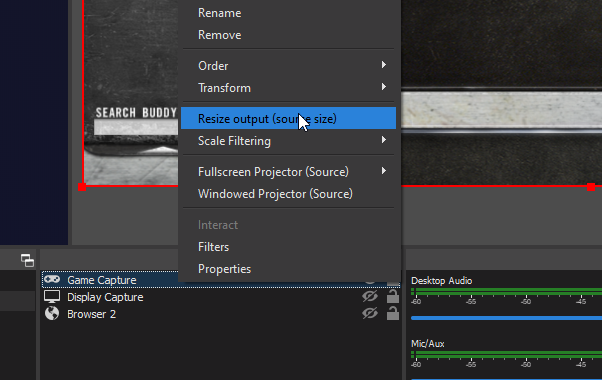 kindred spoke
my resize is grey and wont let me click
drowsy rivet
when you double click the game capture is it detecting the game
kindred spoke
no
kindred spoke
i fixed the detecting game thank you for the help
drowsy rivet
oh np
 golden sand
Hi! I just isntalled Obs.Live but it don´t seem to have all the extra features that should have. Any help Plis?
This is what I got
honest echo
What extra features you're looking for? and What platform did you login with?
golden sand
I log with twitch. and I mean the chat and activity feed and so on
don´t really know what i'm doing wrong
steel bladeBOT
@golden sand Streamelements on top of OBS -> Logout -> login
 slate fossil
hi
i am trying to add a video capture device in my scene but every time o go to add it the application becomes non responsive
can i please get some help
i have come from using streamlabs
karmic grotto
what device are u trying to add?
 thick ridge
Quick problem - in the activity feed, when I try to edit my game or stream title, it won't let me change any of the fields or add anything
 keen bobcat
Hey! So ive been streaming with little to no issues in 1280x720 30fps but recently whiile trying to stream at 1920x1080p 60fps, ive been dropping frames "due to rendering lag" and "due to encoder lag". Is there any settings i can try to fix this? Ive switched between x264 and Nvenc New with both of them not helping. My current set up is an Ryzen 7 3800x and RTX 2080 Super XC Ultra. (picture to show where im seeing the dropped frames)
slate fossil
video capture device
oh sorry u mean what kind of cam am i trying to add?
its a logitech
C922 Pro Stream Webcam
rugged quail
For the stream title text box, I can't type or change anything in it, but I can still type and change for the stream category.
I have been trying to delete and change this but it keeps sending me back to the end of it without change. I tried deleting and reinstalling and so on, no change.
 wise bane
how do I add Media Request into my stream
 hazy dagger
I have been trying to delete and change this but it keeps sending me back to the end of it without change. I tried deleting and reinstalling and so on, no change.
@rugged quail I am having this exact problem, any fix?
steel bladeBOT
@rugged quail There is a bug with setting the stream title in OBS and the Dev team is investigating.
In the meantime you can set the title using the !settitle command in chat (if enabled in your bot command settings)
Or with the Twitch dashboard: https://dashboard.twitch.tv/stream-manager
@hazy dagger There is a bug with setting the stream title in OBS and the Dev team is investigating.
In the meantime you can set the title using the !settitle command in chat (if enabled in your bot command settings)
Or with the Twitch dashboard: https://dashboard.twitch.tv/stream-manager
 white marlin
everytime I open my obs it crashes with a error message and I have tried restarting my pc but I dont know what else to do
white marlin
but its just my studio
 coarse shore
hi i am having trouble with alerts showing on stream but the alerts will show in the edit page on the website ?
steel bladeBOT
@coarse shore OBS -> settings -> advanced -> scroll down -> enable/disable hardware accel.
https://i.imgur.com/ggMe9ZE.png
kindred fox
@white marlin can you provide a little more information about the error?
coarse shore
i have been trying to set up my alerts using a stream package from owned.tv, i have creat the alert box and added the browser source but when i test an event i'e new follow nothing show up in the alert box
steel bladeBOT
@coarse shore You can test Alerts via the Emulate bell on the lower left side of the Overlay Editor. Simply go to your Dashboard -> My Overlays -> Pencil/edit button on the overlay. Make sure the "Preview LIVE on stream" option is on to see the alert in OBS/Xsplit https://streamable.com/vtulg9
 steel bladeBOT
@vocal isle Welcome to the helpdesk! Please let us know how we can assist you today and a support volunteer or staff member will assist you as soon as they are available. Thank you for your patience.
 vocal isle
your OBS sucks...for some reason it sucks capturing my game
steel bladeBOT
@vocal isle For the best OBS support, please join their Official Discord @ discord.gg/obsproject
vocal isle
its your OBS
steel bladeBOT
@vocal isle OBS.Live is a Plugin for OBS created by StreamElements. You can download OBS.Live here: https://streamelements.com/obslive
Please make sure you have the latest version of OBS installed, Current Version: 25.0.4. You can install OBS here: https://obsproject.com/
 granite hearth
i am having an issue with my obs Activity feed, it does not let me edit the title at all is there anyone that can help?
steel bladeBOT
@granite hearth There is a bug with setting the stream title in OBS and the Dev team is investigating.
In the meantime you can set the title using the !settitle command in chat (if enabled in your bot command settings)
Or with the Twitch dashboard: https://dashboard.twitch.tv/stream-manager
 gloomy thunder
I can't change my title in OBS.Live......
When I go to change it; instead of inputting letters, it just goes to the end of the current title.
Can't even 'backspace' it......
odd kraken
Take a look right above your question.
 distant merlin
im having trouble transferring my overlays to obs live from stream elements anyone know how to fix that?
steel bladeBOT
@distant merlin To add your overlays to OBS, add a new browser source in your scene. Paste your overlay URL in the browser source properties, set the dimensions to 1920x1080 (unless you changed them on the website), and ☑ “Shutdown source when not visible” https://youtu.be/KDvLynUqXI4
rugged quail
trying to add my alerts to streamelements but the text over image is not working=
cant see any text at all. the other 2 are working fine and i can see the new follower but text over image shows nothing
odd kraken
Check the margin in the advanced text settings.
 agile wolf
I specified the scrolling text for the labels in Elements ... but scrolls net in the stream and in the stream preview. In Elements overlay only. Someone a solution?
steel bladeBOT
@agile wolf OBS -> settings -> advanced -> scroll down -> enable/disable hardware accel.
https://i.imgur.com/ggMe9ZE.png
rugged quail
@odd kraken still nothing. it just doesnt show anywhere in the screen
odd kraken
What does it say in the advanced text margins?
odd kraken
Adjust the top margin.
 sinful wren
i cant capture my screen
only the google window
if i try to capture another it appears all black
karmic grotto
if u want to capture the whole screen use screen capture, if u use window capture it will only capture specific software windows
distant breach
alt-tab over to that window; then tab back.
sinful wren
nothing happen
 crystal vessel
Hi there, new to this, how does one stream on obs using a game capture card?
modest sparrow
For the best OBS support, please join their Official Discord @ discord.gg/obsproject
 mortal bone
Some of my timers are not working, more specific those that have more than one response message like this
what am I doing wrong?
distant breach
It will cycle through those timers; so 1 message every 30 minutes
wary dew
IF you have at least 4 messages in the chat
mortal bone
@distant breach problem is they don't trigger at all
even after having those 4 chat messages
i dint see them popping up since i set this up like that
 polar brook
how do i get my activity screen thing back like were you see where people follow
polar brook
thanks
 winged root
so im having an issue, moving from one alert platform to SE. I have 1920x1080 alert movies, but when i place them in a 1080p resolution canvas overlay, they are all sized down and cut off on sides, as if its scaled down to 1280x720. Making a 1280x720 canvas, they fit perfectly, but then need to be scaled up. Is this the expected behavior or am I missing something?
so even when the OBS window matches the size of everything its cut off and looks scaled down
distant breach
4 chat messages in a 5 minute span @mortal bone
mortal bone
@distant breach i am testing it now i tuned it down to 15 minutes
and i hope it will work
I only hope it will work on a rerun tho
distant breach
drop it down to 5 minutes and see if that works; again, like Ruben said you need at least 4 lines of chat
you would need to set the 'offline' to enabled for rerun to work
mortal bone
ill go online then
because thats a lot of timers to test :p
ill set it to 5 minutes like you said
distant breach
you can adjust the setting after the first one goes off.
mortal bone
@distant breach i am using my bot account to trigger the chat lines but after 6 minutes it is still not triggering
mortal bone
and myself?
distant breach
i jumped in stream.
mortal bone
thanks sorry for the bother but i struggle with htis for a while
@distant breach it works thanks for the help
distant breach
no problem.
 ebon dragon
I am Switching Twitch channels as some account information is incorrect on my other , SO my original cannel will be deleted once my new one is complete. I need to copy my overlays in Stream ELements from one channel to my new one, as well as my commands.
Any way to do this?
TLDR; Need to move Overlays from one twitch channel to another as well as commands. How?
odd kraken
You can give Editor access to the other account and copy the overlays over. Be aware there is no way to copy data and commands.
steel bladeBOT
Follow these steps to grant managers/moderators access to your dashboard:
- Click on your Channel Name at the top of the dashboard and select Settings
- Create a new invite at one of three access levels (Bot Supervisor, Editor, Full Control)
- Send this invite to a mod/manager to give them access to your dashboard. The link is one-time-use and expires after 72 hours if not accepted
Video tutorial: https://youtu.be/zl_h-ttZDF0
ebon dragon
Ok, So I go onto the account witht the overlays i want to copy over.
And add it as a manager to the new account. THen go onto the overlays and copy them over?
odd kraken
Other way around. The new accounts adds the old one as editor. Then you can copy the overlays over.
odd kraken
On the account you want to have them, select copy from other channels in your overlay section.
rugged quail
Hey i have a question about ground control, i cant install it, it shows the install but then it says "Installation failed"
distant breach
Are you using Windows?
rugged quail
Yes
distant breach
and; where did you download it from? I'll have to grab it to check.
try right-click run as Admin
rugged quail
Windows 10
And i downloaded it from streamlabs website
distant breach
Streamlabs or StreamElements?
distant breach
hahah. ok. just checking 🙂 i knew the answer that ....still downloading for me
do you get to this part?
rugged quail
No inonly get the tiny streamelement Symbol which is loading and after that its crashing
distant breach
hmm... try a windows restart?
rugged quail
I did it only shows me the error in a rext document
distant breach
you get a text document error?
rugged quail
Yes
distant breach
Do you have a firewall or anti virus on?
rugged quail
No
distant breach
what does the text file say?
steel bladeBOT
@rugged quail Please provide a proper screenshot with the issue visible. If not sure how to take a screenshot, you can check here: https://www.take-a-screenshot.org/
rugged quail
Wait
 sharp mural
hi so basically copied one of the alert boxes from stream elements and pasted it into a browser source on obs studio but when i test it only the first 1/4 of the alert actually shows up, the other 3/4 is invisible. any ideas?
rugged quail
Its too much for a screenshot
distant breach
did you try to run it as rightclick-admin?
steel bladeBOT
@sharp mural The default resolution for StreamElements overlays (theme and custom) is 1920x1080. Please add them in OBS at their full resolution and use CTRL+F to fit to screen if necessary. You can then downscale your stream in OBS settings > Video if you'd like https://i.imgur.com/6bWXxjR.png
 distant breach
Die angegebene ausführbare Datei ist keine gültige Anwendung für diese Betriebssystemplattform. @rugged quail
"The executable specified is not a valid application for this operating system platform."
rugged quail
I have Windows 10
distant breach
It is not able to create a temp folder for installing it seems.
rugged quail
...
distant breach
do you have a 2 hard drive set up?
distant breach
it's a tablet?
rugged quail
I don't have a pc....
wary dew
then no
rugged quail
Damn...
ebon dragon
My tips area won't 100% complete I give it my Paypal and it wont give it the gren checkmark, is there something i need to check or whatnot?
wary dew
did you make a tipping panel?
ebon dragon
Yes


@wary dew
Then when i connect it
it doesn't give the greenlight
Fixed it
 true socket
I'm having a problem with the Stream Information dock on OBS.Live. I would click the title to change it, but as soon as I hit the backspace to delete the title, it defaults to the end of the title and it's not deleting anything.
steel bladeBOT
@true socket There is a bug with setting the stream title in OBS and the Dev team is investigating.
In the meantime you can set the title using the !settitle command in chat (if enabled in your bot command settings)
Or with the Twitch dashboard: https://dashboard.twitch.tv/stream-manager
 frigid valve
Hello, when I goto change the title for my upcoming streams. The cursor bounces to the very back of the title and doesn’t allow me to type. I literally have to goto my twitch app and change the information there.
steel bladeBOT
@frigid valve There is a bug with setting the stream title in OBS and the Dev team is investigating.
In the meantime you can set the title using the !settitle command in chat (if enabled in your bot command settings)
Or with the Twitch dashboard: https://dashboard.twitch.tv/stream-manager
frigid valve
Nvm your already on it thank you
 novel saddle
hi i was wondering if there is a way i can disconnect the bot from chat
odd kraken
You can do so in the StreamElements Dashboard: https://streamelements.com/dashboard
novel saddle
thanks
rugged quail
Hi, I've had problems with my games not showing up in OBS, apparently had to do with cheat stuff (see following video: https://www.youtube.com/watch?time_continue=611&v=3tL-qhirJtI&feature=emb_logo) The screen would freeze. I've done what the guy in the video advises: uninstall OBS 25 and download the older version of OBS (OBS Studio 24.0.3). In this version this wouldn't happen. I also deinstalled streamelements and wanted to install it again, but now I can only install it with the 25 version of OBS included. How can I download streamelements without the newest version of OBS?
karmic grotto
problem is not with the version, is just that u has something getting in the middle of game capture hooking, logs would help here, if u could reproduce the issue, install latest obs and obslive plugin versions, then create a new scene and add the game capture and select the game proccess name; if nothing appers wait 5-10 minutes and export logs and send link here
 open mortar
Anyone else having a problem updating the Stream Title ? every time i try to delete or highlight then add new lettter/word is just puts the cursor to the end of the current title...
steel bladeBOT
@open mortar There is a bug with setting the stream title in OBS and the Dev team is investigating.
In the meantime you can set the title using the !settitle command in chat (if enabled in your bot command settings)
Or with the Twitch dashboard: https://dashboard.twitch.tv/stream-manager
open mortar
ah brill, thanks 🙂 thought i did something wrong 😄
rugged quail
problem is not with the version, is just that u has something getting in the middle of game capture hooking, logs would help here, if u could reproduce the issue, install latest obs and obslive plugin versions, then create a new scene and add the game capture and select the game proccess name; if nothing appers wait 5-10 minutes and export logs and send link here
@karmic grotto Sorry but I need more instructions. I'm not a very technical person. What do you mean with logs? Do you mean you need to read the logs if after I reproduce the situation with the newest version of obs and streamelements installed? And how do I export these logs?
karmic grotto
yes, to export them u can go to help menu on top and there u will find a button to export latest logs it will upload and give you a link
rugged quail
Oke let me try it out
 dusty barn
Heyo, I setup OBS Live with YouTube initially, but want to stream to Twitch - the Start Streaming button keeps bringing up the "Start Streaming to Youtube" box, however. My OBS stream settings are set to the Twitch service, what am I missing?
 mild onyx
hello is title name and changing category still down for obs ?
rugged quail
yes, to export them u can go to help menu on top and there u will find a button to export latest logs it will upload and give you a link
@karmic grotto After going in and out of the fullscreen of the game a few times, it froze again. The first 6 times or something it goes well, but then after it freezes like I said. I hope you have a solution for this 🙂 https://obsproject.com/logs/KKmDJCc43g_2QvIH
I setted up some this first as well so I think it starts to be relevant from 19:48:38
 tropic nimbus
anybody knows why the hypecup is not working for youtube subs? i use obslive too
dusty barn
That's pretty unintuitive, but thanks, @distant breach, it worked
distant breach
ya. it's odd because you are logged into both OBS and SE in in OBS.live. glad it worked 🙂
@rugged quail have you tried the OBS discord for help?
rugged quail
@distant breach not yet