#helpdesk-selive
1 messages · Page 124 of 1
 rugged quail
 wary dew
interesting, so i followed the directions for one-click set up , interestingly enough I don't see anything it's like I'm making overlays from scratch?
@storm needle so if you click them you get a blank overlay?
 storm needle
Correct @wary dew
wary dew
okay, that might be an issue with the link from VBI, one moment
i think it's best if you ask them directly to see if there might be an issue with the link
 steel bladeBOT
@rugged quail Check out this tutorial for OBS’ studio mode which allows you to preload scenes before transitioning. https://www.youtube.com/watch?v=W8iWsD2Lq3U
 ruby pecan
How do I prevent my obs from launching in streamelements after restart? I want to launch obs in obs and turn on the stream elements only when I need it.
 honest echo
@ruby pecan Obs.live is an add-on for OBS Studio, so it will be there for you to use when its needed, remember that what this add-on do its integrate some windows/features of twitch, for example, into OBS
ruby pecan
can I disable it then?
without uninstalling it
I just want to boot up obs into the regular obs because whenever I launch the streamelements obs I have to login and a bunch of popups come out.
 midnight river
Not sure if this is the right place to ask but I am currently having an issue where twitch is not displaying me as live when I "Start Stream" in OBS Live. I reconnected my account and that did nothing, anyone else having issues or insight?
 jaunty plover
hi! I'm having an issue where the option for Dark Mode doesn't show up anymore in my Non-mod settings. Is this only me?
steel bladeBOT
@midnight river Streamelements on top of OBS -> Logout -> login
midnight river
I have already done that. Didnt fix the issue
jaunty plover
@honest echo thank you friend
 shell sparrow
Hey, I've been streaming to twitch and all of the sudden it will bring up mixer when I hit the start streaming button. I'm logged into twitch in my settings
steel bladeBOT
@shell sparrow Streamelements on top of OBS -> Logout -> login
shell sparrow
I logged out and logged back in, it's not showing mixer anymore but it's still not streaming to my twitch channel
 odd kraken

🔎 We are investigating an issue preventing streamers from going live. The team is working hard to remediate this issue. We will keep you updated, thank you for your reports.
 Twitter
shell sparrow
Twitter
shell sparrow
Fs, thanks
rugged quail
hi there im streaming on obs but its not showing on twitch as im live ...any suggestions please
odd kraken
Please look a bit up. Thanks.
 worn hare
What size do i put the overlays on again?
steel bladeBOT
@worn hare To add your overlays to OBS, add a new browser source in your scene. Paste your overlay URL in the browser source properties, set the dimensions to 1920x1080 (unless you changed them on the website), and ☑ “Shutdown source when not visible” https://youtu.be/KDvLynUqXI4
worn hare
how tf did that bot know what i said
odd kraken
@shell sparrow @rugged quail
https://twitter.com/TwitchSupport/status/1255621972286996480
🔎 Update: We are continuing to work on resolving this issue. You should now be able to go live, but we are investigating an issue preventing some creators from receiving transcodes
Twitter
 dire lynx
does OBS.Live work with SLOBS?
odd kraken
No.
dire lynx
😦
 white badger
Hi all. running into some fun stuff with a new system.
AMD Ryzen 3 1200 Quad
8gb ddr4
GeForce GTX 1050 Ti 4 gb
1tb HD
win10 Home
logitech 920s
Was running screaming fast out of the box. Got this and a Stream host machine for my house to do Live Music sets on twitch. I decided to install Overwatch to test how well it could stream as a 1 PC solution. So i got Stream elements and overwatch installed, and was able to see near flawless far side experience with the game on decent graphics settings. Forced down to 30fps, but OBS was pushing 1920x1080@60 with nearly NO DROPS of frames. so i decided to try the new Warzone game and it suggested some new Nvidia Drivers. installed fine and game played stand alone just fine. but next day without preforming any other installs or updates the next time i Opened OBS/Overwatch to stream it bogged down horribly to the point i had to stop streaming and close OBS Studio entirely. Now, i have uninstalled all the new Nvidia Stuff, but experiencing the same issue now. even with bare bones settings in OBS and not streaming, im dropping frames on Overwatch and feels like im playing quake online for the first time...
Steps i did take as well during troubleshooting
- Power settings to performance in windows
- Display to 59 hz
-Enabled Vsync
-Ran OBS as admin
-put OBS down to 720x30fps
-put Overwatch to lowest graphics settings (still laggy with OBS Studio just open)
any suggestions?, i know its a long shot but im kinda stumped
steel bladeBOT
@white badger Please provide a log from your last stream. To do this, in OBS go to Help > Log Files > Upload Last Log File and paste the link to the log file here.
white badger
it was working fine for a solid 2 hr session
 tender python
i wouldn't call that fine
white badger
@tender python i was not expecting to get this high quality but when it worked fine i was happy. only started lagging AFTER installing the new drivers that came with the GEForce Experience app
tender python
Well 1: You're dropping frames like mad.
2: GPU is maxed out, so you get rendering lag (6%)
3: 5.1% Encoder Overload
white badger
But that last report is not telling your experience of when it worked fine unless I’m mistaken.
 fallow flint
Hello. I have a issue when people request music on my stream. The music sound like its playing 2 maybe 3 times at once and makes it sound like a really bad echo.
tender python
especially w/ warframe.
steel bladeBOT
@fallow flint Make sure to ☑️ “Shutdown source when not visible” for all browser sources (all OBS scenes). If using studio mode, uncheck “Swap Preview/Output scenes After Transitioning.” Also keep in mind that sound can play from any overlay loaded in the browser (editor or launched). https://i.imgur.com/6bWXxjR.png https://i.imgur.com/yY0wcFl.png

 white badger
@steel blade thanks.
tender python
@white badger and dont bother with 1920x1080p 60
15:09:34.860: output resolution: 1920x1080
15:09:34.860: downscale filter: Bicubic
15:09:34.860: fps: 60/1
fallow flint
Cool will give that a go.
tender python
1080p60 needs 12000kbps to look clean.
and, with that 1050ti, you'd be better off at 720p60 to also save some GPU overhead.
white badger
Copy that @tender python I just don’t understand why it was working fine. I could watch the boracaast on another device and it was all smooth. And then the next day. Can’t even have OBS open
tender python
TWitch's also dookieng
white badger
Still can have OBS and Overwatch open at the same time
tender python
some games are better optimized
easy tip: open task manager
check GPU usage
if that's >90% while running game + OBS
you're going to have a bad time
white badger
So when I run stand alone for DJ’s with just 2 cams and maybe some overlays and videos for graphic I’m still going to need to stay at 720x30fps?
 manic kiln
does anyone know how to solve the bug that only transmits in 1080p?
white badger
That’s what I expected. But was presently surprised when it worked better.
odd kraken
@manic kiln Change your output resolution.
And for encoding, as affiliate you only have priority access to that feature, no guarantee to have it enabled while streaming.
white badger
@tender python dropped everything down in OBS and I can’t even stream at 720x30fps 6000 bitrate. doing a inspector test now and even with the game not running I’m seeing a red box where it has been green and smooth sailing all weekend though Monday evening. Even at 1080@30 I was doing better than this before.
tender python
try a different server
@white badger for something like that, with 2 cams and such, hardly
white badger
@tender python hardly as in I could push higher when I’m not gaming correct?
white badger
Copy
@tender python And just dropping to 30 probably would not help enough correct?
tender python
1080p30 = 6000kbps
As a general rule of thumb: anything with high motion > more bitrate
you can get away with say, 1080p60 if you have a lot of static video; but then again, what's the use of that?
white badger
@tender python Ok. Understandable. still... hella confused as to how it was working solid for a few days and then im at a snails pace now and see OBS reporting only outputting 2300 with hella drops. Even at the lowered settings.
tender python
For example; if your cam and stuff runs 30fps, and your game runs 30fps, streaming at 60 is a waste of resources..
white badger
True. But it’s still confusing as to why it would it work “fine” one day and then not the next.
white badger
Also understandable. We are all thinking of going to Mixcloud anyways for the DJ’s.
tender python
but.. whatabout 61fps?

there's a big space for dj/music streams on Twitch
just.. VOD's will be muted to it's butt 😛
white badger
@tender python Any idea why would OBS only show 8% CPU Usage, but my CPU monitor goes up by 30%+
tender python
8% avg, + other processes
white badger
@tender python no matter what server I’m on still hitting 600-2000 bitrate output. I can finally have both the game running smooth and the test going, but now OBS reporting mad frames dropping.
Could just be a bad day for servers I guess.
tender python
you sure that's not your upload being a douche?
white badger
Could be xfinity has been hit hard crenels but still seeing 300 down 12 up
 errant epoch
Is there a way to make the OBS.Live Song Request play through a different playback device than the alerts on OBS?
 orchid pasture
I just switched from streamlabs obs to obs live, now I am having a problem where it keeps crashing when I try to move it over to my other monitor.
 plain sonnet
playback device as in windows playback? not really
but you can separate it as a source and have it on its own audio mixer in obs if thats what you are looking for
steel bladeBOT
@orchid pasture For the best OBS support, please join their Official Discord @ discord.gg/obsproject
errant epoch
@plain sonnet the thing is I use a goxlr and I wanted to put it on my music slider vs system slider
plain sonnet
if its purely audio (not showing video on stream) then you can use something like ground control and take the audio from that (i dont know how goxlr works and if you can set programs for it).
if you do want to have videos show on stream then the only way would be to separate it in obs as its own source and control the audio through that
tender python
Could be xfinity has been hit hard crenels but still seeing 300 down 12 up
@white badger Try fast.com
 versed prawn
Is there an issue with stingers not working after you've been streaming for a while and not changed your scene?
 wild hazel
Hello! Pretty new to this, but I was trying to set up my Alert box. Whenever I add an image or gif, it seems to only show for a split second then disappear. Can't seem to keep it on screen for more than that. Not sure what I'm doing wrong.
white badger
anything i can do on my end, ran another test and it kicked up to 12 wounder if xfinity monitors those tests lol
tender python
not really
white badger
cool
white badger
oh wait there is a test in OBS i dont know abot?
versed prawn
Hey @wild hazel Have you checked your "Alert Duration"?
white badger
thanks again @tender python. sorry if im kinda a noob. i do live audio and AV support for work, but IT & streaming is a bit new to me
oh that
lol. i was doing the old ?bandwithtest=ture before i had studi
white badger
so what am i looking for to tell me what server to use? just overall bitrate?
tender python
bitrate + stability
tender python
yeah
white badger
makes sense, but that means i should try thr global ones not just in my region? i used to have better luck with PDX im in SEA
*pardon typos
tender python
more close to your region
white badger
ok i figure im close to one of the biggest hubs out in Redmons with MS being out there, but i know Xfinity is shit rn
oops pardon language... my bad
tender python
nah shit's fine
but yeah
try other servers
if you're curious
Test your upload bandwidth and connection quality to Twitch
white badger
oooo so like a pre test before broadcast? nice im all baout sound checks and preparing. used to having to sweep freqs for mics in new aresa so i feel like its similar in this kinda production
now that im seeing 12 up they all work fine.... fml... the tech gods are messing with me bad this week... all my work creds on my work laptop vanished so i lost my password, dropped domain, and lost ability to reset pass.
thanks again @tender python your a true dude
tender python
All good
rugged quail
how do i put a new animated overlay into my obs
steel bladeBOT
@rugged quail To add your overlays to OBS, add a new browser source in your scene. Paste your overlay URL in the browser source properties, set the dimensions to 1920x1080 (unless you changed them on the website), and ☑ “Shutdown source when not visible” https://youtu.be/KDvLynUqXI4
 quaint lichen
So I just got three new subs and neither one of them are popping up on my new sub overlay. I got the overlay from a free website
 wintry hare
this may be a weird question. when i do a shoutout, it doesn't add the link. it ends it with *** do you know what could be causing it?
 oak flower
Hey guys, need some help. I'm using OBS but my new follower or new subscriber alerts are not working. can anyone help or post a link to a video?
honest echo
@oak flower do you see those events on your activity feed?
oak flower
nope
honest echo
Could you link your account with discord please
oak flower
Sorry Renziito i don't understand
honest echo
nevermind, tell me your username please
oak flower
Nanouk_Gaming
honest echo
On the right side of the dashboard page that opens, select "Join" under bot settings. If it says "Part" select that and then select "Join" to send the bot to the chat. Don't forget to mod the bot by typing /mod streamelements in your channel if you have not already.
quaint lichen
So I just got three new subs and neither one of them are popping up on my new sub overlay. I got the overlay from a free website. Help me please
honest echo
@quaint lichen Do you see them on your activity feed?
quaint lichen
Yes
honest echo
Do you see the alert on your web editor?
quaint lichen
No
honest echo
Well, check the alertbox widget and any variation that you may have
quaint lichen
Okay
So my alerts are fine, but my overlay that are on the side aren't showing anything, not new follower, donation, or sub
honest echo
what is your twitch username?
quaint lichen
TheArchangelJay
honest echo
@quaint lichen what is the name of your overlay?
 swift eagle
good evening. The last few days the audio for my alerts haven't been playing. The activity feed updates with whatever the alert is and the overlay in stream pops up as well, just not the audio associated with the alerts. When the alert is tested in the editor everything seems fine.
quaint lichen
The name is anointed
honest echo
@quaint lichen everthing seems fine on your Black and red overlay, did you add this on your OBS?
i don't see any overlay call "anointed" on your account
@swift eagle The properties on your Browser source should look something like this
could you check?
swift eagle
yup, one sec
quaint lichen
Oh actually it's just called image 1, 2, and 3
The black and red overlay is what I'm having trouble with. The alerts and such work fine.
I just can't get the names of new followers, subs, or donations to come up on the overlay
swift eagle
yah, it looks like that
quaint lichen
Oh that could be the problem
swift eagle
@honest echo all good m8, just refreshed the cache. all is well. thank you sir!
honest echo
👍 x2
quaint lichen
So I need to add labels to my overlay everytime there's a new alert?
honest echo
@quaint lichen no, just once like the alertbox , but the labels should be there 😉
 hazy rune
whenever i try to use the streamlads link in obs live, it doesnt work
honest echo
@hazy rune wdym?
hazy rune
i got my layout created. i copy the link to the clipboard. go to obs live , got to browser source and paste the link and obs say page not found
honest echo
Please DM me the link
 stark turret
I m try restore my cloud backup but all time error
honest echo
@stark turret share a crashlog please
stark turret
@honest echo
rugged quail
Having problems with labels in obs after moving to stream elements from streamlabs
rugged quail
I watched this video but it still not work. What do i do? https://www.youtube.com/watch?v=W8iWsD2Lq3U
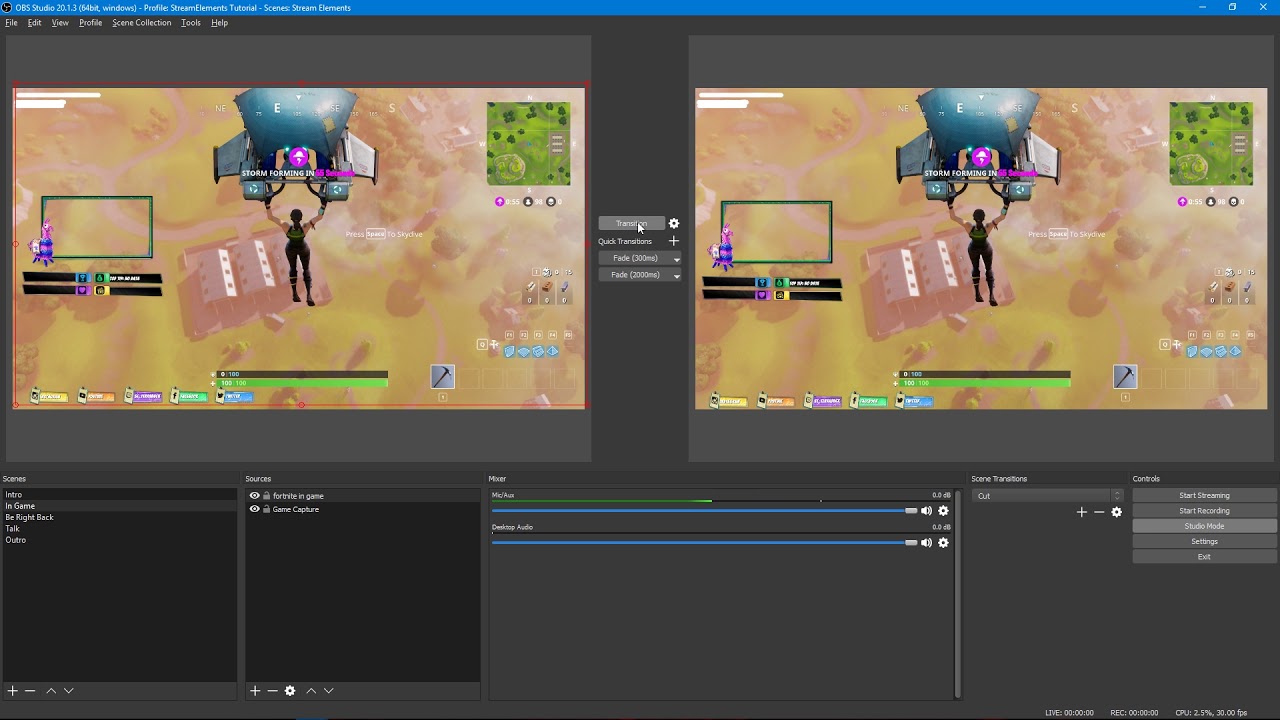
Tutorial #2 - Scene Transitions with OBS Studio Mode
🚀 StreamElements 🚀
WEBSITE: https://streamelements.com
TWITTER...
rugged quail
@shy mountain I have downloaded a animates scene from the dashboard. I copied the link from the brower editor so everything is fine. When i switch the scenes in OBS, they are loading on stream and i dont want that to happen. I have tried to turn on my transition and studiomode but it still does not work.
rugged quail
I already have it but it still loads
I can screenshare if you want to see what i mean.
@shy mountain
 shy mountain
No
From what I understand - you want to pre-load your overlays, so that they don't load during stream correct?
If yes, then use Studio mode as shown in the video
or right click the browser source -> properties -> untick the "shutdown when inactive" option, but that will cause echoing of alerts
rugged quail
I did it all but it still dont work @shy mountain
rugged quail
Ok. So i have studio mode on. It does not load on the studiomode but when i change. The new screen loads
@shy mountain
shy mountain
Record a video of what you are doing and what is happening.
rugged quail
Ok
 bronze island
hello so im new to streamelements im trying to add my overlays i had made but cant seem to get them to work
shy mountain
To add your overlays to OBS, add a new browser source in your scene. Paste your overlay URL in the browser source properties, set the dimensions to 1920x1080 (unless you changed them on the website), and ☑️ “Shutdown source when not visible” https://youtu.be/KDvLynUqXI4
bronze island
ive watched this video lol but i cant add alerts overlays or anything
 cursive jay
My bot timers aren't working anymore.. how can i fix this?
bronze island
ok another issue i hhave a stinger transision and the audio does not work on it at all any clue how to fix the issue?
shy mountain
I would suggest to check in with the OBS guys on that @bronze island -> discord.gg/obsproject
rugged quail
What should i do?
shy mountain
@rugged quail That load/stutter is due to your PC not being able to handle the animated overlay.
So it takes longer to load the other scene's overlay
cursive jay
My bot timers aren't working anymore.. how can i fix this?
odd kraken
Is the bot joined your channel?
cursive jay
Yes
odd kraken
Check the chat lines. They have to be met 5 minutes, before the timer goes off, to let the timer go off.
bronze island
ok why are my alert sounds not working
odd kraken
@cursive jay Then the bot is not in your channel until you make it join.
cursive jay
I clicked on it and then it says 'Part Channel'
odd kraken
If it says Part channel, then it is joined.
cursive jay
Thnx! 😄
odd kraken
@bronze island Do you hear the sound alerts in the editor when you emulate an event?
odd kraken
Do you see the desktop audio active when you emulate an alert and mute the editor?
Also do you see the alert in your OBS?
bronze island
no audio and yes i see them in obs
odd kraken
Do you have a screenshot of your advanced audio options in OBS please.
bronze island
how do i screenshot
odd kraken
Use the program snipping tool, which is instaled by default on your Windows PC.
rugged quail
Still does not work and its not animated @shy mountain
odd kraken
Thank you. As I am not that savy with audio setups, I have asked internally for assistance.
You can try to set the alerts audio monitoring to Monitor off and see if that helps.
odd kraken
@bronze island I cannot give you any time frame.
rugged quail
@odd kraken I have this issue on my stream. How can i fix it? It kind of laggs when i change scene + they are not animated anymore but still lag.
odd kraken
@cursive jay Enable the tracks for the noble game slider source.
If that does not help, do you have a screenshot of your audio setup in OBS Settings > Audio please.
@rugged quail Then your PC does not seem to be able to handle the fast switch from a transition back to an overlay without having issues.
odd kraken
No idea, sorry.
rugged quail
cpu?
odd kraken
I am sorry, as I cannot give you any advice on this.
shy mountain
Please provide a log from your last stream. To do this, in OBS go to Help > Log Files > Upload Last Log File and paste the link to the log file here.
@rugged quail ⤴️
bronze island
so basically im sol because ive been waiting for hireups to realate a message about audio issues with alerts
shy mountain
There are no other reports of alerts not playing sounds, meaning that its a localized issue on your system.
Recheck your audio settings in OBS
and if you have to open the overlay on a browser tab and run some test alerts
bronze island
ive done it 30 times lol
i get sounds when i have streamelements site opend but soon as i close it theres no sounds
bronze island
shy mountain
Oh so you have a mixer - maybe something you need to fiddle with it to have the sound played towards you?
from OBS?
bronze island
ive done it all i had my audio editor get it set up it worked fine with slobs i left slobs to come here as band with on slobs is massive
shy mountain
Tbh I can't really help at this point as I don't have a mixer my self
but I do know that it might have to do with the mixer - different programs different settings
meaning that what was setup for SLOBS, might need to be resetup for OBS
rugged quail
hi guys I would like to ask if I can stream in 1080p with a base resolution of 1366x768 monitor with 20mbps upload speed?
 bold island
hi, how to change chat color to dark in streamelements obs?
shy mountain
Check pinned message @bold island
@rugged quail Its not a good idea to upscale your native resolution to 1080p for streaming
plus its not a good idea to stream at 1080p unless you have a 2PC setup
rugged quail
@shy mountain got it tnx
 neon sentinel
i wanted to reach out here as well but my capture card audio is heard by me with monitoring on but the stream can not hear it at all, any clues?
https://obsproject.com/logs/FD206xqofV3rXDpj
 lucid osprey
is there a way to open up to streaming endpoints? i have 1gig line up and if i dont want to use restream.io is there a way to stream to two different endpoints at the same time?
odd kraken
@rapid radish Have you restarted your PC and then tried to uninstall OBS.Live?
 fringe lark
I can't find the place to remove the "Request clip to share with your tip" from my Donation page
and i can't find it in the Tipping Page settings
fringe lark
Thx mate
rugged quail
Good morning. It seems i'm having an issue with my "Media Request" section. The music selection and such has vanished and idk how to get it back lol. Help please. https://gyazo.com/619b852d3c879c0b0d0baa915647a79f
odd kraken
StreamElements > Log and log back in.

 weak mesa
good morning, cant seem to get one of my scenes to work (bottom overlay loop bar)
all other scenes are working
 graceful halo
Can someone help me? Donation notifications do not appear on obs screen while I am online. How do I fix it?
odd kraken
Please only ask in one channel. Thank you.
odd kraken
@weak mesa Have you checked the source proerties in OBS? Is the overlay loading in a chrome browser?
weak mesa
overlay is loading in chrome @odd kraken
odd kraken
Try to clear the browser source cache in the properties of the browser source at the very bottom.
Also check the dimensions to be set to the correct value.
 lilac ocean

 hushed radish
how do I import stream labels into Streamlabs?
odd kraken
Best to contact StreamLabs on this.
hushed radish
oh, even though I made them on stream labels?
odd kraken
StreamLabels? We do not have StreamLabels. We have our overlays with our widgets.
Also we cannot assist you with how to add an overlay to StreamLabs OBS.
 lilac heart
Hey there, with latest OBS.live update can’t rename my bot?
odd kraken
Do you see the option to rename in the activity feed?
lilac heart
No, I do not see the option anymore
Just to be clear, I used to have a custom named bot, did all the requirements before and had it. Now after the update can’t see the option
odd kraken
You are still logged in to your twitch account in OBS.Live?
lilac heart
Yes
stark turret
I'm still having trouble recovering my backup from the cloud
Any help??
odd kraken
@lilac heart Try StreamElements > Log out and log back in and see if the option is there.
lilac heart
Done nice one Benno, it’s working now. Wish that technique could be apply on my bank acc. Well I’ll try and let you know. Much love thx
 dense quartz
Hello, I'm having trouble with obslive. I have StreamElements obslive downloaded, but after the most recent update the activity feed, chat, and media requests disappeared. I can't find it anywhere! Help!!!!
odd kraken
Do you see SteamElements at the top in your OBS?
dense quartz
No i do not. The desktop icon says StreamElements Obslive, but when I open it it is regular obs.
odd kraken
Reinstall OBS.Live again please.
dense quartz
Do I just download it off of the StreamElements website?
odd kraken
Yes, from here: https://www.obs.live/
dense quartz
Thank you so much! It worked!
 robust coral
hey everyone.. my new issue I'm having after updating my graphics card is now my display capture is not capturing anything.. i get a black screen. I've tried everything I can find on fixing it even uninstalling and re installing OBS Live. my computer is a Acer Nitro 5 with 16gb of ram and the Radeon RX560x graphics card.
 rapid radish
@odd kraken YEs
odd kraken
@rapid radish So when you start OBS.Live it still crashes?
 wraith root
can someone help me import my streamlabs stuff into streamelements please?
wraith root
i did that and it said there was an error
wary dew
did it say what kind of error? or just 'an error' ?
wary dew
that usually means on of two things: you have overlays from streamlabs that are copyrighted, or the files are too big
max file size is 30mb per file iirc
wraith root
all i have is alearts for things that hapen in stream like follow or raid
wary dew
i was wrong 😛 discard this message
wraith root
lmao
robust coral
Anyone have an idea how to fix my black screen issue?
wary dew
@wraith root there is also an import tool in OBS.Live, can you see if that will pick it up?
wary dew
@wraith root is was told that in order for the extension to work, you need to have one browser tab open with streamlabs and one with StreamElements
my brain is all over the place today 😛 sorry for all the confusion
wraith root
i have both the apps open or do i need to open the tabs inn google?
my brain is all over the place today 😛 sorry for all the confusion
@wary dew its fine, thanks for helping me
wary dew
my last message was about the import tool on the website yes
wary dew

 serene loom
So I closed the media player in my OBS, how do I reopen it?
plain sonnet
streamelements > media request
serene loom
Ah thanks man
rugged quail
How do I add music player?
steel bladeBOT
@rugged quail Please ask your question in one helpdesk channel only. A support volunteer or StreamElements staff member will assist you as soon as they are available. Asking in multiple places will only result in confusion, not faster answers. Thank you for your patience.
 gilded socket
Hey I've had this problem for a while now, can't hear my stream alerts (followers tips etc) but when I emulate them in the editor I hear them just fine? Have it so I can see when Browser audio goes off or not and when say someone follows, it says there is sound, but nothing comes through... Tried disconnecting/.reconnecting account to OBS and a couple other things
honest echo
@rugged quail If you mean the Media Request dock, is under the StreamElement menu on the top of OBS itfelf
 outer locust
Hi everyone,
I think there is an easy explaination but I can't make an video overlay?
Well I make it, it works on the editor but when I add it on streamlabs obs its just static...?
If someone knows the problem ❤️
honest echo
@gilded socket check your audio devices
steel bladeBOT
@outer locust We're not able to troubleshoot issues with using our overlays in StreamLabs OBS (SLOBS) as we don't have the tools to support their software. We recommend using OBS Studio or OBS Studio with our plugin OBS.Live.
gilded socket
I've tried all the ones available, still nothing
not too sure what it could be tbh
honest echo
@gilded socket you are able to hear other sounds on the overlay?
could you please share a screenshot of your OBS
honest echo
@gilded socket Check on advance audio properties
gilded socket
on the browser audio correct?
honest echo
Maybe you can´t hear them cause the BrowserOverlay is on "Monitor Off"
gilded socket
yup they are
what should they be set to then?
just switch it, works now, tysm! @honest echo
honest echo
👍 "Monitor and Output"
wild hazel
Hey @wild hazel Have you checked your "Alert Duration"?
@versed prawn
I have, I've changed it from 10 seconds to 15 seconds. On the preview, I can faintly see the text stays for a while, but the image just flashes very quickly. I also can't see the text on OBS.
steel bladeBOT
@wild hazel Please connect your streaming account (Twitch, YouTube, or Facebook) with Discord by going to ⚙ Settings and then Connections here in Discord. https://streamable.com/eg92w

 grave tundra
is there a way to have my whispers show up as a notification in obs.live? currently have to open a browser window if a chatter says they whispered me
wary dew
not possible afaik
grave tundra
sheeeeeeeit
 red ledge
Weird question, but where was the option to rename your SE chat bot moved to? I searched youtube a bit and newer guides (in the last 2 months) say it's in OBS.live now... but in OBS.live my streamelements dropdown menu is missing the Activity Feed option. It says it's updated to the latest version.
steel bladeBOT
@red ledge Streamelements on top of OBS -> Logout -> login
red ledge
Tried log out -> log in as well as log out -> exit obs -> login. Still missing.
Looks like that
honest echo
@red ledge Did you login with your twitch account?
honest echo
@red ledge what version of obs.live do you have? (you can see the version on the bottom right corner)
 honest echo
@red ledge try disconnecting your account for obs itself and then from obs.live
grave tundra
similar issue: after the update, my custom bot wont connect to obs.live. i can log in/get the authy code but the bot wont show up in the custom name list just Streamelements and my twitch username
honest echo
@grave tundra try this :
1) Right click on your OBS desktop shortcut -> properties - in the "Target" field add this -> --remote-debugging-port=40404
2) Open OBS(or restart if it was open)
3) Open your browser and type in "localhost:40404"
4) Click on "StreamElements - Activity feed"
5) navigate to the Console tab
6) type in the console this: store.customBot.removeCustomBotIntegration() and hit enter
7) Try setting the custom bot name
8) remove the added addition of step 1
Please read carefully
 grizzled condor
Is this where I go if I have an issue recording a video?
grave tundra
@honest echo youre an angel, thank you!
red ledge
Alright I tried that 2 different ways. I did:
Disconnect (obs settings) -> logout under SE -> reconnect (obs) -> login
Disconnect (obs settings) -> logout under SE -> login -> reconnect (obs)
I still have my chat and stuff as before, but no activity feed, and still missing those options from the drop down menu.
quaint lichen
So I'm trying to use the media sharing widget. When I try to hear the media on my stream I can't hear anything
honest echo
@red ledge Just to be 100% sure when you say "reconnect (obs)" you mean this ⤵️
 hybrid fable
Hey guys, I updated OBS.Live to the latest version today, went live and suddenly games i have never had an issue playing, are dropping frames constantly, but everything looks fine on stream. Feels trash to play, but seems fine on stream, only when OBS.Live is open. Any suggestions?
honest echo
@quaint lichen Check your devices https://discordapp.com/channels/141203863863558144/494513233416421386/705518270848958473
steel bladeBOT
@hybrid fable Please provide a log from your last stream. To do this, in OBS go to Help > Log Files > Upload Last Log File and paste the link to the log file here.
hybrid fable
grizzled condor
I'm trying to record a gameplay video and my audio comes through just fine, but the video is a slide show. I've recorded this game before with no problem, just two days ago. Any ideas on how to get smooth gameplay video?
honest echo
@hybrid fable check this link : https://obsproject.com/analyzer/?url=https://obsproject.com/logs/VKO7Ny6ePa9JdQPh
steel bladeBOT
@grizzled condor Please provide a log from your last stream. To do this, in OBS go to Help > Log Files > Upload Last Log File and paste the link to the log file here.
grizzled condor
honest echo
@grizzled condor check this link : https://obsproject.com/analyzer/?url=https%3A%2F%2Fobsproject.com%2Flogs%2F-A2ocD7uSnbS44fi
red ledge
@honest echo Yup that's exactly what I meant.
hybrid fable
@honest echo thank you, i didnt know that about display cap so i have changed that. (not that i have ever run into issues with it before but better safe than sorry) Unsure why its saying no output seession when there is a VOD of proof on my twitch page. But I appreciate the help
grizzled condor
Thanks.
honest echo
@red ledge the version of your obs is 25.0.8
red ledge
hmm
Is there another way I can make sure I have the correct version? Checking for updates, etc, says it is up to date, but what I see at the bottom is this
Nevermind, I'm dumb. SE was up to date but OBS wasn't.
 brittle jay
is there a way my stream can listen to music but i cant?
red ledge
Thanks for all your help! Sometimes it's hard to think of things to double check or try without a second opinion.
 tulip hamlet
@brittle jay An audio mixer.
brittle jay
do i just get that off the web?
tulip hamlet
You can. Voicemeeter Banana is popular. But not something we can help with here.
brittle jay
is there like software i can use
rugged quail
Only half of my overlay on obs.live when I put the link in is showing? How do I fix
steel bladeBOT
@rugged quail To add your overlays to OBS, add a new browser source in your scene. Paste your overlay URL in the browser source properties, set the dimensions to 1920x1080 (unless you changed them on the website), and ☑ “Shutdown source when not visible” https://youtu.be/KDvLynUqXI4
rugged quail
How do I get OBS.live integrated into OBS on linux?
tender python
Neth  Sleeppattern messed up - im here for the night.
tulip hamlet
@rugged quail OBS.Live plugin is Windows only.
red ledge
Aw dang. Updating OBS prompted me to update the SE plugin, which all went fine... but it still displays that same number and the activity feed as well as those extra menu options are still missing.
I got my hopes up 
rugged quail
Is it going to be ported to linux at all?
Yeah I did that already and when I put the link in only half of the picture is showing
tulip hamlet
@rugged quail Read the rest of the instructions.
Don't stop at putting the link in.
rugged quail
?
steel bladeBOT
@rugged quail To add your overlays to OBS, add a new browser source in your scene. Paste your overlay URL in the browser source properties, set the dimensions to 1920x1080 (unless you changed them on the website), and ☑ “Shutdown source when not visible” https://youtu.be/KDvLynUqXI4
tulip hamlet
Read it again and follow all of the instructions.
red ledge
Any other ideas as to why activity feed/those other 6 menu options would be missing? (I also tried log in/log out and disco/reco after updating)
hybrid fable
I have run OBS.Live as admin, changed everything down to one Game Capture (as full screen window) and removed the display cap that was invisible. I am still getting in game FPS drops/lag that stop as soon as I close OBS.Live..
honest echo
@hybrid fable try another record now and post here your new log
steel bladeBOT
@hybrid fable Please provide a log from your last stream. To do this, in OBS go to Help > Log Files > Upload Last Log File and paste the link to the log file here.
honest echo
@red ledge i'm out of ideas, just try to restart PC and open OBS with admin rights and check
hybrid fable
red ledge
Yeah can't hurt to try lol
quaint lichen
Do I have to use desktop audio to use the media share widget?
red ledge
Alright, after restarting it's all the same. I guess I'll keep googling.
steel bladeBOT
@hybrid fable 1) Restart OBS
2) Start your stream/recording for about 30 seconds. Make sure you replicate any issues as best you can, which means having any games/apps open and captured, etc.
3) Stop your stream/recording.
4) Select Help > Log Files > Upload Current Log File. Copy the URL and paste the link here.
(Note: If you do not see an obsproject.com URL, you will need to update OBS Studio to version 22+)
honest echo
@quaint lichen the widget will play on the same alertbox device by default
hybrid fable
...i just did that though?
honest echo
hybrid fable
Is there any reason its saying there is no output session? There is now a recording and a VOD on twitch proving otherwise?
red ledge
AHA! I fixed it.
honest echo
@red ledge 👀
red ledge
In case another user eventually has a problem like this, what I had to do was go to my Twitch connections page on the website rather than OBS, remove the connection for both OBS and SE, reconnect OBS to Twitch, and then log back into SE through OBS.live
tl;dr just a more thorough disconnect
hybrid fable
@honest echo sorry to ask again but do you have any idea why its claiming i have no Output session in my logs?
quaint lichen
So there's no game play audio coming from my stream, but there's mic audio coming from me.
honest echo
@hybrid fable Already restarting OBS? admin rights?
hybrid fable
yes to both, i had done that already when i sent the second log
honest echo
@quaint lichen The devices, the tracks on Advance audio mixer
@hybrid fable Maybe you should need to do a longer recording, 1 or 2 minutes
 grizzled vector
So I have my OBS sound routed to my speakers so I can have the Media request music going but I don't hear it. But my audio output for my headphones is picking up the music as well
How do I get them separate?
quaint lichen
Wdym? @honest echo
hybrid fable
@honest echo the second one i sent was over a minute long
honest echo
@grizzled vector for windows is 1 output (alerts+music) so you can't , you can install GroundControl so in that way tell window separate by applications
@quaint lichen https://discordapp.com/channels/141203863863558144/494513233416421386/705522201138561125 something like this
grizzled vector
@honest echo Where do i find this app?
steel bladeBOT
@grizzled vector You can download our Desktop App Ground Control here: https://streamelements.com/groundcontrol
grizzled vector
Ill try it out, Thanks!!
 random wagon
hi so my OBS wont show me my twitch chat or twitch stats at all and its not even giving me an option to show them.... help?
quaint lichen
What do I do with the tracks? @honest echo I already have the monitor and output switched on
steel bladeBOT
@random wagon Streamelements on top of OBS -> Logout -> login
honest echo
@quaint lichen by default they all shoulld be on the track 1
quaint lichen
So uncheck the other ones?
honest echo
no, make sure that the track 1 is checked
quaint lichen
They are
random wagon
i did it was saying it couldnt validate the stream key so i redid that and then had to re-login and i cna go live to my channel but there is still no options fo rit
honest echo
now please relog OBS.live @random wagon
@quaint lichen You can't hear it or your viewer can't?
quaint lichen
My viewers can't
And when I go to my stream to view it to see if the audio is working, I can't hear it
 azure mauve
hey guys, I'm trying to import my streamlabs scenes and alerts straight to obs and whatever way i try (from obs or through the streamelements import), i get fails or errors.. is it normal?
quaint lichen
I have monitor and output on @random wagon
steel bladeBOT
@random wagon Streamelements on top of OBS -> Logout -> login
honest echo
@azure mauve that could mean some assets are too large to upload via the tool, or with copyright
azure mauve
it literally fails as soon as i press import lmao, is that because of it?
robust coral
hey everyone trying this again cause i got no help before.. after updating my graphics card now my display capture is not capturing anything.. i get a black screen. I've tried everything I can find on fixing it even uninstalling and re installing OBS Live. All the tutorial videos I am finding are for NVIDIA cards, not AMD. My computer is a Acer Nitro 5 with 16gb of ram and the Radeon RX560x graphics card.
steel bladeBOT
@robust coral Due to the way laptops are designed, your system must be configured to run OBS on a specific GPU, depending on the type of capture you are trying to do.
For Game Capture and Window Capture (recommended), your system must be configured to run OBS on your laptop’s high performance GPU (default); for Display Capture, your system must be configured to run OBS on your laptop’s power saving GPU (iGPU).
If you are running Windows 10 1903 or newer, use this guide for instructions on how to configure your system: https://github.com/obsproject/obs-studio/wiki/Laptop-GPU-Selection-Windows-10
For instructions on configuring an older version of Windows (you should consider upgrading), use this guide: https://obsproject.com/wiki/Laptop-Troubleshooting
 brittle lagoon
Anyone ever used touch portal with obslive?
robust coral
Yeah that fix didnt work
azure mauve
yeah i checked and the import actually fails as soon as it tries to import alerts, which are custom alerts that I applied with a theme i bought .. so i don't see why it wouldn't work, and it's nothing heavy
 compact pendant
hello, would anyone know why only one of my overlays isn't working but the rest are?
robust coral
ok screen is now showing but my overlays are not... any ideas?
steel bladeBOT
@robust coral OBS -> settings -> advanced -> scroll down -> enable/disable hardware accel.
https://i.imgur.com/ggMe9ZE.png

 daring stirrup
how do I get my chat a live feed back onto my Obs screen I accedently got rid of them
tulip hamlet
StreamElements menu at the top of OBS.
daring stirrup
thanks
 restive monolith
I feel kind of silly having to ask this, but how can I set my Twitch category and game in OBS Live? I'm moving over from Streamlabs OBS, and it's the only thing I can't figure out how to do from OBS
tulip hamlet
Look in the menu in the top left of the activity feed.
restive monolith
Ah hah! Thank you, hiding in the hamburger menu. I knew it had to be somewhere - Thanks!
tulip hamlet
I still love and hate the name 'hamburger menu.' It's both cute and makes me hungry.
tulip hamlet
In regular OBS Studio, no, but with OBS.Live, it'll be in the menu in the top left of the activity feed.
 supple owl
Hello everyone, I want to change from SLOBS to OBS Studio "StreamElements" and when i add some types of games via Game Capture i am only seeing a black screen, on SLOBS everything works perfect tho. same settings same everything. What is the issue?
tulip hamlet
Are you running as an administrator?
supple owl
yes
steel bladeBOT
@supple owl For the best OBS support, please join their Official Discord @ discord.gg/obsproject
supple owl
Thanks
 lusty depot
okay i dont have drop down menu in activity feed?
 toxic fern
@lusty depot top left by where it says activity feed. The 3 lines.
lusty depot
This is what I got
tulip hamlet
You're not even displaying the activity feed.
Get it from the StreamElements menu at the top.
compact pendant
hello, would anyone know why only one of my overlays isn't working but the rest are?
tulip hamlet
There's literally no way for that to happen.
Define "isn't working" and let us know which it is.
compact pendant
how else, lol
lusty depot
Still no drop down menu
compact pendant
gold something, well i remaned mine.
tulip hamlet
@lusty depot The menu only appears when logged in with Twitch.
lusty depot
What about mixer
tulip hamlet
@compact pendant Just give us the exact name.
compact pendant
whoa okay, i'll figure it out on my own, you seem like you're having a bad day
tulip hamlet
@lusty depot "Only Twitch" does not include Mixer.
lusty depot
Okay ty for you're help
tulip hamlet
@compact pendant Pardon?
In order to determine the issue, I need to know which overlay I need to be looking at.
compact pendant
@tulip hamlet your messages are very passive aggressive. i asked for help twice and yeah bro. so i'll figure it out on my own
tulip hamlet
There's no passive aggressiveness intended. Please provide the information so we can look into it for you.
We'll also need a screenshot of your browser source properties, with the URL hidden.
 river violet
I need help my obs keep crashing due to encoder settings but nothing has changed since last stream
steel bladeBOT
@river violet Please provide a log from your last stream. To do this, in OBS go to Help > Log Files > Upload Last Log File and paste the link to the log file here.
river violet
tulip hamlet
tender python
how are they not loading properly
need a little bit more detail but "they dont work"
 obtuse linden
want a picture
river violet
@obtuse linden you have to change your resolution before applying the overlay
try 1920x 1080
obtuse linden
it worked thank you so much
 fallow root
how to get obs.live chat in darkmode?
shy mountain
Check pinned message
tender python
pin the pinned messages
fallow root
Oh sorry, should always check the pinned messages :), thanks KeiZar!
I disturbed the peace, i will punish myself!
tender python
 neon raft
@shy mountain That actually made it worse xD The whole top half of the client is now white and when I hit login, nothing happens
shy mountain
Show me
neon raft
steel bladeBOT
If you are not seeing the OBS Twitch integrations and have OBS.Live installed, please follow these steps:
- Make sure you are on the latest and greatest version of OBS.Live
- exit OBS (make sure OBS is not running)
- delete %appdata%\obs-studio\plugin_config\obs-browser\obs_profile_cookies
- start OBS.Live
- Settings -> Stream -> disconnect -> connect
neon raft
i dont get step three. i opened the file location but i can't find that file
shy mountain
Until which folder are you at?
neon raft
program files --> OBS. Didnt see that. Looking through plugins now
shy mountain
program files?
neon raft
well step three doesnt really say where to fine that file so i went into my harddrive and went to where OBS is installed
shy mountain
neon raft
im just deleting everything in here?
shy mountain
delete folder obs_profile_cookies
shy mountain
so what exactly did you do to get to this point? 
shy mountain
updated which part? obs studio or obs.live?
neon raft
I booted up StreamElements OBS and I got a notification saying I had an update. Didn't really pay attention to what. Just let it run.
shy mountain
try and reinstall OBS.live and OBS Studio
 vestal sail
Hey. Question for you guys. Im helping a friend set up their Streamelements for the first time and none of the visuals are showing up for their alerts. Only sounds. The source isnt behind any others and everything should be operating as usual.
shy mountain
oh only sound?
steel bladeBOT
@vestal sail The default resolution for StreamElements overlays (theme and custom) is 1920x1080. Please add them in OBS at their full resolution and use CTRL+F to fit to screen if necessary. You can then downscale your stream in OBS settings > Video if you'd like https://i.imgur.com/6bWXxjR.png
vestal sail
The first solution worked perfectly fine! Thank you!
Another question, is SE pay available for non-affiliates?
steel bladeBOT
SE.PAY is available for streamers who are atleast 18 years old, with bank account under their name in one of the following countries and have at least 101 Follower (Twitch) / 101 Subscribers (Youtube):
Austria, Belgium, Czech Republic, Denmark, Finland, France, Germany, Ireland , Italy, Netherlands, Poland, Portugal, Slovakia, Spain, Sweden, Switzerland, United Kingdom, United States.
If you meet these criteria and don’t see SE.Pay, let us know.
For information on SE.Pay payment methods, their fees, and settlement times see https://streamelements.com/dashboard/tipping/fees.
 lilac dust
hello, Im having trouble pointing out my scene overlay browser on OBS to the different Overlays I have in my SE overlay manager, IE the starting pause, and ending screen in my SE overlay manager
any help?
steel bladeBOT
@lilac dust To add your overlays to OBS, add a new browser source in your scene. Paste your overlay URL in the browser source properties, set the dimensions to 1920x1080 (unless you changed them on the website), and ☑ “Shutdown source when not visible” https://youtu.be/KDvLynUqXI4
shy mountain
white page?
cursive jay
If i click on dashboard he goes back to the home screen of the site
shy mountain
https://streamelements.com/logout and then login again
cursive jay
Yes! Thank you!
lilac dust
setting the 1 overlay is not a problem, my question is can i set multiple overlays in overlay manager, and have scenes with browser source pointing to the different overlays in the SE manager
ive tried, but it does not seem to work, it will only point to 1 overlay, which is the last overlay i added
if SE is not able to do this, then i guess i have to add it as different scenes directly on OBS which will eat up resources on my PC
shy mountain
Every overlay has a unique URL for it.
You are most likely not copying the right overlay, for the different scenes/browser sources.
Or i'm not understanding what actually you are trying to achieve here.
lilac dust
i understand your solution
its what i have been doing, i used the copy url link button on top right for each overlays
and still not working
so it cant be me thats not copying it right?
ive tried manually copying and also using the copy url link button on top right
shy mountain
As I mentioned, I'm not sure what your end goal is here
lilac dust
still points to the last added browser
my end goal is, different scenes i have on OBS ie starting, intermission, ending etc, instead of directly importing the video file to obs scene, i want to add it as separate overlays in SE and pointing the scenes in OBS to their respective overlays in SE
am i making sense?
LUL
like how i set my main game overlay, just want 3 more overlays for my starting ending and intermission
shy mountain
Yes
lilac dust
yea thats my end goal
lilac dust
yes all 4 scenes with browser sources
shy mountain
are you by chance, instead of adding a new browser source
lilac dust
and all sources ive paste the respective URL
shy mountain
choosing to duplicate the existing browser source
lilac dust
yes i did the add existing browser source, not adding a new one
maybe i should try adding new instead of duplicate?
shy mountain
thats your issue - thats essecially duplicating the same source
meaning that if you change the properties(link) in one scene for that particular source
it updates to all other scenes
lilac dust
ah, i thought duplicating the browser but adding the different URL will work
shy mountain
because its 1 source used in 5 different scenes
lilac dust
ok now i get you
shy mountain
instead of 5 sources in 5 scenes
lilac dust
i shall try that out, thanks for the help @shy mountain
i got it to work now, thanks a lot @shy mountain
 jolly willow
as i see obs right now it s consuming me 20-30% cpu and i don t know why. Can someone help me? in the application it says CPU:1.2% but in taskmanager
here is the log file
please help me
 fathom cobalt
Try run obs as admin
fathom cobalt
Display and Game Capture Sources interfere with each other. Never put them in the same scene
 still axle
Hey there 🙂 Just got nice "Purple Wave" theme. Is there any option to upload it to obslive? I mean i can see just alerts :/
steel bladeBOT
@still axle To add your overlays to OBS, add a new browser source in your scene. Paste your overlay URL in the browser source properties, set the dimensions to 1920x1080 (unless you changed them on the website), and ☑ “Shutdown source when not visible” https://youtu.be/KDvLynUqXI4
still axle
thats what i got
thats what i wanna to have 😛
just do not understand where i make mistake
steel bladeBOT
@still axle The default resolution for StreamElements overlays (theme and custom) is 1920x1080. Please add them in OBS at their full resolution and use CTRL+F to fit to screen if necessary. You can then downscale your stream in OBS settings > Video if you'd like https://i.imgur.com/6bWXxjR.png
still axle
❤️ i love u 🙂 thanks 😛
still axle
last question, can i check my alertbox? or someone needs to come to the stream?
steel bladeBOT
@still axle You can test Alerts via the bell on the lower right corner of the Overlay Editor. Simply go to your Dashboard -> My Overlays -> Pencil/edit button on the overlay. Make sure the "Preview LIVE on stream" option is on to see the alert in OBS/Xsplit https://streamable.com/vtulg9

 devout badger
i would like to display my number of viewers in the obs.live plugin. At twich streams I was shown the number of viewers. But I'm now streaming on youtube. Is there a possibility to view the number of spectators directly in obs?
odd kraken
Not for youtube.
 stuck maple
Hi Guys, I made a structed post about my issue here: https://www.reddit.com/r/Twitch/comments/gbh9bi/my_stream_turns_into_a_blocky_pixelated_mess/ If anyone could help out or suggest some tweaks to my setup that would be MUCH appreciated ❤️

reddit
0 votes and 0 comments so far on Reddit
tender python
bitrate deprivation.
before i even start to give an explanation, what's your stream resolution and fps at?
@stuck maple
stuck maple
Base Res: 1920x1080
Output Res: 1280x720
Downscale Filter: Lanczos (Sharpened scaling, 36 samples)
Common FPS Values: 60
tender python
Bitrate?
stuck maple
Bitrate 4500Kbps
tender python
There's your problem
stuck maple
I keep it low because in Ireland sometimes I get stuck on 720p and people have crap wifi, so I don't want it to buffer for them
tender python
That's exactly your problem
tender python
Yes
stuck maple
What should it be
tender python
720p60 - a minimum of 6000
tender python
Nope.
See " Stream compression artifacts "
https://www.reddit.com/r/Twitch/comments/c2tf0q/guide_not_another_generic_10_tips_to_improve_your/

reddit
591 votes and 174 comments so far on Reddit
that's why i don't understand why everbody is so damn obsessed with 60 FPS, 60 FPS, 60 FPS, 60 FPS, WTF BBQ WHY NOT 1080P
stuck maple
Should I downscale my fps
tender python
720p30 = 3000kbps
stuck maple
Should I remain at 60fps or go down to 30fps, which do you think
tender python
Is your cam 60fps?
stuck maple
Don't think so, its c920 (surprise)
tender python
Are all your games - at minimum - 60fps - solid ?
tender python
why do you want to stream 60fps?
stuck maple
I am not sure, I guess I thought it would look better
tender python
Double edged sword
stuck maple
So my settings above are fine, just change the FPS value?
Which will allow me to have a lower bitrate
tender python
60FPS:
- It will look more fluid
- It requires double the bitrate at the same resolution
Which will allow me to have a lower bitrate
@stuck maple correct
tender python
would make no sense
40fps isn't a uniformal fps for most viewing devices. I.e: mobile phones and non high-refreshrate devices
30fps @ 60hz = 1 frame every 2 hz / 0.5 frame every 1hz
 full thunderBOT
Hi @strong hull, Please ask your question(s) or describe the problem you're looking to solve so staff or a support volunteer can assist you as soon as they are available.
tender python
40fps @ 60hz = 1,5 frame every / 1 hz
It will drop a frame here and there > result > looks skippy, while it actually isnt..
stuck maple
Ok @tender python
tender python
the world of video encoding is very black and white
that's why im also not a proponent of 900p.
 strong hull
my streamelements have a error updating
stuck maple
My output res is 1280x720. Aka 720p. So do I need 6000 bitrate for this
Base Res: 1920x1080
Output Res: 1280x720
All I want to do is, keep my bitrate low
stuck maple
6000kb/s means my viewers may not be able to watch, Ireland is behind in speeds with rest of the world
odd kraken
@strong hull Do you have a screenshot of the error please?
stuck maple
Ah k, so in my settings all I need to change is Common FPS Values: X / Bitrate Value: X
tender python
drop fps to 30 and you're fine.
tender python
Totally not required, but appreciated nontheless!
stuck maple
Cheers 🙂
tender python
tl-dr: encoding requires n-amount of bitrate to produce a good image quality.
then there's other factors that come in play, but w/o enough data (bitrate) you will hit these snags. 🙂
stuck maple
Ok 🙂
Here: https://stream.twitch.tv/encoding/ I see for 720p 60fps use, Resolution: 1280x720 Bitrate: 4500 kbps
So I guess thats what my setup is similar to that
strong hull
@odd kraken yea i can screen that
stuck maple
But then I'm not sure if I have Keyframe Interval: 2 seconds
odd kraken
@strong hull Please post a screenshot here.
strong hull
odd kraken
What OBS Studio version are you on (top left)?
strong hull
25.0.8
odd kraken
Download the latest OBS.Live version from the website and try to install it.
strong hull
is a update for streamelements
tender python
Here: https://stream.twitch.tv/encoding/ I see for 720p 60fps use, Resolution: 1280x720 Bitrate: 4500 kbps
@stuck maple recommendation != not enough
strong hull
@odd kraken is a update for streamlements not obs
odd kraken
Yes. Download the latest OBS.Live version from here: https://www.obs.live/
stuck maple
@stuck maple recommendation != not enough
@tender python huh?
strong hull
ty for help
tender python
So, this comes down to a whole lot of technical data, @stuck maple.
You're running 720p60 right now, at 4500kbps? Correct?
tender python
That problem you describe, is exactly that issue: bitrate "starvation"
stuck maple
So we are trying to send 60 Frames but there are not enough bits being sent?
tender python
Not entirely.
Without making it completely overcomplicated; x/h264 encoding, under the hood, needs a certain bitrate to "look good".
This is usually ballparked by the Bits Per Pixel ratio.
Conventional video encoding doesnt care how long it takes to encode a video.
You just want high quality and low disk-space.
rugged quail
hola , al iniciar transmision se me cae alos 15 segundos alguien me ayuda?
tender python
The more data (bitrate) you can give the encoder (OBS, in this case, running x264 encoding, either cpu (x264) or hardware (h264)) the more quality it can keep.
This is also defined by the preset(s).
stuck maple
Ah ok
tender python
However, there's a certain minimum required - or expected - to look constantly good.
When you have a bit of video (gameplay) that very rapid in motion, it will need more data.
At slower moments, that 4500 can be fine
stuck maple
Understood
tender python
i.e: you can stream 1080p30 "fine" at 4500kbps, if you say, for example, stream heartstone, or something slow pace and w/o big changes to the frames.
stuck maple
Weird how it's fine sometimes, and then goes to crap for a while. It is a meme on my stream, they say it turns into Minecraft stream 😅
odd kraken
@rugged quail #🇪🇸︱español
tender python
this is exagurated, but this is that problem.
stuck maple
I know what you mean, high complex games like fps means it can't process it
tender python
Not necessarily
You can run 60fps of a simple frame (without motion), say a loading screen, and it will look super crisp
rugged quail
where do I put my key?
I used to have it where it needed to be and now it says theres an issue
and I cant find where I should put it in again
stuck maple
@rugged quail general, then link account or unlink if you need to change key
It's the first tab in settings on left, then to the right you logout or unlink, can't remember exactly
@tender python i gotta play around with it 😅
tender python
I'd love to dive into technicalities on how it works, with b-frames, i-frames, reference frames, etc; but the ELIF version is: The more active/motion your input (video) has towards the encoder, the more data it needs.
What people dont know
OBS, in CBR mode, actually pads the bitrate to what you set it to.
so even if the frame, at that point, would require say 3000kbps, OBS adds whatever to it, to match your output limit.
Reason why: easier bandwidth management for ingestion @ Twitch's end.
Because, else it'd fluctuate between 1 and 4500 - constantly.
 vocal arch
how do i fix my black screen on obs live?
odd kraken
Please only ask your question in one channel. Thank you.
vocal arch
ok
stuck maple
@tender python Ah
You saying when it adds to it, that causes the horrible blocky look
stuck maple
Ok
tender python
Easiest to explain: You have a black screen with white text: this needs maybe 1000kbps.
OBS adds n-data to make it what you set to your bitrate limit to upload.
Next scene loads, it's a glorious meme-explosion with rainbows and gold and many effects. To encode this efficiently and keeping it clean it needs, maybe say 8000kbps.
It can't keep up, and the limit it set to 4500kbps. To make sure it doesnt go over this limit, it lowers the quality where it deems fit > it stays under it's limit we allowed, however > blocky.
stuck maple
That's a good explanation 😊
tender python
Now, profiles and tuning and such plays a role, but it's the output quality at it's base it mostly determined by the bitrate.
stuck maple
I understand that
To view it as a canvas, the more paint needed, the higher bitrate, if too much paint then the paint gets smudged
tender python

 lunar quiver
Hello, it´s me again
My media request player tells me suddenly for every video: It`s not avialabale in my country
yesterday everything worked fine
 still cobalt
#voicemeeter
Desktop audio level changes in Voicemeeter do not affect volume levels in obs.live
I have to change the volume level from obs.live instead.
Who had this problem in the past can relate to what I am saying
 stone valve
I got a problem when i press reload overlays, the overlay not reload and i've a black screen and all my overlays are disable so i need to close and open obs to resolve the problem,why reload overlays not workin'?
odd kraken
@lunar quiver
- Right click on your OBS desktop shortcut -> properties - in the "Target" field add this -> --remote-debugging-port=40404
- Open OBS(or restart if it was open)
- Open your browser and type in "localhost:40404"
- Click StreamElements - Media request link
- Point the (in browser) URL to https://youtube.com
- Use the OBS dock to search for a song and play it after ads
- Restart OBS and preform media request via chat
- Remove --remote-debugging-port=40404 from shortcut
steel bladeBOT
@stone valve OBS -> settings -> advanced -> scroll down -> enable/disable hardware accel.
https://i.imgur.com/ggMe9ZE.png
stone valve
not workin...
cursive jay
My chat will nog load in my OBS
odd kraken
@stone valve Try to clear the browser source cache and try to reload the overlays again.
tender python
@still cobalt because OBS has a limiter and it will not go louder than what it is set to
steel bladeBOT
@cursive jay Streamelements on top of OBS -> Logout -> login
tender python
if you pump in +10dB, but obs is flat at 0dB it wont go louder, period.
you can crank the input to +30dB, it wont change, untill you change the output inside obs.
still cobalt
@still cobalt because OBS has a limiter and it will not go louder than what it is set to
@tender python Everything is set lower than -7db. Voicemeeter about -19db
I change the level in B1 (obs desktop audio) but the streaming audio won't change.
tender python
if VM is -19dB it's quieter.
 polar veldt
for some reason my update for obs live 25 is not working. it prompts for the update when opening obs and then installs and then when restarting obs, the prompt comes again to update. it cycles like this
any help?
odd kraken
@polar veldt Do you have a screenshot of that prompt please?
lunar quiver
- Right click on your OBS desktop shortcut -> properties - in the "Target" field add this -> --remote-debugging-port=40404
- Open OBS(or restart if it was open)
- Open your browser and type in "localhost:40404"
- Click StreamElements - Media request link
- Point the (in browser) URL to https://youtube.com
- Use the OBS dock to search for a song and play it after ads
- Restart OBS and preform media request via chat
- Remove --remote-debugging-port=40404 from shortcut
@odd kraken
that worked more or less, I can play video in the player again
but now all my overlays aren´t visible anymore in OBS and my streamdeck lost all connections with OBS and Streamelements
steel bladeBOT
@lunar quiver - Open %appdata%\Elgato\StreamDeck\Plugins
- Delete the
com.streamelements.obslive.sdplugin folder
@lunar quiver OBS -> settings -> advanced -> scroll down -> enable/disable hardware accel.
https://i.imgur.com/ggMe9ZE.png
polar veldt
i fixed it by updated obs then updating obs live. thanks anyway lol
rugged quail
Hey, when I reload my overlays, they're not loading back in? 
steel bladeBOT
@lunar quiver Right click on the BrowserSource > Properties > Scroll down a bit > Refresh Cache of current page
 wraith lion
So this isnt a major issue just something I wouldnt mind fixing. The media request on OBS Live is echoing everytime I Share toStream only. When i do not share to stream and just play music everything is fine, but once I hit the Share to Stream button, it echos in stream like crazy. Any chance I could get some pointers in how to fix this? Thanks!
steel bladeBOT
@wraith lion Make sure to ☑️ “Shutdown source when not visible” for all browser sources (all OBS scenes). If using studio mode, uncheck “Swap Preview/Output scenes After Transitioning.” Also keep in mind that sound can play from any overlay loaded in the browser (editor or launched). https://i.imgur.com/6bWXxjR.png https://i.imgur.com/yY0wcFl.png
lunar quiver
Managed to fix my initial issue,
but noe only my media player doesnt work, the rest of my overlay works (Alerts etc.)
still cobalt
With latest update my Razer Kiyo won't load. I have to add it manually eaxh time I startup obs.live
Does it happen to you also?
steel bladeBOT
@still cobalt For the best OBS support, please join their Official Discord @ discord.gg/obsproject
 tawny vortex
Hello ! Sorry for the trouble but since today, the stream elements parts in OBs are blank and white for me, even if I log in / log out, is there anything i did wrong ? (i am currently updating my nvidia, just in case but idk 😮 )
rugged quail
can i change the colour of the !giveaway command its green and all others are white
my overlay is green and i cant see
neon raft
I'm having the same issue with mine since the update.
tawny vortex
ah ! 🙂
neon raft
@tawny vortex Can you please PM me if you find a solution?
tawny vortex
sure !
for now 'ive switched to obs.live to "disable" stream elements so i can see the stream, but its not a real solution
neon raft
@tawny vortex All of my browser sources are gone though even when I do that. Do you have that issue?
odd kraken
@lunar quiver What do you mean with your media request doesn't work?
neon raft
I'll need someone in voice chat or something to share my screen with. Even when I switch to obs.live, it won't let me login because it shoots me back to the all-white screen and then nothing happens lol
 keen lance
so how do i get the stream information back that allows me to change the stream name
steel bladeBOT
@keen lance If you are not seeing the OBS Twitch integrations and have OBS.Live installed, please follow these steps:
- Make sure you are on the latest and greatest version of OBS.Live
- exit OBS (make sure OBS is not running)
- delete %appdata%\obs-studio\plugin_config\obs-browser\obs_profile_cookies
- start OBS.Live
- Settings -> Stream -> disconnect -> connect
keen lance
i have some twitch integrations
 potent sentinel
Hey guys, how do I change my title and game category while broadcasting live?
odd kraken
In the activity feed there is a burger menu where you can change them.
keen lance
@potent sentinel my question exactly
odd kraken
@keen lance Follow these instructions please.
keen lance
@odd kraken thank you!!!
potent sentinel
i got another question. I got a overlay(from streamelements), where i have the 'Latest Follower' and the Latest spark.. But it seems like it doesnt update when I go live on mixer.
odd kraken
Please only ask your question in one channel. Thank you.
potent sentinel
@odd kraken I removed it from mixer since it's the OBS
 obtuse falcon
Hello there, I have a Problem with Browsersources. The always take about 8 sec to load, so when I build an Overlay on SE, I basicly cant use it in OBS 'cause my viewers have to endure 8 sec of Blacksxree after a Transition... Is there anything i can do about that?
steel bladeBOT
@obtuse falcon Check out this tutorial for OBS’ studio mode which allows you to preload scenes before transitioning. https://www.youtube.com/watch?v=W8iWsD2Lq3U
 cinder summit
Hey, does anyone know why my logitech webcam keeps freezing every like 30 or so minutes in OBS?
steel bladeBOT
@cinder summit For the best OBS support, please join their Official Discord @ discord.gg/obsproject
lilac dust
hi, any idea whether it is possible to flip an image on SE overlay manager?
other than the preset rotate figures?
odd kraken
@lilac dust No, you would need to flip it beforehead.
rugged quail
the giveaways ..when i start can i change the font colour ..all other commans are white but this one is green can i change it please?
lilac dust
any idea of any software possibly free, to flip a video/webm file?
 silent lotus
i keep trying to import my alerts from streamlabs but the import widget only gives me an error. any idea on a fix or if im doing something wrong?
 molten bridge
so I installed obs.live and when I first launched it I choose youtube as streaming platform, only I changed my mind, and want to stream to twitch, only when I try to start streaming I get a pop up for streaming for youtube despite having the stream output set to twitch in the obs setting, is there any way to change it so it gives me the twitch pop up instead of the youtube one?
steel bladeBOT
@molten bridge Streamelements on top of OBS -> Logout -> login
 hearty spruce
Is there a way to seperate the audio Media Share audio so I can put it through my GoXLR on the Music slider?
 wicked plaza
Hello. Is there a reason that my scroll text for new donator and new follower wouldnt be scrolling?
hearty spruce
my GoXLR has 4 sliders: Mic (my output mic volume), Chat (discord volume), Music (currently nothing), System (all game noise, OBS noise, System Noise, etc...)
 sonic hare
Songrequest que's wrong songs/links. Is there an easy fix for that?
 wheat bane
So question.......got smacked with 50k followbots, and alerts have been going off for 24 hours now 😒 . of course they're muted, but is there a way to just wipe all alerts that are queued?
 shut bane
Everytime I try to stream I get this popup. I have the latest drivers. Also what are the logs?
 queen sigil
hello, does anyone know why my alerts dont appear. they show when i emulate but not by real people.
 digital cypress
My game is laggy when I stream can someone help me?
steel bladeBOT
@digital cypress Please provide a log from your last stream. To do this, in OBS go to Help > Log Files > Upload Last Log File and paste the link to the log file here.
 severe pollen
I opened obs to stream today and noticed none of my streamelement overalys are populating in obs visually. But when I check the source and open stream elements overlay editor it shows the way it's suppose to be. Also when I emulate an event on the editor or online, the sounds are emitted over obs, but no visual. Was wondering if there was a way to fix this. I haven't changed any settings or anything to my overlays in months. The overlay url works and populates in browser, but not obs
honest echo
@severe pollen You could delete the browser source and add it again, or trying the "Refresh cache" button on the properties of the browser source
wicked plaza
Hello. Is there a reason that my scroll text for new donator and new follower wouldnt be scrolling? Even in the preview? But it shows it scrolling when i click the toggle?
honest echo
@wicked plaza Refresh cache on properties of the overlay, the marquee (scrolling) its a little bit tricky something
wicked plaza
in streamelements website? or obs?
steel bladeBOT
@wicked plaza Right click on the BrowserSource > Properties > Scroll down a bit > Refresh Cache of current page
wicked plaza
ahhh yeah i did that. Still doesnt work
i can link a video of it
also its not scrolling in the preview
its static
but the scren before the preview where i can edit it is scrolling
honest echo
@wicked plaza you see movement on the web editor?
honest echo
if you see the text scrolling on the web editor that should be enought to see movement on OBS, try to delete the browser source and add the overlay again
wicked plaza
ok
 tiny harbor
hi i need some help o:
wicked plaza
ok that did not work. But when i closed off stream labs web editor. and opened it back up now the words are not moving but text scrolling option is selected
steel bladeBOT
@tiny harbor Welcome to the helpdesk! Please let us know how we can assist you today and a support volunteer or staff member will assist you as soon as they are available. Thank you for your patience.
tiny harbor
my streamelements is not working good i cant see my activity feed and i cant see the chat it just looks like normal obs
odd kraken
Do you see StreamElements at the top in your OBS?
tiny harbor
yes
steel bladeBOT
@tiny harbor Streamelements on top of OBS -> Logout -> login
honest echo
@wicked plaza enable and disabled it, like i said the scrolling text could be a little tricky to set up
wicked plaza
ok
Ok so I’ve deleted everything and restarted it all over. It’s still not scrolling in the preview no matter what I do. If it’s tricky what exactly do I need to do to make it work?
honest echo
@wicked plaza could you DM me the overlay URL?
honest echo
👍
 swift salmon
Aloha, is this the right forum to post an OBS.live question/challenge about browser sources not appearing? (please advise if there is a better forum).
odd kraken
Are they working in a chrome browser?
swift salmon
I am. I looked up articles to try to answer my challenge. I disabled hardware acceleration.
(Thank you for checking @odd kraken )
odd kraken
So they are working now in OBS.Live?
odd kraken
Do you have a screenshot of your OBS please and a screenshot of one of the browser source properties without your overlay URL please?
 wintry portal
Hi! I have 2 different Twitch accounts. I managed to link them both in OBS by using different profiles. I think technically I should be able to stream to 2 different accounts (not at the same time, obviously). I can see different Stream Information when I switch between the two accounts. However I've using OBS Live/SE for one of them (and I loved that) and I'd like to use it for the other account too. My question is, is this possible? I don't seem to be able to add an account within the settings of the Activity Feed. So my Activity Feed and Chat are both using the same account on both profiles. Is it possible at all to switch easily without logging out every time I want to switch?
steel bladeBOT
@wintry portal Streamelements on top of OBS -> Logout -> login
odd kraken
You would need to log out and log back in the other account in OBS.Live
wintry portal
Ah shame. Thank you though.
random wagon
So all my twitch docks have disappeared since it updated. i.e Twitch stats/ the stream info, and twitch chat are all gone and unable to be re-selected from the view> docks. I have tried logging out and logging back in, resetting my stream key and everything else i can think of. Also i have already asked int he obs.live discord about this and they said it would be coming from stream elements side
steel bladeBOT
@random wagon If you are not seeing the OBS Twitch integrations and have OBS.Live installed, please follow these steps:
- Make sure you are on the latest and greatest version of OBS.Live
- exit OBS (make sure OBS is not running)
- delete %appdata%\obs-studio\plugin_config\obs-browser\obs_profile_cookies
- start OBS.Live
- Settings -> Stream -> disconnect -> connect
random wagon
okay that worked but why does this seem to happen everything there is a bigger update?
odd kraken
No real idea. Maybe cause the cookies get changed and needs to be updated with the twitch connection again.
 fallen hamlet
hello all, can i get a little help or directions pls. My "streamelements bots" name wont change back to my custom name change. I checked in my ground control but my options are gone. Its been working fine as my renamed bot for awhile but sometimes it does this. I usually just close down OBS and reopen for it to work but now its stuck on default name " stream elements bot" any ideas on how to fix or workaround? Much appreciated
steel bladeBOT
@fallen hamlet Currently renaming the bot fully works with OBS.Live.
You can follow this video guide to set it up: https://discordapp.com/channels/141203863863558144/494513233416421386/561516184718278676
If you don't want to use OBS.Live and want to stick with Ground Control, please let us know your Twitch username.
fallen hamlet
my customs bot options is no longer there in OBS.Live or Ground control thats the problem 😦
steel bladeBOT
@fallen hamlet Please connect your streaming account (Twitch, YouTube, or Facebook) with Discord by going to ⚙ Settings and then Connections here in Discord. https://streamable.com/eg92w


 little grove
hi yall I was having a bit of trouble starting my stream, I would start the stream on OBSlive and it would say it is running, but I would go to twitch and it will say I am still offline and there will be no stream running. has anyone experienced this before and does anyone have a solution?
odd kraken
Settings > Stream - reconnect here
and in StreamElements > Log out - and log back in.
little grove
ok, thank you!
fallen hamlet
alright im all connected to my twitch now
i still cant see the option to change my bot name back to custom
odd kraken
- Right click on your OBS desktop shortcut -> properties - in the "Target" field add this -> --remote-debugging-port=40404
- Open OBS(or restart if it was open)
- Open your browser and type in "localhost:40404"
- Click on "StreamElements - Activity feed"
- navigate to the Console tab
- type in the console this: store.customBot.removeCustomBotIntegration() and hit enter
- Try setting the custom bot name
- remove the added addition of step 1
fallen hamlet
"C:\Program Files\obs-studio\bin\64bit\obs64.exe" this is my current target line for my Stream elements obs live
where do i add the -> --remote-debugging-port=40404 ?
odd kraken
add it there.
fallen hamlet
do i remove the arrow?
odd kraken
at the end.
fallen hamlet
or do i have to add after the "
odd kraken
add after the "
fallen hamlet
"the name "C:\Program Files\obs-studio\bin\64bit\obs64.exe"->' specified in the Target box is not valid. Make sure the path and file name are correct.
odd kraken
"C:\Program Files\obs-studio\bin\64bit\obs64.exe" --remote-debugging-port=40404
fallen hamlet
oh got it needed a space
POST https://api.streamelements.com/kappa/v2/integrations/undefined/custom-bot/disconnect 401
activityfeed.bundle.dfdea38e.js:2 Uncaught (in promise) Error: Request failed with status code 401
at e.exports (activityfeed.bundle.dfdea38e.js:2)
at e.exports (activityfeed.bundle.dfdea38e.js:2)
at XMLHttpRequest.f.onreadystatechange (activityfeed.bundle.dfdea38e.js:2)
e.exports @ activityfeed.bundle.dfdea38e.js:2
e.exports @ activityfeed.bundle.dfdea38e.js:2
f.onreadystatechange @ activityfeed.bundle.dfdea38e.js:2
Promise.then (async)
(anonymous) @ activityfeed.bundle.dfdea38e.js:2
ue @ activityfeed.bundle.dfdea38e.js:2
n @ activityfeed.bundle.dfdea38e.js:2
(anonymous) @ VM50:1
that is after adding the "store.customBot.removeCustomBotIntegration()"
odd kraken
Do you have a screenshot of your screen please.
 fringe grove
I have a question once somebody has a minute to spare