#helpdesk-selive
1 messages · Page 95 of 1
 wise silo
 turbid ravine
haha alright all g
 rugged quail
I'm having a problem when i set up a display source it doesn't work on my 1st monitor but it works on my 2nd one any ideas why???
 plain swan
please dont post your issue twice in two different channels
rugged quail
Anyone know how to record footage while streaming but have the gameplay, commentary and alert box only for the recording? I tried downloading a plug in but it doesn't show up.
plain swan
@rugged quail is it your primary or secondary display that wont work
rugged quail
@plain swan primary one isn't working
plain swan
are you on laptop or desktop
rugged quail
desktop
 steel mural
Make sure both of your displays are plugged into the right GPU.
plain swan
hmmmm
^ do that first
I hope that it hasn't taken this long to get your displays plugged into your GPU
but just in case
 short badge
hello
I just installed obs live. Could someone please link a playlist of any useful setup videos?
 steel bladeBOT
@short badge Checkout StreamElements Youtube channel, several guides for you!! https://www.youtube.com/channel/UCjerlCIbLPQwSnYlClkjDXg or a list with all the guides https://www.youtube.com/playlist?list=PLCDDKlFdScbEwdx5AntcQIS1InkFJwHtv
rugged quail
ok so my mail monitor was plugged into the top i just plugged it into the bottom now its not even showing up and my screen keeps going black the back on??
main**^
plain swan
?
oh right main monitor
well
first of all, congratulations are in order
you're now using your discrete GPU instead of your integrated graphics card
now update your graphics drivers and restart your computer
rugged quail
this is my pc so idk how too lol
plain swan
well I sure hope it's your PC and not a stranger's
you don't know how to update your drivers and restart your PC?
rugged quail
i know how to restart my pc yes but the drivers lol idk how. its mine ive been xbox my whole life all my friends upgraded so i did as well
ill restart my pc now
plain swan
no
theres no need to restart your pc now
do you know what GPU you have?
how long have you had your PC
rugged quail
got delivered yesterday. i already restarted it and its working now
plain swan
ah touche
rugged quail
thanks a bunch
plain swan
well try your display sources now first
rugged quail
yes thats what i mean the main monitor display is all good now its showing on obs
plain swan
no worries, welcome to the PC master race
rugged quail
ok so every minute or so it goes black again lol any idea why??
steel mural
In OBS?
rugged quail
no the monitor
its been happening since i put the cable in the bottom
when it was up top it didnt happen
steel mural
It's hard to fix a behavior like this remotely but I'll try my best.
Is everything plugged in correctly? Because having both monitors plugged into the bottom ports is definitely right. (Plugging it in the ones above gives you a big performance hit in games and OBS.)
Do you get a sound or pop up from Windows when the display disconnects?
rugged quail
yh everything is in correctly and no its like the monitor gets switched off
steel mural
hm. There's really not much we can do here. You can plug your monitor back to the other ports for a temporary fix, but I highly recommend you to get a friend who knows some stuff about PCs or a technician to take a look at it because of the reasons mentioned above. All you get is problems in OBS when having multiple monitors plugged into different GPUs.
rugged quail
ok thanks for the help
 keen pecan
My PC Crashes all the time... 4% utilization of my processor and 60% of my vid card and i have a new ssd and new snd card... appears to happen the more i play music.... is this a know issue????
steel bladeBOT
@keen pecan Please provide a log from your last stream. To do this, in OBS go to Help > Log Files > Upload Last Log File and paste the link to the log file here.
keen pecan
i used to be able to see the crash reports but not any more... do u want me to past the log here?
right now im 2.9%processor and 40 % gpu 3D
ok
 gray timber
Ok babes so Mic on voice detection didn't work half of the time, was at -32 / -26
what should I put that actually works, like i just moved the sliders around til it was something silly like -7 / -33 but idk what either of them 2 mean
like this one now that i randomly tried also picks up my headphone sound 
that's noise gate filter btw cause I have no idea what other filters would just let me have normal mic talk without all lower volume cutting out (my mic settings on the thing itselff are up already)
steel mural
Close has to be lower than open
If the "Close" value is higher, it effectively closes the mic before it even opens.
 tawdry shell
yo im not even running a game and my obs wont go above 100 bit rate
when switchedd to lossless i get close to 500 but nothing more
help plz
steel bladeBOT
@tawdry shell For the best OBS support, please join their Official Discord @ discord.gg/obsproject
gray timber
:L When I have my close settings higher, the mic does not even pick up any sound until i scream
i tested the one i did just now on stream and it worked fine
@kindred fox Oh dang I tested the 720 res on OBS and it works smoothly now, thanks <3
downside is my window in 720 is tiny on my screen now lol, i guess if i pull it bigger it might lag again? x_X
i know longtime i want it on my TV screen in front of me, but idon't have much time today
 kindred fox
you can set the resolution of your game to 1920x1080, and OBS will downscale it to 720p for you
 sage cliff
HELP ME PLEASE!!
I changed my name last night and now my chatbox won't work and neither will any of my alerts, timers or commands. HELP PLEASE.. I'm doing a Charity stream tomorrow and need all these things working.
 sinful flint
Hey, have you logged out of OBS.Live via the top menu? StreamElements -> Logout -> log back in?
sage cliff
On my actual OBS I cannot find anything that actually says Logout... But I did log out and back into my stream labs from website
sinful flint
Streamlabs or StreamElements?
 round scarab
@kindred fox ok last night you were helping me and I had to leave. How do i back up my profile if OBS crashes right on launch?
 jade folio
when i click start streaming it says failed output
sage cliff
@sinful flint Sorry... Streamelements However I looked at your message several times and then went into my OBS live and finally found the logout button > YES that helped with the chatbox for sure...
sinful flint
Great!
sage cliff
Now I have to figure out why my commands, alerts and timers wont work uugghh ANY IDEAS ON THOSE
jade folio
helppp
everytime i click go live on twitch through streamelements obs it says failed output
keen pecan
u need to login
sinful flint
@sage cliff Yeah, go to our website, click on Part Channel, then Sign Out, then log back in, then click on Join Channel
keen pecan
any help yet on why my system keep crashing?
sage cliff
@sinful flint holy shit if you were here Id smother you in kisses... THANK YOU SO FREAKIN MUCH
sinful flint
No problem at all
wise silo
Oh dont worry, we do that for you 😉
jade folio
please
wise silo
Click the Widgets, whoever asked that question then promptly deleted it.
@jade folio whats ya issue?
 modern bloom
Yeah cause I was an idiot
I have been stuck on it for hours then clicked properly and bam it was right there.
jade folio
@wise silo when i click start streaming it says starting output failed
steel bladeBOT
@jade folio Please provide a log from your last stream. To do this, in OBS go to Help > Log Files > Upload Last Log File and paste the link to the log file here.
wise silo
Streaming to twitch, correct?
wise silo
Install the latest driver for NVIDIA GeForce RTX 2060 SUPER and try again
jade folio
it is installed
wise silo
Then uninstall, and reinstall it.
 languid delta
So for some reason stream elements obs is using 100% of my gpu when i switch my curson from one monitor to another or click on a window that is in another scene. then it makes my computer bog down to like 1 frame a second and i have to shut it down
jade folio
@wise silo i did and it says the same shit
wise silo
Youve been assisted in the OBS discord. 🤔
languid delta
Failed to recreate D3D11: Failed to create input layout (80070057)
this error code mean anyhting 
 plain sonnet
graphics
update or do a clean install of your graphics drivers
 steady monolith
Hey, does anyone know why the stream overlays on stream elements aren't working on OBS live?
 wary dew
did you add them as a browser source?
sage cliff
okay one more thing. When I log in to my streamelements website and I try to edit an store redemption the page that comes up says I have no store items.. I have to refresh the page to show any store items. However when I go to click on the item the page immediately goes back to the page that says no store items. What do I do to get this to stop happening? I have signed in and out several times and nothing changes.
rugged quail
So I keep getting the encoder error when streaming only the new cod what do i do?
above is the log
wise silo
Mind posting your normal log? @rugged quail
steel bladeBOT
Please provide a log from your last stream. To do this, in OBS go to Help > Log Files > Upload Last Log File and paste the link to the log file here.
rugged quail
wise silo
Please read the bot above
You provided a crash log, and I am asking for your OBS stream log.
rugged quail
How do I do that
wise silo
Exactly how the bot said.
steel bladeBOT
@rugged quail Please provide a log from your last stream. To do this, in OBS go to Help > Log Files > Upload Last Log File and paste the link to the log file here.
wise silo
I can tell you that you did not copy the link then.
 hollow zinc
hey still having issues running SE
wary dew
hollow zinc
crashes on start up
wise silo
Hes getting an encoder error @wary dew
wise silo
Its one of those Windows 10 Gaming Features things
sage cliff
anyone have any idea about my store problem i listed above?
hollow zinc
havent been able to stream for a few days
wise silo
@sage cliff what browser are you using?
sage cliff
crome
steel bladeBOT
@hollow zinc A crash log is required to investigate the cause of your issue. Please upload the last crash log.
- In OBS, click the Help menu
- Select Crash Reports, and then Upload Last Crash Report
- Copy the URL, and paste it to the chat here.
hollow zinc
wise silo
Hold on, lemme see if I can get ahold of a nerd @hollow zinc
steel bladeBOT
@rugged quail For the best OBS support, please join their Official Discord @ discord.gg/obsproject
hollow zinc
@wise silo okay thanks!
rugged quail
Are we able to get some help on it
sage cliff
thx @wise silo I could use some help on this issue.. its been happening for a couple months now
wise silo
@rugged quail your issue is above my current knowledge set and needs to be answered by someone over on the OBS discord
@sage cliff gimmie a sec to lemme shove this food into my mouth
okay one more thing. When I log in to my streamelements website and I try to edit an store redemption the page that comes up says I have no store items.. I have to refresh the page to show any store items. However when I go to click on the item the page immediately goes back to the page that says no store items. What do I do to get this to stop happening? I have signed in and out several times and nothing changes.
Are you using chrome @sage cliff
sage cliff
@wise silo yes I am using crome
wise silo
Ok, lets try this.
Open a Incognito Window on Chrome, go to https://streamelements.com/dashboard/store/items and then log in & try it there

StreamElements
The Ultimate All in One Platform for Streamers
sage cliff
ok ill try... 1 sec.
wise silo
@hollow zinc Mind if I shoot you a DM?
hollow zinc
no problem
sage cliff
i dd it and as soon as I logged in it went back to the screen that says NO store items
rugged quail
is a helper able to DM with me? i am having troubles with my OBS and streamelements
 jaunty brook
hi im just trying to set up my stream. how do I add overlays to my scene
steel bladeBOT
@jaunty brook To add your overlays to OBS, add a new browser source in your scene. Paste your overlay URL in the browser source properties, set the dimensions to 1920x1080 (unless you changed them on the website), and ☑ “Shutdown source when not visible” https://youtu.be/KDvLynUqXI4
jaunty brook
do i have to add each part of it seperatly
wary dew
have you made an overlay yet?
jaunty brook
yes i was going to use a super theme just while I get the hang of it
wary dew
okay, you can add each one to the corresponding scene in OBS
jaunty brook
do they have to be in one scene or multiple?
wary dew
if you want to use a certain overlay in multiple scenes then add them to all the scenes you want to use them in 😉
but
you can add them in 1 first, and then add them as 'exsisting' in the others 😉
that way you don't have to set up everything 4 times in OBS
jaunty brook
SPITFIRE ANIMATED SUPER THEME that's the one im trying to use
rugged quail
is there a new width/height thing now?\
cuz when i put in the 1920W and 1080H it looks like it is off the screen
plain sonnet
click on the source and press ctrl+f
plain sonnet

 glossy dagger
Can anyone share the link where you can setup a custom name bot instead of "StreamElements" now that the API is broken for Ground Control?
rugged quail
Hi, I'm here following up on request 43066 which directed me to this channel.
rugged quail
ok, my stream keeps ending on me, like what the heck??
plain sonnet
have you closed obs since the stream ended?
rugged quail
nope
plain sonnet
help > log files > upload current
paste the url here
rugged quail
plain sonnet
18:50:53.726: Stopping stream due to hotkey
18:55:34.823: Stopping stream due to hotkey
check settings > hotkeys for your start/stop stream keybinds
rugged quail
omfg, i completely forgot XD, i have it as "alt" and when i do things that are eh boring, i do the whole "alt+tab" thing XDXD, im big dum
plain sonnet
good thing its not bound to ctrl, the tea-bagging will trigger obs ptsd LUL
rugged quail
nah, i dont use ctrl AT ALLL
plain swan
this explains a lot actually
rugged quail
lul
ahem not to self promo but like, i clarify myself pretty good (when i have my original binds, (totally dont have all clips as snipes either)
rugged quail
lul
 olive jolt
why does it say failed to connect
olive jolt
mixer
wise silo
Have you put a streamkey in, or have you linked an account?
kindred fox
So if you go into your broadcast dashboard on mixer, do you have a stream key?
 vagrant ruin
Can anyone help ? When I install OBS LIVE and then run OBS, it crashes evertime
steel bladeBOT
@vagrant ruin A crash log is required to investigate the cause of your issue. Please upload the last crash log.
- In OBS, click the Help menu
- Select Crash Reports, and then Upload Last Crash Report
- Copy the URL, and paste it to the chat here.
vagrant ruin
How ? I can't get into OBS
 opal swan
Hello, I tried streaming on mixer with streamelements, an now want to get back to twitch, but whenever I press the go live button, it says the connection has failed, and in the settigns i am back to a "custom" source.. how can I remove my connection to mixer alltogether? thanks
kindred fox
@vagrant ruin push Start + R, type %appdata% and delete the scenes folder inside %appdata%\obs-studio\basic\ relaunch OBS.Live
opal swan
thanks will try
kindred fox
@opal swan you need to create a new profile in OBS.Live
click Profiles >> New
name it "Twitch"
then go into the OBS Settings and connect it to Twitch
Then switch to the other profile and rename it to Mixer
then sign into Mixer in OBS Settings
You will need to sign out of OBS.Live by clicking StreamElements >> Log Out when you switch profiles
I would also recommend generating a Scene Collection for Mixer overlays and Twitch Overlays
opal swan
ahhhh seems to be working now thanks!
vagrant ruin
@kindred fox didnt work :c
i dont get it, when i start obs without obslive it works perfectly fine
here is my crash report https://obsproject.com/logs/MjvhiZtMYdIyAqY0
 grim meteor
has anyone had the issue where Media Request is auto-muting when you tell it to show on stream? Video is visible, but audio mutes itself in dashboard
 toxic fern
^^^ Answered in stream
grim meteor
@toxic fern thank you
 slow tulip
https://obsproject.com/analyzer/?url=https%3A%2F%2Fobsproject.com%2Flogs%2FsvHleglBWsLcGGDw can anyone tell me what the "encoder start error" is about. my drivers for GPU are up to date.
it just quits recording and says encoder error
kindred fox
@vagrant ruin I want you to do the following:
- Go to C:\Program Files\obs-studio\bin\64bit\ and make sure there's no libcef.dll or obs-browser.dll file.
- Go into C:\ProgramFiles\obs-studio\obs-plugins\ and delete the 32bit and 64bit folders.
- Go to %appdata%\obs-studio\basic\ and move the scenes folder to your Desktop.
- Then download and re-install OBS.Live from the website.
- Re-launch OBS.Live and see if it crashes
@slow tulip can you screenshot your OBS Settings >> Advanced window?
 young grove
hello, i downloaded the desktop app for obs and now obs will not open
and i have the latest drivers on my gpu
error message says gpu may not be supoported or drivers may need to be updated
slow tulip
@kindred fox yep, give me one sec.
young grove
@kindred fox
wise silo
Orsuna is a busy man, and will respond when he has the chance. Pinging him generally only slows him down, as it takes time away from what he is doing to quickly check discord to only go back to what he was doing.
@young grove The error tells you what the issue is. Either your GPU is not supported, or your drivers need updated.
If you have further issues
steel bladeBOT
For the best OBS support, please join their Official Discord @ discord.gg/obsproject
kindred fox
lemme see your output settings @slow tulip
young grove
alright, it only had stopped working after i downloaded obs.live
steel bladeBOT
@young grove A crash log is required to investigate the cause of your issue. Please upload the last crash log.
- In OBS, click the Help menu
- Select Crash Reports, and then Upload Last Crash Report
- Copy the URL, and paste it to the chat here.
young grove
i cannot open obs
wise silo
Then navigate to the logs folder and post it here.
kindred fox
@young grove Can you launch OBS if you only launch OBS Studio and not StreamElements OBS?
Okay
take off CQP
should be CBR
young grove
i cannot launvh either
young grove
wise silo
OBS logs are stored in C:\Users<username>\AppData\Roaming\OBS\ @young grove
kindred fox
@young grove can you download the latest OBS.Live from https://streamelements.com/obslive and then right click the installer and select "Run as Administrator" and once it finishes try launching it

StreamElements
Download StreamElements OBS.Live to makes live streaming on Twitch/YouTube/Facebook/Mixer easy. Live Stream your broadcast from anywhere, save on CPU with StreamElements Open Broadcast Software (OBS) plugin.
young grove
still crashed
wise silo
Your OBS is outdated.
kindred fox
again, download the latest installer
wise silo
23:03:30.246: OBS 23.2.1 (64-bit, windows)
slow tulip
ok, will switch to CBR, and turn off psycho and try again. thanks man~
young grove
i used it like a hour and a half ago
kindred fox
let me know if it works @slow tulip
@young grove if your software is not updated there is very little troubleshooting that can be done.
wise silo
^
slow tulip
will do 👍
wise silo
as admin
young grove
should i uninstall the already downloaded one then
wise silo
No need. Just get the new installer and run it as admin.
kindred fox
running the latest installer from https://streamelements.com/obslive will update your OBS Studio version to the latest build
StreamElements
Download StreamElements OBS.Live to makes live streaming on Twitch/YouTube/Facebook/Mixer easy. Live Stream your broadcast from anywhere, save on CPU with StreamElements Open Broadcast Software (OBS) plugin.
I'll link it again for you
young grove
ok obs opened now
kindred fox
👍
kindred fox
@vagrant ruin did OBS.Live launch for you?
 rose shoal
guys, can someone plz help me with this crash log??
My obs alwys crash when I'll close the aplication...
I stream during hours without any problems, but when I'll exit, it crashes =(
https://obsproject.com/logs/47dRsHADiIeaMABd
steel mural
@rose shoal Are you using a motion filter on any sources?
 ancient stirrup
so i added the Credits widget today to my overlay and when i ended my stream it did not pull any of my followers. how do i fix this?
 mortal bone
does streamelements have a spinning wheel widget already?
toxic fern
@mortal bone 99% sure the answer is yes. 1 sec.
This is the closest I can find atm on mobile https://discordapp.com/channels/141203863863558144/457957557470887947/659336746051567627
rugged quail
Hey guys, i wanna start my first stream but i'm having issues with my desktop audio. I only plugged in 1 Headset, without any sound boxes or anything. My microphone gets accepted and i can see the soundbar reacting to my voice, but not to the music in the background. Desktop audio isnt working. I tried to switch it on setting from "Default" to "Speaker XXX" and the other way but it still doesnt help..
plain sonnet
check your sound settings in windows control panel are set to the correct device (headphones)
in obs go to settings > audio and set "desktop audio" to that device
make sure the slider on the audio mixer is up and not muted
rugged quail
yes i only have one headphones to select so its the right one
already is
also is activated 😄
plain sonnet
can you paste a log file here please
help > log files > upload current
rugged quail
plain sonnet
sorry, shopping just arrived...
curiously, what headset have you got
rugged quail
Pecosso Gaming Headset
vagrant ruin
@kindred fox My OBS crashes anyway
plain sonnet
ok, so obs cant initialize the audio device
you have a few options,
update your audio drivers,
make sure obs is closed and reinstall your headset drivers
run obs as admin
your audio settings in obs shouldnt need to be changed, 44.1 is fine
rugged quail
ah that really sucks
steel bladeBOT
@jade folio Dropped frames / disconnecting? Follow the troubleshooting steps at: https://obsproject.com/wiki/Dropped-Frames-and-General-Connection-Issues
 iron cliff
seem to be having trouble with some of my OBS loading up.
rugged quail
What isn't loading up for you?
rose shoal
@steel mural yeah I'm using motion filter! Is that the problem?
plain sonnet
that is one of the addresses in the log
0000004AE6B083D0 00007FFE5F772DB9 441EC00042780000 401DF71F3FECF4C3 0000023DA6C22000 00007FFE5F7756D0 motion-filter.dll!0x7ffe5f772db9
rugged quail
@tadpole nice, it works now. Thank u so much
plain sonnet
awesome 👍
vagrant ruin
I still need help, my OBS still crashes as soon as I have installed OBS LIVE
rugged quail
Can you please provide a crash log?
vagrant ruin
here is my crash report https://obsproject.com/logs/MjvhiZtMYdIyAqY0
 idle blade
how do i add discord audio on a seperate source or is there no way of doing this?
 leaden fog
@idle blade no real way of doing it without you using something like voicemeeter banana well of what I know anyways
@vagrant ruin Your log contains no recording or streaming session. Results of this log analysis are limited. Please post a link to a clean log file.
To make a clean log file, please follow these steps:
- Restart OBS.
- Start your stream/recording for about 30 seconds. Make sure you replicate any issues as best you can, which means having any games/apps open and captured, etc.
- Stop your stream/recording.
- Select Help > Log Files > Upload Current Log File. Send that link via this troubleshooting tool or whichever support chat you are using.
kindred fox
@leaden fog it’s more complicated than that. He’s having a crash error that we can’t replicate or pin down the cause of
leaden fog
oh my bad then I was just going off what analyzer said thanks for the correction tho @kindred fox 
kindred fox
No prob. We have been testing a few theories to no avail. We know it’s user-based but haven’t tracked down why
leaden fog
mmm Interesting 
kindred fox
And we can’t replicate it
plain sonnet
crash logs dont show up in the analyser
2 different files
kindred fox
@vagrant ruin we are still looking into it. For now if you can use OBS Studio to stream, use it. We will hopefully find the cause soon and let you know.
vagrant ruin
@leaden fog this is what i got https://obsproject.com/logs/5j-evLLXY8-TWyIg
 toxic elbow
hey guys can i customize the event list in SE or is it allways the same i would like it like these ( http://prntscr.com/qt3wnb )
 vagrant ruin
@kindred fox okay i hope i can use OBS LIVE again as soon as possible
 odd kraken
@toxic elbow This looks like a custom coded event list.
toxic elbow
@odd kraken well can i copy paste that code somewhere ?
odd kraken
You would either need to code it yourself, or buy it from a shop like NerdOrDie.
The screenshot looks like the following package: https://nerdordie.com/product/uplink-stream-pack/
toxic elbow
i allready have it can insert that event list in SE and use SE tip page so it will show in that event list
odd kraken
If you have purchased this package best to contact NerdOrDie on how to set it up.
Notmally there is a setup link for StreamElement.
rugged quail
Is there a pre-compiled linux build available from a trusted publisher? If not, can someone talk me through compiling it myself?
toxic elbow
ty
leaden fog
@rugged quail I think this is the wrong place to ask about getting linux 
steel mural
@rose shoal Like tadpole already said, this is the first "important" line in your crash log. Try to remove all motion filters you're using. If this doesn't help, then obs websocket could cause this crash. For that you can either try to reinstall it or remove it completely to see if the issue persists.
rugged quail
@leaden fog I think a help forum is the wrong place to make such unhelpful comments. 🤷♀️
steel mural
There's no Linux version at the moment. Neither pre-compiled, nor a source code for Linux. But OBS.Live has a Github repo see: https://github.com/StreamElements/obs-browser
rugged quail
Any idea if it will work with Wine? OBS Studio is killing me here. It's incredibly glitchy.
steel mural
I don't know. I've used Linux and Wine in the past but I've never tried to use such a complex program like OBS in it. ^^
rugged quail
I'm just going to try it then.
ancient stirrup
So I added the Credits widget yesterday to my overlay and when I ended my stream it did not pull any of my new followers. How do I fix this?
plain swan
!crashlog
steel bladeBOT
A crash log is required to investigate the cause of your issue. Please upload the last crash log.
- In OBS, click the Help menu
- Select Crash Reports, and then Upload Last Crash Report
- Copy the URL, and paste it to the chat here.
turbid ravine
ye thats what i did
turbid ravine
well then how do i get there cuz i cant even open OBS 😦
plain swan
Hmm have you updated your graphics drivers
 pseudo phoenix
I dont have a crash log so not sure if i should even be in this discord, but ima describe my problem so you guys can ignore it or help if im in the right place. All help is appreciated :). Up until yesterday i have been able to stream with my xbox mix and it works ok its not a quality mic but whatever. Yesterday I went to stream while using my TV as a second monitor and my mic no longer works. My computer detects it and sound comes and goes through but the actual mic itself is no longer picked up inside OBS/live. My computer pics it up just not OBS. I even tried uninstalling OBS and starting from scratch but it no longer pics up any of my Mics at all. Any Ideas?
turbid ravine
did you click the gear under near the mic amp in the mixer and choose the right mic? is it muted?
pseudo phoenix
I did and the Mic is not muted. I have tried every channel because i thought maybe i am using the wrong input but to no avail
turbid ravine
then idk 😦
pseudo phoenix
Thanks anyways man
rose shoal
tks @steel mural ❤️
 proper blaze
Hey there, I'm having trouble with a source displaying my XBox companion screen. I've use Window Capture, Display Capture and Game Capture and it always pulls up a black screen. I am able to capture my PS4 game play on Window Capture. What am I missing?
 lilac ocean
@proper blaze are you using all these captures in one scene?
proper blaze
Yes
lilac ocean
Having all these captures in one scene will not work, try having one capture only in there, also Game Capture can't always capture everything
Try the Window capture alone in a scene
proper blaze
trying now
I've created a new scene and the source was Window Capture and XBox companion was selected. But still just a black screen
lilac ocean
can you show me a screenshot of the settings you have for window capture?
proper blaze
lilac ocean
I'll ask around for you!
proper blaze
thank you
lilac ocean
Note that it's weekend so response might be a bit slower than usual
proper blaze
I honestly don't know what to expect. but thanks for the heads up
steady monolith
Hey there whenever I try use the stream overlays from stream elements on OBS live I can't get them to work. Not sure how to sort that out any help would be appreciated
steel bladeBOT
@steady monolith To add your overlays to OBS, add a new browser source in your scene. Paste your overlay URL in the browser source properties, set the dimensions to 1920x1080 (unless you changed them on the website), and ☑ “Shutdown source when not visible” https://youtu.be/KDvLynUqXI4
steady monolith
I tried that but it doesn't show the overlay just stays on a black screen :(
steel bladeBOT
@steady monolith OBS -> settings -> advanced -> scroll down -> enable/disable hardware accel.
https://i.imgur.com/ggMe9ZE.png
 steady monolith
I have the browser source hardwares acceleration enabled so am I meant to disable it?
wary dew
yes
steady monolith
Got it sorted thanks guys for the help
 hot karma
helllo streamelements OBS remove the betterttv emotes shortcut form the chat D:?
 tulip hamlet
No, BTTV emotes should still work fine in OBS.Live.
hot karma
weird it didnt appear two days ago, i just switched to OBs normal then close and reopen it and seems to be there well thx xD
tulip hamlet
😄
short badge
How could I start this counter over again?
tulip hamlet
You'll need to refresh the overlay, usually by switching scenes and switching back while "Shutdown source when not visible" is enabled.
short badge
ty 🙂
Would you recommend also selecting "refresh browser when scene becomes active" ?
tulip hamlet
Shouldn't be needed as well.
 brazen hornet
I recently installed OBS.Live and signed into mixer to test the plugin, now I can't find a single way to change OBS.Live to twitch??
I know how to do it on SLOBS but I prefer OBS Studio
steel bladeBOT
@brazen hornet Streamelements on top of OBS -> Logout -> login
brazen hornet

 latent snow
curious if anyone has a fix for this my chat in OBS.Live does not update anymore and when i hit chat settings just says error loading data
steel bladeBOT
@latent snow Streamelements on top of OBS -> Logout -> login
 scenic wave
Little problem on my side, when "media request" play music...I ear the music in echo. What can i do to resolve that issue?
steel bladeBOT
@scenic wave Make sure to ☑ “Shutdown source when not visible” for all browser sources (all OBS scenes). If using studio mode, uncheck “Swap Preview/Output scenes After Transitioning.” Also keep in mind that sound can play from any overlay loaded in the browser (editor or launched). https://i.imgur.com/FegZJQS.png https://i.imgur.com/yY0wcFl.png


 sharp tiger
Hey yall, been having a problem with the event rotator by CO6Studios. For some reason when I have Latest sub active and Latest gift active with the (what I assume to be correct parameters in place) the latest sub shows "name" xGift" "months" and the Latest gifted sub with the parameters set to {{ sender }} {{ amount }} shows the subscriber who got the actual gifted sub. Not sure if anyone has any insight to this problem
tulip hamlet
@sharp tiger Community-created widgets are provided as is and it's up to you to get them going.
 quick swan
how do you get a custom overlay on?
steel bladeBOT
@quick swan To add your overlays to OBS, add a new browser source in your scene. Paste your overlay URL in the browser source properties, set the dimensions to 1920x1080 (unless you changed them on the website), and ☑ “Shutdown source when not visible” https://youtu.be/KDvLynUqXI4
quick swan
is there a way to mute media request on your end, but the viewers still hear?
tulip hamlet
You'd need an audio mixer to accomplish this, usually.
quick swan
ok thanks
not really related to just stream elements, but says i cant tsream bc of non up to date video encoders. how do i check that?
how do u check the log?
steel bladeBOT
@quick swan For the best OBS support, please join their Official Discord @ discord.gg/obsproject
 twin raven
HELP! why when I stream, my twitch is soooo bad, the image is horrible, yet on facebook it comes on perfectly \
steel bladeBOT
@twin raven Please provide a log from your last stream. To do this, in OBS go to Help > Log Files > Upload Last Log File and paste the link to the log file here.
twin raven
steel bladeBOT
@twin raven 1) Restart OBS
2) Start your stream/recording for about 30 seconds. Make sure you replicate any issues as best you can, which means having any games/apps open and captured, etc.
3) Stop your stream/recording.
4) Select Help > Log Files > Upload Current Log File. Copy the URL and paste the link here.
(Note: If you do not see an obsproject.com URL, you will need to update OBS Studio to version 22+)
 shy mountain
Do you have a VOD of the low quality?
twin raven
whats VOD?
twin raven
Yea i am trying to see from the 22nd of jan but twitch is just soooo low on my pc
not sure why cause i have fast internet
and its only on twitch that i am having problems lloading
shy mountain
twin raven
I have a link... i posted it here but its gone now
shy mountain
I deleted it on purpose
Also as seen by the screenshot i posted
I cannot access the VOD
twin raven
I will contact twitch.. looks like its from their end.. cause I cant even get to account, it wont load
shy mountain
It might be your internet
having a fast internet does not always mean 100% uptime.
unplug your router from the power for like 5-10 minutes
speedtests can be inaccurate sometimes when you have internet issues
 real sphinx
Did i ever get any answer
How do i check
Here is so many messages
My PC still crashes it 50% of the times when i start the programm
Im mad
lilac ocean
You can search on your own name in the top right search bar
did you have a notification?
real sphinx
I dont think anyone ever replied
lilac ocean
I see you have sent in some crash reports, im going to ask around for you if anyone had answered your question or is busy working on it
shy mountain
real sphinx
i already sent those
real sphinx
thx !
lilac ocean
alright 👌
shy mountain
OBS Forums
Yo, I've been having random crashes with all of them blaming w32-pthreads.dll. It usually happens after a lil' while, sometimes it takes longer, sometimes it happens already after 1 min.
Here's the latest crash log:
Read this @real sphinx ⤴️
And one of the other crash logs shows this DLL to be crashing: https://obsproject.com/forum/threads/obs-keeps-crashing-during-stream-cant-figure-out-why-here-is-the-crash-log.75901/
OBS Forums
Unhandled exception: 80000003
Date/Time: 2017-10-18, 12:19:36 PM
Fault address: 5B448C00 (c:\program files (x86)\obs-studio\bin\32bit\obs.dll)
libobs version: 20.1.0
Windows version: 10.0 build 15063 (revision: 674; 64-bit)
CPU: Intel(R) Core(TM) i7-4790K CPU @ 4.00GHz
Thre...
Now the question is - is the most recent crash log showing the same thing?
real sphinx
this is the latest one that got generated
i use 64 bit though
im using media files ill check
shy mountain
The first thread then
real sphinx
its 39,3mb not that big
steel bladeBOT
@real sphinx For the best OBS support, please join their Official Discord @ discord.gg/obsproject
shy mountain
Tbh this is out of our scope
real sphinx
thanks anyways for trying, ill just delete the media source and see if it ever cashes again
vagrant ruin
My normal OBS crashes after i want to delete a Browser Scene
 last loom
try deleting your scene then delete all of your game capture browsers and stuff and start freash that may help
 oblique ivy
hello, can i make overlay to see only to me?
lilac ocean
no
you will have to add your overlay to your stream, which will show the overlay on your stream
last loom
Alot of people think because they got good internet they can stream I thought so to... Up to just not to long ago I wasnt able to stream..... Because years ago I thought Your download speed witch is all you hear about.. but its your download speed which is your gaming and streaming.. and your internet companies internet has to be stable as well
lilac ocean
What do you want to use a private overlay for exactly?
oblique ivy
chat
lilac ocean
Do you use OBS studios with our plugin OBS.Live?
oblique ivy
yes
oblique ivy
sure, what exactly?
lilac ocean
just of the screen while you have it open
oblique ivy
also i cant see the chat overlay on my own
im new to streaming so i dont know if it should be like that
lilac ocean
if you click on StreamElements in the top bar
there should be thing you can click named chat
wait but, you can see the chat in that white box right?
or are you only using 1 monitor?
lilac ocean
I'd advise to use your phone or anything for chat, since its not possible to show chat only on streamers side
oblique ivy
okat thank you, is it possible to me to see overlay?
or it is like you never see overlays
lilac ocean
you will only see a overlay when you have obs studios open
oblique ivy
so when im in game theres no way i see overlay?
oblique ivy
thank you very much, you helped me much
lilac ocean
No worries, sorry I couldn't help you fix the problem
i'd just advise to get a cheap second monitor for it
 river tendon
how do I add the overlays from StreamElements dashboard to obs.live?
steel bladeBOT
@river tendon To add your overlays to OBS, add a new browser source in your scene. Paste your overlay URL in the browser source properties, set the dimensions to 1920x1080 (unless you changed them on the website), and ☑ “Shutdown source when not visible” https://youtu.be/KDvLynUqXI4
river tendon
oh, thanks I'll try that
vagrant ruin
@kindred fox Umm my OBS works again, also with OBS LIVE, but I had to set up my PC again
absolutely weird
kindred fox
Like reinstalled windows from scratch?
vagrant ruin
ye i had to reinstall windows
river tendon
ok, new problem. OBS.Live isn't capturing my game.
 cloud heart
can someone help me understand why when I got to show music videos from the requests live on the screen it echos?
 muted shuttle
Hello, I am having trouble with putting the labels as I have done it correctly following the video but it is not showing near the 'latest follower; where i placed it and i am sure it is not overlapped or anything. on the right side it shows that i do have followers but it is not showing up. Please I really need your help this is making me go insane.
 sudden ingot
Is it possible to have the auto-tweet message send what game we're playing? 🤔 Like by including {game}?
lilac ocean
@sudden ingot i think there is something for it yhea, be sure to ask it in #dev-chat !
 analog whale
hello everyone im new at streaming and have a lot of problems lool but this one scratch my head and i hope someone can answer me im on obs.live im trying to stream from my 3440x1440 resolution when i try to apply an overlay and put the good size in the config it appear not enough big like you can see on the right of the pics
 formal tundra
hey all. I tried using the stream credits widget on my stream last night but it didn't work. (It ran, but no one showed up in credits even though I had new followers and cheers during the stream). I doublechecked the config and it looks ok. Do you think it might be because I raided someone before launching that scene? Does that clear the widget data or something?
(to be more clear, I'm referring to the "credit roll" widget by Grot that's in the themes gallery.) If it helps - the stream is here and you can see the roll "running" with no content at 5:16.

 limber juniper
@analog whale i think all overlays are at 1920x1080. You would need to create a custom overlay that will fit your stream. However, do account for the fact that viewers will be watching your stream in a 16x9 ratio, Which means, your stream will have black bars above and below it, taking away valuable real estate.
@formal tundra when I first used the widget, I had to change some of the code to actually pick up certain events. Not sure how familiar you are with JavaScript. I do not think its because you raided someone before launching the scene. It clears when your session has been offline for 15min.
formal tundra
I'm a workable hack when it comes to JS. I didn't look in there yet bc I thought it would work by default. any tips on what to look for?
analog whale
@limber juniper tanks for your fast answer so can i stream in 1920x1080 on my 3440x1440 screen?
without losing half of the screen on my stream
limber juniper
@formal tundra it may at one time worked, but an API could have changed since then. I believe the object on the event, the original credits code was looking for something that doesn't exist anymore. I had to console log it and test it with the dashboard to eventually move that way.
@analog whale you can stream whatever resolution that makes you happy. Just know that the player that twitch provides only does 16x9. Some streamers with wider resolutions play games in window mode at a 16x9 ratio and then Game Capture them and set up their scenes that way. I've also see people stream with wider resolution much like yours, and use the extra real estate for non game things (i.e. leader boards, last follower, tip, cheer, etc)
 tropic hull
Doesn't work media request, how fix it? Please help
analog whale
@limber juniper thanks mate
formal tundra
@limber juniper , drat. Ok thanks.
limber juniper
@formal tundra I can DM you what I have that seems to work and you can compare it to what you got?
formal tundra
@limber juniper - oh that would be awesome. I could probably hack it together from that.
it was about to go into the "if I have time pile" 🙂
 wooden spindle
so im just setting things up today and ah where in obs can i test my alerts? or is the only way to do this in stream elements right now?
steel bladeBOT
@wooden spindle You can test Alerts via the bell on the lower right corner of the Overlay Editor. Simply go to your Dashboard -> My Overlays -> Pencil/edit button on the overlay. Make sure the "Show Emulated events on stream" option is on to see the alert in OBS/Xsplit https://streamable.com/h6qgy

 hollow lichen
Hi! Is it possible to have MEDIA REQUEST as a separate audio mixer so the volume is different for me and chat?
 honest echo
@hollow lichen i did what you ask by using GC from Media Request 😛
 low wolf
heelo.. does recording while streaming use same resources or will impact some more fps in obs.live??
kindred fox
I believe it doubles the amount of resources needed as you're doing the same thing twice: Encoding to stream, and recording to your internal storage.
hollow lichen
@honest echo Hey! How exactly? I can't seem to make GroundControl show up on my audio devices
the audio just plays on "desktop audio"
honest echo
ok.. imagine you have a USB headphone and an integrated sound card
on windows mixer you can change where to ouput is
and then on OBS you can add 2 audio input .. on settins > Audio
rugged quail
the QR code to enable remote control app
tulip hamlet
We don't have a remote control app, either.
wise silo

tulip hamlet
No, OBS.Live is a plugin for OBS Studio, not its own version.
wary dew
also OBS 19? 
wise silo
^
wise silo
And that's why Nethyr gets paid the big bucks
tulip hamlet
It's the date the build was made.
wary dew
yes, and we a hoodie
tulip hamlet
2019/12/17
wary dew
So it was made on my b-day! 😮
tulip hamlet
Along with the street he grew up on, name of his first pet, and mother's maiden name.
wary dew

tulip hamlet
High school mascot, first car model...
wary dew
at least i know your real name 😮
wise silo

 ruby yoke
Still having the issue with the "This video is not available in your country." Media Request widget. Works fine in dashboard in browser. I have link to current uploaded log.
The link is https://obsproject.com/logs/iu7P30jV5Qx7WI0z
 molten plover
Hey folks, can I stream to twitch and record at the same time but remove some overlays from the recording? What i want is to stream gameplay and some other stuff like webcam, donations e.t.c but i want the recording to have just gameplay and audio.
muted shuttle
@molten plover I dont think you can do that since you will be recording your screen initially and whatever is there will be recorded and streamed at the same time if you also ticked the 'record while streaming'
Can someone please help with my Issue 😦
tulip hamlet
@molten plover There's no way right now to hide an overlay in a recording while displaying it on stream, but it's something OBS Studio intends to add in the future.
steel bladeBOT
@muted shuttle Welcome to the helpdesk! Please let us know how we can assist you today and a support volunteer or staff member will assist you as soon as they are available. Thank you for your patience.
muted shuttle
Hello, I am having trouble with putting the labels as I have done it correctly following the video but it is not showing near the 'latest follower; where i placed it and i am sure it is not overlapped or anything. on the right side it shows that i do have followers but it is not showing up. Please I really need your help this is making me go insane.
steel bladeBOT
@muted shuttle Please connect your streaming account (Twitch, YouTube, or Facebook) with Discord by going to ⚙ Settings and then Connections here in Discord. https://streamable.com/eg92w
 muted shuttle
What is this connection for?
tulip hamlet
So we don't have to ask you for your channel username.
 muted shuttle
Its HeyPersii
tulip hamlet
You don't seem to have added the widgets to your overlay that'd actually display the data.
muted shuttle
Is the reason why the widget is not working because of this?
when i change anything here it appears on the widgets but i dont want to manually do it
tulip hamlet
No, you shouldn't need to touch that.
Your overlay itself does not have the widgets that would show the data.
Just the background and stream chat.
tulip hamlet
Can you save your overlay first so I can see the changes you've made?
muted shuttle
sure
tulip hamlet
Since you've only connected today, we don't get any history of events that took place before you connected to StreamElements with your Mixer account.
Events moving forward will populate the widgets.
Just make sure they're sized in such a way that usernames won't cut out.
muted shuttle
So meaning i would need new followers for it to show up?
if thats the case then I'd be happy if it was blank for now
tulip hamlet
Thanks.
ruby yoke
Fixed my issue somehow by setting up bot and tips.
 autumn umbra
Been trying to use the cloud backup feature but it hangs at 0% when creating package, and then gives error that my account is out of space, but I have no backups uploaded.
tulip hamlet
There's still a maximum to how much size you can have in your cloud backups, even if it's all being taken by the one.
autumn umbra
How do I determine how big the backup is?
tulip hamlet
Well, let's look at this.
steel bladeBOT
@autumn umbra Please provide a log from your last stream. To do this, in OBS go to Help > Log Files > Upload Last Log File and paste the link to the log file here.
autumn umbra
Can I send link in dm?
tulip hamlet
Sending it here is fine, there's no sensitive information included in it.
Unless you've titled scenes or sources after personal information, which would be a bit odd.
Well. I can honestly say I've never seen 313 lines worth of scene and source information until now. 
autumn umbra

 winter pulsar
Not sure if this is where I'm supposed to ask this, but I'm looking for help with the alert box.
steel bladeBOT
@winter pulsar Welcome to the helpdesk! Please let us know how we can assist you today and a support volunteer or staff member will assist you as soon as they are available. Thank you for your patience.
winter pulsar
I'm trying to setup the alert box in the overlay editor. I used my own animation, however the text over image option doesn't work. The text just disappears, I assume behind the image. I've tried with multiple images, and videos. Thanks.
tulip hamlet
Text settings>Advanced, play with the margins.
winter pulsar
Awesome, thanks @tulip hamlet
autumn umbra
@tulip hamlet if there's anything else you need from me, please let me know
tulip hamlet
It definitely looks like you just have too much.
autumn umbra
too much what? i dont understand - does the backup also backup video files from the vlc video element?
tulip hamlet
I would have to check to be sure but it's possible. Can you try removing those for now? You can probably have those handled through our overlay system as well.
autumn umbra
It's not crucial at this juncture and I can create local backups in the meantime - i just wish there was some verbiage on what was being backed up and how large the backup fileis during the backup process.
tulip hamlet
Anything you're sourcing locally, be it graphics, videos, etc., is likely being included, else it wouldn't be much of a backup.
Again, I'd have to check to be sure, but that's likely what's happening.
autumn umbra
right, but you say likely - so it's not certain. I understand that it's a new feature - so I guess just mark this under feature request - also - obs local backups don't include media files - only their locations
tulip hamlet
Yes, but we're also not OBS.
steel bladeBOT
@autumn umbra Check out the StreamElements ideas board: https://strms.net/ideas. You'll be able to add ideas, upvote ideas you agree with, and track their progress with email notifications. Adding and upvoting ideas also helps the staff know which ideas should be prioritized so please take some time to upvote.
autumn umbra
but it's an obs plugin -again just be nice for both users and staff to know what is being backed up. 👍
tulip hamlet
A Google Chrome extension doesn't necessarily follow the same design philosophies that Google does. Likewise, just because we've made an OBS plugin doesn't mean we do everything the same way OBS Project does.
As soon as we get confirmation of what gets backed up, we'll let you know so you can plan accordingly.
tropic hull
Heey, someone now how fix it?
https://cdn.discordapp.com/attachments/494513233416421386/671379465825288202/unknown.png
 steel bladeBOT
@tropic hull Streamelements on top of OBS -> Logout -> login
tropic hull
Thank you
 tropic portal
Hey! I recently started streaming on mixer and I tried setting up my tipping page but it is not showing up on stream in my events list, nor is it showing up for "recent tipper"
It works in my Twitch streams however
shy mountain
Did they use the mixer link?
tropic portal
yes i generated a new link through my streamelements mixer profile
and put that in my bio
rugged quail
hey guys quick question how do i remove the streamelements bot from my twitch channel?
odd kraken
On your dashboard https://streamelements.com/dashboard/ on the right, there is a button PART CHANNEL.
May I ask why you would like to remove it from your channel? Anything we can help you with?
shy mountain
@tropic portal So the issue is...missing alert?
tropic portal
Yes exactly. The alert box is set up as is the “recent tipper” widget. I received the money in my paypal but did not receive alerts on stream
shy mountain
And nothing in the revenue history?
tropic portal
Nope nothing in revenue history
shy mountain
What about the twitch revenue history?
if its not there, then they tipped you another way
tropic portal
Ok I will check in my Twitch revenue history when I get home. Something strange that I saw was when I clicked on the link generated by the mixer profile on streamelements, it ended up taking me to the same link as my twitch tipping
shy mountain
It actually did redirect to the twitch link
this means you've set a redirect within the mixer panel.
tropic portal
What does that mean? I don’t even have a panel yet 😅 I just have a link
shy mountain
When i hover over the link i see the link leading to the non-numeric one.
tropic portal
Oh I thought you meant a panel you could click on 😄 Maybe it’s like that because I copy and pasted it over the old link? Ok I’ll try redoing that whole section and see if that works!
 dull marlin
is there a problem with kappagen? The fountains are being cut off and are not in the middle. I can't correct it
 rare hinge
Hey Guys, Im streaming from an event and my overlay is not working. I copied it from the link on SE and all the alerts work in browser but not in my obs:/ what could be wrong?
Please @ me if you have any ideas to help, so I can see
honest echo
@rare hinge Try right click on the browser source that has the URL of the overlay, and refresh it
rare hinge
Doesnt seem to work
I think my OBS doesnt have an internet connection even tho my PC does, could that be it?
plain sonnet
settings > advanced
scroll down to sources and disable hardware accel
rare hinge
i did, doesnt work
plain sonnet
restart obs as admin
should give it a kick
plain sonnet
can you screenshot the properties for your browser source and also upload a log here
steel bladeBOT
@rare hinge Please post a link to your current log file.
In OBS select Help > Log Files > Upload Current Log File.
Copy the URL and paste it here.
plain sonnet
no worries
set width to 1920 and height to 1080
click apply, you may need to refresh the cache after
plain sonnet
np 👍
 finite crystal
Hey, my chat module is on the fritz again. Has anyone else experienced the issue where the chat just wont stay in Dark Mode? I reported this a while ago and only reinstalling OBS in its entirety solved it - but now its back like the Terminator.
steel bladeBOT
@finite crystal If you are not seeing the OBS Twitch integrations and have OBS.Live installed, please follow these steps:
- Make sure you are on the latest and greatest version of OBS.Live
- exit OBS (make sure OBS is not running)
- delete %appdata%\obs-studio\plugin_config\obs-browser\obs_profile_cookies
- start OBS.Live
- Settings -> Stream -> disconnect -> connect
finite crystal
Thanks, that worked out. I hope i remember this for the next time it happens
 iron scroll
Ayuda
 solid garden
hollow lichen
solid garden
hollow lichen
I don't get it. Media request sounds louder than my games to me but super quiet to my viewers
 quasi snow
@hollow lichen the volume bar on OBS, put it to 100% so they hear what you hear
then adjust media volume on StreamElements on OBS.Live or on chat with !volume command so it's comfortable for everyone
tropic portal
@shy mountain thank you so much!! i think it's fixed now 😄
 glacial ingot
I know we can select multiple sources like cam+overlay but is there a way to zoom multiple sources at the same time? Like im going to select my cam+ the overlay and I want to zoom both of them at the same time 
I remember doing that a while ago
 dull vale
i cant control anyting in streamelements its blank on the side bar how do i fix
 winged dove
hey there
i need help with switching from streaming on yt to switching to mixer
i changed the stream key and it should be streaming to mixer i added the mixer ftl but when i hit the start streaming it streams to youtube for me what shoul;d i do ?
steel bladeBOT
Streamelements on top of OBS -> Logout -> login
winged dove
o for the love of god thank you
wary dew

rugged quail
I accidentally made my widow a smaller size and I dont know how to put it back please help 🙃
AH figured it out
hollow lichen
@quasi snow by volume bar do you mean the windows volume mixer?
I only have two sources. Desktop Audio where OBS and the videogame come through and my mic.
 thin forum
cannot get my graphics driver to pop up in Output, was working fine a day ago, Ive upgraded my graphics drivers...any advice?
 woeful mantle
Can OBS stream to two different sites at the same time??
 spiral elk
so everytime I startup obs live I have to do the media request tour, is there a way to make that not happen?
woeful mantle
for instance youtube + twitch at the same time?
plain sonnet
nope, you will need to use something like restream
woeful mantle
ok cool. thanks
 slender iron
hello
honest echo

slender iron
i have an problem with obs live. when i will put in my camera it is not shown
honest echo
trying moving the sources (up or down) maybe other source is blockin
slender iron
no the camera is on the top
honest echo
trying delete it and adding again?
slender iron
i tried this.
 quiet stone
Did you tried using the webcam in a different program like discord, skype etc
slender iron
no
quiet stone
Try it, if its not working there either try reinstalling the drivers
kindred fox
what webcam?
slender iron
razer kiyo
and at obs live the camera is shown in the settings but in the preview is a black screen
kindred fox
Do you have Razer Synapse installed?
slender iron
yes
kindred fox
Go into Synapse >> Broadcaster >> Disable Preview
spiral elk
so everytime I startup obs live I have to do the media request tour, is there a way to make that not happen?
kindred fox
Synapse overrides OBS and will retain control of the device if the preview is enabled...thereby not showing the device correctly in OBS
I only know this because it happened to me!!!!!
honest echo
now i know .. Bad Synapse bad!
slender iron
il done this and now my camera is off
honest echo
but i think the same happen with every webcam, cause if i use the logitech software dont let other software use it..
kindred fox
Synapse is a pain. Once you disable the preview, the light should turn off and you should be able to re-launch OBS and it should show up
It's because Synapse had control of the device, preventing OBS from enabling it. Once Synapse lets go, OBS can then use the device
is so dumb they did that
slender iron
thanks bro you are my hero it still works
kindred fox
Sorry it's a pain. Make sure that if you re-launch Synapse that the preview in Synapse STAYS off
Then you don't have to worry about it going forward
spiral elk
so everytime I startup obs live I have to do the media request tour, is there a way to make that not happen?
kindred fox
Do you actually click the button or are you clicking "Launch Media Request" under the tour button?
spiral elk
launch media but it makes a separate window, I was wondering if there was a way to just avoid this?
ive also pressed the take a tour multiple times trying to get rid of it
kindred fox
Click Launch Media Request >> Close the MR panel and the window it opens >> Click StreamElements >> Docks >> Media Request
 winter osprey
Are there any quick notes or tutorial guide for OBS settings ideal for low upload speeds so streams run smoothly? I've doing alright but changing to FPS games it needs some more tweaking so pixelation doesnt occur
 kindred fable
Hey! I accidently deleted something that wass important to the OBS Live file; in turn, can't open the app. So I'm trying to reinstall the whole thing but it issn't working. Any help?
honest echo
@kindred fable trying unninstall the OBS Studio first the install all back (maybe you deleted something from obs, not for obs.live)
kindred fox
540p60 at 2000kbps can be done for a fairly smooth quality
It ain’t great, but it ain’t terrible
kindred fable
I uninstalled obs studio but SE OBS is just stuck on this https://gyazo.com/5d04601129b375e2e7803f059a958992
 odd kraken
You need to uninstall OBS.Live before uninstalling OBS Studio.
kindred fable
RenziitoToday at 12:39 PM
@kindred fable trying unninstall the OBS Studio first
uh
nonetheless, I did try to uninstall live first and it was still stuck on this. Uninstalling studio was fine
 peak saddle
ok sorry once again i just want to make sure that its not me or my hardware i have a evga 2060 ultra 6gb 16 ddr3 ram at 3000 and a rayzen 5 3600 im streaming at 1080p 60 fps 6000 bitrate the cable guy is coming today to see if its the single. but the issue is i would drop all the way too 0kbs on a gig download and 40 upload as u can see in the picture i am going to post below i can do 6000kb from connecting to cali with no probs. so would that mean that its just my single not stable its dropping all the way too 0 or my hardware? https://i.imgur.com/EHuUKlw.png
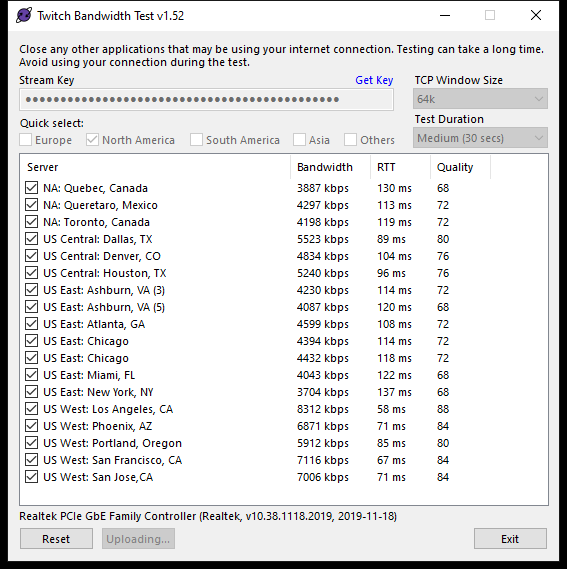
i could use my 3600 to stream from if i wanted to but im not as i was tould my rtx 2060 was better to stream from on a single pc set up
 prisma falcon
Hello there. I'm wondering if anyone has this issue with Media Request > Twitch.
It works fine but if I click 'Show on Stream', I get dual audio playing i.e. from
OBS Live and the stream at the same time. If I mute Media Request, media is
mute on stream. If I mute/disable Desktop Audio, dual audio is the same.
steel bladeBOT
@peak saddle Please provide a log from your last stream. To do this, in OBS go to Help > Log Files > Upload Last Log File and paste the link to the log file here.
@prisma falcon Make sure to ☑ “Shutdown source when not visible” for all browser sources (all OBS scenes). If using studio mode, uncheck “Swap Preview/Output scenes After Transitioning.” Also keep in mind that sound can play from any overlay loaded in the browser (editor or launched). https://i.imgur.com/FegZJQS.png https://i.imgur.com/yY0wcFl.png
peak saddle
odd kraken
No output session. Please upload a log link of a stream.
steel bladeBOT
- Restart OBS
- Start your stream/recording for about 30 seconds. Make sure you replicate any issues as best you can, which means having any games/apps open and captured, etc.
- Stop your stream/recording.
- Select Help > Log Files > Upload Current Log File. Copy the URL and paste the link here.
(Note: If you do not see an obsproject.com URL, you will need to update OBS Studio to version 22+)
peak saddle
peak saddle
there it happen again
everytime 10-15 mins eveything run good then boom this happens and not on wifi
4.9% Dropped Frames
Your log contains streaming sessions with dropped frames. This can only be caused by a failure in your internet connection or your networking hardware. It is not caused by OBS. Follow the troubleshooting steps at: Dropped Frames and General Connection Issues.
if i was a chick u all be helping lol w/e
ill figure it out myslelf
 gloomy ivy
having problems where the alerts i made on stream elements where they dont pop on obs
odd kraken
@peak saddle I canot give you any more info than the analysis link with this line has in it.
steel bladeBOT
@gloomy ivy You can test Alerts via the bell on the lower right corner of the Overlay Editor. Simply go to your Dashboard -> My Overlays -> Pencil/edit button on the overlay. Make sure the "Show Emulated events on stream" option is on to see the alert in OBS/Xsplit https://streamable.com/h6qgy
 gloomy ivy
i did all that and still not showing on obs
 spare hull
can i use alerts from streamelements into streamlabs obs ?
odd kraken
Have you added the overlay as browser source with the correct resolution?
Is the alert coming up in the editor @gloomy ivy
steel bladeBOT
@spare hull We're not able to troubleshoot issues with using our overlays in StreamLabs OBS (SLOBS) as we don't have the tools to support their software. We recommend using OBS Studio or OBS Studio with our plugin OBS.Live.
gloomy ivy
hold up i didnt know about the res
steel bladeBOT
@gloomy ivy To add your overlays to OBS, add a new browser source in your scene. Paste your overlay URL in the browser source properties, set the dimensions to 1920x1080 (unless you changed them on the website), and ☑ “Shutdown source when not visible” https://youtu.be/KDvLynUqXI4
gloomy ivy
i feel dumb lol but thank you @odd kraken
spare hull
if i use streamelements and obs live i would get notification on livestream about new subs ?
odd kraken
If you set it up correctly, yes.
prisma falcon
@steel blade Many thanks for that. It's working completely fine now! Have a nice day.
spiral elk
um streamelements still makes me do the tutorial for media request when I open obs live any solution to stop this from happening?
kindred fox
@spiral elk dunno if it worked earlier, but I did suggest clicking "Launch Media Request" in the panel, waiting for MR to load then closing both the panel and the MR window that opened and then clicking StreamElements > Docks > Media Request to see if it resets or if it lets you in
 wraith pawn
Hey! Theres usually tabs on the site for me to filter through, but for some reason none of them are showing up OR are able to be clicked. Is this a known issue? Are others still experiencing this? Am I doing anything wrong?
slow tulip
im trying to understand why i keep getting this "encoder start error" all the time. I never used to get it. now i get it constantly. some times with in 20 minutes. some times 1.5 hours. i talked to someone on here a few days ago about it, and he said to disable "psycho visual tuning" and set it to CBR. I did that and no change. any other ideas? https://obsproject.com/logs/niMN6OGVJt_TaaIk
 arctic thistle
can someone help me out? i added my streamelement alerts
but when i add a game capture source and put it on the back the alerts are over it with a black screen under it
nvm im stupid i had a background image still open..
 surreal nimbus


 spiral elk
if it uses streamlabs assets (stuff that streamlabs owns) then no sadly SE cant transfer those
 cobalt surge
Hello, I am having an issue when trying to stream on my pc. When I stream console everything works great but the moment I try to stream on my pc it gets very laggy and choppy (unstreamable). Any help would be appreciated. I have tried so many things and nothing has worked. I am running Ryzen 7 3700X, X570-P, G Skillz 32GB of ram, EVGA RTX 2070XC Black Gaming.
Encorder: Nvidia Nvenc H.264 (new)
Rate Control: CBR
Bitrate: 6000 kbps (I tried 4000)
Keyframe interval: 2
Preset: Quality
Profile: High
GPU: 0
Max B-frames: 2
Base Resolution: 1920x1080
Output Resolution: 1920x1080
Downscale Filter: Bicubic
Common FPS Values: 60
Any help would be greatly appreciated. I am mega frustrated.
spiral elk
- Restart OBS
- Start your stream/recording for about 30 seconds. Make sure you replicate any issues as best you can, which means having any games/apps open and captured, etc.
- Stop your stream/recording.
- Select Help > Log Files > Upload Current Log File. Copy the URL and paste the link here.
(Note: If you do not see an obsproject.com URL, you will need to update OBS Studio to version 22+)
once someone from support gets on they will be able to help you better with this ^
 quiet linden
i accidentally got rid of my chat in my obs screen and now it shows my creator dashboard instead. any help?
spiral elk
is it as a separate window?
spiral elk
close the window and then re add it StreamElements >> chat
quiet linden
Like I could watch another stream in it
spiral elk
^ not sure if it will help btw
quiet linden
tried that and it just reopens the same thing
spiral elk
what exactly did you do to cause this?
quiet linden
when it was just chat i was looking at settings and i hit manage moderation settings and then it wouldn't let me go back
spiral elk
so the only fix "I" know of is restarting obs
quiet linden
i will try that i suppose
spiral elk
alternatively you can just bringup the out on chrome
quiet linden
how do i restart obs
spiral elk
just close it and when you reopen it , it should be back to normal
but it will close any streams going on at the time
 minor crag
I need help with scene transitions. I have a transition but its saved as png because there is transparency to make it like slide over the screen.
 dry sphinx
Webm is the recommended file for transitions.
cobalt surge
@spiral elk The problem is happening even when not streaming. Just having OBS open, the feed from the source is chjoppy. I dont think that will give me a url for help desk. There has to be something I can do.
steel bladeBOT
@cobalt surge For the best OBS support, please join their Official Discord @ discord.gg/obsproject
 cedar swan
hello
rugged quail
@cedar swan soooo lag problems can be down to multiple things
it could be as simple as bitrate settings or could be your actual wifi
go to speedtest.net and show me your stats then show me your settings, I gather you are using OBS?
cedar swan
I hope I can fix it
Okay one sec doing it now
Okay so I lowered my bit rate and it’s playing constantly but it looks blurry
I have my stream going so it says 7mpbs
It usually says 11mbs tho
@rugged quail
rugged quail
okay so the problem is not your obs, it looks like its your broadband.. 131 ping is not great as you want to get is as close to 1 as possible.. have you tried restarting your hub?
ping and upload speed play a big part in streaming
and if your broadband is low then you need to change your obs settings to match this
rugged quail
what bitrate you trying to stream at?
Going off your broadband above, it would be really hard to push over 2K / 2.5K
rugged quail
stream output?
cedar swan
shy mountain
cedar swan
Set it
plain sonnet
if you have 7 upload, theres not much reason to be on 1.5k bitrate
if you are the only one streaming (or using heavy upload) then go to like 5.5
cedar swan
And I’m gonna call I think my family is using my WiFi to watch tv also
Imma call xfinity later today
See if they can upgrade my internet
Maybe that will help
plain sonnet
watching tv will mostly affect download speed, only a small dip in upload load
cedar swan
Hmm yea true I think imma just upgrade my internet package hopefully that fixed it
rugged quail
Broadbands nowadays can easily hit 500+ so yeah id see what your area can do
@shy mountain Looking at that new encoding site, imma change my 900p settings, didn't realise the nvidia vs x264 were slightly different
shy mountain
its not new 
rugged quail
oof
 light heron
Yoo I can’t find obslive for MacBook, can Anyone help me?
odd kraken
It is only available for Windows.
light heron
I already tought so
Thanks
Does someone knows when obslive is comming out for Mac? Or isnt that a thing?
lilac ocean
not planned and no ETA
you can upvote the idea here tho: https://streamelements.helprace.com/i997-obs-live-support-for-mac
shy mountain
@fathom mango open your file explorer and type in this: %appdata%\obs-studio\basic
should look like this:
afterwards the profile and scene folder - take them and move them somewhere else
and try to start OBS again
 fathom mango
May bad
shy mountain
Go to %appdata%\obs-studio\plugin_config\obs-browser
and dete blob_storage cache code cache local storage
fathom mango
Nothing is there
rugged quail
The Overlay Editor takes very long to load
steel bladeBOT
@rugged quail Streamelements on top of OBS -> Logout -> login
rugged quail
Alright
shy mountain
@fathom mango So when you go to here: %appdata%\obs-studio\plugin_config\obs-browser are there folders and files?
 wide sedge
Yo idk why but when i stream its dropping frames. My upload speed is 9,8 Mbit/s and i have bitrate 5800 kb/s
steel bladeBOT
@wide sedge Please provide a log from your last stream. To do this, in OBS go to Help > Log Files > Upload Last Log File and paste the link to the log file here.
lilac ocean
try lowering the bitrate
also if you can provide us a log, we can show you what is up exactly 😄
 grizzled jetty
i need help with my client
ive connectd my twitch to stream
but whenever im giving start streaming
its going to stream to youtube and the window is getting hanged t here
steel bladeBOT
@grizzled jetty Streamelements on top of OBS -> Logout -> login
wide sedge
odd kraken
odd kraken
Take a look at the analysis there is a link with helpful tips.
wide sedge
And is good x264 encoder or h264?
steel bladeBOT
@wide sedge There are no "best settings".
Please understand that every setup, will be very different.
Any guides or videos that claim otherwise are misinforming. Your best option is to start with a base and adjust as necessary.
Test, test, and test again. We are happy to offer suggestions for any issues you may be having, but not a list of settings.
wide sedge
Okey, thanks.
 quiet portal
Mic was working fine yesterday and now today i cant get mic or head set mic to work. as far as i know nothing was changed.
any ideas?
steel bladeBOT
@quiet portal For the best OBS support, please join their Official Discord @ discord.gg/obsproject
 floral lantern
Hoping this is the right text channel to post this question...I am moving as much stuff from Streamlabs Chatbot over to StreamElements services. One of them is using Ground Control for the song request function. I have it all set up pretty much spot on but the one thing that I can't figure out how to do is to outright disable the video of songs in the Ground Control app. I do not show videos on stream for the requested songs, yet I cannot find a way to just hear have the audio. The video will play in Ground Control regardless...and it chunks a couple extra percent of system resources. Is there anyway to just disable the video so it doesn't play? Thanks
rugged quail
Having an issue with the store redemption widget. It seems like once someone redeems something, the alert just stays up on the screen, regardless of the duration I have listed. Advice?
quasi snow
it's a known bug, you'll need to refresh scene for it to disappear, sorry
low wolf
does 3D SUBSCRIBER ALERTBOX widget supported by youtube?
 candid steppe
Hey i dont really know how this works but my OBS keeps crashing on startup
can i get some help?
lilac ocean
Hey Lil, ill be with you in a second
@floral lantern you can disable the video over at the website if needed https://streamelements.com/dashboard/mediarequest/general
StreamElements
The Ultimate All in One Platform for Streamers
im going to ask around for you both @low wolf and @candid steppe
floral lantern
@lilac ocean thank you for your quick response. I had a look at the website link you sent me and all I see are options that I pretty much see in Ground control. Just to be clear...I am not wanting the option where I show or hide the video to viewers on stream (through an overlay I am guessing this would be...) - I want to be able to disable the video on my computer so all that comes through is the audio from the video....to reduce the overall impact on my streaming PC.
lilac ocean
hmm I don't know if that's an option, I'll have to ask around for that!
@low wolf yes the 3d subscriber alertbox widget is also supported on youtube
floral lantern
Thanks! One would imagine if it was an option already I would have found it by now cause I looked through everywhere I could think of...but was hoping just incase there was some secret hidden menu 😄
lilac ocean
@candid steppe we require the latest crash log, so on windows you'd just navigate to %APPDATA%\obs-studio\crashes and grab the latest file from there.
lilac ocean
we're investigating the log as we speak
candid steppe
ok thank you
kindred fox
@candid steppe Can you push Start + R to open the Run window and type %appdata% and click Ok? It should take you to the Roaming folder. I need you to then click on AppData in the file location address bar thingy
Then go into Local
then go into Temp
select everything in that folder and delete it
relaunch OBS
 mint pecan
heyooo! wondering if anyone can give me some advice? i just started using streamelements thanks to a friend yesterday and setup everything on the site but what i did notice is that even tho i have an alert box in the Overlay itself, none of my alerts were coming up for people on my stream when they subbed or liked the stream?
candid steppe
them*
kindred fox
which things?
if they're folders that's probably fine....it's mostly the files that are inside Temp
candid steppe
there is discord crashes nbidia corporation streamlabs obs crashes and some weird number ones
kindred fox
yeah you can skip those
mostly those are what we're looking for
everything that isn't a folder
let's start with those 😉
candid steppe
yes i got those
candid steppe
there is still a crash and now theres more stuff in the folder
kindred fox
is there a WPF folder inside that Temp folder?
kindred fox
a folder named WPF
candid steppe
nope
kindred fox
one second
candid steppe
yep
 unborn cradle
double voice when streaming
can anyone help? obs has desktop audio and turtle beach headset mic as input. when i view stream i can hear myself twice within seconds apart
lilac ocean
I think thats because you are viewing your own stream
do you have your own stream muted?
unborn cradle
im not on youtube when streaming just on obs and game
also audio is played through headphone
 void brook
Hi
 swift scaffold
hey
so as I was saying
I'm a mixer streamer because of its tech and its community
I can tell you more if you're intersted, but first
let's handle your settings
void brook
Hmm okey
void brook
I need to download authy
swift scaffold
you can login afterwards
void brook
swift scaffold
set video bitrate to 4500
void brook
Ok
swift scaffold
then go to video
void brook
void brook
swift scaffold
and set FPS to 30
void brook