#helpdesk-selive
1 messages · Page 88 of 1
 granite finch
granite finch
granite finch
yeah we just did that @gilded smelt suggested that.
 kindred fox
So the boxes are checked in the source properties now?
To shutdown when not active etc?
granite finch
media request is the issue
its playing audio while not showing on stream
so logically it will play twice when enabling it
kindred fox
It will play audio to your default audio device, which if you’re capturing will output it to stream
 versed turtle
i need help
 full thunderBOT
Hi @versed turtle, Please ask your question(s) or describe the problem you're looking to solve so staff or a support volunteer can assist you as soon as they are available.
kindred fox
So if the widget is currently playing, then it will play to the stream
versed turtle
when i record/stream the recording/ stream will freeze for no reason
granite finch
yes, but it is playing while we dont show it on stream
kindred fox
Click the pause button
granite finch
wtf
kindred fox
It will play audio whether it’s shown on stream or not, which is then captured by your default audio device and sent to the stream.
granite finch
you guys should have a look at that🤣
kindred fox
You can simply drag the volume slider down if you expand the media request widget a little more and have fade controls
granite finch
doesnt make sense at all
kindred fox
It’s designed to play audio on stream. The “Show on Stream” button is for the associated videos
granite finch
yeah, but it wasn't working this way yesterday haha
it should never play twice imho
kindred fox
If it is playing twice then most likely there was another source with the widget active, whether in obs or a browser
versed turtle
hello i need help
 wary dew
your stream doesn't freeze 'for no reason'
 steel bladeBOT
@versed turtle Please provide a log from your last stream. To do this, in OBS go to Help > Log Files > Upload Last Log File and paste the link to the log file here.
versed turtle
do you know how i fix it
wary dew
listen to the bot
versed turtle
ok is it a bunch of text
steel bladeBOT
@versed turtle Please provide a log from your last stream. To do this, in OBS go to Help > Log Files > Upload Last Log File and paste the link to the log file here.
kindred fox
Following the above instructions, you should be provided with a link
wary dew
if you don't want to read, then we are done pretty quick i think
kindred fox
If you see the link, continue following the aforementioned instructions
wary dew
click the link, you can see that the report says that it's better to do the fixed 30 or 60 fps
and always use OBS in admin mode
wary dew
what is your bitrate?
versed turtle
2000
wary dew
what is your internet speed?
versed turtle
i can have a look real quick
Ping
<1 ms
Download
53.92 Mbps
Upload
19.25 Mbps
but does internet matter for freezing recordings
wary dew
is it only recordings? not stream?
versed turtle
both
wary dew
are you doing it at the same time?
versed turtle
no
wary dew
well i can't really see anything special in your log
steel bladeBOT
@versed turtle For the best OBS support, please join their Official Discord @ discord.gg/obsproject
wary dew
you can try to ask there
versed turtle
ok
 dusty wadi
Hye! Just bought 2 Rhode microphones and a mixer for it. Works great until I opened StreamElements OBS, whenever I add the mixer as an audio source it only picks up one of the microphones. I would like to have one for the right and one for the left but at the moment OBS just picks up the left on. The right one still gives a signal on the mixer but not on streamelements. Any fixes for this?
dusty wadi
It's in stereo yeah
https://gyazo.com/dc21f3496d3944dc32f9bd252d2b3a15 That's how my audio settings are looking in StreamElements

 plain sonnet
on the mixer, are both mics outputting on the same output
 rugged quail
Is there a way i can transition between scenes with the 2nd scene to be loaded up by the time it transitions? Example Im in scene 1 when i transition it loads scene 2 then that scene loads up SE overlay.
wary dew
use studio mode in OBS
dusty wadi
This is how It’s exactly looking on the mixer, both mics in 1 and 2
plain sonnet
im asking if both mics are on the same output and work work from the mixer
dusty wadi
Yeah they work from the mixer and are on the same output
 serene hawk
Hi there. My activity feed doesnt show the bar to reset overlays anymore
 gilded smelt
@rugged quail https://prnt.sc/qj16bw then bind transition key to streamdeck

this is how it looks https://prnt.sc/qj173s

then when you press transition it goes over to the preloaded image does add a bit more to cpu usuage
rugged quail
ah ok.
So i do have a stream deck but when i press the scene window, it switches the left scene in studio mode but not the right one.
gilded smelt
yea then you have to bind the transition
serene hawk
The activity feed on the website itself does but the desktop app doesnt
gilded smelt
https://prnt.sc/qj18f8 more than likely

 rugged quail
Alrighty Ill try that! Thank you guys!
plain sonnet
@dusty wadi if you use headphones on the mixer output and only activate 1 mic at a time can you hear each mic in the correct pan?
if you go into obs sound settings does it give you only the 1 mixer option?
also, not sure if its just the pic, but mic 2 is on the sub and the sub sliders are down/muted
 cunning jackal
Afternoon all. I am trying to use a .webm in my overlay, but it keeps disappearing after 3-5 seconds. In the editor it would turn off if i have the loop box checked. So unchecked it stays in the editor but in the live scene it turns off. I have tried live with the box checked and unchecked. In regular OBS Studio i just checked the loop box. Any ideas why?
dusty wadi
If I go into OBS It only gives 1 mixer as an option yes, And I can hear them in the correct pan indeed. Mic 2 was on the sub accidently yeah but that didn't change anything 🙂 @plain sonnet
plain sonnet
i cant see a button, but do the mics need phantom power, and is it on for mic 2?
dusty wadi
Only one button to turn on the phantom power on the side for everything, It's turned on
rugged quail
Well Rip lol i created the multi action to switch scenes like scene1, wait 1000ms, then hotkey for transition and it doesnt do it
gilded smelt
hmmm
 humble spindle
so i stream on mixer and the chat feed and activity feeds are refeshing or showing anything on them, please help
plain sonnet
hmm, you might want to ask behringer, all output should run though the USB output, see if they would know why it isnt.
we know its working partially because obs detects the usb and you can get channel 1
failing that it might be worth asking in obs
steel bladeBOT
@dusty wadi For the best OBS support, please join their Official Discord @ discord.gg/obsproject
dusty wadi
Alright! Thanks for the help though!
plain sonnet
np 👍
gilded smelt
the multiaction may just switch the scene instead of using studio mode, cant think if there is a next scene binding
rugged quail
gotcha! Yeah all in all im just trying to hide the loading of scenes to reduce cpu usage
plain sonnet
@rugged quail its best to use a custom transition as having things fully loaded from the transition is pretty demanding as you will need to have everything constantly on
the custom transition you can tell it to change scene either frames or seconds after changing scenes
rugged quail
Yeah i figured it would probably have to have a longer transition scene. Cool beans, cuz i have a 2 second transition scene
gilded smelt
also you were trying to go from the same page to the same page with the transition you programmed in, does that not activate at all or did you change your live scene before you tested the button to swap to start
plain sonnet
my transition starts 60 frames in, the transition lasts 4 seconds and thats fine for me
rugged quail
So i have 2 multi action hot keys i was testing. 1 was for my start scene, the other was for in game scene
rugged quail
it swapped on preview
gilded smelt
thats what you want, cuz it will preload preview, in studio mode
rugged quail
right, then i have a hot key for the transition and it wont do it
switched hot keys and nada
plain sonnet
dont have it for the transition, have hot keys for your scenes
gilded smelt
but if in studio mode, you need the transition hot keyed
so it moved to next ppanel is what i mean
rugged quail
Ah so i just probably need a longer transition then
Thank you guys for all the help!
plain sonnet
np 👍
versed turtle
lo
steel bladeBOT
@versed turtle https://tenor.com/view/cosmic-ban-ban-hammer-gif-14966695

 modest forge
anyone else having problems hearing alerts from obslive and the overlay editor ? i been having that problem.
 ocean mica
HELP cant import scene from streamlabs to streamelements. failed importing scene collection
 odd kraken
Here are some things that can fail the import:
- SLOBS assets(copyrighted stuff)
- Media assets bigger then 10MB
- unknown widgets
ocean mica
EXCELLENT!! IT WORKED THANK YOU! It was the 4.01 mb song 🙂
 brisk crest
I'm streaming using an ultra wide monitor and when I try to use themes everything is skewed to one side. I can't seem to find a way to get the overlay to the right size
odd kraken
The default overlays are made for 1920x1080 resolutions.
odd kraken
You can edit the overlay resolution, but you would need to adjust the overlays elements manually.
brisk crest
from the streamelements overlay editor?
odd kraken
Yes. Select the small pancil in the overaly section and edit the resolution. Then you would need to rearrange the elements in the overlay editor.
 opal elk
Hey, i was wondering if its possible to use touch portal on through StreamElements? I have the app here and i have it connected to the PC but it wont connect to the actual StreamElements
Website said it should just connect automatically but that hasnt happend
odd kraken
You would need to ask TouchPortal.
opal elk
Alright, i appreciate it. Thanks
brisk crest
Is this the right screen? I don't see the pencil you're talking about.
brisk crest
Awesome thanks
 winged island
i need help
full thunderBOT
Hi @winged island, Please ask your question(s) or describe the problem you're looking to solve so staff or a support volunteer can assist you as soon as they are available.
winged island
I have a great PC like really good, but no matter what settings I use, my recordings look awful, skips everywhere, bitrate looks super compressed it just looks awful. same problem on streamlabs too but i came here hoping it would fix it but nothing, please help
crap is this the wrong cat for this
steel bladeBOT
@winged island Please provide a log from your last stream. To do this, in OBS go to Help > Log Files > Upload Last Log File and paste the link to the log file here.
winged island
it was a log of like a small test video so its not much
i recorded a 20 minute gameplay that i guess isnt in there idk hopefully that helps
wary dew
that's a nice setup 😉
wary dew
what encoder are you using?
winged island
and i cant use nvida shadow play anymore, my YT subscribers flame me every video saying bit rate looks bad and 5,000 people it starts to shoot my self esteem lol
nvenc new
rugged quail
Is there any way to link facebook streaming so when you stream via Twitch it also plays on Facebook?
wary dew
@rugged quail you need something like restream.io for that
winged island
should i be using x264 since its a freaking threadripper lol
wary dew
oh 😦
winged island
im saying in general is x264 better since i have TR or is nvenc new best overall
wary dew
drivers are all up to date?
wary dew
did you try the OBS discord as well?
winged island
no not yet
wary dew
we know a lot, but they know even more 😛
steel bladeBOT
For the best OBS support, please join their Official Discord @ discord.gg/obsproject
winged island
pft
the dude there literally asked me to switch to simple mode.....
didnt work btw but even then i wanna know my bit rate and all
lol
wary dew

well i asked our other support members, so if any of them has an idea (when they see the message) they can contact you here
winged island
kk, can they @ me pls ill be gone
wary dew
sure, i'll tell them
 topaz badger
Does anyone else have their stream disconnect/reconnect at the same time every day?
 merry glacier
Hi im still having issues with my alerts not working
 static ferry
Can I have two accounts in one obs live? My wife wants to stream, I'm logged in to obs live with my connected twitch account, I've made a second profile for her and she wants to be linked too to see her chat
so basically when I chose my profile, I want to see my chat and when she switched accounts she wants to see hers the chat inside obs live
odd kraken
OBS.Live only can show one platform at a time and is not tied to OBS profiles.
Use StreamElements > Log out > Log in to switch to another platform
static ferry
So there's no way to do that?
For example I want to stream to a charity, they have their own channel - i have to relog every time?
odd kraken
yes.
@merry glacier Have you tried what was suggested last, to enable/disable browser hardware acceleration?
@topaz badger Sounds like a problem with your internet connection.
static ferry
Can't it be done with duplicating the program folder? Or will it mess the registry?
I'd have one executable for me, and another for my wife?
odd kraken
Never tried that and cannot give support with this.
kindred fox
You can use profiles if you’re streaming on the same pc
You’ll just have to sign out of streamelements and have her log in
That’s should let you do what you’re looking to do. I do that with my daughter and mixer
static ferry
It's kinda annoying since i have 2FA, and she doesn't
kindred fox
You could make her use slobs.....but you might not be married long after that 
Which platform does she stream to?
static ferry
twitch
Would be great if obs live allowed multiple account switching
many of my fellow twitch team members do charity streams or partnered streams [with nvidia f.e.] and they have to relog everytime
 hollow chasm
So, I'm trying to use my Samsung Galaxy S9 as a webcam using the Browser source on OBS.Live. I cannot, however, get what's on my screen to display on OBS.
This issue is with the Streamlabs App, IP Webcam app, and a few others. They all just show as blank after putting in the connection URL on a Browser source under a brand-new Scene.
Any advice?
odd kraken
Best to contact the creators of the app and ask for a detailed setup guide.
hollow chasm
I had it working in SLOBS, but can't get any app to work in OBS.Live is why I'm asking.
odd kraken
Haven't used these apps myself, so I cannot give best support on this.
hollow chasm
I'll figure it out sooner or later. TY though.
steel bladeBOT
@idle shoal Streamelements on top of OBS -> Logout -> login
 quaint warren
Can I get some help. I'm trying to uninstall streamlabs to re-install it bc since the update it has been freezing on as soon as I try and change something. But now the uninstall gets about 3/4 and just stays there.
 shy mountain
@quaint warren assuming you mean out plugun, did you uninstall obs studio first?
 proven girder
ok im gonna need help
shy mountain
try this:
steel bladeBOT
@proven girder If you are not seeing the OBS Twitch integrations and have OBS.Live installed, please follow these steps:
- Make sure you are on the latest and greatest version of OBS.Live
- exit OBS (make sure OBS is not running)
- delete %appdata%\obs-studio\plugin_config\obs-browser\obs_profile_cookies
- start OBS.Live
- Settings -> Stream -> disconnect -> connect
shy mountain
then now try to logout and login again
shy mountain
Ok Im confused here.
shy mountain
That might not help
proven girder
😄
shy mountain
With what account do you want to be logged into OBS.Live?
shy mountain
With what account do you want to be logged into OBS.Live?
proven girder
with reforged_pl the community one
shy mountain
then are you using the USERNAME of that account in the login form?
 sudden fjord
hi im struggling to get my overlays to work in obs help is very much needed
 native fiber
need a help with obs.live chat
it was fine but I closed it accidentally and now it opend chat only as stream manager
how do I close stream manager and set it to only chat as it was before?
steel bladeBOT
@native fiber Streamelements on top of OBS -> Logout -> login
plain sonnet
@sudden fjord how are they not working?
native fiber
any idea ?
wary dew
did you try what the bot said?
sudden fjord
@plain sonnet its ok after some more reading i discovered my issue problem solved 👌
plain sonnet
awesome 😁
native fiber
Im streamign atm, will it stop the stream ?
plain sonnet
@native fiber if you are currently streaming, add this link to the custom browsers to have a chat dock
https://www.twitch.tv/popout/hunlights/chat?popout=
we can help further when you stop streaming
 elfin citrus
im having issues with OBS streamlabs stuff, since i added the streamlabs ive been having obs freeze up. it has an error code but i forget where they are pasted too...
steel bladeBOT
@elfin citrus We're not able to troubleshoot issues with using our overlays in StreamLabs OBS (SLOBS) as we don't have the tools to support their software. We recommend using OBS Studio or OBS Studio with our plugin OBS.Live.
elfin citrus
i dont believe its an overlay issue and i was trying to use obs live. since ive added that plugin ive been getting constant crashes
my shortcut says "stream elements OBS.live" so im pretty sure im using the right thing...
having crashing issues in OBS.live. where are the error logs saved so i can post it?
@steel blade getting crashes with obs.live. where are error logs saved
wary dew
calm down
steel bladeBOT
@elfin citrus Please provide a log from your last stream. To do this, in OBS go to Help > Log Files > Upload Last Log File and paste the link to the log file here.
elfin citrus
@wary dew thx for all your help!
wary dew
just send the log pls
elfin citrus
crash log and last stream, though that may be the one i just did with only OBS, which btw, is working just fine without live
steel bladeBOT
@elfin citrus 1) Restart OBS
2) Start your stream/recording for about 30 seconds. Make sure you replicate any issues as best you can, which means having any games/apps open and captured, etc.
3) Stop your stream/recording.
4) Select Help > Log Files > Upload Current Log File. Copy the URL and paste the link here.
(Note: If you do not see an obsproject.com URL, you will need to update OBS Studio to version 22+)
wary dew
pro tip: always run OBS in Admin mode
elfin citrus
when i have live installed it crashes immediately, i literally cannot even open obs
thats why i sent the crash report as well 😉
wary dew
i am trying to find something, but nothing pops out
can you try and uninstall .Live and download it again from the website?

OBS.Live | Open Broadcaster Software Streaming Knowledge Base
OBS (open broadcaster software) knowledge base for live streaming. Find articles and videos about streaming with OBS.
 tame lodge
I already have overlays in obslive how do I import them into streamelements? the button I need to puch seems to be inactivated
 fathom cobalt
@tame lodge screenshot?
tame lodge
this is the correct place right?
 solid venture
Hello. Disable custom bot account.
Perhaps this happens after Windows sleep mode.
You have to re-log in - it helps. But then again, it may not respond to chat commands.
merry glacier
can someone help me fix my sound alerts please - url is entered and the alerts are launched https://gyazo.com/4d4c2eb1c136befef022f272e7448e03
 kindred fox
@merry glacier what issue are you having?
merry glacier
my alerts in obs arent working, they have been fine and now stopped working. ive rechecked the links and they are correct. ive check alerts at the top of sources and ive checked for updates. they just arent popping up both on test through stream elemeents or live streaming
kindred fox
Check obs settings >> advanced >> make sure hardware acceleration is disabled
merry glacier
yeah i tried that turning it on and off as well
steel bladeBOT
@merry glacier You can test Alerts via the bell on the lower right corner of the Overlay Editor. Simply go to your Dashboard -> My Overlays -> Pencil/edit button on the overlay. Make sure the "Show Emulated events on stream" option is on to see the alert in OBS/Xsplit https://streamable.com/h6qgy
 kindred fox
And you’ve made sure to check the box next to the bell?
merry glacier
Legend, that fixed it man. thank you sir
kindred fox
Eyyy that’s what we are here for
 zenith robin
Trying to figure out how to do one of two things:
- I'm moving my stream labels over from SLOBS to SE, but I feel as though the text editor for the labels is super limited. I need to add a gradient to the text, but it doesn't seem to be available. Is there a way around this?
- If that is not possible, does SE offer something similar to StreamLabels where it will read from a notepad and I can do the text edits in OBS?
Do you guys like the massive head scratchers I bring in?
I never have simple issues xD

 fierce atlas
- you can do (almost) anything you like with custom widgets if you're not finding the settings you like in the editor
- you can check out the Pastebin API from @gloomy badger if you want to manage text elsewhere but a huge primary point/benefit of SE is to be in the cloud – a local text document would defeat the purpose 🙂 https://thefyrewire.com/docs/api/twitch/pastebin/
zenith robin
^ support +1
Is there custom labels that might have more options such as gradient? If so, do you know where they might be located? I've been searching the widgets and the like but not having much luck finding it.
kindred fox
Click on a label in the later list of your overlay editor and then click “Text Settings”
You should be able to adjust the properties there
zenith robin
The most advanced option in there is like... shadow xD
The part that kinda bummed me out is theres actually suggestions in the forums online asking for more options for the text in the labels.... that was 2 years ago
fierce atlas
depending on what widget you're using there should be a "custom CSS" option and you can go wild in there if you need extra special designs
zenith robin
Oof, Css huh... Not gonna lie, thats not my strong suit.
fierce atlas
I find that StreamElements features focus on getting the job done and doing it simply but well, while offering advanced customization features for power users
TBH I think it's great because people get really distracted with making things fancy instead of just getting up and running, and fine-tuning/honing things in to perfection over time
just my personal take 😄
fierce atlas
not really, I've seen big streamers with super simple designs and graphics and default settings on almost everything. the content they produce is what makes them big.
there's no point in debating it though, the options are what they are and there are tons of folks out there you can commission if you want a super-stylized custom overlay 😄 or you can buy them and import them from third-party markets 🙂
if you don't like the ones that come with StreamElements out of the box
zenith robin
 kindred fox
W3Schools has CSS tutorials
You should be able to find the necessary “tweaks” there and apply them since HTML/CSS are standardized across web development
Tbh my setup is extremely minimal. I don’t want flashy/big because it takes away from my content.
zenith robin
So I'm having some difficulty locating the "Custom CSS" area for these labels. Am I blind or does that not exist?
 opaque prairie
how do you livestream because obs said it cant connect to youtube
@keen ridgereyone
lol
wary dew
you failed at tagging everyone, and that is a good thing because it is a rude thing to do
and it has been turned off in this discord for that exact reason
but...
are you logged in to StreamElements in OBS.Live?
zenith robin
@wary dew Do you know where I might find the custom CSS settings for the labels?
wary dew
i am looking at the latest sub widget, cannot see the CSS button anywhere
zenith robin
@fierce atlas said that I would be able to edit it with custom CSS. Hmmm.
So, on top of being incredibly lacking in editing options, you cant change the css either?
wary dew
a lot of widgets support it, i can't find it on every widget 😛
zenith robin
Thats great and all, but I need it working on this super-basic-everyone-is-using widget.
Like one of those, How-the-hell-is-this-not-a-feature kind of situations
 thorn pebble
is there any overlays premade without facecams because I am not finding one and I really need one
kindred fox
@thorn pebble you can click this button on a layer to hide it.
thorn pebble
@kindred fox I use OBS
kindred fox
That's in the overlay editor
kindred fox
edit the pre-made overlay you want to use, and hide the webcam layer
thorn pebble
Does the website come with made animation transtactions?
 round compass
Do I want OBS Live or OBS studio?
 half burrow
i siwtch my name on twicth fromm meegaming 89 to MrMee89 and now my bot and commands dont work help
fierce atlas
in your StreamElements dashboard, part and re-join the bot 🙂
half burrow
oh thank you so much @fierce atlas
 fresh arrow
So i keep hearing an echo whilst setting up on my headset and its picking up my mic with a delay
odd kraken
Do you have your stream open in a browser?
 severe elbow
what is a connection url
odd kraken
Most likely your streamkey.
severe elbow
how to i put that in the thing
odd kraken
In OBS: Settings > Stream
either connect your twitch account or enter your streamkey.
odd kraken
You are referring to add your computer screen to your OBS as Source?
severe elbow
yeah ig
odd kraken
Add a screen capture source via the + to your sources list in OBS.
 proper granite
I have a Black screen can some one help me pls ?
odd kraken
^ handled in #🇩🇪︱deutsch
 modern hull
Hello. I am currently running a 9900k CPU with 2080TI and 16 gigs of 3200 ram. My download is around 900 with upload being around 500-600. Even with this my stream is still a bit laggy. I have messed with the settings in OBS live and just cant seem to fix. Any ideas?
steel bladeBOT
@modern hull Please provide a log from your last stream. To do this, in OBS go to Help > Log Files > Upload Last Log File and paste the link to the log file here.
modern hull
modern hull
Ty
rugged quail
my browser dosen't show up any more
odd kraken
Your browser source with your overlay in OBS Studio or OBS.Live?
 crude ginkgo
Why does my stream appear laggy to viewers and on my preview in OBS but my game is not lagging?
steel bladeBOT
@crude ginkgo Please provide a log from your last stream. To do this, in OBS go to Help > Log Files > Upload Last Log File and paste the link to the log file here.
crude ginkgo
 dire cliff
how do i fix this error
i tried installing again and it worked
how do i make the chat box dark mode
 tight fiber
Heyy, I'm streaming to mixer, but my 'activity feed'wants me to connect to twitch, how do I make this show mixer activity?
 wise silo
log out > log in with mixer
steel bladeBOT
@dire cliff To set your panels to dark mode please do the following:
Close down your chat,
Close down stream information,
In OBS go to view > docks > chat
Click on the cog, go to non-mod settings
look under "My Preferences" to enable/disable dark mode
You can then reopen your docks
view > docks
https://media.discordapp.net/attachments/370226812669788161/655790222902296591/unknown.png
 quaint warren
@shy mountain yes i did...do i do it wrong?
 true vigil
Hello ! Any chance of OBS live coming to Mac ? I’m using Stream Elements and I’m delighted with it so far, I’m hoping your team has plans to bring OBS Iive to the growing community of Mac OS streamers in the near future !
kindred fox
@true vigil not that I know of....there used to be a version of ground control that worked on macOS but I don’t think it’s been updated in a few years
Tbh until Apple fixed their shit....don’t expect a lot of obs support. You’re better off running boot camp and doing obs that way
Rumor has it they are building a gaming “PC”
Rumor
If they build a gaming rig it changes development for obs
But again.....rumor
true vigil
Alright, thanks for the honest answer. I’m worried that the quality of my stream will be damaged by the additional ressources boot camp will need, I’m probably on the edge already. I’ve heard the rumors too about the gaming PC, considering they invested a lot in mobile gaming recently it is not a total non-sense to come after more « mature » gaming. We will see !
kindred fox
Tbh boot camp isn’t terrible, and you can sign up for the GeForce now beta which gives you access to steam/blizzard libraries
 sinful bay
I have a real big problem. I copied a text source and editet the copied one, which also made changes to the original one, and I'm kinda stuck. Is there any way to revert these changes or get my original text back?
kindred fox
Wdym?
sinful bay
sorry I'll try to explain better
I had a text source(?). I copied it to have the "format" on another source, but after editing the copy, I noticed my original was edited aswell. Is there any way through logs or something to see what you edited out? or any way to retrieve the original file I copied
hopefully that is a better explanation
 burnt notch
I need help everytime I record I cant find where it goes even though I've changed the location multiple times
 silver saddle
hello, please if anyone can help - am unlogged in twitch browser has invaded my chat space. Cant log into it or anything. How do I get my chat back please
steel bladeBOT
@silver saddle Streamelements on top of OBS -> Logout -> login
 zealous yacht
can obs live be used on linux ?
odd kraken
Afaik OBS.Live is only available for Windows.
You can dowbload OBS Studio here: https://obsproject.com/download
silver saddle
I just tried it as requested that didnt work
odd kraken
I am sorry, but the you are the first one who do not help these instructions.
I recommend to try them again please.
silver saddle
I did so, the stream chat comes up for a split second then is replaced with the browser again 😦
 zealous lily
Hey guys, my obs.live is throwing a wobbly. It appears it's no longer connected to my Facebook account, when I go to log in, I log in through Facebook and it just takes me to my feed. No prompt to reconnect or anything like that. Any suggestions? Essentially I've lost the chat and notification windows in obs
odd kraken
Do you see StreamElements at the top in OBS?
zealous lily
@odd kraken Yes, I tried logging in through that and it just does what I mentioned above
Logged in on the website fine via Facebook
@odd kraken Got it sorted, not sure what was happening but tried it again and fine... Thanks for getting back to me so quickly though
 pliant trout
hey i can no longer change my stream info in elements, and i have no box to change it either ive looked in setting and cant seem to find it only chat box and activity
plain sonnet
view > docks > stream info
if that doesnt work then settings > stream
log out then back in
 sharp elk
thx
 dawn raft
Hello
I add super theme in my obs
Alerts is working in 1 scene but it doesn’t work on other scenes that i didn’t add
What should i do
odd kraken
What super theme are you referring to?
dawn raft
I using start stream scene and talking scene on obs and i don’t use game scene on obs
This name is dark matter
dawn raft
Animated
Starting stream scene and talking stream scene
I fixed
I did go to edit game theme and delete all layer but i don’t delete alerts and i import this on obs
odd kraken
Good. Be aware that there is also a copy widget button in the overlay editor.
dawn raft
Ok tnx
 wispy vessel
Good morning, I am trying to put an overlay on my stream and have followed all the instructions in a video posted by stream elements on youtube but the overlay will not appear on my stream
 verbal agate
Hey guys, is there a fix where as soon as I open OBS my game starts lagging randomly without me even starting to stream?
wise silo
open OBS/open your game
open task manager and check your cpu/gpu/ram usauge
see if its bogging down your hardware
verbal agate
@wise silo 40% CPU and 38% memory
wise silo
!obslog
steel bladeBOT
Please provide a log from your last stream. To do this, in OBS go to Help > Log Files > Upload Last Log File and paste the link to the log file here.
wise silo
Follow these instructions & run OBS as admin
verbal agate
okay
wise silo
Certain Windows 10 gaming features can cause rendering and encoding issues when using OBS. It is recommended you disable them to ensure OBS performs at its best. As of March 2019,…
verbal agate
let me try it
@wise silo followed it but the lag is still there
Anything else I can try?
rugged quail
how high is ur RAM (i dont know if it hase to do with that XD) or how good is your internet conection
wise silo
OBS not being live would not effect internet, and his RAM/GPU/CPU usage is fine
rugged quail
alright
rugged quail
alright
verbal agate
I can't stream cause of it sadly
steel bladeBOT
@verbal agate For the best OBS support, please join their Official Discord @ discord.gg/obsproject
 late river
Yo guys need help with my gameplay. It won't appear when streaming.
wise silo
Are you on a laptop?
late river
Yes
wary dew
OBS Forums
For Windows 10 1909 update or newer:
Open Settings and search for "Graphics Settings". Select "Classic App" and browse to C:\Program Files\obs-studio\bin\64bit\obs64.exe (or wherever you have installed OBS). Click "Options" (example screenshot).
If you want to use display ca...
wary dew
wise silo
fuck
wary dew
me too
late river
Thanks
 sharp rover
hey so im using obs live to stream and the mic/aux audio is capturing my friends audio and idk how to change it so that doesnt happen
wise silo
what do you mean friends audio?
sharp rover
like his mic
 spare sierra
Anyone here have a clue of why the encoder gets overloaded when streaming games like TheHunter - Call of the wild and SCUM?
running Ryzen 7 2700X. 16Gb TridentZ 3400Mhz, RTX2060 6Gb
all other games i play runns fine, but these 2 games dont..
steel bladeBOT
@spare sierra Please provide a log from your last stream. To do this, in OBS go to Help > Log Files > Upload Last Log File and paste the link to the log file here.
spare sierra
ok
 pallid pendant
After installing plugin NDI, it did not appear in OBS. Help.
spare sierra
spare sierra
it says my CPU is overloaded... but OBS using 6% and the game like 45-50%..
wise silo
Logs dont lie
spare sierra
and log says im using an old OBS, but there is no newer
spare sierra
lol... i was looking for an update like 15 minutes ago.. but there was none xD
wise silo
Help > check for updates
wary dew
24.0.3 has been out for a while 😛 not just a day ago
spare sierra
i did that now again, and found one
there we go..
i think my issues was OBS related
But now it runns fine in 1080@60 🙂
thx guys
wispy vessel
Good morning, I am trying to put an overlay on my stream and have followed all the instructions in a video posted by stream elements on youtube but the overlay will not appear on my stream, the source is on top, and no other overlay will work either
steel bladeBOT
@wispy vessel To add your overlays to OBS, add a new browser source in your scene. Paste your overlay URL in the browser source properties, set the dimensions to 1920x1080 (unless you changed them on the website), and ☑ “Shutdown source when not visible” https://youtu.be/KDvLynUqXI4
 tulip hamlet
@wispy vessel Disable Browser Source Hardware Acceleration in Settings>Advanced.
 wicked zephyr
could anyone hop into a channel with me and help me with a couple questions I have with my stream labels
switching over from regular obs to obslive
fathom cobalt
@wicked zephyr what is your problem?
wicked zephyr
where do I go to switch over my stream labels from getting their information from an old source to now the new obs.live source
tulip hamlet
Showing information is as easy as adding the appropriate widget to your overlay on our site. StreamElements is cloud-based and doesn't reference your local files.
wispy vessel
@tulip hamlet FIXED you are a legend.. thank you my friend
 ocean oriole
Switched to Streamelements a few days ago, and I can't seem to find a way to import my hours watched from SLOBS Chatbot to Streamelements. Is there a way to do so? 🙂
tulip hamlet
@ocean oriole https://support.streamelements.com/hc/en-us/articles/115000405371-Import-other-platforms-into-StreamElements

StreamElements
Importing other tools into your StreamElements account is really quick and simple.
Use this guide to learn how to import: Streamlabs, Nightbot, Ankhbot/Streamlabs Chatbot, CSV files, Deepbot, St...
ocean oriole
@tulip hamlet I did the currency one, as it's described as one in SLOBS Chatbot. But it looks like it's only the points that got sent over. Is there a way to check that?
tulip hamlet
No, there is no visible watchtime section of your account.
You'll need to use the !watchtime command in chat.
 vale marsh
Hey guys! I recently just started using OBS Live. I added a audio source for music to play and when I added it shows up on the mixer like it’s playing but I hear no sound. When I go live, I can hear it in my stream
odd kraken
Check if the audio line is set to monitor.
 solar atlas
using - elgato capture, slobs, and now this. not a single one captures audio anymore. tried so many different hook ups, ready to call it quits for streaming.
 last pasture
guys its a pretty noob question but, how can I change my stream info before I start streaming in OBS.Live?
tulip hamlet
What streaming platform?
tulip hamlet
Did you log into Twitch in Settings>Stream?
last pasture
yes
tulip hamlet
View>Docks>Stream Information?
last pasture
there it is ty!
 elfin silo
I cannot seem to get my mediashare to show up on stream. The overlay doesn't pop up on stream, and I don't know what I am doing wrong
tulip hamlet
Skip the tutorial video. It will never show on stream.
elfin silo
Wdym?
tulip hamlet
Skip the tutorial video. It will never show on stream.
tulip hamlet
If it's showing up there, then it's not skipped. Log into the site and skip it from there if necessary.
elfin silo
the sound played, but nothing popped up

Tutorial is not playing. it has been this for about 30 minutes, still nothing pops up
steel bladeBOT
@elfin silo To add your overlays to OBS, add a new browser source in your scene. Paste your overlay URL in the browser source properties, set the dimensions to 1920x1080 (unless you changed them on the website), and ☑ “Shutdown source when not visible” https://youtu.be/KDvLynUqXI4
elfin silo
@tulip hamlet http://prntscr.com/qjsrq3 It shows the video in my overlay editor. And I pasted the link into a browser source, but it still doesnt show up :/
 tulip hamlet
Reread the bot message and follow all the instructions.
elfin silo
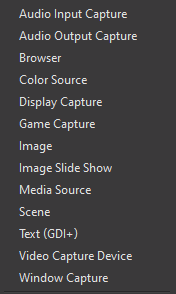
http://prntscr.com/qjsufg @tulip hamlet Is browser and "browser source" the same thing? Because when i go to add a source, I don't have a "browser source" option
 fiery shuttle
having an issue where my bit rate is as intended when using Twitch Inspector, but drops to 0 when i try to stream normally
steel bladeBOT
@fiery shuttle Please provide a log from your last stream. To do this, in OBS go to Help > Log Files > Upload Last Log File and paste the link to the log file here.
fiery shuttle
tulip hamlet
https://h4ndy.eu/obslog?url=https%3A%2F%2Fobsproject.com%2Flogs%2FEY2Y59eVQBPo_-At
Log says it's your internet.
fiery shuttle
crap.. 45mbps wireless tower, ived streamed tons before now
wise silo
2800 bitrate at 720p is kinda low
fiery shuttle
when tested at 3500, the inspector said stable @ 3200.
so i put 3000, and had the encoder set to hardwware
wise silo

Speedtest.net
Test your Internet connection bandwidth to locations around the world with this interactive broadband speed test from Ookla
Run that test
fiery shuttle
this is the one i use, i have 49 right now
wise silo
!screenshot
steel bladeBOT
wise silo
Send a screenshot of it.
fiery shuttle
i did start+shift+s and snipped it, but it isnt saving
wise silo
!welcome
steel bladeBOT
Welcome to the helpdesk! Please let us know how we can assist you today and a support volunteer or staff member will assist you as soon as they are available. Thank you for your patience.
wise silo
@fiery shuttle go ahed and send a picture of your "Output" page in your OBS (Go to settings > output)
 brazen cosmos
The problem is that when i start streaming i get huge fps drops .
steel bladeBOT
@brazen cosmos Please provide a log from your last stream. To do this, in OBS go to Help > Log Files > Upload Last Log File and paste the link to the log file here.
fiery shuttle
@wise silo i put bit rate to 4500 and its streams 0 to the inspector now
wise silo
go ahed and send a picture of your "Output" page in your OBS (Go to settings > output)
fiery shuttle
i used to stream VR at 3000
brazen cosmos
Here you go
wise silo
Read it again carefully @brazen cosmos
steel bladeBOT
@brazen cosmos Please provide a log from your last stream. To do this, in OBS go to Help > Log Files > Upload Last Log File and paste the link to the log file here.
wise silo
Random try @fiery shuttle change over to x264 - and drop your bitrate down to 2500
Make sure you are streaming on a server near you aswell - do not leave it on Auto, change it to something near you.
brazen cosmos
You mean the last one ?
wise silo
Upload Last Log File and paste the link to the log file here.
brazen cosmos
IS it txt file ?
fiery shuttle
wise silo
@brazen cosmos you are on a laptop that has 2 GPU's, and OBS is capturing the wrong one. https://obsproject.com/wiki/Laptop-Troubleshooting
If you tried everything in this guide and are still having issues, please make a post on the forums or stop by the OBS Discord server. Windows 10: latest Windows 10 builds…
Follow that link
fiery shuttle
wow mitch im glads you're here lol
steel bladeBOT
@fiery shuttle 1) Restart OBS
2) Start your stream/recording for about 30 seconds. Make sure you replicate any issues as best you can, which means having any games/apps open and captured, etc.
3) Stop your stream/recording.
4) Select Help > Log Files > Upload Current Log File. Copy the URL and paste the link here.
(Note: If you do not see an obsproject.com URL, you will need to update OBS Studio to version 22+)
elfin silo
Still can't get mediashare to show the actual video, fuck me man
brazen cosmos
Will that fix my problem
fiery shuttle
wise silo
And you added the correct widget correct?
elfin silo
Yeah, I added the mediashare widget
And then copy pasted that link into a browser source
wise silo
"Media Request" widget?
tulip hamlet
@elfin silo Did you add the overlay at 1920x1080 in the browser source properties like the bot message indicated? You have the widget in the top right of the overlay, so if you left it at the default 800x600 it won't appear. Probably why you hear the sound.
wise silo
@fiery shuttle youre dropped frames went down to 98.6% --> further after lowering your frames, and unfortunately this issue isnt caused by OBS.Live, your best bet would be to checkout their discord for further support. The only other ideas I can provide you with are the two following links:
https://obsproject.com/wiki/Dropped-Frames-and-General-Connection-Issues
https://obsproject.com/wiki/How-to-disable-Windows-10-Gaming-Features
This guide contains every piece of dropped frames / disconnect / network related advice we can give. If you really truly honestly super duper actually 100% tried everything in…
Certain Windows 10 gaming features can cause rendering and encoding issues when using OBS. It is recommended you disable them to ensure OBS performs at its best. As of March 2019,…
elfin silo
@tulip hamlet Alright, that fixed the video issue. But for some reason, the sound now plays twice
I can't catch a break xD
 plain wigeon
OBS Live website says you can customize your bot name, but I can't find where to actually make that happen. What am I missing?
fiery shuttle
@wise silo Thanks so much!
wise silo
elfin silo
Nvm, I fixed it. Thank you so much @tulip hamlet
fiery shuttle
@wise silo this forum references "changing" servers, where do i do this at?
wise silo
Settings > Stream > Server
It Should be set to Auto (recommended), change it to one you know to be close.
 rotund charm
Hey guys. Quick question. My activity feed is now stuck on twitch login but I stream from mixer, is there a way to reset this?
wise silo
Log out > log in to mixer
tulip hamlet
Using the StreamElements menu at the top, to be clear.
ocean oriole
Is it possible to make the chat in obs.live darkmode?
tulip hamlet
Yes, go into the gear menu and non-mod settings.
wise silo
ocean oriole
Love you guys
wise silo
Streamelements loves you 
Random OBS question - what is that custom CSS box when you are adding a browser source?
Dont have the time to look into it right now and never noticed it till now 
tulip hamlet
You can edit some things with some well-crafted CSS, if you know what you're doing.
Only for advanced users, really.
vale marsh
Is there an event list to show likes, follows, shares, etc.... I tried the custom widget but I didn’t see an option for likes and shares
wise silo
 violet tinsel
TY
vale marsh
I’m sorry if this is a dumb question but where is the event list widget exactly?
vale marsh
I’ll take a look thanks for the help!
 hallow venture
Hey guys. FTL not working
steel bladeBOT
@hallow venture If your Mixer stream has "Low Latency" greyed out in the player while using OBS.Live, do the following:
- Stop your stream
- Go to your stream settings in OBS and return them to your previous settings, where your service is listed as "Mixer.com - FTL"
- In "live video settings" for OBS.Live on the left-hand side (in the chat window) change the setting on top of the window to "Go Live with Mixer Broadcast Dashboard settings" and press "Go Live!" from there
tulip hamlet
Please in particular reread the third step.
tulip hamlet
hallow venture
that didnt work
tulip hamlet
Okay. Screenshot Settings>Stream first, and then screenshot the same window I just showed you.
And put both here.
 tacit pike
Missing the window for Media Request!
tulip hamlet
That'd be because it'll be listed in the StreamElements menu, not the Docks menu.
steel bladeBOT
@tacit pike Streamelements on top of OBS -> Logout -> login
tacit pike
Can I disable the "Take a tour" at Media request?
tulip hamlet
Pardon?
tacit pike
after each start it bring me ..
tulip hamlet
Click the "Launch Media Request" link below the button.
tacit pike
same like i take a tour .. it's a separate window and i have to replace it
 last sonnet
I've been trouble shooting with OBS all day and just now switched to stream elements in hopes that my current issue would go away. Those I found that I had the exact same issue. Window capture, game capture, and display capture are not working at all. Nothing shows up. I was able to get minecraft working on the other program I was using earlier, have not tried it with stream elements yet. I don't know why that game works but nothing else does.
tacit pike
i use StreamElements OBS.Live
 boreal fog
@last sonnet laptop or pc?
last sonnet
Laptop. Just installed a new SSD and reinstalled OBS.
tacit pike
on each start of StreamElements OBS.Live .. i have to press Take a tour or launch media request .. both will free the position to a solo window for MR ... i have to place it again in the OBS .. how to fix that?
steel bladeBOT
@last sonnet Laptops need extra setup to use Display Capture.
Due to the way laptops are designed, OBS must run on the Integrated GPU to use Display Capture. This process effectively disables Game Capture and Window Capture. If you would still like to use it, please read this guide and follow the directions for Display Capture: https://obsproject.com/wiki/Laptop-Troubleshooting#configure-your-system-for-display-capture
Please note: we recommend using Game Capture and Window Capture wherever possible. These capture methods get better performance in almost all cases.
boreal fog
@last sonnet do yo have 2 GPUs?
last sonnet
Yes, integreated graphics and 850m GTX
In the past when trying to use game capture for stuff like osu I would make SLOBS launch with integrated graphics. That didn't help today and again no applications appear in game or window capture. Same issue here with streamelements.
steel bladeBOT
@last sonnet For the best OBS support, please join their Official Discord @ discord.gg/obsproject
boreal fog
@last sonnet I think there is a new issue where you need to disable the dual graphics in OBS. It is capturing the video from the GPU that is not rendering the game.
shy mountain
@tacit pike Would you be willing to do a TeamViewer session in order to fix the issue?
last sonnet
@boreal fog Is this with all versions of OBS?
boreal fog
@last sonnet I do not really know, I just read it today. It is possible, with Minecraft, that was running on your integrated graphics and that is whey OBS could see it.
 peak cloak
I am setting up alerts on OBS studio and found that the bottom of my alert icon is cut below the window. I make the window bigger and does not change the position of the icon in side the window, just makes it bigger. how can i fix this? any help is appreciated
shy mountain
I'm not sure I understand the issue here. Alerts icon?
peak cloak
like the alert on screen
it works, but is cutoff at the bottom cause the placement of the alert...
shy mountain
screenshot?
peak cloak
sure one sec
and the border of the alert window is right at the cutoff there.
i am not sure how to make it so the window extends below the alert
shy mountain
Which overlay are you using?
peak cloak
im using predator overlay but they are all in the background
shy mountain
What does "they are all in the background" mean?
shy mountain
Im sorry, but I'm still not sure what you are describing here.
My question is, which of these overlays are you using.
peak cloak
the position of the alert with other sources
im using ones from my files they gave me
not imported
shy mountain
Right, so how are you testing alerts?
peak cloak
streamlabels
shy mountain
Ok so to make sure now I understand properly:
- You are using the files from NoD directly
- You are testing your alerts via Streamlabs
peak cloak
correct
shy mountain
In short, the alerts are from Streamlabs and they are cut off - its best to ask their support.
peak cloak
how can i set them up otherwise?
shy mountain
If you are asking about our overlays - NoD has a quick install file usually for our platform
then you just add the overlay as a browser source
peak cloak
the video i watched had me use streamlabels if there is another way so it is native to obs live i would prefer that anyway
shy mountain
at 1920x1080 size
peak cloak
ah ok
shy mountain
if the quick install file is missing from your package, it might be best to ask NoD if they have it
 strong fulcrum
Does that autoducking exist on obs?
Like does it lower down gameplay and music when I talk and when I'm done it goes back up?
 steel mural
Jep. You do this with the "Compressor" filter:
steel mural
Like for streaming / OBS in general, there are no best settings. It's up to your personal preference.
The settings above fit my voice, my mic and general audio the best. Testing, testing and more testing is required. Took me a few days to find the "best settings" for my setup. YMMV
 elfin maple
Hey guys, I'm trying to move Streamlabs overlays to Streamelements OBS but its not working. It loads to 100% but nothing happens. Can anyone help me? 🙂 thanks in advanced
steel bladeBOT
@elfin maple To add your overlays to OBS, add a new browser source in your scene. Paste your overlay URL in the browser source properties, set the dimensions to 1920x1080 (unless you changed them on the website), and ☑ “Shutdown source when not visible” https://youtu.be/KDvLynUqXI4
 blazing light
Hello everyone I rly need help with settings of OBS and my PC ... i have problem with this: obs frames dropped due to rendering lag
steel bladeBOT
@blazing light Please provide a log from your last stream. To do this, in OBS go to Help > Log Files > Upload Last Log File and paste the link to the log file here.
blazing light
I have new PC and good everything so why Im losing frames bcs of lag? I need fast solve please
Can I speak with some human? not robot
odd kraken
Yeah, please follow the bots instructions.
blazing light
the file must be when im live streaming or when I just lose the frames?
odd kraken
The link is of your last stream, where you most likely lost the frames.
odd kraken
In the log is no output session. Please provide a log with an output session.
steel bladeBOT
@blazing light 1) Restart OBS
2) Start your stream/recording for about 30 seconds. Make sure you replicate any issues as best you can, which means having any games/apps open and captured, etc.
3) Stop your stream/recording.
4) Select Help > Log Files > Upload Current Log File. Copy the URL and paste the link here.
(Note: If you do not see an obsproject.com URL, you will need to update OBS Studio to version 22+)
blazing light
blazing light
so what to do with it?
wary dew
read it
it has tips on how to improve those issues
and click the green link in there as well
blazing light
hmm actually that didnt help me how to fix it
I tried all these tips
@wary dew @odd kraken Please guys can u help me so? I read all that stuff but it didnt help me bcs Ive done all these things but still it keeps lagging and lags in obs even in game is lagging and my pc is new like 2 days
odd kraken
What is your framerate limit set to?
blazing light
in OBS Is 60 like the max and the game I tried 144fps bcs 144hz monitor and also I tried lower all settings details and also tried V-Sync
playing csgo..
wary dew
you did all of those things, but you still get the x264 encoder error as well, so that is probably not fixed 😉
what GPU do you have?
wary dew
ok
blazing light
I can send you all specs of PC what im using now its rly strong and I think the gpu got problems to be same good as CPU bcs CPU is AMD Ryzen 3700x
do u want all my specs of PC?
I read I have to use another PC or I can use recording card extra to fix it
wary dew
nah it's good like this
blazing light
bcs gpu is overloaded with game and obs cant render it
wary dew
are you recording and streaming at the same time?
blazing light
no
wary dew
ok
blazing light
Only stream with CPU on fullhd / 900p60
wary dew
and if you try 720p60?
wary dew
what is your bitrate?
blazing light
6K
I found this problem under name
obs frames dropped due to rendering lag
and a lot of articles are same like GPU is overloaded buy capture card or another pc
steel bladeBOT
@blazing light 1) Restart OBS
2) Start your stream/recording for about 30 seconds. Make sure you replicate any issues as best you can, which means having any games/apps open and captured, etc.
3) Stop your stream/recording.
4) Select Help > Log Files > Upload Current Log File. Copy the URL and paste the link here.
(Note: If you do not see an obsproject.com URL, you will need to update OBS Studio to version 22+)
steel bladeBOT
@rugged quail To add your overlays to OBS, add a new browser source in your scene. Paste your overlay URL in the browser source properties, set the dimensions to 1920x1080 (unless you changed them on the website), and ☑ “Shutdown source when not visible” https://youtu.be/KDvLynUqXI4
wary dew
@rugged quail did you make an overlay?
rugged quail
i bought a package off fiver
blazing light
@fathom cobalt I know but like I said before it didnt help
wary dew
@rugged quail Go here: make a new overlay and add the widget called: Alert box to it
blazing light
I did all the stuff what they wanted and still same problems
wary dew
then setup the alerts in there
@blazing light 3 people are now looking at your problem, please be patient
rugged quail
@rigid gale ive added a alert box but then what do i do
blazing light
@wary dew Yea thank you very much I will be there for results..
wary dew
@rugged quail you can setup your alerts for each category in that widget, then add the animation or pictures there and make the text as you want it. when you have finished everything you can add it to OBS as a browser source:
steel bladeBOT
@rugged quail To add your overlays to OBS, add a new browser source in your scene. Paste your overlay URL in the browser source properties, set the dimensions to 1920x1080 (unless you changed them on the website), and ☑ “Shutdown source when not visible” https://youtu.be/KDvLynUqXI4
wary dew
like that ^
 frosty estuary
@wary dew @fathom cobalt @odd kraken @blazing light could this issue be related to GPU bottleneck? or it doesnt matter?
rugged quail
@wary dew thank you
blazing light
can we try it again?
https://obsproject.com/logs/mptNu7TYDnz_JepW
blazing light
I was following all tips and results are much worst than my settings
I have no idea whats going on
odd kraken
I recommed to read again through the log file analysis carefully and follow the instructions and tips on how to improve your stream.
blazing light
@odd kraken yea im trying but still getting same results even when I chaned all stuff in game :/ Do u think it iwll help me to buy just capture card and stream it trough that? Will it help to not have overloaded GPU with OBS?
odd kraken
I am not 100% sure, if a capture card will assist you with a one PC setup. From what I understand it is only necessary if you have a 2 PC setup.
blazing light
wary dew
that already looks much better
now disable windows 10 gaming mode BS, and run in admin
blazing light
now I have issue with that when I minimalize csgo like when I click on second monitor I instantly lost 3-5 frames due rendering that lags
Disabled already
wary dew
ok
blazing light
going try admin mode...
but when Im starting CSGO while streaming it made like 120 lost frames due rendering .....
odd kraken
Please enable admin mode and hand in another log file.
blazing light
blazing light
well yea bcs I minimalize the problem but its still there I can see it
wary dew
so OBS runs better now
blazing light
what about nvidia control panel settings for csgo?
should I change something there or set to default?
So im going make new test which it will be start obs as admin - start streaming - start csgo game - play for 1minute with settings like High and V-Sync on and then we will see what it will do
I see still same problem even I made that all steps...
like turning game is big problem for overload of GPU and minimalize on background will insta skip few frames
blazing light
little bit it show
that few frames are skipped bcs i was starting game while streaming obs
will it help to buy new GPU like 2080RTX? will be not overloaded?
wary dew
ofcourse that would help, because it has more power
it also has the new Nvenc chip for encoding
blazing light
oh so I guess I have to buy it if I want pernamently delete that problem
anyway guys THANKS FOR HELP EVERYONE but I have to keep continue in fixing that, If I found something new I will post it here 🙂
 rigid drift
Can anyone please confirm that triggering an" emulated event on stream" (via the bell icon) on the stream elements website, should also show up in OBS when the Web Source is added. I could swear I've seen it work this way in the past, but now I don't have anything showing. How otherwise do we test alerts in OBS? cheers.
steel bladeBOT
@rigid drift OBS -> settings -> advanced -> scroll down -> enable/disable hardware accel.
https://i.imgur.com/ggMe9ZE.png
 wary dew
and make sure the box is ticked here 😉
rigid drift
Ahhhh! Bingo. Thanks @wary dew
wary dew

 stone coral
Just rebooted PC. Brought OBS Live up and Media request is a blue box with nothing in it. The chrome page for songrequest still works. I have docked and undocked it and still just a blue box.
wary dew
log out of streamelements and log back in on the top of OBS
stone coral
will do
did not fix.
wait
I hit the refresh thingy and now we are back up...thanks @wary dew
wary dew
no problem 🙂
 willow sandal
hello so i think i have a fairly simple problem but i cant seem to fix it. everytime i try to stream, no matter how many time i change my stream settings it always trys to stream to facebook. even when i apply and save my changes everytime i hit "start streaming" it always trys totream on facebook and my settings revert back to facebook.
 dry sphinx
More than likely have to log out & sign in with Twitch if you're logged into OBS.Live via FaceBook.
willow sandal
ah i will try and check that thanks in advance @dry sphinx
willow sandal
ok i solved it by deleting cache, file system, and local system folder in %APPDATA%\obs-studio\plugin_config\obs-browser just in case the problem should arise for others. 🙂
 bold shale
having audio issues while I stream. trying a whole lot but nothing seems to work.
 true herald
My Media Request section is appearing completely blank. My OBS is up to date & everything but the media tab has nothing appearing in it for some reason. How can I fix this?
wise silo
@bold shale What issues?
dry sphinx
@true herald Have you tried logging out of OBS.Live then sign back in?
 reef veldt
hi there. i have a problem whit obs.live... it crashes every day, even when I am not streaming. Sometimes it crashes after 15 minutes and sometimes it crashes after 2 hours... Can anyone help?
steel bladeBOT
@reef veldt Please provide a log from your last stream. To do this, in OBS go to Help > Log Files > Upload Last Log File and paste the link to the log file here.
reef veldt
wise silo
Please just explain the issue
bold shale
the sound itself, its like a distortion with some echo
true herald
thank you @dry sphinx That made everything bug out for a sec so I had to close the app & reopen it but now the media is showing again. Thank you!
reef veldt
well I don't even know when it crashes. Today I've opened OBS and wanted to test some overlays and it just crashed.. Didn't even touched obs, I was on stream elements website.
yesterday i was streaming and after 2 hours of playing, closed the game and wanted to do some graphic design, and it crashed.. i can't find a reason why it crashes
wise silo
Do you think you can replicate the crashes?
reef veldt
i tried to open the same apps (adobe illustrator) and made exactly the same things, and it worked...
today i wasn't streaming and just opened obs, left it sit there, and after a few minutes, crashed.. I was just browsing web on chrome
wise silo
C:\Users\raulp\AppData\Roaming\obs-studio\crashes
Head over to that directory & send a screenshot of the files there including the dates they were created
odd kraken
@bold shale Are you listening to your own stream?
reef veldt
wise silo
You said it crashed today - does that 8:20pm timestamp sound correct?
reef veldt
yep. that's today
reef veldt
Unhandled exception: c0000005
Date/Time: 2020-01-06, 20:20:27
Fault address: 7FF91F3B4E9C (c:\windows\system32\ucrtbase.dll)
libobs version: 24.0.3 (64-bit)
Windows version: 10.0 build 18362 (revision: 535; 64-bit)
CPU: Intel(R) Core(TM) i7-4790 CPU @ 3.60GHz
bold shale
Yes I aam
odd kraken
That is the reason.
wise silo
Thats a carsh in ypur GPU drivers @reef veldt
bold shale
no no
wise silo
Update your GTX 770 with the latest driver & see if it still crashes.
bold shale
it's like it's picking up audio from somewhere else, even though I have my mic muted atm
im listening to myself on a completely different de3vice
reef veldt
@wise silo ok. will do that 🙂 thanks!
odd kraken
What is doubling? The whole stream, or just your voice or gameplay or alert sound?
reef veldt
just checked and it seems i have a new update, released today. hope it helps
bold shale
im noticing it that even tho im muted, it's picking up sound from my computer
for example, you can hear a youtube video but it sounds super distorted
odd kraken
Then somewhere on your computer a stream, or a YT video seems to be running.
bold shale
im listening to my stream on a different device all togther
when I play a youtube video ony my computer
it picks up all audio from my computer
just fixed the distortion. now wondering why i can't disable the audio pickup formmy webcam
steel bladeBOT
@bold shale For the best OBS support, please join their Official Discord @ discord.gg/obsproject
 red socket
hey im currently switching from streamlabs to streamelements and im gonna have a lot of questions, probably better for obs community but i'll start here. im trying to find transition connections settings
odd kraken
View > Docks > Scene Transitions
 tranquil lotus
my Last Follow list or Last Sub , Sub Count get the error 502 Bad Gateway why? 😮


 tranquil lotus
ah ok thx 🙂
red socket
@odd kraken thank you but im looking for connection settings. on streamlabs i had different transitions depending on which scene was going to which
"transition connections"
odd kraken
rightclick on the scene in the scenes dock > Transition Override.
red socket
NAILED IT. thanks @odd kraken
actually its still sorta weird, it doesnt stop both in and out
so if i transition from scene A to B, its on, if i transition from A to C, its on. anything with A and its on
steel bladeBOT
@red socket For the best OBS support, please join their Official Discord @ discord.gg/obsproject
odd kraken
That would be a question best asked the awesome OBS support team.
red socket
gotcha, thank you
oh i figured it out, i just put the ones i dont want a transition on to override "cut" instead of none
none doesnt mean no transition, it means no override. my misunderstanding
i guess the last question i have is a feature request for ctrl+z support in streamelements obs. is that more of an obs request than streamelements?
steel bladeBOT
@red socket Check out the StreamElements ideas board: https://strms.net/ideas. You'll be able to add ideas, upvote ideas you agree with, and track their progress with email notifications. Adding and upvoting ideas also helps the staff know which ideas should be prioritized so please take some time to upvote.
 keen ice
So hey I have a question for you guys, Before yesterday I was able to launch a stream on Facebook through obs itself as if I was doing a stream on twitch. I am now no longer able to do this and was wondering how to fix my issue
steel bladeBOT
@keen ice Streamelements on top of OBS -> Logout -> login
 static juniper
how do i get rid of rendering lag?
steel bladeBOT
@static juniper Please provide a log from your last stream. To do this, in OBS go to Help > Log Files > Upload Last Log File and paste the link to the log file here.
static juniper
static juniper
?
odd kraken
This is an analysis of your log file with tips on how to improve.
plain sonnet
- as said, read the report
- this log shows you have made many change to your encoding stream setting, none of which are consistent.
it will be best to make the settings you stream with and then do another log for a more accurate report
static juniper
ok thanks
tulip hamlet
Any computer, no matter how powerful, can be overloaded if you push it too hard.
plain sonnet
i would recomend going back to the nvenc (new) encoder with a 6K bitrate and turn off psycho_visual tuning
we can then go from there if you still have issues
 pearl hull
Hi guys I’m having issues trying to backup my data from streamelements obs
static juniper
illl give it a shot thanks
pearl hull
Anyone could help me please?
plain sonnet
what back up are you trying to do?
pearl hull
Cloud backup
plain sonnet
the overlays are cloud based already, scenes and profiles are not cloud based
you can save them locally
scene collection > export
profile > export
pearl hull
Ok thanks
I’ve been told by the support team that the limit for the cloud backup is 90mb?
plain sonnet
have had confirmation that you was told it was 100mb and you have used 90mb
pearl hull
i've deleted the 90mb file and im still unable to save to cloud backup
Keep getting this message
 frigid rivet
is there a way to use media request and not have it recorded on the final set. i like the music but in the end, some of the music gets taken out and messes up my stream, or should i just use a different music service and not allow my viewers to request songs?
kindred fox
Pretzel.rocks is a free service that provides music that you can use without worrying about copyright strikes.
 rough wagon
Not sure if this has been covered already, but my media request widget hasn't worked in a while?
tulip hamlet
@rough wagon There's no known issues with media request. What's the trouble?
rough wagon
@tulip hamlet Doesn't load. It's just a blank panel, refreshing doesn't fix.
wary dew
did you try logging out and back in to StreamElements in OBS?
rough wagon
Hm, inside OBS? Let me try.
wary dew
 serene robin
Can someone help me with the mic issue on OBS.LIVE ? When I talk through my mic, I still hear myself through the desktop audio.
plain sonnet
edit > advanced audio
set you mic to output only
rough wagon
Seems to have done the trick, thanks
serene robin
I don't even have that option for some reason.
Do I have to update OBS.LIVE for it ? @plain sonnet
plain sonnet
you dont have advanced audio properties?
serene robin
I do.
The only options i have is Monitor Off, Monitor Only (Mute Output), and Monitor and Output as those options. I don't have "Output only" for some reaosn.
plain sonnet
monitor off, sorry, thats my wording for it
serene robin
Oh okay. Lemme see
Okay...for some reason I can't hear my audio now but i can see the audio of the mic peaking.
plain sonnet
check settings > audio
that your desktop device is correct (speakers or headset)
serene robin
This one right here ?
plain sonnet
thats the one.
you shouldnt be able to hear the desktop audio through obs by default as it picks up everything from your pc.
if you do want to hear it through obs then set it to monitor and output in advanced audio.
if theres nothing coming into obs check your sound settings in windows control panel, they should both be set to the same device (headset)
serene robin
Lemme try again and see what happpens
✅ Yes - I have the Headset set to the same device.
❎ I feel like im still stuck with this and i sitll hear it ^^;
serene robin
Yeah...Imma just need to restart the whole thing to default. It's doing some weird loud screeching when im testing it out.
steel bladeBOT
@brazen cosmos To add your overlays to OBS, add a new browser source in your scene. Paste your overlay URL in the browser source properties, set the dimensions to 1920x1080 (unless you changed them on the website), and ☑ “Shutdown source when not visible” https://youtu.be/KDvLynUqXI4
tulip hamlet
@brazen cosmos https://www.youtube.com/watch?v=8LVRd2X4HvU

Learn how to customize your alerts and setup different alerts variations with StreamElements Alertbox
Overlay Manager guide: https://youtu.be/X7XrDdRE7Fk
Add HypeCup to your Stream: https://www.youtube.com/watch?v=8LVRd2X4HvU
Got any questions, or just want to say "Hey...
dry sphinx

 terse marsh
how do i fix having a black screen instead of showing my gameplay, i have all my overlays setup and working i just can't seem to record my gameplay
*stream my gameplay
tulip hamlet
Are you on a laptop?
terse marsh
not i'm on a pc
wary dew
are you using game,screen or window capture?
terse marsh
window capture i think
wary dew
hmm, because there are a few games that do not allow for game capture
can you try if it works when making it a screen capture?
terse marsh
i can't even record my own desktop though its just black
wary dew
🤔
terse marsh
this is what i see
wary dew
can you rightclick the source in the list and click on properties then screenshot it pls?
tulip hamlet
That's pretty clearly a browser source and nothing else added.
wary dew
i know, but wanted to make sure
@terse marsh click the + button under the sources list and add a game or screen capture source 😉
then select the game or screen you want to display
terse marsh
wow i'm dumb haha. PS4 streaming didn't prepare me for this
 pliant tree
hello - i have a quick question - if i purchased an overlay is it still compatible with stream elements? im trying to add the stream labels but i dont see an option - please advise (im super noob at this lol)
odd kraken
Best to contact the store/person you purchesed the overlay from and ask if it is compatible with StreamElements and how to set it up.
 undone citrus
Hey, I have a problem with display capture source
steel bladeBOT
@undone citrus Welcome to the helpdesk! Please let us know how we can assist you today and a support volunteer or staff member will assist you as soon as they are available. Thank you for your patience.
 mortal aspen
@undone citrus what seems to be the issue?
rugged quail
I think there is a bug with obs.live i got the audio issue again, where the desktop and mic audio get jacked up and then it sounds like a robot stream. Here is the log file I removed the recording part from it.
tulip hamlet
OBS.Live doesn't affect audio behavior, it's OBS Studio functionality. You may be better served asking in their Discord:
steel bladeBOT
@rugged quail For the best OBS support, please join their Official Discord @ discord.gg/obsproject
rugged quail
@tulip hamlet i did, they said there was nothing wrong with my settings, they advised to uninstall and re install, so i did, i also insalled obs.live and first stream back... still having issues. Idk if its the platform or obs at this point.
undone citrus
This is my problem
Screen Display is not showing my desktop
And nothing more in there
tulip hamlet
Laptop?