#helpdesk-selive
1 messages · Page 49 of 1
 unreal wasp
 ashen vapor
yes
ashen vapor
no. it has media encoder also
ashen vapor
you dont have webm as a selection under format?
ashen vapor
ok
ashen vapor
did u select "include alpha channel"?
ashen vapor
indeed
unreal wasp
😃
its encodeing
i feel like a hacker tbh, i never heard the word "encode" being used before
ashen vapor
im emotionally drained at this point
ashen vapor
better then america lol
ashen vapor
it should be much smaller then 2gigs
ashen vapor
u can zip up the project and sent it to me. i can do it
 tulip hamlet
@drowsy timber Without the link please.
 drowsy timber
sure sorry
i need help cause my stream is laggy as all hell and idk why in obs its perfect but the feed in twitch is really bad
@tulip hamlet
 deep birchBOT
@drowsy timber Please provide a log from your last stream. To do this, in OBS go to Help > Log Files > Upload Last Log File and paste the link to the log file here.
drowsy timber
thank you @odd kraken
 rugged quail
how do i get rid of the media share thing
tulip hamlet
The X in the corner.
tulip hamlet
 frozen kestrel
Hi I am not seeing the button that shows me who is in my chat any idea how to fix?
tulip hamlet
Looks like Twitch changed the chat again.
 dull flare
Does anyone know why the library wont upload images for me?
 shy mountain
Use chrome to upload files
dull flare
To chrome I go. Thank you kind sir. lol
shy mountain

 sharp wren
deep birchBOT
sharp wren
deep birchBOT
@sharp wren For the best OBS support, please join their Official Discord @ discord.gg/obsproject
 vague garden
Hey There! Just started using StreamElements combined with OBS.Live, and I'm loving it! Just noticed that for some reason my Host alerts aren't working? The event doesn't even show in the Activity Feed. Everything else works it seems though! How could I fix this?
deep birchBOT
@vague garden Due to changes to Twitch API, we have filtered out hosts and will only show these ones on your activity feed:
- All manual host events (0 hosts included and if filter set to 0)
- All hosts coming from an online channel. If the hosting channel has been offline, we do not show it
- All auto host events with at least 1 viewer
Note: An offline host is when you see "X channel has just hosted you" - with no viewer numbers on the back
vague garden
Oh! That makes sense. Thank you.
 plain compass
Hello,
I have troble using Streamelements alert boxes. The problem lays in the "custom css" feature. The sound that is provided form the alert comes twice behind each other. If I use the alert without custom css, everything works fine sound wise. But I need to use custom css!
If I delete the source in obs (nothing is in it, no sources at all), the sound of the alert rings anyways! This was truely mindblowing to me...
So what do I do wrong here? It seems like the browser source is also handled from another source (we can't see)?
Also to meantion that I have deactivated all audio devices in the obs settings, since I am handling my audio sources my self for each scene. Which cannot be the issue, just to let you know. I ve tested to enable a standard audio device, nothing changed.
I am frustrated.
 mortal summit
Can you get OBS Live on a iMac? I would love to be able to stream on my iMac with the activity feed video preview chat and activity feed and be able to do all my overlay transitions all on one screen
shy mountain
@plain compass Sound is produced by the default settings and the custom code most likely. Remove one of the two.
@mortal summit Unfortunately, no. But you can pop out the activity feed from the dashboard.
As for chat - you can also pop it out from your Twitch channel
plain compass
@shy mountain which default settings?
mortal summit
Ty @shy mountain
shy mountain
@plain compass This right here is teh default setting for the sound bites
Im also gonna close your ticket, as I see you've raised one(or sent us an email)
@mortal summit Did you also raise a ticket? 
plain compass
Yes, I ve raised a ticket
mortal summit
Ye I did
plain compass
You can give me the solution here
plain compass
But I deleted the sound you mentioned
plain compass
yes
shy mountain
which alert is it?
plain compass
"If I delete the source in obs (nothing is in it, no sources at all), the sound of the alert rings anyways! This was truely mindblowing to me..."
This is not believable to me 😄
shy mountain
as in, subscriber follower?
plain compass
Can you see my settings?
shy mountain
im looking at your 3 different alert widgets in teh just chatting overlay 
so which alert is producing double sound?
wait
plain compass
follower
shy mountain
the issue you are facing with the the thing you quoted is a different thing
deep birchBOT
@plain compass Make sure to ☑ “Shutdown source when not visible” for all browser sources (all OBS scenes). If using studio mode, uncheck “Swap Preview/Output scenes After Transitioning.” Also keep in mind that sound can play from any overlay loaded in the browser (editor or launched). https://i.imgur.com/FegZJQS.png https://i.imgur.com/yY0wcFl.png

 shy mountain
I'm 99% sure the overlay is loaded somewhere in another scene
and its producing sound
plain compass
I will double check it, but I have a bad feeling about this
I have also checked these boxes
May it be in my cache or something since this is a browser source?
plain compass
okay
shy mountain
removing a browser source to clear the cache is a method I suggest when something is not refreshing properly with the overlays.
Or is stuck with the overlays.
So its not cache
what I think is - do you have the editor open?
plain compass
what I think is - do you have the editor open?
I also double checked that
shy mountain
So close OBS
and have just 1 editor open
play a test alert and tell me what you hear
shy mountain
Ok so close the editors then and play an alert from the activity feed
shy mountain

StreamElements
The Ultimate All in One Platform for Streamers
Are you using OBS.Live?
shy mountain
so it was the editor + obs being open
plain compass
but the alert is not shown now 😄 😄
deep birchBOT
@plain compass The default resolution for StreamElements overlays (theme and custom) is 1920x1080. Please add them in OBS at their full resolution and use CTRL+F to fit to screen if necessary. You can then downscale your stream in OBS settings > Video if you'd like https://i.imgur.com/6bWXxjR.png
 plain compass
thank you so much
I also used this from another computer, ans also the issue
omg
geez
Now it works
mortal summit
Any suggestions, when I'm looking at my overlays through OBS it is deleting/not showing my bar where subscribers is as shown above? As you can see it is the same bar as followers now playing etc
shown below**
deep birchBOT
@mortal summit The default resolution for StreamElements overlays (theme and custom) is 1920x1080. Please add them in OBS at their full resolution and use CTRL+F to fit to screen if necessary. You can then downscale your stream in OBS settings > Video if you'd like https://i.imgur.com/6bWXxjR.png
shy mountain
Ok im not sure what the issue is
im looking at the overlay and your screenshot
and see the overlay totally normal
mortal summit
If you look at the follow now playing etc you will see it has a bar? Where the sub is? it has disappeared, on my overlays I have the same bars all across the bottom for everything but it isn't displaying @shy mountain this is a problem on all the different scenes just on different bars at the bottom on the ingame its the donation bar on the brb its the follow and on the ending scene it's the now playing
mortal summit
Yeah my bad
shy mountain
reload the overlay
mortal summit
Tried it does the same
shy mountain
is it there now?
mortal summit
No :/
shy mountain
Ok, remove the overlay and add it again
as in - remove the browser source and add it again
Cuz its def. loading for me
mortal summit
Ok I will do it now and see if it works for me and I've just got my overlay so I'm trying to get all this sorted to surprise my viewers tonight 😄
plain compass
@shy mountain Is it possible to run follow and sub at the same time? Or is it by deafult
shy mountain
If the alert widgets are in the same overlay - they share the same queue for alerts.
If they are in 2 different overlays - they have their own alert queue
mortal summit
Same issue and I've reloaded, may have to delete the bars of the overlay and see if that works
 mortal summit
I know right it's bugging me bad 
shy mountain
if you go in the editor do you see that missing bar?
Im thinking that the mac browser source plugin is not liking that specific widget
so maybe, go in the editor, remove that bar and click on the other bars
then next to "layers" click on the 2 white papers with red dot to duplicate the widget/bar
and place it where the deleted bar was
save
and see how it looks
If you are like "what?" lmk and I'll do it for you
mortal summit
it's not loading different bars on different screens too so I have no idea i'm having issues with all the bars on all the scenes so I will have to check on the other screens for you which ones are bugging out
plus this is my editor
shy mountain
well it seems that its the mac browser plugin
Ok stop
stop posting screenshots like that
mortal summit
I'm only showing you which bars have the issues wont post anymore now
shy mountain
could have listed them 
mortal summit
Recent Sub - Brb. Recent Follow - Ingame. Recent Sub - Starting soon. Recent sub - Stream end.
mortal summit
With reloading it onto OBS?
shy mountain
wtf
im stumped 
Then my other suggestion is just removing the bars
cuz I have no idea why it refuses to load 1 single bar as they are essentially the same asset
plain compass
@shy mountain Is there a way to have a Instagram or Twitter follow alert in which every follow or like is shown on stream?
This would be such a good implementation
shy mountain
Let me check something
rugged quail
hello... i have an audio issue with media request, its sounding like a bad radio connection, a bit tinny
shy mountain
Wdym? Stuttering?
rugged quail
Like it's playing in a different room, very poor quality audio, viewers have said tinny
shy mountain
Close OBS -> go to youtube and make sure the quality settings are set to high or medium or something different
then open OBS
and see how it performs.
If streaming atm, then for next stream try this ⤴ @rugged quail
rugged quail
Will do thank you
 peak spindle
HOW DO I start a stream because the screan is showing blackness
 odd kraken
Have you started OBS as admin? Do you use GameCapture?
peak spindle
i dont know and i dont know
srry
im knew to streaming
wait yes i have obs as admin
odd kraken
And to capture your gameplay, what source do you use?
peak spindle
but i dont know if i have game capture
deep birchBOT
@peak spindle Please provide a log from your last stream. To do this, in OBS go to Help > Log Files > Upload Last Log File and paste the link to the log file here.
odd kraken
Two instances of OBS are running. If you are not intentionally running two instances, they will likely interfere with each other and consume excessive resources. Stop one of them. Check Task Manager for stray OBS processes if you can't find the other one. @peak spindle
odd kraken
Have you added a game capture via the small plus at the sources tab?
deep birchBOT
@peak spindle For the best OBS support, please join their Official Discord @ discord.gg/obsproject
peak spindle
should i join?
odd kraken
Yes, please ask there. Thank you.
peak spindle
ok
 warm herald
I keep having the issue where the webm animation for my alerts aren't appearing on stream? The words come up but not the animation at all
mortal summit
Is there anyway of having the same alert on my overlays for raids and host? I much prefer the host alert to the raid alert? Anyway of having the raid alert the same as the host alert?
odd kraken
Make the host alert look the same as the raid alert with setting it up with the same videos and sounds and settings.
mortal summit
I want the raid the same as the host :)
odd kraken
Then the other way around. Apply the settings of the host to the raid.
 stable siren
heys guys, we have a tool to import overlay? Always im try import from obs streamlabs get stuck on 93% and dont finish the proccess.
mortal summit
All the audio is the same on the alerts but the video I cant copy over for some reason on my overlays? Is their anybody that can help or sort this out? I want my raid alert to be the same as host ty in advance
odd kraken
Is it a default overlay from the gallery or is it your own video file?
mortal summit
Default
odd kraken
@stable siren Make sure you don't try to import assets from StreamLabs or that the video files are bigger than 2mb, these are things we can't import.
@mortal summit Then you should be able to right click and download the video in the editor preview of the alert and upload it again and set it as alert video.
mortal summit
Tried that it isn't giving me that option for some reason
odd kraken
When you right click on the preview pic in the alert settings there should be an option to download the file.
stable siren
@odd kraken its a pack from NerdorDie - Glitch 2.
odd kraken
This should also have an option to import directly from NoD to StreamElements.
stable siren
the files content (.overlay) from streamlabs, for streamelements cant see any import file =/
mortal summit
Yeah it isnt there for me all I want is the same alert for the raid as the host same text same video but it isnt there for me 😕
odd kraken
What browser are you using?
@stable siren You should have got with the purchase the links to put in for streamelements as well.
mortal summit
That's how my host alert looks obviously it's got the animations set to it and the text in the box etc that's how I want my raid alerts to look like on all my 4 screens and I'm using a mac @odd kraken
odd kraken
Then you should be able to set the alert the same as the other one when you apply the same settings. to it.
mortal summit
And I've tried multiple times and it's not there for me I cant save the video to upload it otherwise I would have already done it :/
odd kraken
what alert pack is that?
mortal summit
I haven't downloaded any additional alert packs etc it's all the default that goes with that one^
odd kraken
Asking internally on how to do this.
mortal summit
Okay no worries just hope I can get it all sorted before my stream tonight
 drifting rain
hi, i'm having a problem with my custom commands. i just made a new command but it doesn't let me enable it. Every time I refresh the page it disables it. I've tried signing out and signing back it and I've also tried parting the bot from my channel. Nothing has worked :/
odd kraken
What browser are you using?
drifting rain
Google Chrome
odd kraken
Can you try in an incognito chrome window please?
drifting rain
Sorry but how do I do that?
mortal summit
Right click on google chrome new incognito window 😃
drifting rain
Oh yep found it
mortal summit
😄
drifting rain
on the incognito mode i see it has the old layout for commands, maybe this is happening because of the new one?
odd kraken
Can you send a screenshot here please?
 rare night
mortal summit
rare night
mortal summit
Is their a resolution to my issue or is it possible someone from the SE team is able to sort the alerts out for me as its not letting me do so?
odd kraken
I am still asking internally about your issue. Sorry for the waiting time.
mortal summit
No problem
rugged quail
@shy mountain tried your adivice, but it didnt solve it, but i worked out why...
My audio goes out to my physical mixer via the earphone jack, then goes back into my pc via the microphone jack , i recently had to reinstall windows et all and after some checking of the windows audio settings found the default microphone input setting had a default ticked box for noise suppression and mic boost... unticked that box and cancelled the mic boost.... back to crystal clear audio!!
 jagged solar
I'm just getting started with streamelements. Before I was using SLobs, and before that I was using OBS. - I'm wondering if I'm best off to uninstall both of those before installing and trying to run and stream with the stream elements desktop app. - It seems like stream elements would probably work best starting from scratch, and that doesn't bother me either.
mortal summit
Supposed to be starting my stream in the next hour 30 max is their any updates on my overlay situation?
 stiff quartz
Just wondering - but don't think it's possible... is it possible to get the alert sounds to be separate from the desktop audio? For some games I have to turn my audio down quite a bit, but that also means the alerts get inaudible.
 rugged tide
Hi all! Trying to get my OBS Live setup. Was previously on StreamlabsOBS and am unable to import my scenes or alerts to OBS live.
 gaunt patio
Can anybody tell me why a .png would show up fine in the overlay editor and the launch page but not actually show up in obs?
this is in regards to a custom alert
@stiff quartz You could probably open the volume mixer and turn the game sound down there if you still what alert sound volume to stay the same
odd kraken
@mortal summit Send you a DM.
 abstract ledge
I am also unable to import my scenes from Streamlabs OBS to OBS.Live @rugged tide
Does anyone have a fix for this?
tulip hamlet
Imports do not go straight into your OBS Studio. They get uploaded to your StreamElements account on the site.
 slender ember
 low juniper
is any1 else having majro dropped frame issues?
deep birchBOT
@low juniper Please provide a log from your last stream. To do this, in OBS go to Help > Log Files > Upload Last Log File and paste the link to the log file here.
warm herald
Nope i just don't have alerts for my followers pop up randomly lol
tulip hamlet
Please follow the instructions and provide a URL.
low juniper
tulip hamlet
That is not a URL.
warm herald
How do you fix alerts not showing up mid stream?
low juniper
 ruby sleet
Hello. I am trying to connect my custom bot account with OBS.live and it is not working. I can get it to work with ground control but I'd rather not have to have that running as well.
tulip hamlet
What's the behavior you're seeing?
@low juniper That log is not from a stream. Doesn't help us.
@warm herald Please provide more details such as the kind of alerts, if they appear in your activity feed, etc.
low juniper
@tulip hamlet i havent been able to stream due to as soon as i hit go live i drop 75% frames
tulip hamlet
@low juniper Please provide the URL of a log from a stream.
ruby sleet
@tulip hamlet I login to the account and authorize, but the "Send Test Message" is still greyed out and the bot still responds with StreamElements
low juniper
@tulip hamlet i cant like i said as soon as i hit go live i drop alot of frames so i end it as i do i can give a log from a stream that didnt drop
tulip hamlet
@low juniper Let the frames drop. That's the point. The log will tell us why.
@ruby sleet Any chance I can have you record a video of you following the process so I can see the behavior?
ruby sleet
Sure. Standby
low juniper
tulip hamlet
@low juniper Still not from a stream.
low juniper
that is the latest log file from what i just did wtf am i supposed to do
ruby sleet
@tulip hamlet
 plain sonnet
@low juniper clean log
- Restart OBS
- Start your stream/recording for about 30 seconds. Make sure you replicate any issues as best you can, which means having any games/apps open and captured, etc.
- Stop your stream/recording.
- Select Help > Log Files > Upload Current Log File. Copy the URL and paste it here.
low juniper
@plain sonnet i did mulitple times i just didnt change scenes
like ive been doing its just my starting soon screen which drops frames aswell
low juniper
ruby sleet
Anything popping out at you @tulip hamlet . I've removed the connection to the bot account on twitch, closed OBS, then retried setting up the custom bot and still nothing happens.
tulip hamlet
@ruby sleet Has this account ever been used as a bot in OBS.Live or is it new?
ruby sleet
It has never worked in OBS Live. But it was setup in ground control. I have also unlinked it there before attempting to make it work in OBS.live
 random fable
Hi I am trying to import from Streamlabs but it gets stuck on installing alerts but I clicked not to copy them across. Thanks
warm herald
@tulip hamlet i am using webm alerts made from another poppular streamer and when i'm streaming the actual widget doesn't show up
deep birchBOT
@warm herald Please connect your streaming account (Twitch, YouTube, or Facebook) with Discord by going to ⚙ Settings and then Connections here in Discord. https://streamable.com/eg92w

 finite fractal
this is my problem when i import scenes from Streamlabs Obs to StreamElements OBS.Live
ruby sleet
@tulip hamlet Any Ideas? Only problem is I run into issues with media request when running OBS.live and Ground Control. I'd like to consolidate just to OBS.live
mortal summit
Right guys I'm looking for help, I have connected my elgato HD60s to my ps4 and my computer (that has USB 3.0 and the latest software it requires) it is registering that I have the elgato HD60S on the elgato software but when I go onto OBS to select the video capture device and select my elgato the only thing that pops up and shows is webcam, any suggestions? I just want to stream with using my elgato and having the perks of being able to switch scenes and transition through them and also stream without having to end broadcast and restart everytime I want to switch games?
deep birchBOT
@mortal summit For the best OBS support, please join their Official Discord @ discord.gg/obsproject
random fable
This is the issue I am having. It just hangs
ruby sleet
Still looking for help with custom bot setup. 😄
 low horizon
i've loaded the website into the chat box when chaning mod settings but can't get it back to show chat
odd kraken
@random fable Is the overlay imported in the overlay section in streamelements?
@low horizon Log out via StreamElements > Logout in OBS.Live and log back in
@finite fractal We can't import files bigger than 2mb and assets from StreamLabs. Please make sure you don't have these in your overlays and try to import again.
random fable
@odd kraken Nope
odd kraken
Have you bought the package on NerdOrDie?
Most likely when you bought the package from NerdOrDie there is a manual on how the set this up with StreamElements provided by NoD.
random fable
I did yes, it is a long process tho as I did it previous and accidentally deleted earlier and thought this would be the best way to start
tulip hamlet
Importing will never be as good as following the instructions as the import will not convert the coding or anything to work in StreamElements.
Streamlabs has a different way of working.
warm herald
@deep birch and then what?
odd kraken
Please disable the streamer mode so we can see the connected account and take a look at it.
warm herald
Just did!
warm herald
Should be disabled at least lol
 real oyster
@random fable That product may not be fully compatible with streamelements, at least based on what the nerdordie site says
jagged solar
I'm in the process of converting over. Will having streamlabsobs on my computer interfere with streamelements? - Also, should I start fresh from scratch with obs for stream elements to work best? I used it before I used streamlabsOBS and have both versions of OBS on my computer. I plan to uninstall both first
warm herald
@deep birch sorry forget the tag but i did disable streamer mode in discord
tulip hamlet
@warm herald You realize you're tagging a bot, right?
warm herald
@tulip hamlet i do now lol
 obsidian grove
 weary pilot
I've started using stream elements obs live and my CPU is hit 100% when I'm gaming. Obs is using 50 to 60% whit no game load and when I check it's the browser source that's eating my CPU. Any advice
When I check in task manager it has 1 of the obs browser page running at 36 to 40%
odd kraken
Do you use an animated overlay or/and the kappagen widget in the active overlay?
weary pilot
I do have an animated overlay. And I'm not sure what is the kappagen widget.
odd kraken
@jagged solar I recommend not to have SLOBS and OBS.Live running at the same time, as this can cause issues. There are import tools to help you, but you can also start from scratch in StreamElements.
deep birchBOT
@weary pilot Please provide a log from your last stream. To do this, in OBS go to Help > Log Files > Upload Last Log File and paste the link to the log file here.
weary pilot
@odd kraken https://obsproject.com/logs/QDYFjBk5qpDdyUnJ
warm herald
Do webm files for the alerts cause problems with never appearing?
odd kraken
@weary pilot In this log there is no output session. But there is High audio buffering in the log: Audio buffering reached values above 500ms. This is an indicator of very high system load and will affect stream latency. Keep an eye on CPU usage especially, and close background programs if needed. Restart OBS to reset buffering.
weary pilot
Ok I will run a short stream and the upload those log files
@odd kraken new log file
https://obsproject.com/logs/8cnQFmpR-3Ng_cjx
weary pilot
@odd kraken thank you so much I got the cpu load reduced
 obsidian sand
Hey there! I'm trying to use a 2 second video transition with a transparent background I just made on my OBS
The only video format that seems to work flawlessly is .mov, which has 124MB, it doesn't seem optimal at all
Any way to improve that?
deep birchBOT
@obsidian sand For the best OBS support, please join their Official Discord @ discord.gg/obsproject
 shut spear
is anyone else having issues with the obs live plug in for stream deck mine seams to have dropped off and wont reinstall
 cerulean bison
I'm going to ask this again and hope I get new answers.
I am trying to set up a Custom Bot Name.
I have the Second Account. Its MODed in the stream channel as is Stream elements. It is also SUPER mod in Stream elements.
I have tipping on (even though I still do know why this is a requirement, but it is done).
The Bot is Subed to my channel at tir 3, and I rechecked, the Custom Chat name is.
The Bot account and Stream Account do not share a Email, so I hope that is not the issue.
REgardless, THE BOT NAME DOESNT SHOW IN THE LIST... so No Custom Bot.
(On a New PC, Fresh installs on all software
Im trying to do this through OBS.live... not the Ground Control.
ruby sleet
@cerulean bison I am having the same issue. Now there's 2 of us, hopefully we'll get someone who can help us.
cerulean bison
@ruby sleet I have done Everything and more. I have also filed a ticket "report an issue", so I HOPE its just a "wait for the update" kind of fix.
tulip hamlet
It's more of a "it's 5:30 AM and the devs are asleep" kind of situation.
cerulean bison
@ruby sleet Thank you for saying something. It's been 3 Days to try to get a 5 min issues to work...
@tulip hamlet I hope not. 😃
cerulean bison
No, I hope that its not a "5:30, Not our problem" kind of issue. If it's a but I hope they see it and fix it.
tulip hamlet
More of a "I'm not a dev and don't have the tools to figure out what's going on."
ruby sleet
Didn't realize the devs were on that much of a time difference. Thanks @tulip hamlet for trying. Should I also submit a ticket?
tulip hamlet
No, got your video already.
It's just, y'know, waiting for daylight.
We're based in Israel.
cerulean bison
where is SE based?
ruby sleet
Gotcha. I'll be up for hours anyways 😄
cerulean bison
I just saw @tulip hamlet .
tulip hamlet
I'd like to manage your expectations: a fix may not come until Sunday.
Weekend in Israel is Fri-Sat.
While they do some work over the weekend, I honestly couldn't tell you how much or to what extent.
ruby sleet
So you think it is an "program" issue and not "user error" and they'll need to push a fix? I can always use ground control til then, not a huge deal.
tulip hamlet
Yes, most likely not a user error, you're following the steps in your video just fine and it's not changing to what it should.
ruby sleet
K. Thanks again.
tulip hamlet
This is what it changes to after connecting.
It actually shows your bot username in there.
ruby sleet
Ah. Ya, never got that for me.
cerulean bison
That looks like the panel from OBS.live
tulip hamlet
That is the panel from OBS.Live.
This isn't a widespread bug.
It could even just be something like an antivirus blocking a connection, to be honest.
Which, speaking of, you wouldn't happen to use Webroot, would you? Thing always likes to flag us with a false positive 😂
cerulean bison
I see. I use Windows Defender as well as MalWareBytes
tulip hamlet
Nah, those wouldn't do it. At least they never have for me.
cerulean bison
I dont even know whet Webroot is.
tulip hamlet
What it looks like to me based on your video is it's like... not accepting the OAuth connection.
Happens sometimes in the browser too, and in those cases we tell people to start disabling extensions until it works.
But in this case, it'd be something else that'd interfere with the connection, of course.
ruby sleet
Browser extensions?
tulip hamlet
Wouldn't affect OBS.Live. Just explaining something that seems similar.
real oyster
Are there any easy ways of putting nerdordie overlays into OBS.live? The importer really messes it up and doesn't import 1:1
shy mountain
Which importer?
real oyster
well i tried putting it into SLOBS and then importing and it doesn't look right
 glass ruin
so i'm having occasional bitrate issues when i stream
usually when i stream it works perfectly fine, but today it has been really bad. i was getting around only 300-500 KB/s
shy mountain
!obshelp
deep birchBOT
For the best OBS support, please join their Official Discord @ discord.gg/obsproject
shy mountain
@real oyster which package is it?
real oyster
@shy mountain Glitch 2
shy mountain
Let me see if I can get the proper packages for you.
 sudden ivy
Hello
I have a question. Could you add to OBS Live BTTV emote? because when I write etc. forsenPls so it does not show but on the web it shows.FFZ emotions work here
shy mountain
We essentially load the actual twitch chat in OBS.Live
Do the chat dock have this on top
sudden ivy
Oh. I thought there was only a problem with me that BTTV emote didn't work for me but I got it
shy mountain
you got the thing im asking about or the emote?
sudden ivy
I asked that the BetterTwitchTV emote does not work in your OBS
shy mountain
Ok, so do you have this on top of your chat dock? yes or no.
sudden ivy
yes
shy mountain
Click on "Streamelements" on top -> logout -> then login again
sudden ivy
I tried it but it didn't help,BetterTwitchTV nowhere
thanks for the help, don't mind without it
 dry sphinx
@sudden ivy BTTV doesn't show there. You'll need to go to BTTV Settings to get the Emote menu from them.
shy mountain
He was referring to the BTTV settings in the OBS chat window.
Hmm ok something is not right here.
sudden ivy
oh sorry
 wooden talon
i keep encountering an issue where media request will not let me even open up the menu to paste a link in
sudden ivy
thanks and sorry, it works
wooden talon
for the back up playlist
shy mountain
@sudden ivy What works?
@wooden talon so you can't open the settings of MR to replace your backup list?
wooden talon
i can get in. get to where you would paste the link but right clicking does not open up the options such as cut copy or paste
shy mountain
if you've copied the new link
sudden ivy
@shy mountain I set up BTTV on the web and not in the OBS
shy mountain
just use CTRL+V
shy mountain
@sudden ivy Right. I will report to QA about the missing BTTV menu in OBS.
 quiet plover
Quick question everyone? In my stream elements obs live my chat has disconnected. How do i get it to reconnect?
shy mountain
Streamelements on top -> logout -> login
quiet plover
i will give that a try real quick, thank you...
@shy mountain Thank you so much that did the trick..
shy mountain
👍
 wispy saddle
i downloaded some super themes but, when i put them in obs it doesn't show the game just the overlay. what am i doing wrong?
 steady jewel
Hi team. im trying to stream from my PS4 through my capture card. Im not getting any game audio through OBS. What should i do?
deep birchBOT
@steady jewel For the best OBS support, please join their Official Discord @ discord.gg/obsproject
 burnt trellis
I added restream but it streams to facebook
how should I logiut and stream through restream
or is there any possible ways to go live on Restream and facebook at the ssame time
shy mountain
Our plugin doesn't support Restream, but click on "Settings" -> "Stream" and make sure you choose Restream as service.
burnt trellis
@shy mountain But it shows Restream right ?
shy mountain
what do you mean?
burnt trellis
It shows the restream service for streaming
shy mountain
Yes
But like I meantioned, our plugin doesn't support Restream
so the chat dock from us will show your logged in facebook or twitch account
burnt trellis
My problem is Ive done all but when I click start stream it pops a facebook streaming dialog box
shy mountain
That means you are logged into your Facebook account with our plugin.
burnt trellis
how do I stream to restream now ?
shy mountain
click on "Settings" -> "Stream" -> service "Restream"
login to your restream account
shy mountain
Streamelements on top -> logout
shy mountain
OBS.Live doesn't support Youtube.
If you want to user Restream, I suggest removing our plugin
so that you don't confuse your self in the future
if OBS.Live prompts you for login again
 sonic palm
Hi, do you know how to export streamlabs obs scenes and alerts to obslive?
odd kraken
Select StreamElements at the top in OBS.Live > Import from other services.
sonic palm
Thank you
 bronze onyx
question how do you increase the size screen as it kinda small to see if everything showing correct?
odd kraken
What screen are you referring to exactly?
bronze onyx
let me show u

as you can see on this one is small https://gyazo.com/4d4e1bae6feb8d645328d362cf2bb857 😦
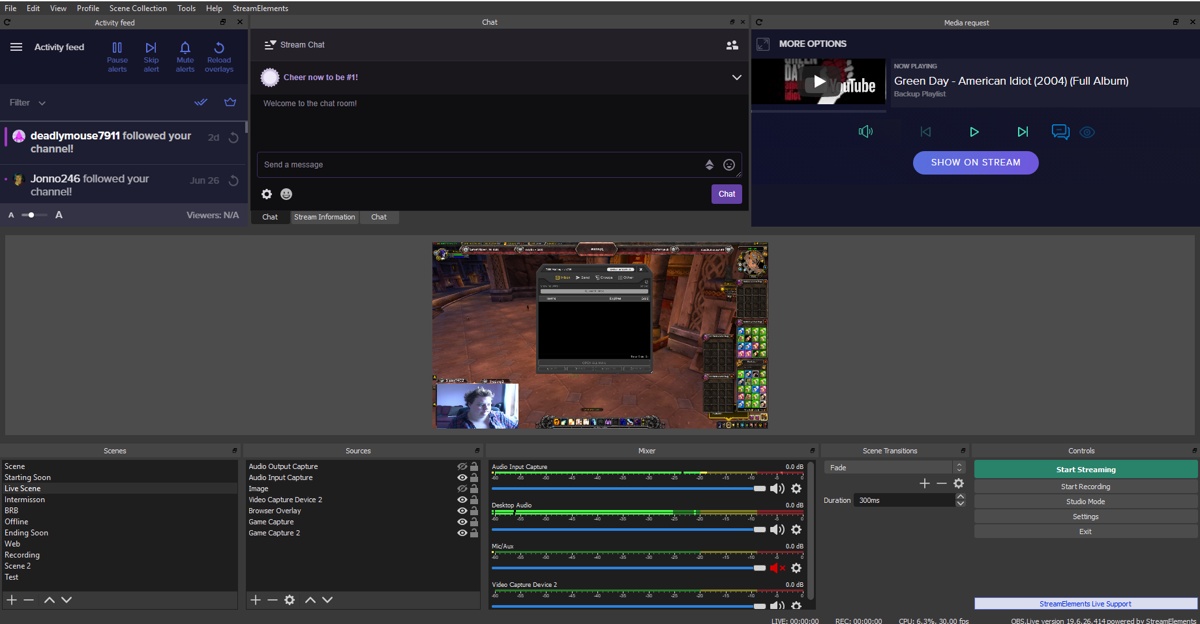 odd kraken
You should be able to right click the preview and select Fullscreen Projector (Preview). Then you can select a screen for the fullscreen preview.
The preview scale adapts the window. You can change this setting by right clicking the preview > Preview scaling.
bronze onyx
fixed it had to uninstall and install 😮
 molten stump
So when I try to stream it says I have bandwidth testing mode on and I don't know how to turn it off
odd kraken
Are you logged in via account ordo you use a streamkey?
molten stump
via account
odd kraken
Then you should be able to uncheck the checkbox for bandwith testing in Settings > Stream in OBS.
molten stump
Thank you so much
deep birchBOT
@toxic kettle Please follow our community rules:
- No advertisement or stream promotion
- Respect ALL server members
- No NSFW/NSFL
Thank you
 true marlin
why does OBS.Live always sign me out of twitch. It keeps making me login
deep birchBOT
@true marlin Please send in an issue report so our team can investigate using the program's logs:
Report an Issue
▫ Select "StreamElements" at the top of OBS
▫ Select "Report an Issue"
▫ Please write a detailed description of the issue you are facing:
What is happening/not happening? What happened that led to this issue appearing? When did you first notice this issue? Descriptions that help us to to reproduce the issue on our end very often result in quick fixes.
▫ Select "Send to StreamElements"
@true marlin If you are not seeing the OBS Twitch integrations and have OBS.Live installed, please follow these steps:
- Make sure you are on the latest and greatest version of OBS.Live ( 19.6.26.414 )
- exit OBS (make sure OBS is not running)
- delete %appdata%\obs-studio\plugin_config\obs-browser\obs_profile_cookies
- start OBS.Live
- Settings -> Stream -> disconnect -> connect
ruby sleet
Any devs around that can help me with a custom bot issue that wasn't resolved yesterday?
 glossy dagger
Okay seriously I'm so tired of this issue... When you close OBS and reopen it can't log me back into twitch and all my linked / saved windows have to be re-organized. Anyone else having this issue or just me?
And yes... If you are not seeing the OBS Twitch integrations and have OBS.Live installed, please follow these steps:
- Make sure you are on the latest and greatest version of OBS.Live ( 19.5.27.394 )
- exit OBS (make sure OBS is not running)
- delete %appdata%\obs-studio\plugin_config\obs-browser\obs_profile_cookies
- start OBS.Live
- Settings -> Stream -> disconnect -> connect
- for me is ......\AppData\Roaming\obs-studio\plugin_config\obs-browser
 graceful arrow
Is this support chat for obs?
shy mountain
@glossy dagger And when you are in the obs-browser page, remove the obs_profile_cookies folder.
shy mountain
@rugged quail Are the assets in SLOBS yours or pre-defined from SLOBS? Also we can't import assets bigger then 10 MB.
OBS.Live and OBS Studio version @glossy dagger
@graceful arrow For OBS.Live support
 noble wedge
i try to open stream elements and it boots but i dont see it there is no tab nothing
shy mountain
Can you show me a screenshot of what you see?
noble wedge
it doesnt show on a tab nothing except on task manager
shy mountain
Uum, I'm confused.
shy mountain
Then close OBS from the task manager and open it again
noble wedge
i tried that and even restarted my pc nothing
deep birchBOT
@noble wedge For the best OBS support, please join their Official Discord @ discord.gg/obsproject
 cedar leaf
having a huge issue with my browser overlay not appearing on my OBS.live, i've refreshed the browser source and tried several different things. can't seem to get it working when i'm testing events from the editor, i was able to at first
deep birchBOT
@cedar leaf The default resolution for StreamElements overlays (theme and custom) is 1920x1080. Please add them in OBS at their full resolution and use CTRL+F to fit to screen if necessary. You can then downscale your stream in OBS settings > Video if you'd like https://i.imgur.com/6bWXxjR.png
cedar leaf
i did match the resolutions and now it works, lol
 pallid pagoda
i am having a problem installing overlay from streamelements to obs .live need some help
deep birchBOT
@pallid pagoda To add your overlays to OBS, add a new browser source in your scene. Paste your overlay URL in the browser source properties, set the dimensions to 1920x1080 (unless you changed them on the website), and ☑ “Shutdown source when not visible” https://youtu.be/KDvLynUqXI4
pallid pagoda
did that it gives me a generik obs screen
shy mountain
Did you paste the overlay link?
pallid pagoda
I will rewatch the video and re do it maybe i missed something
pallid pagoda
thank you for the help just wasnt doeing it right
shy mountain
😃
noble wedge
So I recorded a video on stream elements and I didn’t get the video
shy mountain
Check the location where you've set recording to go
noble wedge
How?
shy mountain
noble wedge
It didn’t come out as a video
shy mountain
Then change the recording format
noble wedge
Thx
rugged quail
@shy mountain, same when i select one per per
 deep birchBOT
@rugged quail Please provide a log from your last stream. To do this, in OBS go to Help > Log Files > Upload Last Log File and paste the link to the log file here.
shy mountain
Can I see the log file please? 
rugged quail
I just woke up, I tell you in 5 minutes ^^
 shy mountain
you will have to hard remind me when you manage
rugged quail
I'll remember u !
 eternal plinth
Hi guys, im having an issue with alerts. For example, yesterday when people would host me, there was no alert on stream... any ideas?
im using a super theme
deep birchBOT
@eternal plinth Due to changes to Twitch API, we have filtered out hosts and will only show these ones on your activity feed:
- All manual host events (0 hosts included and if filter set to 0)
- All hosts coming from an online channel. If the hosting channel has been offline, we do not show it
- All auto host events with at least 1 viewer
Note: An offline host is when you see "X channel has just hosted you" - with no viewer numbers on the back
 chilly steppe
attempting to configure streamdeck to perform the heavy lifting on OBSLive however the streamdeck software says "This version of OBS is not supported". have i done something to cause this, or is there very limited functionality between OBS Live and StreamDeck?
chilly steppe
21.1.0
shy mountain
Well thats the answer - latest version of OBS is 23.2.1
chilly steppe
when i go to check for updates, it says this is most current
shy mountain
21.1.0 has a broken updater so download the latest version from their website
chilly steppe
will it scrub all my settings etc?
shy mountain
no
unless you let it, but it shouldn't even give you the option
unless you are uninstalling OBS
chilly steppe
youre the best, that worked
 radiant pulsar
viewer count is no longer showing up on my obs.live despite having it turned on.
 torn notch
Hi, I'm having issues with OBS live connecting to twitch, my main screen now just shows the streamelements website log in to twitch, when I click it, it does nothing - I had to change my token thing because last night I had an overlay launched and the url was visible to my viewers.
Nvm, I think I fixed it
 jolly thunder
Need help please! My game capture isn't working
cerulean bison
Is there a "Credits" widget?
jolly thunder
@odd kraken yes i've tried everything
deep birchBOT
@jolly thunder For the best OBS support, please join their Official Discord @ discord.gg/obsproject
 fading nimbus
Stream ends and gives me error message "An encoder error occurred while streaming." when i transition scenes
deep birchBOT
@fading nimbus Please provide a log from your last stream. To do this, in OBS go to Help > Log Files > Upload Last Log File and paste the link to the log file here.
fading nimbus
odd kraken
Encoder start error
An encoder failed to start. This could result in a bitrate stuck at 0 or OBS stuck on "Stopping Recording". Depending on your encoder, try updating your drivers. If you're using QSV, make sure your iGPU is enabled. If that still doesn't help, try switching to a different encoder in Settings -> Output.
fading nimbus
I updated my driver setting (using NEVEC) and still had the same issue
deep birchBOT
@fading nimbus For the best OBS support, please join their Official Discord @ discord.gg/obsproject
 cunning nova
Hello Everyone, Can someone help me please?
Laptop : i7-4500 1.80ghz 4 CPU {2.4ghz} 8GB Ram, DX 12, W 10 Pro 64b Fresh Install 5days
Internet Connection : 300Mb/s Download 80Mb/s Upload - Fibre Connection to Home - LAN Cat 6
Connected: PS4 with remote Play, YouTube Account, OBS Live, StreamElements Doing Streams
Cpu Usage: Goes around 3-12-30%
1] Sometimes during stream overlays refresh, or disappear, or appear in min or I need to manually refresh thru Browser Properties.
2] Sometimes when I want to change SCENE, its taking time to load all Browsers , Screen & music will change immediately but overlays taking time.
3] Sometimes when i do stream, it will show me low quality of video, its on Preview and also on YouTube when i check stream video later on.
4] Is there any way how to reduce for minimum or remove delay between stream and YouTube? so i can react directly for YT chats ?
5] Duration on Stream, When i do streams, before from PS4 directly the maximum time was 12hours, so if i have 15hours stream, i can see 15hours before i open video, when i open it shows only 3hours, This is happening for stream thru ALL STUFF I LISTED UP it do only 2hours, so if i stream for example 10h stream and later on i or others want to watch it on YouTube it will show only last 2hours, but Video before u open it will show 10h of stream video.
6] Is there any way how i can add more songs in scene, so when one finish it will play another? i have mix 2hours songs, and i do not want to use loop for play again the same audio after 2hours, would like if other song will automatically continue, without i need to turn one off and another on.
7] Thank you all who red everything until here, and i will be happy if someone can lead me to way how to fix all these, and make stable quality of video all the time and long time, thanks
PS: My cpu usage goes around 3-12-30% Mostly around 15% lets say. Thanks
deep birchBOT
@cunning nova Please provide a log from your last stream. To do this, in OBS go to Help > Log Files > Upload Last Log File and paste the link to the log file here.
cunning nova
plain sonnet
heres your report https://h4ndy.eu/obslog?url=https%3A%2F%2Fobsproject.com%2Flogs%2Fc0A1PALwcMdMB21N
how-to link inside. if you can get a log with output data that would help us more with your stream
1 + 2) if you have "shutdown source" ticket in browser properties then it will take time to load when switching back to the scene (time depends how much is to load and how quickly your pc can download and render it)
-
there is a default delay you cannot remove
-
this is down to youtube, nothing obs or se can do about it
-
if you are playing it through obs then add songs to the vlc video source
cunning nova
1 + 2 i untick those ... question: why they are for ? cause of one scene, or they helping CPU dont get heat?
So i cant stream more than 12h? is there even a way how i can record in same time? and later on upload on youtube? Cause i dont wanna refresh my stream every 2hours, can i record and stream in same time? even if stream dont have any :history: i can upload it to youtube no?
6] i did before, but i still heard music in background, in way i made it, i cant hear any music, but in youtube they can hear it clearly which im happy for, i will stay with that thats ok.
i saw guy streaming more than 15hours and he had video on youtube, dont know if was original from streaming, but i watch him streaming, and few hours later i could check his whole video... thats why im asking.
ps: what about 3? sometimes show low quality ?
What about stream setting for output, for Kbs, etc? any link for best settings? or any web what can generate specifics parameters for my laptop, to make it as much powerfull as i can? thanks again
odd kraken
Best to use the auto configurator in OBS.
cunning nova
I thought about that, if there is something like this, and i cant find it... where it is? thanks. what about more than 2h video, or how to stream and record in same time? and sometimes low quality? again thanks for helping guys
plain sonnet
your bitrate is set to 2k, when your internet fluctuates it will give low quality
if you want to record at the same time, then press record when you stream
odd kraken
In OBS Studio it is Tools > Auto-Configurtation Wizard.
 feral flume
hi how do i stop obs streaming my steam chat
odd kraken
Are you using a game capture source?
odd kraken
I think in the properites of the game caprute source you can disable to capture third party overlays.
feral flume
ok thank you
 runic mesa
I need help. Im trying to capture my game (fortnite) and im very new to obs but i know basics but every time i try to put the stream to fortnite its a black screen can anyone help?
odd kraken
Have you started OBS as admin?
odd kraken
yes, please try that.
runic mesa
still no luck
deep birchBOT
@runic mesa For the best OBS support, please join their Official Discord @ discord.gg/obsproject
 sonic sparrow
is there anyone here who can help me address this encoder error i get almost every other day now? after weeks of having no issues?
deep birchBOT
@sonic sparrow Please provide a log from your last stream. To do this, in OBS go to Help > Log Files > Upload Last Log File and paste the link to the log file here.
sonic sparrow
odd kraken
Here is an analysis of your log with ideas on how to improve: https://h4ndy.eu/obslog?url=https%3A%2F%2Fobsproject.com%2Flogs%2FWiVmnxqQnqja09LO
sonic sparrow
thanks Benno
IDK why these issues are only happening now after weeks of fine performance
when it says monitor and game capture sources interfere with each other, im not sure where that is happening
odd kraken
There is most likely a game capture and a screen/window capture in the same scene.
sonic sparrow
what is the recommended encoder i should pick in settings?
odd kraken
I can't give you any advide on this, best to test it out.
odd kraken
But as you have got an RTX, I would try NVENC.
odd kraken
Seems to be nearly the same: https://h4ndy.eu/obslog?url=https%3A%2F%2Fobsproject.com%2Flogs%2F60LkXNz6xZklVxU6
sonic sparrow
can i share my screen with you in discord or something? IDK how to fix it
i swear i only have display capture or screen capture in any of my scenes
deep birchBOT
@sonic sparrow For the best OBS support, please join their Official Discord @ discord.gg/obsproject
true marlin
How do you add popouts to OBS.Live?
odd kraken
What popouts are you referring to?
true marlin
Im trying to get the Stream Information popout
odd kraken
On the top right of the dock in OBS there is a button to pop the dock out.
true marlin
I dont wanna popit I want to add the stream information to the dock I guess.
I had the stream information one there but I opened OBS and it was gone. Trying to get it back in there
odd kraken
Are you able to add it to your docks via View > docks > stream information?
deep birchBOT
@true marlin If you are not seeing the OBS Twitch integrations and have OBS.Live installed, please follow these steps:
- Make sure you are on the latest and greatest version of OBS.Live ( 19.6.26.414 )
- exit OBS (make sure OBS is not running)
- delete %appdata%\obs-studio\plugin_config\obs-browser\obs_profile_cookies
- start OBS.Live
- Settings -> Stream -> disconnect -> connect
true marlin
@odd kraken I got fixed. I appreciate your help 😃
noble wedge
i stream apex and its smooth on my screen but on the stream its very choopy i have tried lowering the bitrate nothing and i play other games with 6000 bitrate
deep birchBOT
@noble wedge Since Apex Legends doesn't have optimized GPU drivers yet, it tends to take up all your GPU resources, leaving nothing for OBS. If you're having OBS performance issues, you'll likely need to limit the game somehow. The easiest way to do this is to enable Vsync in the game, or use a frame limiter. You can limit the game to 60fps by adding `+fps_max 60` to the game's launch properties in Origin.
https://twitter.com/OBSProject/status/1093974215877951493

If you stream @PlayApex and are having FPS issues with OBS due to a maxed-out GPU, you'll need to reduce GPU usage so that OBS can run as well. The quickest way to do this is to enable Vsync with triple buffering and disable Windows 10 Game Mode. https://t.co/FOPmDyJMNx
Retweets
471
Likes
1347
 Twitter
 languid obsidian
Media request is doubling and tripling up
 formal hinge
Hi guys, I am having an issue with Recording. I am unable to change the Recording path it is greyed out ... any ideas?
OK I am a bit slow today, worked it out I had my virtual cam active. Fixed 😃
 cosmic pecan
Hello, I'm having an issue. I made a custom stream alert and it works fine in Streamelements Editor, but when set it up in Streamelements OBS, it's not exactly the same as I intended it to be. I set it up on Normal OBS Studio, and it works fine. So the issue should be with the Streamelements version of OBS. anyway to fix this?
 upbeat crane
can someone tell me how to turn my cat extension back into a chatbox after I try to edit moderator settings
 solar crown
quick question, everytime i open obs/.live i need to log into every time the application is opened into twitch. is there something im missing?
Stream information dock disappears everytime i close OBS and i need to type into the chat box just to log in and have it re-appear
deep birchBOT
@solar crown If you are not seeing the OBS Twitch integrations and have OBS.Live installed, please follow these steps:
- Make sure you are on the latest and greatest version of OBS.Live ( 19.6.26.414 )
- exit OBS (make sure OBS is not running)
- delete %appdata%\obs-studio\plugin_config\obs-browser\obs_profile_cookies
- start OBS.Live
- Settings -> Stream -> disconnect -> connect
solar crown
ty
 vagrant glen
im having a problem with the media request widget, i have it on my overlay but it doesn't detect it, i don't know if im doing something wrong.
i've also tried to separate it from my main overlay but it still doesn't work
 drifting night
i really need help setting this up with this i am new to all this
dry sphinx
@vagrant glen Can you try to log out of OBS Live and log back in please.
@drifting night If you haven't started anything at all: There is YouTube Tutorials for setting up at https://www.youtube.com/streamelements/videos 🙂

YouTube
Official youtube channel for StreamElements tutorials https://StreamElements.com
vagrant glen
Thanks! now is working!
dry sphinx

 arctic echo
quick question how do i get this custom name to work on the bot? having trouble with it
just comes up with my name when i his test
odd kraken
Here is a video on how to set it up: https://discordapp.com/channels/141203863863558144/494513233416421386/561516184718278676
arctic echo
thank you shall have a peep now
i dont have the custom bot name option in stream settings?
odd kraken
Do you meet all the requirements?
arctic echo
what are these requirements? should i have seen them somewhere?
odd kraken
 odd kraken
This is groundcontrol and not OBS.Live. When you go to Burger Menu > Settings > Custom bot name. Is the option enabled?
arctic echo
benno
ive just seen it
my bad
says everywhere i looked online i needed ground control so i downloaded it, not realised it was already apart of obs.live
thats why there is no option..
odd kraken
So you managed to rename your bot with OBS.Live now?
arctic echo
doing it now
so does the custom botname just default to the new twitch account or can you change the name on the fly?
odd kraken
it is the name of the new twich account.
shut spear
Ok I had asked about this a couple days ago, Is anyone else having problems with the OBS.Live plug in for the stream deck? Mine has uninstalled its self and wont reinstall. Says the version is 19.7.4.59 dtd 7/15/2019.
 torn talon
The Media Request doesn't play trough my stream. When i play the song, Desktop Audio doesn't pick up the sound, but i can hear it on my headset
bronze onyx
Hi there, I come across a error/bug Im play music from Media request but im getting the music playing double when i show the video on stream does anyone know what can be making this happen
deep birchBOT
@bronze onyx Make sure to ☑ “Shutdown source when not visible” for all browser sources (all OBS scenes). If using studio mode, uncheck “Swap Preview/Output scenes After Transitioning.” Also keep in mind that sound can play from any overlay loaded in the browser (editor or launched). https://i.imgur.com/FegZJQS.png https://i.imgur.com/yY0wcFl.png
odd kraken
@torn talon Do you use any audio routing tools?
torn talon
@odd kraken nop. It was working fine. Just now someone told me they can't hear the requested songs
Everything was on default
odd kraken
Have you hit show on stream?
torn talon
@odd kraken found the problem...
odd kraken
what was it?
torn talon
I turned down the volume to 10% at the windows game app thingy (windows key+G)....
Shoot me...
odd kraken
oh ok. glad you figured it out.
bronze onyx
Ive just done the setting but still having issues
odd kraken
Do you have two media requests widgets in the active overalys?
bronze onyx
just one
odd kraken
Then please recheck that all overlays are set to shutdown when not visible and you have not running the active overlay in a browser or editor in the background.
bronze onyx
Fixed cheers forgot I have media request in another overlay silly me 😛
 cyan adder
if anyone could help i still have the same issue my obs keeps crashing while im streaming and i have no clue what the issue could be. I just want to stream xd
 olive temple
hey hey, been away a while, built a new PC reinstalled OBS live, and in the process of adding my scenes back in, when i noticed my fonts have reset to default, even though i installed them and under custom font it still says 'Hulkbusters'
deep birchBOT
@olive temple Google Fonts
More than 900 google fonts are supported at this time. You can preview them here: https://fonts.google.com/
Custom Fonts
Steps:
- Install the font on the streaming PC or choose a pre-installed windows font.
- In the overlay widget settings, select Text Settings
- Enable Custom Font
- Type the name of the font as it appears in the windows font directory (This is usually
C:\Windows\Fonts)
Note: After installing fonts, the browser and OBS must be restarted for the font to appear.
olive temple
I've tried these steps once i installed the font i restarted the pc.
deep birchBOT
@cyan adder Please provide a log from your last stream. To do this, in OBS go to Help > Log Files > Upload Last Log File and paste the link to the log file here.
odd kraken
@olive temple is the Font coming up in the overlay Editor?
olive temple
the custom font box to me is a text box don't seem to have a drop down.
odd kraken
In the log file is no output data. Please provode a log of a stream session.
rugged quail
Is there a way to copy the alert box from scene to scene or do you just have to build it each time?
odd kraken
Select the widget in the layers in the lower left of the overlay editor and select the two papers with the red dot above to copy.
odd kraken
I cannot read the log file. It seems to be broken.
odd kraken
Yes, it only tells me that there are two instances of OBS running. There is no output session in this log file.
odd kraken
No Output Session
Your log contains no recording or streaming session. Results of this log analysis are limited. Please post a link to a clean log file.
To make a clean log file, please follow these steps:
- Restart OBS.
- Start your stream/recording for about 30 seconds. Make sure you replicate any issues as best you can, which means having any games/apps open and captured, etc.
- Stop your stream/recording.
- Select Help > Log Files > Upload Current Log File. Send that link via this troubleshooting tool or whichever support chat you are using.
cyan adder
ok
odd kraken
Please also make sure when you start OBS, that there is no other instance running. Check in the task manager and kill the OBS instances if needed.
odd kraken
Is there a crash log you can upload here?
cyan adder
and it started to crash like 3 days ago otherwise it was good
i dont think so
i dont find any
odd kraken
Can you provide an OBS log from that stream?
cyan adder
how do you make that possible ? sorry im not to good at those stuff
odd kraken
Search in the log file folder of OBS for the stream log where the error happened.
cyan adder
any help how to do that exacly ?
odd kraken
To get to the location where the log files are saved: OBS > Help > Log Files > Show Log Files.
odd kraken
Search for the log file of the stream with the error. Then upload this one.
cyan adder
but.. how do i know which one is the error one i only see 10 total log files
odd kraken
It stores the last 10 log files. The name of the log file is the date and time.
cyan adder
yes
odd kraken
Everytime you restart OBS there is a new log file written.
odd kraken
Send the log file here please.
odd kraken
Are you streaming or recording?
cyan adder
im recording right now just in case idk
i was streaming earlier but it crashed
and i dont want to stream anymore untill i fix the case cus i lose a lot of it
odd kraken
Was it the same error message you have reported earlier these days?
cyan adder
yes
odd kraken
What was the issue last time?
rugged quail
Im having an issue with dropped frames
deep birchBOT
@rugged quail Please provide a log from your last stream. To do this, in OBS go to Help > Log Files > Upload Last Log File and paste the link to the log file here.
cyan adder
thats the thing i dont know the issue. i only get a message saying an error occurropted while streaming
odd kraken
The last time you told that you somehow fixed it. What did you do last time to fix it?
rugged quail
https://obsproject.com/logs/-OFX50HJUPZUcvz0 this was just a test to see if it was still happening so it quite short
cyan adder
no i was wrong it appeard after like 2h
it werid sometime i can stream for like 5h then it happeneds
sometime 30min , 1h ,2h idk
its really annoying and the most annyoing part is that i dont know the issue why its crashing
odd kraken
@rugged quail There is no output session in this log. Please provide a log with a stream.
@cyan adder Best to hand in a crash log and an obs log when this happens the next time. I cannot really help you without these.
rugged quail
https://obsproject.com/logs/V0G8ADQLqYHuTEMY try this one, im not sure how to upload a specific file so i just did current
odd kraken
Every time you restart OBS, a new log file is made. So most lilely the log file is already gone cause you maybe restarted too often. It only saves a specified amount of log files. @cyan adder
rugged quail
Question, if i disable sli in nvidia control panel, can I then use one gpu for streaming
my other one, not the games one
arctic echo
any idea why as soon as i add a sound clip (.wav) it stops the alert from working?
rugged quail
bc my main is reaching 100% while my secondary on sli is only reaching 20-30 in most games
odd kraken
Not sure. Best to ask these kinda questions in the OBS support discord. @rugged quail
rugged quail
@odd kraken Thank you
odd kraken
@arctic echo What browser are you using? What do you mean by stopping to work? Does the alert not come up any more when you emulate one in the overlay editor?
arctic echo
im using chrome. i test the alrt and it work i add the sound clip to it, then the alert goes grey as it drops as to say something wrong
odd kraken
The alert goes grey? Can you record the behaviour?
arctic echo
sure gimme 2 mins
seems to be related to the wav files
yup just added an mp3 and its fine
odd kraken
I have to ask internally about this issue. Can you also hand in the wav file please?
languid obsidian
Anyone have any info on media request doubling when showing on stream
deep birchBOT
@languid obsidian Make sure to ☑ “Shutdown source when not visible” for all browser sources (all OBS scenes). If using studio mode, uncheck “Swap Preview/Output scenes After Transitioning.” Also keep in mind that sound can play from any overlay loaded in the browser (editor or launched). https://i.imgur.com/FegZJQS.png https://i.imgur.com/yY0wcFl.png
 trail ginkgo
Hi i hope this is correct channel to ask, can i remove the option for a viewer to request a song by typing a sentence? but instead have it ONLY so u can request a song with a youtube link. thanks alot!
 dim ravine
So, I'm trying to set up a custom bot name, and I've tried two accounts, but I'm getting nothing. It's just leaving the bot name thing blank and it either stays a white screen, or acts like it went though, but still says "set custom bot name"
if it's a problem on my part, then I have no idea what I did wrong
odd kraken
@trail ginkgo Afaik there is no option to disabble the adding via artist/song name.
 still shoal
Could I get some help on something from staff?
deep birchBOT
@still shoal Welcome to the helpdesk! Please let us know how we can assist you today and a support volunteer or staff member will assist you as soon as they are available. Thank you for your patience.
still shoal
I'm having issues with captures not showing up in OBS
odd kraken
Have you started OBS as admin?
still shoal
I have now and same thing
deep birchBOT
@still shoal For the best OBS support, please join their Official Discord @ discord.gg/obsproject
still shoal
IDK what the deal is. Streamlabs doesn' t have issues, but my game capture, webcam, nothing will show up in my scenes
odd kraken
Have you closed StreamLabs in the background?
still shoal
omg lol
i had to not use the already made webcam option...
game capture still isn't working though
i feel really dumb, but i've never had an issue before
odd kraken
For the best OBS support, please join their Official Discord @ discord.gg/obsproject
 tepid olive
Hey I just got a Nintendo switch, I want to output the audio to Streamelements so i can hear what is going on in the game. The system audio disables when headphones are plugged in. Is this possible?
 humble urchin
Hey Guys looking For Some help i am running a i7 8700k overclocked to 5.0Ghz and a GTX 1070 i keep Getting the encoder Error at the bottom and go from 60FPS to anywhere from 30-40fps While Streaming/recording but this ONLY happens when Obs studio Live is on if i am using The Default Obs Studio it will run fine with 60fps? anyone have any ideas? i don't feel That Obs live should be pulling that much resources
 fleet abyss
Anyone know how to import from another channel? In settings, it won't let me add another channel, just says the current one is already claimed o_O
shy mountain
@tepid olive @humble urchin Both of your issues are unrelated to our plugin so I suggest visiting the OBS discord: https://discord.gg/obsproject
@fleet abyss That means the channel is created in our system. If you want, I can merge them, but I will need the JWT token of both accounts.
deep birchBOT
@fleet abyss You can find your JWT token on your account channels page ("Show Secrets" to reveal the token): https://streamelements.com/dashboard/account/channels
READ ME:
This is a private security token. Do NOT share this token here or other public places, only with a StreamElements staff member in private.
fleet abyss
@shy mountain Merge would be perfect. DM'd you tokens - do you need anything other than those?
shy mountain
Nope - give me a moment
fleet abyss
sure thing. take your time 😃
humble urchin
@shy mountain how is That a Obs issue and not a stream elements thing it only happens when i am using the OBS live Stream elements Plug in? When i am using OBS studio it works fine?
shy mountain
OBS.Live does not in any way affect encoding settings or anything in OBS besides adding 3 additional docks.
But ok, lets do this:
!obslog
deep birchBOT
Please provide a log from your last stream. To do this, in OBS go to Help > Log Files > Upload Last Log File and paste the link to the log file here.
humble urchin
@shy mountain I just did A 1.5min recording frames when down to about 38 bouncing at 45ish
shy mountain
humble urchin
So if i am reading correctly its Says I should use vsyc?
shy mountain
what ever the guide is suggesting.
humble urchin
Well its saying that my Encoder is over Loading due to CPU usage but my encoding is set to run off the GPU
shy mountain
6000 bitrate with the CPU encoder?(not the NVENC encoder)
humble urchin
its using the NVENC
shy mountain
NVENC (new)?
humble urchin
ya
humble urchin
4000?
shy mountain
4000-4500 is more like the sweetspot
this allows even people on mobile to watch you
but just barely
if you don't get the quality options from Twitch
I would use 6000 bitrate only if I have a 2 PC setup
rugged quail
hey having an issue where it says obs cant connect to stream elements server where my twitch chat and notification box is? any help was working fine a minute ago as i was updating my overlays
shy mountain
Click on Streamelements on top -> logout -> login
humble urchin
i Droped To 4500 still showing the same but it also Says Try with Vsync i just turned it on And ran around for a few Seems To have Corrected the issue Thanks for you help @shy mountain
shy mountain

rugged quail
when trying to logout it says " oops we are unable to reach stream elements server"
shy mountain
Show me a screenshot of what you see.
rugged quail
okay and btw , its not me with the problem its my friend im in a call with im just communicating for him
shy mountain
then get your friend in here: https://discord.gg/se


 deep birchBOT
@rugged quail https://www.take-a-screenshot.org
rugged quail
I’m one a 60 percent key board
On*
any tips it just keeps giving that error and it logged out and logged back in with same error
shy mountain
Something is blocking OBS.Live from connecting to us.
Thats all I can say.
Anti-virus or firewall
rugged quail
what would it be
shy mountain
or both
rugged quail
how would you unblok it
shy mountain
Well I don't know what anti-virus program you have
but most anti-virus programs have a way to force unblock connections in programs
and Windows Firewall should have a whitelist option
solar crown
hey, just trying to figure out why im getting frame drops, its intermittent, streaming at 720p 60 frames, 4k bit rate, nvenc new. at times will drop from 60 frames all the way to 20-30
deep birchBOT
@solar crown Please provide a log from your last stream. To do this, in OBS go to Help > Log Files > Upload Last Log File and paste the link to the log file here.
solar crown
odd kraken
This is an analysis of your log file with tips on how to improve: https://h4ndy.eu/obslog?url=https%3A%2F%2Fobsproject.com%2Flogs%2FzqhMgLoHn511CWyV
 prime girder
NANI? There's a site that picks out problem errors in OBS logs?
dry sphinx
It's pretty great.
prime girder
that saves so much time, I usually just read the log files myself
dry sphinx
Oh nah 
prime girder
because I've been around OBS since... its launch, really
there was so much garbage data in that logfile though
I really need to harass jim to see if he can find a way to read the max turbo the CPU reports rather than its base clock
some places cough NZXT BLD cough provide systems to streamers and disable turbo and you just don't know if it's on or off by reading the log. Makes a big difference
@solar crown
1 - How did you turn off 2-pass encoding?
2 - What game were you playing?
3 - Is turbo on on your CPU?
4 - What exact GPU do you have? I see it's a 2070 but that means little, I want the vendor and their model.
solar crown
@prime girder i havnt turned off 2-pass encoding? not even sure what that is tbh. Running apex, turbo isnt on that im aware of. ASUS ROG Strix GeForce RTX 2070 Gaming OC 8GB
i havnt tinkered with too many settings, had to come over from slobs as it was way to buggy
solar crown
@prime girder ive sent you some screenshots from cpuid
 twilit magnet
hi there I am using stream elements and was wondering if I import my alerts from streamlabs to SE and how do I ensure its working during streams
dry sphinx
With importing your alerts: Go to https://streamelements.com/dashboard/overlays & check if there is a Overlay that should be listed if I remember "Imported alert box".
StreamElements
The Ultimate All in One Platform for Streamers
Can click the pencil icon to open the Overlay Editor & emulate test alerts with the bell icon on the bottom left of the Editor.
twilit magnet
@dry sphinx ok great, once I've done that how do I make sure the alerts show up on my actual stream?
dry sphinx
That'll be adding the Overlay's URL as a Browser Source in OBS.
deep birchBOT
@twilit magnet To add your overlays to OBS, add a new browser source in your scene. Paste your overlay URL in the browser source properties, set the dimensions to 1920x1080 (unless you changed them on the website), and ☑ “Shutdown source when not visible” https://youtu.be/KDvLynUqXI4
twilit magnet
ok excellent thank you.. do I need to keep the browser source open during my live stream for the alerts to play?
dry sphinx
Only in OBS.Studio the Eyeball has to be open so you & your viewers see the alerts.
prime girder
note that you can still see the activity feed and can keep your preview disabled
rugged quail
can you make donations text to speech
dry sphinx
Yes you can 
In the Overlay Editor -> Go to layers on the bottom left to find your Alert Box -> Edit Tipping -> Should be an option to enable TTS I believe in the Text Settings.
rugged quail
on obs live or the website
rugged quail
can u send link to exact page
dry sphinx
StreamElements
The Ultimate All in One Platform for Streamers
rugged quail
where is the layers
dry sphinx
Layers will be at the bottom left when you click the Pencil Icon (edit) for your Overlay.
The Pencil Icon I'm referring to
dry sphinx
I'm not sure if there is different voices to use.
I haven't used TTS in a LONG time. 
I'll have to check when I have time.
Currently at my day job.
rugged quail
do i have to do them one by one
 quiet shard
can someon help me please
i need me little help for giveaways
how my viewers can buy tickets ?
 quasi snow
hi @quiet shard enable ticket command and on giveaway tick permission to buy tickets on chat
also make sure loyalty is enabled so viewers can earn points to spend on tickets
solar crown
okay want to ask one more time before i format my pc, had a large amount of help from @prime girder (he was great btw). my cpu usage is at 30% (task manager) and struggling to get it down, any thoughts?
rugged quail
Hey guys, for some reason whenever I am using obslive the chat client signs me out regardless of ticking the "stay signed in for 3 0days" any idea why?
When is @deep birch going to start accepting Mixer? i'd like to use them over Streamlabs like i used to
I couldn't use their overlays because i could only connect to my twitch and not my mixer
prime girder
you don't need to ask multiple times in different chats @rugged quail
plain sonnet
@rugged quail no eta
quasi snow
@solar crown even when you just launched it and not streaming?
solar crown
correct @quasi snow
if i remove all scenes and sources i can drop it down to around 10% which is still quite high isnt it
quasi snow
did you try deleting cache folder yet?
%appdata%\obs-studio\plugin_config\obs-browser
move the folder out, make sure obs is not open, move it to desktop, then try again, see if it improved
solar crown
trying now
quasi snow
cache folder, not all 😄
solar crown
let me double check them all give me a moment
cyan adder
im not sure but this might be the log file from the crash that i reported yesterday
@odd kraken
dry sphinx
Text file?
plain sonnet
no its not
A crash log is required to investigate the cause of your issue. Please upload the last crash log.
- In OBS, click the Help menu
- Select Crash Reports, and then Upload Last Crash Report
- Copy the URL, and paste it to the chat here.
dry sphinx
What version of OBS.Studio are you using again? Top left
cyan adder
i use 23.2.1
ok now im super lost eveyone keeps telling me different things. I'll start over. I have been having issues while streaming my obs keeps crashing when i stream and i dont know whats the problem
plain sonnet
A crash log is required to investigate the cause of your issue. Please upload the last crash log.
- In OBS, click the Help menu
- Select Crash Reports, and then Upload Last Crash Report
- Copy the URL, and paste it to the chat here.
rugged quail
hey im having trouble conecting to obs live can someone help
it says there unable to reach stream elements servers
cyan adder
watch im going to stream right now and when it crashes again ill contact you again...
plain sonnet
@cyan adder if you dont have any crash files there then you may want to ask in obs discord as theres nothing we can do without it
cyan adder
ok were do i find the obs discord ?
deep birchBOT
@cyan adder For the best OBS support, please join their Official Discord @ discord.gg/obsproject
rugged quail
can i get some help