#helpdesk-selive
1 messages · Page 41 of 1
 quartz quest
i did find one. think im just puzzled on how to import via obs.live i guess
then saw the import feature from other source and ya.
 pallid parrot
Ohhh. So if you find one of themes on our repository - just add them as browser sources to OBS.Live
quartz quest
aww ok
quartz quest
ok so under my overlays section gotcha
what if im using 1440p monitor?
nvm i figured it out.
 sharp igloo
Anyone here using Touch portal togheter with SE ? And if so how did you get it to work ?
 odd kraken
Install The OBS Web Socket plugin: https://github.com/Palakis/obs-websocket/releases/tag/4.6.1
Start OBS Studio
Start Touch Portal
You should be connected to OBS Studio from Touch Portal now
Source: https://www.touch-portal.com/
sharp igloo
Awesome, Thanks alot ! and sorry for being blind apparently 😄
 still charm
I cant get my Remote play to pop up in my window capture for some reason for my stream. I was wandering how I could get it to pop back p so can stream from remote play
 dry sphinx
@still charm I believe I heard there's a known issue from Twitch. Double checking to be sure.

📢 We're aware of issues causing errors for some streamers using the PS4 and Xbox One apps. Streamers, please enable two-factor authentication to continue steaming from the console apps: https://t.co/Czv1T9BI3e
Likes
157
 Twitter
still charm
Twitter
still charm
this is OBS trouble. I cant get remote play to drop down with window capture. has nothin to do with twitch
I have to have it or no one can see my gameplay. need help asap
 deep birchBOT
@still charm For the best OBS support, please join their Official Discord @ discord.gg/obsproject
 half oasis
is tyhere a server issue with login server i cant login into {or connect with twitch } i click and it will not loginto obs live just spins
 sinful flint
Not that I can see, just logged in without any issues
 outer grail
half oasis
outer grail
half oasis
well i cant i resinstalled and still same thing i loged into and out of twitch and just cant login to OBSlive . Any thing you think i can do?
sinful flint
@half oasis Seeing as I can't replicate your issue and you've tried all that I'd suggest clicking on StreamElements > Report an Issue at the top of OBS.Live
odd kraken
@outer grail You can create a screen capture source, by selecting the small plus in the sources list.
half oasis
@sinful flint ty for your help
 warm wind
Having issues with media request and having double audio.... maybe im missing something but im constantly hearing the app and the stream sample
deep birchBOT
@warm wind Make sure to ☑ “Shutdown source when not visible” for all browser sources (all OBS scenes). If using studio mode, uncheck “Swap Preview/Output scenes After Transitioning.” Also keep in mind that sound can play from any overlay loaded in the browser (editor or launched). https://i.imgur.com/FegZJQS.png https://i.imgur.com/yY0wcFl.png

 warm wind
i dont have media request as a source
odd kraken
How do you control the media request? Do you use it for video requests, or just for audio?
warm wind
trying to have it play on stream but the audio is playing from both sources the widget and the preview on obs live
odd kraken
Try to hit show on stream, then it should just play the sound in the widget.
warm wind
i think i figured it out i think it was playing on a different scene
 feral loom
hey, is there any way to get labels (newest sub, follower etc) that isn't through overlays? or is that my only choice, cause im quite limited when I need to move them around the screen quite often
 random notch
Hello and good morning, I was wondering is there anyone available to explain how to install a third party theme from say nerdordie or visualsbyimpulse into stream elements.
!rank
sinful flint
@feral loom They're done only through the overlay, so to move them around you'd move them through the overlay editor
@random notch Seeing as it's coding you're best to ask in #dev-chat
random notch
ok
thank you for your replay I assume you can run into issues using themes not within the library esp with alerts?
 last scaffold
Can i get some help on how to get my overlays from stream elements onto my obs live?
deep birchBOT
@last scaffold To add your overlays to OBS, add a new browser source in your scene. Paste your overlay URL in the browser source properties, set the dimensions to 1920x1080 (unless you changed them on the website), and ☑ “Shutdown source when not visible” https://youtu.be/KDvLynUqXI4
last scaffold
thank you
 obsidian mesa
how do i fix obs black screen
odd kraken
Do you use a game capture or a a screen capture? Have you tried to start OBS as admin?
obsidian mesa
its window display and yh i have tried to run as adim still black screens
it was working fine yesterday
obsidian mesa
i just tried all of that still doesnt work
deep birchBOT
@obsidian mesa For the best OBS support, please join their Official Discord @ discord.gg/obsproject
 lament glen
Hello, I am currently switching from Stream Labs OBS to OBS live and I waswondering if there was a way i can import everything I have on SLOBS to OBS Live
dry sphinx
We have an import tool in our plugin for OBS Studio - OBS.Live, that lets you import SLOBS scene/overlays
lament glen
Where do I find that
dry sphinx
You'll see on OBS.Studio: StreamElements at the top -> Import from other Services
lament glen
I imported everything but its not in my scenes or sources
 steel mural
It's only importing your overlays from streamlabs. Your scenes/sources have to be redone from scratch because SL opted to change the file format for the file where the scenes/sources get saved.
lament glen
mu overlays still dont seem to be showing up
So all my scenes and sources have to be completely redone?
Hello?
sinful flint
@lament glen Yes, and they were imported successfully, visit our site and go to: https://streamelements.com/dashboard/overlays

StreamElements
The Ultimate All in One Platform for Streamers
Looks like you might have imported them multiple times
lament glen
Okay yes I saw those but when I try and add them to OBS they dont show up
sinful flint
!add
deep birchBOT
To add your overlays to OBS, add a new browser source in your scene. Paste your overlay URL in the browser source properties, set the dimensions to 1920x1080 (unless you changed them on the website), and ☑ “Shutdown source when not visible” https://youtu.be/KDvLynUqXI4
 olive temple
hey hey, is ground control a little on the unstable side? i booted it up to test a few things wanted to make sure my custom bot name was still working, clicking test now does nothing...
dry sphinx
You have Ground Control & OBS.Live open?
olive temple
yes
dry sphinx
Turn one of them off. As having both active can mess with it. I don't have much knowledge on Ground Control ever Since OBS.Live became a thing & can use the Custom Bot name through it.
olive temple
people have said that, but when i click streamelements > bot and tipping all i get is a blue screen saying bot activation ticked and tipping ticked with do it later
how would you change it in obs live?
dry sphinx
Check the pinned messages in this channel 🙂
 orchid pumice
I had a question... When I start streaming and go in game.. My game volume is completely lowered compared to when I am not streaming.
dry sphinx
Can you screenshot your Volume levels on OBS please? 🙂
dry sphinx
Well it's your Desktop Audio the lowest out of all.
Also you should check your in-game volume settings to see where they're at.
orchid pumice
They are the same whenever im either streaming or playing
But when im streaming the volume lowers
dry sphinx
Never heard that before for occurring on the streamer's side. Will be best to ask the OBS Peeps what's going on.
deep birchBOT
@orchid pumice For the best OBS support, please join their Official Discord @ discord.gg/obsproject
orchid pumice
Okay thanks
 stark igloo
I may be doing something wrong, but when I try to update the stream title in obs I get a 500 error code
When I press connect with twitch
I just receive the samething again
Can anyone help me?
forget it
 plucky chasm
is there any suggestions to fixing a green screen that appears on twitch while streaming?
 rotund stone
HEWLO!!!! So im having issues w/ ODS NDI not showing the NDI option on the second computer. Reinstalled 3 times, no change.
Disregard, Fixed the issue :#
 ashen vapor
@plucky chasm you will need to adjust the chomakey untill it is completely gone
plucky chasm
@ashen vapor can you explain or show a guide on how to properly do that ?
This is how my streams appear. i don't currently use a green screen and the audio plays fine but my game capture appears like this
odd kraken
Have you started OBS as admin? Do you use game capture, or screen capture?
plucky chasm
i do start as admin and im using game capture. i can't get screen or window capture to pick up my game for some reason.
deep birchBOT
@plucky chasm For the best OBS support, please join their Official Discord @ discord.gg/obsproject
ashen vapor
Is it green on obs like that?
 livid condor
trying to figure out how to change my webcame (Logtech P223 webcam) from 4:3 to 16:9
 silver blade
Whenever I use the overlay system with Stream elements and play music from the music request widget in OBS itself, I hear double of the music. Is there any way to turn this off?
deep birchBOT
@silver blade Make sure to ☑ “Shutdown source when not visible” for all browser sources (all OBS scenes). If using studio mode, uncheck “Swap Preview/Output scenes After Transitioning.” Also keep in mind that sound can play from any overlay loaded in the browser (editor or launched). https://i.imgur.com/FegZJQS.png https://i.imgur.com/yY0wcFl.png
odd kraken
@livid condor Isn't it in the video device settings?
silver blade
Thanks bot!
livid condor
no options to to do so.
deep birchBOT
@livid condor For the best OBS support, please join their Official Discord @ discord.gg/obsproject
livid condor
however i doubt P223 has option tho.
 pallid nexus
Anyone able to help me when I try to window capture for a stream, I get a black screen? I just wanna be able to show YouTube videos, twitch streams or a giveaway wheel but I can’t even get the window capture to work
 restive bone
Hey guys i consider to change to obs.live but im concernd my current scenes etc get deleted when i install obs.live... or doesnt it change at the actual stuff i have?
ashen vapor
What are u currently using?
 south patrol
How do u make commands
restive bone
latest obs
 fast monolith
is it possible capture ps4 audio on streamelements, using an elgato HD60?
 shy mountain
@fast monolith You should be able to capture the audio via the capture card and give it to OBS as well as the video. I'm not sure how that is done to be honest, so I would suggest to visit the OBS Discord here: https://discord.gg/obsproject
@restive bone When installing our plugin, nothing gets deleted from OBS Studio.
deep birchBOT
@wanton spoke Welcome to the support channel! Please let us know how we can assist you today and a member of the support staff will be with you as soon as possible.
 wanton spoke
Basicly i am trying to set up the givaway part of the stream
and need help
please and thank you
 fierce atlas
have you tried setting up the Giveaway on your StreamElements Dashboard yet? 😃
wanton spoke
yes
fierce atlas
okay great! what part would you like help with?
wanton spoke
when clicking the steam elements nothing appears for giveaway
fierce atlas
on this page? https://streamelements.com/dashboard/giveaways
StreamElements
The Ultimate All in One Platform for Streamers
fierce atlas
are you using OBS? if so I recommend you connect your account directly instead of using the stream key
wanton spoke
where can i do that
fierce atlas
in settings, under Stream
fierce atlas
what version of OBS are you using?
wanton spoke
21.1.0
fierce atlas
you should upgrade. the latest is 23.1.0+
wanton spoke
it says there is no updates availabi;
fierce atlas
you might have the version where the updater got broken
you can download the latest version from the website
OBS (Open Broadcaster Software) is free and open source software for video recording and live streaming. Stream to Twitch, YouTube and many other providers or record your own videos with high quality H264 / AAC encoding.
wanton spoke
thanks
 echo vale
i got rid off the chat how do i get it back
shy mountain
Streamelementw on top of obs - > chat
 trim sparrow
Hello, I have a problem with the importing tool (Streamlabs to OBS.live) . Is says "Failed to import scene collections" (or something like that). And when it doesn't say that, it just stops at importing alerts 100%. Does someone know how to fix that? 😃
shy mountain
if the things it tries to upload are over 10mb, most likely that is the reason.
what are you trying to import?
trim sparrow
My old scenes. Or what do you mean?
trim sparrow
small ones like a backround yes.
shy mountain
are they predefined ones from SLOBS?
trim sparrow
nope
shy mountain
Are they above 10MBs if they are your own assets?
trim sparrow
ah so it wont import to obs directly?
shy mountain
well, if you open the overlay directly like that - sure it will open a white page
click the pencil to enter the editor
trim sparrow
ok im stupid sorry. 😅 never used streamelements. ok there is nothing. in the scene
how do i upload them manualy
odd kraken
Add a media widget either picture or video to the overlay via the overlay editor and then edit the picture/video in the widget by either choosing an existing one, or uploading one.
 trim sparrow
so like really recreating it piece by piece? oki. seems like this is going to be a long day. thanks for your help 😃
shy mountain
well it seems there is a reason its failing and i've pretty much covered all of the possible things that might cause it to fail
trim sparrow
happes. but it was worth a try. 😃
ok another question: how do i remove the streamelements bot from my chat
 trim sparrow
because it will take a long time to set everything up again. so i have to switch again 😅
 trim sparrow
and ah ok in german "teilen" meants to part and to share so i was kinda confused
yeah thats true 😄
 warm hemlock
where can i test my alerts?
deep birchBOT
@warm hemlock You can test Alerts via the bell on the lower right corner of the Overlay Editor. Simply go to your Dashboard -> My Overlays -> Pencil/edit button on the overlay. Make sure the "Show Emulated events on stream" option is on to see the alert in OBS/Xsplit https://streamable.com/h6qgy

 rugged quail
Hello i have a problem with setting up the obs live
deep birchBOT
@rugged quail Welcome to the support channel! Please let us know how we can assist you today and a member of the support staff will be with you as soon as possible.
rugged quail
my G2A Pay will not connect
first time it did but then i disconected it again\
went to the site made the account with the name that succeeded the first time
and finished up the account then went back into the obs and clicked connect again and this time it keeps failing
sinful flint
Does it let you set it up here: https://streamelements.com/dashboard/tipping-settings ?
Because if it is set up there then you don't need to set it up again in OBS.Live
olive temple
hey hey me again, is there anyway to make a command specific to one person in SE?
rugged quail
i think it got screwed up after the first succesfull setup and then disconecting it again
just to check the G2A Pay site
odd kraken
@olive temple Not through SE directly.
rugged quail
now i got 2 authenticator steps and phone protection on the G2A Pay Site.... but now it will not connect the streamelements pay option 😦
olive temple
@odd kraken, ok, no worries. i'll have a look around then. cheers.
sinful flint
@rugged quail With errors connecting your G2A Pay you may need to check with G2A Pay that there isn't any issues with your account on their site 🤔
odd kraken
@olive temple There is a custom API solution for this: https://discordapp.com/channels/141203863863558144/199460642975907840/568224420502437899
olive temple
ah sweet cheers, lol i would have guessed it was done by fyrewire lol
rugged quail
if i did not went to G2A PAY myself would this element setup made off its own account towards G2A PAY ?
cause the first connection was a succes and i disconected it for some dumb reason just to check the site...
sinful flint
If you don't have a G2A Pay account it makes a new one, yes
rugged quail
ok so it got screwed because i registered on G2A PAY after succes via the setup
but the site did not said account was already made
so it kinda overwritten it and made the streamelements setup useless now kinda on that account
 cursive patrol
Not sure where to ask but is there no Mixer integration at all?
 plain sonnet
not yet, planned no ETA
cursive patrol
Ah okay, thanks! Guess I'll switch back to streamlabs 😢
rugged quail
does anyone know how to center the alert box animation ? i took a theme from the gallery and created it but when i emulate it i only see half of alert
sinful flint
Sounds like you didn't keep the resolution at 1920 x 1080
deep birchBOT
To add your overlays to OBS, add a new browser source in your scene. Paste your overlay URL in the browser source properties, set the dimensions to 1920x1080 (unless you changed them on the website), and ☑ “Shutdown source when not visible” https://youtu.be/KDvLynUqXI4
rugged quail
when i created the overlay i select 1920 1080
then went to gallery took the 1 i wanted and then created it and to an existing layout the 1920 1080
when i click the alert box do i need to rezize it there ?
odd kraken
you can try making the alert box bigger, yes.
rugged quail
but on the preview it shows it completely
but on my obs it shows half..
when i copyed the link into the browser source
odd kraken
Have you added the browser source as 1920x1080 in OBS? in the browser source settings?
odd kraken
yes.
rugged quail
sweet that fixed it thank u
ok so now it fits to the screen\
but the follower alert for example comes in the middle
i want it to be in right up side corner
but if i resize it goes smaller
odd kraken
Position the alert box in the overlay editor.
rugged quail
ok so i click the alert box then go position size and style
i see width height and below that top and left
are those the numbers i needto change ?
odd kraken
Either that, or just move it by dragging the widget around in the editor.
rugged quail
moving the alert box in the streamelements site does nothing
odd kraken
Hit save in the overlay editor.
 tidal ibex
Hi there! When setting alerts for Follow/Sub/Tip etc. is there anyway to pre-watch my "creation"? I used a GIF and a certain sound and I was wondering if I can see it anywhere before I put the overlay into my OBS
deep birchBOT
@tidal ibex To test/emulate alerts, hover over the blue bell at the bottom of the overlay editor. From here you can select the type of event and the amount to test.
tidal ibex
Aaaah great thanks for the help!
rugged quail
ok so 1 more thing
how does this currently playing thing updates the game i play ?
i went live to test the overlay but it stays on currently playing Cloud blabla something
while i am doing Fortnite
odd kraken
The widget is made for the media Request, not for the game you are playing.
rugged quail
alright
tidal ibex
What is the command for my viewers to put music (youtube link) into the media request?
odd kraken
it is !sr or !songrequest
tidal ibex
Thanks again
 vernal tendon
every time i start obslive my media request hotkeys are gone, what gives? Also, since I'm here... will we ever be able to set the title and category directly from obslive?
 ebon storm
hello, this might be a stupid question but im using a another computer thats not my normal one. when i downloaded OBS.live all of my scenes and sources are not there. is it not cloud based and are all files that are stored on obs stored locally?
odd kraken
The files are stored locally, just the overlays are stored online and can be added as browser sources again.
Or you can export your profiles and scenes from your obs and import it to your other compouter.
ebon storm
ahh okay thats what i thought 😃 thanks for confirming 👌
olive temple
hey hey, does anyone know of a good subtitle program that works with obs? ive tried a few web based ones but it doesnt seem to understand me at all... talks gibberish
sinful flint
@olive temple Check this out https://www.pubnub.com/developers/twitch-tv-obs-subtitles/#hero-call-out
sinful flint
Fast talker? 😄
olive temple
i'm Scottish lol and do commentary of fast passed races
ashen vapor
hi...... everyone....... welcome..... to....... the........ stream........
olive temple
thats how i have to talk lol
ashen vapor
haha
olive temple
i say 'and we are off '- it spits out mincraft....
ashen vapor
maybe its the accent?
olive temple
yea, too sexy for it to handle
ashen vapor
in the words of mike myers. if its not scottish. its CRAP
 lean maple
I've noticed that if I have the sounds enabled in my activity feed and in my overlay I hear all my alert sounds twice.... I'd like to keep them enabled in my activity feed as it's the least delayed.... is there a way to mute my overlay?
plain sonnet
@lean maple the sounds do not play through the activity feed. please make sure that all other overlay sources are set to shut down when not in use
lean maple
So what does the "Mute alerts" button do? I noticed the double sounds stopped after I hit it.
plain sonnet
yes it would, it mutes all of the alerts on your overlays. the double sound is from either 2 alert boxes on your overlay or your overlays are active from another scene
lean maple
hmmm... I'll see if I can figure out what the issue is... Right now I have my overlay alone in it's own scene, and I usually just import that scene into other scenes to make use of it. I have double checked that the "shutdown source when not visible" is checked. It's possible maybe I had my overlays open in my browser by accident somewhere.
plain sonnet
in obs browser properties, please check these options
 hollow sphinx
Wait is obs live something special or can you ask anything obs related here?
hollow sphinx
Oh where can i ask stuff about obs itself then?
deep birchBOT
@hollow sphinx For the best OBS support, please join their Official Discord @ discord.gg/obsproject
dry sphinx
There ⬆ 
rugged quail
is there a way to reset a timer before u click go live / start stream ?
or do i have to keep going to the overlay .. save .. then quickly start stream ?
odd kraken
make the source "shutdown when not visible" in the browser source settings in your OBS.
odd kraken
as the overlay being a browser source, every time, when you now switch to that scene, it has to be loaded first.
You can either use the studio mode to preload the scene or make the time its own overlay and just set this to shutdown when not visible. so it loads in on the "preloaded" picture or whatever in the background.
rugged quail
ah ok nice thank u!
 stark cloak
Any idea why the tiltify and tip alerts are tying themselves together?
If I test the tiltify alert, it also tests the tip alert and vice versa
 mighty junco
Hello! In OBS live it says that I am streaming. But on twitch it does not say that I am live. Does anyone know what could cause that?
odd kraken
@mighty junco Please don't ask your question in multiple channels.
Are you logged in to OBS via the twitch log in?
Are you showed as being live in the streamelements dashboard?
mighty junco
@odd kraken sorry I did not know what channel was more effective/correct. I think it was a login issue, I deleted the account and re-added it.
 half shell
been trying to update obs.live for a week now and get this every time
and when I choose "not now" on start up it spams me with the update option
oh..... I just tried the "check for updates" in the streamelements dropdown which worked first try
so I'm up to date. but what would cause the update prompt on startup of obs.live to fail every time?
 flint cove
Receiving Invalid Path or Connection URL
ashen vapor
@flint cove enable two factor authentication on twitch
 finite wedge
Hey all, can you add a chroma key filter to a stinger transition?
 tawdry dawn
hey guys i still got this problem where i cannot connect G2A PAY
i made a ticket to G2A PAY
Thank you for contacting us.
I'm sorry about the trouble.
Could you send us more details regarding the issue? I'd appreciate if you could send us some screenshots showing the problematic situation.
"they say the problem lies with g2a pay cause this stream elements first connection was supposedly already making an account ??? but on the site when i registered.... it did not say account already exists ....... plz fix my problem!!!"
but they came with this ********
Can you please elaborate on the topic? Do you mean G2A Account? If you do, please let me confirm that your G2A Account is active. However, questions related to the streamelements.com should be sent directly to their support because we don't have access to their database.
so what do i do next.......
deep birchBOT
@finite wedge For the best OBS support, please join their Official Discord @ discord.gg/obsproject
odd kraken
@tawdry dawn I am sorry, but as I am not a staff member, I cannot look at paymenbt relevant settings and options. I will try to reach a staff member to look at your problem, which can take some time as it is sunday.
tawdry dawn
i just think i messed it up on double accounting
did not know the connect would automaticly made an account
so i disconected from the streamelements went to their site and made the account.... with the same stuff i did on streamelements
tawdry dawn
@odd kraken is there a way to connect Pretzel rocks to currently playing overlay ?
odd kraken
Not that I am aware of.
rugged quail
hello
how ı can add my stream this: last follower , last donate,top donate,last sub eg.
odd kraken
You can create an overlay, add these widgets and add the overlay to your OBS:
odd kraken
Here is a guide for the overlay editor https://www.youtube.com/watch?v=LwAfMIR3Cj0
The same way you add the alert boy, you can add the other widgets, like latest follower for example.
rugged quail
thanks
 wide anvil
I noticed an increase cpu usage with the latest version ... lags other applications quite significantly ... has anybody noticed the same?
 green pine
is there a way to dock stream dashboard like you can in regular OBS?
odd kraken
You should be able to access the stream dashboard information panel with OBS.Live and dock it as when you are using OBS.Live.
deep birchBOT
@green pine If you are not seeing the OBS Twitch integrations and have OBS.Live installed, please follow these steps:
- Make sure you are on the latest and greatest version of OBS.Live ( 19.5.8.388 )
- exit OBS (make sure OBS is not running)
- delete
%appdata%\obs-studio\plugin_config\obs-browser\obs_profile_cookies - start OBS.Live
- Settings -> Stream -> disconnect -> connect
green pine
nice, it worked, thank you
 terse dust
hello i use the razor ripsaw HD and i do have video, but no sound only in streamlabs obs
odd kraken
Best to ask StreamLabs then, as we don't have the tools to support their software.
ashen vapor
Did you enable 2FA?
rugged quail
Yeah I did it works now
 inland elbow
hi.
deep birchBOT
@inland elbow Welcome to the support channel! Please let us know how we can assist you today and a member of the support staff will be with you as soon as possible.
inland elbow
is there support for facebook streaming now?
odd kraken
We have plans for facebook integration. No ETA.
 fair egret
hello, hoping you can help. I have an elegato HD60 capture card and Astro A-40 with a pro amp mixer trying to record audio on the ps4 for live streaming. However, when I use streamelements obs I cant pick up audio, the only way i pick up audio is by switching the audio output mode to wave out or direct sound, but both those options come with a feedback thats basically an echo in my headset, and a delay on stream. I can hear everything through my headset and was wondering if there is a workaround for this? I called Elgato and they told me to speak to someone at OBS, as the Elgato is designed for the Elgato streaming platform. Any advice is greatly appreciated.
deep birchBOT
@fair egret For the best OBS support, please join their Official Discord @ discord.gg/obsproject
fair egret
Thank you!
tawdry dawn
@odd kraken did u gotten a response yet about the tipping thing ?
odd kraken
I tried to reach out to a staff, but as it is weekend and holidays, this can take some time.
tawdry dawn
ok @odd kraken 1 more thing
is it possible to keep stream at 1920x1080 but make the canvas bigger ?
to add in a overlay
otherwise it clutters up my ingame view to the people
like make my scene > fortnite 1920x1080 and have the canvas be bigger then that to place the overlay elements arround the game scene if that makes sens
ashen vapor
just shrink the items on your layout?
plain sonnet
@tawdry dawn the canvas is what your stream resolution is at
tawdry dawn
i can just shrink the game scene without losing quality ?
plain sonnet
you can increase it but then you will have to descale it in the options in output but then you might have issues
if you want, but if you shrink it too much then people might not see the game quality, especially if your bitrate/bandwidth isnt good enough
tawdry dawn
ill just leave the overlay out then
not worth it to have a big bar in top with recent follower latest tipper etc
i got small bar on bottom with currently playing / name / social info's
trim sparrow
Hey, does someone know how to implement custom alerts, chatboxes and stuff like that in the online scene creation tool?
ashen vapor
if you dont like the bottom bar @tawdry dawn , go with something smaller.
im checking out a past boardcast, it doesnt take up that much space
olive temple
hey hey, if you change bot setting while live such as link protection do you have to restart to take affect?
odd kraken
No, it takes affect, as soon as you made the changes.
odd kraken
Disable the twitch link protection in your twitch settings.
olive temple
where is that? didnt even know you could do that in twitch?
olive temple
cheers
 rough wing
can anyone help me with elgato hd60 s capture card and whys its not capturing audio?
odd kraken
Do you use OBS Studio?
rough wing
Stream elements obs live, yeah
deep birchBOT
@rough wing For the best OBS support, please join their Official Discord @ discord.gg/obsproject
rough wing
thank u
rugged quail
So my activity feed on the left side only shows followers but nothing else even tho i got subs bits and so on
odd kraken
@rugged quail Have you activated any filters by chance?
rugged quail
i tried to change the numbers from minimum to 0 1 etc, i tried to disable and activate again nothing changed
odd kraken
Have you tried to reload the activity feed dock? Does it differ from your activity feed in your dashboard on the website?
 sinful crater
Why don’t my alerts pop up nor the sound ? Can someone please help me?
odd kraken
Have you added the overlay with an alertbox to your OBS?
sinful crater
yes
odd kraken
What happens when you emulate an event? Does it pop up in the overlay editor?
sinful crater
Not at all
odd kraken
Have you activated the event types in the alert box?
sinful crater
I don’t think so, how do I do that ?
odd kraken
When you select the alert widget, you can activate the events.
sinful crater
Thank you !!
rugged quail
Hi! So the moment I change my sub icons in my hypecup, it freezes on my stream 
shy mountain
reload the overlay afterwards
You can use the reload button from the activity feed as well
rugged quail
That doesn't fix it
shy mountain
Try the reload cup button in the editor when you click on the hypecup.
rugged quail
Also doesn't fix it
 upbeat crane
is there a way to move specific elements from one overlay to another
rugged quail
You can duplicate them @upbeat crane
shy mountain
Click on the widget -> layers -> 2 white papers with red dot
@rugged quail When you chose this cup design what option did you click?
rugged quail
Yes overwrite
upbeat crane
hm lemme see here
rugged quail
But even in the normal cup, the moment i change my sub alerts to my sub icons it stops working
shy mountain
it froze for me after loading in, now it loaded 
rugged quail
It's like that with every cup
rugged quail
It changed the default sub again
OH I SAW MY COOKIE ONE
but wonder if it will work with my normal one
shy mountain
the cookie one was set as a sprite
but it was a big image
so that might be breaking the cup a bit
rugged quail
oohh
shy mountain
as it wasn't a sprite
shy mountain
now should be fine really
rugged quail
nope okay let me try smallest size
nope completely freezes
but what is a sprite?
 rugged quail
I would just like to have my alert icons in the jar
shy mountain
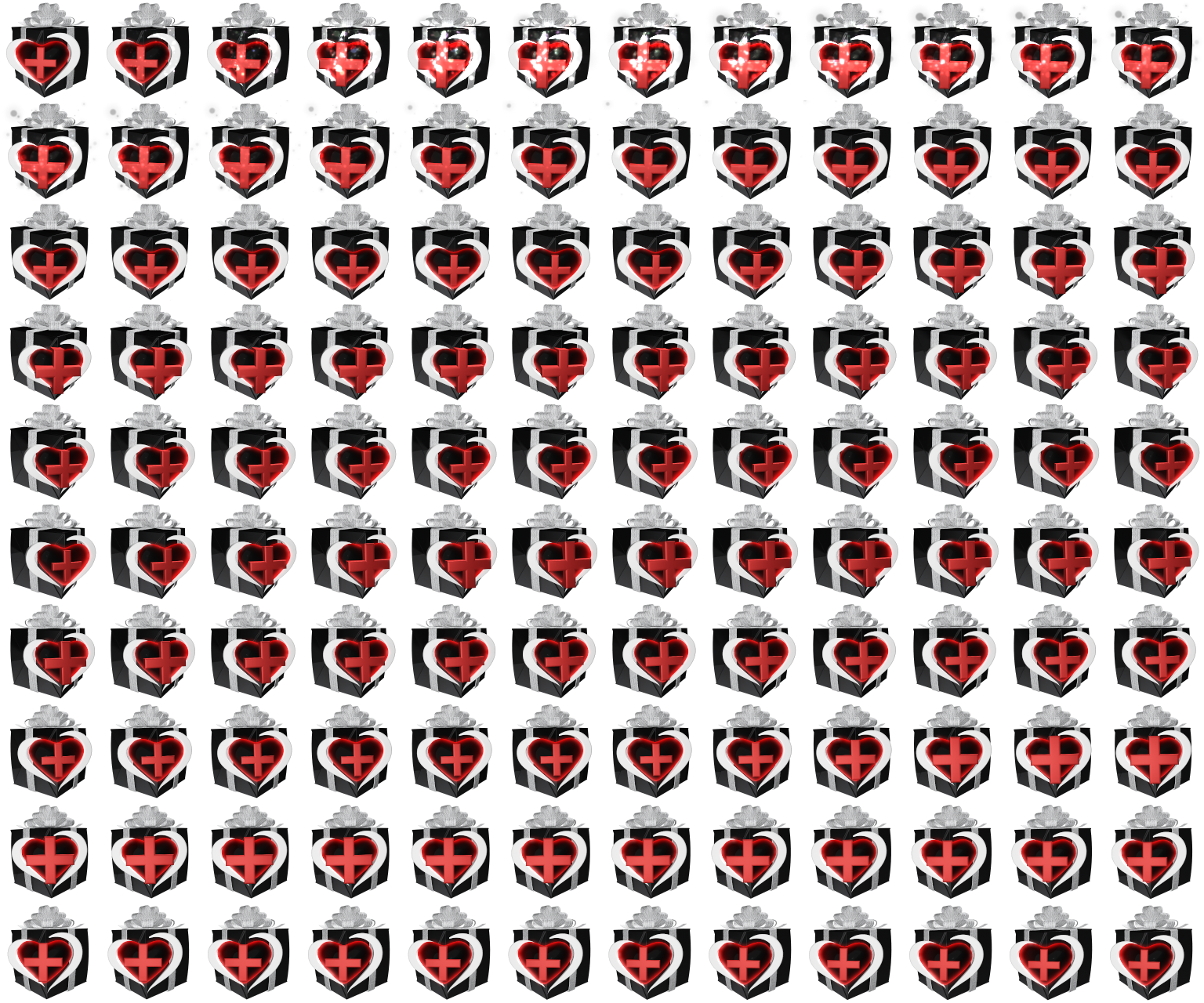
this is a sprite sheet
rugged quail

shy mountain
now it shouldn't be frozen
nope
its not freezing for me now
after i removed that option
shy mountain
is it fine for you as well?
rugged quail
yeah still working
shy mountain


shy mountain
rugged quail
I had to spam skip alert like crazy now hahaha
but thank you! that definitely solved it!
rugged quail
It would be cool if there was a option for a prime sub too.. we have sub, resub and gift  just missing prime
oh right

rugged quail
So I'm trying to get some higher alerts to... explode the cup, if you know what I mean? but it doesn't seem to work 
What is... body bounds?
shy mountain
the actual size of the token
as in the image can be smaller or bigger then the actual size of the token
what you are looking for to explode the cup - body weight or something similar
rugged quail
Yeah already put the body weight on max for some but it's not very impressive tbh 
And what is the beta version of the hypecup? v2.0?
rugged quail
I changed xD
Because of that, it got stuck at the top haha
It also does this sometimes.. weird lines?
shy mountain

rugged quail
And I don't think this cheer emote is supposed to be doing this?
 shy mountain
getting breakfast/lunch my self rn 
shy mountain
fill the cup to the brim
shy mountain
with the lightest tokens
shy mountain
I think the lines are bcs of the small widget box
shy mountain

 errant delta
Everytime I try it says Failed to load and to refresh the page
and I don't know why I am getting this error
shy mountain
Where are you getting that error?
shy mountain
show a screnshot
rugged quail
nope even with a big widget box i still get the lines
shy mountain
are new tokens going through the stuck in the air token?
errant delta
I am so confused
shy mountain
Show a screenshot of where you are seeing that error
Saying "dashboard" and "under channel" doesnt help me much to understand the issue at the moment.
shy mountain
That is a twitch issue Im not familiar with.
maybe related to missing 2-factor authentication
errant delta
Thank you, That was the issue
odd kraken
what error? Do you have a screenshot of it?
Have you installed OBS Studio before installing OBS.Live?
upbeat crane
I'm trying to move over to obslive but I'm having issues. why is it that when I try and import a a scene for example that looks like this https://gyazo.com/412417bc397c6b01708f81b7a408e03d but after I "import from other services", copy the link of the new overlay provided for me by elements into an added browser source applying all procedure my new source looks like this https://gyazo.com/e543d6b9c9331d9015fa332815151516


are my streamlab profile scenes just not compatible with streamelements?
odd kraken
You can make the chat box transparent in the overlay editor.
any error message?
enable 2factor authentication.
deep birchBOT
@rugged quail Please provide a log from your last stream. To do this, in OBS go to Help > Log Files > Upload Last Log File and paste the link to the log file here.
odd kraken
Yes, in OBS.
Your output is set to 128p60fps.
We can only support issues with our software with OBS Studio or OBS.Live. we cannot support SLOBS, cause we don't have the tools for this.
Would need an OBS Log, to go further into details.
Can you please use the upload function to just post the link here?
Yes, here is an analysis of the log with tips on how to improve: https://h4ndy.eu/obslog?url=https%3A%2F%2Fobsproject.com%2Flogs%2F-JaWiVzubyi88H7c
errant delta
how do I resize overlays to fit OBSLive
odd kraken
Add them as browser source with the properties 1920x1080, if you haven't changed them on the overlay website.
errant delta
how do I do it on the overlay website
odd kraken
When you are on the overlay page, select the smalller pencil next to the name. But you should leave it at 1080p.
 odd spindle
hey i need some help, iv got stream elements and twitch connected but when i go live on ps4 to twitch how do i connect stream elements for the overlays etc
odd kraken
please don't ask your question in multiple channels. thank you.
 crude schooner
@odd spindle , you can't. You must use your console available overlays.
olive temple
can you use variables in the Automated tweet, under social media? like ${title} and so on?
odd kraken
Unfortunately, no.
olive temple
no worries, cheers benno
 harsh zealot
Hello 😃 I've just downloaded obs.live and want to use it with my YouTube channel, instead of Twitch, but it doesn't give me the option to switch (and both channels are connected to my account on streamelements). Any idea how to switch this in obs.live within OBS?
odd kraken
OBS.Live is only available for Twitch at this time.
harsh zealot
oh 😦 that's very unfortunate. I was excited to use this. Should probably be stated somewhere clear that it's not supported yet to manage expectations. Any idea of when it's coming (ballpark even)?
 neon fern
no ETA, but support for additional platforms on OBS.Live is in active development
harsh zealot
Got it. Alright thanks. Is there a newsletter and if so, will it announce when the feature becomes available?
odd kraken
You can have an eye on our twitter account and in the announcements section in this discord.
harsh zealot
Awesome. Thanks!
 lost comet
i have 3 diff scenes that im gonna have my face cam 3 diff sizes how can i achieve this because putting it in individually for each of the three isnt working for me
rugged quail
Hi everyone, does anybody have an Idea how i can setup my Camera Panasonic DC- FZ82
odd kraken
Do you use OBS Studio?
rugged quail
YEs
deep birchBOT
@rugged quail For the best OBS support, please join their Official Discord @ discord.gg/obsproject
rugged quail
thx
odd kraken
@lost comet Can't you add the cam to the first scene and use for the two other the existing adding feature. Then you can crop the cams by selecting Alt and crop the borders of the cams?
lost comet
thing is the size cam they need to be i have to use crop and pad
odd kraken
Then best to ask this at the OBS discord.
 verbal berry
I've been getting Page_Fault_In_Nonpaged_Area b.s.o.d. ever since i started using obs live with my elgato stream deck (plugin for streamelements enabled)
Anyone got any ideas as to how to solve this issue?
After rebooting a couple of times, it usually works again, but it's really annoying 😦
 spiral dawn
Hi! What's the best way to grab stream clips with OBS Live? & WHen I record where do I go to find the recording?? 😃
odd kraken
Try to reinstall/repair the StreamDeck software is the only advice I can give out, as I don't own a StreamDack myself @verbal berry
@spiral dawn You can check the recordings folder in your settings. There is also a custom API to create clips: https://thefyrewire.com/docs/api/twitch/clips/
 iron pumice
Hello,
I'm trying to upload a .ogg or .webm file to replace the stock follower animation but I keep getting an error stating it failed. What file types do I need to use for an animated alert?
spiral dawn
@odd kraken awesome thank you!
odd kraken
@iron pumice What browser are you using?
iron pumice
Firefox
odd kraken
Please try it on chrome.
iron pumice
Ok 😃 Will do
iron pumice
Seemed to do the trick! Thank you @odd kraken
 sly pivot
odd kraken
sly pivot
odd kraken
I am sorry I have maybe tagged you by accident. Was trying to post this question at another user.
 cosmic kestrel
Hi idk if this is just for SEobs or if it's OBS in general but is there a way to make the Sources and Scenes box 2 different boxes?
fierce atlas
can you share a screenshot of what you mean? scenes and sources are separate docks
fierce atlas
you should be able to grab the tab and drag it to the side to split them up
fierce atlas
are your docks locked?
cosmic kestrel
Maybe I need to unlock the thingy
fierce atlas
yes try that
cosmic kestrel
Didn't work ;n;
fierce atlas
what version of OBS are you using
cosmic kestrel
fierce atlas
cool
do you see a little double window icon next to the close button on the stacked dock?
fierce atlas
click on that it should pop one of them out and you can drag it back in
sweet sounds like you got it!
cosmic kestrel
i do thank u so much lmao
i'm starting in 10 minutes and i'm frantically running around to get set up 😂
fierce atlas
haha I know that feel  have a fun stream!
cosmic kestrel
thank u thank u
 shy stump
Is there any way to have OBS Live be attached to OBS profiles? I have two different channels, one for gaming, and one for coding, and the issue is when I switch to my other channel's profile the OBS Live addons follow with, including chat, etc.
 fickle violet
Is there a reason why obs live asks for an update every time I open obs, but when I accept I get "Failed downloading software update package."?
olive temple
in the Variations of the Sub alert can you use variables to show what tier was gifted in the message on screen?
odd kraken
You can use the variable {tier} afaik.
olive temple
cheers, was just making sure it wasn't named differently
odd kraken
@fickle violet What OBS STudio version and what OBS.Live version are you on?
cosmic kestrel
How do I fix this?
odd kraken
Enable 2Fauthentification.
cosmic kestrel
On my Twitch account?
odd kraken
deep birchBOT
@cosmic kestrel For the best OBS support, please join their Official Discord @ discord.gg/obsproject
fickle violet
@odd kraken regular obs 22.0.2 and live 19.3.24.375
Sorry for the late response
odd kraken
This version has a broken updater I think.
Best to download the latest obs version on the OBS website (23.1.0) and then install OBS.Live.
fickle violet
Okay. Thank you
 gentle venture
i am having a bitrate and frame drop issues while streaming and ive never had them before
deep birchBOT
@gentle venture Please provide a log from your last stream. To do this, in OBS go to Help > Log Files > Upload Last Log File and paste the link to the log file here.
gentle venture
plain sonnet
@gentle venture your report https://h4ndy.eu/obslog?url=https%3A%2F%2Fobsproject.com%2Flogs%2Ff5-rYtivvUsvhG-C
nothing about frame drops but your bitrate is low, 2500
not great for streaming at 720
gentle venture
thats what ive used before and never had an issue @plain sonnet
plain sonnet
there is nothing in the log with frame drops or bitrate issues. only in the report does it say that its low, which 2500 is considered low
if you are having frame issues this may not be the correct log, in which case it would be best to do a clean log
- Restart OBS
- Start your stream/recording for about 30 seconds. Make sure you replicate any issues as best you can, which means having any games/apps open and captured, etc.
- Stop your stream/recording.
- Select Help > Log Files > Upload Current Log File. Copy the URL and paste it here.
odd kraken
@tawdry dawn I have not got a response back I am sorry.
tawdry dawn
np ill just wait patiently 😃
 rough oxide
I am having an issue re-connecting my custom bot account now that the bot account password has changed. I click the use custom bot name, then connect the bot and authorize, the screen closes and the bot name isn't in the list. Any ideas on a work around?
 wild sierra
how do i go about setting up my alerts in OBS Live
 tulip hamlet
@wild sierra https://www.youtube.com/watch?v=8LVRd2X4HvU
wild sierra
Thanks
 fallow root
Where can i find individual link for alert box, or is it possible in stream elements
i would like to add it seperate item for my obs
tulip hamlet
You create an overlay with just an alertbox.
fallow root
ok thank you
 weary spear
For some reason my window capture and browser source are black screening
\Never had this prob just started happening today
ive tried restarting PC
ashen vapor
Launch obs as administrator @weary spear
 signal fjord
Anyone here can help me? My obs starts to Fps drop when i stream and play pubg above 60 fps, then my obs fps drop to 15 fps for some weird reason, anyone knows why? i use new nvenc 2070 gpu and i9 9900k
ashen vapor
Can you post a log?
signal fjord
how do i do that?
deep birchBOT
@signal fjord Please provide a log from your last stream. To do this, in OBS go to Help > Log Files > Upload Last Log File and paste the link to the log file here.
signal fjord
ashen vapor
Shows you have multiple things capturing
Check your sources and make sure you only have one game capture
signal fjord
okay will try that now
still does not work
made a whole new scene only for pubg game capture
as soon as i make pubg unlimited on the fps my obs goes down to 15
on obs
tulip hamlet
That's to be expected. The game is taking up all the resources and leaving nothing for OBS.
You need to limit your FPS.
signal fjord
Yeah but i mean, it only works at 60 fps
i should be able to play atleast at 165fps with my 165hz screen right?
cause ive done it before with a worse pc then i have now
and then it was no problem
its only been like this after i got the new 2070 card
and the i9
tulip hamlet
That ultimately depends on your specs but the stream itself won't ever go above 60 fps. Sometimes you just need to sacrifice your own experience for the sake of stream quality.
signal fjord
for real?
tulip hamlet
Here's the analysis of your log for you to look over.
https://h4ndy.eu/obslog?url=https%3A%2F%2Fobsproject.com%2Flogs%2FfE3FPyHIiqP_hsSk
signal fjord
well is there a fix going on to make it work?
tulip hamlet
It includes some things you can do.
rugged quail
Anyone here can help me? I cant seem to add the add-on. It kept saying I need to close the prompt where it is setting up
tulip hamlet
What version of OBS Studio? Check in the top left.
rugged quail
23.1.0
tulip hamlet
Try a fresh install?
rugged quail
anyone know how to make the screen full again
can not for the life of me figure out how to get rid of the gray bars on the top and bottom
tulip hamlet
That's just how that preview window resizes, due to the info panels on the left and right. It keeps the entire canvas visible.
 grim wigeon
hello, where do I go to get the info to plugin top donator like stream labels?
tulip hamlet
You can add any information you'd like to show to an overlay in your account.
rugged quail
so no way to change, its not like i hit a setting to mess it up thats just normal?
grim wigeon
what if I already have my own overlay setup on OBS?
tulip hamlet
@rugged quail Yup, just normal. If you stretch those info panels sideways a bit more, you'll see the preview resize again and those gray areas resize to fill the space.
tulip hamlet
@grim wigeon You can import all of your existing assets into our cloud-based overlay system, which'll save you some resource usage as it is, but also allow you to incorporate any information you want on top of it. Or you can just try to adjust the overlay in your account to fit the information on top of what's already there, but that might be a bit more challenging to accomplish.
grim wigeon
how do I import all of my existing assets into your cloud based overlay? I do apologize. I just installed OBS.live today
I am coming from SLOBS.
tulip hamlet
You can try using the import function in OBS.Live to upload your SLOBS scenes into your account. From there, everything is edited on the site; OBS.Live is for monitoring and controlling the stream, while all the customization happens on the site.
rugged quail
Hi, I did fresh install. It's not working for me.
im still getting that prompt saying I have to close the set up for me to continue the set up. (?)
tulip hamlet
Please be patient while we look into the issue. Thank you.
rugged quail
Thank you.
grim wigeon
is the import function in OBS.Live going to essentially be the cloud based overlay? because the idea of using less resources sounds really nice. and I would like to do that. @tulip hamlet
tulip hamlet
Yes, it uploads it to your account on the site.
You don't need to ping me, by the way.
grim wigeon
okay. my apologies.
tulip hamlet
@rugged quail Can you go into Task Manager, close all instances of OBS and StreamElements, and try again?
grim wigeon
so after importing on the OBS.Live application. I can adjust things on site after that?
tulip hamlet
Yes.
grim wigeon
sweet. thank you for your help.
rugged quail
Close all and try to install the add-on?
tulip hamlet
Yes.
rugged quail
Can I post a photo here?
tulip hamlet
A photo of what?
rugged quail
It keeps saying this.
tulip hamlet
Yes, you've already said that.
rugged quail
It's still the same.
tulip hamlet
Did you go through the Task Manager and ensure there was zero mention of OBS or StreamElements or SE in there before trying again?
grim wigeon
so I stepped away while importing from streamlabs and it just gets stuck here "37%"
rugged quail
I removed everything and it's still the same. I cant seem to install the add-on.
grim wigeon
anyone have a solution to being stuck on the import from streamlabs to obs.live?
tulip hamlet
Are any of your assets larger than 10mb?
grim wigeon
it just gets stuck on alerts. I don't know if any assets are larger than 10mb
I'm struggling here. don't know what to do
tulip hamlet
Cancel the import and try again, deselecting the option to import your alerts.
grim wigeon
testing that now
just have overlays ticked and still getting stuck at "37%" like in the screenshot I sent
tulip hamlet
Check your SLOBS scenes for files that may be too large.
grim wigeon
how do I check the size of these?
tulip hamlet
Well, the assets are still on your computer, yes?
grim wigeon
yeah. my overlays. I'll check in the files.
assuming my transition would affect this? my transition is 474MB
tulip hamlet
I don't actually think the transition is imported, but sure, try to remove it.
grim wigeon
because everything else is under 10 MB
removed a bunch of scenes that I don't need or use. and now I'm getting stuck at 28%
rugged quail
anyone know how to add your notications like recent follows, subs, donos etc to an overlay bar as showed bellow
tulip hamlet
All information you want to show on stream is added to an overlay in the My overlays section of your account. You can find a full guide to our overlay editor here: https://www.youtube.com/watch?v=LwAfMIR3Cj0
rugged quail
oof cant figure this out
tulip hamlet
I'm looking into past reports but unfortunately I don't have an answer for you at this time.
grim wigeon
I've tried importing from chrome and from obs. and they both fail
tulip hamlet
The Chrome extension doesn't import your overlays from SLOBS. That said, for that to go, you need to have a tab open and logged into StreamElements, a tab open and logged into Streamlabs, and then run it.
grim wigeon
I've been at this for hours. and can't get this import in OBS.Live to work. uninstalled both obs.live and obs studio. reinstalled them fresh. etc. I would really love to just use obs.live. I do apologize. I'm just a bit frustrated.
shy mountain
Are the assets you want to use your own or SLOBS default ones?
Are the assets over 10MB in size as well?
grim wigeon
my own. besides the alerts. that are streamlabs alerts system.
but my own art. and each overlay I use is my own and they're in the kbs
shy mountain
If the alerts you are using are the default ones from SLOBS - we can't import those as they are copyrighted to them.
And I'm talking about the SLOBS alerts, not the alert box that can be imported with the chrome import tool
grim wigeon
well I mean. I use nerd or die's imported alerts. which is stated can work with stream elements. everything else is my own. cam overlays. emote in the corner. and I have other art stuff for sponsors and wins that I made on my own
as you can see here
shy mountain
remove the NoD stuff and try the import
deep birchBOT
@grim wigeon To add your overlays to OBS, add a new browser source in your scene. Paste your overlay URL in the browser source properties, set the dimensions to 1920x1080 (unless you changed them on the website), and ☑ “Shutdown source when not visible” https://youtu.be/KDvLynUqXI4
shy mountain
the "imported alertbox" overlay somehow is bugged - delete it
and try using the chrome import tool
grim wigeon
done.
shy mountain
I assume the NoD alerts are in the alert widget on the site and not directly in SLBOS
grim wigeon
correct
tulip hamlet
NoD alerts should come with installation instructions for StreamElements. You probably shouldn't rely on the import, as that's still Streamlabs-reliant code.
shy mountain
@rugged quail Can you tell me whats your current nvidia driver version?
rugged quail
why do u assume im not using AMD?
okay just clicked on geforce experience and its updating.. maybe i had to update something
shy mountain
Because this issue is related to OBS.Live and nVidia cards.
@dim crest Please stay in #helpdesk-twitch
as this is not OBS.Live related.
shy mountain
how is it possible to update a graphics driver in under 2 minutes?
I wanted to know the previous version number
before suggesting to move to the latest
rugged quail
i had it downloaded
when i clicked geforce
it installed
i guess i have it automated
shy mountain
Ok so did you restart your PC after installing the drivers?
rugged quail
ill do that now
 manic bluff
Id like to report a bug with OBS Live with the new driver. Where do I go to do that?
manic bluff
OBS Live Looks normal for the stream but is not streaming to Twitch and when closing out the program does not close but still responds as though nothing happened and will not stop the stream when clicked. Still looks normal and acts normal but hits a freeze state
GeForce Game Ready driver getting the number stand by
Latest Release 430.86
shy mountain
I don't think the freezing of OBS has anything to do with the nvidia driver.
Uninstall OBS.Live and run just OBS Studio
manic bluff
Prior to the new driver it did not freeze
shy mountain
and see if you can reproduce the isuse.
shy mountain
install OBS.Live again
manic bluff
Yes issue is reproduced upon game startup of any game tried 2. Dota 2 and Rainbow 6 Siege. Both hit a heavy Encode profile (red square) and killed obs in the same manner (looks normal) but loses connection to stream
shy mountain
Remove OBS.Live and use our Ground Control app to track your activity feed for example. Use the OBS Studio integration to get the chat as well. @rugged quail
I will provide this info to our QA.
deep birchBOT
@manic bluff Please provide a log from your last stream. To do this, in OBS go to Help > Log Files > Upload Last Log File and paste the link to the log file here.
rugged quail
u want me to uninstall it and re-install it?
or remove obs.live and keep streamlabsobs?
rugged quail
how
shy mountain
windows start menu -> control panel -> programs and features -> remove OBS.Live
rugged quail
k
shy mountain
Then run OBS Studio, see if there is a greenscreen or not.
If not, then if you want to, try installing OBS.Live
rugged quail
im removing it, hope it wont remove all my saved stuff for stream quality etc
manic bluff
uhhhh....it didnt save a log file? what?
shy mountain
@rugged quail Uninstalling OBS Studio might do that, but not OBS.Live
rugged quail
ok
rugged quail
okay so i can stream without obsstreamlabs
streamelements*
if i install obslive will i be okay now?
shy mountain
Well I don't know.
rugged quail
okay well im installing it to try it out
okay so idk if it doesnt showe green screen cs i dont have my twitch docs now..
it just doesnt give me the option to add them
deep birchBOT
@rugged quail If you are not seeing the OBS Twitch integrations and have OBS.Live installed, please follow these steps:
- Make sure you are on the latest and greatest version of OBS.Live ( 19.5.8.388 )
- exit OBS (make sure OBS is not running)
- delete
%appdata%\obs-studio\plugin_config\obs-browser\obs_profile_cookies - start OBS.Live
- Settings -> Stream -> disconnect -> connect
rugged quail
idk how to find the path tro that folder :/
rugged quail
thanks, done, ill restart it now
there is no disconnect
i removed my stream key but it still wont ask me to log in
shy mountain
Then skip and connect
rugged quail
it doesnt show me that either
shy mountain
What OBS STudio version are you on?
rugged quail
latest
shy mountain
Show me
shy mountain
OBS Studio version
not OBS.Live
2 different things.
OBS.Live is a plugin for OBS Studio that adds stuff
rugged quail
i did download obs live with studio minutes ago but how do i check the version
shy mountain
top left corner of OBS Studio
rugged quail
therews a 23?
shy mountain
21.1.2 also has a bugged auto updater
shy mountain
Our plugin comes in packed with 21.1.2 if you don't have OBS Studio installed
shy mountain
Install OBS Studio latest, and the plugin will prompt you for an update
rugged quail
what is the realsense camera plugin for
shy mountain
Not related to us, i can tell you that much
rugged quail
wont get it hen
then*
getting the prompt update now
btw u r a huge help thanks a ton
shy mountain
Upon googling Realsense - it seems to be something for your webcam
rugged quail
okay everything works now, thanks a ton 😃
shy mountain
No green screen?
rugged quail
Lol
shy mountain
will give this info to QA now
rugged quail
cool
rugged quail
okay so quick problem..
every time i restart obslive i need to disconnect and reconnrct twitch
otherwise i dont get the twitch stats and docks to update my stream info
deep birchBOT
@rugged quail If you are not seeing the OBS Twitch integrations and have OBS.Live installed, please follow these steps:
- Make sure you are on the latest and greatest version of OBS.Live ( 19.5.27.394 )
- exit OBS (make sure OBS is not running)
- delete
%appdata%\obs-studio\plugin_config\obs-browser\obs_profile_cookies - start OBS.Live
- Settings -> Stream -> disconnect -> connect
rugged quail
i did that
and it now everyt time i restart the obs live i need to do it again and again
okay did it again and its fixed now
rugged quail
good day. I have problems with the custom bot name. can someone help me maybe ?
fierce atlas
what steps have you taken so far?
rugged quail
i have obs live up and running. I have ground control installed (since most infos I found on the web says I still need both) the bot seems to work , just doesnt show the custom name I chose
rugged quail
ok cool. so how do I set up obs.live for the custom bot then ?
no steps in obs.live itself since I did not find any menu or button to set up any name at all
fierce atlas
go to your Stream Settings in the Activity feed dock
from there you'll see the options for custom bot names
rugged quail
hhh so basically GC integradted.. nice
fierce atlas
yep 
rugged quail
oh I still need a dedicated twitch account for the bot, right ?
fierce atlas
if you want it to post under a dedicated name, yes
rugged quail
ok cool. thank you so muich. that was easier than expected
fierce atlas
glad to hear! and happy to help
 twin topaz
hi. I'm having trouble with the getting the obs live format to show up after launching the app. There's no chat box or activity feed. Seems it reverted back to the standard obs studio format. Not sure how to switch back.
fierce atlas
are you opening using the OBS.live shortcut?
twin topaz
yes. and running as admin
fierce atlas
is there a StreamElements menu option?
twin topaz
yes, but the switch to obs studio option says I'm already on studio and if i try tipping setup, nothing happens and I'm just stuck waiting for it to load
i cant even hit back or do it later
i fixed it. Ending the process, relaunching through the shortcut, activating the bot and tip setup, then hitting back again worked this time.
fierce atlas
okay, that's great! basically about to be what I would recommend next
twin topaz
awesome thank you
fierce atlas
glad you're up and running! let us know if you have any other issues
rugged quail
just wanted to say thanks again. its all up and running flawlessly. thank you so much. awesome support!!!
fierce atlas
excellent! happy to hear that 
tawdry dawn
@odd kraken still nothing ?
odd kraken
@tawdry dawn We are still investigating this issue.


 edgy pasture
where do you find your JWT Token ?
i am trying to close the account and start over again how do i do that?
fierce atlas
can I ask what you mean by that? what are you trying to accomplish?
edgy pasture
i want to close the account i have on stream elements
fierce atlas
you also said you want to create a new one, what's the purpose of this?
edgy pasture
Well because i lost control of the other one i just want to start fresh thats all
just a fresh start
fierce atlas
you should just be able to login with your current Twitch account and be set
edgy pasture
Yeah but i set up alot of stuff from using it before and i just want to start fresh
is there no way to do that
fierce atlas
but you said you no longer have the old account, so logging in with the account you have access to is effectively starting fresh
edgy pasture
No i have the old account but i want to start fresh
When i go to delete account it ask for a JWT token where do i find that
rugged quail
how do i know whether obs isf fully updated or needs to update. when i press check for updates nothing changes
fierce atlas
@edgy pasture https://support.streamelements.com/hc/en-us/articles/360020799312-How-do-I-find-my-JWT-token-

StreamElements
Your JWT token is the internal identification code for your account, as well as the key used to access all of your account's information, either from the dashboard or externally via the API.
The JW...
what version are you running @rugged quail
fierce atlas
oof yep. download fresh if it's not giving you updates https://obsproject.com/
fierce atlas
if you just install the new one it should keep your existing settings, scenes, etc but make backups if you want to be sure
rugged quail
how?
fierce atlas
(as opposed to deleting everything then installing)
threads like this should help. feel free to search their site, you can also join the official OBS Discord https://obsproject.com/forum/threads/backup-stream-settings.2546/
deep birchBOT
@rugged quail For the best OBS support, please join their Official Discord @ discord.gg/obsproject
rugged quail
yea i did thx
edgy pasture
I am having so much trouble i need to close my stream labs account
fierce atlas
@edgy pasture this is StreamElements. if you are trying to close a Streamlabs account we can't help you
edgy pasture
i mean stream elements sorry
fierce atlas
did you click the link with the instructions for finding your JWT token?
edgy pasture
Yeah but when i put it in it give me a server error occurred
Is nothing but numbers and letters right, the JWT token
fierce atlas
where did you put it in?
edgy pasture
where it said JWT TOKEN
fierce atlas
on which page?
edgy pasture
under setting and security and close account
when i click close account i put my username and then my email then the JWT Token and then the reason then it says server error
fierce atlas
can you take a screenshot of the error?
fierce atlas
just from the last few characters in the form I think you might be pasting in your Account ID, not your JWT token
edgy pasture
ok whats the JWT Token then lol
fierce atlas
did you follow the instructions on the link I shared with you?
You can find your JWT token on your account channels page, hidden behind the "Show Secrets" toggle:
sinful flint
It sends a request for your account to be deleted
edgy pasture
@sinful flint ok so could you please like delete it i am trying to start over like right now or it takes some time
sinful flint
It takes some time, I'm not responsible for deleting the accounts, just relaying information in this case
 hardy raft
I think I'm being blind but where I can I find the option to rename my bot with obs live ?
Nevermind, just found it 😃
odd kraken
@tawdry dawn Can you please DM me the email of the account you already created and the emal you are trying to enter to connect the account.
 solid turret
Hi, is it possible to import nerd or die overlays into streamelement / obslive?
odd kraken
Normally nerd or die has instructios on how to import them to StreamElements.
solid turret
I had looked, but can't find anything. I'll look again :)
odd kraken
Otherwise contact Nerd Or Die.
solid turret
Seems its a manual thing thanks for your help :)
odd kraken
Manual thing? , but you are welcome.
grim wigeon
question. anyone know how to setup like sub counts and stuff in streamelements? do I have to make a custom overlay for that?
odd kraken
Yes, create an overlay and add widgets to it. Then add it to your OBS.
grim wigeon
sweet. thank you
anyone know how to use custom fonts? trying to use the Burbank font that I have installed on my pc
deep birchBOT
@grim wigeon Google Fonts
More than 900 google fonts are supported at this time. You can preview them here: https://fonts.google.com/
Custom Fonts
Steps:
- Install the font on the streaming PC or choose a pre-installed windows font.
- In the overlay widget settings, select Text Settings
- Enable Custom Font
- Type the name of the font as it appears in the windows font directory (This is usually
C:\Windows\Fonts)
Note: After installing fonts, the browser and OBS must be restarted for the font to appear.
grim wigeon
sweet.
 quick saffron
Does anyone know how to get DLive's streaming chat onto the screen instead of the twitch chat and the activity feed as well?
plain sonnet
dlive hasnt allowed their api to be access yet, so no its not possible
quick saffron
ok
 hardy tulip
Just updated and the twitch information and stats window undocking bug is back. Please help.
OBS says it's a .live problem.
Anyone?
odd kraken
You mean the docks are not there anymore?
hardy tulip
That's correct @odd kraken Twitch Stats and Stream Information and Chat and Activity tabs all gone again.
deep birchBOT
@hardy tulip If you are not seeing the OBS Twitch integrations and have OBS.Live installed, please follow these steps:
- Make sure you are on the latest and greatest version of OBS.Live ( 19.5.27.394 )
- exit OBS (make sure OBS is not running)
- delete
%appdata%\obs-studio\plugin_config\obs-browser\obs_profile_cookies - start OBS.Live
- Settings -> Stream -> disconnect -> connect
hardy tulip
Okay that fixes that , thanks @odd kraken it's a real job having to do that with each .live update
hehe
 latent willow
i keep trying to start a stream but then it says invalid path or connection URL
im not sure what to do
plain sonnet
@latent willow please make sure you have enabled 2fa on twitch
If you hare having issues streaming to Twitch recently, please make sure two-factor authentication is set up in your Twitch security settings (https://www.twitch.tv/settings/security) as this is now required to stream.
latent willow
i do have 2 auth and i just switched to OBS Streamlabs but i dont know why it wont let me stream
plain sonnet
have you logged in or used your stream key in the obs settings?
settings > stream
 fresh needle
Hi, so my chat in OBS.live is in russian for some reason, I went into settings and changed preferred language to english but the chat is still in russian, is there a way to change it back to english?
odd kraken
What do you mean with the chat beeing in russian?
odd kraken
On twtitch select your icon on the top right
fresh needle
did that already 😮
odd kraken
What happens when you reload the chat via the small reload icon on the top left of the chat dock in OBS.Live?
odd kraken
Log out of OBS.Live using StreamElements at the top in OBS > Log out and log back in please.
fresh needle
woot its in english now 😄 Thank you so much
 urban copper
Can someone help me with this problem I already activated the bot in my chat and configurated the tipping setup in my dashboard but it wont go away
odd kraken
What happens when you select Do it later at the top right?
urban copper
A screen pops in that asks if i am sure to do it later and if I click on continue the screen still wont go away
Oh okay nevermind it is gone
xd
odd kraken
Just saw you are on an old version of OBS Studio. Best to download the latest one (23.1.0).
urban copper
I downloaded the newest version from the streamelements website
odd kraken
The version has a defect auto updater. Best to save your scenes and profiles, download the latest version on the OBS website and install the plugin OBS.Live again.
urban copper
Oh okay thanks :)
another question is it possible to export all my settings from streamlabs obs into the obs studio ?
odd kraken
You can import your scenes, alertbox, commands and points usingour import tools to StreamElements.