#helpdesk-twitch
1 messages · Page 876 of 1
 cold hawk
 ionic kelp
Depends on quantity. There's the singular gift sub or community gift for larger amounts.
cold hawk
where might i find those?
ionic kelp
Variations tab
cold hawk
perfect ty
unfortunate that the sub variable doesnt change when testing, but in theory it should work, tyty
with this new variation does it prevent the cycling of the individual gift subs as if theyre new subs?
ahh its year old SL imported sub gift variation
 wary galleon
i cant import my alert box from streamlabs anyone can help me?
 vast dome
I accidently closed while I was setting up paypal and in the middle of start up. When I logged back on it was all closed and I dont know how to get back to set up
 drowsy egret
wary galleon
i cant import my alert box from streamlabs anyone can help me?
drowsy egret
wary galleon
i cant import my alert box from streamlabs anyone can help me?
are you using the chrome extension?
wary galleon
drowsy egret
are you using the chrome extension?
yes but nothing change
 boreal delta
Hey guys. The watchtime command in my stream doesn't work. And yes, my loyalty settings are on. Any help?
drowsy egret
wary galleon
yes but nothing change
make sure you're also logged into your streamlabs dashboard while doing the import
ionic kelp
Have you been live since enabling it?
boreal delta
Yes I didn't realize it wasn't enabled. So I turned on the setting mid-stream. Is that the issue?
ionic kelp
Technically no as it should start tracking 10 minutes after enabling.
boreal delta
Ohhh got it, got it. I'll wait for a bit and report back if it's still not working. Thanks everyone!
wary galleon
it stuck at 40% when I do import alerts
 drowsy egret
wary galleon
it stuck at 40% when I do import alerts
drowsy egret
wary galleon
it stuck at 40% when I do import alerts
try using the website
 stray yacht
is there any way to have a simple working queue command or queue bot so my viewers can play with me without all the hassle of keeping a list like on Microsoft word
wary galleon
drowsy egret
try using the website
how
drowsy egret
wary galleon
how<:lvadel2:827320178823659560>
wary galleon
drowsy egret
https://streamelements.com/dashboard/account/import?provider=streamlabs
i try nothing change

 sly niche
My overlay emulations aren't showing up
 worldly escarp
sly niche
My overlay emulations aren't showing up
worldly escarp
sly niche
My overlay emulations aren't showing up
where, on the OBS or editor?
sly niche
OBS
 uncut portal
Is there any ways to present non-english nicknames of twitch (eg. Korean) on overlays?
{name} command shows up only IDs
sly niche
It works when I do a preview from the editor but when I put it in OBS, it won't show
worldly escarp
sly niche
It works when I do a preview from the editor but when I put it in OBS, it won't ...
seems to be working..
which alert are you trying emulate?
sly niche
TTS
stray yacht
stray yacht
is there any way to have a simple working queue command or queue bot so my viewe...
se.staff?
worldly escarp
your account or someone you mod for?
sly niche
somebody I mod for
 lament blade
stray yacht
se.staff?
lament blade
stray yacht
se.staff?
as far as I know, queue commands are not available at the moment
ionic kelp
There is a 3rd party api that can do that nicely.
sly niche
Not sure how to get the account ID
 viscid pebbleBOT
@sly niche Please provide your account ID found at the top of this page: https://streamelements.com/dashboard/account/channels This ID is public info and safe to share here.
ionic kelp
 stray yacht
lament blade
as far as I know, queue commands are not available at the moment
stray yacht
lament blade
as far as I know, queue commands are not available at the moment
Dang it okay thanks
stray yacht
ionic kelp
https://thefyrewire.com/docs/api/twitch/queue/
Thanks ill check it out!
sly niche
I can't get his account ID though, which is where the overlay is
worldly escarp
then ask him to contact us
sly niche
Alright well um, it also doesn't work for me
Here's my account id: 5e0eb248ccc8bdf1edec7a05
worldly escarp
sly niche
Alright well um, it also doesn't work for me
for you it does work i just checked
you emulated and i saw it on obs
sly niche
Its not showing it for me on my screen
worldly escarp
can you see the overlay though?
sly niche
Which overlay are you referring to? I'm trying to use the one called "copy of emulate TTS donations"
worldly escarp
it works...
worldly escarp
have you makred the "preview Live on stream"?
sly niche
yeah
 fathom marten
trying to stream to twitch but it keeps wanting to go to facebook instead how do i fix this
sly niche
i don't see these on my OBS
lament blade
fathom marten
trying to stream to twitch but it keeps wanting to go to facebook instead how do...
log out and log back in
fathom marten
of obs studios?
worldly escarp
sly niche
yeah
screenshot how you set up you sources
lament blade
fathom marten
of obs studios?
yes
sly niche
 viscid pebbleBOT
The default resolution for StreamElements overlays (theme and custom) is 1920x1080. Please add them in OBS at their full resolution and use CTRL+F to fit to screen if necessary. You can then downscale your stream in OBS settings > Video if you'd like https://i.imgur.com/6bWXxjR.png
 fathom marten
lament blade
yes
fathom marten
lament blade
yes
where i s log out hidden
lament blade
you go to streamelements on the top, and then logout
fathom marten
wow how did i miss that thank you
lament blade
sure thing 
sly niche
Omg thank you so much! @worldly escarp
 valid talon
hello there! i need to either remove one of my accounts or move them together because as of right now i have two separate accounts on SE for Twitch and Youtube. id like to unify those. is it possible?
worldly escarp
valid talon
hello there! i need to either remove one of my accounts or move them together be...
we can merge the accounts if you wish, please DM me the JWT tokens for both accounts
valid talon
okie
sly niche
The donations from the link aren't poppin up
lament blade
Are they showing up on your activity feed?
sly niche
no
lament blade
then they're not processed through the link
sly niche
How do I fix?
lament blade
are they showing up on your paypal?
sly niche
No
 upbeat rock
Anyone have a fix for OBS studio flashing while I stream? My game doesn't flash just the stream
 dry hare
upbeat rock
Anyone have a fix for OBS studio flashing while I stream? My game doesn't flash ...
dry hare
upbeat rock
Anyone have a fix for OBS studio flashing while I stream? My game doesn't flash ...
What do you mean “flashing”?
lament blade
sly niche
No
check with PayPal if you got any transaction requests, it could be your viewers are just messing with you
lament blade
I'll need the streamer to reach out to us
sly niche
Yeah, that probably won't happen lol
lament blade
Alright, well, in that case there isn't much we can do
have them check with paypal if they have anything inbound
sly niche
They said they didn't
lament blade
if not, then it's not real donations
sly niche
I donated one too, also in the tips on streamelements, it says 0$
lament blade
What is the streamer's name?
sly niche
Rain
lament blade
is that the full username?
sly niche
yes
lament blade
I can't find the donation link in their twitch page
sly niche
It was a command, deleted it because it didn't work
lament blade
I'm going to DM you
sly niche
Alright
 umbral jetty
Hello guys! During a bot attack i blocked streamelements in my chat. Now no timers or chatcommand comes thru. I can unban streamelemts in my chat with the /unban, but no timers oder chatcommand is coming thru. Does anyone know what to do? 😣
ionic kelp
2 things.
viscid pebbleBOT
Go to the Dashboard > Right side > Part channel > Join channel(https://streamelements.com/dashboard)
 ionic kelp
And do /mod streamelements
umbral jetty
I did this 2 things. But it doesnt work. I will try during a live session again. Thanks so far!
viscid pebbleBOT
Currently renaming the bot fully works with OBS.Live.
You can follow this video guide to set it up: https://discordapp.com/channels/141203863863558144/494513233416421386/561516184718278676
OBS.Live is a Plugin for OBS created by StreamElements. You can download OBS.Live here: https://streamelements.com/obslive
Please make sure you have the latest version of OBS installed, Current Version: 26.1.1. You can install OBS here: https://obsproject.com/
uncut portal
Is there any ways to present non-english nicknames of twitch (eg. Korean) on overlays?
{name} command shows up only IDs
 placid parcel
Hi, could someone help me ?. What I am trying to do is replace the channel name of the stream in the following link:
http: //twitch.guru/clipsworks/{user}/&period=all&vol=1
The idea is to use it in a command, for example "! Promo X", where X would be the name of the channel to which I want to promote, that is easy to do normally, but I would like that link to be modified in the OBS and the source is activated.
dry hare
So a shout-out command?
placid parcel
dry hare
So a shout-out command?
What that link does is show a random clip of X channel. I would like that when you write in the chat "! Promo Y", automatically the link by the name of Y, and show the link in the stream (and then play 1 random clip)
dry hare
Ah
So it shouldn’t include the @? Which comes along with mentioning someone?
Try using {1} without an @
placid parcel
Making the bot put the name there is easy, what I would like is for it to modify the link within the source of the OBS, and for it to be activated so that 1 random clip of the mentioned user is seen in the stream.
dry hare
It “should” work
Oh within the widget/source?
One sec
I asked a guy I know
It won’t be an immediate thing
 paper wolf
Is it possible to see followage without running commands
ionic kelp
That's easy to do? No.
paper wolf
That means putting it on a dashboard/leaderboard is also a hard nope
 near glen
Where can i see the Quotes that has been added to my stream?
 eternal stirrup
anyone know why kappagen overlay emotexplosions doesnt show up with my channel emotes?
 haughty sluice
Hey hey! I've been having a problem with the Bingo module in Twitch. I've done it a bunch before and it worked perfectly, but now when I do !bingo Twitch it just says "no emotes found!" Any ideas?
lament blade
eternal stirrup
anyone know why kappagen overlay emotexplosions doesnt show up with my channel e...
it's a known bug that's being worked on at the moment
lament blade
near glen
Where can i see the Quotes that has been added to my stream?
the quotes are saved on the twitch api
lament blade
haughty sluice
Hey hey! I've been having a problem with the Bingo module in Twitch. I've done i...
we're looking into this
haughty sluice
lament blade
we're looking into this
Thanks sir!
near glen
lament blade
the quotes are saved on the twitch api
And that means?
eternal stirrup
@lament blade thanks
ionic kelp
@near glen outside of running the command to say one there is no way.
 raw basin
Does anybody know they answer what I can do if everything works except the mails from SE are not sending out anymore... It's NOT in my SPAM!
@viscid pebble my ID is MiWaMedia
worldly escarp
raw basin
Does anybody know they answer what I can do if everything works except the mails...
Have you used to get emails?
raw basin
worldly escarp
Have you used to get emails?
Yes i do... it stopped suddenly a few days ago
 spare sierra
My chat stats page doesn't work and from looking into it, I believe it was a rename and I need to come hereto ask to get it fixed! Thanks in advance!
ionic kelp
Old and new name?
spare sierra
old: fladtf new: vrflad
worldly escarp
and account id?
spare sierra
Let me guess, mothers maiden name, pin and bank account details needed too? 😄
worldly escarp
spare sierra
Let me guess, mothers maiden name, pin and bank account details needed too? 😄
shoe size too, refresh the chat stats page
spare sierra
Thank you 
 shut light
Where would i connect my information to the streamelements payment portal?
 vocal heart
Can anyone help me with this? :/
 nimble dune
 vale phoenix
i closed my chat tab on obs how do i get it back
vale phoenix
i closed my chat tab on obs how do i get it back
View menu on top of OBS > Docks > Chat or StreamElements menu > OBS.Live Docks > Chat
vale phoenix
could u send a pic?
 nimble dune
vale phoenix
could u send a pic?
nimble dune
vale phoenix
could u send a pic?
Or the StreamElements menu > OBS.Live Docks > Chat
nimble dune
vocal heart
Is it possible for you to help me as well?
Did you change your name on twitch?
shut light
Where would i connect my information to the streamelements payment portal?
vocal heart
Mmmmm not recently and when I did I wasn’t streaming or set up with StreamElements on the twitch side. Only on the yt side
vale phoenix
tyx
nimble dune
vocal heart
Mmmmm not recently and when I did I wasn’t streaming or set up with StreamElemen...
Hmm  😄
😄
nimble dune
vocal heart
Mmmmm not recently and when I did I wasn’t streaming or set up with StreamElemen...
Username on twitch? No links
vocal heart
Jessicaloco
nimble dune
@worldly escarp ^ can you fix the chatstats? 😄
vocal heart

worldly escarp
vocal heart
Mmmmm not recently and when I did I wasn’t streaming or set up with StreamElemen...
the chat stats will start from scratch, also has the chatstats worked before?
vocal heart
Never worked to begin with
That’s fine if it starts from scratch
Rn it’s only collecting data from the points
vocal heart
I logged out and logged back in
Would you like my account ID
I didn’t know I could link yt and twitch on the same profile back then so I have one with just my twitch and then one with just my yt
If that makes sense @worldly escarp it didn’t work 

 scarlet granite
Anybody know why BST and GMT have the same out put for the Time command
FYI BST is GMT +1
worldly escarp
vocal heart
If that makes sense <@689904735917965342> it didn’t work <:PES3_Cry:523052641945...
works now
 dusky haven
Is there a way to make a custom bot alert for gifted subs in the chat? I'd like the notification to be different from a sub, and also not to do a response for every gifted i.e. 5 Streamelements responses for 5 gifted. Couldn't find anything in Bot Modules.
 sonic ether
hi, im trying to set up media request and was wondering if theres a way moderators can watch videos before they are shown to make sure the videos are safe for the stream?
ionic kelp
Make them bot managers on the site and have MR manually approved.
viscid pebbleBOT
"Follow these steps to grant managers/moderators access to your dashboard:
- Click on your channel name at the top of the dashboard
- Create a new invite at one of three access levels (Bot Supervisor, Editor, Full Control)
- Send this invite to a mod/manager to give them access to your dashboard. The link is one-time-use and expires after 72 hours if not accepted
Video tutorial: https://youtu.be/zl_h-ttZDF0"
sonic ether
ok thank you!!
vale phoenix
Srry to disturbe anyone but my display aint coming on my stream could u come in the stream to check or?
Twitch username NtJawZ
lament blade
What seems to be the issue?
vale phoenix
My gsme not coming in stream
lament blade
try switching to window or display capture rather than game capture
vale phoenix
i did still doesnt work come in my stream
 scarlet root
ChatStats needs fix
Old Username: activecollapse
New username: stopsigncam
ChatStats Needs Fix
Old Username: VapeTyler
New Username: tylermauro
 keen wigeon
scarlet root
**ChatStats needs fix**
Old Username: activecollapse
New username: stopsigncam
...
keen wigeon
scarlet root
**ChatStats needs fix**
Old Username: activecollapse
New username: stopsigncam
...
On it
Both added.
vale phoenix
I need help! When i try to stream my display doesnt show up
ionic kelp
You need to keep it in the OBS discord. That's not something we can help with.
vale phoenix
Oki
worldly escarp
probably?
 odd cedar
well its my friends twitch and hes changed the name like 3 times
idk if you need the very first twitch name
worldly escarp
gunzzfps isnt working..
odd cedar
can you try notgunztv
worldly escarp
i see, i need his account id then
odd cedar
what is that and how does he get it
ionic kelp
They've nor changed their name since joining?
worldly escarp
can you get him here as well?
odd cedar
uhh he kinda busy in a game rn
worldly escarp
ok
 valid oriole
Hi there, I encountered a problem with Stream store items and the "allow user to add a text messagt to the alert" function. If I activate this function I can only type in one word as a "text message" when redeeming the item As soon as I insert a "space" (when typing a whole sentence/phrase), everything after the first space gets chopped. Is there a way to let purchasers type in an entire sentence as a "text message"?
 viscid pebbleBOT
"Due to changes to Twitch API, we have filtered out hosts and will only show these ones on your activity feed:
- All hosts coming from an online channel with at least 1+ viewer
- Auto host events with at least 1 viewer - only from a channel that just went offline
Note: If you see X channel has hosted you with no viewers on the back, that is considered an offline host or a host with 0 viewers, we do not show these."
 ivory vigil
viscid pebble
"Due to changes to Twitch API, we have filtered out hosts and will only show the...
ivory vigil
viscid pebble
"Due to changes to Twitch API, we have filtered out hosts and will only show the...
But if in streamlabs it works.
Support?
lament blade
How Can I Generate A Random User From The Channel’s Chat In A Command?
lament blade
lament blade
How Can I Generate A Random User From The Channel’s Chat In A Command?
I Am Trying To Setup !bff Command!
 silver citrus
hi days ago I asked for assistance, in the sponsorship section it does not let me go on I accepted the first step, and entered email, but nothing goes on can you help me? I have already contacted you but 3 days have passed and still no thanks.
 worldly escarp
silver citrus
worldly escarp
silver citrus
are you using chrome?
lament blade
I've been using wireless headphones for a bit now. Ive just downloaded OBS Live and for some reason no audio goes through when I use them. Please help
silver citrus
worldly escarp
are you using chrome?
yes
 hallow valley
if i turn on StreamElements donations/tipping what will people that tip see on their PayPal? Will they see my personal details?
worldly escarp
@silver citrus and you tried loggin out and back in?
silver citrus
yes
ionic kelp
@hallow valley only if you have a personal account.
hallow valley
what will they see?
 wary halo
Email address and your real name
worldly escarp
silver citrus
yes
and it just gets stuck on creating?
ionic kelp
And name.
hallow valley
ionic kelp
And name.
email and name? that's it? no phone number or address?
silver citrus
worldly escarp
and it just gets stuck on creating?
as you can see from the screen it does not make me click anything after the email sector
ionic kelp
Haven't had a personal account it long time so no clue tbh.
hallow valley
ionic kelp
Haven't had a personal account it long time so no clue tbh.
can I make a bussiness one for free?
wary halo
Yes
wary halo
Business name
hallow valley
only that?
wary halo
I think so, but you can always ask PayPal themselves
hallow valley
ok epic
wary halo
We have nothing to do with PayPal, we only get a signal from them and play the alert
hallow valley
yeah thanks for helping
wary halo

worldly escarp
silver citrus
CREATING...
Can you please provide your account id ?
odd cedar
@worldly escarp the account id for iitzgunz is 607d53f42e1ef985c3b85de3 if you can use that to fix chatstats
worldly escarp
odd cedar
<@!689904735917965342> the account id for iitzgunz is 607d53f42e1ef985c3b85de3 i...
I'll need to add him to the chatstas and it will start with no previous data
odd cedar
how does he do that and can someone with full access do that or does it have to be owner
odd cedar
oh.. idk how this works
worldly escarp
odd cedar
oh.. idk how this works
Done
odd cedar
oh aight bet
thanks
one more thing what about watchtime its just stuck on 0 seconds for everyone does he have to restart his stream for it to start tracking?
 mild wadi
can anyone help?
viscid pebbleBOT
@odd cedar The !watchtime command is directly tied to the Loyalty system. The Loyalty system must be enabled for viewers' watchtime to count up.
To enable Loyalty, please go to the Loyalty section of your account: https://streamelements.com/dashboard/loyalty
Watchtime counts up every 10 minutes alongside Loyalty points, and only while the stream is live. Reruns will not be counted.
Please note that watchtime is not tracked by Twitch and there is no way to retroactively apply past watchtime to viewers.

StreamElements
The Ultimate All in One Platform for Streamers
silver citrus
worldly escarp
Can you please provide your account id ?
600a70e8916b9289d96de2e4+
600a70e8916b9289d96de2e4
worldly escarp
silver citrus
600a70e8916b9289d96de2e4+
ive notified the devs
silver citrus
this is the second time you ask me, as I said before 3 days ago you said to open a ticket but nothing has changed, I don't know how to solve!
worldly escarp
silver citrus
this is the second time you ask me, as I said before 3 days ago you said to open...
I apologize but this is a known issue that we are currently working on
ionic kelp
@ivory vigil apologies for not responding.
They handle the api and events differently than we do. They get all of them while we only handle the ones that meet the mentioned requirements.
 coarse finch
Hi, Does any one know if loyalty points for - "Subscriber bonus '1000' Bonus points for subscribing to your channel" effects Gifted subs, it looks like it does but I'm trying to determine if it takes into account quantity - ie > 5 gifted sub pack awards 5000 points based on the above config. I can see that the subscriber receiving the gifted doesn't get any points. it looks like the gifter does but need confirmation on Qty!
 ebon forum
The gifter does get the points and it does not stack based on the amount
coarse finch
I thought so but looks like it did stack for one member of my community - i think i know why now. Gifted Subs were given individually so looks like based on a single 'Subscribe event' -- Thanks!
sly niche
Still having trouble with an account I moderate for's tips. We went through the paypal but it still doesn't seem to work
ebon forum
sly niche
Still having trouble with an account I moderate for's tips. We went through the ...
Hi. Can you remind us what was the exact issue? About Paypal tips - we do not touch those in any way - this is a direct transaction from one Paypal to another Paypal account and we get the information about the successful transaction - this is it.
sly niche
The tips aren't showing up on the tips page but the transaction is being processed to his paypal
ebon forum
sly niche
The tips aren't showing up on the tips page but the transaction is being process...
Was the transaction done via our tipping page and was the transaction successful?
sly niche
Yes, to both
ebon forum
sly niche
Yes, to both
Please provide the channel name or account ID, i take a look
sly niche
Rain - that's the whole username
ebon forum
sly niche
Rain - that's the whole username
tons of accounts, i would imagine it is Rain from Fazeclan?
sly niche
Yessir
ebon forum
It shows me like 50 names on youtube aswell 🙂
sly niche
Yeah, super common name
 olive spire
Hi, yesterday I noticed during (my first) stream that my streamelements overlay was lagging a lot (especially noticeable in 'stream starts soon' and 'brb' screens but also when I get alerts) how do I fix this?
ebon forum
sly niche
Yeah, super common name
Let me do something, takes 1-2 minutes
sly niche
Alright, no worries!
ebon forum
sly niche
Yeah, super common name
Just sent a 1$USD tip, it did not show up on the activity feed. Please check Paypal that it has no pending transactions
sly niche
I can't check that right now because he's alseep, but earlier it was showing on his paypal
ebon forum
olive spire
Hi, yesterday I noticed during (my first) stream that my streamelements overlay ...
Please check if your hardware is not overloaded and feel free to enable or disable Hardware Acceleration in OBS advanced settings - this affects browser source performance.
ebon forum
sly niche
I can't check that right now because he's alseep, but earlier it was showing on ...
Let me ask internally if we can check something
olive spire
ebon forum
Please check if your hardware is not overloaded and feel free to enable or disab...
Alright thanks, I'll check it when I get home!
sly niche
Alright, sounds good.
ebon forum
sly niche
Alright, sounds good.
We have no real way to check it, need to verify that the Paypal account is working correctly. There were some reports about Paypal having issues, but not sure if that affects us.
sly niche
I mean, not sure how you want me to verify it working. I know for a fact that the transactions were received to his paypal
ebon forum
sly niche
I mean, not sure how you want me to verify it working. I know for a fact that th...
Sometimes Paypal is putting transaction on "Pending" status
so the account owner needs to accept them
And the Paypal account should be fully verified
sly niche
Ohhh gotcha. He said it was pending
ebon forum
or it will not send notification
so yeah we have a Paypal issue here, calling their support might be the best bet
sly niche
Alright. I will forward the message 👍
scarlet granite
Can you please tell me why when I put in a time command with the timezone BST it gives the output for GMT
FYI BST is GMT + 1
 solar oak
Tips from streameelements can be withdrawed only with paypal?
ionic kelp
For you atm yes.
ebon forum
solar oak
Tips from streameelements can be withdrawed only with paypal?
No, we also have SE.Pay and few other regional options
viscid pebbleBOT
SE.PAY is available for streamers who are at least 18 years old, with bank account under their name in one of the following countries and have at least 101 follower (Twitch) / 101 subscribers (YouTube):
Austria, Belgium, Czech Republic, Denmark, Finland, France, Germany, Ireland , Italy, Netherlands, Poland, Portugal, Slovakia, Spain, Sweden, Switzerland, United Kingdom, United States.
If you meet these criteria and don’t see SE.Pay, let us know.
For information on SE.Pay payment methods, their fees and settlement times see https://streamelements.com/dashboard/tipping/fees
solar oak
ebon forum
No, we also have SE.Pay and few other regional options
i dont see SE.PAY
 simple lava
I changed my Twitch Username, now Chat Stats are not working, could anybody help me?
ebon forum
solar oak
i dont see SE.PAY
Are you living in one of the mentioned countries above? Then i can enable that for you.
ebon forum
simple lava
I changed my Twitch Username, now Chat Stats are not working, could anybody help...
Need your old and new channel name to fix it
ebon forum
solar oak
nah
Well then you can't use SE.pay
simple lava
ebon forum
Need your old and new channel name to fix it
Old: nxcobyz New: NIISGO
solar oak
so how can i get payed from tips?
ebon forum
solar oak
so how can i get payed from tips?
Paypal directly
solar oak
i cant recieve money from paypal at my country
ebon forum
solar oak
i cant recieve money from paypal at my country
where do you live? Turkey?
solar oak
North Macedonia
ebon forum
simple lava
Old: nxcobyz New: NIISGO
fixed
ebon forum
solar oak
North Macedonia
You could try to use Donatepay.EU integration. Give me your channel name please
solar oak
JabaaGaming
ebon forum
solar oak
JabaaGaming
refresh the tipping settings page please
solar oak
a sec
ebon forum
you should see a payment method called Donatepay
 ebon forum
This is a russian payment service that can accept donations through credit cards and few other payment methods
Yes, the 2nd one - press Connect
ebon forum
and then remember that address: donatepay.eu
This is the page where you can withdraw.
First: connect it
then go to that page that i mentioned
Then you can set up the withdrawal to your bank account or mobile payments etc.
 flint mica
I added an overlay but it doesnt show the image, I only hear the sound
how can I fix it?
solar oak
ebon forum
and then remember that address: donatepay.eu
This is the page where you can wit...
this page is all russian,i cant select my city
solar oak
 ebon forum
solar oak
this page is all russian,i cant select my city
ebon forum
solar oak
this page is all russian,i cant select my city
the EU page is english and you do not need to add your city
ebon forum
solar oak
Yeah ignore that, this is a selection of russian cities for your profile there. Is not relevant
solar oak
how can i set it up
ebon forum
The "Capital" section on the left is relevant
Left menu - Capital - Cashout
this is where you can set up the payout
that's the only page you really need here
 cloud axle
Hello, does streamelements have any 4k overlays? i cant seem to search based on resolution
ionic kelp
We do not. They're all done at 1080
cloud axle
ah sad, alright thanks
solar oak

 twilit drum
When I activate the !songrequest command on my channel the songs get added to the playlist but I dont hear the songs and they seem to be paused how do I fix this?
ebon forum
cloud axle
Hello, does streamelements have any 4k overlays? i cant seem to search based on ...
No. Max resolution is 1440p for an overlay that you can set manually, but not recommended. Browser source in 4K would be super hungry
ebon forum
solar oak
im lost here dude
Yeah on that page you see all the methods to withdraw the tips once they are collected.
Payeer should work in your case
ebon forum
cloud axle
hmm but having 1080p on my 4k monitor wouldnt be great
But your stream is not in 4K, since you are on twitch?
solar oak
ebon forum
Yeah on that page you see all the methods to withdraw the tips once they are col...
i have a visa card and master
cloud axle
itll be downscaled then idk im just starting out lol
ebon forum
It will be downscaled to 1080 anyway
solar oak
but look at options
cloud axle
hmmm am i dumb
ebon forum
solar oak
i have a visa card and master
That service does not support direct payout to credit cards outside of Russia and Ukraine, you need to use something else that is supported.
Payeer would be the option
You live in a region where neither SE.Pay or Paypal work, that's what we have left.
cloud axle
wait so i can capture 4k and downscale it to fit the 1080p canvas in obs ? i thought it downscales the canvas
ebon forum
cloud axle
wait so i can capture 4k and downscale it to fit the 1080p canvas in obs ? i tho...
Your capture works in your monitor resolution. Your canvas can be the same as your monitor resolution or lower. And the output can be downscaled again in the video settings
solar oak
how can i see if payeer works in my country
cloud axle
ah thanks cryonic for your support
ebon forum
solar oak
how can i see if payeer works in my country
You check with Payeer. We can't really know what works in North Macedonia, but in general Payeer works pretty much everywhere
solar oak
okay ill look for it
ebon forum
solar oak
okay ill look for it
It does support USD and EUR credit cards, so should work
ebon forum
solar oak
thats why i doubt
This is why we try that workaround over the russian service 🙂
Worth a shot since everything else is not supported
ebon forum
Some regions are tricky to work with. Donatepay should work, it allows most people to donate to you, worldwide (focused more on the russian market, but cards etc. work worldwide). You just need to find a way to get the money out of there.
solar oak
i think moneygram works just fine with my country
or those others banks raiffeisen
or others
but i cant connect
 echo spindle
how do i combine all the follower, donation, sub widgets etc. is it possible?
solar oak
there is no way for balkan countries
 astral egret
My SE pay has been like this for over a month now, and I'm not too sure what to do about it. I've withdrawn my tips once before succesfully
 ebon forum
solar oak
there is no way for balkan countries
ebon forum
solar oak
there is no way for balkan countries
Payeer should work with cards worldwide
astral egret
@echo spindle There is an alertbox widget in the SE overlay maker, you can chose to include all the alerts you need and add it to your OBS
ebon forum
astral egret
My SE pay has been like this for over a month now, and I'm not too sure what to ...
please provide the account ID from that page: https://streamelements.com/dashboard/account/channels
I take a look
astral egret
@ebon forum is it okay to send it here? Or should I send it in DM
echo spindle
yeah but is there a way to combine them all into one widget
astral egret
@echo spindle yes, the alertbox widget includes all the alerts.
ebon forum
astral egret
<@!149255081194160129> is it okay to send it here? Or should I send it in DM
You can send it here
astral egret
ebon forum
You can send it here
5e4c3ee72c02603a545c71d8
ebon forum
astral egret
5e4c3ee72c02603a545c71d8
ok give me a few minutes to check it
astral egret
Thank you very much
echo spindle
im not asking about the alerts let my try to reword my question
ebon forum
astral egret
Thank you very much
Last payout failed, this is why it was blocked.
astral egret
ebon forum
Last payout failed, this is why it was blocked.
Oh I see. What do I do to fix it?
wary halo
echo spindle
im not asking about the alerts let my try to reword my question
Check #widget-share I and Pjonp made a All-in-one rotating goals widget
There ^^
ebon forum
astral egret
Oh I see. What do I do to fix it?
First: we can check that your bank account is actually correct. Feel free to DM me
echo spindle
yes thank you @wary halo
twilit drum
When I activate the !songrequest command on my channel the songs get added to the playlist but I dont hear the songs and they seem to be paused how do I fix this?
solar oak
@ebon forum the service of PAyeer told me they work for everycountry except USA
thanks alot
ebon forum
solar oak
<@!149255081194160129> the service of PAyeer told me they work for everycountry ...
This is a scuffed way to get donations, but this is the best we can offer as a workaround for countries where major payment providers do not operate.
solar oak
why its scuffed
ebon forum
solar oak
why its scuffed
You essentially have to use a russian service, then pay out to Payeer, then to your card 🙂
 jaunty patio
is there a way to make the streamelements chat commannds public?
solar oak
jaunty patio
is there a way to make the streamelements chat commannds public?
they are automatically public
jaunty patio
okay thank you. what if i were to put a link to them? like what link would it be?
nimble dune
Use the !commands in you chat
ebon forum
jaunty patio
okay thank you. what if i were to put a link to them? like what link would it be...
the link is automatically attached to the !commands
so unless you turn that command off, people will be able to get it
jaunty patio
okay thank you all very much!
 uneven topaz
Hi everyone! I had a quick question and I'm not able to find the answer for it. Is there any way to fix the Chatstats function on streamelements? or is this a broken part of the application? I try to load it up and part of the page will load, then will give me the 404 error.
 little niche
Hello! I cannot figure out why my follow alerts aren't working. All of my other alerts under the same overlay work fine but follower doesn't go through. When I emulate it works fine, and there are no variations for follower.
nimble dune
uneven topaz
Hi everyone! I had a quick question and I'm not able to find the answer for it. ...
Did you change your name on twitch?
 fresh ocean
Hello to all... How can I stream my discord audio? I want my twitch viewers to hear the discord chat that i am using in game?
little niche
fresh ocean
Hello to all... How can I stream my discord audio? I want my twitch viewers to h...
I used desktop audio to do this, so whatever i'm hearing they hear. It's not perfect but it works for me
little niche
little niche
Hello! I cannot figure out why my follow alerts aren't working. All of my other ...
Emulating works perfectly but it just does not work when someone follows me i can't figure it out - or really test it because emulating works fine I can only see it not working when I get a new follow
uneven topaz
nimble dune
Did you change your name on twitch?
I did
uneven topaz
nimble dune
Did you change your name on twitch?
A while back (a few months ago)
viscid pebbleBOT
@uneven topaz If you changed your name on Twitch, please follow these steps:
- Visit https://streamelements.com/logout and then log in again by connecting with Twitch.
- On the right side of the dashboard page that opens, select Join under bot settings. If it says Part select that and then select Join to send the bot to the chat. Don't forget to mod the bot by typing /mod streamelements in your channel if you have not already.
- Post your old and your new name here so that we can update your channel's chatstats tracking (must be done by staff).
nimble dune
little niche
Emulating works perfectly but it just does not work when someone follows me i ca...
and you don't see your followers in your activity feed?
little niche
nimble dune
and you don't see your followers in your activity feed?
Yup
viscid pebbleBOT
@little niche Please provide your account ID found at the top of this page: https://streamelements.com/dashboard/account/channels This ID is public info and safe to share here.
little niche
viscid pebble
<@!321044609621032961> Please provide your account ID found at the top of this p...
5ff8fb89be772b3ab3f7dbed
nimble dune
@ebon forum ^^^
uneven topaz
viscid pebble
<@!436379650835611659> If you changed your name on Twitch, please follow these s...
Old name - TimTheTechie | New Name - TimmyTTheTechie
 glass spade
Hey all, I've just moved from Streamlabs to Streamelements... my dashboard and overlay (recent followers for example) show no stats, so I'm assuming that the data only starts once I start using SE?
nimble dune
glass spade
Hey all, I've just moved from Streamlabs to Streamelements... my dashboard and o...
Yes
glass spade
Like, it doesn't extract information from my Twitch Activity Feed at all?
Ah, so there's no ability of showing my 10 most recent followers unless SE was being used at the time of the follow? Like it can't historically look back at my Twitch Activity Feed?
little niche
@ebon forum omg that scared me
ebon forum
little niche
5ff8fb89be772b3ab3f7dbed
Followers are working on that account
little niche
did you change anything?
 brittle tapir
Hello, i asked a view times and still got no answer so i'm trying it again..

my streamlabs leaderboard panel dont show any stats.. i did not rename myself
little niche
@ebon forum did you change anything? or did it just work???
ebon forum
little niche
<@!149255081194160129> did you change anything? or did it just work???
I did test that internally - it works
little niche
alright thanks, I hope it works when i'm live.
glass spade
nimble dune
Yes
So am I better off using the Streamlabs version of it until I have enough data to show with the SE version? Right now, there are no latest cheers, donos, subs and only 2 followers showing on SE... but with SL, I can see all of that information scrolling... it'll look kinda lame with 3 Latests with no information...
nimble dune
uneven topaz
Old name - TimTheTechie | New Name - TimmyTTheTechie
@ebon forum ^ can you fix the chatstats?  Sorry for ping.
ebon forum
nimble dune
<@149255081194160129> ^ can you fix the chatstats? <a:SEheartbeat:44424356306957...
Fixed
nimble dune
uneven topaz
Old name - TimTheTechie | New Name - TimmyTTheTechie
^ Fixed
viscid pebbleBOT
@twilit drum If you are not hearing your alerts and/or Media Request, you are most likely using the Control Audio via OBS option in your browser source properties.
To make sure you hear the alerts and the stream also hears them, follow along the screenshot bellow.
https://cdn.discordapp.com/attachments/199460642975907840/685371800456134686/unknown.png
 twilit drum
nah im too stupid for tha
 narrow birch
Is there any status update on Micropayment accounts being available for European users? Micropayments themselves have been available in Europe for at least a year now.
 cobalt garnet
ayo team! Is it possible to mute the audio in the image/video asset rotator? i'm struggling to find an option
 twilit karma
Is there a way to create a countdown command that shows in chat rather than on an overlay?
 lucid prairie
hello, is there something i am missing, i added my bot to the ignore list but it still shows up every message
 nimble dune
lucid prairie
hello, is there something i am missing, i added my bot to the ignore list but it...
nimble dune
lucid prairie
hello, is there something i am missing, i added my bot to the ignore list but it...
place the names in lower case, without @
ionic kelp
@narrow birch I'm going to throw that to people that can answer that as it does appear that way.
narrow birch
cool, I'd hate to come back in six months and ask about it again
lucid prairie
@ionic kelp thank you, works lke a champ now
ionic kelp
 wrong person
nimble dune

lucid prairie
lol right sorry, @nimble dune thanks, the @ was a desperate attempt, the lower case worked 👍
 heady vale
who can i chat with in support about the raid sponsorship set up
heady vale
thats not the issue the issue is the overlay i prefer to have it all from my obs but the starting soon link is cut in half when i copy it from SE
viscid pebbleBOT
The default resolution for StreamElements overlays (theme and custom) is 1920x1080. Please add them in OBS at their full resolution and use CTRL+F to fit to screen if necessary. You can then downscale your stream in OBS settings > Video if you'd like https://i.imgur.com/6bWXxjR.png
twilit karma
Is there a way to create a countdown command that shows in chat rather than on an overlay?
 mint reef
Hello, I completed the Vikings: War of Clans Sponsorship in November but the campaign has not cleared.
I believe I am eligible for the Raid: Shadow Legends Campaign but it is not showing up, could you please take a look? Thanks!
heady vale
one more question about the raid shadow legends sponsor if i coppy the url for the 0/10 raid goal to my obs that should still work right?
mint reef
heady vale
one more question about the raid shadow legends sponsor if i coppy the url for t...
yes, if its anything like the Vikings one
just use a browser source

it will autoupdate as you get people participating
heady vale
ok ty
 hallow vault
For the Overlay, is there an option to have the Store Redemptions widget only show items purchased from a certain category?
 nimble dune
@mint reef you can use this contact form
mint reef
nimble dune
<@699363862797090836> you can use this contact form
Thanks, is this different than being in the Zendesk Creator Success queue? I will see if that can resolve my issue, otherwise I will use the Contact form thanks 
nimble dune
mint reef
Thanks, is this different than being in the Zendesk `Creator Success` queue? I w...
Yes, you can also use the live chat 😄
mint reef
nimble dune
Yes, you can also use the live chat 😄
Got it, thanks!
lament blade
Hey! How do I test the alerts on Stremelements?
viscid pebbleBOT
@lament blade You can test alerts via the Emulate bell on the lower left side of the Overlay Editor. Simply go to your Dashboard > My Overlays > pencil/edit button on the overlay. Make sure the Preview LIVE on stream option is on to see the alert in OBS/XSplit** https://streamable.com/vtulg9
 nimble dune
^
lament blade
Ty so muchhhh
 glass trail
I have a question. Is there a Discord bot that integrates the Stream Elements Loyalty System on Twitch with Discord?
Specially where people get channel points both for Twitch interaction and Discord interaction.
ionic kelp
Nothing.
 next sky
yo how can i share my overlay with a friend?
nimble dune
next sky
yo how can i share my overlay with a friend?
You get invited as an editor to your friend's account and then you can duplicate the overlay from your account to theirs.
viscid pebbleBOT
"Follow these steps to grant managers/moderators access to your dashboard:
- Click on your channel name at the top of the dashboard
- Create a new invite at one of three access levels (Bot Supervisor, Editor, Full Control)
- Send this invite to a mod/manager to give them access to your dashboard. The link is one-time-use and expires after 72 hours if not accepted
Video tutorial: https://youtu.be/zl_h-ttZDF0"
next sky
oh thanks
 thin badger
I'm having issues with my game capture screen. It's just black and it wont capture my game. It happened overnight without me changing anything
viscid pebbleBOT
@thin badger Obs.live is a plugin for OBS Studio for the best OBS support, please join their Official Discord @ discord.gg/obsproject
 lofty agate
How do i put the chat in brb screen
 lyric echo
Hi! I've been having an issue where my chat stats page keeps giving me a 404 error, and there are no chat stats displayed in the extension on my channel page. Is there anything I need to do to fix this?
nimble dune
lofty agate
How do i put the chat in brb screen
In the overlay editor
 nimble dune
lyric echo
Hi! I've been having an issue where my chat stats page keeps giving me a 404 err...
nimble dune
lyric echo
Hi! I've been having an issue where my chat stats page keeps giving me a 404 err...
Did you change your username on twitch?
lyric echo
nimble dune
Did you change your username on twitch?
I did a while ago, but before I started using stream elements, if that matters?
viscid pebbleBOT
@lyric echo If you changed your name on Twitch, please follow these steps:
- Visit https://streamelements.com/logout and then log in again by connecting with Twitch.
- On the right side of the dashboard page that opens, select Join under bot settings. If it says Part select that and then select Join to send the bot to the chat. Don't forget to mod the bot by typing /mod streamelements in your channel if you have not already.
- Post your old and your new name here so that we can update your channel's chatstats tracking (must be done by staff).
 uncut tiger
Is there a way to pay for a higher upload space for files in stream elements?
wary halo
nope
lyric echo
viscid pebble
<@!164449723107770368> If you changed your name on Twitch, please follow these s...
My old name was issbun and my current name is usagily
And if needed, my name before issbun was tsupinku
nimble dune
@wary halo ^^^
wary halo

ebon forum
wary halo
<a:RSglassOFF:796813108307296298>

nimble dune

ebon forum
lyric echo
My old name was issbun and my current name is usagily
Should be fixed, but old data is not present anymore due to multiple renames.
 frosty jolt
It still does not work ... 🤷♂️
lyric echo
ebon forum
Should be fixed, but old data is not present anymore due to multiple renames.
How old are we talking? From when I changed the names or up until just now when you fixed it?
ebon forum
lyric echo
How old are we talking? From when I changed the names or up until just now when ...
The page is essentially fresh
I restored the chatstats functionality, but without old data
wary halo
frosty jolt
It still does not work ... 🤷♂️
Then the devs haven't been able to get to your issue yet
lyric echo
ebon forum
I restored the chatstats functionality, but without old data
Oh I see. That's a bummer but at least I can use it now, thank you! 
frosty jolt
frosty jolt
It still does not work ... 🤷♂️
I would like to stream with StreamElements-Allerts, but if you can not fix it, I think, I have to work with Streamlabs... 😕
wary halo
They can fix it, it just takes a little more time
Maybe @ebon forum can check on the progression 😛
 teal vapor
My Overlay is Black it shows nothing
ebon forum
wary halo
Maybe <@!149255081194160129> can check on the progression 😛
Would need the issue tho, please get me all the details
teal vapor
I use the url from the streamelemts Overlay
 sand rivet
Can anyone help me? I've just change all my items in my store but when I enter the store there is nothing on it
viscid pebbleBOT
@teal vapor OBS > Settings > Advanced > Scroll down > Enable or disable Browser Source Hardware Acceleration, depending on its current state > Restart OBS
https://i.imgur.com/ggMe9ZE.png
 nimble dune
Disable that
teal vapor
hmm thx
sand rivet
Can anyone help me? I've just changed all my items in my store but when I enter the store there is nothing on it
viscid pebbleBOT
Please provide your account ID found at the top of this page: https://streamelements.com/dashboard/account/channels This ID is public info and safe to share here.
sand rivet
5eade9ce1578419f2331ddad
ebon forum
wary halo
https://discord.com/channels/141203863863558144/199460642975907840/8323526984634...
Not fixed yet, requires dev time and no ETA.
wary halo
@frosty jolt ^^
frosty jolt
wary halo
<@!396682439482933252> ^^
Thank you ...
teal vapor
nimble dune
Disable that
Ayo thx bro it helped alot 😄
 nimble dune
lament blade
nimble dune
lament blade
- You need to have StreamElements and streamlabs open at the same time
- Overlays owned by streamlabs cannot be imported due to copyright issues
- or it could be the size of the files, 30mb per file.
sand rivet
viscid pebble
Please provide your account ID found at the top of this page: <https://streamele...
5eade9ce1578419f2331ddad
 olive mountain
hi i need OBS help
viscid pebbleBOT
@olive mountain Welcome to the helpdesk! Please let us know how we can assist you today and a support volunteer or staff member will assist you as soon as they are available. Thank you for your patience.
olive mountain
how can i get my chat box to show on my OBS Live
 scenic cloud
viscid pebble
<@!164449723107770368> If you changed your name on Twitch, please follow these s...
scenic cloud
viscid pebble
<@!164449723107770368> If you changed your name on Twitch, please follow these s...
Hello! My old name is xxxdepexxx and my current name is benvoyonsdavid
frosty jolt
wary halo
<@!396682439482933252> ^^
I just don´t know how long I can wait, because I think you can imagine its kind of bad stream without allerts ... 😅
So I hope you can fix it as soon as possible.
But thanks for your support here anyway. Its good to see, how you try to help the people. 👍
nimble dune
olive mountain
how can i get my chat box to show on my OBS Live
StreamElements menu, on top of OBS > OBS.Live Docks > Chat
nimble dune
scenic cloud
Hello! My old name is xxxdepexxx and my current name is benvoyonsdavid
@ebon forum ^^
sand rivet
sand rivet
Can anyone help me? I've just changed all my items in my store but when I enter ...
not fixed yet
ebon forum
scenic cloud
Hello! My old name is xxxdepexxx and my current name is benvoyonsdavid
Page updated
olive mountain
nimble dune
StreamElements menu, on top of OBS > OBS.Live Docks > Chat
there is no docks> Chat tab
scenic cloud
ebon forum
Page updated
@ebon forum My chat command doesn't work now and in User management is already my old username. I try to delete it and refresh the page but my old user name appears. It same on stream or offline
viscid pebbleBOT
@scenic cloud If you changed your name on Twitch, please follow these steps:
- Visit https://streamelements.com/logout and then log in again by connecting with Twitch.
- On the right side of the dashboard page that opens, select Join under bot settings. If it says Part select that and then select Join to send the bot to the chat. Don't forget to mod the bot by typing /mod streamelements in your channel if you have not already.
- Post your old and your new name here so that we can update your channel's chatstats tracking (must be done by staff).
ebon forum
Please follow that guide^
olive mountain
the chat tab does not show
 scenic cloud
ebon forum
Please follow that guide^
scenic cloud
ebon forum
Please follow that guide^
Yes, it was after doing this that it appeared
viscid pebbleBOT
@olive mountain StreamElements menu, on top of OBS > Logout > Login
nimble dune
try this
olive mountain
nimble dune
try this
did not work, should i log out, uninstall and reinstall?
It works now thanks @nimble dune
and another question if have OBS Live downloaded do i also need to have the OBS. or will just OBS live be fine?
nimble dune
olive mountain
and another question if have OBS Live downloaded do i also need to have the OBS....
OBS.Live is a plugin to OBS Studio, so you have also installed OBS Studio. 😄
ebon forum
OBS.Live comes with a Studio installer
 hard lance
Hi, watchtime command says 0 secs everytime the chat uses. How can I fix it?
ebon forum
so if you install fresh, no need to install Studio first
viscid pebbleBOT
@hard lance The !watchtime command is directly tied to the Loyalty system. The Loyalty system must be enabled for viewers' watchtime to count up.
To enable Loyalty, please go to the Loyalty section of your account: https://streamelements.com/dashboard/loyalty
Watchtime counts up every 10 minutes alongside Loyalty points, and only while the stream is live. Reruns will not be counted.
Please note that watchtime is not tracked by Twitch and there is no way to retroactively apply past watchtime to viewers.
StreamElements
The Ultimate All in One Platform for Streamers
nimble dune
ebon forum
Lul double command


 wicked lava
I searched the widget share page and wasn’t coming up with the thing I’m looking for. I am trying to find or make a widget to count my subs and automatically level up when they reach a certain number and show the reward for each level. I found one by Anne on SE that is exactly what I need, but it’s for tips/donos and I don’t know how to set it up for subs
hard lance
viscid pebble
<@!424015000324145152> The !watchtime command is directly tied to the Loyalty sy...
Okey, now is enabled. The bot starts the count since now I suppose
Sorry if my english is poor, I'm trying my best 🙂
ionic kelp
@wicked lava 1 sec while I ask someone something.
@wicked lava The same thing you mentioned actually does have it for sub. Simply choose it under goal type in the settings.
wicked lava
It does not on mine 😦 the other one by Anne does, but it’s not what I’m looking for as it doesn’t automatically go on to the next level
It says sub goal rewards, but is set up for $ instead of sub number
ionic kelp
Readd it. https://strms.net/countdown-goal_by_anne
StreamElements
The Ultimate All in One Platform for Streamers
wicked lava
Right, this is the one I mentioned above that doesn’t automatically go on to the next level. Is there a way I can make it do that without having to go in and manually set it up again?
ionic kelp
This would be the lesser of the evils though if you have someone you trust well enough they could do it for you.
wicked lava
Thanks
viscid pebbleBOT
"Follow these steps to grant managers/moderators access to your dashboard:
- Click on your channel name at the top of the dashboard
- Create a new invite at one of three access levels (Bot Supervisor, Editor, Full Control)
- Send this invite to a mod/manager to give them access to your dashboard. The link is one-time-use and expires after 72 hours if not accepted
Video tutorial: https://youtu.be/zl_h-ttZDF0"
ionic kelp
You'd need to add them as an editor with that.
sand rivet
Can anyone help me? I've just changed all my items in my store but when I enter the store there is nothing on it
my ID: 5eade9ce1578419f2331ddad
 ionic warren
Hi! Does StreamElements usually send emails about potential sponsorships? I received one today and the email address looks to be legit but the message itself had me wondering and the Discord account to contact isn't someone in here and the sender isn't on the SE website. Wanted to check before I respond. Thanks!
wary halo
what was the email address and who did it say to contact? @ionic warren
 somber shell
Hello I got an email like Jen, from streamelement, about a commercial offer. Email is : bocasper@streamelements.com. Can you tell me if it's legit
 abstract hemlock
somber shell
Hello I got an email like Jen, from streamelement, about a commercial offer. Em...
abstract hemlock
somber shell
Hello I got an email like Jen, from streamelement, about a commercial offer. Em...
Yes, bocasper is part of the SE team 🙂
somber shell
Bo_The_Smart#8187 is his discord?
Sorry got a lot of scam overhere
Want to be sure
wary halo
Renziito is staff, if he says it's legit, it's legit
somber shell
OK I'll add him then thx
sand rivet
I need help with my store
ionic warren
wary halo
what was the email address and who did it say to contact? <@!165941578370646017>
Thank you! Same as the second convo above. The header checked out with my email provider but I've had a lot of...flavor in my inbox the past couple weeks so I'm just erring on the side of paranoia. Appreciate it!
somber shell
ionic warren
Thank you! Same as the second convo above. The header checked out with my email ...
Feel you bro
uneven topaz
nimble dune
^ Fixed
Thank you very much!
 bright light
i got a ti pyesterday but it wont show it to withdrawl
viscid pebbleBOT
@bright light If a viewer tipped through PayPal but no information appears in your StreamElements account, this generally means PayPal has held the tip for verification.
Until PayPal clears the tip and sends back a confirmation to your StreamElements account, no information will appear there and no alert will play, as that confirmation is the only way for us to be aware of a successful transaction.
There is a posibility that the tip may have been sent as an eCheque/eCheck - these tips can take from 7 up to 21+ days to show up on our side. Tippers can usually cancel these.
If you believe there may be an issue with the transaction, you'll need to contact PayPal support as StreamElements is only a passthrough service and never actually gets involved with the transaction or touches the money
@worthy breach Read and follow our server rules:
- We do not tolerate toxicity! Treat the community team, staff and all members with respect.
- No advertisement or channel promotion, anywhere on the server.
- No NSFW/NSFL
- No unsolicited DMs or friend requests to server members
Make sure to read the #welcome in any server you join.
 bright bolt
Hi everyone, I apologize in advance for my English, I have a problem with the streamelements alerts that do not work with the live live, and another problem with the broadcast feeds as it does not show me anything.
viscid pebbleBOT
@bright bolt Please provide your account ID found at the top of this page: https://streamelements.com/dashboard/account/channels This ID is public info and safe to share here.
bright bolt
viscid pebble
<@!483541409610203149> Please provide your account ID found at the top of this p...
5fd54fbaf22b016877c45247
 daring spindle
my alerts aren’t working right and I have no idea why. Half the time I can hear the sound from the alert but the rest will not show up, the other half of the time nothing happens at all. Everything works fine in the live testing of it, my resolution is where it’s supposed to be. It just refuses to work. I’ve removed it as a source and re-added it, I’ve re-saved and re-copied the link onto the source. Refreshed the cashe and all that. Nothing fixes it and I’m so confused. Has anyone else had this problem?
viscid pebbleBOT
@daring spindle OBS > Settings > Advanced > Scroll down > Enable or disable Browser Source Hardware Acceleration, depending on its current state > Restart OBS
https://i.imgur.com/ggMe9ZE.png
daring spindle
Thanks. Will try that and see how it works on next stream
bright bolt
viscid pebble
<@!483541409610203149> Please provide your account ID found at the top of this p...
5fd54fbaf22b016877c45247
viscid pebbleBOT
@bright bolt Please logout of StreamElements at https://streamelements.com/logout and then login again to your account (Twitch/YouTube/Facebook).
bright bolt
viscid pebble
<@!483541409610203149> Please logout of StreamElements at <https://streamelement...
As requested I log out the streamelements account and later logd in via the Twitch account, but still does not detect any broadcast activity, and in the graph does not mark my follows. The last month my followers mark me is December 2020.
 vestal yacht
Hello I'm having a problem where my alerts get stuck after one playing. I can play one then it gets stuck and then I can't play anymore. I've tried switching to Streamlabs because of that and that works flawlessly, but I really wanna return to stream elements.
Anybody wanna help me? That would be appreciated insanely much!
vestal yacht
vestal yacht
Hello I'm having a problem where my alerts get stuck after one playing. I can pl...
It's not anything to do with obs, but the stream elements website I think
 wide holly
i had a quick question about Donations via the streamelements tipping, is there any protection against chargebacks via paypal? or is there a way to link venmo or something else? i am just not sure how save the "tips" are through this and when it would actually be safe to use the money and not get hit with a chargeback?
wary halo
only SEpay has chargeback protection
viscid pebbleBOT
SE.PAY is available for streamers who are at least 18 years old, with bank account under their name in one of the following countries and have at least 101 follower (Twitch) / 101 subscribers (YouTube):
Austria, Belgium, Czech Republic, Denmark, Finland, France, Germany, Ireland , Italy, Netherlands, Poland, Portugal, Slovakia, Spain, Sweden, Switzerland, United Kingdom, United States.
If you meet these criteria and don’t see SE.Pay, let us know.
For information on SE.Pay payment methods, their fees and settlement times see https://streamelements.com/dashboard/tipping/fees
 foggy heart
vestal yacht
Hello I'm having a problem where my alerts get stuck after one playing. I can pl...
foggy heart
vestal yacht
Hello I'm having a problem where my alerts get stuck after one playing. I can pl...
What do you mean by it get's stuck?
vestal yacht
foggy heart
What do you mean by it get's stuck?
After a refresh in stream elements overlay editor when I then try and emulate an alert or even a real one it plays thru but turns grey at the end (text, image, everything) if I then try and play a new one it doesn't show up because the old one is still stuck and greyed out
 wide holly
viscid pebble
SE.PAY is available for streamers who are at least 18 years old, with bank accou...
wide holly
viscid pebble
SE.PAY is available for streamers who are at least 18 years old, with bank accou...
I only see PayPal as an option, is there something i have to do to get that to show up?
wary halo
It's all in the message
foggy heart
vestal yacht
Like this https://cdn.discordapp.com/attachments/494513233416421386/833772049137...
The "greyed out" usually isn't a stuck alert, it's just the most recent playback. It shouldn't stop other alerts from playing. When you emulate after one alert, do the others do nothing (no sound, no animation)?
wide holly
@wary halo you're right, I haven't quite made it to 101 followers yet, i read it but my brain neglected to register it on the first pass
wary halo
no problem 😄
vestal yacht
foggy heart
The "greyed out" usually isn't a stuck alert, it's just the most recent playback...
Oh okay thanks for the info. No they don't show up. No animation no sound only if i refresh the browser source or refresh it in SE
viscid pebbleBOT
@vestal yacht Please provide your account ID found at the top of this page: https://streamelements.com/dashboard/account/channels This ID is public info and safe to share here.
bright bolt
viscid pebble
<@!483541409610203149> Please logout of StreamElements at <https://streamelement...
As requested I log out the streamelements account and later logd in via the Twitch account, but still does not detect any broadcast activity, and in the graph does not mark my follows. The last month my followers mark me is December 2020.
vestal yacht
viscid pebble
<@!530045871182839818> Please provide your account ID found at the top of this p...
601d0333de880952d4d1e7bf
like that?
foggy heart
vestal yacht
601d0333de880952d4d1e7bf
Yeah, that's it. Also, which browser are you currently using?
vestal yacht
foggy heart
Yeah, that's it. Also, which browser are you currently using?
I'm using chrome
foggy heart
vestal yacht
I'm using chrome
Gotcha. And which overlay are you having trouble with?
vestal yacht
foggy heart
Gotcha. And which overlay are you having trouble with?
My Alertbox Overlay and just alert box in general
 spiral rover
Hello! I have a problem with the total subscribers label count. It displays everything properly but whenever there is a new subscriber the number goes down to 1 and it gets stuck there no matter how many subs are added - test or real ones -. After a while, it goes back to the proper count. It happened suddenly without any modification on the overlay. Thank you!
 foggy heart
vestal yacht
My Alertbox Overlay and just alert box in general
foggy heart
vestal yacht
My Alertbox Overlay and just alert box in general
I think the issue is with the "sub" mp3 asset. It continues playing after the rest of the alert finished, and I think it's hanging up the other alerts
I played the alert without it, and it worked fine
vestal yacht
foggy heart
I think the issue is with the "sub" mp3 asset. It continues playing after the re...
Man you are amazing! So is it the time it is playing or just the video it self?
foggy heart
vestal yacht
Man you are amazing! So is it the time it is playing or just the video it self?
I believe it is the length of the mp3 causing the issue
Not sure how long it is, but it should match the alert duration or close to it
vestal yacht
foggy heart
I believe it is the length of the mp3 causing the issue
Alright thank you so much! Looking forward to switching back to SE again!
 echo root
Hi. im having an issue with my streamelements bot leaving the stream part way through and I am unable to get the bot back in for the rest of the stream. Any help would be greatly appreciated.
foggy heart
bright bolt
As requested I log out the streamelements account and later logd in via the Twit...
Looking into your issue now
foggy heart
echo root
Hi. im having an issue with my streamelements bot leaving the stream part way th...
Is there anything that happens when the bot leaves? Do commands stop working part way through the stream?
bright bolt
As requested I log out the streamelements account and later logd in via the Twitch account, but still does not detect any broadcast activity, and in the graph does not mark my follows. The last month my followers mark me is December 2020.
 spice shore
First, the local host 40404 returns an error, luckily i already know how to pull up console manually, however each time i put in the directions i get this message below:
Uncaught ReferenceError: store is not defined
at <anonymous>:1:1
can you assist?
echo root
@foggy heart Yes all the commands stop working and the bot dissappears out of chat completely
 ruby sphinx
I'm trying to set a label with the latest sub and it show properly in the StreamElements edit tool but when I try to add it to the OBS it won't show any text, already tried turning on/off the hardware acceleration for the browser sources.
bright bolt
As requested I log out the streamelements account and later logd in via the Twitch account, but still does not detect any broadcast activity, and in the graph does not mark my follows. The last month my followers mark me is December 2020.
 austere orbit
hi sorry for the question but i'm new to obs.live i was using slobs
my question is i'm trying to make a kappagen overlay but wheni get to emote explosion part my sub emote dont pop up in the select emote section so what is wrong * how do i get them in there so i can choose them please help * thank you
viscid pebbleBOT
@bright bolt Please provide your account ID found at the top of this page: https://streamelements.com/dashboard/account/channels This ID is public info and safe to share here.
@ruby sphinx The default resolution for StreamElements overlays (theme and custom) is 1920x1080. Please add them in OBS at their full resolution and use CTRL+F to fit to screen if necessary. You can then downscale your stream in OBS settings > Video if you'd like https://i.imgur.com/6bWXxjR.png
abstract hemlock
@austere orbit please try this command on your twitch chat !emotes update and refresh your browser (with the webeditor) and see if that fix it
bright bolt
viscid pebble
<@!483541409610203149> Please provide your account ID found at the top of this p...
5fd54fbaf22b016877c45247
austere orbit
abstract hemlock
<@!292127962063568897> please try this command on your twitch chat `!emotes upda...
oki doki will do
foggy heart
echo root
<@!801850149260886118> Yes all the commands stop working and the bot dissappears...
Was this always the case, or just recent? And is it a custom name bot?
abstract hemlock
bright bolt
5fd54fbaf22b016877c45247
i see your account was already reported to our dev team
 opal pawn
hello, my twitch is not updating the activity feed, any solution ?
viscid pebbleBOT
@opal pawn Please logout of StreamElements at https://streamelements.com/logout and then login again to your account (Twitch/YouTube/Facebook).
echo root
@foggy heart This is a recent thing. It is a custom named bot yes through OBS live. It seems to happen if I try and change something with the bot, today it happened when I got follow botted. Also the reset doesnt work on the dashboard to get the bot back in.
austere orbit
abstract hemlock
<@!292127962063568897> please try this command on your twitch chat `!emotes upda...
nope that did not work in my chat it said it was successfull with update but when i refresh the streamelelments browser & go to the kappagen overlay section to select emotes in the explosioon area mine are not there
foggy heart
echo root
<@!801850149260886118> This is a recent thing. It is a custom named bot yes thro...
I'll send another fix to see if that helps
bright bolt
abstract hemlock
i see your account was already reported to our dev team
I confirm that I had already written and had been told to log out and then log in, but nothing had changed. Basically in the streamelements dashboard you don't see activity feeds like the last follow and things like that.
viscid pebbleBOT
@echo root If your commands recently stopped working and you're using OBS.Live and a custom bot name do the following:
- In OBS.Live, click on the hamburger menu (three stripes) at the top left of your activity feed
- Click on Stream Settings > Custom bot name
- In the Custom bot name field select Set custom bot name, not your already existing username (with capital letters). Note: If you already connected an account that way, the third entry will show as the account name (see image https://i.imgur.com/sO7fWOX.png).
- Scroll a bit down and click on the purple Connect Custom Bot Account button
- Log in as usual and Authorize the custom bot name
- Back in the Activity feed, click on the Send Test Message button and check if your custom bot name starts working again
echo root
That works thank you very much
abstract hemlock
austere orbit
nope that did not work in my chat it said it was successfull with update but whe...
Our dev team deployed a potential fix early today but it looks like they need to give it another look at it..
austere orbit
abstract hemlock
Our dev team deployed a potential fix early today but it looks like they need to...
oh ok would it help if i gift sub streamelements if not then ok i will wait. i'm still new to this app been using slobs * im tired of all these glitches from them so still working out this app with streamdeck elgato xl oof it is a lot of work * i just started messing with the overlay system you have this app is so awesome
abstract hemlock
austere orbit
oh ok would it help if i gift sub streamelements if not then ok i will wait. i'm...
i suggest just wait 🙂
austere orbit
abstract hemlock
i suggest just wait 🙂
oki doki will do
bright bolt
abstract hemlock
i see your account was already reported to our dev team
I confirm that I had already written and had been told to log out and then log in, but nothing had changed. Basically in the streamelements dashboard you don't see activity feeds like the last follow and things like that.
 crystal surge
Ok I have a weird glitch... I cant stream on streamelements it says "could not acces the specified channel or stream key please double-check if your stream key. if it is correct, there may be a problem connecting to the server
 vapid breach
Guys, I'm having issues with my bot. It seems to not work with Streamlabs OBS anymore. can you help me?
viscid pebbleBOT
@vapid breach We're not able to troubleshoot issues with using our overlays in StreamLabs OBS (SLOBS) as we don't have the tools to support their software. We recommend using OBS Studio or OBS Studio with our plugin OBS.Live.
vapid breach
Sorry, I told a wrong info! it's OBS.Live!
viscid pebbleBOT
@vapid breach Go to the Dashboard > Right side > Part channel > Join channel(https://streamelements.com/dashboard)
austere orbit
sorry i had a long time issue with putting my emotes in the chat commands everytime i do it does not show them in chat as an emote but in words why is that? a friend said i had to gift sub streamelements for that is that true?
vapid breach
Still not working :/
abstract hemlock
@austere orbit if you want the bot to show your emotes in commands you need to gift the bot a sub
viscid pebbleBOT
@vapid breach If your commands recently stopped working and you're using OBS.Live and a custom bot name do the following:
- In OBS.Live, click on the hamburger menu (three stripes) at the top left of your activity feed
- Click on Stream Settings > Custom bot name
- In the Custom bot name field select Set custom bot name, not your already existing username (with capital letters). Note: If you already connected an account that way, the third entry will show as the account name (see image https://i.imgur.com/sO7fWOX.png).
- Scroll a bit down and click on the purple Connect Custom Bot Account button
- Log in as usual and Authorize the custom bot name
- Back in the Activity feed, click on the Send Test Message button and check if your custom bot name starts working again
 austere orbit
abstract hemlock
<@!292127962063568897> if you want the bot to show your emotes in commands you ...
austere orbit
abstract hemlock
<@!292127962063568897> if you want the bot to show your emotes in commands you ...
oh i see it was correct what they told me now for it to continue i would have to gift it a sub everymonth or is that a 1 time thing if not that is fine
 oblique steeple
austere orbit
oh i see it was correct what they told me now for it to continue i would have to...
oblique steeple
austere orbit
oh i see it was correct what they told me now for it to continue i would have to...
You have to do that every time. The bot is like a normal user. If you want it to use emotes, it needs to be a sub. Same as with every other user on Twitch.
crystal surge
Ok I have a weird glitch... I cant stream on streamelements it says "could not acces the specified channel or stream key please double-check if your stream key. if it is correct, there may be a problem connecting to the server
viscid pebbleBOT
@crystal surge StreamElements menu, on top of OBS > Logout > Login
austere orbit
oblique steeple
You have to do that every time. The bot is like a normal user. If you want it to...
oh ok thank you very much for the info that helps god bless u & sorry for the silly questions
oblique steeple
If that doesn't work, go to Settings -> Stream and connect your account with the button and not the stream key @crystal surge
vapid breach
@viscid pebble ok, that worked, thanks! 🙂
crystal surge
that worked tysm @oblique steeple
 spring oar

 eternal solstice
I don't know if anyone else is having this problem, but is it possible to reinstall Streamelements without updating OBS to its latest version? The latest version of OBS is unusable for me because the interface is completely broken, so I had to install an older version of OBS, but then that wipes Streamelements from my system
So I'm not sure what to do here
austere orbit
uhm dumb question i just giftsubbed streamelements in my chat but on the label that pops up in my live scene does not change to it is it bugged or do i have to redo the label from scratch to fix this or log out & log back in?
drowsy egret
austere orbit
uhm dumb question i just giftsubbed streamelements in my chat but on the label t...
it wont show up since the bot wont share its sub on chat
austere orbit
drowsy egret
it wont show up since the bot wont share its sub on chat
i think i understand sorry
bright bolt
I confirm that I had already written and had been told to log out and then log in, but nothing had changed. Basically in the streamelements dashboard you don't see activity feeds like the last follow and things like that.
drowsy egret
austere orbit
i think i understand sorry
the label will not change
austere orbit
drowsy egret
the label will not change
oh i see is there a fix for that or there is nothing i can do to have that work
 vital bane
@viscid pebble I tried asking before and still haven't received an answer. New followers do not show up on my activity feed. Everything else (subs, cheers & etc) show up. And therefore the follower alert doesnt get set off. Help please.
drowsy egret
austere orbit
oh i see is there a fix for that or there is nothing i can do to have that work
you can manually add it to your widget data if you want, you can do that by typing the name here https://streamelements.com/dashboard/session
 austere orbit
drowsy egret
you can manually add it to your widget data if you want, you can do that by typi...
austere orbit
drowsy egret
you can manually add it to your widget data if you want, you can do that by typi...
ok cool thank so i wont be able to put a text lablel source etc on my live overlay any more
oh i see i can create new labels in the my overlays section & then put them in my overlay live scene i got it again sorry im still new to this program
 raven vortex
Not sure if this goes on here, but I need a little help, In my overlay I have a music info layer linked to dubtrack.fm, but since dubtrack changed its name its not picking the info up
drowsy egret
austere orbit
oh i see i can create new labels in the my overlays section & then put them in m...
no worries, just let us know if you have any other questions and we will help
drowsy egret
raven vortex
Not sure if this goes on here, but I need a little help, In my overlay I have a ...
what music info layer is this?
austere orbit
drowsy egret
no worries, just let us know if you have any other questions and we will help
god bless you & thank you
vital bane
@drowsy egret did you see my questions above?
drowsy egret
vital bane
<@!131420870244564992> did you see my questions above?
I just replied to your email
(I think)
vital bane
okay let me check
raven vortex
drowsy egret
what music info layer is this?
Labels> Other > Now Playing and in the settings it'll offer media request, Plug.dj and Dubtrack.fm
drowsy egret
raven vortex
Labels> Other > Now Playing and in the settings it'll offer media request, Plug....
do you know how long ago it stopped working?
drowsy egret
raven vortex
Labels> Other > Now Playing and in the settings it'll offer media request, Plug....
I've brought this up to our devs, they might need to fix the integration
raven vortex
Plug.dj stopped working in Feb due to shut down and Dubtrack.fm relaunched to QueUp in March 1
drowsy egret
raven vortex
Plug.dj stopped working in Feb due to shut down and Dubtrack.fm relaunched to Qu...
got it, thanks for the info. let's see if devs can redo the integration
 normal linden
My Chat commands aren't working. They were working last week. not sure whats going on
viscid pebbleBOT
@normal linden If your commands recently stopped working and you're using OBS.Live and a custom bot name do the following:
- In OBS.Live, click on the hamburger menu (three stripes) at the top left of your activity feed
- Click on Stream Settings > Custom bot name
- In the Custom bot name field select Set custom bot name, not your already existing username (with capital letters). Note: If you already connected an account that way, the third entry will show as the account name (see image https://i.imgur.com/sO7fWOX.png).
- Scroll a bit down and click on the purple Connect Custom Bot Account button
- Log in as usual and Authorize the custom bot name
- Back in the Activity feed, click on the Send Test Message button and check if your custom bot name starts working again
 kindred valve
is there a way to transfer your loyalty points from streamlabs to streamelements
drowsy egret
kindred valve
is there a way to transfer your loyalty points from streamlabs to streamelements
our import tool can do that but you need to export those points in .csv format
 slender pine
I thought i was setup for stream rn, but for some reason the OBS live streamelements wont let me sign into my actual account. ts putting me in a dead account without letting me change
viscid pebbleBOT
@slender pine StreamElements menu, on top of OBS > Logout > Login
 iron mantle
emotes frankerfacez sumiram do Kappagen?
frankerfacez emotes are missing from Kappagen?
ionic kelp
Known issue being worked on.
iron mantle
ionic kelp
Known issue being worked on.
Ty!
 clever mist
hello legends! i just hit affiliate and am trying to change the image of my cheer and sub alerts, but when i submit my image, the emulation still shows the default plz help ;-; ❤️
worldly escarp
clever mist
hello legends! i just hit affiliate and am trying to change the image of my chee...
try looking into the alerts variations
clever mist
omg tysm ive been trying to figure that out for like 30 minutes ❤️
 fleet gust
so changed my name on twitch and now the chat commands i had set up won't work. i logged out and relogged into everything. even unmodded and remodded everything. am i missing something?
worldly escarp
fleet gust
so changed my name on twitch and now the chat commands i had set up won't work. ...
have you tried parting the bot?
fleet gust
negative how do i do that lol
worldly escarp
look for this on your dashboard
 fleet gust
and cool that fixed everything. thank you so much
slender pine
viscid pebble
<@!238687943051575296> **StreamElements** menu, on top of OBS **> Logout > Login...
.... it auto logs me in on a dead account
and i cant get out of the cycle
worldly escarp
slender pine
.... it auto logs me in on a dead account
try this https://streamelements.com/logout
StreamElements
The Ultimate All in One Platform for Streamers
worldly escarp
and you tried loggin out from obs?
slender pine
yes
 scarlet token
Hello! Not sure if this is the right place to ask but I would like to setup my Twitch Tip page, but a couple of months ago I connected my Facebook page and I guess it created a Tip page for that. So now, my Facebook has the clean "Mogarc" URL, while my Twitch has numbers. Can I transfer the Facebook Tip URL to my Twitch one? Thanks!!
ionic kelp
@scarlet token gimme 2 secs and I'll give you a DM.
scarlet token
Awesome. Thank you!
ionic kelp
You will need this info as well.
viscid pebbleBOT
You can find your JWT token on your account channels page (Show Secrets to reveal the token): https://streamelements.com/dashboard/account/channels
READ ME: This is a private security token. Do NOT share this token here or other public places, only with a StreamElements staff member in private.
ionic kelp
You don't to anyone and will explain in DM.
scarlet token
Alright
 agile spade
Hi i am on streaming and a viewer is trying to tip me but he cant, it seems to show up an error, he has tried with 2 different accounts
ionic kelp
What's the error in question?
keen wigeon
slender pine
yes
Hey, what does "dead account" mean?
agile spade
ionic kelp
What's the error in question?
im asking him
 stone belfry
Hola soy de Argentina y estoy teniendo este problema en obs. Saben porque es o alguien me puede ayudar?
 viscid pebbleBOT
Obs.live is a plugin for OBS Studio for the best OBS support, please join their Official Discord @ discord.gg/obsproject
slender pine
keen wigeon
Hey, what does "dead account" mean?
i erased all data from it and changed the name. its a dead account to me
keen wigeon
Ok, make sure you're logged in to the right account on Twitch, and connected to this account on OBS settings -> stream
If you are and this still happens, uninstall and reinstall OBS.Live.
 simple osprey
Hi what would be the reason I can't access chat stats? I get the 404 page not found msg.
keen wigeon
simple osprey
Hi what would be the reason I can't access chat stats? I get the 404 page not fo...
Did you change your Twitch username?
simple osprey
It's actually for the DJ I mod for. He changed the lowercase to capital but that's it... would that cause the error?
keen wigeon
What's the username?
simple osprey
It was dj_a_medina and now DJ_A_Medina
keen wigeon
simple osprey
It was dj_a_medina and now DJ_A_Medina
I created the page, should work now.
simple osprey
Yes thank you so much. There's no data, will that take time to upload or will it be starting from today on?
keen wigeon
No previous data, since I couldn't find the previous page.
 hard bough
Hello? I need assistance please.
worldly escarp
hard bough
Hello? I need assistance please.
how may we help you?
hard bough
I just downloaded the OBS Live, and I wanted to start my first stream on Twitch. I have my account linked, my stream is live, but it is broadcasting a black screen.
viscid pebbleBOT
@hard bough New to StreamElements?
Check out our YouTube channel https://www.youtube.com/c/streamelements/videos
with tutorial videos from setting up the basics, to in-depth details on how to use our product.
New to OBS? Here is a 4 step quick start guide
https://obsproject.com/wiki/OBS-Studio-Quickstart
Want to learn even more? Here is an in-depth overview
https://obsproject.com/wiki/OBS-Studio-Overview
 rain lodge
Hi How can I add spotify command to show the current spotify song in chat?
hard bough
viscid pebble
<@!359735323980201987> New to StreamElements?
Check out our YouTube channel <htt...
Im still not able to broadcast my game. Black screen.
worldly escarp
hard bough
Im still not able to broadcast my game. Black screen.
you've added an overlay as a browser? how did you setup your sources?
hard bough
I have window capture, which works fine. And I have my Mic/Aux set which works fine. Just my Display Capture is not working.
viscid pebbleBOT
Obs.live is a plugin for OBS Studio for the best OBS support, please join their Official Discord @ discord.gg/obsproject
simple osprey
Appreciate your help thank you for resolving it so quickly! @keen wigeon
lament blade
Hello, my name is Johannes. On Twitch my name is Pankerox. I never renamed myself on twitch. I am affiliate now for a week but the streamelements panel is not working. On sub gifters stands no data even that i a person who gifted subs. same goes for chatstats and everything in the panel. If you need my streamelements id i will write you in private if this is okay.
worldly escarp
lament blade
Hello, my name is Johannes. On Twitch my name is Pankerox. I never renamed mysel...
try logging out and login https://streamelements.com/logout
StreamElements
The Ultimate All in One Platform for Streamers
 ornate scroll
Hi, I have a problem with the media share, when I show the video stream the audio is duplicated and I don't know what to do.
lament blade
worldly escarp
try logging out and login https://streamelements.com/logout
i tryed. it didn't help, sorry :/

i wrote you my id in private message
 last gorge
none of the bot commands are working for me
worldly escarp
last gorge
none of the bot commands are working for me
your bot appears to be muted..
last gorge
how do you un-mute it?
worldly escarp
last gorge
how do you un-mute it?
 last gorge
worldly escarp
last gorge
worldly escarp
I don't see that anywhere in the bot dropdown section
oh its on the main dash
got it
 bold birch
Hey I wanted to ask about my chatstats again O.o
They still don't work. 
My Name is GreenEn3rgyy 
lament blade
you should start seeing chatstats in around 5 minutes
bold birch
What might help is:
Before I had streamlabs I was first named GreenEn3rgy, then zGrxxn_ then zGreenEn3rgy
bold birch
lament blade
you should start seeing chatstats in around 5 minutes
Aight thx
 smoky mortar
Is there a way to fix mediashare not autoplaying despite being ticked to autoplay? Tried resetting overlays
ionic kelp
Do you have it open with OBS.Live, the website, or in ground control?
slender pine
on the website, how to i log out to log into another channel?
rain lodge
Hi How can I add spotify command to show the current spotify song in chat?
wary halo
rain lodge
Hi How can I add spotify command to show the current spotify song in chat?
Not possible, Spotify has asked to remove the integration because it's against their terms of service to use it on streams
lament blade
slender pine
on the website, how to i log out to log into another channel?
is it your channel?
slender pine
both are
I have my primary and my secondary, the secondary junk one has the overlay I want
lament blade
Okay, and have you logged into this channel in the past?
slender pine
yes
and it was hell to log out and back in several months ago. and i still dont know how i did it
lament blade
you can log into it from an incognito window
are both channels on the same platform?
slender pine
... i cant believe i didnt think of that. thank you
yes. both on twitch and both on pc
lament blade
ah, yes, incognito would be your best bet
slender pine
ok, lastly, how do i copy an overlay form one account to another
 nimble nest
so i cant udpate stream elements
smoky mortar
Sorry to be a pest but the streamer isn't awake to fix / ask a streamelements contact for help like he usually does. Is there anyway someone can take a look at the issue? Twitch channel Quin69. Currently doing a subathon and the mediashare autoplay bricking / replaying the same videos isn't ideal.
nimble nest
i tried uninstalling and now its in a loop
smoky mortar
Sometimes a warning appears next to the skip button that says "Make sure you have the MediaShare widget on your overlay" but disappears after a refresh. But the widget is on the overlay
 zenith widget
smoky mortar
Sorry to be a pest but the streamer isn't awake to fix / ask a streamelements co...
zenith widget
smoky mortar
Sorry to be a pest but the streamer isn't awake to fix / ask a streamelements co...
Checked.
lament blade
slender pine
ok, lastly, how do i copy an overlay form one account to another
if the channels are connected, you can duplicate overlays between them
slender pine
and how do i connect a channel
lament blade
if you were able to login to both of them you won't be able to. but I can merge them for you
zenith widget
The thing is, he might need to do some stuff on his browser sources, like clear the cache, as if its been running for a very long time, it might cause issues with the connection between the widget and the page it self. Also its best if only 1 person is looking at the page at any given point, else that might cause conflicts as well. @smoky mortar
lament blade
please DM me the JWT tokens for both channels @slender pine
 wicked crest
Hey sorry to interrupt but do you guys have any way to help fix the !settitle and !setgame command on streamelements? It wouldn't allow me to update any games or title in chat and prompt me with “something went wrong while trying to update the game.”
smoky mortar
zenith widget
The thing is, he might need to do some stuff on his browser sources, like clear ...
Ah OK. I've told everyone to close the mediashare overlay if they were in it, there's still multiple people on the mediashare queue page though.
zenith widget
wicked crest
Hey sorry to interrupt but do you guys have any way to help fix the !settitle an...
part the bot, logout from the dashboard, login to the dashboard -> join the bot
 solemn idol
can someone please check if my streamelements account has been fixed yet? it's been over 3 to 4 weeks
zenith widget
smoky mortar
Ah OK. I've told everyone to close the mediashare overlay if they were in it, th...
Might need to have everyone stop using the page, and just 1 person click on "stop showing on stream" and then refresh the page with CTRL + F5, then have everyone who is approving the queue just enter the page one by one. After everyone who is suppose to apporove the queue is in, then the person who doesn't have the yellow bar on top of Media request saying "MR is being used else where" to click on "Show on stream".
If every mod/person that approves songs has the yellow bar, there needs to be 1 person designated to click on the "use here" button and then "show on stream", but only after everyone is in.
hope this makes sense
other then this, the cache is also important but tahts on Quin's side
wicked crest
zenith widget
part the bot, logout from the dashboard, login to the dashboard -> join the bot
thank you ❤️
hallow valley
has anyone ever donated/tipped anyone using paypal on streamelements? if yes, then please dm me i have some questions 🙂
slender pine
So, question for anyone who makes overlay widgets, i have a rotating feed I like to use, but for some reason Host and Raid use the same icon. how do i fix and change it?
hallow valley
slender pine
So, question for anyone who makes overlay widgets, i have a rotating feed I like...
I'm pretty sure you can do it using the settings on the left in the editor
slender pine
only an option to turn the icon on or off
wary halo
hallow valley
has anyone ever donated/tipped anyone using paypal on streamelements? if yes, th...
Why not ask the question here?
hallow valley
ok have you donated to anybody? I've read more on my yesterday's question and im still not sure. I'd like to see a screenshot of how it looks from a donator's point of view.
in their account*
wary halo
hallow valley
ok have you donated to anybody? I've read more on my yesterday's question and im...
I have, but I didn't make a screenshot of it
smoky mortar
zenith widget
Might need to have everyone stop using the page, and just 1 person click on "sto...
It seemed to work. "show on stream" / "MR is being used else where" were not visible on any of our mod pages. But when I logged in as Quin they appeared. I clicked "use here" and "show on stream" and it does seem to be autoplaying now
wary halo
Why not try it yourself? How many people do you think will screenshot that moment?
hallow valley
wary halo
I have, but I didn't make a screenshot of it
on your PayPal payments, how does it look there?
i think it's saved there
wary halo
I need to search for that. What do you want to know exactly?
hallow valley
it should say stuff like amount and other stuff
i want to know what it says LOL
i dont want anybody to see my personal info, that's what im confused about
wary halo
It shows the amount and name of the person
If you don't want to show your name, then make it a business account.
Then it will only show the name of the business
For me it would say RubenSaurus then
hallow valley
oh alright
thank you very much
i'm just trying not to leak my phone number, address and stuff like that  so your messages really helped
wary halo
bold birch
lament blade
you should start seeing chatstats in around 5 minutes
Sorry incase im bothering u but it seems like it didnt work 
 lament blade
How can I do this?
 ionic kelp
You don't. That's a twitch thing specifically.
 fresh garden
Hey there, My custom Subalert wont play ..Just the default sound comes up ..when I emulate a subscription it works for OBS ect. but real subs just get the default sound and animation. Why is that ? ID is 5ff6c34b46e2153d78303a9e
worldly escarp
bold birch
Sorry incase im bothering u but it seems like it didnt work <:FeelsBadMan:274697...
check now
lament blade
ionic kelp
You don't. That's a twitch thing specifically.
Well, how can I enable this in Twitch?
fresh garden
Account ID 5ff6c34b46e2153d78303a9e
lament blade
So how is this used? How this screen will appear?
scarlet granite
Can someone fix BST timezone (GMT + 1)
It currently displays the same time as GMT
zenith widget
You don't just simply fix a timezone. Timezones are universal thing for litreally anyone using the internet and a clock basically
 uneven ether
I am having trouble with cheers. It doesnt change image even thou I give it a new image same with sound my friend has the same problem
zenith widget
If you are using a timezones for a command use this: #helpdesk-twitch message @scarlet granite
@uneven ether check variations
uneven ether
zenith widget
<@!254360641790410762> check variations
Wheres that in the settings thing?
zenith widget
 fresh garden
I think it could be solved by fixing my webhooks this was the problem last time..
worldly escarp
fresh garden
I think it could be solved by fixing my webhooks this was the problem last time....
Have you checked the alert's variations?
fresh garden
worldly escarp
Have you checked the alert's variations?
Not really all I know is i have set a custom Video and Soundfile for the Subalert and it worked at the beginning ..but since last stream it just gives me the default sound and animation ..
weird is that the custom alert works if I simulate 1 subscription.. ^^
 topaz umbra
Hey guys just converted one of my friends to join SE over SLOBS now his alert box isnt showing when imported for browser source in the SLOBS application any reason for this not to show up?
lament blade
nothing shows up?
topaz umbra
the alert shows up on the browser on edge not not chrome and when he posts it into his streamlabs obs application the alert doesnt show in slobs now i use slobs application and SE alerts and they work fine
lament blade
can you friend try using OBS? it could be streamlabs blocking our links
topaz umbra
its not lol i literally have slobs opened on my pc
topaz umbra
im using the streamlabs application now and im using streamelements alert box url for browser source
viscid pebbleBOT
We're not able to troubleshoot issues with using our overlays in StreamLabs OBS (SLOBS) as we don't have the tools to support their software. We recommend using OBS Studio or OBS Studio with our plugin OBS.Live.
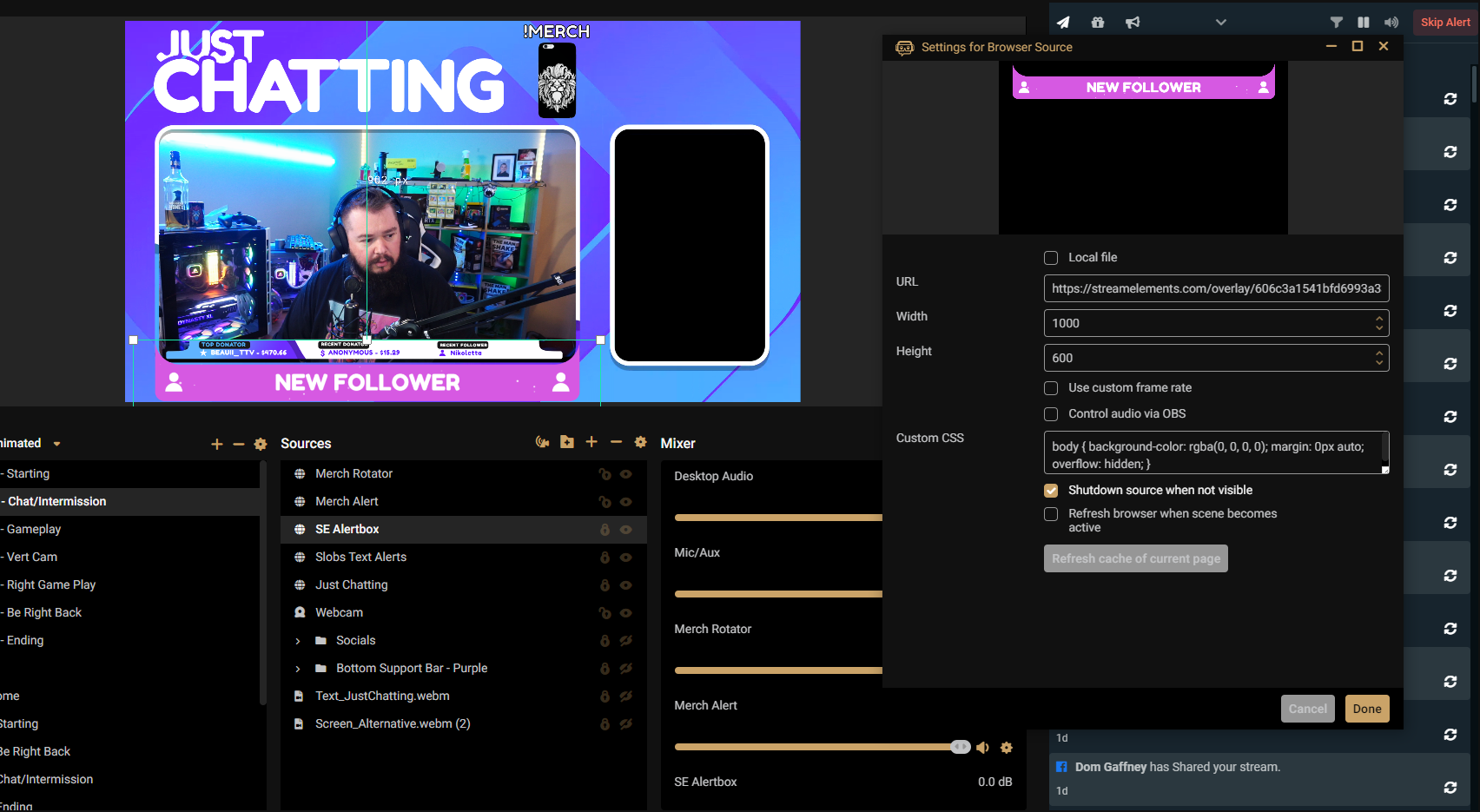 ionic kelp
Use something other than SLOBS.
And as much as a joke as that may sound I'm actually serious.
 void skiff
My streamlabs dashboard is not counting followers. Does anyone know how to solve? Thanks

streamelements*
worldly escarp
void skiff
My streamlabs dashboard is not counting followers. Does anyone know how to solve...
can you see them in the activity feed?
void skiff
@worldly escarp
No, just on the twitch dashboard
viscid pebbleBOT
Please provide your account ID found at the top of this page: https://streamelements.com/dashboard/account/channels This ID is public info and safe to share here.
topaz umbra
bold birch
worldly escarp
check now
thank you
void skiff
void skiff
My streamlabs dashboard is not counting followers. Does anyone know how to solve...
I changed my username a few days ago, could that be the reason?
viscid pebbleBOT
@void skiff If you changed your name on Twitch, please follow these steps:
- Visit https://streamelements.com/logout and then log in again by connecting with Twitch.
- On the right side of the dashboard page that opens, select Join under bot settings. If it says Part select that and then select Join to send the bot to the chat. Don't forget to mod the bot by typing /mod streamelements in your channel if you have not already.
- Post your old and your new name here so that we can update your channel's chatstats tracking (must be done by staff).
void skiff
It was jvtartaruga and now radiomlk
 shut jewel
hello! i have a small question:
so I've finished setting up my whole stream, all the elements are done just how i want it!
though i have a small query, when i was testing my alerts i used the emulation function a bunch,
and now all of my latests and subgoals show them, it says i have 11 subs in my subgoal and the latest follower, sub, and tip texts show the names from the emulation, how do i reset it
lament blade
When you start streaming, the session would reset and they would zero out
shut jewel
alright, you sure?
lament blade
yup
 worldly escarp
void skiff
It was jvtartaruga and now radiomlk
worldly escarp
void skiff
It was jvtartaruga and now radiomlk
try login out and login to your account
topaz umbra
any updates on our issues?
 sick tundra
Is there a reason the Sponsorships menu point still shows the bubble with the 1 despite me having completed one campaign and declined the other? It's triggering tf out of me
or to put it in nicer terms: There is nothing for me to do, why is the notification still showing?
 void skiff
worldly escarp
try login out and login to your account
void skiff
worldly escarp
try login out and login to your account
thankssss!! ❤️
is counting from now
 keen wigeon
topaz umbra
any updates on our issues?
keen wigeon
topaz umbra
any updates on our issues?
Can you see his alert box if you add it as a source in your SLOBS?
keen wigeon
Then it's 99% something he's doing wrong. You have the perfect setup to troubleshoot his issue.
 lusty hawk
 nimble dune
sick tundra
Not sure whether to ask here or in the merch channel, because this concerns overlays and merch.
I added a variation for a merch alert, but when I simulate a merch alert, nothing is happening
 ionic kelp
Merch =/= purchase.
sick tundra
oh. What is it then?
and is there a way to test out the alert without having someone purchase?
sick tundra
when I click play for the variation that works fine, so I guess that means that it works?
I don't see any other way of emulating the event itself if merch isn't the correct one
ionic kelp
You need to use this
 sick tundra
oh that's an extra alert box. Did not know that, thanks
now the emulation works..

thank you!
fresh garden
so any help with these webhooks ? 5ff6c34b46e2153d78303a9e I guess they need to be restarted or what they did last time ..
 flint shard
Not quite sure if this is the correct channel for this question but I'll give it a try anyway. Working on my own widget atm, everything works like a charm except it got a border inside the overlay because it's embedded as an iframe and those have borders by default. Is there any setting to disable this, am I just blind or something? 
nvm, my bad - I forgot to hide the image inside the widget and that threw an border when nothing was loaded lol
 stark pine
i recently had a name change, hoping its possible to transfer over chat stats in stream elements?
viscid pebbleBOT
@stark pine If you changed your name on Twitch, please follow these steps:
- Visit https://streamelements.com/logout and then log in again by connecting with Twitch.
- On the right side of the dashboard page that opens, select Join under bot settings. If it says Part select that and then select Join to send the bot to the chat. Don't forget to mod the bot by typing /mod streamelements in your channel if you have not already.
- Post your old and your new name here so that we can update your channel's chatstats tracking (must be done by staff).
stark pine
old username: Simonjaysus
new username: Simonjmusic
 glacial pecan
umm my donation link no longer works
 trim hill
Hello, the watchtime command is not working. Writes 0 secs
 ebon forum
stark pine
old username: Simonjaysus
new username: Simonjmusic
ebon forum
stark pine
old username: Simonjaysus
new username: Simonjmusic
Fixed
viscid pebbleBOT
@trim hill The !watchtime command is directly tied to the Loyalty system. The Loyalty system must be enabled for viewers' watchtime to count up.
To enable Loyalty, please go to the Loyalty section of your account: https://streamelements.com/dashboard/loyalty
Watchtime counts up every 10 minutes alongside Loyalty points, and only while the stream is live. Reruns will not be counted.
Please note that watchtime is not tracked by Twitch and there is no way to retroactively apply past watchtime to viewers.
StreamElements
The Ultimate All in One Platform for Streamers
ebon forum
glacial pecan
umm my donation link no longer works
Need more information here
 arctic stone
my kb/s keeps jumping around any solutions
ebon forum
arctic stone
my kb/s keeps jumping around any solutions
Check with your ISP, as this indicates a connection issue
 ebon forum
lament blade
ebon forum
lament blade
No you can't. The tip leaderboard is separated from that and is located on the tipping page.
 faint wedge
I'm not sure which helpdesk chat to put this in but I'm having an issue with chat stats just bringing up a 404. I never changed my name and it's been this way since I started streaming.
 halcyon musk
How can i solve this problem? i just want to see my chat stats
 lament blade
i prefer add donation on main one becuase i have no more space for new extenstion
any solotion?
ionic kelp
Outside of making a text panel not possible.
 ionic kelp
¯\_(ツ)_/¯
lament blade
every day new problem on streaming xD
wary halo
There is no donation extension, so no problem :)
halcyon musk
How can i solve this problem? i just want to see my chat stats


 upbeat horizon
Ok thank you
halcyon musk
Need help whit that
