#helpdesk-twitch
1 messages · Page 837 of 1
 ebon forum
 neon cypress
Guys help needed, my dashboard is not updating/not showing latest stream new followers or actually any followers at all, the bot is mark as connected to chat, "Party Channel displayed" any tips?
Acitivity feed is not working either in obs 😦
 harsh gate
Just switched from SLOBS to SE because of an issue I am having with my new 1440p monitor. Display capture does not work properly. Game capture only works for certain games (that was even before the 1440p monitor). Looking for answers pls!
 viscid pebbleBOT
@neon cypress Please provide your account ID found at the top of this page: https://streamelements.com/dashboard/account/channels This ID is public info and safe to share here.
ebon forum
harsh gate
Just switched from SLOBS to SE because of an issue I am having with my new 1440p...
Display capture will always capture the whole monitor. Window capture should grab the games too if needed
and game capture should work too
viscid pebbleBOT
Obs.live is a plugin for OBS Studio for the best OBS support, please join their Official Discord @ discord.gg/obsproject
 ionic kelp
Also that.
neon cypress
@viscid pebble 5ff8e170f3c4c7e686a287ff
 trail condor
Is media request being worked on? I'm trying to Show On Stream but I keep getting the error "No Active Widgets were detected for media request" when I'm looking (and listening) right at TWO
 drowsy egret
neon cypress
Guys help needed, my dashboard is not updating/not showing latest stream new fol...
drowsy egret
neon cypress
Guys help needed, my dashboard is not updating/not showing latest stream new fol...
I've escalated this to the devs, they will fix it for you. I can't give you an ETA tho
neon cypress
Sure, thank you so much 🙂
 ivory plover
@trail condor It says the same thing for me
 sinful quiver
So i asked this question a couple of days ago but when ever i try to stream to twitch it says that im streaming in 1080p when i want to stream in 720p, yes i did get help and i was thankful for there help but it didnt help much.
keep in mind my video settings are
Based (canvas) resolution: 1920 X 1080
Output (scaled) resolution: 1280 X 720
Downscale filter: Bicubic
Common FPS Value: 30
And so with all that my stream still says that im streaming in 1080p. May you please help me?
drowsy egret
trail condor
Is media request being worked on? I'm trying to Show On Stream but I keep gettin...
can you try again and send a screenshot if the issue persists?
trail condor
Error message, plus 2 active media request locations
I've tried logging out of obslive
I've tried machine/obs restart
 wary halo
when posting overlays, make sure you DO NOT share the URL
drowsy egret
@ivory plover @trail condor mind sharing your account id so we can check?
wary halo
#QuickTip
viscid pebbleBOT
Please provide your account ID found at the top of this page: https://streamelements.com/dashboard/account/channels This ID is public info and safe to share here.
ivory plover
601e0ab25ba10ed95d781f4c
trail condor
595590388e236d01749a0008
 stone herald
Hey guys, anyone know how to set up a background for my overlay? I can't seem to figure it out and also can't find anything about it online
drowsy egret
@ivory plover @trail condor thanks, I will see what I can do
 foggy heart
stone herald
Hey guys, anyone know how to set up a background for my overlay? I can't seem to...
foggy heart
stone herald
Hey guys, anyone know how to set up a background for my overlay? I can't seem to...
You can use the overlay editor to add a static image, and if it's on the last layer you can use that as a background
stone herald
foggy heart
You can use the overlay editor to add a static image, and if it's on the last la...
Ty! But is there then a way to make the screen that I'm streaming smaller? Or does it auto adjust?
foggy heart
stone herald
Ty! But is there then a way to make the screen that I'm streaming smaller? Or do...
By screen do you mean in OBS? You can adjust the resolution of the overlay within OBS once you add it.
drowsy egret
@trail condor @ivory plover I was not able to replicate your issue on my end, can you post the steps you are doing before getting that error? Is it happening with all the video requests?
drowsy egret
foggy heart
By screen do you mean in OBS? You can adjust the resolution of the overlay withi...
@stone herald following up on this, you can also add the background image directly into OBS and then just shrink the overlay, that way your background will stay the same size and only your SE overlay will be resized
trail condor
@drowsy egret I'm just clicking show on stream using a song from the backup playlist and it's giving me the same error
Seems the video/audio doesn't show anywhere on my account besides obslive, per the screens I posted. I hid the URL and can repost the images if needed
 tame grotto
Hey y'all it's been a week that I've been trying to fix this issue. I can get every single alert working except for the Subscriber one. It stays with the original image + sound even tho I've changed it with mine and saved it... Any idea on how to solve that?
foggy heart
tame grotto
Hey y'all it's been a week that I've been trying to fix this issue. I can get ev...
What do your variation settings look like? Sometimes these can override what you have set as the default.
tame grotto
foggy heart
tame grotto
Are these options also adjusted to reflect your settings, or are they at default? You can check by clicking the gear next to each one.
foggy heart
tame grotto
Those were defaults IIRC
That might be why you're seeing the default pop up. Try changing/disabling those and see if it works after
tame grotto
you're a genius lol.
So basically the randomly generated numbers were always +1 month so counts as a resub
oof
 rancid violet
Hello! I use Steam Elements and golightstream when streaming to twitch. My Stream Elements Overlay shows perfectly on my stream...however, the Alert Box DOES NOT work! When I test it, it's fine. But when I go live and people follow, donate, etc. nothing pops up on my screen, only in my chat.
tame grotto
Is StreamElements' layer above all others? Had this issue the other day.
drowsy egret
trail condor
Seems the video/audio doesn't show anywhere on my account besides obslive, per t...
I reported this to the devs, somebody will reach out to you once its fixed
rancid violet
tame grotto
Is StreamElements' layer above all others? Had this issue the other day.
Yeah, it's my first layer! It's frustrating. I have tired everything. I've looked up videos, posts, ect. Still won't work.
trail condor
@drowsy egret thank you!
tame grotto
Aw that's weird. :/ Hopefully someone here is able to help!
 onyx bloom
how can I test my goal widget for followers? should Emulate > Follower event trigger it?
viscid pebbleBOT
@rancid violet Please provide your account ID found at the top of this page: https://streamelements.com/dashboard/account/channels This ID is public info and safe to share here.
rancid violet
5ff9f46d3d2bf1c253c502ee
drowsy egret
rancid violet
5ff9f46d3d2bf1c253c502ee
and what is the name of the overlay you're using for alerts?
rancid violet
PINK FOLD SUPER THEME
drowsy egret
rancid violet
PINK FOLD SUPER THEME
try now, it should be fixed
rancid violet
@drowsy egret I can now see it when I test it - it shows up in my golightstream. If I do a test stream, and emulate a follow will it show? Or does it only do that off stream?
drowsy egret
rancid violet
<@!131420870244564992> I can now see it when I test it - it shows up in my golig...
they will work, just make sure the Preview LIVE on stream option is selected
rancid violet
Thank you!!
wary halo
@lament blade it's tied to your account so it won't work with their own data
but we generally don't advice to share your overlay link with people
because the actual overlay link has some sensitive information in it that would allow people to mess around with it
if you made an overlay for someone and want to give it to them, they need to invite you as an editor to their account, then you can copy it from your account to theirs and you won't have that problem
viscid pebbleBOT
"Follow these steps to grant managers/moderators access to your dashboard:
- Click on your channel name at the top of the dashboard
- Create a new invite at one of three access levels (Bot Supervisor, Editor, Full Control)
- Send this invite to a mod/manager to give them access to your dashboard. The link is one-time-use and expires after 72 hours if not accepted
Video tutorial: https://youtu.be/zl_h-ttZDF0"
wary halo
like that ^^
 lucid grotto
viscid pebbleBOT
lucid grotto
viscid pebbleBOT
@lucid grotto Obs.live is a plugin for OBS Studio for the best OBS support, please join their Official Discord @ discord.gg/obsproject
 quasi remnant
how do i change my sub points widget i cant seem to find it again?
viscid pebbleBOT
To reset goals:
- from the Overlay Editor > Session data on top right (monitor symbol) > Goals tab > reset progress of desired goal
- from the Dashboard > Activity feed on the left > Widget data on the right > Goals tab -> reset progress of desired goal
Note: Goal widgets (progress) only counts up and doesn't go down automatically, if you lose followers/subs.

 lament blade
@wary halo so if I make them an editor they'll be able to use my overlays on their stream?
wary halo
no, they need to make you an editor on their account
lament blade
Yeah that's what I mean if they were an editor on my account in this example they could then use my overlays on their stream ?
lament blade
First of all don't get antsy with me with your capitalisations. Not appreciated. I'm simply trying to clarify this is a support forum after all. Secondly, the reason I was clarifying is because it makes more s sense for the account with the overlay you want to use to grant you access to the their account since the data is tied there . I do appreciate your assistance though
 random current
chill, he was answering your question
wary halo
First of all, I am just trying to make it more clear since I already explained it two times.
Second: it does not make more sense to do it your way as a lot of artists don't want everybody to be able to use all the assets they have for multiple streamers.
 mellow patrol
hi im streaming rn and my top tip shows no data but on streamelements it shows who top tipped me
why on overlay it doesnt show? can someone help me please
foggy heart
mellow patrol
why on overlay it doesnt show? can someone help me please
How do you have the top tipper set up in the overlay? and is the source added to OBS?
lament blade
Yeah fair enough but again it's a support forum . Not everyone is tech savvy my friend.what your saying makes more sense now. I appreciate it. Have a good one @wary halo
random current
foggy heart
How do you have the top tipper set up in the overlay? and is the source added to...
probably, thats the only way
foggy heart
mellow patrol
and i just linked it with obs
Can you share a screen shot?
mellow patrol
what should i screenshot
im playing right now and streaming so i will reply lil slow sorry
foggy heart
A screen of the overlay working and the stream not showing it should help out if you can.
 tropic stratus
Looking to merge my FB.GG and Twitch accounts on StreamElements, is this the right channel?
drowsy egret
oops, wrong person 😄
@tropic stratus you can DM your JWT tokens to @abstract hemlock, he will merge the accounts for you
viscid pebbleBOT
@tropic stratus Account Merging - Please note:
- Merging accounts only allows faster ways to switch between accounts
- Merging accounts does not allow data sharing between accounts - different streaming platforms, different type of events
- Merging accounts allows duplicating/sharing overlays between the accounts
If you understand the limitations of merging and want to proceed, please find the JWT tokens (!jwt) from both accounts you want to merge and you will be directed to DM them to a staff member
foggy heart
mellow patrol
So in the StreamElements dashboard, it has a tipper there instead of no data?
tropic stratus
Thanks very much, @drowsy egret!
mellow patrol
foggy heart
So in the StreamElements dashboard, it has a tipper there instead of no data?
Yup
ivory plover
How do I turn up the volume on media request if its coming directly from the widget
 winter topaz
can someone help me with steram labels and were i find them and put them in
mellow patrol
viscid pebbleBOT
@winter topaz New to StreamElements?
Check out our YouTube channel https://www.youtube.com/c/streamelements/videos
with tutorial videos from setting up the basics, to in-depth details on how to use our product.
New to OBS? Here is a 4 step quick start guide
https://obsproject.com/wiki/OBS-Studio-Quickstart
Want to learn even more? Here is an in-depth overview
https://obsproject.com/wiki/OBS-Studio-Overview
foggy heart
mellow patrol
The data the top tipper label pulls may be based on session, as in the top tipper of the current stream. You may need to adjust the period of time for that part of the overlay in the settings.
 strong kernel
ivory plover
How do I turn up the volume on media request if its coming directly from the wid...
strong kernel
ivory plover
How do I turn up the volume on media request if its coming directly from the wid...
Have you tried the !volume command in your chat yet?
mellow patrol
Ohh lemme see
ivory plover
I just started using the actual stream elements pop out on obs and it lets me control the volume there so problem solved
lament blade
estou tentando colocar overlay na live no meu xbox one tem como? se tiver como eu faço?
viscid pebbleBOT
@lament blade Welcome to the helpdesk! The regular helpdesk channels are in English but we do provide multi-language support in the following channels: #🇩🇪︱deutsch | #🇫🇷︱français | #🇪🇸︱español | #🇵🇹︱português | #🇳🇱︱nederlands | #🇮🇹︱italiano | #🇵🇱︱polski | #🇨🇳︱中文語言服務區-chinese | #🇯🇵︱日本語-japanese | #🇭🇺︱magyar | #🇰🇷︱한국어-korean | #🇹🇭︱ไทย-thai | #🇷🇺︱русский | #🇺🇦︱українська | #🇨🇿︱czech
 clear cove
what are the dimensions for an image to put on a coffee mug or merch
 boreal stratus
hi
strong kernel
clear cove
what are the dimensions for an image to put on a coffee mug or merch
See pinned messages in #helpdesk-merch
mellow patrol
@foggy heart
So i should turn it off but can i do something now so my top tip shows again?
strong kernel
mellow patrol
So i should turn it off but can i do something now so my top tip shows again?
Here's all you need to do. Select your widget in the editor, and then change this dropdown:
Don't forget to save once you're done.
 open laurel
Hi team, can you please help me fix the 404 error for my chat stats? Old name: stoessi
new name: stoessi_beats
open laurel
thank you!
winter topaz
twitch label recent follower help plz
viscid pebbleBOT
@winter topaz Welcome to the helpdesk! Please let us know how we can assist you today and a support volunteer or staff member will assist you as soon as they are available. Thank you for your patience.
 wooden bear
hi, can you help me fix the data sync with my twitch account? It does not register the last followers in the activity feed or in the control panel. My account is: UliDLS
viscid pebbleBOT
@wooden bear Please provide your account ID found at the top of this page: https://streamelements.com/dashboard/account/channels This ID is public info and safe to share here.
mellow patrol
strong kernel
Here's all you need to do. Select your widget in the editor, and then change thi...
Thank you it helped!
wooden bear
viscid pebble
<@!401575385612943361> Please provide your account ID found at the top of this p...
ID: 5ff75bcddf20081b31e3b6b4
strong kernel
wooden bear
ID: 5ff75bcddf20081b31e3b6b4
Your webhooks have been resubscribed and you should receive new follower alerts moving forward.
wooden bear
Thank you! Have a nice day 🙂
 alpine citrus
Hey guys, I have a bit of a weird issue regarding the Overlay Editor.
- I have a looping WEBM that works perfectly in OBS but if I add it to StreamElements and have it loop it stutters for like 1 frame. (Video of it below)
 distant pumice
im trying to get to my dashboard and it just takes me back to the main page
viscid pebbleBOT
@distant pumice Please logout of StreamElements at https://streamelements.com/logout and then login again to your account (Twitch/YouTube/Facebook).
 hallow ruin
I'm having problems logging into obs.live nothing i've done has working
viscid pebbleBOT
@alpine citrus Please provide your account ID found at the top of this page: https://streamelements.com/dashboard/account/channels This ID is public info and safe to share here.
@hallow ruin Please provide a proper screenshot with the issue visible. If not sure how to take a screenshot, you can check here: https://www.take-a-screenshot.org
alpine citrus
viscid pebble
<@!348262008652693504> Please provide your account ID found at the top of this p...
Account ID: 598e6989aa020f2b09a628d7
strong kernel
alpine citrus
Account ID: 598e6989aa020f2b09a628d7
Looking at this video within the browser itself, as well as on a media player on my computer, it looks like it does have an extra frame baked into it, or isn't properly looped. While I can't explain why it appears smooth in OBS, you're going to want to take a closer look at the file if you made it yourself, or contact the creator.
alpine citrus
I've rendered it out about a dozen times, I can look again, but even in the video editor it loops fine.
 fresh badger
Hi I just noticed that chat commands aren't working in my chanel
strong kernel
alpine citrus
I've rendered it out about a dozen times, I can look again, but even in the vide...
You know, I just tried to make a gif to show it, and I think I realized why it looks smoother. OBS and your editor may be playing it at a different framerate than a browser will. 🤔
alpine citrus
Ahh so would setting the browser source to use a custom Framerate fix it?
hallow ruin
i hit the log in with twitch and it goes back to this screen
strong kernel
alpine citrus
Ahh so would setting the browser source to use a custom Framerate fix it?
Worth a shot I suppose?
alpine citrus
Not quite 
I'll re-render it to 30fps and see if that solves it
Cheers for pointing me in the right direction
strong kernel
alpine citrus
Cheers for pointing me in the right direction
No problem.
hallow ruin
it just wont log it
viscid pebbleBOT
@hallow ruin If you are not seeing the OBS Twitch integrations and have OBS.Live installed, please follow these steps:
- Make sure you are on the latest and greatest version of OBS.Live
- Exit OBS (make sure OBS is not running)
- Delete
%appdata%\obs-studio\plugin_config\obs-browser\obs_profile_cookies - Start OBS.Live
- Settings > Stream > Disconnect > Connect
strong kernel
Try those steps.
 unique garden
So when I try to do Media Request it only shows a small sliver of the video in the corner of my overlay
viscid pebbleBOT
@unique garden The default resolution for StreamElements overlays (theme and custom) is 1920x1080. Please add them in OBS at their full resolution and use CTRL+F to fit to screen if necessary. You can then downscale your stream in OBS settings > Video if you'd like https://i.imgur.com/6bWXxjR.png
 ivory plover
Why does the chatbox seem to go slow
 white verge
Will someone have a tutorial on how to use the SE tools? I am new at this
viscid pebbleBOT
@white verge New to StreamElements?
Check out our YouTube channel https://www.youtube.com/c/streamelements/videos
with tutorial videos from setting up the basics, to in-depth details on how to use our product.
New to OBS? Here is a 4 step quick start guide
https://obsproject.com/wiki/OBS-Studio-Quickstart
Want to learn even more? Here is an in-depth overview
https://obsproject.com/wiki/OBS-Studio-Overview
hallow ruin
still not working
 cunning mural
Switching my channel from YT to twitch, chat and activity feed will not switch over, ive tried refreshing, reinstalling, relogging, etc. Any fixes?
viscid pebbleBOT
@cunning mural StreamElements menu, on top of OBS > Logout > Login
 analog plover
hey can someone help me deactivate my profile with stream elements
I do not want to use it anymore
and it keeps saying that "invalid username"
even though it isnt
strong kernel
analog plover
and it keeps saying that "invalid username"
You need to type the username you had when you first connected to StreamElements, in all lowercase letters.
analog plover
I tried that
my youtube was disconnected but my twitch isnt
even for the twitch one it still says its wrong
but for some reason youtube worked
wait I might have got it
hallow ruin
i still am unable to log in
 bright fog
i need some help, i wanna make that ppl cant hear discord on stream(or atleast not so loud) but still can hear my game. AAAAAAAAAAAnd i dont know how to do this 😮
viscid pebbleBOT
@bright fog Obs.live is a plugin for OBS Studio for the best OBS support, please join their Official Discord @ discord.gg/obsproject
drowsy egret
hallow ruin
i still am unable to log in
are you able to login on the website?
hallow ruin
drowsy egret
are you able to login on the website?
yes just not on obs live
 vapid tartan
Ok does anyone know how to use an overlay setup for both twitch and Facebook without having to change it eveytime in obs. Not stream labs just the regular obs
strong kernel
vapid tartan
Ok does anyone know how to use an overlay setup for both twitch and Facebook wit...
StreamElements does not have multistreaming support. Overlays are made for one channel.
drowsy egret
hallow ruin
yes just not on obs live
Check your firewall settings, make sure OBS is whitelisted. You can also try different DNS servers and see if that fixes it
 topaz hearth
Hi I'm still having trouble with my bot, it's finally showing up and timers seems to be going off, but the chat commands in the timer messages isn't triggering anything
if i type the command in by hand it works but when the bot triggers it nothing happens basically
strong kernel
topaz hearth
if i type the command in by hand it works but when the bot triggers it nothing h...
The bot cannot trigger its own commands with a timer. Just put the command text into its own, new timer.
topaz hearth
strong kernel
The bot cannot trigger its own commands with a timer. Just put the command text ...
gotcha thank you so much
 hollow flare
Hello, i'm streaming right now and using OBS 26.1.1 and can't hear myself. could some one help me please?
viscid pebbleBOT
@hollow flare Not all staff are able to assist with support issues. Please refrain from pinging them or sending them DMs unless asked to.
drowsy egret
you'll get yourself in trouble before someone is able to help you with that
 stray ledge
Hi, i'm streaming right now, but nothing shows up in activity feed. my chat overlay and chatbot are working just fine though
so when some1 follows it doesn't do the notification
(it doesn't trigger alertbox bc it's not even showing up in activity feed)
viscid pebbleBOT
@stray ledge Please provide your account ID found at the top of this page: https://streamelements.com/dashboard/account/channels This ID is public info and safe to share here.
strong kernel
stray ledge
5ff6891b52e7be3d700956c7
Your webhooks have been resubscribed and you should receive new follower alerts moving forward.
stray ledge
thank you i'll give it a try
it's working, thank you 🙂 is there any way i could solve this on my own in the future? (if it comes back up)
strong kernel
No, it's a staff fix.
stray ledge
gotcha. thanks.
 compact halo
I'm also having the issue where nothing is showing up in my activity feed so then alerts aren't working but the chatbot works fine. my account ID is 5ff634ef845fc236466bd7c8
strong kernel
compact halo
I'm also having the issue where nothing is showing up in my activity feed so the...
Your webhooks have been resubscribed and you should receive new follower alerts moving forward.
compact halo
thank you!
 cerulean hornet
having audio glitching during streams
viscid pebbleBOT
@cerulean hornet Obs.live is a plugin for OBS Studio for the best OBS support, please join their Official Discord @ discord.gg/obsproject
viscid pebbleBOT
@full tinsel Read and follow our server rules:
- We do not tolerate toxicity! Treat the community team, staff and all members with respect.
- No advertisement or channel promotion, anywhere on the server.
- No NSFW/NSFL
- No unsolicited DMs or friend requests to server members
Make sure to read the #welcome in any server you join.
 turbid tusk
How do I put an alert box into OBS
Is there a URL that I can just pull from streamelements?
 loud ice
i need help with setting up text to speech when i get donos
viscid pebbleBOT
@turbid tusk To add your overlays to OBS, add a new browser source in your scene. Paste your overlay URL in the browser source properties, set the dimensions to 1920x1080 (unless you changed them on the website) and check Shutdown source when not visible. https://youtu.be/KDvLynUqXI4
drowsy egret
turbid tusk
now when i do that, it is awkwardly cropping it
make sure the browser source dimensions are 1920x1080
do ctrl+F if its still small after checking that
turbid tusk
YOU LEGEND
How do i have things center align? Is there a buttom
or do i have to snap it into place
 upbeat lodge
hello, I am not sure if this is a Streamelements issue, twitch issue or obs issue, sorry. Ill start here just to get my brain going. I am having an "unstable" connection and dropping 75+% of my frames.
My internet connection is fine, I did a test and should be able to happily steam like I usually do
viscid pebbleBOT
@upbeat lodge Dropped Frames means that you have a bad connection between your device and the streaming platform and most likely something related to your ISP not handling the connection properly.
Speed tests usually cannot help solve this problem and its best to use this guide: https://obsproject.com/wiki/Dropped-Frames-and-General-Connection-Issues
If you stream to twitch, use the !twitchtest command and do a connection test to your regional servers.
upbeat lodge
Thank you, I knew this was the place to start, I go from there to resolve it. Smart Bot
 winged quiver
im having an issue where when i start my stream my bitrate is all over the place
hallow ruin
drowsy egret
Check your firewall settings, make sure OBS is whitelisted. You can also try dif...
I've been using obs.live for 2.5 years why would the firewall block it now
it still wont fully log in but i can stream though it so idk
 neat zodiac
how do you activate bot rename in ground control
viscid pebbleBOT
@neat zodiac Currently renaming the bot fully works with OBS.Live.
You can follow this video guide to set it up: https://discordapp.com/channels/141203863863558144/494513233416421386/561516184718278676
If you don't want to use OBS.Live and want to stick with Ground Control, please let us know your Twitch username.
 ionic storm
Hey guys, I'm wondering: is there a setting that I am supposed to enable to allow for alerts to work on a running stream? I tested the stream overlay and the tests worked, and I have that overlay enabled in OBS. the tests worked within OBS. However, when someone actually subscribed or followed, the notification doesn't happen. What step am I missing here?
lament blade
I'm having an issue with Sounds not playing when the command is issued... any fix on that? Thanks ahead of time! 🙂
strong kernel
lament blade
I'm having an issue with Sounds not playing when the command is issued... any fi...
For stream store items?
viscid pebbleBOT
@ionic storm Please provide your account ID found at the top of this page: https://streamelements.com/dashboard/account/channels This ID is public info and safe to share here.
 vast shard
I am not getting Quality Settings on Twitch..
ionic kelp
That is not guaranteed unless you are partnered.
 livid ether
when i try and show my media share on stream it says it cannot detect the widget even tho i have it
 vast mist
hey guys! Newer streamer here. With the "stream starting soon" overlay template how does one manipulate the clock, for example if i start my stream and load that screen, how do i set that time to a smaller amount? is that just something i do before hand in the template editor before i start the stream or is there an easier way to do that on the fly?
 cinder olive
livid ether
when i try and show my media share on stream it says it cannot detect the widget...
cinder olive
livid ether
when i try and show my media share on stream it says it cannot detect the widget...
Did you add the widget to your overlay?
livid ether
yes @cinder olive
cinder olive
vast mist
hey guys! Newer streamer here. With the "stream starting soon" overlay template ...
Edit it in your overlay editor. Click the timer, then on the left side edit the length.
cinder olive
livid ether
yes <@!311873541542772736>
And you added that overlay to your OBS?
cinder olive
vast mist
yes i have
Question was for someone else
livid ether
added it to my sources?
cinder olive
livid ether
added it to my sources?
You need to add it to a overlay on the Overlay Editor, then add that overly to a active scene in OBS
 fresh peak
How to make follower/tip message on screen
cinder olive
fresh peak
How to make follower/tip message on screen
Add a alert to your overlay in the overlay editor.
 golden briar
Hi
livid ether
@cinder olive does this work with streamlabs OBS?
golden briar
Just wondering if there's a way to fix my camera being so dark in the app when I'm trying to stream from my phone?
cinder olive
livid ether
<@!311873541542772736> does this work with streamlabs OBS?
We do not support SLOBS, as it is our competitor. I would highly doubt it.
cinder olive
golden briar
Just wondering if there's a way to fix my camera being so dark in the app when I...
golden briar
Oh thank you sorry
fresh peak
Can you send me stream labs link cuz i am on obs xD
cinder olive
fresh peak
Can you send me stream labs link cuz i am on obs xD
I cannot send you a streamlabs link.
fresh peak
Why
cinder olive
fresh peak
Why
Because streamlabs is our competitor and we do not provide support or assistance to their products.
cinder olive

OBS.Live | Open Broadcaster Software Streaming Knowledge Base
OBS (open broadcaster software) knowledge base for live streaming. Find articles and videos about streaming with OBS.
cinder olive
That would indeed be our plugin for OBS.
fresh peak
oh k
cinder olive
Are you looking for the overlay editor?
cinder olive

StreamElements
The Ultimate All in One Platform for Streamers
Rename it there.
cinder olive
I.. I would suggest google.
Or possible youtube.
Maybe soundcloud?
#426825216887619594 might have a few.
fresh peak
alredy got 20euros to fix m ystream
cinder olive
Once you add it, simply click save.
fresh peak
ohhh
cinder olive
Is that Opera's Gaming browser?
cinder olive
How you liking it?
Thinking of swapping over on my laptop but havent looked into it yet 
fresh peak
its faster then others for me
its kinda easy to use
if u accidently close it
everyhing saves
and u can add things here
what do you think of this?
cinder olive
Looks like an overlay to me
 cloud portal
Hey can u only be twitch affiliated or a partner with more the 50 followers saw a guy with 10 followers but he had the twitch rewards stuff like the points system
fresh peak
cinder olive
cloud portal
Hey can u only be twitch affiliated or a partner with more the 50 followers saw...
You can be partner with 0 followers if you know people
fresh peak
it goes like this
cinder olive
fresh peak
Thats the one
cloud portal
Oh ok
cinder olive
fresh peak
it goes like this
Click those red boxes on the edges and scale it on up
cinder olive
fresh peak
maybe there is better an than droid cam?>
You dont need to use a app depending on your webcam.
The tools to display your cam is built into windows/obs
cinder olive
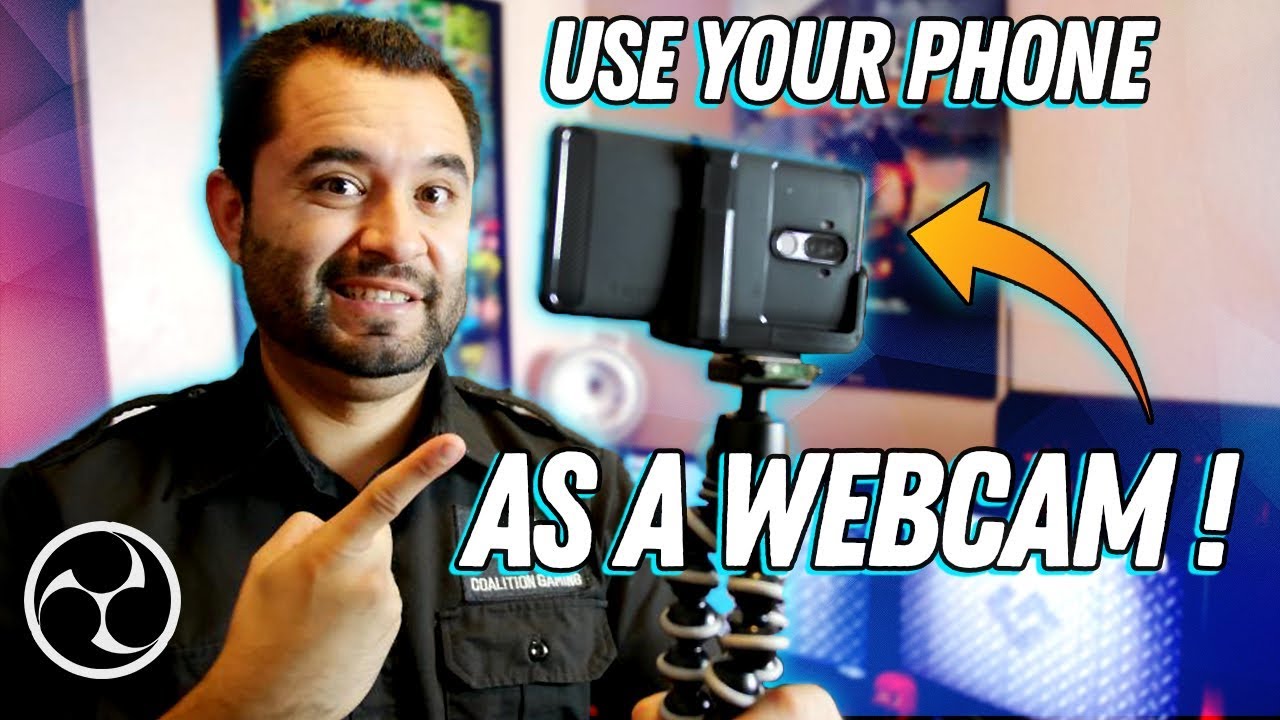
2020 Update: A new challenger has appeared, and now you can use your phone with ANY program as a webcam! Not just OBS Studio! Video here - https://www.youtube.com/watch?v=SNEYrWH3sME
- Update 11/13/19: the Newtek NDI app doesn't appear to be on the Play store anymore. Just Google search "Newtek NDI apk" and you'll find what you need :) *
-USB we...
This guide is a little dated but will help you along the process
 gritty rivet
hello ! i want to change my mail in stream elements ! where ?
gritty rivet
ok ! thank's.....
still have my problem with the fact dat' my pseudo "kafkalino" is still not recognized as "broadcaster" in commands.
re sudo : i'v changed my mail in twitch. Still the old mail in Stream elements....
viscid pebbleBOT
Please logout of StreamElements at https://streamelements.com/logout and then login again to your account (Twitch/YouTube/Facebook).
gritty rivet
already done. Still my old mail.
 mighty storm
So I'm about three weeks into using stream elements, got my tipping setup and my socials linked. everything seems to be working fine. But I'm experiencing an issue with my first time tipper a notification didn't come up saying that he had tipped. And I do have notifications set to show. A couple things before you guys ask I tried having my wife tipped me a dollar and nothing shows up for stream elements saying I've received a dollar now I checked my bank account and it's pending. I would just like to know your guys's thoughts so I can continue to use stream elements as my main software because it is absolutely the best!
cinder olive
mighty storm
So I'm about three weeks into using stream elements, got my tipping setup and my...
What is your twitch username?
mighty storm
Bergmanjoe
cinder olive
And they used https://streamelements.com/bergmanjoe/tip to tip?
mighty storm
I'm not sure if the original tipper used that link but from my twitch my donation panel is set to that link. I had my wife send me a tip from that link and it's pending in our bank account but doesn't show anything on stream elements
viscid pebbleBOT
@mighty storm if a viewer tipped through PayPal but no information appears in your StreamElements account, this generally means PayPal has held the tip for verification. Until PayPal clears the tip and sends back a confirmation to your StreamElements account, no information will appear there and no alert will play, as that confirmation is the only way for us to be aware of a successful transaction. If you believe there may be an issue with the transaction, you'll need to contact PayPal support as StreamElements is only a passthrough service and never actually gets involved with the transaction or touches the money
 lucid temple
Hey all, I have added a animated webcam overlay to my stream and it causes the problem that i lose around 20 fps ingame when its activated, the webcam overlay source is local, can i get a better solution ?
mighty storm
I appreciate the help guys I believe the issue is with my PayPal it is a new PayPal I'm a new streamer and I believe they're holding it. I'll watch out for my emails from PayPal and try to get in contact with them. Thanks 👍
viscid pebbleBOT
@lucid temple Please provide a log from your last stream. To do this, in OBS go to Help > Log Files > Upload Last Log File and paste the link to the log file here.
lament blade
strong kernel
For stream store items?
yes!
cinder olive
lament blade
yes!
Did you add the alert to your overlay?
 hasty mist
Hi ² all!
I have a problem displaying my followers. StreamElements has not registered / recorded new followers for about 2 weeks. The display of the subs and bits works fine, however. What could that be?
viscid pebbleBOT
@hasty mist Please provide your account ID found at the top of this page: https://streamelements.com/dashboard/account/channels This ID is public info and safe to share here.
cinder olive
Ill have staff give your account once you provide your account ID the good ole bonking. After they 🔨 it your past alerts will not show, but going forward they should.
lament blade
cinder olive
Did you add the alert to your overlay?
It’s just a sound so when someone redeems in through command, I just want it to play so no I did not add an overlay for it... is that what I need for it to run?
hasty mist
My ID is: 5fa7ed7ccd329029715a88f3
 nocturne quest
My donation page « short name » doesn’t have a series of lettres and numbers before the actual name. I tried entering it in the @nocturne pelican Gofundme widget and it didn’t link it. Please help, my charity stream is this saturday
 restive token
So I'm on the StreamElements website and im trying to add the bot, but whem i click activate now it takes me right back to the dashboard. Am I doing something wrong?
ionic kelp
@restive token your channel or for someone else's?
restive token
ionic kelp
<@426815256069931009> your channel or for someone else's?
mine
viscid pebbleBOT
Please logout of StreamElements at https://streamelements.com/logout and then login again to your account (Twitch/YouTube/Facebook).
restive token
oh ok, thanks
 slim cove
Hey! I can't find the voice donate setting so that subscribers can record their voice and send it to stream
ionic kelp
Not possible.
lament blade
I have a problem with the alerts in my stream when I'm live when jemadn followerd this won't appear in the stream and I don't hear it either
lament blade
gritty rivet
still have my problem with the fact dat' my pseudo "kafkalino" is still not reco...
Hey, is Twitch the first account you opened with us?
hello , my streamelements bot is not working , when i write !name or somewhat my bot doing nothink , i need help please
ionic kelp
@lament blade channel name? No links please.
 gentle pier
Hey Guys, so i might be overseeing this but i can't seem to find this out: how do i set up IDEAL payments on my tipping page? It seems i can only set it up with Paypal payments atm. Thanks in advance!
 solar plover
Is anyone aware if watch time doesn't count if the stream is muted or tabbed out?
 fair quail
do u have to have afilliate to setup oints cus mine doesnt come up with the points option in twitch
lament blade
ionic kelp
<@456226577798135808> channel name? No links please.
bairafn
ionic kelp
Could you try this please?
viscid pebbleBOT
Go to the Dashboard > Right side > Part channel > Join channel(https://streamelements.com/dashboard)

 marsh cipher
I don’t know why my bot doesn’t speak when am streaming??
lament blade
ionic kelp
Could you try this please?
yes right now is it working thank u bro
 weary dove
Hello StreamElements support! Hope you guys are having a good day. I'm having issues with my streamelements alerts. I don't get alerts and the sound doesn't play as well when I have new followers or someone raids my channel. Have set up everything correctly and previously it was working. What can I do?
Thanks in advance!
 wide ferry
Morning. More of an annoyance than anything major but trying to work out why timeouts occur twice in the "Mod Actions" log on Moderator view. This happens for the built in link protection timeouts as well as custom banned word ones (so it's not a case of regex capturing twice since link stuff is built in). Any clues as to why this might be happening? Obvs it's not doubling up on time but it is filling the mod action log unnecessarily
Case of 2 instances of the bot being in the channel (local and remote) or something else?
ionic kelp
@wide ferry CBA to look for what the reason is but this is "intended".
wide ferry
No worries then; as I said wasn't a major issue but feel better knowing it is "intended" rather than some config issue on streamer end
 frozen frigate
anyone know what could be the reason why my streamelemts bot is not working? the bot is leaving all the time.
ebon forum
frozen frigate
anyone know what could be the reason why my streamelemts bot is not working? the...
Hi. Do you have custom bot name enabled?
frozen frigate
@ebon forum uff, i dont know. streamed long time not, wanna straem again. and i noticed that all commands not working. bot is in the channel. reconnected him but still nothing is working.
Even the standart commands not working
ebon forum
frozen frigate
<@!149255081194160129> uff, i dont know. streamed long time not, wanna straem ag...
Try the usual fix - remove bot, log out of streamelements, log back in, add the bot.
frozen frigate
i reloged the bot but try now with a log out.
@ebon forum thx the logout fixed it
 fringe jasper
How do I get the link of an uploaded file in streamelements
The third line
I wanna replace it with my file
But how do I get the link to it
ebon forum
fringe jasper
How do I get the link of an uploaded file in streamelements
You do not need links to replace files, just select the image/video that you want to replace and upload your file.
 charred pivot
Is there a way to change my StreamElements bot name through ground control instead of obs.live?
ebon forum
fringe jasper
You need to check variations too, if you replace the file, it will show up.
ebon forum
charred pivot
Is there a way to change my StreamElements bot name through ground control inste...
Yes, it is possible, but we still recommend OBS.Live as it is stable and is getting more updates.
ebon forum
fringe jasper
There are no variations
Please give me your account ID, located here:
https://streamelements.com/dashboard/account/channels
StreamElements
The Ultimate All in One Platform for Streamers
I take a look myself
ebon forum
You can also send it here, it is safe to share
charred pivot
Do you have a guide on how it is done? Im not familiar with obs layout so i dont want to throw myself into obs before i learn it
viscid pebbleBOT
Currently renaming the bot fully works with OBS.Live.
You can follow this video guide to set it up: https://discordapp.com/channels/141203863863558144/494513233416421386/561516184718278676
If you don't want to use OBS.Live and want to stick with Ground Control, please let us know your Twitch username.
ebon forum
fringe jasper
I've only set it on follows atm
Checking your overlay now, works fine, including the follower alert. Which of the 2 overlays has the issue?
charred pivot
viscid pebble
Currently renaming the bot fully works with OBS.Live.
You can follow this video...
My twitch is Jbozz01
fringe jasper
The one named "New overlay"
ebon forum
The new overlay has no alertbox at all. Did you not save it yet?
It was last saved 20h ago
ebon forum
saved now
fringe jasper
Ok
ebon forum
If you do custom overlays, you need to understand the code you work with.
fringe jasper
I see
ebon forum
Otherwise it is not needed, 99% of the settings are done without custom CSS
fringe jasper
I'm aware
But I cant rotate my text
I asked about the same a while back
But I got no answer ._.
ebon forum
we do not have 3D transformation for the text
fringe jasper
Thats the only reason I'm using CSS
I just needed 2D transformation
As in around a pivot
ebon forum
Ok.
fringe jasper
But there's no rotation option at all. Hence why I had to resort to CSS
ebon forum
We can't really provide support for custom CSS, as it is custom.
fringe jasper
I see
 scarlet hazel
Hey I want start to stream and I have a question. Is it possible, to make a Raid alert, where all Profilepictures of the people who raided are pushing in the screen?
ebon forum
scarlet hazel
Hey I want start to stream and I have a question. Is it possible, to make a Raid...
Nope this is not possible.
scarlet hazel
ebon forum
Nope this is not possible.
And with this API from Streamlabs?
 neon flame
Hi how can I disable the TTS spam filter ?
 analog mortar
Is it okay to follow yourself with your 'custom bot name' account?
ebon forum
neon flame
Hi how can I disable the TTS spam filter ?
Check your Tipping Settings, it is there.
ebon forum
analog mortar
Is it okay to follow yourself with your 'custom bot name' account?
Yeah of course, you own both accounts.
analog mortar
ebon forum
Yeah of course, you own both accounts.
Thank you.
 green night
Is this where I can get help to troubleshoot my Streamelements OBS.live desktop application? Please do let me know. Appreciate y'all
ebon forum
green night
Is this where I can get help to troubleshoot my Streamelements OBS.live desktop ...
Yes, either here or in #helpdesk-selive
Just post your question
green night
Thank you! I'm trying to go live on twitch but it seems that obs redirect me to youtube. I originally used stream.io and have contacted their support. It seems that my settings there is correct. So i'm thinking that this has something to do with my obs live application
viscid pebbleBOT
StreamElements menu, on top of OBS > Logout > Login
lament blade
hi guys
neon flame
How can I disable TTS Spam filter ?
green night
viscid pebble
**StreamElements** menu, on top of OBS **> Logout > Login**
It worked. Thank you! Now I'm going to the next phase which is to use stream.io and stream on youtube and twitch at the same time. I've tried logging in and out but I couldn't get through
When I go to the settings and set it to stream.io it reverts back to this
Know that ive also hit the apply button when I select stream.io service
 forest zenith
How do I setup the stream elements bot
neon flame
how to disable TTS spam filter?
ebon forum
neon flame
how to disable TTS spam filter?
Go to your tipping settings, tip moderation and disable the filter there.
neon flame
ebon forum
Go to your tipping settings, tip moderation and disable the filter there.
where is it ?
 tardy brook
Why isnt this working
ebon forum
neon flame
where is it ?
StreamElements
The Ultimate All in One Platform for Streamers
Follow that link please.
ebon forum
tardy brook
Why isnt this working
Enable Loyalty points and wait for 10+ minutes while live.
Loyalty is connected to the watchtime
green night
when using streamelements obs.live and stream.io to do game stream on youtube and twitch at the same time. What should I do?
 magic heath
I recently changed my name and my streamelements not working in chat
neon flame
ebon forum
https://streamelements.com/dashboard/tipping-settings
THNX
lament blade
Why i cant edit and add commands writing in chat as streamer?
forest zenith
My OBS wont work
lament blade
 velvet spoke
and are you using the _right_ commands.
velvet spoke
and are you using the _right_ commands.
where can I check right commands?
forest zenith
I press start streaming, I have window chosen and everything, then it just says it couldnt connect to the stream
velvet spoke
lament blade
where can I check right commands?

StreamElements
Jump to section
Controls:
Command name (and trigger)
User level, what is the minimum level for commands use (from everyone - Super Moderator).
How many points the commands cost (default is 0) ...
and
!command add/remove/edit/alias/options/show Add, edit and delete chat commands.
 steady anchor
My ignored users on my dashboard ...
https://streamelements.com/dashboard/loyalty
... are not synchronized with my "StreamElements Leaderboards" panel on my About Panel on my Twitch Channel.
I have to manually add the ignored users on BOTH my
- https://streamelements.com/dashboard/loyalty
- "StreamElements Leaderboards" - panel>Filter Usernames
Is this normal... or is it only synchronizing once a day... do I have a bug... ?
StreamElements
The Ultimate All in One Platform for Streamers
velvet spoke
forest zenith
I press start streaming, I have window chosen and everything, then it just says ...
So it's not connecting to Twitch?
forest zenith
Yeah its not
viscid pebbleBOT
Please provide a log from your last stream. To do this, in OBS go to Help > Log Files > Upload Last Log File and paste the link to the log file here.
forest zenith
whatttttt
velvet spoke
forest zenith
whatttttt
forest zenith
ye but theres no "log files" selection for me
 haughty bough
hey my follow alert box wont show up in obs someone know how to fix it?
forest zenith
nvm it works now
velvet spoke
forest zenith
nvm it works now
i love self solution problems
velvet spoke
haughty bough
hey my follow alert box wont show up in obs someone know how to fix it?
Did you add it as a browser source overlay
haughty bough
velvet spoke
Did you add it as a browser source overlay
yeah i think so bq my overlay works just the alert wont showe
velvet spoke
does it work in your browser?
haughty bough
yes on the site there i fix it it shows!
velvet spoke
Okay
viscid pebbleBOT
@haughty bough OBS > Settings > Advanced > Scroll down > Enable or disable Browser Source Hardware Acceleration, depending on its current state > Restart OBS
https://i.imgur.com/ggMe9ZE.png
 velvet spoke
i always mess up the command 
haughty bough
but if i paste the link in just chrome it dont show if u know what i mean. its only showing in streamelements site
velvet spoke
Yes, because in chrome it's "waiting" to toggle
the SE overlay shows it because that's how it's made
Else you'd never be able to configure it
can't click invisible things 😉
haughty bough
XD but idont understand how i will fix it.. to stupid and to bad at english...
velvet spoke
viscid pebble
<@!144118140731654144> OBS > **Settings** > **Advanced** > Scroll down > Enable ...
@haughty bough
haughty bough
yeah i have made that but it still dont work
viscid pebbleBOT
The default resolution for StreamElements overlays (theme and custom) is 1920x1080. Please add them in OBS at their full resolution and use CTRL+F to fit to screen if necessary. You can then downscale your stream in OBS settings > Video if you'd like https://i.imgur.com/6bWXxjR.png
haughty bough
yes i did:/
velvet spoke

this is a rare occasion, so don't take this as a standard way to deal with this: can you dm me the overlay url where your alerts are on?
gritty rivet
lament blade
Hey, is Twitch the first account you opened with us?
yes
 timber lion
please
ebon forum
timber lion
please
No promotion or begging for follows please.
velvet spoke
haughty bough
yes i did:/
Solved; let's call it user error 😛
timber lion
ebon forum
No promotion or begging for follows please.
yes i am sorry
 lilac flame
Is there any way to send/share overlays that you have made with friends? I've seen some templates that has a import link, how do i create one myself?
velvet spoke
Not the way to grow either, but that's offtopic.
velvet spoke
lilac flame
Is there any way to send/share overlays that you have made with friends? I've se...
There is a way, but only if one of the two of you is an editor for them
if i'm not mistaken.
lilac flame
I am, i've made the overlay myself
velvet spoke
No, to the other person
i.e: you're his editor (on his dashboard) afaik you can "copy" the overlay to his dashboard
@ebon forum poke? 👀
lilac flame
Oh
 prisma summit
opa
velvet spoke
im 80% sure this was the way.
ebon forum
velvet spoke
i.e: you're his editor (on his dashboard) afaik you can "copy" the overlay to hi...

No poke staff pls
How can i help?
velvet spoke
Ill poke you all day da.. cryo 😗
lilac flame
ebon forum
How can i help?
Is ther any way to send overlays to friends?
velvet spoke
if layout owner, @lilac flame , is editor for a friend, he can copy an overlay from his to friend's dash, right?
ebon forum
lilac flame
Is ther any way to send overlays to friends?
You need to add them as an editor.
ebon forum
StreamElements
The Ultimate All in One Platform for Streamers
velvet spoke
 ebon forum
Yeah it does not really matter 🙂
If you are the editor, you can edit the accounts and duplicate them to your acc.
ebon forum
lilac flame
https://nerdordie.zendesk.com/hc/en-us/articles/360043183912-StreamElements-Over...
This is a function that is only available to companies etc.
Normal users can't have a share link option
lilac flame
What are the criteria for becoming a "company"?
I've sold the standart still overlays for a while, and i want to begin selling the full package with Animated Alerts and so on. But many of my customers are not that advanced.
ebon forum
lilac flame
I've sold the standart still overlays for a while, and i want to begin selling t...
We do not have guidelines on that, but if you are close to the size of NoD or VBI, i could foward your request.
lilac flame
Im not in any way close to their size... I guess i'll just have to make totorials on how to set it all up then.
steady anchor
steady anchor
My ignored users on my dashboard ...
https://streamelements.com/dashboard/lo...
Anybody ?
ebon forum
lilac flame
Im not in any way close to their size... I guess i'll just have to make totorial...
Yes for now. The share functionality is very limited.
ebon forum
steady anchor
Anybody ?
The extension on Twitch has no settings to sync the data. It will update on its own.
 dawn dune
my !watchtime has been saying 0 for everyone in my chat, i disabled and reenabled it and it still says 0? any tips?
viscid pebbleBOT
The !watchtime command is directly tied to the Loyalty system. The Loyalty system must be enabled for viewers' watchtime to count up.
To enable Loyalty, please go to the Loyalty section of your account: https://streamelements.com/dashboard/loyalty
Watchtime counts up every 10 minutes alongside Loyalty points, and only while the stream is live. Reruns will not be counted.
Please note that watchtime is not tracked by Twitch and there is no way to retroactively apply past watchtime to viewers.
StreamElements
The Ultimate All in One Platform for Streamers
 solid wing


 steady anchor
ebon forum
The extension on Twitch has no settings to sync the data. It will update on its ...
steady anchor
ebon forum
The extension on Twitch has no settings to sync the data. It will update on its ...
Thx for the info.
Too bad it is not synchronizing as now we have to add the all ignored users manually on both places... and we have a lot of bots/ignored users 😦
Hopefully you will find a way in the future to fix/enhance this.
ebon forum
steady anchor
Thx for the info.
Too bad it is not synchronizing as now we have to add the all...
We will look into it.
magic heath
I have recently changed my name on twitch and streamelement chat has stopped working for me i have tried to log in and out but nothing has happened.
viscid pebbleBOT
@magic heath If you changed your name on Twitch, please follow these steps:
- Visit https://streamelements.com/logout and then log in again by connecting with Twitch.
- On the right side of the dashboard page that opens, select Join under bot settings. If it says Part select that and then select Join to send the bot to the chat. Don't forget to mod the bot by typing /mod streamelements in your channel if you have not already.
- Post your old and your new name here so that we can update your channel's chatstats tracking (must be done by staff).
 rigid flint
Hi for some reason I have !slots on as a command but when everyone uses it it always comes up saying they have 0 points how can i fix this
magic heath
Old name cundall89
New name th3flash89
ebon forum
magic heath
Old name cundall89
New name th3flash89
Added your new name to the chatstats.
 tardy lintel
I need help with a !joke Command i Prefer to speek German DM me if you can help :)
cinder olive
tardy lintel
I need help with a !joke Command i Prefer to speek German DM me if you can help ...
#🇩🇪︱deutsch
And we do not provide support over DM's.
tardy lintel
Oh Sorry
 spark temple
how do i get a link to my tipping page
ebon forum
spark temple
how do i get a link to my tipping page
Check the tipping settings, it is there:
https://streamelements.com/dashboard/tipping-settings
StreamElements
The Ultimate All in One Platform for Streamers
spark temple
ok thank you
 unkempt sierra
because I have not yet become an affiliate, I have already reached all the goals to become an affiliate ? help me
unkempt sierra
wary halo
ask Twitch, we can't help with that
where ask twich ? already has 48 hours 😦
wary halo
Twitter? Their support website?
 turbid walrus
hello, i'm having issues with the bot, when someone does !commands we get You can find a list of all Commands here *** this is for twitch
viscid pebbleBOT
If links in chat are appearing as ***** either mod the bot or disable block hyperlinks in your twitch channel settings: https://dashboard.twitch.tv/settings/moderation
viscid pebbleBOT
@gritty gull Read and follow our server rules:
- We do not tolerate toxicity! Treat the community team, staff and all members with respect.
- No advertisement or channel promotion, anywhere on the server.
- No NSFW/NSFL
- No unsolicited DMs or friend requests to server members
Make sure to read the #welcome in any server you join.
viscid pebbleBOT
@foggy sparrow Valve has implemented a trusted mode which does not allow OBS to hook CS:GO using Game Capture. Read more in their announcement post here https://blog.counter-strike.net/index.php/2020/07/30736/.
Additionally, they have no plans on allowing OBS in trusted mode.
https://support.steampowered.com/kb_article.php?ref=8835-KLXV-0292#whitelist
You will need to run the game in either windowed or borderless fullscreen and use Window Capture instead.
Alternately, you can launch the game with -allow_third_party_software.
 tender oriole
can somone join the vc i have a porblme with the alerts
 foggy sparrow
lemme check
tender oriole
anyone free for four minutes in the vc i need help with alerts
ebon forum
tender oriole
anyone free for four minutes in the vc i need help with alerts
We do not do video calls for support, but we can help you out here
viscid pebbleBOT
@foggy sparrow Obs.live is a plugin for OBS Studio for the best OBS support, please join their Official Discord @ discord.gg/obsproject
foggy sparrow
i mean, 2days ago i have perfect reso nshit
 deft condor
ive been having issues recently where my alerts only show up half the time? not sure if anyone has any experience with this or could offer some advice but id love it if anyone could help! thanks
 stray jewel
I could use help adding scenes to my steam when im trying to fit it to the screen but its not working
ebon forum
stray jewel
I could use help adding scenes to my steam when im trying to fit it to the scree...
Are you using the correct resolution? Our sources are 1920x1080 by default.
So match that in your browser source settings.
stray jewel
where do i change the resolution
ebon forum
stray jewel
where do i change the resolution
Browser source properties. Replace the default 800x600 with 1920x1080
stray jewel
so much better thanks
 west minnow
hi my bot doesnt seem to work
ebon forum
west minnow
hi my bot doesnt seem to work
Hi. Got some details for me?
was your twitch name changed recently?
west minnow
no
ebon forum
or are you using a custom bot name via OBS.Live etc?
west minnow
yes
west minnow
it worked as StreamElements, can it work as custom bot name?
west minnow
doesnt work, not even test message
ebon forum
west minnow
doesnt work, not even test message
Can you remove the integration and add it back?
west minnow
obs live you mean?
west minnow
extensions? im not sure i had it
ebon forum

Should be here
Remove everything from StreamElements and then set up the custom bot name again from scratch
west minnow
looks like i had added connection 7 months ago, since that time i did have a name change, maybe thats why
ebon forum
This is of course for the custom bot account, not for your main account
 gritty burrow
Im trying to upload custom fonts can anyone help?
west minnow
my custom bot name is the same as my main name
ebon forum
west minnow
my custom bot name is the same as my main name
Ah, in that case for your main account
ebon forum
gritty burrow
Im trying to upload custom fonts can anyone help?
Custom fonts are used locally, you can't upload them.
But you can set up the widgets to use the custom fonts on your PC
west minnow
also when you say remove everything do you mean obs live as well
gritty burrow
ebon forum
But you can set up the widgets to use the custom fonts on your PC
Yeah, that's what I'm trying to do
ebon forum
west minnow
also when you say remove everything do you mean obs live as well
No, just the integrations on that page.
ebon forum
gritty burrow
Yeah, that's what I'm trying to do
Make sure the widget has the exact same name of the font as it is saved on your PC
west minnow
how do i add the connection back
ebon forum
west minnow
how do i add the connection back
OBS.Live - log out, log back in
And same for the website, but now the OBS.Live is important
west minnow
its working!
ebon forum

west minnow
thank you so much, can i ask one more question related to custom commands?
west minnow
I want to use shoutouts, before i was using them with streamlabs, id like to use streamelements and the shoutout is currently working, but id like a custom graphic and sound to play the same way as streamlabs had it or similar
i have !so configured and working in streamelements just need to figure out how to get a graphic and sound in there
ebon forum
west minnow
i have !so configured and working in streamelements just need to figure out how ...
you can't get a graphic and sound in there like that. this smells more like a custom widget is needed
would suggest digging into #widget-share and #command-share
this is where all the custom stuff lives
west minnow
ok ill take a look, ty!
gritty burrow
I've tried searching the font name and still can't find it
 lusty gull
Hey, i have an issue where my follower goal is showing the wrong number of followers, any idea how to fix that?
ebon forum
in the windows search field, just type "Fonts" and look at the folder
It has all the fonts that are installed
make sure the custom font field in our widgets has that exact name
and it will only appear in OBS, not in our editor
ebon forum
lusty gull
Hey, i have an issue where my follower goal is showing the wrong number of follo...
You can change your goals here:
https://streamelements.com/dashboard/activity
Click on Widget Data > Goals (on the right).
StreamElements
The Ultimate All in One Platform for Streamers
Goals do not start at 0 by default 🙂
lusty gull
I have 10 followers on my account but it says I have 5
ebon forum
Ah this is a different issue then. Can you check the widget data in the same link and see the "Totals"?
ebon forum
lusty gull
and do they update automatically?
Totals do. Goals count the added numbers, but they do not auto-update.
gritty burrow
Ok thank you, cryonicTV it works now
ebon forum
So if you lose a follower, the goal will not go down
lusty gull
ahh okay cheers
 lyric karma
hi! I'm new here on this server nice to see you all
I'm searching for a specific overlay that allows streamers to show the raider's channel in a circle in the screen
do you know that overlay's name?
ty in advance!
ebon forum
lyric karma
I'm searching for a specific overlay that allows streamers to show the raider's ...
This is not a part of our default widgets, i suggest looking in the #widget-share channel
Discord search is a bit wonky on a huge server, let's see if i can find it
ebon forum

deft condor
hi im having an issue thats kind of hard to explain, i have a youtube video i made demonstrating the issue, are links to such allowed? not trying to break any rules on accident, thanks!
ebon forum
deft condor
hi im having an issue thats kind of hard to explain, i have a youtube video i ma...
You can explain the issue first
If we need a video, we ask for it 🙂
deft condor
ebon forum
You can explain the issue first
ive been having issues recently where my alerts only show up half the time?
ebon forum
deft condor
ive been having issues recently where my alerts only show up half the time?
Half of the time sounds strange.
Got some more details?
Like are specific alerts not working etc?
deft condor
yeah, doesnt matter if im live or not, if i manually refresh browser source i can replay the alert and itll work but then it stops again, thought it was an OBS issue because of the ability to manually refresh and replay alerts but i went to their discord and noone had help to offer
the alerts work on streamelements website thru the overlay creator
ebon forum
Can you try to refresh the cache of the browser source?
This is the first step, so it loads the overlay fresh into OBS
deft condor
yeah manually refreshing and manually replaying the alert makes it work
but after 1 or 2 alerts it stops working and i have to refresh and redo the alerts
i have refresh browser source when active checked on OBS but it makes no difference whether its on or off
ebon forum
Checking the OBS Log would be the next step, so we can see if it failed to load something
deft condor
how would i do that
ebon forum
OBS - top menu - help - log files - show log files
then pick one where the issue happened on stream
and drop it in here 🙂
and one more suggestion would be - try to enable/disable hardware acceleration in OBS Advanced settings
deft condor
how can i tell which log is a stream log?
ebon forum
usually by size, the biggest one 🙂
OBS writes everything in a log when it is opened, so they also have date and time in the name
 limpid rune
little problem: When i start OBS studio, the Streamelements add on starts with it, all fancy stuff and all..
But when i try to do a ! "command" (givin by streamelements offcourse) it gives no response, either via OBS studio "chat", or on my offline/ online channel. (it does not matter if i'm online or offline) The commands are just not working..
When i disable "streamelements" in OBS Studio, so going to the "basic" OBS studio, without the streamelements "ground controll" add on, the commands are working in my offline and online chat!
the problems started like a month ago. Sometimes they worked, other streams they just did not work at all..
I uninstalled it, and reinstalled it, did not work..
I'm not sure how to fix this, because im kinda noob in this stuff..
ebon forum
limpid rune
little problem: When i start OBS studio, the Streamelements add on starts with i...
Do you have the custom bot name enabled in OBS Live?
limpid rune
i have no clue @ebon forum
ebon forum
limpid rune
i have no clue <@!149255081194160129>
Open OBS Live, go to the activity feed, open the menu, check what the custom bot settings are
limpid rune
ebon forum
Do you have the custom bot name enabled in OBS Live?
i saw my name with it sometimes, but i don't know how that happened
limpid rune
ebon forum
Open OBS Live, go to the activity feed, open the menu, check what the custom bot...
Thank you!
limpid rune
ebon forum
Open OBS Live, go to the activity feed, open the menu, check what the custom bot...
so i cannot set a custom bot name, and make it work properly?
ebon forum
limpid rune
so i cannot set a custom bot name, and make it work properly?
You can, just need to refresh the connection
remove the connection to StreamElements
then log out and log back in into OBS.Live and set the custom bot name again

no spam here!
deft condor
ill also go ahead and try the other option you suggested to see if that helps
ebon forum
This is not a stream log, it has nothing inside outside of a basic info
stream logs are usually WAY bigger than 25KB
viscid pebbleBOT
You can find your JWT token on your account channels page (Show Secrets to reveal the token): https://streamelements.com/dashboard/account/channels
READ ME: This is a private security token. Do NOT share this token here or other public places, only with a StreamElements staff member in private.
deft condor
ebon forum
This is not a stream log, it has nothing inside outside of a basic info
yeah my stream was nearly 6 hrs yesterday i believe so i didnt know why it was so small
but thats the biggest one, i only have like 10 logs in there and the largest is 27kb
ebon forum
deft condor
but thats the biggest one, i only have like 10 logs in there and the largest is ...
strange. anyway, try the fix with hardware acceleration first in advanced settings
 rocky ember
@ebon forum Can I Dm you. Im trying to merge to of my accounts. I keep receiving "account already claimed"
ebon forum
rocky ember
<@!149255081194160129> Can I Dm you. Im trying to merge to of my accounts. I kee...
Yep of course
limpid rune
ebon forum
You can, just need to refresh the connection
did anyone ever tell you, you are a legend? Thank you man! it friggin worked!
deft condor
ebon forum
strange. anyway, try the fix with hardware acceleration first in advanced settin...
turned it off, tested an alert and it didnt work, turned it back on and tested, one alert worked and then it stopped again]
ebon forum
deft condor
turned it off, tested an alert and it didnt work, turned it back on and tested, ...
Not sure what is going on at this point
you have a pretty powerful fresh PC
from the short log i saw - everything is updated
can you give me your account ID?
deft condor
for streamelements?
ebon forum
StreamElements
The Ultimate All in One Platform for Streamers
deft condor
ebon forum
It is here: https://streamelements.com/dashboard/account/channels
is this ID something i should keep private or can i put it in this chat?
deft condor
6003f270bf0b1a1c4768009a
deft condor
haha awesome, thank you so much, its the F/S/D/B alertbox
deft condor
could having my host/raid alertbox in a seperate overlay than the rest of my alerts be causing it? like some sort of conflict between the 2 alertboxes?
ebon forum
deft condor
could having my host/raid alertbox in a seperate overlay than the rest of my ale...
No should not. I'm testing the overlays now on my end
deft condor
awesome thank you
 rotund path
Trying to close my account, but the site won't allow me even after entering all my info. Looking for some help on why
ionic kelp
what error is it giving?
ebon forum
rotund path
Trying to close my account, but the site won't allow me even after entering all ...
Got an error for us so we can check?
dang, sudo was faster 🙂
ebon forum
deft condor
could having my host/raid alertbox in a seperate overlay than the rest of my ale...
went through all your alerts on both alertboxes, can't replicate the issue
guess the next suggestion would be to nuke OBS and reinstall
rotund path
ebon forum
Got an error for us so we can check?
No error, it just won't progress when I hit "Close my account"
viscid pebbleBOT
Please logout of StreamElements at https://streamelements.com/logout and then login again to your account (Twitch/YouTube/Facebook).
deft condor
ebon forum
<:ConfusedCat:684706630126141476> went through all your alerts on both alertbox...
thats why i figured its an OBS issue! it works fine on the se website thru the overlay editor and such but noone there could help me
or did you insert the alerts into OBS and try it there?
and it worked fine for you
ionic kelp
@rotund path Was it for knightowl725 by chance?
ebon forum
deft condor
and it worked fine for you
I did test that in my OBS of course.
Could not replicate it
deft condor
hmmmmm
does OBS store more than 10 logs normally?
im wondering if i have something maybe wrong in my files or something
ebon forum
Yeah
At this stage i would just save profiles and scenes and nuke OBS 🙂
Takes like 15-20min to reinstall
with export and import and everything
rotund path
rotund path
Yes
Now it's telling me my username is invalid
ionic kelp
try lowercase?
rotund path
I think that worked, thank you
ebon forum
confirmed, account is deleted @rotund path
deft condor
ebon forum
with export and import and everything
does exporting scenes save all or just the one scene that is selected
just wanna make sure before i uninstall hahah
ebon forum
deft condor
does exporting scenes save all or just the one scene that is selected
Scene collection exports everything around scenes and sources, even things like file paths
Profile exports all the settings
so you need both
ionic kelp
there's also an option to save when uninstalling
deft condor
okay so i wont have to save each scene individually
ebon forum
Yeah you do not need to save separate things.
Exporting is a nice option to keep a backup anyway 🙂
deft condor
awesome thank you, ill be back to update if this solves my 1/1 issue hahaha
ionic kelp
scenes are saved entirely with their collection
deft condor
amazing, thank u both for the help this issue has been pressing me for the last week or so and up until now ive had noone even try to help lol
ebon forum
This is a strange issue tho 🙂
Could not replicate and takes a while to diagnose.
Sometimes it is easier to nuke everything and reinstall
deft condor
yeah thats why i figured the video demonstrating might help
ebon forum
Nah, the video will just show the issue
deft condor
i actually would reinstalled but i had no idea you could save the scenes and such
 onyx fjord
why does my game feel choppy when i have my obs on my second monitor but when my obs is on my main monitor it feels fine
deft condor
onyx fjord
why does my game feel choppy when i have my obs on my second monitor but when my...
when on ur main does the game ur playing cover OBS ?
onyx fjord
wdym
deft condor
with my PC i get chop unless i minimize OBS, pretty sure its just because your computer is rendering the game and the video from the OBS preview monitor
drowsy egret
onyx fjord
why does my game feel choppy when i have my obs on my second monitor but when my...
I've had that happen before, do you have different refresh rate on your monitors by any chance?
onyx fjord
yea
drowsy egret
is your windows up to date?
onyx fjord
no
onyx fjord
ok
drowsy egret
you could also try to disable the obs preview
drowsy egret
ah ok, then try the update 😄
onyx fjord
ty
 plain zealot
When can we expect the documentation (https://docs.streamelements.com/reference/commands) to be back online? Specifically Information on variables and Super Moderators? I cannot find any information on Super moderators online (I figured it out. I am asking because I was asked to provide a link to how they work)
plain zealot
Do you by any chance have a similar link on Super Moderators (not how to add them. What they are and what they can and cannot do)
I am not talking about bot supervisor/editor/full access. Those are separate
ionic kelp
I actually don't think it's anything more than another permission level.
plain zealot
As far as I understand this is correct, but some official information on it would be nice
 iron fulcrum
Where can we submit feature suggestions?
strong kernel
plain zealot
As far as I understand this is correct, but some official information on it woul...
Sudo is correct. That's all it is.
viscid pebbleBOT
@iron fulcrum Check out the StreamElements ideas board: https://strms.net/ideas. You'll be able to add ideas, upvote ideas you agree with and track their progress with email notifications. Adding and upvoting ideas also helps the staff know which ideas should be prioritized so please take some time to upvote.
plain zealot
@strong kernel @ionic kelp Thank you
 charred gulch
Hi, is there a variable for the running giveaway link?
drowsy egret
charred gulch
Hi, is there a variable for the running giveaway link?
!giveaway shows your active giveaway
 green jay
hey there! for some reason my total sub count on stream elements its 0 even tough i have 60 subs, any ideias?
plain zealot
iron fulcrum
Where can we submit feature suggestions?
 scarlet root
how do i get my activity feed to work? When I stream follows don't show up. I am not sure what I'm doing wrong on my end
viscid pebbleBOT
@scarlet root Please provide your account ID found at the top of this page: https://streamelements.com/dashboard/account/channels This ID is public info and safe to share here.
charred gulch
@drowsy egret I know but I want to add info text.
drowsy egret
charred gulch
<@!131420870244564992> I know but I want to add info text.
there are no variables for that afaik
charred gulch
😦 and I cant edit the !giveaway command either right?
drowsy egret
charred gulch
😦 and I cant edit the !giveaway command either right?
you can disable the default one and create a new one with the same name
drowsy egret
scarlet root
wait i paste my id here?
try now, should be fixed
charred gulch
True, but the link is actually handy. I just wish to add more info to that command but I cant. I will have to work around it.
drowsy egret
charred gulch
True, but the link is actually handy. I just wish to add more info to that comma...
yeah, I don't think there's another way of doing that
 quartz vector
howw do i get the stream information section up on the dashboard
 unique matrix
hello :) i just created a new overlay and added an alertbox. whenever i try to test it, i hear the alert sound but not the animation
 opaque quartz
Hello
I have a problem, when im making my widgets about latest follower on twitch, it doesnt show on stream
viscid pebbleBOT
@unique matrix The default resolution for StreamElements overlays (theme and custom) is 1920x1080. Please add them in OBS at their full resolution and use CTRL+F to fit to screen if necessary. You can then downscale your stream in OBS settings > Video if you'd like https://i.imgur.com/6bWXxjR.png
@opaque quartz Please provide your account ID found at the top of this page: https://streamelements.com/dashboard/account/channels This ID is public info and safe to share here.
 queen surge
noobie question- trying to set up an overlay. Keep seeing things that say to go to "my overlays" in obs. I have nothing that says that. If I click on the StreamElements tab it has a spot to activate overlays that takes me back to the browser page. Where do I find this thing in OBS to activate overlays?
strong kernel
opaque quartz
I sent it to you on pw
The bot doesn't reply to anything. It's only triggered by staff commands.
strong kernel
queen surge
noobie question- trying to set up an overlay. Keep seeing things that say to go...
"My Overlays" is on the website, not in OBS.
viscid pebbleBOT
@queen surge To add your overlays to OBS, add a new browser source in your scene. Paste your overlay URL in the browser source properties, set the dimensions to 1920x1080 (unless you changed them on the website) and check Shutdown source when not visible. https://youtu.be/KDvLynUqXI4
strong kernel
Yes, as per the bot message.
queen surge
got it. thank you @strong kernel and @viscid pebble I figured it was something simple and easy I was missing. 🙂
 topaz cape
hello I Need help setting up my stream element. i'm trying to use a preset scene but it won't let me
viscid pebbleBOT
@topaz cape To add your overlays to OBS, add a new browser source in your scene. Paste your overlay URL in the browser source properties, set the dimensions to 1920x1080 (unless you changed them on the website) and check Shutdown source when not visible. https://youtu.be/KDvLynUqXI4
topaz cape
i'll try thank you
 solemn bane
hey, i have a problem with media request, its not working, if someone send de command, the song will go to a play list but it doesn't star playing...
opaque quartz
So what am i supposed to do guys ?
topaz cape
it is not letting do it. it downloaded the reg obs and stream element obs.. i have a reg labtop
strong kernel
opaque quartz
So what am i supposed to do guys ?
You need to provide your account ID.
 gray moon
Hello! I went through the youtube video above ; and followed the steps; and the overlay never shows up. A difference between the video and what I am doing is OBS version; I'm using 26.1.1. Otherwise, the steps that I follow are the same. I did notice than when I click "EDIT" from the website; the editing website never populates.
strong kernel
solemn bane
hey, i have a problem with media request, its not working, if someone send de co...
Media request doesn't start playing through the queue until you press play.
opaque quartz
viscid pebble
<@!653342190222835769> Please provide your account ID found at the top of this p...
6022dca10380a36d51f5f68c
solemn bane
but the midia request on my OBS its blank, and eve if i go to the site, it can'nt be played... :/
viscid pebbleBOT
@solemn bane StreamElements menu, on top of OBS > Logout > Login
strong kernel
opaque quartz
6022dca10380a36d51f5f68c
Your webhooks have been resubscribed and you should receive new follower alerts moving forward.
topaz cape
what do i need to do
strong kernel
topaz cape
what do i need to do
OBS.Live is a plugin for OBS Studio. There is no "StreamElements OBS."
opaque quartz
strong kernel
Your webhooks have been resubscribed and you should receive new follower alerts ...
I dont get it, i got donate rirght now and on elements its still says "no data"
strong kernel
opaque quartz
I dont get it, i got donate rirght now and on elements its still says "no data"
Screenshot how you were notified of a tip.
topaz cape
it says stram elements obslive
strong kernel
topaz cape
it says stram elements obslive
Yes, OBS.Live is a plugin, not its own software.
The core software is still OBS Studio.
viscid pebbleBOT
@topaz cape To add your overlays to OBS, add a new browser source in your scene. Paste your overlay URL in the browser source properties, set the dimensions to 1920x1080 (unless you changed them on the website) and check Shutdown source when not visible. https://youtu.be/KDvLynUqXI4
lament blade
hey im having trouble getting the sounds to work when people redeem it from my store... can anyone help me! thank you ahead of time!
strong kernel
lament blade
hey im having trouble getting the sounds to work when people redeem it from my s...
Did you add a store redemption widget to your overlay?
lament blade
no I did not - since its just the sound i thought i didn't need to
can i have it invisible as well?
strong kernel
Yes, if it's just a sound, nothing will appear, but the widget is still needed for it to play.
solemn bane
tks guys its working now!!! ^^
lament blade
okay understandable! thank you @strong kernel
opaque quartz
ITs says no data, its not like connected iwth my account
strong kernel
opaque quartz
ITs says no data, its not like connected iwth my account
Screenshot how you were notified of the tip, not your overlay editor.
 marble dock
i need some help my when i start streaming the screem goes black but the day before yesterday it was working just fine
strong kernel
Tips made through Streamlabs are not recognized by our system. You must be using your StreamElements tipping page.
opaque quartz
lol
 cinder spindle
So i changed my name and now my custom bot name wqont work and overlays arent working, any idea ehy?
why?
viscid pebbleBOT
@cinder spindle If you changed your name on Twitch, please follow these steps:
- Visit https://streamelements.com/logout and then log in again by connecting with Twitch.
- On the right side of the dashboard page that opens, select Join under bot settings. If it says Part select that and then select Join to send the bot to the chat. Don't forget to mod the bot by typing /mod streamelements in your channel if you have not already.
- Post your old and your new name here so that we can update your channel's chatstats tracking (must be done by staff).
cinder spindle
Old Name - ItsJustRyland / New Name - JustRyanXO
strong kernel
cinder spindle
Old Name - ItsJustRyland / New Name - JustRyanXO
Can you double check that old name spelling?
cinder spindle
That old name is correct
My name changed have been ItsJustRyan -> ItsJustRyland -> JustRyanXO
@strong kernel
lament blade
How can I check my webhooks status?
 clever jolt
Hello I need some help. I have 2 timers set up and I ly one of them work. On my one timer I have all my social media. I don't know why my social media timer is not working. Can so wine help me please ?
drowsy egret
lament blade
How can I check my webhooks status?
are you seeing any updates on your activity feed?
lament blade
drowsy egret
are you seeing any updates on your activity feed?
All but the follower updates and host updates
cinder spindle
thats another thing with my issue above my activity feed doesnt update with new bits etc... if ou can fix that too
lament blade
Is there any other way to contact the support team other than discord?
 old wyvern
How can I fix it? I can see only global bttv emotes
clever jolt
lament blade
Is there any other way to contact the support team other than discord?
StreamElements
StreamElements is the leading platform for live streamers on Twitch and Youtube. StreamElements includes Overlay management, ChatBot, Tipping, Alerts & Loyalty
lament blade
I'm getting this problema as well for days, many days! And I'm almost desperate to fix this
lament blade
clever jolt
https://streamelements.com/contact
Tks
drowsy egret
lament blade
All but the follower updates and host updates
should be fixed, check now
clever jolt
Hello I need some help. I have 2 timers set up and I ly one of them work. On my one timer I have all my social media. I don't know why my social media timer is not working. Can so wine help me please ?
drowsy egret
clever jolt
Hello I need some help. I have 2 timers set up and I ly one of them work. On my ...
did you set them up here: https://streamelements.com/dashboard/bot-timers ?
clever jolt
Yes I did . Can I privite message you am I allowed
drowsy egret
sure
lament blade
drowsy egret
should be fixed, check now
It appears as the same to me
I will get you a ss
@drowsy egret
cinder olive
lament blade
It appears as the same to me
Past ones will not show. Future ones from here on out will.
drowsy egret
lament blade
<@131420870244564992>
check your filter, make sure followers are enabled
lament blade
cinder olive
Past ones will not show. Future ones from here on out will.
Man I have this huge problem for like 2 weeks, I've tried to solve it many times, I do want to believe in what you told me, but it's becoming hard to do that since I got that same answer before
cinder olive
lament blade
Man I have this huge problem for like 2 weeks, I've tried to solve it many times...
I can have staff bonk your webhooks again if you would like?
viscid pebbleBOT
@lament blade Please provide your account ID found at the top of this page: https://streamelements.com/dashboard/account/channels This ID is public info and safe to share here.
lament blade
I'm sorry for my words, nothing personal, but I'm lost in here
drowsy egret
cinder olive
I can have staff bonk your webhooks again if you would like?
their webhooks were just reloaded
cinder olive
If they were just reloaded then it should work.
lament blade
drowsy egret
their webhooks were just reloaded
I didnt touch my filters
Is there anything that can be blocking this? And therefore causing this problem?
lament blade
viscid pebble
<@456226577798135808> Please provide your account ID found at the top of this pa...
6014227aaaf7b8a8409acd26
strong kernel
lament blade
6014227aaaf7b8a8409acd26
You already came in here about this, and your account has already been added to the list of accounts with issue. You'll need to be patient while the devs continue to investigate the issue. There is no immediate fix.
 trim marsh
Hi there, past few days i've been having issues with my twitch chat disconnecting over and over again and not all the messages are coming through when i'm streaming
viscid pebbleBOT
@trim marsh StreamElements menu, on top of OBS > Logout > Login
trim marsh
I've tried that multiple times didn't work
drowsy egret
trim marsh
I've tried that multiple times didn't work
this is on your twitch chat dock?
cinder olive
trim marsh
Hi there, past few days i've been having issues with my twitch chat disconnectin...
Did it happen on your last stream?
trim marsh
drowsy egret
this is on your twitch chat dock?
yes, i also use the twitch stream manager to read chat while streaming and not all messages are coming through there it seems
trim marsh
cinder olive
Did it happen on your last stream?
Yeahhh
drowsy egret
trim marsh
yes, i also use the twitch stream manager to read chat while streaming and not a...
is this happening only on OBS or are you also experiencing the same through the website?
trim marsh
Seems to be mainly OBS? I don't have issues connecting to chat on the website when watching other people stream
lament blade
strong kernel
You already came in here about this, and your account has already been added to ...
I am sorry for all the trouble that I may be causing, but this issue is bugging me like hell. I know there's no immediate fix, I'm just almost desperate to get this working, so... once again sorry for any inconvenience
viscid pebbleBOT
@trim marsh Please provide a log from your last stream. To do this, in OBS go to Help > Log Files > Upload Last Log File and paste the link to the log file here.
trim marsh
cinder spindle
@strong kernel can you @ me here when you’ve done the things for my channel please
cinder olive
trim marsh
https://obsproject.com/logs/SeRgKqd41-C_TUt8
It looks like you have extremely high CPU usage while streaming causing a few things to break.
Immediate guess would be that is the cause.
trim marsh
cinder olive
It looks like you have extremely high CPU usage while streaming causing a few th...
It does it even when I'm not live or anything though :/
Like I've just been sitting here setting up and my chat window looks like this
cinder olive
🤔
trim marsh
I thought it was my internet connection or something but nothing changed about it?
No idea
cinder olive
Is that the SE or OBS chat dock?
trim marsh
Stream Elements
drowsy egret
trim marsh
Stream Elements
are you able to use your pc with your phone internet connection? could help identify an internet issue
just to see if it connects properly
trim marsh
Like mobile hotspot? I could try that
I have to go for now but I'll be back later to figure this out
Thank you
drowsy egret
yeah, let me know if that solves it
 jaunty stream
hi, please fix chat stats for mois_kid
trim marsh
Ok yeah I just tried to stream and I wasn't getting any of the messages at all
I'm gonna have to figure this out now lol
drowsy egret
jaunty stream
hi, please fix chat stats for mois_kid
did you recently change your username?
jaunty stream
drowsy egret
did you recently change your username?
me? lol no. i am moderating for a few ppl such as mois_kid, he was banned from twitch
drowsy egret
jaunty stream
me? lol no. i am moderating for a few ppl such as mois_kid, he was banned from t...
the owner of the account would have to provide us with their account id
 wraith stirrup
What is the 12 hour time command for pacific time ?
jaunty stream
drowsy egret
the owner of the account would have to provide us with their account id
Account ID?  ?
?
strong kernel
jaunty stream
Account ID? <:FeelsDankMan:725005547429953546> ?
We cannot assist a channel that's been banned from Twitch, as an active Twitch account is required to log in.
jaunty stream
strong kernel
We cannot assist a channel that's been banned from Twitch, as an active Twitch a...
He was banned, he currently isn't
Pretty sure that's his only username
trim marsh
drowsy egret
yeah, let me know if that solves it
Ok so I'm doing a test stream now on my phone's internet and there's a bunch of dropped frames obviously but the chat stopped doing the thing
I'm confused lol
drowsy egret
no need to stream with it, just see if chat works fine
trim marsh
No yeah i'm not trying to stream on this haha
drowsy egret
oh ok haha
trim marsh
So it's my internet?
jaunty stream
Looks like you guys fixed it for me, tyvm
drowsy egret
trim marsh
So it's my internet?
most likely, you could try to change your dns to see if it fixes the issue, not sure what else could work
drowsy egret
thats totally understandable, I can dm you instructions on how to do that if you don't mind
trim marsh
Go head
wraith stirrup
I need help, is there a way to add the time command that includes the date and 12hour time Instead of showing 17:37 ?
 slate zodiac
Hi, why does the raffle actually give the person the points? How do I give channel points to them?
*not actually
 coarse roost
hello i am new