#helpdesk-twitch
1 messages · Page 773 of 1
 oblique steeple

 ionic kelp
@hoary plume Don't have an eta on a response but I promise you will get one.
Official one that is.
 hoary plume
no worries at all about that i really appreciate it @ionic kelp thankyou
 round brambleBOT
@dense knot Text not showing up over your alerts? Go to the Advanced Text Settings and set the top margin to 50, you can work your way to the right position from there.
 magic jungle
Hey there! I am looking for some volunteers who have a few gifted subs on their twitch to test out a widget in progress for the community, as the SE sub gift emulator is a little glitched
If you meet the requirements, feel free to DM me
 high wedge
Can someone let me know how to turn on gambling for my chat? As well as change the name of the ‘currency!
ionic kelp
@high wedge loyalty section then settings on the left of the website.
high wedge
Ok thanks!
 verbal notch
hello how can i save a image and import it to my twitch??
 crude pecanBOT
@ionic kelp, There was an error trying to execute that command!
 nimble dune
👀
round brambleBOT
@outer vapor Read and follow our server rules:
- We do not tolerate toxicity! Treat the community team, staff and all members with respect.
- No advertisement or channel promotion, anywhere on the server.
- No NSFW/NSFL
- No unsolicited DMs or friend requests to server members
Make sure to read the #welcome in any server you join.
verbal notch
i think i broke it lol should of never asked a question lol
 jade remnant
ez


 vital badger
hello, is there any command that I can use to give loyalty points to my entire list?
 wind mica
Does Stream Element provide the supplier's invoice?
 summer forge
Hello i need help with Ground control.
 scarlet tiger
hm?
summer forge
When i open ground control i cant see on my display @scarlet tiger
Someone fixed it for me once, but I don't know who it was anymore
scarlet tiger
vital badger
hello, is there any command that I can use to give loyalty points to my entire list?
anyone?
 weak delta
!addpoints all ###
Will give everybody in the viewer's list however many points you put.
@vital badger I believe that's what you might be looking for.
vital badger
that will add to viewers in the chat in the exact time when I use the command
I need to reset my list and add some points to the entire list of my channel
weak delta
Ah, I understand. Unfortunately I am not aware of a command or way to distribute to every single person the leaderboard. Only active users, or individual users.
vital badger
where can I find some advanced !points or !addpoints variables info?
 lament blade
hello. when you donate to a streamer through StreamElements using Paypal, are you shown the recipient's personal information?
when you make a simple paypal transfer, you are shown the recipients full name and email.
does that happen on SE too if you donate using paypal?
summer forge
@scarlet tiger Can anyone help me please ? w screen sharing
lament blade
yes you can see everything?
scarlet tiger
Its paypal thing
 fleet wraith
Hey! how do i fix my overlays:? Instead of showing the overlay I get the webpage of elements
scarlet tiger
screenshot?
fleet wraith
Copying URL link from overlays
round brambleBOT
@fleet wraith To add your overlays to OBS, add a new browser source in your scene. Paste your overlay URL in the browser source properties, set the dimensions to 1920x1080 (unless you changed them on the website) and check Shutdown source when not visible. https://youtu.be/KDvLynUqXI4
ionic kelp
Are you sure you're copying the correct link?
summer forge
@scarlet tiger I dont know what he is do before
 normal igloo
@snow aspen @scarlet tiger can always make a business paypal tho 
round brambleBOT
@hushed thistle If you changed your name on Twitch, please follow these steps:
- Visit https://streamelements.com/logout and then log in again by connecting with Twitch.
- On the right side of the dashboard page that opens, select Join under bot settings. If it says Part select that and then select Join to send the bot to the chat. Don't forget to mod the bot by typing
/mod streamelementsin your channel if you have not already. - Post your old and your new name here so that we can update your channel's chatstats tracking (must be done by staff).
 glossy ledge
i changed my twitch name from ddreami to tv_vexx - is it possible to make my bot work again? 😮
round brambleBOT
@glossy ledge If you changed your name on Twitch, please follow these steps:
- Visit https://streamelements.com/logout and then log in again by connecting with Twitch.
- On the right side of the dashboard page that opens, select Join under bot settings. If it says Part select that and then select Join to send the bot to the chat. Don't forget to mod the bot by typing
/mod streamelementsin your channel if you have not already. - Post your old and your new name here so that we can update your channel's chatstats tracking (must be done by staff).
glossy ledge
did it already :>
oh and on pressing "part" it feels like the bot doesn't want to leave 😄
 graceful valley
who do I contact to report for hate speech and bullying on Streamelements?
there's a particular streamer on DLive with a Streamelements page that I want to report
ionic kelp
@graceful valley 1 second.
 molten cipher
Hey so the past week or so my bitrate has been going absolutely mad and I have no idea why. I didn't chenge any settings until it started messing up and even when i changed it, it didn't get fixed.
or would this be an obs live question?
 smoky mural
Hello. Can anyone help me out?
I've had so much trouble getting the SE chat bot to work consistently. It will work for a day or two, and then stop working for a handful of days - then it may randomly start working again.
This applies to all aspects of the bot. any custom commands I've done which have worked in the past, any timers, basically anything related to the chat bot.
This has happened a bunch of times and it's really annoying.
When I search on Google the only advice is to part channel from the dashboard and re-join (doesn't work) or to check the bot isn't muted (it isn't). I'd like to stick with SE, but will be looking elsewhere if I can't get to the bottom of this.
I currently have zero functionality from the bot, and this has been the case for 2-3 days.
Any help appreciated. Thanks!
glossy ledge
tell me if you get a fix for that 😄
smoky mural
@glossy ledge Have you had the same issues then?
glossy ledge
yep
smoky mural
Flipping annoying isn't it?!
glossy ledge
yep... i liked to have it all in one place but seems like i have to search for an external bot =/
 brazen jolt
when doing the twitch affiliate thing, can I do a other thing than saying my TIN number?
 keen lodge
Hi, I need to please download the icons and gifs from my account to edit them, is there a way? Thank you very much i'am ZetaDemigod
 vague thicket
Hi
How can I put the regular commands that are like the watchtime followage and all this?
nimble dune
For watchtime you have to enable loyalty -> https://streamelements.com/dashboard/loyalty, you can enable !followage or !watchtime in default commands if you don't have. -> https://streamelements.com/dashboard/bot-commands/default-commands @vague thicket
@keen lodge What icons and gifs you mean? You can edit in overlay editor. 🙂
@brazen jolt Sorry but i can't help for that 😄 not related to StreamElements
 wary halo
It's also against StreamElements TOS to download their assets
lament blade
Hi 👋. I want to remove my account, but when I write my username, StreamElements answers me that it’s (username) wrong. But I checked twice and username I wrote and my username are the same
nimble dune
@silver gorge What is your issue with alerts?
ionic kelp
@lament blade Try lowercase?
 silver gorge
ok i copy my url from the alerts page on my stream elements editor and when i do the obs set up when i get it set up it says page not found
round brambleBOT
@silver gorge To add your overlays to OBS, add a new browser source in your scene. Paste your overlay URL in the browser source properties, set the dimensions to 1920x1080 (unless you changed them on the website) and check Shutdown source when not visible. https://youtu.be/KDvLynUqXI4
silver gorge
like i press browser set it up then copy the url into it and when i press ok in obs it says the page is not found
lament blade
@ionic kelp I tried but it didn’t help
silver gorge
it still says the page has not been found
nimble dune
In overlay editor click on that icon then paste the link to browser source. @silver gorge
round brambleBOT
@silver gorge Please logout of StreamElements at https://streamelements.com/logout and then login again to your account (Twitch/YouTube/Facebook).
nimble dune
Then delete browser source and re add your alert.
silver gorge
i have multiple times @nimble dune
lament blade
@ionic kelp Oh, thank you so much, I didn’t wrote whole my username lowcase. Thanks 😊
nimble dune
Have you logged out then log in back? Then copy your overlay's url again and paste to browser source. @silver gorge
round brambleBOT
@silver gorge OBS > Settings > Advanced > Scroll down > Enable or disable Browser Source Hardware Acceleration, depending on its current state > Restart OBS (This does not apply for OBS on Mac)
https://i.imgur.com/ggMe9ZE.png
 summer forge
can anyone help me with teamviewer
round brambleBOT
@silver gorge For the best OBS support, please join their Official Discord @ discord.gg/obsproject
silver gorge
ight
 tender ledge
This isn't really asking for help, but is there a feature for tip goals? I wanna know if there's a way to kinda get a goal for getting a new mouse
I mean streamlabs had it and I moved over to streamelements like half a year ago
nimble dune
@tender ledge Search for tip goal
wary halo
there are a lot of tip goal widgets you can use
in the screenshot above is the standard one 😄 ^^
tender ledge
Oh k thx ^.^
 grand valve
Hi i changed my name on Twitch and now im not recieving any new follows / subs on my activity feed . I logged out and logged back in SE and it shows my new name but still nothing
can anyone help
round brambleBOT
@grand valve Please ask your question in one helpdesk channel only. A support volunteer or StreamElements staff member will assist you as soon as they are available. Asking in multiple places will only result in confusion, not faster answers. Thank you for your patience.
silver gorge
i cant get anything on obs for support
summer forge
Well, so different. Is there anyone who supports me from the elements really helps with Ground Control?
wary halo
what do you want to know about ground control?
summer forge
when you see old chat you see my problem before... i have same problem 1 year later
@wary halo I simply click on the ground control and it does not start in the Processes, it is visible but otherwise it is not on the desktop and does not work
 brave marlin
Hey, anyone know how to make the alerts show back on my stream. This constantly keeps happening where i copy the link, put it in the browser source, and alerts work for a stream or 2, but now they dont show up at all no matter what i do!?
!alerts
round brambleBOT
You can test alerts via the Emulate bell on the lower left side of the Overlay Editor. Simply go to your Dashboard > My Overlays > pencil/edit button on the overlay. Make sure the Preview LIVE on stream option is on to see the alert in OBS/XSplit** https://streamable.com/vtulg9
 brave marlin
doesnt work
silver gorge
@brave marlin im trying to get mine to work
but see mine just says page not found when i try to put them in
silver gorge
ive been to 2 support channels and cant get any help dog
one for here and one for obs
it is like no one knows what is happening to me
round brambleBOT
@brave marlin OBS > Settings > Advanced > Scroll down > Enable or disable Browser Source Hardware Acceleration, depending on its current state > Restart OBS (This does not apply for OBS on Mac)
https://i.imgur.com/ggMe9ZE.png
smoky mural
@glossy ledge I got a fix, so as you requested I thought I'd let you know what it was.
Aside from all the usual suggestions such as hitting Part Channel and then Join channel, logging out and back in, making sure that the bot has mod privileges etc, the fix that actually worked for me was to rename the bot from my username to 'StreamElements', which if you are using OBS.Live can be done from the three bar menu on the Activity Feed > Settings. As soon as I did this and hit 'send test message' it worked. Guessing there is a conflict when the bot is set to have the same name as your username. Perhaps this will help you too. I hope so! Best of luck 👍
wary halo
so disable it?
@brave marlin yes
brave marlin
still doesnt work
summer forge
nice... ignoring my problem..
wary halo
How about this: maybe i don't know the solution to your problem and you need to wait until someone drops in here who does?
I am not a robot, i help the people that i personally can
summer forge
Ah sorry I didn't notice this answer I would probably ask next time to use @wary halo
wary halo
Nobody is being ignored here
summer forge
use @summer forge *
brave marlin
@wary halo when i did the setting, it kinda only messed up my cam settings, is there anything else i could do to make the alerts appear ?
round brambleBOT
@brave marlin The default resolution for StreamElements overlays (theme and custom) is 1920x1080. Please add them in OBS at their full resolution and use CTRL+F to fit to screen if necessary. You can then downscale your stream in OBS settings > Video if you'd like https://i.imgur.com/6bWXxjR.png
 wary halo
is that all setup correct? ^^
silver gorge
@wary halo can you try to help me with something
wary halo
I don't know the answer to your issue, i was reading along the whole time
It is a very strange situation you have
silver gorge
it seems like no one does i tried this server and obs support server
i aint got a clue what to do lol
wary halo
Almost sounds like your antivirus is blocking the website
silver gorge
what?
brave marlin
silver gorge
how could that happened
wary halo
can you access it normally in the browser?
brave marlin
@wary halo i dont have an anti virus. and yeah i see it normally on the website
wary halo
@brave marlin only thing you can try is to remove the browser source and add it again as new
silver gorge
oh them my bad
wary halo
stream elements it self
@silver gorge yes
@wary halo i dont have an anti virus. and yeah i see it normally on the website
@brave marlin that was not for you 😛
silver gorge
yeah i can go on to stream elements
brave marlin
wait i think i might know what it is, im going to delete the alert source from every scene and see if that works
wary halo
I'll talk to the team, see if anyone knows that is available @silver gorge
silver gorge
alright thank you
brave marlin
it didnt work
even if i put the url in a google chrome browser
it doesnt show up
only in stream elemets test site
OMG...
IM SO DUMB
wary halo
@silver gorge DM me a screenshot of the browser source properties please (one where i can see the link)
brave marlin
I had it hidden smhhhhhhh
wary halo

brave marlin
wary halo
if you rightclick on the browser source in OBS you get a window with the settings, in that window is also the link (if done correctly)
brave marlin
i feel so dumb LMFAO
wary halo
happens a lot @brave marlin
brave marlin
ty for the help lol
silver gorge
@wary halo
glossy ledge
@smoky mural thanks alot! worked for me!!
wary halo
yes, but i asked for it to be in DM because you don't want to share your overlay links with anyone @silver gorge 😛
silver gorge
oh my bad
wary halo
i thought it was 10k?
@brave marlin 8
brave marlin
8k is max? damn we had 10k on Mixer 
What is keyfream interval?
is that supposed to be at 0?
oblique steeple
0 = automatic
If you don't know what it does, don't touch it. Defaults = What Twitch themselves want/recommend.
brave marlin
does it make the stream better/worse qual?
smoky mural
@glossy ledge You are welcome!! I don't know why they have the option to set it as your own name in the dropdown menu if it causes issues, and have politely requested that they change this. But hey-ho, we are sorted now!! Good stuff, so glad I could help you, too!! Take care man and have fun streaming!! 😄
oblique steeple
If you set it wrong, it'll cripple your quality
round brambleBOT
@silver gorge You can test alerts via the Emulate bell on the lower left side of the Overlay Editor. Simply go to your Dashboard > My Overlays > pencil/edit button on the overlay. Make sure the Preview LIVE on stream option is on to see the alert in OBS/XSplit** https://streamable.com/vtulg9
silver gorge
there we go thank you so much
lament blade
Hey there everyone, hope someone can help me, I'm struggeling over 8 hours now with the streamelements tip page. I created one, connected twitch with streamelements, connected streamelements with my paypal but streamlabs won't show me the tip alerts / streamlabels if someone donates money... Tip moderation is disabled and test tip alerts in streamlabs are working. the tips are shown in the dashboard, but not in streamlabs. any idea someone? 😦
 little vault
hi all, when i set link protection timeout to 0 it removes the message instead of timeout the user, this is what i want, but it fires remove message twice ( two stream elements removed a message notifications on chat ) i am doing some thing wrong or it is a bug ? if i remove a message manually the notification is shown just 1 time.
brave marlin
anyone know why whenever someone hosts me, it never pops up on my stream elements event list or alert?
 ocean pike
Heyoo. Whenever any viewers (or me) use the quote command to trigger a specific quote the bot always adds an extra line about the other quote command options. How to disable that extra line?
round brambleBOT
@brave marlin Due to changes to Twitch API, we have filtered out hosts and will only show these ones on your activity feed:
- All hosts coming from an online channel with at least 1+ viewer
- Auto host events with at least 1 viewer - only from a channel that just went offline
Note: If you see X channel has hosted you with no viewers on the back, that is considered an offline host or a host with 0 viewers, we do not show these.

 delicate otter
Hey why does my cheer alert always show up as the default one even if i put in my custom alert
nimble dune
Check alert variations
delicate otter
i did i changed everything nothing seemed to work
 olive spire
Afternoon! I'm having an issue with my Media Request. Whenever I select the "show on stream" option it doubles my sound and I am not sure why.
delicate otter
@nimble dune
 native kraken
Is there a way to pause or skip streamelements alerts?
 spare lantern
when I reset the session in my activity feed, all of the follows/subs from my event list disappeared. Only raids are in there now. Is there a way to undo that?
or do i just have to wait until i stream again
 strong kernel
@native kraken Yes, there are buttons at the top of the activity feed.
@spare lantern No, there's no way to undo a session reset.
round brambleBOT
@olive spire Make sure to ☑️ “Shutdown source when not visible” for all browser sources (all OBS scenes). If using studio mode, uncheck “Swap Preview/Output Scenes After Transitioning.” Also keep in mind that sound can play from any overlay loaded in the browser (editor or launched). https://i.imgur.com/6bWXxjR.png https://i.imgur.com/yY0wcFl.png
 spare lantern
@strong kernel , thanks! I accidentally pressed it but no worries
 sage bridge
my Chatstats site is broken because i changed my username please fix it my old name is FunFunTYK an my new Name is Noshiia https://stats.streamelements.com/c/noshiia
olive spire
That solved my issue! Glad it was something simple I overlooked, thank you!
 neat totem
I'm with eror when a create new message
strong kernel
You can't have more than 10 responses in a timer.
silver gorge
hey anyone on to help me real quick
im trying to stream on twitch but i will not stop streaming to youtube
round brambleBOT
@silver gorge StreamElements menu, on top of OBS > Logout > Login
silver gorge
ight
will that then go to my obs as well
it is still trying to go to youtube
i press start stream on obs and it say start streaming on youtube
even though in setting the stream says twitch
 fallen gust
Am I missing the Alert for resub? The alert sound that I customized for sub works, but doesn't play for a resub, it just plays the generic one.
I also can't emulate a resub
silver gorge
there is multiple sub parts
strong kernel
@fallen gust Open the Variations menu when editing your sub alerts.
fallen gust
@strong kernel I tried that and didn't get the option. Did I miss it?
round brambleBOT
@fallen gust Please provide a proper screenshot with the issue visible. If not sure how to take a screenshot, you can check here: https://www.take-a-screenshot.org/
silver gorge
does anyone know how to fix what is happening to me
round brambleBOT
@silver gorge StreamElements menu, on top of OBS > Logout > Login
silver gorge
i did
it did not work
when i go to setting on obs and go to stream it says twitch and everything but when i try to start it says sream to youtube
strong kernel
Nobody said anything about going to Settings.
round brambleBOT
@silver gorge Please provide a proper screenshot with the issue visible. If not sure how to take a screenshot, you can check here: https://www.take-a-screenshot.org/
little vault
How to report a bug ?
round brambleBOT
@little vault Welcome to the helpdesk! Please let us know how we can assist you today and a support volunteer or staff member will assist you as soon as they are available. Thank you for your patience.
 timber sorrel
Hi friends, I'm trying to do a math expression using the number of channel subs as a variable. My whole command right now is ${channel.display_name} currently has ${channel.subs} awesome subscribers! It could be $math[ (${channel.subs} +1)] if we just had YOU! ;) but the response keeps coming up as " ... It could be 170+1 if we just had YOU! ;)" Is there a way to make that actually simplify the 170+1 part instead of leaving it as an expression?
strong kernel
@timber sorrel There are no eval options for custom commands.
silver gorge
it shows it there but then it does this
lament blade
How do I get my scenes in OBS to show up in streamelements online overlay view?
strong kernel
@silver gorge Take a screenshot of your full OBS window. Not your settings, and not the popup.
timber sorrel
@strong kernel Doh 😦 Is there any work-around you know of to get it to evaluate?
strong kernel
@timber sorrel You will need to find a third party API.
little vault
When spam protection ( for links, setting timeout to 0 for delete message ) fires, it removes the message twice, it show 2 chat notification and 2 mod actions
strong kernel
@fallen gust Custom. Or just click on "Subscriber event" itself.
@silver gorge You are still logged into YouTube. Again, please click the StreamElements menu at the top of OBS and click Logout.
fallen gust
@strong kernel not there as far as I can see.
strong kernel
@fallen gust You understand a resub is being subbed for multiple months, right?
fallen gust
correct.
strong kernel
Please look below the "Amount" field.
fallen gust
twitch shows it as a separate alert
silver gorge
alright thank you nethyr
fallen gust
I don't know if I want to create 24+ sub alerts. Just having a resub would be great
strong kernel
You don't need to. And there's no such thing as "just a resub."
It's not just a flat setting. If you want a variation to cover all resubs, then it's setting the months subbed requirement to at least 2.
It's to allow variations at different milestones, like 3+, 6+, 12+, 18+, 24+, etc.
fallen gust
@strong kernel got ya. ty
lament blade
@strong kernel if I have scenes set up in OBS - how do I get them to show up in my overlays or load them into my overlays in SE dashboard online?
strong kernel
@lament blade You don't.
There's no "import" options to put scenes in OBS into the overlay editor. If you want to add more from your scene into your overlay, then you need to manually upload and place the assets.
fallen gust
@strong kernel found it under variations and got it set up. thank you for getting me in the right direction.
lament blade
@strong kernel then how do I get my base theme into the overlay editor? without starting from scratch.
strong kernel
You start from scratch.
 visual grove
Stream elements just isnt working in my stream anymore
lament blade
Ok I am changing over from streamlabs and earlier my theme was showing up in the overlay editor, but I wanted to re-do it, so I deleted it. So I'm not sure how it got there in the first place then
round brambleBOT
@visual grove Welcome to the helpdesk! Please let us know how we can assist you today and a support volunteer or staff member will assist you as soon as they are available. Thank you for your patience.
 true zinc
Hey guys, my stream elements bot is not working in chat... All alerts and overlays are working correctly, such as new followers and raids. But if we say in chat, commands like !watchtime or other custom commands, the bot does not answer.
I also saw that in chat stats, that if we do a command like !watchtime, it counts there, but still does not answer ;-;
Can you help me?
 simple burrow
Hello! I am trying to set up the Media Request widget on my stream in Streamlabs OBS and having one major difficulty - whenever I start the video, it pauses on a single frame which does not change, even though the audio plays as normal. I am running my Twitch stream on a Mac, so I cannot download OBSLive. I'd love to hear any suggestions you have to remedy this problem, thanks!
 outer wadi
Hey guys, I just signed for prime, but Its not what I tought it was. Is there any way that i can call for refund?
strong kernel
Prime?
round brambleBOT
@simple burrow We're not able to troubleshoot issues with using our overlays in StreamLabs OBS (SLOBS) as we don't have the tools to support their software. We recommend using OBS Studio or OBS Studio with our plugin OBS.Live.
simple burrow
I actually did try OBS Studio without the plugin beforehand, and I experienced the same problem. Going back to OBS Studio, I also cannot monitor the volume of the Media Request, but perhaps that's just because I'm working on Mac?
edit: figured out the audio monitoring situation!
 solemn forum
hi im having issues turning on loyalty points
i have it enabled in streamelements but its not showing up on stream
 lusty crest
How do I get my overlay onto my stream?
round brambleBOT
@lusty crest To add your overlays to OBS, add a new browser source in your scene. Paste your overlay URL in the browser source properties, set the dimensions to 1920x1080 (unless you changed them on the website) and check Shutdown source when not visible. https://youtu.be/KDvLynUqXI4
lusty crest
Thank you
 vocal verge
Hey guys, could someone assist with what i'm trying to do? I want to use Gifs for Channel point rewards....how would i go about that? In twitch it's only letting me use an image..not a gif..

 balmy rock
is stream elements down?
vocal verge
no, i was using it
balmy rock
oh i cant load into the website
vocal verge
for my stream currency rewards
i'm trying to utilize stream points with gifs..
but it's only letting my apply a "image"
i don't want to use emojis...
balmy rock
are u in the browser
vocal verge
Twitch browser
yea
on my laptop
I've seen other streamers use gifs for points redemptions
I wanna do that as well....but on twitch it gives me that screen
balmy rock
try the web browser
strong kernel
@vocal verge This channel is for support with using StreamElements in a Twitch stream, not with Twitch functions on their own. You will need to contact Twitch for assistance with their channel points system.
 tawny arch
hi, can anybody help me? it isnt stream elements related but more of a paypal issues and idk what else to do. Im a a small twitch streamer who is literally just trying to get some help with funds, and i cant seem to figure out this paypal stuff. So to knock it out the way, i already have my paypal set to my steam elements and onto my twitch, however, when someone donates the money gets put on hold. why? also when i click "get your money sooner" it still puts my funds on hold after those 7 days. please and thank you
visual grove
My streamelements bot just isn't working, like the chat commands both custome and default commands just don't work and I really rely on them
round brambleBOT
@visual grove If you changed your name on Twitch, please follow these steps:
- Visit https://streamelements.com/logout and then log in again by connecting with Twitch.
- On the right side of the dashboard page that opens, select Join under bot settings. If it says Part select that and then select Join to send the bot to the chat. Don't forget to mod the bot by typing
/mod streamelementsin your channel if you have not already. - Post your old and your new name here so that we can update your channel's chatstats tracking (must be done by staff).
strong kernel
@tawny arch If a viewer tipped through PayPal but no information appears in your StreamElements account, this generally means PayPal has held the tip for verification. Until PayPal clears the tip and sends back a confirmation to your StreamElements account, no information will appear there and no alert will play, as that confirmation is the only way for us to be aware of a successful transaction. If you believe there may be an issue with the transaction, you'll need to contact PayPal support as StreamElements is only a passthrough service and never actually gets involved with the transaction or touches the money.
 sharp hound
 kind sentinel
Hoping this is the right place-- I set up donations through streamelements but i'm streaming with streamlabs obs and using a browser source i created for alerts. A viewer tipped me today (and i am sure it was a legitimate donation) but the alert didn't pop up on stream. all my other alerts are working. what do i need to do to make all these things talk to each other? should i just create my alert overlay in streamelements? would that fix it?
round brambleBOT
@kind sentinel We're not able to troubleshoot issues with using our overlays in StreamLabs OBS (SLOBS) as we don't have the tools to support their software. We recommend using OBS Studio or OBS Studio with our plugin OBS.Live.
true zinc
My stream elements bot is not working in chat... All alerts and overlays are working correctly, such as new followers and raids. But if we say in chat, commands like !watchtime or other custom commands, the bot does not answer.
I haven't changed my name recently
 prime fog
My stream elements bot is not working in chat... All alerts and overlays are working correctly, such as new followers and raids. But if we say in chat, commands like !watchtime or other custom commands, the bot does not answer.
I haven't changed my name recently
@true zinc The same problem with in my client's stream
round brambleBOT
@true zinc Go to the Dashboard > Right side > Part channel > Join channel (https://streamelements.com/dashboard)

 teal shuttle
Hi there-- I recently withdrew from SE Pay but have not received the payout yet...I'm afraid an old account might be linked, but can find no way to confirm or even view what account is linked for payout
round brambleBOT
@teal shuttle Please contact us via email for support with SE.Pay. You can use our contact form here: https://streamelements.com/contact Thank you.
teal shuttle
Okay, request sent...is there no way to view linked accounts via the dashboard?
strong kernel
You can quickly swap between merged channels within your account using the Channel dropdown in the top left.
teal shuttle
@strong kernel Sorry, I was talking about linked bank account/payout account options specifically
ocean pike
Heyoo. Whenever any viewers (or me) use the quote command to trigger a specific quote the bot always adds an extra line about the other quote command options. How to disable that extra line?
I hope someone can help.
round brambleBOT
@ocean pike Please provide a proper screenshot with the issue visible. If not sure how to take a screenshot, you can check here: https://www.take-a-screenshot.org/
ocean pike
 opaque trench
hello how do i bring the status dock up on obs live to where i can edit my stream title
ocean pike
@opaque trench View > Docks > Stream Information. If it's not there, try typing in the chat-box, it will prompt you to log in.
 kindred hill
none of my commands are working...anything I need to do to reset it or...idk...can't get em to work
round brambleBOT
@kindred hill If your commands recently stopped working and you're using OBS.Live and a custom bot name do the following:
- In OBS.Live, click on the hamburger menu (three stripes) at the top left of your activity feed
- Click on Stream Settings > Custom bot name
- In the Custom bot name field select Set custom bot name, not your already existing username (with capital letters). Note: If you already connected an account that way, the third entry will show as the account name (see image https://i.imgur.com/sO7fWOX.png).
- Scroll a bit down and click on the purple Connect Custom Bot Account button
- Log in as usual and Authorize the custom bot name
- Back in the Activity feed, click on the Send Test Message button and check if your custom bot name starts working again

 tiny prawn
Hi there! I have a problem with overlays on twitch. After a while, when I change scene, overlay (always the same, is just one) disappear. If I restart OBS, reappear. Even in preview the window is empty.
https://obsproject.com/logs/XxQAyE8kIRPNJ2pS
round brambleBOT
@tiny prawn OBS > Settings > Advanced > Scroll down > Enable or disable Browser Source Hardware Acceleration, depending on its current state > Restart OBS (This does not apply for OBS on Mac)
https://i.imgur.com/ggMe9ZE.png
 mortal dove
Question regarding recording
I want to record using CQP as its the best quality i have it set as 15 but the file sizes are huge
would increasing it make the files smaller as its less quality
opaque trench
fxed it my self had to re log in through acount
round brambleBOT
@lament blade Read and follow our server rules:
- We do not tolerate toxicity! Treat the community team, staff and all members with respect.
- No advertisement or channel promotion, anywhere on the server.
- No NSFW/NSFL
- No unsolicited DMs or friend requests to server members
Make sure to read the #welcome in any server you join.
 weary knoll
Hello can someone tell me how to allow StreamLabs to display my channel's emotes? I would like to add my emotes to my new follower notifications etc
When I add the code for my emotes like "misstw1Hey" it shows as text in the notification, it doesn't show the emote image
strong kernel
You'll need to ask Streamlabs. We're not Streamlabs.
weary knoll
Oh sorry and thanks!
true zinc
My friend's stream elements bot is not working in chat... All alerts and overlays are working correctly, such as new followers and raids. But if we say in chat, commands like !watchtime or other custom commands, the bot does not answer.
I haven't changed my name recently
"Dashboard > Right side > Part channel > Join channel" didn't work
 opaque cipher
Hi, I changed my name on Twitch and now my bot stopped working. How do I get it back?
round brambleBOT
@opaque cipher If you changed your name on Twitch, please follow these steps:
- Visit https://streamelements.com/logout and then log in again by connecting with Twitch.
- On the right side of the dashboard page that opens, select Join under bot settings. If it says Part select that and then select Join to send the bot to the chat. Don't forget to mod the bot by typing
/mod streamelementsin your channel if you have not already. - Post your old and your new name here so that we can update your channel's chatstats tracking (must be done by staff).
strong kernel
@true zinc Your commands are working fine.
round brambleBOT
@vital hedge Please provide a proper screenshot with the issue visible. If not sure how to take a screenshot, you can check here: https://www.take-a-screenshot.org/
opaque cipher
Old name: TheEmpireStrikes
New name: NicoVibes
true zinc
@true zinc Your commands are working fine.
@strong kernel oh sorry, it's my Friend's one ;-;
He's name is OficialAqua
strong kernel
@true zinc Theirs are working fine too.
true zinc
@true zinc Theirs are working fine too.
@strong kernel wait what? On his today's livestream they were not working ;-;
I'ma check it out, maybe it's only when he's streaming
Oh, thank you anyway:)
 olive coral
one of my alerts didnt go off for someones donation, i go an emulate the same donation amount and it goes off but their's wont for some reason
 bronze gyro
How do i get better quality besides 720 on ps4
 hot void
I was streaming fine off of wifi and i finally got ethernet today but now my bitrate is super low with ethernet and im not sure whats wrong
 jolly jolt
Hi, the bot is not working on my channel.. is there any problem? Please help! 😦
 covert lava
Out of curiosity would there be a reason why someone following wouldnt trigger the streamelements alert? Noticed that earlier during stream but when I test other past follows the alert works fine. It only doesnt trigger with the one specific person that followed
strong kernel
What's their username?
covert lava
muffinfluffs
like my kapcha triggers still
but for some reason the alert doesnt come up at all for that one person's follow
strong kernel
@covert lava It's because of this.
covert lava
tip moderation affects follows?
 iron talon
I'm running a giveaway on Twitch and participants can enter the giveaway once using !enter max after that it does not allow them to enter that way. They have to manually enter the number. Example: !enter 12 I had this problem once before and now it is back again. I don't want to have to do this for the entire 4 weeks before the giveaway is finished. What can I do?
 hybrid relic
Hi everybody! Total Streamelements newbie here. Could someone please explain to me how to get tip, sub and bit donation messages to show up on my stream along with the alerts?
 warm quail
Hi, apparently when I change my twitch name I need it reset here. I'm hoping you could reset the chatstats and get the bot working on my channel again. The old name was 91Drew20 the new name is KindaDrew. Thanks!
round brambleBOT
@hybrid relic New to StreamElements?
Check out our YouTube channel https://www.youtube.com/c/streamelements/videos
with tutorial videos from setting up the basics, to in depth details on how to use our product.
New to OBS? Here is a 4 step quickstart guide
https://obsproject.com/wiki/OBS-Studio-Quickstart
Want to learn even more? Here is an in-depth overview
https://obsproject.com/wiki/OBS-Studio-Overview
hybrid relic
Thank you!
 sterile terrace
I need help. My StreamElements Overlay isn't working properly anymore after I updated OBS Studios. Does anyone know a solution?
round brambleBOT
@sterile terrace Right click on the BrowserSource > Properties > Scroll down a bit > Refresh cache of current page
sterile terrace
Tried that
It just stays static when there suppose to be animation
My Overalys and Alerts
round brambleBOT
@sterile terrace OBS > Settings > Advanced > Scroll down > Enable or disable Browser Source Hardware Acceleration, depending on its current state > Restart OBS (This does not apply for OBS on Mac)
https://i.imgur.com/ggMe9ZE.png
sterile terrace
Yup, that is enabled
 zenith widget
Then disable it
sterile terrace
Yea I just tried that
Trying to see if I can revert back to OBS Old Firmware I had on previously
zenith widget
Are you using an asset rotator widget?
sterile terrace
not 100% sure
zenith widget
Btw, as much as we would like to help everywhere, having a tweet will not help the case, especially if we are trying to troubleshoot via Discord and then someone comes in and starts suggesting opposing ideas.
That being said I will look into your overlays
sterile terrace
sure
zenith widget
Do you have obs.live installed?
sterile terrace
I do not
zenith widget
Can you install it and see if it helps?
zenith widget
Because the overlays work perfectly fine on my OBS
and the video files on the widgets are .webm, which is the recommended file
sterile terrace
Correct
zenith widget
@sterile terrace any luck?
sterile terrace
I downloaded it and still no luck
but for some reason when i redownload OBS Studio to a different drive and not the Boot Drive and open it, it works
zenith widget
that is strange
well what i was gonna suggest next is to clear the browser cookies and cache directly from the folder
but if everything is fine, all good i guess
sterile terrace
Where do I do that exactly
round brambleBOT
If you are not seeing the OBS Twitch integrations and have OBS.Live installed, please follow these steps:
- Make sure you are on the latest and greatest version of OBS.Live
- Exit OBS (make sure OBS is not running)
- Delete
%appdata%\obs-studio\plugin_config\obs-browser\obs_profile_cookies - Start OBS.Live
- Settings > Stream > Disconnect > Connect
zenith widget
!obscookies
%appdata%\obs-studio\plugin_config\obs-browser\Cache
basically those 2 folders -> delete
the cache and obs_profile_cookies
restart OBS afterwards
sterile terrace
where do I type that in
zenith widget
file explorer
 sturdy stag
hello
zenith widget
zenith widget
but for some reason when i redownload OBS Studio to a different drive and not the Boot Drive and open it, it works
what about this?
sterile terrace
Yea but I would need it to be on the Boot Drive
zenith widget
What if you remove the browser source entirely and then add it again?
sterile terrace
Downloading it to the other drive won't have my plugins
Yea I tried that and adding a new source
round brambleBOT
@sterile terrace Please provide a log from your last stream. To do this, in OBS go to Help > Log Files > Upload Last Log File and paste the link to the log file here.
zenith widget
but not the last log file, click on "upload current log file"
i want to take a look at something
zenith widget
Right, well my only other idea is to remove obs.live since it doesn't matter if you have it installed or not and head over to the OBS discord here: https://discord.gg/obsproject as i'm honestly out of ideas why it would render and animate properly within the editor and browser and even the built in editor we have, but not render with the browser source
i'm hoping they can help solve this
 plush robin
My alerts are appearing slow despite my connection being solid currently
zenith widget
Slow animation has nothing to do with internet speed.
round brambleBOT
@plush robin Right click on the BrowserSource > Properties > Scroll down a bit > Refresh cache of current page
plush robin
Oh I mean as in they appear on the screen slow, not the animation itself
zenith widget
Slow? Please elaborate
 fathom zodiac
hey! I believe there was a !merch command/alert that you could play when someone wanted to see your merch and it would show up on the screen? Does anyone know where I can find that?
 bright hazel
Is there anyway to blur game chat
zenith widget
@bright hazel https://www.youtube.com/watch?v=8PODw_nHUbQ
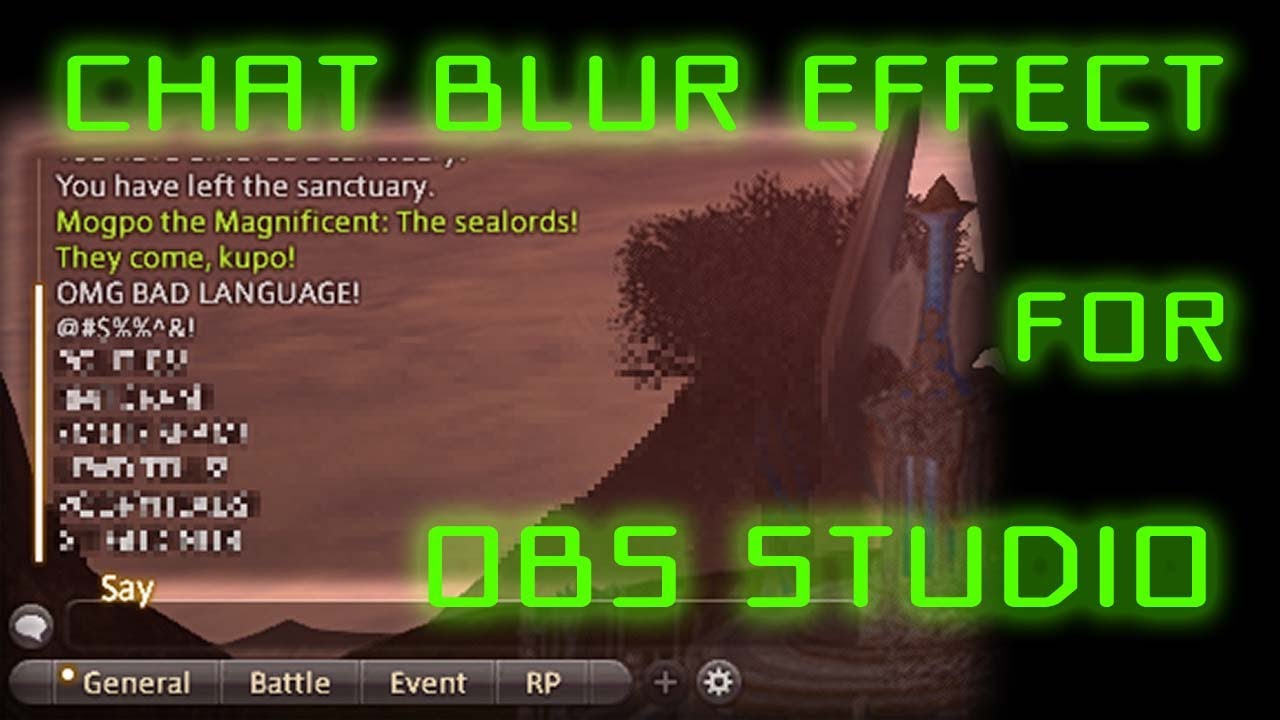
My first (and probably last) guide for OBS streamers! A guide on how to make a real-time blurring effect on OBS Studio, suitable for obscuring rowdy chatboxes in online games!
Since I made this video, an OBS plugin called Stream Effects has come out that does a much better jo...
@fathom zodiac in the merch page in the dashboard -> engagement -> chatbot command & timer
to make the commands automatically
bright hazel
@zenith widget Thank you
fathom zodiac
@zenith widget thank you friend!
 honest sparrow
So if my media share is set to subscribers only, is there any way to make it so that if someone who isn't subscribed does the !sr request it gives them an auto-generated message?
ionic kelp
@honest sparrow I think it does but all I can suggest is try it with someone to be sure.
honest sparrow
Hmm, it doesn't seem like they get a message afaik
 cunning canyon
I really need some help with SE, I'm running into brick walls left and right
Is anyone available?
round brambleBOT
@cunning canyon Please ask your question in one helpdesk channel only. A support volunteer or StreamElements staff member will assist you as soon as they are available. Asking in multiple places will only result in confusion, not faster answers. Thank you for your patience.
cunning canyon
...I didn't ask my question anywhere else
Okay here's my problem:
The asset rotator/slideshow won't auto-trigger when I add it to SE. I'm trying to loop one 10-second video file every 10 minutes (for testing purposes, I have it looping every 5 seconds). However, the video file won't trigger/play upon loading the SE editor. I have to change a timing parameter for it to begin playing, and then it plays on a loop just as I need it to.
As a result of the SE editor not auto-triggering the slideshow, OBS has nothing to show when it's added as a browser source. The issue seems to be in SE, and I can't figure out how to get the video file to just play.
zenith widget
the asset rotator widgt currently has issues playing video files
the devs are aware but no ETA on when its going to be fixed
cunning canyon
Is there somewhere I can subscribe to so I can see when this issue gets fixed?
zenith widget
no
ionic kelp
@cunning canyon There is a fix that you can do by adding a gif before the video.
Well until the official fix that is.
 sick ether
could anyone help me with setting up a custom quote in stream elements
cunning canyon
@ionic kelp Yeah actually I tried putting a blank still image before the video and that worked! Just gonna have the still image play for 10 minutes.
Thanks for your guys' help!
 hazy gulch
Hey,
a few days ago I set up the timer function. It worked perfectly.
Yesterday I streamed again and the timer did not trigger.
How can I solve this problem or at least find out if the timer is active?
weak delta
@hazy gulch
Your timers are here https://streamelements.com/dashboard/bot-timers
Assuming the timer you're wanting to use is still active, I would have to guess the "Chat Lines" requirement wasn't met (if you don't have it on 0) so it did not send.
 shell forge
Hello there! Since ive updated my obs, BOT stop working. Commands and timers just doenst work anymore. Everything looks normal on the SE website, but they just doesnt work. What could it be?
round brambleBOT
@shell forge If your commands recently stopped working and you're using OBS.Live and a custom bot name do the following:
- In OBS.Live, click on the hamburger menu (three stripes) at the top left of your activity feed
- Click on Stream Settings > Custom bot name
- In the Custom bot name field select Set custom bot name, not your already existing username (with capital letters). Note: If you already connected an account that way, the third entry will show as the account name (see image https://i.imgur.com/sO7fWOX.png).
- Scroll a bit down and click on the purple Connect Custom Bot Account button
- Log in as usual and Authorize the custom bot name
- Back in the Activity feed, click on the Send Test Message button and check if your custom bot name starts working again
shell forge
Im using regular OBS
round brambleBOT
@shell forge Go to the Dashboard > Right side > Part channel > Join channel (https://streamelements.com/dashboard)
shell forge
already did it, as i said, everything looks normal
i already tried to mute and unmute but nothing changes
nimble dune
Also Part channel and Join channel?
shell forge
yes
nimble dune
Click part channel then log out from dashboard and wait a bit then log back in and click join channel.

 upper crane
hi my sub alert not working idk why i cant change the vid alert, i tried to create another sub alert but also not working
zenith widget
Check the variations
upper crane
where i can find it
zenith widget
upper crane
upper crane
ur my hero thank you
hybrid relic
Hey does anybody know how to create a different donation alert box that doesn't interfere with the current alert box? i want to create an animation for over the top donations to fill my screen that is separate from the current alert box
zenith widget
Add a 2nd alert widget and only enable tipping on it
 ivory laurel
hi, does anyone know why when I copy my overlay and paste it in stream labs obs, it doesn't appear complete only a small part of the overlay appears
zenith widget
on the other just disable tipping
round brambleBOT
@ivory laurel To add your overlays to OBS, add a new browser source in your scene. Paste your overlay URL in the browser source properties, set the dimensions to 1920x1080 (unless you changed them on the website) and check Shutdown source when not visible. https://youtu.be/KDvLynUqXI4
@ivory laurel We're not able to troubleshoot issues with using our overlays in StreamLabs OBS (SLOBS) as we don't have the tools to support their software. We recommend using OBS Studio or OBS Studio with our plugin OBS.Live.
@ivory laurel The default resolution for StreamElements overlays (theme and custom) is 1920x1080. Please add them in OBS at their full resolution and use CTRL+F to fit to screen if necessary. You can then downscale your stream in OBS settings > Video if you'd like https://i.imgur.com/6bWXxjR.png
 torpid gate
hello, my streampoints aren't rising, can someone help me ?
hybrid relic
is there a way to change size of the alerts? I want to have one that fills the screen for massive donations, and a normal sized one for normal donations
zenith widget
@torpid gate what stream points?
@hybrid relic As mentioned, you can add multiple alert widgets in 1 overlay and have them sized differently.
hybrid relic
I do have multiple alert widgets, but is there a way to differ the size in the same widget?
because i dont want normal donations filling up my screen blocking the game
zenith widget
hybrid relic
thank you but thats not what i was looking for
thanks for the help anyway
@zenith widget is there a way to change the size of a variation? or only one size?
zenith widget
Variation follows the size of the widget that its in
hybrid relic
okay thanks
 potent ibex
Hello how do I go about getting the nuke and filesay commands disabled in my channel? Also is there any chance of it being moved to a module? I know a few others that would like to be able to disable it
 wheat sail
Is it possible to rename the streamelement bot?
scarlet tiger
yes
round brambleBOT
@wheat sail Currently renaming the bot fully works with OBS.Live.
You can follow this video guide to set it up: https://discordapp.com/channels/141203863863558144/494513233416421386/561516184718278676
If you don't want to use OBS.Live and want to stick with Ground Control, please let us know your Twitch username.
ionic kelp
@potent ibex Unfortunately that is not possible with those. Those are "other" commands that happen to be there.
wheat sail
Got it. I'm using OBS.Live thanks!
 proven plover
$(eval const responses = ['You try to gamble away but alas you have no money to gamble\.\.\.', 'I\'m sorry but the casino is closed right now', 'The cashier steals your money and runs away\.\.\. Sorry\!'];responses[Math.floor(Math.random() * responses.length)];) Why does this not work in my custom command?
It worked perfectly on nightbot
ionic kelp
We don't have eval.
ionic kelp
Not to my understanding but it doesn't hurt to add it here
round brambleBOT
Check out the StreamElements ideas board: https://strms.net/ideas. You'll be able to add ideas, upvote ideas you agree with and track their progress with email notifications. Adding and upvoting ideas also helps the staff know which ideas should be prioritized so please take some time to upvote.
proven plover
Is there a variable for last youtube video uploaded?
ionic kelp
With a 3rd party api yes.
 jagged timber
Don't know if anyone asked, is it planned to add support for Soundtrack by Twitch to OBS.live?
ionic kelp
I'd say that's very unlikely due to how they have it structured.
jagged timber
because it is working with plain OBS and Streamlabs OBS
and I've tested it with OBS.live and it worked on the beggining
and now I have "we cannot connect with your streaming software"
ionic kelp
Unfortunately not something we can help with as that's an issue with their software.
proven plover
Any idea what 3rd party api?
jagged timber
Unfortunately not something we can help with as that's an issue with their software.
ok I understand
ionic kelp
@proven plover Gimme a sec and I can get you the proper response for the command. Is it by chance for your linked YT channel? If not just need the channel name without a link.
proven plover
yeah it is
ionic kelp
@proven plover ${customapi.https://decapi.me/youtube/latest_video?id=UC5uSUQ-hA4CDfizqzOsin4A}. Do note it will include the name and the youtu.be link for said video with no ways of customizing it.
proven plover
Thanks
 lucid briar
Hello
 crisp jetty
can somebody help me, i dont know how to put commands in streamelements
round brambleBOT
@crisp jetty New to StreamElements?
Check out our YouTube channel https://www.youtube.com/c/streamelements/videos
with tutorial videos from setting up the basics, to in depth details on how to use our product.
New to OBS? Here is a 4 step quickstart guide
https://obsproject.com/wiki/OBS-Studio-Quickstart
Want to learn even more? Here is an in-depth overview
https://obsproject.com/wiki/OBS-Studio-Overview
@lucid briar Welcome to the helpdesk! Please let us know how we can assist you today and a support volunteer or staff member will assist you as soon as they are available. Thank you for your patience.
crisp jetty
thak youu
oblique steeple
That log doesn't have a stream ending in it
But also, that's not a question for this channel. Not even #helpdesk-selive because you aren't using the plugin
round brambleBOT
@tired gust For the best OBS support, please join their Official Discord @ discord.gg/obsproject
lament blade
No one that can help me?...
oblique steeple
StreamLabs and StreamElements are two things. People have to donate with your StreamElements link. We don't have access to Labs' data
 keen patrol
isthere sombady from streamlabs hire who can help my ?
torpid gate
@torpid gate what stream points?
@zenith widget https://streamelements.com/velloso-1458/store this one

StreamElements
The Ultimate All in One Platform for Streamers
 wild junco
Hi. Hoping someone can help. I changed my twitch channel name and now the StreamElements Bot is not showing up in my chat. Tried readding as a mod but not working?
round brambleBOT
@mint sierra Read and follow our server rules:
- We do not tolerate toxicity! Treat the community team, staff and all members with respect.
- No advertisement or channel promotion, anywhere on the server.
- No NSFW/NSFL
- No unsolicited DMs or friend requests to server members
Make sure to read the #welcome in any server you join.
 mint sierra
sorry didnt know
round brambleBOT
@wild junco If you changed your name on Twitch, please follow these steps:
- Visit https://streamelements.com/logout and then log in again by connecting with Twitch.
- On the right side of the dashboard page that opens, select Join under bot settings. If it says Part select that and then select Join to send the bot to the chat. Don't forget to mod the bot by typing
/mod streamelementsin your channel if you have not already. - Post your old and your new name here so that we can update your channel's chatstats tracking (must be done by staff).
wild junco
Thank you so much! All better now
My old twitch name was Jiglipeach - my new twitch name is Jiggly_Peach
mint sierra
hey can i use streamelements on streamlabs?
round brambleBOT
@mint sierra We're not able to troubleshoot issues with using our overlays in StreamLabs OBS (SLOBS) as we don't have the tools to support their software. We recommend using OBS Studio or OBS Studio with our plugin OBS.Live.
wild junco
Yes @mint sierra I do
 hallow meadow
how to switch obs stream live in fb to twitch?
mint sierra
yeah but then i used obs studio but whenever i go live it doesnt show on twitch
round brambleBOT
@hallow meadow StreamElements menu, on top of OBS > Logout > Login
hallow meadow
everytime i like start stream it will goes to fb live
oh i see, thanks a lot @round bramble
oblique steeple
@mint sierra Sounds like your OBS is misconfigured. That should be easy to fix
mint sierra
plz help ;-;
oblique steeple
When you're using OBS.Live -> #helpdesk-selive
@wild junco It has been forwarded internally and can take a bit until it's fixed. I'll let you know 
wild junco
Thanks so much @oblique steeple
 analog bronze
Hi, my new friends! I just changed my Twitch name from BobDensonMusic to porkrollbob and I need some help making sure I've done everything correctly 🙂 Now, porkrollbob appears as the channel and owner on the top, but the bot doesn't work. I've sent it to chat, made sure it's a moderator, and added the new name 'porkrollbob' to the user management list as a super moderator. Problem is, I click away and come back and porkrollbob disappears from the user management list....and it still doesn't respond in chat. Any help or links to help would be awesome sauce 5000. Much love! ❤️ ❤️
round brambleBOT
@analog bronze If you changed your name on Twitch, please follow these steps:
- Visit https://streamelements.com/logout and then log in again by connecting with Twitch.
- On the right side of the dashboard page that opens, select Join under bot settings. If it says Part select that and then select Join to send the bot to the chat. Don't forget to mod the bot by typing
/mod streamelementsin your channel if you have not already. - Post your old and your new name here so that we can update your channel's chatstats tracking (must be done by staff).
analog bronze
yes i've read that reddit post 50 times
 vivid aurora
so, ive done this 1000 times and checked the password heaps, I even changed my password for it to work but it still didnt
ionic kelp
@vivid aurora You'd have to contact twitch about that.
oblique steeple
@wild junco Your chat stats got fixed 😄
analog bronze
i guess i'll just try doing that again?
 carmine gull
how to add commands?
ionic kelp
@analog bronze You ever use the custom bot name in OBS.Live?
 late kayak
Is there a fast way to switch between channels? Currently I have to navigate to my own profile, then the dashboard, then the channels I manage, just to even offered the channel selector dropdown
That seems really janky, even if there was a line of JS I could use that would be handy
ionic kelp
@analog bronze Seems to be working now.
analog bronze
@ionic kelp it is working now! and no I don't know what that is or how to do it. Should I?
ionic kelp
Do you have streamelements in your OBS menu?
analog bronze
you guys rule!!!! so grateful for the wonderful product and this superb support, for real tho
I use SLOBS now
ionic kelp
Ah. The question is irrelevant then.
analog bronze
oh ok
 frank dove
is there an issue with the server by any chance? my bot keeps disconnecting and I can tell that because it's named and it goes on and off from the name to stream elements.
lament blade
yep same problum
oblique steeple
Did you reload the website?
ionic kelp
@lament blade are you typing kip1x or kipfn_?
ionic kelp
For shits n giggles yeah.
lament blade
ok should ive gotton an email?
ionic kelp
Nope.
lament blade
Ahh okay it worked
oblique steeple
Deleting is a manual process. It'll take a few hours until its gone
 vocal magnet
Hi need help with Streamelements. Streamelements is not working anymore since the streamer changed his name (I am moderator of him)
frank dove
@oblique steeple I did reload both the bot and ground control
round brambleBOT
@vocal magnet If you changed your name on Twitch, please follow these steps:
- Visit https://streamelements.com/logout and then log in again by connecting with Twitch.
- On the right side of the dashboard page that opens, select Join under bot settings. If it says Part select that and then select Join to send the bot to the chat. Don't forget to mod the bot by typing
/mod streamelementsin your channel if you have not already. - Post your old and your new name here so that we can update your channel's chatstats tracking (must be done by staff).
oblique steeple
@frank dove Does it work now?
oblique steeple
Guessed so, that's what I meant with "checking". Multiple users have problems right now.
frank dove
my bot name is back again
oh so it's a known issue. I was just trying to figure out if it's just me or not
oblique steeple
Well I wouldn't say "known", but a few people reported it at the same time when you did
vocal magnet
@oblique steeple muss ich jetzt noc den alten und neuen Namen hier reinschreiben? Meiner Meinung nach ist auch alles zurück
oblique steeple
@vocal magnet
- This is an English helpdesk. For getting support in German -> #🇩🇪︱deutsch
- Yes, because his Chat Stats will be wrong. Staff has to fix them manually.
Old name: XYZ
New name: 123
vocal magnet
Old name: LameBR
New name: Lame
 strange moth
hey guys, the custom bot name isnt working anymore? i connected a twitch account but it still says "Streamelements" when bot command is executed
round brambleBOT
@strange moth If your commands recently stopped working and you're using OBS.Live and a custom bot name do the following:
- In OBS.Live, click on the hamburger menu (three stripes) at the top left of your activity feed
- Click on Stream Settings > Custom bot name
- In the Custom bot name field select Set custom bot name, not your already existing username (with capital letters). Note: If you already connected an account that way, the third entry will show as the account name (see image https://i.imgur.com/sO7fWOX.png).
- Scroll a bit down and click on the purple Connect Custom Bot Account button
- Log in as usual and Authorize the custom bot name
- Back in the Activity feed, click on the Send Test Message button and check if your custom bot name starts working again
strange moth
how do i unlink an account
 shut ingot
 clear wedge
how do you get streamelements to sayceritan things like when someone follows
 red verge
Make an overlay from the StreamElements website
clear wedge
like instead of thanks for the follow id like to customize it to say something else
red verge
Modules - Chat Alert
@shut ingot Overlay from the website
@clear wedge Modules - Chat Alerts
Is there a way to add a whole YouTube playlist into MediaRequest? I have a playlist of 500 songs, which would stink to have to add individually
clear wedge
so im wondering one othere thing i stream using streamlabs obs and i also have stream elements as the bot saying things but when someone follows or whatever both stream elements and streamlabs say thanks for following is there a way to disable streamlabs from saying stuff
red verge
Unlink Streamlabs from your Twitch account, disable the bot from Streamlabs' website
clear wedge
i unlinked it from streamlabs but the it doesnt wanna stream when on streamlabs saying there is an error
red verge
What?
clear wedge
so when i unlink it from twitch and try to stream on streamlabs obs it says there is an error starting my stream and then when i relink it it works again
red verge
Go to Streamlabs' website and disable everything
 sweet socket
i saw that
 acoustic jewel
Hi guys, in payment section on the website, i can't select any credit cards, there is only paypal and paypal is not supported on my country.
ionic kelp
@acoustic jewel Read this please #helpdesk-youtube message
acoustic jewel
Thank you <3, didn't know the rules. Have a good day.
red verge
Is there a way to add a whole YouTube playlist to MediaRequest?
nimble dune
!add @lament blade
To add your overlays to OBS, add a new browser source in your scene. Paste your overlay URL in the browser source properties, set the dimensions to 1920x1080 (unless you changed them on the website) and check Shutdown source when not visible. https://youtu.be/KDvLynUqXI4 @lament blade

Tutorial #1 - Adding StreamElements Overlays to OBS Studio
🚀 StreamElements 🚀
WEBSITE: https://streamelements.com
T...
 gaunt wolf
Hi Guys.
So i added an overlay with the Kappagen Widget.
Now im testing it a bit:
For example the BetterTTV emote PepegaDriving is working, but the emote CatJAM isn´t working. Whats the problem here?
 tawdry plover
Trying to link my Twitch account, it says channel already claimed.. any ideas? and how do I remove a twitch account
strange moth
how much time does it take to close account
i have submitted a request with jwt token
nimble dune
I don't understand your question
You can add commands in website https://streamelements.com/dashboard/bot-commands/default-commands
 dry hare
@tawdry plover did you already log into the website with a different platform, then log in with twitch?
@lament blade you just need the bot in your channel to use commands
 calm geode
I cant Connect my Bot Account in OBS Live... Dont Change anything. After klicking login - nothing happened
nimble dune
!relog @quasi crystal
 viscid pebbleBOT
StreamElements menu, on top of OBS > Logout > Login
 stray lagoon
How long do applications for sponsorships take to come back with an answer?
nimble dune
@stray lagoon For MTG?
nimble dune
Oh, that don't know 😄
I know for Magic: The Gathering Creator Program to need send an email. But i don't know for raid shadow legends 
When you applied?
stray lagoon
just a little bit ago, just wasnt sure of the process
nimble dune
Oh then you have to wait 🙂
You should be receive an email when you accepted or declined. 🙂
wary halo
just a little bit ago, just wasnt sure of the process
@stray lagoon please send in a ticket at support@streamelements.com
lament blade
So, I checked my activity feed and some followers' profile pic appears missing. What does that mean?
 wary halo
Nope
lament blade
Thats good to hear
gaunt wolf
Hi Guys.
So i added an overlay with the Kappagen Widget.
Now im testing it a bit:For example the BetterTTV emote PepegaDriving is working, but the emote CatJAM isn´t working. Whats the problem here?
@gaunt wolf
Additional information:
The BetterTTV staff already told me they have nothing to do with Stream Elements or KappaGen. So it would be very nice if someone can help me 🙂
dry hare
@quasi crystal You are correct in that the StreamElements docks do not work in vanilla OBS. StreamElements docks are available while using the OBS.Live plugin available from the StreamElements website https://obs.live

OBS.Live | Open Broadcaster Software Streaming Knowledge Base
OBS (open broadcaster software) knowledge base for live streaming. Find articles and videos about streaming with OBS.
 lethal tide
Hello 🙂 I really need help to solve this problem. I've done everything they asked for, but I can't use the custom name in BOT. I already edited a file that they said to add a command line, I already logoff and login into the account, I already reinstalled the application ... It works for 1 day and then it stops working!
 random grotto
Hello all. I have a issue. I'm not receiving notifications from subscribers on my channel, both on twitch and Sream Elements.
 quasi cipher
Hi i am having an issue where not bot responding to chat commands.
nimble dune
!part @quasi cipher
viscid pebbleBOT
Go to the Dashboard > Right side > Part channel > Join channel(https://streamelements.com/dashboard)
nimble dune
!custombotfix @lethal tide
viscid pebbleBOT
If your commands recently stopped working and you're using OBS.Live and a custom bot name do the following:
- In OBS.Live, click on the hamburger menu (three stripes) at the top left of your activity feed
- Click on Stream Settings > Custom bot name
- In the Custom bot name field select Set custom bot name, not your already existing username (with capital letters). Note: If you already connected an account that way, the third entry will show as the account name (see image https://i.imgur.com/sO7fWOX.png).
- Scroll a bit down and click on the purple Connect Custom Bot Account button
- Log in as usual and Authorize the custom bot name
- Back in the Activity feed, click on the Send Test Message button and check if your custom bot name starts working again
lethal tide
@nimble dune I've done this. Does not work. I want to use the option that the BOT uses my own name to send messages.
nimble dune
And when you click to change to your twitch name?
lethal tide
When I use another name it works. When I use my own name it doesn't work. But the idea is to use my own name.
 chrome folio
@lethal tide select the option "Set Custom Bot Name" and put your streamer name there to use it.
 old notch
Hi I want to start my Stream on Twitch with StreamElements but I am not online
soo in Streamelements its says Online but on Twitch I am not Online
 quasi crystal
Can you install OBS.LIVE without access to admin controls?
lethal tide
Okay. That way it looks like it worked. I will test during the week. The problem is that it works today and tomorrow it stops working. I'll see if it stays this time. Thank you. 🙂
iron talon
I’m using StreamElements Giveaway on Twitch and participants can enter the giveaway once using !enter max after that it does not allow them to enter that way. They have to manually enter the number. Example: !enter 12 I had this problem once before and now it is back again. I don't want to have to do this for the entire 4 weeks before the giveaway is finished. What can I do? I posted this late last evening and no response.
lament blade
so i have these Socail media Pop-ups I Downloaded can i just Add it as a video on Streamelements or do i need to so something else
 hybrid wing
Como usar o bot de chat
E como configuralo
How to use the chat bot And as configuralo
viscid pebbleBOT
@hybrid wing Welcome to the helpdesk! The regular helpdesk channels are in English but we do provide multi-language support in the following channels: #deutsch | #français | #español | #português | #nederlands | #italiano | #polski | #中文語言服務區-chinese | #日本語-japanese | #magyar | #한국인-korean | #ไทย-thai | #русский | #українська | #czech
 errant zephyr
Hi! My Stream Elements is not showing Subscriber bonus and Cheer bonus options in Loyalty Settings. How should I proceed?
nimble dune
@errant zephyr Please logout of StreamElements at https://streamelements.com/logout and then login again to your account (Twitch/YouTube/Facebook).
errant zephyr
@nimble dune Nothing changed.
nimble dune
You have now reached the affiliate?
nimble dune
https://streamelements.com/dashboard/loyalty you should here see Subscriber multiplier (2x) and cheer bonus @errant zephyr
viscid pebbleBOT
@wooden terrace Welcome to the helpdesk! Please let us know how we can assist you today and a support volunteer or staff member will assist you as soon as they are available. Thank you for your patience.
 wooden terrace
@nimble dune plz
errant zephyr
@nimble dune This is my screen.
wooden terrace
I dont see the go live button when I go onto stream elements
nimble dune
@errant zephyr Are you twitch affiliate?
wooden terrace
I am
errant zephyr
@nimble dune I'm not an affiliate, I've just started streaming.
nimble dune
@errant zephyr Then you don't see that, you will be see when you reach twitch affiliate
@wooden terrace Where?
errant zephyr
@nimble dune Sure, clear now. Thank you!
wooden terrace
Wdym
nimble dune
In OBS?
wooden terrace
Stream elements obs
 split aspen
Hi I have a question for the media request, on the website, the video is muted so I dont hear the sound. How do I fix that? The Stream/Recording hears it, but I dont...
wooden terrace
I've been streaming on stream labs but would like to switch to stream elements, but I don't see the button to go live??
nimble dune
@wooden terrace
wooden terrace
Thats not there for me
nimble dune
Screenshot what you see
lament blade
Hey, is there a way to set tips so that they show up as USD with SE.Pay? It's locked at GBP for me.
 celest oasis
Did you need help with something today @old notch ?
wooden terrace
HELP PLZ
split aspen
@celest oasis I need help ._.
celest oasis
Screenshot it and show us what you see @wooden terrace
nimble dune
@wooden terrace Screenshot what you see
wooden terrace
How?
nimble dune
@celest oasis Hi 
split aspen
yes
nimble dune
@wooden terrace Windows key+Shift+S
old notch
@celest oasis yes i want to start my stream but if i press start streaming in Streamelements i am not online on twitch
i tried it like 50000 Times
celest oasis
Okay so the media request will play through your OBS.live and wont play on the website because it access the same widget so if you close the website and hit the play button in the addon on your OBs.live it should work @split aspen
split aspen
But I dont hear anything from my obs
and how do I adjust the volume when I close the tab?
celest oasis
So if you have the OBs.live addon it'll have the volume and everything for the media request in the widget for example @split aspen
viscid pebbleBOT
@wooden terrace For the best OBS support, please join their Official Discord @ discord.gg/obsproject
wooden terrace
@nimble dune ????????
split aspen
So if you have the OBs.live addon it'll have the volume and everything for the media request in the widget for example @split aspen
@celest oasis but how do I add that
The Source in the my szene
but where do I add the addon
celest oasis
@wooden terrace Go to view> docks> then check controls and you will see your panel come back so you can hit Start streaming
wooden terrace
@wooden terrace thx sooooo much LEGEND
split aspen
@celest oasis ok I got it
celest oasis
@wooden terrace did that fix it
wooden terrace
THX FOR THE HELP!!!!
celest oasis
@old notch did you connect your Twitch token to your obs in the settings which allows you to connect to the Twitch servers?
 old notch
so after i install it I have to connect my twitch account on streamelements
split aspen
@celest oasis ok I got it
@celest oasis but still no sound. I see the "bar" moving, but I dont get any sound
old notch
And after that on the Twitch Website there is a connection between both sites
celest oasis
You have to connect your Twitch account in the obs settings to give it permission to connect to Twitch servers so u can go live @old notch
this isnt done thru our website
old notch
but where
celest oasis
@split aspen make sure you dont have the web browser open in google chrome then hit the show on stream button and see if you can hear it -
split aspen
Ohhh
celest oasis
@old notch in OBS settings> Stream> Connect account
split aspen
I thought I have to press "send audio to obs" (I dont know if thats the official english, just translated it from german)
But i dont have to to that
o
celest oasis
yea yu dont have to when you have the addon installed 😄
old notch
@celest oasis thanks bro i got it nice work!
celest oasis
👍
 long adder
I have a alert related question for the text placement when the alert box is fullscreen I want the text to on the left side and a bit lower
Is this the right place to ask that question ? 😛
celest oasis
@long adder if you go to advanced settings under text you can adjust the margins to where you need to move the text
long adder
ty
Sometimes you just don't see it anymore sorry for asking such obvious question haha  have a fantastic eveneing
evening*
 rigid saddle
im having a bit of trouble streaming
everytime i set up display capture, i get a gray screen
viscid pebbleBOT
@rigid saddle For the best OBS support, please join their Official Discord @ discord.gg/obsproject
celest oasis
Hey we all need a little help everyone once in awhile 😄 @long adder have good one
lament blade
hi is there a way to make streamelements say @anyone current time is *** pm or am?
 left cape
Hello anyone here know how to convert HTML5 documents which file is under .VSH mp4 ?
nimble dune
@lament blade #helpdesk-twitch message it is in pinned message
lament blade
what is the PST thing?
nimble dune
@lament blade I found another for example :
${customapi.https://decapi.me/misc/time?timezone=Europe/Budapest} Just replace Europe/Budapest with your timezone. You can see here list of timezone -> https://decapi.me/misc/time
nimble dune
If you try use first? The link?
lament blade
Hi. Can someone please explain to me how to get and use the loyalty points given by a streamer?
nimble dune
@lament blade the PST is timezone sorry not sure on that
 modest solstice
When ever I press start streaming in obs it auto goes to youtube even when Im logged in with twitch
Can someone help me please
viscid pebbleBOT
@wise oyster Read and follow our server rules:
- We do not tolerate toxicity! Treat the community team, staff and all members with respect.
- No advertisement or channel promotion, anywhere on the server.
- No NSFW/NSFL
- No unsolicited DMs or friend requests to server members
Make sure to read the #rules in any server you join.
@modest solstice Please ask your question in one helpdesk channel only. A support volunteer or StreamElements staff member will assist you as soon as they are available. Asking in multiple places will only result in confusion, not faster answers. Thank you for your patience.
lament blade
Good afternoon. Sorry to bother but I am searching for someone who can tell me how I can set up my subscription button for my Ttv account. I filled in the tax form and gave my credentials. I am partner since September this year. Thank you. Sonik.
And how to get a creator code
nimble dune
@hushed glen #helpdesk-merch
 wise oyster
Hola
 wide stump
Hi, the way the time is setup in the Stream Elments bot is not accurate for Toronto. What is the best way to share this information for this bug to be fixed?
 wise cliff
Anyone know if anything is going on with OBS? I"m getting a server time out error when I try to connect
My connection hasn't changed since I last used it Friday
 tired fossil
Hi there, I'm looking to slow down the timers on raffles or only have it announce once when there are a few seconds less. I've searched around the site and google isn't helping me. https://gyazo.com/eee5f33bf8f176e3053d7f1f4a6db1f4 Would appreciate the help please feel free to DM or tag me. Thank you!


 viscid pebbleBOT
@wise cliff For the best OBS support, please join their Official Discord @ discord.gg/obsproject
 light falcon
Hi there I recently withdraw some money from streamlabs.com however i havent recieved it??
strong kernel
You'll need to ask Streamlabs.
tired fossil
I'm looking for help with stream elements 🙂
dry hare
what kind of help do you need @tired fossil ?
tired fossil
Hi there, I'm looking to slow down the timers on raffles or only have it announce once when there are a few seconds less. I've searched around the site and google isn't helping me. https://gyazo.com/eee5f33bf8f176e3053d7f1f4a6db1f4 Would appreciate the help please feel free to DM or tag me. Thank you!
strong kernel
There is no option to change how often the raffle running message sends.
tired fossil
Oh that's unfortunate okay thank you!
 autumn edge
hello guys can someone please help me with stream elements chat i want my chat get to dark i dont like white chat , thanks
 amber finch
are you asking for darkmode|?
amber finch
like in the twitch chat or in OBS live?
autumn edge
obs live
amber finch
because OBS live is default dark mode or should be.
strong kernel
@autumn edge Please see pinned messages in #helpdesk-selive
 hallow gorge
hello guys, i have loyalty points activated I have sounds activate in streamelements they work fine for other users but one of my viewer even when he has points the streamelemets bots says it dosent have points , anyone can help me ?
 severe token
how do i change my stream output from 2160p 60fps to 1080p 60 fps
amber finch
@severe token OBS settings, video tab,
severe token
oop i put resolution on 4kx2k xD
strong kernel
@hallow gorge Tell him to go to our website and log in.
hallow gorge
@strong kernel with his twitch account to streamelements ?
strong kernel
Yes.
 peak lodge
Hi, I need help because my watchtime command isn't working. I have loyalty setting enabled, but whenever my viewers do the watchtime command it says 0 secs. Can I have some help please?
amber finch
..... " /me ${sender} has watched Noelle for ${user.time_online} since June 2017 and is Rank ${user.time_online_rank}."
should be the command run
when watchtime is activated
viscid pebbleBOT
@peak lodge Please provide your account ID found at the top of this page: https://streamelements.com/dashboard/account/channels This ID is public info and safe to share here.
amber finch
so basically just replace the string with whatever you want. and then setup thsoe variables
peak lodge
so copy your message with my words?
amber finch
So we're making the bot first find the sender's name right, to put it in the string message, then we look for the user's ontime using ${user.time_online}
peak lodge
this is what it says when my viewers do watchtime
 desert crow
What can i do, if StreamElements Chat Bot is no longer in my chat, after rename my Twitch Channel?
viscid pebbleBOT
@desert crow If you changed your name on Twitch, please follow these steps:
- Visit https://streamelements.com/logout and then log in again by connecting with Twitch.
- On the right side of the dashboard page that opens, select Join under bot settings. If it says Part select that and then select Join to send the bot to the chat. Don't forget to mod the bot by typing /mod streamelements in your channel if you have not already.
- Post your old and your new name here so that we can update your channel's chatstats tracking (must be done by staff).
amber finch
@peak lodge Your command seems to want to be doing "[Sender], has spent [time] watching [targetstreamer]"
did you want to use it like !watchtime <streamer>
because that is what you have setup
desert crow
ok it works, thanks
peak lodge
well i just want it to have the actual watchtime that the viewer has
however i do that i would like to know
amber finch
I'd review the streamlabs service profile if I were you. great info in there on this. https://streamelements.com/streamelements/commands
StreamElements
The Ultimate All in One Platform for Streamers
peak lodge
ok i'll do that. if it isnt on there i will come back
its the same writing of the command that i have
amber finch
So the command put in is. " ${user} has spent ${user.time_online|'0 seconds'} watching ${channel}"
you notice the "|0 seconds"
that means if the user time online can't be found
display zero
so there may be a problem with how the user time is being logged
peak lodge
ok well its the same thing as you put, but mine just doesn't work
peak lodge
yes i do have loyalty settings enabled
 spiral sinew
can someone help me in #helpdesk-merch pls
 balmy falcon
Still after every single option I was given, and DAYS of working on this, I have no idea why I can’t change my “streamelements” bot name. It had my custom name before and now randomly 3 months later, it’s StreamElements again and I can. Not. Change it. Send help 😭
severe token
Why is my audio mixer blank? i want to edit my volume but nothing is there
viscid pebbleBOT
@severe token For the best OBS support, please join their Official Discord @ discord.gg/obsproject
balmy falcon
@severe token after the update the trays were moved around a little bit, try looking around for it or make source visible
viscid pebbleBOT
@balmy falcon Currently renaming the bot fully works with OBS.Live.
You can follow this video guide to set it up: https://discordapp.com/channels/141203863863558144/494513233416421386/561516184718278676
If you don't want to use OBS.Live and want to stick with Ground Control, please let us know your Twitch username.
balmy falcon
I’ll check it out
peak lodge
@amber finch i have the loyalty settings enabled and it still doesnt work. anything else?
balmy falcon
Yea no, “change bot name” doesn’t exist
viscid pebbleBOT
@balmy falcon Please provide a proper screenshot with the issue visible. If not sure how to take a screenshot, you can check here: https://www.take-a-screenshot.org
balmy falcon
It’s extremely common for the renaming bot module to not show up in ground control,
I fixed it once, but can’t do it again
 ocean frost
when i try to use my media share on screen it says theres no widget but on the overlay page there is one
im at a loss
never mind i just reset obs
 faint yew
I'm trying to set up my Loyalty Points in SE following a YouTube tutorial from June 12, but I don't have as many options as the person in the video. Like no option for Cheer or Subscribe Bonus.
Anything I have to do to enable those options?
strong kernel
@faint yew Are you a Twitch affiliate or partner?
strong kernel
Then you don't get them yet.
 gleaming trench
Is there anyway to get a thing that shows up on your screen that they followed you on ps4 or no
If anyone has answers please dm me cuz I gtg rn
strong kernel
Consoles do not have native support for overlays. You would need a capture card, PS4 remote play or Xbox companion app and a PC with OBS in order to have overlays over your console gameplay.
We have an blog post about how to setup console streaming with our essential tools: https://blog.streamelements.com/how-to-stream-on-console-7b620b1c46c3
gleaming trench
Ight I’ll watch it thanks
 tight moat
StreamElements isn't on mac right?
strong kernel
OBS.Live and Ground Control aren't on Mac. You can still use the core tools.
tight moat
ok cool
balmy falcon
Still no idea how to change my chatbot name. I also can’t find my “tipping” panel either. And I think they are directly related because in order to have a custom chatbot name, u must have a tipping panel. Which... makes not a lot of sense.
viscid pebbleBOT
@balmy falcon Currently renaming the bot fully works with OBS.Live.
You can follow this video guide to set it up: https://discordapp.com/channels/141203863863558144/494513233416421386/561516184718278676
If you don't want to use OBS.Live and want to stick with Ground Control, please let us know your Twitch username.
balmy falcon
I think I’m gonna lose my mind
strong kernel
Did you read the bot message?
balmy falcon
Yup both times
strong kernel
And where are you trying to activate your custom bot name?
balmy falcon
There is no option for me to change it I’ve checked ground control I’ve checked stream elements I’ve checked OBS live there is no way to do it
strong kernel
What does the bot say about Ground Control?
balmy falcon
For some reason my custom chat bot name disconnected from stream elements so now I cannot customize the name of the stream elements fight anymore
Bot*
What do u mean?
strong kernel
Reread the bot message.
Also, for your tipping panel underneath your stream to actually link somewhere, you need to add an image.
balmy falcon
I don’t understand what u want me to do.
strong kernel
Otherwise, the link needs to be within the panel's description.
balmy falcon
I read the bottom message I watch the video I do not have the command to change by name it doesn’t exist
 modest sapphire
hi. chat stats are coming up with page not found. this was changed yesterday and was working but now gone back to page not found. can you help? thanks
strong kernel
@balmy falcon What does the last line of the bot message say?
@modest sapphire It hiccups sometimes. Just be patient.
proven plover
how do i create a new line?
strong kernel
@proven plover Where?
proven plover
For some reason all my new lines broke and put it on one massive line
in a command
balmy falcon
Wait is gc and OBS live not the same devs?
strong kernel
Twitch doesn't support line breaks.
proven plover
oh
strong kernel
@balmy falcon What does the last line of the bot message say?
balmy falcon
@balmy falcon Currently renaming the bot fully works with OBS.Live.
You can follow this video guide to set it up: https://discordapp.com/channels/141203863863558144/494513233416421386/561516184718278676
If you don't want to use OBS.Live and want to stick with Ground Control, please let us know your Twitch username.
strong kernel
Last line.
balmy falcon
I can read... All I’m asking is why what is the point a post is my Twitch name in the pictures
I never use ground control
strong kernel
Then why are you taking pictures of it with your phone?
balmy falcon
Cuz I’m on my phone in discord...
strong kernel
If you don't use Ground Control, why are you bringing it up at all?
Perhaps take a screenshot of OBS.Live, where you can't find the custom bot name settings?
viscid pebbleBOT
@balmy falcon Please provide a proper screenshot with the issue visible. If not sure how to take a screenshot, you can check here: https://www.take-a-screenshot.org
balmy falcon
Ok ok ok wait. I think some shit is going on, on my end
I’m bringing up ground control because every video including the one in the bot just posted looks exactly the same as changing it to ground control
balmy falcon
That video is from an older version of OBS live, activity feed is now under docs and there’s no hamburger menu(the 3 lines)
viscid pebbleBOT
@balmy falcon Please provide a proper screenshot with the issue visible. If not sure how to take a screenshot, you can check here: https://www.take-a-screenshot.org
hazy gulch
@weak delta Okay Thank you. How exactly does the timer work? Does it wait for example 5 lines and then the timer starts, or does it wait 5 mins and looks if there are at least the given number of lines?
Is it possible, that the timer doesn't trigger at all? For example when either the time or the chat lines aren't met?
dry hare
The timers check for the require number of chat lines within the set time. If the chat line requirement isn’t met the timer won’t trigger
balmy falcon
How am I supposed to take a screenshot ON MY COMPUTER. U can’t run OBS on an iPhone
strong kernel
The link provided by the bot teaches you how to take a screenshot.
hazy gulch
Okay. And if it's not met, the timer starts from the beginning, or does it stop for the whole stream?
strong kernel
balmy falcon
Just hang on
I’ll google it
I’ll make a power point, whatever I have to do here
dry hare
Open the link on your PC in a browser @balmy falcon. Then follow the instructions for your operating system.
 lethal shale
Hey guys,
I've added your plugin - StreamElements Leaderboards - to my twitch channel and under "chat stats" there's no data. If I go to chatstats on my StreamElements dashboard, it says "404 - page not found". I was reading about the matter and found that changing your username might be the root cause, and I've changed mine 6 months ago or so.
Could anyone have a look at that?
Thanks in advance
dry hare
Old name/new name @lethal shale
hazy gulch
@dry hare If the required number of lines is not met, the timer starts from the beginning, or does it stop for the whole stream?
dry hare
Timer restarts
hazy gulch
Okay. Thank you for your help. Have a nice evening:)
dry hare
You too
lethal shale
@dry hare old name - damneffingninja
New name - profcrybaby
hazy gulch
Thanks
dry hare
Should be good within the hour @lethal shale
modest sapphire
can you have a look at my chat stats too, it was changed on monday...worked for a day and stopped working again as in page not found. old name is synthetekk, new name is synfetic. thanks
lethal shale
So efficient, @dry hare thanks much! Have a good one!
dry hare
Indeed
dry hare
You’re not running obs.live
balmy falcon
wait
but i have obs, i never use it. i always use obslive stream elements
is it like, defaulting back to regular obs???
strong kernel
If OBS.Live was active in your OBS Studio, you would see a StreamElements menu at the top.
balmy falcon
right i get that
strong kernel
So, you're not running OBS.Live.
balmy falcon
but im literally clicking the shortcut on my desktop for obs live
but ok, this 100% explains my problem
i might have to reinstall.. this wont change any of my settings will it? cuz i have everything on my SE dashboard
 glass drift
What would cause the CustomBot to not work, while having the normal bot/self-name work in chat?
(Is this a question for the OBSLive Channel?)
viscid pebbleBOT
@glass drift If your commands recently stopped working and you're using OBS.Live and a custom bot name do the following:
- In OBS.Live, click on the hamburger menu (three stripes) at the top left of your activity feed
- Click on Stream Settings > Custom bot name
- In the Custom bot name field select Set custom bot name, not your already existing username (with capital letters). Note: If you already connected an account that way, the third entry will show as the account name (see image https://i.imgur.com/sO7fWOX.png).
- Scroll a bit down and click on the purple Connect Custom Bot Account button
- Log in as usual and Authorize the custom bot name
- Back in the Activity feed, click on the Send Test Message button and check if your custom bot name starts working again
balmy falcon
uhm