#helpdesk-twitch
1 messages · Page 756 of 1
 ionic kelp
 lime linden
any estimate on when it'll be available
ionic kelp
None.
lime linden
well, ok
 young sail
can someone please explain to me or try to help me with this
some of my bttv / ffz emotes dont show up in my chat overlay
its been like this for months
but only a few work
tried reinstalling everything but there doesnt seem to be a solution
 reef oyster
Does anyone know why my game capture stops working after like 5 seconds?
it works for a while then cuts out randomly and will not work again without restarting pc
 round brambleBOT
@reef oyster 1) Restart OBS
2) Start your stream/recording for about 30 seconds. Make sure you replicate any issues as best you can, which means having any games/apps open and captured, etc.
3) Stop your stream/recording.
4) Select Help > Log Files > Upload Current Log File. Copy the URL and paste the link here.
Note: If you do not see an obsproject.com URL, you will need to update OBS Studio to version 22+.
reef oyster
thankyou
 lament blade
Greetings and salutations. I recently had to stop my stream tonight because it wasn't performing well technically. People in the chat mentioned lots of video buffering and lethargic FPS. I attempted to decrease my video bitrate from 3000 kbps to 2500 kbps, but it still was offering the same performance issues. No other programs were opened during this time besides OBS.Live, my Elgato Capture Card software, and my FaceRig. This is the first time I've noticed this performance issue, so I was wondering if there's anything else that can be done to improve the quality. Please feel free to let me know at your earliest convenience. Much obliged for your assistance.
 regal rampart
I need help with setting up my bitrate and everything like if can help
because i trying to stream to twitch but i keep getting dropped frames :/
round brambleBOT
@regal rampart For the best OBS support, please join their Official Discord @ discord.gg/obsproject
regal rampart
thank you
round brambleBOT
@lament blade Read and follow our server rules:
- We do not tolerate toxicity! Treat the community team, staff and all members with respect.
- No advertisement or channel promotion, anywhere on the server.
- No NSFW/NSFL
- No unsolicited DMs or friend requests to server members
Make sure to read the #welcome in any server you join.
lament blade
Ciao a tutti
 slim whale
Hello, I'm having issues uploading video files with alphas. I've tried avi and mov, even under 30mb it still fails to upload. Does anyone know why and/or what formats do you use to get videos with alphas uploaded? I'm making a stream item with an animated alert
ionic kelp
@slim whale .webm is what's best.
slim whale
How do you convert to that? Advice on a program?
ionic kelp
What are you using to encode the file?
slim whale
Program wise? Media encoder
ionic kelp
AME?
ionic kelp
Use this http://www.fnordware.com/WebM/
WebM plug-in for Adobe Premiere Pro and Adobe Media Encoder
Don't forget to enable alpha channel.
slim whale
Appreciated, trying it out now
 candid arch
my twitch chatbot is not functioning. ideas?
round brambleBOT
@candid arch Go to the Dashboard > Right side > Part channel > Join channel (https://streamelements.com/dashboard)
 candid arch
should that be instant? cuz still not working
 abstract hemlock
@candid arch remove the followers only please
candid arch
what?
abstract hemlock
on your twitch chat
candid arch
followers only is set to 0 mins
round brambleBOT
@candid arch If your commands recently stopped working and you're using OBS.Live and a custom bot name do the following:
- In OBS.Live, click on the hamburger menu (three stripes) at the top left of your activity feed
- Click on Stream Settings > Custom bot name
- In the Custom bot name field select Set custom bot name, not your already existing username (with capital letters). Note: If you already connected an account that way, the third entry will show as the account name (see image https://i.imgur.com/sO7fWOX.png).
- Scroll a bit down and click on the purple Connect Custom Bot Account button
- Log in as usual and Authorize the custom bot name
- Back in the Activity feed, click on the Send Test Message button and check if your custom bot name starts working again

 fresh gazelle
Hey would anybody like to support my Twitch channel?
round brambleBOT
@fresh gazelle Read and follow our server rules:
- We do not tolerate toxicity! Treat the community team, staff and all members with respect.
- No advertisement or channel promotion, anywhere on the server.
- No NSFW/NSFL
- No unsolicited DMs or friend requests to server members
Make sure to read the #welcome in any server you join.
fresh gazelle
Does anybody have twitch and knows how to put a donation panel?
 halcyon quest
I have a ticker on my overlay. When I preview it, it seems to work fine. However, on OBS it does not show the ticker moving at all.
round brambleBOT
@halcyon quest Right click on the BrowserSource > Properties > Scroll down a bit > Refresh cache of current page
fresh gazelle
Do you guys know to put a donation panel in your twitch?
 chrome folio
 polar saddle
im done setup but when i start streaming it says stream key wrong but ive checked multipul trimes what do i do and my connection fine please help asap
abstract hemlock
@polar saddle connect your account Settings > Stream
polar saddle
@abstract hemlock wdym
halcyon quest
connect using your twitch acct instead of using a stream key
polar saddle
ok 1 sec
 digital crag
@abstract hemlock are you around?
oh you're literally right here lol, hi
I've been in contact over email with you guys, wanted to know if we could get into a voice chat and get this sorted.
abstract hemlock

digital crag
Great, tell me where I need to go
abstract hemlock
try again to fill the se.pay form
lament blade
I am having issues with the system its self it won't show any of my screens .
abstract hemlock
you took too long to fill the form it
digital crag
oh well that makes sense. Thank you for the help
round brambleBOT
@lament blade Please provide a proper screenshot with the issue visible. If not sure how to take a screenshot, you can check here: https://www.take-a-screenshot.org/
lament blade
It shows this when I have the game capture on
Plus it does not reconse that there is a screen or window opened .
round brambleBOT
@lament blade For the best OBS support, please join their Official Discord @ discord.gg/obsproject
 wise creek
can anyone help im getting static 😦
i switch from slobs to obs i have static i cant stream please help!
guys? 😦
round brambleBOT
@wise creek Read and follow our server rules:
- We do not tolerate toxicity! Treat the community team, staff and all members with respect.
- No advertisement or channel promotion, anywhere on the server.
- No NSFW/NSFL
- No unsolicited DMs or friend requests to server members
Make sure to read the #welcome in any server you join.
wise creek
its not advertisement! it's a off site account to show you the static!!!
 placid raptor
Static is usually not related to SE or OBS to be honest @wise creek
It's up to the setup. Cables etc
Doesn't matter, no links here, sorry <3
wise creek
but it didnt happen on slobs. i just made the change yesterday.
placid raptor
Did you have this issue on SLOBS and resolved it previously?
wise creek
no
i just moved my whole stream to obs because slobs was crashing mid stream. now i had to learn the whole program, but having issues with the sound.
placid raptor
They're essentially the same. Are you currently using OBS.Live or Studio?
And at what stage or with what component do you hear the static?
Is it your mic? Do you hear it in the alerts?
placid raptor
I understand but still no links in the public discord.
I think it's best if you check this out with OBS -
round brambleBOT
@wise creek For the best OBS support, please join their Official Discord @ discord.gg/obsproject
 tribal kite
Okay, so I'm having a problem with AlertBox in my overlay. I'm importing custom images for alerts, and want the text to show in the box, so I selected "Text Over Image". However, by doing this, the text just disappears completely. It shows on the other 2 settings, but neither achieve the effect I am trying to go for.
placid raptor
@tribal kite look for the margin settings in the 'advanced' tab of the text settings
round brambleBOT
@tribal kite Text not showing up over your alerts? Go to the Advanced Text Settings and set the top margin to 50, you can work your way to the right position from there.
placid raptor

tribal kite
Thank you
 winged burrow
hi: c i need help i am currently using flow items and install and all. this perfect the problem is that when I want to put music in the music request and I put in show in stream the music is heard double: <
Sorry if I express myself wrong, my English is horrible
placid raptor
You probably have it in more than 1 scene @winged burrow
make sure to shutdown source when not available for both overlays
winged burrow
How? I mean, the first thing I do is turn on the stream, it appears to me as the video in the OBS and then I put show stream and so, what do I have to change from that?
round brambleBOT
The default resolution for StreamElements overlays (theme and custom) is 1920x1080. Please add them in OBS at their full resolution and use CTRL+F to fit to screen if necessary. You can then downscale your stream in OBS settings > Video if you'd like https://i.imgur.com/6bWXxjR.png
 ionic kelp
Make sure the option at the bottom is enabled where the widget is.
winged burrow
But it only plays double when I press show on stream
lament blade
how do i link overlays
ionic kelp
Where are you managing it from? Website, obs.live, ground control?
round brambleBOT
@lament blade To add your overlays to OBS, add a new browser source in your scene. Paste your overlay URL in the browser source properties, set the dimensions to 1920x1080 (unless you changed them on the website) and check Shutdown source when not visible. https://youtu.be/KDvLynUqXI4
winged burrow
 tiny gulch
when i click on preview overlay in my dashboard, i am getting a blank browser tab. what should i be seeing?
tiny gulch
all i've done is add the overlay from the gallery and click preview. i just added the link to OBS though and tested it and it seems to be working, so i'm not concerned!
ionic kelp

tiny gulch
could just be my browser, i guess?
ionic kelp
If it doesn't work in preview but does in obs something is acting majorly fucky.
Try flipping the option for hardware acceleration. You'd need to restart it entirely though.
 glass stag
Hi. How do I create a command in chat with a userlevel different than the default? I am trying to make a shoutout command for a streamer I mod for. I have tried the following. None of them work.
!cmd -level 1000 add !shoutout ${1} is awesome and deserves a follow. Check them out at https://twitch.tv/${1} where they were last seen playing ${game ${1}}
!cmd add !shoutout -level 1000 ${1} is awesome and deserves a follow. Check them out at https://twitch.tv/${1} where they were last seen playing ${game ${1}}
!cmd add !shoutout ${1} is awesome and deserves a follow. Check them out at https://twitch.tv/${1} where they were last seen playing ${game ${1}} -level 1000
Where do I put the -level stuff? Is that even the right option to make it moderator only? Why do you have ZERO documentation on this?
round brambleBOT
@glass stag You can add, remove and make changes to custom commands in chat with !command/!cmd flags:
!command add (commandname) (commandresponse) - allows you **to add **a new custom command
!command remove (commandname) - allows you to delete a custom command
!command edit (commandname) (commandresponse) - allows you to edit an existing custom command
!command show (commandname) - allows you to see the raw response of a command before variables are used
!command options (commandname) -(flag) - allows you to change settings for an existing custom command
Valid flags for !cmd options include: -enable -disable -cd (number in seconds) -usercd (number in seconds) -cost (number) -level (number) -type (say, whisper or reply) -count (number)
Syntax example: !cmd options twitter -usercd 60 -type reply -level 250
Chat/Bot Levels
100 - Viewer
250 - Subscriber (Twitch subscribers automatically placed at this level)
300 - Regular
400 - VIP (Twitch VIP automatically placed at this level)
500 - Moderator (Twitch chat moderators automatically placed at this level)
1000 - Super Moderator
1500 - Broadcaster
Dashboard Manager Levels
Bot Supervisor
Editor
Full Access
Owner
https://i.imgur.com/s61Liry.png

 bright canopy
I can't be the only person who can't even set up their stream. right?
round brambleBOT
@bright canopy New to StreamElements?
Check out our YouTube channel https://www.youtube.com/c/streamelements/videos
with tutorial videos from setting up the basics, to in depth details on how to use our product.
New to OBS? Here is a 4 step quickstart guide
https://obsproject.com/wiki/OBS-Studio-Quickstart
Want to learn even more? Here is an in-depth overview
https://obsproject.com/wiki/OBS-Studio-Overview
glass stag
That documentation is clearly wrong. If you put -level at the end it does not work. It just adds -level whatever to the command. Is there any human that can explain the actual syntax?
I can read documentation. I have programmed for over 20 years. The problem is when your documentation does not match the actual product.
ionic kelp
!cmd options commandname -level number
That's what it should be.
If you only wanna modify the level.
Create tthe command then do that.
glass stag
Okay, thank you. I understand it now. Every other chatbot lets you do things in 1 line, but StreamElements needs 2 different commands. Thanks. 👍
 tranquil owl
Is anyone's !song command working? I use the one in #command-share by Aiden Wallis, but it hasn't worked in a month. I only get a status code 429 error, and it isn't because there is too many song requests. I waited a whole week before attempting to do !song in chat, and no matter what, getting a 429 error. I have removed it and added it, and I have the default !song command disabled. I also set the cooldown to 300 seconds. It was working when I initially added it, but hasn't worked since like the 2nd day
ionic kelp
@tranquil owl 429 error is you getting ratelimited. Can't do anything but wait.
tranquil owl
@ionic kelp I understand, but I've been getting the 429 error for a month now. I literally didn't use the command for a week, and it still popped up. I get the rate limit
Are there any other ways to !song in chat? or is that the only one?
tranquil owl
thanks
 grand thunder
my old name is ytwaddlez and my new name is WaddlezGG
ionic kelp
@somber gazelle Any idea if your Spotify API has any "stability" right now or you getting hit with 429's hard? Regarding above.
 nocturne heron
Hello, my chat stats doesn't work. I have read that the problem comes with the change of the username. My old name is SkyBoxPlays and the new one DonSkyBox.
ionic kelp
@nocturne heron Staff have hit fixed it right.
nocturne heron
Thank you!! Everything works okey now.
 ivory crest
@everyone Hello
Recently I added the FFZ and BTTV emotes but in the chat stats i havent got all of them and some like pepeJAMJAM is in the label of FFZ but no in the BTTV label. Second problem is about the chatstats labels cant find all of my emotes like PLgurom . Please help me
thanks in advance
TTV nick ptg_ie
Hello
Recently I added the FFZ and BTTV emotes but in the chat stats i havent got all of them and some like pepeJAMJAM is in the label of FFZ but no in the BTTV label. Second problem is about the chatstats labels cant find all of my emotes like PLgurom . Please help me
thanks in advance
TTV nick ptg_ie
@ivory crest
 strange wave
Hi - I have been trying to get the sound effects from the store to work for a couple of days now - I have a store redemption overlay added, and they work if someone goes to the store and clicks on it, but if they type !redeem 'name of sfx' nothing happens. Please help, I am getting really frustrated with it now
 untold crest
@strange wave maybe you have !redeem command disabled or your item is not redeemable by chat
@ivory crest try to run !emotes update on your chat
strange wave
the redeem option is ticked in the item
and it is just a sfx. so ought to be, plenty of other people are doing it
untold crest
I don't see !redeem enabled on your account. You can enable it here: https://streamelements.com/dashboard/bot-commands/default-commands
ivory crest
@untold crest i wrote the command but it still doesnt work
untold crest
What do you see when you type !emotes bttv and !emotes ffz on your chat?
Oh. Also - mod the bot, as you have followers mode enabled
And bot cannot follow a channel
ivory crest
I got all emotes in the chat when i type !emotes bttv and !emotes ffz
@untold crest ok so i must disable the follow mode?
ivory crest
not its ptg_ie channel
untold crest
i think now after update, bot should count those emotes that weren't checked before.
ivory crest
i dont understant so the bot update it shortly?
untold crest
Bot will not count emotes from the past, but all of emotes from now on should be counted correctly
ivory crest
ok I will check it
I dont think so when i wrote Plgurom i the chat stats doeasnt add it to the label of FFZ
untold crest
Hmmm. Maybe chatstats page takes some time to refresh data about your emotes.
I am not sure about that. Sorry.
ivory crest
it could be a 2 ways first the chatstats is slower than i think and second i am special man
I am not sure about that. Sorry.
@untold crest ok thanks for all
 trail hull
Hii
round brambleBOT
@trail hull Welcome to the helpdesk! Please let us know how we can assist you today and a support volunteer or staff member will assist you as soon as they are available. Thank you for your patience.
trail hull
@round bramble it’s cool
lament blade
how can i download my overlay from your site?
ionic kelp
You don't. Just add it like this.
round brambleBOT
To add your overlays to OBS, add a new browser source in your scene. Paste your overlay URL in the browser source properties, set the dimensions to 1920x1080 (unless you changed them on the website) and check Shutdown source when not visible. https://youtu.be/KDvLynUqXI4
 manic granite
hi guys, can you please help me with my SE OBS layout? chat and activity feed are both black but I can see screenshots on internet and they are supposed to be purple? did I select something wrong?
 wary halo
You probably have the docks from View > Docks > Chat / Activity feed
manic granite
that's correct
wary halo
Our docks are in the StreamElements tab
manic granite
oh
let me check it right now
ok activity feed is fixed but chat is still the same one that I've found on Docks
also SE OBS graphics looks flat compare to other screenshots I'm looking at on internet
manic granite
so guys, @wary halo helped me everything and fixed all my issues on my SE OBS.
please give him a promotion, he deserve to be more than a Champion.
God Bless his soul!!!
 silent marsh
Very General question - When i stream to twitch i am getting very choppy video in OBS.LIVE (i have run the auto configuration tool to determine best settings) When i run the same tool on anothers broadcasting, i dont' get choppy video at all....is there something i am missing that i need to set in obs.live as opposed to other one?
round brambleBOT
@silent marsh Please provide a log from your last stream. To do this, in OBS go to Help > Log Files > Upload Last Log File and paste the link to the log file here.
silent marsh
here is the log file i think you are asking for https://obsproject.com/logs/OMp6AaKQKPM__AhB
wary halo
here is the result, you can read the tips and information and click the green links in there for more info
silent marsh
Thank you @wary halo this gives me a starting point.
 idle heron
Hi, any staff can help me to remove my account?
 scarlet tiger
Did you renamed yourself?
 tall kestrel
Hi is there anyone who can help me with step 3. I changed my twitch username from aergoyin to aergolive and now the chat commends don't seem to work.
@round bramble said:
3) Post your old and your new name here so that we can update your channel's chatstats tracking (must be done by staff).
Thanks you
scarlet tiger
forwarded @tall kestrel
@idle heron Okay, then DM me these things:
Username:
Email:
Account ID:
JWT Token:
Reason for closure:
Error when using the closure form:
Thank you @scarlet tiger, very much appreciated. My brother also said there was a way of changing the chat bot name using ground control. Is this correct? Thanks again
scarlet tiger
@tall kestrel yes, its possible, can be enabled by staff. But if you using OBS.Live, there is this option too.
tall kestrel
Ah right, I'm currently using Streamlabs OBS, would I be able to get the option enabled in my ground control? Thanks
scarlet tiger
ok, i will alert you when both will be done 🙂
tall kestrel
That's great, thank you for your help
ivory crest
@untold crest sorry for the porblem but could i reset stats?
scarlet tiger
@tall kestrel both done by staff 
untold crest
@ivory crest Not sure if that one is possible. I asked internally.
ivory crest
ok
tall kestrel
@scarlet tiger thank you however I just tested it and it still doesn't seem to be working... The chatbot option has appeared in ground control however the commands aren't working in the chat?
 vague root
Hey i need help with streamelements pay se again
round brambleBOT
@vague root Please contact us via email for support with SE.Pay. You can use our contact form here: https://streamelements.com/contact Thank you.
scarlet tiger
@tall kestrel is bot joined?
tall kestrel
@scarlet tiger yes, I have parted and joined and still no response... It worked briefly before adding the custom bot to ground control
scarlet tiger
Okay, one moment
 dense wasp
Hello. On my overlay I have "Top tip: No data". I had contact with a guy on the customer support earlier but by mistake I closed the chat and got no contact after that
tall kestrel
@scarlet tiger it seems to be working now... Thank you very much for looking into this
@scarlet tiger false alarm.. it's posting the replies multiple times now
round brambleBOT
@tall kestrel StreamElements on top of OBS > Logout > Login
scarlet tiger
@tall kestrel go to task manager and kill bot.exe
tall kestrel
Fixed... Thank you @scarlet tiger it is working now, thank you very much for your time
tall kestrel
Yes it's only posting once now
scarlet tiger
Great, have good day.
tall kestrel
You too
@scarlet tiger sorry for this, but I have just tested what would happen if I forgot to open ground control and used the commands. I thought that maybe the bot name would be Streamelements but it doesn't seem to be posting anything? Is this an issue or is this just how it is?
placid raptor
@tall kestrel GC should be running for the bot to function
tall kestrel
@placid raptor thank you, my brother also used stream elements ground control and tells me that when he isn't running the app (forgets to turn it on) the the bot still works but the name reverts back to "StreamElements". Ive just tested this on his channel and this does seem to be the case
 past drum
: I Tried the refresh the URL, got my editor to refresh it to, tried booting the bot and readding the bot. I tried adding new commands and deleting them when they wouldn't work, Nothing is working. I don't know what is broken
please could you take as look for me
placid raptor
@tall kestrel are you using OBS.Live and GC?
tall kestrel
Just GC
tall kestrel
Streamlabs OBS
tall kestrel
same
past drum
: I Tried the refresh the URL, got my editor to refresh it to, tried booting the bot and readding the bot. I tried adding new commands and deleting them when they wouldn't work, Nothing is working. I don't know what is broken
please can you take a look
this has all happened because i changed my name
tall kestrel
@past drum I had the same issue and this was the response I got (mine is almost fixed now)
Visit https://streamelements.com/logout and then log in again by connecting with Twitch.
2) On the right side of the dashboard page that opens, select Join under bot settings. If it says Part select that and then select Join to send the bot to the chat. Don't forget to mod the bot by typing /mod streamelements in your channel if you have not already.
3) Post your old and your new name here so that we can update your channel's chatstats tracking (must be done by staff).
placid raptor
so the custom bot functionalities are not expected to work when GC is off in that case.
I'm looking into the exact expectations regarding what the regular bot should do in that case since we kinda moved on from GC for the custom bot name feature.
I can't really provide an exact answer on this at the moment.
past drum
old name static__40 new name static40_
tall kestrel
Right ok... So if i want to revert back to "StreamElements" then I would need to request it... Look like my brother has got the best of both worlds ha, thank you
past drum
static__40 sorry was my old name and the new name is the same static40_
placid raptor
I'mma give you a sec so you can tell me for sure what you want me to do @past drum
past drum
could you please go into my stream elements and fix everthing
even my editor cant get anything to work

 tall kestrel
@placid raptor There is an option to disabled the "Custom Bot Name". When i put the slider to off then the bot doesn't work at all whether I have GC open or not. If i turn it on the bot only works when GC is open
placid raptor
 I dunno what to say man. You're using SLOBS and GC. Test on OBS Studio and tell me if the same happens.
Better yet, use OBS.Live and get the custom bot name feature in a recommended way.
Custom bot name won't work without GC running. StreamElements bot - I can't tell you for sure yet.
I'm positive that using SLOBS isn't helpful to StreamElements functionalities so that'd be my first check.
tall kestrel
Ok so I use Slobs to stream... however, I am currently not streaming and just running the commands through twitch.tv (offline while testing). So regardless of whether Slobs is being used or not the same issue occurs. Streamlabs OBS is not affecting the bot in any way. The bot just doesn't seem to want to talk to twitch.tv when GC is not open (even if i disable the custom bot name)
past drum
ok ive added stream elements as a mod static__40 static40_ the later is my new name
could you please fix it everythig is broken because of my name change
 peak obsidian
One message removed from a suspended account.
round brambleBOT
@past drum Please logout of StreamElements at https://streamelements.com/logout and then login again to your account (Twitch/YouTube/Facebook).
wary halo
hello im having issues understanding how to draw winners for giveaways
@peak obsidian close the giveaway, then draw winners
peak obsidian
One message removed from a suspended account.
 long rover
for some reason my friends obs doesn't have the option to add a browser source is that a bug or something??
 random gate
Hey, quick question, how does the !ticket 10 command work? we cant get it working
ionic kelp
@random gate channel name? No links.
random gate
SejanusOne
 fresh vigil
Hey guys. Are there no way to group custom commands to give them a shared cooldown? I can't find it anywhere.
random gate
Wait, do you have to be online for the ticket?
random gate
kk, i dont see it in the list
fresh vigil
@ionic kelp Anything they are working on? I need it to a point where I consider an alternative :/
 fervent furnace
I’m working on custom alerts in Stream Elements using css coding. Is there anyway way that I can make text that goes past a certain length become a smaller font size?
E.g over 15 characters goes to 40px instead of 60px. Or is there something else other than px that would work for this in Stream Elements. It has to work in stream elements thank you.
ionic kelp
I'd say most likely not and given the way commands are designed I see no reason for that.
#dev-chat @fervent furnace
fervent furnace
Ty
fresh vigil
Ohh but there is a reason. I want a group of commands that controll my lights, to have a shared cooldown.
 strong panther
Anyone wanna help me pick settings
I'm dabbling around rn trying to get my stream looking smooth
random gate
Thanks @ionic kelp Awesome. Ty Ty
@ionic kelp How do i change the text for the giveaway..
past drum
thanks very much guys everything is working again i cant thank you enough
random gate
@ionic kelp When it says "say !ticket 10 to buy 10 tickets. A ticket costs 20 points" how do i change the word !ticket to reflect my own word? I know how to change the trigger but not the word in the bot output
ionic kelp
Can't
past drum
😆 😆 😆
random gate
Ty
past drum
im so happy guys it took alot of work to get my overlays just the i wanted them
strong panther
Nice
past drum
all my alerts have custom sounds like my raid alert is the mortal combat theme lol
lament blade
Is there a popout Media Request player I can provide to people in a voice chat to listen to the same music I'm streaming? The setup I currently have is, I'm in a discord call with some people who are listening to my voice & watching a discord stream realtime, the issue is my Media Request music only plays on Twitch, and I'd like for the people in the voice chat to also have the ability to listen on their own end.
past drum
see ya later guys your awesome
 scarlet scroll
hey guys can you guys help me set up everything and i like to video called show me
round brambleBOT
@scarlet scroll New to StreamElements?
Check out our YouTube channel https://www.youtube.com/c/streamelements/videos
with tutorial videos from setting up the basics, to in depth details on how to use our product.
New to OBS? Here is a 4 step quickstart guide
https://obsproject.com/wiki/OBS-Studio-Quickstart
Want to learn even more? Here is an in-depth overview
https://obsproject.com/wiki/OBS-Studio-Overview
 primal lichen
How long does se pay take usually on withdrawal i kinda skipped the msg when i clicked withdraw
 gusty night
usually a couple days on top of your bank processing
wary halo
I thought it was between 3-5 business days
ionic kelp
only exception is paysafe which is 
primal lichen
👀
ight sweet praying itll be in tomorrow then so i can upgrade
also nice pic mage
 hot cape
Hi how do I dowlad the overlays on to my computer?
hot cape
ok
ivory crest
Hello
Sorry for second time but i got a my emote on ttv.Recently I added the FFZ and BTTV emotes but in the chat stats i havent got all of them and some like pepeJAMJAM is in the label of FFZ but no in the BTTV label. Second problem is about the chatstats labels cant find all of my emotes like PLgurom . And my channel emote ptgiePerla is in the chat stats but iI havent got BTTV and most of FFZ emotes in the chat stats Please help me
thanks in advance
TTV nick ptg_ie
hot cape
It like that
round brambleBOT
@hot cape We're not able to troubleshoot issues with using our overlays in StreamLabs OBS (SLOBS) as we don't have the tools to support their software. We recommend using OBS Studio or OBS Studio with our plugin OBS.Live.
hot cape
Ok
 faint kernel
so for the chat alert section where you choose what it says after receiving a reoccurring sub specific to the amount of months in a row, by default you have 1 month and then you have 2nd message which is 2 months is a row, i try to add 3 months, 4 months, 5 months etc... in a row as new messages... and they jsut self delete themselves
hot cape
It still dont work?
round brambleBOT
@hot cape To add your overlays to OBS, add a new browser source in your scene. Paste your overlay URL in the browser source properties, set the dimensions to 1920x1080 (unless you changed them on the website) and check Shutdown source when not visible. https://youtu.be/KDvLynUqXI4
 modest plaza
can the bot make someone VIP with a chat command?
ionic kelp
@modest plaza Unless you use custom bot name with your account no.
tall kestrel
Hi, is there anyone who can help me get the chatbot to post to twitch using the custom commands. I have logged out and in, I've parted and joined the bot and yet when i use commands the bot doesn't respond. Thank you.
 carmine bone
About the "StreamElements Leaderboards"; why it is sometimes working but sometimes shows No Data?
ionic kelp
@tall kestrel You have GC open?
tall kestrel
If I have GC open they work, if not then they don't work at all
ionic kelp
@tall kestrel What account are you using for the bot name?
faint kernel
i have a question about user management, by default when it comes to spam protection, regulars are excluded from caps spam, but can streamlabs detect who my regulars are, do i have to actually set up all 30 ppl who are regulars on the user management manually ?
tall kestrel
AergoLive... just my own account... which works when GC is open, but when closed (such as when my PC is off and i'm just hosting a channel, or if i stream from my phone for example) then the chatbot isn't active meaning it doesn't show the commands or timers etc
 finite wraith
Hey im trying to set up alerts and i have a custom video for it but whenever i play it, it just comes out as black text. I just switched over to streamelements literally like 4 hours ago so i dunno what im doing lol
chrome folio
@faint kernel here is the StreamElements support server.
round brambleBOT
@tall kestrel If your commands recently stopped working and you're using OBS.Live and a custom bot name do the following:
- In OBS.Live, click on the hamburger menu (three stripes) at the top left of your activity feed
- Click on Stream Settings > Custom bot name
- In the Custom bot name field select Set custom bot name, not your already existing username (with capital letters). Note: If you already connected an account that way, the third entry will show as the account name (see image https://i.imgur.com/sO7fWOX.png).
- Scroll a bit down and click on the purple Connect Custom Bot Account button
- Log in as usual and Authorize the custom bot name
- Back in the Activity feed, click on the Send Test Message button and check if your custom bot name starts working again
faint kernel
@chrome folio i meant stream elements, not streamlabs
chrome folio
@faint kernel here you can manage your users with Regular level (300) - https://streamelements.com/dashboard/bot-commands/user-management
Other level information:
round brambleBOT
Chat/Bot Levels
100 - Viewer
250 - Subscriber (Twitch subscribers automatically placed at this level)
300 - Regular
400 - VIP (Twitch VIP automatically placed at this level)
500 - Moderator (Twitch chat moderators automatically placed at this level)
1000 - Super Moderator
1500 - Broadcaster
Dashboard Manager Levels
Bot Supervisor
Editor
Full Access
Owner
https://i.imgur.com/s61Liry.png
lament blade
hey guys, i want to use an overlay from you and I really don't know it work
round brambleBOT
@lament blade New to StreamElements?
Check out our YouTube channel https://www.youtube.com/c/streamelements/videos
with tutorial videos from setting up the basics, to in depth details on how to use our product.
New to OBS? Here is a 4 step quickstart guide
https://obsproject.com/wiki/OBS-Studio-Quickstart
Want to learn even more? Here is an in-depth overview
https://obsproject.com/wiki/OBS-Studio-Overview
@lament blade We've released our new Overlay Editor revamp. You can check out the changes and how to work with it here: https://youtu.be/X5VzXjqAsjk
Check out our blog post as well: https://blog.streamelements.com/streamelements-overlay-editor-just-got-even-better-c22cb5b4853e
tall kestrel
@round bramble I am not using OBS.Live. What I would like to achieve is when not streaming and my channel is offline, StreamElements should be able to interact with the chat using commands (as it states in the commands advanced settings to enable Online, Offline or Both). This isn't working when I am not streaming. How can I use commands when GC and OBS is not open?
 wispy hollow
can u give your bot a cutom name ??
round brambleBOT
@wispy hollow If your commands recently stopped working and you're using OBS.Live and a custom bot name do the following:
- In OBS.Live, click on the hamburger menu (three stripes) at the top left of your activity feed
- Click on Stream Settings > Custom bot name
- In the Custom bot name field select Set custom bot name, not your already existing username (with capital letters). Note: If you already connected an account that way, the third entry will show as the account name (see image https://i.imgur.com/sO7fWOX.png).
- Scroll a bit down and click on the purple Connect Custom Bot Account button
- Log in as usual and Authorize the custom bot name
- Back in the Activity feed, click on the Send Test Message button and check if your custom bot name starts working again
untold crest
@tall kestrel If you are using custom bot name, make sure that StreamElements is modded as when OBS.Live is switched off, StreamElements bot takes care of all the commands
wispy hollow
so theres no way to do it unless im sitting in front of my steamimg computer that has my slobs on it....
untold crest
@wispy hollow Custom bot name works when your stream is live. When your OBS.Live is not switched on StreamElements bot takes care of user commands.
And it is not SLOBS. OBS.Live is a lightweight package for pure OBS. It is a plugin, not a fork.
tall kestrel
@untold crest StreamElements is modded but the commands aren't working, this is the issue I am having. I can't get the commands to revert to StreamElements, instead it just doesn't do anything at all
untold crest
From what I see you have custom bot name enabled but it isn't working
round brambleBOT
@tall kestrel 1) Right click on your OBS desktop shortcut and open the Properties
2) In the Target field, add the following to the very end: --remote-debugging-port=40404
3) Open OBS (or restart if it was open)
4) Open your web browser and type in: localhost:40404
5) Click on StreamElements - Activity feed
6) Navigate to the Console tab
7) Type the following into the console and hit enter: store.customBot.removeCustomBotIntegration()
8) Try setting the custom bot name
9) Remove the additional flag in step 2 from your shortcut properties.
tall kestrel
OK I think I figured something out... So usually pop out the activity feed and move it to my 2nd screen... While the activity feed is open the chatbot doesn't seem to work but once I closed it the chatbot works again, not sure why this is happening as its all running from StreamElements
lament blade
When i type !comand on my channel, there's anything
how could i set the bot into the channel?
 nimble dune
You try !commands ?
lament blade
it's a custom command
lament blade
but when people into the stream type that, there's a problem
no, theres no commands working
nimble dune
Check the user level to set everyone
 hollow ginkgo
hello, a channel is having issues with the !setgame command, it doesn't properly update the game when executed https://i.gyazo.com/thumb/1200/4f596a87a2f2ed66709082d86c461462-png.jpg
 lament blade
yes, but i don't know how i have to integrate streamlabs with twitch you know?
nimble dune
@hollow ginkgo Unfortunately that twitch issue sometimes not change current.
wary halo
@lament blade this is the support server for StreamElements, not streamlabs 😛
nimble dune
@lament blade This is StreamElements.
wary halo
I don't see our bot in your channel
lament blade
streamelements sorry haha
hollow ginkgo
what would be the fix? because this issue has been going on for a while now (it also affects their discord status as well when they change a game)
wary halo
do it in the dashboard @hollow ginkgo
lament blade
i put /mod to streamelements but it doesnt work
wary halo
It's a fault on Twitch's end afaik
nimble dune
https://streamelements.com/dashboard click join channel @lament blade
wary halo
i put /mod to streamelements but it doesnt work
@lament blade because the bot is not there 😉
round brambleBOT
@fresh vigil Please contact us via email for support with SE.Pay. You can use our contact form here: https://streamelements.com/contact Thank you.
lament blade
nicee thank you guys
nimble dune

hollow ginkgo
do it in the dashboard @hollow ginkgo
@wary halo are you referring to the twitch or streamelements dashboard
wary halo
Twitch
There have been a lot of issues with setting the game lately
I believe Twitch is working on it to get it fixed
hollow ginkgo
👌 is there an ETA on when it will be fixed?
wary halo
No idea, I don't work for Twitch 
hollow ginkgo
 thx for the help
 wintry mesa
Hello. I'm looking for help as to why my stream store sound alerts wont play in my OBS. Do I need to put in a special alert box on my overlay for them to come through OBS?
scarlet tiger
Do you have "Store Redeemption" widget in your stream overlay?
 tacit arch
Hi I`m trying to configure my streamlabs/obs alerts.
But this don`t generate no alerts in the test mode.
I Guess is some configure wrong in my setup.
I have created alerts, everything but this don`t work.
Can someone help me?
round brambleBOT
@tacit arch We're not able to troubleshoot issues with using our overlays in StreamLabs OBS (SLOBS) as we don't have the tools to support their software. We recommend using OBS Studio or OBS Studio with our plugin OBS.Live.
 undone pike
streamelements isnt working
round brambleBOT
@undone pike If you changed your name on Twitch, please follow these steps:
- Visit https://streamelements.com/logout and then log in again by connecting with Twitch.
- On the right side of the dashboard page that opens, select Join under bot settings. If it says Part select that and then select Join to send the bot to the chat. Don't forget to mod the bot by typing
/mod streamelementsin your channel if you have not already. - Post your old and your new name here so that we can update your channel's chatstats tracking (must be done by staff).
undone pike
can someone do this?
wary halo
I've send the names to staff the moment you posted it here, but it's Sunday evening here so it can take a while.
And you don't have our bot in your channel
so that's why loyalty isn't working
undone pike
round brambleBOT
@undone pike Go to the Dashboard > Right side > Part channel > Join channel (https://streamelements.com/dashboard)
 small stag
Hello
round brambleBOT
@small stag Welcome to the helpdesk! Please let us know how we can assist you today and a support volunteer or staff member will assist you as soon as they are available. Thank you for your patience.
small stag
Mi dissocio
round brambleBOT
@small stag Welcome to the helpdesk! The regular helpdesk channels are in English but we do provide multi-language support in the following channels: #🇩🇪︱deutsch | #🇫🇷︱français | #🇪🇸︱español | #🇵🇹︱português | #🇳🇱︱nederlands | #🇮🇹︱italiano | #🇵🇱︱polski | #🇨🇳︱中文語言服務區-chinese | #🇯🇵︱日本語-japanese | #🇭🇺︱magyar | #🇰🇷︱한국어-korean | #🇹🇭︱ไทย-thai | #🇷🇺︱русский | #🇺🇦︱українська | #🇨🇿︱czech
lament blade
How are you redeeming? via a command or website?
@zenith widget sorry for the late reply both {ping me when you reply}
 muted rain
i am having issues closing my account
 south needle
My friend wanted to sub to my channel , but there is no sub button? Can anyone help?
 coral solar
Is there a way to export "watch time" perhaps to Excel or CSV format? Or is this something that requires use of the API?
 digital prawn
Hello
 south sequoia
you need to be twitch affiliate @south needle
south needle
Oh ok thanks much!
round brambleBOT
@digital prawn Welcome to the helpdesk! Please let us know how we can assist you today and a support volunteer or staff member will assist you as soon as they are available. Thank you for your patience.
muted rain
hello
 strong wind
Hi! What would be the best way to also capture discord audio for a stream?
 wheat cobalt
just add computer audio
undone pike
my mp4 audio wont work as an alert noise
it was working and i accidentally deleted it on SE
strong wind
Hey, I'm streaming right now, but I can't hear my game audio through my headphones. It comes through alright on the stream, but is there any way to enable audio?
 quiet quarry
strong wind
quiet quarry
strong wind
Wdym?
 lethal crypt
I am new to streaming. I have triple monitors for racing but OBS is only picking up my left monitor. When I choose select a window it takes my game out of triple monitor mode. How do I select just my middle monitor?
strong wind
@quiet quarry I am streaming through an elgato capture and the obs desktop app. I worked out my issues with capturing discord audio, but I can't hear the game on my end
Anyone?
 near plinth
I do not know how to it up to show up on my twitch account
wheat cobalt
@strong wind try changing your monitor settings in OBS?
strong wind
How do I do that?@wheat cobalt
wheat cobalt
Anyone know what I'm doing wrong?
strong wind
@wheat cobalt
 twin edge
round brambleBOT
twin edge
round brambleBOT
@twin edge To add your overlays to OBS, add a new browser source in your scene. Paste your overlay URL in the browser source properties, set the dimensions to 1920x1080 (unless you changed them on the website) and check Shutdown source when not visible. https://youtu.be/KDvLynUqXI4
strong wind
How can I listen to my capture audio?
Hi, is there any staff that could assist me with an audio issue?
round brambleBOT
@strong wind If you are having issues with Elgato hardware or software, we recommend reaching out to their support here: https://e.lga.to/help
wheat cobalt
@strong wind in the audio mixer in obs
@strong wind click the cog wheel under audio and click advanced audio settings
Thank you @round bramble!! lol
strong wind
Got it!
near plinth
How can I add my Tip panel to my actual twitch channel
I watched the video
but it's not working for me
 shut valley
Is there a panel extension for the Twitch that links to the stream store?
shut valley
ok that's what I thought, need to build a custom thing then- thanks @near plinth
shut valley
If I sort something out I'll post it
near plinth
Thank you
shut valley
There is a twitch panel extension @near plinth and in the configuration you can enable it to show the store.
If you do multiples of this panel and set each one to display the item you want you will have effective done a link to the store
except it wont let you do multiples of the same panel it seems
near plinth
What's it called @shut valley
shut valley
@near plinth it's StreamElemennts Leaderboards
You can configure what and what not to show
 misty summit
hi, so i figured out how to have my overlay show up on stream, but I'm not sure how to have the sounds from my alert box show up. I have them set in the overlay manager and they're playing in the preview, but it doesn't come through to OBS or my stream
chrome folio
@misty summit OBS - right mouse click in your Audio Mixer, go to Advanced Audio Properties, send us a screenshot of this window.
misty summit
@chrome folio I figured it out! I went to properties on the overlay source and checked "Control audio via OBS"
 dark saddle
When the people in my chat do watchtime it doesn’t work it’s been a day it’s been glitched for I need help fixing it please
 formal river
Hi there! I was wondering if I could make an alert thats longer than 3 minutes?
chrome folio
@dark saddle did you enable the Loyalty system? - https://streamelements.com/dashboard/loyalty
@formal river our AlertBox widget only supports 60 seconds by default.
You can check with #dev-chat team if you can create a custom widget with more time.
 muted estuary
Does any know why my stats dashboard is not working? I thought it was everyone but nah its just mine it keeps giving me this error. Not super important but I kind of want to see the chat stats.
 old ice
is it possible to create a command that fetches a counter value and divides it by the stream uptime and gives out a "per hour" value?
 north frigate
hii, how do i change the size of my overlays?
 boreal pendant
my webm is well under 100mb and its greyed out when I try to upload it to my alert widget.
ionic kelp
Needs to be under 30.
 urban frigate
Hello! I'm currently trying to add my friend's twitch channel to my list of moderated channels, but it keeps saying "Roleplay.missing scope invitations: manage" Clicking on the "add a twitch channel" button yields "failed to add channel to user. Please try again later". Any help would be awesome!
round brambleBOT
@urban frigate Please logout of StreamElements at https://streamelements.com/logout and then login again to your account (Twitch/YouTube/Facebook).
ionic kelp
Do that and get another invite.
 tall thunder
I downloaded a preset overlay to streamlabs but the alert boxes that come with it wont show up on my stream
but when emulated they do
What do I do?
round brambleBOT
@tall thunder We're not able to troubleshoot issues with using our overlays in StreamLabs OBS (SLOBS) as we don't have the tools to support their software. We recommend using OBS Studio or OBS Studio with our plugin OBS.Live.
 thick ether
I recently changed my Twitch username, and now it seems that StreamElements bot won't join my twitch chat anymore.
 little flower
Is there any way to change the size and position of alert variations without using custom css?
for whatever reason the variation just will not render my image at the same size
round brambleBOT
@thick ether If you changed your name on Twitch, please follow these steps:
- Visit https://streamelements.com/logout and then log in again by connecting with Twitch.
- On the right side of the dashboard page that opens, select Join under bot settings. If it says Part select that and then select Join to send the bot to the chat. Don't forget to mod the bot by typing
/mod streamelementsin your channel if you have not already. - Post your old and your new name here so that we can update your channel's chatstats tracking (must be done by staff).
thick ether
My old one was LanePainGaming my new username is Byakk0h. Thank you!
scarlet tiger
ok
 charred plover
Anyone know why when I goto configure the Streamelements Leaderboard Extension on twitch the configuration page flashes for a second, then goes away.. I'm left with nothing but a blank page and unable to change any settings with it. I used to for a long time, it just recently started doing this in the past month or so.
boreal pendant
So the webm is 12kb. Any thoughts on why its greyed out for me?
Ive tried both the Media encoder plugin and a mov to webm converter online. same result
 whole trellis
streamelements has super themes in 720p?
 upper crypt
My stream doesn't say it's live
 rustic kettle
I disconnected the StreamElements bot from my channel a few weeks ago, but now I'm trying to reconnect it but can't. Is there any way to get it back in my channel?
strong panther
Anyone willing to give me some help trying to tweak stream settings I need settings to be 720p 60
round brambleBOT
@strong panther There are no "best settings".
Please understand that every setup will be very different.
Any guides or videos that claim otherwise are misinforming. Your best option is to start with a base and adjust as necessary.
You can run the OBS auto-configuration tool. To use the auto-config, click on the Tools menu in OBS, select Auto-Configuration Wizard and then just follow the on-screen directions.
You can use this tool to get baseline settings for your hardware and adjust as necessary from there.
Test, test, and test again. We are happy to offer suggestions for any issues you may be having afterwards, but not a list of settings.
Thank you
strong panther
Thanks bot
 gloomy monolith
Hello, my bot timers didn't trigger, why? They are all enabled.
boreal pendant
reposting. My webm alerts aren't uploading. They're 12kb and have been made both with the media encoder plugin, and converted from mov online. In both cases, the file is greyed out when choosing.
untold crest
@gloomy monolith You may either have them disabled when you are offline/online or there's no enough chat messages on your channel between bot timers
@boreal pendant can you DM me that file? The size seems really small
gloomy monolith
@untold crest so on one of the bots i have an online interval of 30 mins. I was on for 3 hrs and i had viewers chatting with me and among themselves, is there a reason why that bot timer didn't go off? should I make the interval less?
untold crest
Ohh. In that case it should work.
@gloomy monolith is that on your channel?
As from what I see, bot is not present there
gloomy monolith
hmm, should I have the bot in my discord?
untold crest
You need to make bot join your channel here: https://streamelements.com/dashboard/ on the right side of page
No. Not discord, Twitch channel
gloomy monolith
right now I have nightbot under my chat commands should I delete that one and add streamelements one?
@untold crest
untold crest
They can work together, but I am strong fan of all-in-one solution for single webpanel.
gloomy monolith
am not using nightbot anyways
untold crest
If you just mod StreamElements it should be enough, but you can import stuff from nightbot to SE easily
gloomy monolith
@untold crest ok, so 1) I will delete nightbot and 2) add streamelements. Is this the correct way?
untold crest
Go to your twitch channel and type /mod streamelements in your chat
LMK when you do this
gloomy monolith
ok, thanks,lol it says i have granted moderator priv to SE
untold crest
Your timers should work fine right now and bot should not get banned by other bots
You can also click part/join on dashboard
Just to check that for sure
untold crest
Yes
gloomy monolith
ok, it says Part Channel now
gloomy monolith
ok done
 analog burrow
Hey guys, So I upload a custom animation for a store redemption or sub alert and whenever its triggered the audio (in the animation) is doubled or delayed. Any ideas? I have shut down source when not visible checked.
untold crest
Bot should write a message to chat on load, so you know it can send messages
You should be OK after that
gloomy monolith
thank you so much, I appreciate it very much!
untold crest
@analog burrow Do you have overlay editor and OBS running at the same time?
One sound can come from OBS and second from web browser
untold crest
Is the alertbox only on one overlay or on few of them?
Also - is it you who hear double audio or just stream?
analog burrow
@untold crest everyone hears double. Ive tried both scenarios, having its own overlay and one in multiple scenes
untold crest
There are several reasons of that:
- There are two overlays playing it (either OBS, OBS+web browser preview/overlay)
- Audio monitoring + output
round brambleBOT
@analog burrow If you are not hearing your alerts and/or Media Request, you are most likely using the Control Audio via OBS option in your browser source properties.
To make sure you hear the alerts and the stream also hears them, follow along the screenshot bellow.
https://cdn.discordapp.com/attachments/199460642975907840/685371800456134686/unknown.png
 analog burrow
@untold crest so my browser source should be set to monitor and output?
its currently set to monitor off
untold crest
@analog burrow I would debug this that way: mute OBS and play alert to check if it is not something external, then check scene by scene and
 jaunty citrus
is there a way for me to add a delay to when an alert animation shows. not just the text
analog burrow
@jaunty citrus should be in the animation settings
jaunty citrus
when i change "enter animation" it doesnt do anything 😦
would it show the change when i emulate the alert or only live
also doesnt seem im able to change text color
rustic kettle
Is there any way to import the PLAYLIST files from StreamLabs into StreamElements media share?
 cold sleet
i cannot go to my dashboard, it keeps sending me to the home page when i try
round brambleBOT
@cold sleet Please logout of StreamElements at https://streamelements.com/logout and then login again to your account (Twitch/YouTube/Facebook).
analog burrow
@untold crest so the biggest issue now is that the audio is not syncing with the animation
nimble dune
@rustic kettle I don't think to you can import that.
cold sleet
ok so im using this widget that shows my subcount, and it shows my subcount as 0 when it isnt
just noticed it
rustic kettle
Darn. Thank you, anyway ❤️
cold sleet
@nimble dune
untold crest
@rustic kettle you can provide YT playlist as backup playlist for mediarequest
cold sleet
or lx whoever could help w me widget prob
seems like its still not working even when i make a new one
something is making the subgoal 0
i mean the current subs
 stable patio
I doing a stream on Twitch but my audio keeps coming back to me for some reason and my voice gets looped.
untold crest
@stable patio Disable monitoring of your microphone and/or don't watch your stream 🙂
cold sleet
👁👄👁
 high forge
i'm asking again, is there a way to set up a countdown for races, like a 5 sec countdown with streamelements bot? where it would do line per line... 5, 4, 3, 2, 1, GO!
 zenith widget
Unfortunately no.
 hot jackal
Hi! I need help with the variation on getting 5 or more gifted subs. Is there a way to make my alerts announce once for gifted subs than each individual time? thank you!
 fossil wasp
i have a question
scarlet tiger
@hot jackal Select Alert box widget, then select variation settings
scarlet tiger
Just ask us 🙂
fossil wasp
oh nice, so i need to add alerts to my stream but i cant find where to add them
i see where it says i can get them from fiverr but i already got some from ther
scarlet tiger
Do you got one from fiverr.com?
untold crest
MB. Alerts are from external resource.
fossil wasp
yes
untold crest
In that case you should get a link from a fiverr artist that prepared them for you which one when you click should create an overlay in your account.
untold crest
OK. So the link above was correct: https://www.youtube.com/watch?v=8LVRd2X4HvU
With the small difference
You create alertbox not from top menu, but by clicking plus in bottom left on overlay editor:
untold crest
You don't need OBS.Live, but it is very helpful.
Those are several addons to pure OBS to make everything you need on one screen
fossil wasp
is that different from slobs?
untold crest
It is just few addons for pure OBS. Nothing like slobs
untold crest
fossil wasp
wow if i would have looked at the screen i would have see the obs background lol
my bad
for some reason i thought stream elements and stream labs were the same
 woeful socket
Hello there! I've just reach twitch affiliate program (yey) and I want to configure the subscription/bits Loyalty point bonus, but it's not appearing those options at the page (https://streamelements.com/dashboard/loyalty). I saw a guide that shows that it should have a option for those two. Are those still a thing or I have to do something first? Regards!

StreamElements
The Ultimate All in One Platform for Streamers
round brambleBOT
@woeful socket Please logout of StreamElements at https://streamelements.com/logout and then login again to your account (Twitch/YouTube/Facebook).
woeful socket
oh, that was quickly! Thank you very much! ☺️
 whole shore
Thank you so much💯
 plain quartz
Hello Community i got a question ! is there any possibilty to change the variable {points} to a specific amount ? Because when i choose the command !sraflle it will only do a raffle with 1000 points, how do i change to 5000 for ex.?
 little oak
raffle module can be changed here https://streamelements.com/dashboard/bot-modules
round brambleBOT
@whole shore Read and follow our server rules:
- We do not tolerate toxicity! Treat the community team, staff and all members with respect.
- No advertisement or channel promotion, anywhere on the server.
- No NSFW/NSFL
- No unsolicited DMs or friend requests to server members
Make sure to read the #welcome in any server you join.
plain quartz
@little oak thank you i know were i can change it, the problem is how to i change the amount of the points from 1000 to 5000 cause the variable is {points} so no matter what i type it will always give 1000 points
little oak
the !points variable is a default cmd which can not be edited nor modified you will have to change the variable thru the module alone
plain quartz
hmmm
little oak
by defualt it will be 3000 points
plain quartz
but mine is 1000
little oak
you can change t if you like select the box then edit the valuable then off clicc outside the box to change it 🙂
then there it should be 5000 like you want it to be
due note it works best with chrome if it does not change if using a different broswser
little oak
yeah alot dont like chrome so i feel ya on that
little oak
hmm weird by default 3000
round brambleBOT
@plain quartz Please logout of StreamElements at https://streamelements.com/logout and then login again to your account (Twitch/YouTube/Facebook).
little oak
try that then try again
 lyric zephyr
i can enter in the affiliate page
when i click it appears "Excuse me. Unless you have a time machine, that content is unavailable"
little oak
searching it with in twitch you will get that error
if youre trying to find the affiliate page on twitch go here https://dashboard.twitch.tv/u/URNAME/stream-manager
replace URNAME with your name
lyric zephyr
it was not
little oak
then you must not be an affiliate
lyric zephyr
when I click start right now it gives the error
little oak
oh youre trying to activate and its giving you an error
lyric zephyr
yeah
little oak
try logging out on twitch then relog bacc in and try again
lyric zephyr
ok]
little oak
congrats on affliate 
lyric zephyr
it was not
little oak
then you may have to contact twitch if you indeed keep getting the error every time you try to activate it
lyric zephyr
how can i contact twitch?
little oak
and also if you ever have trouble we have your language 🙂 #🇵🇹︱português
here we go
your language
lyric zephyr
thanks
little oak
you're Welcome 
lyric zephyr
will twitch contact me by email?
little oak
i believe they will thru what you have provided for them
hopefully it sorts its self out
lyric zephyr
by email?
 harsh chasm
I’m having trouble with my streamlabs leaderboard as my points, bits, subs and gifts aren’t working!! Whereas my Chatters and Emotes are showing up. Can anyone tell me anything if I can do anything about it?
little oak
the email that you have connect to twitch
lyric zephyr
thnks
harsh chasm
The streamlabs leaderboard
little oak
then you will have to contact them for as we are not streamlabs this is streamelements support
harsh chasm
Okay thanks tho for the info
little oak
Welcome
 frank turtle
I'm having trouble importing webm files into Streamelements. While it is a WEBM file, the import menu says it is not supported. Need help!
 bronze valve
uhh how to add the follow alert in obs?
round brambleBOT
@bronze valve To add your overlays to OBS, add a new browser source in your scene. Paste your overlay URL in the browser source properties, set the dimensions to 1920x1080 (unless you changed them on the website) and check Shutdown source when not visible. https://youtu.be/KDvLynUqXI4
nimble dune
Have you added the link to OBS? And please screenshot full to i can see.
nimble dune
You should go here https://streamelements.com/dashboard/overlays and if you not have created alertbox then create blank overlay and add alertbox if you have then click 3 dots and copy URL
 fiery lake
Can anyone help me, I'm a moderator for twitch.tv/Hiko and his bot has disappeared? Can anyone re-add it to his channel?
bronze valve
ok thanks
nimble dune
Wrong screenshot just click copy url @bronze valve
lament blade
does anyone know how to fix it
round brambleBOT
@fiery lake Go to the Dashboard > Right side > Part channel > Join channel (https://streamelements.com/dashboard)
lament blade
when OBS is open and recording, ny mouse moves weirdly and slow?
 sick solstice
Why would the bot be spamming a command over and over?
untold crest
Try to relog from SE, rejoin bot to your channel and delete/create command again to clear bot queue.
sick solstice
@untold crest thanks.. Restarting OBS fixed the issue
 clever basin
What command would I use to add like a “count wins or deaths”?
untold crest
Create a custom command with ${count deaths} as response
clever basin
Ok thank you
bronze valve
pls tell me
untold crest
@bronze valve Other recents are displayed once they happen. SE cannot track events that happened before your registration
nimble dune
@lament blade #🇩🇪︱deutsch
untold crest
Try to reload your overlays. That should fix chat listener in your widget.
bronze valve
i did it like 4 times
ok so
i can screenshare
pls see my screen and guide me
hmm
 upper nest
Any one help im having mic issues on obs
 quasi fog
what would cause a custom bot name to stop working after an OBS studio restart?
round brambleBOT
@quasi fog If your commands recently stopped working and you're using OBS.Live and a custom bot name do the following:
- In OBS.Live, click on the hamburger menu (three stripes) at the top left of your activity feed
- Click on Stream Settings > Custom bot name
- In the Custom bot name field select Set custom bot name, not your already existing username (with capital letters). Note: If you already connected an account that way, the third entry will show as the account name (see image https://i.imgur.com/sO7fWOX.png).
- Scroll a bit down and click on the purple Connect Custom Bot Account button
- Log in as usual and Authorize the custom bot name
- Back in the Activity feed, click on the Send Test Message button and check if your custom bot name starts working again
quasi fog
using obs studio, not obs.live
 spiral jetty
How do I turn on TTS for donations?
nimble dune
@spiral jetty You can in overlay editor select tip alert then TTS settings. Edit your overlay alertbox and there. 2.
lament blade
ciao a tutti. ho bisogno di qualcuno che mi guidi all impostazione donazioni su twitch
ho a disposizione solo stream elements, avendo un computer vecchio
 wicked idol
Is there any command that can help me clear chat
spiral jetty
Ah! THANK you @nimble dune ❤️
nimble dune
@lament blade ⏩ #🇮🇹︱italiano
lament blade
https://stats.streamelements.com/c/teischente - 404 - Page Not Found 
i need a fix pls 
nimble dune
@wicked idol A command? You can type in your chat /clear
wicked idol
Thx @nimble dune
 compact cove
Is there a way to download audio clips from SE? I've uploaded a few that I no longer have the original audio files for
 carmine slate
hey! im using the roulette module and put in a cd so it cant be spammed, but it seems like it dont apply to mods in my channel? how can i change this
 vital jay
Hey can I have some help syncing my chat stats?
 vivid karma
Good morning. Just joined steamlabs for my twitch and i am having a hard time figuring out how to install my overlay. Any help?
round brambleBOT
@vivid karma To add your overlays to OBS, add a new browser source in your scene. Paste your overlay URL in the browser source properties, set the dimensions to 1920x1080 (unless you changed them on the website) and check Shutdown source when not visible. https://youtu.be/KDvLynUqXI4
 steel fiber
Good Morning!!! Has anyone reported that using the "/raid" command in the SE OBS client actually ends up being a "/host" on the twitch side? HAppened to me, and several other streamers last night.
 echo finch
That even happens when using the twitch quick actions from time to time
Twitch is just shit about that.
steel fiber
yeah, was pretty widespread lastnight though, its why i asked to confirm.
echo finch
The chat in OBS live is literally the twitch website tho
But yeah when it happens it seems to happen a lot at the same time
steel fiber
kk, cool, ill keep an eye on it
echo finch
Sometimes the SE bot also sees it as a host even though the activity feed says raid... I assume that's a twitch API thing
 kindred spear
Hello, I have a question and it is that the watchtime command does not work in my channel and I do not know why
round brambleBOT
@kindred spear 10 minutes of watchtime are given to those in chat when the loyalty points are handed out (every 10 minutes). Therefore, loyalty must be enabled for watchtime to work properly.
There is no direct link between watchtime and all-time points.
It can’t be calculated from the amount of all-time points a user has because subs may earn points at a faster rate and !bonus all command increases all-time points for users in chat at that time.
Giving points to a single user does not affect all-time, only when giving to all in chat.
ionic kelp
And you don't have loyalty enabled so that'd be why.
kindred spear
Thanks
vital jay
Can i please get some help, syncing my chat information? I did disable and re-enable my bot. But i just need my old handle to be synced with my new one
 knotty fox
can anyone help me
round brambleBOT
@knotty fox Welcome to the helpdesk! Please let us know how we can assist you today and a support volunteer or staff member will assist you as soon as they are available. Thank you for your patience.
knotty fox
MY STREAMELEMENT ALERT BOX THE FULL NOTI DOESNT COME UP
round brambleBOT
@knotty fox To add your overlays to OBS, add a new browser source in your scene. Paste your overlay URL in the browser source properties, set the dimensions to 1920x1080 (unless you changed them on the website) and check Shutdown source when not visible. https://youtu.be/KDvLynUqXI4
wary halo
And your caps button is broken as well
nimble dune
Caps off
round brambleBOT
@vital jay If you changed your name on Twitch, please follow these steps:
- Visit https://streamelements.com/logout and then log in again by connecting with Twitch.
- On the right side of the dashboard page that opens, select Join under bot settings. If it says Part select that and then select Join to send the bot to the chat. Don't forget to mod the bot by typing
/mod streamelementsin your channel if you have not already. - Post your old and your new name here so that we can update your channel's chatstats tracking (must be done by staff).
kindred spear
I have already activated the loyalty but it keeps saying 0 sec when I put the command watchtime
ionic kelp
You have to be live to earn it and it starts after 10 minutes.
kindred spear
okok
vital jay
Thank you! Old-gcbr0ke and new-dadvon
wary halo
I've passed it to staff to connect them
vital jay
Thank you my friend! I really like your profile picture!
wary halo
Thanks 😄
knotty fox
does anyone use streamelements
 nimble dune
Set dimensions to 1920x1080 @knotty fox
round brambleBOT
@knotty fox The default resolution for StreamElements overlays (theme and custom) is 1920x1080. Please add them in OBS at their full resolution and use CTRL+F to fit to screen if necessary. You can then downscale your stream in OBS settings > Video if you'd like https://i.imgur.com/6bWXxjR.png
knotty fox
lets go cheers it works now
vivid karma
Do i have to use obs to get the overlay to work? I am also using ps4
round brambleBOT
@vivid karma Consoles do not have native support for overlays. You would need a capture card, PS4 remote play or Xbox companion app and a PC with OBS in order to have overlays over your console gameplay.
We have an blog post about how to setup console streaming with our essential tools: https://blog.streamelements.com/how-to-stream-on-console-7b620b1c46c3
lament blade
how can I @ someone in the chat from the bots message?
 young light
can someone maybe help me? i cant see my alerts,top donations, last sub etc. in OBS.Live. (sound works) i changed nothing and before 2 weeks all was fine.
round brambleBOT
@young light OBS > Settings > Advanced > Scroll down > Enable or disable Browser Source Hardware Acceleration, depending on its current state > Restart OBS (This does not apply for OBS on Mac)
https://i.imgur.com/ggMe9ZE.png
 young light
doesnt work :S
 neon cloak
yo
so i have a 10700k and i stream off of x264 bu everytime i run the stream gets super pixelated
round brambleBOT
@young light The default resolution for StreamElements overlays (theme and custom) is 1920x1080. Please add them in OBS at their full resolution and use CTRL+F to fit to screen if necessary. You can then downscale your stream in OBS settings > Video if you'd like https://i.imgur.com/6bWXxjR.png
young light
i have exactly the same settings
 stable valve
question about over lays
nevermind dont have a camera yet so it doesnt make sens to use one
lament blade
Would anyone know how to setup a widget like this for my obs? It says the current song playing and shows the music video behind it, I know it has to do with media share but i'm not sure how to dial it in like this
Any help would be awesome 😄
wary halo
doesnt work :S
@young light whit did you do here exactly?
If you are on OBS.Live it should be off
If you are on OBS Studio (without our plugin) it should probable be on
young light
it is off and dont work
wary halo
and OBS has restarted?
young light
oh wait
seems it works now, but it was enable the whole time before
and works
disable will fix it
wary halo
yup 🙂
nevermind dont have a camera yet so it doesnt make sens to use one
@stable valve why not? overlays can be used without a cam
lament blade
why is it when I type !watchtime in the chat it sasy "0 sec" ?
round brambleBOT
@lament blade 10 minutes of watchtime are given to those in chat when the loyalty points are handed out (every 10 minutes). Therefore, loyalty must be enabled for watchtime to work properly.
There is no direct link between watchtime and all-time points.
It can’t be calculated from the amount of all-time points a user has because subs may earn points at a faster rate and !bonus all command increases all-time points for users in chat at that time.
Giving points to a single user does not affect all-time, only when giving to all in chat.
 maiden root
Good afternoon. The command! Ticket is not working on my channel. I tried to make a draw today but I couldn't.
ionic kelp
@maiden root it's enter/ticket. You need to enable it.
maiden root
I already looked in the default commnads tab but I didn't find it.
little flower
Does anyone know why StreamElements is refusing to change my animation duration?
This is driving me insane
Oh my god StreamElements just overwrote an hour of work.
I'm going to throw up.
 wary solstice
Hey everyone, I was wondering how would I adjust my subscriber goal to be a monthly goal instead of a running total of how many subs ive gotten? I want to show how many subs i have left to reach my next milestone
little flower
Can anyone please tell me what on earth is happening? StreamElements just overwote my work again
lament blade
Hello there, can anyone help me with SE payment system?
formal river
So when I try to change my game or title using the chat command, it gives me an error message. Why is that?
 balmy sequoia
hi, im trying to close my streamelements account, but it keeps saying my username is invalid so i need some help figuring out why that is
round brambleBOT
@lament blade Welcome to the helpdesk! Please let us know how we can assist you today and a support volunteer or staff member will assist you as soon as they are available. Thank you for your patience.
nimble dune
I misread
 grim pecan
I need help with the stream elements leaderboard plugin for twitch, it's not showing any top subs and i unlocked affiliated some days ago
I tried reinstalling it and login off stream elements dashboard and loging back in but now it's not even showing my top chatters 😦
nimble dune
Sorry 😦 I did not know i deleted. 🙂
 warped badger
Hello fokes - my Obs.live stream last night, i got a subscriber, and within the month i have got some bits, but it didnt show in the top of chat subscription or cheer bits, what gives?
They have shown, before - imust be doing something wrong
warped badger
yeah
wary halo
You can set it to another time like week/month/all-time
warped badger
no during the stream it didnt update
wary halo
That specific menu is from Twitch and not StreamElements, so it would be best to ask Twitch support about that
 echo root
Hi everyone, I am having some issues in OBS studio. I have a 100mb internet with 12mb upload speed. I have been absolutely fine streaming at 1080p with 60fps for a while but over the last week I am getting some serious issues with the bitrate coming through. I am getting around 1000-2000 bitrate so when i have my bitrate set to 5500 its obviously dropping frames. I have no idea why i am only getting 2000 coming through to OBS so any help would be greatly appreciated. As mentioned I have had it at the settings for a while no issues its only this last week this throttling has started
warped badger
lol - twitch support, im an affiliate thre isnt support
wary solstice
@echo root if you have 12Mbps, youre pretty much at your max when setting it to 2000kbps
and could you explain more in detail? was your bitrate setting at 5000 before with no issues? what games were you playing/streaming. whats your current setup and stuff
and by mb, do you mean MB or Mb? those are 2 different speeds
echo root
@wary solstice Hi mate, so this is a little difficult to explain. My bitrate is set to 5500 and didnt have any issues before, but when I stream and i look at the stats, its only pulling through around 2000 kps
this only started last week and im not sure how to fix it or why its suddenly only pulling that bitrate through
i have done a bandwith test to see and its all around 2000 to all the servers and no idea why
wary halo
maybe it's capped in OBS or by your ISP?
wary solstice
id say either OBS or ISP might be capping it
echo root
I doubt its capped by isp cos its only recently started and had it for like 8 months no issues. how would i check if obs is capping it?
wary solstice
whats your internet speed though?
echo root
112mbps download and oh 8mbps upload atm
 swift arch
My alert sounds are not being broadcasted when I'm LIVE, but I can hear the alert sounds when someone follows me on my OBS. The animations are there, but there's just no alert sound going into the stream. Please help.
 jade tusk
Hi, i have an issue with alerts. I have set my alerts up but when someone subs with prime, the alert doesn't trigger. Do i need to do something different? Thanks
round brambleBOT
@jade tusk Prime Gaming (new and resub) and paid subscriptions (resub only) must be shared in chat manually by the person subscribing in order for the subscription information to be sent to StreamElements. For Prime Gaming, the user needs to have sharing enabled on https://www.twitch.tv/settings/prime. For paid subs, if the share box doesn't show up immediately it will when they refresh the page. https://i.imgur.com/VNJN0Uv.gif https://i.imgur.com/2297EA7.png

 jade tusk
So, when someone subs using their amazon prime sub, they need to manually share that in chat? Also this is the same when someone resubs? I am sue i have never seen this before. SO alerts will only work if people have the right settings and also share that they have subed??
Sorry to question you, i just want to make sure i am understanding it correctly.
wary halo
Yes, that is the way it works
jade tusk
Thanks for the clarification @wary halo - You learn something new everyday 
 hot ice
the bot no longer works since I changed my name ... what can I do?
round brambleBOT
@hot ice If you changed your name on Twitch, please follow these steps:
- Visit https://streamelements.com/logout and then log in again by connecting with Twitch.
- On the right side of the dashboard page that opens, select Join under bot settings. If it says Part select that and then select Join to send the bot to the chat. Don't forget to mod the bot by typing
/mod streamelementsin your channel if you have not already. - Post your old and your new name here so that we can update your channel's chatstats tracking (must be done by staff).
hot ice
novaN105 old name
OT_novaN105 new name
wary halo
I've send the names to staff for them to fix the chatstats
hot ice
Thanks
round brambleBOT
@lament blade If you changed your name on Twitch, please follow these steps:
- Visit https://streamelements.com/logout and then log in again by connecting with Twitch.
- On the right side of the dashboard page that opens, select Join under bot settings. If it says Part select that and then select Join to send the bot to the chat. Don't forget to mod the bot by typing
/mod streamelementsin your channel if you have not already. - Post your old and your new name here so that we can update your channel's chatstats tracking (must be done by staff).
ivory crest
Hello @everyone
I still have got this problem , my chat stats aren't working so far it cant count a most of my FFZ and BTTV emotes like PLgurom or pepeJAMJAM I wrote !emotes update and it doesnt work I tried to change my emtoes and it doesnt work too please help me
Thanks in advance
TTV nick ptg_ie
wary halo
Thank god that tag doesn't work here
 neon yacht
where do i get the url for the alerts on the website? I downloaded the valorant pack, but in the editor i cant figure out how to use the alerts
round brambleBOT
@neon yacht We've released our new Overlay Editor revamp. You can check out the changes and how to work with it here: https://youtu.be/X5VzXjqAsjk
Check out our blog post as well: https://blog.streamelements.com/streamelements-overlay-editor-just-got-even-better-c22cb5b4853e
neon yacht
it just has the overlay and not the alerts, i watched the video but i couldnt find the solution
 lean quiver
Is someone able to help me find the Event Lists URL. I have my own CSS I want to use and can't seem to find the Event List URL to use for the Browser Source?
 fathom pasture
Hi ive just got steamelements obs and i cant get out of the starting wizard
I set the bot and tipping service up before downloading the softwre now i just get this and when i click do it later it doesnt do anything
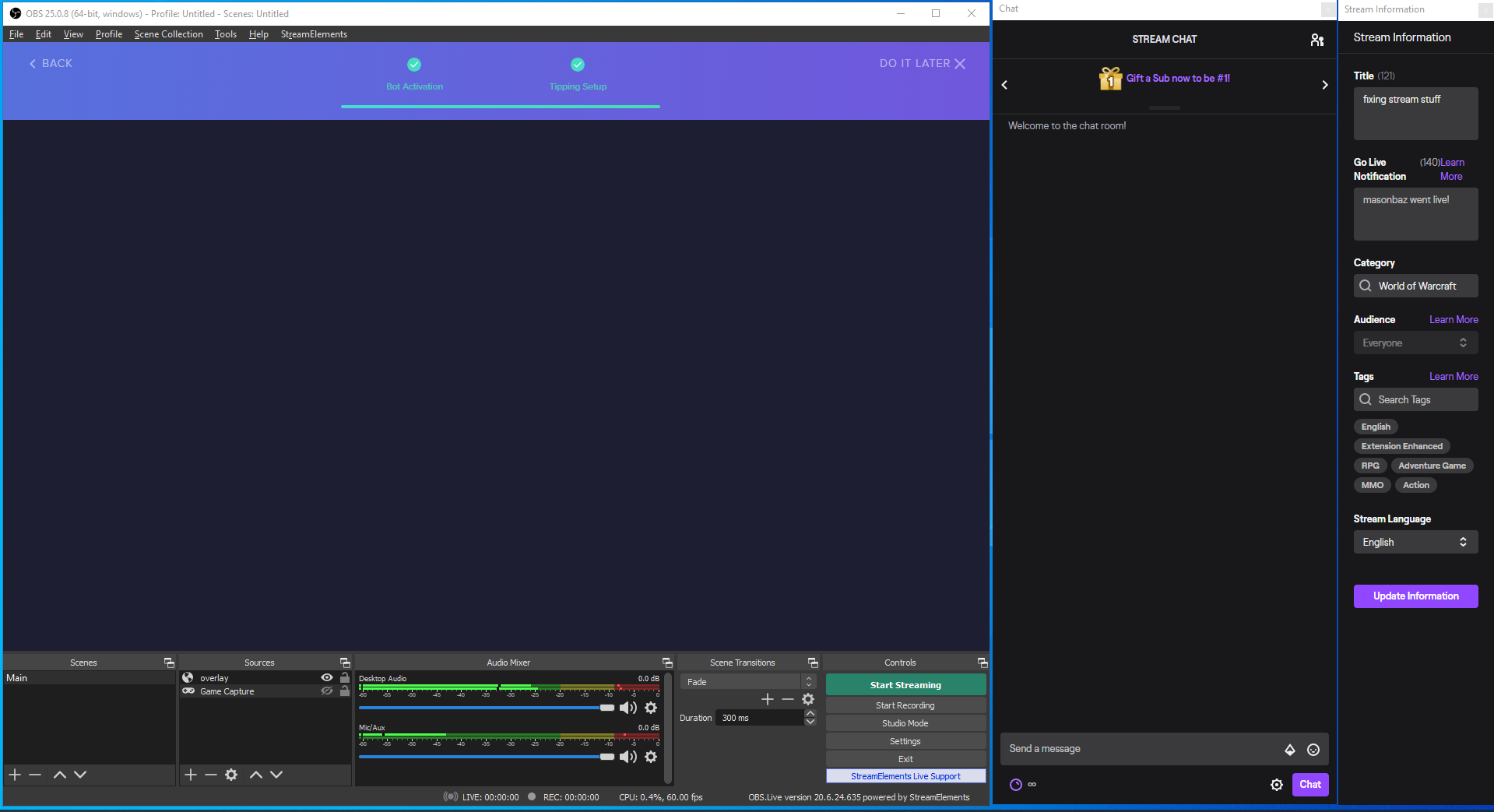 round brambleBOT
@fathom pasture StreamElements on top of OBS > Logout > Login
 round brambleBOT
@mystic estuary To add your overlays to OBS, add a new browser source in your scene. Paste your overlay URL in the browser source properties, set the dimensions to 1920x1080 (unless you changed them on the website) and check Shutdown source when not visible. https://youtu.be/KDvLynUqXI4
 mystic estuary
ohhhhh thank you
 tardy sonnet
whenever i stream to twitch, i can stream games like minecraft perfectly fine, but i cant stream games like Valorant or Skyrim. whenever i do, the bitrate drops to zero, even when i do plug into my router
anyone know what the issue could be?
there's my output settings
round brambleBOT
@tardy sonnet 1) Restart OBS
2) Start your stream/recording for about 30 seconds. Make sure you replicate any issues as best you can, which means having any games/apps open and captured, etc.
3) Stop your stream/recording.
4) Select Help > Log Files > Upload Current Log File. Copy the URL and paste the link here.
Note: If you do not see an obsproject.com URL, you will need to update OBS Studio to version 22+.
tardy sonnet
tardy sonnet
try window capture?
tardy sonnet
neither display capture?
 uneven lodge
Hey everyone! I have a "sub goal" overlay but it seems to be displaying my total subs ever instead of my current subs. Any ideas as to what might be happening or how to fix it? I want it to show current subs
 rigid narwhal
How do you use the overlays
round brambleBOT
@rigid narwhal To add your overlays to OBS, add a new browser source in your scene. Paste your overlay URL in the browser source properties, set the dimensions to 1920x1080 (unless you changed them on the website) and check Shutdown source when not visible. https://youtu.be/KDvLynUqXI4
lean quiver
Can I customize the Event List is my own CSS??
round brambleBOT
@frank lily Read and follow our server rules:
- We do not tolerate toxicity! Treat the community team, staff and all members with respect.
- No advertisement or channel promotion, anywhere on the server.
- No NSFW/NSFL
- No unsolicited DMs or friend requests to server members
Make sure to read the #welcome in any server you join.
 slender mulch
so i added a sound redemption item to the stream store but when redeemed the sound doesnt play
does the streamer have to have something open for the sound to play?
ok nvm the !redeem doesnt work
 vague tusk
Hello 🙂 I have an alert set up so follows show up on the stream, but is there a way to get it to show in the stream chat too?
Very new to twitch
slender mulch
@vague tusk scroll down to modules and enable chat alerts
vague tusk
brilliant thanks
 vital herald
i accidentally deleted my overlay is there a way to get it back
lament blade
Why does my chatstats page not work? I have the command enabled, not sure what else I could do.
 fluid bone
good night, the notification of new follower appears normally in the chat, but without the name of the person who followed me .... how do I fix this?
 flint heron
how can i remove streamelements 😛 ?
 dire sluice
My twitch name got changed but my stream labs still shows the old on when I do alert previews
 civic flare
Hello! I switched my name recently and I get 404 on chat stas, I tried googling how to fix the prob, but couldn't find any info
 shell verge
@vital herald No, unfortunately not. I'm sorry.
@lament blade Have you recently changed your name?
lament blade
well my account was recently reset
shell verge
@flint heron What exactly do you want to remove?
lament blade
and it did change my name
 spare saddle
Hey Hey, is anyone else having issues with TEXT OVER IMAGE not working on their alerts? I've tried animated and non animated alerts but none of them show the text of who activated the alert on top of the image im using.
round brambleBOT
@lament blade If you changed your name on Twitch, please follow these steps:
- Visit https://streamelements.com/logout and then log in again by connecting with Twitch.
- On the right side of the dashboard page that opens, select Join under bot settings. If it says Part select that and then select Join to send the bot to the chat. Don't forget to mod the bot by typing
/mod streamelementsin your channel if you have not already. - Post your old and your new name here so that we can update your channel's chatstats tracking (must be done by staff).
shell verge
@fluid bone Can you show a screenshot that shows how this output looks like in your case?
civic flare
old name: angrykiki5
New name: angrykiki_
for chat stats problem
lament blade
old name: skebbley-6938
new name: skebbley
i had the name skebbley for mixer then i switched to twitch and my name was skebbley-6938 then i deleted my mixer account i think and my twitch account was reset and they gave me my original name
shell verge
Okay. Please wait for a moment until a StreamElements employee has taken care of your problem. This may take some time :) @civic flare @lament blade
lament blade
alright, thank you
shell verge
np
lament blade
also nothing will be deleted will it?
civic flare
Thank you so much! ❤️
shell verge
@lament blade nope :)
shell verge
@dire sluice We're not StreamLabs.
fluid bone
@fluid bone Can you show a screenshot that shows how this output looks like in your case?
@shell verge yes wait
shell verge
Do you have a {user} tag in the message at https://streamelements.com/dashboard/bot-modules » Chat alerts » Followers?
 fluid bone
Need have this {user} in custom followers alert too?
shell verge
If you want to automatically thank your new followers via the bot, yes
fluid bone
Thanks for the help 👍
lament blade
Hi, does anyone know how to fix the chat box its saying error and not connecting to my channel
round brambleBOT
@lament blade If you changed your name on Twitch, please follow these steps:
- Visit https://streamelements.com/logout and then log in again by connecting with Twitch.
- On the right side of the dashboard page that opens, select Join under bot settings. If it says Part select that and then select Join to send the bot to the chat. Don't forget to mod the bot by typing
/mod streamelementsin your channel if you have not already. - Post your old and your new name here so that we can update your channel's chatstats tracking (must be done by staff).
lament blade
Old name JayDaniel7 New name JayDaniei
For some reason it didn't work anyone else any suggestions
shell verge
Okay. Has been forwarded to the employees of StreamElements. The fix may take some time :)
lament blade
Does anyone know about why the chat isn't working after following those steps or do I have to wait
 oblique steeple
You mean the chat in OBS?
lament blade
yeah its not showing anything
round brambleBOT
@lament blade StreamElements on top of OBS > Logout > Login
 median cipher
Hello, i’m having issues with the custom bot name, everg week or so it repeats thd sams message twice. Is thix the right channel? Is there something I’m foing wrong?
lament blade
Ah wow I forgot I logged into StreamElements through OBS thank you!!
round brambleBOT
@median cipher If your commands recently stopped working and you're using OBS.Live and a custom bot name do the following:
- In OBS.Live, click on the hamburger menu (three stripes) at the top left of your activity feed
- Click on Stream Settings > Custom bot name
- In the Custom bot name field select Set custom bot name, not your already existing username (with capital letters). Note: If you already connected an account that way, the third entry will show as the account name (see image https://i.imgur.com/sO7fWOX.png).
- Scroll a bit down and click on the purple Connect Custom Bot Account button
- Log in as usual and Authorize the custom bot name
- Back in the Activity feed, click on the Send Test Message button and check if your custom bot name starts working again
median cipher
But I did sll of that, my custom bot repliex teice
neverminc using another helpdesk
 raw thistle


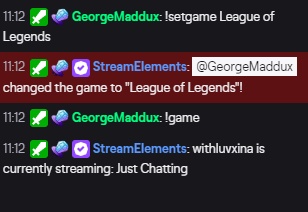


 round brambleBOT
@raw thistle StreamElements on top of OBS > Logout > Login
oblique steeple
@median cipher Let's continue here, since you've already been answered in this channel. Also, you should never cross-post between multiple channels
Are you using both, OBS.Live and Ground Control at the same time?
spare saddle
Hey Hey, is anyone else having issues with TEXT OVER IMAGE not working on their alerts? I've tried animated and non animated alerts but none of them show the text of who activated the alert on top of the image im using.
oblique steeple
Are they still under the image or not visible at all?
median cipher
Sorry @oblique steeple I wasn’t sure which one and the other one seemed less active, no don’g use groundcontrol
oblique steeple
Then please give this a try:
round brambleBOT
- Right click on your OBS desktop shortcut and open the Properties
- In the Target field, add the following to the very end:
--remote-debugging-port=40404 - Open OBS (or restart if it was open)
- Open your web browser and type in:
localhost:40404 - Click on StreamElements - Activity feed
- Navigate to the Console tab
- Type the following into the console and hit enter:
store.customBot.removeCustomBotIntegration() - Try setting the custom bot name
- Remove the additional flag in step 2 from your shortcut properties.
spare saddle
@oblique steeple When on Text over Image I cant see the text at all, but when switching to text under or text beside image the text is visible
median cipher
Ok, i’ll try that tyty
round brambleBOT
@spare saddle Text not showing up over your alerts? Go to the Advanced Text Settings and set the top margin to 50, you can work your way to the right position from there.
spare saddle
@round bramble OMG THANK YOU
oblique steeple
 mental abyss
I'm using a laptop so I have 2 GPUs. That makes a problem that I cannot switch between game and any other screen (like an internet browser) in an ongoing stream since first I have to switch OBS to run on integrated GPU. Is there any way to fix this? I want to be able to stream game and non-game content in one stream.
ionic kelp
@mental abyss Nope. Blame the people that made the laptop for this issue.
mental abyss
@ionic kelp I'm new to streaming so I tried Twitch Studio too and this didn't happen there. Why? I want to use obslive that's why I'm asking this.
ionic kelp
Can't answer for them but you'd have a more detailed response on the OBS discord.
round brambleBOT
For the best OBS support, please join their Official Discord @ discord.gg/obsproject
mental abyss
@ionic kelp ok thanks a lot 🙂
 tranquil igloo
Quick question guys, just used one of your templates and I was testing out the chat. Is there a way to clear this? And show the time stamp? How could I also restart the timer for the Stream starting scene?
 keen wadi
Not sure if this is the right place to ask this, but im trying to make my stream labels work together as one if that makes sence? So right now i have a text box that says New Sub: then a stream label then a text that says Top donor: then the stream label etc. But if someone has a long name it overlaps or doesnt adjust right. Ive seen some bigger streamers who appear to have an entire row of labels thay work together and adjust as a whole as new things happen. Any ideas?
 untold gyro
hi, I'm a new streamer and I would like to get help fixing my audio quailty for console games, thanks!
round brambleBOT
@ionic kelp mass deleted 2 messages.
@proven basin Read and follow our server rules:
- We do not tolerate toxicity! Treat the community team, staff and all members with respect.
- No advertisement or channel promotion, anywhere on the server.
- No NSFW/NSFL
- No unsolicited DMs or friend requests to server members
Make sure to read the #welcome in any server you join.
 solar bear
can i use the obs studio while streaming from console