#helpdesk-twitch
1 messages · Page 715 of 1
 tribal flicker
 lament blade
Ground Control is better then OBS.live ?
 jade remnant
yeh, they either removed it, or hid it EXTREMELY well....
 rigid wagon
Hello, how I can add spotify to OBS.Live Twitch streams? Like it works with youtube?
jade remnant
ground control is just a notification/management program.
if you dont want to use obs.live then that is the only way for custom bot name
@rigid wagon you mean for things like song request? or just to play music and show whats playing?
rigid wagon
@jade remnant yes mate.
jade remnant
ok,
spotify cant be used for media request, its youtube links only
if you want it for just playing music and showing the song then youre going to have trouble.
its against spotify TOS to stream music from their service,
but if you want to use it and show whats playing, look into OBSCurrentSong
that will allow you to display on stream what song is playing
jade remnant
lol, np 👍
rigid wagon

 scarlet tiger
@echo hawk https://twitchinsights.net/bots
 civic sorrel
i set up some overlays how do i put those on my Obs streamelent s can anyone help
 round brambleBOT
@civic sorrel To add your overlays to OBS, add a new browser source in your scene. Paste your overlay URL in the browser source properties, set the dimensions to 1920x1080 (unless you changed them on the website), and ☑ “Shutdown source when not visible” https://youtu.be/KDvLynUqXI4
 carmine knot
if someone puts a link in my chat I want it to actually put a message in the public chat for them to see and read, how can I do that with StreamElements
 mighty meadow
I'm an absolute knobhead, I was wondering why I can't integrate media share, it's because I was trying to do it via streamelements but on Streamlabs
of course it won't fucking work
it's two different platforms
Where can I get the browser source url so I can properly implement it?
 fair vapor
i need help with setting up my setting correctly, wheneveri stream it is so laggy
 chrome folio
@lament blade disable the Loyalty system and enable it again.
chrome folio
@lament blade what is your profile name on the Twitch?
lament blade
MagLaCava 🙂
chrome folio
one moment
lament blade
Alright
 ancient orbit
Hi! I made an Alert, but now I want to add a couple of CSS lines, but if you switch to Custom CSS it restarts the alert, is there a way to avoid this?
round brambleBOT
@sick merlin Welcome to the helpdesk! Please let us know how we can assist you today and a support volunteer or staff member will assist you as soon as they are available. Thank you for your patience.
 sick merlin
so i have a blue snowball connected to my ps4 how do i get the audio to my obs
 wary halo
let all your audio go through the HDMI out
how do you have your ps4 connected to your pc?
sick merlin
through a hd60 capture card
wary halo
do you have a chatlink cable for party audio?
sick merlin
idk what that is
wary halo
most people plug their mic in the pc and not the ps4
but if you want your party audio to also go to OBS you need a chatlink cable from elgato
but i think you are better off asking in their support
round brambleBOT
@sick merlin If you are having issues with Elgato hardware or software, we recommend reaching out to their support here: https://e.lga.to/help
sick merlin
dang alright thnks foor helping
ive only ever streamed from the ps4 so this is all new to me
 north pebble
Hi I have just recently made the switch from streamlabs to stream elements - I already used OBS Studio to stream but am having some issues with my alerts - I have set up tiltify for charity streams but the alert never goes off on stream - I have also set up the emote explosion funs tuf for like all my alerts to have all my emotes on the screen and those dont really go off so I am unsure what I am doing wrong... Is there someone who could hop in a video call with me so i can kind of be walked through what I have done wrong?
 woeful pilot
Is PayPal the only available method for receiving donatons
round brambleBOT
@woeful pilot SE.PAY is available for streamers who are atleast 18 years old, with bank account under their name in one of the following countries and have at least 101 Follower (Twitch) / 101 Subscribers (Youtube):
Austria, Belgium, Czech Republic, Denmark, Finland, France, Germany, Ireland , Italy, Netherlands, Poland, Portugal, Slovakia, Spain, Sweden, Switzerland, United Kingdom, United States.
If you meet these criteria and don’t see SE.Pay, let us know.
For information on SE.Pay payment methods, their fees, and settlement times see https://streamelements.com/dashboard/tipping/fees.
woeful pilot
Why the minimum follower count?
wary halo
because usually accounts under that amount don't get a lot of donations anyway.
woeful pilot
A fair point, but now basically I can't do any tips at all until I get that mark. (Which for a channel that is worth it, that isn't hard by any means, but still.) I find that kinda frustrating, because that means now I have to wait to use you guys, as opposed to having the new system setup and ready to go
wary halo
there used to be G2Apay as well, but that is no longer an option for new accounts since G2A still can't comply with new EU regulations on CC's
ancient orbit
Why are there only few countries in SE.PAY? and when will be other ones available?
wary halo
There will be more in the future but that is up to the payment processor in the end
if they don't support a country we can't use it there
lament blade
@chrome folio i'm still in wating T_T
wary halo
you can try
 crimson hedge
k
round brambleBOT
@plain orbit Please follow our community rules:
- No advertisement or stream promotion
- Respect ALL server members
- No NSFW/NSFL
Thank you
 glad ore
Is it possible to get a current list of Emotes StreamElements modded/subbed has on its twitch? it could be fun using other channels emotes In !hypes !so !raid !greeting and such. plus getting some looks at from other viewers.
lament blade
nobody can help me...
 small topaz
I feel you, @lament blade
Still trying to figure out why my store redemption sound clips are not playing
 frigid bluff
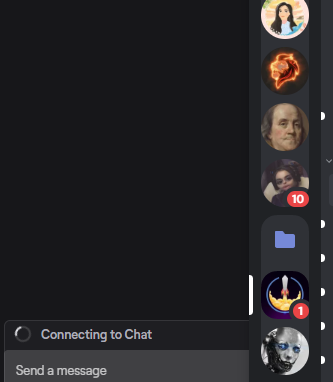
Im having trouble connecting to chat in SE... It will let in google but its acting weird in SE for some reason..
https://i.gyazo.com/7bea6a5680572449a79e6356f8c2a28d.png
 round brambleBOT
@frigid bluff Please provide a proper screenshot with the issue visible. If not sure how to take a screenshot, you can check here: https://www.take-a-screenshot.org/
frigid bluff
@round bramble how is that not a proper screenshot. it gets my issue across
chrome folio
@lament blade done. Now, you will restart Ground Control and enable custom bot name in Settings. 🙂
@frigid bluff show a full screen image...
 naive lintel
So I wanted to change the font on one of my overlays to pixel but there are no pixel fonts (or I just can't find it)
I also downloaded fonts but they aren't appearing on it as well 😦
round brambleBOT
@naive lintel Google Fonts
More than 900 google fonts are supported at this time. You can preview them here: https://fonts.google.com/
Custom Fonts
Steps:
- Install the font on the streaming PC or choose a pre-installed windows font.
- In the overlay widget settings, select Text Settings
- Enable Custom Font
- Type the name of the font as it appears in the windows font directory (This is usually
C:\Windows\Fonts)
Note: After installing fonts, the browser and OBS must be restarted for the font to appear.
 true bobcat
Is there an alert on SE that let’s my twitch peeps know then someone subs on my YouTube
?
wary halo
@true bobcat let's hop in to #dreamteam 😄
true bobcat
Ok
lament blade
it's a prank ?
naive lintel
There is nothing on my screen to enable custom fonts
 orchid panther
Hello, I'm using the Media Request plugin for OBSlive and I wanted to know how i can make it so that my moderator can see what songs/videos are coming to approve/deny them? I've searched for over 2 hours and i'm outa ideas
 strong kernel
@orchid panther You can generate a manager link for your moderator to give limited access to your StreamElements account, including the Media request section. https://streamelements.com/dashboard/account/channels

StreamElements
The Ultimate All in One Platform for Streamers
orchid panther
using the provided link? thank you very much
 gaunt coral
Sorry to bother you guys! I added a premade alert box and copied the URL to OBS. However the alerts make a sound in OBS but do not show up over my stream like i want. What did i mess up?
round brambleBOT
@gaunt coral The default resolution for StreamElements overlays (theme and custom) is 1920x1080. Please add them in OBS at their full resolution and use CTRL+F to fit to screen if necessary. You can then downscale your stream in OBS settings > Video if you'd like https://i.imgur.com/6bWXxjR.png

 spice siren
Tip Goal is incorrectly converted currency!
I create donations in a different currency, but do not convert the currency.
 wintry gulch
Hello i've run into a problem that I do not know how to fix. I changed some settings with obs and now whenever I stream my mouse dpi seems to get all glitchy?
once i stopped streaming the problem was fixed
round brambleBOT
@wintry gulch For the best OBS support, please join their Official Discord @ discord.gg/obsproject
 dawn silo
Where do I go to get a over game chat overlay?
strong kernel
A what?
dawn silo
RIP
 vocal loom
Hi.
I setup my bank details for SE.PAY and the were verified, and then I tried to make a withdrawal - but now it says that it is waiting for verification again? And have been like that for about a week. And the withdrawal id due tommorow - I think that is the last day I can withdraw before the got payed back - can you help?
round brambleBOT
@vocal loom Please contact us via email for support with SE.Pay. You can use our contact form here: https://streamelements.com/contact Thank you
wintry gulch
Sooo any idea whats up w mine
round brambleBOT
@wintry gulch For the best OBS support, please join their Official Discord @ discord.gg/obsproject
 mental sphinx
Anyone recently been having issues with lots of frame drops? Seems to be having in intervals and only recently since the new windows updates?
 mystic vigil
Hi guys, is there anyway of manually reconnecting the bot? My Bot disconnect every now and again and it quite annoying when i do a command and nothing happens.
Using OBS.live
 pulsar gulch
Hello, how can I fix the filter from when someone is buying merch ? is there an option for the filter ?
the animation is that automatically one with the drone and the box
round brambleBOT
@mental sphinx Please provide a log from your last stream. To do this, in OBS go to Help > Log Files > Upload Last Log File and paste the link to the log file here.
@mystic vigil Go to the dashboard -> right side -> part channel -> join channel (https://streamelements.com/dashboard)
 strong kernel
@pulsar gulch What do you mean by "fix the filter?"
round brambleBOT
@mental sphinx 1) Restart OBS
2) Start your stream/recording for about 30 seconds. Make sure you replicate any issues as best you can, which means having any games/apps open and captured, etc.
3) Stop your stream/recording.
4) Select Help > Log Files > Upload Current Log File. Copy the URL and paste the link here.
(Note: If you do not see an obsproject.com URL, you will need to update OBS Studio to version 22+)
 mighty junco
is there a reason why some only some alert sound be playing twice at the same time?
round brambleBOT
@mighty junco Make sure to ☑️ “Shutdown source when not visible” for all browser sources (all OBS scenes). If using studio mode, uncheck “Swap Preview/Output scenes After Transitioning.” Also keep in mind that sound can play from any overlay loaded in the browser (editor or launched). https://i.imgur.com/6bWXxjR.png https://i.imgur.com/yY0wcFl.png
 fair vapor
I could use some help with my stream settings, whenever i stream it runs like booty
round brambleBOT
@fair vapor Please provide a log from your last stream. To do this, in OBS go to Help > Log Files > Upload Last Log File and paste the link to the log file here.
fair vapor
strong kernel
You're overworking your CPU. Read these tips: https://obsproject.com/wiki/General-Performance-and-Encoding-Issues
fair vapor
ok
 mighty trail
my !roulette and !duel and !gamble commands arent working
round brambleBOT
@mighty trail Please provide a proper screenshot with the issue visible. If not sure how to take a screenshot, you can check here: https://www.take-a-screenshot.org/
fair vapor
so should i use the ultra fast setting for the cpu preset
or should i just be using my AMD card as an encorder
strong kernel
You're using the command without a qualifier.
You can't just type !duel without specifying who you're dueling.
And you can't type !roulette without specifying how much you're betting.
fair vapor
it still says im overloading my encoder
sorry for seeming like a complete noobie, which i am lol
strong kernel
Please follow all instructions in the provided link.
mighty trail
@strong kernel thanks. I forgot how it worked lol
 wild flare
I only have one monitor, and I was wondering if there was a way for me to keep chat up so i can see it, while playing the game
strong kernel
Unfortunately not.
pulsar gulch
like when someone has a name like assassin is gonna take it as a " bad word " and add something like " cat " kitten " @strong kernel
 ionic kelp
@wild flare Full screen or windowed?
strong kernel
@pulsar gulch That's the default tip moderation filter in your tipping settings. If you don't like it, disable the default and use custom filters instead.
pulsar gulch
oh there it is thank you, I will check it out
 normal brook
hello is there anyway to make my streamelements obs activty feed in spanish? cause on the website it shows me everything in spanish but on the obs thing its still english
 vast oriole
strong kernel
vast oriole
strong kernel
You set it up in the Chat commands section of your account on the site.
@normal brook Not to my knowledge.
 unreal frost
Is there a way to disable certain commands that is built into the bot? Like !song, we constantly have people use it, but we use youtube playlists for music so it gets spammed in chat constantly, tried to from chat and it won't allow us
strong kernel
@unreal frost Default commands can be disabled in the Chat commands section of your account.
unreal frost
Is it possible to do it from chat as well or just from the website?
ionic kelp
Both but chat requires you a certain permission level to do so.
unreal frost
Alright thank you. We've been trying to find a way and there wasn't really information on this hardly
 tawdry kettle
What's the bot command for sub count?
 cerulean otter
anyone know where i can get help for NDI stuff
lament blade
I need some help im trying to set up gambling points yet ive modded strramele ive turned it on ive set up loyalty yet none of the commands work
ionic kelp
@cerulean otter OBS server would be best bet.
@lament blade twitch username? No link.
lament blade
Jessegamerpro12
 slate vault
I need help on getting commands on my stream
lament blade
@slate vault basicly me to xD
slate vault
@lament blade yea it's tuff
ionic kelp
Could you disable follower mode jesse?
ionic kelp
/followeroff
slate vault
And I am on mobile
lament blade
still no work :/
ionic kelp
@lament blade would help if the bot were in the channel.
ionic kelp
!part
round brambleBOT
Go to the dashboard -> right side -> part channel -> join channel (https://streamelements.com/dashboard)
slate vault
@ionic kelp you got me next
ionic kelp
Look for that box it's pointing to.
ionic kelp
Might need to scroll a bit
ionic kelp
lament blade
WERE DO I FIND IT
ionic kelp
Go to the link the bot provided.
 dry hare
Use finger. Swipe to scroll.
dry hare
Dashboard
lament blade
im on dashboard
ionic kelp
And scroll.
slate vault
Is anyone here
round brambleBOT
@slate vault Welcome to the helpdesk! Please let us know how we can assist you today and a support volunteer or staff member will assist you as soon as they are available. Thank you for your patience.
slate vault
Commands
 wise grail
When you go to StreamElements Twitch, there isn't a section to add in YouTube subscriber alert
tawdry kettle
is there a currency exchange command?
strong kernel
@wise grail StreamElements does not support multistreaming. Data is not shared between channels.
 bitter seal
how do you get the windows for your chat and stuff they dissapeared
strong kernel
StreamElements menu at the top of OBS.
bitter seal
thanks man
 still vale
hey guys, im hoping this is a quick questoin. My quick settings disappeared and they dont come back after i reset the UI
how do i get my quick settings back?
strong kernel
What quick settings?
still vale
The settings that i can use to update my Twitch live message, my twitch description etc
round brambleBOT
@still vale If you are not seeing the OBS Twitch integrations and have OBS.Live installed, please follow these steps:
- Make sure you are on the latest and greatest version of OBS.Live
- exit OBS (make sure OBS is not running)
- delete %appdata%\obs-studio\plugin_config\obs-browser\obs_profile_cookies
- start OBS.Live
- Settings -> Stream -> disconnect -> connect
 eternal ingot
Are links not supported in bot timers? I'm trying to have the bot send a link to my discord server, but it shows this instead
Is there something I set up incorrectly?
strong kernel
@eternal ingot Make the bot a moderator.
eternal ingot
Oohh. Ok. Thanks
 lyric dew
Hey guys, is it possible to normalize all song request audio? Sometimes my viewers requests songs that are too quiet or too loud, and instead of adjusting it manually each time I'd love for it to be automatic
strong kernel
That's just YouTube. Nothing to really be done about it.
lyric dew
rip
lament blade
Been trying to activate the chat bot to set up with OBS however it’s been stuck at 25% for a while now
strong kernel
@lament blade What do you mean by "stuck at 25%?" Screenshot if possible.
 wary meteor
round brambleBOT
wary meteor
round brambleBOT
@wary meteor Go to the dashboard -> right side -> part channel -> join channel (https://streamelements.com/dashboard)
 static garnet
Hello I just uploaded animated alerts and when I test the alert the text won't appear over the animation. Anyone know how to fix this? thanks!
strong kernel
@static garnet Text Settings > Advanced, play with margins.
static garnet
thank you!!
wise grail
@strong kernel I didnt think so. Thanks
slate vault
Can someone help me with my commands
round brambleBOT
@slate vault Welcome to the helpdesk! Please let us know how we can assist you today and a support volunteer or staff member will assist you as soon as they are available. Thank you for your patience.
@slate vault Please ask your question in one helpdesk channel only. A support volunteer or StreamElements staff member will assist you as soon as they are available. Asking in multiple places will only result in confusion, not faster answers. Thank you for your patience.
 glacial monolith
there a way to redeem a song via custom command but still show the commands response? I have tried this and it just shos the store redemption part. I would my sound to play and the message to show since there is a counter in the response.
strong kernel
No, if you're using a redeem variable, all text is overwritten by the redemption confirmation.
glacial monolith
ok ty
 limpid fjord
I've set up alerts using the alerts available on the StreamElemetns website but when I add the URL to a browser source in OBS it doesn't work when I try test it
strong kernel
@lament blade PayPal is separate from SE.Pay. If you don't want to use a bank account, don't use SE.Pay.
lament blade
Ok
limpid fjord
Really struggling with these alerts
round brambleBOT
@limpid fjord OBS -> settings -> advanced -> scroll down -> enable/disable hardware accel. (This does not apply for OBS on Mac)
https://i.imgur.com/ggMe9ZE.png
 limpid fjord
@round bramble still doesn't work
strong kernel
@lament blade Using PayPal only asks for your PayPal email address. It does not ask for a bank account. Only SE.Pay asks for a bank account. SE.Pay does NOT link with PayPal.
lament blade
I know I can show you
@strong kernel can you show a video because I disconnect se.pay and i press withdrawal it shows the se.pay page
slate vault
Can someone help me with getting alerts on mobile
strong kernel
@lament blade There is no "press withdrawal" for PayPal. Withdrawal is SE.Pay only. PayPal tips go directly to your PayPal account.
lament blade
Ok
round brambleBOT
@slate vault New to Stream Elements?
Check out our YouTube channel https://www.youtube.com/c/streamelements/videos
with tutorial videos from setting up the basics, to in depth details on how to use our product.
New to OBS? Here is a 4 step quickstart guide
https://obsproject.com/wiki/OBS-Studio-Quickstart
Want to learn even more? Here is an in-depth overview
https://obsproject.com/wiki/OBS-Studio-Overview
 topaz spear
how do you add the watchtime command as a mod into chat?
 polar kindle
Can anyone tell me if theres a way to color correct a transition, that way it matches the overlay colors?
limpid fjord
I don't understand why my alerts now aren't working on OBS
strong kernel
@limpid fjord They work just fine if you add it correctly.
ionic kelp
@topaz spear there's no need to plus this.
round brambleBOT
10 minutes of watchtime are given to those in chat when the loyalty points are handed out (every 10 minutes). Therefore, loyalty must be enabled for watchtime to work properly.
There is no direct link between watchtime and all-time points.
It can’t be calculated from the amount of all-time points a user has because subs may earn points at a faster rate and !bonus all command increases all-time points for users in chat at that time.
Giving points to a single user does NOT affect all-time, only when giving to all in chat.
ionic kelp
Otherwise simply enable the command.
limpid fjord
I've copied the exact URL that it gives me @strong kernel and they're still not showing in my OBS
strong kernel
Nothing will appear until you actually get an alert.
limpid fjord
I've tested them before in my OBS emulating and it's worked before but isn't now
round brambleBOT
@limpid fjord You can test Alerts via the Emulate bell on the lower left side of the Overlay Editor. Simply go to your Dashboard -> My Overlays -> Pencil/edit button on the overlay. Make sure the "Preview LIVE on stream" option is on to see the alert in OBS/Xsplit https://streamable.com/vtulg9
 cerulean otter
can anyone recommend an audio virtualiser
 wise fjord
Hey i have made my overlay on stream elements but dont know how to put it on streamlabs
 surreal void
I can’t get CoD Modern Warfare to game capture
 vale moon
Hey, I changed my username on twitch, how can I get my old stats for the channel to transfer over to the new name?
chrome folio
@vale moon say your old name and new name, please.
 viscid pebbleBOT
Hi @wraith wave, Please ask your question(s) or describe the problem you're looking to solve so staff or a support volunteer can assist you as soon as they are available.
chrome folio
@vale moon one moment
 wraith wave
i did the loyalty store and added a sound to pop up when they buy it with the points and it does not work
vale moon
ok
chrome folio
@wraith wave did you add the widget Store Redemptions on your overlay to show the items redeemed (image, audio)?
wraith wave
no how
chrome folio
chrome folio
@wraith wave no, if you are using specific images and sounds in each item, then leave the widget without image and without sound.
wraith wave
ok
ionic kelp
You'd have to use something like restream. However our services do not work with it and our platforms our independent of another.
 echo hawk
btw, if i do stream on YouTube and twitch same time then
can i get two different layouts for both?
🤔
ionic kelp
@echo hawk you'd need separate overlay for both.
wraith wave
like u said all i did was add the store and save
chrome folio
@wraith wave you have to add the widget Store Redemptions on your overlay (a new one or editing another to add it) and add the link of this overlay in your OBS.
round brambleBOT
@wraith wave To add your overlays to OBS, add a new browser source in your scene. Paste your overlay URL in the browser source properties, set the dimensions to 1920x1080 (unless you changed them on the website), and ☑ “Shutdown source when not visible” https://youtu.be/KDvLynUqXI4
wraith wave
sorry im new to obs i used to use streamlabs before i found out that yall are better
round brambleBOT
@wraith wave New to Stream Elements?
Check out our YouTube channel https://www.youtube.com/c/streamelements/videos
with tutorial videos from setting up the basics, to in depth details on how to use our product.
New to OBS? Here is a 4 step quickstart guide
https://obsproject.com/wiki/OBS-Studio-Quickstart
Want to learn even more? Here is an in-depth overview
https://obsproject.com/wiki/OBS-Studio-Overview
wraith wave
for the pic to also pop up witch one out of three do i select
nvm i got it
perck
perks
well thanks
see ya later since i know imma need help
chrome folio
welcome!
wraith wave
its a setting in loyalty
go to leader board
and click give points
hope it helped
 prisma relic
that is correct. you can also add via chat if you have the command enabled; !addpoints target ##
 toxic topaz
Did that
vale moon
@chrome folio any luck?
prisma relic
you can specify a a single person (no @ sign in the the name) or all for everyone
lament blade
Heya, I was streaming yesterday and my stream was perfectly fine for like 4 hours and then all of a sudden my internet kept restarting and it gave me error message "failed to connect to the servers" in OBS. My internet was fine but it kept happening whenever I tried going live. Is it just my internet throttling?
I've a decent internet connection with LAN so not sure why it would happen
prisma relic
that is correct @toxic topaz
toxic topaz
Huge help btw thanks a lot!
round brambleBOT
@lament blade Please provide a log from your last stream. To do this, in OBS go to Help > Log Files > Upload Last Log File and paste the link to the log file here.
prisma relic
can you post that in #helpdesk-selive 🙂
lament blade
Yea, gimme 5 mins
vale moon
yo phph, thank you, leaderboard is fixed for me now, thanks!
wraith wave
can u make a command that says loyalty and it pops the link up
 zenith widget
Which link?
 peak storm
Hi, can any dev that knows the inner working of !duel answer me this?... is there a higher chance for the person that uses the !duel command to lose the duel? or is it 50/50? I seem to get the impression that it's better to be the one on the receiving end of a duel? or am I just crazy? 🤔
zenith widget
its 50/50
also non of the devs will answer here 🙂
They are a bit too busy to look at discord
peak storm
well u know what i mean... "dev" (knows the code behind it) xD
but tnx 🙂 @zenith widget
wraith wave
can u make a command that says loyalty and it pops the link up
the store link loyalty
zenith widget
Yes you can
civic sorrel
so when i uploaded my overlays to twitch and started to stream i couldnt see my chat any reason why?
@desert mango Can you please help me
zenith widget
@civic sorrel Please do not poke random staff members
civic sorrel
ok i just need help
zenith widget
What is your username?
civic sorrel
for twitch?
zenith widget
Yes
civic sorrel
it was the phoenix in game scene i just uploaded it
zenith widget
that one doesn't have a chat widget on the overlay
civic sorrel
know like i mean wheni am streaming usually on the right i can see chat it wasnt there
civic sorrel
no i mean when am streaming looking through my channel therer is normally a chat right i have a picture but i cant send
oh wait there it goes
see nothing there
and i am realising it has nothing to do with the overlay
but can you still help?
zenith widget
Oh the actual twitch?
civic sorrel
yes
zenith widget
uumm
civic sorrel
its not minimized
zenith widget
there should be something like this
civic sorrel
thats not there for me
civic sorrel
its like that for all channels
civic sorrel
oh ok thanks tho
 desert veldt
Is there a way I can use scenes when streaming on xbox
round brambleBOT
@desert veldt Consoles do not have native support for overlays. You would need a capture card, PS4 remote play or Xbox companion app and a PC with OBS in order to have Overlays over your console gameplay.
We have an blog post about how to setup console streaming with our essential tools: https://blog.streamelements.com/how-to-stream-on-console-7b620b1c46c3
 desert veldt
Thanks
 unreal crystal
hi there, im unable to change my title through SE. tried to restart my computer/obs, and closed out the window for me.. any suggestions ?
round brambleBOT
@unreal crystal There is a bug with setting the stream title in OBS and the Dev team is investigating.
In the meantime you can set the title using the !settitle command in chat (if enabled in your bot command settings)
Or with the Twitch dashboard: https://dashboard.twitch.tv/stream-manager
 true haven
hello how can i change color to black on my streamelement chat box on obs
zenith widget
Check pinned message in #helpdesk-selive
 ionic kestrel
Hiya, slight issue, it's on the website tho...
My dashboard, profile, leaderboard, etc, aren't working, it just reloads the home page...
zenith widget
https://streamelemenets.com/logout -> login again
ionic kestrel
I tried that, didn't want to work, but will try again >.<
lament blade
Just a general twitch question: if you /ban "username" someone, are they still able to watch your live streams?
zenith widget
yes
lament blade
Is there a way to ban them from watching streams?
zenith widget
Not by you
ionic kestrel
Er, you good?
And thanks it fixed it!
Weird question, is there a tip jar with Streamelements, or is that a Streamlabs thing?
ionic kelp
There is one.
ionic kestrel
Oh cool, where do I find it?
lament blade
Another question: is it safe to play copyrighted music on stream? I'm not really aware of the consequences except some parts of my VOD getting muted
ionic kelp
Click the plus to search and cup.
@lament blade In addition to that your channel can get banned/suspended for DMCA claims.
lament blade
Oh damn
ionic kestrel
Oh wow, they getting strict on that.
And thanks for that! ^_^
 plush gull
Hi!
 umbral idol
Is there a way to fully clear the tips data? I accidentally imported from streamlabs twice and now the 'total' labels are counting both even after i deleted the copies from donation history
ionic kelp
@umbral idol For jeremy7228?
umbral idol
yes
round brambleBOT
Please provide your account ID found at the top of this page: https://streamelements.com/dashboard/account/channels This ID is public info and safe to share here.
umbral idol
5f0ecf856d48f25f756de5b7
ionic kelp
@umbral idol Done. Click reset session and the info that added to stuff should be fixed. https://streamelements.com/dashboard/activity
umbral idol
I noticed that the previous donations are no longer there, the non duplicate ones, do i just have to import them from streamlabs again?
ionic kelp
If they were imported then yes. The thing nuked all imported tips.
umbral idol
ahhh ok
Thanks for the help sudo
for the future, is there a way i can do that nuke of imported tips thing from my end?
 merry glade
Hell
hello
after having no issues streaming
at 6000 kbps
im dropping frames like crazy
how do i reset to default
and set all the settings back
zenith widget
@umbral idol no - only we can
round brambleBOT
@merry glade For the best OBS support, please join their Official Discord @ discord.gg/obsproject
umbral idol
Could you do the whole nuke thing again for me then pls cuz i now realize why it was a problem in the first place
i had it in a different currency so thats on me and i apologize for asking it again
zenith widget
done
 loud dove
how do i make a widget / overlay shareable ?
zenith widget
You need to be invited as an editor to the person's account and then you can duplicate the overlay with the widget from your account to theirs.
loud dove
i mean like how its done in #widget-share
zenith widget

Google Docs
The StreamElements #widget-share and Widget Gallery features custom widgets developed and designed by our community, using a powerful set of tools provided by us, and supported by a great team of Code Gurus and Support Heroes.
loud dove
nice ty 👍
 gilded robin
How do I share the link to my store
zenith widget
which store?
gilded robin
Merch Store
zenith widget
On the SE.Merch dashboard there is a "go to store" button on teh top right of the page
gilded robin
I don't see it
zenith widget
 twilit gate
hello
 strong cradle
Good day. Is there any way I can work with the chat commands so that it works with my loyalty currency? For example, I want that after the entered command, he adds points to a certain participant.
twilit gate
im new
round brambleBOT
@twilit gate New to Stream Elements?
Check out our YouTube channel https://www.youtube.com/c/streamelements/videos
with tutorial videos from setting up the basics, to in depth details on how to use our product.
New to OBS? Here is a 4 step quickstart guide
https://obsproject.com/wiki/OBS-Studio-Quickstart
Want to learn even more? Here is an in-depth overview
https://obsproject.com/wiki/OBS-Studio-Overview
zenith widget
@strong cradle you can take points away with !enter but not give back points
@twilit gate Please no offtopics here. This channel is for asking for help about our tools
strong cradle
@strong cradle you can take points away with !enter but not give back points
@zenith widget It turns out there are no ways at all?
zenith widget
The only way to give points back is for them to play the dual game to 50/50 chance gain back, the roulette module or you manually give them back with !addpoints username 100
strong cradle
This is exactly what I want, only for this command to be used by the StreamElements bot
zenith widget
The bot cannot trigger its own commands, if that is what you want.
and the !addpoints command is a default command that can only be used by you and your mods
strong cradle
I wanted to make a mini-game in which chat users could use certain commands and then get points automatically
Maybe there are some variables that would change the user's score?
zenith widget
All available chat variables: https://streamelements.com/dashboard/bot-commands/variables
All available mini games: https://streamelements.com/dashboard/bot-modules
strong cradle
Very sorry. I understand you. Thanks
 fallen ferry
So I've seen from multiple sources online a way to change the chatbot's name through Ground Control, but the option doesn't appear for me. I followed the steps and included StreamElements chatbot as a mod to my chat, using a StreamElements tipping link in my panels, and having Ground Control installed and ready. However, the option just isn't there for me. Why?
round brambleBOT
@fallen ferry Currently renaming the bot fully works with OBS.Live.
You can follow this video guide to set it up: https://discordapp.com/channels/141203863863558144/494513233416421386/561516184718278676
If you don't want to use OBS.Live and want to stick with Ground Control, please let us know your Twitch username.
fallen ferry
That helped, thanks! No one told me they updated it to OBS.Live.
lament blade
do u guys go vc?
zenith widget
rarely
 calm reef
Hello.
Can someone please help as to why my stream activity isn't being shown in StreamElements Ground Control?
As all I see is the following and I do have a stream currently running:
You have no stream activity
Stream activity will be shown here in real-time.
Any help much appreciated :).
 untold crest
Check if you have everything enabled in "Filter" menu:
If you doo, all events since registration on SE website should appear there
mental sphinx
So I did what the help bot asked and here’s the link of trying to recreate the issues as best I can for 30-40 seconds. https://obsproject.com/logs/W6OdA_L9Yca4g2kN
zenith widget
mental sphinx
Chatters say the sound, music still comes in crisp so idk if it’s an internet thing or no.
Ohhh okay that’s really cool!
cerulean otter
does anyone know how to get the kappagen streamdeck shortcut to work ?
lament blade
Hi
round brambleBOT
@cerulean otter - Open %appdata%\Elgato\StreamDeck\Plugins
- Delete the
com.streamelements.obslive.sdplugin folder
lament blade
There is a Dev ?
zenith widget
Devs are not here
cerulean otter
ty guys much appreciated
zenith widget
But also you need OBS.Live installed
lament blade
I want to create my custom Alert with HTML, JS and CSS but i need a documentation to manaage the events
 sullen silo
hi there, my streamlabs activity feed went missing on my obs and i dont know how to put it back, it only gives me the twitch one
 nimble dune
You mean StreamElements?
sullen silo
can you elaborate?
zenith widget
Click on "Streamelements" on top of OBS and then click on "Activity feed"
nimble dune
Oh ok i just created a screenshot 😄
sullen silo
omg thank you!, i appreciate it
nimble dune

 ripe copper
i need help
viscid pebbleBOT
Hi @ripe copper, Please ask your question(s) or describe the problem you're looking to solve so staff or a support volunteer can assist you as soon as they are available.
ripe copper
i need help to get over lays in to streamlabs
round brambleBOT
@ripe copper In order to import scenes/overlays from SLOBS, you need to have OBS.Live installed.
After you install OBS.Live, click on "Streamelements" on top, then on "Import from other services" and then click on "StreamLabs - Import Now"
Each scene from SLOBS will be imported as a stand alone Overlay here: https://streamelements.com/dashboard/overlays
calm reef
Check if you have everything enabled in "Filter" menu:
@untold crest
Thank you I will do that.
I guess the issue is I have no followers either so that doesn't help and I have no way of testing things :(..
ripe copper
i still need help on overlays
round brambleBOT
@ripe copper We're not able to troubleshoot issues with using our overlays in StreamLabs OBS (SLOBS) as we don't have the tools to support their software. We recommend using OBS Studio or OBS Studio with our plugin OBS.Live.
calm reef
i still need help on overlays
@ripe copper
Sorry I would be happy to help but I need to eat otherwise I am going to pass out.
If you don't get help soon send me a message and I will do my best for you.
Just tell me what you need help with :).
ripe copper
ok
 narrow oxide
Hey guys, my Chatbot isn't working anymore. I can apart it from Channel and let it join again but the bot won't respond to any Commands or anything else
prisma relic
are you using StreamElements as the bot @narrow oxide ? or a cusotm name?
narrow oxide
Im using it with Custom Name
round brambleBOT
@narrow oxide If your commands recently stopped working and you're using OBS.Live and a custom bot name do the following:
1.) In OBS.Live, click on the hamburger menu (three stripes) at the top left of your activity feed
2.) Click on Stream Settings -> Custom bot name
3.) In the "Custom bot name" field select "Set custom bot name", not your already existing username (with capital letters)
Note: If you already connected an account that way, the third entry will show as the account name (see image https://i.imgur.com/sO7fWOX.png)
4.) Scroll a bit down and click on the purple "CONNECT CUSTOM BOT ACCOUNT" button
5.) Log in as usual and "Authorize" the custom bot name
6.) Back in the Activity feed, click on the "SEND TEST MESSAGE" button and check if your custom bot name starts working again

 autumn cargo
I'm having an issue. I want to use a font I downloaded and installed onto my PC in the overlays and widgets I use through SE. I have done this before with the "Black Ops" font....no problem. Now I want to use the Saiyan San font and I can not get it to load in the font selection for text. Any help?!?
round brambleBOT
Google Fonts
More than 900 google fonts are supported at this time. You can preview them here: https://fonts.google.com/
Custom Fonts
Steps:
- Install the font on the streaming PC or choose a pre-installed windows font.
- In the overlay widget settings, select Text Settings
- Enable Custom Font
- Type the name of the font as it appears in the windows font directory (This is usually
C:\Windows\Fonts)
Note: After installing fonts, the browser and OBS must be restarted for the font to appear.
autumn cargo
Thank you for the prompt response and help.
scarlet tiger

ripe copper
i need help with setting up my obs.live
round brambleBOT
@ripe copper New to Stream Elements?
Check out our YouTube channel https://www.youtube.com/c/streamelements/videos
with tutorial videos from setting up the basics, to in depth details on how to use our product.
New to OBS? Here is a 4 step quickstart guide
https://obsproject.com/wiki/OBS-Studio-Quickstart
Want to learn even more? Here is an in-depth overview
https://obsproject.com/wiki/OBS-Studio-Overview
autumn cargo
One more thing...The font will always have to be custom? It won't be in the drop down list?
I closed and reopened the browser already.
prisma relic
I believe the drop down is just for the 'Google fonts'
autumn cargo
ahh ok thank you. So some widgets and such won't be able to you custom fonts.
 median ridge
Hi, on the website in Payment Providers I can only choose SePay. Is it possible to have a G2A there?
scarlet tiger
G2A Pay is disabled at this time due to issues they had with new EU regulations.
median ridge
aah okay. Is it known if it's going to be active in the future? Or no clue
 forest dome
Hello everyone!
I need help with the audio in obs, recentrly i can't hear the sound of the notifications, but i see how the bar moves(I linked it to streamelements), yesterday was so fine but now I can't hear anything from obs. What can i do ? T hanks in advice
zenith widget
@median ridge IF G2A Pay adjusts they system to what the EU new regulations are, then maybe
@slim bridge not that I'm aware of - you might need to google it
median ridge
Okay, thank you then
round brambleBOT
@forest dome If you are not hearing your Alerts and/or Media request, you are most likely using the "Control Audio via OBS" option in your browser source properties.
To make sure you hear the alerts and the stream also hears them, follow along the screenshot bellow.
https://cdn.discordapp.com/attachments/199460642975907840/685371800456134686/unknown.png

 slim bridge
@slim bridge not that I'm aware of - you might need to google it
@zenith widget I am now, thanks for the help 🙂
forest dome
Woah Thanks a lot !
 woven bluff
I'm unable to get to the dashboard on the site for some reason...
If I try and click "my dashboard" on streamelements.com it just reloads back to streamelements.com instead of the dashboard
Is this a known issue? and how do I fix this?
I have this on different devices, so it's not my pc that's being weird
round brambleBOT
@woven bluff Please logout of StreamElements at https://streamelements.com/logout and then login again to your account (Twitch/Youtube/Facebook/Mixer)
woven bluff
done that, same issue after logging back in
ionic kelp
And if incognito mode?
woven bluff
aswel, first thing I tried 😅
ionic kelp
And you tried data on mobile to be absolutely sure?
woven bluff
hadn't yet, have now and gives the same issue yea
ionic kelp
As it seems we can't get 1 piece of information to fix it what's your stream name. No links.
woven bluff
Same as my discord name, Gallifreyan. I mostly need to get in the dashboard to help a streamer friend out as I have access
I don't stream myself
 tired blaze
Hi, good morning. Im trying put a regex expression rule for a command but the field limit it in 100 chars... the message above the field says 500 chars.
ionic kelp
@woven bluff Could you actually have them do the logout/in thing as well?
prisma relic
ya... the limit is 100 @tired blaze .... going to poke the dev's again about that.
woven bluff
it's not their account that gives any problem I can't access anything from my settings either (the way I have access is through my own account, with the modding somebody on streamelements itself) @ionic kelp
tired blaze
😦 its so short for a regex
ionic kelp
I know. It might be something else which this would fix.
woven bluff
I revoked access to their channel on streamelements for myself and I can get back to everything without it weirly putting me back to streamelements.com everytime!
I'll get her to add me again and see if everything is fixed now
thanks for the effort already!! @ionic kelp
 zinc compass
Hi all. New streamer here. Trying to figure out the best way to setup a list of songs that people can request for me to perform live. How can I connect that to tipping and add auto queuing? kind of like the media request but for a text setlist instead of youtube videos? Thanks for your time
 drowsy geyser
I want to stream CS and i play it 4:3 streched with a res of 1280x960
but cant find a way to stream that all i see is black screen
tried gamnecaptue windowcapture an monitor capture
any ideas?
prisma relic
CS:GO ?
drowsy geyser
Yeah 🙂
round brambleBOT
@drowsy geyser Valve has implemented a Trusted Mode which does not allow OBS to hook CS:GO using Game Capture. See: https://blog.counter-strike.net/index.php/2020/07/30736/
You will need to run the game in either windowed or borderless windowed and use Window Capture instead. Alternately, you can launch the game with -untrusted but this will lower your trust score with VAC and may affect the quality of your matches.
prisma relic
That is the last, i've heard about that
drowsy geyser
i play face it only so that should not be a problem right :D?
prisma relic
i'm not sure; i just know enough people have had that issue that there is a command for it 🙂 ... might be best to ask in the OBS Discord cause i'm sure they get it 10x more than we do
 frosty crest
When i Type !watchtime it says i have 0 sec but i watch a lot of more than 0sec
 hearty idol
hey guys! one of my friends told me his !setgame commad was not there. any way we can get it back/make it a custom command?
round brambleBOT
@frosty crest 10 minutes of watchtime are given to those in chat when the loyalty points are handed out (every 10 minutes). Therefore, loyalty must be enabled for watchtime to work properly.
There is no direct link between watchtime and all-time points.
It can’t be calculated from the amount of all-time points a user has because subs may earn points at a faster rate and !bonus all command increases all-time points for users in chat at that time.
Giving points to a single user does NOT affect all-time, only when giving to all in chat.
prisma relic
it's there @hearty idol 🙂 make sure it's enabled on the command page
hearty idol
okedoke!
prisma relic
make sure the bot is also an editor @hearty idol 😉
 unreal pewter
Hi, My chat stats for my twitch channel shows a 404 page not found, I've not changed my channel name, the page was working yesterday.
 lunar gulch
Still have not received my money
prisma relic
are you trying to do a withdrawal @lunar gulch ?
what is your Twitch name @unreal pewter ? i can request a chat stat fix for ya
unreal pewter
@prisma relic tryonesluck_ , yes it does have the _ on the end, and thanks
tryonesluck_
thats better...
prisma relic
👍 sending in a stat fix for tryonesluck_
unreal pewter
thanks
 sweet umbra
I'm not sure where to ask, but it's been days and I haven't received payment for my donations.
round brambleBOT
@sweet umbra Please contact us via email for support with SE.Pay. You can use our contact form here: https://streamelements.com/contact Thank you
 elfin yacht
Hi, I did my alerts overlay and added it in ecamm live, visuals are not appearing. Even with OBS. Am I missing anything guys? Thanks
nimble dune
@elfin yacht Have you added as 1920x1080?
nimble dune
The default resolution for StreamElements overlays (theme and custom) is 1920x1080. Please add them in OBS at their full resolution and use CTRL+F to fit to screen if necessary.
You can then downscale your stream in OBS settings > Video if you'd like https://i.imgur.com/6bWXxjR.png
nimble dune
 Are you use OBS or that?
 delicate aspen
Hey, my bot does not work at the moment. its not responding to any commands at all
elfin yacht
@nimble dune I have both but I prefer Ecamm. Testing now will let you know
nimble dune
@delicate aspen Go to the dashboard -> right side -> part channel -> join channel (https://streamelements.com/dashboard)
lunar gulch
@prisma relic I made a withdrawal on the 13th and the money has still not hit my account
prisma relic
🤔 ya i think you should have been paid by now @lunar gulch have you contacted https://streamelements.com/contact yet?
lunar gulch
@prisma relic I will try and contact them now thank you
prisma relic
try again @unreal pewter 🙂
lament blade
hello , when I type !chatstats and bot send url , i got 404 page not found , on internet i read its problem maybe with my old and new name , how can i fix?
 lime imp
hello i need some help. my friend is streaming and his watchtime commands dose not work. it says 0 sec. what can i do to fix it? i am mod on his stream
round brambleBOT
@lime imp 10 minutes of watchtime are given to those in chat when the loyalty points are handed out (every 10 minutes). Therefore, loyalty must be enabled for watchtime to work properly.
There is no direct link between watchtime and all-time points.
It can’t be calculated from the amount of all-time points a user has because subs may earn points at a faster rate and !bonus all command increases all-time points for users in chat at that time.
Giving points to a single user does NOT affect all-time, only when giving to all in chat.
 limber jewel
Hey Team - Just a question about Link Protection. How does the timeout message work? I have a message in the box, but when a user chats with a link, the link purged twice, and no custom message shows.
elfin yacht
@nimble dune now they’re showing in OBS but when I move the layer to the right or any direction for example, it stays on the left when I emulate to OBS
limber jewel
Ideally, I'd forgo the timeout (hence the 0) and offer a link to my Discord, where links are permitted.
The timeout is good, no one gets banned, but the message purge x2 and no message is a bit weird.
nimble dune
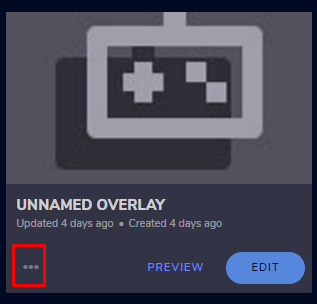
@elfin yacht Okay go here -> https://streamelements.com/dashboard/overlays and click on 3 dots for your alert box https://prnt.sc/tlxxb7 then click properties and the overlay to be on 1080p resolution.
StreamElements
The Ultimate All in One Platform for Streamers
 high scroll
I've tried turning on my stream elements bot but when i type in commands nothing happens. Any suggestions?
ionic kelp
@high scroll what's your username? No links.
nimble dune
@lament blade You can post here your old name and new. And a SE.Champion will provide to staff.
high scroll
my name is jrkboss_
 empty trellis
Hiya, can you stream cs after the update?
It wont come up
just shows a black screen
round brambleBOT
@empty trellis Valve has implemented a Trusted Mode which does not allow OBS to hook CS:GO using Game Capture. See: https://blog.counter-strike.net/index.php/2020/07/30736/
You will need to run the game in either windowed or borderless windowed and use Window Capture instead. Alternately, you can launch the game with -untrusted but this will lower your trust score with VAC and may affect the quality of your matches.
nimble dune
Ah, i wanted post 😛
empty trellis
Any idea if doing that only affects your trust factor when you have it in the prompt?
Or is it a perma issue if you do it once
lament blade
@nimble dune Teaser_czech and now twitch_Teaser_old
empty trellis
also how do I stretch out cs in obs if its a window?
im using the same res on my desktop and game
but its got black bars on each side in obs
found it!
sorry for this aha
 lofty moth
why the stream info dock colors cannot be changed? When I change theme in settings these dock is always in dark mode
prisma relic
in Twitch?
lofty moth
in obs
jade remnant
they come directly from twitch, its their docks
lofty moth
twitch is in light mode =\
prisma relic
check the pinned message in #helpdesk-selive @lofty moth
not sure about the info dock though
no need to ping me; it was sent in already 🙂
nimble dune
Oh, sorry don't knowed 🙂
prisma relic
no worries; you didn't know.
elfin yacht
@nimble dune all good! Thanks a lot
 snow kindle
Hello, I am trying to created a chat command that has an interruption that can be started by someone in the chat. As an example of this to create a hot potato like game. Is that something we can do on chat?
high scroll
Also, I was wondering if changing my name would affect the ability of the bots working
prisma relic
you should not have any bot issues with a name change for your channel. You may have issues with your Chat Stats not being correct. You may also have issues in other Twitch channels
high scroll
Ok should I check my chat stats then
prisma relic
Not really possible @snow kindle with the build in commands if I understand correctly. But could be made with custom coding.
snow kindle
@prisma relic do we know if anyone that does this
 civic vessel
Is it possible to send audio through streamelements for a tip (through the api to overlay)? I have a custom TTS that I'd like to add in so I disabled the streamelements one but want to somehow take the audio I generate from custom and send it through streamelements to the overlay.
prisma relic
I would suggest just taking a screen shot maybe @high scroll .... but if you have issues there is a way for use to merge those stats over.
what i understand @snow kindle is like the 'bomb defuse' game where you pass the pliers. i'm not sure of any example for that.
round brambleBOT
@ornate path Please follow our community rules:
- No advertisement or stream promotion
- Respect ALL server members
- No NSFW/NSFL
Thank you
snow kindle
@prisma relic yes! And ugh!
 twin sentinel
This is a helpdesk for issues with StreamElements on twitch.
round brambleBOT
@low sparrow Welcome to the helpdesk! Please let us know how we can assist you today and a support volunteer or staff member will assist you as soon as they are available. Thank you for your patience.
 low sparrow
my cars does this ill send a video
twin sentinel
Please read what I posted above. Thank you.
 ornate depot
Hi - is it possible to set a command to update another command? e.g. I have a command below:
!crew grimpops is currently sailing with X Y Z
then have a !setcrew that essentially does a:
!command edit crew grimpops is currently sailing with ${1}
e.g. !setcrew A
so my mods can update the response of !crew easier? This is possible with nightbot but can't seem to figure it out on streamelements 🤔
twin sentinel
Not possible with StreamElements. You can use the !command edit directly to edit commands.
ornate depot
thanks @twin sentinel
round brambleBOT
@simple agate Please follow our community rules:
- No advertisement or stream promotion
- Respect ALL server members
- No NSFW/NSFL
Thank you
chrome folio
@vale moon done :)
 shadow karma
hy guys, when i create my overlay and copy the link, when i add it from the browser, this is what appears
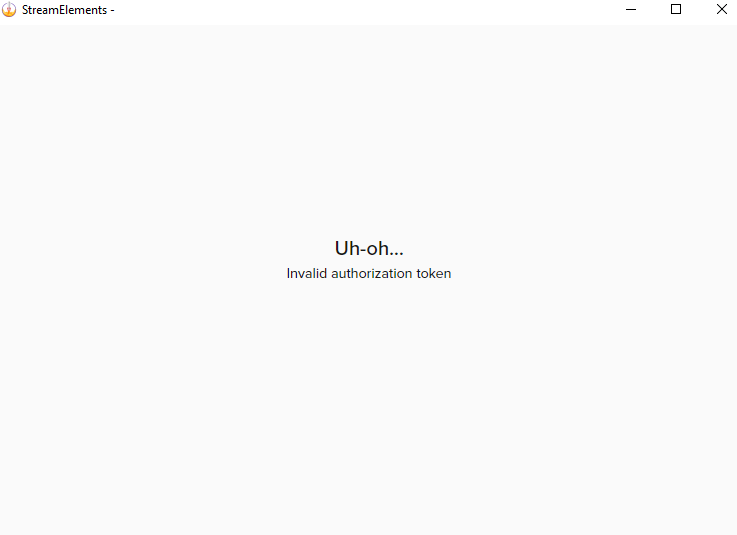
does anyone know what may be happening?
 calm oxide
I stream from my PS4, would I still be able to add overlays to my twitch stream?
ionic kelp
not without a pc.
calm oxide
so I would need OBS? or a capture card?
ionic kelp
OBS and a capture card would work best but not only method.
calm oxide
would that be recommended to have without a gaming PC?
cause I have OBS and it lags up my stream
lament blade
@prisma relic hello my chatstats still nto working (404 page not found ) can you fix it? My old name was Teaser_Czech , now twitch_Teaser_old sorry for spam 🙂
prisma relic
i'll send in a bump 🙂
 north wedge
Can I download OBS.Live on mac? or is it for windows only?
lament blade
Its for Windows Only
north wedge
Okay thank you
empty trellis
Also anyone else have the issue that they have no desktop audio?
 olive cobalt
Hello i was just wondering who i would talk to about my chat stats not being available for my channel? Everytime i click on the chat stats button to take me to my stats it says (404 - Page Not Found)
My current username on Twitch is LoreStorm
however when i search LoreStorm it comes up with LoreStormTV which was one of my old usernames before i changed it to LoreStormWasTaken & then to LoreStorm
Hopefully someone is able to help :))
 finite plinth
Will bot timers work with custom chat bot?
twin sentinel
yes.
 abstract sapphire
How do i check out my avarage wievers?
 lofty lotus
hey! im new to stream elements, ive set up a giveaway, but any time you type !giveaway in to twitch chat, it says no active giveaway and you can not buy tickets in chat?? Do i need to be live for this to work?
 kindred harbor
So, I'm trying to set up some custom Alerts, but every time I preview the alert on StreamElements, it doesn't show up in my OBS? I've tried resetting the connection between twitch and SE, but that hasn't worked. The overlay in OBS remains blank.
lofty lotus
@kindred harbor have you set a browser source in OBS with the link to your overlay?
nimble dune
@kindred harbor The default resolution for StreamElements overlays (theme and custom) is 1920x1080. Please add them in OBS at their full resolution and use CTRL+F to fit to screen if necessary.
You can then downscale your stream in OBS settings > Video if you'd like https://i.imgur.com/6bWXxjR.png
kindred harbor
That worked! Thank you so much!
 hazy lily
Hia
I originally had my mic set to "Push To Talk" - but I figured "Push to Mute & Unmute" would be best - so changed my settings to those and removed the PTT bind, and now my mic doesn't pick up anything at all. Anyone know why?\
 keen spire
Does the team have any plans to integrate with IFTTT? I would love to have a !redeem option to change light color, etc
 smoky gazelle
I have a question I want to import my information of streamlabs into streamelements but it is giving me an error
vale moon
Much love @chrome folio 
 pallid finch
Hey guys, I created a command and it's pretty much just a shortcut for my emotes to appear so if you type ! hype then a bunch of hype emotes would appear but I tested it and nothing but words appear on Twitch, am i doing something wrong?
twin sentinel
You would need to gift the bot a sub to your channel in order to make it use your emotes.
wary halo
or use the rename option, which i think you are trying to do seeing your question in #general-chat
pallid finch
oh I had no idea that you needed to gift a sub
twin sentinel
@smoky gazelle
It can fail due to:
- Copyrighted assets from SL
- Media assets being over 100MB
- OBS sources that cannot be converted into overlay items, such as standalone music/sound bites
pallid finch
and @wary halo I was just trying to give the bot another name. Did not know these two issues would relate
wary halo
and @wary halo I was just trying to give the bot another name. Did not know these two issues would relate
@pallid finch if you give the bot your own name, it has the tier 3 sub from yourself and thus access to all the emotes 😉
smoky gazelle
I downloaded the extention but when I click on import it gives an error
wary halo
do you have both dashboards open in the browser? both SL and SE at the same time?
pallid finch
@wary halo thanks dude! That definitely helps but is there another option for this or is that pretty much what people do?
smoky gazelle
now it worked thanks @wary halo
wary halo
@wary halo thanks dude! That definitely helps but is there another option for this or is that pretty much what people do?
@pallid finch the other option is the 'gift a sub' option, there is no other way than those two
pallid finch
got it. Thanks @wary halo 👍
 clever light
Can i get some help with a !watchtime command? the one under 'bot' and 'chat commands' isnt working
When typing !watchtime it just says 0 seconds
round brambleBOT
@clever light 10 minutes of watchtime are given to those in chat when the loyalty points are handed out (every 10 minutes). Therefore, loyalty must be enabled for watchtime to work properly.
There is no direct link between watchtime and all-time points.
It can’t be calculated from the amount of all-time points a user has because subs may earn points at a faster rate and !bonus all command increases all-time points for users in chat at that time.
Giving points to a single user does NOT affect all-time, only when giving to all in chat.
clever light
^ as for that, im not concerned about loyalty points. we just would like to be able to see our watchtime for stream
pallid finch
@wary halo the options on the OBS app or StreamElements?
wary halo
^ as for that, im not concerned about loyalty points. we just would like to be able to see our watchtime for stream
@clever light no loyalty on = no watchtime
clever light
ahhhh
wary halo
@wary halo the options on the OBS app or StreamElements?
@pallid finch in OBS.Live
clever light
lemme check that @wary halo
 vocal lion
and here
 narrow ibex
^ as for that, im not concerned about loyalty points. we just would like to be able to see our watchtime for stream
@clever light You have to activate Loyalty Points but you don't need to use them
wary halo
do not ping random staff members please
round brambleBOT
@vocal lion Check out the StreamElements ideas board: https://strms.net/ideas. You'll be able to add ideas, upvote ideas you agree with, and track their progress with email notifications. Adding and upvoting ideas also helps the staff know which ideas should be prioritized so please take some time to upvote.
nimble dune

clever light
I just turned loyalty settings on and saved it, and it's still reading 0 seconds
 analog plover
How do I set up donations
narrow ibex
I just turned loyalty settings on and saved it, and it's still reading 0 seconds
@clever light You have to wait 10min
clever light
ty ty
wary halo
How do I set up donations
@analog plover https://streamelements.com/dashboard/tipping-settings
pallid finch
RubenSaurus, I am in OBS but can't find an options button. Is there a step by step guide to change the bot name from OBS?
round brambleBOT
@pallid finch Currently renaming the bot fully works with OBS.Live.
You can follow this video guide to set it up: https://discordapp.com/channels/141203863863558144/494513233416421386/561516184718278676
If you don't want to use OBS.Live and want to stick with Ground Control, please let us know your Twitch username.
pallid finch
thank you! I already had an activity feed open but it didn't have the three lines "option" shown in the video. I just closed that activity feed and opened a new one and that worked. 👍
 karmic ember
wary halo
karmic ember
wary halo
!relog @karmic ember
round brambleBOT
Streamelements on top of OBS -> Logout -> login
nimble dune
@heady roost Go to the dashboard -> right side -> part channel then log out from dashboard, login and join channel. (https://streamelements.com/dashboard)
round brambleBOT
@heady roost If your commands recently stopped working and you're using OBS.Live and a custom bot name do the following:
1.) In OBS.Live, click on the hamburger menu (three stripes) at the top left of your activity feed
2.) Click on Stream Settings -> Custom bot name
3.) In the "Custom bot name" field select "Set custom bot name", not your already existing username (with capital letters)
Note: If you already connected an account that way, the third entry will show as the account name (see image https://i.imgur.com/sO7fWOX.png)
4.) Scroll a bit down and click on the purple "CONNECT CUSTOM BOT ACCOUNT" button
5.) Log in as usual and "Authorize" the custom bot name
6.) Back in the Activity feed, click on the "SEND TEST MESSAGE" button and check if your custom bot name starts working again
lament blade
Hey all. Question about the bot ^^
So, leavng aside that it's a bit sexist (cause "crazy man" is totally okay with it)
It's not ADDING the terms I'm allowing
It's the 5th time in a week that I allow "crazy woman", and the next day it blocks the message again and I need to allow it again
chrome folio
@lament blade this feature is from Automod/Twitch Filters.
lament blade
I could've sworn it actually happened a few times in the same stream, but I asked a viewer to test it today and am not sure. But it defeinitely forgets between streams
Oh, not SE? I could've sworn it was the SE bot blocking it, my bad
I'll contact Twitch support then, I guess
chrome folio
@lament blade https://streamelements.com/dashboard/bot-spam-filters
 maiden vortex
What's good
lament blade
How do I add my chat from twitch to my stream elements page so I can see whilst streaming
 heady roost
my bot still aint working
nimble dune
@heady roost Have you tried what also the bot said?
chrome folio
@heady roost add your bot as moderator /mod StreamElements
heady roost
ok its all fixed now thank you for the help.
chrome folio
@lament blade you will add a widget Your Stream's Chat to your Overlay, either in a new blank overlay or by editing an existing overlay. Don't forget to add the Overlay to the OBS.
round brambleBOT
@lament blade To add your overlays to OBS, add a new browser source in your scene. Paste your overlay URL in the browser source properties, set the dimensions to 1920x1080 (unless you changed them on the website), and ☑ “Shutdown source when not visible” https://youtu.be/KDvLynUqXI4
@maiden vortex Welcome to the helpdesk! Please let us know how we can assist you today and a support volunteer or staff member will assist you as soon as they are available. Thank you for your patience.
 dense vale
Hey guys! I have a question about the twitch streamelements leaderboard panel. It shows the chat stats, yet the cheers and subs show ''No Data''. I've logged out/in multiple time and unistalled-installed it. Yet it stills says ''No Data''. Any ideas why? (no ad block. and yes I've receive cheers and subs)
 loud egret
can someone link me to somewhere to make custom labels for recent followers ect... im trying to be as minimalist as possible. i was trying to get them to be in one spot on rotation
twin sentinel
Check #widget-share
 pale lark
My streamelements commands are not functioning, that includes default commands, and custom. My alerts, stats, integration with obs, etc. are working properly. I can't seem to figure out what's going wrong. If I can get help fixing this issue, it is greatly appreciated.
strong kernel
@pale lark Try to use a command in your chat please.
 stray maple
ishi folks is there a way to migrate data from mixer to twitch?
round brambleBOT
@stray maple There is no current way on copying Commands and Timers, these have to be added on your other account again.
For your overlays, please link your other platform channel to StreamElements via the website and add them via the top left channel icon.
We can merge your accounts if you send in the JWT tokens of both to a Staff member, don't share these within the server, they are private.
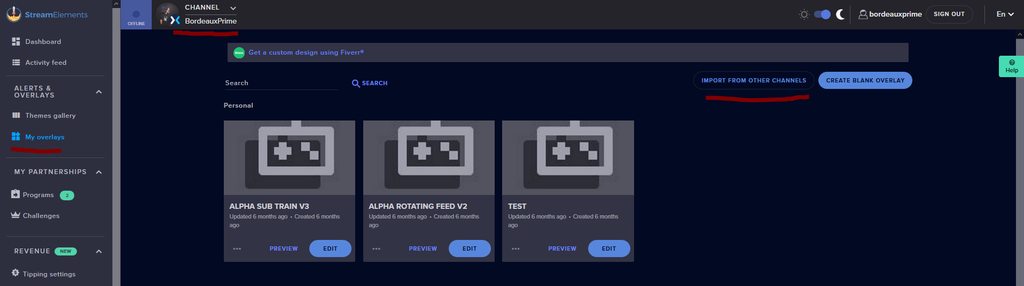
When you go to My Overlays over at the website, click the import from other channels button to import your mixer overlays to the new platform.
Merch stores are not getting copied through accounts, you will have to set up your merch store from start on your new platform.
Do notice that some things are not compatible between platforms, these need to be manually edited (like total embers is total bits on Twitch)
 stray maple
is there a specific staff member i should be DM'ing
 worthy stirrup
how do i add other elements to a group in a certain scene
wary halo
is there a specific staff member i should be DM'ing
@stray maple yes, DM @strong kernel
stray maple
@wary halo thank you
 sharp zephyr
how can i setup a command to show the current song using lastfm?
calm reef
would that be recommended to have without a gaming PC?
@calm oxide
Hi, I am on a PC but I still use a capture card and I bought a Avermedia Live Gamer Xtreme 2 and I am very happy with it. You can use this on your PS as well.
round brambleBOT
@proper idol Please follow our community rules:
- No advertisement or stream promotion
- Respect ALL server members
- No NSFW/NSFL
Thank you
lament blade
join chill chat if u can help me
lament blade
dang it
i cant explain itin text tho
Is there a way for me to backup my Overlays if I were to unlink my accounts?
 green sparrow
Is Streamelements down? My stuff isn't loading into my streams but everything is fine on the site
lament blade
idk how to activate my overlays
round brambleBOT
@lament blade There is no easy way to unlink 2 owner-type accounts from each other. The only way is to make a closure request from here: https://streamelements.com/dashboard/account/security
WARNING: In submitting a closure request, all linked channels within the account will be deleted and you will lose all associated data. This includes overlays, custom commands, timers and past data (tips, subs, etc). You can still reconnect with the deleted account, but you are essentially starting fresh.
StreamElements
The Ultimate All in One Platform for Streamers
@lament blade To add your overlays to OBS, add a new browser source in your scene. Paste your overlay URL in the browser source properties, set the dimensions to 1920x1080 (unless you changed them on the website), and ☑ “Shutdown source when not visible” https://youtu.be/KDvLynUqXI4
strong kernel
@green sparrow Everything is running as expected.
lament blade
I know that but how would I backup everything I created?
strong kernel
You can't.
green sparrow
@strong kernel would there be any reason my stream labels and alerts wouldn't work?
lament blade
Can I maybe suggest it?
round brambleBOT
@lament blade Check out the StreamElements ideas board: https://strms.net/ideas. You'll be able to add ideas, upvote ideas you agree with, and track their progress with email notifications. Adding and upvoting ideas also helps the staff know which ideas should be prioritized so please take some time to upvote.
lament blade
Will do thanks
strong kernel
@green sparrow Looks fine on our end.
green sparrow
@strong kernel I don't see any of it in my stream. I have missed thanking two new followers and a sub because they aren't going off. On the site everything is there. Just wondering if there is a way I can fix that?
strong kernel
You'll need to check how you've set it up in OBS.
You might also need to disable Browser Source Hardware Acceleration.
green sparrow
This is the first time I have ever had this issue and I haven't changed anything
 forest mountain
Hi all, I'm having an issue where many host alerts do not appear in my twitch activity feed and are not picked up by my streamelements alert box. I see the host alerts in chat, however.
round brambleBOT
@forest mountain Due to changes to Twitch API, we have filtered out hosts and will only show these ones on your activity feed:
- All hosts coming from an online channel with at least 1+ viewer
- Auto host events with at least 1 viewer - only from a channel that just went offline
Note: If you see "X channel has hosted you" with no viewers on the back, that is considered an offline host or a host with 0 viewers, we do not show these.
forest mountain
thank you! that answers it
 ornate delta
Hey I have trouble adding points to my veiwers
Channel points
Like the points I get from gamble and roulette
It says not found
 supple plinth
I'm having an issue with the browser dashboard that when I try to manage one of the other channels i have full control of besides my own, I get directed back to the main streamelements page and when I click "My Dashboard" that page just refreshes
ornate delta
I do !addpoints @shut sparrowythefishie and it says not found
supple plinth
no @ symbol
jade remnant
dont use @
ornate delta
Ok
round brambleBOT
@supple plinth Please logout of StreamElements at https://streamelements.com/logout and then login again to your account (Twitch/Youtube/Facebook/Mixer)
jade remnant
and has the user changed their name?
green sparrow
This is what everyone sees in my stream. No alerts, no labels, no goals. I have never had this issue before in four months or so since moving to Stream Elements, just curious if there is a correction for it because on the site itself, everything looks to be working fine
strong kernel
@green sparrow If it's fine on the site, it's 100% due to how things are set up in OBS. Again, have you disabled Browser Source Hardware Acceleration yet?
green sparrow
@strong kernel idk what that is tbh. It was fine Saturday but when I went live today, this is what I got
round brambleBOT
@green sparrow OBS -> settings -> advanced -> scroll down -> enable/disable hardware accel. (This does not apply for OBS on Mac)
https://i.imgur.com/ggMe9ZE.png
supple plinth
I log out and log back in, and I'm able to get back to my dashboard through the settings option in the top right menu, but I can never get to the point when I choose the other channel in the top middle, it used to say Roleplaying as ....... and would take me into their options and dashboard, now it just takes me back to the streamelements home page
to my knowledge, they have not changed their name if that was directed at me @jade remnant
strong kernel
@supple plinth The streamer you are attempting to roleplay will need to log out and back in to StreamElements.
supple plinth
ah okay, thanks
strong kernel
Scroll down.
lament blade
Hi
Trying to set some sound commands and when I try to redeem them i dont hear anything
strong kernel
Did you add a store redemption widget to your overlay?
lament blade
no dont think so
so i have to do that on every seen
?
Can i just have a command say like !Test
Then it will the sound effect ?
wary halo
no, only with the widget on your overlay
lament blade
okay so I need to add the widget to every scene got it
 digital citrus
Hello everybody. I am looking to add a chat overlay that is visible to my twitch viewers. I tried to add this through editing my overlay and adding the stream tools chat, however when text appears in my chat, it displays only on my overlay and isn't visible to the audience. Any pointers would be nice!
 polar tartan
I am having an issue with constant inconsistent frame drops it will go from 6000+ kbs to 100 kbs just sporadically
round brambleBOT
@polar tartan Please provide a log from your last stream. To do this, in OBS go to Help > Log Files > Upload Last Log File and paste the link to the log file here.
@digital citrus To add your overlays to OBS, add a new browser source in your scene. Paste your overlay URL in the browser source properties, set the dimensions to 1920x1080 (unless you changed them on the website), and ☑ “Shutdown source when not visible” https://youtu.be/KDvLynUqXI4
polar tartan
 candid sun
Hello my streamelements bot doesn’t respond to commands in chat. I have tried joining/rejoining. Mute/unmute and unbanning.
 vital sinew
I tried everything
strong kernel
@vital sinew No links when asking questions.
It's the connection between you and Twitch.
digital citrus
The chat just isn't appearing in my OBS. I linked the overlay using a browser source. I can see the background of the chat, but there is nothing populating the chat area.
 woeful phoenix
how di i switch accounts on stream elements because when i hit the start streaming button it starts streaming on my other account.
never mind
polar tartan
@strong kernel so i am reading the information but not sure how to fix the connection
spice siren
No correct conversion in goal donation
strong kernel
@digital citrus Looks fine.
digital citrus
???
round brambleBOT
@candid sun If your commands recently stopped working and you're using OBS.Live and a custom bot name do the following:
1.) In OBS.Live, click on the hamburger menu (three stripes) at the top left of your activity feed
2.) Click on Stream Settings -> Custom bot name
3.) In the "Custom bot name" field select "Set custom bot name", not your already existing username (with capital letters)
Note: If you already connected an account that way, the third entry will show as the account name (see image https://i.imgur.com/sO7fWOX.png)
4.) Scroll a bit down and click on the purple "CONNECT CUSTOM BOT ACCOUNT" button
5.) Log in as usual and "Authorize" the custom bot name
6.) Back in the Activity feed, click on the "SEND TEST MESSAGE" button and check if your custom bot name starts working again
digital citrus
@strong kernel where did you see that? It doesn't seem to be displaying live on twitch, just on my streamelements. I opened my stream but can't see it!
round brambleBOT
@digital citrus To add your overlays to OBS, add a new browser source in your scene. Paste your overlay URL in the browser source properties, set the dimensions to 1920x1080 (unless you changed them on the website), and ☑ “Shutdown source when not visible” https://youtu.be/KDvLynUqXI4
@digital citrus The default resolution for StreamElements overlays (theme and custom) is 1920x1080. Please add them in OBS at their full resolution and use CTRL+F to fit to screen if necessary. You can then downscale your stream in OBS settings > Video if you'd like https://i.imgur.com/6bWXxjR.png
spice siren
No correct conversion in goal donation
woeful phoenix
yep... i cant start my stream 😦
round brambleBOT
@woeful phoenix Streamelements on top of OBS -> Logout -> login
polar tartan
using the suggestions seemed to make it worse
digital citrus
Ok. So I just typed 11 tests and only 5 of them appeared. It's almost as if the bottom ones are being cut off
polar tartan
my frames are now at 0
candid sun
Thank you 🙏🏼 it’s up
 lusty wind
I need help with the custombot name...
I used long time ago and it worked perfect, but now all of the sudden it doesn't anymore...
I try connecting with the account and everything but it just won't work...
polar tartan
Hello?
strong kernel
@polar tartan There's nothing we can do with regards to a connection-based issue. You can check your connection with Twitch ingest servers using https://r1ch.net/projects/twitchtest but if no settings in OBS are improving the issue, you may need to reach out to your ISP.
Test your upload bandwidth and connection quality to Twitch
lusty wind
any help for me?
round brambleBOT
@lusty wind If your commands recently stopped working and you're using OBS.Live and a custom bot name do the following:
1.) In OBS.Live, click on the hamburger menu (three stripes) at the top left of your activity feed
2.) Click on Stream Settings -> Custom bot name
3.) In the "Custom bot name" field select "Set custom bot name", not your already existing username (with capital letters)
Note: If you already connected an account that way, the third entry will show as the account name (see image https://i.imgur.com/sO7fWOX.png)
4.) Scroll a bit down and click on the purple "CONNECT CUSTOM BOT ACCOUNT" button
5.) Log in as usual and "Authorize" the custom bot name
6.) Back in the Activity feed, click on the "SEND TEST MESSAGE" button and check if your custom bot name starts working again
lusty wind
I'm doing all the steps, log in with the bot account, but for some reason it just doesn't work.. As I say I used it before
I know how to do it, it just doesn't work
maybe some store cache somewhere that needs to be deleted or something..
this just doesn't work
round brambleBOT
@lusty wind 1) Right click on your OBS desktop shortcut and open the Properties 2) In the "Target" field, add the following to the very end: --remote-debugging-port=40404 3) Open OBS (or restart if it was open) 4) Open your web browser and type in: localhost:40404 5) Click on "StreamElements - Activity feed" 6) Navigate to the Console tab 7) Type the following into the console and hit enter: store.customBot.removeCustomBotIntegration() 8) Try setting the custom bot name 9) Remove the additional flag in step 2 from your shortcut properties.
 main swan
Hey guys how can i the command : !kappagen (Emote) 500 work... it just shows 1 emote
 exotic plaza
Is there a widget in streamelements for doing a credit roll?
lusty wind
worked like a charm! thanks
 real yarrow
I'm struggling to find the solution so I appologize if repeat. My theme will not fit to my display
round brambleBOT
@real yarrow The default resolution for StreamElements overlays (theme and custom) is 1920x1080. Please add them in OBS at their full resolution and use CTRL+F to fit to screen if necessary. You can then downscale your stream in OBS settings > Video if you'd like https://i.imgur.com/6bWXxjR.png
real yarrow
Ignore
 scenic furnace
I have Streamlabs OBS and am comfortable with it, can I use certain aspects of Stream Elements with it or do I need to convert over completely?
round brambleBOT
@scenic furnace We're not able to troubleshoot issues with using our overlays in StreamLabs OBS (SLOBS) as we don't have the tools to support their software. We recommend using OBS Studio or OBS Studio with our plugin OBS.Live.
 proud cedar
@mighty geyser Exactly what have you tried and trying to do? Chat commands?
Have you seen https://support.streamelements.com/hc/en-us/articles/115000373852-Chat-Commands- ?
Playlist: https://www.youtube.com/watch?list=PLCDDKlFdScbEwdx5AntcQIS1InkFJwHtv&v=FUAmzaj70Js&feature=emb_logo
 ember pagoda
hi this is super general but am i allowed to stream and mention our clan name etc
 mighty geyser
Hello is there anyone out there that can help
jade remnant
then you need to be more specific than "it didnt help"
there are videos that go through how the commands work and how to set them up
real yarrow
Another silly question how do you reset the starting now timers?
jade remnant
@ember pagoda you would need to ask your clan leader
mighty geyser
I'm trying to set up my commands for chat and I love video not working
jade remnant
@real yarrow refresh your browser cache in obs or hide then unhide
real yarrow
Thank you @jade remnant
woeful phoenix
why wont it start the stream on my account, its trying to stream to my disabled acount, how do you fix?
jade remnant
do you have the obs.live plugin or normal obs?
woeful phoenix
the plugin
 limber sluice
Streamelements hit and miss on stream right now. Lastnight was working fine, right now, not pulling commands.
round brambleBOT
@woeful phoenix Streamelements on top of OBS -> Logout -> login
mighty geyser
No I'm on mobile no one answered me in Mobile @jade remnant
 restive knoll
can anyone please tell me who to activate my bot in my chat and tell me how to give the bot commands to say in caht
jade remnant
@mighty geyser what?
restive knoll
same here @mighty geyser
mighty geyser
do you have the obs.live plugin or normal obs?
@jade remnant
jade remnant
that wasnt for you
woeful phoenix
I've signed into my account on the plugin and the website
mighty geyser
Yo where is my help
jade remnant
yo where is my answer
restive knoll
@jade remnant could u please tell me hoe to get the bot in my live yt chant and how to tell it what to say
sorry meant to put how
jade remnant
https://streamelements.com/dashboard/welcome-back bot on the right side
restive knoll
@jade remnant what does redemtions mean
round brambleBOT
@restive knoll New to Stream Elements?
Check out our YouTube channel https://www.youtube.com/c/streamelements/videos
with tutorial videos from setting up the basics, to in depth details on how to use our product.
New to OBS? Here is a 4 step quickstart guide
https://obsproject.com/wiki/OBS-Studio-Quickstart
Want to learn even more? Here is an in-depth overview
https://obsproject.com/wiki/OBS-Studio-Overview
strong kernel
@restive knoll #helpdesk-youtube
round brambleBOT
@torpid hornet Please provide a proper screenshot with the issue visible. If not sure how to take a screenshot, you can check here: https://www.take-a-screenshot.org/
 torpid hornet
its gone after uninstal
strong kernel
Media request is not available for YouTube.
 sullen sparrow
Good day, Just looking for help on making our !giveaway work
round brambleBOT
@sullen sparrow Welcome to the helpdesk! Please let us know how we can assist you today and a support volunteer or staff member will assist you as soon as they are available. Thank you for your patience.
sullen sparrow
We are trying to use !giveaways, but unfortunatly it's not working for our mods/users. Trying to get it fixed for tommorows giveaway, Thanks in advance.
strong kernel
What do you mean by "use !giveaways?"
Giveaways are not started or controlled with commands. They're done on the site.
sullen sparrow
Maybe, we're misreading how it works.
The stream element commands stated that we were able to use them. We have to use it on twitch chat. But do we have to use streamelements website?
 pastel zodiac
Hi there! I was wondering, is there a way I can create a command that will give X message when I play ads on a channel? Like, thanks for not using adblock, the ads help me and my channel grow
sullen sparrow
 strong rover
Hi, I’m trying to setup my alerts but the text over image layout will not work.
strong kernel
@strong rover Text settings > Advanced, play with margins to adjust text position.
 limpid bough
Greetings. I am having an issue on the browser in SE.Pay where it states my "Personal information is invalid, please contact support".
I clicked help and it brought me here. Whats next?
lament blade
Hello, I keep getting kicked back to the main page of the website when I click "my dashboard" I have tried logging out and logging back in
 queen marlin
Hello I hope you guys are doing well 🙂 I'm having an issue with my activity feed on OBS where it doesn't allow me to change my 'Stream Title' and 'Game' that I am playing. It's stuck on the previous title and game I was playing. Thank you for your time!
round brambleBOT
@limpid bough Please contact us via email for support with SE.Pay. You can use our contact form here: https://streamelements.com/contact Thank you
strong kernel
@lament blade Clear cookies, then log out and back in.
lament blade
Oop it worked, thanks so much @strong kernel
strong kernel
@cloud vine The !bet command is used in conjunction with the Contests section of your account on the site.
 cloud vine
how do i do this? have any tutorial? @strong kernel
strong kernel

Use Contests & Giveaways to increase user engagement and reward your viewers, it's a whole lot of fun for everyone!
Loyalty system guide: https://youtu.be/hM7D0HJDRHg
Overlay Manager video guide: https://youtu.be/X7XrDdRE7Fk
Contests in the StreamElements blog:
https:...
queen marlin
Sorry to bother does anyone know how to fix the problem I mentioned earlier about me not being able to modify the title of my stream and game that I'm playing through the activity feed.
round brambleBOT
@queen marlin There is a bug with setting the stream title in OBS and the Dev team is investigating.
In the meantime you can set the title using the !settitle command in chat (if enabled in your bot command settings)
Or with the Twitch dashboard: https://dashboard.twitch.tv/stream-manager
queen marlin
Thank you 🙂
mighty geyser
Can cough can someone give me some cough link to cough streamelements
 lofty galleon
Is the chatbot system down?
strong kernel
The bot is working as expected.
lofty galleon
Well mine is unresponsive. I've done the part / join thing a couple times
I am using a custom one if that matters
strong kernel
Did you rename the bot?
lofty galleon
Yes
round brambleBOT
@lofty galleon If your commands recently stopped working and you're using OBS.Live and a custom bot name do the following:
1.) In OBS.Live, click on the hamburger menu (three stripes) at the top left of your activity feed
2.) Click on Stream Settings -> Custom bot name
3.) In the "Custom bot name" field select "Set custom bot name", not your already existing username (with capital letters)
Note: If you already connected an account that way, the third entry will show as the account name (see image https://i.imgur.com/sO7fWOX.png)
4.) Scroll a bit down and click on the purple "CONNECT CUSTOM BOT ACCOUNT" button
5.) Log in as usual and "Authorize" the custom bot name
6.) Back in the Activity feed, click on the "SEND TEST MESSAGE" button and check if your custom bot name starts working again
pastel zodiac
Hi there! I was wondering, is there a way I can create a command that will give X message when I play ads on a channel? Like, thanks for not using adblock, the ads help me and my channel grow
 warm yew
Hey my friend is raising money for charity through tiltify and none of the alerts are going off when people are donating
 paper mica


 round brambleBOT
@paper mica Due to changes to Twitch API, we have filtered out hosts and will only show these ones on your activity feed:
- All hosts coming from an online channel with at least 1+ viewer
- Auto host events with at least 1 viewer - only from a channel that just went offline
Note: If you see "X channel has hosted you" with no viewers on the back, that is considered an offline host or a host with 0 viewers, we do not show these.
lofty galleon
@strong kernel Okay, I followed that, the bot 'reported for duty' but it's still unresponsive.
I also tried relogging/reauthorizing it
chrome folio
@lofty galleon add your bot as moderator /mod StreamElements