#helpdesk-twitch
1 messages · Page 677 of 1
 buoyant belfry
 charred quartz
might i ask where is the preferences
@hushed bolt
click your name
it will show the preferences button
 ionic kelp
@buoyant belfry You'd have to set the Filter action to don't show alert.
 hushed bolt
 loud magnet
I’m sure this has been asked a 1000 times but I find conflicting answers...can I rename the SE bot? I currently stream using SLOBs
charred quartz
settings
hushed bolt
buoyant belfry
@buoyant belfry You'd have to set the Filter action to don't show alert.
@ionic kelp Can I do that in the Tipping Moderation tab or there is there another place where I should be looking for this?
ionic kelp
@buoyant belfry https://streamelements.com/dashboard/tipping-settings settings tab and last option.
hushed bolt
not seeing much here abt preferences
it has my managers, channels i manage and add channels
buoyant belfry
I will look into that, thank you very much for your support. You guys are great for taking off of your time to answer our questions whenever we need help and you make using SE a much better experience. 
ionic kelp
@hushed bolt What do you mean preferences?
charred quartz
it will show there
charred quartz
OH
ionic kelp
Last pinned message here.
hushed bolt
brug
hushed bolt
i accidentally linked a second account to streamelements ground control. how do i log out of ground control
@hushed bolt i quoted it
i di
did*
charred quartz
yeah but u said a second account, i tought u want to remove a linked account
by that statment
charred quartz
no problem, my bad too for getting it wrong
hushed bolt
i cant find anything to do with logging out on ground control
charred quartz
click in the three lines Menu in grounds control
hushed bolt
mhm
ionic kelp
charred quartz
it should show a logout button ?
hushed bolt
ionic kelp
wrong place
hushed bolt
yay
charred quartz
thx @ionic kelp
hushed bolt
thanks
😄
alright i got my regular account in
im strugglin but you helped lol. ive been taking a couple days setting up everything. doing things like stream layout, bots even making my own bot and more lol
its been a wild ride
 trail kelp
how do you put the super overlays on with a cromebook
ionic kelp
Unless you magically have something to stream with you dont.
trail kelp
an xbox
ionic kelp
You need an actual laptop or desktop to be able to stream with our overlays as neither of those can properly use it.
trail kelp
but i have seen it on xbox before
ionic kelp
And those are users not streaming directly from it.
trail kelp
how would you do it then
charred quartz
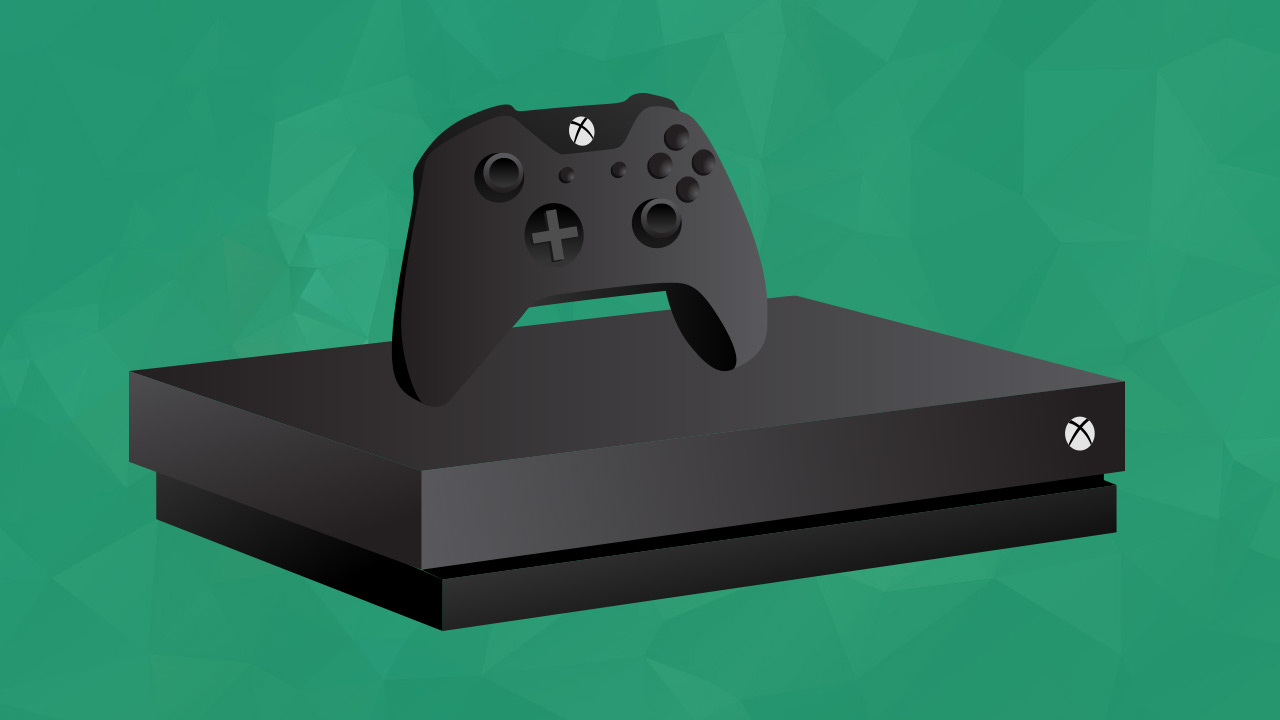
Not long ago, if you wanted to stream from your console, you’d need serious technical skills or else you’d be out of luck. From finding and buying the right capture card to learning new streaming software on your PC, there were several steps that you had to take before you cou...
charred quartz
did u clicked the link?
there are two options
one using a capture card and another is for Mixer
capture card --> any platform
trail kelp
so there is no way
ionic kelp
Not without a PC/Laptop.
trail kelp
ok thank you sorry for annoying you
charred quartz

 quaint tusk
Is there a way to get alert audio to play from the browser source directly from the desktop?
charred quartz
sure it had FLP
just right click the OBS mixer
and select advanced audio
then in the overlay controller u change from Monitor OFF > Hear and Send to stream (not writen in that way but u will recognize)
done
🙂
quaint tusk
Ahhh. So monitor the audio from obs. Nice. Thanks
charred quartz
yess 🙂
hushed bolt
i know theres a way to change the name for the bot in obs live
am i right by saying that?
 round brambleBOT
@hushed bolt Currently renaming the bot fully works with OBS.Live.
You can follow this video guide to set it up: https://discordapp.com/channels/141203863863558144/494513233416421386/561516184718278676
If you don't want to use OBS.Live and want to stick with Ground Control, please let us know your Twitch username.
 rose lichen
I may be in the wrong area but I cant for the life of me get my tiltify alerts to work. When I test them, it shows. When someone actually donates, it does not.
Any ideas?
ionic kelp
@rose lichen Is your campaign selected in the alertbox settings?
rose lichen
Im going to go with no because I have no clue what you mean, haha. Ill tell you what I have done. I have my tiltify account linked with both twitch and streamelements. I have created the overlay source and added it as a browser source on my OBS. Thats literally all ive done. When I test, they work. When donations come, it doesnt. Is that the missing piece? @ionic kelp
ionic kelp
Open the overlay editor and click the alertbox source https://streamlabs-is-a.totallysuspicious.website/97T9oLg.jpg

 pliant scarab
trying to set up TTS for cheers/bits but it is not activating, Donating works though, Any suggestions?
rose lichen
lmfao thanks. That URL link threw me off
 astral umbra
Hey all: anyone know how to get the total subscriber count/sub train count to "roll" up the numbers instead of just a flash/blink?
 lament blade
commands not working at all
round brambleBOT
@lament blade Go to the dashboard -> right side -> part channel -> join channel (https://streamelements.com/dashboard)
 ionic kelp
@pliant scarab It's enabled for the alert type?
rose lichen
Im going to test now. Thanks again.
pliant scarab
@ionic kelp Yea so i got into TTS options for it but it's not activating. I do the same settings for tipping/donating but that works
rose lichen
ha, such a simple solution. Ill be sure to pass that info on to others as it seems to be a common thing happening now. A lot of streamers have told me "its broken". @ionic kelp thanks again.
 obtuse depot
Hello guys, anybody have any idea why my donation goal is not showing up in obs, so far i have it on like 1 week ago the deadline is still active i have no idea whats wrong with it
 worldly rune
Evening, i continue to receive subs, but no alerts are being kicked off, not appear on my latest sub overlay or sub leaderboard, was working fine previously
lament blade
anyone know how to delete all commands?
rose lichen
make sure you dont have a minimum set @pliant scarab
pliant scarab
@rose lichen Is set to 0 so everything goes through
rose lichen
!command remove ! (command name) @lament blade
@pliant scarab thats what mine looks like. Just for comparison
pliant scarab
Yea all the same except no minimum
rose lichen
Strange. Do you have variety amounts set? Like different amounts of bits trigger different alerts?
pliant scarab
I think that's default so yea
rose lichen
Im not sure then. I would simply remove the browser source and re-add. I also have basic knowledge unlike others in here. Just tried to help real fast since i was here already asking for help myself. Sorry 😦
 marble igloo
Every time i try to go to peoples store or even open my dashboarrd on the website it reverts to the home page I NEED HELP!
 silk knoll
I'm trying to add the time command from chat for the Philippines time zone on a twitch channel i mod in, but when i put the time zone in the variable it does not show the correct time
worldly rune
Evening, i continue to receive subs, but no alerts are being kicked off, not appear on my latest sub overlay or sub leaderboard, was working fine previously
@worldly rune In addition streamelements has the correct total of subs under session data yet not appear on overlay
ionic kelp
${time.Asia/Manila} @silk knoll This not work?
@marble igloo If you try in incognito?
ionic kelp
For the sake of checking yes.
marble igloo
how do i do that xDDD
ionic kelp
Ctrl Shift N.
ionic kelp
You've got a browser cookie/extension causing issues. Clear streamelements related cookies and try again.
Or this actually.
marble igloo
k thank u
round brambleBOT
Please logout of StreamElements at https://streamelements.com/logout and then login again to your account (Twitch/Youtube/Facebook/Mixer)
 carmine knot
does anyone know if there is a way to
keep a donation message, amount, name, on the screen for an extended period of time
Not just from the alert, but lets say.. 5-10 minutes basically
silk knoll
@ionic kelp Yes the one you gave me did work perfectly, thank you, I was putting the wrong one in.
ionic kelp
@carmine knot Definitely need a custom widget for that. Beyond that no clue how.
astral umbra
Anyone got any idea with what I mentioned earlier?
worldly rune
Evening, overlays are again not being kicked off after a event, and chat timers are being kicked off
round brambleBOT
@worldly rune Go to the dashboard -> right side -> part channel -> join channel (https://streamelements.com/dashboard)
worldly rune
should that reset my session timers as well? when i select re-fetch/re-aggregate not updating to the most recent events
 flat shoal
anybody know how to get rid of the "response message" in chat
 abstract hemlock
@flat shoal check your timers
 lusty dragon
@astral umbra if it's not an animation you can choose in the existing options/settings, you may be able to add it in yourself if you're willing to jump through some hoops. Feel free to ask how in #dev-chat , someone there should hopefully get back to you on wyat do do if it's possible
 worthy magnet
How long does it take for my chat commands to get on my channel?
 random rock
Can anybody help me with the "stream starting soon" widgets? i created one and i know how to operate the the widget and settings apart of the widget, but i'm confused how the timer works once you load it into OBS, how do you play/pause the timer? Can anybody help me?
lusty dragon
@worthy magnet if SE is modded in your chat, it should be instant once you save the command settings
worldly rune
Is there another was to reset widget data? reset session is pulling the latest
worthy magnet
Oh so do I have to be live to mod?
random rock
oh hi catharsis!
lusty dragon
@worthy magnet nope, just type /mod StreamElements in chat whenever
@worldly rune not to my knowledge. It resets the whole shebang
@random rock in the browser source properties for the starting soon screen, select "reload when active". You can manually reset it with the page cache reset at the bottom of the same window
 mental radish
@lime badger Unfortunately it's been removed due to reasons beyond our control.
@ionic kelp What was the reason ? What is a law ? I'm curious because it could be disputed on our site perharps
 urban sequoia
Ok, this is my thrid time asking. I know everyone is super busy so if you have answered and I missed it I am truly sorry.
I need help with my stream store redemtion alerts, please.
random rock
@lusty dragon alright lemme try that and i'll get back to you!
worldly rune
@lusty dragon under total its showing the correct amount, but on sub board and overlay widget it is not
ionic kelp
@mental radish Regulatory reasons that I know don't the specifics to.
lusty dragon
@worldly rune try a page refresh or logout. sometimes things just get stuck
Short of that I'd be stumped 
worldly rune
@lusty dragon I've done both, been a week of it not working. Got two subs while the alerts werent kicking off, related?
worthy magnet
@lusty dragon I made se a mod and my commands still aren't working
mental radish
@mental radish Regulatory reasons that I know don't the specifics to.
@ionic kelp ok thanks, that's unfortunate I guess payNotpal is the only option
round brambleBOT
@worthy magnet Go to the dashboard -> right side -> part channel -> join channel (https://streamelements.com/dashboard)
 blissful crag
Trying to get a custom command for text-to-speech. Instead of typing !redeem tts Hello Wonderful World , I'd like to remove the word "redeem" . I have this as a custom tts command with the following response $(redeem tts) ${1:} . However when I do !tts Hello Wonderful World it ends up just saying the first word "Hello" . How do I do it such that all words starting from the specified index will be included in the text to speech?
blissful crag
Argument ranges seem not to work. Used ${1:30} and only the first word is recognized
 sour umbra
hi!! I've had issues with my alert box not showing in live stream. They are showing up now! But the audio isn't playing :/ also, I''ve banned some words for chat but they're not being censored lol
 earnest pulsar
Hey guys, I have been streaming on twitch & currently have my alerts/chat box setup perfectly. I wish to switch to Mixer, is it possible to get my alerts/chat box overlays from one (Twitch) account to my (Mixer) account? Thanks!
 empty sapphire
Where can I find information about setting a new sub goal?
round brambleBOT
@empty sapphire We've released our new Overlay Editor revamp. You can check out the changes and how to work with it here: https://youtu.be/X5VzXjqAsjk
Check out our blog post as well: https://blog.streamelements.com/streamelements-overlay-editor-just-got-even-better-c22cb5b4853e

We are thrilled to announce the launch of the remastered StreamElements Overlay editor!
https://p.strms.net/newoverlayyt
Why StreamElements Overlays are better?
😎 Simple: Load your entier setup using only 1 link
⚡ Fast: Cloud-powered Overlays arrive in real-time, say goodb...
 icy pine
hello, is there a way to display a counter on screen?
urban sequoia
Where do I edit my images for my alerts for the stream/loyalty store?
abstract hemlock
@urban sequoia https://streamelements.com/dashboard/store/items

StreamElements
The Ultimate All in One Platform for Streamers
urban sequoia
@abstract hemlock I'm here, but I don't see an edit for the duration of the image. Am I overlooking it?
 haughty shuttle
@urban sequoia when you click on it, go to setting below and there you have duration 10
By default it's 10 sec
urban sequoia
@haughty shuttle, I am not seeing that.
haughty shuttle
Sec I wil show you
urban sequoia
Thank you. So sorry
urban sequoia
ahh, ok, one sec.
haughty shuttle
Then scroll down
You need to do that for each alert
And if you have variations to
haughty shuttle
@urban sequoia
You found it?
Did you add the alertbox widget?
worthy magnet
@lusty dragon thx for your help fr bro
 chrome folio
Where do I edit my images for my alerts for the stream/loyalty store?
@urban sequoia you will set up your items on the Stream Store (see the link on the Renziito's message) to use store redemptions widget on your overlay... Then on the widget store redemptions you won't have to set the image or sound.
urban sequoia
chrome folio
Click on Settings @urban sequoia
urban sequoia
Alert box has been added. I have also created the redemption alert. There are no variables on the alert itself, it picks up the alert that was set in the store.
one sec
oh wait, you said I don't have to set the redemtion alert?
chrome folio
It is Alert Box, see some tutorials on the StreamElements channel on YouTube to help you.
You have to add Store Redemptions ;)
urban sequoia
ok, I will look again. I've been working on this for a month 😦
 rough zenith
Hey yall I cant seem to be able to let my viewers submit videos to the mediashare, I have it set to both free and tipped videos, I can only seem to be able to add them myself from the website
random rock
@lusty dragon , wasup dude, when you said set the properties of the stream starting soon you said "reload when active" option. Is that option in my OBS "Refresh browser when scene becomes active"?
urban sequoia
Thank y'all!! I'll let you know how it goes.
rough zenith
Hang on im stupod im sorry
haughty shuttle
Hello,
Is there a way to have the system like streamlabs did, when you start your live you can change the title and game before live.
Or we need everytime to connect on the webpage and do it via the there?
rough zenith
Hold up I am stupid, for whatever reason when someone requests a song/video it just skips the current one.
ionic kelp
@haughty shuttle You can do that with the stream info dock either from OBS.Live or if you connect your account under settings > stream instead of using a stream key.
 prisma relic
is it skipping a song on your backup list or skipping other peoples requests @rough zenith ?
haughty shuttle
@ionic kelp thanks I will take a look when home
 lofty summit
Meu donate com voz do google está bugado, deixo ativado e mesmo assim o bot não lê a mensagem
 ashen root
how do you resize the image on the merch store? because when i uploaded my image it became really small on all of the products.
ionic kelp
@lofty summit #🇵🇹︱português
 zenith widget
!merchfaq @True_Tics#8431
round brambleBOT
Please check the FAQ for SE.Merch here: https://strms.net/semerch-faq
urban sequoia
@chrome folio are you still here?
chrome folio
@urban sequoia yes 🙂
urban sequoia
Are you able to answer a few more questions?
lusty dragon
If you ask he'll try 
urban sequoia
lol
Ok, here is my screen. I don't have the menu at the top like all of the videos. A small menu comes up with the plus sign and that is where store redemption is located.
When I click it, it becomes simply redemption in the menu on the left. There is an alert duration setting, but it is not working and there are no variables
I mean, everything works, I just need to shorten the time the image is on my screen
chrome folio
@urban sequoia you will install (add) the Store Redemptions widget, only once. Them, you will set up the widget, but not add image and sound.
Because the image and sound you will set on the items, on your Stream Store: https://streamelements.com/dashboard/store/items.
urban sequoia
right. Those are set
But the image plays longer than it should on most of the alerts
chrome folio
@urban sequoia
 glacial moat
on a side note can someone answer if i am able to use a custom font while trying to create the alerts on stream elements? i have installed the font and restarted the pc but i cannot find it even with the enable custom font dragger on
urban sequoia
Right. I have mine down to 5 and yet the images still exceed that.
round brambleBOT
@glacial moat Google Fonts
More than 900 google fonts are supported at this time. You can preview them here: https://fonts.google.com/
Custom Fonts
Steps:
- Install the font on the streaming PC or choose a pre-installed windows font.
- In the overlay widget settings, select Text Settings
- Enable Custom Font
- Type the name of the font as it appears in the windows font directory (This is usually
C:\Windows\Fonts)
Note: After installing fonts, the browser and OBS must be restarted for the font to appear.
chrome folio
@urban sequoia did you set the duration and save the overlay change?
urban sequoia
Yes. I have now brought it down to 4s
You know, I'm going to log out and then log back in.
blissful crag
Trying to get a custom command for text-to-speech. Instead of typing
!redeem tts Hello Wonderful World, I'd like to remove the word "redeem" . I have this as a customttscommand with the following response$(redeem tts) ${1:}. However when I do!tts Hello Wonderful Worldit ends up just saying the first word "Hello" . How do I do it such that all words starting from the specified index will be included in the text to speech?
I think I got skipped 😦
zenith widget
${redeem tts ${1:}}
blissful crag
Omg! Thanks @zenith widget !
lament blade
I getting people coming into my channel talking aboutt he riots
I'm using the Banned Words feature, I typed 'floyd', test filters
And Phrase does not match any of my group?
I'm confused as to what I'm doing wrong?
zenith widget
Because the group is not activated
@lament blade You need to activate the group as well
 gritty haven
so inoticed the the stream elamsnts add on for obs there a a lil lag on my stream but obs is not detecting it is this normal?
astral umbra
@lusty dragon Thanks. I actually didn't mean any specific animation with the sub count, but more of the way streamelements fetches the new sub counts. Instead of it recognizing new subs every few seconds, I was wanting the live roll up of sub count. Unless that is within an animation?
lusty dragon
@astral umbra are you using a static subscriber counter?
astral umbra
@lusty dragon I'm not sure honestly. I just added the "[count]" label from the overlay manager.
 keen ocean
hey guys, I have a little question
so basically my resolution is 1680x1050 even tho I select 1920x1080 and 1280x720 for scale, the question is that I want to use less cpu without downscaling what should I do ?
lusty dragon
@astral umbra yeah that'd be it. Those don't really have much flexibility. I suggest looking through #widget-share for a counter with a bit more "life" in it
round brambleBOT
@keen ocean There are no "best settings".
Please understand that every setup will be very different.
Any guides or videos that claim otherwise are misinforming. Your best option is to start with a base and adjust as necessary.
You can run the OBS auto-configuration tool. To use the auto-config, click on the Tools menu in OBS, select Auto-Configuration Wizard, and then just follow the on-screen directions.
You can use this tool to get baseline settings for your hardware and adjust as necessary from there.
Test, test, and test again. We are happy to offer suggestions for any issues you may be having afterwards, but not a list of settings.
Thank you 
lusty dragon
It doesn't. It's pretty minimal impact overall
lament blade
I would instead focus on what scaling method you use because that determines the quality
lament blade
oof
lusty dragon
Oof. Depends on what you stream then
Anything more than Wormz and you're gonna have a hit 
keen ocean
nah I play league 😄 on lowest settings
hit me up with some suggestions guys please
I want to use less cpu
lament blade
720P at 2500 should give you some ample room
lusty dragon
Ah yes, a cpu heavy game. The best for only having a cpu 
lament blade
Are you using QuickSync?
lusty dragon
2500 would make league look like pixelated water
keen ocean
lament blade
At 720P?
I don't know to much about QuickSync, but that should alleviate resources for CPU to work
keen ocean
lusty dragon
Oh 720.
Pixelated ice 
keen ocean
even tho my monitor resolution is 1680x1050
 keen ocean
is it gonna take less cpu if i change my canvas to 1280x720?
and match both canvas and scale
It means its not gonna scale right
?
or it doesnt matter
keen ocean
I go borderless 720p
lament blade
If you have overlays, you might need to resize them
keen ocean
if it helps
full screen is 1680x1050 tho
but its better to use lower
for more fps
lament blade
Yeah
keen ocean
if uknow what i mean
lament blade
Yup
keen ocean
I think if i buy graphics card everything will be perfect
and yea one more question
what is async depth?
what number should I put there o.o
lament blade
I would lave at default unless you know what it does, and I don't
keen ocean
okey
lusty dragon
@keen ocean
The asynchronous operation allows Media SDK to process multiple tasks without syncing, so more tasks can be processed in parallel before syncing to free resources. AsyncDepth is the parameter that controls the level of asynchronous operation before syncing. With larger AsyncDepth, Media SDK would allocate more surfaces to support asynchronous processing of multiple tasks. As such, although larger AsyncDepth allows more tasks to be processed in parallel, it can also cause the shortage of the resources that are available for further processing.
You asked 
lament blade
woosh
keen ocean
I searched that up but
there is no explanation of
what number should I use
for example if im multitasking 4 app
lusty dragon
Default
keen ocean
i have to put 4 there?
why Ill put 10
and open 4 apps
u get what im saying right?
lusty dragon
More is more weight on your cpu
keen ocean
I use higher
ofc
but
how can it detarmine
what default number is
its just dumb no?
define*
lusty dragon
4 is fine, no worries
I may be in a meme mood tonight but I wouldn't actually recommend something bad for you @keen ocean 
keen ocean
heh thx 😄
so what should I buy first graphics card or more ram (ihave 4gb atm)
to improve performance
kinda too many questions but
im like really bad
at this 😄
lusty dragon
Do you only play league?
lament blade
does anyone know how to make a command that promotes a position in media request
keen ocean
I cant play any other games ON STREAM
lament blade
for example !promote #3
keen ocean
so league works fine
lusty dragon
@keen ocean honestly my old 770 from 2013 could run league on high with no issues, though I had an i7 4790 to match. I'd say anything from then on for a gpu would help a good amount. Anything is better than on-board
lament blade
Like move the song in queue @lament blade ?
lusty dragon
And buying used a few gens back is way better for the wallet
lament blade
yea
Idk, but might be a kewl feature request
yea ive seen if u know who tyceno is he has done it
so im just tryna ifnd it on yt
nope, dunno him
Was he using streamelements?
zenith widget
There is no such variable or command to bump a requested song in Media Request
lament blade
he was using nightbot
but im tryna find a way to use it in streamelemts
@zenith widget ok thx
keen ocean
@lusty dragon @lament blade thx guys
 candid blade
Sorry to interrupt if I’m doing so, but I actually did what I said what I was going to do. @zenith widget @acoustic kite i can officially recommend to use SLOBS with StreamElements if you are in Mac
And it runs smooth af
zenith widget
👍
astral umbra
@lusty dragon Thanks. I'll try that. Do you happen to also know why my sub train widget might not be registering for certain sub events, especially gifted, even when I have that enabled?
 amber epoch
hello, im brand new to streaming, but is there a way i can play music for my audience without having to hear it myself? if i mute OBS it mutes my entire stream so that doesnt work
round brambleBOT
@amber epoch How to separate media request (MR) audio in OBS:
(Please follow one of the steps for your set up)
MUTE MR FOR YOURSELF, STREAM CAN HEAR
• Make a new overlay in the editor, ONLY add the media request widget,
• Add a new browser source in OBS, add the URL and set the dimensions correctly,
• Tick the box for "Control audio via OBS"
https://cdn.discordapp.com/attachments/712428275049431120/716618713998033047/unknown.png
• Go to Edit > Advanced Audio , set your MR overlay to "Monitor Off"
NOTE: This will play through the Desktop Audio, if you mute your desktop audio, it will mute the MR.
CONTROL AUDIO SEPARATELY FROM YOU AND STREAM
• For this you will need a VAC (use command !vac),
• Run your MR either in Chrome or in Ground Control (use command !gc),
DO NOT CLICK "SHOW ON STREAM"
• Set Chrome or GC in the VAC as an audio input and output,
• Add the audio output from VAC as an audio input in OBS,
NOTE: this will not be able to show the video in OBS
It is currently not possible to separate audio for yourself and stream if you ALSO want to show the video in OBS.
The only way to do this would be to follow the last set of instructions above and then use Window Capture on GC or Chrome.
Thank you
amber epoch
Thank you!
lusty dragon
@astral umbra unfortunately no, I've only got answers for things I've used and I haven't touched sub train at all
astral umbra
@lusty dragon Darn, thanks anyway.
Anyone else know why my sub train widget might not be registering for certain sub events, especially gifted, even when I have that enabled?
 deep sand
Yooooo
prisma relic
welcome @deep sand 👋 ... you have a Twitch question?
round brambleBOT
@astral umbra Please provide your account ID found at the top of this page: https://streamelements.com/dashboard/account/channels This ID is public info and safe to share here.
 deft lichen
Would anyone know why a redeemable sound effect from the store doesn't play any sound when it's redeemed?
prisma relic
is your overlay muted? https://media.discordapp.net/attachments/199460642975907840/718354718858149938/unknown.png
 deft lichen
It's not, other sounds are just fine
zenith widget
Do you have the redemption widget in an overlay?
 vapid solar
I'm the one with the redeem problem. I do not have a redemption widget setup in the overlays. I have sound effects setup in the stream store and chat commands connected. They have worked great up until a couple of days ago when someone would successfully redeem a command but the sound wouldn't play during streaming.
 languid ore
@everyone My chat bot isnt in chat I need help ASAP
prisma relic
go to your dashboard and click part then rejoin
round brambleBOT
@languid ore Go to the dashboard -> right side -> part channel -> join channel (https://streamelements.com/dashboard)
languid ore
i dont see that
deft lichen
and yes I was asking for Val, since they have not been working recently
prisma relic
@vapid solar @deft lichen ; try to add the redemption as mentioned above ... if there is no source in OBS to get the sound it won't record/broadcast
zenith widget
@languid ore Show a screenshot of what you see.
languid ore
zenith widget
If you attempt to use the [at]everyoe tag I will remove you from the server!
Scroll down
languid ore
i see white
zenith widget
Turn on dark mode from the top bar and then click on "do it later"
and then refresh the page
languid ore
got it thanks
 novel cosmos
Is anyone else having issues accessing the dashboard of someone they're an Editor for?

 sweet socket

zenith widget
!logout
round brambleBOT
Please logout of StreamElements at https://streamelements.com/logout and then login again to your account (Twitch/Youtube/Facebook/Mixer)
novel cosmos
kk, I'll see if that works. Asking them now.
Worked, thank you 🙂
lament blade
import overlays from stream element to strealabs obs
round brambleBOT
@lament blade To add your overlays to OBS, add a new browser source in your scene. Paste your overlay URL in the browser source properties, set the dimensions to 1920x1080 (unless you changed them on the website), and ☑ “Shutdown source when not visible” https://youtu.be/KDvLynUqXI4
deft lichen
Appreciate the help, thanks @prisma relic @zenith widget
prisma relic
I've also heard the SE overlays dont work right in SLOBS ... cause they are different platforms
vapid solar
Thanks for the help @prisma relic @zenith widget It's solved
prisma relic
glad that worked for you guys 🙂 ... i had no other idea for a fix. happy streaming!
vapid solar
🙂
lament blade
Hi there! I switched over to StreamElements a couple of days ago and have run into an issue with TTS. It appears that every time I get a cheer with a lot of spam in the message, the message does not get read out? Is there some sort of spam slider I'm not seeing?
 normal igloo
@lament blade I could be wrong but I believe tts only reads so much 
zenith widget
It depends on the voice you've chosen
 mystic dirge
Hi
normal igloo
hey ang_cool_5 Is there something you need? 🤔
lament blade
Are you sure? My friend also uses StreamElements and gets way longer messages than I usually do, and it works for her.
mystic dirge
And im still trying to figure out hoe to add the commands too
normal igloo
as stated by KeiZar It depends on the voice you've chosen
zenith widget
@lament blade Yes I am sure. Some TTS voices do not repeat spam
normal igloo
^^
lament blade
I chose Brian, my friend uses that too.
zenith widget
StreamElements
The Ultimate All in One Platform for Streamers
Well in this case, you have the anti TTS spam turned on
zenith widget
That screenshot is not for you.
mystic dirge
Oh
lament blade
I can't seem to find these settings?
zenith widget
In the tipping settings -> tip moderation tab
those setting affect all alert types
mystic dirge
Rhe commands dint wirk in my stream
round brambleBOT
@mystic dirge New to Stream Elements?
Check out our YouTube channel https://www.youtube.com/c/streamelements/videos
with tutorial videos from setting up the basics, to in depth details on how to use our product.
New to OBS? Here is a 4 step quickstart guide
https://obsproject.com/wiki/OBS-Studio-Quickstart
Want to learn even more? Here is an in-depth overview
https://obsproject.com/wiki/OBS-Studio-Overview
haughty shuttle
Hello,
Since I have streamelements, my stream has been better ...no freeze no lag etc ...
Streamlabs I have used it since it came out but it has had its day.
But I have a small issue.
so I wanted to go from streamlabs to stream element, that works great
I add all my alerts it works without any problem.
But all my sub, follow, don, etc ... Are not showing up, its like they disappeared in the dashboard. I have nothing after May 26 and before ..as if nobody followed me or sub while yes.
Do you have this concern too? How can we fix this?
Second issue, I made that the text of the last follow moves from right to left, but with each change of scene it does not move any more. When I update with the dashboard it's the same .
Do you know why ?
zenith widget
I resubbed your webhooks for the events
this will not bring missed events
Can you show a screenshot of what you mean on the 2nd issue?
 bronze schooner
Hello there!
I've been using streamelements for around a month now and it's been great! Everything worked well. Then today I started streaming but the bot wasn't there. I tried to use commands but nothing came up. All of my custom commands wouldn't work and when you checked users in chat It wasn't there. Can someone please dm or @ me to help.
Thank you.
lament blade
What then how does Sam woodhal do it
zenith widget
@lament blade Lets keep it to one channel, ok?
lament blade
They share overlays all the time
round brambleBOT
@bronze schooner Go to the dashboard -> right side -> part channel -> join channel (https://streamelements.com/dashboard)
zenith widget
@lament blade We make those links for him and no we do not do it for everyone
lament blade
Oh I’m sorry about that I’m @zenith widget I thought I was on twitch
 daring flame
Hey guys, can someone help me out real quick? its an really quick question
bronze schooner
Thank you. It worked!
lament blade
@zenith widget thank you
normal igloo
@daring flame sup?
haughty shuttle
@zenith widget it's not on my stream but on those from my friend, I'm in charge off it, working on he's stream. And when you look on streamlabs he have follow / subs/ bits
But here on streamelements all is empty since may 26 and we see only donations.
For the second issue I show you in a sec
daring flame
Ok so im planning on having donation alerts with stream elements and I would like people to be able to write something when they donate on the chat (I stream on console so I cant have Donation message on the stream) how can I dot that, is it by adding the (msg) in the message
Chat alerts btw*
If its possible
normal igloo
as far as I'm aware It's not possible for SE to read out people's donation messages in chat
 halcyon hollow
Morning boys, currently got a sub gift alert all setup online with custom sound, however when previewing live I do not see the text nor does it use the correct audio
daring flame
Ok tha ks tou
zenith widget
@haughty shuttle Then I need their name.
@halcyon hollow community gifting or just regular 1 sub gifting?
halcyon hollow
Trying to use for both
I'm using the same font as my followers and singel sub which works fine
zenith widget
SO for the single gift I see that you've edited the variation
but the community gift one(the sub bomb gifting) is still with our default ones
halcyon hollow
Wait what, you can see this stuff?
zenith widget
Yes, I can check what you've setup
halcyon hollow
All displays and works fine in browser
however OBS does not use the correct audio
 halcyon hollow
yikes
zenith widget
yea i was still seeing the old settings
halcyon hollow
so audio doesnt refresh on the fly
zenith widget
nope
halcyon hollow
like text
zenith widget
you need to click "save"
zenith widget
nothing changes on the fly until you click "save"
halcyon hollow
thank you
haughty shuttle
@zenith widget
So this the second issue,
I did the scrolling thing, it's moving right here on the dashboard.
The on the streamelements it's works fine, but when I switch from one scene to a other it's stop moving and stay fix. And when I try to refresh with the dashboard it stay fixed.
For the name from the stream I'm in charge it's : Lavipere66
zenith widget
I can see some events showing up
your cheers and a few follows
I'll resub the webhooks just in case
zenith widget
Oh you mean the missing events? no they won't show even after resubbing the webhooks
zenith widget
Usually the scrolling can bug out a bit and not show/start properly
so the best thing to do is refresh the overlay's cache
!cache
round brambleBOT
Right click on the BrowserSource > Properties > Scroll down a bit > Refresh Cache of current page
haughty shuttle
Ok, Roger
Thank for the help
Ho last question, is there any viewer count?
Now I have one but I take the URL from streamlabs :p
zenith widget
 late pewter
Hey. Help needed. So I learnt that I can set up overlays on web and they will show up when I stream from mobile. But when I preview on mobile, they don't show. What's the issue? Do they simply not show unless I start a stream? Ot am I doing something wrong?
zenith widget
@late pewter If you are using our mobile app, they won't show up on your side, but will show up on stream.
late pewter
I see. Thanks!
 storm coral
Heya, I'm having a bit of an issue with the Sub notifications, I have gained 3 new subs over the past few days but its not showing up in the Activity feed and as such not pinging in the chat from the bot or activating the overlay notification - is this potentially a setting i have changed by accident? All notifications are turned on and when i emulate a Sub it comes through on the stream when I am live so I can't for the life of me fathom what might be causing it to not ping on the activity feed and as such alert the stream that somebody subbed
round brambleBOT
@storm coral Twitch prime (new and resub) and paid subscriptions (resub only) must be shared in chat manually by the person subscribing in order for the subscription information to be sent to StreamElements. For twitch prime, the user needs to have sharing enabled on https://www.twitch.tv/settings/prime. For paid subs, if the share box doesn't show up immediately it will when they refresh the page. https://i.imgur.com/VNJN0Uv.gif https://i.imgur.com/2297EA7.png


 pliant chasm
we are having trouble getting the tipping system to work correctly on my girlfriends account. I have set up her paypal account with her streamelements account and added a button on her twitch page, as well as set up an overlay with streamelements with both an alert box and a "latest tipper" box. We have tested this twice with no indication that tips are going through on streamelements, although she gets an email saying that she has received the tip through paypal
zenith widget
Check the tips in PayPal
they might be placed on-hold for some reason
if yes, then you or she needs to contact paypal and ask as to why they were put on hold
if the tips are missing, then get the transaction ID from the email and again contact paypal
pliant chasm
thank you @zenith widget, appreciate the info! would it being a new account possibly be a problem? i will see if i can figure out how to check if the tips have been placed on hold
zenith widget
Most likely yes
pliant chasm
again i appreciate the timely info! we did just set up the account only an hour ago, so i may have jumped the gun in thinking i needed assistance, however i will look into it more once she is done streaming!
zenith widget
If its a brand new account, then it might be missing verification
 tepid ibex
hey my streams always gets blurry when moving with best possible settings on twitch
round brambleBOT
@tepid ibex There are no "best settings".
Please understand that every setup will be very different.
Any guides or videos that claim otherwise are misinforming. Your best option is to start with a base and adjust as necessary.
You can run the OBS auto-configuration tool. To use the auto-config, click on the Tools menu in OBS, select Auto-Configuration Wizard, and then just follow the on-screen directions.
You can use this tool to get baseline settings for your hardware and adjust as necessary from there.
Test, test, and test again. We are happy to offer suggestions for any issues you may be having afterwards, but not a list of settings.
Thank you
 ivory gulch
Hey, I have this asset slideshow running 4 videos on stream. Problem is that it stops randomly while every other webm. animation still moves on stream, moving something on overlay editor and saving will make videos run again. Any clue why would this be? Also as small suggestion. Would be great to see file names on mouseover of those files that are rotating, now they are just black screens with no info which is which.
zenith widget
Im not finding the asset rotator in any of your overlays
ivory gulch
not on mine, I overlook my friends stream 😄
zenith widget
name please
ivory gulch
vihjeareena
zenith widget
I'm looking at the videos looping normally
ivory gulch
if it helps the stops are totally random.
ivory gulch
yes I think so
zenith widget
!cache
round brambleBOT
Right click on the BrowserSource > Properties > Scroll down a bit > Refresh Cache of current page
zenith widget
this might help
ivory gulch
ok. I'll make him do it and report if problem still exist, cheers.
 mighty tulip
um yeah i have this weird issue if i use the display capture it kinda goes into infinity haha and i only want to do it so i can capture sketchbook pro as it wont capture capture with window capture properly
round brambleBOT
@mighty tulip For the best OBS support, please join their Official Discord @ discord.gg/obsproject
 frank trout
hello
mighty tulip
i mean it's a cool effect but not what i want for art :P
frank trout
the commands r not working and i have enabled them and made stream elements a mod what should i do
round brambleBOT
@frank trout Go to the dashboard -> right side -> part channel -> join channel (https://streamelements.com/dashboard)
zenith widget
@mighty tulip It would be best to ask in the OBS discord about this
 torpid garnet
Looking for a good resource for discord/twitch/streamelements integration. Anyone?
torpid garnet
I have seen some discord channels have a bot integration with Twitch I think.
I know i can pull some info with discord bot and twitch but not sure what functions are available.
zenith widget
There are bots that pull information from Twitch yes and the only bot that comes to mind is MEE6
torpid garnet
I am really trying to learn the full functionality of StreamElements. Is there a solid documentation resource for SE ?
zenith widget
!new
round brambleBOT
New to Stream Elements?
Check out our YouTube channel https://www.youtube.com/c/streamelements/videos
with tutorial videos from setting up the basics, to in depth details on how to use our product.
New to OBS? Here is a 4 step quickstart guide
https://obsproject.com/wiki/OBS-Studio-Quickstart
Want to learn even more? Here is an in-depth overview
https://obsproject.com/wiki/OBS-Studio-Overview
torpid garnet
Sometimes its the most obvious places 🙂
 tame dock
hi there! I've set up around 30 "sound effects" that are for purchase in my streamlabs store, but when someone redeems it with their points, nothing happens. could someone lend me hand please!
zenith widget
Add the redemption widget to your overlay
tame dock
do i need to add each sound as a separate overlay, or is there a way to have it automatically work?
tame dock
Alright. i apologize if i'm making this difficult, but i've tried that before and i'm not sure how to really integrate it. do i just copy the link to my streamlabs obs as its own source?
zenith widget
yes
tame dock
and that would be as a browser source, correct?
round brambleBOT
@tame dock To add your overlays to OBS, add a new browser source in your scene. Paste your overlay URL in the browser source properties, set the dimensions to 1920x1080 (unless you changed them on the website), and ☑ “Shutdown source when not visible” https://youtu.be/KDvLynUqXI4
zenith widget
yes
tame dock
i'll watch this. thank you for your time haha
 gritty laurel
Hello! Im trying to use a custom font and i cannot get streamelements to recognize it in the UI. I can make it appear as an option in the text settings but when chosen it doesnt actually change the font of text
round brambleBOT
@gritty laurel Google Fonts
More than 900 google fonts are supported at this time. You can preview them here: https://fonts.google.com/
Custom Fonts
Steps:
- Install the font on the streaming PC or choose a pre-installed windows font.
- In the overlay widget settings, select Text Settings
- Enable Custom Font
- Type the name of the font as it appears in the windows font directory (This is usually
C:\Windows\Fonts)
Note: After installing fonts, the browser and OBS must be restarted for the font to appear.
gritty laurel
Ah
tame dock
Maybe I'm not explaining my situation well, so i'll try again because unfortunately i didn't find what i needed in the video. i understand how to add a browser source, my problem is the "item redemption" widget only has 1 sound. what i'd like to have happen is the "sound effects" that are in my stream store play when purchased. i'm not sure how to do that since only 1 sound is allowed per ""layer"
zenith widget
If you add the Redemption Widget to your overlay, click save and go and redeem one of your sound items, they will play via the widget that you added.
gritty laurel
You would guess installing it would meant it was installed since i could use it everywhere
Well its solved, good bot.
mighty tulip
Its where i got sent to their answer was get a second screen
tame dock
beautiful. got it all settled and working fine. thank you so much for your time and assistance @zenith widget ! much appreciated
 ashen void
so I custom named the bot but it just shows up as my twitch name does anyone have a suggest
lament blade
Pozdrav ..Spojim korektno svoj video rekorder(vhs) preko usb video grabera na racunar ali ga OBS ne vidi.Filmora ga vidi ali ne i OBS u kome bih zeleo da presnimim svoje stare vhs kasete.moze li neko da pomogne.Pozdrav iz Srbije
round brambleBOT
@ashen void Currently renaming the bot fully works with OBS.Live.
You can follow this video guide to set it up: https://discordapp.com/channels/141203863863558144/494513233416421386/561516184718278676
If you don't want to use OBS.Live and want to stick with Ground Control, please let us know your Twitch username.
ashen void
well I use Slob and my username is Enigmacraft86 I can already rename it and did
ionic kelp
So what's the issue?
 limpid siren
I have a custom overlay and use text over image but the text isn't apearing
The other options work just fine
It's for alerts
ionic kelp
@limpid siren Check the margin for the text in the alertbox.
 molten dock
Friends I'm struggling hard. I've purchased an overlay from nerd or die and for the life of me cannot get it set up. Is there anybody out there that can give me a helping hand or point me in the direction of a step by step tutorial of some sort? The overlay is Glitch 2.
limpid siren
@ionic kelp is that under advanced? Cause it says top -50 but that is it
ionic kelp
Adjust that.
limpid siren
works like a charm
ionic kelp
@molten dock Are you sure you explicitly bought the overlay package and not another of the options?
limpid siren
could be nice to have a notification in red text, many people on reddit have the issue and are then coming here
even a custom command :p
molten dock
@molten dock Are you sure you explicitly bought the overlay package and not another of the options?
@ionic kelp Yeah 100%. I have all the different folders ie: Overlays, Alerts, Overlay Extra's, Source Files. It was the full package. $30USD
ashen void
Thank you for the help
molten dock
When They open in streamelements though they look completely different to the demo images etc.
ionic kelp
I believe you'd have to modify the source files in AE to use the other options.
 coral shell
Hi everybody, I need some help regarding PayPal. They've now limited my account until I can provide more info about myself (ID picture, utility bill) which I did, but.....
They're now asking me to provide "business information" and I'm kinda lost since I don't own any business or anything of sorts. All the money recieved via Paypal are donations from the stream. Does anyone know what I'm supposed to send there?
lament blade
hi i search an help for twitch
ionic kelp
@coral shell That's something you'd have to talk with them about. Not something we can assist with.
coral shell
I thought someone might've encountered this issue before and was worth asking. Thanks though.
ionic kelp
That was the appropriate place. This is for issues with our services and twitch.
 long adder
Hi, Streamelements does not want to show my subs and cheers for some reason... I have 10 subs and I would like to show the most recent one atleast. Same for Cheers they didn't even go into the alert box while it's setup to do so
 shy panther
ok I put it back there lol
long adder
What is wrong with my setup ?
round brambleBOT
@long adder Twitch prime (new and resub) and paid subscriptions (resub only) must be shared in chat manually by the person subscribing in order for the subscription information to be sent to StreamElements. For twitch prime, the user needs to have sharing enabled on https://www.twitch.tv/settings/prime. For paid subs, if the share box doesn't show up immediately it will when they refresh the page. https://i.imgur.com/VNJN0Uv.gif https://i.imgur.com/2297EA7.png
long adder
How do I set that up
ionic kelp
You don't. That's what users need to do.
long adder
Oké so if I put my alert on it should just work properly
Is that the same with cheers?
ionic kelp
are they showing in your activity feed?
 livid spindle
My bot is gone for some reason..
How do I bring it back?
round brambleBOT
Go to the dashboard -> right side -> part channel -> join channel (https://streamelements.com/dashboard)
livid spindle
thanks!!
 jade remnant
probably due to the name change
 azure shale
how do i get just my total sub number but im able to pick a font and what type on that font i want. ei: bold, italic and such?
what id like is a total follower and total subs numbers that i can change the font fully not just pick what font i like
jade remnant
under the text settings in the left panel when you select the label
azure shale
but i want to use a fonts that has a vertion called 'black' but ive only seen it on the stuff ive used before not my own
the font weight
 onyx sequoia
why does my obs-studio not have a "add browser option" ?
round brambleBOT
@azure shale Google Fonts
More than 900 google fonts are supported at this time. You can preview them here: https://fonts.google.com/
Custom Fonts
Steps:
- Install the font on the streaming PC or choose a pre-installed windows font.
- In the overlay widget settings, select Text Settings
- Enable Custom Font
- Type the name of the font as it appears in the windows font directory (This is usually
C:\Windows\Fonts)
Note: After installing fonts, the browser and OBS must be restarted for the font to appear.
onyx sequoia
azure shale
how do i get my text options to look like the picture ive put?
worthy magnet
How do I change the name off the points like instead of points I want to change it to charge it to something different
jade remnant
@onyx sequoia reinstall obs
https://obsproject.com/download
onyx sequoia
just got done doing that
and when shutting it off and turning it on didnt work figured id ask someone why i dont even have the option
jade remnant
@worthy magnet https://streamelements.com/dashboard/loyalty
@onyx sequoia help > log files > upload current
paste the url here
azure shale
how to a add a custom font called Montserrat
jade remnant
lol, what personal data?
azure shale
ive put the name of the font in the custom fonts and it dosnt give me the "font weight" option?
onyx sequoia
either way... no option, newest version as i JUST installed it, and turning it off and back on again doesnt work, and this log file tells me, nothing...
ionic kelp
What log file?
jade remnant
thats because the log was for me to see if the plugin was installed correctly, and im trying to find the page for you.
but please, what personal data?
azure shale
@onyx sequoia have you ever thought to downloasd the plugin if its not there
OBS Forums
This plugin already comes bundled in the OBS Studio Full Installer. You do not need to install this manually unless you did not install it via the Full installer.
This plugin allows you to add web pages as sources in OBS Multiplatform.
1.0.6...
onyx sequoia
This plugin already comes bundled in the OBS Studio Full Installer. You do not need to install this manually unless you did not install it via the Full installer.
jade remnant
thats mac and windows, not linux
round brambleBOT
@onyx sequoia For the best OBS support, please join their Official Discord @ discord.gg/obsproject
azure shale
yeah i get that but you dont have it in yours so why dont you just install it?
jade remnant
thats mac and windows, not linux
azure shale
anyways @jade remnant how do i add a "font weight"?
onyx sequoia
thnx ill go bother the obs crew and see if they know more, ty @jade remnant
azure shale
so i can pick black with is a font i have installed?
jade remnant
again, thats a custom widget, its coded to have that option, for adding custom fonts you can follow the guide above
just a heads up, they will ask for a log, so not sure what personal info you are having a problem with @onyx sequoia
azure shale
streamelements have that font (montserrat) default. just thought there would be a way to add weight
onyx sequoia
naw i just started to see my pc info, didnt get past that @jade remnant sorry, bit paranoid in my days of the tech world. i do appologize
 lavish field
I've seen some streamers have their twitch channel points "Highlight my message" redemption pop up as TTS on stream. Does anyone know how that is done?
ionic kelp
@lavish field There's something in #widget-share that works along with that.
 restive magnet
Heya the question might have come up already: how to make a shoutout command that is ignoring the @ in the name?
lavish field
Hmm I usually peek in that channel, I must've missed it. Which one exactly? @ionic kelp
onyx sequoia
heads up @jade remnant if anyone else comes along with the same issue...
Note: The official OBS Studio ppa on Ubuntu is currently without the browser source, as it was causing crashes when interacting with GTK (such as opening the File chooser). We are looking for workarounds and alternatives.``` wet nebula
Hi!
My ChatStats got 404 page.
I've changed my nickname on twitch few weeks ago and I found out that this could be a problem
restive magnet
@wet nebula same here
worthy magnet
Thx @jade remnant
abstract hemlock
@ebon crypt try your store again please
lament blade
is there a way i can make emotes for my subs
 minor bobcat
Hi I just got a donation but the text didnt display on stream, I could read it on the streamelements dashboard, any idea why?
 prisma seal
I have everything like overlays and my tipping page when i sign in through mixer but switching to twitch. can i just bring that all over to the twitch log in through streamelements?
ionic kelp
Only thing you can copy over out of box is your overlays. Everything else has to be manually done.
ionic kelp
Nope. Have to manually copy and paste them.
prisma seal
even overlays?????
ionic kelp
Overlays can. That's it.
lament blade
i dont know how to make emotes is there a way i can through stream elements
ionic kelp
No. That's something for #general-chat
prisma seal
but how do i copy them over is what im asking
wet nebula
Can somebody help me or everyone's busy rn?
ionic kelp
@wet nebula Old and new name?
wet nebula
Old: wilkktv
New: wilkk_
@ionic kelp
 tidal marsh
I have both installed nightbot and streamelements and every time someone types !commands in the chat, i get this:
ModeratorGeverifieerdNightbot: @StreamElements -> I'm only trying to help. [stop posting links]
ionic kelp
Mod streamelements.
tidal marsh
Is this harmfull or can I disable this somehow?
ionic kelp
@prisma seal Have you logged in with your twitch account yet or no?
prisma seal
yes
ionic kelp
Do you plan on using mixer in the future or strictly twitch?
 ocean herald
Hello! I was wondering if I could get some help with this:
I have StreamLabs OBS and I just wanted to use the KappaGen feature on StreamElements. Stream Elements has joined my channel, I did the command /mod StreamElements for it to mod. I created an overlay with just the KappaGen. Copied the URL and added to StreamLabs as a browser source. I tried testing it in my twitch channels chat to see if the emotes would work and it does not. Am I doing something wrong?
round brambleBOT
We're not able to troubleshoot issues with using our overlays in StreamLabs OBS (SLOBS) as we don't have the tools to support their software. We recommend using OBS Studio or OBS Studio with our plugin OBS.Live.
ocean herald
Would I be able to ask this question in the #general-chat?
To see if others had the same issues?
ionic kelp
They wouldn't be able help much beyond suggesting the same thing.
ocean herald
Got it. Thanks
ionic kelp
@wet nebula Fixed.
wet nebula
Thank you!
lament blade
hallo ich hab 3 subs aber es weden bei streamelements nur 2 angezeigt
 glossy crescent
Hello! I hope this is the right place to post this, but I got an email saying I would have a challenge in my dashboard for Magic's core21, but its not anywhere to be found. The registration ends June 8th, and I don't want to miss out. Any help would be great! Thanks!
 ebon crypt
@abstract hemlock Same issue, I've tried with 2 different 2000x2000png images now too, still naming the store: Rawesome Merch
It just loads for infinity
normal igloo
@ebon crypt what browser? 🤔
ebon crypt
Chrome Version 83.0.4103.97 (Official Build) (64-bit)
 hallow ore
how can i change the bot language ?
normal igloo
have you tried in Incognito or a different browser ? @ebon crypt
 twin sentinel
@hallow ore In the default command settings: https://streamelements.com/dashboard/bot-commands/default-commands
hallow ore
@twin sentinel i changed the language here but it dosen't work
Do i need do something else ?
ebon crypt
@normal igloo I have not, trying on Opera now
normal igloo
 hollow garden
wold somone be willing to walk me thru on discord screen sare on how to set up my twitch having hard time with it mostly setting up my info area and stuff
twin sentinel
@hallow ore What exactly is not changing? Do you have an example command?
round brambleBOT
@hallow ore Please connect your streaming account (Twitch, YouTube, or Facebook) with Discord by going to ⚙ Settings and then Connections here in Discord. https://streamable.com/eg92w
 normal igloo
@hollow garden you're referring to twitch panels? 🤔
 still magnet
hey, i'm having an issue with donations/tips when someone tips, paypal thinks ive sold an item and requests a tracking number or for the customer to go into their account and say they have received the item before the release the money. is there a way i can have the donations stack on my account like the merch money does then transfer it to an account with no issues?
hollow garden
yesssss and im having some problems with my obs as well @normal igloo
hallow ore
@twin sentinel the messeges in the chat when i start a giveway, what i want is the bot send the messeges in Portuguese BR
normal igloo
@hollow garden https://www.youtube.com/watch?v=avgDhK2j6Fg&t=688s this should help with Learning about twitch panels and what's the issue you're having with obs 

Twitch panels is one of the best ways to customize and personalize your channel! But how do you make customer twitch panels? Let me show you!
Customizing your Twitch channel with Twitch panels is a great way to give your stream that extra professional look. But most people st...
twin sentinel
Could be that this exact mesage is not translated at this time.
Are other commands translated?
ebon crypt
@normal igloo Been sitting here for 7 minutes now on Opera.
hallow ore
@twin sentinel I changed the language to italian and back to Portuguese BR, and it's working now.
But i have other question, can i customize this messeges ?
normal igloo
@still magnet this sounds like you would have to discuss with paypal
normal igloo
@ebon crypt do you have any extensions what might stop or slow down SE from working?
hallow ore
@ionic kelp Oh, i want to remove the emote and the ticket cost from this messege
ebon crypt
None, just FYI, I am in DM's with Renziito, who asked me to DM the photo I am using.
hallow ore
Is it possible ?
ebon crypt
@normal igloo ^^
normal igloo
@hallow ore as far as I'm aware giveaway messages are not editable If you go into your giveaway settings you can change the cost you cannot change costs when a giveaway is active however
round brambleBOT
@meager frost Please follow our community rules:
- No advertisement or stream promotion
- Respect ALL server members
- No NSFW/NSFL
Thank you
@meager frost Please follow our community rules:
- No advertisement or stream promotion
- Respect ALL server members
- No NSFW/NSFL
Thank you
normal igloo
Oh dear 
 split totem
Does anyone know if there is a way to "do an action" once a goal is hit on an overlay? So for example I know that when I set up a daily sub goal, there is an option if I have nothing yet for the day to have specific text show. I am basically looking for a way to have the text flash or do something else once a daily sub goal has been hit.
ionic kelp
@split totem At the point of achievement or continuously?
split totem
Ideally continuously but if not possible even at point of achievement would work I guess
ionic kelp
This'll do that but might need a bit of customization to what you want. https://discordapp.com/channels/141203863863558144/457957557470887947/587981932772720671
split totem
OK Ill check it out Thanks
ionic kelp
You'd have to speak to them about that.
 drowsy island
where do I speak to them?
 peak storm
Hi, is it possible to gift a sub to the StreamElements bot of one channel to a different channel?
normal igloo
you can gift a sub to the bot of any channel
peak storm
yeh i wanted to gift it to a channel other than the channel it's a bot in. (so the bot of one channel can use the emotes of another)
drowsy island
Cheched their site but nothing is there
normal igloo
@peak storm that should be possible since the bot Is just another twitch user
jade remnant
you said steam labs
normal igloo
^^
drowsy island
lol can I get my stream elements account unlinked from my twitch please
jade remnant
https://streamelements.com/
part the bot
mental radish
What is the best alternative to SE.pay for Canadians if we don't want chargeback ?
Fees
ionic kelp
@mental radish Unfortunately not something we can really answer.
And more appropriate for #general-chat
 fluid sundial
Hi
prisma seal
So how do i copy all my mixer overlays over to twitch with streamelements
when i click add twitch it says channel claimed
 sonic jetty
Someone donated to me via my StreamElements link with PayPal and the payment says pending in my PayPal account.
How long will it take for the payment to go through so I have it in my PayPal account?
prisma seal
mine took like 20 days
sonic jetty
is that normal?
prisma seal
i believe "its new" to your paypal so eventually it will go automatically after a few. thats a question for paypal
but i could be wrong
round brambleBOT
@prisma seal Account Merging - Please note:
- Merging accounts only allows faster ways to switch between accounts
- Merging accounts does not allow data sharing between accounts - different streaming platforms, different type of events
- Merging accounts allows duplicating/sharing overlays between the accounts
If you understand the limitations of merging and want to proceed, please find the JWT tokens (!jwt) from both accounts you want to merge and you will be directed to DM them to a staff member.
prisma seal
i think so. as paypal sees it as odd. i remember reading something on reddit about it
sonic jetty
ok thank you.
prisma seal
but again dont quote me on it till someone else can say something on it
sonic jetty
I will just wait for a few donations and see how fast they arrive
prisma seal
paypal would know best if you give them a quick call
normal igloo
@sonic jetty donations through PayPal should be instant what does it say under your PayPal for the for the donation / s in question?
normal igloo
ok and how long has it been pending for?
 valid steppe
My chat popout is off my screen how would I bring it to my main monitor (secondary monitor died today :/ )
chrome folio
@sonic jetty If a viewer tipped through PayPal but no information appears in your StreamElements account, this generally means PayPal has held the tip for verification. Until PayPal clears the tip and sends back a confirmation to your StreamElements account, no information will appear there and no alert will play, as that confirmation is the only way for us to be aware of a successful transaction. If you believe there may be an issue with the transaction, you'll need to contact PayPal support as StreamElements is only a passthrough service and never actually gets involved with the transaction or touches the money.
sonic jetty
3 hours it has been and i saw the donation in my activity feed
 wary halo
you are still not asking PayPal though
normal igloo
Ok then I would recommend contacting PayPal support tho
wary halo
StreamElements does not touch the money
sonic jetty
asking paypal what?
wary halo
why it takes so long for you to get the money
 hushed leaf
hello can someone msg me on how to make stream store items? such as highlight msg
sonic jetty
yes the money i see has been donated to me on my streamelements dashboard
wary halo
hello can someone msg me on how to make stream store items? such as highlight msg
@hushed leaf that is a Twitch feature the highlighted message
that is not the stream store from StreamElements
hushed leaf
where can i make it a thing?
chrome folio
@sonic jetty You can contact Paypal at any time. Perhaps the verification (pending) has to do with your registration with them or even who made the donation. Look for the Paypal contact phone number in your region and call them. 🙂
 spice lodge
Hello I am having issues with web browser source not loading on obs
wary halo
in your Twitch account @hushed leaf
sonic jetty
i will call them thanks
hushed leaf
ok yeah ive looked everywhere
wary halo
click on the button under your chat for those points, there is an option there to make more
hushed leaf
there is no button there
wary halo
are you Affiliate yet?
hushed leaf
no 😦
wary halo
then it's not possible
hushed leaf
o
 wispy island
Hi so I am a streamer and I got rid of chat on the screen I see with all the overlays and stuff do you guys know how to bring it back on my page for when I stream
jade remnant
view > docks > chat
prisma seal
@normal igloo mine have nevber been instantly with both personal and business account
 uncut tree
can I receive donations other than through paypal?
prisma seal
again how do i copy over my mixer overlays as when tryiong to connect twitch it says channel claimed
normal igloo
@uncut tree yes sepay
prisma seal
@uncut tree yeah, just put the link to what ever you want it sent to e.i via cashapp whatever
round brambleBOT
@uncut tree SE.PAY is available for streamers who are atleast 18 years old, with bank account under their name in one of the following countries and have at least 101 Follower (Twitch) / 101 Subscribers (Youtube):
Austria, Belgium, Czech Republic, Denmark, Finland, France, Germany, Ireland , Italy, Netherlands, Poland, Portugal, Slovakia, Spain, Sweden, Switzerland, United Kingdom, United States.
If you meet these criteria and don’t see SE.Pay, let us know.
For information on SE.Pay payment methods, their fees, and settlement times see https://streamelements.com/dashboard/tipping/fees.
@prisma seal Account Merging - Please note:
- Merging accounts only allows faster ways to switch between accounts
- Merging accounts does not allow data sharing between accounts - different streaming platforms, different type of events
- Merging accounts allows duplicating/sharing overlays between the accounts
If you understand the limitations of merging and want to proceed, please find the JWT tokens (!jwt) from both accounts you want to merge and you will be directed to DM them to a staff member.
uncut tree
oh, Thanks 😄
normal igloo
np
prisma seal
and when will i be directed to a staff member in dms?
idk how to get both kwt tokens
wary halo
@uncut tree yeah, just put the link to what ever you want it sent to e.i via cashapp whatever
@prisma seal
prisma seal
jwt
ionic kelp
Only US to my understanding.
normal igloo
^^
jade remnant
when you let us know you have the jwt tokens and one becomes available
prisma seal
can put whatever i gave an example lol
again i dont know how to get the tokens.......
jade remnant
!jwt
round brambleBOT
You can find your JWT token on your account channels page ("Show Secrets" to reveal the token): https://streamelements.com/dashboard/account/channels
READ ME:
This is a private security token. Do NOT share this token here or other public places, only with a StreamElements staff member in private.
 prime palm
Suporte brasileiro online?
spice lodge
Can anyone help me with my overlay? the URL isn't working and won't load the scene I editted
wary halo
#🇵🇹︱português <<< @prime palm
prisma seal
k i have them
jade remnant
@prisma seal please DM @tight harness the jwt tokens stating which one is which
sonic jetty
ok guys i had to add USD to by PayPal wallet and then I had to manually accept the payments donated to me and now I have the money in my account 🙂
spice lodge
anyone lol?
wary halo
lol
can you be a little more patient than just waiting 2 minutes? it's busy and most of us are volunteers with fulltime jobs and other responsibilities.
someone will help when available
spice lodge
I did wait more than 2 minutes
if you scroll up
but I don't mind waiting some more just saw someone ask right after me I kinda got dusted is all
 atomic ingot
How are ppl doing those links to share widgets/overlays?
ionic kelp
@atomic ingot They are trusted members or have contributed their own custom widgets.
atomic ingot
Ah, I see. Thanks 🙂
 valid charm
why cant i load in my new twitch into obs
 glass gale
I just changed my twitch name and my stream elements commands stopped working anyone know what to do
spice lodge
great now I have the overlay but in horrible quality so I need help again sorry lmao
 worldly fjord
What do channel points do
 ornate depot
Hey, in the Kappagen overlay are channel emotes supported? I only seem to be able to trigger the stock twitch emotes
round brambleBOT
@empty field Please follow our community rules:
- No advertisement or stream promotion
- Respect ALL server members
- No NSFW/NSFL
Thank you
spice lodge
@jade remnant well I got the overlay in but it looks blurry like it is on the wrong res and so does the entire obs capture. It was fine before but when i tried the new overlay it reset my setting
jade remnant
click on the source and press ctrl+r then ctrl +f
jade remnant
@ornate depot if the bot is subbed to your channel, renamed as yourself, or upload the emotes to the se site then the bot can use them
if its one of the first 2 options then use !emotes update in twitch chat
spice lodge
man*
jade remnant
np 👍
 austere star
Quick Question, say i use the counter feature and have a wins counter will it auto reset after each stream or is that manual
jade remnant
manual
austere star
ah fair enough
 sly vessel
Hi! I can't seem to edit my twitch chat not.
I have commands coming onto it that I had set up a week or so ago bit I can't find where these are being input from so I can't edit and add commands.
The new not im starting doesn't send to my feed
*bot
I had had an account that was merged with a second account but don't know how to access it now...and edit the bot ...
ionic kelp
@sly vessel Sure it's not timers?
sly vessel
No where will I find that?
ionic kelp
Tabs on the left at the bottom.
ionic kelp
Basically just timed response that are triggered when requirements are met.
 molten yarrow
So every day i have streamed i have all my browsers sources fail at some point during the steam. mainly media request just hard freezing.
sly vessel
Thanks, by the way
 modern agate
Is there anyway to change the ‘!top points’ to ‘!top treats’ for the top 5 leaderboard?
Or does anyone have the code to make a new one to make it possible
restive magnet
@ionic kelp can you pelase fix my chat stats too? Old : FeuchterFuchs new: AviChris
 lucid ocean
Hello so the StreamElements bot is in my chat as a mod but the commands doesnt work...Any idea why? Did I do something wrong?
minor bobcat
hey anyone knows why the tip alert doesnt show the tip message?
round brambleBOT
@lucid ocean Go to the dashboard -> right side -> part channel -> join channel (https://streamelements.com/dashboard)
lucid ocean
I did that before
And it didnt work
Maybe I need to keep it out for a little longer?
Nah its not working
chrome folio
@lucid ocean are you using SE Ground Control?
chrome folio
@lucid ocean is a SE app to help you on your stream.
But it's just questions to undestand the problem. 🙂
chrome folio
@lucid ocean Yes. Send me in DM the screenshot of your Twitch Automod configuration.
@lucid ocean I sent in your DM the link to get the screenshot 🙂
lucid ocean
Okay but my web browser is in spanish tho
chrome folio
No problem
 rapid sun
hey im not receiving money from my donations
does anyone know the problem?
I set everything up and i have gotten 4 donos but i didnt get the notification or money from any of them
pls respond if you can help me
ionic kelp
@rapid sun What indication do you have that they actually happened?
rapid sun
the people who donated had money taken out of their accounts
ionic kelp
Beyond that what proof do you have?
worthy magnet
Can stream elements save vods?
ionic kelp
@worthy magnet No. You need to make that setting on twitch.
worthy magnet
Can I do that on mobile?
ionic kelp
mobile browser in desktop mode technically but yes.
worthy magnet
Ok thx
ionic kelp
Paypal?
rapid sun
yeah
ionic kelp
And is it showing in your account?
ionic kelp
Then you'd have to have them contact paypal as we don't handle anything.
rapid sun
i set up everything on streamelements but idk whats up
okay
do u think it would work if i use streamlabs?
lament blade
@ionic kelp how do I know if I have a shadowban or that it is a bug?
ionic kelp
There are others I've seen on the /r/twitch discord with the same complaint and that's the understanding of what supposedly the issue is.
You'd have to contact twitch support about that.
 lethal brook
how can i delete my merch store via stream elements?
lament blade
Thank you @ionic kelp
lethal brook
i put in the wrong paypal
@ionic kelp how can i delete my merch store via stream elements?
ionic kelp
Go to your merch dashboard and click reset store.
wary halo
like who should i email
@rapid sun PayPal
we only make the button and the link so people can find it
PayPal handles the money, not StreamElements
lethal brook
ty @ionic kelp
 honest lotus
I can't seem to get Chatstats to work on my channel, anyone know why?
lusty dragon
@honest lotus do you have loyalty enabled?
round brambleBOT
@lament blade Please follow our community rules:
- No advertisement or stream promotion
- Respect ALL server members
- No NSFW/NSFL
Thank you
lament blade
Sorry
honest lotus
Ah I didn't, just enabled it, although Chatstats still isn't working - maybe it takes time? @lusty dragon


 lusty dragon
@honest lotus Unless you recently changed your name 
honest lotus
Haha nah I haven't changed my name in years
honest lotus
Sweet, ta
lament blade
@lament blade saying sorry but not deleting it huh?
@wary halo sorry
 dawn whale
Does normal mods have access to Media requests Queue Moderation or do they need to be a supper mod?
lament blade
In Italia
lusty dragon
@dawn whale you can set that level in the bot command settings
lament blade
Tu fare bum bum con lorenzo
 zenith onyx
Is it possible to display the overlays you have set up when you're streaming from the StreamElements mobile app
I cant work out how to do it. Do i need to link it somehow to the app?
lament blade
Suoni batteria
twin sentinel
@zenith onyx #helpdesk-mobile
lament blade
Ciao
zenith onyx
@twin sentinel Thanks
chrome folio
@lament blade > #🇮🇹︱italiano
lament blade
Come faccio ad attivare il bot, non scrive bella chat della live?
chrome folio
@lament blade > #🇮🇹︱italiano
dawn whale
Do they have to do it via commands or can they do it via the website it self @lusty dragon ?
lament blade
Ok thx
 blazing hatch
ragazzi ho un problema con la Roulette di streamelements, in qualsiasi modo la setti chi gioca vince sempre.come risolvo il problema?
lusty dragon
@dawn whale the website under the bots tab on the sidebar menu.
ionic kelp
#🇮🇹︱italiano @blazing hatch
lusty dragon
User management as well
dawn whale
Wait so the bot permissions rowover to the website permissions when they mange the channel?
lusty dragon
@dawn whale not necessarily, I just mean you can edit bot permissions for different levels of mod there
wary halo
posts messages for you, deletes messages with bad words and more @desert knoll
round brambleBOT
@lament blade Please follow our community rules:
- No advertisement or stream promotion
- Respect ALL server members
- No NSFW/NSFL
Thank you
@lament blade Please follow our community rules:
- No advertisement or stream promotion
- Respect ALL server members
- No NSFW/NSFL
Thank you
lusty dragon
wary halo
dawn whale

 desert knoll
@wary halo thank you so much
 lime badger
When i start a stream on Twitch with StreamElements OBS.Live the only quality on my stream is 1080p60 it's been doing that for 2-3 days now before it was fine people could choose 720p60 480 360....
ionic kelp
@lime badger That's twitch's choice to give that to you. No special way to really get it unless you're partnered.
lime badger
Oh okay thanks so that's just Twitch acting up ?
ionic kelp
Priority.
lime badger
Because i have some people that wanna watch me and they can't watch in 1080p60 because they have slow internet .. that sucks for them ..
ionic kelp
Think of it as "reasonable" favoritism.
 wanton jetty
did SE just die for anyone else aswell ?
ionic kelp
hold 1.
 rare cairn
i cant sign in
lime badger
Same here
 rustic karma
Same
 blazing perch
yea same
lime badger
Glad i just finished my stream xD
blazing perch
cant even sign into the website
 modern dome
I cant log into website too
rustic karma
I just helped a friend move over to this, timing is great :-P
 wheat ocean
i cant sign into site to take off a text from my overlay
rustic karma
Overlay is back but alerts don't show
wheat ocean
now my whole stream is a big text
rare cairn
yea i still cant sign in
 devout sorrel
Website is offline from Streamelements who is having more this problem?