#helpdesk-twitch
1 messages · Page 670 of 1
 final monolith
What determines it or if i were to go online and offline would it change that?
 lusty dragon
Affiliates and lower don't get to choose. Thats a partner thing. We get whatever happens. usually no quality options
final monolith
Oh because my friend whos trying to watch doesn't have good wifi so he wanted to watch it on 480 p haha but the only option we have is 720 p
 next canyon
hey everyone; does anyone know why there are double notifications popping up every time streamelements deletes something? i can't seem to figure it out
 abstract hemlock
@next canyon thats the expected behavior.
next canyon
ah any reason for it? or is it just for easier visibility on busy chats?
abstract hemlock
@next canyon thats happen so twitch don't "miss" the order
next canyon
ahh gotcha, thank you!
 meager jolt
If I unmod my streamelements bot so that it doesn't post in my chat will I still get the stream stats??
 ionic kelp
@meager jolt As long as it's still there it should track but any particular reason why?
 hallow agate
Okay thank you. Hopefully that works @lusty dragon
lusty dragon

meager jolt
@ionic kelp I use streamlabs but use streamelements to get the stats for my stream...
ionic kelp
Ehhh...... I'm not quire sure to be honest. Lemme ask real quick.
meager jolt
thankyou
ionic kelp
And you mean the email right?
meager jolt
just the twitch mod status of streamelements
so All I want to do is unmod the streamelements chat bot so that it doesn't post in the stream but I still want to recieve the stat emails
ionic kelp
@meager jolt You'd actually wanna part the bot as it'll still to commands if they're ones it shares.
 unkempt berry
how can I share a widget? with a URL
 slow cosmos
@final monolith @final monolith
final monolith
@slow cosmos
Hello
I'm trying to capture the VLC window so that I'll be able to use
Game capturing to start video
But it's not showing up on my preview screen
meager jolt
@ionic kelp will I still get the stats emails if I part the bot?
ionic kelp
From what I'm told yes.
 hasty briar
My alerts keep randomly doubling over, i don't have the overlay editor up and i don't see multiple alert boxes and then when i go to replay it theres no more doubling over
 round brambleBOT
@hasty briar Make sure to ☑️ “Shutdown source when not visible” for all browser sources (all OBS scenes). If using studio mode, uncheck “Swap Preview/Output scenes After Transitioning.” Also keep in mind that sound can play from any overlay loaded in the browser (editor or launched). https://i.imgur.com/6bWXxjR.png https://i.imgur.com/yY0wcFl.png

 hasty briar

 lapis cove
@round bramble Hello, how addicted should the system be? how does this percentage work? the bigger the harder to win?
abstract hemlock
@lapis cove what do you mean by addicted?
lapis cove
@abstract hemlock
on the roulette wheel with the loyalty points
abstract hemlock
@lapis cove could you share a screenshot please
abstract hemlock
@lapis cove dont you worry about that 😉
the lower the number , less chances for the viewers to win
lapis cove
I understand thank you!
 proper condor
Hi Thats my logo
round brambleBOT
@tiny fable Please follow our community rules:
- No advertisement or stream promotion
- Respect ALL server members
- No NSFW/NSFL
Thank you
 placid spire
hello i am streaming and have streamelaments up how do i put up the screen to where my veiwers can see be right back or stream ended how do i do that
placid spire
frome scrach
 charred quartz
sure, did u finished creating them or they are empty?
also,

We have an updated initial setup guide: https://www.youtube.com/watch?list=PLCDDKlFdScbH7j6W7OXQQScfFunxed1tP&v=EpA4eDLMW_I
Setting up StreamElements is easy, learn how to in this video, hosted by Twitch Partner GIRLvsDUMB
Got any questions, or just want to say "Hey"? Joi...
placid spire
thx ill watch
round brambleBOT
@placid spire We've released our new Overlay Editor revamp. You can check out the changes and how to work with it here: https://youtu.be/X5VzXjqAsjk
Check out our blog post as well: https://blog.streamelements.com/streamelements-overlay-editor-just-got-even-better-c22cb5b4853e

We are thrilled to announce the launch of the remastered StreamElements Overlay editor!
https://p.strms.net/newoverlayyt
Why StreamElements Overlays are better?
😎 Simple: Load your entier setup using only 1 link
⚡ Fast: Cloud-powered Overlays arrive in real-time, say goodb...
 naive whale
Okay so I changed my username on twitch and I completely forgot about streamelements, how do I get my commands working again?
round brambleBOT
@naive whale Please logout of StreamElements at https://streamelements.com/logout and then login again to your account (Twitch/Youtube/Facebook/Mixer)
@naive whale Go to the dashboard -> right side -> part channel -> join channel (https://streamelements.com/dashboard)
 naive whale
Thanks, ur a bro
charred quartz
you're welcome
 next venture
hi again! I finally got the bot to be link to my channel but now it shows the command 4 times
how do i reset this?
abstract hemlock
@next venture its the custom bot name or the default one?
abstract hemlock
@next venture Did you setup the custom bot name on OBS.live?
next venture
yes
im not sure how to delete it
i want to take off "lucrity"
i put it on for both ground control and obs live
 wise hinge
Hello. I have been trying to switch platforms, from YouTube to Twitch. I have everything set up, and I have tested multiple times to stream on Twitch (I even logged out of the youtube on the OBS live app, and logged on Twitch) but everytime I go live it still says that I go on live on YouTube and not on twitch. Anyone know how to fix this?
round brambleBOT
@wise hinge Streamelements on top of OBS -> Logout -> login
next venture
thanks it works now 🙂
wise hinge
@wise hinge Streamelements on top of OBS -> Logout -> login
@round bramble Tried it already. Still have the same issue
wise hinge
You mean uninstall and re-install OBS live?
charred quartz
yep
 arctic granite
On obs.live it won't capture any of my games what do I do to fix it
abstract hemlock
@arctic granite laptop?
arctic granite
no cyber pc
abstract hemlock
@arctic granite try windows capture
arctic granite
ok
wise hinge
yep
@charred quartz Will try it now, I'll get back in a few minutes 🙂
abstract hemlock
and keep in mind that obs.live is just an add-on for OBS Studio
 timid epoch
everytime i start talking on stream i echo and i dont know why
charred quartz
everytime i start talking on stream i echo and i dont know why
@timid epoch check if when u talk the Desktop Audio moves its sensors
if it does, u have something returning your mic audio that means its (software related)
wise hinge
@charred quartz You mean uninstall the whole of OBS or just the OBS live addon?
charred quartz
if it doesn't then its a hardware related aka outside pc problem
@charred quartz You mean uninstall the whole of OBS or just the OBS live addon?
@wise hinge FreshStart means begin from 0
unistall all, and remove anything u know its related / backup these
[careful]
timid epoch
desktop audio doesnt moive its sensors
charred quartz
then u are somehow returning audio in your MIC
ALSO
if u have the stream OPEN
and hearing your voice
with the desktop audio unmuted
it WILL
return audio
timid epoch
ok I think that is why because i am looking at the stream on my phone and trying to get my audio just right I guess that is the problem
arctic granite
@abstract hemlock ok so I got it to capture destiny 2 but it won't fit the screen and it won't become transparent
charred quartz

you are here
so u are doin greater then 80% of mass
keep going @timid epoch
stay home, stay LIVE ❤️
 bitter silo
hello. is there a way to enable BTTV emotes inside of streamelements live window?
timid epoch
thanks
charred quartz
hello. is there a way to enable BTTV emotes inside of streamelements live window?
@bitter silo @abstract hemlock help
abstract hemlock
bitter silo
❤️ u @abstract hemlock ty so much
charred quartz
Hi
@tiny fable Hii how can i help you?
hm
i think its not "for this"
but having more stream quality usually means more viewers, then yes 
its related to bots, overlays and other stuff
in the main page of the website u can read more about it
 warped vessel
charred quartz
warped vessel
charred quartz

StreamElements
The Ultimate All in One Platform for Streamers
 white stirrup
question guys, When someone wins a trivia game. whats a good sound/song to play? i would like it to be longer then 6 seconds!
white stirrup
all those are super short things, im just looking for general help on picking a song! i can make all my own mp3s
charred quartz
sure, my tip is look for movies and get audio cuts from them or games etc
games are cool because u can extract from the source
white stirrup
let me rephrase - i need help thinking of something more specific because my tiny brain cant think of things on the spot to fit a specific situation. Im looking for like a song that fits the theme of someone winning a giveaway or contest
charred quartz
people sell this in fiverr, its hard to say someone will stopby to think/search about it
sorry :S

white stirrup
was not demanding anything, but if someone comes across is and has an idea im sure they will help someone out. theres plenty of free stuff online i dont need to go through fiverr, just need help to brainstorm
 tired turret
he people i dont know why but my streamelements' game capture suddenly isn't showing anything but the website page lol. I cannot seem to be able to fix it
any help?
charred quartz
sure keep up the good work, stay safe stay live LuL @white stirrup
he people i dont know why but my streamelements' game capture suddenly isn't showing anything but the website page lol. I cannot seem to be able to fix it
@tired turret what u mean the game capture is showing the website page?
what game u are trying to stream?
correctly setup the overlays? put the overlays above the game capture source?
send prints for further analysis
tired turret
okay so it is very weird but
it isnt the game since I always streamed the same games. And if the game wouldn't work it would be just a dark screen. Instead it is streamelemnt's main page for some odd reason
I do not understand why is it showing their web page through my game capture
display screen works just fine but it drops frames for specific games that I play
sorry for the long text, just wonder if anyone has the same issue
charred quartz
sure can u send me a print of the OBS window?
tired turret
sorry I am not sure how to do it. like a picture ?
tired turret
charred quartz
so like a said i need to see all the screen my boy
hahah
but yeah
its fine, i rechecked here
i don't need to be honest
so
lets see
your highest source is a web-capture
the display capture is hidden then it can be ignored as is intended
now open the preferences of that web-capture
in the 2. position of your sources
charred quartz
XD
charred quartz
see'in your screen looks like u are using a lot of sources
using a lot of sources like that its very easy to be lost
maybe by mistake
u just edited that source
anyway glad i could help you 🙂
tired turret
im sad
but happy
thanks so much mr legend sir
and sorry for spammy chats. A bad habit
charred quartz
same hah, if u have any other problem don't hesitate to call us 😉
tired turret
Awesome, huge thanks for help again
 signal sand
when i use !redeem item command and text after it, it display correctly in redemptions, but if I attach that to a custom command and use that it only logs first word. why is that?

$(redeem item)
 zenith widget
you need to set it up as this: ${redeem item_name ${1:}}
signal sand
thank you so much
 lament blade
Hello
 last tartan
Hello all, I hope I could get some help setting up my obs. It's being a pain
round brambleBOT
@last tartan New to Stream Elements?
Check out our YouTube channel https://www.youtube.com/c/streamelements/videos
with tutorial videos from setting up the basics, to in depth details on how to use our product.
New to OBS? Here is a 4 step quickstart guide
https://obsproject.com/wiki/OBS-Studio-Quickstart
Want to learn even more? Here is an in-depth overview
https://obsproject.com/wiki/OBS-Studio-Overview
lament blade
can someone help me my stream element is already activated but it wont show up in chat
i just changed my twich name thats why
round brambleBOT
@lament blade Go to the dashboard -> right side -> part channel -> join channel (https://streamelements.com/dashboard)
lament blade
ty
 heavy token
I can not seem to get my bot to join channel, even after giving permissions to streamelemenants. I have done the part/join as well
round brambleBOT
@delicate portal Streamelements on top of OBS -> Logout -> login
heavy token
Is there a name to rename bot from Streamelemants to whatever I want?
round brambleBOT
@heavy token Currently renaming the bot fully works with OBS.Live.
You can follow this video guide to set it up: https://discordapp.com/channels/141203863863558144/494513233416421386/561516184718278676
If you don't want to use OBS.Live and want to stick with Ground Control, please let us know your Twitch username.
@charred quartz There are no "best settings".
Please understand that every setup will be very different.
Any guides or videos that claim otherwise are misinforming. Your best option is to start with a base and adjust as necessary.
You can run the OBS auto-configuration tool. To use the auto-config, click on the Tools menu in OBS, select Auto-Configuration Wizard, and then just follow the on-screen directions.
You can use this tool to get baseline settings for your hardware and adjust as necessary from there.
Test, test, and test again. We are happy to offer suggestions for any issues you may be having afterwards, but not a list of settings.
Thank you 
 ripe hamlet
hello
charred quartz
sorry, that video is just a kick explain of some of the settings OBS has
i know title is click bait but its a beggining... @round bramble
 tepid ingot
is here an exp one? have an quick question
is it alloud to go sleep and let the stream on?
zenith widget
No
heavy token
Log out of ground control?
zenith widget
@heavy token Read the bot response again
heavy token
Gotcha
@zenith widget Do I just message you guys, or do I say it here? I need the bot renamed if possible.
zenith widget
Just leave your username here
heavy token
Username is Sutobot, trying to get that to be the name of the bot for the twitch channel Suto.
heavy token
So Suto would be the username
zenith widget
Let the streamer know to restart Ground Control now
and they will see the option in the software
heavy token
10- 4
lament blade
Hello! Why my countdown doesnt show correctly? It's an Stream Marathon Countdown, I press "Start timer", then I "SAVE", but the browser source is still showing "Stream is over!".
My editor, and I have saved.
My browser source
 covert breach
hello! i am wondering if BTTV/FF emotes appear in the overlay via 'Your stream's chat' when activated? thank you
(i cannot seem to find a setting or a guide or anything that tells me yes or no, so thanks if this is a really pepega question.)
heavy token
@zenith widget Thank you so much
lament blade
Isnt necessary to save?
Thanks, finally it seems that works correctly! ❤️
@zenith widget No, it doesnt...
When I change scene the widget shows again "Stream is Over"...
It's because the countdown works while the page is open, but if I reload it, it shows "Stream is over!"...
zenith widget
Since you have the overlay added to one scene
right click the source -> copy -> go to the other scene -> right click in the sources tab -> paste
heavy token
Quick question, is there a way to modifiy the preset module commands?
For the bot, sorry
 leaden trench
idk why but my enter and exit animations arent working
heavy token
@zenith widget I want to edit the emotes used in some of the preset commands. I haven't found a way to edit those.
zenith widget
Default commands cannot be edited
heavy token
Thought so! Just wanted to double check, thank you for all your help
leaden trench
When i check my overlay on my macbook it shows the animation
but when I check the overlay on my pc it just switches the labels instantly without having an animation
zenith widget
Not all widgets support the enter/exit animations.
heavy token
Streamer want's custom commands for most of your defualt commands, which requires some custom ones be made. Is there any easy to referance guide to show me how to remake some default commands?
zenith widget
Some of the default commands have their variables open and are listed in the variables tab
heavy token
Yo da bomb
I'm trying to remake the followage command, I don't see the variable for that, am I that blind? I wouldn't be surprised at 3 AM, lol
zenith widget
its not
but there is this: https://docs.decapi.me/twitch?endpoint=followage%2F%3Achannel%2F%3Auser
heavy token
KeiZar why you so good
 heavy token
You've been my hero tonight. Thank you so much for all your help, I really appreciate it
 peak briar
Will there be an easier customization for default commands soon?
round brambleBOT
Check out the StreamElements ideas board: https://strms.net/ideas. You'll be able to add ideas, upvote ideas you agree with, and track their progress with email notifications. Adding and upvoting ideas also helps the staff know which ideas should be prioritized so please take some time to upvote.
peak briar
Yep, but on that site is standing "Planned" and under that Posted 2 years ago · Updated 2 years ago, so you're planning this since two years don't you? Is there a time you think it will come?
zenith widget
No ETA
peak briar
Sorry, english isn't my first language, what does this mean?
zenith widget
ETA = Estimated time of arrival
meaning it might be planned, but there isn't a date on when
peak briar
Oh, okay :( Thank you!
lament blade
help me please
 viscid pebbleBOT
Hi @lament blade, Please ask your question(s) or describe the problem you're looking to solve so staff or a support volunteer can assist you as soon as they are available.
lament blade
I made changes but it does not apply
 digital plover
Hello there.
Is there a way to use the first argument of a command, if it is present, or nothing otherwise?
${1|} doesn't seem to work, neither ${1|''}. Am I stuck with ${1|sender} or ${touser}?
lament blade
I changed the name of follower but its does not change its leaves the same its done donated instead of giving
zenith widget
@digital plover the | is like "OR" in the variable, so you just need to use ${1} to get the first argument/word after the command use
${1:} will return the entire message
@lament blade Can you show a screenshot?
digital plover
@zenith widget But this forces me to have an argument, right? Is it possible to support this command with or without an argument?
 wanton mango
$(1|" ")
zenith widget
digital plover
Ah, it needs the double quote character AND the space. Wouldn't have guessed that. Thank you very much!
 lost path
Hey guys. I've been struggling to add a goal of any kind to my overlay using streamelements. I've watched tutorials but when I click edit on my overlay it doesn't give me the same options as in the videos 😢
lament blade
 oblique steeple
@lost path Our editor got an overhaul not long ago so your videos are probably outdated. You can find the goals here: https://streamable.com/icnamc
zenith widget
@lost path click on the "+" on the bottom left of the editor -> on the search on top type "goal"
@lament blade Im not sure what I should be looking at and what you are trying to change.
 bleak ice
I need help I have been trying to add an overlay to my twitch for 3 hours
round brambleBOT
@bleak ice To add your overlays to OBS, add a new browser source in your scene. Paste your overlay URL in the browser source properties, set the dimensions to 1920x1080 (unless you changed them on the website), and ☑ “Shutdown source when not visible” https://youtu.be/KDvLynUqXI4
bleak ice
It doesn’t give the the option to even add it
oblique steeple
Show me a screenshot of your OBS sources
oblique steeple
Yeah that's our website, not OBS. Watch the video that the bot linked
 acoustic harness
hey i'm on the website and cause i changed my name on twitch, the bot doesn't join my channel anymore
is there a way to fix that?
round brambleBOT
@acoustic harness If you changed your name on Twitch please follow these steps:
🔹 Visit https://streamelements.com/logout and then log in again with by connecting with Twitch.
🔹 On the right side of the dashboard page that opens, select "Join" under bot settings. If it says "Part" select that and then select "Join" to send the bot to the chat. Don't forget to mod the bot by typing /mod streamelements in your channel if you have not already.
🔹 Post your old and your new name here so that we can update your channel's chatstats tracking (must be done by staff).
zenith widget
done
acoustic harness
thanks
lost path
Thanks for the help guys, think I've got it sorted. Is there a way to change the currency though? The goal is in dollars and I'd like it in pounds 😂
round brambleBOT
@bleak ice New to Stream Elements?
Check out our YouTube channel https://www.youtube.com/c/streamelements/videos
with tutorial videos from setting up the basics, to in depth details on how to use our product.
New to OBS? Here is a 4 step quickstart guide
https://obsproject.com/wiki/OBS-Studio-Quickstart
Want to learn even more? Here is an in-depth overview
https://obsproject.com/wiki/OBS-Studio-Overview
bleak ice
Did anyone else feel overwhelmed 😂
oblique steeple
Streaming isn't as easy as a lot of people claim it to be 😄
peak briar
But it isn't that difficult, too^^
 thick stream
hallo guys, may I ask you something?
bleak ice
This is true, I just started streaming 2 months ago and I wanted to make it look better
peak briar
This is true, I just started streaming 2 months ago and I wanted to make it look better
@bleak ice uhh same, I switched yesterday from SLOBS to Streamelements :D
@thick stream for sure
thick stream
thank you
bleak ice
I was on Streamlabs and I could never understand it then gave up, then care across streamelements and still a bit overwhelmed
thick stream
I'm setting all the chat commands options but is seems all the changes don't apply
peak briar
@bleak ice can I help you somehow, I'm new too but I think I understand it? :D
 wary halo
understandable, just put some time in watching tutorials and such, you will get there and we are here to support 😄
thick stream
even when I try them in the chat they don't work
bleak ice
I watched so many and they kept going so fast I couldn’t keep up
wary halo
you can pause them 😛
do one thing, pause, do the next thing, pause
i did that when i first started
peak briar
@thick stream Under Dashboard on your right, is the bot turned on and in your chat?
There is a window that looks like this
thick stream
ehmmm
this is an exemple of what happens
coconuts03: !comandi
11:28
VerificatoStreamElements: @coconuts03, È possibile trovare un elenco di tutti i comandi qui ***
zenith widget
mod the bot
thick stream
mmmmh
wary halo
type /mod streamelements in your chat
heavy token
How can a mod with dashboard view song requests that are qued for approval?
round brambleBOT
Follow these steps to grant managers/moderators access to your dashboard:
- Click on your Channel Name at the top of the dashboard and select Settings
- Create a new invite at one of three access levels (Bot Supervisor, Editor, Full Control)
- Send this invite to a mod/manager to give them access to your dashboard. The link is one-time-use and expires after 72 hours if not accepted
Video tutorial: https://youtu.be/zl_h-ttZDF0
ionic kelp
They just need bot supervisor.
bleak ice
Okay I have the link copied but I don’t see where to add it?
round brambleBOT
@bleak ice To add your overlays to OBS, add a new browser source in your scene. Paste your overlay URL in the browser source properties, set the dimensions to 1920x1080 (unless you changed them on the website), and ☑ “Shutdown source when not visible” https://youtu.be/KDvLynUqXI4
 rapid plume
Hello, can someone help me get back the streamelements version of the chat dock in OBS?
 twin sentinel
StreamElements > Chat
rapid plume
I have the twitch chat dock
but not the one from streamelements which allowed me to change font size
bleak ice
Okay I added it and this is what it looks like?
round brambleBOT
@bleak ice To add your overlays to OBS, add a new browser source in your scene. Paste your overlay URL in the browser source properties, set the dimensions to 1920x1080 (unless you changed them on the website), and ☑ “Shutdown source when not visible” https://youtu.be/KDvLynUqXI4
ionic kelp
You put the link in the wrong place 
 sweet socket
 bleak ice
I did what it told me to 🥴
ionic kelp
The place where the link is... That's the name of the source. Right click that and choose properties.
You put the link there.
bleak ice
Okay I got it. Now (I’m too tired right now) do I need to do anything else to attach this to my stream?
Also I stream from ps4
ionic kelp
If you stream directly from PS4 this won't work. Our overlays only work when using a capture card or PS Remote play to stream with OBS.
bleak ice
Okay what’s the best option
ionic kelp
And I assume you don't have a capture card either so that would be the only option.
bleak ice
Okay. How do I connect remote play then
 finite shale
Its probably possible to link 2 different bots to the same bot name, As long as i dont use the same modules... it should mostly work fine right?
ionic kelp
@finite shale Fairly certain I understand that but what are you trying to do exactly?
 placid lodge
I need help anyone speak spanish here? its for my stream
idk why but i can use my commands in my stream
ionic kelp
#🇪🇸︱español
 south chasm
Hey. ive been looking to add a follower goal but I can't figure out how, the only thing I can find is a sub goal.
Sorry if this is a really obvious question 🙂
ionic kelp
@south chasm Follower goal would only apply if you were logged into twitch.
That is the editor for youtube.
finite shale
I just tested it, seems to work but just gonna have to turn off certain stuff... I just happen to like mediashare on streamelements
Now is there a way to make streamelements bot replies into the /me messages
i know wizebot can do that
 obtuse ibex
hey guys yesterday I tried to convert my dnxhr file with an alpha bg to a webm file using ffmpeg and it successfully exported but with a black bg anyone know why ?
 solar condor
I cannot fix "failed to connect to server" whatever I do and its super frustrating. Ive tried every reccomended fix
lament blade
When I try to set up donations it only shows PayPal and I don’t have paypal
zenith widget
@obtuse ibex You need to place the alpha channel to VB8 or VB9 and then export
@solar condor Where are you getting that error?
solar condor
When I press start streaming. it has never been an issue before
zenith widget
@lament blade We only provide PayPal and SE.Pay
round brambleBOT
@lament blade SE.PAY is available for streamers who are atleast 18 years old, with bank account under their name in one of the following countries and have at least 101 Follower (Twitch) / 101 Subscribers (Youtube):
Austria, Belgium, Czech Republic, Denmark, Finland, France, Germany, Ireland , Italy, Netherlands, Poland, Portugal, Slovakia, Spain, Sweden, Switzerland, United Kingdom, United States.
If you meet these criteria and don’t see SE.Pay, let us know.
For information on SE.Pay payment methods, their fees, and settlement times see https://streamelements.com/dashboard/tipping/fees.
lament blade
Ok
zenith widget
@solar condor did you check your stream key? as in remove the one you have and then placing it again?
solar condor
Yes and relinking twitch
obtuse ibex
@zenith widget I am new to ffmpeg how would I divert the alpha to vb9 ?
solar condor
and binding my IP to eveyr optionm
zenith widget
@obtuse ibex I don't know - its the one thing i know when exporting video renders as .webm
round brambleBOT
@solar condor For the best OBS support, please join their Official Discord @ discord.gg/obsproject
 dense laurel
I want to make a Now Playing command that shows what track is being played on a DJ controller and have no idea where to start. Anyone know how to do this and willing to walk me through it? This old brain isn't what it used to be.
ionic kelp
@dense laurel Unfortunately if you're playing local tracks on the PC you'd have to add it as an overlay within OBS and not ours as we can't read local data.
dense laurel
👍
 fair basalt
Hey everyone, I got a a few animated goals that look and work perfectly within the streamelements overlay designer, but when I import them into OBS, the animated bar remains static (although it does update based on emulated alerts)
charred quartz
@fair basalt they are animated in the preview ?
send a print of how u added them into OBS
main screen print, and source config print
fair basalt
Yes, they are; sure, just a sec
here's the source config screen! sorry, just to clarify, what would be the main screen print – the entire OBS layout?
charred quartz
don't need to be honest
now get that link and paste in browser it should open up the preview
in a blank background
see if there is animated
fair basalt
Yep, sure is :/
charred quartz
that animation is not "happening" in the OBS???
ionic kelp
Unfortunately I'm pretty sure it's because of a setting that's not available with the Mac version of OBS.
fair basalt
No, it's just a static bar – it refreshes fine, but the animation isn't happening, I've tried recording it (thinking it may not be present in the preview) but it's static in the recording too
@ionic kelp after everything I've been through, I'm honestly not surprised 😂
charred quartz
Unfortunately I'm pretty sure it's because of a setting that's not available with the Mac version of OBS.
@ionic kelp .
tought that one too
are u using hardware acceleration ?
ionic kelp
And that's the problem.
charred quartz
try disabling it, last shot XD
zenith widget
hardware accel. is not an option on mac OBS
charred quartz
hardware accel. is not an option on mac OBS
@zenith widget didn't know :Z
fair basalt
well, I guess I'll just stick to the pretty nifty SE static goals and add "getting an actual PC" as the donation goal 🙂
Thanks so much for your time people ❤️
charred quartz
:C
 green falcon
Hello I need help, I changed my username and now my chat doesn't work 🙂
round brambleBOT
@green falcon If you changed your name on Twitch please follow these steps:
🔹 Visit https://streamelements.com/logout and then log in again with by connecting with Twitch.
🔹 On the right side of the dashboard page that opens, select "Join" under bot settings. If it says "Part" select that and then select "Join" to send the bot to the chat. Don't forget to mod the bot by typing /mod streamelements in your channel if you have not already.
🔹 Post your old and your new name here so that we can update your channel's chatstats tracking (must be done by staff).
twin sentinel
@green falcon Do you have renamed before that already?
green falcon
yes a long time ago @twin sentinel
 elder narwhal
Hello streamelements
Sorry to bother you for that but I have been searching and I can't figure it out.
The problem comes from the sound of my alerts, it works when I test it on my streamelements overlays but when I stream on OBS studio I don't have any sound anymore, I do have the image of the alert but no sound. I can't understand why it works when I test on preview live but nothing during the stream. Thanks in advance for your help
Best,
Léa
twin sentinel
@green falcon What was your name back then?
green falcon
@twin sentinel I think it was Roxasu_OW
twin sentinel
Maybe an even older name available?
green falcon
@twin sentinel Can't remember anything past that 😦
twin sentinel
Then I can staff ask, to create a blank chatstats page for you.
green falcon
will it remove my current activities of subs and donations? (alerts list) ?
twin sentinel
No. It is this page: https://stats.streamelements.com/c/KaiOT9
 proud lily
Hi everyone. I'm looking for overlays manager on the stream elements website but can't find it anywhere!
Any ideas?
oblique steeple
proud lily
Ah yes. I've got that
Thank you
I'm new to this and just trying to work it all out!
 ebon crypt
How do I change my tip page URL?
I am on both Twitch and Mixer right now and would like to change my Twitch URL to be RawXtv and change my Mixer URL to be anything else.
Mixer URL: https://streamelements.com/RawXtv <-- wanna change this
Twitch: https://streamelements.com/rawxtv-556 <-- to this.
I also want to move all my tips over to the Twitch SE account
twin sentinel
send us this request via mail at support@streamelements.com please.
@green falcon Your chat stats page has been fixes.
ebon crypt
Thank you, sending e-mail
 valid bone
How do I make an overlay fit on my screen?
twin sentinel
Crtl + F
valid bone
Thank You
lament blade
Why does my audio come out before the gameplay
 compact maple
Hey, I've got static text showing my latest sub, is there any way to show how many months they've been subbed for as well? i.e. "Latest Sub: {name} for XX months!" Cannot find any info on this, many thanks
valid bone
Wait how do I properly import an overlay, I keep getting just the plain background
charred quartz
web-source paste URL provided by your overlay in the overlay editor
set resolution to the apropriated (default is 1920 x 1080)
apply / OK
it should apper
if it doesn't
go to obs settings
and disable hardware acceleration
"sources" > uncheck the Enable .. bla bla bla
but try what i said in the beggining first
@valid bone
valid bone
thank you
charred quartz
it worked? @valid bone
ebon crypt
A user can only purchase ONE of this item, I am trying to just add a category cooldown of 2000 days to prevent them from wasting points.
But I get an error as soon as I go higher than 30 days.
How do I make it, so that a user can only purchase ONE of a specific item?
obtuse ibex
guys is there a way to get more backup space on the cloud ?
ionic kelp
@obtuse ibex There is not.
obtuse ibex
okay thank you
 amber cliff
Need a bit of assistance, I have a animated version on my logo that I try to use on streamelements, but its super laggy when I put it in
charred quartz
file format please @amber cliff
?
for conveniance here we use all moving stuff at webm xD
round brambleBOT
@heavy flint Please provide a log from your last stream. To do this, in OBS go to Help > Log Files > Upload Last Log File and paste the link to the log file here.
twin sentinel
This is an analysis of your log file.
Normally via the windows display settings.
 oak stone
Hey! Is there a way to make a custom command that's response have emotes? When I type in my emotes keyword it just copies the text and doesn't trigger the emote itself.
twin sentinel
Gift the bot a sub to your channel.
ionic kelp
If the bot is subbed then it's a known issue with twitch.
oak stone
Thanks for the quick reply! What do you think is it worth to sub a bot?
ionic kelp
Either 4.99, 9.99, or 24.99 depending on which tier you choose.
oak stone
/month
ionic kelp
That too.
ebon crypt
A viewer just dropped $70 to buy 3500 points
but he did not get the points
is there delay ?
twin sentinel
No, there should be no delay. Is the donation event in your StreamElements activity feed?
twin sentinel
The lowest one.
@ebon crypt Then he redeemed the item VIP from, what I can see and before that he was rank 8/73 on the leaderboard with 10 points.
@heavy flint Google how to change the refrsh rate in your OS.
They both have to be set to the same HZ.
Set them to the lower one.
so 60 in your case.
oblique steeple
60
ebon crypt
@twin sentinel He used the !points command AFTER donating the $70 USD and did not have 3510 points as he was supposed to have.
 jade remnant
refresh rate, not scaling
please consult your monitor manual for changing the refresh rate of it
twin sentinel
@ebon crypt Then I have no idea. Sorry. Maybe another support has an idea.
oblique steeple
Please stop posting random things in here
No one ever asked you to change the scaling of your monitors
twin sentinel
@heavy flint This is a support chat. Please keep it to support here. Thank you.
oblique steeple
Consider this your first and last warning
amber cliff
@charred quartz converted to Webm, same issue
 prime glen
How do i disconnect a twitch account from stream elements so i can merge it with another platform account
round brambleBOT
@prime glen Account Merging - Please note:
- Merging accounts only allows faster ways to switch between accounts
- Merging accounts does not allow data sharing between accounts - different streaming platforms, different type of events
- Merging accounts allows duplicating/sharing overlays between the accounts
If you understand the limitations of merging and want to proceed, please find the JWT tokens (!jwt) from both accounts you want to merge and you will be directed to DM them to a staff member.
charred quartz
hm what is the source format ? @amber cliff
amber cliff
mean the original format correct?
charred quartz
i mean the rendered, from where u get that logo
its originally a gif file or a mp4 or mov
amber cliff
mp4
charred quartz
when u open that mp4 in VLC or something it runs smooth?
how you converted that to webm?
amber cliff
it does, and i use handbrake
charred quartz
ok open the webm converted file in VLC
and see if its lagging like when u add it to the overlay editor @amber cliff
 gloomy nest
Hello. Do you know why my !kappagen command works when I do it, but doesn’t work for my viewers.
twin sentinel
What user level have you set the command to?
gloomy nest
I didn’t see that option
twin sentinel
When you edit the command, you can set it to a user level.
Right now, it is set to moderator and above.
gloomy nest
I don’t see where to edit the command. I only saw how to do emote explosion and stuff
obtuse ibex
Hey guys for the cheer option you have the little emotes under the text how can I move those emotes closer to the main text field please ?
this is in the streamelements editor
lament blade
Hey i wanted to stream right now but I cant there was an bandwidth mode enabled how can i disable that mode
oblique steeple
Settings > Stream
 mellow knoll
when i use the countdown widget the numbers dont display
twin sentinel
Have you added the variabales to the message?
lament blade
Can u add variations to redemptions?
twin sentinel
@mellow knoll
twin sentinel
@lament blade Can you elaborate what you are referring to?
You can create multiple items.
lament blade
I mean like, I want different durations for every item
twin sentinel
The duration should be determined by the sound/video length, whatever is the longest.
lament blade
For me, the item alerts last for the duration that is in here
twin sentinel
Then, I think it is not possible. You could try to lower that and see if it gets determined by the length of the audio/video
lament blade
nope, it does not change anythin g
twin sentinel
Then it does not seem to be possible, from what I know.
 velvet wyvern
Hi there, I've got a problem for a while. My host alert seems to be active but it nevers shows up on my feed or gets an alert. Only on chat :/
round brambleBOT
@velvet wyvern Due to changes to Twitch API, we have filtered out hosts and will only show these ones on your activity feed:
- All hosts coming from an online channel with at least 1+ viewer
- Auto host events with at least 1 viewer - only from a channel that just went offline
Note: If you see "X channel has hosted you" with no viewers on the back, that is considered an offline host or a host with 0 viewers, we do not show these.
Note for Mixer streamers: The above 2 filters currently apply for Mixer and we are aware its actually not how Mixer hosts work. We do plan on changing it, but no ETA on when.
twin sentinel
You can enter a search pattern with a specific syntax there.
lament blade
why do stuff move when i copy paste them from one scene to another
cant they just stick to the same spot
i guess its obs' fault
twin sentinel
What stuff are you referring to?
lament blade
im trying to copy alerts from one scene to another and want to have them at the exact same spot
but when pasting them in the new scene, it moves to a random place nowhere near where it originally was
twin sentinel
Should not be the case, it moves only by some pixles, normally.
But you can set a position in the settings after you copied the widget over.
lament blade
alright, ill try that, thanks for all your help Benno
by the way, my !song command only works for mods for some reason when set to all
round brambleBOT
@lament blade Please connect your streaming account (Twitch, YouTube, or Facebook) with Discord by going to ⚙ Settings and then Connections here in Discord. https://streamable.com/eg92w

 shadow vine
Hello is there someone who could help me with streamelements chat leaderboard under my twitch stream? It's seems to be bugged and doesn't show up avatars in leader
 tranquil silo
Instead of 10 minutes for watch time can you make it go bye seconds?
round brambleBOT
Check out the StreamElements ideas board: https://strms.net/ideas. You'll be able to add ideas, upvote ideas you agree with, and track their progress with email notifications. Adding and upvoting ideas also helps the staff know which ideas should be prioritized so please take some time to upvote.
ionic kelp
Well actually 1 second 
shadow vine
I have problem. Please, under my stream chat leaderboard doesn't show up avatars of my chatters . Can someone help ? please
round brambleBOT
@daring nova Please follow our community rules:
- No advertisement or stream promotion
- Respect ALL server members
- No NSFW/NSFL
Thank you
 glad trout
Hi there. :)
I am getting "404 - Page Not Found!" on my chatstats page. IDK what to do.
twin sentinel
@charred quartz Thank you for pinging me, but in this case it is not needed. I saw the issue and do not have an answer to it.
Also posting multiple lines of question marks does not get more attantion, in my case, it irritates me more.
@glad trout Have you renamed yourself?
charred quartz
the question marks are not for you sorry bout that
was for the guy who did the promote
 fast helm
Hey all! I just added a follower goal tracker however the current number of followers isn't correct. How do I fix that?
round brambleBOT
@fast helm To reset goals:
- from the overlay editor -> data on top -> goal tab -> reset progress of desired goal
- from the dashboard -> activity feed on the left -> widget data on the right -> goals tab -> reset progress of desired goal
Note: Goal widgets(progress) only counts up and doesn't go down automatically, if you loose followers/subs
tranquil silo
ok
fast helm
thanks!!
 noble glen
Hi streamelements team, my game capture screen is black with "the surge 2". I had the same problem with "metro Exodus" but after a while it worked on its own. Any advice on how to get it working ? (P.S. I am using screen capture as a work around but I would like to use game capture instead )
round brambleBOT
@noble glen For the best OBS support, please join their Official Discord @ discord.gg/obsproject
 obsidian lark
Hey. I cant move the TipeeeStream Scences to StreamElements. I have a Error
lament blade
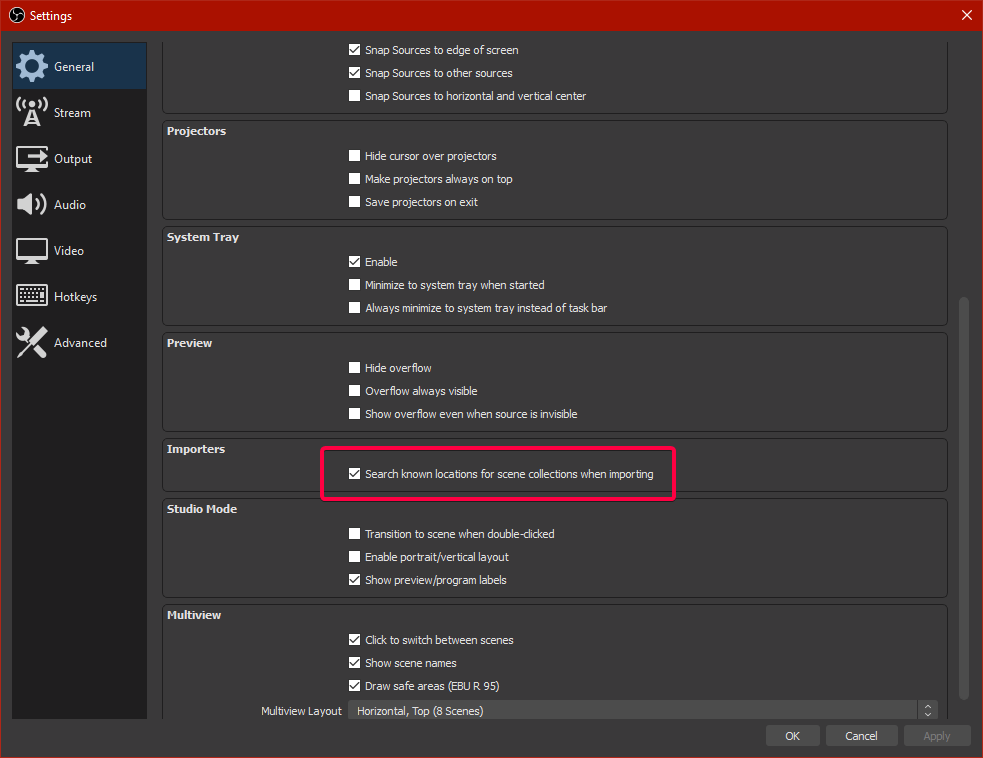
my streamlabs obs overlays/scenes wont import
ionic kelp
@lament blade Try doing this https://twitter.com/tehbasshunter/status/1247188444310274048


 twin sentinel
What are your old names please?
 quick roost
Hi StreamElements, when i try to change the title or the game with the Commands !Setgame/!settitle i get the following error message: @quick roost, something went wrong while trying to update the game.
 agile lantern
Hi, when I go to add my "Video Capture Device" also known as my webcam, the webcam window never shows up. What do I do?
round brambleBOT
@agile lantern For the best OBS support, please join their Official Discord @ discord.gg/obsproject
@quick roost Go to the dashboard -> right side -> part channel -> join channel (https://streamelements.com/dashboard)
lament blade
Hi, can I add more than one keyword in the regex of a command? I'm too dumb to find the answer on google 
final monolith
Hello! Is there an option for latest tipper in chat box ?
abstract hemlock
@lament blade elaborate a little bit more... what you want to do exactly?
@final monolith chatbox? like reply in chat?
lament blade
I have a command, the bot should post a certain emote when someone write "gg" or "good job" or "well played". i don't know how which separator is needed.
ionic kelp
Put those as aliases.
final monolith
@final monolith chatbox? like reply in chat?
@abstract hemlock yeah like have the bot say in the chat "Shoutout to [username] for donating!
ionic kelp
actually keywords.
https://streamelements.com/dashboard/bot-modules @final monolith Chat alerts.
lament blade
oh, true. I'm dumb.
thanks!!
the thing is why I used RegEx it's because it doesn't work with emotes.
ionic kelp
It should. Emotes simply translate out to their text spelling so it should work with keywords.
lament blade
ok, maybe I did something wrong.
ionic kelp
Unlike when we type them in chat we usually use :emotename: for it to autocomplete. But regardless of us doing that it still ends up being emotename.
 karmic depot
i buy animation for my alert box it's works good but when i want to put a name with the animation i can't put the both togerther
i hope u understand.
If i can share u my screen i can show u what I m speaking about
 quartz girder
how do I make a panel for donating
jade remnant
paint/photoshop/google
quartz girder
?
round brambleBOT
@thick patio Please follow our community rules:
- No advertisement or stream promotion
- Respect ALL server members
- No NSFW/NSFL
Thank you
twin sentinel
Add it to your twitch page on your own twitch page.
 royal quarry
User graphics on cheer boards are not showing up and appear to be broken, any fix in sight?
quartz girder
i know but how do i do that
 tepid remnant
Hi StreamElements! The setting does not work "Max free requests per user" Regardless of the number of users, the restrictions do not work. Thanks.
quartz girder
that did not help me sorry
twin sentinel
@quartz girder It is explained how to add panels in the link.
ionic kelp
@tepid remnant What does the exception option at the bottom of settings say?
quartz girder
its not telling me how tho
twin sentinel
Yes it is. In the first section. Please follow these steps.
tepid remnant
@ionic kelp You mean "Exempt user level"?
ionic kelp
yes
tepid remnant
Moderator
jade remnant
literally the first sentence
ionic kelp
And does that match those that are requesting more than you want or is it everyone?
tepid remnant
@ionic kelp I need this restriction to work for all viewers
ionic kelp
I understand that. Is the issue that everyone can request as many as they want or certain people?
In this case which could be mods.
tepid remnant
Yes, I need 5 requests to be available for free requests.
round brambleBOT
Follow these steps to grant managers/moderators access to your dashboard:
- Click on your Channel Name at the top of the dashboard and select Settings
- Create a new invite at one of three access levels (Bot Supervisor, Editor, Full Control)
- Send this invite to a mod/manager to give them access to your dashboard. The link is one-time-use and expires after 72 hours if not accepted
Video tutorial: https://youtu.be/zl_h-ttZDF0
ionic kelp
Set it as bot supervisor.
 shadow flax
ok I got my chat to work, changed my Twitch name and now my custom commands are not working in stream like shoutouts discord info and such
ionic kelp
Not working how?
round brambleBOT
@shadow flax If you changed your name on Twitch please follow these steps:
🔹 Visit https://streamelements.com/logout and then log in again with by connecting with Twitch.
🔹 On the right side of the dashboard page that opens, select "Join" under bot settings. If it says "Part" select that and then select "Join" to send the bot to the chat. Don't forget to mod the bot by typing /mod streamelements in your channel if you have not already.
🔹 Post your old and your new name here so that we can update your channel's chatstats tracking (must be done by staff).
shadow flax
Onwego317 on name deviantjesters new name
twin sentinel
Do not post it as a link. Please post it as plain text.
shadow flax
oh sorry, it is working now thoguh thank you so much
twin sentinel
Your stats have been fixed.
tepid remnant
@ionic kelp Thank you!🙂
 zealous kelp
Does anyone know why I cannot view my streamers Tiltify alert box settings? I am a Full Control moderator for their channel and when I look at it it says that Tiltify still needs to be integrated.
royal quarry
Hey Benno, the user avatars are not showing up in OBS live as well, I haven't altered any files, these are two different programs showing the same issue.
Is there a server issue? @twin sentinel
twin sentinel
Asking internally on this.
ionic kelp
@zealous kelp Who is the streamer?
tepid remnant
@ionic kelp And who needs to send the link?
ionic kelp
DM me.
round brambleBOT
@royal quarry Streamelements on top of OBS -> Logout -> login
 waxen robin
how do you allow people to post clips from your twitch stream in chat?
abstract hemlock
@zealous kelp integration with tiltify needs to be done by the streamer, on the dashboard you will see your integrations, even when you are roleplaying as the streamer (with full access)
twin sentinel
 remote trout
ty
zealous kelp
@abstract hemlock They have fully integrated Tiltify and they have been streaming for charity all month but I cannot see their alertbox settings. They can, just fine. I cannot.
abstract hemlock
@zealous kelp only the streamer will be able to set the settings on any tiltify related
waxen robin
I have links blocked but would like to white list clips from the stream is this possible?
zealous kelp
Understood @abstract hemlock 🙂
tepid remnant
@ionic kelp Personal message?
ionic kelp
Yes
abstract hemlock
@waxen robin If you have enabled the link protection here: https://streamelements.com/dashboard/bot-spam-filters you can whitelist some urls.
StreamElements
The Ultimate All in One Platform for Streamers
zealous kelp
https://www.twitch.tv/*YOURUSERNAME*/clip ^^ In conjunction with that. Whitelist that URL and itll keep it limited to your clips only.
waxen robin
perfect thank you
zealous kelp
Make sure to change it to your username. 🙂
waxen robin
awesome this is what was looking for, thanks for the swift response
zealous kelp
🙂
remote trout
@twin sentinel But I'm wondering, what are those for then? On the stream it says I have this amount but on streamelements it says I have ~500
 main compass
Trying to setup some panels and my tip panel is not showing up on the SE setup page.
zealous kelp
@main compass Your SE panel is going to be in twitch extensions through your dashboard. Link your accounts from there.
twin sentinel
@remote trout These are twitch points.
main compass
ahhh, sorry for that mix up. I am setting up through a Chromebook so things are a bit backwards.
ionic kelp
@tepid remnant Received. Do you want dono reqeusts as well or just free/chat based ones?
zealous kelp
@main compass 🙂 No worries.
remote trout
Right, well thanks ^^
royal quarry
I got the OBS profile avatars showing accurately with a refresh, StreamElements leader board is still not showing accurately
twin sentinel
Try to remove and readd it.
royal quarry
I'd rather not or may misplace all my channel panels and it takes a long time to set them back up, do u figure it will resync shortly?
I assume it will still collect data for bits and such while the graphics aren't showing?
twin sentinel
Not sure.
zealous kelp
@royal quarry If it makes you feel any better I think everyone should know that your panels dont look the same to anyone using a different resolution. I set all of mine up in 1080p and then upgraded my monitor and it changed them all around.
main compass
The only extension I am seeing is the Leaderboards one. Is that the correct extension?
tepid remnant
@ionic kelp For free reuests
twin sentinel
Correct @main compass
ionic kelp
That's why. You've got both free and paid chosen with unlimited paid slots available.
royal quarry
Will the leaderboard still record the data accurately without displaying the avatars?
zealous kelp
@main compass Just to be sure, what tip panel are you referring to? I feel as if I may have been hasty and given incorrect advice. A link to your tipping page will be in SE settings for people to tip you. The leaderboard is just that.
 main compass
ok, I think I was a bit vague in my request as well.
royal quarry
Could I create an additional channel panel and duplicate the SE board and then just move it around?
main compass
I think I found a solution but I might be asking for more guidance in a bit, lolz.
zealous kelp
@main compass Clicking in this order will get you to your tip page link for people to tip you. 🙂
tepid remnant
@ionic kelp "Max paid request per user"-unlimited. It works for me
 tame owl
hello! so a while ago i posted here saying that my chat stats werent working, I was asked if i had changed my username, which I did, but since I didnt remember what the old one used to be, i was told that a new profile thing was created for me. However it has been two streams and it still doesnt work. Any clue why?
ionic kelp
@tepid remnant Here's how it works.
Every user in chat can request 5 songs totaling up to 40 songs in queue.
Anyone that donates can do more than 5 but still count to the 40 limit.
Mods and you are exempt from the limits.
main compass
ok, got that sorted. Thanks for the assistance
 full fable
Hello - I actually sent a donation to someone but did not get sent a receipt - where can I find it?
ionic kelp
@full fable What option did you choose?
main compass
Ok, Finally got everything figured out as far as I can see. Thanks for all the help. 11/10 would highly recommend.
full fable
@ionic kelp I used credit card
tepid remnant
@ionic kelp I understood. So you need to put 0
ionic kelp
No
That means unlimited.
You need to switch to the free option at the top if you don't want users to do it via donations.
ionic kelp
@full fable That was for someone else. I'm seeking clarification for you.
full fable
oh gotcha. thank you 🙂
round brambleBOT
@full fable Please contact us via email for support with SE.Pay. You can use our contact form here: https://streamelements.com/contact Thank you
ionic kelp
They'd be able to answer that for you.
tepid remnant
@ionic kelp I need the number of paid requests to be unlimited, and free requests to be 5
@ionic kelp per user
 odd osprey
how do i log out of obs studio
round brambleBOT
@odd osprey Streamelements on top of OBS -> Logout -> login
full fable
thank you @ionic kelp 
 frigid saffron
because it puts me that I have 0 of watchtime
round brambleBOT
@frigid saffron 10 minutes of watchtime are given to those in chat when the loyalty points are handed out (every 10 minutes). Therefore, loyalty must be enabled for watchtime to work properly.
There is no direct link between watchtime and all-time points.
It can’t be calculated from the amount of all-time points a user has because subs may earn points at a faster rate and !bonus all command increases all-time points for users in chat at that time.
Giving points to a single user does NOT affect all-time, only when giving to all in chat.
 meager narwhal
I was wondering if anyone would know how to fix my SE-OBS. I just switched from mixer, changed my streaming out put and all that but when i click Start Streaming, it still brings up the "stream to mixer" window? thanks in advance
round brambleBOT
@meager narwhal Streamelements on top of OBS -> Logout -> login
 plain ocean
I need help with my donations, the money does not go into my account. I test try it, it leaves my bank account but it is not in my stream elements or in my history of donations. please help.
twin sentinel
Via Paypal?
ionic kelp
In chat
 hot seal
Hi, where is the donation link for me to paste into Twitch?
wary halo
StreamElements
The Ultimate All in One Platform for Streamers
 eternal wadi
Can anyone Make a file for nvidia streaming that is an alert box
hot seal
Nvm found it.
 indigo bone
anyway for my channel chat box not to clear when i switch scenes ?
plain ocean
yes its all connected with my bank information, but the money doesnt go into it. or into my twitch account.
round brambleBOT
Please contact us via email for support with SE.Pay. You can use our contact form here: https://streamelements.com/contact Thank you
indigo bone
i feel like its a check box or something i missed
plain ocean
i dont know where the money is going but its not in my account. but it leaves my bank account as a test.
round brambleBOT
@plain ocean Please logout of StreamElements at https://streamelements.com/logout and then login again to your account (Twitch/Youtube/Facebook/Mixer)
eternal wadi
Hi, can anyone make an alert box file that i can use for nvidia streaming?
indigo bone
@eternal wadi prob check #art-marketplace
eternal wadi
ok
jade remnant
nvidia stream supports browser sources?
 proper leaf
not sure where to ask a question about the web editor would this be ok or is there somewhere else
ionic kelp
@proper leaf Depends on what platform you use with us.
proper leaf
twitch i am working as an editor for a friend right now and i am having issues with the alert box
ionic kelp
What's the issue?
proper leaf
he has custom video alerts that i need the text on top of but when i pick that the text disappears all together but if i pick for the text to be beside the image it shows back up
ionic kelp
Modify the text margins.
proper leaf
kk i will try it out
so it looks like there is just no text when i modify the margins and ask for it to be on top. here is with it on the side of it
here is on top
even when i test with the alert that is prebuilt in to the alert box the text just disappears when you go over top of the image
 shell bobcat
Is there a way to automate a session reset every so often? Trying to have a somewhat current subcount rather than have it update 15 minutes after stream end?
abstract hemlock
@proper leaf select the first layout, and then play with the margins
proper leaf
ya i am dumb figured it out thanks
lament blade
does anyone know why i carnt add any more commands
i only have 21 commands that carnt be the limit right ??
abstract hemlock
@lament blade maybe 2nd page?
lament blade
no i just carnt add any the add new command button is greyed out
abstract hemlock
@lament blade could you share a screnshot?
abstract hemlock

 shadow bison
😦
 river imp
i accidentally deleted the ui for stream information (ie changing title and catagory and such) and I can't seem to find it anwhere to add it back into obs. anyone know where its located?
 thin wyvern
MY STREAM CHAT ISNT SHOWING?
abstract hemlock
@river imp view > docks
thin wyvern
wait what do i do lol im live rn?
round brambleBOT
@thin wyvern Streamelements on top of OBS -> Logout -> login
river imp
its not in docks docks just has scenes sources mixer transitions and controls but no stream information
thin wyvern
so i have to log out and then back in?
river imp
ok thank you guess my account disconnected form obs
round brambleBOT
@thin wyvern Streamelements on top of OBS -> Logout -> login
river imp
really appreciate it
 potent galleon
hey dudes! Im new to the streamelements bot and i've practically set it up but i have one issue... i cant get the custom bot name thing... can someone help?
round brambleBOT
@potent galleon Currently renaming the bot fully works with OBS.Live.
You can follow this video guide to set it up: https://discordapp.com/channels/141203863863558144/494513233416421386/561516184718278676
If you don't want to use OBS.Live and want to stick with Ground Control, please let us know your Twitch username.
 tulip frost
hello guys,, how does it comes thats old followers can unfollow and pressing back on follow so i will get a an alert ( and also on my follow goal its counts upwards )
abstract hemlock
@tulip frost all the "goals" are counters always go up you will need to check the goal tab here: https://streamelements.com/dashboard/session
tulip frost
yh ok but why i get alerts from old followers ?
shadow bison
how do you do things for giveaways
dm me plz
tulip frost
that a new guys follow my channel i have no problem with it,, but on a old one that just trolling me by pressing unfollow and back follow i don't want a alert from that ?
oo i think i got it
settings automatic sessions after stream restarts after 15min lol
shadow bison
someone plz
round brambleBOT
@cosmic river Please follow our community rules:
- No advertisement or stream promotion
- Respect ALL server members
- No NSFW/NSFL
Thank you
abstract hemlock
@shadow bison https://streamelements.com/dashboard/giveaways create a giveaway, make sure to enable the !enter command
StreamElements
The Ultimate All in One Platform for Streamers
shadow bison
ok tuy
 quaint dragon
i need help with the media request
round brambleBOT
@quaint dragon Welcome to the helpdesk! Please let us know how we can assist you today and a support volunteer or staff member will assist you as soon as they are available. Thank you for your patience.
 quick oak
Hello, I created an overlay for notifications today, tested it and all good. But while on stream, no notifications are showing up
 tame basin
Hello, I made some custom chat commands and later edited them, but, the original custom chat commands are still showing in my live stream and I don't know how to get rid of them. Also the new "edited" versions are not showing up.
abstract hemlock
@quick oak Do you see the events on your activity feeD?
@tame basin look for them here: https://streamelements.com/dashboard/bot-commands/custom-commands
StreamElements
The Ultimate All in One Platform for Streamers
probably you have more than 1
tame basin
that link goes to the 'new and improved' edited commands that are not showing up on stream (only the old ones do)
Would it have anything to do with another person moderating my channel?
abstract hemlock
what is your twitch username?
tame basin
surferdudecooks
abstract hemlock
give me a sec
quick oak
@abstract hemlock I do see them
abstract hemlock
@quick oak Do you see the alerts on your web editor?
quick oak
The overlay with the alerts? I do see it
And notifications on the activity feed as well
abstract hemlock
Do you see them playin'?
 oak token
Hey I’m having a problem with points and leader board I put all the bots so they don’t get any points and they still get points on the top of the leaderboard
abstract hemlock
@quick oak
did you add it to your OBS?
@oak token https://streamelements.com/dashboard/loyalty did you add the bot here?
 humble mesa
heyya soooo i am on chrome dev and this keeps coming up.. the only site to do this and im confused? also not to sure where to send this soooo
abstract hemlock
@humble mesa Check your firewall/antivirus and even yours internet connection, also try incognito mode, maybe some extension is causing troubles
humble mesa
will try thank you
oak token
Yea @abstract hemlock
tame basin
@abstract hemlock should I wait for you to respond still? Is there some reset or clearing button for the chat bot and I can just re-enter the commands later?
abstract hemlock
@tame basin  did i DM some random user instead of you?
@oak token could you share a screenshot of what you are looking ?
lament blade
Does anyone here stream?
tame basin
@abstract hemlock cool got it, thanks!
abstract hemlock
@oak token could you share a screenshot of your issue with the leaderboard?
cause i don't see any (i just follow you just to get those points)
oak token
@abstract hemlock I cleared my leaderboard already but the bots still get points even when I ignored them
abstract hemlock
ok so if we wait for 10 minutes the bot will earn points on your channel?
oak token
@abstract hemlock when I stream yes I will be streaming soon so I’ll show u in a little but they shouldn’t because I ignored them so they shouldn’t earn points
abstract hemlock
exactly
 uneven lodge
Hi! Anyone knows how to set up a !accountage command? All google has are examples or commands active but not the "code" needed for the command to actually retrieve the information...
quick oak
@abstract hemlock I used the url and used a browser scene
round brambleBOT
@quick oak To add your overlays to OBS, add a new browser source in your scene. Paste your overlay URL in the browser source properties, set the dimensions to 1920x1080 (unless you changed them on the website), and ☑ “Shutdown source when not visible” https://youtu.be/KDvLynUqXI4
abstract hemlock
@uneven lodge you can enable the !accountage command on the default-command page
 wispy kettle
I'm setting up a custom alert with a webm video I made in After Effects. It seems like the video keeps getting paused in the OBS browser source despite showing correctly in the browser preview editor. Is there something I can do to prevent the video from getting cut off? I noticed that if the alert text is gone—that's when the video gets paused. Maybe it's correlation—but that's what seems to cause the issue. I'm making a follow alert for Twitch…
uneven lodge
Im a mod, thats why Im asking for the code...
oak token
@abstract hemlock exactly what?
abstract hemlock
@uneven lodge Visit https://streamelements.com/logout and then log in again
 drifting crater
I all. I came here a few days ago asking about Ground Control no longer allowing me to use a custom bot name. Someone said they'd ping me when it was fixed but I never heard back. Can anyone who's here help!? Thanks in advance!
oak token
@abstract hemlock but then bots are still earring points?
drifting crater
@abstract hemlock BONEHEADSHOT
abstract hemlock
@drifting crater its enable, you just need to restart GC and setup the custom bot name
@oak token ??
drifting crater
Oh okay thanks @abstract hemlock I'll give it a try!
lament blade
how do you guys disable chatbot
uneven lodge
So, anyone knows the code for the accountage? whats the "customapi" thing it shows it most examples?
wispy kettle
I noticed that the console shows "Video has no audio, not waiting for it to be over." 😬
oak token
@abstract hemlock I ignored the bots so they wouldn’t get points but they still are?
round brambleBOT
@lament blade Go to the dashboard -> right side -> part channel -> join channel (https://streamelements.com/dashboard)
abstract hemlock
@uneven lodge if you don't want to enable the default one you can use this ${customapi.https://decapi.me/twitch/accountage/${touser}}
lament blade
thanks bot
uneven lodge
That worked! TYVM @abstract hemlock
 spring viper
im having trouble with the twitter module. its not posting all tweets. only maybe 1 out of 10
 spark crag
Hello
 hard topaz
Hello, is there any way to restrict a certain group or individual from songrequesting?
abstract hemlock
@hard topaz from obs.live you can ban users
 lofty river
Hello - im having trouble with chatstats and the streamelements leaderboards extension
abstract hemlock
@lofty river Did you change your twitch username?
lofty river
yes i did
round brambleBOT
@lofty river Please logout of StreamElements at https://streamelements.com/logout and then login again to your account (Twitch/Youtube/Facebook/Mixer)
@lofty river Go to the dashboard -> right side -> part channel -> join channel (https://streamelements.com/dashboard)
abstract hemlock
remove the extension and add it again
and post here your old username and the new one
lofty river
it was shadowxcel - now it's shadowcel
abstract hemlock
any older username?
lofty river
at this moment no
abstract hemlock
since i can't find chats stats for shadowxcel i will need to create a new one for shadowcel
thin wyvern
im getting some lag in my stream when i make sharp movements in game how do i fix this?
abstract hemlock
Done.. and btw i was able to restore your stats 
thin wyvern
?
lofty river
thank you so much
thin wyvern
im getting some lag in my stream when i make sharp movements in game how do i fix this?
abstract hemlock
@thin wyvern sounds to me like that could be your GPU stressing out
 solemn reef


 abstract hemlock
@solemn reef Tratamos de mantener estos canales en ingles, dicho esto para nightbot deberias consultar nightbot support team. Y para consultas en español relacionadas a StreamElements > #🇪🇸︱español
 lunar spoke

 bitter dune
hello my chatstats gave me the 404 error . my question is I've changed my name a few times and not sure if i remember all of my names
 dusk abyss
Hi, after changing the name, the channel stopped writing the bot in the chat, the commands work, and the bot itself doesn’t write anything, for example, you can put music as the bot will not notify about it as before
bitter dune
can you fix it ?
dusk abyss
I tried, but it fails
 tribal yacht
hello, im helping a friend set up the stream elements bot in his twitch channel, i cant quite figure out how to put music in the stream's background, wondering if you could help me with this :)
charred quartz
@round bramble
hello, im helping a friend set up the stream elements bot in his twitch channel, i cant quite figure out how to put music in the stream's background, wondering if you could help me with this :)
@tribal yacht its easy just use media source
it can add mp4 (other video formats as it can also be mp3 (other audio formats)
charred quartz
your chatbox
resolution is wrong
open this source preferences
and change 800 600
to 1920
1080
or whatever resolution you are using @plush jungle
 plush jungle
Thank you, lemme see
tribal yacht
i tried using the media but it doesnt work, idk if i have a problem or its a problem because my friend is streaming from his ps4 instead of a pc
charred quartz
its streaming from a PS4 or streaming a ps4 screen lul, the ps4 source has nothing to do with other sources in OBSLive
ok so he added the media source
but he is not hearing it right?
he can hear it in live? i mean in twitch.tv/channel
tribal yacht
the music isnt playing in the stream
charred quartz
ok try that then:
tribal yacht
try what?
tribal yacht
he cant access that because he is streming from the pc
he doesnt have a pc (the one he has is useless)
charred quartz
wait what, from where he is streaming?
tribal yacht
from his ps4
charred quartz
ok but the ps4 is only the game screen source right?
he is transmitting the ps4 image to a PC and using a OBS ?
tribal yacht
no
charred quartz
from ps4 direcly to twitch?
tribal yacht
yes
charred quartz
then u are in the wrong server to ask that :/
tribal yacht
hows that?
charred quartz
that server are streamElements supporting
nothin to do with ps4 direcly streaming or stuff
charred quartz
if he is streaming direcly from PS4 how u are adding the streamelements overlay?
tribal yacht
i didnt add any overlay
charred quartz
streamelements is a overlay editor, to setup chatbot stuff also music
u have to either be using OBSLive or a livestream software that support web-source and stuff
tribal yacht
but im setting up the bot to respond to some commands without having an overlay...
charred quartz
the bot has nothing to do with the stream itself
the bot managers the chat
it don't interact with the stream
the "screen"
tribal yacht
aaaaaaaaaaaaaaaaaaaaaaa
okkey
so if he wants to interact with the stream he has to download the overlay?
charred quartz
u are just using streamelements as a normal bot would do, but streamelements is much bigger then that
if u want to personalize the screen from the streaming you need to output ps4 screen to a PC and use obslive
in obslive u can setup music stuff and use streamelements overlay
tribal yacht
okeyokey i didnt knew that, mb sorry for the trouble and ty for the time
charred quartz
np, just finishing my point
he has to buy some kind of a capture card
that will passthrough the ps4 HDMI
then the PC can catch the image and he still can use his TV to play
tribal yacht
yes yes
charred quartz
thats all
tribal yacht
i know how that part works
charred quartz
glad 🙂
tribal yacht
hes buying a pc in a few weeks so we'll have to do without music till then
again, thanks for the help
charred quartz
if he has a mic just put the speaker in it with the music XD
kidding, but it would work
not high fidelity of course hah
charred quartz
1 min
plush jungle
Sure
charred quartz
ok it worked, now if u want to chage its size u should change in overlay editor
in streamelements
plush jungle
Okay, will do
 peak storm
Hi guys, I know this isn't SE related, but figured I would take a shot... Does anyone know how to see which Moderator banned a certain keyword in chat if I didn't have Mod View open to see it when it occurred? Thanks.
plush jungle
Sorry man, I don't
charred quartz
lul
 supple stump
not sure if this is the right channel to ask but I'm having trouble importing commands to the chatbot. anyone can help?
charred quartz
what issues ? @supple stump
supple stump
the import commands from ankhbot keeps failing and i dont know why
points and quotes worked tho
charred quartz
tought u was talking about streamelements bot, i cant help you with ankh, just wait for <@&382267076632379392> staff