#helpdesk-twitch
1 messages · Page 590 of 1
 sly linden
 ionic kelp
🤔 It's muted though.
sly linden
i now
because i had to hear myself
i mean you could come in the strream and listen to youreself , dont know what to do
sly linden
the gam eis too quiet then
 runic rapids
@abstract hemlock how do you add widfgets if its a pebuilt overlay ?
 calm lily
Make sure the in game volume is up, but the mixer is down
 gentle imp
did you also increase volume on windows?
sly linden
🤔
Make sure the in game volume is up, but the mixer is down
@calm lily
yes but if i make it any louder i blasdt my ears off
casn i make an audio channel just for the game?
gentle imp
I turn down games sound to about 15-20%
calm lily
sorry, it's a little hard to help as i'm at work, and can't look at it myself.
it's all kind of trial and error. are you using any sort of game capture device?
or using any sort of mixer?
 jade remnant
add a gain and noise suppressor filter
calm lily
does the noise suppressor suppress the outside noise (like people moving around, tv, stuff like that)? i feel really dumb asking this lmfao
jade remnant
yes, you would need that if youre going to be pushing the gain up beyond normal settings
gentle imp
it helps but needs setup, trial and error
I can't stress this enough, don't forget to check volume of mic in windows too, you still didn't said you did
sly linden
yes, you would need that if youre going to be pushing the gain up beyond normal settings
@jade remnant could i dm you?
jade remnant
also on any mixer/interfaces you have
sly linden
ore do you have a couple of sec to put it together with me?
jade remnant
im at work, so will be afk from time to time, best to ask here
sly linden
*or
 small drum
I have an overlay for the store in chat, it will work the first time it is used, but after that it doesn't work anymore? what do I do?
gentle imp
if you mean it stays on screen it's a known bug, refresh cache of overlay
 pastel knot
So we think the problem is more that once a single product is activated, the overlay kind of like expires or disables itself. If i activate one thing, none of the others will work after that. It comes off the screen just fine but its a case of it being single activation or something.
 late sable
when i use mediarequest i cant turn the video off even i i click the button it still keeps playing is this a known bug or just me?
 loud tinsel
Can you add a second twitch channel to streamelements dashboard so you can share overlays with your two separate twitch accounts?
late sable
no its not about overlays https://gyazo.com/f92c62b6e730d8801c570a925547d024

the red button right top corner
doesn;t work for me
it should turn of the video but now it doesn;t but when its on my game drops fps quite a lot
 dry hare
@loud tinsel yes. Simply go into your first dashboard, click on your account picture and then click settings. Scroll down on the page a little and you can add other accounts from there.
late sable
okay ill try it thanks
 lament blade
does anyone know how to refund money
 grave stone
is there a staff member to talk to
 tight harness
@lament blade How was the money sent? And are you the streamer who received the money?
@grave stone What is your question?
grave stone
i was asking if my webhooks were reset or how long does it take to do so?
tight harness
I've resubscribed your webhooks for you just now
grave stone
thank you so mych sir
tight harness
Which is it that you're trying to do? I'm in the stream watching
grave stone
yeah my sound alerts are not working san someone told me to do this @tight harness
calm lily
what kind of sound alerts? ones from commands, or like followers, subscribers, those kind? @grave stone
 novel oyster
@ionic kelp did you figure it out..? 😊 just wondering
 lost ridge
hi folks, i'm quite new to StreamElements, just wanting to know how i can use a super theme's alert box in another set of overlays?
 raw moss
I have been unable to use my custom bot name via ground control for a while, is this an ongoing issue??
 abstract hemlock
@lost ridge you just duplicate the Alertbox to the overlay that you like 🙂
dry hare
@lost ridge you can simply select the alert box in the layers and click the duplicate button
 round brambleBOT
@raw moss Due to a recent change from Twitch API, these features are affected by the change:
- Ground Control does not have Custom Bot Name
- Subscriber count will count the Channel and any other permanent sub you may have (+1 or +2 or +3 on top).
We are working on fixing both issues, but there is no ETA.
OBS.Live still has Custom Bot name working fine in it.
grave stone
@calm lily sound alerts for bits
lost ridge
ah thank you @abstract hemlock @dry hare
calm lily
do you have a sound file uploaded for the alert @grave stone ?
grave stone
yes
calm lily
Make sure the volume is turned up for the alert
grave stone
it is maam
lament blade
@tight harness im the streamer and he used debit card
 minor heart
Hello, I just changed my email. I changed my email on my twitch profile as well. Will my emails I have been getting about channel statistics start coming to my new email automatically or do I have to manually change it ?
 neon frost
So, I've just taken my time to start working with the overlay editor. Is there a preset to not display bot messages in the "Your stream's chat" widget? Looking to see if/where I could make the bot messages show. 
 wary halo
@minor heart if you log out of the website and log in again it will be changed automatically
minor heart
thanks
 molten ore
hello is there someone i can talk to privately? i've had a frustrating issue for awhile now, and coming here i feel as if my conversation gets lost in between other helps. I really just want to know if i can get certain widgets to work. i've tried multiple widgets some work perfectly others dont. and the ones i want to use are usually the ones that dont. Please help. :[
 raven harness
I'm going to be giving away merch on my next stream. Is there a command I can set up that can keep a list of the people who want to enter?
dry hare
@raven harness like running a giveaway?
abstract hemlock
@molten ore give us another try... tell us what are the issues
raven harness
Yeah, but not the built-in giveaway feature that SE has @dry hare
dry hare
Can I ask what the built-in giveaway feature is lacking?
molten ore
I really would like to use the recent subscriber and recent follower widget but it will not show up as working in obs. It works perfect in the editor but it will not show up on obs. My other alerts work fine and when i try other widgets it works except for those two widgets.
@abstract hemlock
abstract hemlock
@molten ore what is it that you see on the OBS, where the widget should be?
dry hare
Are you adding the widgets to the same overlay or a new overlay?
molten ore
i just see the overline of the overlay but not the actual text @abstract hemlock
raven harness
it's not necessarily lacking anything, im just not requiring that people use the points because I don't have them enabled
@dry hare
dry hare
You can set entry costs at 0 I believe
calm lily
check the size of the alert box in obs
abstract hemlock
@raven harness if you just want to have the list .. how make are we talking about?
molten ore
they match @calm lily
abstract hemlock
@molten ore make sure its at 1920*1080
molten ore
it is @abstract hemlock
round brambleBOT
@molten ore OBS -> settings -> advanced -> scroll down -> enable/disable hardware accel.
https://i.imgur.com/ggMe9ZE.png
 abstract hemlock
and what if you put that widgets on other overlay (some overlay that have widgets that are working properly
molten ore
It still will not show up @abstract hemlock I've tried that as well..
abstract hemlock
mind share a SS of your OBS?
molten ore
dry hare
Have you tried adding the labels to your alert box overlay?
molten ore
yes @dry hare
 thin summit
I'm not 100% sure where to ask but is there a command or somthing on SE where you can type !hosting and get the list of who's hosting you? It would be super beneficial to me and my friends I just dont know how it's done.
dry hare
@molten ore inside your obs settings >> Advanced can you tell me if browser hardware acceleration is enabled or disabled?
molten ore
@dry hare enabled
dry hare
Can you disable it and then refresh your overlays?
neon frost
Psst. Remember to save mid-working. My lil brain forget that sometimes. 
molten ore
i just enabled it a few minutes ago cause of the bot. but i just disabled it and refreshed and nothing happens. @dry hare
calm lily
Can you show screenshots of how your browser source is set up?
dry hare
@molten ore Can I DM you really quick?
molten ore
of course
dry hare
@molten ore can you screenshot your browser source properties window so we can take a look at it like LadyPhasma mentioned?
 wanton mango
molten ore
dry hare
wanton mango
molten ore
dry hare
set the resolution to 1920 x 1080 for every overlay you add
that should fix it
overlay resolutions should always be 1920 x 1080 so that the elements are displayed as they are seen in the overlay editor.
molten ore
I'm sorry i thought, thats what i had it at. I'll look again
dry hare
that should take care of it for you
wary halo
from the complete overlay, not the widget in it 😉
molten ore
thank you for all of your time :[ ❤️ i'm dumb.
calm lily
Did it work? ☺️
 robust gyro
Hey my dudes, I have my just chatting window open, can I add a background colour block to individual messages?
dry hare
You mean to remove the unwanted troll messages in the chat widget?
robust gyro
No, just as a separator
dry hare
Oh like a light blue/dark blue for each message?
So it shows a separation of messages someway?
robust gyro
Yeah
dry hare
Have you looked at this: https://discordapp.com/channels/141203863863558144/457957557470887947/669876461595000837
robust gyro
I'll take a look at that in a sec 😄
dry hare
@hearty ermine can you post a screenshot of your twitch panels so I can better understand what you’re looking at?
wary halo
you can get some free panels from NoD or VBI for example, or hire an artist to make custom ones for you
lament blade
^
wary halo
or make them yourself ofcourse
 hearty ermine
oh sweet
lament blade
or you mean the Twitter Extension?
hearty ermine
no the tips tab there, but i thought i got it from stream elements.. maybe not haah
but that makes sense
wary halo
yes you got the tip panel from streamelements, but you can let all of your panels have custom pictures
dry hare
Organizing them is still a pain
hearty ermine
exactly what i meant lol
dry hare
Because of how their editor is laid out
wary halo
yeah that is still weird af
dry hare
Mine is a cluster of panels with random blank panels to fill
robust gyro
Thanks 😄 That's perfect
round brambleBOT
@leaden moth Please follow our community rules:
- No advertisement or stream promotion
- Respect ALL server members
- No NSFW/NSFL
Thank you
 bright plaza
I accedentally removed the thing where I can see my chat. How do I get it back?
 celest musk
I recently changed my twitch name and now the stream elements bot isn't available on my stream. How do I reconnect the bot to my channel? I don't see the option anymore.
abstract hemlock
@celest musk You have to part the bot and join again
on the dashboard (right section) bot Settings
 leaden moth
Can I setup streamelements on my phone?
abstract hemlock
@leaden moth you could use the StreamElements APP for IRL streams
and maybe you could use #helpdesk-mobile if you have any further question related
bright plaza
This is what I can see. No chat please help
jade remnant
studio mode,
if you are missing options in the view menu, then go to settings > stream
disconnect and reconnect your account
leaden moth
What’s the app called
bright plaza
I know what studio mode is, but I don't understand what feature this is
wary halo
it let's you pre-load the next scene
so it transistions smoother
@leaden moth it's called StreamElements
only for Android though
leaden moth
Is there anything for apple?
wary halo
nope
round brambleBOT
@leaden moth Check out the StreamElements ideas board: https://strms.net/ideas. You'll be able to add ideas, upvote ideas you agree with, and track their progress with email notifications. Adding and upvoting ideas also helps the staff know which ideas should be prioritized so please take some time to upvote.
 sleek vortex
any dutch people who can help me?
 cedar charm
can anyone make sense on why i can getting annoucements via streamelemts via mixer on an independant login and browser source but cant get any visuals and only audio when using my browser source for twitch.
I want to stream to both platforms via restream. Mixer and its annoucements seem to work just fine but When i try to copy the same things to streamelements via the twitch side ofthings i can only see sound
wary halo
@sleek vortex #🇳🇱︱nederlands
cedar charm
and have no visuals
bright plaza
My game is affected a lot by streaming. I've tried to lower the fps and resolution, but doesn't seem to do a lot. Help
robust gyro
@bright plaza first thing that helped me is lowering the output res to 720p
can you go to google and type in Broadband Speed Test and test your internet?
bright plaza
I have 21 ping (ms), 27 up and 100 down
Now I got nice fps in the game but bad fps on the stream. OBS is using about 65% of my cpu...
@robust gyro
 mild wing
whats some of the better commands i should use in my stream or some custom ones i should make? trying to keep the chat notified, maybe a greeting when someone pops in that maybe posts my twitter or facebook
lament blade
@mild wing Social Command/timer 
 woeful arch
Good Evening. I was wondering if you could help me. I set some alerts on the Stremelements to use with StreamlabsOBS. but they dont work, what can i do?
 noble cypress
Hello, I have a problem with !permit command, unfortunately it does not work. After granting access, you can still see *** anyone has an idea how to fix it?
lament blade
@noble cypress you have to disable the block hyperlinks option
noble cypress
thx
lament blade
https://dashboard.twitch.tv/u/CHANNELNAME/settings/moderation > Chat Options > Disable Block Hyperlinks
 noble cypress
yup now work ok
lament blade
is there an error message?
 abstract maple
lament blade
abstract maple
lament blade
have you tried to delete the command in the Dashboard?
abstract maple
idk how to do that
lament blade
have you dashboard access?
abstract maple
i dont think so
 little oak
@abstract maple try !command del !score an see if that works
lament blade
or this^
abstract maple
nah it gives me the same thing
little oak
weird
go here https://streamelements.com/dashboard/bot-commands/custom-commands to delete it manually

StreamElements
The Ultimate All in One Platform for Streamers
abstract maple
no the streamer cant either lol
little oak
even more weird
lament blade
Part Channel maybe?
abstract maple
idk the command is fucked lol
 wanton mango
What error do they get when trying to delete it from the dashboard?
 void sand
I need some help with Stream Elements if a staffer could message me directly please.
round brambleBOT
@void sand If you would like help from the StreamElements support volunteers/staff please post your question in one of the helpdesk channels and someone will assist you as soon as they are available
#helpdesk-twitch | #helpdesk-youtube | #helpdesk-facebook | #helpdesk-mobile | #helpdesk-selive | #651453660810838026 | #helpdesk-merch
Thank you for being patient.
void sand
I created an account with Steam Elements under my YouTube Account. I applied for the MTG Creator Program. Later, when checking on my application, I logged in (accidently) using my twitch account instead of my YouTube.. Once logged in, I realized my application was not submitted to the MTG Creator Program. I was confused and thought it was a glitch in my application so I applied a second time without realizing it. Today I got an email saying I was accepted. When I logged in (w/ Twitch) it said my application was still being processed... Then it dawned on my that I may have logged in with YouTube.. I sign in, sure enough my accepted application and account... That being said, now I am trying to delete me twitch stream elements account so I can link my twitch to my YouTube stream elements account. I found where I can, but it will not allow me to. It is saying 'server error.'
little oak
@void sand i have forward it to a staff, they will contact you soon ASAP 🙂
void sand
@little oak Thank you!
lament blade
Hello my stream on obs doesn't have the activity feed and chat on the side! plz help
little oak
at the top of obs clicc on Streamelements then checc "activity feed"
lament blade
thank you so much
little oak
You're Welcome 
 safe gyro
Yo my audio keep getting out of sync. Any ideas or common fixes?
safe gyro
overall bitrate or audio bitrate
 slender anvil
is there a way for me to ban certain people from song requests?
little oak
video bitrate for your stream @safe gyro
 hallow gust
 little oak
@slender anvil should me able to in the media settings on ythe SE dashboard
lament blade
Hi i was wondering if there was a widget that could play gifs when chat does a certain command or emote here already?
little oak
maybe something like this Mrs, Pebbles https://discordapp.com/channels/141203863863558144/457957557470887947/669876461595000837 ??
lament blade
oh my problem with that is that i only wanted to play gifs and not videos
it says it can only support 2 gifs
little oak
ah ok, gotha
lament blade
i wanted to play like a billion gifs
little oak
i feel ya on that
lament blade
thanks for the suggestion tho ^^
little oak
you could set up gifs in the store items as a stream perk and have their poitns to redeem funny gifs?
maybe?
lament blade
i was just thinking of asking since its so simple, someone mustve probably made it already
dry hare
@hallow gust obs settings >> stream >> disconnect/reconnect
“It is but it isn’t” is the right answer
little oak
@lament blade there is a video on the store items page that shows how to create them and she explain it in full details
lament blade
ohh can I remove the pay barrier?
dry hare
The point cost? Yes
little oak
^
dry hare
Just set the point cost to 0
little oak
you can even add sfx to them too 
lament blade
can i make the gif play in a widget?
dry hare
I know someone who has a widget in the works that will do a lot of things the old Ankhbot was capable of doing....but it’s still in development....
lament blade
i have a preexisting widget that I just wnated to add gifs to
dry hare
stares intently at @wanton mango
little oak
i miss anhkbot 
lament blade
yeah ive heard it turned bad
i thought of using a bot but i kinda wanted to gif to play in the widget already
dry hare
Ankhbot was assimilated by streamlabs and deprecated over time
Someday that functionality will return to cloud-based bots
lament blade
i wonder why they wouldnt update the other bots to be like the old ankhbot tho
seems like lots of people would love to use something like that
why not take advantage of the opportunity?
dry hare
Because Ankhbot used websocket to connect to obs and they didn’t want to continue development on another tool
Long story
But cloud-based bot streamlined user experience and troubleshooting
lament blade
no i mean like, the other bots taking advantage of this
dry hare
Nope. It was two days
 torn nacelle
hey yall. im having an issue with leaderboard, subs portion of it is showing no data. ive tried uninstalling and logging out of the website but it still seems to not be working. any ideas?
 gentle saddle
Does the bot actually allow the possibility to make multiple responses for a command and that it is random which comes?
Like I say !food and it always says something different from the anwsers i have written?
little oak
@gentle saddle You could use ${random.pick} if you have short answers, more info about it on the Variables tab here : https://streamelements.com/dashboard/bot-commands/variables
But if you have long answers you will have to use some workaround or you can checc out https://thefyrewire.com/docs/api/twitch/pastebin/ or maybe one can help you in #dev-chat if you want it to be more advance
StreamElements
The Ultimate All in One Platform for Streamers
 gentle saddle
thx
little oak
You're Welcome
 umbral anchor
I'm having issues with my chat box in OBS not connecting. It happened shortly after adjusting my twitch name. ive tried updating the stream link, reconnecting OBS to my twitch, and checked for updates. What can i do to fix this problem?
round brambleBOT
@umbral anchor Please logout of StreamElements at https://streamelements.com/logout and then login again to your account (Twitch/Youtube/Facebook/Mixer)
little oak
oops wrong one
ignore that
on your obs up top you will see streamelements, logout and log bacc in
little oak

gentle saddle
You're Welcome :igaYay:
Can you actually use another symbol to seperate the different responses than instead of with a comma?
umbral anchor
Looks like it worked, my chat settings are showing up now! Thanks!
ionic kelp
@wanton mango ^^^^^^ rocky's question
little oak
You're Welcome GG Ryot
mild wing
so i have a question about my path to affiliation
ive been streaming each day for 11 days, but my 30 time period is jan20-feb20 today, so im not sure how my 30 day is from jan20, and if it does end today what happens next
little oak
nothing to worry about there as long as you complete the goals you will get your affiliate
mild wing
so the 30 day technically starts on my first day of streaming?
little oak
moreless it counts from the time you start till next month but as lokng as you keep at the goals to achieve the affiliate you will be fine
 forest lagoon
how do you import overlays to obs.live?
mild wing
well it shows it ends today thats why im wondering because my first stream was only 11 days ago, all my goals are complete, im just 36 followers away
little oak
@forest lagoon To add your overlays to OBS, add a new browser source in your scene. Paste your overlay URL in the browser source properties, set the dimensions to 1920x1080 (unless you changed them on the website), and ☑️ “Shutdown source when not visible” https://youtu.be/KDvLynUqXI4

Tutorial #1 - Adding StreamElements Overlays to OBS Studio
🚀 StreamElements 🚀
WEBSITE: https://streamelements.com
T...
@mild wing you're fine its just a statistics thats all stating what you have done. No need to worry if thinking it will reset and you have to do it all over again but it dont, only thing that drops is if you stop streaming then your " stream on different days" starts to go down thats about it
mild wing
awesome, appreciate the help
 plain oracle
how do i start getting stream reports in my email again?, for some reason it stopped, i didnt opt out (till now trying to opt back in)
little oak
A staff will have to opt you bacc in , i think. I will foward it to a staff and let them know you want bacc in , in-case it was messed up 🙂
plain oracle
thank you very much 🙂
 sudden dawn
for the command !quote where do I go to add quotes?
little oak
you add them right in you chat 🙂
plain oracle
everything after the !quote command will be entered as the quote, and it will be assigned to the next number in line
little oak
^
sudden dawn
It just keeps saying "no quote found"
little oak
!quote add <message> and !quote remove <id>
sudden dawn
ok next dumb question. How is the music queue supposed to work?
little oak
media request allows your viewers to request songs via chat
you will have to create and overlay on SE site then add the media widget in the overlay
sudden dawn
Ok that makes sense. thank you so much I will try my hand at that.
little oak
!new
round brambleBOT
New to Stream Elements?
Check out our YouTube channel https://www.youtube.com/c/streamelements/videos
with tutorial videos from setting up the basics, to in depth details on how to use our product.
New to OBS? Here is a 4 step quickstart guide
https://obsproject.com/wiki/OBS-Studio-Quickstart
Want to learn even more? Here is an in-depth overview
https://obsproject.com/wiki/OBS-Studio-Overview
little oak
To add your overlays to OBS, add a new browser source in your scene. Paste your overlay URL in the browser source properties, set the dimensions to 1920x1080 (unless you changed them on the website), and ☑️ “Shutdown source when not visible” https://youtu.be/KDvLynUqXI4
Tutorial #1 - Adding StreamElements Overlays to OBS Studio
🚀 StreamElements 🚀
WEBSITE: https://streamelements.com
T...
@sudden dawn couple vids for ya incase you need some help 🙂
sudden dawn
I have actually got some success with basic overlays so I'm not too worried about getting the overlay to talk to OBS its just making sure I get the overlay working the way I intend I need to practice at
thanks again for all your help. I'm off to conqure my overlay demons ;p
plain oracle
@little oak i thought i was forgetting something in the quote command
little oak
na you were on the right tracc for the quote cmd 🙂
wanton mango
@gentle saddle are you returning multiple lines? You can use &separator=SYMBOL to separate using a different character
 bitter rapids
I don't see a "custom bot name" in Ground Control anymore, was this feature removed? I have my bot's name as mod in the SE dashboard.
round brambleBOT
@bitter rapids Custom bot name requirements
- StreamElements bot modded and in chat
- Active overlay with alerts
- StreamElements tipping page in the panels below the stream (!panels)
- OBS.Live or Ground Control open
- Create a twitch account for the name you want to use or run the bot under your own name
- Custom bot name doesn't work on Mac
little oak
crap wrong one LUL
ignore that
@bitter rapids on your obs.live on your activity feed clicc on the 3 bars >>setting>>rename bot
bitter rapids
I don't have it anymore, just token keybinds and media request switch :/
tried reinstalling
1.7.2
little oak
up top on obs.live you will see streamelements clicc on that and you select activity feed
bitter rapids
ahh it's within OBS now, not ground control? or both needed
good to know, I can reinstall the plugin
little oak
yeah due to the change in API it has affected several on the GC app and now have to rename on obs.live
bitter rapids
ok thanks for the insight
little oak
You're Welcome
 copper spear
Hi everyone
my watchtime command isnt working, idk why
does anyone has a proper config?
or just a command that i can copy paste
little oak
your watchtime is tied into your loyalty settings
 left hare
you need to have loyalty enabled for watchtime to work
little oak
make sure you have the points activated for it to register the !watchtime cmd
StreamElements
The Ultimate All in One Platform for Streamers
little oak
once the !watchtime is active and your loyallty points is enabled the watchtime will be monitored via chat when you are live
it counts every 10 minutes
left hare
watchtime is counted every 10 minutes
little oak
^
copper spear
oh, btw is not my channel, im just a mod helping a friend
round brambleBOT
10 minutes of watchtime are given to those in chat when the loyalty points are handed out (every 10 minutes). Therefore, loyalty must be enabled for watchtime to work properly.
There is no direct link between watchtime and all-time points.
It can’t be calculated from the amount of all-time points a user has because subs may earn points at a faster rate and !bonus all command increases all-time points for users in chat at that time.
Giving points to a single user does NOT affect all-time, only when giving to all in chat.
little oak
@copper spear "streamer" can make you an editor for the SE dashboard if you like to set all that up for him/her
little oak
sweet, You're welcome
 haughty crater
I have all the requirements for custom chat bot. I had a custom chat bot up until sometime recently. It disappeared at some point and now the option is gone for me on ground control and doesn't work from obs live either.
round brambleBOT
@haughty crater Streamelements on top of OBS -> Logout -> login
little oak
try that then on your obs.live going into your activity feed go into your settings then re name the bot
 wooden vault
I recently asked regarding how to add 'bounceinUp' CSS code to my Custom Widet as it only seemed to have Slide-in coded and working. I was asked to Google it which I did and have been trying to add it to the code, but I haven't got a clue which parts to add, or where to add it.
Anyone able to help me through it?
little oak
you have to talk to a code guru about that
you can find them here in the #dev-chat section @wooden vault
wooden vault
Thank you 🙂 I'll give it a try there
little oak
Welcome, sorry about the late reply to direct you to the channel section
ionic kelp
@novel oyster Is it still doing it or have you not looked since yesterday/Wednesday?
novel oyster
Oh its still doing it, my viewers have been making sure I dont forget about it @ionic kelp
ionic kelp
Mind screenshotting your activity feed?
novel oyster
Its been a few hours since ive been live
ionic kelp
Does it still show the dupes though?
novel oyster
So they do it like once every stream so they unfollow me during stream and re follow to see the notification but they cant do it multiple times in the same stream its just every new stream they can do that (I feel like Im horrible at explaining this)
They are being counted as new followers even tho they been following for a while if thats a better explanation 😅
ionic kelp
Has it been a large variety of people or a certain group/individuals?
novel oyster
it's people who been following me for a while and just do it for the trolls. they figured it out by a few friends unfollowing and following as a joke. Then chat took it one step further once they figured out the alerts can be played every stream.
so I guess variety?
 zenith widget
If this is pretty much most of the people, it can happen, but it won't happen that often, as in the same person doing it in a short period of time.
My only suggestion in this case would be to disable followers alert.
novel oyster
Okey 😕 well I mainly wondered if theres a way around that cause I know my friends stream doesnt do that (re-follow doesnt trigger the alert) but he is using Streamlabs so its different
zenith widget
I mean, we also don't allow re-follows, but to a certain degree/limit/time frame - can't really say when it clears up then everyone is gonna do it
novel oyster
Gotchu, I can try disabling the alerts when I see chat doing that for a certain amount of time then re enabling it. But thank you guys for trying to help 😊
 wooden prairie
can i get some help?
zenith widget
What is the issue you are facing?
round brambleBOT
@wooden prairie To add your overlays to OBS, add a new browser source in your scene. Paste your overlay URL in the browser source properties, set the dimensions to 1920x1080 (unless you changed them on the website), and ☑ “Shutdown source when not visible” https://youtu.be/KDvLynUqXI4
wooden prairie
thx
 rare hemlock
I changed my twitch name and it updated.. but I can't get my commands or notifications to pop up. Am I missing a step? I've changed my name before and I can't remember doing anything more.
round brambleBOT
@rare hemlock Go to the dashboard -> right side -> part channel -> join channel (https://streamelements.com/dashboard)
 zenith widget
This is for the bot
 late bluff
Hi, is there a way for me to get my tipping link up again?
zenith widget
Can you elaborate?
late bluff
was setting up donations from stream elements and closed the tab after I got the tipping image but not the link. The button to setup on stream elements dash is now greyed out, so it thinks I've completed setup
 sweet socket
You can find back the link or the set up over at the StreamElement site under the tipping settings @late bluff
zenith widget
 earnest knot
hey I don't know if i'm in the good section but I have a problem with my alerts , the host one is not working , and don't show in the activity feed... I checked in the option of the alert if it was enabled and it is... for the follows it work but not for host :/
round brambleBOT
@earnest knot Due to changes to Twitch API, we have filtered out hosts and will only show these ones on your activity feed:
- All hosts coming from an online channel with at least 1+ viewer
- Auto host events with at least 1 viewer - only from a channel that just went offline
Note: If you see "X channel has hosted you" with no viewers on the back, that is considered an offline host or a host with 0 viewers, we do not show these.
earnest knot
oh! ok that's why! thank you :3
lament blade
Why, when you try to give the user a coins, writes that he was not found?
zenith widget
You need to tag them
If you have bttv/ffz - you can use tab completion for their name
zenith widget
Don't have the [at] in front
rare hemlock
Thank yooooou @round bramble 🥳 👍 got it! Perfect!
 neat willow
Wondering how do i add a delay using OBS Live?
 crystal harbor
Been trying to search around for this but maybe it's not a common issue I have video GIF's as my alerts. But about 50% they lag a lot both on my OBS and on stream. Audio Freeze and stutters.. I'm streaming with a Ryzen 2700 CPU so that should be okay.. Any ideas?
zenith widget
@neat willow In the settings of OBS, there is a delay option
neat willow
Thanks, idk if im blind but generally cant find it but ill keep looking lol
round brambleBOT
@crystal harbor OBS -> settings -> advanced -> scroll down -> enable/disable hardware accel.
https://i.imgur.com/ggMe9ZE.png
zenith widget
@neat willow
neat willow
Yup, as u posted it just found it, thanks!
 compact tapir
Is there a way to shoutout the most recent raid/ host from the stream deck without having to manually type their name?
For example:
I get raided/ hosted by TwitcherTed
Hit a button on the stream deck and it shouts out latest host.
I looked through the command variables and couldn't find one equal to "latest host/raid"
zenith widget
You can in a way do that with the chat alert module
where you place "I just got raided/hosted by {user} with {amount} viewers! You can check them out here: twitch.tv/{user}"
compact tapir
Oh I didn't even think of that! That will work perfectly. 😆 thank you @zenith widget
 cedar nexus
Hey guys! So I've been trying to sort out overlays on your website. And for some reason when I turn the text to scrolling, it seems to make it scroll much longer than the text actually is! How do I make it so it scrolls the same thing without having a huge gap between it please?
little oak
what do you mean by huge gap?
if you mean when the text comes out and you see it move across then disappears the reason you see that is cause sometimes ppl have really long names so it leaves enought to be able to read it if thats what youre talking about
cedar nexus
Is there a way I can try and send you a video?
little oak
you can record it and post it here if you like
cedar nexus
It won't let me send a video on here
gentle imp
you can host it on your twitch/youtube 😉
little oak
or that ^ lol
zenith widget
cedar nexus
True
gentle imp
forgot that would be kinda advertising, my bad, use what KeiZar said plz
zenith widget
its faster, simpler
little oak
thats what she said 🙂
zenith widget
zenith widget
ok thats too long
ionic kelp
twss
cedar nexus
yeah you see what i mean?
little oak
yeah that was pretty long gap between
cedar nexus
Sorted it! Crop to what size you want, Untick tet scrolling, then Tick Text scrolling again
zenith widget
what browser are you using?
cedar nexus
its like the famous irish saying "Have you tried, turning off and on again"
 torpid umbra
The extension StreamElements Leaderboards doesn't work correctly in my channel, it says no data, could it be bc i've changed my username?
cedar nexus
what browser are you using?
@zenith widget I'm using fire fox, but all good now thanks
little oak
@torpid umbra have you tried logging out and bacc in on the SE site?
 coral sand
I'm a noob my I'm asking why is it not possible to set the minimum and maximum bet of a contest to 0, so that it becomes more like a poll thing? Is there another way to make a pool?
torpid umbra
@little oak Yes, I did it
little oak
alright give me your old name then your new name from changing it 🙂
torpid umbra
I deleted the extension and reinstalled it but nothing happens
zenith widget
Is it the chatstats part in the extension?
little oak
we got ya, just need old/new name 🙂
zenith widget
if yes, i'll fix it
torpid umbra
Old: renejfc_
New: proxenne_
torpid umbra
thanks 😄
little oak
@coral sand not quite sure what you mean
coral sand
@little oak I did not find an option to do a pool, so I thought of using the contest function to "simulate" it.
coral sand
yeah... lol
little oak
ah ok sweet i got ya
you can do a poll right in chat a "broadcaster or mod" can create a poll by typing /poll this will bring up an option for you to create one 🙂
coral sand
Unrecognized command: /poll... may be my twitch level is too low?
coral sand
I'm the owner
little oak
hmm you should be able to create one by typing /poll via chat
one sec i will get you an overlay poll, gimme one second 🙂
@coral sand here you go a chat poll for your overlay 🙂 https://discordapp.com/channels/141203863863558144/457957557470887947/542768648222146561
coral sand
ty!
little oak
You're Welcome
 jaunty hemlock
Hello! I am having some trouble in chatstats. It always shows 404 - not found. I have changed my twitch name from lyzner1 to Lyzner1. Thanks in advance 🙂
little oak
Ok thank you for the names i will take and foward it to staff 🙂
jaunty hemlock
@little oak Thank you so much! 🙂
lament blade
my media share is starting to act up saying this video is not available in your country? even tho it's just the basic songs media share puts on for you, I been using it for months and this is the first time it's happened. can anybody help?
 fleet mesa
can anyone reset my streamlelements settings? so like a new profile?
little oak
@lament blade usually that happens when whoever owns the song has changed the setting on the song then it becomes unshareable
@fleet mesa what do you mean by new profile?
reset as in?
little oak
@vague totem that would be a question for #helpdesk-selive but i see that you have already posted there . For future reference, please do not post one question in multiple channels. Thank you!
 oak creek
after updating obslive... i had this popped out
 warm trail
Starts at like 1000 kbps and then drops to 0.
cant seem to stream properly for whatever reason.
When I stop streaming just hangs on the button too.
Eh, working now.
Maybe servers shit the bed for me lol
little oak
@oak creek try running as admin?
dry hare
@oak creek do me a favor and go into obs setting >> stream >> disconnect, then click streamelements menu > log out. Then log back into both streamelements and obs stream settings. Sounds like your obs token expired
round brambleBOT
Streamelements on top of OBS -> Logout -> login
 rose pebble
at the moment i have all my overlays store locally on my pc not on the cloud or anything however i'm using the alerts i have still on slobs - how can i set it all up on streamelements?
gentle saddle
Is it possible to have no cooldown for commands? Does 0 means no cooldown?
dry hare
0 would mean no cooldown
gentle saddle
thx 👍
round brambleBOT
@rose pebble In order to import scenes/overlays from SLOBS, you need to have OBS.Live installed.
After you install OBS.Live, click on "Streamelements" on top, then on "Import from other services" and then click on "StreamLabs - Import Now"
Each scene from SLOBS will be imported as a stand alone Overlay here: https://streamelements.com/dashboard/overlays
rose pebble
i've got everything imported over - the alerts themselves are at the url source streamlabs.com/alert-box so i run streamlabels at the moment but i'd want everything to be from streamelements only
little oak
you have imported it over right?
 lofty carbon
Hello guys
round brambleBOT
@lofty carbon Please follow our community rules:
- No advertisement or stream promotion
- Respect ALL server members
- No NSFW/NSFL
Thank you
 chilly mica
Hello 
I switched over to SE last month and noticed it still had my old username on my tipping page (I had signed up a while ago to use Kappagen, but I used SL for everything else)
I reached out to see if it could be fixed and I was told it would be passed on, and I was just wondering if I could get an update on that since it’s been ~a month since I last asked. Thank you!
(old name was thecuddleleigh, current is AnataseTV if that helps at all!)
little oak
on se site try logging out and bacc in?
chilly mica
Already did, that’s why I asked here ^^;
 torn canopy
hey guys/girls. i am having an issue with no desktop audio on stream, can anybody help me out. ive tried everything and so has my mate and we cant see why. could do with a fresh pair of eyes
ionic kelp
@chilly mica just the title there or the link as well?
chilly mica
The link is fine, the title won’t update though
ionic kelp
https://streamelements.com/dashboard/tipping-settings and then design.
StreamElements
The Ultimate All in One Platform for Streamers
 rose pebble
@little oak yeah i've got all my overlays (all stored on my pc) no issues its just the alerts or do i do it via overlays on streamelements site?
little oak
yeah try and see on an overlay on the SE site https://streamelements.com/dashboard
StreamElements
The Ultimate All in One Platform for Streamers
chilly mica
got it all fixed and put in a custom message (which i didn't know was an option!) thank you again 
little oak
 hexed chasm
Can anyone here help me?
round brambleBOT
@hexed chasm Welcome to the helpdesk! Please let us know how we can assist you today and a support volunteer or staff member will assist you as soon as they are available. Thank you for your patience.
hexed chasm
So im a mod on a twitch channel, i need to setup his streamelemts points system
he gave me access for bots
round brambleBOT
Follow these steps to grant managers/moderators access to your dashboard:
- Click on your Channel Name at the top of the dashboard and select Settings
- Create a new invite at one of three access levels (Bot Supervisor, Editor, Full Control)
- Send this invite to a mod/manager to give them access to your dashboard. The link is one-time-use and expires after 72 hours if not accepted
Video tutorial: https://youtu.be/zl_h-ttZDF0
 scarlet tiger
This?
abstract hemlock
@hexed chasm system points is loyalty points
hexed chasm
but i cant do anything besides activate the chatbot
@abstract hemlock how can i set it up as a mod
abstract hemlock
@hexed chasm the streamer have to follow what the bot say ⤴️ to give you permission on the SE site and you can change things around
hexed chasm
Yeah he gave me bot supervisor permission
abstract hemlock
i think youll need at least editor (if not full control) to activate this
hexed chasm
ok
abstract hemlock
https://streamelements.com/dashboard/loyalty
and then enter to this page to make the changes
StreamElements
The Ultimate All in One Platform for Streamers
torn canopy
Can anybody help me with my game audio issue or lack of audio
little oak
i could try to help you what seems to be the problem?
lament blade
Anyone else having an issue where Twitch go live doesn't trigger the social media tweet?
little oak
Twitter rate limits the API so it might be limited at the current moment
and this might not be working
it should clear it self out in a few days hopefully
torn canopy
I literally hav no game audio on stream. Obs is not picking anything up including chat. Only my mic @little oak
little oak
what do you have a you default on your sound?
calm lily
Are you using any sort of game capture device?
torn canopy
Desktop is default
little oak
also that as well which capturing are you using?
torn canopy
Game
calm lily
game volume up?
torn canopy
I've tried changing to window and monitor but still no audio
little oak
when you ping the sound icon on taskbar doing volume up and down then up doe it ping?
do the graph bar move at all?
torn canopy
No
calm lily
and you dont have that muted by chance?
torn canopy
It's like it's muted but it's not
little oak
ok obs may not be piccing up your default
torn canopy
Even my friend who streams checked n he can't find anything either
calm lily
i do have this happen to me sometimes.
torn canopy
Can any1 video chat so I can screen share
calm lily
i'm at work so i can't.
 calm lily
i chuckled at that a bit, not gonna lie lol
 ladyphasma
gentle imp
ladyphasma
gentle imp
provide screenshot of settings please
little oak
you tried selecting each different audio listed in the obs sound option?
calm lily
if you're on a pc, capture a screenshot using snip & sketch. super easy
jade remnant
check your windows sound settings, make sure its on the correct device
go to settings > audio and set your desktop audio to the same device
double check the audio slider in the mixer is up and not muted
little oak
please post it in here, Thank you!
calm lily
thats what this chat is for after all!
little oak
casue if one has the same and if we fix yours then we can direct to the next
we cant if its a DM
🙂
torn canopy
Fair point. I'll be bk home in 5mins
 short hound
I’ve been having some problems with display capture it was working fine now it’s only showing black screen I’ve found turning off one of my display adapters got it to work is that a bad idea?
little oak
usually restarting obs after setting game capture will often fix it
also sometimes when you "game capture" try riight cliccing and then transform>>fit to screen will work too
short hound
Okay thanks
 formal plaza
Hi guys. Is there a command that will always link to the latest video on a youtube channel?
ionic kelp
There is. 1 second.
@formal plaza You want this as the response. It'll give you the title of the video along with the youtu.be link
{customapi.https://decapi.me/youtube/latest_video?id=UCq0SR2aDlfavDXYL_D595aQ}
formal plaza
what part do i change to put my channel on there
ionic kelp
Nothing.
 wanton mango
you dropped this 
$
wanton mango
in front of the left curly brace: ${customapi...
 ionic warren
Hi all, any idea why streamelements will be showing 0 subs when there are currently 132 in the channel?
gentle saddle
A specific question to the stream overlay feature.
Can you adjust the size of the chatbox? Because I want specific pixel length and height.
 rare orbit
Yo, when i stream with ur software the Kb/s just suddenly starts going crazy, what can i do to find the problem ?
little oak
Yes you can adjust chat the WxH of your chat box on the SE site overlay @gentle saddle on the left side clicc on your chat then drop the layer box to adjust the WxH
round brambleBOT
@rare orbit Please provide a log from your last stream. To do this, in OBS go to Help > Log Files > Upload Last Log File and paste the link to the log file here.
@rare orbit Dropped frames / disconnecting? Follow the troubleshooting steps at: https://obsproject.com/wiki/Dropped-Frames-and-General-Connection-Issues
torn canopy
I uninstalled and reinstalled and seems to of fix it.
little oak
sweet man, glad you got it fixed 🙂
 wise bobcat
Is there any option of capture screen in mobile app
ionic kelp
Wrong channel and not at this time.
 dreamy coral
Hello can I get help resizing my overlay in OBS
little oak
is it growing bigger and bigger as you try to fit and it wont snap into the canvas?
dreamy coral
It wont snap into the canvas but I dont think its growing bigger and bigger
little oak
well not like blow up bigger but goes into a grey area when trying to line it up right
try holding the Shift key when moving it
little oak
try ctrl+F ??
dreamy coral
that made it center to the middle
little oak
i see youre using the fornite super theme right?
dreamy coral
yes
little oak
alright the default size for that is 1920x1080
dreamy coral
Okay how do I change that
little oak
try this
round brambleBOT
The default resolution for StreamElements overlays (theme and custom) is 1920x1080. Please add them in OBS at their full resolution and use CTRL+F to fit to screen if necessary. You can then downscale your stream in OBS settings > Video if you'd like https://i.imgur.com/6bWXxjR.png
 gentle saddle
Sorry for those many questions.
But somehow the animation won´t work and just pop in out of nowhere.
torn canopy
Right now I can get audio on stream but only if I have to through my monitor speakers so no sound in headset...which makes FPS games near impossible to play
little oak
@gentle saddle Animations work for slideshows and alertboxes
your chat widget will move from bottom to top just as you see on twitch chat
dreamy coral
@little oak I changed size and now this is what I have
little oak
@torn canopy on the audio mixer right clicc on the top audio bar then clicc on cog wheel then advance audio properties then put the one that has the audio to monitor and output and see if you hear all sounds
gentle saddle
your chat widget will move from bottom to top just as you see on twitch chat
@little oak But I set it to the animation "slide in right". So i thought the new messages will come from the right side into the chatbox, or did I misunderstood the choosen animation?
little oak
@dreamy coral now hold shift key then drag till in snaps into place
dreamy coral
ok got it
little oak
Animations work for slideshows and alertboxes
torn canopy
I'll try when I'm bk home
gentle saddle
So they won´t work for any chatbox?
Or why is the option for animations available?
little oak
casue its a default into the overlay editor, but we do have all kinds of goodies coming our way so we may just get that option when they apply but for now it only works with Animations work for slideshows and alertboxes
gentle saddle
ah ok, seems like i´ll take that compromise for now, thanks and sorry for my misreading 😅
little oak
you're good ill show an example where it will work
 pastel zodiac
Hi there, anyone know how to do a Bot Command so the bot can do a CLIP for me? using the command !clip ?
Ive read something in a forum, it says this should be the response ${customapi.https://vxrl.xyz/api/twitch/clips/clip?user_access_token=<user_access_token>&channel_id=<your_channel_idea>}
but im not sur what user_access_token means
gentle saddle
good to know
dreamy coral
my stream seems to be very laggy. Not sure why
little oak
@pastel zodiac Authenticate users and allow your app to make requests on their behalf. If your application uses Twitch for login or makes requests in the context of an authenticated user, you need to generate a user access token.
pastel zodiac
How do i generate the user access token?, and yeah, it uses twitch for the login in streamelements
little oak
checc out this ling here https://thefyrewire.com/docs/api/twitch/pastebin/
pastel zodiac
Thanks, if I have any doubts ill ping you
round brambleBOT
You can find your JWT token on your account channels page ("Show Secrets" to reveal the token): https://streamelements.com/dashboard/account/channels
READ ME:
This is a private security token. Do NOT share this token here or other public places, only with a StreamElements staff member in private.
pastel zodiac
 Thanks!
lament blade
Access Denied
You don't have access to this dashboard
em
i cant access my stream information tab
little oak
log out and log bacc in
lament blade
i did
little oak
on the se site?
little oak
#helpdesk-mobile may want to ask there
lament blade
its mobile do
little oak
thats the mobile help section
lament blade
oh no im talkinn bout the program
not mobile app
like the program on pc
although i fixed it , i just closed the stream info and re enabled it
little oak
👍
pastel zodiac
${customapi.https://vxrl.xyz/api/twitch/clips/clip?user_access_token=<user_access_token>&channel_id=<your_channel_idea>}
So let's say, the user access token inside < THIS WILL BE MY JWT> and $channel_id - Will be the twitch channel right? or im doing something wrong
im not pretty good at programming
pastel zodiac
WAYY EASIER
little oak
there we go thanks Sudo 👍
 little oak
sorry for i have made it complicated for ya
@dreamy coral i just saw your mesage, so your streams are laggy?
disregard this ping 🙂
 coarse folio
Hello
Help me pls
"Widget is locked - unlock it in the layers view to enable repositioning and resizing."
What its
 fluid crown
help pls? i changed my alertbox font to "original surfer", it´s changed at streamelements, but its not on streamlabs or when i´m live
dry hare
@coarse folio Inside the Overlay Editor at streamelements.com
 hollow creek
It’s possible I’m being stupid and missing something - I’m using streamelements obs.live and I have a chat overlay on the stream. When I use bttv emotes the onscreen overlay renders the emote but the stream chat in obs.live shows the text not the emote. Is there a setting in obs.live to show the emotes in the chat in the software?
round brambleBOT
@coarse folio To add your overlays to OBS, add a new browser source in your scene. Paste your overlay URL in the browser source properties, set the dimensions to 1920x1080 (unless you changed them on the website), and ☑ “Shutdown source when not visible” https://youtu.be/KDvLynUqXI4
wary halo
make sure it's 1920x1080
 peak sentinel
I feel stupid asking this question... Where do I need to go to on StreamElements so when I get a new Following it does the "Tank YOu <User> For Follow Message in my Twitch Chat? I guess my Discord Link is Outdated and I need to update that message
wary halo
StreamElements
The Ultimate All in One Platform for Streamers
here
and then the Chat Alerts module
rose pebble
How can i go about a custom chatbot name for streamelements?
peak sentinel
OMG. I looked through here so many times and never thought about it... No wonder why I wear glasses....
round brambleBOT
@rose pebble Custom bot name requirements
- StreamElements bot modded and in chat
- Active overlay with alerts
- StreamElements tipping page in the panels below the stream (!panels)
- OBS.Live or Ground Control open
- Create a twitch account for the name you want to use or run the bot under your own name
- Custom bot name doesn't work on Mac
little oak
notlikethis LUL
wary halo
@rose pebble keep in mind that it's currently only working through OBS.Live and not in Ground Control
little oak
@sullen owl on your ob live on your activity feed clicc on the 3 bars then go to setting and there you can name your bot
dreamy coral
@little oak yes my stream elements are a little laggy
fluid crown
somebody know why this is happening?
round brambleBOT
@fluid crown To add your overlays to OBS, add a new browser source in your scene. Paste your overlay URL in the browser source properties, set the dimensions to 1920x1080 (unless you changed them on the website), and ☑ “Shutdown source when not visible” https://youtu.be/KDvLynUqXI4
dry hare
Also, the recommendation is to use OBS Studio with the OBS.Live plugin. If you have issues with StreamLabs OBS not loading our overlays correctly, there's very little troubleshooting that we can do for software that is not developed by StreamElements
fluid crown
my overlay is added and working, just my text font is not working
round brambleBOT
@fluid crown Google Fonts
More than 900 google fonts are supported at this time. You can preview them here: https://fonts.google.com/
Custom Fonts
Steps:
- Install the font on the streaming PC or choose a pre-installed windows font.
- In the overlay widget settings, select Text Settings
- Enable Custom Font
- Type the name of the font as it appears in the windows font directory (This is usually
C:\Windows\Fonts)
Note: After installing fonts, the browser and OBS must be restarted for the font to appear.
 knotty dragon
anyone know why my upload is so wierd? got 100/100 connection, its all the way down to kb/s :0
round brambleBOT
@knotty dragon Please provide a log from your last stream. To do this, in OBS go to Help > Log Files > Upload Last Log File and paste the link to the log file here.
rose pebble
@little oak yeah i was trying to use ground control - found it though anyway now 🙂 is there also any bot timers through stream elements? can't seem to find any apart from the custom commands
never mind found it at very bottom! 😆
little oak
due to the change in recent twitch API it is no longer available in GC app
 copper bobcat
How do you remove someone's moderator role from StreamElements without deleting the user completely?
little oak
try !level "username" 250
the name will disappear but will not delete them and when you re level them it will go bacc to what it was before the level cmd
 brave inlet
Hey, I'm using the twitch chat default widget on streamelements, how do I make the text white?
Or if you have a chat widget that is transparent, has FFZ and BTTV emotes and a white chat I'll take it please thank you 🙂
brave inlet
Well I just tried and added it right now and the text is black lol
Text is default white when it's not transparent
little oak
on a blacc baccground the text will be white and if you tune chat white it then will have blacc font
little oak
and also you have the option to change the font color as well in the widget on the left side
brave inlet
I don't find that option in the font settings though
To make it transparent I choose the custom theme and choose the transparent background color
but then in text settings i don't see an option to change the color
little oak
 little oak
yeah on transperant
brave inlet
That's what I'm saying, I'm tryna change it to white
Or just find a chat widget that lets me have that
little oak
all settings are on your left side 🙂
brave inlet
brother
i'm trying to get a TRANSPARENT background
with white text
xd
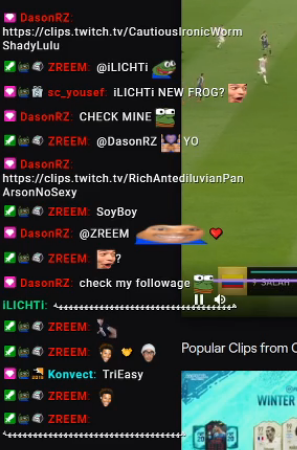
like this basically
 mental trout
hi uhh can someone that knows stuff like help me real qucik
im trying to start my stream but i am having an issue adding a box on my overlay
abstract hemlock
@brave inlet maybe this will work :
https://discordapp.com/channels/141203863863558144/457957557470887947/669876461595000837
little oak
transperant chat with white text
wary halo
they are not talking to you 😉
wary halo
what kind of box?
brave inlet
alright
the thing was hidden and i couldn't scroll up idk how the fuck i pulled it back up
BUT THANK YOU SIR
wary halo
you need to collapse the widgets menu on the bottom side 😉
 spice plank
Hey, i need in my OBS Live my Chat and Follower and all again how can i get it?
brave inlet
ooooh 
wary halo
@spice plank click on the StreamELements menu in OBS and click on Chat and on Activity feed
spice plank
where can i see this?!
wary halo
in the top bar in OBS.Live
little oak
up top and a lil to the right
spice plank
i cant see this?! xD
little oak
little oak
you may have regular obs
spice plank
spice plank
mybe i need an update?
little oak
go to https://streamelements.com/ and download the plugin 🙂
StreamElements
StreamElements is the leading platform for live streaming on Twitch and Youtube. StreamElements features include Overlays, Tipping, Chat Bot, Alerts, Loyalty, all fully integrated and cloud-based.
haha i play that game too 🙂
spice plank
sry. lol whats ur ingame name? 😄
little oak
my steam is on profile add me we get down together sometimes
spice plank
ok. more can i do my Chat black and dont white?
little oak
chat widget overlay?
spice plank
yeah
little oak
you can do lots with it from bright chat to dark chat to even having it transparent with customizable font and color
your settings will be on the left side when you add "streamyour chat" widget
spice plank
ok. now i have the last question. i stream BlackSquad but in Twitch i cant see me on genre BlackSquad.
why?
 smoky tide
need to set your game in your Twitch Dashboard: https://dashboard.twitch.tv/u/<username>/stream-manager
little oak
the category on twitch? @spice plank
smoky tide
or use !setgame Black Squad in your chat
hollow creek
Okay, I have the opposite problem now - I have a bttv pro sub - in Twitch and OBS.Live chat it displays bttv emotes. But my stream elements chat overlays just display the text - any idea how to force the overlay to fix it and display the bttv emotes?
And it’s only on my channel emotes - global emotes render properly
little oak
weird my category just changed to blacksquad @spice plank
hollow creek
D: works but shared emotes I’ve added don’t render on my chat overlay
little oak
try logginf out on SE and log bacc in and see if it updates
spice plank
Yeah, but in BlackSquad i cant see me
dry hare
I believe global emotes work, non-global don’t iirc?
spice plank
you know what i mean?!
little oak
hmm weird
hollow creek
@little oak tried that no luck
hollow creek
Global emotes work - my channel emotes don’t
little oak
what broswer are you using on pc
hollow creek
Chrome - but I’m talking about the chat overlay I created in streamelements
hollow creek
Yep - but the OBS.Live chat shows the emote
little oak
hey if it shows on obs then it will show on stream so just leave the overlay alone 🙂
it should sort itself out 🙂
hollow creek
But I have the overlay as a browser source in OBS.Live and I can see the chat posting just the text for my channel emotes.
little oak
where does it show the text only the overlay itself the obs itself or is it the chat on twitch?
 digital idol
can you stream do Facebook and twitch at the same time through streamelements??
ionic kelp
That's not something we do.
And even then you'd need multiple alertboxes and activity feeds to capture everything.
hollow creek
The overlay - I have chat as an overlay on my stream
ionic kelp
You'd have to use something like restream and choose that in OBS settings.
hollow creek
It’s a stream elements overlay
little oak
have you tried deleting it and re-adding it to see if it updates?
hollow creek
I will try...
little oak
 narrow birch
is there a list of what curse words and slurs the Standard Profanity Protection on tip alerts holds? I'd like to keep the curses, but disable the slurs
hollow creek
@little oak no luck
little oak
everything will be in the tip settings under "tip moderation" https://streamelements.com/dashboard/tipping-settings
StreamElements
The Ultimate All in One Platform for Streamers
@narrow birch
little oak
@hollow creek are you trying to use animated BTTV emotes?
hollow creek
No they are static emotes
little oak
i have no clue why they are not working, i have tested mine and all bttv ffz have showed on mine
narrow birch
also, I can't find the secondary micropayments account input anymore
was that feature removed?
little oak
a staff will prolly have to go further in dept on your overlay to see why
hollow creek
Okay, I can put in a support request
little oak
i will forward it to a staff
hollow creek
Thanks
copper bobcat
How do you remove someone's moderator role from StreamElements without deleting the user completely?
little oak
there is no way around that if you remove mod via chat the name disappears from dashboard when you do !level "username" 250 it will take the name away from moderator role
@copper bobcat
lament blade
StreamElements
The Ultimate All in One Platform for Streamers
little oak
@lament blade says he dont want it that way cause it deletes them
lament blade
oh my bad
little oak
youre good
 alpine fable
little oak
alpine fable
little oak
are you able to speak any english?
 somber drift
hello when i try to donate someone i get a error message saying: ERROR! TRANSACTION REFUSED BECAUSE OF AN INVALID ARGUMENT. SEE ADDITIONAL ERROR MESSAGES FOR DETAILS
wary halo
paypal?
lament blade
only you or others too?
somber drift
yeah when i get to the tip page of streamelements
when i click tip
i get error
in red
i cant even choose paypal yet
or maybe its from his side
wary halo
maybe the streamer hasn't set up his tipping page properly
somber drift
yea i think thats the case
 rigid shoal
i set up some alerts on streamlabs and it seems to still be playing even though i changed over to SE, what could cause this
?
narrow birch
did you leave your streamlabs overlay as a browser source in your OBS?
 lethal widget
No idea why, but streaming has not worked for me all this week... this is the message it keeps sending me...
narrow birch
check your stream settings in OBS and see if your streamkey or server is incorrect
rigid shoal
i thought i might of but im using a new overlay i got of SE pre mades
narrow birch
does it only play the sound, or is the visual there as well?
round brambleBOT
@lethal widget We're not able to troubleshoot issues with using our overlays in StreamLabs OBS (SLOBS) as we don't have the tools to support their software. We recommend using OBS Studio or OBS Studio with our plugin OBS.Live.
lament blade
so after getting 100 followers the new tipping options didnt unlock did i misunderstand something or what :^
my nickname on website and twitch is nasut
 fallow temple
Hmm out of curiosity is it possible for custom widgets to have point costs? I found some that I could use for sfx (since redeem spams chat) but I'd like a point cost associated with it and was gonna see if I could maybe add it.
 sage solstice
SEPAY took my tip money will i was trying to change bank account info
😡
there is no deposit in my bank account
 chrome folio
did you try to logout and login again? @sage solstice
sage solstice
ok its back but i still can't change my bank account info because it says bank details are being verified. they have been trying to verify a closed account for over 2 weeks
chrome folio
what service are you using to link with your bank? paypal?
 fair karma
if i click the close my account on stream elements does it delete my account with them?
sage solstice
i have paypal linked but i thought SEPAY was a separete option
lament blade
@fair karma yes, your channel will be closed
fair karma
streamelements right not my actual twitch?
lament blade
yes
fair karma
Thank you
chrome folio
@sage solstice ahn, sepay, now i read it... sorry...
fair karma
whats the jwt token?
lament blade
Ground Control token
chrome folio
@sage solstice try to ask for help about SE.PAY in #general-chat
fair karma
how do i get that token
sage solstice
ok
round brambleBOT
@sage solstice Please contact us via email for support with SE.Pay. You can use our contact form here: https://streamelements.com/contact Thank you
lament blade
https://streamelements.com/dashboard/account/channels @fair karma here
StreamElements
The Ultimate All in One Platform for Streamers
click on Show secrets
lament blade
No Problem! 
narrow birch
What happened to the Paypal Micropayments account screen in Streamelements? I can't find it anymore.
lament blade
I see it
 pure current
hello, can someone help me as to why my installer is stuck at this part?
its been there for about 10 minutes now
oh oops i dont think this is the right place to ask
narrow birch
@lament blade it's not here for me, is it somewhere else?
narrow birch
StreamElements
The Ultimate All in One Platform for Streamers
narrow birch
docks?
narrow birch
not sure what you mean by that
 storm delta
stream chat , activity and etc are docks
My stream keep crashing with obs.live
I will try it with obs studio
little oak
@storm delta on obs uptop go to view>>docc>>custom browser Docc
 fallen tangle
storm delta
fallen tangle
storm delta
Its ok for me
dry hare
Make sure you have the command enabled
dry hare
👍
chrome folio
hello, there is a char "<" remaining on tip summary message on profile page for PT language (Portuguese-PT - Portugal)...
dry hare
Thanks! I’ll pass along!
 desert sapphire
Can someone help me? I have a widget in place for "total follower count" However, whenever I get unfollowed or followed the number doesnt auto update.. any idea why/how to fix it? it just stays at the number it starts with on my screen which is innacurate. Thanks!
currently says im at 930/1000 when im actually at 929 on twitch and it wont update in the widget even on the overlay settings on my dashboard
any help is SUPER appreciated! thanks
 kind reef
hey imnew to this stream moderator how do i get it working with my ps4
wait ile look at a tortorial
 fallen iris
Hello. I'm having issues with the resolution looking crazy.


looks right on the editor, but then it's stretched across the OBS screen. Even if I put fit to screen or stretch to screen, it's way off. And the cup won't resize at all. It just cuts off.
 viscid pebbleBOT
Hi @novel maple, Please ask your question(s) or describe the problem you're looking to solve so staff or a support volunteer can assist you as soon as they are available.
 novel maple
why can i not go live
 mint rivet
Hey any idea why all my actions for stream deck for stream elements all became errored out then it says its not installed on stream deck anymore then every time i try to reinstall it says it isnt and goes back to giving me the option to install again https://gyazo.com/6a0d662babed6e65d563710b64291e2a ? Any help would be appreciated 


 round brambleBOT
@fallen iris To add your overlays to OBS, add a new browser source in your scene. Paste your overlay URL in the browser source properties, set the dimensions to 1920x1080 (unless you changed them on the website), and ☑ “Shutdown source when not visible” https://youtu.be/KDvLynUqXI4
dry hare
@novel maple have you set your streaming platform in OBS Settings > Stream?
@mint rivet Let's slide over to #dreamteam
lament blade
does the bot support auto ad running?
dry hare
Via timers?
lament blade
yeah
lament blade
like twitch ads
dry hare
Yeah I know. I believe there’s a way?
lament blade
thought it would be under modules but not there
round brambleBOT
@lament blade To have Streamelements run ads for you, make sure:
- Streamelements is added as an Editor to your Twitch Channel here: https://www.twitch.tv/dashboard/roles
2.A) To make a timer, go here: https://streamelements.com/dashboard/bot-timers - add a timer with a response "/commercial" and 5/10/30/60 for the duration of the ad - example:/commercial 30
2.B) To make a command trigger an add go here: https://streamelements.com/dashboard/bot-commands/custom-commands and add a command with response "/commercial" and 5/10/30/60 for the duration of the ad - example:/commercial 30
dry hare
Got it
lament blade
ohh ty!
dry hare
No problem!
 graceful crow
having an issue switching from mixer back to twitch, i got the everything set back up to twitch, but when i click start streaming it pulls up the mixer streaming page
round brambleBOT
Streamelements on top of OBS -> Logout -> login
 wary trout
hi, I changed my name on twitch, now the alerts aren't playing (tried to remove and then invite the bot). also I heard that the chat stats needs to be changed by SE staff, can you do that for me? Twitch name: AlexR25
dry hare
@wary trout can you post your old channel name as well?
dry hare
Ty!
wary trout
thanks to you too!
dry hare
I am waiting for the weekend staff to come online and they’ll get it fixed as soon as they arrive
 uneven sparrow
Do BTTV emotes not work anymore for Kappagen?
 indigo summit
Does anyone know a way to show the cooldown timers of store items on stream?
dry hare
Idk that you can do that @indigo summit
But again I don’t know for sure
@uneven sparrow do you have the BTTV emotes selected in the Kappagen widget settings?
 idle notch
hello, not sure if this is the right area but, i just recently started up Media requests in obs and i can't get it to work right. when i test it in obs in chat it works fine for me, but when any of my viewers submits a youtube song request, nothing happens, nothing gets queued. any help ?
zenith widget
Is the viewer request option on? @idle notch
idle notch
yes
 zenith hinge
I updated OBS or something and this GUI dissapeared, how do I get it back, I have looked for about 30 minutes on the app
round brambleBOT
@zenith hinge If you are not seeing the OBS Twitch integrations and have OBS.Live installed, please follow these steps:
- Make sure you are on the latest and greatest version of OBS.Live
- exit OBS (make sure OBS is not running)
- delete %appdata%\obs-studio\plugin_config\obs-browser\obs_profile_cookies
- start OBS.Live
- Settings -> Stream -> disconnect -> connect
@idle notch Please provide your account ID found at the top of this page: https://streamelements.com/dashboard/account/channels This ID is public info and safe to share here.
idle notch
i don't know what your mean, which account id ?
zenith widget
It means I need your account ID so that I can look at your SR command.
idle notch
@zenith widget twitch accounnt id ?
zenith widget
Yes