#helpdesk-twitch
1 messages · Page 586 of 1
 dry hare
 prime juniper
@dry hare Keeps looping you back to the main page instead of accessing the proper dash?
dry hare
Yep!
So I posted it for staff to investigate as I have replicated the issue as well
My twitch and YouTube work fine, but I can’t get to my Facebook
 fresh kelp
Can anyone guide me in making sure my donations appear on stream? I had my 1st one today and it didnt trigger the alert and that kinda bummed me out. I just disabled donation moderation if that helps.
dry hare
PayPal?
fresh kelp
Yes i have my tips come through the streamelements link
And its connected to my paypal
dry hare
Did it show in PayPal?
fresh kelp
mhm
dry hare
And it cleared?
fresh kelp
Its in my balance so i think so?
dry hare
And you have the alert box added to an overlay in obs?
fresh kelp
I do indeed
dry hare
And other alerts work?
fresh kelp
Yes i get the sound alert for followers and the alert pops up
 indigo igloo
@dry hare I cant hear anything but i guess they can?
indigo igloo
yeah idk all i did was unplug my headset in and out
fresh kelp
I really hope it fixes itself though. Id really like it if it showed up T-T
indigo igloo
i think i fixed it...
 viscid frigate
hey. is it possible to transfer the watchtime of users from streamlabs chatbot to streamelements?
fresh kelp
Wait @dry hare Im looking at streamelements revenue history and my tip i got today isnt in there. Is it cause it was only 2$?
 molten ore
changed my twitch name, and chat commands aren't working. any recommendations?
 little oak
part the bot and have it rejoin
dry hare
If it cleared PayPal it will be there assuming your PayPal information was entered correctly and it wasn’t a chat spoof tip
molten ore
so delete all commands?
little oak
no
dry hare
No @molten ore
little oak
on your dashboard on SE site
dry hare
Sign into streamelements website
little oak
part the bot then have it rejoin
dry hare
Click the button on the right that says “part channel”
The click the button that says “join channel”
fresh kelp
Still hasnt shown 😦 And it cleared paypal. Im just worried it wont work in the future either.
molten ore
i'm sorry, i do not see 'part bot'
little oak
its right next to your stats under bits
molten ore
i redact
i'm new.
also, two widgets, recent follower and recent subscriber, are they working correctly? i've tried so many times it does not work. every other widget works perfectly
dry hare
@fresh kelp have you set up your tipping settings in your dashboard?
fresh kelp
Yea i just in there. Its connected to my paypal. I disabled the moderation.
dry hare
If you log out of the website and back in does it show in the activity feed there?
fresh kelp
Nope 😦
dry hare
And you’ve verified you received the transaction in your PayPal account?
I’ll run it up the flagpole and see
dry hare
K, I asked
fresh kelp
Thank you so much
fresh kelp
How come?
dry hare
Click it
fresh kelp
It leads to the streamlabs page
dry hare
Yep
fresh kelp
Is that not what its supposed to do o_O
dry hare
Edit the panel and put in your streamelements tip link
dry hare
Yep
dry hare
All good
dry hare
You’re welcome
 elder jetty
Question: Is there a way to disable or edit the !play command for Marbles on Stream from prompting about song requests.
dry hare
Umm disable the song request module
 native parcel
why doesnt my chat stats appear on stats.streamelemnts :/
my channel name is monkey0w
but when i type the name
it doesnt appear
little oak
did you change your name recently?
native parcel
no i did a long time ago
let me check how long
monkey0w, Last name change for user 150687209: mnky_ow -> monkey0w. This was 354d, 14h ago.
almost a year ago
little oak
have you logged out and bacc into the SE site
 little oak
i know that chat stat site
when you change names you have to transfer old name to new name so you dont get the 404 error and stuff
the staff can fix that
native parcel
how do i do that
dry hare
Lemme find out who’s online
little oak
a staff will fix ASAP, in the meantime post old name then new name
native parcel
i think old name is b6al and new is monkey0w
little oak
sweet a staff will fix soon as possible and will ping you when fix but do checc bacc periodically just incase
native parcel
okay 😄 👍
dry hare
You get a 404 on your chat stats page @native parcel ?
dry hare
Ok
native parcel
when should i expect it to be finish 🤔
little oak
soon as a staff is available, they will transfer it all over to new name for ya

 steady sphinx
Anyone know how to get a custom bot name?
little oak
you can rename your bot on obs.live on your settings in activity feed
@steady sphinx Custom bot name requirements
- StreamElements bot modded and in chat
- Active overlay with alerts
- StreamElements tipping page in the panels below the stream (!panels)
- OBS.Live or Ground Control open
- Create a twitch account for the name you want to use or run the bot under your own name
- Custom bot name doesn't work on Mac
 main grotto
Hello I need someone’s help with something
How do you add this stuff on your actual stream
 round brambleBOT
@main grotto New to Stream Elements?
Check out our YouTube channel https://www.youtube.com/c/streamelements/videos
with tutorial videos from setting up the basics, to in depth details on how to use our product.
New to OBS? Here is a 4 step quickstart guide
https://obsproject.com/wiki/OBS-Studio-Quickstart
Want to learn even more? Here is an in-depth overview
https://obsproject.com/wiki/OBS-Studio-Overview
little oak
ah so you want the fortnite overlay?
main grotto
Yes
round brambleBOT
@main grotto New to Stream Elements?
Check out our YouTube channel https://www.youtube.com/c/streamelements/videos
with tutorial videos from setting up the basics, to in depth details on how to use our product.
New to OBS? Here is a 4 step quickstart guide
https://obsproject.com/wiki/OBS-Studio-Quickstart
Want to learn even more? Here is an in-depth overview
https://obsproject.com/wiki/OBS-Studio-Overview
little oak
you can watch the videos above , right here
main grotto
Ok thx for the support
little oak
if after and you still have trouble come bacc and we will figure it out 🙂
main grotto
I don’t know what video to watch to help with my problem
little oak
You're welcome 
dry hare
Watch them all
main grotto
All I need to know is how to put it on the streams
round brambleBOT
@main grotto To add your overlays to OBS, add a new browser source in your scene. Paste your overlay URL in the browser source properties, set the dimensions to 1920x1080 (unless you changed them on the website), and ☑ “Shutdown source when not visible” https://youtu.be/KDvLynUqXI4
little oak
the video teaches you everything
dry hare
The videos show you
little oak
but since the "THEME" is a 5 part section it will show you how to add them all
little oak
ah ok, so are you only using PS4 to stream from?
little oak
no pc or anything at all?
little oak
PS4 is pretty much straight forward with its own overlay but in order for you to have custom overlay and stuff you will need obs to capture your PS4 and all that ghood stuff
and will need a capture card for the PS4
round brambleBOT
@main grotto Here is a guide on how to setup the most essential tools for streaming from your console, while using StreamElements tools without involving a Capture Card! It's easy to do, take 4 minutes to read and 10 to 15 minutes to setup!
Read all about it here: https://blog.streamelements.com/how-to-stream-on-console-7b620b1c46c3
 civic plaza
trying to make a hug type command where if its "!hug" its grabs a $(random.chatter) but if it is written as "!hug (at) username" it hugs them. is this possible in one command? i have gotten it working separately "!hug $(user) .... $(touser)" or "!hug $(user) ....$(random.chatter)" just want to combine. Thanks!
little oak
That a HUGE no no bruv
i suggest you delete it or it get deleted and you may result in getting banned
@civic plaza so you want the hug to be random instead of just @ing them in chat?
moreless picc one out from the crowd?
civic plaza
SORRYYY
little oak
ah ok i see now
civic plaza
did NOT mean to at everyone
i was asking if it was possible to combine two commands * !hug * alone would hug a random user. and * !hug (at) USERNAME would hug THAT person.
dry hare
Umm
little oak
it could be possible to combine them and have it execute all in one cmd
dry hare
Not sure
little oak
but i think it would get confused tbh
little oak
yeah may need a custom API
civic plaza
ok i will do that. Sorry above the @ above. def not intentional.
little oak
youre good 
civic plaza
thansk guys!
 zenith widget
Let me show you some magic
little oak
and here he comes to save the daaaaay
zenith widget
${user|${random.chatter}}
civic plaza
oh SNAP ....let me check that right quick haha
it doesnt grab a random with just !hug it grabs me
everytime
zenith widget
its not like there are other people in your chat atm 
little oak
make the bot a mod
little oak
wc lol
civic plaza
its not my chat im using. and yes there are
zenith widget
who then
zenith widget
Ok, so...
I'll go my other thing and see if i can use a crystal ball to figure out the name of the channel you mod for
civic plaza
is the command channel specific or is knowing me and my bot are mods and there are users in the chat not enough?
zenith widget
Can I know the name so that I can check its behavior?
little oak
yeah he can fix that, post old name as well
native parcel
old name was b6al
civic plaza
QueenYorki it twitch channel
zenith widget
@native parcel done
@prime juniper If you are still around go here: https://streamelements.com/logout and then login again with your account. Let me know if this stops the looking from the normal access to the dashboard.
 lament blade
I am fairly new to using streamelements and have been adding some of my own commands. Is there a command out there that allows us to use things like !tophours?
zenith widget
!top online
@prime juniper Looking back at what has been tried, is the person you are trying to access as an editor, not been in our dashboard for a long time? If yes, then they need to go to the above link i suggested and then login again. Most likely their twitch token has expired and we are forcing a logout.
I've seen this 1 time and it was just yesterday
lament blade
now i see it, thanks. now to find the code for it so i can make some custom ones out of it.
zenith widget
lament blade
of course it's there. like I said I am new. thanks.
 mental sage
How to you make a command to add quotes?
zenith widget
A custom command? that is not possible
the default command has an "add" addition to it
!quote add [text]
mental sage
Hmm well I've tried that command I'll try it again and see
mental sage
Okay I see what you mean. That works in my own stream. but not on the persons who I mod for. Okay I see I see. She must not have it activated and I'm not able to do that yet. Thank you!
lament blade
can't quite figure out the !top online command. Would anyone happen to have the response and variable that the !top online command uses?
zenith widget
the !top gives the top 5 by default
there is not way to make a custom command in the same manner
lament blade
okay. I was thinking about making !top online to a custom command but I guess that's not possible.
 spice coral
Hola! alguien me puede echar una mano con los comandos variables?
zenith widget
Hey, I would suggest to use English in these channels. We do have spanish support here -> #🇪🇸︱español
spice coral
ok thanks!
zenith widget
@lament blade Posting in our subreddit will net you the same answer I gave you. the !top command is adefault command and its syntax cannot be made into a custom command.
prime juniper
@zenith widget He has been on in the past week, so it's unlikely that's the problem. Not to mention I can't access my own dashboard properly; I need to pass through profile, then top right dashboard
zenith widget
@prime juniper Then use the link I provided you, clear your cache and try to login the normal way
prime juniper
I'll get back to you when I get up!
round brambleBOT
@narrow iron Custom bot name requirements
- StreamElements bot modded and in chat
- Active overlay with alerts
- StreamElements tipping page in the panels below the stream (!panels)
- OBS.Live or Ground Control open
- Create a twitch account for the name you want to use or run the bot under your own name
- Custom bot name doesn't work on Mac
zenith widget
Do note that Ground Control doesn't have the option active due to a change from Twitch
 narrow iron
Ah okay
Also when it says in the panels
Do we need a SE panel or our own with the tipping link?
zenith widget
streamelements.com/yournamehere/tip
narrow iron
Ah okay
Got that already
Also do I need ground control? Or can I just use OBS.Live for the bot name?
zenith widget
As I mentioned, ground control doesn't have the option currently on
due to a change from Twitch
narrow iron
Ah
zenith widget
So only OBS.Live
zenith widget
narrow iron
Cause I have everything except a 2nd account for the bot name
ah okay thanks
@zenith widget So I just did !uptime and StreamElements just said something
And not my custom bot
zenith widget
Did you click save when you changed the name?
 small wren
how do i enable that i can pick a font on the widgets cause every so often it will show that i can pick a font but for some reason today I can't anyone know why??
zenith widget
colapse the layers tab
small wren
@zenith widget owe...hahah thank you
 timid quiver
Sup, I'm currently facing a change in my Alert Box.
Not a problem so far, but the thing is that I have A LOT of variations set up, so e.g. if I want to change something with the font, I would now need to do this for each variation separately. But the font should be identical in all variations, what changes is gif and sound. So now that would be great to copy over the font setting to every variation.
I guess, this isn't possible right now so I would need to take the effort to adjust every single variation, but that would be cool in the future to use a "copy font settings" or maybe even "sync font settings with parent".
round brambleBOT
@timid quiver Check out the StreamElements ideas board: https://strms.net/ideas. You'll be able to add ideas, upvote ideas you agree with, and track their progress with email notifications. Adding and upvoting ideas also helps the staff know which ideas should be prioritized so please take some time to upvote.
 wraith spade
any reason why stream elements was posting tweets half hour later no options for twitter touched now isnt posting stuff to my chat ? but is still responding and posting timers ? is twitter thing tempermental or ?
zenith widget
Twitter rate limits the API so it might be limited at the current moment
and this might not be working
it should clear it self out in a few days hopefully
lament blade
My overlays -> Create Blanked Overlay -> click on widgets and after on Alert Box
 long token
um sry but where is "my overlays"
lament blade
on the left sidebar
long token
i just installed streamelements so im kinda lost
 wary halo

Learn how to customize your alerts and setup different alerts variations with StreamElements Alertbox
Overlay Manager guide: https://youtu.be/X7XrDdRE7Fk
Add HypeCup to your Stream: https://www.youtube.com/watch?v=8LVRd2X4HvU
Got any questions, or just want to say "Hey"...
lament blade

long token

lament blade
or click on this Video 
wary halo
StreamElements > Chat
 barren folio
when i do that the chat goes to a to the roof of my pc
and i cant click on it
how do i reset all oif it
@wary halo
dry hare
@barren folio click view >> docks >> Reset UI
little oak
thasta no no bruv
round brambleBOT
@steel escarp Please follow our community rules:
- No advertisement or stream promotion
- Respect ALL server members
- No NSFW/NSFL
Thank you
 steel escarp
Ok
 signal flame
Hey guys, I've noticed in my last few streams that streamelements doesnt post on my twitter when I go live anymore. I've tried disconnecting my twitter and then reconnecting but it just doesnt do it anymore, how can I fix this? Thanks
lament blade
and this might not be working
it should clear it self out in a few days hopefully```@signal flame ^ 
 wanton pendant
hey there 🙂 using obs-live, newest version, but my SE-Bot does not show my name. it just shows StreamElements. Please help me.
signal flame
Thank you ❤
little oak
@wanton pendant on obs.live if you have the activity docc on, look there and you will see 3 lines clicc that then go to settings then you will see the bot name change 🙂
 mellow patio
Hi guys .. I have a question on kapagen. I click add overlay .. in the widgets section I add kappagen, configure it, click save, the save window appears where you need to enter a name, then I click launch but for some reason the save window opens again, I can’t get the link for the OBS. help if u can
little oak
@mellow patio To add your overlays to OBS, add a new browser source in your scene. Paste your overlay URL in the browser source properties, set the dimensions to 1920x1080 (unless you changed them on the website), and ☑️ “Shutdown source when not visible” https://youtu.be/KDvLynUqXI4

Tutorial #1 - Adding StreamElements Overlays to OBS Studio
🚀 StreamElements 🚀
WEBSITE: https://streamelements.com
T...
this should guide you
 uneven crest
I just opened up OBS Live before going Live and my sub count says 0. I checked on twitch and it is definitely not 0. I went to StreamElements.com and when I go to my overlay editor, the Sub Count widget shows "No Data" where my number of subs should be. What is going on? Help please.
dry hare
Log out of the website and log back in
mellow patio
@little oak man. i cant receive widgets link.. when you click launch, the window with the link does not appear ... and when i click save the overlay (where I enter the name), nothing happens. no kapagen appears in my overlays. as if I didn't save anything
 abstract hemlock
@mellow patio are you using last version of Chrome?
dry hare
@uneven crest if that doesn't fix it, click StreamElements in OBS.Live >> Log Out >> Log back in and then refresh your overlays
uneven crest
@uneven crest if that doesn't fix it, click StreamElements in OBS.Live >> Log Out >> Log back in and then refresh your overlays
@dry hare I just did that in OBS.Live and on the stream elements website. Nothing happened
dry hare
Can you open your overlay editor and check if the sub count is listed there in the overlay
mellow patio
@abstract hemlock yeap
uneven crest
Can you open your overlay editor and check if the sub count is listed there in the overlay
@dry hare I did that and in the overlay editor it says no data or 0 where it should be outputting my sub count
abstract hemlock
@mellow patio the link that you have to add to your obs is the overlay url.. widgets on to overlay, the url of the overlay on to OBS
dry hare
If you delete the sub count widget and re-add it, does it show correctly?
mellow patio
i dont know how i do it but it worked. ty for help
uneven crest
If you delete the sub count widget and re-add it, does it show correctly?
@dry hare Nope. Just deleted it. Saved and exited editor. Went back and added it again and it still says 0. Weird
dry hare
And you have signed out of streamelements.com and signed back in?
uneven crest
Correct
 tight harness
@uneven crest Believe I've fixed it for you
uneven crest
@uneven crest Believe I've fixed it for you
@tight harness How the heck?!!! Thank you very much. You're the best. Just went live and you came in right in time. The Legend!
dry hare
 edgy fiber
can someone help me when I go live there is no audio but when I record there is audio
 echo hamlet
go to advanced audio options by right clicking the gear in your audio mixer in obs and see what audio tracks your sources are using, now go to your output tab in the settings, go to streaming, and see what audio tracks your stream is picking up @edgy fiber chances are you have no audio tracks selected for streaming
edgy fiber
I can't find it
its already picking up the right one
it picks up the same as recording
 ashen sparrow
I still have the issue, that one of my subs is unable to redeem sub-only store items. I already removed the bot and joined again.
edgy fiber
I got it sorted
 deep gyro
hey how do i reset tipping settigns page (images mostly) to default?
is the tipping page broken or something?
lament blade
@deep gyro no
deep gyro
well i would appreciate someones help then, first i can find no way to set everything back to default and then, even if i link it under image in the edit panel screen, all i get is the title, no link, no image, nothing
lament blade
Have you tried a another browser? 
deep gyro
good suggestion, just tried on another browser, still all i see is the title of the panel i created
dry hare
Are you talking about your twitch panels? When you click it the page doesn’t load?
deep gyro
The page loads if i paste the link directly in the browser
However iun the twitch panel all i get is the text of the title of the panle
and it is not clickable
dry hare
Okay
So you put the image in the panel
And there is a field that says “image links to”
deep gyro
yews, copy paste in image link
dry hare
Are you pasting the link in the “image links to” field?
deep gyro
yes
dry hare
Screenshot it for me
deep gyro
oh i somehow thought the image was embedded in the link
dry hare
No, that is for you to add your own image, which will become clickable after
deep gyro
perfect, will try now, do you happen to know how to reset tipping settings for images to default streamelements images?
deep gyro
yes, i can change the setting of that page on tipping settings section
buit have no way to remove the custom images i put for tipping page background and tiping page header
want to revert to default ones
deep gyro
perfect thanks, by the way, image works now 🙂
dry hare
Groovy. I am asking about the default images
There is not currently a way to revert to the default images
deep gyro
ok no problem
 crimson sinew
Is there a support to complain about a helper who said bullshit things ?
lament blade
hi
Anyone have issues after a name change on twitch?
In SE?
well with the bot being connected to my chat
I logged out of everything, and re logged in. Nightbot works fine, SLOBS is fine
wary halo
you need to give us your old and new name
lament blade
SpookyHD is my old name, GILFs is my new name 
 gray bridge
is there a command that my mods can run an advert
 deft condor
Hey I need some help with my alerts
dry hare
@gray bridge they need to be set as an editor on your twitch channel settings and they can use /commercial 30/60/90 etc
lament blade
why is obs window capture black? trying to show discord
 jade remnant
if you want to use Window Capture with Discord, you will need to disable the hardware acceleration option in Discord:
User Settings -> Appearance.
lament blade
thx
 coral gale
Hello, I'm having an issue when I add a Media Source. All I'm doing is adding a sound clip and then assigning it to a Hotkey. But when I push the Hotkey the sound clip triggers when pressed and released. I thought it might be my keyboard but I tried setting the Hotkey to my scroll button click on my mouse and it does the same thing. When I type normally like right now it doesn't happen. Only in OBS. I tried checking and unchecking certain options in Properties but nothing changes.
 brittle raptor
hello can anyone tell me how to display my twitch chat on obs
 weary gorge
Hello, I have a small issue with the timer. I have it setup to auto run a commercial every 20 min. It doesn't always fire off on time. Most of the time it's early. Secondly I have another time to announce in chat when it's about to roll a commercial but it's always firing off late. Both timers are set to the same time interval. Is there a better way of doing it or am I doing it wrong?
 uncut karma
Good evening, can someone tell me what is best between partial and complete color on obs settings
abstract hemlock
@brittle raptor if you have obs.live (SE pluggin for OBS) you just click on StreamElements> Chat
@weary gorge to get exactly what are you trying to do, is using a timer to say "y'all we gonna run ad" and then run the ad?
 vital latch
any reason why the leaderboard isn't tracking my subs?
weary gorge
@abstract hemlock yes
abstract hemlock
@vital latch 0 subs or some of them?
vital latch
I only have 10 subs but none of them are being tracked
abstract hemlock
@coral gale i gonna go to my obs and tey to replicate that to see if anything is weird or something ok?
uncut karma
Nobody knows about partial or full range color?
abstract hemlock
@sudden ember yeah share your last crashlog url to see if we can help you
round brambleBOT
@sudden ember A crash log is required to investigate the cause of your issue. Please upload the last crash log.
- In OBS, click the Help menu
- Select Crash Reports, and then Upload Last Crash Report
- Copy the URL, and paste it to the chat here.
 sudden ember
abstract hemlock
sudden ember
abstract hemlock
@vital latch mine its working fine, try to log in and logout again
abstract hemlock
@uncut karma sorry im not a video guy 😦
abstract hemlock
@sudden ember its crashing on startup? or changein scenes?
 rapid robin
Hello, is there any way to revert the command dashboard on the site to where Commands show up in Recently added/edited form?
sudden ember
runs on setup with the error box in the backround @abstract hemlock doesnt crash atm
abstract hemlock
@coral gale sorry is in spanish, but i added a hotKey to Show MemeBabyTest and another how to Hide the MeMeBabytest and its working just fine
sudden ember
when i was live last night the issue started with it not capturing my game but my stream still working just fine
abstract hemlock
maybe it's the hardware acceleration, but what i can see in your log its some browser source could be causing the issue
when you have time what you could do its create a new scene and adding one by one the browser source that you have and try to replicate the crash
coral gale
@abstract hemlock I don't have a Hotkey option to 'Show' or 'Hide'.
abstract hemlock
@coral gale Settings > Hotkey then find the multimedia source that you just added
coral gale
@abstract hemlock
abstract hemlock
i change the language of my OBS .. i added the test as a Media Source
@coral gale i try with webm (video + audio) and with ogg (just audio)
@weary gorge i was trying to do what you need, but no success i will ask around if is even possible hehe but for the hour i dont think that i will have an answer till tomorrow
coral gale
@abstract hemlock Okay I'll try ogg. I'm using mp3.
abstract hemlock
@coral gale i know what happen if you scroll like that wont show the same thing as the SS that i share here
i use the search bar
it say "Filter"
weary gorge
@abstract hemlock thank you
coral gale
@abstract hemlock Okay! It's fixed. Thank you.
 limber forum
um i have an issue where stream elements isn't streaming...
it used to work and now all of a sudden it doesn't
limber forum
like when i click start start streaming i will go to twitch and it says im offline
round brambleBOT
@limber forum Please provide a log from your last stream. To do this, in OBS go to Help > Log Files > Upload Last Log File and paste the link to the log file here.
limber forum
 scarlet tiger
What is your username?
limber forum
truesteve1o1
scarlet tiger
Obs.live or streamlabs OBS?
limber forum
obs.live
 ripe scarab
Will GIF emotes in kappagens and emote splashes come back?
My viewers really miss them...
limber forum
okey
 vivid estuary
cant get alert widget to work? works with emulator but not w actual twitch follows and such
limber forum
mhm
it's 100% linked i type in test on twitch and it pops up on my overlay in stream elements
like in the chat btw
round brambleBOT
@limber forum Streamelements on top of OBS -> Logout -> login
limber forum
okey
scarlet tiger
Any Try press "start streaming" now
jade remnant
are you currently live
limber forum
well on stream elements i click start streaming but it says im offline on twitch
jade remnant
help > log files > upload current
limber forum
jade remnant
well the log is picking up the correct account truesteve1o1
try just logging out of the streamelements menu, dont log back in
limber forum
k
dry hare
So....if you go into obs settings >> stream can you screenshot that window?
limber forum
do i have to log back in to do that?
dry hare
No
limber forum
k
dry hare
You’re welcome
dry hare
Because people stream to a number of platforms
dry hare
I believe it’s in the obs settings >> advanced
limber forum
k thx
vivid estuary
cant get alert widget to work? works with emulator but not w actual twitch follows and such
 static ermine
How can I export my loyalty to streamlabs?
 gusty prawn
Hey there. I've noticed that some of my commands don't seem to work. Including default commands. Additionally, the command to link to a list of commands does not work either. It just shows this: ***.
abstract hemlock
@static ermine Did you mean FROM Streamlabs ?
static ermine
no
abstract hemlock
@gusty prawn im in your twitch chat and i see that **** as well and thats because twitch filter links
gusty prawn
I see. Im not sure where this particular block is coming from then.
abstract hemlock
Go to your Dashboard > Preferences > Moderation and then un check the "Block Hyperlinks" option
gusty prawn
And none of my custom commands work at all
abstract hemlock
And remember to make the bot mod /mod streamelements
gusty prawn
Huzzah. That part's fixed
My 3 custom commands still don't work though.
They're only supposed to return a simple response
abstract hemlock
sure that are enable?
gusty prawn
They are
abstract hemlock
i dont see those commands on your command page
gusty prawn
Under custom commands. All 3 show enabled on my screen
abstract hemlock
check advance tabs
 undone leaf
site fucking shit , not worked, go to fuck.
gusty prawn
They all look like that. I set them to online only and then back to both. Let's see if that did anything
abstract hemlock
@gusty prawn now i see them.. but its for regulars
@undone leaf would you calm down?
gusty prawn
That seems to have fixed it. ty @abstract hemlock
undone leaf
@abstract hemlock i dont have stats for my channel, how to fix this??/??

StreamElements
Description Chat Stats tracks emote usage on Twitch in real time. See which emotes are the most popular on every Twitch channel
abstract hemlock
You're welcome
 keen holly
is there a command that i can create or use to make clips?
abstract hemlock
@keen holly maybe this could help you https://discordapp.com/channels/141203863863558144/457957557470887947/555734806034382888
@undone leaf this start happening just now?
undone leaf
@abstract hemlock Previously, it didn’t work either.
abstract hemlock
ok maybe its because you change your twitch name
could you confirm you old twitch name and the new one please?
undone leaf
@abstract hemlock my old name mrHogoo, now is hygaan. what i need do for fixed it?
abstract hemlock
i will send it to the Staff so they can fix it, you just have to wait, but due the weekend maybe it will take until monday, could you be patiente enought?
abstract hemlock
and the next time moderate your language, Please its a magic word, at least my mom taught me that
wanton pendant
@wanton pendant on obs.live if you have the activity docc on, look there and you will see 3 lines clicc that then go to settings then you will see the bot name change 🙂
@little oak
Thank you so much, worked for me! Life can be so easy and yes, I saw it too late, that i posted my question in the wrong channel first. sry for double-posting!
 boreal shore
Hey would anyone know why donations alert won't pop but my subs and follows does even though dono is activated? like the alert for the tip showed in chat just not like through the alert box?
lament blade
does the sound come? 
boreal shore
Nope, like sub alerts go off and follow but the dono doesn't but still pops up in chat. is a connection problem between Elements and Stream labs Obs maybe??
wary halo
does it show up in the activity feed?
boreal shore
Yup
round brambleBOT
@boreal shore We're not able to troubleshoot issues with using our overlays in StreamLabs OBS (SLOBS) as we don't have the tools to support their software. We recommend using OBS Studio or OBS Studio with our plugin OBS.Live.
boreal shore
gotcha appreciate it
wary halo
they like to block SE stuff because they are competitors 😉
sudden ember
still havent found a fix for this issue. any other avenues I can try to troubleshoot? @abstract hemlock
abstract hemlock
@sudden ember its crashing? or just the game capture?
sudden ember
I can screen share rq
not crashing
error code in the backround but the obs stays up
will let me stream but doesn't capture game
abstract hemlock
any game? have you try windows capture or display capture?
sudden ember
Display capture works
but cant use it because of FPS drrop in the game II am playing
any game I play has this issue
abstract hemlock
you have NVIDIA GPU ?
abstract hemlock
OBS its running with integrated video card or with the NVIDIA one?
sudden ember
should be invidia
abstract hemlock
check that on the NVIDIA panel and remember to run OBS with admin rights
sudden ember
yes it is run as admin
Running off my 2070 rtx I believe
I fixed it but dont know how
its not crashing now but is not displaying my game capture
 olive mango
hi, I'm having an issue with streamelemnts
I just finished to stream and the chat on OBS wasn't working, and all the commands I set up on stream elements weren't working either
for the chat, I couldn't see it directly on OBS as I was doing before, so I had to check on phone. I thought after the stream, I would just need to restart OBS so it works, but it doesn't. I can't even write on the chat on OBS (I mean I can write, but not send).
 stable verge
Does anyone know how I can get % results from contest written to a file so I can display % on stream in real time while betting is going on?
olive mango
It's like the chat isn't connected to streamelements. The weird thing my overlays and alerts are working perfectly
olive mango
what? what do you mean?
 urban edge
So my follower/sub/w.e widget isnt working while streaming. Anyone know what I can do to fix this?
wary halo
i don't see it in the viewerslist @olive mango
not as moderator and not as normal user
olive mango
also today I changed my twitch name from MandB_RL to BumpyMary
does changing name could have cause the issue?
wary halo
well there is the problem then 😛
wary halo
on your dashboard on the StreamELements website click this button, then log out, log back in and click on JOIN CHANNEL
olive mango
on my twitch dashboard streamelemnts has the moderator roles so I thought it was ok
wary halo
that should do the trick
stable verge
Does anyone know how I can get % results from contest written to a file so I can display % on stream in real time while betting is going on?
olive mango
ok done @wary halo
wary halo
i've sent a message to staff with your namechange for the chatstats, but that will be tomorrow at the earliest moment since it's past midnight here
olive mango
past midnight here too don't worry 😉
ok so now I see streamelements on my chat on twitch
abstract hemlock
@stable verge atm there is no way to write into a file afaik
olive mango
but it's still not working on OBS
wary halo
in OBS, log out and back in as well 😉
olive mango
great it worked, thanks for the quick help!
wary halo
no problem 😄
olive mango
where are you from?
wary halo
The Netherlands
olive mango
nice nice, I'm french and I thought maybe you were too haha. Thanks anyway and have good night!
wary halo
you too!
 meager vale
 I hope this is the correct helpchannel.
I'm using SEPay, and there's a balance already pending since more than 8 days. Normally its always cleared for payout after 3 days or so
 clear juniper
Why when someone hosts me it doesnt popup?
 deft elk
Does anyone know how to set multiple responses to commands? Like !command = random response 1, random response 2, etc
@clear juniper probably cause you're being hosted with 0 viewers
deft elk
Hmmm, it may have to be more, than 1 then. @clear juniper I know SE's help bot mentioned something of the following earlier. Could be that. It's something to do with the new api
round brambleBOT
@meager vale Please contact us via email for support with SE.Pay. You can use our contact form here: https://streamelements.com/contact Thank you
 white meadow
How can I turn off streaming to Facebook? I turned it on by mistake and now I can't seem to find out how to shut if off. I only want to be broadcasting on Twitch.
round brambleBOT
@clear juniper Due to changes to Twitch API, we have filtered out hosts and will only show these ones on your activity feed:
- All hosts coming from an online channel with at least 1+ viewer
- Auto host events with at least 1 viewer - only from a channel that just went offline
Note: If you see "X channel has hosted you" with no viewers on the back, that is considered an offline host or a host with 0 viewers, we do not show these.
clear juniper
Thats kinda dumb lol
I still feel like they should be popped up still or at least a option
urban edge
So my followers widget isn't popping up on stream, I have it on the browser source so I don't know what's up with it
deft elk
@urban edge did you just add it? And what version did you add? Recent, latest, etc?
urban edge
I just added it
abstract hemlock
@deft elk what exactly are you trying to make with your command?
deft elk
@urban edge click refresh loadout from the SE dock, should update
abstract hemlock
@urban edge have you add the widget to the overlay and then save it, then added the overlay URL to OBS as a browser source?
deft elk
@abstract hemlock pretty much when someone uses it to have it respond with random answers. Like how !8ball as x amount of response for the same command
abstract hemlock
@deft elk You could use ${random.pick} if you have short answers, more info about it on the Variables tab here : https://streamelements.com/dashboard/bot-commands/variables
But if you have long answers you will have to use some workaround
urban edge
I saved the widget from the editor, put it into the browser source, and it's just showing this
That blue square
clear juniper
you put it as the title @urban edge
deft elk
@abstract hemlock noted! I was just looking at that and couldnt figure what I could use. Was just starting to think of using qoute. The random seems great! They're just meant to be funny replies like maybe a sentance long
urban edge
How would I fix that?
round brambleBOT
@urban edge To add your overlays to OBS, add a new browser source in your scene. Paste your overlay URL in the browser source properties, set the dimensions to 1920x1080 (unless you changed them on the website), and ☑ “Shutdown source when not visible” https://youtu.be/KDvLynUqXI4
stable verge
@abstract hemlock
deft elk
@urban edge click properties, and add the sorce there
stable verge
This is the result Im looking todo
just % on my stream seperated between the two options
abstract hemlock
@deft elk if its too long the response field wont be able to accept it, there is some workaround thanks to fyrewire, but if with random.pick is enought i dont want to overwhelm you 😛
deft elk
For sure @abstract hemlock
abstract hemlock
@stable verge The easy way is create an overlay just to that image and the numbers, and every time you have to change it manually on the web editor and then reload that overlay ( so will have 2 overlays the main one with all your stuff, and a second one just this image with the number)
why 2, becausa when you make change on the web editor overlay refresh it, so if you have other widgets those will refresh them too.. we dont want that ..
 rapid patio
Hi, I purchased a new overlay package from nerdordie, I have followed their instructions, however, my alerts are still from my previous template, how to I change out my alerts?
abstract hemlock
Thats an easy way to get that result.... if is the result of a poll we have a poll widget made from one of the code guru.. let me check if i find it and if it does what you need
stable verge
The streamer Im reffering to has this all done manually, he is using streamelements todo the contests but not sure if he is using a scraper bot for chat or web to get the number.. just was wondering if you had a solution in mind. I defenetly can't do this manually so if no clue how he is doing it I will just have to write the scraper myself
dry hare
@rapid patio make sure once your overlays are imported into your dashboard that you change the URLs in obs
rapid patio
check and check.
stable verge
Yes, if its a poll where I can have people vote in chat for option A or B (my case its orange and blue) and being able to display only % is the IDEAL turnout. I dont care about the betting portion
rapid patio
@dry hare yes, I've done that.
abstract hemlock
@stable verge we have 2 widget, can you check them out, im not at my home pc rn
1 : https://discordapp.com/channels/141203863863558144/457957557470887947/616244966427066369
2:
https://discordapp.com/channels/141203863863558144/457957557470887947/542768648222146561
stable verge
thanks man, Ill take a look at this! appreciate the help
dry hare
And the other overlay elements from your package are showing?
rapid patio
yes
I've followed the setup guide at http://nerdordie.com/interface-setup-guide/

Nerd or Die
dry hare
So it should generate an alert box within the newly created overlays in your dashboard, if it doesn’t generate a separate overlay for the alerts
rapid patio
ok, so I may have honed in on the issues....
No alerts work if I follow their instructions and add it as a browser source.
however, the Alerts Widget is the one that appears to be displaying. And this template doesn't appear to have an alert widget, how do I delete what's in the widget?
 tepid brook
is there anywhat to make a command run when stream ends, will a timer be able to set that up, i want it to rest a counter when stream ends
rapid patio
@dry hare is there anything else I can check?
urban edge
@clear juniper @deft elk So I see the popup in the test stream, and I had a friend refollow me live, but I didn't see/hear anything popup there
dry hare
You should be able to select the widget and clear sound/image/video
I think alerts for packages are $3-$5?
So should be able to pick it up and get the alerts for the package
rapid patio
@dry hare I purhased the full stream package.
dry hare
So if you edit the nerd or die overlay and emulate an alert, it is not displaying the package themed alerts?
abstract hemlock
@urban edge by your Screenshoot i think you dont place it the URL correctly
abstract hemlock
If you hit the "reload" icon on the activity feed next to the person that follow you, it will rn the alert
please try it
round brambleBOT
@urban edge You can test Alerts via the bell on the lower right corner of the Overlay Editor. Simply go to your Dashboard -> My Overlays -> Pencil/edit button on the overlay. Make sure the "Show Emulated events on stream" option is on to see the alert in OBS/Xsplit https://streamable.com/h6qgy
 dry hare
@rapid patio was there a separate setup link for the alerts in your package?
Also allow me to call my lawyer to see if he has insight into this @pallid osprey
Interface package alerts
urban edge
Yep, now I see it through my stream @abstract hemlock
rapid patio
@dry hare Yes, which I completed.
All of the new overlays show up under my overlays, but it's still the old one that displays
rapid patio
yes
rapid patio
@pallid osprey I originally had Uplink installed, I have today purchased Interface, the entire package.
All of alerts are still with the old theme, uplink. I've followed all the instructions at their site, imported everything, but it just won't work.
 lavish prism
is Kappagen still not working for bits? Or is there something I am doing wrong
 pallid osprey
if you added the new interface widgets, and old ones are still showing. that would mean you havent updated the link in your obs
rapid patio
@pallid osprey yes I have.
but here's the kicker....
I follow their instructions on Alert overlay, they say add as browser source, I do that, nothing works.
If I add the Widget Alert Box, it works, but it's the old alerts/uplink aletts/
alerts
pallid osprey
in the editor, click launch. should launch a browser window. do it work there?
rapid patio
I can thow it up at twitch
no, not in the editor or browser window
it provids a url, a clean browser window, but nothing plays.
rapid patio
@pallid osprey my stream, https://twitch.tv/fastdaddyboy is where I'm working on this.

 near haven
yup still confused
pallid osprey
what are you confused with @near haven
lament blade
@lavish prism Kappagen are working with cheers
pallid osprey
@rapid patio send me a editor link and i can take a look
rapid patio
StreamElements
The Ultimate All in One Platform for Streamers
is that what you want?
pallid osprey
no no.
StreamElements
The Ultimate All in One Platform for Streamers
DM me the link
near haven
who can actually help me in this chat lol
im just trying to get my gamble command to work again
pallid osprey
im not sure on that one, i never use commands lol
 leaden mist
Has anyone got some time to help me out please?
near haven
a lot of my viewers like to gamble and it kinda sucks
but okie lol
ig thanks for the advice
lament blade
wait I'm looking 
leaden mist
Is someone or can someone help please
 lament blade
tryed with a new stream key?
leaden mist
Will do thank you so much, feeling so dumb right now.
lament blade
all good.
 timber bloom
Anyone know why it's not showing my followers in my stream only by email?
lament blade
Stream notification?
 misty vigil
can someone help me setup the tip alert
lament blade
The notifications are coming from twitch 
timber bloom
So I has to do with twitch streamelements @lament blade
Not stream elements @lament blade
lament blade
what do you mean? 🤔
timber bloom
I stream on Twitch while I'm on streaming I get no notifications that someone follows when they do just an email notifications in my email are coming from twitch I have no overlays from streamelements on my stream I was getting notifications and then it just stopped
@lament blade
round brambleBOT
@timber bloom Please connect your streaming account (Twitch, YouTube, or Facebook) with Discord by going to ⚙ Settings and then Connections here in Discord. https://streamable.com/eg92w
 lament blade
^ @timber bloom
 stable egret
hi, what happend in my account? i put all my commands this morning, but i open the commands now and dont appear, but if i use it on the chat works! what happend!
 twin sentinel
@timber bloom Please invite the bot to your channel in the StreamElements dashboard (https://streamelements.com/dashboard) with the button JOIN CHANNEL
timber bloom
@twin sentinel so that should have fixed it
leaden mist
@lament blade got it sorted! Thank you so much!
lament blade
@leaden mist
 lavish citrus
dry hare
lavish citrus
dry hare
Activity feed >> hamburger menu I believe there is a toggle
 fathom zodiac
lol
lavish prism
I was trying to test out Kappagen emote explosions, which don't seem to work, and it put the test name on my bit boss which is upsetting for my viewer that was in that position..............is there a way to reset this or set it manually???
I am live now lol..........this is unfolding like right now
 fierce sun
One of my mods is having issues with her Stream Elements. I have given her an invite link multiple times and it doesn't work. Can someone look into this for me please?
Id also like to ask why sometimes when I get a gifted sub TTS reads out random names and not the name of the person gifting the sub and the person recieving it.
 last sun
Hi i need help with my merch store ..the link don't apear in my chat
 rocky flint
Dancing shark won't go away?
 abstract anchor
@rocky flint did you save your overlay after deleting it in the overlay editor?
rocky flint
He was never there to begin with.
He just showed up.
Figured it out. Enable Custom CSS was on.
 rare cairn
At one point i had a custom bot name. Now it just shows as Streamelements. How do i fix this?
little oak
@rare cairn due to change in twitch API custom bot name is no longer available on GC. now you have to do it on obs.livenow, on obs.live on your activity docc clicc the 3 bars then go to settings then scroll a lil bit and you see the bot name 🙂
rare cairn
Ah ok. How do i sign out of my bot account and back in? It shows my old botname at the moment
n/m
Thanks for the help
little oak
You' Welcome
 edgy gulch
how do i add the media request onto my obs
i downloaded obs live but nothing happened
little oak
have you added the widget to overlay on streamelements site and have you activated the media request command as well?
edgy gulch
yea
little oak
once created, then hit launch on the overlay then a window will pop up then copy the link then on obs.live under "source" clicc the + sign then browser source then past your source code there
 potent ibex
the act of blocking someone from donating: does that report them to streamelements? Why do I have to contact streamelements staff in order to unblock them? 
little oak
if you get lost within here is a video to show you how https://youtu.be/KDvLynUqXI4
Tutorial #1 - Adding StreamElements Overlays to OBS Studio
🚀 StreamElements 🚀
WEBSITE: https://streamelements.com
T...
@edgy gulch
 surreal flare
I need some help. if someone could spare a couple mins.
edgy gulch
bet
surreal flare
i used streamelements to give a donation to a streamer for a warframe glyph. I redeemed the glyph option. but i cant get the code.
where it says "access code" there isnt anything there. 😦
 slate robin
@surreal flare do you still need help?
surreal flare
yes
surreal flare
cool. you're muted.
 dry hare
@surreal flare if you had a store item with an access code it should email the code to you iirc
surreal flare
@dry hare would it be instant? if so, i haven't gotten an email 😦
dry hare
@potent ibex I believe you can unblock a user by going to the tipping dashboard and I think there’s an option there....
@surreal flare did you redeem it on someone else’s page?
dry hare
It depends on how they had it set up
You might DM a mod on their channel and ask how it works
surreal flare
great. i donated when the streamer was offline. really hope i dont lose out on the $35
dry hare
Loyalty store redemptions should only cost loyalty points.....
surreal flare
well, he also has it set up where you can donate to earn points instantly
dry hare
Ohhhhhh
The redemption should still show up so you should be able to ask a mod for that streamer
surreal flare
alright, ill keep him followed and try to join his stream when he's live. he's german so i hope i'm on at some point in the near future at the same time as him. :/
if worse case comes to worse.
how do i cancel a paypal payment?
i dont want to do that. but if they ignore me, I'll have to do so.
dry hare
You’d have to go through PayPal
surreal flare
okay. thank you.
 glacial lion
hey i want to include a stopwatch to my overlay for speedrunning but i cant find one; am i blind or is there non?
and if there is non can u recommend one?
 ionic kelp
@glacial lion that's not something we can help with but you could probably use one of these https://www.speedrun.com/resources
Speedrunning leaderboards, resources, forums, and more!
glacial lion
thanks ❤️
 meager crater
hello all i need help in figuring out the how to post stream web addresses in shout outs
scarlet tiger
There is shoutout command template
Create a new custom command and select the shoutout template at the top. It will get you the correct variables, so you just need to edit the text.
lament blade
default Commands -> !song @fathom zodiac
 oblique burrow
can anyone help me with blackscreen on ons when i start streaming
 shell tundra
Hi, can someone help me with alert sounds? well my problem is, i click to the voice is being in the OBS, but when someone followed me, or cherred, me i don't hear them, i just semm it on the chat, or the screen, but when i playing, a cant see the chat always, so i need to hear them, so please can someone help me?
it is really imprtant for me
 unreal ember
can somone help me with the roullete command please
 quaint igloo
hey guys, can someone tell me how to reset the chat stats?
lament blade
What is your problem with the roulette command? @unreal ember
@quaint igloo you need a reason for reset the chat stats, i guess
weary gorge
@abstract hemlock I figured out a way to get it done. TY 😄
lament blade
@shell tundra Hey, you can active the TTS(text-to-speach) Module
 strange raptor
hiya i connected my stream with twitter but it isn't posting when i go live D:
little oak
@strange raptor Twitter rate limits the API so it might be limited at the current moment
and this might not be working
it should clear it self out in a few days hopefully
 cyan snow
hi, i wanted to activate SEPay but can't find the page
i live in Malta, but my viewers are italian and i wanted the paysafecard option
lament blade
https://streamelements.com/dashboard/se-pay/ @cyan snow
StreamElements
The Ultimate All in One Platform for Streamers
cyan snow
it redirect me to the streamelements main page...
lament blade
do you have adblock Browser extension?
little oak
@cyan snow in order to have SE pay, your country must be supported and also you must have at least 100 followers to have SE PAY
cyan snow
i have 6000 followers and i live in Malta. But my viewers are Italian since i lived in italy before
so is convinient for me to have other payment option
lament blade
@cyan snow Dashboard mainpage or mainsite?
scarlet tiger
Try incognito mode
lament blade
or delete the Adblock Extensions
cyan snow
nope, the other day hemerald (a friend who uses streamelements) gave me a link and it worked
i don't use adblock and i'm trying 3 different browsers, i wil try a Vpn maybe that's the case
little oak
where is Malta located?
cyan snow
south Eu, under sicily
little oak
SE.Pay is available in the following countries, with new markets being added all the time: USA, Germany, France, The UK, Netherlands, Spain, Austria, Belgium, Finland, Ireland, Portugal, Poland, Italy, Switzerland and the Czech Republic.
but from what i heard ppl have gone with Tippie
ionic kelp
That's what I would definitely not recommend.
cyan snow
even with a VPN located in italy is not working. Strange
ionic kelp
Fairly certain you don't qualify as it's not a supported country
cyan snow
well italy is, but yeah Malta is like so close to sicily that is almost italy plus al my viewers are italian, well hope they will add support on it soon
round brambleBOT
Check out the StreamElements ideas board: https://strms.net/ideas. You'll be able to add ideas, upvote ideas you agree with, and track their progress with email notifications. Adding and upvoting ideas also helps the staff know which ideas should be prioritized so please take some time to upvote.
cyan snow
thanks!
lament blade
Hi, when making chat commands there's an option for a template, can I make a custom template?
yes
How?
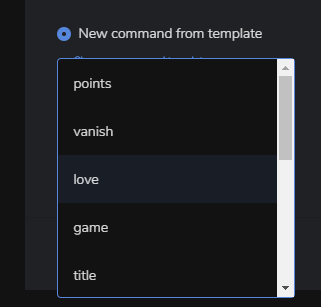
but that's what I mean there's no custom option.
I want to make my own template
my bad^^is not available
is it something that's coming?
or I can add it to the suggestions page.
round brambleBOT
@lament blade Check out the StreamElements ideas board: https://strms.net/ideas. You'll be able to add ideas, upvote ideas you agree with, and track their progress with email notifications. Adding and upvoting ideas also helps the staff know which ideas should be prioritized so please take some time to upvote.
lament blade
I know it 😉 but thank you
 quartz siren
Im trying to run a twitch inspector stream, but In OBS (24.0.3) Stream Elements when i've chosen Twitch i cant enter streamkey. How do I do this?
little oak
@drifting grove on the stream key on your obs type "?bandwidthtest=true" after your stteam key this should do a test stream
quartz siren
@little oak yes, but on the Stream-tab I choose twitch as Service, and I cant enter a stream key
jade remnant
have you ticked the box to use the stream key?
 soft marlin
hi my chatstats is not working anymore afther a name chance how can i fix this?? srry if its in the wrong tab (in that case let me know were to ask the question instead) but can some1 help me with this tnnx in front 🙂
little oak
mr_magic post your old name then new name the staff will change it for you
soft marlin
okee tnnx were do i place them? just here
little oak
put them right here and when staff is available they they switch it over to new name and ping you when fixed, but do checc periodically just incase 🙂
soft marlin
okee tnnx but i renamed back to old name sort of so i can type first and last name or do i put all 3 names in here? @little oak
little oak
post the recently last name change and the current new name and they will fix ASAP
soft marlin
okee tnnx
soft marlin
The_MagiciaN_93 (first name) , Mr_Magic_93 (first chance) The_MagiciaN__93 (current name)
@little oak like this?
little oak
yeah, youre good to go, now when a staff is available they will ping you when its fixed
but do checc periodically just incase
soft marlin
@little oak okee tnnx for the help will do
quartz siren
got it to work, thanks! @little oak
little oak
@soft marlin @quartz siren You're Welcome
wanton pendant
hey there 🙂 am I allowed to paste my question i posted on helpdesk-merch?
it is a question for hd-twitch 🙂
i was told to post it here 🙂
 ancient rapids
 willow glacier
i need help please
little oak
@ancient rapids https://streamable.com/h6qgy
 round brambleBOT
@wanton pendant Welcome to the helpdesk! Please let us know how we can assist you today and a support volunteer or staff member will assist you as soon as they are available. Thank you for your patience.
@willow glacier Welcome to the helpdesk! Please let us know how we can assist you today and a support volunteer or staff member will assist you as soon as they are available. Thank you for your patience.
willow glacier
hi
wanton pendant
hey there 🙂
problem is, my viewers buying humble-bundle-games via my SE-shop in stream with their coins. but, when receiving the download-link for the game, it is greyed out (when using mobile browser). So they can't redeem their game - thats bad 🙂
and most viewers are on mobile 🙂
twin sentinel
jade remnant
lament blade
I need some help
When i use a streamelements overlay, when i use a dock on obs it just crashes and isn't working anymore
lament blade
cool
jade remnant
#helpdesk-merch @willow glacier
willow glacier
dimension of 4000 by 4000
 earnest estuary
Hi All, as i'm setting up a new alert for donations i had a question for you. When i test the alert in the creator everything works fine: Music GIF etc.. When i trigger it in Streamlabs via previous tips the GIF does not show up, the text is missing but the music works fine. Anyone that knows about this "issue" ?
 gentle elbow
hey guys how to I add emote to my chat commands also how can I change the new follower text?
round brambleBOT
@earnest estuary We're not able to troubleshoot issues with using our overlays in StreamLabs OBS (SLOBS) as we don't have the tools to support their software. We recommend using OBS Studio or OBS Studio with our plugin OBS.Live.
earnest estuary
@round bramble Thanks, but the merch works properly and has the same settings as the donation. Any thought ?
little oak
@gentle elbow on the SE site go under "modules" from there you can change the chat alesrt text
wary halo
@gentle elbow you can change the text in the commands settings: https://streamelements.com/dashboard/bot-modules
StreamElements
The Ultimate All in One Platform for Streamers
click on: Chat Alerts
little oak
^
wary halo

yes, that
@earnest estuary we can't help you with issues in SLOBS
they are our competitors and they sometimes block stuff from StreamElements
gentle elbow
about back adding emotes to the command?
wary halo
just type in the emote
in the command response
but if it's one from your own channel, then you need to gift a sub to the bot
gentle elbow
yea the bot is a sub @wary halo
quaint igloo
How can I reset my chat stats?
earnest estuary
I see, i'll think about moving towards live.obs.
wary halo
that sounds like a good plan 😉
quaint igloo
They do. But I‘m wondering if I can do reset them, because of users which are not longer member of my stream and emotes I don’t want to see
wary halo
i have to ask around internally about that
but it can take some time because it's Sunday
quaint igloo
And because I started using SE a week ago I want to start fresh and clean 😊
wary halo

earnest estuary
@wary halo The only reason i did not ;ove to live.obs is because all my overlays are locally hosted for now. If i do, i"ll need to move everything and it's quite alot. Would a export work ?
wary halo
there is an import tool on our dashboard and in OBS itself
 wind robin
Hello, i want to allow Song Request in my Streamelements OBS. The Song Requests are working over the Website but in the Software the Media Request Windows stays empty..... it dosent work..... does the Browser Window has to be open or how can i make it work over the Software? Thx for your Help
little oak
nothing on the site does not require to be open in order for it to work as long as you got the "browser source" on obs and the cmd activated in chat
wind robin
i put the media request widget in my overlay in streamelements.... is that enough or i need a extra browser source?
and sorry for my bad english im german
little oak
once you have created an overlay then added the media widget after you have saved it, then ther eyou will see "launch" button. once you hit launch you should get a pop up then you copy the link and add it to obs as a "browser" then you can start requesting songs in chat
there is 3 ways you can control the media 1 on site of streamelements 2 control it on obs 3 control it on the app called ground control
earnest estuary
@wary halo I managed to fix the issue. Just added the donation alerts under the same överley"for the merch and everything works properly now 😄
wind robin
the youtube video works in my stream.... my problem is the media request windows in obs is empty and stays empty. i want control it direct in obs with the stream elements window. i activated it in the stream elements drop down list.
wanton pendant
@little oak hey 🙂 may I ask you a question about my SE-instream-shop?
little oak
@wind robin do you hear anything? when its playing on obs?
wind robin
i mean this one....the blue one
i only hear the videos if im open the webpage to
without the webpage i dont hear anything
round brambleBOT
@wind robin Streamelements on top of OBS -> Logout -> login
little oak
^
wind robin
ok i try 1 mom
little oak
@wanton pendant i have seen your question but i am not experienced enough in that section 😢
wanton pendant
whom may i ask? 🙂
wind robin
yeah thats it 🙂 now the windows shows what i need 😉 many many thx for your help..... you are breathtaking 🙂
 wanton pendant
@little oak I understand. So I will write a mail to SE. thx so far 🙂
wind robin
 little oak
my guess is try to find a staff who knows stuff about it or one in here who has experienced it
wary halo
i've never seen that issue before, and it's Sunday so there are not a lot of support here at the moment
best thing is indeed to go through the mail to make sure you get an answer when someone is available
 tall merlin
Anyone know if the Twitter inauguration is down? It didn't tweet out for me the last two nights. I I disconnected and reconnected just now maybe that will clear it?
little oak
Twitter rate limits the API so it might be limited at the current moment
and this might not be working
it should clear it self out in a few days hopefully
tall merlin
Thank you @little oak
little oak
Welcome
tall merlin
Love using it didn't think to double check
I was like hmm no one liked my tweets lol
wind robin
one last question.... my media request working now..... but why i hear my music videos double all the time? any way to change this
little oak
i know the feelin lol
Make sure to ☑️ “Shutdown source when not visible” for all browser sources (all OBS scenes). If using studio mode, uncheck “Swap Preview/Output scenes After Transitioning.” Also keep in mind that sound can play from any overlay loaded in the browser (editor or launched). https://i.imgur.com/FegZJQS.png https://i.imgur.com/yY0wcFl.png

 wind robin
but when i shutdown the audio source for my streamelements browser source.... my alarms dont play sounds to? or im wrong
little oak
You just need 1 overlay for the media share
add it as a browser source -> right click the browser source -> copy -> go to the other scene -> paste as reference
this will eliminate the double sound
wind robin
ah ok i need an extra browser source for the media request..... i integraded mine in the streamelements overlay.
little oak
that should be all you need
wind robin
ok i try thx for the help
little oak

wind robin
yeah works great now.... i love it 🙂
little oak
soft marlin
@little oak 1 last question btw, do you know how long this problem most of the times take for its solved? just so i know what to expect 🙂
little oak
well i did forget that due to it being a sunday majority of staff are off or away but checcing bacc periodically you may catch one of them. look for the guys in "red name" but ETA to have it fixed is unknown at the moment
soft marlin
okee no wurry 🙂 though mabye some1 could give me sort ot timelapes on how long it mostly take to get something fixed 😛 but ill check in tommorow then 😄 tnnx for all the reactions again have a great rest of the weekend all
little oak
when they are here there on it faster than you can say thank you but for the moment its hard to give exacxt time when it will be. although you will have it fixed 🙂
soft marlin
i know 🙂
little oak
hopefully you get it today
soft marlin
would be awsome but they desurve restdays aswell 😄
little oak
i agree 💯
 forest imp
Yo
 rigid shoal
is there a way to set a command for the current playing spotify song?


 lament blade
long time ago, old name was "keplerb49", new one is "leo369" acc. to info i found on the web
wary halo
i'll let staff know to take a look at your chatstats 😉
 marble nimbus
so i got a quick question regard mediashare. the moderation allows either to ban specific videos and / or tags. while you can see the banned videos you cannot see the banned tags however. problem is now that because of a minecraft tagged racist song that we had to ban ever song with the specific minecraft tag is now banned and while the song cant stayed banned i can however remove minecraft as a tag from the banlist, since i dont have access to it.
hope this was the right channel for this specific problem,
lament blade
StreamElements
The Ultimate All in One Platform for Streamers
is Minecraft in Banned Tags?