#helpdesk-twitch
1 messages · Page 572 of 1
 zenith widget
 round brambleBOT
@silver knot Account Merging - Please note:
- Merging accounts only allows faster ways to switch between accounts
- Merging accounts does not allow data sharing between accounts - different streaming platforms, different type of events
- Merging accounts allows duplicating/sharing overlays between the accounts
If you understand the limitations of merging and want to proceed, please find the JWT tokens (!jwt) from both accounts you want to merge and you will be directed to DM them to a staff member.
zenith widget
Just note this above
 silver knot
who do i dm for the token?
silver knot
thanks so much.. big help i was about to run around my house screaming xD
silver knot
so i setup the overlay using my twitch earlier, when youtube and facebook wasn't connected.. and tried going live and testing the alerts.. but i don't get the follow alerts from facebook.. is it because facebook wasn't connected to my twitch earlier?
round brambleBOT
@blazing gull You can test Alerts via the bell on the lower right corner of the Overlay Editor. Simply go to your Dashboard -> My Overlays -> Pencil/edit button on the overlay. Make sure the "Show Emulated events on stream" option is on to see the alert in OBS/Xsplit https://streamable.com/h6qgy
 zenith widget
@silver knot As mentioned by the bot command, linked/merged accounts do not share data between them. Meaning that you need to load overlay from your Facebook account in order to hear alerts triggering on your facebook stream
 blazing gull
ty!
silver knot
thank you again, now that it's all connected it should work like a charm now.. i'll give it a test.. thank you so much..
 lament blade
Hello i got a problem, i dont get Follower alert anymore since i get my name changed on Twitch.... i tried everything and nothing. Can anyone help me please?
round brambleBOT
@lament blade If you changed your name on Twitch please follow these steps:
🔹 Visit https://streamelements.com/logout and then log in again with by connecting with Twitch.
🔹 On the right side of the dashboard page that opens, select "Join" under bot settings. If it says "Part" select that and then select "Join" to send the bot to the chat. Don't forget to mod the bot by typing /mod streamelements in your channel if you have not already.
🔹 Post your new name here so that we can update your channel's chatstats tracking (must be done by staff).
 little oak
just the names are needed, please take out your e-mail addy
lament blade
oki
little oak
old name then new name is all you need and a staff will fix it for you ASAP
lament blade
ok thank you, its fine then, i have done those steps
little oak
k sweet 
zenith widget
done
lament blade
thank you very much, i was crazy about that
 still hollow
Hi there
I don't get any report emails.
My last report came on December 27th, 2019
I have not changed anything.
zenith widget
DM me your email
 royal violet
hello
zenith widget
@lament blade There we go
round brambleBOT
@royal violet Welcome to the helpdesk! Please let us know how we can assist you today and a support volunteer or staff member will assist you as soon as they are available. Thank you for your patience.
royal violet
WASSUP
zenith widget
👍
 floral badger
Hey i’m wondering about the stream elements app for ios? Eny beta or something released yet?
zenith widget
Its in limbo
floral badger
Limbo? Sorry my main language is dutch :p
zenith widget
we are in the talks for an iOS version of the app
if you are referring to the mobile app
floral badger
Yes indeed would love to use it for my IRL streams can i apply somewhere as a betta tester?
zenith widget
There is no beta for it
because its not made
as I said, we are just in the discussion part for the app
floral badger
Allright
 weak delta
So, I'm stupid? I have admin for 4 streamers and I can't figure out how to change the profile I am accessing.
I go to standard Dashboard and it points me to Streamer A.
zenith widget
From the top left -> click your channel
to leave the roleplaying -> stop roleplay on the right
zenith widget
to leave the roleplaying -> stop roleplay on the right
zenith widget
yes
 old fern
I need help setting up a watch time command for my YouTube stream (PLZ HELP!!!)
zenith widget
Watchtime is not available for Youtube, as its connected to the loyalty system, which is not implemented for YT.
Due to limitations from their side
old fern
Bs my friend has it on his YouTube
zenith widget
He may be using another service that provides watchtime
 acoustic ore
is there any way to hide/delete my chat stats or for streamelements to stop tracking them
acoustic ore
alright can i dm u?
weak delta
I just been going through the logs of the channel and I think I got the info I wanted but that overlay that XQC has where if chat spam emotes and it appears on stream... custom made, right?
acoustic ore
thanks
zenith widget
@weak delta I'm not sure I understand what you are referring to
weak delta
There is a widget where if chat keeps spamming a certain emote that emote appears on stream. I see KappaGen but that seems to only be able to be activated with events and not normal chat spam.
weak delta
Yeah, something close like that.
But it like moves around and stuff like the KappaGen.
Or it would be like multiple emotes all over the screen without the counter... though I suppose by adding that widget multiple times in fixed locations might be close to the effect.
zenith widget
well its gonna the be same emote on each location you place it
weak delta
True. Hmm. Dang.
floral badger
hey i have a question i normaly have my acc connected to SE GrCtrl so the bot reply's with my acc but suddenly it stopped working last streams eny thing changed?
and i'm allso having some problems with an overlay where i have a slide show of video's with reminder to sub etc but latly i have to reflrech my SE overlay every 30mins or so because it stops and keeps displaying the popup
round brambleBOT
@floral badger Due to a sudden and unforeseen Twitch API change Custom bot name feature through OBS.Live / Ground Control not working temporarily - this means that we cannot get the tipping link from your panels in order to activate the Custom bot name(This includes the tipping settings check).
We are looking into it. No ETA on a fix yet.
floral badger
oh okay api changes are anoying hahah
zenith widget
For the asset rotator, recheck the timers you've set on the widget.
floral badger
zenith widget
delete it and add it again
floral badger
allright
if i do these settings will they just keep looping after the 6 of them have been played or do i need to set the iteration pause or do i need to set it to 450 as well
zenith widget
Initial timer is the time between the images
iteration pause is when the next time they will start looping again
show images is self explanatory
floral badger
so if i don't set 450 there as well they Won't Loop right?
zenith widget
here is one that shows 1 image every 15 minutes
floral badger
aha but if you had 6 images you would need to raise the 10
zenith widget
most likely the initial 3250 seconds you placed (54.2 minutes) might have bugged out the widget
thats up to you
the initial timer is the time between each asset
floral badger
okay awesome
zenith widget
then the delay between the loops
floral badger
 much love
 gilded token
I need some help with loyalty points
weak delta
@zenith widget Is there a timer somewhere for that widget you sent?
Seems to be stuck or stay forever.
zenith widget
Which widget?
round brambleBOT
@gilded token Welcome to the helpdesk! Please let us know how we can assist you today and a support volunteer or staff member will assist you as soon as they are available. Thank you for your patience.
weak delta
weak delta
Oh I thought you made it but it was fyrewire. Derp on me.
 inner coral
Hey everyone, is there a way to get custom sound alerts when you drop a specific number of bits?
 wary halo
@inner coral just add another variation to the bits section in the alertbox widget with the sounds you want and then set the number to 'at least' x amount
weak delta
Click on the arrow for "variation settings" and then click "add new variation"
wary halo

weak delta
You'll be able to customize it either based on how many bits donated, or based on username.
inner coral
ah perfect! thanks so much ❤️
weak delta
I'd configure the condition to exact, personally so the alert only plays when that SPECIFIC amount is donated.

 umbral hare
how do you add commands using chat as a mod?
round brambleBOT
@umbral hare You can make changes to custom commands in chat with!command add/remove/edit/options/show Valid flags for !cmd options are: -cd (number) -usercd (number) -cost (number) -level (number) -type (say, whisper or reply) -count (number). --- Example: !cmd options twitter -usercd 60 -type reply -level 250
 tight harness
So for example !command add <command name> <response>
Then you can edit it with !command edit <command name> <the flags above> <value>
lament blade
hey guys , how could i make the different video quality appear while streaming , whether to choose between 160 or 720
 ionic kelp
@lament blade I assume this? https://redbot.is-serious.business/6Pd8PnS.jpg
 lament blade
this variation doesnt appear for me when i stream
dunno which settings to make this appear
when i stream only one option appears which is the source one
ionic kelp
There isn't. It's only provided automatically for partners and anyone else gets it randomly.
ionic kelp
Once you get the lucky chance yes. But it's not always bound to happen.
 crisp monolith
Heyo so I'm pretty new to donations so I set up my PayPal and I think I did it correctly
I got a link https://streamelements.com/dfuzezts/tip
So do ppl just click on this and donations go through my PayPal?
 twin sentinel
yes.
lament blade
thanks for ur support BASSHUNTER
crisp monolith
Alright bro thanks 😁
ionic kelp

crisp monolith
So if someone donates, and I'm live, will stream element show that someone did it in chat
ionic kelp
Only if you have the chatbot connected to your channel with the chat option enabled.
ionic kelp
From what I understand yes.
lament blade
@ionic kelp sorry for nagging but how could i insert and overlay i have on my streamelement site to the application
round brambleBOT
To add your overlays to OBS, add a new browser source in your scene. Paste your overlay URL in the browser source properties, set the dimensions to 1920x1080 (unless you changed them on the website), and ☑ “Shutdown source when not visible” https://youtu.be/KDvLynUqXI4
New to Stream Elements?
Check out our YouTube channel https://www.youtube.com/c/streamelements/videos
with tutorial videos from setting up the basics, to in depth details on how to use our product.

lament blade
THANK YOU SO MUCH !!


 supple spear
I have tons of questions. I have streamlabs set up now, but it's not really doing much. I can't watch videos.
If i wanted to watch videos on how to set things up I already have a dozen lined up and none of them include streamlabs
or stream elements sorry
supple spear
yeah derp
I say that
how to use the timer?
I've wasted 30 minutes here and learned anything.
 jade remnant
If i wanted to watch videos on how to set things up
everything was provided to you in #general-chat
your response was "And no patience for videos but thanks anyway.. Guess I will figure it out on my own"
but if you want the link, you can go here to set them up
https://streamelements.com/dashboard/bot-timers
chat lines are how many lines of chat is needed before the timer starts
online interval is how long the bot has to wait before sending the message when online
supple spear
I just thought it would be a bit more hands on. Not just, here is the video go waste an hour of your time..
Thanks for the link, just a bit disappointed
Anyway I don't think that's what I had in mind
I wanted timer to put on screen
This is not that?
 elder sorrel
So a countdown of some sort
supple spear
Aye because I take breaks
And assuming I can make it back in 3 minutes
This is probably not something Stream Elements offers I guess
elder sorrel
I've been away for awhile but there should be a Stream countdown timer if I remember correctly in the Overlay Editor.
Double checking.
supple spear
Gracias
elder sorrel
Yep yep
supple spear
Yeah I'm not sure that works the way I want it to
I'm looking for a box I can put up on screen for 3 minutes whenever I want.. Not just something that happens before my stream starts
 supple spear
how? when i click it.. just pops up on default channel
don't see anyway to do anything else with it
tight harness
It can be customised, it doesn't need to be used only for a stream start countdown
elder sorrel
As you can just have the Countdown widget in a overlay by itself & put a hotkey in OBS (if you don't have a Stream Deck) to activate/deactivate the overlay
supple spear
how to customize? I just clicked it
elder sorrel
If you're in the Overlay Editor -> Would be on the left side that shows the side menu where you can change the minutes / hours / seconds / etc.
supple spear
Ok and this is explained in the video?
What part of the video?
I don't want to watch the whole thing
tight harness
You don't need to watch the video as we've explained it here
supple spear
I'm not in the overlay editor i don't think.
You've explained. I still am not sure though. Where is this overlay editor?
I am just in the configure part of twitch extension
and turned it on
jade remnant
go here and edit your overlay, this will take you to the editor for that overlay
https://streamelements.com/dashboard/overlays
elder sorrel
If you haven't created an Overlay. Click Create Blank Overlay
round brambleBOT
@supple spear We're not able to troubleshoot issues with using our overlays in StreamLabs OBS (SLOBS) as we don't have the tools to support their software. We recommend using OBS Studio or OBS Studio with our plugin OBS.Live.
jade remnant
haha, its not us that needs to update it
slobs are competitors and try to stop SE overlays
supple spear
Hmm
supple spear
Streamlabs is easy set up though.. OBS is a pain
jade remnant
obs is simple to set up
supple spear
Streamlabs does everything automatically essentially
jade remnant
cool
supple spear
I can use OBS i guess. but this is gonna take much longer than I expected
Anyway thanks for all the help guys. Have a wonderful day
 lean ridge
Hi
I have a question
Can I put the song request in Streamelements (but you need to pay 5 channel points)
Is posible
 late sable
guys pls help me
in stream elements its showing my youtube chat but i dont wanna stream to youtube i want to stream to twitch
twin sentinel
Set Loaylty points cost in the media request settings @lean ridge
round brambleBOT
@late sable Streamelements on top of OBS -> Logout -> login
late sable
how do i get my twitch chat and other windows back
thanks
meh i try it then appears the boxes appear for a split second and disappears also i cant get it back with views> docks
round brambleBOT
@late sable If you are not seeing the OBS Twitch integrations and have OBS.Live installed, please follow these steps:
- Make sure you are on the latest and greatest version of OBS.Live
- exit OBS (make sure OBS is not running)
- delete %appdata%\obs-studio\plugin_config\obs-browser\obs_profile_cookies
- start OBS.Live
- Settings -> Stream -> disconnect -> connect
late sable
tyty sir ai
 jolly berry
I'm hoping someone can help, are twitch channel points different to the points system on stream elements ie. loyalty points?
twin sentinel
yes.
ionic kelp
And atm have no way to interact together.
lean ridge
@twin sentinel Where I can do that
jolly berry
i thought so, what with twitch channel points being set, and you can't change them but on stream elements loyalty points system you can set them to what ever
lean ridge
And other thing can I put an item in the Stream shop that name "song" and when you buy that you put the title of the song and the bot put
jolly berry
but the loyalty points on stream elements can't be used to purchase emotes,highlight messages on twitch points system am i right?
lean ridge
I can do that
twin sentinel
yes, that is right @jolly berry
jolly berry
i think what got me confused was when you type !points in to the twitch chat, its only revelling the stream elements loyalty points
lean ridge
@twin sentinel And other thing can I put an item in the Stream shop that name "song" and when you buy that you put the title of the song and the bot put
late sable
is it possible to not have the chat window and media request window minimize when i minimize the main obs window?
with the client open it drops my games fps pretty hard so id like to close the main window and keep chat open
twin sentinel
Not that I am aware of @late sable
@lean ridge Afaik that cannot be done automatically with a store item.
twin sentinel
Set points in the media request settings here: https://streamelements.com/dashboard/mediarequest/settings
late sable
@twin sentinel okay thanks anyway ill just disable the preview since that drops my fps hte most
 plush raft
Hey guys, hosts for 0 viewers do not pop up. I have set the minimum to zero, however, it does not work... but it used to 👀
round brambleBOT
@plush raft Due to changes to Twitch API, we have filtered out hosts and will only show these ones on your activity feed:
- All hosts coming from an online channel with at least 1+ viewer
- Auto host events with at least 1 viewer - only from a channel that just went offline
Note: If you see "X channel has hosted you" with no viewers on the back, that is considered an offline host or a host with 0 viewers, we do not show these.
plush raft
Also, my mod who built my bot has hooked into the Twitch API and fetched the Subscriber Points data and it works... any chance of fixing the "Sub Points" widget in the overlay soon?
Thanks
twin sentinel
No ETA.
tight harness
If we haven't put an update in #270206314561404928 about it I would say it's safe to assume that it is still a work-in-progress
jolly berry
thanks for the help guys
lament blade
how come the streamelements leaderboards thingy is not loading
twin sentinel
Loading fine on my end:
 deft root
hey is there a way i could hide the video for media share on my end?
deft root
well thats not really the issue
whenever i have the video open, it creates an input delay on my mouse in game
its the same thing whenever i have my preview enabled on obs
twin sentinel
Then nothing much you can do, other than disable the preview afaik.
 late shuttle
Hello, there seems to be a bit of a bug, when i try to change bot messages specifically for Subs, Cheers, Raids and Redemptions, they reset even though the "Saved" green pop-up shows top right side
ionic kelp
@late shuttle Try in another browser/incognito?
late shuttle
Will do 🙂
ionic kelp
And what browser you trying to do it in?
late shuttle
Chrome
ionic kelp
Chrome chrome or Edge chrome?
late shuttle
Chrome chrome
ionic kelp
🤔 Try what I said and see if it works.
late shuttle
Ok, the other browser displays it correctly (the way i've set it up)
Is it the cookies then?
ionic kelp
Possibly.
late shuttle
Alright, thank you very much 🙂 Will clear that up
 woeful juniper
On the media request page, I don't have a bar below the currently playing video where I can skip ahead or backwards in what's playing. If that makes sense.
Lemme post a screenshot
twin sentinel
When you hover over the video, is there a time bar?
woeful juniper
Yes, but when I click show on stream and hide the video it doesn't let me control it. I don't want a block of the video on my stream.
There used to be one below it and it spanned across the space.
twin sentinel
Yes, but to comply with new Youtube regulatiosn, we cannot do that anymore.
woeful juniper
How am I supposed to control the time bar without it showing on my stream?
 austere pumice
need help
woeful juniper
I don't have any other options for background music due to my setup
twin sentinel
Checkin internally. @woeful juniper
austere pumice
how do i use my overlay?
ionic kelp
@woeful juniper This only applies with the MR page. You can still use OBS.Live or GroundControl.
round brambleBOT
@austere pumice To add your overlays to OBS, add a new browser source in your scene. Paste your overlay URL in the browser source properties, set the dimensions to 1920x1080 (unless you changed them on the website), and ☑ “Shutdown source when not visible” https://youtu.be/KDvLynUqXI4
ionic kelp
Which aren't effected.
woeful juniper
@ionic kelp I can't use either of those because I stream via Mac and there's no Mac version of those.
ionic kelp
Ah. 
woeful juniper
Yes, unfortunately, there's no Mac versions of any stream software except Elgato's Game Capture HD which is what I use.
I can't use OBS Studio for audio reasons
 I know.
 dry hare
Because Apple made the mistake of not picking up SoundFlower
woeful juniper
Yeah, I have issues with audio using OBS Studio.
Sadly it's all I have to stream with at the moment.
dry hare
I feel your pain
woeful juniper
@dry hare Try a 2014 Macbook Air 🤣
dry hare
I'm crazy......not insane
woeful juniper
LOL that's what I currently use
woeful juniper
Not when I'm unemployed LUL
dry hare
you can still do a tip goal for your streams
woeful juniper
I do use a tip goal, but sadly that has to help towards bills and living expenses
dry hare
be like "this 2014 MacBook Air is legit, but she's old"
make it a bit/cheer goal?
Umm.... for the MR thing....
woeful juniper
I guess just listening to game is how it has to be. It just gets monotonous.
dry hare
idk if there is a workaround....
I have done pretzel.rocks in a browser on my mac....but the volume control is severely lacking
woeful juniper
Sadly can't use desktop audio or anything with Game Capture.
lament blade
anyone know how to deal with donation trains in stream elements? RIght now the TTS goes over the media
dry hare
what do you mean can't use desktop audio?
lament blade
How do you prevent TTS overlapping media during a donation train?
e.g. 4 donations in a row, the media of donation 1 is still playing but the tts of donation 2, 3 4 go over the media
i want: TTS donation 1 > Media donation 1 > TTS donation 2 > Media Donation 2 etc. etc.
dry hare
The alert duration would need to be extended by however many seconds the TTS is. The alert duration is a global setting because it's impossible to determine the TTS duration and have the alert duration modified for the TTS.
woeful juniper
@dry hare Desktop audio like OBS can do.
dry hare
Extend your alert duration by however many seconds you need
lament blade
so if my media is maximum 1 min20
you mean to extend the TTS to 1 min 20
how do i put a overlay on?
dry hare
depends on how long the TTS is
lament blade
14 seconds atm
round brambleBOT
@lament blade To add your overlays to OBS, add a new browser source in your scene. Paste your overlay URL in the browser source properties, set the dimensions to 1920x1080 (unless you changed them on the website), and ☑ “Shutdown source when not visible” https://youtu.be/KDvLynUqXI4
lament blade
but if peopel donate under $5, it is no media so it needs to be shorter
Maybe I did not explain myself well enough
use case:
- Someone donates $5 with a media link that plays a video for 1 minute and 40 seconds
- The TTS plays and at the same time the media starts playing (problem 1)
- The media of this donation is at 30 seconds and then someone else donates $5 with a media link for a video of 1 minute 20 seconds
- The media of donator two plays over the media donated by donator 1 and is actually drowned out by the sound
- After the media of donator 1 has finished, the media of donator 2 starts
- During the media play back of donator 2, donator 3 donates $2 without media
- The TTS of donator 3 gets completely drowned out by the media of donator 2
- etc.
this x 40 🙂
 pastel jay
where can i report an issue for loyalty system?
 unkempt grove
hello everyone, im got hosted multiple times before and every time i only see it in the chat section in OBS.live but i dont see it in the activity feed and also i dont see any alerts running for it, does anyone know the issue?
dry hare
@pastel jay You can provide a description of your issue here
lament blade
If i don't get a response, does this mean that this is a known issue and can't be fixed at the moment?
lament blade
👍🏽
unkempt grove
@dry hare i guess so but on the alerts on streamelements.com i set it to 0
round brambleBOT
@unkempt grove Due to changes to Twitch API, we have filtered out hosts and will only show these ones on your activity feed:
- All hosts coming from an online channel with at least 1+ viewer
- Auto host events with at least 1 viewer - only from a channel that just went offline
Note: If you see "X channel has hosted you" with no viewers on the back, that is considered an offline host or a host with 0 viewers, we do not show these.
dry hare
There is also no value having an alert of a host with 0 viewers
pastel jay
whenever my viewers use points to enter the giveaway...points system does not show accurate value.
of remaining points
dry hare
if you get a host with 1 viewer, you'll get an alert
if that doesn't work, then definitely let us know
pastel jay
everytime it uses extra points to enter the giveaway and shows remaining balance as negative
unkempt grove
thanks for the info
dry hare
do you have a screenshot of this @pastel jay
pastel jay
ye i can capture them from my video recordings
 devout sinew
Hey is it normal that alerts kind of freeze rn? they r fine in the editor to be previewed but in obs itself it only renders every couple of frames, used to work till today?
round brambleBOT
@devout sinew OBS -> settings -> advanced -> scroll down -> enable/disable hardware accel.
https://i.imgur.com/ggMe9ZE.png
 dry hare
try that ^^
 clear hazel
My streamelements bot has changed back to it’s original bot name and I can’t seem to find the option to change my streamelements bot name anymore. I had it setup for a year with no issues. Any idea why it wouldn’t have my custom bot name anymore?
ionic kelp
@clear hazel Ground Control?
clear hazel
Yes
round brambleBOT
Due to a sudden and unforeseen Twitch API change Custom bot name feature through OBS.Live / Ground Control not working temporarily - this means that we cannot get the tipping link from your panels in order to activate the Custom bot name(This includes the tipping settings check).
We are looking into it. No ETA on a fix yet.
devout sinew
Alrdy did, seems like restarting obs a few times fixed it, sorry for timewaste 😄
ionic kelp
Contrary to that it does work with OBS.Live atm.
clear hazel
I’m using streamlabs obs
ionic kelp
Ah. That would be an issue.
dry hare
@clear hazel if you're using streamlabs obs... there is no option to change your bot name for streamelements
dry hare
@lament blade are your alerts/alert durations based on a specific dollar amount?
pastel jay
@dry hare
dry hare
eh?
pastel jay
here
dry hare
well then....
lament blade
@dry hare yeah, minimum $5 and then a certain amount of dollar cents per second with a maximum of 3 minutes
ionic kelp
@pastel jay Small hint: press alt+print screen to capture the window/monitor in focus if you have more than 1.
lament blade
@dry hare let me get you a screenshot its easier
dry hare
I'm thinking you might be able to solve this using Alert variations
lament blade
you mean by tuning the TTS length with the media length?
so the TTS stays on screen for the duration?
dry hare
sort of....
pastel jay
@ionic kelp @dry hare
lament blade
dry hare
Which should let you specify that if an alert is more than $5 but less than $10, this video plays
lament blade
maximum duration 3 minutes
pastel jay
@ionic kelp is the screenshot fine now?
lament blade
But as soon as someone donates e.g. $5.12 it will be off
 brave ingot
how do we get our 1099s off stream element's?
dry hare
So your issue is that your viewers are tipping for Media Requests, and the tip alert is playing at the same time?
lament blade
yes, and that the next donation TTS plays over the media of a previosu donator
so you have like two queues that are not synced
1 queue = TTS
1 queue = media
they do not act in tandem
dry hare
correct
lament blade
so I am trying to get grip on this since donators feel cheated
since their donations get drowned out
if it happens once, or twice i can live with it, but it happens all the time ;D
pastel jay
@dry hare please check my issue also after ❤️
dry hare
We're asking about it
lament blade
Thanks @dry hare , best solution for me is that stream elements know the relation between the donation and media played so it can played in the righ torder
 cinder olive
@pastel jay mind heading over to your channel and starting a random giveaway?
dry hare
The problem is that there is no way to have the tip system determine the length of the video being requested and then delay the TTS of the tip until the video is finished, which is of varying length based on tipper input
pastel jay
@cinder olive right now?
lament blade
the song request page knows when the video is ended, whenever that is should be the trigger to go to next tts
cinder olive
Indeed.
dry hare
yes, however the songs are pulled from YouTube
which isn't owned by SE
It's definitely something to throw on the ideas board https://strms.net/ideas
 cunning tiger
Im trying to setup a subscriber alert.. Every time I delete the default alert and then upload my video and save, it never works. Its show my video in the preview, but anytime I "emulate subscriber event" it keeps showing the default. PLEASE HELP. Been dealing with this for a week.
cinder olive
 I thought SE owned the internet
dry hare
I don't know how much back-end coding would be required to make that work the way you're asking Rowlow
pastel jay
@cinder olivetilda done
dry hare
@cunning tiger do you have any variations for your subscriber alerts?
cunning tiger
hmm. Not sure. I dont beleive so
lament blade
@dry hare thanks for hearing me out, just wanted to confirm that i did not miss out on a simple solution 🙂
cunning tiger
@osuna No
@dry hare Thhat gave me my answer. I just turned them all off and it worked
dry hare
It's definitely a programming logic thing...but that's definitely something that would need to be put on a roadmap and tested thoroughly before being implemented Rowlow. Please drop it on the ideas board so it can be seen. I would maybe word it as "link Tip TTS to MR so TTS can play either before or after the MR"
cunning tiger
😋 Thanks
dry hare
@cunning tiger also make sure you don't have any custom CSS on your alerts
cunning tiger
ok
lament blade
@dry hare for sure will do - it is just mimicing how streamlabs deals with it, they have TTS and MR linked
 agile nebula
how do you put alert boxes on your stream? I only have open broadcasting studio
i have mac os
pastel jay
@cinder olive thanks ❤️
round brambleBOT
@agile nebula To add your overlays to OBS, add a new browser source in your scene. Paste your overlay URL in the browser source properties, set the dimensions to 1920x1080 (unless you changed them on the website), and ☑ “Shutdown source when not visible” https://youtu.be/KDvLynUqXI4
 west bobcat
Is there anyone I can talk to about the Merch Beta? Not sure where to ask?
ionic kelp
Not showing anything in the other channel
 vale wedge
Hey, im trying to change fonts on the alerts but nothing changes, even after saving or trying multiple fonts, anyone else having this problem too?
 vagrant estuary
I have a quick question, how do I put in a text-to-speech for my live stream? I can't always see my text when I'm live streaming and it would let me react faster if I can hear their questions then having to get out of game to just see what was said.
dry hare
you want your chat messages read as TTS?
 wary lark
that can be very obnoxious very quickly just a warning
cinder olive
I said a hip hop the hippie the hippie to the hip hip hop and you don't stop the rock it to the bang bang boogie say up jump the boogie to the rhythm of the boogie the beat
vagrant estuary
@dry hare yes. That's what I'm looking for. @wary lark not for me since I have very few people that post in my streams.
wary lark
@vagrant estuary https://www.speechchat.com/
A web based chat client for Twitch, Youtube, Mixer with text to speech.
that should do the trick
vagrant estuary
I don't know how to use that. It's a website, not my twitch channel.
wary lark
why yes it is indeed a website

[2020] HOW TO SETUP TEXT TO SPEECH FOR CHAT IN LIVE STREAM YouTube/Twitch - TTS speaking voice tutorial for live streaming obs - https://youtu.be/zPW7rPY_IZc
SPEECHCHAT: https://www.speechchat.com/
Hey, it's Odeh here! Please be sure to Like, Subscribe, and turn on Notifi...
ionic kelp
It's actually fairly simple setting up from what it seems.
Downside is unless you wanna have the audio played on stream as well you'd need to filter it out to another source.
But just click the button on the page and the platform option in top right.
 solid pollen
I'm having issues where when someone who's channel is offline or only has 1 viewer, the host notifications are not going off and it's also not showing in my activity feed. I've made sure that the alert value is set to 0 but it still won't display. Anyone else have this problem.
 grave forge
@solid pollen I have the same problem, it does show up in Twitch chat though
solid pollen
Same
grave forge
Also I'm having issues with a wrong subcount, I think it might be due to one of my subbies having had some issues with the payment of his sub and it getting shared twice. The number in streamelements is 1 higher than Twitch shows
round brambleBOT
@solid pollen Due to changes to Twitch API, we have filtered out hosts and will only show these ones on your activity feed:
- All hosts coming from an online channel with at least 1+ viewer
- Auto host events with at least 1 viewer - only from a channel that just went offline
Note: If you see "X channel has hosted you" with no viewers on the back, that is considered an offline host or a host with 0 viewers, we do not show these.
cinder olive
@grave forge ^
round brambleBOT
@grave forge If you are using the total follower/total subscriber widget, reset your session from the Activity Feed to fetch updated data from twitch. If you’re using goal widgets, you can edit the progress of any goal by going to Activity Feed > Widget Data > Goals. This can also be found in the overlay editor by selecting DATA (next to WIDGETS) > Goals
 nocturne mesa
im trying to set up media request for my friend but every time i turn the song request command on and enable the module it says it saves but when i refresh it is disabled
cinder olive
Try enabling it on Chrome.
nocturne mesa
im on chrome
cinder olive
Try enabling it on Incognito Chrome.
nocturne mesa
still doesnt work
 icy trench
hi im having a little bit of bother with the alertbox stuff could someone talk me though a fix for non center alerts
cinder olive
Pardon? @icy trench
@nocturne mesa When you enable it, does it do anything other than enable then once you refresh be disabled again?
nocturne mesa
all it does is enable all the commands for songrequest then disables after refresh
cinder olive
Does it work when the account owner does it?
 twin olive
I'm still having problems syncing my twitch bot to streamelements ground control after the API change. Do i need to relink the account?
cinder olive
GroundControl does not currently work, youll have to use OBS.Live
round brambleBOT
Due to a sudden and unforeseen Twitch API change Custom bot name feature through OBS.Live / Ground Control not working temporarily - this means that we cannot get the tipping link from your panels in order to activate the Custom bot name(This includes the tipping settings check).
We are looking into it. No ETA on a fix yet.
twin olive
so you guys dont know when the bot name change will be back up?
cinder olive
At this moment in time, no
tight harness
I can manually fix it
tight harness
@twin olive Should be working for you now
 orchid radish
Is notifications down cause I don't see host notifications popping up when I have them enabled
round brambleBOT
Due to changes to Twitch API, we have filtered out hosts and will only show these ones on your activity feed:
- All hosts coming from an online channel with at least 1+ viewer
- Auto host events with at least 1 viewer - only from a channel that just went offline
Note: If you see "X channel has hosted you" with no viewers on the back, that is considered an offline host or a host with 0 viewers, we do not show these.
lament blade
got a question about paypal, I set up a business account for privacy but is it necessary to upload documents for the account to work?
cinder olive
Sometimes.
lament blade
sorry if this question isn't appropriate on here
cinder olive
Unfortunately I cant tell you it will, because oddly enough sometimes it doesnt.
In theory though it will require some documents from you.
lament blade
hmm ok
hope it doesn't then lol cause i didn't put my actual name in there obviously and i don't want to change it back and forth while waiting for verification
then again I'm just a bit paranoid lol
cinder olive
I would uh, definetly do that.
As in put the proper info on the account.
Great way to get your account locked 
lament blade
well if it's an issue i'll just change my name and fair enough lol
the issue is about anything showing when doing a payment
i.e email, name etc from paypal
twin olive
@tight harness thanks man!
 fathom lance
huhu german guy online need help pls
 maiden carbon
this nvenc update coder is happening to me again and my drivers are updated and its not letting me stream
i use vbr nvenc (new) i have a rtx 2080ti i7 8700k gpu how do i fix this!
icy trench
when the alert gets triggered its well off centre
 soft nymph
One of my overlays that shows the sub count started to always have the number above the real one. Imagine I have 3 subs and it shows as 4, if I have 6 it shows as 7. What should I do to fix this?
round brambleBOT
@soft nymph If you are using the total follower/total subscriber widget, reset your session from the Activity Feed to fetch updated data from twitch. If you’re using goal widgets, you can edit the progress of any goal by going to Activity Feed > Widget Data > Goals. This can also be found in the overlay editor by selecting DATA (next to WIDGETS) > Goals
cinder olive
@icy trench In the overlay editor, have you tried centering it?
Un der the Position section theres a "Center Widget" button
round brambleBOT
@maiden carbon Please provide a log from your last stream. To do this, in OBS go to Help > Log Files > Upload Last Log File and paste the link to the log file here.
cinder olive
@fathom lance #🇩🇪︱deutsch
icy trench
how its not even showing up
maiden carbon
cinder olive
If it isnt showing up in your overlay editor... have you tried adding it?
cinder olive
@tulip hatch Run OBS as admin, and if that does not work follow these instructions: http://obsproject.com/forum/resources/performing-a-clean-gpu-driver-installation.65/
OBS Forums
If you're experiencing strange issues or errors that might be related to your GPU drivers, one of the easiest potential fixes is a clean driver installation. Follow the instructions below.
- Download the latest version of Display Driver...
@icy trench And youre sure you added it to OBS correctly?
round brambleBOT
To add your overlays to OBS, add a new browser source in your scene. Paste your overlay URL in the browser source properties, set the dimensions to 1920x1080 (unless you changed them on the website), and ☑ “Shutdown source when not visible” https://youtu.be/KDvLynUqXI4
cinder olive
As in followed all of those instructions?
soft nymph
I already did reset my session, doesn't work.
icy trench
i followed an tutorial on YouTube that said something else ill try that
cinder olive
🤔 Mind linking that tutorial?
icy trench
ye
https://www.youtube.com/watch?v=X9BNyM0YEj8&t=488s 6:48 is the time he gose on about the dimensions

So today we are going to continue our streaming tips and guides series and work on setting up alerts. I will show you how to set up alerts with both streamlabs and streamelements. After today's video, you'll have the basics down to have pop ups show on your live stream when ...
cinder olive

wary halo
wtf is that guy doing
icy trench
thanks dude that helped alot
cinder olive
you watch it too ruben?
wary halo
yeah
cinder olive
i feel I lost some iq from that
wary halo
it doesn't make any sense
cinder olive
i think he set the dimensions of the browser source to the dimensions of the alert?
cinder olive
^
wary halo
i've never seen someone do that
cinder olive
OBS Classic
wary halo
and it's weird that he got it to work like that, because the whole overlay is still 1920x1080 by default
cinder olive
NGL I didnt even know it told you the dimensions at the top right
I did technically learn something from that video
icy trench
haha learn something new everyday it seems
wary halo
but can you send a screenshot of how the alert looks when it plays in OBS?
icy trench
it works fine now thats i did the 1920x1080 but how it looked was all i got was the edge of the alert
cinder olive
Yeah because you were cutting the display range
Now that you have 1920x1080 in its displaying fully
wary halo
yeah because what he did doesn't make any sense in the vid
cinder olive
His method was a OBS Classic thing
icy trench
ahh
 novel maple
i went to go live but it say no
wary halo
screenshot please of the error
novel maple
ok
soft nymph
One of my overlays that shows the sub count started to always have the number above the real one. Imagine I have 3 subs and it shows as 4, if I have 6 it shows as 7. What should I do to fix this? I did reset my session 2 times already and it didn't fix the problem.
wary halo
Go to the overlay editor on the overlay you have them on > Data (in the blue bar) > Goals
novel maple
one sec
wary halo
see if you can change it there @soft nymph
soft nymph
But this is not a Goal, its just the total number of subs @wary halo
wary halo
okay
round brambleBOT
@soft nymph If you are using the total follower/total subscriber widget, reset your session from the Activity Feed to fetch updated data from twitch. If you’re using goal widgets, you can edit the progress of any goal by going to Activity Feed > Widget Data > Goals. This can also be found in the overlay editor by selecting DATA (next to WIDGETS) > Goals
maiden carbon
failed to start streaming nvenc coders are up to date
round brambleBOT
@maiden carbon 1) Restart OBS
2) Start your stream/recording for about 30 seconds. Make sure you replicate any issues as best you can, which means having any games/apps open and captured, etc.
3) Stop your stream/recording.
4) Select Help > Log Files > Upload Current Log File. Copy the URL and paste the link here.
(Note: If you do not see an obsproject.com URL, you will need to update OBS Studio to version 22+)
maiden carbon
idk y its not letting me stream it let me before many times now it just stopped its very frustrating and my last stream was on Wednesday and then i tried again and it wont let me stream again
 ornate escarp
can anyone help, my in game overlay won't appear on my stream or when i launch it from the streamelements site
maiden carbon
cinder olive
Try changing your encoder @maiden carbon
round brambleBOT
@ornate escarp To add your overlays to OBS, add a new browser source in your scene. Paste your overlay URL in the browser source properties, set the dimensions to 1920x1080 (unless you changed them on the website), and ☑ “Shutdown source when not visible” https://youtu.be/KDvLynUqXI4
maiden carbon
i hav a 2080ti tho and my gpu cant handle with out pxelatiung
pixelating
the only one i didnt try was x264 and it looks really bad
wary halo
but COD is know to have issues
cinder olive
^
soft nymph
Idk but in Total subscribers it says I have 4 but on Twitch itself it says I have 3 I hope Stream Elements is not counting my free sub as a sub putting it always one above.
wary halo
no it shouldn't be like that
did you try to remove the widget and add a new one?
just to make sure it's happening there too or not?
ornate escarp
so the AI didn't help, I've had the overlay for a while and it's suddenly stopped working. when i launch the overlay from the website i get a blank tab. anyone have any ideas how to fix this?
round brambleBOT
@ornate escarp OBS -> settings -> advanced -> scroll down -> enable/disable hardware accel.
https://i.imgur.com/ggMe9ZE.png
 mystic wolf
any reason streamdeck buttons to change volume of song requests no longer work? figured I'd wait for it to fix itself but it's been 3 days and no luck.
works fine still for pause, play, skip
soft nymph
@wary halo I still didn't try that, I will in a few hours.
wary halo
@mystic wolf Youtube made changes and we had to change how the SR works, volume can only be done in the vid itself now 😦
ornate escarp
still no luck from the AI
round brambleBOT
@ornate escarp Right click on the BrowserSource > Properties > Scroll down a bit > Refresh Cache of current page
wary halo
yeah no problem, it sucks for everyone
ornate escarp
done that too
mystic wolf
at least it prevents mods from setting volume to 100 when i'm busy dying in games
they will be disappointed. personally it's a plus for me
wary halo
@ornate escarp asking around internally for it
ornate escarp
ok thankd
 lime notch
hi! My bot is not responding anymore, at first i thought the service was down, but it does react to redeem commands (no feedback though)
i did the usual things like making the bot leave and reinvite him
wary halo
yeah it's not even responding to the most basic command i see
lime notch
yeah i didn't even miss with it
wary halo
and you didn't change your name right?
lime notch
nope
cinder olive
Mind humoring me and parting it/having it rejoin once more?
 jovial lion
hello! for some reason my stream does not hear the gameplay
im running a go xlr mini with an XLR mic and the mic is coming through perfectly but viewers say they cannot hear game audio
wary halo
can you hear game audio in your headset?
jovial lion
yes
wary halo
check the routing table in the app
jovial lion
in streamlabs obs or the mixer app
jovial lion
il check one sec
 lusty creek
how do I get the stream report email again? I dont get one now for like 2 months
 tardy prawn
Still can't figure out why GroundControl isn't working. Tried everything. Doesn't launch, but runs as a background app.
jovial lion
i just put it to system will check now
wary halo
@tardy prawn go to the %AppData% folder on your pc, delete ground control folder there, then kill all ground control instances running in the task manager and restart ground control
lime notch
thank you for the support @wary halo and MenardsManager!!!! ❤️
wary halo
no problem 😄
tardy prawn
k trying it now. @wary halo
wary halo
@lusty creek i'll ask internally, as i have the same issue 😛 and more people i saw
tardy prawn
Nope didn't work. I tried it before. Maybe a windows firewall issue?
After the latest windows 10 update. That's when GC stopped working properly.
lament blade
What's the command to add !watchtime
dry hare
@lament blade it's a default command
grave forge
@grave forge If you are using the total follower/total subscriber widget, reset your session from the Activity Feed to fetch updated data from twitch. If you’re using goal widgets, you can edit the progress of any goal by going to Activity Feed > Widget Data > Goals. This can also be found in the overlay editor by selecting DATA (next to WIDGETS) > Goals
@round bramble
I tried resetting the session but it doesn't work and it's still giving me a wrong sub count. Not using the goals widget.
 clever kernel
get Encoder overload how do i fix this please
cinder olive
@grave forge Ive seen a few people post that issue, so assuming its not something you can fix. I will report it as soon as I speak with staff
round brambleBOT
@clever kernel Please provide a log from your last stream. To do this, in OBS go to Help > Log Files > Upload Last Log File and paste the link to the log file here.
grave forge
@cinder olive okay, thank you!
 neat tusk
how do i open chat for twitch?
cinder olive
On OBS.Live?
cinder olive
View > Docks
neat tusk
ok thanks
 raw citrus
hello, bttv emotes does not work in kappagen anymore is that right?
cinder olive
@granite hinge whats ya questions? Might be able to answer
@raw citrus To my knowledge they should
raw citrus
@cinder olive  is there a chatcommand to update them maybe?
 granite hinge
@cinder olive a viewer bought a shirt and it’s not what they expected. The design doesn’t cover the shirt which is what is displayed on the website
It’s only on the top and not centered
cinder olive
Tis beyond my service unfortunately, and our role dispenser bot is down.
granite hinge
No worries thanks
cinder olive
Ill tag the people involved with the merch and they will get with you as soon as possible.


 cold wadi
My overlay doesn’t import fully to obs can someone help???
Never mind lol didn’t put the right sizes in obs
dry hare
it's empty
clever kernel
when i look at it not i can see so why can you not
when i get to time stream about 4hours i start to log
cold wadi
Help how do I change my bank or card for se pay???
round brambleBOT
@clever kernel 1) Restart OBS
2) Start your stream/recording for about 30 seconds. Make sure you replicate any issues as best you can, which means having any games/apps open and captured, etc.
3) Stop your stream/recording.
4) Select Help > Log Files > Upload Current Log File. Copy the URL and paste the link here.
(Note: If you do not see an obsproject.com URL, you will need to update OBS Studio to version 22+)
@cold wadi Please contact us via email for support with SE.Pay. You can use our contact form here: https://streamelements.com/contact Thank you
 lunar dagger
What's the format to edit a command to make it mod-only from chat?
round brambleBOT
You can make changes to custom commands in chat with!command add/remove/edit/options/show Valid flags for !cmd options are: -cd (number) -usercd (number) -cost (number) -level (number) -type (say, whisper or reply) -count (number). --- Example: !cmd options twitter -usercd 60 -type reply -level 250
ionic kelp
@lunar dagger that's what you want.
lunar dagger
perfect, thanks
 verbal raptor
Had a problem with obs scaling out put with no scale option checked in game capture properties. The fix was to type in 1920x1080 in the scale then turn off this allowed full screen to be captured instead of the 720. Hope this helps if you guys get this problem
BTW it was capturing only 720 which was only 1/4 the screen
dry hare
you should always add things as 1920 x 1080 to your OBS canvas and scale your output down from there
verbal raptor
I had 720 in the scale in the game cap properties
dry hare
then when you add your overlay to your scene, it should be added as 1920x1080
yeah, you don't do that
capture the game, and then select your game capture source in the list and push CTRL + F
should make it fit the canvas
verbal raptor
Ok i asked this couple days ago but it got buried. Tganks @dry hare
dry hare
yep yep. if you ever need information you can always visit the StreamElements YouTube channel
round brambleBOT
@verbal raptor Checkout StreamElements Youtube channel, several guides for you!! https://www.youtube.com/channel/UCjerlCIbLPQwSnYlClkjDXg or a list with all the guides https://www.youtube.com/playlist?list=PLCDDKlFdScbEwdx5AntcQIS1InkFJwHtv
verbal raptor
Can you message me that im starting a stream Rn. Again thank you
cinder olive
You can open the links and bookmark @verbal raptor
verbal raptor
👌 
 queen jungle
hello friends, is it possible to stream different audios? e.g. i want my stream to only hear my game audio, but not my voice and my discord. is it possible?
round brambleBOT
@queen jungle How to exclude audio sources for a stream or recording: https://obsproject.com/forum/resources/8/
Voicemeeter Banana guide: https://obsproject.com/forum/resources/397/
 ember vector
Is there any way to change my email on my account?
 deep yew
@zenith widget just saw your tag from last night, we didn't have a chance to work on it yet. Sub counts and everything were good tonight at start of stream. I think it's the 30-day twitch login expired for the custom bot account after talking to Orsuna last night. I'll work with the streamer on it this week
 patent notch

 lament blade
please help! i want to export my animated overlays as scenes, and as .overlay files into Streamlabs obs
@lament blade this is an emergency, im losing viewers!!!
please help!
 oblique steeple
@lament blade OBS doesn't use .overlay files. You have to ask SL about this.
lament blade
can i show you
oblique steeple
@lament blade I never said that you can just DM me!
Especially not spammy like you just did
round brambleBOT
@lament blade We're not able to troubleshoot issues with using our overlays in StreamLabs OBS (SLOBS) as we don't have the tools to support their software. We recommend using OBS Studio or OBS Studio with our plugin OBS.Live.
 wispy elm
Need help I activated loyalty points but they dont show up is its cause I'm in console
lament blade
@cedar fulcrum i can import my overlays fine, but they are SO Laggu
fix?
anyone?
<@&382267076632379392>
sorry for ping, my viewers are waiting
dry hare
@wispy elm make sure you log into streamelements.com and join the bot to your channel
wispy elm
It should be logged on it does commands
 worldly ingot
@granite hinge hey there, sorry to hear about your issue. Could you please send all the photos and any additional information to merch-stores@streamelements.com? We will handle it ASAP
 devout tundra
how do i change my automatic go live that goes to twitter
lament blade
the staff suuck
you answer to other people but not me?
like bruh ive been here waiting..
for fuck's sake
dry hare
@wispy elm even if you're on console, the bot should still track loyalty points.
wispy elm
I thought it would show at the bottom of the stream doni need to input a command
 wise cliff
Any ETR to when Store Redemptions will be fixed? It still permanently displays the redemption message
wispy elm
Do I need an obs
dry hare
@lament blade I'm only going to say this once: you have been disrespectful by pinging RANDOM people in this discord. Your "emergency" for your "viewers" does not entitle you to any faster service than anyone else. If you are going to be in this discord with the attitude you currently have, you can expect a longer wait. We are here as volunteers, and are not your personal support staff. If you continue this behavior, you will not be welcome in this discord.
@wispy elm for things to show up on your screen, you would need to either use OBS. Loyalty points should show up if you type !points in your channel
@wise cliff it is a known issue atm. Only fix right now is to reload your overlay
wise cliff
I have. It won't go away, it's been like that for months. I hope we can get it fixed soon I've had to go without it. Thanks for the fast response though 🙂
ionic kelp
@wise cliff you should still have a message sent for redemptions if enabled.
wise cliff
Yes but the problem is when the widget is enabled the redeem message is on it permanently it doesn't fade out after the alert ends so I cant use it
Or are you referring to the in-chat ones
I guess for the time I can enable it like that, but it just isn't as fun lol thanks for the idea
lament blade
just how do i put my streamelements overlays into streamlabs? browser source thing LAGS so bad
is there a way to download it?
and is there a way to export it into streamlabs like the entire scene pack and manage
like this
ionic kelp
!slobs
round brambleBOT
We're not able to troubleshoot issues with using our overlays in StreamLabs OBS (SLOBS) as we don't have the tools to support their software. We recommend using OBS Studio or OBS Studio with our plugin OBS.Live.
lament blade
i find that easier
ionic kelp
We can't help with that.
ionic kelp
Unfortunately that's the only way we provide support. You're on your own should you choose to use SLOBS.
lament blade
ok, is there a discord for it?
wispy elm
!points worked and it shows up thanks would onhave to be streaming though an obs for others to automatically show or will they always have to use the command
 serene granite
streamlabs has a discord where you can find support for slobs
check their site @lament blade
 rocky cliff
Hey i stream on twitch on ps4 and i have the overlay and everything setup on obs on my laptop how can i stream with it while playing the game on ps4
ionic kelp
@rocky cliff you'd have to use remote play from PS to use the overlay.
rocky cliff
remote play mobile app?
 stray echo
Hi so I received a donation through my tipping page on streamelements but I didn't get an alert.
ionic kelp
@stray echo does it show on your activity feed?
 high stone
Is there a reason the SE.Merch tab won't load on the dashboard?
 scarlet tiger
@high stone screenshot?
scarlet tiger
Chrome?
high stone
Yeah
scarlet tiger
You are in the merch beta?
high stone
I am. I HAD access to it starting on Jan 6th
wary halo
welcome 😉
high stone
Thank you 🙂
 pliant marlin
can anyone help me part with streamelents
wary halo
@lament blade StreamElements on the top bar > Chat
@pliant marlin you want to delete the account?
 ashen sparrow
Is there a command to add currency points to a user (as mod or streamer)?
wary halo
! addpoints username amount
ashen sparrow
ah thx! and !removepoints I guess also works
wary halo
thanks 😉
ionic kelp
#🇷🇺︱русский @pale drift
 vital badger
Do you guys have an ETA on fixing the store redeem alert when changing scenes in OBS?
ionic kelp
Nothing yet unfortunately
vital badger
Do you possibly know what could be lagging my kappagen when live? When I test in SE editor is smooth, live is kinda laggy
 chilly mica
Is there a way I could update this? I changed my name from thecuddleleigh to AnataseTV back in October and I'm just now setting up tipping through SE. (I used to use SL until tonight.)
wary halo
did you fully log out of the SE website and log in again?
chilly mica
Just did and it's still showing the old user
wary halo
i will send your old and new name to staff so they can fix your chatstats too btw
lean ridge
Hi
wary halo
maybe that will fix this too
lean ridge
I have one question
chilly mica
Ooh thank you! I didn't even think chatstats would be broken
wary halo
every time you change your name, a bunch of things break
lean ridge
I can put in the OBS the alert for people that buy an item in my Stream Shop this can appear in the screen ?
wary halo
yes
vital badger
Do you possibly know what could be lagging my kappagen when live? When I test in SE editor is smooth, live is kinda laggy
Anyone?
wary halo
probably because it takes a lot of rendering, while also streaming and gaming at the same time
exactly the reason i don't use it 😛 my pc will die if i do
vital badger
Nothing in the entire stream lags, I usually have free 60% CPU load, GPU with almost 30% free
chilly mica
This also might be a dumb question, but is there an option to have a custom name for the chatbot? If not, is this a feature that might be coming later?
round brambleBOT
@chilly mica Custom bot name requirements
- StreamElements bot modded and in chat
- Active overlay with alerts
- StreamElements tipping page in the panels below the stream (!panels)
- OBS.Live or Ground Control open
- Create a twitch account for the name you want to use or run the bot under your own name
- Custom bot name doesn't work on Mac
wary halo
preffered way is OBS.Live since Ground Control has problems with the renaming since Twitch changed their API
chilly mica
Is OBS.Live exactly like Studio but with SE functions? I've gotten so used to Studio and attempted to try other variants and ended up not liking them because they were so different
wary halo
OBS.Live is just a plugin for OBS Studio
chilly mica
Oooh, okay! Thank you
pliant marlin
@wary halo I switched to Nightbot and dont have any use for streamelements
wary lark
@pliant marlin
go to your dashboard
and then click part channel from the bot settings
pliant marlin
doesnt work for me I dont have that option
 inland hollow
I can't hear my Spotify on stream without going deaf on my end. Any suggestions?
chilly mica
Another question, are the command cooldowns in seconds or minutes?
twin sentinel
seconds
chilly mica
thank you!
wary lark
@inland hollow as in it's too loud for you but really quiet on the stream?
inland hollow
yeah
wary lark
have you tried playing around with the different audio levels on obs?
otherwise you're going to have to use voicemeeter
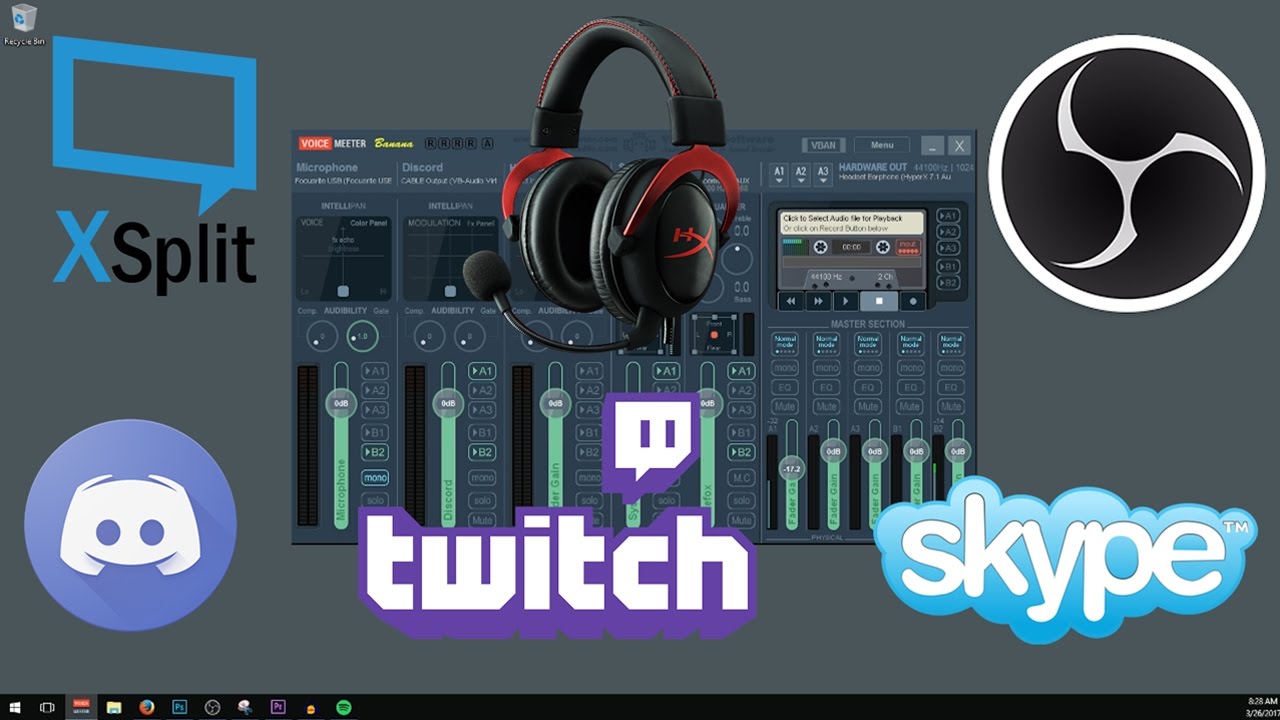
This video is an in depth tutorial on how to setup VoiceMeeter Banana for Streaming to Twitch, Beam, or Hitbox with OBS or XSplit and having full Discord or Skype functionality using VB Cable (Virtual Audio Cable). You will be able to route audio to your stream and headphone...
 patent venture
My total sub point count has been off by 23 points for the past 8 days. I can't find a way to fix it. What can I do?
twin sentinel
Known issue, as twitch changed an API andpoint. No ETA on a fix.
patent venture
Alright, thanks, also another question
a friend of mine just got affiliate and he wants to set everything up at streamelements, however at his tipping settings, he can only add his paypal email and nothing else. How can he have SE pay / g2a pay enabled?
twin sentinel
What is their name (just the name, not a channel link)? and what country are they from?
patent venture
RobertOlczyk, The Netherlands
twin sentinel
They need to have at least 100+ Followers to have the SE.Pay option.
patent venture
thanks for the help!
 fervent sedge
I am new to StreamElements (and streaming in general), but it is awesome to see how helpful everyone is here!
 zinc creek
I'm new with Streamlab but I can't find any free overlays I can add to my stream
wary halo
this is the StreamElements discord
zinc creek
right
 eternal lichen
hello, i got a new overlay on fiverr but how do i use it on stream element or how do i import it?
twin sentinel
Did you get a single setup link for StreamElements for your purchase?
eternal lichen
i got a link that i needed to download my setup from and needed to use winrar for them now i got them but i dont know how i canuse them now in stream elements
wary halo
@eternal lichen go here: https://streamelements.com/dashboard/overlays make a new overlay, and add the items to it

StreamElements
The Ultimate All in One Platform for Streamers
if you are unsure how to use the overlay editor you can watch this tutorial: https://www.youtube.com/watch?v=LwAfMIR3Cj0&list=PLCDDKlFdScbEwdx5AntcQIS1InkFJwHtv&index=5&t=2s

StreamElements Overlays are loaded from a single browser source in your streaming software, making streaming easy. https://streamelements.com/
StreamElements overlay editor enables full customization of your overlay, improving stream visibility and an increase of audience in...
eternal lichen
oke but its from fiverr and its also animated :/
wary halo
doesn't matter, you can add all the assets in the overlay editor
pics, vids.. the whole lot
eternal lichen
oke will try thx guys
chilly mica
So, I imported my info from SL to SE tonight, and it looks like my recent tips widget is broken because of it? It's showing tips from 2018 rather than my actual recent ones. Is there a way to fix that?
lament blade
so i contacted the Streamlabs discordbasically i said this:
hello recently ive been trying to get animated overlays. ive tried StreamElements but they said to use the Browser thing which lags the entire overlay, and has a framerate of 1. i want to download the overlays WITH editable sources ( i will provide screenshot of what i mean) so it can be easier. they said to come here because they cant do anything apparently. i need a good FREE animated overlay pack, and also i want to download the streamelements scene collections (again, WITH editabe sources and scenes) , save it as .overlay, and import into streamlabs. if anyone has a solution to this, please ping me or DM me, i need a response urgently as I have been up for 5 hours trying to figure this out
they said it wasnt their problem, and that you guys should know how to download the overlays as .overlay and EDITABLE because its your program
 sweet socket
Are you trying to import streamlabs copyrighted alert box etc?
lament blade
well
sweet socket
Oh you're trying to import SE overlays?
lament blade
yeah
sweet socket
They will basically always block our links
lament blade
but without the browser stuff
jade remnant
again, please dont tag random people @lament blade
https://discordapp.com/channels/141203863863558144/199460642975907840/670884562045501451
sweet socket
I don't think it's a possibility
lament blade
its also animated so when i do import it it lags
 woven star
Hi, is it possible to customize command !redeem or command aliases buy so that the bot can send a response in a private message
sweet socket
Would be working better if you would just use normal OBS studios
sweet socket
Slobs always blocks our stuff
wary halo
Because StreamLabs is a competitor and does not like StreamElements
twin sentinel
Downloading assets of our overlays is against our TOS!
jade remnant
either use the SE overlays in obs
or find non copyright themes from streamlabs
lament blade
what are superthemes
twin sentinel
Complete themes for a lot of scenes like BRB and Starting Soon. Not only one overlay.
round brambleBOT
@lament blade To add your overlays to OBS, add a new browser source in your scene. Paste your overlay URL in the browser source properties, set the dimensions to 1920x1080 (unless you changed them on the website), and ☑ “Shutdown source when not visible” https://youtu.be/KDvLynUqXI4
twin sentinel
No other way to use the overlays as within a browser souce.
woven star
guys , is there an option for customizing the command! reedem and the script "buy" I would like the bot to send a response message in PM to the person who triggered the command
rather than smearing it all over the chat
twin sentinel
You can create a custom command for redeeming an item with the ${redeem ITEMNAME} variable in a custom command.
For now every redemption via chat will give out a response in chat which cannot be disabled or edited.
lament blade
fck
woven star
ok thanks
 strong flicker
sub count not working on overlays, what do I need to do? 🙂
lament blade
is the subs command still not working?
 normal igloo
Command should be working @lament blade
lament blade
and how do you do it
normal igloo
in custom commands of your dashboard add new command choose a command template subs @lament blade
@strong flicker what do you mean like not showing at all or incorrectly?
 noble pike
Hi, I'am trying to switch my stream from Mixer to Twitch. I have changed the stream key and set it to twitch. All my overlays are ready but when I select "Start Streaming" it goes to Mixer instead of Twitch. Any suggestions?
strong flicker
i got it
i can only show the last 3 days
but i got a sub that didn't use the "show ur sub" on chat so it says 11 over 12
noble pike
hello?
round brambleBOT
@noble pike Streamelements on top of OBS -> Logout -> login
zinc creek
I have streamelements now and I want to add my overlays but dont know how can someone show me?
round brambleBOT
@zinc creek To add your overlays to OBS, add a new browser source in your scene. Paste your overlay URL in the browser source properties, set the dimensions to 1920x1080 (unless you changed them on the website), and ☑ “Shutdown source when not visible” https://youtu.be/KDvLynUqXI4
zinc creek
thank you it worked!
twin sentinel
Dowload the dafault sound here https://discordapp.com/channels/141203863863558144/199460642975907840/658585328222863379, upload it to your library and set it as alert sound in your alertbox.
lament blade
thanks, was looking for that 😄
actually
those4 don't have sounds
i'm looking for default.ogg sound file
I delete a mod 5 times but it comes back again
nevermind, i got it
twin sentinel
@lament blade Sorry, send you the wrong link, look here: https://discordapp.com/channels/141203863863558144/199460642975907840/344061720974589962
@lament blade
lament blade
thanks for that, but now i'm getting "failed to upload file"
seems like file uploads are busted atm
twin sentinel
what browser are you using?
lament blade
firefox
twin sentinel
Try it in chrome please.
lament blade
😦
 fallen rivet
Not really Twitch specific, since it's an SE Pay thing, but I stream on Twitch, so: I'm trying to fill out my payment details and it keeps failing. I've tried adding/subtracting dashes and such from SSN and phone numbers. THere's NO feedback as to exactly WHAT is wrong, just a failure.
round brambleBOT
@fallen rivet Please contact us via email for support with SE.Pay. You can use our contact form here: https://streamelements.com/contact Thank you
 ionic ivy
Anyone able to assist?
it will be easy
I found my stream overlay now how do i insert it into my stream?
round brambleBOT
@ionic ivy To add your overlays to OBS, add a new browser source in your scene. Paste your overlay URL in the browser source properties, set the dimensions to 1920x1080 (unless you changed them on the website), and ☑ “Shutdown source when not visible” https://youtu.be/KDvLynUqXI4
 inner cradle
what is the command to get the emoji up on the screen where you type! another Emoji and typing 1000, and then 1000 comes on screen
wary halo
@inner cradle it's a widget in the overlay editor called Kappagen
lament blade
i need someone to make me an overlay because my computer cant handle the preview and editor
please
someone help
cinder olive
#art-marketplace @lament blade
cinder olive
The program is free, if you do it yourself.
lament blade
I CANT
cinder olive
If you want someone else to do it for you, it no longer becomes free.
lament blade
MY COMPUTER CANT RUN THE EDITOR
jade remnant
what browser are you using
lament blade
chrome
should i use the desktop app
can i edit my overlays in the desktop version
jade remnant
desktop app?
lament blade
yeah
jade remnant
what desktop version
 fair mural
¿Cuántos puntos por minuto da la ruleta?
lament blade
english onlu
fair mural
How many points per minute does roulette give?
jade remnant
no, the overlays are cloud based so need to be done on the site
lament blade
ok can we move to dms tadpole
ionic ivy
I need assistance again
lament blade
just for a second i need to screenshare
jade remnant
@fair mural #🇪🇸︱español
lament blade
tad
ionic ivy
I got the league overlay on
fair mural
no, the overlays are cloud based so need to be done on the site
lament blade
ok he said that alr
cinder olive
@ionic ivy send a picture of your OBS
lament blade
@jade remnant im sorry for the ping but i need to screenshare with you