#helpdesk-twitch
1 messages · Page 566 of 1
 cold barn
 eternal lion
i have a question about the raffle modual specifically the mult raffle function. how many people win in a multi raffle and can you set how many people win in a multi raffle
 wary halo
let me ask around since i don't know the answer but am curious myself now 😛
eternal lion
thanks 👍
while you are at it could you also ask if you can split the winning among the winners i.e 100 point multi raffle and there are 4 winners each getting 25 points
 scarlet tiger
How many people? 2,3,4 - random
Can you set how many people win? - this is not possible
 round brambleBOT
@eternal lion Check out the StreamElements ideas board: https://strms.net/ideas. You'll be able to add ideas, upvote ideas you agree with, and track their progress with email notifications. Adding and upvoting ideas also helps the staff know which ideas should be prioritized so please take some time to upvote.
 charred orchid
Would this be the right place to ask about stats emails that are sent out after the stream? In last 2 emails the "Unique chatters" in the stream report is unusually high (as in, I know there wasn't that many people chatting on the stream), so I'm just curious if there's an issue with the numbers in the email or I'm mixing up with something 😄
 abstract hemlock
@charred orchid now that i think about it... yeah mine too
 surreal hatch
Has anyone noticed interruptions during streaming? I will be streaming to Twitch for like 2 hours in and my bitrate in OBS.LIVE just drops to 0 completely ending stream. It will say I'm still streaming though. I have to End Task on OBS in Task Manager then relaunch from scratch. For background I don't suffer packet loss from my ISP, I run my stream through Twitch Inspector for 10-15 minutes to check my stability prior to going live, and OBS is always ran in Administrator Mode. Please advise if you know of a solution or is it just Twitch sided.
 strong kernel
@charred orchid @abstract hemlock A "unique chatter" is someone logged into your chat, whether they send a message or not.
round brambleBOT
@surreal hatch Please provide a log from your last stream. To do this, in OBS go to Help > Log Files > Upload Last Log File and paste the link to the log file here.
surreal hatch
strong kernel
https://obsproject.com/analyzer/?url=https%3A%2F%2Fobsproject.com%2Flogs%2Fw_sdWxHxFBSW1uX7
This might start you off.
 slim hatch
@wary halo hey, it fixed the alerts, not sure why it was fine with that on the other day. Browser update?
wary halo
don't know, it just happens from time to time for some people
 sleek berry
how do I change my payout in S.E pay
surreal hatch
@strong kernel Thank you. I will keep you up to date after my next live session. One question, why would Display and Game Capture interfere with each other when one is hidden while one is active?
round brambleBOT
@sleek berry Please contact us via email for support with SE.Pay. You can use our contact form here: https://streamelements.com/contact Thank you
strong kernel
@surreal hatch That'd be a question better for OBS Project, a bit too technical for me.
surreal hatch
Gotcha. I will have to ask at some point. Thank you.
cold barn
hmm, when I upload an image to variations, i still get the default image
 cursive wind
Question: Sometimes text with scrolling enabled just stops and doesn't update for a while, like my "recent subscribers" and "recent tips". They just freeze and I usually have to update my overlay, save it and refresh it in OBS. Is there any way to prevent that?
strong kernel
@cold barn What variation are you changing?
@cursive wind Are you streaming with OBS Studio on its own or with OBS.Live?
cursive wind
OBS.Live. But the overlay is added as a "Browser Source" so would OBS.Live even affect that?
strong kernel
Yes.
Is there any pattern to the issue, such as being active for a certain amount of time before stopping?
cursive wind
Yeah, although I cannot recall the exact time. Since it's so small in my preview window, I don't notice it right away
cold barn
@strong kernel I was updating the images ands sounds for variations on bit amounts. It seems like if I leave the alerts editor, it updates and works. I was trying to test them while still in it like usual.
 carmine inlet
need help with bank acc. Acc is alright but says "Bank Details Invalid. Contact Support"
round brambleBOT
@carmine inlet Please contact us via email for support with SE.Pay. You can use our contact form here: https://streamelements.com/contact Thank you
 void sorrel
Been using Kappagen for over a year now, worked very well. Recently the animated BTTV emotes haven't been showing. Are they still supported?
 twin sentinel
Known issue, our devs are aware of. We cannot provide an ETA for a fix at this time.
void sorrel
Alright, thank you
 eager agate
@smoky tide Ah ok, thank you.
 loud fable
I have a problem with an ALert and TTS for some reason - its a dollar variation dono for 3.00 and my minimums are at 3.00 but the alert plays fine but TTS will not work - any help is appreciated
 solid wing
is it possible to link lastfm to streamelements
strong kernel
@solid wing No.
solid wing
Okay, thanks 🙂
 twin yoke
strong kernel
twin yoke
strong kernel
Can you take a screenshot of the behavior? And can you explain in a little more detail than just "it's broken?"
 steep meteor
Greetings! Today was the first day I rolled out the newest animated new event widget and it just stops working even after I refreshed the browser and overlay. Any help?
 ornate bronze
possible to answer a question regarding merch? can't seem to resize an image on a shirt or sweatshirt. The logo on my sweatshirt is too small and the one on the shirt is too big, and they are the exact same file/logo haha
 hexed violet
in one of my scenes, scrolling text doesn't scroll in OBS. it scrolls in the overlay editor though
strong kernel
You mean these?
hexed violet
yeah i'm looking at my obs right now and they arent moving
strong kernel
Is Browser Source Hardware Acceleration disabled in Settings>Advanced?
hexed violet
no, should it be?
strong kernel
Yes, try disabling it.
hexed violet
working now thank you!
actually, it works for a minute when i reboot OBS. only in my games scene, it always works in IRL scene
 hardy laurel
hi, im was streaming and closed chat, now when i open chat it shows my twicth panel, any way to get chat back?
never mind reboot fixed it
strong kernel
In the future:
round brambleBOT
@hardy laurel Streamelements on top of OBS -> Logout -> login
hardy laurel
i am trying to set up media request, i have a widget set up but how do users request youtube songs>
we tried posting in chat but that doesnt work
strong kernel

StreamElements Media request enables playing songs and videos in your stream. It's an upgrade of StreamElements Song request and Media share features.
Join our discord for live support: discord.gg/SE
Ground Control: https://strms.net/groundcontrolyt
Channel Management...
 noble garden
How can I make someone my super mod?
 waxen field
how do i get my overlay on streamelement to streamlabs obs
strong kernel

StreamElements
The Ultimate All in One Platform for Streamers
round brambleBOT
@waxen field To add your overlays to OBS, add a new browser source in your scene. Paste your overlay URL in the browser source properties, set the dimensions to 1920x1080 (unless you changed them on the website), and ☑ “Shutdown source when not visible” https://youtu.be/KDvLynUqXI4
@waxen field We're not able to troubleshoot issues with using our overlays in StreamLabs OBS (SLOBS) as we don't have the tools to support their software. We recommend using OBS Studio or OBS Studio with our plugin OBS.Live.
noble garden
@strong kernel but how
 swift latch
Anyone know of any completely customizable train widget for streamelements?
noble garden
How can I make someone my super mod?
swift latch
I've been using the alphagaming one, but I don't know javascript and I need to make it a bit more customized
strong kernel
@noble garden Follow the link and click the only big button you see there.
swift latch
Thanks, I'll ask there
 inner yacht
Hey guys. Whilst streaming from PS4 is it possible to put an overlay over the stream telling viewers I've gone for a break? Many thanks
noble garden
@strong kernel I dont see one
round brambleBOT
@inner yacht Here is a guide on how to setup the most essential tools for streaming from your console, while using StreamElements tools without involving a Capture Card! It's easy to do, take 4 minutes to read and 10 to 15 minutes to setup!
Read all about it here: https://blog.streamelements.com/how-to-stream-on-console-7b620b1c46c3
 cinder olive
yes
noble garden
How do I get to that from my dashboard?
cinder olive
literally click this link https://streamelements.com/dashboard/bot-commands/user-management
StreamElements
The Ultimate All in One Platform for Streamers
cinder olive
strong kernel
noble garden
Oh
hardy laurel
@strong kernel i have watched that, i can get the video showing on my stream but users cant request songs via chat?
Tips off and all that, everything selected as free etc
 upper bramble
Hey! So, I'm using obs live through stream elements, and i'm trying to start my stream but i just see "starting stream..." It says i'm live but it's not playing on my twitch. I've tried updating, restarting my computer, and nothing works
round brambleBOT
@hardy laurel Please connect your streaming account (Twitch, YouTube, or Facebook) with Discord by going to ⚙ Settings and then Connections here in Discord. https://streamable.com/eg92w
 hardy laurel
twitch, done that
strong kernel
@upper bramble Check everything in Settings>Stream. And then double check it. And then redo it all anyway.
@hardy laurel 🤔
upper bramble
@strong kernel i've done so but still the same thing
strong kernel
@upper bramble Screenshot the behavior please.
And your settings in Settings>Stream.
hardy laurel
done
strong kernel
@hardy laurel Make the bot a moderator in your chat.
hardy laurel
how do i do that
cinder olive
/mod streamelements
hardy laurel
thx
upper bramble
strong kernel
Disconnect and reconnect.
@hardy laurel Just posting a link is not going to do anything. You need to use the command.
strong kernel
Not that.
I highly recommend you go through all your default commands here. https://streamelements.com/dashboard/bot-commands/default-commands
Just read through them.
Learn what the bot can do.
upper bramble
i disconnected and reconnected, same issue
round brambleBOT
@upper bramble Please provide a log from your last stream. To do this, in OBS go to Help > Log Files > Upload Last Log File and paste the link to the log file here.
 verbal cliff
Ahoy hoy! Dumb question. Is there any way of making Steam Store redemptions user specific? I'd like to add custom sound commands for specific users as a thank you for their support, but obviously I've got a feeling I can't do that through stream store?
upper bramble
hardy laurel
sheesh, all i want is for users to post a youtube link and it plays, no vid for that, surely works out the box?
 pale glacier
Does anyone know if SE.Pay is available for Canadian Streamers?
cinder olive
@upper bramble your issue is you couldnt go live, correct?
upper bramble
thats correct @cinder olive
strong kernel
@hardy laurel
cinder olive
Have you tried running OBS as admin? @upper bramble
hardy laurel
thats enabled
strong kernel
Great. Now use it.
upper bramble
just attempted, it's still not working
hardy laurel
🤷
cinder olive
if OBS is ran as admin, repost your log @upper bramble
hardy laurel
how, surely they just type in a youtube link?
strong kernel
No.
cinder olive
@hardy laurel try !sr <youtube link goes right here>
strong kernel
If you want to use a command, you need to type the command.
upper bramble
@cinder olive current log or past log?
cinder olive
Current.
upper bramble
cinder olive
Try to disconnect and manually enter your streamkey @upper bramble
hardy laurel
great, we are working thanks
 scenic nimbus
My bot isn't talking in my chat, but I've modded streamelements
as in I cant use commands
but it alerts me of follows
upper bramble
same issue @cinder olive
cinder olive
And youre sure you entered the right stream key?
strong kernel
@scenic nimbus
upper bramble
yes i'm positive! i've tried prior to asking with just copy paste, tried again when i asked, and then now all entered manually. its my key!
i'll just attempt to uninstall and reinstall and hope that works
scenic nimbus
where would i see that setting
cinder olive
if that doesnt work, @ me @upper bramble
strong kernel
@scenic nimbus https://streamelements.com/dashboard
StreamElements
The Ultimate All in One Platform for Streamers
upper bramble
@cinder olive sad face same problem lol
cinder olive
Is this a new error? Were you able to go live before?
upper bramble
i haven't been live in 5 days, but before today i've never had this problem
cinder olive
head over to "https://dashboard.twitch.tv/u/anyaproductions/settings/channel" and "reset" your stream key, and try that.
 upper bramble
same thing lol
cinder olive
And you have 2FA on your account?
upper bramble
2FA?
cinder olive
Two Factor Authentication
upper bramble
yeah i do
oh my god i'm so sorry....i totally forgot i had a 500 second delay going on and i just realized now and fixed it. we're all good. woops
cinder olive

strong kernel

cinder olive
youre good
upper bramble
LOL i feel like an idiot haha
 ruby topaz
I'm trying to add my widgets to obs but nothing is showing up
round brambleBOT
@ruby topaz To add your overlays to OBS, add a new browser source in your scene. Paste your overlay URL in the browser source properties, set the dimensions to 1920x1080 (unless you changed them on the website), and ☑ “Shutdown source when not visible” https://youtu.be/KDvLynUqXI4
ruby topaz
I've made it a browser source and it doesn't pop up with the text
strong kernel
Screenshot your browser source properties.
Reread the bot instructions.
Image deleted to hide your URL.
ruby topaz
Can I not have each thing separate?
 kind epoch
Why does the hype cup not contain anything from previous activities less then 24 hours old?
steep meteor
Greetings! Today was the first day I rolled out the newest animated new event widget and it just stops working even after I refreshed the browser and overlay. Any help?
strong kernel
@steep meteor Have you disabled Browser Source Hardware Acceleration in Settings>Advanced?
kind epoch
Should that setting be disabled by default? Browser Source Hardware Acceleration ?
Think mine is on :S
cinder olive
Then disable it.
strong kernel
OBS.
steep meteor
The box is checked
strong kernel
Uncheck it.
steep meteor
Thank you!
It seems to be working now.
💗💗💗💗
You guys are awesome
I couldn’t figure it out today! Lmao 😆
Also I am using the 3D subscription alert 🚨 widget, is there anyway to make my other notifications the same
cinder olive
Yes, all you have to do is copy both the HTML and the CSS custom css sections to your other alerts and edit them to say the proper things.
If you ask in #dev-chat I can give a better answer here inabit
kind epoch
About the hype cup query? Any suggestions?
 lavish estuary
someone donated 1$ but no money came up on screen
no alert
but i have alert box on ther with tips enabled
strong kernel
@lavish estuary How were you notified of the tip?
strong kernel
If a viewer tipped through PayPal but no information appears in your StreamElements account, this generally means PayPal has held the tip for verification. Until PayPal clears the tip and sends back a confirmation to your StreamElements account, no information will appear there and no alert will play, as that confirmation is the only way for us to be aware of a successful transaction. If you believe there may be an issue with the transaction, you'll need to contact PayPal support as StreamElements is only a passthrough service and never actually gets involved with the transaction or touches the money.
 strong jetty
im having some difficulty with my SE.Merch Store, everytime i try to do ANYTHING to it, it times out
cinder olive
@strong jetty Try asking in the merch channel 😉
lavish estuary
the 1$ came through in paypal
i am verified with paypal as well
linked my bank acocunt
strong kernel
@lavish estuary We're a passthrough service. If PayPal doesn't send us a confirmation we have no way of knowing what happened.
lavish estuary
damn , so i never will have any tips show on screen? thats what it sounds like
strong kernel
No, that's not what's being said at all.
Log in to PayPal.
See if you forgot to finish setting something up.
See if they forgot to finish setting something up.
Then contact PayPal support if there's nothing else to check.
We're not involved with the transactions.
 worthy garnet
Guys, any way to translate the default commands and the answers by myself??
strong kernel
To what language?
strong kernel
Default commands cannot be changed.
 sturdy mortar
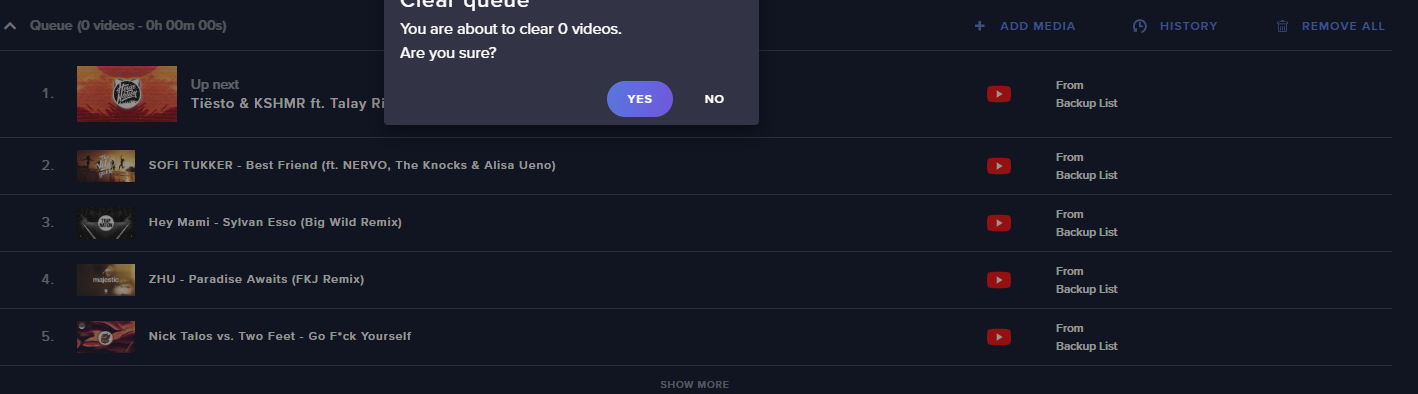
Anyone know how to fix this? http://prntscr.com/qots5z
 strong kernel
@sturdy mortar What is there to fix?
sturdy mortar
IS there a way to change the backup playlist?
cinder olive
Have no songs in the queue and backup songs show up.
strong kernel
@sturdy mortar Settings.
worthy garnet
any chances to read .txt on custom commands? or expand the maximum length?
 mental owl
Hi guys, question about bitrates. OBS has 2 nvenc options for streaming, but the "new" one doesn't provide the option to resize. Any idea why?
strong kernel
@worthy garnet StreamElements is cloud-based and will never reference local files, it's the opposite of our design philosophy.
 dry hare
@mental owl you’re gonna have to be more specific on “resize”
worthy garnet
Got it @strong kernel , I'm trying to full migrate from slabs bot to streamelements, but I'm getting stuck in some limitations
However I found something like an API to read files from pastebin, I'll research that
 wise cliff
Any word yet if the Redemptions widget has been fixed?
 old thistle
Hey I need help making a command
strong kernel
@wise cliff In theory?
old thistle
I'm wanting a command that can create build requests when someone puts !buildrequest or !br it puts their request into a list somewhere
 fathom oriole
is it supposed to work like the songrequest command? that one makes a list too
strong kernel
The quickest way might just be a store item redemption.
 scarlet timber
Need help with a command!
I'm trying to do a command so it say @whoever kissed @whoever but I want it to be random who they kiss how do I do that?
*says
strong kernel
See https://streamelements.com/dashboard/bot-commands/variables for available variables for commands.
StreamElements
The Ultimate All in One Platform for Streamers
 hard plover
For merch purchases is there a widget for the alert box? I don't see it when editing my alert overlay.
strong kernel
 icy quail
Sooo, my chatstats are working because the page doesn't exist? It looks like there's still stuff from my old account name....but when I changed my name on Twitch, it looks like it messed it up. Thoughts?
 ionic kelp
@icy quail old and new name?
 chrome hull
I'm stuck trying to add stream elements to my twitch
icy quail
@ionic kelp immatthewh -> Zencep
 pastel zodiac
Hi, guys, im having an issue, I usually mod different channels on twitch, someone is trying to give me full control invite in streamelements, but I keep getting the same error, not sure whats going on
dry hare
Did they DM/E-mail you the invitation?
pastel zodiac
We've tried with more than 4 links already
dry hare
Sign out and sign back in?
pastel zodiac
already did that, and he did that also
dry hare
What browser are you using?
pastel zodiac
I've tried with chrome and opera gaming
having the same issue with both
2 days ago i did it with opera gaming, and it work fine as usual
dry hare
Have them generate a new link for you, and then paste the link into chrome in an incognito window
pastel zodiac
Finally, that worked, thank you so much
dry hare
No problem
 polar wasp
I made a few bits alerts https://gyazo.com/067921e922e29ab53a3a88d50d15eedd as you can see in the picture but if I throw it now to 100 https://gyazo.com/24f0f19b2c67d4fdf6787601836a9133 what does it say we can set 0


 zenith widget
@polar wasp imagine every amount being a barier of entty sort of thing. If you set a 0 amount in one of the variations then when someone cheers with a 1 it will show up
polar wasp
So do you recommend it stands at 0 on all the different ones I make?
dry hare
Each “tier” should be the minimum value, not “exactly x bits”
dry hare
I don’t use variations so I don’t know what the settings are
I would set them as equal to or greater than
polar wasp
I need all back to my old settings in obs Orsuna can you help me to set it up because what you have set up has delay with layout and no one can help me with it and when I try to go live on twitch it doesn't bother me either
The day you helped me it wouldn't go live either I could see
hard plover
@strong kernel I am not seeing the Merchandise section like you posted for me earlier and was just recently accepted to the merch beta.
polar wasp
There have only been problems with all my stuff and therefore I have not gone any further with my setup because no one just likes to help me and I will do everything there is to help someone so I can stream again soon
Will not go over to streamlabs because it is not quite as good as StreamElements I would say even though there are many errors like yourself so the day we talk with scroll text but do not understand that you said I should be on my good net but that I still having problems when I have my good net on
So will hear if you can help me Orsuna
zenith widget
@polar wasp So variations work like this -> you set a specific condition on them, for example a minimum amount of 10,000 bits and you set a special alert + sound on it. Setting 0 on all of them, makes this special alert obsolete.
polar wasp
That is, if it is set to 0 and they give 5000 bits then it plays it alert to 5000 bits but if I throw it to 5000 bits under settings it comes right away?
Don't understand it 100%
zenith widget
If you have 2 variations, one set at 0 and one set at 5000, the variation with 5000 will play
When you set a condtion in the variation
to be "at least"(a minimum amount) of 100,000 bits and place a super secret and special alert on it
only when someone cheers 100,000 bits to you
that special alert will play
if you set a 100amount
then anything above 100+ bits will play that variation
if you se 0
then all chhers from 1 until the max what ever it is from twitch
will play as well
as long as the condition matches
polar wasp
Right now I have one called 1000 or one at 5000 and below them I've thrown them at 1000 and one at 5000 and give people 20 bits they don't come up they come up first if people give 1000 or 5000 we agrees?
zenith widget
I don't understand the question
polar wasp
I have https://gyazo.com/aad577d1b67e6c34f47d74106aa1909f and https://gyazo.com/840fa291f8f4d0e144218bcdb6b80c30 and https://gyazo.com/9df53eea269139dddd1f7bc58024da45 That is, if people send me 999 bits then it will not come up with the alert 1000 bits or higher until they give 100% it as it is set tel or whatever
If it is set to 0 and they send 999, some will probably show it to the 1000 alert or I will misunderstand
zenith widget
"When the amount is at aleast 1000" means
That means if someone cheers 1000 or 1001 or 1002
that variation/alert will play
if they cheer 999
that variation will NOT play
zenith widget
only 1
polar wasp
What's so good about having it at 0?
zenith widget
If you want to show when someone cheers with a 1
polar wasp
If it now stands at 0 and 1000 bits in it and there is one that sends 999 bits then it comes up with 1000 bits or I misunderstand there
I have set so that people should give a minimum of 20 bits which means that I can see if they only send 20 bits or how
You mean like here https://gyazo.com/c5bcf0831f38802c08383cd78ac414d9 whether he chooses to use 1 bit 100 times or whether he uses 100 bits at one time?
 zenith widget
There is a bell icon i nthe overlay
use that to test
and see how it works
I'm sorry but I will not explain the same thing for the 3rd time.
round brambleBOT
@polar wasp You can test Alerts via the bell on the lower right corner of the Overlay Editor. Simply go to your Dashboard -> My Overlays -> Pencil/edit button on the overlay. Make sure the "Show Emulated events on stream" option is on to see the alert in OBS/Xsplit https://streamable.com/h6qgy
 polar wasp
Don't worry if I set it to 0 or 100
They look like they do the same thing no matter what I test with them whether it is 0 or 1000
So it's a little hard to see the difference when nothing happens when I test
zenith widget
If you've set the same image and sound on the 2 varitions
then you won't seethe difference
polar wasp
Still not working even if I change it
old thistle
why does my webcam not always come up when I open OBS
zenith widget
its being used somewhere else
polar wasp
So don't understand why nothing new is happening like you said
 fathom zodiac
question is it better to run some overlay assets locally on your pc or browser? does it take more cpu to do it over the browser or is all relatively the same?
dry hare
More cpu if run local
polar wasp
Orsuna see my msg i have send
fathom zodiac
really? thanks for letting me know
dry hare
Remote assets load once and essentially provide a single “resource” that loads. Local assets require hard disk space and ram allocation in addition to cloud resources. Loading one single cloud resource means less ram/cpu
I saw it. We can’t really provide 1-on-1 support for obs studio. I went above and beyond what I’m supposed to do the other day, as did Mitch. You’re going to need to find a danish tutorial for obs studio and go from there, or translate 99% of the instructions that have been provided.
polar wasp
But many of the things don't work
polar wasp
For example, I don't understand it with bits 0 and 100 because it shows no difference
dry hare
Your minimum but threshold is 0 for all of your alert variations as keizar explained. Your variations are “tiers” which need a start number and an end number
fathom zodiac
Another question, if I take a video that has a green screen playing in the background can i change the chroma key to something else in stream elements?
in obs there was a feature that allowed you to take a color and remove it from the video
dry hare
It’s in obs
fathom zodiac
but can it work on stream elements?
like if I upload a video and wanted to remove something from the video
dry hare
If you have an existing video on your pc you want to export it with a transparent layer
You’ll need adobe premiere.....?
I think
fathom zodiac
i have that too haha
okay so just export it using the software and import onto stream elements
got it! thanks again!
 sinful wharf
hello when i hit to load the overlay it pops up a blank webpage
round brambleBOT
@fathom zodiac https://tenor.com/view/no-u-keanu-reeves-got-it-gif-14479787
 zenith widget
@sinful wharf The reason I need your username is so that I can check your overlays
And see if they load properly on my side.
If they do, then I know what to suggest for you to do.
sinful wharf
im not streaming i just have obs loaded
zenith widget
I would like to know your twitch username, so that I can check your overlays from my side
It does not matter if you are streaming at the moment or not.
sinful wharf
gamingwithkentuckianjd
 quaint crag
hey i have a question can anybody help me finding costume donation alert sounds like when someone donates 3.33 then comes idk screamer or sm shit and when 4-10 e casual alert
zenith widget
@sinful wharf So the overlay does not have any visual assets for it to load and show when you launch the overlay.
round brambleBOT
@sinful wharf To add your overlays to OBS, add a new browser source in your scene. Paste your overlay URL in the browser source properties, set the dimensions to 1920x1080 (unless you changed them on the website), and ☑ “Shutdown source when not visible” https://youtu.be/KDvLynUqXI4
quaint crag
@zenith widget i mean how do i create costume alerts
sinful wharf
k thanks
quaint crag
i cant find any settings for that
zenith widget
I would suggest to take a look at this video: https://www.youtube.com/watch?v=8LVRd2X4HvU&list=PLCDDKlFdScbEwdx5AntcQIS1InkFJwHtv&index=6 @quaint crag
quaint crag
thx
 sinful wharf
yea its almost 2 am here now i got a blank page in broswer and nothing in my obs after adding in the address link
zenith widget
There is only an alert widget in the overlay
as mentioned there is no image asset in the overlay to display.
sinful wharf
so i just turnn on the ones i want to show up?
 hardy spire
With Media Request --- is there a way (preferably in obslive) to bump a song to top from outside the first page??
and is there a way to have channel points interact directly?
zenith widget
@sinful wharf Yes
@hardy spire From outside the first page? You mean to show more songs and have a specific go on top?
Which channel points are you referring to?
sinful wharf
I think i figured it out now i am just activating the widgets inside. Ill try it out tomorrow thank you very much
hardy spire
so on twitch alot of channels have channel points, and alot of channels have a priority song request and stuff -- but if we have 2 pages of songs in media request, we cannot bump songs to the top
 wispy rune
I don’t think with twitch channel points, only SE loyalty points
zenith widget
We have no interaction with the twitch channel points at this current time.
hardy spire
okay... will shelve that idea... 🙂
zenith widget
Ah I see what you mean - in OBS.Live there is no paging.
hardy spire
or a right click on a song, move to top of queue?
round brambleBOT
@hardy spire Check out the StreamElements ideas board: https://strms.net/ideas. You'll be able to add ideas, upvote ideas you agree with, and track their progress with email notifications. Adding and upvoting ideas also helps the staff know which ideas should be prioritized so please take some time to upvote.
 blissful scarab
hey so my media request echoes really badly when i show it on stream and i am not sure what to do about it
round brambleBOT
@blissful scarab Make sure to ☑ “Shutdown source when not visible” for all browser sources (all OBS scenes). If using studio mode, uncheck “Swap Preview/Output scenes After Transitioning.” Also keep in mind that sound can play from any overlay loaded in the browser (editor or launched). https://i.imgur.com/FegZJQS.png https://i.imgur.com/yY0wcFl.png

 blissful scarab
it didn't work
blissful scarab
i do have mutiple overlays with media request
zenith widget
Then make sure all of them has the above option turned on
 feral hamlet
Currently making my store on stream elements. how to i get the scene to add it to my Streamlabs? been trying to look it up and cant figure it out
blissful scarab
it's still echoing
zenith widget
Then you've missed an overlay/browser source
@feral hamlet if you are looking into using overlays, we recommend using OBS Studio, as SLOBS tends to block our overlays or not load them properly sometimes.
blissful scarab
hmm i don't think so
zenith widget
Then remove all browser sources
and start adding them back in one by one.
or start removing them
one by one
until you find the one that is causing the issue.
round brambleBOT
@feral hamlet To add your overlays to OBS, add a new browser source in your scene. Paste your overlay URL in the browser source properties, set the dimensions to 1920x1080 (unless you changed them on the website), and ☑ “Shutdown source when not visible” https://youtu.be/KDvLynUqXI4
feral hamlet
@zenith widget i just want the alert to pop up when someone buys item in store
zenith widget
Then follow the above
feral hamlet
the video above only told me how to do overlays. not how to make the alert coem up?
 gentle imp
add a redemption widget to the overlay @feral hamlet
feral hamlet
@gentle imp i did this. i have the overlay in browser source in streamlabs. but the alert is not happening
gentle imp
can be slobs blocking it dunno, it is not 100% compatible with StreamElements
did you add the overlay with size 1920x1080 and ticked shutdown source when not visible?
feral hamlet
yes i did. so i just gotta switch to obslive?
gentle imp
if you have widget on overlay and overlay loaded on OBS and it doesn't show, yeah but if you want you can send me in a private message the overlay link so we can test it, in fact you can too, open the overlay link in a chrome tab and test it
gentle imp
sorted on DM's ⤴️
 lethal tide
Hello. I recently saw some people reporting in Discord groups that I participate in the new follower notification, BOT is deleting the first letter of the user's nick. Today I followed a channel and saw the problem happen. Are you aware of this? Is there a solution to the problem already?
In the notification settings the variable is correct. {user} is correctly placed, but the chat message still cuts the first letter of the user's nick.
scarlet tiger
@lethal tide on your twitch channel?
lethal tide
On my channel everything is OK. But I just followed a friend and gave that problem.
 tight harness
What is the friend's username
lethal tide
I just did a test here. If {user} is used at the beginning of the field, it gives the problem. If I put text before {user}, BOT displays the message correctly.
@tight harness Tiagopure
lethal tide
I talked to someone else who was having the same problem and it looks like this: When {user} is used at the beginning of the field BOT deletes the first letter of the nickname. If the person puts a sentence before, such as "Welcome {user} ..." BOT displays the message without error.
tight harness
Thanks for the report, I've passed this on to the relevant developer
abstract hemlock
@lethal tide
this screen shoot is for my latest stream
aprox. 9 hours ago ...
lethal tide
I do not know. In 2 channels that I did the test, this problem appeared. And it was resolved by putting something before {user} 😂
 devout crest
ok i am having a issue , i am trying to stream on twitch , it shows my game on StreamElemental ORBS , but on twitch it dont say i am streaming
abstract hemlock
maybe you are streaming on other platform.. check that and log out and log in again 🙂
tight harness
You aren't live, you can see this from the fact that the green button in the bottom left says 'Start Streaming'
tight harness
Go to Settings -> Stream -> Connect Account (recommended)
devout crest
ok
devout crest
ionic kelp
They mean in OBS.
tight harness
Yep
devout crest
im live and it still says im not
tight harness
The instructions I posted were meant to be done in OBS, not on the Twitch website
ionic kelp
Look at the buttons in the bottom right.
devout crest
yeah
gentle imp
you are recording not streaming
devout crest
i clicked streaming
gentle imp
I guess the pgrogram didn't get the memo
so, stop recording unless you want to and press streaming
devout crest
ok i did it says streaming and on twitch it says im offline
devout crest
ok
 polar totem
can anyone help me my chat bot has stopped working since i changed my twitch name even though i signed back into streamelements and linked my twitch account again and ive modded the bot in chat but it just doesnt work? any ideas anyone
ionic kelp
@polar totem Login to the site then hit leave channel then rejoin.
polar totem
@ionic kelp where abouts do i find that been looking for something along them lines to start again
wary halo
 lean sapphire
how !rename works?
polar totem
blessed safe you man its sorted
lean sapphire
there is some way to put delay on the execute of a command? i mean y write !roulette (for example) and 5 sec after that the command show the msg
polar totem
respect for that lads love how quickly man helped me
lean sapphire
that could be really helpfull
polar totem
@wary halo @ionic kelp SAFE Gs
lean sapphire
and is possible to get delay on a command? no cooldown, delay.
wary halo
let me ask around as i don't know that 😉
lean sapphire
ok ty
wary halo
no delay possible
round brambleBOT
Check out the StreamElements ideas board: https://strms.net/ideas. You'll be able to add ideas, upvote ideas you agree with, and track their progress with email notifications. Adding and upvoting ideas also helps the staff know which ideas should be prioritized so please take some time to upvote.
lean sapphire
i will put it on ideas
wary halo
👌
 sick trench
is there anyway i can setup commands that the chat can use to play sound effects and gifs/clips on stream?
wary halo
you can create a stream store for that
StreamElements
The Ultimate All in One Platform for Streamers
gentle imp
- Go to Stream Store page here: https://streamelements.com/dashboard/store/items
- Add an item that has these settings on it:
- Stream Perk
- Loyalty settings to your desire
- (Next step) Add contents (image and/or sound you want to play)
- "Redeeming this item shows an alert
- Redemable via chat
- Skip Requirements
- Get the item name/command from the 2nd creation page
- Go to commands page here: https://streamelements.com/dashboard/bot/commands/custom
- Add command with desired name and have response for command as: ${redeem item_name_here}
- Go to your overlays and edit the overlay you use.
- Click on "widgets" and add "Store redemptions" widget. Click save and you should be golden.
- Test your own command in chat and have OBS or editor open to hear sound
wary halo

 vapid tendon
Hello, I am setting up my scenes and cannot get SE to capture the video input for a specific game, running through Steam, while other games seem to be captured fine.
Conan Exiles is the game
ionic kelp
Might be this https://www.pcgamingwiki.com/wiki/Conan_Exiles#Network
wary halo
@vapid tendon not all games allow game capture, so you would have to use window or screen capture for those
also, SE doesn't capture anything, it's OBS 😉
vapid tendon
Sorry for the incorrect term. I am setting up on a new machine and have captured these games on my previous device. Upon further exploration, it captures Game Captures fine from Epic Games, but not from Steam, for some reason. (tried other stream games I have already streamed)
round brambleBOT
@vapid tendon 1) Restart OBS
2) Start your stream/recording for about 30 seconds. Make sure you replicate any issues as best you can, which means having any games/apps open and captured, etc.
3) Stop your stream/recording.
4) Select Help > Log Files > Upload Current Log File. Copy the URL and paste the link here.
(Note: If you do not see an obsproject.com URL, you will need to update OBS Studio to version 22+)
 jade remnant
do this when trying to capture a game
vapid tendon
 gaunt notch
Hi anyone available to help me
round brambleBOT
@gaunt notch Welcome to the helpdesk! Please let us know how we can assist you today and a support volunteer or staff member will assist you as soon as they are available. Thank you for your patience.
vapid tendon
It picks up the audio from the game, but no video @jade remnant
gaunt notch
Perfect I have just downloaded the stream elements phone app can I change the alert box?
I know I create one on the website just can't find out how to change it via the app
As in paste the link
wary halo
@vapid tendon i see you are streaming from a laptop right?
vapid tendon
Yes
wary halo
did you do this?

GitHub
OBS Studio - Free and open source software for live streaming and screen recording - obsproject/obs-studio
 barren shell
i need help with overlay
wary halo
because you need an extra step to capture on a laptop
 elder sorrel
Let's move to #helpdesk-mobile @gaunt notch
gaunt notch
Okidoki thanks mate
wary halo
@barren shell what is your question?
barren shell
i just got new stream overlays from a guy on fivver and i want to put them on my stream but i cant seem to figure it out
 brazen flame
Hey, how i can add a timer from the chat, there is a command ?
wary halo
@barren shell do you know how the overlay system works on StreamElements or would you like to see a tutorial?
 sweet socket
I think you can only add them over at the website @brazen flame
StreamElements
The Ultimate All in One Platform for Streamers
barren shell
ive used the overlay from stream elements like the one's that are pre-made but i dont know how to get my custom ones on there
brazen flame
@sweet socket thx ❤️
vapid tendon
You are absolutely right Ruben, I did that on my previous laptop and totally forgot I would need to do it on this one. I will try that.
sweet socket
@barren shell you' ll have to add them as your overlays or add them to your existing ones https://streamelements.com/dashboard/overlays
StreamElements
The Ultimate All in One Platform for Streamers
also no worries Caval 
vapid tendon
Weird that it was capturing two of my games without that step though
wary halo
@barren shell you need to add a widget for pictures or videos to your overlay, then upload your files to that

StreamElements Overlays are loaded from a single browser source in your streaming software, making streaming easy. https://streamelements.com/
StreamElements overlay editor enables full customization of your overlay, improving stream visibility and an increase of audience in...
jade remnant
@vapid tendon yeh, obs is loading up on your internal graphics which should be good for laptops,
follow the guide that ruben linked to make sure all steps are checked.
also run obs as admin as this can resolve some issues
 storm delta
Why my stream crashed and I cant start again ?
 lament blade
Hey so I'm trying about to start my stream test and want to know how to make the stream start soon
With the themes and stuff
 wary lark
the streaming start soon scene?
wary lark
do you have the scene imported into OBS already?
storm delta
and btw obs.live its slow ?
 lucid solar
I am new to streaming and stream elements, I am not sure how to add alerts to my stream
round brambleBOT
@lucid solar New to Stream Elements?
Check out our YouTube channel https://www.youtube.com/c/streamelements/videos
with tutorial videos from setting up the basics, to in depth details on how to use our product.
jade remnant
@storm delta do you get the message on obs saying "something went wrong" ?
lament blade
This might seem crazy but I'm doing this on a phone
lament blade
I'm not streaming but using streamelements on phone
jade remnant
then obs isnt causing the crash,
you can check the log files to see if anything is there
round brambleBOT
@storm delta A crash log is required to investigate the cause of your issue. Please upload the last crash log.
- In OBS, click the Help menu
- Select Crash Reports, and then Upload Last Crash Report
- Copy the URL, and paste it to the chat here.
lament blade
I'm gonna go get my laptop so I can get obs
storm delta
jade remnant
download and reinstall obs from the website
 frank violet
im having trouble with duplicate sources in se obs. Anyone know the right obs settings so the game doesnt duplicate?
storm delta
wait , OBS or obs.live ?
jade remnant
following the path of the faults you can see whats going on when obs crashes.
reinstalling should fix the broken/corrupt files
jade remnant
@frank violet what sources are you trying to duplicate and what game captures are you using for the game to duplicate
 spice quarry
Hello  Im having a little problem on the stream elements obs, I saw that it was frozing the preview and droping frames, then when I oppened the task manager and it was taking 90% Gpu
round brambleBOT
@spice quarry 1) Restart OBS
2) Start your stream/recording for about 30 seconds. Make sure you replicate any issues as best you can, which means having any games/apps open and captured, etc.
3) Stop your stream/recording.
4) Select Help > Log Files > Upload Current Log File. Copy the URL and paste the link here.
(Note: If you do not see an obsproject.com URL, you will need to update OBS Studio to version 22+)
@spice quarry Dropped frames / disconnecting? Follow the troubleshooting steps at: https://obsproject.com/wiki/Dropped-Frames-and-General-Connection-Issues
frank violet
@jade remnant not trying to duplicate any sources. Just have my desktop audio, el gato capture card audio, mic audio ran seperately but trying to be able to monitor it all
here is my settings now in obs but trying to get it monitored ive been pushing the outputs to desktop audio which has been duplicating things. How can i monitor sound without duplication?
jade remnant
edit > advanced audio
monitor off = output only
monitor only = not going to output
monitor and output = monitor and output
also, if they are desktop speakers, then your mic will pick the sound up and echo if they are loud enough
might want to change it to a headset
spice quarry
here is the log file https://obsproject.com/logs/v7UxSWAysCO8cK03
Update via mobile: PC died for some reason after it, maybe that was the problem it gave me this problem File boot\bcd 0xc000000f don't really know what to do know 
 quaint fjord
Does anyone know if there is a way to display my twitch chat as in overlay while playing a game full screen? I've only got 1 monitor and would like to play full screen while still being able to see my chat and activity feed
elder sorrel
I believe there is 3rd party programs for that. SE doesn't offer that option afaik.
quaint fjord
@elder sorrel know of any specific ones?
elder sorrel
I do not 
dry hare
@quaint fjord you can also use your phone to read chat
Most streamers with one monitor do that because it also lets them not use resources on their computer
dry hare
It’s training yourself to look at it. Whether you look at it while in-game or on your phone. You’re still looking away from the game
quaint fjord
Thanks for the advice @dry hare!!
 pliant burrow
tight harness
pliant burrow
tight harness
Done
frank violet
@jade remnant Got it! Thx. Now im just getting duplication when i show media request videos on my overlay. Suggestion? The audio is fine until i press "show on stream" and then it duplicates
round brambleBOT
@frank violet Make sure to ☑ “Shutdown source when not visible” for all browser sources (all OBS scenes). If using studio mode, uncheck “Swap Preview/Output scenes After Transitioning.” Also keep in mind that sound can play from any overlay loaded in the browser (editor or launched). https://i.imgur.com/FegZJQS.png https://i.imgur.com/yY0wcFl.png
ionic kelp
@wary lark Actually found out by OBS mod/contributer that was deleted.
@quaint fjord here's something that can help https://github.com/baffler/Transparent-Twitch-Chat-Overlay

GitHub
Twitch chat on top of windowed games for single monitor streamers - baffler/Transparent-Twitch-Chat-Overlay
wary lark
ah TIL
frank violet
@jade remnant i got all browsers set “Shutdown source when not visible" and it still duplicates media request. Do i need to take the widget off of the se overlay to not cause duplication? Also making “Shutdown source when not visible" also makes it so the overlays have to load for a minute before popping on the screen. Suggestions?
quaint fjord
@ionic kelp awesome thanks!! Do you know if there's something like this for the activity feed as well?
 rugged needle
Okay so i changed my twitch name and streamelements bot disappeared from my chat. I cant seem to add it back.... help
quaint fjord
@ionic kelp like when someone subs, follows or cheers
ionic kelp
Like the program I mentioned no idea. Otherwise it's all chat notifications.
rugged needle
@ionic kelp Thank you been searching for that button for an hour now!
storm delta
Is there mousepad sizes ? Im talking about the merch
 formal plaza
i had an issue a few weeks back where my current sub count shown as 0 ( currently on 103 ) . I got told how to fix it. It's done it again and ive forgotten, could anyone help asap as im currently live lol
scarlet tiger
@storm delta 7.79x9.25''
storm delta
I mean more sizes
 delicate pecan
sub count not working ?
sweet socket
Could you be a bit more clear @delicate pecan?
Is it not counting any new subs? Or is it not displaying anything?
delicate pecan
@sweet socket not showing sub count try to rewrok api or what is it and still not working showing 0 and like 20 mins back it works
storm delta
How to make merch image bigger size
delicate pecan
like in half livestream
formal plaza
it just shows 0 @delicate pecan someone helped me before to reset it, had to part bot and do something else but i cant remember the something else lol
 gloomy fiber
hey. does anyone know how to set up the gamble game? and how to change the points name?
wary halo
StreamElements
The Ultimate All in One Platform for Streamers
for the points name
and enable the roulette module here:
StreamElements
The Ultimate All in One Platform for Streamers
 jade breach
Hey guys, the sub count widgets are not showing sub counts anymore. They were working last night but not today.
wary halo
go to the overlay editor > data > you can add the number there
if it's a goal you can go to Data > Goals > reset session
formal plaza
@wary halo did you help me before with my issue bud? i cant remember who it was
wary halo
ah yes
formal plaza
what was it i had to do again? lol
wary halo
Part bot, log out of SE, log back in, let the bot join again and type / mod streamelements in the chat
wary halo
@jade breach i just heard that the Twitch API forked up so that's why the counter isn't working for anyone at the moment
they are trying to hotfix it asap
 gritty pond
They deprecated a bunch of endpoints today
formal plaza
it didnt work bud, do i need to end stream for it to work?
jade breach
@wary halo Thanks bro for letting me know! It's my total sub count, not the session and it wouldn't let me adjust that. But the API messing up makes sense. Hope they get it sorted soon. Thanks again!
lament blade
guys i cant use the !addpoints (user) (amount)
i keep getting an error saying : (user) was not found!
Need help using my overlays on obs
round brambleBOT
@lament blade Please connect your streaming account (Twitch, YouTube, or Facebook) with Discord by going to ⚙ Settings and then Connections here in Discord. https://streamable.com/eg92w
 wary halo
@lament blade what is your question?
wary halo
have you made an overlay yet on the website?
lament blade
Yes I have
wary halo
okay
round brambleBOT
@lament blade To add your overlays to OBS, add a new browser source in your scene. Paste your overlay URL in the browser source properties, set the dimensions to 1920x1080 (unless you changed them on the website), and ☑ “Shutdown source when not visible” https://youtu.be/KDvLynUqXI4
lament blade
the connecting the discord account is not working
still having the problem with adding points
wary halo
i know
i was trying something
when was the last time you renamed?
Part the bot from your channel, log out of the website, log back in and let the bot join your channel again. then type / mod streamelements in your twitch chat and try the points again @lament blade
@formal plaza @jade breach it should be back up now
 swift ember
i need help
 viscid pebbleBOT
Hi @swift ember, Please ask your question(s) or describe the problem you're looking to solve so staff or a support volunteer can assist you as soon as they are available.
swift ember
with starting a stream
wary lark
whats the issue?
wary halo
Hallo?
Settings > Stream
if you are already connected, disconnect and connect again there
lament blade
So I did the things in the video now how does it come up on ps4?
lament blade
Hmmm?
wary halo
okay i guess that's a no 😛
lament blade
Yes
 rain verge
lament blade
rain verge
lament blade
That happened to me as well like 15 mins ago
wary halo
you can't use the overlays on the ps4 itself, you need to send the gameplay to your pc through a capturecard @lament blade something like an Elgato HD60s
lament blade
Oh thanks for letting me know since tomorrow I'm going shopping so I'll get that
wary halo
or that other thing, i forgot the name 😛
where you stream your gameplay from your ps4 to your pc
lament blade
Btw I'm doing this on a laptop
wary halo
yeah that shouldn't be a problem
 wary halo
@rain verge do you mean the browser source in OBS or the actual website of StreamElements?
wary lark
he's moved to obslive channel
wary halo
yeah i see, thanks
lament blade
still not working @wary halo
wary halo
what is your old twitch name and your new name?
wary halo
okay, i'm going to ask if staff can move your chatstats over, maybe that helps

 midnight plaza
I am setting up my merch store. When I go through the on boarding and click the button to create timer I get an error saying it cannot create the timer?
wary halo
okay, i'm going to ask around about that @lament blade
midnight plaza
I saw a ping and its gone?
wary halo
yes, it was a command to give you the merch beta role 😉
 halcyon falcon
Is it possible to have a label continually repeat while scrolling without ending everytime?
 plush raft
So the overlay editor, for "Channel points" is now showing the total number of subs rather than the points
jade remnant
what label you after boss @halcyon falcon
halcyon falcon
Any label in general my friend. I set them to scroll and they completely disappear before coming back again
jade remnant
gimme this game and i will send you something
wary halo
@plush raft yeah we had to change that because Twitch decided to change the API about an hour and half ago
round brambleBOT
@halcyon falcon Follow these steps to grant managers/moderators access to your dashboard:
- Click on your Channel Name at the top of the dashboard and select Settings
- Create a new invite at one of three access levels (Bot Supervisor, Editor, Full Control)
- Send this invite to a mod/manager to give them access to your dashboard. The link is one-time-use and expires after 72 hours if not accepted
Video tutorial: https://youtu.be/zl_h-ttZDF0
jade remnant
dm me the link bud
round brambleBOT
@lament blade Please provide a log from your last stream. To do this, in OBS go to Help > Log Files > Upload Last Log File and paste the link to the log file here.
 dapper glen
Hi there, got a question. I recently added a new scene to my stream and was wondering if I could "copy past" the alerts and stuff from an older overlay to the new one so that I just need to ajust the size and place?
twin sentinel
@dapper glen You can copy the overlay and edit the copy. To copy select the square with the arrow in it at the overlay in your overlays section.
dapper glen
ok thanks, and by doing so and editing the new one I don't mess with the old one? In other words, is the old one still intact and usable with a different list?
link*
twin sentinel
the overlays are not connected and are both usable with their own link.
dapper glen
the only option I see is duplicate, is that it?
twin sentinel
yes. duplicate the overlay.
 limber venture
quick question, can streamlabs have a command, which acts like the 8ball eval, but return 2 options? I can build the things i want for a 1 response return,
dapper glen
@twin sentinel they have the same url
twin sentinel
no they do not. 😄
dapper glen
maybe I did something wrong
twin sentinel
Just duplicate the overlay and a copy of the overlay is created in your overlay section.
dapper glen
yes but when I do copy url is has the same url
 sour dune
There's no way to add a new command template is there?
wise cliff
Yeah the store redemptions still not fixed. I've got people who like to frequently redeem little emotes and stuff from there, hrm, I guess I'll have to work in Streamlabs until they get fixed, I just hate how they have them set.
 signal kindle
Hey guys, I need your help... StreamElements showing 0 subs when I type !subcount... can you help me please?
 inland comet
Hi i need help with something with kappagen
round brambleBOT
@inland comet Welcome to the helpdesk! Please let us know how we can assist you today and a support volunteer or staff member will assist you as soon as they are available. Thank you for your patience.
twin sentinel
@signal kindle Can you try to part the bot from your channel, log out of the dasboard, log back in and make the bot join your channel again.
 honest silo
Can somebody help me?
round brambleBOT
@honest silo Welcome to the helpdesk! Please let us know how we can assist you today and a support volunteer or staff member will assist you as soon as they are available. Thank you for your patience.
signal kindle
@twin sentinel already tried that, still not working
twin sentinel
Try to reset your session in the session settings https://streamelements.com/dashboard/session > Totals
honest silo
When i do !Songrequest and added a song, The songs are not auto playing when I add a song and are not playing in general. When I add a song it stays in the queue and the media request video for stream elements is stuck paused in the media request unless I play it myself.
signal kindle
@twin sentinel done, 0people are currently subscribed.
round brambleBOT
@signal kindle Please connect your streaming account (Twitch, YouTube, or Facebook) with Discord by going to ⚙ Settings and then Connections here in Discord. https://streamable.com/eg92w
 twin sentinel
@honest silo have you activated the auto play option in the MR settings?
signal kindle
@smoky shale can't do it right now, i'm live... will try again tomorrow! thank you!
lament blade
@wary halo got any answers?
twin sentinel
@honest silo Can you skip the StreamElements video?
lament blade
Hello I am having some issues with the tips. It says they are needing for approval (at least users tell me so) but I have not put manual setup in the tipping system. Any clues? They're linked to a paypal account.
twin sentinel
@lament blade Check your PayPal account or contact PayPal for actions you need to do on your account.
 trail mauve
@twin sentinel I am @honest silo editor for stream elements from what I have seen the stream elements video won't skip and when I try from the chat itself it says no song is currently playing
twin sentinel
Can you skip it in the media request settings?
lament blade
@lament blade Check your PayPal account or contact PayPal for actions you need to do on your account.
@twin sentinel It's not related to paypal as it was working before. It started since I started to stream again. There's no issues with my account it's my personal is registered and activated.
inland comet
does anyone use kappagen or know why i cant choose my twitch emotes for it?
 zealous tulip
i swear my docks are switching and moving around on their own
twin sentinel
For PayPal it is very dry. After you entered the E-mail adress you either get the notification from PayPal to be displayed on SE, or we do not get these infos, then most likely you need to take actions on your PayPal account. @lament blade
zealous tulip
where did my twitch informtaion dock go? that allowed me to change title and info and showed viewers and clips and such, go?
twin sentinel
@zealous tulip View > Docks > Stream Information.
zealous tulip
that's not an option
twin sentinel
Are you logged in with your twitch account to OBS Studio? Settings > Stream?
zealous tulip
yup
trail mauve
@twin sentinel Cheers benno that worked, never ran into that problem before so didn't even think to do that 🤦♂️
zealous tulip
it's like it just disappeared
twin sentinel
Log out in Settings > Stream and log back in.
zealous tulip
stream information is back. wtf? is it going to do this every 30 days?
twin sentinel
@inland comet Have you added the emote in the custom emotes menu in the kappagen widget settings?
@zealous tulip Should not be the case, but if it does, you need to clear the OBS.Live cookies.
twin sentinel
Hey, I will try to get someone to assist you. Just make sure you have got the #dreamteam for support.
lament blade
hello all, can anyone tell me if we can edit the default variables somehow? Specifically the ${redeem} one, I'd love to edit out the chat response. is taht possible?
thats obvioulsy the bot variables, sorry
twin sentinel
You cannot edit the default answer when you redeem the item via chat command.
lament blade
ahh ok, thx for the info mate!
 pseudo crescent
I need a hand
round brambleBOT
@pseudo crescent Welcome to the helpdesk! Please let us know how we can assist you today and a support volunteer or staff member will assist you as soon as they are available. Thank you for your patience.
pseudo crescent
My stream elements chat bot isn't showing my sub count properly and it says I have 0 subs and I've tried deleting the command and adding it again and nothing is working
twin sentinel
Twitch is having issues with delivering the sub count. We are looking into the issue.
pseudo crescent
Oh okay, so it's not a problem on my end?
 serene granite
you're twitch.tv/stormskii right?
pseudo crescent
It's displaying it right on the twitch dashboard, just not the chat bot
Yeah thats right
pseudo crescent
Yes the dashboard being on twitch
 clever nimbus
Where is the apropriate place to ask Merch store questions?
cinder olive
What kind merch questions?
clever nimbus
Someone is asking about size of mousepad and if it is sized in MM?
It lists as 779x925
pseudo crescent
@serene granite this is what I mean, it doesn't add up, could be an issue on twitches end but idk
serene granite
twitch changed something in this API, we made a fix which worked for everyone
currently trying to figure out if it didnt work just for you, or if more ppl have the same issue
pseudo crescent
It was all good earlier today when i had a viewer check my sub count, I took a break for an hour, came back and it as like that, I appreciate the help so far tho man thank you.
 tough mirage
Hi! Im trying to edit the custom bot name, it says to add the tipping link to my panels, I have but still I recheck and it doesn't find it 😦
clever nimbus
Any answer on the merch question above?
cinder olive
#beta_merch @clever nimbus
clever nimbus
Ummmmm do you want me to use that hashtag?
cinder olive
... Click it.
sour dune
If you need more data, the subscriber numbers from the sub chat command are incorrect for me as well (https://i.imgur.com/30Oiqab.png)
pseudo crescent
Glad I'm not the only one
 earnest crescent
hello, I'm wondering about my twitch chat stats not showing properly. I have my loyalty enabled but I still get the 404 message when I go to https://stats.streamelements.com/c/dancenatic. any help is appreciated 🙂
StreamElements
Description Chat Stats tracks emote usage on Twitch in real time. See which emotes are the most popular on every Twitch channel
cinder olive
@earnest crescent When did you name change?
earnest crescent
I haven't changed my name
worthy garnet
Guys, I'm reading some texts from an API on a custom command response, on the responses I put some streamelements 'Variables' but those variables doesn't trigger when my bot responds
is there a way to trigger those variables when they are on a text retrieved from an API?
worthy garnet
ok @twin sentinel , tks 🙂
Is there a way to put multiple responses on a Custom Command? so the Bot can random then when the command is triggered? something like the responses on the 'Chat Alerts' module
twin sentinel
There is a random variable.
 long frost
Just wanted to report the above fixes (logging out and back in, parting and reconnecting bot) is not working unfortunately for me, it appears to be persisting returning 0 subscribers
twin sentinel
It is enabled as you create your SE.Pay account afaik
worthy garnet
@twin sentinel if i use the random variable I'll exceed the 500 caracteres limit on the command 😦
 sacred walrus
How do I make a " SE.Pay account afaik " @twin sentinel
long frost
@sacred walrus Another place is your StreamElements Dashboard go to Tipping Settings on the left, then Tipping Settings in the right of that page, expand Page Settings and check "Subscribe to global chargeback protection"
twin sentinel
@worthy garnet Afaik we have a 200 character limit on command messages.
But you can try to set it up with this API: https://thefyrewire.com/docs/api/twitch/pastebin/#return-random-line-from-paste
sacred walrus
Thanks, man! & all I basically do is make my PayPal donation link threw Streamelements? @long frost
long frost
@sacred walrus Yup, connect your StreamElements with PayPal and guide your users to the StreamElements donation link
Here is an article to help you out: https://support.streamelements.com/hc/en-us/articles/115000370992-Tipping-System
sacred walrus
Thanks, man! So basically once I set it all up. If someone donates threw the link & charges back, they aren't allowed too? @long frost
twin sentinel
Please take a look at this page: https://streamelements.com/dashboard/tipping/fees
SE.Pay is different from PayPal.
worthy garnet
@twin sentinel tks Benno! Already did with the pastebin API, but the responses doesn't trigger variables if the variables are written on the pastebin text 😦
twin sentinel
StreamElements at the top in OBS.Live > Activity feed. @dawn hawk
 dawn hawk
thanks
twin sentinel
What variables should be triggered?
worthy garnet
just a sec, I'll make an example @twin sentinel
dawn hawk
and also if im streaming my xbox game how would i get my voice audio
twin sentinel
Best to google that.
dawn hawk
okay thanks
how would i make a stats command with followers, time live, views and viewers
twin sentinel
create a custom command with these variables: ${channel.followers} ${uptime} ${channel.views} ${channel.viewers}
all available variables listed here: https://streamelements.com/dashboard/bot-commands/variables
worthy garnet
@twin sentinel this is my bot response
this is my command
and here's my pastebin
twin sentinel
the response of a customAPI is not interpreted. It is given in plain afaik. But for further details please ask that question in #dev-chat
worthy garnet
hmm got it @twin sentinel , tks again!
 azure sorrel
Good morning all !
I have a little problem with the Kappagen widjet.
During my first try I found my personal emote of stream twich. But I made a mistake and I deleted my widjet overlay. Suddenly, I redid exactly like the first time but this time it is impossible to find my personal emotes. In addition I do not have much choice unlike many streamers, if someone could help me and tell me what nonsense or other that I have done I would be really grateful.
And sorry for my very bad English ... (I am a French girl).
I have only that...
twin sentinel
In the Chat Emotes categorie > cog wheel next to custom emotes should do the trick for you.
azure sorrel
It's not working 😦
twin sentinel
I am not sure about the emote explosions. With the way described above you can add an emote to be show on screen when typed in chat.
azure sorrel
I see what you mean, but that's not what I'm looking for at all.
Everything was working before I deleted it without expressing it ... I don't even have a choice for emotes, look on the screen I put on you. I don't have my emotes - and they offer me very few. (I tried to download one of my emotes but neither does it work ...) I'm really too clumsy 😦
 mystic isle
Hi guys,
I have already asked for help 2 days ago or so. I had twitch name Voltinia which I changed not long ago to Voltolly. But with this change chat stats and tipping page got broken and no longer work. Could you fix this please?
twin sentinel
@azure sorrel I am sorry, but I do not know how to add these emotes in there. Maybe another support has any idea on this.
azure sorrel
@twin sentinel
Ok, thanks for taking the time to try to help me. Have a nice day. ❤️
twin sentinel
@mystic isle Asked internally to fix your chat stats. This can take some time as it is the weekend.
mystic isle
Thanks Benno. I just didn't get any estimated time last time about how long it should take. Since it's a common problem I assumed it is a matter of a few minutes
lament blade

cinder olive
@twin sentinel If the bot isnt subb'd can it use emotes in the widget?
twin sentinel
@mystic isle As it is the weekend now, this can take some time to fix.
round brambleBOT
@lament blade Welcome to the helpdesk! Please let us know how we can assist you today and a support volunteer or staff member will assist you as soon as they are available. Thank you for your patience.
mystic isle
No problem, as long as it's going to be fixed at some point, thanks for help @twin sentinel
lament blade

 chrome wing
Hey all, Is there a list of banned words i can just copy/paste in?
twin sentinel
Not that I am aware of, cause every channel has its own "rules".
chrome wing
More so just the most commonly banned words
twin sentinel
afaik we do not have such a list.
cinder olive
Google has one 😉
 lunar dock
Where do you go to make StreamElements use an account for the bot?
I had everything linked, but it disconnected or something because the bot is no longer talking through the account.
chrome wing
@cinder olive Found one 😛
worthy garnet
where can I see a list of my quotes and edit then??
 faint sluice
so I cant get my sub command to work, when I type it in my chat is says 0 subs, I know I have subs it worked before but now it isn’t? how do I fix this
cinder olive
@worthy garnet you can only do that via commands
@faint sluice TwitchAPI changed suddenly and unknowingly and broke how subs are retrieved, it will be fixed ASAP.
faint sluice
oh so its not anything I did @cinder olive thank you!
lunar dock
I remember it's supposed to be in the GC app, but when I go to settings, the "Custom Bot Name" field is not there.
midnight plaza
@lunar dock I am having the same issue
 unborn forge
So I accidentally lost the chat window on obs by going to twitch home how do i get it to just show chat again?
cinder olive
View > Dock @unborn forge
midnight plaza
Any guidance on how to get my custom name again on my ground control app?
unborn forge
Thx
kind epoch
Is the !subcount command not working? I've logged the bot in and out of chat and it keeps giving a 0 count yet i have some subscribers :S
cinder olive
It is currently broken due to a twitch api change.
 swift stone
Hello everyone. Would anyone be able to help me with setting up a bot?
kind epoch
Oh okay thanks
round brambleBOT
@swift stone Welcome to the helpdesk! Please let us know how we can assist you today and a support volunteer or staff member will assist you as soon as they are available. Thank you for your patience.
swift stone
I am trying to link a bot to my ground control but cant seem to get it to work. I have gone through setting up tipping and such but dont see the option in ground control
for the bot
cinder olive
Custom bot name?
swift stone
Correct
cinder olive
swift stone
I go to my stream setting but dont see the bot option
I keep thinking its not seeing the tipping page I have on my twitch to allow the bot but I could be wrong
midnight plaza
@cinder olive So the custom bot names dont work on ground control anymore?
the option is gone
worked my last stream (day before yesterday) now it is gone
swift stone
Okay so its not just me good to know
midnight plaza
its aggrevating, i used a lifetime sub on my bot account, now streamelements is dropping emote codes and no emotes are showing up
 vital badger
is there a way to use only custom emotes on kappagen emotexplosion?
cinder olive
Uncheck the other ones.
midnight plaza
@cinder olive is GC broken with custom names? or am I missing something? Something changed since wednesday
cinder olive
I am unware. I asked to get a furhter inquiry on it as it is not the first time ive seen issues with it today @midnight plaza
vital badger
if I check uncheck the default ones, no one appear
midnight plaza
ty @cinder olive mind pinging/DMing me when you hear something? I am live now with streamer mode on
vital badger
I would like to explode only my particular channel emotes
my kappagen is not showing any emote besides bttv and ffz
there isn't a page scroll
 errant wasp
hello my dudes. does anyone know why my messages are reset each time I set them in the module settings on streamelements?
The thing is when I set a new message and click out of the box, it says saved but i doesn't save somehow
cinder olive
Your timers?
errant wasp
Nah, I am editing the modules and right now I am editing the message for the hosts
cinder olive
what browser?
cinder olive
Try chrome.
errant wasp
isnt it supported yet?
hm the same thing happens
interestingly it suddenly shows the right text when I refresh the site everytime I edit something
 carmine light
Hello, I changed my domination link yesterday for Stream Element instead of Streamlabs. I received a donation and it didn't work. Can you tell me what the problem is?
cinder olive
Why do you mean it didnt work?
Didnt show up in paypal? Didnt show on stream/chat/dashboard?
carmine light
The person has been debited and I have nothing displayed in income or in my PayPal account
cinder olive
Are you using SE.Pay?
cinder olive
Take that as a no.
cinder olive
#🇫🇷︱français
carmine light
Oh nice sorry
vital badger
anything on kappagen emotes? 😢
cinder olive
@vital badger Sorry if I already brought it up - but have you tried adding them as custom emotes?
 modern moth
The !subs command suddenly started telling me I'm at 0 subs in the middle of stream today even though I should be around 50...any ideas?
cinder olive
Twitch API changed, effecting how SE receives their sub count.
vital badger
added some of em, not showing on the list tho
modern moth
@cinder olive I'm assuming a fix is being worked on then?
cinder olive
To my knowledge, yup.
modern moth
Alright, thanks!
 prime juniper
Hello! Quick question; active stream where I mod has shoutout command at user level. If I deleted it would it be back seemlessly at mod level? I can help the broadcaster off stream on his dashboard, but it would be rather convenient if I could change it to mod level for him
vital badger
added one custom emote, saved the config, f5, closed and reopened the browser: nothing @cinder olive still only ffz and bttv emotes
cinder olive
@prime juniper If you're doing it in chat here is the info:
Valid flags for !cmd options are: -cd (number) -usercd (number) -cost (number) -level (number) -type (say, whisper or reply) -count (number).
--- Example: !cmd options twitter -usercd 60 -type reply -level 250
-cd = Cooldown
-usercd = userCooldown
round brambleBOT
@prime juniper
Chat/Bot Levels
100 - Viewer
250 - Subscriber (Twitch subscribers automatically placed at this level)
300 - Regular
400 - VIP (Twitch VIP automatically placed at this level)
500 - Moderator (Twitch chat moderators automatically placed at this level)
1000 - Super Moderator
1500 - Broadcaster
Dashboard Manager Levels
Bot Supervisor
Editor
Full Access
Owner
https://i.imgur.com/s61Liry.png
 cinder olive
-level 500 would make it mod only.
prime juniper
Thank you very much!
errant wasp
doesn't the streamelements regex support negative lookaheads?
zenith widget
@errant wasp our regex is golang regex so look that up
 silver finch
Hey guys, any idea why my alerts would not be working? I stream to Twitch using OBS/Live
OBS.Live
 fossil pilot
commands arent working
 worldly pine
Hi Team, anyone on? I'm a Twitch Partner and been trying to stream and having issues for 4-5 months. Can't conect to Twitch Server without a VPN. The VPN fixed the issue temporary but I'd lag occasionally, but was still do-able. Nothing like streaming without VPN though. I've tried EVERYTHING you can imagine. Trouble shooted everything, and went back and forth with ISP in probably 20-30 emails. They tried to help me and I gave up on streaming 2 months ago, but I'm trying again. Now VPN is causing a lot of dropping frames. That's one of the reasons I moved from Streamlabs to OBS Studio, but the same happens. I've just tested today with Mixer, and my computer is able to stream WITHOUT VPN. Anyone ever seen something like this? I'd really love to go back to streaming without VPN. Thank you!
silver finch
what does that even mean?
round brambleBOT
@worldly pine For the best OBS support, please join their Official Discord @ discord.gg/obsproject
worldly pine
Oh ok, my bad. Thanks!
silver finch
all of them
so like if I go to one of my overlays and I test an alert it works in the overlay editor but doesn't show up in OBS or in stream
vital badger
@zenith widget
is there a way to use only channel emotes on kappagen emotexplosion?
if I uncheck the default ones, no one appear, is only showing ffz and bttv emotes on the list
fossil pilot
@zenith widget if i type !commands in chat nothing pops up
 serene finch
my raid notifications work when I test them but not when im live?
fossil pilot
its not responding
serene finch
the sound plays but no visual
round brambleBOT
@silver finch The default resolution for StreamElements overlays (theme and custom) is 1920x1080. Please add them in OBS at their full resolution and use CTRL+F to fit to screen if necessary. You can then downscale your stream in OBS settings > Video if you'd like https://i.imgur.com/6bWXxjR.png



@serene finch Due to changes to Twitch API, we have filtered out hosts and will only show these ones on your activity feed:
- All hosts coming from an online channel with at least 1+ viewer
- Auto host events with at least 1 viewer - only from a channel that just went offline
Note: If you see "X channel has hosted you" with no viewers on the back, that is considered an offline host or a host with 0 viewers, we do not show these.
errant wasp
aight, thanks @zenith widget is there a possible to localize phrases like hours and minutes? I already changed the bots language
fossil pilot
that doesnt pop up on mine
zenith widget
@vital badger Yes - click on kappagen and there is an option to edit which emotes to use.
serene finch
the sound still plays though? @round bramble
zenith widget
@fossil pilot Then check what channel you are looking at.
@errant wasp Its being looked at by the devs.
vital badger
my kappagen is not showing any emote besides bttv and ffz
there isn't a page scroll
https://cdn.discordapp.com/attachments/199460642975907840/667935618554265610/unknown.png

 silver finch
That does not resolve the issue I am having @round bramble