#helpdesk-twitch
1 messages · Page 554 of 1
 scarlet tiger
 round brambleBOT
@wanton shoal Follow these steps to grant managers/moderators access to your dashboard:
- Click on your Channel Name at the top of the dashboard and select Settings
- Create a new invite at one of three access levels (Bot Supervisor, Editor, Full Control)
- Send this invite to a mod/manager to give them access to your dashboard. The link is one-time-use and expires after 72 hours if not accepted
Video tutorial: https://youtu.be/zl_h-ttZDF0
scarlet tiger
DM me invite link, please
Editor access
 drowsy flume
my audio wont won't work when i stream
scarlet tiger
@charred rover what is bynogame donates?
 cinder olive
Turkish? I think its turkish equivalent of g2a pay
drowsy flume
Mitch my mic isn't working still
 charred rover
yeah
round brambleBOT
@drowsy flume Please provide a log from your last stream. To do this, in OBS go to Help > Log Files > Upload Last Log File and paste the link to the log file here.
charred rover
@scarlet tiger turkish donating system
other programs dont have any problem but streamelements have problem and its shows up every week
cinder olive
Whats your issue @charred rover ? I doubt we can help as this is StreamElement's discord, not BNG but can try.
charred rover
when donate comes from BNG alerts dont show
 sweet socket
I will ask staff to look into it for you no62
drowsy flume
 wary halo
that has nothing to do with the mic though
so no idea who told you to post the link 😛
cinder olive
obs logs show so much more then just what h4ndy posts 
Can see he does not have it set to default - has it linked directly to a device (Device 'Microphone (Realtek(R) Audio)' initialized), can see it is not currently muted & that his audio is not @ 0 & that it is not PTT
sweet socket
Awoken, did you add the right audio input?
drowsy flume
yeah
round brambleBOT
@drowsy flume For the best OBS support, please join their Official Discord @ discord.gg/obsproject
drowsy flume
sweet socket
yhea best try is to ask in the OBS Discord that was linked above
drowsy flume
k
 lament blade
just having a problem that the display capture wont show anything. Just a black screen...
wary halo
laptop?
wary halo
OBS Forums
For Windows 10 1909 update or newer:
Open Settings and search for "Graphics Settings". Select "Classic App" and browse to C:\Program Files\obs-studio\bin\64bit\obs64.exe (or wherever you have installed OBS). Click "Options" (example screenshot).
If you want to use display ca...
sweet socket
@charred rover it could be that you haven't fully configured BNG with SE, has this worked before?
I got the following information:
To integrate, open https://bynogame.com/ben/bngpay and click on the StreamElements Kurulumu button (if you can't see it, open the link again).
You will be asked to authorize the connection on our site. Once authorized, all the tips you receive through ByNoGame will generate alerts on StreamElements, and show up in your activity feed, revenue history, labels, dashboard, etc.
 scenic harness
Hello! Need help deleting my account completely to create a new one
 tight harness
Are you trying to do that to then move it to another account?
scenic harness
I tried to do absolutely everything, but nothing works! Most annoying that shows an error with the wrong profile name! I just need to create an account from scratch without tethered twitch and YouTube
sorry for my english
tight harness
You can usually use this page: https://streamelements.com/dashboard/account/security and the Close My Account button, failing that you can email reem@streamelements.com with your account deletion request

StreamElements
The Ultimate All in One Platform for Streamers
scenic harness
Here the problem arises with the wrong username! What exactly is the name you want to enter there?
cinder olive
Did you name change ever?
scenic harness
yes
cinder olive
Try the name you had before.
scenic harness
And what kind of name do you need? Twitch, Youtub or Mixer?
scarlet tiger
@scenic harness where is your problem? Twitch?
tight harness
I gave you the instructions above
scenic harness
invalid username! in all cases it is written
tight harness
The last bit I wrote
 waxen hedge
can anyone get in a call w me so i can ask some questions about streaming - would be much appreciated
 twin sentinel
I do not have the ability to call atm, best to ask your questions related to StreamElements tools here.
 fierce tree
why do we have to have SE sub to a stream to get it to use emotes.
twin sentinel
Because the twitch account cannot use your channel emotes otherwise.
tight harness
Any account has to be a sub to use sub-only emotes, that's simply how the platform works
 gritty pond
Can technically unlock emotes with channel points but only if you use your own bot account
 halcyon falcon
Is it possible to have a separate twitch prime notification?
halcyon falcon
Awesome! Thank you
wary halo
set the variation parameter to: sub tier and the req amount to: prime
 rare cairn
question for the stream store, if i attach a sound to one of the items, where does it play?
twin sentinel
In the store redemptions widget which you can add to your overlay.
 nova depot
hey guys not sure if this is the best place to ask this but cant find a 'twitch' specific discord, but has anyone had any problems with viewer count being stuck at 1?
rare cairn
Ok thanks thats kind of what i thought but wanted to make sure
wary halo
@nova depot i haven't, streamed yesterday and no problems at all with the view counter
why do you think there is a problem?
nova depot
ah yeah ive only had the problem today too. got 2-3 people in the channel with me at the mo but the counter won't move from 1 - got a few guildies to join too but even then it gets stuck
wary halo
even if you refresh?
nova depot
yeah 😦 i've restarted everything including twitch app, OBS, checked for updates etc
wary halo
nah it's a twitch issue, this has nothing to do with obs 😉
round brambleBOT
@nova depot Please connect your streaming account (Twitch, YouTube, or Facebook) with Discord by going to ⚙ Settings and then Connections here in Discord. https://streamable.com/eg92w
 wary halo
can you do that pls?
nova depot
ofc ill do that in a mo 🙂 just finishing up this BG first
oh actually done, quicker than i expected to link them lol
wary halo
commanderroot is a bot 😉
that's why it isn't going from 1 to 2
the other one seems like a legit account but sometimes when people lurk twitch is removing them as active viewer for some reason
nova depot
oh no lol i wasnt including that, but i can see now u've joined it's gone to 2
ah yeah could be that
wary halo
don't forget to type /mod streamelements in your twitch chat 😉
nova depot
lol will do that now, only just starting out tbh so still alot to learn xD
wary halo
no problem, that's why we are here 🙂
nova depot
but yeah ive had guildies testing it, even tried on another pc with a diff login to see if i could get it ot change but no difference. ofc normally wouldnt matter at such low numbers but starting it going from 2.x to 1.x average viewers is a kicking lol
but ty now i know its counting i can try again later / tomorrow 🙂
wary halo
have a nice stream!
nova depot
ty dude 🙂
actually thats starting to count already - lol its not something as simple as i didnt do /mod before or just coincidence?
 dense quiver
so is there a reason kappagen stoped working for bit donations?
 glad summit
I know paypal isnt a good donation link anymore anyone else have something more secure so you really font have to worry about chargebacks
Sorry wrong chat..
 pliant burrow
Need to speak to someone privately about Credit Card donations (Partnered Streamer)
wary halo
is it about SE pay? @pliant burrow
pliant burrow
Yup. Could you message me please?
wary halo
i'm not staff, but i do know that questions about SEpay go through email and are not discussed on Discord
pliant burrow
Oh ok, do you know the email by chance?
round brambleBOT
@pliant burrow Please contact us via email for support with SE.Pay. You can use our contact form here: https://streamelements.com/contact Thank you
dense quiver
pliant burrow
Thank you guys
dense quiver
np
 grand zinc
Can I ask a generic question about SEPay here? A while back I received an email congratulating me on receiving my first tip where it stated: "If you don't have the details right this minute, set a calendar reminder to complete this step within 30 days so your money won't fall into the black hole."
This seems to imply the money will expire if I don't get it out of SEPay in time, is that correct?
twin sentinel
Yes, if you do not set up SE.Pay within this time frame, the money gets refunded.
grand zinc
okay, I'm working on it, hopefully I'm still in time D:
Okay, so I just set it up but it says the verification can take up to 7 days and the tip I got was from 28 days ago. Should I do something more to ensure I don't lose my tip? Happy to send an email or if I was just too late, too bad I guess :/
twin sentinel
A staff would need to take a look at your account and give a final answer. I am not sure on this.
grand zinc
no problem, I've sent an email to the support email provided above
If they can't help, tough luck, I'll keep my fingers crossed for now. My bad for being so slow on providing the details.
 west ibex
Hey, friends an I are trying to setup a random number generator with the SE commands that would use an argument as the upper limit. We unfortunately can't figure out the syntax for it.
Basically, if I do !roll 80 it has to pick from 1 to 80, then !roll 24 would pick between 1 and 24
Does anybody have any experience with setting that kind of command up ?
twin sentinel
use the variable ${random.1-100} which in this case displays a random number generated from 1 to 100.
west ibex
That's not exactly what we're trying to achieve
We are trying to make it so the upper limit is user defined
We tried variations of ${random.1-${1}}
To no avail
twin sentinel
You can use an external API like this: https://www.random.org/clients/http/api/#integers
with the ${customapi.XYZ} variable and ${1}
west ibex
Nice 
Figure out how to do it
It's working out but I need to figure out how to filter the invalid requests
For example trolls doing !roll text
twin sentinel
Not possible afaik. The return of the API is just posted in chat. So the API would need to filter that.
west ibex
Fair enough
wary halo
click on StreamElements > Chat
wary halo
are you logged in to SE?
lament blade
wat is se
wary halo
StreamElements
lament blade
yes
wary halo
and have twitch connected to OBS?
wary halo
it should open your chat window when you click on streamelements > chat
so it's weird if it doesn't do that
try: View > docks > chat
wary halo
in OBS, in the top bar
lament blade
ok
wary halo
it should be on the one on the right
but make sure you are logged in to StreamElements in OBS
lament blade
it not working
wary halo
like it's not there or it cannot connect to Twitch?
lament blade
it dose not connet
wary halo
i think the fastest way is to logout and log back in
but you said you are live, so i don't know if that is a good moment to do it
round brambleBOT
@lament blade Streamelements on top of OBS -> Logout -> login
lament blade
thank
 zealous wren
anyone on i need help please
round brambleBOT
@zealous wren Welcome to the helpdesk! Please let us know how we can assist you today and a support volunteer or staff member will assist you as soon as they are available. Thank you for your patience.
zealous wren
Game capture is just a black screen
twin sentinel
Try to start OBS as admin? Also some games do not allow game capture. Use screen or display capture instead.
wary halo
on a laptop?
zealous wren
desktop
wary halo
did you try what benno said about display capture?
some games have anti cheat software that blocks game capture
wary halo
it's probably because of what we said, so there is no workaround for that
zealous wren
sea of thieves Call of duty i have tried most of my games and i still cannot capture Games only monitor if that makes any sense
i feel like i am missing something and its porb really simple
round brambleBOT
@zealous wren For the best OBS support, please join their Official Discord @ discord.gg/obsproject
 dusky cosmos
Hello! Does anyone know how to make a premade theme a different resolution?
When I add the browser source the theme is 1080p, but I'm on 2560x1440 resolution
 dry hare
In your overlays list, click the pencil and change the resolution to 1440p
 ebon urchin
how do i change my stream elements profile name
 wise cliff
Any ETA to when store redemptions will be fixed? It's still got the word 'Redeemed' stuck when I try to add the widget
round brambleBOT
If you changed your name on Twitch please follow these steps:
🔹 Visit https://streamelements.com/logout and then log in again with by connecting with Twitch.
🔹 On the right side of the dashboard page that opens, select "Join" under bot settings. If it says "Part" select that and then select "Join" to send the bot to the chat. Don't forget to mod the bot by typing /mod streamelements in your channel if you have not already.
🔹 Post your new name here so that we can update your channel's chatstats tracking (must be done by staff).
cinder olive
Fuck wrong command 😢
 calm sage
jemand hier der deutsch kann ?
 jovial ocean
Is there a way to set up a fade in of a video in a scene?
 hidden grail
How do I size the overlay correctly?
I have dorked up my game capture display size something fierce. lol
 slim cradle
I bought some overlays and a streamer pack. But all the things were saved to the obs website and I do not know how to add the overlays from the website, can some one help?
wise cliff
@cinder olive I was told at one point it was a known issue, but it's mainly when I add the widget the word "Redeemed" is stuck in it. Even if I remove and re-add it
dense quiver
so is there a reason kappagen stoped working for bit donations? (5th time i've asked)
 limpid marten
When i get hosted by someone who is offline or doesnt have any viewers it doesnt seem to play my alert, I have it set to 0 so it should show all alerts
round brambleBOT
@limpid marten Due to changes to Twitch API, we have filtered out hosts and will only show these ones on your activity feed:
- All hosts coming from an online channel with at least 1+ viewer
- Auto host events with at least 1 viewer - only from a channel that just went offline
Note: If you see "X channel has hosted you" with no viewers on the back, that is considered an offline host or a host with 0 viewers, we do not show these.
dense quiver
when a streamer has under 1 veiwer watching your not going to get an alert as the count goes down to 0 as it thinks its only the streamer watching his own stream
dry hare
@hidden grail make sure you’re adding your overlay at 1920x1080 as in one of the bot responses above
@jovial ocean you can set your transition to fade and then set the duration to 1000ms which is a 1 second fade. To fade in requires custom artwork animations, positioning relative to your browser source overlay and custom transition durations with multiple actions which doesn’t happen without a stream deck
dense quiver
@dry hare so is there a reason kappagen stoped working for bit donations? (6th time i've asked)
dry hare
I have asked the support team for more information. I do not have an explanation for it
 faint rivet
My bot isn’t working. How can I fix?
dry hare
I have seen Kappagen crash if too many emotes are used right after another
dense quiver
i limit mine to 120 emotes
faint rivet
Yeah. It’s been in my channel for awhile
dense quiver
no
faint rivet
Just today it wouldn’t work. Yes it’s modded
dense quiver
<<
dry hare
Part the bot, rejoin it, then in obs click streamelements >> log out >> log back in
That should fix le bot
Hopefully someone from the support team will pop on and take a look at your Kappagen tonight. Dunno what they’re schedule is
 surreal hatch
Quick question: I wanted to bring in sfx for my channel subs. I get that it must be done in the stream store and that's fine. However, when they redeemed the sfx I have in there so far they didn't play as intended on stream. Anyone available to help troubleshoot?
dusky cosmos
@dry hare You said to click the pencil in the overlays list. I'm looking at 'my overlays' but don't see any pencil icon
jovial ocean
@dry hare I want to fade in something in the same scene, not a different scene.
dry hare
I don't know if it's possible
I had to make a fade-in animation and create an animation outside OBS in order to animate an OBS element
@dusky cosmos
 grizzled vale
can someone help me start my stream, im having trouble finding the start stream option
dry hare
Big green button lower right corner of OBS
dry hare
Did you go into your OBS settings >> Stream and select a platform?
dry hare
You can post a screenshot of what you're seeing in OBS
grizzled vale
how do you screen shot?
round brambleBOT
@grizzled vale https://www.take-a-screenshot.org
dry hare
snip & sketch is a windows app that comes with windows
please do not take a picture with your phone
@grizzled vale
dusky cosmos
Thanks I'll look there
@dry hare Is that in your dashboard/overlays directory?
Looks like this for me
grizzled vale
@dry hare gimme a sec
 dense reef
Does Streamlabs have option to show Media Sharing queue to viewers?
cinder olive
👀
dry hare
dunno, this is streamelements
dry hare
you could ask in the streamlabs discord but i'm sure they're closed for the holidays
grizzled vale
elements superior
dusky cosmos
@dry hare unfortunately if you change the resolution it doesnt change all the elements within the theme. So the background remains 1080p while the canvas goes to 1440 🤷♀️
dry hare
it should
dusky cosmos
🤷♂️ give it a test
I added the browser source to my 1440p canvas stream and it's 1080p, maybe i need to manually expend the elements in the theme
dry hare
they should scale with the overlay
dusky cosmos
I wish it did lol
dry hare
if you make a new one at 1440p are the assets scaled?
dense reef
Does SteamElements (of course, SE, my bad Kappa) have option to show Media Sharing queue to viewers?
dry hare
there's a Media Request widget that you can add to your overlay
dense reef
Ye, thats one option, but if they want to see queue thats ahead of them?
grizzled vale
@dry hare When i try to stream it says, "Address not Avalible, you may have tried to bind to an invalid IP Address".
dry hare
I don't use that feature enough to know how well it works
grizzled vale
?
dry hare
@grizzled vale
grizzled vale
should i set it to defult?
dry hare
yes
grizzled vale
alright thank you, it worked!
dry hare
@dense quiver apparently kappagen is a known issue
 fathom cedar
I'm sure someone has already asked but is it possible to change to rename the stream elements chatbot when it posts in chat? And if so, how do you go about doing that?
round brambleBOT
@fathom cedar Custom bot name requirements
- StreamElements bot modded and in chat
- Active overlay with alerts
- StreamElements tipping page in the panels below the stream (!panels)
- OBS.Live or Ground Control open
- Create a twitch account for the name you want to use or run the bot under your own name
- Custom bot name doesn't work on Mac
 digital drift
so i just switched to streamelements and i was wondering how to have a sub count overlay, i had used one before on streamlabs thru stream labels where it would update everytime i got a new sub but i cant figure it out on stream elements
cinder olive
Stream Elements Overlay Editor
has a widget
StreamElements
The Ultimate All in One Platform for Streamers
digital drift
do you know the name of the widget becasue i type sub count in and nothing appears
 slender anvil
hey is there anyway for me to make commands that play sounds but are limited for subs?
cinder olive
i think sub is perm 300?
err no
100 is everyone, 250 is subs, 300 is regulars, 500 is mod, 1000 is supermod, 1500 is broadcaster
like 60% sure on that
Nvm you dont even nee dlevels anymore 
Just go to your dashboard > commands > edit the command and change "User Level" to subscriber
slender anvil
well is there a way for it to play sounds other than being a store redemption
digital drift
thanks so much for your help @cinder olive and i saw what you meant with the screenshot but i cant get to that page is my issue
cinder olive
Not built in I dont believe? Make a store option that costs 1 and use the ${redeem <sound>} @slender anvil
digital drift
i search on the widget tab in the overlays and nothing pops up
cinder olive
Dont search, just scroll down?
Send a screenshot
@slender anvil when creating the store redemption item change your settings to this on it:
That will A) hide it from the website, and B) hide it from the extension and finally C) not send an alert, making it only redeemably in chat through commands
slender anvil
yea i have that enabled but is there a way to disable the !redeem section of the command and just have command name
cinder olive
yeah, create your command and add that into it
 zenith widget
${redeem} is a variable
you place it in the response of the custom command name it "!item_name_here"
dusky cosmos
@dry hare Yeah, added a new super theme, changed the resolution to 1440p, and it doesnt scale up
cinder olive
@slender anvil
slender anvil
? im a bit confused ngl
cinder olive
Youll create a new command
This new command will contain a variable ${redeem} that redeems a item on your stream store
dry hare
@dusky cosmos can you post a screenshot of your editor for the 1440p overlay?
slender anvil
ok let me mess with it and see if i can figure it out thanks @cinder olive and @zenith widget 😄
digital drift
the widgets start with social media rotator and even when i scroll through them all theres none for sub count and it doesnt look like the screenshot you sent
dusky cosmos
@dry hare
zenith widget
@slender anvil Steps to make a command trigger sound on stream:
- Go to Stream Store page here: https://streamelements.com/dashboard/store/items
- Add an item that has these settings on it:
- Stream Perk
- Loyalty settings to your desire
- (Next step) Add contents (image and/or sound you want to play)
- "Redeeming this item shows an alert
- Redemable via chat
- Skip Requirements
- Get the item name/command from the 2nd creation page
- Go to commands page here: https://streamelements.com/dashboard/bot/commands/custom
- Add command with desired name and have response for command as:
${redeem item_name_here} - Go to your overlays and edit the overlay you use.
- Click on "widgets" and add "Store redemptions" widget. Click save and you should be golden.
- Test your own command in chat and have OBS or editor open to hear sound
dry hare
@dusky cosmos you should be able to select that layer in the layers list and resize it to 1440p. They’re designed for 1080 but you can resize everything you need to via the editor
dry hare
👍
dusky cosmos
@dry hare You have to change the resolution to 'scaled'
dry hare
👍
cinder olive
There isnt a way to copy a single object from one overlay to another - aka just the alert to a new overlay?
zenith widget
the alert widget or just a specific alert type?
cinder olive
Specific alert I built in an overlay
zenith widget
no - the entire alert widget needs to be duplicated
cinder olive

cinder olive
I dream of a day when we can categorize our overlays and copy parts of each overlays into one super overlay!
dry hare
You mean collapsible groups of overlays?
cinder olive
Sorting them the same way the pre-built themes are
dry hare
I’d just like groups
cinder olive
Being able to make one of these
Oh and custom previews OR previews of what the overlay really looks like 
 cinder olive
My issue is I built these personal/custom ones but there is no preview since they have no set game
👀 where is that button
zenith widget
you can set the game your self as well 
cinder olive
They have no set game hence why they arnt under one
zenith widget
but not sort it by groups like the themes gallery...yet
 dry hare
I just want to group overlays for say “normal stream” or “extra life stream” and collapse the groups of overlays
I also don’t have the new overlay layout
zenith widget
I believe grouping of overlays is planned, but no ETA
dry hare
I have the new dashboard layout
zenith widget
@dry hare 
dry hare
But not the overlay layout
zenith widget
Here is a tease of what we both have
dry hare
I also showed it on stream accidentally....
cinder olive
Mayb someday ill be a tester 
 cinder olive
LOOL
zenith widget

cinder olive
GeiZar out here leakin trade secrets
zenith widget
nah its fine, some people actually see the above without being part of the beta test
its a gradual release
cinder olive
can i uh.. get it on like 1 of my 4 accounts? thatd be gr8
zenith widget
can i uh...get 1 cup of coffee out of 4 for the day? 
cinder olive
whats yo paypal gurl i got youuuu 
zenith widget
i don't have those 2
dry hare
Starbucks delivery service
cinder olive
They arnt offered where im at even though I live in a large city @dry hare
dry hare
Lol
zenith widget
starbucks has delivery?
dry hare
Idk
cinder olive
UberEats came for a few weeks then got shut down by the mayor
 cinder olive
Whereto
dry hare
I will
cinder olive
Ill hand it over
dry hare
In June
For my daughters birthday to take her to fucking Disney for the stupid Star Wars place
cinder olive
GL with that @dry hare took my neices this year, never going again.
lament blade
Any ways to enable loyalty system for follower and above only?
cinder olive
As in only they get it?
lament blade
Yeah I guess
round brambleBOT
@lament blade Check out the StreamElements ideas board: https://strms.net/ideas. You'll be able to add ideas, upvote ideas you agree with, and track their progress with email notifications. Adding and upvoting ideas also helps the staff know which ideas should be prioritized so please take some time to upvote.
zenith widget
who? 
cinder olive

lament blade
I'll do it in a few, thanks
What username/pw do you use for the site? Same as SE?
lament blade
Thinking about it now do you sign in to SE with your twitch account, or is that a separate account exclusive for SE? 🤔
zenith widget
thats different
lament blade
But is it its own account, or do you sign in to your dashboard with twitch/mixer/yt?
cinder olive
new account, linked I believe
aka you sign in with twitch info by linking but it is technically its own account
lament blade
Just got worried I never saved the password in my pw manager 😄 All good then
 finite crest
I just started streaming, and on my way to being affiliated, anyone have any advice?
zenith widget
Just stream and enjoy your self.
cinder olive
Theres a few youtube channels that give some good advice/some reddit posts but have a good time
finite crest
Anyone use overlays on ps4?
lament blade
this mat sound stupid, but idk how to add the overlays from streamelements that i made to OBS, can any1 help me out?
may*
cinder olive
https://www.youtube.com/watch?v=LwAfMIR3Cj0 @lament blade
That will explain in depth how to create overlays, and this goes abit deeper on how to add them to OBS @lament blade https://www.youtube.com/watch?v=KDvLynUqXI4
@finite crest what is your issue?
finite crest
@cinder olive trying to get away from remote play effectively without coming out of too much money
cinder olive
Elgato
cinder olive
Elgato's are the higher end, there are cheaper ones you can get but I reccommend getting the Elgato as it is known to be semi reliable & support for them is fairly active
lament blade
thx a lot man @cinder olive
finite crest
Noted, I'm also contemplating different unique ideas for "perks" in the loyalty program to keep viewers engaged, but not sure what I can do that isn't over done, yet still grasps the viewers attentions
cinder olive
the best loyalty options ive found are ones that effect the stream in some way - aka dropping mats or guns in fortnite, flashing or using ultimates in League, etc
Some streamers tend to not get up and stretch/drink water or eat food, some redemptions could be for that too
finite crest
It's funny you say that, because I stream a lot of DayZ, and I was thinking like them using point to choose/change my activity, like if they hear an animal in they middle of a 1v2 shootout, and they pay 500 points to make me go hunt the animal, possibly getting me killed
 fathom zodiac
@cinder olive elgato for the win haha
I got one of those and its amazing in terms of recording videos
obS for streaming and elgato for recording
i actually stream the elgato screen to obs
cuz i dont want overlays to show up for me haha
 sour minnow
Hi was wondering how could my friend make me a super mod from his twitch chat
cinder olive
You cant make someone super mod from chat.
fathom zodiac
gotta do that through streamelements
cinder olive
Either he needs to go to permissions & change your role there or give you bot editor.
StreamElements
The Ultimate All in One Platform for Streamers
finite crest
Remote play isn't bad at all as far as graphics for me, So much as its slowing down my computer doing that and obs at the same time, and I don't have an adapter for my camera, AND I would need a wireless adapter for my controller so it doesn't have to stay plugged in, it's just too much 😂
sour minnow
Ok thanks
 hallow isle
cinder olive
hallow isle
cinder olive
in-stream or in-chat?
zenith widget
on the bot -> on the dashboard left side -> bot modules -> Chat alerts
cinder olive
https://streamelements.com/dashboard/bot-modules > chat alerts
if in-stream, this guide goes pretty indepth https://www.youtube.com/watch?v=8LVRd2X4HvU
lament blade
need help
lament blade
hahah how do i get my overlays ive selected on the stream elements website to my obs... yes i know dumb question but i i only just got pc
round brambleBOT
@lament blade To add your overlays to OBS, add a new browser source in your scene. Paste your overlay URL in the browser source properties, set the dimensions to 1920x1080 (unless you changed them on the website), and ☑ “Shutdown source when not visible” https://youtu.be/KDvLynUqXI4
lament blade
thankyou <333
lament blade
hahaha
 normal igloo
god damn it too fast keizar
cinder olive
which one is that 👁️
normal igloo
! add mitch 👍
lament blade
watching the video now. thankyou so much you guys are awesome!!
zenith widget
 molten spade
@zenith widget I'm in this channel
molten spade
@zenith widget so if I type that as a comand in streamelements it will do a count down?
In the chat sorry I'm.very new
zenith widget
count up or count down?
zenith widget
Not possible with our bot. At least we don't have a count down variable.
molten spade
@zenith widget do you know any that do
zenith widget
Unfortunately no.
 ionic kelp
The only way you can show any kind of countdown like that is with the countdown widget in #widget-share.
And that's not in chat of course (But then again we told you this Wednesday.)
 vale musk
Hiya guys, i've got a problem, i'm trying to use Streamelements media share on Streamlabs OBS, but only getting error when trying to show on stream, saying "no active widgets were detected for media request" But the !SR command works, just not to show on stream.. Pleasew help 😄
zenith widget
You need to have the media request widget added to an overlay and then have that overlay loaded into SLOBS.
But we recommend using OBS Studio(with our plugin if you want to) when using our overlays.
vale musk
https://gyazo.com/26241dc387238c6c44652a36642b1ddb <--- this is how it looks, dunno really how to connect streamlabs & streamelements
 lament blade
@zenith widget id rather use obs studio and thank you for directing me to the place in this discord
zenith widget
@lament blade the above was meant for Undie92
lament blade
my bad
zenith widget
As mentioned in the other channel NoD packages come with a installation file, usually for our platform
@vale musk In order to show the video on stream, you need to add the media request widget to and overlay and then add that overlay to what ever OBS you are using.
vale musk
Yeah, but how do i find the widget source on streamelements website for Media Requests?
zenith widget

StreamElements Overlays are loaded from a single browser source in your streaming software, making streaming easy. https://streamelements.com/
StreamElements overlay editor enables full customization of your overlay, improving stream visibility and an increase of audience in...
limpid marten
Okay store redemptions are still playing twice, i dont have it doubled up anywhere
the sound ones
zenith widget
Do you use these 2 overlays at the same time?
zenith widget
Both overlays have the redemption widget
limpid marten
Should i change that? also you are a wizard for seeing that
zenith widget

I removed it from one of the overlays for you
the alerts overlay has the redemption widget now only
limpid marten
ill try redeeming again
wow, I swear i didnt add it to both at the same time. Thanks
zenith widget
👍
 sacred flume
hello :)
im quite new into streamelements and since im now moderator on a channel that uses streamelements im asking how to set up a key word command. like if someone write "teddy" a command is triggered 
round brambleBOT
You can make changes to custom commands in chat with!command add/remove/edit/options/show Valid flags for !cmd options are: -cd (number) -usercd (number) -cost (number) -level (number) -type (say, whisper or reply) -count (number). --- Example: !cmd options twitter -usercd 60 -type reply -level 250
sacred flume
!cmds
zenith widget
a there we go
wary halo
StreamElements
The Ultimate All in One Platform for Streamers
sacred flume
so it would be then !cmd options teddy -type reply ?
zenith widget
by default if you do "!cmd add teddy teddy is a bear"
the type will be set by default to reply
sacred flume
so when someone write then "i like a teddy" it replys "teddy is a bear" ?
zenith widget
well no
to set keywords you would need the dashboard
so you need to be invited to the dashboard as an editor
round brambleBOT
@sacred flume Follow these steps to grant managers/moderators access to your dashboard:
- Click on your Channel Name at the top of the dashboard and select Settings
- Create a new invite at one of three access levels (Bot Supervisor, Editor, Full Control)
- Send this invite to a mod/manager to give them access to your dashboard. The link is one-time-use and expires after 72 hours if not accepted
Video tutorial: https://youtu.be/zl_h-ttZDF0
sacred flume
oh ok 
 worn finch
hello I would like to know how to put streamelements back view that yesterday it has not stopped spam messages can you help me please thank you
twin sentinel
What exactly has not been stopped and what have you set up, to prevent the spam messages exactly?
worn finch
one of my stream moderators banned it view that it stop no sea spam messages with links while I had stopped ordering
twin sentinel
One of your Moderator banned the StreamElements bot?
twin sentinel
Try to unban the bot first.
worn finch
It's done
twin sentinel
Then try to mod the bot again afterwards.
worn finch
I tried to put it back as a moderator and I can't
twin sentinel
Any error message?
worn finch
Not
round brambleBOT
@worn finch Please connect your streaming account (Twitch, YouTube, or Facebook) with Discord by going to ⚙ Settings and then Connections here in Discord. https://streamable.com/eg92w
 worn finch
It's done
worn finch
it was banned yesterday er I deban it today and I can't put it back in moderator
sweet socket
Awkz please let Benno
twin sentinel
@worn finch When you type /mod streamelements in your chat is there then any message?
worn finch
waiting I'll launch a stream and make the order
twin sentinel
You do not need to lauch a stream. Just type /mod streamelements in your twitch chat to make the bot a mod.
lament blade
So I was testing out my follower alert, and it is showing more people followed because of it, idk how to fix that
twin sentinel
https://streamelements.com/dashboard/session -> goals tab
 smoky locust
um how do I allow people to send bits?
twin sentinel
Are you a twitch affiliate?
smoky locust
what does that mean
 jade remnant
thats a no then
twin sentinel
https://affiliate.twitch.tv/ @smoky locust
smoky locust
I don't understand that language
twin sentinel
changed the link. sry.
smoky locust
thanks
fathom cedar
How do I fix the chat alerts not saving my edited messages?
worn finch
its puts me message
twin sentinel
Type /mod streamelements please.
@fathom cedar Some fields might be missing. Please fill them in the other tabs to make it save the settings.
worn finch
its puts me that
twin sentinel
Please type /unban streamelements and as a next message directly after that /mod streamelements please.
fathom cedar
I'm using the correct brackets that it asks but it will revert back to the default message even after a saved icon appears.
round brambleBOT
@fathom cedar On the page that gives an error, press F12 to open Developer Tools. Navigate to “Network” at the top and then Select “XHR” in the filter section. Try the action again that gave the error and note in the network tab any red text. Please copy and paste the error information that is given when clicking on this red text.
worn finch
All right
halcyon falcon
Is it possible to delay the animation for a sub alert? I see you can delay the text. Basically want a sound to play to a certain point then everything appears
tight harness
If you are knowledgeable in custom coding you could enable Custom CSS and edit the alert that way
halcyon falcon
Knowledgeable? no.... Adventurous? YES!
jade remnant
mmm, yes you are 
cinder olive
@tight harness Mind if I shoot you a quick DM?
tight harness
Sure
 hollow jewel
Cant seem to move a layer below another - the white text is supposed to be infront of the blue box
the layer arrows on the left menu do nothing to help this
anyone got any ideas?
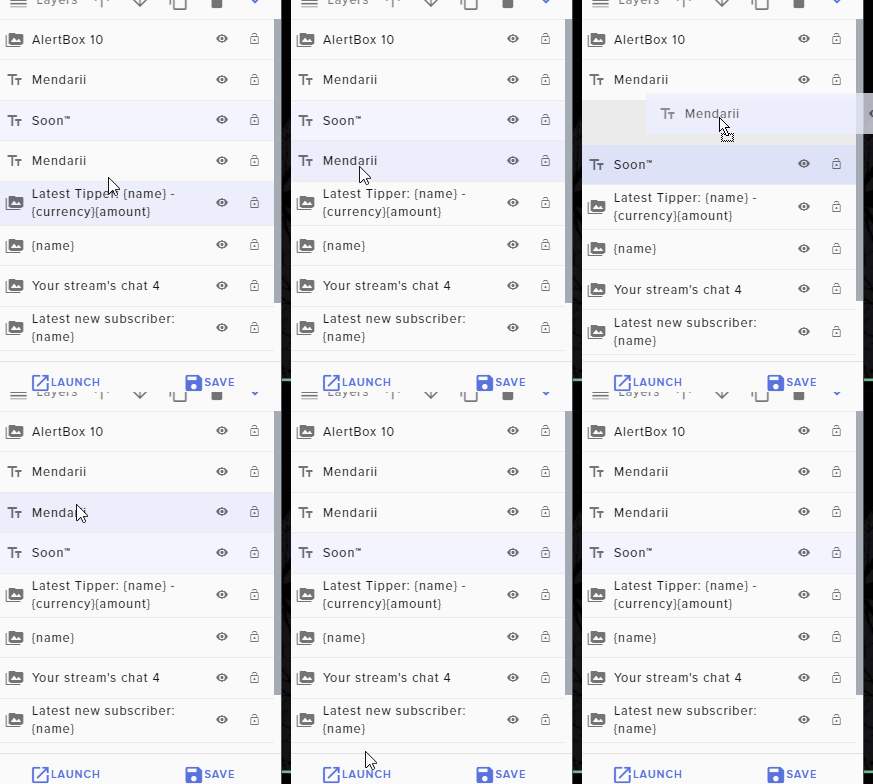 hollow jewel
lets me move it but its still behind the blue box
ohh
yeah i tried that too
does nothing
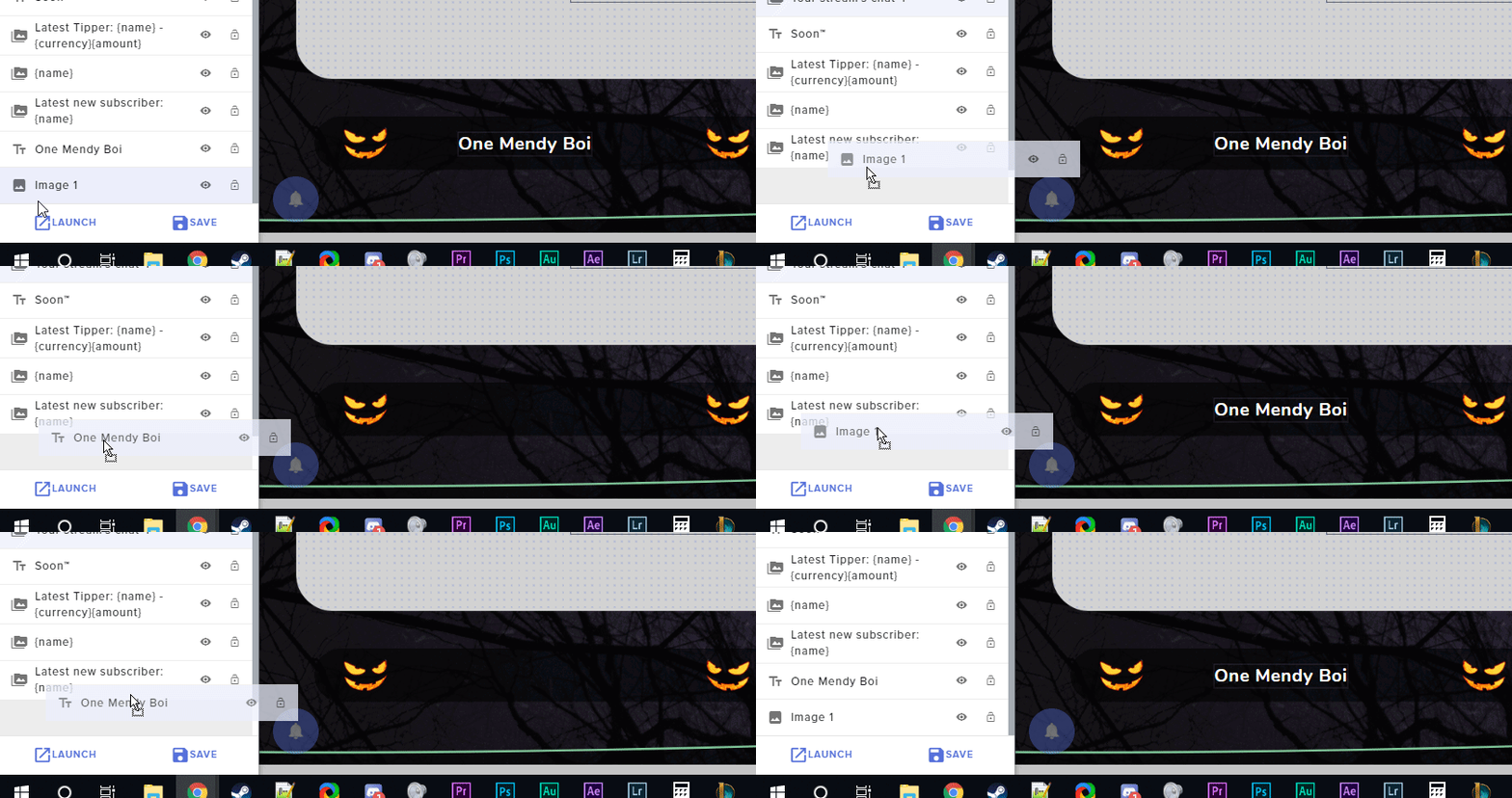 hollow jewel
D:
no matter what the video always stays ontop for me :<
ah i got it! re-adding the video fixed this, i could then move it 1 layer down
actually its still happening, but when i load the overlay into OBS the layers are the correct depth
maybe some visual bug?
 sour mica
Hi. Could you possibly help in working out how to do a thing with the Chatbot?
I'm trying to return the first word of a user's chat and I'm not sure how to format it
cinder olive
just the first word?
sour mica
I've tried multiples of ${userlastmessage} and $arg{1:} , but cant get it to work
@cinder olive Yup
e.g. Won Ton Soup is the bomb
Just return "Won"
sour mica
Ta - I'll try that
cinder olive
not currently to my knowledge
 errant tulip
ok, ty! it should be good when few poeple are online and need to give special atention to the few ones
cinder olive
its generally looked down upon on the twitch community - if people wanna lurk let em - but if you want, you can submit the idea
 cinder olive
them filthy lurkers
round brambleBOT
@errant tulip Check out the StreamElements ideas board: https://strms.net/ideas. You'll be able to add ideas, upvote ideas you agree with, and track their progress with email notifications. Adding and upvoting ideas also helps the staff know which ideas should be prioritized so please take some time to upvote.
sour mica
I can get it to display the first word of a string of text with the ${1}, but I don't know how to reference a specific user's last message to quote the first word
e.g. !justthetip @chattinguser
And have !justthetip as ${userlastmessage.${1}}
... or something like that
cinder olive
${user.lastmessage}
cinder olive
but then just the first word of that? 
sour mica
Not just the 1st word
Yes - just eh first word
chattinguser: Won Ton is the bomb
!justthetip @chattinguser
Won
Kinda like that ^
cinder olive
i dont believe you could do that with the default variables, but I very well may be wrong. leave your question in #dev-chat and someone more knowledgeable than me will see it and respond when they have the chance @sour mica
 agile ledge
hi, my viewers cant buy with the chat comman. what can i do ?
cinder olive
And !enter isnt working?
cinder olive
Is it enabled?
agile ledge
where can i do it ?
cinder olive
StreamElements
The Ultimate All in One Platform for Streamers
Make sure user level is set to everyone & it is enabled
agile ledge
lol it works sory for the stupid questiuon
 cold geyser
have i to connect my spotify playlist or somthing like this?
slender anvil
also is there a way for my store redemption to but shut down after its intended 5 seconds
for some reason the alert duration time is not working with the store redemptions
cinder olive
@cold geyser please don't dm without asking, any questions can be asked here
round brambleBOT
@cold geyser Spotify has kindly asked us to disable our integration with them, so we complied. This means that the Spotify integration has been removed and the "Now Playing" widget no longer has it as an option.
cold geyser
oh ok, thx u all
sweet socket
@cinder olive just close your DMs for this server, we don't take any support questions in Direct Messages
round brambleBOT
@inland lintel Please follow our community rules:
- No advertisement or stream promotion
- Respect ALL server members
- No NSFW/NSFL
Thank you
 quick path
I need some help my obs gam capture wont display my game
the mode is on capture specific window and i have the app selected but its just a black screen
smoky locust
um
wait
It says I have 51 followers, but on affiliate achievements it says I only have 46???
I unlocked the achievement for 50 followers too
nvm fixed
 frank violet
how do i reset the dono goal?
round brambleBOT
@frank violet To reset goals:
- from the overlay editor -> data on top -> goal tab -> reset progress of desired goal
- from the dashboard -> activity feed on the left -> widget data on the right -> goals tab -> reset progress of desired goal
Note: Goal widgets(progress) only counts up and doesn't go down automatically, if you loose followers/subs
 mental dagger
Is there a way to block a specific user from using certain chat commands?
Specifically I need to disable any commands related to the loyalty points system for just one user.
Does adding this user to the ignore list under loyalty points also exclude them from roulette, duel, raffle, etc?
lament blade
Good afternoon I have a problem with my activity feed, nothing appears on it and the Twitch control panel is normal. Obs.live alerts are normal too, just the activity feed that is having trouble. Sorry for my bad English.
cinder olive
@mental dagger you can limit commands to be based off of permissions - not on a user basis though
round brambleBOT
@mental dagger
Chat/Bot Levels
100 - Viewer
250 - Subscriber (Twitch subscribers automatically placed at this level)
300 - Regular
400 - VIP (Twitch VIP automatically placed at this level)
500 - Moderator (Twitch chat moderators automatically placed at this level)
1000 - Super Moderator
1500 - Broadcaster
Dashboard Manager Levels
Bot Supervisor
Editor
Full Access
Owner
https://i.imgur.com/s61Liry.png
 cinder olive
@lament blade the activity feed in obs.live?
hollow jewel
is there a way to ad d a browser source in the streamelements overlay editor? or has to be done in OBS?
cinder olive
Has to be done in OBS.
You create your overlay in the Overlay Editor & it provides you a URL to use as a browser source in OBS.
lament blade
@cinder olive yes, in obs.live.
Does not appear follows... Nothing...
cinder olive
Log out and back in
mental dagger
Can the bot automatically place new viewers or followers above level 100? Then just block these commands to 100?
cinder olive
Are you trying to prevent new viewers from using a command?
mental dagger
Just one viewer from using any off the gambling and duel features.
Big gambling problem, and he's ruining it for others.
sweet socket
Nope, you can time them out tho
mental dagger
ok, perfect, this will also prevent him from gaining through raffles, etc?
cinder olive
Incorrect
Wait
unsure on that one
It says "Ignore users from receiving points (Press enter to submit)" so I would assume it would prevent them from getting any points unless given
mental dagger
I'll test it out, thanks @cinder olive .
lament blade
@cinder olive Thank you for your help!
cinder olive
Can someone elaborate more on how the 'Ignored Users' works in Loyalty Settings? Can they tip and get points? Host for points? Follow for points? Raffles/be given points?
mental dagger
Does not block anything except automatically rewarded points. roulette, raffle, etc all still work
sweet socket
However if they are an annoyance to your stream, why not tell the viewer to use it less?
 nova arch
just a question experts, the effects in and out of the chat widget on streamelements works? cant manage to make it work
 wraith pivot
I am having an issue streaming with obs live. when I stream with it, it only shows my stream at 360p instead of 1080p with everything ( firefox, edge, IE) except for chrome it displays fine. But if I use SLOBS it works fine. it just started yesterday and nothing was changed
 cedar lynx
what are your video output settings in OBS?
dry hare
Screenshot obs settings >> video window
wraith pivot
jade remnant
this is from your test about 5 minutes ago,
do you get any connection issues shown by the green/yellow/red box on the bottom right of obs?
wraith pivot
no its all green
if i view in chrome its fine no issues. just when i view in firefox, edge, and IE there is an issue
jade remnant
its fine my end, and if its fine your end in chrome then it could be browser related.
you can always do a clean log now or upload a log the next time you finish a stream with this issue
round brambleBOT
@wraith pivot 1) Restart OBS
2) Start your stream/recording for about 30 seconds. Make sure you replicate any issues as best you can, which means having any games/apps open and captured, etc.
3) Stop your stream/recording.
4) Select Help > Log Files > Upload Current Log File. Copy the URL and paste the link here.
(Note: If you do not see an obsproject.com URL, you will need to update OBS Studio to version 22+)
wraith pivot
had a couple of guild members try to view last night and same thing
round brambleBOT
@wraith pivot Please provide a log from your last stream. To do this, in OBS go to Help > Log Files > Upload Last Log File and paste the link to the log file here.
wraith pivot
 hollow bison
I have an issue where it says invalid path or connection url
everytime i try to start streaming
I do not know what to do
cinder olive
Are you trying to go live on Twitch?
hollow bison
yes
cinder olive
And your server is set to the right location?
hollow bison
yes
cinder olive
Send a picture of what your Settings > Stream looks like
 untold venture
I have a question that may have been asked 1,000's of times before so I apologize in advance. When I see streamers charging people to play sound bites on the stream, #1 is that legal and #2 if so, how do I do it???
When I click their link it goes to their StreamElements page
cinder olive
Not illegal & probably either a Tip alert or a Bit alert
aka tip X amount of dollars or X amount of bits and X alert will play
round brambleBOT
@untold venture Check out this video guide to learn about the StreamElements overlay editor: https://www.youtube.com/watch?v=LwAfMIR3Cj0&list=PLCDDKlFdScbEwdx5AntcQIS1InkFJwHtv
StreamElements Overlays are loaded from a single browser source in your streaming software, making streaming easy. https://streamelements.com/
StreamElements overlay editor enables full customization of your overlay, improving stream visibility and an increase of audience in...
cinder olive
That guide goes over the widgets & how to set them up
untold venture
@cinder olive thank you very much!!
That doesnt tell me how to add audio alerts to tipping
i will get it
cinder olive
It shows how to setup the alert - which is what you nee to do to add the audio to it.
untold venture
I got it, thank you so much!
 tribal pivot
Any way to change the "Stream Shop" name? It's showing my old twitch username.
wraith pivot
Thanks for the help, i uninstalled OBS and reinstalled it. set everything back up and its working fine now with all browsers. It was just strange that it worked fine with Chrome
cinder olive
The loyalty shop? @tribal pivot
tribal pivot
Yes
cinder olive
Whats your twitch name?
tribal pivot
BuddyAndMatt, but it's showing the old one 'RisenGamingTV'
cinder olive
RisenGamingTV >> BuddyAndMatt stats move staff members
tribal pivot
How would I go about that =o? I've never seen that option
cinder olive
Staff do it for you
tribal pivot
Oh thanks!
cinder olive
Unsure what champions are on to send a DM directly/what staff are on, but theyll do it when available.
Take a wild guess at @dry hare
tribal pivot
So I should just DM Orsuna?
cinder olive
hell read that ping when he gets the chance.
dry hare
No
tribal pivot
Ah alrighty
wary halo
imagine random pinging a support member
cinder olive
i just like talking to orsuna
 royal quarry
Hi there, I've been using Stream Deck sync'ed with StreamElements live OBS for months and over the past few days I haven't been able to use my buttons. They have appeared to de-sync and I have no clue how to resync them. Is the software down or something? All of my file versions are up to date with the current patches etc.
 last sparrow
Hello, I have such a problem that when i have gets a donate, he doesn't show it to me in stream alerts. All follow and subs work and donates don't. I'm asking for your help. (Sorry for bad english.)
 whole crag
guys i have problem. in my channel StreamElements (THE BOT) blocks every links. how i can turn it OFF? how i can "ALLOW" the links from viewers without timeouts
wary halo
Mod the bot and accept hyperlinks in your Twitch settings
whole crag
streamelements is mod, and i have allowed H yperlinks. but my viewers still got timeout by StreamElements bot
cinder olive
Does it appear as *** in chat?
whole crag
wait a second. i just realized that THE bot is "Streamlabs", not "StreamElements"
is it same thing? or
cinder olive
This is StreamElements discord
StreamLabs is a competitor, you will nee to go to them for support.
whole crag
so i have 2 bots in my chat, 🤦♂️ my bad sir
sweet socket
Best way to fix that is to remove Streamlabs bot and configure the StreamElements bot 
cinder olive
He aint wrong yenno
whole crag
done 😎
last sparrow
@sweet socket Can You help Me with My problem? 🙂
royal quarry
If anyone is having the same issue I had with El gato deck de-syncing from StreamElements OBS live, just uninstall and re-install the OBS live plugin in Stream Deck. Fixed the issue for me.
wary halo
@last sparrow your tip alerts are setup right in the alertbox overlay?
last sparrow
@wary halo Yes. Follow alert and Subs work good , only Donations.
wary halo
do they show up in obs when you test them?
last sparrow
@wary halo Yes, test work.
wary halo
do the donations show up in your activity feed?
 karmic fossil
I have several overlays (made by others) that I'd like to combine into one browser source. I didn't make these and don't know much about them from a coding point of view, so my ability to manipulate them is limited. With that being said, is there a way I can essentially copy and past Overlay 1, 2, and 3 into a new overlay? Is this possible and how complicated is it?
wary halo
you can copy images, widgets and stuff like that in the overlay editor and it will ask you if you want to copy them to another overlay
karmic fossil
Oh nice!
karmic fossil
Never noticed, thanks!
wary halo
that's the copy button
karmic fossil
MVP
lament blade
Someone here know how to set speaker for irl streams?
wary halo
wary halo
that is just the overlay editor, do the donations show up in your activity feed on the dashboard or the one in OBS.Live?
StreamElements
The Ultimate All in One Platform for Streamers
wary halo
okay
you are live now right? what happens if you press the circle arrow button on the donation alert in the activity feed?
okay so the sounds is working
last sparrow
i have sound (pik) 😛 and nothink show on screen only sound.
wary halo
did you set a gif, picture of clip for the alert?
last sparrow
Yes
round brambleBOT
@last sparrow OBS -> settings -> advanced -> scroll down -> enable/disable hardware accel.
https://i.imgur.com/ggMe9ZE.png
 wary halo
try to do that and see if it works then
last sparrow
I have picked this option
wary halo
then unpick it 😉
wary halo
ah i see

 distant kiln
tyty
 upbeat cypress
how do i create a subcount command on twitch
distant kiln
i created a follower notification with the alert box in the streamelements overlay editor but i can't seem to get it to show on obs live
when i emulate a follower
<@&382267076632379392>
round brambleBOT
You can test Alerts via the bell on the lower right corner of the Overlay Editor. Simply go to your Dashboard -> My Overlays -> Pencil/edit button on the overlay. Make sure the "Show Emulated events on stream" option is on to see the alert in OBS/Xsplit https://streamable.com/h6qgy
 twin sentinel
There is s variable for a sub count command. @upbeat cypress
 dapper oxide
I don't know if this qualifies as a twitch problem or an OBSLive problem. But my song requests aren't working. I can do them but no one else can. I've checked the command in streamelements at least 9 times. I've set it so everyone can do it. I've set it so I can be done at any time. It just won't work. Is it me? Is it something I did?
cinder olive
Is your SR's on approval mode?
dapper oxide
It shouldn't be
dapper oxide
They're not even going into queue
cinder olive
Then make sure the second image I sent is checked
dapper oxide
That's checked
cinder olive
Could try and part the bot & have it rejoin
 grand tendon
What happens with my donations if i disconnect from SE.Pay ?
dapper oxide
My SR works! Thank you Mitch!!
lament blade
is there a way to rename streamelements bot ?
round brambleBOT
If you changed your name on Twitch please follow these steps:
🔹 Visit https://streamelements.com/logout and then log in again with by connecting with Twitch.
🔹 On the right side of the dashboard page that opens, select "Join" under bot settings. If it says "Part" select that and then select "Join" to send the bot to the chat. Don't forget to mod the bot by typing /mod streamelements in your channel if you have not already.
🔹 Post your new name here so that we can update your channel's chatstats tracking (must be done by staff).
cinder olive
fuck
@lament blade StreamElements has to be a mod in your chat, you have to have your tipping page linked in your panels, and you have to have atleast one enable streamelements overlay.
from there install StreamElements Ground Control, create the twitch account with the name you want for your bot, get the OAUTH for your new account and setup the groundcontrol with that
Download Ground Control here: https://streamelements.com/groundcontrol
lament blade
lol
cinder olive
And get your OAutch here: https://twitchapps.com/tmi/
 hollow horizon
so there is no limits on sound effects in the store correct? because the last 2 sounds i uploaded will not play for anything.. i hit play and nothing
any ideas?
I am trying to make more redeem commands but it doesn't play the sound
nevermind might be on my end.. when i download them they don't play anymore weird
lament blade
So I was streaming siege earlier and everything was fine, but now that I switched to csgo my game won't show but my overlay will
cinder olive
Do you have a CSGO scene?
cinder olive
🤔
lament blade
Cuz I didn't have a scene for siege
 rich pumice
how do i check my stream key
cinder olive
https://www.youtube.com/watch?v=xwOtOfPMIIk @rich pumice
How To Find Your Twitch Stream Key. In this tutorial, I show you how to find your stream key on Twitch for your Twitch channel. Your Twitch stream key can be useful when streaming with broadcasting applications like Bebo, OBS, Gameshow, XSplit, Vmix, or Wirecast. Your stream ...
rich pumice
zeno right click the scene then see if you have it on capture specific window maybe you have it only set on siege
thanks for the video
its been awhile since i attempted to stream and it says it doesnt have access to my stream key so once i have my key from twitch where do i put it
cinder olive
CSGO has to be open
cinder olive
right click > new game capture > specific window > csgo
dry hare
I don’t specify the game capture unless it’s a game that doesn’t do full screen
cinder olive
Ive never actually used it, does it pickup full-screen windowed?
lament blade
Bruh wtf
Ive never been so confused in my life lol
I made it but it doesn't do anything
cinder olive
what are you setting the output resolution to?
lament blade
So what am I supposed to do to make cs show up with my overlay?
cinder olive
what are you setting the output resolution to?
lament blade
Bruh, I'ma be real wit u, I have no idea what ur talking about lol
rich pumice
i cant get my destiny 2 window to show anything its just all greyed out like in the pic above
cinder olive
destiny 2 cannot be game captured due to them blocking the hooking the software requires.
rich pumice
oof
lament blade
@cinder oliveso where would I mess with the output resolution at? Cuz I don't see it anywhere
cinder olive
If you dont know what it is then it wouldnt be causing an issue
cinder olive
CSGO is finicky with how it gets captured - if anything has an overlay over it that could be blocking it, aka discord voice, nvidea quick capture, and a few others.
cinder olive
Completely close discord, restart OBS & CSGO and try again
lament blade
Ight
There's still nothin showing
I'm completely lost at this point
I want to stream cs over siege too lol
round brambleBOT
@lament blade Please provide a log from your last stream. To do this, in OBS go to Help > Log Files > Upload Last Log File and paste the link to the log file here.
lament blade
 low ridge
how do you setup a command too donate?
cinder olive
!command add !donate <text> <donate link>
lament blade
Yea, i still dk what to do chief
cinder olive
@lament blade youre OBS isnt able to connect to CSGO
lament blade
B r u h
cinder olive
23:24:33.933: [game-capture: 'CSGO'] using helper (compatibility hook)
23:24:33.937: [game-capture: 'CSGO'] hook not loaded yet, retrying..```And its doing that over and over
lament blade
Sooooo, can I just not stream cs?
cinder olive
Hed over to their discord @ Discord.gg/obs and theyll be able to help you more than I.
lament blade
That's an invalid inv
cinder olive
lament blade
Ight
low ridge
@cinder olive Didnt work how can i do it on streamlabs website?
cinder olive
StreamElements
The Ultimate All in One Platform for Streamers
Click Add new command
cinder olive
@low ridge Please dont DM without asking. Any questions can be asked here.
low ridge
ok sorry
you know when your on a stream and scroll down then theres options like there yt etc
how do i do those
cinder olive
In their panels?
low ridge
ye idk how
round brambleBOT
@low ridge Twitch's official help guide for Panels: https://help.twitch.tv/customer/portal/articles/2416760-how-to-edit-info-panels
low ridge
when i use that limk it says page not found
low ridge
dont work


 wise cliff
So I'm still getting it; when I add the store redemptions widget the message is stuck on the screen all the time. Is there no fixing this?
 frail wharf
Hey, I need help with migrating my Account. Is there any SE Admin or so who can help me?
cinder olive
@wise cliff is that only on the editor? I do not get that on OBS or the editor.
wise cliff
@mitch it shows in the editor, but then obs shows the message eternally I cant get it to clear. It's been 2 months and the last time I asked I was told it was a known issue.
I've had to go without the use of my fun redemptions and people are starting to ask for more to spend currency on
 untold adder
Hello yesterday i changed my name on Twitch from MrAronXSig to ArnXSig and chat stats page isn't working so i was wondering if you guys can fix that for me, thanks
cinder olive
@untold adder A staff member will fix that for you as soon as they get the chance.
untold adder
yes i know that thank you for reminding me
untold adder
what lol
 winter cradle
@untold adder https://stats.streamelements.com/c/ArnXSig
done
cinder olive
^
untold adder
thanks @winter cradle
 glossy flax
Hey guys
 echo linden
Is it possible to create a chat command that you could do something like "!timer 2mins/!timer 120" etc. Or even individual timers like "!2mins / !5mins" etc, where the bot could announce in chat once that time has passed.
I'm not wanting to do a time.until variable each time as for my use, it's normally just for 2 or 5 minutes and would like it to auto announce.
lament blade
Hi I am not getting any alerts since I changed my stream name. Do I have to do something in SE to make it work?
ionic kelp
@lament blade have you logged into SE with said account since the change?