#helpdesk-twitch
1 messages · Page 527 of 1
 clever nimbus
 strong kernel
Click the other settings tab.
clever nimbus
Where is that?
strong kernel
The one that isn't underlined in the settings.
clever nimbus
Seriously can you just screen shot it with a circle around it
I'm not seeing any of that
I screen shot what I am lookin at above
and I don't see it
strong kernel
 spring kiln
Is there a way for a Store redemption to only send me a message directly? No alert or sound in Overlay? Thank you
strong kernel
It won't send you a message directly, no, but you can monitor this page: https://streamelements.com/dashboard/store/redemptions/items

StreamElements
The Ultimate All in One Platform for Streamers
 hardy sinew
i was doing a giveaway and set subscriber chance x3 , but when draw a winner the chance appears as same as others
what is happening?
 scarlet tiger
I am try to update the profile.
I am moderator with Full Control permissions.
 supple eagle
Why can't I duplicate my Overlay?
I'm clicking on "Duplicate overlay" then it asks me: "Where would you like to duplicate this overlay to?" and I cant select it.
 dry hare
I don't believe you can duplicate overlays between platforms
strong kernel
What can't you select, exactly?
You need to check one of the box before you can duplicate it.
 faint dove
When testing out banned words, i'm given a message that says 'Phrase doesn't match any groups' even though it's very clearly in one of the groups, is there any solution to this?
strong kernel
@faint dove When editing for someone else, please inform us whose channel you are managing so we can check the settings.
faint dove
@strong kernel I'm editing for officialevelynclaire
strong kernel
@faint dove Please uncheck the option for RegEx on all of those. RegEx is a type of scripting language to be more specific with searching.
faint dove
That fixed it, thanks for the help! @strong kernel
hardy sinew
i was doing a giveaway and set subscriber chance x3 , but when draw a winner the chance appears as same as others
what is happening?
 knotty dew
Hi, the StreamElements leaderboard extension stays on Countdown as the default page. I've changed it to Cheers and saved. I've removed and re added the panel. I've uninstalled and reinstalled the extension. I've cleared browser cache. No change so far. Any thoughts?
strong kernel
I've got a great many thoughts, many of which aren't appropriate for this server. 
But this is a bug.
knotty dew
I also notice the store redemption widget keeps the word "redeemed" on the screen unless I remove and re add/configure the widget. Copying it doesn't seem to do it.
strong kernel
Known issue.
knotty dew
Any place for me to report these other than here?
strong kernel
Nope. That's for us to do.
knotty dew
Awesome
 round brambleBOT
@lone flower To add your overlays to OBS, add a new browser source in your scene. Paste your overlay URL in the browser source properties, set the dimensions to 1920x1080 (unless you changed them on the website), and ☑ “Shutdown source when not visible” https://youtu.be/KDvLynUqXI4
 neon goblet
Im having trouble with two things..first-resizing my overlay resolutions, my monitor res is 1680x1050, and the other is when I go to stream, it wants to to open from youtube even though my source is set to and connected with stream key to twitch. I would like to stream through twitch.
strong kernel
Log out using the StreamElements menu at the top and log back in with your Twitch account.
As for overlays, all overlays default to 1920x1080. Changing the resolution does not adjust size and position of widgets. So change first, then adjust widgets.
neon goblet
logged in with twitch, thanks..now it says i have obs configured in bandwith mode.. where is that setting?
strong kernel
Yes, of course. Press the Caps Lock button on the left side of your keyboard.
@neon goblet Look in Settings>Stream.
 lone flower
@strong kernel thanks
no that doesnt was my question haha
im having problem like when i put the overlay in obs it have some names or letters defaultly how can i change that letters?
strong kernel
What?
lone flower
when i pass the overlay to obs.live it has some preset words that i need to change , do you know how?
strong kernel
Did you edit your overlay?
lone flower
how
strong kernel
The big pencil icon next to it.
 atomic tree
Is there a way to rearrange the terms in the list from the !items command? For example, I clicked and dragged my store items so that they're organized alphabetically, but the output from the !items command in chat is not organized accordingly. Is there a way to alphabetize the !items chat command output? 
strong kernel
No, the command will always return them in order of creation.
atomic tree
Ah, I see. So the only way to fix that would be to delete them all and start fresh. I'll just leave it as it is then. Thanks
 hearty pecan
so, in game im not seeing the overlays or chat while streaming..what do i need to do?
 swift oak
is there a way to change the !roulette command to !gamble?
 vestal knot
can someone help, i've seen this Se.Pay thingy and completely confused on how it works
 zenith widget
@hearty pecan You are not suppose to see the overlays and chat over your actual gameplay.
@swift oak gamble is an alias to roulette already.
@vestal knot What exactly is confusing about SE.Pay?
vestal knot
how do you use it and how does your viewers use it ?
zenith widget
You setup SE.Pay with your details and bank details and thats pretty much it from your side, as long as you have the tipping link provided by us on your channel.
vestal knot
how do you link it to your bank details?
zenith widget
Your viewers on the other hand, just click that link and then have a choice between PayPal(if you have it added) and direct credit card payment
or paysafecard or w/e else, depending on where you are from.
swift oak
Thank you @zenith widget - sorry i missed that tag. appreciate the info
zenith widget
You place your bank details in the sign up form @vestal knot
vestal knot
where will i find this form?
hearty pecan
so how do I view my chat if im running one monitor without having to tab over?
zenith widget
You can via your phone. @hearty pecan
hearty pecan
is that the only way?
zenith widget
@vestal knot From what I see you've already setup SE.Pay and are most likely in the verification stage.
vestal knot
okay, so how does one do verification?
zenith widget
You wait.
vestal knot
ah
vestal knot
so how do i get my first donation? is there a link i need to have?
zenith widget
vestal knot
wheres the tipping link?
round brambleBOT
@vestal knot New to Stream Elements?
Check out our YouTube channel https://www.youtube.com/c/streamelements/videos
with tutorial videos from setting up the basics, to in depth details on how to use our product.

swift oak
is there a way to remove the media request button from the top of this page? https://streamelements.com/lobostylez
i tried looking in the dashboard for a full disable. I dont plan on using it
zenith widget
this? no
swift oak
yaah to remove it
zenith widget
no
swift oak
kk just curious. clicking on it does say it's disable on the right which is nice
was just curious about that
 white slate
Buongiorno
 quiet charm
Hi, is it possible to rename StreamElements bot on Twitch?
round brambleBOT
@quiet charm Custom bot name requirements
- StreamElements bot modded and in chat
- Active overlay with alerts
- StreamElements tipping page in the panels below the stream (!panels)
- OBS.Live or Ground Control open
- Create a twitch account for the name you want to use or run the bot under your own name
- Custom bot name doesn't work on Mac
 safe tendon
Hello again, I solve all the problems showing on the log analyzer and my stream keeps laggin
round brambleBOT
@safe tendon Please provide a log from your last stream. To do this, in OBS go to Help > Log Files > Upload Last Log File and paste the link to the log file here.
zenith widget
Then its not the right log file
safe tendon
its the last it shows me
im going to try to re-stream
also it says im not using admin mode, but Im using it
zenith widget
As mentioned, its not the right log
if you did a test stream
and then restarted OBS again
zenith widget
Can I take a look at the log as well?
zenith widget
Lower your output resolution to 720p or 900p
and lower the bitrate from 6000 to 4000-4500
Use the recommended settings from here
zenith widget
I don't understand what you mean by that
zenith widget
Reinstall OBS entirely
zenith widget
no
safe tendon
ok
Im installing it from the official page
now I should use the website you sent me to change settings
 sullen rampart
yesterday night, while test your service / overlays & OBS.live on Twitch I've seen a black screen with "Error #5000"
maybe is due to multistream service? or some other issues?
later I've done another test, only on Twitch, and I've lowered the bitrate at 6000 (from 10k the autoconf have setted) and all goes smooth & well
anyone knows what error 5000 is?
 livid burrow
Hi
Hi my follower count is broken it says that i have 2600 followers but i have 1890
zenith widget
First time hearing that. A screenshot would be nice. @sullen rampart
livid burrow
ok
zenith widget
https://streamelements.com/dashboard/session @livid burrow
go here -> totals -> reset totals
and please re-read who i pinged above.
sullen rampart
@zenith widget no screen taken... 😦
livid burrow
here
zenith widget
@livid burrow Please reread the above responces.
zenith widget
Part the bot and join it again
 tiny jetty
Oh what if it doesn't work? ;x
zenith widget
Whos the streamer?(name, no links please)
tiny jetty
AlanzqTFT
tiny jetty
Thank you for your time, thanks
safe tendon
My problem is still there
its less drastic
but its there
I've lower output scale, lower bitrate
round brambleBOT
@safe tendon For the best OBS support, please join their Official Discord @ discord.gg/obsproject
 ebon mortar
Hello , idk why but i don't get any alert anymore since few day , how can i check if i've the required thing to have them please ? (i've miss some follow so i didnt thx them :/)
round brambleBOT
@ebon mortar To add your overlays to OBS, add a new browser source in your scene. Paste your overlay URL in the browser source properties, set the dimensions to 1920x1080 (unless you changed them on the website), and ☑ “Shutdown source when not visible” https://youtu.be/KDvLynUqXI4
ebon mortar
but can i have alert (like in tchat for exemple) without overlay ?
should be related to streamelement bot but it's like silent since some time idk why
only tchat alert will be enough for me for now
zenith widget
Yes you can have chat alerts
and overlay alerts
well in that case, make sure the bot is in your channel
if you've renamed recently and the alerts stopped then, then you need to go to the main dashboard
part the bot and join it again
ebon mortar
i'll check , i didnt rename but since last update i was forced to log in with my account in obs
so i think the update reset some thing
zenith widget
What update?
ebon mortar
idk , few day ago maybe 3 days
ebon mortar
i stream every day and since 2-3 day obs ask me to log in
idk but something changed since it ask me to log
zenith widget
Are you using OBS.Live?
zenith widget
Do you use a custom bot name?
zenith widget
Then go to the activity feed dock -> 3 line button on the top -> custom bot name -> make sure the bot is set to "Streamelements" and then click on save
ebon mortar
(and i've switched few week or month ago for SE)
hum wait cuz my obs isnt in english ^^'
in OBS you mean ?
ebon mortar
 zenith widget
but only to a point
Streamelements on top -> actvitiy feed
then follow the video
but instead of choosing custom bot name optiopn
choose streamelements
ebon mortar
ok i'll try thx
the problem is i don't have the activity feed window , and i don't have it listed in "dock"
ebon mortar
oh ok sorry
i have it
it's not that easy when it's in another language ^^'
ok i've got "StreamElements reporting for duty!" so it mean it's ok ?
zenith widget
yes
ebon mortar
ok nice , thanks you for your help
sorry if i didnt understand everything first time haha
one last question (a quick one this time ^^) : for now i've that :
https://gyazo.com/e278ec801801534b6923851947cac4e3

but can i have that : ?
https://gyazo.com/fcbf3171d1e34d873253fbac44fa9907
 zenith widget
Well you will have to move the bottoms docks
ebon mortar
i just see we can merge some dock
like scene and source , it'll help
it'll do the trick thx , for now it's a little the struggle cuz i have only 1 screen =_=
so yeah i'll deal with that like that for now , thanks you again , have a nice day @zenith widget
 keen relic
How do i mod media share? A fellow streamer im a moderator in is having a media share stream and I don’t know how it works
@zenith widget @ebon mortar
round brambleBOT
@keen relic New to Stream Elements?
Check out our YouTube channel https://www.youtube.com/c/streamelements/videos
with tutorial videos from setting up the basics, to in depth details on how to use our product.
keen relic
I don’t see anything related
zenith widget
keen relic
Thank you
 peak breach
Hey! Can anybody help me?
 wary halo
what is the question?
peak breach
I don't know why, but my Tip Goal is showing that I've already got R$270. I would like to make it 0 so I can start a new goal
round brambleBOT
@peak breach To reset goals:
- from the overlay editor -> data on top -> goal tab -> reset progress of desired goal
- from the dashboard -> activity feed on the left -> widget data on the right -> goals tab -> reset progress of desired goal
Note: Goal widgets(progress) only counts up and doesn't go down automatically, if you loose followers/subs
 tough mirage
Hi! Is SE.Pay only available in the U.S?
wary halo
no
Viewers from any country can send a tip through SE.Pay. Streamers must be over 18 years old and have a bank account under their name in one of the following countries: Austria, Belgium, Czech Republic, Finland, France, Germany, Ireland , Italy, Netherlands, Poland, Portugal, Spain, Switzerland, United Kingdom, United States.
 lament blade
If I make a custom twitch bot with SE is it going to be a sub as well?
tough mirage
Great, thanks @wary halo ! 😛
wary halo
@lament blade no, only if you gift it a sub or become partnered
lament blade
@wary halo alright, so is there a way to make the bot output the sub badges?
wary halo
gift it a sub
wary halo
no problem, i wish there was a cheaper way 
 mystic rain
Is there a way for me to connect a android stream to obs live
 real escarp
USB webcams feel like they aren't advancing in quality nearly as fast as the cameras found in our cell phones...so why not use your android or iphone as a we...
 pallid oak
Using the "Follower goal" widget but the widget is showing that I got 4 followers more than what Twitch says I got. Tried to remove it and set up a new one but the numbers were the same. Is there a way to fix it?
tough mirage
Hello! Im loking for FriendlyNGeeks!
tough mirage
real escarp
alright i can see why it didnt import
tough mirage
Why? 😮
real escarp
example points sheet (csv)
username, twitchid(not needed), current points, all time points, watchtime in minutes
those are the columns in which we import, occasionally SL changes their things up to prevent us from importing
tough mirage
Ohh 😠
real escarp
so the fix is using the spreadsheet i sent you
you can copy name to username
points to column C
points to column D (duplicate)
convert hours to minutes and paste in column E
tough mirage
Okey, will try that! Thanks 🙂
real escarp
import using this option
tough mirage
Okey! Will take me a while 😅
 onyx atlas
is there a way to delete a channel from an account. I have multiple twitch accounts one is affiliated and one is not. I would like to put all my other accounts together and have the affiliated one seperated. But I can't seem to delete a channel from an account and the delete channel button doesn't seem to do anything.
scarlet tiger
Screenshot? @onyx atlas
onyx atlas
@scarlet tiger what do you need a screenshot of?
scarlet tiger
Where you are trying to delete an account.
real escarp
account deletion happens manually by devs which is why you dont see it happen after clicking the button
onyx atlas
oh
real escarp
takes a few days depending on their work load
onyx atlas
ok then. thanks for the help
 lucid solar
how do I contact support?
round brambleBOT
@lucid solar Welcome to the helpdesk! Please let us know how we can assist you today and a support volunteer or staff member will assist you as soon as they are available. Thank you for your patience.
lucid solar
streaming today my chat box and notification would not update
real escarp
screen shot of which chat box and which notification
lucid solar
I have just changed to streamelements, so maybe I am just missing something. This is the first time it has happened to me
dry hare
Use Snipping Tool to capture a screen shot, or snip, of any object on your screen, and then annotate, save, or share the image
lucid solar
that picture isnt good enough?
real escarp
i see
lucid solar
oh lord, I figured it out.. thank you for the help
real escarp
@untold adder fixed
 untold adder
thanks so much!
@real escarp wait i just relized this is from the channel aronxsig not aronxsig_ sorry i relized when you do an underscore on discord it doesn't actually appear when you do 2 underscores in a message it changes Italics text so my channel is aronxsig(underscore)
 cinder wave
Hey there, i need OBS live and i use OBS 23. Everytime i try to install OBS live the Installer automatically selects OBS 24 as a download and i can't use 24 because it has some issues. What can i do?
real escarp
@untold adder fixed
use this for obs live for 23 https://drive.google.com/open?id=18M6OPzKQEBqiT2ecZlZ8se9VXcQHWZpp
untold adder
thanks now its correct 😄
real escarp
download this obs to go with it
download install this obs first
then run that installer it should be unchecked to install obs
cinder wave
is this the latest OBS 23 version?!
real escarp
not sure if it was when i saved it
just know the two links go together and seem to work
cinder wave
i need 23.2.1
 jade remnant
Need an older version of OBS? Go to https://github.com/obsproject/obs-studio/releases for OBS Studio versions back to 0.2.4
cinder wave
is obs available as a plugin that i just insert?!
dry hare
OBS Studio is the streaming application. OBS.Live is the StreamElements plug-in for OBS Studio
 neat nimbus
I might need help with those overlays, anyone got ideas?
I want my overlays to be like his:
https://clips.twitch.tv/DaintyStormyNeanderthalGOWSkull
cinder wave
yeah i need obs live as a plugin i mean
this is so annoying
even if i unselect obs
it still installs obs 24 when it downloads
real escarp
@neat nimbus he paid some developer or did it himself with custom widgets
neat nimbus
Uh huh...
All right. Time to try amd make my own then.
cinder wave
@real escarp with the older version you provided it works but when i install 23.2.1 it's gone
real escarp
you have to use the older version
 gusty zenith
@real escarp Thank you for your help yesterday with the ExtraLife stuff!
 red surge
how do i add shoutouts in streamelements ?
dry hare
a shoutout command?
red surge
yea
dry hare
I believe it's enabled by default. If you want mods to use it you'll need to edit the command and change the permissions on the command
I think
not entirely sure on the default permissions
red surge
so how do i do a shoutout ?
dry hare
!shoutout
red surge
ant it !shoutout name ?
dry hare
yep
red surge
mmm thats what i thought but it didnt do anything
dry hare
If you're not currently live, you will want to make sure the command is available both online and offline
dry hare
one sec
red surge
ok
dry hare
I was mistaken. There is not a default command for it, but in your dashboard if you create a new custom command I believe there is a template for it, which you can use and it will do what you need.
red surge
ok thx il try that
red surge
another question ?
how do i add live cam without background ?
i wanna blur background out ?
and just show myself ?
 smoky tide
you can use a green screen, or use a DSLR cam that will do the blurring for you based of it's depth of field. That is, until the new Nvidia stuff is released that will be able to do this on the fly.
 proud brook
Hi there! There is something I don't understand of the leaderboards... Yesterday I had two cheers of 100bits and one of 10bits. In the all time I can only see the two 100bits but if I go to weekly, I can see the third one. Something similar happens with the points: all time shows 1 point less and the points earned by tipping are not shown in all time either. Could someone explain what's the reason? Thank you very much! <I edited out my twitch channel, I'd put it just as extra information in case you had to take a look :S>
 mild crest
How do I do alerts on stream elements
wary halo
With the alertbox overlay @mild crest
mild crest
I’m not seeing it on stream Elements
wary halo
StreamElements
The Ultimate All in One Platform for Streamers
round brambleBOT
@proud brook Please follow our community rules:
- No advertisement or stream promotion
- Respect ALL server members
- No NSFW/NSFL
Thank you
wary halo
create a new overlay and add the alertbox widget
proud brook
No one? 😦
wary halo
there is always someone that knows the awnser but the majority of people here is helping on voluntairy base so it can take a while
😉
proud brook
Thanks @wary halo, newb alert! 😄
wary halo
no problem
real escarp
@proud brook can you screen shot where you only see 2 100 bits
proud brook
@real escarp
@real escarp Where the three appear.
The thing is Twitch chat cheer leaderboard only shows the two 100bits as well. But if I go to the badges section I can see I have 2x 100 bits badges and... 2! 10bits badges. I am really confused now :S
real escarp
yeah pretty strange that twitch only shows two 100 as well
proud brook
Is it 100 the minimum to make it to the leaderboard?
real escarp
no
dry hare
Shouldn’t be?
proud brook
Because I know the guy that cheered 10bits made it 10 times 1bit
but in the badges section I can see 2 users with the 1 bit badge... but they're not in the leaderboard.
BTW is the leaderboard cumulative or by the biggest amount cheered in 1 time?
If I am making too many questions, please let me know :S
wary halo
cumulative
proud brook
Then I do not understand 💩
proud brook
It would definitely help... me 
wary halo
it's only 90cts but it's something right?
proud brook
WHAT!? I thought it was 90 BC... 
 sacred spade
hey, does anyone know how to set up a poll
i'm new to streamelements and i have no clue how to set it up D;
real escarp
dry hare
There’s a better one for streams
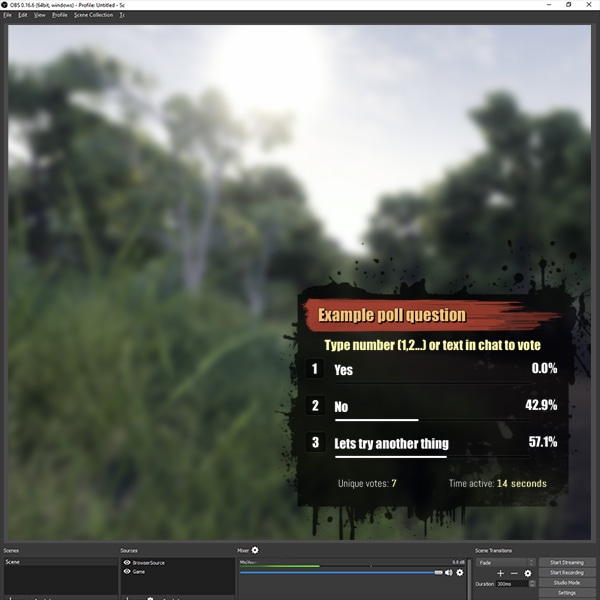
Quickly and easily integrate a real time poll into your Twitch.tv stream
sacred spade
yeah, I was hoping to find something that would be an overlay
real escarp
@dry hare holding out on me
dry hare
Twitch has polls in their new interface....haven’t played with them much. The poll.ma.pe site are overlays that you can quickly add
Blame Kiwa
She showed them to me years ago
sacred spade
oh and one more thing, for some reason my overlay sounds are not working while streaming.. my stream hears them, but I dont 😦
real escarp
which sounds where they hearing? i see you only have alerts turned on for subs,cheers,tips
sacred spade
stream would hear alerts just fine, they'd hear the bots talking, but on my end I could not.. not sure if it's maybe a setting in obs
real escarp
sounds like you might have obs turned down on you computer in sound mixer
sacred spade
it's at 100 in my sound mixer, lemme try to test it and see if it works..mm
 weak plover
Hi guys! I am having some issues when trying to set the bot as my mod in my channel. It says "Warning! Unfortunately, some of the specified roles were unable to be added for streamelements."
Any help would be greatly appreciated! ❤
real escarp
try here https://www.twitch.tv/arihpaws/dashboard/roles @weak plover
sacred spade
updated elements and it's working, thank you guys for helping 🙂
 signal python
Hey all! Are any notifications I have set up in SE for Twitch able to be used with Mixer without rebuilding everything on a new account?
weak plover
Hi @real escarp that's precisely where I'm at and cannot really assign it 😦
real escarp
in chat /mod streamelements
@signal python none of the notifications directly work for cross platforms | alertbox is specific per platform
signal python
Is there a mechanism whereby I can port them across? Or do so with a SQL injection?
real escarp
you can copy the overlay to another platform that you have editor control over but the box will still have to be redone upload pics and and all
signal python
So pretty much I'd need to rebuild from scratch?
Just so I know before I commit is all 🙂
 opal ibex
I'm having an issue with the browser source, despite my troubleshooting - I can import the browser source just fine, but when i test-fire alerts, nothing shows up in my OBS window. (shows fine in my SE dashboard.)
Would love some help if anyone's around
signal python
@opal ibex Have you saved the overlay in SE and rebooted your OBS software?
@opal ibex I've had that same issue a bunch of times.
weak plover
@real escarp Thank you so much! Issue fixed
opal ibex
yes, done both
...of course i've been struggling with it for days but as soon as I write here it works fine.
Might be a firewall issue for me, that's the only thing I changed. LOL.
real escarp
@signal python correct
 main flame
Hi
round brambleBOT
@main flame Please follow our community rules:
- No advertisement or stream promotion
- Respect ALL server members
- No NSFW/NSFL
Thank you
safe tendon
Hi again, i went to obs support discord i they didnt solve me the issue i had
now i dont know what to do
any suggestion?
apart from using other software
round brambleBOT
@safe tendon Welcome to the helpdesk! Please let us know how we can assist you today and a support volunteer or staff member will assist you as soon as they are available. Thank you for your patience.
safe tendon
Again i repeat all i did
I tryed reinstalling the software
I tryed lowering bitrate
I tryed lowering graphics settings on the game
I tryed different encoders
I tryed different output scales
etc
I have an i7-9700 and a GTX 2080
also 16 GB DDR4
real escarp
can you provide a log
safe tendon
or this link if u prefer
I also tryed VSync on the game
Game its the new CoD btw
real escarp
what game
real escarp
]
safe tendon
games like League Of Legends or ETS2 work perfect
real escarp
me you and everybody the game is not optimize i have same 2080 and crash
safe tendon
mine dont crash
only the stream crashed but with streamlabs OBS
thats why i tryed StreamElements
wary halo
commands for what?
 topaz kestrel
For make talk streamelements
jade remnant
look in the module section of the dashboard
wary halo
StreamElements
The Ultimate All in One Platform for Streamers
jade remnant
then chat alerts
wary halo
^^
jade remnant
^^^
topaz kestrel
Thanks you
 slender ice
Hey! Is it possible to have a goal of bits+donations that is calculating that together somehow?
wary halo
did you ask this question this weekend?
maybe it was someone else with the same question
slender ice
I did and i was trying to look for it but there's a lot to scroll
wary halo
i think it's not possible as the donations are handled by SE and the bits go through Twitch
slender ice
But i can have a bit goal and a donation goal through SE so I just wanted to know if there a way for it to sum both
wary halo
i don't know if someone has a custom widget made that is possible of adding them up but there is no ' standard' solution i think
i have never seen one before on Twitch
 cedar lynx
I think people steer clear of it to make sure that their usage of bits doesn't toe the line on TOS for bits which is: "Bits are not a money instrument"
money + bits on one goal bar may misconstrue bits as a money instrument which is something to watch out for
wary halo
that makes sense
slender ice
Oh well thanks!
 long rivet
Im still having redeemable gifs and alert issues, has there been any notice on the fix?
real escarp
No word yet on the redeem being stuck
long rivet
shall i just keep them off for now...this has been 2 weeks nearly...
real escarp
I would until you see something in the #announcements
long rivet
Cheers @real escarp
 smoky hemlock
Ive seen streams where they use a trigger command in chat and a sound effect is played on stream. I have a sound effect (Yikes forever) that I would like to assign to a trigger command (!yikes) Is that something streamelements currently supports?
smoky hemlock
redeem from the store? I have something already set up on the store. The ones Im referring to doesnt go through the store its just !trigger and it automatically does the sound or video clip
jade remnant
so like !yikes in chat
and the video/sound will play
smoky hemlock
yes
wary halo
!yikes
jade remnant
this does exactly that
there is currently an issue with redemptions that the admin/devs are looking into so you may have to redeem it from the online store rather than in chat
 main thistle
Hello, i would like to remove my channel name and my bot from the chat statistics. How can i do this?
 twin sentinel
Not possible afaik.
main thistle
i found a workaround in the panel widget, there you can filter the names. works for me
twin sentinel
Glad you found a solution working for you.
 sullen marsh
Heya.
I've recently come across a issue with my Stream Elements Media Request.
I once a week do a stream where I let my viewers pick the songs that will be played on stream.
Recently there has been an issue (2 weeks in a row) that if the volume for the song requested is at (for example: 30%), when the song finishes and then the follow up song the volume of the song requested resets to 100%.
Is there any fix or solution that I probably missed with my research or is it a bug known at Stream Elements and they're looking to fix it?
Thank you for your attention.
 shell wind
Hey SE,
are there any common reasons for an overlay to stop performing mid-use?
In my experience, it appeared as if a questionable audio content was the source that triggered a disconnection in communication from the overlay provider.
strong kernel
Can you be more specific about what you mean by "stop performing?"
shell wind
The overlay was functioning, then turned to black.
strong kernel
Can you disable Browser Source Hardware Acceleration please?
shell wind
Where can I do that?
strong kernel
Settings>Advanced
shell wind
Ok thank you. You all have been so helpful.
 bronze edge
Hi, for some reason when i get hosted or raided it doesnt show up in my dashboard nor it gives me an alert.
I only notices it when i look at my chat... twitch telling me i got hosted.
How can i fix this or is it twitch related? It also doesnt show up on my twitch dashboard
round brambleBOT
@bronze edge Due to changes to Twitch API, we have filtered out hosts and will only show these ones on your activity feed:
- All hosts coming from an online channel with at least 1+ viewer
- Auto host events with at least 1 viewer - only from a channel that just went offline
Note: If you see "X channel has hosted you" with no viewers on the back, that is considered an offline host or a host with 0 viewers, we do not show these.
 iron valley
Guys?
!followage was just tried and no response 😕
I removed and added StreamElements from moderator again and nothing happens.
 fluid forge
any reason why my hosts and raids dont show up in stream?
round brambleBOT
@fluid forge Due to changes to Twitch API, we have filtered out hosts and will only show these ones on your activity feed:
- All hosts coming from an online channel with at least 1+ viewer
- Auto host events with at least 1 viewer - only from a channel that just went offline
Note: If you see "X channel has hosted you" with no viewers on the back, that is considered an offline host or a host with 0 viewers, we do not show these.
twin sentinel
@iron valley Is the default command enabled?
iron valley
@twin sentinel Yes!
But @strong kernel help me in real time is working now. Thank you sou much.
Gentlemen, sorry for my excitement, but is it possible to add my channel emotes to Slot Machine?
strong kernel
Yes. Start by typing !emotes update in your chat.
 somber yarrow
Hey folks, new streamer trying to get set up here. Having a hard time getting past the tipping page portion, can't find the setting in Twitch
strong kernel
@somber yarrow Scroll down a bit.
somber yarrow
I think I'm on the wrong screen
somber yarrow
Really new, sorry. How do I get there
strong kernel
Your own Twitch page?
somber yarrow
Yes?
strong kernel
iron valley
@strong kernel i love you
somber yarrow
Momma says I'm speshul. Thanks ;x
Every time I try to google what I wanna use I end up with some kind of Streamlabs link, but that software sucks, always crashes
Do you have a good link that will show me how to use this one to add the twitch chat box?
strong kernel
Everything you want to show on stream is added as a widget to an overlay in your account on the site.
somber yarrow
Ok so use my login on this program's webpage and look for widgets
strong kernel

StreamElements Overlays are loaded from a single browser source in your streaming software, making streaming easy. https://streamelements.com/ StreamElements...
lament blade
i cant start my strem cause theres no start stream button how can i fis it
 indigo bone
getting a weird Current Song: Error: Request failed with status code 429 when trying to use the spotify command
wondering if i need to restart spotify before it works
strong kernel
@lament blade Are you using a streaming software like OBS? In OBS, the button is in the bottom right.
@indigo bone What Spotify command?
indigo bone
tough mirage
Stupid question, the user cooldown and global cooldown in commands are set in minutes or seconds?
 wanton mango
That error means too many requests, it is currently overloaded. Try again in a bit
indigo bone
ok thanks @wanton mango
wanton mango
@tough mirage seconds
tough mirage
Thanks!
lament blade
i know its there it always was now its not
 peak sinew
Hopefully the right place to put this 😄
I had a weird thing going on today with SE (all day) - where basically anytime any stream perk was redeemed two sound effects would play. Was really weird, as it was always the same one (one of the other redemptions) that would play with the other one.
THe only thing I can think of that is different here is .. the one that was playing over all the others is a Video and the others are gifs/sounds. So the video one after being redeemed would play it's sound with the other alerts.
strong kernel
Redeems cannot be videos.
Oh, wait, seems they can now. That's new.
I don't believe it's meant to, though, as there's no volume slider for the video.
Which is why the redeem is also playing the sound in the widget itself.
Try clearing the sound from the widget in the overlay editor.
That sound only plays when no sound is assigned in the item.
lament blade
am i able to import overlays and alerts from streamlabs obs? if yes, why does it stop at 66 percent 5 of 6 media files
strong kernel
The import will fail if you're attempting to import assets that are too large or Streamlabs-owned assets.
lament blade
well yes they are large
its streamlabs obs...
it takes large files
streamelements doesnt
the overlays and alerts are custom
theyre mine
i would like to use obs live but unfortunately it doesnt take large files
theres no solution?
strong kernel
The upload doesn't go directly into OBS Studio. It goes into your account on the site.
You can instead try to rebuild your overlay(s) on the site yourself.
lament blade
on streamelements site u mean?
strong kernel
Yes.
peak sinew
@strong kernel thanks! I'll give it a try in the morning 
 tulip herald
Anyone still getting the crashed obs streamelement crashed due to encoding error with modern warfare?
have this since the past 2 days now
 desert tendon
Hi everyone, I have set up several timers, Yet when i streamed tonight it didn't ping out any of them, I have made sure SE is a moderator in my Twitch and in the dashboard it shows that the chat bot is active. What am i missing
round brambleBOT
@tulip herald Please provide a log from your last stream. To do this, in OBS go to Help > Log Files > Upload Last Log File and paste the link to the log file here.
strong kernel
@desert tendon
tulip herald
yo @round bramble where here 😛
desert tendon
I'm not following, @strong kernel I had chat scrolling, but no timer, I am testing it now and still nothing
strong kernel
Spam your chat.
desert tendon
Yup i have spammed with maybe 30 lines, nothing
strong kernel
Now wait.
desert tendon
OK I shall
strong kernel
@desert tendon Now spam some more.
desert tendon
OK thats another 20/30
strong kernel
Now wait some more.
desert tendon
Okie Dokie
strong kernel
@desert tendon Ta da.
 torpid mulch
@strong kernel Do you have or can i get any update on what ive send the email for?
desert tendon
ok so is it a case of loads of messages before the timers send out? can i have that set to less?
strong kernel
@torpid mulch Email conversations are kept in email. We do not discuss email cases in Discord.
@desert tendon Read the note under the Chat lines setting.
torpid mulch
I dont get any response on mail, since we have been mailing i thought id ask
strong kernel
Please do not ping me. It's not necessary.
When there is an update, you will be emailed.
Asking here will not expedite the process.
desert tendon
OK got it, i think i am understanding it so it has to have at least 5 chat lines in 5 minute periods to ping out, Thank you for your time pal. Much appreciated
tulip herald
So about that encoding error while streaming modern warfare, seems like there is no fix
strong kernel
Well you didn't share your log URL.
But in general new games don't have optimized graphics drivers for them yet.
So it's a struggle to stream them.
somber yarrow
@strong kernel So I made an overlay and copy pasted the URL into OBS, but it's not showing the stuff I put in. Can I send you a link to my overlay and you tell me what I'm doing wrong?
round brambleBOT
@somber yarrow To add your overlays to OBS, add a new browser source in your scene. Paste your overlay URL in the browser source properties, set the dimensions to 1920x1080 (unless you changed them on the website), and ☑ “Shutdown source when not visible” https://youtu.be/KDvLynUqXI4
somber yarrow
Lemme try again
sullen marsh
Reposting for visibility:
Heya.
I've recently come across a issue with my Stream Elements Media Request.
I once a week do a stream where I let my viewers pick the songs that will be played on stream.
Recently there has been an issue (2 weeks in a row) that if the volume for the song requested is at (for example: 30%), when the song finishes and then the follow up song the volume of the song requested resets to 100%.
Is there any fix or solution that I probably missed with my research or is it a bug known at Stream Elements and they're looking to fix it?
Thank you for your attention.
somber yarrow
Would someone mind popping in to say something in stream chat to see if it shows up?
strong kernel
No links.
strong kernel
Your own messages will appear in the chat widget.
somber yarrow
Ok then it's not working :/
strong kernel
Send a message.
 little shell
Hi!
 strong kernel
@somber yarrow
little shell
I´m sorry, am I interrupting something?
strong kernel
Nope.
little shell
oh ok, so can I ask a question?
I was editing some overlays on the stream elements dashboard, and I´ve noticed that the option to choose a custom font and colour settings dissapears on some widgets from time to time. Is it a bug, or is it just my own stupidity?
 cinder olive
You already asked a question 🤔
little shell
@cinder olive 😅
strong kernel
In what widget does the option disappear?
little shell
nevermind, found the issue
It happens with many widgets,
the thing is, when the layers on the toolbar are visible, the widget options clip.
not letting me see half of the options
example:
when the layers are expanded, the widget options do not let me go any further
go any further: scroll up
thus making it inaccessible for the other options
strong kernel
Yes, the layers menu will end up hiding some options behind it while it's open.
lament blade
Good evening. I have an issue with submitting my SE.Pay form. This has been going on, since day one. I was wondering if there was a way to fix this issue. =P
I've also tried submitting the form, several times, just so you know. =)
strong kernel
@lament blade Try again.
lament blade
WOW. It worked. L0L. Was there a reason for it not working?
strong kernel
Your account had been suspended for not finishing the setup within 90 days of the first tip.
lament blade
Oh! Okay. Good to know! Thank you for the quick service. I really appreciate it! =)
strong kernel
Make sure you finish entering your bank details.
lament blade
I will! Doing so right now. =)
strong kernel
@sullen marsh I'm not able to replicate this issue. Can you provide a clip of the behavior?
 lean wind
im having an issue where i am getting an encoding error when trying to stream cod: MW
round brambleBOT
@lean wind Please provide a log from your last stream. To do this, in OBS go to Help > Log Files > Upload Last Log File and paste the link to the log file here.
lean wind
I am not getting that error with other games.
strong kernel
It's a new game without optimized drivers yet. You'll need to lower settings until that happens.
lean wind
got it thanks
lament blade
Hello, im sorry if this question is not related to twitch, but is streamelemets available for DLive?
strong kernel
No.
lament blade
Can i suggest it?
round brambleBOT
@lament blade Check out the StreamElements ideas board: https://strms.net/ideas. You'll be able to add ideas, upvote ideas you agree with, and track their progress with email notifications. Adding and upvoting ideas also helps the staff know which ideas should be prioritized so please take some time to upvote.
lament blade
Ay, thanks bot and Nethyr!
strong kernel
!lazy
round brambleBOT
I'm a bot, only here to send helpful messages because the helpers are lazy.
lament blade
🤣
atomic tree
Onstream today I noticed that cheer events would not trigger the Kappagen. In fact, even if I try custom cheer amounts in the overlay editor, they won't trigger the kappagen like they used to. Only the preset amounts or "emulate cheer event" will. All other events (follow, sub, etc.) trigger the Kappagen just fine, whether in the editor or onstream, custom amounts or preset. Only the cheer event is causing issues. Did something change with the halloween update?
zenith widget
Thats an odd issue.
atomic tree
Granted I only recently swapped to Streamelements and set up my alerts, so I could be wrong about this, but I'm pretty sure that my kappagen cheer events were working before the halloween update
What I do know for absolute 100% certain though is that custom cheer event amounts in the overlay editor triggered kappagens within the editor before, but they no longer do
At least for me
atomic tree
Hmm, well now that you mention it, it was the terminator cheer emote used every time since that gives bonus bits now
zenith widget
Right, so that cheer emote is not grabbed by our system.
Interestingly enough custom amounts are not working for me
but the unicorn cheere emote is working for me, as I have it as a past event in my own activity feed.
Will report the custom amount as a bug
atomic tree
Awesome, thanks! I'll be sure to keep an eye out if someone uses non terminator bits to make sure that the kappagen is triggered
 stone hamlet
is there any way i can get in contact with someone who can help me with a SE.Pay Problem im experiencing thanks
stone hamlet
done
 bronze lance
round brambleBOT
bronze lance
round brambleBOT
@bronze lance Right click on the BrowserSource > Properties > Scroll down a bit > Refresh Cache of current page
lament blade
If I want to change streaming platform, i need to reinstall streamelementsobs or i just need to logout from yt section and login to twitch? 🙂
zenith widget
Streamelements on top -> logout -> login to other platform
lament blade
thank you
 next veldt
Hey so I who wants to run me through how to actually use stream elements for streaming😀😀
 unique vigil
Hey anyone on RN?
zenith widget
maybe 
unique vigil
Well XD Im messing around with Stream Elements and the media Request application in OBS. I have added it to my stream and I went to test it out and I'm getting some really weird echoing and I know that its not because Im capturing my dektop audio or my mic audio.
Im not sure whats up :/
round brambleBOT
@unique vigil Make sure to ☑ “Shutdown source when not visible” for all browser sources (all OBS scenes). If using studio mode, uncheck “Swap Preview/Output scenes After Transitioning.” Also keep in mind that sound can play from any overlay loaded in the browser (editor or launched). https://i.imgur.com/FegZJQS.png https://i.imgur.com/yY0wcFl.png

 unique vigil
So I tried that but it made my music kinda skip between loading songs. Is there anyway to fix that through the audio mixer or in the app?
zenith widget
wdym skip?
unique vigil
Like it stutters as it loads in from scene to scene
Because one stops and the other one has to buffer.
zenith widget
Well...you want to avoid getting echo right?
You need to stop the overlays from loading in at the same time.
when you switch, ofcource there will be some stop and start moments
unique vigil
fair enough XD
zenith widget
between MR conencting to the new overlay
other thing you can do is
move the MR widget on its own standalone overlay
remove the MR widget from all overlays
add the MR overlay as a browser source
in OBS then do this: Right click the browser source that holds the MR overlay -> copy -> switch scene -> paste as reference
unique vigil
oooo smart I'll try that
zenith widget
no echo and no loading in between scens
 keen raven
Hey guys! Is there any way that I can revert an alert to its original sound, after changing it to a custom one?
I put a lot of work into the whole set of alerts and I really don't want to start all over again only because I want to set bits back to default :<
twin sentinel
Here are the custom stock files: https://discordapp.com/channels/141203863863558144/199460642975907840/344061720974589962
twin sentinel
Wait a sec. these are outdated files. Looking internally for the newer ones.
zenith widget
If you are looking only for the default cheer image and sound that archive contains them
keen raven
^ That's it, they are enough @twin sentinel thank you :)
lament blade
anyone know how to set up the chat box in VR on my arm
lament blade
i cant understand how to do this
i been on this site before
i dont know what files to do and set them up
zenith widget
This is not related to our tools and features
There are other results via the google link i gave you.
 rustic quiver
Is there an alert we can use if someone buys something from Our Merch store or Humble Bundle etc??
zenith widget
We don't have Humble Bundle support, as for Merch - we do have an alert widget, when ever it comes out for everyone.
rustic quiver
Damn.....
Are we ever going to get Humble Bumble support??
round brambleBOT
@rustic quiver Check out the StreamElements ideas board: https://strms.net/ideas. You'll be able to add ideas, upvote ideas you agree with, and track their progress with email notifications. Adding and upvoting ideas also helps the staff know which ideas should be prioritized so please take some time to upvote.
lament blade
Hey SE, quick question, My friend and I started to use Adobe After Effects lately and we would like to know what file type for transparent overlays and animations we should use to export. every file for us is 3gb or bigger and I have tried to find it on google but nothing really shows what the best option is for streaming animations
 spring lake
I am a Merch Beta tester, can I get the role?
dry hare
@lament blade
Webm
You'll need a plug-in from here: https://www.fnordware.com/WebM/ which will let you render as webm in Media Encoder
WebM plug-in for Adobe Premiere Pro and Adobe Media Encoder
wary halo
@spring lake ping @worldly ingot 👀
spring lake
Well I guess that happened now anyway @wary halo Thanks
lament blade
@dry hare we are trying to encode a 2min video, and it cost around 40 min? are we doing something wrong?
dry hare
Are you trying to encode it at 1080p? 4K?
lament blade
let me check really quick
dry hare
I converted a simple After Effects project (about 30 seconds) to webm and it took about 23 seconds
real escarp
a 2min overlay?
dry hare
I don't think it needs to be 2 minutes
30 seconds should be more than enough with looping
 lament blade
I asked him that as well so thats why I show it here, is it to big? should we go 720?
dry hare
it should match
lament blade
ah, i see
dry hare
if it's an overlay, you'll want it 1920 x 1080 to match default overlays.
lament blade
alright
dry hare
1200 x 1200 is a perfect square
lament blade
I know, it is a square animation
dry hare
which would be fine if you're just doing a webcam border
But you shouldn't need 1200 x 1200. That's taller than most screens
lament blade
ah gotcha
 storm delta
Can I make Chat BOT to delete only the messege , not all of the messeges
twin sentinel
Not at this time.
 hidden cobalt
Hey can someone help me?
round brambleBOT
@hidden cobalt Welcome to the helpdesk! Please let us know how we can assist you today and a support volunteer or staff member will assist you as soon as they are available. Thank you for your patience.
 uneven crest
Hey, I have streamed with OBS live a ton. I updated it yesterday before my stream and now it is making me log back in through twitch but won't recognize my twitch account. I can get into my Stream Elements dashboard no problem and I can even launch Ground Control with no problems, but OBS live won't recognize my twitch account for some reaosn.
Help.
round brambleBOT
@uneven crest If you are not seeing the OBS Twitch integrations and have OBS.Live installed, please follow these steps:
- Make sure you are on the latest and greatest version of OBS.Live
- exit OBS (make sure OBS is not running)
- delete %appdata%\obs-studio\plugin_config\obs-browser\obs_profile_cookies
- start OBS.Live
- Settings -> Stream -> disconnect -> connect
hidden cobalt
For me its like i cant join my Streamelements in my chat
cedar lynx
What steps did you take so far @hidden cobalt ?
Did you join the bot from your SE dashboard? 🙂
rustic quiver
Where can I find someone to make custom widgets??
I've tried Fiverr but, they're only animated alerts etc..... I'm after an actual widget for bits & donations.
cedar lynx
if you share what you're trying to do in #dev-chat someone might be able to help you do it yourself or offer to pick it up for you as a commission 🙂
dry hare
^^^ if it doesn’t already exist in #widget-share
rustic quiver
I don't think it does; it's a very specific widget I'm after with a Christmas Theme.
wary halo
👀 i'm interested to see what you have in mind.. i like christmas stuff
rustic quiver
If I can get it made; I'll DEFINITELY be sharing it with everyone. 😉
uneven crest
@round bramble This did not work. Any other suggestions?
real escarp
@uneven crest can you screen shot what happens after trying to log in

 lyric vine
Can anyone tell me how I can get specific audio clips for alerts? Like if I want the victory fanfare from FF7 for a follower alert or a specific Morgana meow how would I get it? Thank you!
jade remnant
see if there is anything in #426825216887619594 or use google
real escarp
convert youtube here https://ytmp3.cc/ then trim the audio here https://audiotrimmer.com/
Convert and download youtube videos to mp3 (audio) or mp4 (video) files for free. There is no registration or software needed.

Main Website
Audio Trimmer is an online tool which lets you trim your audio files on the fly. Cut songs and create ring tones without downloading programs. Free mp3 cutter!
uneven crest
@real escarp Thanks for the help. I just figured out the problem...I had been hacked and my password was changed on me...just got it back and am up and running again. Thanks though.
 rigid shoal
what are the recommended ingame settings to stream the new cod as it looks like 2 fps
round brambleBOT
@rigid shoal There are no "best settings".
Please understand that every setup, will be very different.
Any guides or videos that claim otherwise are misinforming. Your best option is to start with a base and adjust as necessary.
Test, test, and test again. We are happy to offer suggestions for any issues you may be having, but not a list of settings.
lyric vine
Thank you! Will give it a shot
rigid shoal
then does anyone have any suggested settings
dry hare
Do you currently have it at Ultra?
jade remnant
Please run the OBS auto-configuration tool. To use the auto-config, click on the Tools menu in OBS, select Auto-Configuration Wizard, and then just follow the on-screen directions. You can use this tool to get a set baseline settings for your hardware, and adjust as necessary from there.
dry hare
Because if you have it at "Ultra" and no framerate cap, and you're encoding using NVENC, it's going to crawl
hidden cobalt
nvm fixed it
lament blade
anyone here know how to switch from, lets say, the BRB screen to the intermission screen and the chat not reset?
twin sentinel
Make the chat its own overlay and add it without "shutdown when not visible" to OBS.
lament blade
How do i make a new overlay but just for chat?
i have the chat box selected in edit part of stream leements
elements*
jade remnant
go to your overlay section, in the top right there is a create blank button, in there click on widgets and add stream chat
rigid shoal
is there any recommended setting ingame "like vsync" that i should change use or something like it, for MW?
jade remnant
vsync (or some sort of frame limiter) is always recommended. also things like foliage takes its toll on rendering, so turn those settings down
rigid shoal
ok i will do that as well thanks ❤
 lone geode
trying to test store item redemption alerts (launched widget for it on streamelements and got SLOBS open), alert plays on SE website but not in SLOBS but when i test other things, it appears in SLOBS as well... not sure how to make it work :/
round brambleBOT
@lone geode We're not able to troubleshoot issues with using our overlays in StreamLabs OBS (SLOBS) as we don't have the tools to support their software. We recommend using OBS Studio or OBS Studio with our plugin OBS.Live.
lone geode
ah ok
 blazing cosmos
is there a way to group thing in the overlay editor
jade remnant
update for that coming soon
somber yarrow
Hey folks, I have my stream going now. How do I make sure it says I'm playing the game I'm playing?
real escarp
are you using obs live?
somber yarrow
Yus
real escarp
to update title and game | obs>activity feed(stream elements) >hamburger menu top left>settings
blazing cosmos
how do i change how big the font is on the alertbox
real escarp
somber yarrow
I have the feed name, that's fine
 barren thistle
Hello friends, my stream elements obs live application opens fine and lets me maximize it but when i start streaming the bottom portion of the app disappears and i can no longer see the min max and close buttons
somber yarrow
But it doesn't say I'm playing the game I'm playing
It says I'm streaming <no game>
real escarp
you have to update the game
@blazing cosmos open one of the follower/sub/raid cog (settings) button after you click on your alert box
@barren thistle press F11 or you may have to close down obs from task manager and start it again
somber yarrow
Friendly, I'm very new. Currently on my dashboard. What do I do next please?
blazing cosmos
ive done that and still got no option for that
dry hare
@barren thistle you can try resizing the taskbar
blazing cosmos
barren thistle
Thank you friendly, one more question I am trying to use Twitch Inspector and it is telling me to do this "In the encoder (like OBS), in the text area where the streamkey goes, type "?bandwidthtest=true" after the stream key" where can i find that
real escarp
obs>settings>stream>show key
barren thistle
i am not getting that option
twin sentinel
If you are logged in to your twitch account in OBS > Settings > Stream there is a checkbox to enable bandwith test mode.
blazing cosmos
@real escarp
somber yarrow
blazing cosmos
@real escarp will it be because i am using alerts for nerordie
 elder mango
Hi
I am currently adding custom sounds to the Alerts in the Halloween Boo Overlays and have discovered that the Raid Alert visual asset is incorrect. it is not the Halloween theme and does anyone know here the correct asset is available?
real escarp
nerd or die did custom css for all the alerts in that widget then they have set the font size
barren thistle
the box where my stream key would be is not appearing
real escarp
👀 @twin sentinel
twin sentinel
If you have logged in to your account in the OBS settings, then your stream key is tranferred via the log in. You have the checkbox below the account disconnect button to enable a bandwith test mode. This is the same as adding the testmode parameter to your streamkey.
@elder mango Thank you for lettings us now. I have asked the desing team to fix this.
somber yarrow
I updated the game I'm playing, but I'm not sure if it's showing me in the list of streamers under the title
Can you check out my channel see if it says it right?
Elitist_Jerk_
Ugh
Elitist(Underscore)Jerk(Underscore)
elder mango
@twin sentinel No worries! Thank you for getting onto it so promptly
twin sentinel
@somber yarrow The category/game is now Magic: The Gathering
somber yarrow
Great, thanks 🙂
scarlet tiger
Do chat notifications support customapi?
twin sentinel
Tbh, I am not sure.
wanton mango
@scarlet tiger @twin sentinel I just tested it with the follow chat alert and looks like the regular ${customapi.https://...} worked 
scarlet tiger
Thanks
twin sentinel
thx fyre.
 lone storm
Im trying to stream but whenever I start it, it fails and says to make sure my video drivers are up to date?
twin sentinel
Have you checked that you have got the latest video drivers for your GPU?
Is this a global emote or a channel emote?
Try and type !emotes update in your chat with the default command enabled.
Also when you reopen the overlay now?
 maiden heron
is running Streamelements OBS required to use the loyalty points system? or just having Ground Control running enough?
strong kernel
Neither are required.
Also, there is no StreamElements OBS.
OBS.Live is a plugin for OBS Studio. Not its own software.
maiden heron
thx just checking
 tropic plinth
can I just copy all my alert settings from follower alert to all the other alerts?
(since this isn't a platform specific question)
strong kernel
No.
tropic plinth
damn
strong kernel
Everything is independent.
 random summit
Hi I keep trying to test my stream elements alerts and its not showing on my OBS.Live at all.
round brambleBOT
@random summit You can test Alerts via the bell on the lower right corner of the Overlay Editor. Simply go to your Dashboard -> My Overlays -> Pencil/edit button on the overlay. Make sure the "Show Emulated events on stream" option is on to see the alert in OBS/Xsplit https://streamable.com/h6qgy
 twin sentinel
Take a closer look at the bold sentence above.
random summit
Where is that in OBS @twin sentinel?
twin sentinel
That is not in OBS, it is in the overlay editor.
random summit
I'm an idiot. I must have accidentally unchecked that.
 stray plaza
I'm having an issue where item redemption alert never goes away. I have an animation out. Anyone have any ideas?
strong kernel
This is a known issue we're looking into.
stray plaza
okay. thanks. is there somewhere where I can keep updated on this issue?
strong kernel
Here.
stray plaza
okay. thanks
 analog python
hey, i've not used obs or anything like that for years. is there away to get the text files for sub/follow/donate and so on anymore?
strong kernel
StreamElements is cloud based. We don't use text files.
analog python
ok thank you that makes sense
 upper steeple
with SE.pay can people still tip you with paypal through it?
strong kernel
Not through it. Alongside it.
upper steeple
@strong kernel so you would have SE.pay set up but then also the paypal set up in your tipping settings?
strong kernel
Yes.
upper steeple
i just wanted to switch to SE.pay cause of the chargeback protection, after seeing what paypal did with not covering fees if you get charged back. Scared me a bit
strong kernel
You're still subject to Paypal's policies when using Paypal in your tipping page.
upper steeple
oh yes I know this, just they used to have your back when people would falsely charge back. But they don't anymore
When it says "advance chargeback protection" on SEpay what does that all cover? I didn't see anything in the FAQ
lament blade
Question: I'm trying to setup the Song Request, I have the widget. I can add songs to the qeue.. but the player stop playing after one song and doesn't allow for skipping to the next track and !play only restarts the currently loaded song
 little thicket
im trying to add an alert for the stream store but it only comes up as a sound alert and not a visual alert. Any help?
strong kernel
@little thicket Did you add the item as a stream perk? Sound effect items will not show a graphic.
@cinder olive We do not have a Game2Give integration.
little thicket
yes @strong kernel
 agile laurel
Im having an issue with my notifications not popping up, the audio seems to be working fine, its on the top of my list in terms on sources, its from a custom overlay in the overlay editor, resolution is set at 1280-720 cant figure out why I cant see the notification
Also to note I have had them working about a week ago they suddenly stopped showing and they were working for months before that
strong kernel
@agile laurel Check to make sure you have Browser Source Hardware Acceleration disabled in Settings>Advanced.
 hexed goblet
Is there a reason my animated bttv emotes don't show up in my kappagen overlays anymore?
lament blade
nevermind fixed it myself it was a browser issue
strong kernel
@hexed goblet Are they not selected?
hexed goblet
@strong kernel I don't even have that option in my kappagen widget anymore
strong kernel
@hexed goblet
hexed goblet
Ah. So I'm blind. lol. Thanks. been going insane trying to figure out why they stopped working x.x
 sacred maple
hi can i get some help
hexed goblet
Actually, no. That still didn't make them work when used in chat x.x
round brambleBOT
@sacred maple Welcome to the helpdesk! Please let us know how we can assist you today and a support volunteer or staff member will assist you as soon as they are available. Thank you for your patience.
sacred maple
im trying to setup the leaderboards for my stream
i dont know if i have it setup right cause it wont show in my dashboard that people have points but the link that the command gives says people do
strong kernel
@sacred maple Please provide screenshots showing the discrepancy.
@hexed goblet Please spam some emotes.
strong kernel
@hexed goblet Keep spamming, I was tabbed out 😂
Oh. Well we don't have the crab emote in your account yet. Type !emotes update in your chat.
Now just enable them like the others and crab away.
hexed goblet
Thanks for the help! ^^
 twin breach
im not sure where to ask this so direct me elsewhere if needed....im putting a theme together from one of the provided packages and all of the text is behind the images....i cant seem to figure out how to move them in front....any help???
strong kernel
Can you show a screenshot?
twin breach
I moved the images over to the left, revealing the text. I can’t get them on top of the images...
strong kernel
Did you arrange things in the Layers menu in the bottom left?
twin breach
yeah unless im doing it wrong...no matter where i move them, they stay behind
strong kernel
Is this for someone else's account?
twin breach
Well yeah I’m showing him how. Or was trying to. He’s goin to start streaming once this is ready
strong kernel
Username please.
twin breach
Urrblackmessiah
strong kernel
It looks okay to me so far.
strong kernel
So put it back and save the overlay so I can see what's wrong.
strong kernel
Looks fine.
twin breach
I don’t get why it’s not showing on my side. Annoying but alright then
Thank you appreciate your help
 strange summit
I've seen this mentioned by others recently but without any official responses... what's going on with the Hypecup and invisible bits?
 mystic crow
hello where would i go if i wanted to talk to someone about makes a custom command. i have an idea of commands i would like to add to my stream but im not good at coding
 sand ledge
Just updated OBS.Live to v19.10.24.511 / OBS v24.0.3 tonight before my stream - during the stream I did not get a new follower notification. I've also noticed that the Follower Goal widget in my overlays is not updating either. Any thoughts?
strong kernel
@sand ledge OBS.Live and OBS Studio version has nothing to do with receiving follower alerts or having them show up in your activity feed. From what I can see, it's working fine in your account.
Also note that goals are counters, and not tied to your total values. They only count up, not down.
sand ledge
@strong kernel - I appreciate the quick response, however the Twitch.tv analytics show a new follower during tonight's stream, but I had no notification or an update on my "Latest Follower" widget...
strong kernel
I just performed a follow as a test and it worked as expected.
You can see it in your activity feed.
sand ledge
Iooked back at my stream and realized what was wrong (bone headed user error) - sorry for the confusion...
 keen summit
I was using streamlabs before and have been on streamelements for a few months now but all my alerts are still super delayed almost a minute delay. Any idea why?
 potent glade
If i have a question for obslive is this where im support to ask it?
strong kernel
potent glade
ty!
lyric vine
if you edit an overlay do you need to redo the browser source in obs or is saving the changes in StreamElements sufficient?
 ionic kelp
@lyric vine Deleting the cache for that source would if that doesn't happen automatically.
lyric vine
@ionic kelp okay thanks. Do you happen to know if there's a way to test it in obs?
round brambleBOT
@lyric vine You can test Alerts via the bell on the lower right corner of the Overlay Editor. Simply go to your Dashboard -> My Overlays -> Pencil/edit button on the overlay. Make sure the "Show Emulated events on stream" option is on to see the alert in OBS/Xsplit https://streamable.com/h6qgy


 radiant nest
hi
my wife is trying to stream from my PC On her account.
using OBS.live
ive logged out of my account and she has logged into hers
however it is still going live to my chanel and not hers
 sour mica
Halp... I have Kappagen installed and explosions work fine, but I can't get it to trigger on chat emoticons. Any help pls? If I Launch in a new bowser tab I see them but it doesn't show in OBS Studio - But the explosion does
I tries a new scene with just the kappa on it and that didin't work either (for chat kappa - explosions are still ok)
zenith widget
Reload the overlay in OBS and then try emotes
 sudden oasis
Hey guys,
is there a way to rename my streamelements chat bot?
round brambleBOT
@sudden oasis Custom bot name requirements
- StreamElements bot modded and in chat
- Active overlay with alerts
- StreamElements tipping page in the panels below the stream (!panels)
- OBS.Live or Ground Control open
- Create a twitch account for the name you want to use or run the bot under your own name
- Custom bot name doesn't work on Mac
sudden oasis
!panels
round brambleBOT
Twitch's official help guide for Panels: https://help.twitch.tv/customer/portal/articles/2416760-how-to-edit-info-panels
 carmine knot
I'm trying to get an exported list (from StreamElements) of everyone who's ever given bits/cheered in my channel + the amount they've currently cheered
How would I do this and/or is this even possible
I don't care about the attached bits messages, just the names + amounts
zenith widget
We don't have an option to export bits/cheers, but maybe its achievable via Twitch it self?
The reason we don't have an option is because bits/cheers is part of the Twitch Revenue so its accumulated there - you will have to check via the Twitch Analytics and specific period how much revenue you have via bits/cheer for each month
carmine knot
I don't think they let me see things like
how much a specific person has cheered
at all. Meaning, at one time.. or over the period of the past 2 years
zenith widget
specific person no, but each month you can.
you can still check via our revenue page the top cheerers
but this only shows since the period you are signed up with us(I think, unless we grab past cheer data and aggregate it there)
carmine knot
I found out how to do what I was trying to
(export the names/amounts of everyone who's ever given 1 or more bits in my channel ever)
It wasn't available from the Twitch website at all. Message me if you want me to let you know how, it was easy, but it involved a site that is not StreamElements and a Chrome extension
But I got what I was looking for
zenith widget
👍
lament blade
i've changed my nickname and my chatstats is not working properly, could you repair it? - my nickname on twitch is igranamaxil
zenith widget
done
 formal lintel
Hey, i have a problem with my tipping settings. I see and have paypal as a n option here, but i can't seem to find G2A.pay anywhere. Any ideas on how to fix this or what to do ?
twin sentinel
G2A is not available for new accounts, as there have been some things to clarify with them, before getting them back as a possibility for SE.
formal lintel
@twin sentinel what does it mean new accounts? how long is it to not be considered as a new account?
analog python
i'm trying to have the text go from the right side is there away i can have the text go from right to left instead so the text doesn't leave a gap?
twin sentinel
Afaik new accounts do not get access to G2A Pay at this time. I am not 100% sure about old accounts, but I could think that only ones which have it already set up can still use it, but noone can enter the system at this time new.
@analog python You can make the text align right with this setting in the editor:
analog python
thank you ❤
formal lintel
@twin sentinel can i call you?
twin sentinel
No, I do not have the possibility to do a call right now. Best to describe your issue here.
formal lintel
i have been using SE for over a month now. @twin sentinel i can't seem to find another payment method apart from paypal. how can i change that?
little thicket
I am trying to have an alert for stream store but it only comes up as a sound alert
cedar lynx
make sure to set it as a Stream Perk @little thicket
little thicket
I did @cedar lynx
cedar lynx
did you add a graphic?
little thicket
Ye
cedar lynx
did you add the Store Redemption widget to your overlay?
little thicket
How do you do that?
cedar lynx
in your overlay go to Widgets > Store redemptions and click "Add"
wary halo
@formal lintel get 100+ followers, than (if available in your country) you can use SE.pay
cedar lynx
and make sure that this option is checked in your Store Item settings