#helpdesk-twitch
1 messages · Page 507 of 1
 vernal ore
hello
vernal ore
Anyone able to assist me with my overlay?
 zenith widget
huh
then switch the placed @undone comet
${leagueoflegends junglespore na}

@vernal ore What exactly do you need help with?
vernal ore
My overlay doesnt want to pop up for some reason. I've refreshed the cache and everything and it wont pop up on my SLOBS
zenith widget
SLOBS tends to randomly block our overlays @vernal ore
Refreshing a couple of times might help.
vernal ore
is there a workaround for that or do I just refresh over and over till it works
 undone comet
ty ty ty. it worked!!!
vernal ore
I switched over to SLOBS thinking it was better than OBS but i've had more problems than with OBS
honestly just going to uninstall it lol
vernal ore
I see. well thanks for the help anyways
zenith widget

 floral badger
Hi i would love to use the mobile streaming app from SE for IOS where do i get this app?
zenith widget
We currently do not have an iOS version of the app.
But it is planned - no ETA on when its going to be released.
floral badger
Is there a beta version?
zenith widget
Its only planned at the current moment.
 upbeat pelican
is anyone having issue with the media request? i have it in my overlay but dosent seem to be working on my stream? any ideas?
upbeat pelican
so i have the media request active on my over, entered a video url and the media is playing through the media request tab and %is moving but i dont seem to be getting sound through of the media on my stream? im using obs studio and have tried various overlays
zenith widget
So you are using "show on stream"?
And what version of OBS?
with or without our plugin OBS.Live
 hearty stream
since updating to OBS 24.0.0 (using OBS.Live 19.9.8.457) my stream information is blank, I have tried disconnecting and reconnecting my twitch account, however the stream information remains blank. Will there be a new update for compatability with OBS 24 soon? (im using 64bit if that matters)
zenith widget
OBS.Live is not updated for 24.0.0 currently.
If you want to use OBS.Live, I would recommend going back to 23.2.1
hearty stream
Any ETA on when OBS.Live will be updated for 24.0.0?
hearty stream
Thanks for the quick response and info @zenith widget 🙂 its much appreciated
upbeat pelican
@zenith widget yes i am using show on stream and i am on the version 23.2.1 for mac so without the obs live plug in
zenith widget
So you don't hear the video, but do you hear alert sounds when someone follows/subs/tips/etc?
upbeat pelican
yeah everything else on the overlay soundwise for alerts all work fine just the video isnt
zenith widget
if you stop the "show on stream" and just play music from the browser
does it play anything?
upbeat pelican
yes it does
zenith widget
Usually when I head mac and obs i shiver, so I can't guarantee if the problem is something we can help with, as more like a general thing with mac and obs
in any case, which overlay is it? @upbeat pelican
 heavy trench
Hi everyone, I would like to import my YouTube's stream overlay to my Twitch account. One of the support staff, merged the account, but the YouTube's overlay still not visible when I login with my Twitch account. Is there any solution?
zenith widget
Go to your Youtube account (upper left side -> click on your twitch channel, then click on youtube) -> my overlys
on the overlays list page -> the 2 white papers
to duplicate the overlay somewhere else, in this case in your twitch account
 lament blade
Is it possible to make a custom bot name for StreamElements ?
 round brambleBOT
@lament blade Custom bot name requirements
- StreamElements bot modded and in chat
- Active overlay with alerts
- StreamElements tipping page in the panels below the stream (!panels)
- OBS.Live or Ground Control open
- Create a twitch account for the name you want to use or run the bot under your own name
- Custom bot name doesn't work on Mac
lament blade
if you have done all of that
activity feed -> hamburger menu -> stream settings -> custom bot name
lament blade
So since im not using rn a cam
i tryd to make the cam scene invisible, so just the box
but i have no idea how to save
i cant find the "save changes" button or whatever it is called
there is only an exit button on the right
see i knew im stupid, my website settings was on 120% thats why i couldnt see it. thanks
no worries, glad we could help haha 
Hahah ^^´
its like a therpaist lol
the only one who talks is the client
xd
 lyric canopy
Hello is there someone who can help me? My overlay is glitched out for the last 2 weeks , it doesnt display the enddate of my goals
 tight harness
@lyric canopy Just found it on our bugs board, should be fixed in the coming days
lyric canopy
Ok thx for the effort
 simple timber
Does the hype jar foreground and background images support looping GIFs?
 dusky bay
Hello. I'm trying to add a follower goal, but SE doesn't (and for as long as I've used it, has never) been completely in-line with Twitch. My twitch followers are at 39, while SE says I'm at 32. I added SE to my stream on the second day of streaming, so it just has never captured those first 7 followers I got. Is there any way of updating this?
lament blade
@lyric canopy sorry but i literally dont even know where widget is xd
 untold adder
so couple of months ago my twitch account got suspended, i would like to suspended twitch account to be deleted from streamelements, since i can't login to it, could you guys delete it for me. The name is "AronXSig" and streaming platform is Twitch please and thank you
tight harness
@simple timber Have you tried? Can't say I've tried it personally but if you give it a try you should be able to find out 😃
simple timber
I see the gifs animated in the gallery and image preview, but in the editor it's not animated.
tight harness
@dusky bay Goal widgets are not meant for total counts, so it shows how many you've gained since you last reset the goal, it doesn't show your total followers as it isn't designed to do so. For that, you could use the Total Followers widget instead
You can manually change the goal count in Activity Feed -> Widget Data -> Goals. But as soon as you lose one it will no longer show your total count again, as it doesn't count down
@untold adder I'll DM you
untold adder
ok
lament blade
So i found some hours ago a thing where you could activate things like Alert, Hyperboss etc. but somehow i dont seem to find it anymore, anyone can help?
dusky bay
@tight harness okay, I understood that, but SE doesn't even have my correct amount of followers for "Total", as it has only acknowledged 32 when I have 39
tight harness
You're looking at your followers for the month of September in your main dashboard
We do have the correct count in the relevant place
dusky bay
oh.. and how do I get to that place? I mean, twitch keeps me updated, but for like my own purposes and such
tight harness
Activity Feed -> Widget Data -> Totals
dusky bay
thank you!
lament blade
Okay maybe my last question gets an answer, i want to change the paypal i have set the tips to (obs live) where can i do that?
tight harness

StreamElements
The Ultimate All in One Platform for Streamers
 icy saddle
Does any one know how to switch between streaming services on the control panel? I linked my Facebook page now I can't figure out how to switch it back to Twitch.
simple timber
So gifs just don't work for the jar but they do for other things? Even though there are animated cups? I just want to know if I can do anything to make it work or not. Is there any extra documentation on supported file types, dimensions, file sizes, etc...?
 real escarp
@icy saddle OBS>StreamElements>Logout
icy saddle
@real escarp your a legend
 split hatch
Question: I am having this issue where every time I stream, Streamelements posts several notifications that I've gone live in my chat and then essentially "restarts" my stream. This is creating multiple saved videos of the same stream instead of just one 3 or 4 hour long video. Has anyone else had this issue, and if so how do I make it stop? I tried googling the issue, but I can't seem to come up with any solution to this problem.
 swift parcel
@split hatch your stream is dropping long enough for twitch to see a disconnect. https://www.twitch.tv/<yourtwitchnamehere>/dashboard/settings <-- go here (changing <your name here> to your twitch name (and removing the <>)) and enable Disconnect Protection
 split hatch
@swift parcel thank you!
untold adder
can you multiselect in the editor??
swift parcel
no
untold adder
are you guys planning on adding that? i feel like its a basic thing all editor should have
real escarp
you can always check here to see if someone already suggested it https://strms.net/ideas
 wooden robin
Guys is there anyway to get follower etc. data from twitch. I accidentally reset my session stats and now I don't have any follower etc. name on the overlays
real escarp
StreamElements
The Ultimate All in One Platform for Streamers
activity feed should show you
simple timber
Friendly, do you know if animated gifs work as cup images?
real escarp
@simple timber I inspected the hype cup in console > turns out the whole thing get drawn as a canvas thus animated gifs are not read in the canvas without an external javascript library which at this time doesn't support user uploaded gif
simple timber
Ahh. Good to know I suppose. Thanks for a definite answer!
I’ll drop that in the ideas area so maybe we can see that as a feature in the future.
 raw sentinel
Why does it say that everyone has 0 second watchtime when they use the command !watchtime
real escarp
did you turn on loyalty points? https://streamelements.com/dashboard/loyalty
StreamElements
The Ultimate All in One Platform for Streamers
raw sentinel
ill try that thanks
 noble shard
Hey, im trying to use the chat stats, but when i go to the page it says "404 - Page Not Found" How do i fix? 🙂
real escarp
did you change your name recently?
noble shard
about 1-2 years ago
real escarp
can you give me the old name and the new name
noble shard
old - dabmeiester new multimast_tv
real escarp
shift + refresh
noble shard
Thanks 🙂
lament blade
hi where am i able to reset the tip goal to 0$ ?
@lament blade if you click on your Dashboard and go to your Overlays and click on edit you will see on the top DATA. Click on it and there you see all your goals, either you can manually edit them or reset them!
thank you, means a lot! ❤
 opaque badger
Hi, a couple of questions if I may.
Subs count
The Sub count on my dashboard is different from the total Subs I can see on my Twitch account - there are 3 more on Streamelements, do you know why?
Goal widget and Widget data
I'm displaying a Sub goal widget on my overlay. I've added my starting N. of Subs in the "Subscription goal progress" text field. This number doesn't increase in the overlay widget when more there are new Subs on the channel. Do I manually need to update the N. of Subs in the "Subscription goal progress" text field every time before I start streaming?
Thanks heaps for your help
real escarp
When did you sign up and join the Stream Elements bot your chat?
tight harness
It is also worth noting that as the goal widgets don't pull data from the Twitch API but instead go on the 'Share' event in the Twitch chat it may show differently if someone doesn't share their sub. If you want an accurate total count you are definitely best off using the Total Subscribers widget instead
opaque badger
@real escarp
Member since
03/09/2018
But I started streaming at the end of July this year.
Not sure exactly when I added the bot in chat, must have been at the start of August 2019
 devout sinew
Hello, it seems to bug again with text size and stuff for the donation goal, sadly.
real escarp
Goals bug is being tracked currently ^
@opaque badger our dashboard doesnt get previous subs before you signed up with us and joined the bot
devout sinew
Oh okay, did not see anyway, just had a hotfix for yesterday and wanted to report it broke again, good to know you guys know about it. Any rough eta we can expect for a fix with the text related stuff reseting (and maybe the date bug, too)?
real escarp
no current eta as the devs have a priority list between bugs and quality of life improvements, please be patient, and thank your for understanding
opaque badger
@real escarp thanks! That makes sense although there are 3 more Subs on Streamelements?
 languid vortex
I noticed that on my preview of the stream my stream looks great but on twitch it is really dark. Is there a way to turn up the brightness on the output?
real escarp
can you screen shot both
lament blade
@languid vortex did you choose the color format NV12 with 709 and limited? if not, this could solve your problem
languid vortex
No I didn’t I’ll try when I get home thanks!
 arctic yew
Just wanted to give a heads up to anyone who stopped by my channel: I changed some setting and now Streamelements is running fine :)
lament blade
@arctic yew good to hear! 
floral badger
Hey i have a question and a problem. Just a while ago my hosts with 0 viewers stopped showing its allert on stream while its still enabled? My twitch Goed_Gamen
round brambleBOT
@floral badger Due to changes to Twitch API, we have filtered out hosts and will only show these ones on your activity feed:
- All hosts coming from an online channel with at least 1+ viewer
- Auto host events with at least 1 viewer - only from a channel that just went offline
Note: If you see "X channel has hosted you" with no viewers on the back, that is considered an offline host or a host with 0 viewers, we do not show these.
floral badger
And is it possible to enable it again?
lament blade
no
 random quail
my commands page kind of changed design to this https://i.imgur.com/otAIfFM.png
I can't edit any commands :S
 lament blade
@random quail do you have any addons installed in your browser which maybe blocking some scripts?
random quail
nope, nothing that could block it
it was working 2 hours ago :S
real escarp
or a private browser
random quail
same in an incognito browser
for my own channel, I do see "actions"
https://i.imgur.com/cAXkje0.png
but as soon as I switch to a different channel I am modding (with full control), the actions part disappears
 lament blade
@random quail maybe clearing your browser cach for this website and retry it?
oh so it only happens when its not your own channel but the channels you mod for?
lament blade
@real escarp do they need a special above moderator rank for editing other channels commands?
random quail
weird now it ends up working after refreshing 5-6 times
thank you guys for your help 😄 I'll come back if it stops working again

real escarp
yep just some ppl have the layout | @lament blade you dont need anything except Bot Supervisor link
lament blade
ahh alright, good to know o7
 loud fable
real escarp
loud fable
real escarp
make sure you mod the bot
then did you create an overlay already
streaming from mobile
@loud fable
no mod then mod
 trail gazelle
My viewers arent showing, i have 3 friends watching and its only saying 1 and 0
real escarp
screen shot @trail gazelle
trail gazelle
i can after this cs round
it only says 1 viewers
so idk what to screenshot
What is happening?
real escarp
screen shot the 1 viewer part I think your talking about OBS integration not StreamElements
 dense quiver
My chatstats tab is broken in streamelements, keeps telling me 404 page not found and my friends page shows up???
real escarp
@dense quiver did you change twitch names
trail gazelle
FriendlyNGeeks, it shows 0 and 1 on my stream and Obs
real escarp
please take a picture @trail gazelle
trail gazelle
what do you want a picture of
real escarp
whole screen
dense quiver
@FriendlyNeighborhoodGeeks™#7560 yea
trail gazelle
obs or twitch?
real escarp
please provide me with your old name and new name and ill create a ticket to get it merged
dense quiver
Twitch
real escarp
obs
trail gazelle
ok
dense quiver
My twitch name?
trail gazelle
can i call on dc and screenshare?
trail gazelle
how can i call you?
dense quiver
I'll brb i got to go look at my old emails see if i can find it
real escarp
@trail gazelle are you good to go
 gloomy lagoon
hi guys i need help with the SEPAY, form error everytime i try to submit
lament blade
Is there a way to download the imported sounds on streamelement's platform
real escarp
^ No current way
 mint crane
buy*
real escarp
@lament blade no current way
Jed are you saying you have items for subscribers only
@gloomy lagoon make sure your using google chrome and try a private browser
mint crane
yes
i have one for any user and the rest for subs onyl
and we're talking rn about it
some random guy is able toi buy all of those
gloomy lagoon
@real escarp i tried every browser i have and still form submission failed
real escarp
is this for SEPay sign up or for the withdraw part
gloomy lagoon
in orer to set up bank details
real escarp
StreamElements
The Ultimate All in One Platform for Streamers
double check what your bank has on file
gloomy lagoon
what do you mean sorry
real escarp
if you use a private browser and fill it out and make sure the details match what your bank has exactly
gloomy lagoon
just did from 3 diferent browsers
real escarp
when did you first sign up with SE.Pay
gloomy lagoon
long time ago but never needed it
now i got some donations that i want to withdraw
real escarp
okay chances are you never verified your account in time which leads to a suspended account
gloomy lagoon
is there a way i can start over the whole registering process?
real escarp
please provide me your account id in SE dashboard
I will put in a ticket to have our SE.Pay guys look into it and reset it so you can set it up
this link usually lets you see what you entered but my guess your account is just suspended https://streamelements.com/dashboard/se-pay/?showBankDetails=true
StreamElements
The Ultimate All in One Platform for Streamers
gloomy lagoon
i dm you something
 turbid gazelle
stream elements dont react to !kappagen? even without custom name 😦
 dry hare
Did you add the kappagen widget to your overlay?
 tawny bay
Does spofity have song request via streamelement?
swift parcel
@tawny bay they did for a short time before spotify asked them to cease the project
 winged sundial
Hey there guys my chat in obs wont connect. It says connecting to chat since 5 min
raw sentinel
Why does it say that everyone has 0 second watchtime when they use the command !watchtime
I have tried turning on loyalty points
tawny bay
yep found a way around it (legally)
 mild ridge
What format have you used to import points?
 weary mist
@raw sentinel If you had loyalty disabled before, then they have zero watchtime recorded. They will accrue watch time from now on though.
@winged sundial Try logging out and back into twitch through the StreamElements menu
raw sentinel
oh
weary mist
@mild ridge CSV
 mild ridge
Yeah I tried csv file set up like 3 lists
opaque badger
Hey guys, I've added sound effects that can be redeemed in chat with the right command and obviously the audio file. I didn't set the preview asset.
I've also added store redemption widget on the overlay.
Items can be redeemed in chat but the sound effect doesn't play, any ideas?
Thanks!
weary mist
from what I remember, it is
username,points,somethingElse
mild ridge
Yeah i did that but with spaces between each
So i need to use there format
so i gotta rearrange the notepad document to be username,points,hours then save it as csv using it's name
 honest kayak
Anyone having problems with OBS 24? I just updated and my timer on my starting scene is freezing. I've checked on StreamElements and it is working normally.
 glass heron
Is there a list of the banned tip words somewhere? I realize there probably isn't because people would just use the list to get around it, but I'm trying to tip my friend and be funny and still get the TTS to read it.
 soft elm
I wanna add a custom font to my eventlist/alerts! I found my locally added font to choose at the font settings first. But then I picked a google font and now it's gone ? Was it a bug or what? Because I thought the only way was to use HTML/CSS ?
round brambleBOT
@soft elm Google Fonts
More than 900 google fonts are supported at this time. You can preview them here: https://fonts.google.com/
Custom Fonts
Steps:
- Install the font on the streaming PC or choose a pre-installed windows font.
- In the overlay widget settings, select Text Settings
- Enable Custom Font
- Type the name of the font as it appears in the windows font directory (This is usually
C:\Windows\Fonts)
Note: After installing fonts, the browser and OBS must be restarted for the font to appear.
 oblique steeple
@glass heron We have a profanity filter that the streamer can enable but no one knows what's on it 
soft elm
I want the fonts in the alerts to be a custom one..
oblique steeple
Then follow the steps above.
soft elm
@oblique steeple so that
winged sundial
I enabled prime loot gifting in my channel, since then it keeps loading. 2 hours in it is still loading. Does OBS an update? @weary mist
soft elm
@oblique steeple so that's how you add a custom font inside the alerts?
oblique steeple
Yes. It has to be installed on your PC too.
weary mist
@winged sundial I am pretty sure I have that enabled on my channel as well without this issue. I do not believe OBS needs an update for this to work, only that the token OBS has for your twitch account could be expired. If you go to the StreamElements menu, log out, then log back in to twitch, it will refresh this token
soft elm
@oblique steeple I have installed it. But is it on streamlabs or OBS i find the rest of the steps?
oblique steeple
streamlabs?
soft elm
I have forgotten everything since it was like 1 year ago i did setup my last overlay and stuff. And that was the first time so im not really good on this.
oblique steeple
You just said StreamLabs
We're StreamElements
winged sundial
@weary mist Ok I will do so
oblique steeple
If you meant Elements, click on your alert box, select one of the alerts, then:
 sour merlin
hey i have a giveaway currently running and I have it set to only 1 ticket per user so someone can have only 2 tickets max (follower and subscriber) but somehow someone was able to enter 10 tickets. how do I delete their entries?
dry hare
Can you screenshot the giveaway settings?
sour merlin
i probably screwed up the settings one way or another but i just need to know if i can delete the persons tickets?
zenith widget
Unfortunately, no.
sour merlin
and i cant access the settings because the giveaway is active
split hatch
@swift parcel I know I said thank you earlier, but I streamed tonight and after enabling disconnect protection, I didn't have anymore issues so thanks again for helping solve my problem!!! 
lament blade
so when im streaming my stream is SUPER CHOPPY but when im playing its fine i know my pc can handle streaming it but idk why the stream is so choppy
round brambleBOT
@lament blade Please provide a log from your last stream. To do this, in OBS go to Help > Log Files > Upload Last Log File and paste the link to the log file here.
lament blade
ok
zenith widget
What game are you streaming?
zenith widget
From what I've seen, the new game is CPU heavy
lament blade
yea
zenith widget
Don't use the x264 encoder to stream
lament blade
how do i not use that
zenith widget
and follow the guides in the analyzer
lament blade
the link i sent is the analyzer?
zenith widget
Change the encoder
Click that link
and then follow the instructions on the page
lament blade
i dont see where its giving the directions
zenith widget
lament blade
na didnt work
 potent ibex
Hi there, I want to use aiden wallis' spotify overlay; is it possible to integrate it with my single overlay?
zenith widget
spotify overlay?
potent ibex
yes
zenith widget
what spotify overlay?
round brambleBOT
@lament blade For the best OBS support, please join their Official Discord @ discord.gg/obsproject
potent ibex
Spotify Now Playing tool - Aiden Wallis
Create chat commands and live updating now playing notifications for spotify for your Twitch streams! Simple tool. Can be used without downloading.
that one
zenith widget
Thats a command mostly, not an overlay widget.
potent ibex
It's an overlay widget
zenith widget
potent ibex
as I said, its an overlay widget
zenith widget
Unless he wrote a custom widget, then sure, but we only know about the command.
potent ibex
potent ibex
Yes I'm aware. I'm asking if it's possible to integrate it into my streamelements overlay
zenith widget
No.
 dapper stream
hey i need help i see a black screen when i stream
zenith widget
On your OBS preview?
dapper stream
yes
zenith widget
What game are you trying to stream and are you using game capture?
zenith widget
Run OBS as admin.
dapper stream
nope still doesn't work
round brambleBOT
@dapper stream For the best OBS support, please join their Official Discord @ discord.gg/obsproject
 ornate goblet
How do I setup watchtime command in stream elements?
round brambleBOT
@ornate goblet 10 minutes of watchtime are given to those in chat when the loyalty points are handed out (every 10 minutes). Therefore, loyalty must be enabled for watchtime to work properly.
There is no direct link between watchtime and all-time points.
It can’t be calculated from the amount of all-time points a user has because subs may earn points at a faster rate and !bonus all command increases all-time points for users in chat at that time.
Giving points to a single user does NOT affect all-time, only when giving to all in chat.
ornate goblet
?
Every time Someone type !watchtime in the chat it says that they spent 0 seconds watching me how do I fix that?
zenith widget
lament blade
i was trying my alertbox but now these names are shown as " Latest Sub/Donator/Follower " how can i remove it ? :)
zenith widget
refresh the overlay
in obs
if you have the "shutdown when in active" option on
just hide and show the overlay
or switch scenes
or restart obs if you dont
lament blade
Got it, thanks @zenith widget
 rotund flower
Hey peoples! Quick question, my stream goal and recent followers do not show either of those things. My stream goal says i have 0 followers and my most recent follower doesn't say anyone. How should i fix this?
*Will it update the next time I livestream? I haven't streamed since adding it
zenith widget
Whats your username?
rotund flower
on Twitch, or Streamelements?
zenith widget
either works
rotund flower
nvm theyre the same! Tell_Us_
zenith widget
we use the same username as twitch
rotund flower
and an underscore after
zenith widget
So theres nothing to show for the recent followers
since you haven't gained a follower since joining us.
As for the goal widget
round brambleBOT
To reset goals:
- from the overlay editor -> data on top -> goal tab -> reset progress of desired goal
- from the dashboard -> activity feed on the left -> widget data on the right -> goals tab -> reset progress of desired goal
Note: Goal widgets(progress) only counts up and doesn't go down automatically, if you loose followers/subs
zenith widget
Not really reset them, but you get the idea of where to adjust the follower goal progress
rotund flower
ahhh well that makes sense since I haven't streamed since moving over to you guys
hmm...that didn't seem to fix my goal widget which really isn't a big deal..I'm hoping that once I gain a follower next stream it will fix itself
rotund flower
I can manually enter that information and when it changes it will move on correct?
Yes. but i seen i can do it manually on both
zenith widget
did you click "save" after updating the goal progress?
zenith widget
where are you looking and what are you doing?
because i just set your follower goal to 500
clicked saved and refreshed this page https://streamelements.com/dashboard/session
and it saved
rotund flower
not according to my screen
but ehh its no big deal really like I said so no worries!
it will update when i get another follower though right?
 short hound
I have never seen this before 🤔
rotund flower
A screenshot of what? all of my widgets just said nothing where the information of (follower count) or (most recent follower) should have been. I just manually entered it.
So long as it updates to the newest follower, when that happens, then we're all gucci
zenith widget
Looking at your overlays, everything seems to be showing correctly.
@short hound Well...are you drivers up to date?
rotund flower
Like you said earlier, since I haven't streamed/gained any followers since switching to StreamElements, it makes sense to not get that information from SLOBS, twitch, etc.
short hound
I don’t really understand what that means or is
lament blade
@short hound did you log in into obs or did you copy the stream key? maybe its outdated?
rotund flower
If that problem doesn't fix itself I will come back on that day. Thank you @zenith widget for your help!
short hound
I’ve logged into SE fine it’s working but my CPU is higher than normal?
lament blade
@short hound do you run any other programs in the background which could cause this issue?
zenith widget
The issue states an obvious instruction.
- Either check the OBS log for details on the issue
- Check that you are on the latest graphics drivers for your GPU
short hound
No I don’t, I’ve looked at my encoder I don’t know which one is best? I don’t know much about computers lol
round brambleBOT
@short hound Please provide a log from your last stream. To do this, in OBS go to Help > Log Files > Upload Last Log File and paste the link to the log file here.
lament blade
@short hound you can either choose x264, if your CPU is good enough or NVEC, which is in your grafik card. Most of the time, if your CPU is not the best, you should choose NVEC
short hound
Thank you @lament blade
untold adder
when merch releases, will there be a separate payment option for merch and tipping like on streamlabs? For example i only want to have merch but not tipping enabled for my revenue, can i do that or do i have to have both enabled?
zenith widget
You can have only merch, sure.
untold adder
nice
untold adder
im having an issue where i can't remove anyone in user management, everytime i reload the page it resets
zenith widget
Go into your channel and type in this:
!level username 100
round brambleBOT
Chat/Bot Levels
100 - Viewer
250 - Subscriber (Twitch subscribers automatically placed at this level)
300 - Regular
400 - VIP (Twitch VIP automatically placed at this level)
500 - Moderator (Twitch chat moderators automatically placed at this level)
1000 - Super Moderator
1500 - Broadcaster
Dashboard Manager Levels
Bot Supervisor
Editor
Full Access
Owner
https://i.imgur.com/s61Liry.png
 untold adder
ok thanks it works
untold adder
is se pay gonna be available to all countries any time soon?
zenith widget
Define "all countries"
untold adder
like for example iceland, the country i live in wich is not a very big country
zenith widget
No plans for Iceland
 sly radish
Is it possible to request a song from the website instead of doing !sr in the twitch chat? Trying to add a song here https://streamelements.com/shonzo/mediarequest
zenith widget
Via a tip is the only way outside the twitch chat
or manually by you in the MR page
sly radish
moderator page? Sop not for everyone I guess
Nightbot just has this feature, sucks that we have to fill the chat with requests
 vast shard
I know I have laid out a Few overlays, but I cannot get things to Look Right for a stream... can Anny one guide me to a Video...?
zenith widget
Define by right
untold adder
wats the difference between se pay and g2a pay?
zenith widget
G2A Pay is G2A essentially
they own payment gateway
SE.Pay is designed for streamers in mind
untold adder
ye but i cant use it ):
zenith widget
Because its not available for all countries
untold adder
i don't want to use paypal for donations because last time i had that on someone chargedbacked and i had to pay 95$ to paypal so i disabled donations so i guess my only option is g2a pay
 fiery prairie
hi i cant get my game on like i have all audio but game screen wont come up
zenith widget
run obs as admin
fiery prairie
k how i only got it 10 mins ago
opaque badger
Sorry for reposting but I can't find a fix for this:
I've added sound effects that can be redeemed in chat with the right command and obviously the audio file. I didn't set the preview asset.
I've also added store redemption widget on the overlay.
Items can be redeemed in chat but the sound effect doesn't play, any ideas?
Thanks!
zenith widget
After you added the widget, did you click save and added the overlay to OBS?
opaque badger
Hi @zenith widget yes, widget added and overlay saved!
I left the widget on the default settings
fiery prairie
i dont get any of this how do i run as admin
zenith widget
Turn off OBS, right click OBS -> run as administator
 jade remnant
close obs, look for obs on your pc, then right click
fiery prairie
k tanx
opaque badger
@zenith widget do I need to remove/clear the sound of the actual widget?
zenith widget
Hold on. I'm gonna take a look at the overlay and the store item settings
opaque badger
KK thanks a lot
zenith widget
which overlay has the widget?
opaque badger
FRAGGERS ARENA DYNAMIC BLUE - ANIMATED BLUE METROPOLIS IN GAME SCENE
sorry for the CAPS
fiery prairie
non of my screen is still coming up
zenith widget
@opaque badger I will test when the 10 minute follower only timer is up
round brambleBOT
@fiery prairie For the best OBS support, please join their Official Discord @ discord.gg/obsproject
zenith widget
@opaque badger the 1st one didn't play because of automod, the 2nd one i heard sound
pronnii also worked
opaque badger
@zenith widget thanks heaps for looking into it - I'll whitelist the item names.
I've just tried myself with other items and I can't hear the sound, how odd!
zenith widget
If you open the overlay in your browser
do you hear the sound? if yes, then are you using obs 24.0.1?
if yes, then most likely you are not capturing the browser source audio
and if you have obs.live - i would recommend downgrading obs studio
because obs.live is not updated for 24.0.X
opaque badger
I'm on OBS.Live 23.2.1 - I do hear the default widget sound in my browser when I emulate the item redemption.
I just don't hear the sound from the store items when I redeem in chat.
Last night people in chat didn't hear them either, but you did! Don't know what else I could do at my end.
I've tried logging in on Twitch with a different account - I've redeemed an item, got the message but no sound.
zenith widget
account doesn't matter
opaque badger
kk
zenith widget
something in OBS is preventing the sound
most likely you are not capturing the default audio device
or this
!cache
round brambleBOT
Right click on the BrowserSource > Properties > Scroll down a bit > Refresh Cache of current page
opaque badger
Brilliant, !cache in chat did it @zenith widget thanks heaps for your help with this one, much appreciated!
zenith widget
i didn't mean you to use !cache in your chat, but to follow the bot instructions
for the cache of the overlay/browser source
but if its working
ok
opaque badger
Gotcha, but yes that did apparently!
I'm getting this string of text at the end of the redeem message in chat "elementsOkay" with both my account and the test account?
tight harness
This happens when you rename the bot but don't use !pepes disable in the Twitch chat
opaque badger
👌
lament blade
when i start to stream i get . failed to connect could not access the specified channel or stream key.
@lament blade have you checked that you pasted your stream key correctly?
Passing it through to the support channel
got it
i went from obs to obs.live forgot to redo stream key
great that it works 😄
real escarp
👀
 balmy prism
Hello everyone, I added the steamelements chatbot but it only responds to commands if it is "whisper" (private message), the "say" and "replay" options are not working. What could I have done wrong? any suggestion ?
real escarp
you made sure you made it Mod
balmy prism
"/mod streamelements" on stream chat. only this right ?
lament blade
should work!
@balmy prism as you configured your chatbot you got some instructions do you, have you done all steps?
balmy prism
@lament blade I think I set everything right. when I do "bot and tipping setup" a message appears "Well done! You are already using our bot" and I imported the streamlabs commands but I also deleted them and created from scratch to see if it solved the problem ...
lament blade
@balmy prism have you already tryed reconnecting your bot? maybe this would solve your issue
balmy prism
@lament blade from twitch panel i already removed and add again, on obs.live i try to "bot and tipping setup" but is already conected
@lament blade how can i disconect the streamelements chatbot ? it is possible ?
i also changed to an second account on the "change name" option
lament blade
@balmy prism you have the option to let the bot leave your channel and then join it again, how you do it i will tell you in a sec
@balmy prism if you go to your dashboard in streamelements on the first page on the right you see: Bot-settings ; there you got the option to mute the bot or that the bot leaves your channel
when i try updating stream name and game i get error!
@lament blade on OBS.Live, on the Streamelements dashboard or on your twitch panel?
on streamelemnts dashboard
i tried on twitch doesnt change
balmy prism
@lament blade ohhh god thank u, its working !!!!!
lament blade
@balmy prism no problem 🙂 hope you have fun with your bot now 😄
balmy prism
thank all u guys who try to help
lament blade
@lament blade did you gave streamelements all needed permission? is your bot, if you have one, mod in your streamchat?
i have phantombot and streamelemnts bot.\
they should run side by side right?
@lament blade does phantombot offers changing your title? if yes, does it work there?
@lament blade having multiple bots shouldnt be a problem, only if they have the same commands, they will write both the same thing, but not anything that could cause this issue
@lament blade have you any addons installed to your browser thats blocking scripts? this could also cause this issue
i may, Norton's safe browser installed my be stopping it, other than that i cant think of any
real escarp
title says testing
lament blade
@lament blade as for me, my adblock was causing also issues like this, normally you can whiteliste this website, so norton doesnt block anything
my twitch my have just been playing dumb on me i refreshed page after the title test and its right now
real escarp
nice
 harsh epoch
Hey there! Any info on why my Twitch Extension no longer displays my Store Images? Thank you 😉
real escarp
@harsh epoch have you tried removing the panel and adding again in twitch
 ocean echo
How can you set up sound commands?
Can't find it in the dashboard.
real escarp
@ocean echo use store item select sound effects and add Store redemption widget to your overlay
real escarp
harsh epoch
Hey @real escarp Uninstalled refreshed a few times. Still resulting in the same.
dry hare
And the images still appear in your store dashboard?
 dry hare
Interesting
lament blade
@harsh epoch are you the only one with this issues or does no one on your channel see your gifs?
dry hare
Are you using GIFs for your images?
 swift swan
How can I go edit my quotes?
dry hare
What do you mean @swift swan
 elder sorrel
Talkin' about the !quotes command.
 cedar lynx
they're not editable. you can delete/re-add them though
swift swan
I can't evr find my way back
real escarp

StreamElements
Jump to section
Controls:
Command name (and trigger)
User level, what is the minimum level for commands use (from everyone - Super Moderator).
How many points the commands cost (default is 0) ...
dry hare
@harsh epoch are those GIFs for your store images?
real escarp
@harsh epoch can you try changing one of the images to a still image
swift swan
OBS live good for the new OBS update?
lament blade
@swift swan at the moment OBS.Live doesnt support the 24.0.1 update
swift swan
Ok good thing I did not update
ocean echo
If you redeem a store item with a command ( $redeem XY) can you hide the SE response that the user redeemed it?
dry hare
in chat?
ocean echo
yes
dry hare
no
ocean echo
😦
ocean echo
Hmm, thanks for the info
dry hare
yeah, only if redeemed via store page or panel extension. If redeemed in chat the bot will respond appropriately
 thorn elk
guys, why is stream information is not showing up?
lament blade
@thorn elk on your OBS.Live?
@thorn elk for OBS.Live : -> Top Left strip -> View -> Docks -> Stream information -> enable it by clicking on it -> You got your Stream information back
 proper jungle
Would someone be willing to help me set up my custom bot name? I believe I've done all the proper steps. (Set up the bot, tipping page, downloaded ground control, etc.) But when I enter my OAuth Token with my custom bot name, it changes my "StreamElements" bot to just MY twitch account talking. So the bot responds, but it's as if I typed it, rather than the custom bot name for StreamElements.
lament blade
@proper jungle If you want a Custom Bot you need to paste the OAuth key from a Seperate Accout, which will be your Chatbot. If you paste your OAuth token in this, you are yourself your streambot. Just create a new twitch account, put the name you chose for your bot in the Name field and the oauth token from this fresh created account in there. Now you got your personal chat bot
proper jungle
Oh, crazy. So I have to make a twitch account with that name?
lament blade
@proper jungle correct
proper jungle
Thanks. So does typing a "custom bot name" in ground control do anything?
lament blade
@proper jungle in the custom bot name you have to put the name of the account you created in in
 shy idol
can someone help me understand why i'm getting double alerts going off? I only have one alert box set up
lament blade
@shy idol have you seperatly opend your browser with the overlay?
round brambleBOT
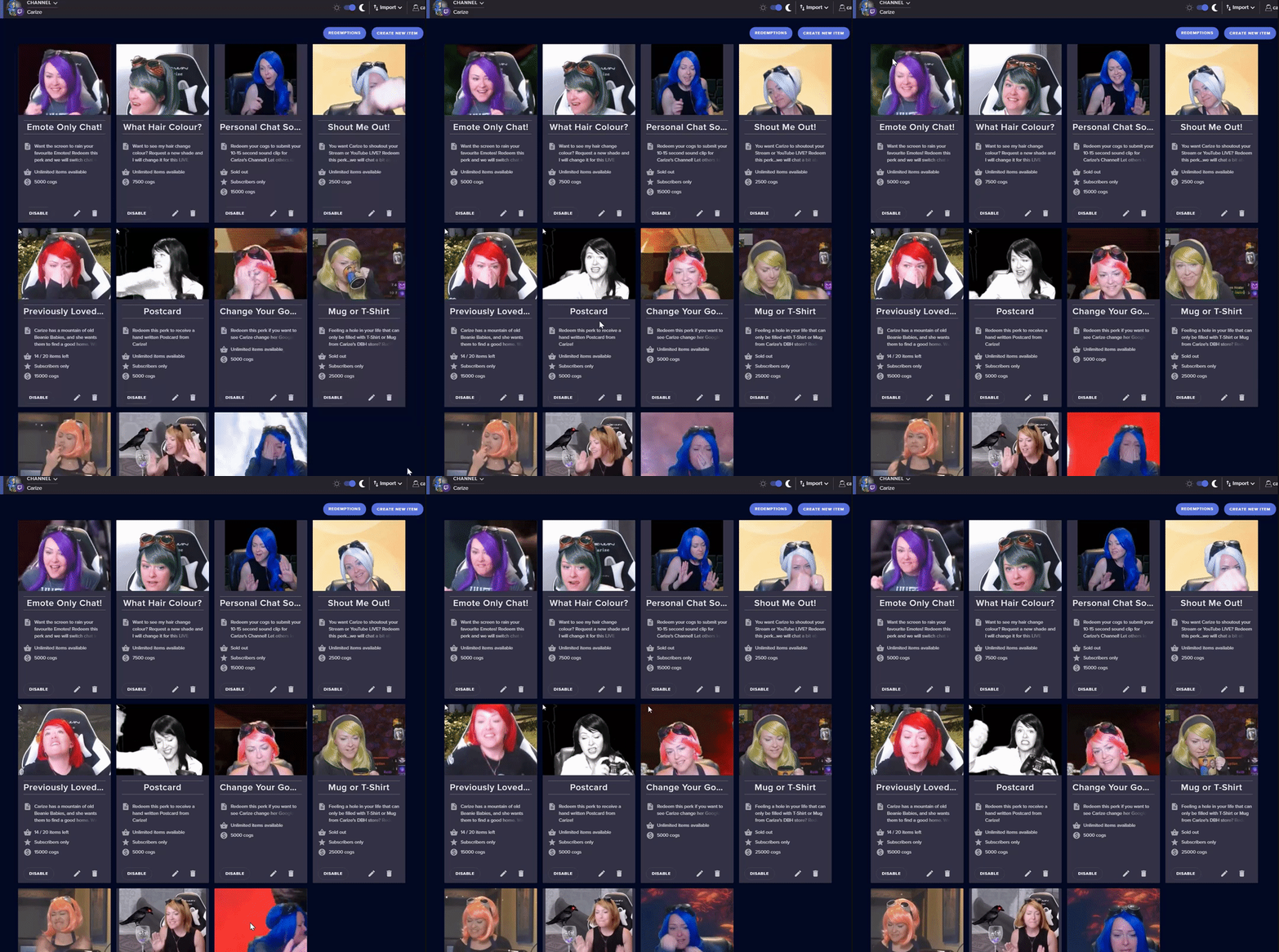
Make sure to ☑ “Shutdown source when not visible” for all browser sources (all OBS scenes). If using studio mode, uncheck “Swap Preview/Output scenes After Transitioning.” Also keep in mind that sound can play from any overlay loaded in the browser (editor or launched). https://i.imgur.com/FegZJQS.png https://i.imgur.com/yY0wcFl.png





 shy idol
no, i haven't @lament blade
lament blade
@shy idol have you multiple scenes with the overlay in there? even if the scene is not used the alert will go on
shy idol
oh okay that makes sense, yeah i have 3 scenes with that overlay
lament blade
@shy idol just unload these scenes as the Support AI wrote and the issule should be solved
shy idol
thank you! @lament blade
lament blade
@shy idol no problem 🙂
proper jungle
Thank you @lament blade for your help.
lament blade
@proper jungle nothing to thank for 🙂
 proven copper
Anyone having issues with obs latest update
lament blade
@proven copper OBS.Live doesnt support the 24.0.1 OBS Update yet, this could cause issues
lament blade
@proven copper have you installed your lastest CPU/GPU drivers?
lament blade
@proven copper if you have a NVIDIA Grafics Card just check for updates in GeForce experince this should solve most problems
proven copper
Ok thanks
 eternal smelt
@lament blade same issue experoenced by @proven copper . I'll update my graphic drivers too. Thx in advance
 white stump
Hi, I created a video to be redeemed with points on my stream but when people redeem it only the sound is playing, anyone has any suggestion please?
dry hare
You would need to make the video a GIF and add it as the image file for the redemption I believe
white stump
oh I see, so the video is not supported?
dry hare
I don't believe so
white stump
thank you, so you know if I can preview it before starting my live I couldn't find any place to do so
proven copper
Thanks @lament blade issue resolved you legend 😘
lament blade
@proven copper no problem 😄
proven copper
🤗🤗🤗
thorn elk
@lament blade its black only, not showing anything like previosly
lament blade
@thorn elk what issue are you facing? i forgot it already 😄
 clever nimbus
Good morning. is there a way to change the message that shows in chat when someone redeems a store item? I would like to add the @ and my name so it calls attention to me for certain redeemed items.
lament blade
@clever nimbus as for my knowledge it isnt possible
clever nimbus
Thank you.
 versed oriole
I can't login, I've already deleted the authorization as per request of Streamelements. Deleted the cookies too. nothing helps
round brambleBOT
@versed oriole If you are having issue with "Invalid csrf token", please follow these steps: https://pastebin.com/raw/h0B4xNtS
versed oriole
so what is the cloudfare.net? @round bramble
oh lol XD
still doesn't work...
<@&364840891023622144>
tight harness

Todoist Help
If you're seeing a CSRF error message when logging into your Todoist account, don’t panic. You can find some simple solutions below:
Invalid or missing CSRF token
This error message means that your...
 ember girder
i need some help changing the bot name on stream elements?
lament blade
@ember girder what is your issue?
round brambleBOT
@ember girder Custom bot name requirements
- StreamElements bot modded and in chat
- Active overlay with alerts
- StreamElements tipping page in the panels below the stream (!panels)
- OBS.Live or Ground Control open
- Create a twitch account for the name you want to use or run the bot under your own name
- Custom bot name doesn't work on Mac
 pastel hawk
I'm having an issue with stream elements, the installation to start with only went forward after I ran it as admin, secondly when I tried removing it it keeps saying installation aborted
ember girder
it's a must for the active overlay?
versed oriole
@tight harness like I said, I already tried that
 normal igloo
@ember girder yep
lament blade
@ember girder when you open your Ground Control you will only see Custom Bot name when everything else is activated as Support AI wrote
tight harness
@versed oriole I sent it to you because the page explains where the issue comes from
ember girder
Yeah, I'm not using your overlays cos i find it difficult to work with... ripcicles. alrighty! my nameit is then. thank you so much for your help!
lament blade
@ember girder you dont have to use the overlay, just have one in your overlay section
versed oriole
it's the same as the bot sent me though :S @tight harness
normal igloo
@lament blade That's wrong You do have to have a active overlay with alerts 
tight harness
It actually isn't, it provides more background information about the issue
ember girder
@lament blade there's an overlay in the section 🙂
 gray parcel
Hello. I'm having an issue with my sr last night someone tried to request a song and streamelements said that user was banned from making song requests and i don't know why. i didn't even know you could ban a single user. does anyone know what's going on or how i can fix this?
lament blade
@rich dragon but not a template from Streamelements, you can also use a custom one
normal igloo
Yes I know they still has to be from Streamelements custom or not
ember girder
@lament blade that still needs to be active. if i'm not using SE or obs live and their overlay then it won't work
normal igloo
^^^
lament blade
@ember girder @normal igloo thats both true, but i thought because you use Streamelements you would also use a custom overlay
my bad
ember girder
@lament blade Thanks anyway!
normal igloo
@lament blade you can use custom overlays but the url still needs to come from Streamelements
lament blade
@normal igloo thats true, but as a I said because she's on Streamelements I thought she would also use a custom overlay from Streamelements
normal igloo
lmao that's what I just said 
lament blade
@normal igloo but wouldn't it be possible to use a clear overlay with alerts box but everything in there is disabled?
normal igloo
as long as you are using overlay with SE's alerts box and active you good
lament blade
so @ember girder could use a clear template with an alert box with empty alerts and sounds, this would mean that she could use the custom name bot?
ember girder
@normal igloo @lament blade can i use this in Slobs as browser source or no?
lament blade
@ember girder proabbaly, as @normal igloo said if its activ in obs it should be fine
normal igloo
You would have to use Ground Control if not using OBS.Live
ember girder
I'll test that real quick and see if it works 🙂
normal igloo
but the overlay and alert box still need to come from se and active tho
lament blade
ye
gray parcel
@crisp jackal Hello. I'm having an issue with my sr last night someone tried to request a song and streamelements said that user was banned from making song requests and i don't know why. i didn't even know you could ban a single user. does anyone know what's going on or how i can fix this?
normal igloo
mmm
lament blade
@gray parcel have you song request enabled for normal users?
normal igloo
I don't know how out of date this is but I have seen TerraBuck mentioned "user unbans will require assistance from staff at this time so please be careful about banning users from requesting" 🤔
versed oriole
@tight harness well any idea how I can solve it then? because I did what it said....
and that didn't work
normal igloo
If this is still the case I would say hang on until one of the staff can get to you
@gray parcel
gray parcel
yes sr is availbe for everyone @lament blade
ember girder
@normal igloo @lament blade no luck
gray parcel
i never banned the person im confused as to why they are getting that message
normal igloo
Honestly first time I have heard of that issue
tight harness
@versed oriole After that the thing to try it clearing your cached data
lament blade
@gray parcel is this only one person facing this issue or does no one can request songs?
gray parcel
only that person @lament blade everyone else has no issue when requesting songs
i dont even know how to ban someone from making sr
lament blade
@gray parcel then its probably a user issue, as you wrote he is banned.
@gray parcel can this guy write in chat or is he completly banned from your chat?
normal igloo
For God's sake I was just about to say that Carisus 
lament blade
@normal igloo ❤
gray parcel
@lament blade they can write in chat so they arent banned from my channel it just says "user is banned from requesting songs or videos
ill go back and take a pic so you guys can see
lament blade
@gray parcel sadly i dont find any list on streamelements where you could unban this user
gray parcel
how did they get banned in the first place? is there a command to do so? if i didnt do it maybe i have a mod thats not owning up to it because i am completely lost @lament blade
lament blade
@gray parcel https://streamelements.helprace.com/i248-songrequest-user-ban this is the official answer from streamelements
cedar lynx
you should be able to check using the new mod tools whether they've been banned from the channel
lament blade
@gray parcel for unbanning you need staff assistance
cedar lynx
- the Twitch mod tools
round brambleBOT
@gray parcel Please provide your account ID found at the top of this page: https://streamelements.com/dashboard/account/channels This ID is public info and safe to share here.
jade remnant
@gray parcel can you let us know the username that needs to be unbanned and your twitch name
gray parcel
@round bramble 5b03f00ff19199c12ed61ec2 account id
let me get the name of the person @jade remnant
my twitch name is GamerQueen22
user who is having issue captiancaveman
jade remnant
thanks, i have sent this to the admin for unbanning
gray parcel
thank you @jade remnant. for future reference what is the command that bans a user so that i can disable it. i look all over and cant seem to find it
bans them for making a sr not to ban entirely
jade remnant
its a drop down feature, next to the video they submit you can choose ban video or user
gray parcel
in obs.live media request tab?
jade remnant
i will grab a screenshot after this game : )
gray parcel
i just opened it up and i see it
jade remnant
awesome : )
normal igloo

gray parcel
thanks again for your help @jade remnant 😀
also one last question is there a way to know when the user has been unbanned?
jade remnant
one of the admin will message you
gray parcel
ok thank you soo much!!
jade remnant
np 👍
ember girder
okay. I've downloaded streamelements OBS.Live, added the tipping page link to my panels, downloaded ground control and activated a theme with a follower alert and the custom bot name is still not working. what am i missing 😦 ?
lament blade
@ember girder activate the normal chat bot?
ember girder
it's posting as me - does that mean it's not active?
lament blade
@ember girder it is posting messages with your account?
ember girder
yes
lament blade
@ember girder thats weird
ember girder
how do make it use the name of the additional twitch account i made?
lament blade
@ember girder normally you have an option in the ground app where you put the name and the oauth token in there
@ember girder also the account you created to be as bot must also be mod in your chat
@ember girder have you added a payment method to tipping?
ember girder
yep
lament blade
@ember girder if you have done all steps you must maybe wait a few minutes to activate in ground control, also restarting ground control could solve the issue
ember girder
which account is supposed to be logged into ground control?
lament blade
@ember girder your main account not the bots account
ember girder
but the bot's oauth key?
lament blade
@ember girder if the setting with custom name bot is avaible you paste the oauth key in there
ember girder
yes, but my main account or the bot account's oath key?
they would be different, no?
lament blade
@ember girder you log in in ground control with your main account and paste in the bots oauth key in the right field
lament blade
@ember girder it works ^^?
ember girder
fiinally.. Thanks @lament blade
lament blade
@ember girder but you have also to check if the right name is displayed by testing your bot, if not just add the bot to the moderators list and you will be fine
ember girder
it's perfect now! thanks
lament blade
@ember girder no problem 🙂
does anyone know why my stream lags when I stream MW bot not fortnite
jade remnant
probably ingame settings
round brambleBOT
@lament blade Please provide a log from your last stream. To do this, in OBS go to Help > Log Files > Upload Last Log File and paste the link to the log file here.
lament blade
@lament blade or maybe your pc doesnt offer enough resources to encode everything?
and then what do I need to do
@lament blade as @jade remnant wrote, chainging your ingame settings of MW, if that doesnt help check if your cpu is over 99 percent when streaming MW. If it is, your cpu doesnt have enough power. To fix that you probably need a better cpu
How do I check my cpu
task manager
@lament blade on the bottom of you obs you see how much cpu is used in %
@lament blade also task manager is an option
jade remnant
if you try a cleanlog then everything will be in there
- Restart OBS
- Start your stream/recording for about 30 seconds. Make sure you replicate any issues as best you can, which means having any games/apps open and captured, etc.
- Stop your stream/recording.
- Select Help > Log Files > Upload Current Log File. Copy the URL and paste it here.
lament blade
Its only pulling in at 30 to 39%
@lament blade then your cpu is fine, probably mw settings, could also be obs, let me check something
okay thank you
@lament blade if mw supports vsync, did you tried turning it of? (dont know much about the game, doesnt play it myself)
i can try turning it off
@lament blade for my vsync only causes bad videoqquallity in obs
 marble vortex
so my streaminformazion is still not showing
lament blade
@marble vortex does it not show up or is it broken?
@marble vortex it doesnt show up: OBS.Live -> Top Bar -> View -> Docks -> Stream information -> click on it -> enabled ;;;; broken -> obs settings -> output -> disconnect twitch account and reconnect it -> should work again
 hasty nacelle
Hi there. I purchased the Focus stream package from Nerd or Die and I imported an overlay for my webcam into SE. I'm trying to import the "Focus Alerts" that came with the stream package, but when it imports in SE it creates a new overlay instead of adding the one I already have created. How can I get the alerts imported into the overlay I already have?
lament blade
@hasty nacelle as for my knowledge Streamelements doesnt support packages from third party. You coud try, if you have sound / gif seperat changing these in your alert box
hasty nacelle
They do support packages from 3rd party.
lament blade
@hasty nacelle right i googled it, my bad
real escarp
you can clone the widget to your existing overlay
hasty nacelle
ohhh just figured that out! Thanks so much @real escarp!
real escarp
no problem
hasty nacelle
One more question, I have an event list and its showing the correct last 3 events in my overlay editor. But in OBS it shows 3 usernames for the last 3 events that I have no idea who they are lol
real escarp
in obs right click the browser source > properties > scroll down > refresh cache
hasty nacelle
hm didnt work. I think it may be an issue for when I imported my tips over from streamlabs
real escarp
should update as you get followers
floral badger
hey i have a question i wanted to sign up for the SE merch but it said it will send an email with more info but i haven't got eny mails so far is it still in working progress?
normal igloo
@floral badger yep you will get a email
 glossy sorrel
What channel would I ask about a merch order I placed?
normal igloo
as its still in beta I would imagine you would need to talk to a staff member about it @glossy sorrel
glossy sorrel
Yikes... thanks
normal igloo
np 👍
 novel yew
Help me
Somebody
I need a staff
My twitch channel called bergburrachaofficial and recently I changed to CaraAvulso. But when I go to see the top chatters, it doesn't appear to me anymore
normal igloo
@novel yew have you tried logging out and back in on the SE website?
novel yew
@normal igloo yess
real escarp
official or oficial
turbid gazelle
@dry hare yes i did this already for long long time, it was working until some weeks ago, first someone said here its not working with custom name, but even with streamelements name hes not reaction to it anymore
normal igloo
@turbid gazelle what seems to be the trouble? 🤔
novel yew
@real escarp berburrachaoficial
lament blade
@turbid gazelle have you tried reconnecting your bot to the chat?
real escarp
thank you we will get the ticket put in to merge
novel yew
My old channel is BERGBURRACHAOFICIAL
My new channel is CARAAVULSO
My subscribers appears on streamelements panel
But my top chatters and tp emotes does not
turbid gazelle
"stream elements dont react to !kappagen? even without custom name 😦"
novel yew
Sorry about my english, i'm brazillian
turbid gazelle
yes @lament blade didnt work
novel yew
@real escarp you understand me?
turbid gazelle
i made a custom command !partyalarm, stream elements says than !kappagen 500 and there should be normally a kappagen in screen
lament blade
@turbid gazelle have you changed your name in the past few weeks?
lament blade
@turbid gazelle did you maybe accidentally muted the bot in your dashboard?
real escarp
@novel yew yes
novel yew
Thank you @real escarp
turbid gazelle
i thought get my stream elements to his original name it might work but it doesnt
lament blade
@turbid gazelle stupid question, but did you also checked that the bot is still moderator? maybe someone removed him from the list
turbid gazelle
cause someone from streamelements team said to me: custom name its not working but original it does
lament blade
@turbid gazelle hm for me the custom name is working perfectly fine
turbid gazelle
turbid gazelle
it used to work in past, but its not working
normal igloo
the bot can't read Itself
turbid gazelle
why not? it really did like 2 weeks ago 😮
normal igloo
I have no idea it's always been that way
You can't trigger a command within a command
lament blade
@turbid gazelle but you could add the partyalarm to the kappagen 500 command as alias, this could work
turbid gazelle
now its like i am telling a lie, but i dont lol
normal igloo
I never said that
turbid gazelle
how @lament blade? 🙂
normal igloo
That wouldn't matter @lament blade as it will still count as a command
 buoyant belfry
Hello, I need some quick help. Is it fine if I just drop my question in here? 
normal igloo
Unless they changed it I have never known the bot to be able to trigger a command within a command
lament blade
@normal igloo i mean that if he wrotes partyalarm not the !kapagen wouldn't be written in the chat but get triggered
round brambleBOT
@buoyant belfry Welcome to the helpdesk! Please let us know how we can assist you today and a support volunteer or staff member will assist you as soon as they are available. Thank you for your patience.
turbid gazelle
even without partyalarm in its still not working 😦
normal igloo
It shouldn't work tho you can't trigger a command within a command
buoyant belfry
Ah, gracias. SO I am trying to set up OBS.Live since I am planning to move to this from Streamlabs as I am getting fed up with the weird unexplainable bugs. I got a nifty setup page but it seems like I am stuck at the part where it gives me my tipping link. The next button is grayed out and the test button says an error occured too.
turbid gazelle
KeiZarLast Thursday at 12:26
Is this with a custom name?
if yes - then we have made it so the custom name doesn't respond to its own commands - this is to prevent looping @zenith widget
buoyant belfry
lament blade
ahh i understand, the kappagen command isnt a command made by streamelements, right?
turbid gazelle
so as @zenith widget said, with streamelements it should work
lament blade
@buoyant belfry you have to add the tipping link in one of your panels and then click on test, if its successful, you can go on the next page
buoyant belfry
Oh, gotcha. Thanks a ton!
normal igloo
@lament blade kappagen command made by streamelements It's just his trying to trigger a command within a command no way the bot do that
turbid gazelle
but i found out that without streamelements it also not working, something wrong with my account or everyone having this problem atm?
lament blade
@normal igloo but it should be possible to add the alias "partytime" to the "kappagen" command, so if he writes partytime or kappagen in the chat the same command would be triggered?
turbid gazelle
it always worked this way
turbid gazelle
streamelements dont react to this command anymore
i dont get kappagen in my obs/stream this way
even without party alarm text in it
zenith widget
Having our own bot respond with its own default commands won't do anything.
meaning you can't have our bot say its own commands
normal igloo
@lament blade even if he used the alias It wouldn't make any difference as the bot would still not trigger command within a command
turbid gazelle
but why did it work like 2 weeks ago? and now the days not anymore
normal igloo
thx KeiZar even though I saying that like 5 times now
zenith widget
If you quoted me above, then it stands to reason, that we have disabled the custom bot within OBS.Live and Ground control
to trigger the same commands
lament blade
@normal igloo i think we talk past each other. i meant if he writes kappagen in the chat that the command gets triggered and not just write the text in the chat
zenith widget
the custom bot name is essentially a shell of the main StreamElements bot.
normal igloo
@lament blade oh 😂
lament blade
@normal igloo and if he writes partytime as alias to the kappagen command it should work as for my knowledge
lament blade
@normal igloo no problem, for me its late thats an excuse 😄
normal igloo
👍
turbid gazelle
sad thats totally disabled that the bot wont react to it anymore, but well thanks for the time
 dark idol
hello can i have some help please
lament blade
@dark idol what is your issue :)?
dark idol
i changed my twitch name and now streamelements bot isn't working no commands no alerts and no store
i don't know why tbh i'm new
lament blade
@dark idol for that you need a staff, it will change your old name to the new one 🙂
<@&364840891023622144>
dark idol
how can i get one to help me
lament blade
@dark idol as soon as a staff has time for that it will respond to your problem
dark idol
alright ty
zenith widget
@dark idol Part the bot and join it again.
from the main dashboard
@lament blade FYI, the moderator role mostly pings champions 
lament blade
oops, didnt know that because i didnt found a se.staff role 😄
weary mist
support hero works xD
weary mist

dark idol
ty guys for the help ♥
lament blade
ahh so to my knowledge the staff or support heros cant replace the usernames instantly and just have to create a ticket on their website?
zenith widget
I'm not sure what you mean by replacing here.
If someone has renamed their twitch channel and the bot is not in their channel simple instruction is this:
Dashboard -> right side -> part channel -> join channel
lament blade
as i heard previously if someone changes their steam name something need to be replaced, the old names to the new ones? so streamelements can work properly again
zenith widget
chatstats is a manual replacement 
lament blade
but he also had problems with alerts and that stuff
zenith widget
the bot is simple
thats another matter that you(or we) need more info
you'll learn
lament blade
yeah i think so, i'm also pretty new to this discord server and dont know all secrects or instructions yet 😄
tawny bay
command for streamelements to use song from spofity? anyoneknow
zenith widget
We don't have Spotify integration.
BUT
Use at your own risk as Spotify doesn't like Twitch
mint crane
hello. i wrote yesterday about an issu that anyone can redeem a sub only item on my stream and that thing is still happening. albo my alterts went off for no reason rn
 tardy nexus
so i signed up with youtube on obs live. How do i switch to twitch?
lament blade
@tardy nexus just log out on your dashboard and login with twitch then
 wise dagger
I am trying to use Stream elements for both of my twitch channels, is this possible? They are under two different email address. but each time i sign out of Stream elements and resign it, it auto signs in one of the two accounts and I can't seem a way to go to the other account?
 eternal jay
Hi there. I'm using Streamlabs OBS but trying to get KappaGen from StreamElements to work. I've tried all the self-help stuff online, and tried to search here in the discord, but I still can't find anything to help. No matter what I do, browser sources won't appear in OBS.
wise dagger
there are many a guides to show how to setup stream overlay and kappagen inside obs. what are you having problems wiht
tardy nexus
But on obs whenever i stream it just streams to youtube instead of twitch?
eternal jay
Yes, I've tried those, that's why I'm here 🙂
wise dagger
@tardy nexus do you have your twitch key installed?
eternal jay
I can't get it to appear on screen in OBS
lament blade
@wise dagger i wouldnt think thats possible because it could get a bit hard to seperate 2 channels from the same platform
jade remnant
@wise dagger click log out and clear your browser cache then log into your other account
tardy nexus
yeah, its set on twitch and the twitch key is there.
eternal jay
I can literally get it to where if I paste the browser source link in a browser, I see that it works. It's when I get into Streamlabs OBS that it does not want to appear. I have everything else set up
wise dagger
@eternal jay open obs, add source that is called "browser capture"
eternal jay
Yes I did that
wise dagger
copy and paste your stream elements overlay into that browser capture details
eternal jay
I've also tried fiddling with the settings and still can't get it to show in OBS
jade remnant
@eternal jay slobs try and block SE overlays as they are competitors.
some times it will work other times it wont
eternal jay
Is there an alternative to KappaGen?
wise dagger
@jade remnant I should just be able to log out and into with a different email account, what would the trouble be?
lament blade
@eternal jay not an officla one of streamelements
weary mist
There isn't much we can do, as that product is not something we can provide support for. If you want help with that one, you can speak with StreamLabs support, or you could download and use OBS, which we know 100% works with our products @eternal jay
jade remnant
@wise dagger are you talking about the SE dashboard?
weary mist
@wise dagger The site uses your cache for easy logout/login. If you want to manage multiple accounts, I recommend using incognito mode, as that mode opens chrome without cache, and makes it easy to switch between accounts (or have both open at the same time)
weary mist
Keep one open in the regular, and one in incognito 🙂
lament blade
@wise dagger another good option is having 2 seperate browsers for each account so you dont have to login/logout every time
tardy nexus
ughh i just want to delete it but it says Setup was not successfully completed every timee
what do i doo
wrong chat
srry
 warm granite
hi im using obs live and every time someone does a song or video request a completely diffrent video that is deffenitly against tos starts playing dm me if anyone has any fixes
normal igloo
^^^^ i'm dealing with this case
pastel hawk
Is there a way to completely unlink streamelements from my twitch account?
normal igloo
ok any staff available to look into mr worldwide's case ^^^^^ | basically a user requested a racist song that song is now on the blacklist but media request no matter what I request seems to think that I'm requesting the racist song however if I don't use YouTube links it's fine I think I found a bug in the system thank you in advance to anyone who can help out with this
@pastel hawk because you don't want to use the bot anymore? 🤔
pastel hawk
Well I was live earlier and was surprised it was active yeah. I banned it first lol and then parted it after. @normal igloo
But no, I mean when I'm on streamelements' website, when I click login I connect automatically because I gave auth when I first logged in
normal igloo
so you just want to remove the twitch account but still keep the bot for wherever you're at now ? 🤔
pastel hawk
No I don't want the bot, I just want to remove my twitch from streamelements
I want to manually login every time
If that makes more sense
normal igloo
mmm website should not be automatically logging you in 
pastel hawk
It's doing it
Even after I log out and click on my bookmarked dashboard, it takes me directly there logged in
My first time using streamelements hasn't been a smooth one 😂
normal igloo
and I'm so sorry that it hasn't been a smooth one for you but I have no idea what would be causing your issue 😅
pastel hawk
I guess I'll try clearing my browser cache and cookies and see if that works
Didn't work
 wanton mango
You should be able to disconnect it from here: https://www.twitch.tv/settings/connections
pastel hawk
@wanton mango Yup I came across that myself and did it, thanks 🙂
white stump
Hi I am having issues with my !redeem I have created my store but when someone redeems one of my gifs it doesn't work, can anyone give me a guide for live redeems or has an idea on how to set it up the right way? Thank you
I want my followers to be able to redeem gifs on my stream vs some points and I am having a hard time making it work, when they type the command, the points are being taken but nothing happens on my stream
lament blade
still having problems with my stream lag
but Twitch is saying that its at excellent quality
dry hare
@white stump did you add the store redemption widget to your overlay?
@lament blade what bitrate are you using in OBS?
 dry trench
hey can i get like a one on one chat with someone about my timers dont work at all and I just want the timers to go off by minutes not by chat lines plz
dry hare
@dry trench There has to be a minimum of 1 chat line for a timer to activate.
white stump
Orsuna, yes I have added it and left it as default
The store redemption works when I do it as a test but it's like my store and the store redemption weren't linked together
lament blade
https://obsproject.com/logs/gxZWIBlMy2ACDaC9 @jade remnant
 uncut hound
hey guys, having trouble with OBS. I updated to the newest update moments ago and its not showing my Twitch stats or ability to change my streaming information on OBS either. any one else experiencing the same issue? Im logged into twitch into obs and it streaming fine, but i cant see who my viewers are, followers ect. and cannot change my stream information such as changing games or just chatting. any help would be greatly appreicated.
uncut hound
disregard last, i figured it out like a big boy #baller
 verbal dome
Hey everyone ive been trying to place my overlays and put the right resolution in on obs live but my friends keep telling me to refer to youtube please help or message me thanks
potent ibex
Having an issue where the event list is using times new roman font when its not what is selected
I think thats times new roman 
 ionic veldt
hello . i would need some help 🙂
dry trench
@dry hare okay so if I do 1 chat line and will the timer work thou ?
Because I want the timer to be the reason for it going off not the chat line
potent ibex
@dry trench can you set the chat lines to 0 or 1?
potent ibex
then use 0
dry trench
It has to be 1 I think
dry hare
Yes if you set the chat lines to one and then set the time increment it should go off as long as you make sure the timer is enabled after you make it
dry trench
Oh okay and it won’t go off after each chat line if it’s at 1 ? @dry hare
dry hare
It will go off after 1 chat line
As long as there is 1 chat line and the time has been reached the message will send
dry hare
Nope
ionic veldt
can i get help with obs settings here etc ? xD
dry trench
Dang :/ alright
round brambleBOT
@ionic veldt For the best OBS support, please join their Official Discord @ discord.gg/obsproject
 flint rivet
Hello I have a question
 fleet lark
hey i need some help
i just downloaded obs.live and now my twitch extensions wont load
dry hare
@fleet lark try logging out of twitch in your OBS settings and log back in. If that doesn’t work you’ll have to ask in the OBS discord as it’s an OBS issue not related to streamelements or the OBS.Live plug-in
fleet lark
i would log out in the stream tab in the settings?
and hit disconnect account?
it worked
ty man
 wet surge
Hello! Just wondering how much time it takes for money to be deposited to my bank after requesting to withdraw with se.pay
round brambleBOT
@wet surge For information on SE.Pay payment methods, their fees, and settlement times see https://streamelements.com/dashboard/tipping/fees
 supple dove
i have a i7700k a gtx1060 6gbs 16 gigs of ram 1gig internet but my streams are still stuttering and laggy i stream on 720p 60 fps still lags ive messed around with the bitrate a ton from 4k to 6k still laggy ive tried 1060p 60 fps and 720p 30 fps still laggy
and the game is the cod beta
any ideas?
potent ibex
@supple dove cap fps and reduce graphics settings in game
supple dove
Ok ill try that ty
potent ibex
How do I go about filtering out racist names on widgets like the event list?
 modest pasture
I have a serious problem. It's been brought to my attention our viewers aren't getting their points back when we refund them. I started testing it and it's not working, the points are gone even if we refund them! I tried parting and rejoining the bot but still not working. I'm going to have to manually give all the points back for perhaps the last week so really need help on this one.
fleet lark
how would i change the bit tts amount? @dry hare
fleet lark
I need help
 viscid pebbleBOT
Hi @fleet lark, Please ask your question(s) or describe the problem you're looking to solve so staff or a support volunteer can assist you as soon as they are available.
dry hare
@fleet lark you will need to enable TTS on your cheer alert as a variation I believe
 frigid juniper
Anyone having trouble with song request?
gray parcel
me @frigid juniper
 drifting aurora
Lol I think stream elements is dumb af I requested bongo bongo bongo before and it let me do to BUT NOW it won’t let me yeah ok
frigid juniper
Yeah, same for me
drifting aurora
lol good stream elements guys really hoping to hear some WW2 era song but no
gg tho
 celest nebula
How do you share an overlay in streamelements
I cant find a button for it?
dry hare
I don’t believe you can
celest nebula
Uhhh yea how would you explain #widget-share
dry hare
you can't share the overlay
if you're an Editor or have full control in someone's SE dashboard you can copy an overlay to their dashboard
@drifting aurora looks like the Media Request is taking a dump at the moment. I just tried to do !sr and got "internal server error"
celest nebula
How does Harris Heller do it like this then @dry hare
https://streamelements.com/dashboard/overlays/share/5d5daf9da22acc5e5f53f039
dry hare
I believe you have to have the SE admins do it
It's not something an individual user can do
celest nebula
That would not make any sense
dry hare
It might not to you, but I'm sure there's a reason
I do remember there was a time when you did have a "Share" button/link somewhere....but I don't see it anymore
 chrome scroll
Can someone help me ? I created some commands with link, but when I type the command in live simply the link does not appear. what can i do to solve?
drifting aurora
@dry hare i actually got triggered cause i requested a song which went through, i removed it then requested it again and it didnt go through