#helpdesk-twitch
1 messages · Page 493 of 1
 rough cliff
 grave lance
oh ok sorry for butting in
 dry hare
no problem
 obtuse patio
@grave lance I belive you can use: .png, .gif, .jpeg, .jpg, .aac, .ogg and .webm
so doesn't have to be webm
dry hare
@grave lance it's okay. it's better to ask questions than to never know the answers 😄
grave lance
I like a webm for the animation and I wanted to know were I could get some thing really cool for my stream
dry hare
Nerd or Die has some relatively cheap. You could make one in photoshop/gimp
grave lance
tripple D has a cool shark, I wanted some thing better and that is going to be hard to out do
grave lance
since I am "thecommondanger" I wanted a dangerous sifi beast looking webm
 weak geyser
Can someone help me out i stream Division 2 on twitch my twitch says im offline, SLOBS still running saying im online. (this is the only game it does it with) if this is in the wrong place can you point me to the right place thanks.
obtuse patio
Yeah SLOBS would be streamlabs....not streamelements
weak geyser
Point well made 😉
obtuse patio
More than welcome to download obs live/ and obs studio and then we can help you 🙂
(I think they are superior anyway)
 open rose
Anyone know how long it takes for a new overlay to show up in the duplicate layer dialog?
It's been over an hour and I can't see my new overlays to dupe to from another older overlay.
obtuse patio
So when you clicked that, did it have you specify an account (twitch, etc) ?
I've had some quirks when using chrome sometimes and I actually had to try firefox
Maybe try a diff browser
open rose
I'm using firefox now.
obtuse patio
Ok so maybe try chrome and see what happens
Doh sorry I got that backwards. I was using firefox and had to switch to chrome. My dashboard wasn't populating etc. Was strange.
Also be sure to whitelist streamelements from ublock origin etc if you use a blocker
That alone may get it going for you
 sacred harbor
Is there anyway possible to create a custom alert when they hypeboss gets defeated? Like an alert showing the name of the person that defeated the hype boss?
open rose
Weird that an adblocker would block only the new overlays I created and not the others.
I can see everything except the three new overlays I built.
In the list of overlays available to duplicate to.
obtuse patio
I don't know if that is the case, it was just a troubleshooting step to rule out. I've seen some quirks.
 lament blade
Hello i have an old laptop trying to install groundcontrol and says the installation failed
any clue to what this might be i bet that the program isnt that specs wise thirsty
obtuse patio
Looks like the installer is 64 bit (I'm not that familiar with ground control)
lament blade
prob
obtuse patio
So first thing would be to make sure that laptop is capable/running 64 bit version
lament blade
yeah prob wont happen lol
what else can i use to check activity feed
so i dont have to alt tab all the time
obtuse patio
obs live
or if you just use obs studio you can add it from (the view menu?) as another panel in obs
But obs live plugin includes all the extra streamelements alerts
obtuse patio
Oh. How are you streaming then?
obtuse patio
Yeah but...with OBS software...right?
lament blade
i have a pc and i have a old laptop they are seperated and yes
i have the activity feed
i just want to use this laptop as a way to check activity feed
 oblique steeple
Then open your browser and go to your dashboard. 😄 https://streamelements.com/dashboard/activity
oblique steeple
No need to install OBS or extra software if you're doing it just for the feed ^^
lament blade
there we go
 hexed orbit
😂 👍
oblique steeple

 loud lake
Also I did notice a glitch, when duplicating layers on the same overlay it will shift the frames slightly, so instead of a quick adjustment you need to reposition both areas again (if it is something finicky like what I am doing it really throws everything off). It seems to slightly scale them differently too when duplicating so you cannot get a perfect match.
obtuse patio
So is it a possibility "unique chatters" in my streamelements reports is actually referring to "chat messages" ?
 nova belfry
That’s what it seems like
 elder sorrel
Unique chatters are logged in accounts that enter your chat. They don't have to send a message to be counted.
 jagged escarp
anybody know why my media request widget isnt showing up with the video currently playing in the media request page?
doesnt seem to matter what settings are checked it just doesnt show at all, although the currently playing widget knows something is playing
 tight harness
@jagged escarp Make sure to follow these steps: https://www.youtube.com/watch?v=17eUkoZ6eIs
jagged escarp
thanks, im watching it now...they mention a 'show on stream' toggle but its not located in the place shown in the video, was it moved since then?
looks like the moderator notification toggle is where the show on stream toggle used to be
tight harness
Show On Stream is rather visible still, it is just right of the volume slider
jagged escarp
to the right of my volume slider is a bell icon for Moderator Notification and nothing else though
promise
tight harness
jagged escarp
thats mine
ok it looks like its not there if your moderating for somebody else
might have figured it out
tight harness
Ah, then yes, the streamer needs to do it, they can do it from either the site, Ground Control or OBS.Live
jagged escarp
appreciate it man ty
lament blade
Hi
 sonic robin
I recently streamed today and received a tip but i dont know how to obtain it
 analog hawk
can some1 help me putting my camera back into Streamlabs obs-studio?
i somehow cant select it, even doe it is connecting via USB to my computer
elder sorrel
Will be best to ask the SLOBs Discord about that. As this is StreamElements.
@sonic robin Was it a Tip via PayPal?
analog hawk
@elder sorrel can u link me their discord?
sonic robin
i used the Twitch panel for it and i checked my paypal but nothing is there
elder sorrel
I don't have their link 
@sonic robin If it was from PayPal. You prob have to verify your PayPal account.
analog hawk
@elder sorrel where can i get it then 😮 ?
sonic robin
my paypal is verified my friend just said something about twitch holding it cause it wasnt 100
dry hare
@analog hawk try their website
analog hawk
OHHHH
fuck im so stupid
i meant streamelements obs
UFFFF
idk why i wrote streamlabs obs LMAO
nono, i have streamelements obs
i cant seem to get my camera into streamelements obs studio anymore
dry hare
Is it already in use somewhere else in OBS?
 spring lake
I signed up for the merch store and it says 'you get an email with more information very soon' does this mean I need to get accepted of does it mean that I just need to wait on a conformation mail or does it mean that I need to wait for the feature to go live?
dry hare
You have to wait until you get access to it
spring lake
So until I get accepted?
tight harness
It is more that we will provide more information via that email when we have an update
spring lake
So it's not fully live yet?
tight harness
By signing up you are informing us of your interest in the feature 😃
spring lake
Got you! Is there already known if payout on Paypal will be available?
tight harness
Correct
Genuinely unsure at the moment, not all of the details have been finalised yet, we'll have to wait and see
spring lake
Totally understandable! Are there any plans for including Paypal payout on SE.Pay?
tight harness
I don't believe so, as they take their own fee similar to our payment provider for SE.Pay (Adyen), so they are considered a competitor. The idea with SE.Pay is that Adyen take the lowest fee possible (besting PayPal and others) to transfer the funds, but instead of going to PayPal it has to go to your bank account
spring lake
Well the thing is I keep my money separate on a Paypal because I only spend it on stream related expenses. But I would love to have more protection. Don't even mind paying a bigger fee for protection. I know that implementing something just for me is not doable, but I think I can always ask, because if enough people have the same though it might be interesting for you.
tight harness
I'll pass it on to the relevant department in any case 😃
spring lake
Thank you for the good care 
sonic robin
@tight harness so if i got tipped using the tipping system it isnt going to go to my paypal?
spring lake
@sonic robin Normal tipping goes to your Paypal. Just the SE.Pay goes to your bank account 😉
sonic robin
@spring lake does it go in automatically?
tight harness
PayPal goes to PayPal, G2A Pay goes to G2A Wallet and SE.Pay goes to your bank account
sonic robin
okay, someone tipped me 50 today but i didn't get anything
tight harness
How were you alerted to this tip?
 cloud spoke
I am trying to move my alert box over from slobs over to streamelements , the gif I put into the alertbox doesnt work, does it need to be a certain format?
 whole wolf
If I have a custom widget on the same overlay as a kappagen widget , can I trigger via js a kappagen emoteplosion without an event actually happening?
 uncut junco
So I have been having trouble with my host alerts over the last few weeks. Its the only alert that doesn't work ever... it shows up in my chat but my activity feed only shows them when someone raids me it adds the host there. I made sure host count is at 1 and 0 tested both times. Not sure why people who manually host me aren't getting any alerts. Any help would be appreciated.
 tawny mason
if i do the close my account thing will i be able to make a new one so it will reset all my stuff?
 hybrid forge
hey guys. is that possible somehow to change currency for donates if im connected to sepay? Im not able to change currency in tipping settings now
 wild bough
How do I get the chat to give a welcome message to a new follower or sub ex: Thank you (name) for the follow ?
 ashen prism
How do I carry over my scenes from the website.
 strong kernel
@ashen prism To add your overlays to OBS, add a new browser source in your scene. Paste your overlay URL in the browser source properties, set the dimensions to 1920x1080 (unless you changed them on the website), and ☑ “Shutdown source when not visible” https://youtu.be/KDvLynUqXI4

Tutorial #1 - Adding StreamElements Overlays to OBS Studio ----------------------------------------------------------------------- 🚀 StreamElements 🚀 -------...
@wild bough Chat alerts module in the modules section of your account.
 cinder olive

StreamElements
The Ultimate All in One Platform for Streamers
 wraith vigil
does anyone know what a mod has to type in chat
for the song request to be accepted ?
 scenic kayak
Hello Im trying to set a dontion goal in my stream but it keeps saying ive already raised 340$ but i havenet why does it not say 0 even when i try to reset it?
strong kernel
@wraith vigil If manual approval is enabled for media request, this is done on the site, not in chat.
@scenic kayak Goal progress is controlled at https://streamelements.com/dashboard/session
StreamElements
The Ultimate All in One Platform for Streamers
scenic kayak
@strong kernel Thanks! stream elements has the best support hands down! Love you guys ❤
wraith vigil
so how does the mod acces it then ?
cause they say in chat its blank
when i give the media request link
strong kernel
You need to give them manager access to your StreamElements account.
 foggy kraken
how do i add a media request source in the sources box? (if you can)
strong kernel
It's a media request widget to your overlay. On the site, in the overlay editor. It's not a source. The overlay itself is added to OBS as a browser source.
@wraith vigil You can generate a manager link at https://streamelements.com/dashboard/account/channels
StreamElements
The Ultimate All in One Platform for Streamers
wraith vigil
how do i give manager acces ?
strong kernel
@wraith vigil
 odd gull
The StreamElements leaderboards extension in the panels under the stream isn't working for me... not on my own stream nor on any other stream I visit. It just says it's offline and continuously loading. I already cleared browsercache and checked if everything is up to date. Every single other extension works... I tried it on Chrome, Firefox, Edge... non of the browsers shows the leaderboards anymore. This started happening a few weeks ago after I never had any issues for years. Any ideas?
strong kernel
You need to select the manager level.
Click the ? to see what the access level gives.
wraith vigil
is this link permanent for the mod ?
 delicate slate
anybody willing to help me set up my SE bot? Would like some clarification on certain options as well as how to do something I see others doing with their bots
strong kernel
@wraith vigil The link is a one time use that grants permanent manager status until revoked manually.
@delicate slate Just ask your questions.
delicate slate
as far as I can tell there is no way for people to enter an activity that earns points that they also lose on. The raffle seems like the option I want for this game, but there doesn't seem to be a losing message for a single player, nor a wining option for more than one person to win. And they can only simply join, rather than put their own ammount towards the event to get a payout that is percentage based according to how much they entered with. I'm thinking this is a feature of a different bot
I understand there's options like roulette and slots, but those aren't what I'm looking for.
wraith vigil
1 more question i always use the twitch dashboard instead of the obs screen itself
can i get the song request in there somehow ?
strong kernel
@wraith vigil Not possible, Twitch themselves would have to add some kind of integration there.
@delicate slate Not quite sure what you mean.
delicate slate
here's an example:
!mission 200
"{user} has started a mission to rescue the princess. Type !mission <ammount> to join this rescue mission"
"The mission has started..... onward brave warriors!"
"The mission was a success! {user} {user} {user} earned {currency won} as a reward from the royal family"
While three users won, there were more people that entered to win with whatever amount they cared to gamble with, but not everybody wins.
And if only the one person started that event and nobody else entered, they still may either win or lose based on how rigged I made it.
the currency won would be different for each user though, so that part would be repeated next to each user for their unique winnings
I just wrote it that way above to save time writing it
so it's multi user like the raffle, but works like gambling in the other games
or am I mistaken and this is a different bot
that isn't stream elements
strong kernel
Custom multi-response commands are not possible, nor is creating a game like this. Raffle works similar to this but does not require an entry and will not take away points.
delicate slate
okay, so it's a different bot then cuz I know a handful of streamers who use this
and I thought it was SE but maybe it's an SL thing
thanks anyways. take care
 kind epoch
Hi my m usic stops part way with GC with the first song when stream is first launched. Any ideas on this peeps?
 tawny bay
VIPs still can't use a !raffle command that I made VIP level :/
 rigid bolt
I need help
 round brambleBOT
@rigid bolt Welcome to the helpdesk! Please let us know how we can assist you today and a support volunteer or staff member will assist you as soon as they are available. Thank you for your patience.
rigid bolt
i am having problems connecting to server/ starting stream. i double check my stream key and everything. just need help finding possible solution for this problem
strong kernel
Have you tried using the login option instead of stream key?
rigid bolt
how does one do that?
strong kernel
 tranquil sparrow
Why does my Activity Feed not work on obs streamelements
strong kernel
Can you be more specific?
Also, there's no StreamElements OBS. There's OBS.Live, which is a plugin for OBS Studio.
tranquil sparrow
yeah that one
strong kernel
Can you elaborate on what you mean, though?
"It doesn't work" doesn't exactly tell us anything
strong kernel
Did you log in with your Twitch account in OBS.Live?
tranquil sparrow
on the stream key part
strong kernel
Not that part. That's OBS Studio stuff.
strong kernel
Log out in the StreamElements menu at the top and log back in with your Twitch account.
tranquil sparrow
OMG thank you
 copper bobcat
My alerts were really causing my stream to lag tonight. Any potential fix? The PC game was fine the rest of the night with OBS, just during subs and follows it would chug hardcore.
All alerts were through StreamElements with WEBM video.

 zenith widget
@copper bobcat Is the alert box and overlay set to 1920x1080 size?

 zenith widget
i'm 80% sure yes
copper bobcat
When I set it to 1280x720 the sizing gets all weird
should the OG overlay in StreamElements be designed at the 720 resolution?
dry hare
The overlays are 1920x1080
copper bobcat
I just changed the overlay to 720 on the StreamElements dashboard but it's still wacky here, hm..
Ah went into the Editor and they were still formatted for 1080p, hm.
So making them 720p and 30FPS would help?
zenith widget
What are you using? super theme?
copper bobcat
Nah, a custom animated WEBM
zenith widget
Ok so yea, make sure the widget is set to a lower resolution
 livid plinth
ok i was asking caus abother person had created an overlay/widget that when you clicked on it, it took you to your SE with that overlay downloaded into yours an i was trying to do the same thing/ is there a way to do this?
round brambleBOT
@livid plinth Follow these steps to grant managers/moderators access to your dashboard:
- Click on your Channel Name at the top of the dashboard and select Settings
- Create a new invite at one of three access levels (Bot Supervisor, Editor, Full Control)
- Send this invite to a mod/manager to give them access to your dashboard. The link is one-time-use and expires after 72 hours if not accepted
Video tutorial: https://youtu.be/zl_h-ttZDF0
zenith widget
Be invited as a manager to their account and duplicate the overlay to their account.
 limpid cedar
Hey guys ! I have a question, so I was using streamlabs before and I have an awesome alert overlay on the streamlabs website ( not available anymore ) and I've been trying to mess a bit with the CSS and JS a bit to see if I could replicate it on the StreamElements overlay editor ( I switched to StreamElements recently ) but It just won't work. So I had a question about the tipping system, since I think StreamElements and SLOBS have different tipping system, I can't use my SLOBS alerts to display my StreamElements tips right ?
zenith widget
No - our tipping system is connected to our alert widget and we can't show SL tips as well.
As for the overlay, is the overlay added to SLOBS?
limpid cedar
Yes it is !
 delicate lance
Hi - I have a question, is there a command I can advise my mods of that will allow them to promote a song to the front of the queue?
zenith widget
They need editor permission to your dashboard in order to access the moderation queue.
and bump up songs
round brambleBOT
@delicate lance Follow these steps to grant managers/moderators access to your dashboard:
- Click on your Channel Name at the top of the dashboard and select Settings
- Create a new invite at one of three access levels (Bot Supervisor, Editor, Full Control)
- Send this invite to a mod/manager to give them access to your dashboard. The link is one-time-use and expires after 72 hours if not accepted
Video tutorial: https://youtu.be/zl_h-ttZDF0
delicate lance
thanks @zenith widget
limpid cedar
@zenith widget Yeah I used it a bit and it was very helpfull, but if I want to display my stream elements Tips I'll have to use another alert right ? I can't just use my SLOBS one
zenith widget
You will have to use our overlay with an alert widget
 viscid moon
Hi!, i have a question. I can create a command just for a mods/admins? If it was posible, how i should make? : S i need for some command. (Thanks)
limpid cedar
Yeaaah, bummer, back to coding then ! Thanks a lot for your quick help ! ❤
zenith widget
@viscid moon Set the user level to moderator
viscid moon
@zenith widget Thanks! It exists some option to make the same in chat?
round brambleBOT
@viscid moon You can make changes to custom commands in chat with!command add/remove/edit/options/show Valid flags for !cmd options are: -cd (number) -usercd (number) -cost (number) -level (number) -type (say, whisper or reply) -count (number). --- Example: !cmd options twitter -usercd 60 -type reply -level 250
 vivid creek
umm how do i start streaming
limpid cedar
Hey me again ! I finally made an alert work like I wanted to, but It still uses SLOBS to display tips and follow, not StreamElements, how do I correct that ?
zenith widget
What do you mean it uses SLBOS to display those?
@vivid creek There are plenty of guides if you google "How do I start streaming"
limpid cedar
So as I said earlier I'm trying to take the code from some SLOBS alerts I had and like and put them on StreamElements, when I try to emulate follows tips ect on streamelements it works well, but It doesn't show up on my OBS when emulating from StreamElements, it does work when I use test follow ect from slobs though
zenith widget
Have you placed the overlay in SLOBS?
Also note that SLOBS tends to block on a random basis our overlays.
limpid cedar
placed in SLOBS ? What do you mean ?
zenith widget
!add
round brambleBOT
To add your overlays to OBS, add a new browser source in your scene. Paste your overlay URL in the browser source properties, set the dimensions to 1920x1080 (unless you changed them on the website), and ☑ “Shutdown source when not visible” https://youtu.be/KDvLynUqXI4
limpid cedar
Oh yeah, I put what I did on the streamelements editor in my browser source on obs, the thing is when I emulate from stream elements it doesn't work, but It does work when I emulate from StreamLabs, that's what I don't really understand
round brambleBOT
@limpid cedar You can test Alerts via the bell on the lower right corner of the Overlay Editor. Simply go to your Dashboard -> My Overlays -> Pencil/edit button on the overlay. Make sure the "Show Emulated events on stream" option is on to see the alert in OBS/Xsplit https://streamable.com/h6qgy
 limpid cedar
I do I just have both to test them out ect while I modify the code little by little, so maybe the SLOBS one is blocking the other ?
zenith widget
Then follow the above bot text
limpid cedar
I deleted both browser sources from SLOBS and now it works
 hollow plank
 drowsy lodge
hey how to setup the musicbot?
cinder olive
make sure the commands are enabled then just go to https://streamelements.com/dashboard/mediarequest/general and hit play ^-^
StreamElements
The Ultimate All in One Platform for Streamers
People can request songs using !sr
drowsy lodge
Ahm k so I gotta downloadit right
Do I have to put the commands in discription or something
cinder olive
no downloads required can be entirely through your browser
and comands are enabled by default so you should be able to just start playing
 lean cipher
Is there any way for me to import a YouTube playlist to use in StreamElements Media Request?
cinder olive
You cant request a playlist per say ubt if you go to https://streamelements.com/dashboard/mediarequest/settings
StreamElements
The Ultimate All in One Platform for Streamers
and you scroll down to 'backup playlist' you can import a playlist to play when the que is empty.
drowsy lodge
Ty
lean cipher
@cinder olive I have my YouTube playlist link there, but StreamElements intro video is still being played in my Media Requests - have I done something wrong? :/
cinder olive
I havent had that issue yet so im not sure but theres many wise old.. very old.. like extremely old people here that will know :^)
If you can send a screenshot of the current song and the queue aswell, like so:
lean cipher
@cinder olive I did a skip on the intro video just now, and now the YouTube Playlist came in! Sorry for my confusion, I'm switching to StreamElements today so still haven't got a grip on everything xD
cinder olive
Ahh youre fine, I thought you meant it defaulted to the first position every time you tried to play it!
Any more questions feel free to ding me, only half here since im inting in some ranked games 😄
cinder olive
Whats what?
lean cipher
Yeah, decided to leave StreamLabs yesterday :P
cinder olive
its a media request, where your viewers can type !sr <youtube link> in chat and then their song will play on stream
drowsy lodge
on their side right or it will be for me aswell
cinder olive
you aswell unless you use a software like voicemeterbanana to isolate your audio channels ^-^
zenith widget
@drowsy lodge https://www.youtube.com/watch?v=17eUkoZ6eIs&list=PLCDDKlFdScbEwdx5AntcQIS1InkFJwHtv&index=9&t=0s

StreamElements Media request enables playing songs and videos in your stream. It's an upgrade of StreamElements Song request and Media share features. ----- ...
drowsy lodge
oh
cinder olive

StreamElements
Jump to section
Media Request is a great engagement tool for your channel. Let your viewers use loyalty points to play their favorite Media in your stream.
Media request settings button ind...
drowsy lodge
im totally confusedlol
cinder olive
im more of a reader than a watcher @zenith widget 🤷
drowsy lodge
so much stuff didn't knew
zenith widget
show and tell
drowsy lodge
just joined to this streaming community back like 2weeks ago
wait 1 more lastq
canwe stream with elements ornot
zenith widget
No you are a bot 
drowsy lodge
fine now that's more clear
cinder olive
Shuttup old man @zenith widget
zenith widget
sorry, i had to
lament blade
how do u get mucic to play for a follow or a host?
cinder olive
add the alert & a mp3 to it either in your obs or your overlay editor
tawny mason
Why do i just get username invalid when i try to close my account?
zenith widget
There is an issue with the close account form when an account has been renamed.
Our QA are investigating this.
tawny mason
is there another way to get a "fresh start"?
zenith widget
Can you elaborate on that?
drowsy lodge
I cant get this media request
tawny mason
reset everything to their default as if i just found se and made a account for the first time
drowsy lodge
nvm
zenith widget
No - theres no other way to 'reset' you account
zenith widget
Our old procedure was to send an email to reem@streamelements.com with the same things that is requested from the closure form @tawny mason
@drowsy lodge Did you read the article Mitch gave you and the video tutorial i gav eyou?
tawny mason
soo i cant do that anymore?
drowsy lodge
ahm what to do mitch once I go
zenith widget
@tawny mason YOu can - just provide in the email the things from the closure form
zenith widget
@drowsy lodge I am not tagging you for the email thing! Pay attention to what you are asked and tagged about.
tawny mason
soo i send a mail with this format?
zenith widget
Send your user name, JWT token and reason to the email i specified
tawny mason
ok
drowsy lodge
ahm keizar I toggled the musiconly but ahm suppose im streaming will I haveto give these commands in the chat?
orinmy discription
zenith widget
yes
drowsy lodge
i read it
zenith widget
tawny mason
ok i think i sent it now
cinder olive
 tawny mason
ok
round brambleBOT
@drowsy lodge The default resolution for StreamElements overlays (theme and custom) is 1920x1080. Please add them in OBS at their full resolution and use CTRL+F to fit to screen if necessary. You can then downscale your stream in OBS settings > Video if you'd like https://i.imgur.com/6bWXxjR.png
 drowsy lodge
using stream labs which doesn't havethese options
zenith widget
Sure it doesn't.
Even if they are a fork of OBS Studio
they still have those options
In any case, if it doesn't fit, that means your obs canvas is lower then 1920x1080 resolution
either increawse the canvas size or adjust your overlays to a lower resolution.
drowsy lodge
oh ty
btw i figured it out it will be in settings video just in case someone like me asks 😄
thnnks for the support
zenith widget
Even so, we don't provide support for SLOBS
drowsy lodge
i get it u guys only do for stream elemens 😄
 shut wigeon
I might still be somewhat new to SE and possibly missing something obvious. But isn't the "custom message" suppose to be posted in chat when someone gets timed out/purged automatically, explaining why they were? For some reason me and mods are the only ones seeing it.
zenith widget
Its a requested thing for the timeout message to be posted.
round brambleBOT
@shut wigeon Check out the StreamElements ideas board: https://strms.net/ideas. You'll be able to add ideas, upvote ideas you agree with, and track their progress with email notifications. Adding and upvoting ideas also helps the staff know which ideas should be prioritized so please take some time to upvote.
shut wigeon
For context, it's for spam filters.
zenith widget
Check there if its part of the ideas - if yes, upboat it, if no, create it, but I believe the devs are aware of the request
shut wigeon
It'd make a whole lot more sense if the user would know why their message disappeared 😛
drowsy lodge
1 more thing justneeded thelink for automatic scene change
is there something like it
zenith widget

How to use OBS Studio's Automatic Scene Switcher feature to swap scenes in OBS when a game or application launches automatically! 👇🏻Timestamps & Links👇🏻 ⭐ He...
 undone rivet
Hey there.
Is there a way to disable the emote-flow (kappagen) overlay to not show the emotes streamelements uses in chat?
Because if i activate the slots-thing then the emotes from slots are getting spammed into the overlay?
obtuse patio
@undone rivet Hmm. Never thought about that one. Mine are set to Sub only as a perk...so all I can think of is if you did that and don't gift a sub to the bot.
tight harness
I've also been having a look and don't see an ignored users list, so I don't believe so currently
obtuse patio
You may not want to limit it to subs though. You could limit how many are spammed per user...might at least cut down a bit
tight harness
But also, if you'd like the option to ignore certain users from KappaGen then you could add it to the ideas board: https://strms.net/ideas
 olive cedar
Does stream elements work with mixer?
Been considering making the switch but I dont want to lose stream elements
round brambleBOT
@olive cedar Our goal is to be everywhere our community is so we are regularly in discussions with other platforms. Although we can't comment on our roadmap, your feedback is appreciated.
 bright oak
On my alerts, I am getting double sound. I am using custom sound bites & I hear it twice. Any suggestions on what may be causing this?
^^ nothing else does it, just the alerts.
lean cipher
@bright oak Do you have your overlay open in both OBS and in the editor at the same time?
bright oak
@lean cipher I do, but it was never an issue before is why I am confused. I am using Voicemeeter & no output from OBS comes to my local system. I only have inputs to OBS > output to stream. I will dbl check to see if something is setup strange.
This is my audio in OBS http://prntscr.com/otjj8f

I use scenes to setup each audio device so I can control individually
round brambleBOT
@bright oak Make sure to ☑ “Shutdown source when not visible” for all browser sources (all OBS scenes). If using studio mode, uncheck “Swap Preview/Output scenes After Transitioning.” Also keep in mind that sound can play from any overlay loaded in the browser (editor or launched). https://i.imgur.com/FegZJQS.png https://i.imgur.com/yY0wcFl.png


 carmine atlas
Is there something going on with Hosting alerts? I've been getting all of my other alerts with no issues but nothing happens when someone hosts me.
round brambleBOT
@carmine atlas Due to changes to Twitch API, we have filtered out hosts and will only show these ones on your activity feed:
- All hosts coming from an online channel with at least 1+ viewer
- All auto host events with at least 1 viewer
Note: If you see "X channel has hosted you" with no viewers on the back, that is considered an offline host or a host with 0 viewers, we do not show these.
bright oak
Where is the “Swap Preview/Output scenes After Transitioning.” settings located?
lament blade
how do i add my custom ''latest follower, tip, top tip'' background? (like a loop video)
lament blade
Ive done that, but its kinda hard to fit tge text etc? is there any other way of doing it? like connecting the video to the widget
this is what i mean: https://gyazo.com/ec39020da12eb457144343f0714c5192

 jade remnant
im struggeling to understand what you mean.
when you add a video it is its own "widget"
if you want text then add a text widget
lament blade
hmm okay. ill try 😄
the text widget is meant to be on that video, you get me? like shown in the picture i linked. i might be stupid sorry!
jade remnant
add text boxes seperatley to the video source
if you want things like followers then you can add the followers widget and put it on top of the overlay
lament blade
figured it out, thans! 😄 https://gyazo.com/e8d9239d7e8ac19dd69e15103e169b20

 tribal steppe
i always get the error that i failed to connect while i press the start streaming button...
jade remnant
can you screenshot the error
 pliant mountain
general question about tips/donations: if someone were to tip/donate to me, is there any way they can see my email address? i know paypal sends post-transaction emails and it typically includes full name/email address for gifts
jade remnant
if you make your paypal account a business account instead of a personal one then no one can see your info
cinder olive
if you disable that through paypal then yes
pliant mountain
alright, thanks for the help!
 solemn mauve
My screen is cropped for some reason...
tribal steppe
https://gyazo.com/e1b9ba966f74aa9111c9c0edaef21814 - connection failed. connection to the server failed
 jade remnant
do you mean overlays not showing correctly or is everything wrong @solemn mauve
jade remnant
make sure your obs canvas and overlays are set correctly (default is 1920x1080)
select the source in obs and press ctrl+f
jade remnant
@tribal steppe are you using your twitch account to log into obs?
tribal steppe
@jade remnant ofc i do
jade remnant
cool, log out and log back into obs settings > stream and try again
also try the servers, it should be set to auto but you can try other EU ones
tribal steppe
@jade remnant already tried it. didnt work
 swift parcel
silly question has it worked before now or is this your first time streaming?
swift parcel
2FA is on your account and everything?
tribal steppe
deactivated it
dry hare
if you deactivated 2FA, Twitch won't let you stream
tribal steppe
are you sure?
dry hare
yup
swift parcel
Yeah the big porn fiasco a month or so back made them force accounts to have 2FA on
round brambleBOT
@tribal steppe If you are having issues streaming to Twitch recently, please make sure two-factor authentication is set up in your Twitch security settings (https://www.twitch.tv/settings/security) as this is now required to stream.
dry hare
right there
round brambleBOT
@tribal steppe Please provide a log from your last stream. To do this, in OBS go to Help > Log Files > Upload Last Log File and paste the link to the log file here.
jade remnant
can you try and go live then post the log here
tribal steppe
1 mom
jade remnant
there will (should) be a reason in the log
tribal steppe
should i post it here or private?
dry hare
just paste the link to the log
tribal steppe
jade remnant
18:17:22.068: RTMP_Connect0, failed to connect socket: Ein Socketvorgang bezog sich auf ein nicht verf�gbares Netzwerk. (10051)
tribal steppe
you know the error code?
jade remnant
try unbinding your IP and check your firewall settings
https://h4ndy.eu/obslog?url=https%3A%2F%2Fobsproject.com%2Flogs%2F4Mbi50bWyt-6jTHI
tribal steppe
it worked. thanks dude
jade remnant
np 👍
 floral badger
Whats the max video size and the recomended video format for the online overlays
jade remnant
uploading files size is 30mb
recommended video format is .webm
floral badger
Uuuhm eny idea how to export to webm via premiere pro 😅 under what format should i be looking
dry hare
you have to download the plugin
one second
WebM plug-in for Adobe Premiere Pro and Adobe Media Encoder
there you go
best plug-in ever
floral badger
Ah thank you
dry hare
IIRC alpha channel still requires VP8
they may have patched it to include VP9
but VP8 def works for alpha channel
floral badger
Supper
swift parcel
yup VP8
lament blade
is there anyway to make the recent follower ettc update automatically?
 meager oriole
hey guys any tips to add "now playing" with spotify in a streamelements overlay?
jade remnant
@lament blade are you using the latest follower widget?
round brambleBOT
@meager oriole Spotify has kindly asked us to disable our integration with them, so we complied. This means that the Spotify integration has been removed and the "Now Playing" widget no longer has it as an option.
meager oriole
oof
 frail narwhal
f
 stark furnace
Heya 🙂 Just wondering if there are any plans to integrate SE so we can use it on LOOTS new streaming platform ?
tight harness
Haven't heard anything about that personally, safe to assume there's no ETA
You should check if it has been mentioned on our ideas board: https://strms.net/ideas
 dire pond
So I'm having issues running streamelements and dragon age. It plays fine on my screen but my stream sees it really choppy.
tight harness
Make an OBS log file and run it through here: https://h4ndy.eu/obslog?url= it'll analyse your log file and make it easier to understand
 slender linden
hey guys, I was wondering how to move text in the alert box? its not perfectly inside my picture where I want it. How do you move it around?
obtuse patio
@slender linden Text settings -> Advanced tab -> Margin
slender linden
thank you
 trail mist
how to setup gamble?
tight harness
It is all in modules
lament blade
@jade remnant i think so ye haha. i added it, and the text is from there
wild bough
How do I create a shout out command for other streamers that come into my stream ex. (streamer name) was last seen playing (game name) check them out (streamer link)
jade remnant
there is a shoutout template when you crate a new custom command
 supple eagle
Why isnt it showing the profiel pictures of the users?
 sacred frost
Cuz it dosent want to
 heady mortar
hey huys my twitch is open in the chat widget in obs live and i cant see my chat anymore
 valid yarrow
Hi, can anyone tells me how to reset the ping of se please ? That would be really useful
 noble nest
Hi! So I changed my bot name earlier today and it worked great, but after my stream the name reverted back to streamelements. How can I get it to stay branded all the time? Does Ground Control need to constantly be open and running?
 distant fern
Check out my video! #LeagueofLegends | Captured by #Overwolf
https://outplayed.tv/media/ZP7ge/lol-trundle-kill
Outplayed.tv
To capture and share your gaming highlights, download the Game Summary app on Overwolf
 night ginkgo
When Loyalty settings are off do they still count and kick in retroactively when you turn it on?
Please @ me with an answer if anyone knows
 flint juniper
hi, any configuration recomend? my laptop becomes really laggy when i open obs
 hollow horizon
Probably wrong area but anything in the works for mixer integration?
 bitter pivot
hey guys when someone redeems a skin from my store, how do I know its trade link? Is there anything he fills in when he buys something in store to get the track record?
For example the player bought a csgo skin in my store and I want it to automatically leave the trade link on it as I set it up?
round brambleBOT
@hollow horizon Our goal is to be everywhere our community is so we are regularly in discussions with other platforms. Although we can't comment on our roadmap, your feedback is appreciated.
dry hare
@night ginkgo no
Only once you have turned it on will viewers accumulate loyalty points
bitter pivot
@dry hare can you help me ?
dry hare
Idk. I am trying to understand what you’re asking for
So you want them to receive the trade link?
You can put it in as an item redemption and the link could be used as a game code I think?
So not sound, not perk, but the third one I think
bitter pivot
no, for example, you bought something from my store, and this item is from steam for me to transfer to it, it needs to give me your trade link, right?
Example I sell a csgo skin in my store, to transfer it to him, I need his trade link, how do I stop the purchase of his trade link to pay me?
dry hare
Oh so the person redeeming it has to contact you?
I’m not sure you can stop a store redemption unless you block the user from redeeming somehow?
I’m not that familiar with the store so I’m not the best person to ask.
bitter pivot
That or at least at the time of purchase leave the trade link
cinder olive
You can make them post a link in the store when they redeem an item
but they can technically but anything there
dry hare
Umm I know you can collect information at the last step of the store item creation
What Mitch said
Like “enter username” or whatever
cinder olive
bitter pivot
EXACTLY what I need when buying leave a comment to appear in the feed
cinder olive
Drink one for me 😉
Then in the 'requirements' tab simply do what I posted @bitter pivot
night ginkgo
So if Loyalty is off then "points" should not accumlate at all? It gets turned on and off for certain streams and it looks like people have points they should not have
dry hare
Right
bitter pivot
I will try this way with the application leave the trade link, thanks for the help ❤
dry hare
I believe that is correct @night ginkgo
night ginkgo
I just wanted to make sure there wasn't some retroactive thing to it. Streamer might have left it on or something. Thank you Orsuna
dry hare
Yep
Sometimes if they leave it on and forget to shut it off it might accumulate if they go offline and someone left a tab open
If the bot detects a user in chat it will give points is my guess
 covert rapids
Why isn't the timed messages showing in chat? I have one set for about 55 mins 0 chat lines for online, and one for about 72 mins and 0 chat lines
noble nest
My timed messages don’t show either nor does chat bot retain name
cinder olive
@covert rapids can you send a SS of your timed message screen?
Nvm timers arnt working on my stream either @zenith widget halp
zenith widget
Part the bot and join it again
zenith widget
And what are the timer settings?
cinder olive
zenith widget
And @noble nest @covert rapids?
covert rapids
It's going to look weird cause it's on mobile
cinder olive
rT ^
zenith widget
Im just lurking
dry hare
Someone had a question I couldn’t answer somewhere between here and OBS Live
Can you check which of the two it’s in and see if you can answer?
 agile bison
how do i add the overlays i selected on the website onto my stream
round brambleBOT
@agile bison To add your overlays to OBS, add a new browser source in your scene. Paste your overlay URL in the browser source properties, set the dimensions to 1920x1080 (unless you changed them on the website), and ☑ “Shutdown source when not visible” https://youtu.be/KDvLynUqXI4
agile bison
thank u so much
 static notch
hey everyoje i have a question. my friend and i have a problem with the command !watchtime. when a person in chat uses it, it says they have been watching for 0secs even if they have been watching for hours. please help explain this
round brambleBOT
@static notch 10 minutes of watchtime are given to those in chat when the loyalty points are handed out (every 10 minutes). Therefore, loyalty must be enabled for watchtime to work properly. There is no direct link between watchtime and all-time points. It can’t be calculated from the amount of all-time points a user has because subs may earn points at a faster rate and !bonus all command increases all-time points for users in chat at that time. Giving points to a single user does NOT affect all-time, only when giving to all in chat.
cinder olive
try parting the bot and making it rejoin @covert rapids
covert rapids
They didn't go off at all the past couple streams, but the top one had gone of the other day
cinder olive
go to https://streamelements.com/dashboard > click part channel > click join channel
if SE rejoins youll see
in your chat
covert rapids
Yes i see that
cinder olive
if you want to test it now set a timer to go off in 1 minute with a small amount of chat lines - just make sure you meet it, so say if you make a timer to go off in 1 minute offline every 5 lines, just send 5 lines to trigger it & see if it works. make sure to remove this timer afterwarsd ^-^
zenith widget
Your offline regardless @covert rapids so spam your chat for a little bit now
your offline interval is set to 1 minutes so it should work
covert rapids
Ok testing
Ok it went
So I guess if I notice it doesn't happen just part and join?
cinder olive
Yup!
covert rapids
Sweet, thanks much
 stable ferry
Hey would anyone happen to know why my alert is displaying (0:28) but my sound isn't being played? I have the volume set at 50% if that helps: https://www.twitch.tv/videos/468350323
zenith widget
@stable ferry Most likely not capturing desktop audio
stable ferry
I didn't even think about that @zenith widget let me try that now thanks!
zenith widget
 open haven
Guys i am lagging while i am streaming but when i open the obs the lag go what is the problem
so i can't play while streaming
round brambleBOT
@open haven Please provide a log from your last stream. To do this, in OBS go to Help > Log Files > Upload Last Log File and paste the link to the log file here.
zenith widget
wdym how?
open haven
how can i copy the log
stable ferry
Hey @zenith widget now the alert doesn't want to come up at all
zenith widget
Provide a log file from OBS as instructed from teh bot.
 azure swift
is there a way to fade out music/sound on transition?
round brambleBOT
@open haven Please provide a log from your last stream. To do this, in OBS go to Help > Log Files > Upload Last Log File and paste the link to the log file here.
open haven
to?
azure swift
if I have media playing on scene 1, and I change to scene 2...is there a way to set OBS Live to fade the music from scene 1 while transitioning to scene 2?
open haven
still same problem
zenith widget
@stable ferry I see the alert playing
round brambleBOT
@stable ferry Due to changes to Twitch API, we have filtered out hosts and will only show these ones on your activity feed:
- All hosts coming from an online channel with at least 1+ viewer
- All auto host events with at least 1 viewer
Note: If you see "X channel has hosted you" with no viewers on the back, that is considered an offline host or a host with 0 viewers, we do not show these.
zenith widget
Via the media request widget and show on stream? @azure swift
round brambleBOT
@open haven For the best OBS support, please join their Official Discord @ discord.gg/obsproject
stable ferry
THANK YOU @zenith widget you are awesome ❤
zenith widget
👍
azure swift
nah, my scene 1 has an audio file playing as background...when I transition out of it, the audio just stops...i was hoping to fade it down
zenith widget
Im not familiar if that is possible - check with the OBS guys
open haven
no one on obs server
zenith widget
I would wait for an answer there
dry hare
Not possible
Without a hardware fader
You could use a stream deck to set the volume of a source.....technically.....
 hoary otter
is there any way to disable the chat message when someone redeems a sound effect?
zenith widget
If viewers are redeeming via the store page, turn of the chat alert for redemptions. If viewers are redeeming via chat - that can't be turned off as its a default response from the command.
hoary otter
yeah its via chat, is there any way to edit the default response from the command?
zenith widget
Not at the current moment but it has been requested
 cosmic nimbus
Changed my channel name, now my Social Media page is blank and streamelements keeps tweeting out the wrong link and I can't change it. I tried the suggested "part channel", logout, login join channel and it did nothing. Any ideas?
cosmic nimbus
Content area is empty
zenith widget
That is the page and integration
that tweets automatically for you.
Other module is here: https://streamelements.com/dashboard/bot-modules but this one just posts in your chat.
cosmic nimbus
The bot module works fine. The Social Media page is blank though. No options, no nothing.
zenith widget
show me a screenshot
cosmic nimbus
 ionic kelp
Disable any adblocker
 chilly nova
i whant to play music on twitch but i dont wanne hear it in my headset just the viewers can hear it what do i need to do?
round brambleBOT
@chilly nova How to exclude audio sources for a stream or recording: https://obsproject.com/forum/resources/8/
Voicemeeter Banana guide: https://obsproject.com/forum/resources/397/
 hollow pagoda
Hello. Is there any way to fetch the list of all quotes I've added from my Twitch Chat?
round brambleBOT
@hollow pagoda Check out the StreamElements ideas board: https://strms.net/ideas. You'll be able to add ideas, upvote ideas you agree with, and track their progress with email notifications. Adding and upvoting ideas also helps the staff know which ideas should be prioritized so please take some time to upvote.
zenith widget
Find it and upboat it
hollow pagoda
Alright will do, thank you 🙂
hoary otter
does streamelements have an component extension?
hoary otter
something similar to the twitch prime sub icon that some streamers have on their stream where viewers can click on
zenith widget
Aah you mean those over the stream extensions? No we don't, besides our Fortnite Challenge extension
but thats a different thing in function then twitch prime subbing
hoary otter
yeeeah, ahhh ok
chilly nova
how can viewers see my song what i'm playing where can i find it bec i dont use you tube for media reasuest i havbe downloaded music
round brambleBOT
@chilly nova For the best OBS support, please join their Official Discord @ discord.gg/obsproject
zenith widget
Best place to ask on how to show downloaded music on stream is in the OBS Discord.
lament blade
um hi , i have some issue with my host and raid alerts , when i emulate it those alerts work fine but when someone host me it didn't pop up i try to make a 2nd account to test it still didn't pop up , and i notice the activity feed on obs.live didn't update it self on host or raids it only update for followers .
round brambleBOT
@lament blade Due to changes to Twitch API, we have filtered out hosts and will only show these ones on your activity feed:
- All hosts coming from an online channel with at least 1+ viewer
- All auto host events with at least 1 viewer (only from a channel that just went offline)
Note: If you see "X channel has hosted you" with no viewers on the back, that is considered an offline host or a host with 0 viewers, we do not show these.
lament blade
 oh hmm i see thank you
 potent ibex
My dashboard is showing that I am live, even when I'm not. Also, closing my account is not working. The popup window just closes and doesn't do anything else
zenith widget
Logout from our dashboard and log back in
that should refresh the twitch token we get
as for the closure form - you are above 1000+ followers so a manual deletion is required by the devs.
potent ibex
:/
zenith widget
Not you Teee
lament blade
oh
 teal surge
quick question regarding tip goal widget, playing around with it now, is there a way to reset the amount? start it at 0?
 twin sentinel
https://streamelements.com/dashboard/session -> goals tab
twin sentinel
It will effect all the goal widgets. It will set the amounts to the amounts entered in there.
teal surge
oh my bad bud, didnt actually see the goal tab. nvm but ty
 wind flax
Guys why i cant edit custom command ?
tight harness
Do you not see the pencil icon? You might be too far zoomed into your browser, zoom out or scroll rightwards

 idle fossil
Does anybody know how to change the bot name? Like Ground control has the option but nothing seems to be working for it
elder sorrel
May I ask are you currently using Windows 10 & OBS.Studio?
idle fossil
Both yes
elder sorrel
Why not use OBS.Live then? 
OBS.Live easier to use / less resources + can use the Bot rename there.
idle fossil
Am I able to import my scenes from OBS with live?
Oh wait I have live, thats the streamelements addon
elder sorrel
You won't have to since you're using OBS.Studio already.
Ah then no need for Ground control
round brambleBOT
@idle fossil Custom bot name requirements
- StreamElements bot modded and in chat
- Active overlay with alerts
- StreamElements tipping page in the panels below the stream (!panels)
- OBS.Live or Ground Control open
- Create a twitch account for the name you want to use or run the bot under your own name
- Custom bot name doesn't work on Mac
elder sorrel
Also check the pinned messages in #helpdesk-selive
There is a video breakdown how to do it 🙂
idle fossil
Oh I see so I make a twitch account for the bot name. Ok i'll check out that video thanks!
elder sorrel
No problem! 
 wary beacon
Hey hey!
I've seen some streamelements users have !gamble command instead of !roulette. How is this possible?
wary beacon
Ah, that is fantastic then. Thank you very much, simple enough!
Sure was, haha. Thanks.
tight harness
No problem 😃
 frail wharf
Hey, I wanted to create a "Latest sub" text, but I want it to align on the right side. so if a name gets larger that the name doesnt go out of the overlay thing like this:
https://gyazo.com/358ea2eba52bd815405ce9f54b996268
I tried to use this thing here https://gyazo.com/1579569b34c399be78163d7bb68a2656 the third of it, but it didnt work. any help? :/


 wanton mango
@frail wharf it should work if you drag it over to the left and expand the bounding box slightly so the text grows to the right. line up the black dot in the corner to be on the left of the star
 timid cape
So I imported alerts to stream elements and all of them are working except bits. It's giving me the default "bits" sounds. It won't allow me to change the volume or sound at all. How do I change it?
frail wharf
@wanton mango ah thanks 🙂
tight harness
@timid cape Go into Variation Settings at the bottom when you're editing your Cheer Alerts, you can change your variations in there
 devout sorrel
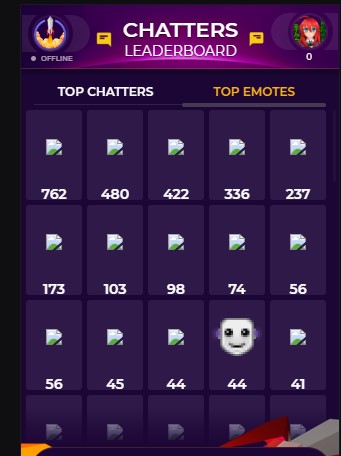
I hope this getting fixed soon, is it already reported at the headquarters? This is so annoying it is now already for 4 day's already that you dont see images in the leaderboards anymore. Like this for example >>> http://prntscr.com/otwimb
 tight harness
I've forwarded this on to our QA team
 ashen pagoda
Hey I have a problem with my streamelemets store. when i type the comands !redeem [item] it doesnst work even tho I have it set to being able to use in chat, I have everything set up in my overlays and stuff.. what am I doing wrong?
tight harness
You made a custom command called !redeem[item] but that's incorrect, you already have a default !redeem command here: https://streamelements.com/dashboard/bot/commands/default which you have disabled
StreamElements
The Ultimate All in One Platform for Streamers
ashen pagoda
I damn I didnt see that even tho I looked for it like 6 times. thanks!
tight harness
No problem
 fringe hare
Can Someone help me? Someone donated to me via paypal but I still haven't received the money on paypal>
?*
tight harness
@fringe hare What indicated to you that they tipped?
 tight harness
These weren't PayPal tips, these were G2A Pay tips, they don't go to your PayPal, they go to your G2A Pay Wallet
fringe hare
oooh ok thx 😉
 honest warren
Can Someone help me? When I try to start a live after 30 seconds the live ends alone!
round brambleBOT
@honest warren For the best OBS support, please join their Official Discord @ discord.gg/obsproject
ionic kelp
@devout sorrel @tight harness Sorry for the late message but if it's what I think it is (From what I caught in the FrankerFaceZ server) twitch changed emote links so they're most likely breaking from that.
tight harness
Yes, I've asked and we're working on getting it resolved
ionic kelp
👍
 vital epoch
Don't know where to ask this so I'm going to put it here. I would like some help trying to figure out why StreamElements isn't picking up all of the times I get hosted? The only time it has picked up a host is when the person also Raids.
 lost warren
Do not know where to share this, but overlay editor doesn't work on microsoft edge(chromium)
round brambleBOT
@vital epoch Due to changes to Twitch API, we have filtered out hosts and will only show these ones on your activity feed:
- All hosts coming from an online channel with at least 1+ viewer
- All auto host events with at least 1 viewer (only from a channel that just went offline)
Note: If you see "X channel has hosted you" with no viewers on the back, that is considered an offline host or a host with 0 viewers, we do not show these.
elder sorrel
@lost warren Try Using Google Chrome. I think even the chromium one is still a beta? I just know it doesn't work well with SE like Chrome does.
lament blade
Hello
lost warren
@elder sorrel Yeah it does work with google chrome, but just wanted to share this and maybe dev team might take a loook
elder sorrel
For sure 
lament blade
Can Someone help me?
round brambleBOT
@lament blade Welcome to the helpdesk! Please let us know how we can assist you today and a support volunteer or staff member will assist you as soon as they are available. Thank you for your patience.
lament blade
I need help witch me donations
 normal igloo
@lament blade What's the problem 
normal igloo
So you want to know how to setup donations got you One moment plz 👍
https://www.youtube.com/watch?v=eLzxRkq7tJo @lament blade
StreamElements tipping system is guaranteed to increase your tips! Watch our guide to learn how to setup your own. ----- Got any questions, or just want to s...
lament blade
En i have a question about my dicription on twitch
normal igloo
dicription mmm ok go ?
 spare night
i am attempting to switch to elements from streamlabs need help
 ruby tartan
Hi together, i have a problem with Notifications/subs, my Obs doubles all the notifications and if i mute obs in windows it doesnt make a sound at all... if i use 2 audio devices and let obs just output one and mute the other device its still doubled or not working at all.
normal igloo
@spare night What do you need to help with?
lament blade
I want to type something at my info page but i don’t know how
spare night
i want to get my overlays from streamlabs but they are not importing to i think theyre streamlabs only things but i want them
normal igloo
@ruby tartan Using OBS live?
ruby tartan
yes
normal igloo
Then I would recommend heading over to #helpdesk-selive
ruby tartan
omw, thanks 😉
normal igloo
@spare night as far as I'm aware there is no way of importing overlays from streamlabs unless one of the members of staff here tell you different
@lament blade you talking about twitch panels?
normal igloo
https://www.youtube.com/watch?v=rfl7pkb1eQ0 Skip to 2:16 to learn how to upload and edit @lament blade

To download these images http://nerdordie.com/guides/free-panel-headers-for-twitch/ I’m excited to release another free resource for all Twitch live streamer...
 wanton mirage
How can I add a counter with the ”!command add„ command? I need a bit of help :(
lament blade
@normal igloo i don’t get there
normal igloo
?
lament blade
when I have entered the twitch streamkey, and I click on start stream, is there to youtube stream ??
I don’t know how toe get on that page
when I have entered the twitch streamkey, and I click on start stream, it says to youtube to stream, where you can enter title and description, but I want to stream to twitch and I have clearly set that in settings.
someone help?
elder sorrel
@lament blade Go to OBS.Studio Settings -> Stream-> Change it to Twitch Service.
normal igloo
thx American
@lament blade What do you mean you don't know how to get to your own channel? 
elder sorrel
You'll have to click on "Streamelements" on the top of OBS.Studio.
lament blade
Is here a dutch Guy?
elder sorrel
Drop down -> Log out -> Sign in with Twitch.
normal igloo
dutch support mmm
lament blade
Because this makes me crazy
normal igloo
Oh my god I forgot this was a thing 
lament blade
?
normal igloo
for dutch support head over to #🇩🇪︱deutsch 
lament blade
No i come from holland not deutsland
elder sorrel
Hell yeah @lament blade
elder sorrel
I don't know any Dutch supporters here 
lament blade
Oh shiiiii
@lament blade ze hebben geen nederlandse support 🙂
Zucht @lament blade
Kan jij mij helpen?
ik kan kijken wat ik kan doen?
@elder sorrel
Ik leg het wel even uit via prive
 lament blade
@elder sorrel im trying to help him xD
normal igloo
@lament blade Ga ervoor man als je de taal begrijpt 
lament blade
@lament blade je kan ook google translate gebruiken?
@normal igloo haha 🙂
Wat is dit?
normal igloo
Something tells me that translated wrong
lament blade
@normal igloo no, its good 🙂
normal igloo
👍
lament blade
but google translate sucks xD
Thank you guys but i going to search on YouTube
How this works
@lament blade aight, goodluck! 😮
Ty
tawny bay
Can a store redeem do randomize Gifs?
elder sorrel
Don't think so but does sound like a cool idea if someone else didn't make one
!ideas
round brambleBOT
Check out the StreamElements ideas board: https://strms.net/ideas. You'll be able to add ideas, upvote ideas you agree with, and track their progress with email notifications. Adding and upvoting ideas also helps the staff know which ideas should be prioritized so please take some time to upvote.

 boreal basalt
So, I started to use streamelements a week ago and i've been trying to put all those overlays in one, but I just couldn't place them at my screen the way i wanted, this way i creted a lot of them and at obs studio i can select the sizes and the place. However i've been feeling some kind of lag everytime i receive a tip, follow , host or whatever and i'm wondering if it's because of the overlays i'm using or other problems.
 candid obsidian
there is audio delay on my twitch stream and idk how to stop it, despite having added a render filter
 slate canyon
Hey guys, I'm having trouble with text alignment in overlays on streamelements. I have an alert set up for tips, I want the text to add space to the left and to stay fixed in place on the right. This doesn't seem to work though, it moves every time I test the alert. No matter which alignment option I choose, the text always aligns left, it seems.
dry hare
@candid obsidian as in your audio isn't synchronized with your video?
You'll want to add an async filter
 signal python
Howdy support. Emp again. I have an issue where I want to have a variation setting of an alert appear in a different overlay only. But it appears to be going into both. Any things I should check on
My username has changed now to Emplifi. I need to change that in this server. soz.
dry hare
You’d need to create an alert box with the custom variation for that specific overlay
signal python
I have
So I use an alert box in each
In Alert Box 1 I have Gifted sub variation disabled
In Alert Box 2, I only have Gifted sub enabled.
There must be some variation in Alert Box 1 messing it up...
 magic night
Hello
lament blade
I have made myself a theme with everything you could think of but when i put it into obs it only comes up with what songs playing at the moment
 calm mesa
anyone know how to reset the stream uptime by LX back to 0?
 eager tide
ok so i need help my capture screen is just black and i dont know how to fix it
 red drum
hi in my overlay can i make my chat text any bigger?
 lone geode
my redeem sound effect was working in a previous stream and then didnt work in todays stream but i havent changed anything? my song request was also not displaying on my stream even though i have the link in my scenes and havent changed that either. what should i do? maybe it will work next stream as normal
 hasty imp
any recommended settings for i5 2500 16gb ram ddr3 gt 730 nvidia 2gb ddr5 and upload 4mbps?
 zinc solstice
 vale storm
im trying to get follower alerts to work with my twitch streamelements obs.live i cant figure it out
can anyone point me in the right area to get the url code or is it part of the overlays?
 iron thistle
I added the counter bot widget but I need the command to clear the counter. Anyone know?
 deep widget
Is there a variable I can add to a command that will display current sub count? I cannot see it documented anywhere
dry hare
Check variables under custom commands
deep widget
Thank you
red drum
hi in my overlay can i make my chat text any bigger?
 fresh bison
What are the best dimensions for images when it comes to the hype cup? Should they be icon size? Trying to customize the icons but either they dont show up or they cause my friend to lose frames. :( I realized yesterday to go in advance and deselect Sprite sheet.
Ty in advance!
 spring gazelle
Hey
dry hare
@red drum click on the chat widget and then select text settings from the left sidebar
 torpid siren
Is it possible for stream elements to play a random audio file for ANY subscription or do I have to put in variations for every possible event? I have 10 files and would rather not make 40 variations.
kind epoch
Hi , the start of my playlist is not the same as that shown ono youtube.. if you know what i mean ? Any ideas?
This is for Media Request backup playlist
NVM i think it's doing it now
 turbid harbor
I've been away from the bot for a while, so I don't know how long this has been an issue, but, I used to be able to make custom count names e.g. ${count ${1}-custom} but now commands just print that text directly, while ${count ${1}} still works as expected. Is this a bug?
frail wharf
Hey, I did something within the Overlay Editor but in my OBS preview its kinda laggy. Any help on that?
It should look "smooth" like in Streamelements's Editor, like this:
https://gyazo.com/bdc1e98090ae1419f1fbc31406fac395
But all I get in OBS is this:
https://gyazo.com/13dbed742cc176dd89d11f3b9ddded67?token=a509c4306f85a3445975d8060151a05b


btw nothing's changing when I turn Hardware Acceleration on or off in obs (using obs.live)
 pliant surge
how do i add song request to my sources in obslive?
cinder olive
what do you mean add song request to your sources? @pliant surge
@torpid siren go to the overlay editor, widgets, find this widget and then add it to your sources
can get to the overlay editor with this link ^-^ https://streamelements.com/dashboard/overlays
torpid siren
That didn't get me anywhere.
@cinder olive What's the URL for the resub overlay again?
cinder olive
StreamElements
The Ultimate All in One Platform for Streamers
Create a blank overlay, name it whatever, edit it, go to widgets, add 'latest REsubscriber' to it, and that will alert only your resubs
torpid siren
Ah.. ok. Thank you.
cinder olive
@frail wharf if I had to take a guess the GIF decoder in OBS is still garbo and any gif file over .5mb still isnt reccommended, what software did you use to render the gif?
And as far as I know you cant play any random audio file but you can upload several files and have it cycle through them! @torpid siren
torpid siren
@cinder olive That just seems to show the last subscriber.. I guess I can try to duplicate the alert box that I'm using and put this on another layer...
But I don't want to display it.. I want to alert like the alert box does.
cinder olive
Use the one that shows 'last RESUBscriber'
Ahh you wanted an alert, you can make an alert to only show subscribers but when you get a sub the alert cant tell between resubs, new subs, and a streak sub
There may be a custom widget to do that but I do not know of one
 cinder olive
@fresh bison any size image will work, you can simply size it down, you shouldnt have any issues resizing an image in OBS but if you do you can try http://www.simpleimageresizer.com/
Simple Image Resizer is free, online and powerful image resizer. Resize your images, photos, scanned documents without losing quality and in a easy way!
@red drum you can resize your scene for your chat on stream to any size you would like by double clicking the scene to resize - just note youll have to resize any overlay you have for it aswell
round brambleBOT
@zinc solstice Please provide a log from your last stream. To do this, in OBS go to Help > Log Files > Upload Last Log File and paste the link to the log file here.
cinder olive
@hasty imp your stream settings will vary drastically on too many variables - what software you are using and what game you are playing mostly.
 tiny smelt
hi, how do i change SE's bot name in chat?
ionic kelp
tiny smelt
@ionic kelp THX
 crude pecanBOT
@cinder olive, you have been awarded a commendation :star: by @winter cradle for answering a support question. Keep it up!
 meager dagger
Hello all ! Can someone help me ? How to setup second monitor for streamelements obs live while you know the cursor wont crossing to the second monitor while gaming
 winter cradle
@meager dagger can you elaborate? What is the issue with using a second monitor while streaming
 scenic veldt
@winter cradle I think he is scared that while in game his cursor crosses over to his second monitor.
cinder olive
@meager dagger If its true that you want to limit your mouse cursor to one monitor and one monitor alone temporarily I would reccommend a tool called 'Dual Monitor Tools' found here: http://dualmonitortool.sourceforge.net/
Project page for Dual Monitor Tools.
Specifically youll want the 'DMT Cursor" section and youll want this option in the software
 alpine wyvern
I want to setup a donation count, but it already starts by 186€. How can I let it start by 0€?
cinder olive
@alpine wyvern go to https://streamelements.com/dashboard/overlays and edit the overlay for your dono goal, once youre in the overlay editor go to 'Data' at the top next to 'Widgets' then click 'Goals' then change the 'Tip Goal Progress' to 0
frail wharf
Hey @cinder olive thanks for asking. It‘s not a gif, it‘s all .webm files.
(about my question from this morning around 6am)
(German time zone xd)
cinder olive
Mind sending it to me? If I replicate the same issue then its the file and it simply needs to be rebuilt otherwise youll need to wait for another answer xd
 inland knoll
hey there, one of my followers 'TheSassySasquatch donates bits to me it comes up as TheStrainbow? any ideas why?
cinder olive
Immediate guess is that it picked up 'ass' in her name and swapped it over to a PG name @inland knoll
frail wharf
@cinder olive gonna write you a pm
 pulsar gulch
Hello, is it possible to add a transition only for 1 scene ?
cinder olive
@frail wharf so lets go ahead and remake that overlay from scratch
 sacred ore
hello, could someone help me ? I've set an alert for my donations (and the donation link is from streamelements of course). But when I have a donation, I only hear the sound, no text is shown. I've alrealy checked that the layers of the alert are visible, that it's the proprer link for the alert in the browser source... when I emulate a tips alert, I can see it in the overlay editor but not in obs, or in the launched link on my browser :/. does someone have an idea on how to fix this ? thank you so much 😃
frail wharf
@cinder olive alright, what am i gonna do
cinder olive
make a new overlay, reupload the two exact same files you sent me, then import it
@pulsar gulch what streaming software do you use?
cinder olive
best to ask in #helpdesk-selive or the OBS discord then ^-^
pulsar gulch
oh alright ty ^^
sacred ore
I don't know if my question was in the good channel either 😦
cinder olive
youres was in the right
sacred ore
would you please tell me in which channel I should post ? I thought this one was for twitch streamers but it seems it wasn't sorted like this
cinder olive
give me a few and ill look to see if I can emulate it ^-^
frail wharf
@cinder olive done
cinder olive
launch it, copy the browser link, create a new browser source in your OBS with the settings I dm'd you and try that
frail wharf
yup, seems to work
cinder olive
 idk why it broke but it fixed now so lets be happy
frail wharf
but do i really need to setup all my alerts again? :/
they're custom from nerdordie
and have custom css and stuff
cinder olive
Ahh thats an alert? assumed it was a webcam overlay
frail wharf
it was a webcam overlay with an alert ect
cinder olive
Then try removing the graphics from the orginal overlay & readding them
frail wharf
I mean, if somebody here has skills with css and stuff, I'd be glad so I could make my own alerts
cinder olive
#dev-chat has the answers to that related question, theres quite a few skilled people here 👀
frail wharf
well i deleted everything in the original overlay but didnt delete the alertbox, its laggy as hell now
i think im gonna do my own alerts
cinder olive
@sacred ore so your tip alert is on the top layer, is not visible, but you can hear it, but again not see it?
sacred ore
@cinder olive exactly. every setting is good and set to "visible", the alert is heard, but nothing shows up. On the editor, I can see it, but on the link (launched in the browser) I can't, nothing on the screen, and nother either on my obs :/
inland knoll
@cinder olive LOL thanks - is there a way to correct it?
elder sorrel
@sacred ore Do you see every other alert in OBS? (Follows, Subs, Cheers)?
sacred ore
@elder sorrel well, I do not have any other alerts from streamelements but I have an overlay from strealemements, and the overlay is showing properly and is accurate regarding the "last follow", "last sub", and even "last tip". As a matter of fact, when I have a tip, I hear the sound and I look at the overlay to know who it is, since the alert was not showing.
elder sorrel
Do you have this checked in the Editor?
sacred ore
HA. it was not checked ! (i don't know why, since i do not remember unckecking that. or maybe it was unckecked by default !) . The alerts are now showing when i emulate them. I hope I'll have some new tips to try if they show when it's the real deal xD. thanks a lot!
elder sorrel
No problem 
inland knoll
is there a way to stop the user getting a PG name?
cinder olive
I am unaware as to if thats garunteed the issue as its only my best guess, and also to my knowledge you can not turn off the filter
devout sorrel
Thank you for the fix guy's. The images are working again example >>> http://prntscr.com/ou7zde
Now we can finnally see the emote pictures again.
 wind wedge
I have a (maybe stupid question), how do I make my media request stop playing when I have an alert going?
dry hare
It won’t stop because it’s a different source and isn’t controlled by alerts
wind wedge
so it's not possible then? 😦
wind wedge
ok thx for the info 🙂
dry hare
@lament blade what browser are you using?
lament blade
chrome
 split totem
Hi, hoping that someone can help me, I am trying to switch to SE from streamlabs Chatbot (ankhbot), anyway when tried importing my commands it kept saying there was an error importing them so I did it like 3 times to try to fix it. WELL as it turns out it imported them now I have tons of copies of each command is there a way to delete mulitple commands at once so I can clean up my commands list? any help is greatly appreciated!
dry hare
No you have to delete them all individually at the current time
split totem
OMG thats terrible I will be here forever. So much for using Stream Elements I guess thats just not worth it 😦
lament blade
can anyone help?
round brambleBOT
@lament blade Welcome to the helpdesk! Please let us know how we can assist you today and a support volunteer or staff member will assist you as soon as they are available. Thank you for your patience.
fresh bison
@cinder olive I am specifically talking about icons used for the hype cup. When they are a large file/size, it causes the hype cup to freeze and my friend to drop frames.
lament blade
my dashboard is completely white and i cant access to it and im using chrome browser
 pallid osprey
lean cipher
pallid osprey
lean cipher
How do I add YouTube to the link protection whitelist? Cause I have added 3 different ways (youtube.com, www.youtube.com and https://www.youtube.com) - but it still timeout people when they post links for songrequest
round brambleBOT
@grand monolith Please follow our community rules:
- No advertisement or stream promotion
- Respect ALL server members
- No NSFW/NSFL
Thank you
lament blade
Is there anyway to disable accountage command via chat without logging into the web?
I tried !cmd options accountage disable but it returns @x, no command with trigger followage found :/.
 lament star
@lament blade It's a default command, go to your SE dashboard, click Chat commands, click the tab Default Commands and you can disable it there.
lament blade
You cant disable it via chat?
 civic rose
On my in-game overlay when I add a video capture it covers my overlay. How do I prevent this?
 lilac bobcat
@civic rose it's the order that you have it in your sources. put the one that you want on top on the top of the list
civic rose
Thank you!
lilac bobcat
you're welcome! I've enjoyed that headache myself, glad i could help
civic rose
lol. Now I am trying to get my webcam image to fit in the box right! lol
 rustic parrot


 round brambleBOT
@rustic parrot For the best OBS support, please join their Official Discord @ discord.gg/obsproject
lament blade
posso chiedere anche in italiano aiuto??
elder sorrel
#🇮🇹︱italiano @lament blade
 distant heath
https://clips.twitch.tv/MuddyRealWhaleOSfrog does anyone know that program's name

 stone hamlet
I need help in voice support please ❤
strong kernel
Nobody is available for voice chat. Please write your question.
stone hamlet
its not something id like to discuss publicly
swift parcel
@distant heath chatty
strong kernel
You can send us an email with the form at https://streamelements.com/contact
StreamElements
StreamElements is the leading platform for live streamers on Twitch and Youtube. StreamElements includes Overlay management, ChatBot, Tipping, Alerts & Loyalty
 strange mesa
Hi I am trying to set up my paypal to my streamelemnts and it wont let me connect my paypal address to the page. The text just stays red when I enter in the address and it wont let me connect. Has anyone else had this issue and can help?
stone hamlet
i already sent an email 2days ago
swift parcel
using your paypal email address or an url @strange mesa (I know silly question but you just said address just want to make sure)
strange mesa
@swift parcel paypal email I mean sorry
swift parcel
is there any text along with the box being just red @strange mesa
lament blade
In the past 2 days 2 people donated with PayPal to me but no alerts came up and I didn't receive the money. Can someone please assist me?
On the Streamelements tip page.
jade remnant
did you get the email from paypal?
strong kernel
PayPal is probably still holding it for verification. This happens.
Means you won't see anything, and we won't see anything, until they release it.
jade remnant
thats a paypal issue then. SE is only a pass through for alerts.
lament blade
Ok. Thanks. Can it be a setting on my Paypal? Cause other streamers I know get it immediately.