#helpdesk-twitch
1 messages · Page 492 of 1
 zenith widget
 sharp ferry
ok thank you so much man appreciate it! have a nice day
 merry sphinx
I dont wan to wait . What can i do?
zenith widget
You wait.
Its a limitation placed by the API on purpose
else the risk of the API being banned from using the function is great
merry sphinx
Okay. ty
 grave lance
ok =alll the sub menus are closed so to show this every 4 min the setting should be 240 240 display for 30 I do not want it to the point it is anoying
 keen drift
Hey guys. I'm trying to import from another service by going to streamelements >> import from another service >> import from streamlabs. I follow the wizard and it does all this stuff and tells me that it successfully imports but I see none of my scenes or overlays. How do I see them?
 cinder olive
grave lance
cinder olive
grave lance
would this be correct
zenith widget
seems like it
 nocturne pelicanBOT
@keen drift To add your overlays to OBS, add a new browser source in your scene. Paste your overlay URL in the browser source properties, set the dimensions to 1920x1080 (unless you changed them on the website), and ☑ “Shutdown source when not visible” https://youtu.be/KDvLynUqXI4
 shut ridge
@keen drift https://streamelements.com/dashboard/overlays

StreamElements
The Ultimate All in One Platform for Streamers
keen drift
Thanks for your help! I wasn't sure where they were all going LOL
 dawn lily
Is there anyway i can get hosts to show even when they are with 0 viewers ?
nocturne pelicanBOT
@dawn lily Due to changes to Twitch API, we have filtered out hosts and will only show these ones on your activity feed:
- All hosts coming from an online channel with at least 1+ viewer
- All auto host events with at least 1 viewer
Note: If you see "X channel has hosted you" with no viewers on the back, that is considered an offline host or a host with 0 viewers, we do not show these.
dawn lily
Ok thanks
keen drift
Okay so I've added the overlay to my source but for some reason I cannot see other sources except for my background image on there in OBS.
 tight harness
You have to add all of your overlays as sources, if they are part of a different scene i.e. intro, in-game, outro, afk etc. then you put those sources in a different scene within OBS and switch between the scenes accordingly
keen drift
Yeah I get that but I mean the layers
tight harness
You'll have to set the layers in your overlay and within OBS if you have multiple sources accordingly
keen drift
Like I've got an alert box and some text for a countdown in the layers but I can only see the background image in obs
tight harness
Then you have the background image in front of the countdown in your layers within the overlay editor, you'll need to change the order of the layers
 glass arrow
sounds like your background image is at the top of your layers
keen drift
Thanks Sean, I understand.
 lament blade
Guys, can I ask a PC question? It’s related to streaming but not strictly
tight harness
If it isn't related to StreamElements please ask in #general-chat
 tawny fable
Hiiii, how can i create a link to share my overlay with a friend?
cinder olive
i dont believe you can @tawny fable
tawny fable
you actually can!
StreamElements
The Ultimate All in One Platform for Streamers
If you click on that link the overlay will be added to your library
cinder olive
well tickle me silly
so if you go to your overlay editor and edit a overlay youllg et the number
aka "5d5256012029b68c3b01a194" you can just place that at the end of the link
im sure theres an official way but that way works 🤷
tight harness
Overlay sharing isn't available for everyone
 grim portal
Hi guys.. I'm trying to move to streamelements for an trial period.. but i'm having trouble inserting custom html/css/js widgets into the overlay maker
I have custom chatbox and event list.. and I can't see how I can copy them over
grim portal
Allright 😃 thx
 celest knoll
@wanton mango thank you for the help. The part I needed was the customapi part to allow me to add 2 counters together.
 blissful finch
Hi i am having an issue with frame drops and jittery stream, can you help please?
This is from my recent stream, i have an upload speed of 20mb
tight harness
@blissful finch When you create an OBS log file you can copy and paste the URL here for an analysis of the issues: https://h4ndy.eu/obslog?url=
blissful finch
thanks just tried this
lament blade
hey i try to reset my donation bar but it keep showing this http://prntscr.com/os4ggl

 shell comet
is there a video how to switch from streamlabs to streamElements
tight harness
@lament blade If you go to Activity Feed > Widget Data > Goals you can set the goal progress there
Or, from the overlay editor go to Data at the top then Goals
@shell comet https://www.youtube.com/watch?v=yzL1Oc-ebWw 😃
 calm mesa
is there a variable for the twitch go live notification to show what category/game im playing without having to edit each time myself?
 orchid nova
is it possible to make a donation goal that includes bits and direct donations together?
tight harness
@calm mesa I don't believe so yet, it could very well be on our ideas board already: https://strms.net/ideas
@orchid nova No, this isn't possible currently and I believe it is due to Twitch's terms and conditions on cheers
cinder olive
^ is correct on the ToS of bits or cheers & donations
orchid nova
Okay ! Thanks for the quick response
tight harness
You'd need to check with Twitch for Twitch questions, their support site may have information on this
 timid herald
okay
 jade remnant
can confirm, no you dont need it
cinder olive
@timid herald that is (mostly) based off traffic at the time. anyone can stream at 480p/720p, only certain users can use 1080p at certain times. the choice to choose between quality also will not always be there, simply depending on the traffic that twitch has at the time
tight harness
Yeah, this is how it was back when I was not yet a partner, but this was 4 years ago so I wasn't sure if it was still the case
timid herald
some people don't say the same thing
 stark oracle
Hi, there is some problem with redeem?
tight harness
Could you provide some details on the issue you're experiencing?
stark oracle
We use redeem with sounds, People in chat use the comand, the bot answers but the sound dosen't start
 violet gate
Any currently known issues with removing a moderator from the StreamElements dashboard? Every time myself (as a SuperMod) or my streamer removes the person, if you click away and come back to that screen or refresh, the user reappears as a moderator again (tried multiple browsers/machines, no change unfortunately)
tight harness
@stark oracle Make sure you've got the Store Redemption widget in your active StreamElements overlay
@violet gate Could you DM me with the streamer's name and the user they're trying to remove, I'll do some testing
violet gate
Sure will do!
stark oracle
The widget is active
tight harness
@stark oracle Do you hear it in the overlay editor when you redeem the item yourself?
 grave meteor
Hey, i have a problem with transfering an alertbox from tipeee to streamelements. It doesnt show up anywhere after i use the chrome extention
tight harness
Have you checked: https://streamelements.com/dashboard/overlays?
grave meteor
Yes, i have @tight harness
 dim sorrel
how do I edit the bots name?
nocturne pelicanBOT
@dim sorrel Custom bot name requirements
- StreamElements bot modded and in chat
- Active overlay with alerts
- StreamElements tipping page in the panels below the stream (!panels)
- OBS.Live or Ground Control open
- Create a twitch account for the name you want to use or run the bot under your own name
- Custom bot name doesn't work on Mac
dim sorrel
Okay, I have all of that except obs.live open currently as im at work.
so I'll just open OBS.live and I'll be able to go from there?
tight harness
In OBS.Live you click on the menu icon in the top left of the activity feed, then stream settings, then use the custom bot name dropdown
 rare whale
Hello! I've posted here a few times asking the same question but have yet to get an answer. Can someone help me get my host alerts to work? All my other alerts work EXCEPT for hosts. Thanks! 
dim sorrel
ty ty
 dry hare
all host alerts?
dry hare
and if you test the host alert in the editor does it display?
rare whale
Yes. So the test alerts work. But the actual hosts do not work
 vestal cedar
Am currently new to streaming and streamelement. I would like some tip for using streamelement on ps4 streaming pls. Like putting on the overlay and the chat bot command n stuff
nocturne pelicanBOT
@vestal cedar Here is a guide on how to setup the most essential tools for streaming from your console, while using StreamElements tools without involving a Capture Card! It's easy to do, take 4 minutes to read and 10 to 15 minutes to setup!
Read all about it here: https://blog.streamelements.com/how-to-stream-on-console-7b620b1c46c3
vestal cedar
Thank you
vestal cedar
But it was helpful dont feel bad 👌
tight harness
@rare whale I've reconnected your account to the Twitch webhooks where we get this data from just in case that was the issue. But it is also worth noting that some host events are filtered out automatically. These are the host events that we do show:
- All hosts coming from an online channel with at least 1+ viewer
- Auto host events with at least 1 viewer
Note: If you see "X channel has hosted you" with no viewers on the back, that is considered an offline host or a host with 0 viewers, we do not show these
dry hare
it was my first time getting the command to work 😄
rare whale
Ok thank you! I was not getting ANY host alerts going through. So essentially if they have 0 viewers it won't show? Minimum is 1?
tight harness
Yeah, ideally they should be online and hosting you with at least 1 viewer, then there shouldn't be any issues with it showing up an alert, unless the issue was a disconnect from the Twitch webhooks, but me resubscribing you to those webhooks would have fixed that if that was the issue
rare whale
Ok! I'll see how it goes this weekend when I stream. If you don't hear from me it's a good thing! Cheers
tight harness
Alright, no problem 👍
vestal cedar
if i do music do i have to worry about copyright issue?
dry hare
Always worry about copyright
lament blade
hello need help
is there an option to just paste a playlist in the media player in obs
tight harness
@lament blade The idea with the playlist is you find a public YouTube playlist and you play the first song in the playlist, then grab the whole URL including the playlist part and paste it into Media Request > Settings > Backup Playlist on our website
 long frost
Hello! I'm trying to resolve an issue for my streamer, his Chat Stats are returning a 404. He changed his username in the past (this was about 8-10 months ago tho) so I'm not sure if that is related? Everything else in SE seems to be working fine including loyalty and modules. Here is the URL: https://stats.streamelements.com/c/buddyiee
 unborn barn
I need help first tho
 serene granite
@unborn barn you forgot to write what you need help with man 😃
unborn barn
Oh yh ahahaha
serene granite
@long frost what was their previous name, and what is their new name?
unborn barn
Do basically it says offline at the top left and I dont know how to make it say online
long frost
@serene granite previously it was BuddyLee10 and now is is Buddyiee
 winter cradle
@unborn barn it is an indicator for when your channel goes live.
winter cradle
What's your channel?
serene granite
@long frost fixed
unborn barn
Dashgraves
Make sure you drop a follow ahah
Had to make a new account because twitch took my last 1
long frost
Thank you so much Hectic! I appreciate your help!!
 quaint rune
Anyone who streams PC to PC please let me know I have a question
Send me a DM
tight harness
@unborn barn
tight harness
All good 👍
unborn barn
Had to restart my stream
nocturne pelicanBOT
@halcyon crown Please follow our community rules:
- No advertisement or stream promotion
- Respect ALL server members
- No NSFW/NSFL
Thank you
 naive dirge
Hey guy 
i was wondering is there a sponsorship banner widget available with streamelements That will automatically display and hid an image at set intervals? I'm currently trying to promote a company in a better way and this is somthing i think would help me do that
 strong kernel
@naive dirge The asset rotator widget should be able to do this for you.

 upper steeple
Quick question will there be pillows available in the merch? I'm too excited right now especially with the first line of text
 karmic cape
hello I just got using SE for my Twitch channel. I need help, I have over 100 Followers and live in Canada, I want SE Pay activated because i have a guy whos wanting to tip me by Credit card
Can anyone help me with that?
strong kernel
We see your email and will respond there.
karmic cape
ok how long, as he would like to tip tonight?
 warm horizon
Any ideas why my chat bot isn't working?
strong kernel
This might have something to do with it.
StreamElements
The Ultimate All in One Platform for Streamers
warm horizon
Well weird, thanks. Any idea why it would turn off? I didn't mute, ban or turn it off.
strong kernel
Generally the only reason it'd part from your channel is if you clicked the part channel button that appears in that spot after you join it to your channel with the button in the screenshot.
warm horizon
Ahh, maybe I hit it
 hexed violet
any way to insert text into an overlay from a file? (nightbot current song text)
strong kernel
StreamElements doesn't work via text files, we're entirely cloud-based.
 dark patio
hi im trying to set up SE.PAY and on part says IBAN is that your bank account number ?
strong kernel

The International Bank Account Number (IBAN) is an internationally agreed system of identifying bank accounts across national borders to facilitate the communication and processing of cross border transactions with a reduced risk of transcription errors. It was originally ado...
strong kernel
You should.
tight harness
I'm from the UK and I have an IBAN, so you should 😃
dark patio
blind as a bat then dont see it online banking
tight harness
Can't remember if mine was only on paper copies of statements, weirdly enough
But if you contact your bank's support line when they're open they'll likely be able to point you in the right direction
dark patio
ok so even though i started the withdraw i can still carry on where i left off
tight harness
Yeah, absolutely
dark patio
do i have to put it as all in one or space between
 slow basalt
Hi everyone! I have a question about commands. Im mod on my friend's stream and our !watchtime doesn't work. If anyone uses it in chat it says that they have been watching for 0 seconds.
strong kernel
@slow basalt It won't start counting up from 0 until they enable Loyalty for their channel.
slow basalt
Oooohhhhhh Thank you! 
upper steeple
will the merch thing have pillows available?
 fair roost
Can any MOD tell me if the integrations for Tilfy are not working ?
strong kernel
Haven't seen any reports of issues with the Tiltify widgets.
fair roost
can i show you ?
strong kernel
Sure, paste a screenshot right here.
fair roost
its weird its comes up in a block that i cant input i had it working a few months ago and came back and now just a Block
strong kernel
Try disconnecting and reconnecting the Tiltify integration, and confirm you have an active campaign in your account.
StreamElements
The Ultimate All in One Platform for Streamers
fair roost
i will try that thank you for helping
 past spindle
hey. can anyone help me with alerts?
 junior pine
Is there currently a way for users to view the redemption list in the Stream store? Sort of like a pseudo-queue? - The queue system is still the main thing typoing me to Ahnk/Labs. 😐
 blissful prawn
Is it possible for me the streamer to not be included in Stream Elements leaderboard or the commnad "!top points" ?
I just dont want me and my bot taking up the top 5 point area only leaving 3 for actual viewers.
nocturne pelicanBOT
@past spindle Welcome to the helpdesk! Please let us know how we can assist you today and a support volunteer or staff member will assist you as soon as they are available. Thank you for your patience.
 rotund plank
Hi friends. I have a dumb question but I can't find it anywhere. How do I set the variables?
jade remnant
@junior pine
replace my name with yours in the url
https://streamelements.com/ssj_tadpole/store
@blissful prawn go here and add your name and the bots to the ignore list
https://streamelements.com/dashboard/loyalty
then go here and delete you and the bots from the leaderboard
https://streamelements.com/dashboard/leaderboard/current
blissful prawn
@jade remnant appreciate the help got it!
jade remnant
@rotund plank go here and make a new custom command
https://streamelements.com/dashboard/bot/commands/custom
you can then get the variables from the tab and choose what you want
np 👍
past spindle
î get double alerts when someone following me. but i just got 1x in my alerts. i dont understand this.
jade remnant
😁
nocturne pelicanBOT
@past spindle Make sure to ☑ “Shutdown source when not visible” for all browser sources (all OBS scenes). If using studio mode, uncheck “Swap Preview/Output scenes After Transitioning.” Also keep in mind that sound can play from any overlay loaded in the browser (editor or launched). https://i.imgur.com/FegZJQS.png https://i.imgur.com/yY0wcFl.png

 jade remnant
make sure the above are set and you dont have anything like the overlay editor open when testing
jade remnant
@odd lava best to ask in #helpdesk-mobile
rotund plank
@jade remnant Wait, is this how I change the name of my points?
 odd lava
Got it thanks 
jade remnant
you cant change the name, but you can edit the points by clicking the pencil on the right or give points by using the button at the top
 vital ruin
how do i put overlays form stream elements over to obs and test it
nocturne pelicanBOT
@vital ruin To add your overlays to OBS, add a new browser source in your scene. Paste your overlay URL in the browser source properties, set the dimensions to 1920x1080 (unless you changed them on the website), and ☑ “Shutdown source when not visible” https://youtu.be/KDvLynUqXI4
rotund plank
Wait, I'm confused still. I want to change the name from points to "Krewpees". I need to do this manually from the command line itself?
Do I understand this right?
strong kernel
StreamElements
The Ultimate All in One Platform for Streamers
jade remnant
ah i see, go here https://streamelements.com/dashboard/loyalty
and change the currency name
vital ruin
how do i test the follow alerts and more on obs
nocturne pelicanBOT
@vital ruin You can test Alerts via the bell on the lower right corner of the Overlay Editor. Simply go to your Dashboard -> My Overlays -> Pencil/edit button on the overlay. Make sure the "Show Emulated events on stream" option is on to see the alert in OBS/Xsplit https://streamable.com/h6qgy

 supple hound
Is there a way for me to make a command that if someone types a the command that it add a number to a counter on a different website or page
vital ruin
how do i copy the html of an over lay because im not able to
supple hound
For exp say you get a 100 points for typing 1 in chat it will tally up points on other page
supple hound
Oh and how do I do that
strong kernel
@supple hound Programming knowledge.
vital ruin
i found this subscriber alert and i want to switch it to follower alert and to do that i need to copy the html
strong kernel
I don't understand what you mean here. You don't need to play with HTML to use different kinds of alerts.
supple hound
Ok
dry hare
@vital ruin when you click on the alert box layer inside the overlay editor, click the gear next to follower and change the alert there
 winter sparrow
Is there anyway to automatically -give- points when someone makes a song request? I want to reward them for participating
winter sparrow
Heh, I didn’t think a negative number would be the solution
Perhaps, could you use a second !sr command that just adds the points in the background? Or something similar
I’m not at the computer right now, just brainstorming from mobile
strong kernel
A command can't trigger another command.
winter sparrow
Perhaps if an independent bot also had the !sr command and added the points? Ah thanks anyway, I’ll work on it
dry hare
Could you create a second !sr command that did the points or would that break everything?
asking for a friend
strong kernel
Creating a custom command with the same trigger as a default command would override the default command and only use the custom command.
dry hare
I see
 azure swift
hello! I'm trying to import my scenes from SLOBS and it keeps failing! Uploading "media files"...it gets to the last percentages and it fails
strong kernel
If you've got files that are too large or Streamlabs-owned, then it won't upload.
azure swift
what would be a "stream labs owned" file?
strong kernel
Anything they offer on their site that you didn't upload yourself.
 idle fossil
I need help with the overlay for alerts and sounds please! I set it all up and everything but when streaming none of it triggered! Now I didn't set a game as I was planing on using just the one overlay for everything. Do I need to set the same and just apply it to a bunch of different games that I play?
strong kernel
Did you actually add it to OBS?
idle fossil
Yep did everything the tutorial showed
strong kernel
Screenshot your OBS setup please.
strong kernel
Deleted it to hide the URL.
strong kernel
Based on your activity feed, only one alert would've played during your stream.
idle fossil
Correct but i didn't get the sound or anything from what my chat told me
I know I didn't hear anything
Now I did just tweak it a bit, thats the current setup. but I didn't really change much
azure swift
so I finally got the import to finish...YAY
now, no scenes are showing up in the bottom left corner....do I have to rebuild everything?
strong kernel
It uploads to your account on the site, not straight into OBS.
idle fossil
@strong kernel ok scared me because that triggered in my OBS lol. so maybe whatever I did kicked it through?
strong kernel
I replayed it to test.
azure swift
where is it in the website?
strong kernel
@azure swift My overlays section.
idle fossil
Yeah I assumed as much lol. I'll test it on my next stream soon and see what happens and report back. thanks @strong kernel
azure swift
ok i've found that....I see the various scenes there, how to I get them into obs live?
(new to all of this)
nocturne pelicanBOT
@azure swift To add your overlays to OBS, add a new browser source in your scene. Paste your overlay URL in the browser source properties, set the dimensions to 1920x1080 (unless you changed them on the website), and ☑ “Shutdown source when not visible” https://youtu.be/KDvLynUqXI4
 glass grove
why does my stream elements obs keep saying encoding overload? its been happening ever since this last update it was working fine before now it lags
nocturne pelicanBOT
@glass grove Please provide a log from your last stream. To do this, in OBS go to Help > Log Files > Upload Last Log File and paste the link to the log file here.
glass grove
blissful finch
Is it possible to download stream elements overlays to edit in Photoshop instead ? For example just tampering with the colour scheme of a layout?
strong kernel
Downloading assets is against our Terms of Service.
 upper pendant
What if I reload overlays during stream? anything bad will happen?
This is for tipping settings
strong kernel
Well, there have been claims of massive explosions in Russia but I'm pretty sure they're unrelated 
In all seriousness, things'll flash away a moment as they reset and then it's back to business. And reloading overlays isn't necessary for changing tipping settings.
upper pendant
Hmm it looks like some donations are getting stopped and I can't figure out why. We had temporarily turned on standard profanity protection. I turned it off, but that was after stream started.
strong kernel
Oh, for tip moderation, yeah, reloading is needed, and there's a button right below those settings to make that easy for you.
upper pendant
Got it. I think I should wait until alerts catch up. Currently 5 minutes behind.
 wanton mango
The Butterfly Effect. Does the reload of an overlay during a stream cause an explosion on the other side of the world? Possibly.
 unborn furnace
I changed my display name on twitch and now my chat bot is not working at all. My overlays work my music bot works but the chat commands and point system are not working. I already updated the JWT Token but do not know what else to update to get it to work. I also already reinstalled Ground Control
 tawny bay
VIP command locks not working. Command set to VIP won't work
for VIP
Meanwhile set to broadcaster will stop my mods. very weird
strong kernel
The only VIP command I see in your account is !raffle.
@unborn furnace Part the bot, log out of StreamElements, log back in, join the bot.
 dusty axle
hi im new to streaming
unborn furnace
okay I logged out of everything and back in relaunched everything and the chat bot is still not repsonding
strong kernel
Read the directions again. All four steps are done on the site, in order.
strong kernel
The "Part Channel" button.
unborn furnace
sorry I am feeling really dum at the moment where would I fine the Part Channel button
strong kernel
Are you logged in on our site?
unborn furnace
yeah just found it
omg thank you
and yeah I feel dum but it is working thank you
tawny bay
Off stream. VIP still can't use command somehow
strong kernel
You're aware that these settings are all limiting its usage?
tawny bay
yeah but first attempt fails
strong kernel
Notably right now it won't work because you're offline.
tawny bay
yes but i was live testing
Had 5 VIP trying. None worked. I made global CD after stream,
strong kernel
Please do not tag random people.
Not everyone provides support, and not everyone is awake at all hours.
 odd seal
hey if someone where say something bad when they are tipping if i were to do hide alert will the tts still say the msg
strong kernel
If the scene import failed, it's usually either because you have files that are too large in your scenes or you're attempting to import Streamlabs-owned assets.
@odd seal TTS is likewise censored.
It's added to your account on the site, not directly to OBS.
odd seal
cool thanks
 dapper raft
hey, can someone tell me how to enable tts in donos-also will it automaticially censor racial slurs?
strong kernel
@dapper raft TTS is a setting in the alertbox in your overlay editor. If you've enabled default tip moderation in your tipping settings, then it will automatically censor slurs, or you can write your own custom filters.
dapper raft
ok thx lol
strong kernel
Pinging multiple times is not necessary.
nocturne pelicanBOT
@pliant heron To add your overlays to OBS, add a new browser source in your scene. Paste your overlay URL in the browser source properties, set the dimensions to 1920x1080 (unless you changed them on the website), and ☑ “Shutdown source when not visible” https://youtu.be/KDvLynUqXI4
 strong kernel
There's a video link there that will show you.
Don't be creepy.
The link is above, in the bot message.
Last warning.
The bright blue link at the end?
cinder olive
 forest shale
@pliant heron dont be a pleb, the link is above scroll up https://www.youtube.com/watch?v=KDvLynUqXI4&feature=youtu.be

Tutorial #1 - Adding StreamElements Overlays to OBS Studio ----------------------------------------------------------------------- 🚀 StreamElements 🚀 -------...
forest shale
can't blame you Nethyr
cinder olive
hes really looking to improve
nocturne pelicanBOT
@rain latch Please follow our community rules:
- No advertisement or stream promotion
- Respect ALL server members
- No NSFW/NSFL
Thank you
idle fossil
@strong kernel All alerts worked like a charm! Thanks for the help
 carmine crow
Hello.
I'm trying to make a new counter for the stream, but the new counter is taking the count from the only other counter in our commands.
How do I make it so that it has its own counter 😃
zenith widget
@carmine crow changw thw name inside the variable
carmine crow
the part that says <name>
zenith widget
Examples - $(count deaths) $(count apples)
carmine crow
This is what is in the current command ${count <name>}
so should I change <name> to the command name instead? 😃
zenith widget
"<name>" is a place holder example i usually use
So i assume you have looked at the pinned counter info
carmine crow
Pinned counter info? No sir/madam 😃
zenith widget
Its to indicate that, that place is changable to anything
Interesting
In anycase - yes
You can change it to what ever you want
zenith widget
@odd seal The sound effect you hear with our alerts are a default sound from us.
odd seal
ohh
 patent salmon
Media requests seems to like playing the same song every time someone requests something, and I doubt that people are requesting the same song 10 times in a row. It keeps playing from this link: https://youtu.be/gfDywvYmcs4
 zenith widget
Go here: https://www.twitch.tv/dashboard/settings/moderation and toggle the "block hyperlinks"
patent salmon
I've already got it enabled
zenith widget
In what way?
patent salmon
It's still playing that same song, even with the block disabled
zenith widget
Have you skipped it?
I don't see the song playing - i see other songs playing.
Aah thats the backup playlist
I see that nightbot timed your viewer
patent salmon
Thanks for the help!
 bitter pivot
I would like to know how to set up those voice questions in my store
zenith widget
voice questions?
bitter pivot
Yes
forest shale
@grand kestrel The question is a bit confusing. Are you referring to the TTS (Text to Speech) alerts?
bitter pivot
Example when with channel coins view buys a voice question that audio appears live with google voice
zenith widget
Questions asked by the viewers?
bitter pivot
Yes, they come out with goolge voice audio
You buy it with the channel currency, it appears on the live screen along with the audio of the question that was asked
zenith widget
Steps to make a command trigger sound on stream:
- Go to Stream Store page here: https://streamelements.com/dashboard/store/items
- Add an item that has these settings on it:
- Stream Perk
- Loyalty settings to your desire
- (Next step) Add contents (image and/or sound you want to play)
- "Redeeming this item shows an alert
- Redemable via chat
- Skip Requirements
- Go to your overlays and edit the overlay you use.
- Click on "widgets" and add "Store redemptions" widget. Click save and you should be golden.
I've trimmed the steps here
make sure you have this option ON for the store item
bitter pivot
Is there any self help video about this process?
zenith widget
No
these are the steps
in the overlay editor -> click on the redemption widget and check click on TTS settings and enable TTS
thats about it
bitter pivot
I will try more I can not understand perfectly
zenith widget
bitter pivot
Thank you very much, you are a GOD
zenith widget
@bitter pivot Please note that the store item message that is present as an option is something that needs to be manually enabled on your account from our side.
I appreciate trying to use my recorded video on your tweet, but that video is not well edited and recorded in a speedy manner for the sake of helping you here.
vital ruin
how do i put a moving overlay in loop on obs
zenith widget
What do you mean moving overlay?
Are you referring to video being played in the overlay? @vital ruin
merry sphinx
can i change this api
$(customapi.https://api.thefyrewire.com/twitch/clips/create/xxxxxx?channel=$(channel))
as
$(customapi.https://api.thefyrewire.com/twitch/clips/create/xxxxxx?channel=$(user))
zenith widget
It should be $(channel), as the widget uses your account permissions to make the clip
 humble birch
i have a bit problem with chat alert .can i get some suggestion?(sry my english is poor
zenith widget
yes
humble birch
i want get twitch chat alert message with user-id but in setting i cant find that
humble birch
{user} post username .for example my user id is "chinots".but my Username is ちーちゃん/千利(chinots)
zenith widget
You want the chat alert to display the translated meaning of your username?
more or less
humble birch
i want get chinots only to use some my commands.
i use $(twitch $(query) ) command in nightbot but its not work well if Username come in
zenith widget
${user.name} maybe this will help?
Im getting a bit confused on the ultimate goal here - you want the chat alerts to display chinots instead of ちーちゃん
correct?
humble birch
$(twitch chinots) work
$(twitch ちーちゃん/千利(chinots)) not work sry poor english seriously
zenith widget
No worries - we can work it out somehow 😃
Usually we do have #🇯🇵︱日本語-japanese but I'm not sure if @hollow rivet is around at the moment to help in native.
zenith widget
It should, but i'm not 100% sure if it will give you the desired result.
 devout sorrel
I got a question, i don't know whats going on its now for 2 day's already? It seems that the emotes ranking is not showing the pictures from the emotes anymore like this for example. http://prntscr.com/oshscg
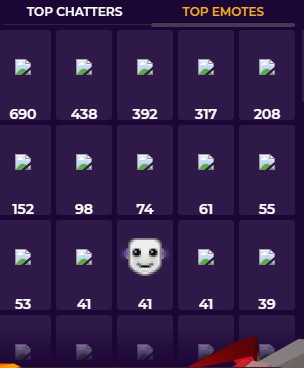
 ooh
ooh old thorn
hi have one question how its work whit the points system when some one do a bit donaton
zenith widget
for every 100 bits they get X points
old thorn
if some one donation bits on twitch the bot detects automatically then
so i dont need to fix nothing on my twitch channel only change the x to 100 points?
old thorn
yea iknow so if someone donation 1000 bits its 1000 bits x 100? but do i need speciell addons?
zenith widget
if you've set 100 points for 100 bits - 1000 points will be granted
and no you don't need anything,besides out bot in your channel to track loyalty points
or the extension
nocturne pelicanBOT
Check out the StreamElements ideas board: https://strms.net/ideas. You'll be able to add ideas, upvote ideas you agree with, and track their progress with email notifications. Adding and upvoting ideas also helps the staff know which ideas should be prioritized so please take some time to upvote.
old thorn
thx
 floral badger
Hey i have a question. So i’m a twitch streamer but started streaming on twitch/youtube/mixer/facebook gaming all at once is it possible to have a bot active for the follows etc on all those platforms?
zenith widget
Our bot only works for Twitch and Youtube
We don't have Mixer support and also Facebook doesn't support chat bots
zenith widget
Same overlay? no.
Connected/merged accounts don't share data between them
as they are different platforms with different structurs
subs in yt = follows on twitch essentially
Only way to have it notify from both is to have from each account a separate overlay
with an alert widget
floral badger
Okay thanks
I have an other question as wel. So i have a video with a promotional banner that pops up on screan shouting out my instagram and i have 4 of these but i don’t want them to be shown non stop i want them to pop up once in a while how do i do that best?
zenith widget
We have an asset rotator widget
that can show images and X amount of time
and rotate between them
floral badger
Okay thanks
timid herald
I can't connect
something went wrong.. please try again later
🤔
I was trying to go on my revenue history
and something went wrong
zenith widget
Yes Im having issues my self. Poking devs right now
timid herald
okay
zenith widget
We back
old thorn
nice 😄
timid herald
nice !
old thorn
how can i reconnect the bot?
zenith widget
https://streamelements.com/dashboard -> right side -> part channel -> join channel
old thorn
thx 😃
one more question do i need to add this My managers on the page for my mods to add custom commands?
cinder olive
any mod can add a command
super mods gain extra access like changing game & title & points
nocturne pelicanBOT
@old thorn Follow these steps to grant managers/moderators access to your dashboard:
- Click on your Channel Name at the top of the dashboard and select Settings
- Create a new invite at one of three access levels (Bot Supervisor, Editor, Full Control)
- Send this invite to a mod/manager to give them access to your dashboard. The link is one-time-use and expires after 72 hours if not accepted
Video tutorial: https://youtu.be/zl_h-ttZDF0
zenith widget
I forgot to link the command 
cinder olive
he didnt ask how tho 
old thorn
is there any commands to add for !top10 for the points system?
zenith widget
they wil lget the link and the additional option they can use
like !top online or !top points
 opaque badger
Hey peeps - I've set up some messages using the Timers. The message shows up but links within the message are hidden (***).
Is there a way to bypass the Twitch "no links" setting?
Cheers
opaque badger
Hey KeiZar, cheers for the quick reply, shall I type that in chat (offline right now)?
zenith widget
yes
opaque badger
Thank you! 😃
old thorn
all done, time try tonight 😄
old thorn
when i use !setgame nothing coms up that streamelements change game
humble birch
zenith widget
Chat alerts cannot trigger commands.
humble birch
i trigger nightbot command LUL. i set chat raid alert "!tyraid {user}",and nightbot read that its trigger nightbot "!tyraid" command
zenith widget
Well Nightbot is different then our bot, so our bot can't trigger its own commands
but if you want to trigger another bot's command, sure
but be mindful that Twitch might not like that.
humble birch
yeah i see that.thanks for answer my too selfish problem.and your dog icon is so cute...
 hushed swallow
Hi can anyone help me with a question about giveaways on streamelements
 sonic robin
is there someone who could help me with my obs/stream?
 light shuttle
Good afternoon, there is a function to show in the stream, but I do not see how to add a link to add it to the OBS
 trail mist
why when i set up watchtime it keeps saying 0 secs
lament blade
When someone donates bits to my channel it seems my pc lags
trail mist
@zenith widget when i set up watchtime it keeps saying 0 secs?
nocturne pelicanBOT
@trail mist 10 minutes of watchtime are given to those in chat when the loyalty points are handed out (every 10 minutes). Therefore, loyalty must be enabled for watchtime to work properly. There is no direct link between watchtime and all-time points. It can’t be calculated from the amount of all-time points a user has because subs may earn points at a faster rate and !bonus all command increases all-time points for users in chat at that time. Giving points to a single user does NOT affect all-time, only when giving to all in chat.
dry hare
@hushed swallow
https://youtu.be/3BFP05997Ro

Use Contests & Giveaways to increase user engagement and reward your viewers, it's a whole lot of fun for everyone! ----- Loyalty system guide: https://youtu...
trail mist
@zenith widget How do you set up loyalty points?
trail mist
oh ok
zenith widget
Thats on the dashboard on the left
@light shuttle What function are you referring to?
sonic robin
my frames started dropping recently while streaming
nocturne pelicanBOT
@sonic robin For the best OBS support, please join their Official Discord @ discord.gg/obsproject
lament blade
@sonic robin happy is your base game fps setting high if so set it low
trail mist
ive seen people use !watchtime and it actually has a watchtime @zenith widget
light shuttle
@zenith widget I just don’t see where the link to add to the obs
zenith widget
@trail mist Well ok, but you need the loyalty system enabled so that we can start tracking watchtime
trail mist
ahhh
hushed swallow
@dry hare just wanted to know if there’s a option to give viewers tickets to enter giveaways
dry hare
You can make the first one free
zenith widget
@light shuttle My overlays -> edit pencil -> widgets -> media request widget -> add
@lament blade What lags when you get a bits? the alert? the sound? game? obs? pc?
lament blade
Alert and sound
zenith widget
custom or the default alerts?
lament blade
Default
zenith widget
is the alert widget stretched to a 1920x1080 size?
lament blade
Yes
sonic robin
i just lowered my fps on obs to 30, i also did a twitch bandwidth test, but im not familiar with how the numbers work
nocturne pelicanBOT
@sonic robin For the best OBS support, please join their Official Discord @ discord.gg/obsproject
zenith widget
@lament blade Lower it - that is causing the alert to lag
lament blade
Ok thanks
light shuttle
@zenith widget TY
 red basalt
jade remnant
red basalt
jade remnant
for more views, use social media.
for words and stuff either add it to the overlay editor or use the text source in obs
old thorn
hmm how can i add so in that when a member use to redeem stuff whit the points shows in stream?
tight harness
You need to add the Store Redemption widget to your StreamElements overlay for this
old thorn
thx 😃
 nimble dune
Hi when anyone follow or etc alertbox the alert showing and i have high cpu usage why?
 waxen hare
Hello all, can anyone tell me how to reset my tip jar? All of the images are showing as black boxes with a green outline and cross through it.
tight harness
If by reset you mean start from scratch you could delete the widget from your overlay and then go to Widgets and add in a new fresh one 😃
@nimble dune Make an OBS log and then put it through this website for an analysis: https://h4ndy.eu/obslog?url=
nimble dune
@tight harness okay only i setup the now alerts and i send
and i need to be streamed and test of alert? and then upload?
tight harness
At least recording
nimble dune
okay i will now stream and test alerts
tight harness
Great, use that website to analyse the OBS log's findings
tight harness
Okay so this tells you about some issues, read through it carefully
nimble dune
i know
 narrow coyote
You have a dual core Pentium laptop, your system does not meet the hardware requirements for streaming.
 nova lynx
!gc
nocturne pelicanBOT
You can download our Desktop App Ground Control here: https://streamelements.com/groundcontrol
 kindred niche
Hello, afaik know overlay sharing is not enabled by default is there a process to get it enabled?
lament blade
Hi All - I downloaded OBS from https://obsproject.com/download since im Running a Mac, is this still sufficient compared to the Windows version based on https://streamelements.com/groundcontrol? Thx
OBS (Open Broadcaster Software) is free and open source software for video recording and live streaming. Stream to Twitch, YouTube and many other providers or record your own videos with high quality H264 / AAC encoding.

StreamElements
StreamElements is the leading platform for live streamers on Twitch and Youtube. StreamElements includes Overlay management, ChatBot, Tipping, Alerts & Loyalty
nocturne pelicanBOT
@lament blade For the best OBS support, please join their Official Discord @ discord.gg/obsproject
blissful finch
Hi is it possible to have song titles animate from spotify on my overlay automatically with stream elements overlay?
upper steeple
I have a question that I'm not sure where to put it. Its asking about a message I got on twitch from someone in SE
nocturne pelicanBOT
@lament blade Please follow our community rules:
- No advertisement or stream promotion
- Respect ALL server members
- No NSFW/NSFL
Thank you
tight harness
@blissful finch Sadly no, we were required to remove the Spotify integration from our platform. We are in discussions with Spotify to remedy this, but expect it to take some time
@upper steeple You can DM your question to me
blissful finch
Aww really that's a shame , thanks for your help
 plush tapir
Hello together, i have a problem with the streamelements elements: recent donation and top donations. If i place the recent donation element in my overview and someone donats the twitch-username will show. In fact hes also the top donator, the twitch-displayname will show up. The parameters are both the same ({name}). Can anyone help me ? if something is uncleary i have screenshots. Thanks
tight harness
Screenshots may be useful because we're struggling to understand what it is that you mean, if English isn't your first language we do have many non-English support channels if that would be easier 
plush tapir
Maybe its easier to explain the problem if u, or someone else got the screenshots. Can i send them in this channel or may i send it to u via DM ? :)
 uneven umbra
How add chat youtube and twitch in one overlay?
plush tapir
As u can see, its the same user hows donated. One time its "PerGenesis" and the other time its "pergenesis". "PerGenesis" is his display name on twitch and "pergenesis" his username.
uneven umbra
in one chat?
plush tapir
But both parameters are the same. Is there a bug that somethimes is the username and sometimes the display name ?
 grand basalt
Is there a way to disable the chat command "!donate"
 lilac fjord
I am having difficulty importing my overlay from streamlabs obs into streamelements obs. It keeps saying failed to import overlay collection
tight harness
@plush tapir Ah I see what you mean, we'll do some testing, might be an easy fix 😃
plush tapir
@tight harness Thank u :), as i said might be easier if u see the screenshots ^^
tight harness
@grand basalt Yes, by default you'll see it as !tip but !donate is an alias of the same command, disable !tip and it will disable both
grand basalt
Ty!
tight harness
@lilac fjord This can happen if you have something in the overlay that can't be imported. For example, copyright material that belongs to SL (default files)
lilac fjord
@tight harness any tips on what files to look for for this issue?
tight harness
Tends to be either copyright content or custom coded content, the custom coded content can be added but if I remember correctly it needs to be added a particular way and not through this import tool
 storm coral
Hey. I have 2x videos (webm). One is playing as loop. The other should be played if one is following BUT then the first video should hide for about 6 seconds.
Is this possible?
 gilded otter
How does one stop the alert text from going through?
tight harness
Hey, do you mean chat alerts? That would be Modules > Chat Alerts
gilded otter
Thank you!
plush tapir
@tight harness Can u give me some feedback after the testing ? :)
tight harness
@plush tapir Send me a DM with all of the instances you notice this difference in Username and username and I'll pass it on, then I will try to reply to you via DM when I have some answer
 unborn perch
how can i fixed this problem?
my chat is big window
 manic quail
The bot won't stop posting the same tweet 😭 even though I removed streamelements from the list
tight harness
Hey, please try the following: Click on Part Channel on the dashboard, click on Sign Out, sign back in and then click on Join Channel on the dashboard
jade remnant
are you using ground control?
manic quail
I don't think so
Unless it started with my computer
Perhaps it's because obs is still open?
jade remnant
go to your task manager and end any process of bot.exe then start ground control
if it stop close gc
manic quail
Okay, I don't really use ground control though
gilded otter
Is there a way to turn on alerts for auto-hosts?
strong kernel
Auto-hosts of 0 viewers will never play alerts.
gilded otter
What about hosting through the dashboard, that doesn't show up either
nocturne pelicanBOT
@gilded otter Due to changes to Twitch API, we have filtered out hosts and will only show these ones on your activity feed:
- All hosts coming from an online channel with at least 1+ viewer
- All auto host events with at least 1 viewer
Note: If you see "X channel has hosted you" with no viewers on the back, that is considered an offline host or a host with 0 viewers, we do not show these.
strong kernel
Only online hosts, i.e. hosts initiated before ending stream, will play alerts.
gilded otter
Is there a way I can set it to do an alert for offline hosts? As in someone comes in and just hosts?
strong kernel
No.
gilded otter
I don't understand why that option was taken away, but thank you
manic quail
There aren't any instances of bot.exe, I did just close OBS then redo the part channel/log out/log in/join channel and it seems to be okay now
Thank you for the help
tight harness
Great 😃
jade remnant
hmmm ok, glad its working. not sure why it did that then 🤔
manic quail
OBS.live for the clarification * Must have been something with that xD
 cobalt willow
I have a question, is there a way that a bot says thanks for following and the name in chat?
strong kernel
Chat alerts module, in the Modules section of your account.
cobalt willow
ooooh ok thx
nocturne pelicanBOT
@gilded otter Due to changes to Twitch API, we have filtered out hosts and will only show these ones on your activity feed:
- All hosts coming from an online channel with at least 1+ viewer
- All auto host events with at least 1 viewer
Note: If you see "X channel has hosted you" with no viewers on the back, that is considered an offline host or a host with 0 viewers, we do not show these.
dry hare
That's why they can't show the 0 hosts
past spindle
i have problem with donations
every time i get a donate it doesnt appear in OBS
and also not on streamelements
strong kernel
You are not using our tipping page link.
Streamlabs' donation links do not send information to us.
old thorn
hmm i get 404 - Page Not Found when i write !chatstats
strong kernel
So do that with our system too?
Our system responds to tips through our tipping page. Their system responds to tips through their tipping page. We're competitors. Our systems will not send data to each other.
past spindle
grrrr
 dense shell
Guys I'm brand new to the whole streaming thing and have no idea what to do with all this info since every time I search one thing there's more stuff I don't know!? Streaming ps4 on twitch and have a cam already so I want to know how do these guys get like all the memes and stuff to pop up? Do I need a laptop?
strong kernel
Consoles on their own do not have the functionality to make use of overlays. You must stream from a PC using a capture card or remote play to get your console gameplay to your PC in a usable format.
dense shell
Oky so I should share play on my laptop will it work on a Dell I core5?
Or remote play sorry
strong kernel
That you'll have to figure out on your own with testing.
dense shell
Thanks man I'll try it tomorrow and see how it works, I'm at work now.
 gaunt thistle
hey guys . the Custom Bot Name is it still the same way like in the past with the second twitch account?
jade remnant
yeh
nocturne pelicanBOT
@gaunt thistle Custom bot name requirements
- StreamElements bot modded and in chat
- Active overlay with alerts
- StreamElements tipping page in the panels below the stream (!panels)
- OBS.Live or Ground Control open
- Create a twitch account for the name you want to use or run the bot under your own name
- Custom bot name doesn't work on Mac
gaunt thistle
thanks!
 thick dagger
so for Points i have everything setup and it shows i have points but then when i do !points on my twitch it shows 0 for me and other people even though we have points
 misty kestrel
So question, should the chatbot respond to commands while the channel is offline? mine isnt for some reason adn i thought it was supposed to
i've tried parting it and readding it, tried unmodding and remodding it
no luck
strong kernel
@misty kestrel Only if the commands are set for that.
strong kernel
@thick dagger I just confirmed your loyalty system is working fine. If you haven't gone live since you enabled it, then it's likely nobody has had an opportunity to earn any points.
@misty kestrel Did you rename the bot?
thick dagger
yea but i have been live and 2 other people who had points who did !points in the chat it said 0 for them so i tried Resetting it and nothing
strong kernel
@thick dagger Looks fine to me.
thick dagger
hmm it wasn't working earlier though, maybe it works now
strong kernel
@misty kestrel So you're still using the default StreamElements name for the bot?
misty kestrel
yup
still the default
first day back and go live in 20 and its not responding to anything
tried banning unbanning parting and joining channel, etc. still nothin
strong kernel
Do you use OBS.Live and/or Ground Control?
misty kestrel
obs.live
strong kernel
Please screenshot the bot rename settings to confirm.
misty kestrel
where do i find that at?
strong kernel
The hamburger menu in the top left of the activity feed.
misty kestrel
when i hit send test it does nothing
oh shitttt i think i fixed it signing out and back into the website a few times seemed to have done the trick
fucking weeeiirrrddd
strong kernel
Sounds like your suspension messed with our connection to your Twitch channel.
misty kestrel
yup
strong kernel
Logging out and in refreshes that connection.
misty kestrel
thats kinda what i figured just wasnt sure the route to fix it lol 🙂
thanks for your help
 civic berry
hi im trying to set up the counters, and it when i try and set up to get the actual count it just says its still at 0
 quick junco
Has anyone here had issues with laggy stinger transitions? using a webm file that is 6.7 mb and the transition is flat out laggy in obs.live or just normal obs for that matter. it will playback just fine in any media player
strong kernel
@civic berry You put ${count} in every command's response. That won't work. Each one needs to have a unique name, like ${count dance}
@quick junco OBS.Live and StreamElements doesn't mess with stinger transitions, that's entirely an OBS Studio feature. Mostly because we can't do cloud-based stingers.
nocturne pelicanBOT
@quick junco For the best OBS support, please join their Official Discord @ discord.gg/obsproject
quick junco
thanks, i'll ask over there 😉
civic berry
and how would i RESET the counter
strong kernel
Two ways. First you could do !editcounter countername 0, or you can create a custom command with ${count countername 0}
 errant delta
I'm trying to switch everything to StreamElements. I had purchased a Jackpot Alert that uses HTML and CSS and works with Muxy and Streamlabs. My donations currently are through Muxy but want to change... is there a way I can use my jackpot in streamelements you think?
Nerd or Die
You've hit the Jackpot! With our new alert package you can easily turn your stream into an interactive game. Your viewers can spin the slots simply by supporting your stream.Full video walk through.
Customize your slot icons with ANY images, emotes, icons
Works with Tips,...
strong kernel
If they did not include instructions for use with StreamElements, they likely haven't gotten around to converting it for our system yet, which means you'll need to manually edit the coding yourself to make it work.
 calm kindle
Hey , how can I slow my streaming down on my computer so it wouldn't lag on me while I'm playing the console.
 fiery mirage
Hi
One doubt those points that the streamers give to watch live and exchange prizes when I ask for the prize they really deliver?
 pearl python
hi so im trying to go live off of twitch
but it wont show me going live when i do
so how do i fix that?
pearl python
yes i did @strong kernel
strong kernel
Do you get an error message when you try?
pearl python
no it just doesnt show up when stream
strong kernel
Screenshot your stream settings please.
 static basalt
Is this where i can ask for command help. Not sure if it's possible or not.
static basalt
Haha
pearl python
@strong kernel i dont know how to
static basalt
You don't know how to take a screenshot?
pearl python
i wish
static basalt
What was the bot supposed to say @strong kernel 😂
If you press start and type snipping tool ... open that up and then you can literally taker a screenshot of any part of the screen by dragging it over the area
static basalt
Ahh ok lol
I was wondering if there was a command variable that i could set up on my streamdeck for shouting out the raider or the sub?
Nethyr raids me (thank you btw)
i press my !raid button and it shouts out the raider without me having to type the name of the person who raided
If that makes sense
strong kernel
In terms of commands, no, that's not possible, you need to type out the name.
What you can do is use the chat alerts module for that.
static basalt
Ahh yeah good point. Didn't think of that thank you. I just thought Streamelements would somehow be able to read the raid from the event list but it's easy to think that and a different thing to make it do that
strong kernel
What did you enable it for?
lament blade
tips
strong kernel
Seems like it's working fine based on my testing.
lament blade
i can only hear a tiny tiny bit
of sound
and thats of brians
others nothing
and its not my audio
can i can clearly hear everything else fine
strong kernel
This is a local audio issue. Playback on my end is clear and crisp.
strong kernel
Couldn't tell you. Again, it's a local sound setting that's causing you problems. Both seem to be playing fine from our testing.
strong kernel
It's computer-specific settings.
lament blade
It can't be since i hear everything else perfectly fine
strong kernel
That means nothing.
lament blade
watch me close open the website and it works
strong kernel
Wouldn't be the strangest thing I've seen happen.
strong kernel
If you reset the overlay it'll be back to normal.
strong kernel
Do you have "Shutdown source when not visible" checked on the browser source?
strong kernel
Yes.
lament blade
no
strong kernel
Then either enable it and then switch off the scene and return to it to see it go back to normal, or click the button at the bottom of the browser source properties.
lament blade
Ok for alertbox
doi have to change settings for all
of the layers
i mean of the themes
strong kernel
What do you mean?
Oh. Yes, editing an alertbox in one overlay does not affect alertboxes in any other overlay.
You need to edit them individually.
lament blade
:'(
ok so my text is below my alertbox therefore cannot see it streching it streches the image
how can i fix that
used layout column
strong kernel
I don't understand what you mean.
lament blade
mhm
i've used the layout option
for the alertbox so my text is not on the image rather below it
when i did that
the spacing was too bih
g
and therefore the text was not visable because it was out of the alertbox borders
streching the alertbox makes the image bigger
and i dont like it that way
strong kernel
If you mean you're trying to move the text, you can do so using the Margins in the Advanced Text options.
 green bridge
does anybody know where the subscriber luck is on giveaways?
strong kernel
@green bridge Please connect your streaming account (Twitch, YouTube, or Facebook) with Discord by going to ⚙ Settings and then Connections here in Discord. https://streamable.com/eg92w
 green bridge
does anybody know where the subscriber luck is on giveaways?
strong kernel
You need to be a Twitch Affiliate and capable of having subscribers before you're able to see subscriber-based settings.
green bridge
Okay, thanks!
 cunning sparrow
My dock for updating my going live notification (where you say what game you're playing etc) is gone. Not seeing it in View > Docks
Where is it hiding?
 charred forum
Buddy is trying to invite me for dashboard access and I get the following error when I click on his link
zenith widget
!obscookies @cunning sparrow
Hmm
@cunning sparrow If you are not seeing the OBS Twitch integrations and have OBS.Live installed, please follow these steps:
- Make sure you are on the latest and greatest version of OBS.Live ( 19.7.14.421 )
- exit OBS (make sure OBS is not running)
- delete %appdata%\obs-studio\plugin_config\obs-browser\obs_profile_cookies
- start OBS.Live
- Settings -> Stream -> disconnect -> connect
@charred forum he hasnt cgosen what role to give - there are 3 - bit nanager, editor , full access
old thorn
morning when my vierws write !chatstats they get 404 - Page Not Found
zenith widget
Fixed
old thorn
thx 😃
unborn perch
help me please
zenith widget
Click on "Streamelements" on top -> logout -> login
unborn perch
@zenith widget Thank you very much!!!
zenith widget
Only Youtube
old thorn
okey
zenith widget
Which overlay has the custom alert widget?
 peak shuttle
I accidentally payed for StreamLabs pro, how can i please get a refund
jade remnant
again, this is stream elements, if you want answers you need to ask stream labs
peak shuttle
Sorry
 south sinew
hey I am using stream elements and copying my url and pasting it but it comes up with an error saying invalid path or connection url. please check settings
zenith widget
Pasting what URL where?
south sinew
the url from my twitch page to where it asks for it in stream elements
zenith widget
I hope you are referring to the stream key
and not some other link
you are placing there
south sinew
ahhh I was copying the url lmao sorry
hexed violet
my follow and sub alerts are working, but when someone tipped today , the alert didn't appear until i manually refreshed the event
i only noticed cuz the tip goal updated
south sinew
ok also I copied the stream key and pasted it and I get the same message
zenith widget
@hexed violet Can I reply the event so that I can check what shows up in the oiverlay?
@south sinew Then you are still not doing it right.
hexed violet
absoluytely, but i just went offline if that matters
zenith widget
I looked at the vod
it shows up
but its super quiet
maybe thats why you didn't notice it
south sinew
ok can you offer a little more advice please i.e. where to find out what I should be doing it
hexed violet
oh that must be it
in that vod at that exact moment i didn't acknowledge it at all?
hexed violet
thank you you're an angel
south sinew
thank you
zenith widget
@south sinew https://www.twitch.tv/dashboard/settings
go there
click this
CTRL + V in side the balck box
hit APPLY then OK\
then Start Stream
 void junco
how to fix black screen
zenith widget
Run OBS as admin
 burnt basin
trying to get a follow trian widget to run on normal OBS. i paste in the link on browser source, and send a test follow but noting shows up on obs
zenith widget
I assume you are referring to the default train widget?
burnt basin
no i have a coded one from alpha gaming. it shows on the widget editor but wont show on obs
zenith widget
Im not sure if simulated alerts will work with the custom built train widget
void junco
@zenith widget cheers
burnt basin
yea it doesnt show simulated alerts. just replayed an alert from yesterday
 sick sentinel
is there anyway to copy widgets from one overlay to another?
Like can I have one cup widget synced with another on a separate overlay?
zenith widget
Click on the widget -> on the left side next to layers -> 2 white papers with red dot
that is how you copy widgets from one overlay
sick sentinel
Thank you
 undone rivet
Hey Guys.
Do animated overlays (cam, alerts and stuff) also work with streamelements OBS? Or are they just made for SLABS... i use Elements atm and like it, but the overlay-package i got sent seems to need SLABS?!
zenith widget
Well our own super themes work with both OBS Studio and usually SLOBS unless it gets blocked.
OBS.Live is a plugin for OBS Studio
If you are referring to a different overlay package, you have to at least mention what it is and where you got it from.
undone rivet
I got some package from a side named "Visuals by Impulse" to test around.... it includes animated scenes and cam overlay etc. as WEBM files...
zenith widget
I would suggest to ask their support if the package is compatible with us fully, but you can import it from SL
or at least from SLOBS
via our import tool in OBS.Live
undone rivet
Thanks so far for your time - i will look how it's supposed to work and contact support if needed... would like not to switch to SLABS 😄
Thank you
lament blade
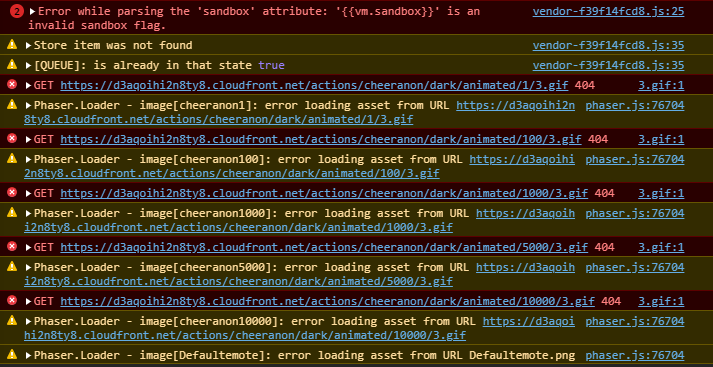
https://i.imgur.com/vBfjy7h.png The Editor isn't opening in Chrome, any ideas? This is all that ever loads (works like normal in Microsoft Edge for some reason)
If it helps, a bunch of errors/warnings in Chrome dev console https://i.imgur.com/IZwxqbW.png


 candid prism
Do you need to have your overlay open in a browser tab before it shows on stream?
 twin sentinel
No, this should not be the case.
 frail wharf
Hey, I have a problem with my donations. I imported everything from streamlabs last night into streamelements and it worked well.
I then setup a "last donation" and "last subscriber" text as a overlay. the subscriber thing is correct, but the donation is wrong. I received a donation in my last stream yesterday, but in streamelements it shows the old donation (that one which was before)
I also deleted all donations except the one i got yesterday but the old donation is still shown. any help pls?
nimble dune
Hi how to i download in the default alertbox the cheer 100 image?
twin sentinel
You can edit the data for the overlay here: @frail wharf https://streamelements.com/dashboard/session
frail wharf
thanks @twin sentinel
nimble dune
In Slovakia is available SE.Pay?
twin sentinel
SE.Pay is available for streamers with more than 100 followers, with a bank account in one of the following countries: Austria, Belgium, Czech Republic, Finland, France, Germany, Ireland , Italy, Netherlands, Poland, Portugal, Spain, Switzerland, United Kingdom, United States.
nimble dune
okay thanks
devout sorrel
I already reported this yesterday here, i dont know guys if you are working on it but its now on more ranking boards that you dont see the pictures anymore and a lot of working them and some not? Prove >>> http://prntscr.com/ot257p
http://prntscr.com/ot25i3

 grave lance
do you offer custom tip jar uploads
dry hare
I believe you can upload your own tip jar to the editor
You should be able to upload a custom tip jar to your image library in SE, then set your jar to that image
 obtuse patio
Any ideas why the after stream report is way off on accuracy? It always shows way more "unique chatters" than I actually had. I mean, I wish I had those numbers. Ha
obtuse patio
@grave lance I believe it is a widget you will add to an overlay. Think it is the one called "HypeCup' towards the top.
Then you can specify what it does and doesn't show (only tips, etc)
calm mesa
is there a way to save quotes in stream with stream elements?
grave lance
now do I have to sign up for se payments to use the tip jar
 grim dune
Hii!! I've been having an issue with my host notifications not going off- I have my activity feed pulled up on the Stream Elements OBS and I have disconnected and reconnected stream elements and twitch since it started happening. Is there anything else I can do? Thanks so much!
obtuse patio
@grave lance no, you can use one of the other methods such as paypal, although I'm sure the good folks here wouldn't mind if you did try that out.
grim dune
Oh no, your host notifs aren't working either 😂
obtuse patio
They have a bot auto reply for that. It's picky about what it notifies about now
 elder sorrel
Due to changes to Twitch API, we have filtered out hosts and will only show these ones on your activity feed:
- All hosts coming from an online channel with at least 1+ viewer
- All auto host events with at least 1 viewer
Note: If you see "X channel has hosted you" with no viewers on the back, that is considered an offline host or a host with 0 viewers, we do not show these.
grim dune
Ohhh got it, thank you!!
 crude pecanBOT
@obtuse patio, you have been awarded a commendation :star: by @winter cradle for answering a support question. Keep it up!
obtuse patio
lol
elder sorrel
⭐ 
 loud lake
Is there a way to have my custom alert loop while placing it in the editor so I can line it up properly without having to click the simluation of it ? Finding it hard in such a small window to work with
obtuse patio
@loud lake sorry but I don't think there is a way to do that
Closest I think, you may try opening another window for the streamelements dashboard and moving that around if you have the screen real estate
Sounds like a "pop out" alerts test window would be a good feature request
loud lake
Makes it very hard for me, ive been trying to line up the alert for the last hour and a half =/
ive tried placing a video of it looping to position and copy coordinates and size etc. but when changing to alert the scaling is completely different so it wont work.
obtuse patio
Maybe take a screenshot while it's active? I've had to do that before.
Works best if we're talking about an overlay the size of your full pallet (1080p, etc) then you can use that as a temporary background layer in obs
Then use that static image to align
loud lake
Ah that could work maybe, is there a way to group two things once I have aligned them properly?
obtuse patio
You mean in obs? You can create a group folder in obs. Put items in it, then move the group as a whole to position
loud lake
In the stream elements editor
elder sorrel
Currently no.
loud lake
ah ok
Would you normally put the webcam etc. as an individual overlay (so you can move it around depending on the game) and then everything else on the other?
obtuse patio
I keep my webcam and frame item in its own folder group in obs, within the scene
So if you're using objects in streamelements to flesh out a frame etc, then yeah I would use a separate overlay in that case.
loud lake
Also, unrelated to what we were talking about but is there a reason its considered a 'tip' now and not a 'donation' ? Is it more of a legal thing or ?
dry hare
Yes
 rough cliff
Hey, im new to streaming and wanted to fit my camera in a template, I pressed resize output and now my screen is all messy and zoomed in. is there a way to undo this?
dry hare
Donations imply you are a non-profit organization
obtuse patio
Yeah, I look at it as if you were tipping a musician in a cafe or something
dry hare
If you are making a profit (you are), it has to be called a tip
@rough cliff where did you press “resize output”? If you want your camera to fit, you will scale it inside OBS by dragging the corner to fit the overlay
rough cliff
i rightclicked the video capture device source and clicked it
but then the camera took over the screen and now everything is all messed up on my screen
obtuse patio
That's going to be one helluva message from @nova belfry if they ever get done typing it
rough cliff
all the other sources are like out of the screen and idk how to undo it
 nova belfry
Oh my bad I left my phone on in my pocket it was typing I guess
obtuse patio
lol
rough cliff
on studio mode the screen is normal on program sidew but on preview its all messy
obtuse patio
Anyway you can get us a screenshot?
elder sorrel
Did you make the overlay 1920x1080?
Click the source as well & try pressing Ctrl+F
rough cliff
ya its 1920 1080
ctr f didnt work only put it in the middle but the image is still oversized
you can here see the overlay is 1920x1080 but since the other things are to big it wont fit on the screen or smth
obtuse patio
Yeah the overlay, but what about the video canvas size in settings -> video
Base canvas resolution
rough cliff
both the base and output thing are 1920x1080
obtuse patio
What happens when you maximize that window to full screen?
rough cliff
how
obtuse patio
Ok now click the camera object, see if it will highlight red outline and let you move, resize it
rough cliff
i can move it and resize but all my other sources are massive aswell
do i just resize them all
becasue in studio mode that makes everything mini
obtuse patio
I hate to have you do that. I'm at work and don't have obs in front of me to play with right now
Unless there's something in the view menu to play with that messed with scaling
nova belfry
If anything go into a private call with someone from this discord I can’t help either I’m at school but you could go into the private call and screen share and see if they can help you
rough cliff
do i just join voice support
nova belfry
I guess you could try
obtuse patio
GG you!
rough cliff
now the camera xD
obtuse patio
Yeah now the camera you'll probably need to resize
obtuse patio
Yeah that looks 4x3
grave lance
I am looking for a source for webm files for my hype cup fiver and other sources do not seem to have them, might one of you people be able to help me out here
obtuse patio
You'll need to change the camera properties to fit the frame, either 720 or 1080
dry hare
your webcam is set to a 4:3 resolution and the webcam border is 16:9. You'll need to set the resolution on your webcam to 720p or 1080p in order for it to fit properly
obtuse patio
resolution
rough cliff
ya
grave lance
cant you just grab the black dot on the webcam webp image in the over lay and resize it, that was the idea behind webm and webp files
dry hare
yes you can, but the actual format of the webcam is 4:3 not 16:19
until it's 16:9 it won't fit
rough cliff
i think i got it to work
dry hare
without significant cropping