#helpdesk-twitch
1 messages · Page 484 of 1
 nocturne pelicanBOT
 sleek stone
Thank you very much ill go do that right now!
Thank you very much Benno! the Emotes update was what I was missing
 amber moth
quick question i also stream on my ps4 will this same method work?
 twin sentinel
Do you have a capture card and a PC?
amber moth
i have both
but sometimes i prefer to stream on my ps4 as i have more games will this work? and if how?
surely if its connected to my twitch it would work right?
twin sentinel
Then you can connect the PS4 to teh capture card and set the capture card up as device on your PC and stream the gameplay with OBS and also add overlays at your OBS on your computer.
amber moth
so it will not work with the overlays on my ps4 twitch account?
twin sentinel
No, you need a PC and a capture card for them to work.
amber moth
ah ok was hoping i could have a pop up on my stream on ps4
 edgy stratus
Hi @twin sentinel is this the same for laptop and xbox? I stream from my xbox and use stream, elements on my laptop and just cannot work the overlays
twin sentinel
Yes, it is the same. With Xbox you can make it happen with only a PC and using remote play to get your gameplay to the laptop and capture it there.
edgy stratus
ok thank you, so fustrating cant wait to get my pc
 chilly maple
Hi. I'm having problems rescaling a .webm camera frame in the Overlay editor. It is only resizing as a whole and if I make adjustments on one side, it gets cut on the adjacent. In OBS there's the option to drag each of the 8 anchor points of the source to match the desired width and length without cropping my webm. Is it possible in the streamelements overlay editor? Thanks in advance for your support
 plush raptor
Is it possible to set the tip and cheer notification minimum required to play?
IE right now it plays for 1 bit but I'd like the minimum to be 100
 tight harness
Yes, you can do this, in the alert box settings there's a "minimum amount" setting
plush raptor
Perfect thank you :)
 upper steeple
for 3 days now the twitter module no longer posts my tweets in chat. this is after logging in and out and making sure its the correct twitter
tight harness
This is weird as I can see we definitely haven't changed anything there in a long time
 lament pulsar
Hey quick question, how do I enter a "Youtube" video on browser source? I enter it, but I cannot "pause" the media source it just auto plays
"Interacting" with browser source opens a new smaller window
Is that all you can do?
tight harness
Yes
lament pulsar
Ah okay, thanks!
upper steeple
@tight harness yeah i don't know either
 trim rain
Asking for a friend: League, Minecraft and other games run fine (talking stream wise). But for some reason Overwatch lags. (again, talking about when you watch it on stream). Any ideas what could cause this?
Log file: https://obsproject.com/logs/bHX32kOwfXekbg4G
tight harness
trim rain
thx
 slender bone
Could anyone tell me what the default input is for the 'Latest Cheerer' data? I reset my session by accident and now it just keeps showing 'no data', no matter if I replay the alert 😣 can I re-add it manually? Bceause everything I try doesn't work
 past girder
Does anybody happen to know where on the dashboard you'd see if an Ad was running? I'm trying to help a streamer make sure an automated ad is running, but not sure if I might need different permissions than I have (super moderator + editor), or where I'd be looking for an indicator if I did have the permissions. Thanks! 😃
tight harness
Have you checked Activity Feed > Widget Data? @slender bone
@past girder What kind of ad? 🤔
past girder
Twitch ad
tight harness
Oh, this doesn't have anything to do with StreamElements or our dashboard so not sure where you're looking
past girder
One person suggested it might be in the "bottom middle" of the dashboard 
Ah, okay thanks
 elder sorrel
Prob referring to the Twitch Dashboard.
 gentle sluice
I'm having an issue with my overlay. In the browser everything shows up fine, but in OBS only the chat overlay shows up. I have checked the layering of the overlay elements, opacity, and tried reinstalling them. When I had the cup up, the cup would appear, but there would be no animations nor icons shown when I simulated events.
tight harness
Have you checked that you've got the tick box ticked in the event emulator?
gentle sluice
For the follow/sub/host/etc. alerts? Yes, all the boxes are ticked.
tight harness
The tick box i'm mentioning is within the event emulator itself
gentle sluice
I apologize. What do you mean when you say event emulator?
Oh wait, I found it. Yes that was unchecked.
I think that was the core issue of my issues. Thank you.
tight harness
👍
 cinder panther
hey
ummm
im stremaing right now and i moved the media request tab and now its gone but i can still hear it any chance for help?
elder sorrel
@cinder panther Old photo but you should see Media Request here to click & have a ✔
 oblique pollen
Hi all! Maybe someone faced the same.. Recently there was some changes in Media Requests, in song prioritization. Before paid requests had higher priority if "Prioritize tipped requests" is on. But now media requests from twich subs have even higher priority... I.e. I have free requests from followers byt points, 100% discount for subs and paid requests for money. But paid requests are after subs free requests now( Is it some way to fix this?
elder sorrel
Hmm this has been happening lately. @oblique pollen I believe it may be in the Media Request settings either for 'Prioritized' tipped request or the 'exempted user level' which is default at Subscriber.
I haven't got an update (unless I missed it) about that. Gonna ask.
oblique pollen
@elder sorrel thanks! Exepmt user level set to Broadcaster
@elder sorrel sorry, just tested again after few days and it is working as expected) thanks!
elder sorrel
Huh. Weird but thankfully it's working! Still need to wait a response from Staff as Devs are usually away on the weekend. 
 bronze palm
Media Request submissions are being added to both the live queue and the pending queue. I have Queue Moderation turned on. Can someone help?
 pale jewel
 covert nymph
anyone have an issue with the host alert not popping up if its a 0 viewer host? it pops up in chat just no alert, I set the alert allowance to 0 aswell
nocturne pelicanBOT
@covert nymph Due to changes to Twitch API, we have filtered out hosts and will only show these ones on your activity feed:
- All manual host events (0 hosts included and if filter set to 0)
- All hosts coming from an online channel. If the hosting channel has been offline, we do not show it
- All auto host events with at least 1 viewer
Note: An offline host is when you see "X channel has just hosted you" - with no viewer numbers on the back
covert nymph
cheers 😃
 jade remnant
 ripe scarab
How do I set up a timer that counts down, but gets time added to it with subs/donations/bits?
 spare sun
is anybody here that can help with setting up obs live?
ripe scarab
I might be able to help
elder sorrel
Let's go to #helpdesk-selive @spare sun
ripe scarab
Does anyone have any ideas on how to achieve my idea/thought above?
jade remnant
could use a sub train, i dont think there is anything else standard
have a look through #widget-share or you might have to make one
 idle apex
Using the regular Widghet fot All time top tipper, for some reason gives the tipper name a small first letter, most recent shows correctly with capital letter, but not All time top tipper, is there a way to change it does it demand a fix from your sideÅ?
 magic quarry
i get nothing from streamlabs on my chanel when i start to streaming from my ps4 any one please help 😃
 alpine basalt
since the last obs.live update my feed widget and chat widget don't work
@magic quarry this is streamelements, not streamlabs.
 mystic crater
Hello all, How would I go about moving my recent events from streamlabs into streamelments? I have been using streamlabs for ever and have fell in love with StreamElements and now switching. I see I can manually add them but is their a simpler way?
 lament blade
So when I created my streamelements, it says I have 0 everything(like follows, subs, bits, etc.), but I don't have 0 of that stuff. Why is this?
 ebon fiber
has something happened to the spotify integration? I can't seem to see it anymore under integrations or on the widget it works with.
also @lament blade it doesn't track life-time follows, subs etc I think it's set to show you what you've gotten over the last month by default
but it wouldn't show up with what you've gotten since you just signed up and nobody has followed or anything for it to track
 cinder olive
Spotify asked them to discontinue the integration @ebon fiber
I assume it may come back with time
ebon fiber
ahhh that's what I thought
lament blade
i dont think so cause i got a follow yesterday, and its not on streamelements @ebon fiber
 flat forge
is there away to do !top10 and that it says the Top 10 of watchtime of all viewers
cinder olive
If you top !top online it shows the online leaders and if you do !top offline it shows your offline watchtime leaders
flat forge
oh waw
@cinder olive thx
@cinder olive is there a way to change it somewhere
or nah
cinder olive
Wdym 'change'
flat forge
like it says this https://gyazo.com/26fb24cf8c7bc8aaa3b45ade3a5a520e

but can u like change Top 5 to something else
or nah
cinder olive
Use the ${user.time_online_rank} and ${user.time_offline_rank} variables to make new commands
alpine basalt
is there anyone working for SE that can take a look at my widgets. The custom widgets that I've had working on my account since I created it suddenly stopped working... all of them. I hadn't done any edits at all. I had another user take a look to confirm that they are somehow messed up on SE end and there isn't anything I can do to correct it.
lament blade
Hi how can i display frankerfez emote on my streamelement chat overlay ?
 analog crane
HI, was the Spotift integration removed?
flat forge
Spotify asked them to discontinue the integration
flat forge
i know
lament blade
Any staff online now?
 fierce swift
So I had a weird issue when I was playing around with the StreamElements but and I have no idea where this came from or what I can do to stop it
 versed quiver
How do I get all my chat commands to be posted as me? I did a fresh install of windows and now all my commands are by the bot. For example if someone typed !sub in the chat my own account would respond under my name, not the streamelements bot. For some reason that's gone and I'd love to get it back.
 bitter frigate
Any news for the follower problem where it doesn't pop up in chat?
 harsh wyvern
question, if i have a countdown timer on an overlay using SE, is there a command that i can run in chat that will let me add time? idk something like !countdown add 1:50 is that a thing?
 midnight plaza
anyone around? I have a question, The total subscriber points in the widget are not matching my total sub points on twitch
how can i fix that
well nevermind, the editor is showing the wrong number but on the overlay it is correct
 blissful silo
Anyway to combine twitch and youtube overlays in one? For hypeboss, hypecup, and stuff like that as well as tips/donations/subs/etc? Kind of hard having two overlays running at same time.
 shut timber
Hello for some reason my webcam is showing a green screen when i try to use it and thats all that shows, it works for when i use it in discord or anything else but obs
 winged sundial
hey there where can I set it limit per user for song request
 wide bough
hello i would like to know is there a way to remove the webcam screen from an overlay
i dont have a webcam yet
twin sentinel
You can either disable or remove the layer with the cam from the overlay.
It is in the media request settings here: https://streamelements.com/dashboard/mediarequest/settings @winged sundial
nocturne pelicanBOT
@shut timber For the best OBS support, please join their Official Discord @ discord.gg/obsproject
twin sentinel
@wide bough No, there is no way to combine these two streaming platforms at this time as they use different methods to catch the data.
@harsh wyvern That would require a custom coded timer and a chat command listener. Best to ask for assistance in #dev-chat but the coding part is most likely on you.
@bitter frigate We are still working with twitch to resolve this issue. We are sorry for any inconvenience.
@versed quiver Either use GroundControl or OBS.Live to rename your bot to your own channel name.
@fierce swift Do you use GroundControl to rename your bot? If yes, please kill all instances of the bot.exe via task manager and kill GroundControl via task manager. After this restart GroundControl and it should just answer with one message.
nocturne pelicanBOT
@lament blade Welcome to the helpdesk! Please let us know how we can assist you today and a support volunteer or staff member will assist you as soon as they are available. Thank you for your patience.
lament blade
Hey! When I go to my streamelements Activity Feed, nothing shows even though I have followers, bits, subs, all that.
fierce swift
Thank you @twin sentinel
nocturne pelicanBOT
@lament blade Please connect your streaming account (Twitch, YouTube, or Facebook) with Discord by going to ⚙ Settings and then Connections here in Discord. https://streamable.com/eg92w
 lament blade
Done!
So I asked a question the other day and got shut down by a mod and lambasted by some random dude
ANd it turned out I was right
that doesnt sound good ^
To an extent
I was wondering if you use open Twitch online and and extensions and overlays, will those still work if you broadcast from a console
also I asked if you kept OBS open and streamed at the same time, would those extensions work
twin sentinel
@lament blade Do you see my follow on your AF now?
chilly maple
Hi. I'm having problems rescaling a .webm camera frame in the Overlay editor. It is only resizing as a whole and if I make adjustments on one side, it gets cut on the adjacent. In OBS there's the option to drag each of the 8 anchor points of the source to match the desired width and length without cropping my webm. Is it possible in the streamelements overlay editor? Thanks in advance for your support
versed quiver
@twin sentinel I swear that is different though. Won't that make the bot not be able to use my emotes still?
lament blade
Now, the built in Tiwtch ones work but they won't show up on your Playstation screnn
but if you watch your broadcast on another monitor, they do
The overlays are there
I have yet to figure out if running OBS will do the same but I dont think it will
Still blank
because you can't stream from two sources to one place
twin sentinel
@versed quiver There is no other way to rename your bot. Yes, when you make it to your channel name, then it can use your channel emotes.
@lament blade Have you set the filters to show all events?
lament blade
Yes, everything is checked
however, the OBS has a source option called display
I tried to get it to display my TV which is connected to my PS4 and connected to my second monitor
But it will only display the PC input on the deleivison
not the HDMI input from the PS4
I could doit the other way around, put the PS4 HDMI intothe computer monitor
and use the PC on the TV screen
twin sentinel
@chilly maple If the video sizes scaled to fit and Auto in the widget settings do not solve your sizing issue, then there is no way that I know of.
lament blade
anyone have any advice on this?
twin sentinel
@lament blade Can you please make the bot part your channel, log out of the dashboard, log back in and let the bot join your channel again.
lament blade
a display is a display, why does it only want to to display the PC output
nocturne pelicanBOT
@lament blade For the best OBS support, please join their Official Discord @ discord.gg/obsproject
chilly maple
It doesn't unfortunately. Scaled to fit crops on one side. Auto doesn't resize at all (native webm size only)
lament blade
argh
chilly maple
But thanks for your help
lament blade
Followed your instructions!
twin sentinel
Is there now a follow in your activity feed?
lament blade
Yes
Just curious, will I be able to get all the past followers, bits, subs, all that?
twin sentinel
We do not get retroperspective events from twitch.
lament blade
ahh gotcha.
 left bramble
I have a question, are hosts still broken for stream elements OBS?
 tall dagger
nocturne pelicanBOT
tall dagger
nocturne pelicanBOT
@left bramble Due to changes to Twitch API, we have filtered out hosts and will only show these ones on your activity feed:
- All manual host events (0 hosts included and if filter set to 0)
- All hosts coming from an online channel. If the hosting channel has been offline, we do not show it
- All auto host events with at least 1 viewer
Note: An offline host is when you see "X channel has just hosted you" - with no viewer numbers on the back
 glad field
I've been having issues with a few things in my StreamElements overlay.
- The hype cup has been freezing and only recognizing subs and cheers even though I have tips set up.
- My host and raid alerts are not coming through.
- Kappagen is not recognizing some emotes
left bramble
Thx
 onyx geode
Hello can any one help me with stream elements on a Mac computer if you can please text me back
 frigid holly
Hi everyone. I am trying to add a link in my custom commands and when I test it it show up as three *** where the link should be. Any ideas?
 ivory bramble
Is it possible to set up a store item that is personalised (only a single person/usernam can redeem it)?
I'm trying to set up a command/redeem/ a way for a friend to be able to play a sound file when he enters the chat.
 paper wasp
is the music spotify integration dead? :P
 stone plank
is anyone else having issues with the fonts they choose on their overlays not always working?
I am trying to use the Press Start 2P font and sometimes it loads on my overlays and sometimes it chooses not too. Quite annoying.
lament blade
Hey, im having a issue on with my tipping and no payments are going through anyone know how to fix it?
 dapper ore
so it would seem while messing with overlays some fonts don't seem to work even though they aren't custom and are from the drop down menu my example is I like to use a font called Press Start 2P which is a pixel art styled font yet on streamelements it looks like a basic arial font, the font is from google so I don't see why it shouldn't work
 ionic kelp
@glass yew you adding it as a browser source?
 thick ether
Hello! what should I do when this happens
first time that has ever happend to me , it says to log in i already did
ionic kelp
Any reason you're not on latest of OBS?
idle apex
Help, I received a dono yesterday , all donos up to this point has been thru Paypal but this one is thru G2A, I cannot find an email from G2A, but I apprearently have an account since I have it connected. How do I first of all know what account I have? I was thinking of disconnecting it , but I migh loose it if I do?
And how do I withdraw from them
 peak kestrel
What can I buy with loyalty points?
 serene plaza
that depends on the streamer @peak kestrel
peak kestrel
But what functions are available? can somebody give me a shortlist please?
idle apex
Is there a way to find out what email my G2A account wa registered to?
lament blade
how do i enable bttv emotes on my streamelements chat overlay?
 wanton mirage
Greetings!! I need a bit of help with the songrequest module, I can't seem to find how to activate the module for this and without the module I can't have the SR command, can anyone help me please?
jade remnant
@wanton mirage go here https://streamelements.com/dashboard/bot/commands/default and look for the !songrequest command, make sure it is active on the right side.
you will then need to add the media request widget to one of your overlays
 zealous wind
how do i scale my Camera to fix a box?
wanton mirage
thank youu tad
jade remnant
@zealous wind in obs you will have a red box boarder for your camera source.
you can drag this to resize it, you will need to make sure the camera and the camera boarder are the same aspect ratio (16:9 or 4:3)
zealous wind
Thank you tadpole
how can i see what aspect ratio they are
because i think thats the problem
jade remnant
@toxic spruce you are still getting the max buffering,
i would suggest asking in obs discord if they know how to stop or reduce ithttps://h4ndy.eu/obslog?url=https%3A%2F%2Fobsproject.com%2Flogs%2F5q_V2KrCs6injz_V
nocturne pelicanBOT
@toxic spruce For the best OBS support, please join their Official Discord @ discord.gg/obsproject
jade remnant
@zealous wind they will look like this
4:3 is a box
16:9 is "widescreen" rectangle
maybe a better mage
jade remnant
yeh can be a bit of a wait : )
the only thing i will suggest is to not ping people or constantly spam
also attach your log for them
jade remnant
is the frame a premade one?
zealous wind
yes
ionic kelp
Tad... slightly rhetorical question: I can't have an alertbox or platform specific information via text as a source without using the overlay manager correct?
zealous wind
I think i found it...
jade remnant
err not really, i know there was a program that could do text sources for different platforms, however i dont think it could do multiple platforms, i think its also shutdown...
what platforms are you looking at?
zealous wind
not it didnt work lol
jade remnant
yeh you cant stretch to different ratios : )
what theme are you using?
zealous wind
Pubg
jade remnant
the danger zone one?
zealous wind
yes
 toxic spruce
@jade remnant i just realised i'm set to audio track 3 and not 1
could this be a reason for max audio buffering?
jade remnant
so there is a 4:3 box for you
hide the 16:9 and show the 4:3
@toxic spruce it shouldnt do as they are only for different channels when editing. if youre just streaming then you can disable track 3 and have it to just track 1 as a test, but it shouldnt make a difference
toxic spruce
trying to look up on tutorials and nothing really states what the problem is
i am noticing my games are incredibly choppy for 5 seconds or so when i load in a game
nocturne pelicanBOT
@toxic spruce Please provide a log from your last stream. To do this, in OBS go to Help > Log Files > Upload Last Log File and paste the link to the log file here.
toxic spruce
is it worth doing the auto configuration to maybe iron out that crease?
jade remnant
so ive seen posts saying that it could be down to overloading .
is your mic a usb?
can give it a shot
jade remnant
hmmmm, yeh no clue on that then.
so i found this in your log:
only have 1 mic and headset set in settings > audio
this might be a cause
toxic spruce
i do have a lot of audio channels muted
i use 2 channels, one for desktop and one for mic
i have 4 audio tracks muted
so i'd assume i need to delete them as they're still detecting sound essentially
toxic spruce
jade remnant
you can try, the first thing is to check the audio settings in obs
toxic spruce
oops same thing
toxic spruce
perfect, i'd assume that was the issue
jade remnant
i see jess is responding in obs, if this doesnt help, send your message again : )
twin sentinel
There is a channel list you can enable like in the normal twitch chat.
 flint rapids
LOL I'm such an idiot sometimes
zealous wind
does steamelements have widgets?
nocturne pelicanBOT
@mighty pebble Please follow our community rules:
- No advertisement or stream promotion
- Respect ALL server members
- No NSFW/NSFL
Thank you
twin sentinel
@zealous wind When you create an overlay in your overlays section, you are directed to the widgets editor when you first edit it.
When you after that want to edit the widgets, you can enter the overlay editor and select widgets at the top.
nocturne pelicanBOT
@quiet island Welcome to the helpdesk! Please let us know how we can assist you today and a support volunteer or staff member will assist you as soon as they are available. Thank you for your patience.
 quiet island
My english is not the best but i will try to tell you my problem
my problem is some one donated me some money and i want to refund it how can i do that ? and the money don't show up on g2a
.
twin sentinel
Is the tip in your activity feed?
quiet island
yes
twin sentinel
When it is not showing up in your G2A account, best to contact G2A, if there are some authentication steps missing. As we only get the notificaton that there was money send to your G2A account. But G2A has more insight on this.
quiet island
Ok ty
 brazen iris
My raid alert won’t show up when someone raids but my host alert will when they raid.
twin sentinel
Are both in your alertbox enabled? What is showing in the activity feed?
brazen iris
It showed both alerts in my friend’s activity feed and both alertboxes are enabled
twin sentinel
Are you talking ybout your own channel or about the channel of your friend?
twin sentinel
So they got raided and the host alert showed up? But in the activity feed it showed that they got hosted and raided?
brazen iris
Yes
twin sentinel
Do you have a clip of that happening by chance?
brazen iris
No not yet. I will do a clip now
@twin sentinel https://clips.twitch.tv/AthleticAgitatedNarwhalSquadGoals there's the clip
 twin sentinel
As the alert there I can only hear one alert, most likely the raid alert. For the chat announcement there is a raid and a host announced, as twitch is sending us a host and a raid alert when someone raids. So we are displaying them both.
brazen iris
@twin sentinel In the clip the host alert came up on the stream when we got raided not the raid alert. Here are what they look like (they have been updated)
twin sentinel
What do you mean by they have been updated?
twin sentinel
I have to ask internally about this issue, as this should have been solved a while ago that the raid alert shows when you get raided and not the host alert. Some staff has to take a look at the account overlay setup. What overlayname did this happen to? In wich overlay is the alertbox?
brazen iris
The Extra Life Supertheme @twin sentinel
lament blade
Hi there, I've got the animated overlays. I know i can avoid the loading of each overlay with the transition screen but is there a way to make it quicker? Or is it just using the non animated one or is there a way to download it fron source to make it faster?
twin sentinel
No, you cannot download the overlays as it is against our TOS. You can use the studio mode to preload the scene and them make the transition.
brazen iris
Benno; did you find an answer?
twin sentinel
As it is weekend it can take some time to get an asnwer from staff. Please be patient. As soon as I get an answer, I will get back to you.
brazen iris
Okay Benno; at least I raised this issue to you. It's been an pleasure sorting this out.
For now; should I uncheck the raid alert because of this problem?
twin sentinel
Yes, this is a workaround for now.
brazen iris
Ok thanks, Benno. I let my friend know about this issue.
 wild flicker
hey I'm kind of stuck, I'm trying to give the chat bot a name and in chat its repeating itself like 8 times and can't get the name to change using ground control any help would be greatly appreciated
nocturne pelicanBOT
@wild flicker Custom bot name requirements
- StreamElements bot modded and in chat
- Active overlay with alerts
- StreamElements tipping page in the panels below the stream (!panels)
- OBS.Live or Ground Control open
- Create a twitch account for the name you want to use or run the bot under your own name
- Custom bot name doesn't work on Mac
wild flicker
bot is already mod, i have active overlay s and alerts, obs.live open so just need to create bot twitch account then what?
twin sentinel
Then go in GroundControl and you should see the option to reaname the bot. Create a token for the bot account and add this in the GroundControl fields.
nocturne pelicanBOT
@lament blade Please follow our community rules:
- No advertisement or stream promotion
- Respect ALL server members
- No NSFW/NSFL
Thank you
wild flicker
i got it to change name but still when the bot posts in chat it repeats 8x the same message ?
twin sentinel
Kill all bot.exe via Task manager and also kill GroundControl via TaskManager. Then restart GroundControl.
 violet light
Good Morning, I'm trying to activcate SEPay, but the "submit" button doesn't light up after I fill in all the info
twin sentinel
Do you use an auto fill form?
lament pulsar
how do i fix !Watchtime
violet light
It wasn't reading one of the fields correctly
twin sentinel
@lament pulsar What do you mean with fix? Is it not giving out watchtime?
lament pulsar
yes for me its not, when someone types the command it says "has spent 0 seconds watching kayotica"
nocturne pelicanBOT
@lament pulsar 10 minutes of watchtime are given to those in chat when the loyalty points are handed out (every 10 minutes). Therefore, loyalty must be enabled for watchtime to work properly. There is no direct link between watchtime and all-time points. It can’t be calculated from the amount of all-time points a user has because subs may earn points at a faster rate and !bonus all command increases all-time points for users in chat at that time. Giving points to a single user does NOT affect all-time, only when giving to all in chat.
wild flicker
sorted thanks 😃 ❤
lament pulsar
how do you enable loyalty?
twin sentinel
 mortal flint
need help i have a black screen
jade remnant
are you on laptop?
wild flicker
oh noo ihow do i default a bot module?
 desert gulch
what does close my account do?
jade remnant
exactly what it says
twin sentinel
@wild flicker Can you elaborate please?
desert gulch
is it just for streamelements?
jade remnant
yes, it closes your se account
desert gulch
im trying to connect my twitch and youtube to the same stream elements
and they were seperate
thanks, i got it to work and connect accounts
wild flicker
my raffle module under bot settings i deleted some of the text and it saved with the missing text how to i reset to default that bot raffle module on stream elements
lament blade
Hi guys, is there any way i can let one of my mods use the !addpoints command?
twin sentinel
@desert gulch We can merge accounts. Please send me your twitch name and channelId,JWT token and your Youtube name, channel Id and JWT Token via PM please.
@lament blade Set the default command !addpoints to the moderator level here: https://streamelements.com/dashboard/bot/commands/default
@wild flicker
Start: /me PogChamp a Raffle has begun for {points} ${pointsname} PogChamp it will end in {time} Seconds. Enter by typing "!join" OpieOP
Running: /me The Raffle for {points} ${pointsname} will end in {time} Seconds. Enter by typing "!join" FeelsGoodMan
End: /me The Raffle has ended and {winner} won {points} ${pointsname} FeelsGoodMan
lament blade
Hey guys, I'm having issues with activating TTS on Streamelements. I enabled it on the overlay settings but it doesn't activate.
wild flicker
@twin sentinel thank you ❤
elder sorrel
@lament blade Which Alert(s) + did you also add on TTS if you have Variations?
lament blade
I don't have variations on, but the alerts I activated it on is the cheer and donation alerts
elder sorrel
Try saving the overlay, exit it out then go back in to try again.
lament blade
Here is how it looks like for reference
ok one second
Still nothing
I tried testing it with the test alerts and redoing my own donations I received yesterday
elder sorrel
Can I get a screenshot of the Variations just to be sure? That's the only other thing I can think of.
elder sorrel
Okay. Do you have the tab muted by chance?
lament blade
I do not, I hear the alert go off (the ding sound and what not)
also the cheer one looks like this
but I'm assuming this is default
elder sorrel
Cheers yes for variations. As you can click the Cog & go the advance settings to enable TTS.
lament blade
Ok I'll adjust the cheer one and tell you if it works
elder sorrel
Sounds good 
elder sorrel
One thing you can try is back in the variations for the tips: Uncheck the "Pick an alert randomly etc etc"
lament blade
alright ill give that a go one second
so one more thing, the first variation the tip message is a minimum of 10
but i want it to activate TTS on 50, is that possible?
desert gulch
i just installed obs.live, logged in through youtube and can't fiqure out how to switch to my twitch account. need help
elder sorrel
@lament blade That's possible. Make a Variation for exact $50 & enable TTS.
lament blade
oh sorry i meant 50 bits
as in 10 bits and up to 49 for no tts and 50 up for tts
but using the same icon
elder sorrel
That can be done to edit / create a new variation for that to have a minimum 50 bits for TTS to be activated.
lament blade
ok awesome
hmm, I can't duplicate and the cheer animations didnt save in the library, do you know a place to find those animations?
 dense reef
Hey, beautiful StreamElements helpdesk folks :D
Will tips from DonatePay count towards StreamElements statistics? Personally I need tips to convert to shop points automatically.
 narrow birch
Is there a way to disable the redemption message for sound effects (or alternatively play sound effects through commands without store redemption)?
twin sentinel
@dense reef We only support those listed in the Tipping settings https://streamelements.com/dashboard/tipping-settings or here: https://streamelements.com/dashboard/tipping/fees
@narrow birch No there is not at this time. But I know there is such an idea on the ideas board you can upvote.
narrow birch
damn, I saw some other stream do it so I was hoping it was a streamelements thing
lament blade
hey guys, where can I find the default bit animation alerts?
twin sentinel
dense reef
@twin sentinel Thanks. It says SE supports DonatePay. So tips from this system will count in different widgets etc.?
Connect with DonatePay to receive tips from viewers from Russia, Ukraine and the CIS region. All tips will be transferred directly to your DonatePay account. Visit www.DonatePay.EU to set up withdrawals.
twin sentinel
When it is connected to your StreamElements account and the viewer tips you through the StreamElements tip link, it will be added to your data.
lament blade
@twin sentinel awesome thanks
sorry one more question, for the text to speech message, can I have the text to speech start talking while the alert sound is going?
twin sentinel
Not that I am aware of.
lament blade
ok so it just goes off after the video goes off
narrow birch
so I have my overlay in a scene as a browser source, with "shutdown source when not visible" enabled
why do my alerts still go through?
twin sentinel
Do you mean they are playing twice?
narrow birch
I mean that when I switched to a scene without that source, that source's alerts still went through
nocturne pelicanBOT
@narrow birch Make sure to ☑ “Shutdown source when not visible” for all browser sources (all OBS scenes). If using studio mode, uncheck “Swap Preview/Output scenes After Transitioning.” Also keep in mind that sound can play from any overlay loaded in the browser (editor or launched). https://i.imgur.com/FegZJQS.png https://i.imgur.com/yY0wcFl.png

 narrow birch
nope, the problem persists
I tried replacing my URL with other URLs, and those mute themselves when switching out
twin sentinel
What are you trying to achieve?
narrow birch
I'm simply hoping to disable my sound alerts when the scene is not active
as they are game-specific
...I figured it out
I had my overlay editor minimized in a dark corner, in a tab far far away
which now poses the problem that it wasn't even playing in OBS in the first place, but that should be easily fixed
 inland nest
Hi, do you currently need OBS to set up stream/notification alerts? I stream on Xbox and would like to know how
twin sentinel
@inland nest You need a PC to use overlays as consoles don't support them on their own.
narrow birch
And I solved it: I didn't save my overlay when I closed it
inland nest
@twin sentinel so if I had a PC, I would have to stream from there or just add the OBS while streaming
 carmine sparrow
Sometimes someone sub in the channel and appears 2 sounds of different animations even if only having 1 alert in that particular scene. Why?
nocturne pelicanBOT
@carmine sparrow Make sure to ☑ “Shutdown source when not visible” for all browser sources (all OBS scenes). If using studio mode, uncheck “Swap Preview/Output scenes After Transitioning.” Also keep in mind that sound can play from any overlay loaded in the browser (editor or launched). https://i.imgur.com/FegZJQS.png https://i.imgur.com/yY0wcFl.png
inland nest
In order to use OBS on my stream do I need to stream via PC or can I still stream through Xbox?
twin sentinel
You need to stream through OBS to use Overlays.
inland nest
How would I do that?
narrow birch
Through a capture card
As in, having your Xbox plugged to your PC through a capture card
inland nest
Could I use a laptop
narrow birch
there are USB capture cards for that, yes
twin sentinel
inland nest
Is there a video of how to set up overlays with stream notifications
twin sentinel
 ember eagle
How do you test alerts via obs.live (new to SE, switched from competitors)
nocturne pelicanBOT
@ember eagle You can test Alerts via the bell on the lower right corner of the Overlay Editor. Simply go to your Dashboard -> My Overlays -> Pencil/edit button on the overlay. Make sure the "Show Emulated events on stream" option is on to see the alert in OBS/Xsplit https://streamable.com/h6qgy
 ember eagle
Uhm
 rigid terrace
Hey guys, I've added a couple of sound clips to my notifications (hosts, follows, etc.), but the clip I have for subs doesn't work, unlike the others. Play button in the overlay manager doesn't seem to react, but I play it in any media player and it's fine. Any ideas?
ember eagle
How do you transfer overlays to obs.live
twin sentinel
@rigid terrace Have you checked the variations of the sub alert?
nocturne pelicanBOT
@ember eagle To add your overlays to OBS, add a new browser source in your scene. Paste your overlay URL in the browser source properties, set the dimensions to 1920x1080 (unless you changed them on the website), and ☑ “Shutdown source when not visible” https://youtu.be/KDvLynUqXI4
rigid terrace
@twin sentinel It doesn't even play the sound in the overlay editor. It's not that I get a sub and it doesn't play, it's that it doesn't play at all
is there a maximum filesize or something like that?
twin sentinel
What browser are you using? If you are above the maximum file size there is an error when uploading the files.
rigid terrace
hmm. It does upload, it appears in my library. But I can't hit the play button. Every other sound plays fine. I'm on Firefox
ember eagle
Final question. How do you add a background game capture in the overlay editor?
twin sentinel
If you want to add your gameplay to your stream you do this in OBS. If you want to add a picture or video to the overlay editor, add the picture or video as widget to the overlay.
@rigid terrace Can you select the sound in the sound options of the alert and the sub variation?
ember eagle
There we go. Thanks dad @twin sentinel
narrow birch
is it possible to have sequential alerts? like first subscription triggers alert 1, second subscription triggers alert 2, third one alert 3, and loop back into one
rigid terrace
@twin sentinel Yes I can
twin sentinel
@narrow birch Afaik you can set up a percent chance for a variation to get shown.
@rigid terrace And when you have it added to the two (default and variation) and emulate an alert, does it play then?
narrow birch
percent change wouldn't really make sense, as this should be more of an "escalating" thing, so it needs to go in order
rigid terrace
No, the sound doesn't play
twin sentinel
Is the sound playing on other alert types? Do you see the file name next to the audio volume?
@narrow birch I have no idea on how to set this up. I am sorry.
rigid terrace
I have 8 .wav files in my library, the other 7 play perfectly fine. Only meaningful differences I see are the filesize and the bitrate
twin sentinel
Can you DM me the file please.
rigid terrace
sent it
twin sentinel
No issue for me with this sound file. Please try to use chrome, as maybe Firefox is the issue here.
rigid terrace
hmm, it does work. Tested it on Firefox with OBS open, and the sound does play on OBS, just not in the browser. So I guess it's technically not a problem, just a weird inconvenience
twin sentinel
Have you muted the editor in any way?
narrow birch
is there a way to see the code for the normal widgets to import them into custom widget code?
twin sentinel
Not that I am aware of. If you have questions about coding of default widgets, best to ask in #dev-chat
 random quail
hey, is it possible, to use $(eval) with streamelements? I was working on moving my nightbot commands to streamelements
twin sentinel
There is no such a variable for StreamElements. What are you trying to achieve?
random quail
I have a voting system written on nightbot, works great but the 5 second mandatory cooldown makes the actual voting unusable
streamelements would have been ideal
 supple dome
I need help
 viscid pebbleBOT
Hi @supple dome, Please ask your question(s) or describe the problem you're looking to solve so staff or a support volunteer can assist you as soon as they are available.
twin sentinel
There is a voting system for StreamElements overlays: https://discordapp.com/channels/141203863863558144/457957557470887947/542768648222146561 @random quail
random quail
I was hoping to keep it chat only, is there no way to use javascript in a command?
twin sentinel
@random quail You can ask in #dev-chat if there as someone an idea on how to make this, but I am afraid there is no way to use JS in commands directly.
supple dome
I need help making a voting system and I need help to get views on twitch btw I don't use pc I use my phone for bots but I stream in PS4 I sort everything on mobile
random quail
alright, thank you ! @twin sentinel
twin sentinel
@supple dome I only know of a voting system which requires Overlays. Best to ask in #dev-chat if someone has an idea on a voting system in chat.
 queen edge
Hey Guys!
I need help. I want to use se.pay on my channel but I am from Slovakia and this country is not avaible for se.pay. I dont know why because Czech Republic have this option
twin sentinel
If your country is not available for SE.Pay at this time you cannot use SE.Pay. I am sorry. We are working to integrate more countries to SE.Pay.
SE.Pay is available for streamers with more than 100 followers, with a bank account in one of the following countries: Austria, Belgium, Czech Republic, Finland, France, Germany, Ireland , Italy, Netherlands, Poland, Portugal, Spain, Switzerland, United Kingdom, United States.
 median yarrow
Hey I ran into an issue I tried being an editor in someones panel & full access and I cant edit or delete custom commands
It doesnt display the option even
twin sentinel
Can you hand in a screenshot please?
median yarrow
ya sure
also one other issue mods cant bypass the skip thing it still has like 2 more votes or something
twin sentinel
They should be able to use the !skip command and not the !voteskip.
 twin sentinel
Scroll more to the right to see the edit pencil.
median yarrow

Ohhh
I see what you mean
Why does it do that?
Cuz if I am just in my panel I dont have to scroll
twin sentinel
There is a command with the description Skip the current song, it is by default !skip, this is the command to skip for mods.
median yarrow
in default commands?
twin sentinel
Yes.
random quail
is it possible to merge 2 accounts on the leaderboard? several viewers changed their name and are now tracked separately
median yarrow
hmm Benno one other thing gonna show a clip
twin sentinel
@random quail You can edit the accounts points on the leaderboard for current and all time: https://streamelements.com/dashboard/leaderboard/current
twin sentinel
Press enter after you entered the keyword. It is explaned under the field to enter.
median yarrow
oh
Thank you
appreciate the help
Hey question benno is there a way to make a command edit title also?
cuz ik I can do /me
twin sentinel
There is a !settitle default command.
median yarrow
oo
okay
So I am going to try to make a command that takes an arg from the cmd and update title
twin sentinel
There are two variables you can use for this: ${settitle} and ${1:}
median yarrow
oo okay
 mint crane
can somebody tell me why the hell bot stops working randomly?>
 strong kernel
Well, I'd recommend starting by modding the bot in your channel.
mint crane
i'm using the bot since i created an account
it works fine
but then randomly stops
i'm using obs live and custom bot name
twin sentinel
Mod the bot please as a beginning with /mod streamelements and /mod CUSTOMBOTNAME in your twitch channel.
random quail
@twin sentinel just adding the points of their old username to their new ones on the leaderboard worked great, the "!watchtime" command in chat still shows their old points though, does it just take time to synch up?
it's updated on the leaderboard site itself
twin sentinel
@random quail Watchtime cannot be transferred.
random quail
gotcha, no way of changing it either?
twin sentinel
Not that I am aware of.
random quail
okay thank you!
 radiant venture
So I have a question...
Is there a way to link streamlabs tips to my streamelements? So if someone were to send a tip to my streamlabs it would also show up in my streamelements revenue screen?
elder sorrel
Nah.
twin sentinel
No. We can only show tips made through our tipping link.
elder sorrel

radiant venture
I see
In that case it was a good idea to remove the streamlabs link and use streamelements instead
more options and it keeps all the stuff in 1 spot and updates the ticker
so, is streamelements like the version 2.0 of streamlabs or something?
whats the deal with the 2 services? just offer the same thing sorta?
twin sentinel
brazen iris
Is there a way that you can see how many bits you have cheered a total of in a channel with StreamElements?
radiant venture
I initially used streamlabs to set some stuff up, but it looks like I might be switching over to stream elements
flat forge
when i do ${user.time_online_rank} it says this https://gyazo.com/260a0bf6539553f2c19d0296559737cc but i want it to be like https://gyazo.com/156780750401303ea8f87b0eab506319 that but whitout the bots in the list

 strong kernel
You'll need to come up with a custom API solution, as the defaults won't remove bots from the leaderboard.
 sleek pike
couple things obs.live says im streaming but on twitch it says im not also i cant get the game window to stech propely to the right size ill send screen shot
nocturne pelicanBOT
@sleek pike Please connect your streaming account (Twitch, YouTube, or Facebook) with Discord by going to ⚙ Settings and then Connections here in Discord. https://streamable.com/eg92w
 sleek pike
twin sentinel
sleek pike
twin sentinel
What is your canvas resolution and what is your output resolution and what is your screen resolution?
sleek pike
ok im not the best at finding all this but if by screen you meean what im using to view this it is a 4k tv i belive my canvas and output should be 1080
twin sentinel
Your canvas looks more like 4:3 to me and not 16:9. Please send a screenshot of your video settings in your OBS.
 stuck osprey
I know that this is more OBS related question, but does the video bitrate suppose to define the maximum or average value? since 95% of the time OBS goes way beyond my specified value and the official OBS support told me that it's a connection issue
twin sentinel
Afaik the video bitrate is not a max value, was it is trying to wobble around the value it is set to. But for more details best to ask the OBS guys and girls again on this.
stuck osprey
I wish there was a way for it to behave as a limiter instead of that
sleek pike
as far as obs.live saying im streaming and twitch not showing this should i go talk to obslive?
twin sentinel
Have you entered your streamKey or connected your account in OBS?
sleek pike
yes
i had it runing earlyer i shut down then when i came and started back up it did thsi
this
twin sentinel
Log out of OBS.Live, OBS.Studio and the StreamElements website. Then log back in to all three and try again please.
sleek pike
ok
frigid holly
I am trying to add a link to a custom command and when I test it the link comes up as three *** in place of the link. Any suggestions?
twin sentinel
Disable the twitch link protection.
And also make the bot a mod in your channel by typing /mod streamelements in your twitch chat.
 pale merlin
Hi. is here some chance to transport all scenes from stremlabs OBS to this new live obs?
twin sentinel
There is an import tool for your scenes and alert boyes build in OBS.Live.
 little knot
so uhmm i'm on my streamelements dashboard and i just wanted to add kappagen and i'm not sure how to
twin sentinel
Create an overlay here https://streamelements.com/dashboard/overlays and add the kappagen widget to this overlay and add this to your OBS Studio with dimensions of 1920x1080.
sleek pike
ok so i got it runing but i have no audio on twitch side
nocturne pelicanBOT
@sleek pike For the best OBS support, please join their Official Discord @ discord.gg/obsproject
little knot
is there a way to test it without going live?
twin sentinel
You should be able to write emotes in your chat and they should come up in the overaly editor and OBS.
Or emulate an alert and see the emote edxplosion in chat with the emulation bell in the overlay editor.
 peak sleet
Hello, im trying to test my alerts for my stream. I can see the alerts working in the browser editor but i cant see if its working properly with OBS.live. the notification sound is doubled but i cant see the alert popping up.
nocturne pelicanBOT
@little knot To add your overlays to OBS, add a new browser source in your scene. Paste your overlay URL in the browser source properties, set the dimensions to 1920x1080 (unless you changed them on the website), and ☑ “Shutdown source when not visible” https://youtu.be/KDvLynUqXI4
@peak sleet You can test Alerts via the bell on the lower right corner of the Overlay Editor. Simply go to your Dashboard -> My Overlays -> Pencil/edit button on the overlay. Make sure the "Show Emulated events on stream" option is on to see the alert in OBS/Xsplit https://streamable.com/h6qgy
 twin sentinel
Have you made the alert box overlay the first source in OBS? Also mute the overlay editor, to only hear it in OBS.
peak sleet
Where is the Show Emulated Events on Stream option located?
twin sentinel
It is in the overlay editor the blue bell.
peak sleet
Yes i mafr the overlay the first source and the show emulated events is checked as well
little knot
ok now how do i like make it only show really small and in the corner of my stream
twin sentinel
Have you added it with the right resolutions? So when you emulate it the alert with the checkbox checked the alert is not coming up in OBS, but in the overlay editor? @peak sleet
@little knot Disable the option to show it on the whole screen, edit the resolution and the size of the emotes.
peak sleet
The notification alert size is 652x220. Do i have to make the source that size or 1920x1080
twin sentinel
Normally, yes.
peak sleet
I changed the size to 652x220 and remade a new overlay source and i still can't see the alerts in OBS
little knot
perfect thanks
do i have to keep the browser window open
?
like while streaming?
twin sentinel
When you added the overlay as browser source to OBS, no.
@peak sleet Is it showing in the overlay editor when you emulate an event in the overlay editor?
peak sleet
Yes i can see everything in the browser editor, i just cant see the alerts in OBS, i can only hear the audio
twin sentinel
Add the overlay with the same resolution as the overlay to your OBS as the first browser scource in the sources list.
peak sleet
The issue still remains, i matched the resolution to 652x220 and i still can only hear the audio
twin sentinel
Can you give me an editor access to your account?
nocturne pelicanBOT
@peak sleet Follow these steps to grant managers/moderators access to your dashboard:
- Click on your Channel Name at the top of the dashboard and select Settings
- Create a new invite at one of three access levels (Bot Supervisor, Editor, Full Control)
- Send this invite to a mod/manager to give them access to your dashboard. The link is one-time-use and expires after 72 hours if not accepted
Video tutorial: https://youtu.be/zl_h-ttZDF0
twin sentinel
Please DM me the link.
twin sentinel
Thank you. Asking internally about your issue.
peak sleet
Ok, thank you
 sterile depot
Anyone know how to make a overlay (like a chatbox one) on your stream to show bttv emotes?
twin sentinel
@peak sleet Make the layer visible in the layers option of the overlay editor please to see the alert.
peak sleet
In OBS.live or the browser editor?
twin sentinel
In the browser overlay editor.
@sterile depot There is a widget called Your stream's chat you can add to your overlay. This will show your chat.
peak sleet
I checked it and remade the source in obs, i am still unable to see it. Does the capture card effect the overlay at all?
twin sentinel
Should not be the case, I saw the follow alert on my OBS.
Please make sure that you added the overlay with 1920x1080 dimensions, as these are the overlay dimensions.
peak sleet
At first it didnt work but after i deleted the old source and made a new one it worked. Thanks a lot for your help!
sterile depot
@twin sentinel i redid that and it still isnt showing bttv emotes
twin sentinel
Make sure the default command !emotes is activated, type !emotes update in your chat. Then close the overlay in the overlay editor, go to your activity feed press the reload overlays button at the top and open yoru overlay back up.
lament blade
I have started a giveaway through streamelements but People are unable to purchase tickets with the !ticket command or !enter command! Is there a way to fix this?
twin sentinel
Is the default command to enter the giveaway enabled?
lament blade
Wow that easy! I thought I looked through the commands already but I guess not good enough! Easy fix thank you @twin sentinel
alpine basalt
How can I actually get support from a streamelements employee? I've asked questions here many times and never once had a response.
nocturne pelicanBOT
@alpine basalt Welcome to the helpdesk! Please let us know how we can assist you today and a support volunteer or staff member will assist you as soon as they are available. Thank you for your patience.
alpine basalt
is there anyone working for SE that can take a look at my widgets. The custom widgets that I've had working on my account since I created it suddenly stopped working... all of them. I hadn't done any edits at all. I had another user take a look to confirm that they are somehow messed up on SE end and there isn't anything I can do to correct it.
strong kernel
@alpine basalt Custom coded widgets are ultimately your responsibility to maintain. If you'd like, you can ask for guidance from volunteers in #dev-chat
alpine basalt
aka there is a syntax error in the data SE is pulling in
this is not an issue with the widget
it's an issue with the data from streamelements
someone resubbed with " \(^_^)/ " as the message and the syntax error has bricked everything
I have zero control over that nor can I change it
there is nothing wrong with the widget, I created a secondary stream account and just copy pasted it and it works there
@strong kernel so how can I get that data dumped as restarting the session doesn't resolve it, and if ascii emotes cause these issues how can I prevent them from being input in the messages?
I see you working on it thanks
strong kernel
@alpine basalt I looked in your account and there doesn't seem to be any error or issue when replaying your past events, including the one you suspected to cause an issue. Again, if you're having some trouble, you can ask for guidance from volunteers in #dev-chat but otherwise we cannot troubleshoot custom coded widgets.
You can also perhaps ask Nerd or Die for assistance with it.
alpine basalt
please this has nothing to do with the nerd or die alerts
i specifically didn't mention that alert
it's the feed, train, and chat
it shows absolutely nothing
if you copy paste the code into another account it works perfect, share the widget it works perfect.

this is from the chat widget
it's from the data, nothing I can control. it's all on SE end. the alerts work because it's just triggering an image and audio from an event. @strong kernel
strong kernel
You can ask for guidance from volunteers in #dev-chat but otherwise we cannot troubleshoot custom coded widgets.
alpine basalt
honestly this is ridiculous. i'm showing you the information and explaining how it has nothing to do with the fact that it's a custom widget
developers-api nor myself have the access to correct that data
if a syntax error is part of a user message on an event I have zero ability to fix that.
 mental sorrel
I'm trying to go live and my stream key is apparently invalid? why might I be getting this error?
twin sentinel
@mental sorrel Reenter your streamkey or reconnect your twitch acount in OBS.Live.
mental sorrel
how exactly do i do that
alpine basalt
And the channel you're suggesting I get help from is the one who told me SE must resolve this as it's borked on their end and nothing anyone else could do about that.
@strong kernel
@mental sorrel sign out and back in it should reauth
twin sentinel
@mental sorrel In your OBS go to Settings > Stream and reconnect your account or reenter your streamKey.
 slender anvil
hey after my recent update my game captures stopped working
twin sentinel
Have you started OBS as admin?
slender anvil
there we go thank you 😄
 echo owl
?
nocturne pelicanBOT
@echo owl Welcome to the helpdesk! Please let us know how we can assist you today and a support volunteer or staff member will assist you as soon as they are available. Thank you for your patience.
 woeful juniper
The sound on my alerts just stopped working. The alerts show up but the sound is totally gone and I have no idea what happened.
I've tried reloading it, but it doesn't work.
twin sentinel
Have you muted your alerts in the activity feed?
woeful juniper
Nope
twin sentinel
When you emulate one in the overlay editor, do you hear it in the overlay editor?
woeful juniper
Yes. they emulate with sound in the overlay editor. I am currently live and they stopped working pretty instantly. I had viewers sending in bits and donations, and the sound stopped working in the midst of it.
I tried removing the overlay from my broadcast software and re-adding it, but that didn't work.
sterile depot
So im using an overlay and the starting scene for a stream theres a timer and it automatically counts down. Is there anyway to reset it?
twin sentinel
When you emulate an event is there sound in your OBS when you mute the overlay editor?
woeful juniper
@twin sentinel Nope. No sound in my broadcast software either.
twin sentinel
What broadcast software are you using?
woeful juniper
I use Elgato Game Capture since I am on Mac.
twin sentinel
@sterile depot Set the browser source with the counter widget to shutdown when not visible and eiher switch to a scene and back or make the scene unvisible with the eye and enable it back.
When you emulate an event in the overlay editor, is the checkbox next to the bell enabled correct?
Can you please try to reaload the overlay with the reload button at the top of your activity feed and see if an emulated alert with the checkbox next to the bell enabled is coming up in the elgato Game capture?
Are they coming up then with no sound in the elgato game capture or is there no alert at all?
woeful juniper
There's an alert, it comes up in activity and everything, but there is absolutely no sound.
Should I restart my software?
So restarting my software seemed to have worked. I guess it wasn't an SE issue. Haha, sorry to bother you
sterile depot
Do you all know the size of this since its an overlay from you all
Cus im trying to make my game fit perfect in it
 vital oar
 cunning sparrow
Is this the right channel to ask about issues with OBS crashing?
 distant ledge
Just finished porting my alerts from Streamlabs and my activity feed is broken. Can anyone point me in the right direction?
nocturne pelicanBOT
@cunning sparrow Welcome to the helpdesk! Please let us know how we can assist you today and a support volunteer or staff member will assist you as soon as they are available. Thank you for your patience.
strong kernel
@distant ledge Can you explain what you mean? Also, don't import Nerd or Die from Streamlabs, as those will be specifically coded for Streamlabs. Check with Nerd or Die for StreamElements installation instructions instead.
distant ledge
I have over 100 events showing in streamlabs activity feed like Streamlabels but ground control only shows 3
I had 3 subs this month and the dashboard only shows 1
strong kernel
Twitch doesn't send a retroactive history of your account through their API.
distant ledge
Its not even just the latest 3 events
strong kernel
Nothing prior to you connecting to StreamElements will appear.
strong kernel
Oh, I see what's probably going on here.
distant ledge
at first i thought it was a browser issue so i troubleshot that
strong kernel
You made your StreamElements account before becoming an affiliate, didn't you?
distant ledge
yes
strong kernel
Yeah, because of that, and you never relogging during that period, the system didn't know you became an affiliate.
So no subs came through to our system.
No bits.
distant ledge
RIP
strong kernel
Nothing that affiliates get.
distant ledge
Will it show future ones now
strong kernel
It should, yes.
distant ledge
Thanks!
 fierce tree
where can I get a primer on how to start working on custom widgets? I've looked around a little and have not had much luck on finding references
distant ledge
you know html and css?
@strong kernel can i steal your attention one more moment? I have a a T1 Sub from 6 days ago showing but not 2 subs from 3 days ago. I am perplexed
fierce tree
@distant ledge was that q towards me or someone else? If me, yes I'm familiar. I'm by no means a genius at it andI haven't touched it for a bit. Should be easy enough to pick back up.
nocturne pelicanBOT
@distant ledge Twitch prime (new and resub) and paid subscriptions (resub only) must be shared in chat manually by the person subscribing in order for the subscription information to be sent to StreamElements. For twitch prime, the user needs to have sharing enabled on https://www.twitch.tv/settings/prime. For paid subs, if the share box doesn't show up immediately it will when they refresh the page. https://i.imgur.com/VNJN0Uv.gif https://i.imgur.com/2297EA7.png

 distant ledge
@fierce tree I was directing the HTML and CSS question at you because those will be the best ways to create highly customizable alerts. Otherwise, SE offers themes that you can import directly and some a pretty nice
fierce tree
yeah I'm looking to design my own. I've looked around in the prebuilt themes and while they are nice I'd rather do it myself.
but it's a little unclear on where people typically start off from. I'd rather not spin my wheels reverse engineering something if there's a natural jumping off point
distant ledge
So, @nocturne pelican you are telling me that the 1 subscriber listed on my dashboard in SE is something i should just get used to when i actually have 3 subs on my twitch dash?
because someone didnt press share?
Lists 2 followers when i have 223. I feel like there is something else going on here
 misty kestrel
so a few questions
Does SE have anything where you can link certain transitions for that specific scene? Like in streamlabs i had my starting screen linked to my chatting screen with the intro video set as a stinger. it worked great, but I cant figure it out on here
strong kernel
@misty kestrel That's just in OBS Studio itself, we're not involved with transitions.
There should be a tutorial or five on YouTube at the least on how to do it.
distant ledge
@misty kestrel Checkout Transition Matrix on the obstudio official forums for plugins
misty kestrel
@strong kernel I've watched the tutorials.......its not doing what i want.....which is why i came here. Thank you though.
@distant ledge thanks
 tranquil radish
My stream for twitch keeps going offline does anyone know why
 fringe plover
Hey all
I noticed that I had an issue with my Now Playing, and while troubleshooting I noticed that StreamElements no longer links with my Spotify?
That isn't just on my end is it?
nocturne pelicanBOT
@fringe plover Spotify has kindly asked us to disable our integration with them, so we complied. This means that the Spotify integration has been removed and the "Now Playing" widget no longer has it as an option.
 obtuse sundial
I’ve got a black screen idk how to actually stream
 zenith widget
OBS, he asks the same thing in #helpdesk-selive 
cinder olive

nocturne pelicanBOT
@tranquil radish Please provide a log from your last stream. To do this, in OBS go to Help > Log Files > Upload Last Log File and paste the link to the log file here.
distant ledge
Just to confirm. I should not expect to see accurate subscriber counts using your service, right?
zenith widget
I resubbed your webhooks
so now we should be picking up any future resubs.
If this continues let me know please.
distant ledge
thanks, i dont mean to be an ass but it just is so frustrating when i know that ground control used to show me a lot more
is it filtered by month now?
zenith widget
Well check the filter in Ground Control
distant ledge
I gave it a solid triple check since I could not find a time-frame filter on ground control and still cant. I must be missing something or you are just being snarky
zenith widget
a little bit - its always good to check the filter regardless
as there is a minimum amount there for the months
but if its missing a number it should show all subs
but if they are not there after checking the filter, then the resubbing of the webhooks should help.
lament blade
Hello!
So here is my issue:
The alerts on the website are smooth as butter. They are however not smooth at all in OBS and as such are not smooth on stream. I am a little unsure where to ask this so if this was supposed to be in another help channel I apologize for that.
I tried setting the browser source to 60fps and all that jazz since the alerts are 60fps on the site. They kinda look like they run at 30fps in OBS. Which they shouldn't. Any help would be appreciated. They are CSS alerts but that shouldn't really matter.
Any help is appreciated.
zenith widget
What is the alert? Image/gif or video?
zenith widget
Are you calling an image/gif or a video(.webm) in the css?
lament blade
As far as I know it should be webm
zenith widget
is the .webm a 1920x1080 sized video?
lament blade
No
 keen gorge
Hey guys for us the Chatstats dont work 😦
zenith widget
fixed
alpine basalt
@zenith widget I think you just emailed me from support?
zenith widget
If I did, yes - can we keep it in the ticket?
@lament blade Im not sure I can spot the alerts being 30fps or lagging in my own OBS 
alpine basalt
@zenith widget yeah but it's going to be much harder to communicate that way
zenith widget
I think because of the nature of the video that its glitch alerts it just looks like its a bit lagging or something.
@alpine basalt Maybe. Let me see to which ticket, because I have a lot of tickets open and am also providing support here.
lament blade
Hmm. That might be the case. Or my OBS could maybe have some issues idk. I just see a distinct difference in the speed of the alerts. Its like it skips frames when in my OBS. Thx for the help though.
zenith widget
it looks like its skipping a frame or two, but its always on the same spot
or i might be blind or something
but the video does look glitchy...hence glitch alerts 
lament blade
haha true dat. Idk maybe its just a "I think its not working but it is" situation
zenith widget
I might be worth while to contact NoD about it and see what they can say tbh.
alpine basalt
@lament blade is the webm 60fps?
zenith widget
Its their package.
lament blade
Yeah I was thinking of doing that
Just kinda wanted to see here first
cause you never know
alpine basalt
add the webm file directly to obs as a media source and see if it behaves the same way
zenith widget
@alpine basalt Which overlay and widget has the issue?
alpine basalt
@zenith widget chatbox borderline, train, rotating feed.
if you copy them to your own they will work just fine
zenith widget
Im trying to emulate an alert with `\(^_^)/` as a message
but the rotator is still working
i've noticed that you basically have nothing in your labels as well.
zenith widget
Since the rotator widget is made by one of our code gurus I'll ask him about it and also the custom event list you've added uses code optimized from another code guru
basically im asking them both
but a query has been made towards our own devs and QA.
alpine basalt
He and MrBoost looked at all the widgets as well
zenith widget
Ah, so the coder friend is in fact @wanton mango ? 
alpine basalt
yep
zenith widget
explains me seeing both them as editors to your account.
alpine basalt
hah yeah I imagined you'd figure that out :D
ok I'll hear back from your team when they have more questions or input then?
alpine basalt
sounds good
 visual dove
nocturne pelicanBOT
visual dove
nocturne pelicanBOT
@visual dove Welcome to the helpdesk! Please let us know how we can assist you today and a support volunteer or staff member will assist you as soon as they are available. Thank you for your patience.
 pine nexus
spotify removed?
nocturne pelicanBOT
@pine nexus Spotify has kindly asked us to disable our integration with them, so we complied. This means that the Spotify integration has been removed and the "Now Playing" widget no longer has it as an option.
 glossy quail
One of my viewers can't use !redeedm command and the bot can't read their points level accurately
I tried reset his points but nothing is working
twin sentinel
Make them log out of the StreamElements website and tell them to log back in please.
glossy quail
thanks for help, its actually working right now ❤ 
 honest anchor
i need help with the tipping system
 clever loom
does anyone know where the teams section is on twitch so I can see team invites?
 simple trench
does anybody know how to make a command that can go off in chat from time to time
clever loom
its not there for me
tight harness
@simple trench Timers, right at the bottom of the left navigation menu
@clever loom Pretty sure you also get an email
simple trench
Thank you
tight harness
@honest anchor Could you explain your issue with the tipping system?
 kind iron
I can’t get the ankhbot import to work. I put in the data file and the currency file but it comes as a fail and just adds the commands (I have tried both ways by doing the files by themselves) any help?
tight harness
Are you trying it the way mentioned on here? https://support.streamelements.com/hc/en-us/articles/115000405371-Import-other-platforms-into-StreamElements
kind iron
yes, I have it imports the commands but not the currency
and because it kept saying failed I now have so many dupe commands XD
tight harness
Could you tell me the file type of the currency file it gave you?
tight harness
Could you DM me with the currency CSV file?
kind iron
just DMed it
tight harness
Got it
 hexed perch
Hello i have a question. I want to connect my card to streamelements but it says "YOUR ACCOUNT IS NOT ELIGIBLE FOR DONATEPAY." I signed up on Donatepay but i don't understand what to do next
tight harness
@hexed perch There's a requirement in place where users of this need to have a minimum of 100 followers, do you meet the requirement for it? If not, this will be why it is telling you that your account is not yet eligible
 white quiver
Hi, I've put the widget for store redemption into my scene but there still isn't a sound playing. It's taking the stream currency from my users but no sound is coming out, am I doing something wrong?
tight harness
Have you added the overlay with the store redemption widget to your OBS yet?
nocturne pelicanBOT
To add your overlays to OBS, add a new browser source in your scene. Paste your overlay URL in the browser source properties, set the dimensions to 1920x1080 (unless you changed them on the website), and ☑ “Shutdown source when not visible” https://youtu.be/KDvLynUqXI4
tight harness
!add
white quiver
How do I do that? I'm using streamlabs OBS is it just add another scene and copy it in?
kind iron
Use a browser source for it
You will want to open the overlay and copy and paste the link in the browser source widget in the obs
white quiver
AMAZING!! thank you so much, you're a star
hexed perch
@tight harness i didn't know this thanks my channel doesn't have 100 followers. Thank you
 graceful ore
Right so this is an annoying problem to google. My cam was working fine. Just updated obs and now it is displaying as a solid green box. This is NOT a chromakey issue it's something to do with the cam itself https://obsproject.com/forum/threads/solved-webcam-no-longer-working-with-new-update.108777/ this guy had the same problem and managed to fix it but didn't post the new fix
OBS Forums
Updated OBS and now my camera doesn't work. Worked before. It's a Logitech C310.
I have deactivated it and reactivated it. No help.
I have removed it from the scene, while deactivated, and added it via a different video source. It just shows a green box.
I have checked it ...
kind iron
Did you try re adding the cam?
graceful ore
yeah
kind iron
Have you unplugged and replugged the cam?
graceful ore
yes
kind iron
And is the cam’s drivers up to date or your gpu drivers up to date?
graceful ore
both yes
kind iron
🤔 have you tried a pc restart?
graceful ore
also yes
kind iron
Now that’s weird
graceful ore
cam is working in other apps just fine
kind iron
Is the se plugin up to date?
graceful ore
yeah
 gentle imp
are you running OBS as admin too?
you can try clearing cache, see if it helps, from last post he says problem was on SE side, I assume it's OBS.Live
graceful ore
running as admin also doesn't help.
nocturne pelicanBOT
@graceful ore If you are not seeing the OBS Twitch integrations and have OBS.Live installed, please follow these steps:
- Make sure you are on the latest and greatest version of OBS.Live ( 19.7.14.421 )
- exit OBS (make sure OBS is not running)
- delete %appdata%\obs-studio\plugin_config\obs-browser\obs_profile_cookies
- start OBS.Live
- Settings -> Stream -> disconnect -> connect
gentle imp
oh u are live
tight harness
@graceful ore Seems to be something mentioned on the OBS discord occasionally. They say the following: "If your video capture device is not displaying video in OBS, try setting the resolution and FPS to something known that the device supports. Go to the Video Capture Device properties, change Resolution/FPS Type from Device Default to Custom, and then set the options accordingly."
 teal gyro
Hello! I went live last night with my store for the first time and had someone redeem a sound bit, but it didn't play.
I'm using SLOBS as my streaming software and I've read that you need a widget integrated into your overlay, but couldn't really find anything more on how to get it working. If there's anyone available to help me out I'd greatly appreciate it!
kind iron
we have been investigating it Sean and it seems to be like this since the SE update.
since he updated it that is*
tight harness
When you're editing your overlay go to Widgets and you'll find one called Store Redemptions, add that to your overlay and then add your overlay to OBS
!add
nocturne pelicanBOT
To add your overlays to OBS, add a new browser source in your scene. Paste your overlay URL in the browser source properties, set the dimensions to 1920x1080 (unless you changed them on the website), and ☑ “Shutdown source when not visible” https://youtu.be/KDvLynUqXI4
graceful ore
Its 100% SE uninstalling fixed rhe problem
kind iron
what happens when it gets reinstalled, does the box reappear?
tight harness
Glad it's working in any case 👍
gentle imp
gg
 solar edge
I am unable to run contests for some reason. When I set it up and people type !bet yes 500 (for ex.) nothing happens. Still 0 entrants. I tried having the bot part the channel and come back.
 dry lynx
Not sure where to ask this. But I Thought i heard SE has a merch store like SL is that true? Couldnt find anything when looking on the site.
 tender venture
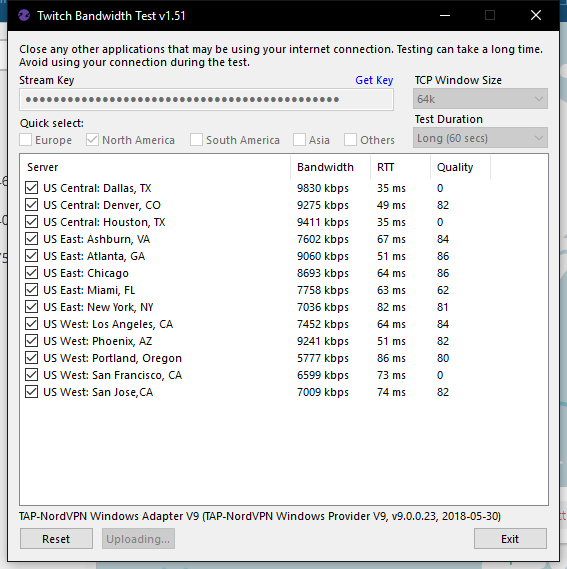
Will these being at 0 result in my stream ending abruptly? It randomly happens when I stream to Denver off my vpn and it hasnt happened before also the vpn is like a prerequisite for the game i play, it helps me not get ddos'd in competitive play and scrims etc.
tight harness
@solar edge The issue is that you currently have the !bet command disabled in Chat Commands > Default Commands
@dry lynx At this moment we have a small few stores open, we'll make sure to let people know when we are able to scale it to a wider number of people 😃
dry lynx
Ah ok. Was wondering because was looking at getting some merch going. Thanks for answering @tight harness
tight harness
@tender venture I haven't personally seen this test before but I understand what it is showing, is it just the quality column showing 0's or the bandwidth column too?
jade remnant
using a vpn isnt the best also, that can cause issues on its own
tight harness
True
jade remnant
^
 hexed spoke
is there anyway to stop streamelements showing 2 different points systems
StreamElements: @Thorsten666, Thorsten666 has 0 Gold and is rank 69/562 on the leaderboard.
StreamElements: @Thorsten666, Thorsten666 has 225 gold and is rank 75/465 on the leaderboard.
tender venture
@jade remnant @tight harness Yes, vpns are not helpful to streaming in the slightest, but the game i play is peer 2 peer so you can get ips easily and ddos, its a piece of cake to do, but this recently started just crashing my stream out of knowhere for a few minutes
jade remnant
if it stops the stream its best to grab a log then and there
To do this, in OBS go to Help > Log Files > Upload Last Log File and paste the link to the log file here
it might be something else, but we can take a look. if it is the vpn it would be best to ask in the obs discord, even then, if its the vpn there would be nothing they can do
hexed spoke
also when i go live the dashboard says am still offline
tender venture
https://obsproject.com/logs/dPimLd9DzQl1XAX- this is my latest log
lament blade
using an Avermedia capture device, my main 144hz monitor goes to 60hz and can't change it up to 144hz again, have it connected, but don't know if it is connected in the right way as off the hz issue...
 last hare
What happened to the "Now playing" widget no longer supporting spotify?
nocturne pelicanBOT
@last hare Spotify has kindly asked us to disable our integration with them, so we complied. This means that the Spotify integration has been removed and the "Now Playing" widget no longer has it as an option.
last hare
damn
 snow trail
Umm... My follow wont get recognized by streamelements/obs... Is it because of the new api system of twitch?
nocturne pelicanBOT
@lyric jasper Please follow our community rules:
- No advertisement or stream promotion
- Respect ALL server members
- No NSFW/NSFL
Thank you
 balmy hound
The answer is probably no, but is there a way to set a tip character limit based on tip amount?
midnight plaza
Is anyone around for support?
nocturne pelicanBOT
@midnight plaza Welcome to the helpdesk! Please let us know how we can assist you today and a support volunteer or staff member will assist you as soon as they are available. Thank you for your patience.
midnight plaza
I have a streamer who is trying to add our transition but they do not have the ability to even look at the transitions widget
like it is greyed out and unable to be checked
nocturne pelicanBOT
@midnight plaza For the best OBS support, please join their Official Discord @ discord.gg/obsproject
strong kernel
Transitions are like the one thing we don't do things with since you can't use cloud-based ones. So it's just the base OBS Studio feature that controls that.
midnight plaza
im not understanding. it is not a cloud based transition, it is a file
he simply cannot click on the widget
strong kernel
Yes, that's my point. We don't do anything with transitions here because it's not. It's the base OBS feature, which means you're better asking them for why it's grayed out like that.
balmy hound
The answer is probably no, but is there a way to set a tip character limit based on tip amount?
strong kernel
No, there's one maximum message length regardless of amount.
balmy hound
really? cause there's a setting for it: Maximum Message Length
200
Maximum length of the message a tipper can send.
strong kernel
Yes. That's the one maximum message length I just mentioned.
balmy hound
oh sorry, my bad. i thought you said none not one.
 proper glen
How come when I try to capture my screen it only shows 1/4 of the screen on twitch? Thanks!!
strong kernel
Screen's bigger than canvas, probably. Select the source and press Ctrl+F.
 mental vector
hey, im trying to make a local time command for Kyoto, Japan but the output is always in CEST
twin sentinel
Use ${time.Asia/Tokyo}
twin sentinel
You can use this custom API: ${customapi.https://decapi.me/misc/time?format=h:i%20a&timezone=Asia/Tokyo}
mental vector
worked, cheers
twin sentinel
If you want to take a look at the documentation: https://docs.decapi.me/misc?endpoint=time
inland nest
I would like to know if I can start my stream on console while using a capture card and laptop for overlays
Or will I have to start the stream from my laptop
strong kernel
If you're using a capture card, the laptop is what's streaming, not the console.
inland nest
Ok how do I start a stream from my laptop?
strong kernel
With a streaming software like OBS Studio, which we have a plugin for: https://obs.live

OBS.Live | Open Broadcaster Software Streaming Knowledge Base
OBS (open broadcaster software) knowledge base for live streaming. Find articles and videos about streaming with OBS.
inland nest
So I stream straight from obs
 tropic silo
hey trying to change the colour of the stream eventlist from blue to a more on brand colour how do i do thi s
inland nest
Will I need to stream on PC/Laptop in order to put music on my Xbox stream
inland nest
So everything that StreamElements has can only be accessible through PC
strong kernel
Not exactly. Consoles just don't have the functionality on their own.
Console streaming capability is 🥔
inland nest
It is pretty garbage
I just want to be prepared for when I purchase a PC or Laptop to stream
strong kernel
If you're going to buy something, get a desktop, not a laptop.
tropic silo
@strong kernel thanks i am blind hahah
 terse snow
anyone know why this happens with my video capture devices?
wait is this the wrong chat
oops
strong kernel
@terse snow Because you need to update OBS.
random quail
hey, is there an equivalent to nightbots $(urlfetch URL) in streamelements ?
inland nest
So according to you guys, to have a half decent stream with overlays, music, and more. I will have to purchase a capture card and a desktop for the ability to stream console games
strong kernel
21.1.2's autoupdater is broken. Grab the most recent from their site.
terse snow
oh okay thank you
inland nest
Am I forgetting anything?
strong kernel
@inland nest Capture card, desktop, decent internet connection, that's about the basics for a single PC setup.
@random quail ${customapi URL}
inland nest
Does that mean I have to hook my Xbox up to a monitor or can I still play on my TV?
strong kernel
Can still play on your TV if you've got the output going to both your TV and the capture card.
inland nest
How would I do that
strong kernel
A splitter.
inland nest
Ok, so now I need a splitter
strong kernel
If you absolutely need to play on the TV, yeah.
 harsh delta
just installed this stream elements plugin. now where the heck is the twitch dock that allows me to change the stream topic??
nocturne pelicanBOT
@harsh delta If you are not seeing the OBS Twitch integrations and have OBS.Live installed, please follow these steps:
- Make sure you are on the latest and greatest version of OBS.Live ( 19.7.14.421 )
- exit OBS (make sure OBS is not running)
- delete %appdata%\obs-studio\plugin_config\obs-browser\obs_profile_cookies
- start OBS.Live
- Settings -> Stream -> disconnect -> connect
 lunar furnace
i have a bit of a puzzle predicament..... i have a stream loots card that allows a viewer to get an extra ticket into the giveaways/raffles but i cant find a way for me to add them a ticket if they play that stream loots card.
inland nest
Nethyr, can you recommend me any splitters
strong kernel
@lunar furnace There's no way to manually give a viewer a giveaway ticket. Best option would be to refund the cost of one ticket.
terse snow
alright @strong kernel thanks i updated it and now the cameras work appreciate it, and hope you have a wonderful rest of your day
lunar furnace
ok... is that something yall might think of adding in the future?
nocturne pelicanBOT
@lunar furnace Check out the StreamElements ideas board: https://strms.net/ideas. You'll be able to add ideas, upvote ideas you agree with, and track their progress with email notifications. Adding and upvoting ideas also helps the staff know which ideas should be prioritized so please take some time to upvote.
harsh delta
thanks bot
random quail
@strong kernel thank you for the customapi tip, is there any documentation on how to use it? I tried
${customapi.http://MYURL/test.php}
with just a hello world and it only gives me a long error message
am I doing something wrong?
sorry let me redo the URL
${customapi.http://URL/test.php}
strong kernel
Like, exactly that, or did you use an actual active URL?
random quail
actual active URL
strong kernel
What URL?
random quail
does this not allow us to use stuff we host on our server ?
it's my OWL url
- own URL sry
strong kernel
Can you show it to me please?
random quail
is it okay if I DM you ?
strong kernel
Just the URL. Keep the conversation here.
random quail
sure! thank you
DM'd it
the error I am getting in chat is
<html><body><script type="text/javascript" src="/aes.js" ></script><script>function toNumbers(d){var e=[];d.replace(/(..)/g,function(d){e.push(parseInt(d,16))});return e}function toHex(){for(var d=[],d=1==arguments.length&&arguments[0].constructor==Array?arguments[0]:arguments,e="",f=0;f<d.length;f++)e+=(16>d[f]?"0":"")+d[f].toString(16);return e.toLowerCase()}var a=toNumbers("f655ba9d09a112d4968c
 thin pebble
How do I disconnect StreamElements from Twitch
random quail
@thin pebble on your dashboard
https://i.imgur.com/HDD1Nss.png


 golden pumice
Hello gentlemen, I was wondering if it's possible to have different channels using same loyalty points towards the same store (eg: stream network with 1 store across 5 channels)
strong kernel
No, channels can't share a leaderboard.
strong kernel
@rotund wadi Technically it can be done as many times as you can fit, but commands will always have that 500 character limit.
random quail
do you by any chance have a solution to my problem, nethyr ? :3
strong kernel
@random quail Not sure if it's with your API or with our end, it's 1:40 AM and the devs are asleep, so might not have an answer for several hours.
random quail
okay! thank you 
I'll try again at an earlier time tomorrow
 rotund wadi
or dose random pick can change
Probability to each one? like 1 70% 2 10% 3 20%
strong kernel
It's an equal chance for every item in the variable.
rotund wadi
${random.pick '11111111 ' '222222 ' '333333 '}
i want this to show 10 times
and i want 1111 is 70% 2222 is 20% 3333 is 10%
but if i put in command like this 10 times
${random.pick '11111111 ' '11111111 ' '11111111 ' '11111111 ' '11111111 ' '11111111 ' '11111111 ' '222222 ' '222222 ' '333333 '} 500 word is not enought
any suggestion?
lament blade
Is it possible to rename a cmd from chat? Like switching !shoutout to !so
strong kernel
Well, !shoutout already has !so as an alias, but no, renaming is only possible from the site.
strong kernel
@rotund wadi A community member by the name of thefyrewire made an API that might be able to accomplish what you want: https://thefyrewire.com/docs/api/
 cunning sparrow
OBS keeps crashing while I try to stream it. Anybody know why that might be?
nocturne pelicanBOT
@cunning sparrow Please provide a log from your last stream. To do this, in OBS go to Help > Log Files > Upload Last Log File and paste the link to the log file here.
cunning sparrow
strong kernel
random quail
@strong kernel I got it figured out, my hoster was blocking the request for some reason
sorry for bothering you!
strong kernel

random quail
yeah not sure why it's reacting so allergic to streamelements, but it's working now
 hollow fiber
guys, i'm a newbie thinking to stream on twitch. so, i need some help about basic overlay examples. is there any official hotsite with some examples?
strong kernel

StreamElements
The Ultimate All in One Platform for Streamers
hollow fiber
i face some difficult, per example, about alert overlays
i wish to put simple overlay about new followers (list that i saw in some channels). i also saw a list about subs etc.
this list is pushing down, when someone follow the channel, donate anything and another info that's showed into alerts.
it's called "event list"