#helpdesk-twitch
1 messages · Page 449 of 1
 lament blade
 pulsar wind
 meager summit
Question about Media Request. How does that play out with Twitch's and Youtube's copyright rules? What happens if viewers request copyrighted music? Will I get in trouble? Will I be demonetized?
 jade flicker
On Twitch you can use Copyright Music
 twin sentinel
b. User Content Representations and Warranties
You are solely responsible for your User Content and the consequences of posting or publishing it. You represent, and warrant that: (1) you are the creator and owner of the User Content or otherwise have sufficient rights and authority to grant the rights granted herein; (2) your User Content does not and will not (a) infringe, violate, or misappropriate any third-party right, including any copyright, trademark, patent, trade secret, moral right, privacy right, right of publicity, or any other intellectual property or proprietary right
Source: https://www.twitch.tv/p/legal/terms-of-service/#10-respecting-copyright
9.4 Prohibited Content. You agree that you will not display, post, submit, publish, upload or transmit a User Submission that: (i) is unfair or deceptive under the consumer protection laws of any jurisdiction; (ii) is copyrighted, protected by trade secret or otherwise subject to third party proprietary rights, including privacy and publicity rights, unless you are the owner of such rights;
Source: https://streamelements.com/terms
 glass sluice
How do you use the animation settings in the slides? It never seems to work as I imagine it would (well, at all) but is there something I'm missing?
I wanted to animate my logo sliding in and then sliding out.
twin sentinel
What widget are you talking about exactly?
glass sluice
Image
Although it would apply to anything.
The animation settings are on images for example but I'm not sure how to actually animate that layer. It doesn't appear to do anything.
 gentle mulch
How do I use the animated overlays on streamlabs obs? Kinda having problems figuring that out.
twin sentinel
try the widget assert rotator/slideshow and see if this fits your needs @glass sluice
@gentle mulch What problems exactly?
gentle mulch
Well, just in general ig. Just trying to figure out how to add them on stream lol
If that makes sense?
How can I explain it more?
twin sentinel
Add a browser source and add the overlay url and the right dimensions.
gentle mulch
Uh, sorry mate. Kinda don't understand that foregin language lol
Add a browser source
I can do that
Wait, it says ''Please enter the name of the source'' Do I then put the url in there?
twin sentinel
I am not a StreamLabs supporter. But I assume this is the source name.
gentle mulch
Mk
Wait, do you by any chance know what width and height i gotta type in? Is it just 2060x1080p?
Thank you for your help btw
Nvm, 1920x1080
Thanks for the help :D
Do you then have an idea on how to change the countdown on the starting soon screen?
twin sentinel
Do you use an overlay from StreamElements?
twin sentinel
What do you mean with not anymore?
gentle mulch
Wait
Oh sorry
Thought you said Streamlabs
Yeah, Streamelements
Nvm, it does it automaticly
But, can you change any of the stuff that it says, for example Tip Goal and such
twin sentinel
what do you mean with change? You can change the widgets in the overlay editor: https://streamelements.com/dashboard/overlays
gentle mulch
Thank you
And, I ment that it for example also says ''Tip goal: 100'' Or something like that, it's just if you could change it
But yeah
Now sorry if I'm not answering. But I'm currently eating lol
twin sentinel
If you mean the name of the widget in the layers section of the StreamElements overlay editor, select the layer and at the very top you can change the name.
gentle mulch
Thank you
 rare fjord
quick question would it be better to have alerts as their own overlay or stack them on one?
twin sentinel
We recommed one alertbox per overlay. And you can crete one overlay with just the alertbox in it and add it onece to OBS and then use the "add existing source" to add the browser source to orher scenes.
gentle mulch
So I just deleted a whole lot of stuff, and it says stuff like, Video, Text and stuff like that. That doesn't show. Right?
rare fjord
@twin sentinel what are the benefits to only one per overlay?
twin sentinel
We recommend creating one overlay with just one alert box and add it to OBS as described above. With this the alert continues playing when switching scenes.
rare fjord
ah gotchya awesome thanks
gentle mulch
Benno, any chance you could help me out on a screenshare call or something? No need of talking or anything
twin sentinel
You can send a screenshot here.
gentle mulch
Fair enough, tyty
twin sentinel
also what is your issue exactly?
gentle mulch
Honestly just trying to move and remove stuff, so yeah
But now I just deleted the entire social thingy, then I pressed launch and it basicly didn't do anything
twin sentinel
So after you deleted all these assets, have you hit save?
gentle mulch
Wait, I thought it saved to the computer, so No i did not
Btw, with this. Do I just delete it?
Also, when I move stuff. It just kinda tries to grid with a snap with that makes sense. Can you change that?
twin sentinel
Set up the overlay you want and then save it. After that select the lower left button to launch the overlay and add the url to your browser source in OBS.
twin sentinel
You can disable snapping here:
twin sentinel
just leave the default value.
gentle mulch
30 fps?
Isn't that a bit much tho
Or something
Wait
Now that I think of it, no it isnt
Thank you ever so much for the help, really appreciate it
 left crater
How do you change the overlays for stuff and not mess them up?
twin sentinel
All your overlays are stored here https://streamelements.com/dashboard/overlays and can be edited in the overlay editor.
left crater
I know
But I can't move anything on the overlays without messing it up
I put my name there but apparently it's too long so I tried to move it and it just messes it up
twin sentinel
You can select the layer in the lower left in the layers section and either change the position data in the positon, sice and style card or move it via the arrow keys.
@left crater You can make the widget bigger by dragging it in the lower right corner or edit the width and height in the positon, sice and style card.
left crater
Okay?
 nocturne pelicanBOT
@lament blade Welcome to the support channel! Please let us know how we can assist you today and a member of the support staff will be with you as soon as possible.
lament blade
need help with my old overlays
switching from streamshit to streamelementss
need help with switching over
lament blade
Hello, why don't !watchtime command work in on of the channel i moderate for?
it just says 0 secs watched
 soft oasis
Is anyone familiar with the Extra Life Super Theme overlay? I have a question or two regarding it. Specifically the alert boxes. Thanks!
 dark patio
Hi for some reason since ive changed my twitch name my commands ect not working in my chat ?
 viscid osprey
Is SE Pay only available if you have 100+ followers? I have 85
 serene granite
dark patio
serene granite
dark patio
anyone can help me ?
nocturne pelicanBOT
@dark patio Welcome to the support channel! Please let us know how we can assist you today and a member of the support staff will be with you as soon as possible.
 delicate imp
for some reason my complete preview thing is black and wont show anything, andI dont know why:( any help would be greatly appreciated
dark patio
i already did
Hi for some reason since ive changed my twitch name my commands ect not working in my chat ?
 strong kernel
Part the bot from your channel, log out of StreamElements, log back in, and join the bot to your channel.
jade flicker
how can i do a alertbox to obs.live
strong kernel
@jade flicker https://www.youtube.com/watch?v=8LVRd2X4HvU

Learn how to customize your alerts and setup different alerts variations with StreamElements Alertbox ----- Overlay Manager guide: https://youtu.be/X7XrDdRE7...
dark patio
how you part the bot again
strong kernel
@dark patio The "Part Channel" button on your StreamElements dashboard.
dark patio
dont see it
strong kernel
 serene wharf
- All manual host events (0 hosts included and if filter set to 0)
- All hosts coming from an online channel. If the hosting channel has been offline, we do not show it
- All auto host events with at least 1 viewer```

So some clarification. I have the filter set to 0 and I still am not getting alerts shown for 0 viewer manual hosts. Does the above mean that the channel has to have been online as well for it to show?Yes.
 wooden skiff
regarding the streamelements leaderboard extension that you can put in your profile, anyone know why it only shows the default alien picture for everyone instead of their profile picture?
strong kernel
Not sure what you mean.
strong kernel
You sure?
wooden skiff
oh you right, subs shows correctly
points, cheers, chat stats dont
dunno why
its not a big deal, was just wondering if its known issue or something on my end
 granite delta
I have a question
I’m going to set up a bot for my twitch stream and I was deciding on weather I should do nightbot or streamelements. So what do you have that’s better than the other boys?
*bots not boys
strong kernel
Well, considering you're a console streamer, you'll probably need a bot that can provide chat alerts for followers, subs, tips, etc. Which would be ours.
strong kernel
You don't need to include a tipping page on your Twitch channel.
Unless you meant something different?
granite delta
No, I mean like the stream currency like to enter raffles and such
strong kernel
Loyalty system is disabled by default, so if you haven't turned it on, don't. 😃
granite delta
Ok
If I were to do a giveaway could people still enter by typing something? For example !raffle?
strong kernel
Should still be possible as long as you make sure to set tickets to cost 0 points.
granite delta
And I saw u guys have overlays would I be able to use like a be right back screen?
Or is that not what overlays are
strong kernel
Not unless you're streaming via capture card or remote play. Consoles can't do anything interesting on their own.
rare fjord
is there a link someone can drop w/ a sample of all the fonts in SE?

 sand ravine
@twin sentinel Where are the timers located?
twin sentinel
 magic ermine
Hi! Quick question - Is there any way a large gift sub bundle could cause my stream to drop or lag?
strong kernel
Not that I'm aware of.
magic ermine
I had a flawless stream and that lag spike there was exactly as I received a bunch of gifted subs
Oh I tried to post an image but it doesn't allow me - Anyway, I had a lag spike where a bunch of frames were dropped right as I was gifted a bunch of subs
 smoky tide
do you have kappagen explosions turned on for subs?
I could see how that would lag a stream if they were all being triggered back to back
magic ermine
Yo! Nah I don't have Kappagen on at all
It was weird because I don't think I had that issue before and it literally just had that one lag spike
I also don't think I can test a mass gift notification at all
Is there not perhaps a notification to use as an all in one sub notification for the gifted batches?
So instead of popping up 10 times it just does it once?
 night crow
@strong kernel I think you tried to help me with this but I'm having no luck.
don't know how to stop both alerts from going off.
strong kernel
As mentioned, you can import Nightbot's commands into StreamElements, and then you can disable Nightbot at Nightbot's site.
night crow
When I do the the music player in my chat doesn't work.
given I don't have a capture card yet and I am new to this who stream thing.
strong kernel
Are you using our media request system?
Learn how to use it here: https://www.youtube.com/watch?v=17eUkoZ6eIs

StreamElements Media request enables playing songs and videos in your stream. It's an upgrade of StreamElements Song request and Media share features. ----- ...
night crow
I use the Auto DJ feature in Nightbot don't know how to use the stream elements one.
thanks!
@strong kernel Thank you! Got it now! Sweet!
 limpid forum
Is there a way to have the chat open and minimize obs?
strong kernel
With OBS.Live, no; it's considered a part of OBS and minimizes with it.
limpid forum
Is there something that I can do to have the chat on my other screen without having a browser open? I was reading through reddit and a lot of people would enjoy having a program that has the chat and the activity feed on it
strong kernel
Hide OBS behind your game?
limpid forum
Yea I keep it behind my game but for native res games, i use display capture and obs is there when i view my desktop. was just curious if there was something that i could do
really digging se btw. moved from slobs and I like this a lot more
strong kernel
Nothing through SE; only OBS.Live includes a chat window.
 pine sedge
Hi, I have a question, when I change my scene of streamelements from my OBS it takes to change and I do not why. Some one can help me pls
strong kernel
You're essentially loading a browser page.
nocturne pelicanBOT
@pine sedge Check out this tutorial for OBS’ studio mode which allows you to preload scenes before transitioning. https://www.youtube.com/watch?v=W8iWsD2Lq3U
 winter basalt
Hey, its me again LUL
for some reason i'm not getting alerts in chat for when ppl follow etc
oh
nevermind
sorry LOL
accidentally disabled chat alerts
forget this ever happened xxxxxx
 fringe saffron
strong kernel
fringe saffron
strong kernel
Should be fine now.
 elder sorrel
I get the same for my Chat Stats. Just now realized 
 sharp crater
I was talking to Keizer yesterday but I dont think he got in contact with ya'lls payment mediator? Is there anyone who can help me with my problem?
strong kernel
He did and it's being worked on.
soft oasis
Sorry, IRL stuff took my attention away. I wasn't sure if my question regarding the Extra Life overlay was answered or not?
soft oasis
You're right, wow blonde moment on my part. My question was the two alert boxes used for the overlay. Are both required to allow a seamless notification to pop up or are we given the option to use one or the other (I'm specifically referring to the Game Scene overlay)?
 last sleet
Hey, I see that streamelements bot is subbed to channels (so sub emotes works with the custom commands) can someone tell me how to do that?
strong kernel
If you're a Partner, you can message Twitch support to get a permanent sub on the bot.
If you're not, you have to gift it a sub yourself.
last sleet
Ahh
strong kernel
@soft oasis Extra Life alertbox for Extra Life alerts, regular alertbox for regular alerts (i.e. followers, subs, tips, etc.)
soft oasis
@strong kernel Ok, sweet. Thanks!
strong kernel
Yes, that's fake.
 dusky zephyr
I assumed, thank you for verifying
strong kernel
A tip message will never come from the tipper's account.
dusky zephyr
okay, thank for the heads up
sharp crater
can i get a small fill in on whats exactly getting worked on? just curious
i just have to wait for a dm from ya'll right?
strong kernel
We don't share a roadmap for upcoming features as priorities change all the time. As new features come out, they'll be anounced in #announcements
sharp crater
oh i meant about my problem
sharp crater
haha ok!
sand ravine
@twin sentinel Thanks. I was able to add new timers on that link you sent me to the config page.
strong kernel
@sand ravine Please don't ping people. Benno replied 3 hours ago. He's actually probably asleep by now.
sand ravine
Sorry, Nethyr. I had to reply to him for a thanks for helping me figure out on adding timers, is all.
Won't ping anymore.
Hope he gets that message in the morning by the time he wakes up.
 full sky
my host alerts have not been working this week is there anything I can do to fix that?
nocturne pelicanBOT
@full sky Due to changes to Twitch API, we have filtered out hosts and will only show these ones on your activity feed:
- All manual host events (0 hosts included and if filter set to 0)
- All hosts coming from an online channel. If the hosting channel has been offline, we do not show it
- All auto host events with at least 1 viewer
full sky
It shows it in my chat but my alert wont pop up while I stream. I know that it channel that hosted stayed and watched and brought a few viewers with them but it still did not show!
 floral salmon
Hello, Does anyone know how to fix the "bleed purple" bits not showing up with hypercup ?
strong kernel
Have you tried using !emotes update yet?
floral salmon
Will that work for Twitch emotes?
strong kernel
That's the hope. Otherwise I don't know. 
lament blade
how do you activate the stream overlay
nocturne pelicanBOT
@lament blade To add your overlays to OBS, add a new browser source in your scene. Paste your overlay URL in the browser source properties, set the dimensions to 1920x1080 (unless you changed them on the website), and ☑ “Shutdown source when not visible” https://youtu.be/KDvLynUqXI4
lament blade
ok thank you
 autumn fern
 buoyant light
I need help with my capture device i'm using the roxio hd pro. I have my everything up and working smoothly, but i can't figure out why my game audio wont transfer over to my stream. HELP PLz #helpdesk-twitch
nocturne pelicanBOT
@buoyant light For the best OBS support, please join their Official Discord @ discord.gg/obsproject
lament blade
having an issue where my sound alerts repeat maybe 10 seconds after the actual alert (follows, subs etc) it's duplicating the sound somehow, does anyone have a fix for this please?
nocturne pelicanBOT
@lament blade Make sure to ☑ “Shutdown source when not visible” for all browser sources (all OBS scenes). If using studio mode, uncheck “Swap Preview/Output scenes After Transitioning.” Also keep in mind that sound can play from any overlay loaded in the browser (editor or launched). https://i.imgur.com/FegZJQS.png https://i.imgur.com/yY0wcFl.png

 strong kernel
What browser are you using?
lament blade
google chrome
strong kernel
Are you blocking popups?
lament blade
my bad its internet explorer
strong kernel
Don't use IE.
 cobalt kindle
If I've received a Tip today, and they processed through PayPal, I'm not afforded the same protections as with SE Pay if they charge it back, correct? - Is there any way to check whether the twitch account associated with the donation is one that has a history of chargebacks in the past, such as what SE Pay looks for?
lament blade
ok so should i loud using chrome
strong kernel
@cobalt kindle If they've charged back before they can't tip on our service as long as this is checked. That degree of protection isn't exclusive to SE.Pay.
lament blade
thanks for your help
cobalt kindle
Thank you @strong kernel - If I may ask, how is that managed? What I mean is, does the platform automatically get updated with names, or do streamers on your platform have to report it, or?
strong kernel
It's automatic.
cobalt kindle
So, if this guy charges back the $100 today (just came into my stream today) - they will not be able to tip me again later, and, won't be able to tip anyone else using stream elements...
... unless they have another Twitch account, or is that tied to the PayPal account for processing too?
 noble rivet
Um, somehow, my OBS program is now in Spanish? I think?
strong kernel
 hollow horizon
is there a way to put a twitch viewer count widget like streamlabs had?
strong kernel
There's no viewer count widget, no. But it's not really needed since it displays the viewer count directly beneath the stream anyway.
hollow horizon
right but trying to find one that may show true count.. or is it only active chatters? cause i had 4 most of the night and then i raided and said 7
 swift swan
Seriously need help how to disable Curse browser ASAP!
 zenith widget
What is "curse browser"?
swift swan
It opens when some links from obs live
zenith widget
thats just a built-in browser from us.
swift swan
How to stop
zenith widget
Well we do have plans to make links open on your default browser, but there is no ETA.
Its integrated at the moment as default behavior.
zenith widget
I don't understand what you mean by that.
zenith widget
Well, like I mentioned, we are going to make it so the default thing that happens when links are clicked in OBS.Live is to open your browser.
 south creek
hello, im having problems with "host notifications" they dont appear for some reason.
nocturne pelicanBOT
@south creek Due to changes to Twitch API, we have filtered out hosts and will only show these ones on your activity feed:
- All manual host events (0 hosts included and if filter set to 0)
- All hosts coming from an online channel. If the hosting channel has been offline, we do not show it
- All auto host events with at least 1 viewer
south creek
ok thank you 
 grand arrow
hello, so in the personal information in the SEPAY there is a thing called "Number* " i don't know what im supposed to put in there and it is required.
zenith widget
street number
grand arrow
Thank you @zenith widget I appreciate it
zenith widget
👍
 jade pumice
Hi, where do I get the stream labels for OBS studio?
 mild pelican
I have a SE overlay only with just kappagen in it. Enabling it as a source causes my CPU to go from 50% to 100%. On an idle computer, opening it in chrome causes a jump from 1% to 12%. Is this normal?
zenith widget
labels as in recent follower/sub/tip? @jade pumice
jade pumice
yup! @zenith widget
zenith widget
@jade pumice You need an overlay
@mild pelican If you are using OBS.Live, sort of yes.
@jade pumice https://www.youtube.com/watch?v=LwAfMIR3Cj0&list=PLCDDKlFdScbEwdx5AntcQIS1InkFJwHtv&index=5 - here is our overlay editor video guide
mild pelican
@zenith widget SLOBS actually but this seems abnormally bad. 1 source using more CPU than all other sources combined
zenith widget
To be honest, SLOBS is known to use more resources then it should.
mild pelican
right but i can toggle the SE overlay and watch my CPU double
jade pumice
@zenith widget gotchu, ty!
zenith widget
What if you tried using just OBS Studio?
mild pelican
lets ignore S/OBS for a second. its using 10% just in a normal browser while displaying nothing
zenith widget
Do you have hardware accelaration on in your browser? Because that helps kappagen not use much CPU
without it - its using more CPU
mild pelican
good idea. i forgot i had that disabled due to some issues
i just tried it, it helps a little still see a pretty good jump. disabling acceleration in chrome still shows the solid 10%+ though
zenith widget
Just to point out - Kappagen is known to take more CPU, but in combo with SLOBS, its not a good idea due to these reasons:
- SLOBS uses more CPU then it should
- Kappagen can have its emotes flicker if too many show up at once.
- SLOBS tends to block our overlays on randomly, so only way to fix this is to turn off the browser source and turn it on
- just move to OBS Studio

mild pelican
not worth the gimmick. yea i get it slobs is a little bit slower but theres many features we need. i wouldn't be using it if i didnt have to. i think you can help without showing so much bias. we us both SL and SE. each have different strenghts
zenith widget
If I was showing bias, I would tell you to try out OBS.Live - our plugin for OBS Studio, but I'm trying to help you here by telling you that maybe OBS Studio is the better choice.
And I listed 2 things that SLOBS does that hinders usage of our overlays, even for Kappagen, so those are known things and we can't do anything about that.
But we do know that Kappagen uses more CPU then intended, just theres no ETA on when its going to be fixed.
what older one from us?
twin sentinel
SE.Pay has different payment options than G2A pay.
But in my opinion SE.Pay is better, cause of the fees and the chargeback protection by SE.
this is an overview with the fees: https://streamelements.com/dashboard/tipping/fees
 frank dove
Hello. Is there anyone else here whose bot just doesn't display the bot name section anymore? It's gotten completely removed for me and it displays in chat as Stream Elements.
twin sentinel
are you changing your bot name via OBS.Live or GroundControl?
Please make sure you are meeting all the requirements. I think you don't use our tip link as a panel.
frank dove
via ground control @twin sentinel
nocturne pelicanBOT
@frank dove Custom bot name requirements
- StreamElements bot modded and in chat
- Active overlay with alerts
- StreamElements tipping page in the panels below the stream (!panels)
- Create a twitch account for the name you want to use
- Ground Control app must be running
Steps to enable custom name
- Sign in to https://twitch.tv with the bot account
- Install and run Ground Control (!gc for download)
- Visit https://twitchapps.com/tmi/ and generate an oAUTH token
- Copy/paste everything in the box to Ground Control oAuth settings and enter the name for the bot account
- Restart Ground Control (custom name may take a few minutes to take effect)
Mac does not currently support renaming the bot.
 wanton jetty
does banning somone automatically stop them from earning currency or no ?
zenith widget
no
 frank dove
Is there a way to save a widget I made as a custom and just copy it on the other overlays?
 tight harness
You can copy any widget to other overlays, the icon in the bottom left which has a red circle when you click on the widget is the duplicate widget button
frank dove
Duplicate one?
Oh ok, I thought it just duplicates it inside the current overlay
Thank you >.<
tight harness
No problem 😃
 thin spruce
I can’t seem to get item redemptions (sounds) to activate in the stream feed
I’ve added a store redemption widget to my overlay, but in the Stream Store menu there are zero redemptions
tight harness
Try redeeming one of the items yourself
thin spruce
Yes still nothing
I even have a dummy twitch account to test things externally, still nothing
lament blade
this is chat box from widgets stream elements?
tight harness
@thin spruce What are you typing to try and redeem?
twin sentinel
There is a widget called your channels twitch chat you can add to your overlay to see your twitch chat.
tight harness
The issue here was that you had the !redeem command disabled in Chat Commands, I've just enabled it for you
tight harness
No problem 😃
lament blade
@tight harness i cant got fade out effect
twin sentinel
There is a setting to make the messages fade out:
lament blade
@twin sentinel i mean what, i dont got fade out effect, when message permanently show , may be smooth fade out, i dont know how say, what i cant to explain
twin sentinel
You would need to use a custom chat widget to maybe get this: https://github.com/StreamElements/widgets/tree/master/CustomChat
lament blade
@twin sentinel what i need of this?
 final narwhal
hi today i set a donation button on my twitch and i done a 1$ donation but it was debited my account and i didn't received any donation in my account
please help me
twin sentinel
@lament blade Add these to the a custom widget. the .json goes into fields.
lament blade
@twin sentinel i cant found where i need paste, what have in .json
 jade remnant
@final narwhal do you have the alerts set up for donations?
twin sentinel
@lament blade the .json goes into fields.
twin sentinel
You create a custom widget in your overlay, clear the code of every tab and the code from the .html file goes into the HTML tab, the .css goes into the CSS tab, the .js goes into the JS tab and the .json goes into the Fields tab.
 silver laurel
Hi! I have a question about the the SE plug-in for OBS. When someone redeems an item from my streamshop it doesn't show up in my activity feed on obs, but it does show on ground control and the website. Is there a setting to change this on the plug-in? I would love to see the redeems on my activity feed on OBS too.
twin sentinel
There is a filter in the activity feed in OBS. Please make sure the option redemptions is checked. If the redemption is still not there, please reload the widget with the small arrow on the top left of it.
silver laurel
Ah thank you!
lament blade
@twin sentinel is this the only working way?
twin sentinel
I am afraid, yes. What is not working exactly?
twin sentinel
Do you use the custom widget in the first picture and have you set some animations for the outgoing text and saved the overlay?
lament blade
yeah i use custom widget, and have animations outgoing
twin sentinel
Please change the animation in the main section of the settings, not in the Animation settings card. Cause the last card is for the animation of the whole alert box, not for the single messages.
lament blade
hm?
twin sentinel
You are using the default your cahnnels twitch chat from the widget galery. Please set up a custom widget like described above.
lament blade
custom widget?
twin sentinel
https://github.com/StreamElements/widgets/tree/master/CustomChat
You create a custom widget in your overlay, clear the code of every tab and the code from the .html file goes into the HTML tab, the .css goes into the CSS tab, the .js goes into the JS tab and the .json goes into the Fields tab.
lament blade
why its hard :v
hah
@twin sentinel i dont understand how its worknig with html/.css and so how create custom widget.
its hard for me
 half badger
How do I add stream labels like most recent followers and stuff onto my overlays. I am switching from SLOBS.
twin sentinel
@half badger Create an overlay https://streamelements.com/dashboard/overlays and in the blue bar at the top there is a section for widgets. Add teh widgets you need. Then add the overlay url as browser source to OBS.
@lament blade Have you added the custom widget from the widgets section to your ovleray in the overlay editor?
lament blade
yes
twin sentinel
In your overlay editor, select the custom widget and on the left there is a blue button "open editor". Please select this and clear the code of every tab. The code from the .html file goes into the HTML tab, the .css goes into the CSS tab, the .js goes into the JS tab and the .json goes into the Fields tab.
half badger
@twin sentinel thank you so much! I was having such a hard time finding it!
 barren imp
Hi im new here, none of my alerts show up, also the activity feed is not updating
lament blade
im done @twin sentinel which next step?
twin sentinel
@lament blade If you have completed the explanation I send you above, you have a chat box now. Type something in your twitch chat to test it. You can access the settings on the left side when you select the widget and you are in the default card.
@barren imp Have you invited the bot to your twitch channel and made it a mod?
barren imp
I did on youtube and it doesn't works on youtube either, I thought I did it with Twitch also, where can I find that?
I added streamelements
somehow there is an activity feed now for Twitch? But nothing popped up
twin sentinel
This will add your twitch account to your youtube streamelements account
https://streamelements.com/dashboard/account/channels At the bottom of this page you can add your twitch channel to your SE account.
If you don't want to add bot in the same account., just log in here with your twitch account https://streamelements.com/
The activity feed for twitch will populate from now on, when events are happening, if you have the bot invited to your channel.
barren imp
I still don't understand, I have Twitch and Youtube both added
Do I need one Channel for both?
twin sentinel
You can log in on this page to your twitch or your youtube StreamElements account: https://streamelements.com/
lament blade
@twin sentinel i think u dont understand me, which effect i want
barren imp
Yes I know, I have them both added
twin sentinel
@lament blade With the custom widget you can choose from a lot of different effects like rotateInUpLeft or so on.
@barren imp Have you streamed with your twitch account, after you created a streamelements account and invited the bot to your channel?
lament blade
@twin sentinel can u check stream beasttroll for example? or alumetri
 finite thorn
Do we have any protection from tips chargebacks? A viewer started a PayPal dispute through his Bank about 4 donations done in February, March and 2 of them in April. PayPal has protected me from the April ones, cause it’s been done too soon, but March and February been taken away from my account in addition to $40 total of chargeback fees. Even though I’ve provided them the StreamElements TOS with the text of no chargebacks yada yada.
twin sentinel
@lament blade I am sorry, but I have no idea how this effect was made by alumetri. We can just provide the effects which are in the custom widget.
finite thorn
The bank told me they didn’t receive any evidence of the service or product being given for the money. And all the tips done through streamelements register as a purchase for a product or a service
lament blade
oh. Thanks for your help
smoky tide
has anyone noticed Store Items that are set to Sub Only not being redeemable by subs?
tight harness
@finite thorn If you provide a clip of the alert showing on the stream and also show that the username used for the donation matches the email used by the person making the tip (can be seen in Revenue History) then that's evidence
@smoky tide Try getting the person to log into our website if they haven't already and if they have ask them to log out and back in, you can also try relogging too
 trim dagger
Is there a way to get the chat bot timers to work on a different timer logic? I find the default one a little unintuitive.
twin sentinel
I think there is no other timer logic. Maybe this explanation helps you: https://discordapp.com/channels/141203863863558144/199460642975907840/508911738528333849
 idle bloom
Hello! I need help! I'm using a StreamElements overlay, but I use streamlabs OBS as live program. I've imported the streamlabs lables on my browser, I can only see the last sub and follow on the overlay. Recent dono, and top dono is not showing. Any Ideas?
twin sentinel
What do you mean with you imported SL labels to your bowser?
If you are using StreamElements overlays, the tips have to be made through our tipping link to be usable in your SteramElemetns overlays.
idle bloom
I've imported tips and alerts, talked to a guy at customer services a while back, and told me to do that, but for some reason I cant get the chat option back on the site
twin sentinel
The tips will populate after you recieved the first tip through SteramElements.
I am not 100% sure, but the top tipper alltime should work now already.
smoky tide
@tight harness thanks! Will def walk them through that next time 👍
idle bloom
I can see the Top tipper on my SE donation page, but why it's not showing on my overlay is still a mystery
trim dagger
This is weird, logged into desktop Discord I can't see the latest messages...maybe if I send a message (sorry support, not actually trying to ask a question, just trying to poke the Discord server to see if I can download the latest stuff)
Nope, that's SUPER weird, okay I'll try and find it out on my own.
twin sentinel
@idle bloom The date should populate after you got the first donation through StreamElements system.
You can edit the data manually here and input the old data. https://streamelements.com/dashboard/session
 strange summit
Not sure if this is a known issue... Streamelements Leaderboards extension is showing default avatars for everyone. Same with Hypeboss overlay widget.
 unkempt flare
Hello, I am having an issue with the hype boss widget. no one's profile picture is showing up. Also im having an issue where if somebody becomes the hype boss though bits or donations. they can only heal using the last thing that killed the other hype boss. So if they kill the hype boss with donations. The bits will damage themselves.
jade flicker
hello if i want to connect to my twitch session in obs.live
there came an error: "Twitch session expired"
twin sentinel
@jade flicker Can you take a screenshot of the error message?
Also is there anything you have to o or select to show the error message?
twin sentinel
Select StreamElements on top in OBS > Log out and log back in
 unreal isle
I tried using the challenge overlay/panel but it kept saying to activate when I had already activated it
 sharp cove
Hello!
nocturne pelicanBOT
@sharp cove Welcome to the support channel! Please let us know how we can assist you today and a member of the support staff will be with you as soon as possible.
sharp cove
I am currently trying to add a supertheme to my streamlabs obs so I can use them to stream but the issue is that everytime I try to add it, it only adds part of the overlay and not the entire screen.
I change the width and height
twin sentinel
Edit the resolution of the browser source to 1920x1080
twin sentinel
edit the resolution of the browser source in OBS
jade remnant
thats the resolution, you can see the mid points on the overlay NOT in the middle. click on the overlay and press ctrl+f
sharp cove
nothing happened
jade remnant
have you changed the default size on the overlay in the editor?
if not you need to ask slobs how to change browser source resolution
 timber crow
Hi, need some help - I'm using OBS for streaming on twitch, but i use SE for donations, chat bot etc.
Question: How can I inclue the latest / top donator from my SE page to my OBS ingame Overlay? 
twin sentinel
Create an overlay https://streamelements.com/dashboard/overlays and in the blue bar at the top there is a section for widgets. Add teh widgets you need. Then add the overlay url as browser source to OBS.
Also I recommend watching this video tutorial: https://www.youtube.com/watch?v=LwAfMIR3Cj0
timber crow
thank you ! 😃
 obsidian berry
Hello there, my overlay on the overlay editor doesn't match what it looks like on OBS Live
twin sentinel
Clear the browser source cache in OBS.
obsidian berry
@twin sentinel didn't fix it
 tranquil falcon
I need help trying to get my custom chat bot name
jade remnant
make sure you saved your overlay then copy the url from the overlay editor in your source.
clear the cache again
nocturne pelicanBOT
@tranquil falcon Custom bot name requirements
- StreamElements bot modded and in chat
- Active overlay with alerts
- StreamElements tipping page in the panels below the stream (!panels)
- Create a twitch account for the name you want to use
- Ground Control app must be running
Steps to enable custom name
- Sign in to https://twitch.tv with the bot account
- Install and run Ground Control (!gc for download)
- Visit https://twitchapps.com/tmi/ and generate an oAUTH token
- Copy/paste everything in the box to Ground Control oAuth settings and enter the name for the bot account
- Restart Ground Control (custom name may take a few minutes to take effect)
Mac does not currently support renaming the bot.
obsidian berry
@jade remnant did that, still not working
nocturne pelicanBOT
@obsidian berry To invite managers to your dashboard, Click on your Channel Name at the top of the dashboard and scroll down to Settings. Click the drop down arrow to expand your channel managers and then create a new invite at one of three access levels (Bot Supervisor, Editor, Full Control) Check this video out for more help: https://youtu.be/zl_h-ttZDF0
jade remnant
dm me the link
 calm stream
Hi i changed my name on twitch and streamelements ( chat )doesn't work anymore
twin sentinel
What is your old and your new name?
calm stream
DelendaCarthagoTwitch -> DelendaCarthagoTv
twin sentinel
I have forwarded the request internally. Will ping you here when the stats are back online.
calm stream
Ok thx, do i have to do something ?
twin sentinel
No, nothing to do for you.
calm stream
Ok 😉
 ornate ledge
The command !watchtime says 0 sec
twin sentinel
The loyalty points have to be anabled in order to measure watchtime. Please make sure the loyalty system is enabled here: https://streamelements.com/dashboard/loyalty
ornate ledge
Thanks so much
 drowsy raptor
how do I disable approval for media requests so they play automatically?
twin sentinel
https://streamelements.com/dashboard/mediarequest/general at the very top disable teh queue moderation.
drowsy raptor
ok ty
twin sentinel
We recommend creating a twitch panel with the donation link provided in the tipping settings.
 naive lintel
Why do I keep getting this error for streamelements? "{"status":401,"message":"invalid csrf token"}"
twin sentinel
What are you trying to do? Can you show us a screenshot please?
naive lintel
I'm trying to log into my streamelements account.
twin sentinel
What browser are you using?
strong kernel
Allow cookies, disable ad block.
strong kernel
The page you're looking at is Twitch. It's trying to establish the OAuth connection.
naive lintel
@strong kernel So what do I do?
strong kernel
Clear your cache and cookies or try an incognito window.
naive lintel
I'm doing that now. It is taking forever lol
 sand ridge
my watchtime doesn't work, it shows me everytime 0 seconds, please help
strong kernel
In your own channel?
sand ridge
yes
strong kernel
Turn on the loyalty system.
sand ridge
and then?
strong kernel
That's it. Now it'll start counting up from 0.
 candid vortex
ANy one know why the custom queue commands wouldnt be working. I have added all the code to the custom widget but i cant see any queue?
strong kernel
Custom coding questions can be asked in #dev-chat but are ultimately your responsibility to get working as you need.
 latent helm
Hi, I'm not receiving stream reports. Can someone help please
twin sentinel
Please dm me your email adress. I will reach out to a staff for a fix.
latent helm
Thanks
 tranquil talon
Hello!
I’m new to Twitch and I have no idea what I’m doing. I do not own a PC, only my phone and PS4. I’m trying to set up overlays and trying to figure out the chat bot. If anyone could help out, that would be great!
candid vortex
Thanks, I ask but no one answered
strong kernel
You cannot use overlays without a PC.
Consoles aren't capable of it on their own. Phones cannot magically apply overlays to your stream.
tranquil talon
Oh okay 😢
twin sentinel
@latent helm I have got the info that you should recieve the stream reports. Please take a look at your spam folder.
@calm stream Your chat stats page is fixed. https://stats.streamelements.com/c/delendacarthagotv
latent helm
@twin sentinel hi, just checked and nothing
twin sentinel
Please contact us, if you don't recieve them after your next stream and also check your spam folder after this and make sure the email adress is not blocked.
calm stream
Thank you guys 😄
candid vortex
HI all, I am wondering about the Twitch Chat Bot for SE? Is there a fact sheet or guide on how to set it up?
strong kernel
StreamElements Chat Bot for Twitch and YouTube Live moderates your chat and keeps it clean so that you can focus on what’s important, your stream. StreamElem...
candid vortex
Thank you but is there anything about changing the name of the StreamElements chat bot?
twin sentinel
Do you use OBS.Live?
candid vortex
Nope
nocturne pelicanBOT
@candid vortex Custom bot name requirements
- StreamElements bot modded and in chat
- Active overlay with alerts
- StreamElements tipping page in the panels below the stream (!panels)
- Create a twitch account for the name you want to use
- Ground Control app must be running
Steps to enable custom name
- Sign in to https://twitch.tv with the bot account
- Install and run Ground Control (!gc for download)
- Visit https://twitchapps.com/tmi/ and generate an oAUTH token
- Copy/paste everything in the box to Ground Control oAuth settings and enter the name for the bot account
- Restart Ground Control (custom name may take a few minutes to take effect)
Mac does not currently support renaming the bot.
nocturne pelicanBOT
Twitch's official help guide for Panels: https://help.twitch.tv/customer/portal/articles/2416760-how-to-edit-info-panels
candid vortex
I dont understand the SE tipping page in the panels below stream - do i need to add a tipping panel for my bot account as well?
twin sentinel
You need to create a tipping panel with the tipping link.
candid vortex
For my bot account? I have one on my streaming account
twin sentinel
No, the panel in your stream account will be enough.
candid vortex
Oh thank you Benno.
 twilit wind
could I speak with someone in support voice channel?
twin sentinel
I am sorry, as I don't have the ability to voice right now. Please describe your issue here and we'll try to assist you the best we can.
twilit wind
i can get song requests to show up in my stream. I have the widget for OBS and it shows the little red box and source, but nothing shows up
cant*
twin sentinel
What happens when you select Show on stream? Is there any error message?
twin sentinel
What version of OBS Studio are you on? (top left)
twilit wind
21.1.0
twin sentinel
Please update OBS Studio by ownloading the latest version here and install it: https://obsproject.com/download
The recent version is 23.1.0
twilit wind
crap, okay
strong kernel
And add a media share widget to your overlays.
strong kernel
It is not there by default.
Edit an overlay and add it from the widgets tab at the top.
twilit wind
oh
strong kernel
I just went through all of your overlays. Not one has it.
 ebon stag
Question when I used streamlabs there used to be code I could do so that when ppl wanted to sue the leaderboards it would show top 10. The only thing j can find for elements is a link to a website to show top 10
 simple vine
Hello. Can I place the widget/extension on my site, I know how to do it, just wondering of its allowed?
strong kernel
What do you mean?
@ebon stag The default command !top will link to the leaderboard, but if you follow it with the type of leaderboard, it'll print to the chat (i.e. !top points)
simple vine
I have my on website that I am building and I want to add the leader board to it. Am I allowed to to this?
I am ok with using a standard link if there is an issue.
naive lintel
So I cleared my cash and cookies and it still didn't work.
 lunar saddle
Are we allowed to self promote
strong kernel
No.
lunar saddle
Ok
naive lintel
Every time I try to log into streamelements I get this {"status":401,"message":"invalid csrf token"}
strong kernel
You were already told what to do.
This is a local issue regarding authentication being blocked.
naive lintel
And I did what I was told and it didn't work.
strong kernel
You can try another browser if you'd like. But this is a local issue and there's only so much we can do to help you with it.
lament blade
is the bot down?
twin sentinel
no. not for me. what is the issue?
lament blade
ahhh need a new o-auth token with the custom name 😃
huh, re-authed with the bot name but no dice with the bot chatting
works under the streamelements name though
AHHH was in follower only mode to prevent spoiler-bots. didn't follow the channel with my bot hahaha
twin sentinel
I recommend making the custom bot name a moderator.
sand ridge
I activated the loyalty settings but my watchtime is not working
twin sentinel
when a viewer with viewtime enters !watchtime does he get the wathctime, or 0 seconds, or nothing?
sand ridge
0 seconds
twin sentinel
what is your channel name?
sand ridge
Is not mine, but the name of the channel is iaaras2
strong kernel
Your loyalty setting doesn't affect someone else's stream.
If they don't have it enabled, it will not count up.
sand ridge
I'm doing the settings for the streamer
strong kernel
Are they live?
sand ridge
No
strong kernel
Then it's not going to count up from 0 yet.
It only counts while they're live.
The system isn't retroactive.
It's not going to suddenly know how long any given person has been watching.
It starts from 0.
For everyone.
From the moment loyalty is enabled, while it is enabled.
There is no history to retrieve, either. Twitch doesn't track watchtime for channels.
 jaunty vine
With "Banned Words"
Do viewers see the timeout reason in twitch chat?
The user that got the timeout specifically
twin sentinel
Afaik no, just the mods are seeing the message in chat.
jaunty vine
Hmm
Interesting Twitch doesn't show the reason to the offending viewer.
ik NightBot just posts it directly in chat, but I'm not interested in that.
Oh, it used to be in IRC when first added, but got removed and is PUBSUB only now for mods.
winter basalt
Hello
its me...
Just a quick one
why is it that i my viewers can request songs longer than the time limit i set?
and also the songs per user doesnt work either
thanks in advance ❤️😏
twin sentinel
Nearly at the very buttom of the MediaRequest settings you can set upo an exepted user level. What have you set that to?
ebon stag
@strong kernel wait it will print out top 10 in chat?
strong kernel
Yes, if you use !top points
 ruby ermine
hey guys, ive been ahving a problem with the leaderboard extension for twitch. while it updates things like points, and chat stats, subs and cheers do not show up on the leaderboard.
strong kernel
Not when you first connect to StreamElements. Twitch doesn't keep or send a history.
ruby ermine
i had it connected before my stream tonight and had my first bit donation during the stream and it did not go on the leaderboard
what you said does make sense for my sub problem however, since i added the leaderboard after i got my first sub
it did however give the person 10 points which is also kinda odd since i have loyalty point turned off
strong kernel
I'll have to find out what data the extension pulls from. The events appear in your activity feed, so I'm unsure why they're not in the extension, or how often the extension data updates.
ruby ermine
thank you.
ruby ermine
ill check back in the morning
 craggy jewel
@strong kernel I added a shoutout command to my stream elements is there a way to display what the user was last playing?
 wanton mango
@craggy jewel ${game ${1}}
 manic shore
Why doesn't the OBS Studio chat auto sign in when using OBS.Live
craggy jewel
@wanton mango cheers
nocturne pelicanBOT
@manic shore If you have issues with OBS logging you out of the integration all the time or not showing the Twitch integrations, follow these steps:
- Make sure you are on the latest and greatest version of OBS.Live ( 19.3.24.375)
- exit OBS (make sure OBS is not running)
- delete %appdata%\obs-studio\plugin_config\obs-browser\obs_profile_cookies
- start OBS.Live
- Settings -> Stream -> disconnect -> connect
 coral zealot
Are there still issues with the GroundControl desktop app for Mac? Mine still isn’t working and hasn’t been for a while...would love it if my streams could go smoother
 gleaming siren
Hello Good morning
 cyan iron
hey why doesn't the animation settings do anything to my subscriber goal on my overlay
i want it to be rolling across the screen but the text doesn't actually do anything with animation settings configured
zenith widget
@coral zealot I think it should have been fixed it seems it was not or removed again. I would suggest to use the dashboard activity feed and pop it out (there is a button for that).
@cyan iron The animation settings is meant to be used for the alert box for example, as the animation settings trigger upon new events. The goal widget doesn't handle new events so those settings don't work on it.
gleaming siren
My alerts on OBS are poping Half
zenith widget
Scrolling text option should be available in the text settings, but if its not there, its not supported for the goal widget.
gleaming siren
is there a way to fix this?
nocturne pelicanBOT
@gleaming siren The default resolution for StreamElements overlays (theme and custom) is 1920x1080. Please add them in OBS at their full resolution and use CTRL+F to fit to screen if necessary. You can then downscale your stream in OBS settings > Video if you'd like https://i.imgur.com/6bWXxjR.png
 cyan iron
well, it's there as an option, it just isn't doing anything.
is there anything i need to enable..?
zenith widget
The Animation Settings affect only the alert widget.
zenith widget
Scrolling text option should be available in the text settings, but if its not there, its not supported for the goal widget.
cyan iron
do you know the setting name?\
zenith widget
It should be here:
But its not.
So the goal widget doesn't support scrolling text.
manic shore
Is there any reason for a host to not appear in activity feed but appear in chat?
nocturne pelicanBOT
@manic shore Due to changes to Twitch API, we have filtered out hosts and will only show these ones on your activity feed:
- All manual host events (0 hosts included and if filter set to 0)
- All hosts coming from an online channel. If the hosting channel has been offline, we do not show it
- All auto host events with at least 1 viewer
manic shore
Meaning it doesn't pop up as an alert?
zenith widget
Meaning that if you see mid stream in your chat a text saying "X person is now hosting you" that means they are not bringing any viewers or are auto-hosting with 0 viewers, or generally were not online when hosting you.
The listed scenarios are the scenarios we do not show an event or alert.
manic shore
@zenith widget I've just had someone host me with 3 viewers and then he said something on my chat. Doesn't that count as online?
zenith widget
No need to tag me if we are the only people talking currently here.
Did it say in the chat by the default twitch message that he had 3 viewers?
manic shore
No it did not. Just said that he was hosting me.
manic shore
Gotcha. Thanks for responding so fast!
 sacred adder
does SE.Pay take the full 7 days to verified?
zenith widget
7 business days.
sacred adder
ooof. alright thank you.
barren imp
can I use the backupqueue as songqueue?
now when I use !next it tells me that there are no songs in the queue
zenith widget
backup queue? If you are referring to the backup playlist spot in the MR settings - just place a playlist there.
zenith widget
The command !next is meant to say what is next in line if there is a requested song, not the next backup song - especially if you have the new shuffle option on.
barren imp
Can I go to a next song somehow?
zenith widget
!skipsong
or just skip the current song that is playing
with the skip button in Media Request
this or
this
barren imp
ok thanks I use !skipsong, can others use that aswell?
manic shore
Is obs.live part of this help desk? cause I have a question about it
barren imp
Can other request to skip the song?
zenith widget
viewers can try and skip a song with !voteskip
but you can set a minimum number of votes required to skip a song
in the MR settings

StreamElements
The Ultimate All in One Platform for Streamers
barren imp
ty
barren imp
I don't get it to work
@zenith widget I can't use the command and it shows that its controlled by the module settings
zenith widget
which command?
barren imp
!voteskip
or does that just mean that you can't turn it on and off yourself
Also how does voteskip work, does it show a message in the chat for when someone requests a vote?
zenith widget
yes
 vagrant elk
Name mom0608
zenith widget
@barren imp I figured it out
this needs to be turned on for voteskip to be working
barren imp
ah thanks, you did that for me?
zenith widget
yes
barren imp
Thank you
zenith widget
This is something I didn't knew that voteskip relies on this option
barren imp
Me neither, im new to every command xd
 gentle imp
that's kinda obvious though, if you don't allow ppl to request, why would u allow them to skip? 😄


 barren imp
where can I find the original backup playlist, I changed it but I want it back xD
nvm found another one
 forest lily
Anyone can help with a donation that i not received?
twin sentinel
Is the donation in your activity feed? Is it in your revenue history?
forest lily
Did not received anything that’s just the problem a friend donated 1000€ with his creditcard but is it normal that you need wait a couple of hours?
Did not received anything that’s just the problem a friend donated 1000€ with his creditcard but is it normal that you need wait a couple of hours?
zenith widget
That is an oddly specific amount. When did they tip you?
zenith widget
By when, was it today? yesterday?
3 days ago?
How did they tip you exactly? PayPal or SE.Pay?
lament blade
how cann i get this timer to be a loop
like
i need it to keep going from 0:00 to 10 min again
forest lily
Today @zenith widget
zenith widget
Reload the overlay @lament blade
lament blade
@zenith widget how
zenith widget
Click on the "eye" next to the browser source or if you are using ground control or obs.live
there is a reload overlay button
frank dove
Hi. Is there a way to sync my philips hue lights with the alerts?
zenith widget
@frank dove We don't have integration or support for the philips hue lights or a custom widget.
frank dove
😦
zenith widget
@lament blade one of the 2
zenith widget
then click it again to show the overlay
zenith widget
Do you have the "shutdown source when not visible"?
lament blade
let me check
zenith widget
right click the browser source -> properties
lament blade
its unchecked
should i check it?
maybe i should check the second box
Refresh browser when scene becomes active?
zenith widget
i guess which ever you want
frank dove
will you ever integrate something for philips hue by any chance? 😄
zenith widget
No plans. I think @untold crest tried to do something with it, but in the end they didn't have an open developer API or something.
 untold crest
There's external service for that https://lumiacove.com

Lumia Cove
Bridging Phillips Hue, LifX, Nanoleaf, Twitch, Mixer, YouTube, and your viewers together
candid vortex
Hi guys. I have set up my chat bot name but its now producing 4 lines per message.... any idea why?
jade remnant
close ground control and all processes of bot.exe in task manager, then open everything back up. should be good
candid vortex
thank you, worked a treat. Also, if i have timed messages in chat should they appear under my twitch bot name or do i need to change them to my actual bot account?
tight harness
They appear under the bot name if you've renamed the bot
candid vortex
They weren't but seem to be now!
 dusk badger
is there anyway to copy and paste my alert setup to another overlay?
jade remnant
there is a duplicate button in the editor on the left panel
barren imp
Hi, my alerts never show up
jade remnant
dusk badger
ohhh >< thanks!! 
jade remnant
np 👍
do you have alerts set up in your overlay and have you imported the overlay to obs @barren imp
jade remnant
have you changed your twitch name?
jade remnant
do you have the alert widgets for both youtube and twitch?
barren imp
I imported the widgets from youtube to twitch, I use the twitch widgets in obs
imported the overlays*
jade remnant
dm me the link from the bot below, i will check when im back at my desk
nocturne pelicanBOT
@barren imp To invite managers to your dashboard, Click on your Channel Name at the top of the dashboard and scroll down to Settings. Click the drop down arrow to expand your channel managers and then create a new invite at one of three access levels (Bot Supervisor, Editor, Full Control) Check this video out for more help: https://youtu.be/zl_h-ttZDF0
 delicate leaf
Can anyone help me for some reason my watchtime command isnt working for my viewers and i was wondering if anyone knows of a fix
tight harness
Hey, enable loyalty in Loyalty Settings first
delicate leaf
so i activated loyalty its still having the same issue where it just says that they have watched for 0 seconds
nocturne pelicanBOT
@delicate leaf 10 minutes of watchtime are given to those in chat when the loyalty points are handed out (every 10 minutes). Therefore, loyalty must be enabled for watchtime to work properly. There is no direct link between watchtime and all-time points. It can’t be calculated from the amount of all-time points a user has because subs may earn points at a faster rate and !bonus all command increases all-time points for users in chat at that time. Giving points to a single user does NOT affect all-time, only when giving to all in chat.
delicate leaf
thank you i have everything activated now and hopefully it will begin to record watched time
elder sorrel
For sure 
 strong flicker
good afternoon
how can I make a start date for a tip goal?
I'm placing the widget and I'm getting already my old tips
I want to make a new one
tight harness
Go to Activity Feed > Widget Data > Goal > change the number to what you want it to be for example 0 and then Save Changes
ruby ermine
did anyone ever figure out the issue i was having with the leaderboard extension panel?
 wise cliff
I've noticed a weird issue I'm updating and adding new subscriber variants but [Amount] isn't displaying correctly on the new ones. It just says [Amount] in my tests where my second month alert reads the correct month
twin sentinel
are you editing the alertbox or the chat alerts module?
twin sentinel
like emerican said above: use {amount} please.
wise cliff
Really? I'll try that the 2 month alert reads with the brackets
twin sentinel
Yes, please try the curly braces.
wise cliff
That did it, thanks I think it's just my monitor makes them look somewhat the same 😃 Appreciate it
elder sorrel

 fast sandal
streamelements.com/dashboard is not loading for me anyone else having this issue?
jade remnant
working for me https://streamelements.com/dashboard
 hallow stag
Is there a way to make it where an animation appears on my live stream when some one follows or donates I currently stream for my xbox and use my PC to monitor my stream and chat for twitch
twin sentinel
You would need to use a capture card or remote play and a PC to do so. Consoles iteself on their own can't use overlays.
hallow stag
Oh ok like I can add extensions to my channelf directly from twitch but would I need to use a capture card to use anything else if it's a different website or service
twin sentinel
For overlays you would need to use a capture card and a PC.
nocturne pelicanBOT
Here is a guide on how to setup the most essential tools for streaming from your console, while using StreamElements tools without involving a Capture Card! It's easy to do, take 4 minutes to read and 10 to 15 minutes to setup!
Read all about it here: https://blog.streamelements.com/how-to-stream-on-console-7b620b1c46c3
elder sorrel
@hallow stag Do you have 2+ monitors?
hallow stag
I have. A monitor hooked up to my xbox one and then the monitor for my PC it's a all in one 1 hp cheap little PC
nocturne pelicanBOT
@flat steeple Welcome to the support channel! Please let us know how we can assist you today and a member of the support staff will be with you as soon as possible.
 flat steeple
The alertboxes I've created are not showing up on stream at all
Only the StreamElements chatbot is working for me atm
twin sentinel
Have you added the overlays to your OBS as browser source?
flat steeple
o.o no
nocturne pelicanBOT
To add your overlays to OBS, add a new browser source in your scene. Paste your overlay URL in the browser source properties, set the dimensions to 1920x1080 (unless you changed them on the website), and ☑ “Shutdown source when not visible” https://youtu.be/KDvLynUqXI4
flat steeple
Thank you!! ❤
And should the height / width of the browser source always be 1920 x 1080?
Or whatever resolution I'm streaming in
elder sorrel
1920x1080 always
flat steeple
kk thanks
elder sorrel

@hallow stag If you don't have a Capture Card: You can use the Xbox App on your PC to stream your Display then use OBS.Studio to Display Capture it.
That's how I do it when streaming MK11
hallow stag
Will my little hp all in one computer run that lol it's not the most powerful computer
elder sorrel
Don't know till you try. If it doesn't. Capture Card is always the alternative.
flat steeple
So I've got the alerts to work now. But the alerts are all appearing in the upper left portion of the stream
Even though I have them centred in the actual overlay editor
and I have them centred on OBS
nocturne pelicanBOT
@flat steeple To add your overlays to OBS, add a new browser source in your scene. Paste your overlay URL in the browser source properties, set the dimensions to 1920x1080 (unless you changed them on the website), and ☑ “Shutdown source when not visible” https://youtu.be/KDvLynUqXI4
jade remnant
on the editor have you expanded out to see the whole of the page?
 orchid nova
there is a command that is !play and my mods keep spamming it and it plays an advert for you guys LOL
how do i get this to fuck off
help pls 😃
 hushed ferry
Does SE have Humble Bundle alerts built in like SLOBS? if not, any ETA for when implemented?
elder sorrel
@orchid nova Go to https://streamelements.com/dashboard/bot/commands/default
StreamElements
The Ultimate All in One Platform for Streamers
Find play -> Disable
elder sorrel
No prob 
@hushed ferry Don't think there is but I believe it's in the ideas board if my memory is correct 
Looking
flat steeple
Everything is working perfectly. I love you guys
elder sorrel
@hushed ferry Yep! https://streamelements.helprace.com/i757-humble-partner-support
Planned. No ETA.
 real gate
Is there discord integration for StreamElements?
twin sentinel
Not at this time, but it is planned. No ETA.
real gate
Alright. Could I ask a tech question thats slightlyoutside of SE but you might know?
twin sentinel
Best to ask the questin in #general-chat if it is not relaed to SE.
real gate
Kay thanks :D
 arctic summit
How can i pay on G2A with G2A Pay with the money i've got from StreamElements donations?
tight harness
I'd say that'd be a question for G2A
hushed ferry
Thanks @elder sorrel hope it comes soon!
 fossil depot
How do I make a raffle
 kind epoch
Hi is there an audio prompt available for when a viewer types in chat?
twin sentinel
@kind epoch Afaik this is nothing StreamElements can do.
kind epoch
Is it an extension perhaps? Coz i hear on some streams it has it.
twin sentinel
StreamElements can't make a sound when a viewer types in chat.
@fossil depot !raffle for multiple winners or !sraffle for a single winner (mod or above) - !join for anyone who'd like to join (anyone)
You have to enable the raffle module.
 jade breach
The command variable for Sub count is not showing the correct number. It's saying 0 on the return. Is this a known issue?
twin sentinel
Make the bot leave your channle on your dasboard, log out of your StreamElements account, log back in and invite the bot back to your channel please.
unkempt flare
Hello, I am having an issue with the hype boss widget. no one's profile picture is showing up. Also im having an issue where if somebody becomes the hype boss though bits or donations. they can only heal using the last thing that killed the other hype boss. So if they kill the hype boss with donations. The bits will damage themselves.
 unique ice
Hey! I have an issue with Ground Control. Not sure if this is the right channel or not. Whenever I launch ground control (windows 10), I can see it in my taskbar, and if I hover over the icon I can see a miniature of the window, but the window itself isn't showing up on any of my 4 monitors. I've tried moving it around with Windows+Arrow keys but that did nothing. Also just tried to uninstall and reinstall, but I'm running into the same issue.
twin sentinel
@unique ice The only thing I can recommend:
Hold down the “Shift” key while right-clicking the program in the taskbar, then select “Move“. Use your mouse or the arrow keys on your keyboard to move the window back onto the screen.
lament blade
Heyyy i'm not a god tier streamer yet but was wondering if i could still throw "Stream elements" Onto my twitter banner/Twitch banner, An promote them like that?
So many people come to me saying "Streamlabs" An i'm like no i use streamelements. Gotta expose the greatness of SE.
unique ice
@twin sentinel yeeeesss that worked! Thank you!
unkempt flare
who can I ask for help?
twin sentinel
@lament blade I am not a StreamElements Staff, so I can't speak in their name, but I think you can always tell that you are using StreamElements.
twin sentinel
Yes, but be aware that I can't give out official permissions.
 halcyon wasp
I'm going through the initial setup process and I can't figure out how to add the tipping banner to my twitch page. There's a video, but it's too small to see and I can't make it bigger.
nocturne pelicanBOT
Twitch's official help guide for Panels: https://help.twitch.tv/customer/portal/articles/2416760-how-to-edit-info-panels
ruby ermine
hey guys, ive been having a problem with the leaderboard extension for twitch. while it updates things like points, and chat stats, subs and cheers do not show up on the leaderboard.
twin sentinel
have you already streamed, after you added the extension?
 flint monolith
Hello there guys! Hope you’re all well.
I’m having. A strange problem.
So I was going to make some separate overlays for when I play Just Dance. My main alert is music so I just wanted to change it to a ding so it didn’t disrupt when I was playing a song. However, no matter if I copy a previous one and edit it, or start an entirely new overlay from scratch, when I do my alerts. All the sounds I used before. Are kind of—stuck?
For example. I click start blank overlay. And you’d assume you’d get just the default sounds, but it has the default sounds and the sounds I added to their overlays. I can delete everything but the sounds do not budge.
twin sentinel
What happens when you create a new overlay and add a new alertBoox from the widgets page to this overlay? When you add this overlay to OBS, does it play the default sound when emulating an alert?
@gentle chasm So you impoprted your alert box from SL and added this overlay to OBS. And when you emulate an alert, does it show the alert on stream?
 gentle chasm
i had a custom gif and song to play for alerts in streamlabs
the follow alerts work and everything. but i changed the donation link to the streamlabs one they provided and someone donated but nothing popped up. that was before i imoported stuff from strealabs to stream elements
twin sentinel
When you are using a StreamElements overlay, the Sub alert only triggers when the donation is made through the StreamElements tipping link.
gentle chasm
i imported my overlay to stream elements from labs. will everything work fine now?
i go to edit my overlay from streamlabs and it just shows a green screen in the edit box
like as i had nothing there and im creating a totally brand new one
twin sentinel
You can only import your alertBox from StreamLabs to StreamElements. The other ovlerlays have to be rebuild in our overlay.
gentle chasm
i just realized that haha thank you
lament blade
I'm trying to tweak an overlay for someone I mod for before they go live but I need MediaShare to play for me to see what I'm changing.
I used to use "Show on Stream" but that no longer shows up on channels I mod for, only on my own, in the Website Dashboard so any idea on how I can get MediaShare to work in the overlay editor now?
twin sentinel
Is there an error message when you hit show on stream on the website in the media request section of the channel you mod for?
 tender steeple
I want to see the chat inside the game on the same screen and not do it? they explain it to me please
lament blade
There's no button at all @twin sentinel
jade remnant
@tender steeple sorry, you want to see your twitch chat on your game screen, in game, not in obs
lament blade
@twin sentinel
This is what it looks like for the person I mod for: https://i.imgur.com/grUkJCs.png
On my own stream, it looks like this: https://i.imgur.com/uhIx9aj.png
The person I mod for doesn't show a "Show on Stream" button, only a Mod Notifications icon.
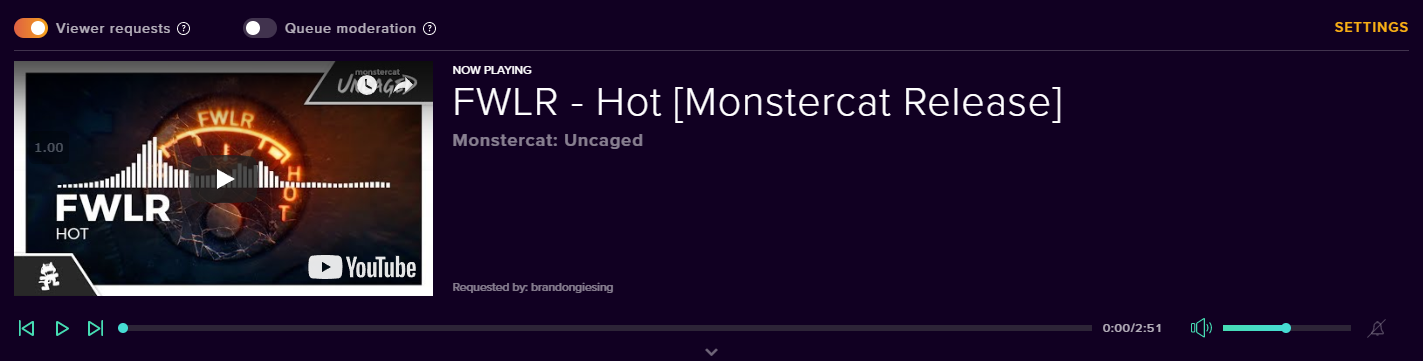
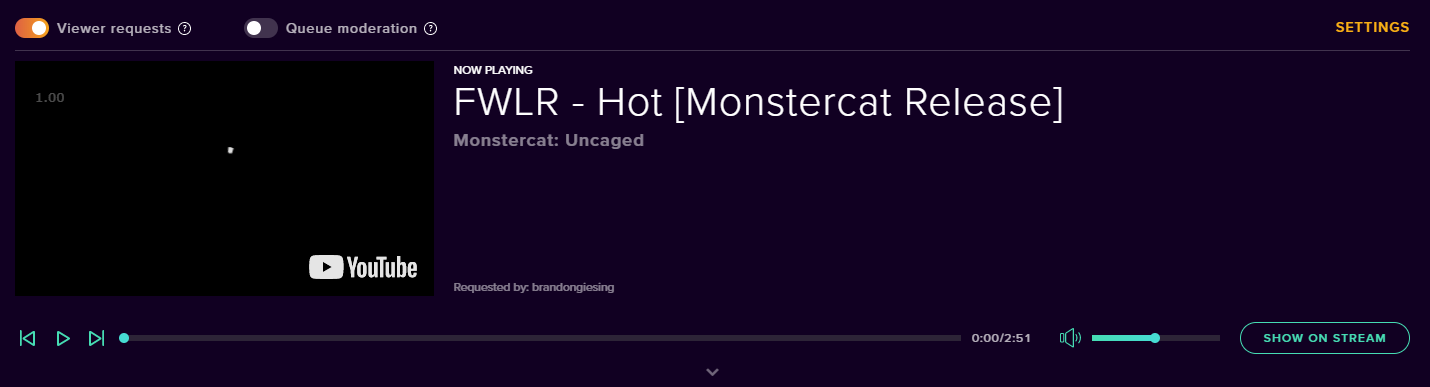


 amber charm
need help how do I get my game to show on stream 
jade remnant
add a game capture to your source in obs
twin sentinel
@lament blade Just realising there is no button. I will ask internally about this. But as it is weekend tha answer may take a while.
lament blade
I know it used to work but that mod notifications button also used to not be there so maybe it got removed for mods, definitely would love to see it readded if that's the case since it's hard to "debug" the overlay when making changes if you can't make the video appear.
wanton jetty
How do i fix the user having a lower case name even though hes got caps in it on twitch in my alerts :(
https://cruxedkat.live/s/201921490300.png

it should display as "ShadowCrotch" not "shadowcrotch"
as shown here
https://cruxedkat.live/s/201921515727.png

Its also lowercase in the activity feed for some reason...
https://cruxedkat.live/s/201921521054.png
but is correct in the "bits" cheered... its bugging me as its inconsistant
 twin sentinel
@lament blade Just asked internally, the show on stream button was never there for mods.
lament blade
It definitely used to show up for me, maybe it was a bug then I've used it many times.
ruby ermine
@twin sentinel sorry for late response yes i added the extension before i got the cheer during a stream
the sub i did not so that i understand but the cheer shouldve shown up. it is my first and only cheer so it should be #1 on the leaderboard
twin sentinel
The cheer should be populated by the data the extension recieves from twitch. Try to remove the extension and add it to your channel again.
ruby ermine
tried that sadly no change
twin sentinel
Then I am sorry I have no more idea how to fix this. Maybe another supporter has any ideas on this.
ruby ermine
sadface
sacred adder
I set up paypal but I had someone say they sent a donation and its showing up on there end as unclaimed
twin sentinel
The donation was sent through PayPal right?
sacred adder
yes
twin sentinel
Best to contact PayPal then.
twin sentinel
What is this about exactly?
twin sentinel
yes.
twin sentinel
In your task manager kill all instances of bit.exe and all runnning ground control instances. Then start ground control again.
 acoustic rock
bot.exe right?
twin sentinel
yes.
 dreamy bobcat
I want to setup MobilePay as a payment method for my twitch channel. Is that possible to do? -if so, how? I know its possible with streamlabs.
twin sentinel
Afaik MobilePay is not supported at this time.
 swift mist
i have developed a Mobilepay system for SE
you can PM me directly (just PM not friend invite) and i can explain how it works (i need no personal information)
@dreamy bobcat
lament blade
@swift mist I am very interested in your system! Pleased contact me! Thx
 vivid cedar
Hello, i am having problems connecting my activity chat to my stream elements. I hit connect twitch but it does nothing. as well as my stinger transition sounds are not working
twin sentinel
If you are referring to the plugin OBS.Live, let's hop in #helpdesk-selive
lament blade
Hey yall./....my obs overlay is gone...it shows up on properties..but not visable on screen
twin sentinel
What properties are you referring to? The sources on OBS?
lament blade
yeah when i right click the browser source and click properties it shows, but when it doesnt show up on the actual screen
twin sentinel
Is the browser source with the overlay on top of every other source in OBS?
lament blade
yes
twin sentinel
Have you set the dimensions of the browser source to 1920x1080?
lament blade
yep 😃
 scenic geyser
Is there a way to re-name streamelements bot? I can't seem to find any link or information on that
twin sentinel
@scenic geyser Are you using OBS.Live?
scenic geyser
Yes
twin sentinel
@lament blade When you open the url of the overlay in a browser window, is the overlay visible?
lament blade
yes it is
scenic geyser
ty so much
twin sentinel
Clear the cache of the browser source in OBS please.
lament blade
just got a notification..plays on website but not on stream
twin sentinel
Does the overlay only contain an alert box? are you trying to show thenotification when emulating it?
lament blade
it contains an alert box and and some text...none of which are showing up on screen
 dusk quest
Haven't received stream reports for my last few streams. Is this in the desktop version. Just wondering if email reports were still available.
twin sentinel
Can you please DM me your email adress? I will get in contact with staff to get your reports back. Please make sure to check your spam folders for the email message, please, before DMing me the email adress please.
dusk quest
Sure
twin sentinel
@lament blade Can you dm me the overlay link please? What OBS version are you using (top left in OBS studio)?
lament blade
sent
twin sentinel
Thx. The overlay is working for me.
Please delete the browser source you have added to OBS and create an new one with the overlay URL.
nocturne pelicanBOT
@lament blade To add your overlays to OBS, add a new browser source in your scene. Paste your overlay URL in the browser source properties, set the dimensions to 1920x1080 (unless you changed them on the website), and ☑ “Shutdown source when not visible” https://youtu.be/KDvLynUqXI4
lament blade
i deleted it and resinstallked and it worked..thanks dudes
twin sentinel
@dusk quest I have forwarded your emailadress for a check internally. Please be patient, we will contact you when we got more information on this issue.
 coarse sphinx
Hi, GroundControl hasnt worked on mac for 1+ month. Curious if there has been a way to fix it or is something wrong with my MacOS. Thank
twin sentinel
What happens when you start ground control?
lament blade
Can someone explain an audio issue I am having in StreamElements OBS. I am using an Xbox, PC, and MixPro amp from Astro
twin sentinel
At first, there is no StreamElements OBS, you are most likely referring to OBS.Live a plugin for OBS Studio.
So the best will be to ask at the OBS discord for assistance here: discord.gg/obsproject
lament blade
Awesome, thanks
 tough shore
Hi, does anyone know if there is a spinwheel function?
twin sentinel
tough shore
Thank you !
tough shore
My top tip in the widget doesn't match the top tip on the tip page? All data is imported
tough shore
Yeah. I think my bot is having a stroke. Default cmds aren't working correctly and the leadership board says I'm 90/170 when there are no users yet.
 fathom charm
how do i move my stream capture to my monitor instead of my laptop?
elder sorrel
You mean display capture? Should be able to add Display Capture as a source
right click display capture -> Properties. @fathom charm
fathom charm
oh thanks so much
when i click start streaming, it says could not access the specified channel or stream key
elder sorrel
You'll need to add your stream key / connect to Twitch.
Go to OBS.Studio's Setting ->Stream -> Connect
 stuck isle
OBS
lament blade
How do i use streamelements overlays on obs live
nocturne pelicanBOT
@lament blade To add your overlays to OBS, add a new browser source in your scene. Paste your overlay URL in the browser source properties, set the dimensions to 1920x1080 (unless you changed them on the website), and ☑ “Shutdown source when not visible” https://youtu.be/KDvLynUqXI4